RP-LPE6 - Computers Hedbox - Free user manual and instructions
Find the device manual for free RP-LPE6 Hedbox in PDF.


User questions about RP-LPE6 Hedbox
0 question about this device. Answer the ones you know or ask your own.
Ask a new question about this device
Download the instructions for your Computers in PDF format for free! Find your manual RP-LPE6 - Hedbox and take your electronic device back in hand. On this page are published all the documents necessary for the use of your device. RP-LPE6 by Hedbox.
USER MANUAL RP-LPE6 Hedbox
Lithium - Ion DV Battery Pack
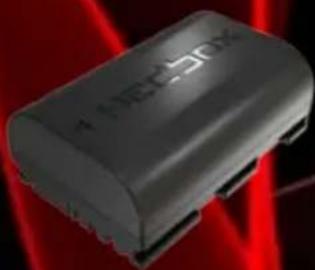
RP-LPE6

text_image
PREMIUM QUALITY *****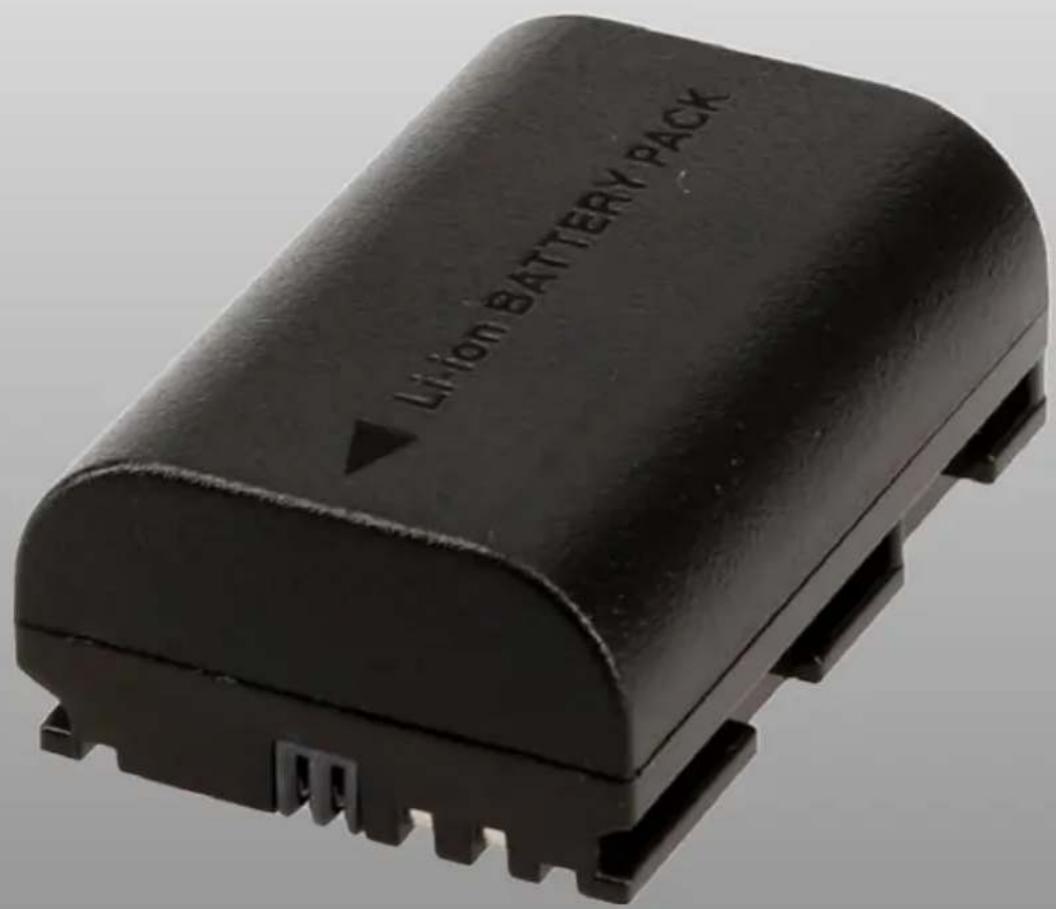
text_image
Li-ion BATTERY PACKHECBox
User Manual
Battery Pack Operating Instructions
Before operating the unit, please read this manual thoroughly and save it for future reference.
Important Safety Instructions
- If the battery pack is mishandled, the battery pack can burst, cause a fire or even chemical burns.
- Observe the following cautions:
- Do not disassemble.
- Do not crush and do not expose the battery pack to any shock or force such as hammering, dropping or stepping on it.
- Do not short circuit and do not allow metal objects to come into contact with the battery terminals.
- Do not expose to temperatures higher than 60^ (140°F) direct sunlight or in car parked in the sun.
- Do not incinerate or dispose of in fire.
- Do not handle damaged or leaking lithium ion batteries.
- Be sure to charge the battery pack using a genuine Hedbox battery charger or a device that can charge the battery pack.
- Keep the battery pack out of the reach of small children.
- Keep the battery pack dry.
- Replace only with the same or equivalent type recommended by Hedbox.
- Dispose of used battery packs according to the instructions.
- Do not use this battery pack near water.
- Clean only with a dry cloth.
- Do not install near any heat sources such as radiators, heat registers, or appliances that produce heat.
- Only use attachments/accessories specified by the manufacturer.
- Unplug this battery from the supply unit during thunderstorms or when unused for long periods.
- Refer all servicing to qualified service personnel. Servicing is required when the battery pack has been damaged in any way, such as power plug damage, liquid spill or dirt in the battery pack, the battery has been exposed to rain or moisture, does not operate normally, or has been dropped.
Overview / Features
This battery pack uses Lithium-Ion battery cells.
Use the battery pack only with equipment whose operating instructions recommend its use.
Charging the battery pack
- You don't have to discharge the battery pack before recharging.
- Charging while some capacity remains does not affect the original battery capacity.
• To charge the battery efficiently, fully charge it in an ambient temperature of 10 ^ -30 ^ (50 ^ -86 ^ ). - The battery pack discharges naturally over time. To extend battery life, it is recommended that you fully charge the battery pack before using it.
- The battery pack may become warm while used or being charged. This is normal. Battery pack performance decreases in low-temperature surroundings.
- To conserve battery power, we recommend that you keep the battery pack dry and warm, and only insert it in your electronic device just before use.
- If the power goes off even though the remaining battery time shows that it has enough power to operate, charge the battery pack fully again so that the correct remaining battery time is shown. Note that the remaining battery time is sometimes not restored if used in high temperatures for a long time or left in a fully charged state, or if the battery pack is frequently used. Also regard that the remaining battery time is shown as the approximate recording time.
WARNING
- Battery pack shouldn't be exposed to excessive heat such as sunshine, fire, etc.
Caution on Use
CAUTION:
- Never short-circuit the battery pack terminals.
- Never attempt to open the battery pack.
- Avoid mechanical shock.
- Never expose the battery pack to rain or moisture.
- Keep away from children.
- Never expose the battery pack to temperatures above 60^ (140°F)
- Please consult the store where you purchased this battery pack or your sales representative before using the battery pack in a product whose Operation Manual/Operating Instruction does not explicitly state that the battery pack can be used, or before using the battery pack in conjunction with another power supply. Inappropriate use of the battery pack may result in unit misoperation.
- The internal impedance of the battery pack increases as the temperature drops to 5^ (41°F) or below. This may result in a shorter operating time or the failure of the component to which it is connected to. This occurs more frequently in battery packs that have been charged many times than in new ones.
- The performance and operating time of the battery may drop under cold conditions.
- Charge the battery pack only with the HEDBOX charger model or any other model dedicated to this type of battery within a temperature range of 10^ to 30^ (50°F to 86°F).
- A large discharge amount may accelerate the deterioration of the battery pack's internal cells. To prevent this, use the battery pack with a discharger amount of about 3 A or less.
- The maximum discharge amount is 3.5 A for this model of battery at 23^ (73°F).
Continuous use at levels beyond the maximum discharge level may cause the protection circuit to shut off the current to protect the internal cells.
How to store the battery pack
- Store the battery pack in temperatures between 0^ to 23^ (32°F to 73°F).
- If the battery pack is to be stored for a short period (approximately more than 24 hours and a month or less), discharge it to 90% of its total capacity to prevent deterioration of its internal cells.
- When storing the battery pack for an extended period (more than a month) it is recommended to discharge it to about 50% of its full capacity. (The two LEDs light up)
While the battery pack is stored, charge it until the capacity reaches 50% once every six months. - If the battery pack terminals become dirty or dusty, clean them with a soft cloth.
Dispose of Battery Pack
- This product with CE marking complies with the EMC Directive issued by the Commission. By ensuring that these batteries are disposed of correctly, you will help prevent potentially negative consequences for the environment and human health which could otherwise be caused by inappropriate waste handling of the battery. The recycling of the materials will help to conserve natural resources. To ensure that the battery will be treated properly, hand over the product at the end of its life to the applicable collection point for the recycling of electrical and electronic equipment.
- Hand the battery over to the applicable collection point for the recycling of waste batteries.
- For more detailed information about recycling of this product or battery, please contact your local Civic Office, your household waste disposal service or the shop where you purchased the product.
To the purchasers of the battery pack
- This Lithium-Ion Battery Pack can be transported as a non-hazardous lithium-ion battery. Related laws and regulations are, however, subject to change. For detailed conditions regarding the transport of battery packs, please consult your chosen air transport company.
Battery life
- Battery life may be shortened due to storage or operation in high temperatures, storage when in full capacity, and frequent use.
- Replace the battery pack when the operating time with a completely charged battery pack becomes noticeably short or all LEDs flash because the self-diagnostics function has detected the end of battery life.
- If a Battery pack is deteriorated, not all LEDs will light when the CHECK button is pressed just after charging is completed.
Self-diagnostic function
- When an abnormality is detected, all the LEDs will flash. If this happens, stop using the battery pack immediately. Once the LEDs start flashing, the battery pack cannot be recharged. If you can't charge the battery:
If you cannot charge the battery pack
- The first time you try to recharge this battery, the charger doesn't respond to charging operation. If this happens, remove the battery from the battery charger and then reconnect it.
- The battery has been left for a long time
- The battery has been left in the camera for a long time
- Immediately after purchase
- If the charging operation fails for the second time, there may be a fault with the battery or the battery charger. Stop using them and contact your Hedbox dealer.
Battery life
- The battery life is limited. If the remaining battery time is considerably shortened, the battery pack is reaching the end of its life. Replace with a new one. The battery life varies in each battery pack according to the storage, operating conditions and environment.
European standards:
• EN55103-1: Electromagnetic Interference (Emission)
• EN55103-2: Electromagnetic Susceptibility (Immunity)
This product is intended for use in the following Electromagnetic Environments:
E1 (residential),
E2 (commercial and light industrial),
E3 (urban outdoors),
E4 (controlled EMC environment, ex. TV studio).
- Once the protection circuit activates, the battery pack will not automatically return to normal operational status. To cancel the effect of the protection circuit, you must charge the battery pack with a charger dedicated to the lithium-ion battery pack.
Specification
| Model name: | RP-LPE6 Battery Pack |
| Mount Type: | Canon LP-E6 |
| Internal Battery Cells: | 18650 x 2 |
| Cell Chemistry: | Lithium-ion |
| Nominal Volatge: | 7.4 V DC |
| Battery Capacity (mAh): | 2000mAh |
| Battery Capacity (WH): | 14.8 Wh |
| Internal Construction: | Cells Framing Construction System |
| Charging Time: | approx. 120 min. on charger RP-DC50 |
| Operating Temperature: | -20°C to 45°C (-4°F to 113°F) |
| Comunication protocol: | Canon Data com |
| Dimensions (W/H/D): | 37 x 16 x 55 mm | 2.2 x 1.4 x 0.5" |
| Net Weight: | ~ 55 g | 1.94 oz |
No compensation for contents of the recording
- The content of the recording cannot be compensated if shooting or reproduction are not possible due to a malfunction of the battery pack or other devices.
- Design and specifications are subject to change without notice.
If you want to know more about HEDBOX Products please visit our
website: www.hedbox.com
HECBOX

text_image
Product Registration Product RegistrationNote:
Always ensure that the unit is operating properly before use. HEDBOX WILL NOT BE LIABLE FOR DAMAGES OF ANY KIND INCLUDING, BUT NOT LIMITED TO, COMPENSATION OR REIMBURSEMENT ON ACCOUNT OF THE LOSS OF PRESENT OR PROSPECTIVE PROFITS DUE TO FAILURE OF THIS UNIT, EITHER DURING THE WARRANTY PERIOD OR AFTER EXPIRATION OF THE WARRANTY, OR FOR ANY OTHER REASON WHATSOEVER
www.hedbox.com

text_image
PREMIUM QUALITY *****HECBOX
We Power Your Bussines

natural_image
Two black HED-BPU industrial control units with red buttons, displayed against a red laser background (no visible text or symbols on the devices themselves)
natural_image
Two NINA HECSOX 240X refrigerant devices displayed side by side, no visible text or symbols on the devices themselves.
natural_image
Two black HEC50X devices with red branding, displayed against a dark background with red lighting (no visible text or symbols on the devices themselves)
natural_image
Exterior view of a black HEC Box electronic device with red LED indicators (no readable text beyond branding)
natural_image
Exterior view of a black HEC50X device case with visible branding and ventilation slots (no readable text beyond branding)NERO Series
natural_image
Black HECBox electronic device with blue display and red control panel (no visible text or symbols)
text_image
XDC 8001324 58.00 60.00
natural_image
Exterior view of a black rectangular electronic device labeled 'HECSOX' with a white cable and connector (no additional text or symbols visible)BATTERY CHARGERS

natural_image
Black rectangular electronic device with red control buttons and a red indicator light, set against a red background (no visible text or symbols)RP-VBD78
natural_image
Black industrial electronic device with red buttons and a white indicator light, no visible text or symbols on the device itself.HED-A60

natural_image
Black rectangular electronic device with red control panel and 'MAX 200X' branding (no visible text or symbols on body)RP-BP975
natural_image
3D rendering of a mechanical device with red connectors and mounting holes (no visible text or symbols)UNIX
natural_image
Close-up of a black NEC-50X memory chip with red laser background (no visible text or symbols)RP-LPE6H
natural_image
Close-up of a black perforated metal plate with red clamps at the base (no text or symbols visible)HOLD II

natural_image
Black HP-DC200 electronic device with red laser indicators and control buttons (no visible text or symbols on body)4CH CHARGER