ErgoCenter EW2 - NAS Rocstor - Free user manual and instructions
Find the device manual for free ErgoCenter EW2 Rocstor in PDF.


User questions about ErgoCenter EW2 Rocstor
0 question about this device. Answer the ones you know or ask your own.
Ask a new question about this device
Download the instructions for your NAS in PDF format for free! Find your manual ErgoCenter EW2 - Rocstor and take your electronic device back in hand. On this page are published all the documents necessary for the use of your device. ErgoCenter EW2 by Rocstor.
USER MANUAL ErgoCenter EW2 Rocstor
natural_image
Technical line drawing of a mechanical device with two views: front view and side view (no text or symbols)User Manual
Y10N028-S1

text_image
VESA Compatible 75x75 100x100 32" MAX RATED (2~8kg) (4.4~17.6lbs)Package Content
| 1x A | x1 B | x1 C |
| x2 D | x2 E | 4mm - x1 F |
| 6mm - x1 G | ||
| x1 H | x2 I | |
| M4x12 (x4) M-A | M5x12 (x4) M-B | M4x16 (x4) M-C |
| M5x16 (x4) M-D | D5 (x4) M-E | (x4) M-F |
Package Content
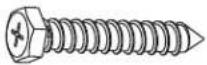 x7W-A x7W-A |  x7W-B x7W-B |  x3W-C x3W-C |

The following tools are required for proper installation:

Stud Finder


Level Pen Drill and bit Phillips ScrewdriverWrench
1

text_image
60mm (2,4") ø 10mm (ø 3/8")

natural_image
Mechanical assembly diagram showing a bracket with mounting holes and a labeled component A (no text or symbols beyond label)
text_image
W-B W-A
text_image
1 2
text_image
6mm
text_image
W-B W-C W-A2

natural_image
Mechanical assembly diagram showing a robotic arm with labeled components before and after assembly (no text or symbols present)3

natural_image
Technical illustration of a mechanical device showing assembly and disassembly (no text or symbols)4

text_image
Technical diagram of a device assembly with labeled components F, E, and G, showing exploded and assembled views.5

text_image
5mm F ① ② ③ F6

text_image
✓ TV ✓ TV X TV TV

text_image
M-A M-B M-E M-C M-D M-E M-F7

natural_image
Technical illustration of a mechanical assembly with a magnified inset showing a close-up of a component being processed (no text or symbols present)


text_image
G ↓

text_image
+15° -15° G
text_image
Technical diagram showing a mechanical assembly with labeled components and angular measurements (+4°, -4°)10

11

natural_image
Technical line drawing showing a mechanical assembly before and after modification, with no visible text or symbols.12

text_image
60mm (2.4") ø 10mm (e 3 /8")
natural_image
Diagram of a mechanical device with a lever and arrow, no text or symbols present
text_image
W-B W-A13

natural_image
Technical diagram of a mechanical assembly with mounting base and support structure (no text or symbols)
text_image
Technical diagram illustrating door frame installation with labeled parts and directional arrows indicating movement or assembly.14

text_image
Diagram illustrating a device assembly process with labeled steps and component illustrations15

text_image
Diagram illustrating computer hardware installation steps with labeled components and tool icons

text_image
Technical diagram of a desktop computer setup with labeled components and a close-up view showing the mouse, keyboard, and screwdriver.

text_image
360° +15° -15° 180° 180°Safety Seguridad Sécurité SicurezzaSicherheitVeiligheid

EN
WARNING: Given the potential variability of mounting surface materials, it is crucial to verify that the mounting surface is sufficiently robust to support the installed product and equipment.
WARNING! Stored Energy Risk. The arm mechanism is under tension and will autonomously elevate when attached equipment is detached. Consequently, NEVER disengage equipment unless the arm has reached its utmost position! Neglecting this directive could lead to severe personal injury and/or equipment damage.
CAUTION: Ensure that the bolt is perfectly centered in the hole. To securely attach the arm and prevent equipment damage, the plate must make contact with the underside of the desk on both sides of the hole.
ES ¡PRECAUCIÓN: Asegúrese de que el perno esté perfectamente centrado en el agujero. Para fijar el brazo de forma segura y evitar daños en el equipo, la placa debe hacer contacto con la parte inferior del escritorio en ambos lados del agujero.
FR ATTENTION: Assurez-vous que le boulon est parfaitement centré dans le trou. Pour fixer solidement le bras et éviter tout dommage à l'équipement, la plaque doit entrer en contact avec la partie inférieure du bureau des deux côtés du trou.
DE VORSICHT: Stellen Sie sicher, dass die Schraube perfekt in der Mitte des Lochs sitzt. Um den Arm sicher zu befestigen und Schäden an der Ausrüstung zu vermeiden, muss die Platte sowohl auf der Oberseite des Schreibtisches als auch auf der Unterseite des Lochs Kontakt haben.
JA 注意: ボルトが穴の中心に正確に配置されていることを確認してください。アームを確実に取り付け、機器の損傷を防ぐために、プレートは穴の両側でデスクの裏側と接触しなければなりません。
ZH **注意:**确保螺栓完全居中于孔内。为了安全地固定臂并避免设备损坏,板必须与孔两侧的桌子底部接触。
NL VOORZICHTIG: Zorg ervoor dat de bout perfect gecentreerd is in het gat. Om de arm veilig te bevestigen en schade aan de apparatuur te voorkomen, moet de plaat contact maken met de onderkant van het bureau aan beide zijden van het gat.
ATTENZIONE: Assicurarsi che il bullone sia perfettamente centrato nel foro. Per fissare saldamente il braccio e evitare danni all'attrezzatura, la piastra deve entrare in contatto con la parte inferiore della scrivania su entrambi i lati del foro.
TR DİKKAT: Civatanın deliğin tam ortasında olduğundan emin olun. Kolun güvenli bir şekilde takılması ve ekipman hasarını önlemek için plakanın deliğin her iki tarafındani masa altına temas etmesi gerekmektedir.

EN
CAUTION: AVOID SURPASSING THE DESIGNATED WEIGHT LIMIT AS IT MAY RESULT IN SEVERE INJURIES OR PROPERTY DAMAGE.
ES CAUTION: EVITE SUPERAR EL LÍMITE DE PESO DESIGNADO, YA QUE PUEDE RESULTAR EN LESIONES GRAVES O DAÑOS A LA PROPIE DAD.
FR ATTENTION: ÉVITEZ DE DÉPASSER LA LIMITE DE POIDS DÉSIGNÉE, CAR CELA PEUT ENTRAÎNER DES BLESSURES GRAVES OU DES DOMMAGES MATÉRIELS.
DE VORSICHT: VERMEIDEN SIE DAS ÜBERSCHREITEN DER FESTGELEGTEN GEWICHTSGRENZE, DA DIES ZU SCHWEREN VERLETZUNGEN ODER SACHSCHÄDEN FÜHREN KANN.
JA 注意: 指定の重量制限を超えないようにし、重大なけがや財産の損傷を防ぎます。
ZH *注意:*请避免超过指定的重量限制,以免导致严重的伤害或财产损坏。
NL LET OP: VEROORZAAK GEEN OVERSCHRIJDING VAN HET AANGEGEVEN GEWICHTSLIMIET, AANGEZIEN DIT KAN LEIDEN TOT ERNSTIG LETSEL OF SCHADE AAN EIGENDOM.
IT ATTENZIONE: EVITARE DI SUPERARE IL LIMITE DI PESO DESIGNATO, IN QUANTO POTREBBE CAUSARE GRAVI LESIONI O DANNEGGI ALLA PROPRIETÀ.
TR DİKKAT: BELİRTİLEN AĞIRLIK SINIRINI AŞMAMAYA ÖZEN GÖSTERİN, ÇÜNKÜ BU CİDDİ YARALANMALARA VEYA MÜLK HASARINA NEDEN OLABİLİR.
Note: For support and warranty information, when contacting Rocstor customer service, please reference the serial number.
natural_image
Diagram showing a wall-mounted device with a scroll holder and a close-up of its screen (no text or symbols visible)Five-Year Factory Warranty
Rocstor provides a Limited Factory Warranty which applies to products you have purchased for commercial Household use in the ordinary course of your business.
Terms of warranty
Rocstor warrants its ErgoReach and ErgoCenter product series to be free from defects in materials and workmanship for a period of five years from the date of purchase. Rocstor's obligation under this warranty coverage is limited to repairing or replacing, at its sole discretion, any such defective products. This warranty does not apply to equipment that has been damaged by accident, negligence, or misapplication or has been altered or modified in any way. In the event Rocstor repairs or provide a replacement of a defective product or part, the warranty does not extend the original warranty period. Rocstor reserves the right to repair or replace any parts under warranty as new or factory re manufactured.
Non-transferable warranty
This warranty extends only to the original purchaser who must have properly registered the product. The product may be registered at the Rocstor Web site, https://rocstor.com/customer-support/warranty registration.
Exclusions
If Rocstor tests or examines the alleged defect in the product and finds that the damages or defects do not exist or were caused by a third party or an end user's misuse, improper installation or testing, or negligence, then Rocstor shall not be liable under the warranty. Furthermore, unauthorized attempts to repair or modify the product by wrong or inadequate electrical connection or voltage, inadequate or inappropriate site operation conditions, repair, installation corrosive area or atmosphere, a change in location or operating conditions or use, repair by non-Rocstor designated personnel, exposure to the elements, fire, Acts of God, theft, or equipment installation not recommended or contrary to Rocstor's specifications or recommendations. Warranties will be void and Rocstor will not be liable if the product serial number is tampered with, altered, removed, defaced or any other cause beyond the range of intended use.
Contact Information
Corporate Headquarters
12979 Arroyo Ave
San Fernando, CA 91340 - USA
Office: +1 (818) 727-7000
Email: info@Rocstor.com
Technical Support / RMA
Hours: 9:00 am - 5:00 pm PST
Mon - Fri (excluding holidays)
Tell: +1 (818) 727-7000 (Domestic and Internationals)
Email: support@Rocstor.com
Sales Info
Hours: 8:00 am - 5:00 pm PST
Mon - Fri (excluding holidays)
Tell: +1 (818) 727-7000 (Domestic and Internationals)
Email: support@Rocstor.com
Corporate, Government and Academic Customers
Our Corporate Sales Team's goal is to help our U.S.A. and Canadian customers find a storage solution that best serves their needs. We will help you determine your best purchasing options. For more information please contact the appropriate department below or call us at +1 (818) 727-7000.
General sales information: sales@Rocstor.com
Corporate sales information: corporate_sales@Rocstor.com
Educational sales information: academic_sales@Rocstor.com
Federal, State & Local government sales information: government_sales@Rocstor.com
Resellers/Business Development/OEM Partners
All Channel National and International Resellers, VARs, Consultants ...
contact Rocstor Channel Sales: call: +1 (818) 727-7000
Email: reseller_info@Rocstor.com
Dimensions (mm)
