N45F - Measuring instrument PCE Instruments - Free user manual and instructions
Find the device manual for free N45F PCE Instruments in PDF.


User questions about N45F PCE Instruments
0 question about this device. Answer the ones you know or ask your own.
Ask a new question about this device
Download the instructions for your Measuring instrument in PDF format for free! Find your manual N45F - PCE Instruments and take your electronic device back in hand. On this page are published all the documents necessary for the use of your device. N45F by PCE Instruments.
USER MANUAL N45F PCE Instruments
Southpoint Business Park
Ensign way
Hampshire / Southampton
United Kingdom, SO31 4RF
From outside UK: +44
Tel: (0) 2380 98703 0 Fax: (0)
2380 98703 9
info@pce-instruments.co.uk
www.pce-instruments.com/english
www.pce-instruments.com
Model: PCE-N45F
Force Indicator

text_image
PCE 85.22 B/G kg Stop WEIGHT TRANSMITTER PCE-N45F →0← →T← ← ENTER CEPlease read this manual carefully before operation
USER'S MANUAL
CONTENTS
- Main specifications.... 2
- Dimensions .... 3
- Front Overlay and Keypad 4
- Rear Back Interface.... 5
- Load Cell Interface 6
- Serial Interface.... 7
7.1/0....7 - Analog Quantity Output 9
- Parameter Set 10
9.1 Enter setting menu 10
9.2 Quit Setting....10
9.3 Main Set Menu 10
9.4 System Parameter Set ....10
9.4.1 Scale Set....11
9.4.2 Operation Set 14
9.4.3 Batching Set.... 17
9.4.4 Communication protocol....23
9.4.5 Analog quantity output 25
9.4.6 Diagnosis and maintenance.... 26
9.5 Recipes Parameters set .... 31
9.6 Printing table format 35
9.7 System set....35
- Appendix: Communication Protocol.... 36
10.1 Continuous transmitting format A.... 36
10.1 Command transmitting Format A....36
10.2 Command transmitting format A 37
10.3 Continuous transmit format B....37
10.4 Command output format B 37
10.5 MODBUS output format 38
10.6 Multi materials jointed work with relay connected 41
1. Main specifications
| Specifications | |
| Housing | Metal shielded housing, with OLED display |
| dimensions(w × h × d) | 110mm×62mm×116mm |
| Protection | IP65 (front panel) |
| Operation Condition | Temperature: -10°C~40°C (14°~104°F)Relative humidity: 10%~95%, non-condensing |
| Power | +24VDC (±15%), Consumption <6W |
| Display | 128×64 dot matrix、Yellow-Green OLED |
| Display resolution | Max.100,000 |
| Platform | 1 with analog load cell |
| Load cells | 1~6 x 350 Ohm (Sensitivity is 2 or 3mV/V) |
| A/D Speed | 200Hz (200times/s) |
| Excitation Voltage | 5VDC |
| Min.Input sensitivity | 0.6μV/d |
| Keypads | 4 function keys |
| Basic | Serial Output: RS232 or RS485I/O interface: 1xIn 4xOut |
| Optional | I/O interface: 4xIn 8xOutAnalog signal0~20mA、4~20mA、0~24mA0~10V、0~5V、-5~+5V、-10~+10V |
- Dimensions
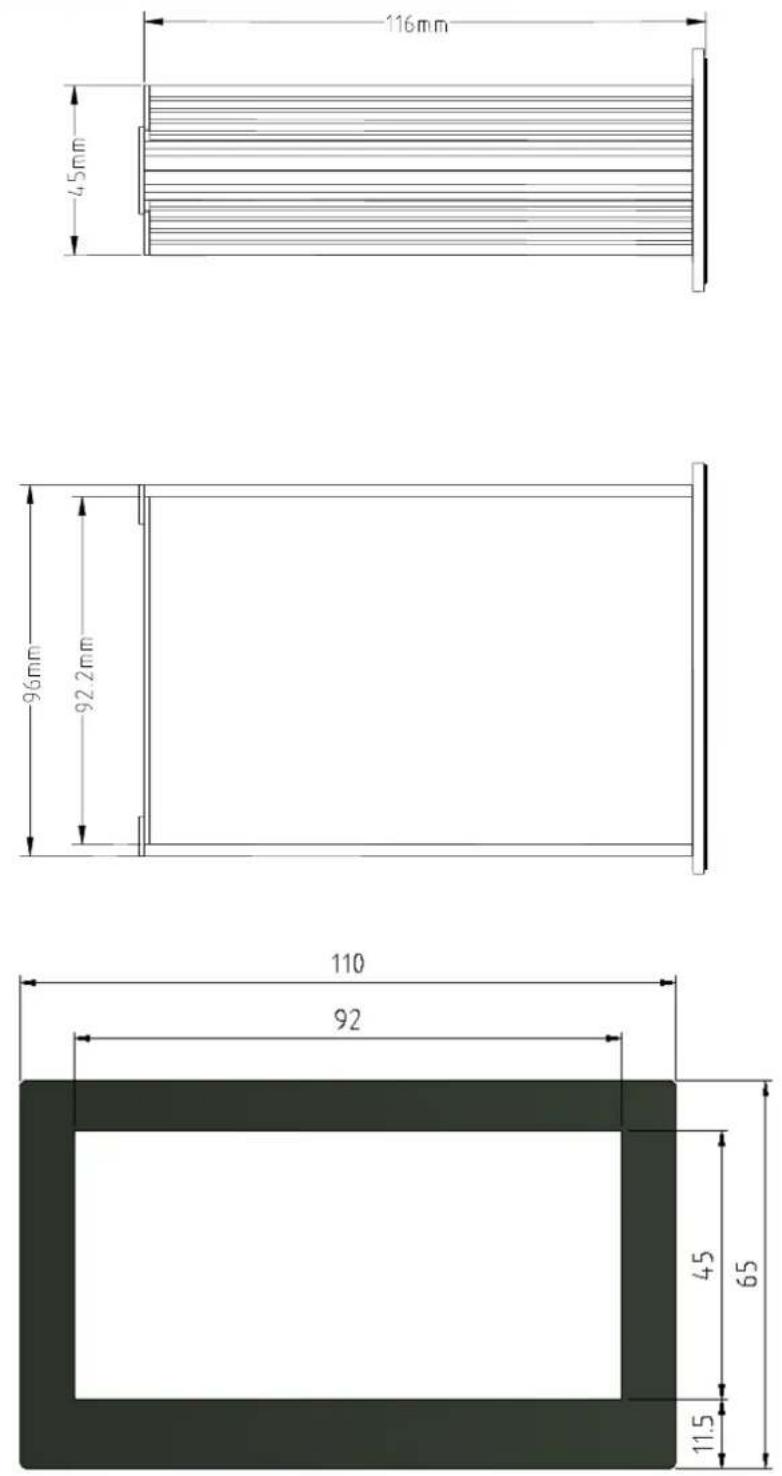
Installation hole size 92×45mm
3. Front Overlay and Keypad

text_image
PCE WEIGHT TRANSMITTER PCE-N45F →0← →T← ↗ ENTER CEDisplay
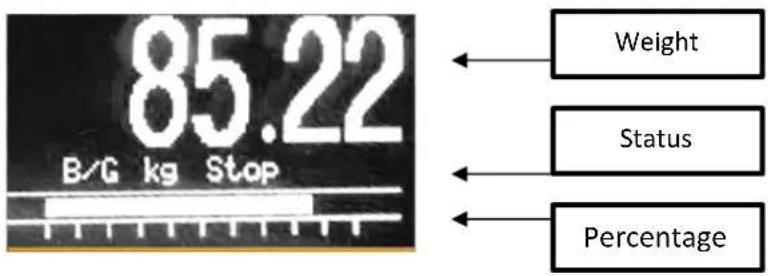
text_image
85.22 B/G kg Stop Weight Status PercentageSigns
| Status | Note |
| ~ | Stable, on for dynamic mode, off for static mode |
| B/G | Gross weight |
| Net | Net weight |
| Kg | Unit |
| Stop | Stop |
| Run | Run |
| M1~M4 | Material 1-4 |
| >> | Fast filling |
| > | Fine filling |
Keys' functions for parameter set or choose
| Keys | Menu | Parameter set | Parameter Input |
 | Return | Return | Cancel and Quit |
 | Up | Previous | Increase digits |
 | Down | Next | Move right |
 | Enter | Quit confirm | Quit confirm |
4. Rear Back Interface
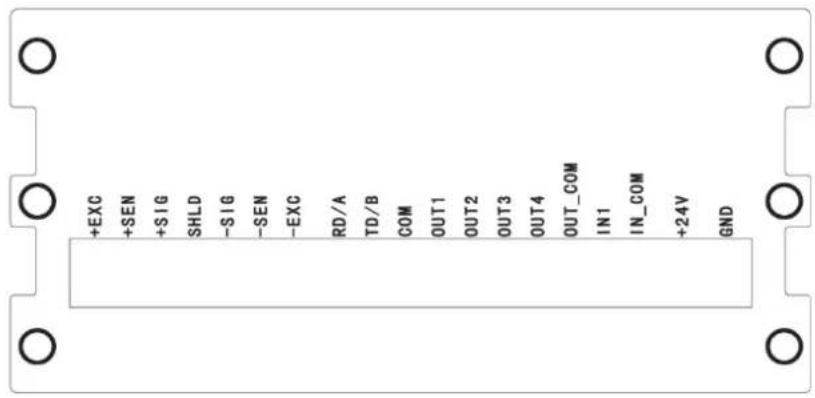
text_image
+EXC +SEN +SIG SHLD -SIG -SEN -EXC RD/A TD/B COM OUT1 OUT2 OUT3 OUT4 OUT_COM IN1 IN_COM +24V GNDPCE-N45F
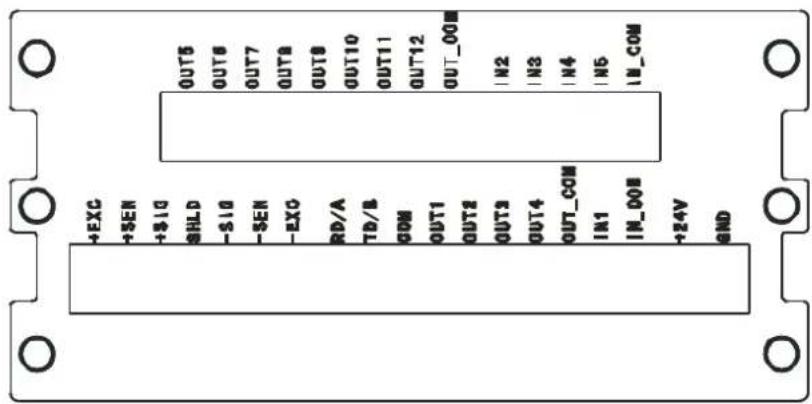
text_image
+EXC +SEN +$10 SHLD -$10 -SEN -EXC RD/A TD/B COM OUT1 OUT2 OUT3 OUT4 OUT_COM IN1 IN_DOM +24V GND OUT5 OUT6 OUT7 OUT8 OUT9 OUT10 OUT11 OUT12 OUT_00M IN2 IN3 IN4 IN5 IN_COMPCE-N45F-10
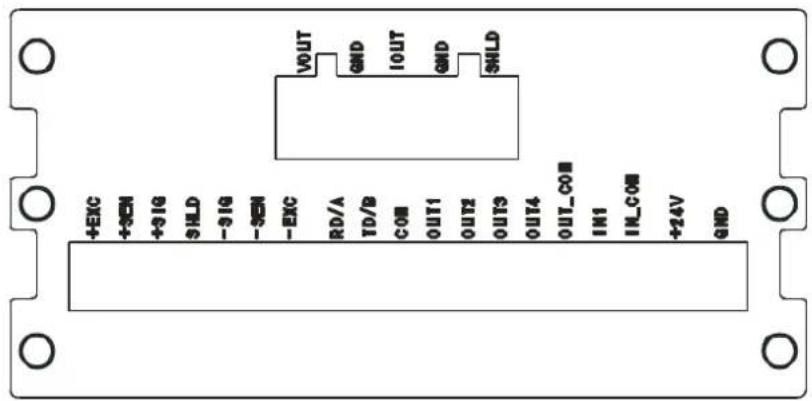
text_image
+EXC +SEM +31G SHLD -31G -SEM -EXC RD/A TD/B COM OUT1 OUT2 OUT3 OUT4 OUT_COM IN1 IN_COM +24V GNDPCE-N45F-DA
5. Load Cell Interface
It can be connected with 6x350Ω analog load cells (around 58Ω minimum resistance), to confirm the range of the load cells, the total resistance (TSR) can be calculated with the formula as below:
$$ \text { TSR } = \frac {\text { Input resistance } (\Omega)}{\text { Load cell numbers }} $$
Before connecting the load cells, make sure the TSR is above 58 , if it's less, the indicator can't work. Besides this, the cable distance must be considered, too, below is the maximum distance suggested:
| TSR (Ω) | 24# cable (m) | 20# cable (m) | 16# cable (m) |
| 350 | 243 | 610 | 1219 |
| 58 (6-350 Ω) | 40 | 122 | 224 |
Load cell interface definitions:
| Pins | Signal | Note |
| +EXC | +Excitation | 4-wire load cells short connected |
| +SEN | +Sense | |
| +SIG | +Signal | |
| SHD | Shield | |
| -SIG | -Signal | |
| -SEN | -Sense | 4-wire load cells short connected |
| -EXC | -Excitation |
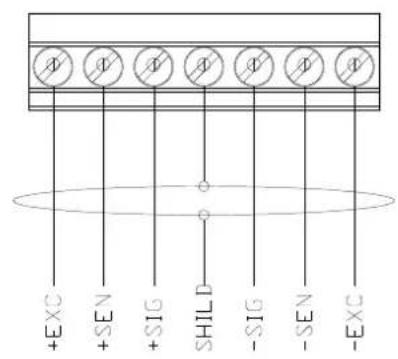
text_image
+ EXC + SEN + SIG SHILD - SIG - SEN - EXC6-wire load cell or junction box

text_image
+SEN +EXC +SIG SHILD -SIG -EXC -SEN4-wire load cell or junction box
6. Serial Interface
It has only one serial interface, to change it by switch for RS232 or RS485, method as below:
| Pins | RS-232 | RS-485 |
| Bridge Joint Pin signs |  Front Front |  Front Front |
| RD/A | RS-232 Receive | RS-485A |
| TD/B | RS-232 Transmit | RS-485B |
| COM | Ground | Blank |
7.1/0
The basic type has one passive input and 4 relay open output
Basic type Pin's definitions:
| Pins | Signal | Note |
| OUT1 | Output 1 | Output properties:AC: 30~250VAC/1ADC: 5~30VDC/2A |
| OUT2 | Output 2 | |
| OUT3 | Output 3 | |
| OUT4 | Output 4 | |
| OUT_COM | Output common port | |
| IN1 | Input 1 | High level: 10~24VDCLow level: 0~3VDC |
| IN_COM | Input common port |
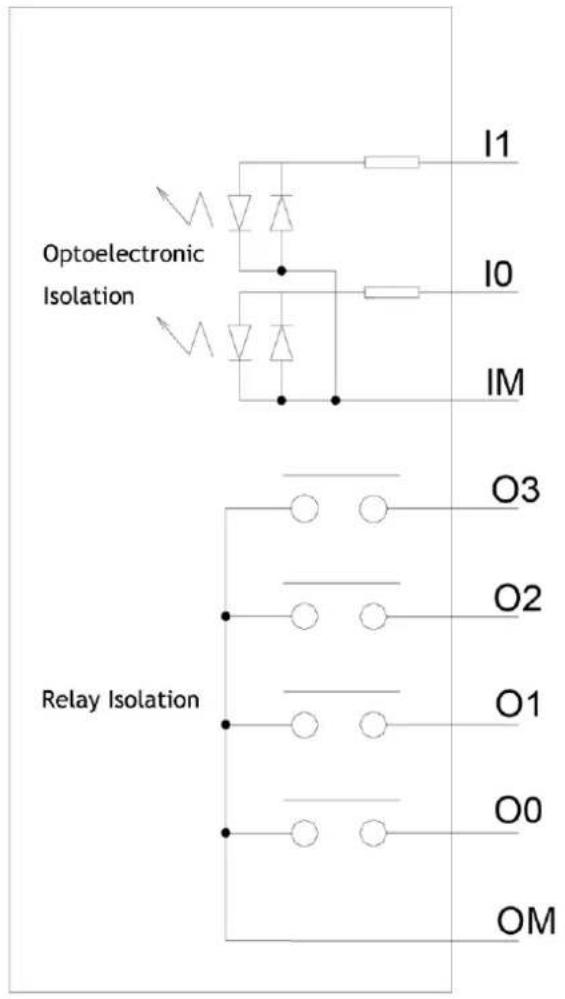
flowchart
graph TD
    A["Optoelectronic Isolation"] --> B["I1"]
    A --> C["I0"]
    A --> D["IM"]
    E["Relay Isolation"] --> F["O3"]
    E --> G["O2"]
    E --> H["O1"]
    E --> I["O0"]
    E --> J["OM"]
I/O interface drawing

text_image
OM 00 01 02 03 IM 10 11Output - OM/00/01/02/03
Input - IM/10/11
PCE-N45F-IO has 4 passive input and 8 relay open output
Pins definitions:
| Pin | Signal | Description |
| OUT5 | Output 5 | Output properties:AC: 30~250VAC/1ADC: 5~30VDC/2A |
| OUT6 | Output 6 | |
| OUT7 | Output 7 | |
| OUT8 | Output 8 | |
| OUT9 | Output 9 | |
| OUT10 | Output 10 | |
| OUT11 | Output 11 | |
| OUT12 | Output 12 | |
| OUT_COM | Output common port | |
| IN2 | Input 2 | High level: 10~24VDCLow level: 0~3VDC |
| IN3 | Input 3 | |
| IN3 | Input 3 | |
| IN4 | Input 4 | |
| IN_COM | Input common port |
8. Analog Quantity Output
PCE-N45F supply many types of analog signals which with proportional output according to the weight of the scale
| Pins | Signal | Note |
| VOUT | Voltage output | Output resistance 0~600Ω, output can be:0~+5V; 0~+10V; -5V~+5V; -10V~+10V; |
| GND | Voltage output | |
| IOUT | Electric current output | Output can be:4mA~20mA; 0mA~20mA; 0mA~24mA |
| GND | Voltage output GND | |
| SHLD | Shield |

text_image
Vout GND Iout GND SHLD9. Parameter Set
9.1 Enter setting menu
On weighing mode, keep pressing ← ENTER key to enter parameter setting mode.
9.2 Quit Setting
On any mode, continuous press 0 key to return to previous step or quit the setting mode.
9.3 Main Set Menu

text_image
◆ SYSTEM PARAM ◆ RECIPE PARAM ◆ PRINTER ◆ TERMINAL Press key or key to select the menu to be set, press ENTER key to enter secondary menu, press →0← key to quit the set9.4 System Parameter Set
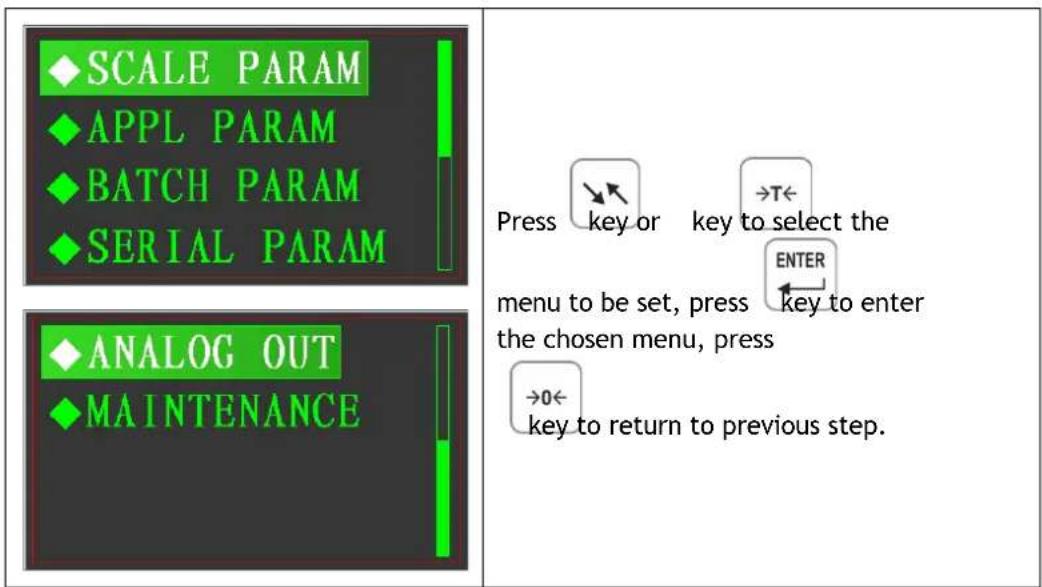
text_image
SCALE PARAM APPL PARAM BATCH PARAM SERIAL PARAM ANALOG OUT MAINTENANCE Press key or key to select the ENTER menu to be set, press key to enter the chosen menu, press →0← key to return to previous step.9.4.1 Scale Set
text_image
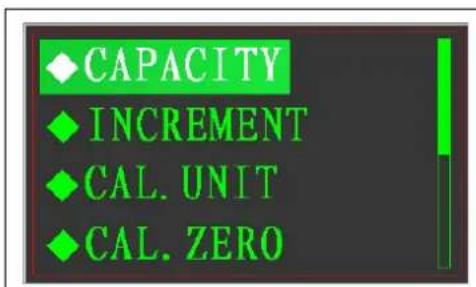
CAPACITY INCREMENT CAL. UNIT CAL. ZERO
text_image
Press key or key to select the menu to be set, press ENTER key to enter the chosen menu, press →0← key to return to previous step.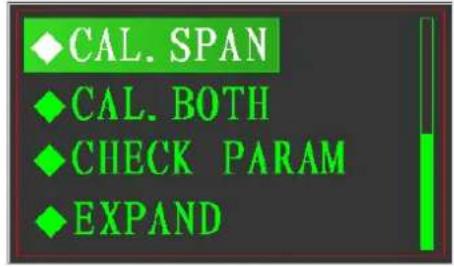
text_image
CAL. SPAN CAL. BOTH CHECK PARAM EXPANDMax.capacity
text_image
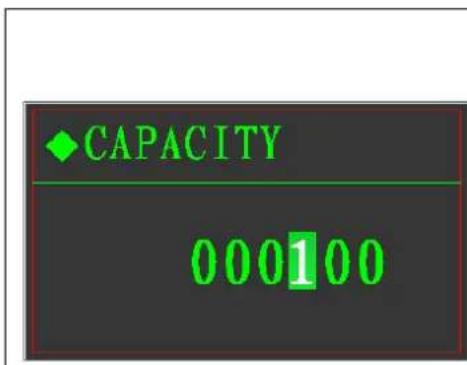
◆CAPACITY 000100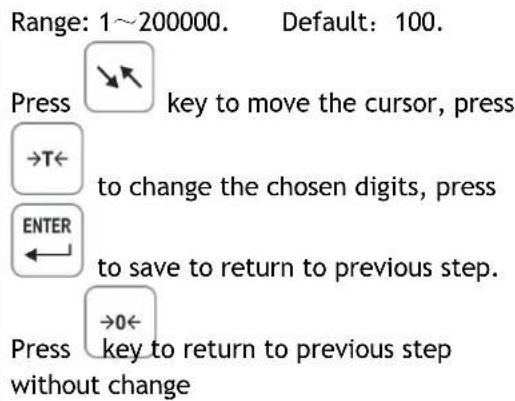
text_image
Range: 1~200000. Default: 100. Press key to move the cursor, press →T← to change the chosen digits, press ENTER to save to return to previous step. Press →0← key to return to previous step without changeDivision

text_image
INIncrement 0.001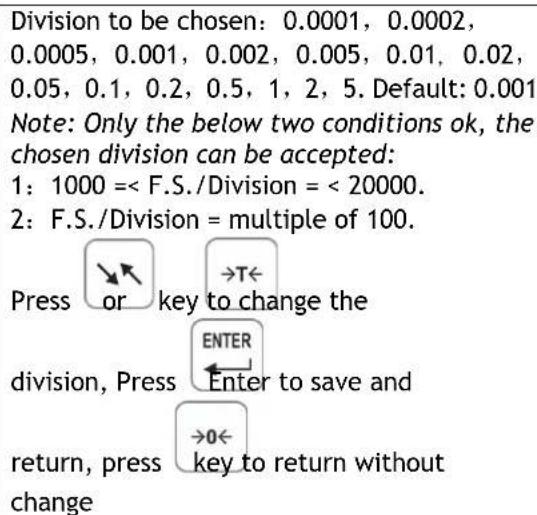
text_image
Division to be chosen: 0.0001, 0.0002, 0.0005, 0.001, 0.002, 0.005, 0.01, 0.02, 0.05, 0.1, 0.2, 0.5, 1, 2, 5. Default: 0.001 Note: Only the below two conditions ok, the chosen division can be accepted: 1: 1000 = < F.S./Division = < 20000. 2: F.S./Division = multiple of 100. Press or key to change the DIVISION, Press ENTER Enter to save and return, press →0← key to return without changeCalibration Unit
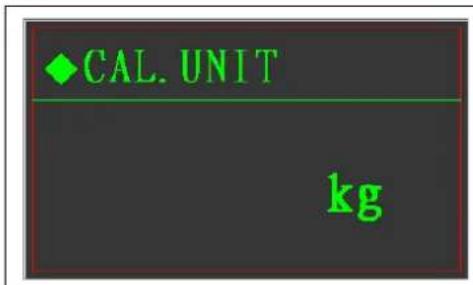
text_image
♦ CAL. UNIT kg
flowchart
graph TD
    A["Press or key to change the"] --> B["DIVISION, PRESS ENTER"]
    B --> C["Enter to save and"]
    C --> D["return, press →0← key to return without change"]
Zero Calibration

text_image
♦ CAL. ZERO CAL. ZERO? ✗
text_image
Press →0← key to return without change Press ↘ or →T← key to choose √ or X, ENTER If √ chosen, press ← key to enter zero calibration, or return directly.
text_image
◆ CAL. ZERO EMPTY SCALE?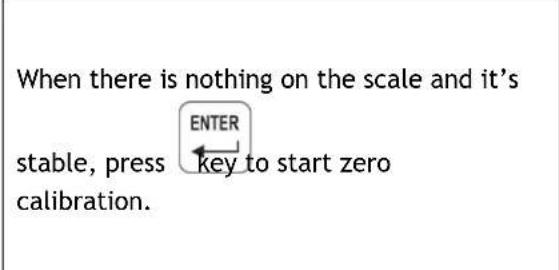
text_image
When there is nothing on the scale and it's stable, press ENTER key to start zero calibration.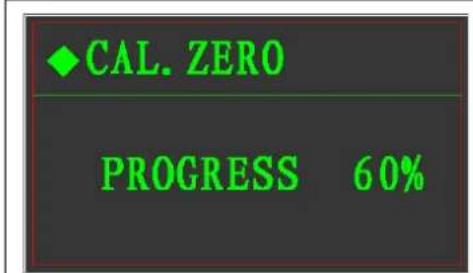
text_image
CAL. ZERO PROGRESS 60%
text_image
The indicator is sampling the A/D data of zero point, it ends when it became 0% from 100%.Weight Calibration

text_image
CAL. SPAN CAL. SPAN? ×
text_image
Press →0← key to return without change Press ↘ or →T← key to choose √ or X, ENTER If √ chosen, press key to enter weight calibration, or return directly.  | Put the weight on the scale |
Input the weight value the same as the calibration weight Press Press  to move the cursor. to move the cursor.  Press Press  to change the digits. to change the digits.  Press Press  to save the change and start t to save the change and start t   to prate. to prate.   Press Press  to cancel and return. to cancel and return. | |
   | |
  | The indicator is sampling the A/D data of calibration point, it ends when it became 0% from 100%. |
  | The weight value is too small.Trouble shooting:1、The weight is really too light.2、Wrong connection of the signal cable or excitation cable |
  | Calibration done. |
Full Calibration
This calibration is jointed the zero calibration and weight (capacity) calibration, prease refer to above steps.
Calibration parameters

text_image
CHECK PARAM ZERO CODE: 215789This parameter can be retrieved and can be modified, after tested well, please record those three parameters for use in future.
When the data in EEPROM get problem, reload those three parameters, it doesn't need to do calibration again.
If the same model indicator to be changed and those three parameters reloaded, it doesn't need to do calibration, either. Input the weight value the same as the calibration weight

text_image
CHECK PARAM LOAD WEIGHT: 010.000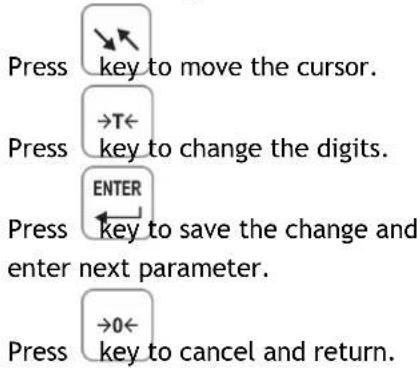
text_image
Press key to move the cursor. Press →T← key to change the digits. Press ENTER Press key to save the change and enter next parameter. Press →0← key to cancel and return.
text_image
CHECK PARAM SPAN CODE: 824890Expansion Display
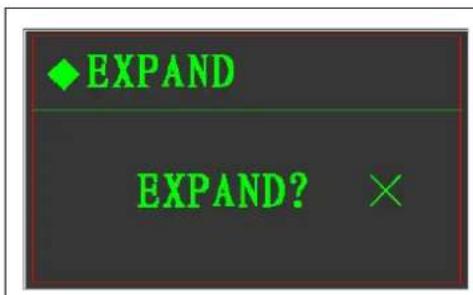
text_image
EXPAND EXPAND? ×If 10 times resolution display needed, open the expand display:
text_image
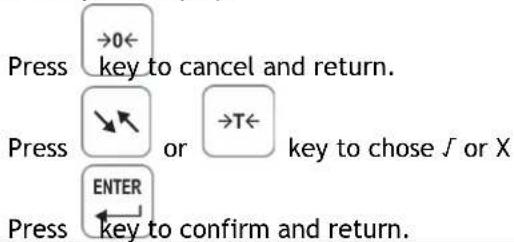
Press →0← key to cancel and return. Press ↗ or →T← key to chose J or X Press ENTER ← key to confirm and return.9.4.2 Operation Set
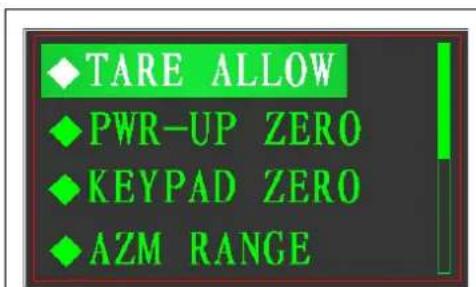
text_image
TARE ALLOW PWR-UP ZERO KEYPAD ZERO AZM RANGE
text_image
Press →key or →T← key to choose the menu to be set, press ENTER →key to enter. Press →0← key to return the previous step.
text_image
♦ MOTION ♦ FILTER ♦ BUZZER SOUNDTare Operation
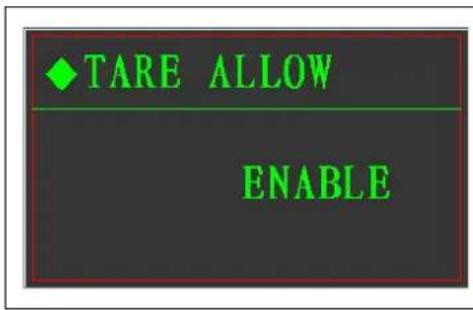
text_image
◆ TARE ALLOW ENABLE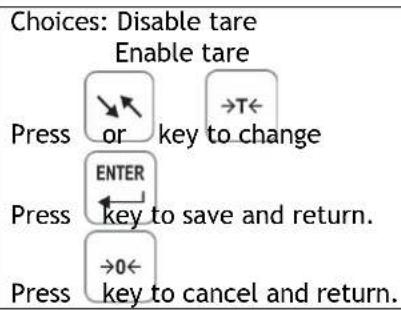
flowchart
graph TD
    A["Press"] --> B{or key to change}
    B --> C["Enter"]
    C --> D["Press key to save and return."]
    D --> E{0}
    E --> F["Press key to cancel and return."]
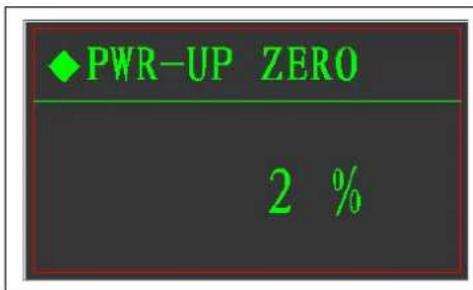
Zero upon Power on
text_image
◆ PWR-UP ZERO 2 %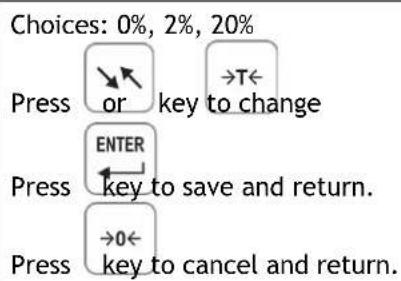
text_image
Choices: 0%, 2%, 20% Press or key to change Enter key to save and return. →0← Press key to cancel and return.Zero by Keypad

text_image
KEYPAD ZERO 2 %
text_image
Choices: 0%, 2%, 20% Press or key to change Enter key to save and return. →0← Press key to cancel and return.Zero Tracking

text_image
AZM RANGE 2 d
text_image
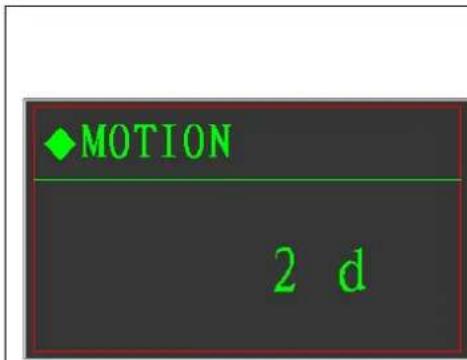
0: None; 1: 0.5d; 2: 1d; 3: 2d; 4: 3d; 5: 4d; 6: 5d; Press or key to change Enter Press key to save and return. Press →0← key to cancel and return.Vibration checking
text_image
♦ MOTION 2 d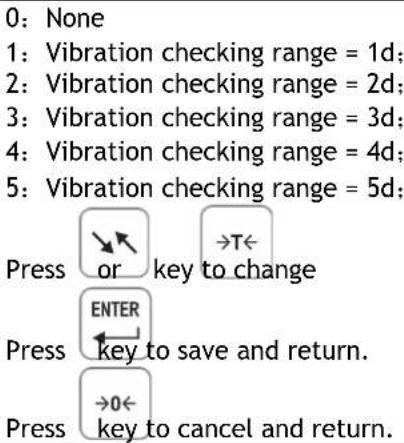
text_image
0: None 1: Vibration checking range = 1d; 2: Vibration checking range = 2d; 3: Vibration checking range = 3d; 4: Vibration checking range = 4d; 5: Vibration checking range = 5d; Press or key to change ENTER Press key to save and return. →0← Press key to cancel and return.Digital filtering
text_image
FILTER 2
text_image
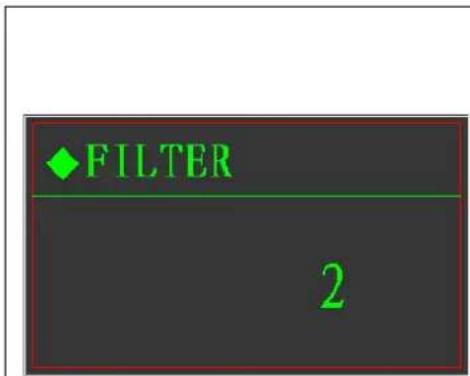
Set range of 1-9, the more, the weight is more stable and the longer time to be stable. Normally, if the digital filtering number set to be higher, the advance volume should be bigger, so on the batching mode, the advance volume needs to be adjusted again after the filtering number changed. Press or key to change ENTER key to save and return. Press →0← key to cancel and return.Buzzer Set
text_image
BUZZER SOUND OPEN
text_image
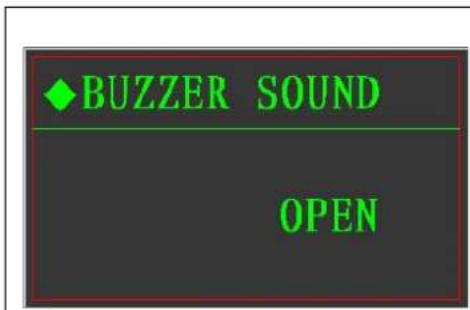
On or Off Press or key to change ENTER key to save and return. →0← Press key to cancel and return.9.4.3 Batching Set
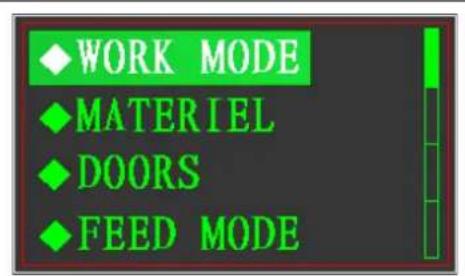
text_image
WORK MODE MATERIAL DOORS FEED MODE
text_image
FEED ACTION DIS ACTION NEAR ZERO ADJUST FREQ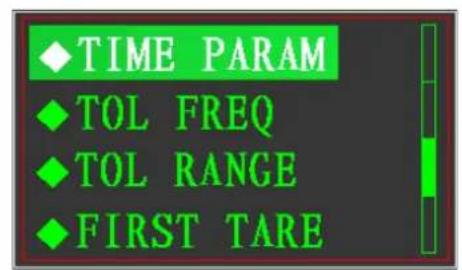
text_image
TIME PARAM TOL FREQ TOL RANGE FIRST TARE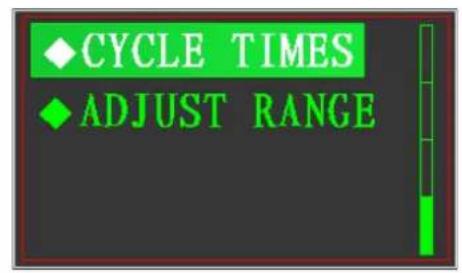
text_image
CYCLE TIMES ADJUST RANGE
text_image
Press or key to chose the menu to be set. Press ENTER ← key to enter. Press →0← key to return previous step.Batching mode:
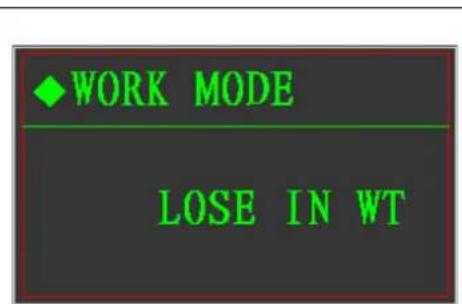
text_image
◆ WORK MODE / LOSE IN WT
text_image
Choices: 4 materials batching Single material weight lose Free setpoint. Press or key to change ENTER Press key to save and return. →0← Press key to cancel and return.Material quantity

text_image
MATERIEL 1If there is no I/O board, it can be set to be 1 only. If there is the I/O board, it can be set from 1-4.

text_image
Press or key to change Enter key to save and return. →0← key to cancel and return.Feeding door
text_image
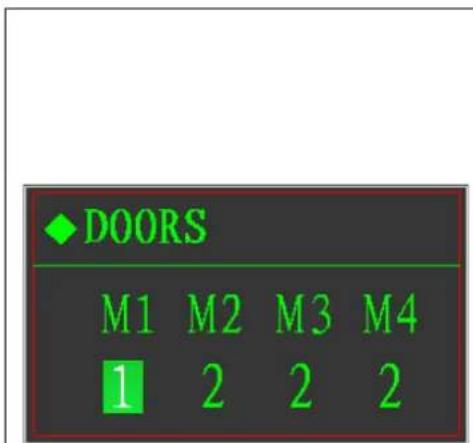
DOORS M1 M2 M3 M4 1 2 2 2
text_image
1: single door single speed 2: double doors double speed If there is no I/O board, only M1 can be set Press key to move cursor. Press →T← Press key to modify the chosen digits. Press ENTER Press key to save and return to previous step. Press →0← Press key to cancel and return to previous step.Feeding mode
text_image
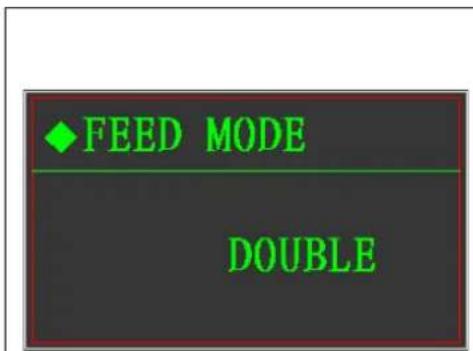
◆ FEED MODE DOUBLE
text_image
This parameter only valid for double doors and double speed All open: On fast feeding, open two doors at the same time. One open: On fast feeding, open fast feeding door. Press or key to change ENTER Press key to save change and return. Press →0← key to cancel and return.Feeding action

text_image
FEED ACTION AUTO
text_image
Choice: Auto or manual Press or key to change ENTER key to save change and return. →0← Press key to cancel and return.Discharge mode
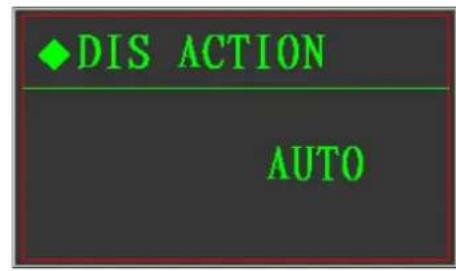
text_image
DIS ACTION AUTOChoice: Auto or manual

text_image
Press or key to change ENTER Press key to save change and return. →0← Press key to cancel and return.Empty scale range

text_image
NEAR ZERO 1.0 %Only the weight on the scale is less than this range and the cursor and output is effective, otherwise it's taken as not empty.
text_image
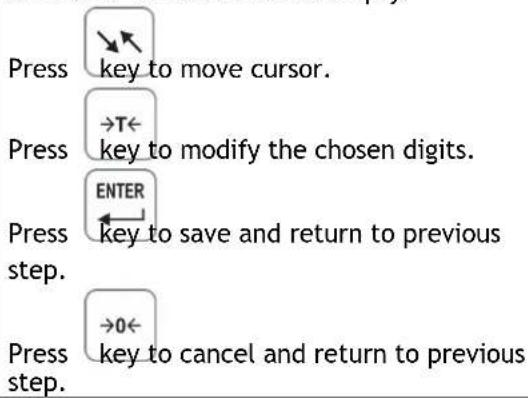
Press key to move cursor. Press →T← key to modify the chosen digits. Press ENTER key to save and return to previous step. Press →0← key to cancel and return to previous step.Frequency Adjust
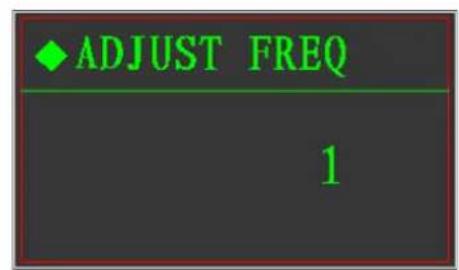
text_image
ADJUST FREQ 1Choice: 0\~9

text_image
When it set to be 0, it means no adjust Press or key to change Press ENTER key to save change and return. Press →0← key to cancel and return.Time Parameter
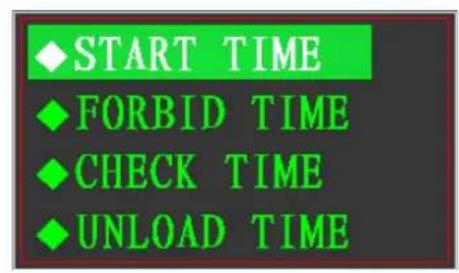
text_image
START TIME FORBID TIME CHECK TIME UNLOAD TIME
text_image
Press key or →T← key to choose the menu to be set, press ENTER →0← key to enter. Press key to return the previous step.Delay start time
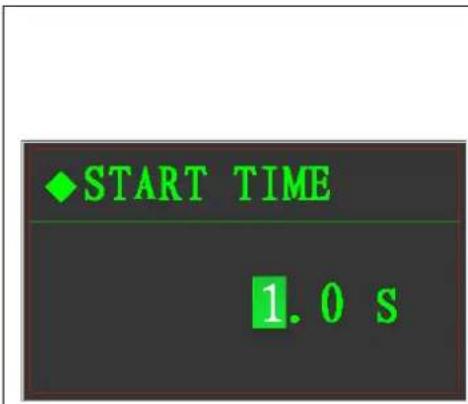
text_image
START TIME 1.0 sChoice: 0.0\~9.9 seconds After batching start, after the delay time, it can start to tare, open the door and start to feed.
text_image
Press key to move cursor. Press →T← key to modify the chosen digits. ENTER Press key to save and return to previous step.Press step. →0← key to cancel and return to previous
Comparing time forbidden
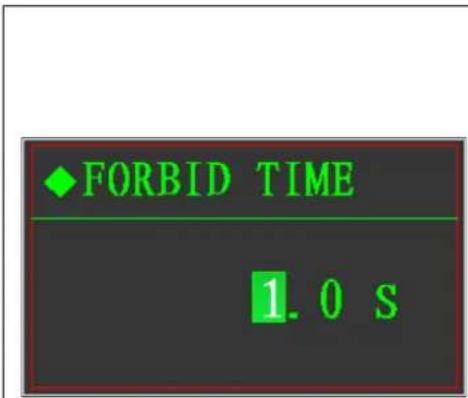
text_image
♦ FORBID TIME 1.0 SChoice: 0.0\~9.9 seconds The comparing time of fast and fine feeding both to be set in this menu.
text_image
Press key to move cursor. Press →T← key to modify the chosen digits. Press ENTER Press key to save and return to previous step.Press →0← key to cancel and return to previous step.
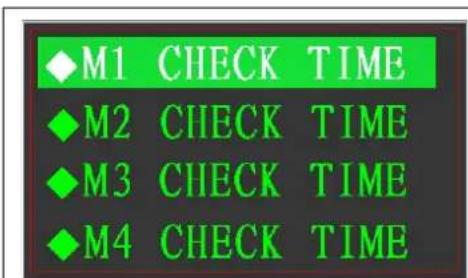
Delay checking time
text_image
◆M1 CHECK TIME ◆M2 CHECK TIME ◆M3 CHECK TIME ◆M4 CHECK TIME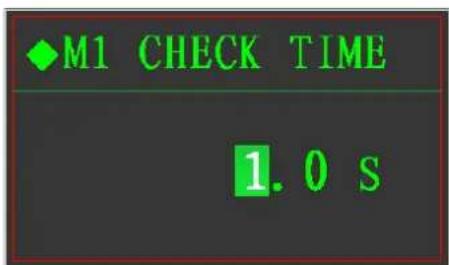
text_image
◆M1 CHECK TIME 1.0 s
Choice: 0.0\~9.9 seconds, the stabling time after batching finish of material 1
text_image
the menu to be set, press key to enter. Press key to return the previous step.
text_image
◆M2 CHECK TIME 1.0 SChoice: 0.0\~9.9 seconds, the stabling time after batching finish of material 2
text_image
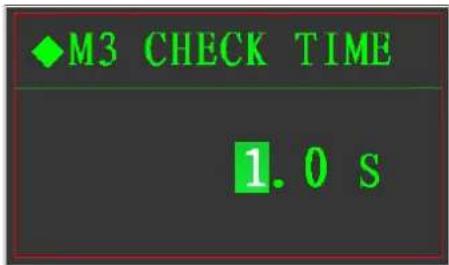
◆M3 CHECK TIME 1.0 sChoice: 0.0\~9.9 seconds, the stabling time after batching finish of material 3
text_image
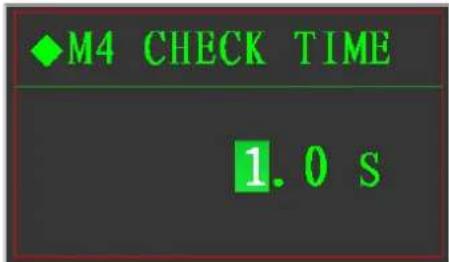
◆M4 CHECK TIME 1.0 sChoice: 0.0\~9.9 seconds, the stabling time after batching finish of material 4
Delay time of discharge

text_image
UNLOAD TIME 1.0 s Choice: 0.0~9.9 seconds. When it reach to the range of empty scale, it will close the door after this time, to make sure full discharge. Press key to move cursor. Press →T← key to modify the chosen digits. ENTER Press key to save and return to previous step. →O← Press key to cancel and return to previous step.Tolerance checking frequency
text_image
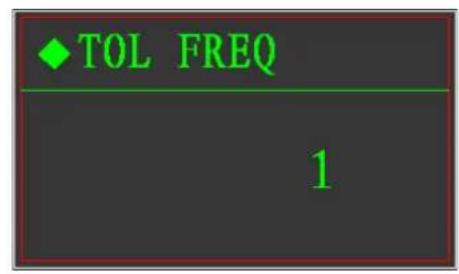
♦ TOL FREQ 1Choice: 0\~99
Checking tolerance after the times of batching, if it was set of 0, it will not check.
text_image
Press or key to change ENTER key to save change →0← Press key to cancel and rTolerance range set
text_image
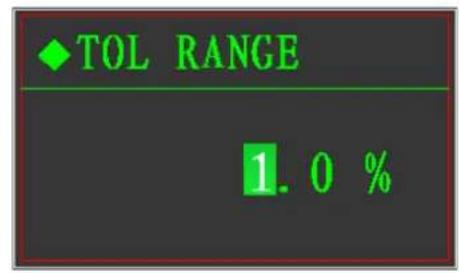
TOL RANGE 1.0 %Choice: 0%\~9.9%×Target weight
When it checking, if value of the actual weight minus the target weight is less than this value, it will be taken as ok, if not, it's out of tolerance range.
text_image
Press key to move cursor. Press key to modify the chosen digits. Press ENTER Press key to save and return to previous step. Press key to cancel and return to previous step.First material tare
text_image
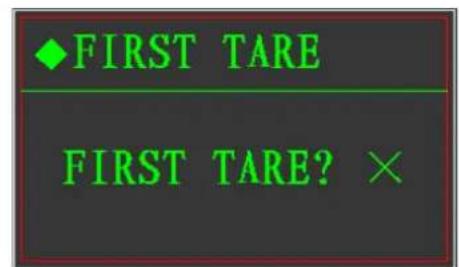
◆FIRST TARE FIRST TARE? ××: The first material doesn't need tare ∫: The first material need tare
text_image
Press or key to change ENTER key to save change and return. →0← Press key to cancel and return.Cycle times of batching
text_image
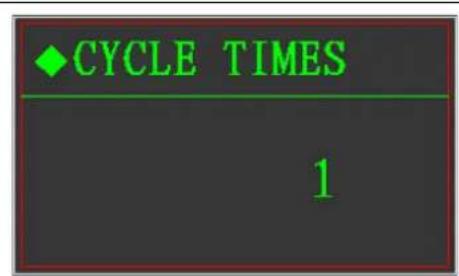
CYCLE TIMES 1
text_image
It will stop after this cycle times. Press or key to change Press ENTER key to save change and return. Press →0← key to cancel and return.Adjust range

text_image
ADJUST RANGE 1.0 %Choice: 0%\~9.9%×Target weight Only the value of actual weight minus target weight is less this range, it goes to adjust, when it's set to be 0, this function off.
text_image
Press key to move cursor. Press →T← Press key to modify the chosen digits. Press ENTER Press key to save and return to previous step. Press →0← Press key to cancel and return to previous step.9.4.4 Communication protocol
text_image
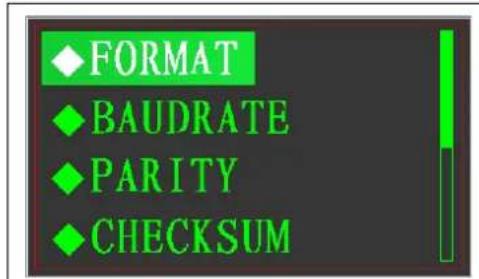
♦FORMAT ♦BAUDRATE ♦PARITY ♦CHECKSUM
text_image
Press →key or →T← key to choose the menu to be set, press ENTER →0← key to enter. Press →key to return the previous step.
text_image
NODE ADDRESSOutput mode
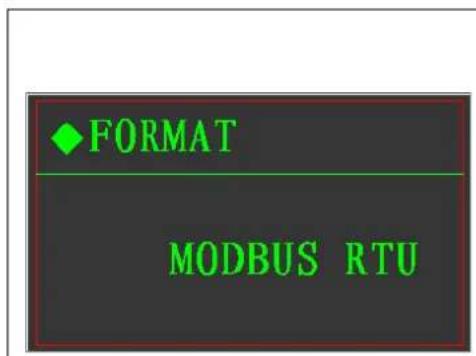
text_image
♦FORMAT MODBUS RTU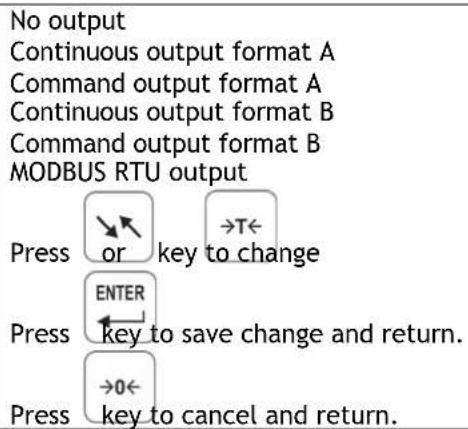
text_image
No output Continuous output format A Command output format A Continuous output format B Command output format B MODBUS RTU output Press or key to change ENTER Press key to save change and return. ->0← Press key to cancel and return.Baud rate

text_image
Choice:300 bit/s; 600 bit/s; 1200 bit/s; 2400 bit/s; 4800 bit/s; 9600 bit/s; 19200 bit/s; 38400 bit/s; 57600 bit/s; 115200 bit/s; Press or key to change Press ENTER key to save change and return. Press →0← key to cancel and return.Parity check
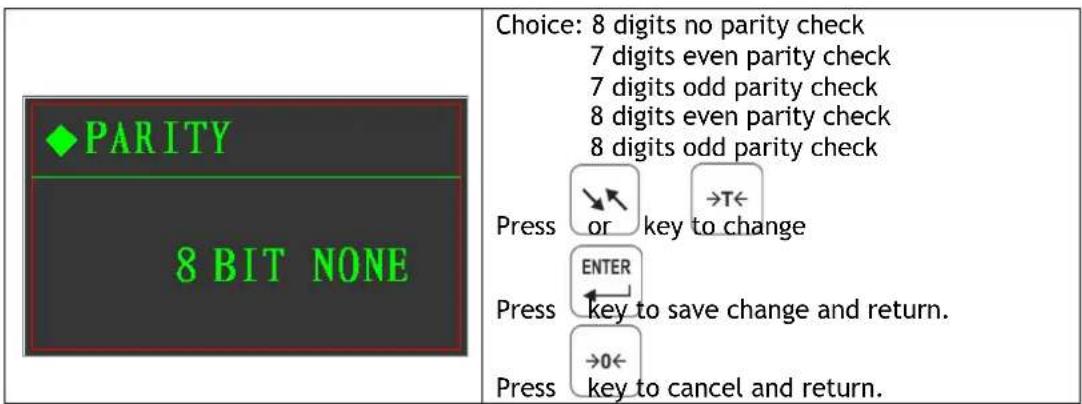
text_image
PARITY 8 BIT NONE Choice: 8 digits no parity check 7 digits even parity check 7 digits odd parity check 8 digits even parity check 8 digits odd parity check Press or key to change Enter Press key to save change and return. →0← Press key to cancel and return.Checksum

text_image
CHECKSUM NO Choice: No transmitting Transmitting Press or key to change Enter Press key to save change and return. →0← Press key to cancel and return.Indicator address

text_image
◆NODE ADDRESS 10 Choice: 1-64 Keep the uniqueness of address in the same network Press key to move cursor. Press →T← key to modify the chosen digits. ENTER Press key to save and return to previous step.| Press →0← key to cancel and return to previous step. |
9.4.5 Analog quantity output
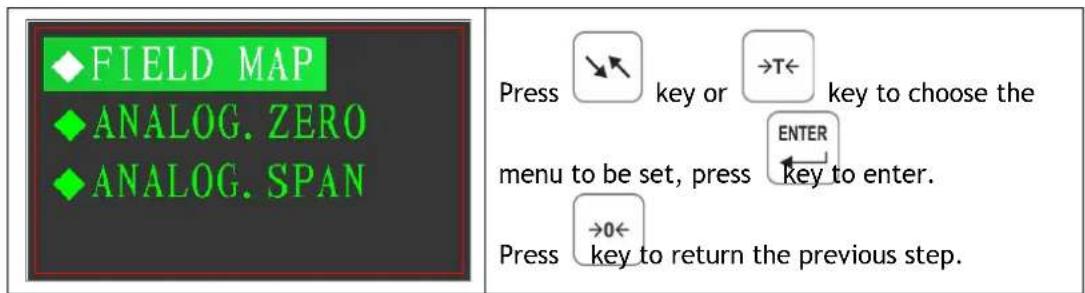
text_image
FIELD MAP ANALOG.ZERO ANALOG.SPAN Press →key or →T← key to choose the menu to be set, press →key to enter. Press →0← key to return the previous step.Output type choose

text_image
◆FIELD MAP 4 ~ 20mA Choice: 0~+5V; 0~+10V; -5V~+5V; -10V~+10V; 4mA~20mA; 0mA~20mA; 0mA~24mA; Press or key to change Enter Press key to save change and return. →0← Press key to cancel and return.Zero calibration (coarse-small-fine)

text_image
ZERO. COARSE ZERO. SMALL ZERO. FINE Press key or key to →T← choose the menu to be set, press ENTER ← key to enter. Press key to return the previous step. ZERO. COARSE 000000 ZERO. SMALL 000000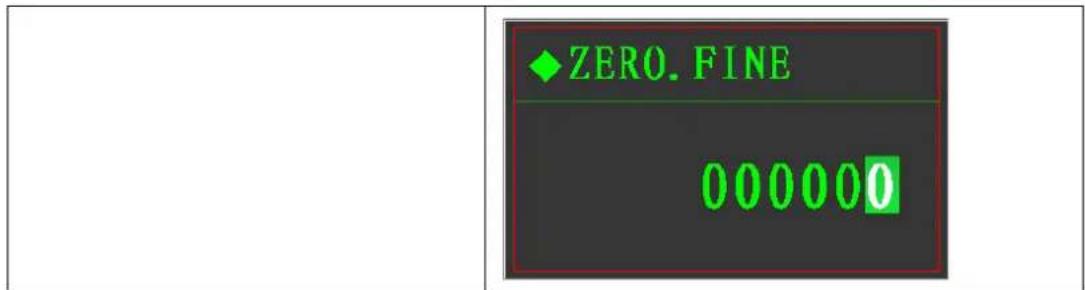
text_image
ZERO. FINE 000000Full scale calibration (coarse-small-fine)
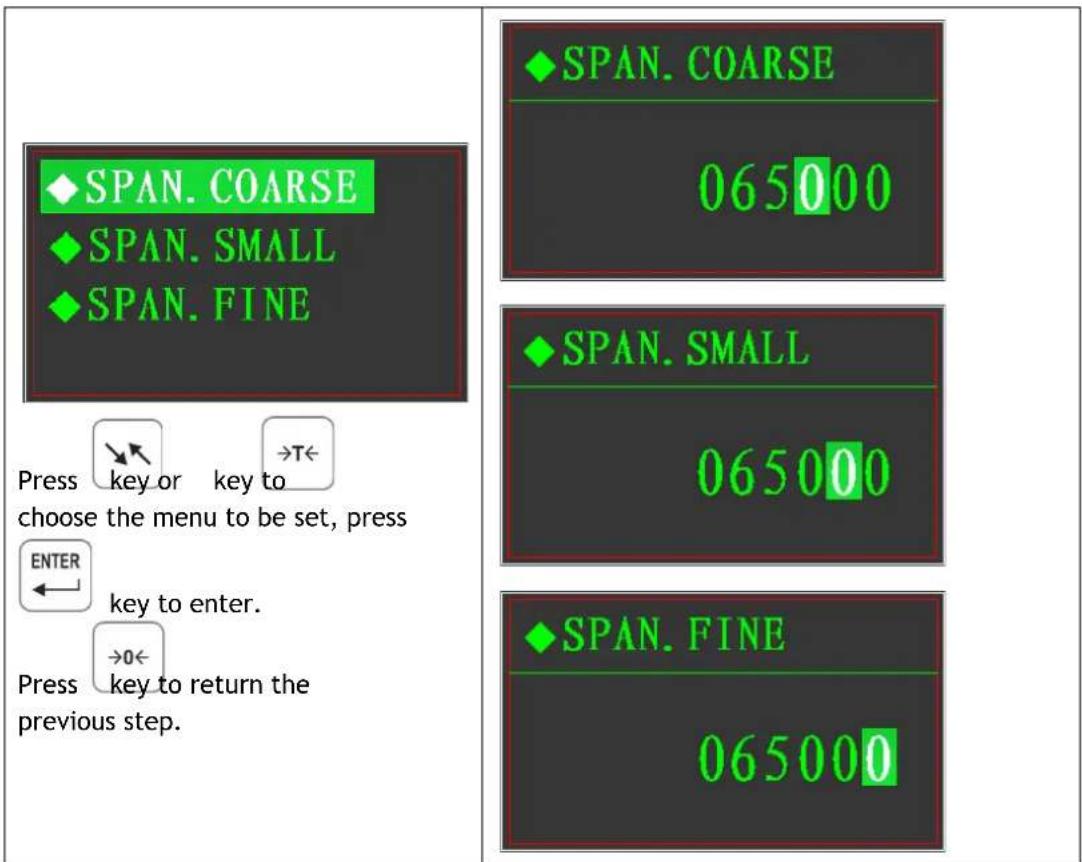
text_image
SPAN. COARSE SPAN. SMALL SPAN. FINE ◆SPAN. COARSE 065000 ◆SPAN. SMALL 065000 ◆SPAN. FINE 065000 Press key or key to →T← choose the menu to be set, press ENTER ← key to enter. →0← Press key to return the previous step.9.4.6 Diagnosis and maintenance

flowchart
graph TD
    A["RELOAD"] --> B["FREE CAL"]
    B --> C["INPUT TEST"]
    C --> D["OUTPUT TEST"]
    E["BACKUP"] --> F["RELEASE"]
    F --> G["OUT MAPPING"]
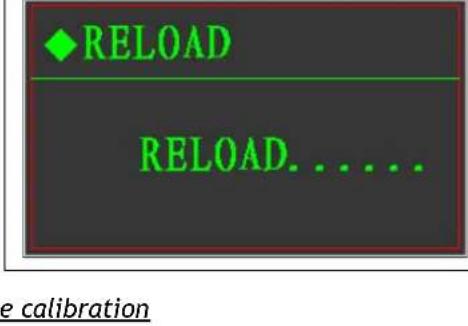
Reload
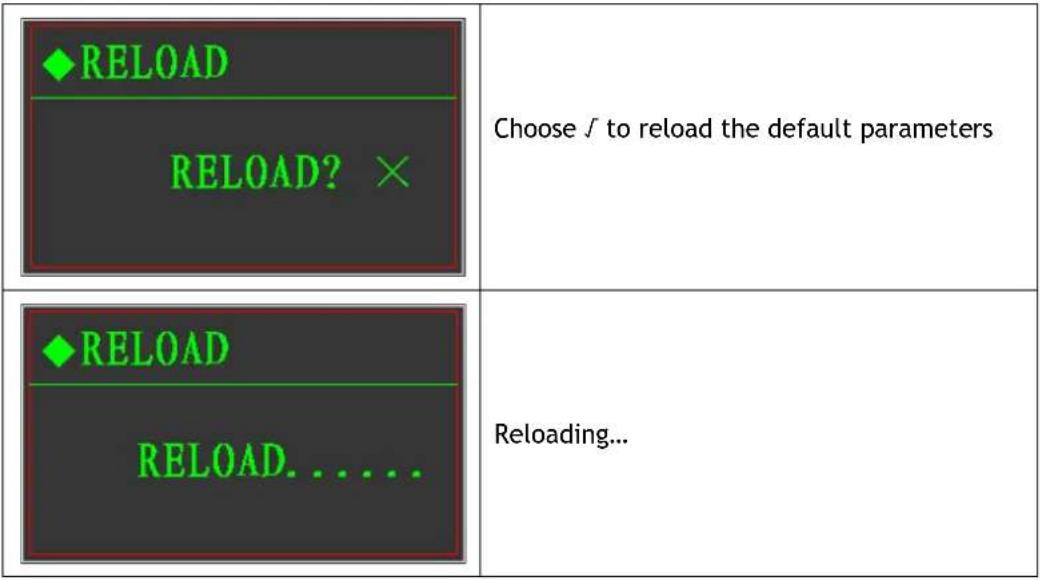 |
 |
Free calibration
 ◆SENSITIVITY◆CAL.ZERO◆MANUAL MEND ◆SENSITIVITY◆CAL.ZERO◆MANUAL MEND | Menus  Press orENTERthe menu to be set, press key to enter.Press →0←key to return the previous step. Press orENTERthe menu to be set, press key to enter.Press →0←key to return the previous step. |
| ◆CAPACITY000100 | Input the full capacity of load cellsPress key to move cursor.Press →T←key to modify the chosen digits.Press ENTERkey to save and return to previous step.Press →0←key to cancel and return to previous step. |
text_image
RELOAD RELOAD. ......
text_image
RELOAD RELOAD. ......
text_image
RELOAD RELOAD. ......
text_image
RELOAD RELOAD. ......
text_image
RELOAD RELOAD. ...... 2 mV/V 2 mV/V | Input the sensitivity of load cells →T←Presskey to changePress →T←Presskey to changePress to save change and return.Press to save change and return.Press to cancel and return. to cancel and return. |
  | Zero calibration |
  | |
Adjust the present weight manually Pressto move cursor.Press Pressto move cursor.Press to modify the chosen digits.Press to modify the chosen digits.Press to save and return to previous step.Press to save and return to previous step.Press to cancel and return to previous step. to cancel and return to previous step. |
Input interface test
| ◆ INPUT TESTINPUT TEST? × | Choose √ to enter test menu |

text_image
◆ INPUT TEST I1 I2 I3 I4 I5Input test interface
Output interface test

text_image
OUTPUT TEST OUTPUT TEST? ×Choose √ to enter test menu
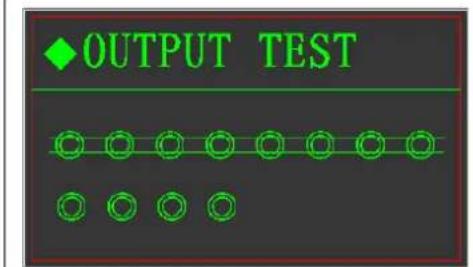
text_image
OUTPUT TESTOutput test interface
Backup parameters
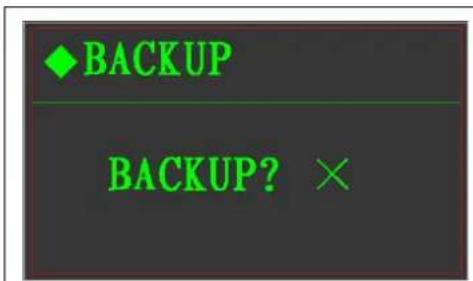
text_image
BACKUP BACKUP? ×Choose √ to backup parameters

text_image
◆BACKUP PASSWORD: 1186Input the password
| ◆BACKUPPASSWORD ERROR! | Password wrong |
| ◆BACKUPBACKUP...... | Backup |
trieve the backup parameters
| ◆RELEASERELEASE? × | Choose √ to retrieve the backup parameters |
| ◆RELEASENOT BACKUP!! | Indicates that there is no backup parameters |
| ◆RELEASERELEASE...... | Retrieving... |
ernate output mapping
| ◆OUT MAPPINGTOL | Choices:Tolerance output, fast feeding output, fine feeding output, discharging output.If the original output interface broken or with problem, you can mapping that interface to this alternate one by changing the cables.PressorkeytochangePress ENTERkey to save change and return.Press →0←key to cancel and return. |
9.5 Recipes Parameters set
Basic + 4 materials type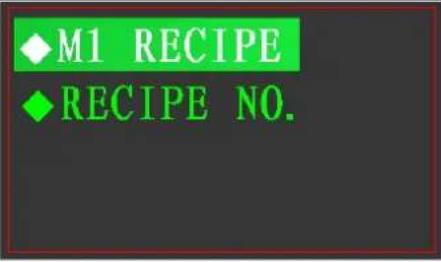 | Press  key or key or  key to choose themenu to be set, press key to choose themenu to be set, press  , to enter. , to enter. Press to return the previous step. Press to return the previous step. |
IO + 4 materials type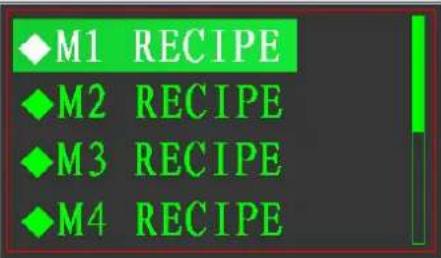 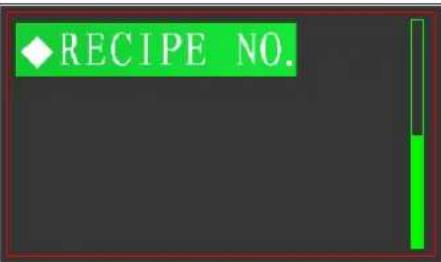 | Press  key or key or  key to choose themenu to be set, press key to choose themenu to be set, press  , to enter. , to enter. Press to return the previous step. Press to return the previous step. |
Basic + 1 material weight losing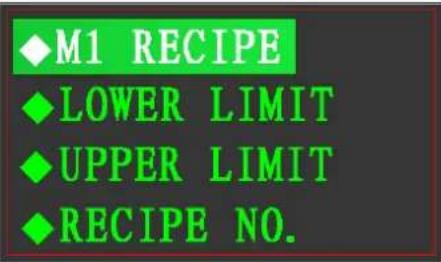 | Press  key or key or  key to choose themenu to be set, press key to choose themenu to be set, press  , to enter. , to enter. Press to return the previous step. Press to return the previous step. |
 | Press  key or key or  key to choose themenu to be set, press key to choose themenu to be set, press  , to enter. , to enter. Press to return the previous step. Press to return the previous step. |

text_image
SETPOINT1 PREACT1 SETPOINT2 PREACT2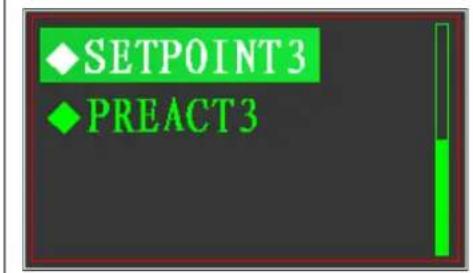
text_image
SETPOINT3 PREACT3M1 recipe set
| ◆M1 TARGET ◆M1 FINE ◆M1 PREACT | Press key or key to choose the menu to be set, press key to enter. Press →0← key to return the previous step. |
 | Target weight: The final weight filled in the tank/container, etc. Press key to move cursor. Press →T← key to modify the chosen digits. Press ENTER key to save and return to previous step. Press →0← key to cancel and return to previous step.Fine weight:The relative weight between TARGET and FAST (when it finish the fast filling and change to fine filling), it's the relative value but not actual value.Presskeyto move cursor.Presskeyto modify the chosen digits.Presskeyto save and return to previous step.Presskeyto cancel and return to previous step. |
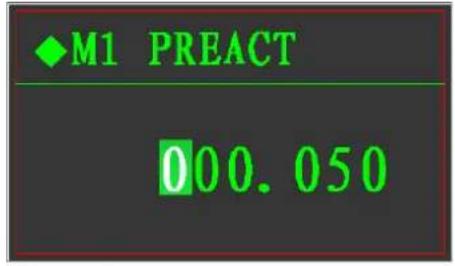 | PREACT: Decide the weight of end of the fine feeding (TARGET — PREACT).Presskeyto move cursor.Presskeyto modify the chosen digits.Presskeyto save and return to previous step.Presskeyto cancel and return to previous step. |
M2、M3、M4 recipes the same as M1
Recipe numbers set
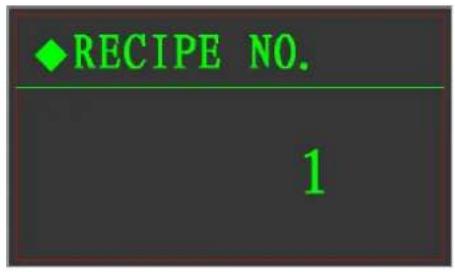 | One number can preset of 3 recipesIf a new recipe, you need to set the recipe number, if it’s the recipe already in the indicator, you can modify it directly.Pressorkeyto changePressENTERkeyto save change and return.Press→0←key to cancel and return.It needed to be set when it using for losing weight fillingLower limitation: the minimum remaining after the end of discharging.Upper limitation: the approximated maximum weight it can reach.During feeding, if the weight < (target + lower limitation), the indicator will open the supplement feeding valve until the weight reach to upper limitation and then start to discharge.Note: If the target weight < (Upper limitation - Lower limitation), every start will end after once time discharge.If the target weight > (Upper limitation - Lower limitation), it will discharge more times until it reach to the target value.Presskeyto move cursor.Presskeyto modify the chosen digits.Presskeyto save and return to previous step.Presskeyto cancel and return to previous step. |
Upper and lower weight limitations
| Presskey to move cursor. | |
| Presskey to modify the chosen digits. | |
| Presskey to save and return to previous step. | |
| Presskey to cancel and return to previous step. |
Setpoint 2 and setpoint 3 the same as above set.
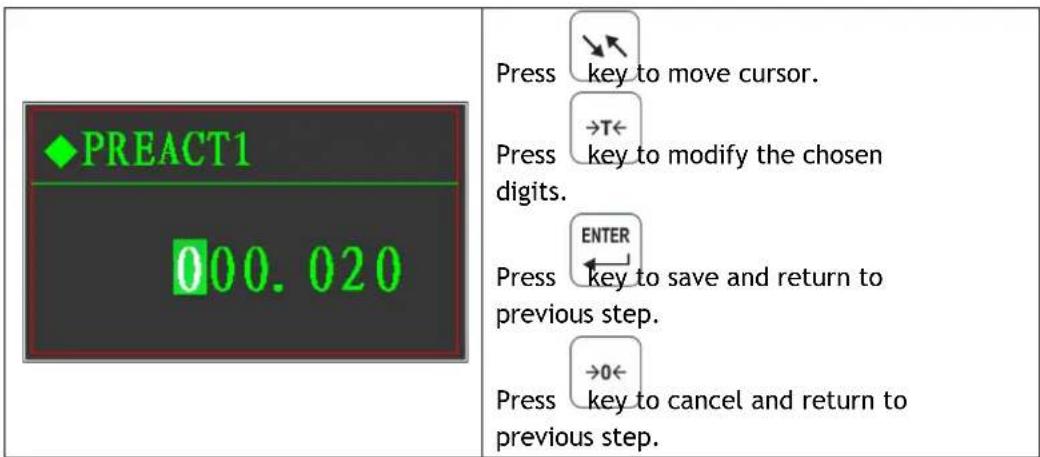
Preaction 1 set
text_image
PREACT1 000.020 Press key to move cursor. Press key to modify the chosen digits. Press ENTER Press key to save and return to previous step. Press key to cancel and return to previous step.Preaction 2 and preaction 3 the same set as above
9.6 Printing table format

text_image
PRINT ALLOT PRINT TOTAL PRINT RECIPE Press key or key to choose ENTER the menu to be set, press key to enter. Press key to return the previous step.9.7 System set

text_image
LANGUAGE SCREEN TIME CONTRAST Press key or key to choose ENTER the menu to be set, press key to enter. Press →0← key to return the previous step. LANGUAGE ENGLISH Language set Press key or key to choose ENTER the menu to be set, press key to enter. Press →0← key to return the previous step.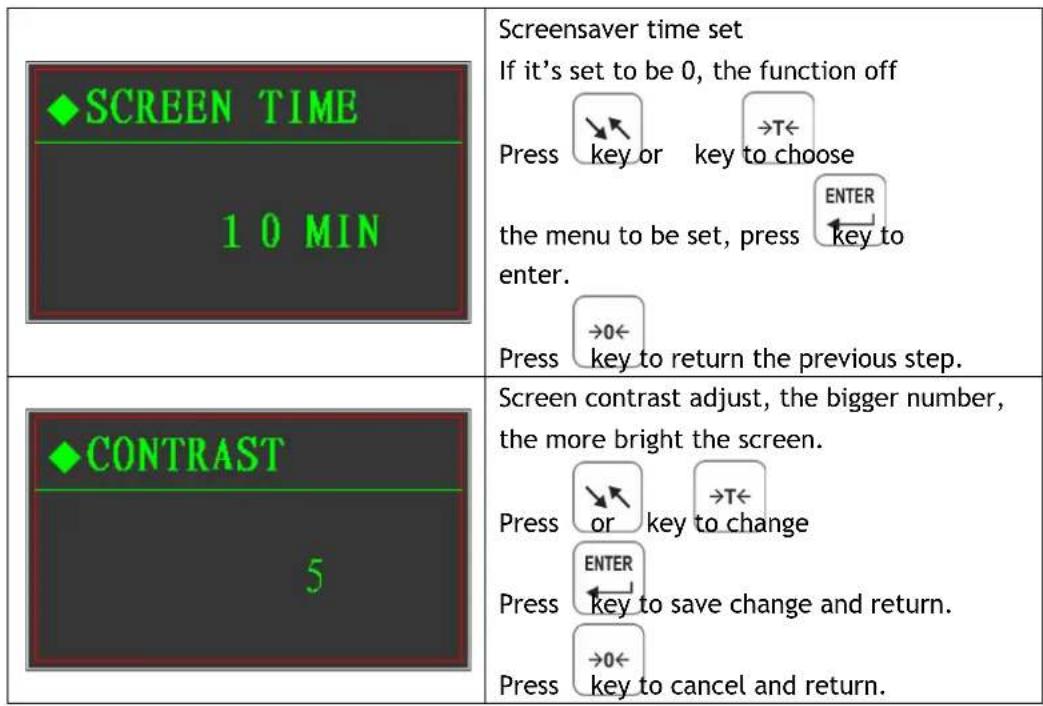
text_image
SCREEN TIME 10 MIN Screensaver time set If it's set to be 0, the function off Press key or key to choose the menu to be set, press ENTER key to enter. Press →0← key to return the previous step. CONTRAST 5 Screen contrast adjust, the bigger number, the more bright the screen. Press OR key to change Press ENTER key to save change and return. Press →0← key to cancel and return.10. Appendix: Communication Protocol
10.1 Command transmitting Format A
| Data format (18 bytes) | ||||||||||||||||
| STX | A | B | C | X | X | X | X | X | X | X | X | X | X | X | CR | CKS |
| I | II | III | IV | V | VI | |||||||||||
III、Weight value, gross weight or net weight, 6 ASCII digits without sign and decimal point.
IV、Tare value, 6 ASCII digits without sign and decimal point.
10.2 Command transmitting format A
| No. | Command sign | Note |
| 1 | “C” or “c” | Clear tare |
| 2 | “P” or “p” | Print gross tare net |
| 3 | “T” or “t” | Tare |
| 4 | “Z” or “z” | Zero |
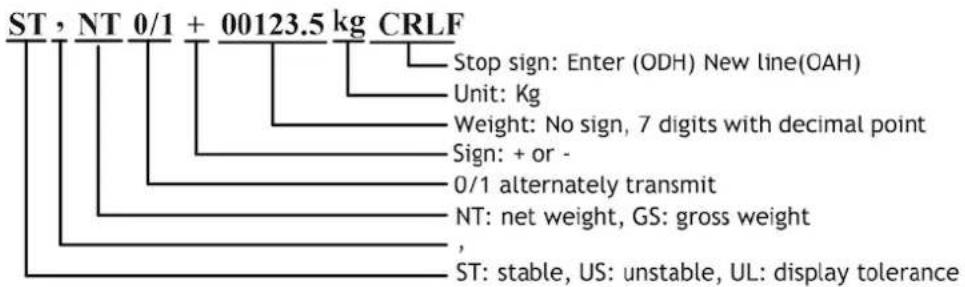
10.3 Continuous transmit format B
text_image
ST , NT 0/1 + 00123.5 kg CRLF Stop sign: Enter (ODH) New line(OAH) Unit: Kg Weight: No sign, 7 digits with decimal point Sign: + or - 0/1 alternately transmit NT: net weight, GS: gross weight , ST: stable, US: unstable, UL: display tolerance10.4 Command output format B
| No. | Command letter | Indicator response |
| 1 | READ+ENTER NEWLINE | Refer to |
| 2 | TARE+ ENTER NEWLINE | Refer to |
| 3 | TARE ON+ ENTER NEWLINE | Tare operationWorks: return YES+ ENTER NEWLINENo work: return NO? + ENTER NEWLINE |
| 4 | TARE OFF+ ENTER NEWLINE | Clear tareWorks: return YES+ ENTER NEWLINENo work: return NO? + ENTER NEWLINE |
| 5 | ZERO ON+ ENTER NEWLINE | Zero operationWorks: return YES+ ENTER NEWLINENo work: return NO? + ENTER NEWLINE |
| 6 | CAL XXXXXX+ ENTER NEWLINE | XXXXXX is loading weight value, W, without decimal pointIf W=0, zero calibration.If W≠0, loading weight calibration.Indicator response:Zero calibration done:ZERO YES+ ENTER NEWLINEZero calibration vibrate:ZERO E1+ ENTER NEWLINELoading weight calibration doneSPAN YES+ ENTER NEWLINELoading weight calibration vibrate:SPAN E1+ ENTER NEWLINEInput data is too small:SPAN E2+ ENTER NEWLINEInput data is too big:SPAN E3+ ENTER NEWLINELoading weight is too big:SPAN E4+ ENTER NEWLINE |
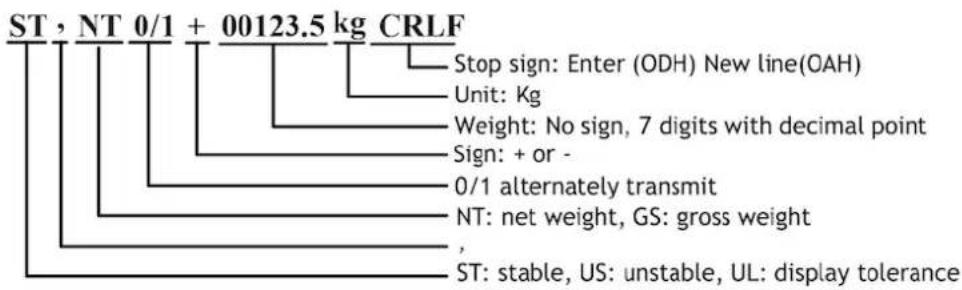
Indicator weight reading and status, the indicator response format:
text_image
ST, NT 0/1 + 00123.5 kg CRLF Stop sign: Enter (ODH) New line(OAH) Unit: Kg Weight: No sign, 7 digits with decimal point Sign: + or - 0/1 alternately transmit NT: net weight, GS: gross weight , ST: stable, US: unstable, UL: display toleranceTare weight reading and status, the indicator response:
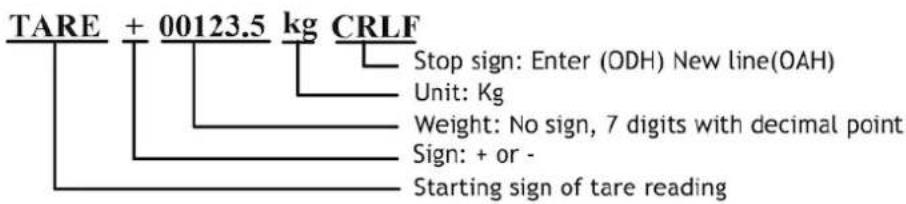
text_image
TARE + 00123.5 kg CRLF Stop sign: Enter (ODH) New line(OAH) Unit: Kg Weight: No sign, 7 digits with decimal point Sign: + or - Starting sign of tare reading10.5 MODBUS output format
MODBUS is the master-slave type network communication protocol, this indicator acts as the subordinate in the network for called by the host system, the format is RTU and support 03 and 06 functions. The parameter needs to be set as F4.1=5 and the address of Modbus to set in F4.5, the mapping address definitions as the below table:
| Address | Digits | Note (read only) |
| 40001 | Current gross weight value | |
| 40002 | Current display weight value | |
| 40003 | .0 | 1=material 1 in fast feeding |
| .1 | 1=material 1 in fine feeding | |
| .2 | 1=scale is empty | |
| .3 | 1=reach to setpoint 1 (setpoint type) | |
| .4 | 1=material 2 in fast feeding | |
| .5 | 1=material 2 in fine feeding | |
| .6 | 1=reach to setpoint 2 (setpoint type) | |
| .7 | 1=reach to setpoint 3 (setpoint type) | |
| .8 | 1=material 3 in fast feeding | |
| .9 | 1=material 3 in fine feeding | |
| .10 | 1=supplement feeding (single material losing weight mode) | |
| .11 | 1=Indicator above tolerance or lower than tolerance | |
| .12 | 1=material 4 in fast feeding | |
| .13 | 1=material 4 in fine feeding | |
| 40004 | .0 | 01~11: current recipe numbers (1~3) |
| .1 | ||
| .2 | ||
| .3 | ||
| .4 | 1=batching run | |
| .5 | 1=batching suspense | |
| .6 | 1=discharging | |
| .7 | 1=feeding finish, waiting for discharging | |
| .8 | 0000=0.001; 0011=0.01; 0110=0.1; 1001=1; | |
| .9 | 0001=0.002; 0100=0.02; 0111=0.2; 1010=2; | |
| .10 | 0010=0.005; 0101=0.05; 1000=0.5; 1011=5; | |
| .11 | 1100=10; 1101=20; 1110=50;current division. | |
| .12 | 1=batching tolerance | |
| .13 | 1=scale vibrate | |
| .14 | 1=manual feeding mode | |
| .15 | 1=manual discharging mode | |
| 40005 | 1~4 material batching mode: actual batched weight of current material 1.Single material losing weight mode: the current batched value of this filling.(the batching value kept till start of next cycle). | |
| 40006 | 1~4 material batching mode: actual batched weight of current material 2.Single material losing weight mode: the current accumulated value of this filling.(the batching value kept till start of next cycle). | |
| 40007 | actual batched weight of current material 3. (the batching value kept till start of next cycle). | |
| 40008 | actual batched weight of current material 4. (the batching value kept till start of next cycle). | |
| Address | Mapping (read and write) | |
| 40009 | Tare value | |
| 40010 | Target value of material 1 | |
| 40011 | Target value of material 2 | |
| 40012 | Target value of material 3 | |
| 40013 | Target value of material 4 | |
| 40014 | Fast feeding value of material 1 | |
| 40015 | Fast feeding value of material 2 | |
| 40016 | Fast feeding value of material 3 | |
| 40017 | Fast feeding value of material 4 | |
| 40018 | Preaction quantity of material 1 | |
| 40019 | Preaction quantity of material 2 | |
| 40020 | Preaction quantity of material 3 | |
| 40021 | Preaction quantity of material 4 | |
| 40022 | Range of empty scale | |
| 40023 | Preaction adjust frequency | |
| 40024 | Start delay time | |
| 40025 | Discharge delay time | |
| 40026 | Forbid comparing time | |
| 40027 | Delay check time of material 1 | |
| 40028 | Delay check time of material 2 | |
| 40029 | Delay check time of material 3 | |
| 40030 | Delay check time of material 4 | |
| 40031 | Lower tank weight | |
| 40032 | Upper tank weight | |
| 40033 | Weight value of setpoint 1 | |
| 40034 | Weight value of setpoint 2 | |
| 40035 | Weight value of setpoint 3 | |
| 40036 | Preaction quantity of setpoint 1 | |
| 40037 | Preaction quantity of setpoint 2 | |
| 40038 | Preaction quantity of setpoint 3 | |
| 40039 | Quantity used of material 1 (higher digits) | |
| 40040 | Quantity used of material 1 (lower digits) | |
| 40041 | Quantity used of material 2 (higher digits) | |
| 40042 | Quantity used of material 2 (lower digits) | |
| 40043 | Quantity used of material 3 (higher digits) | |
| 40044 | Quantity used of material 3 (lower digits) | |
| 40045 | Quantity used of material 4 (higher digits) | |
| 40046 | Quantity used of material 4 (lower digits) | |
| 40047 | 0 | 1=Zero calibration done |
| 1 | 1=Loading weight calibration done | |
| 2 | 1=Writing value less than 1% during loading weight calibration | |
| 3 | 1=Writing value more than full scale during loading weight calibration | |
| 4 | 1=Loading weight is not enough during loading weight calibration | |
| 5 | 1=running, calibration not allowed | |
| 40048 | Floating number of current weight | |
| 40049 | ||
| Address | Mapping (Write only) | |
| 40101 | .0 | 0001~0100: appoint the material number to be operated |
| .1 | ||
| .2 | ||
| .3 | ||
| .4 | Start manual feeding, material bits 0-3 given:(Eg: If 0001: material 1 batching,If 0010: material 2 batching,If 0011: material 3 batching,If 0100: material 4 batching) | |
| .5 | / | |
| .6 | / | |
| .7 | / | |
| .8 | Start auto feeding | |
| .9 | Suspend batching or discharging | |
| .10 | Stop emergency | |
| .11 | Start discharge (after feeding end and discharging type is manual) | |
| .12 | Tare (not batching, not vibrate and tare allowed) | |
| .13 | Clear tare (not batching, not vibrate and tare allowed) | |
| .14 | Zero (not batching, not vibrate) | |
| .15 | Continue batching or discharging | |
| 40102 | .0 | 0001~0011: Choose working recipe number |
| .1 | ||
| .2 | ||
| .3 | ||
| .4 | 10: Chose manual batching during all cycles.11: Chose auto batching during all cycles. | |
| .5 | ||
| .6 | 10: Chose manual discharging during all cycles.11: Chose auto discharging during all cycles. | |
| .7 | ||
| 40103 | Scale calibration:0: Zero calibrationXXXXX: loading weight calibration (XXXXX is the value of the loading weight) | |
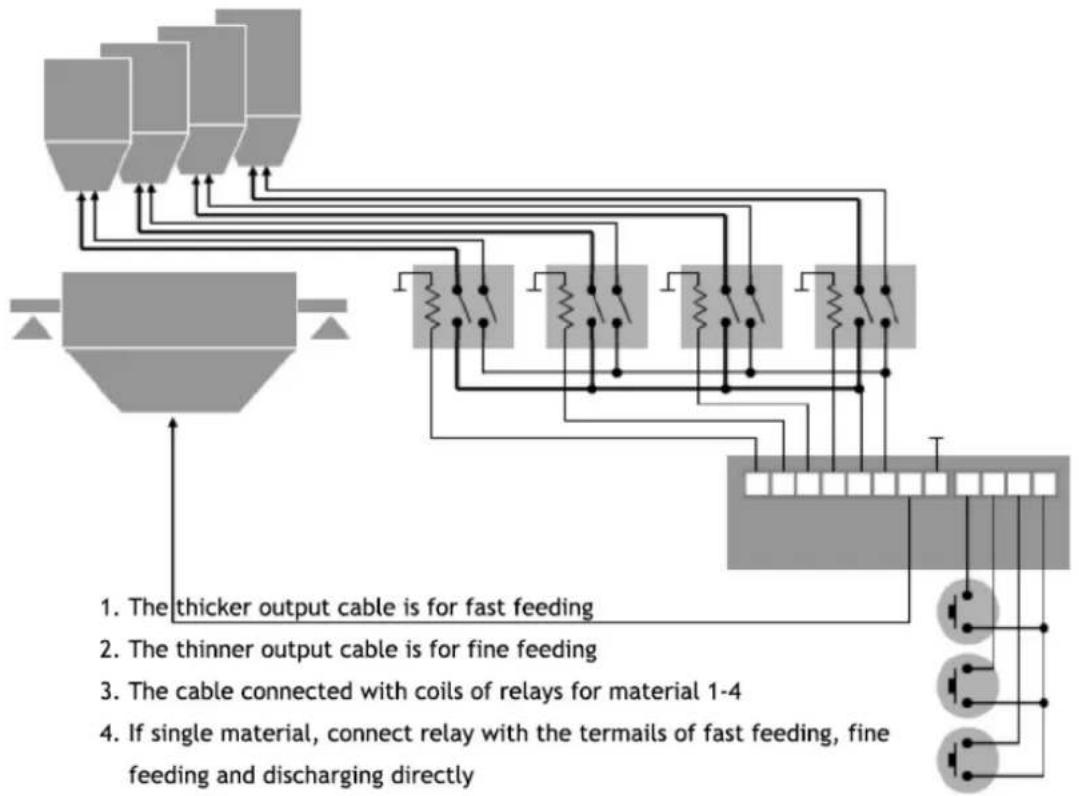
10.6 Multi materials jointed work with relay connected
The below chart is for connecting of 4 materials batching, the input and output can be connected as common source or common grounded, for single material, connect the three relay to the connecting terminals of fast feeding, fine feeding and discharging.
flowchart
graph TD
    A["Feeders"] --> B{Thicker output cable}
    B --> C["For fast feeding"]
    B --> D["For fine feeding"]
    B --> E["Cable connected with coils of relays for material 1-4"]
    B --> F["If single material, connect relay with the terms of fast feeding, fine feeding and discharging directly"]
    G["Coils of relays"] --> B
    H["Terminals"] --> B
    I["Discharge"] --> B
    J["External components"] --> B
    style A fill:#f9f,stroke:#333
    style G fill:#ccf,stroke:#333
    style H fill:#cfc,stroke:#333
    style I fill:#fcc,stroke:#333