CT75-R516GN - Washing machine CANDY - Free user manual and instructions
Find the device manual for free CT75-R516GN CANDY in PDF.


User questions about CT75-R516GN CANDY
0 question about this device. Answer the ones you know or ask your own.
Ask a new question about this device
Download the instructions for your Washing machine in PDF format for free! Find your manual CT75-R516GN - CANDY and take your electronic device back in hand. On this page are published all the documents necessary for the use of your device. CT75-R516GN by CANDY.
USER MANUAL CT75-R516GN CANDY
natural_image
Line drawing of a rectangular kitchen appliance with lid and side buttons (no text or symbols)INSTRUCTION MANUAL
Please read instructions carefully before using
CONTENTS
- SAFETY WARNING......1
- PARTS IDENTIFICATION......2
- ACCESSORIES....2
- CONTROL PANEL......3
- SPECIFICATIONS......3
- INSTALLATION......4
- DETERGENT CONTAINER......7
- PROGRAMS......8
- OPERATION.... 9
- MAINTENANCE.... 12
- TROUBLE SHOOTING....13
- ELECTRICAL G DIAGRAM.....14
- MANUFACTURER WARRANTY....14
SAFETY WARNING
■ Never use the plug as shown.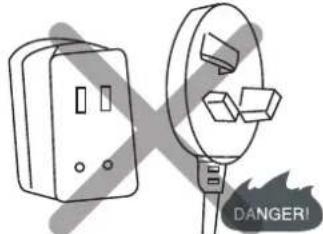 | ■ Do not only hold the cord while pulling out the plug.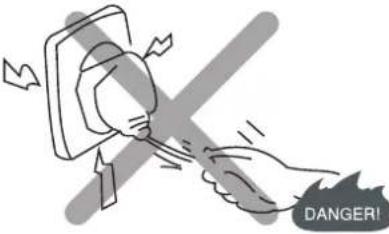 | ■ Do not let children to play with the machine. |
■ Do not put hands into the rotating tub.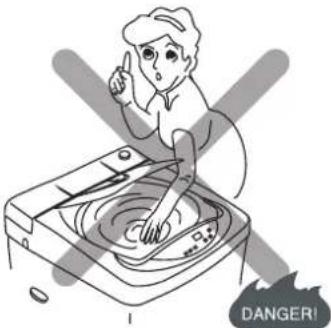 | ■ Do not clean the body of washer with volatile solvent such as petrol and methane. Also, do not pour these solvents into the tub for washing or drying purposes. | ■ Keep the washing machine away from fire or heat source.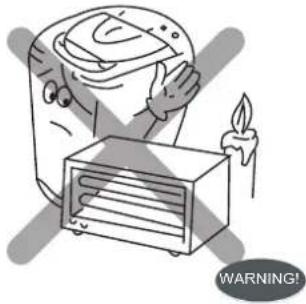 |
■ Do not expose washing machine to direct sunlight or rain.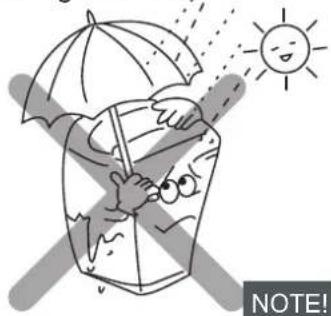 | ■ !Do not place the washing machine in a damp place and do not pour water onto the control panel. | ■ Never use water above 60°C.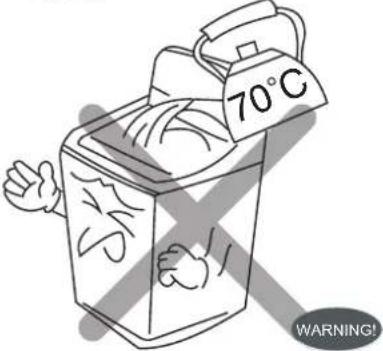 |
■ !Make sure the lid is closed especially during spin. | ■ The highest point of the drain hose must be in the height of 0.7m~1.2m above floor level.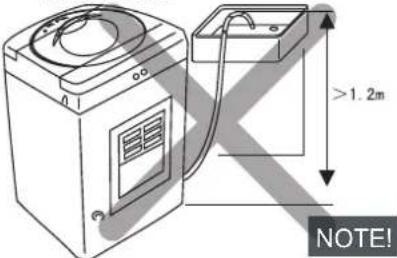 | ■ Don't switch on the power if the water pressure is lower than 0.05MPa and higher than 0.5MPa. |
PARTS IDENTIFICATION
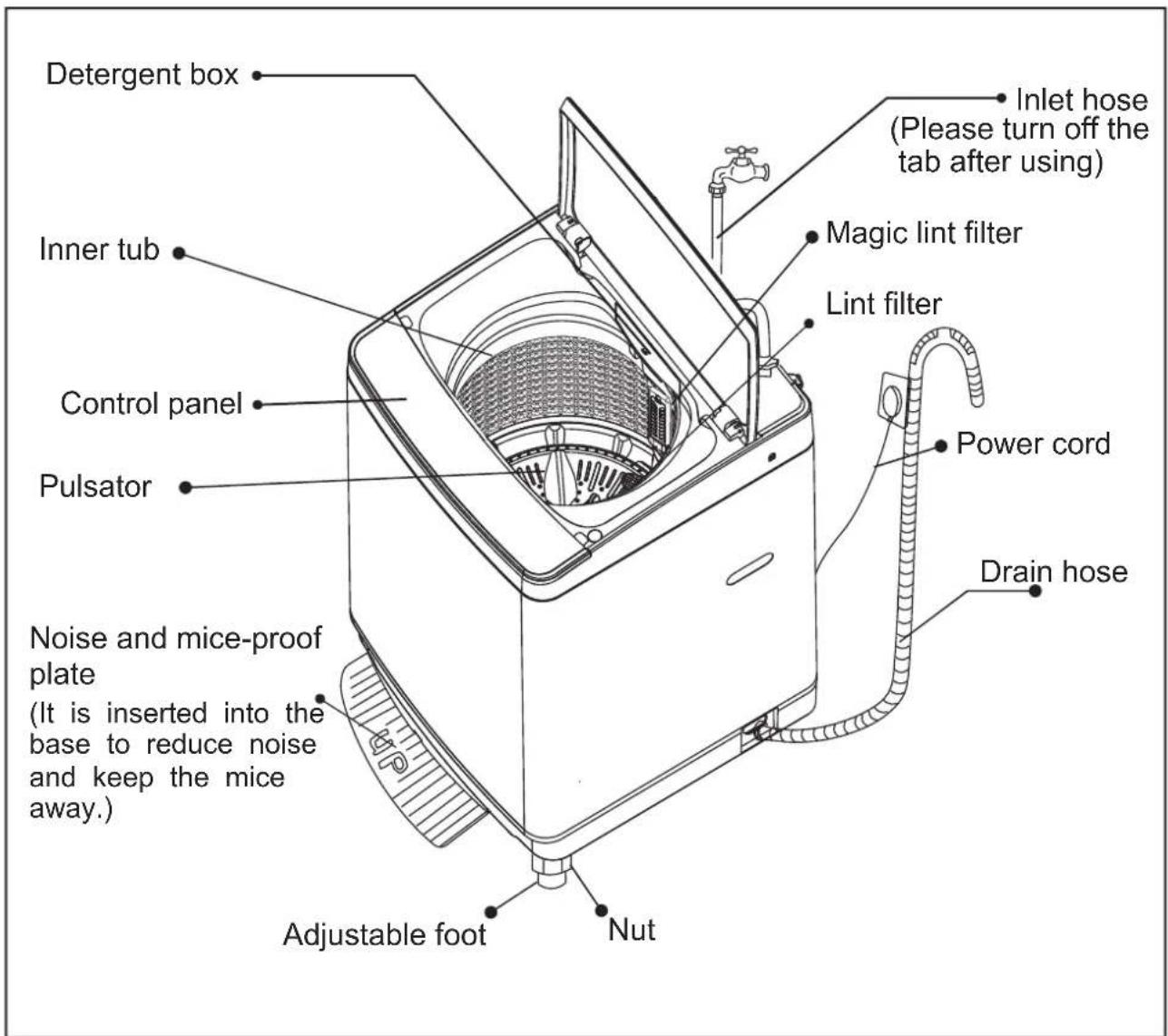
text_image
Detergent box Inner tub Control panel Pulsator Noise and mice-proof plate (It is inserted into the base to reduce noise and keep the mice away.) Adjustable foot Nut Inlet hose (Please turn off the tab after using) Magic lint filter Lint filter Power cord Drain hoseACCESSORIES
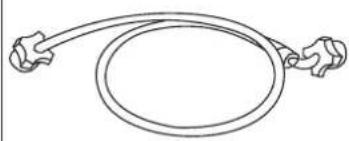
| Inlet hose | Noise and mice-proof plate |
 |  (2set screws) (2set screws) |
| 2PC | 1PC |
Note:
The washing machine is to be connected to the water mains using new hose-sets supplied with the appliance are to be used and old hose-sets should not be re-used.
CONTROL PANEL
flowchart
graph TD
    A["1.1 hot warm cold"] --> B["2.1 09 07 10 08 06 04 02"]
    B --> C["3.1 soak only wash only rinse & spin spin only"]
    C --> D["5 delay/remaining auto normal gentle strong quick protection"]
    D --> E["6.1 wool eco wash delicate anti-crease tub-clean"]
    E --> F["7 START/PAUSE POWER"]
    F --> G["8"]

    H["WATER SUPPLY"] --> I["1"]
    J["WATER LEVEL"] --> K["2"]
    L["FUNCTION"] --> M["3"]
    N["DELAY"] --> O["4"]
    P["PROGRAM"] --> Q["6"]
    R["START/PAUSE"] --> S["7"]
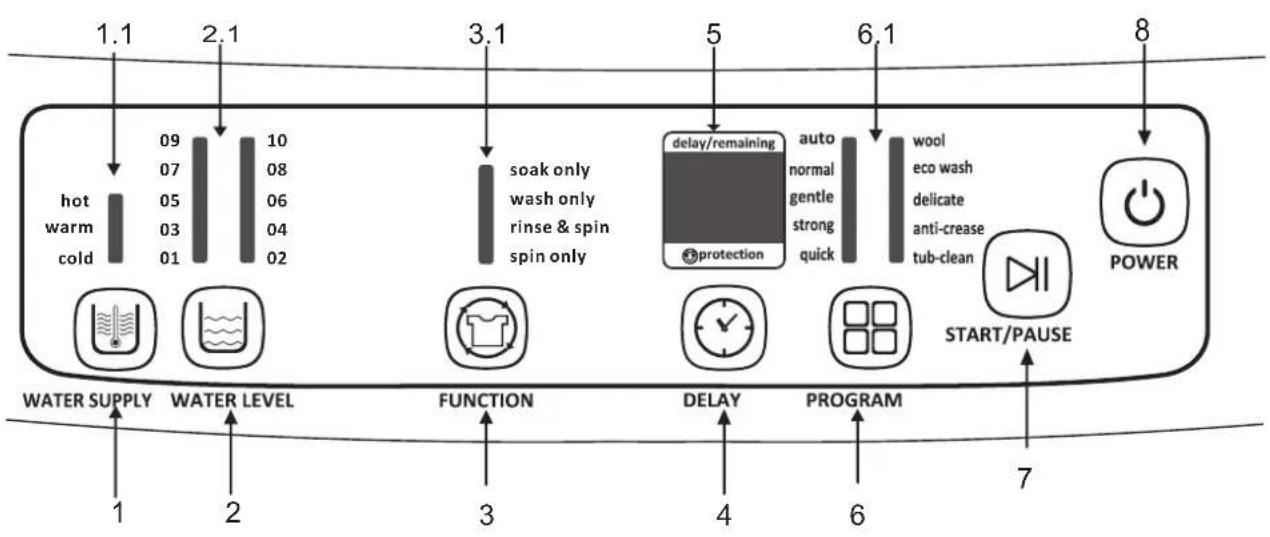
1 Water supply button
1.1 Water supply indicator
2 Water level button
2.1 Water level indicator
3 Function button
3.1 Wash indicator
4 Delay button
5 Indicating window
6 Program button
6.1 Program indicator
7 Start/PAUSE button
8 Power button
SPECIFICATIONS
| Rated voltage Rated frequency | 50Hz | ||
| Rated input power | 480W | Rated water volume | 123L |
| Rated wash and spin capacity | 7.5kg | Net weight | 33kg |
| Water pressure | 0.05MPa-0.5MPa | ||
| Dimension | 560mm×590mm×950mm | ||

text_image
950mm 560mm 590mmInsert the noise-proof plate into the washing machine base
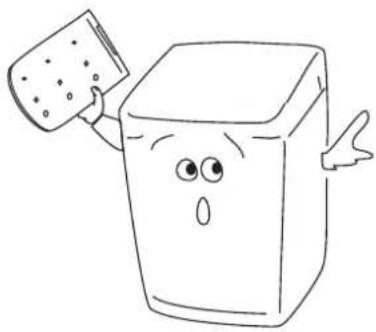 | 1. Take out the noise-proofI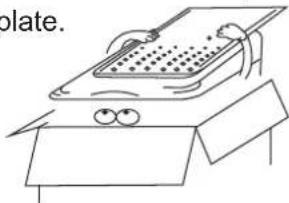 | 2. The entrance is in the front of the base. |
4. Lay down the washing machine, fasten the two screws,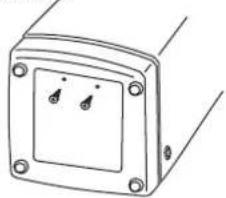 | 3. Insert the noise-proof plate into the base.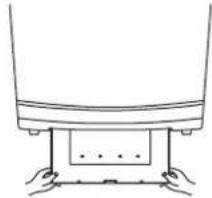 |
Place the washing machine
Place the washing machine on a firm and level surface, use the level adjustment knob to regulate the adjustable foot until the washing machine is stable.
■ Place the washing machine at least 5cm away from the wall.

natural_image
Cartoon character with a 5cm measurement dimension labeled on its head (no other text or symbols)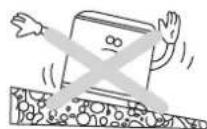


■ Alternation of adjustable foot
Use the adjustable foot to level the machine with the floor:
1) Turn the nut clockwise to release the screw adjuster on the foot.
2) Rotate the foot to raise or lower it until it stands firmly on the ground.
3) Lock the foot in position by turning the nut anti-clockwise until it comes up against the bottom of the machine.

text_image
3 1 Nut Screw adjuster Adjustable foot 2Connection of the drain hose
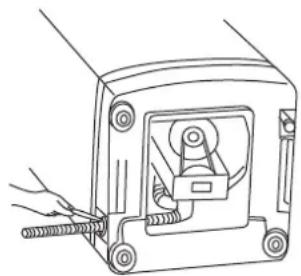
Change the direction of the drain hose
Unfasten the fixed screw of the drain hose joint.

natural_image
Line drawing of a mechanical device with a hand adjusting a spring (no text or symbols)Lead out the drain hose from the opening to the other side.
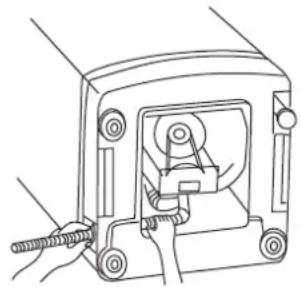
natural_image
Line drawing of a mechanical device with hands operating it (no text or symbols)Fasten up the screw to fix the drain hose.
natural_image
Line drawing of a mechanical device with a hand operating a tool (no text or symbols)Connection of the drain hose
Insert the end of the drain hose into the hook shelf, and hang the drain hose over a drain outlet (bath tub, sink, etc.) or connect onto the special inlet point of the S trap.
Note: The highest point of the drain hose must be between height of 0.7m\~1.2m above floor level, otherwise, the washer can not work normally.
Water supply requirements
Water Temperature
Cold :
Recommended cold water temperature is 10\~24°C.
Hot :
Recommended hot water temperature is 50\~60°C.
Warm:
Mixture of hot and cold water. (Warm water temperature is dependent upon the water temperature and the pressure of both the hot and cold water supply lines.)
IMPORTANT:
Owner should turn off water supply whenever there will be an extended period of non-use.
Water Pressure
Do not operate the washer when the water pressure is lower than 0.05MPa or higher than 0.5MPa() to avoid damage of the inlet system.
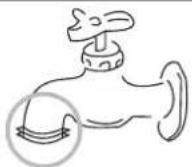
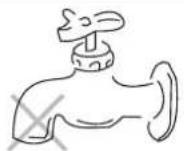
Faucet:
Connection of the inlet hose
The faucet must be with G3/4" standard screw thread. If not, it is impossible to connect the inlet hose properly.
NOTE: water supply faucets should be readily accessible to permit turning them off when washer is not being used.
Installation and connection of the Inlet hose
Note:
The washing machine is to be connected to the water mains using new hose-sets supplied with the appliance, old hose-sets should not be re-used.
Refer to Section on Water Supply Requirements before connecting water inlet hoses.
I. About faucet
- Connect the water inlet hose to the connector by turning the connecting nut.
. About washing machine
A: If you just have one water supply line (cold or hot water), connect the inlet hose to the cold water connector. Do not unscrew the lid of hot water connector. IMPORTANT:
In this situation you can not set wash temperature to WARM OR HOT.

text_image
RUBBER RING CONNECTING NUT COLD WATER CONNECTOR HOT WATER CONNECTOR CONE COLD HOT CONNECTING NUT ELBOW WATER INLET HOSE LID OF HOT WATER CONNECTOR RUBBER RINGTo prevent water leakage, please ensure the connecting nut is tightened securely. If water leakage, check the nut whether it is filled with rubber ring.
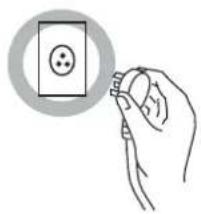
Connection of the power cord
■ The groundwire which is indicated by yellow and green colour must be firmly connected to a special groundwire. Please call the technician to assemble.
■ The socket should have assembled the 5A fuse.
NOTE:
■ Never try to connect the groundwire of the washing machine together with that of gas pipe or water pipe, telephone cord or lightening rod.
■ Do not use the damaged cord because it could cause electricity leakage and fire.
In case cord is damaged, please contact the local service company, because it is removed and replaced with special tools.
natural_image
Hand holding a small electronic component with a circular button, no text or symbols visible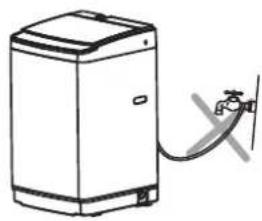
natural_image
Line drawing of a washing machine with a water tap attached to the side (no text or symbols)DETERGENT CONTAINER
Compositive detergent and softener for laundry
① Draw out the detergent box.
② Add the suitable quantity detergent into the detergent dispenser.
③ Add the suitable quantity softener into the softener dispenser before wash.
4 Push detergent box into completely.
| Water level | Detergent dosage | |
| Slight dirty | Dirty | |
| Low | 12-20g | 25-38g |
| Mid | 18-33g | 35-56g |
| High | 27-36g 48- | 70g |
Note:
■ Dilute concentrated softener with triplicate water.
■ If softener needed, do not open the wash lid when spin, or else the softener will be premature used and the effect will be worse.
Softener for laundry
Note:
- Inject softener into the softener dispenser before washing, At the last time for rinse, the softener will be infused into the rinsing automatically.
- Dilute concentrated softener with triplicate water.
If softener needed, do not open the wash lid when spinning, or else the softener will be prematurely used and the effect will be awful.
| Water level | Softener dosage | |
| Normal | Concentrated | |
| 1-2 | 14 | 5 |
| 3-4 | 20 | 7 |
| 5-6 | 25 | 10 |
| 7-8 | 30 | 13 |
| 9-10 | 36 | 16 |
PROGRAM
Program
■ Microcomputer controlled board assembly saved up 7 kinds of washing programs, please refer to the following washing program form.
Washing program form
| PROGRAM\FUNCTION | SOAK(MIN) | WASH(MIN) | RINSE(CYCLE) | SPIN(MIN) |
| AUTO | Select the time according to the quantity and quality of the wash laundry itself. | |||
| NORMAL | 24 | 20 | 1 | 3 |
| GENTLE | 12 | 2 | 5 | |
| STRONG | 12 | 2 | 5 | |
| QUICK | 3 | 1 | 1 | |
| WOOL | 6 | 2 | ||
| ECO WASH | 6 | 1 | 3 | |
| DELICATE | 3 | 1 | 1 | |
| ANTI-CREASES | 12 | 2 | ||
| TUB CLEAN | 2 | 30 | ||
Note: 1. The total operating time may vary according to water volume, tolerance is permitted. 2. In case the unbalance of laundry trigger the safety switch into action when spinning, the machine will automatically refill water to adjust the balance.
Preparation
1. Connect the water inlet hose to the water faucet.2. Turn on the water faucet.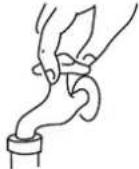 | 3. Plug in the power supply cord. | 4. Insert the end of the drain hose into the hook shelf, and hang the drain hose over a drain outlet.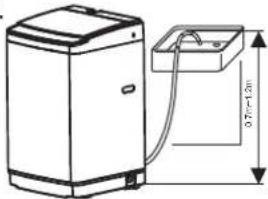 |
5. Put suitable wash load into the inner tub.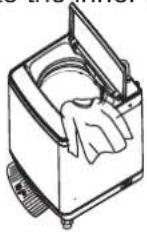 | 6. Add suitable detergent according to the wash load volume into the box of powder laundry deter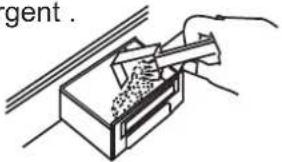 | 7. Close wash lid completely. (or else, it will not to spin and will sound alarm.)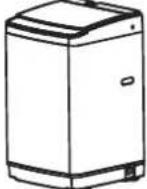 |
Operation
Step one: Switch on the power supply.
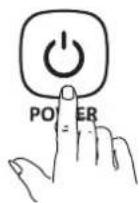
Press the POWER button, the indicator - - will glow, it means that the machine is in auto-enter fuzzy program.
The fuzzy program can select the suitable water level and program itself according to the quantity and material of the clothes you put into the machine.
If you press the start button, the machine will run the fuzzy program at once, if you don't want to use the fuzzy program, follow next step.
switched on, and it will shut down itself at once when the program finished.
Step two: Choose wash programs.
You can choose the optimization program or edit the program yourself and also combine the program as you need.
auto normal gentle strong quick
wool eco wash delicate anti-crease tub-clean
A: Choose the optimization program. Press the "PROGRAM" button to Choose the desired function and then the corresponding indicator will blink. Note: Press the "PROGRAM" button continuously all options of water flow will circulate as figure.
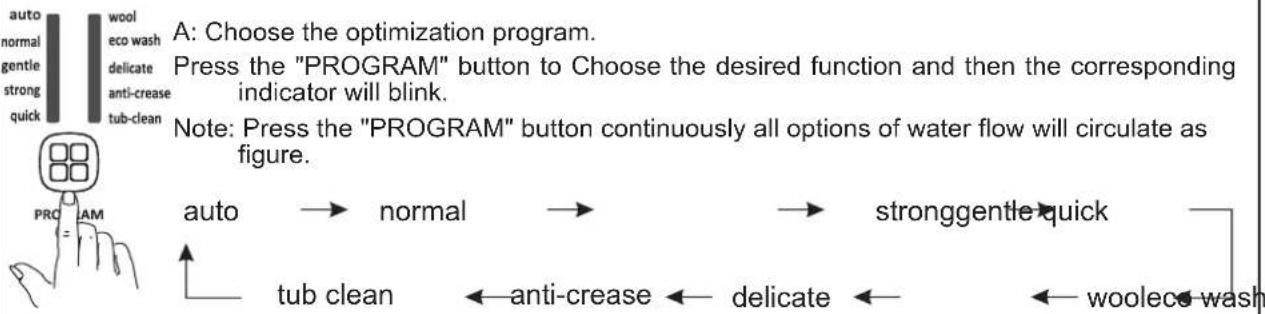
flowchart
graph LR
    A["auto"] --> B["normal"]
    B --> C["stronggentle quick"]
    C --> D["tub clean"]
    D --> E["anti-crease"]
    E --> F["delicate"]
    F --> G["woolece wash"]
    style A fill:#f9f,stroke:#333
    style B fill:#f9f,stroke:#333
    style C fill:#f9f,stroke:#333
    style D fill:#f9f,stroke:#333
    style E fill:#f9f,stroke:#333
    style F fill:#f9f,stroke:#333
    style G fill:#f9f,stroke:#333
Step three: Choose function.

Press the FUNCTION button to choose appropriate function then the corresponding indicator blink.

FUNCTION
Step four: Choose the water level.
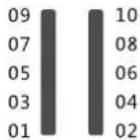
Press the WATER LEVEL button to choose appropriate water level according to wash quantity and then the corresponding indicator blink.

WATER LEVEL
Step five: Choose wash temperature
Press the water supply button, you can choose to inlet cold water, warm water or hot water.


Hot water only: Hot water can result in better cleaning effects. But it is not suitable for all articles. It is best for washing whites and colorfast articles, heavily soiled articles and diapers.
Warm water only: Warm water can reduce the chance of fading. It suits for washing light and moderate soils clothes, dark color clothes, silks, woolens, nylon, and acrylic.
Cold water only: Cold water is less effective in cleaning compared with hot or warm water, but it does minimize wrinkling and fading. Use it for washing extra sensitive clothes and for the rinse.
NOTE:
The washing machine will provide a cold rinse in all TEMPERATURE setting. IMPORTANT:
There is not heating element in the washing machine. A single hose system does not allow the washing machine to automatically (choose)regulate incoming water temperatures to match those listed on the control panel such WARM or HOT.
■ Special functions
1. Delay function
After choosing the program above-mentioned, press the "DELAY" button (before press the "START/PAUSE" button) continuously the digital indicator indicates the desired time to finish wash. (Example: If the preset time is 5 hours, press the button until the digital indicator displays 5.)

text_image
delay/remaining auto normal gentle strong quick wool eco wash delicate anti-crease tub-clean protection DE = Y. PROGRAM2. Children proof function
Children proof function can prevent children from falling into the inner tub of washing machine. If you choose this function, the program will pause and give out sound if the wash lid is opened and the washing machine will drain water and sound alarm if the wash lid does not close within 10 seconds.
After choosing the program above-mentioned, press the "START/PAUSE" button, the program start and give out musical sound, the indicator window shows "bb" and blink at the same time for about 5 seconds, if you press the "DELAY" button in this period, the indicator (a little dot) will "on", then the Children proof function was chosen, the program go on after buzz. If you do not press the "DELAY" button in this period, the indicator (a little dot) will not go on, and the Children proof function will not be chosen.

text_image
delay/remaining auto normal gentle strong quick wool eco wash delicate anti-crease tub-clean protection Children proof indicator delay/remaining protection DE = 71 PROGRAMStep six: Start the washing machine
Press "START/PAUSE" button, the washing machine will buzz and run automatically, and the digital indicator will show the remaining time of the whole precess.
Please close the wash lid completely (otherwise, the machine will stop when it goes to the spin program and will sound alarm.)
Note:
If you want to change the program when the washing machine is running, you must press the "START/PAUSE" to pause at first.
The water level can be changed when the washing machine is running. If you change the water level to the higher one when the washing machine is running, the washing machine will stop running and fill water to the level you choose and then begin running again automatically.
Clean the filter in the water inlet valve1.Unplug the power supply cord first.2.Take off the water inlet hose and clean the filter with a brush.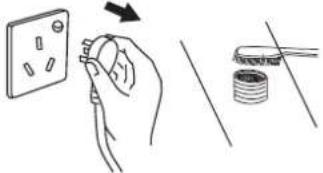 | Body maintenanceClean the surface of the washing machine with a soft cloth regularly.After spinning each time, please clean the inner tub to avoid deposit. |
Clean the lint filter1.Pull upward to remove the lint filter.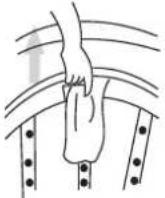 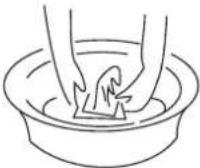 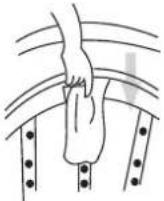 | |
Clean the magic lint filter1.Press the handle of the to remove the magic lint filter from the container as show below.handle magic lint filter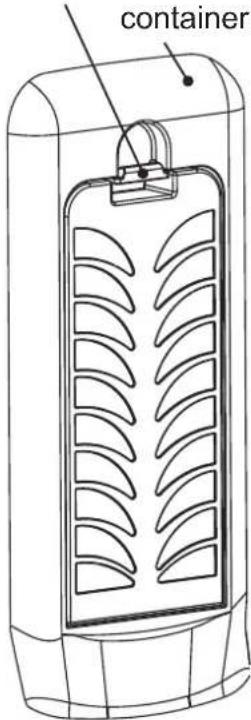  | 1.Open the back cover of the the magic lint filter as show below. Clean and rinse the magic lint filter.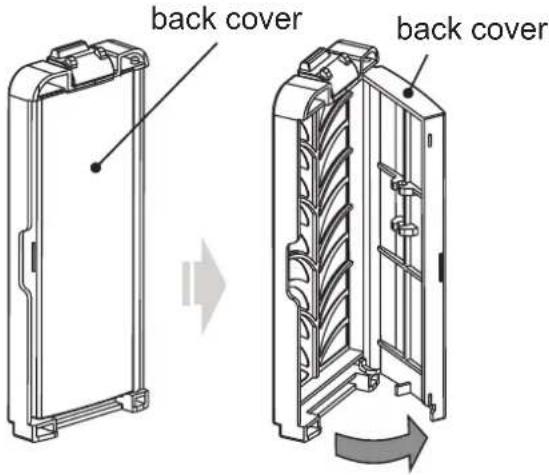 3.Close the back cover and fix the magic lint filter into the container. 3.Close the back cover and fix the magic lint filter into the container. |
TROUBLE SHOOTING
| Indicators and roubles | Checklist | ||
Unable to drain 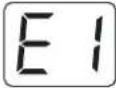 If the draining time passes 10 min, the washing machine will buzz and indicate "E1". If the draining time passes 10 min, the washing machine will buzz and indicate "E1". | 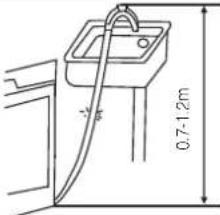 Is the highest point of the drain pipe 0.7m to 1.2m above floor level?Is the drain frozen or blocked? Is the highest point of the drain pipe 0.7m to 1.2m above floor level?Is the drain frozen or blocked? | ||
Spin malfunction  If the machine does not spin after draining, it will buzz and indicate "E2". If the machine does not spin after draining, it will buzz and indicate "E2". |  Is the lid closed completely? Is the lid closed completely? | Please call the technician to check whether the safety switch is damaged or not. | |
| Unable to SpinThe machine will attempt to spin three times, if unsuccessful it will buzz and indicate "E3". | 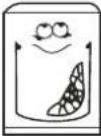 Is the load uneven? Is the load uneven? | 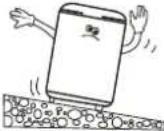 Is the machine installed on an uneven surface? Is the machine installed on an uneven surface? | Please call the technician to check whether the safety switch is damaged or not. |
Failed to fill with water 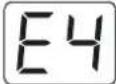 When water filling passes 20 min. It will buzz and indicate "E4". When water filling passes 20 min. It will buzz and indicate "E4". | 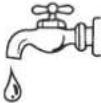 Is the tap turned off?Is there no water supply?Is the water flow too slow? Is the tap turned off?Is there no water supply?Is the water flow too slow? | 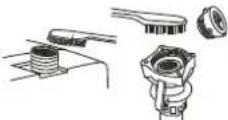 Is the filter in the tap connector or inlet valve blocked? Is the filter in the tap connector or inlet valve blocked? | Please call the technician to check whether the inlet valve is damaged or not. |
Lid opened  When the child protection function is applied and the lid is opened, after 10 seconds the machine will buzz and indicate "E5". When the child protection function is applied and the lid is opened, after 10 seconds the machine will buzz and indicate "E5". | 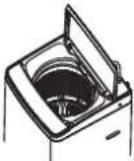 [GxK5] Check the wash load and re-close the lid, press the "START/HOLD" button to resume the wash. [GxK5] Check the wash load and re-close the lid, press the "START/HOLD" button to resume the wash. | ||
| The machine gives alarm for about 10 seconds when the start / hold button be pressed. [Kx6X] | Call technician to check whether the connection of water level sensor loosened or the sensor damaged. | ||
Please open the lid when the machine buzz, and get rid of the problem according to the above situation, then close the lid, the machine will work again.
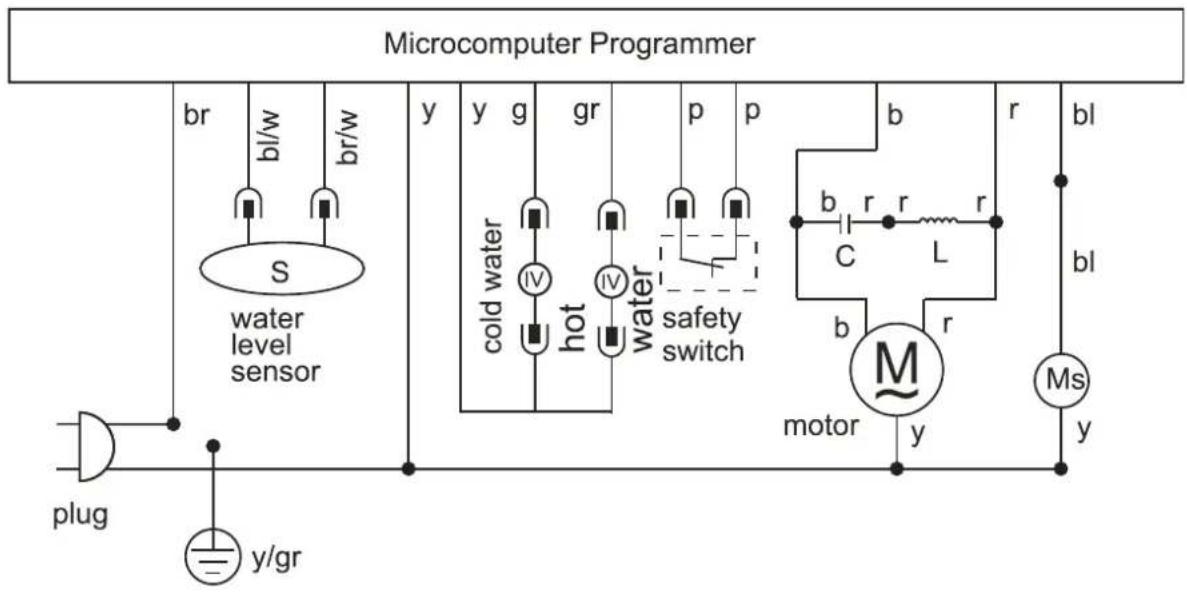
flowchart
graph TD
    A["plug"] --> B["water level sensor"]
    B --> C["br/w"]
    C --> D["bl/w"]
    D --> E["y"]
    E --> F["y"]
    F --> G["g"]
    G --> H["gr"]
    H --> I["p"]
    I --> J["p"]
    J --> K["b"]
    K --> L["r"]
    L --> M["bl"]
    M --> N["ms"]
    N --> O["y"]
    O --> P["bl"]
    P --> Q["motor"]
    Q --> R["M"]
    R --> S["r"]
    S --> T["C"]
    T --> U["L"]
    U --> V["b"]
    V --> W["r"]
    W --> X["r"]
    X --> Y["b"]
    Y --> Z["r"]
    Z --> AA["r"]
    AA --> AB["c"]
    AB --> AC["L"]
    AC --> AD["b"]
    AD --> AE["r"]
    AE --> AF["motor"]
    AF --> AG["y"]
    AG --> AH["bl"]
b-blue bl-black br-brown g-gray gr-green r-red y-yellow p-purple w-white
C-capacitor L-inductance IV-inlet valve Ms-drain water motor assembly
CAUTION:
- If this appliance is supplied with a cord extension set or and electrical portable outlet device, the cord extension set or electrical portable device must be positioned so that it is not subject to splashing or ingress or moisture.
- The appliance is not intended for use by young children or infirm persons without supervision;
- Young children should be supervised to ensure that they do not play with the appliance.
- The power supply cord must be unplugged after use.
- Please use low foam powdered laundry detergent.
- If the supply cord is damaged, it must be replaced by the manufacturer, its service agent or similarly qualified persons in order to avoid a hazard.
- The openings shall not obstructed by carpet.