
Decor 2S v2 - Loudspeaker Paradigm - Free user manual and instructions
Find the device manual for free Decor 2S v2 Paradigm in PDF.


| Product Type | In-wall / On-wall Soundbar System (Décor series) |
| Model | Decor 2S v2 |
| Configuration | 2S (two soundbars) or 2SC (two soundbars with center channel) |
| Available Configurations | 1S/1C/1SC, 2S/2SC, 3SC |
| Dimensions (each soundbar) | Length varies by model (S, M, L); typical width: 3.5 in (89 mm), height: 2.5 in (64 mm) |
| Weight (each soundbar) | Approximately 3-5 lbs (1.4-2.3 kg) depending on length |
| Mounting Method | TV mount (using VESA) or wall mount (brackets not included) |
| Compatible TV Sizes | 43" to 100" (TV must have VESA mounting points) |
| Included Hardware | Mounting rails, sliding rail assemblies, extrusion brackets, spacers, screws, Torx wrenches |
| Optional Accessories | Cloth grille (MDF grille for 2S/2SC) |
| Installation | 2-person recommended; use with third-party TV bracket or wall mount |
| Material | Aluminum extrusion, MDF (for some grilles), plastic spacers |
| Color | Black (assumed, not specified) |
| Power Handling | Not specified; use with amplifier/receiver (passive speakers) |
| Impedance | Not specified |
| Sensitivity | Not specified |
| Frequency Response | Not specified |
| Warranty | Refer to manufacturer |
| Care and Cleaning | Wipe with dry cloth; avoid liquids |
| Safety | Ensure secure mounting to prevent injury; use appropriate wall anchors |
| Spare Parts | Contact Paradigm or authorized dealer |
Frequently Asked Questions - Decor 2S v2 Paradigm
User questions about Decor 2S v2 Paradigm
0 question about this device. Answer the ones you know or ask your own.
Ask a new question about this device
Download the instructions for your Loudspeaker in PDF format for free! Find your manual Decor 2S v2 - Paradigm and take your electronic device back in hand. On this page are published all the documents necessary for the use of your device. Decor 2S v2 by Paradigm.
USER MANUAL Decor 2S v2 Paradigm
natural_image
Vertical arrangement of five identical circular speakers with square bases, no text or symbols visible
natural_image
Three identical circular speaker or antenna components arranged vertically (no text or symbols)
natural_image
Pure diagram of three circular speaker or speaker units arranged vertically (no text or symbols)
natural_image
Pure diagram of four identical circular speaker units arranged vertically (no text or symbols)
natural_image
Vertical arrangement of five identical circular speaker or antenna components with mounting holes (no text or symbols)TABLE OF CONTENTS
1S/1C/1SC Speaker Installation onto TV.... 3
Preparing Your Décor Soundbar For Installation....3
Preparing Your TV For Speaker Installation....3
Grille Fit 4
Flush Fit....4
1S/1C/1SC Components List....5
2S/2SC Speaker Installation onto TV.... 11
Preparing Your Décor Soundbar For Installation....12
Preparing Your TV For Speaker Installation....12
Grille Fit 13
Flush Fit....13
2S/2SC Components List....14
3SC Speaker Installation onto TV 20
Preparing Your Décor Soundbar For Installation....21
Preparing Your TV For Speaker Installation....21
Grille Fit 22
Flush Fit....22
1S/1C/1SC Components List....23
2S/2SC Components List....24
1S/1C/1SC Wall Mount Installation (43"-64.9" Length Models) ...... 35
1S/1C/1SC Wall Mount Installation (65"-100" Length Models) ...... 36
2S/2C Wall Mount Installation (All Models) 38

Wall mount your speakers securely enough that they cannot fall and cause personal injury or damage to property.

Paradigm DOES NOT supply hardware for mounting speakers to the wall. Always use screws appropriate for wall type and weight of speakers.
NON LIABILITY: We are aware that the mounting assemblies provided for speakers in this manual could be used for purposes and in ways other than those for which they were intended. The manufacturer, distributor, retailer and their respective agents cannot be held responsible or liable for injuries or property damage—direct, indirect or consequential—arising from the use of or inability to use these products safely and properly. Every effort has been made to provide accurate, error-free installation instructions. Paradigm Electronics Inc. disclaims liability for difficulties that may arise from the misinterpretation of information contained in these instructions.

An Important Note About TV Mounting Bracket:
Ensure the TV mounting bracket, attached to the wall, will accommodate the extra weight of the Décor speakers and Décor Mounting Rails BEFORE attaching to wall. If unsure, consult dealer or TV mount manufacturer.

natural_image
Red icon showing two human figures with a warning triangle (no text or symbols)CAUTION: 2 PERSON INSTALLATION
1S/1C/1SC SPEAKER INSTALLATION ONTO TV
Applies to ALL 1C/1S/1SC configurations and lengths.
Parts required:
1x Soundbar
1x Cloth Grille (optional)
1x KIT0108

Soundbar with
Cloth Grille
and, one of the following kits:
1x KIT0104 (S)
1x KIT0105 (M)
1x KIT0106 (L)
PREPARING YOUR DÉCOR SOUNDBAR FOR INSTALLATION
The best way to ensure a smooth assembly is to mount your new soundbar to the TV while they're on the floor. First, you should ensure the floor is clear of any debris that may damage your TV or Soundbar. We recommend using a thick blanket to prevent any scratches or direct contact with the floor.
PREPARING YOUR TV FOR SPEAKER INSTALLATION
Place your TV face down on the ground and ensure adequate space to maneuver around during installation.
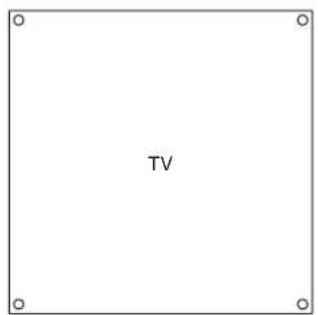
BACK
GRILLE FIT
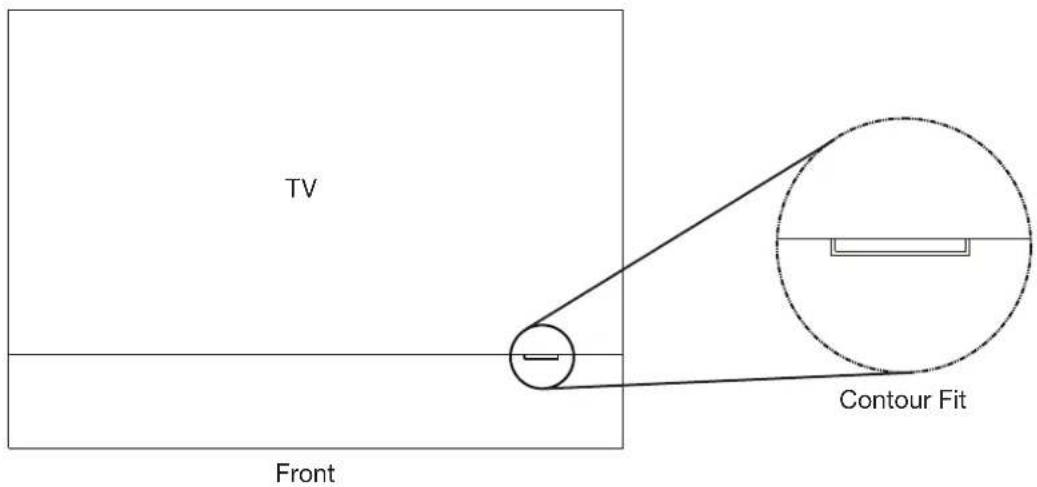
If you ordered a Cloth Grille, please remove the grille(s) from its packaging and place it on your Décor Soundbar now. This will ensure the front faces of the TV and soundbar are flush with one another. In addition, if you ordered a contour grille, please ensure that it is aligned with its corresponding TV contour.
FLUSH FIT
Position your new Décor soundbar face down in its desired position relative to your television. When face down, please ensure the mounting channel is always closest to the TV.

natural_image
Technical diagram showing a square frame with mounting holes and a rectangular panel labeled 'Back' (no text or symbols within the diagram itself)Extrusion Brackets in the Mounting Channel.

natural_image
Diagram of a circular container with internal compartments and labeled ports (no text or symbols)1S/1C/1SC COMPONENTS LIST
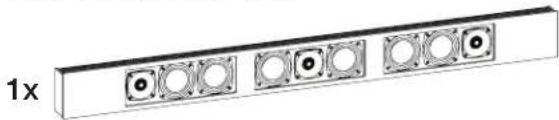
1x Soundbar
natural_image
Pure electrical circuit lines without any symbols1x KIT0104 or KIT0105 or KIT0106

natural_image
Simple line drawing of a rectangular object with evenly spaced horizontal lines and a label '(A) 2x' (no text or symbols on the object itself)(A) Fixed Rail length will differ between KIT0104 / KIT0105 / KIT0106
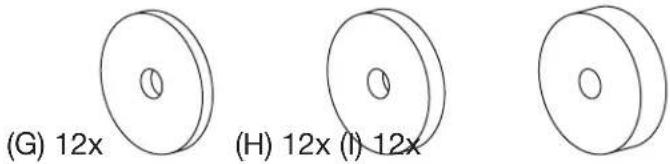
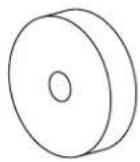
12x 3 Plastic Spacers
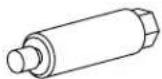
2x Threaded Shafts (long)
2x Threaded Shafts (short)
4x Anchor Screws
(E) 2x

(J) 4x
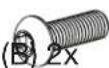
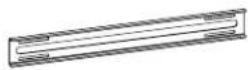
2x Sliding Rail Assemblies

(D) 2x

(K) 4x


1x KIT0108
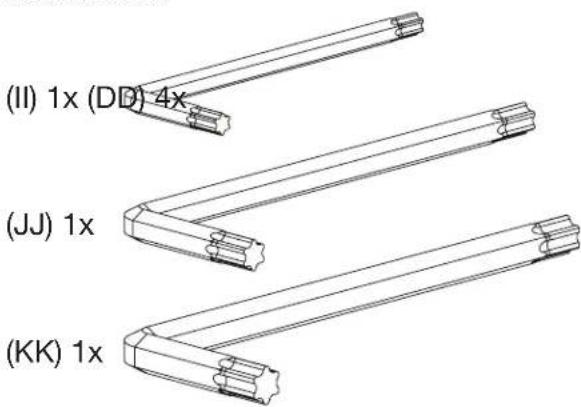
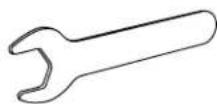
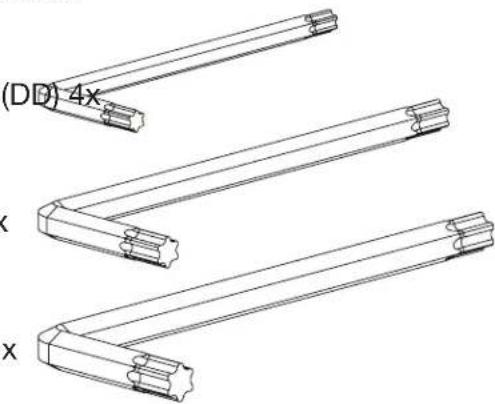
3x Torx Wrenches
4x Rail Spacers
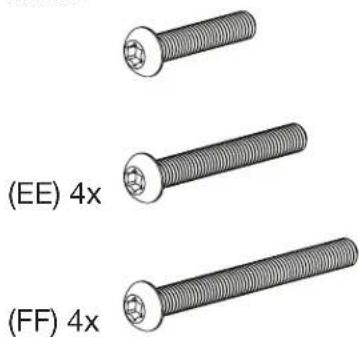
VESA Screws M6
KIT0108
(LL) 1x
VESA Screws M8
KIT0108
1
Remove the tape securing both Extrusion Brackets to the soundbar.
Slide the two Extrusion brackets (located on the mounting channel) to roughly align with the VESA mounting points on your TV.

2
To protect the TV from the Fixed Rails, position the Plastic Spacers over the four VESA mounting inserts.
- By default, please start with (I) 10mm spacers (these are the thickest).
- Position the two static rails (A) over the plastic spacers.
• These rails should be vertically oriented and fit within the profile of the TV.
• They should also be sitting level with or higher than your soundbar.
Note: Now is an excellent time to determine if your static rails require additional spacers to ensure they sit higher than your Décor Soundbar. Use the spacers (G, H, I) provided in your Mounting KIT to adequately raise the level of your rails.
Feel free to use the included VESA screws (KIT0108 - A, B, C, D, E, F) throughout the installation process to keep all mounting components aligned with the VESA mounting points.

The Static Rail should be resting higher than the soundbar.
3
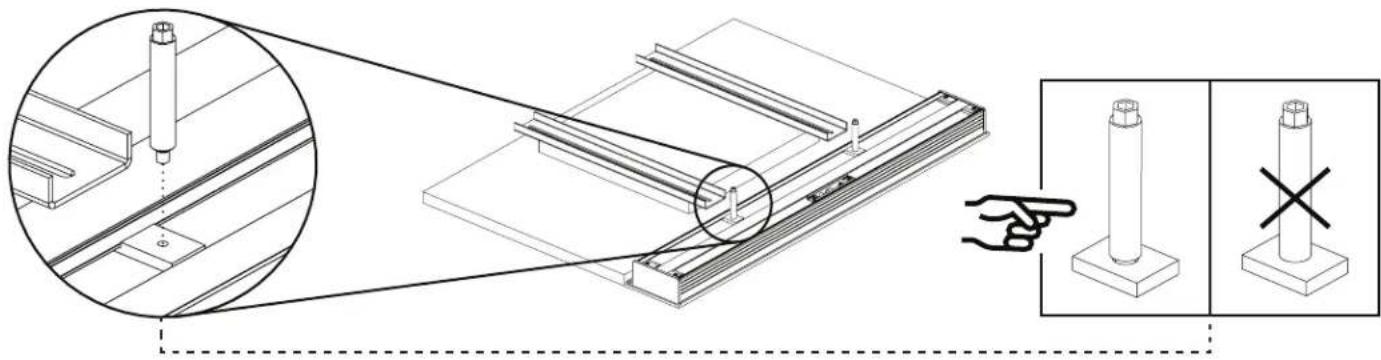
Fasten the length-appropriate Threaded Shafts (D, E - QTY 2x) onto the two extrusion brackets. Do not tighten them all the way, as some adjustments may be required later.
natural_image
Technical illustration of a mechanical assembly with cross-sectional views and a hand pointing to a cylindrical component (no text or symbols present)4
Putting the Sliding Rail Assembly together.
The mounting configuration you received requires constructing two Sliding Rail assemblies.
For this you will need:
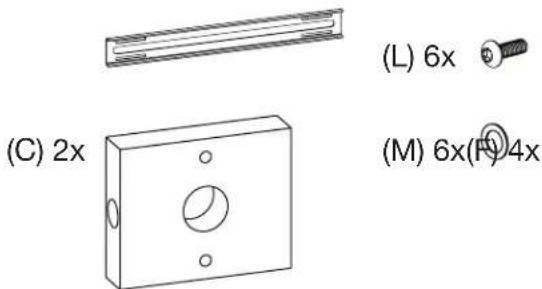
2x Sliding Rails (B)
2x Sliding Rail Brackets (C)
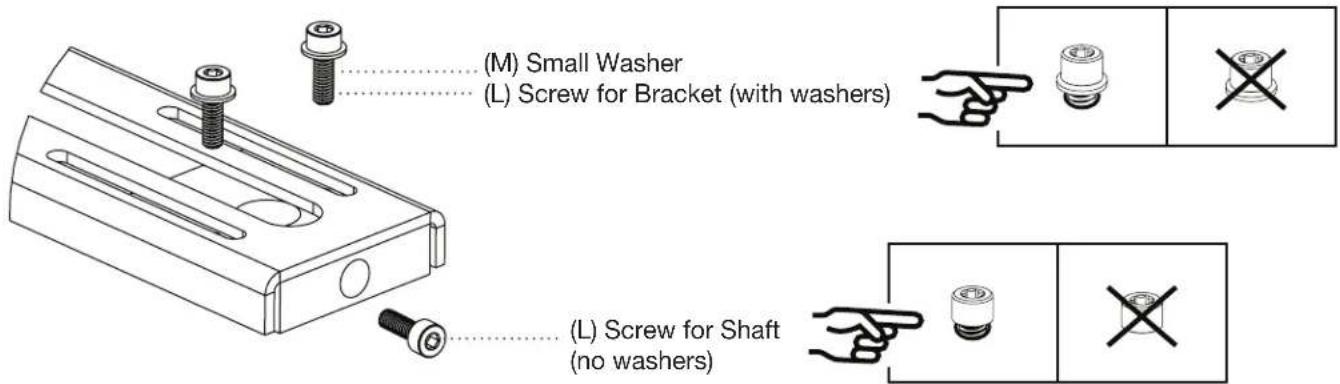
4x Small Washer (M)
6x Shaft / Bracket Screws (L)
Constructing the Sliding Rail Assembly:
a. Each of the Sliding Rail Brackets (QTY 2x) require 2x Shaft / Bracket Screws to fasten onto the Sliding Rails, and
b. 2x Shaft / Bracket Screws to secure the Threaded Shaft.
Place the fastened bracket onto its corresponding section of the Sliding Rail (show double-slotted section of rail). PLEASE DO NOT TIGHTEN THE SCREWS ALL THE WAY.
5
Spacers (KIT0108-H)
Before you proceed any further, please take a moment to ensure that each Fixed Rail has two metal spacers over each of their VESA mounting points. This is to ensure that when tightening the VESA screws, the rail compression does not exceed their mechanical thresholds.

6
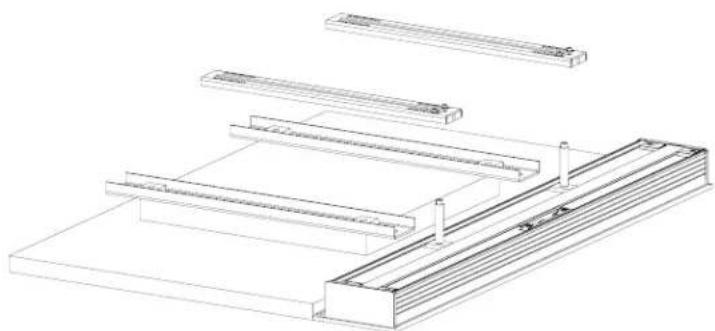
Once assembled, position each Sliding Rail assembly over the previously positioned Static Rails (and their spacers), with the bracket side pointed downwards (show).
natural_image
Technical line drawing of a structural assembly with multiple horizontal supports and a stepped base (no text or symbols)Slide the assembled Sliding Rails over the Threaded Shaft. The Sliding Rails should have one end through the Threaded Shaft and the other resting on the Static Rails.

natural_image
Technical line drawing of a mechanical assembly or support structure (no text or symbols)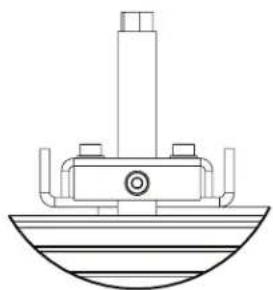
natural_image
Technical line drawing of a boat hull with support structures (no text or symbols)7
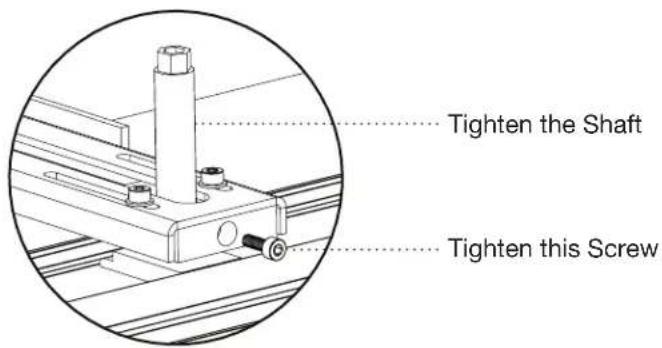
Tighten the threaded shafts and their corresponding screws on the sliding brackets.
8
Securing the rail position.
You will need:
2x Anchor Screws (J)
2x Washers (F)
2x Nuts (K)
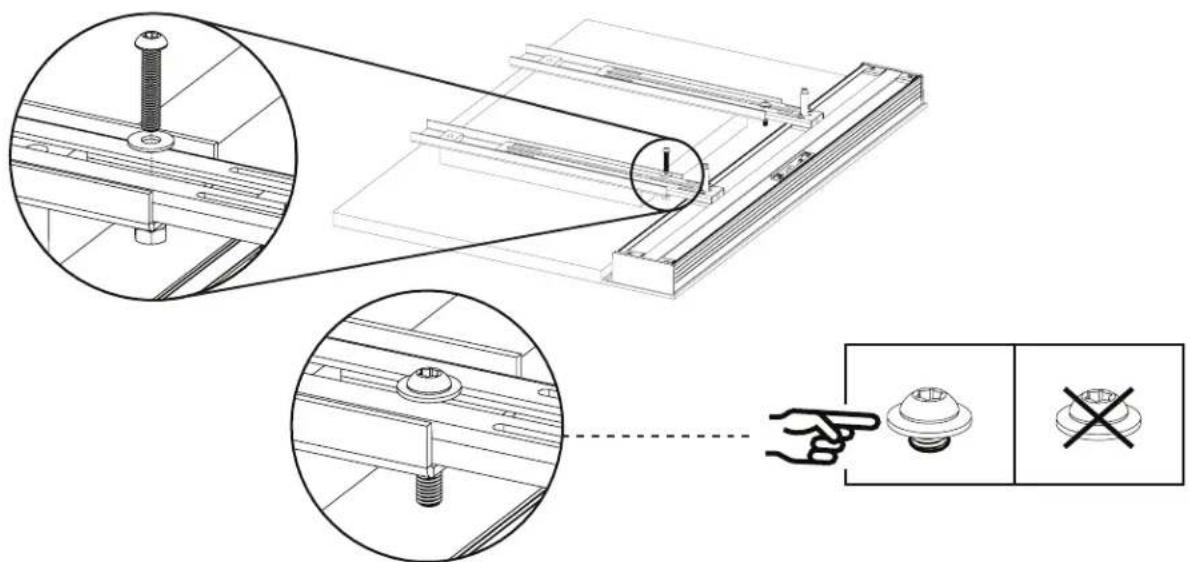
Anchor Screw Installation
At this point, the positioning of ALL Rails will not change, and the positioning will be fixed by the Anchor Screws. To install the Anchor Screw, insert the screw from the underside of the Rail below the bottom-most VESA mounting points and thread the nut/washer combo onto the screw from the opposite side. PLEASE DO NOT TIGHT-EN THE SCREWS ALL THE WAY.
9
For this step, you will need:
You will need:
1x Third-party TV Bracket
4x Provided VESA Mounting Screws (AA, BB, CC, DD, EE, FF)
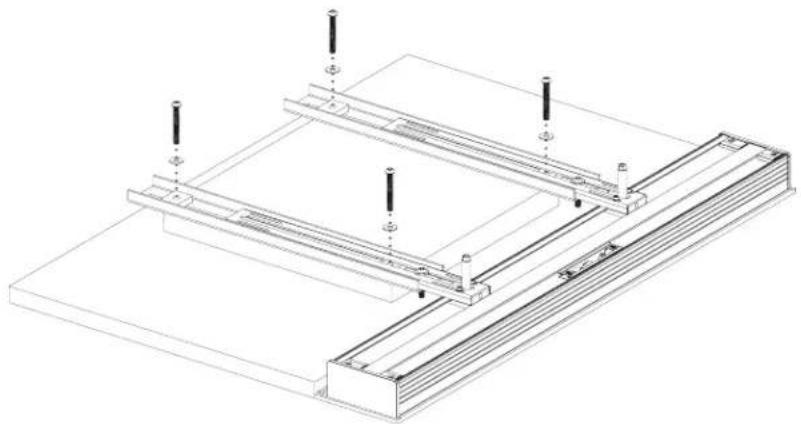
Remove the untightened VESA Mounting Screws (QTY 4x) that have been aligning the assembly so far.
natural_image
Technical line drawing of a structural assembly with mounting brackets and support posts (no text or symbols)With the Anchor Screws in place, please proceed to place your third-party TV Bracket over the assemblies.
With the TV Bracket in position, re-insert the VESA Mounting Screws you have been using to align the assembly and begin tightening them with the provided Torx Keys.
natural_image
Technical line drawings of two structural frame assemblies with mounting brackets and support posts (no text or symbols)
CAUTION: THIS IS A TWO PERSON PROCEDURE. TWO PEOPLE ARE NEEDED TO CARRY OUT THE INSTRUCTIONS OUTLINED BELOW. BE CAREFUL NOT TO DAMAGE TV AND SPEAKER DRIVERS DURING BRACKET INSTALLATION.

CAUTION: CAREFULLY LIFT BY RAILS. DO NOT LIFT BY TV EDGE. Support entire bracket assembly and place onto TV Mount on wall (purchased separately). Follow TV Mounting instructions. WHEN HANGING THE TV, SUPPORT BOTH THE TV AND THE ATTACHED SPEAKERS.
Once all screws have been adequately tightened, lift your TV and Soundbar and mount the assembly onto your third-party wall bracket.

natural_image
Two workers in uniform standing beside a blank rectangular object, no text or symbols present2S/2SC INSTALLATION INSTRUCTIONS ONTO TV
Applies to ALL 2S and 2SC speaker configurations and lengths.
Parts required:
2x Soundbar
2x Cloth Grille (optional)
1x KIT0108
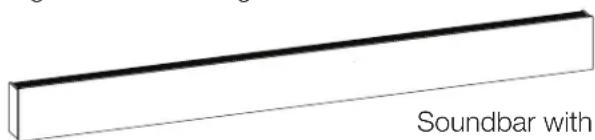
Soundbar with
Cloth Grille
and one of the following kits:
1x KIT0102 (S)
1x KIT0107 (M)
1x KIT0103 (L)
PREPARING YOUR DÉCOR SOUNDBAR FOR INSTALLATION
The best way to ensure a smooth assembly is to mount your new soundbar to the TV while they're on the floor. First, you should ensure that the floor is clear of any debris that may damage your TV or Soundbar. We recommend using a thick blanket to prevent any scratches or direct contact with the floor.
PREPARING YOUR TV FOR SPEAKER INSTALLATION
Place your TV face down on the ground and ensure adequate space to maneuver around during installation.

BACK
GRILLE FIT
If you ordered a Cloth Grille, please remove the grille(s) from its packaging and place it on your Décor Soundbar now. This will ensure the front faces of the TV and soundbars are flush with one another.
| TV |
Front
FLUSH FIT
Position your new Décor soundbars face down in the desired positions relative to your television. When face down, please ensure the mounting channel is always closest to the TV. The soundbars should be installed flush against the TV, and the top and bottom sides should be aligned with the TV's top and bottom sides.
Note: 2SC Soundbars must also be oriented in the correct "L" (left) and "R" (right) orientations.

natural_image
Pure diagram of two rectangular panels labeled R and L with a central square, no text or symbols present.Extrusion Brackets in the Mounting Channel.

natural_image
Diagram of a circular container with internal compartments and labeled ports (no text or symbols)2S/2SC COMPONENTS LIST
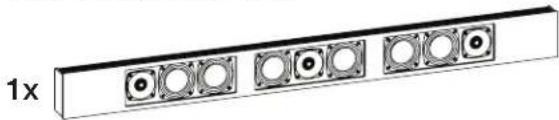
2x Soundbar

natural_image
Pure electrical circuit lines without any symbols- 2 MDF Grilles (if option selection)
- 4x Extrusion Brackets
1x KIT0102 or KIT0107 or KIT0103
(A) 2x
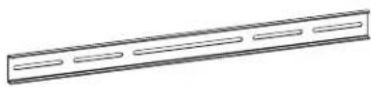
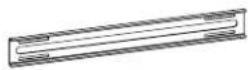
(A) Fixed Rail length will differ between KIT0102 (S) / KIT0107 (M) / KIT0103 (L)
12x 3 Plastic Spacers
(G) 12x

(H) 12x (I) 12x
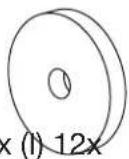
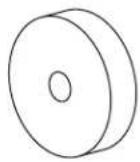
2x Threaded Shafts (long)
2x Threaded Shafts (short)
4x Anchor Screws
(E) 4x
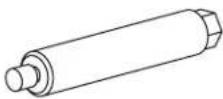
(J) 8x

(D) 4x
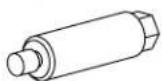
(K) 8x


2x Sliding Rail Assemblies
(L) 12x

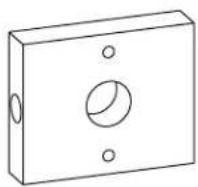
(C) 4x
(M) 12x(F)8x
1x KIT0108
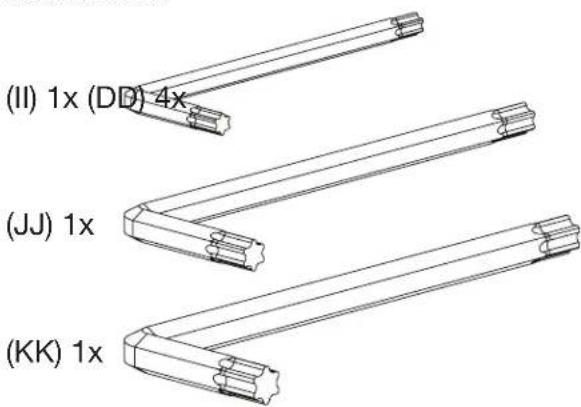
3x Torx Wrenches
(II) 1x

VESA Screws M6
KIT0108
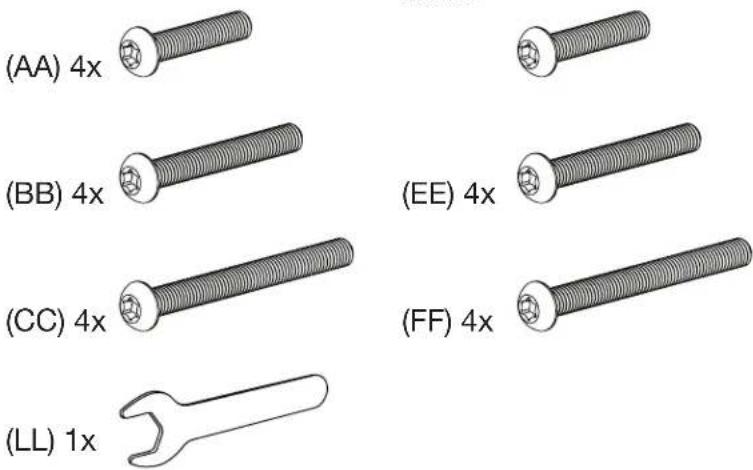
(AA) 4x

VESA Screws M8
KIT0108
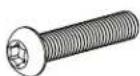
(BB) 4 ×

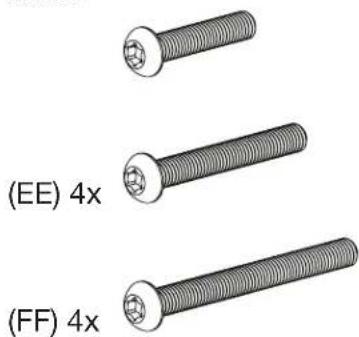
(EE) 4x
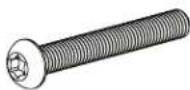
(CC) 4x
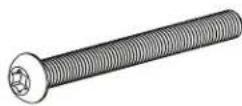
(FF) 4x
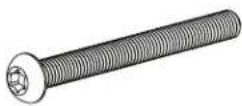
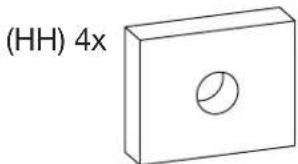
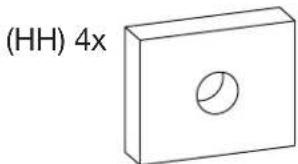
4x Rail Spacers
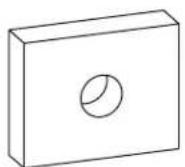
(HH) 4x
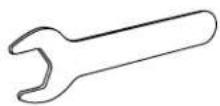
(LL) 1x
1
Remove the tape securing both Extrusion Brackets to the soundbar.
Slide the two extrusion brackets (located on the mounting channel) to roughly align with the VESA mounting points on your TV.
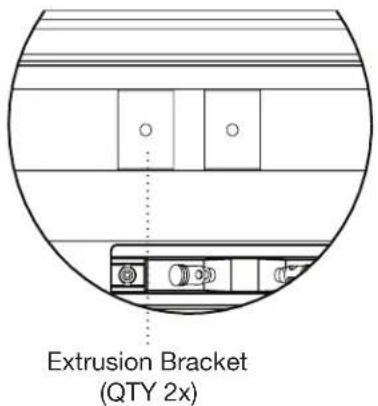

To protect the TV from the fixed rails, position QTY 4 Plastic spacers over the four VESA mounting inserts.
- By default, please start with (I) 10mm spacers (these are the thickest).
- Position the two static rails (A) over the plastic spacers.
• These rails should be horizontally oriented and fit within the TV profile.
• They should also be sitting level with or higher than your soundbar.
Note: Now is an excellent time to determine if your static rails require additional spacers to ensure they sit higher than your Décor Soundbar. Use the spacers (G, H, I) provided in your Mounting KIT to adequately raise the level of your rails.
Feel free to use the included VESA screws (KIT0108 - AA, BB, CC, DD, EE, FF) throughout the installation process to keep all mounting components aligned with the VESA mounting points.

3
Fasten qty 4 length appropriate Threaded Shafts (D, E) onto the four extrusion brackets. Do not tighten the shafts fully, as some final adjustments may be required in later steps.

natural_image
Technical diagram showing mechanical assembly with cross-sectional and side views, no text or symbols present4
Putting the Sliding Rail Assembly together.
The mounting configuration you have received requires two Sliding Rail assemblies to be constructed.
For this you will need:
4x Sliding Rails (B)
4x Sliding Rail Brackets (C)
8x Small Washer (M)
12x Shaft / Bracket Screws (L)
Constructing the Sliding Rail Assembly:
a. Each of the Sliding Rail Brackets (QTY 4x) require 4x Shaft / Bracket Screws to fasten onto the Sliding Rails, and
b. 1x Shaft / Bracket Screws to secure the Threaded Shaft.
Place the fastened bracket onto the corresponding section of the Sliding Rail (show double-slotted section of rail). PLEASE DO NOT TIGHTEN THE SCREWS ALL THE WAY.

5
Spacers (KIT0108-H)
Before you proceed any further, please take a moment to ensure that each Fixed Rail has two metal spacers over each of their VESA mounting points. This is to ensure that when tightening the VESA screws, the rail compression does not exceed their mechanical thresholds.
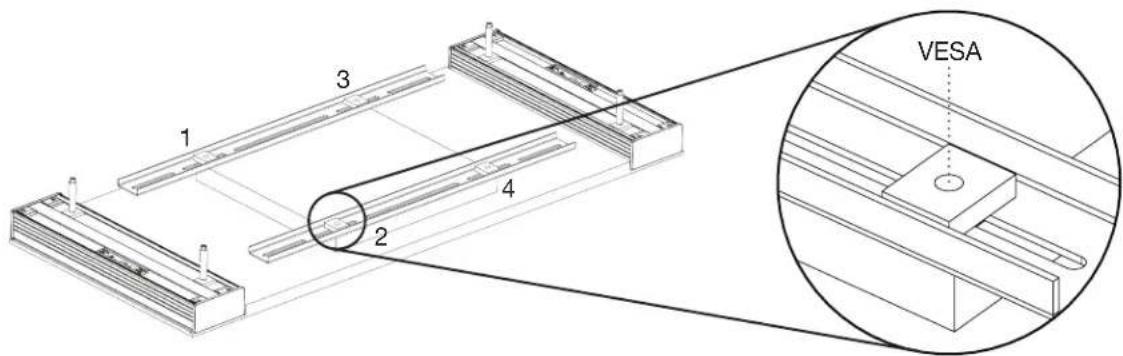
6
Once assembled, position each of the four Sliding Rail assemblies over the previously positioned Static Rails (and their spacers), with the bracket side pointed downwards (as shown).

natural_image
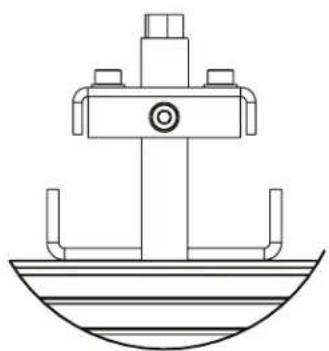
Technical line drawing of a structural frame assembly (no text or symbols)Slide the assembled Sliding Rails over the Threaded Shaft. The Sliding Rails should have one end through the Threaded Shaft and the other resting on the Static Rails.
natural_image
Technical line drawing of a mechanical assembly with no visible text or symbols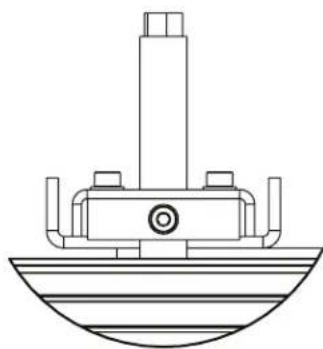
natural_image
Technical line drawing of a mechanical component with no visible text or symbols7
Tighten the threaded shafts and their corresponding screws on the sliding brackets.
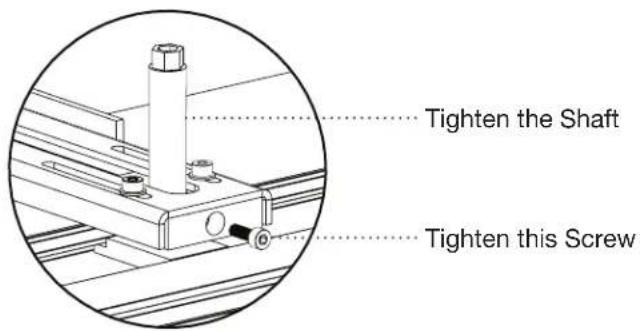
8
To secure the rail position, you will need:
4x Anchor Screws (J)
8x Washers (F)
4x Nuts (K)
Anchor Screw Installation
At this point, the positioning of ALL Rails will not change, and the positioning will be fixed by the Anchor Screws. To install the Anchor Screw, insert the screw from the underside of the Rail below the bottom-most VESA mounting points and thread the nut/washer combo onto the screw from the opposite side. PLEASE DO NOT TIGHTEN THE SCREWS ALL THE WAY, OR INSTALL THEM VIA THE VESA MOUNTING INSERTS.

9
For this step, you will need:
1x Third-party TV Bracket
4x Provided VESA Mounting Screws (AA, BB, CC, DD, EE, FF)
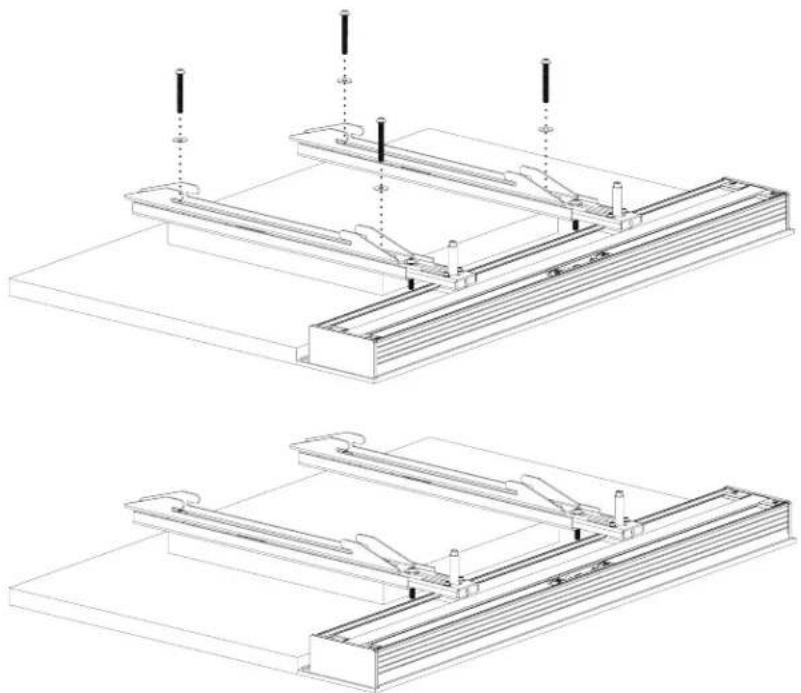
Remove the untightened VESA Mounting Screws (QTY 4x) that have been aligning the Assembly so far.

natural_image
Technical line drawing of a rectangular electronic component with mounting holes and internal structure (no text or symbols)With the Anchor Screws in place, please proceed to place your third-party TV Bracket over the assemblies.
With the TV Bracket in position, re-insert the VESA Mounting Screws you have been using to align the assembly and begin tightening them with the provided Torx Keys.

natural_image
Technical line drawing of two structural frame assemblies with mounting brackets and support posts (no text or symbols)
CAUTION: THIS IS A TWO PERSON PROCEDURE. TWO PEOPLE ARE NEEDED TO CARRY OUT THE INSTRUCTIONS OUTLINED BELOW. BE CAREFUL NOT TO DAMAGE TV AND SPEAKER DRIVERS DURING BRACKET INSTALLATION.

CAUTION: CAREFULLY LIFT BY RAILS. DO NOT LIFT BY TV EDGE. Support entire bracket assembly and place onto TV Mount on wall (purchased separately). Follow TV Mounting instructions. WHEN HANGING THE TV, SUPPORT BOTH THE TV AND THE ATTACHED SPEAKERS.
Once all screws have been adequately tightened, lift your TV and Soundbar and mount the assembly onto your third-party wall mounting bracket.
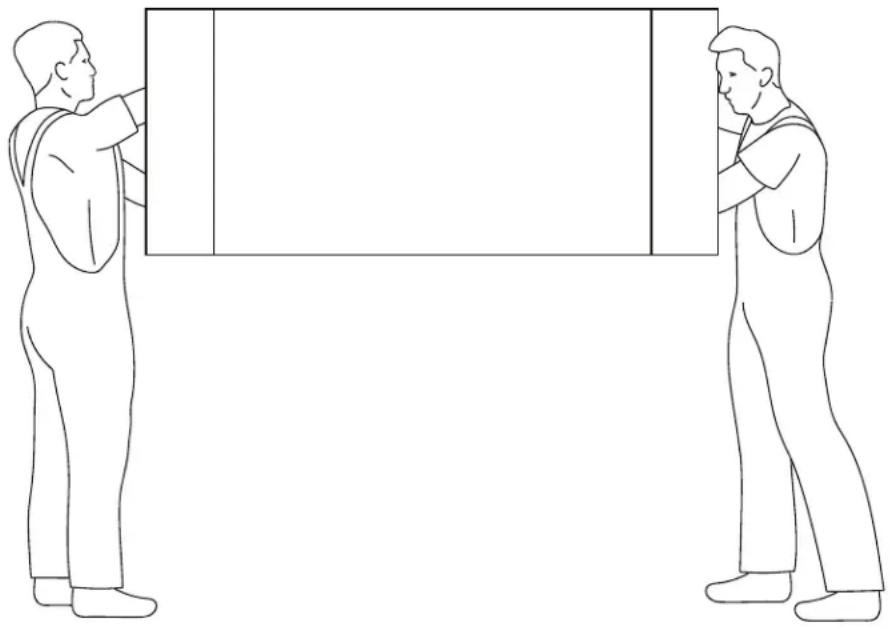
natural_image
Two individuals in a physical exercise or martial arts stance, holding rectangular objects (no text or symbols visible)3SC SPEAKER INSTALLATION ONTO TV
Applies to ALL 3SC speaker configurations and lengths.
Parts required:
3x Soundbar
3x Cloth Grille (optional)
2x KIT0108

Cloth grille
and, two separate kits listed below:
1x 1S/1C/1SC
1x 2S/2SC
2x KIT0102 (S)
2x KIT0107 (M)
2x KIT0103 (L)
PREPARING YOUR DÉCOR SOUNDBAR FOR INSTALLATION
The best way to ensure a smooth assembly is to mount your new soundbar to the TV while they're on the floor. First, you should ensure that the floor is clear of any debris that may damage your TV or Soundbar. We recommend using a thick blanket to prevent any scratches or direct contact with the floor.
PREPARING YOUR TV FOR SPEAKER INSTALLATION
Place your TV face down on the ground and ensure adequate space to maneuver around during installation.
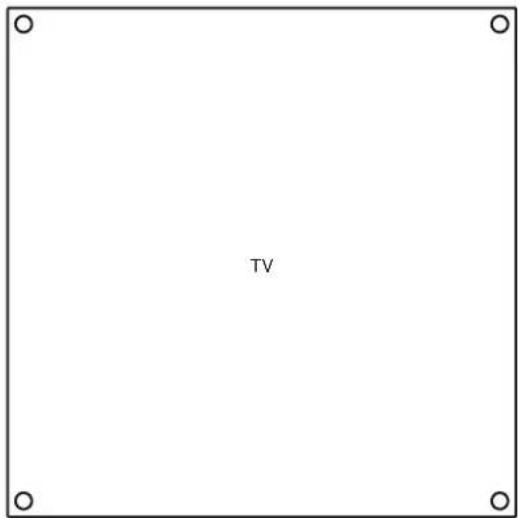
GRILLE FIT
If you ordered a Cloth Grille, please remove the grille(s) from its packaging and place it on your Décor Soundbar now. This will ensure the front faces of the TV and soundbars are flush with one another. In addition, if you ordered a contour grille, please ensure it is aligned with the corresponding TV contour.
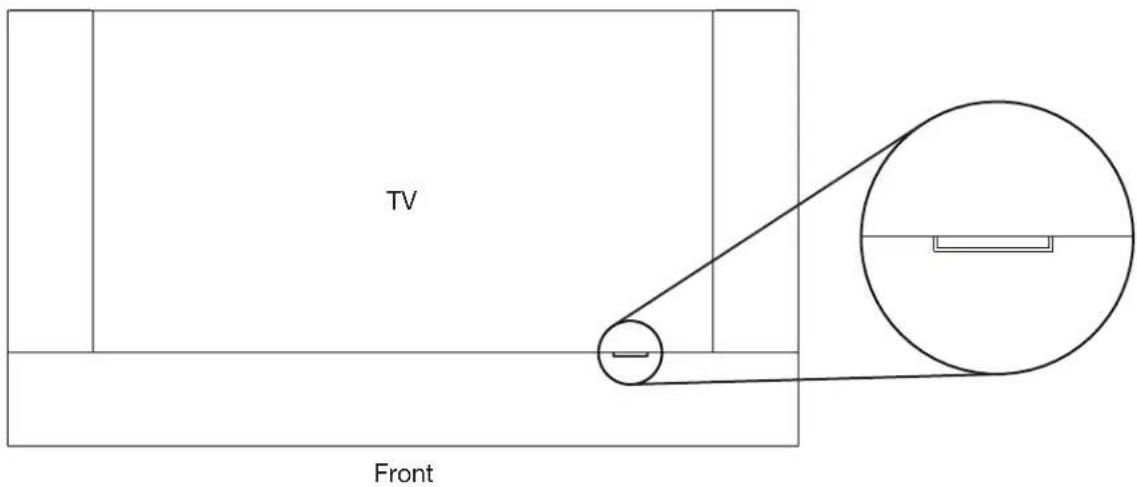
FLUSH FIT
Position your new Décor soundbars face down in the desired positions, relative to your television. When face down, please ensure that the mounting channel is always closest to the TV. The soundbars should be flush with the side of the TV, and the top and bottom should be aligned with the top and bottom of the TV as well.

1S/1C/1SC COMPONENTS LIST
1x Soundbar
natural_image
Pure electrical circuit lines without any symbols1x KIT0104 or KIT0105 or KIT0106

natural_image
Simple line drawing of a rectangular object with evenly spaced horizontal lines and a label '(A) 2x' (no other text or symbols)(A) Fixed Rail length will differ between KIT0104 / KIT0105 / KIT0106
12x 3 Plastic Spacers

2x Threaded Shafts (long)
2x Threaded Shafts (short)

4x Anchor Screws

2x Sliding Rail Assemblies
1x KIT0108
3x Torx Wrenches
4x Rail Spacers
VESA Screws M6
KIT0108

VESA Screws M8
KIT0108
2S/2SC COMPONENTS LIST
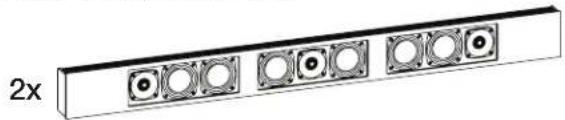
2x Soundbar
natural_image
Pure diagram of a rectangular panel with six circular components, no text or symbols present- 2 MDF Grilles (if option selection)
- 4x Extrusion Brackets
1x KIT0102 or KIT0107 or KIT0103
(A) 2x
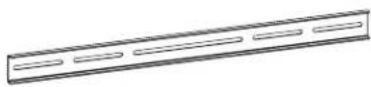
(A) Fixed Rail length will differ between KIT0102 (S) / KIT0107 (M) / KIT0103 (L)
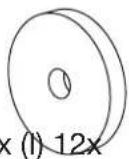
12x 3 Plastic Spacers
(G) 12x

(H) 12x (I) 12x
2x Threaded Shafts (long)
2x Threaded Shafts (short) 4x Anchor Screws
(E) 4x

(J) 8x

(D) 4x
(K) 8x


2x Sliding Rail Assemblies
(C) 4x
(L) 12x

(M) 12x

1x KIT0108
3x Torx Wrenches
(II) 1x
VESA Screws M6
KIT0108
(AA) 4x

VESA Screws M8
KIT0108
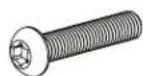
(BB) 4 ×

(EE) 4x
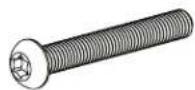
(CC) 4x

(FF) 4x

4x Rail Spacers
(HH) 4x
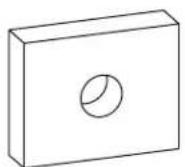
(LL) 1x

1
Remove the tape securing both Extrusion Brackets to the soundbar.
Slide all extrusion brackets (located on the mounting channel) to roughly align with the VESA mounting points on your TV.

2
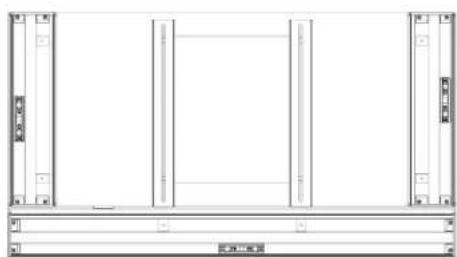
To protect the TV from the Fixed Rails, position Plastic Spacers (QTY 4x) over the four VESA mounting inserts.
- By default, please start with (I) 10mm spacers (these are the thickest).
- Position the two static rails (A) over the plastic spacers.
• These rails should be horizontally oriented and fit within the TV profile..
• They should also be sitting level with or higher than your soundbar.
Note: Now is an excellent time to determine if your static rails require additional spacers to ensure they sit higher than your Décor Soundbar. Use the spacers (G, H, I) provided in your Mounting KIT to adequately raise the level of your rails.
Feel free to use the included VESA screws (KIT0108 - AA, BB, CC, DD, EE, FF) throughout the installation process to keep all mounting components aligned with the VESA mounting points.


natural_image
Pure architectural line drawing of a window frame with no text, numbers, or symbols3
Fasten length appropriate Threaded Shafts (D or E – QTY 4x) onto the four extrusion brackets. Do not tighten the shafts fully, as some final adjustments may be required in later steps.
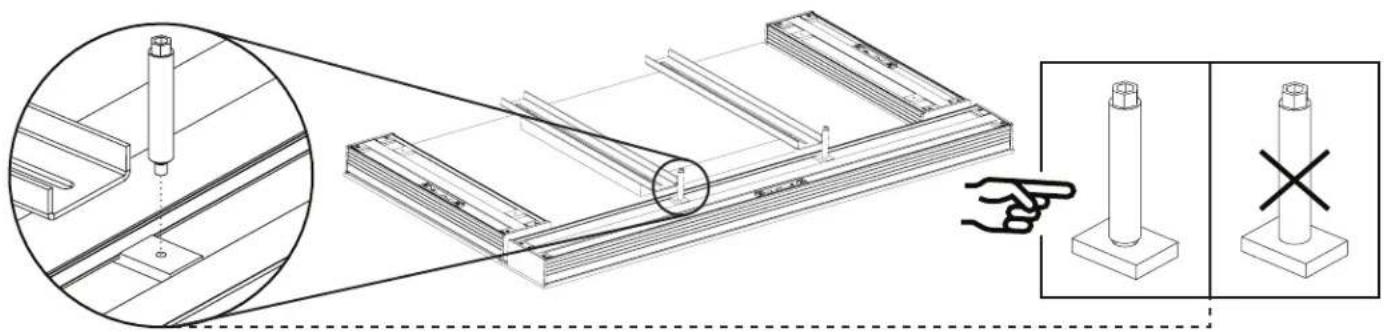
natural_image
Technical illustration of a mechanical assembly with a magnified inset showing a pin alignment detail (no text or symbols present)4
Putting the Sliding Rail Assembly together:
The mounting configuration you have received requires two Sliding Rail assemblies to be constructed.
For this you will need:
6x Sliding Rails (B)
6x Sliding Rail Brackets (C)
12x Small Washer (M)
18x Shaft / Bracket Screws (L)
Constructing the Sliding Rail Assembly:
a. Each of the Sliding Rail Brackets (QTY 6x) require 2x Shaft / Bracket Screws to fasten onto the Sliding Rails, and
b. 1x Shaft / Bracket Screws to secure the Threaded Shaft.
Place the fasten bracket onto its corresponding section of the Sliding Rail. PLEASE DO NOT TIGHTEN THE SCREWS ALL THE WAY.

5
Spacers (KIT0108-H)
Before you proceed any further, please take a moment to ensure that four metal spacers over each of the VESA mounting points. This is to ensure that when tightening the VESA screws, the rail compression does not exceed their mechanical thresholds, while also allowing the VESA screw to pass through and into the TV.
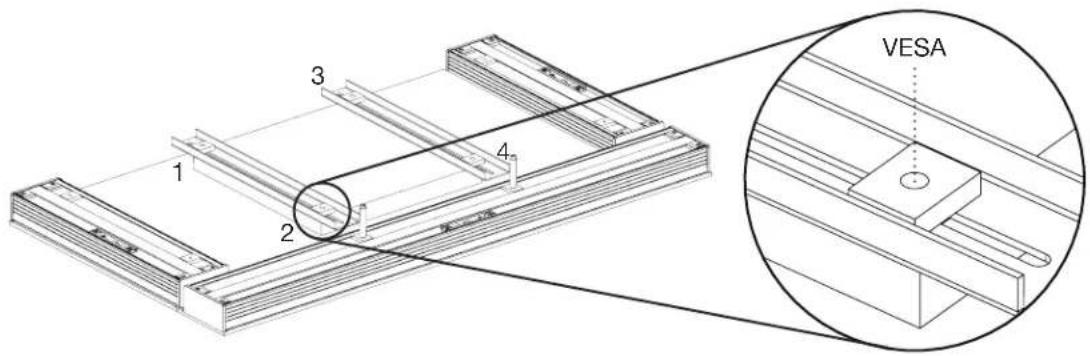
6
Once assembled, position each of the two Sliding Rail assemblies over the previously positioned Fixed Rails (and their spacers), with the bracket side pointed downwards.
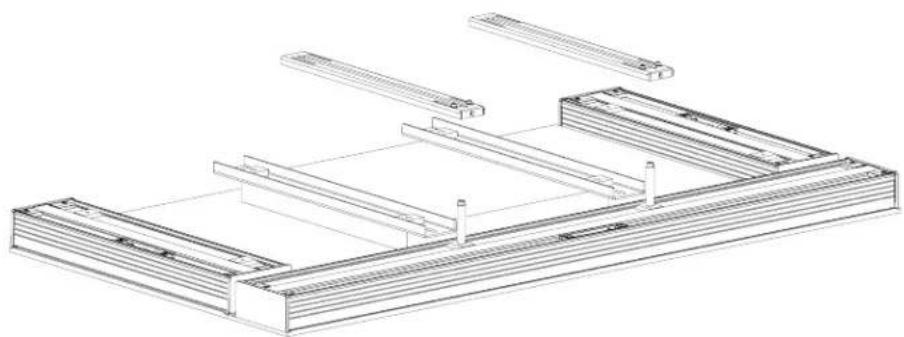
natural_image
Technical line drawing of a structural frame assembly (no text or symbols)Slide the assembled Sliding Rails over the Threaded Shaft. The Sliding Rails should have one end through the Threaded Shaft and the other resting on the Static Rails.
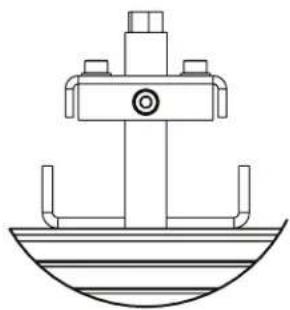
natural_image
Technical line drawing of a mechanical assembly with no visible text or symbols
natural_image
Technical line drawing of a mechanical component with no visible text or symbols7
Please tighten the threaded shafts and their corresponding screws on the sliding brackets.

8
To secure the rail position, you will need:
2x Anchor Screws (J)
4x Washers (F)
2x Nuts (K)
Anchor Screw Installation
At this point, the positioning of ALL Rails will not change, and the positioning will be fixed by the Anchor Screws. To install the Anchor Screw, insert the screw from the underside of the Rail below the bottom-most VESA mounting points and thread the nut/washer combo onto the screw from the opposite side. PLEASE DO NOT TIGHTEN THE SCREWS ALL THE WAY, OR INSTALL THEM VIA THE VESA MOUNTING INSERTS.

9
With your horizontal soundbar (1C/1S/1SC) mounting almost complete, begin the installation of your two vertical soundbars (2S/2SC). Start with the Fixed Rails (QTY 4x).

Please position the Fixed Rails (QTY 2x) over the previously installed rail set and ensure alignment over the TV's VESA inserts. Please use the provided VESA screws to maintain alignment throughout the remainder of the installation process.
10
Install the Threaded Shafts (QTY 4x) for your two vertical soundbars. These should be roughly in alignment with Fixed Rails you just installed. Please tighten the Threaded Shafts (QTY 4x), but do not tighten them all the way.

natural_image
Technical line drawing of a structural frame assembly with two views (top and side), showing bolted components and connection details (no text or symbols present)11
Please place four additional metal spacers over the (2S/2SC).
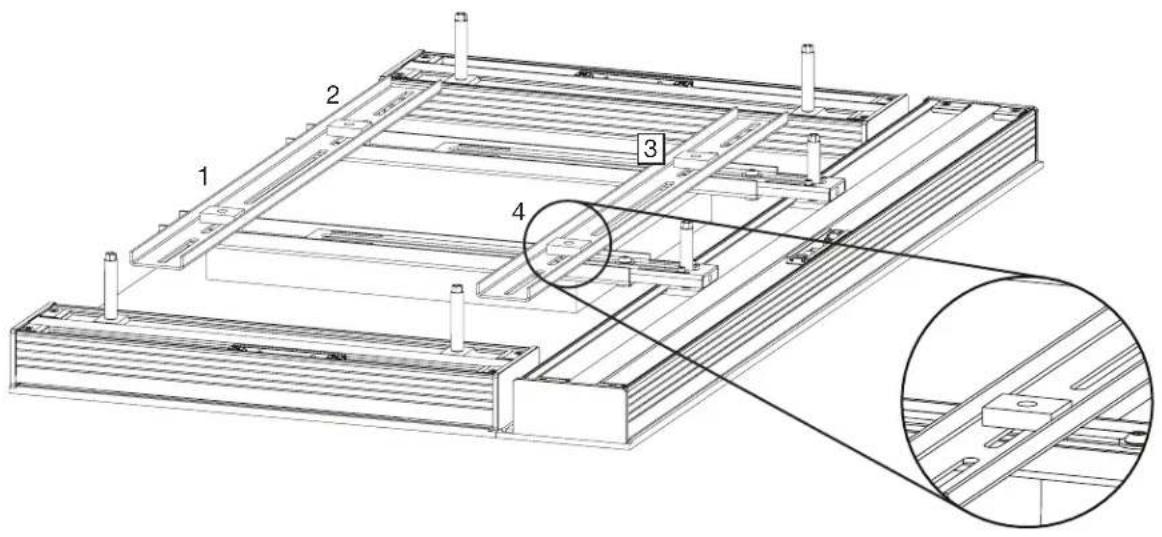
12
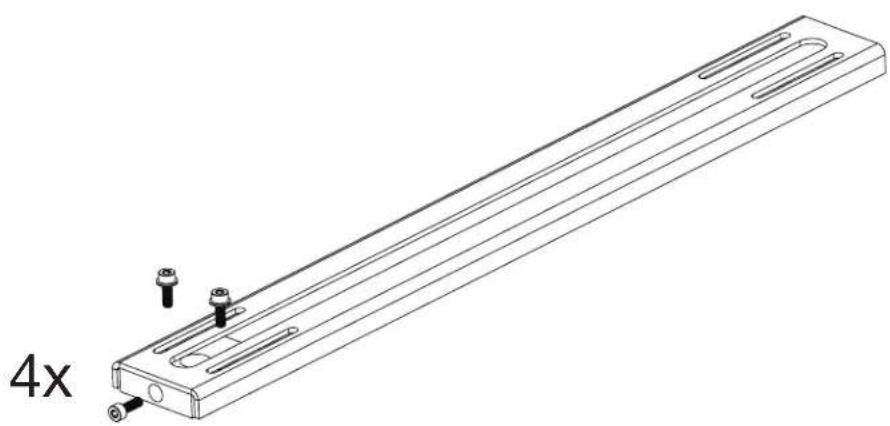
Please collect the four additional Sliding Rail assemblies that were assembled in step 4 of these instructions. These will be positioned in the next step. If you have any questions relating to the Sliding Rail assembly, please refer to step 4.
natural_image
Technical line drawing of a mechanical component with mounting holes and a 4x multiplier label (no text or symbols on the diagram itself)13
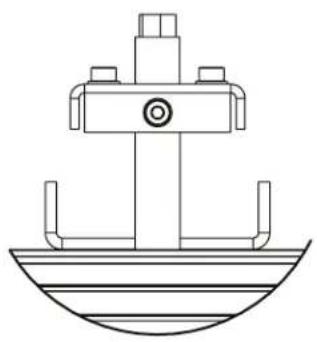
Position each of the four Sliding Rail assemblies over the Fixed Rails (and their spacers), with the bracket side pointed downwards.

natural_image
Technical line drawing of a structural frame assembly with multiple horizontal supports and support columns (no text or symbols)Slide the assembled Sliding Rails over the Threaded Shaft. The Sliding Rails should have one end through the Threaded Shaft and the other resting on the Static Rails.
natural_image
Technical line drawing of a mechanical assembly with no visible text or symbols
natural_image
Technical line drawing of a ship's bow and hull (no text or symbols)With the Sliding Rails positioned as far down as they can go, please tighten the shaft screw (L) on each of the four Sliding Rails.

14
Securing the rail position.
At this point, the positioning of ALL Rails will not change, and the positioning will be fixed by the Anchor Screws. To install the Anchor Screw, insert the screw from the underside of the Rail below the bottom-most VESA mounting points and thread the nut/washer combo onto the screw from the opposite side. PLEASE DO NOT TIGHTEN THE SCREWS ALL THE WAY, OR INSTALL THEM VIA THE VESA MOUNTING INSERTS.

natural_image
Technical diagram of a mechanical assembly with bolted components and a hand pointing to a component (no text or symbols present)15
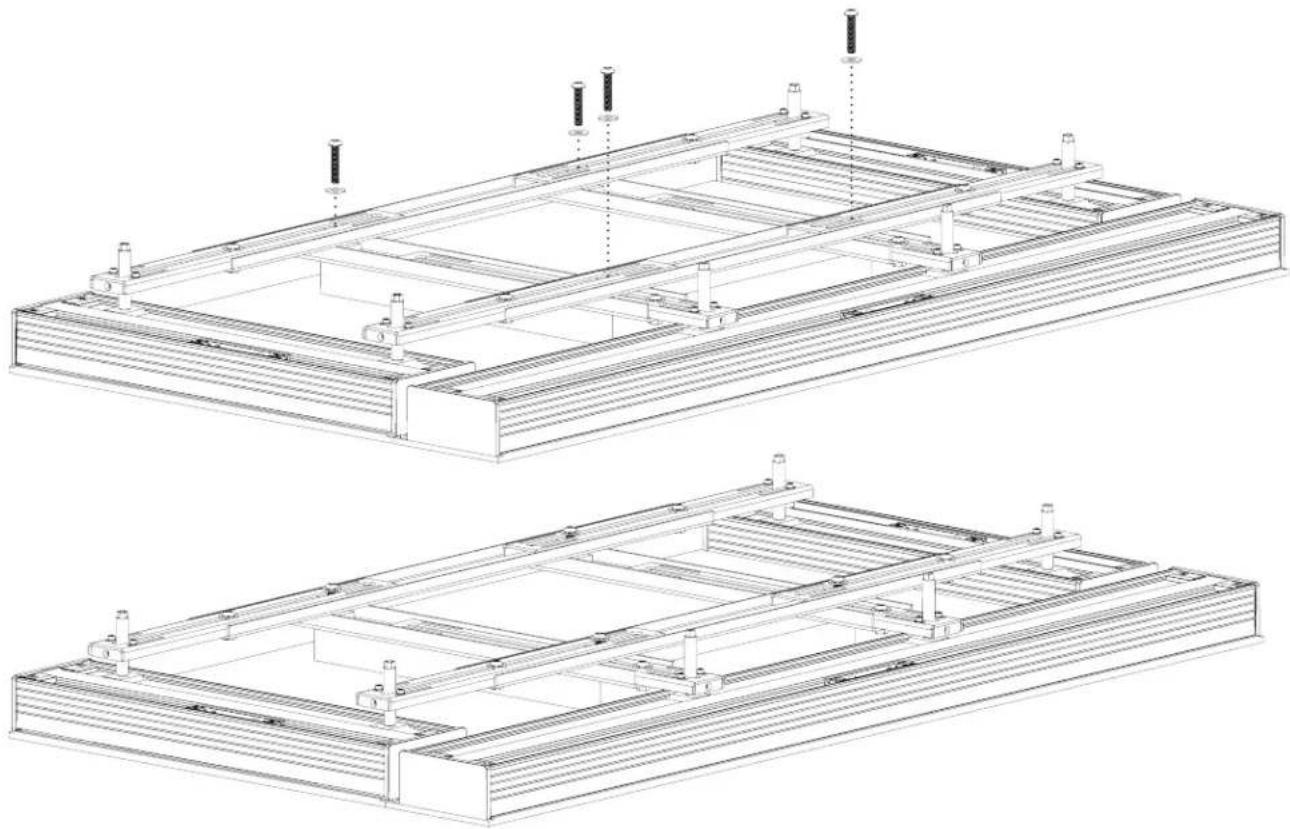
For this step, you will need:
1x Third-party TV Bracket
4x Provided VESA Mounting Screws (AA, BB, CC, DD, EE, FF)
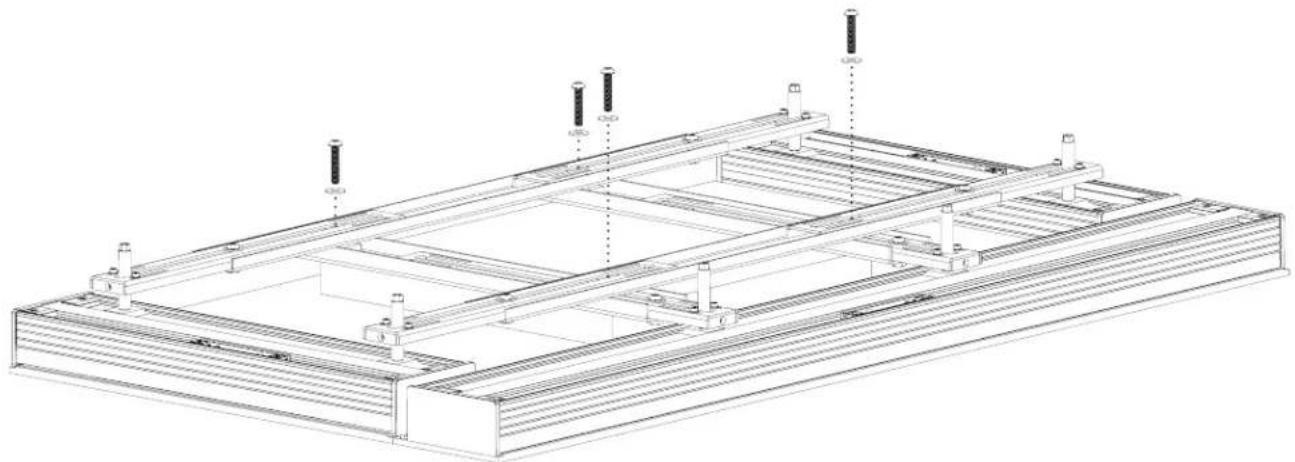
Remove the untightened VESA Mounting Screws (QTY 4x) that have been aligning the Assembly so far.
natural_image
Technical line drawing of a structural frame assembly with supports and mounting points (no text or symbols)With the Anchor Screws in place, please proceed to place your third-party TV Bracket over the assemblies.
With the TV Bracket in position, re-insert the VESA Mounting Screws you have been using to align the assembly and begin tightening them with the provided Torx Keys.
natural_image
Technical line drawings of two structural frame assemblies with mounting brackets and support posts (no text or symbols)
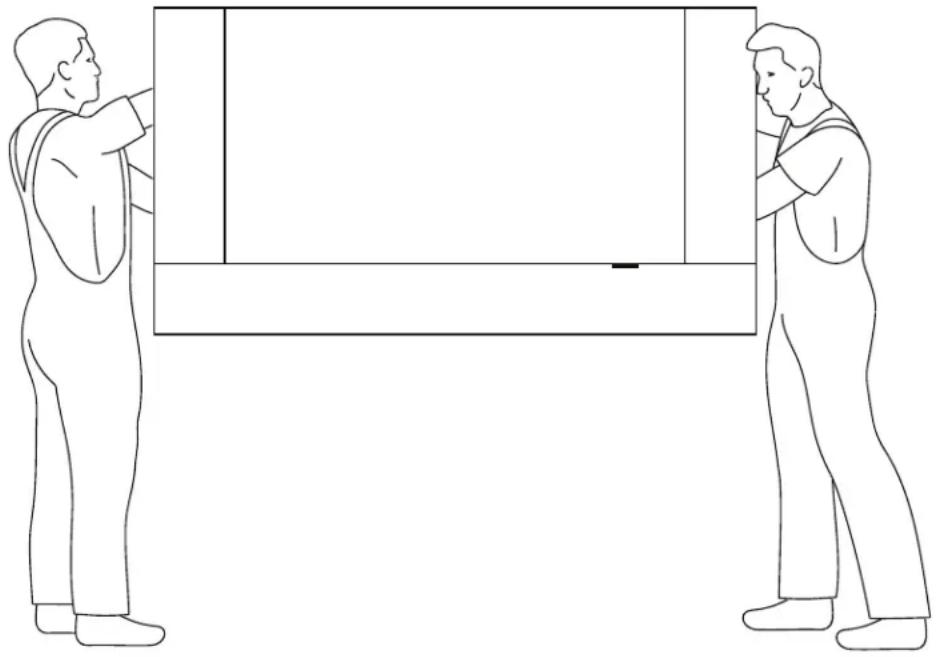
CAUTION: THIS IS A TWO PERSON PROCEDURE. TWO PEOPLE ARE NEEDED TO CARRY OUT THE INSTRUCTIONS OUTLINED BELOW. BE CAREFUL NOT TO DAMAGE TV AND SPEAKER DRIVERS DURING BRACKET INSTALLATION.

CAUTION: CAREFULLY LIFT BY RAILS. DO NOT LIFT BY TV EDGE. Support entire bracket assembly and place onto TV Mount on wall (purchased separately). Follow TV Mounting instructions. WHEN HANGING THE TV, SUPPORT BOTH THE TV AND THE ATTACHED SPEAKERS.
Once all screws have been adequately tightened, lift your TV and Soundbar and mount the assembly onto your third-party wall mounting bracket.
natural_image
Two individuals standing in opposite directions, one holding a rectangular object (no text or symbols visible)1S/1C/1SC WALL MOUNT INSTALLATION (43"-64.9" LENGTH MODELS)
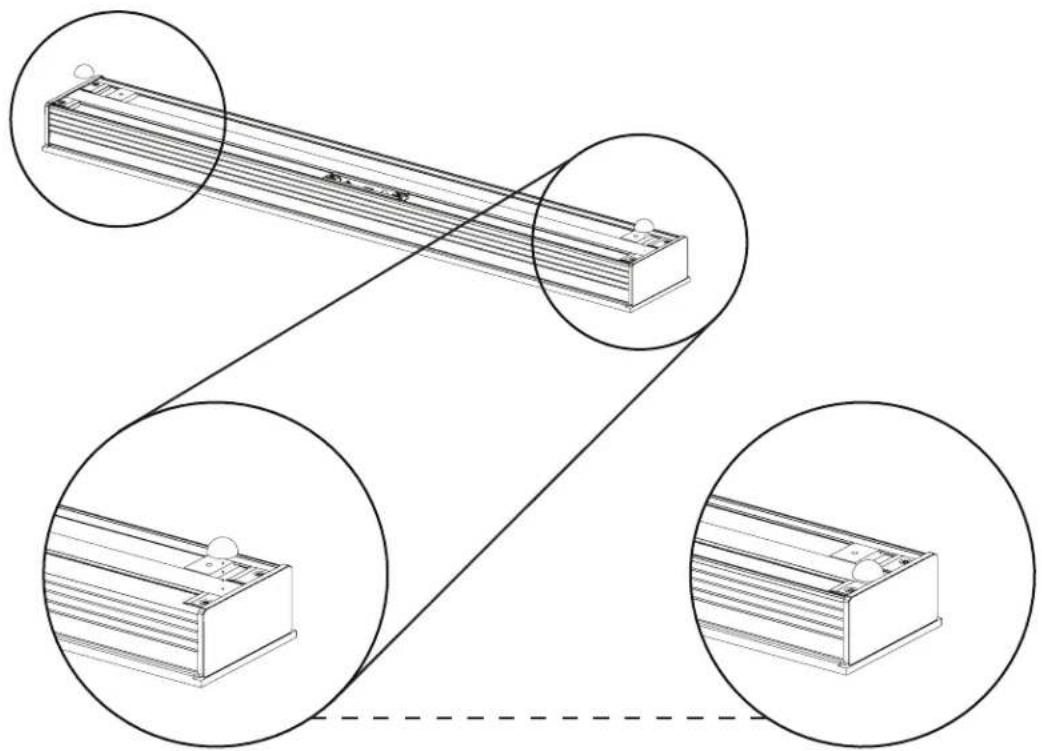
1
Affix Rubber Bumpers to the back of the speaker.
natural_image
Technical line drawing of a battery pack assembly with three circular insets showing internal components (no text or labels)2
Ensuring the Wall Mount Bracket is level, attach it to the wall using screws (not supplied). Seek professional advice for the appropriate screw hardware for your wall construction. Depending on the weight of your soundbar and the construction of walls, it is highly recommended you screw into wall studs.

natural_image
Technical line drawing of a mechanical component with screw holes and dotted lines indicating assembly or alignment (no text or symbols)3
Hang the speaker on the wall.

natural_image
Technical line drawing of a mechanical assembly with mounting flanges and a central circular component (no text or symbols)1S/1C/1SC WALL MOUNT INSTALLATION (65"-100" LENGTH MODELS)
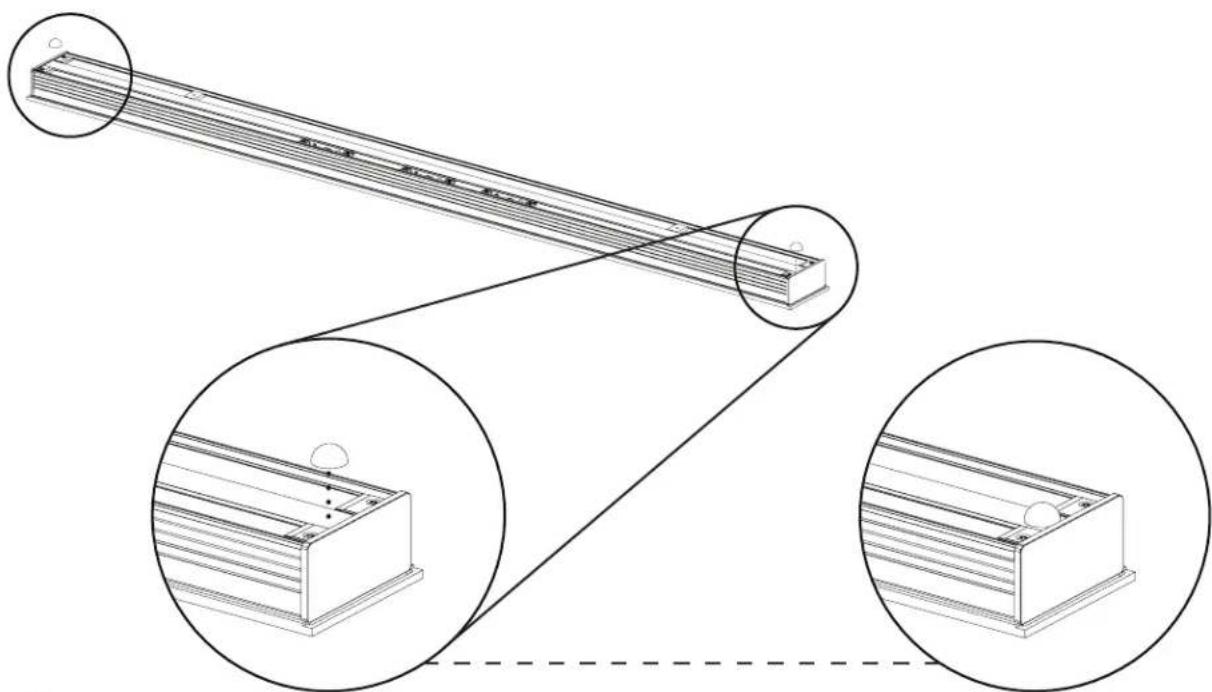
1
Affix rubber bumpers to the back of the speaker.
natural_image
Technical line drawing of a mechanical assembly with two views showing internal components (no text or symbols)2
Ensuring the Wall Mount Brackets are level, attach them to the wall using screws (not supplied). Seek professional advice for the appropriate screw hardware for your wall construction. Depending on the weight of your soundbar and the construction of walls, it is highly recommended you screw into wall studs.
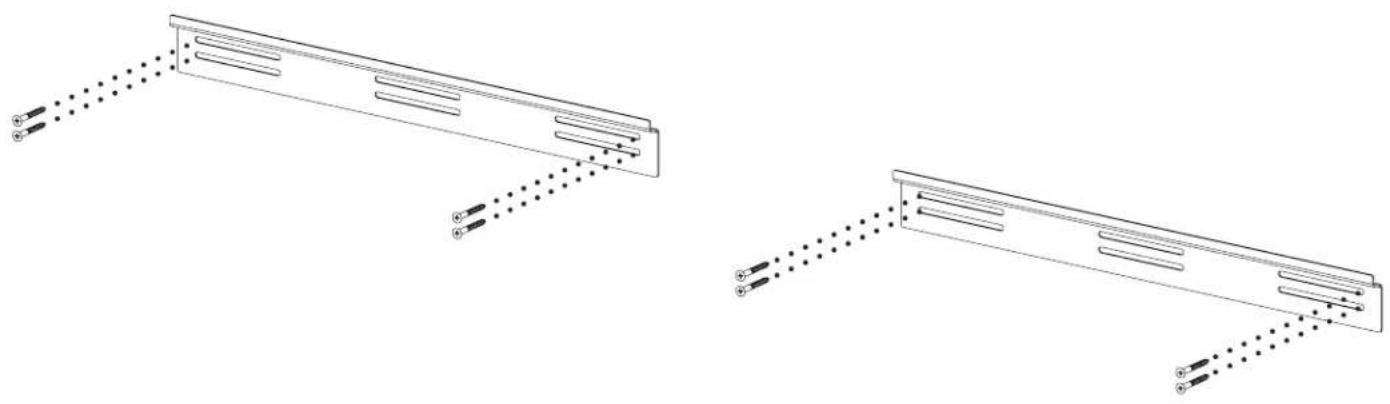
3
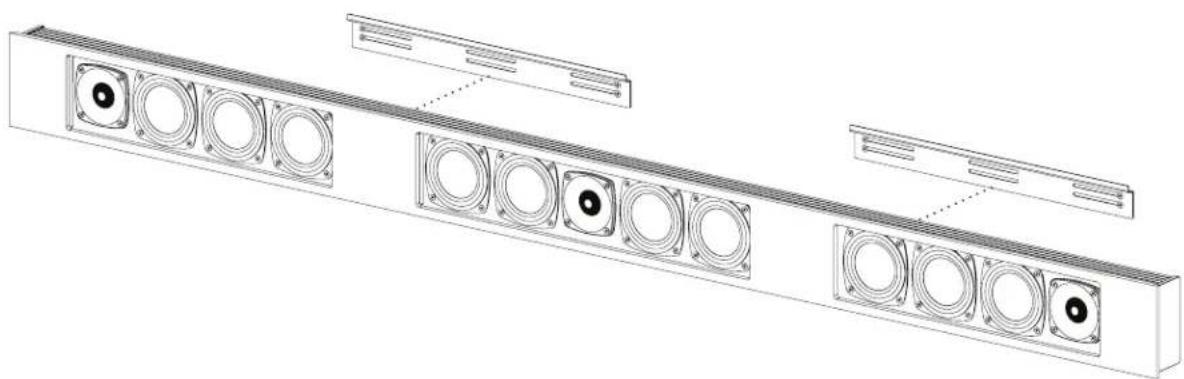
Hang speaker on the Wall Mount Brackets.
natural_image
Technical line drawing of a multi-panel industrial enclosure with circular components and ventilation grilles (no text or symbols)2S/2C WALL MOUNT INSTALLATION (ALL MODELS)
1
Align both Extrusion Brackets side by side.

natural_image
Technical line drawing of a server rack with zoomed-in detail view (no text or symbols)2
Attach the Extrusion Side Bracket to the Extrusion Brackets using the included Flanged Screws.

natural_image
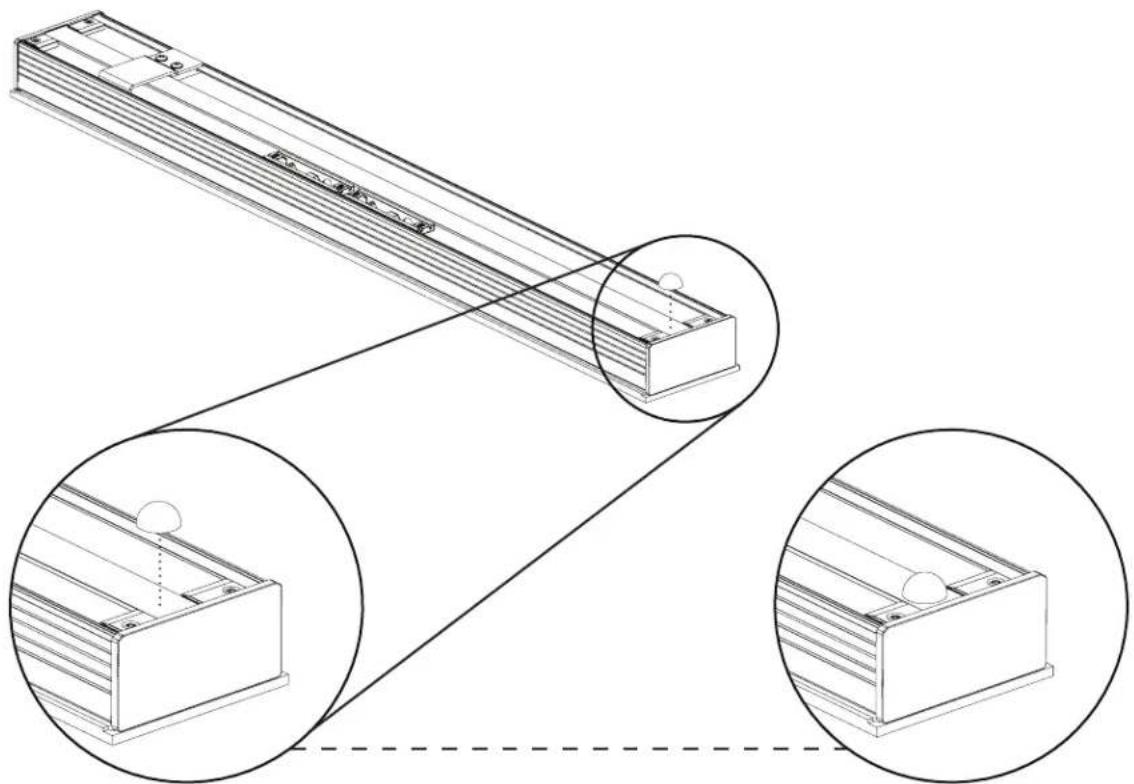
Technical line drawing of a mechanical assembly with inset views showing internal components (no text or symbols)Affix the Rubber Pad to the bottom of the speaker.
natural_image
Technical line drawing of a mechanical assembly with three circular insets showing internal components (no text or symbols)4
Screw the Wall Mount Bracket onto the wall using screws (not supplied). Seek professional advice for the appropriate screw hardware for your wall construction. Depending on the weight of your soundbar and the construction of walls, it is highly recommended you screw into wall studs.

natural_image
Technical line drawing showing two types of screws mounted on metal brackets, with dotted lines indicating alignment or connection (no text or symbols present)5
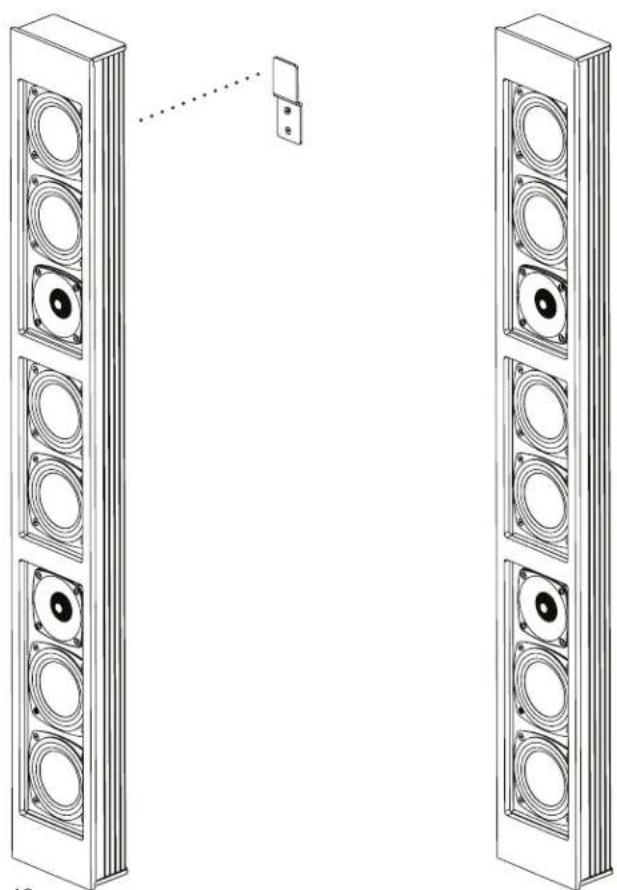
Hang speaker on the wall.
natural_image
Diagram of two tall speakers with circular speaker holes, connected by a dotted line to a small rectangular component (no text or symbols present)- TABLE OF CONTENTS
- 1S/1C/1SC Speaker Installation onto TV.... 3
- 2S/2SC Speaker Installation onto TV.... 11
- 3SC Speaker Installation onto TV 20
- 1S/1C/1SC Wall Mount Installation (43"-64.9" Length Models) ...... 35
- 1S/1C/1SC Wall Mount Installation (65"-100" Length Models) ...... 36
- 2S/2C Wall Mount Installation (All Models) 38
- An Important Note About TV Mounting Bracket:
- 1S/1C/1SC SPEAKER INSTALLATION ONTO TV
- PREPARING YOUR DÉCOR SOUNDBAR FOR INSTALLATION
- PREPARING YOUR TV FOR SPEAKER INSTALLATION
- GRILLE FIT
- FLUSH FIT
- 1S/1C/1SC COMPONENTS LIST
- 1x Soundbar
- 1x KIT0104 or KIT0105 or KIT0106
- 1x KIT0108
- 1
- Remove the tape securing both Extrusion Brackets to the soundbar.
- 2
- To protect the TV from the Fixed Rails, position the Plastic Spacers over the four VESA mounting inserts.
- 3
- 4
- Putting the Sliding Rail Assembly together.
- Constructing the Sliding Rail Assembly:
- 5
- Spacers (KIT0108-H)
- 6
- 7
- 8
- Securing the rail position.
- Anchor Screw Installation
- 9
- For this step, you will need:
- 2S/2SC INSTALLATION INSTRUCTIONS ONTO TV
- 2S/2SC COMPONENTS LIST
- 2x Soundbar
- 1x KIT0102 or KIT0107 or KIT0103
- To protect the TV from the fixed rails, position QTY 4 Plastic spacers over the four VESA mounting inserts.
- 3SC SPEAKER INSTALLATION ONTO TV
- To protect the TV from the Fixed Rails, position Plastic Spacers (QTY 4x) over the four VESA mounting inserts.
- Putting the Sliding Rail Assembly together:
- 10
- 11
- 12
- 13
- 14
- 15
- 1S/1C/1SC WALL MOUNT INSTALLATION (43"-64.9" LENGTH MODELS)
- 1S/1C/1SC WALL MOUNT INSTALLATION (65"-100" LENGTH MODELS)
- 2S/2C WALL MOUNT INSTALLATION (ALL MODELS)
Brand : Paradigm
Model : Decor 2S v2
Category : Loudspeaker