
VigorSwitch P2500 - Network switch Draytek - Free user manual and instructions
Find the device manual for free VigorSwitch P2500 Draytek in PDF.


| Product Type | PoE L2 Managed Gigabit Switch |
| Dimensions (W x D x H) | Approx. 440 x 250 x 44 mm (1U rackmount) |
| Weight | Approx. 4 kg |
| Power Supply | 100-240V AC, 50/60 Hz |
| PoE Power Budget | 405W (max), IEEE 802.3af/at (PoE+), per port up to 30W |
| Ports | 24 x 10/100/1000Mbps PoE+ (RJ45) + 4 x Combo (RJ45/SFP) + 2 x SFP |
| Switching Capacity | Up to 128 Gbps |
| MAC Address Table | 8K entries |
| VLAN Support | Port-based and IEEE 802.1Q, up to 24 active VLANs, VID 1-4094 |
| Quality of Service (QoS) | 802.1p, DSCP, per-port shaping, policing, broadcast storm control |
| Management | Web GUI (HTTP/HTTPS), CLI (Telnet/SSH), SNMP v1/v2c/v3, TR-069 |
| Security Features | 802.1X, RADIUS, TACACS+, ACL, DHCP Snooping, Dynamic ARP Inspection, IP Source Guard, DoS protection, Loop Protection |
| Energy Efficient Ethernet | IEEE 802.3az (power saving by detecting cable length and idle) |
| Jumbo Frame Support | Up to 9KB (max packet length 9600 bytes) |
| Link Aggregation | Static and LACP, up to 8 groups |
| Multicast | IGMP Snooping v2/v3, MLD Snooping v1/v2, MVR |
| Surveillance Features | Surveillance VLAN, ONVIF discovery and topology |
| LED Indicators | Power, System (SYS), Alert (PoE >80%), Monitor (overheat/voltage), per-port link/activity/PoE |
| Operating Temperature | 0°C to 40°C |
| Maintenance & Cleaning | Disconnect power before cleaning; use a soft dry cloth; do not use liquids or aerosols. |
| Safety Precautions | Use only provided power cord; ensure proper ventilation; do not block air vents; avoid static discharge. |
| Repairability & Spare Parts | No user-serviceable parts; contact DrayTek support for warranty or replacement. Rack mount kit and rubber feet included. |
Frequently Asked Questions - VigorSwitch P2500 Draytek
User questions about VigorSwitch P2500 Draytek
0 question about this device. Answer the ones you know or ask your own.
Ask a new question about this device
Download the instructions for your Network switch in PDF format for free! Find your manual VigorSwitch P2500 - Draytek and take your electronic device back in hand. On this page are published all the documents necessary for the use of your device. VigorSwitch P2500 by Draytek.
USER MANUAL VigorSwitch P2500 Draytek
PoE L2 Managed Gigabit Switch


natural_image
Front view of a black DreyTA network switch device with multiple ports and indicator lights against a red background (no readable text or symbols on the device itself)Your reliable networking solutions partner
User's Guide
V1.1
VigorSwitch P2500
PoE L2 Managed Gigabit Switch
User's Guide
Version: 1.1
Firmware Version: V2.4.3
(For future update, please visit DrayTek web site)
Date: August 29, 2019
Copyrights
© All rights reserved. This publication contains information that is protected by copyright. No part may be reproduced, transmitted, transcribed, stored in a retrieval system, or translated into any language without written permission from the copyright holders.
Trademarks
The following trademarks are used in this document:
● Microsoft is a registered trademark of Microsoft Corp.
● Windows, Windows 95, 98, Me, NT, 2000, XP, Vista, 7, 8, 10 and Explorer are trademarks of Microsoft Corp.
● Apple and Mac OS are registered trademarks of Apple Inc.
● Other products may be trademarks or registered trademarks of their respective manufacturers.
Caution
Circuit devices are sensitive to static electricity, which can damage their delicate electronics. Dry weather conditions or walking across a carpeted floor may cause you to acquire a static electrical charge.
To protect your device, always:
- Touch the metal chassis of your computer to ground the static electrical charge before you pick up the circuit device.
- Pick up the device by holding it on the left and right edges only.
Warranty
We warrant to the original end user (purchaser) that the device will be free from any defects in workmanship or materials for a period of one (1) year from the date of purchase from the dealer. Please keep your purchase receipt in a safe place as it serves as proof of date of purchase. During the warranty period, and upon proof of purchase, should the product have indications of failure due to faulty workmanship and/or materials, we will, at our discretion, repair or replace the defective products or components, without charge for either parts or labor, to whatever extent we deem necessary tore-store the product to proper operating condition. Any replacement will consist of a new or re-manufactured functionally equivalent product of equal value, and will be offered solely at our discretion. This warranty will not apply if the product is modified, misused, tampered with, damaged by an act of God, or subjected to abnormal working conditions. The warranty does not cover the bundled or licensed software of other vendors. Defects which do not significantly affect the usability of the product will not be covered by the warranty. We reserve the right to revise the manual and online documentation and to make changes from time to time in the contents hereof without obligation to notify any person of such revision or changes.
Be a Registered Owner
Web registration is preferred. You can register your Vigor router via http://www.DrayTek.com.
Firmware & Tools Updates
Due to the continuous evolution of DrayTek technology, all routers will be regularly upgraded. Please consult the DrayTek web site for more information on newest firmware, tools and documents.
More update, please visit www.draytek.com.
Table of Contents
Part I Introduction....1
I-1 Introduction ...... 2
I-1-1 Key Features 2
I-1-2 Specifications 3
I-1-3 Packing List 4
I-1-4 LED Indicators and Connectors .... 4
I-2 Installation....6
I-2-1 Typical Applications....6
I-2-2 Installing Network Cables.... 10
I-2-3 Configuring the Management Agent of Switch.... 10
I-2-4 Managing VigorSwitch P2500 through Ethernet Port.... 10
I-2-5 IP Address Assignment 11
I-3 Accessing Web Page of VigorSwitch 15
I-4 Dashboard.... 16
I-5 Status 17
I-5-1 Port Bandwidth Utilization 17
I-5-2 LLDP Statistics 17
I-5-3 GVRP Statistics....18
I-5-4 MLD Snooping Statistics 18
I-5-5 Hardware Monitor....19
Part II Switch LAN....21
II-1 General Setup....22
II-1-1 IP Address 22
II-1-2 IPv6 Address 23
II-1-3 Management VLAN 24
II-2 Port Setting 25
II-2-1 General Setting.... 25
II-2-2 Protected Ports.... 27
II-3 Mirror 28
II-4 Link Aggregation 29
II-4-1 LAG Setting 29
II-4-2 LAG Management 30
II-4-3 LAG Port Setting.... 31
II-4-4 LACP Setting 32
II-4-5 LACP Port Setting 33
II-5 VLAN Management.... 34
II-5-1 Create VLAN 34
II-5-2 Interface Settings.... 35
II-5-3 Voice VLAN 37
II-5-3-1 Properties 37
II-5-3-2 Telephony OUI Setting 38
II-5-3-3 Port Setting 39
II-5-4 MAC VLAN 40
II-5-4-1 MAC Group 40
I-5-4-3 Group Binding 41
II-5-5 Protocol VLAN 42
II-5-5-1 Protocol Group 42
II-5-5-2 Group Binding 43
II-5-6 Surveillance VLAN....45
II-5-6-1 Property 45
II-5-6-1 Surveillance OUI....47
II-5-7 GVRP 48
II-5-7-1 Property 48
II-5-7-2 Membership....49
II-6 EEE 50
II-7 Multicast 51
II-7-1 Properties 51
II-7-2 IGMP Snooping 53
II-7-2-1 IGMP Setting 53
II-7-2-2 IGMP Querier Setting....55
II-7-2-3 IGMP Static Group 56
II-7-2-4 IGMP Group Table....57
II-7-2-5 IGMP Router Table....58
II-7-2-6 Forward All 59
II-7-2-7 Throttling 60
II-7-2-8 Filtering Profile....61
II-7-2-9 Filtering Binding 62
II-7-3 MVR....64
II-7-3-1 Property 64
II-7-3-2 Port Setting....65
II-7-3-3 Group Address....66
II-7-4 MLD Snooping....67
II-7-4-1 MLD Setting 67
II-7-4-2 MLD Static Group 69
II-7-4-3 MLD Group Table....71
II-7-4-4 MLD Router Table....72
II-7-4-5 Forward All 73
II-7-4-6 Throttling 74
II-7-4-7 Filtering Profile 75
II-7-4-8 Filtering Binding 76
II-8 Jumbo Frame 78
II-9 STP 79
II-9-1 Properties 79
II-9-2 Port Setting 80
II-9-3 Bridge Setting 82
II-9-4 Port Advanced Setting....83
II-9-5 Statistics 84
II-9-6 MST Instance 85
II-9-7 MST Port Setting 86
II-10 MAC Address Table....88
II-10-1 Static MAC Setting 88
II-10-2 Dynamic Address Setting 89
II-10-3 Dynamic Learned 89
II-11 Blocked Port Recover....91
Part III ONVIF Surveillance....93
III-1 Discovery 94
III-2 Topology 95
III-2-1 Status 95
III-2-2 Throughput Threshold 99
III-3 Video 101
III-4 Device Maintenance 102
III-4-1 General.... 102
III-4-1 Network 104
III-4-3 Security....105
Part IV Security ....107
IV-1 RADIUS 108
IV-2 TACACS+....110
IV-3 Management Access Authentication....111
IV-3-1 Method Profile.... 111
IV-3-2 Application Authentication.... 112
IV-4 Management Access Control....113
IV-4-1 Management Access Control Profile (ACL) 113
IV-4-2 Management Access Control Entries (ACE).... 114
IV-5 802.1X/MAC Authentication....116
IV-5-1 Properties.... 116
IV-5-1-1 Global Settings 116
IV-5-1-2 Port Authentication Setting.... 117
IV-5-2 Port Control/Settings 118
IV-5-3 MAC-Based Local Account 120
IV-5-4 Authenticated Hosts 121
IV-6 Port Security 122
IV-7 Storm Control....124
IV-7-1 Properties.... 124
IV-7-2 Port Setting 125
IV-8 DoS....126
IV-8-1 Properties.... 126
IV-8-2 DoS Port Setting 128
IV-9 Dynamic ARP Inspection 129
IV-9-1 Properties 129
IV-9-1-1 Global Property Settings.... 129
IV-9-1-2 Per Port Property Settings.... 130
IV-9-2 Statistics....131
IV-10 DHCP Snooping.... 132
IV-10-1 Properties.... 132
IV-10-1-1 Global Property Settings 132
IV-10-1-2 Per Port Property Settings 133
IV-10-2 Statistics.... 134
IV-10-3 Option82 Property 134
IV-10-3-1 Global Option82 Property Settings 134
IV-10-3-2 Per Port Option82 Property Settings 135
III-10-4 Option82 Circuit ID 136
IV-11 IP Source Guard 137
IV-11-1 Port Settings.... 137
IV-11-2 IMPV Binding 138
IV-12 IP Conflict Prevention 139
IV-13 Loop Protection.... 143
Part V ACL Configuration....145
V-1 Create ACL 146
V-1-1 MAC 146
V-1-2 IPv4 146
V-1-3 IPv6 147
V-2 Create ACE 149
V-2-1 MAC 149
V-2-2 IPv4 150
V-2-3 IPv6 152
V-3 ACL Binding 154
Part VI QoS Configuration....155
VI-1 General 156
VI-1-1 Properties.... 156
VI-1-1-1 QoS General Setting 156
VI-1-1-2 Trust Ports 157
VI-1-2 Port Settings.... 158
VI-1-3 Queue Settings 159
VI-1-4 CoS Mapping 160
VI-2-2 Egress Shaping Rate 164
VI-2-3 Egress Shaping Per Queue 165
Part VII PoE Configuration....167
VII-1 Properties 168
VII-2 Status....169
VII-3 Schedule....170
VII-3-1 Schedule Profile 170
VII-4-2 Port Scheduling.... 171
Part VIII System Maintenance....173
VIII-1 TR-069.... 174
VIII-2 OpenVPN.... 176
VIII-3 Webhook....177
VIII-4 LLDP 178
VIII-4-1 Properties.... 178
VIII-4-2 LLDP Port Setting 179
VIII-4-3 LLDP Local Device....181
VIII-4-4 MED Network Policy 182
VIII-4-5 LLDP MED Port Settings 183
VIII-4-6 LLDP Remote Device 184
VIII-4-7 LLDP Overloading.... 185
VIII-5 SNMP 186
VIII-5-1 View 187
VIII-5-2 Group 188
VIII-5-3 Community 190
VIII-5-4 User....191
VIII-5-5 Engine ID 193
VIII-5-5-1 Local Engine ID 193
VIII-5-5-2 Remote Engine ID.... 194
VIII-5-6 Trap Event.... 195
VIII-5-7 Notification 196
VIII-6 Access Manager 198
VIII-7 Time and Date 199
VIII-7-1 System Time Zone 199
VIII-7-2 Time 200
VIII-8 Backup Manager....201
VIII-9 Upgrade Manager....202
VIII-10 Firmware Information.... 203
VIII-11 Account Manager....204
VIII-12 Factory Default 206
VIII-13 Reboot Switch....207
Part IX Diagnostics....209
IX-1 Device Check....210
IX-2 Cable Diagnostics....211
IX-3 Ping Test 212
IX-4 SysLog 213
IX-4-1 SysLog Explorer 213
IX-4-2 SysLog Settings 214
IX-4-2-1 SysLog Service 214
IX-4-2-2 Local SysLog 215
IX-4-2-3 Remote SysLog 216
IX-4-2-4 SysLog Mail 217
IX-5 Fan Test....219
Part X Mail Alert 221
X-1 Alert Setting 222
Part XI Telnet Commands....225
XI-1 Accessing Telnet of VigorSwitch....226
XI-2 Available Commands.... 227
XI-2-1 Clear Configuration 228
XI-2-2 Clock Configuration.... 237
XI-2-3 Configure Configuration 238
XI-2-4 Copy Configuration 323
XI-2-5 Delete Configuration 324
XI-2-6 Disable Configuration.... 325
XI-2-7 End Configuration 325
XI-2-8 Exit Configuration.... 325
XI-2-9 Ping Configuration.... 326
XI-2-10 Reboot Configuration 327
XI-2-11 Renew Configuration.... 327
XI-2-12 Restore-defaults Configuration 327
XI-2-13 Save Configuration.... 328
XI-2-14 Show Configuration.... 328
XI-2-15 SSL Configuration.... 329
XI-2-16 Terminal Configuration.... 329
XI-2-17 Traceroute Configuration 330
XI-2-18 UDLD Configuration.... 330
Appendix: Reference....333
A-1 What's the Ethernet....333
A-2 Media Access Control (MAC) 336
A-3 Flow Control.... 340
Index 343
Part I Introduction
I-1 Introduction
VigorSwitch P2500, PoE L2 Managed Gigabit Switch, is a standard switch that meets all IEEE 802.3/ u/ x/ z Gigabit, Fast Ethernet specifications. The switch has 24 10/ 100/ 1000Mbps TP ports. It supports telnet, http, https, SSH and SNMP interface for switch management. The network administrator can login the switch to monitor, configure and control each port's activity. In addition, the switch implements the QoS (Quality of Service), VLAN, and Trunking. It is suitable for office application.
VigorSwitch supports IEEE 802.3az, Energy-Efficient Ethernet, and provides power saving feature. It can efficiently save the switch power with auto detect the client idle and cable length to provide different power.
1000Mbps SFP Fiber port fully complies with all IEEE 802.3z and 1000Base-SX/LX standards.

flowchart
graph TD
    A["Head Office"] --> B["Vigor Router Series"]
    B --> C["Router"]
    C --> D["IT Dept. (VLAN 10)"]
    D --> E["PoE"]
    D --> F["Finance Dept. (VLAN 20)"]
    F --> G["PoE"]
    F --> H["Sales Dept. (VLAN 30)"]
    H --> I["PoE"]
    C --> J["Fiber Trunking"]
    J --> K["Warehouse (VLAN 40)"]
    K --> L["Pod Devices"]
    L --> M["Pod Devices"]
    M --> N["Pod Devices"]
    style A fill:#f9f,stroke:#333
    style B fill:#ccf,stroke:#333
    style C fill:#cfc,stroke:#333
    style D fill:#fcc,stroke:#333
    style E fill:#cff,stroke:#333
    style F fill:#ffc,stroke:#333
    style G fill:#cfc,stroke:#333
    style H fill:#cfc,stroke:#333
    style I fill:#cfc,stroke:#333
    style J fill:#fcc,stroke:#333
    style K fill:#ffc,stroke:#333
I-1-1 Key Features
Below shows key features of this device:
QoS
The switch offers powerful QoS function. This function supports 802.1p VLAN tag priority and DSCP on Layer 3 of network framework.
VLAN
Support Port-based VLAN and IEEE802.1Q Tag VLAN. Support 24 active VLANs and VLAN ID 1\~4094.
Port Trunking
Allows one or more links to be aggregated together to form a Link Aggregation Group by the static setting.
Power Saving
The Power saving using the IEEE 802.3az, Energy-Efficient Ethernet to detect the client idle and cable length automatically and provides the different power. It could efficient to save the switch power and reduce the power consumption.
I-1-2 Specifications
The VigorSwitch P2500, a standalone off-the-shelf switch, provides the comprehensive features listed below for users to perform system network administration and efficiently and securely serve your network.
Hardware
44 10/100/1000Mbps Auto-negotiation Gigabit Ethernet TP ports with PoE+
◆ 4 TP/ SFP Combo Ethernet Ports
◆ 2 SFP Ports
❖ Jumbo frame support 9KB
◆ Programmable classifier for QoS (Layer 2/ Layer 3)
✿ 8K MAC address and support VLAN ID(1\~4094)
- Per-port shaping, policing, and Broadcast Storm Control
Power Saving with IEEE 802.3az, Energy-Efficient Ethernet
Full-duplex flow control (IEEE802.3x) and half-duplex backpressure
◆ Extensive front-panel diagnostic LEDs; Power, System, PoE fail and PoE/ link activity
Hardware reset button for resetting configuration to factory default by pressing over 5 seconds
Management
◆ Supports per port traffic monitoring counters
◆ Supports a snapshot of the system Information when you login
◆ Supports port mirror function
◆ Supports the static trunk function
◆ Supports 802.1Q VLAN
◆ Supports user management and limits three users to login
Maximal packet length can be up to 9600 bytes for jumbo frame application
◆ Supports Broadcasting Suppression to avoid network suspended or crashed
◆ Supports to send the trap event while monitored events happened
✿ Supports default configuration which can be restored to overwrite the current configuration which is working on via Web UI and Reset button of the switch
◆ Supports on-line plug/ unplug SFP modules
✿ Supports Quality of Service (QoS) for real time applications based on the information taken from Layer 2 to Layer 3
Built-in web-based management and CLI management, providing a more convenient UI for the user
I-1-3 Packing List
Before you start installing the switch, verify that the package contains the following:
VigorSwitch P2500
AC Power Cord
◆ Quick Start Guide
Rubber feet
◆ Rack mount kit
Please notify your sales representative immediately if any of the aforementioned items is missing or damaged.
I-1-4 LED Indicators and Connectors
Before you use the Vigor device, please get acquainted with the LED indicators and connectors first. There are 8 Ethernet ports and SFP ports on the front panel of the switch. LED display area, locating on the front panel, contains an ACT, Power LED and ports working status of the switch.
LED Explanation
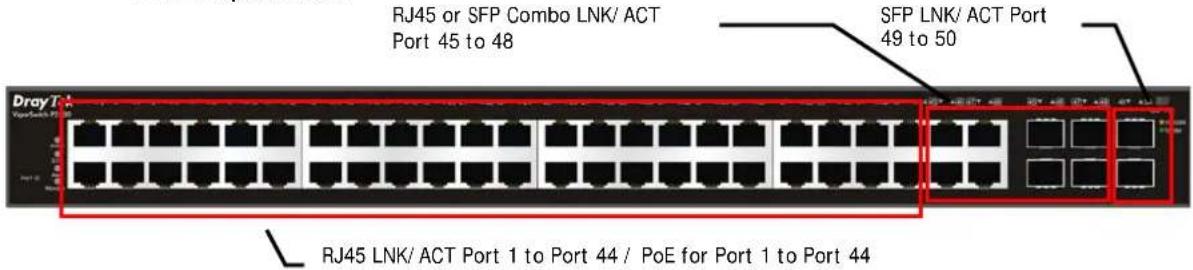
| LED | Color | Explanation |
| PWR | On (Green) The device is powered on and running normally. | |
| Off The device is not ready or is failed. | ||
| SYS | On (Green) | The switch finishes system booting and the system is ready. |
| Blinking (Green) | The switch is powered on and starts system booting. | |
| Off | The power is off or the system is not ready / malfunctioning. | |
| Alert | Blinking (Green) The power is over (>) 80% watts PoE power budget. | |
| Off | The power is under (<) 80% watts PoE power budget. | |
| Monitor | On (Red) | An alert for system failure due to overheating or wrong voltage. |
| Off | The device is in normal condition and running normally. | |
| Port 1 ~ 44(PoE/ RJ 45) | On (Green) The device is connected with 1000Mbps or supplied with PoE power. | |
| On (Amber) The device is connected with 10/ 100Mbps. | ||
| Blinking The system is sending or receiving data through the port. | ||
| Off The port is disconnected or the link is failed or No PoE power is supplied. | ||
| Port 45 ~ 48(RJ45 or SFP) | On (Green) The device is connected with 1000Mbps. | |
| On (Amber) The device is connected with 10/ 100Mbps. | ||
| Blinking The system is sending or receiving data through the port. | ||
| Off The port is disconnected or the link is failed. | ||
| Port 49 ~ 50(SFP) | On (Green) The device is connected with 1000Mbps. | |
| On (Amber) The device is connected with 10/ 100Mbps. | ||
| Blinking The system is sending or receiving data through the port. | ||
| Off The port is disconnected or the link is failed. | ||
Connector Explanation
| Interface | Description |
| Port 1 ~ 44 (RJ45) | Port 1 to Port 44 can be used for Ethernet connection and PoE connection, depending on the device connected. |
| Port 1 ~ 44 (PoE) | |
| Port 45 ~ 48(RJ45 or SFP) | Port 45 to Port 48 are used either for Ethernet or fiber connection. |
| Port 49 ~ 50 (SFP) | Port 49 to Port 50 are used for fiber connection. |
Slide Switch(for P2500 only) | Switch the LED function.Right: PoE connection status.Left: LAN port connection status. |
| Console | Used to perform telnet command control. |
 | Power inlet for AC input (100~240V/ AC, 50/ 60Hz). |
Note:
Power Output -
- IEEE 802.3af Max. 15.4W Output Supported
- IEEE 802.3at Max. 30W Output Supported
PoE Power Budget--
● 405 Watts (Max)
I-2 Installation
I-2-1 Typical Applications
The VigorSwitch implements 24 Gigabit Ethernet TP ports with auto MDIX and four slots for the removable module supporting comprehensive fiber types of connection, including LC and BiDi-LC SFP modules. The switch is suitable for the following applications:
Case 1: All switch ports are in the same local area network.
Every port can access each other. (*The switch image is sample only.)

If VLAN is enabled and configured, each node in the network that can communicate each other directly is bounded in the same VLAN area.
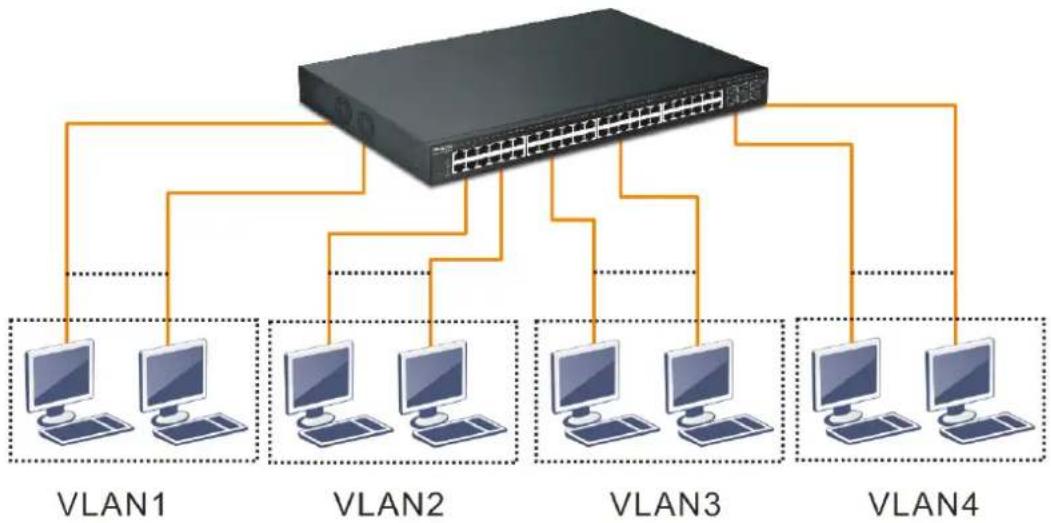
Here VLAN area is defined by what VLAN you are using. The switch supports both port-based VLAN and tag-based VLAN. They are different in practical deployment, especially in physical location. The following diagram shows how it works and what the difference they are.
Case 2: Port-based VLAN -1 (*The switch image is sample only.)
flowchart
graph TD
    A["Switch"] --> B["VLAN1"]
    A --> C["VLAN2"]
    A --> D["VLAN3"]
    A --> E["VLAN4"]
    B --> F["Computer 1"]
    B --> G["Computer 2"]
    C --> H["Computer 3"]
    C --> I["Computer 4"]
    D --> J["Computer 5"]
    D --> K["Computer 6"]
    E --> L["Computer 7"]
The same VLAN members could not be in different switches.
- Every VLAN members could not access VLAN members each other.
The switch manager has to assign different names for each VLAN groups at one switch.
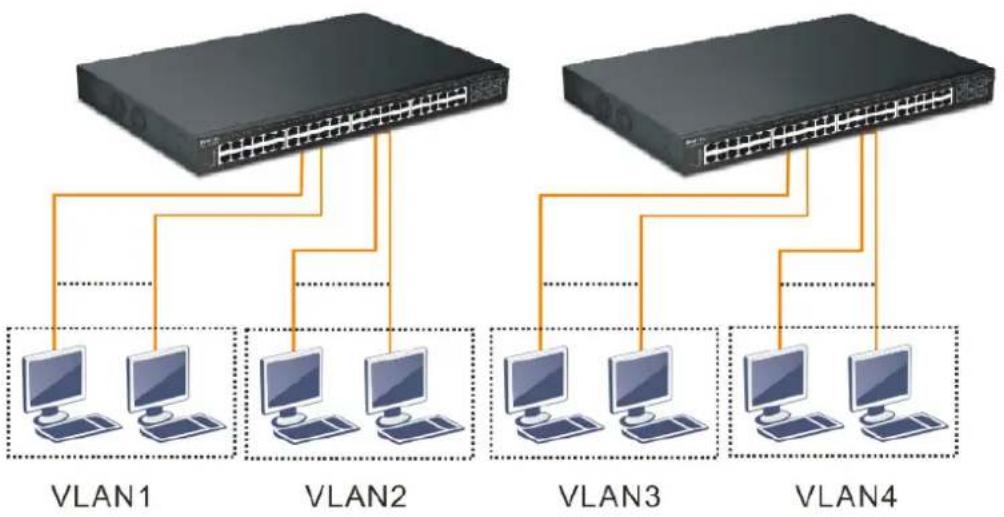
Case 3: Port-based VLAN - 2
flowchart
graph TD
    subgraph VLAN1
        A["Switch"] --> B["Computer"]
        C["Switch"] --> D["Computer"]
        E["Switch"] --> F["Computer"]
    end
    subgraph VLAN2
        G["Switch"] --> H["Computer"]
        I["Switch"] --> J["Computer"]
        K["Switch"] --> L["Computer"]
    end
    subgraph VLAN3
        M["Switch"] --> N["Computer"]
        O["Switch"] --> P["Computer"]
        Q["Switch"] --> R["Computer"]
        S["Switch"] --> T["Computer"]
    end
    subgraph VLAN4
        U["Switch"] --> V["Computer"]
        W["Switch"] --> X["Computer"]
        Y["Switch"] --> Z["Computer"]
    end
✿ VLAN1 members could not access VLAN2, VLAN3 and VLAN4 members.
✿ VLAN2 members could not access VLAN1 and VLAN3 members, but they could access VLAN4 members.
✿ VLAN3 members could not access VLAN1, VLAN2 and VLAN4.
✿ VLAN4 members could not access VLAN1 and VLAN3 members, but they could access VLAN2 members.
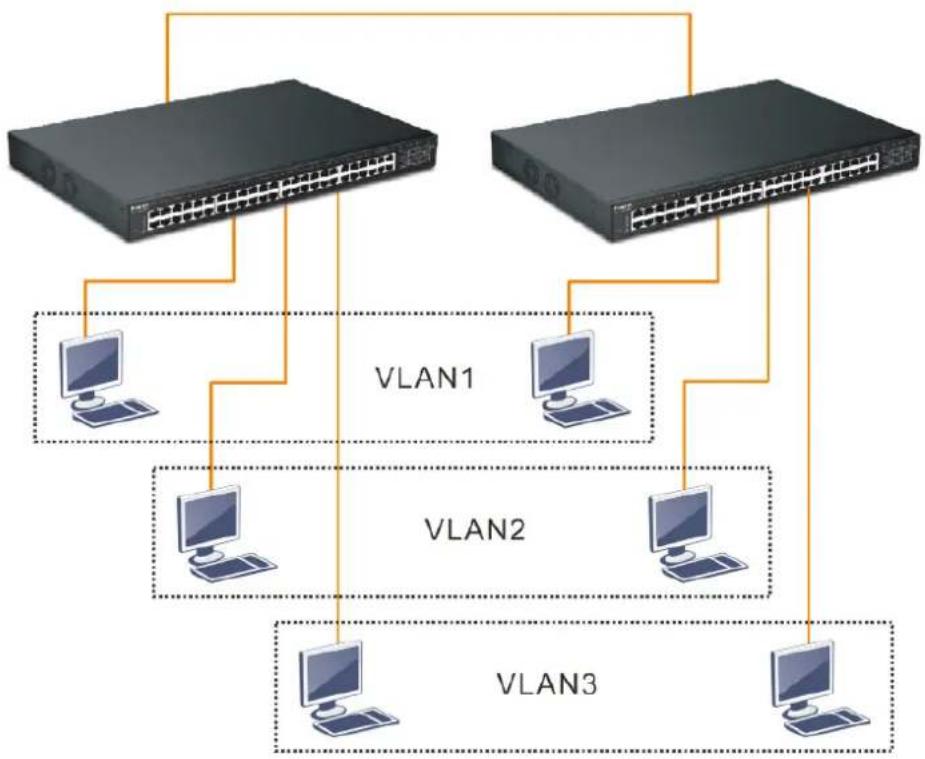
Case 4: The same VLAN members can be at different switches with the same VID
flowchart
graph TD
    A["Router 1"] --> B["Computer"]
    C["Router 1"] --> D["Computer"]
    E["Router 1"] --> F["Computer"]
    G["Router 1"] --> H["Computer"]
    I["Router 1"] --> J["Computer"]
    K["Router 1"] --> L["Computer"]
    M["Router 1"] --> N["Computer"]
    O["Router 1"] --> P["Computer"]
    Q["Router 1"] --> R["Computer"]
    S["Router 1"] --> T["Computer"]
    U["Router 1"] --> V["Computer"]
    W["Router 1"] --> X["Computer"]
    Y["Router 1"] --> Z["Computer"]
    AA["Router 1"] --> AB["Computer"]
    AC["Router 1"] --> AD["Computer"]
    AE["Router 1"] --> AF["Computer"]
    AG["Router 1"] --> AH["Computer"]
    AI["Router 1"] --> AJ["Computer"]
    AK["Router 1"] --> AL["Computer"]
    AM["Router 1"] --> AN["Computer"]
    AO["Router 1"] --> AP["Computer"]
    AQ["Router 1"] --> AR["Computer"]
    AS["Router 1"] --> AT["Computer"]
    AU["Router 1"] --> AV["Computer"]
    AW["Router 1"] --> AX["Computer"]
    AY["Router 2"] --> Z
    AZ["Router 2"] --> AA
    BA["Router 2"] --> AB
    BB["Router 2"] --> AC
    BC["Router 2"] --> AD
    BD["Router 2"] --> AE
    BE["Router 2"] --> AF
    BF["Router 2"] --> AG
    BG["Router 2"] --> AH
    BH["Router 2"] --> AI
    BI["Router 2"] --> AJ
    BJ["Router 2"] --> AK
    BK["Router 2"] --> AL
    BL["Router 2"] --> AM
    BM["Router 2"] --> AN
    BN["Router 2"] --> AO
    BO["Router 2"] --> AP
    BP["Router 2"] --> AQ
    BQ["Router 2"] --> AA
    BR["Router 2"] --> AB
    BS["Router 2"] --> AC
    BT["Router 2"] --> AD
    BU["Router 2"] --> AE
    BV["Router 2"] --> AH
    BW["Router 2"] --> AX
    BX["Router 2"] --> AY
    BY["Router 2"] --> AZ
    CA["Router 2"] --> BA
    CB["Router 2"] --> BF
    CC["Router 2"] --> AD
    CD["Router 2"] --> AE
    CE["Router 2"] --> AF
    CF["Router 2"] --> AG
    GH["Router 2"] --> AH
    BIJ["VLAN1"] --> A
    BJV["VLAN1"] --> B
    BKV["VLAN1"] --> CA
    BLV["VLAN1"] --> B
Case 5: Desktop Installation
- Install the switch on a level surface that can support the weight of the unit and the relevant components.
- Plug the switch with the female end of the provided power cord and plug the male end to the power outlet.
Case 6: Rack-mount Installation
The switch may be standalone, or mounted in a rack. Rack mounting facilitate to an orderly installation when you are going to install series of networking devices.
Procedures to Rack-mount the switch:
- Disconnect all the cables from the switch before continuing.
- Place the unit the right way up on a hard, flat surface with the front facing you.
- Locate a mounting bracket over the mounting holes on one side of the unit.
- Insert the screws and fully tighten with a suitable screwdriver.
- Repeat the two previous steps for the other side of the unit.
- Insert the unit into the rack and secure with suitable screws.
- Reconnect all the cables.
Case 7: Central Site/Remote site application is used in carrier or ISP

Case 8: Peer-to-peer application is used in two remote offices

flowchart
graph TD
    A["Server"] --> B["Client 1"]
    A --> C["Client 2"]
    A --> D["Client 3"]
    A --> E["Client 4"]
    A --> F["Client 5"]
    A --> G["Client 6"]
    A --> H["Client 7"]
    A --> I["Client 8"]
    A --> J["Client 9"]
    A --> K["Client 10"]
    A --> L["Client 11"]
    A --> M["Client 12"]
    A --> N["Client 13"]
    A --> O["Client 14"]
    A --> P["Client 15"]
    A --> Q["Client 16"]
    A --> R["Client 17"]
    A --> S["Client 18"]
    A --> T["Client 19"]
    A --> U["Client 20"]
    A --> V["Client 21"]
    A --> W["Client 22"]
    A --> X["Client 23"]
    A --> Y["Client 24"]
    A --> Z["Client 25"]
    A --> AA["Client 26"]
    A --> AB["Client 27"]
    A --> AC["Client 28"]
    A --> AD["Client 29"]
    A --> AE["Client 30"]
    A --> AF["Client 31"]
    A --> AG["Client 32"]
    A --> AH["Client 33"]
    A --> AI["Client 34"]
    A --> AJ["Client 35"]
    A --> AK["Client 36"]
    A --> AL["Client 37"]
    A --> AM["Client 38"]
    A --> AN["Client 39"]
    A --> AO["Client 40"]
    A --> AP["Client 41"]
    A --> AQ["Client 42"]
    A --> AR["Client 43"]
    A --> AS["Client 44"]
    A --> AT["Client 45"]
    A --> AU["Client 46"]
    A --> AV["Client 47"]
    A --> AW["Client 48"]
    A --> AX["Client 49"]
    A --> AY["Client 50"]
    A --> AZ["Client 51"]
    A --> BA["Client 52"]
    A --> BB["Client 53"]
    A --> BC["Client 54"]
    A --> BD["Client 55"]
    A --> BE["Client 56"]
    A --> BF["Client 57"]
    A --> BG["Client 58"]
    A --> BH["Client 59"]
    A --> BI["Client 60"]
    A --> BJ["Client 61"]
    A --> BK["Client 62"]
    A --> BL["Client 63"]
    A --> BM["Client 64"]
    A --> BN["Client 65"]
    A --> BO["Client 66"]
    A --> BP["Client 67"]
    A --> BQ["Client 68"]
    A --> BR["Client 69"]
    A --> BS["Client 70"]
    A --> BT["Client 71"]
    A --> BU["Client 72"]
    A --> BV["Client 73"]
    A --> BW["Client 74"]
    A --> BX["Client 75"]
    A --> BY["Client 76"]
    A --> BZ["Client 77"]
    A --> CA["Client 78"]
    A --> CB["Client 79"]
    A --> CC["Client 80"]
Case 9: Office network

flowchart
graph TD
    subgraph R & D
        A["Computer 1"] --> B["Switch"]
        C["Computer 2"] --> B
        D["Computer 3"] --> B
        B --> E["Server"]
    end
    subgraph Sales
        F["Computer 1"] --> G["Switch"]
        H["Computer 2"] --> G
        I["Computer 3"] --> G
        G --> J["Server"]
    end
    subgraph Financial
        K["Computer 1"] --> L["Switch"]
        M["Computer 2"] --> L
        N["Computer 3"] --> L
        L --> O["Server"]
    end
    subgraph MIS
        P["Computer 1"] --> Q["Switch"]
        R["Computer 2"] --> Q
        S["Computer 3"] --> Q
        Q --> T["Server"]
    end
I-2-2 Installing Network Cables
Crossover or straight-through cable: All the ports on the switch support Auto-MDI/ MDI-X functionality. Both straight-through or crossover cables can be used as the media to connect the switch with PCs as well as other devices like switches, hubs or router.
Category 3, 4, 5 or 5e, 6 UTP/STP cable: To make a valid connection and obtain the optimal performance, an appropriate cable that corresponds to different transmitting/receiving speed is required. To choose a suitable cable, please refer to the following table.
| Media | Speed | Wiring |
| 10/100/1000 Mbps copper | 10 Mbps Category 3,4,5 UTP/ STP | |
| 100Mbps Category 5 UTP/ STP | ||
| 1000 Mbps Category 5e, 6 UTP/ STP | ||
I-2-3 Configuring the Management Agent of Switch
Users can monitor and configure the switch through the following procedures.
Configuring the Management Agent of VigorSwitch P2500 through the Ethernet Port.
There are several ways to configure and monitor the switch through Ethernet port, includes Web-UI and SNMP.
VigorSwitch, for example:
IP Address: 192.168.1.224
Subnet Mask: 255.255.255.0
Default Gateway: 192.168.1.254

I-2-4 Managing VigorSwitch P2500 through Ethernet Port
Before start using the switch, the IP address setting of the switch should be done, then perform the following steps:
- Set up a physical path between the configured the switch and a PC by a qualified UTP Cat. 5e cable with RJ-45 connector.
Note: If PC directly connects to the switch, you have to setup the same subnet mask between them. But, subnet mask may be different for the PC in the remote site. Please refer to the above figure about the Web Smart Switch default IP address information.
- After configuring correct IP address on your PC, open your web browser and access switch's IP address.
Default system account is "admin", with password "admin" in default. Switch IP address is "192.168.1.224" by default with DHCP client enabled.
I-2-5 IP Address Assignment
For IP address configuration, there are three parameters needed to be filled in. They are IP address, Subnet Mask, Default Gateway and DNS.
IP address:
The address of the network device in the network is used for internetworking communication. Its address structure looks is shown below. It is “classful” because it is split into predefined address classes or categories.
Each class has its own network range between the network identifier and host identifier in the 32 bits address. Each IP address comprises two parts: network identifier (address) and host identifier (address). The former indicates the network where the addressed host resides, and the latter indicates the individual host in the network which the address of host refers to. And the host identifier must be unique in the same LAN. Here the term of IP address we used is version 4, known as IPv4.
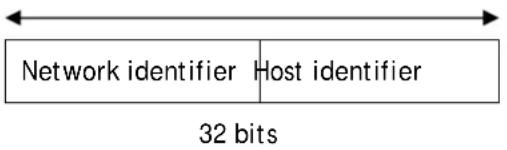
With the classful addressing, it divides IP address into three classes, class A, class B and class C. The rest of IP addresses are for multicast and broadcast. The bit length of the network prefix is the same as that of the subnet mask and is denoted as IP address/ X, for example, 192.168.1.0/ 24. Each class has its address range described below.
Class A:
Address is less than 126.255.255.255. There are a total of 126 networks can be defined because the address 0.0.0.0 is reserved for default route and 127.0.0.0/8 is reserved for loopback function.

Class B:
IP address range between 128.0.0.0 and 191.255.255.255. Each class B network has a 16-bit network prefix followed 16-bit host address. There are 16,384 (2^14)/ 16 networks able to be defined with a maximum of 65534 (2^16 -2) hosts per network.

Class C:
IP address range between 192.0.0.0 and 223.255.255.255. Each class C network has a 24-bit network prefix followed 8-bit host address. There are 2,097,152 (2^21)/24 networks able to be defined with a maximum of 254 (2^8 -2) hosts per network.
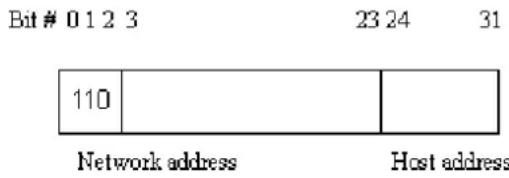
Class D and E:
Class D is a class with first 4 MSB (Most significance bit) set to 1-1-1-0 and is used for IP Multicast. See also RFC 1112. Class E is a class with first 4 MSB set to 1-1-1-1 and is used for IP broadcast.
According to IANA (Internet Assigned Numbers Authority), there are three specific IP address blocks reserved and able to be used for extending internal network. We call it Private IP address and list below:
| Class A 10.0.0.0 --- | 10.255.255.255 |
| Class B 172.16.0.0 --- | 172.31.255.255 |
| Class C 192.168.0.0 --- | 192.168.255.255 |
Please refer to RFC 1597 and RFC 1466 for more information.
Subnet mask:
It means the sub-division of a class-based network or a CIDR block. The subnet is used to determine how to split an IP address to the network prefix and the host address in bitwise basis. It is designed to utilize IP address more efficiently and ease to manage IP network.
For a class B network, 128.1.2.3, it may have a subnet mask 255.255.0.0 in default, in which the first two bytes is with all 1s. This means more than 60 thousands of nodes in flat IP address will be at the same network. It's too large to manage practically. Now if we divide it into smaller network by extending network prefix from 16 bits to, say 24 bits, that's using its third byte to subnet this class B network. Now it has a subnet mask 255.255.255.0, in which each bit of the first three bytes is 1. It's now clear that the first two bytes is used to identify the class B network, the third byte is used to identify the subnet within this class B network and, of course, the last byte is the host number.
Not all IP address is available in the sub-netted network. Two special addresses are reserved. They are the addresses with all zero's and all one's host number. For example, an IP address 128.1.2.128, what IP address reserved will be looked like? All 0s mean the network itself, and all 1s mean IP broadcast.
128.1.2.128/25

In this diagram, you can see the subnet mask with 25-bit long, 255.255.255.128, contains 126 members in the sub-netted network. Another is that the length of network prefix equals the number of the bit with 1s in that subnet mask. With this, you can easily count the number of IP addresses matched. The following table shows the result.
Prefix Length No. of IP matched No. of Addressable IP
| /32 | 1 | - | |
| /31 | 2 | - | |
| /30 | 4 | 2 | |
| /29 | 8 | 6 | |
| /28 | 16 | 14 | |
| /27 | 32 | 30 | |
| /26 | 64 | 62 | |
| /25 | 128 | 126 | |
| /24 | 256 | 254 | |
| /23 | 512 | 510 | |
| /22 | 1024 | 1022 | |
| /21 | 2048 | 2046 | |
| /20 | 4096 | 4094 | |
| /19 | 8192 | 8190 | |
| /18 | 16384 | 16382 | |
| /17 | 32768 | 32766 | |
| /16 | 65536 | 65534 |
According to the scheme above, a subnet mask 255.255.255.0 will partition a network with the class C. It means there will have a maximum of 254 effective nodes existed in this sub-netted network and is considered a physical network in an autonomous network. So it owns a network IP address which may looks like 168.1.2.0.
With the subnet mask, a bigger network can be cut into small pieces of network. If we want to have more than two independent networks in a worknet, a partition to the network must be performed. In this case, subnet mask must be applied.
For different network applications, the subnet mask may look like 255.255.255.240. This means it is a small network accommodating a maximum of 15 nodes in the network.
For assigning an IP address to the switch, you just have to check what the IP address of the network will be connected with the switch. Use the same network address and append your host address to it.
First, IP Address: as shown above, enter "192.168.1.224", for instance. For sure, an IP address such as 192.168.1.x must be set on your PC.
Second, Subnet Mask: as shown above, enter "255.255.255.0". Choose a subnet mask suitable for your network.
Note: The DHCP Setting is enabled in default. Therefore, if a DHCP server presented on network connected to the switch, check before accessing your switch is essential.
I-3 Accessing Web Page of VigorSwitch
- Open any browser (e.g., Firefox) and type "192.168.1.224" as URL.
- Please type "admin/admin" as the Username/Password and click Login.
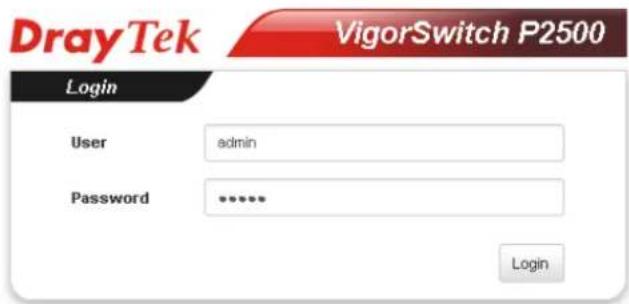
- Now, the Main Screen will appear.
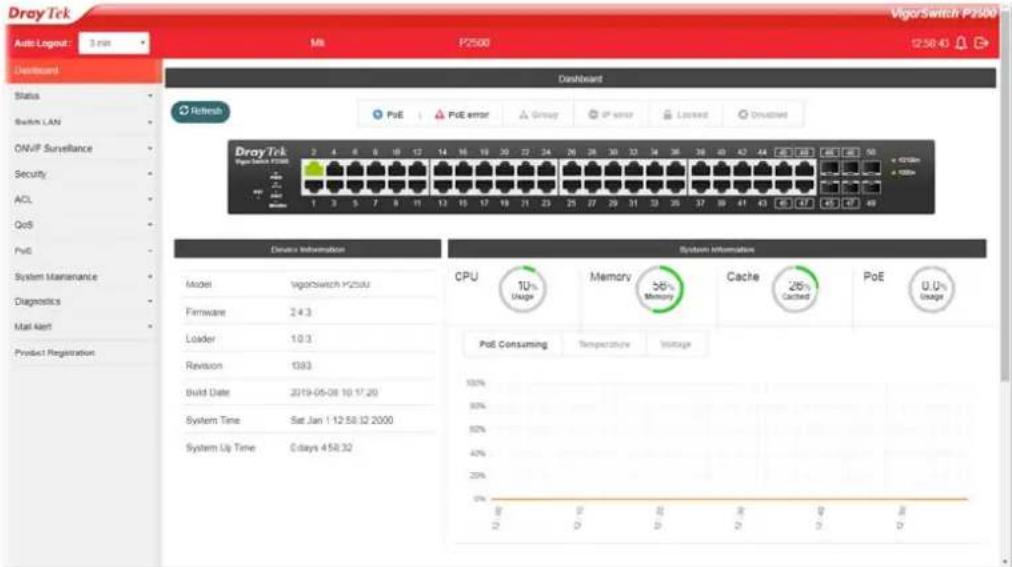

Info
The DHCP Setting is enabled in default. Therefore, if a DHCP server presented on network connected to VigorSwitch, checking before accessing VigorSwitch is essential.
1-4 Dashboard
Click Dashboard from the main menu on the left side of the main page.

A web page with default selections will be displayed on the screen. Refer to the following figure:

| Device Information | |
| Model | VigorSwitch P2500 |
| Firmware | 2.4.3 |
| Loader | 1.0.3 |
| Revision | 1383 |
| Build Date | 2019-05-08 10:17:20 |
| System Time | Mon Aug 26 10:15:29 2019 |
| System Up Time | 0 days 0.7:54 |

pie
System Information | Category | Percentage (%) | | :--- | :--- | | CPU | 12 | | Memory | 56 | | Cache | 26 | | PoE | 0.0 | PoE Consuming Temperature VoltageI-5 Status
I-5-1 Port Bandwidth Utilization
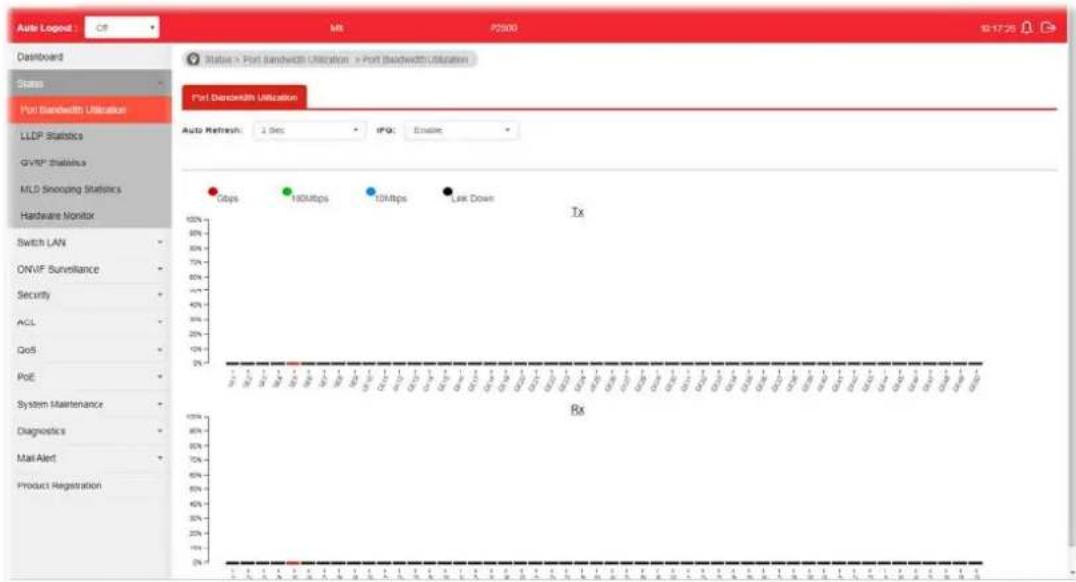
This page offers the traffic statistics including data information and data of interframe gap for each port (GE1 to GE28). In which, data of interframe gap can be displayed or hidden by choose Enable / Disable for IFG.
I-5-2 LLDP Statistics
This page offers the statistics of LLDP packets (in, out and error) of each port (GE1 to GE28).

I-5-3 GVRP Statistics
GVRP (Generic Attribute Registration Protocol) is used automatically for exchanging information for VLAN membership between switches. This page counts the GVRP information received on each port.

I-5-4 MLD Snooping Statistics
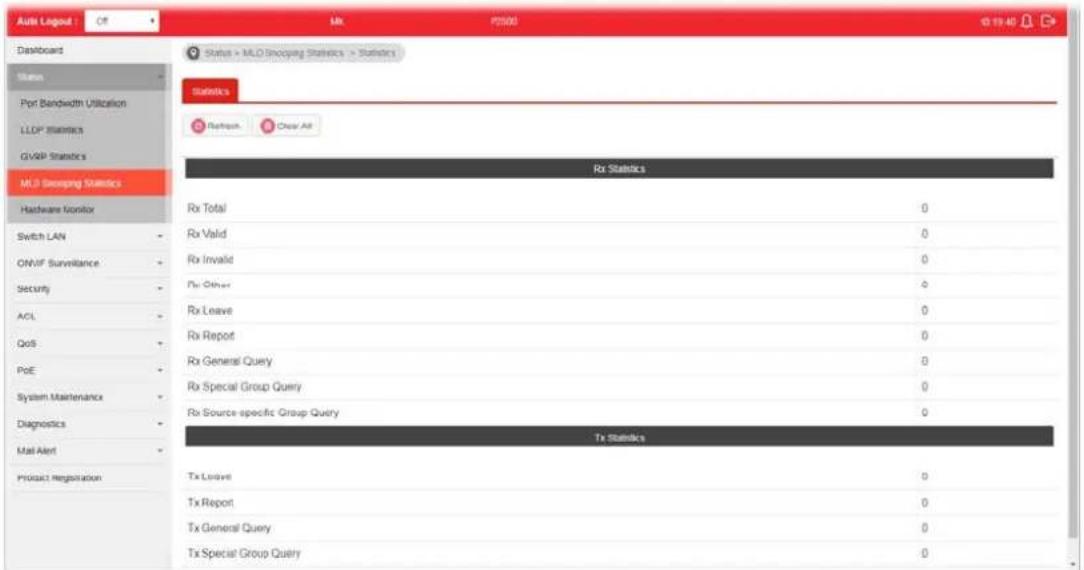
This page counts the MLD messages received or transmitted on the network.
I-5-5 Hardware Monitor
This page displays the temperature change and voltage of VigorSwitch.

This page is left blank.
Part II Switch LAN
II-1 General Setup
General setup is used to configure settings for the switch network interface and offers how the switch connects to a remote server to get services.
II-1-1 IP Address
Use the IP Address screen to configure the switch IP address and the default gateway device. The gateway field specifies the IP address of the gateway (next hop) for outgoing traffic.
The switch needs an IP address for it to be managed over the network. The factory default IP address is 192.168.1.224. The subnet mask specifies the network number portion of an IP address. The factory default subnet mask is 255.255.255.0.

Info
If VigorSwitch has connected to Vigor router, it will use the IP address obtained from the DHCP server on Vigor router. Thus, the user must type the assigned IP as URL for accessing into the web user interface of VigorSwitch. If not, 192.168.1.224 shall be the default IP.

Available settings are explained as follows:
| Item | Description |
| Mode Select the mode of network connection.● Static- Use static IPv4 address.● DHCP - Use DHCP provisioned IP address and Gateway if feasible. | |
| IP Address | It is available when Static is selected as Mode.Enter the IP address of your switch in dotted decimal notation for example 192.168.1.224. If static mode is enabled, enter IP address in this field. |
| Subnet Mask | It is available when Static is selected as Mode.Enter the IP subnet mask of your switch in dotted decimalnotation for example 255.255.255.0. If static mode is enabled, enter subnet mask in this field. |
| Gateway | It is available when Static is selected as Mode.Enter the IP address of the gateway in dotted decimal notation. If static mode is enabled, enter gateway address in this field. |
| DNS Server 1 | It is available when Static is selected as Mode.If static mode is enabled, enter primary DNS server address in this field. |
| DNS Server 2 | It is available when Static is selected as Mode.If static mode is enabled, enter secondary DNS server address in this field. |
| Apply Apply the settings to the switch. | |
II-1-2 IPv6 Address
Use the IPv6 Address screen to configure the switch IPv6 address and the default gateway device. The gateway field specifies the IPv6 address of the gateway (next hop) for outgoing traffic.
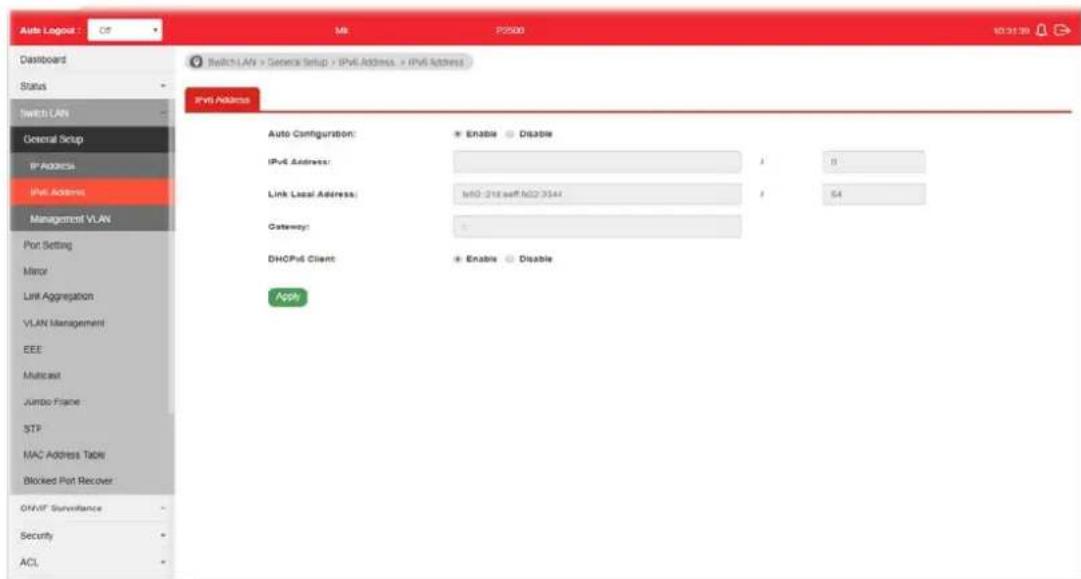
Available settings are explained as follows:
| Item | Description |
| Auto Configuration Enable | - Check it to let switch automatically configure IPv6 address. |
| IPv6 Address | It is available when Auto Configuration is set as Disable.Enter the IPv6 address of your switch. If auto configuration mode is disabled, enter IPv6 address in this field. |
| Link Local Address Display | link local address. |
| Gateway | It is available when Auto Configuration is set as Disable.Enter the IPv6 address of the router as your default IPv6 gateway to access IPv6 Internet or other IPv6 network. |
| DNS Server 1 | It is available when Auto Configuration is set as Disable.If static mode is enabled, enter primary DNS server address in this field. |
| DNS Server 2 | It is available when Auto Configuration is set as Disable.If static mode is enabled, enter secondary DNS server address in this field. |
| DHCPv6 Client | It is available when Auto Configuration is set as Enable.Enable this feature if there is a DHCPv6 server on your network for assigning IPv6 Address, instead of using Router Advertisement. |
| Apply Apply the settings to the switch. | |
II-1-3 Management VLAN
This page allows the network administrator to change the VLAN ID of management access. Management access protocols such as http, https, SNMP and etc., are only accessible from the VLAN specified as management VLAN.
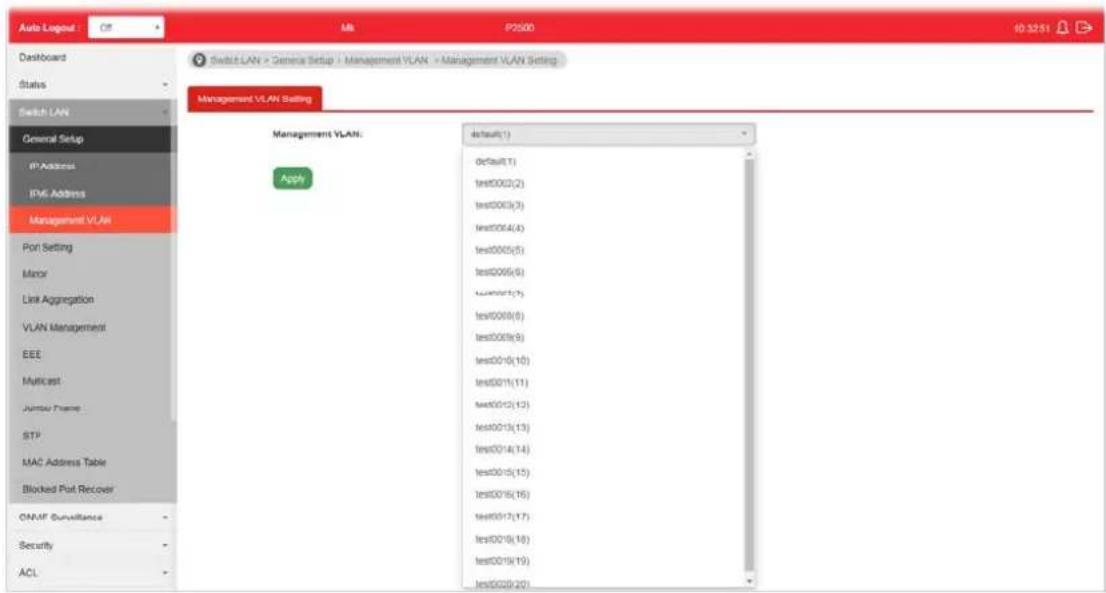
Available settings are explained as follows:
| Item | Description |
| Management VLAN | Select the VLAN ID as management VLAN. You can create additional VLAN profiles bySwitch LAN>>VLANmanagement>> Create VLAN. |
| Apply Apply the settings to the switch. | |
II-2 Port Setting
II-2-1 General Setting
Port Setting is used to configure settings for the switch ports, trunk, Layer 2 protocols and other switch features.
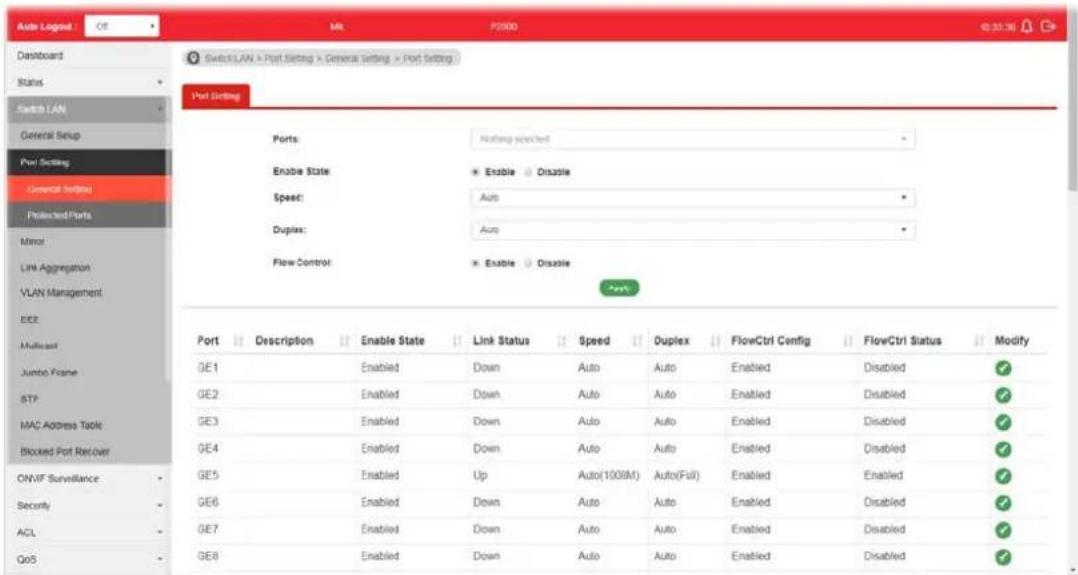
Available settings are explained as follows:
| Item | Description |
| Ports Use the drop down I | st to select one or more LAN port(s). |
| Enable State Enable -Click | it to enable the port.Disable - Click it to disable the port. |
| Speed Port speed capabilities | Auto: Auto speed with all capabilities.Auto-10M: Auto speed with 10M ability only.Auto-100M: Auto speed with 100M ability only.Auto-1000M: Auto speed with 1000M ability only.Auto-10/100M: Auto speed with 10/ 100M ability.10M: Force speed with 10M ability.100M: Force speed with 100M ability.1000M: Force speed with 1000M ability.Selecting Auto (auto-negotiation) allows one port to negotiate with a peer port automatically to obtain the connection speed and duplex mode that both ends support. When auto-negotiation is turned on, a port on the switch negotiates with the peer automatically to determine the connection speed and duplex mode. If the peer port does not support auto-negotiation or turns off this feature, the switch determines the connection speed by detecting the signal on the cable and using half duplex mode. When the switch's auto-negotiation is turned off, a port uses the pre-configured speed and duplex mode when making a connection, thusrequiring you to make sure that the settings of the peer port are the same in order to connect.For SFP fiber module, you might need to manually configure the speed to match fiber module speed. |
| Duplex Port duplex capabilities:Auto: Auto duplex with all capabilities.Half: Auto speed with 10/100M ability only.Full: Auto speed with 10/100/1000M ability only. | |
| Flow Control A concentration of traffic on a port decreases port bandwidth and overflows buffer memory causing packet discards and frame losses. Flow Control is used to regulate transmission of signals to match the bandwidth of the receiving port. The switch uses IEEE802.3x flow control in full duplex mode and backpressure flow control in half duplex mode. IEEE802.3x flow control is used in full duplex mode to send a pause signal to the sending port, causing it to temporarily stop sending signals when the receiving port memory buffers fill. Back Pressure flow control is typically used in half duplex mode to send a "collision" signal to the sending port (mimicking a state of packet collision) causing the sending port to temporarily stop sending signals and resend later.Enable - Click it to enable such function.Disable - Click it to disable such function. | |
| Apply Apply the settings to the switch. | |
Modify It is used to manually enter the description, state, speed, duplex, flow control for the port. | |
II-2-2 Protected Ports
This page allows the network administrator to configure protected port setting to prevent the selected ports from communication with each other. Protected port is only allowed to communicate with unprotected port.
For example, GE1 and GE3 are selected in Port List and Enable is clicked as Protected, then users behind GE1 and GE3 are separated and can not communicate with each other.
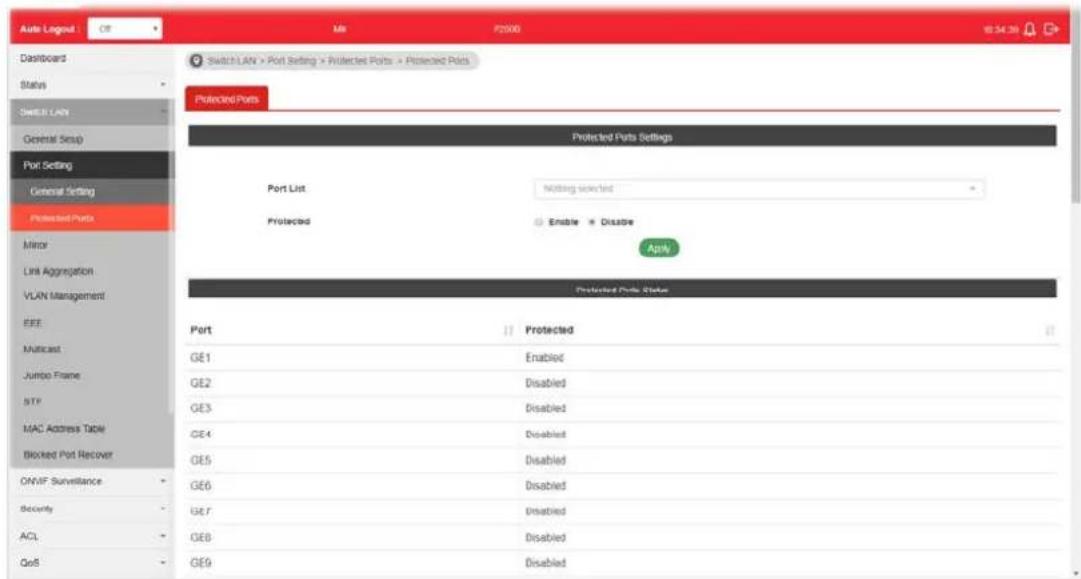
Available settings are explained as follows:
| Item | Description |
| Protected Ports Settings | ● Port List - Use the drop down list to select the port(s) (GE1 to GE28) for applying the settings configured in this page.● Protected - Click Enable to activate the protected port function.● Apply - The modification made above can be applied on to the selected GE port immediately. |
| Protected Port Status Display current status for each GE port. | |
II-3 Mirror
This section provides ability to mirror packets coming in or going out on any port to a destination port. Through the packet duplication in the destination port, this feature is convenient for system administrator to monitor / understand the traffic operation.
Session ID 1 to 4 can be enabled simultaneously and operate independently.
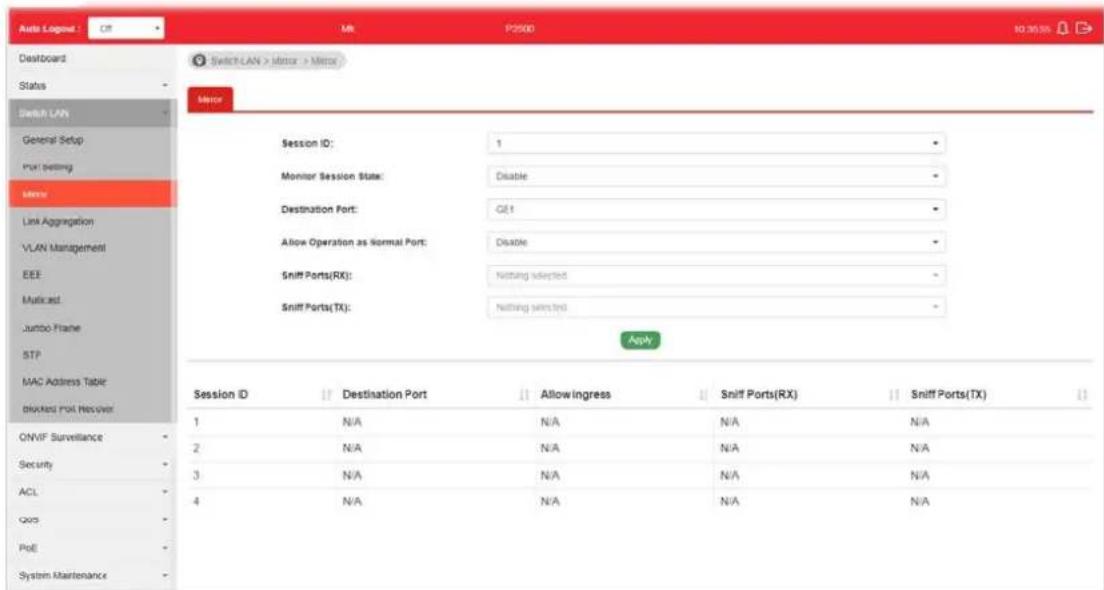
Available settings are explained as follows:
| Item | Description |
| Session ID Select the session ID (profile 1 to 4) of mirror operation you wish to configure. | |
| Monitor Session State | ● Enable - Enable specified mirror session. ● Disable - Disable specified mirror session. |
| Destination Port Specify the port where you wish to observe the mirrored packets. | |
| Allow Operation as Normal Port | ● Enable - The destination port is able to function as a port connecting to network, communicating with other network devices. ● Disable - Only observe the mirrored packets. |
| Sniff Ports (RX) / (TX) | Select the port(s) which you wish to mirror the traffic, Rx for mirror the packets into the port, Tx for mirror the packets going out from the port. |
| Apply Apply the settings to the switch. | |
II-4 Link Aggregation
LAG means Link Aggregation Group which groups some physical ports together to make a single high-bandwidth data path. Thus it can implement traffic load sharing among the member ports in a group to enhance the connection reliability.
II-4-1 LAG Setting
This page allows to configure Load Balance Algorithm for Link Aggregation.
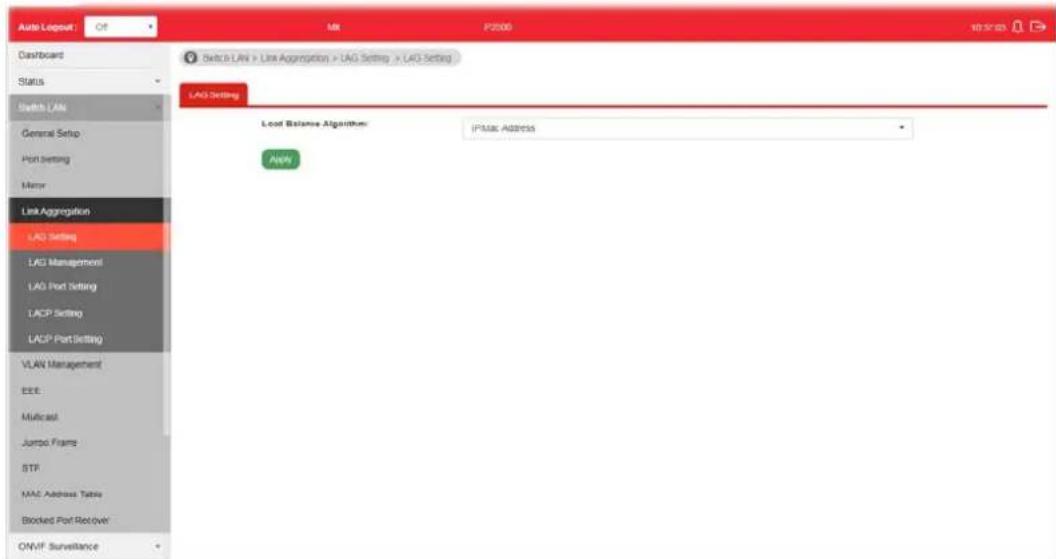
Available settings are explained as follows:
| Item | Description |
| Load Balance Algorithm | Select your Load balance algorithm.MAC address- Aggregated group will balance the traffic based on different MAC addresses. Therefore, the packets from different MAC addresses will be sent to different links.IP/Mac Address- Aggregated group will balance the traffic based on MAC addresses and IP addresses. Therefore, the packets from same MAC addresses but different IP addresses will be sent to different links. |
| Apply Apply the settings to the switch. | |
II-4-2 LAG Management
There are eight LAG profiles allowed to group different physical ports (GE1 to GE28). The system will assign certain port(s) as Active Member and Standby Member according to the GE selections.
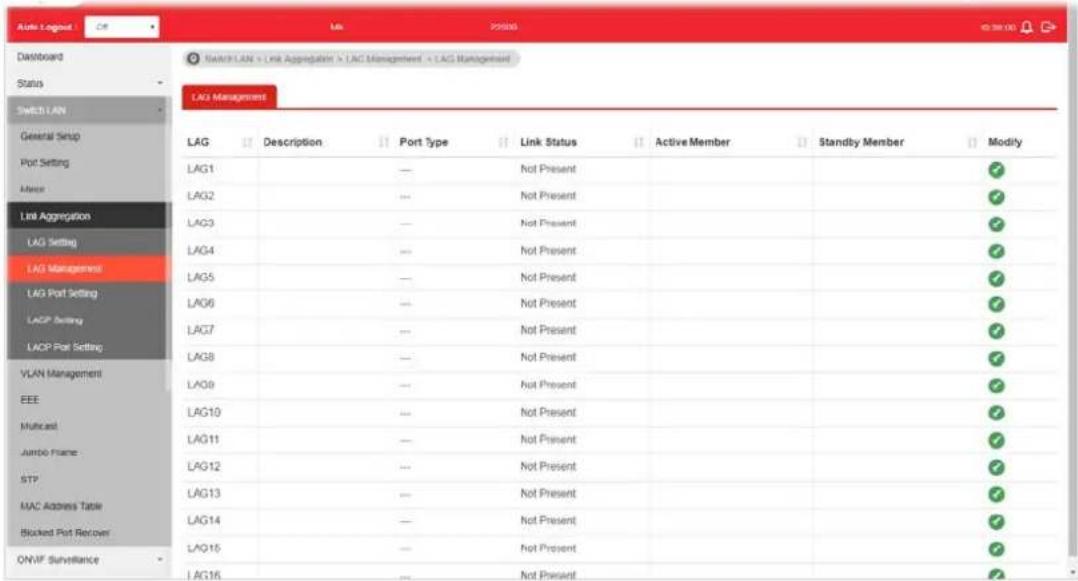
Available settings are explained as follows:
| Item | Description |
| Description Display the port description. | |
| Port Type Display the type of the LAG. | |
| Link Status Display LAG port link status. | |
| Active Member | Display active member ports of the LAG. |
| Standby Member | Display inactive or candidate member ports of the LAG. |
| Modify It is used to edit the name, type and port number for each link aggregation profile. | |
 | |
| Name- Enter a string as LAG name.Type - Use the drop down menu to specify the type for LAG.● Static- The static aggregated port sends packets over active member without detecting or negotiating with remote aggregated port.● LACP- The LACP aggregated ports place member into active only after negotiated with remote aggregated port | |
II-4-3 LAG Port Setting
This page defines port setting for each LAG profile (LAG1 to LAG8), including data speed and enabling/disabling the flow control.

Available settings are explained as follows:
| Item | Description |
| LAG Use the drop down list to select one or more LAG profiles. | |
| Enable | ● Enable -Click it to enable the profile.● Disable - Click it to disable the profile. |
| Speed Port speed capabilities:● Auto: Auto speed with all capabilities.● Auto-10M: Auto speed with 10M ability only.● Auto-100M: Auto speed with 100M ability only.● Auto-1000M: Auto speed with 1000M ability only.● Auto-10/100M: Auto speed with 10/100M ability.● 10M: Force speed with 10M ability.● 100M: Force speed with 100M ability.● 1000M: Force speed with 1000M ability.● 10G: Force speed with 10G ability.Selecting Auto (auto-negotiation) allows one port to negotiate with a peer port automatically to obtain the connection speed and duplex mode that both ends support. When auto-negotiation is turned on, a port on the switch negotiates with the peer automatically to determine the connection speed and duplex mode. If the peer port does not support auto-negotiation or turns off this feature, the switch determines the connection speed by detecting the signal on the cable and using half duplex mode. When the switch's auto-negotiation is turned off, a port uses the pre-configured speed and duplex mode when making a connection, thus | |
| requiring you to make sure that the settings of the peer port are the same in order to connect.For SFP fiber module, you might need to manually configure the speed to match fiber module speed. | |
| Duplex Port duplex capabilities:Auto: Auto duplex with all capabilities.Half: Auto speed with 10/100M ability only.Full: Auto speed with 10/100/1000M / 10G ability only. | |
| Flow Control A concentration of traffic on a port decreases port bandwidth and overflows buffer memory causing packet discards and frame losses. Flow Control is used to regulate transmission of signals to match the bandwidth of the receiving port. The switch uses IEEE802.3x flow control in full duplex mode and backpressure flow control in half duplex mode. IEEE802.3x flow control is used in full duplex mode to send a pause signal to the sending port, causing it to temporarily stop sending signals when the receiving port memory buffers fill. Back Pressure flow control is typically used in half duplex mode to send a "collision" signal to the sending port (mimicking a state of packet collision) causing the sending port to temporarily stop sending signals and resend later.Enable - Click it to enable such function.Disable - Click it to disable such function. | |
| Apply Apply the settings to the switch. | |
| Modify | It is used to edit status, speed, and flow control for the LAG. |
II-4-4 LACP Setting
This page allows the network administrator to enable or disable the LACP function.

Available settings are explained as follows:
| Item | Description |
| LACP | ● Enable – Click it to enable such function.● Disable - Click it to disable the function. |
| System Priority The priority is used to determine which switch (local or remote) on the LAG connection is able to decide LACP activities. The lower the number is, the higher the priority for VigorSwitch will be. Therefore, the switch with the highest system priority (e.g., 1) can make decisions about which ports actively participate in LAG at a given time. | |
| Apply Apply the settings to the switch. | |
II-4-5 LACP Port Setting
This section provides few detailed configuration regarding to Ports under LACP protocol.

Available settings are explained as follows:
| Item | Description |
| Ports Use the drop down list to specify LAN Port. | |
| Priority Enter a port priority number for the port. | |
| Timeout The timeout option decides how local switch of LAG connection determines connection to be lost. Switch would also notify the remote switch about this setting value, so that remote switch can send LACP PDU in correct timing.Long - LACP PDU will be sent every 30 seconds. If port member is not seen over 90 seconds, it will cause port member timeout.Short - LACP PDU will be sent per second. If port member is not seen over 3 seconds, it will cause port member timeout. | |
| Apply Apply the settings to the switch. | |
| Modify It is used to edit settings (priority and timeout) for LACP port. | |
II-5 VLAN Management
A virtual local area network, virtual LAN or VLAN, is a group of hosts with a common set of requirements that communicate as if they were attached to the same broadcast domain, regardless of their physical location. A VLAN has the same attributes as a physical local area network (LAN), but it allows for end stations to be grouped together even if they are not located on the same network switch. VLAN membership can be configured through software instead of physically relocating devices or connections.
II-5-1 Create VLAN
This page allows a user to add, edit or delete VLAN settings.
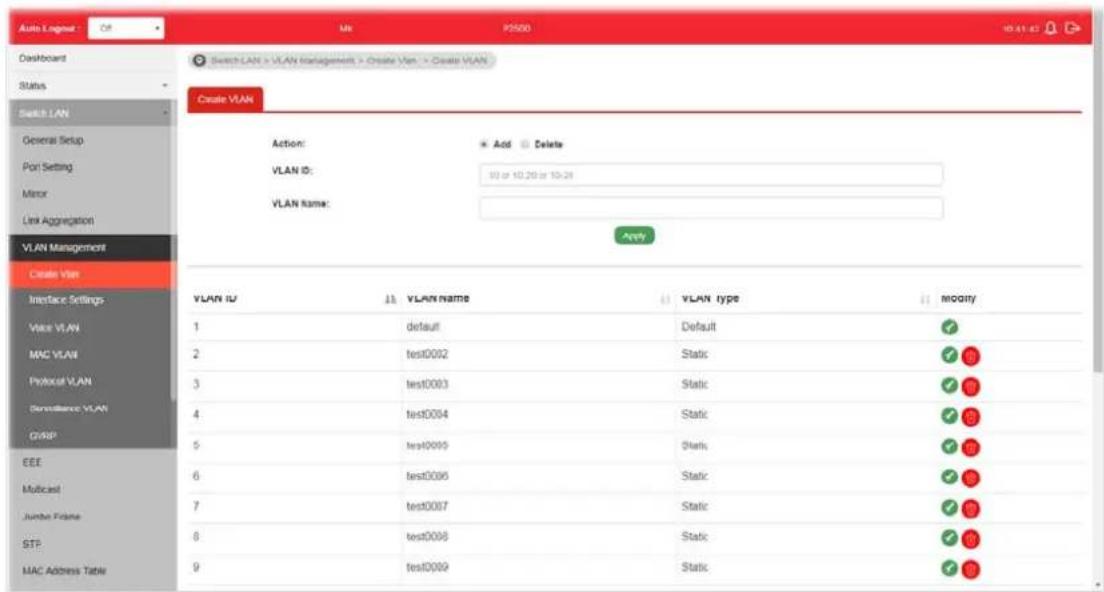
Available settings are explained as follows:
| Item | Description | |||
| Action Select which action | to perform, add VLANs or delete VLANs.Add-Create a new VLAN profile.Delete-Delete an existed VLAN profile. | |||
| VLAN ID | Enter the number as VLAN ID to be created or deleted. If you want to create / delete multiple VLAN profiles, simply enter multiple VLAN ID separated by comma, and/or range of VLAN ID using hyphen. | |||
| VLAN Name | Enter the prefix you wish to add followed by VLAN ID as VLAN name. Leave it empty for using default "VLAN".After clicking Apply, you will see: | |||
| VLAN ID | 11 | VLAN Name | 11 | |
| 1 | default | Default | 11 | |
| 2 | marketing0002 | Static | 11 | |
| 3 | marketing0003 | Static | 11 | |
| Apply Apply the settings to the switch. | ||||
Modify

- Modify the name of the selected VLAN ID.
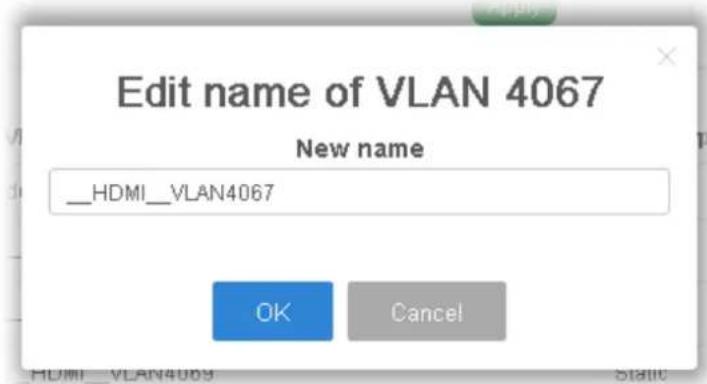
● New Name - Type a name for such VLAN profile.
● OK - Apply the settings to the switch.
- Cancel - Close the page and return to previous page.

- Delete the selected VALN ID.
II-5-2 Interface Settings
This page allows a user to configure interface setting related to VLAN.

Available settings are explained as follows:
| Item | Description |
| Port Select Select LAN ports to configure VLAN Settings. | |
| Interface VLAN Mode Select the VLAN mode of the interface.Hybrid – Support all functions as defined in IEEE 802.1Q specification.Access – Accept only untagged frames and join an untagged VLAN. | |
| ● Trunk - An untagged member of one VLAN at most, and is a tagged member of zero or more VLANs. | |
| PVID | A PVID (Port VLAN ID) is a tag that adds to incoming untagged frames received on a port so that the frames are forwarded to the VLAN group that the tag defines.For port under Access Mode, VLAN ID provided as PVID would automatically be selected as the untagged VLAN. |
| Accepted Type Specify the | acceptable-frame-type of the specified interfaces.It's only available with Hybrid mode.All - Accept frames regardless it's tagged with 802.1q or not.Tag Only - Accept frames only with 802.1q tagged.Untag Only - Accept frames untagged. |
| Ingress Filtering Enable the | ingress filtering to filter out any packets not belong to any VLAN members of this port. It is enabled automatically while operating in Access and Trunk mode.Enabled - Click it to enable the function.Disabled - Click it to disable the function. |
| Tagged VLAN Specify the | VLAN profile tagged in the VLAN. |
| Untagged VLAN | Specify the VLAN profile untagged in the VLAN. |
| Forbidden VLAN | Specify the VLAN profile forbidden in the VLAN. |
| Apply Apply the settings to the switch. | |
| Modify | - It is used to edit settings for the selected port. |
II-5-3 Voice VLAN
With such feature, a VLAN will be created temporarily and when the specified OUI device delivers protocol packets related to "VoIP", VigorSwitch will guide these packets into the specified Voice LAN with specified priority tag to speed up the packet transmission. Such voice VLAN is only active inside VigorSwitch for packet transmission. After these packets leave VigorSwitch, the Voice VLAN tag will be removed immediately.
II-5-3-1 Properties
This page allows a user to configure global and per interface setting of voice VLAN.

Available settings are explained as follows:
| Item | Description |
| Voice VLAN State | Enabled - Click it to enable Voice VLAN. Disabled - Click it to disable Voice VLAN. |
| Voice VLAN Id Check the box of Enable first and then select Voice VLAN ID profile. | |
| Remark CoS/802.1p | Click Enabled / Disabled to enable or disable 1p remarking. If enabled, qualified packets will be remarked by this value. |
| Remark Value Specify the number of packets to be remarked.Specify the CoS/ 802.1p number you wish ingress VoIP packets be tagged with, so that QoS can prioritize it correctly. | |
| Aging Time | Select value of aging time (30~65536 min).Default is 1440 minutes. A voice VLAN entry will be age out after this time if without any packet pass through. |
| Apply Apply the settings to the switch. | |
II-5-3-2 Telephony OUI Setting
This page allows a user to add, edit or delete OUI MAC addresses. Default has 8 pre-defined OUI MAC.
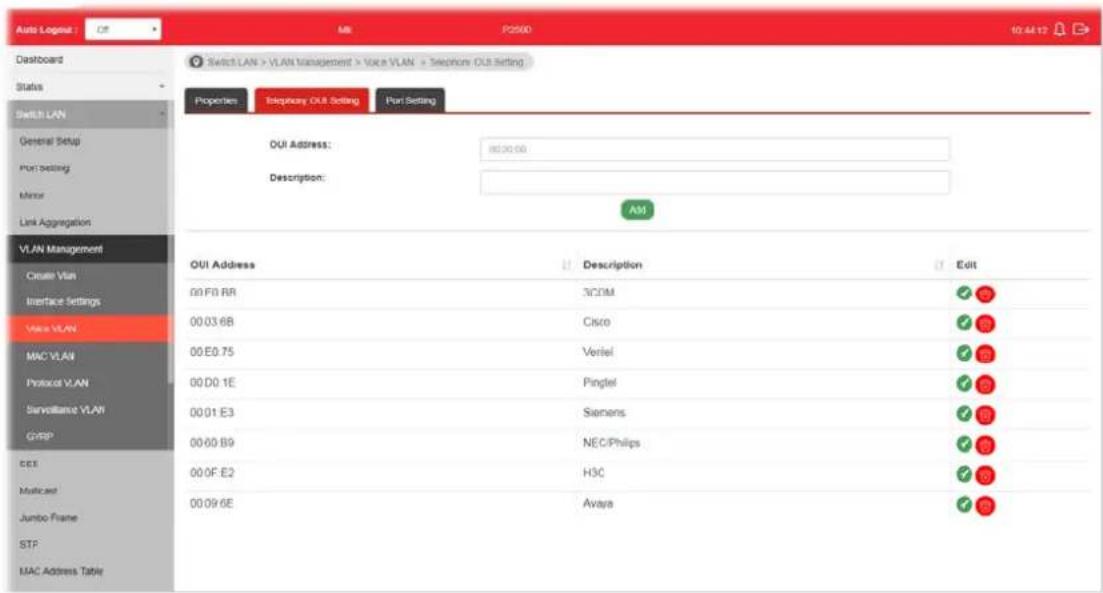
Available settings are explained as follows:
| Item | Description |
| OUI Address Type OUI address. | |
| Description Enter a description of the specified MAC address to the voice VLAN OUI table. | |
| Add Click it to create a new voice OUI based on the settings configured above. | |
| Edit | 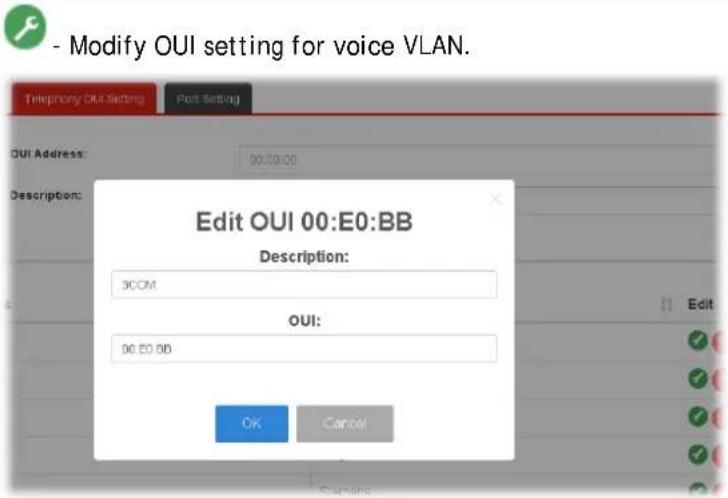 - Click it to remove the selected OUI entry. - Click it to remove the selected OUI entry. |
II-5-3-3 Port Setting
This page allows a user to specify LAN port(s) as Voice LAN port.
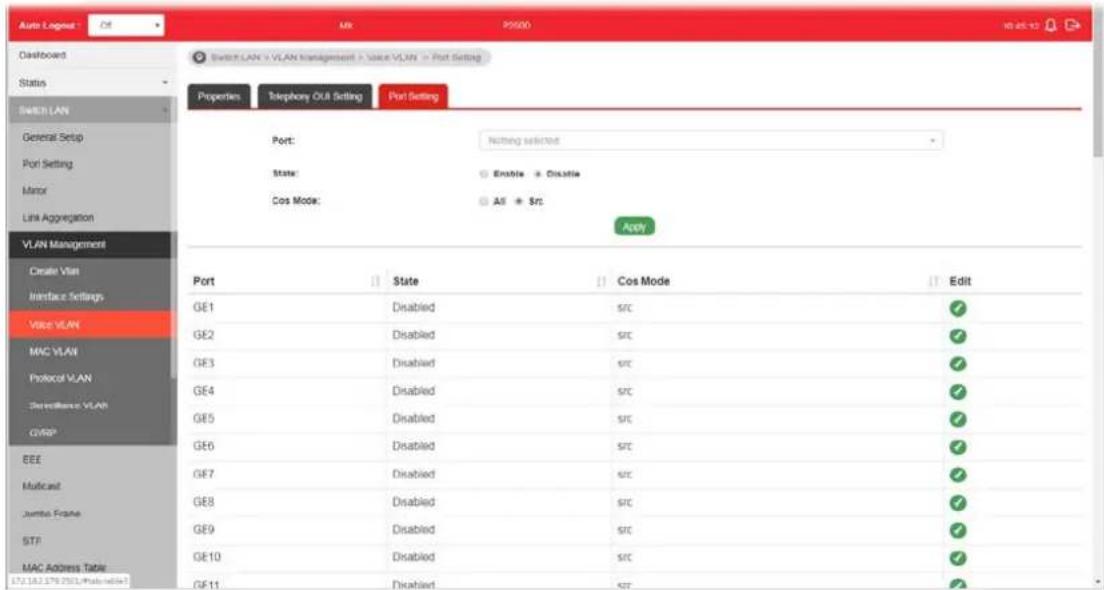
Available settings are explained as follows:
| Item | Description |
| Port Use the drop down list to specify one or more LAN ports. | |
| State | Enabled - Click it to enable the port settings for Voice LAN disabled - Click it to disable the port settings for Voice LAN. |
| Cos Mode | If Remark CoS/802.1p is enabled in Voice VLAN>>Properties, settings in this page shall be applied. Otherwise, this option will not take effect.All - Once this port is identified as Voice VLAN by frame with matched OUI, remark CoS/ 802.1p shall tag for all ingress frame regardless of remarked frame matched with pre-configured OUI or not.Src (Source) - Once this port is identified as Voice VLAN by frame with matched OUI, remark CoS/ 802.1p shall tag for only the matched ingress frame with pre-configured OUI. |
| Apply Apply the settings to the switch. | |
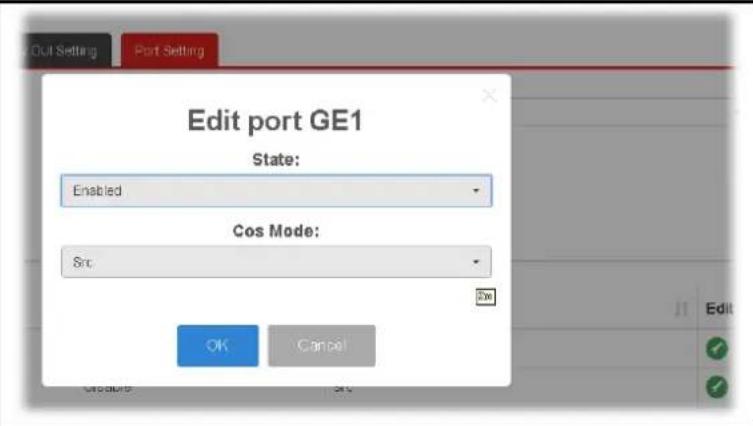
| Edit | Click the icon under Edit for one entry to modify port settings (State, Cos Mode) for voice VLAN. |
II-5-4 MAC VLAN
II-5-4-1 MAC Group
The MAC VLAN allows you to statically assign a VLAN ID to a host with specific MAC address(es). VigorSwitch allows you to configure multiple groups with configured MAC address and mask to be active on ports and to be bound with VLAN ID. This page allows the network administrator to define groups with specific MAC addresses for later binding with VLAN and Port.
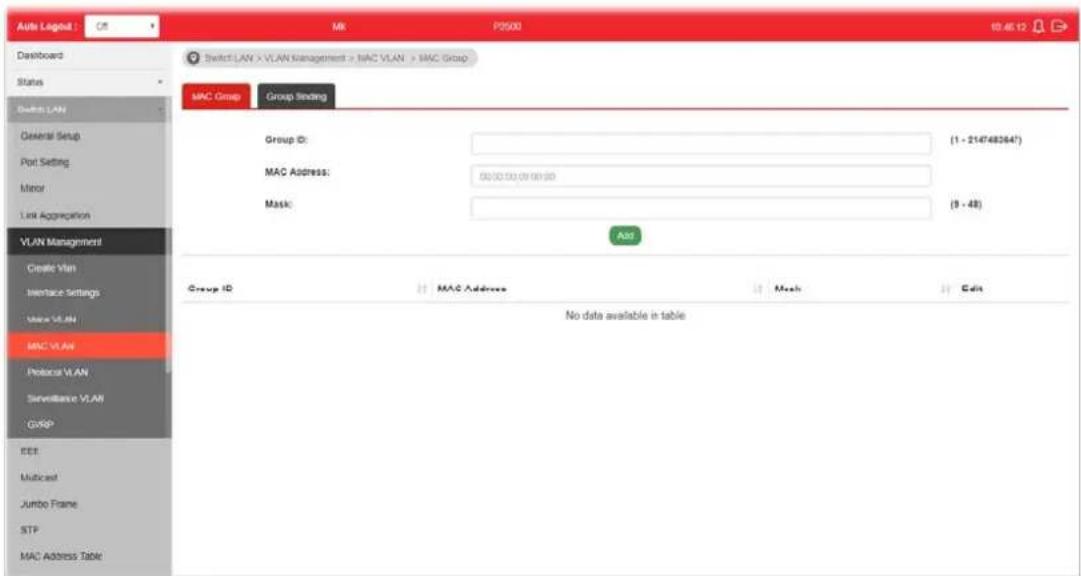
Available settings are explained as follows:
| Item | Description |
| Group ID It is a number for | identification later, while chosen to bebound with VLAN/ Port. |
| MAC Address | Enter the MAC address you wish to be classified in this group |
| Mask | The mask is the length of matching prefix you wish to have on MAC address.For example, configure mask in 10. It means a host with beginning of the 10-digit of MAC address will be checked, and classified into this group if matched. |
| Add Click it to create a new settings configured above. | MAC group profile based on the |
| Edit | Click the icon under Edit for one entry to modify settings for group ID. |
I-5-4-3 Group Binding
The MAC VLAN allows you to statically assign a VLAN ID to a host with specific MAC address(es). VigorSwitch allows you to configure multiple groups with configured MAC address and mask to be active on ports and to be bound with VLAN ID. This page allows the network administrator to bind the group of specified MAC addresses with VLAN and Port.
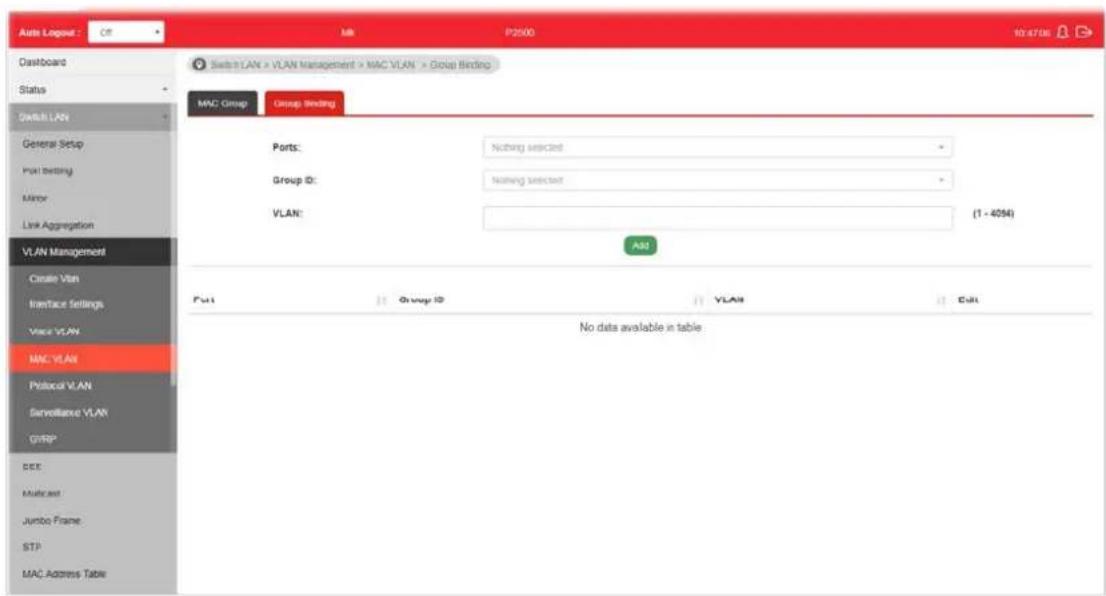
Available settings are explained as follows:
| Item | Description |
| Ports Select the ports you | wish to be bound with specified MAC address group. |
| Group ID Choose the group | ID you have created in earlier section, which specified a group of host by MAC address and its mask. |
| VLAN Enter the VLAN ID that | at you wish to be bound with. |
| Add Click it to create a new settings configured above. | MAC group binding profile based on the settings configured above. |
| Edit | Click the icon under Edit for one entry to modify settings for selected port profile. |
II-5-5 Protocol VLAN
VigorSwitch offers protocol VLANs which allows Network Administrator to filter out untagged traffic of certain protocol and then assign them a specific VLAN ID.
II-5-5-1 Protocol Group
Up to eight protocol groups can be defined, each of them can have a unique filtering criteria such as frame type and protocol value.
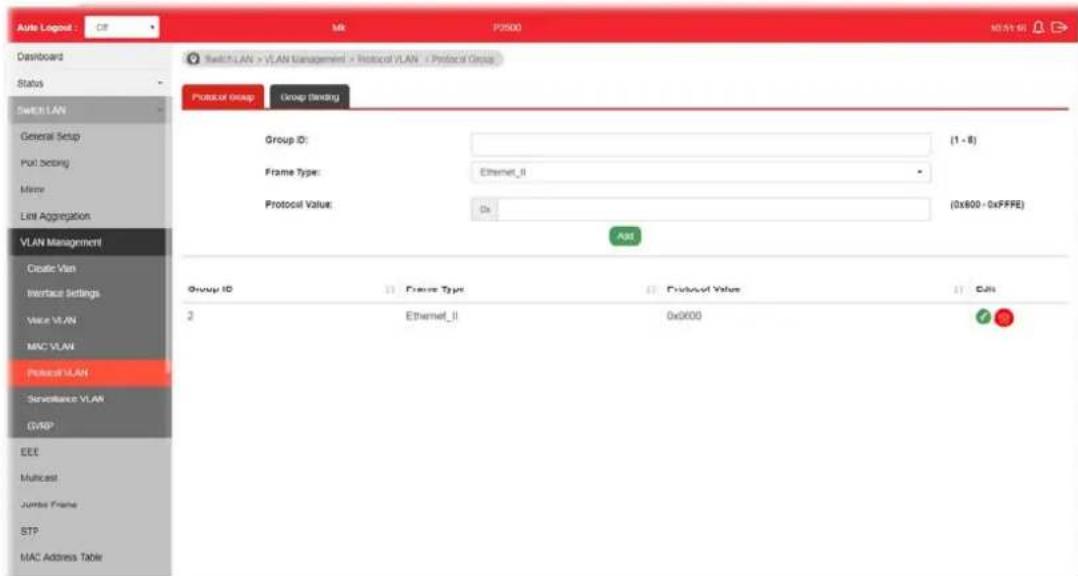
Available settings are explained as follows:
| Item | Description |
| Group ID It is a number for | identification while bounding with VLAN/ Port. |
| Frame Type | Use the drop-down list to specify the frame type which you would like to filter.Ethemet_IIEthernet_IIIEEE802.3_LLC_OtherRFC_1042Ethernet_II - Packet will be mapped based on Ethernet version 2.IEEE802.3_LLC_Other -Packet will be mapped based on 802.3 packet with LLC other header.RFC_1042 - Packet will be mapped based on RFC 1042. |
| Protocol Value Input a value (ranging from 0x600 ~0xFFFE). Packets match with such value will be classified into this group. | |
| Add Click it to create a new protocol group profile based on the settings configured above. | |
Edit

- Modify setting for selected group.
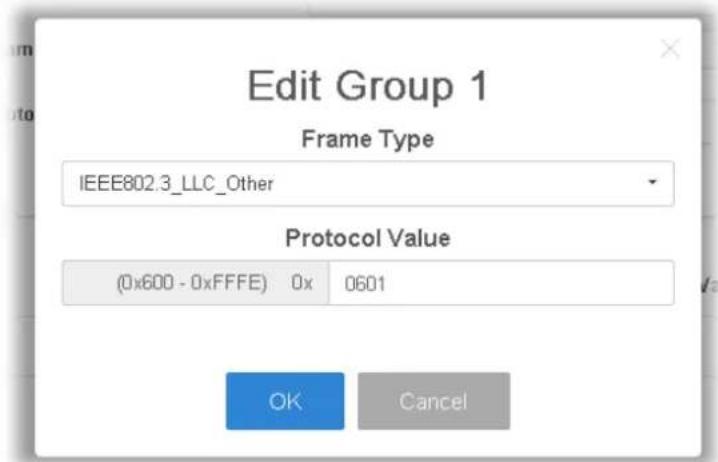

- Click it to remove the group.
II-5-5-2 Group Binding
This page is for setting up the ports and protocol group that we would like to filter, and the VLAN ID we would like to assign.
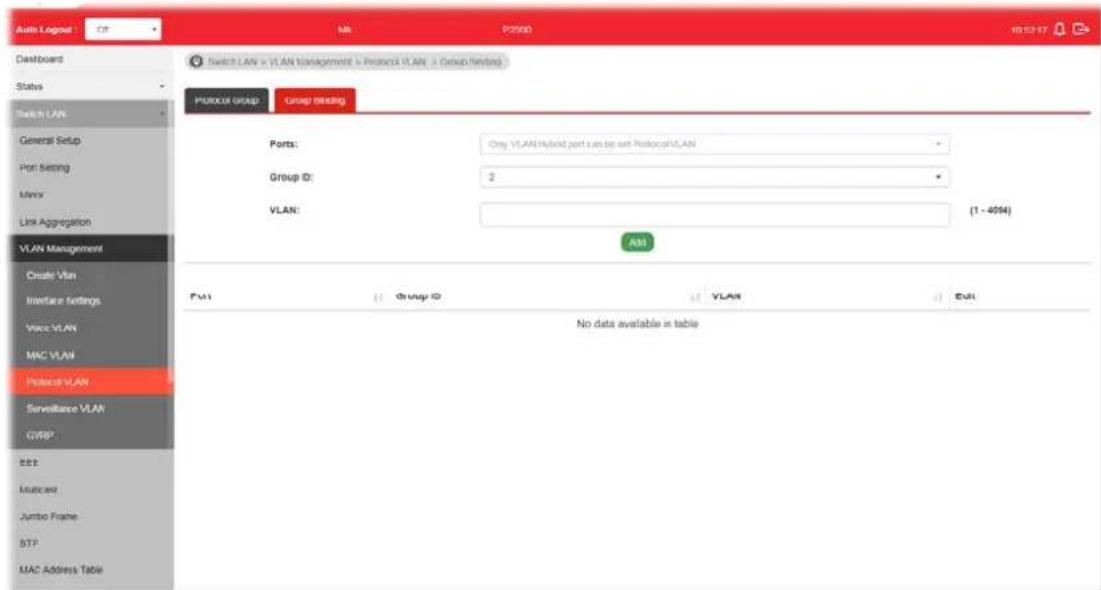
Available settings are explained as follows:
| Item | Description |
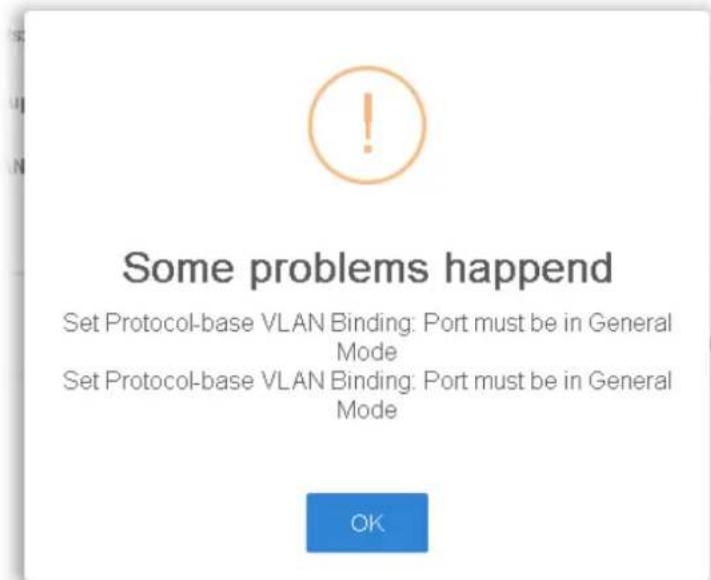
| Ports Use the drop-down list to select one or more ports for applying protocol-based VLAN. Note that protocol-based VLAN can only be applied to the ports of which Interface VLAN Mode (at VLAN Management >> Interface Settings) is set to “Hybrid”. | |
| Group ID Select the protocol group defined in Protocol Group setup. | |
| VLAN | Use drop down list to choose a value as VLAN number. |
| Add Add the above settings to the switch. | |
| Before using Add, open Switch LAN>>VLAN Management>>Interface Settings to specify Hybrid as Interface VLAN Mode for the GE ports first. Otherwise, the following error message will appear. | |
 | |
 | |
| Edit | 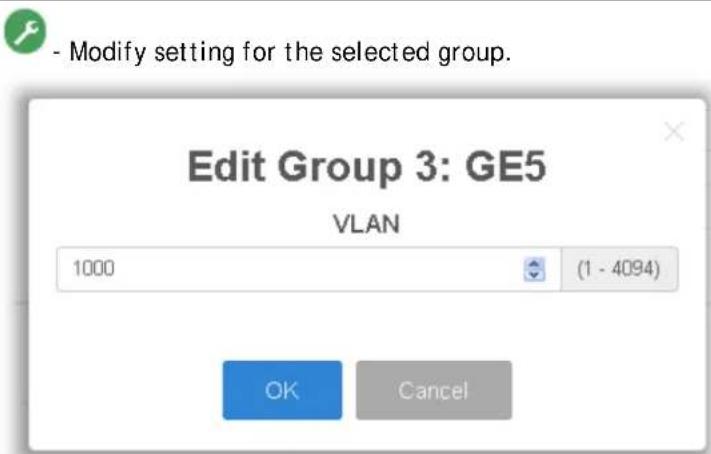 |
 - Click it to remove the selected group. - Click it to remove the selected group. | |
II-5-6 Surveillance VLAN
Surveillance VLAN can be configured for VigorSwitch to identify the packets coming from an IP camera automatically and assign those traffics to a specific VLAN ID and CoS/ 802.1p value, this helps you to prioritize those traffics and improve video quality.
II-5-6-1 Property
This page is for setting up the VLAN to which the video traffic should be assigned and to enable/disable Surveillance VLAN on each port.

Available settings are explained as follows:
| Item | Description |
| State | Enabled- Click it to enable the port settings for such VLAN disabled- Click it to disable the port settings for such VLAN. |
| VLAN ID | Choose a VLAN profile (created in Switch LAN>>VLAN Management>>Create Vlan) as Surveillance VLAN. |
| CoS/802.1p Remarking | Specify the CoS/ 802.1p number you wish ingress packets be tagged with, so that QoS can prioritize it correctly.Enable- If enabled, qualified packets will be remarked by this value. |
| Aging Time Unit is second | Select value of aging time (30~65536 seconds).Default is 1440 seconds. VLAN entry will be aged out after this time if no packet passes through. |
| Apply Apply the settings to the switch. | |
| Edit | Click it to modify port setting status. |
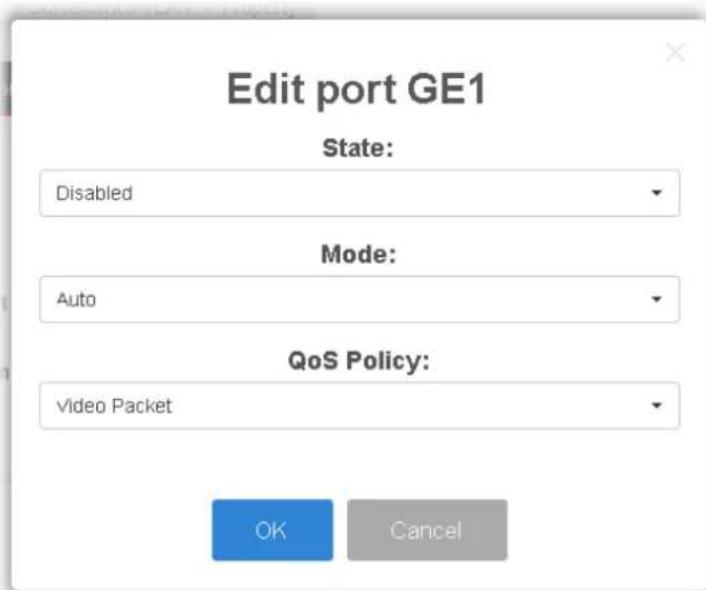
- State -Set it to enable surveillance VLAN function of interface.
● Mode -Select port surveillance VLAN mode.
Auto: Surveillance VLAN auto detect packets that match OUI table and add received port into surveillance VLAN ID tagged member.
◆ Manual: User need add interface to VLAN ID tagged member manually.
● QoS Policy - Select port QoS Policy mode.
◆ Video Packet: QoS attributes are applied to packets with OUI in the source MAC address.
◆ All: QoS attributes are applied to packets that are classified to the Surveillance VLAN. - OK - Apply the settings to the switch.
- Cancel - Abandon the changes and return to previous page.
II-5-6-1 Surveillance OUI
Filtering Surveillance traffic is based on the OUI of the IP cameras. Users can add, edit, and delete OUI on this page.

Available settings are explained as follows:
| Item | Description |
| OUI Address Enter OUI MAC address of monitored IP camera. It can't be edited in edit dialog. | |
| Description Enter a description of the specified MAC address to the surveillance VLAN OUI table. | |
| Add Click it to create a new voice OUI based on the settings configured above. | |
| Edit | - Modify OUI setting for surveillance VLAN.- Click it to remove the selected OUI entry. |
II-5-7 GVRP
II-5-7-1 Property
This page allows the network administrator to configure registration mode (e.g., Normal, Fixed or Forbidden) of GVRP (GARP VLAN Registration Protocol) for each GE port.
Such function can eliminate unnecessary network traffic and prevent any attempt to transmit information to unregistered users.
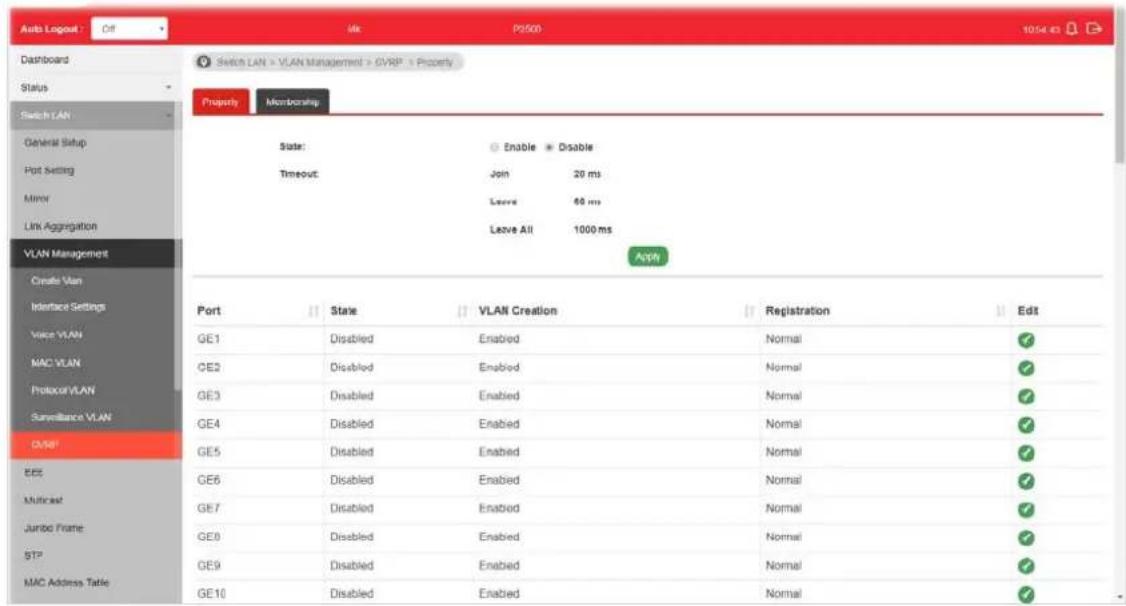
Available settings are explained as follows:
| Item | Description |
| State | Enabled- Click it to enable the port settings for such VLAN disabled- Click it to disable the port settings for such VLAN. |
| Timeout Display the current time status for GVRP. | |
| Apply Apply the settings to the switch. | |
| Edit | - Click it to modify settings for the selected port. |

● State - Select Enabled or Disabled for such port.
● VLAN Creation -Select Enabled or Disabled.
● Mode - There are three modes to be specified.
◆ Normal - Default setting. All packets can pass through the selected GE port.
Fixed - The selected GE port only sends static VLAN information to neighboring device and allows static VLAN packet to pass through.
◆ Forbidden - The selected GE port only allows default VLAN packet to pass through.
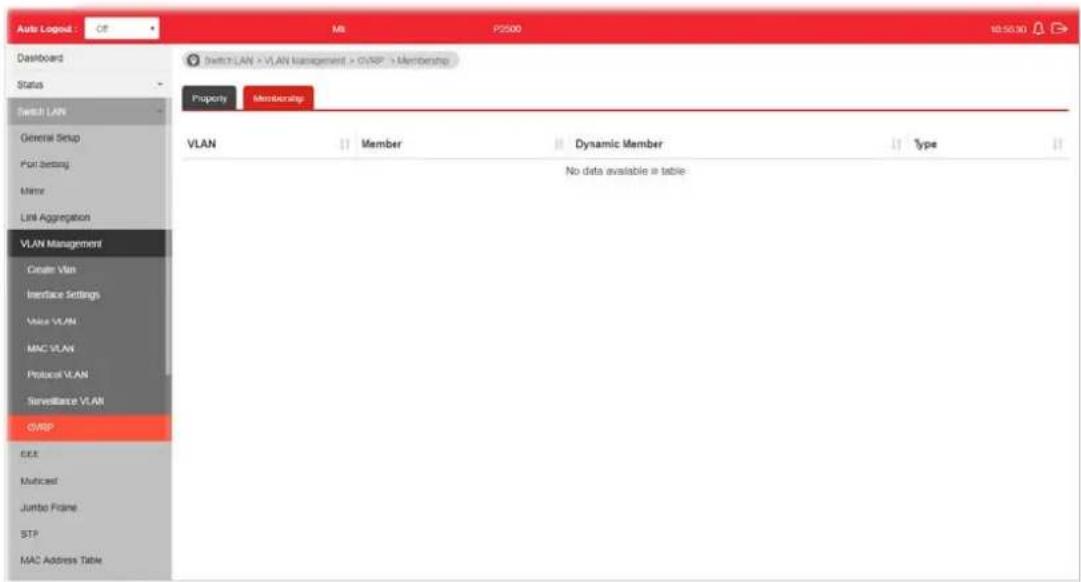
II-5-7-2 Membership
This page display information about membership for GVRP.
This page allows a user to enable or disable port EEE (Energy Efficient Ethernet) function.

Available settings are explained as follows:
| Item | Description |
| Port | Select one or multiple ports to configure (GE1 to GE28). |
| Enable | ● Enable -Click it to enable the EEE function. ● Disable - Click it to disable the EEE function. |
| Apply Apply the settings to the switch. | |
| Modify | - Click it to modify port setting status. |
II-7 Multicast
IP multicast is a technique for one-to-many communication over an IP infrastructure in a network.
To avoid the incoming data broadcasting to all GE ports, multicast is useful to transfer the data/ message to specified GE ports for IGMP snooping. When VigorSwitch receives a message "subscribed" by the client, it must decide to transfer the data to specified GE ports according to the location of the client (subscribed member).
II-7-1 Properties
For the multicast packets, This page allows the network administrator to choose actions for processing the unknown multicast packets and for handling known packets with MAC address, IP address and VLAN ID.
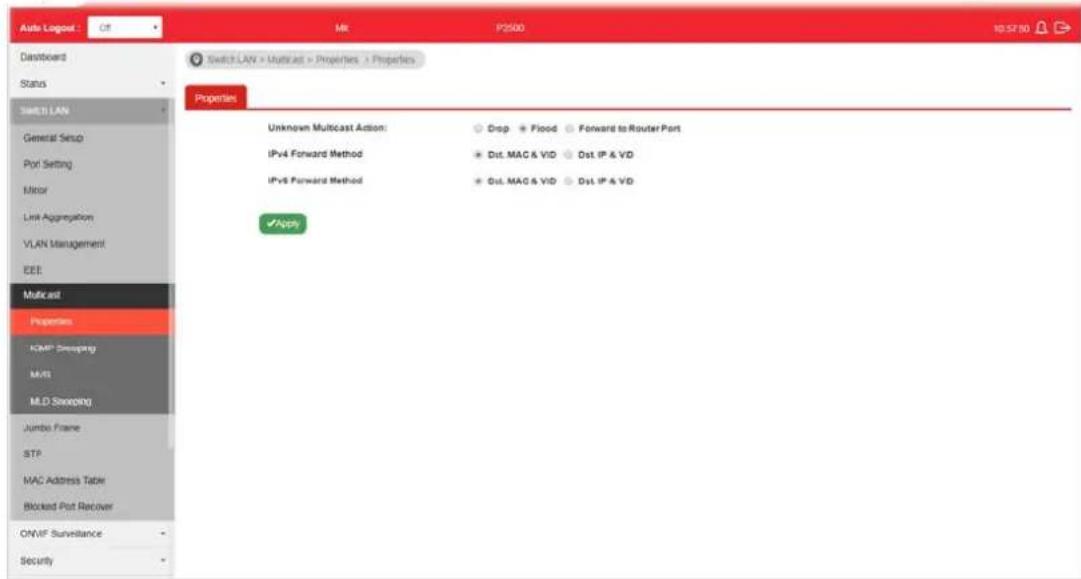
Available settings are explained as follows:
| Item | Description |
| Unknown Multicast Action | Select an action for switch to handle with unknown multicast packet.Drop: Drop the unknown multicast data.Flood: Flood the unknown multicast data.Forward to Router port: Forward the unknown multicast data to router port. |
| IPv4 Forward Method Set | the IPv4 multicast forward method.Dst. MAC & VID: Forward using destination multicast MAC address and VLAN IDs.Dst. IP & VID: Forward using destination multicast IP address and VLAN ID. |
| IPv6 Forward Method Set | the IPv6 multicast forward method.Dst. MAC & VID: Forward using destination multicast MAC address and VLAN IDs.● Dst. IP & VID: Forward using destination multicast IPv6 address and VLAN ID. |
| Apply Apply the settings to the switch. | |
II-7-2 IGMP Snooping
IGMP snooping is the process of listening to Internet Group Management Protocol (IGMP) network traffic. The feature allows a network switch to listen in on the IGMP conversation between hosts and routers. By listening to these conversations the switch maintains a map of which links need which IP multicast streams. Multicasts may be filtered from the links which do not need them and thus controls which ports receive specific multicast traffic.
Multicast packets (IPv4) transmission without IGMP snooping

flowchart
graph TD
    A["Source"] --> B["Vigor router"]
    B --> C["VigorSwitch"]
    C --> D["Host A"]
    C --> E["Host B"]
    C --> F["Host C"]
    B --> G["PIM (IPv4)"]
Multicast packets (IPv4) transmission with IGMP snooping

flowchart
graph TD
    A["Source PIM (IPv4)"] --> B["Vigor router"]
    B --> C["IGMP Snooping"]
    C --> D["Receiver: Host A"]
    C --> E["Host B"]
    C --> F["Receiver: Host C"]
    B --> G["VigorSwitch"]
    C --> H["Return to Switch"]

II-7-2-1 IGMP Setting
This page allows the network administrator to enable/disable IGMP function, select snooping version, and enable/disable snooping report suppression.

Available settings are explained as follows:
| Item | Description |
| IGMP Snooping State | ● Enable - Click it to set enabling IGMP function.● Disable - Click it to disable IGMP function. |
| IGMP Snooping Version Set the IGMP snooping version.● v2 - Only support process IGMP v2 packet.● v3 (BISS) - Support v3 basic and v2. | |
| IGMP Snoopign Report Suppression | Click Enable to allow the switch to handle IGMP reports between router and host, suppressing bandwidth used by IGMP. |
| Apply Apply the settings to the switch. | |
| Modify | ● - Click it to modify IGMP settings for selected profile. However, if IGMP Snooping State is not set as Enable, such option will be disabled. |
Edit VLAN ID 1IGMP Snooping StateDisableRouter Ports Auto LearnEnableQuery Robustness (Operational: 2)2  (1-7, default 2)Query Interval (Operational: 125)125 (1-7, default 2)Query Interval (Operational: 125)125  Sec (30-18000, default 125)Query Response Interval (Operational: 10)10 [2932] Sec (5-20, default 10)Last Member Query Counter (Operational: 2)2 [488C] Sec (1-7, default 2)Last Member Query Interval (Operational: 1)1 [X454] Sec (1-25, default 1)Immediate Leave:Enable Sec (30-18000, default 125)Query Response Interval (Operational: 10)10 [2932] Sec (5-20, default 10)Last Member Query Counter (Operational: 2)2 [488C] Sec (1-7, default 2)Last Member Query Interval (Operational: 1)1 [X454] Sec (1-25, default 1)Immediate Leave:Enable Cancel Cancel | |
| ● IGMP Snooping State -Choose Enable to enable IGMP snooping function.● Router Ports Auto Learn - Set the enabling status of IGMP router port learning. Choose Enable to learn router port by IGMP query.● Query Robustness - Set a number which allows tuning for the expected packet loss on a subnet.● Query Interval - Set the interval of querier send general | |
Edit VLAN ID 1
IGMP Snooping State
Router Ports Auto Learn
Query Robustness (Operational: 2)
Query Interval (Operational: 125)
Query Response Interval (Operational: 10)
Last Member Query Counter (Operational: 2)
Last Member Query Interval (Operational: 1)
Immediate Leave:
- IGMP Snooping State -Choose Enable to enable IGMP snooping function.
- Router Ports Auto Learn - Set the enabling status of IGMP router port learning. Choose Enable to learn router port by IGMP query.
- Query Robustness - Set a number which allows tuning for the expected packet loss on a subnet.
- Query Interval - Set the interval of querier send general
| query.●Query Response Interval- It specifies the maximum allowed time before sending a responding report in units of 1/10 second.●Last Member Query Counter- After quering for specified times (defined here) and still not receiving any response from the subscribed member, VigorSwitch will stop transmitting data to the related GE port(s).●Last Member Query Interval- The maximum time interval between counting each member query message with no responses from any subscribed member.●Immediate Leave- Leave the multicast group immediately on the port & VLAN where leave message is sent from, regardless there is still a subscribed member or not. Click Enable to enable Fastleave function.●OK- Apply the settings to the switch.●Cancel- Close the page and return to previous page. |
II-7-2-2 IGMP Querier Setting
This page allows a user to configure querier settings on specific VLAN of IGMP Snooping.
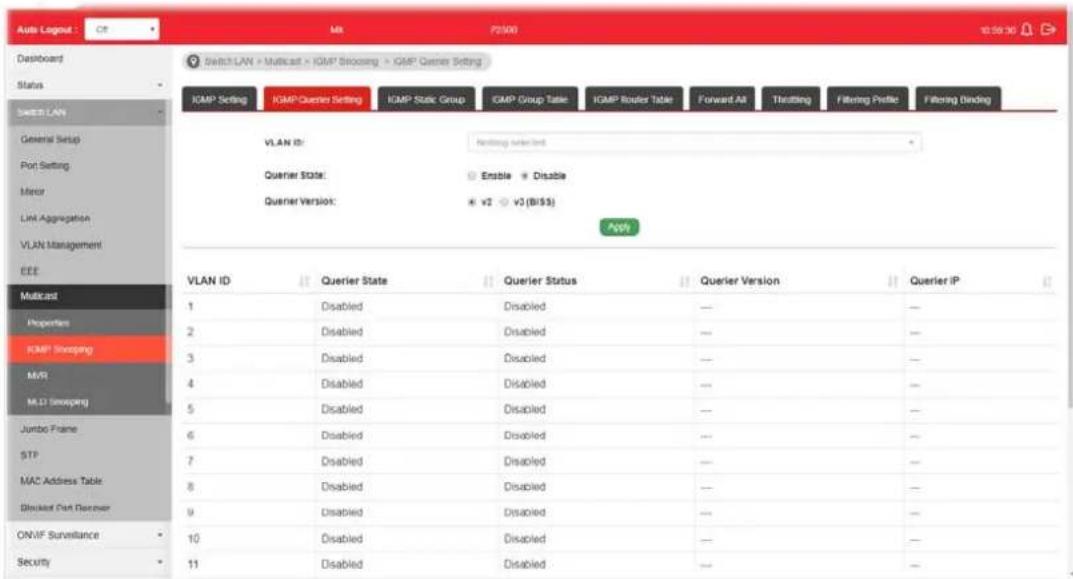
Available settings are explained as follows:
| Item | Description |
| VLAN ID | Use the drop down list to specify a VLAN profile as IGMP Snooping querier. |
| Querier State | ● Enable - Click Enable to set the enabling status of IGMP Querier on the chosen VLAN profile.● Disable - Click it to disable the function. |
| Querier Version Set the query version of IGMP Querier Election on the chosen VLANs.● v2 - Querier version 2.● v3 - Querier version 3.Note: For maximum compatibility, it is suggested to use querier version lower than IGMP snooping version, for there is possible network mixed with IGMP v2/ v3 client and v2 query | |
| message is widerly understandable for those clients. | |
| Apply Apply the settings to the switch. | |
II-7-2-3 IGMP Static Group
The IGMP static group is allowed to assign a VLAN/ port as a specific IPv4 multicast member. Every IPv4 multicast stream that belongs to the specified group IP address will be forwarded to the specified port/ VLAN member.
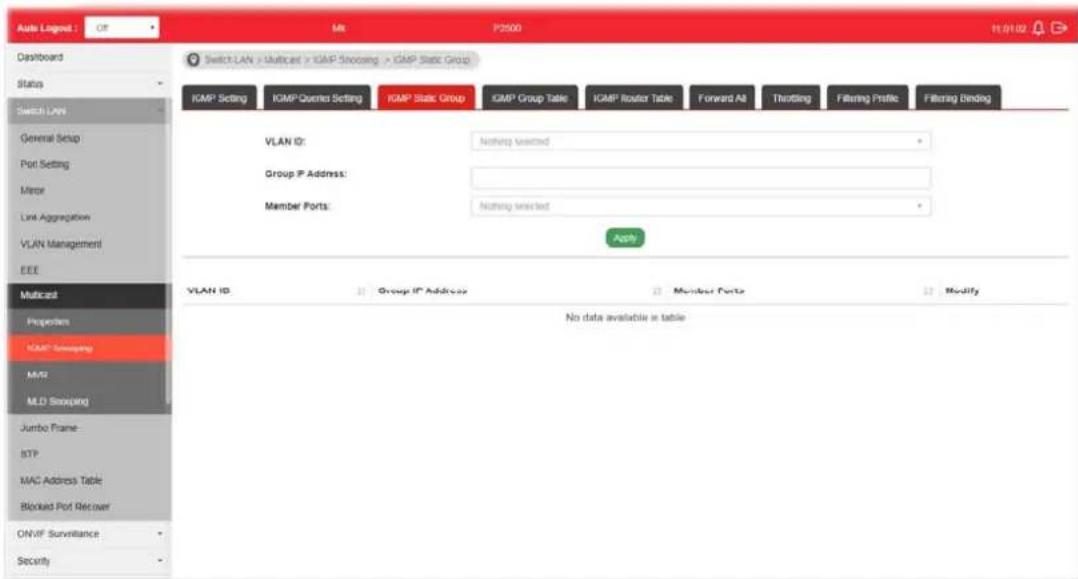
Available settings are explained as follows:
| Item | Description |
| VLAN ID | Use the drop down list to specify a VLAN profile as IGMP Static Group. |
| Group IP Address It is an id | identifier for the group member. Packets sent to such address will be transferred to all interfaces defined in Member Ports.Specify the IPv4 multicast address you wish to assign for the static group (defined in VLAN ID). |
| Member Ports Specify the | port(s) that static group with given IPv4 multicast address shall include. |
| Apply Apply the settings to | the switch. |
| Modify | - Click it to modify settings. |
II-7-2-4 IGMP Group Table
This page shows currently known and dynamically learned by IGMP snooping or shows the assigned IPv4 multicast address group in operation.

Available settings are explained as follows:
| Item | Description |
| VLAN ID | Display the VLAN of this multicast group belongs to. |
| Group IP Address | Display the multicast address of this multicast group. |
| Member Ports Display the | port(s) where subscribing member of this multicast group belongs to. |
| Type Display if it is dynamically learned or statically assigned. | |
| Life(sec.) Display the life | time of this multicast member left if no membership report sent again. |
II-7-2-5 IGMP Router Table
This page shows the IGMP querier router known to this switch.

Available settings are explained as follows:
| Item | Description |
| VLAN ID | Use the drop down list to specify a VLAN profile (created in Switch LAN>>VLAN Management>>Create Vlan) that the MLD querier belongs to. |
| Type | Static - Specify LAN Port (GE/ LAG) to send out query to remote host.Forbidden - Use the drop down list to specify forbidden LAN Port (GE/ LAG). |
| Member Ports Use the drop down list to choose the uplink ports where querier router exists. | |
| Add Click it to display the result based on the settings configured above. | |
| Port Display the static port member specified in Member Ports. | |
| Expire Time (sec.) | Display the time before querier is considered no longer existed. |
| Edit Click the icon under Edit to modify the settings for the selected VLAN profile. | |
II-7-2-6 Forward All
This page is allowed to determine which port(s) would like to receive the data (multicast packets) that forwarded by VigorSwitch.
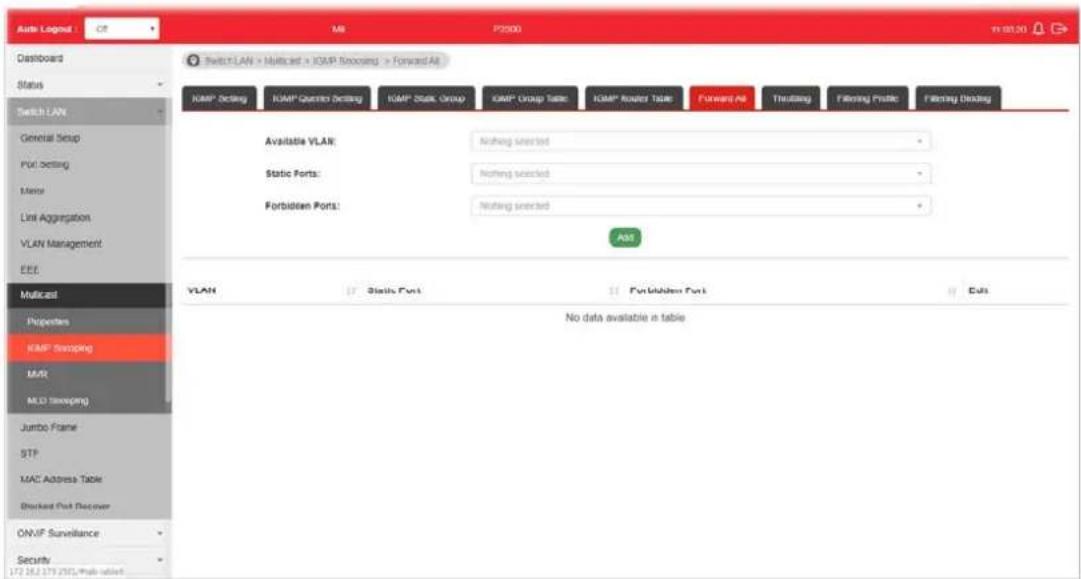
Available settings are explained as follows:
| Item | Description |
| Available VLAN | To display all of the available VLAN, the State must be set as Enabled in MLD Setting first.Use the drop down list to specify a VLAN profile (created in Switch LAN>>VLAN Management>>Create Vlan) that multicast packets will be forwarded to. |
| Static Ports | Use the drop down list to specify LAN Port (GE/ LAG).Later, the multicast packets will be delivered to the network device connected by these ports. |
| Forbidden Ports Use the drop down list to specify forbidden LAN Port (GE/ LAG). | Later, the multicast packets will not be delivered to the network device connected by these ports. |
| Add Click it to display the result based on the settings configured above. | |
| Edit | - Click it to modify port setting (static port and forbidden port).- Click it to remove the selected entry. |
II-7-2-7 Throttling
The administrator can configure the user on a switch port (GE/LAG port) belonging to which multicast group and restrict the number of multicast group that the user on the switch can join. Then the administrator is able to control the network service (e.g, IP/TV service) that the user can enjoy.
The Throttling page is used for configuring the maximum number (0\~255) of IGMP group that a user on a switch port can join. After defined the maximum number, each switch port interface can be set to deny the IGMP join report or set to replace randomly selected multicast interface with received IGMP join report.
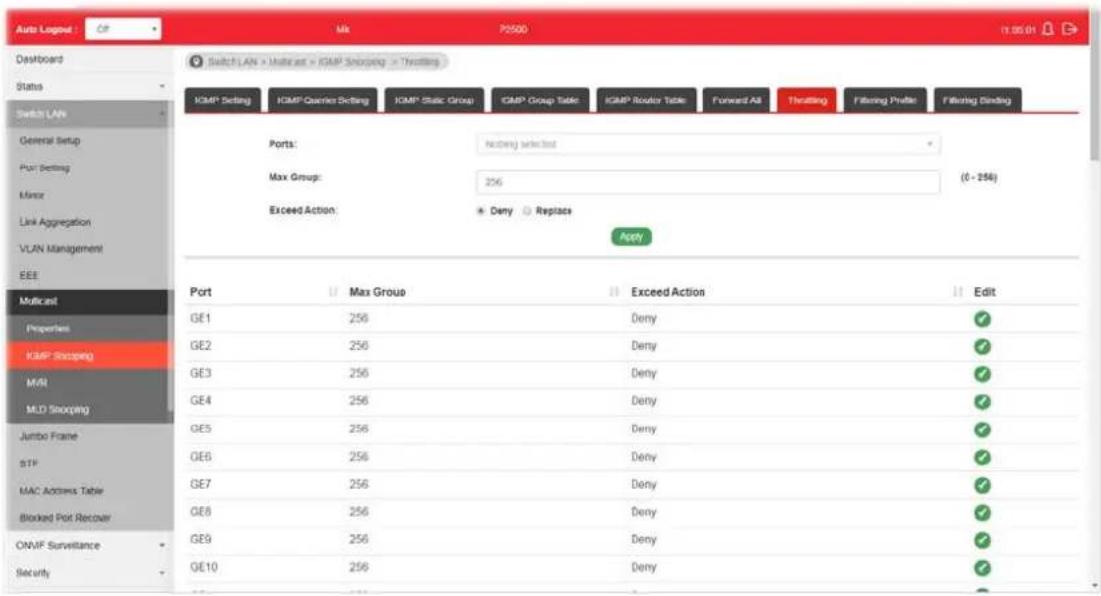
Available settings are explained as follows:
| Item | Description |
| Ports | Use the drop down list to specify LAN Port (GE/ LAG). |
| Max Group Define the maximum number of IGMP group profile that a user on the switch can join. If “0” is selected, then such interface (port) can join all of the IGMP group profiles (defined in Filtering Profile). | |
| Exceed Action VigorSwitch will perform the action defined below when the number of IGMP join report for the specified interface exceeds value defined in Max Group.· Deny - It is default setting. The IGMP join report (for multicast service) received by such interface will be discarded.· Replace - When it is selected, a new group with IGMP report received will replace the existing group. | |
| Apply Apply the settings to the switch. | |
| Edit | - Click it to modify port setting (max group and exceed action). |
II-7-2-8 Filtering Profile
The administrator can configure the user on a switch port (GE/LAG port) belonging to which multicast group and restrict the number of multicast group that the user on the switch can join. Then the administrator is able to control the network service (e.g, IP/TV service) that the user can enjoy.
The filtering profile page allows to configure up to 128 IP-group (for multicast servie) profiles (starting and ending point within an IP range shall be specified). Each IP group profile can be set for permission of / denial of network service respectively.
In addition, such filtering profile is only effective for controlling the query for multicast. It has nothing to do with the general IGMP query.

Available settings are explained as follows:
| Item | Description |
| Profile ID Use the drop down list to select one filtering profile (1~128) for IGMP snooping. | |
| Start Address | Enter an IP address as the starting point for the IP range. |
| End Address | Enter an IP address as the ending point for the IP range. |
| Action | Deny - It is default setting. The forwarding request of multicast traffic will be discarded.Allow - When it is selected, the request for multicast traffic will be forwarded to the multicast group normally. |
| Add Click it to display the result based on the settings configured above. | |
| Edit | - Click it to modify port setting (max group and exceed action). |

II-7-2-9 Filtering Binding
This page allows the network administrator to select a filtering profile for LAN/GE port to process multicast traffic.

Available settings are explained as follows:
| Item | Description |
| Ports | Use the drop down list to specify LAN Port (GE/ LAG). |
| Profile ID Use the drop down list to choose the filtering profile for the select port/ interface.● Enable - Check this box first to make profile ID selection be available for choosing. | |
| Apply Apply the settings to the switch. | |
| Edit | - Click it to modify port setting (enabling / disabling filter function and choosing a profile for such interface). |
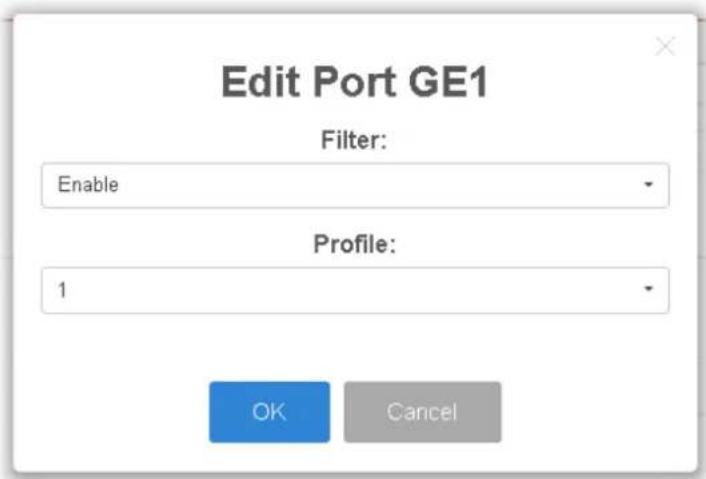
II-7-3 MVR
Multicast VLAN Registration (MVR) can route packets received in a multicast source VLAN to one or more desination VLANs. LAN users are in the destination VLANs and the multicast server is in the source VLAN.
MVR can continuously send multicast stream for traffic in the multicast VLAN, but isolate the streams from the source VLANs for bandwidth and security reasons.
In general, MVR is able to:
- Identify the MVR IP multicast streams and their associated IP multicast group.
- Intercept the IGMP messages
II-7-3-1 Property
This page allows the network administrator to configure general settings for MVR, such as enabling function, selecting VLAN ID (as source VLAN) and specify IP address(es) for receiver/LAN users.

Available settings are explained as follows:
| Item | Description |
| State | Enabled- Click it to enable the MVR function.Disabled- Click it to disable the MVR function. |
| VLAN ID | Choose one VLAN profile from the drop down list as multicast source VLAN which will receive multicast data. All source ports must belong to this VLAN. The default is VLAN 1.Note: Each VLAN ID shall be configured with group address and member port (defined inMVR>>Group Addresspage). |
| Mode There are two modes offered for MVR operation.Comaptible-Multicast data received by MVR hosts (multicast server) will be forwarded to all MVR receiver ports.Dynamic-Multicast data received by MVR hosts (multicast server) on VigorSwitch will be forwarded from those MVR data and client ports grouped under | |
| MVR server. | |
| Group Start Enter an IP address. Any multicast data sent to this IP address will be sent to all source ports on VigorSwitch; and all receiver ports will accept / receive data from that multicast address. | |
| Group Count | Select a number to configure a contiguous series of MVR group addresses (the range for count is 1 to 128; the default is 1). |
| Query Time Use the drop down list to define the maximum time (1 - 10 seconds) to wait for IGMP report members on a receiver port before the port is removed from multicast group. | |
| Apply Apply the settings to the switch. | |
| Operation Group Display group information for MVR operation. | |
II-7-3-2 Port Setting
It is necessary to specify destination port and source port (GE/LAG) for Vigor system to perform MVR operation.
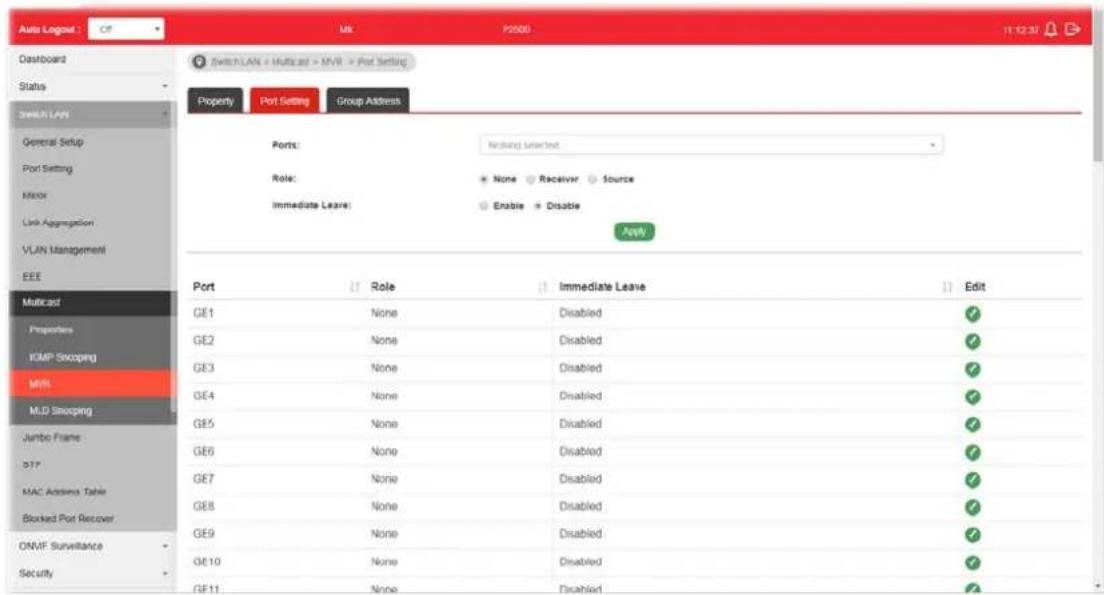
Available settings are explained as follows:
| Item | Description |
| Ports | Use the drop down list to select LAN Port (GE/LAG). Later, each port can be set as Receiver or Source port respectively. If you do not satisfy with the port setting, simply click the Edit button to make the modification. |
| Role | None - Noting will be happed to the selected LAN port in MVR operation.Receiver - The selected port will be treated as destination port which will receive multicast data from the multicast server.Source - The selected port will be treated as source port which will send multicast data to the receiver port. |
| Immediate Leave | Enabled - Enable the function fo immediate leave. When the port (with the role of receiver) receives the leavemessage, it will be removed from multicast group to speed up leave latency.●Disabled- Disable the function of immediate leave. |
| Apply Apply the settings to the switch. | |
| Edit | [WEHD]- Click it to modify port setting (role and immediate leave). |
II-7-3-3 Group Address
This page allows the network administrator to configure IP address and specify port member for VLAN selected in MVR>>Property page.
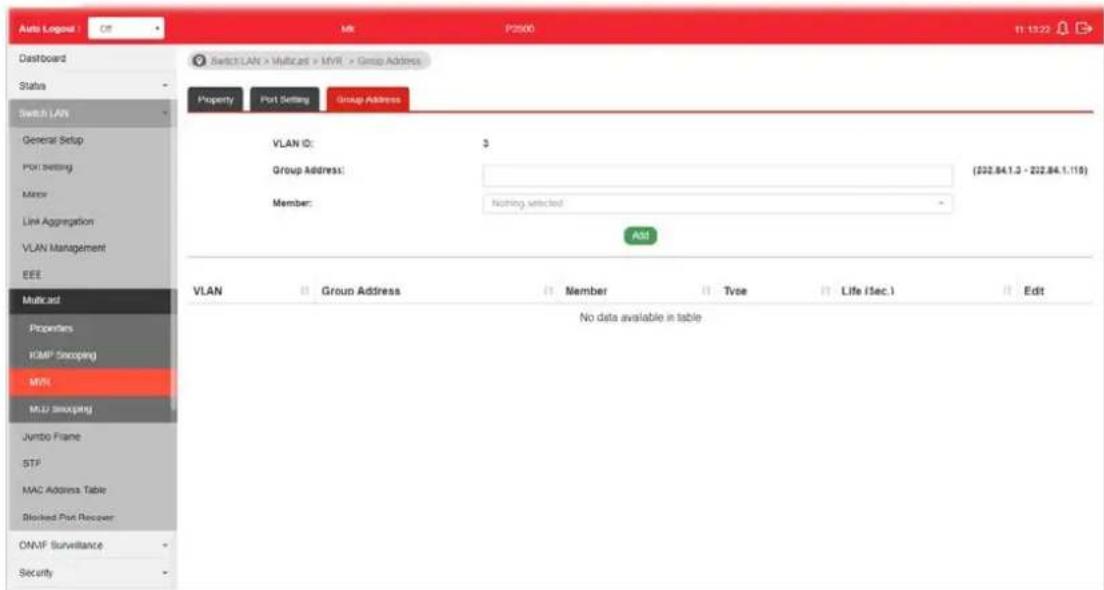
Available settings are explained as follows:
| Item | Description |
| VLAN ID Display the ID number of the VLAN. | |
| Group Address Define a range of IP address(es) with the format of “xxx.xxx.xxx.xxx - xxx.xxx.xxx.xxx”. | |
| Member | Choose GE/ LAG port to be grouped under the selected VLAN. |
| Add Click it to display the result based on the settings configured above. | |
| Edit | - Click it to modify the settings. |
II-7-4 MLD Snooping
MLD snooping does the same thing as IGMP snooping. The difference is that IGMP snooping acts on IPv4 packets; MLD snooping acts on IPv6 packets. MLD snooping is the process of listening to Multicast Listener Discovery network traffic. It can examine IPv6 packets and forward these packets to designate location via VLAN port members.
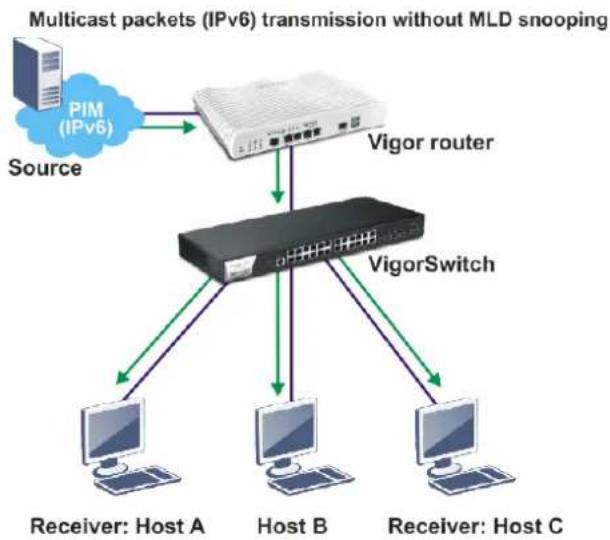
flowchart
graph TD
    A["Source"] --> B["Vigor router"]
    B --> C["VigorSwitch"]
    C --> D["Host A"]
    C --> E["Host B"]
    C --> F["Host C"]
    G["PIM (IPv6)"] --> B
    style G fill:#f9f,stroke:#333
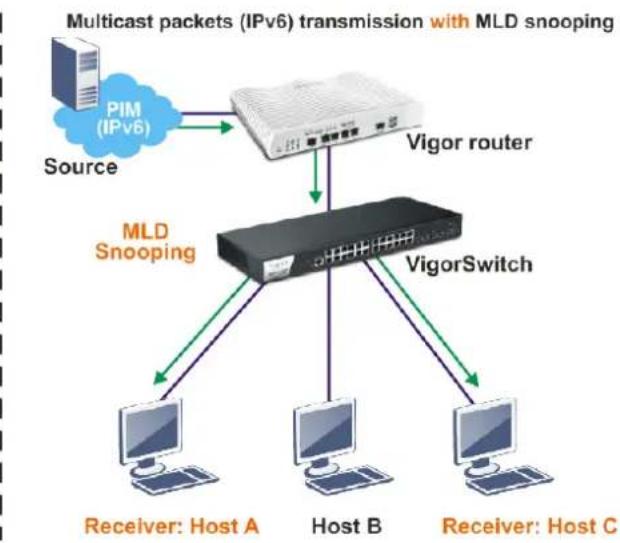
flowchart
graph TD
    A["Source"] --> B["Vigor router"]
    B --> C["MLD Snooping"]
    C --> D["Receiver: Host A"]
    C --> E["Host B"]
    C --> F["Receiver: Host C"]
    B --> G["VigorSwitch"]
    G --> C
    style A fill:#f9f,stroke:#333
    style B fill:#ccf,stroke:#333
    style C fill:#cfc,stroke:#333
    style D fill:#fcc,stroke:#333
    style E fill:#fcc,stroke:#333
    style F fill:#fcc,stroke:#333
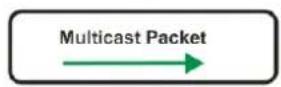
II-7-4-1 MLD Setting
This page allows the network administrator to enable/disable MLD Snooping function, select snooping version, and enable/disable snooping report suppression.

Available settings are explained as follows:
| Item | Description |
| State | Enabled- Click it to enable the MLD snooping function. Disabled- Click it to disable the MLD snooping function. |
| Version VigorSwitch supports two versions of MLD snooping.MLDv1- When it is selected, VigorSwitch will detect packets controlled by MLDv1 andbridgethe traffic to IPv6 destination defined with multicast address(es).MLDv2- When it is selected, VigorSwitch will detect packets controlled by MLDv1 andforwardthe traffic to destination defined with multicast address(es). | |
| Report Suppression | Enabled- Click it to allow the switch to handle MLD reports between router and host, suppressing bandwidth used by MLD. Disabled- Click it to disable the function. |
| Apply Click it to display the result based on the settings configured above. | |
| Edit | 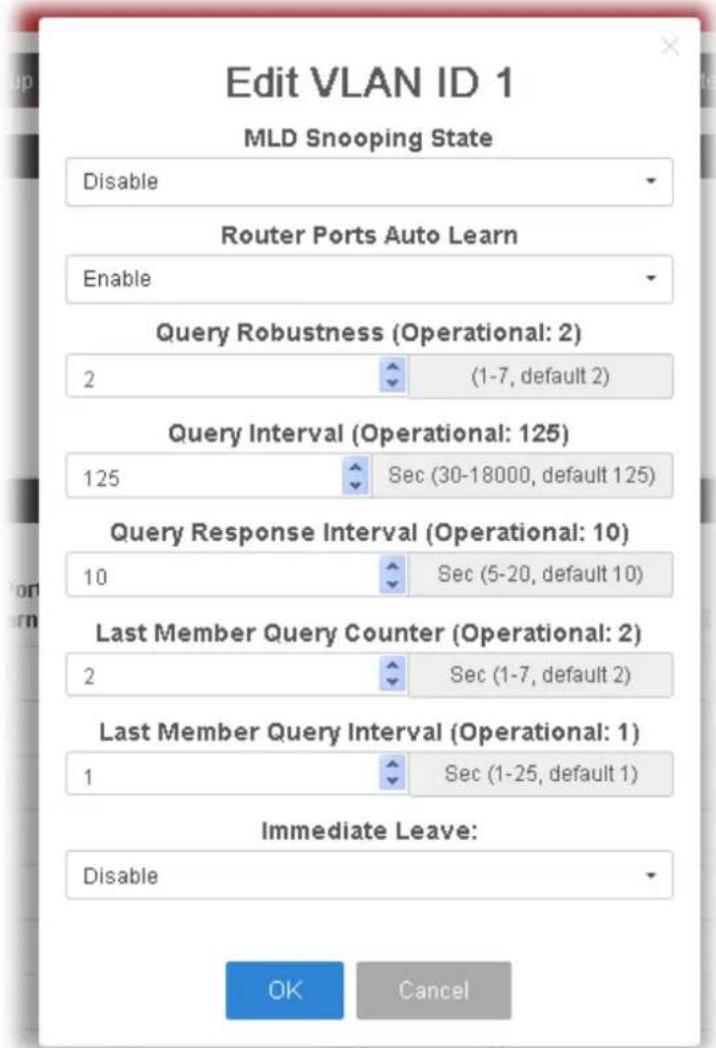 - Click it to modify the settings for the selected VLAN ID (GE/ LAG port). - Click it to modify the settings for the selected VLAN ID (GE/ LAG port). |
| ●MLD Snooping State- Enable/ disable the MLD snooping function for the selected port.●Router Ports Auto Learn-Set the enabling status of IGMProuter port learning. Choose Enable to learn router port by MLD query.Query Robustness - Set a number which allows tuning for the expected packet loss on a subnet.Query Interval - Specify the time interval for VigorSwitch to send out general MLD query to the host (responsible for responding). Later, based on the response, VigorSwitch can forward the traffic through ports in VLAN.Query Response Interval - Specify the time interval for VigorSwitch to receive the query response from the host. If time is up and no response received, the packets will be blocked and discarded.Last Member Query Counter - After quering for specified times (defined here) and still not receiving any response from the subscribed member, VigorSwitch will stop transmitting data to the related GE port(s).Last Member Query Interval - The maximum time interval between counting each member query message with no responses from any subscribed member.Immediate Leave - Click Enable to enable the function of immediate leave. When the GE/ LAG port receives the leave message, it will be removed from multicast group to speed up leave latency.OK - Apply the settings to the switch.Cancel - Close the page and return to previous page. | |
II-7-4-2 MLD Static Group
The MLD static group is allowed to assign a VLAN/ port as a specific IPv6 multicast member. Every IPv6 multicast stream that belongs to the specified group IP address will be forwarded to the specified port/ VLAN member.
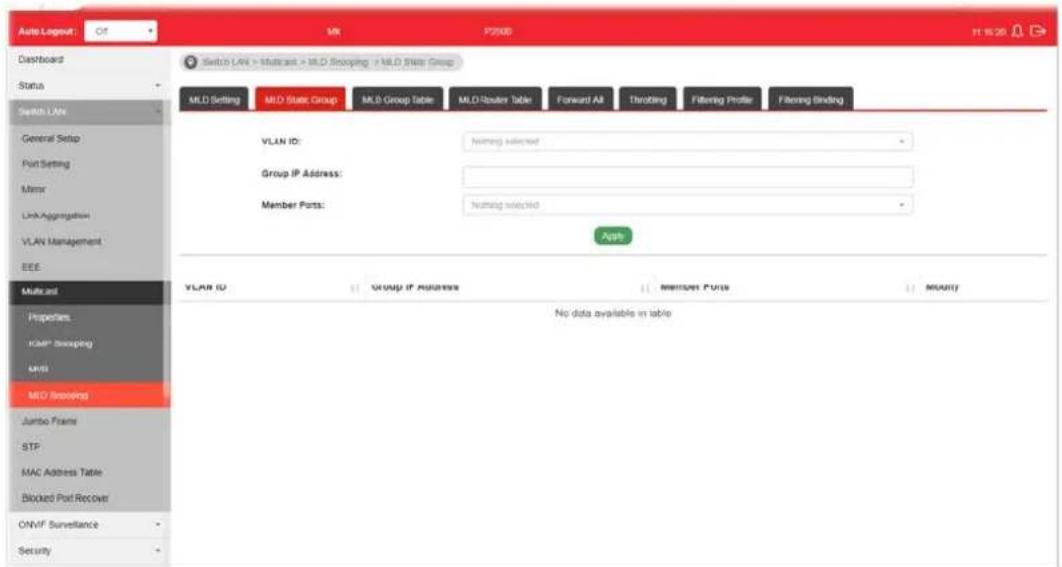
Available settings are explained as follows:
| Item | Description |
| VLAN ID | Use the drop down list to specify a VLAN profile (created in Switch LAN>>VLAN Management>>Create Vlan) as MLDStatic Group.However, if State in MLD Setting is not set as Enabled, such option will be disabled and no ID can be selected. |
| Group IP Address It is an id | identifier for the group member. Packets sent to such address will be transferred to all interfaces defined in Member Ports.Specify the IPv6 multicast address you wish to assign for the static group (defined in VLAN ID). |
| Member Ports Use the drop down list to specify interfaces (GE/LAG) for receiving the packets from group IP address. | |
| Add Click it to display the result based on the settings configured above. | |
II-7-4-3 MLD Group Table
This page shows currently known and dynamically learned by MLD snooping or shows the assigned IP6 multicast address group in operation.
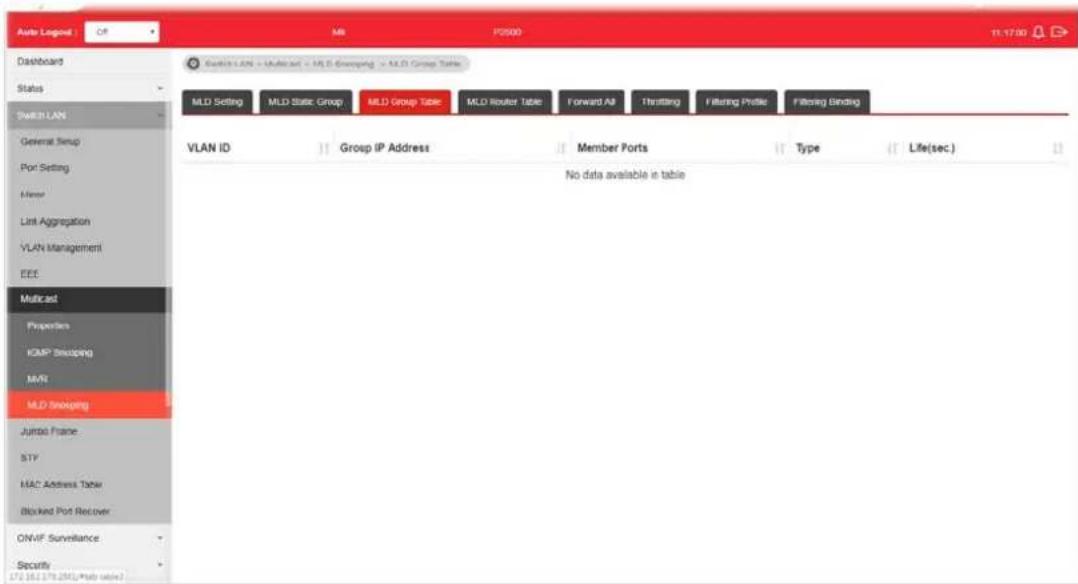
Available settings are explained as follows:
| Item | Description |
| VLAN ID Display the name | of VLAN configured in MLD Static Group. |
| Group IP Address | Display the IP adderss defined in MLD Static Group. |
| Member Ports | Display all of the interfaces defined in MLD Static Group. |
| Type Display if it is dynamically learned or statically assigned. | |
| Life(sec.) Display the life time of this multicast member left if no membership report sent again. | |
II-7-4-4 MLD Router Table
This page is allowed to configure VLAN profile by specifying static/ forbidden ports for the router (MLD querier).

Available settings are explained as follows:
| Item | Description |
| VLAN ID | Use the drop down list to specify a VLAN profile (created in Switch LAN>>VLAN Management>>Create Vlan) that the MLD querier belongs to. |
| Type | Static - Specify LAN Port (GE/ LAG) to send out query to remote host.Forbidden - Use the drop down list to specify forbidden LAN Port (GE/ LAG). |
| Member Ports Use the drop down list to choose the uplink ports where querier router exists. | |
| Add Click it to display the result based on the settings configured above. | |
| Static Port / Forbidden Port | Display the static port / forbidden port member specified in Member Ports. |
| Expire Time (sec.) | Display the time before querier is considered no longer existed. |
| Edit | Click it to modify the settings for the selected entry. |
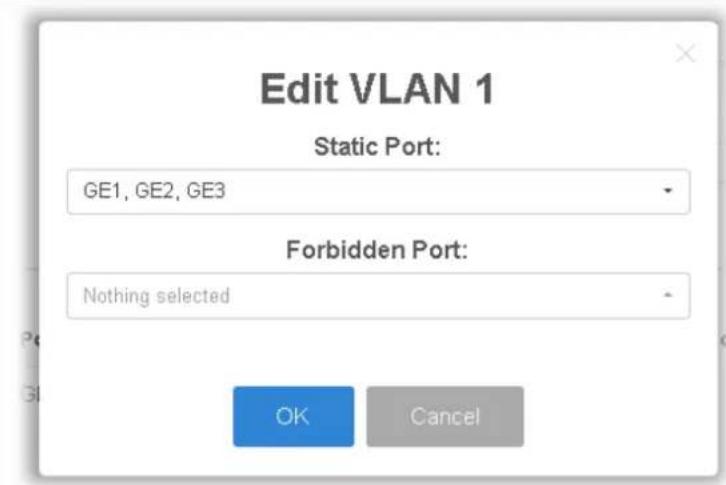
II-7-4-5 Forward All
This page is allowed to determine which port(s) would like to receive the data (multicast packets) that forwarded by VigorSwitch.

Available settings are explained as follows:
| Item | Description |
| Available VLAN | To display all of the available VLAN, the State must be set as Enabled in MLD Setting first.Use the drop down list to specify a VLAN profile (created in Switch LAN>>VLAN Management>>Create Vlan) that multicast packets will be forwarded to. |
| Static Ports | Use the drop down list to specify LAN Port (GE/ LAG).Later, the multicast packets will be delivered to the network device connected by these ports. |
| Forbidden Ports Use the drop down list to specify forbidden LAN Port (GE/ LAG).Later, the multicast packets will not be delivered to the network device connected by these ports. | |
| Add Click it to display the | result based on the settings configured above. |
| Edit |  - Click it to modify port setting (static port and forbidden port). - Click it to modify port setting (static port and forbidden port). - Click it to remove the selected entry. - Click it to remove the selected entry. |
II-7-4-6 Throttling
The administrator can configure the user on a switch port (GE/LAG port) belonging to which multicast group and restrict the number of multicast group that the user on the switch can join. Then the administrator is able to control the network service (e.g, IP/TV service) that the user can enjoy.
The Throttling page is used for configuring the maximum number (0\~255) of MLD group that a user on a switch port can join. After defined the maximum number, each switch port interface can be set to deny the MLD join report or set to replace randomly selected multicast interface with received MLD join report.

Available settings are explained as follows:
| Item | Description |
| Ports | Use the drop down list to specify LAN Port (GE/ LAG) for applying throttling feature. |
| Max Group Define the max | maximum number of MLD group profile that a user on the switch can join. If “0” is selected, then such interface (port) can join all of the MLD group profiles (defined in Filtering Profile). |
| Exceed Action VigorSwitch | will perform the action defined below when the number of MLD join report for the specified interface exceeds value defined in Max Group.·Deny - It is default setting. The MLD join report (for multicast service) received by such interface will be discarded.·Replace - When it is selected, a new group with MLD report received will replace the existing group. |
| Apply Apply the settings to the switch. | |
| Edit |  - Click it to modify the settings for the selected entry. - Click it to modify the settings for the selected entry. |
II-7-4-7 Filtering Profile
The administrator can configure the user on a switch port (GE/LAG port) belonging to which multicast group and restrict the number of multicast group that the user on the switch can join. Then the administrator is able to control the network service (e.g, IP/TV service) that the user can enjoy.
The filtering profile page allows to configure up to 128 IP-group (for multicast servie) profiles (starting and ending point within an IP range shall be specified). Each IP group profile can be set for permission of / denial of network service respectively.
In addition, such filtering profile is only effective for controlling the query for multicast traffic. It has nothing to do with the general MLD query.

Available settings are explained as follows:
| Item | Description |
| Profile ID Use the drop down list to select one filtering profile (1~128) for MLD snooping. | |
| Start Address | Enter an IP address as the starting point for the IP range. |
| End Address | Enter an IP address as the ending point for the IP range. |
| Action | Deny - It is default setting. The forwarding request of multicast traffic will be discarded.Allow - When it is selected, the request for multicast traffic will be forwarded to the multicast group normally. |
| Add Click it to display the result based on the settings configured above. | |
| Edit | - Click it to modify the settings for the selected entry. |
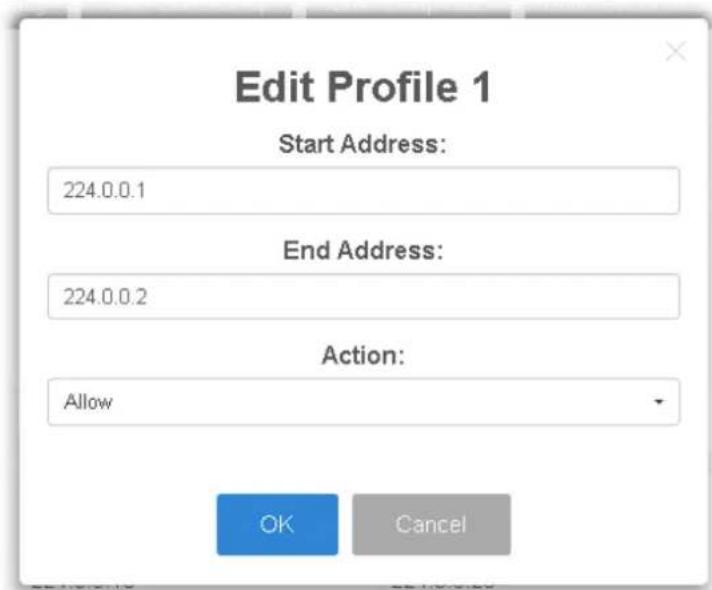
II-7-4-8 Filtering Binding
This page allows the network administrator to select a filtering profile for LAN/GE port to process multicast traffic.

Available settings are explained as follows:
| Item | Description |
| Ports | Use the drop down list to specify LAN Port (GE/ LAG). |
| Profile ID Use the drop down list to choose the filtering profile for the select port/ interface.● Enable - Check this box first to make profile ID selection be available for choosing. | |
| Apply Apply the settings to the switch. | |
| Edit | - Click it to modify port setting (enabling / disabling filter function and choosing a profile for such interface). |

II-8 Jumbo Frame
This page allows a user to configure switch port jumbo frame settings.

Available settings are explained as follows:
| Item | Description |
| Jumbo Frame (Bytes) Enter Jumbo frame size. The valid range is 1526 bytes - 9216 bytes. | |
| Apply Apply the settings to the switch. | |
II-9 STP
The Spanning Tree Protocol (STP) is a network protocol that ensures a loop-free topology for any bridged Ethernet local area network.
Bridge Protocol Data Units (BPDUs) are frames that contain information about the Spanning Tree Protocol (STP). Switches send BPDUs using a unique MAC address from its origin port and a multicast address as destination MAC (01:80:C2:00:00:00, or 01:00:0C:CC:CC:CD for Per VLAN Spanning Tree).
For STP algorithms to function, the switches need to share information about themselves and their connections. What they share are bridge protocol data units (BPDUs).
BPDUs are sent out as multicast frames to which only other layer 2 switches or bridges are listening. If any loops (multiple possible paths between switches) are found in the network topology, the switches will co-operate to disable a port or ports to ensure that there are no loops; that is, from one device to any other device in the layer 2 network, only one path can be taken.
II-9-1 Properties
This page allows a user to configure and display Spanning Tree Protocol (STP) property configuration.
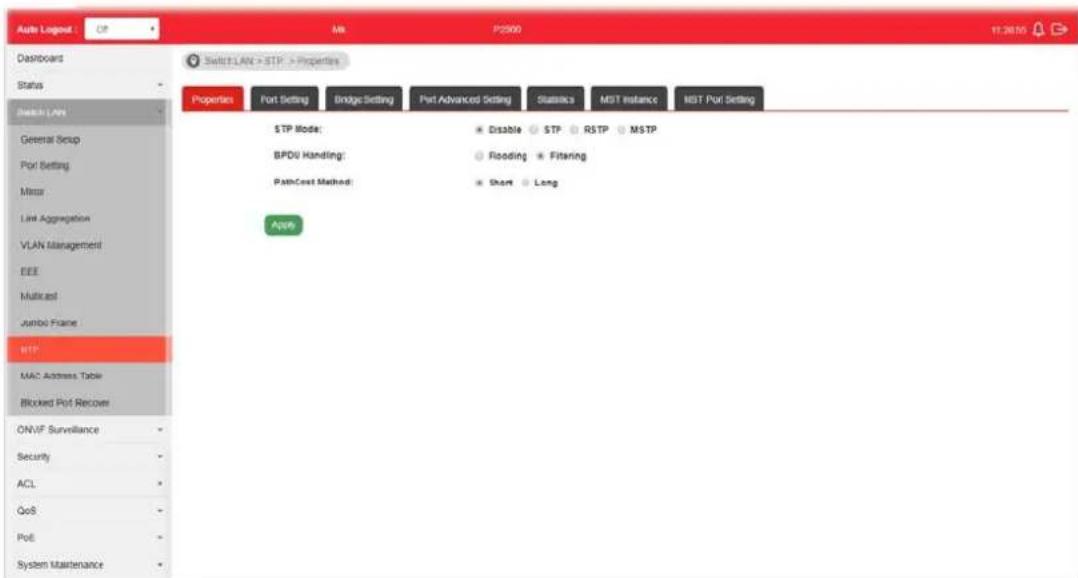
Available settings are explained as follows:
| Item | Description |
| STP Mode Set the operating mode of Spanning Tree (STP).● Disabled - Disable the STP operation.● STP - Enable the Spanning Tree (STP) operation.● RSTP - Enable the Rapid Spanning Tree (RSTP) operation.● MSTP - Enable the Multiple Spanning Tree Protocol (MSTP) operation. | |
| BPDU Handling | ● Specify the BPDU forward method when the STP is disabled.● Filtering - Filter the BPDU when STP is disabled. ● Flooding - Flood the BPDU when STP is disabled. |
| PathCost Method | ● Specify the path cost method. ● Long - Specifies that the default port path costs are within the range: 1~200,000,000. ● Short - Specifies that the default port path costs are within the range: 1~65,535. |
| Apply Apply the settings to the switch. | |
II-9-2 Port Setting
This page allows the user to configure and display Spanning Tree Protocol (STP) port settings.
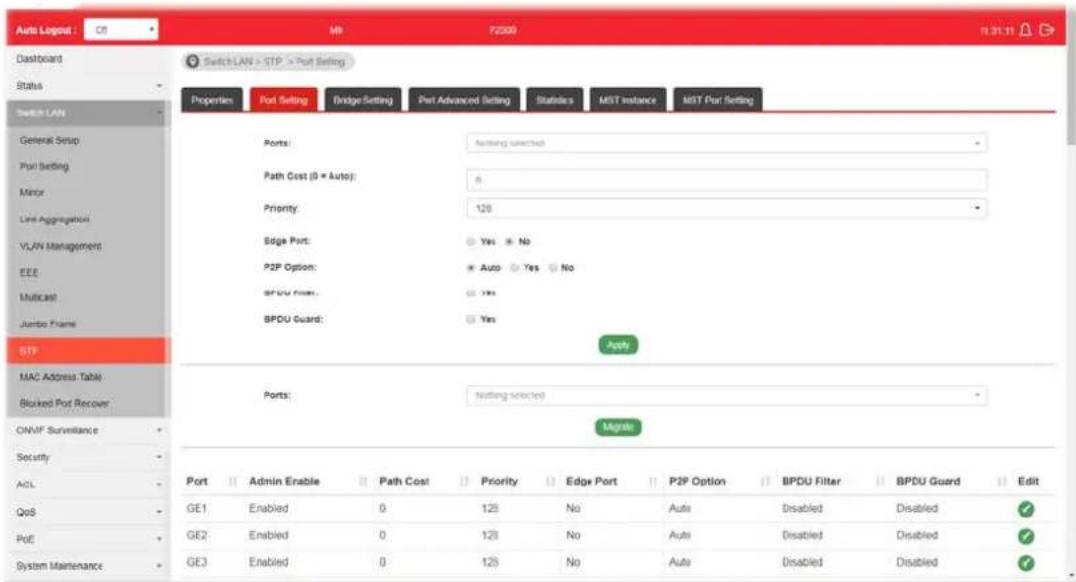
Available settings are explained as follows:
| Item | Description |
| Ports Use the drop down to specify the interface ID or the list of interface IDs. | |
| Path Cost (0=Auto) | Path cost is the cost of transmitting a frame on to a LAN through that port. It is recommended to assign this value according to the speed of the bridge. The slower the media, the higher the cost. Entering 0 means the switch will automatically assign a value. |
| Priority | Specify a priority value for the switch. The smaller the priority value, the higher the priority and greater chance of becoming the root. |
| Edge Port In the edge mode, the interface would be put into the Forwarding state immediately upon link up. If the edge mode is enabled for the interface and there are BPDUs received on the interface, the loop might be occurred in the short time before the STP state change.Yes - Enable the function.No - Disable the function. | |
| P2P Option | Auto - VigorSwitch determines the STP of link type forthis port automatically.Yes- It means the STP of link type on this port is full-duplex and directly connect to another switch or host.No- It means the STP of link type on this port is “not” full-duplex and “does not” directly connect to another switch or host. |
| BPDU Filter | Yes- Drop all BPDU packets and no BPDU will be sent. |
| BPDU Guard Yes - BPDU Guard further protects your switch by turning this port into error state and shutdown if any BPDU received from this port. Check it to enable such function. | |
| Apply Apply the settings to the switch. After clicking it, the settings configured above will be shown on the table below. | |
| Ports | Use the drop down to specify the interface(s) for applying the function ofMigrate. |
| Migrate Click it to force the port(s) specified above to send one RSTP BPDU (Rapid Spanning Tree Protocol Bridge Protocol Data Unit). | |
| Edit Click it to modify the settings for the selected GE port. | |
II-9-3 Bridge Setting
This page allows the network administrator to configure required information to negotiate with other VigorSwitch for determining the bridge switch.
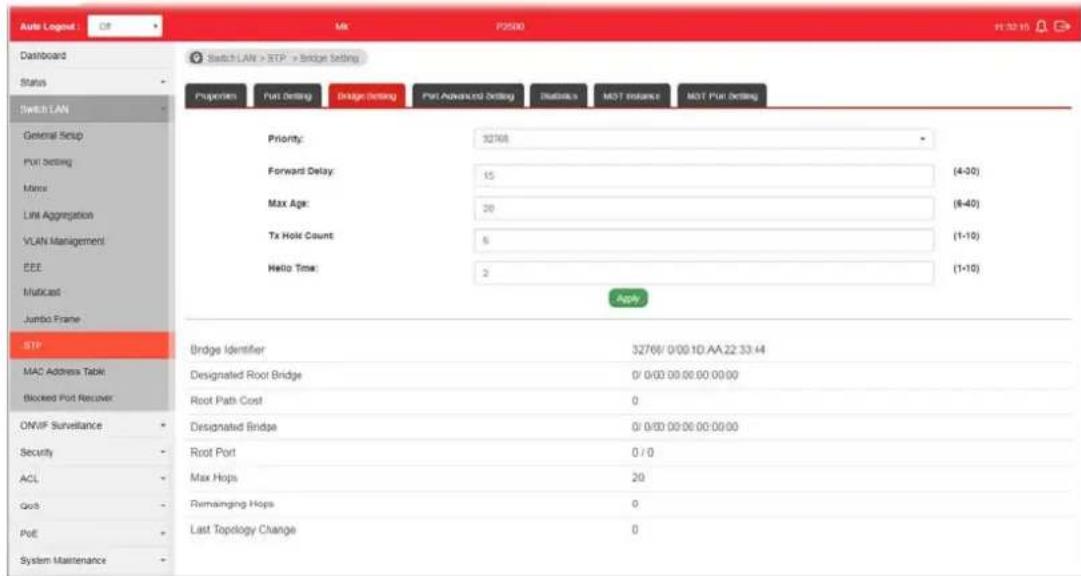
Available settings are explained as follows:
| Item | Description |
| Priority Specify the bridge | priority. The valid range is from 0 to 61440, and the value should be the multiple of 4096. It ensures the probability that the switch is selected as the root bridge, and the lower value has the higher priority for the switch to be selected as the root bridge of the topology. |
| Forward Delay Specify the | STP forward delay time, which is the amount of time that a port remains in the Listening and Learning states before it enters the Forwarding state. Its valid range is from 4 to 10 seconds. |
| Max Age Specify the time | nterval in seconds for a switch to wait the configuration messages, without attempting to redefine its own configuration. |
| Tx Hold Count Specify the | tx-hold-count used to limit the maximum numbers of packets transmission per second. The valid range is from 1 to 10. |
| Hello Time | Specify the STP hello time in second to broadcast its hello message to other bridge by Designated Ports. Its valid range is from 1 to 10 seconds. |
| Apply Apply the settings to | the switch. |
II-9-4 Port Advanced Setting
This page allows user to edit general setting of STP CIST port and browser CIST port status.
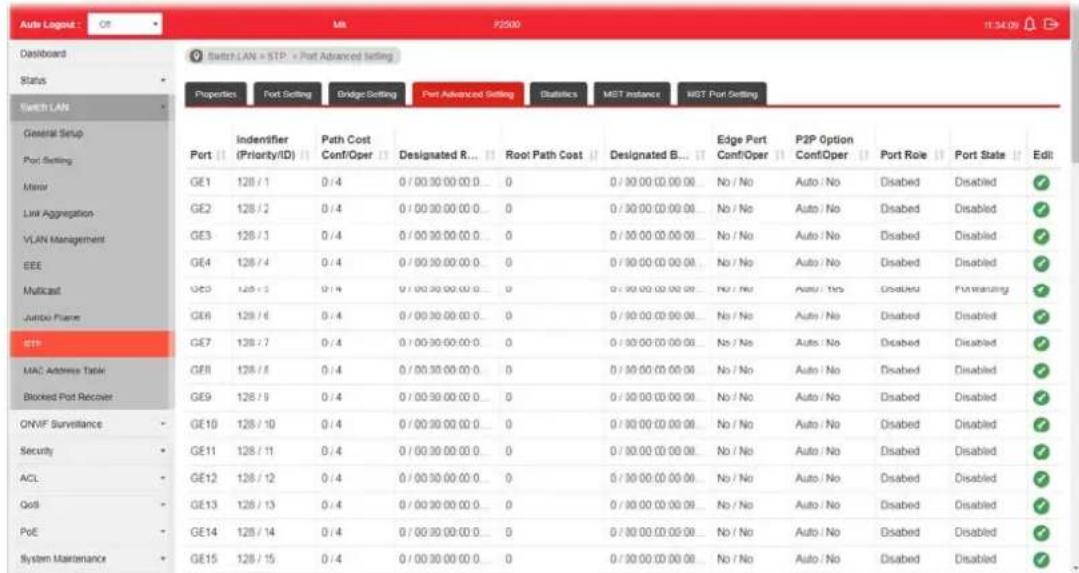
Available settings are explained as follows:
| Item | Description |
| Port Display the interface | number for GE and LAG. |
| Indentifier(Priority/ID) | Display the spanning tree port identifier. |
| Path Cost Conf/Oper | Display current path cost of given port. |
| Designated Root Bridge | display the identifier of designated root bridge. |
| Root Path Cost Display the operational root path cost. | |
| Designated Bridge Display | the identifier of next bridge on this port. |
| Edge Port Conf/Oper | Display if this port is configured as Edge of STP network, for speed up link up. |
| P2P MAC Conf/Oper | Display if this port is configured as point to point link to another switch or host. |
| Port Role Display current | port role on the specified port. The possible values will be: “Disabled”, “Root”, “Designated”, “Alternative”, and “Backup”. |
| Port State Display current | port state on the specified port. The possible values will be: “Disabled”, “Discarding”, “Learning”, and “Forwarding”. |
| Edit Click it to modify the priority setting for the selected GE port / LAG port. | |
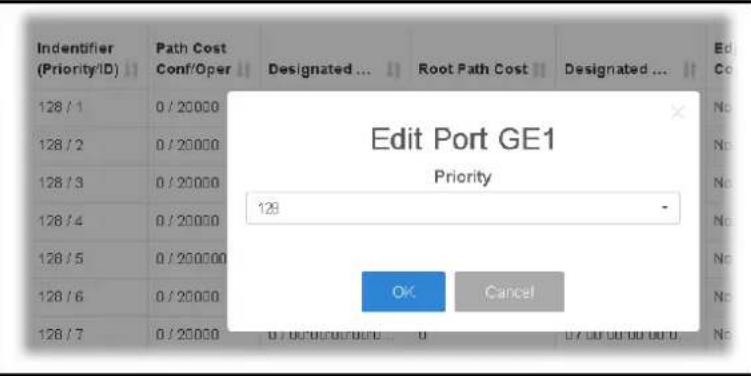
II-9-5 Statistics
This page displays STP statistics.

Available settings are explained as follows:
| Item | Description |
| Port Display the port number (GE / LAG). | |
| Configure BPDUs Rx. | Display the counts of the received CONFIG BPDU. |
| TCN BPDUs Rx. | Display the counts of the received TCN BPDU. |
| Configure BPDUs Tx. | Display the counts of the transmitted CONFIG BPDU. |
| TCN BPDUs Rx | Display the counts of the transmitted TCN BPDU. |
II-9-6 MST Instance
MSTP allows traffic of different VLAN to be mapped into different MST Instances. VigorSwitch supports up to 16 independent MST instances (0\~15) with which the VLAN can be associated.

Available settings are explained as follows:
| Item | Description |
| MSTI Display the index number of MST Instance. Each MSTI can have one or multiple VLANs. | |
| Edit | - Click it to modify the priority setting for the selected GE port / LAG port. |
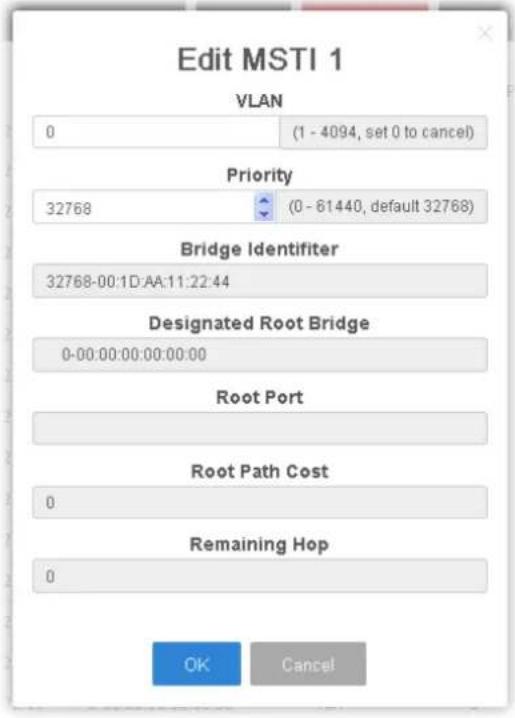 | |
| ● VLAN - Enter the ID (1-4094) of the VLAN which should be associated with this MSTI.● Priority - The switch priority for this MST instance. A lower number gives the switch higher chance to be chosen as the root bridge.● Bridge Identifier - Display the priority of MSTI instance number + MAC address of the switch.● Designated Root Bridge - Display the Bridge Identifier of the root bridge.● Root Port - Display the port toward the root.● Root Path Cost - Display the path cost toward the root.● Remaining Hop - Display the remaining hop count in BPDU.● VLAN - Display the range of VLAN ID numbers.● OK - Save the modifications. | |
II-9-7 MST Port Setting
MST Port Settings is used to configure the GE port / LAG group settings for each MST instance. The table displays the MST parameters for each port.
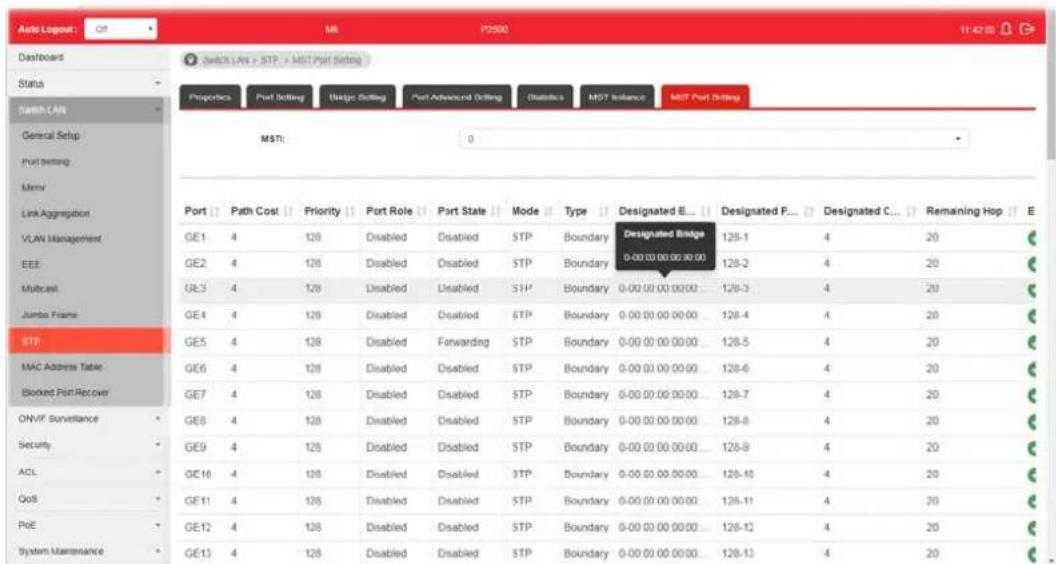
Available settings are explained as follows:
| Item | Description |
| MSTI Select one of the M | ST instances. |
| Edit | - Click it to modify the path cost and priority setting for the port. |
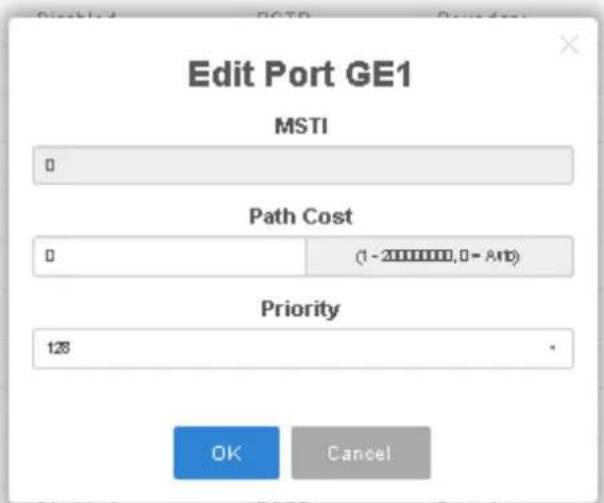
● MSTI - Display the selected MST instance.
- Path Cost - Set path cost value for the port. A port with lowest value will be used as the forwarding port by spanning tree. Default value was set according to the bandwidth of the port.
- Priority – Among the ports with same path cost, port with lower priority will have higher chance to be used as the forwarding port by spanning tree. Use the drop down list to choose desired priority value.
II-10 MAC Address Table
This section allows user to view the dynamic MAC address entries in the MAC table, change related setting, and assign MAC address into MAC table.
II-10-1 Static MAC Setting
This section allows user to manually assign MAC address into MAC table. The configuration result will be displayed on the table listed on the lower side of this web page.
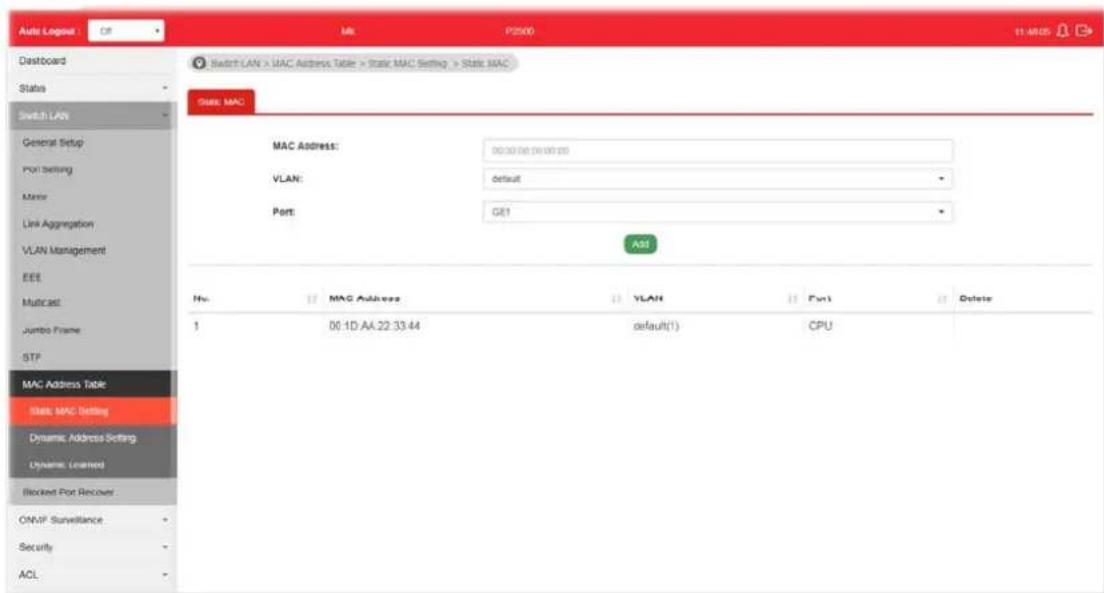
Available settings are explained as follows:
| Item | Description |
| MAC Address | Enter the MAC address that will be forwarded. |
| VLAN | This is the VLAN group to which the MAC address belongs. |
| Port Select the port where | received frame of matched destinationMAC address will be forwarded to. |
| Add | Click it to add any port into the static MAC table. |
| Delete Click it to remove the selected port from the static MAC table. | |
II-10-2 Dynamic Address Setting
This page allows a user to configure aging time for dynamic MAC address.
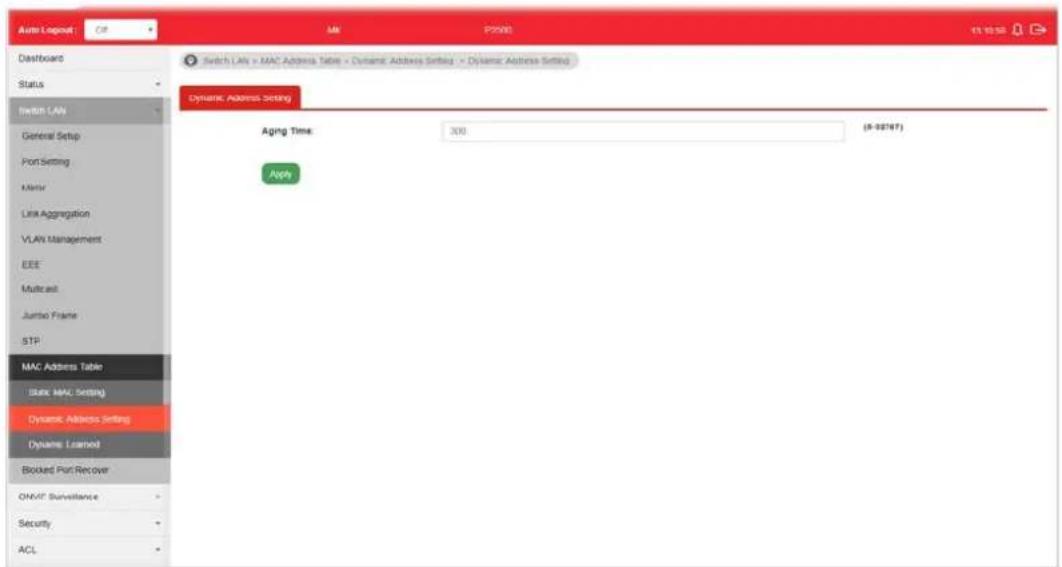
Available settings are explained as follows:
| Item | Description |
| Aging Time Enter the Dynamic MAC address aging out value (5-32767 seconds). | |
| Apply Apply the settings to the switch. | |
II-10-3 Dynamic Learned
This page displays the MAC address and port number automatically learned by VigorSwitch.
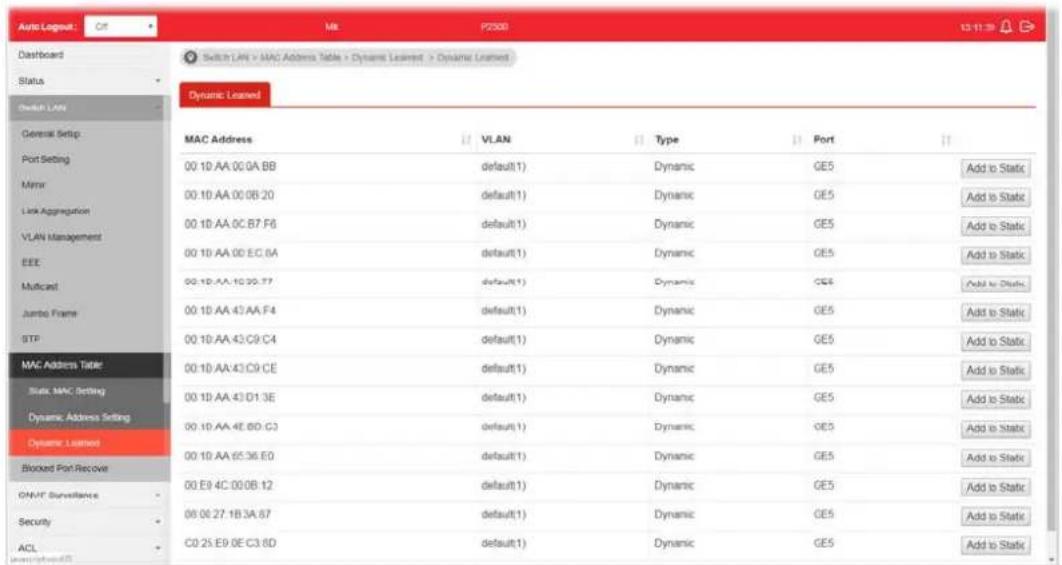
Available settings are explained as follows:
| Item | Description |
| MAC Address | Display the MAC address that will be forwarded. |
| VLAN | Display the VLAN group to which the MAC address belongs. |
| Type | Display whether the MAC address is Dynamic (learned by the Switch) or Static Unicast (manually entered in the Static MAC Forwarding screen). |
| Port | Display the port to which this MAC address belongs. |
| Add to Static Click this button to add any port into the static MAC table. | |
II-11 Blocked Port Recover
This page is used for configuring settings to recover the port which is being blocked by the following functions after a defined period of time.
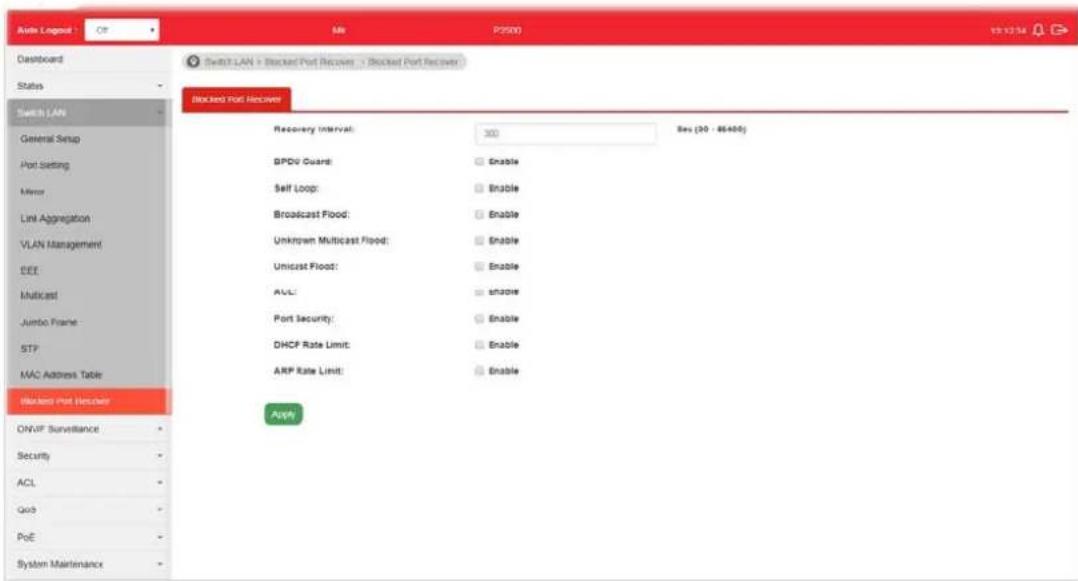
Available settings are explained as follows:
| Item | Description |
| Recovery Interval The port being blocked will be able to receive and send traffic after the time period configured here. | |
| BPDU Guard Enable - Recover the port being blocked by BPDU Guard after the time set in Recovery Interval. | |
| Self Loop Enable - Recover the port being blocked by self loop Guard after the time set in Recovery Interval. | |
| Broadcast Flood Enable - Recover the port being blocked by broadcast flood after the time set in Recovery Interval. | |
| Unknown Multicast Flood Enable - Recover the port being blocked by unknown multicast flood after the time set in Recovery Interval. | |
| Unicast Flood Enable - Recover the port being blocked by unicast flood after the time set in Recovery Interval. | |
| ACL | Enable - Recover the port being blocked by ACL after the time set in Recovery Interval. |
| Port Security Enable - Recover the port being blocked by port security after the time set in Recovery Interval. | |
| DHCP Rate Limit Enable - Recover the port being blocked by DHCP rate limit after the time set in Recovery Interval. | |
| ARP Rate Limit Enable - Recover the port being blocked by ARP rate limit after the time set in Recovery Interval. | |
| Apply Apply the settings to the switch. | |
This page is left blank.
Part III ONVIF Surveillance
III-1 Discovery
ONVIF (Open Network Video Interface Forum), an International standard for current surveillance system industry, focuses on security products based on network IP address.
With this feature, VigorSwitch can:
● Integrate the ONVIF device and surveillance network
● Centralize management of IP video products
- Offer real-time video monitoring
● Offer remote IP video products maintenance

Available settings are explained as follows:
| Item | Description |
| State | Enable - If enabled, VigorSwitch will automatically detect ONVIF devices, recognize third party IP cameras and NVR and integrate ONVIF device(s) to form surveillance network.Disable - Disable the function of Discovery. |
| Apply Apply the settings to the switch. | |
III-2 Topology
ONVIF devices can be centralized and managed remotely via VigorSwitch. With a hierarchy view, the administrator can manage several ONVIF devices and check abnormal traffic detected by Vigor system.
III-2-1 Status
The status (including port enabled, traffic, downlink, etc.) of the IP cameras and NVRs (Network Video Recorders) can be seen on this page.
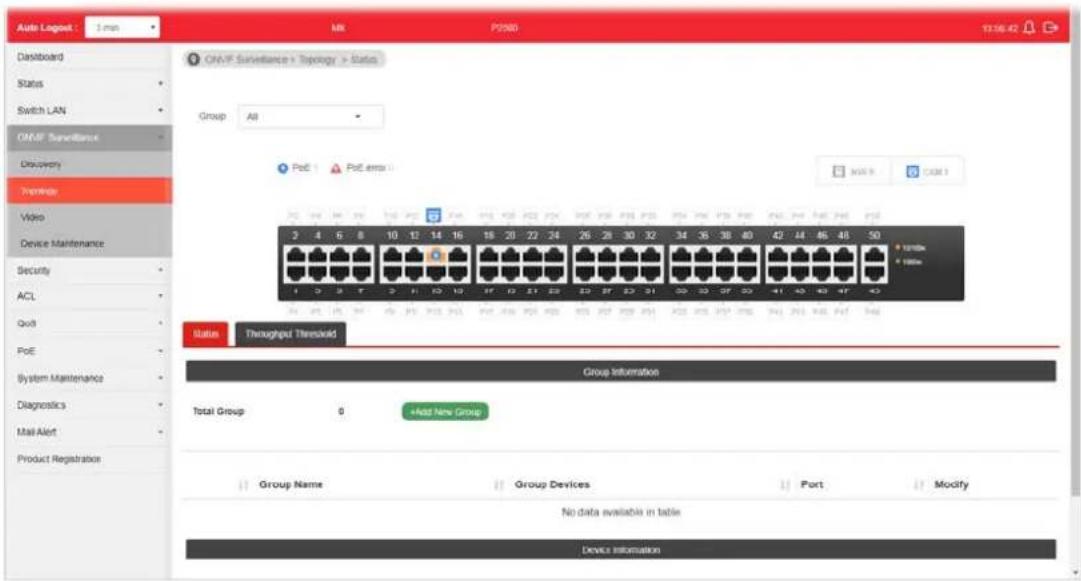
Available settings are explained as follows:
| Item | Description |
| Group Specify a group for | displaying group information and device information under the selected group.Or, choose the default setting, All, to display information for all groups. |
| PoE / PoE Error | PoE - Display the number of LAN PoE device(s) connected to VigorSwitch.PoE Error - Display the number of LAN PoE device(s) disconnected.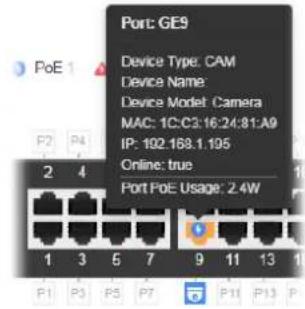 |
| NVR Display the number of | NVR device(s) connected toVigorSwitch. The panel sketch on the screen will display which LAN port that the NVR device connected. |
| CAM | Display the number of IP camera(s) connected to VigorSwitch.The panel sketch on the screen will display which LAN port that the IP camera connected. |
| Group Information | |
| Total Group Display the total number of groups. | |
| +Add New Group A group | can contain one (IP camera or NVR, as group leader) to several devices (IP cameras as group devices).Click the button to create a new group for managing multiple devices.Step (1) - The first page allows you to configure general settings for a new group. Group Name - Enter the name of a group.All IPC Group - Check it to group all IP cameras within the group. However, if you want to specify an NVR device as the group leader, do NOT check this box.Available selections of devices (IP cameras or NVR devices) will vary according to the configuration of All IPC Group. If "All IPC Group" is disabled, the system will detect the NVR devices and list them on the field of NVR. If "All IPC Group" is enabled, the system will detect the IP cameras and list them on the field of Group Leader.NVR/Group Leader - Select an IP device. For the vedio from IP camera will be recorded on an NVR device, it is suggested to assign an NVR as the group leader.Group Device - This field lists all devices (IP cameras) not included by other group. Simply select one IP device Group Name - Enter the name of a group.All IPC Group - Check it to group all IP cameras within the group. However, if you want to specify an NVR device as the group leader, do NOT check this box.Available selections of devices (IP cameras or NVR devices) will vary according to the configuration of All IPC Group. If "All IPC Group" is disabled, the system will detect the NVR devices and list them on the field of NVR. If "All IPC Group" is enabled, the system will detect the IP cameras and list them on the field of Group Leader.NVR/Group Leader - Select an IP device. For the vedio from IP camera will be recorded on an NVR device, it is suggested to assign an NVR as the group leader.Group Device - This field lists all devices (IP cameras) not included by other group. Simply select one IP device |
to multiple devices for managed by this group.
- Next - Click it to access into next page.
Step (2) - The second page allows you to configure throughput threshold for the group port. It is helpful for the system administrator to make the corresponding process if encountered abnormal situation.
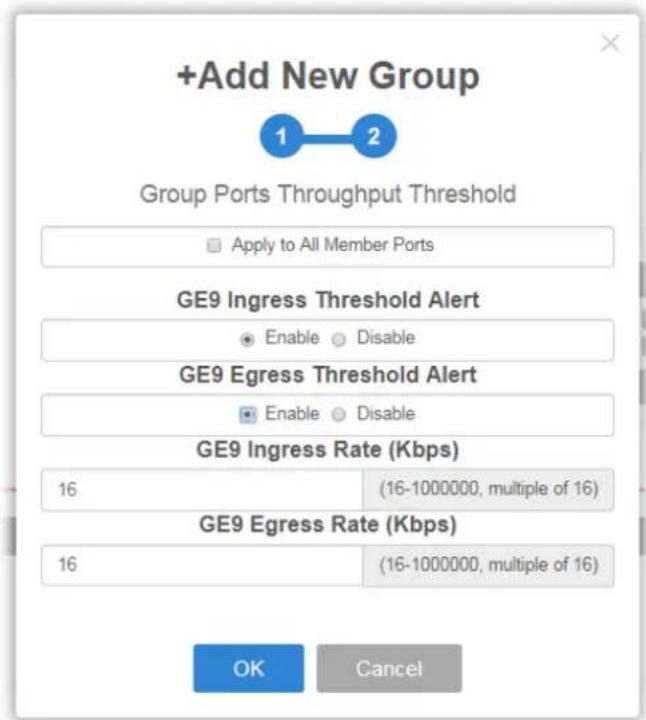
- Apply to All Member Ports - Check the box to apply the throughput threshold setting to all member ports.
- GE# Ingress Threshold Alert - Click Enable to set the ingress limit value. When the incoming traffic (packet) of the GE port reaches the limit, the Vigor System will send an alert email to the system administrator.
■ GE# Ingress Rate - If enabling the ingress threshold alert, enter the ingress rate as a threshold to send mail alert. - GE# Egress Threshold Alert - Click Enable to set the egress limit value. When the outgoing traffic (packet) of the GE port reaches the limit, the Vigor System will send an alert email to the system administrator.
■ GE# Egress Rate - If enabling the egress threshold alert, enter the egress rate as a threshold to send mail alert. - OK - Save the configuration and exit the box.
- Cancel - Exit the box without saving the configuration.
Device Information
Modify Click it to modify the settings of the selected IP device.

III-2-2 Throughput Threshold
This page is used for set throughput threshold for multiple ONVIF devices managed by VigorSwitch.
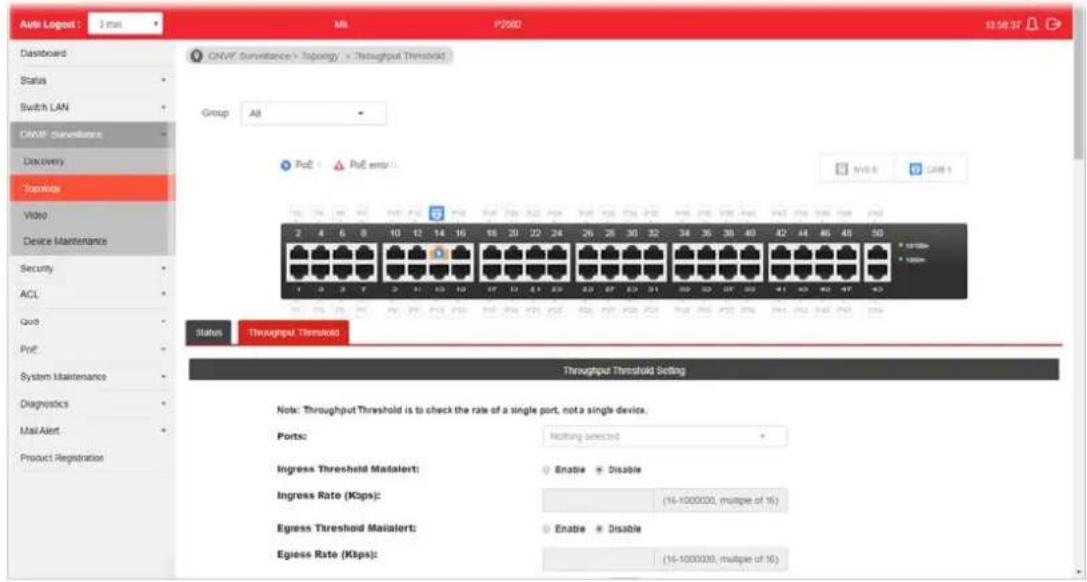
Available settings are explained as follows:
| Item | Description |
| Ports Specify one to several GE ports which will be limited by the threshold configured here. | |
| Ingress Threshold Mailalert | Enable - When the ingress rate reaches the threshold configured here, Vigor system will send alert mail to specified mail address.Disable - No mail alert will be sent out. |
| Ingress Rate (Kbps) Enter a value as the threshold of ingress packets. | |
| Egress Threshold Mailalert | Enable - When the egress rate reaches the threshold configured here, Vigor system will send alert mail to specified mail address.Disable - No mail alert will be sent out. |
| Egress Rate (Kbps) Enter a value as the threshold of engress packets. | |
| Apply Save the settings or changes to the switch. | |
| Modify Click it to modify the settings for the selected GE port / LAG port. | |
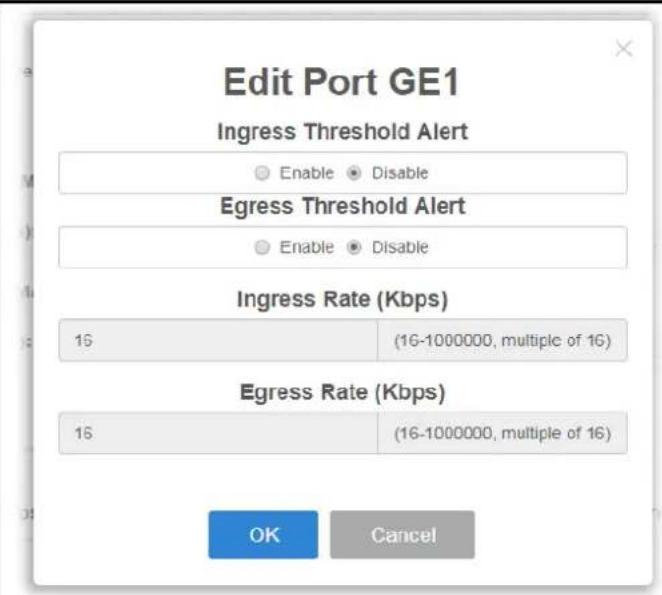
III-3 Video
This page can offer a real-time video of specified IP camera for monitoring and control environments.

Available settings are explained as follows:
| Item | Description |
| Group | Specify a group which contains the IP camera you want to check. |
| Username Enter the username | ame of the IP camera. |
| Password Enter the password of the IP camera. | |
| Camera List Search - Enter | the device name of the IP camera for searching and displaying on this field. |
| Video Preview After authenticated with correct username and password, the vedio of the specified IP camera (supported by VigorSwitch) will be shown immediately.Live Streaming - Display the streaming URI of the IP camera. | |
III-4 Device Maintenance
The system administrator can remotely configure time setting and reboot the devices (IP cameras or NVRs) managed by VigorSwitch.
III-4-1 General
This page displays the information (e.g., device online, device name, etc.), time and date and the device action for a selected IP device (e.g., IP camera). Meanwhile, this page allows configuring settings for ping check of IP camera or NVR.
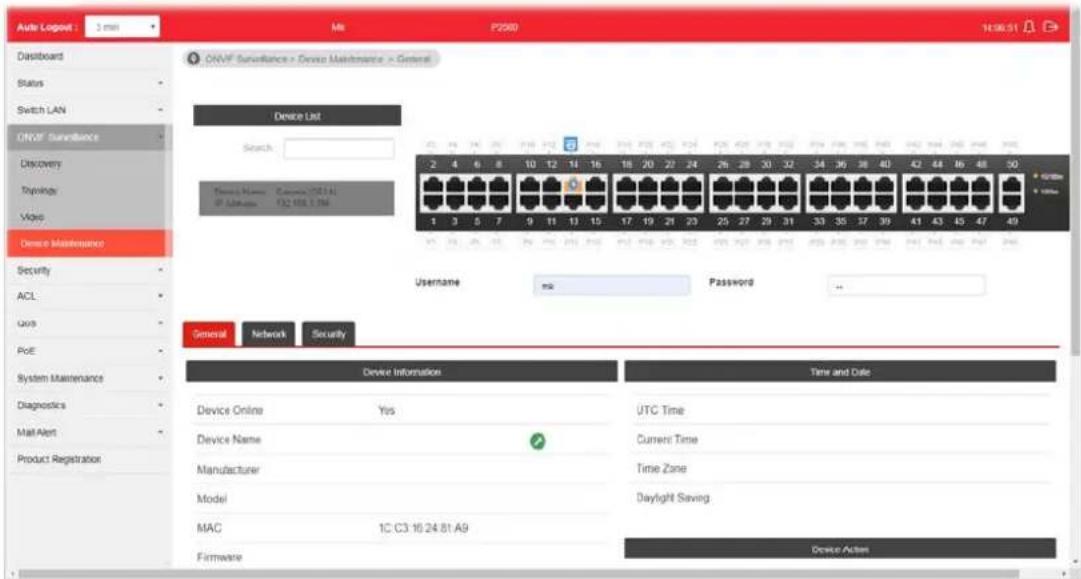
Available settings are explained as follows:
| Item | Description |
| Device List Search - Enter | a string to search the IP device you want.Usage / Password - Enter the username / password of the IP-based device.After entering the correct username and password of the IP camera, click the mouse on the device name under the Device List. Later, general information related to the IP device will be shown below. |
| Device Information Display | the information related to the selected device.- Click it to modify the device name.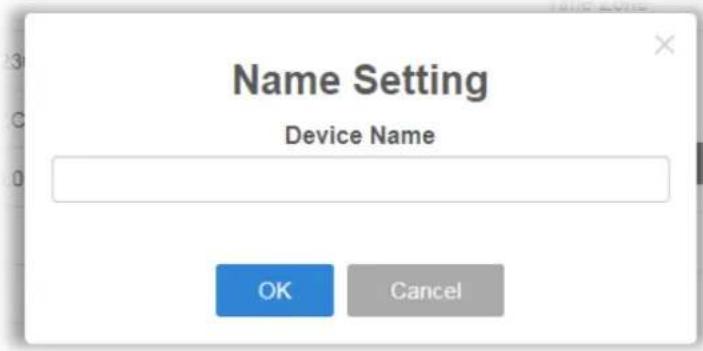 |
| Time and Date Display the | time and date information related to the selected device. - Click it to modify the time setting for the device. |
| Device Action Display the | action performed by IP-based device. Factory Default - Click the Apply button to rest the factory default to the IP device. Reboot - Click the Apply button to reboot the IP device immediately. |
| Device Ping Check -- Configure settings for ping check of IP camera or NVR. | |
| Port Display the port number of the IP device | |
| Enable | Enable - Click it to enable the device ping check function. Disable - Click it to disable the function. |
| Ping IP Address Add Device | - Click it to add an IP address of the device to be pinged by VigorSwitch. Up to 16 IP address(es) can be added and displayed in this field one by one (with the format of x.x.x.x, x.x.x.x, x.x.x.x...) Del Device - Click it to remove the selected IP address. |
| Interval Time (sec) Set a time interval (15, 30, 60, 120) for pinging action. | |
| Retry Time Choose 1, 3, or 5 for Vigor system to retry the pinging action. | |
| Failure Action | Configure the power behavior for each LAN port. Power Cycle - Once the device is offline, Vigorswitch will power off the device and then power on the device again. Power Off - When the device is offline, power off the device immediately. Nothing - When the device is offline, no action will be Note: When a PoE hub connecting to LAN port of VigorSwitch, the power behavior (on/off) to the PoE hub also will apply to all the devices connecting to the PoE hub. |
| Mail Alert Enable - When the device is offline, Vigor system will send an alert mail to notify the receptant. | |
| Apply Save the settings or changes to the switch. | |
III-4-1 Network
This page displays the network settings of the specified device (IP CAM or NVR).

Available settings are explained as follows:
| Item | Description |
| Device List Search - Enter | a string to search the device you want.Usage / Password - Enter the username / password of the IP-based device. Later, current network settings related to this device will be shown on the screen. |
| Mode Change the connection | on mode for this device.Static - When it is selected, you have to enter value for network setting manually for the IP device.IP Address - Enter an IPv4 address for the IP device.Prefix Length - Specify the subnet mask for the IP address.Gateway - Enter the IPv4 address for the gateway.DNS Server1/2 - Enter the IP address for primary / secondary DNS server.DHCP - When it is selected, the IP device will be assigned with the settings by the network's DHCP server automatically to access the Internet.Hostname - Display the hostname of the DHCP server. |
| Zero Configuration Enable | - The network settings for the IP device will be configured automatically.Disable - The network settings for the IP devcie must be configured manually. |
| Apply Save the settings or | changes to the switch. |
III-4-3 Security
This page displays the security settings of the specified IP device (IP CAM or NVR).

Available settings are explained as follows:
| Item | Description |
| Device List Search - Enter | a string to search the device you want.Usage / Password - Enter the username / password of the IP-based device. Later, current network settings related to this device will be shown on the screen. |
| HTTP Ports Current HTTP | port number of the IP device is shown in this field.Enable - Click it to enable the HTTP port configuration and enter a port value if required.Disable - Disable the HTTP port configuration. |
| HTTPS Ports Current HTTPS | port number of the IP device is shown in this field.Enable - Click it to enable the HTTPS port configuration and enter a port value if required.Disable - Disable the HTTPS port configuration. |
| RTSP Ports Current RTSP | port number of the IP device is shown in this field.Enable - Click it to enable the RTSP port configuration and enter a port value if required.Disable - Disable the RTSP port configuration. |
| Apply Save the settings or | changes to the switch. |
This page is left blank.
Part IV Security
IV-1 RADIUS
This page allows the network administrator to add and configure multiple RADIUS servers.
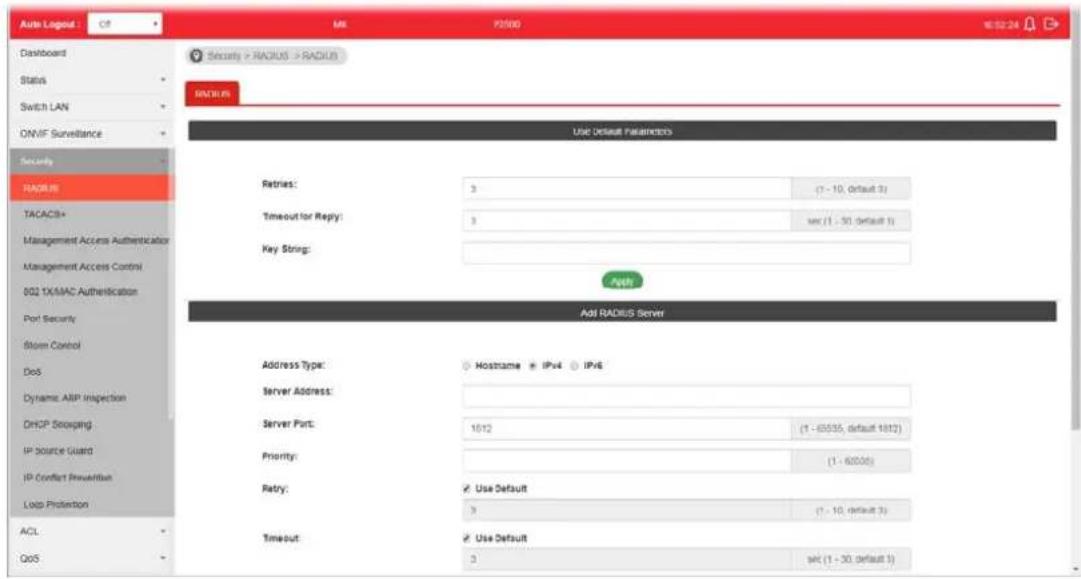
Available settings are explained as follows:
| Item | Description |
| Use Default Parameters | Retries - The retry time before this server being considered not-reachable.Timeout for Reply - Set the time (in seconds) before this server being considered lost connection.Key String - Enter the string used to encrypt and authenticate with RADIUS server.Apply - Save the settings. |
| Add RADIUS Server | Address Type - Specify whether switch uses a hostname to resolve address by DNS to connect to server, or directly connect using IPv4 address.Sever Address - Enter the server's address corresponding with address type given.Server Port - Enter the port number used by RADIUS server.Priority - Specify the priority that switch uses this server. The higher number, the lower priority. Switch will start with server with lowest priority.Retry - Set the time before this server being considered not-reachableTimeout - Set the time (in seconds) before this server being considered lost connection.Key String - Enter the key string used for encrypting and authenticating with server. Unless Key String is specified here, the default string will be used.Usage -Specify whether you would like to use this server for switch login authentication or 802.1x access port authentication, or both.● Add - Click it to add a new RADIUS server and display in this page.under Edit- Click it to modify the priority setting for the selected GE port / LAG port. |
IV-2 TACACS+
This page allows the network administrator to add and configure multiple TACACS+ server.
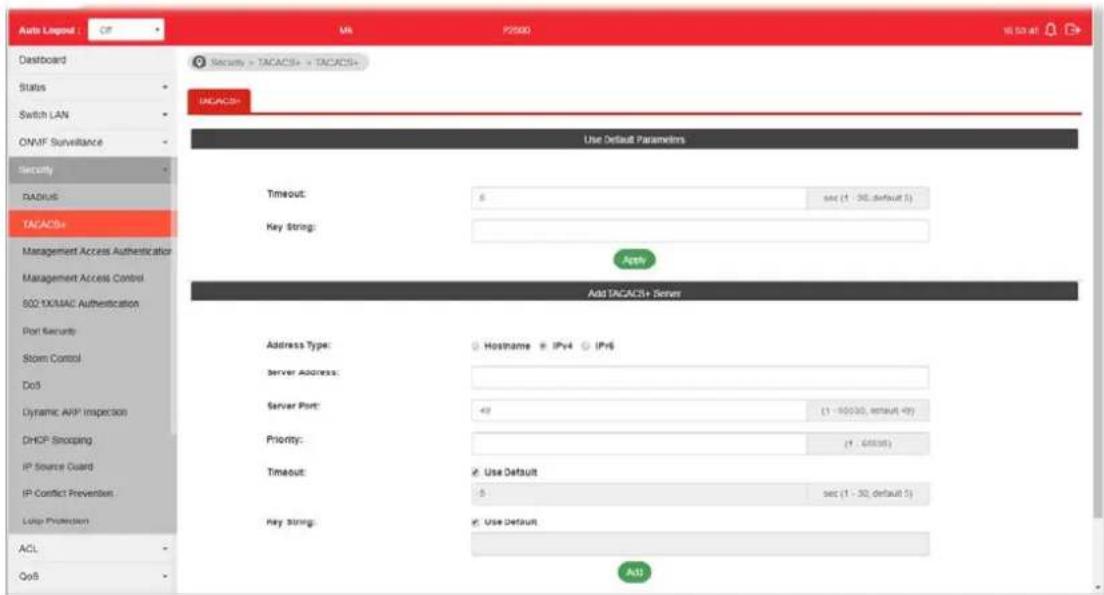
Available settings are explained as follows:
| Item | Description |
| Use Default Parameters | Timeout-Set the time (in seconds) before this server being considered lost connection.Key String-Enter the string used to encrypt and authenticate with TACACS+ server.Apply-Save the settings. |
| Add TACACS+ Server | Address Type-Specify whether switch use a hostname to resolve address by DNS to connect to server, or directly connect using IPv4 address.Sever Address-Enter the server's address corresponding with address type given.Server Port-Enter the port number used by TACACS+ server.Priority-Specify the priority that switch uses this server. The higher number, the lower priority. Switch will start with server with lowest priority.Timeout-Set the time (in seconds) before this server being considered lost connection.Key String-Enter the key string used for encrypting and authenticating with server. Unless Key String is specified here, the default string will be used.Add-Click it to add a new RADIUS server and display in this page.under Edit-Click it to modify the priority setting for the selected GE port / LAG port. |
IV-3 Management Access Authentication
IV-3-1 Method Profile
This page allows a user to create method list for applying on management service.

Available settings are explained as follows:
| Item | Description |
| Method Profile | Name- Enter a name for creating a method.Optional Methods- Available methods include Local, RADIUS and TACACS+.Selected Methods- The method listed in this field will be applied for such method profile.Add- Click it to add a method from Optional Method onto Selected Method. |
| [YSCZ]under Edit | Click it to modify the optional methods/ selected methods for the selected profile.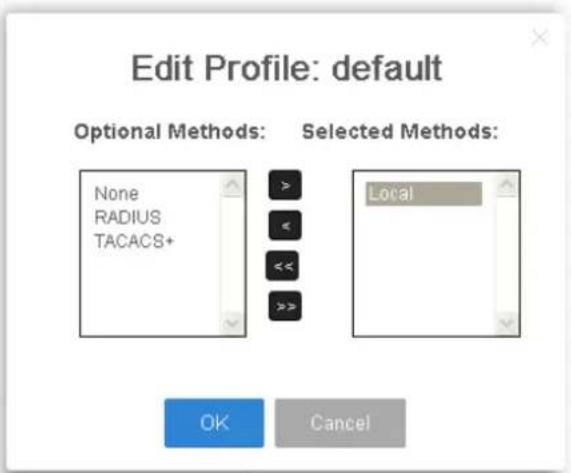 |
IV-3-2 Application Authentication
This page allows the network administrator to select the customized Method List to apply to any management service, for management access control.

Available settings are explained as follows:
| Item | Description |
| Application There are five | methods to be configured with different profile respectively.● Console/ Telnet/ SSH/ HTTP/ HTTPS |
| Selected Profile Specify one of customized method profiles to apply to any management service, for management access control. | |
| Apply Save the settings. | |
IV-4 Management Access Control
IV-4-1 Management Access Control Profile (ACL)
This page allows a user to add, edit, and delete Management Access Control profiles.

Available settings are explained as follows:
| Item | Description |
| ACL Name Enter a name to create a profile for ACL.Once a profile is created, it will be displayed on this page. | |
| Add Click it to create a new ACL profile after entering the ACL name. | |
| ACL Profile Name Display the name of the ACL profile. | |
| State Display if such ACL profile is active or inactive. | |
| Rule Display the number of ACE used by this ACL profile. | |
| Activate / Deactivate | - Click it to activate / deactivate such entry.To configure detailed settings for the selected ACL profile, do not click Activate for that profile. |
| Delete Click the icon under Delete to remove the selected entry. | |
IV-4-2 Management Access Control Entries (ACE)
This page allows a user to add, edit, or remove Access Control Entries (ACE) of the Management Access Control profiles. However, only the ACE of inactive profiles can be modified, and before configuring ACE, at least one ACL profile should be created.

Available settings are explained as follows:
| Item | Description |
| ACL Profile Name Use the | drop-down list to select the inactive ACL profile you would like to modify. |
| Priority | Specify a priority number (1 to 65535) for such rule. The lower the number, the higher the priority. |
| Service Choose the service type you would like to control the access. | |
| Action Select the action to be taken on the traffic of selected service type.Deny - Incoming / outgoing data which meets ACE rules will be blocked.Permit - Incoming / outgoing data which meets ACE rule is allowed to pass through. | |
| Ports Select the ports to which the ACL should be applied. | |
| IP Versions Specify the IP address/ subnet to which the ACL should be applied.All - All the IP address should be applied.IPv4 - Specify the IPv4 address / subnet.IPv6 -Specify the IPv6 address / subnet. | |
| IPv4 Enter the IPv4 address/ subnet to which the ACE rule should apply. | |
| IPv6 Enter the IPv6 address/ subnet to which the ACE rule should apply. | |
| Add Click it to create an ACE rule profile.Then, such ACE rule profile will be shown on the table below. | |
Edit

- click it to modify the settings for the selected entry.


- click it to remove the selected entry.
IV-5 802.1X/MAC Authentication
The authentication manager allows you to configure securely access from any host connected to physical ports. You may apply multiple ways of authentication to each port.
IV-5-1 Properties
IV-5-1-1 Global Settings
VigorSwitch P2500 supports 802.1x and MAC-based authentication methods. In Global Settings page, you can specify authentication type, enable Guest VLAN function, specify a VID and select format for MAC address entry.

Available settings are explained as follows:
| Item | Description |
| Authentication Types Use | the drop down list to specifywhich type (802.1x, MAC-based) will be used for authentication. Choose to enable 802.1x or MAC-based authenticate method for host connecting to Ethernet port. You may configure which type to be used per port, but enabling any per port without enabling here will not be effective. |
| Guest VLAN | Check to enable a Guest VLAN for those have not successfully authenticated with any given methods. Choose one of the VLAN ID as a Guest VLAN. |
| Selected VID If Guest VLAN | is enabled, use the drop down list to specify one VID number. |
| MAC-Based User ID Format | Specify how the MAC-based user ID should be expressed in EAP message between AAA server and switch. |
| Apply Save and activate the | settings configured above. |
IV-5-1-2 Port Authentication Setting
This page allows the network administrator to configure detailed authentication settings for each port.
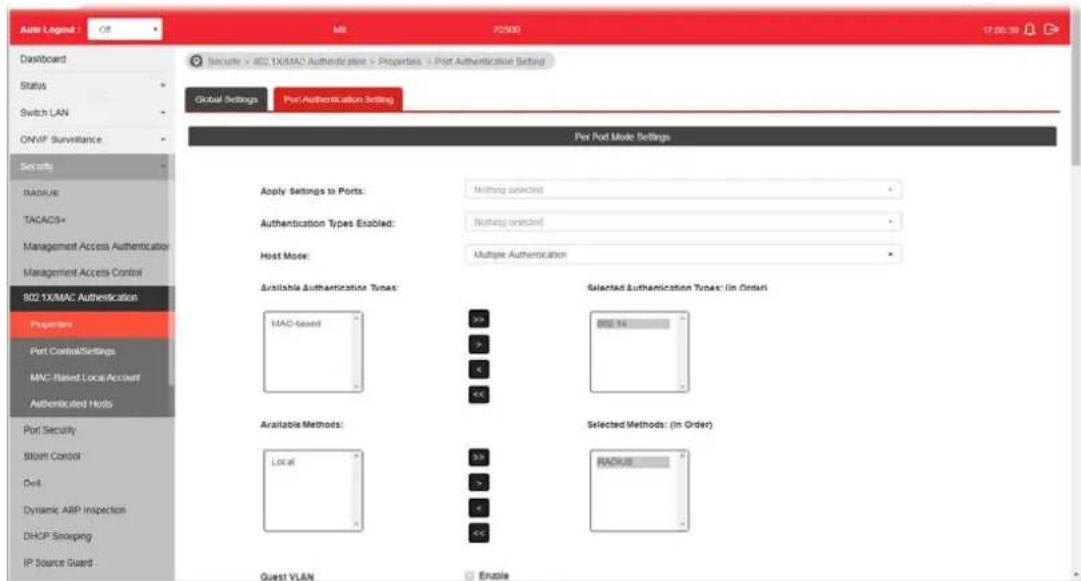
Available settings are explained as follows:
| Item | Description |
| Apply Settings to Ports | Select physical port(s) for applying settings.Note that port authentication will not be effective if none of them were enabled. |
| Authentication Types Enabled | Select 802.1x and/ or MAC-based authenticate method for host connecting to this port. |
| Host Mode | Multiple Authentication - Each host are authenticated individually.Multiple Hosts - Authentication is done on port basis, only one authenticated host is required; other hosts connected to this port can access freely as authenticated host.Single Host - Only one host can be authenticated, and access the port. |
| Available Authentication Types | Display available authentication types of AAA server (or local) you wish to have on this port. |
| Selected Authentication Types | Specify the order of authentication type you wish to have on this port. |
| Available Methods | Display available methods of AAA server (or local) you wish to have on this port. |
| Selected Methods Specify | the order of authentication methods you wish to have on this port. |
| Guest VLAN | Check Enable to enable Guest VLAN on this port for those didn't authenticated successfully. |
| RADIUS VLAN Assignment | Disable - Switch will ignore the VLAN assignment from the RADIUS server and keep the original VLAN of the host.Static - Switch will use the VLAN assignment from the RADIUS server if it receives the information. If there isnot VLAN information, it will keep the original VLAN of the host.Reject - Switch will reject the host if it does not receive the VLAN information from RADIUS server. |
| Apply The modification made above can be applied on to the selected GE port immediately. | |
IV-5-2 Port Control/Settings
This page allows the network administrator to controls port setting, based on 802.1X, for ethernet port authentication.

Available settings are explained as follows:
| Item | Description |
| Ports Select the ports to m | modify the port control settings. |
| Port Control | Specify if you wish this account to be allowed (Authorized) or blocked (Unauthorized) or determined by VigorSwtich (Auto).● Disabled - Disable any authentication requirement for port access. All clients are allowed to access the network.● Force Authorized- Port will be considered authorized. All clients are allowed to access the network.● Force Unauthorized - Port will be considered un-authorized. All clients are NOT allowed to access the network.● Auto - Port will be considered authorized or unauthorized based on the authentication results of the host. |
| Periodic Reauthentication | Enable - The hosts via the selected GE port will be re-authenticated periodically. |
| Max Hosts If Multiple Authentication mode is selected as Host Mode(802.1X/ MAC Authentication>>Properties>>Port Authentication | |
| Setting), the total number of hosts cannot exceed the maximum number of hosts configured here. | |
| Reauthentication Period | Enter a time period. When the time is up, the host shall return to initial state and prepare to pass authentication procedure again. Default is 3600 seconds. |
| Inactivate Timeout When | there is no packet coming from the authenticated host, the system will start the inactive timer. After inactive timeout, the host will be unauthorized and corresponding session will be deleted. In Multiple Hosts mode (configured in 802.1X/ MAC Authentication>>Properties>>Port Authentication Setting), the packet is counted on the authorized host only and not all packets on the port. |
| Quiet Period When a GE port | port is disabled just because authentication fails several times, the host connected to that port will be blocked for a period of time configured in quiet period.Later, after the time period set in this field, the host will be allowed to perform authentication again. |
| Resend EAP Period (802.1X Parameter) | Set the period for host to re-send EAP (Ethernet Automatic Protection) requests.Default value is 30 (seconds). |
| Supplicant Timeout(802.1X Parameter) | Set a period of time for the maximum number of EAP requests will be sent.If a response from the host is not received by VigorSwitch after the defined period (supplicant timeout), the authentication process will be started again. |
| Server Timeout (802.1X Parameter) | Set a period of time for the server. The EAP requests shall be resent to the supplicant within the time; otherwise, the time setting will lapse and the requests won't be sent out. |
| Max EAP Request (802.1X Parameter) | Set the maximum time interval for EAP request sent out. |
| Apply The modification made above can be applied on to the selected GE port immediately. | |
IV-5-3 MAC-Based Local Account
This page allows the network administrator to create profiles by entering MAC address of the hosts to be authenticated.
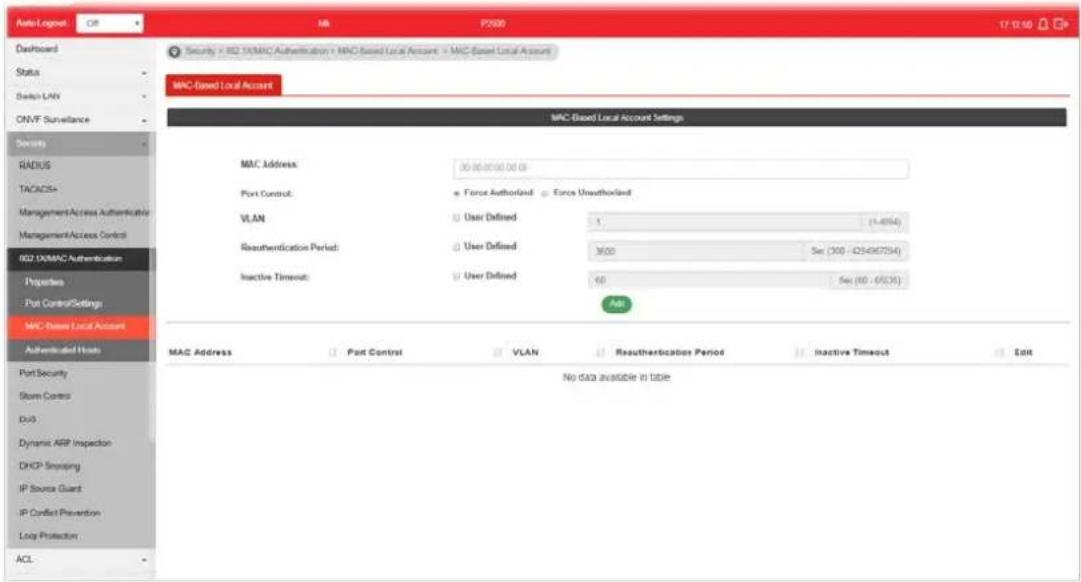
Available settings are explained as follows:
| Item | Description |
| MAC Address Enter the MAC address of the host. | |
| Port Control Specify a control type for the host. | |
| VLAN | User Defined - Check it to specify which VLAN will be by the host of this account. |
| Reauthentication Period | User Defined - Check it to specify the time this account required to be authenticated again after authentication taken place. |
| Inactive Timeout User Defined - Check it to specify the time of inactive this account becoming log-off. | |
| Add Click it to create a new account. | |
| Edit It is available when there is one profile existed. | |
IV-5-4 Authenticated Hosts
This page displays information related to the host authenticated by VigorSwitch.
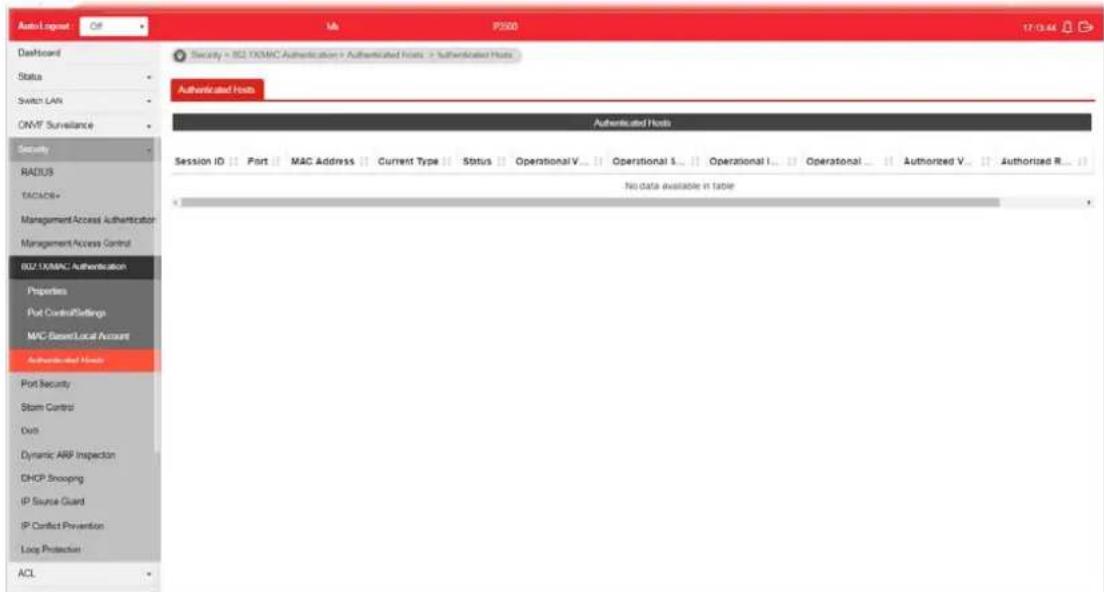
IV-6 Port Security
This page allows the network administrator to configure security settings for each port interface (GE port / LAG group). When port security is enabled for each interface, released action will be performed once detecting that the number of MAC address exceeds the limit.

Available settings are explained as follows:
| Item | Description |
| State Enable or disable port security function on the switch.● Enabled - Enable the port security function.● Disabled - Disable the port security function. | |
| Ports | Select the port(s) you would like to configure the port security settings. |
| Port State Enable or disable port security function on the ports selected above.● Enabled - The selected port applies the port security settings.● Disabled - The selected port does not apply the port security settings. | |
| MAC Address Enter the maximum number of MAC addresses that the port is allowed to learn. | |
| Action Select an action to perform when there is an unknown MAC address on the port.● Forward- Forward a packet whose source MAC is unknown to the switch.● Discard- Discard a packet whose source MAC is unknown to the switch.● Shutdown- Shutdown this port when a packet with unknown source MAC is received. | |
| Apply The modification made above can be applied on to the selected GE/ LAG port immediately. | |
Edit

- click it to modify the settings for the selected entry.
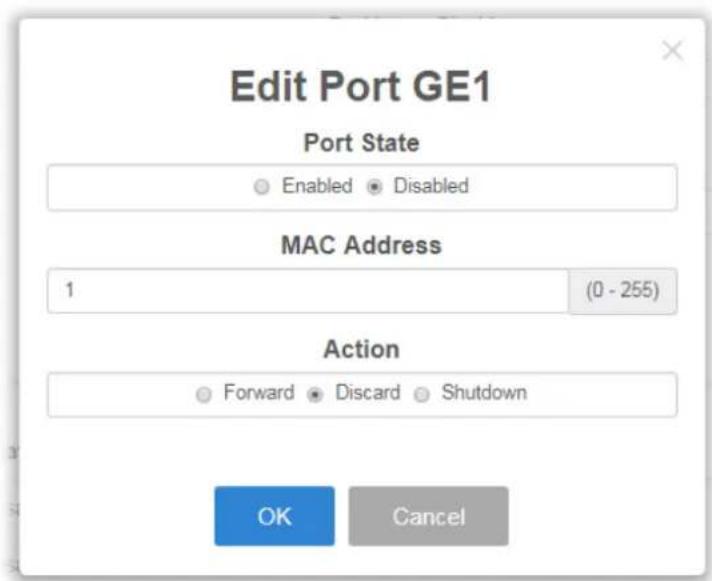
IV-7 Storm Control
Storm Control helps to suppress possible broadcast, unknown multicast or unknown unicast storm by applying a rate limit on those packets.
N-7-1 Properties
This page allows a user to configure general settings for Storm Control.
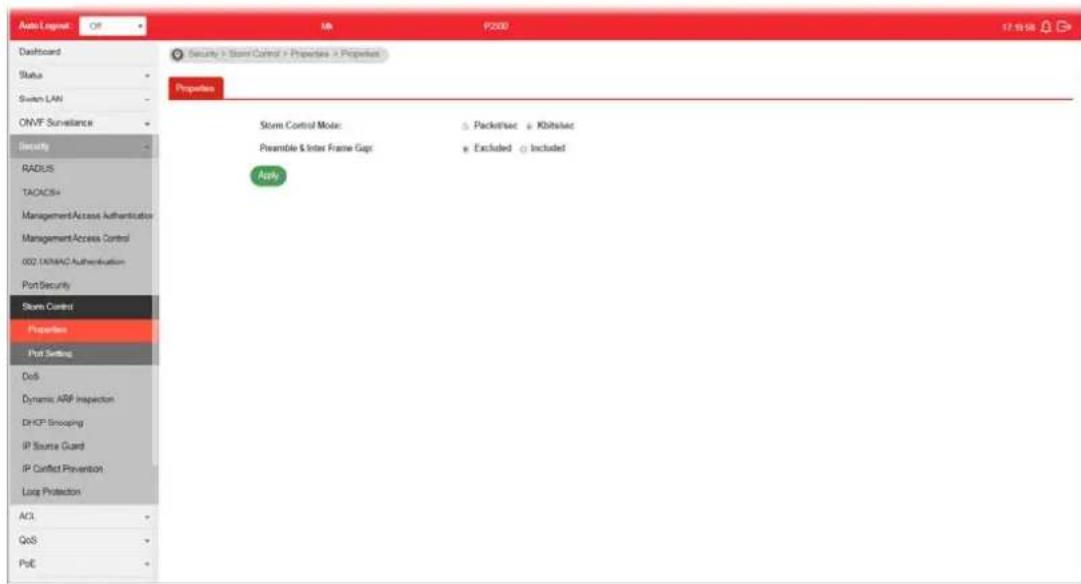
Available settings are explained as follows:
| Item | Description |
| Storm Control Mode Select | the mode of storm control.● Packet/sec - Storm control rate will be calculated by packet-based.● Kbits/sec - Storm control rate will be calculated by octet-based. |
| Preamble & Inter Frame Gap | Select the rate calculation with/ without preamble & IFG (20 bytes).● Excluded - Exclude preamble & IFG (20 bytes) when count ingress storm control rate.● Included - Include preamble & IFG (20 bytes) when count ingress storm control rate. |
| Apply Apply the settings to the switch. | |
IV-7-2 Port Setting
This page allows the network administrator to configure port settings for Storm Control. The configuration result for each port will be displayed on the table listed on the lower side of this web page.
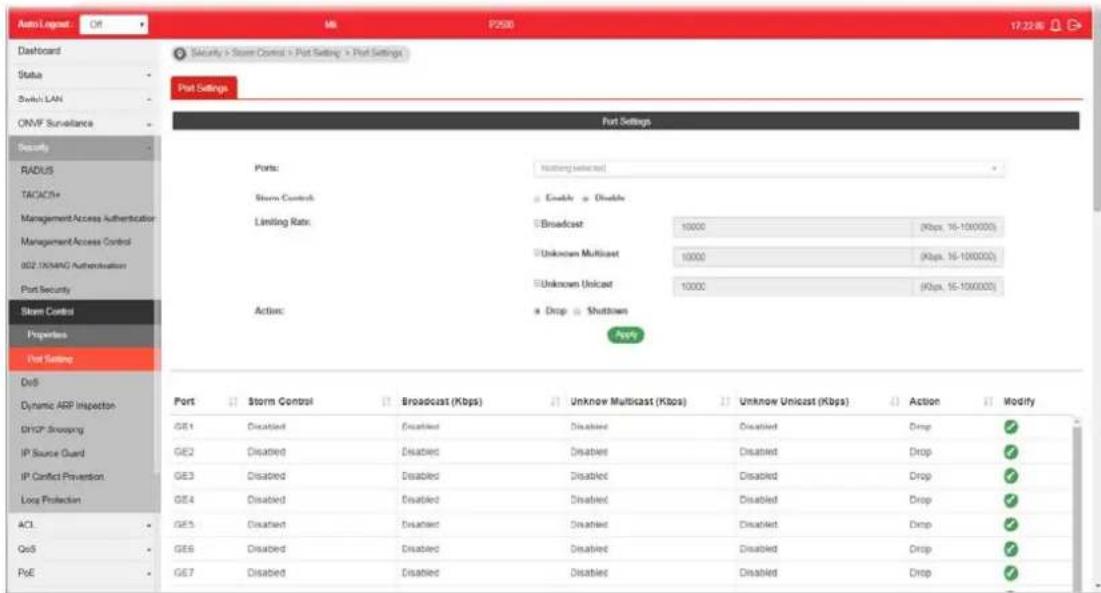
Available settings are explained as follows:
| Item | Description |
| Ports Use the drop down list to select the port profile (GE1 to GE28). | |
| Storm Control | Disable - Disable the storm control configuration for the selected port profile.Enable - Enable the storm control configuration for the selected port profile. |
| Limiting Rate Check the box(es) to enable strom control rate limited for Broadcast, Unknown Multicast and/or Unknown Unicast packet.Broadcast - Specify the storm control rate for Broadcast packet. Value of storm control rate, Unit: Kbps (Kbits per-second). The range is from 16 to 1000000.Unknown Multicast - Specify the storm control rate for unknown multicast packet. Value of storm control rate, Unit: Kbps (Kbits per-second). The range is from 16 to 1000000.Unknown Unicast - Specify the storm control rate for unknown multicast packet. Value of storm control rate, Unit: Kbps (Kbits per-second). The range is from 16 to 1000000. | |
| Action Select the state of setting.Drop - Packets exceed storm control rate will be dropped.Shutdown - Port exceeds storm control rate will be shutdown. | |
| Apply Apply the settings to the switch. | |
IV-8 DoS
A Denial of Service (DoS) attack is a hacker attempt to make a device unavailable to its users. DoS attacks saturate the device with external communication requests, so that it cannot respond to legitimate traffic. These attacks usually lead to a device CPU overload.
The DoS protection feature is a set of predefined rules that protect the network from malicious attacks. The DoS Security Suite Setting enables activating the security suite.
IV-8-1 Properties
This page allows a user to configure DoS setting to enable/disable DoS function for global setting.
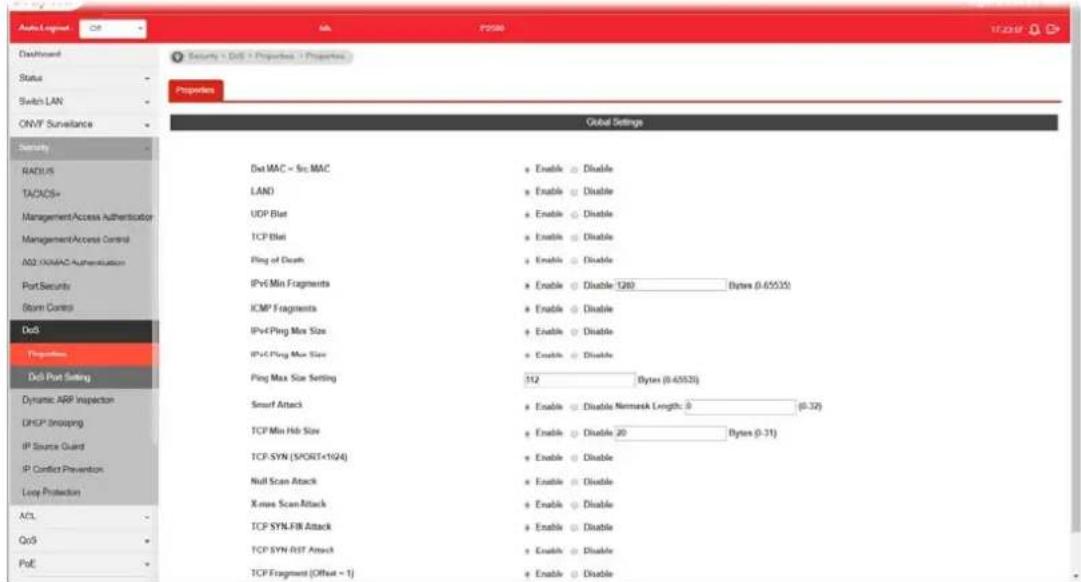
Available settings are explained as follows:
| Item | Description |
| Dst MAC=Src MAC Drop the packets if the destination MAC address is equal to the source MAC address.● Disabled - Disable the item function.● Enabled - Enable the item function. | |
| LAND Drop the packets if the source IP address is equal to the destination IP address.● Disabled - Disable the item function.● Enabled - Enable the item function. | |
| UDP Blat Drop the packets if the UDP source port equals to the UDP destination port.● Disabled - Disable the item function.● Enabled - Enable the item function. | |
| TCP Blat Drop the packages if the TCP source port is equal to the TCP destination port.● Disabled - Disable the item function. | |
| ● Enabled - Enable the item function. | |
| Ping of Death Avoid ping of death attack.Ping packets that length are larger than 65535 bytes.● Disabled - Disable the item function.● Enabled - Enable the item function. | |
| IPv6 Min Fragments Check the minimum size of IPv6 fragments, and drop the packets smaller than the minimum size. The valid range is from 0 to 65535 bytes, and default value is 1240 bytes.● Disabled - Disable the item function.● Enabled - Enable the item function. | |
| ICMP Fragments Drop the fragmented ICMP packets.● Disabled - Disable the item function.● Enabled - Enable the item function. | |
| IPv4 Ping Max Size Determine the IPv4 PING packet with the length.● Disabled - Disable the item function.● Enabled - Enable the item function.- | |
| IPv6 Ping Max Size Determine the IPv6 PING packet with the length.● Disabled - Disable the item function.● Enabled - Enable the item function. | |
| Ping Max Size Setting Determine the IPv4/ IPv6 PING packet with the length. Specify the maximum size of the ICMPv4/ ICMPv6 ping packets. The valid range is from 0 to 65535 bytes, and the default value is 512 bytes. | |
| Smurf Attack | Avoid smurf attack. The length range of the netmask is from 0 to 323 bytes, and default length is 0 byte.● Disabled - Disable the item function.● Enabled - Enable the item function. |
| TCP Min Hdr Size Check the minimum TCP header and drops the TCP packets with the header smaller than the minimum size. The length range is from 0 to 31 bytes, and default length is 20 bytes.● Disabled - Disable the item function.● Enabled - Enable the item function. | |
| TCP-SYN (SPORT<1024) Drop SYN packets with sport less than 1024.● Disabled - Disable the item function.● Enabled - Enable the item function. | |
| Null Scan Attack Drop the packets with NULL scan.● Disabled - Disable the item function.● Enabled - Enable the item function. | |
| X-mas Scan Attack Drop the packets if the sequence number is zero, and the FIN, URG and PSH bits are set.● Disabled - Disable the item function.● Enabled - Enable the item function. | |
| TCP SYN-FIN Attack Drop the packets with SYN and FIN bits set.● Disabled - Disable the item function.● Enabled - Enable the item function.- | |
| TCP SYN-RST Attack Drop the packets with SYN and RST bits set.● Disabled - Disable the item function. | |
| TCP Fragment (Offset=1) | Drop the fragmented ICMP packets.● Disabled - Disable the item function.● Enabled - Enable the item function. |
| Apply Apply the settings to the switch. | |
IV-8-2 DoS Port Setting
This page allows a user to configure and display the state of DoS protection for interfaces. The configuration result for each port will be displayed on the table listed on the lower side of this web page.

Available settings are explained as follows:
| Item | Description |
| Port | Use the drop down list to select the port profile (GE1 to GE28) or profiles. |
| DoS Protection | ● Disabled - Disable the function of DoS Protection. ● Enabled - Enable the function of DoS Protection. |
| Apply Apply the settings to the switch. | |
| Modify | - Click it to modify settings. |
IV-9 Dynamic ARP Inspection
Dynamic ARP inspection (DAI) can prevent ARP spoofing attacks by validating ARP packet in a network. It can intercept, record, and discard ARP packets with invalid IP-to-MAC address bindings; and then protect the network against malicious attacks.
IV-9-1 Properties
IV-9-1-1 Global Property Settings
This page allows a user to configure global property settings for the function of Dynamic ARP Inspection.

Available settings are explained as follows:
| Item | Description |
| State | Enable - Check the box to enable global property settings. |
| VLANs Select VLAN profile(s) to apply the function of Dynamic ARP Inspection.Only the GE/ LAG port within the selected VLAN will apply DAI function. | |
| Apply Apply the settings to the switch. | |
IV-9-1-2 Per Port Property Settings
This page allows a user to configure detailed settings of DAI for each port (GE/LAG).

Available settings are explained as follows:
| Item | Description |
| Ports | Use the drop down list to select the port (GE1 to GE28, LAG1 to LAG8) or ports for applying DAI function. |
| Trust | Enable - Enable the function of DAI for the port(s) selected above. |
| Source MAC Address Enable | - Check it to enable the function of source MAC address validation mechanism for the selected port(s). |
| Destination MAC Address | Enable - Check it to enable the function of destination MAC address validation mechanism for the selected port(s). |
| IP Address | ● Enable - Check it to enable the function of IP address validation mechanism for the selected port(s).● Allow Zero - The IP address of “0.0.0.0” can be applied to the selected port(s) if it is enabled. |
| Rate Limit | Use the drop down list to choose a rate limitation value (0~50) for the selected port(s). |
| Apply Apply the settings to the switch. | |
IV-9-2 Statistics
This page displays all statistics recorded by Dynamic ARP Inspection function.

IV-10 DHCP Snooping
DHCP snooping is able to validate DHCP messages obtained from untrusted sources and filter out invalid message.
For DHCP snooping to function properly, it is suggested to connect DHCP servers to VigorSwitch through trusted interfaces; because untrusted DHCP messages will be forwarded to trusted interfaces only.
IV-10-1 Properties
IV-10-1-1 Global Property Settings
This page allows a user to configure global property settings for the function of DHCP snooping Inspection.
In default, DHCP snooping is inactive on all VLANs. You can enable such feature on a single VLAN or a range of VLANs.
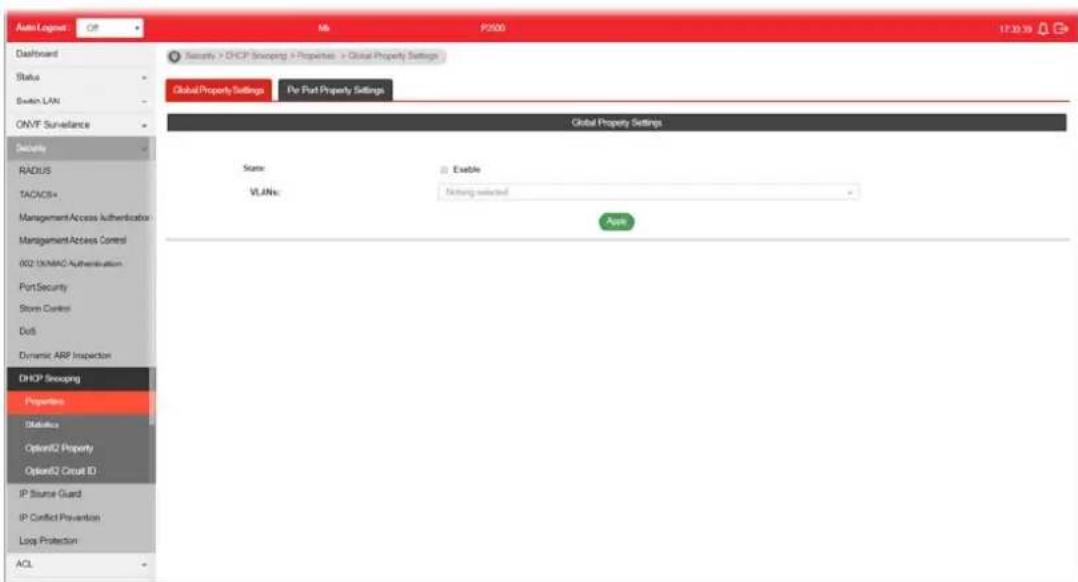
Available settings are explained as follows:
| Item | Description |
| State | Enable - Check the box to enable global property settings. |
| VLANs Select VLAN profile(s) to apply the function of DHCP Snooping Inspection.Only the GE/ LAG port within the selected VLAN will apply DHCP Snooping function. | |
| Apply Apply the settings to the switch. | |
IV-10-1-2 Per Port Property Settings
This page allows a user to configure detailed settings of DHCP Snooping for each port (GE/ LAG).
Any device that is not in the service provider network will be regarded as an untrusted source (such as a customer switch). Host ports are untrusted sources. In VigorSwitch, you can assign a source as trusted device by configuring the trust state of its connecting port.
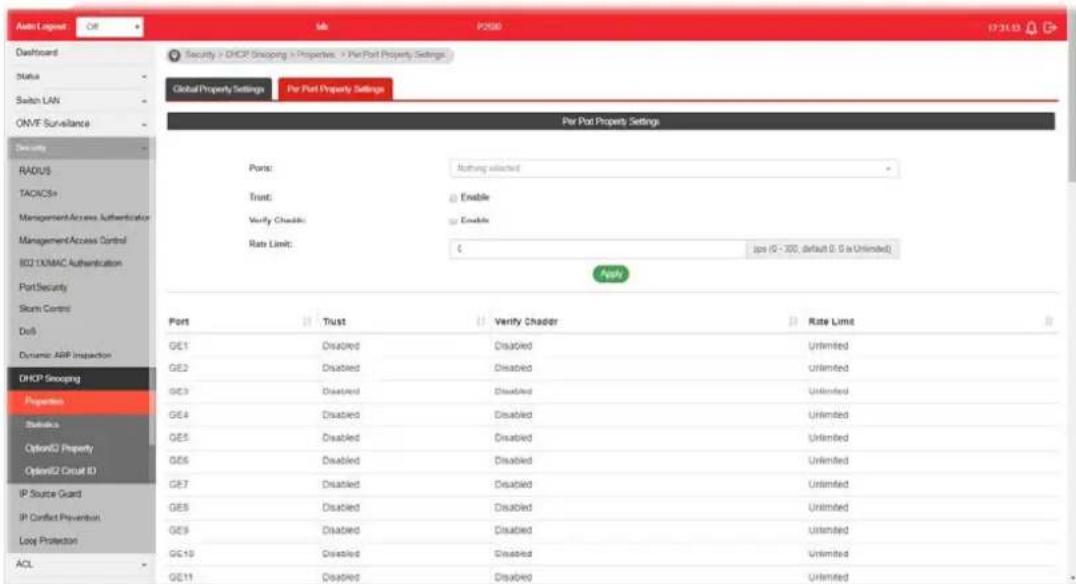
Available settings are explained as follows:
| Item | Description |
| Ports | Use the drop down list to select the port (GE1 to GE28, LAG1 to LAG8) or ports for applying DHCP snooping function. |
| Trust | Enable - Check it to make the port(s) selected above as trusted interface. |
| Verify Chaddr Enable - Check it to enable chaddr (client hardware address) validation of GE/ LAG port. All DHCP packets will be checked if the client hardware MAC address is the same as source MAC in Ethernet header or not. Default is disabled. | |
| Rate Limit Input rate limitation (0~300) of DHCP packets. The unit is “pps”. “0” means unlimited. Default is unlimited. | |
| Apply Apply the settings to the switch. | |
IV-10-2 Statistics
This page displays all statistics recorded by DHCP snooping function.
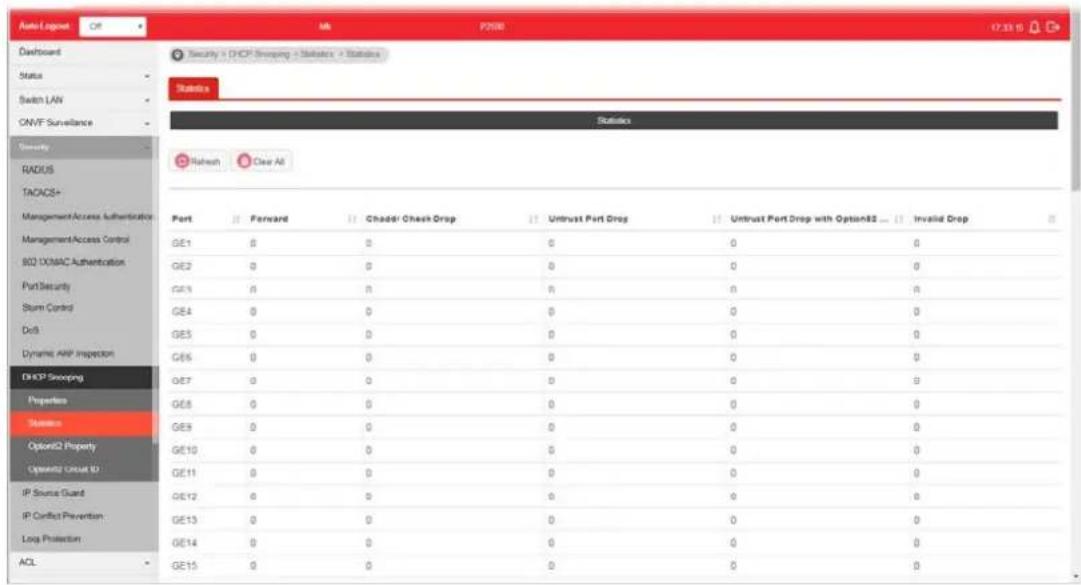
IV-10-3 Option82 Property
You can use information settings including Remote ID and Circuit ID for Option82 Property, also known as the DHCP relay agent, to protect VigorSwitch against spoofing attacks.
IV-10-3-1 Global Option82 Property Settings
This page allows a user to set string as remote ID for DHCP option82. For example, use a switch-configured hostname or specify an ASCII text string as remote ID.
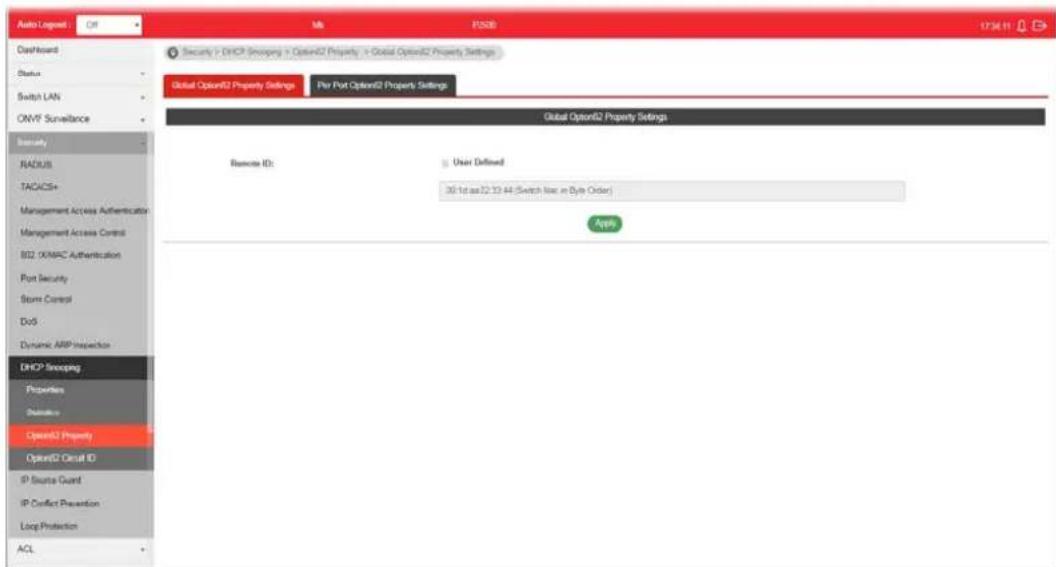
Available settings are explained as follows:
| Item | Description |
| Remote ID | The string specified here is used to identify the remote host.User Defined - Check it and manually enter ASCII text string in the entry box. |
| Apply Apply the settings to the switch. | |
IV-10-3-2 Per Port Option82 Property Settings
This page allows a user to configure detailed settings of DHCP Snooping, Option82 for each port (GE/LAG).

Available settings are explained as follows:
| Item | Description |
| Ports | Use the drop down list to select the port (GE1 to GE28, LAG1 to LAG8) or ports for applying DHCP snooping, Option82 Property function. |
| State | Enable - Check it to make the port(s) selected above apply the settings configured in this page. |
| Allow Untrust Untrusted packets detected by VigorSwitch will be performed by the action determined here.Keep - Packets are allowed to pass through.Drop - Packets are blocked and discarded.Replace - Packets will be replaced. | |
| Apply Apply the settings to the switch. | |
III-10-4 Option82 Circuit ID
This page allows a user to set string as circuit ID for DHCP option82 setting. Circuit ID shall be combined with VLAN name (or VLAN ID number) and interface name (GE/LAG port).
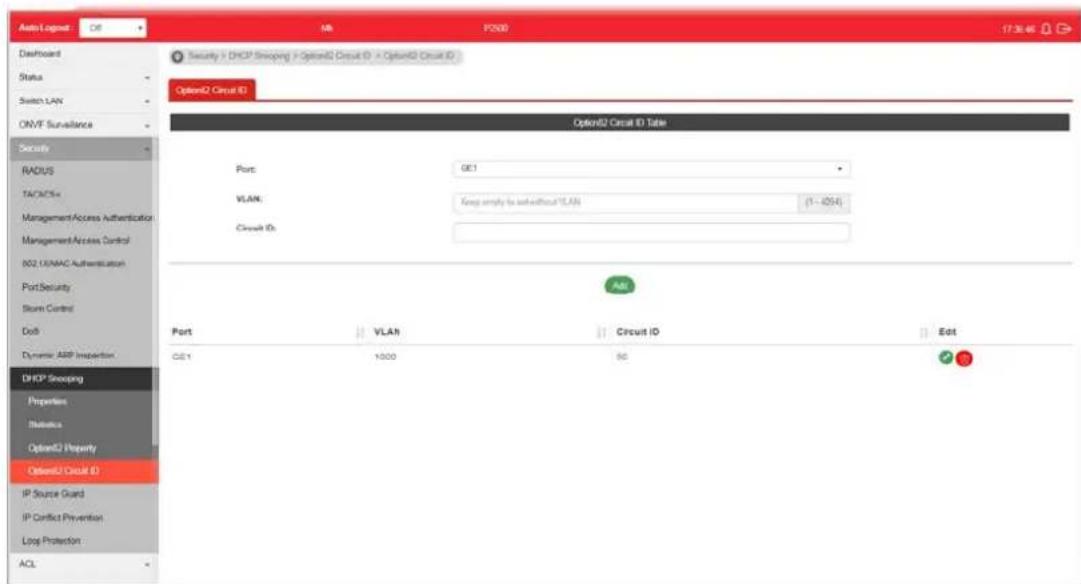
Available settings are explained as follows:
| Item | Description |
| Port | Use the drop down list to select the port (GE1 to GE28, LAG1 to LAG8) or ports for applying DHCP snooping, Option82 Property function. |
| VLAN | Choose a number as VLAN ID which is easy to be identified for a packet containing with it.It is optional setting. |
| Circuit ID Enter ASCII text | string in the entry box. Later, any packet passes through the specified interface (GE/ LAG port) will be inserted with such information. |
| Add Click it to create a profile. | |
| Edit | - click it to modify the circuit ID value for the selected entry.- click it to remove the selected entry. |
IV-11 IP Source Guard
By using the source IP address filtering function, IP source guard can prevent a malicious host from feigning a legal host with its IP address and performing malicious attack.
IV-11-1 Port Settings
IP source guard is a port-based feature. Therefore, it is necessary to configure detailed settings for each GE/LAG port interface separately.
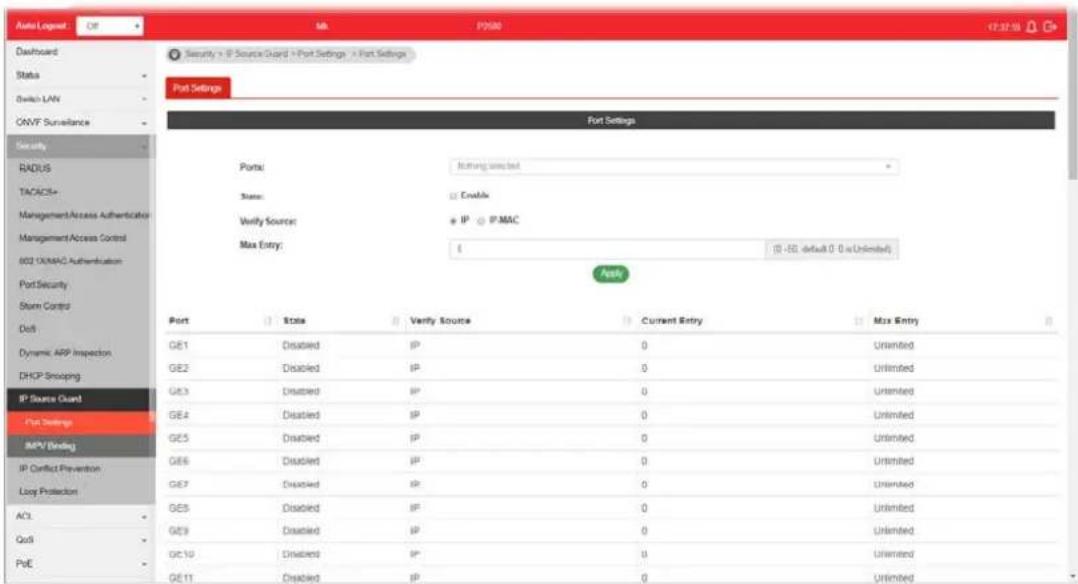
Available settings are explained as follows:
| Item | Description |
| Ports | Use the drop down list to select the port (GE1 to GE28, LAG1 to LAG8) or ports for applying IP source guard function. |
| State | Enable - Check it to make the port(s) selected above apply the settings configured in this page. |
| Verify Source Specify the type of source IP for the packet coming from.IP - Only the packet with specified IP address will be verified.IP-MAC - Only the packet with specified IP address and MAC address will be verified. | |
| Max Entry Define the number (0~50) for the port.The default is 0 (no limit). | |
| Apply Apply the settings to the switch. | |
IV-11-2 IMPV Binding
This page allows the network administrator to set the filtering conditions (binding type, MAC address, IPv4 address) for packets through the specified LAN port.

Available settings are explained as follows:
| Item | Description |
| Ports | Use the drop down list to select the port (GE1 to GE28, LAG1 to LAG8) or ports for applying IMPV Binding function. |
| VLAN | Choose a number as VLAN ID which is easy to be identified for a packet containing with it.It is optional setting. |
| Binding Select the binding | type for such feature.IP-MAC-Port-VLAN-Packets will be allowed to pass through the port interface if they meet the conditions specified by IP address, MAC address, Port setting and VLAN ID setting.IP-Port-VLAN-Packets will be allowed to pass through the port interface if they meet the conditions specified by IP address, Port setting and VLAN ID setting. |
| MAC Address Enter the MAC address of the device connecting to the port interface selected above. | |
| IPv4 Address Enter the IP address with mask address of the device connecting to the port interface selected above. | |
| Add Click it to create a new binding profile. | |
| Edit | - Click it to modify the settings for the selected entry. |
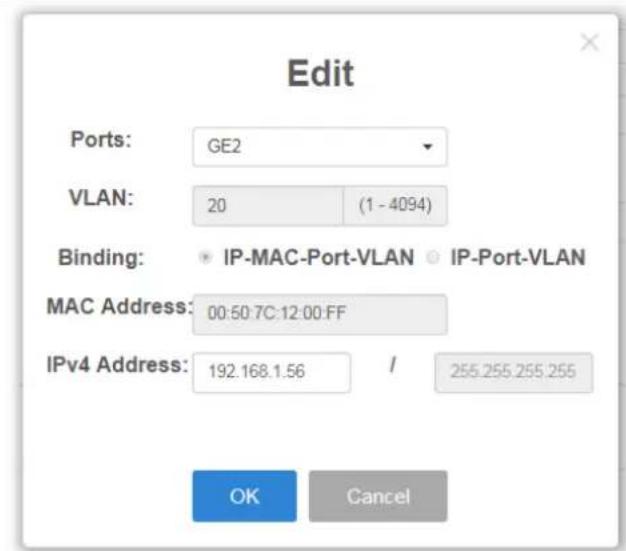

click it to remove the selected entry.
IV-12 IP Conflict Prevention
A user can configure IP addresses for network devices manually. However, it might result in conflict between different devices due to using the same IP address, and cause the devices not working correctly.
This page allows you to prevent IP conflict by binding the port with the specified IP address.
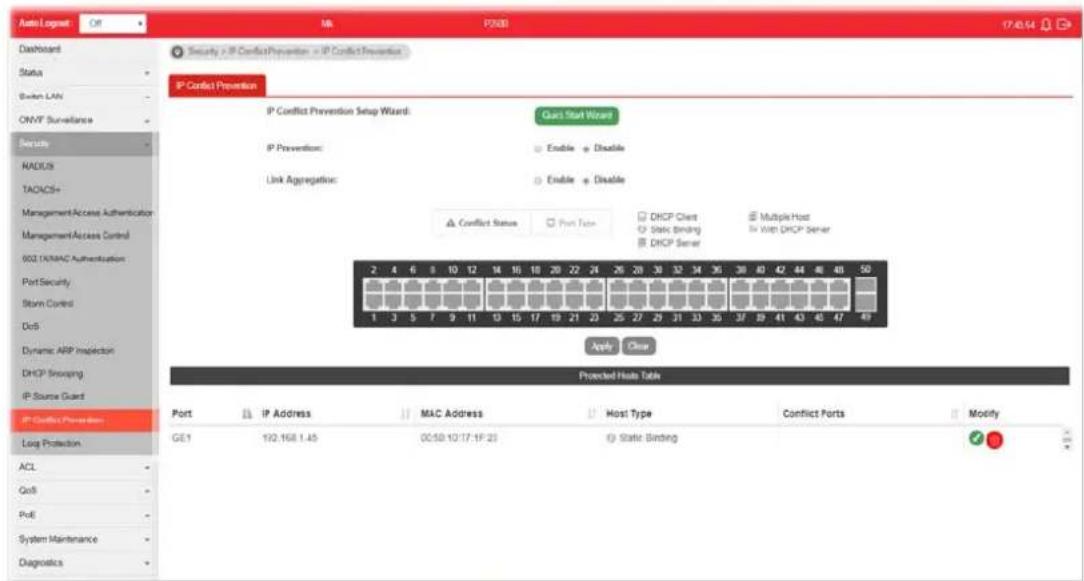
Available settings are explained as follows:
| Item | Description |
| IP Prevention | Enable - Click it to activate the function of IP prevention.Disable - Click it to deactivate the function of IP prevention. |
IP Conflict Prevention Setup Wizard
Quick Start Wizard - The system will guide to bind server port with an IP address step by step.
Step 1
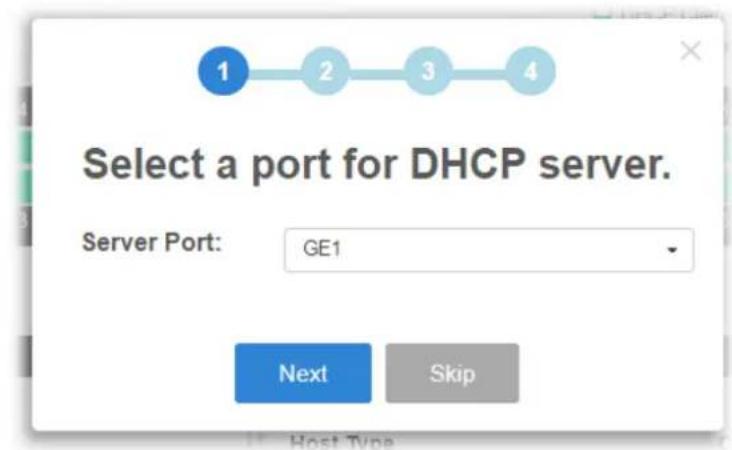
Step 2


Step 3
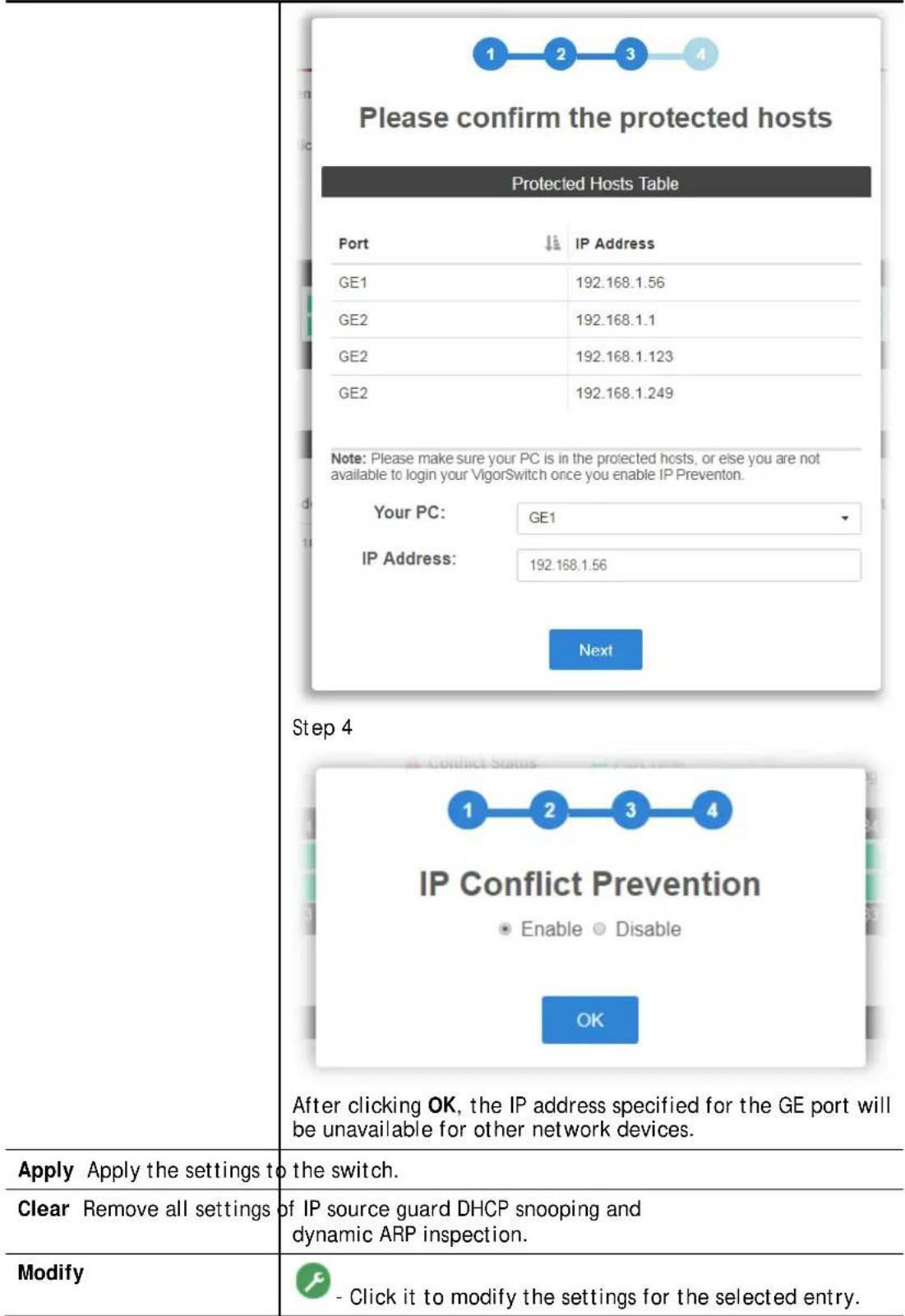

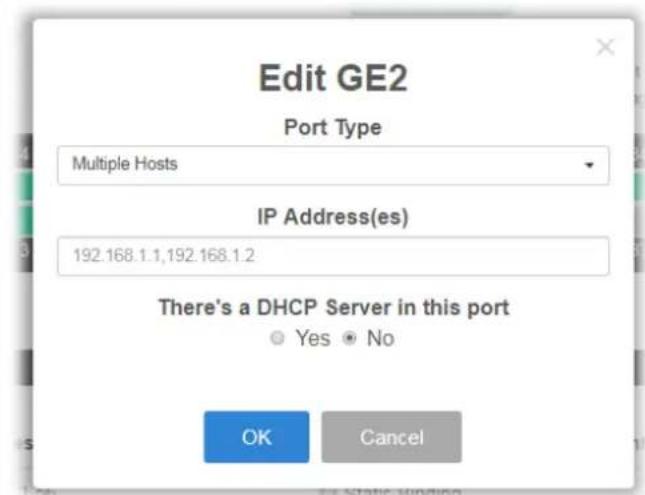
Port Type - There are four selections - DHCP Client, Static Binding, Multiple Hosts and DHCP Server. Each type will bring out different IP address(es) settings.
OK - Click it to save the settings.

- Click it to remove the selected entry.
IV-13 Loop Protection
Loop event might be caused due to wrong hardware connection. VigorSwitch will periodically send packets out to check if they loopback or not. This page allows you to set conditions and perform an action when VigorSwitch detects the looped packet.
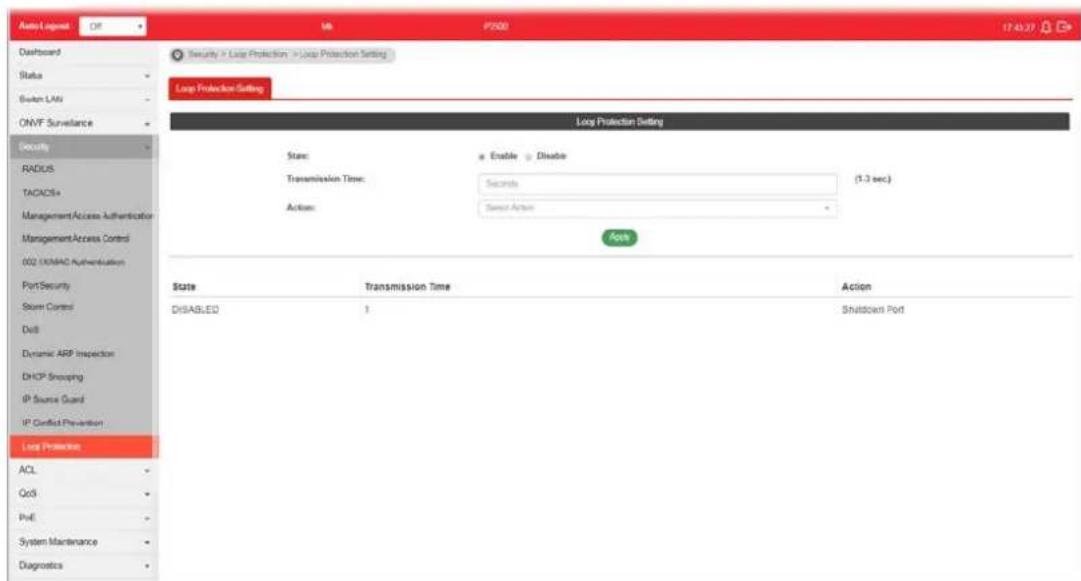
Available settings are explained as follows:
| Item | Description |
| State | Enable- VigorSwitch detects the loop event of GE ports/ LAG ports automatically.Disable- VigorSwitch will not detect the loop event. |
| Transmission Time When the loop event occurred, VigorSwitch will perform the action after a period of time. | |
Action When the switch detects loop situation occurred to a port; it will perform the action selected in this field. Log- The switch will record such event as a log.Shutdown Port- The switch will shut down the port.Shutdown Port and Log- The switch will shut down the port and record the event as a log. The system administrator will view the content from system log. Log- The switch will record such event as a log.Shutdown Port- The switch will shut down the port.Shutdown Port and Log- The switch will shut down the port and record the event as a log. The system administrator will view the content from system log. | |
| Apply Apply the settings to the switch. | |
This page is left blank.
Part V ACL Configuration
V-1 Create ACL
An Access Control List (ACL) is a sequential list of permit or deny conditions that apply to IP addresses, MAC addresses, or other more specific criteria. This switch tests ingress packets against the conditions in an ACL one by one. A packet will be accepted as soon as it matches a permit rule, or dropped as soon as it matches a deny rule. If no rules match, the frame is accepted.
V-1-1 MAC
The function is used to show the Access Control List (ACL) based on Layer 2 filtering, the MAC layer. The ACL is composed by many Access Control Element (ACE) rules. You can create a new ACL here; then add multiple ACEs.
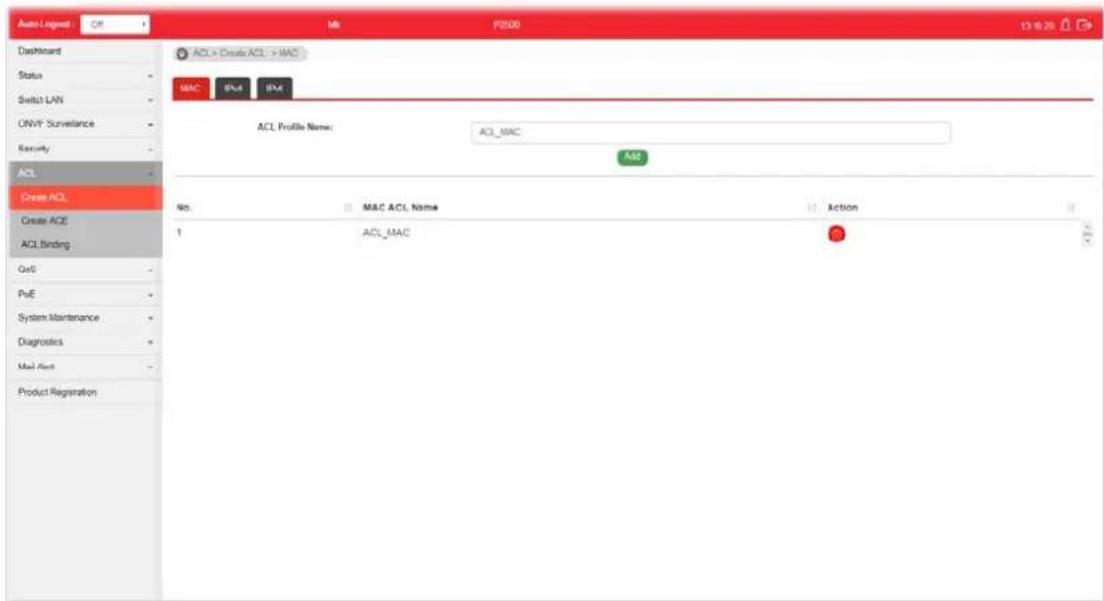
Available settings are explained as follows:
| Item | Description |
| ACL Profile Name Enter a | name for creating a new ACL profile. |
| Add Add a new ACL entry using given ACL name. | |
| Action | - click it to remove the selected entry. |
V-1-2 IPv4
The function is used to show the Access Control List (ACL) based on Layer 2 to Layer 4 filtering, the IPv4. The ACL is composed by many Access Control Element (ACE) rules. You may create a new ACL here; then add multiple ACEs.
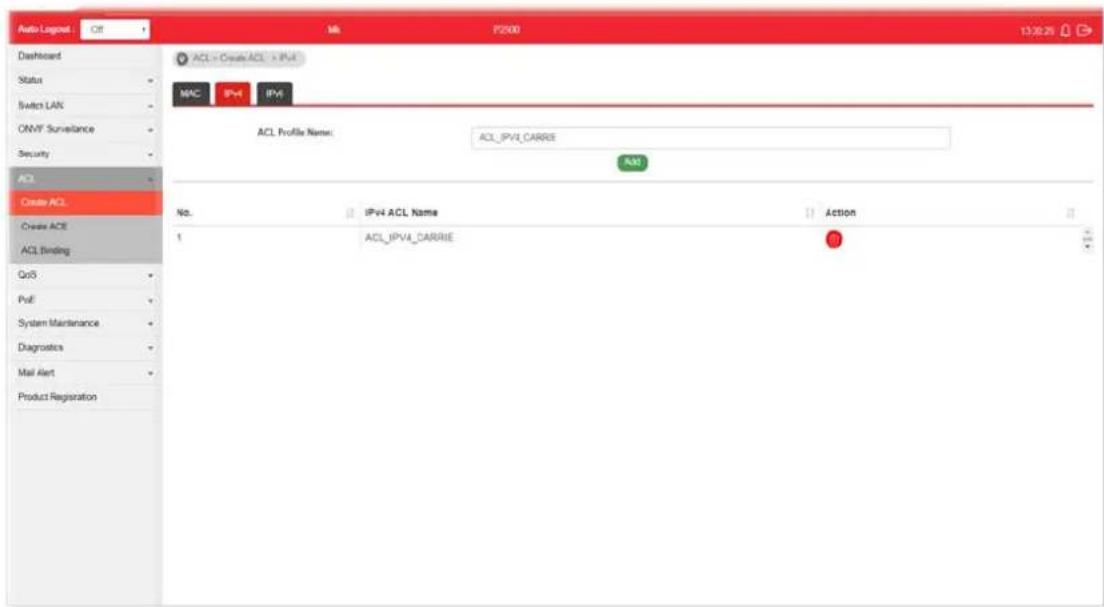
Available settings are explained as follows:
| Item | Description |
| ACL Profile Name Enter a | name for creating a new ACL profile. |
| Add Add a new ACL entry using given ACL name. | |
| Action |  click it to remove the selected entry. click it to remove the selected entry. |
V-1-3 IPv6
The function is used to show the Access Control List (ACL) based on Layer 2 to Layer 4 filtering, the IPv6. The ACL is composed by many Access Control Element (ACE) rules. You may create a new ACL here; then add multiple ACEs.

Available settings are explained as follows:
| Item | Description |
| ACL Profile Name Enter a | name for creating a new ACL profile. |
| Add Add a new ACL entry using given ACL name. | |
| Action |  - click it to remove the selected entry. - click it to remove the selected entry. |
V-2 Create ACE
Since ACL based on MAC, IPv4 and/or IPv4 has been created on the section of IV-1, now you can add multiple ACE rules for each ACL.
V-2-1 MAC
This page shows ACE based on MAC address. You may choose ACL, permit, and deny particular packet or frame, even shutdown the port.
You may provide filtering/matching criteria for one or more of packet characteristic (such as Source/Destination MAC, Ethertype, VLAN, 802.1p) for this ACE to identify the packet.
![Auto1 Nogust OR Mk P200 13.26.43 Dashboard Status Switch LAN ONVF Surveillance Security ACL Create ACL Create ACL ACL Binding Go9 PoE System Maintenance Diagnostics Mail Aero Product Registration ACL Profile Name: ACL MAC Sequence: 1 (1-2147(03647) Action: Permit Source MAC: Any 00:00:00:00:00:00 Destination MAC: Any 00:00:00:00:00:00 Ethertype: Any (Dx000-Dx/FTF) VLAN: Any [1-075] 862.1p: Any b7 Add No. Name Sequence Action Source MAC/Mask Destination MAC/Mask Ethertype VLAN 802.1p Modify Default Done all Done Any Any Circulans Any Any/Any 172 18 21 25 26 27 28 29 30 31 32 33 34 35 36 37 38 39 40 41 42 43 44 45 46 47 48 49 50 51 52 53 54 55 56 57 58 59 60 61 62 63 64 65 66 67 68 69 70 71 72 73 74 75 76 77 78 79 80 81 82 83 84 85 86 87 88 89 90 91 92 93 94 95 96 97 98 99 100 MAC PV4 PV6](/content/2026/06/1224908/images/36147fb0de24806654ae465a81b4c854f7d448b877a75d7381016ce41357c42a.jpg)
Available settings are explained as follows:
| Item | Description |
| ACL Profile Name Use the | drop down list to selected one of the user defined ACL profiles. |
| Sequence | Assign a sequence number to this ACE. The sequence is used to identify which one of ACEs in an ACL is firstly used to match ingress packets. The switch port bound with an ACL use the contained ACE rules, start with the one with lower sequence number to match the packet first. |
| Action Select the action applied to the packet matched this ACE. Permit or deny the packets into switch core, or shutdown the port for stopping further transmission.● Permit● Deny● Shutdown | |
| Source MAC / Destination MAC | Specify the source and the destination MAC address for filtering.Any - All packets will be filtered.Or, enter the IP address to filter the packets coming from that address. |
| Ethertype Specify ethernet | type for filtering.Select Any.Or, enter the value with the format of “0x600 ~ 0xFFFF”. |
| VLAN Specify VLAN profile | for filtering.Select Any.Or, enter a VLAN number. The packets coming from the VLAN specified here will be filtered by Vigor device. |
| 802.1p Specify the 802.1p | priority value for filtering. Select Any, or a number from 0 to 7. |
| Add Click it to create a new ACE rule. | |
| Modify | GXGC- click it to modify the settings for the selected entry. - click it to remove the selected entry. - click it to remove the selected entry. |
V-2-2 IPv4
This page shows ACE based on IPv4 address. You may choose ACL, permit, and deny particular packet or frame, even shutdown the port.
You may provide filtering/ matching criteria for one or more of following packet characteristic (such as Protocol over the IP layer, Source/ Destination IPv4 address, Type of Service, Source/ Destination port number, TCP flags, ICMP Type, if chosen protocol contains ICMP), for this ACE to identify the packet.
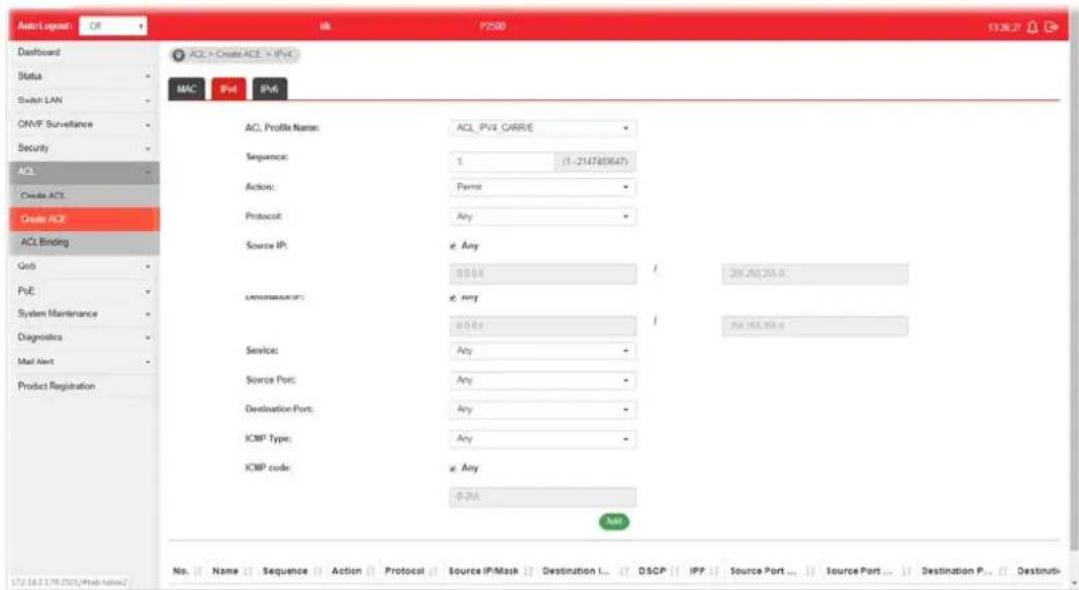
Available settings are explained as follows:
| Item | Description |
| ACL Profile Name Use the | drop down list to selected one of the user defined ACL profiles. |
| Sequence | Assign a sequence number to this ACE. The sequence is used to identify which one of ACEs in an ACL is firstly used to match ingress packets. The switch port bound with an ACL use the contained ACE rules, start with the one with lower sequence number to match the packet first. |
| Action Select the action applied to the packet matched this ACE. Permit or deny the packets into switch core, or shutdown the port for stopping further transmission.● Permit● Deny● Shutdown | |
| Protocol Specify the protocol for filtering.● Any - All packets will be filtered.● Select - Choose one of the protocol (e.g., ICMP, IP in IP, TCP, EGP, IGP...) from the drop down list. Packets passing through the selected protocol will be filtered.● Define - Specify a type number (0 - 255) for ICMP code. For example, 0 means “Echo Reply”; 254 means “RFC3692-style Experiment 2”. | |
| Source IP / Destination IP | Specify the source and the destination IPv4 address for filtering.Any - All packets will be filtered.Or, enter the IP address to filter the packets coming from that address. |
| Service | ● Any - All packets will be filtered.● DSCP - All IP traffic is mapped to queues based on the DSCP field in the IP header. If traffic is not IP traffic, it is mapped to the lowest priority queue.● IP Precedence - All IP traffic is mapped to queues based on the IP Precedence field in the IP header. If traffic is not IP traffic, it is mapped to the lowest priority queue. |
| Source Port / Destination Port | Specify the source and destination port number for filtering the packets.● Any - All packets will be filtered.● Single - Only the packets passing through the number defined here will be filtered.● Range - Only the packets passing through the port range defined here will be filtered. |
| ICMP Type | ● Any - All packets will be filtered.● Select - Choose one of the type (e.g., Destination Unreachable Echo Reply, MLD Query...) from the drop down list.● Define - Specify a type number (0 - 255) for ICMP code. For example, 0 means “Echo Reply”; 254 means “RFC3692-style Experiment 2”. |
| ICMP code Each ICMP type | can be defined with different codes. For example, if you define ICMP Type as “3”, then the available codes for Type 3 will be 0-15.Any - All packets will be filtered.Or, enter 0 to 255 based on the ICMP type specified. |
| Add Click it to create a new binding profile. | |
| Modify | - click it to modify the settings for the selected entry. - click it to remove the selected entry. |
V-2-3 IPv6
This page allows the network administrator to create ACE based on IPv6 address.
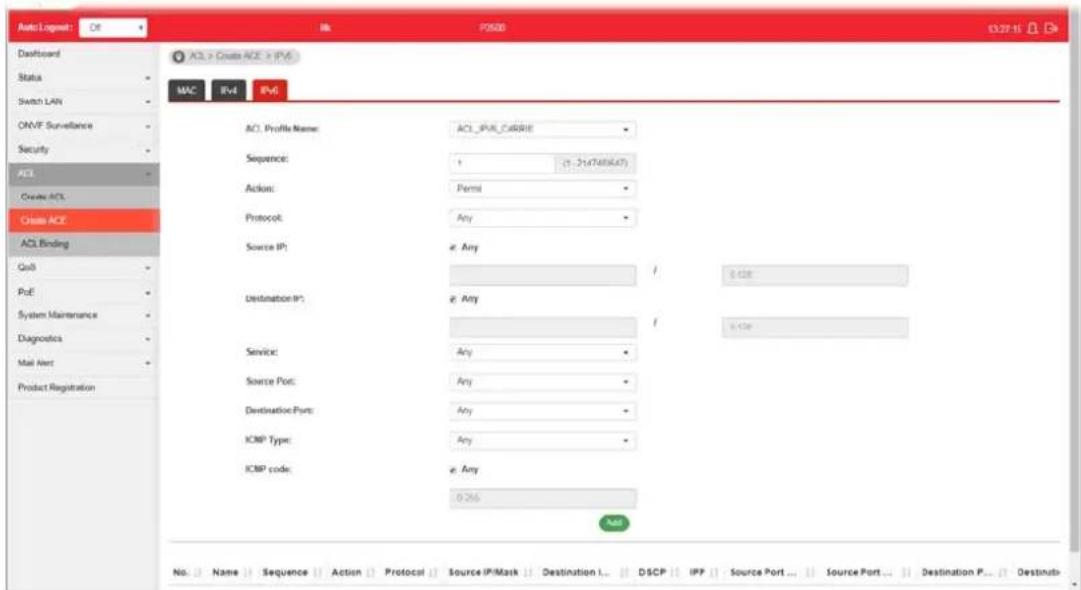
Available settings are explained as follows:
| Item | Description |
| ACL Profile Name Use the | drop down list to selected one of the user defined ACL profiles. |
| Sequence | Assign a sequence number to this ACE. The sequence is used to identify which one of ACEs in an ACL is firstly used to match ingress packets. The switch port bound with an ACL use the contained ACE rules, start with the one with lower sequence number to match the packet first. |
| Action Select the action applied to the packet matched this ACE. Permit or deny the packets into switch core, or shutdown the port for stopping further transmission.● Permit● Deny● Shutdown | |
| Protocol Specify the protocol for filtering.● Any - All packets will be filtered.● Select - Choose one of the protocol (e.g., ICMP, TCP, EGP...) from the drop down list. Packets passing through the selected protocol will be filtered.● Define - Specify a type number (0 - 255) for ICMP code. For example, 0 means “Echo Reply”; 254 means “RFC3692-style Experiment 2”. | |
| Source IP / Destination IP | Specify the source and the destination IPv6 address for filtering.Any - All packets will be filtered.Or, enter the IPv6 address to filter the packets coming from that address. |
| Service | Any - All packets will be filtered.DSCP - All IP traffic is mapped to queues based on the DSCP field in the IP header. If traffic is not IP traffic, it is mapped to the lowest priority queue.IP Precedence - All IP traffic is mapped to queues based on the IP Precedence field in the IP header. If traffic is not IP traffic, it is mapped to the lowest priority queue. |
| Source Port / Destination Port | Specify the source and destination port number for filtering the packets.Any - All packets will be filtered.Single - Only the packets passing through the number defined here will be filtered.Range - Only the packets passing through the port range defined here will be filtered. |
| ICMP Type | Any - All packets will be filtered.Select - Choose one of the type (e.g., Destination Unreachable Echo Reply, MLD Query....) from the drop down list.Define - Specify a type number (0 - 255) for ICMP code. For example, 0 means “Echo Reply”; 254 means “RFC3692-style Experiment 2”. |
| ICMP code Each ICMP type | can be defined with different codes. For example, if you define ICMP Type as “3”, then the available codes for Type 3 will be 0-15.Any - All packets will be filtered.Or, enter 0 to 255 based on the ICMP type specified. |
| Add Click it to create a new binding profile. | |
| Modify |  - Click it to modify the settings for the selected profile. - Click it to modify the settings for the selected profile. - Click it to remove the selected entry. - Click it to remove the selected entry. |
V-3 ACL Binding
This section allows you to bind Access Control Lists created in previous section to an interface (physical port or aggregation).
A physical port can only be bound with one of the IPv4 and IPv6 ACL, not both.

Available settings are explained as follows:
| Item | Description |
| Ports Use the drop down list | to select the port profiles (GE1 to GE28)for binding ACL. |
| MAC ACL / IPv4 ACL /IPv6 ACL | Select ACLs (MAC, IPv4, and/ or IPv6) to be bound on thisinterface (port), so Switch may filter packets by using it. |
| Apply Apply the settings to the switch. | |
Part VI QoS Configuration
VI-1 General
QoS (Quality of Service) functions to provide different quality of service for various network applications and requirements and optimize the bandwidth resource distribution so as to provide a network service experience of a better quality.
VI-1-1 Properties
VI-1-1-1 QoS General Setting
This page allows the network administrator to specify Ingress Trust Mode for basic QoS mode.
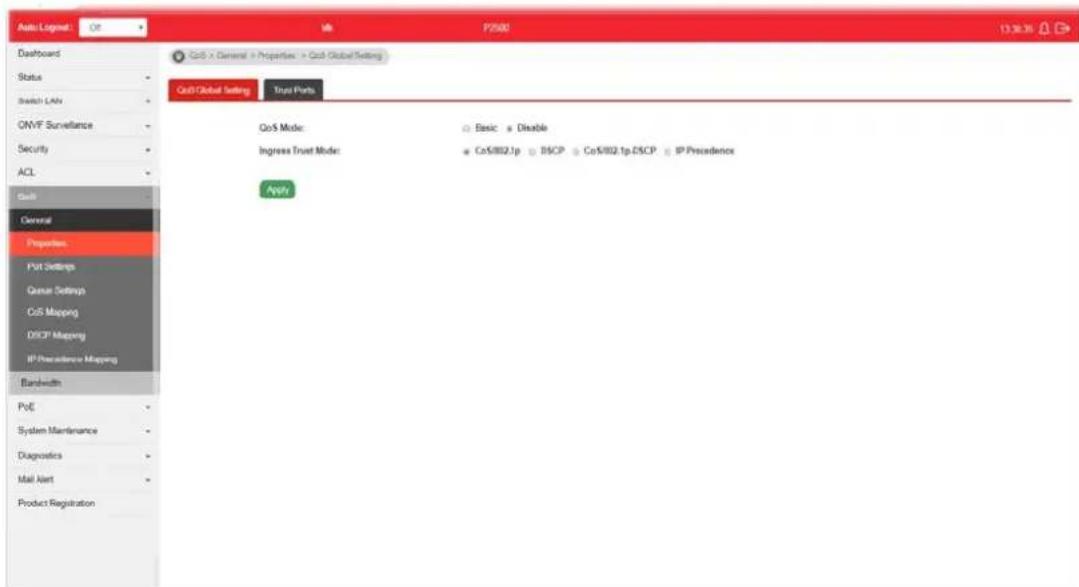
Available settings are explained as follows:
| Item | Description |
| QoS Mode Disable -Disable | the function of QoS mode.Basic - Enable the function of QoS mode. |
| Ingress Trust Mode Select | the QoS operation mode.CoS/802.1p -Traffic is mapped to queues based on the CoS field in the VLAN tag, or based on the per-port default CoS value if there is no VLAN tag on the incoming packet.DSCP - All IP traffic is mapped to queues based on the DSCP field in the IP header. If traffic is not IP traffic, it is mapped to the lowest priority queue.CoS/802.1p-DSCP - All IP traffic is mapped to queues based on the DSCP field in the IP header. If traffic is not IP but has VLAN tag, mapped to queues based on the CoS value in the VLAN tag.IP Precedence - All IP traffic is mapped to queues based on the DSCP field in the IP header. If traffic is not IP but has VLAN tag, mapped to queues based on the CoS value in the VLAN tag. |
Apply Apply the settings to the switch.
VI-1-1-2 Trust Ports
This page allows the network administrator to enable the trust mode of basic QoS on each port. Port that is trust disabled will be sent with lowest priority queue. The configuration result for each port will be displayed on the table listed on the lower side of this web page.
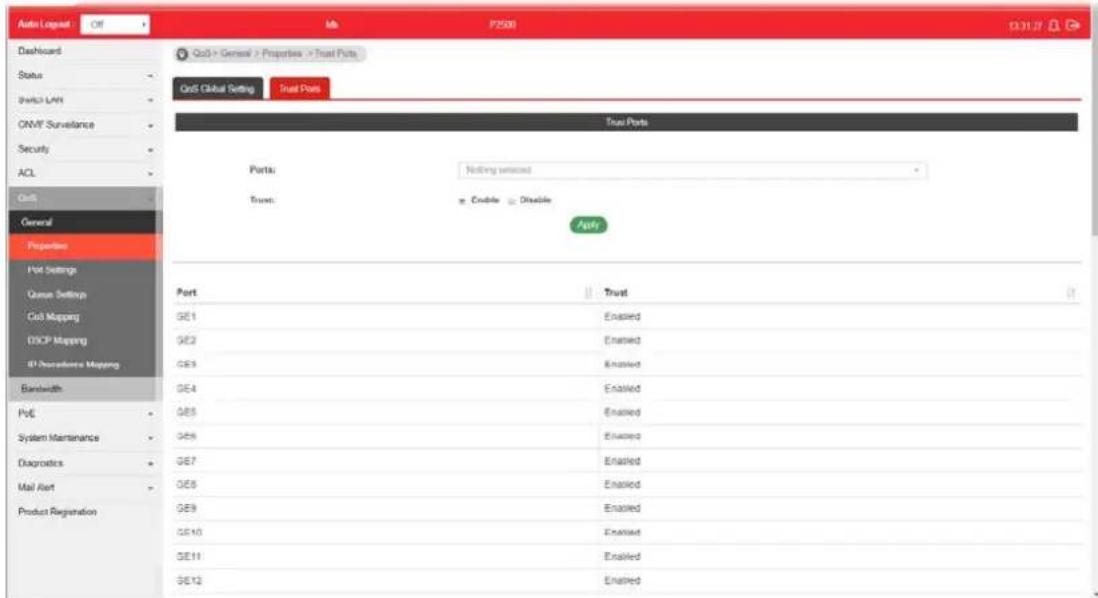
Available settings are explained as follows:
| Item | Description |
| Ports | Use the drop down list to select the port profile (GE1 to GE28) or profiles. |
| Trust | Click Enable to make traffic follow the trust mode in general setting.Enable - Traffic will follow trust mode in general setting.Disable - No QoS service for this port. |
| Apply Apply the settings to the switch. | |
VI-1-2 Port Settings
This page allows the network administrator to configure port settings for QoS. The configuration result for each port will be displayed on the table listed on the lower side of this web page.
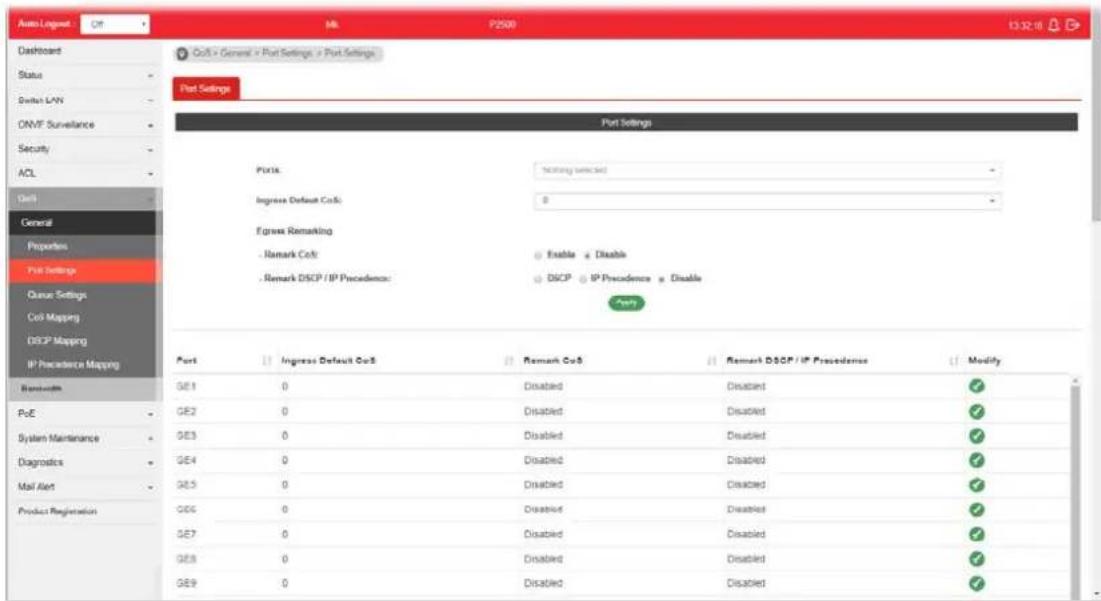
Available settings are explained as follows:
| Item | Description |
| Ports | Use the drop down list to select the port profile (GE1 to GE28) or profiles. |
| Ingress Default CoS | Specify the default CoS priority value for those ingress frames without given trust QoS tag (802.1q/ DSCP/ IP Precedence, depending on configuration). |
| Engress Remarking | |
| Remark CoS | Disable - Disable CoS remarking function for outgoing packets.Enable - Egress traffic will be marked with CoS value according to the Queue to CoS mapping table. |
| Remark DSCP/IP Precedence | Disable - Disable DSCP/ IP Precedence remarking function for outgoing packets.DSCP - Egress traffic will be marked with DSCP value according to the Queue to DSCP mapping table.IP Precedence - Egress traffic will be marked with IP Precedence value according to the Queue to IP Precedence mapping table. |
| Apply Apply the settings to the switch. | |
| Modify | Click it to modify the settings for the selected port profile. |
VI-1-3 Queue Settings
VigorSwitch supports multiple queues for each interface. The higher numbered queue represents the higher priority. The following lists the types of supported priority queue:
- Strict Priority (SP) - Egress traffic from the higher priority queue will be transmitted first, lower priority queue shall wait until all traffic in SP queue is transmitted.
● Weighted Round Robin (WRR) - The number of packets sent from the queue is proportional to the weight of the queue.
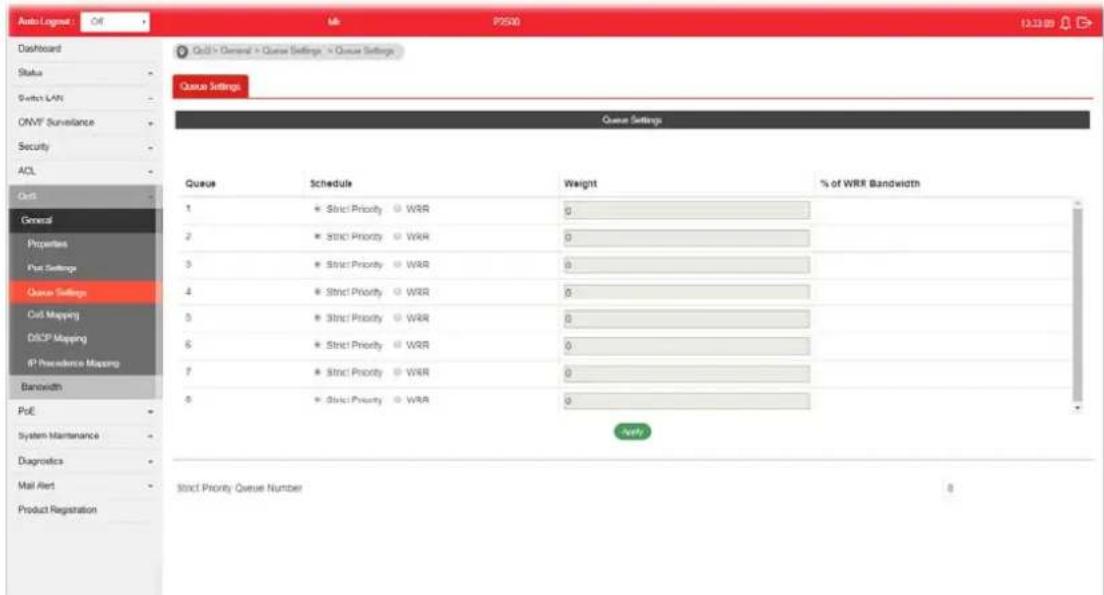
Available settings are explained as follows:
| Item | Description |
| Queue There are eight queue ID numbers allowed to be configured. | |
| Schedule | ● Strict Priority - Click it to set queue to strict priority type.● WRR - Click it to set queue to Weight round robin type. |
| Weight If the queue type is WRR, set the queue weight for the queue. | |
| % of WRR Bandwidth Display the percentage of traffic which can be sent by current queue compared to total WRR queues. | |
| Apply Apply the settings to the switch. | |
| Strict Priority Queue Number | Display the number of queues using Strict Priority method. |
VI-1-4 CoS Mapping
This section allows user to configure how ingress frames with CoS/802.1p tag map to QoS queues, and QoS queues to CoS/802.1p on egress frames.
Actual effectiveness is based on how QoS is configured in previous QoS section. This page provides settings for user to configure mapping only.
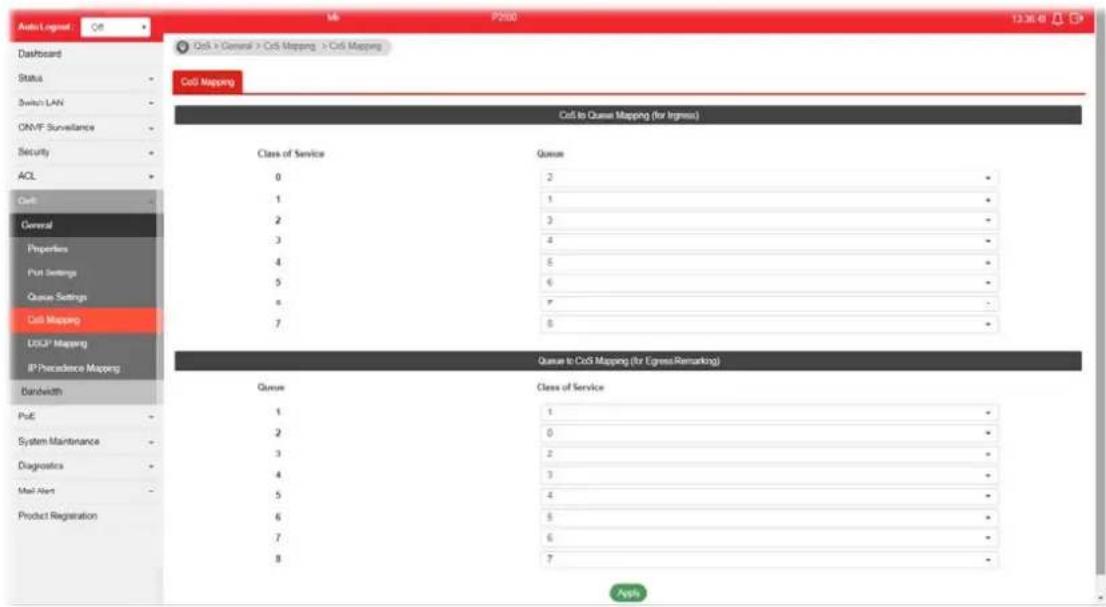
Available settings are explained as follows:
| Item | Description |
| CoS to Queue Mapping (for Ingress) - Settings for incoming packets. | |
| Class of Service Display the class of service value (0 to 7). | |
| Queue | Define the queue ID (level 1 to 8) for different class of service values. |
| Queue to CoS Mapping (for Egress Remarking) - Settings for outgoing packets. | |
| Queue | Display the queue ID (level 1 to 8) for different class of service values. |
| Class of Service Define the class of service value (0 to 7). | |
| Apply Apply the settings to the switch. | |
VI-1-5 DSCP Mapping
This section allows user to configure how ingress packets with DSCP tag map to QoS queues, and QoS queues to DSCP on egress packets.
Actual effectiveness is based on how QoS is configured in previous QoS section. This page provides settings for user to configure mapping only.

Available settings are explained as follows:
| Item | Description |
| DSCP to Queue Mapping (for Ingress) - Settings for the incoming packets. | |
| DSCP Display the DSCP value (0 to 7). | |
| Queue Define the queue ID (level 1 to 8) for different DSCP values. | |
| Queue to DSCP Mapping (for Egress Remarking) - Settings for outgoing packets. | |
| Queue Display the queue ID (level 1 to 8) for different DSCP values. | |
| DSCP Define the DSCP value (0 to 7). | |
| Apply Apply the settings to the switch. | |
This section allows user to configure how ingress packets with IP Precedence tag map to QoS queues, and QoS queues to IP Precedence on egress packets.
Actual effectiveness is based on how QoS is configured in previous QoS section. This page provides settings for user to configure mapping only.
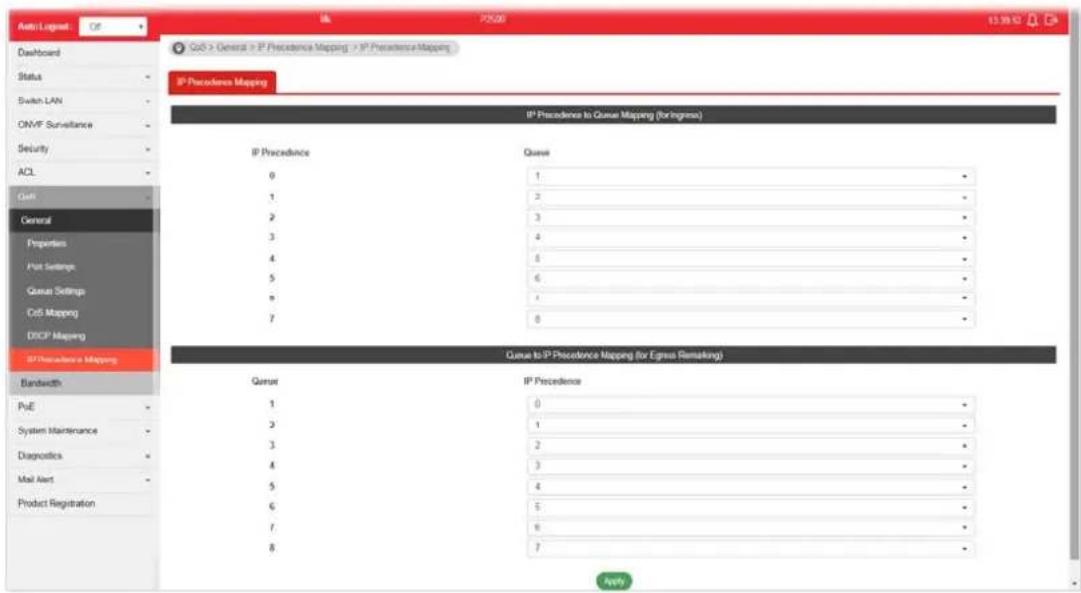
Available settings are explained as follows:
| Item | Description |
| IP Precedence to Queue Mapping (for Ingress) - Settings for the incoming packets. | |
| IP Precedence Display the | IP Precedence value (0 to 7). |
| Queue Define the queue ID | (level 1 to 8) for different IP Precedence values. |
| Queue to IP Precedence Mapping (for Egress Remarking) - Settings for outgoing packets. | |
| Queue Display the queue ID | (level 1 to 8) for different IP Precedence values. |
| IP Precedence Define the | IP Precedence value (0 to 7). |
| Apply Apply the settings to the switch. | |
VI-2 Bandwidth
Use the bandwidth setting pages to define values that determine how much traffic the switch can receive and send on specific port or queue.
VI-2-1 Ingress Rate Limit
This page allows a user to configure ingress port rate limit. The ingress rate limit is the number of bits per second that can be received from the ingress interface. Excess bandwidth above this limit is discarded. The configuration result for each port will be displayed on the table listed on the lower side of this web page.

Available settings are explained as follows:
| Item | Description |
| Ingress Rate Limit | |
| Ports | Use the drop down list to select the port profile (GE1 to GE28) or profiles. |
| State | Disable - Disable ingress bandwidth control.Enable - Enable ingress bandwidth control. |
| Rate (Kbps) Enter the rate | value,<16-1000000>,unit:16 Kbps. |
| Apply Apply the settings to the switch. | |
| Modify | Click it to modify the settings for the selected port profile. |
VI-2-2 Egress Shaping Rate
This page allows a user to configure egress port rate limit. The egress rate limit is the number of bits per second that can be received from the egress interface. Excess bandwidth above this limit is discarded.

Available settings are explained as follows:
| Item | Description |
| Egress Shapping Rate | |
| Ports | Use the drop down list to select the port profile (GE1 to GE28) or profiles. |
| State | Disable - Disable egress bandwidth control.Enable - Enable egress bandwidth control. |
| CIR (Kbps) Enter the rate value, <16-1000000>, unit: 16 Kbps. | |
| Apply Apply the settings to the switch. | |
| Modify | Click it to modify the settings for the selected port profile. |
VI-2-3 Egress Shaping Per Queue
This page allows user to configure the maximum egress bandwidth not only by port but also by specific QoS queues. The configuration result for each port will be displayed on the table listed on the lower side of this web page.
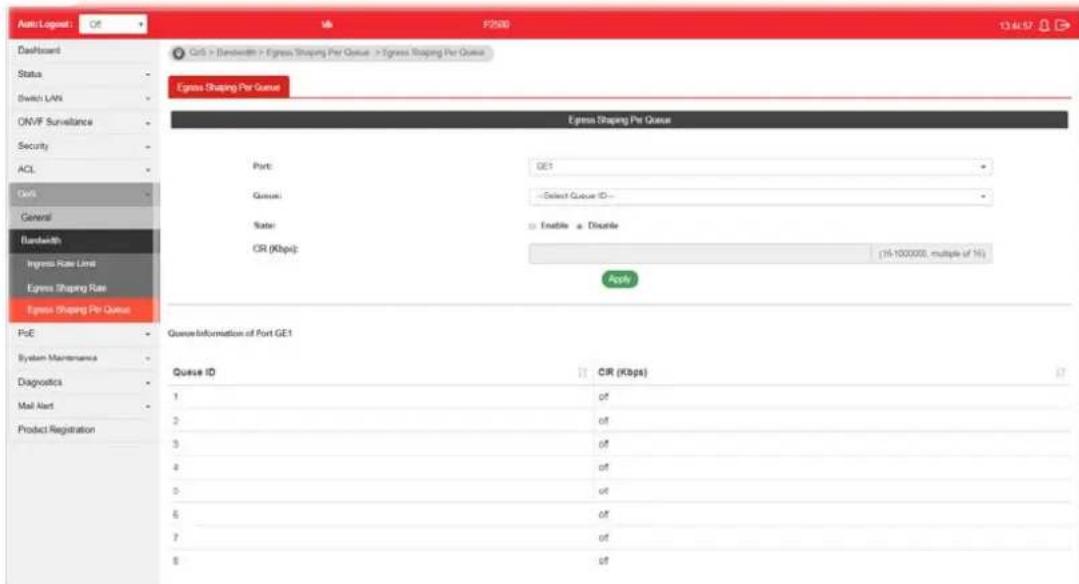
Available settings are explained as follows:
| Item | Description |
| Egress Shapping Per Queue | |
| Port | Use the drop down list to select the port profile (GE1 to GE28) or profiles. |
| Queue Use the drop down | list to select queue number (1 to 8) for the selected GE port. |
| State | Disable - Disable egress bandwidth control.Enable - Enable egress bandwidth control. |
| CIR (Kbps) Enter the rate value, <16-1000000>, unit: 16 Kbps. | |
| Apply Apply the settings to the switch. | |
This page is left blank.
Part VII PoE Configuration
VII-1 Properties
This page allows a user to configure general settings for PoE and configure priority of each port for supplying PoE power. While maximum power budget is reached, power will be served starting with critical priority.
If the priority setting for all GE ports is configured as the same value (e.g., High); then, GE1 will have the highest priority to obtain PoE power in actual operation.

Available settings are explained as follows:
| Item | Description |
| PoE Mode | Disable- Disable the PoE function.Auto- Provides plug and play PoE function. PoE schedule and Power Limit are disabled in this mode.Manual- Before using PoE>>Schedule, set Manual as PoE mode. |
| Ports | Use the drop down list to select the port (GE1 to GE24) or ports for applying PoE configuration. |
| Enable | Enable- Make the selected ports be applied with PoE mode.Disable- Make the selected ports be not applied with PoE mode. |
| Priority Select Priority for | PoE device.Low-Set PoE device to low priority connection.High-Set PoE device to high priority connection.Critical- Set PoE device to highest priority connection. |
| Power Limit | This setting is available whenManualis selected as PoE Mode.Enter the value as the maximum limit of power given to each physical port. |
| Apply Apply the settings to | the switch. |
VII-2 Status
This page displays the current PoE status (configured in Properties, Device Check and Schedule) for each PoE port.

Available settings are explained as follows:
| Item | Description |
| Refresh Click it to refresh | the status page. |
| PoE Mode | Display the PoE Mode (Manual, Auto or Disable) selected for the LAN port. |
| Power Budget(W) Display | the maximum power this switch can supply over PoE. |
| Consuming Power(W) Display | play current power being consumed by all devices over PoE. |
| Remaining Power(W) Display | play remaining power that can be supplied to additional devices over PoE. |
| Power Cycle | Apply - If PoE device connects to VigorSwitch, such button will be available for you to manually perform the cold boot for the PoE device by cycling the power supply. |
VII-3 Schedule
VII-3-1 Schedule Profile
This page allows the network administrator to configure maximum 15 PoE schedule rules.
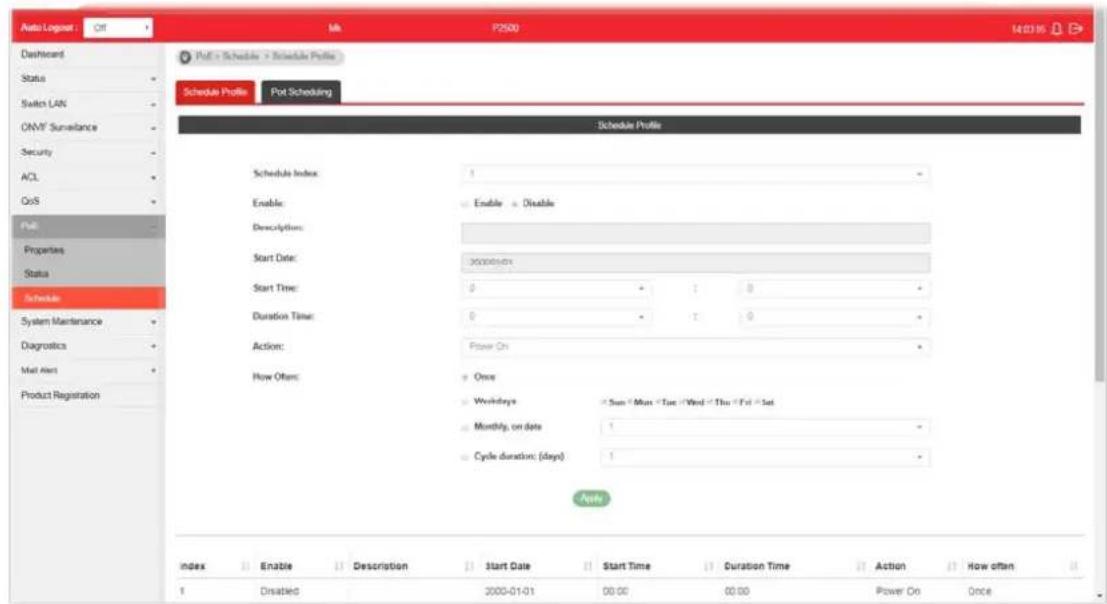
Available settings are explained as follows:
| Item | Description |
| Schedule Index | Use the drop down list (1 to 15) to choose one schedule profile. |
| Enable | Disable - The selected schedule profile will not take action but be saved for future use.Enable - The selected schedule profile will take action as configured. |
| Description Enter a brief comment for such schedule. | |
| Start Date | Specify the starting date of the schedule by choosing from a drop down calendar. |
| Start Time Specify the starting time of the schedule by using the drop down list to specify the starting time (hours and minutes). | |
| Duration Time Define the time duration (hours and minutes). | |
| Action Specify which action should perform during the period of the schedule.Power On - PoE connection is always on.Power Off - PoE connection is always down. | |
| How Often Specify how often the schedule will be applied.Once - The schedule will be applied just once.Weekdays - Specify which days in one week should perform the schedule.Monthly, on date - Specify the day in a month as the | |
| starting point.● Cycle duration (days) - The period of cycle duration is between 1 day and 31 days. For example, 7 means the whole cycle is 7 days; 20 means the whole cycle is 20 days. When the time is up, the PoE device will be turned on of off automatically. | |
| Apply Apply the settings to the switch. | |
VII-4-2 Port Scheduling
This page allows the network administrator to specify the PoE port for applying the schedule. The configuration result for each port will be displayed on the table listed on the lower side of this web page.
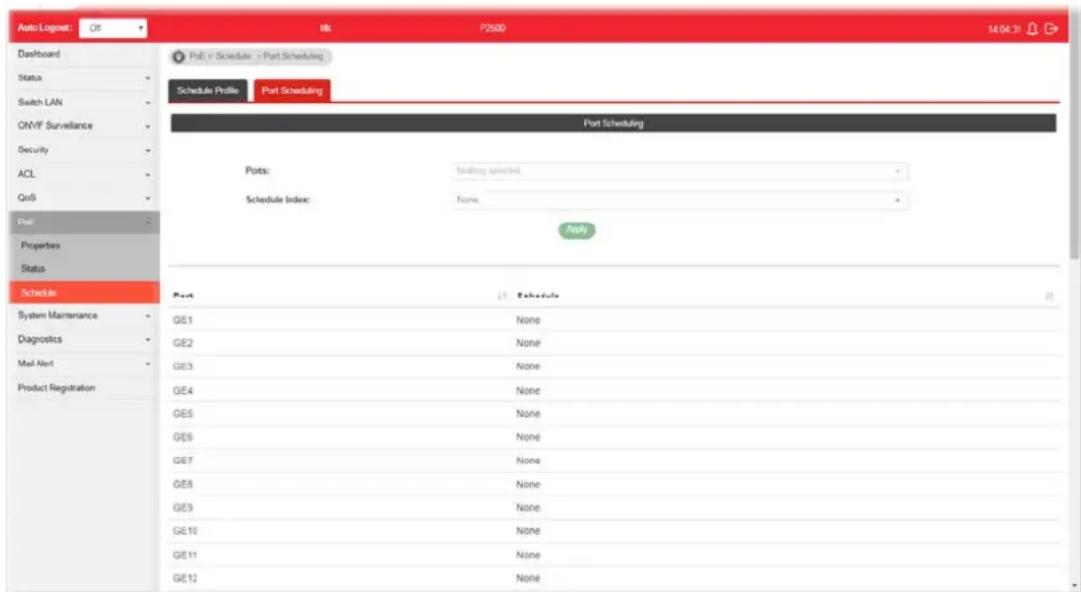
Available settings are explained as follows:
| Item | Description |
| Ports Select the port or ports for applying the schedule. | |
| Schedule Index Use the drop down list to choose the schedule profile (from 1 to 15). After clickingApply, the selected port(s) will be applied with the specified schedule. | |
| Apply Apply the settings to the switch. | |
This page is left blank.
Part VIII System Maintenance
This page allows a user to configure TR-069 settings for connecting to VigorACS 2.

Available settings are explained as follows:
| Item | Description |
| ACS Settings | TR-069 - Click Enable to activate the settings on this page.URL - The URL must be entered according to the ACS (Auto Configuration Server) you want to link.Wizard - Click it to enter the IP address of VigorACS server, port number and the handler.Usage - The string of username must be entered according to the VigorACS (Auto Configuration Server) you want to link.Password - The password must be entered according to the VigorACS (Auto Configuration Server) you want to link.Last Inform - Display the time that VigorACS server makes a response while receiving Inform message from CPE last time.Test Inform - Click Test With Inform to send a message to test if such CPE is able to communicate with VigorACS server. |
| CPE Settings | CPE Client - Choose HTTP or HTTPS for connecting with VigorACS.URL - Display the URL of VigorSwitch.Port - Type the username and password that VigorACS can use to access into this switch.Usage - Enter the username that VigorACS can use to access into this switch.Password - Enter the password that VigorACS can use to access into this swtich. |
| Periodic Inform Settings | Periodic Inform Settings - Click Enable to configure the interval time.Interval Time - Set the interval time for the switch to send notification to CPE. |
| STUN Settings | STUN Settings - Click Enable to configure STUN settings.Server Address - Enter the IP address of the STUN server.Server Port - Enter the port number of the STUN server.Minimum Keep Alive Period - If STUN is enabled, the switch must send binding request to the server for the purpose of maintaining the binding in the Gateway. Please type a number as the minimum period. The default setting is “60 seconds”.Maximum Keep Alive Period - If STUN is enabled, the switch must send binding request to the server for the purpose of maintaining the binding in the Gateway. Please type a number as the maximum period. A value of “-1” indicates that no maximum period is specified. |
| Health Check Vigor system | will check the health status of LAN ports including link up / down, speed change or PoE power disconnection.Port Link Up/Down - Select LAN port(s) to do the health check of port link.Link Speed Change - Select LAN port(s) to do the health check of speed change.PoE Port Warning - Select LAN port(s) to do the health check of PoE power. |
| Apply Apply the settings to the switch. | |
| Clear Discard current settings. | |
VIII-2 OpenVPN
Devices connecting to VigorSwitch can transmit data to remote end via OpenVPN to ensure the information security.

Available settings are explained as follows:
| Item | Description |
| Remote Management Enable | - Click it to enable OpenVPN tunnel between VigorSwitch with the remote end. Disable - Click it to disable OpenVPN tunnel. |
| Config File As a VPN client | , please import the OpenVPN config file coming from OpenVPN server. |
| Apply Save and apply the settings to the switch. | |
| Status Display current Open | nVPN status (Disabled, Connecting or Success) and configuration file used. |
VIII-3 Webhook
Without getting any request, VigorSwitch will send the data (if available) that a user concerned to the specified URL (provided by remote client) automatically.

Available settings are explained as follows:
| Item | Description |
| Webhook | Enable - Click it to enable the webhook service. The data will be transmitted to the specified URL.Disable -Click it to disable the webhook service. |
| URL Specify the destination | to receive the real-time data by entering the URL.Please get the URL from the client who wants to obtain the newest and available data automatically from the switch. |
| Report Period Set the transmission interval (unit is minute).Keep my settings while rest default - Check the box to keep the webhook configuration when resetting VigorSwitch with default settings. | |
| Apply Apply the settings to the switch. | |
| Test Report Vigor system will send a test report to the remote address. | |
VIII-4 LLDP
LLDP is a one-way protocol; there are no request/response sequences. Information is advertised by stations implementing the transmit function, and is received and processed by stations implementing the receive function. The LLDP category contains LLDP and LLDP-MED pages.
VII-4-1 Properties
This page allows a user to set general settings for LLDP.

Available settings are explained as follows:
| Item | Description |
| LLDP State | ● Enable - Enable LLDP protocol on this switch. ● Disable - Disable LLDP protocol on this switch. |
| Transmission Interval Select | the interval at which frames are transmitted. The default is 30 seconds, and the valid range is 5-32768seconds. |
| Holdtime Multiplier Select | the multiplier on the transmit interval to assign to TTL (range 2-10, default = 4). |
| Reinitialization Delay | Select the delay before a re-initialization (range 1-10 seconds, default = 2). |
| Transmit Delay Select the | delay after an LLDP frame is sent (range 1-8192 seconds, default = 3). |
| LLDP-MED Fast Start Repeat Count | Select the number of LLDP packets that will be sent during LLDP-MED Fast Start period. The default is 3. Available range is from 1 to 10. |
| LLDP MED Network Policy for Voice Application | The default is Auto. |
VII-4-2 LLDP Port Setting
This page allows a user to select specified port or all ports to configure LLDP state.
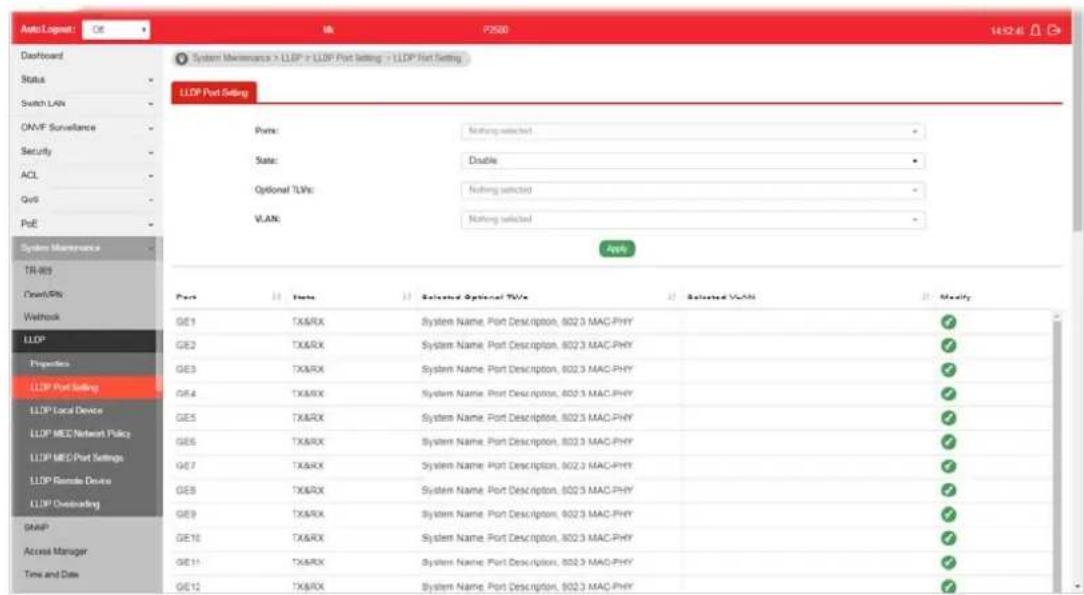
Available settings are explained as follows:
| Item | Description |
| Ports | Use the drop down list to select the port (GE1 to GE50) or ports for device check. |
| State | Disable - Disable the transmission of LLDP PDUs.TX&RX - Transmit and receive LLDP PDUs both.TX Only - Transmit LLDP PDUs only.RX Only - Receive LLDP PDUs only. |
| Optional TLVs | Within data communication protocols, optional information may be encoded as a type-length-value or TLV element inside a protocol. TLV is also known as tag-length value.The type and length are fixed in size (typically 1-4 bytes), and the value field is of variable size.Select the LLDP optional TLVs to be carried (multiple selection is allowed).Available items include System Name, Port Description, System Description, System Capability, 802.3 MAC-PHY, 802.3 Link Aggregation, 802.3 Maximum Frame Size, Management Address and 802.1 PVID. |
| VLAN Select the VLAN ID number to be performed (multiple selections are allowed). | |
| Apply Apply the settings to the switch. | |
| Modify | Click it to modify the settings for the selected port profile. |
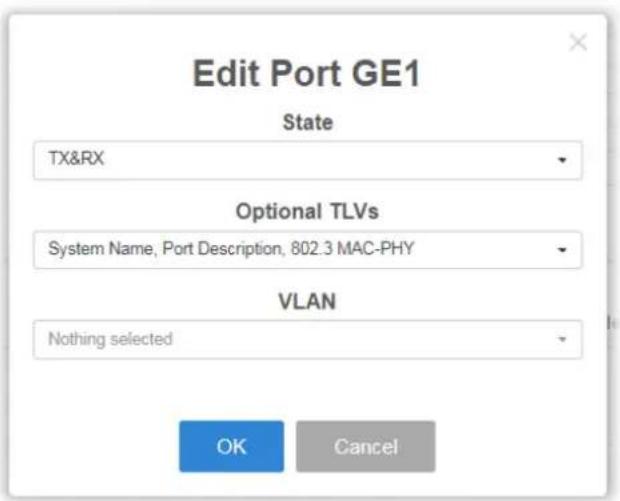
VIII-4-3 LLDP Local Device
This page displays information for LLDP Local Device.
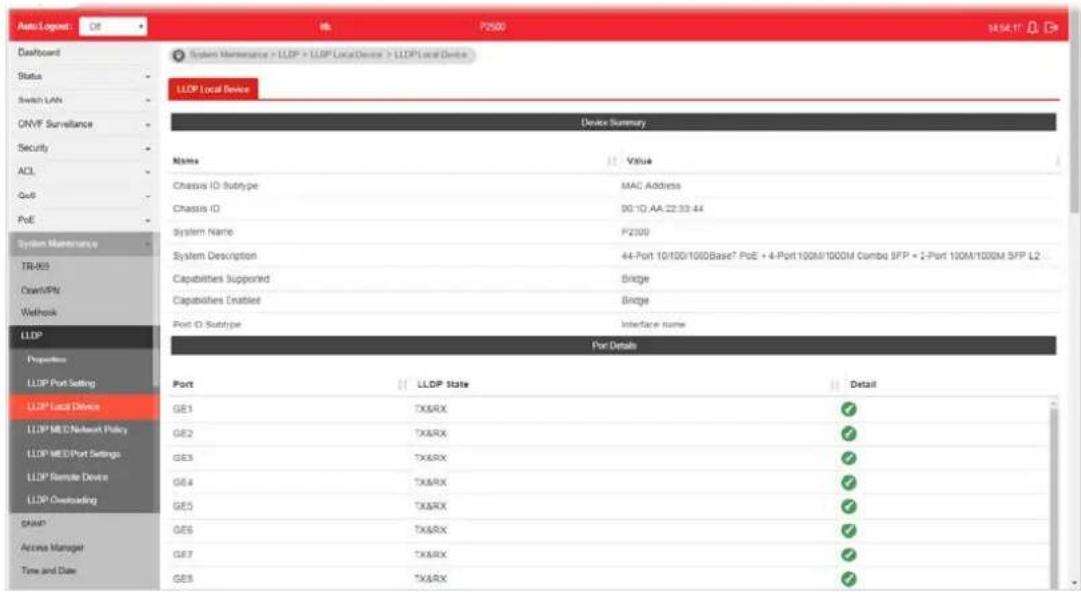
Available settings are explained as follows:
| Item | Description |
| Device Summary Display a | summary of the LLDP information for this switch.Chassis ID Subtype - Display the type of chassis ID, such as the MAC address.Chassis ID - Display Identifier of chassis. Where the chassis ID subtype is a MAC address, the MAC address of the switch is displayed.System Name - Display model name of switch.System Description - Display description of switch.Capabilities Supported - Display the primary functions of the device, such as Bridge, WLAN AP, or Router.Capabilities Enabled - Primary enabled functions of the device.Port ID Subtype - Display the type of the port identifier that is shown. |
| Port Details Display detailed | information of the selected GE port.Detail - Click the button under it to review the detailed information contained in TLVs sent out from each interface, containing MAC/ PHY, 802.3, 802.3 Link Aggregation, 802.1 VLAN and Protocol for each LAN port (GE1 to GE28). |
VIII-4-4 MED Network Policy
This page allows the network administrator to set MED (Media Endpoint Discovery) network policy.

Available settings are explained as follows:
| Item | Description |
| Policy ID Choose a number | for configuring the policy profile.Available selections include 1 to 32. |
| Enable Policy Enable - Click it to enable such function. | |
| Application | There are several applications which can be used for MED network.Selection includes Voice Signaling, Guest Voice, Guest Voice Signaling, Softphone Voice, Video Conferencing, Stream Video and Video Signaling. |
| VLAN | Set a VLAN ID (ranging from 1 to 4095) for such profile. |
| VLAN Tag Specify if the outgoing packets will be tagged or not.Untag - Packets will be sent out without any tag.Tag - Packets will be sent out with a number tagged. | |
| Priority Set Layer2 priority (range from 0 to 7). | |
| DSCP Set DSCP value (range form 0 to 63). | |
| Apply Apply the settings to the switch. | |
VIII-4-5 LLDP MED Port Settings
This page allows the network administrator to configure TLV (Type / Length / Value) settings for each port.
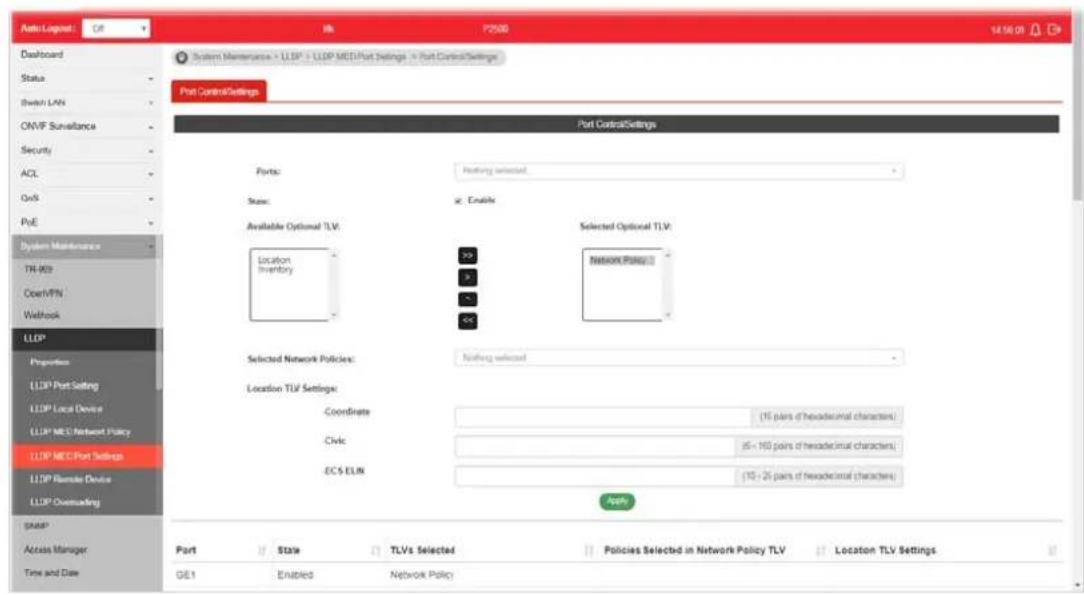
Available settings are explained as follows:
| Item | Description |
| Ports Choose the port(s) for configuring TLV settings. | |
| State | Enable - Click it to enable LLDP MED on the selected port. |
| Available Optional TLV Available TLV items will be shown in this field.Choose the one(s) you want and click the >> arrow to transfer the selection(s) to the field of “Selected Optional TLV”. | |
| Selected Optional TLV Display the selected TLV items. | |
| Selected Network Policies | Select network policy profiles (created in LLDP>>LLDP MED Network Policy) for applying onto the selected port. |
| Location TLV Settings Define the location, civic address and ECS ELIN for LLDP protocol.Coordinate -Enter the coordinate location in 16 pairs of hexadecimal characters.Civic - Enter the civic address in 6 ~ 160 pairs of hexadecimal characters.ECS ELIN - Enter the ECS (Emergency Call Service) ELIN (Emergency Location Identification Number) in 10 ~ 25 pairs of hexadecimal characters. | |
| Apply Apply the settings to the switch. | |
VIII-4-6 LLDP Remote Device
This page allows the network administrator to view the information sent from neighboring devices by LLDP protocol.

Available settings are explained as follows:
| Item | Description |
| Local Port | Display the number of the local port to which the neighbor is connected. |
| Chassis ID Subtype | Display the type of chassis ID (for example, MAC address). |
| Chassis ID Display the identifier of the 802 LAN neighboring device's chassis. | |
| Port ID Subtype Display the type of port identifier. | |
| Port ID Display the number of port identifier. | |
| System Name Display the name of the switch. | |
| Time to Live Display the time interval in seconds after which the information for remote device will be deleted. | |
| Details Display detailed information contained in TLVs sent out from neighboring devices. | |
| Delete Click it to remove information of the selected port. | |
VIII-4-7 LLDP Overloading
This page allows user to review current size, overall size of LLDP packet and whether it is to exceed maximum allowed size of single LLDP packet.
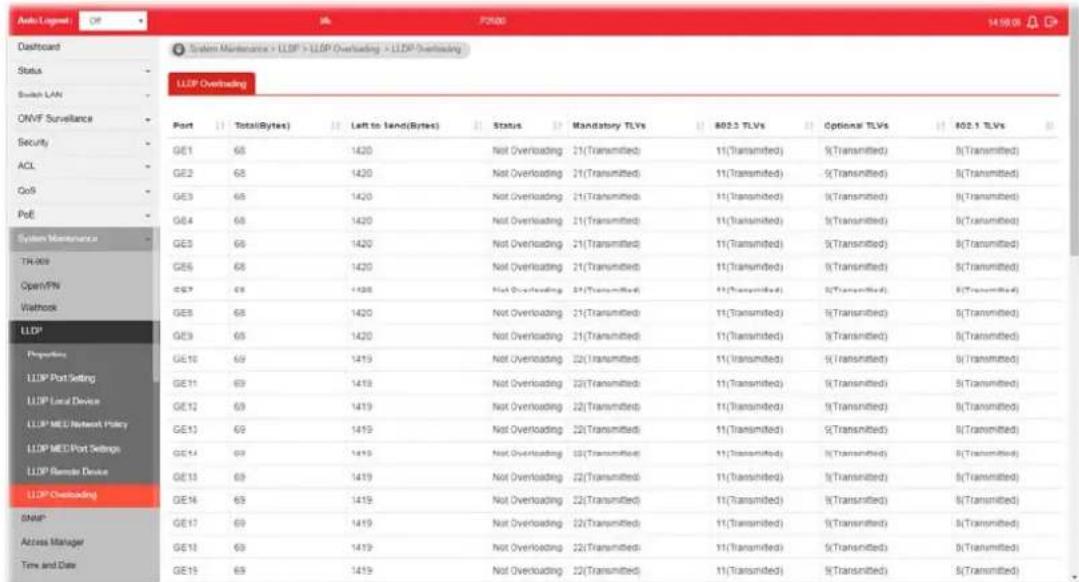
Available settings are explained as follows:
| Item | Description |
| Port Display the name of the port. | |
| Total(Bytes) | Display the total number of bytes of LLDP information in each packet. |
| Left to Send(Bytes) | Display the total number of available bytes left for additional LLDP information in each packet. |
| Status Display if LLDP TLVs has overloaded the PDU maximum size or not. | |
| Mandatory TLVs Display how many bytes used by mandatory TLVs. | |
| 802.3 TLVs Display how many bytes used by 802.3 TLVs. | |
| Optional TLVs Displays how many bytes used by optional TLVs. | |
| 802.1 TLVs Displays how many bytes used by 802.1 TLVs. | |
VIII-5 SNMP
Simple Network Management Protocol (SNMP) is an "Internet-standard protocol for managing devices on IP networks". Devices that typically support SNMP include routers, switches, servers, workstations, printers, modem racks and more.
SNMP is used mostly in network management systems to monitor network-attached devices for conditions that warrant administrative attention.
SNMP is a component of the Internet Protocol Suite as defined by the Internet Engineering Task Force (IETF). It consists of a set of standards for network management, including an application layer protocol, a database schema, and a set of data objects.
An SNMP-managed network consists of three key components:
- Managed device
● Agent - software which runs on managed devices
● Network management station (NMS) - software which runs on the manager
A managed device is a network node that implements an SNMP interface that allows unidirectional (read-only) or bidirectional (read and write) access to node-specific information. Managed devices exchange node-specific information with the NMSs. Sometimes called network elements, the managed devices can be any type of device, including, but not limited to, routers, access servers, switches, bridges, hubs, IP telephones, IP video cameras, computer hosts, and printers.
An agent is a network-management software module that resides on a managed device. An agent has local knowledge of management information and translates that information to or from an SNMP-specific form.
A network management station (NMS) executes applications that monitor and control managed devices. NMSs provide the bulk of the processing and memory resources required for network management. One or more NMSs may exist on any managed network.
VIII-5-1 View
This page allows the network administrator to create MIB views (Management information base) and then include or exclude OID (Object Identifier) in a view.

Available settings are explained as follows:
| Item | Description |
| View Name Enter a name | of the MIB view. |
| OID Subtree Enter an OID | string to be included or excluded from the MIB view. |
| Type Determine to include | or exclude the selected MIBs. |
| Apply Apply the settings to | the switch. |
VIII-5-2 Group
This page allows the network administrator to group SNMP users and assign different authorization and access privileges.

Available settings are explained as follows:
| Item | Description |
| Group Name Enter a name | for the group. |
| Version Specify SNMP version. | |
| Security Level Specify SNMP | security level for the group. It is available when SNMPv3 is selected.No Security - No authentication and no encryption.Authentication - Requires authentication but no encryption.Authentication and Privacy -Requires authentication and encryption. |
| Read View Enabled - Users | of this group have the right to read the selected MIB view.Use the drop down list to select one of the views. The default is “all”, which means the group user can read all MIB views. |
| Write View Enabled - Users | of this group have the right to write the selected MIB view.Use the drop down list to select one of the views. The default is “all”, which means the group user can write all MIB views. |
| Notify View Enabled - Users | of this group have the right to send notification for the selected MIB view.Use the drop down list to select one of the views. The default is “all”, which means the group user have the right to send notification for all MIB views. |
| Add Click it to create a new group profile. | |
| Edit | - Click it to modify the settings for the selected group. |
VIII-5-3 Community
This page allows a user to add/remove multiple communities of SNMP.
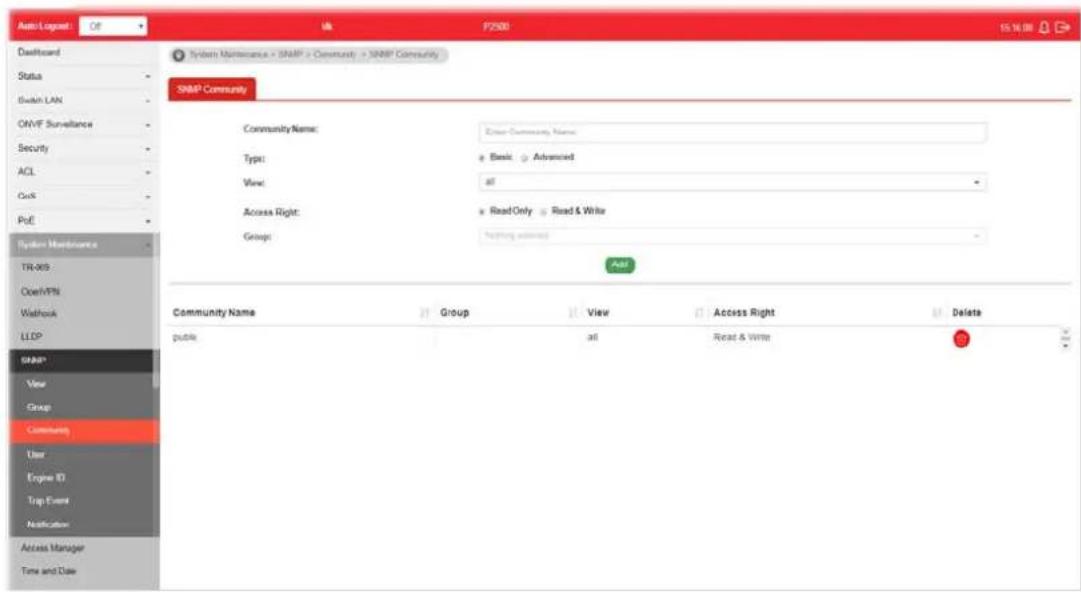
Available settings are explained as follows:
| Item | Description |
| Community Name Enter a | name as community name. The maximum length of the text is limited to 23 characters. |
| Type | ● Basic – View and access right can be specified for such SNMP community profile.● Advanced – Specify one of the SNMP groups for such SNMP community profile. |
| View Simply specify one of | the view profiles (created in SNMP>>View) from the drop down list. |
| Access Right | ● Read Only – It allows unidirectional access to node-specific information.● Read & Write - It allows bidirectional access to node-specific information. |
| Group | Specify the SNMP group configured by user (SNMP>>Group) to define the object available to the community. |
| Add Click it to add a new community. | |
| Delete Click the icon to re | move the selectd community strings. |
VIII-5-4 User
This page allows a user to configure SNMP user profile.
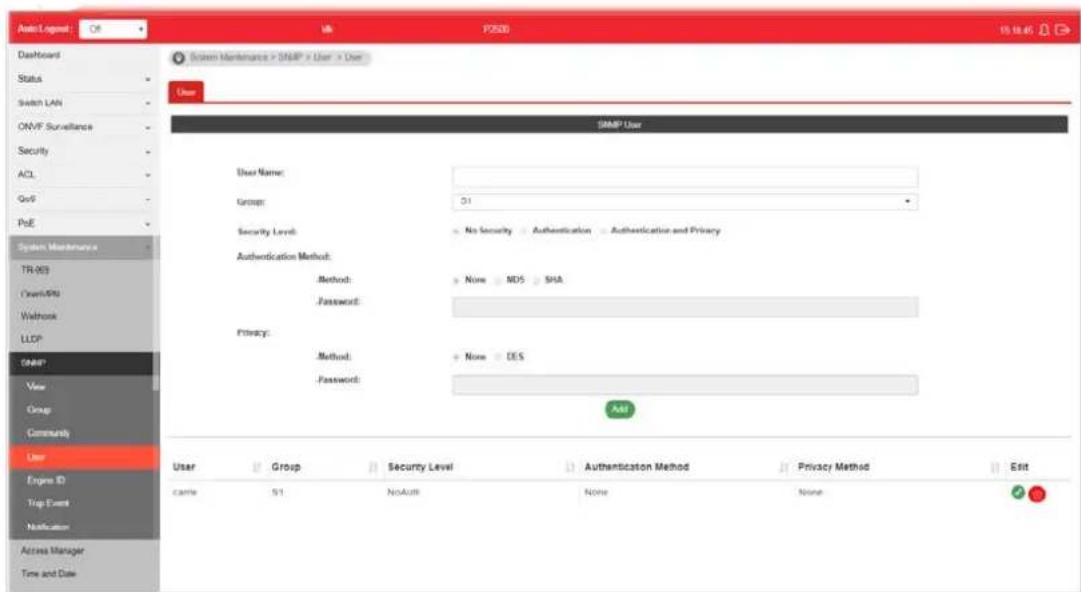
Available settings are explained as follows:
| Item | Description |
| User Name Enter a name for creating new SNMP user. | |
| Group Choose one of the SNMP group from the drop down list. Then, this user profile will be grouped under the selected SNMP group. | |
| Security Level Specify SNMP security level for the group. It is available when SNMPv3 is selected.No Security - No authentication.Authentication - Authentication without encryption will be performed for packets.Authentication and Privacy - Authentication with encryption will be performed for packets. | |
| Authentication Method | It is available when Authentication or Authentication and Privacy is selected as security level.Method - At present, available methods include None, MD5 and SHA.Password - Enter a password for the selected method. |
| Privacy | It is available when Authentication or Authentication and Privacy is selected as security level.Method -At present, available methods include DES and None.Password - Enter a password for the selected method. |
| Add Click it to add a new user profile. | |
| Edit | - click it to modify the settings for the selected profile. |

VIII-5-5 Engine ID
VIII-5-5-1 Local Engine ID
This page allows a user to configure and display SNMP local engine ID.
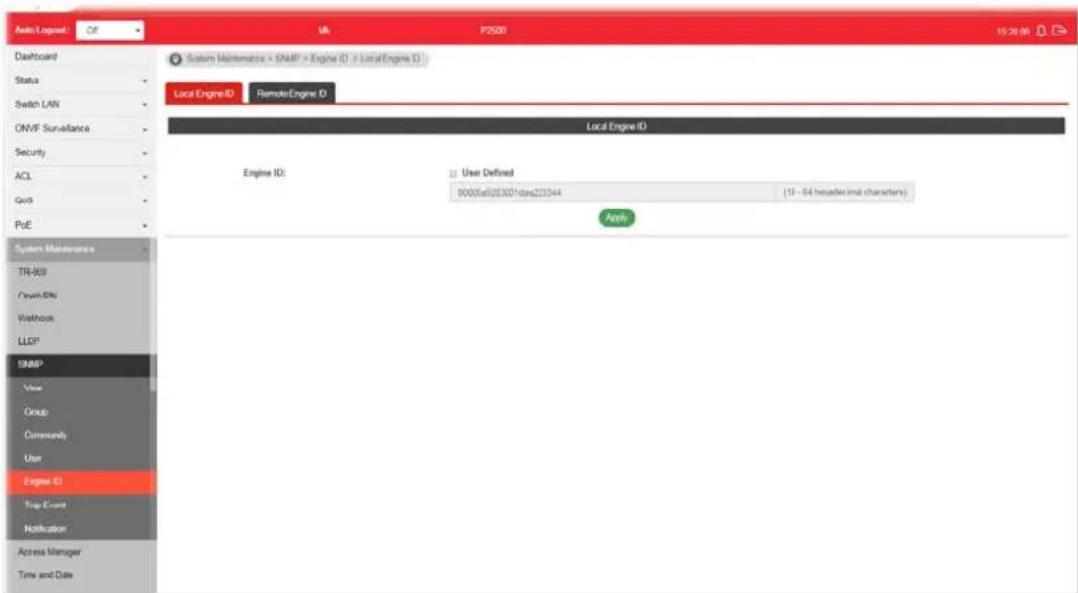
Available settings are explained as follows:
| Item | Description |
| Engine ID | The user defined engine ID is range 10 to 64 hexadecimal characters, and the hexadecimal number must be divided by “2”.User Defined - If it is checked, the local engine ID will be configured manually. If not, the default Engine ID which is made up of MAC and Enterprise ID will be used instead. |
| Apply Apply the settings to the switch. | |
VIII-5-5-2 Remote Engine ID
This page allows a user to configure and display SNMP remote engine ID.
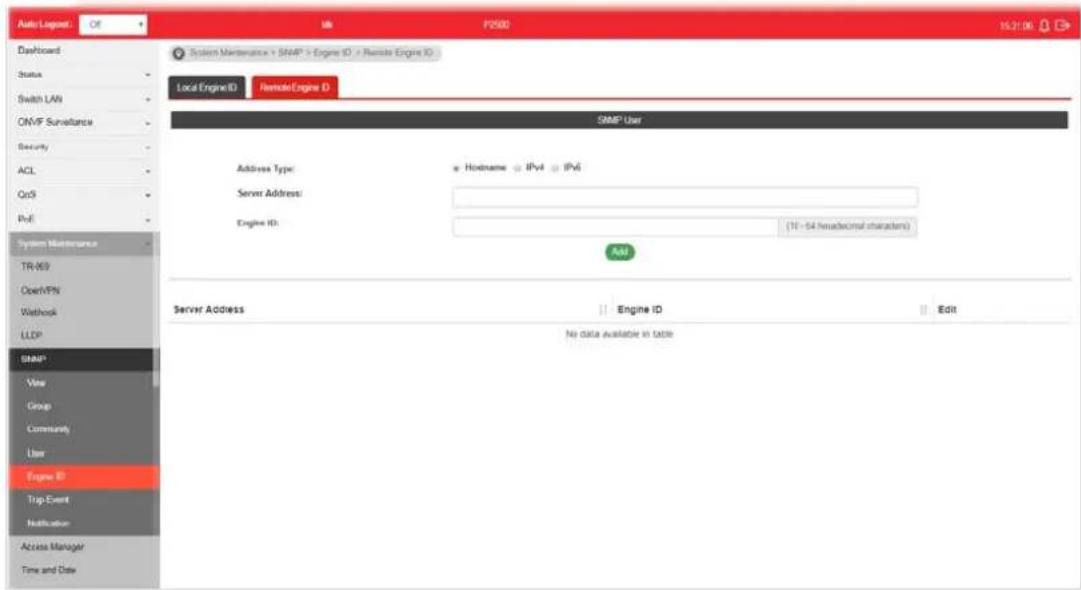
Available settings are explained as follows:
| Item | Description |
| Address Type | Specify the address type for entering hostname or IPv4/ IPv6 address. |
| Server Address Enter the | IP address or the host name of the SNMP server. |
| Engine ID Specify the engine ID for remote SNMP server.The engine ID is range10 to 64 hexadecimal characters, and the hexadecimal number must be divided by 2. | |
| Add Click it to create a new profile. | |
| Edit |  - click it to modify the settings for the selected server profile. - click it to modify the settings for the selected server profile. - click it to remove the selected entry. - click it to remove the selected entry. |
VIII-5-6 Trap Event
This page allows a user to add or delete SNMP trap receiver IP address and community name.
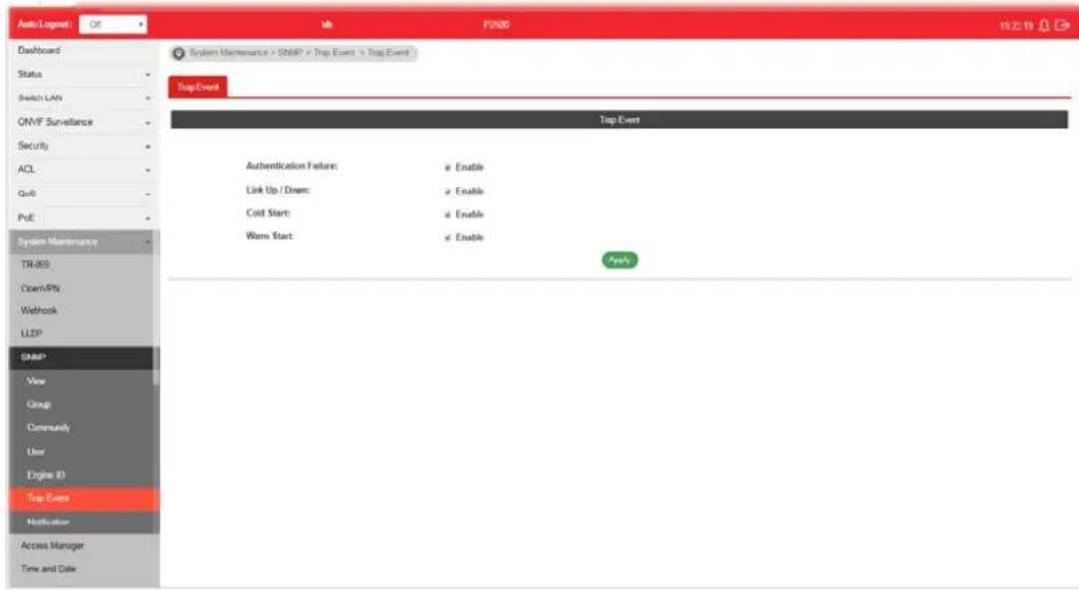
Available settings are explained as follows:
| Item | Description |
| Authentication Failure Enable | - VigorSwtich will reboot when encountering authentication failure (including community not match or user password not match). |
| Link Up / Down Enable - VigorSwtich will reboot while encountering port link up or down trap. | |
| Cold Start Enable - VigorSwtich will reboot while encountering user trap. | |
| Warm Start Enable - VigorSwtich will reboot while encountering power down trap. | |
| Apply Apply the settings to the switch. | |
VIII-5-7 Notification
This page allows a user to configure a host to receive SNMPv1/ v2/ ve notification.
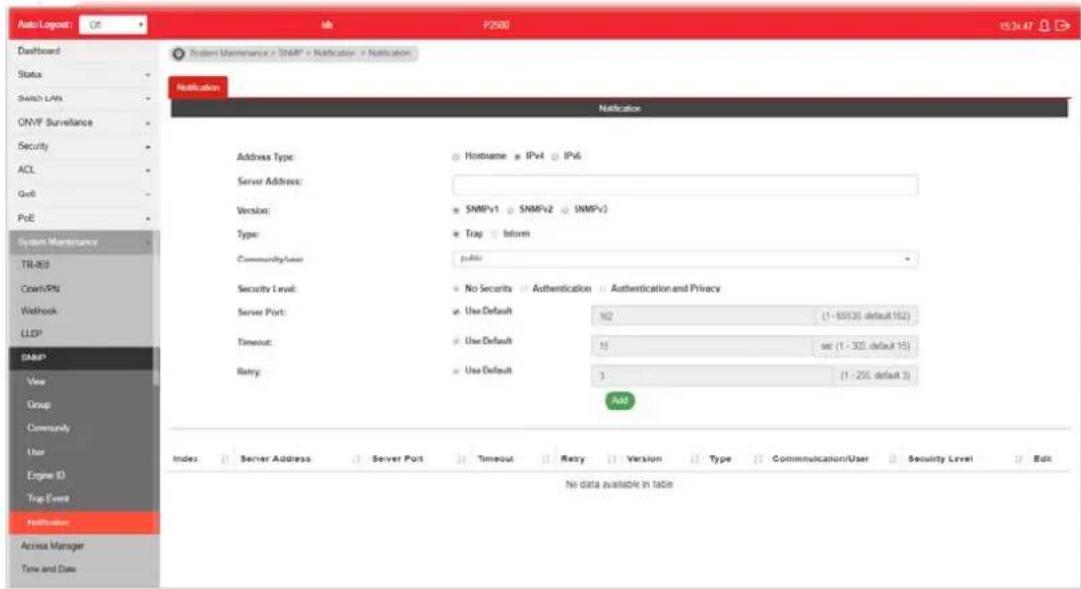
Available settings are explained as follows:
| Item | Description |
| Address Type Choose IPv4/ IPv6/ Hostname to specify IP address or the hostname of the SNMP trap recipients. | |
| Server Address Enter the | IP address of SNMP server based on the address type selected above. |
| Version Specify SNMP notification version (SNMPv1/ v2/ v3). | |
| Type Specify Notification Type. Trap -Send SNMP traps to the host.Inform - Send SNMP informs to the host. If it is used, Timeout and Retry also shall be defined. | |
| Community/user Use the drop down list to choose one of the community profiles. | |
| Security Level | Specify SNMP security level for SNMP notification packet. It is available when SNMPv3 is selected.No Security - No authentication.Authentication - Authentication without encryption will be performed for packets.Authentication and Privacy - Authentication with encryption will be performed for packets. |
| Server Port Specify the UDP port number for the recipient's server.Use Default - If it is checked, the default number (162) will be used automatically. | |
| Timeout | Specify the SNMP informs timeout. It is available whenInform is selected asType.Use Default - If it is checked, the default number (15) will be used automatically. |
| Retry Specify the SNMP informs retry count. It is available whenInformis selected as Type.Use Default- If it is checked, the default number (3) will be used automatically. | |
| Add Click it to create a new notification profile. | |
| Edit | 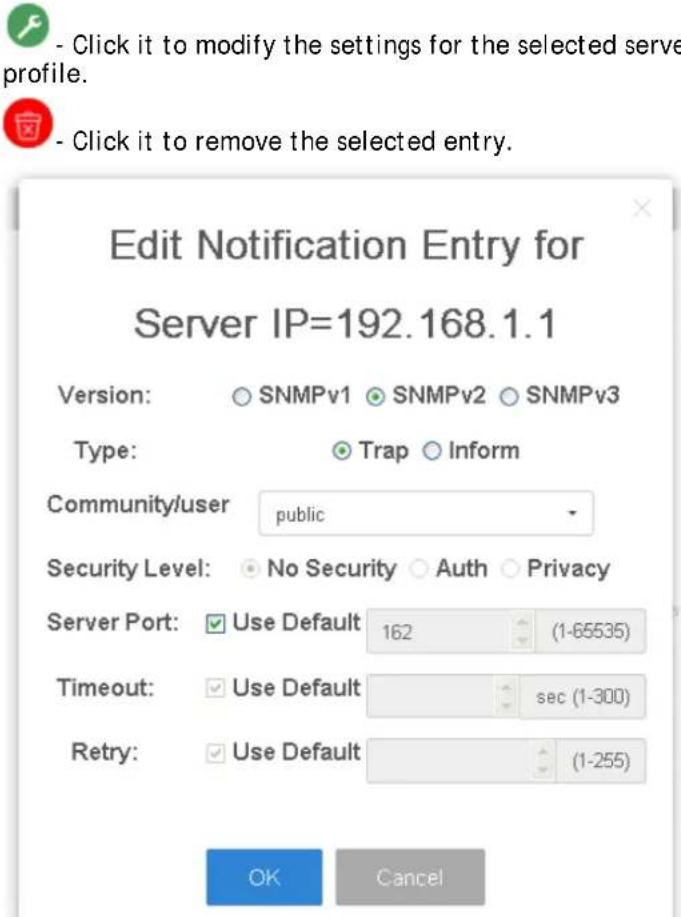 |
VIII-6 Access Manager
This page allows the network administrator to control availability of management services such as HTTP, HTTPS, Telent and SSH.
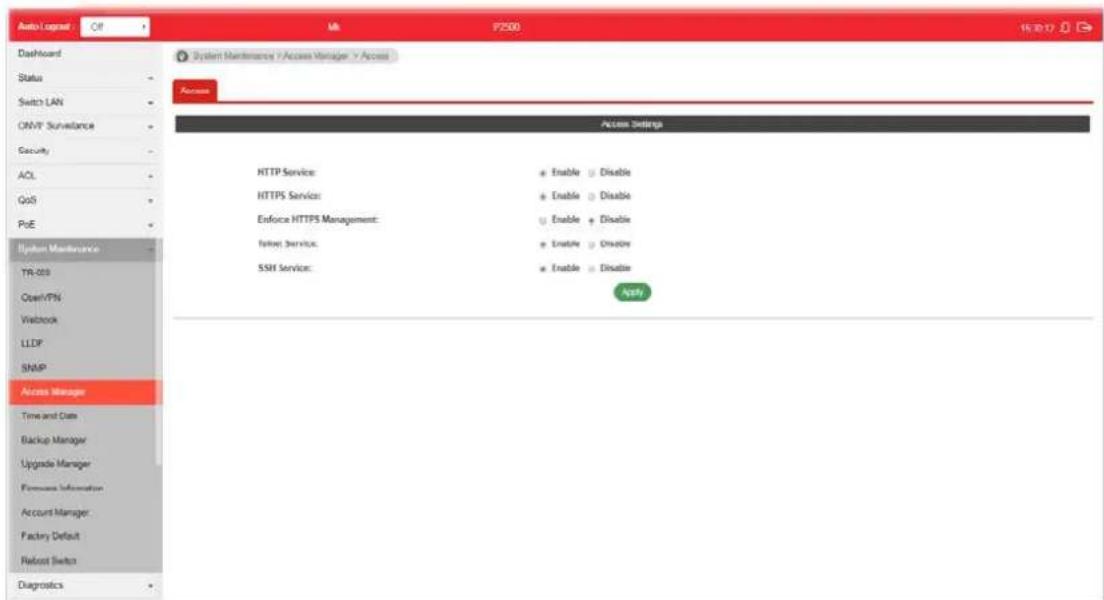
Available settings are explained as follows:
| Item | Description |
| HTTP Service HTTP is the | acronym of HyperText Transfer Protocol. Enabled -Click it to enable HTTP service. |
| HTTPS Service HTTPS is the | the acronym of Hypertext Transfer Protocol over Secure Socket Layer. Enabled - Click it to enable HTTPS service. |
| Enforce HTTPS Management | Enabled - Users will be forced to access into the web user interface of VigorSwitch by HTTPS protocol. |
| Telnet Service Telnet is the | TCP/IP standard protocol for remote terminal service. TELNET allows a user at one site to interact with a remote timesharing system at another site as if the user's keyboard and display connected directly to the remote machine. Disabled - Click it for not accessing telnet service. Enabled - Click it to access telnet service. |
| SSH Service Enabled - Enable SSH service. | |
| Apply Apply the settings to the switch. | |
VIII-7 Time and Date
VIII-7-1 System Time Zone
This page allows a user to specify where the time of VigorSwitch should be inquired from.

Available settings are explained as follows:
| Item | Description |
| System Time Zone Setting | |
| Auto Detect Time Zone | Select Enable to make Vigor router detect the time zone that VigorSwitch is located automatically. |
| Daylight Saving Time Select | the mode of daylight saving timeDisable -Disable daylight saving time.Recurring - Using recurring mode of daylight saving time.Non-Recurring - Using non-recurring mode of daylight saving time.USA -Using daylight saving time in the United States that starts on the second Sunday of March and ends on the first Sunday of November.European - Using daylight saving time in the Europe that starts on the last Sunday. |
| Daylight Saving Time Offset | It is available when Recurring is selected as Daylight Saving Time.Specify the adjust offset of daylight saving time. |
| Recurring From / To | It is available when Recurring is selected as Daylight Saving Time.From - Specify the starting time of recurring daylight saving time.To - Specify the ending time of recurring daylight saving time. |
| Non-recurring From / To | It is available when Non-Recurring is selected as Daylight Saving Time.●From - Specify the starting time of non-recurring daylight saving time.●To - Specify the ending time of recurring daylight saving time. |
| Apply Apply the settings to the switch. | |
| System Time Zone Informations | Display the status of system time zone. |
VII-7-2 Time
This page allows a user to specify time and activate SNTP server manually.
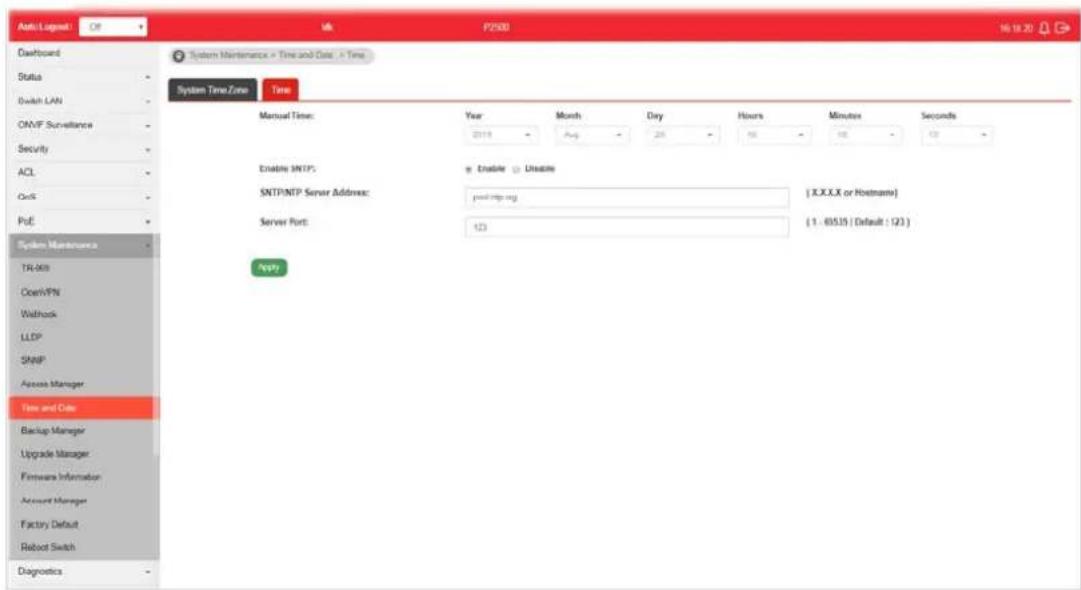
Available settings are explained as follows:
| Item | Description |
| Manual Time | Specify static time (year, month, day, hours, minutes and seconds) manually. |
| Enable SNTP | ● Enable - Click it to enable SNTP time server. ● Disable - Click to disable the time server. |
| SNTP/NTP Server Address | Enter the web site of the time server or the IP address of the server. |
| Server Port Enter the port | number use by the time server. |
| Apply Apply the settings to the switch. | |
VIII-8 Backup Manager
Backup Manager allows a user to backup the firmware image or configuration file on the switch to remote TFTP server or host file system through HTTP protocol.
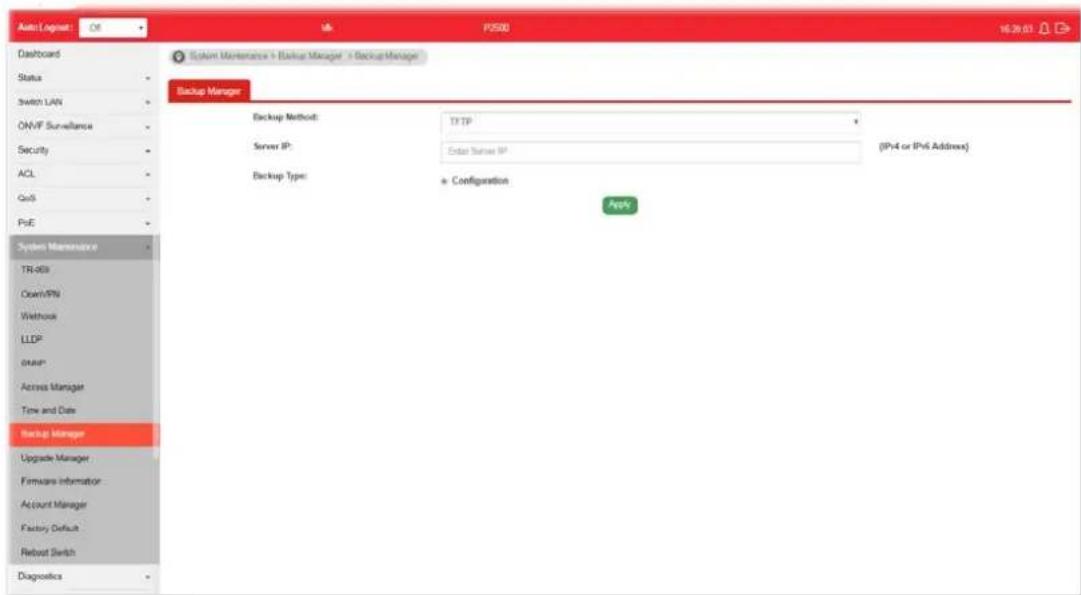
Available settings are explained as follows:
| Item | Description |
| Backup Method Select Backup method.●TFTP - Using TFTP to backup firmware.●HTTP - Using WEB browser to ubackup firmware. | |
| Server IP It is available when TFTP is selected as Backup Method.Enter the IPv4/ IPv6 address for the TFTP server. | |
| Backup Type Configuration - Make a backup copy for the configurations for VigorSwitch. | |
| Apply Apply the settings to the switch. | |
VIII-9 Upgrade Manager
Backup Manager allows a user to upgrade the firmware image or configuration file on the switch to remote TFTP server or host file system through HTTP protocol.
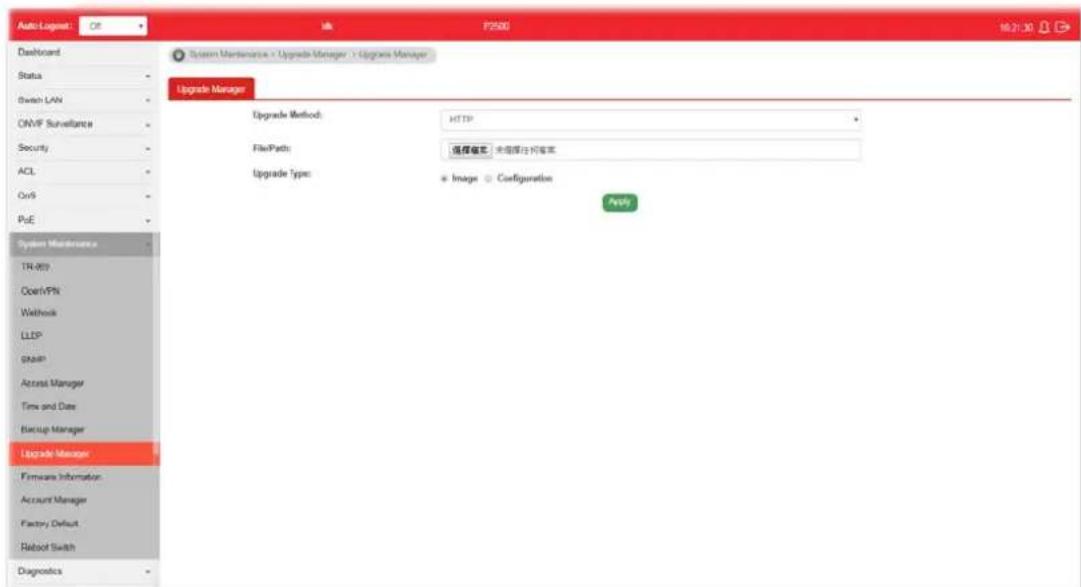
Available settings are explained as follows:
| Item | Description |
| Upgrade Method Select Upgrade method:TFTP - Using TFTP to upgrade firmware.HTTP - Using WEB browser to upgrade firmware. | |
| Server IP | It is available when TFTP is selected as Upgrade Method.Enter the IPv4/ IPv6 address for the TFTP server. |
| File Name | It is available when TFTP is selected as Upgrade Method.Enter the firmware image or configuration file name on the TFTP server. |
| File/Path | It is available when HTTP is selected as Upgrade Method.Choose the firmware file located in your computer. |
| Upgrade Type | It is available when TFTP is selected as Upgrade Method.Image - Click it to upgrade the firmware image.Configuration - Click it to upgrade the configurations for VigorSwitch. |
| Apply Apply the settings to the switch. | |
VIII-10 Firmware Information
This page allows a user to choose the active firmware and backup firmware.

Available settings are explained as follows:
| Item | Description |
| Active Image | There are two versions of firmware. Simply choose the one you want as primary firmware. |
| Apply Apply the settings to the switch. | |
| Firmware 1 Information Firmware 2 Information | Mode - Display the mode (Active or Backup) of the firmware.Active -Display the status (in use or not) of the firmware.Version - Display the switch version.Build Time - Display the built time of the firmware.Size (MB) - Display the size of the firmware. |
VIII-11 Account Manager
This page allows a user to add or delete local user on switch database for authentication. The configuration result for each port will be displayed on the table listed on the lower side of this web page.
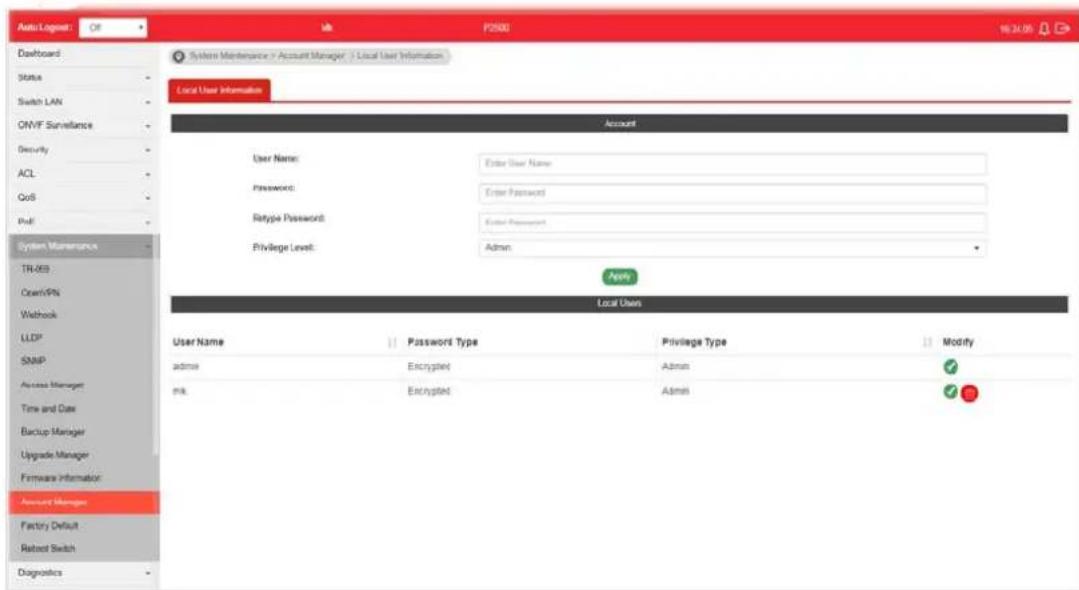
Available settings are explained as follows:
| Item | Description |
| User Name Enter a username | If you want to modify an existed user account, simply enter the same string in this field. Then, modify the password and choose privilege level. After clickingApply, the existed user name will be modified with different values. |
| Password Enter a password | for new account. |
| Retype Password | Retype password to make sure the password is exactly you typed before in “Password” field. |
| Privilege Level Use the drop down list to select privilege level (Admin/ User) for new account.● Admin - Allow to change switch settings.● User - See switch settings only. Not allow to change it. | |
| Apply Apply the settings to the switch. | |
| Delete Remove the selected account. | |
| Edit | - Click it to modify the settings for the selected user profile.● - Click it to remove the selected entry. |

VIII-12 Factory Default
Click Apply to return to factory default settings for VigorSwitch.
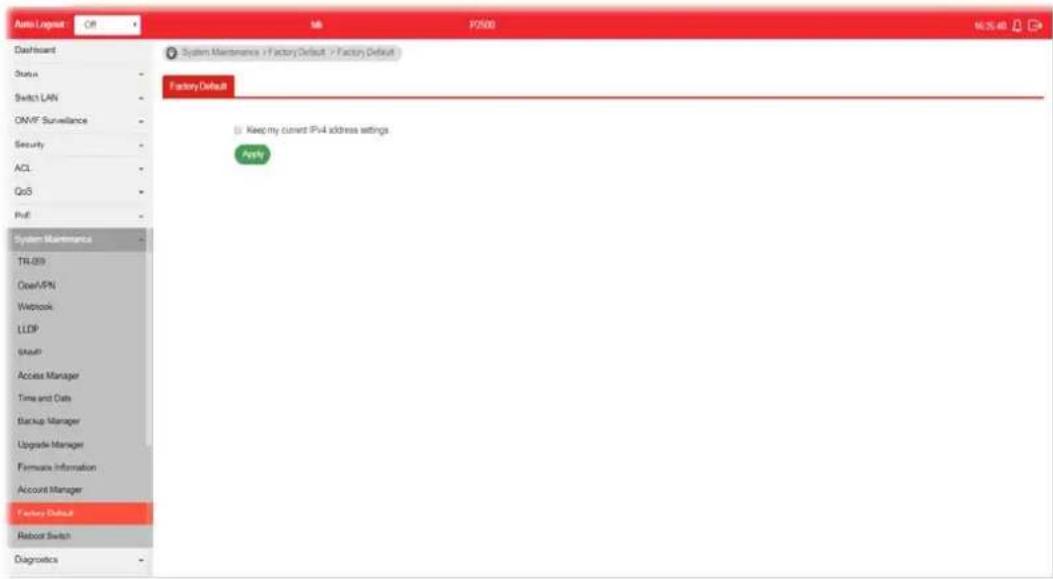
If Keep my current IPv4 address settings is checked, after clicking Apply, the original configuration for IP address will be kept.
VIII-13 Reboot Switch
Click Apply to reboot VigorSwitch with current settings.
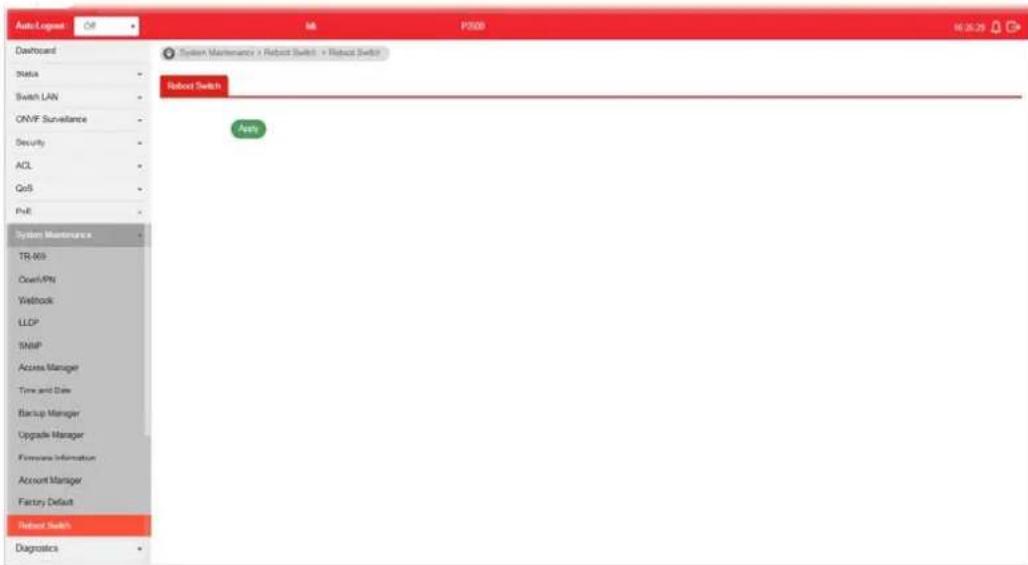
This page is left blank.
Part IX Diagnostics
IX-1 Device Check
After finished copper test, the results will be shown on the lower side of this web page.
This page is used to configure device check of PoE PD devices. It can be applied to PoE PD devices connected directly, check ping echo status, and forcibly reboot the device when meeting the preset health condition.
The configuration result for each port will be displayed on the table listed on the lower side of this web page.
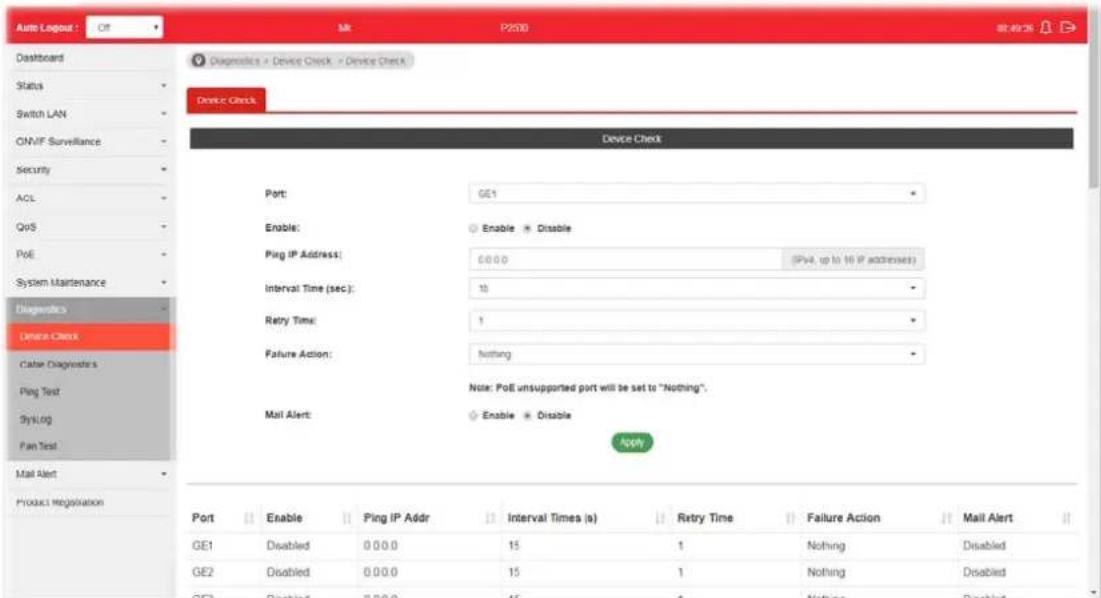
Available settings are explained as follows:
| Item | Description |
| Port | Use the drop down list to select the port (GE1 to GE28) or ports for device check. |
| Enable Disable - No PoE | function for the selected GE port.Enable - PoE function will be enabled for the selected GE port. |
| Ping IP Address Enter the | IP address of the PoE device for check. |
| Interval Time (sec.) The ping | ing check will be performed every 10, 30, 60 or 120 seconds for the selected port (PoE device). |
| Retry Time | The system will perform the ping check the selected port (PoE device) for 1, 3 or 5 times. |
| Failure Action Specify the | action performed for PoE device when there is no number of retry time of echo from given IP address.Power Cycle - Forcely reboot the device by cycling the power given to PoE device.Power Off - The PoE divice will be powered off.Nothing - Log this event only, no action is taken on PoE device. |
| Mail Alert | Enable - Click it to enable the mail alert function.Disable - Click it to disable the mail alert funciton. |
| Apply Save the settings or | changes to the switch. |
IX-2 Cable Diagnostics
After finished copper test, the results will be shown on the lower side of this web page.

Available settings are explained as follows:
| Item | Description |
| Port | Use the drop down list to select the port (GE1 to GE28) or ports for performing cable diagnostics. |
| Start Perform the copper test action. | |
IX-3 Ping Test
After finished the ping test, the results will be shown on the lower side of this web page.
![Auto Logout : CF Mx 72500 (8.52.36) Dassboard Status Switch LAN ONVIF Surveillance Security ACL QVD PoE System Maintenance Diagnostics Device Check Cable Diagnostics Ping Test SysLog Fair Test Mail Alert Product Registration Diagnosis > Ping Test > Ping Test Ping Test Protocol: IPv4 Host: 192.168.1.251 IPv4 address or hostname) Count: # Interval (sec): * Start Stop PNO 192.168.1.251 (192.168.1.251): 56 data bytes 84 bytes from 192.168.1.251: lomp_seq=0 tti=44 tiso=0.8 es da bytes from 192.168.1.251: lomp_seq=1 tti=44 tiso=0.8 es da bytes from 192.168.1.251: lomp_seq=2 tti=44 tiso=0.8 es da bytes from 192.168.1.251: lomp_seq=3 tti=44 tiso=0.8 es --- 192.168.1.251 ping statistics --- & packets transdelted, & packets resolved, &k packet loss round-trip dkt/vsg/less = 0.6/9.0/0.4 ms [Source As Finished]](/content/2026/06/1224908/images/a128b9e6082880096bd324b68c3061f8558a58a1d6b0e87f79d80026bf4bcaa4.jpg)
Available settings are explained as follows:
| Item | Description |
| Protocol Choose IPv4/ IPv6 | to specify IP address for sending ping to check if network path is ok. |
| Host Enter the IP address of SNMP server based on the protocol selected above. | |
| Count | It means how many times to send ping request packet.Enter a number between 1 and 5 as the count and the default configuration is 4. |
| Interval(sec) Define the interval to perform ping action. For example, “1” means the ping action will be performed per second. | |
| Start Perform ping action. | |
| Stop Terminate ping action. | |
IX-4-1 SysLog Explorer
After clicking View, the results will be shown on the lower side of this web page.
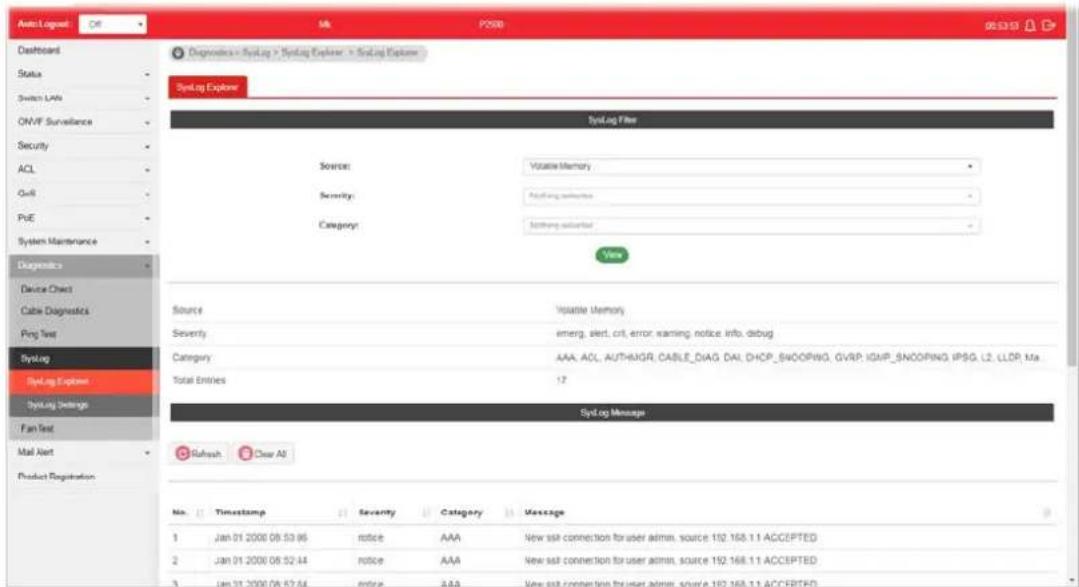
Available settings are explained as follows:
| Item | Description |
| Source | ● Volatile Memory - Explore the logs contained in volatile memory (also known as RAM).● Non-Volatile Memory - Explore the logs contained in non-volatile memory (also known as Flash). |
| Severity Select severity (emerg, alert, crit, error, warning, notice, info and debug) of log messages which you wish to filter out for review. | |
| Category | Select the categories (related features) of logs you wish to review.Category contains AAA, ACL, AUTHMGR, CABLE_DIAG, DAI, DHCP_SNOOPING, GVRP, IGMP_SNOOPING, IPSG, L2, LLDP, Mac-based VLAN, Mirror, MLD_SNOOPING, Platform, PM, Port, PORT_SECURITY, QoS, Rate, SNMP, STP, Security suite, System, Surveillance VLAN, Trunk, UDLD and VLAN. |
| View Click it to display logs based on the settings configured above. | |
| Refresh Click it to refresh the log. | |
| Clear All Clear it to remove all logs displayed in this page. | |
IX-4-2 SysLog Settings
IX-4-2-1 SysLog Service
This page allows user to enable system logging into local syslog and specific remote syslog server for storage.
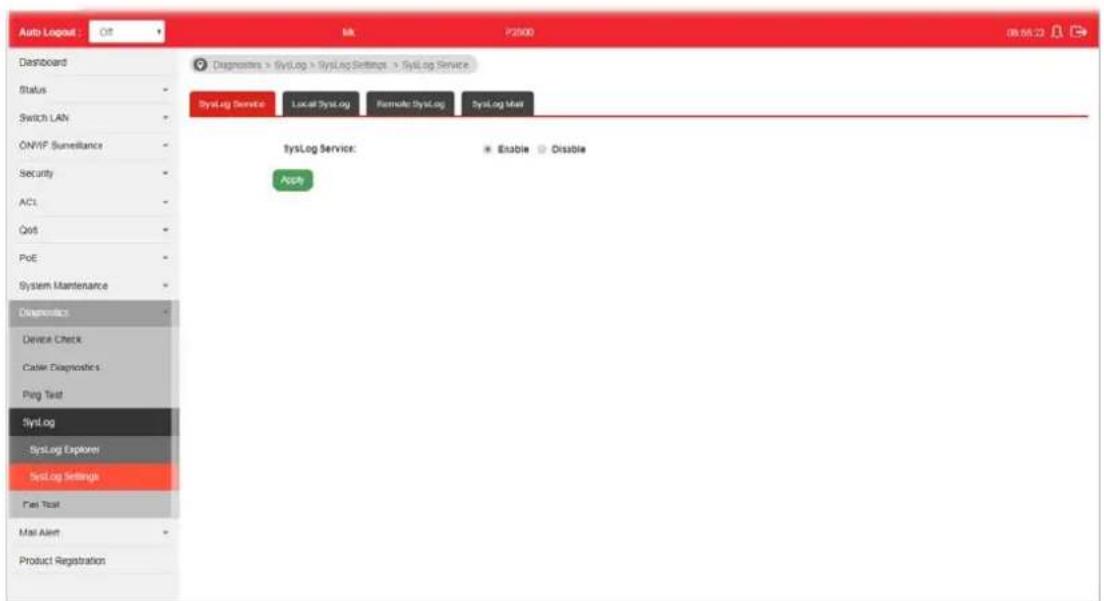
Available settings are explained as follows:
| Item | Description |
| SysLog Service | ● Enable – Click it to activate function of syslog. ● Disable – Click it to inactivate the function. |
| Apply Apply the settings to the switch. | |
IX-4-2-2 Local SysLog
This page allows user to enable logging into volatile memory or non-volatile memory.

Available settings are explained as follows:
| Item | Description |
| Source | ● Volatile Memory - Select the volatile memory for saving local log. Volatile memory does not hold the log after reboot or power off. ● Non-Volatile Memory - Select the non-volatile memory for saving.If you want to modify Volatile Memory / Non-Volatile Memory, select Volatile Memory / Non-Volatile Memory in this field. Then, use the drop down list of severity to specify type of log message. After clicking Apply, the Volatile Memory / Non-Volatile Memory will be modified with new configured severity level. |
| Severity Select severity (emerg, alert, crit, error, warning, notice, info and debug) of log messages which will be stored. | |
| Apply Apply the settings to the switch. | |
| Delete Remove all logs displayed in this page. | |
IX-4-2-3 Remote SysLog
This page allows user to enable system logging into specific remote syslog server for storage.
After clicking Apply, the results will be shown on the lower side of this web page.
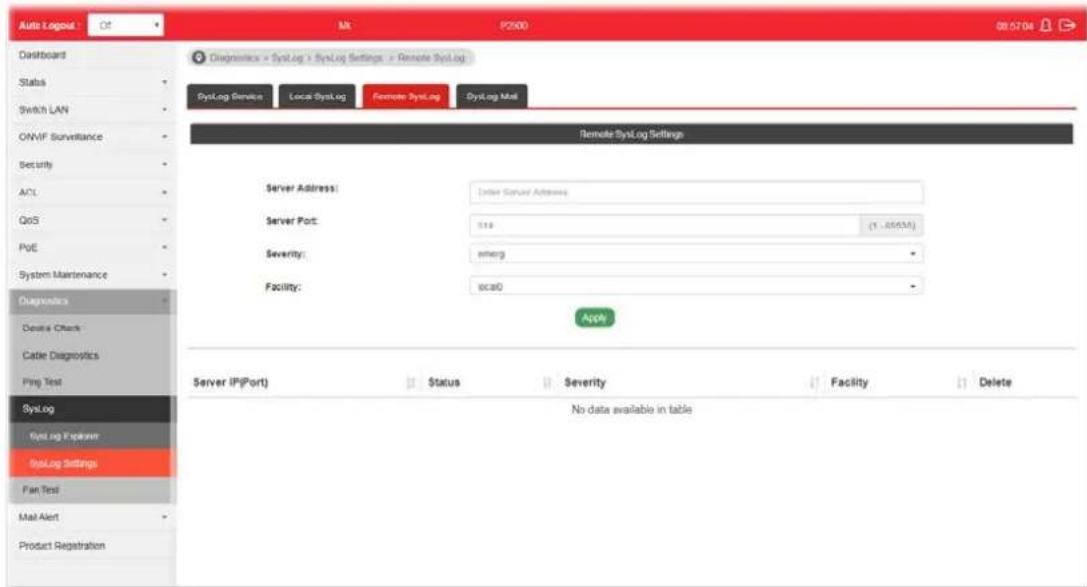
Available settings are explained as follows:
| Item | Description |
| Server Address Enter the | IP address of Syslog server. |
| Server Port | Specify the port that syslog should be sent to. |
| Severity Select severity (emerg, alert, crit, error, warning, notice, info and debug) of log messages which will be stored. | |
| Facility One device supports multiple facilities (represented with facility ID, local0 to local7) of remote Syslog server. For each facility ID contains different syslog server configuration, please choose a facility ID for such Syslog server. | |
| Apply Apply the settings to the switch. | |
| Delete Remove specific remote syslog entry. | |
IX-4-2-4 SysLog Mail
This page allows user to enable system logging into specific remote syslog server for storage. After clicking Apply, the results will be shown on the lower side of this web page.
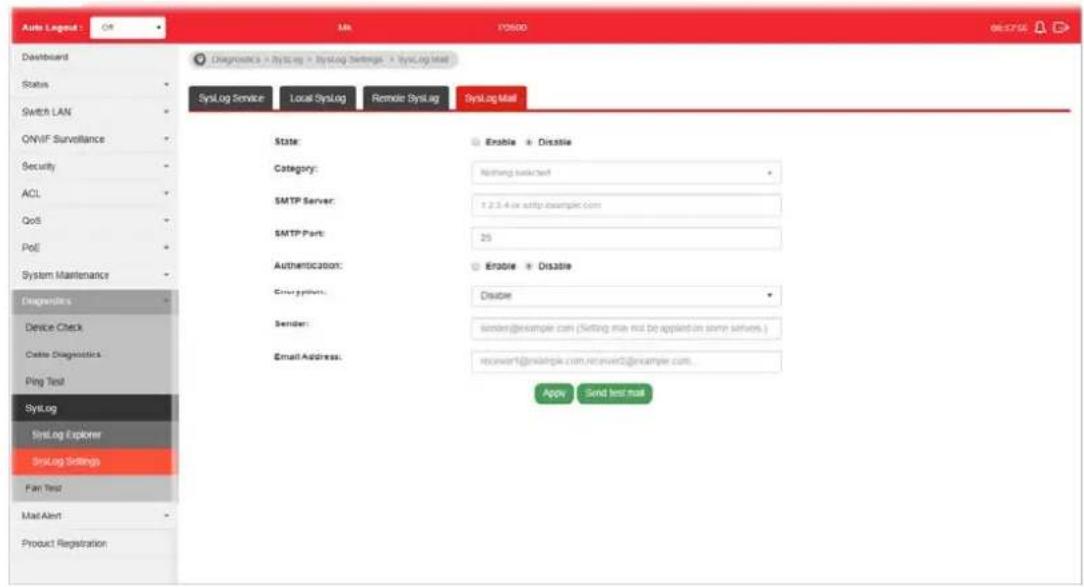
Available settings are explained as follows:
| Item | Description |
| State | Enable - Enable the function of Syslog Mail.Disable - Disable the function of Syslog Mail. |
| Category Vigor sytem will | send the e-mail related to the selected feature(s) to the recipient.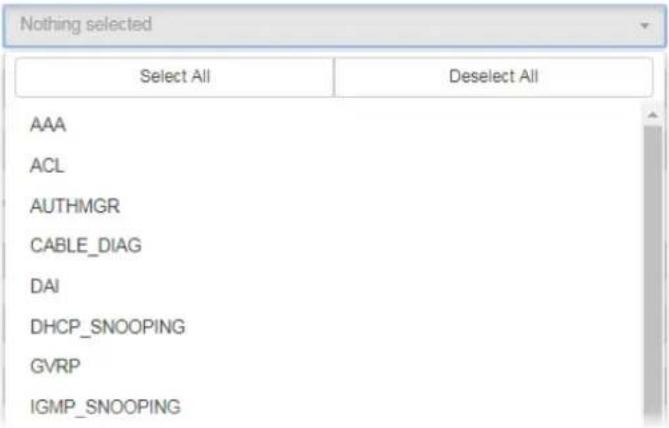 |
| SMTP Server Enter IP address or URL of the SMTP server. | |
| SMTP Port Enter the port number for the SMTP server. | |
| Authentication | Enable - Click it to enable authentication mechanism.User Name - Enter a user name for authentication.Password - Enter a password for authentication. |
| Encryption After enabling | Authentication, choose one of the encryption servers for data encryption.StartTLS - The mail will be encrypted with StartTLS.SSL/TLS - The mail will be encrypted with SSL/ TLS.Disable - The mail sent out will not be encrypted. |
| Sender Enter the email address which will send the syslog mail out. | |
| Email Address Enter the email address which will receive the syslog mail. | |
| Apply Apply the settings to the switch. | |
| Send test mail | After clicking this button, VigorSwitch system will send a test mail to the recipient. |
IX-5 Fan Test
The built-in fan in the VigorSwitch can be tested if it runs normally or not. Simply click Start to perform the fan test.
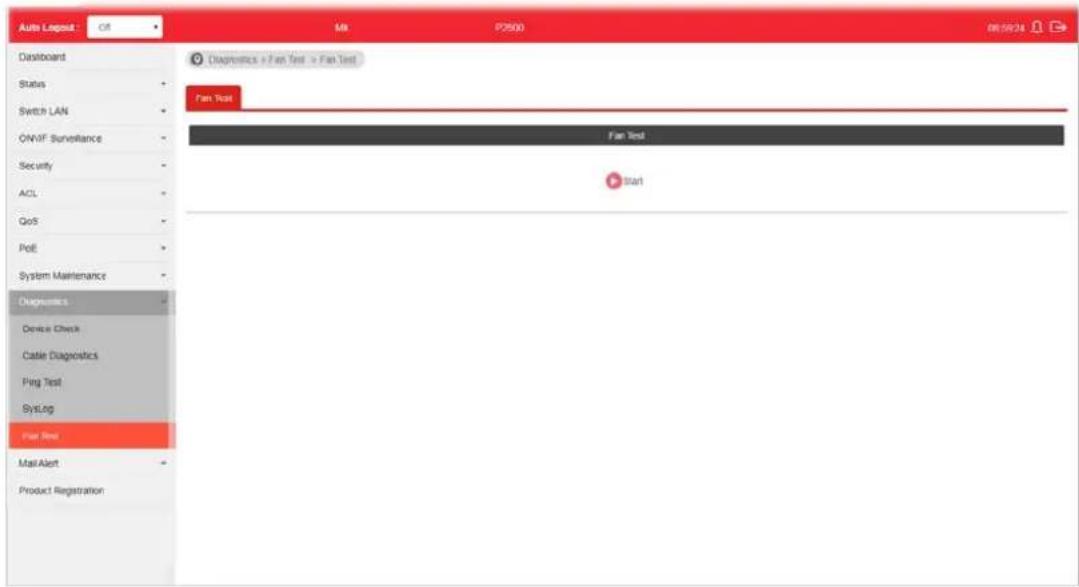
This page is left blank.
Part X Mail Alert
X-1 Alert Setting
This page allows a user to configure settings for VigorSwitch to send alert mail when encountering certain situation.
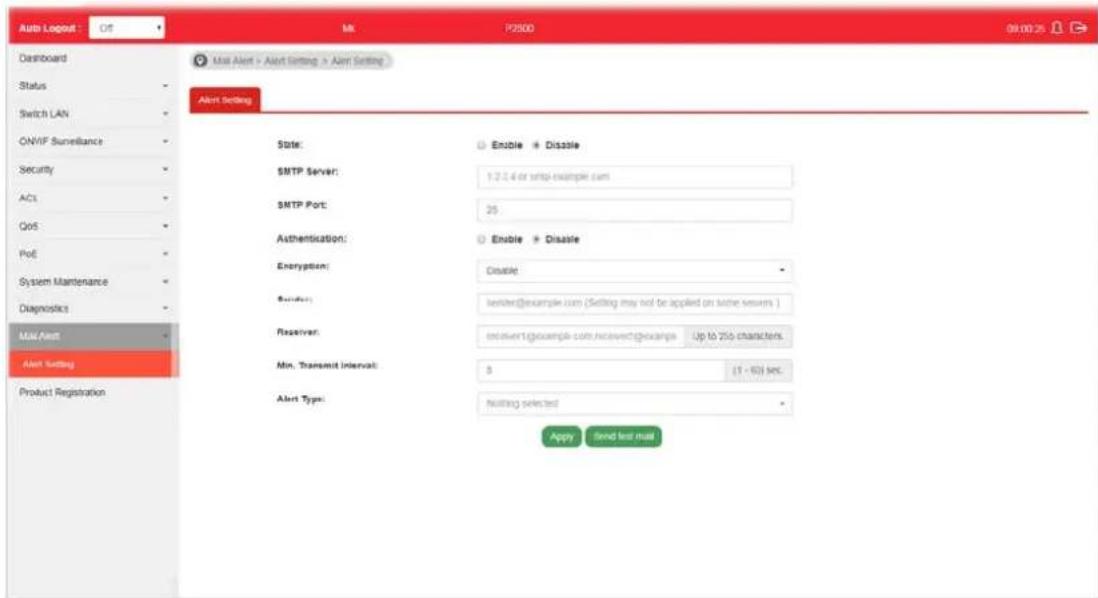
Available settings are explained as follows:
| Item | Description |
| State | Enable - Click it to enable the mail alert function.Disable - Click it to disable the mail alert funciton. |
| SMTP Server Enter IP address or URL of the SMTP server. | |
| SMTP Port Enter the port number for the SMTP server. | |
| Authentication | Enable - Click it to enable authentication mechanism.User Name - Enter a user name for authentication.Password - Enter a password for authentication. |
| Encryption After enabling | Authentication, choose one of the encryption servers for data encryption.StartTLS - The mail will be encrypted with StartTLS.SSL/TLS - The mail will be encrypted with SSL/ TLS.Disable - The mail sent out will not be encrypted. |
| Sender Enter the email address which will send the alert mail out. | |
| Receiver Enter the email address which will receive the alert mail. | |
| Min. Transmit Interval | Set a time interval for VigorSwitch system to send an alert out from the specified sender. |
| Alert Type Specify the condition(s) for VigorSwitch system to send an alert out.Port Link StatusPort Link SpeedSystem RestartedPoE Warning Status | |
| Apply Apply the settings to the switch. | |
| Send test mail | After clicking this button, VigorSwitch system will send a test mail to the recipient. |
This page is left blank.
Part XI Telnet Commands
XI-1 Accessing Telnet of VigorSwitch
This chapter also gives you a general description for accessing telnet and describes the firmware versions for the routers explained in this manual.

Info
For Windows 7 user, please make sure the Windows Features of Telnet Client has been turned on under Control Panel>>Programs.
Type cmd and press Enter. The Telnet terminal will be open later.

In the following window, type Telnet 192.168.1.224 as below and press Enter. Note that the IP address in the example is the default address of the router. If you have changed the default, enter the current IP address of the router.
![Microsoft Windows [Version 6.1.7601] Copyright (c) 2009 Microsoft Corporation. All rights reserved. C:\Users\User>telnet 192.168.1.1](/content/2026/06/1224908/images/114dbab39567cbdc4f0fe3c7fb71f2d7b78d9c27b9dec55ed128faf2a353c19c.jpg)
Next, enter admin/ admin for Account/ Password.
For users using previous Windows system (e.g., XP), simply click Start >> Run and type Telnet 192.168.1.224 in the Open box.
Next, enter admin/ admin for Account/ Password.
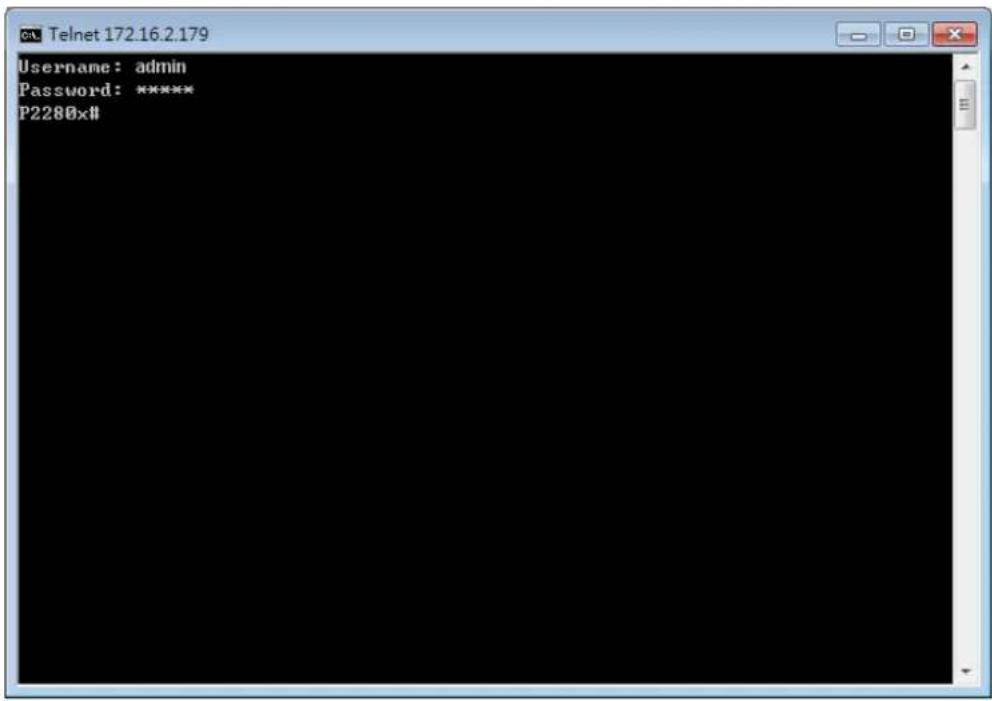
XI-2 Available Commands
Enter ? to get a list of available commands.
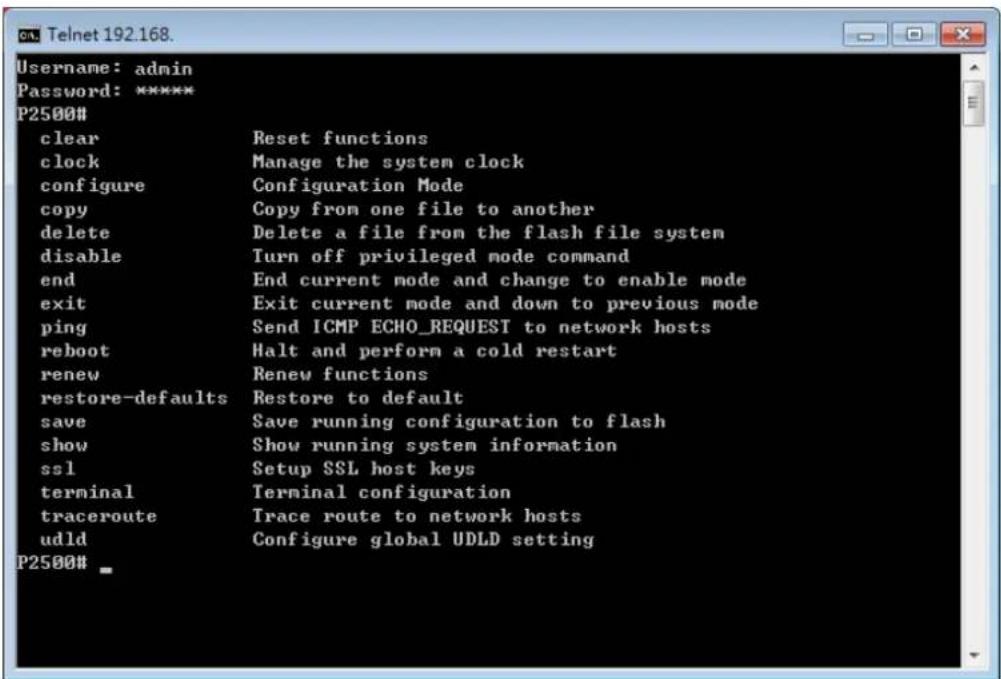
The available commands contain - clear, clock, configure, copy, delete, disable, end, exit, ping, reboot, renew, restore-defaults, save, show, ssl, terminal, traceroute and udld. Each
command will be explained as follows.
Note: You can also enter ? to check if there are subcommands under current command.
XI-2-1 Clear Configuration
This command allows resetting the functions of ARP, interface, IP, IPv6, LACP, Line, LLDP, Logging, MAC, and Spanning Tree.
Telnet Command: clear arp
Use this command to clear entries in the ARP cache.
Syntax Items
clear arp
Description
| Syntax Items Description | |
| clear arp- Enter the IP address of the device (e.g., 192.168.1.224).Related Syntax:# clear arp# clear arp | |
Example
| P2500# clear arp 192.168.1.224 |
| P2500# |
Telnet Command: clear authentication
Use this command to clear authentication sessions based on LAN port, MAC address, or authentication type for 802.1x/ MAC authentication.
Syntax Items
clear authentication sessions
clear authentication sessions interfaces gigabitethernet
clear authentication sessions mac
clear authentication sessions session-id
clear authentication sessions type
Description
| Syntax Items Description | |
| clear authentication sessions | Clear all of the sessions related to authentication.Related Syntax:# clear authentication sessions |
| clear authentication sessions interfaces gigabitethernet | Clear the sessions of a specific interface.<1-50>- Enter the number of LAN port.Related Syntax:● # clear authentication sessions interfaces gigabitethernet <1-50> |
| clear authentication sessions mac | Clear the sessions with the MAC address set here.- Enter the MAC address of the device that you want to clear the authentication information.Related Syntax:● # clear authentication sessions mac |
| clear authentication sessions session-id | Clear the sessions with the string set here.- Enter a string of a session that you want to clear.Related Syntax:● # clear authentication sessions session-id |
| clear authentication sessions type | Clear the sessions with authentication type selected here.- Use 802.1x authentication.- Use mac-based authentication.- Use web-based authentication.Related Syntax:● # clear authentication sessions type |
Example
P2500# clear authentication sessions
No Auth Manager sessions currently exist
P2500# clear authentication sessions mac 48:5B:39:2F:A8:66
P2500# clear authentication sessions interfaces GigabitEthernet 2
P2500# clear authentication sessions session-id 0000000B002AFBE8
Telnet Command: clear gvrp
Use this command to clear statistics or port error statistics for all interfaces or a specific interface (LAN or LAG).
Syntax Items
clear gvrp error-statistics
clear gvrp statistics
Description
| Syntax Items Description | |
| clear gvrp error-statistics | Specify a LAN/ LAG interface for clearing error statistics for GVRP.<1-50> - Enter the number (1 to 50) of LAN port.<1-8> - Enter the number (1 to 8) of LAG interface (IEEE 802.3 Link Aggregation Interface) that you want to clear the GVRP setting.Related Syntax:# clear gvrp error-statistics interfaces GigabitEthernet <1-50># clear gvrp error-statistics interfaces LAG <1-8> |
| clear gvrp statistics | Specify a LAN/ LAG interface for clearing statistics for GVRP.<1-50> - Specify an interface for clearing statistics for GVRP.<1-8> - Specify LAG interface for clearing statistics for GVRP.Related Syntax:● # clear statistics interfaces GigabitEthernet <1-50>● # clear statistics interfaces LAG <1-8> |
Example
P2500# clear gvrp error-statistics interfaces GigabitEthernet 2
P2500#
P2500# clear gvrp error-statistics interfaces LAG 2
P2500#
Telnet Command: clear interfaces
Use this command to clear statistics counters for all interfaces or a specific interface (LAN or LAG).
Syntax Items
clear interfaces GigabitEthernet
clear interfaces LAG
Description
| Syntax Items Description | |
| clear interfacesGigabitEthernet | Specify a LAN interface for clearing statistics counters on that port.<1-50> - Enter the number (1 to 24) of LAN port.Related Syntax:● # clear interfaces gigabitEthernet <1-50> counters |
| clear interfaces LAG | Specify a LAG interface for clearing statistics counters on that port.<1-8> - Enter the number (1 to 8) of LAG interface (IEEE 802.3 Link Aggregation Interface).Related Syntax:● # clear interfaces LAG <1-8> counters |
Example
P2500# clear interfaces gigabitethernet 3 counters
P2500# clear interfaces
P2500# clear interfaces lag 2 counters
P2500#
Telnet Command: clear ip
Use this command to clear ARP inspection information, DHCP snooping database agent, and IGMP snooping groups (dynamic or static) information for all interfaces or a specific interface (LAN or LAG) with IP address.
Syntax Items
clear ip arp
clear ip dhcp
clear ip igmp
Description
| Syntax Items Description | |
| clear ip igmp snooping groups dynamic - Clear dynamic snooping groups of IGMP server.snooping groups static - Clear static snooping groups of IGMP server.snooping statistics - Clear snooping statistics for IGMP server.Related Syntax:# clear ip igmp snooping groups dynamic# clear ip igmp snooping groups static | |
| ● # clear ip igmp snooping statistics | ||
| clear ip dhcp | snooping database statistics - Clear snooping database statistics for DHCP server.snooping interfaces GigabitEthernet / LAG- Specify a LAN / LAG interface for clearing DHCP snooping information.<1-50> - Enter the number (1 to 50) of LAN port.<1-8> - Specify a LAG interface for clearing DHCP snooping information.Related Syntax:● # clear ip dhcp snooping database statistics● # clear ip dhcp snooping interfaces GigabitEthernet <1-50> statistics● # clear ip dhcp snooping interfaces LAG <1-8> statistics | |
| clear ip igmp | snooping groups dynamic - Clear dynamic snooping groups of IGMP server.snooping groups static - Clear static snooping groups of IGMP server.snooping statistics - Clear snooping statistics for IGMP server.Related Syntax:● # clear ip igmp snooping groups dynamic● # clear ip igmp snooping groups static● # clear ip igmp snooping statistics | |
Example
P2500# clear ip igmp snooping groups dynamic
P2500#
Telnet Command: clear ipv6
Use this command to clear MLD snooping configuration for dynamic / static group(s) with IPv6 address.
Syntax Items
clear ipv6 mld
Description
| Syntax Items Description | |
| clear ipv6 mld snooping groups dynamic - Clear dynamic snooping groups of MLD.snooping groups static - Clear static snooping groups of MLD.Related Syntax:# clear ipv6 mld snooping groups dynamic# clear ipv6 mld snooping groups static | |
Example
P2500# clear ipv6
P2500# clear ipv6 mld snooping groups dynamic
P2500# clear ipv6 mld snooping groups dynamic?
<cr>
P2500# clear ipv6 mld snooping groups static
Telnet Command: clear lacp
Use this command to clear LACP configuration for specified LAG interface or all LAG interfaces.
Syntax Items
clear lacp <1-8> counters
clear lacp counters
Description
| Syntax Items Description | |
| clear lacp <1-8> | <1-8> - Enter the number (1 to 8) of LAG interface (IEEE 802.3 Link Aggregation Interface).Related Syntax:# clear lacp <1-8> counters |
| clear lacp counters Clear LACP | configuration for all LAG interfaces.Related Syntax:# clear lacp counters |
Example
P2500# clear lacp 1 counters
No interfaces configured in the channel group
P2500#
Telnet Command: clear line
Use this command to clear line settings including SSH (Secure Shell) configuration and telnet daemon configuration.
Syntax Items
clear line ssh
clear line telnet
Description
| Syntax Items Description | |
| clear line ssh Clear SSH configuration for line connection. | |
| slear line telnet Clear SSH Telnet configuration for line connection. | |
Example
P2500# clear line ssh
P2500# clear line telnet
Telnet Command: clear lldp
Use this command to clear LLDP statistics or reset LLDP information.
Syntax Items
clear lldp global
clear lldp interfaces
Description
| Syntax Items Description | |
| clear lldp global Clear all of the statistics related to LLDP.Related Syntax:● # clear lldp global statistics | |
| clear lldp interfaces | Specify a LAN / LAG interface for clearing LLDP information.<1-50> - Enter the number (1 to 50) of LAN port.<1-8> - Enter the number (1 to 8) of LAG interface (IEEE 802.3 Link Aggregation Interface).Related Syntax:● # clear lldp interfaces GigabitEthernet <1-50> statistics● # clear lldp interfaces LAG <1-8> statistics |
Example
| P2500# clear lldp global statistics |
| P2500# |
| P2500# clear lldp interfaces LAG 1 statistics |
| P2500# clear lldp interfaces gigabitethernet 1 statistics |
| P2500# |
Telnet Command: clear logging
Use this command to clear log messages from the internal logging buffer and flash.
Syntax Items
clear logging buffered
clear logging file
Description
| Syntax Items Description | |
| clear logging buffered Clear the log stored in RAM.Related Syntax:# clear logging buffered | |
| clear logging file Clear the log stored in flash.Related Syntax:# clear logging file | |
Example
| P2500# clear logging buffered |
P2500# clear logging file
P2500#
Telnet Command: clear mac
Use this command to clear MAC configuration related to VLAN, LAG, and LAN port.
Syntax Items
clear mac
Description
| Syntax Items Description | |
| clear mac address-table <1-50> | - Enter the number (1 to 50) of LAN port.<1-8>- Enter the number (1 to 8) of LAG interface (IEEE 802.3 Link Aggregation Interface).<1-4094>- Specify a VLAN ID by entering its number.Related Syntax:# clear mac adderss-table dynamic interfaces GigabitEthernet <1-50># clear mac adderss-table dynamic interfaces LAG <1-8># clear mac adderss-table dynamic vlan <1-4094> |
Example
P2500# clear mac address-table dynamic vlan 2038
P2500# clear mac address-table dynamic interfaces gigabitethernet 3
P2500#
Telnet Command: clear mvr
Use this command to clear information for all members (including dynamic, static) of MVR.
Syntax Items
clear mvr members
Description
| Syntax Items Description | |
| clear mvr members | Clear information for dynamic / static members.Related Syntax:# clear mvr members dynamic# clear mvr members static |
Example
P2500# clear mvr members dynamic
P2500# clear mvr members static
P2500#
Telnet Command: clear spanning-tree
Use this command to clear running system information.
Syntax Items
clear spanning-tree
Description
| Syntax Items Description | |
| clear spanning-tree interfaces | Specify a LAN interface for clearing its running information.<1-50>- Enter the number (1 to 50) of LAN port.<1-8>- Enter the number (1 to 8) of LAG interface (IEEE 802.3 Link Aggregation Interface).Related Syntax:# clear spanning-tree interfaces GigabitEthernet <1-50>statistics# clear spanning-tree interfaces LAG <1-8> statistics |
Example
| P2500# clear spanning-tree interfaces GigabitEthernet<1-50> GigabitEthernet device number |
| P2500# clear spanning-tree interfaces gigabitethernet 3 statistics |
| P2500# clear spanning-tree interfaces LAG 1 statistics |
| P2500# |
XI-2-2 Clock Configuration
This command allows managing the system clock.
Telnet Command: clock set
Use this command to configure the system clock manually.
Syntax Items
clock set
Description
| Syntax Items Description | |
| clock set Set current by entering hours, minutes, seconds, month, date and year with the format listed below:- Hour, minute, second (e.g., 08:10:30).- January.- February-March-April-May-June-July-August- September- October-November- December<1-31>- Date 1 to 31.<2000-2035>- Year of 2000 to 2035.Related Syntax:● # clock set HH:MM:SSjan/ feb/ mar/ apr/ may/ jun/ jul/ aug/ sep/ oct/ nov/ dec <1-31><2000-2035> | |
Example
P2500# clock set 12:10:30 jan 1 2019
2019-01-01 12:10:30 UTC+8
XI-2-3 Configure Configuration
This command allows configuring the settings related to VigorSwitch.
Available sub-commands under Configure include:
aaa, authentication, boot, clock, custom, dos, dot1x, do, dray_surveillance, enable, end, errdisable, exit, gvrp, hostname, interface, ip, ipv6, jumbo-frame, lacp, lag, line, lldp, logging, logmail, loop-protection, mac, mailalert, management, management-vlan, mirror, mvr, no, openvpn, poe, port-security, qos, radius, schedule, snmp, sntp, spanning-tree, start-up, storm-control, surveillance-vlan, system, tacacs, tr069, udld, username, vlan, voice-vlan, webhook
Before configuration, you have to enter "configure" to access into next phase.
To return to previous phase, enter "exit"
Example
P2500# configure
P2500(config)#
P2500(config)# exit
P2500#
Telnet Command: aaa
Use this command to add a login authentication list to authenticate with local, tacacs+, radius, and none service.
Syntax Items
aaa authentication enable aaa authentication login
Description
| Syntax Items Description | |
| aaa authentication enable | Enable authentication is used only on CLI for a user trying to switch from User EXEC (>) mode to Privileged EXEC (#) mode.enable - Enable the authentication list.- Enter a string as the list name for authentication type. Default value is “default”.- Specify the authentication method by entering none, enable, tacacs+ or radius.None: Do nothing and just make user be authenticated.Enable: Use local password to authenticate.Tacacs+: Use remote Tacas+ server to authenticate.Radius: Use remote Radius server to authenticate.default - It is used to configure default enable authentication.Related Syntax:#aaa authentication enable#aaa authentication enable default- Enter a string as the list name for authentication |
| aaa authentication login | Login authentication is used when a user tries to login into the switch.- Enter a string as the list name for authenticationtype. Default value is “default”.-Specify the authentication method by entering none, enable, tacacs+ or radius.default - It is used to configure default login authentication.Related Syntax:#aaa authentication login#aaa authentication login default |
Example
P2500# configure
P2500(config)#
P2500(config)# aaa authentication enable LISTNAME enable
P2500(config)#
P2500(config)# exit
P2500# show aaa authentication enable lists
Enable List Name Authentication Method List
----
default enable
LISTNAME enable
P2500#
Telnet Command: authentication
Use this command to enable the global setting of 802.1x/MAC/WEB authentication network access control (default is disabled for all).
Syntax Items
authentication dot1x
authentication guest-vlan
authentication mac
authentication web
Description
| Syntax Items Description | |
| authentication dot 1x Enable | 802.1x authentication by entering the word, dot 1x after authentication.Related Syntax:# authentication dot 1x |
| authentication guest-vlan | Configure the guest VLAN.<1-4094> - Specify a guest VLAN ID by entering its number.Related Syntax:# authentication guest-vlan <1-4094> |
| authentication mac | Enable MAC authentication by entering the word, mac after authentication.mac local - Local database for MAC-Based authentication. It can add local MAC authentication hosts in database.- Enter the MAC address to be added for authentication.control auth - Set a local entry control mode, auth (the host will be set to authorized) or unauth (the host will be set to unauthorized).vlan <1~4094> - Specify a VLAN ID by entering its numberreauth-period <300~4294967294> - Set a time to initiate automatic re-authentication.inactive-timeout <60~65535>- Set the inactive timeout for MAC authentication host. After the time interval, if there is no activity from the client, then it will be unauthorized by Vigor system.control unauth - Set a local entry control mode as "unauth" to let the host set as unauthorized.radius mac-case- Set RADIUS user ID with lower case or upper case.radius mac-delimiter- Select RADIUS user ID delimiter. In which,colon: XX:XX:XX:XX:XX:XXdot: XX.XX.XX.XX.XX.XXhyphen: XX-XX-XX-XX-XX-XXnone:XXXXXXXXXXXXgap <2/ 4/ 6> - Select delimiter gap.Related Syntax:#authentication mac#authentication mac localcontrol auth inactive-timeout <60~65535>#authentication mac localcontrol auth reauth-period <300~4294967294>#authentication mac localcontrol auth vlan <1~4094> #authentication mac localcontrol auth vlan<1~4094> reauth-period <300~4294967294>#authentication mac localcontrol auth vlan<1~4094> reauth-period <300~4294967294> inactive-timeout <60~65535>#authentication mac localcontrol unauth#authentication mac radius mac-case#authentication mac radius mac-delimitergap <2/ 4/ 6> |
| authentication web | Web - Enable web authentication by entering the word "web" after "authentication".username- Specify a username.password- Set a password.vlan <1~4094> - Specify a VLAN ID by entering its number.reauth-period <30~4294967294>- Set a time to initiate automatic re-authentication.inactive-timeout <60~65535>- Set the inactive timeout for MAC authentication host. After the time interval, if there is no activity from the client, then it will be unauthorized by Vigor system.Related Syntax:#authentication web#authentication web local usernamepasswordinactive-timeout <60~65535>#authentication web local usernamepasswordreauth-period <300~4294967294>#authentication web local usernamepasswordreauth-period <300~4294967294>inactive-timeout <60~65535>#authentication web local usernamepasswordvlan<1~4094>#authentication web local usernamepasswordvlan<1~4094>reauth-period<30~4294967294>inactive-timeout <60~65535> |
Example
P2500# configure
P2500(config)# authentication dot1x
P2500(config)# vlan 3
P2500(config-vlan)# exit
P2500(config)# authentication guest-vlan 3
P2500(config)#
P2500(config)# exit
P2500# show authentication
Authentication dot1x state : enabled
Authentication mac state : disabled
Authentication web state : disabled
Guest VLAN : enabled (3)
Mac-auth Radius User ID Format : XXXXXXXXXXXXX
Mac-auth Local Entry :
Web-auth Local Entry :
Interface Configurations
Interface GigabitEthernet1
Admin Control : disable
Host Mode : multi-auth
Type dot1x State : disabled
Type mac State : disabled
Type web State : disabled
Type Order : dot1x
MAC/WEB Method Order : radius
Guest VLAN : disabled
Reauthentication : disabled
Max Hosts : 256
VLAN Assign Mode : static
--More-
Telnet Command: boot
Use this command to have a backup image in the flash partition. Select the active firmware image, and another firmware image will become a backup one.
Syntax Items
boot system
Description
| Syntax Items Description | ||
| boot system | Boot the system | from flash image partition 0 / 1.Related Syntax:# boot system image0# boot system image1 |
Example
| P2500# configure | ||||
| P2500(config)# | ||||
| P2500(config)# boot system image0 | ||||
| Select "image0" Success | ||||
| P2500(config)# exit | ||||
| P2500# | ||||
| P2500# show boot | ||||
| Image | Version | Date | Status | File Name |
| 0 | 1.0.2 | 2017-08-29 09:44:57 | Not active* | 2280_r442_220RC1.all |
| 1 | 2.3.2 | 2018-05-16 09:14:31 | Active | p2280_r734_230RC4.all |
| "*" designates that the image was selected for the next boot | ||||
| P2500# | ||||
Telnet Command: clock
Use this command to configure time zone, summer-time and external time source for the system clock.
Syntax Items
clock auto timezone clock source local clock source sntp clock summer-time clock timezone
Description
| Syntax Items Description | |
| clock auto timezone | VigorSwitch sets the time zone automatically. |
| clock source local Configure an external time source for the system clock.“local” means to use static time. It is the default setting.Related Syntax:# clock source local | |
| clock source sntp | Configure an external time source for the system clock. “sntp” means to use SNTP time.Related Syntax:# clock source sntp |
| clock summer-time | Configure the system to automatically switch to summer time (daylight saving time).ACRONYM - Specify the acronym name of time zone. The acronym of the time zone will be displayed when summer time is in effect. If unspecified, the time zone acronym will be used in default. (1-4 chars)- Indicate January, February, March, April, May, June, July, August, September, October, November, December.<1-31> means date 1 to 31.<2000-2037> - means year of 2000 to 2035.- means hours and minutes.recurring - Summer time should start and end on the corresponding specified days every year.<1-1440>- Set the number of minutes to add during the summer time. The default number is 60.eu - The summer time is based on the European Union rules. (Start point - last Sunday in March, End point - last Sunday in October)usa - The summer time is based on the United States rules. (Start point - second Sunday in March, End point - first Sunday in November)first - The first week of the month.last - The last week of the month.- Indicate Sunday, Monday, Tuesday, Wednesday, Thursday, Friday, Saturday.- Indicate January, February, March, April, May, June, July, August, September, October, November, December.- Specify the first week or the last week of the month.<1-5> - Specify the number of the week in the month.Note that the first group of month, date, hour and minute is used for configuring starting time, and the second group is used for configuring ending time.Related Syntax:# clock summer-time ACRONYM date<1-31><2000-2037><HH:MM><jan/ feb/ mar/ apr/ may/ jun/ jul/ aug/ sep/ oct/ nov/ dec><1-31><2000-2037><HH:MM)# clock summer-time ACRONYM recurring eu <1-1440)# clock summer-time ACRONYM recurring usa <1-1440)# clock summer-time ACRONYM recurring first< sun/ mon/ tue/ wed/ thu/ fri/ sat>< jan / feb / mar / apr / may / jun/ jul/ aug/ sep/ oct/ nov/ dec><HH:MM><first/ last><sun/ mon/ tue/ wed/ thu/ fri/ sat>< jan / feb / mar / apr/ may/ jun/ jul/ aug/ sep/ oct/ nov/ dec><HH:MM><1-14400)# clock summer-time ACRONYM recurring last< sun/ mon/ tue/ wed/ thu/ fri/ sat>< jan / feb / mar / apr / may/ jun/ jul/ aug/ sep/ oct/ nov/ dec><HH:MM><first/ last><sun/ mon/ tue/ wed/ thu/ fri/ sat>< jan / feb / mar/ apr/ may/ jun/ jul/ aug/ sep/ oct/ nov/ dec><HH:MM><1-14400)# clock summer-time ACRONYM recurring <1-5>< sun/ mon/ tue/ wed/ thu/ fri/ sat>< jan / feb / mar / apr / may/ jun/ jul/ aug/ sep/ oct/ nov/ dec><HH:MM><1-5>< sun/ mon/ tue/ wed/ thu/ fri/ sat>< jan / feb / mar / apr/ may/ jun/ jul/ aug/ sep/ oct/ nov/ dec><HH:MM><1-14400> |
| clock timezone ACRONYM<-12-13> minutes <0-59> | Set the time zone for display purposes.ACRONYM - Specify the acronym name of time zone. The acronym of the time zone will be displayed when summer time is in effect. If unspecified, the time zone acronym will be used in default. (1-4 chars)< -12-13> - Specify the hour offset (from -12 to +13) of time zone. minutes <0-59> - Specify the minute difference from UTC.Related Syntax:# clock timezone ACRONYM<-12-13> minutes <0-59> |
Example
P2500# configure
P2500(config)# clock source sntp
P2500(config)# exit
P2500# show clock detail
2019-01-05 06:51:23 UTC+8
Time source is sntp
Time zone:
Acronym is
Offset is UTC+8
P2500# configure
P2500(config)# clock summer-time tw date jan 30 2019 23:30 feb 1 2019 20:50
P2500(config)# exit
P2500# show clock detail
2019-01-05 07:13:49 UTC+8
Time source is sntp

Time zone:
Acronym is ACRONYM
Offset is UTC-10:08

Summertime:
Acronym is tw
Starting and ending on a specific date.
Begins at 1 30 19 23:30
Ends at 2 1 19 20:50
Offset is 60 minutes.
P2500# configure
P2500(config)# clock summer-time ACRONYM recurring eu 1200
P2500(config)# clock summer-time ACRONYM recurring first mon jan 10:10 first sun feb 10:10 1000
P2500(config)# exit
P2500# show clock detail
2019-01-05 11:37:18 UTC+8
Time source is sntp
Time zone:
Acronym is
Offset is UTC+8
Summertime:
Acronym is ACRONYM
Recurring every year.
Begins at 1 1 1 10:10
Ends at 1 0 2 10:10
Offset is 1000 minutes.
Telnet Command: custom
Use this command to enable the module settings.
Syntax Items
custom enable
Description
| Syntax Items Description | |
| custom enable Enable the module settings. | Related Syntax:●# custom enable |
Example
| P2500# configure |
| P2500(config)# custom enable |
| P2500(config)# |
Telnet Command: dos
Use this command to enable specific Denial of Service (DoS) protection.
Syntax Items
dos daeqsa-deny
dos icmp-frag-pkts-deny
dos icmp-ping-max-length
dos icmpv4-ping-max-check
dos icmpv6-ping-max-check
dos ipv6-min-frag-size-check
dos ipv6-min-frag-size-length
dos land-deny
dos nullscan-deny
dos pod-deny
dos smurf-deny
dos smurf-netmask
dos syn-sportl1024-deny
dos synfin-deny
dos synrst-deny
dos tcp-frag-off-min-check
dos tcpblat-deny
dos tcphdr-min-check
dos tcphdr-min-length
dos udpblat-deny
dos xma-deny
Description
| Syntax Items Description | |
| dos daeqsa-deny | Drop the packets if the destination MAC address equals to the source MAC address.Related Syntax:# dos daeqsa-deny |
| dos icmp-frag-pkts-deny Drop | the fragmented ICMP packets.Related Syntax:# dos icmp-frag-pkts-deny |
| dos icmp-ping-max-length | Set the maximum packet size for ICMPv4/ ICMPv6 ping operation.<0-65535> - Specify a packet number.Related Syntax:# dos icmp-ping-max-length <0-65535> |
| dos icmpv4-ping-max-check Check ICMPv4 ping maximum packets size and drop the packets larger than the maximum packet size defined by the command, dos icmp-ping-max-length.Related Syntax:# dos icmpv4-ping-max-check | |
| dos icmpv6-ping-max-check Check ICMPv6 ping maximum packets size and drop the packets larger than the maximum packet size defined by the command, icmp-ping-max-length.Related Syntax:# dos icmpv6-ping-max-check | |
| dos ipv6-min-frag-size-check Check minimum size of IPv6 fragments.Related Syntax:# dos ipv6-min-frag-size-check | |
| dos ipv6-min-frag-size-length<0-65535> | Set the minimum packet size of IPv6 fragmented packets.<0-65535> - Specify a packet number.Related Syntax:# dos ipv6-min-frag-size-length <0-65535> |
| dos land-deny | Drop the packets if the source IP address equals to destination IP address.Related Syntax:# dos land-deny |
| dos nullscan-deny Drop the packets if attacked by NULL Scan.Related Syntax:# dos nullscan-deny | |
| dos pod-deny Drop the packets if attacked by Ping of Death.Related Syntax:# dos pod-deny | |
| dos smurf-deny Drop the packets if encountered Smurf attack. | |
| Related Syntax:●# dos smurf-deny | |
| dos smurf-netmask Set the smurf attack size. | - Enter a number as smurf attacks size.Related Syntax:●# dos smurf-netmask <0-32> |
| dos syn-sport11024-deny Drop | SYN packets with sport less than 1024.Related Syntax:●# dos syn-sport11024-deny |
| dos synfin-deny Drop the packets with SYN and FIN bits set. | Related Syntax:●# dos synfin-deny |
| dos synrst-deny Drop the packets with SYNC and RST bits set. | Related Syntax:●# dos synrst-deny |
| dos tcp-frag-off-min-check | Drop the TCP fragmented packet with offset equals to the minimum packet size.Related Syntax:●# dos tcp-frag-off-min-check |
| dos tcpblat-deny | Drop the packets if the source TCP port equals to destination TCP port.Related Syntax:●# dos tcpblat-deny |
| dos tcphdr-min-check Check the minimum TCP header and drop the TCP packets with the header smaller than the minimum size defined. | Related Syntax:●# dos tcphdr-min-check |
| dos tcphdr-min-length Set the minimum size of TCP header. | - Specify a packet number.Related Syntax:●# dos tcphdr-min-length <0-65535> |
| dos udpblat-deny | Drop the packets if the source UDP port equals to destination UDP port.Related Syntax:●# dos udpblat-deny |
| dos xma-deny Drop the packets if the sequence number is zero and the FIN, URG and PSH bits are set already. | Related Syntax:●# dos xma-deny |
Example
P2500# configure
P2500(config)#
P2500(config)# dos icmp-ping-max-length 25252
P2500(config)# dos icmpv4-ping-max-check
P2500(config)#
Telnet Command: dray\_surveillance
Use this command to enable / disable the ONVIF.
Syntax Items
dray_surveillance add
dray_surveillance direct-add
dray_surveillance set
Description
| Syntax Items Description | |
| dray_surveillance add Add an | IP device for surveillance.WORD <36-36> - Enter the UUID string of the IP camera or IP-based device.Related Syntax:# dray_surveillance add device uuid WORD <36-36># dray_surveillance add group uuid WORD <36-36> |
| dray_surveillance direct-add | WORD <36-36> - Enter the UUID string of the IP camera or IP-based device.Related Syntax:# dray_surveillance direct-add device uuid WORD <36-36> |
| dray_surveillance set | WORD <36-36> - Enter the UUID string of the IP camera or IP-based device.Related Syntax:# dray_surveillance set device uuid WORD <36-36># dray_surveillance set group uuid WORD <36-36> |
Example
| P2500# configure |
| P2500(config)# |
| P2500(config)# dray_surveillance |
| P2500(config)# |
| P2500(config)# dray_surveillance add device uuid |
| 53d7762a-c52b-4bb9-8000-305501e0f35f |
| P2500(config)# |
Telnet Command: do
Use this command to execute a command immediately.
Syntax Items
do SEQUENCE
Description
| Syntax Items Description | |
| SEQUENCE | Enter the command that you want to execute immediately.Related Syntax: (for example)●# do show info |
Example
| P2500(config)# do show info | |
| System Name : P2280x | |
| System Location : Default |
System Contact : Default
MAC Address : 00:1D:AA:43:D1:3E
IP Address : 192.168.1.238
Subnet Mask : 255.255.255.0
Loader Version : 1.0.4
Loader Date : Apr 18 2019 - 16:31:58
Firmware Version : 2.5.0
Firmware Date : May 22 2019 - 18:09:18
Firmware Revision : 1421
System Object ID : 1.3.6.1.4.1.7367
System Up Time : 0 days, 5 hours, 33 mins, 8 secs
PoE SW Version : 211
P2500(config)#
Telnet Command: enable
Use this command to configure local password with encrypted string or not.
Syntax Items
enable password enable privilege enable secret
Description
| Syntax Items Description | |
| enable password | Edit the password for each privilege level for activating authentication.<1-15> - Enter a number for specifying a privilege level. Default value is 15.Related Syntax:# enable password <1-15> |
| enable privilege | Edit the privilege level of the password for local user.<1-15> - Enter a number for specifying a privilege level. Default value is 15.- Enter a new string as the password.Related Syntax:# enable privilege <1-15> password (This password will NOT be encrypted.)# enable privilege <1-15> secret (This password will BE encrypted.)# enable privilege <1-15> secret encrypted (This password is copied from another configuration file. So, enter an existed and encrypted password.) |
| enable secret | Enter a new string as the encrypted password.Related Syntax:# enable secret PASSWORD# enable secret encrypted PASSWORD |
Example
P2500# configure
P2500(config)# enable secret encrypted testtest
P2500(config)# exit
P2500# show running-config
P2500# ...
enable privilege 2 secret "OTE5ZTY4MmNhYzgyNWQ0MzBhNTgwZTg0MmZmMGJiYzQ="
enable secret "testtest"
vlan 2
    name "test0002"
vlan 3
    name "test0003"
vlan 5
    name "test_carrie"
voice-vlan oui-table 00:E0:BB "3COM"
voice-vlan oui-table 00:03:6B "Cisco"
voice-vlan oui-table 00:E0:75 "Veritel"
......
Telnet Command: end
Use this command to end current mode.
Syntax Items
end
Example
P2500# configure
P2500(config)#end
P2500#
Telnet Command: errdisable
Use this command to enable the auto recovery timer for port error.
Syntax Items
errdisable recovery cause errdisable recovery interval
Description
| Syntax Items Description | |
| errdisable recovery cause | Enable the auto recovery timer for port error disabled from ACL, all, ARP rate limit, STP BPDU guard, broadcast flooding, DHCP rate limit, port security, STP self-loop, unicast flooding, or unknown multicast flooding causes.Related Syntax:# erridisable recovery cause < acl / all/ arp-inspection / bpduguard / broadcast-flood/ dhcp-rate-limit / psecure-violation / selfloop / unicast-flood/ unknown-multicast-flood > |
| errdisable recovery interval | Set the recovery time of the error disabled port.<30-86400> - The default value is 300 seconds.Related Syntax:# erridisable recovery interval <30-86400> |
Example
P2500# configure
P2500(config)#
P2500(config)# errdisable recovery interval 600
P2500(config)#
Telnet Command: exit
Use this command to exit current mode and return to previous mode/ phase.
Syntax Items
exit
Example
P2500# configure
P2500(config)#
P2500(config)# exit
P2500#
Telnet Command: gvrp
Use this command to enable the GVRP configuration. In default, the GVRP is disabled.
Syntax Items
gvrp
Example
P2500# configure
P2500(config)# gvrp
P2500(config)#
P2500(config)# exit
P2500# show gvrp
GVRP Status
----
GVRP : Enabled
Join time : 200 ms
Leave time : 600 ms
LeaveAll time : 10000 ms
P2500#
Telnet Command: hostname
Use this command to modify the network name of VigorSwitch.
Syntax Items
hostname
Description
| Syntax Items Description | |
| hostname- Enter a string as the network name for VigorSwitch.Related Syntax:# hostname | |
Example
P2500# configure
P2500(config)# hostname Switch_3F
Switch_3F(config)#
Telnet Command: interface
Use this command to configure interface settings.
Before configuring, you have to access into next phase. See the following example:
P2500# configure
P2500(config)#
P2500(config)# interface GigabitEthernet 3
P2500(config-if)#
Or
P2500# configure
P2500(config)#
P2500(config)# interface range LAG 3
P2500(config-if-range)#
Syntax Items
interface GigabitEthernet interface LAG interface range
Description
| Syntax Items Description | |
| interface GigabitEthernet | <1-50> - Specify the number of Ethernet LAN port.Related Syntax:# interface GigabitEthernet <1-50> |
| interface LAG <1-8> - Specify the number of LAG interface.Related Syntax:# interface LAG <1-8> | |
| Interface range | Specify an interface ranges for configuring detailed settings.Related Syntax:# interface range GigabitEthernet <1-50># interface range LAG <1-8> |
Example
P2500# configure
P2500(config)# interface LAG 1
P2280x(config-if)#
Under (config-if) #, available sub-commands for LAN or LAG will be different. Below shows the items under Ethernet LAN:
<config-if># authentication
<config-if># back-pressure
<config-if># custom
<config-if># description
<config-if># device-check
<config-if># dos
<config-if># dot1x
<config-if># do
<config-if># dray_surveillance
<config-if># duplex
<config-if># eee
<config-if># end
<config-if># exit
<config-if># flowcontrol
<config-if># gvrp
<config-if># ip
<config-if># ipv6
<config-if># lacp
<config-if># lag
<config-if># lldp
<config-if># mac
<config-if># mvr
<config-if># no
<config-if># poe
<config-if># port-security
<config-if># power
<config-if># protected
<config-if># qos
<config-if># rate-limit
<config-if># shutdown
<config-if># spanning-tree
<config-if># speed
<config-if># storm-control
<config-if># surveillance-vlan
<config-if># switchport
<config-if># udld
<config-if># vlan
<config-if># voice-vlan
Description
| Syntax Items Description | |
| authentication | Apply Auth Manager Port Configuration Commands to the specified interface (Ethernet port/ LAG port).dot1x - Execute the 802.1x authentication.guest-vlan - Authenticate the guest VLAN configuration.host-mode- Set the maximum number of authenticated hoss allowed on this port.max-hosts <1-256> - Set the maximum number of authenticated hoss allowed on this port.method- Set authentication method by using local or RADIUS server.order- Add an authentication type to the order list.port-control- Set the port state of this port as AUTO, Authorized or Unauthorized.radius- attributes vlan reject - If the Radius server authorizes the supplicant, but does not provide a supplicant VLAN, the supplicant will be rejected. If the parameter is omitted, the option is applied by default.radius- attributes vlan static - If the Radius server authorizes the supplicant but does not provide asupplicant VLAN, the supplicant will be accepted.reauth - Enable/ Disabel Reauthentication for this porttimer- Set the time value for authentication. After the time interval, if there is no activity from the client, it will be unauthorized.timer quiet <0-65535> - Set the time value to wait failed authentication exchange.timer reauth <300-4294967294> - Set the time value. After the time interval, an automatic re-authentication should be initiated.web - Execute the web-based authentication.web max-login-attempts <3-10> - Set a maximum number of login attempts on the port.web max-login-attempts infinite - No limit for login attempts.Related Syntax:# authentication dot1x# authentication guest-vlan# authentication host-mode/multi-host / single-host># authentication mac# authentication max-hosts <1-256)# authentication method# authentication order# authentication port-control# authentication radius-attributes vlan reject# authentication radius-attributes vlan static# authentication reauth# authentication timer inactive <60-65535)# authentication timer quiet <0-65535)# authentication timer reauth <300-4294967294)# authentication web# authentication web max-login-attempts <3-10)# authentication web max-login-attempts infinite |
| back-pressure | Enable back-pressure for the specified interface (Ethernet port/LAG port).Related Syntax:# back-pressure |
| custom | - Enable the custom module configuration for the specified interface (Ethernet port/LAG port).Related Syntax:# custom enable |
| description | Write a description for the specified interface (Ethernet port/LAG port).- Enter a description (up to 32 characters).Related Syntax:# descripton |
| device-check | Perform a device check the specified interface (Ethernet port/LAG port).ip-address-Anter the IP address of the device.interval <120/15/30/60>- Check the device interval by entering the time value. Unit is second.retry <1/3/5>- Enter the retry time during a checking period.Failure-action- Set the power cycle.Related Syntax:# device-check ip-addressinterval <120/15/30/60>retry <1/3/5>failure-action |
| dos | Apply DoS to the specified interface (Ethernet port/LAG port). |
| dot1x It is available for Gigabit | Ethernet port only.guest-vlan - Set guest VLAN configuration.max-req <1-10>- Set the maximum request retries. Default is 2.Port-control- Set the port control value (auto, authorized or unauthorized)reauth - Enable/ disable the reauthentication for this port.timeout-reauth-period / server-timeout / supp-timeout / tx-period>- Set timeout value for this port.<0-65535>- Set a value as quiet period (default is 60-second).<300-4294967294>- Set a value as re-authentication period. (default is 3600-second).<1-65535>- Set a value to wait for a packet retransmission to theauthentication server.supp-timeout <1-65535> - Set a vale as supplicant timeout period.tx-period <1-65535> - Set a value to wait for a response to an EAP-request / identity before resending the request.Related Syntax:# dot1x guest-vlan# dot1x max-req <1-10># dot1x port-control/# dot1x reauth# dot1x timeout quiet-period <0-65535># dot1x timeout reauth-period <300-4294967294># dot1x timeout server-timeout <1-65535># dot1x timeout supp-timeout <1-65535># dot1x timeout tx-period <1-65535> |
| do Run execution commands in current mode. | |
| dray_surveillance Use this command to set the ONVIF throughput alert threshold.<16-1000000> - Specify a number as the alert threshold for egress / ingress throughput.Related Syntax:#dray_surveillance set threshold alert egress <16-1000000>#dray_surveillance set threshold alert ingress <16-1000000> | |
| duplex | Apply the duplex configuration to the specified interface (Ethernet port/LAG port).- Auto duplex configuration.- Force full duplex operation.- Force half-duplex operation.Related Syntax:# duplex |
| eee | Apply the EEE configuration to the specified interface (Ethernet port). |
| end End current mode, change to enable mode and return to previous phase. | |
| exit Exit from current mode. | |
| flowcontrol | Configure flow-control mode to the specified interface (Ethernet port/LAG port).- Enable AUTO flow-control configuration.- Disable the force flow-control.- Enable the force flow-control.Related Syntax:# flowcontrol |
| gvrp | Apply the GVRP configuration to the specified interface (Ethernet port/LAG port).registration-mode- Set registration mode for GVRP. When registration-mode is fixed or forbidden, it will remove the dynamic port from VLAN.vlan-creation-forbid - Do not remove dynamic port from VLAN.Related Syntax:# gvrp registration-mode# gvrp vlan-creation-forbid |
ip
Apply IP configuration to the specified interface (Ethernet port/LAG port).
acl
arp inspection trust - Use it to set trusted interface.
arp inspection validate dst-mac - It means the switch will drop ARP reply packets if arp-target-mac and ethernet-dst-mac are not matched.
arp inspection validate ip allow-zeros - The "allow-zeros" means the switch will not drop all zero IP address.
arp inspection validate src-mac - It means the switch will drop ARP requests and reply packets if arp-sender-mac and ethernet-source-mac are not matched.
conflict prevention bind-ip
conflict prevention port-type DHCP-Client -
conflict prevention port-type DHCP-Client has-server -
conflict prevention port-type DHCP-Server -
conflict prevention port-type DHCP-Server has-server -
conflict prevention port-type Multiple-Hosts -
conflict prevention port-type Multiple-Hosts has-server -
conflict prevention port-type Static-Binding -
conflict prevention port-type Static-Binding has-server -
dhcp snooping option - Use it to enable the function of inserting option82 content into the packet.
dhcp snooping option action
dhcp snooping option circuit-id
dhcp snooping rate-limit <1-300> - Use it to set rate limitation on the interface.
dhcp snooping trust - Use it to set trusted interface.
dhcp snooping verify mac-address - Use it to verify MAC address function on the interface.
dhcp snooping vlan <1-4094> option circuit-id
igmp filter <1-128> - Use it to bind a profile for a port. Specify a profile ID.
igmp max-groups <0-256> - Use it to limit port learning max group number (0-256).
igmp max-groups action
source binding max-entry no-limit -
source verify mac-and-ip - Use it to enable IP source guard function.
Related Syntax:
-
-
-
-
-
-
-
| # ip conflict prevention port-type DHCP-Client# ip conflict prevention port-type DHCP-Client has-server# ip conflict prevention port-type DHCP-Server# ip conflict prevention port-type DHCP-Server has-server# ip conflict prevention port-type Multiple-Hosts# ip conflict prevention port-type Multiple-Hosts has-server# ip conflict prevention port-type Static-Binding# ip conflict prevention port-type Static-Binding has-server# ip dhcp snooping option# ip dhcp snooping option action# ip dhcp snooping option circuit-id# ip dhcp snooping rate-limit <1-300# ip dhcp snooping trust# ip dhcp snooping verify mac-address# ip dhcp snooping vlan <1-4094> option circuit-id# ip igmp filter <1-128# ip igmp max-groups <0-256# ip igmp max-groups action# ip source binding max-entry <1-50# ip source binding max-entry no-limit# ip source verify mac-and-ip | |
| ipv6 | Apply IPV6 configuration to the specified interface (Ethernet port/ LAG port).acl-Specify the ACL name for packets mld- Set IPv6 filter for MLD configuration.mld max-groups - Specify the number for maximum group.<0-256>- MLD snooping group number.action- Define the action to be performed when excessing the maximum group.Related Syntax:# ipv6 acl# ipv6 mld filter# ipv6 mld max-groups <0-256# ipv6 mld max-groups action |
| Iacp | Apply LACP Configuration to the specified interface (Ethernet port/ LAG port).<1-65535>- Set a number for IEEE 802.3 link aggregation port priority.- Set long or short timeout value.Related Syntax:# lacp port-priority <1-65535)# lacp timeout |
| lag | Apply Link Aggregation Group Configuration the specified interface (Ethernet port/ LAG port).<1-8>- Specify LAG number.Related Syntax:# lag <1-8> |
| Ildp med location - Configure the LLDP MED location data. The “coordinate”, “civic-address”, “ecs-elin” locations are independent, so at most three location TLVs could be sent if their data are not empty.med network-policy add / remove - Configure the LLDP MED network policy table. Add / remove a network policy entry that can be bind to ports.med tlv-select - Configure LLDP MED TLVs selection. Available optional TLVs are network-policy, location, inventory and poe-pse.tlv-select - Select LLDP TLVs to send.- The location is specified as civic address.- Range from 6 to 160 hexadecimal bytes.- The location is specified as coordinates.- 16 hexadecimal bytes exactly.- The location is specified as ECS ELIN.- 10 to 25 hexadecimal bytes.- Range from 1 to 32.- LLDP optional TLV, pick from: port-desc, sys-name, sys-desc, sys-cap, mac-phy, lag, max-frame-size, management-addr.pvid - Enable or disable the TX optional-TLV 802.1 PVID.vlan-name <2-4094> - Add/ remove a selected VLAN.Enter the VLAN ID number.- Enable LLDP reception on interface.- Enable LLDP transmission on interface.Related Syntax:# lldp med location# lldp med network-policy add# lldp med network-policy remove# lldp med tlv-select# lldp tlv-select# lldp tlv-select pvid <2-4094># lldp tlv-select vlan-name<2-4094># lldp | |
| mac Specify an access control list for packets.Before configuring, you have to create an ACL based on MAC address. For example,# mac acl CA_ACL#- Enter a name for ACL.Related Syntax:# mac acl | |
| mvr Make MVR configuration. | immediate - Enable MVR function.type - Specify MVR port type as receiver or source.Related Syntax:# mvr immediate# mvr type |
| no | Negate command. Such command can disable current setting of command executed and return to the factory setting of thatcommand.Example:# no mvrThe operation will make mvr setting is default. Continue?[yes/ no]:yes#Related Syntax:# no |
| poe Enable or disable the PoE | port. |
| port-security | port-security - Enable the port security functionality. Default is disabled.- Enter the number as limitation for MAC address.action- Speify an action to be performed.Related Syntax:# port-security# port-security adderss-limit <1-256>action |
| power Configure the inline power for the PoE device.inline auto - Turn on the PoE device discovery protocol and apply the power to the devcie.inline never - Turn off the PoE device power.power-limit <15.4w/ 30w/ MW> - Set the power limit for the PoE device.priority <1-3/ critical/ high/ low> - Set the priority of power application for the PoE device.schedule-index - Specify the index number of the schedule profile.Related Syntax:# power inline auto# power inline never# power power-limit <15.4w/ 30w/ MW)# power priority <1-3/ critical/ high/ low)# power schedule-index | |
| protected | Configure an interface to be a protected port.Related Syntax:#protected |
| qos | cos - Configure the default CoS value for an Ethernet port.<0-7> - Specify a CoS value for the selected interface. Default value is 0.remark - Configure remarking state of each port.trust - Configure each port to trust state while the system is in "basic" mode. There are four trust types for a device to judge the appropriate queue of the packets.- Enable cos remarking.- Enable DSCP remarking.- Enable cos and DSCP remarking.- Enable IP precedence remarking.Related Syntax:#qos cos <0-7>#qos remark#qos trust |
| rate-limit It is effective for Ethernet port only. | |
| egress - Configure the egress port shaper.ingress - Configure the ingress port shaper.egress queue - Configure queue for egress port shaper.<0-1000000> - Enter a number as the average traffic rate in Kbps. It must be a multiple of 16.<16-1000000> - Enter a number as the average traffic rate in Kbps. It must be a multiple of 16.<1-8> - Specify a nubmer as queue ID.Related Syntax:# rate-limit egress <0-1000000># rate-limit egress <1-8> <16-1000000># rate-limit ingress <16-1000000> | |
| shutdown Disable the selected interface.Example:(config)# interface gigabitethernet 3(config-if)# shutdown(config-if)# exit(config)# exit# show interface Gigabitethernet 3GigabitEthernet3 is downRelated Syntax:# shutdown | |
| spanning-tree Configure spanning-tree settings.bpdu-filter - Set the BPDU-Filter for specified port.bpdu-guard - Set the BPDU-Guard for specified port.edge - Set the edge-port for specified port.cost - Change an interface's spanning tree path cost.link-type - Specify a link type for spanning tree protocol use.mcheck - Set the mcheck for specified port to migrate.mst - Set spanning-tree parameters of instance.port-priority- Set the priority for specified instance.<0-200000000> - Specify a value of internal path cost (0 means Auto).- The selected port will be treated as point-to-point.- The selected port will be treated as shared.<0-15> - Specify an instance ID.<0-240> - Specify a priority number for the selected port.Related Syntax:# spanning-tree# spanning-tree # spanning-tree cost <0-200000000># spanning-tree link-type# spanning-tree mcheck# spanning-tree mst <0-15> cost <0-200000000># spanning-tree port-priority <0-240> | |
| speed Configure speed operation.<10/ 100/ 1000> - Force 10/ 100/ 1000 Mbps operation.- Enable Auto speed configuration.Related Syntax:# speed<10/ 100/ 1000># speed auto | |
| storm-control | action - Select an action for storm control after exceeding the threshold.broadcast level - Enable the storm control type of broadcast for the selected port. unknown-multicast level - Enable the storm control type of unknown-multicast for the selected port. unknown-unicast level- Enable the storm control type of unknown-unicast for the selected port. - Drop packets after exceeding storm control threshold. - Disable the port after exceeding storm control threshold. <1-1000000> - Specify the rate value.Related Syntax:● # storm-control action● # storm-control broadcast level <1-1000000>● # storm-control unknown-multicast level <1-1000000>● # storm-control unknown-unicast level <1-1000000> |
| surveillance-vlan | cos - Set surveillance VLAN configuration. mode - Set surveillance member port join mode. - QoS attributes are applied to all packets that are classified to the Surveillance VLAN. - QoS attributes are applied only on packets from IP phones. - Make surveillance member port join voice VLAN automatically. - The administrator manually makes surveillance member port join voice VLAN.Related Syntax:● # surveillance-vlan cos● # surveillance-vlan mode |
| switchport Set switching mode characteristics. access vlan -Use it to set a native VLAN on the interface. default-vlan tagged - Use it to make the selected port interface to become the default VLAN tagged member. forbidden default-vlan - Use it to forbid the default-vlan on the interface. forbidden vlan - Use it to forbid a vlan on the interface. hybrid accetable-frame-type - Use it to choose which type of frame will be accepted. hybrid allowed - Use it to allow a VALN set on the interface. hybrid ingress-filtering - Use it to enable VLAN ingress filter. hybrid pvid - Use it to set PVID of the interface. mode access - Use it to configure the selected port as the role of access. Only untagged frames will be accepted. mode hybrid - Use it to configure the selected port as the role of hybrid. Support all functions defined in IEEE 802.1Q specification. mode trunk uplink - Use it to configure the selected port as the role of trunk. It can recognize double tagging on the interface. trunk allowed - Use it to allow a VALN on the interface. trunk native - Use it to set a native VLAN on the interface. tunnel vlan - Use it to set a Dot1q tunnel VLAN on the interface. vlan tpid - Use it to set TPID on the interface. <1-4094> - Specify a VLAN ID. - Add or remove the allowed VLAN list. - Specify an option for accepting all frames, only tagged frames or only untagged frames. <1-4094/ all> - Specify a VLAN ID or all VLAN IDs. | < 0x8100 / 0x88A8 / 0x9100 / 0x9200> - Specify one tag-protocol-id.Related Syntax:# switchport access vlan <1-4094)# switchport default-vlan tagged# switchport forbidden default-vlan# switchport forbidden vlan <add/ remove> <1-4094)# switchport hybrid accetable-frame-typeall/ tagged-only/ untagged-only)# switchport hybrid allowed vlan add <1-4094)# switchport hybrid allowed vlan add <1-4094)# switchport hybrid allowed vlan remove <1-4094)# switchport hybrid ingress-filtering# switchport hybrid pvid <1-4094)# switchport mode# switchport mode trunk uplink# switchport trunk allowed vlan <1-4094/ all)# switchport trunk native <1-4094)# switchport tunnel vlan <1-4094)# switchport vlan tpid < 0x8100/ 0x88A8 / 0x9100 / 0x9200> |
| udId | Configure UDLD enabled or disabled and ignore global UDLD setting. aggressive - Enable UDLD protocol on such interface.Related Syntax:# udld# udId aggressive |
| vlan | mac-vlan group - Set a MAC-based VLAN configuration. protocol-vlan group - Set a protocol-based VLAN configuration. <1-2147483647> - Specify a group ID to map. <1-4094> - Specify a VLAN ID.Related Syntax:# vlan mac-vlan group <1-2147483647> vlan <1-4094)# vlan protocol-vlan group<1-2147483647> vlan <1-4094> |
| voice-vlan cos - Set voice VLAN | N configuration as COS mode.mode - Set voice member port join mode.- QoS attributes are applied on all packets that are classified to the Voice VLAN.- QoS attributes are applied only on packets from IP phones.- Make voice member port join voice VLAN automatically.- The administrator manually makes voice member port join voice VLAN.Related Syntax:# voice-vlan cos# voice-vlan mode |
Example
P2500# configure
P2500(config)# interface LAG 1
P2500(config-if)# speed 100
P2500(config-if)# backpressure
P2500(config-if)# lldp med location ecs-elin 112233445566778899AA
P2500(config-if)# vlan mac-vlan group 35 vlan 1000
P2500(config-if)#
Telnet Command: ip
Use this command to create an IPv4 access list (ACL) which performs classification on layer 3 fields and enters ip-access configuration mode.
Syntax Items
ip acl
ip arp
ip conflict
ip dhcp
ip igmp
ip source
Description
| Syntax Items Description | |
| ip acl | acl- Set the name of the access list (ACL) based on IPv4. To configure detailed settings, enter the name of ACL to access into next level.#ip aclThen, available sub-command includes:#deny#do#end#exit#permit#sequence#show |
| Use the “deny” command to create deny rules for the IPv4 access list.<0-255/ egp/ hmp/ icmp/ igp/ ipinip/ ipv6 / ipv6:frag / ipv6:icmp / ipv6: rout / ip / 12tp / ospf / pim / rdp / rsvp / tcp / udp > - Specify the IP protocol number or enter the name of the protocol./- Specify the source and destination IPv4 addresses and subnet masks.dscp <0-63> - Set the DSCP filtering by specifying a value for DSCP. precedence <0-7> - Set the cos value and the cos mask for a packet. shutdown - Disable the Ethernet interface.any - Any IP address (as source or destination).Related Syntax:#deny <0-255>/dscp <0-63>#deny <0-255>/dscp <0-63> shutdown#deny <0-255>/precedence <0-7>#deny <0-255>/shutdownany/dscp <0-63>●#deny <0-255> anydscp<0-63> shutdown●#deny <0-255> any/precedence <0-7>●#deny <0-255> any/precedence <0-7> shutdown●#deny <0-255> any any dscp <0-7>●#deny <0-255> any any dscp <0-7> shutdown●#deny <0-255> any any precedence <0-7>●#deny <0-255> any any precedence <0-7> shutdown | |
| Use the “do” command to run execution command in current mode.-Related Syntax:●#do | |
| Use the “end” command to finish current mode. Any changes in current mode will be saved.Related Syntax:●#end | |
| Use the “exit” command to close the current CLI session or return to the previous mode without saving the settings.Related Syntax:●#exit | |
| Use the “no sequence” command to delete any entry in management ACL.<1-2147483647>- Specify an index number of the ACL.Related Syntax:●#no sequence <1-2147483647> | |
| Use the “permit” command to create permit rules which bypass the packets meet the rule.<0-255/ egp/ hmp/ icmp/ igp/ ipinip/ ipv6 / ipv6:frag / ipv6:icmp / ipv6:rout / ip / 12tp / ospf / pim / rdp / rsvp / tcp / udp > - Specify the IP protocol number or enter the name of the protocol./- Specify the source and destination IPv4 addresses and subnet masks.dscp <0-63> - Set the DSCP filtering by specifying a value for DSCP. precedence <0-7> - Set the cos value and the cos mask for a packet.Shutdown - Disable the Ethernet interface.any - Any IP address (as source or destination).Related Syntax:●#permit <0-255>/dscp <0-63>●#permit <0-255>/shutdown●#permit <0-255>/precedence <0-7>shutdown●#permit <0-255>/shutdownanydscp <0-63>●#permit <0-255>/shutdownanydscp <0-63>precedence <0-7> shutdown●#permit <0-255> any any dscp <0-7>●#permit <0-255> any any dscp <0-7> shutdown●#permit <0-255> any any precedence <0-7>●#permit <0-255> any any precedence <0-7> shutdown | |
| Use the “sequence” command to deny or permit the ACL.<1-2147483647> - Enter the sequence of ACL entry. The sequence represents the priority of the ACE in the ACL.Related Syntax:●#sequence <1-2147483647> deny●#sequence <1-2147483647> permit | |
| Use the “show acl” command to list current status of the selected ACL. | |
| ip arp | Use this command to enable the function of dynamic ARP inspection.vlan <1-4094> - Specify the VLAN ID number.Related Syntax:●#ip arp inspection●#ip arp inspection vlan <1-4094> |
| ip conflict Use this command to do IP conflict prevention.lag - Enable/ disable the function.- Specify the IPv4 addresses.<1-50> - Specify a physical port.<1-8> - Specify a LAG port.Related Syntax:●#ip conflict lag●#ip conflict prevention●#ip conflict prevention clear●#ip conflict prevention server-ipinterface GigabitEthernet <1-50>●#ip conflict prevention server-ipinterface LAG <1-8> | |
| ip dhcp | Use this command to enable DHCP client to get IP address from remote DHCP server.database- Write the database to FLASH or remote TFTP server. Set timeout interval for abortion. Set delay timer for writing to URL.- Specify the IPv4 addresses.- Enter the name of the host.- Set a name for the backup file.<0-86400> - Enter a value. Unit is second.<15-86400> - Enter a value. Unit is second option - Configure DHCP-Option82 settings by specifying remote ID number.- Enter a string (from 1 to 63 characters) for the DHCP option.vlan - Configure VLAN settings.<1-4094> - Specify the VLAN ID number.Related Syntax:●#ip dhcp snooping●#ip dhcp snooping database●#ip dhcp snooping database flash●#ip dhcp snooping database tftp●#ip dhcp snooping database tftp# ip dhcp snooping database timeout <0-86400># ip dhcp snooping database write-delay <15-86400># ip dhcp snooping option remote-id# ip dhcp snooping vlan <1-4094> |
| ip igmp Use this command to | set IGMP profile and enable IGMP snooping function.Profile - Set IGMP profile.<1-128> - Enter the index number of IGMP profile to access into next phase for configuring detailed settings.- Specify the source and destination IPv4 addressesaction - Speicfy the rule (deny/ permit) for the IGMP profile.Related Syntax:# ip igmp profile <1-128># do# end# exit# profile range ipaction# profile range ip# show# ip igmp snooping |
| ip source | Use this command to create a static IP source binding entry.- Enter the MAC address for the binding entry.vlan <1-4094> - Specify the VLAN ID number.- Specify the source and destination IPv4 addresses.<1-50> - Specify a physical port.<1-8> - Specify a LAG port.Related Syntax:# ip source binding vlan <1-4094><A.B.C.D><A.B.C.D> interface GigabitEthernet <1-50># ip source binding vlan <1-4094><A.B.C.D><A.B.C.D> interface GgabitEthernet <1-50># ip source binding vlan <1-4094><A.B.C.D><A.B.C.D> interface LAG <1-8> |
Example
P2500# configure
P2500(config)# ip acl market_1
P2280(config-ip-acl)#
P2280(config-ip-acl)# deny 20 192.168.2.55/255.255.255.0 192.168.2.85/255
P2500(config)# ip dhcp snooping database tftp draytek carrie_backup
Use the "do" command to run execution command in current mode.
Related Syntax:
-
Use the "end" command to finish current mode. Any changes in current mode will be saved.
Related Syntax:
-
Use the "exit" command to close the current CLI session or return
| to the previous mode without saving the settings.Related Syntax:#exit | |
| Use the “no sequence” command to delete any entry in management ACL.<1-2147483647>- Specify an index number of the ACL.Related Syntax:#no sequence <1-2147483647> | |
| Use the “permit” command to create permit rules which bypass the packets meet the rule.<0-255/ icmp/ ipv6/ tcp / udp > - Specify the IP protocol number or enter the name of the protocol.<0-255/ any> - Specify ICMPv6 number./ <0-128> - Specify the source/ destination IPv6 addresses and subnet masks.dscp <0-63> - Set the DSCP filtering by specifying a value for DSCP. precedence <0-7> - Set the cos value and the cos mask for a packet. shutdown - Disable the Ethernet interface.any - Any IP address (as source or destination).<0-65535 / PORT_RANGE / any / daytime / discard / domain / drip / echo / ftp / ftp-data / hostname / klogin / kshell / pop2 / pop3 / smtp / sunrpc / syslog / tacacs-ds / talk / telnet / time / whois / www> <X:X::X:X> / <0-128> <0-65535 / PORT_RANGE / any / daytime / discard / domain / drip / echo / ftp / ftp-data / hostname / klogin / kshell / pop2 / pop3 / smtp / sunrpc / syslog / tacacs-ds / talk / telnet / time / whois / www> - Set TCP port.match-all - Set TCP flags. List of TCP flags that should occur. If a flag should be set, it is p refixed by "+"If a flag should be unset, it is prefixed by "-"Avai lable options are +urg, +ack, +psh, +rst, +syn, +fin, -urg, -ack, -psh, -rst, -syn and -fin.To define more than 1 flag - enter additional flags one after another without a space (example +syn-ack).<0-65535/ PORT_RANGE / any / bootpc / bootps / discard / domain / echo / nameserver / netbios-ns / ntp / rip / snmp / snmtrap / sunrpc / syslog / tacacs-ds / talk / tftp / time / who> <X:X::X:X> / <0-128> <0-65535/ PORT_RANGE / any / bootpc / bootps / discard / domain / echo / nameserver / netbios-ns / ntp / rip / snmp / snmtrap / sunrpc / syslog / tacacs-ds / talk / tftp / time / who> - Set UDP port.Related Syntax:#permit <0-255> <X:X::X:X> / <0-128> <X:X::X:X> / <0-128>#permit <0-255> <X:X::X:X> / <0-128> <X:X::X:X> / <0-128>dscp <0-63>#permit <0-255> <X:X::X:X> / <0-128> <X:X::X:X> / <0-128>dscp <0-63> shutdown#permit <0-255> <X:X::X:X> / <0-128> <X:X::X:X> / <0-128> precedence <0-7>#permit <0-255> <X:X::X:X> / <0-128> <X:X::X:X> / <0-128> precedence <0-7> shutdown#permit <0-255> <X:X::X:X> / <0-128> shutdown#permit <0-255> <X:X::X:X> / <0-128> any dscp <0-63>#permit <0-255> <X:X::X:X> / <0-128> any dscp <0-63> shutdown#permit <0-255> <X:X::X:X> / <0-128> any precedence <0-7>#permit <0-255> <X:X::X:X> / <0-128> any |
precedence <0-7>shutdown
-
-
-
-
-
-
-
-
-
-
-
-
-
# permit ipv6 # permit ipv6 # permit ipv6 # permit ipv6 # permit ipv6 # permit ipv6 # permit ipv6 # permit ipv6 # permit ipv6 any # permit ipv6 any # permit ipv6 any # permit ipv6 any # permit ipv6 any # permit ipv6 any # permit ipv6 any any # permit ipv6 any any dscp <0-63> # permit ipv6 any any dscp <0-63> shutdown # permit ipv6 any any precedence <0-7> # permit ipv6 any any precedence <0-7> shutdown # permit ipv6 any any shutdown # permit tcp
# permit tcp # permit tcp #deny tcp
smtp / sunrpc / syslog / tacacs-ds / talk / telnet / time / whois / www>
-
-
-
| hostname / klogin / kshell / pop2 / pop3 / smtp / sunrpc /syslog / tacacs-ds / talk / telnet / time / whois / www>shutdown# permit udp/ <0-128> <0-65535/PORT_RANGE/ any / bootpc / bootps / discard / domain / echo/ nameserver / netbios-ns / ntp / rip / snmp / snmptrap /sunrpc / syslog / tacacs-ds / talk / tftp / time / who>/<X::X:X/><0-128> <0-65535/ PORT_RANGE / any / bootpc /bootps / discard / domain / echo / nameserver / netbios-ns /ntp / rip / snmp / snmptrap / sunrpc / syslog / tacacs-ds / talk/tftp / time / who><config-ipv6-acl># permit udp/ <0-128> <0-65535/PORT_RANGE/ any / bootpc / bootps / discard / domain / echo/ nameserver / netbios-ns / ntp / rip / snmp / snmptrap /sunrpc / syslog / tacacs-ds / talk / tftp / time / who><X::X:X/><0-128> <0-65535/ PORT_RANGE / any / bootpc /bootps / discard / domain / echo / nameserver / netbios-ns /ntp / rip / snmp / snmptrap / sunrpc / syslog / tacacs-ds / talk/tftp / time / who> dscp <0-63> | |
| # permit udp/ <0-128> <0-65535/PORT_RANGE/ any / bootpc / bootps / discard / domain / echo/ nameserver / netbios-ns / ntp / rip / snmp / snmptrap /sunrpc / syslog / tacacs-ds / talk / tftp / time / who><X::X:X/><0-128> <0-65535/ PORT_RANGE/ any / bootpc /bootps / discard / domain / echo / nameserver / netbios-ns /ntp / rip / snmp / snmptrap / sunrpc / syslog / tacacs-ds / talk/tftp / time / who> dscp <0-63> shutdown | |
| # permit udp/ <0-128> <0-65535/PORT_RANGE/ any / bootpc / bootps / discard / domain / echo/ nameserver / netbios-ns / ntp / rip / snmp / snmptrap /sunrpc / syslog / tacacs-ds / talk / tftp / time / who><X::X:X/><0-128> <0-65545/ PORT_RANGE / any / bootpc /bootps / discard / domain / echo / nameserver / netbios-ns /ntp / rip / snmp / snmptrap / sunrpc / syslog / tacacs-ds / talk/tftp / time / who> dscp <0-63> precedence <0-7> | |
| # permit udp/ <0-128> <0-65535/PORT_RANGE/ any / bootpc / bootps / discard / domain / echo/ nameserver / netbios-ns / ntp / rip / snmp / snmptrap /sunrpc / syslog / tacacs-ds / talk / tftp / time / who><X::X:X/><0-128> <0-6535/ PORT_RANGE / any / bootpc /bootps / discard / domain / echo / nameserver / netbios-ns /ntp / rip / snmp / snmptrap / sunrpc / syslog / tacacs-ds / talk/tftp / time / who> dscp <0-63> precedence <0-7> shutdown | |
| # permit udp/ <0-128> <0-65535一年多y | |
| Use the “sequence” command to deny or permit the ACL.<1-2147483647> - Enter the sequence of ACL entry. The sequencerepresents the priority of the ACE in the ACL.Related Syntax:#sequence <1-2147483647> deny#sequence <1-2147483647> permit | |
| Use the “show acl” command to list current status of the selectedACL. | |
| ipv6 mld Use this command to | set MLD configuration.profile <1-128> - Use it to enter profile configuration.snooping - Use it to enable MLD snooping function.forward-method -report-suppression - Use it to enable MLD snoopingreport-suppression function.unknown-multicast action- Use it to setunknown multicast action.version <1/ 2> - Use it to change MLD support version. |
vlan <1-4094> - Use it to enable MLD on VLAN. Specify a VLAN ID for configuration.
forbidden-port GigabitEthernet <1-50> - Specify a physical port.
forbidden-port LAG <1-8> - Specify a LAG port.
forbidden-router-port GigabitEthernet <1-50> - Use it to add static forbidden router port. Specify a physical port.
forbidden-router-port LAG <1-8> - Use it to add static forbidden router port. Specify a LAG port.
immediate-leave - Use it to enable fastleave function.
last-member-query-count <1-7> - Use it to change how many query packets will send. Specify the last member query count. Default is 2.
last-member-query-interval <1-25> - Use it to set interval between each query packet. Specify the last member query interval. Default is 1.
query-interval <30-18000> - Use it to set interval between each query. Specify the query interval. Default is 125.
response-time <5-20> - Use it to set response time. Specify a time value. Default is 10.
robustness-variable <1-7> - Specify a robustness-variable value. Default is 2.
router learn pim-dvmrp - Use it to enable learning router port by routing protocol packets (DVMRP).
static-group
static-group
static-port gigabitethernet <1-50>- Use it to add static forwarding port. Specify a physical port.
static-port LAG <1-8>- Use it to add static forwarding port. Specify a LAG port.
static-router-port GigabitEthernet <1-50> - Use it to add static router port. All query packets will forward to the specified port. Specify a physical port.
static-router-port LAG <1-8> - Use it to add static router port. All query packets will forward to the specified port. Specify a LAG port.
Related Syntax:
<config>#ipv6 mld profile <1-128>
    <config-mld-profile># do
    <config-mld-profile># end
    <config-mld-profile># exit
    <config-mld-profile># profile range ipv6 <X:X::X:X> action <deny/ permit>
    <config-mld-profile># profile range ipv6 <X:X::X:X> <X:X::X:X>
    <config-mld-profile># profile range ipv6 <X:X::X:X> <X:X::X:X> action <deny/ permit>
    <config-mld-profile># show
-
-
-
-
| #ipv6 mld snooping vlan <1-4094> forbidden-port LAG <1-8>#ipv6 mld snooping vlan <1-4094> forbidden-router-port GigabitEthernet <1-50>#ipv6 mld snooping vlan <1-4094> forbidden-router-port LAG <1-8> #ipv6 mld snooping vlan <1-4094> immediate-leave #ipv6 mld snooping vlan <1-4094> last-member-query-count <1-7>#ipv6 mld snooping vlan <1-4094> last-member-query-interval <1-25>#ipv6 mld snooping vlan <1-4094> query-interval <30-18000>#ipv6 mld snooping vlan <1-4094> response-time <5-20>#ipv6 mld snooping vlan <1-4094> robustness-variable <1-7>#ipv6 mld snooping vlan <1-4094> router learn pim-dvmrp#ipv6 mld snooping vlan <1-4094> static-groupX:X::X:X> interfaces gigabitethernet <1-50>#ipv6 mld snooping vlan <1-4094> static-groupX:X::X:X> interfaces LAG <1-8>#ipv6 mld snooping vlan <1-4094> static-port gigabitethernet <1-50>#ipv6 mld snooping vlan <1-4094> static-port LAG <1-8>#ipv6 mld snooping vlan <1-4094> static-router-port GigabitEthernet <1-50>#ipv6 mld snooping vlan <1-4094> static-router-port LAG <1-8> |
Example
P2500# configure
P2500(config)#
P2500(config)# ipv6 mld snooping vlan 33
P2500(config)# ipv6 acl CA_v6
P2500(config-ipv6-acl)# deny 3 00:50::32:ff/24 00:50::78:aa/32
Telnet Command: jumbo-frame
Use this command to modify the maximum frame size of jumbo frame.
Syntax Items
jumbo-frame
Description
| Syntax Items Description | |
| jumbo-frame Enable the function of jumbo frame. | |
| ●# jumbo-frame <1518-10000> | |
Example
P2500# configure
P2500(config)#
P2500(config)# jumbo-frame 8000
P2500(config)#
Telnet Command: Iacp
Use this command to set the system priority of the switch.
Syntax Items
Iacp
Iacp system-priority
Description
| Syntax Items Description | |
| lacp Enable the function. | |
| lacp system-priority | It is used for selecting a master switch between two devices. Lower system priority has higher priority. The device with higher priority value can determine which port is able to join LAG.<1-65535>- Specify the system priority value.Related Syntax:# lacp# lacp system-priority <1-65535> |
Example
P2500# configure
P2500(config)#
P2500(config)# lacp system-priority 1000
P2500(config)#
Telnet Command: lag
LAG port can transmit packets to all ports for balancing the traffic loading. Use this command to change the load balance algorithm to src-dst-mac or src-dst-mac-ip as the Load Balance policy.
Syntax Items
lag load-balance
Description
| Syntax Items Description | |
| lag load-balance | LAG load balancing is based on source and destination MAC address and/ or IP address.Related Syntax:# lag load-balance src-dst-mac# lag load-balance src-dst-mac-ip |
Example
P2500# configure
P2500(config)#
Telnet Command: line
Use this command to select line configuration mode.
Syntax Items
line console
line ssh
line telent
Description
| Syntax Items Description | |
| console/ssh/telnet | Select console configuration mode.To configure detailed settings, access into next level.#lineconsole - Select the console line to configure. Then, available sub-commands are:#do#exec-timeout#exit#history#no#password-thresh#silent-time |
| Select SSH line to configure. Then, available sub-commands are:#do#end#exec-timeout#exit#password-thresh#silent-time | |
| telnet - Select telnet line to configure. Then, available sub-commands are:#do#end#exec-timeout#exit#password-thresh#silent-time | |
| #do | Use the “do” command to run execution command in current mode.-Related Syntax:#do |
| #exec-timeout Use the “exec-timeout” to set the session timeout configuration.<0-65535> - Enter the number.Related Syntax: | |
| #exec-timeout <0-65535> | |
| #exit | Use the “exit” command to close the current CLI session or return to the previous mode without saving the settings.Related Syntax:#exit |
| #history | Use the “history” command to specify the index number of history.<1-256>- Enter a number.Related Syntax:#history <1-256> |
| #no Use the “no” command to | negate line command.Related Syntax:#no enable#no history#no login |
| #password-thresh Use the “ | password-thresh” command to set the login password intrusion threshold.<0-120>- Set a number of allowed password attempts. 0 means no threshold.Related Syntax:#password-thresh <0-120> |
| #silent-time Use the “silent-time” | time” command to set fail silent time.<0-65535>- Set the time to disable the console response.Related Syntax:#silent-time <0-65535> |
Example
P2500# configure
P2500(config)#
P2500(config)# line telnet
P2280x(config-line)#
Telnet Command: Ildp
Use this command to set LLDP function.
Syntax Items
Ildp
Ildp holdtime-multiplier
Ildp Ildpdu
Ildp med
lldp reinit-delay
Ildp tx-delay
Ildp tx-interval
Description
| Syntax Items Description | ||
| Ildp Enable the function of LLDP. | ||
| Ildp holdtime-multiplier | Set the multiplier used for calculating the LLDP discovery packet hold time.<2-10> - Set the LLDP hold time multiplier.Related Syntax:# Ildp holdtime-multiplier <2-10> | |
| Ildp Ildpdu bridging - The LLDP packets will be bridging when LLDP is disabledPeopleding - The LLDP packets will be filtered and deleted when LLDP is disabled.flooding - The LLDP packets will be flooded and forwarded to all interfaces when LLDP is disabled.Related Syntax:# Ildp Ildpdu bridging# Ildp Ildpdu filtering# Ildp Ildpdu flooding | ||
| Ildp med | med fast-start-repeat-count - Set the LLDP PDU fast start TX repeat count.med network-policy - Set the LLDP MED network policy table.med network-poicy voice auto - Enable the network policy voice auto mode.<1-10> - Set the fast start repeat count.<1-32> - Specify the index number of the policy.appAppAppAppAppAppAppAppAppAppAppAppAppAppAppAppAppAppAppAppAppAppAppAppAppAppAppAppAppAppAppAppAppAppAppAppAppAppAppAppAppAppAppAppAppAppAppAppAppAppAppAppAppAppAppAppAppAppAppAppAppAppAppAppAppAppAppAppAppAppAppAppAppAppAppAppAppAppAppAppAppAppAppAppAppAppAppAppAppAppAppAppAppAppAppAppAppAppAppAppApp AppAppAppAppAppAppAppAppAppAppAppAppAppAppAppAppAppAppAppAppAppAppAppAppAppAppAppAppAppAppAppAppAppAppAppAppAppAppAppAppAppAppAppAppAppAppAppAppAppAppAppAppAppAppAppAppAppAppAppAppAppAppAppAppAppAppAppAppAppAppAppAppAppAppAppAppAppAppAppAppAppAppAppAppAppAppAppAppAppAppAppAppAppAppAppAppAppAppAppApp appsAppAppAppAppAppAppAppAppAppAppAppAppAppAppAppAppAppAppAppAppAppAppAppAppAppAppAppAppAppAppAppAppAppAppAppAppAppAppAppAppAppAppAppAppAppAppAppAppAppAppAppAppAppAppAppAppAppAppAppAppAppAppAppAppAppAppAppAppAppAppAppAppAppAppAppAppAppAppAppAppAppAppAppAppAppAppAppAppAppAppAppAppAppAppAppAppAppAppApp appAppAppAppAppAppAppAppAppAppAppAppAppAppAppAppAppAppAppAppAppAppAppAppAppAppAppAppAppAppAppAppAppAppAppAppAppAppAppAppAppAppAppAppAppAppAppAppAppAppAppAppAppAppAppAppAppAppAppAppAppAppAppAppAppAppAppAppAppAppAppAppAppAppAppAppAppAppAppAppAppAppAppAppAppAppAppAppAppAppAppAppAppAppAppAppAppAppAppApp | Related Syntax:# Ildp med fast-start-repeat-count <1-10># Ildp med fast-start-repeat-count <1-10># Ildp med network-policy <1-32> app<guest-voice/gust-voice-signaling / softphone-voice / streaming-video / video-conferencing / video-signaling / voice / voice-signaling >vlan <1-4094> vlan-type <tag/ untag> priority <0-7> dscp <0-63> - Specify the DSCP value.Related Syntax:# Ildp med network-poicy voice auto |
| Ildp rinit-delay Set the LLDP re-initial delay to avoid LLDP generating too many PDU.<1-10> - Specify a number for LLDP server to initialize.Related Syntax:# Ildp rinit-delay <1-10> | ||
| Ildp tx-delay Set the delay time between the successful LLDP frame transmissions.<1-8191> - Enter the number of delay time.Note that both tx-interval and tx-delay will affect the LLDP PDU TX time.Related Syntax:# Ildp tx-delay <1-8191> | ||
| Ildp tx-interval Set the LLDP TX interval.<5-32767> - Enter the interval in unit of second.Related Syntax: | ||
-
Example
P2500# configure
P2500(config)#
P2500(config)# lldp med network-policy 30 app guest-voice vlan 30 vlan-type
untag priority 3 dscp
P2500(config)#
Telnet Command: logging
Use this command to set logging service on VigorSwitch.
Syntax Items
logging
logging buffered
logging console
logging file
logging host
Description
| Syntax Items Description | |
| logging Enable the logging service. | |
| logging buffered Store the log message in the RAM. | |
| logging console Specify the logging level.<0-7> - Specify the logging level by entering a number (from EMEGR-DEBUG).Related Syntax:# logging console# logging console severity <0-7> | |
| logging file Store the log message in the flash.<0-7> - Specify the logging level by entering a number (from EMEGR-DEBUG).Related Syntax:# logging file severity <0-7> | |
| logging host Define the logging server.host- Enter an IP address of the remote (or local) server.facility-Specify the facility parameter for the syslog message.port <1-65535>- Enter a number for the remote server. Default is 514.severity <0-7>- Specify the logging level by entering a number (from EMEGR-DEBUG).- Define a name as the host.Related Syntax:#logging hostfacility#logging hostport <1-65535>#logging hostport <1-65535> facility | |
| #logging host port <1-65535> severity <0-7> facility | |
| #logging host severity <0-7> facility | |
| #logging host facilityport <1-65535> | |
| #logging host port <1-65535> facility | |
| #logging host port <1-65535> severity <0-7> facility | |
| #logging host severity <0-7> facility | |
| #logging host facilityport <1-65535> | |
| #logging host port <1-65535> facility | |
| #logging host port <1-65535> severity <0-7> facility | |
Example
P2500# configure
P2500(config)#
P2500(config)# logging host aa:00::1a:FF facility local1
Telnet Command: logmail
Use this command to configure log mail.
Syntax Items
logmail active logmail auth logmail category logmail encry logmail password logmail port logmail receiver logmail sender logmail server logmail username
Description
| Syntax Items Description | |
| logmail active | - Enable or disable the function of log mail.Related Syntax:# logmail active |
| logmail auth | - Enable or disable the function of SMTP server authentication.Related Syntax:# logmail auth |
| logmail category | AUTHMGR, CABLE_DIAG, DAI, DHCP_SNOOPING, GVRP, IGMP_SNOOPING, IPSG, L2, LLDP, Mac-based, Mirror, MLD_SNOOPING, Platform, PM, POE, Port, PORT_SECURITY, QoS, Rate, SNMP, STP, Security, System, Surveillance, Trunk, UDLD, VLAN,CLEAR> - Specify one type for the logmail.Related Syntax:# logmail category- Specify the encryption type for mail alert.Related Syntax:# logmail encry |
| logmail encry | |
| logmail password | - Enter the password for SMTP server authentication.Related Syntax:# logmail password |
| logmail port <0-65535>- Enter a port number.Related Syntax:# logmail port <0-65535> | |
| logmail receiver Specify an address for receiving the alert mail.- Enter the email address of the receiver.Related Syntax:# logmail receiver | |
| logmail sender Specify an address which sends out the alert mail.- Enter the email address of the sender.Related Syntax:# logmail | |
| logmail server Set the IP address of the server.- Enter the IP address of the SMTP server.Related Syntax:# logmail server | |
| logmail username - Enter the username authenticated by STMP server.Related Syntax:# logmail username | |
Example
P2500# configure
P2500(config)#
P2500(config)# logmail receiver carrie_ni@draytek.com
P2500(config)#
Telnet Command: loop-protection
Use this command to set loop-protection.
Syntax Items
loop-protection action loop-protection periodicTime loop-protection state
Description
| Syntax Items Description | |
| loop-protection action Specify an action to be taken when the loop is happened. | |
| - Specify one action to be executed.Related Syntax:# loop-protection action | |
| loop-protection periodicTime | Send the loop protection packets to the network hosts.<1-3>- Enter the number of the packet.Related Syntax:# Related Syntax:# loop-protection periodicTime <1-3> |
| loop-protection state | - Enable or disable the function of loop protection.Related Syntax:# loop-protection state |
Example
P2500# configure
P2500(config)#
P2500(config)# loop-protection state enable
P2500(config)#
Telnet Command: mac
Use this command to create a MAC access list.
Syntax Items
mac acl mac address-table
Description
| Syntax Items Description | |
| mac acl | - Set the name of the access list (ACL).To configure detailed settings, enter the name of ACL to access intonext level.#mac aclThen, available sub-commands are:#deny#do#end#exit#permit#sequence |
| Use the “deny” command to add deny rules for the MAC access list:// -Specify the source and destination MAC addresses and subnet masks.cos <0-7><0-7> - Set the cos value and the cos mask for a packet.<0x0600-0xFFFF> - Set the EtherType of the packet.Shutdown - Disable the Ethernet interface.vlan <1-4094> - Specify the VLAN ID of the packet.any - Any MAC address.Related Syntax:● #deny/ cos <0-7><0-7> |
| ● | <config-mac-acl>#deny/ |
Use the "do" command to run execution command in current mode.
Related Syntax:
-
Use the "end" command to finish current mode. Any changes in current mode will be saved.
Related Syntax:
-
Use the "exit" command to close the current CLI session or return to the previous mode without saving the settings.
Related Syntax:
-
Use the "no sequence" command to delete any entry in
management ACL.
<1-65535>- Specify an index number of the ACL.
Related Syntax:
-
Use the "permit" command to add permit rules which bypass the packets meet the rule.
cos <0-7><0-7> - Set the cos value and the cos mask for a packet.
<0x0600-0xFFFF> - Set the EtherType of the packet.
Shutdown - Disable the Ethernet interface.
vlan <1-4094> - Specify the VLAN ID of the packet.
any - Any MAC address.
Related Syntax:
ethtype <0x0600-0xFFFF>
ethtype <0x0600-0xFFFF>
Use the "sequence" command to deny or permit the ACL.
<1-2147483647> - Enter the sequence index ACE. The sequence represents the priority of the ACE in the ACL.
cos <0-7><0-7> - Set the cos value and the cos mask for a packet.
<0x0600-0xFFFF> - Set the EtherType of the packet.
shutdown - Disable the Ethernet interface.
vlan <1-4094> - Specify the VLAN ID of the packet.
any - Any MAC address.
Related Syntax:
-
cos <0-7><0-7> ethtype <0x0600-0xFFFF>
-
-
-
-
-
-
-
| ●#sequence <1-2147483647>permit/#sequence <1-2147483647>permit/#sequence <1-2147483647>permit/#sequence <1-2147483647>permit/#sequence <1-2147483647>permit/#sequence <1-2147483647>permit/#sequence <1-2147483647% | |
| mac address-tableaging-time <10-630> | Set the aging time for an entry remains in the MAC address table. address-table static - Add a static address to the MAC address table to drop the packets with the specified source or destination MAC address. <10-630> - Unit is second. Default is 300. static - Enter the MAC address. vlan <1-4094> - Specify the VLAN ID of the packet. gigabitEthernet <1-50> - Specify a physical port. LAG <1-8> - Specify a LAG port.Related Syntax:# mac address-table aging-time <10-630)# mac address-table staticvlan <1-4094> drop# mac address-table staticvlan <1-4094> interfaces GigabitEthernet <1-50)# mac address-table staticvlan <1-4094> interfaces LAG <1-8> |
Example
P2500# configure
P2500(config)# mac acl test_CA
P2500(config-mac-acl)# deny 00:50:00:7f:12:11/00:00:00:00:10:20
00:50:00:aa:bb:cc/00:00:00:00:12:00 cos 3 2 ethtype 0x0600
P2500(config-mac-acl)# deny any 00:50:00:7f:12:11/00:00:00:00:10:20 cos 5 6
ethtype 0x0600
P2500(config-mac-acl)# deny any
P2500(config)# mac address-table static 00:50:07:12:ff:aa vlan 300 drop
Telnet Command: mail alert
Use this command to configure mail alert for various conditions.
Syntax Items
mailalert active
mailalert auth
mailalert devicecheck
mailalert encry
mailalert hwmon
mailalert interval
mailalert ipconflict
mailalert password
mailalert poestatus
mailalert port
mailalert portlink
mailalert portspeed
mailalert receiver
mailalert sender
mailalert server
mailalert sysrestart
mailalert throughputcheck
mailalert username
Description
| Syntax Items Description | |
| mailalert active | - Enable or disable the function of mail alert.Related Syntax:# mailalert active |
| mailalert auth | - Enable or disable the function of SMTP server authentication.Related Syntax:# mailalert auth |
| mailalert devicecheck | - Enable or disable the function of sending a mail alert when encountering a device check error.Related Syntax:# mailalert devicecheck |
| mailalert encry Specify the encryption type for mail alert.-Related Syntax:# mailalert encry | |
| mailalert hwmon Send a mail alert when hardware monitor error.- Enable or disable the function. | |
| Related Syntax:# mailalert hwmon | |
| mailalert interval Set the transmission interval for the mail alert.<1-60>- Unit is second.Related Syntax:# mailalert interval <1-60> | |
| mailalert ipconflict | - Enable or disable the function of sending a mail alert if encountering the IP conflict.Related Syntax:# mailalert ipconflict |
| mailalert password | - Enter the password for SMTP server authentication.Related Syntax:# mailalert password |
| mailalert poestatus | - Enable or disable the function of sending a mail alert when PoE status is changed.Related Syntax:# mailalert poestatus |
| mailalert port <0-65535>- Enter a port number.Related Syntax:# mailalert port <0-65535> | |
| mailalert portlink | - Enable or disable the function of sending an alert when the port Inik status changes.Related Syntax:# mailalert portlink |
| mailalert portspeed | - Enable or disable the function of sending an alert when the port link speed changes.Related Syntax:# mailalert portspeed |
| mailalert receiver Specify an address for receiving the alert mail.- Enter the email address of the receiver.Related Syntax:# mailalert receiver | |
| mailalert sender Specify an address which sends out the alert mail.- Enter the email address of the sender.Related Syntax:# mailalert sender | |
| mailalert server | Set the IP address of the server.- Enter the IP address of the SMTP server.Related Syntax:# mailalert server |
| mailalert sysrestart | -Enable or disable the function of sending a mail alert when the system restarts.Related Syntax:# mailalert sysrestart |
| mailalert throughputcheck | - Enable or disable the function of sending a mail alert when reaching the throughput threshold.Related Syntax:# mailalert throughputcheck |
| mailalert username | - Enter the username authenticated by STMP server.Related Syntax:●# mailalert username |
Example
P2500# configure
P2500(config)#
P2500(config)# mailalert receiver carrie_ni@draytek.com
Telnet Command: management
Use this command to create a management access list and set configuration mode.
Syntax Items
management access-list management access-class
Description
| Syntax Items Description | |
| management access-list | - Enter the name of the access list.To configure detailed settings, enter the name of ACL to access into next level.#management access-listThen, available sub-commands are:#deny#do#end#exit#permit#sequence |
| Use the “deny” command to add deny rules for the management access list:GigabitEthernet <1-50> - Specify a physical port.LAG <1-8> - Specify a LAG port.service- Specify the servcie type.ip/ - Specify the source IP address with mask for the packets.ipv6/ <0-128> - Specify the source IPv6 address and prefix length of the packet.Related Syntax:#deny interfaces GigabitEthernet <1-50> service#deny interfaces LAG <1-8> service#deny ip/interfaces GigabitEthernet <1-50> service#deny ipv6/ <0-128> interfaces GigabitEthernet <1-50> service#deny ipv6/ <0-128> interfaces LAG <1-8> service | |
| Use the “do” command to run execution command in current mode. | |
| -Related Syntax:#do | |
| Use the “end” command to finish current mode. Any changes in current mode will be saved.Related Syntax:#end | |
| Use the “exit” command to close the current CLI session or return to the previous mode without saving the settings.Related Syntax:#exit | |
| Use the “no sequence” command to delete any entry in management ACL.<1-65535>- Specify an index number of the ACL.Related Syntax:#no sequence <1-65535> | |
| Use the “permit” command to add permit rules which bypass the packets meet the rule.GigabitEthernet <1-50>- Specify a physical port.LAG <1-8>- Specify a LAG port.service-Specify the servcie type.ip-/ - Specify the source IP address with mask for the packets.ipv6/ <0-128>- Specify the source IPv6 address and prefix length of the packet.Related Syntax:#permit interfaces GigabitEthernet <1-50>service#permit interfaces LAG <1-8>service#permit ip//interfaces GigabitEthernet <1-50>service#permit ip//interfaces LAG <1-8>service#permit ipv6/ <0-128>interfaces GigabitEthernet <1-50>service#permit ipv6/ <0-128>interfaces LAG <1-8>service | |
| Use the “sequence” command to deny or permit the ACL.<1-65535>- Specify an index number of the ACL.GigabitEthernet <1-50>- Specify a physical port.LAG <1-8>- Specify a LAG port.service-Specify the servcie type.ip-/ - Specify the source IP address with mask for the packets.ipv6/ <0-128>- Specify the source IPv6 address and prefix length of the packet.Related Syntax:#sequence <1-65535>deny interfaces GigabitEthernet <1-50>service●#sequence <1-65535>deny interfaces LAG <1-8>service●#sequence <1-65535>deny ip//interfaces GigabitEthernet <1-50>service●#sequence <1-65535>deny ip//interfaces LAG <1-8>service//http/https/snmp/ssh/telnet●#sequence <1-65535>deny ipv6/X:X:X>/<0-128>interfaces GigabitEthernet <1-50>service//http/https/snmp/ssh/telnet●#sequence <1-65535>deny ipv6/X:X:X>/<0-128>interfaces LAG <1-8>service//http/https/snmp/ssh/telnet●#sequence <1-65535>permit interfaces GigabitEthernet <1-50>service//http/https/snmp/ssh/telnet●#sequence <1-65535>permit interfaces LAG <1-8>service//http/https/snmp/ssh/telnet●#sequence <1-65535>permit ip//interfaces GigabitEthernet <1-50>service//http/https/snmp/ssh/telnet●#sequence <1-65535>permit t ip//interfaces LAG <1-8>service//http/https/snmp/ssh/telnet●#sequence <1-65535>permit ipv6/X:X:X>/<0-128>interfaces GigabitEthernet <1-50>service//http/https/snmp/ssh/telnet●#sequence <1-65535>permit/X:X:X>/<0-128>interfaces LAG <1-8>service//http/https/snmp/ssh/telnet> | |
| management access-class | Specify an ACL as active access-list.- Enter the name of the access list.Related Syntax:●# management access-class |
Example
P2500 # configure
P2500(config)#
P2500(config)# management access-list CA_ACL
P2500(config-macl)# deny ip 192.168.2.56/255.255.255.0 interfaces gigabitethernet 3 service telnet
P2500(config-macl)#
P2500(config-macl)# deny ipv6 00:50::7f:3b/24
Telnet Command: management-vlan
Use this command to set VLAN ID for management VLAN.
Syntax Items
management-vlan vlan
Description
| Syntax Items Description | |
| management-vlan vlan Set the management VLAN ID. | |
| <1-4094>- Specify the VLAN ID number of management VLAN.Related Syntax:●# management-vlan vlan <1-4094> | |
Example
P2500# configure
P2500(config)#
P2500(config)# management-vlan vlan 200
VLAN 200: VLAN does not exist
P2500(config)#
Telnet Command: mirror
Use this command to set the source / destination interface of a port mirror session.
Syntax Items
mirror session
Description
| Syntax Items Description | |
| mirror session | Set the destination interface of a port mirror session.<1-4>- Specify the mirror session ID number.GigabitEthernet <1-50>- Specify a physical port as the SPAN destination.allow-ingress - Enable the ingress traffic forwarding.- Specify the mirror direction, TX only, RX only or TX and RX.Related Syntax:# mirror session <1-4>destination interface GigabitEthernet <1-50>allow-ingress# mirror session <1-4>source interfaces GigabitEthernet <1-50> |
Example
P2500# configure
P2500(config)#
P2500(config)# mirror session 3 destination interface GigabitEthernet 3 allow
P2500(config)#
P2500(config)# mirror session 3 source interfaces LAG 3 both
P2500(config)#
Telnet Command: mvr
Use this command to enable MVR function and configure related settings.
Syntax Items
mvr
mvr group
mvr mode
mvr query-time
mvr vlan
Description
| Syntax Items Description | |
| mvr Enable MVR function. | Related Syntax:# mvr |
| mvr group Set MVR group address.- Enter an IP address.<1-128>- Specify a number for contiguous series of IPv4 multicast address.Related Syntax:# mvr group<1-128> | |
| mvr mode Set MVR mode as compatible or dynamic.- The switch does not support IGMP dynamic joins on the source ports.- The switch supports MVR membership on the source ports.Related Syntax:# mvr mode | |
| mvr query-time Set query response time for MVR.<1-10>- Specify the response time (second).Related Syntax:# mvr query-time <1-10> | |
| mvr vlan Set a VLAN ID for MVR.<1-4094>- Specify the existed static VLAN ID.Related Syntax:# mvr vlan <1-4094> | |
Example
P2500# configure
P2500(config)#
P2500(config)# mvr group 192.168.2.33
The operation will delete the MVR VLAN groups include static MVR groups.Continue
? [yes/no]:y
Input Parameter Error
P2500(config)#
Telnet Command: no
Use this command to disable specific command.
Syntax Items
no
Example
P2500# configure
P2500(config)#
P2500(config)# no port-security
P2500(config)#
Telnet Command: openvpn
Use this command to enable/ disable the OpenVPN tunnel.
Syntax Items
openvpn enable
openvpn disable
openvpn filename
Description
| Syntax Items Description | |
| enable Enable the OpenVPN tunnel. | |
| disable Disable the OpenVPN tunnel. | |
| filename | - Define a name for OpenVPN configuration.Related Syntax:# openvpn filename |
Example
| P2500# configure |
| P2500(config)# |
| P2500(config)# |
Telnet Command: poe
Use this command configure settings for PoE device.
Syntax Items
poe mode
poe schedule
Description
| Syntax Items Description | |
| poe mode auto - VigorSwitch | determines the power watts for PoE device based on actual demand.manual - VigorSwitch will supply actual power demand for the PoE device and reserved PD class power for the PoE device none - VigorSwitch does not supply any power for the PoE device.Related Syntax:# poe mode auto# poe mode manual# poe mode none |
| poe schedule Specify a schedule | for PoE device.global-enable - index <1-50> - Specify the index number of the schedule profiles.Related Syntax:# poe schedule global-enable# poe schedule index <1-50> |
Example
P2500# configure
P2500(config)#
P2500(config)# poe
Telnet Command: port-security
Use this command to enable the function of port security.
Syntax Items
port-security
Example
P2500# configure
P2500(config)#
P2500(config)# port-security
P2500(config)#
Telnet Command: qos
Use this command to configure QoS settings.
Syntax Items
qos qos map qos queue qos trust
Description
| Syntax Items Description | |
| qos Enable the quality of service based on basic trust type to assign the queue for packets.Related Syntax:# qos | |
| qos map map cos-queue - Set the CoS to queue map.map dscp-queue - Set the DSCP to queue map.map precedence-queue - Set the IP Precedence to queue map.map queue-cos - Modify the queue to CoS map.map queue-dscp - Modify the queue to DSCP map.map queue-precedence - Modify the queue to IP precedence map.<1-8> - Specify the queue number for the following CoS values mapped.<1-8> - Specify the queue number to which the DSCP value shall correspond.<1-8> - Specify the queue number to which the IP precedence value shall correspond.<0-7> - Enter the cos value to which the queue ID shall correspond.<0-7> - Enter the DSCP value to which the queue ID shall | |
| correspond.<0-7> - Enter the IP precedence value to which the queue ID shall correspond.Related Syntax:# qos map cos-queue SEQUENCE to <1-8># qos map dscp-queue SEQUENCE to <1-8># qos map precedence-queue SEQUENCE to <1-8># qos map queue-cos SEQUENCE to <0-7># qos map queue-dscp SEQUENCE to <0-7># qos map queue-precedence SEQUENCE to <0-7> | |
| qos queue queue strict-priority-num - Set the number of strict priority queue.queue weight SEQUENCE - Set the number of non-strict priority queue.<0-8> - Specify the queue number.<1-127> - Specify a number (1~127)representing queue weight value.Related Syntax:# qos queue strict-priority-num <0-8># qos queue weight SEQUENCE<1-127> | correspond.# qos trust# qos trust |
| qos trust | Set the trust type, cos, for the device to judge the appropriate queue of the packets.Related Syntax:# qos trust |
Example
P2500# configure
P2500(config)#
P2500(config)# qos map cos-queue SEQUENCE to 3
P2500(config)#
Telnet Command: radius
Use this command to configure settings for RADIUS server.
Syntax Items
radius default-config
radius host
Description
| Syntax Items Description | |
| radius default-config | Key- Specify key string for RADIUS server.Retransmit <1-10>- Specify the retransmit times (from 1 to 10) for RADIUS server.Timeout <1-30>- Specify the time out value (from 1 to 30) for RADIUS server.Related Syntax:# radius default-config key# radius default-config keyretransmit <1-10># radius default-config keyretransmit <1-10>timeout <1-30># radius default-config retransmit <1-10> |
| ●# radius default-config retransmit <1-10>timeout<1-30>●# radius default-config timeout <1-30> | ||
| radius host host | Specify a domain name or IP address for RADIUS server host.auth-port <0~65535>- Specify a UDP port number for RADIUS server.key-Specify key string for RADIUS server.priority <0~65535>- Specify the priority for RADIUS server.retransmit <1-10>- Specify the retransmit times (from 1 to 10) for RADIUS server.timeout <1-30>- Specify the time out value (from 1 to 30) for RADIUS server.type <802.1x / all / login>- Choose the usage type for 802.1X authentication, or login, or both 802.1X authentication and login of RADIUS type.Related Syntax:●# radius hostauth-port <0~65535>●# radius hostauth-port <0~65535>key●# radius hostauth-port <0~65535>key●# radius hostauth-port <0~65535>key●# radius hostauth-port <0~65535>key●# radius hostauth-port <0~65535>key●# radius hostauth-port <0~65535>key●# radius hostauth-port <0~65535>key●# radius Hostkey●# radius hostkey●# radius hostkey●# radius hostkey●# radius hostkey●# radius hostkey●# radius hostkey●# radius hostkey●# radius hostkey●# radius hostkey●# radius hostkey●# radius hostkey●# radius hostkey●# radius hostkey●# radius hostkey●# radius hostkey●# radius hostkey●# radius hostkey●# radius hostkey●# radius hostkey●# radius hostkey●# radius Hostkey●# radius hostkey●# radius hostkey●# radius hostkey●# radius hostkey●# radius hostkey●# radius hostkey●# radius hostkey●# radius hostkey●# radius hostkey●# radius hostkey●# radius hostkey●# radius hostkey●# radius hostkey●# radius hostkey●# radius hostkey●# radius hostkey●# radius hostkey●# radius hostkey●# radius Hostkey●# radius Hostkey●# radius Hostkey●# radius Hostkey●# radius Hostkey●# radius Hostkey●# radius Hostkey●# radius Hostkey●# radius Hostkey●# radius Hostkey●# radius Hostkey●# radius Hostkey●# radius Hostkey●# radius Hostkey●# radius Hostkey●# radius Hostkey●# radius Hostkey●# radius Hostkey●# radius Hostkey●# radius Hostkey●# radius hostkey●# radius hostkey●# radius hostkey●# radius hostkey●# radius hostkey●# radius hostkey●# radius hostkey●# radius hostkey●# radius hostkey●# radius hostkey●# radius hostkey●# radius hostkey●# radius hostkey●# radius hostkey●# radius hostkey●# radius hostkey●# radius hostkey●# radius hostkey●# radius hostskey●# radius hostkey●# radius hostkey●# radius hostkey●# radius hostkey●# radius hostkey●# radius hostkey●# radius hostkey●# radius hostkey●# radius hostkey●# radius hostkey●# radius hostkey●# radius hostkey●# radius hostkey●# radius hostkey●# radius hostkey●# radius hostkey●# radius hostkey●# radius hostkey●# radius hostkey●# radius hostskey●# radius hostskey●# radius hostskey●# radius hostskey●# radius hostskey●# radius hostskey●# radius hostskey●# radius hostskey●# radius hostskey●# radius hostskey●# radius hostskey●# radius hostskey●# radius hostskey●# radius hostskey●# radius hostskey●# radius hostskey●# radius hostskey●# radius hostskey●# radius hostskey●# radius hostskey●# radius Hostkey●# radius Hostkey●# radius Hostkey●# radius Hostkey●# radius Hostkey●# radius Hostkey●# radius Hostkey●# radius Hostkey●# radius Hostkey●# radius Hostkey●# radius Hostkey●# radius Hostkey●# radius Hostkey●# radius Hostkey●# radius Hostkey●# radius Hostkey●# radius Hostkey●# radius Hostkey●# radius Hostkey●# radiusHostkey●# radius Hostkey●# radius Hostkey●# radius Hostkey●# radius Hostkey●# radius Hostkey●# radius Hostkey●# radius Hostkey●# radius Hostkey●# radius Hostkey●# radius Hostkey●# radius Hostkey●# radius Hostkey●# radius Hostkey●# radius Hostkey●# radius Hostkey●# radius Hostkey●# radius Hostkey●# radius Hostkey●# radius Hostkey●# radius Castkey●# radius Hostkey●# radius Hostkey●# radius Hostkey●# radius Hostkey●# radius Hostkey●# radius Hostkey●# radius Hostkey●# radius Hostkey●# radius Hostkey●# radius Hostkey●# radius Hostkey●# radius Hostkey●# radius Hostkey●# radius Hostkey●# radius Hostkey●# radius Hostkey●# radius Hostkey●# radius Hostkey●# radius Hostkey●# radius HStkey●# radius Hostkey●# radius Hostkey●# radius Hostkey●# radius Hostkey●# radius Hostkey●# radius Hostkey●# radius Hostkey●# radius Hostkey●# radius Hostkey●# radius Hostkey●# radius Hostkey●# radius Hostkey●# radius Hostkey●# radius Hostkey●# radius Hostkey●# radius Hostkey●# radius Hostkey●# radius Hostkey●# radius Hostkey●# radius Hoskey●# radius Hostkey●# radius Hostkey●# radius Hostkey●# radius Hostkey●# radius Hostkey●# radius Hostkey●# radius Hostkey●# radius Hostkey●# radius Hostkey●# radius Hostkey●# radius Hostkey●# radius Hostkey●# radius Hostkey●# radius Hostkey●# radius Hostkey●# radius Hostkey●# radius Hostkey●# radius Hostkey●# radius Hostkey●# radius HSKey●# radius Hostkey●# radius Hostkey●# radius Hostkey●# radius Hostkey●# radius Hostkey●# radius Hostkey●# radius Hostkey●# radius Hostkey●# radius Hostkey●# radius Hostkey●# radius Hostkey●# radius Hostkey●# radius Hostkey●# radius Hostkey●# radius Hostkey●# radius Hostkey●# radius Hostkey●# radius Hostkey●# radius Hostkey●# radius Host Key●# radius Hostkey●# radius Hostkey●# radius Hostkey●# radius Hostkey●# radius Hostkey●# radius Hostkey●# radius Hostkey●# radius Hostkey●# radius Hostkey●# radius Hostkey●# radius Hostkey●# radius Hostkey●# radius Hostkey●# radius Hostkey●# radius Hostkey●# radius Hostkey●# radius Hostkey●# radius Hostkey●# radius Hostkey●# radius Host key●# radius Hostkey●# radius Hostkey●# radius Hostkey●# radius Hostkey●# radius Hostkey●# radius Hostkey●# radius Hostkey●# radius Hostkey●# radius Hostkey●# radius Hostkey●# radius Hostkey●# radius Hostkey●# radius Hostkey●# radius Hostkey●# radius Hostkey●# radius Hostkey●# radius Hostkey●# radius Hostkey●# radius Hostkey●# radius Hostk●# radius Hostk●# radius Hostk●# radius Hostk●# radius Hostk●# radius Hostk●# radius Hostk●# radius Hostk●# radius Hostk●# radius Hostk●# radius Hostk●# radius Hostk●# radius Hostk●# radius Hostk●# radius Hostk●# radius Hostk●# radius Hostk●# radius Hostk●# radius Hostk●# radius Hostk●# radius Host k●# radius Host k●# radius Host k●# radius Host k●# radius Host k●# radius Host k●# radius Host k●# radius Host k●# radius Host k●# radius Host k●# radius Host k●# radius Host k●# radius Host k●# radius Host k●# radius Host k●# radius Host k●# radius Host k●# radius Host k●# radius Host k●# radius Host k●# radius Host l●# radius Host k●# radius Host k●# radius Host k●# radius Host k●# radius Host k●# radius Host k●# radius Host k●# radius Host k●# radius Host k●# radius Host k●# radius Host k●# radius Host k●# radius Host k●# radius Host k●# radius Host k●# radius Host k●# radius Host k●# radius Host k●# radius Host k●# radius Host m●# radius Host m●# radius Host m●# radius Host m●# radius Host m●# radius Host m●# radius Host m●# radius Host m●# radius Host m●# radius Host m●# radius Host m●# radius Host m●# radius Host m●# radius Host m●# radius Host m●# radius Host m●# radius Host m●# radius Host m●# radius Host m●# radius Host m●# radius Hostm●# radius Hostm●# radius Hostm●# radius Hostm●# radius Hostm●# radius Hostm●# radius Hostm●# radius Hostm●# radius Hostm●# radius Hostm●# radius Hostm●# radius Hostm●# radius Hostm●# radius Hostm●# radius Hostm●# radius Hostm●# radius Hostm●# radius Hostm●# radius Hostm●# radius Hostm●# radius Host m●# radius Host m●# radius Host m●# radius Host m●# radius Host m●# radius Host m●# radius Host m●# radius Host m●# radius Host m●# radius Host m●# radius Host m●# radius Host m●# radius Host m●# radius Host m●# radius Host m●# radius Host m●# radius Host m●# radius Host m●# radius Host m●# radius Host n●# radius Host n●# radius Host n●# radius Host n●# radius Host n●# radius Host n●# radius Host n●# radius Host n●# radius Host n●# radius Host n●# radius Host n●# radius Host n●# radius Host n●# radius Host n●# radius Host n●# radius Host n●# radius Host n●# radius Host n●# radius Host n●# radius Host n●# radius Hostn●# radius Hostn●# radius Hostn●# radius Hostn●# radius Hostn●# radius Hostn●# radius Hostn●# radius Hostn●# radius Hostn●# radius Hostn●# radius Hostn●# radius Hostn●# radius Hostn●# radius Hostn●# radius Hostn●# radius Hostn●# radius Hostn●# radius Hostn●# radius Hostn●# radius Hostn●# radius Host n●# radius Host n●# radius Host n●# radius Host n●# radius Host n●# radius Host n●# radius Host n●# radius Host n●# radius Host n●# radius Host n●# radius Host n●# radius Host n●# radius Host n●# radius Host n●# radius Host n●# radius Host n●# radius Host n●# radius Host n●# radius Host n●# radius Host m●# radius Host m●# radius Host m●# radius Host m●# radius Host m●# radius Host m●# radius Host m●# radius Host m●# radius Host m●# radius Host m●# radius Host m●# radius Host m●# radius Host m●# radius Host m●# radius Host m●# radius Host m●# radius Host m●# radius Host m●# radius Host m●# radius Host min ● # # # # # # # # # # # # # # # # # # # # # # # # # # # # # # # # # # # # # # # # # # # # # # # # # # # # # # # # # # # # # # # # # # # # # # # # # # # # # # # # # # # # # # # # # # # # # # # # # # # # N● # # # # # # # # # # # # # # # # # # # # # # # # # # # # # # # # # # # # # # # # # # # # # # # # # # # # # # # # # # # # # # # # # # # # # # # # # # # # # # # # # # # # # # # # # # # # # # # # # # # | |
Example
P2500# configure
P2500(config)#
P2500(config)# radius default-config key 123456789 retransmit 3 timeout 10
P2500(config)# radius host radius auth-port 3000
Telnet Command: schedule
Use this command to set schedule.
Syntax Items
schedule index
Description
| Syntax Items Description | |
| schedule index | Specify an index number for configuring detailed settings of a schedule profile.<1-15> - Enter a number to select a schedule profile.- Give a brief description for such profile.cycle-days - The action applied with the schedule will take place every few days.monthly-date - The action applied with the schedule will take place in specified day within a month.once - The action applied with the schedule will take place for one time.weekdays - The action applied with the schedule will take place on a certain day within a week.<1-31> - Enter a number to make action repeat.- Represent month of April, August, December, February, January, July, June, March, May, November, October, and September.- Enter a number as the start date within a month.<2000-2035> - Enter the number as the year of start date.- Enter the hours and the minutes.- Enable (on) or disable (off) the action applied with such profile.Related Syntax:# schedule index <1-15> description# schedule index <1-15> how-often cycle-days <1-31> start-date <1-31> <2000-2035> start-timedurationaction# schedule index <1-15> how-often monthly-date <1-31> start-date <1-31> <2000-2035> start-timeduration# schedule index <1-15> how-often once start-date<1-31> <2000-2035> start-timeaction# schedule index <1-15> how-often weekdayssun / mon / tue / wed / thu / fri / sat> start-date <1-31> <2000-2035> start-timedurationaction |
Example
P2500# configure
P2500(config)#
P2500(config)# schedule index 1 how-often cycle-days 3 start-date jan 1 2019
start-time 08:01 duraton 17:30 action on
P2500(config)# schedule index 2 how-often weekdays sun start-date may 11 2019
start-time 02:10 duration 12:10 action on P2500(config)#
Use this command to define SNMP community.
Syntax Items
snmp community snmp engineid snmp group snmp host snmp trap snmp user snmp view
Description
| Syntax Items Description | |
| snmp community snmp community | - Set community name for SNMP v1 and v2, and access group name.Available parameters for SNMP community:after community - Enter a string (maximum length: 20 characters) as community name.after group - Enter a string (maximum length: 30 characters) as access group.ro - Set the community as read only.rw - Set the community as read and write.Related Syntax:# snmp communitygroupro# snmp community viewro# snmp community viewrw |
| snmp engineid snmp engineid | - Set the remote host for SNMP engine.default - Reset to default setting of engine ID for SNMP server.- Such number must be 10 ~ 64 hexadecimal.- Enter the IP address of the remote SNMP server.- Enter the host name of the remote SNMP server.- Enter the IPv6 address for remote SNMP server.Related Syntax:# snmp engineid# snmp engineid default# snmp engineid remote# snmp engineid remote# snmp engineid remote |
| snmp group snmp group - Set | the SNMP group.- Specify the name of SNMP group.version <1/ 2c/ 3> - Specify the version of SNMP service.- Specify the packet authentication mode. "auth" means to perform packet authentication without encryption. It is applicable for SNMPv3 only. "noauth" means no packet authentication performed. "priv" means to perform packet authentication with encryption and also it is applicable for SNMPv3 only.read-view- Set the view name to enable agent configuration.notify-view- Set the view name to send only trap included in SNMP view for notification.write-view- Set the view name to enable viewing.Related Syntax:# snmp groupversion <1/2c/3><auth/noauth/priv> read-view# snmp groupversion <1/2c/3><auth/noauth/priv> read-viewnotify-view# snmp groupversion <1/2c/3><auth/noauth/priv> read-viewnotify-viewwrite-view |
| snmp host | snmp host - Set a host to receive SNMP notifications.- Enter the IPv4/IPv6 address or host name of the receipt.version <1/2c/3> - Specify the version of SNMP service.- Set the community name sent with the notification.udp-port <1-65535> - Set the UDP port number.timeout <1-300> - Set the timeout of V2c informs.retries <1-255> - Enter the retry counter of V2c informs.Related Syntax:Set a host to receive SNMP notifications.# snmp hostretries <1-255)# snmp hosttimeout <1-300>retries <1-255)# snmp hostudp-port <1-65535>retries <1-255)# snmp hostudp-port <1-65535>timeout <1-300> |
| Set a host to receive SNMP notifications. Notification type is informs.# snmp hostinformsretries <1-255)# snmp hostinformstimeout <1-300)# snmp hostinformstimeout <1-300>retries <1-255)# snmp hostudp-port <1-65535)# snmp hostinformsudp-port <1-65535>retries <1-255)# snmp hostinformsudp-port <1-65535>timeout <1-300)# snmp hostinformsudp-port <1-65535>timeout <1-300>retries <1-255)# snmp hostinforms version <1/2c/3># snmp hostinforms version <1/2c/3><name>retries <1-255)# snmp hostinforms version <1/2c/3><name>timeout <1-300)# snmp hostinforms version <1/2c/3><name>timeout <1-300>retries <1-255)# snmp hostinforms version <1/2c/3><name>udp-port <1-65535)# snmp hostinforms version <1/2c/3><name>retries <1-255># snmp hostinforms version<1/2c/3><NAME>udp-port <1-65535>timeout <1-300># snmp hostinforms version<1/2c/3><NAME>udp-port <1-65535>timeout <1-300>retries<1-255> | |
| Set a host to receive SNMP notifications. Notification type is traps.# snmp hosttraps# snmp hosttraps <1-255># snmp hosttraps <1-300># snmp hosttraps <1-255># snmp hosttraps version<1/2c/3><NAME>retries <1-255># snmp hosttraps version<1/2c/3><NAME>timeout <1-300>retries <1-255># snmp hosttraps version<1/2c/3><NAME>udp-port <1-65535># snmp hosttraps version<1/2c/3><NAME>udp-port <1-65535>retries <1-255># snmp hosttraps version<1/2c/3><NAME>timeout <1-300># snmp hosttraps version<1/2c/3><NAME>udp-port <1-65535>timeout <1-300>retries<1-255> | |
| # snmp hostversion <1/2c/3><NAME>retries <1-255># snmp hostversion <1/2c/3><NAME>timeout <1-300># snmp hostversion <1/2c/3><NAME>timeout <1-300>retries <1-255># snmp hostversion <1/2c/3><NAME>udp-port <1-65535># snmp hostversion <1/2c/3><NAME>timeout <1-255># snmp hostversion <1/2c/3><NAME>timeout <1-300># snmp hostversion <1/2c/3><NAME>timeout <1-300>retries <1-255> | |
| # snmp hostversion <1/2c/3><NAME>retries <1-255># snmp hostversion <1/2c/3><NAME>timeout <1-300># snmp hostversion <1/2c/3><NAME>timeout <1-300>retries <1-255># snmp hostversion <1/2c/3><Name>udp-port <1-65535># snmp hostversion <1/2c/3><NAME>udp-port <1-65535>retries <1-255># snmp hostversion <1/2c/3><NAME>udp-port <1-65535>timeout <1-300># snmp hostversion <1/2c/3><NAME>udp-port <1-65535>timeout <1-300>retries <1-255> | |
| # snmp host HOSTNAME# snmp host HOSTNAME# snmp host HOSTNAMEtimeout <1-300># snmp host HOSTNAMEtimeout <1-300># snmp host HOSTNAMEtimeout <1-300># snmp host HOSTNAMEudp-port <1-65535># snmp host HOSTNAMEudp-port <1-65535>retries <1-255># snmp host HOSTNAMEudp-port <1-65535>timeout <1-300># snmp host HOSTNAMEudp-port <1-65535>timeout <1-300>retries <1-255> | |
| # snmp host HOSTNAME informs# snmp host HOSTNAME informs# snmp host HOSTNAME informstimeout <1-300># snmp host HOSTNAME informs# snmp host HOSTNAME informs# snmp host HOSTNAME informs# snmp host HOSTNAME informs# snmp host HOSTNAME informs# snmp host HOSTNAME informs# snmp host HOSTNAME informs# snmp host HOSTNAME informs# snmp host HOSTNAME informs# snmp host HOSTNAME informs# snmp host HOSTNAME informs# snmp host HOSTNAME informs# snmp host HOSTNAME informs# snmp host HOSTNAME informs# snmp host HOSTNAME informs# snpm host HOSTNAME informs# snmp host HOSTNAME informs# snmp host HOSTNAME informs# snmp host HOSTNAME informs# snmp host HOSTNAME informs# snmp host HOSTNAME informs# snmp host HOSTNAME informs# snmp host HOSTNAME informs# snmp host HOSTNAME informs# snmp host HOSTNAME informs# snmp host HOSTNAME informs# snmp host HOSTNAME informs# snmp host HOSTNAME informs# snmp host HOSTNAME informs# snmp host HostNAME informs# snmp host HostNAME informs# snmp host HostNAME informs# snmp host HostNAME informs# snmp host HostNAME informs# snmp host HostNAME informs# snmp host HostNAME informs# snmp host HostNAME informs# snmp host HostNAME informs# snmp host HostNAME informs# snmp host HostNAME informs# snmp host HostNAME informs# snmp host HostNAME informs# snmp host HostNAME informs# snmp host HostNAME opens# snmp host HostNAME opens# snmp host HostNAME opens# snmp host HostNAME opens# snmp host HostNAME opens# snmp host HostNAME opens# snmp host HostNAME opens# snmp host HostNAME opens# snmp host HostNAME opens# snmp host HostNAME opens# snmp host HostNAME opens# snmp host HostNAME opens# snmp host HostNAME opens# snmp host HostNAME opens# snmp host HostNAME opens# shnsp host HostNAME opens# snmp host HostNAME opens# snmp host HostNAME opens# snmp host HostNAME opens# snmp host HostNAME opens# snmp host HostNAME opens# snmp host HostNAME opens# snmp host HostNAME opens# snmp host HostNAME opens# snmp host HostNAME opens# snmp host HostNAME opens# snmp host HostNAME opens# snmp host HostNAME opens# snmp host HostNAME opens# snmp host HOSNAME opens# snmp host HostNAME opens# snmp host HostNAME opens# snmp host HostNAME opens# snmp host HostNAME opens# snmp host HostNAME opens# snmp host HostNAME opens# snmp host HostNAME opens# snmp host HostNAME opens# snmp host HostNAME opens# snmp host HostNAME opens# snmp host HostNAME opens# snmp host HostNAME opens# snmp host HostNAME opens# snmp host HostNAME Opens# snmp host HostNAME Opens# snmp host HostNAME Opens# snmp host HostNAME Opens# snmp host HostNAME Opens# snmp host HostNAME Opens# snmp host HostNAME Opens# snmp host HostNAME Opens# snmp host HostNAME Opens# snmp host HostNAME Opens# snmp host HostNAME Opens# snmp host HostNAME Opens# snmp host HostNAME Opens# snmp host HostNAME Opens# snmp host HostNAME Opens# smp host HostNAME Opens# snmp host HostNAME Opens# snmp host HostNAME Opens# snmp host HostNAME Opens# snmp host HostNAME Opens# snmp host HostNAME Opens# snmp host HostNAME Opens# snmp host HostNAME Opens# snmp host HostNAME Opens# snmp host HostNAME Opens# snmp host HostNAME Opens# snmp host HostNAME Opens# snmp host HostNAME Opens# snmp host HostNAME Opens# snmp hosts HostNAME Opens# snmp hosts HostNAME Opens# snmp hosts HostNAME Opens# snmp hosts HostNAME Opens# snmp hosts HostNAME Opens# snmp hosts HostNAME Opens# snmp hosts HostNAME Opens# snmp hosts HostNAME Opens# snmp hosts HostNAME Opens# snmp hosts HostNAME Opens# snmp hosts HostNAME Opens# snmp hosts HostNAME Opens# snmp hosts HostNAME Opens# snmp hosts HostNAME Opens# snmp hosts Host NAME Opens# snmp hosts Host NAME Opens# snmp hosts Host NAME Opens# snmp hosts Host NAME Opens# snmp hosts Host NAME Opens# snmp hosts Host NAME Opens# snmp hosts Host NAME Opens# snmp hosts Host NAME Opens# snmp hosts Host NAME Opens# snmp hosts Host NAME Opens# snmp hosts Host NAME Opens# snmp hosts Host NAME Opens# snmp hosts Host NAME Opens# snmp hosts Host NAME Opens# snmp hosts Host NAME Opens # snmp hosts Host NAME Opens# snmp hosts Host NAME Opens# snmp hosts Host NAME Opens# snmp hosts Host NAME Opens# snmp hosts Host NAME Opens# snmp hosts Host NAME Opens# snmp hosts Host NAME Opens# snmp hosts Host NAME Opens# snmp hosts Host NAME Opens# snmp hosts Host NAME Opens# snmp hosts Host NAME Opens# snmp hosts Host NAME Opens# snmp hosts Host NAME Opens# snmp hosts Host NAME Opens# snpm hosts Host NAME Opens# snmp hosts Host NAME Opens# snmp hosts Host NAME Opens# snmp hosts Host NAME Opens# snmp hosts Host NAME Opens# snmp hosts Host NAME Opens# snmp hosts Host NAME Opens# snmp hosts Host NAME Opens# snmp hosts Host NAME Opens# snmp hosts Host NAME Opens# snmp hosts Host NAME Opens# snmp hosts Host NAME Opens# snmp hosts Host NAME Opens# snmp hosts Host NAME Opens# snmp hosts HOSNAME Opens# snmp hosts Host NAME Opens# snmp hosts Host NAME Opens# snmp hosts Host NAME Opens# snmp hosts Host NAME Opens# snmp hosts Host NAME Opens# snmp hosts Host NAME Opens# snmp hosts Host NAME Opens# snmp hosts Host NAME Opens# snmp hosts Host NAME Opens# snmp hosts Host NAME Opens# snmp hosts Host NAME Opens# snmp hosts Host NAME Opens# snmp hosts Host NAME Opens# snmp hosts Host NAME Open# snmp hosts Host NAME Opens# snmp hosts Host NAME Opens# snmp hosts Host NAME Opens# snmp hosts Host NAME Opens# snmp hosts Host NAME Opens# snmp hosts Host NAME Opens# snmp hosts Host NAME Opens# snmp hosts Host NAME Opens# snmp hosts Host NAME Opens# snmp hosts Host NAME Opens# snmp hosts Host NAME Opens# snmp hosts Host NAME Opens# snmp hosts Host NAME Opens# snmp hosts Host NAME Opens# noq 8s has Host NAME Opens# noq 8s has Host NAME Opens# noq 8s has Host NAME Opens# noq 8s has Host NAME Opens# noq 8s has Host NAME Opens# noq 8s has Host NAME Opens# noq 8s has Host NAME Opens# noq 8s has Host NAME Opens# noq 8s has Host NAME Opens# noq 8s has Host NAME Opens# noq 8s have Host NAME Opens# noq 8s have Host NAME Opens# noq 8s have Host NAME Opens# noq 8s have Host NAME Opens# noq 8s have Host NAME Opens# noq 8s have Host NAME Opens# noq 8s have Host NAME Opens# noq 8s have Host NAME Opens# noq 8s have Host NAME Opens# noq 8s have Host NAME Opens# noq 8s show Host NAME Opens# noq 8s show Host NAME Opens# noq 8s show Host NAME Opens# noq 8s show Host NAME Opens# noq 8s show Host NAME Opens# noq 8s show Host NAME Opens# noq 8s show Host NAME Opens# noq 8s show Host NAME Opens# noq 8s show Host NAME Opens# noq 8s show Host NAME Opens# noq 8s provide Host NAME Opens# noq 8s provide Host NAME Opens# noq 8s provide Host NAME Opens# noq 8s provide Host NAME Opens# noq 8s provide Host NAME Opens# noq 8s provide Host NAME Opens# noq 8s provide Host NAME Opens# noq 8s provide Host NAME Opens# noq 8s provide Host NAME Opens# noq 8s provide Host NAME Opens# noq 8s provides Host NAME Opens# noq 8s provides Host NAME Opens# noq 8s provides Host NAME Opens# noq 8s provides Host NAME Opens# noq 8s provides Host NAME Opens# noq 8s provides Host NAME Opens# noq 8s provides Host NAME Opens# noq 8s provides Host NAME Opens# noq 8s provides Host NAME Opens# noq 8s provides Host NAME Opens# noq 8s serves Host NAME Opens# noq 8s serves Host NAME Opens# noq 8s serves Host NAME Opens# noq 8s serves Host NAME Opens# noq 8s serves Host NAME Opens# noq 8s serves Host NAME Opens# noq 8s serves Host NAME Opens# noq 8s serves Host NAME Opens# noq 8s serves Host NAME Opens# noq 8s serves Host NAME Opens# noq 8s provides Host NAME Opens# noq 8s provides Host NAME Opens# noq 8s provides Host NAME Opens# noq 8s provides Host NAME Opens# noq 8s provides Host NAME Opens# noq 8s provides Host NAME Opens# noq 8s provides Host NAME Opens# noq 8s provides Host NAME Opens# noq 8s provides Host NAME Opens# noq 8s receives Host NAME Opens# noq 8s receives Host NAME Opens# noq 8s receives Host NAME Opens# noq 8s receives Host NAME Opens# noq 8s receives Host NAME Opens# noq 8s receives Host NAME Opens# noq 8s receives Host NAME Opens# noq 8s receives Host NAME Opens# noq 8s receives Host NAME Opens# noq 8s receives Host NAME Opens# noq 8s provides Host NAME Opens# noq 8s provides Host NAME Opens# noq 8s provides Host NAME Opens# noq 8s provides Host NAME Opens# noq 8s provides Host NAME Opens# noq 8s provides Host NAME Opens# noq 8s provides Host NAME Opens# noq 8s provides Host NAME Opens# noq 8s provides Host NAME Opens# noq 8s offers Host NAME Opens# noq 8s offers Host NAME Opens# noq 8s offers Host NAME Opens# noq 8s offers Host NAME Opens# noq 8s offers Host NAME Opens# noq 8s offers Host NAME Opens# noq 8s offers Host NAME Opens# noq 8s offers Host NAME Opens# noq 8s offers Host NAME Opens# noq 8s offers Host NAME Opens# noq 8s provides Host NAME Opens# noq 8s provides Host NAME Opens# noq 8s provides Host NAME Opens# noq 8s provides Host NAME Opens# noq 8s provides Host NAME Opens# noq 8s provides Host NAME Opens# noq 8s provides Host NAME Opens# noq 8s provides Host NAME Opens# noq 8s provides Host NAME Opens# noq 8s delivers Host NAME Opens# noq 8s delivers Host NAME Opens# noq 8s delivers Host NAME Opens# noq 8s delivers Host NAME Opens# noq 8s delivers Host NAME Opens# noq 8s delivers Host NAME Opens# noq 8s delivers Host NAME Opens# noq 8s delivers Host NAME Opens# noq 8s delivers Host NAME Opens# noq 8s delivers Host NAME Opens# noq 8s provides Host NAME Opens# noq 8s provides Host NAME Opens# noq 8s provides Host NAME Opens# noq 8s provides Host NAME Opens# noq 8s provides Host NAME Opens# noq 8s provides Host NAME Opens# noq 8s provides Host NAME Opens# noq 8s provides Host NAME Opens# noq 8s provides Host NAME Opens# noq 8sProvides Host NAME Opens# noq 8s provides Host NAME Opens# noq 8s provides Host NAME Opens# noq 8s provides Host NAME Opens# noq 8s provides Host NAME Opens# noq 8s provides Host NAME Opens# noq 8s provides Host NAME Opens# noq 8s provides Host NAME Opens# noq 8s provides Host NAME Opens# noq 8s provides Host NAME Opens# noq 8s提供 Host NAME Opens# noq 8s provides Host NAME Opens# noq 8s provides Host NAME Opens# noq 8s provides Host NAME Opens# noq 8s provides Host NAME Opens# noq 8s provides Host NAME Opens# noq 8s provides Host NAME Opens# noq 8s provides Host NAME Opens# noq 8s provides Host NAME Opens# noq 8s provides Host NAME Opens# noq 8s providing Host NAME Opens# noq 8s provides Host NAME Opens# noq 8s provides Host NAME Opens# noq 8s provides Host NAME Opens# noq 8s provides Host NAME Opens# noq 8s provides Host NAME Opens# noq 8s provides Host NAME Opens# noq 8s provides Host NAME Opens# noq 8s provides Host NAME Opens# noq 8s provides Host NAME Opens# noq 8s provide Host NAME Opens# noq 8s provides Host NAME Opens# noq 8s provides Host NAME Opens# noq 8s provides Host NAME Opens# noq 8s provides Host NAME Opens# noq 8s provides Host NAME Opens# noq 8s provides Host NAME Opens# noq 8s provides Host NAME Opens# noq 8s provides Host NAME Opens# noq 8s provide Host NAME Opens# noq 8s provide Host NAME Opens# noq 8s provides Host NAME Opens# noq 8s provides Host NAME Opens# noq 8s provides Host NAME Opens# noq 8s provides Host NAME Opens# noq 8s provides Host NAME Opens# noq 8s provides Host NAME Opens# noq 8s provides Host NAME Opens# noq 8s provide Host NAME Opens# noq 8s provides Host NAME Opens# noq 8s provide Host NAME Opens# noq 8s provides Host NAME Opens# noq 8s provides Host NAME Opens# noq 8s provides Host NAME Opens# noq 8s provides Host NAME Opens# noq 8s provides Host NAME Opens# noq 8s provides Host NAME Opens# noq 8s provides Host NAME Opens# noq 8s provide Host NAME Opens# noq 8s provide Host NAME Opens# noq 8s provide Host NAME Opens# noq 8s provides Host NAME Opens# noq 8s provides Host NAME Opens# noq 8s provides Host NAME Opens# noq 8s provides Host NAME Opens# noq 8s provides Host NAME Opens# noq 8s provides Host NAME Opens# noq 8s provide Host NAME Opens# noq 8s provides Host NAME Opens# noq 8s provides Host NAME Opens# noq 8s provide Host NAME Opens# noq 8s provides Host NAME Opens# noq 8s provides Host NAME Opens# noq 8s provides Host NAME Opens# noq 8s provides Host NAME Opens# noq 8s provides Host NAME Opens# noq 8s provides Host NAME Opens# noq 8s provide Host NAME Opens# noq 8s provides Host NAME Opens# noq 8s provide Host NAME Opens# noq 8s provide Host NAME Opens# noq 8s provides Host NAME Opens# noq 8s provides Host NAME Opens# noq 8s provides Host NAME Opens# noq 8s provides Host NAME Opens# noq 8s provides Host NAME Opens# noq 8s provides Host NAME Opens# noq 8s provide Host NAME Opens# noq 8s provide Host NAME Opens# noq 8s provides Host NAME Opens# noq 8s provide Host NAME Opens# noq 8s provides Host NAME Opens# noq 8s provides Host NAME Opens# noq 8s provides Host NAME Opens# noq 8s provides Host NAME Opens# noq 8s provides Host NAME Opens# noq 8s provides Host NAME Opens# noq 8s provide Host NAME Opens# noq 8s provide Host NAME Opens# noq 8s provide Host NAME Opens# noq 8s provide Host NAME Opens# noq 8s provides Host NAME Opens# noq 8s provides Host NAME Opens# noq 8s provides Host NAME Opens# noq 8s provides Host NAME Opens# noq 8s provides Host NAME Opens# noq 8s provide Host NAME Opens# noq 8s provides Host NAME Opens# noq 8s provides Host NAME Opens# noq 8s provides Host NAME Opens# noq 8s provide Host NAME Opens# noq 8s provides Host NAME Opens# noq 8s provides Host NAME Opens# noq 8s provides Host NAME Opens# noq 8s provides Host NAME Opens# noq 8s provides Host NAME Opens# noq 8s provide Host NAME Opens# noq 8s provides Host NAME Opens# noq 8s provides Host NAME Opens# noq 8s provide Host NAME Opens# noq 8s provide Host NAME Opens# noq 8s provides Host NAME Opens# noq 8s provides Host NAME Opens# noq 8s provides Host NAME Opens# noq 8s provides Host NAME Opens# noq 8s provides Host NAME Opens# noq 8s provide Host NAME Opens# noq 8s provides Host NAME Opens# noq 8s provide Host NAME Opens# noq 8s provides Host NAME Opens# noq 8s provide Host NAME Opens# noq 8s provides Host NAME Opens# noq 8s provides Host NAME Opens# noq 8s provides Host NAME Opens# noq 8s provides Host NAME Opens# noq 8s provides Host NAME Opens# noq 8s provide Host NAME Opens# noq 8s provides Host NAME Opens# noq 8s provide Host NAME Opens# noq 8s provide Host NAME Opens# noq 8s provide Host NAME Opens# noq 8s provides Host NAME Opens# noq 8s provides Host NAME Opens# noq 8s provides Host NAME Opens# noq 8s provides Host NAME Opens# noq 8s provides Host NAME Opens# noq 8s provide Host NAME Opens# noq 8s provide Host NAME Opens# noq 8s provides Host NAME Opens# noq 8s provides Host NAME Opens# noq 8s provide Host NAME Opens# noq 8s provides Host NAME Opens# noq 8s provides Host NAME Opens# noq 8s provides Host NAME Opens# noq 8s provides Host NAME Opens# noq 8s provides Host NAME Opens# noq 8s provide Host NAME Opens# noq 8s provide Host NAME Opens# noq 8s provides Host NAME Opens# noq 8s provide Host NAME Opens# noq 8s provide Host NAME Opens# noq 8s provides Host NAME Opens# noq 8s provides Host NAME Opens# noq 8s provides Host NAME Opens# noq 8s provides Host NAME Opens# noq 8s provides Host NAME Opens# noq 8s provide Host NAME Opens# noq 8s provide Host NAME Opens# noq 8s provide Host NAME Opens# noq 8s provides Host NAME Opens# noq 8s provide Host NAME Opens# noq 8s provides Host NAME Opens# noq 8s provides Host NAME Opens# noq 8s provides Host NAME Opens# noq 8s provides Host NAME Opens# noq 8s provides Host NAME Opens# noq 8s provide Host NAME Opens# noq 8s provide Host NAME Opens# noq 8s provide Host NAME Opens# noq 8s provide Host NAME Opens# noq 8s provide Host NAME Opens# noq 8s provides Host NAME Opens# noq 8s provides Host NAME Opens# noq 8s provides Host NAME Opens# noq 8s provides Host NAME Opens# noq 8s provide Host NAME Opens# noq 8s provides Host NAME Opens# noq 8s provides Host NAME Opens# noq 8s provides Host NAME Opens# noq 8s provides Host NAME Opens# noq 8s provide Host NAME Opens# noq 8s provides Host NAME Opens# noq 8s provides Host NAME Opens# noq 8s provides Host NAME Opens# noq 8s provide Host NAME Opens# noq 8s provide Host NAME Opens# noq 8s provides Host NAME Opens# noq 8s provides Host NAME Opens# noq 8s provides Host NAME Opens# noq 8s provides Host NAME Opens# noq 8s provide Host NAME Opens# noq 8s provides Host NAME Opens# noq 8s provides Host NAME Opens# noq 8s provide Host NAME Opens# noq 8s provides Host NAME Opens# noq 8s provide Host NAME Opens# noq 8s provides Host NAME Opens# noq 8s provides Host NAME Opens# noq 8s provides Host NAME Opens# noq 8s provides Host NAME Opens# noq 8s provide Host NAME Opens# noq 8s provides Host NAME Opens# noq 8s provides Host NAME Opens# noq 8s provide Host NAME Opens# noq 8s provide Host NAME Opens# noq 8s provide Host NAME Opens# noq 8s provides Host NAME Opens# noq 8s provides Host NAME Opens# noq 8s provides Host NAME Opens# noq 8s provides Host NAME Opens# noq 8s provide Host NAME Opens# noq 8s provides Host NAME Opens# noq 8s provide Host NAME Opens# noq 8s provides Host NAME Opens# noq 8s provides Host NAME Opens# noq 8s provide Host NAME Opens# noq 8s provides Host NAME Opens# noq 8s provides Host NAME Opens# noq 8s provides Host NAME Opens# noq 8s provides Host NAME Opens# noq 8s provide Host NAME Opens# noq 8s provides Host NAME Opens# noq 8s provide Host NAME Opens# noq 8s provides Host NAME Opens# noq 8s provide Host NAME Opens# noq 8s provide Host NAME Opens# noq 8s provides Host NAME Opens# noq 8s provides Host NAME Opens# noq 8s provides Host NAME Opens# noq 8s provides Host NAME Opens# noq 8s provide Host NAME Opens# noq 8s provides Host NAME Opens# noq 8s provide Host NAME Opens# noq 8s provide Host NAME Opens# noq 8s provides Host NAME Opens# noq 8s provide Host NAME Opens# noq 8s provides Host NAME Opens# noq 8s provides Host NAME Opens# noq 8s provides Host NAME Opens# noq 8s provides Host NAME Opens# noq 8s provide Host NAME Opens# noq 8s provides Host NAME Opens# noq 8s provide Host NAME Opens# noq 8s provide Host NAME Opens# noq 8s provide Host NAME Opens# noq 8s provide Host NAME Opens# noq 8s provides Host NAME Opens# noq 8s provides Host<1-65535># snmp host HOSTNAME informs# snmp host HOSTNAME informs# snmp host HOSTNAME informs# snmp host HOSTNAME informs# snmp host HOSTNAME informs# snmp host HOSTNAME informs# snmp host HOSTNAME informs# snmp host HOSTNAME informs# snmp host HOSTNAME informs# snmp host HOSTNAME informs# snmp host HOSTNAME informs# snmp host HOSTNAME informs# snmp host HOSTNAME informs# snmp host HOSTNAME informs# snmp host HOSTNAME informs# snpm host HOSTNAME traps# snmp host HOSTNAME traps# snmp host HOSTNAME traps# snmp host HOSTNAME traps# snmp host HOSTNAME traps# snmp host HOSTNAME traps# snmp host HOSTNAME traps# snmp host HOSTNAME traps# snmp host HOSTNAME traps# snmp host HOSTNAME traps# snmp host HOSTNAME traps# snmp host HOSTNAME traps# snmp host HOSTNAME traps# snmp host HOSTNAME traps# snmp host HOSTNAME traps# snmp host HOSTNAME traps# # snmp host HOSTNAME traps# snmp host HOSTNAME traps# snmp host HOSTNAME traps# snmp host HOSTNAME traps# snmp host HOSTNAME traps# snmp host HOSTNAME traps# snmp host HOSTNAME traps# snmp host HOSTNAME traps# snmp host HOSTNAME traps# snmp host HostNAME traps# snmp host HostNAME traps# snmp host HostNAME traps# snmp host HostNAME traps# snmp host HostNAME traps# snmp host HostNAME traps# snmp host HostNAME traps# snmp host HostNAME traps# snmp host HostNAME traps# snmp host HostNAME traps# snmp host HostNAME traps# snmp host HostNAME traps# snmp host HostNAME traps# snmp host HostNAME traps# snmp host HostNAME traps# snmp host HostNAME traps# snmp host HostNAME traps# snmp host HostNAME traps# snmp host HostNAME traps# snmp host HostNAME traps# snmp host HostNAME traps# snmp host HostNAME traps# snmp host HostNAME traps# snmp host HostNAME traps# snmp host HostNAME traps# snmp host HostNAME traps# snmp host HostNAME traps# snmp hosts HostNAME traps# snmp hosts HostNAME traps# snmp hosts HostNAME traps# snmp hosts HostNAME traps# snmp hosts HostNAME traps# snmp hosts HostNAME traps# snmp hosts HostNAME traps# snmp hosts HostNAME traps# snmp hosts HostNAME traps# snmp hosts HostNAME traps# snmp hosts HostNAME traps# snmp hosts HostNAME traps# snmp hosts HostNAME tracts# snmp host HostNAME tracts# snmp host HostNAME tracts# snmp host HostNAME tracts# snmp host HostNAME tracts# snmp host HostNAME tracts# snmp host HostNAME tracts# snmp host HostNAME tracts# snmp host HostNAME tracts# snmp host HostNAME tracts# snmp host HostNAME tracts# snmp host HostNAME tracts# snmp host HostNAME tracts# snmp host HostNAME tract# snmp host HostNAME tract# snmp host HostNAME tract# snmp host HostNAME tract# snmp host HostNAME tract# snmp host HostNAME tract# snmp host HostNAME tract# snmp host HostNAME tract# snmp host HostNAME tract# snmp host HostNAME tract# snmp host HostNAME tract# snmp host HostNAME tract# snmp host HostNAME tract# snmp hosts HostNAME tract# snmp hosts HostNAME tract# snmp hosts HostNAME tract# snmp hosts HostNAME tract# snmp hosts HostNAME tract# snmp hosts HostNAME tract# snmp hosts HostNAME tract# snmp hosts HostNAME tract# snmp hosts HostNAME tract# snmp hosts HostNAME tract# snmp hosts HostNAME tract# snmp hosts HostNAME tract# snmp hosts HostNAME trac# snmp hosts HostNAME trac# snmp hosts HostNAME trac# snmp hosts HostNAME trac# snmp hosts HostNAME trac# snmp hosts HostNAME trac# snmp hosts HostNAME trac# snmp hosts HostNAME trac# snmp hosts HostNAME trac# snmp hosts HostNAME trac# snmp hosts HostNAME trac# snmp hosts HostNAME trac# snmp hosts HostNAME trac# snmp host HostNAME tracts# snmp host HostNAME tracts# snmp host HostNAME tracts# snmp host HostNAME tracts# snmp host HostNAME tracts# snmp host HostNAME tracts# snmp host HostNAME tracts# snmp host HostNAME tracts# snmp host HostNAME tracts# snmp host HostNAME tracts# snmp host HostNAME tracts# snmp host HostNAME tracts# snmp hosts HostNAME tracts# snmp hosts HostNAME tracts# snmp hosts HostNAME tracts# snmp hosts HostNAME tracts# snmp hosts HostNAME tracts# snmp hosts HostNAME tracts# snmp hosts HostNAME tracts# snmp hosts HostNAME tracts# snmp hosts HostNAME tracts# snmp hosts HostNAME tracts# snmp hosts HostNAME tracts# snmp hosts HostNAME tracts# snmp hosts HostNAME tract# snmp host HostNAME tract# snmp host HostNAME tract# snmp host HostNAME tract# snmp host HostNAME tract# snmp host HostNAME tract# snmp host HostNAME tract# snmp host HostNAME tract# snmp host HostNAME tract# snmp host HostNAME tract# snmp host HostNAME tract# snmp host HostNAME tract# snmp host HostNAME trac# snmp host HostNAME trac# snmp host HostNAME trac# snmp host HostNAME trac# snmp host HostNAME trac# snmp host HostNAME trac# snmp host HostNAME trac# snmp host HostNAME trac# snmp host HostNAME trac# snmp host HostNAME trac# snmp host HostNAME trac# snmp host HostNAME trac# snmp host HostNAME trac# snmp hosts HostNAME trac# snmp hosts HostNAME trac# snmp hosts HostNAME trac# snmp hosts HostNAME trac# snmp hosts HostNAME trac# snmp hosts HostNAME trac# snmp hosts HostNAME trac# snmp hosts HostNAME trac# snmp hosts HostNAME trac# snmp hosts HostNAME trac# snmp hosts HostNAME trac# snmp hosts HostNAME tract# snmp host HostNAME tract# snmp host HostNAME tract# snmp host HostNAME tract# snmp host HostNAME tract# snmp host HostNAME tract# snmp host HostNAME tract# snmp host HostNAME tract# snmp host HostNAME tract# snmp host HostNAME tract# snmp host HostNAME tract# snmp host HostNAME tract# snmp hosts HostNAME tracts# snmp hosts HostNAME tracts# snmp hosts HostNAME tracts# snmp hosts HostNAME tracts# snmp hosts HostNAME tracts# snmp hosts HostNAME tracts# snmp hosts HostNAME tracts# snmp hosts HostNAME tracts# snmp hosts HostNAME tracts# snmp hosts HostNAME tracts# snmp hosts HostNAME tracts# snmp hosts HostNAME tracts# snmp host HostNAME tracts# snmp host HostNAME tracts# snmp host HostNAME tracts# snmp hosts HostNAME tracts# snmp hosts HostNAME tracts# snmp hosts HostNAME tracts# snmp hosts HostNAME tracts# snmp hosts HostNAME tracts# snmp hosts HostNAME tracts# snmp hosts HostNAME tracts# snmp hosts HostNAME tracts# snmp hosts HostNAME tract# snmp host HostNAME tract# snmp host HostNAME tract# snmp host HostNAME trct# snmp host HostNAME trct# snmp host HostNAME trct# snmp host HostNAME trct# snmp host HostNAME trct# snmp host HostNAME trct# snmp host HostNAME trct# snmp host HostNAME trct# snmp host HostNAME trct# snmp host HostNAME trct# snmp host HostNAME trct# snmp host HostNAME trct# snmp host HostNAME trct# snmp hosts HostNAME trct# snmp hosts HostNAME trct# snmp hosts HostNAME trct# snmp hosts HostNAME trct# snmp hosts HostNAME trct# snmp hosts HostNAME trct# snmp hosts HostNAME trct# snmp hosts HostNAME trct# snmp hosts HostNAME trct# snmp hosts HostNAME trct# snmp hosts HostNAME trct# snmp hosts HostNAME trct# snmp hosts HostNAME tract# snmp host HostNAME tract# snmp host HostNAME tract# snmp host HostNAME tract# snmp host HostNAME tract# snmp host HostNAME tract# snmp host HostNAME tract# snmp host HostNAME tract# snmp host HostNAME tract# snmp host HostNAME tract# snmp host HostNAME tract# snmp host HostNAME tract# snmp |timeout <1-300># snmp hostudp-port <1-65535>timeout <1-300>retries <1-255># snmp hostinforms# snmp hostinformsretries <1-255># snmp hostinformstimeout <1-300># snmp hostinformsretries <1-255>timeout <1-300>retries <1-255># snmp hostinformsudp-port <1-65535># snmp hostinformsudp-port <1-65535>retries <1-255># snmp hostinformsudp-port <1-65535>timeout <1-300># snmp hostinformsudp-port <1-65535>timeout <1-300>retries <1-255># snmp hosttraps# snmp hosttrapsretries <1-255># snmp hosttrapstimeout <1-300># snmp hosttrapsretries <1-255># snmp hostversion <1/ 2c/ 3>timeout <1-300># snmp hostversion <1/ 2c/ 3>timeout <1-300># snmp hostversion <1/ 2c/ 3>timeout <1-300># snmp hostversion <1/ 2c/ 3>timeout <1-300># snmp hostversion <1/ 2c/ 3>timeout <1-300># snmp hostversion <1/ 2c / 3>timeout <1-300># snmp hostversion <1/ 2c / 3>timeout <1-300># snmp hostversion <1/ 2c / 3>timeout <1-300># snmp hostversion <1/ 2c / 3>timeout <1-300># snmp hostversion <1/ 2c / 3>timeout <1-300># spnptap# snmp host# sepcify a name of SNMP group. | |
| snmp user | snmp user - Set SNMP user account.- Specify a name of SNMP user.- Sepctify a name of SNMP group.auth- Specify the authentication mode, md5 or sha.- Enter the password for the md5/ sha mode.Pri- Enter a password as a privacy key.Related Syntax:# snmp userauth# snmp userauthpriv |
| snmp view | snmp view - Set the SNMP view.- Enter the SNMP view name.Subtree- Specify the ASN.1 subtree object identifier (OID).oid-mask- Speicfy the OID mask, or use all for all masks.viewtype- Let the selected MIBs include or exclude in the SNMP view.Related Syntax:# snmp view subtreeoid-maskviewtype |
Example
P2500# configure
P2500(config)#
P2500(config)# snmp engineid remote 192.168.2.38 00036D001188
P2500(config)# snmp engineid remote 00:50::16:88 00036D002288
P2500(config)# snmp host 192.168.2.89 CAR_community udp-port 1500 timeout 200
P2500(config)# snmp host 192.168.2.88 informs version 2c CAR_community
udp-port 3000 timeout 180 retries 35
P2500(config)# snmp host 192.168.2.88 traps version 2c CAR_traps udp-port 6500
timeout 60 retries 2
P2500(config)# snmp host 192.168.2.88 version 2c CAR_version udp-port 3000
timeout 60 retries 2
P2500(config)# snmp host HOSTNAME CAR_host udp-port 3000 timeout 60 retries
P2500(config)# snmp host HOSTNAME informs HA_informs udp-port 3000 timeout 60
retries 2
P2500(config)# snmp host HOSTNAME version 2c HT_version udp-port 3000 timeout
60 retries 2
P2500(config)# snmp user CA_user_1 CA_group_1 auth md5 CA12345678 priv
PR12345678
P2500(config)# snmp view CAR_community subtree 10 oid-mask 9 viewtype included
P2500(config)#
Telnet Command: sntp
Use this command to configure settings for remote SNTP server.
Syntax Items
sntp host
Description
| Syntax Items Description | |
| sntp host | Set the remote SNTP server by specifying IP address or hostname.- Enter the IP address or hostname of SNTP server.<1-65535> - Specify the port number for the SNTP server.Related Syntax:● # sntp host● # sntp hostport <1-65535> |
Example
P2500# configure
P2500(config)#
P2500(config)# sntp host KEY1245 port 3000
P2500(config)#
Telnet Command: spanning-tree
Use this command to configure settings for spanning-tree.
Syntax Items
spanning-tree spanning-tree bpdu spanning-tree forward-delay spanning-tree hello-time spanning-tree max-hops spanning-tree maximum-age spanning-tree mode spanning-tree mst spanning-tree pathcost spanning-tree priority spanning-tree tx-hold-count
Description
| Syntax Items Description | |
| spanning-tree Enable the function of spanning-tree.Related Syntax:# spanning-tree | |
| spanning-tree bpdu Filter/flood the BPDU packets.- Packets will be filtered when STP is disabled on specified interface.- Packets will be flooded to all interfaces with STP disabled and flooding mode.Related Syntax:# spanning-tree bpdu | |
| spanning-tree forward-delay Set the STP forward delay time.<4-30>- Default value is 15 (seconds).Related Syntax:# spanning-tree forward-delay <4-30> | |
| spanning-tree hello-time Set the hello time interval to broadcast the message to other bridges.<1-10>- Default value is 2 (seconds).Related Syntax:# spanning-tree hello-time <1-10> | |
| spanning-tree max-hops | Set the number of hops for BPDI packets to be forwarded in the MSTP region.<1-40> - Default value is 20 (seconds).Related Syntax:# spanning-tree max-hops <1-40> |
| spanning-tree maximum-age | Set the time interval for VigorSwitch to wait without receiving the configuration message.<6-40> - Default value is 20 (seconds).Related Syntax:# spanning-tree maximum-age <6-40> |
| spanning-tree mode | -Specify the operation mode for spanning tree, such as multiple spanning tree (MSTP), rapid spanning tree (RSTP) or spanning tree (STP).Related Syntax:# spanning-tree mode |
| spanning-tree mst | spanning-tree mst - Configure port priority settings for MST.<0-15> - Specify the instance ID.<0-61440> - Set the priority for the specified instance ID.Related Syntax:# spanning-tree mst <0-15> priority <0-61440> |
| spanning-tree mst configuration - Access into the MSTP configuration mode. To configure detailed settings, access into next level.# spanning-tree mst configuration# then, available sub-commands are:# do# end# exit# instance# name# no# revisiondo - Enter the action to be performed.end - End current mode.exit - Exit from current mode.instance <0-15> vlan <1-4094> - Specify the instance ID number and VLAN ID number.name - Set a name of MST configuration.no - Set to default setting.revision <0-65535> - Set revision level. | |
| spanning-tree pathcost Set the path-cost method for spanning tree.- Long means the path cost ranging from 1 to 200000000; short means the path cost ranging from 1 to 65535.Related Syntax:# spanning-tree pathcost method | |
| spanning-tree priority Set the priority for the specified instance ID.<0-61440> - The number must be multiple of 4096.Related Syntax:# spanning-tree priority <0-61440> | |
| spanning-tree tx-hold-count | Set the maximum number of packets transmission per second. <1-10> - Valid range is from 1 to 10.Related Syntax:# spanning-tree tx-hold-count <1-10> |
Example
| P2500# configure |
| P2500(config)# |
| P2500(config)# spanning-tree forward-delay 20 |
| P2500(config)# |
| P2500(config)# spanning-tree maximum-age 38 |
| P2500(config)# |
| P2500(config)# spanning-tree tx-hold-count 3 |
| P2500(config)# |
Telnet Command: start-up
Use this command to restart ICP status after rebooting VigorSwitch.
Syntax Items
start-up icp
Description
| Syntax Items Description | |
| start-up icp | Related Syntax:# start-up icp enable |
Example
| P2500# configure |
| P2500(config)# |
| P2500(config)# start-up icp enable |
| P2500(config)# |
Telnet Command: storm-control
Use this command to configure settings for Storm Control.
Syntax Items
storm-control ifg exclude storm-control ifg include storm-control unit bps storm-control unit pps
Description
| Syntax Items Description | |
| storm-control ifg exclude Exclude | Include the preamble and IFG (inter frame gap) into the calculating.Related Syntax:# storm-control ifg exclude |
| storm-control ifg include | Include the preamble and IFG (inter frame gap) into the calculating.Related Syntax:# storm-control ifg include |
| storm-control unit bps Change | the unit of calculating method for storm-control.bps - Calculate the storm control rate by octet-based.Related Syntax:# storm-control unit bps |
| storm-control unit pps Change | the unit of calculating method for storm-control.pps - Calculate the storm control rate by packet-based.Related Syntax:# storm-control unit pps |
Example
P2500# configure
P2500(config)#
P2500(config)# storm-control ifg exclude
P2500(config)#
P2500(config)# storm-control unit bps
P2500(config)#
Telnet Command: surveillance-vlan
Use this command to configure settings for surveillance-VLAN.
Syntax Items
surveillance-vlan surveillance-vlan aging-time surveillance-vlan cos surveillance-vlan oui-table surveillance-vlan vlan
Description
| Syntax Items Description | |
| surveillance-vlan Enable the function of surveillance VLAN on VigorSwitch.Related Syntax:# surveillance-vlan | |
| surveillance-vlan aging-time Set the aging time for surveillance VLAN.<30-65536> - Enter a value as aging time.Related Syntax:# surveillance-vlan aging-time <30-65536> | |
| surveillance-vlan cos Set the class of service (0~7) for surveillance VLAN.<0-7>- Enter a number.Related Syntax:# surveillance-vlan cos <0-7> remark | |
| surveillance-vlan oui-table | Enable OUI surveillance VLAN configuration for specified interface.- Enter the OUI address (e.g., 00:50:12).- Enter a string to briefly explain the surveillance VLAN.Related Syntax:●# surveillance-vlan oui-table |
| surveillance-vlan vlan Specify a VLAN profile as surveillance VLAN.<2-4094>- Specify the surveillance VLAN ID.Related Syntax:●# surveillance-vlan vlan <2-4094> | |
Example
P2500# configure
P2500(config)#
P2500(config)#
P2500(config)# surveillance-vlan aging-time 60
P2500(config)#
P2500(config)# surveillance-vlan oui-table 00:50:12 fortestonly
P2500(config)#
Telnet Command: system
Use this command to modify the contact information of VigorSwitch.
Syntax Items
system contact
system location
system name
Description
| Syntax Items Description | |
| system contact | - Enter a string (maximum length: 256 characters).Related Syntax:# system contact |
| system location | - Specify the location of the host.Related Syntax:# system location |
| system name | - Change the name of the system. The default name is “P1280”.Related Syntax:# system name |
Example
P2500# configure
P2500(config)#
P2500(config)# system contact callMIS
P2500(config)#
P2500(config)# system location DrayTek
P2500(config)# system name UPDATEFRIM
UPDATEFRIM(config)#
Telnet Command: tacacs
Use this command to configure TACACS+ server.
Syntax Items
tacacs default-config
tacacs host
Description
| Syntax Items Description | |
| tacacs default-config Set the | default parameters for the TACACS+ server.Modify the default parameters of server key and timeout setting for the TACACS+ server.- Enter a string as the TACACS+ server key.<1-30>- Enter a value as the TACACS+ server timeout.Related Syntax:# tacacs default-config# tacacs default-config key# tacacs default-config keytimeout<1-30> |
| tacacs host Set host name for | the TACACS+ server or set host name, server key and priority for the TACACS+ server.- Enter the host name of the TACACS+ server.- Enter a string as the TACACS+ server key.<0-65535>- Enter a value as server priority in server group.<1-30>- Enter a timeout setting.Related Syntax:# tacacs hostkey# tacacs hostkeypriority <0-65535)# tacacs hostkeytimeout <1-30> |
Example
P2500# configure
P2500(config)#
P2500(config)# tacacs default-config key tce00056 timeout 25
P2500(config)#
P2500(config)# tacacs host carrie02 key TA012345 priority 3000 timeout 10
P2500(config)#
Telnet Command: tr069
Use this command to configure parameter settings of TR-069.
Syntax Items
tr069 acsPwd
tr069 acsUsername
tr069 acsurl
tr069 cpeEnable
tr069 cpePwd
tr069 cpeUsername
tr069 cpeport
tr069 healthlinkstatus
tr069 healthpoewarning
tr069 healthspeedstatus
tr069 periodicInfo
tr069 periodicTime Time
tr069 ssl
tr069 stun
tr069 stunMAXkeepalive
tr069 stunMINkeepalive
tr069 stunaddr
tr069 stunport
Description
| Syntax Items Description | |
| tr069 acsPwd | - Enter the password used for registering to VigorACS server.Related Syntax:# tr069 acsPwd |
| tr069 acsUsername | - Enter the username used for registering to VigorACS server.Related Syntax:# tr069 acsUsername |
| tr069 acsurl | - Enter the URL for VigorACS server.Related Syntax:# tr069 acsurl |
| tr069 cpeEnable | - Enter Enable for VigorACS controlling such CPE through the Internet.Related Syntax:# tr069 cpeEnable |
| tr069 cpePwd | - Enter the password that VigorACS server can use it to authenticate and control the CPE device.Related Syntax:# tr069 cpePwd |
| tr069 cpeUsername | - Enter the username that VigorACS server can use it to authenticate and control the CPE device.Related Syntax:# tr069 cpeUsername |
| tr069 cpeport | - Enter the port number for CPE.Related Syntax:# tr069 cpeport |
| tr069 healthlinkstatus | Perform the health check for the link status of specified interface(s).- Specify the interface, such as GE1, GE3-GE5 and so on.Related Syntax:# tr069 healthlinkstatus |
| tr069 healthpoewarning | Perform the health check for PoE port warning status.- Specify the interface, such as GE1, GE3-GE5 and so on.Related Syntax:●# tr069 healthpoewarning |
| tr069healthspeedstatus | Perform the health check for link speed status of specified interface(s).- Specify the interface, such as GE1, GE3-GE5 and so on.Related Syntax:●# tr069healthspeedstatus |
| tr069periodicInfo | <disable/ enable>- Enter Enable to activate periodic information setting.Related Syntax:●# tr069periodicInfo |
| tr069periodicTime TIME Update the CPE information to VigorACS server.Related Syntax:●# tr069periodicTime TIME | |
| tr069 ssl | <disable/ enable>- Enter Enable to enable CPE management protocol with SSL.Related Syntax:●# tr069 ssl |
| tr069 stun | <disable/ enable>- Enter Enable to enable CPE management protocol with STUN server.Related Syntax:●# tr069 stun |
| tr069 stunMAXkeepalive | Set the maximum time period for CPE to send the binding request to VigorACS server.<0-65535>- Enter a number.Related Syntax:●# tr069 stunMAXkeepalive <0-65535> |
| tr069 stunMINkeepalive | Set the minimum time period for CPE to send the binding request to VigorACS server.<0-65535>- Enter a number.Related Syntax:●# tr069 stunMINkeepalive <0-65535> |
| tr069 stunaddr- | Enter the URL/IP address of STUN server.Related Syntax:●# tr069 stunaddr |
| tr069 stunport <0-65535>- Set the port number for STUN server.Related Syntax:●# tr069 stunport <0-65535> | |
Example
P2500# configure
P2500(config)#
P2500(config)# tr069 stunaddr 192.168.3.99
P2500(config)#
Telnet Command: udId
Use this command to set the time interval of UniDirectional Link Detection (UDLD) sent message.
Syntax Items
udld
Description
| Syntax Items Description | |
| udld message time <1-90> - S | Specify a time interval for sending message. |
| Related Syntax: | |
| •#udld message time <1-90> |
Example
| P2500# configure |
| P2500(config)# udld message time 35 |
| P2500(config)# |
Telnet Command: username
Use this command to add a new user account or edit an existing user account.
Syntax Items
username
Description
| Syntax Items Description | |
| username | privilege - Set a user account with the privilege of admin, user or customized level.secret - Set a user account with unencrypted password.secret encrypted - Set a user account with encrypted password.- Enter the name (0~32 characters) of the local user profile.- Specify the privilege level to be admin (privilege 15) / user (privilege 1).- Enter a string as the password for the local user.Related Syntax:# usernameprivilegesecret# username secret# username secret encrypted |
Example
| P2500# configure |
| P2500(config)# |
| P2500(config)# username carrie_1 privilege admin secret md123456 |
| P2500(config)# |
| P2500(config)# username carrie_1 secret encrypted ca123456 |
| Old password:***** |
P2500 (config)#
Telnet Command: vlan
Use this command to configure detailed settings for VLAN profile.
Before configuring, you have to access into next phase. See the following example:
P2500# configure
P2500(config)#
P2500(config)# vlan 3
P2280x(config-vlan)#
Syntax Items
vlan vlan-list
vlan mac-vlan group
vlan protocol-vlan group
Description
| Syntax Items Description | |
| vlan | Specify the index number of VLAN profile. To configure detailed settings, access into next level.- The available range is 1 to 4094.# vlan 33# Then, available sub-commands are:#do#end#exit#name |
| Use the “do” command to run execution command in current mode.-Related Syntax:#do | |
| Use the “end” command to finish current mode. Any changes in current mode will be saved.Related Syntax:#end | |
| Use the “exit” command to close the current CLI session or return to the previous mode without saving the settings.Related Syntax:#exit | |
| Use the “name” command to add a VLAN profile.- Enter the name of the VLAN profile.Related Syntax:#name | |
| vlan mac-vlan group Create a MAC-vlan group<1-2147483647>- Specify a group ID.- Enter the MAC address to be mapped.<9-48>- Enter a number representing the subnet mask.Related Syntax:#vlan mac-vlan group <1-2147483647> | |
| mask <9-48> | |
| vlan protocol-vlan group Create a protocol VLAN group with specified protocol type and value.<1-8>- Enter a number to specify a VLAN group.- Specify a frame type by entering Ethernet_ii, 11c_other or snap_1042.- Enter a value (0x0600~0xFFFE).Related Syntax:# vlan protocol-vlan group <1-8> frame-typeprotocol-value | - Enter a number to specify a VLAN group.- Specify a frame type by entering Ethernet_ii, 11c_other or snap_1042.- Enter a value (0x0600~0xFFFE). |
| - Enter a value (0x0600~0xFFFE). | |
| Related Syntax:●# vlan protocol-vlan group <1-8> frame-typeprotocol-value | |
Example
P2500# configure
P2500(config)# vlan 3
P2500(config-vlan)#
P2500(config-vlan)# name vlan_friends
P2500(config-vlan)#
...
P2500(config)# vlan mac-vlan group 33 00:50:17:22:12:ff mask 10
P2500(config)# vlan group 1 frame-type ethernet_ii protocol-value 0x0600
P2500(config)#
Telnet Command: voice-vlan
Use this command to enable voice VLAN and configure settings for voice VLAN.
Syntax Items
voice-vlan aging-time
voice-vlan cos
voice-vlan oui-table
voice-vlan vlan
Description
| Syntax Items Description | |
| voice-vlan aging-time Set the voice VLAN aging timeout interval.<30-65536> - The unit is minute. Default is 1440 (minutes).- Enter the name of the VLAN profile.Related Syntax:# voice-vlan aging-time <30-65536> | |
| voice-vlan cos Set the voice VLAN cos value and remark function.Specify the class of service for voice VLAN.<0-7> - CoS value. Default is 6. Remark is disabled.remark - L2 user priority is remarked with the CoS value.Related Syntax:# voice-vlan cos <0-7> remark | |
| voice-vlan oui-table | Add or remove the selected OUI to/ from the OUI table. In default, there are 8 OUI addresses.- Enter the OUI address.- Enter a brief description for the specified MAC address to the voice VLAN OUI table.Related Syntax:●# voice-vlan cos <0-7> remark |
| voice-vlan vlan Set the VLAN | identifier of the voice VLAN.<2-4094>- Enter the number of VLAN ID.Related Syntax:●# voice-vlan vlan <2-4094> |
Example
P2500# configure
P2500(config)# voice-vlan aging-time 1000
P2500(config)#
P2500(config)# voice-vlan oui-table 22:30:ff test_01
P2500(config)#
P2500(config)# voice-vlan oui-table 00:01:E2 STAMP
P2500(config)# exit
P2500# show voice-vlan interfaces gigabitEthernet 1
Voice VLAN Aging : 1000 minutes
Voice VLAN CoS : 6
Voice VLAN 1p Remark: disabled

OUI table
    OUI MAC | Description
----+----
    00:E0:BB | 3COM
    00:03:6B | Cisco
    00:E0:75 | Veritel
    00:D0:1E | Pingtel
    00:01:E3 | Siemens
    00:60:B9 | NEC/Philips
    00:0F:E2 | H3C
    00:09:6E | Avaya
    22:30:FF | test_01
    00:01:E2 | STAMP

Port | State | Port Mode | Cos Mode
----+----+----+----
gil | Disabled | Auto | Src
P2500#
Telnet Command: webhook
Use this command to enable or disable the webhook service.
Syntax Items
webhook active
webhook host
webhook interval
webhook keep
Description
| Syntax Items Description | |
| webhook active- Enable or disable the webhook application. | - Enable or disable the webhook application.Related Syntax:# webhook active |
| webhook host | Specify the destination (URL, domain name, IP address) to receive the data transferred by VigorSwitch.ip- Enter the IP address of the destination.path- Enter the path string (part of the composition of the URL) of the destination.port- Enter a port number.service-Specify the protocol (http or https) of the destination.url- Enter the domain name (e.g., draytek.com) of the destination. Note that it is not necessary to enter this information if IP address has been set first.Related Syntax:#webhook host ip#webhook host path#webhook host port#webhook host service#webhook host url |
| webhook interval <1-60>- Set | the transmission interval (unit is minute).Related Syntax:#webhook interval <1-60> |
| webhook keep | settings- Enable or disable the function of keep webhook settings.Related Syntax:#webhook keep settings |
Example
P2500# configure
P2500(config)# webhook host service https
P2500(config)# webhook host url www.demo.com
P2500(config)# webhook host path Draytek/demo
P2500(config)# webhook host port 443
P2500(config)# webhook interval 2
XI-2-4 Copy Configuration
Use this command to upgrade firmware image, configuration file, syslog file, language file and security certificate.
Syntax Items
copy flash://
copy tftp://
copy backup-config
copy running-config
copy startup-config
Description
| Syntax Items Description | |
| copy flash:// | Related Syntax:# copy flash:// flash://# copy flash:// tftp:// |
| copy running-config | startup-config - Copy the running configuration file to startup configuration.tftp:// - Copy the running configuration file to remote TFTP server with a filename.- Enter the IP address of TFTP sever.- Create a name to save the configuration file.Related Syntax:# copy running-config backup-config# copy running-config startup-config# copy running-config tftp:// |
| copy startup-config | running-config - Copy the startup configuration file to the running configuration.tftp:// - Copy the startup configuration file to remote TFTP server with a filename.- Enter the IP address of TFTP sever.- Create a name to save the configuration file.Related Syntax:# copy startup-config backup-config# copy startup-config running-config# copy startup-config tftp:// |
| copy tftp:// | Backup-config - Get the backup configuration from specified TFTP server.running-config - Get the running configuration from specified TFTP server.startup-config - Get the startup configuration from specified TFTP server.Related Syntax:# copy tftp:// backup-config# copy tftp:// flash://# copy tftp:// running-config# copy tftp:// startup-config |
- # copy tftp:// tftp://
Example
P2500# copy running-config tftp://172.16.3.8/test_carrie.cfg
Uploading file. Please wait...
Save configuration done.
P2500# copy startup-config tftp://172.16.3.8/test_da.cfg
Uploading file. Please wait...
Save configuration done.
P2500#
XI-2-5 Delete Configuration
Use this command to delete a file from the FLASH file system or restore the factory default settings of VigorSwitch.
Syntax Items
delete backup-config
delete flash:// startup-config
delete startup-config
delete system
Description
| Syntax Items Description | |
| delete backup-config | Delete the backup configuration file in FLASH file system.Related Syntax:# delete backup-config |
| deleteflash://startup-config | Delete the startup configuration file in FLASH file system.Related Syntax:# delete flash://startup-config |
| delete startup-config Restore | the factory default settings of VigorSwitch.Related Syntax:# delete startup-config |
| delete system Delete the firmware image0/image1 stored in FLASH file system.-Related Syntax:# delete system |
Example
P2500# delet flash://startup-config
Delete flash://startup-config [y/n] y
Do you want to reload the system to take effect? [y/n] y
XI-2-6 Disable Configuration
All commands used will be divided into EXEC mode and Privileged EXEC mode. This command is to turn off privileged mode command.
Default privilege level is 15 if no privilege level is specified on enable command.
Default privilege level is 1 if no privilege level is specified on disable command.
Syntax Items
disable
Description
| Syntax Items Description | |
| disable | <1-14> - Enter a number to specify the privilege level.Related Syntax:● # disable <1-14> |
Example
| P2500# disable ?<1-14> Privilege level<cr>P2500# disable 3P2500# |
XI-2-7 End Configuration
Use this command to end current mode.
Syntax Items
end
Example
| P2500(config)# interface GigabitEthernet 3 |
| P2280x(config-if)# end |
| P2500# |
XI-2-8 Exit Configuration
Use this command to close current CLI session or return to previous mode.
Syntax Items
exit
Example
P2500(config)# interface GigabitEthernet 3
P2280x(config-if)# exit
P2500(config)#
XI-2-9 Ping Configuration
Use this command to send ICMP ECHO_REQUEST to network hosts.
Syntax Items
ping
Description
| Syntax Items Description | |
| ping | - Enter an IPv4/ IPv6 address or a domain name to ping.count <1-999999999>- Specify the number of repetitions of ping operation.Related Syntax:# pingcount <1-999999999> |
Example
P2500# ping 192.168.1.11 count 3
PING 192.168.1.11 (192.168.1.11): 56 data bytes
64 bytes from 192.168.1.11: icmp_seq=0 ttl=64 time=0.0 ms
64 bytes from 192.168.1.11: icmp_seq=1 ttl=64 time=0.0 ms
64 bytes from 192.168.1.11: icmp_seq=2 ttl=64 time=0.0 ms

--- 192.168.1.11 ping statistics ---
3 packets transmitted, 3 packets received, 0% packet loss
round-trip min/avg/max = 0.0/0.0/0.0 ms
P2500#
XI-2-10 Reboot Configuration
Use this command to perform a cold restart of VigorSwitch.
Syntax Items
reboot
Example
XI-2-11 Renew Configuration
Use this command to renew DHCP Snooping database from backup file.
Syntax Items
renew ip dhcp snooping database
Example
P2500# renew ip dhcp snooping database
P2500#
XI-2-12 Restore-defaults Configuration
Use this command to restore the factory default settings for the system or for the selected port.
Syntax Items
restore-defaults
Description
| Syntax Items Description | |
| restore-defaults <1-50> - Enter the number (1 to 50) of LAN port.<1-8> - Enter the number of LAG port.Related Syntax:# restore-defaults# restore-defaults interfaces GigabitEthernet <1-50># restore-defaults interfaces LAG <1-8> | |
Example
P2500# restore-defaults interfaces gigabitethernet 3
Interface gi3: restore factory defaults.
P2500#
P2500# restore-default
System: restore factory defaults. Do you want to reboot now? (y/n)y
XI-2-13 Save Configuration
Use this command to save configuration and activate the settings.
Note that this command has the same effect as "copy running-config startup-config".
Syntax Items
save
Example
P2500# save
Success
P2500#
XI-2-14 Show Configuration
After finished the command setting, use this command to display the configuration for all commands.
Syntax Items
show
Example
P2500# show acl utilization
Type: sys usage: 256
Type: IPSG usage: 128
Type: Auth usage: 128
P2500#
P2500#
P2500# show arp
Address HWtype HWaddress Flags Mask Iface
192.168.1.55 ether 00:1D:AA:F0:26:08 C eth0
192.168.1.10 ether 00:05:5D:E4:D8:EE C eth0
P2500# show voice-vlan interfaces gigabitethernet 3
Voice VLAN Aging : 1440 minutes
Voice VLAN CoS : 6
Voice VLAN 1p Remark: disabled
OUI table
OUI MAC | Description
----+
00:E0:BB | 3COM
00:03:6B | Cisco
00:E0:75 | Veritel
00:D0:1E | Pingtel
00:01:E3 | Siemens
00:60:B9 | NEC/Philips
00:0F:E2 | H3C
00:09:6E | Avaya
Port | State | Port Mode | Cos Mode
----+----+----+----
gi3 | Disabled | Auto | Src
P2500#
XI-2-15 SSL Configuration
Use this command to generate security certificate files such as RSA, DSA.
After entering the command of SSL, follow the onscreen questions to give the required information.
Syntax Items
ssl
Example
P2500# ssl
Generating a 1024 bit RSA private key
....++++++
....++++++
writing new private key to '/mnt/ssh/ssl_key.pem_tmp'
----
You are about to be asked to enter information that will be incorporated into your certificate request.
What you are about to enter is what is called a Distinguished Name or a D There are quite a few fields but you can leave some blank
For some fields there will be a default value,
If you enter '.', the field will be left blank.
----
Country Name (2 letter code) [AU]:tw
State or Province Name (full name) [Some-State]:hs
Locality Name (eg, city) []:hschu
Organization Name (eg, company) [Internet Widgits Pty Ltd]:draytek
Organizational Unit Name (eg, section) []:marketing
Common Name (e.g. server FQDN or YOUR name) []:draytek
Email Address []:carrie_ni@draytek.com
P2500#
XI-2-16 Terminal Configuration
Use this command to set the maximum line number that the terminal is able to print.
Syntax Items
terminal
Syntax Description
| Syntax Items Description | |
| terminal <0-24> - Enter the length value. 0 means no limit.Related Syntax:# terminal length <0-24> | |
Example
| P2500# terminal length 15 |
| P2500# show running-config |
| ...... |
XI-2-17 Traceroute Configuration
Use this command to execute network trace route diagnostic.
Syntax Items
traceroute
Syntax Description
| Syntax Items Description | |
| traceroute | - Enter the IP address or the hostname of the device for VigorSwitch to perform traceroute diagnostic.Related Syntax:● # traceroute |
Example
| P2500# traceroute 192.168.1.224traceroute to 192.168.1.224 (192.168.1.224), 30 hops max, 40 byte packets1 192.168.1.224 (192.168.1.224) 0 ms 0 ms 0 msP2500# |
XI-2-18 UDLD Configuration
Use this command to reset all interfaces disabled by the UniDirectional Link Detection (UDLD) and make data traffic begin passing through the interfaces again.
Syntax Items
udld
Syntax Description
| Syntax Items Description | |
| udld | Enter the IP address or the hostname of the device for VigorSwitch to perform traceroute diagnostic.Related Syntax:● # udld reset |
Example
| P2500# udld reset |
| P2500# |
This page is left blank.
Appendix: Reference
This chapter will tell you the basic concept of features to manage this switch and how they work.
A-1 What's the Ethernet
Ethernet originated and was implemented at Xerox in Palo Alto, CA in 1973 and was successfully commercialized by Digital Equipment Corporation (DEC), Intel and Xerox (DIX) in 1980. In 1992, Grand Junction Networks unveiled a new high speed Ethernet with the same characteristic of the original Ethernet but operated at 100Mbps, called Fast Ethernet now. This means Fast Ethernet inherits the same frame format, CSMA/CD, software interface. In 1998, Gigabit Ethernet was rolled out and provided 1000Mbps. Now 10G/s Ethernet is under approving. Although these Ethernet have different speed, they still use the same basic functions. So they are compatible in software and can connect each other almost without limitation. The transmission media may be the only problem.

flowchart
graph TD
    A["Application"] --> B["Presentation"]
    B --> C["Session"]
    C --> D["Transport"]
    D --> E["Network"]
    E --> F["Data link"]
    F --> G["Physical"]
    H["Upper-layer protocols"] --> I["MAC-client"]
    I --> J["Media Access (MAC)"]
    J --> K["Physical (PHY)"]
    L["IEEE 802-specific"] --> M["IEEE 802.3-specific"]
    M --> N["Media-specific"]
In the above figure, we can see that Ethernet locates at the Data Link layer and Physical layer and comprises three portions, including logical link control (LLC), media access control (MAC), and physical layer. The first two comprises Data link layer, which performs splitting data into frame for transmitting, receiving acknowledge frame, error checking and re-transmitting when not received correctly as well as provides an error-free channel upward to network layer.
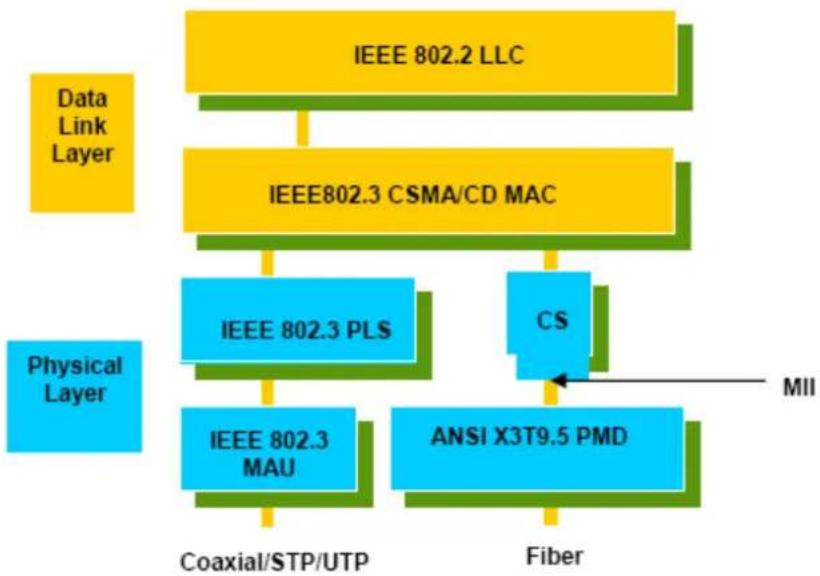
flowchart
graph TD
    A["IEEE 802.2 LLC"] --> B["IEEE802.3 CSMA/CD MAC"]
    B --> C["IEEE 802.3 PLS"]
    B --> D["CS"]
    C --> E["IEEE 802.3 MAU"]
    D --> F["ANSI X3T9.5 PMD"]
    E --> G["Coaxial/STP/UTP"]
    F --> H["Fiber"]
    I["Data Link Layer"] --> A
    J["Physical Layer"] --> C
    K["MII"] --> F
This above diagram shows the Ethernet architecture, LLC sub-layer and MAC sub-layer, which are responded to the Data Link layer, and transceivers, which are responded to the Physical layer in OSI model. In this section, we are mainly describing the MAC sub-layer.
Logical Link Control (LLC)
Data link layer is composed of both the sub-layers of MAC and MAC-client. Here MAC client may be logical link control or bridge relay entity.
Logical link control supports the interface between the Ethernet MAC and upper layers in the protocol stack, usually Network layer, which is nothing to do with the nature of the LAN. So it can operate over other different LAN technology such as Token Ring, FDDI and so on. Likewise, for the interface to the MAC layer, LLC defines the services with the interface independent of the medium access technology and with some of the nature of the medium itself.
| DSAP address | SSAP address | Control | Information |
| 8 bits | 8 bits | 8 or 16 bits | M*8 bits |
| DSAP address | = | Destination service access point address field |
| SSAP address | = | Source service access point address field |
| Control | = | Control field [16 bits for formats that include sequence numbering, and 8 bits for formats that do rot (see 5.2)] |
| Information | = | Information field |
| * | = | Multiplication |
| M | = | An integer value equal to or greater than 0. (Upper bound of M is a function of the medium access control methodology used.) |
The table above is the format of LLC PDU. It comprises four fields, DSAP, SSAP, Control and Information. The DSAP address field identifies the one or more service access points, in which the I/G bit indicates it is individual or group address. If all bit of DSAP is 1s, it's a global address. The SSAP address field identifies the specific services indicated by C/R bit (command or response). The DSAP and SSAP pair with some reserved values indicates some well-known services listed in the table below.
| 0xAAAA | SNAP |
| 0xE0E0 | Novell IPX |
| 0xF0F0 | NetBios |
| 0xFEFE | IOS network layer PDU |
| 0xFFFF | Novell IPX 802.3 RAW packet |
| 0x4242 | STP BPDU |
| 0x0606 | IP |
| 0x9898 | ARP |
LLC type 1 connectionless service, LLC type 2 connection-oriented service and LLC type 3 acknowledge connectionless service are three types of LLC frame for all classes of service. In Fig 3-2, it shows the format of Service Access Point (SAP). Please refer to IEEE802.2 for more details.

A-2 Media Access Control (MAC)
MAC Addressing
Because LAN is composed of many nodes, for the data exchanged among these nodes, each node must have its own unique address to identify who should send the data or should receive the data. In OSI model, each layer provides its own mean to identify the unique address in some form, for example, IP address in network layer.
The MAC is belonged to Data Link Layer (Layer 2), the address is defined to be a 48-bit long and locally unique address. Since this type of address is applied only to the Ethernet LAN media access control (MAC), they are referred to as MAC addresses.
The first three bytes are Organizational Unique Identifier (OUI) code assigned by IEEE. The last three bytes are the serial number assigned by the vendor of the network device. All these six bytes are stored in a non-volatile memory in the device. Their format is as the following table and normally written in the form as aa-bb-cc-dd-ee-ff, a 12 hexadecimal digits separated by hyphens, in which the aa-bb-cc is the OUI code and the dd-ee-ff is the serial number assigned by manufacturer.
Bit 47 Bit 0
The first bit of the first byte in the Destination address (DA) determines the address to be a Unicast (0) or Multicast frame (1), known as I/G bit indicating individual (0) or group (1). So the 48-bit address space is divided into two portions, Unicast and Multicast. The second bit is for global-unique (0) or locally-unique address. The former is assigned by the device manufacturer, and the later is usually assigned by the administrator. In practice, global-unique addresses are always applied.
A unicast address is identified with a single network interface. With this nature of MAC address, a frame transmitted can exactly be received by the target an interface the destination MAC points to.
A multicast address is identified with a group of network devices or network interfaces. In Ethernet, a many-to-many connectivity in the LANs is provided. It provides a mean to send a frame to many network devices at a time. When all bit of DA is 1s, it is a broadcast, which means all network device except the sender itself can receive the frame and response.
Ethernet Frame Format
There are two major forms of Ethernet frame, type encapsulation and length encapsulation, both of which are categorized as four frame formats 802.3/802.2 SNAP, 802.3/802.2, Ethernet II and Netware 802.3 RAW. We will introduce the basic Ethernet frame format defined by the IEEE 802.3 standard required for all MAC implementations. It contains seven fields explained below.
PRE SFD DA SA Type/Length Data Pad bit if any FCS
7 7 6 6 2 46-1500
4
Preamble (PRE) - The PRE is 7-byte long with alternating pattern of ones and zeros used to tell the receiving node that a frame is coming, and to synchronize the physical receiver with the incoming bit stream. The preamble pattern is:
10101010 10101010 10101010 10101010 10101010 10101010 10101010 10101010
Start-of-frame delimiter (SFD) - The SFD is one-byte long with alternating pattern of ones and zeros, ending with two consecutive 1-bits. It immediately follows the preamble and uses the last two consecutive 1s bit to indicate that the next bit is the start of the data packet and the left-most bit in the left-most byte of the destination address. The SFD pattern is 10101011.
Destination address (DA) - The DA field is used to identify which network device(s) should receive the packet. It is a unique address. Please see the section of MAC addressing.
Source addresses (SA) - The SA field indicates the source node. The SA is always an individual address and the left-most bit in the SA field is always 0.
Length/Type - This field indicates either the number of the data bytes contained in the data field of the frame, or the Ethernet type of data. If the value of first two bytes is less than or equal to 1500 in decimal, the number of bytes in the data field is equal to the Length/ Type value, i.e. this field acts as Length indicator at this moment. When this field acts as Length, the frame has optional fields for 802.3/ 802.2 SNAP encapsulation, 802.3/ 802.2 encapsulation and Netware 802.3 RAW encapsulation. Each of them has different fields following the Length field.
If the Length/ Type value is greater than 1500, it means the Length/ Type acts as Type. Different type value means the frames with different protocols running over Ethernet being sent or received.
For example,
| 0x0800 | IP datagram |
| 0x0806 | ARP |
| 0x0835 | RARP |
| 0x8137 | IPX datagram |
| 0x86DD | IPv6 |
Data - Less than or equal to 1500 bytes and greater or equal to 46 bytes. If data is less than 46 bytes, the MAC will automatically extend the padding bits and have the payload be equal to 46 bytes. The length of data field must equal the value of the Length field when the Length/ Type acts as Length.
Frame check sequence (FCS) - This field contains a 32-bit cyclic redundancy check (CRC) value, and is a check sum computed with DA, SA, through the end of the data field with the following polynomial.
$$ \mathrm{G} (x) = x ^ {3 2} + x ^ {2 6} + x ^ {2 3} + x ^ {2 2} + x ^ {1 6} + x ^ {1 2} + x ^ {1 1} + x ^ {1 0} + x ^ {8} + x ^ {7} + x ^ {5} + x ^ {4} + x ^ {2} + x + 1 $$
It is created by the sending MAC and recalculated by the receiving MAC to check if the packet is damaged or not.
How does a MAC work?
The MAC sub-layer has two primary jobs to do:
- Receiving and transmitting data. When receiving data, it parses frame to detect error; when transmitting data, it performs frame assembly.
- Performing Media access control. It prepares the initiation jobs for a frame transmission and makes recovery from transmission failure.
Frame transmission
As Ethernet adopted Carrier Sense Multiple Access with Collision Detect (CSMA/ CD), it detects if there is any carrier signal from another network device running over the physical medium when a frame is ready for transmission. This is referred to as sensing carrier, also "Listen". If
there is signal on the medium, the MAC defers the traffic to avoid a transmission collision and waits for a random period of time, called backoff time, then sends the traffic again.
After the frame is assembled, when transmitting the frame, the preamble (PRE) bytes are inserted and sent first, then the next, Start of frame Delimiter (SFD), DA, SA and through the data field and FCS field in turn. The followings summarize what a MAC does before transmitting a frame.
- MAC will assemble the frame. First, the preamble and Start-of-Frame delimiter will be put in the fields of PRE and SFD, followed DA, SA, tag ID if tagged VLAN is applied, Ethertype or the value of the data length, and payload data field, and finally put the FCS data in order into the responded fields.
- Listen if there is any traffic running over the medium. If yes, wait.
- If the medium is quiet, and no longer senses any carrier, the MAC waits for a period of time, i.e. inter-frame gap time to have the MAC ready with enough time and then start transmitting the frame.
- During the transmission, MAC keeps monitoring the status of the medium. If no collision happens until the end of the frame, it transmits successfully. If there is a collision happened, the MAC will send the patterned jamming bit to guarantee the collision event propagated to all involved network devices, then wait for a random period of time, i.e. backoff time. When backoff time expires, the MAC goes back to the beginning state and attempts to transmit again. After a collision happens, MAC increases the transmission attempts. If the count of the transmission attempt reaches 16 times, the frame in MAC's queue will be discarded.
Ethernet MAC transmits frames in half-duplex and full-duplex ways. In halfduplex operation mode, the MAC can either transmit or receive frame at a moment, but cannot do both jobs at the same time.
As the transmission of a MAC frame with the half-duplex operation exists only in the same collision domain, the carrier signal needs to spend time to travel to reach the targeted device. For two most-distant devices in the same collision domain, when one sends the frame first, and the second sends the frame, in worstcase, just before the frame from the first device arrives. The collision happens and will be detected by the second device immediately. Because of the medium delay, this corrupted signal needs to spend some time to propagate back to the first device. The maximum time to detect a collision is approximately twice the signal propagation time between the two most-distant devices. This maximum time is traded-off by the collision recovery time and the diameter of the LAN.
In the original 802.3 specification, Ethernet operates in half duplex only. Under this condition, when in 10Mbps LAN, it's 2500 meters, in 100Mbps LAN, it's approximately 200 meters and in 1000Mbps, 200 meters. According to the theory, it should be 20 meters. But it's not practical, so the LAN diameter is kept by using to increase the minimum frame size with a variable-length non-data extension bit field which is removed at the receiving MAC. The following tables are the frame format suitable for 10M, 100M and 1000M Ethernet, and some parameter values that shall be applied to all of these three types of Ethernet.
Actually, the practice Gigabit Ethernet chips do not feature this so far. They all have their chips supported full-duplex mode only, as well as all network vendors' devices. So this criterion should not exist at the present time and in the future. The switch's Gigabit module supports only full-duplex mode.
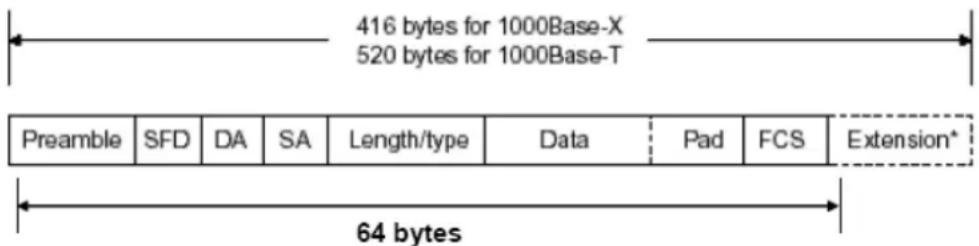
| Parameter value/LAN | 10Base | 100Base | 1000Base |
| Max. collision domain DTE to DTE | 100 meters 100 meters for UTP412 meters for fiber | 100 meters for UTP316 meters for fiber | |
| Max. collision domain with repeater | 2500 meters 205 meters 200 meters | ||
| Slot time | 512 bit times 512 bit times 512 bit times | ||
| Interframe Gap | 9.6us | 0.96us | 0.096us |
| AttemptLimit | 16 | 16 | 16 |
| BackoffLimit | 10 | 10 | 10 |
| JamSize | 32 bits 32 bits 32 bits | ||
| MaxFrameSize | 1518 | 1518 | 1518 |
| MinFrameSize | 64 | 64 | 64 |
| BurstLimit | Not applicable Not applicable 65536 bits | ||
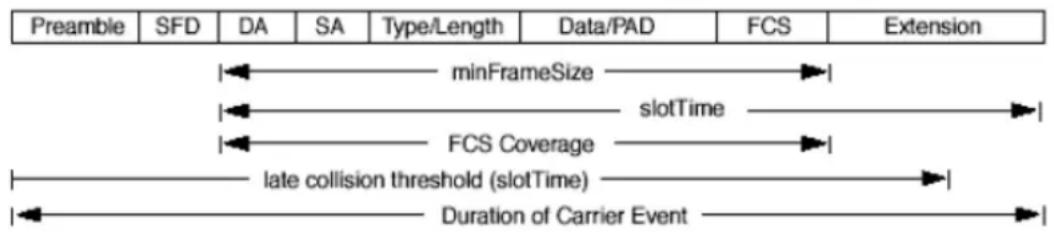
In full-duplex operation mode, both transmitting and receiving frames are processed simultaneously. This doubles the total bandwidth. Full duplex is much easier than half duplex because it does not involve media contention, collision, retransmission schedule, padding bits for short frame. The rest functions follow the specification of IEEE802.3. For example, it must meet the requirement of minimum inter-frame gap between successive frames and frame format the same as that in the half-duplex operation.
Because no collision will happen in full-duplex operation, for sure, there is no mechanism to tell all the involved devices. What will it be if receiving device is busy and a frame is coming at the same time? Can it use “backpressure” to tell the source device? A function flow control is introduced in the full-duplex operation.
A-3 Flow Control
Flow control is a mechanism to tell the source device stopping sending frame for a specified period of time designated by target device until the PAUSE time expires. This is accomplished by sending a PAUSE frame from target device to source device. When the target is not busy and the PAUSE time is expired, it will send another PAUSE frame with zero time-to-wait to source device. After the source device receives the PAUSE frame, it will again transmit frames immediately. PAUSE frame is identical in the form of the MAC frame with a pause-time value and with a special destination MAC address 01-80-C2-00-00-01. As per the specification, PAUSE operation can not be used to inhibit the transmission of MAC control frame.
Normally, in 10Mbps and 100Mbps Ethernet, only symmetric flow control is supported. However, some switches (e.g. 24-Port GbE Web Smart Switch) support not only symmetric but asymmetric flow controls for the special application. In Gigabit Ethernet, both symmetric flow control and asymmetric flow control are supported. Asymmetric flow control only allows transmitting PAUSE frame in one way from one side, the other side is not but receipt-and-discard the flow control information. Symmetric flow control allows both two ports to transmit PASUE frames each other simultaneously.
Inter-frame Gap time
After the end of a transmission, if a network node is ready to transmit data out and if there is no carrier signal on the medium at that time, the device will wait for a period of time known as an inter-frame gap time to have the medium clear and stabilized as well as to have the jobs ready, such as adjusting buffer counter, updating counter and so on, in the receiver site. Once the inter-frame gap time expires after the de-assertion of carrier sense, the MAC transmits data. In IEEE802.3 specification, this is 96-bit time or more.
Collision
Collision happens only in half-duplex operation. When two or more network nodes transmit frames at approximately the same time, a collision always occurs and interferes with each other. This results the carrier signal distorted and undiscriminated. MAC can afford detecting, through the physical layer, the distortion of the carrier signal. When a collision is detected during a frame transmission, the transmission will not stop immediately but, instead, continues transmitting until the rest bits specified by jamSize are completely transmitted. This guarantees the duration of collision is enough to have all involved devices able to detect the collision. This is referred to as Jamming. After jamming pattern is sent, MAC stops transmitting the rest data queued in the buffer and waits for a random period of time, known as backoff time with the following formula. When backoff time expires, the device goes back to the state of attempting to transmit frame. The backoff time is determined by the formula below. When the times of collision is increased, the backoff time is getting long until the collision times excess 16. If this happens, the frame will be discarded and backoff time will also be reset.
$$ 0 \leq r < 2 ^ {k} $$
where
$$ k = \min (n, 1 0) $$
Frame Reception
In essence, the frame reception is the same in both operations of half duplex and full duplex, except that full-duplex operation uses two buffers to transmit and receive the frame independently. The receiving node always “listens” if there is traffic running over the medium when it is not receiving a frame. When a frame destined for the target device comes,
the receiver of the target device begins receiving the bit stream, and looks for the PRE (Preamble) pattern and Start-of-Frame Delimiter (SFD) that indicates the next bit is the starting point of the MAC frame until all bit of the frame is received.
For a received frame, the MAC will check:
- If it is less than one slotTime in length, i.e. short packet, and if yes, it will be discarded by MAC because, by definition, the valid frame must be longer than the slotTime. If the length of the frame is less than one slotTime, it means there may be a collision happened somewhere or an interface malfunctioned in the LAN. When detecting the case, the MAC drops the packet and goes back to the ready state.
- If the DA of the received frame exactly matches the physical address that the receiving MAC owns or the multicast address designated to recognize. If not, discards it and the MAC passes the frame to its client and goes back to the ready state.
- If the frame is too long. If yes, throws it away and reports frame Too Long.
- If the FCS of the received frame is valid. If not, for 10M and 100M Ethernet, discards the frame. For Gigabit Ethernet or higher speed Ethernet, MAC has to check one more field, i.e. extra bit field, if FCS is invalid. If there is any extra bits existed, which must meet the specification of IEEE802.3. When both FCS and extra bits are valid, the received frame will be accepted, otherwise discards the received frame and reports frameCheckError if no extra bits appended or alignmentError if extra bits appended.
- If the length/ type is valid. If not, discards the packet and reports lengthError.
- If all five procedures above are ok, then the MAC treats the frame as good and de-assembles the frame.
What if a VLAN tagging is applied?
VLAN tagging is a 4-byte long data immediately following the MAC source address. When tagged VLAN is applied, the Ethernet frame structure will have a little change shown as follows.
| Pre | SFD | DA | SA | VLAN type ID | Tag control information | Length/ type | Data | Pad | FCS | Ext |
Only two fields, VLAN ID and Tag control information are different in comparison with the basic Ethernet frame. The rest fields are the same.
The first two bytes is VLAN type ID with the value of 0x8100 indicating the received frame is tagged VLAN and the next two bytes are Tag Control Information (TCI) used to provide user priority and VLAN ID, which are explained respectively in the following table.
| Bits 15-13 | User Priority 7-0, 0 is lowest priority |
| Bit 12 | CFI (Canonical Format Indicator)1: RIF field is present in the tag header0: No RIF field is present |
| Bits 11-0 | VID (VLAN Identifier)0x000: Null VID. No VID is present and only user priority is present.0x001: Default VID0xFFFF: Reserved |
Note: RIF is used in Token Ring network to provide source routing and comprises two fields, Routing Control and Route Descriptor.
When MAC parses the received frame and finds a reserved special value 0x8100 at the location of the Length/ Type field of the normal non-VLAN frame, it will interpret the received frame as a tagged VLAN frame. If this happens in a switch, the MAC will forward it, according to its priority and egress rule, to all the ports that is associated with that VID. If it happens in a network interface card, MAC will deprive of the tag header and process it in the same way as a basic normal frame. For a VLAN-enabled LAN, all involved devices must be equipped with VLAN optional function.
At operating speeds above 100 Mbps, the slotTime employed at slower speeds is inadequate to accommodate network topologies of the desired physical extent. Carrier Extension provides a means by which the slotTime can be increased to a sufficient value for the desired topologies, without increasing the minFrameSize parameter, as this would have deleterious effects. Nondata bits, referred to as extension bits, are appended to frames that are less than slotTime bits in length so that the resulting transmission is at least one slotTime in duration. Carrier Extension can be performed only if the underlying physical layer is capable of sending and receiving symbols that are readily distinguished from data symbols, as is the case in most physical layers that use a block encoding/ decoding scheme.
The maximum length of the extension is equal to the quantity (slotTime - minFrameSize). The MAC continues to monitor the medium for collisions while it is transmitting extension bits, and it will treat any collision that occurs after the threshold (slotTime) as a late collision.
Index
A Account Manager, 203, 204
B
Backup Manager, 201
Bandwidth, 163
C
CoS Mapping, 160
D
Dashboard, 16, 17
Diagnostics, 209, 221
DoS, 126
DoS Port Setting, 128
DoS Protection, 128
E
Egress Shaping Per Queue, 165
Egress Shaping Rate, 164
F
Factory Default, 206
G
General, 146, 149, 154, 156
General Setup, 22
I
Ingress Rate Limit, 163
Installation for VigorAPM, 6
L
License Agreement, 25
License Information, 28, 29, 34, 50, 51, 78, 79, 88
Limiting Rate, 125
P
PoE Configuration, 167
Preamble, 124
Properties, 126
Q
QoS Configuration, 145, 155
S
Security, 93, 107
SNMP, 186
SNMP Community, 190, 191, 193
Storm Control, 125
Storm Control, 94, 108, 110, 111, 113, 116, 122, 124
Storm Control, 129
Storm Control, 132
Storm Control, 137
Stric Priority Queue, 159
System Configuration, 21
System Maintenance, 173
U
Upgrade Manager, 202
W
Weight, 159
WRR Bandwidth, 159


- User's Guide
- VigorSwitch P2500
- PoE L2 Managed Gigabit Switch
- Copyrights
- Trademarks
- Caution
- Warranty
- Be a Registered Owner
- Firmware & Tools Updates
- Table of Contents
- Part I Introduction....1
- Part II Switch LAN....21
- Part III ONVIF Surveillance....93
- Part IV Security ....107
- Part V ACL Configuration....145
- Part VI QoS Configuration....155
- Part VII PoE Configuration....167
- Part VIII System Maintenance....173
- Part IX Diagnostics....209
- Part X Mail Alert 221
- Part XI Telnet Commands....225
- Appendix: Reference....333
- Index 343
- Part I Introduction
- I-1 Introduction
- I-1-1 Key Features
- QoS
- VLAN
- Port Trunking
- Power Saving
- I-1-2 Specifications
- Hardware
- Management
- I-1-3 Packing List
- I-1-4 LED Indicators and Connectors
- Note:
- I-2 Installation
- I-2-1 Typical Applications
- Case 5: Desktop Installation
- Case 6: Rack-mount Installation
- I-2-2 Installing Network Cables
- I-2-3 Configuring the Management Agent of Switch
- I-2-4 Managing VigorSwitch P2500 through Ethernet Port
- I-2-5 IP Address Assignment
- IP address:
- Class A:
- Class B:
- Class C:
- Class D and E:
- Subnet mask:
- I-3 Accessing Web Page of VigorSwitch
- 1-4 Dashboard
- I-5 Status
- I-5-1 Port Bandwidth Utilization
- I-5-2 LLDP Statistics
- I-5-3 GVRP Statistics
- I-5-4 MLD Snooping Statistics
- I-5-5 Hardware Monitor
- Part II Switch LAN
- II-1 General Setup
- II-1-1 IP Address
- Info
- II-1-2 IPv6 Address
- II-1-3 Management VLAN
- II-2 Port Setting
- II-2-1 General Setting
- II-2-2 Protected Ports
- II-3 Mirror
- II-4 Link Aggregation
- II-4-1 LAG Setting
- II-4-2 LAG Management
- II-4-3 LAG Port Setting
- II-4-4 LACP Setting
- II-4-5 LACP Port Setting
- II-5 VLAN Management
- II-5-1 Create VLAN
- Modify
- II-5-2 Interface Settings
- II-5-3 Voice VLAN
- II-5-3-1 Properties
- II-5-3-2 Telephony OUI Setting
- II-5-3-3 Port Setting
- II-5-4 MAC VLAN
- II-5-4-1 MAC Group
- I-5-4-3 Group Binding
- II-5-5 Protocol VLAN
- II-5-5-1 Protocol Group
- Edit
- II-5-5-2 Group Binding
- II-5-6 Surveillance VLAN
- II-5-6-1 Property
- II-5-6-1 Surveillance OUI
- II-5-7 GVRP
- II-5-7-1 Property
- II-5-7-2 Membership
- II-7 Multicast
- II-7-1 Properties
- II-7-2 IGMP Snooping
- II-7-2-1 IGMP Setting
- Edit VLAN ID 1
- IGMP Snooping State
- Router Ports Auto Learn
- Query Robustness (Operational: 2)
- Query Interval (Operational: 125)
- Query Response Interval (Operational: 10)
- Last Member Query Counter (Operational: 2)
- Last Member Query Interval (Operational: 1)
- Immediate Leave:
- II-7-2-2 IGMP Querier Setting
- II-7-2-3 IGMP Static Group
- II-7-2-4 IGMP Group Table
- II-7-2-5 IGMP Router Table
- II-7-2-6 Forward All
- II-7-2-7 Throttling
- II-7-2-8 Filtering Profile
- II-7-2-9 Filtering Binding
- II-7-3 MVR
- II-7-3-1 Property
- II-7-3-2 Port Setting
- II-7-3-3 Group Address
- II-7-4 MLD Snooping
- II-7-4-1 MLD Setting
- II-7-4-2 MLD Static Group
- II-7-4-3 MLD Group Table
- II-7-4-4 MLD Router Table
- II-7-4-5 Forward All
- II-7-4-6 Throttling
- II-7-4-7 Filtering Profile
- II-7-4-8 Filtering Binding
- II-8 Jumbo Frame
- II-9 STP
- II-9-1 Properties
- II-9-2 Port Setting
- II-9-3 Bridge Setting
- II-9-4 Port Advanced Setting
- II-9-5 Statistics
- II-9-6 MST Instance
- II-9-7 MST Port Setting
- II-10 MAC Address Table
- II-10-1 Static MAC Setting
- II-10-2 Dynamic Address Setting
- II-10-3 Dynamic Learned
- II-11 Blocked Port Recover
- Part III ONVIF Surveillance
- III-1 Discovery
- III-2 Topology
- III-2-1 Status
- III-2-2 Throughput Threshold
- III-3 Video
- III-4 Device Maintenance
- III-4-1 General
- III-4-1 Network
- III-4-3 Security
- Part IV Security
- IV-1 RADIUS
- IV-2 TACACS+
- IV-3 Management Access Authentication
- IV-3-1 Method Profile
- IV-3-2 Application Authentication
- IV-4 Management Access Control
- IV-4-1 Management Access Control Profile (ACL)
- IV-4-2 Management Access Control Entries (ACE)
- IV-5 802.1X/MAC Authentication
- IV-5-1 Properties
- IV-5-1-1 Global Settings
- IV-5-1-2 Port Authentication Setting
- IV-5-2 Port Control/Settings
- IV-5-3 MAC-Based Local Account
- IV-5-4 Authenticated Hosts
- IV-6 Port Security
- IV-7 Storm Control
- N-7-1 Properties
- IV-7-2 Port Setting
- IV-8 DoS
- IV-8-1 Properties
- IV-8-2 DoS Port Setting
- IV-9 Dynamic ARP Inspection
- IV-9-1 Properties
- IV-9-1-1 Global Property Settings
- IV-9-1-2 Per Port Property Settings
- IV-9-2 Statistics
- IV-10 DHCP Snooping
- IV-10-1 Properties
- IV-10-1-1 Global Property Settings
- IV-10-1-2 Per Port Property Settings
- IV-10-2 Statistics
- IV-10-3 Option82 Property
- IV-10-3-1 Global Option82 Property Settings
- IV-10-3-2 Per Port Option82 Property Settings
- III-10-4 Option82 Circuit ID
- IV-11 IP Source Guard
- IV-11-1 Port Settings
- IV-11-2 IMPV Binding
- IV-12 IP Conflict Prevention
- IP Conflict Prevention Setup Wizard
- IV-13 Loop Protection
- Part V ACL Configuration
- V-1 Create ACL
- V-1-1 MAC
- V-1-2 IPv4
- V-1-3 IPv6
- V-2 Create ACE
- V-2-1 MAC
- V-2-2 IPv4
- V-2-3 IPv6
- V-3 ACL Binding
- Part VI QoS Configuration
- VI-1 General
- VI-1-1 Properties
- VI-1-1-1 QoS General Setting
- VI-1-1-2 Trust Ports
- VI-1-2 Port Settings
- VI-1-3 Queue Settings
- Strict Priority Queue Number
- VI-1-4 CoS Mapping
- VI-1-5 DSCP Mapping
- VI-2 Bandwidth
- VI-2-1 Ingress Rate Limit
- VI-2-2 Egress Shaping Rate
- VI-2-3 Egress Shaping Per Queue
- Part VII PoE Configuration
- VII-1 Properties
- VII-2 Status
- VII-3 Schedule
- VII-3-1 Schedule Profile
- VII-4-2 Port Scheduling
- Part VIII System Maintenance
- VIII-2 OpenVPN
- VIII-3 Webhook
- VIII-4 LLDP
- VII-4-1 Properties
- VII-4-2 LLDP Port Setting
- VIII-4-3 LLDP Local Device
- VIII-4-4 MED Network Policy
- VIII-4-5 LLDP MED Port Settings
- VIII-4-6 LLDP Remote Device
- VIII-4-7 LLDP Overloading
- VIII-5 SNMP
- VIII-5-1 View
- VIII-5-2 Group
- VIII-5-3 Community
- VIII-5-4 User
- VIII-5-5 Engine ID
- VIII-5-5-1 Local Engine ID
- VIII-5-5-2 Remote Engine ID
- VIII-5-6 Trap Event
- VIII-5-7 Notification
- VIII-6 Access Manager
- VIII-7 Time and Date
- VIII-7-1 System Time Zone
- VII-7-2 Time
- VIII-8 Backup Manager
- VIII-9 Upgrade Manager
- VIII-10 Firmware Information
- VIII-11 Account Manager
- VIII-12 Factory Default
- VIII-13 Reboot Switch
- Part IX Diagnostics
- IX-1 Device Check
- IX-2 Cable Diagnostics
- IX-3 Ping Test
- IX-4-1 SysLog Explorer
- IX-4-2 SysLog Settings
- IX-4-2-1 SysLog Service
- IX-4-2-2 Local SysLog
- IX-4-2-3 Remote SysLog
- IX-4-2-4 SysLog Mail
- IX-5 Fan Test
- Part X Mail Alert
- X-1 Alert Setting
- Part XI Telnet Commands
- XI-1 Accessing Telnet of VigorSwitch
- XI-2 Available Commands
- XI-2-1 Clear Configuration
- Telnet Command: clear arp
- Syntax Items
- Telnet Command: clear authentication
- Example
- Telnet Command: clear gvrp
- Telnet Command: clear interfaces
- Telnet Command: clear ip
- Telnet Command: clear ipv6
- Description
- Telnet Command: clear lacp
- Telnet Command: clear line
- Telnet Command: clear lldp
- Telnet Command: clear logging
- Telnet Command: clear mac
- Telnet Command: clear mvr
- Telnet Command: clear spanning-tree
- XI-2-2 Clock Configuration
- Telnet Command: clock set
- XI-2-3 Configure Configuration
- Telnet Command: aaa
- Telnet Command: authentication
- Telnet Command: boot
- Telnet Command: clock
- Telnet Command: custom
- Telnet Command: dos
- Telnet Command: dray\_surveillance
- Telnet Command: do
- Telnet Command: enable
- Telnet Command: end
- Telnet Command: errdisable
- Telnet Command: exit
- Telnet Command: gvrp
- Telnet Command: hostname
- Telnet Command: interface
- Related Syntax:
- Telnet Command: ip
- Telnet Command: jumbo-frame
- Telnet Command: Iacp
- Telnet Command: lag
- Telnet Command: line
- Telnet Command: Ildp
- Telnet Command: logging
- Telnet Command: logmail
- Telnet Command: loop-protection
- Telnet Command: mac
- Telnet Command: mail alert
- Telnet Command: management
- Telnet Command: management-vlan
- Telnet Command: mirror
- Telnet Command: mvr
- Telnet Command: no
- Telnet Command: openvpn
- Telnet Command: poe
- Telnet Command: port-security
- Telnet Command: qos
- Telnet Command: radius
- Telnet Command: schedule
- Telnet Command: sntp
- Telnet Command: spanning-tree
- Telnet Command: start-up
- Telnet Command: storm-control
- Telnet Command: surveillance-vlan
- Telnet Command: system
- Telnet Command: tacacs
- Telnet Command: tr069
- Telnet Command: udId
- Telnet Command: username
- Telnet Command: vlan
- Telnet Command: voice-vlan
- Telnet Command: webhook
- XI-2-4 Copy Configuration
- XI-2-5 Delete Configuration
- XI-2-6 Disable Configuration
- XI-2-7 End Configuration
- XI-2-8 Exit Configuration
- XI-2-9 Ping Configuration
- XI-2-10 Reboot Configuration
- XI-2-11 Renew Configuration
- XI-2-12 Restore-defaults Configuration
- XI-2-13 Save Configuration
- XI-2-14 Show Configuration
- XI-2-15 SSL Configuration
- XI-2-16 Terminal Configuration
- XI-2-17 Traceroute Configuration
- XI-2-18 UDLD Configuration
- Appendix: Reference
- A-1 What's the Ethernet
- Logical Link Control (LLC)
- A-2 Media Access Control (MAC)
- MAC Addressing
- Ethernet Frame Format
- How does a MAC work?
- Frame transmission
- A-3 Flow Control
- Inter-frame Gap time
- Collision
- Frame Reception
- What if a VLAN tagging is applied?
- Index
- B
- C
- D
- E
- F
- G
- I
- L
- P
- Q
- S
- U
- W
Brand : Draytek
Model : VigorSwitch P2500
Category : Network switch