GV-B600LZ - Surveillance Camera Geovision - Free user manual and instructions
Find the device manual for free GV-B600LZ Geovision in PDF.


User questions about GV-B600LZ Geovision
0 question about this device. Answer the ones you know or ask your own.
Ask a new question about this device
Download the instructions for your Surveillance Camera in PDF format for free! Find your manual GV-B600LZ - Geovision and take your electronic device back in hand. On this page are published all the documents necessary for the use of your device. GV-B600LZ by Geovision.
USER MANUAL GV-B600LZ Geovision
The GV-B600LZ Brackets are required for installing the GV-ML600 electromagnetic lock on in-swing doors. The L bracket is used to mount the magnetic GV-ML600 lock body on the door frame above the door and the Z brackets attach the magnet faceplate to the door.
Packing List
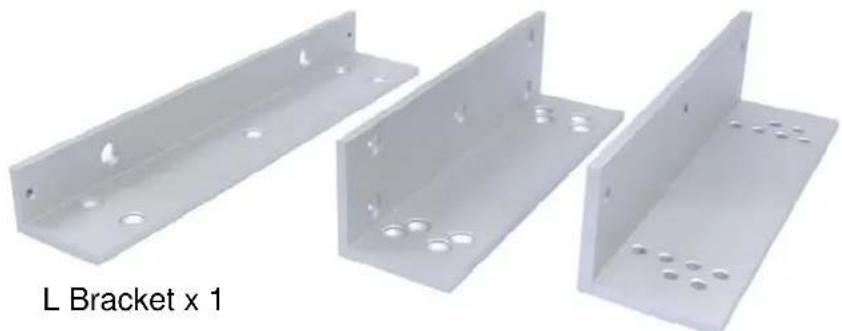
- L-Z Brackets for magnetic lock x 3
natural_image
Three metallic L-bracket components with holes, shown from different angles (no text or symbols on the brackets)Z Bracket x 2
- M8 (35 mm) screw + black rubber spacer x 1

- M5 (5 mm) screw x 6

Note: To install the GV-B600LZ brackets, you will need to use the lock body, magnet faceplate, inner hexagon wrench and galvanized steel rivets, which are parts supplied with the GV-ML600 electromagnetic lock.
Dimensions
• L Bracket

text_image
238 154 250 48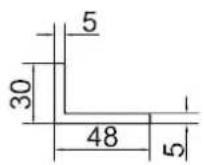
(Unit: mm)
- Z Bracket (A)
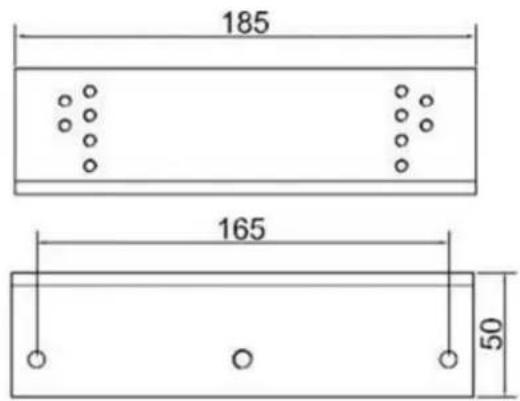
text_image
185 165 50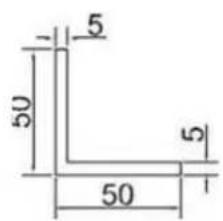
text_image
5 50 50 5• Z Bracket (B)

text_image
185 145 50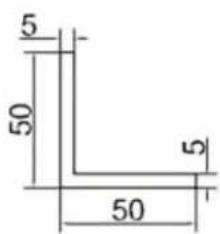
text_image
5 50 50 5(Unit: mm)
Installation
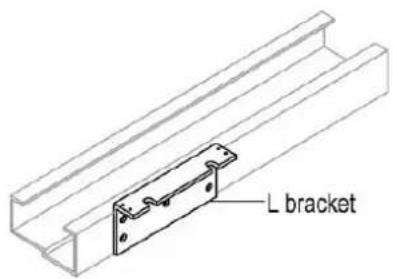
- Attach the L bracket on the door frame above the door using four screws.
text_image
L bracketNote: You have to self-prepare the four screws.
- Take the lock body from GV-ML600 electromagnetic lock, remove the two aluminum plugs on the side, and unscrew the screws inside.

natural_image
Isometric line drawing of a rectangular mechanical component with red alignment markers (no text or symbols)- Remove the mounting plate from the lock body.

natural_image
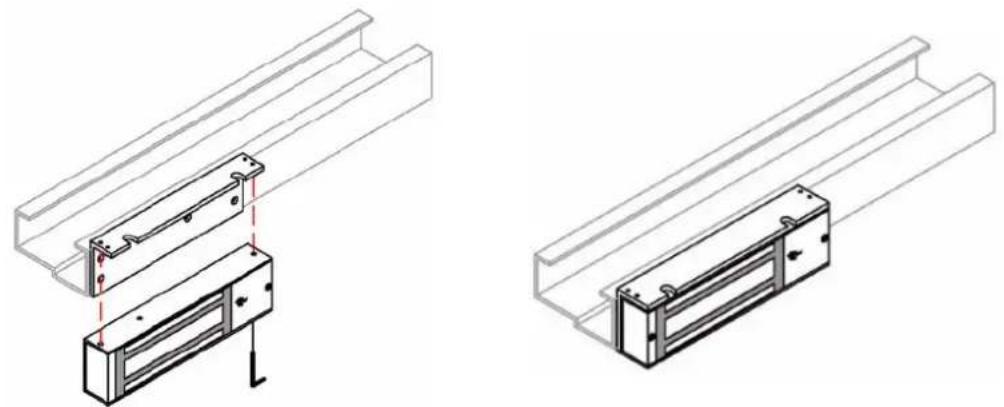
Technical illustration of a mechanical component with two views: top shows a rectangular plate with holes, bottom shows a U-shaped housing with internal channels (no text or symbols)- Attach the lock body to the L bracket and secure the mounting screws from step 2 using the inner hexagon wrench that comes with the GV-ML600.
- Place the two aluminum plugs back into the mounting screw holes.
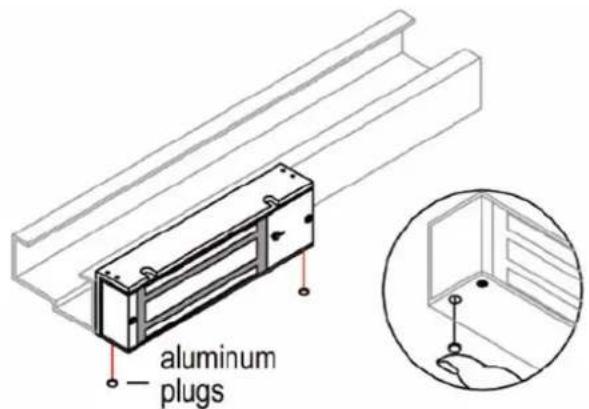
text_image
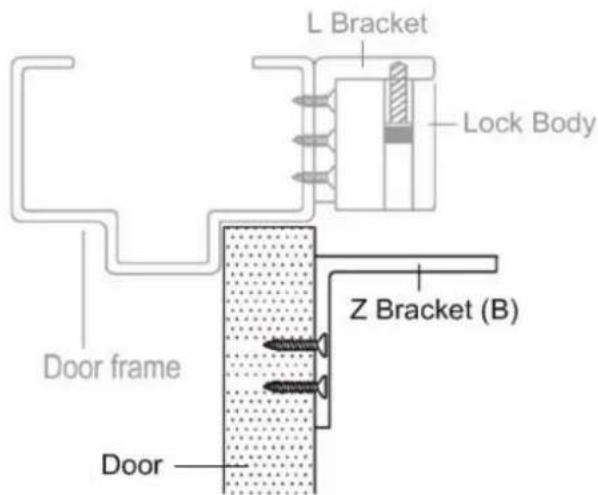
aluminum plugs- Mount Z bracket (B) onto the door by tightening four screws.
text_image
L Bracket Lock Body Door frame Z Bracket (B) DoorNote: You have to self-prepare the four screws.
- Place the magnet faceplate from the GV-ML600 on the Z bracket (A) and insert the supplied M8 (35 mm) screw and black rubber spacer to the hole in the center. Insert the 2 galvanized steel rivets that come with the GV-ML600 toward the edges of the magnet faceplate.
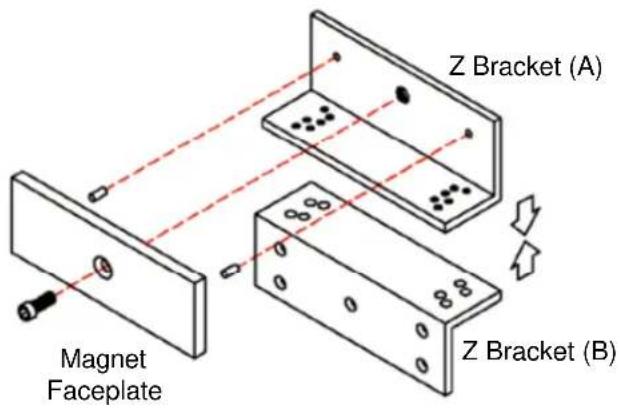
text_image
Magnet Faceplate Z Bracket (A) Z Bracket (B)- Place Z bracket (A) with the magnet faceplate on Z bracket (B) and insert the supplied M5 (5 mm) screws. Before tightening the screws, adjust the position of the Z brackets so that the magnet faceplate contacts the lock body.

text_image
Magnet Faceplate Lock Body Z Brackets Door frame Door 80 50The L-Z brackets should look like the illustration below after installation is completed.
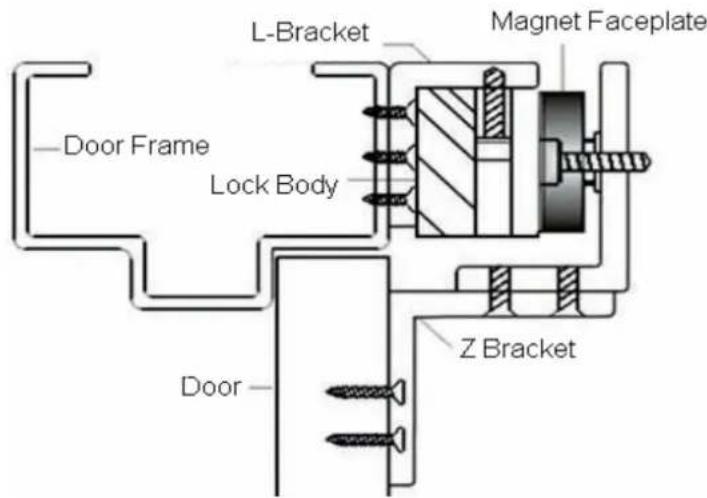
text_image
Door Frame L-Bracket Magnet Faceplate Lock Body Z Bracket DoorSpecifications
| Holding Force | 272.15 kg (600 lb) | |
| Dimensions(L x W x H) | L bracket | 250 x 48 x 30 mm (9.8" x 1.9" x 1.2") |
| Z bracket (x 2) | 185 x 50 x 50 mm (7.3" x 2.0" x 2.0") | |
| Weight (3 brackets) | 750 g (1.65 lb) | |
| Material | aluminum | |
All specifications are subject to change without notice.