RT21MGSW - Fridge SAMSUNG - Free user manual and instructions
Find the device manual for free RT21MGSW SAMSUNG in PDF.


User questions about RT21MGSW SAMSUNG
0 question about this device. Answer the ones you know or ask your own.
Ask a new question about this device
Download the instructions for your Fridge in PDF format for free! Find your manual RT21MGSW - SAMSUNG and take your electronic device back in hand. On this page are published all the documents necessary for the use of your device. RT21MGSW by SAMSUNG.
USER MANUAL RT21MGSW SAMSUNG
OWNER'S INSTRUCTIONS
Before operating the unit, plase read this manual thoroughly, and retain for future reference.

natural_image
Line drawing of two refrigerator units, one front and one side, with no text or symbols present.BEFORE CALLING SERVICE
When the Refrigerator / Freezer is not operating or the food does not freeze sufficiently:
- Is the plug properly connected?
- Is the power fuse blown?
- Are the temperature controls set properly (not set to "COLD")?
- Is the appliance exposed to direct sunlight or installed near a heater?
- Does the appliance have enough clearance from the wall in all directions?

text_image
is t ct er? h ec-When you hear a sound like water flowing:
- This sound is generated by movement of the refrigerant and is not a malfunction.

natural_image
Cartoon illustration of a smiling refrigerator with arms and legs, no text or symbols presentWhen food freezes in the refrigerator:
- Are the temperature controls set properly (not set to "COLDER")?
- If the food is juicy or very moist, is the tem temperature control set to "COLDER"?
- Is the ambient temperature too low?

natural_image
Cartoon illustration of a refrigerant refrigerator with steam rising, showing a sad face and waving leaves (no text or symbols)When you notice a foul odor inside the appliance:
- Do you have spoiled food in the refrigerator?
- Is all food stored in sealed containers?
- Has fluid collected in the bottom of the vegetable bin?
- Are the freezer evaporation slots clogged?
- Has the evaporation tray at the back of the appliance become foul?

natural_image
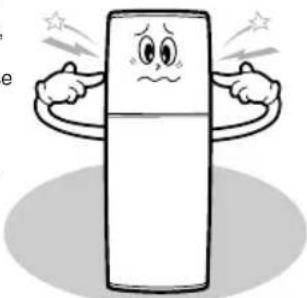
Cartoon illustration of a door with a hand holding the lid, showing motion lines (no text or symbols)When there is noise from the unit:
- Is the refrigerator installed on a flat, stable surface?
- Is the appliance positioned too close to a wall?
- Are there any objects behind or under the refrigerator?
- Is the sound coming from the compressor?
natural_image
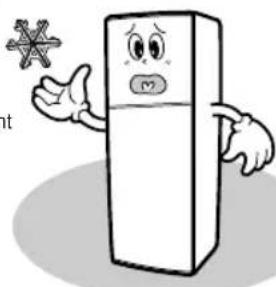
Cartoon illustration of a smiling refrigerator with arms and facial expressions (no text or symbols)When frost develops inside the freezer:
- Does the door seal tightly?
- Are the evaporation slots clogged?
- Is there enough room for efficient air circulation
natural_image
Cartoon illustration of a smiling refrigerator with arms and a snowflake symbol (no text or symbols present)When the rear or side panel of the refrigerator is hot:
- Is a radiation (air ventilator/cooler) pipe installed?
- Is the ambient temperature high?
- Has dew formed on the outside of the appliance because of high humidity?

natural_image
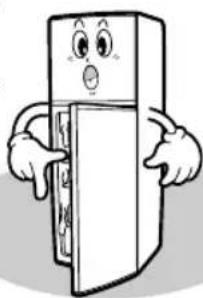
Illustration of a door with open doors and two hands reaching out (no text or symbols)When dew develops on the vegetable compartment:
- Does the door seal tightly?
- Have you left the door open for a long time?
- Is liquid stored without a cover?
natural_image
Cartoon illustration of a smiling refrigerator with arms and legs, pointing to the door (no text or symbols)FEATURES

natural_image
Illustration of two people sitting at a table with a window and a book, no text or symbols presentTwist Ice cube tray
: Easy to make and dispense ice.
Auxiliary shelf of Freezer room
: Convenient for storage of small size frozen foods such as ice-cream.
Jumbo storage guards
: Holds large bottles securely.
Revolving storage guard
: For storage of tall bottles, revolve this guard to the upward position.
Moisture Control for vegetable Storage
: Moisture controller for vegetable storage bin.
Safety precautions
Read Instructions
: Please read all safety and operating precautions before operating this appliance.
Retain Instructions
: Please keep this Owner's Manual for future reference.
Heed Warnings.
: All warnings, Cautions and Notes on this manual are important; please pay attention to them.
Follow Instructions.
: For best results, follow all instructions given in this manual.
Model and Serial Numbers.
: Include both of the model number and the serial number when corresponding with Samsung of your Dealer concerning this product.
This manual is made for multiple models
Model TYPE, TYPE B (P9)
Date of Purchase: ____
Model No.: ____
Serial No.:
Contents
Features.....1
Installation 3
Leveling the appliance ..... 4
Cautions while using ..... 4
Parts
- TYPE A MODEL ..... 5
Basic preparation
- Before using 6
How to use the water dispenser . . 6
- Storing food. 7
How to use
- Temperature control. . . . . . . . 8
- To make ice cubes
- TYPE A. 9
- TYPE B. 9
- Chiller Compartment vegetable .
bin....10
Replacing the lamp. 10
Removing the accessories ..... 11
Cleaning the refrigerator. . . . . . 13
Before calling service ..... 14
* Depending on model
INSTALLATION
natural_image
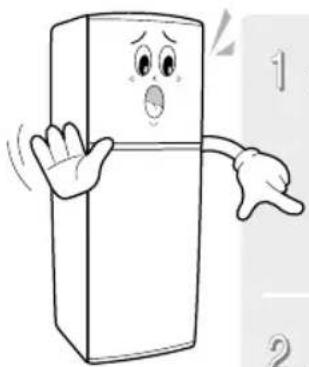
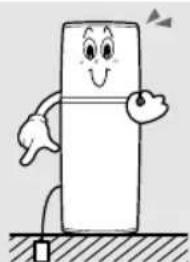
Cartoon illustration of a smiling refrigerator with arms and legs, no text or symbols present1 Install this refrigerator on a firm, flat surface.

natural_image
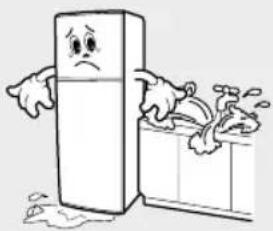
Cartoon illustration of a smiling rectangular object resembling a refrigerator with arms pointing, supported by a fork (no text or symbols)2 Avoid locations affected by dampness.
natural_image
Cartoon illustration of a distressed refrigerator with arms and legs, standing beside a washing machine (no text or symbols)
The Environment
- Dispose of the packaging for this appliance in a responsible manner.
- When disposing of refrigerator, first remove the doors, door seals and/or handles to ensure small children or animals cannot become trappend inside.
Contact your local authorities in regard to safe environmental disposal of the appliance.
Note : This product contains cyclopentane insulation blowing agent which is flammable.
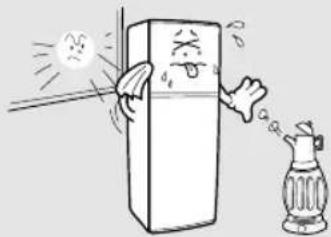
3 For optimum operation, normal room tem perature is recommended. Avoid locations in direct sunlight, near heaters, radiators, stoves or ovens.
natural_image
Cartoon illustration of a refrigerator with a glass chimney emitting smoke (no text or symbols)4 Allow a 50mm space between the refrigerator and the wall. If you refrigerator is going into a recessed area, allow at least 300mm clearance above the refrigerator.

text_image
above 300mm above 50mm above 50mm5 For personal safety, properly ground this appliance. Do not ground this refrigerator with a telephone line, gas pipe, etc. For some countries the power plug provides grounding by its earth pin.
natural_image
Cartoon illustration of a smiling refrigerator character with arms and legs, standing on a surface (no text or symbols)LEVELING THE APPLIANCE
natural_image
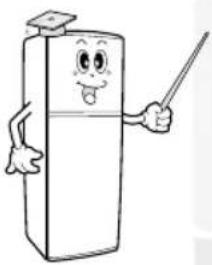
Cartoon illustration of a smiling refrigerator character holding a pointer (no text or symbols)To compensate for any floor unevenness, adjust the height of the appliance by turning the adjustable feet clockwise or counterclockwise. The adjustable feet are at the front along the lower edge of the refrigerator chassis,
When the refrigerator leans to the left, turn the left front foot counterclockwise.
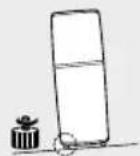
When the refrigerator leans to the right, turn the right front foot counterclockwise.

CAUTIONS WHILE USING
natural_image
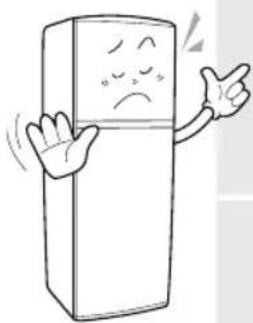
Cartoon illustration of a smiling refrigerator with arms and facial expression (no text or symbols)- Do not allow water to splash onto the back of the refrigerator.
- Water impair the insulation of electric parts and may cause an electrical shorts or a shock hazard.
2 - Do not use flammable sprays such as lacquer and paint or room insecticide aerosols near the refrigerator.
- Normal thermostat contact arcing may ignite flammable aerosols.


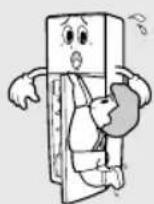
3 - This appliance is not intended of use by young children or infirm persons unless they have been adequately supervised by a responsible person to ensure they can use the appliance safely, young children should be appliance.
- To avoid damage to the refrigerator or injury to the child, do not allow children to hang on the refrigerator door.
4
- For optimum operation, do not leave the door open for any longer than necessary.
- Leaving the door open allows warmer air to enter the refrigerator and causes the refrigeration unit to use more energy to maintain the cool temperature.

5
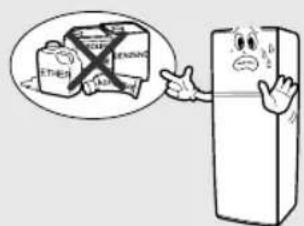
- Do no store volatile chemicals such as ether and benzene in the refrigerator.
- The fumes, besides damaging food, can build up and cause an explosion through normal thermostat contact operation biological specimens should not be stored in this appliance. This appliance is intended for domestic use only.
text_image
ETHIEN BENDING A A A6
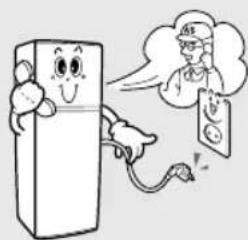
- Do not use the refrigerator if it is not operating correctly or has been damaged. Disconnect it from the power supply and call your local service center.
- If the power cord is damaged, avoid a hazard by replacing it through the manufacturer or its service agent or a similarly qualified person.
natural_image
Cartoon illustration of a smiling refrigerator with a phone emitting smoke (no text or symbols)PARTS
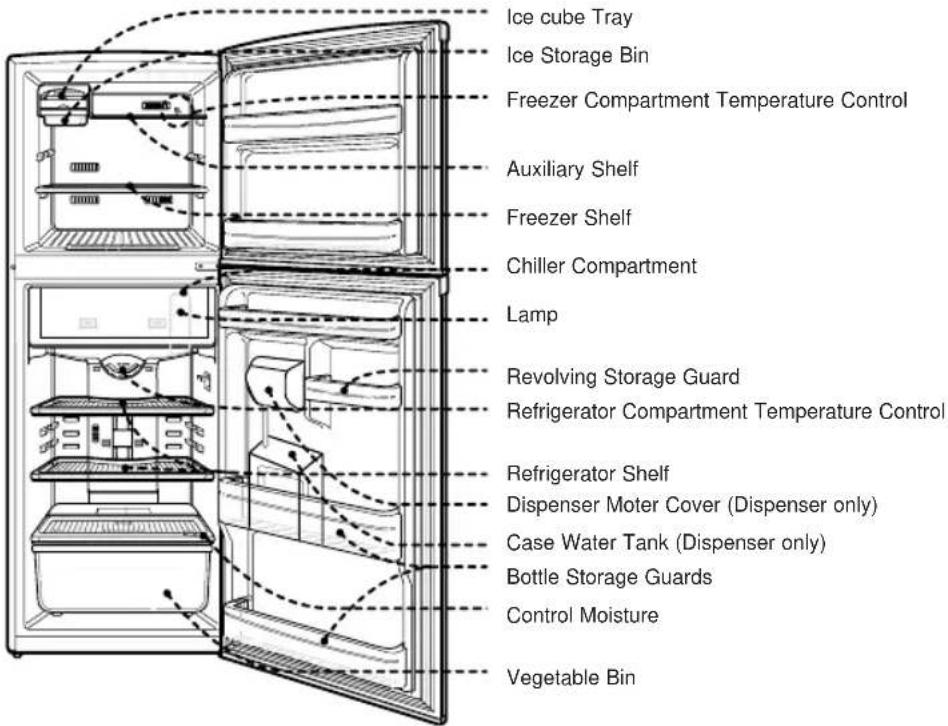
TAPE A MODEL
text_image
Ice cube Tray Ice Storage Bin Freezer Compartment Temperature Control Auxiliary Shelf Freezer Shelf Chiller Compartment Lamp Revolving Storage Guard Refrigerator Compartment Temperature Control Refrigerator Shelf Dispenser Moter Cover (Dispenser only) Case Water Tank (Dispenser only) Bottle Storage Guards Control Moisture Vegetable BinBASIC PREPARATION
Before using
1 Wipe the appliance inside and outside using a cloth dampened with warm water and small amount of mild detergent.
2 After plugging in for the first time, allow the refrigerator to stabilize for at least 1\~2 hours before storing food.

natural_image
Illustration of a cartoon refrigerator with a smiling face and waving hand (no text or symbols)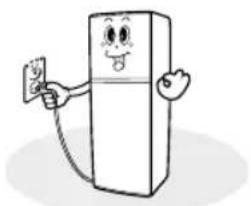
natural_image
Cartoon illustration of a smiling refrigerator holding a smartphone (no text or symbols)WARNING
- Keep ventilation openings in the appliance enclosure or in the built-in structure, clear obstruction..
- Do not use mechanical devices or other means to accelerate the defrosting process. other then those recommended by the manufacturer.
- Do not damage the refrigerant circuit(applicable only for appliances with refrigeration circuits which are accessible to the user)
- Do not use electrical appliances inside the food storage compartments, unless they are of the type recommended by the manufacturer.
- Damaged supply cords must be replaced by a special cord or assembly available from the manufacturer or its service agent.
- When disposing the refrigerators; should be followed the disposal law of your country.
How to use the water dispenser Preparation
before using the water dispenser
-
Clean the water tank before use by rinsing with potable water to remove dust and odor which may be in the tank.
-
Fill the water tank with potable drinking water.
-
Push dispenser lever with a glass and discard the first 3-4 glasses of water, thereby cleaning the water hose.
-
Dispensing water for the first time might be delayed for 1-5 seconds due to air within the hose.
USE

Push the lever with glass to water dispenser.

When refilling is needed, slide cover to the left and pour in the water (only potable drinking water should be used).
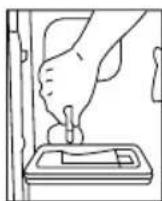
Remove the connecting-hose
Cleaning

Lift the tank and tilt outwards.
* Depending on model
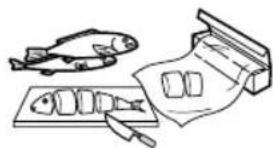
Store food in small portions.
natural_image
Illustration of a fish, a plate of fish, and a knife (no text or symbols)Seal food in containers with lids, in plastic wrap or in plastic bags to prevent drying and the mingling of odors.

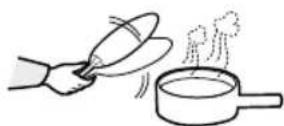
Allow hot food and drinks to cool to room temperature before placing them in the refrigerator or freezer.
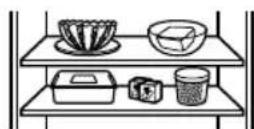
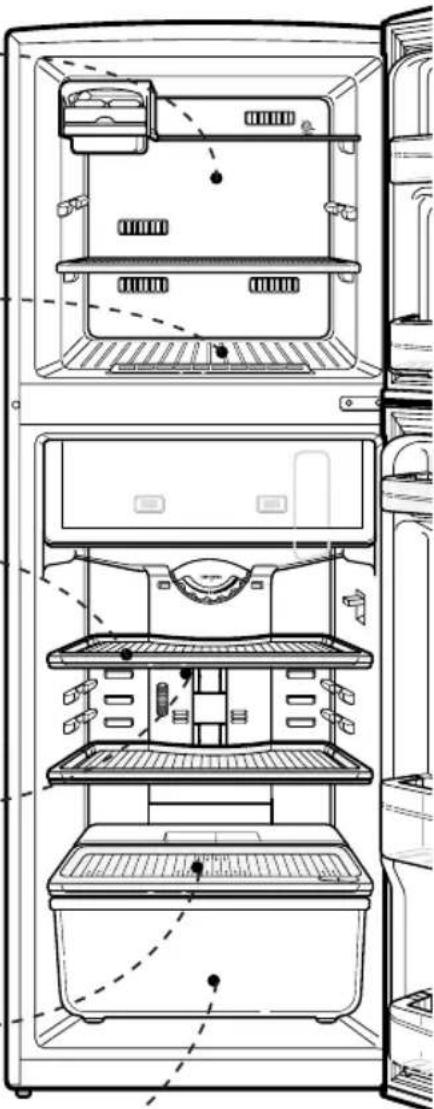
Allow sufficient room between food to help the circulation of cool air.
Place liquid at the front of the refrigerator to avoid freezing.
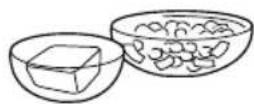
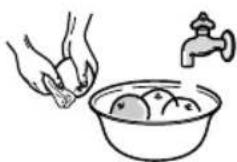
Dry fruits and vegetables after washing before placing them in the refrigerator.
natural_image
Technical line drawing of a refrigerator interior showing front, side, and top views with no visible text or symbolsHOW TO USE
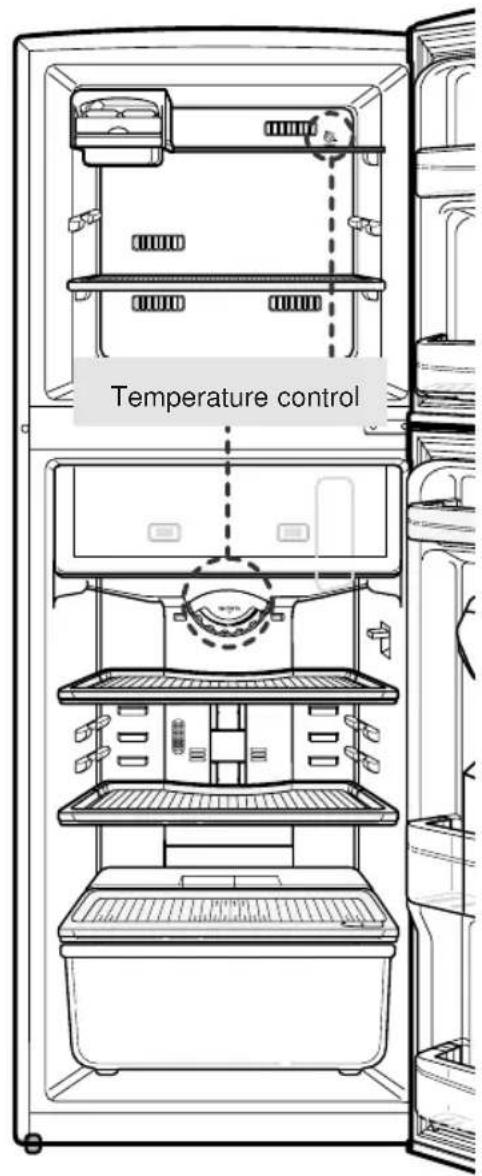
Temperature control
COLDER
Turn the Temperature Control to 'COLDER" if you:
- Have a lot of food to store (refrigerator or freezer)
- Want to make ice(freezer)
- Require fast freezer(freezer)
COLDER
Turn the Temperature Control to the midway point between "COLDER" and "COLD" for normal refrigerating or freezing mode.
COLD
Turn the Temperature Control to "COLD" if you want to store only a small amount of food in the refrigerator or freezer.
NOTE
: When the room air surrounding the refrigerator is below 5°C, turn the Temperature Control to "COLD" to avoid freezing. When on vacation for a long period consider emptying the refrigerator of food a & disconnecting from the power to conserve power "usage." is missing.
text_image
Temperature control
Making ice cubes (TYPE A)
* Depending on model

natural_image
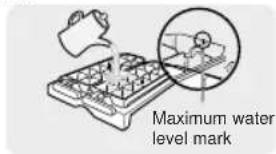
Technical line drawing of an open refrigerator with internal compartments and ventilation slots (no text or labels)Fill the ice cube tray with taking care not to overfill.
text_image
Maximum water level mark
Slide the tray onto the cube shelf.

Removing Ice cubes
Remove the ice cubes from the ice cube tray by twisting the ice tray levers. Make sure the ice storage bin is beneath the ice cube tray (see diagram below).
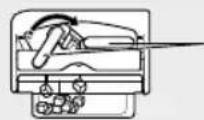
Ice tray levers

Making ice cubes/ (TYPE B)
* Depending on model

natural_image
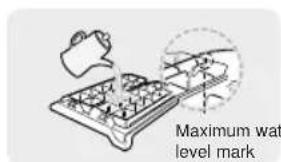
Line drawing of an open refrigerator interior showing front, side, and top views with no text or symbolsFill the tray ice with water taking care not to overfill.
text_image
Maximum wat level mark
Hold both ends of the ice tray, remove the ice cubes from the tray by twisting it gently. Do not bend the ice tray or will crack.

Making ice cubes (TYPE A)
* Depending on model
natural_image
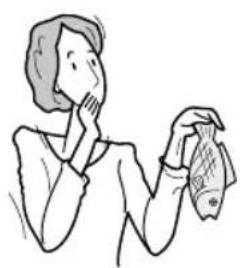
Line drawing of a person holding a cloth and a small object, no text or symbols presentThis is compartment helps preserve the taste of food and prolongs its freshness by freezing the surface of the food only. Use the chiller for storing cheese, meat, snacks, fish or any food to be used soon.

natural_image
Line drawing of a refrigerator interior with no text or symbolsVegetable Bin
natural_image
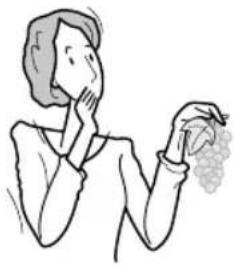
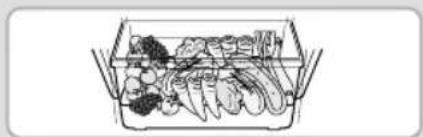
Line drawing of a person holding a grape cluster (no text or symbols)This is compartment maintains the moisture and freshness of vegetable. The vegetable bin is enclosed to protect the vegetable from direct draughts of cold air and to help maintain the humidity which prevents drying.
natural_image
Line drawing of a rectangular container filled with various vegetables (no text or symbols)
CAUTION
The vegetable bin is not suitable for storing tropical fruits such as bananas, pineapples, etc.
REPLACING THE LAMP
natural_image
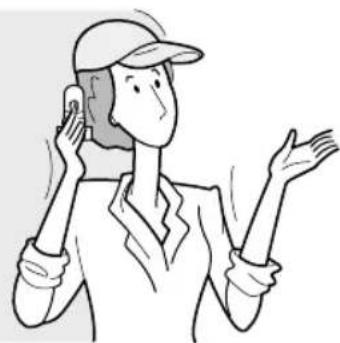
Line drawing of a person wearing a cap and holding a phone to their ear (no text or symbols)Unplug the appliance during this procedure
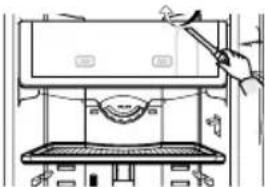
Press upper tab of the lamp cover with a driver and remove it. Remove the existing lamp and replace it with new one only use the correct wattage lamp
natural_image
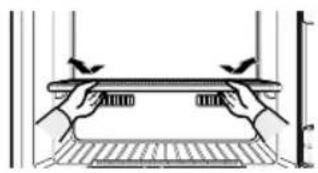
Line drawing of a hand using a tool to press or install a device on a stove (no text or symbols present)Replace the lamp cover by aligning the cover at the top and carefully pressing it into place until it is secure.

text_image
Technical diagram showing two views of a device with labeled ports and directional arrows indicating movement or assembly.REMOVING THE ACCESSORIES
Freezer Shelf
- Pull the ice cube tray unit forward and of the freezer compartment.
- Lift the front of the freezer shelf upward to release the hooks and pull the shelf out of the freezer.
natural_image
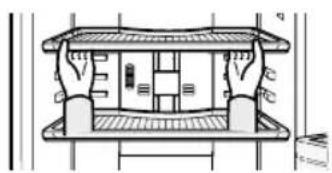
Pure technical diagram of a mechanical or architectural component with no visible text, numbers, or symbols.Refrigerator Shelves
- Pull the shelves towards you until it meets the stopper.
- Tilt the front of the shelves up and continue pulling the shelves out.
natural_image
Architectural cross-section diagram of a building facade with structural elements (no text or labels)Vegetable Bin and Cover
- Pull the vegetable bin towards you and out of the refrigerator.
- Lift the cover up and pull it out of the refrigerator.

natural_image
Line drawing of a container with two hands holding the lid (no text or symbols)
natural_image
Technical line drawing of a refrigerator interior showing front, side, and top views with no text or symbols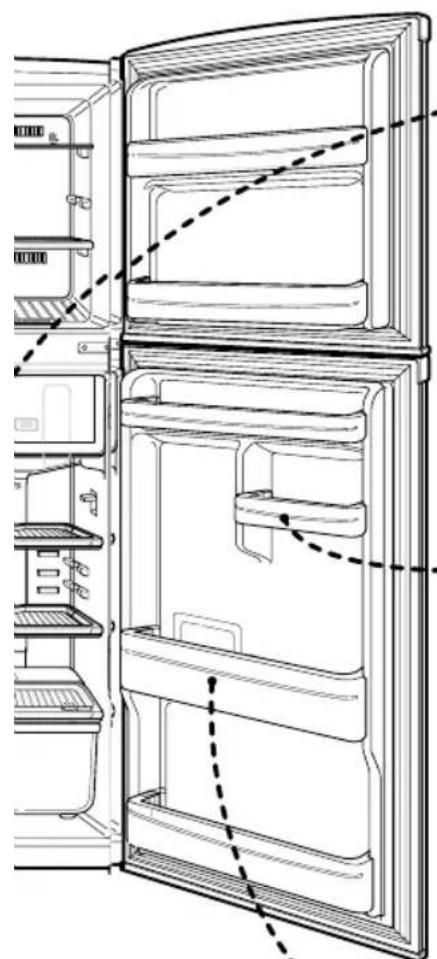
natural_image
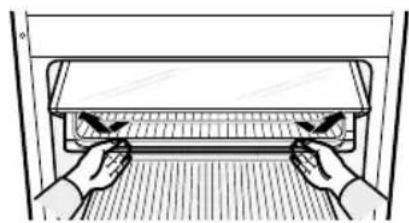
Line drawing of a refrigerator interior showing door, shelves, and ventilation (no text or symbols)Chiller Compartment (TYPE A)
* Depending on model
- Pull the chiller compartment towards you until it meets the stopper.
- Tilt the front upward and continue pulling the compartment out.
natural_image
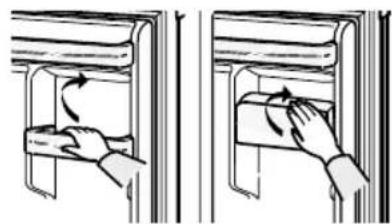
Illustration of hands installing or adjusting a rectangular panel inside a rack (no text or symbols visible)Revolve Storage Guard
Lift straight upwards to release the tabs, then pull it out of the refrigerator. (These storage guards are adjustable and may be positioned to best fit your needs.)
natural_image
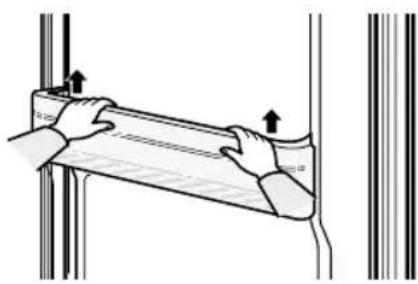
Illustration of two hand positioning a wooden shelf with arrows indicating rotation (no text or symbols)Bottle Storage Guards
Lift straight upwards to release the tabs, then pull it out of the refrigerator.(This bottle storage guard is not adjustable; it fits in only one position.)
natural_image
Illustration of hands holding a rectangular object with arrows indicating upward movement (no text or symbols)CLEANING THE REFRIGERATOR
- Unplug the refrigerator from the power during this procedure.
- Remove the food and store safety to avoid warming a deterioration
-
Clean surfaces with a dampened cloth and a mild detergent.
-
Dry all cleaned surfaces with a clean cloth.
- Plug in the refrigerator and allow 1\~2 hours for adequate cooling before restoring food items.
natural_image
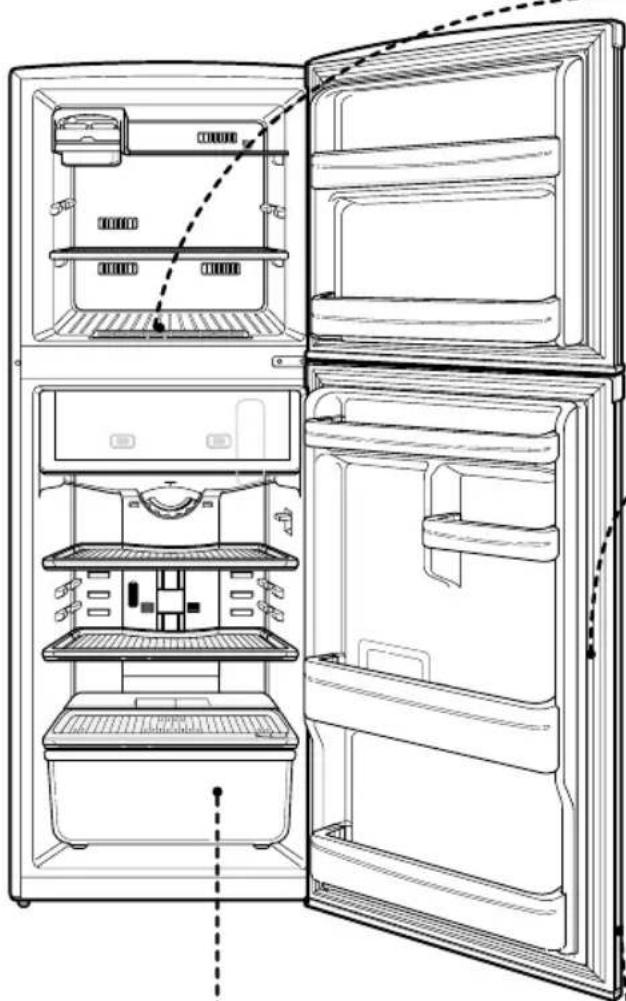
Line drawing of an open refrigerator with internal compartments and doorways (no text or symbols)Interior Parts
After removing all the shelves, wipe the appliance clean using a clean, soft cloth dampened with warm water and a mild detergent.
natural_image
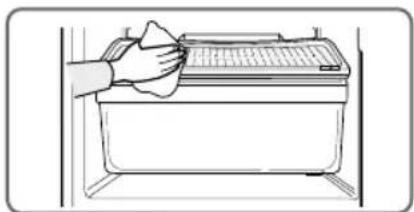
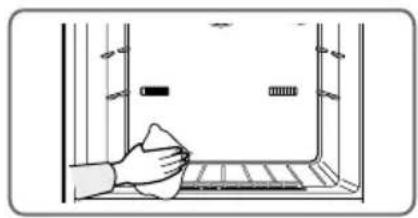
Illustration of a hand cleaning a kitchen appliance with a cloth (no text or symbols)Evaporation Slot in Freezer
Wipe the slot area with a clean, dry, soft cloth.
Caution: Do not allow any foreign substance or particles to clog these openings.
natural_image
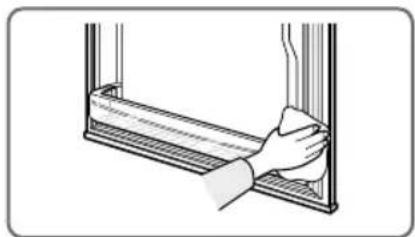
Illustration of a hand cleaning a window with a cloth (no text or symbols)Door Seals
Clean the door seals often using a clean, soft cloth dampened with warm water and a mild detergent. Be careful not to damage the seals.
Caution: Dirt encrusted door seals prevent the doors from closing properly. Poorly closed doors waste energy and add unnecessary cost to your electricity bills.
natural_image
Illustration of a hand cleaning a window frame (no text or symbols)Evaporation Tray
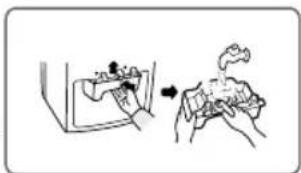
The evaporation tray is on the back of the refrigerator
- Pull the refrigerator out and away from the wall.
- Remove all screws securing the avaporation tray.
- Pull the evaporation tray out of the appliance.
- Empty the water out of the tray and clean the tray before replacing it.
natural_image
Illustration of a hand holding a small object with an arrow indicating motion (no text or symbols)SAMSUNG
ELECTRONICS
DA68-01454B REV. 01