
PSIB27X2 - Soundproofing Pyle - Free user manual and instructions
Find the device manual for free PSIB27X2 Pyle in PDF.


| Product Type | Portable Sound Isolation Booth |
| Brand | Pyle |
| Model | PSIB27X2 |
| Construction Material | Polyester |
| Opened Dimensions (L x W x H) | 12.2" x 13.0" x 13.3" |
| Folded Dimensions (L x W x H) | 25.2" x 13.2" x 2.4" |
| Weight | Approximately 3-5 lbs (estimated) |
| Color | Black (typical) |
| Acoustic Foam Type | High-Density Soundproofing 'Wedgie' Acoustic Tiles |
| Number of Foam Panels Included | 8 |
| Number of Booth Frames Included | 2 |
| Design | Portable and compact cube, collapsible |
| Setup | Quick and easy, no tools required |
| Cable Management | Rear panel zipper for mic cable routing |
| Compatibility | Vocal microphones, instrument microphones, recording microphones |
| Primary Functions | Sound isolation, noise absorption, reflection reduction |
| Recommended Use | Studio recording, podcasts, vocals, singing, voiceovers |
| Included Accessories | 2 booth frames, 8 foam panels, double-sided glue stickers (for top foam) |
| Not Included | Microphone, tripod/mic stand, pop filter |
Frequently Asked Questions - PSIB27X2 Pyle
User questions about PSIB27X2 Pyle
0 question about this device. Answer the ones you know or ask your own.
Ask a new question about this device
Download the instructions for your Soundproofing in PDF format for free! Find your manual PSIB27X2 - Pyle and take your electronic device back in hand. On this page are published all the documents necessary for the use of your device. PSIB27X2 by Pyle.
USER MANUAL PSIB27X2 Pyle
Studio Soundproofing Foam Shield Isolation Filter Cube
Note: Microphone and tripod are not included in the list of contents.
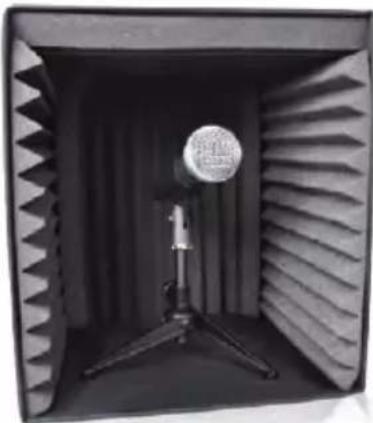
The portable sound booth is used to provide sound protection and to reduce sound reflection. The booth can be open and assembled in a short time. It could be placed on the table. It is suitable for various kind of microphone including vocal microphone, instrument microphone and other recording microphone, etc.
USER MANUAL
natural_image
Interior view of an acoustic foam chamber with a microphone and tripod stand (no text or symbols visible)Note: Please read this user's manual carefully before using the sound booth. Any mishandling of the product due to misunderstand of negligence of this manual may lead to malfunction.
Installation Guide
- Take all the contents from the package and make them properly placed
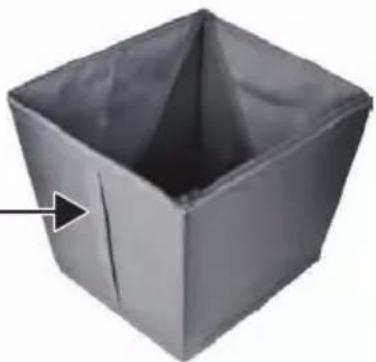
- Pull the handle of the booth frame and make it properly structured, the side with the handle should be in the top when you set up your booth.
Handle: This side should be the top side
natural_image
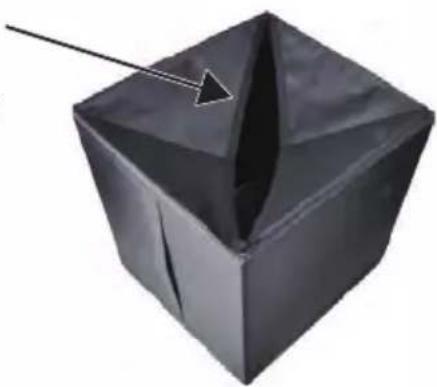
3D-rendered gray cube with a pointed top and a small arrow pointing to its side (no text or symbols)3. Zip the back side of the frame.
This zip gap can be also used for the mic cable, add the mic cable firstly if you want to let you mic cable go from the back, the XLR female end should go inside normally around 2ft.
natural_image
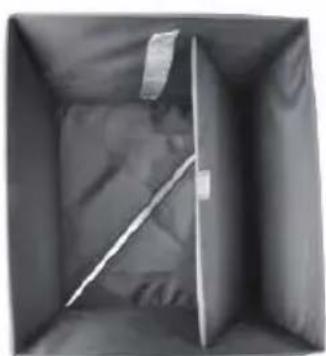
3D-rendered black geometric object with a pointed tip and arrow, no text or symbols present- Put down the flexible board and make it support the back side of the frame.
natural_image
Interior view of a dark rectangular space with a diagonal white stripe on the left side (no text or symbols visible)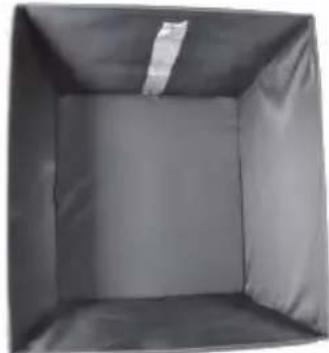
natural_image
Interior view of a dark rectangular storage or box with a visible lid and cushion (no text or symbols)In order to make sure each foam to stay on the inner side well please follow the below steps
- Take out one of foam and insert it, aligning it with the top surface.
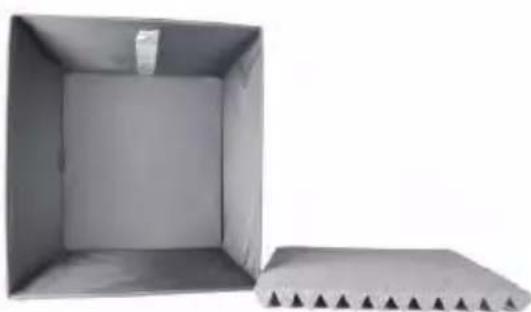
natural_image
Two cardboard boxes, one open and one closed, with no visible text or symbols.
natural_image
Interior view of a simple rectangular room with no visible text, numbers, or symbols.- take out a second foam and insert it, aligning it with the right side surface.
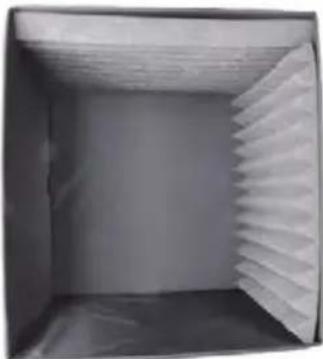
natural_image
Interior view of a hollow cardboard box with visible ceiling and side panel (no text or symbols)- Take out the third foam and insert it, aligning it with the left side surface
- Take our the fourth foam and lay it against the back side surface.

natural_image
Interior view of a hollow rectangular space with no visible text, numbers, or symbols.
natural_image
Interior view of a hollow cylindrical container with an acoustic foam panel on the side (no text or symbols visible)If you find the top foam can't stay well, you can use the double side glue sticker to stick the top foam with the top side.
- Then you can place your microphone with tripod base or round mic base inside, connect your mic cable with microphone, install your pop filter on the stand then start to record.
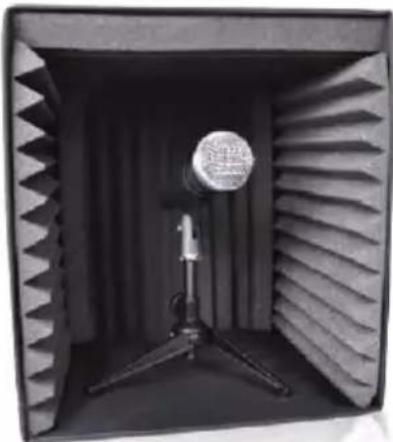
natural_image
Interior of an acoustic chamber with a microphone and tripod stand (no visible text or symbols)Features:
- Versatile Mic Recording & Sound Isolation Ability
- Portable and Compact Cube Design
• Ready to Record: Quick & Easy Setup
• Soundproofing Studio Foam 'Wedgie' Acoustic Tiles - Box-Style Engineered for Maximum Absorption/Isolation
• High-Density Noise-Absorbing Acoustic Foam
• Perfect for Studio Recording, Podcasts, Vocals, Singing, etc. - Run Cables Through Rear Panel Zipper
• *Tripod Mount & Microphone not included
What's in the Box:
• (2) Sound Recording Booth Box • (8) Studio Foam
Technical Specs:
• Construction Material: Polyester
- Opened Dimensions (L x W x H): 12.2" x 13.0" x 13.3"-inches
- Folded Dimensions (L x W x H): 25.2" x 13.2" x 2.4"-inches
PYLE
PyleUSA.com

natural_image
Illustration of a laptop with a red checkmark on screen (no text or symbols)VISIT US ONLINE:
Have a question?
Need service or repair?
Want to leave a comment?
PyleUSA.com/ContactUs
PYLE
Questions? Issues?
We are here to help!
Phone: (1) 718-535-1800
Email: support@pyleusa.com
Brand : Pyle
Model : PSIB27X2
Category : Soundproofing