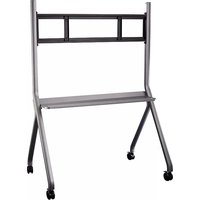
FMC-06 - Wall mount AG Neovo - Free user manual and instructions
Find the device manual for free FMC-06 AG Neovo in PDF.


| Brand | AG Neovo |
| Model | FMC-06 |
| Product Type | Wall Mount Stand (Mobile Floor Stand) |
| Compatible Screen Sizes | 55 to 86 inches |
| Maximum Load Capacity | 100 kg |
| Material | Steel |
| Color | Gray |
| Included Legs | 2 pieces (left and right) |
| Included Tray | 1 piece |
| Included Castors | 4 pieces with brakes |
| Included Wall Bracket | 1 piece |
| Included Wall Hanging Strips | 2 pieces |
| Screws M8x25 | 14 pieces |
| Spring Pads M12 | 4 pieces |
| Screws M6x130 | 2 pieces |
| Tools Required | Phillips screwdriver, adjustable wrench (not included) |
| Assembly Required | Yes (7 steps) |
| Safety Features | Castor brakes, safety bolts, requires 2 professionals for hanging |
Frequently Asked Questions - FMC-06 AG Neovo
User questions about FMC-06 AG Neovo
0 question about this device. Answer the ones you know or ask your own.
Ask a new question about this device
Download the instructions for your Wall mount in PDF format for free! Find your manual FMC-06 - AG Neovo and take your electronic device back in hand. On this page are published all the documents necessary for the use of your device. FMC-06 by AG Neovo.
USER MANUAL FMC-06 AG Neovo
natural_image
3D rendering of a gray metal chair with four legs and wheels, no text or symbols visible
Installation Manual
FMC-06 Installation manual
-
To ensure using the stand correctly and safely, please read this manual carefully before installation.
This model is recommended to be used for 55-86 inch interactive flat panel.
• Maximum load capacity: 100KG. -
Bill of materials:

B- Right leg 1pcs

natural_image
Pure line drawing of a vertical rectangular object with rounded ends, no text or symbols presentD- Tray 1pcs

E- Castors 4pcs
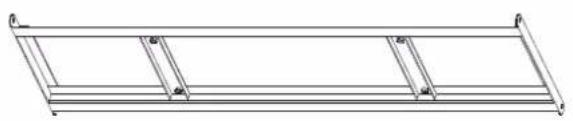
natural_image
Pure technical line drawing of a rectangular frame with no text, numbers, or symbolsC- Wall bracket 1pcs

natural_image
Pure technical line drawing of a mechanical part or bracket (no text or symbols)F- Wall hanging strip 2pcs
Other accessories (in mm):
| 1 Cross recessed pocket hex head screw (including positioning pre-lock bolt) | M8×25 | 14pcs |  |
| 2 M12 spring pad | 4pcs |  | |
| 3 M6 screw (on wall hanging strip) | M6×130 | 2pcs |  |
| Phillips screwdriver (self-provided) | 1pcs |  | |
| Adjustable wrench (self-provided) | 1pc |  |
Step 1: Adjust the wheel to the brake state and screw it into the leg (Figure 1).
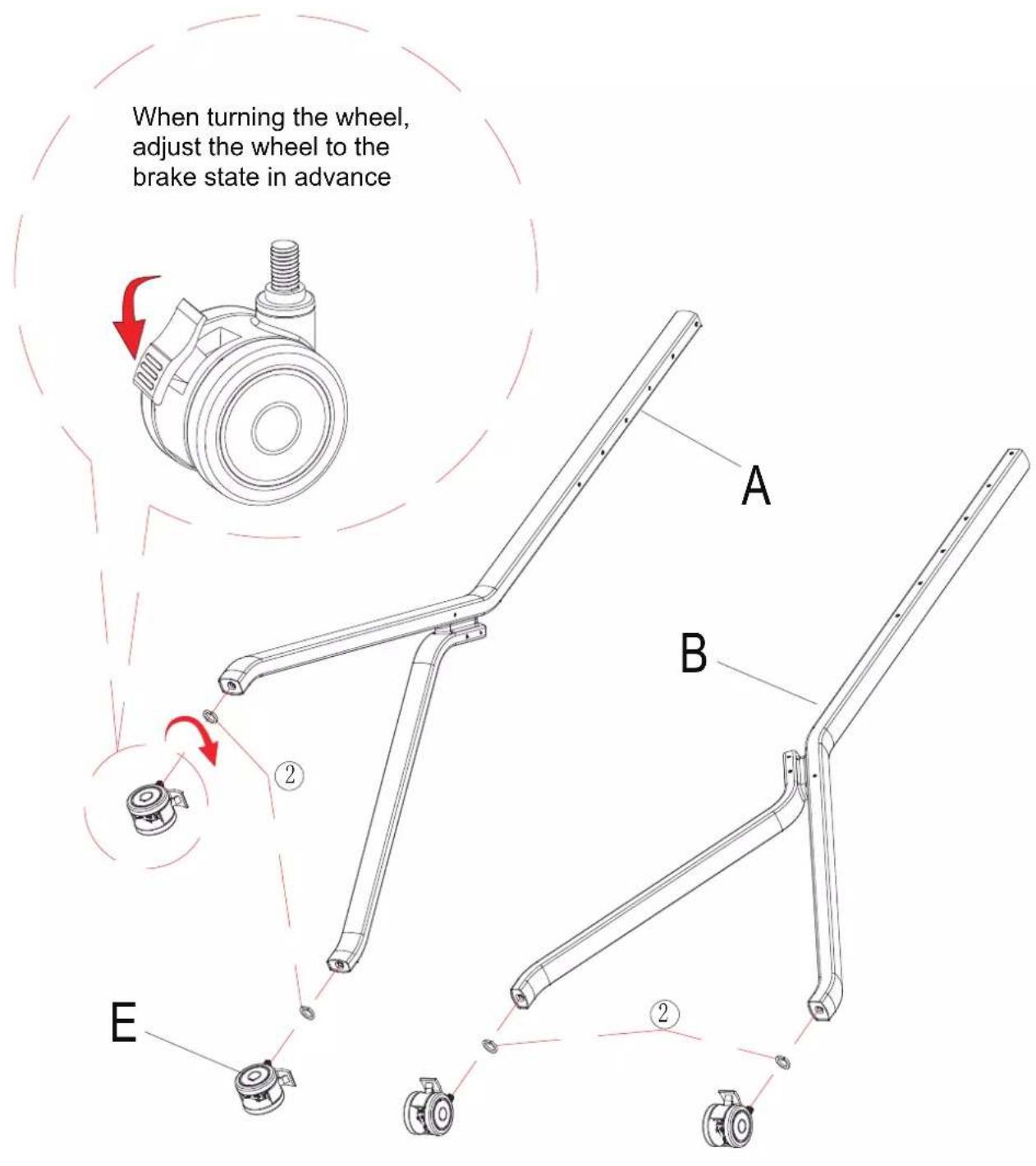
Figure 1
Step 2: Attach the wall bracket to the end leg (Figure 2).
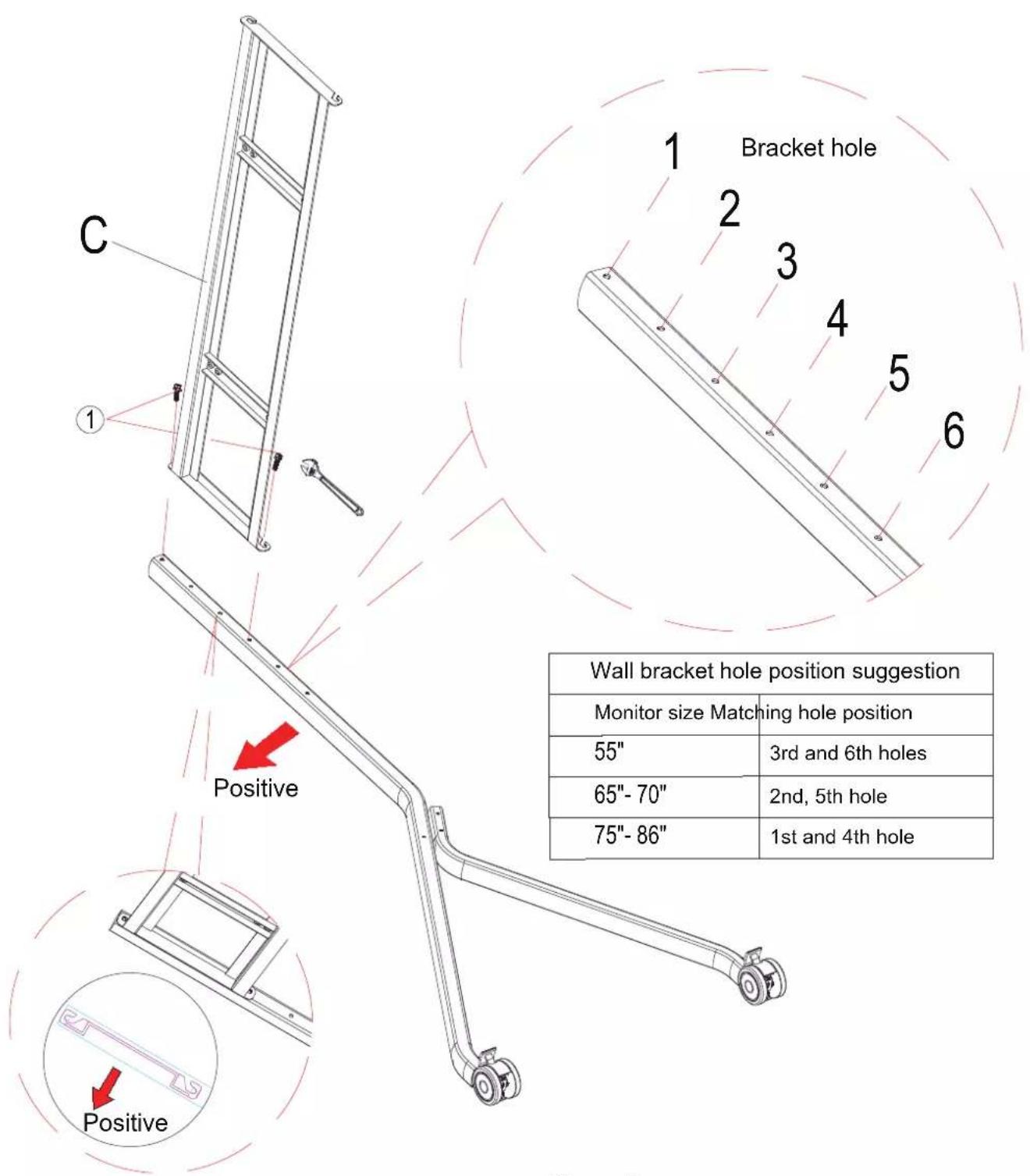
| Wall bracket hole position suggestion | |
| Monitor size Matching hole position | |
| 55" | 3rd and 6th holes |
| 65"-70" | 2nd, 5th hole |
| 75"-86" | 1st and 4th hole |
Figure 2
Step 3: Attach the other leg on the other end of the wall bracket (Figure 3).

Figure 3
Step 4: Assemble the tray between the two columns (Figure4).

Figure 4
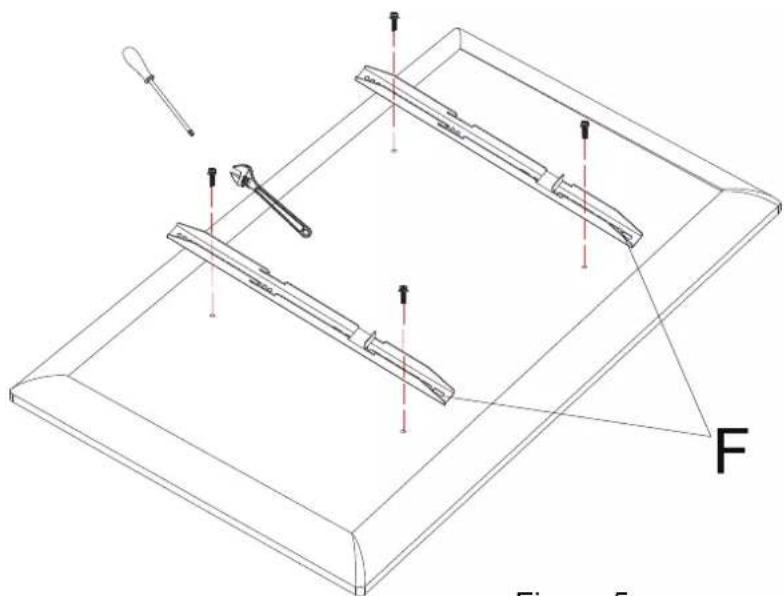
Step 5: According to the actual requirements of the whole machine, lock the wall hanging strip on the whole machine (Figure 5).
natural_image
Technical line drawing of a mechanical assembly with labeled components (no text or symbols present)Figure 5
Step 6: The assembled machine will be hung on the wall bracket and the safety screw of the wall hanging strip will be locked (Figure 6).
Make sure the brakes are locked. This step requires at least 2 professionals to complete.

Figure 6
Remarks: In some cases, the machine's wall mount bracket don't match with wall mount of the stand, and need to be adjusted with the wall mount together.
Following is the adjusting process:
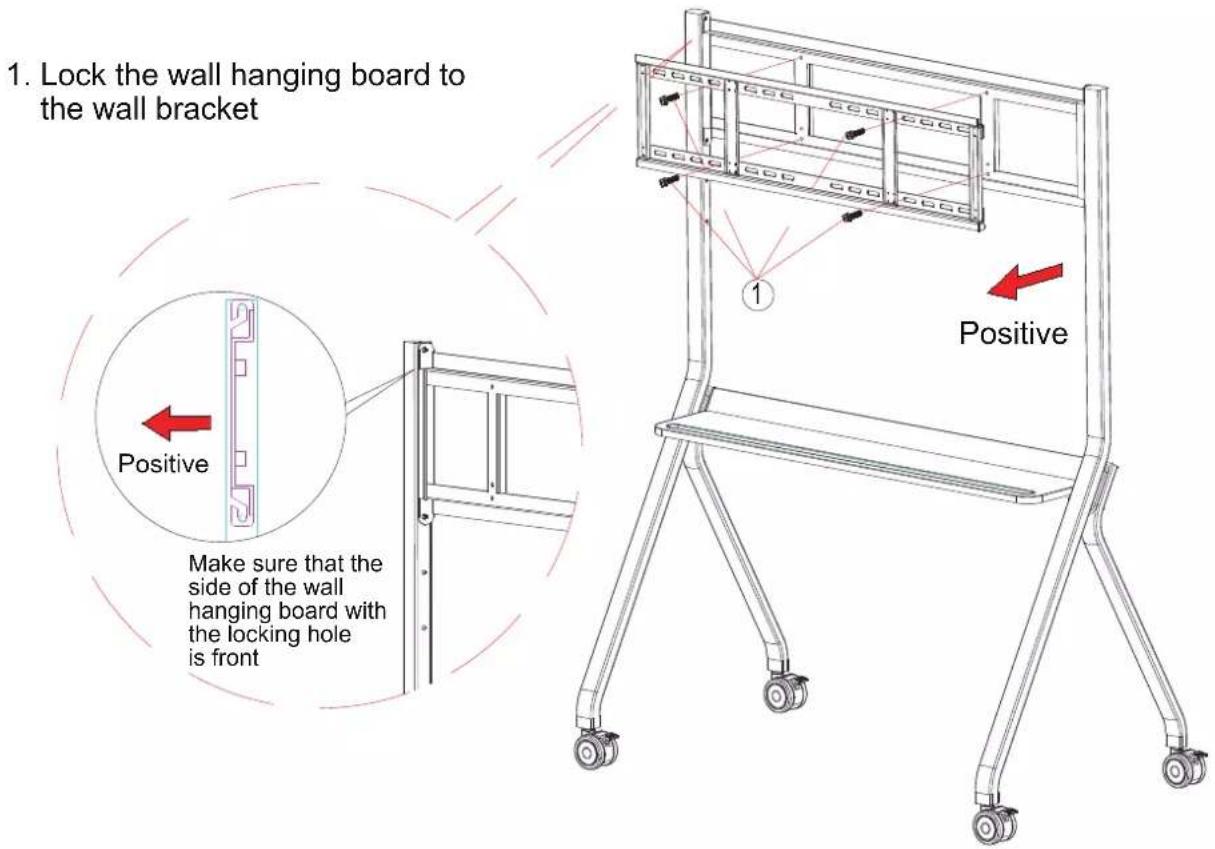
- Hang the machine on the wall hanging and lock the safety bolts

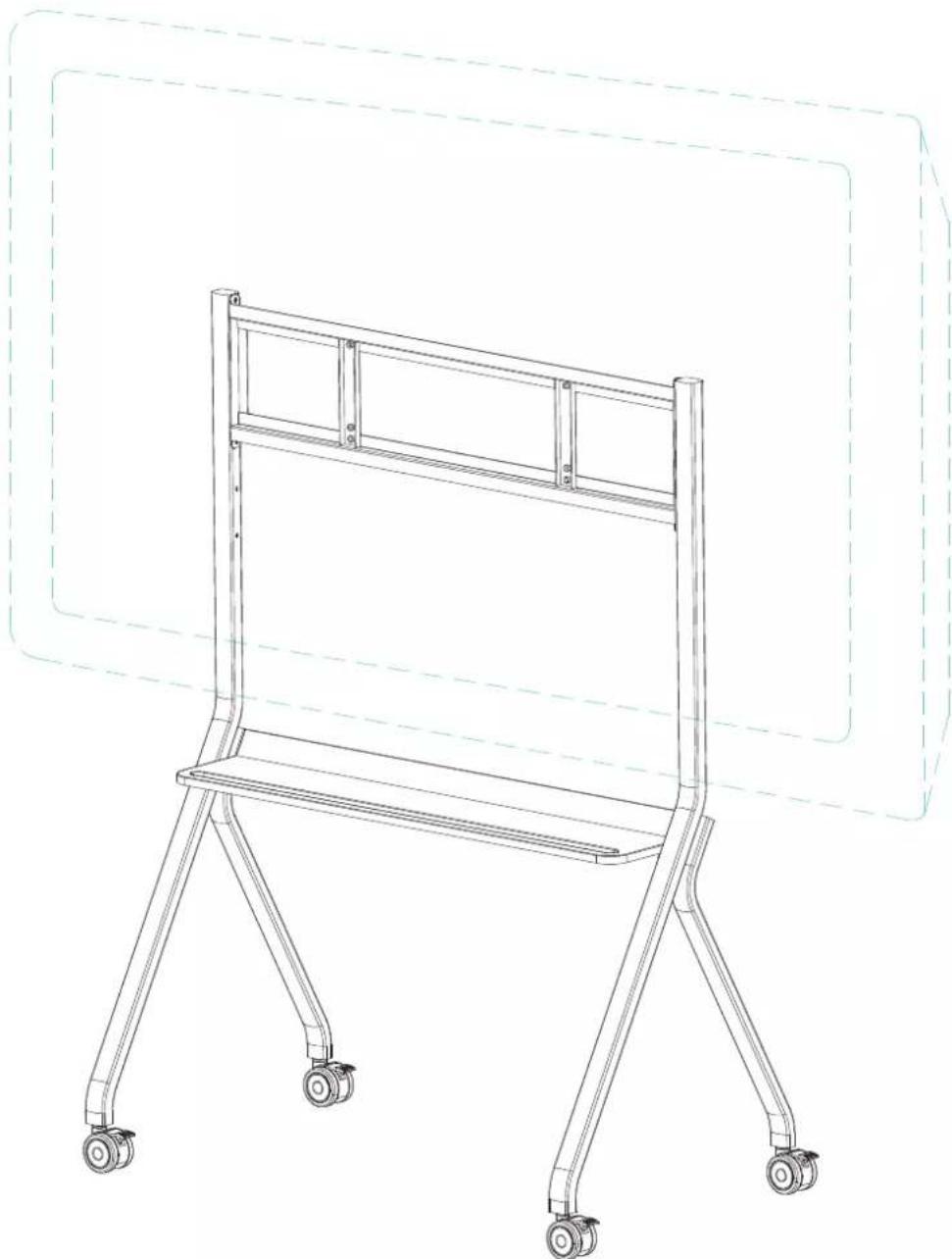
Step 7: After the assembly is completed, refer to the figure below.
natural_image
Line drawing of a four-legged cart with wheels, no text or symbols present
Brand : AG Neovo
Model : FMC-06
Category : Wall mount