LE32B9200WB - TV HAIER - Free user manual and instructions
Find the device manual for free LE32B9200WB HAIER in PDF.


User questions about LE32B9200WB HAIER
0 question about this device. Answer the ones you know or ask your own.
Ask a new question about this device
Download the instructions for your TV in PDF format for free! Find your manual LE32B9200WB - HAIER and take your electronic device back in hand. On this page are published all the documents necessary for the use of your device. LE32B9200WB by HAIER.
USER MANUAL LE32B9200WB HAIER
natural_image
Line drawing of a modern flat-screen TV with 'Haier' branding and stand (no text or symbols on screen)
text_image
LED TelevisionContents
1、Safety and warnings....3
2、Introduction....5
3、Installation....6
4、 Remote Controller....11
5、TV Operation....12
6、 Trouble shooting....17
IMPORTANT SAFETY INSTRUCTION
1) Read these instructions.
2) Keep these instructions.
3) Heed all warnings.
4) Follow all instructions.
5) Do not use this apparatus near water.
6) Clean only with dry cloth.
7) Do not block any ventilation openings, install in accordance with the instructions.
8) Do not install near any heat sources such as radiations, heat registers, stoves, or other apparatus (including amplifiers) that produce heat.
9) Do not defeat the safety purpose of the polarized plug. If the provided plug does not fit into your outlet, consult an electrician for replacement of the obsolete outlet.
10) Protected the power cord from being walked on or pinched particularly at plugs, convenience receptacles, and the point where they exit from the apparatus.
11) Only use attachments/accessories specified by the manufacturer.
12) Unplug this apparatus during lighting storms or when unused for long periods of time.
13) Refer all servicing to qualified service personnel. Servicing is required when the apparatus has been damaged in any way, such as power-supply cord or plug is damaged, liquid has been spilled or objects have fallen into the apparatus, the apparatus has been exposed to rain or moisture, does not operate normally, or has been dropped.
14) Mains plug is used as the disconnect device, the disconnect device shall remain readily operable.
15) The ventilation should not be impeded by covering the ventilation openings with items, such as newspapers, table-cloth, curtains, etc.
16) No naked flame sources, such as lighted candles, should be placed on the apparatus.
17) Attention should be drawn to the environmental aspects of battery disposal.
18) The use of apparatus in moderate climate.
19) The apparatus shall not be exposed to dripping or splashing and that no objects filled with liquids, such as vases, shall be placed on the apparatus.
text_image
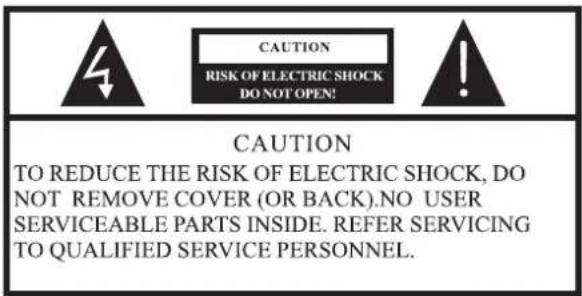
CAUTION RISK OF ELECTRIC SHOCK DO NOT OPEN! CAUTION TO REDUCE THE RISK OF ELECTRIC SHOCK, DO NOT REMOVE COVER (OR BACK).NO USER SERVICEABLE PARTS INSIDE. REFER SERVICING TO QUALIFIED SERVICE PERSONNEL.
The symbol indicates that dangerous voltages constituting a risk of electric shock are present within this unit.

The symbol indicates that there are important operating and maintenance instructions in the literaturaccompanying this unit.
WARNING:
To reduce the risk of fire or electric shock, do not expose this apparatus to rain or moisture.
WARNING:
The batteries shall not be exposed to excessive heat such as sunshine, fire or the like.

This symbol indicates that this product incorporates double insulation between hazardous mains voltage and user accessible parts. When servicing use only identical replacement parts.

This marking indicates that this product should not be disposed with other household wastes throughout the EU. To prevent possible harm to the environment or human health from uncontrolled waste disposal, recycle it responsibly to promote the sustainable reuse of material resources. To return your used device, please use the return and collection systems or contact the retailer where the product was purchased. They can take this product for environmental safe recycling.
text_image
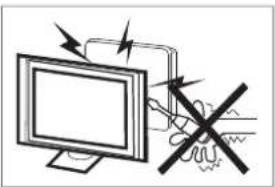
Diagram showing a computer monitor with an electrical switch and a hand holding a resistor, indicating no protection or disapproval.High voltages are used in the operation of this television receiver. Do not remove the cabinet back from your set. Refer servicing to qualified service personnel.

natural_image
Simple line drawing of a monitor with a cross mark and a cloth, no text or symbols presentTo prevent fire or electrical shock hazard, do not expose the television receiver to rain or moisture.

natural_image
Simple line drawing of a computer monitor with a crossed X symbol and stars above (no text or labels)Do not drop or push objects into the television cabinet slots or openings. Never spill any kind of liquid on the television receiver.

natural_image
Simple line drawing of a computer monitor with a roof, emitting steam (no text or symbols)Do not block the ventilation holes in the back cover. Adequate ventilation is essential to prevent failure of electrical components.
natural_image
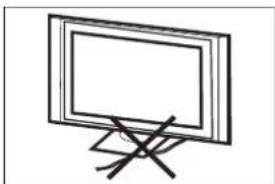
Simple line drawing of a flat-screen monitor mounted on a stand with a diagonal mark (no text or symbols)Do not trap the power supply cord under the television receiver.

text_image
Computer monitor displaying three prohibition symbols: no restrictions, no waste, and a document.If you are going to clean the product, Unplug the TV, use soft fabric, no water, never chemicals.

natural_image
Cartoon illustration of a person running away from a computer monitor with a crossed-out X symbol (no text or symbols present)Never stand on, lean on, or suddenly push the television or its stand. You should pay special attention to children. Serious injury may result if it falls.
natural_image
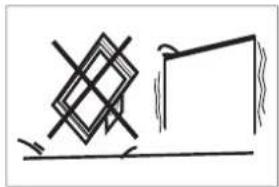
Simple line drawing of a geometric shape with a horizontal line and a vertical rectangle, no text or symbols present.Do not place your television on an unstable cart, stand, shelf or table. Serious injury to an individual, and damage to the television, may result if it falls.
natural_image
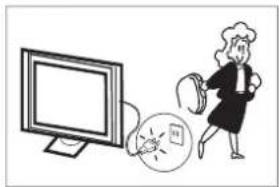
Illustration of a woman running away from a computer screen with a megaphone nearby (no text or symbols)When the television receiver is not used for an extended period of time, it is advisable to disconnect the AC power cord from the AC outlet.
natural_image
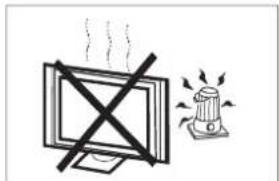
Simple line drawing of a monitor with a 'X' crossed out and a warning light on a base (no text or symbols)Avoid exposing the television receiver to direct sunlight and other sources of heat. Do not stand the television receiver directly on other products which give off heat, e.g. video cassette players and audio amplifiers. Do not place naked flame sources, such as lighted candles on the television.

text_image
Minimum distances 10cm 10cm 5cm 20cmIf the television is to be built into a compartment or similar enclosure, the minimum distances must be maintained. Heat build-up can reduce the service life of your television, and can also be dangerous.
Note: the use of apparatus in moderate climates.
Main features
① Used as Television, display terminal;
② High luminance, wide viewing angle;
③ Can store 99 TV programs(ATV);
④ HDMI interface;
⑤ Multi-Media player (USB);
Accessories
Infrared Remote Controller
User's Manual
Quick Set up Guide
Main parameter
| Viewing Picture Size (Diagonal) | 80 cm |
| Resolution | 768x1366 |
| Aspect Ratio | 16 : 9 |
| TV System | PAL/BG PAL/I PAL/DK |
| Video Signal System | PAL/SECAM |
| Frequency | TV 48.25 MHz – 863.25 MHz |
| Input Power Voltage | AC 100-240V 50/60Hz |
| Power consumption | 55W |
| Audio Output Power (THD≤7%) | 2 x 10W |
| Signal input/output | RF x 1High-Definition Multimedia Interface (HDMI) x 2USB x 1AV x 11xCOAXIAL |
| Horizontal definition (TV line) | Composite Video input >=350Y Cb(Pb ) Cr(Pr) >=400 |
Note: This product uses a panel consisting of sub pixels which require sophisticated technology to produce. However, there may be a few bright or dark pixels on the screen. These pixels will have no impact on the performance of the product.
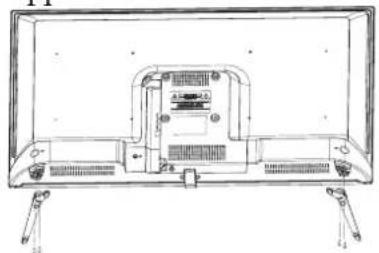
Stand Assemble Instruction
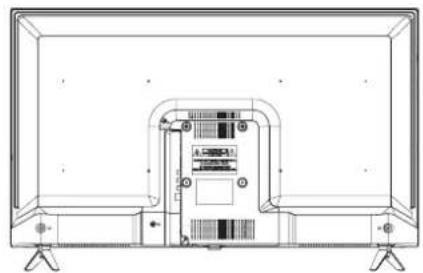
1 Attach the stand base set to the bottom of the TV by firmly tightening the supplied screws
natural_image
Line drawing of a flat-screen TV rear panel with ventilation grilles and connectors (no text or symbols)2 Finished.
natural_image
Line drawing of a flat-screen TV with rear panel and front panel, showing internal components (no text or symbols)INSTALLATION NOTES
Locate the TV in a room where light does not strike the screen directly. Total darkness or a reflection on the screen can cause eyestrain. Soft and indirect lighting is recommended for comfortable viewing. Allow enough space between the TV and the wall to permit ventilation.
Please do not attempt to rotate the TV on the stand.
Avoid excessively warm locations to prevent possible damage to the cabinet or premature component failure.
Wall Mounting Installation Guidelines
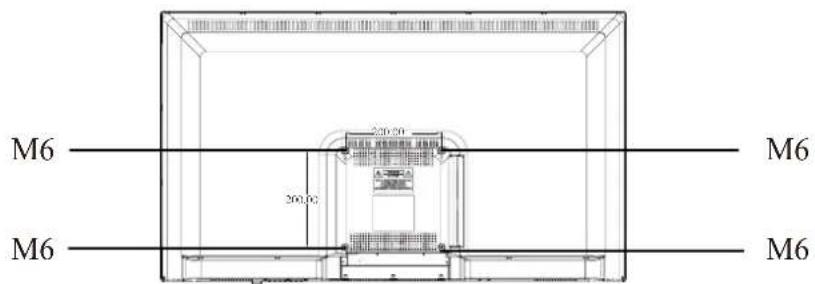
Use the four screws to fix the TV onto a wall mounting bracket (not included) via the four VESA standard holes on the back of the television.
Specification:
100mm x 100mm using 4 screws (not included) at sizeM6. The mounting holes are 5mm deep.
WARNING
Never place a television set in an unstable location. A television set may fall, causing serious personal injury or death. Many injuries, particularly to children, can be avoided by taking simple precautions such as:
- Using cabinets or stands recommended by the manufacturer of the television set.
- Only using furniture that can safely support the television set.
- Ensuring the television set is not overhanging the edge of the supporting furniture.
- Not placing the tele vision set on tall furniture (for example, cupboards or bookcases) without anchoring both the furniture and the television set to a suitable support.
- Not placing the television set on cloth or other materials that may be located between the television set and supporting furniture.
- Educating children about the dangers of climbing on furniture to reach the television set or its controls.
If your existing television set is being retained and relocated, the same consi derations as aboveshouldbeapplied.
text_image
M6 200.00 M6 M6 M6Front panel

text_image
Diagram showing TV screen setup with labeled components and a remote control, including numbered arrows and a 30-degree angle indicator.1: Remote control sensor.
2: Indicator LED:
RED ● STANDBY.
3: Keyboard
KEY BOARD

text_image
REWOP1. POWER
Press this button to turn the unit ON from STANDBY mode.
Press it again to turn the set back to STANDBY.
REAR AV Connections

text_image
AC IN VIDEO L-IN-R RF HDMI2 HDMI1 COAXIAL USBV/USB2All the terminals are (from left to right):
,RF,HDMI2,HDMI1,COAXIAL.L-IN-RVIDEO,USB,
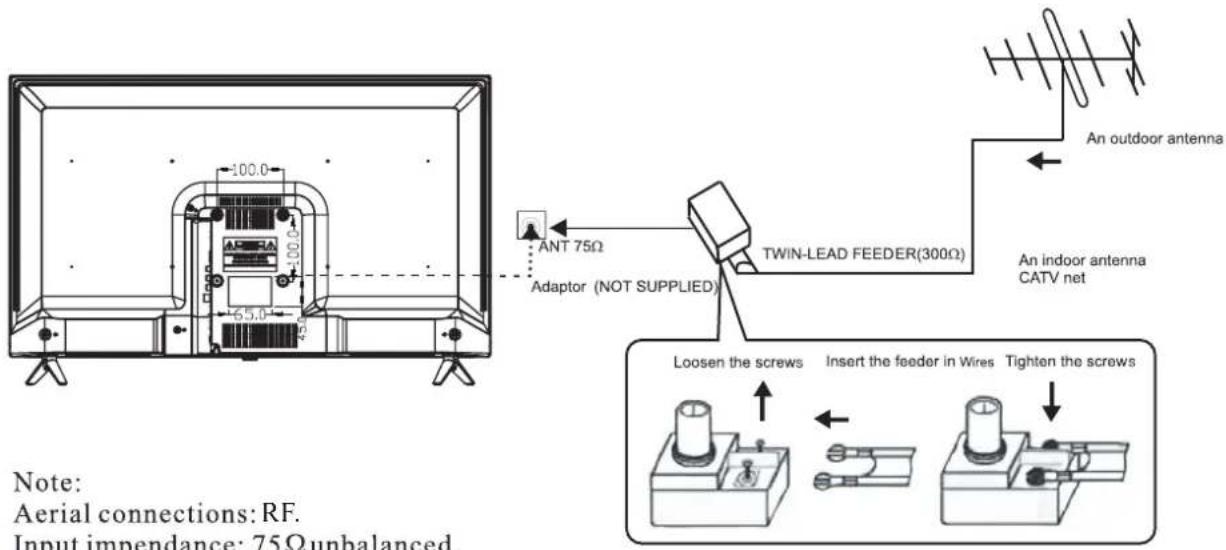
ANTENNA
text_image
100.0 65.0 45 ANT 75Ω Adaptor (NOT SUPPLIED) TWIN-LEAD FEEDER(300Ω) An indoor antenna CATV net An outdoor antenna Loosen the screws Insert the feeder in Wires Tighten the screws Note: Aerial connections: RF. Input impendance: 75Ω unbalanced.Note:
Aerial connections: RF.
Input impendance: 75Ω unbalanced.
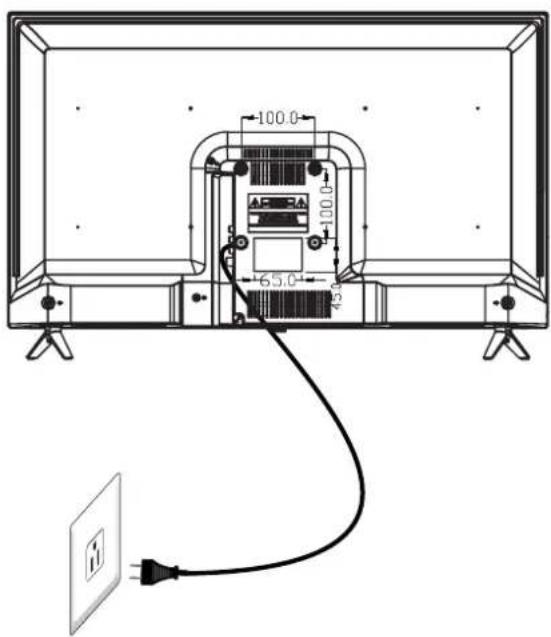
Please don't rotate the TV.
text_image
100.0 100.0 65.0 45.0 图PRESET MODE (HDMI)
| Signal format | Freq (Hz) | |
| 1 | 480i/480P | 60 |
| 2 | 576i/576P | 50 |
| 3 | 720P | 50/60 |
| 4 | 1080i/1080P | 50/60 |
AV EQUIPMENT
This TV provides one group of AV, one group of YPbPr for convenient connection to VCR, DVD or other video equipment. Please refer to the owner's manual of the equipment to be connected as well.
You can use the input terminals on TV set rear as follows.

text_image
AC IN USB1/USB2 VIDEO L-IN-R RF HDMI2 HDMI1 COAXIAL Audio/Video machine with HDMI interfaces G Green (Y) B Blue (Pb/Cb) W White(AUDIO-L ) R Red (AUDIO-R, Pr/Cr) Y Yellow (VIDEO) CVBS, DVD Player or other machine with CVBS/S-Video.It can be connected to the following appliances: VCR, multi disc player, DVD, camcorder, video game or stereo system, etc.....
YPbPr can support these video formats:480i,576i,480p,576p,720p,1080i,1080P.
Note:
- VIDEO and YPbPr share one audio channel.
- Sometimes it will not support in different device because the device supplies nonstandard signal.
Using Your Remote Control

text_image
SOURCE P.MODE S.MODE 1 2 3 GPs AI menu 4 5 6 7 8 9 Q.PAY 0 Q.VIEW MENU INFO OK EXIT VOL PAGE+ CC/CH PAGE- FAV/BB C:\LIST\BB P.SIZE SLEEP H.LOCK U/L MT/SAP FREEZE Hi Haier HTR-A10H| # | Button | Descriptions |
| 1 | (Power) | Press to turn the TV on or off. |
| 2 | S.MODE | Press to select the sound mode. |
| 3 | P.MODE | Press to select the picture mode. |
| 4 | 0-9 | Press to enter a channel number or password. |
| Q.VIEW | Press to switch to the last viewed channel. | |
| (Mute) | Press to turn the sound on or off. | |
| 5 | MENU/ | Press to open the on-screen menu.In teletext mode,press to open the INDEX page. |
| 6 | ▲▼◀ | Press to navigate the on-screen menu. |
| 7 | OK | Press to confirm a selection. |
| 8 | BACK/ | In multimedia mode, press to return to the previous screen. In teletext mode, press to enter mix mode. |
| 9 | VOL+/- | Press to adjust the volume level. |
| 10 | PAGE + | Press to go to the next page in teletext mode and multimedia mode. |
| CC/ | Press to open the teletext. | |
| PAGE - | Press to go to the previous page in teletext mode and multimedia mode. | |
| 11 | FAV/ | Press to open a favorite channel list. In teletext mode, press to hold a page. |
| 12 | Miracast | |
| 13 | P.SIZE | Press to change the screen display mode. |
| 14 | SLEEP | Press to set the sleep timer. |
| 15 | In teletext mode, press to enter a secondary page. Press to open the APP menu of the MHL device. | |
| 16 | ▶II (play/pause) | Press to play/pause in multimedia mode. |
| 17 | ◀◀ (reverse) ▶▶ (forward) | Press to fast forward or reverse playback in multimedia mode. |
| 18 | SOURCE | Press to open the input source list. |
| 19 | Press to open the home menu of the MHL device. | |
| 20 | INFO/ | Press to display the channel information. In teletext mode, press to reveal the hidden information. |
| 21 | EXIT/ | Press to close the on-screen menu. In teletext mode, press to hide the text. |
| 22 | CH ≈/≈ | Press to change the channel. |
| 23 | CH.LIST/ | Press to open the channel list. In teletext mode, press to switch the image to top, bottom or full. |
| 24 | H.LOCK | Press to open the Hotel mode menu. |
| 25 | FREEZE | Press to freeze the picture. |
| 26 | I/II/MTS/SAP | Press to select the audio mode (depending on broadcast signal). |
| 27 | ■(stop) | Press to stop multimedia playback. |
Note: The relevant button doesn't work if TV without teletext, NICAM, function.
1. PICTURE MENU
The first item of the MENU is PICTURE MENU. You can adjust picture effect here, such as contrast, brightness, etc.
Press ▼▲ to move, press ◀▶ to adjust.
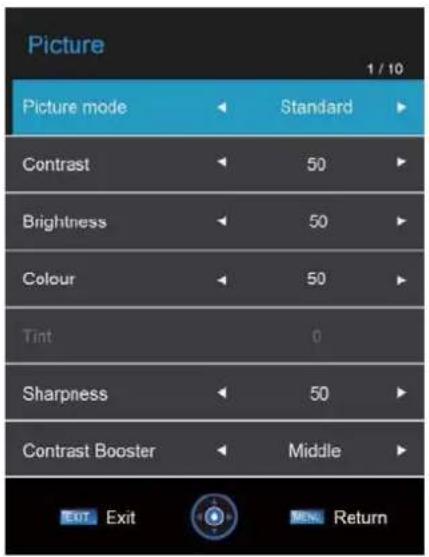
text_image
Picture 1 / 10 Picture mode Standard Contrast 50 Brightness 50 Colour 50 Tint 0 Sharpness 50 Contrast Booster Middle EXIT Exit OK Return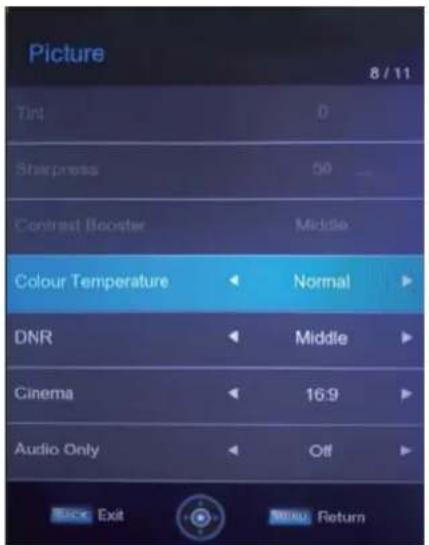
text_image
Picture 8 / 11 Tint 0 Sharpness 50 Contrast Booster Middle Colour Temperature Normal DNR Middle Cinema 16:9 Audio Only Off Back Exit ReturnNOTE:
1). Tint is available in NTSC system only.
2). Manually adjusting picture settings will automatically change the Picture Mode to User.
2. SOUND MENU
The second item of the MENU is the SOUND MENU.
You can adjust the sound effect here such as treble, bass, balance etc.
Press ▼▲ to move, press ◀▶ to adjust.

text_image
Sound 1 / 8 Sound Mode Standard Bass 50 Treble 50 Balance 0 Surround Off AVL Off Digital Audio Output PCM Exit Exit ReturnNote:
Auto volume: only available when the input signal volume is too large or distortion.
1. CHANNEL MENU
The third item of the MENU is CHANNEL MENU You can search channels and edit programs here.
Press ▼▲ to move, press OK or button to enter.
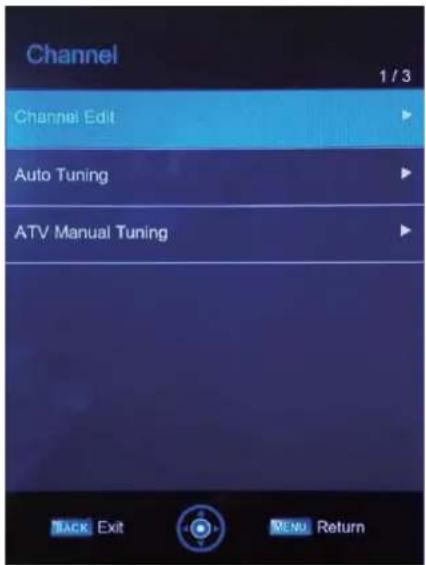
text_image
Channel 1 / 3 Channel Edit Auto Tuning ATV Manual Tuning BACK Exit MENU Return1). Channel Edit:
You can Delete, Swap or Skip any programs.
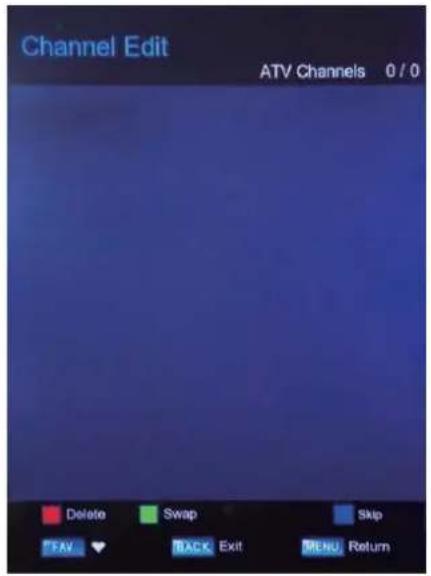
text_image
Channel Edit ATV Channels 0 / 0 Delete Swap Skip FAV BACK Exit MENU ReturnHot Key Description :
Press RED button to delete the channel selected.
Press GREEN button to move down the channel.
Press BLUE button to skip the channel selected.
Press FAV buttonto set the favorites channels.
Press CH +/- button to turn the page.
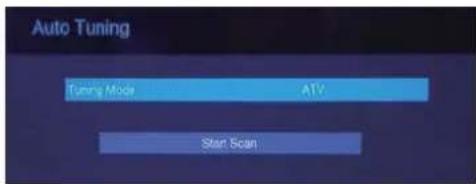
2).Auto :Tuning
Search all the TV channels automatically.
text_image
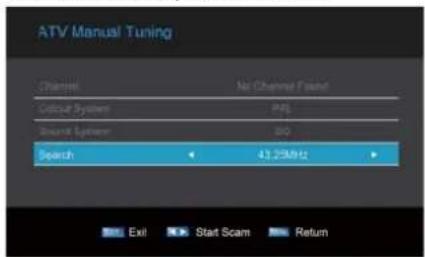
Auto Tuning Tuning Mode ATV Start Scan3). ATV Mannul Tuning:
You can change the sound system to search the analog TVchannels and fine tune the channels, then storage the channels you selected.
text_image
ATV Manusl Tuning Channel Net Channel Focus Colour System APG Signal System 010 Search 43.25MHz Exit Start Scam ReturnNOTE:
When the System Lock is on, please input the PIN code to unlock.
4. Applications MENU
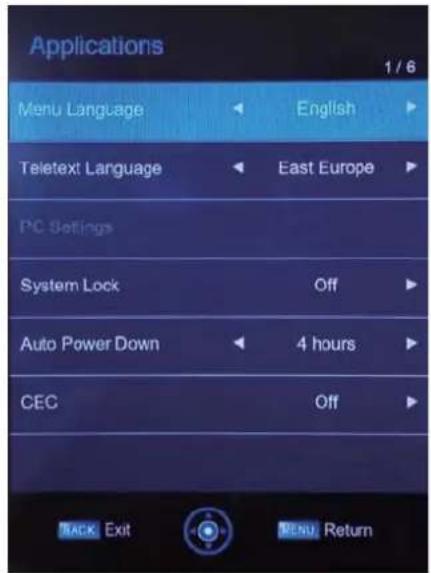
The forth item of the MENU is the Applications MENU. You can adjust the Menu Language, Teletext Language, PC Settings, System Lock, Auto Power Down, CEC.
Press ▼▲ to move, press OK ▶button to enter, or press ◀▶ to adjust.
text_image
Applications 1 / 6 Menu Language English Teletext Language East Europe PC Settings System Lock Off Auto Power Down 4 hours CEC Off TRACK Exit MENU Return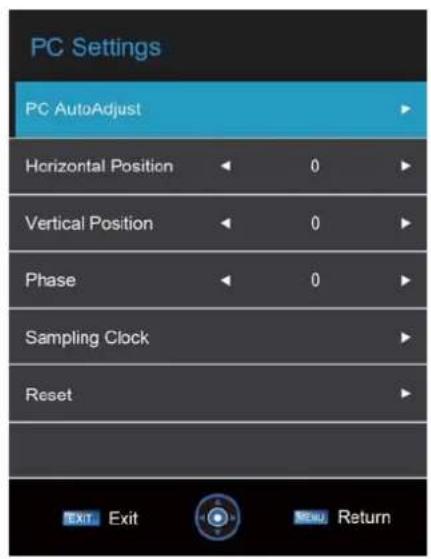
text_image
PC Settings PC AutoAdjust Horizontal Position 0 Vertical Position 0 Phase 0 Sampling Clock Reset Exit Exit New ReturnNOTE:
Press number key "0000" to enter into System Lock.
5. Setup MENU
The fifth item of the menu is the Setup MENU. You can adjust OSD Timer, Blue Screen, Sleep Time Location, Show Room, Reset TV etc.
Press ▼▲ to move, press OK /button to enter, or press to adjust.
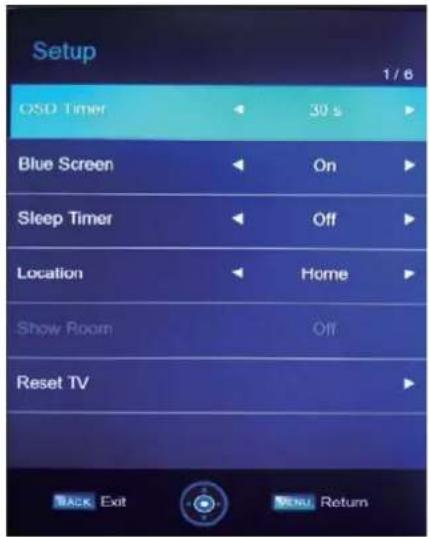
text_image
Setup 1 / 6 OSD Timer 30 s Blue Screen On Sleep Timer Off Location Home Show Room Off Reset TV BACK Exit MENU ReturnNOTE:
Reset will clear all the programs and password.
6. USB FUNCTION
You must enter the Source menu first, then choice the USB and press OK button, the USB menu will appear.

text_image
Source 1 / 8 ATV AV YPBPR HDMI 1 HDMI 2 PC MIRACAST USB BACK Exit OK Enter
text_image
ROOT Photo Music Music MusicboxPlease make sure that the USB device have plugged in the slot. There are four item can be selected, such as photo, music, movie and Miracast. Select the item by pressing ◀▶, press OK button to enter the disk selection menu.
In the movie mode, when you use FB, FF function, The audio may be pause in several seconds to synchronize the audio signal and video signal.
NOTE:
When the USB device isn't supported, it may be that the power of the USB device isn't enough.
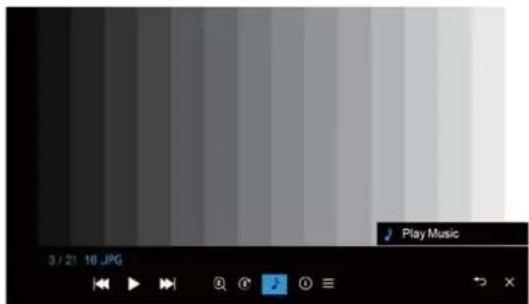
text_image
Play Music 3 / 21 10 JPGPress the OK to display media files and folder list or choose Return to back to the media type selection menu.

natural_image
Aerial view of a crowded urban plaza with a central figure in a dress, surrounded by tall buildings (no visible text or symbols)Select the media file by pressing ▶ ▼ ▲, then the preview frame will pop up. Press the button OK to play the media file in full screen. When the media file (photo, music, movie) is playing, press the OK or Newton can display the control bar.
NOTE:
Music function need to put music and picture in the same folder.
Press ▶▶elect the function icon, press OK button to confirm the function.
NOTE:
You can adjust the audio track, subtitle, or program in the Info menu while playing the video file.
Choose the Info icon and press OK can display the Info MENU.
7. Operation instructions of Miracast
- select the Miracast source or USB source and enter.
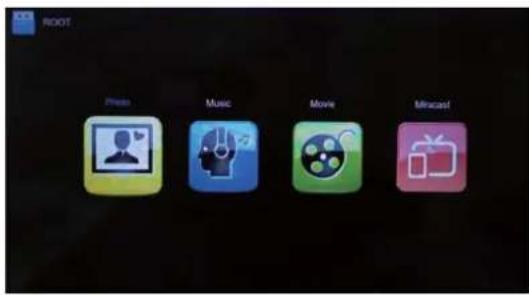
text_image
ROOT Photo Music Movie Mosaic!- Then you will see the Miracast icon.

text_image
Miracast Connection Setup Loading Exit3.Enter the Miracast, wait for serival seconds you will see the Miracast Ready.
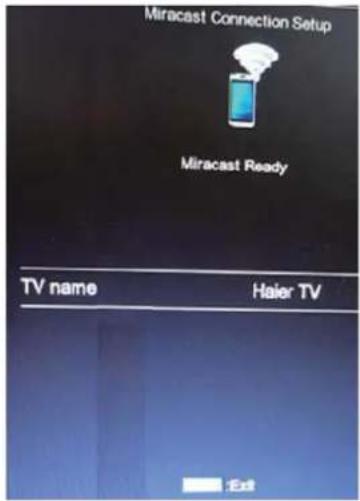
text_image
Miracast Connection Setup Miracast Ready TV name Haier TV Ext- After the Miracast ready, you can use your phone to connect.
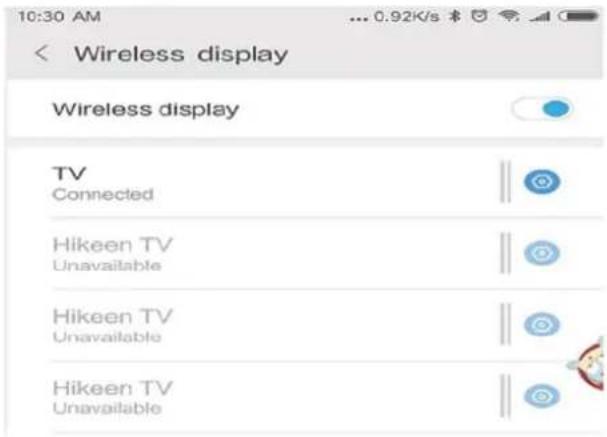
text_image
10:30 AM ... 0.92K/s Wireless display Wireless display TV Connected Hikeen TV Unavailable Hikeen TV Unavailable Hikeen TV Unavailable- After connect success, The phone screen will be cast on the TV.

text_image
Device connection Bluetooth Off > MirrorShare USB Disconnected Printing MirrorShare Haier TV Connected DISCONNECT8. Hotel Mode:
How to enter and exit the hotelmode menu: :
Enter: You can enter the hotel mode menu by the follow steps :
Press "H.Lock" button, then press password "0000".
Select: use direction key to select the different items.
Confirm: Press the key "OK" or right direction key to confirm.
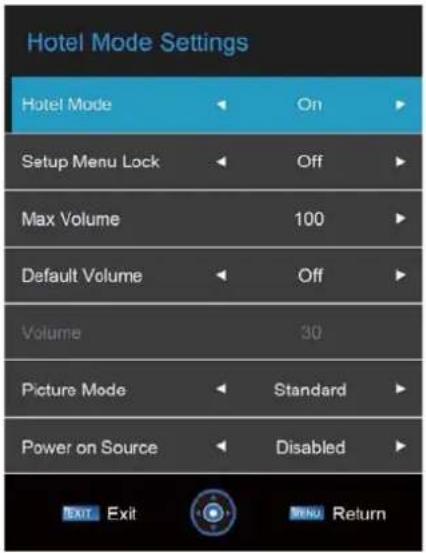
text_image
Hotel Mode Settings Hotel Mode On Setup Menu Lock Off Max Volume 100 Default Volume Off Volume 30 Picture Mode Standard Power on Source Disabled EXIT Exit CENU Return| Trouble phenomenon | Inspection | ||
| Picture Audio | |||
 | Snow Noise |  | antenna position, direction or connection |
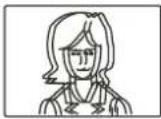 | Ghost | 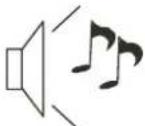 Normal audio Normal audio | antenna position, direction or connection |
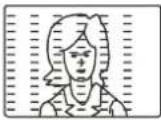 | Interfere |  Noise Noise | electronic equipment, car/ motorcycle, fluorescent light |
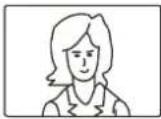 | Normal Picture |  Mute Mute | Volume (inspect wether the mute function on the remote control are started, or audio system are correct or not) |
 | No picture Mute |  | Power cord is not inserted Power switch is not opened Contrast and brightness/volume setup Press standby key on the remote control for inspecting |
 | No color Normal at |  rol rol | |
 | Scramble |  Normal audio r weak Normal audio r weak | retune channel |
 | No color |  Noise Noise | Audio system |
Special Explanation: The accessories such as remote control is not belongs to the guarantee.