
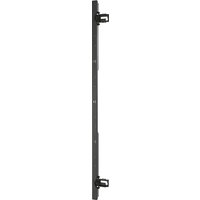
LBM1X2UP - Wall mount for screen Chief - Free user manual and instructions
Find the device manual for free LBM1X2UP Chief in PDF.


| Product Type | Wall mount for screen (video wall) |
| Model | LBM1X2UP |
| Brand | Chief |
| Mounting Configuration | Portrait; 1 column x 2 displays |
| Max Weight per Display | 125 lbs (56.7 kg) |
| Total System Weight Capacity | 250 lbs (113.4 kg) |
| Mounting Surface | Concrete floor only (bolt-down); minimum 4" thickness |
| Fastening Method | Bolt-down plates with concrete anchors |
| Display Compatibility | VESA patterns via included interface brackets |
| Adjustment Types | Height and plumb (independent per display) |
| Rail System | Yes; quick-connect rails for easy display attachment |
| Cable Management | Internal column routing; includes snap covers |
| Accessory Compatibility | Height extension: FCABX36; no width extension |
| Number of Displays Supported | 2 (max 2 high in portrait) |
| Tools Required for Installation | Phillips screwdriver, open-ended wrench, hex-head wrench, drill, 3/8" drill bit, hammer, air hose/compressed air |
| Safety Certification | UL Listed |
| Material | Steel (typical for mount) |
| Finish | Black powder coat (typical) |
| Warranty | Not specified; typical for Chief: 10 years |
Frequently Asked Questions - LBM1X2UP Chief
User questions about LBM1X2UP Chief
0 question about this device. Answer the ones you know or ask your own.
Ask a new question about this device
Download the instructions for your Wall mount for screen in PDF format for free! Find your manual LBM1X2UP - Chief and take your electronic device back in hand. On this page are published all the documents necessary for the use of your device. LBM1X2UP by Chief.
USER MANUAL LBM1X2UP Chief
INSTALLATION INSTRUCTIONS

Bolt Down Video Wall
DISCLAIMER
Milestone AV Technologies and its affiliated corporations and subsidiaries (collectively "Milestone"), intend to make this manual accurate and complete. However, Milestone makes no claim that the information contained herein covers all details, conditions or variations, nor does it provide for every possible contingency in connection with the installation or use of this product. The information contained in this document is subject to change without notice or obligation of any kind. Milestone makes no representation of warranty, expressed or implied, regarding the information contained herein. Milestone assumes no responsibility for accuracy, completeness or sufficiency of the information contained in this document.
Chief® is a registered trademark of Milestone AV Technologies. All rights reserved.

IMPORTANT SAFETY INSTRUCTIONS

WARNING: A WARNING alerts you to the possibility of serious injury or death if you do not follow the instructions.

CAUTION: A CAUTION alerts you to the possibility of damage or destruction of equipment if you do not follow the corresponding instructions.

WARNING: Failure to read, thoroughly understand, and follow all instructions can result in serious personal injury, damage to equipment, or voiding of factory warranty! It is the installer's responsibility to make sure all components are properly assembled and installed using the instructions provided.

WARNING: Failure to provide adequate structural strength for this component can result in serious personal injury or damage to equipment! It is the installer's responsibility to make sure the structure to which this component is attached can support five times the combined weight of all equipment. Reinforce the structure as required before installing the component.

WARNING: Do NOT stack multiple accessories on the same display wall! Do NOT connect wall add-on accessories to LBM3X3U, LBM3X2U, LBM2X2U, LBM1X2U and LBM1X3U that are already three display high. Display mounts may NOT be stacked higher than three displays high on non-portrait models! Portrait versions - LBM3X2UP, LBM1X2UP, LBM2X2UP AND LBM3X1UP - may NOT be stacked higher than two displays high!

WARNING: Exceeding the weight capacity can result in serious personal injury or damage to equipment! It is the installer's responsibility to make sure the combined weight of each display and attached accessories mounted to the LBM mount does not exceed the limits listed in table.
| MODEL Max Weight Allowed for EACH Display | Max Weight Capacity of Mounting System | |
| LBM2X2U | 125 lbs(56.7 kg) | 500 lbs(226.8 kg) |
| LBM3X2U | 125 lbs(56.7 kg) | 750 lbs(340.2 kg) |
| LBM3X3U | 125 lbs(56.7 kg) | 1125 lbs(510.3 kg) |
| LBM1X2U | 125 lbs(56.7 kg) | 250 lbs(113.4 kg) |
| LBM1X3U | 125 lbs(56.7 kg) | 375 lbs(170.1 kg) |
| LBM1X2UP | 125 lbs(56.7 kg) | 250 lbs(113.4 kg) |
| LBM3X1UP | 125 lbs(56.7 kg) | 375 lbs(170.1 kg) |
| LBM2X2UP | 125 lbs(56.7 kg) | 500 lbs(226.8 kg) |
| LBM3X2UP | 125 lbs(56.7 kg) | 750 lbs(340.2 kg) |
LBM2X2U
| 125 | 125 |
| 125 | 125 |
LBM3X2U
| 125 | 125 | 125 |
| 125 | 125 | 125 |
LBM3X3U
| 125 | 125 125 |
| 125 125 | 125 |
LBM1X2U
| 125 |
| 125 |
LBM1X3U
| 125 |
| 125 |
| 125 |
LBM3X1UP
| 125 | 125 | 125 |
LBM1X2UP
| 125 | 125 | 125 |
| 125 | 125 | 125 |
LBM3X2UP
| 125 | 125 | 125 |
| 125 | 125 |
NOTE: The UL Listed LBM Series video walls may be used with the following Listed video wall extension accessories:
| MODEL Models of Associated Listed Accessories | |
| LBM2X2U | Width Extension: FCAX20, FCAX14, FCAX08Height Extension: FCA2X1U, FCABX18, FCABX36 |
| LBM3X2U | Width Extension: FCAX20, FCAX14, FCAX08Height Extension: FCA3X1U, FCABX18, FCABX36 |
| LBM3X3U | Width Extension: FCAX20, FCAX14, FCAX08Height Extension: FCABX36* |
| LBM1X2U | Width Extension: noneHeight Extension: FCABX18, FCABX36 |
| LBM1X3U | Width Extension: noneHeight Extension: FCABX36* |
| LBM1X2UP | Width Extension: noneHeight Extension: FCABX36* |
| LBM3X1UP | Width Extension: FCAX20, FCAX14, FCAX08Height Extension: FCA3X1UP, FCABX18, FCABX36 |
| LBM2X2UP | Width Extension: FCAX20, FCAX14, FCAX08Height Extension: FCABX36* |
| LBM3X2UP | Width Extension: FCAX20, FCAX14, FCAX08Height Extension: FCABX36* |
*FCABX36 will be used in place of existing height extension.
DIMENSIONS
![LBM2X2U MAX WEIGHT: 125 LBS PER DISPLAY 500 LBS TOTAL CAPACITY 72.87 [1851.0] 15.75 [400.0] MAX MOUNTING PATTERN HEIGHT 39.77 [1010.2] 64.38 SCREEN CENTER MAX HEIGHT 16.38 [416.1] SCREEN CENTER MIN HEIGHT 3.77 [95.8] 32.23 [818.6] 1.50 [38.1] 2.53 [64.1] 28.00 [711.2] 8.00 [203.2] 44.00 [1117.6] 3.7…](/content/2026/06/1218843/images/11002a87bb073bb90c2905ca1045f78214d0114accdd565b3b85fb260c7dec54.jpg)

WARNING: Do NOT install LBM Series mounts to any surface other than concrete! Concrete flooring must be at least 4" in thickness and NOT be covered with any other type of flooring material. Concrete anchors must be installed directly into concrete surface.

WARNING: Use this mounting system only for its intended use as described in these instructions. Do not use attachments not recommended by the manufacturer.
Never operate this mounting system if it is damaged. Return the mounting system to a service center for examination and repair.
NOTE: Refer to UL Listed accessories manuals for installation instructions.
NOTE: The LBM Series video walls have no user serviceable parts.

WARNING: Do not use this product outdoors.
--SAVE THESE INSTRUCTIONS-
LBM3X2U

MAX WEIGHT: 125 LBS PER DISPLAY 750 LBS TOTAL
LBM3X3U

MAX WEIGHT:
100 LBS PER DISPLAY
900 LBS TOTAL
LBM1X2U
![36.00 [914.4] 15.75 [400.0] MAX MOUNTING PATTERN HEIGHT 64.39 [1635.5] SCREEN CENTER MAX HEIGHT 16.38 [416.1] SCREEN CENTER MIN HEIGHT 21.23 [539.2] 3.77 [95.8] 8.00 [203.2] 17.00 [431.8] 28.77 [730.8]](/content/2026/06/1218843/images/63baeba9544e053d2d2a40251f0852a2d2b3e37782e9453b91dc642ae5985426.jpg)
MAX WEIGHT: 125 LBS PER DISPLAY 250 LBS TOTAL CAPACITY
![66.45 [1687.8] 17.38 [441.3] 8.00 [203.2]](/content/2026/06/1218843/images/4e4beed3e3bc18c9a7382c13a089ab4150a94d73143e7d4545400d591e470642.jpg)

LBM1X3U
![1X30 36.00 [914.4] 28.77 [730.8] 15.75 [400.0] MAX MOUNTING PATTERN HEIGHT 82.39 [2092.7] SCREEN CENTER MAX HEIGHT 16.38 [416] SCREEN CENTER MIN HEIGHT 3.77 [95.8] 21.23 [539.2] 17.00 [431.8] 33.00 [838.2]](/content/2026/06/1218843/images/75c0794a519c86ae7c55d0bd14b55859a82f8cd1018835feef6be5ef2dadfb60.jpg)
MAX WEIGHT: 125 LBS PER DISPLAY 375 LBS TOTAL CAPACITY
![84.45 [2145.1] 17.38 [441.3] 8.00 [203.2]](/content/2026/06/1218843/images/72a9b4d9de8e9b8187ebb653f5ea115efb0842da3c9c49147ce0e2a29163c8bb.jpg)

LBM1X2UP
![36.00 [914.4] 21.23 [539.2] 31.50 [800.0] MAX MOUNTING PATTERN HEIGHT 82.39 [2092.7] SCREEN CENTER MAX HEIGHT 16.38 [416] SCREEN CENTER MIN HEIGHT 3.77 [95.8] 21.23 [539.2] 17.00 [431.8] 33.00 [838.2]](/content/2026/06/1218843/images/58b2f4556be621ee08ae07b532d47580f4038100d7754c5416c3c7923d373c7a.jpg)
MAX WEIGHT: 125 LBS PER DISPLAY 250 LBS TOTAL CAPACITY
![84.45 [2145.0] 17.38 [441.3] 8.00 [203.2]](/content/2026/06/1218843/images/91fa6b4370bff5326dbd9138f5e9b6e24ca0222c3420f441951504e1936e7c42.jpg)

LBM3X1UP

MAX WEIGHT:
125 LBS PER DISPLAY
375 LBS TOTAL CAPACITY
![68.00 [1727.2] 31.50 [800.0] MAX MOUNTING PATTERN HEIGHT 64.38 [1635.1] SCREEN CENTER MAX HEIGHT 17.38 [441.3] SCREEN CENTER MIN HEIGHT 2.53 [64.1] 1.50 [38.1] 5.38 [136.5] 3 [9] 7 [18] 32.38 [822.6] 3.77 [95.8] 8.00 [203.2] 44.00 [1117.6]](/content/2026/06/1218843/images/0d99f0e60f19fb9f78a15b0fe82898aff338ed15ed22b2e27a12dbc6c54c689a.jpg)
![TING GHT 3.91 [99.3] 7.31 [185.6] 66.62 [1692.0] 65.38 [1660.5] 17.38 [441.3] 8.00 [203.2]](/content/2026/06/1218843/images/631c36b24f5f657bff7097b40ae0ba29b7feceb45489f468d19dcb359a2bccd5.jpg)

LBM2X2UP
![LBM2X20P 46.00 [1168.4] 31.50 [800.0] MAX DISPLAY PATTERN HEIGHT 39.77 [1010.2] 82.38 SCREEN CENTER MAX HEIGHT 17.38 [441.3] SCREEN CENTER MIN HEIGHT 3.77 [95.8] 32.23 [818.6] 1.50 [38.1] 2.53 [64.1] 28.00 [711.2] 8.00 [203.2] 44.00 [1117.6]](/content/2026/06/1218843/images/1f5641d8f87e8d1946ae567bd0934d4c067597d55288840e49aec93696f7f203.jpg)
MAX WEIGHT: 100 LBS PER DISPLAY 400 LBS TOTAL CAPACITY
![3.91 [99.3] 7.31 [185.6] 1.61 [40.9] 17.38 [441.3] 8.00 [203.2] 83.88 [2130.4] 84.62 [2149.3]](/content/2026/06/1218843/images/b41b4bf5fb5b653a344f020658f03a04e46e7a1616743b398f42b5ac5a9cab59.jpg)

LBM3X2UP
![LBMSX20F MAX W 100 LBS 600 LBS 68.00 [1727.2] 31.50 [800.0] MAX DISPLAY PATTERN HEIGHT 39.77 [1010.2] 82.38 [2092.3] SCREEN CENTER MAX HEIGHT 17.38 [441.3] SCREEN CENTER MIN HEIGHT 3.77 [95.8] 32.23 [818.6] 1.50 [38.1] 2.53 [64.1] 28.00 [711.2] 8.00 [203.2] 44.00 [1117.6]](/content/2026/06/1218843/images/ac14284af4317c7e13d5b55d0ba97e4e6070db368f47515050b79674a2f199c3.jpg)
MAX WEIGHT: 100 LBS PER DISPLAY 600 LBS TOTAL CAPACITY
![3.91 [99.3] 7.31 [185.6] 1.61 [40.9] 83.88 [2130.4] 84.62 [2149.3] 17.38 [441.3] 8.00 [203.2]](/content/2026/06/1218843/images/9a65d0c4c77facc1fb00e015fba8aad8a4a6d6a7dbad77c892f35e1de97dba33.jpg)

Bolt Down Dimensions
LBM2X2U/LBM3X1UP LBM2X2UP/LBM3X2UP
BOTTOM VIEW
FOR BOLT DOWN INSTALLATION
![LARGER RADIUS FACES FRONT TO ATTACH TO COLUMN. COLUMN BOLT PATTERN NOT SQUARE 8.00 [203.2] 6.00 [152.4] 8.00 [203.2] Ø 0.500 [12.7] 1.00 [25.4] 1.00 [25.4] 6.00 [152.4] 28.00 [711.2] 36.00 [914.4] 42.00 [1066.8] 44.00 [1117.6]](/content/2026/06/1218843/images/e5d9d5e923c0c1fec87167e9bae1234390e0bac99f295a5b61bd6869bda70003.jpg)
LBM3X2U/LBM3X3U
BOTTOM VIEW
FOR BOLT DOWN INSTALLATION
![8.00 [203.2] LARGER RADIUS FACES FRONT TO ATTACH TO COLUMN. COLUMN BOLT PATTERN NOT SQUARE 6.00 [152.4] 1.00 [25.4] 1.00 [25.4] 6.00 [152.4] Ø0.500 [12.7] 42.25 [1073.2] 48.25 [1225.6] 84.50 [2146.3] 90.50 [2298.7]](/content/2026/06/1218843/images/963084b095f8ec61cfcea97e3cfe215e7beaedf210f85306455b2cc1b20c8142.jpg)
LBM1X2U/LBM1X3U/LBM1X2UP
BOTTOM VIEW
FOR BOLT DOWN INSTALLATION
![LARGER RADIUS FACES FRONT TO ATTACH TO COLUMN. COLUMN BOLT PATTERN NOT SQUARE. 8.00 [203.2] 6.00 [152.4] 8.02 [203.7] Ø0.50 [12.7] 1.00 [25.4] 6.00 [152.4] 17.00 [431.8] 25.00 [635.0] 31.00 [797.4] 33.00 [838.2]](/content/2026/06/1218843/images/57cc2919956b0f45b0992d732fb4b22d5e08582fa45cdca9b59b08b18ff0a25d.jpg)
LEGEND
 | Tighten Fastener |
| Apretar elemento de fijación | |
| Befestigungsteil festziehen | |
| Apertar fixador | |
| Serrare il fissaggio | |
| Bevestiging vastdraaien | |
| Serrez les fixations | |
 | Loosen Fastener |
| Aflojar elemento de fijación | |
| Befestigungsteil lösen | |
| Desapertar fixador | |
| Allentare il fissaggio | |
| Bevestiging losdraaien | |
| Desserrez les fixations | |
 | Phillips Screwdriver |
| Destornillador Phillips | |
| Kreuzschlitzschraubendreher | |
| Chave de fendas Phillips | |
| Cacciavite a stella | |
| Kruiskopschroevendraaier | |
| Tournevis à pointe cruciforme | |
 | Open-Ended Wrench |
| Llave de boca | |
| Gabelschlüssel | |
| Chave de bocas | |
| Chiave a punte aperte | |
| Steeksleutel | |
| Clé à fourche | |
 | By Hand |
| A mano | |
| Von Hand | |
| Com a mão | |
| A mano | |
| Met de hand | |
| À la main | |
 | Hex-Head Wrench |
| Llave de cabeza hexagonal | |
| Sechskantschlüssel | |
| Chave de cabeça sextavada | |
| Chiave esagonale | |
| Zeskantsleutel | |
| Clé à tête hexagonale |


TOOLS REQUIRED FOR INSTALLATION

PARTS -Non-portrait Models- LBM2X2U/LBM3X2U/LBM3X3U/LBM1X2U/LBM1X3U (Portrait next page)
![*Quantities are listed as (LBM2X2/LBM3X2/LBM3X3/ LBM1X2/LBM1X3) J (0/0/0/2/3) [single display rail] K (2/0/0/0/0) [dual display rail] M (2/3/3/2/2) [cart array column] L (0/2/3/0/0) [triple display rail] Y (4/6/9/2/3) [left interface] Z (4/6/9/2/3) [right interface] AA (4/6/9/4/6) 5/16-18 x 4 1/2" B…](/content/2026/06/1218843/images/71a37e140736926c8674b1a78f1bb5d0edcfeb12e257a9163412e7d2be08301c.jpg)
Parts - Portrait Models - LBM1X2UP/LBM3X1UP/LBM2X2UP/LBM3X2UP
![Quantities are listed as (LBM1X2UP/LBM3X1UP/ LBM2X2UP/LBM3X2UP) J (2/0/0/0) [single portrait display rail] K (0/1/2/2) [portrait display rail] M (2/2/2/2) [cart array column] L (0/0/0/0) [triple display rail] Y (2/3/4/6) [left interface] Z (2/3/4/6) [right interface] AA (2/2/4/4) 5/16-18 x 4 1/2" BB…](/content/2026/06/1218843/images/a3b877ccf316d325b58c22571f8fee2c3aae98da2cbce8dbd7282247c6dd9078.jpg)
Assembly And Installation
Bolt Down Columns to Floor
- Lay array columns (M) down on a flat surface.
- Use four 5/16-18 x 1 1/2" flat head cap screws (R) to connect each bolt down plate (LL) to each columns (M). (See Figure 1)
IMPORTANT ! : Inside bolt pattern is NOT square! Corners of front of plate have larger radii than corners on back of plate. Plate must be properly aligned in order to attach to column.

Figure 1
- Using bolt down plates (LL) as templates, mark four holes at outside hole locations for each column. (See Figure 2)

WARNING: Do NOT install LBM Series mounts to any surface other than concrete! Concrete flooring must be at least 4" in thickness and NOT be covered with any other type of flooring material. Concrete anchors must be installed directly into concrete surface.
IMPORTANT ! : See Bolt Down Dimensions on page 6 to measure distances between each bolt down plate.
IMPORTANT ! : Make sure columns will be installed far enough away from any walls so that displays may be installed.
- Using a 3/8" drill bit, drill a hole 3 1/2" in depth at each marked location. (See Figure 2) and (See Figure 3)
- Blow each hole clean of any concrete debris with a large air hose or compressed air in a can. (See Figure 3)
IMPORTANT ! : Do NOT modify the anchors or advance the bolt in the anchors prior to installation!
-
Place each bolt down plate (LL) on top of drilled holes making sure holes on plate are aligned with drilled holes. (See Figure 3)
-
Use a hammer to drive anchors (U) through plate holes into the drilled holes until the bolt head is firmly seated against the plate. (See Figure 2) and (See Figure 3)
-
Tighten each anchor by turning the head three to four turns past finger tight. (See Figure 3)

Figure 2

Figure 3
- Repeat Steps 4-8 for additional column(s).
Column Add-On Installation (LBM3X3U/LBM1X3U/LBM2X2UP/LBM3X2UP only)
- Insert one column add-on (V) to each column (M) making sure holes are lined up on each side. (See Figure 4)
- Use 5/32" hex key (JJ) and six 1/4-20 x 1/2" flat head cap screws (W) to secure each column add-on (V) to each column (M). (See Figure 4)

Figure 4
Rails Installation
- Using display dimensions, determine where the center of the top displays will be on the cart.
IMPORTANT ! : Install all column add-ons (V), if applicable, prior to installing rails to columns. - Place clamp brackets (P) on columns in the position of where the center of the top displays will be on the cart with the diamond on the brackets being placed at the exact center location. (See Figure 5)

Figure 5
- Use 5/16-18 x 4 1/2" button head cap screw (AA), two 5/16" washers (CC) and 5/16-18" lock nut (FF) to secure each clamp bracket (P) to column. (See Figure 5)
NOTE: Clamp brackets (P) may be flipped in order to use long slots for installation if necessary. (See Figure 6)

Figure 6
NOTE: If installing LBM3X1UP, proceed ahead to Step 6.
- Measure one screen height down from center point on installed clamp brackets to determine mounting location of lower clamp brackets. (See Figure 7)
- Use 5/16-18 x 4 1/2" button head cap screw (AA), two 5/16" washers (CC) and 5/16-18" lock nut (FF) to install clamp brackets for lower displays with center diamond one screen height below center diamond of upper installed brackets. (See Figure 7)
NOTE: If some clearance is desired in between displays, install lower brackets slightly more than one screen height below upper brackets.

Figure 7
- Use four 5/16-18 x 3/4" button head flange screws (BB) to secure each attached clamp bracket (P) to each quick connect base (Q). (See Figure 8)

Figure 8
NOTE: If rails must be installed over cable management holes on column, cables must be routed prior to installing rails onto quick connect bases. See Cable Management section for details.
- Install two 5/16-18 x 3/4" button head flange screws (BB) into the top holes on each quick connect base (Q). (See Figure 9)

Figure 9
- Hang rails (K or L) into screws installed in previous step to quick connect bases (Q). (See Figure 9)
IMPORTANT ! : If installing the triple display rail (L), install rail to left and center columns so that add-on rail can be installed to right column. See Add-On Rail Installation section for details.
-
Install two 5/16-18 x 3/4" button head flange screws (BB) into the lower holes on each quick connect base (Q) to secure rails to quick connect bases. (See Figure 10)
-
Tighten all 5/16-18 x 3/4" button head flange screws (BB).

Figure 10
Add-On Rail Installation (LBM3X2U/LBM3X3U/LBM1X3U/LBM1X2UP/LBM2X2UP/LBM3X2UP only)
- Install add-on rails (DD) to right column following instructions in Rails Installation section.
- Use three #10-24 x 1 1/2" flat head cap screws (X) to attach each add-on rail (DD) to display rail (L). (See Figure 11)

Figure 11
Display Installation
- Place display face down on a soft, non-abrasive surface.
NOTE: For best access, route display cables through columns prior to display installation. See Cable Management section for details.

CAUTION: Using screws of improper diameter may damage your display! Proper screws will easily thread into display mounting holes.
- Select screw diameter by examining hardware (A-C and F-H) (6mm or 8mm) and comparing with mounting holes on display. (See Figure 12) or (See Figure 13)
-
Select spacers:
-
If mounting holes are not recessed and interface brackets (Y and Z) can lay flat against display, then no spacers are required.
- If mounting holes are recessed, or if protrusions prevent brackets (Y and Z) from laying flat, then spacers (E) must be used.

CAUTION: Using screws of improper length may damage your display! Proper screws will have adequate thread engagement without contacting bottom of display mounting holes.
-
Select screw length: (See Figure 12) and (See Figure 13)
-
Using your hand, insert SHORTEST length screw of selected diameter (A or F) through 1/4" washer (D), bracket (Y or Z), selected spacer (E, if required), into display mounting hole. Do NOT thread screw into hole at this time.
-
Proper screw length requires base of screw head to protrude above flat washer a distance equal to or greater than the screw diameter. If screw length is inadequate, select longer screw. Select shortest screw which will protrude the required distance.
-
Use selected screws (A-C or F-H), washers (D) and spacers (E), if necessary, to connect interface brackets (Y and Z) to back of display. Make sure diamond on interface brackets is even with center of display. (See Figure 12)
(non-portrait models)

Figure 12
(portrait models)

Figure 13
WARNING: Exceeding the weight capacity can result in serious personal injury or damage to equipment! It is the installer's responsibility to make sure the combined weight of each display and attached accessories mounted to the LBM mount does not exceed the limits listed below.
| MODEL Max Weight Allowed for EACH Display | Max Weight Capacity of Mounting System | |
| LBM2X2U | 125 lbs(56.7 kg) | 500 lbs(226.8 kg) |
| LBM3X2U | 125 lbs(56.7 kg) | 750 lbs(340.2 kg) |
| LBM3X3U | 125 lbs(56.7 kg) | 1125 lbs(510.3 kg) |
| LBM1X2U | 125 lbs(56.7 kg) | 250 lbs(113.4 kg) |
| LBM1X3U | 125 lbs(56.7 kg) | 375 lbs(170.1 kg) |
| LBM1X2UP | 125 lbs(56.7 kg) | 250 lbs(113.4 kg) |
| LBM3X1UP | 125 lbs(56.7 kg) | 375 lbs(170.1 kg) |
| LBM2X2UP | 125 lbs(56.7 kg) | 500 lbs(226.8 kg) |
| LBM3X2UP | 125 lbs(56.7 kg) | 750 lbs(340.2 kg) |
LBM2X2U
| 125 | 125 |
| 125 | 125 |
LBM3X2U
| 125 | 125 | 125 |
| 125 | 125 | 125 |
LBM3X3U
| 125 | 125 125 | |
| 125125125 | ||
| 125 1 | 25 | 125 |
LBM1X2U
| 125 |
| 125 |
LBM1X3U
| 125 |
| 125 |
| 125 |
LBM3X1UP
| 125 | 125 | 125 |
LBM1X2UP
| 125 | 125 | 125 |
| 125 | 125 | 125 |
LBM3X2UP
| 125 | 125 | 125 |
| 125 | 125 |
- Starting from the bottom and working up, hang interface brackets (Y and Z) to display rails (K or L). (See Figure 14)
- Use 1/4-20 x 1 1/4" socket head cap screws (I) to secure interface brackets (Y and Z) to rails for each display. Screws must engage through both holes to be fully secured. (See Figure 14)
NOTE: Display positions may need to be adjusted after height and/or plumb adjustments in order to maintain desired alignment.

Figure 14
Column Cap Installation
NOTE: If the top holes on columns will be used for cable management, do NOT install column caps to columns as illustrated below. See Cable Management section for details.
- Use four 5/16-18 x 1/2" button head cap screws (EE) to install each column cap (N) to each column. (See Figure 15)

Figure 15
Adjustments
Height Adjustment
- Use upper knob on back of interface brackets (Y and Z) to adjust the height of each display. (See Figure 16)
NOTE: Adjust both brackets in order to maintain a level mount.
Plumb Adjustment
- Use middle and lower knobs on back of interface brackets (Y and Z) to make plumb adjustments to each display. (See Figure 16)

Figure 16
Cable Management
- Route cables from displays through nearest holes on front of columns and out through back cable management hole. (See Figure)
NOTE: For best access, route display cables through columns prior to display installation.

Figure 17
Additional Cable Management Options
- Cables may be routed through tops of columns and out through the back cable management hole. (See Figure 18)

Figure 18
- If rails needed to be installed on top of cable management holes, cables may be routed through quick connect bases (Q) prior to the rails being installed. (See Figure 19)
- Install rails according to Rails Installation section making sure cable is routed through cable opening on quick connect base (Q). (See Figure 19)

Figure 19
- For any cable management holes that are not used, snap covers (KK) may be used to cover holes as desired. (See Figure 20)

Figure 20
LBM Series
Installation Instructions



- INSTALLATION INSTRUCTIONS
- BOLT DOWN VIDEO WALL
- DISCLAIMER
- IMPORTANT SAFETY INSTRUCTIONS
- BOLT DOWN DIMENSIONS
- LBM2X2U/LBM3X1UP LBM2X2UP/LBM3X2UP
- PARTS - PORTRAIT MODELS - LBM1X2UP/LBM3X1UP/LBM2X2UP/LBM3X2UP
- ASSEMBLY AND INSTALLATION
- BOLT DOWN COLUMNS TO FLOOR
- COLUMN ADD-ON INSTALLATION (LBM3X3U/LBM1X3U/LBM2X2UP/LBM3X2UP ONLY)
- RAILS INSTALLATION
- ADD-ON RAIL INSTALLATION (LBM3X2U/LBM3X3U/LBM1X3U/LBM1X2UP/LBM2X2UP/LBM3X2UP ONLY)
- DISPLAY INSTALLATION
- COLUMN CAP INSTALLATION
- ADJUSTMENTS
- HEIGHT ADJUSTMENT
- PLUMB ADJUSTMENT
- CABLE MANAGEMENT
- ADDITIONAL CABLE MANAGEMENT OPTIONS
Brand : Chief
Model : LBM1X2UP
Category : Wall mount for screen