CAD1-48 - Fridge Fisher & Paykel - Free user manual and instructions
Find the device manual for free CAD1-48 Fisher & Paykel in PDF.


User questions about CAD1-48 Fisher & Paykel
0 question about this device. Answer the ones you know or ask your own.
Ask a new question about this device
Download the instructions for your Fridge in PDF format for free! Find your manual CAD1-48 - Fisher & Paykel and take your electronic device back in hand. On this page are published all the documents necessary for the use of your device. CAD1-48 by Fisher & Paykel.
USER MANUAL CAD1-48 Fisher & Paykel
text_image
DCS by Fisher&PaykelPROFESSIONAL GRILL CART
CAD1 models
INSTALLATION GUIDE / USER GUIDE
US CA
Safety and warnings 2
Introduction 4
Model identification & dimensions 5
Shipping inspection 6
Locating the cart 7
Cart assembly instructions 7
Components 8
Cart assembly instructions 9
Side shelf assembly instructions (optional) 14
Using the cart 15
Removing the drawers 15
Re-installing the drawers 15
Freezer pack (optional, kit #70696A) 16
Care and maintenance 17
Service & warranty 18
IMPORTANT!
SAVE THESE INSTRUCTIONS
The models shown in this user guide may not be available in all markets and are subject to change at any time. For current details about model and specification availability in your country, visit our website listed on the back cover or contact your DCS by Fisher & Paykel dealer.
To reduce the risk of fire, electrical shock, injury to persons, or damage when using the appliance, follow the important safety instructions listed below: hazard or other injury.
WARNING!

Explosion Hazard
Failure to follow this advice may result in injury or death.
- Do not store or use gasoline or other flammable vapors and liquids inside or in the vicinity of this or any other appliance.
- An LP cylinder not connected for use shall not be stored inside or in the vicinity of this unit.
WARNING!

Tip Hazard
Failure to follow this advice may result in injury.
- Do not push down on the top of the drawers. The unit could tip forward.
- Do not overload drawers. Maximum rating of each drawer is 35 pounds.
WARNING!

Crush Hazard
Failure to follow this advice may result in injury.
- Improper hand placement during drawer closure may cause injury to hands or fingers. Always close or open drawers using their handles.
-
Be sure to keep hands away from drawer edges when opening or closing drawers.
-
Do not allow children or pets to play in or around the cart.
- To prevent personal injury or damage to the drawers, do not overload them. The maximum rating of each drawer is 35 pounds.
- Do not store items of interest to children above or on the inside of any cart. Children could be seriously injured if they should climb onto or into the cart to reach these items.
- To prevent injury from tipping, all Series 9 grills must only be used with either CAD1-36E or CAD1-48E model carts.
IF YOU SMELL GAS:
- Do not turn on any electrical switch; do not use any phone in your building.
- Immediately call your gas supplier from a neighbor's phone.
- Follow the gas supplier's instructions.
- If you cannot reach your gas supplier, call the fire department.
- Installation and service must be performed by a qualified installer, service agency or the gas supplier.
Thank you for selecting this DCS by Fisher & Paykel Grill Cart. This installation and user guide contains valuable information on how to properly install, and maintain your new Professional Grill Cart for years of safe and enjoyable use.
For your convenience, product questions can be answered by a DCS Customer Care Representative at www.dcsappliances.com, or email: customer.care@fisherpaykel.com.
CAD1-30 and side shelf
Front

text_image
A G FCAD1-36/36E
Front

natural_image
Line drawing of a multi-level industrial machine with wheels and a central cabinet (no text or symbols)CAD1-48/48E
Front

natural_image
Technical line drawing of a multi-compartment storage unit with wheels and internal compartments (no text or symbols)CAD1-30, CAD1-36/36E and CAD1-48/48E
Profile

text_image
D E C B| PRODUCT DIMENSIONS | CAD1-30 CAD1-36/36E CAD1-48/48E | |||||
| IN MM IN MM IN MM | ||||||
| A Overall width of cart | 30 | 762 | 36 | 914 | 48 | 1219 |
| B Overall height of cart | 35 1/2 | 902 | 35 1/2 | 902 | 35 1/2 | 902 |
| C Height of cart chasis (excluding wheels) | 32 | 816 | 32 | 816 | 32 | 816 |
| D Overall depth of cart | 25 1/2 | 648 | 25 1/2 | 648 | 25 1/2 | 648 |
| E Depth of cart chasis (excluding doors & handles) | 23 1/2 | 597 | 23 1/2 | 597 | 23 1/2 | 597 |
| F Width of side shelf bracket | 4 1/2 | 114 | 4 1/2 | 114 | 4 1/2 | 114 |
| G Width of side shelf | 24 | 610 | 24 | 610 | 24 | 610 |
INSTALLATION
Compatibility
IMPORTANT!
All Series 9 grills MUST only be used with either CAD1-36E or CAD1-48E model carts. They cannot be used with any other CAD1 carts. Series 7 grills can be used with both CAD1 and CAD1-E cart models.
Shipping inspection
IMPORTANT!
- Do not discard any packing material (box, straps) until the unit has been inspected.
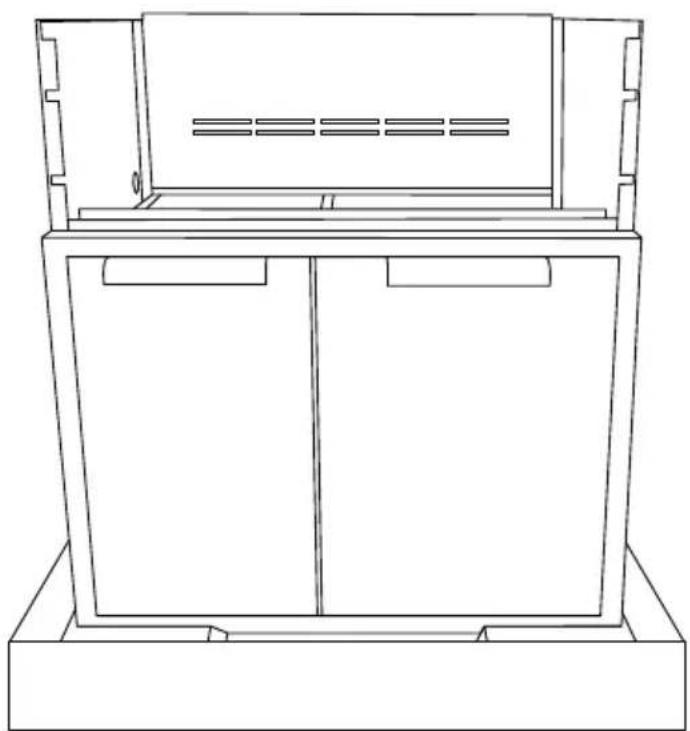
① Inspect the Cart to verify that there is no shipping damage.
② If any damage is detected, call the retail dealer and initiate a damage claim. DCS by Fisher & Paykel is not responsible for shipping damage.
- Operate the drawers to be sure they glide smoothly.
- Examine the drawer fronts to be sure there are no dents or scratches.
natural_image
Line drawing of a cabinet or enclosure with two doors and a ventilation grille (no text or symbols)INSTALLATION
Locating the cart
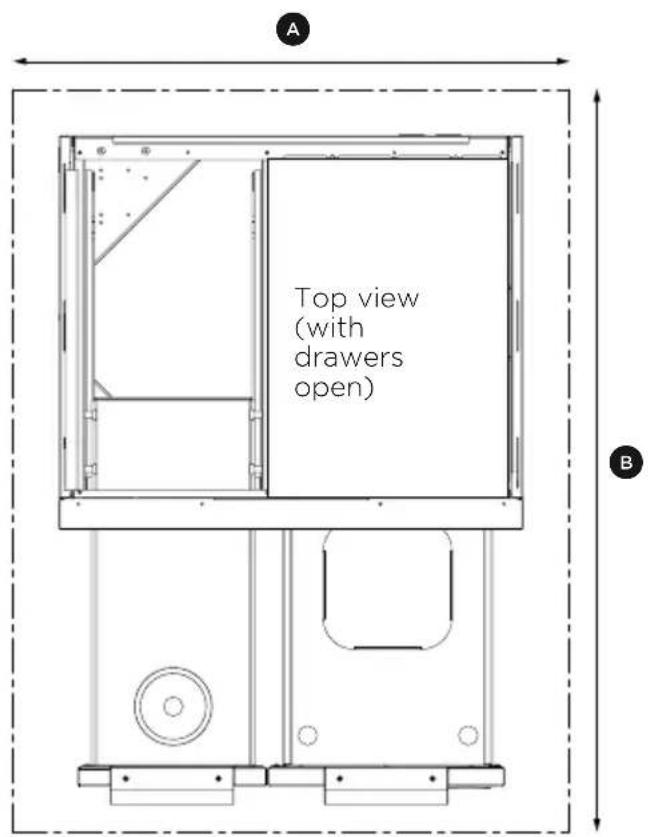
For proper use, this product should be installed/positioned on a flat ground or patio. Unevenness such as bumps, cracks and protrusions should be 1/4" or less. Refer to illustration and the below table for required flat area dimensions.
| REQUIRED FLAT AREA | CAD1-30 CAD1-36/36E CAD1-48/48E | ||||
| IN MM IN MM IN MM | |||||
| A Width 30 762 36 914 48 1219 | |||||
| B Depth 48 1219 48 1219 48 1219 | |||||
Cart assembly instructions
IMPORTANT!
- Some parts have sharp edges; care must be taken when handling the various components to avoid injury. Please read safety information provided in these instructions before beginning assembly. Wear gloves when handling.
- Two or more people should work together to assemble the cart and All-Grill, Double Side Burner/Sink, or Double Side Burner/Griddle.
- Avoid using side shelf to move cart. Push or pull the cart by grasping corners of head.
text_image
Top view (with drawers open) A BINSTALLATION
Components
Your cart is packaged in one box. The box contains your cart and a universal hardware kit to be used for grill installation and may contain extra hardware for your convenience.
Table of quantity of parts
| CONTENTS MODEL PART NO. QTY | ||||
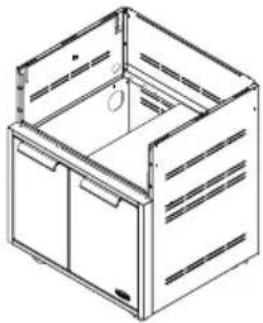 30" Cart shown 30" Cart shown | CAD1-30 71131 1 | |||
| CAD1-36 71132 1 | ||||
| CAD1-36E 71407 1 | ||||
| CAD1-48 71133 1 | ||||
| CAD1-48E 71408 1 | ||||
| CONTENTS CAD1-30 CAD1-36/36E CAD1-48/48E | ||||
| Machined Phillip screws 10-24X1/2" | 13 | 16 | 17 | |
| Bracket, Tab | 2 | 2 | 4 | |
| Bolt Hex 1/4-20-12" | 2 | 2 | 2 | |
| Washer .313 x .750 | 4 | 4 | 4 | |
| Nut Hex 1/4-20 | 2 | 2 | 2 | |
Tools required
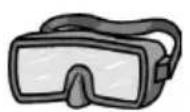
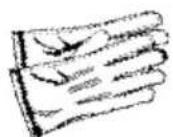
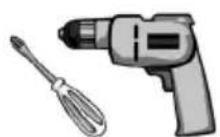
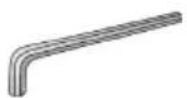
Eye Goggles Work Gloves Allen Wrench (Power Screwdriver or
Variable Speed Drill with Phillips - tip #2 Attachment
5/32", 3/16" and 3/32"
INSTALLATION
Cart assembly instructions
Linking carts together (optional)
To link two or more CAD1 carts, the following instructions must be done first, using the hardware provided, before installing the top modules.
IMPORTANT!
Once the carts are linked, they cannot be moved. Moving the carts once linked could damage the carts.
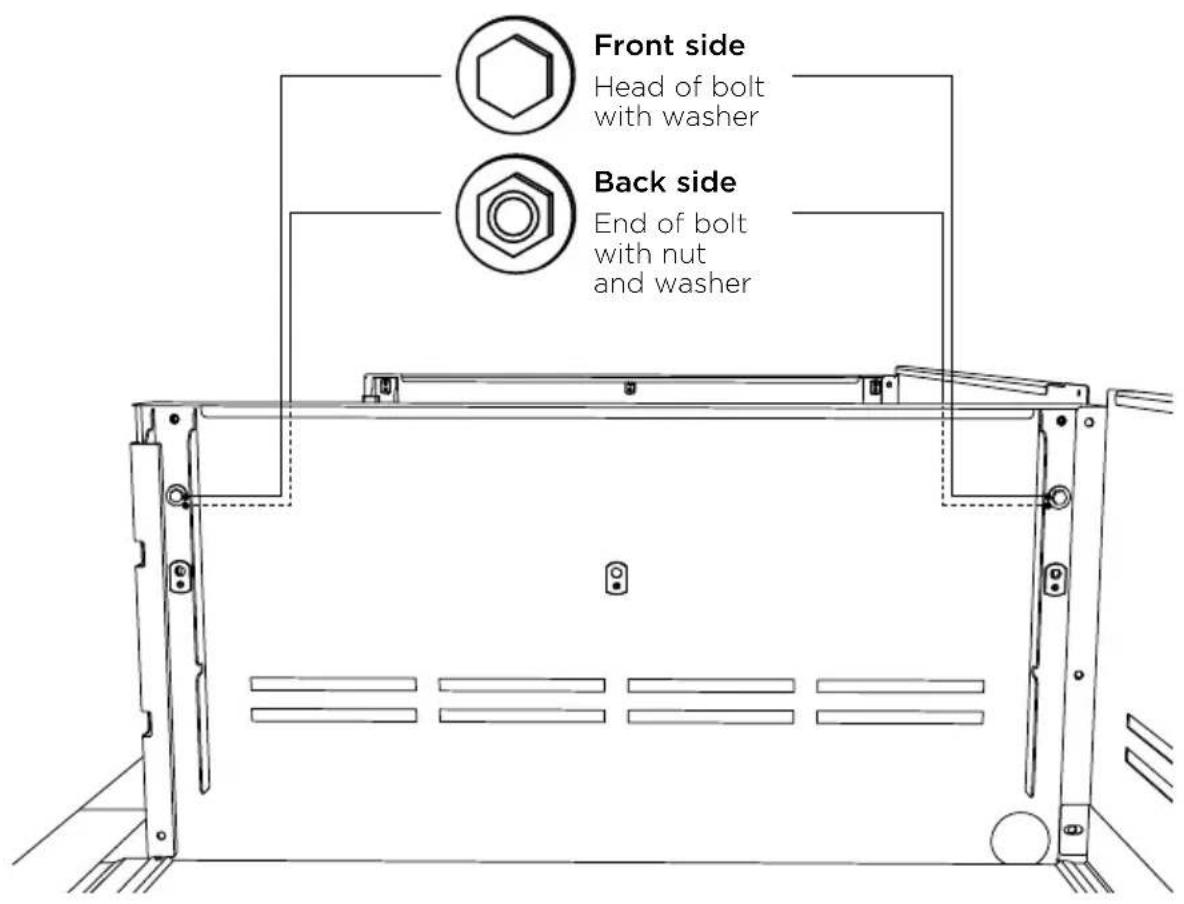
① Hand tighten two bolts, four washers, and two nuts on the front and back sides of the carts as shown.
② Carefully wrench tighten fasteners once carts are aligned with each other.
text_image
Front side Head of bolt with washer Back side End of bolt with nut and washerINSTALLATION
Outdoor appliance head preparation
IMPORTANT!
For the CAD1-48/48E there are two sets of brackets. If you have the BGB48-BQR, use the brackets labeled LEFT-48 BQR and RIGHT-48 BQR. If you have the BGB48-BQAR, use the brackets labeled 48-BQAR.
①
text_image
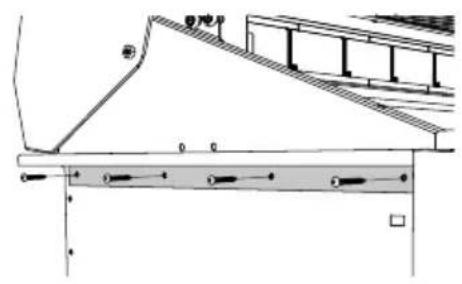
Technical diagram showing structural components with Chinese labels and dimension linesFirst you will need to remove the angle brackets from the side of the unit and replace them with cart mount brackets.
Note: unit is shipped prepared for island installation.
②
natural_image
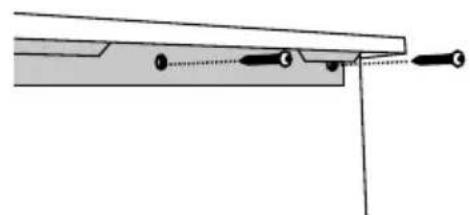
Pure mechanical assembly diagram showing a lever and pivot point without any text or symbolsInstall the bracket tab on both sides using eight of the 10-24 x 1/2" screws. Install each bracket with four screws on each side of the grill head. For a CAD1-48/48E, use the appropriately labeled bracket for your grill head and cart side.
Head placement onto cart
IMPORTANT!
- Be aware of pinch points and sharp edges to avoid injury to arms and hand.
- Two persons required to lift head.
①

natural_image
3D rendering of a portable stove with heat sinks and control knobs (no text or symbols visible)Remove drip tray/pan and other removable components such as grates, top burner caps and components, and griddle flue cover, radiant tray and grill burner for easier handling.
②
natural_image
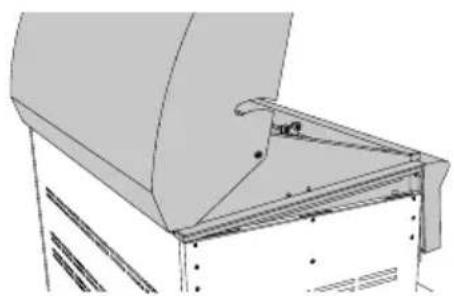
Technical line drawing of a mechanical assembly with no visible text or symbolsPlacing head on cart, place rear of head over the rear of the cart first. Then allow the rear side tabs to first locate in the slots on the top of the cart sides. The other tabs will locate in the middle and front slots as the head is lowered into position on the cart.
INSTALLATION
③

natural_image
Technical line drawing of a structural joint or bracket assembly (no text or symbols)Pinch point
Position tabs on side bracket to fit into slots on the cart. When complete, the landing ledge should sit flush on the top of the cart.
④

natural_image
Pure technical diagram showing geometric lines and points without any text, numbers, or symbolsSecure the head to rear of cart with Phillipshead screws provided (10-24 x 1/2").
Front end screw installation
①

natural_image
Technical line drawing of a mechanical assembly with no visible text or symbolsInstall remaining screws (10-24 x 1/2") into the front of head to the cart.
②

natural_image
Line drawing of a grater oven with control knobs and a directional arrow on the tray (no text or symbols)Slide drip tray/pan back into place.
INSTALLATION
Transformer installation (for Series 9 grills only)
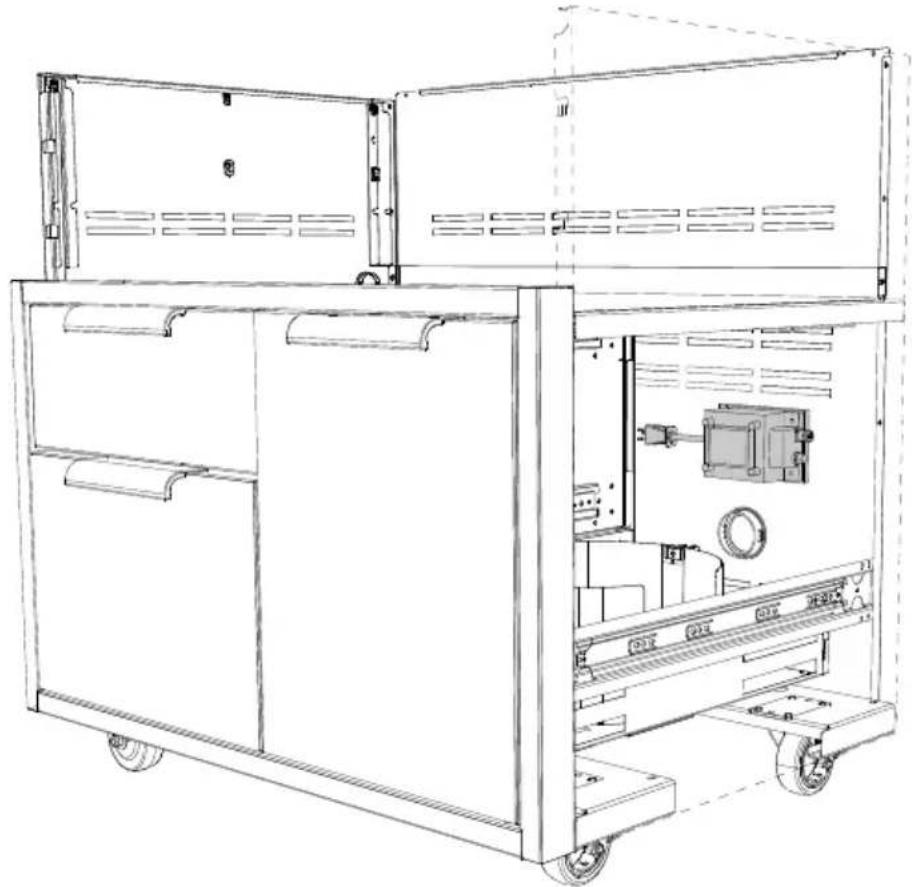
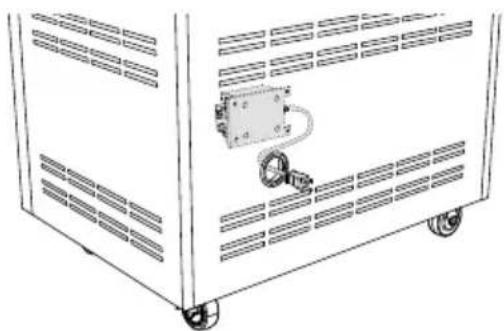
Your Series 9 grill comes supplied with a power transformer for ignition and internal lighting, which is concealed in a box with an attached power supply cord. It is recommended that the transformer is mounted to the rear panel of the CAD1-E cart using the 4 holes provided.
HZ VOLTAGE AMPS
60 Hz 120V 15A
IMPORTANT!
Use only a Ground Fault Interrupter (GFI) protected circuit with this transformer.
The suggested location for installation is above the hole the transformer cord routes through, which is on the inside of the right-hand side of the cart's back panel. Remove the transformer from its bracket, and reuse the 4 nuts and bolts to attach the transformer to the cart.
natural_image
Technical line drawing of a multi-compartment industrial machine with wheels and internal components (no text or symbols)Routing the transformer cord
Route the cord through the provided hole and connect to the nearest 120VAC 15A GFI (Ground Fault Interrupter) electrical outlet.
natural_image
Line drawing of a mechanical device with wheels and a central control panel (no text or symbols)INSTALLATION
Gas hook-up - LP
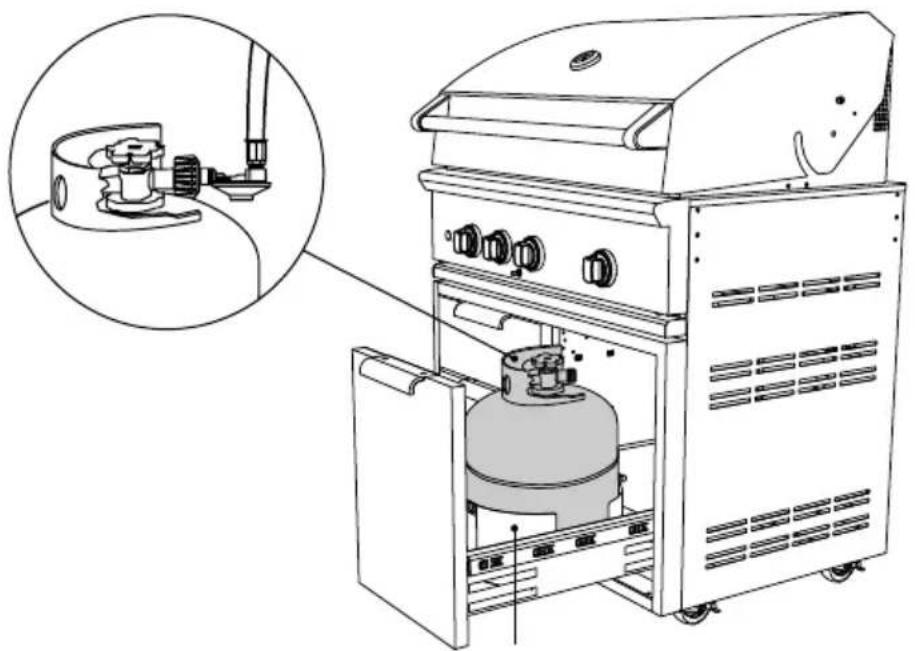
Place your 20 lb cylinder (type 1) into the tank retention device as shown. Refer to your product user guide for detailed gas connection guidance.
IMPORTANT!
- To prevent personal injury or damage to the drawers, do not overload them. The maximum rating of each drawer is 35 pounds.
- Do not push down on the top of the drawers. The unit could tip forward.
natural_image
Line drawing of an outdoor gas stove with a gas cylinder inside, showing internal components and a magnified inset (no text or symbols)Tank retention
Cover hanger
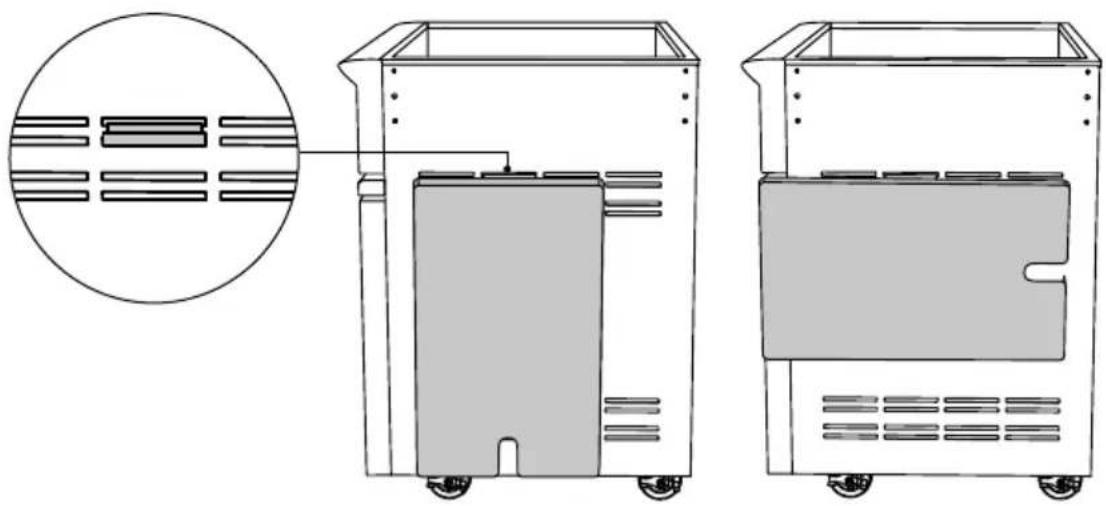
To use the cover hangers provided, first place the cover hanger into the slot on the side or rear of your cart then hang the cover in either direction as shown below.
IMPORTANT!
Do not move the cart while the covers are hung. This could cause the covers to fall off the hangers and damage the covers.
natural_image
Technical line drawing of two industrial vacuum cleaner units with internal compartments and wheels, shown from front and side views (no text or symbols)INSTALLATION
Side shelf assembly instructions (optional)
Optional attach side shelf accessory on either side
Note: side shelf model CAD1-SK can be installed with the head already on the cart.
text_image
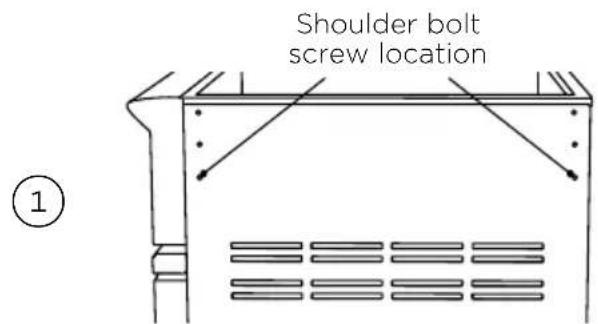
Shoulder bolt screw location ①Screw two shoulder bolts into the bottom screws on the side of the cart. Tighten with 5/32 Allen wrench.

natural_image
Diagram of a mechanical clamp or bracket assembly with an inset showing a close-up view of the connector (no text or symbols present)Slide left and right side shelf brackets over the shoulder bolt and install top screw attaching the side shelf brackets onto the cart. Tighten with Phillips screwdriver.
natural_image
Technical line drawing of a mechanical bracket or clamp assembly (no text or symbols)Holding the side shelf, install two shoulder bolts into the slot and screw into the side shelf tray. Tighten with a 3/16 Allen wrench.

natural_image
Technical line drawing of a mechanical assembly with no visible text or symbolsPlace shelf in the up position and check for level. If shelf is not level, adjust side shelf set screw. Set screws can be adjusted using a 3/32 Allen wrench. Turn the Allen wrench clockwise to raise the shelf. Turn 1/4 turn and review to see if the shelf is level. The set screws in the left and right bracket should be adjusted equally to ensure the shelf sits level.
Optional wood cutting board (model # CAD1-WCB, 70861) can be purchased as an accessory from www.dcsappliances.com.

natural_image
Technical line drawing of a structural component with curved supports and a flat plate (no text or symbols)Removing the drawers
IMPORTANT!
To prevent personal injury or damage to the drawers, do not overload them. The maximum rating of each drawer is 35 pounds.
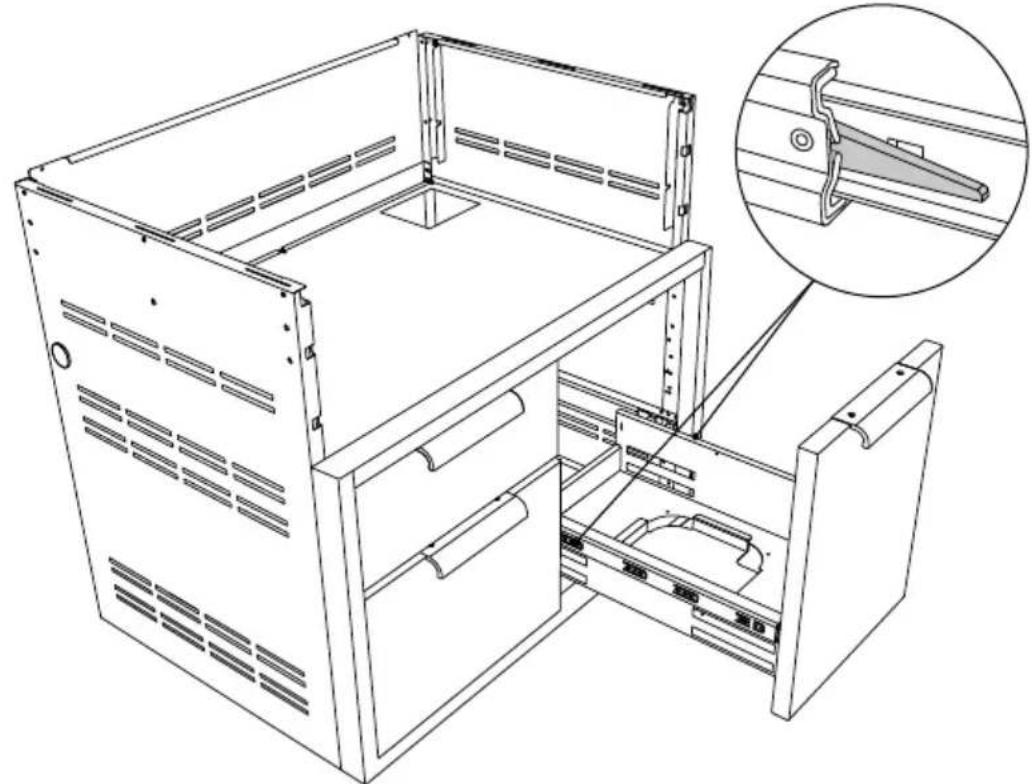
To remove the drawers, pull them out until their slider latch is visible. Carefully push the latch down on the left side while pulling up on the latch on the right side and pull the drawer completely out of the frame.
To prevent damage to surfaces, place the drawers on a stable surface on a protective towel or tablecloth while removed from the cart.
natural_image
Technical line drawing of a computer rack cabinet with an inset showing a close-up of the internal components (no text or symbols present)Re-installing the drawers
natural_image
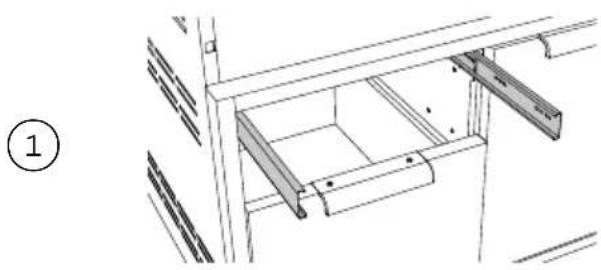
Technical line drawing of a mechanical assembly with no visible text or symbolsRe-install the drawers by extending their guides.
natural_image
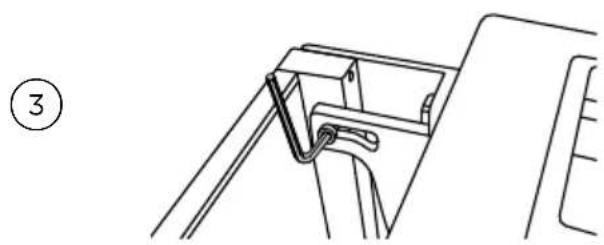
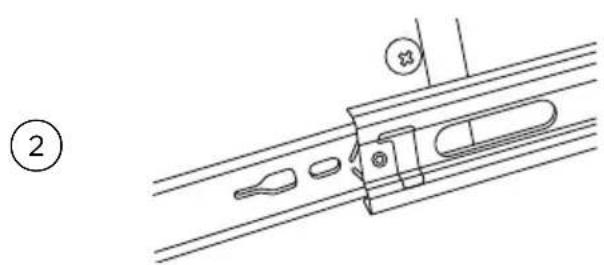
Technical line drawing of a mechanical assembly with no visible text or symbolsWhile holding the drawer parallel to the cabinet, carefully align & engage the ends of the glides. Slide the drawer about an inch so that the glides are supporting the back of the drawer.
natural_image
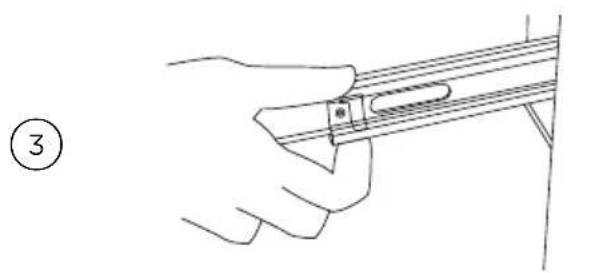
Line drawing of a hand holding a musical instrument (no text or symbols present)While holding the drawer up by the handle, pull the glides from the drawer cavity out over the drawer glide until they click.

natural_image
3D diagram of a cabinet with an upward arrow indicating direction, no text or symbols presentAs you push the drawers in, you will encounter moderate resistance. Continue to push the drawer all the way in to complete the engagement process. The drawer will now glide smoothly in and out with light effort.

text_image
Rack & rack cover Drain drawer ⑤Install the two racks provided into the opening by sliding them onto the rollers on the sidewalls of the left cavity.
Freezer pack (optional, kit #70696A)

natural_image
Simple 3D diagram of a square mechanical component with six triangular blades and a central circular hole, labeled with circled number 1 (no text or symbols on the component itself)Place the freezer pack in freezer, laying it flat. Freeze overnight or a minimum of eight hours.
natural_image
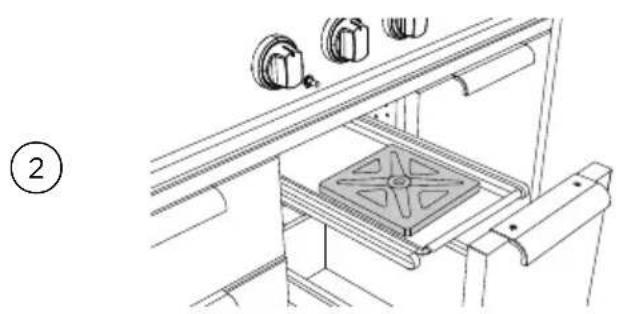
Technical line drawing of a mechanical assembly with a central component and three hanging parts (no text or symbols)Place frozen freezer pack in the steel tray on the second shelf, in appropriate cavity of the drawer. The freezer pack is dishwasher safe. Or wash with warm soapy water, rinse and air dry. Store flat in dry storage or in freezer.
All parts of the Professional Grill Cart can be cleaned with hot soapy water, rinsed, dried and buffed to a shine with a soft, heavy cloth. Always try this first, as it is the mildest cleaning procedure.
① Use the mildest cleaning procedure first. Some brands of cleaners of the same type are harsher than others, read their directions. A scent or a propellant can make a difference in the product, read the ingredients. Try on a small area first.
Caution should be taken to keep the regulator free from any cleaning soaps or water.
② To avoid marring the surface, always rub metal finishes in the direction of the stainless steel polish lines (grain). The cleaner will be more effective when used in the direction of the polish lines.
③ Use only clean sponges, soft cloths, paper towels, plastic non-metal soap pads for cleaning or scouring as recommended in this section. (Use only soap pads with soap still in them. An empty pad can scratch.)
④ Be sure to rinse all parts thoroughly and to wipe dry to avoid water marks.
⑤ After cleaning, use a stainless steel polish, such as Stainless Steel Magic® applied to the drawer and handle surfaces.
Brand name cleaners
In this section on cleaning, the use of name brands is intended only to indicate a type of cleaner. This does not constitute an endorsement. The omission of any name brand cleaner does not imply its adequacy or inadequacy. Many products are regional in distribution and can be found in local markets and department stores.
For warranty service, please contact your local service provider or DCS Customer Care Representative at www.dcsappliances.com, please have the following information ready:
- Model number (can be found on the inside, left wall of the tank drawer).
- Serial number (can be found on the inside, left wall of the tank drawer).
- Code (can be found on the inside, left wall of the tank drawer).
- Date of installation.
- A brief description of the problem.
Your satisfaction is of the utmost importance to us. If a problem cannot be resolved to your satisfaction, please write or email us at:
Write
Fisher & Paykel Appliances Inc.
Attention: DCS Customer Care
695 Town Center Drive, Suite 180
Costa Mesa. CA 92626-1902 USA
customer.care@fisherpaykel.com
Complete and keep for safe reference:
Model
Serial No.
Purchase Date
Purchaser
Dealer
Suburb
Town
Country
DCSAPPLIANCES.COM
© Fisher & Paykel Appliances 2019. All rights reserved. The product specifications in this document apply to the specific products and models described at the date of issue. Under our policy of continuous product improvement, these specifications may change at any time. You should therefore check with your Dealer to ensure this document correctly describes the product currently available.
US CA
591649C 11.19