LGMEGAX - Hammer drill Technical Pro - Free user manual and instructions
Find the device manual for free LGMEGAX Technical Pro in PDF.


User questions about LGMEGAX Technical Pro
0 question about this device. Answer the ones you know or ask your own.
Ask a new question about this device
Download the instructions for your Hammer drill in PDF format for free! Find your manual LGMEGAX - Technical Pro and take your electronic device back in hand. On this page are published all the documents necessary for the use of your device. LGMEGAX by Technical Pro.
USER MANUAL LGMEGAX Technical Pro
technical|pro tpro.com

natural_image
Line drawing of a mechanical device with multiple ports and a handle (no text or symbols)WARNING!
CAUTION: TO REDUCE THE RISK OF ELECTRIC SHOCK, DO NOT REMOVE THE COVER ON THIS SPEAKER. THERE ARE NO USER SERVICEABLE PARTS INSIDE. REFER ALL SERVICING TO A QUALIFIED TECHNICIAN

The lightning flash with arrowhead symbol within an equilateral triangle is intended to alert the user to the presence of "dangerous" voltage within the product's enclosure that may be of sufficient magnitude to constitute a risk of electric shock to humans. Users should exhibit extra safety when this symbol appears in this instruction manual and follow all precautions as they are stated.

The exclamation point within an equilateral triangle is intended to alert the user to the presence of important operating and maintenance (servicing) instructions in this manual.
I- Read these instructions thoroughly before using this item.
2- Keep these instructions for future reference.
3- Heed all warnings.
4- Follow all instructions.
5- WARNING: To prevent fire or electric shock, do not expose this equipment to rain or moisture. Do not store or operate this product near any liquids.
6- Clean only with a dry cloth.
7- Do not store or operate this product near any heat sources such as radiators, heat registers, stoves, or other apparatuses (including amplifiers) that produce
heat.
8- Do not defeat the safety purpose of the polarized or grounding-type plug. A polarized plug has two blades with one wider than the other. A grounding plug has two blades and a round grounding prong. The wide blade or third prong is provided for your safety. If the provided plug does not fit your outlet, consult an electrician for the replacement of the obsolete outlet.
9- Protect the all wires connected to this unit from being walked on or pinched, particularly plugs and the point where they exit from the unit. When removing the cord from the power outlet, remove it by holding the plug not by pulling the cord.
10- Unplug the unit during lightning storms or when unused for long periods of time.
11- When wiring this unit and all other equipment used in connection to this unit make sure that all of your equipment is turned OFF
12- This product is intended for indoor use only! To prevent risk of fire or shock, do not expose fixture to rain or moisture.
1.5- Make sure the distance between the fixture and the lighted object is not less than 0.5 meters. Make sure there are no combustible or explosive objects 0.5
meters around the fixture. Be sure that no ventilation slots are blocked.
14- Always disconnect from power source before servicing or replacing fuse and be sure to replace with same fuse source.
15- Secure fixture to fastening device using a safety chain.
16- Maximum ambient temperature (Ta) is 104°F (40°C). Do not operate fixture at temperatures higher than this.
17- In the event of a serious operating problem, stop using the unit immediately. Never try to repair the unit by yourself. Repairs carried out by unskilled people can lead to damage or malfunction. Please contact Technical Pro for the nearest authorized technical assistance center.
18- Never connect the device to a dimmer pack
19- Make sure the power cord is never crimped or damaged.
20- Never disconnect the power cord by pulling or tuding on the cord.
Unpacking Instructions
Thanks for chasing our laser fixture, believe this brand new product will bring you unlimited marvel and happiness. Before operating this device, please read this manual thoroughly, and retain if for future reference.
Warning:
If the external flexible cable or cord of this luminaire is damaged, it shall be replaced by a special cord or cord exclusively available from the manufacturer or his service agent. Shields, lenses or ultraviolet screens shall be changed if they have become visibly damaged to such an extent that their effectiveness is impaired, for example by cracks or deep scratches. The lamps shall be changed if it has become damaged or thermally deformed.
As receiving a fixture, carefully unpack the carton, checking contents to ensure that all parts are in good condition. Informing the shipper immediately and retaining packing material for inspection if any parts damaged from shipping or device damaged, keep packing materials as evidence for shipper's confirmation.
Attention!
This unit is perfect condition before delivery, please check all accessories when unpacking the un it, you should follow this user manual to operate this unit, and make sure that you are clear on all laser safety information and unit operation before power it on. Any wrong operation will make this unit out of warranty. Carefully move after receiving it, checking whether there is any damage from shipping, and all the accessories in it.
LGMEGAX: 1pc
Power Cord:1pc
Keys: 2pcs
Interlock Switch: lpc
User's Manual: Ipc
Warranty Card: 1pc
Warning:
Immediately upon receiving a fixture, carefully unpack the carton, check the contents to ensure that all parts are present. and have been received in good condition. Notify the shipper immediately and retain packing material for inspection if any parts appear damaged from shipping or the carton itself shows signs of mishandling. Save the carton and all packing materials. In the event that a fixture must be returned to the factory, it is important that the fixture be returned in the original factory box and packing.
Attention!
This unit is perfect condition before delivery, please check all accessories when unpacking the un it, ser should followe this user manual to operate this unit, and make sure that you are clear on all laser safety information and unit operation before power it on. Any wrong operation will make this unit out of warranty.
Carefully move after receiving it, checking whether there is any damage from shipping, and all the accessories in it.
Safety Instructions:
To protect the environment, please try to recycle the packing material as much as possible.
The fixture is for indoor use only, IP20, use only dry locations, keep this device away from rain and moisture, excessive heat, humidity and dust. Do not allow contact with water or any other fluids, or metallic objects.
Don't show this product away just as general trash, please deal with the product follow the abandon electronic product regulation in your country.
Locate the fixture in a well ventilate spot, away from any flammable materials and/or liquids, the fixture must be fixed at least 20cm from surrounding walls.
- To avoid condensation to be formed inside, allow this unit to adapt to the surrounding temperatures when bringing it into a warm room after transport.
- Condense sometimes prevents the unit from working at full performance or may even cause damages.
- Don't install it on flammable object
- Don't use it when maximum ambient temperature is higher than 40 degree.
- Unplug the unit when it is not used for a longer time or before replacing the bulb.
- Don't open the top cover to avoid unit damage.
- Please use the original packing when the device is to be transported.
- Never expose the lens to direct sunlight, even for a short period, this may damage the light effect or even cause fire!
Laser Safety

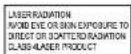
According to EN60825-1:2007, this product belongs to CLASS 3B, direct eye contact may cause injury.
- This product is for laser show only. The class 3B laser light should be operated by professional operator only.
- This is so-called show laser, emitting radiation with a wavelength spectrum between 400 and 700mm and producing lighting effects for
Overhead Rigging
Attention: the installation must be carried out by qualified service personal only. Improper installation can result in serious injuries and/or damage to property. Overhead rigging require extensive experience! Working load limits should be respected, certified installation materials should be used, the installed device should be inspected regularly for safety.
Make sure the area below the installation place is free from unwanted persons during rigging, de-rigging and servicing. Locate the fixture in a well-ventilated spot, far away from any flammable materials and/or liquids, the fixture must be fixed at least 50cm from surrounding walls.
The device should be installed out of reach of people and outside areas where persons may walk by or be seated. The device should be well fixed, a free swinging mounting is dangerous and may not be considered!
Do not cover any ventilation opening as this may result in overheating.
Before the first time use, it must be inspected by professional staff to make user safety, inspection regularly every year.
Never expose the lens to direct sunlight, even for a short period, this may damage the light effect or even cause fire!
AC Power:
Please use the attached power, not that power voltage and frequency are the same as the marked voltage and frequency of device when connecting power, every device's power should be connected separately, so that device can be controlled individually.
LGMEGAX Rear Panel

text_image
ar Panel ① ② ③ ④ ⑤ ⑥ ⑦ ⑧ CAUTIONIC POWER INPUT:100-240VAC 10kWHz FUSE: T1.6A 25kV Technical pro MODEL LOGEMAC OFF ON REMOTE MAX MAX Lining LNGO LUM LUX DIP Laser Function JUNI KONN POWER INPUT:100-240VAC 10kWHz FUSE: T1.6A 25kV-
DMX Mode Indicator: The LED will turn red to indicate that the unit is connected to a DMX controller
-
Sound-Activated Mode Indicator: In sound-activated mode, the LED will turn green indicate that the unit is operating in sound activated mode
-
AUTO Mode Indicator: In Auto mode, the LED will turn blue to indicate the unit is operating in Auto mode
-
Slave Mode indicator: In slave mode, orange indicate light on
-
Function: Press this button to change the function
AC Power:
This fixture runs on 110\~220 VAC, 50/60 Hz. Before powering on the unit, make sure the line voltage to which you are connecting it is within the range of accepted voltages.
Always connect the fixture to a switched circuit. Never connect the fixture to a rheostat (variable resistor) or dimmer circuit, even if the rheostat or dimmer channel is used only as a 0 to 100% switch.
To determine the power requirements for a particular fixture, see the label affixed to the back plate of the fixture or refer to the fixture's specifications chart. A fixture's listed current rating indicates its average current draw under normal conditions.
Always connect the fixture to a circuit with a suitable electrical ground.
To connect the power cord to the LGMEGAX plug the female side of the power cord into the power cord input which is on the rear of the unit. Then plug the male side of the power cord to an electric outlet. When linking LGMEGAX units to each other connect the power output on the first unit to power input on the next unit.
The AC power cords supplied purposefully have 2 blades and one grounding prong. If your outlet is not equipped to handle this type of plug, do not attempt to forcefully plug this AC power cord into the outlet, and do not alter the plug so that it can fit in the outlet. The only course of action you can take is to find another outlet which is properly equipped to handle a grounded plug or have an electrician upgrade your electrical outlet. Be sure that the plug is well connected so that it does not disconnect in the middle of usage. If at any point in time the supplied AC power cord is punctured or damaged replace it with a new power cord from a local electrician.
AC Power Linking:
This fixture comes equipped with an AC Input (10) and AC Output (11) allowing you to link multiple fixtures together. The maximum quantity of fixtures that may be linked is 30.
Fixture Linking via XLR Input / Output:
You will need a serial data link to run light shows of one or more fixtures using a DMX controller or to run synchronized shows on two or more fixtures set to a master/slave operating mode. The combined number of channels required by all the fixtures on a serial data link determines the number of fixtures the data link can support.
Fixtures on a serial data link must be daisy chained in one single line. To comply with the EIA-485 standard, no more than 32 fixtures should be connected on one data link. Connecting more than 32 fixtures on one serial data link without the use of a DMX optically-isolated splitter may result in deterioration of the digital
What is DMX:
There are 512 channels in a DMX connection. Channels may be assigned in any manner. A fixture capable of receiving DMX will require one or a number of sequential channels. The user must assign a starting address on the fixture that indicates the first channel reserved in the controller. There are many different types of DMX controllable fixtures and they all may vary in the total number of channels required. Choosing a start address should be planned in advance. Channels should never overlap. If they do, this will result in erratic operation of the fixtures whose starting address is set incorrectly. You can however, control multiple fixtures of the same type using the same starting address as long as the intended result is that of unison movement or operation. In other words, the fixtures will be slaved together and all respond exactly the same.
DMX fixtures are designed to receive data through a serial Daisy Chain. A Daisy Chain connection is where the DATA OUT of one fixture connects to the DATA IN of the next fixture. The order in which the fixtures are connected is not important and has no effect on how a controller communicates to each fixture. Use an order that provides for the easiest and most direct cabling. Connect fixtures using shielded two conductor twisted pair cable with three pin XLR male to female connectors. The shield connection is pin 1, while pin 2 is Data Negative (S-) and pin 3 is Data positive (S+).
Maintaining the Fixture:
To maintain optimum performance and minimize wear, fixtures should be cleaned frequently. Usage and environment are contributing factors in determining frequency. As a general rule, fixtures should be cleaned at least twice a month. Dust build up reduces light output performance and can cause overheating. This can lead to reduced lamp life and increased mechanical wear. Be sure to power off fixture before conducting maintenance.
Unplug fixture from power. Use a vacuum or air compressor and a soft brush to remove dust collected on external vents. Clean all glass when the fixture is cold with a mild solution of glass cleaner or Isopropyl Alcohol and a soft lint free cotton cloth or lens tissue. Apply solution to the cloth or tissue and drag dirt and grime to the outside of the lens. Gently polish optical surfaces until they are free of haze and lint. The cleaning of external optical lenses and/or mirrors must be carried out periodically to optimize light output. Cleaning frequency depends on the environment in which the fixture operates. Damp, smoky or particularly dirty surroundings can cause greater accumulation of dirt on the unit's optics. Clean with soft cloth using normal glass cleaning fluid. Clean the external optics at least every 20 days. Clean the fixture at least every 30/60 days. Always dry the parts carefully after cleaning them. Never spin a fan using compressed air.
LED Screen Display
Operate modes:
d001: DMX512 Mode
Aut0: Laser+RGWBA+8White LED on Mode:
Press the menu button until Autx(x stand for 0,1,2...6), Press "up" or "down" to get Aut0, Press enter to get Sxxx(xxx stand for 000\~100), press "up" or "down" to increase or decrease the number to control the motor rotate speed, re-press the enter to confirm the current mode.
Aut1: Laser+RGBWA LED on Mode:
Press the menu button until Autx(x stand for 0,1,2...6), Press "up" or "down" to get Aut1, Press enter to get Sxxx(xxx stand for 000\~100), press "up" or "down" to increase or decrease the number to control the motor rotate speed, re-press the enter to confirm the current mode.
Aut2: Laser+8White LED on Mode:
Press the menu button until Autx(x stand for 0,1,2...6), Press "up" or "down" to get Aut2, Press enter to get Sxxx(xxx stand for 000\~100), press "up" or "down" to increase or decrease the number to control the motor rotate speed, re-press the enter to confirm the current mode.
Aut3: RGBWA+8White LED on Mode:
Press the menu button until Autx(x stand for 0,1,2...6), Press "up" or "down" to get Aut3, Press enter to get Sxxx(xxx stand for 000\~100), press "up" or "down" to increase or decrease the number to control the motor rotate speed, re-press the enter to confirm the current mode.
Aut4: RGBWA LED on Mode:
Press the menu button until Autx(x stand for 0,1,2...6), Press "up" or "down" to get Aut4, Press enter to get Sxxx(xxx stand for 000\~100), press "up" or "down" to increase or decrease the number to control the motor rotate speed, re-press the enter to confirm the current mode.
Aut5: Laser on Mode:
Press the menu button until Autx(x stand for 0,1,2...6), Press "up" or "down" to get Aut5, Press enter to get Sxxx(xxx stand for 000\~100), press "up" or "down" to increase or decrease the number to control the motor rotate speed, re-press the enter to confirm the current mode.
Aut6: 8white LED on Mode:
Press the menu button until Autx(x stand for 0,1,2...6), Press "up" or "down" to get Aut6, Press enter to get Sxxx(xxx stand for 000\~100), press "up" or "down" to increase or decrease the number to control the motor rotate speed, re-press the enter to confirm the current mode.
Sou0: Laser+RGBWA+8/W Mode:
Press the Func button until Soux(x stand for0,1...6), press "up" or "down" to get Sou0, then press enter to confirm the current mode.
Sou1: Laser+RGBWA on Mode:
Press the Func button until Soux(x stand for0,1...6), press "up" or "down" to get Sou1, then press enter to confirm the current mode.
Sou2:laser+8white LED on Mode:
Press the Func button until Soux(x stand for0,1...6), press "up" or "down" to get Sou1, then press enter to confirm the current mode.
Sou3: RGBWA+8White LED on Mode:
Press the Func button until Soux(x stand for0,1...6), press "up" or "down" to get Sou1, then press enter to confirm the current mode.
Sou4:RGBWA Mode:
Press the Func button until Soux(x stand for0,1...6), press "up" or "down" to get Sou1, then press enter to confirm the current mode.
Sou5:laser show Mode:
Press the Func button until Soux(x stand for0,1...6), press "up" or "down" to get Sou1, then press enter to confirm the current mode.
Sou6: 8white LED on Mode:
Press the Func button until Soux(x stand for0,1...6), press "up" or "down" to get Sou1, then press enter to confirm the current mode.
LED Screen Display

Mode Option, to chose the operating mode.

Confirmation, to confirm the laser to show the present mode at the current operation.

UP/DOWN, to change operating mode, parameter or DMX address.
| Mode | Display | Effect | Operation | Instruction |
| Auto | Aut0 | laser+RGBWA+8/W | 1. Press Func to get Autx,2. press Enter to get Sxxx(001-100) to adjust the speed.3. Press Enter to confirm the current mode. | Rut0 |
| Aut1 | laser+RGBWA | Aut1 | ||
| Aut2 | laser+8/W | Rut2 | ||
| Aut3 | RGBWA+8/W | Rut3 | ||
| Aut4 | RGBWA | Rut4 | ||
| Aut5 | laser | Rut5 | ||
| Aut6 | 8/W | Rut6 | ||
| Soud | Sou0 | Laser+RGBWA+8/W | Sou0 | |
| Sou1 | laser+RGBWA | Sou1 | ||
| Sou2 | laser+8/W | Sou2 | ||
| Sou3 | RGBWA+8/W | Sou3 | ||
| Sou4 | RGBWA | Sou4 | ||
| Sou5 | laser show | Sou5 | ||
| Sou6 | 8/W | Sou6 | ||
| Slave | Master-Slave mode | SLA | ||
| DMX | DMX512 Mode | d001 d506 | ||
8Channel Mode (DMX):
When use the LGMEGAx together with a DMX controller, set the DIP 10+1 are on, then use the DMX controller to adjust the settings of CH1, CH2, CH3, CH4, CH5 and CH6,7,8 to show different effect.
DMX 512 Function:
| Channel | Value | Function |
| CH1(Auto and DMX Switch) | 000-009 | Blackout |
| 010-024 | Aut0 | |
| 025-039 | Aut1 | |
| 040-054 | Aut2 | |
| 055-069 | Aut3 | |
| 070-084 | Aut4 | |
| 085-099 | Aut5 | |
| 100-114 | Aut6 | |
| 115-129 | Sou0 | |
| 130-144 | Sou1 | |
| 145-159 | Sou2 | |
| 160-174 | Sou3 | |
| 175-189 | Sou4 | |
| 190-204 | Sou5 | |
| 205-219 | Sou6 | |
| 220-255 | DMX mode(work with CH2,3,4,5,6,7,8) | |
| CH2(All Auto modes) | 000-009 | Blackout |
| 010-014 | Red | |
| 015-019 | Green | |
| 020-024 | Blue | |
| 025-029 | amber | |
| 030-034 | white | |
| 035-039 | White+red 15 | |
| 040-044 | Red+green 12 | |
| 045-049 | Green+blue 23 | |
| 050-054 | Blue+amber34 | |
| 055-059 | Amber+white 45 | |
| 060-064 | White+green 25 | |
| 065-069 | Green+amber 24 | |
| 070-074 | Amber+red 14 | |
| 075-079 | Red+blue | |
| 080-084 | Blue+white | |
| 085-089 | Red+green+blue 123 | |
| 090-094 | Red+green+amber 124 | |
| 095-099 | Red+green+white 125 | |
| CH2(All Auto modes) | 100-104 | Red+amber+blue 134 |
| 105-109 | Red+white+blue 135 | |
| 110-114 | Red+amber+white 145 | |
| 115-119 | Amber+green+blue 234 | |
| 120-124 | Blue+green+white 235 | |
| 125-129 | Amber+green+white 245 | |
| 130-134 | Amber+white+blue 345 | |
| 135-139 | Red+green+blue+amber 1234 | |
| 140-144 | Red+white+blue+amber1345 | |
| 145-149 | Red+green+white+amber 1245 | |
| 150-154 | Red+green+blue+white 1235 | |
| 155-159 | White+green+blue+amber2345 | |
| 160-164 | Red+green+blue+amber+white | |
| 165-209 | Automatic(single color only) | |
| 210-255 | Automatic(two colors at a time) | |
| CH3(LED Speed) | Automatic speed(when CH2 is between 160-255) | |
| 000-255 | Slow-fast(only colors) | |
| CH4(LED Strobe) | 000-004 | No function |
| 005-254 | Strobe(slow-fast)(work with CH1,CH2)) | |
| 255 | Sound-activated strobe mode | |
| CH5(8pcs white LED control) | 000-009 | blackout |
| 010-019 | Picture1(slow-fast) | |
| 020-029 | Picture2(slow-fast) | |
| 030-039 | Picture3(slow-fast) | |
| 040-049 | Picture4(slow-fast) | |
| 050-059 | Picture5(slow-fast) | |
| 060-069 | Picture6(slow-fast) | |
| 070-079 | Picture7(slow-fast) | |
| 080-089 | Picture8(slow-fast) | |
| 090-099 | Picture9(slow-fast) | |
| 100-109 | Picture10(slow-fast) | |
| 110-255 | 8white LED on | |
| CH6(LASER control) | 000-009 | Black out |
| 010-049 | Red on | |
| 050-089 | Green on | |
| 090-109 | Red on | |
| 110-255 | Green & Red on | |
| CH7 (laser strobe) | 000 | No function |
| 001-254 | Strobe(fast-slow)(work with CH6) | |
| 255 | Sound-activated strobe mode | |
| CH8(RGBWA LED Motor speed) | 000-004 | stop |
| 005-127 | Rotate counter-clockwise(slow-fast)(Work with CH2) | |
| 128-133 | stop | |
| 134-255 | Rotate clockwise(slow-fast)(work with CH2) |
Technical Parameter:
| Dimension | 10”X9”X10” |
| Power | AC in/out |
| Rang | 100-240V 50/60HZ |
| rate | 66W |
| Fuse | 1.6A |
| Type | Class 3B laser diodes/LED chip |
| Quantity/color | 1/red 1/green |
| Laser power rate | 100mw 50mw |
| Wave length | 650nm 532nm |
| Quantity/color | 1/red, 1/green, 1/blue, 1/orange, 1/white, 8/white |
| LED power rate | 3W 3W 3W 3W 3W 1W |
| Max temperature | 104°F(40°C) |
| Cool system | Fan |
| Auto | 6 modes |
| Sound | 6 modes |
| DMX channel | 8CH |
Master / Slave Settings
When two or more fixtures are connected via DMX connectors the fixtures can be programmed to allow one fixture (master) to control the other fixtures (slave). In this setup making a change to the master fixture would change all the slave fixtures as well.
Set the master fixture to the desired setting. Then set ALL of the slave fixtures to d001.
Note: When using the master / slave setup only ONE unit can act as the master. ALL other fixtures must be set to d001. When using the master / slave setup the fixtures can't be connected to a DMX controller as it would interfere with the master / slave settings.