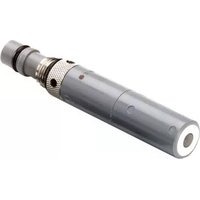
pH 6561FG - Measurement YSI - Free user manual and instructions
Find the device manual for free pH 6561FG YSI in PDF.


Pick your language and provide your email: we'll send you a specifically translated version.
| Product Type | pH Meter |
| Brand | YSI |
| Model | pH 6561FG |
| Measurement Parameters | pH, Temperature |
| pH Range | 0.00 – 14.00 |
| pH Resolution | 0.01 |
| pH Accuracy | ±0.01 |
| Temperature Range | 0 – 100 °C |
| Temperature Resolution | 0.1 °C |
| Temperature Accuracy | ±0.5 °C |
| Temperature Compensation | Automatic (ATC) |
| Calibration Points | Up to 3 points (pH 4, 7, 10) |
| Display | Large backlit LCD |
| Data Storage | 200 data sets |
| Interface | USB (for data transfer) |
| Power Supply | 100-240 V AC adapter or 4 AA batteries |
| Battery Life | Approx. 200 hours (without backlight) |
| Dimensions (L x W x H) | 200 x 150 x 80 mm |
| Weight | 0.8 kg (with batteries) |
| Housing Material | ABS plastic |
| Ingress Protection | IP54 (splash resistant) |
| Included Accessories | pH electrode, temperature probe, buffer solutions (4/7/10), carrying case, manual |
| Warranty | 1 year |
Frequently Asked Questions - pH 6561FG YSI
How do I calibrate my YSI pH 6561FG meter?
To calibrate, first prepare fresh pH buffers (4, 7, and 10). Rinse the electrode with deionized water, immerse in pH 7 buffer, and press the Calibrate button. Repeat for pH 4 and/or 10 as needed. The meter automatically adjusts offset and slope.
What does the 'Err' display mean?
An Err message usually indicates an abnormal reading. This can happen if the electrode is dry, the buffer temperature is out of range, or the calibration is invalid. Try cleaning the electrode and recalibrating.
How often should I replace the pH electrode?
The electrode life depends on usage and maintenance. Typically, replace it when the response becomes sluggish, calibration fails, or the glass bulb is damaged. On average, every 6-12 months with proper care.
Can I use the meter while charging?
Yes, the YSI pH 6561FG can operate while connected to the AC adapter. However, for best accuracy, avoid using near strong electromagnetic fields.
How do I clean the electrode?
Rinse the electrode with deionized water after each use. If contaminated, soak in a cleaning solution (0.1 M HCl or commercial cleaner) for 15 minutes, then rinse thoroughly. Never wipe the glass bulb.
What is the operating temperature range?
The meter operates from 0 to 50 °C (32 to 122 °F) ambient temperature. For accurate pH measurement, the sample temperature should be between 0 and 100 °C with automatic compensation.
How do I store the electrode long-term?
Store the electrode in a storage solution (e.g., 3 M KCl or commercial electrode storage solution). Do not store in deionized water as it can damage the glass bulb. Keep the protective cap on.
Why is the reading unstable?
Unstable readings may be due to a dry electrode, air bubbles on the glass bulb, static electricity, or improper grounding. Check the electrode condition, stir the sample gently, and ensure the meter is on a stable surface.
Can I connect the meter to a computer?
Yes, via the USB port. Use the provided software (downloadable from YSI website) to log data or perform advanced analysis. Install the driver before connecting.
What accessories are included?
The package includes the pH meter, a combined pH/temperature electrode, three buffer pouches (pH 4, 7, 10), a carrying case, USB cable, AC adapter, and a quick start guide.
User questions about pH 6561FG YSI
0 question about this device. Answer the ones you know or ask your own.
Ask a new question about this device
No questions yet. Be the first to ask one.
Download the instructions for your Measurement in PDF format for free! Find your manual pH 6561FG - YSI and take your electronic device back in hand. On this page are published all the documents necessary for the use of your device. pH 6561FG by YSI.
USER MANUAL pH 6561FG YSI

Manual assistant
Powered by Anthropic
Waiting for your message
Product information
Brand : YSI
Model : pH 6561FG
Category : Measurement