EDS - Measurement YSI - Free user manual and instructions
Find the device manual for free EDS YSI in PDF.


Pick your language and provide your email: we'll send you a specifically translated version.
| Product Type | Multiparameter Water Quality Sonde |
| Model | EDS |
| Brand | YSI |
| Measurements | Dissolved Oxygen, pH, Conductivity, Temperature, Turbidity, and more |
| Dimensions | Approx. 30 x 15 x 10 cm |
| Weight | Approx. 1.5 kg |
| Power Supply | Internal rechargeable battery or external USB-C |
| Display | Backlit LCD with real-time data |
| Memory | Internal storage for up to 50,000 data points |
| Connectivity | Bluetooth and USB for data transfer |
| Waterproof Rating | IP67 (protected against immersion up to 1m) |
| Operating Temperature | 0°C to 50°C |
| Maintenance | Regular cleaning of sensors and calibration |
| Calibration | User-replaceable calibration solutions |
| Safety | Do not use in explosive atmospheres; avoid mechanical shock |
| Spare Parts | Sensor caps, O-rings, batteries, cables |
| Warranty | 1 year limited manufacturer warranty |
Frequently Asked Questions - EDS YSI
How do I calibrate the YSI EDS sonde?
Refer to the manual's calibration section. Typically, you place the sensor in a calibration cup with known standard solutions and follow the on-screen prompts.
Can I use the YSI EDS in saltwater?
Yes, the YSI EDS is designed for both freshwater and saltwater applications. Rinse with fresh water after saltwater use to prevent corrosion.
How do I replace the dissolved oxygen sensor cap?
Unscrew the old cap, rinse the sensor tip, and screw on a new cap. Then recalibrate the DO sensor according to the manual.
What is the battery life of the YSI EDS?
The internal rechargeable battery lasts up to 12 hours on a full charge, depending on usage and backlight settings.
How do I clean the conductivity and pH sensors?
Use a soft brush and mild soap solution. For pH, soak in storage solution. Avoid abrasive cleaners.
Can I log data automatically?
Yes, the YSI EDS supports automatic logging at user-set intervals. Data can be retrieved via USB or Bluetooth.
Is the YSI EDS compatible with third-party software?
It works with YSI's own software and can export data as CSV for use in Excel or other programs.
What should I do if the screen freezes?
Perform a soft reset by pressing the power button for 10 seconds. If the issue persists, check the manual for a hard reset.
How do I update the firmware?
Download the latest firmware from YSI's website and transfer it via USB. Follow the instructions in the manual.
Where can I find replacement parts?
Replacement parts are available from YSI authorized dealers or online. Common spares include sensor caps and cables.
User questions about EDS YSI
0 question about this device. Answer the ones you know or ask your own.
Ask a new question about this device
No questions yet. Be the first to ask one.
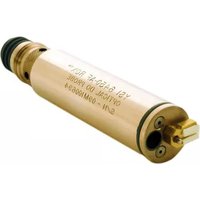
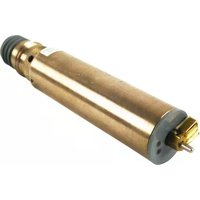
Download the instructions for your Measurement in PDF format for free! Find your manual EDS - YSI and take your electronic device back in hand. On this page are published all the documents necessary for the use of your device. EDS by YSI.
USER MANUAL EDS YSI

Manual assistant
Powered by Anthropic
Waiting for your message
Product information
Brand : YSI
Model : EDS
Category : Measurement