DDH01-E02 - Vacuum Cleaner DIRT DEVIL - Free user manual and instructions
Find the device manual for free DDH01-E02 DIRT DEVIL in PDF.


User questions about DDH01-E02 DIRT DEVIL
0 question about this device. Answer the ones you know or ask your own.
Ask a new question about this device
Download the instructions for your Vacuum Cleaner in PDF format for free! Find your manual DDH01-E02 - DIRT DEVIL and take your electronic device back in hand. On this page are published all the documents necessary for the use of your device. DDH01-E02 by DIRT DEVIL.
USER MANUAL DDH01-E02 DIRT DEVIL
natural_image
Exterior view of a modern vacuum cleaner (no text or symbols visible)LET'S GO.™
Warning
BASIC SAFETY PRECAUTIONS
- This vacuum cleaner is intended for household use only and NOT for commercial or industrial use.
- It is a battery-operated appliance, the battery being charged outside the appliance.
- Only use the vacuum cleaner indoors and keep the area you're cleaning well lit.
- Keep fingers, hair and loose clothing from moving parts and openings whilst using the vacuum cleaner.
- This vacuum cleaner can be used by children aged from 8
years and above and persons with reduced physical, sensory or mental capabilities or lack of experience and knowledge if they have been given supervision or instruction concerning use of the vacuum cleaner in a safe way and understand the hazards involved. Children should not play with the vacuum cleaner. Cleaning and user maintenance should not be made by children without supervision.
- Only Vax recommend charger, tools and accessories should be used with this vacuum cleaner.
DON'TS
- Don't charge the Cordless upright outdoors, or leave the charger connected to the mains when not in use.
- Don't use this vacuum cleaner if it has been dropped, damaged, immersed in water or left outdoors.
- Don't handle the charger plug or use the vacuum cleaner with wet hands.
- Don't run over the charger cord or use the vacuum cleaner if the charger cord or plug is damaged. Please contact our Customer Care Line on:
0330 026 2626 (Mon-Fri 9:00am to 5:00pm).
- Don't vacuum up hard or sharp objects such a glass, nails, screws, coins, etc.
- Don't use the charger cord as a handle, pull the charger cord around corners or sharp edges or close a door over the charger cord. Don't unplug charger by pulling on the charger cord.
- Don't attempt to remove blockages with sharp objects as this may cause damage to your vacuum cleaner.

WarningG

DON'TS CONTINUED
- Don't use the vacuum cleaner with incorrect voltage as this may result in damage or injury to the user. The correct voltage is listed on the ratings label.
- Don't vacuum up hot coals, cigarette butts, matches or smoking hot burning items or use in an area where there may be harmful fluids (chlorine, bleach, and ammonia drain cleaner).
DO'S
- Always make sure the filter and dirt container are fitted correctly before using your vacuum cleaner.
- Always turn off and unplug the vacuum cleaner from the charger before carrying out any maintenance.
- Turn off all controls on the vacuum cleaner before disconnecting or connecting the charger.
- Take extra care when cleaning on the stairs.
-
Always protect the charger cord from heated surfaces or near open flames.
-
Use only CE approved 13amp extension cords, non-approved extension cords may overheat. Care should be taken to arrange the extension cord as it can be a trip hazard.
- Always carry the vacuum cleaner by the handle.
- Store your vacuum cleaner in a cool, dry area.
PLEASE KEEP INSTRUCTIONS FOR FURTHER USE.
HI. WELCOME.
Congrats on purchasing your new CORDLESS 2-IN-1 vacuum. Inside, you'll find everything you want to know from tools to how to.
So what are you waiting for? LET'S GO.™
Taking care of your carpets and hard floors
The Cordless 2-in-1 is designed to make vacuuming carpets and hard floors regularly, as effective and efficient as possible and this user guide will help you get the most out of your machine.
Maintaining your carpets and hard floors will ensure they keep their appearance for longer and Dirt Devil will help you take good care of them.
Taking care of your Cordless 2-in-1
Also inside this guide are instructions on maintaining your new machine, so that it's always ready when you are to tackle your carpets and hard floors.

Taking care of you
We're here if you need us. Instead of taking me back to the shop, simply visit:
www.DirtDevil.co.uk/support or call our Customer Service Department at 0330 026 2626
Monday-Friday 9:00am to 5:00pm.
Calls are charged at the UK local rate.
Please make a note of the serial number and model number of the product before calling.
Alternatively, you can write to us at: Dirt Devil Ltd.
Plot 302,
Stonebridge Cross Business Park,
Hampton Lovett,
Droitwich,
WR9 0LW,
UK
TABLE OF CONTENTS
Let's talk safety 2
Getting to know your machine — 6
Getting started 8
Using your machine 9
Taking care of your machine 11
Let's talk technical 14
Accessories 16
Troubleshooting 17
Guarantee 18
Notes 19
GETTING TO KNOW YOUR MACHINE

TECHNICAL SPECIFICATION
Battery voltage - 14.4v
Run time - 15mins
Charge time - 10hours
Weight - 2.7kg
Dust bin capacity - 0.5l
Part number - 6-1-136559-00
Battery voltage - 18v
Run time - 17mins
Charge time - 10hours
Weight - 2.7kg
Dust bin capacity - 0.5l
Part number - 6-1-136419-00
ACCESSORIES & CONSUMABLES
Pre-motor filter (Type 132)
1-1-135931-00
2-in-1 tool (Type 3)
1-1-135932-00
Subject to technical change without notice.
To purchase consumables and accessories, please visit www.DirtDevil.co.uk
INCLUdEd WITH YOUR MACHINE
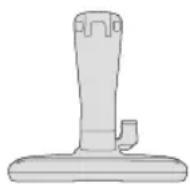
Docking station
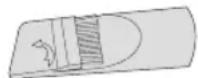
2-in-1 tool

2-in-1 tool connector
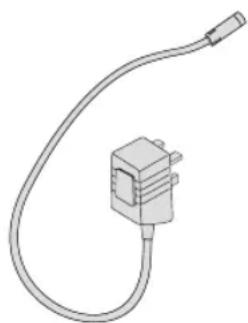
natural_image
Line drawing of a coiled cable or plug with a terminal connector (no text or symbols)Charger
GETTING STARTED

CaUTion
Please read 'Lets talk safety' at the beginning before use.
ASSEMBLING YOUR 2-IN-1 VACUUM CLEANER
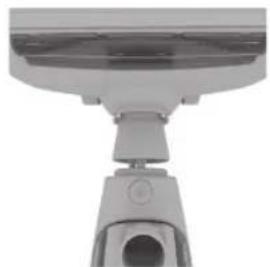
natural_image
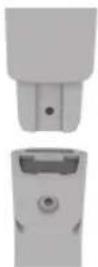
Close-up of a mechanical device with a cylindrical component and a circular opening (no visible text or symbols)- Line up floorhead with main body, push firmly into place.
2. Line up handle with main body and lower into place.
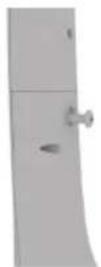
3. Insert screw into back of the handle and tighten with a cross head screwdriver until handle is secured into place.
CHARGING YOUR 2-IN-1 VACUUM CLEANER
NOTE: Charging will be required before first use. Initial charge requires 10 hours.
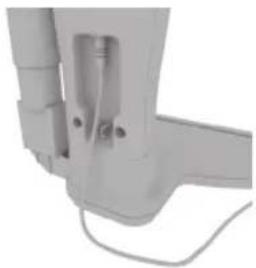
natural_image
Close-up of a mechanical component with attached wires and a vertical port (no visible text or symbols)- Plug the charger into the back of the docking station and plug into mains.

natural_image
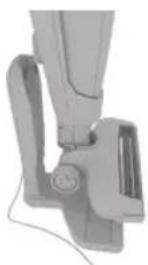
Close-up of a mechanical clamp or bracket component (no visible text or symbols)- Slide the vacuum onto the docking station. The LED indicator will initially turn green, then illuminate red to indicate that it is in place and charging.

3. Once fully charged (8-10) hours the LED indicator on the On/Off button will illuminate green and turn off to power saving mode.

4. When the vacuum needs recharging the LED light on the On/Off button will flash red and the machine will cut out.
USING YOUR MACHINE
NOTE: Do not use brushbar on hard floors as it may cause damage.
natural_image
Close-up of a mechanical device with a circular component and attached lever (no visible text or symbols)- Unplug the charger from the mains and remove the vacuum from the docking station.
natural_image
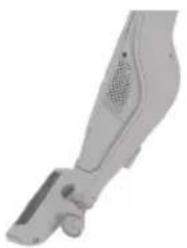
3D rendered image of a handheld vacuum cleaner (no text or symbols visible)- Place foot on the floorhead and pull the handle backwards to recline the machine.
natural_image
Simple diagram of a button with an '1' inside, no text or symbols present- Press the ON button on the handle to turn the machine on.

text_image
FAST SLOW- To select between high and low suction press the suction controller button.

TIP: The brushbar will not rotate when the vacuum cleaner is in the upright position.
USING YOUR MACHINE

CaUTion
Always take extra care when cleaning stairs. Always switch the handheld off before connecting or disconnection the accessories and before returning the handheld to the main body.
OPERATING AS A HANDHELD VACUUM CLEANER
- Press the handheld release button. Lift to remove the handheld from the main body.
natural_image
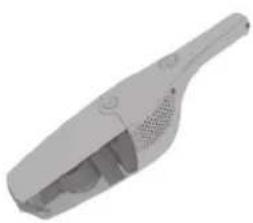
3D rendering of a gray handheld vacuum cleaner (no text or symbols visible)- To operate press the On/Off button to switch the handheld on.
natural_image
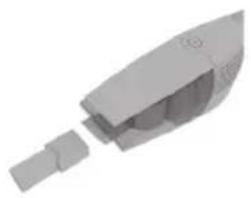
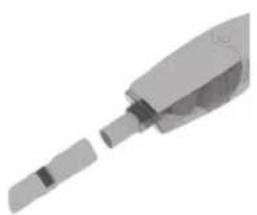
3D rendered mechanical component with a cylindrical shaft and internal housing (no text or symbols visible)- For a more detailed clean, push to attach the 2-in-1 tool connector into the handheld and line up the 2-in-1 with the nozzle on the connector and push firmly into place.
natural_image
3D rendering of a mechanical component with a cylindrical shaft and a separate slot (no text or symbols visible)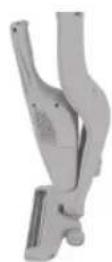
- Press the On/Off button to switch the handheld off. Pull to remove accessory from nozzle. Line up and return handheld to main body.
TAKING CARE OF YOUR MACHINE

CaUTion
Always switch off the vacuum cleaner before carrying out any maintenance or troubleshooting.
EMPTYING THE DIRT CONTAINER
natural_image
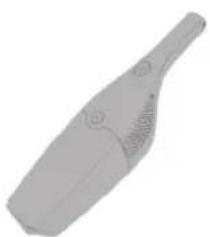
3D rendered image of a gray handheld device with no visible text or symbols- Press the handheld release button. Lift to remove the handheld from the main body.
natural_image
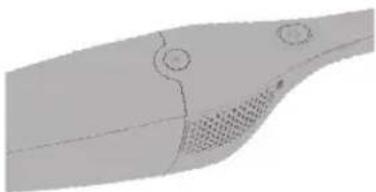
3D rendered diagram of a curved mechanical component with two circular features and a textured base (no text or symbols)- Press the dirt container release button to remove the dirt container.

- Squeeze tabs to remove filter and frame.
natural_image
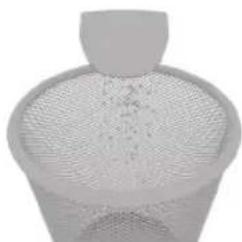
3D rendered mesh model of a conical object with a top handle and circular base (no text or symbols)- Hold dirt container over a bin allowing dirt/debris to fall out.

TIP: Don't over fill the dirt container. Replace the filters at least every 6-9 months.
TAKING CARE OF YOUR MACHINE
CLEANING THE FILTER
natural_image
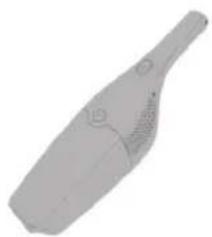
3D rendered image of a gray handheld device with ventilation slots and handle (no text or symbols)- Press the handheld release button. Lift to remove the handheld from the main body.

natural_image
3D rendered diagram of a curved mechanical component with mounting holes and ventilation slots (no text or symbols)- Press the dirt container release button to remove the dirt container.
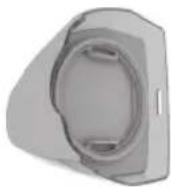
- Squeeze tabs to remove filter and frame.

natural_image
3D rendered mesh structure resembling a funnel or mesh fan (no text or symbols)- Tap the filter over a bin to remove any dust and debris. Do not wash filter frame.
natural_image
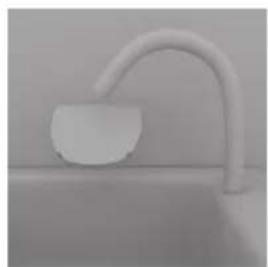
Minimalist grayscale image of a curved pipe extending from a small bowl on a surface (no text or symbols visible)- Pull foam filter from underneath of filter frame. Wash foam filter under running water (max 40°C).

natural_image
Two simple line icons: a sun and a clock with an exclamation mark (no text or symbols)- Leave for at least 24 hours or until fully dry before replacing into the machine.

TIP: For best cleaning result filters require cleaning every 4-6 uses or as needed.
TAKING CARE OF YOUR MACHINE
CaUTion
Always switch off the vacuum cleaner before carrying out any maintenance or troubleshooting. Do not use your vacuum cleaner without the filters in place.
CaUTion
For best performance terminals in vacuum, on handheld and on docking station must be free from dust and dirt.
CLEANING THE TERMINALS


natural_image
Exterior view of a modern office building (no signage)
natural_image
Simple gray 3D object with a curved top and two side slots, no text or symbols visible.Using a dry cloth or soft dusting brush remove any dust or debris from terminals in vacuum, on handheld and on docking station.
LET'S TALK TECHNICAL
CLEARING BLOCKAGES
natural_image
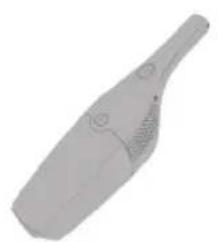
3D rendered image of a gray handheld device with no visible text or symbols- Press the handheld release button. Lift to remove the handheld from the main body.

natural_image
Close-up of a mechanical device with a cylindrical component and a circular button (no visible text or symbols)- Press the floorhead release button and pull floorhead to remove.

natural_image
Close-up of a white industrial device component with a circular button and side view (no visible text or symbols)- Remove any blockage from the main body.
CLEARING BLOCKAGES FOR THE BRUSHBAR
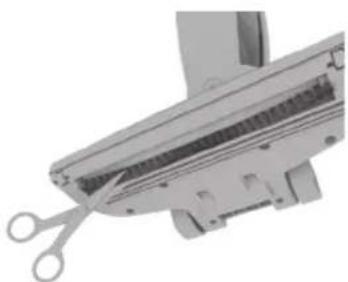
If the brushbar has been obstructed, the Motor Protection Sensor may have been activated. Remove the battery and handheld and clear any obstruction from the brushbar. Wait 30 minutes for the vacuum cleaner to reset itself. Replace the battery and handheld and retry.
natural_image
Close-up of a mechanical component with scissors inserted, showing internal structure (no text or symbols visible)Using a pair of scissors remove any threads or hair caught around the brushbar.
CHANGING THE BRUSHBAR

natural_image
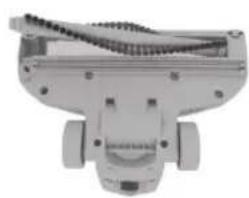
Close-up of a mechanical component with a circular dial and adjustment knobs (no visible text or symbols)- Turn the lock release to unlock the floorhead cover. Lift and remove floorhead cover.
natural_image
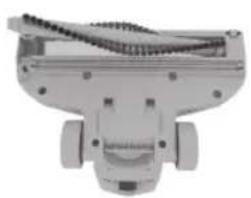
Mechanical component with threaded spring and mounting base (no visible text or symbols)- Remove brushbar lifting side of brushbar not connected to belt. Unhook other side of brushbar from belt.
natural_image
Mechanical component with threaded spring and mounting holes (no visible text or symbols)- Loop the belt over the brushbar. Replace the brushbar by fitting the belt side first. Push other side of brushbar back into the floorhead and replace floorhead cover.

TIP: When changing the belt, this is the perfect time to clear any debris from your brushbar. Using a pair of scissors, cut through any threads or hair caught around the brushbar.
ACCESSORIES
DON'T FORGET YOUR ACCESSORIES!
Order at: www.DirtDevil.co.uk
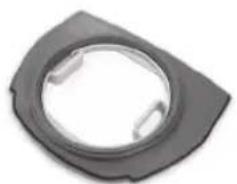
Pre-motor filter (Type 132)
1-1-135931-00
natural_image
Close-up of a black circular mechanical component with two side slots (no text or symbols visible)2-in-1 tool (Type 3)
1-1-135932-00
A replacement 2-in-1 tool for your
2-in-1 Cordless vacuum.

TROUBLESHOOTING
| PROBLEM | POSSIBLE SOLUTION |
| Why does my vacuum cleaner have no power? | Check the machine is fully charged. Go to 'Using your machine'.Check the charger is plugged into the mains and correctly connected to the docking station. Go to 'Getting started'.Check the handheld has been correctly fitted into the main body.Check terminals on vacuum, handheld and docking station are clean.Go to 'Let's talk technical'.If the brushbar has been obstructed, the Motor Protection Sensor may have been activated. Remove the battery and handheld and clear any obstruction from the brushbar. Wait 30 minutes for the vacuum cleaner to reset itself. Replace the battery and handheld and retry. |
| Why isn't my vacuum cleaner charging? | Check the vacuum is connected correctly to the docking station.Go to 'Getting started'.Check terminals on vacuum, handheld and docking station are clean.Go to 'Let's talk technical'.Check charger and docking station for damage. If damaged please contact our Customer Care Line on:0330 026 2626 (Mon-Fri 8:30am to 6:00pm).Check the charger is plugged into the mains and correctly connected to the docking station. Go to 'Getting started'. |
| Why won't the vacuum cleaner pick up? | Empty the dirt container and clean filters. Go to the 'Taking care of your machine' page.There may be a blockage in the vacuum cleaner. Go to 'Clearing blockages'.The brushbar may not be turning. Go to 'My brushbar isn't turning?' below.Vacuum may need recharging. Go to 'Getting Started'.Low suction has been selected, increase to high suction. Go to 'Using your machine'. |
| My brushbar isn't turning? | If the brushbar has been obstructed, the Motor Protection Sensor may have been activated. Remove the battery and handheld and clear any obstruction from the brushbar. Wait 30 minutes for the vacuum cleaner to reset itself. Replace the battery and handheld and retry.The brushbar may be blocked. Go to the 'Let's talk technical' page. |
| Why is the LED light Continually flashing? | The Red light will flash when the vacuum needs recharging.Go to 'Getting started'. |
GUARANTEE

LIMITED GUARANTEE
It's quick and easy to register for your free 1 year guarantee online at www.DirtDevil.co.uk. Or call our Customer Service Department at 0330 026 2626 Monday-Friday 8:30am to 6:00pm.
Please retain your original receipt for proof of purchase. Please make a note of the serial number and model number of the product before calling.
NOTES
NOTES
Dirt Devil

Call our Customer
Service department at
0330 026 2626
Monday-Friday 9:00am to 5:00pm.
www.dirtdevil.co.uk
Vax Limited, trading as Dirt Devil.
2 Colmore Square, 38 Colmore Circus, Queensway, Birmingham, B4 6BN.

EEC Statement of Compliance: Manufacturer/EEC importer: Dirt Devil Limited, hereby on our own responsibility, declare that the DDH01 (E01/E02) series is manufactured in compliance with the following Directives: Safety: 2006/95/EC Low Voltage Directive. EMC: 2004/108/EC Electromagnetic Compatibility Directive

Waste electrical products should not be disposed of with household waste. Please recycle where facilities exist. Check with your Local Authority or retailer for recycling advice.