
PC700SNL - USB Drive Philco - Free user manual and instructions
Find the device manual for free PC700SNL Philco in PDF.


| Product Type | Range Hood |
| Model | PC700SNL (also PC900SNL, PC1200SNL) |
| Installation Type | Wall-mounted |
| Voltage | 220-240V, 50Hz (as per rating plate) |
| Motor Speed Settings | 3 speeds |
| Control Type | Push-button |
| Lighting | Replaceable lamp |
| Timer | 15-minute timer |
| Filter Type | Aluminium grease filter (washable), optional activated charcoal filter |
| Ducting Diameter | 120mm adapter (125mm flexible duct recommended) |
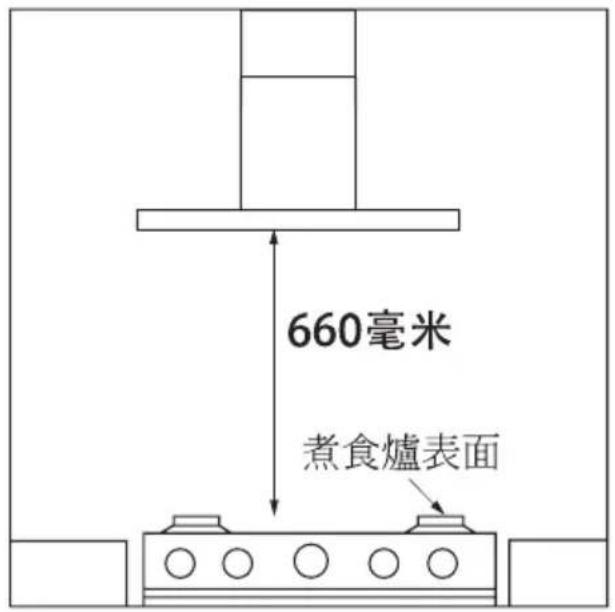
| Minimum Distance from Hob | 660mm |
| Safety Classification | Class II (double insulated, must not be earthed) |
| Material | Stainless steel |
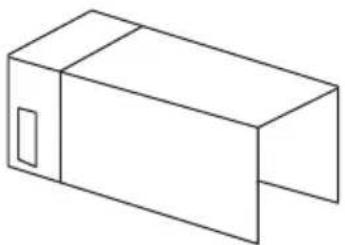
| Included Accessories | Chimney (upper and lower), ducting adapter, mounting brackets, screws, expansion plugs |
| Warranty | Manufacturer warranty applies |
Frequently Asked Questions - PC700SNL Philco
User questions about PC700SNL Philco
0 question about this device. Answer the ones you know or ask your own.
Ask a new question about this device
Download the instructions for your USB Drive in PDF format for free! Find your manual PC700SNL - Philco and take your electronic device back in hand. On this page are published all the documents necessary for the use of your device. PC700SNL by Philco.
USER MANUAL PC700SNL Philco
natural_image
Line drawing of a double-bay air conditioner tower with ventilation grilles and mounting base (no text or symbols)USER MANUAL
用戶手冊
PC700SNL
PC900SNL
PC1200SNL
EN
Dear Customer
Thank you for buying our range hood. Please read the user manual carefully and store in a handy place for later reference.
This hood is designed for install on walls.
Read the following carefully to avoid damage or injury.

SAFETY AND WARNINGS
Where applicable, this appliance is supplied with fixings. Please ensure you use the correct fixings suitable for the substrate where the appliance will be installed and that they are able to support the weight of the appliance.
- Before connecting the hood, check that the supplied voltage and frequency match with that indicated on the appliance rating plate. If in doubt, ask for advice instore or from a qualified installer..
- If the supply cord is damaged, it must be replaced by the manufacturer, its service agent or similarly qualified persons in order to avoid a safety hazard.
- Use only the same size of fittings and mounting screws as recommended in this instruction manual. Failure to follow these instructions may result in electrical hazards.
- Means for full disconnection must be incorporated in the fixed wiring in accordance with the local wiring installation rules for your country. An all-pole disconnection switch having a contact separation of at least 3mm in all poles should be connected during installation.
- When the cooker hood is located above an appliance, the minimum distance between the supporting surface for the cooking vessels on the hob and the lowest part of the hood shall be at least 660mm.
- Consult local regulations regarding extraction outlets and ensure these are complied with. Do not connect the hood to a ventilation
or hot air duct containing combustion fumes from burning gas or other fuels. Confirm that room ventilation is appropriate with the local authorities.
- The air must not be discharged into a flue that is used for exhausting fumes from appliances burning gas or other fuels
- The hood may stop working during an electrostatic discharge (e.g. lightning). This involves no risk of damage. Switch off the electricity supply to the hood and reconnect after one minute.
- This appliance can be used by children aged from 8 years and above and persons with reduced physical, sensory or mental capabilities or lack of experience and knowledge if they have been given supervision or instruction concerning use of the appliance in a safe way and understand the hazards involved. Children shall not play with the appliance. Cleaning and user maintenance shall not be made by children without supervision.
- This appliance is not intended for use by persons (including children) with reduced physical, sensory or mental capabilities, or lack of experience and knowledge, unless they have been given supervision or instruction concerning use of the appliance by a person responsible for their safety.
- Children should be supervised to ensure that they do not play with the appliance.
- Do not install the appliance outdoors in a damp place or in an area which may be prone to water leaks such as under or near a sink unit. In the event of a water leak affecting the appliance, do not use and contact customer services to arrange for inspection. Do not use flammable sprays in close vicinity to the appliance.
- Please dispose of the packing material carefully. There is a fire risk if cleaning is not carried out in accordance with the instructions. Refer to the Care and Maintenance sections carefully for details on how to clean and replace the aluminium and carbon filters (if fitted).
- Refer to the Care and Maintenance section for details on the type of lamps that can be used and how to replace them.
- Do not use a steam cleaner for care and maintenance.
- The appliance is not intended to be operated by means of an
external timer or separate remote control system.
- There shall be adequate ventilation of the room when the hood is used at the same time as appliances burning gas or other fuels. Ensure that the negative pressure of the installation site does not exceed 4 Pa (0.04 mbar) to ensure combustion fumes are not drawn back into the room.
- Do not use the hood if it shows signs of damage or imperfection. Contact customer services for assistance.
Switch off the appliance at the mains supply before carrying out • any maintenance work or cleaning.
- CAUTION: Accessible parts may become hot when used with cooking appliances.
- Do not flambe under the hood. To avoid the risk of fire, clean or replace the grease filter regularly and closely monitor pans containing hot oil.
- The manufacturer declines all liability for personal or material damage as a result of misuse or incorrect installation of this appliance.
- The appliance is for domestic use only as an extractor hood.
INSTALLATION INSTRUCTIONS
All installation must be carried out by a competent person or qualified electrician. Before connecting the mains supply ensure that the mains voltage corresponds to the voltage on the rating plate.
The appliance must be connected directly to the mains using an omnipolar circuit breaker with a minimum opening of 3mm between the contacts.
The installer must ensure that the correct electrical connection has been made and that it complies with the wiring diagram.
Regularly check the power plug and power cord for damage. If the supply cord is damaged, it must be replaced by a special cord or assembly available from the manufacturer or its service agent.

WARNING: This is a Class II appliance and MUST NOT be earthed.
Contents of packaging

natural_image
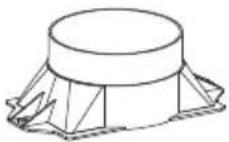
Line drawing of a rectangular box placed on a base with a small inset square opening, no text or symbols present.Rangehood (1)
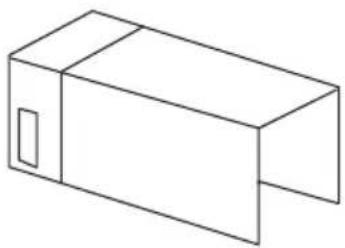
natural_image
Simple line drawing of a rectangular box with a U-shaped cutout (no text or symbols)Chimney (Upper+lower) (1)

∅120mm
Ducting adapter
(1)
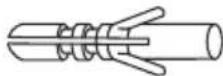
∅6 x 30mm
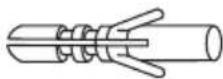
Expansion plug
(8)
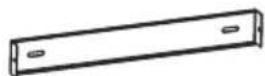
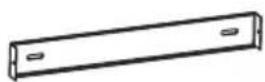
Upper chimney bracket (1)

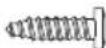
ST3.9 x 32mm
Screws
(8)

Chimney bracket (1)
ST3.9 x 13mm
Screws
(4)
INSTALLATION
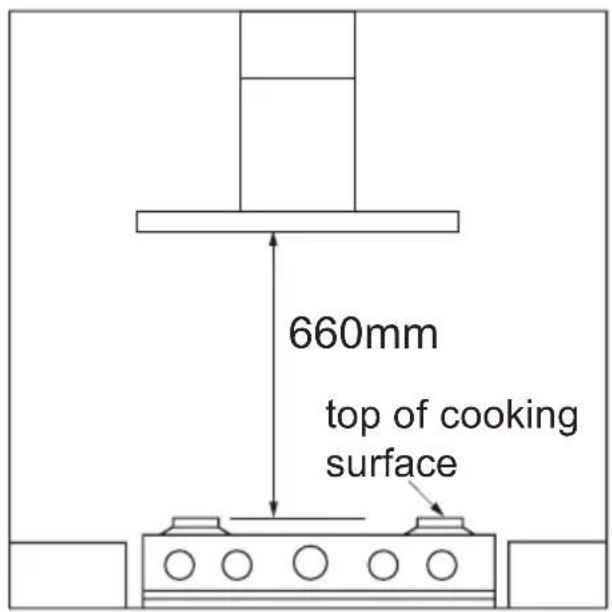
Positioning
Fixing dimensions
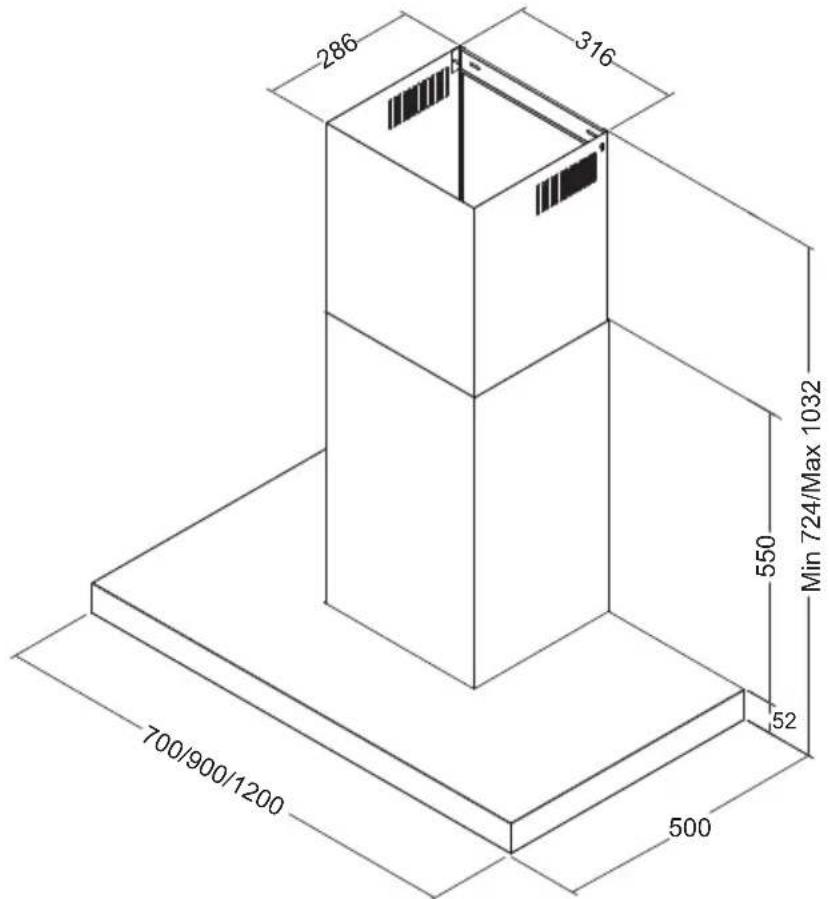

WARNING!
Failure to install the screws or fixing device in accordance with these instructions may result in electrical hazards.
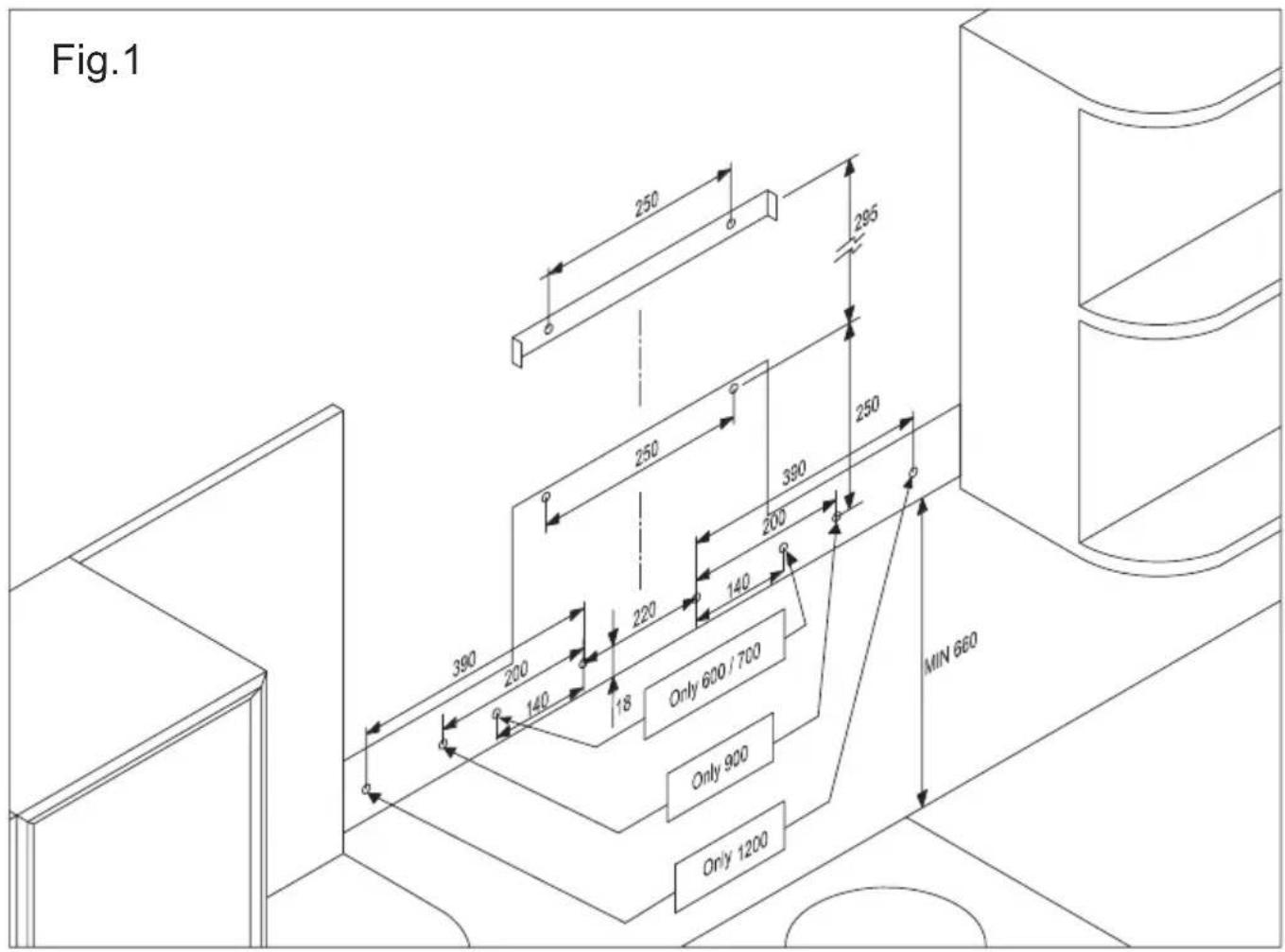
Drilling holes
- Mark the location for flue cover wall mounting brackets, rangehood mounting points and anti-tilt fixing points above the rangehood using the base as the reference point (Fig. 1).
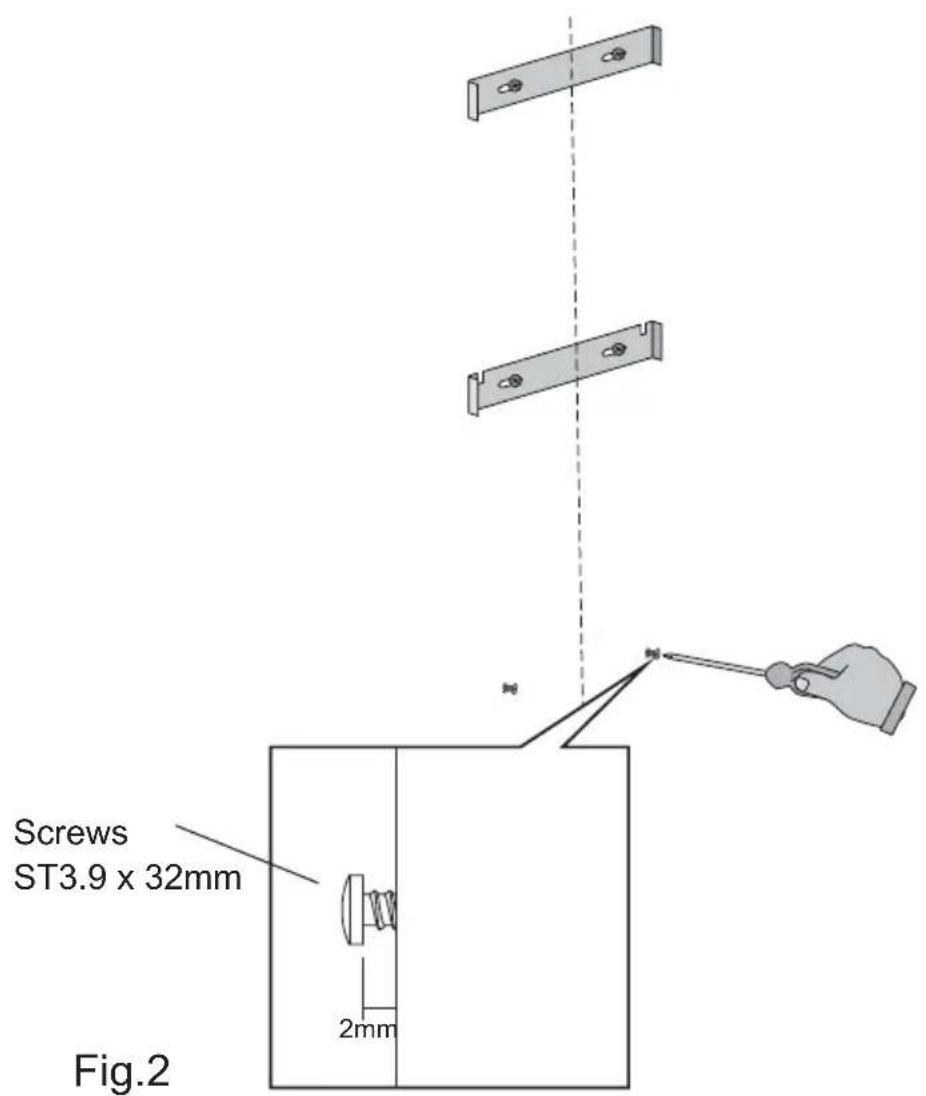
Attach chimney brackets and hood mounting screws
- Attach the upper hood mounting screws in the locations shown in Fig.2. Use the ST3.9 x 32 screws and expansion plugs if attaching to masonry.
Attached hood on wall
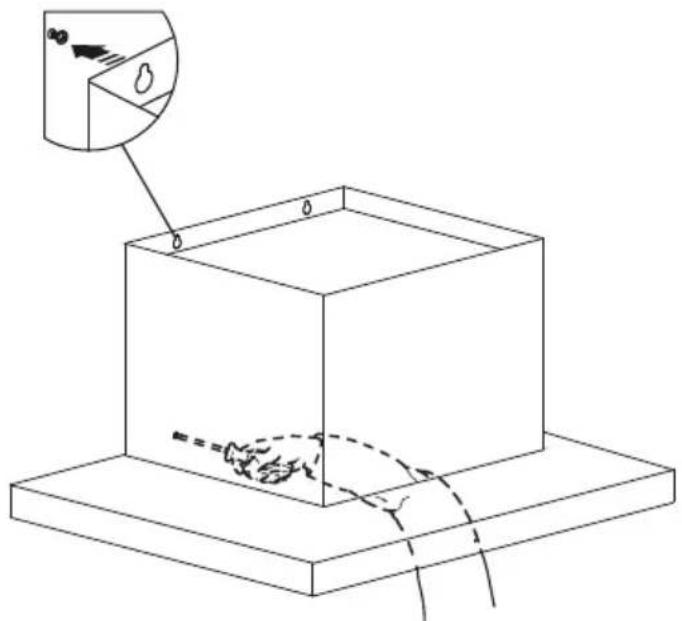
- Remove the aluminium filters from the rangehood body and hang it on the ST3.9 x 32mm screws then secure at the anti-tilt locations
as indicated in Fig. 3.
natural_image
Isometric line drawing of a cube with an inset showing a small object (no text or symbols)Fig.3
Connect ducting adapter
- Connect ∅120mm ducting adapter to the blower outlet and use ST3.9 x 13mm screws to fix it to the range hood (Fig. 4).

Fixing flexible duct
- If need exhaust air to the outside. Connect ∅125 mm flexible duct to the adapter and fix it (Fig. 5).

natural_image
Technical illustration of a mechanical testing setup with a coiled spring mounted on a base, showing a magnified inset of the component (no text or symbols present)Fig.5
Attach the chimney

natural_image
Technical illustration of a mechanical testing setup with hands operating a tool and a cylindrical component (no text or symbols)Fig.6
Connect ducting adapter
- Fix the chimney to the top bracket using the ST3.9 x 13mm screws. Connect top of
the ducting tube to vent kit as per manufacturers instructions (Fig. 7).
• Install back the aluminium filters to rangehood, and for Stainless Steel appliance, remove the protection film from rangehood and chimney.

Fig.7
OPERATING INSTRUCTIONS
- Turn the hood on for a few minutes before you start cooking.
- The hood should be left on for a minimum of 5 minutes after cooking or until all odours have dispersed.
Control panel features

1 - Light switch.
2 – Lighting control lamp.
3 - 3 position switch controls the motor (1st, 2nd, and 3rd speed).
4 – Motor control lamps.
TIMER: To operate the canopy timer, having selected the speed, press the button for 2 seconds until the luminous LED blinks. The timer will then work for 15 minutes.
At the end of this time the motor will stop and the light will go out. If it is still on, and you wish to cancel the timer, press the timer button once and the motor will stop.

Warning: the lighting should not be used as permanent light source but only for cooking.
CLEANING AND MAINTENANCE

Warning: always switch off the electricity supply before ing out maintenance work on the hood. In the event of a contact an official distributor or Customer Service.
Exterior Cleaning : Use non-corrosive, liquid detergent and avoid the use of abrasive cleaning products.
Replacing the lamp
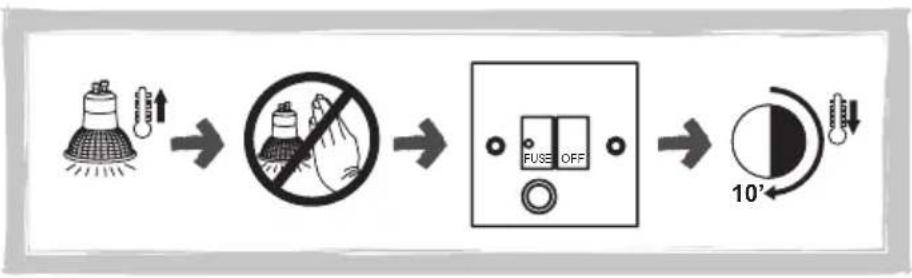
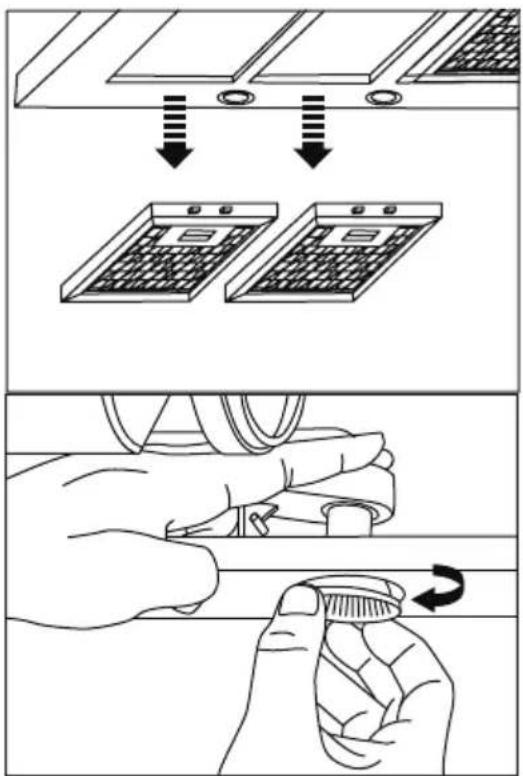
Ensure that the rangehood is unplugged, then slide out the retractable hood and remove the filters. Turn the lamp anti-clockwise to remove then replace the lamp by turning it clockwise.
Note that lamps become hot when in use. Allow the lamps to cool down for a few minutes before changing them.
flowchart
graph LR
    A["Light bulb with circuit"] --> B["No hand protection"]
    B --> C["Fuse OFF switch"]
    C --> D["10° angle indicator"]


Cleaning Aluminium grease filters
Important! increase the filter cleaning/replacement frequency if the hood is used for more than 2 hours a day. Always use genuine filters from the manufacturer.

1 MONTH

natural_image
Technical line drawing of a kitchen air conditioner unit with ventilation duct and fan base (no text or symbols)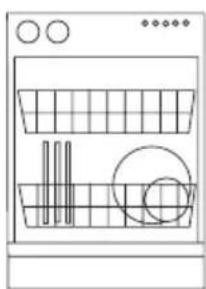
natural_image
Line drawing of a kitchen appliance with a plate, drawer, and sink (no text or symbols)≤ 65°C

natural_image
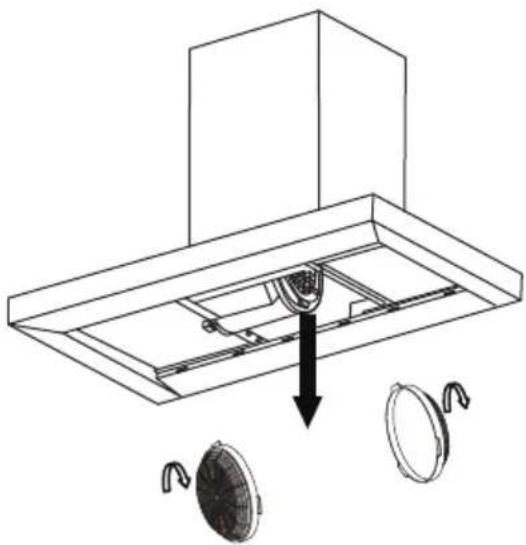
Diagram of a showerhead spraying water onto a square surface (no text or symbols)Replacing Activated charcoal filters
Replace Activated charcoal every 3 months

3 MONTHS

natural_image
Technical diagram of a ceiling fixture with two circular components and a central component, showing internal structure without any text or symbols.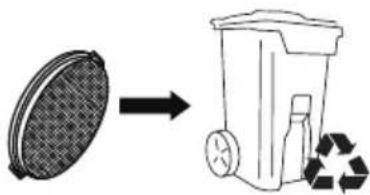
Troubleshooting
| Problem Possible cause Solution | ||
| Excessive vibration. The | appliance is not installed properly on the brackets. | Take down the appliance and check it is properly fixed. |
| The fan blade is damaged. | Switch off the appliance. Repair to be carried out by qualified service personnel only. | |
| The fan motor is not fixed tightly. | ||
| The light is on, but the fan does not work. | The fan blade is jammed. | |
| The motor is damaged. | ||
| Both the light and motor do not work. | Light bulb blown. Replace with a bulb | of the correct rating. |
| Power connection loose. Check power supply. | ||
| Suction performance reduced. | Speed may be too low. Select a higher speed. | |
| Aluminium filters are dirty. Care and maintenance section. | Clean the aluminium filters. (See on). | |
| Top vent might be obstructed. | Clear any obstruction. | |
| Optional vent kit might be twisted. Ensure that the vent kit is fitted according to the manufacturer's instructions. | ||
| The installation may not comply with the manufacturers instructions. | The vent hose should be correct diameter throughout with no reductions or restriction.(See installation section). | |
| Works normally but cooking smells linger. | Carbon filter is not fitted in recirculation mode or is full of grease. | Fit carbon filter or replace the carbon filter (See Care and maintenance section). |
Recycling & disposal

The symbol on the product or on its packaging indicates that this product may not be treated as household waste
Instead it shall be handed over to the applicable collection point for the recycling of electrical and electronic equipment.
By ensuring this product is disposed of correctly,
you will help prevent potential negative consequences for the environment and human health, which could otherwise be caused by inappropriate waste handling of this product.
For more detailed information about recycling of this product, please contact your local city office, your household waste disposal service or the shop where you purchased the product.
中文
親愛的顧客
natural_image
Line drawing of a rectangular box placed on a base with a small inset showing a slot, no text or symbols present.抽油煙機
(1)
natural_image
Simple line drawing of a rectangular box with a side window (no text or symbols)煙囪(上囪+下囪)
(1)
∅120毫米
排氣管接合器
(1)
膨脹膠塞 ∅6 × 30毫米
(8)
上煙囪支架
(1)
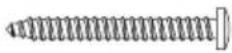
螺絲 ST3.9 × 32毫米
(8)
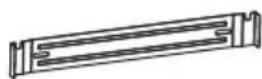
煙囪支架
(1)

螺絲 ST3.9 x 13毫米
(4)
安装
natural_image
Technical line drawing of a mechanical assembly with a base platform and top component (no text or symbols)安裝伸縮排風管
natural_image
Technical illustration of a mechanical testing setup with hands operating a tool and a spring-loaded component (no text or symbols)圖6
連接煙囪
圖7
使用抽油煙機
flowchart
graph LR
    A["Lighting Lamp"] --> B["No Hazard"]
    B --> C["Fuse OFF"]
    C --> D["10'-sension Device"]

清潔抽油煙機金屬濾網
更換活性碳過濾網
請每三個月更換一次活性碳過濾網。

3 個月
natural_image
Technical diagram of a ceiling fixture with two circular components and a central component, showing internal structure and mounting points (no text or symbols)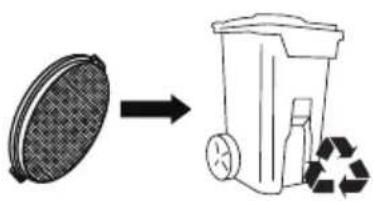
故障排除
natural_image
Symbol of a trash bin crossed with no text or labels, accompanied by a black rectangle below (no readable text or symbols)a Gilman Group Company
- USER MANUAL
- EN
- Dear Customer
- SAFETY AND WARNINGS
- INSTALLATION INSTRUCTIONS
- Contents of packaging
- INSTALLATION
- Fixing dimensions
- WARNING!
- Drilling holes
- Attach chimney brackets and hood mounting screws
- Attached hood on wall
- Connect ducting adapter
- Fixing flexible duct
- Attach the chimney
- OPERATING INSTRUCTIONS
- Control panel features
- CLEANING AND MAINTENANCE
- Replacing the lamp
- Cleaning Aluminium grease filters
- Replacing Activated charcoal filters
- Replace Activated charcoal every 3 months
- Recycling & disposal
- 中文
- 親愛的顧客
- 安装
- 安裝伸縮排風管
- 連接煙囪
- 使用抽油煙機
- 清潔抽油煙機金屬濾網
- 更換活性碳過濾網
Brand : Philco
Model : PC700SNL
Category : USB Drive