49UB859Y - TV LG - Free user manual and instructions
Find the device manual for free 49UB859Y LG in PDF.


User questions about 49UB859Y LG
0 question about this device. Answer the ones you know or ask your own.
Ask a new question about this device
Download the instructions for your TV in PDF format for free! Find your manual 49UB859Y - LG and take your electronic device back in hand. On this page are published all the documents necessary for the use of your device. 49UB859Y by LG.
USER MANUAL 49UB859Y LG
LG LED TV applies LCD screen with LED backlights.
natural_image
Simple icon showing a computer monitor with a question mark and cursor arrow, no text or symbols present.Click! User Guide
Please read this manual carefully before operating your set and retain it for future reference.
UB85** UB93**
UB95**
UB98**
UC97**
UG88**
UC9*
www.lg.com
P/NO : MFL68140502 (1503-REV08)
Printed in Korea
TABLE OF CONTENTS
3 LICENSES
3 OPEN SOURCE SOFTWARE NOTICE INFORMATION
3 EXTERNAL CONTROL DEVICE SETUP
4 SAFETY INSTRUCTIONS
10 Viewing 3D Imaging (Only 3D models)
11 INSTALLATION PROCEDURE
11 ASSEMBLING AND PREPARING
11 Unpacking
15 Separate purchase
16 Parts and buttons
19 - Using the joystick button
20 Lifting and moving the TV
20 Setting up the TV
20 - Attaching the stand
25 Mounting on a table
26 Mounting on a wall
28 Tidying cables
29 Assembling the AV cover
30 Using Sliding Speaker
31 Using Built-in Camera
31 - Preparing Built-in Camera
32 - Name of Parts of Built-in Camera
32 - Checking the Camera's Shooting Range
32 MAKING CONNECTIONS
33 Antenna connection
33 HDMI connection
34 DVI to HDMI connection
35 Component connection
35 Composite connection
36 Audio connection
36 - Digital optical audio connection
36 Headphone connection
37 USB connection
37 MHL connection
38 REMOTE CONTROL
39 MAGIC REMOTE FUNCTIONS
40 Registering Magic Remote
40 How to use Magic Remote
41 Precautions to Take when Using the Magic Remote
41 USING THE USER GUIDE
42 MAINTENANCE
42 Cleaning your TV
42 - Screen, frame, cabinet and stand
42 - Power cord
42 TROUBLESHOOTING
43 ENVIRONMENTAL INFORMATION
44 SPECIFICATIONS

WARNING
- If you ignore the warning message, you may be seriously injured or there is a possibility of accident or death.

CAUTION
- If you ignore the caution message, you may be slightly injured or the product may be damaged.

NOTE
- The note helps you understand and use the product safely. Please read the note carefully before using the product.
LICENSES
Supported licenses may differ by model. For more information about licenses, visit www.lg.com.

DOLBY. DIGITAL PLUS




(Only Australia)
freeviewplus
FreeviewPlus provides access to content and services from the Freeview networks. The FreeviewPlus service provides a 7 + day EPG, all available Catch Up TV, recommendations and the ability to set reminders and favourites. FreeviewPlus is available by pressing the green button on the remote.
*FreeviewPlus uses HbbTV technology which combines broadcast and broadband. It requires an internet connection. Normal data usage charges and conditions apply.
OPEN SOURCE SOFTWARE NOTICE INFORMATION
To obtain the source code under GPL, LGPL, MPL, and other open source licenses, that is contained in this product, please visit http://opensource.lge.com. In addition to the source code, all referred license terms, warranty disclaimers and copyright notices are available for download. LG Electronics will also provide open source code to you on CD-ROM for a charge covering the cost of performing such distribution (such as the cost of media, shipping, and handling) upon email request to opensource@lge.com. This offer is valid for three (3) years from the date on which you purchased the product.
EXTERNAL CONTROL DEVICE SETUP
To obtain the external control device setup information, please visit www.lg.com.
SAFETY INSTRUCTIONS
Please read these safety precautions carefully before using the product.

WARNING
- Do not place the TV and/or remote control in the following environments:
- A location exposed to direct sunlight
- An area with high humidity such as a bathroom
- Near any heat source such as stoves and other devices that produce heat
- Near kitchen counters or humidifiers where they can easily be exposed to steam or oil
- An area exposed to rain or wind
- Near containers of water such as vases. Otherwise, this may result in fire, electric shock, malfunction or product deformation.

- Do not place the product where it might be exposed to dust.
This may cause a fire hazard.

- Mains Plug is the TV connecting/disconnecting device to AC mains electric supply. This plug must remain readily attached and operable when TV is in use.

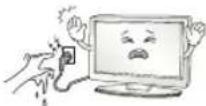
- Do not touch the power plug with wet hands. Additionally, if the cord pin is wet or covered with dust, dry the power plug completely or wipe dust off.
You may be electrocuted due to excess moisture.
- Make sure to connect Mains cable to compliant AC mains socket with Grounded earth pin. (Except for devices which are not grounded on earth.) Otherwise possibility you may be electrocuted or injured.

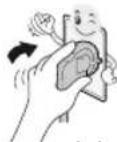
- Insert power cable plug completely into wall socket otherwise if not secured completely into socket, fire ignition may break out.
- Ensure the power cord does not come into contact with hot objects such as a heater. This may cause a fire or an electric shock hazard.
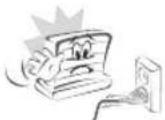
- Do not place a heavy object, or the product itself, on power cables. Otherwise, this may result in fire or electric shock.
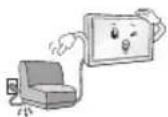
- Bend antenna cable between inside and outside building to prevent rain from flowing in. This may cause water damaged inside the Product and could give an electric shock.
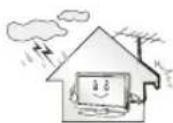
- When mounting TV onto wall make sure to neatly install and isolate cabling from rear of TV as to not create possibility of electric shock /fire hazard.

- Do not plug too many electrical devices into a single multiple electrical outlet. Otherwise, this may result in fire due to over-heating.
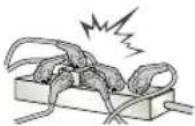
- Do not drop the product or let it fall over when connecting external devices. Otherwise, this may result in injury or damage to the product.
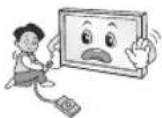
- Keep the anti-moisture packing material or vinyl packing out of the reach of children. Anti-moisture material is harmful if swallowed. If swallowed by mistake, force the patient to vomit and visit the nearest hospital. Additionally, vinyl packing can cause suffocation. Keep it out of the reach of children.

- Do not let your children climb or cling onto the TV. Otherwise, the TV may fall over, which may cause serious injury.

- Dispose of used batteries carefully to ensure that a small child does not consume them. Please seek Doctor-Medical Attention immediately if child consumes batteries.

- Do not insert any metal objects/conductors (like a metal chopstick/cutlery/screwdriver) between power cable plug and input Wall Socket while it is connected to the input terminal on the wall. Additionally, do not touch the power cable right after plugging into the wall input terminal. You may be electrocuted. (Depending on model)
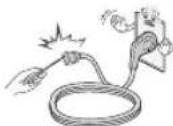
- Do not put or store inflammable substances near the product. There is a danger of combustion/explosion or fire due to careless handling of the inflammable substances.

- Do not drop metallic objects such as coins, hair pins, chopsticks or wire into the product, or inflammable objects such as paper and matches. Children must pay particular attention. Electrical shock, fire or injury can occur. If a foreign object is dropped into the product, unplug the power cord and contact the service centre.
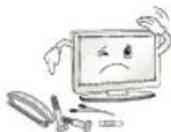
- Do not spray water on the product or scrub with an inflammable substance (thinner or benzene). Fire or electric shock accident can occur.

- Do not allow any impact, shock or any objects to fall into the unit, and do not drop anything onto the screen. You may be injured or the product can be damaged.
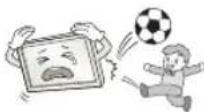
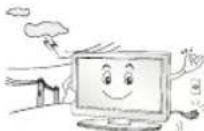
- Never touch this product or antenna during a thunder or lighting storm. You may be electrocuted.
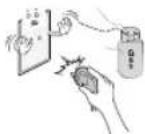
- Never touch the wall outlet when there is leakage of gas, open the windows and ventilate. It may cause a fire or a burn by a spark.
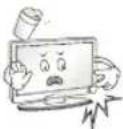
- Do not disassemble, repair or modify the product at your own discretion. Fire or electric shock accident can occur. Contact the service centre for check, calibration or repair.

- If any of the following occur, unplug the product immediately and contact your local service centre.
- The product has been impacted by shock
- The product has been damaged
- Foreign objects have entered the product
- The product produced smoke or a strange smell
This may result in fire or electric shock.
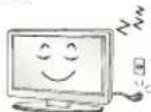
- Unplug the TV from AC mains wall socket if you do not intend to use the TV for a long period of time. Accumulated dust can cause fire hazard and insulation deterioration can cause electric leakage/shock/fire.
- Apparatus shall not be exposed to dripping or splashing and no objects filled with liquids, such as vases, shall be placed on the apparatus.

- Do not install this product on a wall if it could be exposed to oil or oil mist. This may damage the product and cause it to fall.

CAUTION
• Install the product where no radio wave occurs.

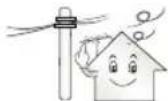
- There should be enough distance between an outside antenna and power lines to keep the former from touching the latter even when the antenna falls. This may cause an electric shock.
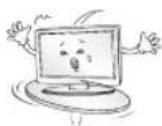
- Do not install the product on places such as unstable shelves or inclined surfaces. Also avoid places where there is vibration or where the product cannot be fully supported. Otherwise, the product may fall or flip over, which may cause injury or damage to the product.
- If you install the TV on a stand, you need to take actions to prevent the product from overturning. Otherwise, the product may fall over, which may cause injury.
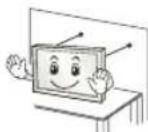
- If you intend to mount the product to a wall, attach VESA standard mounting interface (optional parts) to the back of the product. When you install the set to use the wall mounting bracket (optional parts), fix it carefully so as not to drop.
- Only use the attachments / accessories specified by the manufacturer.
- When installing the antenna, consult with a qualified service technician. If not installed by a qualified technician, this may create a fire hazard or an electric shock hazard.
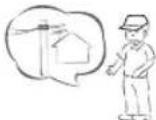
• We recommend that you maintain a distance of at least 2 to 7 times the diagonal screen size when watching TV. If you watch TV for a long period of time, this may cause blurred vision.

- Only use the specified type of battery. This could cause damage to the remote control.
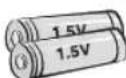
- Do not mix new batteries with old batteries. This may cause the batteries to overheat and leak.

- Batteries should not be exposed to excessive heat. For example, keep away from direct Sunlight, open fireplace and electric heaters.
- Do not place non-rechargeable batteries in charging device.
• Make sure there are no objects between the remote control and its sensor.

- Signal from Remote Control can be interrupted due to external/internal lighting eg Sunlight, fluorescent lighting. If this occurs turn off lighting or darken viewing area.

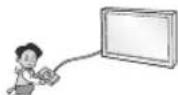
- When connecting external devices such as video game consoles, make sure the connecting cables are long enough. Otherwise, the product may fall over, which may cause injury or damage the product.
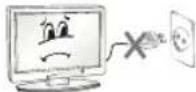
- Do not turn the product On/Off by plugging-in or unplugging the power plug to the wall outlet. (Do not use the power plug for switch.) It may cause mechanical failure or could give an electric shock.
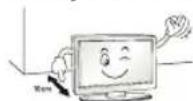
- Please follow the installation instructions below to prevent the product from overheating.
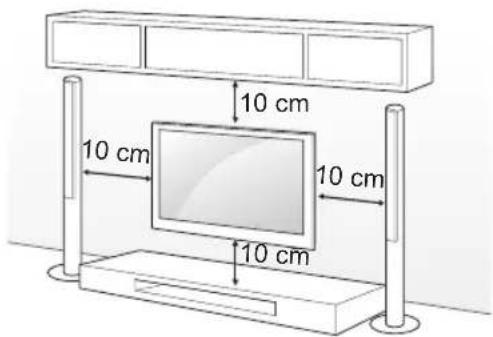
- The distance between the product and the wall should be more than 10 cm.
- Do not install the product in a place with no ventilation (e.g., on a bookshelf or in a cupboard).
- Do not install the product on a carpet or cushion.
- Make sure the air vent is not blocked by a tablecloth or curtain.
Otherwise, this may result in fire.
• Take care not to touch the ventilation openings when watching the TV for long periods as the ventilation openings may become hot. This does not affect the operation or performance of the product.
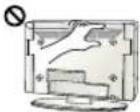
- Periodically examine the cord of your appliance, and if its appearance indicates damage or deterioration, unplug it, discontinue use of the appliance, and have the cord replaced with an exact replacement part by an authorized servicer.
- Prevent dust collecting on the power plug pins or outlet. This may cause a fire hazard.
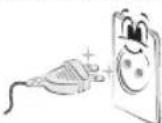
- Protect the power cord from physical or mechanical abuse, such as being twisted, kinked, pinched, closed in a door, or walked upon. Pay particular attention to plugs, wall outlets, and the point where the cord exits the appliance.
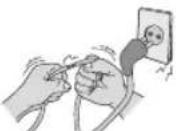
- Do not press strongly upon the panel with a hand or sharp object such as nail, pencil or pen, or make a scratch on it, as it may cause damage to screen.

- Avoid touching the screen or holding your finger(s) against it for long periods of time. Doing so may produce some temporary or permanent distortion/damage to screen.
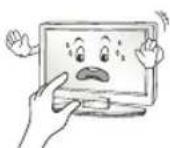
- When cleaning the product and its components, unplug the power first and wipe it with a soft cloth. Applying excessive force may cause scratches or discolouration. Do not spray with water or wipe with a wet cloth. Never use glass cleaner, car or industrial shiner, abrasives or wax, benzene, alcohol etc., which can damage the product and its panel. Otherwise, this may result in fire, electric shock or product damage (deformation, corrosion or breakage).
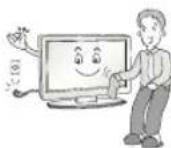
- As long as this unit is connected to the AC wall outlet, it is not disconnected from the AC power source even if you turn off this unit by SWITCH. - When unplugging the cable, grab the plug and unplug it, by pulling at the plug. Don't pull at the cord to unplug the power cord from the power board, as this could be hazardous.
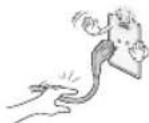
- When moving the product, make sure you turn the power off first. Then, unplug the power cables, antenna cables and all connecting cables. The TV set or power cord may be damaged, which may create a fire hazard or cause electric shock.

- When moving or unpacking the product, work in pairs because the product is heavy. Otherwise, this may result in injury.

- Contact the service centre once a year to clean the internal parts of the product. Accumulated dust can cause mechanical failure.
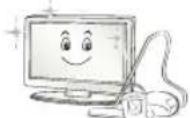
- Refer all servicing to qualified service personnel. Servicing is required when the apparatus has been damaged in any way, such as power supply cord or plug is damaged, liquid has been spilled or objects have fallen into the apparatus, the apparatus has been exposed to rain or moisture, does not operate normally, or has been dropped.
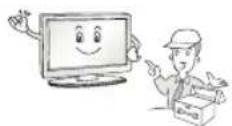
- If the product feels cold to the touch, there may be a small "flicker" when it is turned on. This is normal, there is nothing wrong with product.
- The panel is a high technology display product with resolution of two million to six million pixels. You may see tiny black dots and/or brightly coloured dots (red, blue or green) at a size of 1 ppm on the panel. This does not indicate a malfunction and does not affect the performance and reliability of the product.
This phenomenon also occurs in third-party products and is not subject to exchange or refund.

- You may find different brightness and colour of the panel depending on your viewing position(left/right/top/down). This phenomenon occurs due to the characteristic of the panel. It is not related with the product performance, and it is not malfunction.

- Displaying a still image (e.g., broadcasting channel logo, on-screen menu, scene from a video game) for a prolonged time may cause damage to the screen, resulting in retention of the image, which is known as image sticking. The warranty does not cover the product for image sticking. Avoid displaying a fixed image on your television's screen for a prolonged period (2 or more hours for LCD, 1 or more hours for Plasma).
Also, if you watch the TV at a ratio of 4:3 (4:3 or 16:9 for 21:9 model) for a long time, image sticking may occur on the borders of the panel. When watching the TV for a long period of time, please use the default screen ratio.
This phenomenon also occurs in third-party products and is not subject to exchange or refund.


- Generated Sound
"Cracking" noise: A cracking noise that occurs when watching or turning off the TV is generated by plastic thermal contraction due to tempera-ture and humidity. This noise is common for products where thermal deformation is required. Electrical circuit humming/panel buzzing: A low level noise is generated from a high-speed switching circuit, which supplies a large amount of current to operate a product. It varies depend-ing on the product. This generated sound does not affect the performance and reliability of the product.
- Do not use high voltage electrical goods near the TV (e.g. electric mosquito-swatter). This may result in product malfunction.
Viewing 3D Imaging (Only 3D models)

WARNING
Viewing Environment
- Viewing Time
- When watching 3D contents, take 5 - 15 minute breaks every hour. Viewing 3D contents for a long period of time may cause headache, dizziness, fatigue or eye strain.
Those that have a photosensitive
seizure or chronic illness
- Some users may experience a seizure or other abnormal symptoms when they are exposed to a flashing light or particular pattern from 3D contents.
- Do not watch 3D videos if you feel nausea, are pregnant and/or have a chronic illness such as epilepsy, cardiac disorder, or blood pressure disease, etc.
- 3D Contents are not recommended to those who suffer from stereo blindness or stereo anomaly. Double images or discomfort in viewing may be experienced.
- If you have strabismus (cross-eyed), amblyopia (weak eyesight) or astigmatism, you may have trouble sensing depth and easily feel fatigue due to double images. It is advised to take frequent breaks than the average adult.
- If your eyesight varies between your right and left eye, correct your eyesight prior to watching 3D contents.
Symptoms which require discontinuation
or refraining from watching 3D contents
- Do not watch 3D contents when you feel fatigue from lack of sleep, overwork or drinking.
- When these symptoms are experienced, stop using/watching 3D contents and get enough rest until the symptom subsides.
- Consult your doctor when the symptoms persist. Symptoms may include headache, eyeball pain, dizziness, nausea, palpitation, blurriness, discomfort, double image, visual inconvenience or fatigue.

CAUTION
Viewing Environment
- Viewing Distance
- Maintain a distance of at least twice the screen diagonal length when watching 3D contents. If you feel discomfort in viewing 3D contents, move further away from the TV.
Viewing Age
- Infants/Children
- Usage/ Viewing 3D contents for children under the age of 5 are prohibited.
- Children under the age of 10 may overreact and become overly excited because their vision is in development (for example: trying to touch the screen or trying to jump into it. Special monitoring and extra attention is required for children watching 3D contents.
- Children have greater binocular disparity of 3D presentations than adults because the distance between the eyes is shorter than one of adults. Therefore they will perceive more stereoscopic depth compared to adults for the same 3D image.
- Teenagers
- Teenagers under the age of 19 may react with sensitivity due to stimulation from light in 3D contents. Advise them to refrain from watching 3D contents for a long time when they are tired.
- Elderly
- The elderly may perceive less 3D effect compared to the youth. Do not sit closer to the TV than the recommended distance.
Cautions when using the 3D glasses
• Make sure to use LG 3D glasses. Otherwise, you may not be able to view 3D videos properly.
- Do not use 3D glasses instead of your normal glasses, sunglasses or protective goggles.
• Using modified 3D glasses may cause eye strain or image distortion.
- Do not keep your 3D glasses in extremely high or low temperatures. It will cause deformation.
- The 3D glasses are fragile and are easy to be scratched. Always use a soft, clean piece of cloth when wiping the lenses. Do not scratch the lenses of the 3D glasses with sharp objects or clean/wipe them with chemicals.

NOTE
• Image shown may differ from your TV.
- Your TV's OSD (On Screen Display) may differ slightly from that shown in this manual.
- The available menus and options may differ from the input source or product model that you are using.
- New features may be added to this TV in the future.
- The TV can be placed in standby mode in order to reduce the power consumption. And the TV should be turned off if it will not be watched for some time, as this will reduce energy consumption.
- The energy consumed during use can be significantly reduced if the level of brightness of the picture is reduced, and this will reduce the overall running cost.
INSTALLATION PROCEDURE
1 Open the package and make sure all the accessories are included.
2 Attach the stand to the TV set.
3 Connect an external device to the TV set.
4 Make sure the network connection is available.
You can use the TV network functions only when the network connection is made.
* If the TV is turned on for the first time after it was shipped from the factory, initialization of the TV may take a few minutes.
* If label is attached to the speakers, make sure remove the label before using the TV, because the label can affect the sound.
ASSEMBLING AND PREPARING
Unpacking
Check your product box for the following items. If there are any missing accessories, contact the local dealer where you purchased your product. The illustrations in this manual may differ from the actual product and item.

CAUTION
- Do not use any unapproved items to ensure the safety and product life span.
- Any damages or injuries by using unapproved items are not covered by the manufacturer's warranty.
- Some models have a thin film attached on to the screen and this must not be removed.
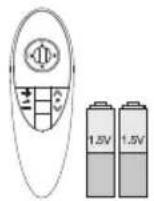
Magic remote, Batteries (AA)
(Only UB85**, UB93**, UB95**, UB98**, UC97**, UG88**, UC9*) (See p.39)
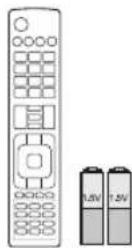
Remote control, Batteries (AAA)
The remote control will not be included for all sales market. (Depending on model) (See p.38)
Owner's manual
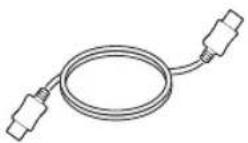
HDMI Cable
(Depending on model) (See p.33)

Power Cord
(Depending on model)

Cable Holder
(Depending on model) (See p.28)

Stand Screws
4EA, M6 X L47 (Only 65UB98**) (See p.21)
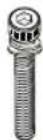
Stand Screws
4EA, M6 x L52 (Only 79/84UB98**) (See p.21, 22)
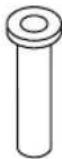
Insulation Holders
4EA (Only 84UB98**) (See p.22)
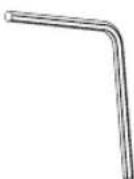
Wrench
(Only UB98 ^** ) (See p.21, 22, 24)
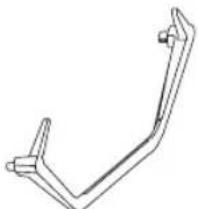
natural_image
Simple line drawing of a V-shaped mechanical bracket (no text or symbols)Stand Base
(Only 65/79/84UB98**) (See p.21, 22)
Stand Screws
8EA, M4 X L20 (Only UB85**, UB93**, UB95**) (See p.20, 21)
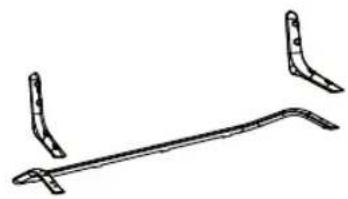
natural_image
Simple line drawing of a metal bracket with two curved ends and a straight end (no text or symbols)Stand Body / Stand Base
(Only UB85**, UB93**, UB95**)
(See p.20)

natural_image
Technical line drawing of a mechanical component with curved and straight ends (no text or symbols)Stand Body / Stand Base
(Only UC97**) (See p.22)
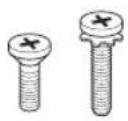
Stand Screws
4EA, M4 x L10
4EA, M4 x L20
(Only UC97**)
(See p.22, 23)

natural_image
Simple line drawings of two curved mechanical components above a flat base (no text or symbols)Stand Body / Stand Base
(Only UG88**)
(See p.23)

Stand Screws
2EA, M4 x L10
10EA, M4 x L14
(Only UG88**)
(See p.23, 24)

Stand Bases
(Only 98UB98**)
(See p.24)
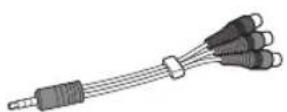
Component gender cable
(See p.35)

Composite gender cable
(See p.35)
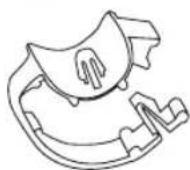
Cable Managements
2EA
(Only UB85**, UB93**, UB95**)
(See p.28)

Cable Managements
2EA
(Only UC97**)
(See p.28)

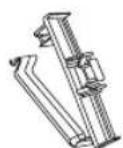
Cable Managements
2EA
(Only 98UB98**)
(See p.28)

AV Port Cover / Screw
1EA, M3 x L8
(Only 98UB98**)
(See p.29)
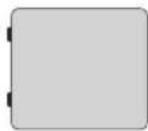
AV Port Cover
(Only UC9*)
(See p.29)

Wall Mount Inner Spacers
4EA
(Only UC97**, UG88**)
(See p.27)
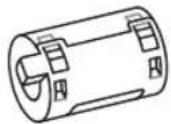
Ferrite core
(Depending on model)
(See p.14)
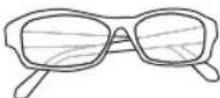
Cinema 3D Glasses
The number of 3D glasses may differ depending on the model or country.
(Only UB85**, UB95**, UB98**, UC97**, UG88**, UC9*)

NOTE
- The items supplied with your product may vary depending on the model.
- Product specifications or contents of this manual may be changed without prior notice due to upgrade of product functions.
- For an optimal connection, HDMI cables and USB devices should have bezels less than 10 mm thick and 18 mm width. Use an extension cable that supports USB 2.0 if the USB cable or USB memory stick does not fit into your TV's USB port.
- Use a certified cable with the HDMI logo attached.
- If you do not use a certified HDMI cable, the screen may not display or a connection error may occur. (Recommended HDMI cable types)
- High-Speed HDMI®/TM cable
- High-Speed HDMI ^® /™ cable with Ethernet
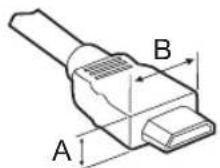

^* A ≤ 10 mm
*B ≤ 18 mm
How to use the ferrite core (Depending on model)
- Use the ferrite core to reduce the electromagnetic interference in the LAN cable. Wind the LAN cable once on the ferrite core. Place the ferrite core close to the TV.

[Cross Section of Ferrite Core]
[to the TV] [to an External device]

text_image
external deviceSeparate purchase
Separate purchase items can be changed or modified for quality improvement without any notification. Contact your dealer to buy these items. These devices only work with certain models.
| AG-F***DPDual Play Glasses | AG-F***Cinema 3D Glasses | AN-MR500Magic Remote |
| AN-VC5**Video Call Camera | LG Audio Device |
| Compatibility | UB93** | UB85**UB95**UC97**UG88** | UB98**UC9* |
| AG-F***DPDual Play Glasses | • | • | |
| AG-F***Cinema 3D Glasses | • | • | |
| AN-MR500Magic Remote | • • • | ||
| AN-VC5**Video Call Camera | • | • | |
| LG Audio Device | • • • |
The model name or design may be changed depending on the upgrade of product functions, manufacturer's circumstances or policies.
Parts and buttons
A Type : UB85**

text_image
Screen Speakers Remote control and Intelligent¹ sensors Power Indicator Joystick Button²C Type : 65UB98**

text_image
Screen Built-in Camera Speakers Remote control and Intelligent¹ sensors LG Logo light Joystick Button²B Type : UB93**, UB95**
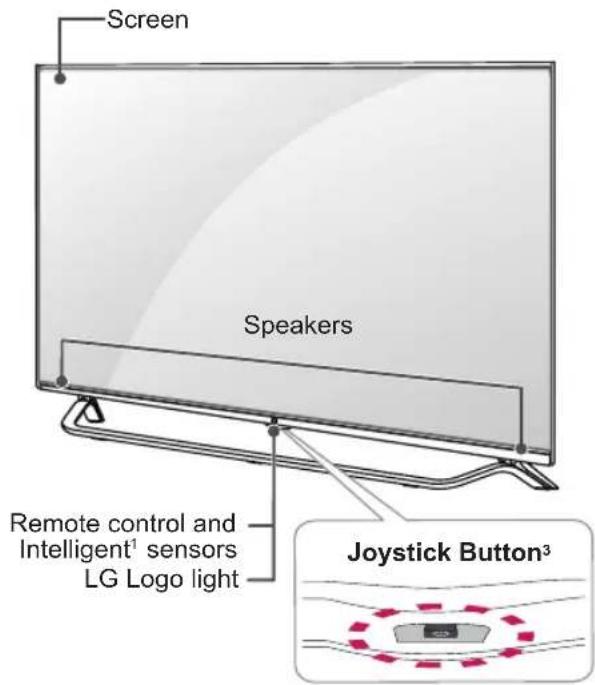
text_image
Screen Speakers Remote control and Intelligent¹ sensors LG Logo light Joystick Button³D Type : 79UB98**
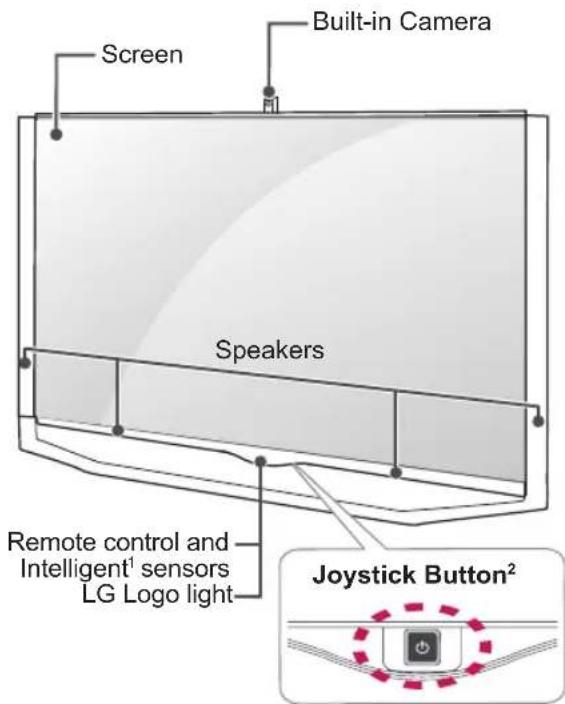
text_image
Screen Built-in Camera Speakers Remote control and Intelligent¹ sensors LG Logo light Joystick Button²E Type : 84UB98**
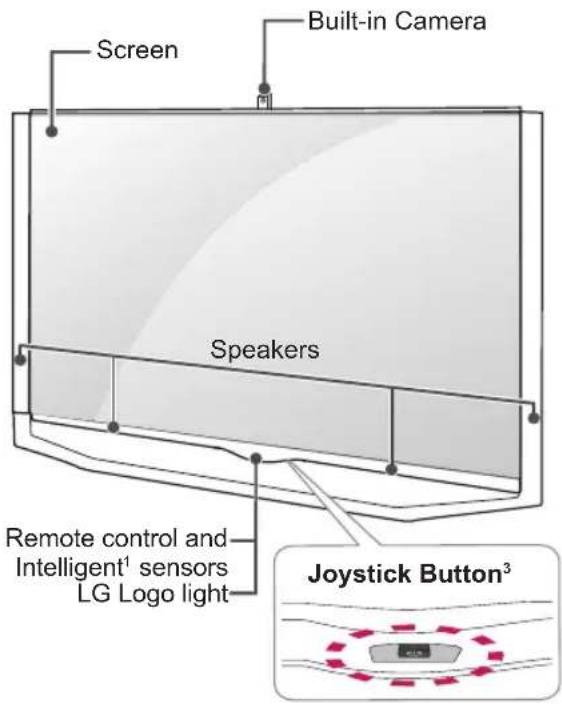
text_image
Screen Built-in Camera Speakers Remote control and Intelligent¹ sensors LG Logo light Joystick Button³G Type : UG88**

text_image
Screen Speakers Remote control and Intelligent¹ sensors LG Logo light Joystick Button²F Type : UC97**
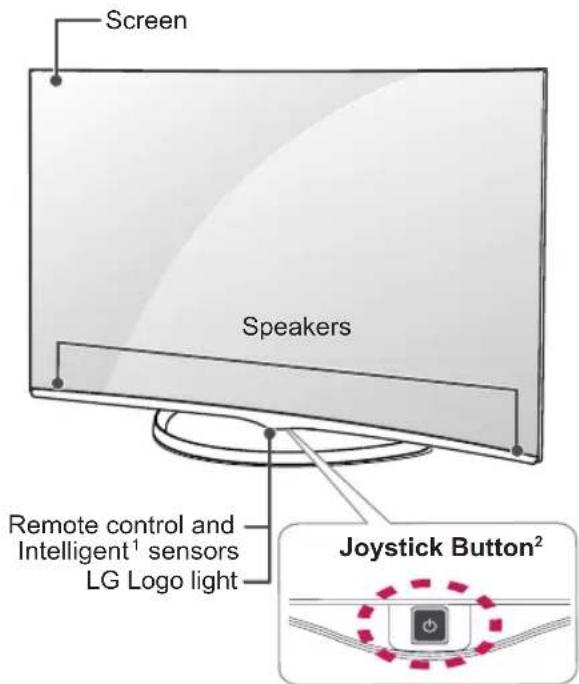
text_image
Screen Speakers Remote control and Intelligent¹ sensors LG Logo light Joystick Button²H Type : 98UB98**
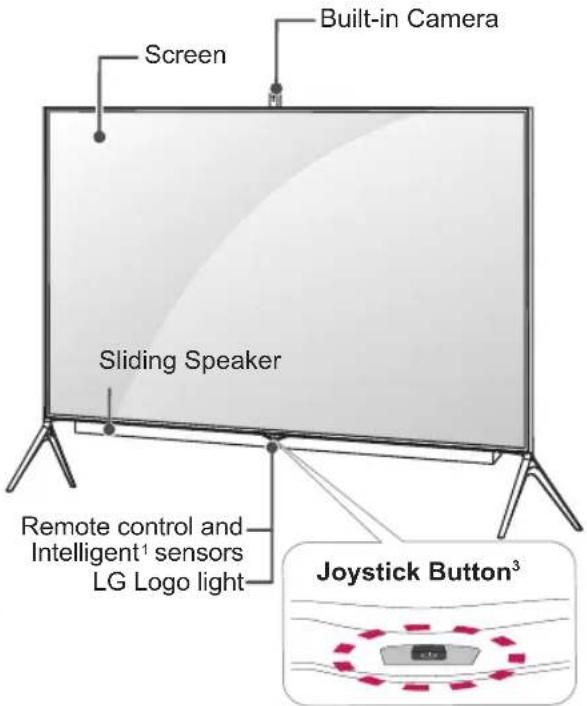
text_image
Screen Built-in Camera Sliding Speaker Remote control and Intelligent¹ sensors LG Logo light Joystick Button³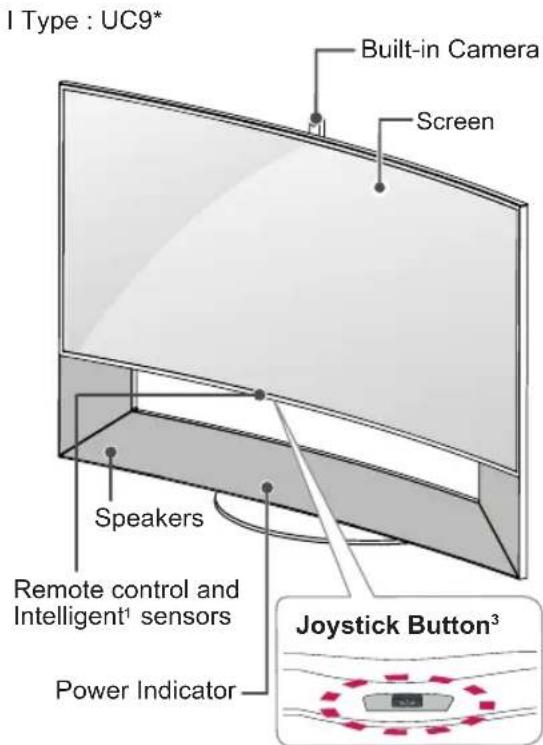
text_image
I Type : UC9* Built-in Camera Screen Speakers Remote control and Intelligent¹ sensors Power Indicator Joystick Button³
CAUTION
- Do not place any objects or body parts in area between TV Screen and Speaker Stand assembly. It could cause personal Injury or damage to product. (Only UC9*)
1 Intelligent sensor - Adjusts the image quality and brightness based on the surrounding environment.
2 Joystick Button - This button is located behind the TV screen.
3 Joystick Button - This button is located below the TV screen.

NOTE
- You can set the LG Logo Light or power indicator light to on or off by selecting GENERAL in the main menus.
Using the joystick button
You can operate the TV by pressing the button or moving the joystick left, right, up, or down.
Basic Functions
 | Power On | When the TV is turned off, place your finger on the joystick button and press it once and release it. |
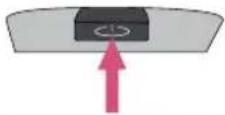 | Power Off | When the TV is turned on, place your finger on the joystick button and press it once for a few seconds and release it. |
 | Volume Control | If you place your finger over the joystick button and move it left or right, you can adjust the volume level you want. |
 | Programmes Control | If you place your finger over the joystick button and move it up or down, you can scrolls through the saved programmes you want. |
NOTE
- When your finger over the joystick button and push it to the up, down, left or right, be careful not to press the joystick button. If you press the joystick button first, you may not be able to adjust the volume level and saved programmes.
Adjusting the Menu
When the TV is turned on, press the joystick button one time.
You can adjust the Menu items (○, ✗) moving the joystick button left or right.
 | TV OFF | Turns the power off. | |
| × | CLOSE | Clears on-screen displays and returns to TV viewing. | |
| INPUT | Changes the input source. |
Lifting and moving the TV
Please note the following advice to prevent the TV from being scratched or damaged and for safe transportation regardless of its type and size.

CAUTION
- Avoid touching the screen at all times, as this may result in damage to the screen.
- It is recommended to mVove the TV in the box or packing material that the TV originally came in.
- Before moving or lifting the TV, disconnect the power cord and all cables.
- When holding the TV, the screen should face away from you to avoid damage.

- Hold the top and bottom of the TV frame firmly. Make sure not to hold the transparent part, speaker, or speaker grill area.

text_image
Diagram illustrating a device with three different hand gestures and corresponding cross symbols, likely illustrating a manual or mechanical process.- When transporting a large TV, there should be at least 2 people.
- When transporting the TV by hand, hold the TV as shown in the following illustration.

natural_image
Silhouette of two people holding a computer monitor (no text or symbols visible)- When transporting the TV, do not expose the TV to jolts or excessive vibration.
- When transporting the TV, keep the TV upright, never turn the TV on its side or tilt towards the left or right.
- Do not apply excessive pressure to cause flexing / bending of frame chassis as it may damage screen.
Setting up the TV
Image shown may differ from your TV.
Attaching the stand
UB85**, UB93**, UB95**
1

text_image
Stand Body (L) Stand Body (R) Stand Base M4 x L20 4EA
NOTE
- Be sure to check the Stand Body (L), (R), when installing on the stand base.
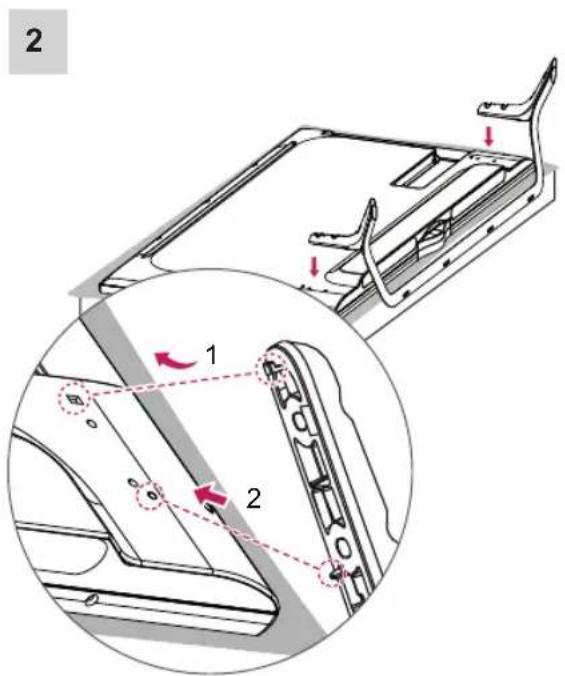
text_image
2 1 21 Attach the stand to the TV using the upper mounting hole on the back of the TV. 2 Attach the stand to the TV using the lower connection on the back of the TV.

text_image
3 M4 x L20 4EA65/79/84UB98**

text_image
1 Stand Base
natural_image
Technical diagram showing a mechanical assembly with an inset close-up of a component (no text or symbols visible)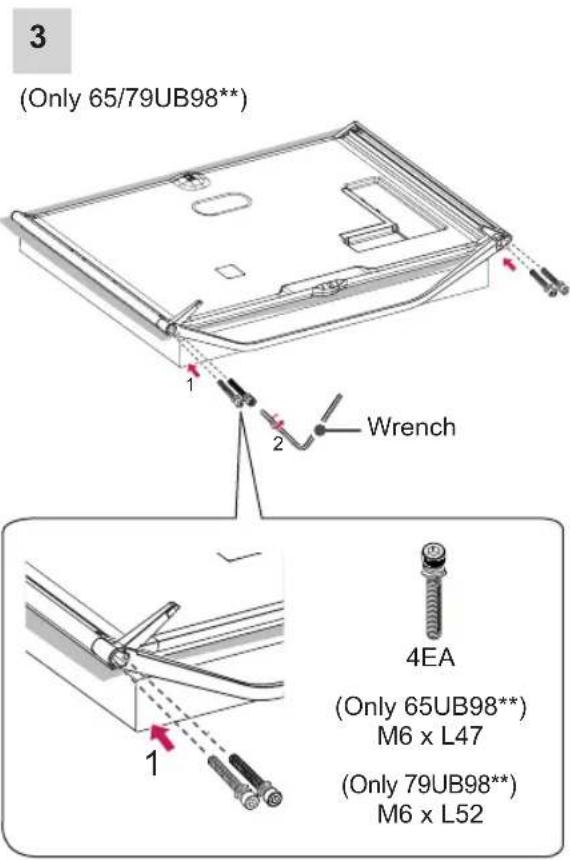
text_image
(Only 65/79UB98*) 1 2 Wrench 4EA (Only 65UB98** M6 x L47 (Only 79UB98** M6 x L52(Only 84UB98**)

text_image
1 2 Wrench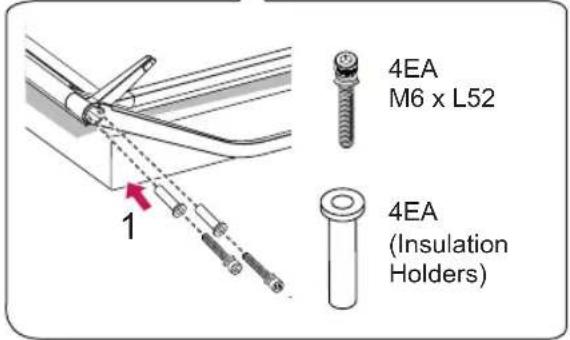
text_image
4EA M6 x L52 1 4EA (Insulation Holders)UC97**
1
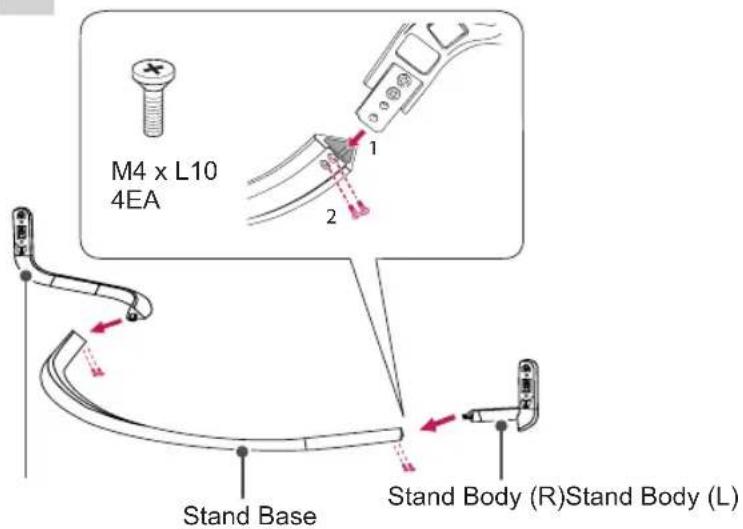
text_image
M4 x L10 4EA 1 2 Stand Base Stand Body (R)Stand Body (L)
CAUTION
- Make sure that the screws are fastened completely. (If they are not fastened securely enough, the TV may tilt forward after being installed.)
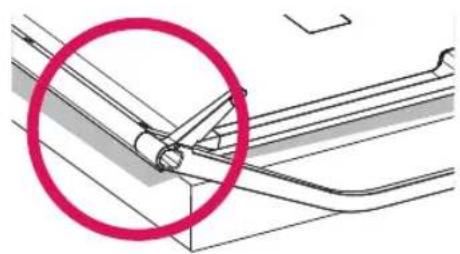
natural_image
Technical diagram showing a mechanical assembly with a highlighted circular region (no text or symbols)
text_image
Safety warning symbol with red prohibition circle and diagonal line, indicating no barrier to vehicle safety2
text_image
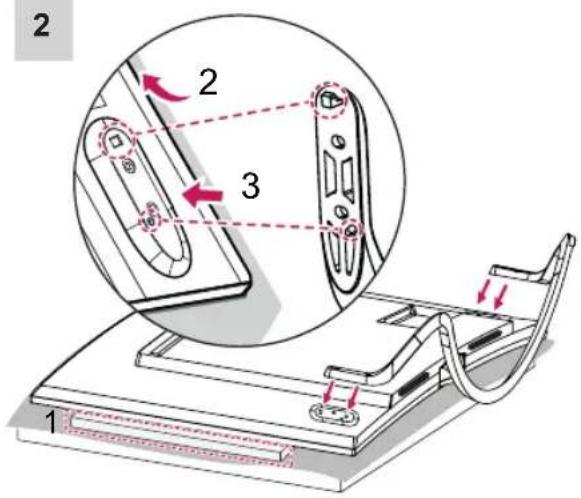
2 2 3 11 When assembling the stand, lay the front screen protective package included in the product box on a table or flat surface and then place the TV screen face down on the protective package.
2 Attach the stand to the TV using the upper mounting hole on the back of the TV.
3 Attach the stand to the TV using the lower connection on the back of the TV.
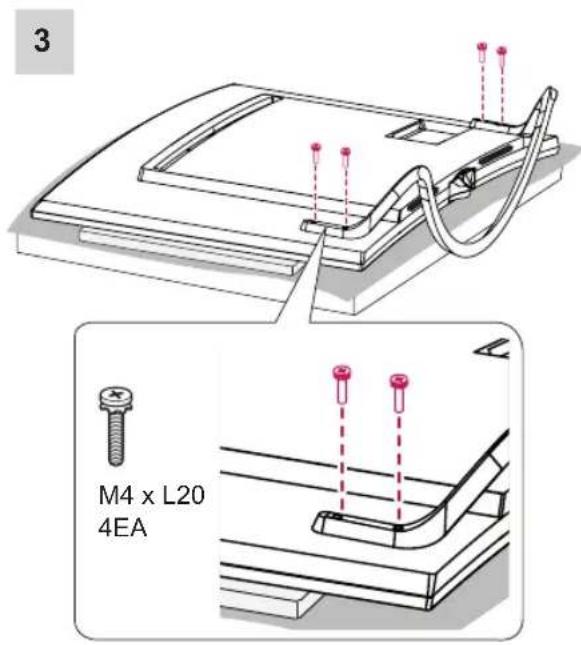
text_image
3 M4 x L20 4EA
text_image
2 Protective PackageWhen assembling the stand, lay the front screen protective package included in the product box on a table or flat surface and then place the TV screen face down on the protective package.

text_image
79UG88** 1 Stand Body (R) Stand Body (L) Stand Base M4 x L14 6EA M4 x L10 2EA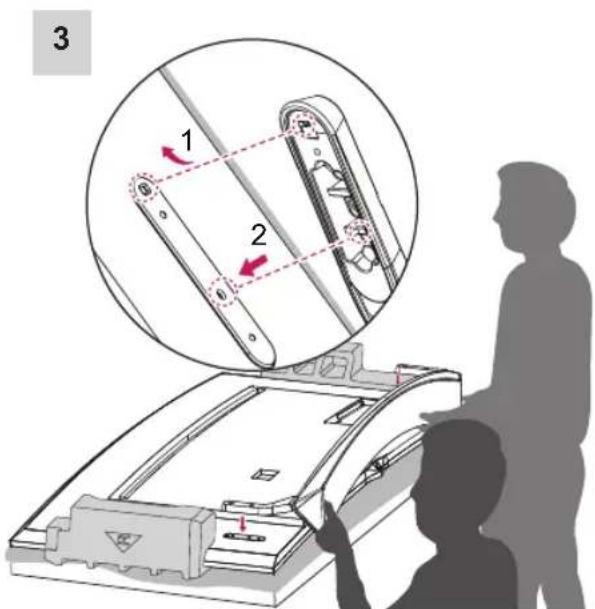
text_image
3 1 2* Use at least two people to attach the stand to the TV.
1 Attach the stand to the TV using the upper mounting hole on the back of the TV.
2 Attach the stand to the TV using the lower connection on the back of the TV.
ENGLISH

text_image
4 M4 x L14 4EA98UB98**

text_image
Stand Bases 2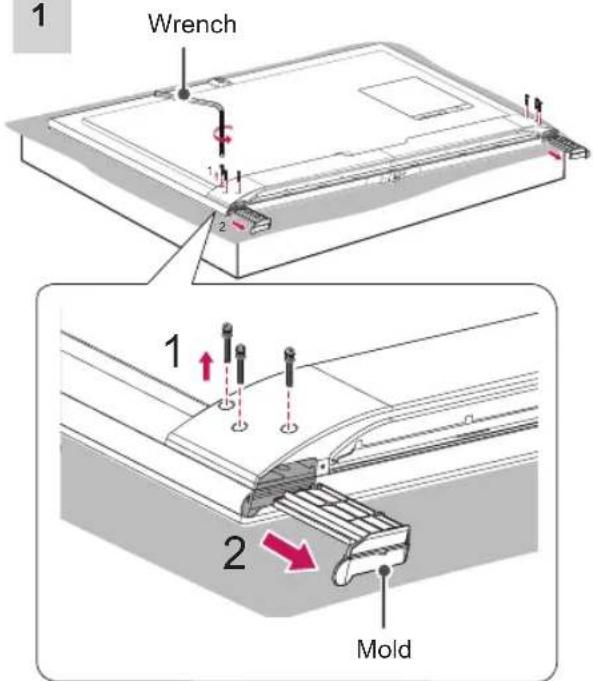
text_image
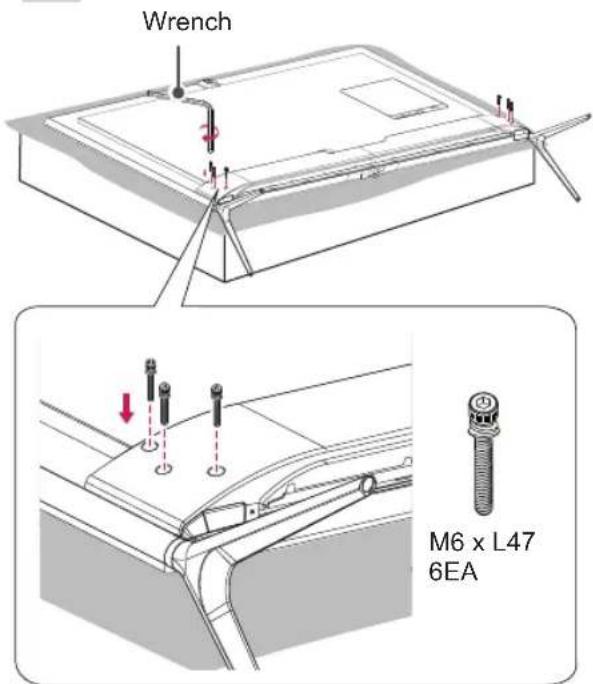
1 Wrench 1 2 1 2 Mold
NOTE
- The stand screws are already attached at the back of the TV. Please use these attached screw to assemble the TV and stand. (Only 98UB98**)
3
text_image
Wrench M6 x L47 6EA
CAUTION
- When attaching the stand to the TV set, place the screen facing down on a cushioned table or flat surface to protect the screen from scratches.
- Make sure that the screws are fastened completely. (If they are not fastened securely enough, the TV may tilt forward after being installed.)
Do not fasten the screws with excessive force otherwise they may be worn out and become loose.

NOTE
- Remove the stand before installing the TV on a wall mount by performing the stand attachment in reverse.
- Remove the protective film from the stand base and then attach the stand body to the stand base. (Only UC97**)
Mounting on a table
1 Lift and tilt the TV into its upright position on a table.
- Leave a 10 cm (minimum) space from the wall for proper ventilation.

text_image
10 cm 10 cm 10 cm 10 cm 10 cm2 Connect the power cord to a wall outlet.

CAUTION
- Do not place the TV near or on sources of heat, as this may result in fire or other damage.

WARNING
- If a television is not positioned in a sufficiently stable location, it can be potentially hazardous due to falling. Many injuries, particularly to children, can be avoided by taking simple precautions such as:
» Using cabinets or stands recommended by the manufacturer of the television.
» Only using furniture that can safely support the television.
» Ensuring the television is not overhanging the edge of the supporting furniture.
» Not placing the television on tall furniture (for example, cupboards or bookcases) without anchoring both the furniture and the television to a suitable support.
» Not standing the televisions on cloth or other materials placed between the television and supporting furniture.
» Educating children about the dangers of climbing on furniture to reach the television or its controls.
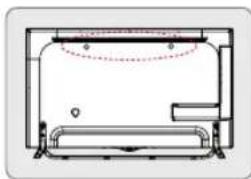
Securing the TV to a wall
(This feature is not available for all models.)
natural_image
Pure technical line drawing of a mechanical component without any text, numbers, or symbols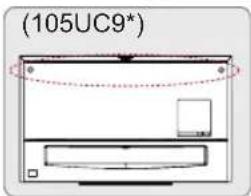
text_image
(105UC9*)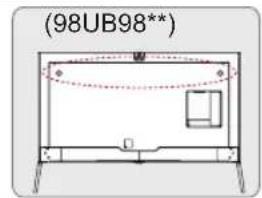
text_image
(98UB98**)
text_image
Diagram showing two mechanical components with arrows indicating motion or force, connected by a vertical rod and connecting rods.1 Insert and tighten the eye-bolts, or TV brackets and bolts on the back of the TV. - If there are bolts inserted at the eye-bolts position, remove the bolts first.
2 Mount the wall brackets with the bolts to the wall.
Match the location of the wall bracket and the eye-bolts on the rear of the TV.
3 Connect the eye-bolts and wall brackets tightly with a sturdy rope. Make sure to keep the rope horizontal with the flat surface.

CAUTION
• Make sure that children do not climb on or hang on the TV.

NOTE
- Use a platform or cabinet that is strong and large enough to support the TV securely.
- Brackets, bolts and ropes are not provided. You can obtain additional accessories from your local dealer.
Mounting on a wall
Attach an optional wall mount bracket at the rear of the TV carefully and install the wall mount bracket on a solid wall perpendicular to the floor. When you attach the TV to other building materials, please contact qualified personnel. LG recommends that wall mounting be performed by a qualified professional installer. We recommend the use of LG's wall mount bracket.
When you do not use LG's wall mount bracket, please use a wall mount bracket where the device is adequately secured to the wall with enough space to allow connectivity to external devices.
text_image
10 cm 10 cm 10 cm 10 cmMake sure to use screws and wall mount bracket that meet the VESA standard. Standard dimensions for the wall mount kits are described in the following table.
Separate purchase(Wall Mounting Bracket)
| Model | 49/55UB85**55UB95**55UC97** | 60UB85**65UB93**65UB95**65UB98**65UC97** |
| VESA (A x B) | 400 x 400 400 x | 400 |
| Standard screw | M6 M6 | |
| Number of screws | 4 | 4 |
| Wall mount bracket | LSW440BMSW240 | LSW440B |
| Model | 79/84UB98**79UG88** | |
| VESA (A x B) | 600 x 400 | |
| Standard screw | M8 | |
| Number of screws | 4 | |
| Wall mount bracket | LSW640B | |
| Wall mount bracket | |
| LSW440B | 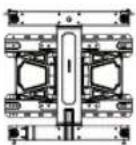 |
| LSW640B |  |
| MSW240 |  |

text_image
A B
CAUTION
- Disconnect the power first, and then move or install the TV. Otherwise electric shock may occur.
- If you install the TV on a ceiling or slanted wall, it may fall and result in severe injury. Use an authorised LG wall mount and contact the local dealer or qualified personnel.
- Do not over tighten the screws as this may cause damage to the TV and void your warranty.
- Use the screws and wall mounts that meet the VESA standard. Any damages or injuries by misuse or using an improper accessory are not covered by the manufacturer's warranty.

NOTE
- Use the screws that are listed on the VESA standard screw specifications.
- The wall mount kit includes an installation manual and necessary parts.
- The wall mount bracket is not provided. You can obtain additional accessories from your local dealer.
- The length of screws may differ depending on the wall mount. Make sure to use the proper length.
- For more information, refer to the manual supplied with the wall mount.
- When attaching a third-party wall mounting bracket to the TV, insert the wall mount inner spacers into the TV wall mount holes to move your TV in vertical angle. Please make sure not to use the spacers for LG wall mounting bracket. (Only UC97**, UG88**)

text_image
Wall Mount Inner SpacerTidying cables
Image shown may differ from your TV.
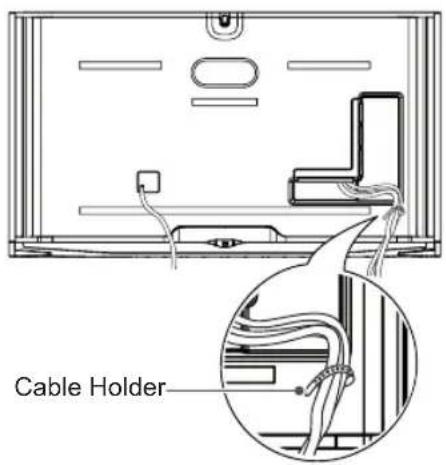
1 Gather and bind the cables with the Cable Holder.
(Only 65/79/84UB98**)
text_image
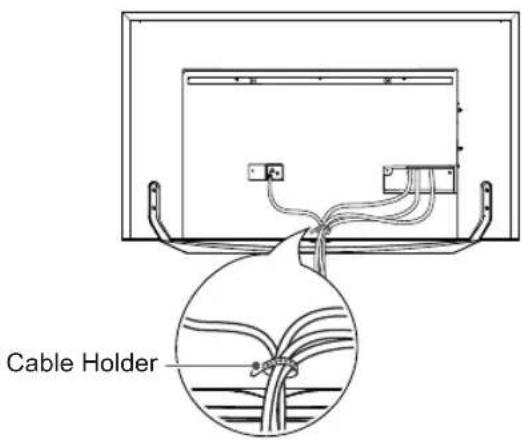
Cable Holder(Only UG88**)
text_image
Cable Holder1 Gather and bind the cables with the cable holder.
2 Fix the Cable Management firmly to the TV.
(Only UB85**, UB93**, UB95**)

text_image
Cable Holder Cable Management(Only UC97**)

text_image
Cable Holder Cable Management(Only 98UB98**)
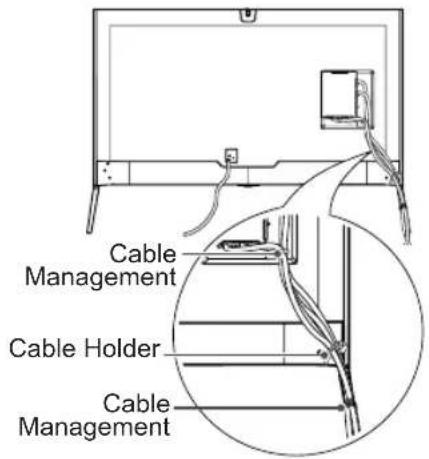
text_image
Cable Management Cable Holder Cable Management1 Fix the Cable Management firmly to the TV. (Only UC9*)

text_image
Cable Management
CAUTION
- Do not move the TV by holding the cable holder, as the cable holder may break, and injuries and damage to the TV may occur.
Assembling the AV cover
1 Insert the cover holder attached to the AV port cover into the hole of the main body of the product as illustrated.
2 -Only 98UB98** : Attach the port cover onto the AV port part.
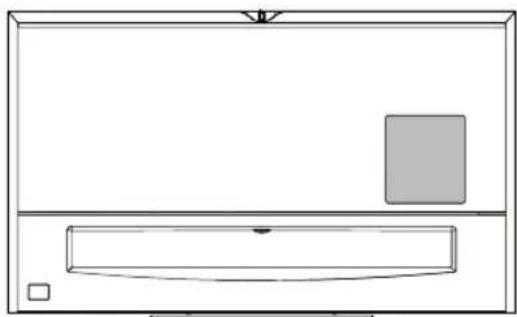
-Only UC9*: Attach the AV port cover by inserting it into the left hole of the port.
The cover remains attached through the use of a magnet.
(Only 98UB98**)
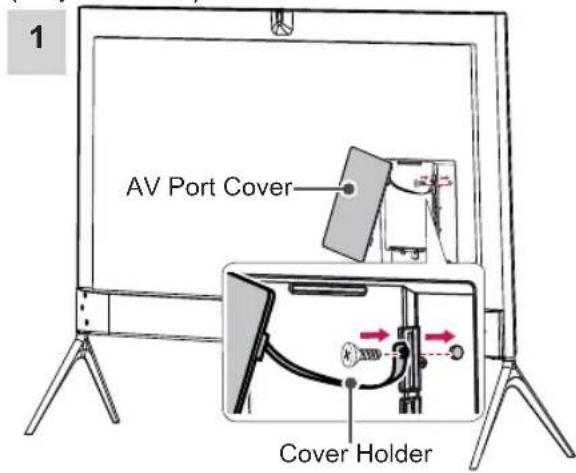
text_image
AV Port Cover Cover Holder2

natural_image
Line drawing of a flat-screen TV with a small screen on top, supported by three legs (no text or symbols)(Only UC9*)
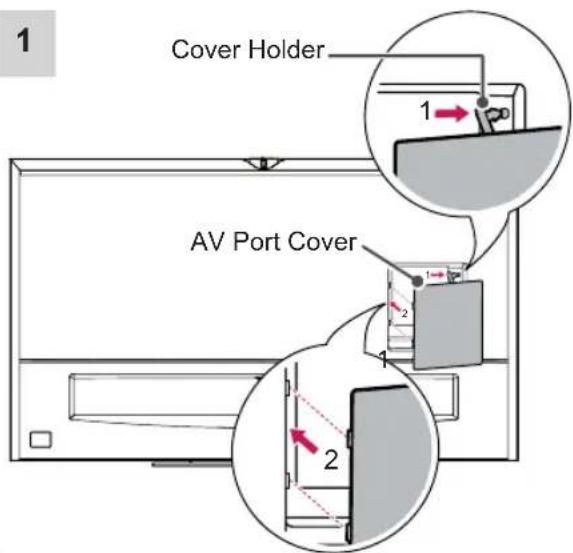
text_image
1 Cover Holder AV Port Cover 1 2 22
natural_image
Simple line drawing of a rectangular box with a gray square on top and a horizontal bar inside, no text or symbols present.
CAUTION
- If you do not attach the cover holder, the cover may fall off and cause injury.
Using Sliding Speaker
(Only 98UB98**)
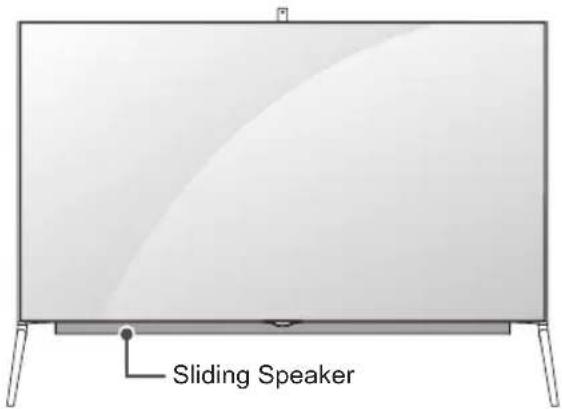
text_image
Sliding Speaker1 When TV is turned ON - the hidden speaker slides out from inside the TV.
2 Go to (Home) (Settings) → SOUND → SOUND OUT → Sliding speaker to set Sliding Speaker.
- Please do not use excessive force during operation of internal Sliding Speaker as it may cause it to malfunction.
- Make sure speaker is in open position when viewing TV as sound will be abnormal or distorted.
3 When transporting the TV, make sure that the Sliding Speaker is closed. If the Sliding Speaker is open when being transported, it may become damaged, resulting in malfunction.
- To close the Sliding Speaker, go to SOUND → SOUND OUT → Sliding speaker, select 'Open when TV is turned on' and press the (POWER) button.

CAUTION
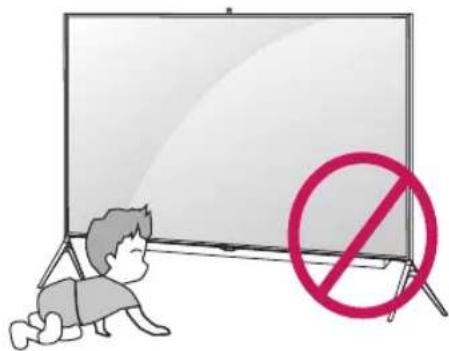
- When the Sliding Speaker is operating (when the TV is turned on/off), ensure that children do not put their hands near the operating part of the speaker (at the bottom of the TV) and that they do not crawl into the space below the TV. - Their hands may get caught and injured due to the operation of the speaker.
text_image
Illustration showing a child crawling on a whiteboard with a red prohibition symbol, indicating no restrictions.- Do not store objects below the TV. - This may cause a problem in the operating part of the speaker.

natural_image
Illustration of a blank whiteboard with a red prohibition symbol (no text or symbols on the board)Using Built-in Camera
(Only UB98**, UC9*)
You can make a Skype video call or use the motion recognition function using the built-in camera of the TV.
This TV does not support the use of an external camera.

NOTE
- Before using the built-in camera, you must recognize the fact that you are legally responsible for the use or misuse of the camera by the relevant national laws including the criminal law.
- The relevant laws include the Personal Information Protection law which regulates the processing and transferring of personal information and the law which regulates the monitoring by camera in a workplace and other places.
- When using the built-in camera, avoid questionable, illegal, or immoral situations. Other than at public places or events, consent to be photographed may be required. We suggest avoiding the following situations:
(1) Using the camera in areas where the use of camera is generally prohibited such as restroom, locker room, fitting room and security area.
(2) Using the camera while causing the infringement of privacy.
(3) Using the camera while causing the violation of the relevant regulations or laws.
Preparing Built-in Camera
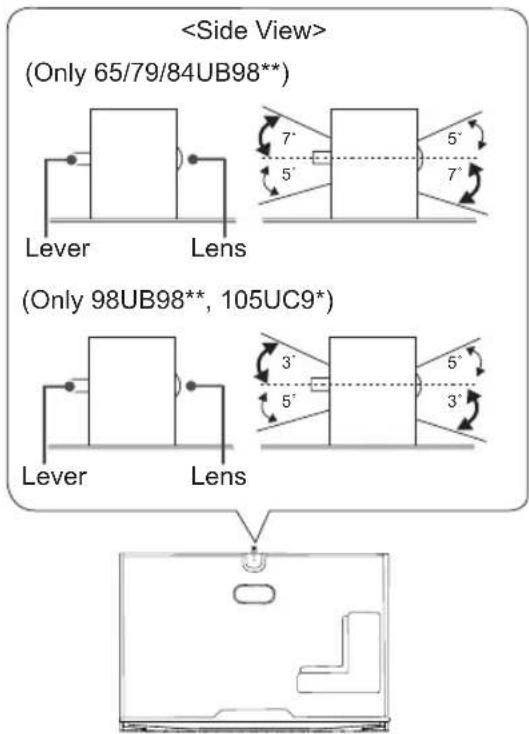
1 Pull up the slide at the back of the TV.

text_image
Angle Adjustment Lever Slide
NOTE
- Remove the protective film before using the built-in camera.
2 You can adjust the angle of the camera with the angle adjustment lever on the back of the built-in camera.
text_image
3 Push down the built-in camera when you are not using it.

natural_image
Line drawing of a kitchen appliance with a close-up view showing a door and handle (no text or symbols)Name of Parts of Built-in Camera
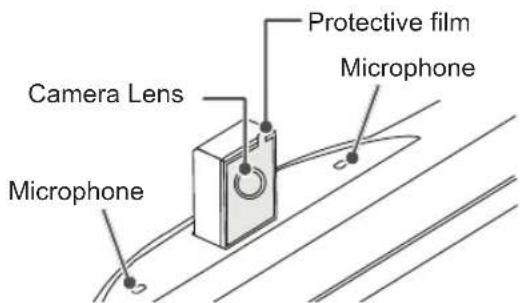
text_image
Camera Lens Microphone Protective film MicrophoneChecking the Camera's Shooting Range
1 Press the ⏻ (Home) button to access the Home menu.
2 Select Camera and then press the Wheel(OK) button.

- The optimal distance from the camera to use the motion recognition function is between 1.5 m and 4.5 m.
MAKING CONNECTIONS
This section on MAKING CONNECTIONS mainly uses diagrams for the 65UB980T models.
Connect various external devices to the TV and switch input modes to select an external device. For more information of external device's connection, refer to the manual provided with each device.
Available external devices are: HD receivers, DVD players, VCRs, audio systems, USB storage devices, PC, gaming devices, and other external devices.

NOTE
- The external device connection may differ from the model.
- Connect external devices to the TV regardless of the order of the TV port.
- If you record a TV programme on a DVD recorder or VCR, make sure to connect the TV signal input cable to the TV through a DVD recorder or VCR. For more information of recording, refer to the manual provided with the connected device.
- Refer to the external equipment's manual for operating instructions.
- If you connect a gaming device to the TV, use the cable supplied with the gaming device.
- In PC mode, there may be noise associated with the resolution, vertical pattern, contrast or brightness. If noise is present, change the PC output to another resolution, change the refresh rate to another rate or adjust the brightness and contrast on the PICTURE menu until the picture is clear.
- In PC mode, some resolution settings may not work properly depending on the graphics card.
- If ULTRA HD content is played on your PC, video or audio may become disrupted intermittently depending on your PC's performance.
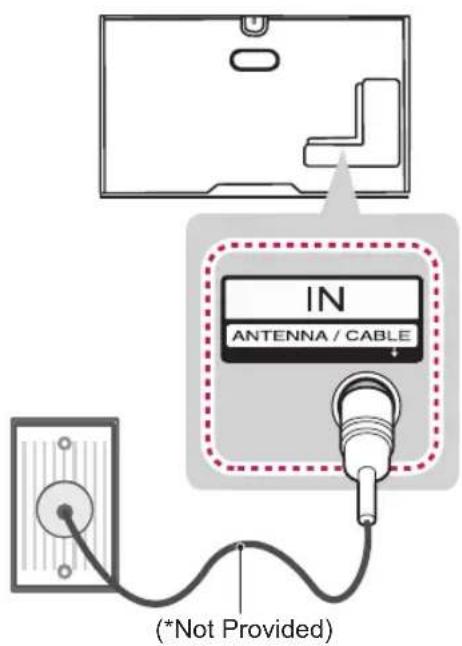
Antenna connection
Connect the TV to a wall antenna socket with an RF cable (75 Ω).
text_image
IN ANTENNA / CABLE (*Not Provided)NOTE
• Use a signal splitter to use more than 2 TVs.
- If the image quality is poor, install a signal amplifier properly to improve the image quality.
- If the image quality is poor with an antenna connected, try to realign the antenna in the correct direction.
- An antenna cable and converter are not supplied.
• Supported DTV Audio: MPEG, Dolby Digital, Dolby Digital Plus, HE-AAC.
- This TV cannot receive UHD (3840 x 2160 pixels) broadcasts directly because the related standards have not been confirmed.
HDMI connection
Transmits the digital video and audio signals from an external device to the TV. Connect the external device and the TV with the HDMI cable as shown.

text_image
DVD / Blu-Ray / HD Cable Box / HD STB / PC HDMI(4K@60Hz)/DVI IN 1 (HDCP 2.2) 2 (ARC) 3 (10Bit) 4 (MHL)(*Not Provided- Depending on model)
ARC (Audio Return Channel)
- An external audio device that supports SIMPLINK and ARC must be connected using HDMI (4K @ 60 Hz) / DVI IN 2 (ARC) port.
- When connected with a high-speed HDMI cable, the external audio device that supports ARC outputs optical SPDIF without additional optical audio cable and supports the SIMPLINK function.
1) HDMI specifications may be different for each input port, so make sure to check the device specifications before connecting.
2) The HDMI IN 3 port is especially suitable for the specifications to enjoy UHD Video (4:4:4, 4:2:2) of 4K @ 50/60 Hz. However, video or audio may not be supported depending on the specifications of the external equipment. In that case, use any other HDMI IN port.
3) Contact customer service for more information on the HDMI specifications of each input port.
4K @ 50/60 Hz Support Format
| Resolution | Frame rate(Hz) | Colour Depth/Chroma Sampling | ||
| 8bit 10 | bit 12bit | |||
| 3840 x 2160p | 50.00 | YCbCr | YCbCr 4:2:0 ^1 | |
| 4096 x 2160p | 59.94 | 4:2:0 | ||
| 60.00 | YCBCr 4:2:2 ^1 | |||
| YCbCr | - | - | ||
| 4:4:4 ^1 | ||||
| RGB | - | - | ||
| 4:4:4 ^1 | ||||
1 : Only Supported at HDMI IN 3 Port

NOTE
- It is recommended to use the TV with the HDMI connection for the best image quality.
- Use the latest High Speed HDMI™ Cable with CEC (Customer Electronics Control) function.
- High Speed HDMI™ Cables are tested to carry an HD signal up to 1080p and higher.
- Supported HDMI Audio format : Dolby Digital (32Khz, 44.1Khz, 48Khz), DTS(44.1Khz, 48Khz), PCM(32Khz, 44.1Khz, 48Khz, 96Khz, 192Khz)
- When you use an HDMI cable(HDMI port3), it is recommended that you use the cable provided. (Depending on model) If you use a regular HDMI cable, use a high-speed HDMI cable (3m or less).
DVI to HDMI connection
Transmits the digital video signal from an external device to the TV. Connect the external device and the TV with the DVI-HDMI cable as shown. To transmit an audio signal, connect an audio cable.
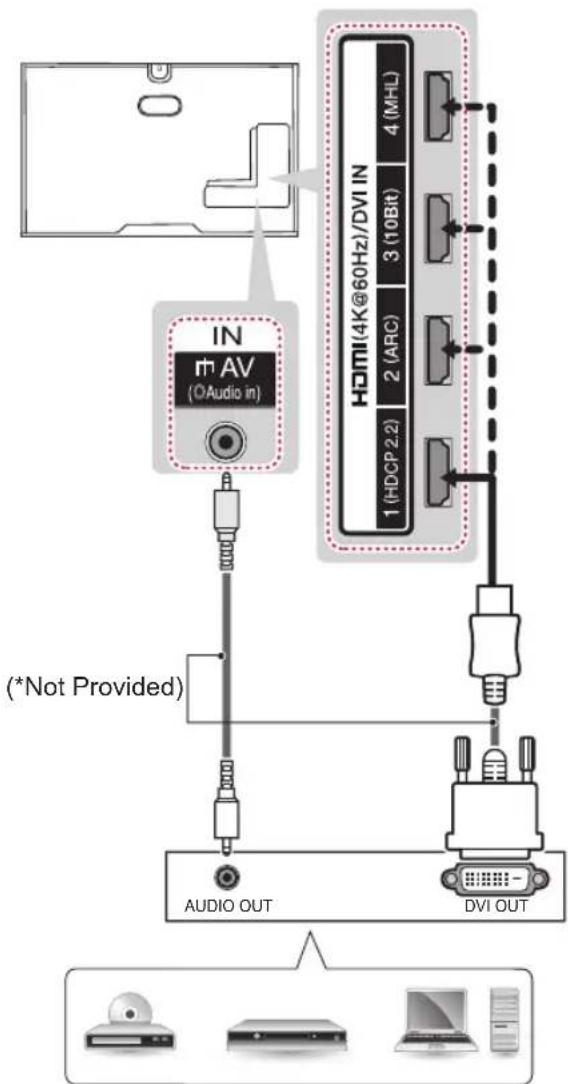
flowchart
graph TD
    A["IN m AV (OAudio in)"] --> B["(*Not Provided)"]
    B --> C["AUDIO OUT"]
    B --> D["DVI OUT"]
    E["HDMI(4K@60Hz)/DVI IN 1(HDCP.2.2)"] --> F["2(ARC) 3(10Bit) 4(MHL)"]
    F --> G["Output"]
    H["Output"] --> I["Computer"]
DVD / Blu-Ray / HD Cable Box / PC / HD STB

NOTE
- Depending on the graphics card, DOS mode may not work if a HDMI to DVI Cable is in use.
- When using the HDMI/DVI cable, Single link is only supported.
Component connection
Transmits analog video and audio signals from an external device to the TV. Connect the external device and the TV with a component cable as shown.

text_image
IN AV COMPONENT VIDEO rAUDIO1 Rk P8 Y IN rh AV r+COMPONENT (OAudio in) GREENYELLOW (Use the composite gender cable provided.) YELLOW WHITE RED RED RED BLUE GREEN WHITE WHITE RED RED RED BLUE GREEN (*Not Provided) DVD / Blu-Ray / HD Cable Box WHITE RED RED RED BLUE GREEN L R PR PB Y LAUDIO VIDEO
NOTE
- If cables are not installed correctly, it could cause this image to display in black and white or with distorted colours.
Composite connection
Transmits analog video and audio signals from an external device to the TV. Connect the external device and the TV with the composite cable as shown.
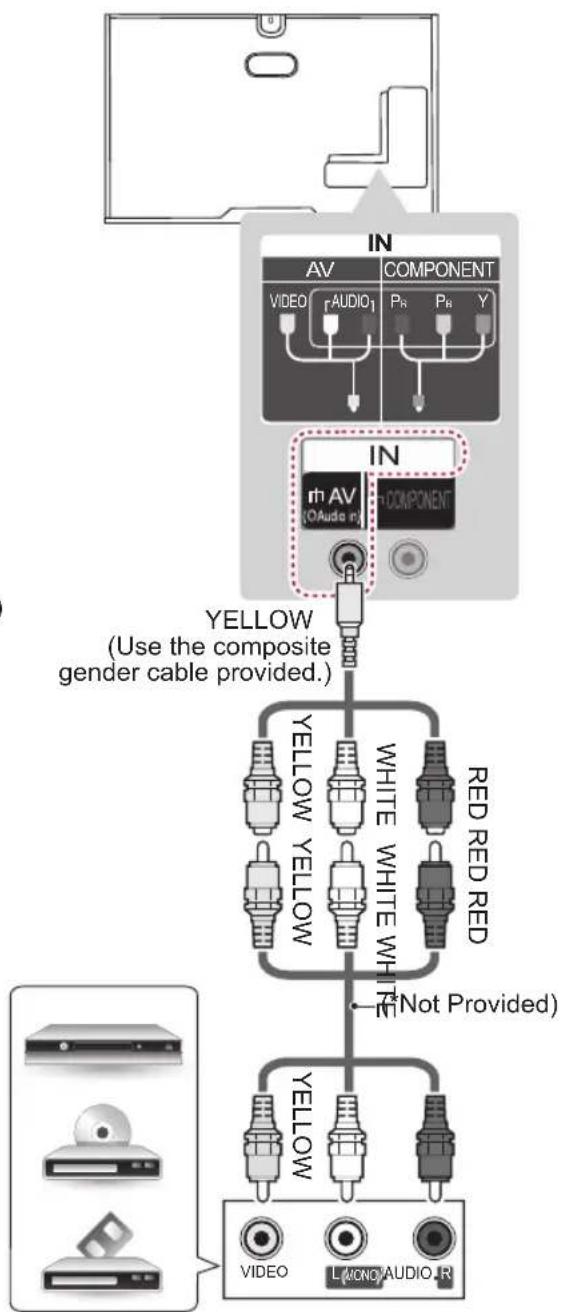
text_image
IN AV COMPONENT VIDEO rAUDIO1 PR PR Y IN rh AV (OAudio in) COMPONENT YELLOW (Use the composite gender cable provided.) YELLOW YELLOW WHITE WHITE RED RED YELLOW YELLOW WHITE NOT Provided) YELLOW VIDEO LMONA AUDIO RVCR / DVD / Blu-Ray / HD Cable Box
Audio connection
You may use an optional external audio system instead of the built-in speaker.
Digital optical audio connection
Transmits a digital audio signal from the TV to an external device. Connect the external device and the TV with the optical audio cable as shown.
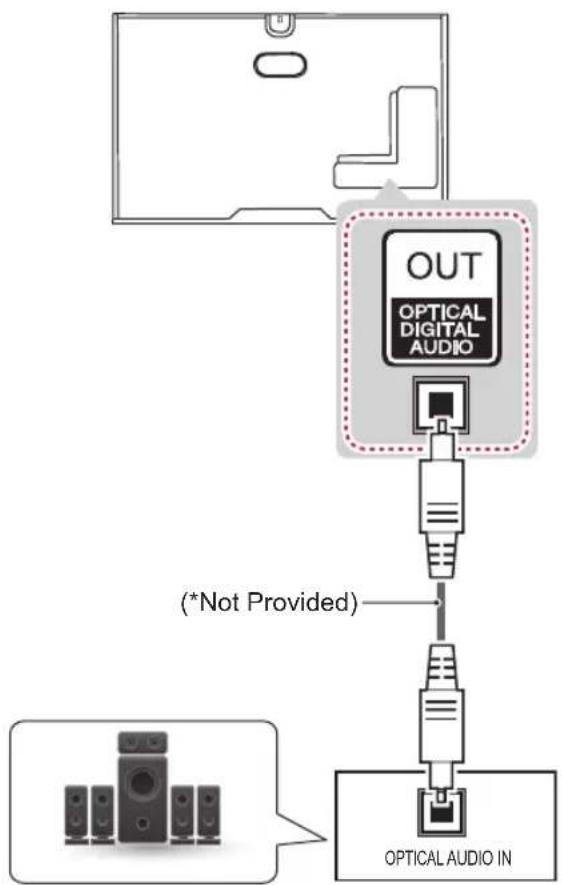
text_image
OUT OPTICAL DIGITAL AUDIO (*Not Provided) OPTICAL AUDIO INDigital Audio System

NOTE
- Do not look into the optical output port. Looking at the laser beam may damage your vision.
• Audio with ACP (Audio Copy Protection) function may block digital audio output.
Headphone connection
Transmits the headphone signal from the TV to an external device. Connect the external device and the TV with the headphone as shown.
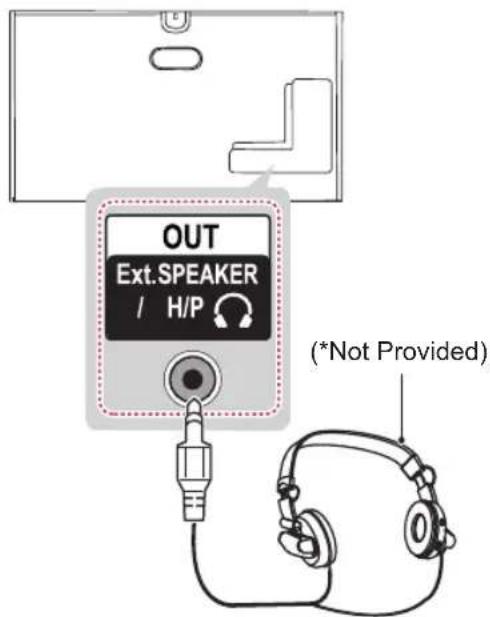
text_image
OUT Ext.SPEAKER / H/P (*Not Provided)
TE
• AUDIO menu items are disabled when connecting a headphone.
• OPTICAL DIGITAL AUDIO OUT is not available when connecting a headphone.
• Headphone impedance: 16 Ω
- Max audio output of headphone: 0.627 mW to 1.334 mW
• Headphone jack size: 0.35 cm
USB connection
Connect a USB storage device such as a USB flash memory, external hard drive, or a USB memory card reader to the TV and access the SmartShare menu to use various multimedia files.

flowchart
graph TD
    A["Device 1 (USB 3.0 IN)"] --> B["USB IN 2"]
    B --> C["USB IN 3"]
    D["HDD (*Not Provided)"] --> E["Device 2"]
    F["HUB (*Not Provided)"] --> G["Device 3"]
    H["USB (*Not Provided)"] --> I["Device 4"]
    J["Device 5"] --> K["Device 6"]
    L["Device 7"] --> M["Device 8"]
    N["Device 9"] --> O["Device 10"]
    P["Device 11"] --> Q["Device 12"]
    R["Device 13"] --> S["Device 14"]
MHL connection
Mobile High-definition Link (MHL) is an interface for transmitting digital audiovisual signals from mobile phones to television sets.

text_image
HDMI(4K@60Hz)/DVI IN 1 (HDCF2.2) 2 (ARC) 3 (10Bit) 4 (MHL) MHL passive cable (*Not Provided) Mobile phoneNOTE
- Some USB Hubs may not work. If a USB device connected using a USB Hub is not detected, connect it to the USB port on the TV directly.
- Connect the external power source if your USB is needed.
- Connecting via USB 3.0: » Some USB device may not work if it does not meet USB 3.0 standard. In case, connect it to USB IN 2 or USB IN 3 port.
NOTE
- Connect the mobile phone to the HDMI (4K @ 60Hz) / DVI IN 4 (MHL) port to view the phone screen on the TV.
- The MHL passive cable is needed to connect the TV and a mobile phone.
- This only works for the MHL-enabled phone.
- Some applications can be operated by the remote control.
- For some mobile phones supporting MHL, you can control with the magic remote.
- Remove the MHL passive cable from the TV when:
» the MHL function is disabled » your mobile device is fully charged in standby mode
REMOTE CONTROL
The descriptions in this manual are based on the buttons on the remote control. Please read this manual carefully and use the TV correctly. To replace batteries, open the battery cover, replace batteries (1.5 V AAA) matching the and ends to the label inside the compartment, and close the battery cover. To remove the batteries, perform the installation actions in reverse.

CAUTION
- Do not mix old and new batteries, as this may damage the remote control.
- In Analogue TV and some countries, some remote control buttons may not work.
- The remote control will not be included for all sales market.
Make sure to point the remote control toward the remote control sensor on the TV. (Depending on model)
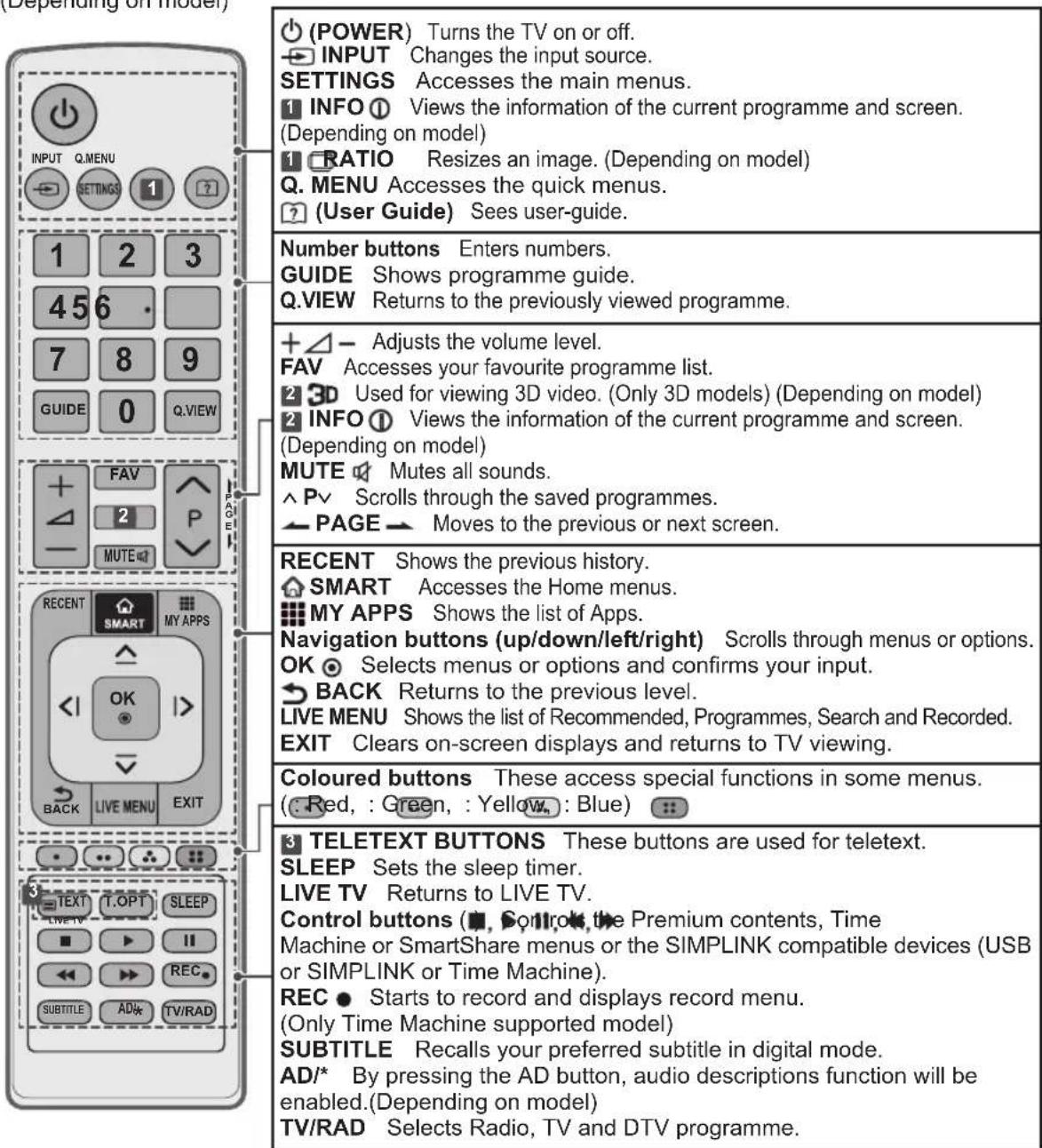
text_image
(Depending on model) INPUT Q.MENU 1 2 3 456 7 8 9 GUIDE 0 Q.VIEW FAV 2 P MUTE RECENT SMART MY APPS OK BACK LIVE MENU EXIT =TEXT T.OPT SLEEP LIVE TV ■ ▶ ▶ ▶ ▶ ▶ ▶ ▶ ▶ ▶ ▶ ▶ ▶ ▶ ▶ ▶ ▶ ▶ ▶ ▶ ▶ ▶ ▶ ▶ ▶ ▶ ▶ ▶ ▶ ▶ ▶ ▶ ▶ ▶ ▶ ▶ ▶ ▶ ▶ ▶ ▶ ▶ ▶ ▶ ▶ ▶ ▶ ▶ ▶ ▶ ▶ ▽ POWER) Turns the TV on or off. INPUT Changes the input source. SETTINGS Accesses the main menus. INFO Views the information of the current programme and screen. (Depending on model) RATIO Resizes an image. (Depending on model) Q. MENU Accesses the quick menus. (User Guide) Sees user-guide. Number buttons Enters numbers. GUIDE Shows programme guide. Q.VIEW Returns to the previously viewed programme. +△- Adjusts the volume level. FAV Accesses your favourite programme list. Used for viewing 3D video. (Only 3D models) (Depending on model) INFO Views the information of the current programme and screen. (Depending on model) MUTE Mutes all sounds. ^Pv Scrolls through the saved programmes. PAGE Moves to the previous or next screen. RECENT Shows the previous history. SMART Accesses the Home menus. MY APPS Shows the list of Apps. Navigation buttons (up/down/left/right) Scrolls through menus or options. OK Selects menus or options and confirms your input. BACK Returns to the previous level. LIVE MENU Shows the list of Recommended, Programmes, Search and Recorded. EXIT Clears on-screen displays and returns to TV viewing. Coloured buttons These access special functions in some menus. (Red, : Green, : Yellow, : Blue) TELETEXT BUTTONS These buttons are used for teletext. SLEEP Sets the sleep timer. LIVE TV Returns to LIVE TV. Control buttons (■, Control, the Premium contents, Time Machine or SmartShare menus or the SIMPLINK compatible devices (USB or SIMPLINK or Time Machine). REC ● Starts to record and displays record menu. (Only Time Machine supported model) SUBTITLE Recalls your preferred subtitle in digital mode. AD/* By pressing the AD button, audio descriptions function will be enabled.(Depending on model) TV/RAD Selects Radio, TV and DTV programme.MAGIC REMOTE FUNCTIONS
When the message "Magic Remote battery is low. Change the battery." is displayed, replace the battery. To replace batteries, open the battery cover, replace batteries (1.5 V AA) matching and ends to the label inside the compartment, and close the battery cover. Be sure to point the remote control toward the remote control sensor on the TV.
To remove the batteries, perform the installation actions in reverse.

text_image
Diagram showing a cable with two labeled points (1 and 2) indicating direction or movement, likely illustrating a mechanical or electrical concept.
CAUTION
- Do not mix old and new batteries, as this may damage the remote control.
- In Analogue TV and some countries, some remote control buttons may not work.

text_image
(POWER) Turns the TV on or off. Navigation buttons (up/down/left/right) Press the up, down, left or right button to scroll the menu. If you press △, ▽or buttons while the pointer is in use, the pointer will disappear from the screen and Magic Remote will operate like a general remote control. To display the pointer on the screen again, shake Magic Remote to the left and right. Wheel(OK) Press the centre of the Wheel button to select a menu. You can change programmes by using the Wheel button. Coloured buttons These access special functions in some menus. (Red, : Green, : Yellow, Blue) Adjusts the volume level. (BACK) Returns to the previous level. (Home) Accesses the Home menu. (Exit to LIVE) Switches among broadcast (antenna) and various inputs. (Voice recognition) (Depending on model) P √ Scrolls through the saved programmes. 123 /INPUT P 3D 123 /INPUT Displays the Screen Remote. * Accesses the Universal Control Menu. (Depending on model) * Pressing and holding the 123 /INPUT button will display a menu to select an external device that is connected to the TV. 3D Used for viewing 3D video. (Only 3D models) *Pressing and holding the 3D button will display a menu to resize an image. (Only UC9*)
(BACK)
Returns to the previous level.

(Home)
Accesses the Home menu.

(Exit to LIVE)
Switches among broadcast (antenna) and various inputs.

(Voice recognition)
(Depending on model)

P
Scrolls through the saved programmes.
123
/INPUT
Displays the Screen Remote.
* Accesses the Universal Control Menu. (Depending on model)
* Pressing and holding the 123 /INPUT button will display a menu to select an external device that is connected to the TV.
3D
Used for viewing 3D video.
(Only 3D models)
*Pressing and holding the /RATIO button will display a menu to resize an image. (Only UC9*)

(MUTE)
Mutes all sounds.
*By pressing and holding the

button, audio descriptions
function will be enabled.
(Only Thailand)
Voice recognition (Depending on model)
Network connection is required to use the voice recognition function.
1 Press the Voice recognition button.
2 Speak when the voice display window appears on the left of the TV screen.
- The voice recognition may fail when you speak too fast or too slow.
- Use the Magic remote no further than 10 cm from your face.
- The recognition rate may vary depending on the user's characteristics (voice, pronunciation, intonation and speed) and the environment (noise and TV volume).
Registering Magic Remote
How to register the Magic Remote
| (Wheel) | To use the Magic Remote, first pair it with your TV.1 Put batteries into the Magic Remote and turn the TV on.2 Point the Magic Remote at your TV and press theWheel (OK) on the remote control.* If the TV fails to register the Magic Remote, try again after turning the TV off and back on. |
How to deregister the Magic Remote
| (BACK) (Home) | Press the BACK) and (Home) buttons at the same time, for five seconds, to unpair the Magic Remote with your TV.* Pressing and holding the (Exit to LIVE) button will let you cancel and re-register Magic Remote at once. |
How to use Magic Remote

- Shake the Magic Remote slightly to the right and left or press (Home), 123 /INPUT
, 3D buttons to make the pointer appear on the screen.
(In some TV models, the pointer will appear when you turn the Wheel button.)
- If the pointer has not been used for a certain period of time or Magic Remote is placed on a flat surface, then the pointer will disappear.
- If the pointer is not responding smoothly, you can reset the pointer by moving it to the edge of the screen.
- The Magic Remote depletes batteries faster than a normal remote due to the additional features.
Precautions to Take when Using the Magic Remote
- Use the Magic Remote within the maximum communication distance (10 m). Using the Magic Remote beyond this distance, or with an object obstructing it, may cause a communication failure.
- A communication failure may occur due to nearby devices. Electrical devices such as a microwave oven or wireless LAN product may cause interference, as these use the same bandwidth (2.4 GHz) as the Magic Remote.
- The Magic Remote may be damaged or may malfunction if it is dropped or receives a heavy impact.
• Take care not to bump into nearby furniture or other people when using the Magic Remote. - Manufacturer and installer cannot provide service related to human safety as the applicable wireless device has possibility of electric wave interference.
- It is recommended that an Access Point (AP) be located more than 1 m away from the TV. If the AP is installed closer than 1 m, the Magic Remote may not perform as expected due to frequency interference.
USING THE USER GUIDE
User Guide allows you to more easily access the detailed TV information.
1 Press the ⏻ Home) button to access the Home menu.
2 Select User Guide and press the ⏻ Wheel(OK) button.
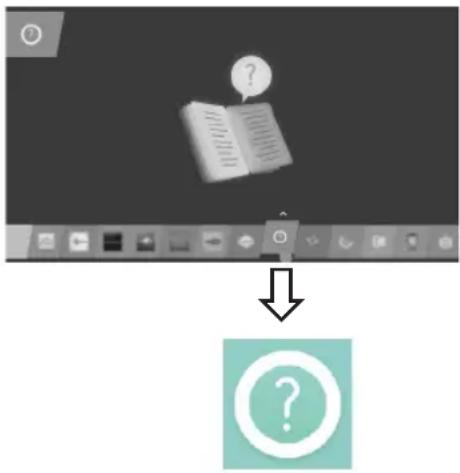
text_image
Screenshot of a software interface showing a document with a question mark and an open book icon, followed by a downward arrow pointing to a question mark icon.
NOTE
- You can also access the User Guide by pressing ☐ (User Guide) in the remote control. (Depending on model)
MAINTENANCE
Cleaning your TV
Clean your TV regularly to keep the best performance and to extend the product lifespan.

CAUTION
- Make sure to turn the power off and disconnect the power cord and all other cables first.
- When the TV is left unattended and unused for a long time, disconnect the power cord from the wall outlet to prevent possible damage from lightning or power surges.
Screen, frame, cabinet and stand
- To remove dust or light dirt, wipe the surface with a dry, clean, and soft cloth.
- To remove major dirt, wipe the surface with a soft cloth dampened in clean water or a diluted mild detergent. Then wipe immediately with a dry cloth.

CAUTION
- Avoid touching the screen at all times, as this may result in damage to the screen.
- Do not push, rub, or hit the screen surface with your fingernail or a sharp object, as this may result in scratches and image distortions.
- Do not use any chemicals as this may damage the product.
- Do not spray liquid onto the surface. If water enters the TV, it may result in fire, electric shock, or malfunction.
Power cord
Remove the accumulated dust or dirt on the power cord regularly.
TROUBLESHOOTING
| Problem Solution | |
| Cannot control the TV with the remote control. | Check the remote control sensor on the product and try again.Check if there are any obstacles between the product and the remote.Check if the batteries are still working and properly installed  [2746] [2746] |
| No image display and no sound is produced. | Check if the product is turned on.Check if the power cord is connected to a wall outlet.Check if there is a problem in the wall outlet by connecting other products. |
| The TV turns off suddenly. | Check the power control settings. The power supply may be interrupted.Check if the Sleep Timer / Timer Power Off is activated in the TIMERS settings.If there is no signal while the TV is on, the TV will turn off automatically after 15 minutes of inactivity. |
| When connecting to the PC (HDMI / DVI), ‘No signal’ or ‘Invalid Format’ is displayed. | Turn the TV off/on using the remote control.Reconnect the HDMI cable.Restart the PC with the TV on. |
ENVIRONMENTAL INFORMATION
(Only India)
Disposal of your old appliance (as per e-waste Rules)
- When this crossed out wheeled bin symbol is depicted on the product and its operator's manual, it means the product is covered by the e-waste Management and Handling Rules, 2011 and are meant to be recycled, dismantled, refurbished or disposed off.
2. Dos
a. The product is required to be handed over only to the authorized recycler for disposal.
b. Keep the product in isolated area, after it becomes non-functional/un-repairable so as to prevent its accidental breakage.
a. The product should not be opened by the user himself/herself, but only by authorized service personnel.
b. The product is not meant for re-sale to any unauthorized agencies/scrap dealer/kabariwalah.
c. The product is not meant for mixing into household waste stream.
d. Do not keep any replaced spare part(s) from the product in exposed area.
Don't
-
Any disposal through unauthorized agencies/person will attract action under Environment (Protection) Act 1986.
-
Hazards of improper handling or accidental breakage:
a. All picture tubes are hazardous due to concentration of lead, cadmium and zinc in it. The various chemicals and heavy metals contained in picture tubes cause cancer, birth defects, hormone disruption, and damage body organs when they leak into the environment. All of this can, and does, leach into the soil, ground water, air and our own bodies. To prevent possible injury in case of breakage, wear heavy protective clothing, including gloves & safety goggles.
b. If batteries are disposed incorrectly, it can greatly harm the environment. The chemical by-products are hazardous. The metals and chemicals found in batteries can mix into soil which may be hazardous to humans, plants and animals. If thrown in fire, they can cause blast and release toxic gases which may be harmful for health.
- To locate a nearest collection centre or call for pick-up (limited area only) for disposal of this appliance, please contact Toll Free No. 1800-180-9999 for details. All collection centre and pick up facilities are done by third parties with LG Electronics India Pvt. Ltd. merely as a facilitator. For more detailed information, please visit: http://www.lge.com/in
पर्यावरणीय जानकारी
| Wireless module(LGSWF41)Specifications | |
| Standard IEEE 802.11a/b/g/n/ac | |
| Frequency Range | 2400 to 2483.5MHz5150 to 5250 MHz5725 to 5850 MHz(for Non EU) |
| Output Power (Max.) | 802.11a: 14.5 dBm802.11b: 16 dBm802.11g: 13.5 dBm802.11n - 2.4GHz: 14 dBm802.11n - 5GHz: 15.5 dBm802.11ac - 5GHz : 16 dBm |
| Because band channel used by the country could be different, the user can not change or adjust the operating frequency and this product is set for the regional frequency table.This device should be installed and operated with minimum distance 20 cm between the device and your body. And this phrase is for the general statement for consideration of user environment.CE 0197! | |
| Bluetooth module (BM-LDS401) specifications | |
| Standard Bluetooth Version 3.0 | |
| Frequency Range 2400 to | 2483.5MHz |
| Output Power (Max.) 10dBm or Lower | |
(Only UB85**, UB93**, UB95**, UC97**, UG88**)
| Wireless module(LGSBW41)Specifications | |||
| Wireless LAN Bluetooth | |||
| Standard IEEE | 802.11a/b/g/n Standard Bluetooth | Version 3.0 | |
| Frequency ragne | 2400 to 2483.5MHz5150 to 5250 MHz5725 to 5850 MHz (for Non EU) | Frequency ragne | 2400 to 2483.5MHz |
| Output power(Max.) | 802.11a: 13 dBm802.11b: 15 dBm802.11g: 14 dBm802.11n - 2.4GHz: 16 dBm802.11n - 5GHz: 16 dBm | Output power(Max.) | 10dBm or Lower |
| Because band channel used by the country could be different, the user can not change or adjust the operating frequency and this product is set for the regional frequency table.This device should be installed and operated with minimum distance 20 cm between the device and your body. And this phrase is for the general statement for consideration of user environment.CE 0197! | |||
Product specifications may be changed without prior notice due to upgrade of product functions. For the power supply and power consumption, refer to the label attached to the product.
| MODELS | 49UB85** 55UB85** | 60UB85** | ||
| 49UB850T-TA49UB859Y-TA | 55UB850T-TA55UB859Y-TA | 60UB850T-TA60UB859Y-TA | ||
| Dimensions(W x H x D) | With stand (mm) | 1093 x 689 x 242 12 | 233 x 766 x 260 1341 x | 834 x 270 |
| Without stand(mm) | 1093 x 646 x 38.2 1 | 233 x 727 x 37.8 1341 x | x 788 x 39.1 | |
| Weight With stand (kg) | 18.2 21.2 26.7 | |||
| 17.5 20.5 25.8 | ||||
| Power requirement | AC 100-240 V~ 50 / 60 Hz | AC 100-240 V~ 50 / 60 Hz | AC 100-240 V~ 50 / 60 Hz | |
| MODELS | 65UB93** 55UB95** | 65UB95** | ||
| 65UB930T-TA65UB939Y-TA | 55UB950T-TA55UB959Y-TA | 65UB950T-TA65UB959Y-TA | ||
| Dimensions(W x H x D) | With stand (mm) | 1452 x 914 x 300 12 | 232 x 782 x 260 1452 x | 914 x 300 |
| Without stand(mm) | 1452 x 858 x 37 12 | 32 x 734 x 37.0 1452 x | 858 x 37 | |
| Weight With stand (kg) | 34.8 23.8 34.8 | |||
| 33.7 23.1 33.7 | ||||
| Power requirement | AC 100-240 V~ 50 / 60 Hz | AC 100-240 V~ 50 / 60 Hz | AC 100-240 V~ 50 / 60 Hz | |
| MODELS | 65UB98** 79UB98** | 84UB98** | ||
| 65UB980T-TA65UB989Y-TA65UB980T-TB65UB989Y-TB | 79UB980T-TA79UB989Y-TA79UB980T-TB79UB989Y-TB | 84UB980T-TA84UB989Y-TA84UB980T-TB84UB989Y-TB | ||
| Dimensions(W x H x D) | With stand (mm) | 1560 x 884 x 264 18 | 74 x 1075 x 330.6 20 | 24 x 1172 x 342 |
| Without stand(mm) | 1560 x 849 x 75 18 | 74 x 1030 x 86.8 2024 x | 1122 x 85.8 | |
| Weight With stand (kg) | 39.9 60.6 77.7 | |||
| 37.6 57.1 73.7 | ||||
| Power requirement | AC 100-240 V~ 50 / 60 Hz | AC 100-240 V~ 50 / 60 Hz | AC 100-240 V~ 50 / 60 Hz | |
| MODELS | 98UB98** 105UC9* | |||
| 98UB980T-TA98UB989Y-TA98UB980T-TB98UB989Y-TB | 105UC9T-TA105UC9Y-TA | |||
| Dimensions(W x H x D) | With stand (mm) | 2303 x 1603 x 466.2 | 2494 x 1512 x 486 | |
| Without stand(mm) | 2212 x 1270 x 114.3 | - | ||
| Weight With stand (kg) | 102.2 | 155 | ||
| 97.2 | - | |||
| Power requirement | AC 100-240 V~ 50 / 60 Hz | AC 100-240 V~ 50 / 60 Hz | ||
| MODELS | 55UC97** 65UC97** | |||
| 55UC970T-TA55UC979Y-TA | 65UC970T-TA65UC979Y-TA | |||
| Dimensions | Thickness(T)Depth(D) | |||
| With stand (mm)(W x H x D) | 1238.7 x 757.5 x 289.0 1456.9 x 888.0 x 316.4 | |||
| Without stand(mm)(W x H x T(D)) | 1238.7 x 730 x 72.1 (101) 1456.9 x 853.2 x 71.5 (111) | |||
| Weight With stand (kg) | 27.7 34.6 | |||
| Without stand (kg) | 26.2 32.9 | |||
| Power requirement | AC 100-240 V~ 50 / 60 Hz | AC 100-240 V~ 50 / 60 Hz | ||
| MODELS | 79UG88** | |||
| 79UG880T-TA79UG889Y-TA | ||||
| Dimensions | Thickness(T)Depth(D) | |||
| With stand (mm)(W x H x D) | 1769 x 1063 x 344 | |||
| Without stand(mm)(W x H x T(D)) | 1769 x 1032 x 76.0 (134.8) | |||
| Weight With stand (kg) | 62.9 | |||
| Without stand (kg) | 55.3 | |||
| Power requirement | AC 100-240 V~ 50 / 60 Hz | |||
| Environment condition | Operating Temperature 0 °C | to 40 °C | |
| Operating Humidity Less than | 80 % | ||
| Storage Temperature -20 °C | to 60 °C | ||
| Storage Humidity Less than | 85 % | ||
| Digital TV(Depending on Country) | Analogue TV(Depending on Country) | ||
| Television System | DVB-T(*DVB-T/T2) | PAL B/B, PAL B/G, PAL D/K, PAL-I SECAM B/G, SECAM D/K NTSC-M | |
| Programme Coverage | VHF, UHF | VHF, UHF, CATV | |
| Maximum number of storable programmes | DVB-T/T2 & Analogue TV : 1,500 | ||
| External Antenna Impedance | 75 Ω | ||
*: Only DVB-T2 support models.

text_image
LG Life's GoodRecord the model number and serial number of the TV.
Refer to the label on the back cover and quote this information to your dealer when requiring any service.
MODEL
SERIAL
(Only DTV)

Digital Video
Broadcasting
OWNER'S MANUAL
EXTERNAL CONTROL DEVICE SETUP
Please read this manual carefully before operating the set and retain it for future reference.
KEY CODES
• This feature is not available for all models.
| Code (Hexa) | Function Note | Code (Hexa) | Function Note | ||
| 00 CH | +, PR + R/C Button 53 List | R/C Button | |||
| 01 CH | -, PR - R/C Button 5B Exit | R/C Button | |||
| 02 Volume | + R/C Button 60 PIP(AD) | R/C Button | |||
| 03 Volume | - R/C Button 61 Blue | R/C Button | |||
| 06 > | (Arrow Key / Right Key) R/C | Button 63 Yellow | R/C Button | ||
| 07 < | (Arrow Key / Left Key) | R/C Button 71 Green | R/C Button | ||
| 08 Power | R/C Button 72 Red | R/C Button | |||
| 09 | Mute | R/C Button | 79 | Ratio / Aspect Ratio | R/C Button |
| 0B Input | R/C Button 91 AD (Audio Description) | R/C Button | |||
| 0E SLEEP | R/C Button 7A User Guide | R/C Button | |||
| 0F | TV, TV/RAD | R/C Button | 7C | Smart / Home | R/C Button |
| 10 - 19 | * Number Key 0 - 9 | R/C Button | 7E | SIMPLINK | R/C Button |
| 1A | Q.View / Flashback | R/C Button | 8E | ►► (Forward) | R/C Button |
| 1E | FAV (Favorite Channel) | R/C Button | 8F | ◄◄ (Rewind) | R/C Button |
| 20 | Text (Teletext) | R/C Button | AA | Info | R/C Button |
| 21 | T. Opt (Teletext Option) | R/C Button | AB | Program Guide | R/C Button |
| 28 | Return (BACK) | R/C Button | B0 | ► (Play) | R/C Button |
| 30 | AV (Audio / Video) Mode | R/C Button | B1 | ■ (Stop / File List) | R/C Button |
| 39 Caption/Subtitle | R/C Button | BA | II (Freeze / Slow Play / Pause) | R/C Button | |
| 40 ∧ | (Arrow Key / Cursor Up) | R/C Button | BB | Soccer | R/C Button |
| 41 | V (Arrow Key / Cursor Down) | R/C Button | BD | ● (REC) | R/C Button |
| 42 | My Apps | R/C Button | DC | 3D | R/C Button |
| 43 Menu / Settings | R/C Button 99 AutoConfig | R/C Button | |||
| 44 OK / Enter | R/C Button 9F App / * | R/C Button | |||
| 45 Q.Menu | R/C Button | ||||
| 4C List, - (ATSC Only) | R/C Button |
* Key code 4C (0x4C) is available on ATSC/ISDB models which use major/minor channel. (For South Korea, Japan, North America, Latin America except Colombia models)
EXTERNAL CONTROL DEVICE SETUP
• Image shown may differ from your TV.
Connect the USB to Serial converter/RS-232C input jack to an external control device (such as a computer or an A/V control system) to control the product's functions externally.
Note: The type of control port on the TV can be different between model series.
* Please be advised that not all models support this type of connectivity.
* Cable is not provided.
USB to Serial converter with USB Cable
USB Type

text_image
(PC) USB IN (TV)- LGTV supports PL2303 chip-based (Vendor ID : 0x0557, Product ID : 0x2008) USB to serial converter which is not made nor provided by LG.
- It can be purchased from computer stores that carry accessories for IT support professionals.
RS-232C With RS232C Cable
DE9 (D-Sub 9pin) Type
- You need to purchase the RS-232C (DE9, D-Sub 9pin female-to-female type) to RS-232C cable required for the connection between the PC and the TV, which is specified in the manual.

text_image
(PC) RS-232C IN (CONTROL & SERVICE) (TV)The connection interface may differ from your TV.

Phone jack Type
- You need to purchase the phone-jack to RS-232 cable required for the connection between the PC and the TV, which is specified in the manual.
* For other models, connect to the USB port.
* The connection interface may differ from your TV.

text_image
(PC) 3 1 2 SERVICE ONLY (TV)- or

text_image
(PC) 3 1 2 RS-232C IN (CONTROL & SERVICE) (TV)Customer Computer RS-232C configurations
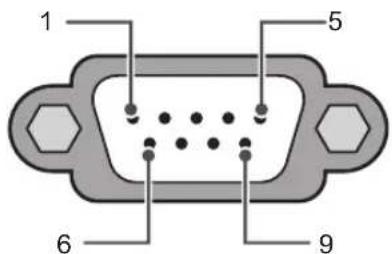
text_image
1 5 6 9RS-232C
(Serial port)
3-Wire Configurations(Not standard)

text_image
PC TV RXD 2 2 TXD TXD 3 1 RXD GND 5 3 GNDOR

text_image
RXD 3 2 TXD TXD 2 1 RXD GND 5 3 GNDD-Sub 9 Phone
Set ID
For Set ID number, see "Real Data Mapping" on p.6
- Press SETTINGS to access the main menus.
- Press the Navigation buttons to scroll to (*General → About this TV or OPTION) and press OK.
- Press the Navigation buttons to scroll to SET ID and press OK.
-
Scroll left or right to select a set ID number and select CLOSE. The adjustment range is 1-99.
-
When you are finished, press EXIT.
* (Depending on model)
Communication Parameters
• Baud rate : 9600 bps (UART)
• Data length : 8 bits
- Parity : None
- Stop bit : 1 bit
• Communication code : ASCII code
• Use a crossed (reverse) cable.
Command reference list
(Depending on model)
| COMMAND1 | COMMAND2 | DATA (Hexadecimal) | COMMAND1 | COMMAND2 | DATA (Hexadecimal) | ||
| 01. Power* k a 00 to 01 15. | Balance k t 00 to 64 | ||||||
| 02. Aspect Ratio | k c (p.7) | 16. Color (Colour) Temperature | x u 00 to 64 | ||||
| 03. Screen Mute | k d (p.7) | 17. ISM Method (Only Plasma TV) | j p (p.8) | ||||
| 04. Volume Mute | k e 00 to 01 | 18. Equalizer j v (p.8) | |||||
| 05. Volume Control | k f 00 to 64 | 19. Energy Saving | j q 00 to 05 | ||||
| 06. Contrast k g 00 to 64 | 20. Tune Command | m a (p.9) | |||||
| 07. Brightness | k h 00 to 64 | 21. Channel (Programme) Add/Del(Skip) | m b 00 to 01 | ||||
| 08. Color/ Colour | k i 00 to 64 | 22. Key | m c Key Codes | ||||
| 09. Tint | k j 00 to 64 | 23. Control Backlight, Control Panel Light | m g 00 to 64 | ||||
| 10. Sharpness | k k 00 to 32 | 24. Input select (Main) | x b (p.11) | ||||
| 11. OSD Select | k l 00 to 01 | 25. 3D (Only 3D models) | x t (p.11) | ||||
| 12. Remote Control Lock Mode | k m 00 to 01 | 26. Extended 3D (Only 3D models) | x v (p.11) | ||||
| 13. Treble | k r | 00 to 64 | 27. Auto Configure | j u (p.12) | |||
| 14. Bass | k s 00 to 64 | ||||||
* Note: During playing or recording media, all commands except Power (ka) and Key (mc) are not executed and treated as NG.
With RS232C cable, TV can communicate "ka command" in power-on or power-off status. but with USB-to-Serial converter cable, the command works only if TV is on.

Transmission / Receiving Protocol
Transmission
[Command1][Command2][ ][Set ID][ ][Data][Cr]
[Command 1] : First command to control the TV. (j, k, m or x)
[Command 2] : Second command to control the TV.
[Set ID] : You can adjust the [Set ID] to choose desired monitor ID number in option menu.
Adjustment range in TV is 1 to 99. If [Set ID] value is selected to '0', every connected set can be controlled.
* [Set ID] is indicated as decimal (1 to 99) on menu and as Hexadecimal (0x00 to 0x63) on transmission/receiving protocol.
[DATA] : To transmit command data (hexadecimal). Transmit 'FF' data to read status of command.
[Cr] : Carriage Return - ASCII code '0x0D'
[ ] : Space - ASCII code '0x20'
OK Acknowledgement
[Command2][ ][Set ID][ ][OK][Data][x]
* The set transmits ACK (acknowledgement) based on this format when receiving normal data. At this time, if the data is data read mode, it indicates present status data. If the data is data write mode, it returns the data of the PC computer.
Error Acknowledgement
[Command2][ ][Set ID][ ][NG][Data][x]
* The set transmits ACK (acknowledgement) based on this format when receiving abnormal data from non-viable functions or communication errors.
Data 00: Illegal Code
Real data mapping (Hexadecimal → Decimal)
* When you enter the [data] in hexadecimal, refer to following conversion table.
* Channel Tune (ma) Command uses two-byte hexadecimal value([data]) to select channel number.
00 : Step 0 32 : Step 50 (Set ID 50) FE : Step 254
01 : Step 1 (Set ID 1) 33 : Step 51 (Set ID 51) FF : Step 255
... ... ...
0A : Step 10 (Set ID 10) 63 : Step 99 (Set ID 99) 01 00 : Step 256
... ... ...
0F : Step 15 (Set ID 15) C7 : Step 199 27 0E : Step 9998
10 : Step 16 (Set ID 16) C8 : Step 200 27 OF : Step 9999
... ... ...
* Commands may work differently depending on model and signal.
01. Power (Command: k a)
▶ To control Power *On or Off of the set. Transmission[k][a][ ][Set ID][ ][Data][Cr]
Data 00 : Power Off 01 : *Power On
Ack [a][ ][Set ID][ ][OK/NG][Data][x]
To Show TV is Power On or *Off Transmission [k][a][ ][Set ID][ ][FF][Cr] Ack [a][ ][Set ID][ ][OK][Data][x]
* Similarly, if other functions transmit 'FF' data based on this format, Acknowledgement feedback presents status about each function.
02. Aspect Ratio (Command: k c) (Main Picture Size)
▶ To adjust the screen format. (Main picture format) You can also adjust the screen format using the Aspect Ratio in the Q.MENU. or PICTURE menu.
Transmission [k][c][ ][Set ID][ ][Data][Cr]
| Data 01 : Normal screen(4:3) | 07 : 14:9(Europe, Colombia, Mid-East, Asia except South Korea and Japan) |
| 02 : Wide screen(16:9) | |
| 04 : Zoom | 09 : * Just Scan |
| 05 : Zoom 2(Latin America except Colombia Only) | 0B : Full Wide(Europe, Colombia, Mid-East, Asia except South Korea and Japan) |
| 06 : Set by Program/Original | 10 to 1F : Cinema Zoom 1 to 16 |
Ack [c][ ][Set ID][ ][OK/NG][Data][x]
* Using the PC input, you select either 16:9 or 4:3 screen aspect ratio.
* In DTV/HDMI/Component mode (high-definition), Just Scan is available.
* Full wide mode may work differently based on model and is supported for DTV fully, and ATV, AV partially.
03. Screen Mute (Command: k d)
▶ To select screen mute on/off.
Transmission [k][d][ ][Set ID][ ][Data][Cr]
Data 00 : Screen mute off (Picture on) Video mute off
01 : Screen mute on (Picture off)
10 : Video mute on
Ack [d][ ][Set ID][ ][OK/NG][Data][x]
* In case of video mute on only, TV will display On Screen Display(OSD). But, in case of Screen mute on, TV will not display OSD.
04. Volume Mute (Command: k e)
▶ To control volume mute on/off. You can also adjust mute using the MUTE button on remote control.
Transmission [k][e][ ][Set ID][ ][Data][Cr]
Data 00 : Volume mute on (Volume off)
01 : Volume mute off (Volume on)
Ack [e][ ][Set ID][ ][OK/NG][Data][x]
05. Volume Control (Command: k f)
▶ To adjust volume. You can also adjust volume with the volume buttons on remote control.
Transmission [k][f][ ][Set ID][ ][Data][Cr]
Data Min : 00 to Max : 64
Ack [f][ ][Set ID][ ][OK/NG][Data][x]
06. Contrast (Command: k g)
▶ To adjust screen contrast. You can also adjust contrast in the PICTURE menu. Transmission [k][g][ ][Set ID][ ][Data][Cr]
Data Min : 00 to Max : 64
Ack [g][ ][Set ID][ ][OK/NG][Data][x]
07. Brightness (Command: k h)
▶ To adjust screen brightness. You can also adjust brightness in the PICTURE menu. Transmission [k][h][ ][Set ID][ ][Data][Cr]
Data Min : 00 to Max : 64
Ack [h][ ][Set ID][ ][OK/NG][Data][x]
08. Color/Colour (Command: k i)
▶ To adjust the screen Color(Colour). You can also adjust colour in the PICTURE menu. Transmission [k][i][ ][Set ID][ ][Data][Cr]
Data Min : 00 to Max : 64
Ack [i][ ][Set ID][ ][OK/NG][Data][x]
- Tint (Command: k j)
▶ To adjust the screen tint. You can also adjust tint in the PICTURE menu. Transmission [k][j][ ][Set ID][ ][Data][Cr]
Data Red : 00 to Green : 64
Ack [j][ ][Set ID][ ][OK/NG][Data][x]
- Sharpness (Command: k k)
▶ To adjust the screen sharpness. You can also adjust sharpness in the PICTURE menu. Transmission [k][k][ ][Set ID][ ][Data][Cr]
Data Min : 00 to Max : 32
Ack [k][ ][Set ID][ ][OK/NG][Data][x]
- OSD Select (Command: k l)
▶ To select OSD (On Screen Display) on/off when controlling remotely. Transmission [k][l][ ][Set ID][ ][Data][Cr]
Data 00 : OSD off 01 : OSD on
Ack [I][ ][Set ID][ ][OK/NG][Data][x]
- Remote control lock mode (Command: k m)
▶ To lock the front panel controls on the monitor and remote control. Transmission [k][m][ ][Set ID][ ][Data][Cr]
Data 00 : Lock off 01 : Lock on
Ack [m][ ][Set ID][ ][OK/NG][Data][x]
* If you are not using the remote control, use this mode.
When main power is off & on (plug-off and plug-in, after 20 - 30 seconds), external control lock is released.
* In the standby mode (DC off by off timer or 'ka', 'mc' command), and if key lock is on, TV will not turn on by power on key of IR & Local Key.
- Treble (Command: k r)
▶ To adjust treble. You can also adjust in the AUDIO menu.
Transmission [k][r][ ][Set ID][ ][Data][Cr]
Data Min : 00 to Max : 64
Ack [r][ ][Set ID][ ][OK/NG][Data][x]
* (Depending on model)
- Bass (Command: k s)
▶ To adjust Bass. You can also adjust in the AUDIO menu. Transmission [k][s][ ][Set ID][ ][Data][Cr]
Data Min : 00 to Max : 64 Ack [s][ ][Set ID][ ][OK/NG][Data][x]
* (Depending on model)
- Balance (Command: k t)
▶ To adjust balance. You can also adjust balance in the AUDIO menu. Transmission [k][t][ ][Set ID][ ][Data][Cr]
Data Min : 00 to Max : 64 Ack [t][ ][Set ID][ ][OK/NG][Data][x]
- Color(Colour) Temperature (Command: x u)
▶ To adjust colour temperature. You can also adjust Color(Colour) Temperature in the PICTURE menu. Transmission [x][u][ ][Set ID][ ][Data][Cr]
Data Min : 00 to Max : 64 Ack [u][ ][Set ID][ ][OK/NG][Data][x]
- ISM Method (Command: j p) (Only Plasma TV) ▶ To control the ISM method. You can also adjust ISM Method in OPTION menu. Transmission [j][p][ ][Set ID][ ][Data][Cr]
Data Min : 02: Orbiter 08: Normal 20: Color(Colour) Wash Ack [p][ ][Set ID][ ][OK/NG][Data][x]
- Equalizer (Command : j v)
Adjust EQ of the set. Transmission [j][v][Set ID][Data][Cr] MSB LSB Frequency Data
| 7 | 6 | 5 | Frequency | 4 | 3 | 2 | 1 | 0 | Step | |||
| 0 | 0 | 0 | 1st Band | 0 | 0 | 0 | 0 | 0 | 0(decimal) | |||
| 0 | 0 | 1 | 2nd Band | 0 | 0 | 0 | 0 | 1 | 1(decimal) | |||
| 0 | 1 | 0 | 3rd Band | ... | ... | ... | ... | ... | ... | |||
| 0 | 1 | 1 | 4th Band | 0 | 0 | 0 | 1 | 1 | 19(decimal) |
| 100 | 5th Band | 00101 | 20(decimal) |
Acknowledgement [v][ ][Set ID][ ][OK/NG][Data][x]
* It depends on model, and can adjust when sound mode is EQ adjustable value.
- Energy Saving (Command: j q)
▶ To reduce the power consumption of the TV. You can also adjust Energy Saving in PICTURE menu.
Transmission [j][q][ ][Set ID][ ][Data][Cr]
Data
00 : Off
01 : Minimum
02 : Medium
03 : Maximum
04 : Auto (For LCD TV / LED TV) / Intelligent sensor (For PDP TV)
05 : Screen off
* (Depending on model)
Ack [q][ ][Set ID][ ][OK/NG][Data][x]
- Tune Command (Command: m a)
* This command may work differently depending on model and signal.
• For Europe, Mid-East, Colombia, Asia except South Korea and Japan Model
▶ Select channel to following physical number.
Transmission [m][a][ ][Set ID][ ][Data 00][ ]
[Data 01][ ][Data 02][Cr]
* Analog Antenna/Cable
[Data 00][Data 01] Channel Data
Data 00 : High byte channel data
Data 01 : Low byte channel data
- 00 00 \~ 00 C7 (Decimal : 0 \~ 199)
Data 02 : Input Source (Analog)
- 00 : Antenna TV (ATV)
- 80 : Cable TV (CATV)
Digital Antenna/Cable/Satellite
[Data 00][Data 01]: Channel Data
Data 00 : High Channel data
Data 01 : Low Channel data
- 00 00 \~ 27 0F (Decimal: 0 \~ 9999)
Data 02 : Input Source (Digital)
- 10 : Antenna TV (DTV)
- 20 : Antenna Radio (Radio)
- 40 : Satellite TV (SDTV)
- 50 : Satellite Radio (S-Radio)
- 90 : Cable TV (CADTV)
- a0 : Cable Radio (CA-Radio)
* Tune Command Examples:
- Tune to the Analog antenna (PAL) Channel 10.
Set ID = All = 00
Data 00 & 01 = Channel Data is 10 = 00 0a
Data 02 = Analog Antenna TV = 00
Result = ma 00 00 0a 00
- Tune to the digital antenna (DVB-T) Channel 01.
Set ID = All = 00
Data 00 & 01 = Channel Data is 1 = 00 01
Data 02 = Digital Antenna TV = 10
Result = ma 00 00 01 10
- Tune to the satellite (DVB-S) Channel 1000.
Set ID = All = 00
Data 00 & 01 = Channel Data is 1000 = 03 E8
Data 02 = Digital Satellite TV = 40
Result = ma 00 03 E8 40
Ack [a][ ][Set ID][ ][OK][Data 00][Data 01]
[Data 02][x][a][ ][Set ID][ ][NG][Data 00][x]
• For South Korea, North/Latin America except Colombia Model
▶ To tune channel to following physical/major/minor number.
Transmission [m][a][ ][0][ ][Data00][ ][Data01]
[ ][Data02][ ][Data03][ ][Data04][ ][Data05][Cr]
Digital channels have a Physical, Major, and Minor channel number. The Physical number is the actual digital channel number, the Major is the number that the channel should be mapped to, and the Minor is the sub-channel. Since the ATSC tuner automatically maps the channel from the Major / Minor number, the Physical number is not required when sending a command in Digital.
* Analog Antenna/Cable
Data 00 : Physical Channel Number
- Antenna (ATV) : 02\~45 (Decimal: 2 \~ 69)
- Cable (CATV) : 01, 0E\~7D (Decimal : 1, 14\~125)
[Data 01 \~ 04]: Major/Minor Channel Number
Data 01 & 02: xx (Don't care)
Data 03 & 04: xx (Don't care)
Data 05: Input Source (Analog)
- 00 : Antenna TV (ATV)
- 01 : Cable TV (CATV)
* Digital Antenna/Cable
Data 00 : xx (Don't care)
[Data 01][Data 02]: Major Channel Number
Data 01 : High byte Channel Data
Data 02 : Low byte Channel Data
- 00 01 \~ 27 0F (Decimal: 1 \~ 9999)
[Data 03][Data 04]: Minor Channel Number
Data 03 : High byte Channel Data
Data 04 : Low byte Channel Data
Data 05 : Input Source (Digital)
- 02 : Antenna TV (DTV) – Use Physical Channel Number
- 06 : Cable TV (CADTV) – Use Physical Channel

Number
- 22 : Antenna TV (DTV) – Don't Use Physical Channel Number
- 26 : Cable TV (CADTV) - Don't Use Physical Channel Number
- 46 : Cable TV (CADTV) – Use Major Channel Number Only (One Part Channel)
Two bytes are available for each major and minor channel data, but usually the low byte is used alone (high byte is 0).
* Tune Command Examples:
- Tune to the Analog cable (NTSC) channel 35.
Set ID = All = 00
Data 00 = Channel Data is 35 = 23
Data 01 & 02 = No Major = 00 00
Data 03 & 04 = No Minor = 00 00
Data 05 = Analog Cable TV = 01
Total = ma 00 23 00 00 00 00 01
- Tune to the digital antenna (ATSC) channel 30-3.
Set ID = All = 00
Data 00 = Don't know Physical = 00
Data 01 & 02 = Major is 30 = 00 1E
Data 03 & 04 = Minor is 3 = 00 03
Data 05 = Digital Antenna TV = 22
Total = ma 00 00 00 1E 00 03 22
Ack [a][ ][Set ID][ ][OK][Data 00][Data 01]
[Data 02][Data 03][Data 04][Data 05]
[x][a][ ][Set ID][ ][NG][Data 00][x]
- For Japan Model
▶ To tune channel to following physical/major/minor number.
Transmission [m][a][ ][0][ ][Data00][ ][Data01]
[ ][Data02][ ][Data03][ ][Data04][ ][Data05][Cr]
* Digital Antenna/Satellite
Data 00: xx (Don't care)
[Data 01][Data 02]: Major Channel Number
Data 01: High byte Channel Data
Data 02: Low byte Channel Data
- 00 01 \~ 27 0F (Decimal: 1 \~ 9999)
[Data 03][Data 04]: Minor/Branch Channel Number (Don't care in Satellite)
Data 03: High byte Channel Data
Data 04: Low byte Channel Data
Data 05 : Input Source (Digital/Satellite for Japan)
- 02 : Antenna TV (DTV)
- 07 : BS (Broadcasting Satellite)
- 08 : CS1 (Communication Satellite 1)
- 09 : CS2 (Communication Satellite 2)
* Tune Command Examples:
1 Tune to the digital antenna (ISDB-T) channel 17-1.
Set ID = All = 00
Data 00 = Don't know Physical = 00
Data 01 & 02 = Major is 17 = 00 11
Data 03 & 04 = Minor/Branch is 1 = 00 01
Data 05 = Digital Antenna TV = 02
Total = ma 00 00 00 11 00 01 02
- Tune to the BS (ISDB-BS) channel 30.
Set ID = All = 00
Data 00 = Don't know Physical = 00
Data 01 & 02 = Major is 30 = 00 1E
Data 03 & 04 = Don't Care = 00 00
Data 05 = Digital BS TV = 07
Total = ma 00 00 00 1E 00 00 07
* This feature is varied based on the model.
Ack [a][ ][Set ID][ ][OK][Data 00][Data 01]
[Data 02][Data 03][Data 04][Data 05]
[x][a][ ][Set ID][ ][NG][Data 00][x]
- Channel(Programme) Add/Del(Skip)
(Command: m b)
▶ To skip current channel(programme) for next time.
Transmission [m][b][ ][Set ID][ ][Data][Cr]
Data 00 : Del(ATSC,ISDB)/Skip(DVB) 01 : Add
Ack [b][ ][Set ID][ ][OK/NG][Data][x]
* Set the saved channel status to del(ATSC, ISDB)/skip(DVB) or add.
- Key (Command: m c)
▶ To send IR remote key code.
Transmission [m][c][ ][Set ID][ ][Data][Cr]
Data Key code - p.2.
Ack [c][ ][Set ID][ ][OK/NG][Data][x]
- Control Backlight (Command: m g)
• For LCD TV / LED TV
▶ To control the backlight.
Transmission [m][g][ ][Set ID][ ][Data][Cr]
Data Min : 00 to Max : 64
Ack [g][ ][Set ID][ ][OK/NG][Data][x]
Control Panel Light (Command: m g)
- For Plasma TV
▶ To control the panel light.
Transmission [m][g][ ][Set ID][ ][Data][Cr]
Data Min : 00 to Max : 64
Ack [g][ ][Set ID][ ][OK/NG][Data][x]
24. Input select (Command: x b)
(Main Picture Input)
▶ To select input source for main picture.
Transmission [x][b][ ][Set ID][ ][Data][Cr]
Data
00 : DTV 01 : CADTV
02: Satellite DTV 10: ATV
ISDB-BS (Japan)
03:ISDB-CS1(Japan)
04:ISDB-CS2(Japan)
11 : CATV
20: AV or AV1 21: AV2
40: Component1 41: Component2
60 : RGB
* This function depends on model and signal.
25. 3D(Command: x t) (only 3D models)
(Depending on model)
▶ To change 3D mode for TV.
Transmission [x][t][ ][Set ID][ ][Data 00][ ][Data 01]
[ ][Data 02][ ][Data 03][Cr]
* (Depending on model)
Data Structure
[Data 00] 00:3D On
01:3D Off
02:3D to 2D
03:2D to 3D
[Data 01] 00: Top and Bottom
01:Side by Side
02 : Check Board
03 : Frame Sequential
04 : Column interleaving
05 : Row interleaving
[Data 02] 00 : Right to Left
01 : Left to Right
[Data 03] 3D Effect(3D Depth): Min : 00 - Max : 14
(*transmit by Hexadecimal code)
* [Data 02], [Data 03] functions depend on model and signal.
* If [Data 00] is 00 (3D On), [Data 03] has no meaning.
* If [Data 00] is 01 (3D off) or 02 (3D to 2D), [Data 01], [Data 02] and [Data 03] have no meaning.
* If [Data 00] is 03 (2D to 3D), [Data 01] and [Data 02] have no meaning.
* If [Data 00] is 00 (3D On) or 03 (2D to 3D), [Data 03] works when 3D Mode (Genre) is manual only.
* All 3D pattern options ([Data 01]) may not be available according to broadcasting/video signal.
[Data 00] [Data 01] [Data 02] [Data 03]
| 00 0 0 | O | ||
| 01 X X X | |||
| 02 X X X | |||
| 03 X O | O |
X : don't care
Ack [t][ ][Set ID][ ][OK][Data00][Data01][Data02]
[Data03][x]
[t][ ][Set ID][ ][NG][Data00][x]
26. Extended 3D(Command: x v) (only 3D models) (Depending on model)
▶ To change 3D option for TV.
Transmission [x][v][ ][Set ID][ ][Data 00][ ]
[Data 01][Cr]
[Data 00] 3D option
00 : 3D Picture Correction
01 : 3D Depth (3D Mode is Manual Only)
02 : 3D Viewpoint
06:3D Color Correction
07:3D Sound Zooming
08: Normal Image View
[Data 01] It has own range for each 3D option determined by [Data 00].
1) When [Data 00] is 00
00 : Right to Left
01: Left to Right
2) When [Data 00] is 01, 02
Data Min: 0 - Max: 14 (*transmit by Hexadecimal code)
Data value range(0 - 20) converts Viewpoint range
(-10 - +10) automatically (Depending on model)
* This option works when 3D Mode (Genre) is manual only.
3) When [Data 00] is 06, 07
00 : Off
01 : On
4) When [Data 00] is 08
00: Revert to 3D video from 3D-to-2D
converted 2D video
01 : Change 3D video to 2D video, except 2D-to-3D video
* If conversion condition doesn't meet, command is treated as NG.
5) When [Data 00] is 09
00: Standard 01: Sport
▶ To adjust picture position and minimize image shaking automatically. It works only in RGB (PC) mode.
Transmission [j][u][ ][Set ID][ ][Data][Cr]
Data 01 : To set
Ack [u][ ][Set ID][ ][OK/NG][Data][x]
![LG 49UB859Y - 5) When [Data 00] is 09 - 1](/content/2026/06/1212918/images/8dc8a9379249c0695822d58711e365cec9a898b043ec40568456be368e1a7eba.jpg)
LG
Life's Good