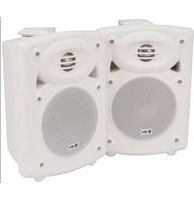
QR5W - Loudspeaker Qtx - Free user manual and instructions
Find the device manual for free QR5W Qtx in PDF.


| Product Type | Active stereo speaker set with passive satellite |
| Model | QR5W (White) |
| Power Output | 2 x 20W |
| Power Supply | 230V AC, 50Hz |
| Frequency Response | 32Hz - 22kHz |
| Sensitivity | 89dB |
| Input Level | 290mV, 7k Ohms |
| Input Connectors | L+R RCA sockets |
| Controls | Bass EQ, Treble EQ, Volume (rotary) |
| Dimensions (Active Speaker) | 255 x 180 x 150 mm |
| Total Weight (pair) | 6.8 kg |
| Driver Size | 5.25 inches |
| Mounting | Wall-mount brackets included |
| Speaker Configuration | Active (with amp) + passive satellite |
| Cleaning | Use soft cloth with neutral detergent; avoid solvents |
| Safety Features | Protected against water ingress; no user-serviceable parts |
Frequently Asked Questions - QR5W Qtx
User questions about QR5W Qtx
0 question about this device. Answer the ones you know or ask your own.
Ask a new question about this device
Download the instructions for your Loudspeaker in PDF format for free! Find your manual QR5W - Qtx and take your electronic device back in hand. On this page are published all the documents necessary for the use of your device. QR5W by Qtx.
USER MANUAL QR5W Qtx
5.25" ACTIVE STEREO SPEAKER SET
Item ref: 178.200UK, 178.201UK
User Manual
natural_image
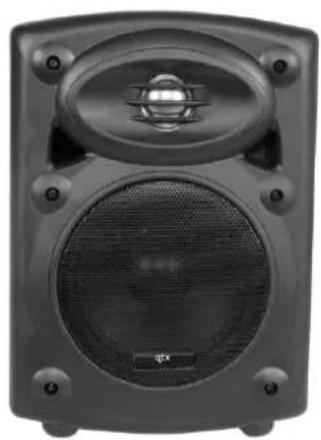
Front view of a black audio amplifier speaker with visible sound waves and a central grille (no text or symbols)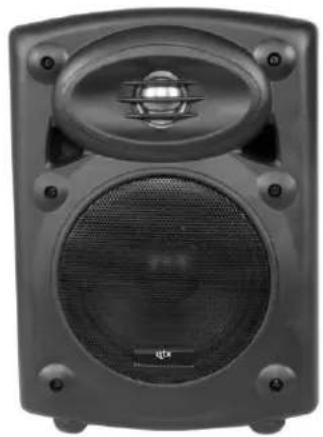
natural_image
Close-up of a black audio amplifier speaker with visible sound waves and buttons (no text or symbols)
natural_image
White speaker with mesh grille and speaker grille (no visible text or symbols)
natural_image
White speaker with mesh grille and circular vent, no visible text or symbolsVersion 2.1

Caution: Please read this manual carefully before operating
Damage caused by misuse is not covered by the warranty
Introduction
Thank you for choosing the QR5 active speaker set. Please read this manual prior to use to avoid damage to the item. These compact, self-contained stereo speaker sets are designed to deliver high quality near-field or perimeter coverage for various monitoring and installed sound applications.
Contents
Please take care when unpacking this product. Inspect for any damage and ensure you have the following components:
• QR5 active speaker with built-in amplifier
• QR5 passive satellite speaker
- 2 x wall-mounting brackets with screw caps
- Satellite speaker wire
Safety Conventions

CAUTION RISK OF ELECTRIC SHOCK DO NOT OPEN
AVIS RISQUE DE CHOC ELECTRIQUE NE PAS OUVRIR


This symbol indicates that dangerous voltage constituting a risk of electric shock is present within this unit

This symbol indicates that there are important operating and maintenance instructions in the literature accompanying this unit.
Warning
To prevent the risk of fire or electric shock, do not expose this appliance to rain or moisture.
To prevent electric shock do not remove the rear cover.
No user serviceable parts inside. Refer servicing to qualified service personnel.
Safety
- Prior to connecting to the mains, ensure that the supply voltage is correct.
- Avoid ingress of water or particles into the enclosure.
Placement
- Keep the unit out of direct sunlight and away from heat sources.
- Keep the unit away from moisture or dusty environments.
- Allow adequate space for cooling at the rear of the active speaker unit
Cleaning
Use a soft cloth with a neutral detergent to clean the cabinet, panel and controls. Do not use solvents.
Panel layout

1 TREBLE EQ control
2 BASS EQ control
3 VOLUME control
4 Signal input (L+R RCA)
5 Satellite speaker connection (spring terminals)
6 Power on/off switch
7 Mains power lead
8 Mains fuse holder
Setting up
For near-field or desktop use, space speakers apart for adequate stereo separation depending on proximity to the listener. For installations using the supplied wall-mount brackets, attach the brackets to a solid surface using fixings which are sufficient to hold the weight of the active speaker. Take care to mount the active unit close enough to a mains outlet for the supplied adaptor to reach. Fix the speaker units to the brackets at top and bottom using the supplied screw caps. Each can be rotated to aim the general direction of sound output.
If the speakers are mounted at height or where falling objects may be hazardous, it is advised to attach a secondary means of support (e.g. drop-wire or chain)
Operation
Link the satellite speaker to the spring terminals on the powered speaker (5) using the supplied speaker lead (connecting red to red and black to black)
With the rotary VOLUME (3) control set to minimum and TREBLE and BASS controls (1, 2) set to the vertical (12 o'clock) position, connect the attached mains lead (7) to a suitable mains outlet. Connect the source signal into the active unit via the L+R RCA connectors (4). Switch the power on (6) and gradually turn the rotary VOLUME control clockwise and increase volume level to the required amount.
Adjust TREBLE (2) and BASS (1) controls to provide the desired tonal response. The centre position is unaffected, to the left is cut and to the right is boost.
Turn down the rotary VOLUME control before switching off.
Specifications
| Stock code | 178.200UK | 178.201UK |
| Model | QR5B | QR5W |
| Colour | Black | White |
| Power supply | 230Vac, 50Hz | |
| Power output | 2 x 20W | |
| Controls | Bass, Treble, Volume | |
| Input connections | L+R RCA sockets | |
| Frequency response | 32Hz - 22kHz | |
| Sensitivity | 89dB | |
| Input level | 290mV, 7k Ohms | |
| Dimensions | 255 x 180 x 150mm | |
| Weight (total) | 6.8kg | |
Troubleshooting
| No output and Power LED not lit | Check power switch is not set to “Off” |
| Check mains lead is in good condition | |
| Check mains outlet is on | |
| Power LED lit but no output | Turn up rotary VOLUME, TREBLE and BASS controls |
| Check signal lead is connected properly | |
| Check sound source is playing | |
| Sound output only from one speaker | Check wire is connected from active to satellite properly |
| Check signal lead is connected properly | |
| Output is very low | Turn up rotary VOLUME control |
| Check sound source is turned up | |
| Output is too loud or distorted | Turn down rotary VOLUME control |
| Check sound source output is not too high for input |


Brand : Qtx
Model : QR5W
Category : Loudspeaker