ICM-3SL - Ice machine PolyCool - Free user manual and instructions
Find the device manual for free ICM-3SL PolyCool in PDF.


User questions about ICM-3SL PolyCool
0 question about this device. Answer the ones you know or ask your own.
Ask a new question about this device
Download the instructions for your Ice machine in PDF format for free! Find your manual ICM-3SL - PolyCool and take your electronic device back in hand. On this page are published all the documents necessary for the use of your device. ICM-3SL by PolyCool.
USER MANUAL ICM-3SL PolyCool
natural_image
Black POLYCOOL ice cream maker with a glass of orange beverage and a digital timer, set against a blue background (no text or symbols on main objects)Colours and appearances may vary
User Manual
[Revision 2.0 March 2022]
Safety
Safety messages are designed to alert you to possible dangers or hazards that could cause death, injury or equipment or property damage if not understood or followed. Safety messages have the following symbols:

You WILL be KILLED or SERIOUSLY INJURED if you do not follow instructions.
It is vital that you read and understand this user manual before using the product, including safety warnings, and any assembly and operating instructions. Keep the manual for future reference.
Safety precautions and recommendations detailed here must be fully understood and followed to reduce the risk of injury, fire, explosion, electrical hazard, and/or property damage.
Safety information presented here is generic in nature – some advice may not be applicable to every product. The term "equipment" refers to the product, be it electrical mains powered, battery powered or combustion engine powered.
- Before Use - If you are not familiar with the safe operation/handling of the equipment or are in any way unsure of any aspect of suitability or correct use for your application, you should complete training conducted by a person or organization qualified in safe use and operation of this equipment, including fuel/electrical handling and safety.
- Do NOT operate the equipment in flammable or explosive environments, such as in the presence of flammable liquids, gases, or dust. The equipment may create sparks or heat that may ignite flammable substances.
- Keep clear of moving parts.
- Equipment may be a potential source of electric shock or injury if misused.
- Do NOT operate the equipment if it is damaged, malfunctioning or is in an excessively worn state.
- Do NOT allow others to use the equipment unless they have read this manual and are adequately trained.
- Keep packaging away from children - risk of suffocation! Operators must use the equipment correctly. When using the equipment, consider conditions and pay due care to persons and property.
General Work Area Safety
• Work areas should be clean and well it.
- Do not operate the equipment if bystanders, animals etc are within operating range of the equipment or the general work area.
- If devices are provided for connecting dust extraction / collection facilities, ensure these are connected and used properly. Dust collection can reduce dust-related hazards.

You CAN be KILLED or SERIOUSLY INJURED if you do not follow instructions.

You CAN be INJURED if you do not follow instructions or equipment damage may occur.
General Personal Safety
- Wear appropriate protective equipment when operating, servicing, or when in the operating area of the equipment to help protect from eye and ear injury, poisoning, burns, cutting and crush injuries. Protective equipment such as safety goggles, respirators, non-slip safety footwear, hard hat, hearing protection etc should be used for appropriate equipment / conditions. Other people nearby should also wear appropriate personal protective equipment. Do not wear loose clothing or jewellery, which can be caught in moving parts. Keep hair and clothing away from the equipment.
- Stay alert and use common sense when operating the equipment. Do not overreach. Always maintain secure footing and balance.
- Do not use the equipment if tired or under the influence of drugs, alcohol, or medication.
- This equipment is not intended for use by persons with reduced physical, sensory, or mental capabilities.
General Fuel Safety
- Petrol/fuel/gasoline is extremely flammable – keep clear of naked flames or other ignition sources.
- Do not spill fuel. If you spill fuel, wipe it off the equipment immediately – if fuel gets on your clothing, change clothing.
- Do NOT smoke near fuel or when refuelling.
• Always shut off the engine before refuelling. - Do NOT refuel a hot engine.
- Open the fuel cap carefully to allow any pressure build-up in the tank to release slowly.
• Always refuel in well ventilated areas. - Always check for fuel leakage. If fuel leakage is found, do not start, or run the engine until all leaks are fixed.
General Carbon-Monoxide Safety
- Using a combustion engine indoors CAN KILL IN MINUTES. Engine exhaust contains carbon-monoxide – a poison you cannot smell or see.
- Use combustion engines OUTSIDE only, and far away from windows, doors, and vents.
General Equipment Use and Care
- The equipment is designed for domestic use only.
- Handle the equipment safely and carefully.
- Before use, inspect the equipment for misalignment or binding of moving parts, loose components, damage, or any other condition that may affect its operation. If damaged, have the equipment repaired by an authorised service centre or technician before use.
- Prevent unintentional starting of the equipment - ensure equipment and power switches are in the OFF position before connecting or moving equipment. Do not carry equipment with hands or fingers touching any controls. Remove any tools or other items that are not a part of the equipment from it before starting or switching on.
- Do not force the equipment. Use the correct equipment for your application. Equipment will perform better and be safer when used within its design and usage parameters.
- Use the equipment and accessories etc. in accordance with these instructions, considering working conditions and the work to be performed. Using the equipment for operations different from those intended could result in hazardous situations.
- Always keep equipment components (engines, hoses, handles, controls, frames, housings, guards etc) and accessories (cutting tools, nozzles, bits etc) properly maintained. Keep the equipment clean and, where applicable, properly lubricated.
- Store the equipment out of reach of children or untrained persons. To avoid burns or fire hazards, let the equipment cool completely before transporting or storing. Never place or store the equipment near flammable materials, combustible gases, or liquids etc.
- The equipment is not weather-proof, and should not be stored in direct sunlight, at high ambient temperatures or locations that are damp or humid.
- Do not clean equipment with solvents, flammable liquids, or harsh abrasives.
- For specific equipment safety use and care, see Equipment Safety.
General Electrical Safety
- Inspect electrical equipment, extension cords, power bars, and electrical fittings for damage or wear before each use. Repair or replace damaged equipment immediately.
- Ensure all power sources conform to equipment voltage requirements and are disconnected before connecting or disconnecting equipment.
- When wiring electrically powered equipment, follow all electrical and safety codes.
- Wherever possible, use a residual current device (RCD).
- High voltage / high current power lines may be present. Use extreme caution to avoid contact or interference with power lines. Electrical shock can be fatal.
General Electrical Safety
- Electrically grounded equipment must have an approved cord and plug and be connected to a grounded electrical outlet.
- Do NOT bypass the ON/OFF switch and operate equipment by connecting and disconnecting the electrical cord.
- Do NOT use equipment that has exposed wiring, damaged switches, covers or guards.
- Do NOT use electrical equipment in wet conditions or in damp locations.
- Do NOT use electrical cords to lift, move or carry equipment.
- Do NOT coil or knot electrical cords, and ensure electrical cords are not trip hazards.
General Service Information
- The equipment must be serviced or repaired at authorised service centres by qualified personnel only.
- Replacement parts must be original equipment manufacturer (OEM) to ensure equipment safety is maintained.
- Do NOT attempt any maintenance or repair work not described in this manual.
- After use, the equipment and components may still be hot – allow the equipment to cool and disconnect spark plugs and/or electrical power sources and/or batteries from it before adjusting, changing accessories, or performing repair or maintenance.
- Do NOT adjust while the equipment is running.
- Perform service-related activities in suitable conditions, such as a workshop.
- Replace worn, damaged or missing warning/safety labels immediately.
Ice Maker Safety
When using electrical appliances, basic safety precautions should be followed to reduce the risk of fire, electric shock, and injury to persons or property. Read all instructions before using any appliance.
- This appliance can be used by children aged from 8 years and above and persons with reduced physical, sensory, or mental capabilities or lack of experience and knowledge if they have been given supervision or instruction concerning use of the appliance in a safe way and understand the hazards involved. Children should not play with the appliance. Cleaning and user maintenance should not be made by children without supervision.
- Do not operate this, or any other appliances, with a damaged cord.
- If the supply cord is damaged, it must be replaced by the manufacturer or an authorised service centre to avoid a hazard.
- This ice maker must be positioned so that the plug is accessible.
- Connect to properly polarized outlets only. No other appliance should be plugged into the same outlet. Be sure that the plug is fully inserted into the receptacle.
- Do not run the power cord over carpeting or other heat insulators. Do not cover the cord. Keep cord away from traffic areas, and do not submerge in water.
- It is not recommended to use an extension cord, as it may overheat and become a fire risk. If you must use an extension cord, use No. 0.75mm ^2 minimum size and rated no less than 16A/250V\~ with a plug.
- Unplug the ice maker before cleaning or making any repairs or servicing.
• Exercise caution and use reasonable supervision when appliance is used near children. - Do not use your ice maker outdoors. Place the ice maker away from direct sunlight and make sure that there is at least 10cm of space between the back of your unit and wall. Keep a minimum distance of 10cm on each side of your unit free.
- Do not use other liquid to make the ice-cube other than water.
- Do not clean your ice maker with flammable fluids. The fumes can create a fire hazard or explosion.
- Do not tip over.
- If the ice maker is brought in from outside in wintertime, give it a few hours to warm up to room temperature before plugging it in.
- This appliance is not intended for use by persons (including children) with reduced physical, sensory, or mental capabilities, or lack of experience and knowledge, unless they have been given supervision or instruction concerning use of the appliance by a person responsible for their safety.
- Children should be supervised to ensure that they do not play with the appliance.
• This appliance must be earthed. - Do not store explosive substances such as aerosol cans with a flammable propellant in this appliance.
- This appliance is intended to be used in household and similar applications such as:
- staff kitchen areas in shops, offices, and other working environments.
- farmhouses and by clients in hotels, motels, and other residential type environments.
• bed and breakfast type environments.
• catering and similar non-retail applications. - WARNING: RISK OF FIRE. FLAMMABLE MATERIALS USED. PLEASE DISPOSE ACCORDING TO LOCAL REGULATIONS OF THE APPLIANCE FOR ITS FLAMMABLE GAS.
- WARNING: KEEP VENTILATION OPENINGS, IN THE APPLIANCE ENCLOSURE OR IN THE BUILT-IN STRUCTURE, CLEAR OF OBSTRUCTIONS.
-
WARNING: DO NOT DAMAGE THE REFRIGERANT CIRCUIT.
-
WARNING: DO NOT USE MECHANICAL DEVICES OR OTHER MEANS TO ACCELERATE THE DEFROSTING PROCESS OR ICE HARVESTING PROCESS, OTHER THAN THOSE RECOMMENDED BY THE MANUFACTURER.
- WARNING: DO NOT USE OTHER TYPES OF ELECTRICAL APPLIANCES INSIDE THE ICE MAKER.
- WARNING: THIS APPLIANCE MUST BE EARTHED.
- IMPORTANT: The wires in this mains lead are coloured in accordance with the following code:
- Green or Green with a strip yellow: Grounding
- Blue: Neutral
- Brown: Live
- To avoid a hazard due to instability of the appliance, it must be placed at an even or flat surface.
Safety Symbols
The product may have safety warning labels attached to it, explained below. Understand the symbols on your product and their meanings. If any stickers become unreadable, unattached etc., replace them.
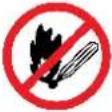 Flammable Material HazardFlammable liquids, gases, or substances etc may present.Avoid ignition sources and open flames. Danger of fire. Flammable Material HazardFlammable liquids, gases, or substances etc may present.Avoid ignition sources and open flames. Danger of fire. |  Read User ManualRead and fully understand product safety warnings, operation, procedures etc before using the product. Read User ManualRead and fully understand product safety warnings, operation, procedures etc before using the product. |  Use Hand ProtectionWear appropriate hand protection and take due care as the product or use of the product may present hand hazards. Use Hand ProtectionWear appropriate hand protection and take due care as the product or use of the product may present hand hazards. |  Lowest TumesCarbon-Monoxide HazardDo not use the product in confined areas or without adequate ventilation. Carbon-monoxide poisoning can be fatal. Lowest TumesCarbon-Monoxide HazardDo not use the product in confined areas or without adequate ventilation. Carbon-monoxide poisoning can be fatal. |
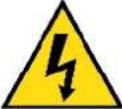 Electrocution / Electrical Shock HazardHigh voltage or high current electricity may be present or required by the product. Take due care when handling electrical products, cables, plugs and leads. Electrical shock can be fatal. Electrocution / Electrical Shock HazardHigh voltage or high current electricity may be present or required by the product. Take due care when handling electrical products, cables, plugs and leads. Electrical shock can be fatal. | 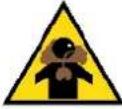 Toxic Fumes / Dust HazardUsing the product or by-products from use may produce fumes, smoke or particles that could be harmful if inhaled. Wear appropriate breathing protection and have adequate ventilation. Toxic Fumes / Dust HazardUsing the product or by-products from use may produce fumes, smoke or particles that could be harmful if inhaled. Wear appropriate breathing protection and have adequate ventilation. |  Explosive Material HazardCombustible liquids, gases, or substances etc may be present.Avoid ignition sources and open flames. Danger of explosion. Explosive Material HazardCombustible liquids, gases, or substances etc may be present.Avoid ignition sources and open flames. Danger of explosion. | 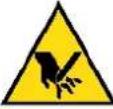 Cutting / Amputation HazardThe product may have blades, edges or mechanical devices that can cause severe cut injury to fingers, limbs etc. Take due care when handling and using the product. Cutting / Amputation HazardThe product may have blades, edges or mechanical devices that can cause severe cut injury to fingers, limbs etc. Take due care when handling and using the product. |
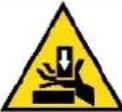 Crush HazardThe product may have blades, edges or mechanical devices that can cause severe crush injury to fingers, limbs etc. Take due care when handling and using the product. Crush HazardThe product may have blades, edges or mechanical devices that can cause severe crush injury to fingers, limbs etc. Take due care when handling and using the product. |  Single Operator OnlyThe product must be operated by a single person only. More than one person operating the product may introduce additional hazards. Single Operator OnlyThe product must be operated by a single person only. More than one person operating the product may introduce additional hazards. |  Use Face ProtectionWear appropriate full-face protection and take due care as the product or use of the product may present face and eye hazards. Use Face ProtectionWear appropriate full-face protection and take due care as the product or use of the product may present face and eye hazards. |  Use Foot ProtectionWear appropriate foot protection and take due care as the product or use of the product may present foot hazards. Use Foot ProtectionWear appropriate foot protection and take due care as the product or use of the product may present foot hazards. |
 Use Eye / Ear / Head ProtectionWear appropriate eye and / or ear and / or head protection and take due care as the product or use of the product may present eye, hearing, and head hazards. Use Eye / Ear / Head ProtectionWear appropriate eye and / or ear and / or head protection and take due care as the product or use of the product may present eye, hearing, and head hazards. |  Running HazardDo not run on or near the product as doing so may present a fall hazard. Running HazardDo not run on or near the product as doing so may present a fall hazard. |  Diving HazardDo not dive into the product as doing so may present a neck / head injury hazard. Diving HazardDo not dive into the product as doing so may present a neck / head injury hazard. |  Adult Supervision RequiredAlways supervise children and other users of a product to prevent drowning or injury. Adult Supervision RequiredAlways supervise children and other users of a product to prevent drowning or injury. |
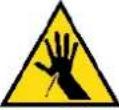 Skin Penetration / Puncture HazardThe product may produce pressure, emit liquids or objects that can cause severe injury to fingers, limbs, blood etc. Take due care when handling and using the product. Skin Penetration / Puncture HazardThe product may produce pressure, emit liquids or objects that can cause severe injury to fingers, limbs, blood etc. Take due care when handling and using the product. |  Hot Surface HazardBe aware that the product may produce high temperatures and hot surfaces that can cause burn injuries. Hot Surface HazardBe aware that the product may produce high temperatures and hot surfaces that can cause burn injuries. | 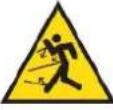 Flying Debris HazardBe aware that the product or use of the product may present hazards produced by flying debris. Wear appropriate clothing and protective devices. Flying Debris HazardBe aware that the product or use of the product may present hazards produced by flying debris. Wear appropriate clothing and protective devices. | 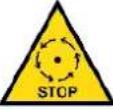 Moving Parts HazardBe aware that the product contains or uses mechanical devices that move or rotate. Always wait for moving parts to stop fully before handling the product, adjusting, maintenance etc. Moving Parts HazardBe aware that the product contains or uses mechanical devices that move or rotate. Always wait for moving parts to stop fully before handling the product, adjusting, maintenance etc. |
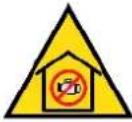 Carbon-Monoxide HazardDo not use the product in confined areas or without adequate ventilation. Carbon-monoxide poisoning can be fatal. Carbon-Monoxide HazardDo not use the product in confined areas or without adequate ventilation. Carbon-monoxide poisoning can be fatal. |  Pull HazardBe aware that the product contains or uses mechanical devices that can pull in objects and can cause severe injury to fingers, limbs etc. Take due care when handling and using the product. Pull HazardBe aware that the product contains or uses mechanical devices that can pull in objects and can cause severe injury to fingers, limbs etc. Take due care when handling and using the product. | 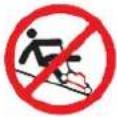 Slope / Fall Injury HazardBe aware that using the product on sloping surfaces or in slippery conditions may present additional dangers from falls and contact with blades, moving parts, hot surfaces etc. Slope / Fall Injury HazardBe aware that using the product on sloping surfaces or in slippery conditions may present additional dangers from falls and contact with blades, moving parts, hot surfaces etc. | 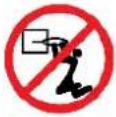 "Slam Dunk" WarningDo NOT attempt "slam dunk" manoeuvres as this may result in severe injury due to falling, product breakage or collapse etc. "Slam Dunk" WarningDo NOT attempt "slam dunk" manoeuvres as this may result in severe injury due to falling, product breakage or collapse etc. |
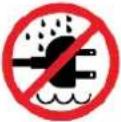 Electrocution / Electrical Shock Hazard - OutdoorHigh voltage or high current electricity may be present or required by the product. Do NOT use in rain, damp, or wet conditions. Electrical shock can be fatal. Electrocution / Electrical Shock Hazard - OutdoorHigh voltage or high current electricity may be present or required by the product. Do NOT use in rain, damp, or wet conditions. Electrical shock can be fatal. | 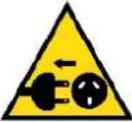 Electrocution / Electrical Shock Hazard - DisconnectHigh voltage or high current electricity may be present or required by the product. Always disconnect the product from the electrical supply before handling the product, adjusting, maintenance etc. Electrocution / Electrical Shock Hazard - DisconnectHigh voltage or high current electricity may be present or required by the product. Always disconnect the product from the electrical supply before handling the product, adjusting, maintenance etc. | 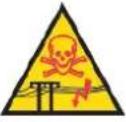 Power Line Electrocution HazardHigh voltage / high current power lines may be present. Use extreme caution to avoid contact or interference with power lines.Electrical shock can be fatal. Power Line Electrocution HazardHigh voltage / high current power lines may be present. Use extreme caution to avoid contact or interference with power lines.Electrical shock can be fatal. | 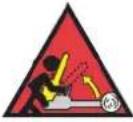 "Kick-Back" HazardHigh level of "kick-back" hazard that can cause the machine to suddenly rotate towards operator.Kick-back injury can be fatal. "Kick-Back" HazardHigh level of "kick-back" hazard that can cause the machine to suddenly rotate towards operator.Kick-back injury can be fatal. |
 Winch Operator Position HazardDo NOT stand between winch and load. Do NOT use winch to move people. Winch Operator Position HazardDo NOT stand between winch and load. Do NOT use winch to move people. |  Winch Lift HazardDo NOT LIFT load vertically. Use machine to PULL only. Winch Lift HazardDo NOT LIFT load vertically. Use machine to PULL only. | 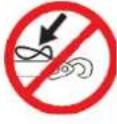 Cable HazardEnsure that load bearing cable is not kinked or knotted. Cable HazardEnsure that load bearing cable is not kinked or knotted. | KKYK]Winch Cable HazardEnsure that there is a minimum number of cable coils on winching mechanism. |
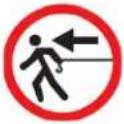 Winch Hook HazardCarry hook to load – do NOT throw or run. Winch Hook HazardCarry hook to load – do NOT throw or run. | 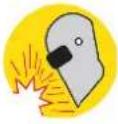 Flash / Blinding HazardWear appropriate eye protection for welding. Direct exposure to weld arcs may cause permanent eye injury. Flash / Blinding HazardWear appropriate eye protection for welding. Direct exposure to weld arcs may cause permanent eye injury. | 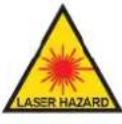 Laser HazardLaser may be in use – do NOT look directly at laser or allow others to. Laser HazardLaser may be in use – do NOT look directly at laser or allow others to. |
Table of Contents
Safety....2
Safety Symbols 5
Parts Identification....8
ICM-3SL 8
Spare Parts 9
ICM-3BK....10
Set-Up....11
Unpacking the Ice Maker....11
Connecting The Ice Maker 11
Clean Before First Use....11
Operation 12
Using the Ice Maker 12
ICM-3SL....12
ICM-3BK 12
Cleaning and Maintenance 14
Troubleshooting.... 15
ICM-3SL 15
ICM-3BK....16
Specifications.... 17
Parts Identification
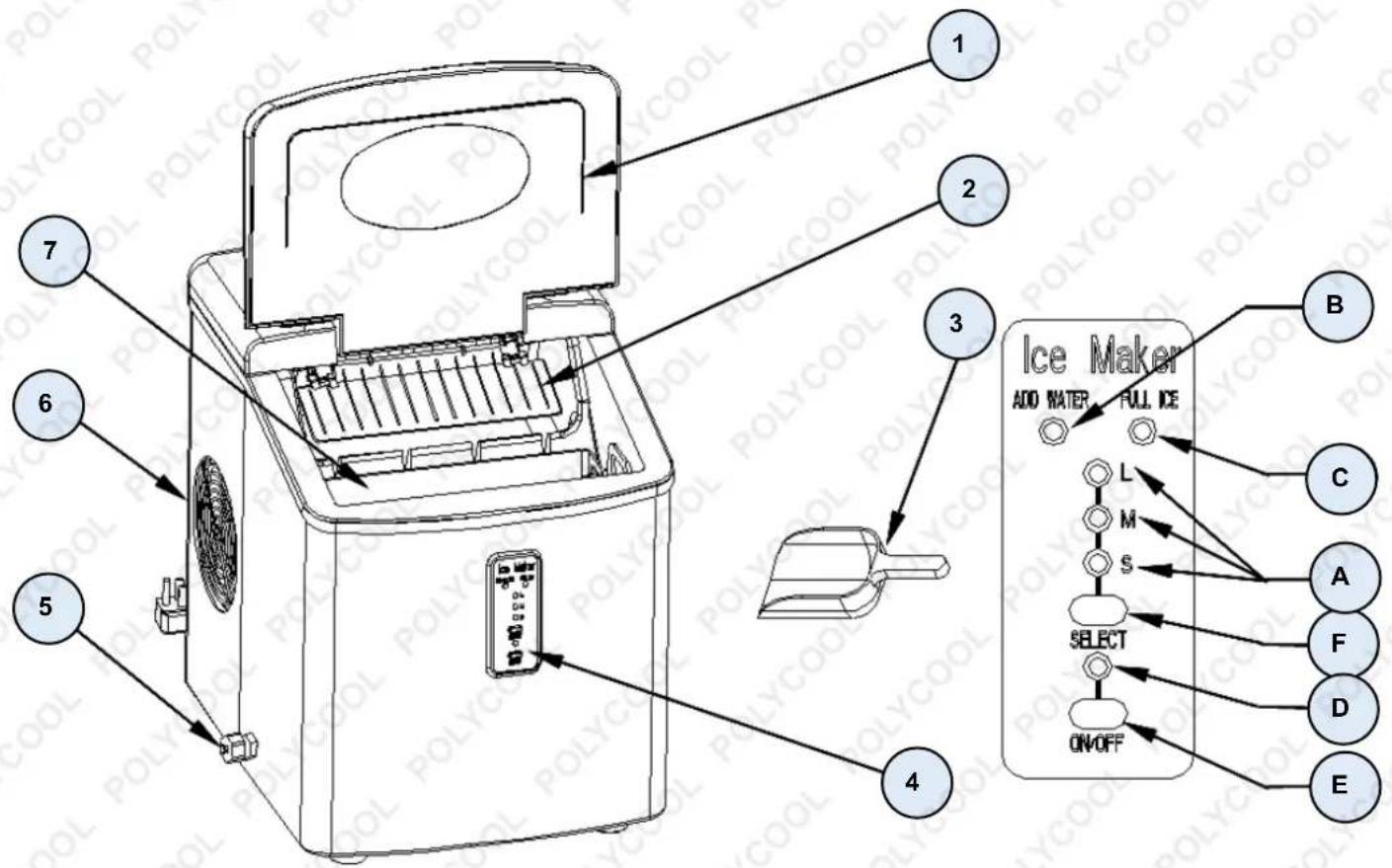
ICM-3SL
text_image
1 2 3 4 5 6 7 Ice Maker ADD WATER FULL ICE A B C L M S SELECT ON/OFF A F D E| No. | Name | No. | Name |
| 1 | Transparent cover A | Ice cube size selection:small, medium, and large | |
| 2 | Ice scooper | B | Water shortage indicator |
| 3 | Ice shovel | C | Ice full indicator |
| 4 | Control panel | D | Power indicator |
| 5 | Water drain cap | E | ON/OFF button |
| 6 | Air outlet | F | Select button for ice cubesize |
| 7 | Ice basket |
Spare Parts

Spare parts available for purchase, scan QR codes below:
QR Code SKU

text_image
QR code image containing encoded data, no visible human-readable text
natural_image
Exterior view of a modern ice cream maker with black and silver casing (no visible text or symbols)ICEMAKPLYA3SL
text_image
QR code image containing encoded data, no visible human-readable text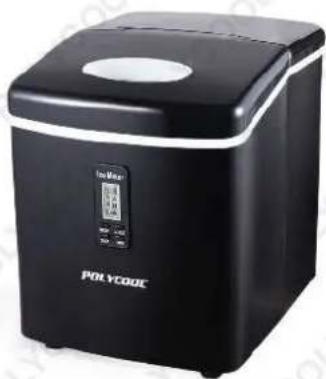
natural_image
Black POLYCOOL ice cream maker with digital display and control panel (no visible text or symbols on device body)ICEMAKPLYA3BK
ICM-3BK
text_image
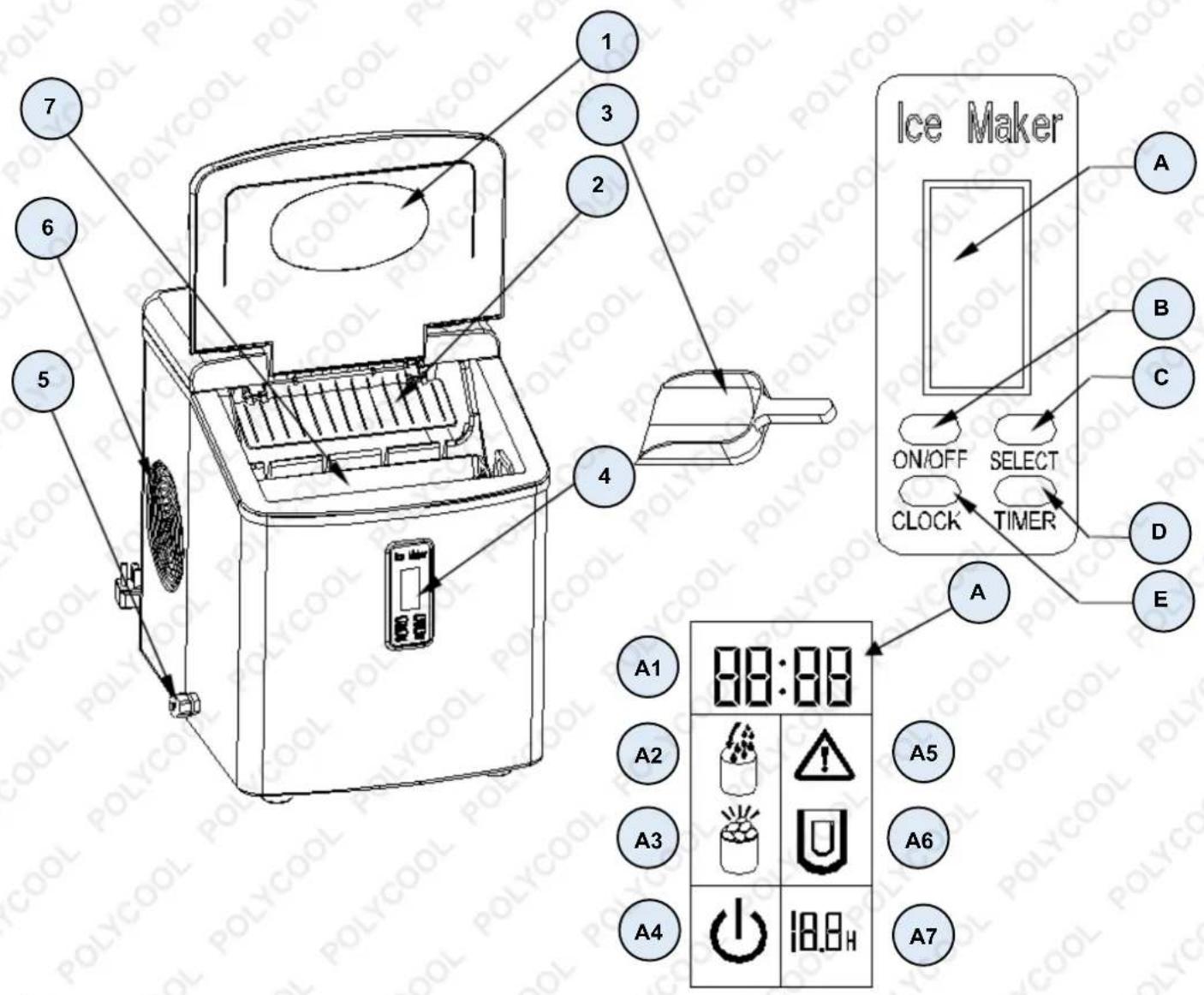
1 2 3 4 5 6 7 Ice Maker A B C D E ON/OFF SELECT CLOCK TIMER A1 88:88 A2 A3 A4 18.8H A5 A6 A7| No. | Name | No. | Name | No. | Name |
| 1 | Transparent cover | A | LCD display | A1 | Current clock time |
| 2 | Ice scooper | B | ON/OFF button | A2 | Water shortage indicator |
| 3 | Ice shovel | C | Select button for ice cube size | A3 | Ice full indicator |
| 4 | Control panel | D | Timer button to set or cancel the timer function | A4 | ON/OFF indicator |
| 5 | Water drain cap | E | Clock button to set the displayed time | A5 | Clean indicator: if it flashes, unit needs to be cleaned |
| 6 | Air exhaust | A6 | Ice cube size indicator: small, medium, and large | ||
| 7 | Ice basket | A7 | Timer delay time indicator |
Set-Up
Unpacking the Ice Maker
- Remove the exterior and interior packaging. Check if the ice basket and the ice scooper are inside. If any parts are missing, contact the manufacturer.
- Remove the tapes for securing the ice shovel, ice basket and ice scoop. Thoroughly clean the tank and ice basket.
- Put the ice maker on a level and flat surface away from direct sunlight and other heat sources (stoves, furnaces, radiators, etc.). Make sure that there are at least 4-inch gaps between the back and the LH/RH sides with the walls.
- Allow at least one hour for the refrigerant fluid to settle before plugging in the ice maker.
- The appliance must be properly positioned so that the plug is easily accessible.
WARNING! USE DRINKING WATER ONLY.
Connecting The Ice Maker
WARNING! IMPROPER USE OF THE GROUNDED PLUG CAN RESULT IN ELECTRICAL SHOCKS. IF THE POWER CORD IS DAMAGED, CONTACT A QUALIFIED ELECTRICIAN OR AN AUTHORISED SERVICE CENTRE.
- This unit should be properly grounded for your safety. The power cord of this appliance is equipped with a three-prong plug which connects to a standard three-prong wall outlet to minimize the possibility of electric shocks.
- Plug your appliance into an exclusive, properly installed, grounded wall outlet. Do not, under any circumstances, cut or remove the third (ground) prong from the power cord. Consult a qualified electrician for concerns regarding power and/or grounding.
- This appliance requires a standard 220-240Volt, 50Hz electrical outlet with good grounding means.
Clean Before First Use
Before using your ice maker, it is strongly recommended to clean it thoroughly.
- Take out the ice basket.
- Clean the interior with diluted detergent, warm water, and a soft cloth.
- Use water to rinse the interior parts and drain out the water by unplugging the drain cap at the front bottom side.
- The exterior of the ice maker should be cleaned regularly with a mild detergent solution and warm water.
- Dry the interior and exterior with a clean, soft cloth.
- When the machine will not be used for a long time, drain out the water completely and dry the interior.
Operation
Using the Ice Maker
ICM-3SL
- Open the cover, remove the ice basket, and pour water into tank. Keep water level below the water level mark.
- Press the ON/OFF button on the control panel to begin the ice making cycle.
- Select the ice cube size by pressing the SELECT button. If the room temperature is lower than 15^ C, it is recommended to select small ice cubes to avoid them sticking together.
- The ice making cycle lasts approximately 6 to 13 minutes, depending on the selection of the ice cube size and the room temperature. The recommended ice making room temperature is between 10 to 38°C.
- If the water pump can't pump water, the ice maker will stop automatically, and the ADD WATER indicator will light-up. Press the ON/OFF button and fill with water up to the maximum water level indicator and press the ON/OFF button to turn ON the unit again. Allow the refrigerant liquid inside the compressor at least 3 minutes to settle before restarting.
- The ice maker stops when the ice basket is full and the "ICE FULL" indicator will light-up.
- Change the water in the reservoir every 24 hours to ensure proper hygiene. Drain all the water and dry the tank if the ice maker won't be used for a while.
ICM-3BK
- Open the cover, remove the ice basket, and pour water into tank. Keep water level below the water level mark.
- Press the ON/OFF button on the control panel to turn ON the unit to begin the ice making cycle.
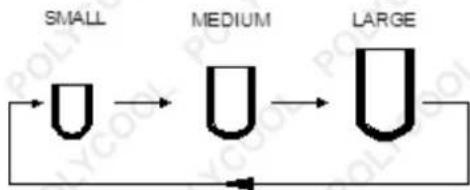
- Select the size of the ice cubes by pressing the SELECT button. Three sizes available: SMALL, MEDIUM, or LARGE can be selected.
flowchart
graph LR
    A["SMALL"] --> B["MEDIUM"]
    B --> C["LARGE"]
If the room temperature is lower than 15^ C, it is recommended to select either small or medium size to avoid the ice cubes from sticking together.
- The ice making cycle lasts 6 to 13 minutes, depending on the size selection for the ice cubes and the ambient temperature. Under extreme ambient temperatures, the ice-making time can vary.
- While the icemaker is turned ON, check the water level periodically. If the water pump can't pump water, the
ice maker will stop automatically, and the 📋 icon will flash in the LCD display window. Fill water up to the desired level indicator and press the ON/OFF button twice to turn ON the unit again. Allow the refrigerant liquid inside the compressor at least 3 minutes to settle before restarting.
-
The ice maker will automatically stop working when the ice basket is full and the icon will show in the LCD display widow.
-
Change the water in the reservoir every 24 hours to ensure proper hygiene. Drain all the water and dry the tank if the ice maker won't be used for a while.
Setting the Timer
• Timer Delay Time Range: 0.5-19.5 hours.
- Default Delay Time: 3 hours.
- When the unit is operating, you can set the unit with OFF-TIMER to let the unit stop running after you set the delay time.
- When the unit isn't operating, you can set the unit with ON-TIMER to let the unit start to run automatically after you set the delay time.
How to Set the Timer
- Press the TIMER button first, the default 3.0H delay time will flash in the LCD display window, then press the SELECT button to select your desired delay time.
- If you press the SELECT button once, the flashing delay time will increase to 0.5 hour, and if you press the SELECT button for more than 3 seconds, the delay time will change very quickly. Then after 5 seconds of flashing, the delay time digit will change from flashing to a solid display. This means that the timer program has been set.
How to Cancel the Timer
When the unit has been set with the timer or during the timer setting process, press the TIMER button. The delay time digit will disappear. This means that the timer set has been cancelled.
Clock Display and the Correct Time
This unit is supplied with a CLOCK display. If the displayed time is not correct, you can adjust it to the correct time through the CLOCK and SELECT button.
- Press the CLOCK button once, the hour digit will flash first, then you can press the SELECT button to change it.
- Pressing the CLOCK button again will increase the time to 1 hour.
- Press the CLOCK button again, the minute digit will start to flash.
- Press the SELECT button to change it.
- Press the CLOCK a third time to confirm it, and now it displays the correct time.
- During the adjusting process, the digit will automatically change from flashing to a solid display after 5 seconds of flashing. This also means that the new clock time has been set.

text_image
88:88 Clock Time 18.8HCleaning Reminder
When the ⚠️ icon flashes, this means that the unit needs to be cleaned. After you have cleaned the unit, press the TIMER button for 5 seconds or more, and this icon will disappear from the LCD display window. The cleaning timer will reset to zero and restart its countdown again.
Cleaning and Maintenance
NOTE: Before using your ice maker, it is strongly recommended to clean it thoroughly first.
- Take out the ice basket.
- Clean the interior with diluted detergent, warm water, and a soft cloth.
- Use water to rinse the interior parts and drain out the water by unplugging the drain cap at the front bottom side.
- The exterior of the ice maker should be cleaned regularly with a mild detergent solution and warm water.
- Dry the interior and exterior with a clean, soft cloth.
- When the machine will not be used for a long time, drain out the water completely and dry the interior.
Troubleshooting
ICM-3SL
| PROBLEM | POSSIBLE CAUSE | SOLUTION |
| ADD WATER indicator is ON. | Lack of water. | Stop the ice maker, fill with water, then press the ON/OFF button again to restart the unit. |
| ICE FULL indicator is ON. | Basket is fully filled with ice. | Remove the ice from the basket. Press the SELECT button for 5 seconds. The unit could make ice cubes for 10 cycles with the ICE FULL indicator turned ON. |
| Ice cubes stick together. | The ice making cycle is too long. | Stop the ice maker and restart it when the ice blocks have melted. Select the small size ice cube selection. |
| Water temperature in inner tank is too low. | Replace the water. Recommended water temperature: 8-32°C. | |
| Room temperature or water temperature in inner tank is too high. | The room temperature should be 5-40°C, water temperature should be 8-32°C. | |
| Ice making cycle is normal, but no ice is forming. | Refrigerant in cooling system is leaking. | Contact a qualified technician or an authorised service centre. |
| Pipe in the cooling system is blocked. | Contact a qualified technician or an authorised service centre. |
ICM-3BK
| PROBLEM | POSSIBLE CAUSE | SOLUTION |
 Icon is flashing[46HH]Icon is displayed on the LCD display window. Icon is flashing[46HH]Icon is displayed on the LCD display window. | Lack of water.Basket is fully filled with ice. | Stop the ice maker, fill with water, then press the ON/OFF button again to restart the unit.Remove the ice from ice basket. |
| Ice cubes stick together. | The ice making cycle is too long. | Stop the ice maker and restart it when the ice blocks have melted. Select the small size ice cube selection. |
| Water temperature in inner tank is too low. | Replace the water. Recommended water temperature: 8-32°C. | |
| Ice making cycle is normal, but no ice is forming. | Room temperature or water temperature in inner tank is too high.Refrigerant in cooling system is leaking. | Please run the ice maker below 32°C and use cooler water into the water tank.Contact a qualified technician or an authorised service centre. |
| Pipe in the cooling system is blocked. | Contact a qualified technician or an authorised service centre. |
Specifications
Ice Shape Bullet
Ice Sizes 3
Water Tank Volume 3.2L
Refrigerant R600a/38g
Production Capacity 15kg/24hrs*
Production Cycle 6-12 Minutes*
Ice Storage Capacity 1kg
Cable Length 2m
Power 120W
Noise Level 43dB
Plug SAA
*Output dependant on ambient temperature

Some experts believe that the incorrect or prolonged use of almost any product may cause serious injury or death. To help reduce your risk of serious injury or death, refer to the information below. For more information, see www.datastreamserver.com/safety
- Consult all documentation, packaging, and product labelling before use. Note that some products feature documentation available online. It is recommended to print and retain the documentation.
■ Before each use, check the product for loose/broken/damaged/missing parts, wear, or leaks (if applicable). Never use a product with loose/broken/damaged/missing parts, wear, or leaks.
■ Products must be inspected and serviced (if applicable) by a qualified technician every 6 months. This is based on average residential use by persons of average size and strength, and on a property of average metropolitan size. Use beyond these recommendations may require more frequent inspections/servicing.
■ Ensure that all users of the product have completed a suitable industry recognised training course before being allowed access to the product.
The product has been supplied by a general merchandise retailer that may not be familiar with your specific application or description of application. Be sure to attain third-party approval from a qualified specialist for your application before use, regardless of any assurances from the retailer or its representatives.
This product is not intended for use where fail-safe operation is required. As with any product (for example, automobile, computer, toaster), there is the possibility of technical issues that may require the repair or replacement of parts, or the product itself. If the possibility of such failure and the associated time it may take to rectify could in any way inconvenience the user, business, or employee, or financially affect the user, business, or employee, then the product is not suitable for your requirements. This product is not intended for use where incorrect operation or a failure of any kind, including but not limited to, a condition requiring product return, replacement, parts replacement, or service by a technician may cause financial loss, loss of employee time or an inconvenience requiring compensation.
If this product has been purchased in error when considering the information presented here, contact the retailer directly for details of their returns policy, if required.