SCA2000FWW - Microwaves GE - Free user manual and instructions
Find the device manual for free SCA2000FWW GE in PDF.


User questions about SCA2000FWW GE
0 question about this device. Answer the ones you know or ask your own.
Ask a new question about this device
Download the instructions for your Microwaves in PDF format for free! Find your manual SCA2000FWW - GE and take your electronic device back in hand. On this page are published all the documents necessary for the use of your device. SCA2000FWW by GE.
USER MANUAL SCA2000FWW GE
Cooking controls....12
Oven features....11
What is Advantium? .....8
Safety 2-7
Speedcooking
Cooking tips....14
Custom speedcook recipes .....17, 18
Manual speedcook ....16
Power level....15
Repeat last....14
Resume feature....14
Speedcook cookware....16
Speedcook menu guide .....10
Speedcook-safe cookware .....5
Things that are normal....19
Using a pre-set speedcook menu ....13
Microwaving
Cooking tips....21
Custom microwave recipes .....22, 23
Defrost (auto)....24
Defrost (time) .....24
Defrosting tips .....25
Micro Express 21
Microwave power levels .....21
Microwave-safe cookware .....6
Precautions to avoid possible exposure to excessive
microwave energy .....2
Sensor cooking .....26, 27
Things that are normal .....28
Time cook 21
Using pre-set microwave selections . .20
Write the model and serial numbers here:
Model #
Serial # ____
Find these numbers on a label inside the oven.
Other Features
Auto night light 29
Child lockout ....31
Clock....9,29
Delay start .....32
Display ON/OFF .....29
Help 30
Reminder....32
Review 29
Scroll speed 29
Surface light 31
Timer 31
Vent fan ....31
Care and Cleaning
Cleaning the inside....33, 34
Cleaning the outside .....35
Filters 36, 37
Lamp covers ....34
Optional accessories .....37
Replacing lights 36
Troubleshooting
Problem Solver ....38, 39
Customer Service
Service phone numbers ....Back Cover
Warranty....43
Owner's Manual
SCA2000
SCA2001
PRECAUTIONS TO AVOID POSSIBLE EXPOSURE TO EXCESSIVE MICROWAVE ENERGY
(a) Do Not Attempt to operate this oven with the door open since open-door operation can result in harmful exposure to microwave energy. It is important not to defeat or tamper with the safety interlocks.
(b) Do Not Place any object between the oven front face and the door or allow soil or cleaner residue to accumulate on sealing surfaces.
(c) Do Not Operate the oven if it is damaged. It is particularly important that the oven door close properly and that there is no damage to the:
(1) door (bent),
(2) hinges and latches (broken or loosened),
(3) door seals and sealing surfaces.
(d) The Oven Should Not be adjusted or repaired by anyone except properly qualified service personnel.
▲ WARNING!
To reduce the risk of burns, electric shock, fire, injury to persons, or exposure to excessive microwave energy:
SAFETY PRECAUTIONS
- Read all instructions before using this appliance. When using electrical appliances, basic safety precautions should be followed, including the following:
- Read and follow the specific precautions in the PRECAUTIONS TO AVOID POSSIBLE EXPOSURE TO EXCESSIVE MICROWAVE ENERGY section on page 2.
■ Be sure your appliance is properly installed and grounded by a qualified technician in accordance with the provided installation instructions.
■ Install or locate this appliance only in accordance with the provided installation instructions.
■ Some products such as whole eggs and sealed containers—for example, closed jars—are able to explode and should not be heated in this oven. Such use of the oven could result in injury.
■ Do not store anything directly on top of the microwave oven surface when the microwave oven is in operation.
■ Do not mount this appliance over a sink.
■ This oven is not approved or tested for marine use.
■ This oven is UL listed for installation over electric and gas ranges.
This oven was designed for use over ranges no wider than 36."It may be installed over both gas and electric cooking equipment.
■ Do not operate this appliance if it has a damaged power cord or plug, if it is not working properly, or if it has been damaged or dropped.
■ As with any appliance, close supervision is necessary when used by children.
■ Use this appliance only for its intended use as described in this manual.
■ Do not use corrosive chemicals or vapors in this appliance.
■ This oven is specifically designed to heat, dry or cook food, and is not intended for laboratory or industrial use.
■ This appliance must only be serviced by qualified service personnel. Contact nearest authorized service facility for examination, repair or adjustment.
■ Do not cover or block any openings on the appliance.
■ Do not store this appliance outdoors. Do not use this product near water—for example, in a wet basement, near a swimming pool, near a sink or in similar locations.
- Keep power cord away from heated surfaces.
■ Do not immerse power cord or plug in water.
■ It is important to keep the area clean where the door seals against the microwave. Use only mild, non-abrasive detergents applied with a clean sponge or soft cloth. Rinse well.
■ To reduce the risk of fire in the oven cavity:
—Do not overcook food. Carefully attend appliance when paper, plastic or other combustible materials are placed inside the oven while cooking.
—Remove wire twist-ties and metal handles from paper or plastic containers before placing them in the oven.
—Do not use the oven for storage purposes. Do not leave paper products, cooking utensils or food in the oven when not in use.
—If materials inside the oven ignite, keep the oven door closed, turn the oven off and disconnect the power cord, or shut off power at the fuse or circuit breaker panel. If the door is opened, the fire may spread.
—Do not use the Sensor Features twice in succession on the same food portion. If food is undercooked after the first countdown, use TIME COOK for additional cooking time.
▲ WARNING!
SAFETY PRECAUTIONS
■ Do not operate the oven without the oven rack (turntable) in place. The oven rack (turntable) must be unrestricted so it can turn.
■ During and after use, do not touch, or let clothing or other flammable materials contact any interior area of the oven; allow sufficient time for cooling first.
■ Do not store anything directly on top of the oven surface when the oven is in operation.
■ Cook meat and poultry thoroughly—meat to at least an INTERNAL temperature of 160^ F, and poultry to at least an INTERNAL temperature of 180^ F. Cooking to these temperatures usually protects against foodborne illness.
- Keep the oven free from grease buildup.
■ Potentially hot surfaces include the oven door, floor, walls and oven rack (turntable).
ARCING
Arcing can occur during both speedcooking and microwave cooking. If you see arcing, press the CLEAR/OFF pad and correct the problem.
Arcing is the microwave term for sparks in the oven. Arcing is caused by:
■ Metal or foil touching the side of the oven.
■ Foil not molded to food (upturned edges act like antennas).
■ Metal cookware used during either speedcook or microwave cooking (except for the pans provided with the oven).
■ Metal, such as twist-ties, poultry pins, or gold-rimmed dishes, in the oven.
■ Recycled paper towels containing small metal pieces being used in the oven.
■ Use foil only as recommended in this guide.
THE VENT FAN
■ The fan will operate automatically under certain conditions (see the Automatic Fan section). Take care to prevent the starting and spreading of accidental cooking fires while the vent fan is in use.
■ Clean the underside of the oven often. Do not allow grease to build up on the oven or the fan filters.
In the event of a grease fire on the surface units below the oven, smother a flaming pan on the surface unit by covering the pan completely with a lid, a cookie sheet or a flat tray.
■ Use care when cleaning the vent fan filters. Corrosive cleaning agents, such as lye-based oven cleaners, may damage the filters.
■ When preparing flaming foods under the oven, turn the vent fan on.
■ Never leave surface units beneath your oven unattended at high heat settings. Boilovers cause smoking and greasy spillovers that may ignite and spread if the oven vent fan is operating. To minimize automatic fan operation, use adequate sized cookware and use high heat on surface units only when necessary.
▲ WARNING!
FOODS
■ When microwaving, place all foods and containers on the white ceramic tray.
■ Do not pop popcorn in your oven unless in a special microwave popcorn accessory or unless you use popcorn labeled for use in microwave ovens.
■ Do not boil eggs in this oven. Pressure will build up inside egg yolk and will cause it to burst, possibly resulting in injury.
■ Do not operate the oven without food inside. This may cause damage to the oven. It increases the heat around the magnetron and can shorten the life of the oven.
- Foods with unbroken outer “skin” such as potatoes, hot dogs, sausages, tomatoes, apples, chicken livers and other giblets, and egg yolks should be pierced to allow steam to escape during cooking.
SUPERHEATED WATER
Liquids, such as water, coffee or tea, are able to be overheated beyond the boiling point without appearing to be boiling. Visible bubbling or boiling when the container is removed from the microwave oven is not always present. THIS COULD RESULT IN VERY HOT LIQUIDS SUDDENLY BOILING OVER WHEN THE CONTAINER IS DISTURBED OR A SPOON OR OTHER UTENSIL IS INSERTED INTO THE LIQUID.
To reduce the risk of injury to persons:
— Do not overheat the liquid.
— Stir the liquid both before and halfway through heating it.
— Do not use straight-sided containers with narrow necks.
— After heating, allow the container to stand in the microwave oven for a short time before removing the container.
— Use extreme care when inserting a spoon or other utensil into the container.
Speedcook oven-safe cookware

The oven rack (turntable) must always be in place when using the oven.

Put food directly on the black metal flat tray to speedcook.
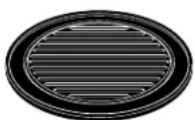
Put food directly on the black metal grill tray to speedcook foods you would normally cook on the grill.
■ The oven and door will get very hot when speedcooking.
■ Cookware will become hot because of heat transferred from the heated food. Oven mitts will be needed to handle the cookware.
■ Do not use coverings, containers or cooking/roasting bags made of foil, plastic, wax or paper when speedcooking.
■ Do not cover the oven rack (turntable), trays or any part of the oven with metal foil. This will cause arcing in the oven.
■ Use the black metal flat tray in the same way you would use a shallow baking pan or baking tray.
■ Use the black grill tray for cooking steaks, fish and poultry.
■ Place food directly on the trays when cooking.
■ Any oven-safe dish can be used in your oven. Recipes in the Advantium Cookbook were tested in Pyrex® and Anchor Hocking® glass cookware and Corningware® ceramic casseroles. Cooktimes and results may vary when using other types of oven-safe dishes. Place them directly on the oven rack (turntable).
■ Do not use the oven to dry newspapers.
■ Use of the white ceramic tray when speedcooking will result in inferior cooking performance.
▲ WARNING!
Microwave-safe cookware
Make sure to use suitable cookware during microwave cooking. Most glass casseroles, cooking dishes, measuring cups, custard cups, pottery or china dinnerware which does not have metallic trim or glaze with a metallic sheen can be used. Some cookware is labeled “suitable for microwaving.”

The oven rack (turntable) must always be in place when using the oven.
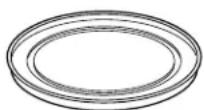
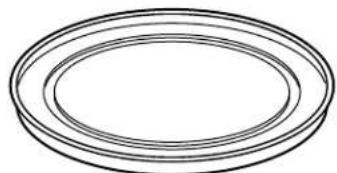
The white ceramic tray should always be in place when microwaving.
■ Place food or microwavable container directly on the white ceramic tray to cook your food.
■ Use of either black metal tray during microwave cooking will result in inferior cooking performance.
If you are not sure if a dish is microwave-safe, use this test: Place in the oven both the dish you are testing and a glass
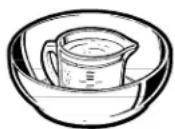
How to test for a microwave-safe dish.
measuring cup filled with 1 cup of water—set the measuring cup either in or next to the dish. Microwave 30–45 seconds at high. If the dish heats, it should not be used for microwaving.
If the dish remains cool and only the water in the cup heats, then the dish is microwave-safe.
■ Cookware may become hot because of heat transferred from the heated food. Oven mitts may be needed to handle the cookware.
■ Do not use recycled paper products. Recycled paper towels, napkins and waxed paper can contain metal flecks which may cause arcing or ignite. Paper products containing nylon or nylon filaments should be avoided, as they may also ignite.
■ Use foil only as directed in this guide. When using foil in the oven, keep the foil at least 1" away from the sides of the oven.
■ Do not use the oven to dry newspapers.
■ If you use a meat thermometer while cooking, make sure it is safe for use in microwave ovens.
■ Some styrofoam trays (like those that meat is packaged on) have a thin strip of metal embedded in the bottom. When microwaved, the metal can burn the floor of the oven or ignite a paper towel.
■ Paper towels, waxed paper and plastic wrap can be used to cover dishes in order to retain moisture and prevent spattering. Be sure to vent plastic wrap so steam can escape.
■ Not all plastic wrap is suitable for use in microwave ovens. Check the package for proper use.
■ “Boilable” cooking pouches and tightly closed plastic bags should be slit, pierced or vented as directed by package. If they are not, plastic could burst during or immediately after cooking, possibly resulting in injury. Also, plastic storage containers should be at least partially uncovered because they form a tight seal. When cooking with containers tightly covered with plastic wrap, remove covering carefully and direct steam away from hands and face.
■ Plastic cookware—Plastic cookware designed for microwave cooking is very useful, but should be used carefully. Even microwave-safe plastic may not be as tolerant of overcooking conditions as are glass or ceramic materials and may soften or char if subjected to short periods of overcooking. In longer exposures to overcooking, the food and cookware could ignite.
Follow these guidelines:
- Use microwave-safe plastics only and use them in strict compliance with the cookware manufacturer's recommendations.
- Do not microwave empty containers.
- Do not permit children to use plastic cookware without complete supervision.
▲ WARNING!
SAFETY PRECAUTIONS
- Don’t defrost frozen beverages in narrow-necked bottles (especially carbonated beverages). Even if the container is open, pressure can build up. This can cause the container to burst, possibly resulting in injury.
■ Foods cooked in liquids (such as pasta) may tend to boil more rapidly than foods containing less moisture. Should this occur, refer to the Care and Cleaning of the oven section for instructions on how to clean the inside of the oven.
■ Hot foods and steam can cause burns. Be careful when opening any containers of hot food, including popcorn bags, cooking pouches and boxes. To prevent possible injury, direct steam away from hands and face.
■ Do not overcook potatoes. They could dehydrate and catch fire, causing damage to your oven.
■ Avoid heating baby food in glass jars, even with the lid off. Make sure all infant food is thoroughly cooked. Stir food to distribute the heat evenly. Be careful to prevent scalding when warming formula. The container may feel cooler than the formula really is. Always test the formula before feeding the baby.
■ Do not attempt to deep fry in the oven.
Notice—Pacemakers
■ Most pacemakers are shielded from interference from electronic products, including microwaves. However, patients with pacemakers may wish to consult their physicians if they have concerns.
SAVE THESE INSTRUCTIONS
Getting to know Advantium
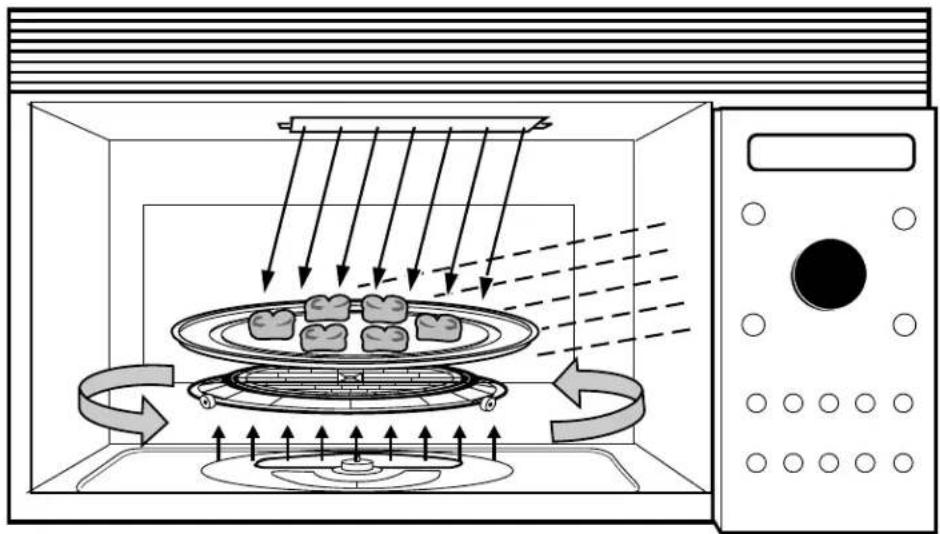
The new Advantium oven uses breakthrough Speedcook technology to harness the power of light. The Advantium oven cooks the outside of foods much like conventional radiant heat, while also penetrating
the surface so the inside cooks simultaneously. While halogen light is the primary source of power, a “microwave boost” is added with certain foods. Foods cook evenly and fast, retaining their natural moisture.
natural_image
Diagram of a microwave oven with a tray holding four small food items, showing airflow and cooling process (no text or symbols)Turntable
■ The oven rack (turntable) rotates to ensure even cooking.
Controls
■ The oven control contains preset recipes.
■ Turn and press dial makes menu selection easy.
Halogen Lamps
■ Two 1500 watt halogen bulbs cook food from above.
■ One 1500 watt halogen bulb cooks food from below.
Microwave
■ A microwave “boost” is automatically added with certain foods.
■ The oven can also be used as a 950 watt microwave oven.
Vent
■ The oven and vent fan emit air from the upper grill area.
Set the clock

When you first plug in the oven or after a power outage:
- Turn the selector dial to set the hour. Press the dial to enter.
- Turn the dial to set the minute. Press the dial to enter.
- Turn the dial to select AM or PM. Press the dial to enter.
To change the time:
- Press the OPTIONS button.
- Turn the dial to CLOCK. Press the dial to enter and follow the display directions to set.
Begin speedcooking
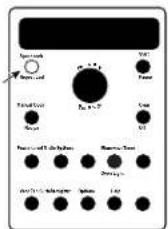
Step 1: Press the SPEEDCOOK button.
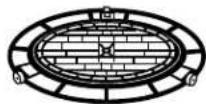
The oven rack (turntable) must always be in place when using the oven.

Step 2: Turn the dial to select the type of food category you want. Press the dial to enter it.

Put food directly on the black metal tray to speedcook.
Step 3: Turn the dial to select the specific food. Press the dial to enter it.

As a great option, put food directly on the black metal grill tray to speedcook foods you would normally cook on the grill.
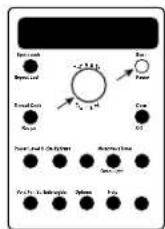
Step 4: Turn the dial to select the amount, size, and/or doneness (if required, the oven will prompt you). Press the dial after each selection.
Step 5: Once the display shows ADJUST TIME OR START, either press the dial or start button to start cooking.
■ Press CLEAR/OFF at any time to stop cooking.
Microwaving with Micro Express
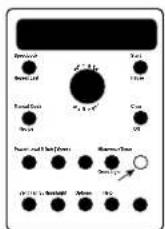
Press MICRO EXPRESS repeatedly for 30 second increments of microwave cooking time.
The oven starts immediately.

The oven rack (turntable) must always be in place when using the oven.

The white ceramic tray should always be in place when microwaving.
Speedcook Oven
Display prompts
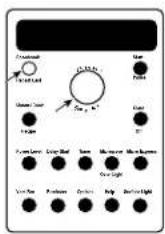
text_image
Cronbach 10.50 Use Falls Upper Level Over Light Over Light Clean Clean Clean Level Clean Level Clean Clean Clean Clean Clean Clean Clean Clean Clean Clean Clean Clean Clean Clean Clean Clean Clean Clean Clean Clean Clean Clean Clean Clean Clean Clean Clean Clean Clean Clean Clean Clean Clean Clean Clean Clean Clean Clean Clean Clean Clean Clean Clean Clean Clean Clean Clean Clean Clean Clean CrownAfter pressing the SPEEDCOOK button, the oven will prompt you to make several selections, such as the example below.
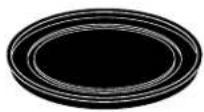
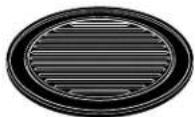
NOTE: When speedcooking, use black trays.
- Turn the dial until CHICKEN appears. Press the dial to enter.
-
Turn the dial until BONELESS BREASTS appears. Press the dial to enter.
-
Turn the dial to Select SIZE: Small (3–4 oz) Large (5+ oz) Press the dial to enter.
-
Turn the dial to Select amount: 1–2 pieces 3–4 pieces Press the dial to enter.
- Use ROUND METAL TRAY is displayed.
Pre-set speedcook menu selections
■ After a cooking cycle has been completed, use the Resume feature to cook for additional time.
■ To review settings during cooking, press the selector dial.
| Food Category Menu Selection | Food Category Menu Selection | ||
| Appetizers Bagel Bitesand Snacks Cheese Sticks, FrozJalapeno PoppersMini Egg Rolls, FrozMini Nachos, FrozOnion Rings, FrozenOther Bile SizePizza Rolls, Froz | Desserts Churros, FrozenCookie Dough, FrozCookie Dough, RefrPie Crust, RefrTurnovers, FrozenTurnovers, Refr | ||
| Fish and Seafood Breaded Fish, FrozenFish Sticks, FrozenSalmon SteaksShellfishSwordfish SteaksTuna SteaksWhitefish Fillets | |||
| Breads Biscuits, Refrig.Biscuits, BlueberryBreadsticks, RefCheese Loaf, FrozenCornbread Sticks, RefCrescent RollsFrench Bread, RefGarlic/Cheese BreadLoaf, RefrigTexas Toast | Meats Filet MignonHamburgerLamb ChopsPork ChopsSteaks-RibeyeSteaks-SirloinSteaks-StripSteaks-T-bone | ||
| Breakfast Belgian WafflesBreakfast BurritosBreakfast PizzaCinnamon Rolls, RefrFrench Toast, FrozPancakes, FrozenSausage LinksSausage PattiesStrudels, FrozWaffles, FrozWaffle Sticks, Froz | PizzaDeli/FreshPizza Shell, FilledReg. Crust, FrozenRising Crust, Frozen | ||
| PotatoesBaked PotatoesFrozen French FriesFrozen Tater Tots | |||
| Chicken Bone-In PiecesBoneless BreastsFingers, FrozenFried Chicken, FrozNuggels, FrozenPallies, FrozenTenders, FrozenWhole ChickenWings, Frozen | RecipePersonal RecipesSandwichesBurritos, FrozenCorn Dogs, FrozenCres Roll/Hot DogsGrilled SandwichesPocket Sandwiches |
Oven features
Throughout this manual, features and appearance may vary from your model.
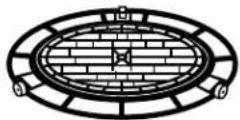
1
2
3
4

text_image
Labeled diagram of a microwave oven showing internal components and parts numbered 5 to 121 Oven Rack (Turntable)
The oven rack (turntable) must always be in place, on the oven floor, for all cooking. Be sure the oven rack (turntable) is seated securely over the square spindle in the center of the oven.
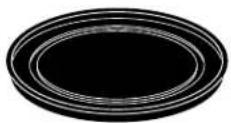
2 Black Metal Tray/Baking Sheet
Put food directly on the black metal tray and place on the oven rack (turntable) when using the speedcook features.
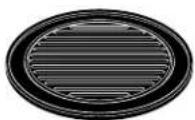
3 Black Metal Grill Tray/Baking Sheet
Put food directly on the black metal grill tray and place on the oven rack (turntable) when speedcooking foods you would normally cook on the grill.
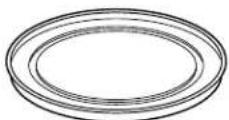
4 White Ceramic Tray
Place on the oven rack (turntable) when using the microwave features. Place food or microwave-safe cookware directly on the tray.
5 Upper Halogen Lamps
Operate when using speedcook.
Window
Allows cooking to be viewed while keeping microwaves confined in the oven.
Door Handle
Pull to open the door. The door must be securely latched for the oven to operate.
8 Door Latches
Vent Fan
Press the VENT FAN button to remove steam and other vapors from surface cooking.
10 Lower Halogen Lamp
Operates when using speedcook.
11 Cooktop Light
Press the SURFACE LIGHT button to turn the cooktop light on and off.
12 Control Panel
The buttons used to operate the oven are located on the control panel.
Cooking controls
With your Advantium oven, you can cook with high-intensity halogen lights and/or conventional microwave energy.
SPEEDCOOK/REPEAT LAST
Press this button to access the pre-set speedcook menu. Press and hold for 3 seconds to repeat the last cooking selection.
MANUAL COOK/RECIPE
Press this button to set your own speedcook program.
SELECTOR DIAL-Turn to select, Press to enter First turn then press the dial to make food selections. Also use the dial to increase (turn clockwise) or decrease (turn counterclockwise) cooking times.
START/PAUSE
Press this button to start or pause any cooking function.
CLEAR/OFF
Press this button to cancel ALL oven programs except the clock, timer and reminder.
POWER LEVEL
Press this button and turn/press the selector dial to change the speedcook upper lamps, lower lamp and microwave power level before and during cooking.
DELAY START
Press this button to set the oven to start automatically at a time you set.
TIMER
Press this button to set the minute timer.
Press this button to operate the microwave. Press while microwave cooking to light the oven cavity. The light will come on for several seconds.
MICRO EXPRESS
Press for 30 seconds of microwave cooking time. Each time the button is pressed adds an additional 30 seconds to the remaining cooking time. The oven starts immediately.

text_image
YOUR FOOD IS READY Speedcook Repeat Last Manual Cook Recipe Start Pause Turn To Select Press to Enter Clear Off Selector Dial Power Level Micro-Spray MicrowaveTimer Oven Light Vent Fan Surface Retringer Options HelpVENT FAN
Press this button to remove steam and other vapors from surface cooking.
REMINDER
Can be used like an alarm clock and can be used at any time, even when the oven is operating. It can be set to beep at a certain time, up to 24 hours later.
OPTIONS
Press this button to set the Clock and access the Auto Night Light, Beeper Volume, Clock Display ON/OFF, Display Scroll Speed features.
HELP
Press this button to find out more about your oven's features.
SURFACE LIGHT
Press this button to turn the cooktop light on and off.
Using speedcook features
CAUTION: When using speedcook programs, remember that the oven, door and dishes will be very hot!
Prior to the first use of your oven, the clock must be set. See the Advantium Quick Start section.
Before you begin, make sure the oven rack (turntable) is in place. Use the black metal tray (baking sheet), the black grill tray (baking sheet) or your own glass or ceramic cookware.

The oven rack (turntable) must always be in place when using the oven.

Put food directly on the black metal flat tray to speedcook.
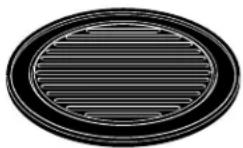
Put food directly on the black metal grill tray to speedcook foods you would normally cook on the grill.
SPEEDCOOK PRE-SET FOOD SELECTIONS:
■ Appetizers & Snacks
Chicken
■ Meats
■ Recipe
Breads
Desserts
Pizza
Sandwiches
■ Breakfast
■ Fish & Seafood
Potatoes
To use a pre-set speedcook menu

Advantium is already pre-set to cook over 100 popular dishes.
-
Press the speedcook button. If no selection is made within 15 seconds, the display will rev back to the time of day.
-
Turn the selector dial to select the type of food category you want. Press the dial to enter.
-
Turn the selector dial to select the specific food (menu selection). Press the dial to enter.
-
Turn the selector dial to select amount, size, and/or doneness (if required, the oven will prompt you.) Press the dial after each selection.
-
Once the display shows: ADJUST TIME OR START either press start or the selector dial to start cooking.
Turn the food over when the oven signals TURN FOOD OVER (for certain foods).
When the oven signals CHECK for DONENESS, check to see if your food is done to your liking (for certain foods).
To review settings during cooking, press the selector dial.
If you enter an undesired selection at any time, simply press the CLEAR/OFF button and re-enter the desired selections.
■ Early in a speedcook program, you will see OPTIMIZING COOK TIME in the display. The oven automatically senses the electrical voltage level in your home and adjusts the cooking time up or down for proper cooking.
If the door is opened during cooking, the oven will stop and PAUSE will appear in the display. Close the door and press the START/PAUSE button to resume cooking.
■ At anytime during cooking you can turn the selector dial to change the
cooking time. You can change power levels by pressing POWER LEVEL.
■ To assure consistent cooking results, the oven may adjust power levels downward if the oven is hot at the beginning of a program.
■ At the end of cooking, the automatic fan will continue to run for a short time to cool internal components.
■ To cook for additional time after a cooking cycle has been completed, use the resume feature.
Cooking tips for great lasting results
To ensure consistent and even browning when cooking foods directly on the black metal tray, arrange food as shown below.
Foods can touch but should not overlap.

natural_image
Illustration of a tray with eight circular objects, no text or symbols presentCircular pattern (Example: biscuits, cookies)

natural_image
Black and white illustration of a circular film reel with four star-shaped cutouts on its surface (no text or symbols)Circular pattern (Example: biscuits, cookies, meats)

natural_image
Black and white illustration of a sliced shrimp on a circular plate (no text or symbols)Spoke pattern (Example: crescent rolls, breadsticks)

natural_image
Black and white illustration of a tray with scattered small objects, no text or symbols present.Single layer (Example: appetizers)
Fresh meat, chicken, fish or seafood that has been frozen should be thawed before cooking (the microwave defrost feature can be used). For other frozen prepackaged foods, follow package directions.
Repeat last

Use this time saving feature for cooking repetitive items like cookies or appetizers.
-
Press and hold the SPEEDCOOK/REPEAT LAST button for about 3 seconds.
-
The last pre-set food will be displayed.
NOTE: The last program used is stored for two hours.
- Press the START/PAUSE button or the selector dial to start cooking.
Resume feature

-
If your food needs to cook a bit longer, you can restart the oven by pressing the START button or selector dial.
-
RESUME COOKING will be displayed and the oven will restart immediately at 10% of the original time.
The program stays in memory for 10 minutes. After that you will need to begin the program again. See To use a pre-set speedcook menu.
Speedcook power level

Advantium uses power from high intensity halogen lights and microwaves to cook food from the top, bottom and interior simultaneously to seal in moisture and flavor.
When using the pre-set menu foods, the power levels are already selected for you. However, power levels can be adjusted when cooking both pre-set menu foods and manual cooking.
Each power level gives you halogen lamp power and microwave energy for a certain percentage of the time.
U=07 Upper halogen lamp on 70% of the time.
L=07 Lower halogen lamp on 70% of the time.
M=05 Microwave on 50% of the time.
NOTE: Be careful when adjusting power levels so that you do not over- or under-cook your food.
- Press the SPEEDCOOK button and select your food (follow instructions from To use a pre-set speedcook menu).
- When display shows ADJUST TIME or START, press the POWER LEVEL button.
- Turn the dial clockwise to increase or counterclockwise to decrease the upper power level. Press the dial to enter.
- Turn the dial to change the lower power level. Press the dial to enter.
- Turn the dial to change the microwave power level. Press the dial to enter.
- Press the START/PAUSE button or the selector dial to start cooking.
If you do not want to change one of the settings, just press the dial to move to the next selection.
Follow these general guidelines when selecting the best U=, L=, M= settings for your favorite recipes:
U = Select a higher setting for thin foods requiring a golden brown top (example: fish fillets, toast, boneless chicken breasts). Select a lower setting for thicker foods and foods with high sugar or fat content (example: cakes, roasts).
L = Select a higher setting for thick or dense foods that may not cook quickly in the center (example: casseroles). Select a lower setting for thin foods (example: cookies) and foods containing high fat or sugar content (example: pastry, cakes).
M = Select a higher setting to shorten cooking time for dense or heavy foods (example: casseroles, whole chicken). Select a lower setting for delicate foods (example: cakes, breads, souffles) or foods requiring longer cook times for tender results (example: stew, pot roast).
Speedcook cookware
■ Follow cookware suggestions on the oven display or in the Cookbook or Cooking guide.
■ Cookware will become hot because of heat transferred from the heated food. Oven mitts will be needed to handle the cookware.
■ Place food directly on the black trays when cooking.
■ Use the black metal flat tray in the same way you would use a shallow baking pan or baking tray.
■ Use the black grill tray for cooking steaks, fish and poultry.
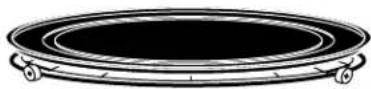
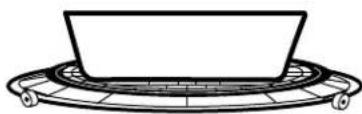
In addition to the cookware provided, you can use non-metal casserole dishes, pie plates and other heat-safe cookware. Place them directly on the oven rack (turntable).
natural_image
Simple line drawing of a bowl placed on a circular platform (no text or symbols)■ Be sure to select a size that will rotate easily.
Place the black metal tray, glass, or ceramic cookware directly on the oven rack (turntable).
■ Do not use cookware or coverings made of paper, plastic, or foil when cooking during a speedcook cycle.
Manual speedcook
Advantium gives you the flexibility to cook your favorite dishes.
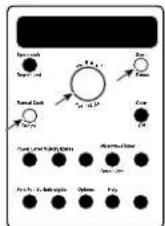
If you want to cook a food item that is not among the pre-set selections, use manual speedcook.
- Press the MANUAL COOK/RECIPE button.
If no entries are made within 15 seconds, the display will revert back to the time of day.
- Turn the selector dial to select the cooking time. Press the dial to enter.
The display will prompt you to select UPPER POWER, LOWER POWER, and MICROWAVE POWER.
-
Turn the dial clockwise to increase or counterclockwise to decrease the upper power level. Press the dial to enter.
-
Turn the dial to change the lower power level. Press the dial to enter.
- Turn the dial to change the microwave power level. Press the dial to enter.
- Press the START/PAUSE button or press the selector dial to start cooking.
For power level and cooking time suggestions, use your cooking guide or cook book.
Speedcook recipe—to enter and save

Create up to 30 of your own Speedcook recipes, or customize an existing custom recipe to suit your tastes. Once it's done, your food cooks just the way you want it every time!
- Press the SPEEDCOOK button.
- Turn the dial until RECIPE appears. Press the dial to enter.
- Turn the dial until CUSTOM #: EMPTY appears. Press the dial to enter.
- ENTER COOK TIME appears. Turn the dial to select the cooking time. Press the dial to enter.
The display will prompt you to select UPPER POWER, LOWER POWER and MICROWAVE POWER.
-
Turn the dial clockwise to increase or counterclockwise to decrease the upper power level. Press the dial to enter.
-
Turn the dial to change the lower power level. Press the dial to enter.
- Turn the dial to change the microwave power level. Press the dial to enter.
- CATEGORY appears. Turn the dial to select one of 30 categories that best describes this new Speedcook program. Press the dial to enter.
- Recipe Added. Press START to Run appears. To begin cooking press the START/PAUSE button. To store the recipe without cooking, press the CLEAR/OFF button.
For power level and cooking time suggestions, use your cooking guide or cook book.
Speedcook recipe—to find and use

To find and use stored custom speedcook recipes:
- Press the SPEEDCOOK button.
- Turn dial to RECIPE and press to enter.
-
CUSTOM#: and the categories you entered will appear.
-
Turn dial until the recipe you want is displayed and press the dial to enter.
- Press the START/PAUSE button or press the selector dial to start cooking.
Speedcook recipe—to adjust or change
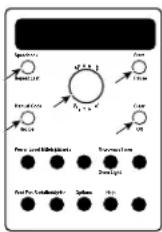
To adjust or change stored custom speedcook recipes:
- Press the SPEEDCOOK button.
- Turn the dial until RECIPE appears. Press the dial to enter.
- Turn the dial to the recipe you want to change. Press the dial to enter. ADJUST TIME or START appears.
- Press the MANUAL COOK/RECIPE button.
- The display will prompt you to ADJUST COOK TIME, then select UPPER POWER, LOWER POWER, MICROWAVE POWER, and CATEGORY. Turn the dial and press to enter the appropriate settings.
(For more detailed instructions, follow steps 4 through 8 in the section Speedcook recipe—to enter and save.)
- Recipe Added. Press START to Run appears. To begin cooking press the START/PAUSE button. To store the recipe without cooking, press the CLEAR/OFF button.
For power level and cooking time suggestions, use your cooking guide or cook book.
Speedcook recipe—to delete
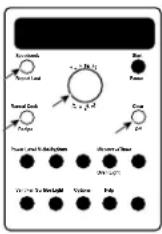
To delete stored custom speedcook recipes:
- Press the SPEEDCOOK button.
- Turn the dial until RECIPE appears and press the dial to enter.
-
Turn dial to the recipe you want to delete and press the dial to enter.
-
ADJUST TIME or START appears. Press and hold the MANUAL COOK/RECIPE button for 3 seconds. This deletes the recipe. You may now enter and save a new recipe or press CLEAR/OFF to return to the clock display.
Things that are normal
Cooking Times
■ When speedcooking preprogrammed foods, you may see OPTIMIZING COOK TIME in the display several seconds after you press START. The oven automatically senses the electrical voltage level in your home and adjusts the cooking time up or down for proper cooking.
Fan/Vent
■ The fan will be on during cooking. At the end of cooking, the automatic fan will continue to run for a short time, and the display will read Oven is Cooling. The fan will automatically shut off when the internal parts of the oven have cooled.
■ The exhaust fan may come on automatically if the cooktop is in use.
■ The oven vent will emit warm air while the oven is on.
Lights
■ When the oven is on, light may be visible around the door or outer case.
■ The halogen lights will dim and cycle on and off during a speedcook cycle, sometimes even at full power levels. This is normal. The oven senses the heat level and adjusts automatically.
Oven Heat
■ No preheating time is required. The oven begins cooking immediately.
■ The door and inside of the oven will be very hot. Use caution when opening the door and removing food.
■ Do not use cookware or coverings made of paper, plastic, or foil when cooking during a speedcook cycle.
■ When cooking for an extended period of time, the oven may automatically reduce the power levels to maintain the appropriate level of oven heat.
Sounds
■ Clicks and a fan blowing are normal sounds during cooking. The relay board is turning components on and off.
Using the microwave features
Make sure the oven rack (turntable) and white ceramic tray are in place. Place food or microwavable container directly on the white ceramic tray to cook your food.

natural_image
Diagram of a circular grid structure with brick walls and two protruding elements (no text or symbols)The oven rack (turntable) must always be in place when using the oven.
natural_image
Simple line drawing of three concentric ovals (no text or symbols)The white ceramic tray should always be in place when microwaving.
Cookware
■ Make sure that cookware is suitable for microwaving.
■ Place food or microwavable container directly on the white ceramic tray to cook your food.
MICROWAVE PRE-SET FOOD SELECTIONS:
Bacon
■ Popcorn
Soup
■ Beverage
■ Recipe
■ Time cook
■ Defrost (Auto and Time)
■ Reheat (one serving)
■ Vegetables (fresh, frozen, canned)
How to use pre-set microwave selections
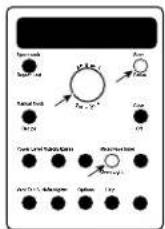
- Press the MICROWAVE/OVEN LIGHT button.
If no selection is made within 15 seconds, the display will revert back to the time of day.
-
Turn the dial to find the food you want to cook. Press the dial to enter.
-
Turn the selector dial to select amount, weight or size. (If required, the oven will prompt you). Press the dial after each selection.
-
Press the dial or the START/PAUSE button to start cooking.
To review settings during cooking, press the selector dial.
If the door is opened during cooking, the oven will stop and PAUSE will appear in the display. Close the door and press START/ PAUSE to resume cooking.
NOTE: There is no light that automatically comes on during microwaving.
To see the food that is cooking, press MICROWAVE/OVEN LIGHT. One halogen lamp will come on for about 5 seconds.
If you enter an undesired selection at any time, simply press the CLEAR/OFF button and re-enter the desired selections.
Time Cook
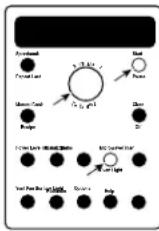
Use Time Cook to microwave food that is not in the recipe section.
■ The power level is automatically set at high, but you can change it for more flexibility.
1. Press the MICROWAVE button.
2. Turn the dial to TIME COOK and press the dial to enter.
3. Turn the dial to set the time and press the dial to enter.
- To change the power level if you don't want full power, press the POWER LEVEL button. Turn the dial to select. Press the dial to enter.
- Press the dial or the START/PAUSE button to start cooking.
You may open the door during TIME COOK to check the food. Close the door and press START to resume cooking.
Micro Express

Press MICRO EXPRESS repeatedly for 30 second increments of microwave cooking time. Oven starts immediately.
Microwave power level
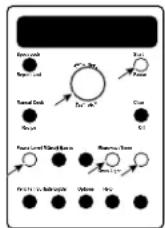
- First, follow directions for TIME COOK, TIME DEFROST or MICRO EXPRESS.
- Press the POWER LEVEL button.
- Turn the dial clockwise to increase and counterclockwise to decrease the power level. Press the dial to enter.
- Press the dial or the START/PAUSE button to start cooking.
■ You can change the power level before or during a cooking program (except when using MICRO EXPRESS).
Here are some examples of uses for various power levels:
High 10: Fish, bacon, vegetables, boiling liquids.
Med-High 7: Gentle cooking of meat and poultry; baking casseroles and reheating.
Medium 5: Slow cooking and tenderizing for stews and less tender cuts of meat.
Low 2 or 3: Defrosting; simmering; delicate sauces.
Warm 1: Keeping food warm; softening butter.
Cooking tips
■ When cooking bacon, layer strips on a plate. Cover each layer with a paper towel.
■ When cooking vegetables, use a microwave-safe casserole or bowl. Cover with a lid or vented plastic wrap.
■ For frozen vegetables, follow the package instructions for adding water.
■ For fresh vegetables, add 2 tablespoons of water for each serving.
Microwave recipe—to enter and save
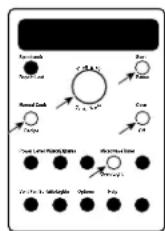
Create and store up to 10 of your own microwave recipes.
- Press the MICROWAVE/OVEN LIGHT button.
- Turn dial until RECIPE appears. Press the dial to enter.
- Turn dial until CUSTOM#:EMPTY appears. Press the dial to enter.
- ENTER COOK TIME appears. Turn the dial to select the cooking time you want. Press the dial to enter.
-
Select POWER LEVEL. Turn the dial and press the dial to enter.
-
CATEGORY appears. Turn the dial to select a category that best describes your desired microwave program.
- Recipe Added. Press START to Run appears. To begin cooking, press the START/ PAUSE button or press the CLEAR/OFF button to store the recipe without cooking.
Microwave recipe—to find and use
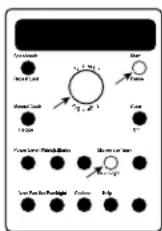
To find and use stored custom microwave recipes:
- Press the MICROWAVE/OVEN LIGHT button.
- Turn dial to RECIPE and press the dial to enter.
- CUSTOM#: and the categories you entered will appear.
- Turn dial to your recipe and press the dial to enter.
- Press the START/PAUSE button or the selector dial to start cooking.
Microwave recipe—to adjust or change
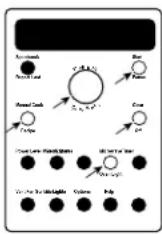
To adjust or change stored custom microwave recipes:
- Press the MICROWAVE/OVEN LIGHT button.
- Turn dial to RECIPE and press the dial to enter.
- Turn the dial to the recipe you want to change. Press the dial to enter.
- ADJUST TIME or START appears.
-
Press the MANUAL COOK/RECIPE button. Turn the dial to select the cook time and press the dial to enter.
-
Turn the dial to select the POWER LEVEL and press the dial to enter.
- Recipe Added. Press START to Run appears. To begin cooking, press the START/PAUSE button or press the CLEAR/OFF button to store the recipe without cooking.
Microwave recipe—to delete

To delete stored custom microwave recipes:
- Press the MICROWAVE/OVEN LIGHT button.
- Turn dial to RECIPE and press the dial to enter.
-
Turn the dial to the recipe you want to delete. Press the dial to enter.
-
ADJUST TIME OR START appears. When prompted to press the START button, press and hold the MANUAL COOK/RECIPE button for 3 seconds. You may now enter and save a new recipe or press CLEAR/OFF to return to the clock display.
Auto defrost
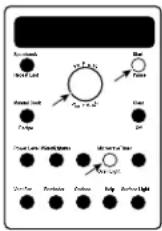
Auto Defrost automatically sets the defrosting times and power levels to give even defrosting results for meats, poultry and fish weighing up to 6 pounds.
- Remove food from the package and place it on a microwave-safe dish.
- Press the MICROWAVE/OVEN LIGHT button.
- Turn the dial to DEFROST (AUTO). Press the dial to enter.
- Turn the dial to the food weight, using the Conversion Guide at right. For example, dial 1.2 for 1.2 pounds (1 pound, 3 oz.) Press the dial to enter.
- Press the dial or START/PAUSE button to start defrosting.
- Turn the food over when the oven signals TURN FOOD OVER.
■ Remove defrosted meat or shield warm areas with small pieces of foil for even defrosting.
■ After defrosting, most meats need to stand 5 minutes to complete defrosting. Large roasts should stand for about 30 minutes.
Conversion Guide
If the weight of food is stated in pounds and ounces, the ounces must be converted to tenths (.1) of a pound.
| Weight of Food Enter Food Weight in Ounces (tenths of a pound) | |
| 1-2.1 | |
| 3 | .2 |
| 4-5.3 | |
| 6-7.4 | |
| 8 | .5 |
| 9-10.6 | |
| 11.7 | |
| 12-13.8 | |
| 14-15.9 | |
Time defrost
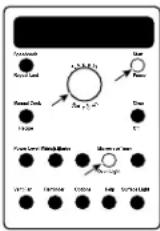
Use Time Defrost to defrost for a selected length of time.
- Press the MICROWAVE/OVEN LIGHT button.
- Turn the selector dial to DEFROST (TIME). Press the dial to enter.
- Turn the dial to select the time you want. Press the dial to enter.
- Press the dial or START/PAUSE button to start defrosting.
- Turn the food over when the oven signals TURN FOOD OVER.
Power level is automatically set at 3, but can be changed. To change the power levels, see the Microwave Power Level section. You can defrost small items quickly by raising the power level after entering the time. Power level 7 cuts the total defrosting time in about half; power level 10 cuts the total time to about 1/3. When defrosting at high power levels, food will need more frequent attention than usual.
Defrosting tips
Use AUTO DEFROST for meat, poultry and fish. Use TIME DEFROST for most other frozen foods.
■ Foods frozen in paper or plastic can be time defrosted in the package, but foods should be taken out of the package when using DEFROST (AUTO). Closed packages should be slit, pierced or vented after food has partially defrosted. Plastic storage containers should be partially uncovered.
■ Family-size, prepackaged frozen dinners can be defrosted and microwaved. If the food is in a foil container, transfer it to a microwave-safe dish.
■ Foods that spoil easily should not be allowed to sit out for more than one hour after defrosting. Room temperature promotes the growth of harmful bacteria.
■ For more even defrosting of larger foods, such as roasts, use DEFROST (AUTO). Be sure large meats are completely defrosted before cooking.
■ When defrosted, food should be cool but softened in all areas. If still slightly icy, return to the microwave very briefly, or let it stand a few minutes.
Microwave sensor cooking
The sensor feature detects the increasing humidity released during cooking. The oven automatically adjusts the cooking time to various types and amounts of food.
Do not use the Sensor Features twice in succession on the same food portion—it may result in severely overcooked or burnt food. If food is undercooked after the first countdown, use TIME COOK for additional cooking time.
The proper containers and covers are essential for best sensor cooking.
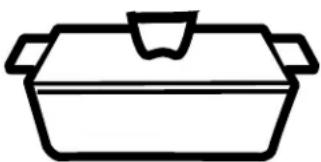
■ Always use microwave-safe containers and cover them with lids or vented plastic wrap. Never use tight sealing plastic containers—they can prevent steam from escaping and cause food to overcook.
■ Be sure the outside of the cooking containers and the inside of the oven are dry before placing food in the oven. Beads of moisture turning into steam can mislead the sensor.
■ Beverages are best heated uncovered.
natural_image
Simple line drawing of a cooking pot (no text or symbols)Covered

natural_image
Simple line drawing of a container with internal lines and a handle (no text or symbols)Vented

natural_image
Simple line drawing of a container with liquid drops and two crossed black lines (no text or symbols)Dry off dishes so they don't mislead the sensor.
MICROWAVE SENSOR PROGRAMS:
■ Beverage
■ Popcorn – Prepackaged microwave popcorn, 1.5 oz. to 3.5 oz.
■ Reheat – Single servings (4 to 6 oz.) of leftovers.
■ Soup
To use all sensor programs
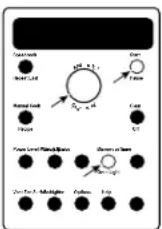
Advantium's microwave mode features sensor cooking. The oven automatically senses when food is done and shuts itself off—eliminating the need to program cooktimes and power levels.
- Press the MICROWAVE button.
- Turn the dial to select the food you want. Press the dial to enter.
- Press the dial or press the START/PAUSE button to start cooking.
Do not open the oven door until time is counting down in the display. If the door is opened, close it and press START/PAUSE immediately. If the food is not done enough, use TIME COOK in the microwave selector to cook for more time.
NOTE: Do not use the Sensor Features twice in succession on the same food portion—it may result in severely overcooked or burnt food.
If you have been speedcooking and the oven is already hot, it may indicate that it is too hot for sensor cooking. Of course, you can always continue with TIME COOK or SPEEDCOOK.
■ To shorten or lengthen the cook time, wait until the time countdown shows in the display. Then turn the dial to add or subtract time.
■ Drinks heated with the BEVERAGE feature may be very hot. Remove the container with care.
■ If you open the door while SENSOR Cooking, SENSOR ERROR will appear. Close the door, press START to begin again.
Notes about the Reheat program:
Reheated foods may have wide variations in temperature. Some areas may be extremely hot.
It is best to use TIME COOK and not REHEAT for these foods:
■ Bread products
■ Food that must be reheated uncovered.
■ Foods that need to be stirred or turned.
■ Foods calling for a dry look or crisp surface after reheating.
Things that are normal
Interference
■ TV/radio interference might be noticed while using the microwave. Similar to the interference caused by other small appliances, it does not indicate a problem with the microwave. Move the radio or TV as far away from the microwave as possible, or check the position of the TV/radio antenna.
Lights
■ The oven light will not come on during a microwave cooking cycle. For about 5 seconds of light, press the MICROWAVE/OVEN LIGHT pad. The oven light will come on automatically when the door is opened.
Oven Heat
■ Cookware may become hot because of heat transferred from the heated food. Oven mitts may be needed to handle the cookware.
■ Steam or vapor may escape from around the door.
Sounds
■ You may hear a dull thumping sound while the oven is operating.
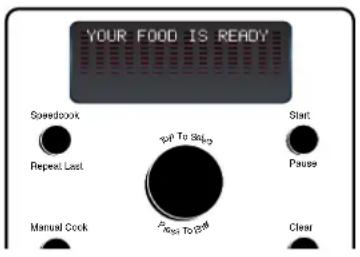
"YOUR FOOD IS READY"
To remind you that you have food in the oven, the oven will display YOUR FOOD IS READY and beep once a minute until you either open the oven door or press the CLEAR/OFF button.
text_image
YOUR FOOD IS READY Speedbook Repeat Last Manual Cock Top To Stop Pens To Off Start Pause ClearFeatures under the OPTIONS button
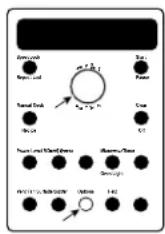
Clock:
The clock must be set before you can use your oven for the first time (see Quick Start for instructions).
- To change the clock time, press the OPTIONS pad and turn the dial to CLOCK. Press the dial to enter.
- Turn the dial to set hours. Press the dial to enter.
- Turn the dial to set minutes. Press the dial to enter.
- Turn the dial to select AM or PM. Press the dial to enter.
Clock Display ON/OFF:
Use this feature to turn your clock display on or off. Press the OPTIONS button, turn the dial to select CLOCK DISPLAY ON/OFF. Turn the dial to select ON or OFF. Press the dial to enter.
Auto Night Light:
Use this feature to program the on-off time for an automatic night light. Press the OPTIONS button, turn the dial to select AUTO NIGHT LIGHT, press the dial to enter, and follow the display directions.
Beeper Volume:
Use this feature to adjust the volume of the beeper. You can even turn it off. Press the OPTIONS button, turn the dial to select BEEPER VOLUME, press the dial to enter, and follow the display directions.
Scroll Speed:
Is the message scroll too slow or too fast? Change it! Press the OPTIONS button, turn the dial to select DISPLAY SCROLL SPEED, press the dial to enter, and follow the display directions.
Review
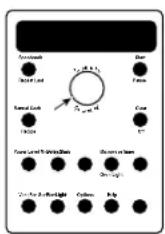
Use this feature to review the current cooking selections you have set.
Press the selector dial during speedcooking or microwave cooking.
Help

Use this feature to find out more about your oven and its features.
- Press the HELP button.
- Turn the dial to select the feature name. Press the dial to enter.
The display will show a description for the program you have chosen.
Features found in the HELP function.
| Adjust | Power Level |
| Auto Night Light | Recipe |
| Bacon | Reheat-One Serving |
| Beeper Volume | Reminder |
| Beverage | Repeat Last |
| Child Lockout | Resume |
| Clear/Off | Review |
| Clock | Scroll Speed |
| Clock Display On/Off | Soup |
| Defrost (Auto) | Start/Pause |
| Defrost (Time) | Speedcook |
| Delayed Start | Surface Light |
| Help | Time Cook |
| Manual Speedcook | Timer On/Off |
| Microwave Cooking | Vegetables (Canned) |
| Microwave Express | Vegetables (Fresh) |
| Options | Vegetables (Frozen) |
| Oven Light | Vent Fan |
| Popcorn |
Advantium Oven
Child lock-out

You may lock the control panel to prevent the oven from being accidentally started or used by children.
Press and hold CLEAR/OFF for about 3 seconds to lock and unlock.
When the control panel is locked, CONTROL IS LOCKED will be displayed briefly anytime a button or dial is pressed.
Surface light

Use to light your cooktop.
Press the SURFACE LIGHT button to select the proper setting.
Continue pressing to change from bright to nightlight to off.
Vent fan

The vent fan removes steam and other vapors from surface cooking.
Press the VENT FAN button to select the fan speed.
Continue pressing to change from high to low to off.
Timer
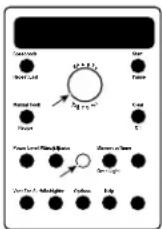
Use this feature anytime you need a general purpose timer. It can even be used while cooking in the oven.
-
Press the TIMER button.
-
Turn the dial to select the minutes. Press the dial to enter.
-
Turn the dial to select the seconds. Press the dial to enter.
To pause, press TIMER. To restart, press TIMER again.
To cancel, press and hold the TIMER button down for about 3 seconds.
Reminder

text_image
Couchard Mole Leaf Natural Leaf Tide pad Power Level: Pulsed Voltage S1, μ=0.5 S2, μ=0.5 Coil S1 S2 S3 S4 S5 S6 S7 S8 S9 S10 S11 S12 S13 S14 S15 S16 S17 S18 S19 S20 S21 S22 S23 S24 S25 S26 S27 S28 S29 S30 S31 S32 S33 S34 S35 S36 S37 S38 S39 S40 S41 S42 S43 S44 S45 S46 S47 S48 S49 S50 S51 S52 S53 S54 S55 S56 S57 S58 S59 S60 S61 S62 S63 S64 S65 S66 S67 S68 S69 S70 S71 S72 S73 S74 S75 S76 S77 S78 S79 S80 S81 S82 S83 S84 S85 S86 S87 S88 S89 S90 S91 S92 S93 S94 S95 S96 S97 S98 S99 S100Use this feature like an alarm clock to help you keep up with things to do.
- Press the REMINDER button and select reminder time. Follow the directions in the display:
A. Turn the dial to set hours. Press the dial to enter.
B. Turn the dial to set minutes. Press the dial to enter.
C. Turn the dial to select AM or PM. Press the dial to enter.
To cancel, press and hold the REMINDER button for about 3 seconds.
Delay start
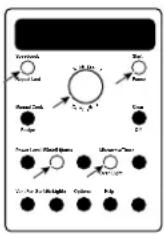
DELAY START allows you to set the oven to delay cooking up to 24 hours.
-
Press the DELAY START button.
-
Turn the dial to select start time and press the dial to enter. Follow the directions in the display.
A. Turn the dial to set hours.
Press the dial to enter.
B. Turn the dial to set minutes.
Press the dial to enter.
C. Turn the dial to select AM or PM. Press the dial to enter.
- When prompted, press the SPEEDCOOK/REPEAT LAST or MICROWAVE button and enter a cooking program. See the Speedcooking or Microwaving sections for instructions.
- Press the dial or press the START/PAUSE button.
The DELAY START time will be displayed. The oven will automatically start the cooking program at the delayed time.
NOTE: You cannot use DELAY START with the BEVERAGE, POPCORN, REHEAT or SOUP program.
Automatic fan
An automatic fan feature protects the oven from too much heat rising from the cooktop below it and from too much heat inside the oven cavity.
It automatically turns on at low speed if it senses too much heat.
If you have turned the fan on you may find that you cannot turn it off. The fan will automatically turn off when the internal parts are cool. It may stay on for 30 minutes or more after the cooktop and oven controls are turned off.
Helpful hints
An occasional thorough wiping with a solution of baking soda and water keeps the inside fresh.
Be certain the oven control is turned off before cleaning any part of this oven.

natural_image
Illustration of various food items including baking soda, cream, and drinks (no text or symbols)How to clean the inside
Clean the inside of the oven after each use for proper heating performance.
Some spatters can be removed with a paper towel, others may require a warm soapy cloth. Remove greasy spatters with a sudsy cloth, then rinse with a damp cloth.
Do not use abrasive cleaners or sharp utensils on oven walls.
Never use a commercial oven cleaner on any part of your oven.
Do not clean the inside of the oven with metal scouring pads. Pieces can break off the pad, causing electrical shock.
Do not remove the halogen lamp glass covers.

natural_image
Line drawing of a microwave oven with lid open and ventilation slots (no text or symbols)Walls, Floor, Inside Window, Metal and Plastic Parts on the Door
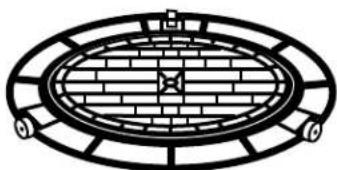
Removable oven rack (turntable)
The area underneath the oven rack (turntable) should be cleaned frequently to avoid odors and smoking during a cooking cycle.
The oven rack (turntable) can be broken if dropped. Wash carefully in warm, sudsy water. Dry completely and replace.
To replace the oven rack (turntable), place its center over the square spindle in the center of the oven and turn it until it seats into place.
natural_image
Diagram of a circular brick gate with radial supports and central star-shaped structure (no text or symbols)Oven Rack (Turntable)
Do not use the oven without the oven rack (turntable) in place.
Baking sheets (cooking trays)
To prevent breakage, allow the trays to cool completely before cleaning. Wash carefully in warm, sudsy water or in the dishwasher.
Do not use metal scouring pads or abrasives, as they may damage the finish.
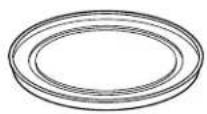
White ceramic tray for microwaving
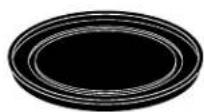
Black metal tray for speedcooking
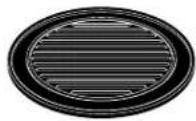
Metal grill tray for speedcooking
Halogen lamp covers
Both the upper and lower halogen lamp covers must be kept free of grease and food spatterings in order to operate effectively.
Clean the lamp glass covers often to avoid excess smoking and decreased cooking power.
Do not remove the halogen lamp glass covers.
To clean the upper and lower lamp covers: Allow the oven rack (turntable) and glass covers to cool completely. Remove the oven rack (turntable) and wipe clean with a warm soapy cloth or plastic scrubbie. Replace the oven rack (turntable).
For heavy burned on soil, a cleaning scraper may be used to clean the halogen lamp covers. Wearing an oven mitt, hold the cleaning scraper at a 30^ angle. Scrape the glass clean and wipe up excess soil.

natural_image
Simple line drawing of a rectangular grid structure on a base, no text or symbols presentUpper halogen lamp cover
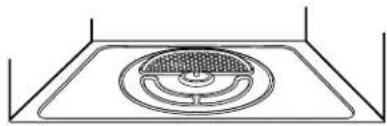
natural_image
Simple line drawing of a circular vent or grille mounted on a rectangular base (no text or symbols)Lower halogen lamp cover (with turntable removed)
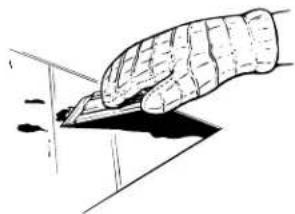
natural_image
Illustration of a hand holding a pen writing on paper (no text or symbols present)For heavy or burned on soil
How to clean the outside
We recommend against using cleaners with ammonia or alcohol, as they can damage the appearance of the microwave oven. If you choose to use a common household cleaner, first apply the cleaner directly to a clean cloth, then wipe the soiled area.
Case
Clean the outside with a sudsy cloth. Rinse and then dry. Wipe the window clean with a damp cloth.
Glass Control Panel and Door (on some models)
Wipe with a clean damp sponge. Dry thoroughly. Do not use cleaning sprays, large amounts of soap and water, abrasives or sharp objects on the panel—they can damage it.
Stainless Steel Control Panel and Door (on some models)
Do not use a steel wool pad; it will scratch the surface.
Clean with hot soapy water. Rinse and dry.
To clean the stainless steel surface, use warm sudsy water or a stainless steel cleaner or polish. Always wipe the surface in the direction of the grain. Follow the cleaner instructions for cleaning the stainless steel surface.
To inquire about purchasing stainless steel appliance cleaner or polish, or to find the location of a dealer nearest you, please call our toll-free number, 800.626.2002 or visit ge.com.
Bottom
Clean off the grease and dust on the bottom often. Use a solution of warm water and detergent.
Vent Grill
Use warm soapy water and a dishcloth to wipe off the grill. Use cotton swabs to get in between the grill louvers.
Door Seal
It's important to keep the area clean where the door seals against the oven. Use only mild, non-abrasive detergents applied with a clean sponge or soft cloth. Rinse well.
natural_image
Architectural cross-section diagram of a two-story building with wooden beams and a central doorway (no text or symbols)
natural_image
Line drawing of a hand cleaning a kitchen appliance with a cloth (no text or symbols)The vent fan
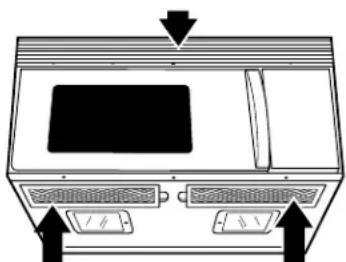
The vent fan has 2 metal reusable vent filters.
Models that recirculate air back into the room also use a charcoal filter.
Charcoal Filter (on some models)
natural_image
Diagram of a device front panel with buttons and a monitor, no text or symbols presentReusable Vent Filters (on all models)
Cooktop light/night light
- To replace the cooktop light/night light, first disconnect the power at the main fuse or circuit breaker panel.
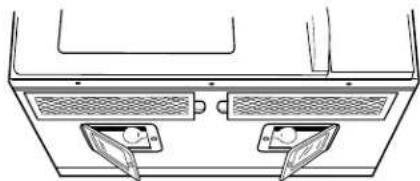
- Remove the screws from the side of the light compartment cover and lower the cover until it stops.
- Be sure the bulb(s) to be replaced are cool before removing. Break the adhesive seal by gently unscrewing the bulb(s).
Replace with 120V, 40-watt (max.) incandescent bulbs. Order WB02X4253 from your GE supplier. High-intensity 40-watt bulbs (40S11N/1), available in supermarkets and hardware stores, may also be used for replacements.
- Raise the light cover and replace the screws. Connect electrical power to the oven.

natural_image
Diagram of a ventilation system with two outlets and airflow arrows (no text or labels)Remove screws
natural_image
Line drawing of a ceiling-mounted air vent with two vented outlets (no text or symbols)Reusable vent filters
The metal filters trap grease released by foods on the cooktop. They also prevent flames from foods on the cooktop from damaging the inside of the oven.
For this reason, the filters must always be in place when the hood is used. The vent filters should be cleaned once a month, or as needed.
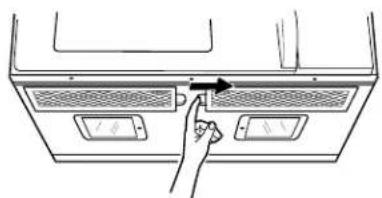
Removing and cleaning the filters
To remove, slide them to the side using the tabs. Pull down and out.
To clean the vent filters, soak them and then swish around in hot water and detergent. Don't use ammonia or ammonia products because they will darken the metal. Light brushing can be used to remove embedded dirt.
Rinse, shake and let dry before replacing.
To replace, slide the filters into the frame slots on the side of each opening. Press up and to the side to lock into place.
natural_image
Line drawing of a hand pressing down on a microwave oven (no text or symbols)Advantium Oven
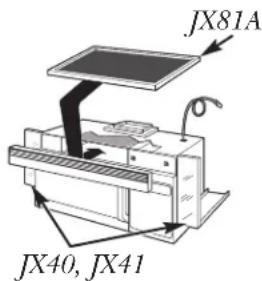
Charcoal filter (JX81A)
The charcoal filter cannot be cleaned. It must be replaced. Order Part No. WB02X9883 from your GE supplier.
If the model is not vented to the outside, the air will be recirculated through a disposable charcoal filter that helps remove smoke and odors.
The charcoal filter should be replaced when it is noticeably dirty or discolored (usually after 6–12 months, depending on usage).
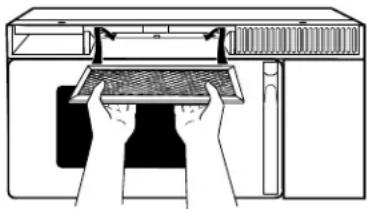
To remove the charcoal filter
To remove the charcoal filter, first disconnect power at the main fuse.
Remove the top grille by removing the 2 screws that hold it in place.
You may need to open the cabinet doors to remove the screws.
Slide the filter towards the front of the oven and remove it.

natural_image
Simple line drawing of a cabinet with an open door and two arrows pointing downward (no text or symbols)Remove 2 grille screws to remove the grille.
To install the charcoal filter
To install a new filter, remove plastic and other outer wrapping from the new filter.
Insert the filter into the top opening of the oven as shown. It will rest at an angle on 2 side support tabs and in front of the right rear tab. Replace the grille and 2 screws. Reconnect power at the main fuse.
natural_image
Diagram of a computer monitor with hands operating the screen (no text or symbols present)Optional kits
Available at extra cost from your GE supplier.
Filler Panel Kits
When replacing a 36" range hood, filler panel kits fill in the additional width to provide a custom built-in appearance.
For installation between cabinets only; not for end-of-cabinet installation. Each kit contains two 3" wide filler panels.
Filter Kits
■ JX81A—Recirculating Charcoal Filter Kit
Filter kits are used when the oven cannot be vented to the outside. Available at extra cost from your GF supplier or se “Consumer Support” on the back cover.
text_image
JX81A JX40, JX41Questions?
Use this problem solver
Problem Possible Causes What To Do/Explanation
| LIGHTS | ||
| There is no oven light on during glass | This is normal. The glass is too dark for LIGHT button to light the oven microwave cooking a microwave light. for several seconds. | |
| Light during a speedcook cycle | This is normal. Power level has been heat level automatically reduced because the oven is hot. | • This is normal. The oven senses the and adjusts automatically. |
| dims and cycles on and off, even at full power levels | ||
| Light visible around the door and outer case while speedcooking | This is normal. | • When the oven is on, light may be visible around the door and outer case. |
| FAN | ||
| Fan continues to run after cooking stops | The oven is cooling. | • The fan will automatically shut off when the internal parts of the oven have cooled. |
| Oven vent emits warm air while oven is on | This is normal. | |
| Fan comes on automatically when oven not in use | This is normal. | • If the cooktop gets too hot, the vent fan comes on. |
| Fan comes on automatically when using the microwave | This is normal. | • If the microwave is used after speedcook and the oven senses that it is too hot, the vent fan comes on to cool the oven. |
| COOKING | ||
| The oven makes unusual sounds while cooking | Clicks and fans blowing are normal. The relay board is turning the components on and off. | • These sounds are normal. |
| Smoke comes out of the oven when I open the door | Food is high in fat content. Aerosol spray used on the pans. | • Smoke is normal when cooking high-fat foods. Use vegetable oil or olive oil on the meat itself instead of coating the entire pan. |
| Food is not fully cooked or browned at the end of a cooking program | Programmed times may not match the size or amount of food you are cooking. | • Increase or decrease time for doneness or adjust the upper or lower lamps for browning; change the microwave power for doneness. |
| There may be grease build-up on the glass covers. | • Clean the light covers with a scraper. | |
Questions?
Use this problem solver
| Problem Possible Causes What To Do/Explanation | ||
| DISPLAY | ||
| The display is blank | The clock display has been turned off. display settings. Turn the display on. | · Check the OPTIONS menu for clock |
| "CONTROL IS LOCKED" appears in display | The control has been locked. 3 seconds to unlock the control. | · Press and hold CLEAR/OFF for about |
| Control display is lighted yet oven will not start | Clock is not set. | · Set the clock. |
| Door not securely closed. | · Open the door and close securely. | |
| START/PAUSE button not pressed after entering cooking selection. | · Press START/PAUSE. | |
| Another selection already entered in oven and CLEAR/OFF button not pressed to cancel it. | · Press CLEAR/OFF. | |
| Size, quantity, or cooking time not entered after selecting VEGETABLES (FRESH, FROZEN, CANNED), BACON, DEFROST (TIME) or TIME COOK. | · Make sure you have entered cooking time after selecting. | |
| CLEAR/OFF was pressed accidentally. | · Reset cooking program and press START/PAUSE. | |
| Food weight not entered after selecting DEFROST (AUTO). | · Make sure you have entered food weight after selecting DEFROST (AUTO). | |
| OTHER PROBLEMS | ||
| The door and inside of the oven feels hot | The heat lamps produce intense heat in a small space. | · This is normal.· Use oven mitts to remove food when when ready. |
| Floor of the oven is warm, even when the oven has not floor been used | The cooktop light is located below the oven. When the light is on, the heat it produces may make the oven floor get warm. | · This is normal. |
| Oven will not start | A fuse in your home may be blown or the circuit breaker tripped. | · Replace fuse or reset circuit breaker. |
| Power surge. | · Unplug the oven, then plug it back in. | |
| Plug not fully inserted into wall outlet. | · Make sure the plug on the oven is fully inserted into wall outlet. | |
Notes
Advantium Oven
Notes and comments
Notes
Advantium Oven
Notes and comments
Notes
Advantium Oven
Notes and comments
All warranty service provided by our Factory Service Centers, or an authorized Customer Care® technician. To schedule service, online, 24 hours a day, contact us at ge.com, or call 800.GE.CARES (800.432.2737). Please have serial and model numbers available when calling for service.
Staple your receipt here. Proof of the original purchase date is needed to obtain service under the warranty.
| For The Period Of: GE Will Replace: | |
| One YearFrom the date of the original purchase | Any part of the oven which fails due to a defect in materials or workmanship. During this limited one-year warranty, GE will also provide, free of charge, all labor and related service costs to replace the defective part. |
| Five Years The magnetron tubeFrom the date of the original purchase | tube, if the magnetron tube fails due to a defect in materials or workmanship. During this five-year limited warranty, you will be responsible for any labor or in-home service costs. |
What GE Will Not Cover:
■ Service trips to your home to teach you how to use the product.
■ Improper installation, delivery or maintenance.
■ Product not accessible to provide required service.
■ Failure of the product or damage to the product if it is abused, misused (for example, cavity arcing from wire rack or metal/foil), or used for other than the intended purpose or used commercially.
■ Replacement of house fuses or resetting of circuit breakers.
■ Replacement of the cooktop light bulbs.
■ Damage to the product caused by accident, fire, floods or acts of God.
■ Incidental or consequential damage caused by possible defects with this appliance.
■ Damage caused after delivery.
EXCLUSION OF IMPLIED WARRANTIES—Your sole and exclusive remedy is product repair as provided in this Limited Warranty. Any implied warranties, including the implied warranties of merchantability or fitness for a particular purpose, are limited to one year or the shortest period allowed by law.
This warranty is extended to the original purchaser and any succeeding owner for products purchased for home use within the USA. If the product is located in an area where service by a GE Authorized Servicer is not available, you may be responsible for a trip charge or you may be required to bring the product to an Authorized GE Service Location for service. In Alaska, the warranty excludes the service calls to your home.
Some states do not allow the exclusion or limitation of incidental or consequential damages. This warranty gives you specific legal rights, and you may also have other rights which vary from state to state. To know what your legal rights are, consult your local or state consumer affairs office or your state's Attorney General.
GE Appliances Web site ge.com
Have a question or need assistance with your appliance? Try the GE Appliances Web site 24 hours a day, any day of the year! For greater convenience and faster service, you can now download Owner's Manuals, order parts, catalogs, or even schedule service on-line. You can also "Ask Our Team of Experts" your questions, and so much more...
Schedule Service ge.com
Expert GE repair service is only one step away from your door. Get on-line and schedule your service at your convenience 24 hours any day of the year! Or call 800.GE.CARES (800.432.2737) during normal business hours.
Real Life Design Studio ge.com
GE supports the Universal Design concept—products, services, and environments that can be used by people of all ages, sizes, and capabilities. We recognize the need to design for a wide range of physical and mental abilities and impairments. For details of GE's Universal Design applications, including kitchen design ideas for people with disabilities, check out our Web site today. For the hearing impaired, please call 800.TDD.GEAC (800.833.4322).
Extended Warranties ge.com
Purchase a GE extended warranty and learn about special discounts that are available while your warranty is still in effect. You can purchase it on-line anytime or call 800.626.2224 during normal business hours. GE Consumer Home Services will still be there after your warranty expires.
Parts and Accessories ge.com
Individuals qualified to service their own appliances can have parts or accessories sent directly to their homes (VISA, MasterCard, and Discover cards are accepted). Order on-line today, 24 hours every day, or by phone at 800.626.2002 during normal business hours.
Instructions contained in this manual cover procedures to be performed by any user. Other servicing generally should be referred to qualified service personnel. Caution must be exercised, since improper servicing may cause unsafe operation.
Contact Us ge.com
If you are not satisfied with the service you receive from GE, contact us on our Web site with all the details, including your phone number, or write to: General Manager, Customer Relations
GE Appliances, Appliance Park
Louisville, KY 40225
Register Your Appliance ge.com
Register your new appliance on-line—at your convenience! Timely product registration will allow for enhanced communication and prompt service under the terms of your warranty, should the need arise. You may also mail in the preprinted registration card included in the packing material.