Profile TFJ28PFDAA - Fridge GE - Free user manual and instructions
Find the device manual for free Profile TFJ28PFDAA GE in PDF.


| Product Type | Refrigerator |
| Brand | GE |
| Model | Profile TFJ28PFDAA |
| Total Capacity | 27.8 cu. ft. |
| Fresh Food Capacity | 19.1 cu. ft. |
| Freezer Capacity | 8.7 cu. ft. |
| Configuration | French Door with Bottom Freezer |
| Height (with hinge) | 69 7/8 inches |
| Width | 35 3/4 inches |
| Depth (without handle) | 36 1/8 inches |
| Weight | 350 lbs |
| Power Supply | 120 V, 60 Hz, 15 A |
| Energy Star Certified | Yes |
| Annual Energy Consumption | 657 kWh |
| Defrost Type | Frost-Free |
| Ice Maker | Yes, with Ice Bin |
| Water Filter | GE RPWFE (compatible) |
| Door Alarm | Yes |
| Temperature Control | Electronic with Digital Display |
| Condenser Coil Cleaning | Recommended every 6 months |
| Replacement Parts Available | Yes, through GE Appliance Parts |
| Repairability Index | 7.5 / 10 |
Frequently Asked Questions - Profile TFJ28PFDAA GE
User questions about Profile TFJ28PFDAA GE
0 question about this device. Answer the ones you know or ask your own.
Ask a new question about this device
Download the instructions for your Fridge in PDF format for free! Find your manual Profile TFJ28PFDAA - GE and take your electronic device back in hand. On this page are published all the documents necessary for the use of your device. Profile TFJ28PFDAA by GE.
USER MANUAL Profile TFJ28PFDAA GE
MODEL NAMES/HOME APPLIANCE
TFJ20JR
TFJ30PR
TPJ24BR
TFJ22PR
TFJ25PR
TFJ28PR
TPJ24PR
TFJ30PF
TFJ28PF
TPJ24PF
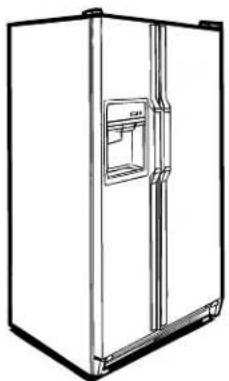
natural_image
Line drawing of a refrigerator with front door and side door (no text or symbols)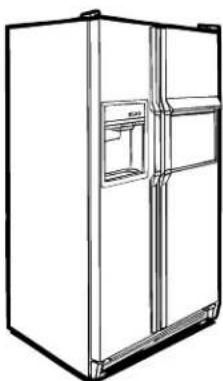
natural_image
Line drawing of a double refrigerator with front and back doors (no text or symbols)
natural_image
Line drawing of a modern kitchen interior with blue cabinets, sink, and large refrigerator (no text or symbols)Part No. 162D9792P002
Pub No. 49-6896
Table of Contents
Instructions for Safe Operation ....1-7
Part Names....8,9
Specifications—External Dimensions .....10–12
Instructions for Installation .....13
Instructions for Operation .....14
Operation of Refrigerator:
Operation of Temperature Control Dials .....15
Interior Temperature Control .....16-18
Operation of Custom Dispenser .....19-21
Utilizing the Interior Space .....22-26
Electronic Monitor & Diagnostic System . .27–29
Storage of Food ....30
What To Know About Frozen Foods ....31
Care and Cleaning of Refrigerator ....32
Self-Diagnosis of Refrigerator ....33
Warranty and After-Service .....34, 35
- Thank you very much for purchasing the GE Large Freezer/Refrigerator.
- Please read and completely understand this Operations Guide before use to ensure accurate and safe operation of this appliance.
• After reviewing, retain this guide for future reference.
- Be sure to obtain the “Warranty Note.”
INSTRUCTIONS FOR SAFE OPERATION
- Please read these safety cautions carefully and operate the refrigerator correctly.
- Please make sure to heed the safety cautions listed here, for they contain important information.
Caution indicators and their meanings are as follows:
 | DANGER | This sign indicates that there is a high probability of causing death or serious injury to the operator, if mishandled. |
 | WARNING | This sign indicates that there is a possibility of causing death or serious injury to the operator, if mishandled. |
 | CAUTION | This sign indicates that there is a possibility of causing bodily injury to the operator or material damage*, if mishandled. |
* Material damage includes damage to house, furniture, pets or bedding.
Examples of Pictorial Signs
 | Indicates caution (including danger, warning). Details of WARNING (caution) are posted inside or near the illustration in pictures or words. |
| “WARNING: ELECTRIC SHOCK” | |
 | Indicates this action is not to be done. Details of such actions are posted inside or near the illustration in pictures or words. |
| “DO NOT DISASSEMBLE” | |
 | Indicates forced action (must do). Details of forced actions are posted inside or near the illustration in pictures or words. |
| “UNPLUG” | |

WARNING
Do not store flammable substances such as ether, benzene, alcohol, drugs, LP gas (cartridge for lighters).
DO NOT


text_image
LP GAS SPRAY THINNER ETHER GLUE• DANGER OF EXPLOSION.
Do not hang on or sit on glass shelf.
DO NOT

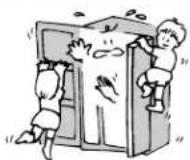
• DANGER OF INJURY DUE TO DOOR FALLING OR PINCHING HAND.
INSTRUCTIONS FOR SAFE OPERATION (continued)

WARNING
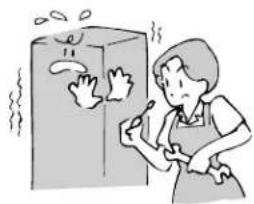
Under no circumstances should you disassemble, repair, or modify anything.

natural_image
Illustration of a person cleaning a refrigerator with steam rising (no text or symbols)• DANGER OF STARTING FIRE (OR MAY CAUSE ABNORMAL OPERATION).
DO NOT DISASSEMBLE
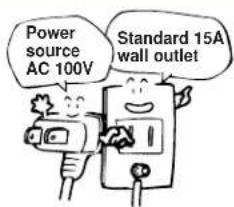
Use regulation 15A only for dedicated wall outlet for the refrigerator.

text_image
Power source AC 100V Standard 15A wall outlet• DANGER OF FIRE FROM OVER-HEATING IF OUTLET IS SHARED WITH OTHER APPLIANCES.
DEDICATED OUTLET
When cleaning, unplug the power plug from the wall outlet.
UNPLUG


natural_image
Illustration of a person using a power tool to clean electrical outlets (no text or symbols present)• DO NOT HANDLE PLUG WITH WET HANDS.
• DANGER OF ELECTRIC SHOCK, SHORT CIRCUIT, OR INJURY.
Do not press power plug with the back of refrigerator.
DO NOT PRESS


natural_image
Cartoon illustration of a megaphone emitting sound waves from a wall, with stars and motion lines indicating sound (no text or symbols)• DANGER OF FIRE FROM OVER-HEATING BY A DAMAGED PLUG.
When the refrigerator/freezer is out of order, stop operation by disconnecting the power plug.
UNPLUG


text_image
"Humming Noise"• OPERATING THE APPLIANCE WHEN SOMETHING IS ABNORMAL COULD RESULT IN AN ELECTRIC SHOCK OR FIRE.
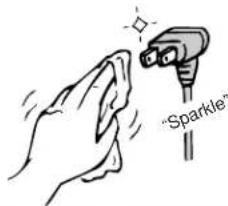
The metal prongs or the prong attachment of power plug should be wiped clean with a dry cloth.
CLEAN PLUG

text_image
"Sparkle"- WIPE PLUG CLEAN WHEN DIRTY. - MAY BECOME A SOURCE OF FIRE.
INSTRUCTIONS FOR SAFE OPERATION (continued)

WARNING
Connect grounding wire.
CONNECT GROUNDING


text_image
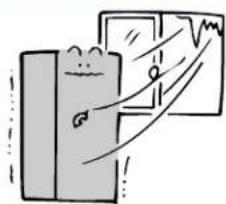
Confirm the ground wireDo not install in a location where freezing is possible.
DO NOT INSTALL

natural_image
Simple line drawing of a person standing next to a window with a curved line and graph (no text or symbols)• DANGER OF MALFUNCTION OR SHORT CIRCUIT.
- PLEASE CONSULT DEALERSHIP WHEN CONNECTING GROUNDING.
Do not store medicines or scientific specimens in refrigerator.
DO NOT STORE


natural_image
Illustration of a cleaning or cleaning tool with a container and a door, showing hand gestures (no text or symbols)• DANGER OF RUPTURED HOSES, PIPES, VALVES, ETC., LEAKING WATER.
- SUBSTANCES REQUIRING STRICT TEMPERATURE CONTROL SHOULD NOT BE STORED IN A HOME REFRIGERATOR.
In the event of a city gas leak, provide good ventilation by opening the doors. Do not touch refrigerator or wall outlet.
VENTILATE


natural_image
Cartoon illustration of a train approaching a door with smoke, next to a window (no text or symbols)• POSSIBILITY OF FIRE LEADING TO AN EXPLOSION.
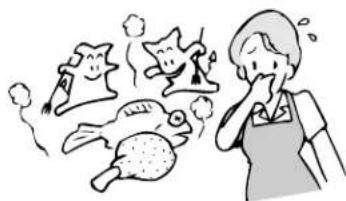
Discard foods which are discolored or foul smelling due to malfunctioning of the refrigerator.

natural_image
Illustration of a person reacting to various animals including fish, sheep, and birds (no text or symbols)DISCARD SPOILED FOODS
Do not splash water outside and/or inside the refrigerator.

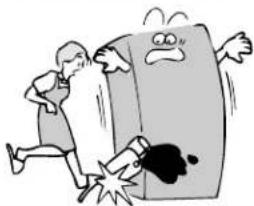
natural_image
Cartoon illustration of a person running away from a large book with a sad face emerging (no text or symbols)• SPOILED FOOD CAN BE HARMFUL.
DO NOT SPLASH WATER
INSTRUCTIONS FOR SAFE OPERATION (continued)

WARNING
Do not use flammable sprays (hair spray, insecticide, etc.) near refrigerator.


natural_image
Cartoon illustration of a person spraying a bottle near a steaming refrigerator with a cartoon character inside (no text or symbols)• DANGER OF FIRE BY IGNITION.
DO NOT USE
Do not place heavy objects on top of refrigerator.

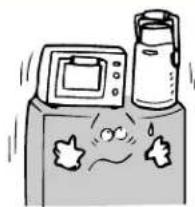
natural_image
Cartoon illustration of a kitchen appliance with a monitor, a bottle, and a sad face on a surface (no text or symbols)• DANGER OF INJURY CAUSED BY FALLING OBJECTS WHEN DOOR IS OPENED AND CLOSED.
DO NOT
Do not place a container with water on top of refrigerator.

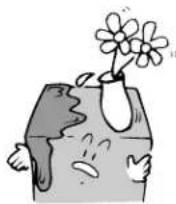
• DANGER OF FIRE CAUSED BY SHORT CIRCUIT DUE TO DETERIORATION OF ELECTRICAL INSULATION BY SPILLED WATER.
DO NOT
When disposing of a refrigerator, remove door gasket.

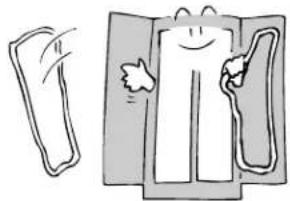
natural_image
Illustration of a person holding a bottle and a bag, with no visible text or symbols• IT IS DANGEROUS IF A CHILD IS TRAPPED INSIDE.
REMOVE GASKET
Unplug power plug when replacing interior light bulb.


natural_image
Cartoon illustration of a person opening a refrigerator with a hand holding a phone (no text or symbols present)• POSSIBILITY OF ELECTRIC SHOCK.
UNPLUG
Do not touch the ice-making part of the automatic icemaker.


natural_image
Illustration of a person opening a door with a starburst pattern on the wall (no text or symbols)• INJURY COULD RESULT WHEN ICE TRAY ROTATES.
• HEATER BECOMES HOT AND COULD CAUSE BURNS.
DO NOT TOUCH
INSTRUCTIONS FOR SAFE OPERATION (continued)

WARNING
Secure the refrigerator in place to prevent it from toppling over during an earthquake.
PREVENT FROM TOPPLING OVER

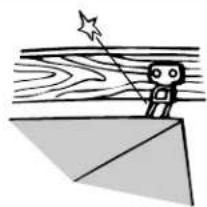
natural_image
Simple line drawing of a stick figure standing on a wooden platform with a star and diagonal lines (no text or symbols)• COULD RESULT IN INJURIES IF THE REFRIGERATOR TOPPLES OVER.
The adjustable shelves and baskets should be attached securely to designated points in the refrigerator.
ATTACH SHELVES SECURELY


• DANGER OF CAUSING INJURIES DUE TO SHELVES COMING LOOSE AND FALLING IF NOT SECURELY ATTACHED.
Piping for the icemaker should be installed in accordance with the wiring and piping schematics.
INSTALLATION WARNING


• UNIT MAY LEAK IF NOT INSTALLED CORRECTLY.

CAUTION
A 100V alternating current power source is to be used for the wall outlet.
100V ONLY

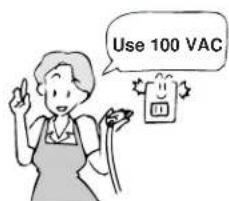
text_image
Use 100 VAC• POSSIBILITY OF FIRE OR ELECTRIC SHOCK.
Do not pull cord when disconnecting power plug.
DO NOT PULL


natural_image
Hand using a power tool to adjust or install an electrical outlet (no text or symbols visible)- UNPLUG BY HOLDING THE POWER PLUG. - ELECTRIC SHOCK OR SHORT CIRCUIT COULD RESULT.
INSTRUCTIONS FOR SAFE OPERATION (continued)

CAUTION
Do not use a damaged cord, power plug, or loose wall outlet.
DO NOT USE


• POSSIBILITY OF ELECTRIC SHOCK, SHORT CIRCUIT, OR FIRE.
Do not damage the electric power cord.
DO NOT DAMAGE

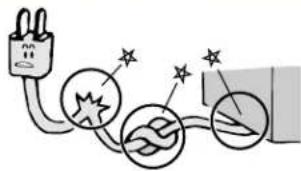
natural_image
Simple line drawing of electrical connections with sparkles and star symbols (no text or labels)• DO NOT DAMAGE, BREAK, ALTER, FORCIBLY BEND, PULL, TWIST, OR BUNDLE THE ELECTRIC POWER CORD. DO NOT PLACE A HEAVY OBJECT ON IT, CRIMP IT, OR ALTER IT IN ANY WAY.
• A BROKEN CORD MAY CAUSE FIRE OR ELECTRIC SHOCK.
Install the refrigerator in a location away from excess moisture or where water may be present.
KEEP DRY

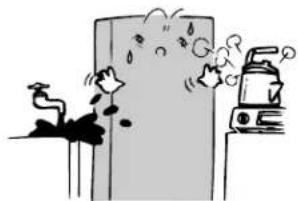
natural_image
Illustration of a fire with smoke and water droplets, next to a spray bottle (no text or symbols)• INSULATION WILL DETERIORATE AND CAUSE A SHORT CIRCUIT.
Unplug the power plug from wall outlet when the refrigerator will not be used for an extended period of time.
UNPLUG


text_image
Illustration showing a smiling rectangular object with a small square labeled 'ID' being connected to a hand, alongside a black-and-white figure.• DETERIORATING INSULATION COULD CAUSE AN ELECTRIC SHOCK OR SHORT CIRCUIT.
Do not store bottles or cans in freezer compartment.
NO BOTTLES

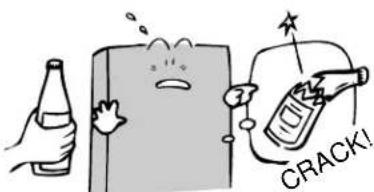
text_image
CRACK!• CONTENTS WILL FREEZE CAUSING THE BOTTLES TO EXPLODE WHICH MAY CAUSE INJURIES.
Close the refrigerator door by holding the door handle.
USE DOOR HANDLE

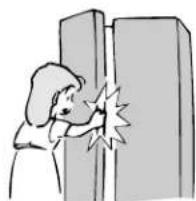
• DANGER OF INJURY TO FINGERS IF THE DOOR HANDLE IS NOT USED WHEN CLOSING DOOR.
INSTRUCTIONS FOR SAFE OPERATION (continued)

CAUTION
Hire professional movers to move the refrigerator, because it is heavy and dangerous to move.
EMPLOY PROFESSIONAL MOVERS

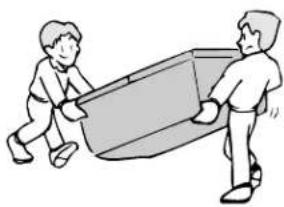
natural_image
Illustration of two people pulling a large cylindrical object (no text or symbols)• DANGER OF INJURIES BY ATTEMPTING TO MOVE THE REFRIGERATOR YOURSELF.
• CONSULT YOUR DEALERSHIP OR A PROFESSIONAL MOVER TO TRANSPORT THE REFRIGERATOR.
Do not touch food or containers (metallic) inside the freezer compartment with wet hands.
DO NOT TOUCH

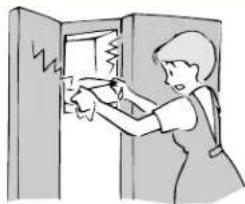
natural_image
Illustration of a person opening a door with a broken window and lightning bolts (no text or symbols)• FREEZING TEMPERATURES MAY CAUSE FREEZER BURN.
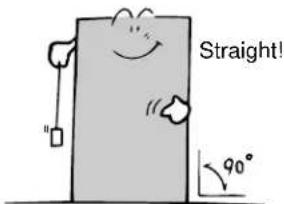
Install refrigerator on a sturdy flat floor.
DO NOT INSTALL

text_image
Straight! 90°• INSTALLING ON AN UNSTEADY FLOOR COULD CAUSE THE REFRIGERATOR TO TOPPLE WHEN OPENED AND CLOSED AND COULD CAUSE INJURY.
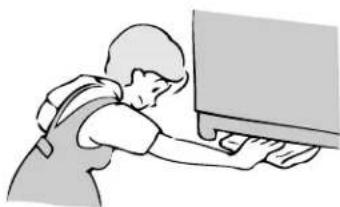
Do not put hands under the refrigerator.
DO NOT TOUCH

natural_image
Illustration of a person using a computer (no text or symbols visible)• METAL PLATES AND ROTATING PARTS LOCATED UNDER THE REFRIGERATOR MAY CAUSE INJURY.
Do not re-freeze foods after they have been thawed.
FOOD POISONING WARNING


text_image
Frozen Food• CONSUMING SPOILED FOODS IS HARMFUL.
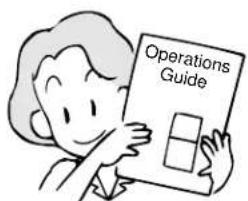
If you resell or give away this appliance, provide the new owners with this Operations Guide.
PROVIDE OPERATIONS GUIDE

text_image
Operations Guide• THE NEW OWNER WILL NEED THIS OPERATIONS GUIDE FOR SAFE AND CORRECT USE.
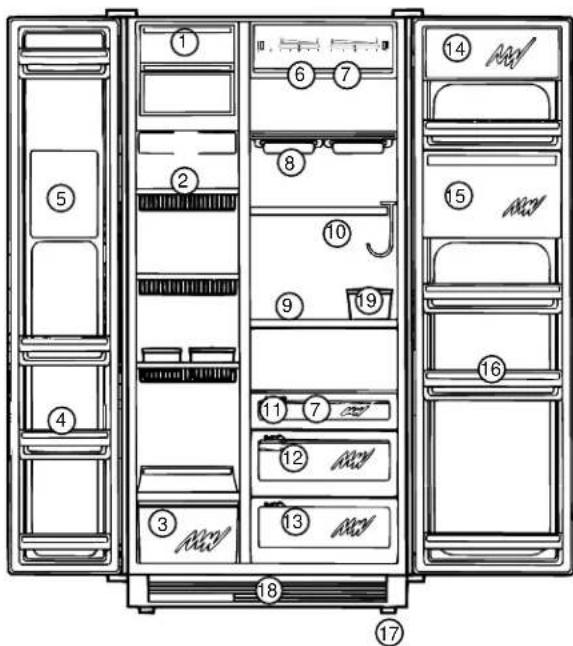
TFJ28PF,TFJ30PF,TPJ24PF
Freezer Compartment
① Icemaker Compartment (with inspection door) (built-in icemaker)
② Compartment Shelves (3 levels)
③ Large Freezer Basket
④ Door Pockets (4 levels)
⑤ Custom Dispenser (back side) (ice cold water dispenser)
text_image
Diagram of a refrigerator internal compartments with numbered labels for identificationRefrigerator Compartment
⑥ Temperature Control Dial
⑦ Internal Lamps
⑧ Quick-Serve Shelf (with 2 or 4 serving dishes)
⑨ Internal Shelf (3 levels)
⑩ Wine Rack
⑪ Airtight Snack Case
⑫ High Humidity Vegetable Compartment
⑬ Chilling/Vegetable Compartment
⑭ Astro-Door (flip door)
Type Utility Compartment
⑮ Refrigerator Mini Door
⑯ Jumbo Door Pocket (4 levels)
⑰ Four Wheel Castors
⑱ Front Grille
⑲ Utility Box (can be used as egg case also)
TFJ22PR, TFJ25PR, TFJ28PR, TFJ30PR, TPJ24BR, TPJ24PR
Freezer Compartment
① Icemaker Compartment (with inspection door) (built-in icemaker)
② Compartment Shelves (3 levels)
③ Large Freezer Basket
④ Door Pockets (4 or 5 levels)
⑤ Custom Dispenser (back side) (ice cold water dispenser)

text_image
Diagram of a refrigerator interior with numbered compartments and labeled storage areasRefrigerator Compartment
⑥ Temperature Control Dial
⑦ Internal Lamps
⑧ Internal Shelf (3 levels)
⑨ Wine Rack
⑩ Airtight Snack Case
⑪ High Humidity Vegetable Compartment
⑫ Chilling/Vegetable Compartment
⑬ Astro-Door (flip door) Type Utility Compartment
⑭ Door Pockets (4 levels)
⑮ Four Wheel Castors
⑯ Front Grille
⑰ Utility Box (can be used as egg case also)
PART NAMES (continued)
TFJ20JR
Freezer Compartment
① Icemaker Compartment (with inspection door) (built-in icemaker)
② Compartment Shelves (3 levels)
③ Large Freezer Basket
④ Door Pockets (5 levels)
⑤ Custom Dispenser (back side) (ice cold water dispenser)

text_image
Diagram of a refrigerator with numbered compartments and labeled appliances, showing front and rear views.13
Refrigerator Compartment
⑥ Temperature Control Dial
⑦ Internal Lamps
⑧ Internal Shelf (3 levels)
⑨ High Humidity Vegetable Compartment
⑩ Chilling/Vegetable Compartment
⑪ Astro-Door (flip door)
Type Utility Compartment
⑫ Door Pockets (4 levels)
⑬ Four Wheel Castors
⑭ Front Grille
⑮ Utility Box (can be used as egg case also)
SPECIFICATIONS
| UNITS | TFJ30PF | TFJ30PR | TFJ28PF | TFJ28PR | TFJ25PR | TPJ | 24PF | TPJ | 24PR/BR | TFJ | 22PR | TFJ20JR | ||
| USEFUL TOTA VOLUME | L (L) 806 806 | 764 764 6 | 86 630 630 | 588 531 | ||||||||||
| FREEZER | (L) 301 301 284 | 284 243 2 | 29 229 175 | 175 | ||||||||||
| FRESH FOOD | (L) 505 505 480 | 480 443 4 | 01 401 413 | 356 | ||||||||||
| ELECTRICAL POWER | VOLTAGE | (V) | SINGLE PHASE 100/100 | |||||||||||
| FREQUENCY | (Hz) | 50/60 | ||||||||||||
| SOURCE | MOTORS | (W) | 247/238 | 247/238 | 247/238 | 247/238 | 252/245 | 248/233 | 248/233 | 243/231 | 241/228 | |||
| HEATERS | (W) | 675/675 | 675/675 | 675/675 | 675/675 | 675/675 | 675/675 | 675/675 | 595/595 | 595/595 | ||||
| AVG MONTHLY ELECTRICAL CONSUMPTION (KWH/MON) | 86/89 | 81/81 | 81/80 | 71/73 | 77/78 | |||||||||
| COOLING METHOD AND FREEZER CODE | COLD AIR CIRCULATION TYPE (INDIRECT COOLING) ★★★★ | |||||||||||||
| CONDENSER COOLING | FORCED AIR (FAN COOLED CONDENSER) | |||||||||||||
| DEFROST CONTROL | AUTO START - AUTO STOP | |||||||||||||
| DEFROST WATER REMOVAL | FORCED AIR EVAPORATION | |||||||||||||
| AUTOMATIC ICEMAKER | YES | |||||||||||||
| MOBILITY WHEELS | ATTACHED | |||||||||||||
| BUILT-IN | POSSIBLE | |||||||||||||
| DOOR REVERSIBILITY | - | |||||||||||||
| ELECTRICAL RATING | (A) | 15 | ||||||||||||
| WEIGHT | (Kg) | 168 168 163 163 | 143 159 159 132 123 | |||||||||||
| CORD LENGTH | (M) | 2.2 | ||||||||||||
* Values for useful internal volume and the Electrical Standard Values are based on the Japanese Industry Standard (JIS C9607).
* Values separated by “/” indicate 50 Hz on left and 60 Hz on right. Others indicate common 50 Hz and 60 Hz.
- Freezer Performance
This freezer/refrigerator is "Four Star" ★★★★ coded.
Performance of freezer is classified by codes.
Each code indicates the performance capability according to the regulation delineated in the Japanese Industry Standard (JIS C9607). The regulation defines the test conditions for measuring the freezing-load temperature (food temperature). The following table shows the test results:
| CODE | FREEZING-LOAD TEMP.(FOOD TEMPERATURE) | FROZEN FOOD PRESERVATIONESTIMATED TIME |
| Below -6°C. | Approx. 1 week | |
| Below -12°C. | Approx. 1 month | |
| Below -18°C. | Approx. 3 months |
EXTERNAL DIMENSIONS
TFJ30PF TFJ30PR
(Units: mm)
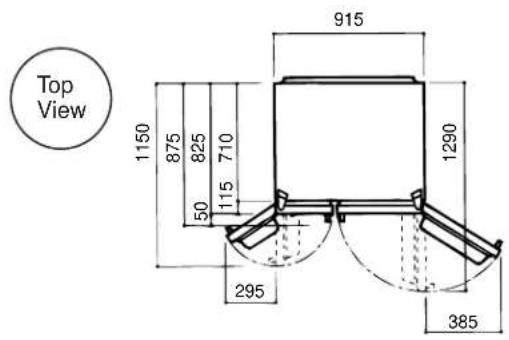
text_image
Top View 1150 875 825 50 115 710 915 1290 295 385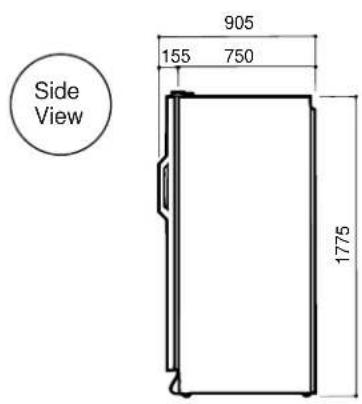
text_image
Side View 905 155 750 1775TFJ28PF TFJ28PR
(Units: mm)
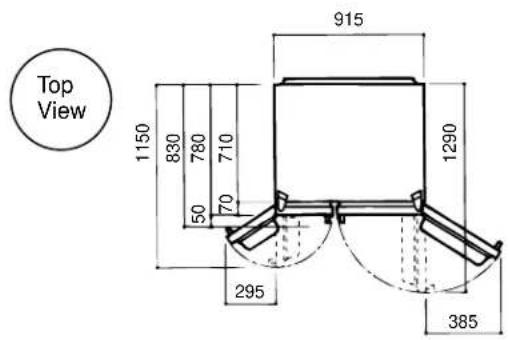
text_image
Top View 1150 830 780 710 50 70 915 1290 295 385
text_image
Side View 870 120 750 1775TPJ24PF TPJ24PR TPJ24BR
(Units: mm)

text_image
Top View 1045 725 675 605 50 70 915 1185 295 385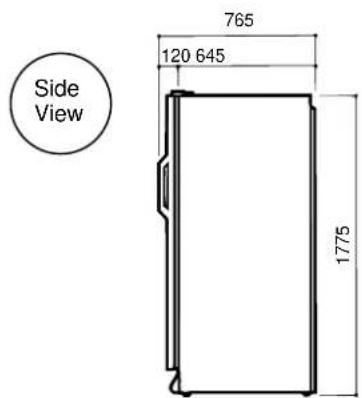
text_image
Side View 765 120 645 1775EXTERNAL DIMENSIONS (continued)
TFJ25PR
(Units: mm)

text_image
Top View 1150 845 795 725 50 70 915 1290 280 470

text_image
875 150 725 1775TFJ22PR
(Units: mm)
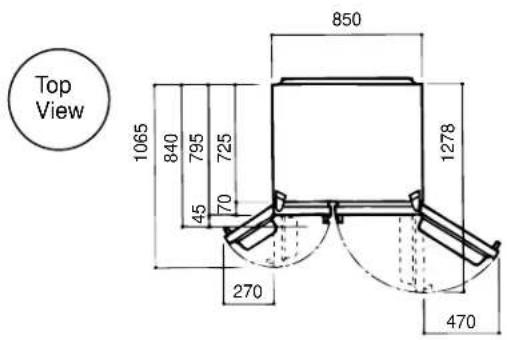
text_image
Top View 1065 840 795 725 45 70 850 1278 270 470

text_image
840 115 725 1720TFJ20JR
(Units: mm)

text_image
Top View 1065 840 795 725 45 70 800 1227 270 400
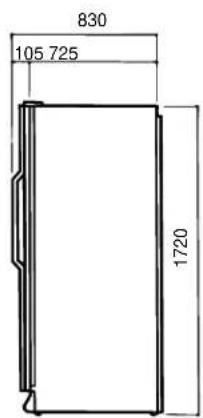
text_image
830 105 725 1720INSTRUCTIONS FOR INSTALLATION
1
Refrigerator should be installed on a firm and level floor.
If the floor is not firm, noise or vibration may occur. When opening and closing the door, the refrigerator may topple and cause injuries.
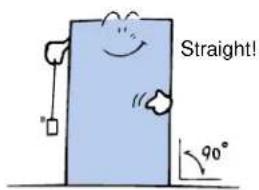
text_image
Straight! 90°5
Install in a low-humidity location.
An electrical short circuit or rusting may occur. If it is necessary to install in a washroom or on a damp floor, be sure to provide gaps by placing the refrigerator on some sort of blocks.
CAUTION: This type of refrigerator uses forced fan cooling. Therefore, to prevent reduction in the cooling capacity, place the refrigerator on top of a firm board before placing it on blocks. Do not place the refrigerator directly on top of the blocks.
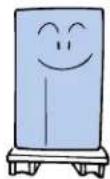
2
Place a firm board under the refrigerator when installing it on a weak floor, on a tatami, or on a carpet.
If the refrigerator is installed directly on carpet or other mats, the compressor under the refrigerator may touch the mat, causing discoloration of the mat, or may interfere with the cooling capability by reducing air flow.

natural_image
Simple cartoon drawing of a smiling rectangular character with arms and legs (no text or symbols)6
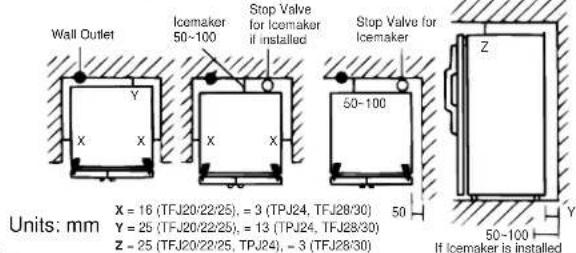
Allow sufficient space around the refrigerator as shown in diagrams below.
text_image
Wall Outlet Icemaker 50-100 Stop Valve for Icemaker if installed Stop Valve for Icemaker 50-100 X = 16 (TFJ20/22/25), = 3 (TPJ24, TFJ28/30) Y = 25 (TFJ20/22/25), = 13 (TPJ24, TFJ28/30) Z = 25 (TFJ20/22/25, TPJ24), = 3 (TFJ28/30) 50 If Icemaker is installed Units: mm Y Z 50-1003
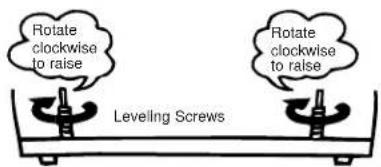
If the refrigerator is tilted, adjust with leveling screws under the front end. The front end of the refrigerator should be slightly higher so the door will close when lightly pushed.
text_image
Rotate clockwise to raise Leveling Screws Rotate clockwise to raise7
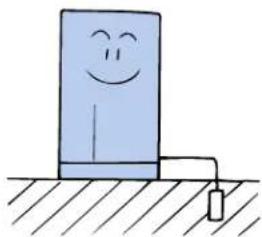
To avoid electric shock, ground the refrigerator.
Consult dealer for grounding installations. (Fee will be charged for grounding installations.)
NOTE: A grounding wire is attached to this refrigerator. Please connect these grounding terminals correctly.
natural_image
Simple line drawing of a smiling blue object standing on a surface with a small object nearby (no text or symbols)4
Install away from heat sources.
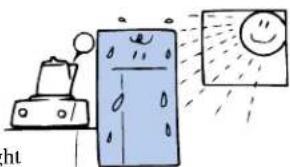
natural_image
Illustration of a refrigerator with steam and a smiling face, next to a doghouse emitting smoke (no text or symbols)Avoid locations in direct sunlight or near heat-producing appliances (range, heater, etc.). Cooling efficiency may be lowered or external color changes may result.
8
Do not put anything in front of the grille.
Since air is suctioned in from the front of the grille, obstructing the grille could lower the cooling capacity.
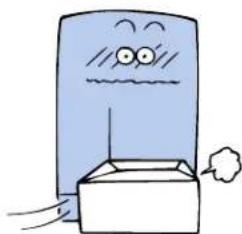
natural_image
Cartoon illustration of a blue computer mouse with a wavy mouth and speech bubble (no text or symbols)INSTRUCTIONS FOR OPERATION
1 CAUTION DURING POWER OUTAGE
Sudden interruption of electricity
- Limit the frequency of opening and closing the door. If the door is kept closed, the refrigerator should maintain its temperature for approximately 2 hours and the freezer for approximately 1 hour.
For expected outage
- Accumulate a lot of ice. The refrigerator can be maintained by cooling with ice.
- The refrigerator can be maintained longer if it is cooled for 2–3 hours prior to a blackout by setting the temperature control dial to the HIGH cooling position.
- Store as little food as possible. Fresh foods should be consumed first.
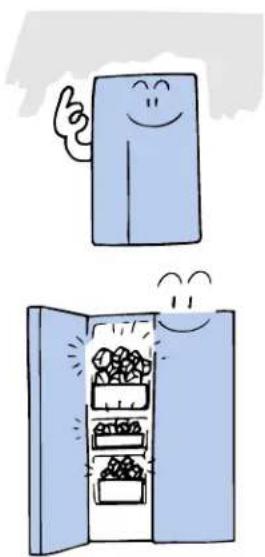
natural_image
Illustration of a smiling refrigerator with a pointing gesture and an open refrigerator with food inside (no text or symbols)2 CAUTIONS DURING EXTENDED SHUTDOWN
When the refrigerator will not be used for an extended period of time, follow the procedures outlined below to prevent odor and mildew:
- Remove all foods.
- Clean out refrigerator and keep the door open for a few days to dry out inside.

natural_image
Illustration of an open refrigerator with a smiling face and flying windows (no text or symbols)3 CAUTIONS WHEN DISCARDING
To prevent a child from being locked inside, take the following measures when disposing of a used refrigerator or freezer:
- Do not discard a refrigerator or a freezer in a location where children might play.
- Hinges should be destroyed to prevent an airtight seal.
- Remove door and gasket.

natural_image
Illustration of a closed folder with a blank top box (no text or symbols)The freezer temperature is adjusted by moving the dials as shown in the diagrams.
Set dial at "5" for normal operation.
If the dial is set at "1," temperature of the freezer is increased.
If the dial is set at "9," temperature of the freezer is decreased.
CAUTION: If the dial is set at "0," the refrigerator will shut off regardless of the position of the refrigerator compartment dial.
| Dial Setting | Temperature | Operations |
| 1 HIGH Food is to be 3 stored for | shorter periods of time. | |
| 5 MEDIUM Normal | ||
| 7 LOW 9 stored for | Food is to be longer periods of time. | |
3 REFRIGERATOR COMPARTMENT
Set the refrigerator temperature control dial to “5” for normal operation. If the dial is turned toward “1,” the refrigerator temperature becomes high and, if turned toward “9,” temperature becomes low.
| Dial Setting | Temperature | Operations |
| 1 HIGH3 foods | For storage of at higher | temperatures. |
| 5 MEDIUM Normal | ||
| 79 foods | LOWat lower | For storage of temperatures. |
INTERIOR TEMPERATURE CONTROL
NOTICE: NEW FREEZING ROOM TEMPERATURE FEATURE
YOUR REFRIGERATOR HAS BEEN DESIGNED TO INCLUDE A FEATURE THAT WILL PREVENT THE CONTENTS OF THE REFRIGERATOR COMPARTMENT FROM FREEZING, EVEN IF THE ROOM TEMPERATURE IS BELOW FREEZING. THIS IS A TOTALLY AUTOMATIC SYSTEM AND WILL REQUIRE NO ACTION ON YOUR PART. THIS SYSTEM PROVIDES THIS FEATURE BY PERIODICALLY TURNING THE LIGHTS IN THE REFRIGERATOR COMPARTMENT ON AND OFF. THE WARMTH FROM THESE LIGHTS WILL AUTOMATICALLY KEEP THE FOOD FROM FREEZING. THIS SYSTEM OPERATES AT ROOM TEMPERATURES FROM 15°C. TO -5°C. THE SYSTEM WILL TURN ON THE LIGHTS ONLY WHEN NEEDED. IF YOU SHOULD NOTICE THAT THE REFRIGERATOR LIGHTS ARE ON, EVEN THOUGH THE DOOR IS CLOSED, THIS IS THE SYSTEM AT WORK, KEEPING YOUR FRESH FOOD FROM FREEZING.
How to Prevent Freezing
NOTE: IF YOU EXPECT THE ROOM TEMPERATURE TO FALL BELOW FREEZING, AND YOUR REFRIGERATOR HAS THE ICE/WATER DISPENSER FEATURE BUILT INTO THE FREEZER DOOR, OR HAS AN ICEMAKER, THEN YOU SHOULD PERFORM THE FOLLOWING STEPS. THIS DEACTIVATES THE ICE/WATER SYSTEM AND WILL PREVENT THE EXTERNAL WATER LINES FROM FREEZING.
- Disconnect power to the refrigerator.
- Close valve on water line connecting refrigerator to main water supply.
- Position a container under the refrigeration connection to collect any spillage and disconnect inlet water supply line from refrigerator. Also collect water from the inlet supply line.
- Position the container under the plastic outlet tube that supplies the icemaker (on Refrigerator side) to collect any water spillage and disconnect the tube.
- Position the container under the plastic outlet tube that supplies the water tank (on Freezer side) to collect any water spillage and disconnect the plastic outlet tube.
- Reconnect the icemaker and water tank tubes to the water inlet valve.
- Turn off the icemaker (inside freezer) by moving sensor arm to the "UP" locked position.
- Remove the front grille.
- Position a container under the water line connectors located under the freezer, to collect any spillage, and disconnect the two ends of the water line.
- Allow water to drain from the two ends.
- Reconnect the two ends of the water line.
- Install the front grille.
- Reconnect power to the refrigerator.
How to Restore to Normal Condition
NOTE: WHEN THE ROOM TEMPERATURE RISES ABOVE FREEZING, YOU CAN REACTIVATE YOUR ICE/WATER DISPENSER SYSTEM BY PERFORMING THE FOLLOWING STEPS:
- Disconnect power to the refrigerator.
- Reconnect the inlet water supply line to the refrigerator.
- Open the valve on water line connecting refrigerator to main water supply.
- Turn on the icemaker (inside freezer) by moving sensor arm to the "DOWN" unlocked position.
- Reconnect power to the refrigerator.
6.Dispense water from freezer door. Throw away the first few glasses. - Check all connections for leaks. Tighten as necessary.
INTERIOR TEMPERATURE CONTROL (continued)
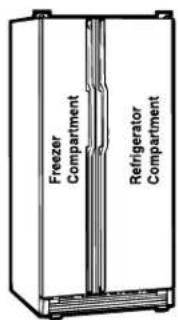
text_image
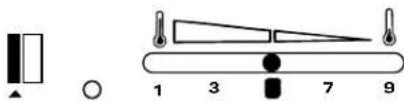
Freezer Compartment Refrigerator Compartment1 NORMAL OPERATION
For normal operation, set the dials as shown below:

Refrigerator
Compartment
Freezer
Compartment
(or)
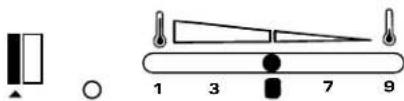
text_image
1 3 7 9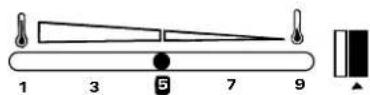
| FREEZER REFRIGERATORCOMPARTMENT COMPARTMENT | |
 |  |
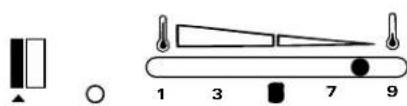
2 ADDITIONAL COOLING ON REFRIGERATOR COMPARTMENT SIDE
Use this setting when food is to be stored at low temperatures. This setting is likely to be frequently used during warmer months. Temperature dials should be set at 7–9, as needed.

Refrigerator
Compartment
Freezer
Compartment
(or)
text_image
Diagram showing a balance scale with numbered positions and corresponding symbols for weight measurement.
| FREEZER REFRIGERATORCOMPARTMENT COMPARTMENT | |
 |  |
INTERIOR TEMPERATURE CONTROL (continued)
text_image
Freezer Compartment Refrigerator Compartment3 ADDITIONAL COOLING ON FREEZER COMPARTMENT SIDE
Use this setting when food is to be stored for longer periods of time.

text_image
Diagram showing two circular gauges with numerical markings and vertical bars above them, likely illustrating a measurement or calibration system.Refrigerator
Compartment
Freezer Compartment
(or)
text_image
Diagram showing a device with labeled parts and indicators, including a rectangle, circle, and numbered positions 1, 3, 7, 9.
| FREEZER REF RIGERATOR COMPARTMENT COMPARTMENT | |
 |  |
4 A SMALLAMOUNT OF FOOD IS STORED
Use this setting when food is to be stored at warmer temperatures.

text_image
Diagram showing two analog clocks with vertical bars and pointer indicators, illustrating a time measurement or alarm system.Refrigerator
Compartment
Freezer Compartment
(or)

text_image
1 3 7 9
| FREEZER REF RIGERATOR COMPARTMENT COMPARTMENT | |
 |  |
The custom dispenser is a unique GE feature that allows dispensing of ICE CUBES, CRUSHED ICE, and COLD WATER by touch key or by a pad switch without the door being opened.
(1) OPERATION OF TFJ30PF, TFJ28PF & TPJ24PF TYPE CUSTOM DISPENSER
1. DISPENSING ICE CUBES
When the Touch Key Sign is lightly pushed, a green light will come on with a "beep" sound. Large ice cubes (half-moon shape) are dispensed by pushing the pad with a glass.
2. DISPENSING CRUSHED ICE
When the Touch Key Sign is lightly pushed, a green light will come on with a "beep" sound. Crushed ice is dispensed by pushing the pad with a glass.
3. DISPENSING COLD WATER
When the Touch Key Sign is lightly pushed, a green light will come on with a "beep" sound. Cold water is dispensed by pushing the pad with a glass.
NOTE: DO NOT OBSTRUCT THE CRUSHED ICE OR ICE CUBE CHUTE WITH YOUR FINGER OR ANY KIND OF OBJECT.
• USING THE LIGHT SWITCH
- Normally, when the pad is pushed to dispense ice or cold water, the light comes on. When the pad is released, the light goes off.
- The light may be turned on by setting the switch to "ON."
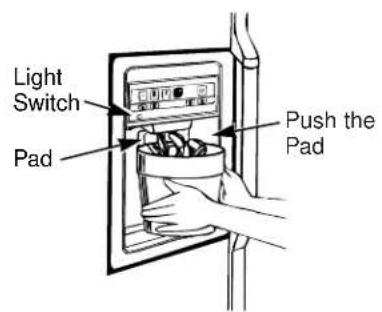
text_image
Light Switch Pad Push the Pad
text_image
Light Switch Pad Push the PadOPERATION OF THE CUSTOM DISPENSER (continued)
(2) TFJ30PR, TFJ28PR, TFJ25PR, TPJ24PR, TPJ24BR, TFJ22PR, TFJ20JR TYPE CUSTOM DISPENSER
1. DISPENSING ICE CUBES
Large ice cubes (half-moon shape) are dispensed by setting the lever to the right and pushing the pad in the center with a glass or other type of container.
2. DISPENSING CRUSHED ICE
Crushed ice is dispensed by setting the lever to the center and pushing the pad in the center with a glass or other type of container.
3. DISPENSING COLD WATER
Cold water is dispensed by setting the lever to the left and pushing the pad in the center with a glass or other type of container.
NOTE: DO NOT OBSTRUCT THE CRUSHED ICE OR ICE CUBE CHUTE WITH YOUR FINGER OR ANY KIND OF OBJECT.
-
The light is kept off by positioning the lever to the left. Even when the lever is set to "OFF," the light will come on and go off whenever the ice and cold water dispensing pad is pushed or released.
-
To turn the light on, set lever to the right.

text_image
Selector Switch Light Lever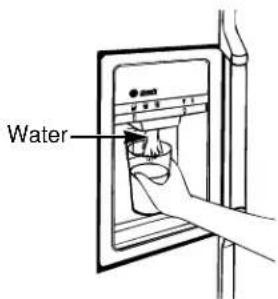
text_image
WaterOPERATION OF THE CUSTOM DISPENSER (continued)
(3) OPERATION OF ICEMAKER (AUTOMATIC ICE-MAKING APPARATUS)
GE Icemaker (automatic ice-making apparatus) does not require manual water supply. Following completion of installation of the water supply piping system, lower the feeler arm switch to "ON." Ice is now automatically made and the icemaker will automatically shut off when the bucket is filled with set amount of ice.
1. REMOVING THE ICE BUCKET
- While holding bottom of the icemaker compartment cover, gently push upward.
- Pull forward to remove the icemaker compartment cover and ice bucket together.
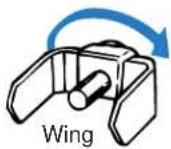
To replace ice bucket, push it straight back until it clicks in place. If the ice bucket does not seat completely due to an interference of the rotating wing on the back wall, pivot the rotating wing by hand approximately 1/3 turn and retry.
2. CLEANING THE CUSTOM DISPENSER
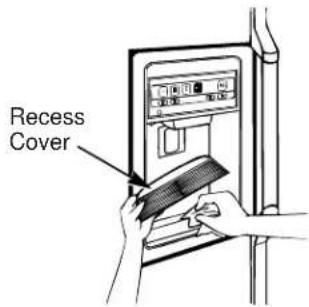
Any spilled ice or water will evaporate naturally from the bottom of the custom dispenser. If juice or other liquid is spilled, however, residues will remain even if the water has evaporated. Remove the recess cover and wipe with a warm, damp cloth.

natural_image
Diagram of a mechanical device with a brush and tool, showing no text or symbolsFeeler Arm Switch

Ice Bucket
text_image
Recess CoverUTILIZING THE INTERIOR SPACE
1 REFRIGERATOR COMPARTMENT SHELVES
Each shelf is adjustable, enabling space to be utilized without waste.
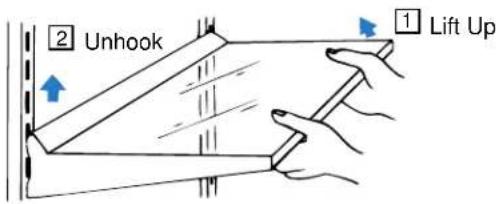
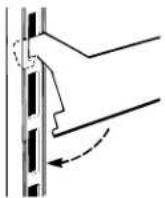
- To remove shelf, lift the front end slightly, while unhooking it from the slot in the back.
text_image
2 Unhook 1 Lift Up- To install shelf, lift the front end and insert the hooks into the slots at desired height, and lower front end to lock in securely.
1 Insert Hooks
2 Lower Front
2 FREEZER COMPARTMENT SHELF
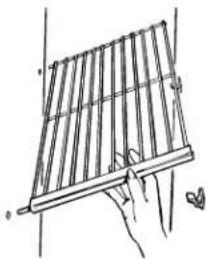
To remove shelf, pull forward and lift slightly.

natural_image
Illustration of two hands holding a coiled spring-loaded device, showing mechanical deformation (no text or symbols)(or)
1 Push down on tab while lifting up on shelf.

natural_image
Line drawing of a hand operating a traditional string instrument (no text or symbols)② Rotate shelf up, then pull to the right.
natural_image
Hand holding a wooden bar with a small butterfly nearby (no text or symbols)3 AIRTIGHT SNACK CASE (or) MEAT/SNACK CASE
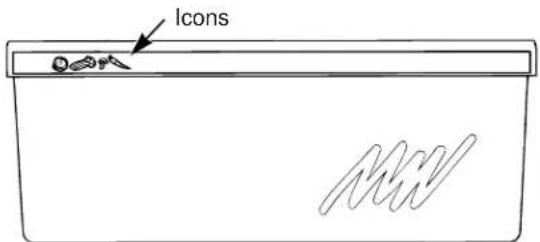
Unwrapped foods can be stored in the airtight snack case without losing the unique moisture of food. For example, the snack case is best suited for storing foods such as cheese, bacon, hors d'oeuvres, jam, paste, etc.
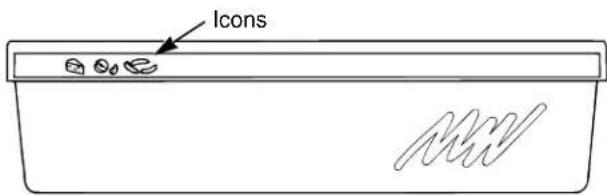
- When the lever is set on high humidity, the case becomes airtight, preventing moisture from escaping into the refrigerator compartment. The airtight case allows food to be stored for relatively long periods of time without losing moisture content.
- When the lever is set on low humidity, the vent between the case and the refrigerator compartment opens, allowing air circulation. On this setting, foods can become dry. Therefore, this setting is appropriate for foods that do not require moisture.

text_image
Icons Lever High Humidity Low Humidity(or)
text_image
IconsUTILIZING THE INTERIOR SPACE (continued)
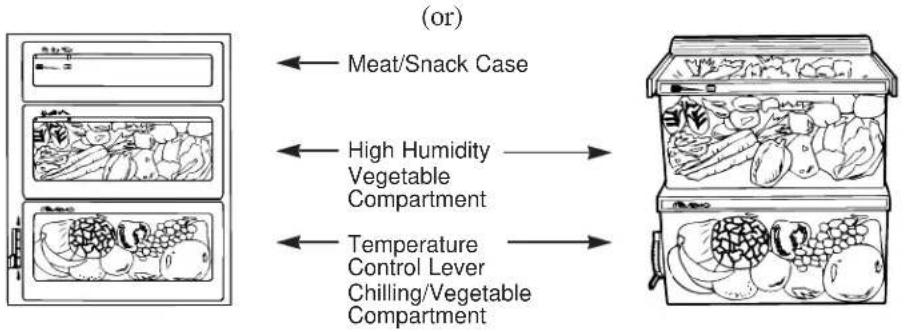
4 HIGH HUMIDITY VEGETABLE COMPARTMENT
This compartment is designed to maintain good internal airtightness, allowing vegetables to be stored without losing freshness. It is normal for water to accumulate in the compartment due to differences in temperature and vegetable moisture content. Vegetables should be stored in plastic or paper wrappings to prevent water accumulation.
To prevent vegetables from spoiling, drain water and wipe compartment dry if water accumulates.
flowchart
graph LR
    A["Meat/Snack Case"] --> B["High Humidity Vegetable Compartment"]
    B --> C["Temperature Control Lever Chilling/Vegetable Compartment"]
text_image
Icons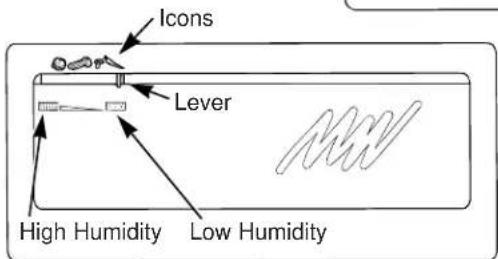
text_image
Icons Lever High Humidity Low Humidity(or)
text_image
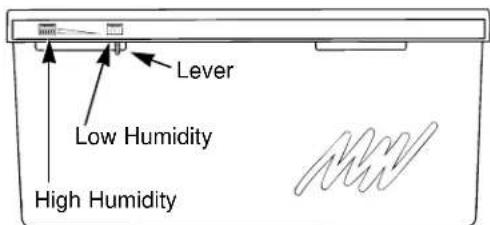
Lever Low Humidity High HumidityWhen lever is set on high humidity, the case becomes airtight, preventing moisture from escaping into the refrigerator compartment. The airtight case allows foods to be stored for relatively long periods of time without losing moisture content.
When lever is set on low humidity, the vent between the case and the refrigerator compartment opens, allowing air circulation. On this setting, foods can become dry. Therefore, this setting is appropriate for foods that do not require moisture.
UTILIZING THE INTERIOR SPACE (continued)
5 CHILLING/VEGETABLE COMPARTMENT
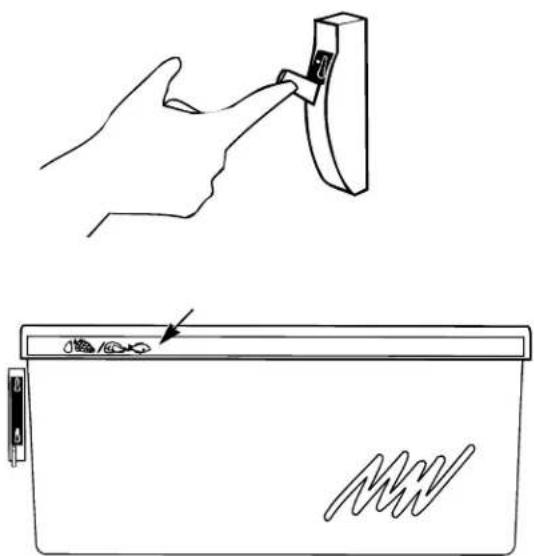
For use as a chilling compartment, set lever to the lower position. Cold air will circulate from the freezer compartment and will be suitable for storing food at a lower temperature.
Frost may form if the lever is set at the lower position for a long period of time.
For use as a vegetable compartment, set lever to the upper position. Cold air from the freezer compartment will not circulate into this compartment and vegetables can be stored.
Set control to the upper position if room temperature is below 10^ C. to prevent water dispenser tank from freezing.

text_image
Icons Icons(or)
natural_image
Line drawing showing a hand inserting a component into a device with a close-up view of the device (no text or symbols)6 ADJUSTABLE HEIGHT DOOR POCKET
Both large and small items can be stored in this box-type shelf. The container can be removed from the door and conveniently carried to a table or counter.

natural_image
Illustration of hands installing or adjusting a mechanical component with an arrow indicating motion (no text or symbols present)UTILIZING THE INTERIOR SPACE (continued)
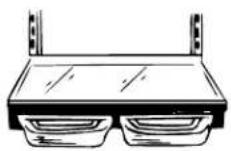
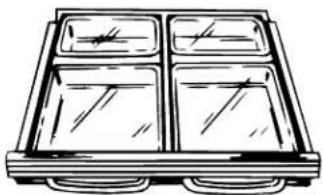
7 QUICK-SERVE SHELF WITH SERVING DISHES
The 4 serving dishes with transparent lids are part of the quick-serve shelf and can be used to store cooked foods directly in the refrigerator or freezer compartment.
The serving dishes are microwave- and dishwasher-safe.
NOTE: Some models are equipped with only 2 dishes.
natural_image
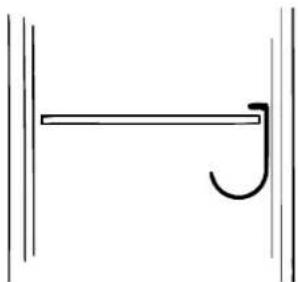
Line drawing of a four-tiered tray or tray with no text or symbols8 WINE RACK
Mount the wine rack on refrigerator shelf and cool your favorite wine.
natural_image
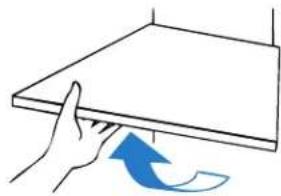
Simple line drawing of a horizontal bar with a curved arrowhead on the right end (no text or symbols)9 REMOVAL OF AIRTIGHT SNACK CASE AND REPLACING THE INTERIOR LIGHT BULB
- To remove the airtight snack case:
- Pull the case forward, lifting slightly.
-
To replace the interior light bulb:
-
Remove the glass shelf above the airtight snack case by pulling it forward and unhooking it from the adjustable height fixtures.
- Remove the lamp cover on back of snack case. Remove lamp cover by lifting the insertion lip on the upper part of lamp cover, then pulling the lower insertion lip out.
- Replace one or both interior light bulbs that are burned out.
- Use only a 40W bulb.
natural_image
Hand pressing a blue curved arrow on a flat surface, no text or symbols present
natural_image
Illustration of two hands holding a rectangular object with a blue upward arrow above it (no text or symbols)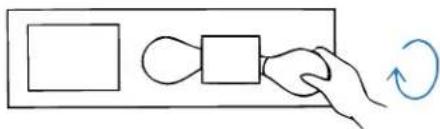
flowchart
graph TD
    A["Rectangle"] --> B["Looped Square"]
    B --> C["Hand Rolling Arrow"]
UTILIZING THE INTERIOR SPACE (continued)
10 REFRIGERATOR COMPARTMENT MINI-DOOR(TFJ30PF, TFJ28PF, TPJ24PF ONLY)
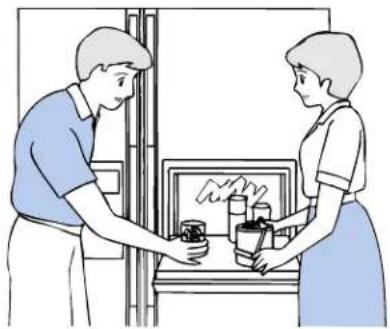
The refrigerator mini-door allows drinks to be removed from the refrigerator without opening the main door. It also serves as a service counter for glasses or small dishes.
The energy saving design prevents cold air from escaping from the refrigerator.
- The refrigerator compartment mini-door becomes a convenient and simple food preparation counter when opened by pulling the handle forward while lifting up.
- The refrigerator mini-door allows a small amount of cold air to flow from the freezer compartment through a small hole to cool stored foods.
- There is a lid inside the mini-door (inside refrigerator door) to prevent cold air from escaping.
- Foods that require frequent retrieval (such as juice) should be stored in the door pocket provided.
- The door pocket of the refrigerator mini-door may be removed; be certain however, to return it to the designated position (highest hook) when reattaching.
natural_image
Illustration of two people exchanging items on a counter, no text or symbols present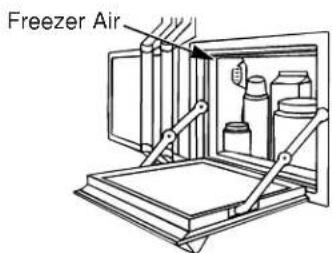
text_image
Freezer Air
text_image
Lift to Access Lower When Finished
text_image
Insert in Top SlotELECTRONIC MONITOR & DIAGNOSTIC SYSTEM
(TFJ30PF, TFJ28PF, TPJ24PF)
text_image
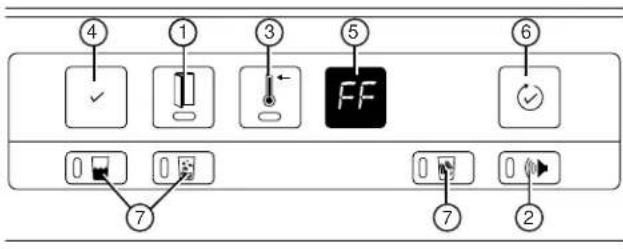
④ ① ③ ⑤ ⑥ FF ⑦ ⑦ ②① Light will flash if any door is left open.
② Light will come on when the system is set to sound an alarm if a door is left open more than 30 seconds.
③ Light will come on and warn if the temperature in the freezer compartment rises higher than normal.
④ Light will come on if the diagnostic system determines there is no problem.
⑤ The diagnostic codes displayed below will flash to indicate the following warnings:
“FF” Check food stored in the freezer compartment.
"PF" Power failure.
“CI” Icemaker malfunction.
“dE”Defrosting system malfunction.
⑥ To perform the 4 coded performance tests, push this key lightly.
⑦ These keys allow the following selections:
COLD WATER CRUSHED ICE ICE CUBES


1 DOOR-LEFT-OPEN MONITOR

- If the freezer or the refrigerator compartment door is left open more than 6 mm, a red light will flash until the door is completely closed.
2 KEY TO SET "DOOR-LEFT-OPEN WARNING"

- To set the “DOOR-LEFT-OPEN” warning, push key lightly. A green light will come on accompanied by a “beep” to indicate that the warning is set.
- If the freezer or the refrigerator compartment door is left open more than 30 seconds while this warning is set, a continuous “beep” will sound until the door is completely closed.
- To stop the warning sound, push the key once to release setting. The green light will also go out.
3 REFRIGERATOR INTERIOR TEMPERATURE MONITOR

- If the interior temperature of the freezer compartment remains unusually high for a long period of time (1–4 hours), a red light will come on. This red light will go off when interior temperature returns to normal.
CAUTION: When the refrigerator is first plugged in, the red light will stay on for several hours until the interior temperature goes down. This is not a malfunction. In order to allow the temperature to cool faster, do not open the door. In addition, the red light may come on if the freezer door is left open and the interior temperature goes up. If this occurs, and in order to lower the interior temperature as quickly as possible, do not open the door.
ELECTRONIC MONITOR & DIAGNOSTIC SYSTEM
(TFJ30PF, TFJ28PF, TPJ24PF)
4 INDICATOR LIGHT FOR NORMAL OPERATION

• A green light indicates normal operation of refrigerator.
- If a malfunction occurs, the normal operation indicator light will go off and one of the malfunction diagnosis codes (FF, PF, CI, dE) will start flashing in one of the 5 malfunction diagnosis code display windows.
5 MALFUNCTION DIAGNOSIS CODE DISPLAY WINDOW

- If a malfunction occurs, the electronic monitor will automatically detect and diagnose, and the appropriate malfunction diagnosis code green light will flash. (The first 6 blinkings will be accompanied by a beeping, warning sound.)
- If more than one malfunction occurs simultaneously, the malfunction indicator code for the most serious malfunction will flash. When this light goes off, the next most serious malfunction indicator code will start flashing.
• The malfunction diagnosis codes are as follows:
"FF" FREEZER MALFUNCTION
"PF" POWER SOURCE MALFUNCTION
“CI” ICEMAKER MALFUNCTION
“dE” DEFROSTER MALFUNCTION
6 SYSTEM CHECK/RESET KEY
- By pushing this key, all 4 malfunctions can be checked in the order of seriousness.
- If this key is pushed while one of the malfunction codes is flashing, the malfunction code will disappear and the system will automatically check for other malfunctions. (Flashing of the second malfunction indication code will also be accompanied by 6 beeping, warning sounds, as mentioned above.)
- If no other malfunction is found, the system will continue checking until key is reset.
This unique GE custom dispenser feature allows ice cubes and crushed ice to be dispensed without opening the door.
When the appropriate key for ice cubes, crushed ice, or cold water is lightly pushed, the selected sign will be lighted with a green light, accompanied by a beeping sound.
When the button switch (pad) is pushed with a glass, the selected ice cubes, crushed ice, or cold water will be automatically dispensed.
ELECTRONIC MONITOR & DIAGNOSTIC SYSTEM
(TFJ30PF, TFJ28PF, TPJ24PF)
DEFINITIONS OF MALFUNCTION DIAGNOSIS CODES AND CORRESPONDING CORRECTIVE MEASURES
(1) FREEZER COMPARTMENT MALFUNCTION: "FF"
- If the FF code flashes with a green light, this indicates that the freezer compartment interior temperature has been unusually high for some time (2–6 hours). Check the following items immediately:
- Check for objects that may prevent the freezer or the refrigerator compartment door from closing completely.
- Minimize opening and closing of door to lower the interior temperature of the freezer compartment quickly. If the reset key is pushed the FF light will go out and the diagnostic system will continue checking for any other malfunctions. If the normal operation code key is pushed and the PF code light comes on but the normal operation code light does not, there may be a power failure or another temporary interruption of power source.
- Wait until it is cool to call for service (may take several hours).
(2) POWER SOURCE MALFUNCTION: "PF"
- If the PF code flashes with a green light, this indicates that the electricity has been interrupted for more than 2 seconds. The freezer and refrigerator compartments should be checked. If the reset key is pushed, the PF light will go out and a diagnosis can be made whether there are any other malfunctions present. PF is not a mechanical malfunction.
(3) ICEMAKER MALFUNCTION (AUTOMATIC ICEMAKER): "CI"
- If the CI code flashes with a green light, this indicates that the automatic icemaker is malfunctioning. Check the following items immediately:
- Is arm switch of the icemaker blocked by ice cubes? (Remove the ice).
- Is dedicated icemaker water supply valve open? (Open valve.)
- Is icemaker arm switch in the "ON" position with the water supply piping connection not properly installed? (Set to "OFF.")
- Is thickness of ice more than 1.2 cm ? (If thickness of ice is less, open the valve wider to increase the water supply.)
- If the reset key is pushed, the CI light goes out and a check can be made whether there are any other malfunctions. If the CI light flashes again, a service call is needed.
(4) DEFROSTING MALFUNCTION: "dE"
- If the dE code flashes with a green light, this indicates that the defrosting operation has not been performed during the past 64 hours.
- If this code flashes, a service call is needed for repair work.
STORAGE OF FOOD
(1) STORAGE OF FOOD
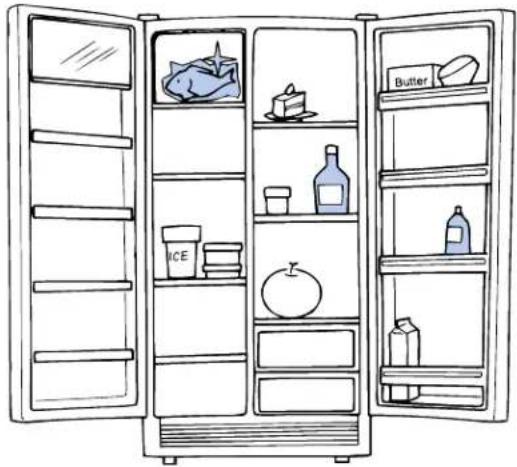
When storing foods, place items requiring colder temperatures (meats, cakes, etc.) near the cold air inlet, while placing items which are not to be subjected to dewing or icing (vegetables, fruit, etc.) in the lower areas.
Beer and juices should be stored in the door pockets, while butter and cheeses should be stored in the upper portion of the door (astro-door type utility compartment) where the temperature is relatively high.
- Provide space between items in the refrigerator. Packing items too densely will reduce circulation of cold air, reducing cooling.
natural_image
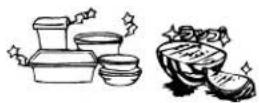
Line drawing of an open refrigerator with shelves holding various food items (cake, milk, glass, etc.) and a knife, no text or symbols present.- If foods stored in the freezer are not sealed airtight, water condensation could occur on the surface of the refrigerator's cold walls and dampen contents by dewing. Therefore, when storing, use airtight containers or plastic wrap.
(2) WARNINGS ABOUT FOOD STORAGE
- Bottles should not be stored inside the freezer because they may break.
- Do not store plasma or vaccines in this refrigerator. In addition, volatile or flammable substances should never be stored in refrigerators.
- Avoid leaving the door open. Do not open and close the door unnecessarily.
4.Do not store hot foods without cooling them first.
5.Do not store ice cream in the door pocket.
| ⚠ DANGER WARNING | ⚠ WARNING | ⚠ | ⚠ |
Do not store bottles or cans in freezer compartment. Contents will freeze and broken glass may cause injuries. NO BOTTLES Contents will freeze and broken glass may cause injuries. NO BOTTLES | Flammable ether, benzene, alcohol, medicine, LP gas, etc., should not be stored.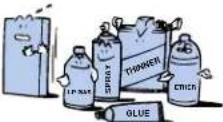 Danger of explosion. DON'T STORE Danger of explosion. DON'T STORE | Do not store medicine or scientific specimens in refrigerator. Items requiring strict temperature control should not be stored in a household refrigerator. DON'T STORE Items requiring strict temperature control should not be stored in a household refrigerator. DON'T STORE | Do not store hot foods.Cool them first.  FOODS SHOULD BE COOLED FIRST FOODS SHOULD BE COOLED FIRST |
WHAT TO KNOW ABOUT FROZEN FOODS
(1) METHODS OF SELECTING AND USING STORE-BOUGHT FROZEN FOODS
There are approximately 3,000 varieties of frozen food on the market at the present time. Store-bought frozen foods are wholesome, high in nutritional value and easy to prepare. Spoilage or food poisoning are of no concern. The most attractive feature of frozen food is its longevity (1–3 months). As long as you have frozen items on hand in the freezer, it is easy to prepare a splendid meal on short notice, with minimal concern should unexpected guests drop in.
• TIPS FOR SELECTION
- Select items preserved in a showcase, indicating a temperature below -18°C.
- Select items with an approval label from the Japan Frozen Food Association.
- Select items with the latest manufacturing date.
- Select items with proper shape and that are frozen hard.
- Select items without torn wrappings.
- Avoid items with obscured view of contents due to excessive frosting. They may have been re-frozen.
• TIPS FOR THAWING
- Thaw only the amount needed. Only the needed portion should be thawed by breaking the selection into small pieces or cutting it with a saw.
- Do not thaw completely. The correct stage for cooking is reached when edges become soft but the core is still frozen.
3.Food should be cooked as soon as it is thawed. - Use the appropriate thawing method prescribed for each particular food.
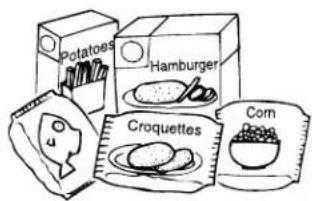
text_image
Potatoes Hamburger Croquettes Corn Bread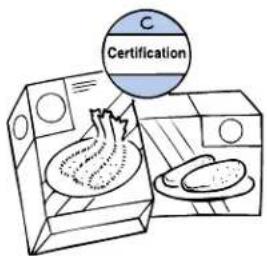
text_image
C Certification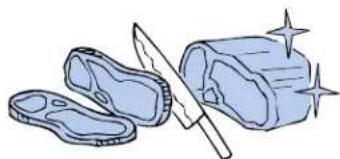
natural_image
Illustration of a knife cutting into a rolled cake with sparkles (no text or symbols)(2) BASIC THINGS TO KNOW ABOUT HOME FREEZING
• THE FUNDAMENTALS OF FREEZING
- Food items should be fresh. Freshness is most important to ensure tasty frozen food.
- Cool food before freezing. If a hot item is placed inside the freezer, the freezer will warm up, affecting other food items.
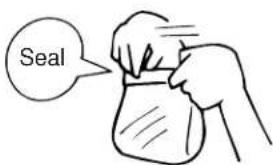
- Always seal products in an airtight container or wrapping in order to prevent changes in food. In addition, liquids should be stored in containers with extra volume to accommodate expansion.
- Freeze single servings measured according to the size of your family.
- Arrange in thin packages and freeze quickly. The trick for good home freezing is "quick freezing," which is why packaging should be thin.
- Set freezer dial to HIGH cooling (9). Return dial to original (normal) setting after freezing is complete.
- Door should be kept closed as much as possible.
text_image
Seal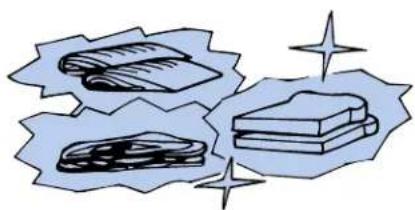
natural_image
Illustration of books and papers with decorative stars (no text or symbols)CARE AND CLEANING OF REFRIGERATOR
(1) REFRIGERATOR INTERIOR
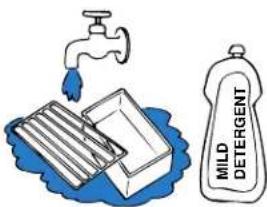
Parts that can be removed should be washed. Dry parts before returning. Use a small amount of mild detergent if needed. (Detergent should be wiped clean.)
CAUTION: Use mild detergent and warm water to avoid damaging paint or plastic.
text_image
MILD DETERGENT(2) REFRIGERATOR EXTERIOR
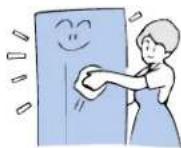
Wipe off whenever exterior surfaces are dirty or wet. Apply suitable wax to the refrigerator exterior several times a year.
(3) DOOR GASKET
The door gasket will deteriorate quickly if liquid food or juice are spilled on it. Clean the door gasket in the same way as refrigerator interior.

(4) CONDENSER
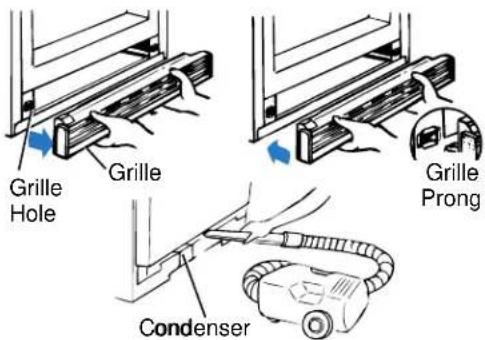
Remove front grille when adjusting height of refrigerator or when cleaning the condenser.
- To remove the grille, hold the bottom of grille and pull forward.
- To install the grille, hold both ends of grille and push prongs into holes.
Vacuum once or twice a year, since dirt on the condenser will decrease efficiency, increase electricity consumption, and reduce cooling capacity of the refrigerator.
text_image
Grille Hole Grille Grille Prong Condenser(5) REPLACING THE LIGHT BULB
FREEZER COMPARTMENT
Remove the lamp cover before replacing the bulb.
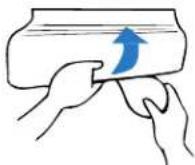
NOTE: On some models, a screw must be removed before removing the lamp cover.
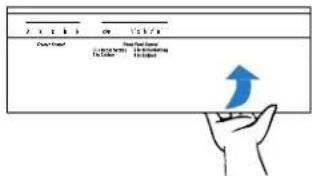
REFRIGERATOR COMPARTMENT (upper light bulb)
- Pull out the 2 knobs or dials.
- Remove cover by turning it upward or by pulling it outward.
- Turn lamp to the left to remove and replace it.
- Use only a 40W bulb.
text_image
Power Card Power Card Name 10.000000 10.000000 10.000000 10.000000 10.000000 10.000000SELF-DIAGNOSIS
"Let's Find Out On Our Own"
Indicates that the item's self-diagnosis is difficult. To clarify, consult dealership where the unit was purchased.
(1) NO COOLING
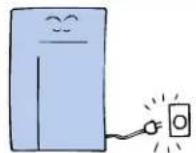
• Is the electricity on?
- Is power cord plugged in?
- Is fuse (breaker) blown?
- Is there a blackout?
★ Is the compressor working?
(2) POOR COOLING
• Is the air flow to the condenser adequate?
If the air flow is inadequate, cooling will not occur.
- Is the door opened/closed frequently?
Cold air will escape if door openings/closings are frequent.
- Is the temperature control dial set correctly?
Refer to page 15.
★ Is interior fan of the refrigerator working?
If the fan is not working, cold air will not circulate and cooling will not occur.
★ Is there a gap in the door?
If a gap exists, cold air will escape and cooling will not occur.
★ Is frost built up too thick?
★ Is refrigerator being defrosted?
If timer is set to defrost, cooling will not occur.
(3) NOISY
- Is the floor firm?
If the floor is unsteady, noise level will increase.
- Are there any trays leaning against the side of the
refrigerator? These trays may produce a resounding noise.

(4) WATER ACCUMULATION INSIDE
- Are there any food items with high water content?
Refer to page 30 for food storage.

(5) BAD ODOR
• Is interior of the refrigerator clean?
A dirty interior is the main source of odor.
- Are there any foods with a strong odor?
These can produce a bad combination odor with other food odors.

(6) FOODS FREEZE IN REFRIGERATOR
- Is the setting of the temperature control dial correct?
Refer to page 15.
- Are foods stored properly?
If cold air hits them directly, some foods may freeze.

WARRANTY AND AFTER-SERVICE (PLEASE READ CAREFULLY)
A WARRANTY GUIDE, THE "WARRANTY NOTE," FOR THE GE FREEZER/REFRIGERATOR WHICH YOU HAVE JUST PURCHASED IS ATTACHED AS A SEPARATE BOOKLET TO THIS OPERATIONS GUIDE.
SINCE IT IS AN IMPORTANT BOOKLET FOR AFTER-SERVICE, ETC., KEEP IT IN A SAFE PLACE ALONG WITH THIS BOOKLET.
- WARRANTY PERIOD—One year from the date of purchase.
The freezer cycle coolant system has a five-year warranty.
REQUESTING REPAIR WORK
If the malfunction cannot be corrected after following the instructions on page 33, a service call for repair work should be placed to the dealership where the unit was purchased. Warranty applies only to repair of the appliance hardware itself and to no other items such as food, etc.
• DURING WARRANTY PERIOD:
Please present the "WARRANTY NOTE" when repair work is performed. In accordance with the "WARRANTY NOTE," the dealership where the unit was purchased will dispatch a repairman for the job. If you do not contact the dealership, please contact GE APPLIANCES JAPAN, INC.
The following information is to be reported to the dealer or to this company:
1.Customer's name, address and telephone number
- Model of refrigerator
3.Details of problem
Refer to the chapter on “Self-Diagnosis” in this OPERATIONS GUIDE and provide answers to the serviceman’s questions.
When a serviceman visits, show him the "WARRANTY NOTE" attached to this guide.
MINIMUM WARRANTY PERIOD FOR FUNCTION- MAINTENANCE PARTS
The minimum warranty period (for parts that are required to maintain performance function) is 9 years from the last manufacturing date.
This period is established in accordance with MITI directives.
LARGE ELECTRICAL APPLIANCES "WARRANTY NOTE"

text_image
大型家電品 WARRANTY NOTE GE Appliances JapanWARRANTY AND AFTER-SERVICE (PLEASE READ CAREFULLY)
text_image
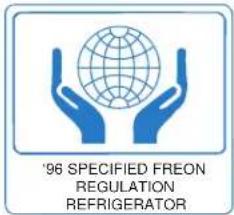
'96 SPECIFIED FREON REGULATION REFRIGERATORTHIS MARKING ON A REFRIGERATOR DENOTES THAT IT IS A "PRODUCT THAT MEETS THE '96 SPECIFIED FREON REGULATION."
Refrigerators use Freon for their freezing apparatus and heat insulators. Freon is non-flammable and not harmful to the human body directly. Furthermore, it possesses excellent properties which have made it one of the most useful chemical substances and contributed to the development of modern civilization.
In its capacity as a cleaning agent, propellant, and for its use in refrigerators, however, it is thought to have caused the depletion of the atmospheric ozone layer. The decision was made to cease worldwide production of this substance completely and to switch to a substance which has less impact on the ozone layer.
LOVING CARE INSPECTION | • INSPECTION OF OLDER MODEL REFRIGERATORS | ||||
| Are these symptoms present? | • Unusually hot power cord and plug• Damaged power cord• Burning smell• Accumulation of water under refrigerator• Electric shock• Other malfunction and breakdown | ▷ | Request | Unplug the power plug to prevent breakdown or accident and consult the dealership where the unit was purchased for inspection or repair. | |
| USEFUL INFORMATION FOR REQUESTING SERVICE | Date Purchased | Year Month Day Model # | TFJ30PF TFJ25PR TFJ28PR TPJ24BR TPJ24PR TFJ28PF TFJ20JR TPJ24PF TFJ30PR TFJ22PR |
| Dealership | Phone ( ) | ||
WARRANTY BUSINESS INFORMATION CENTER IN JAPAN
GE APPLIANCES JAPAN, INC.
Marusukomamachi Bldg. 4F 3-3 Komamachi, Chiyoda-Ku Tokyo, Japan 102
TEL: (03) 3265-5570 (Main) FAX: (03) 3265-5131
DEALERSHIP