Fusion FHB5032 - Unspecified Chief - Free user manual and instructions
Find the device manual for free Fusion FHB5032 Chief in PDF.


| Product Type | Display Mount Extender Bracket |
| Brand | Chief |
| Model | Fusion FHB5032 |
| Maximum Weight Capacity | 125 lbs (56.7 kg) |
| Material | Steel |
| Compatible Display Sizes | Most large flat-panel displays (VESA compatible) |
| Mounting Pattern | VESA standard up to 600x400mm |
| Hardware Included | Extender brackets, M6x16mm screws, 5/16-18 hex nuts, flat washers |
| Installation Requirements | Structural support capable of 5x total weight |
| Maximum Drywall Thickness | 5/8 inch (1.6 cm) |
| Number of Uprights | 2 (compatible with LSMVU uprights) |
| Adjustment Type | Fixed extender brackets (no tilt/swivel) |
| Safety Certification | UL listed (assumed) |
| Warranty | Limited lifetime warranty (typical for Chief) |
| Cleaning Instructions | Wipe with dry cloth; avoid solvents |
| Country of Origin | China (assumed) |
Frequently Asked Questions - Fusion FHB5032 Chief
User questions about Fusion FHB5032 Chief
0 question about this device. Answer the ones you know or ask your own.
Ask a new question about this device
Download the instructions for your Unspecified in PDF format for free! Find your manual Fusion FHB5032 - Chief and take your electronic device back in hand. On this page are published all the documents necessary for the use of your device. Fusion FHB5032 by Chief.
USER MANUAL Fusion FHB5032 Chief
INSTALLATION INSTRUCTIONS

natural_image
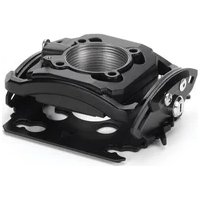
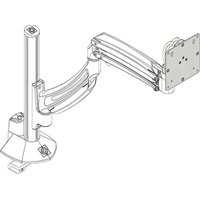
Technical line drawing of a mechanical assembly with two vertical supports and connecting rods (no text or symbols)Fusion Extender Bracket
DISCLAIMER
Milestone AV Technologies and its affiliated corporations and subsidiaries (collectively "Milestone"), intend to make this manual accurate and complete. However, Milestone makes no claim that the information contained herein covers all details, conditions or variations, nor does it provide for every possible contingency in connection with the installation or use of this product. The information contained in this document is subject to change without notice or obligation of any kind. Milestone makes no representation of warranty, expressed or implied, regarding the information contained herein. Milestone assumes no responsibility for accuracy, completeness or sufficiency of the information contained in this document.
Chief® is a registered trademark of Milestone AV Technologies. All rights reserved.

IMPORTANT SAFETY INSTRUCTIONS

WARNING: A WARNING alerts you to the possibility of serious injury or death if you do not follow the instructions.

CAUTION: A CAUTION alerts you to the possibility of damage or destruction of equipment if you do not follow the corresponding instructions.

WARNING: Failure to read, thoroughly understand, and follow all instructions can result in serious personal injury, damage to equipment, or voiding of factory warranty! It is the installer's responsibility to make sure all components are properly assembled and installed using the instructions provided.

WARNING: Failure to provide adequate structural strength for this component can result in serious personal injury or damage to equipment! It is the installer's responsibility to make sure the structure to which this component is attached can support five times the combined weight of all equipment. Reinforce the structure as required before installing the component. The wall to which the mount is being attached may have a maximum drywall thickness of 5/8" (1.6cm). Do not install drywall anchors into the seam between drywall pieces.

WARNING: Exceeding the weight capacity can result in serious personal injury or damage to equipment! It is the installer's responsibility to make sure the maximum weight installed on the interface bracket doesn't exceed 125 lbs (56.7 kg).
DIMENSIONS
![16.75[425.4] 8X 1.06 [27] 7.87[200] 8.36[161.5] 5.91[150] 4.39[111.5] 3.34[100] 2.42[61.5] 1.97[50] .45[11.5] .00 4.45[11.5] 1.97[50] 2.42[61.5] 3.34[100] 4.39[111.5] 5.91[150] 6.36[161.5] 7.87[200] 1.92[48.8] .61[5.4] Ø.34 [8.6] .41[10.3] 3.57 [90.6]](/content/2026/06/1203923/images/3a821214fab800d16b280f5a947f91f6ddf4da804c3257b9ceae549d48c529b6.jpg)
TOOLS / PARTS FOR INSTALLATION
![19/3 + A (2) [Extender Bracket] B (4) 5/16-18" C (4) 5/16"](/content/2026/06/1203923/images/d2da5aa89e6585000dea74db9cf06229406a8f565aef248977ede445886dec58.jpg)
ASSEMBLY AND INSTALLATION
- Use four 5/16-18" hex nuts (B) and four flat washers (C) to connect LSMVU Fusion uprights to extender brackets (A). (See Figure 1)

Figure 1
- Lay display face down on a soft surface.
- Use four M6x16mm Phillips machine screws (included with mount) to attach extender brackets (A) to display. (See Figure 2)

WARNING: Exceeding the weight capacity can result in serious personal injury or damage to equipment! It is the installer's responsibility to make sure the maximum weight installed on the interface bracket doesn't exceed 125 lbs (56.7 kg).

Figure 2
- Complete the installation following the mount installation instructions.


Brand : Chief
Model : Fusion FHB5032
Category : Unspecified