K Bot RX-3 Ultra - Pool Robot Klever Kleena - Free user manual and instructions
Find the device manual for free K Bot RX-3 Ultra Klever Kleena in PDF.


User questions about K Bot RX-3 Ultra Klever Kleena
0 question about this device. Answer the ones you know or ask your own.
Ask a new question about this device
Download the instructions for your Pool Robot in PDF format for free! Find your manual K Bot RX-3 Ultra - Klever Kleena and take your electronic device back in hand. On this page are published all the documents necessary for the use of your device. K Bot RX-3 Ultra by Klever Kleena.
USER MANUAL K Bot RX-3 Ultra Klever Kleena
natural_image
3D rendering of a portable electric vacuum cleaner with attached cable and ventilation slots (no text or symbols visible)K-Bot RX1 User Instructions
WARNINGS AND CAUTIONS
Warnings

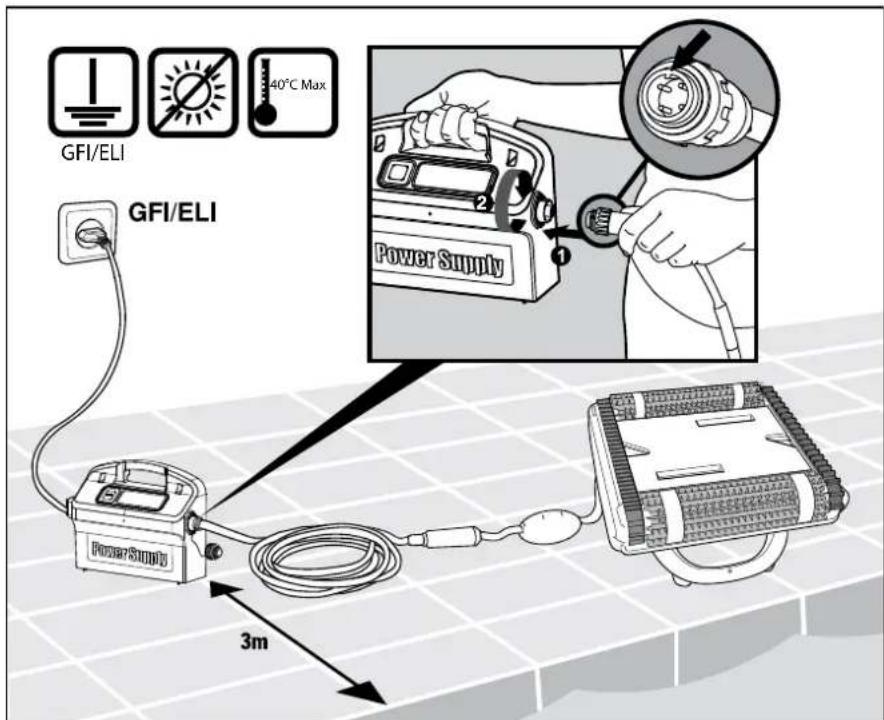
• Use the originally supplied power supply only
- Ensure the electrical outlet is protected by a ground fault interrupter (GFI) or an earth leakage interrupter (ELI)
- Keep the power supply out of standing water
- Position the power supply at least 3m away from the edge of the pool
• Do not enter the pool while the Pool Cleaner is working
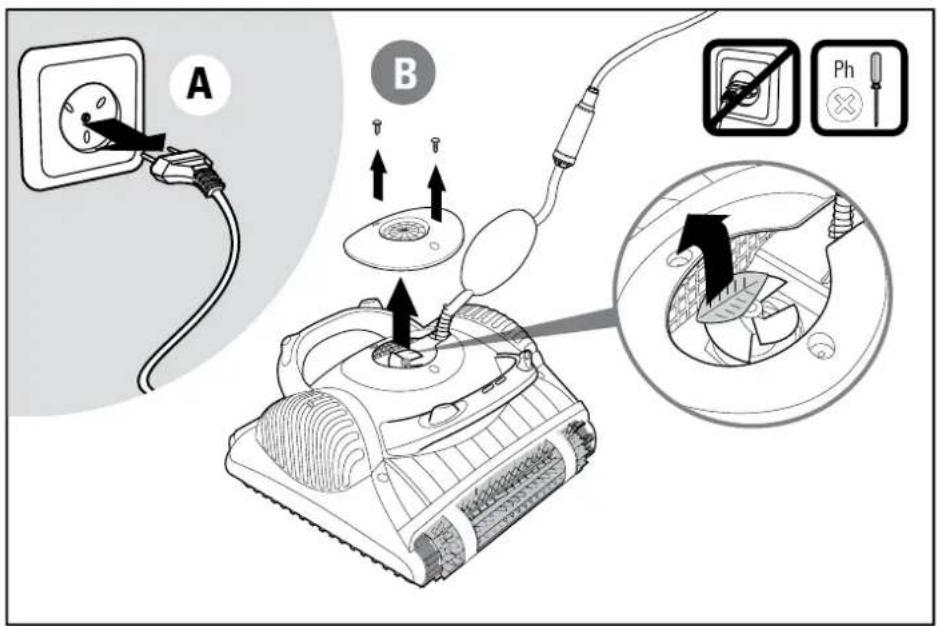
• Unplug the power supply before servicing
Cautions
When not in use store the Pool Cleaner in a shaded area, upside down (not on its brushes).
Use the Pool Cleaner in the following water conditions only:
| Chlorine Max 4 ppm | |
| pH 7.0 - 7.8 | |
| Temperature 6 – 34°C | |
| NaCl Maximum = 5000 ppm | |
Specifications
Motor protection: IP 68
Minimum depth: 0.80m
Maximum depth: 5m
1
Set-up
2
Into the Pool
- If Ultra Grip rings are dry, soak them in water until soft
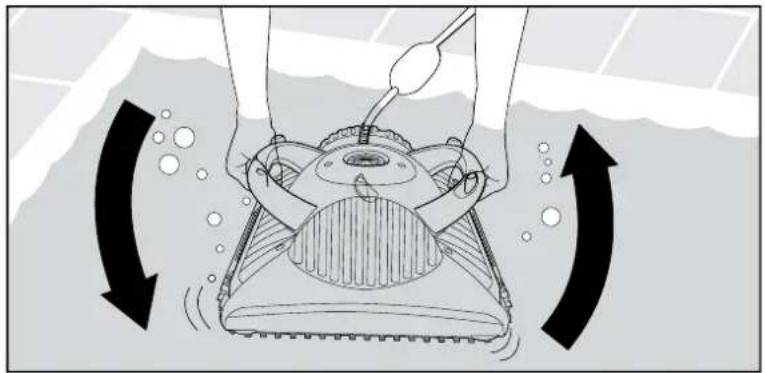
- Shake robot from side to side or turn it upside down to release trapped air
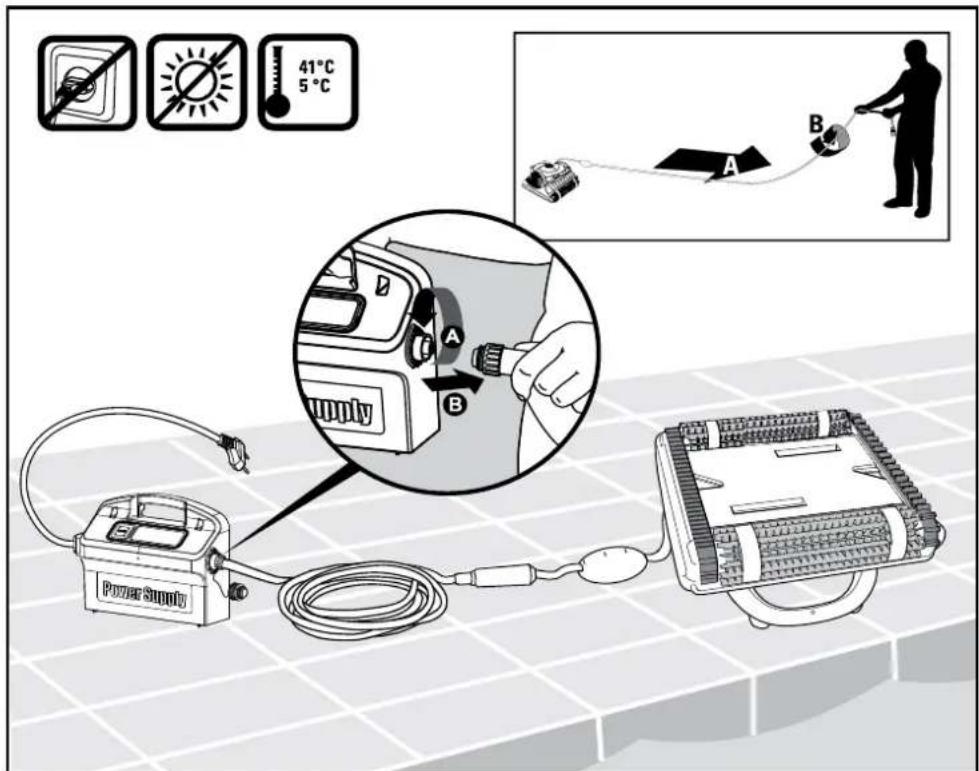
- Attach the floating cable to the power supply by inserting it with the notch on the connector (1) lined up with the groove in the socket on the power supply and turning clockwise (2)
natural_image
Diagram of a robotic vacuum cleaner with rotating arm and head, showing motion arrows (no text or symbols)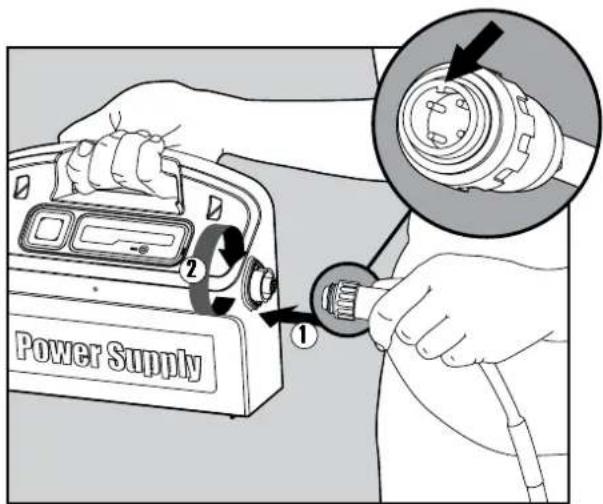
3

Operation
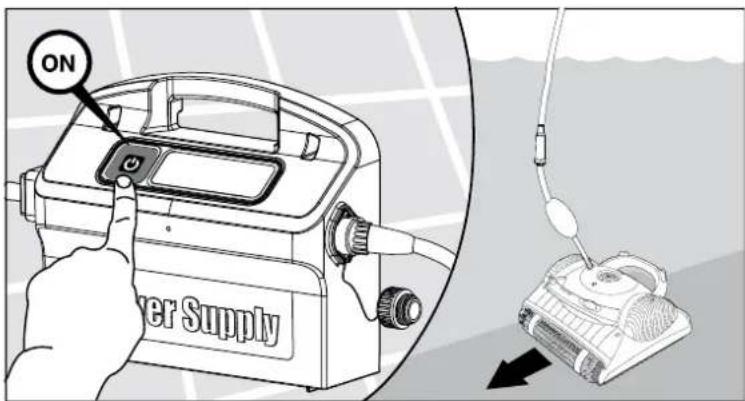
- Turn the power supply ON. The Pool Cleaner will now operate until it has reached the end of the cleaning cycle
4
Out of the Pool
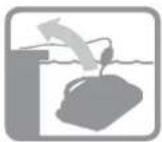
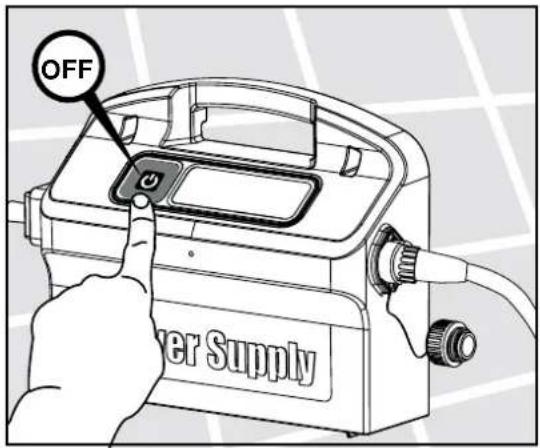
- The Robot will perform automatic shut-off at the end of the cleaning cycle.
5
Out of the Pool
natural_image
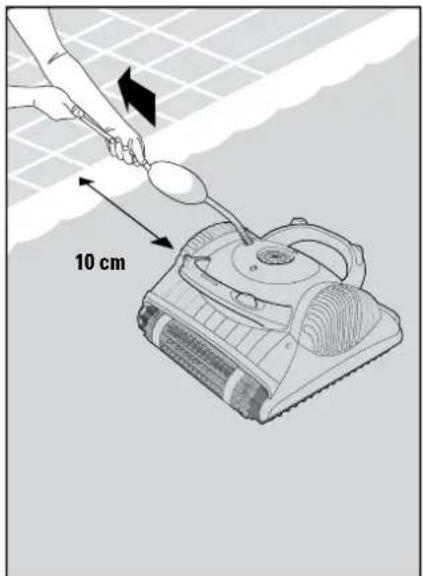
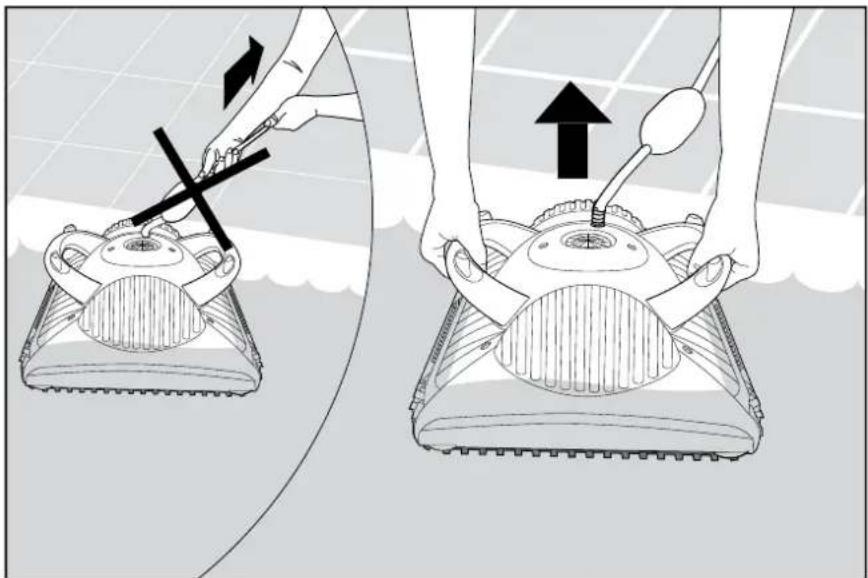
Illustration of a person using a tool to lift a floor-mounted device, showing no text or symbols on the device itself.- Using the floating cable, bring the Pool Cleaner to the pool's edge. Using the handles remove the Pool Cleaner from the pool.
- Do not pull the Pool Cleaner from the pool using the cable.
6
Maintenance
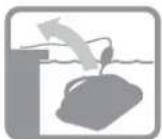
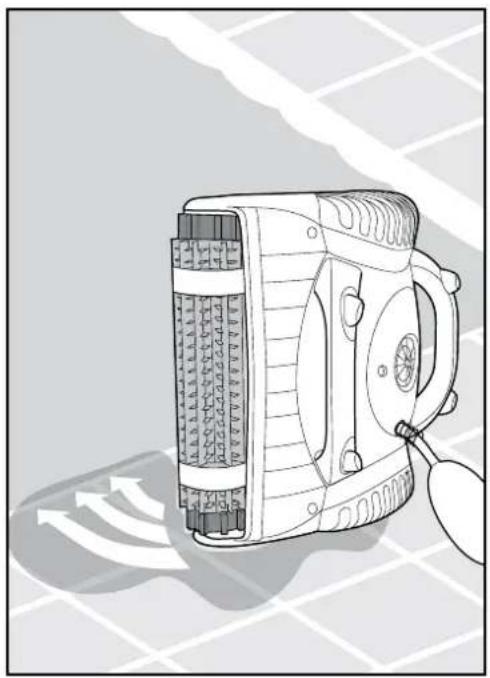
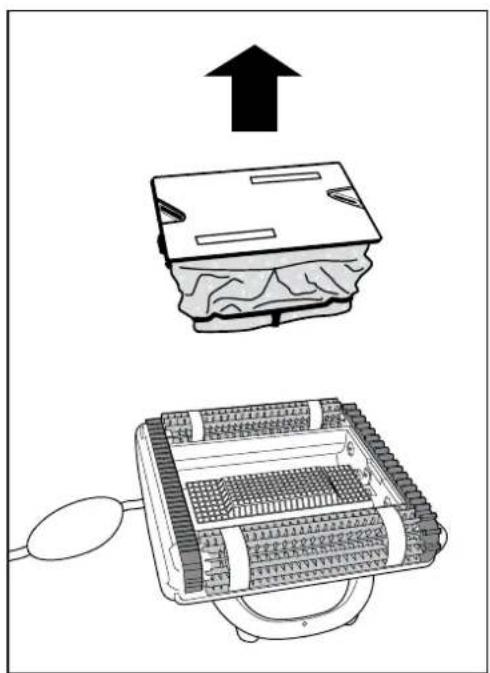
- Place the Pool Cleaner on the edge of the pool and let the water drain out.
natural_image
Line drawing of a handheld electric vehicle with attached sensor and antenna (no text or symbols)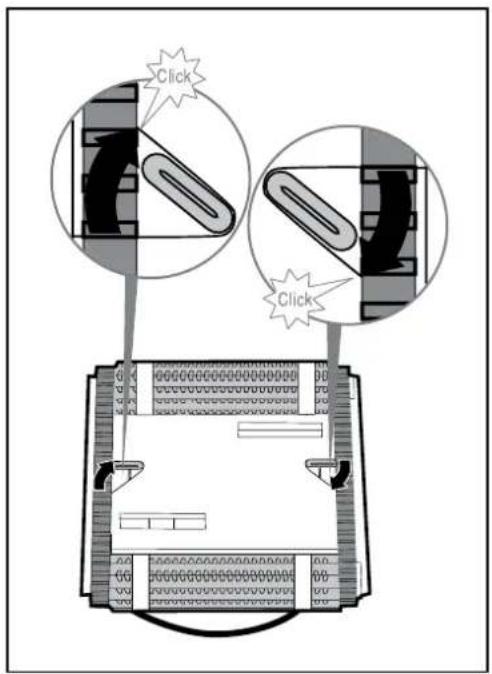
natural_image
Diagram showing a device with an upward arrow and a schematic view of its internal structure (no text or symbols present)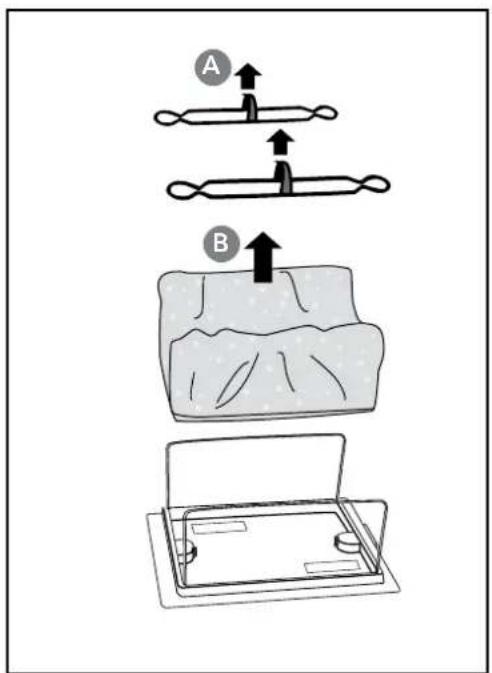
7
Maintenance
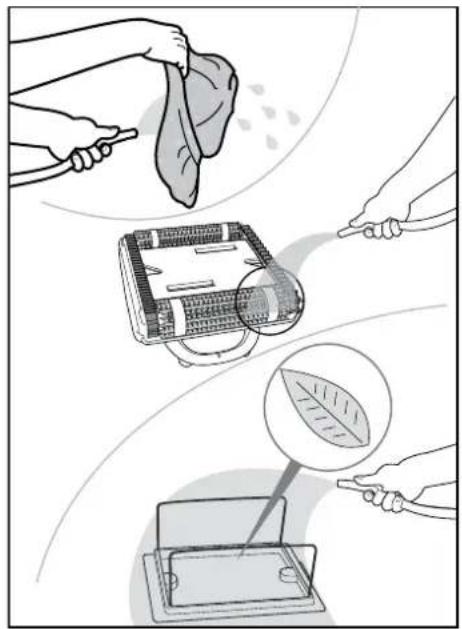
- Clean the filter bag with a hose.
It is recommended to periodically wash filter bag in a washing machine. Use synthetic cleaning program.
• Periodically clean the brushes with a hose.
natural_image
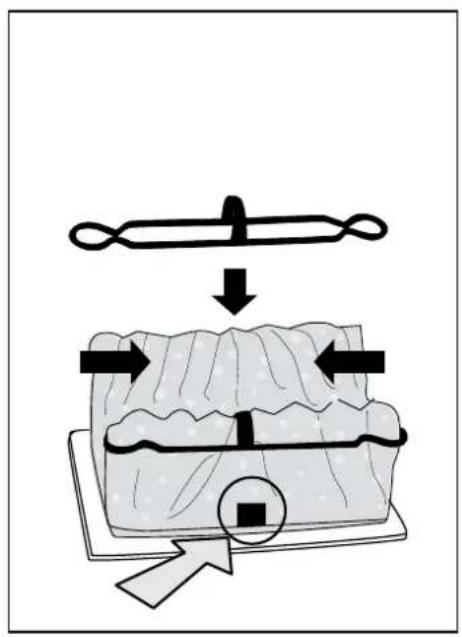
Illustration showing three steps of cleaning a device: cleaning cloth, cleaning device with leaf, and cleaning tablet (no text or symbols)- Refit the filter bag with the tag on the outside positioned centrally along the length side of the bottom lid.
8
Maintenance
9
Maintenance
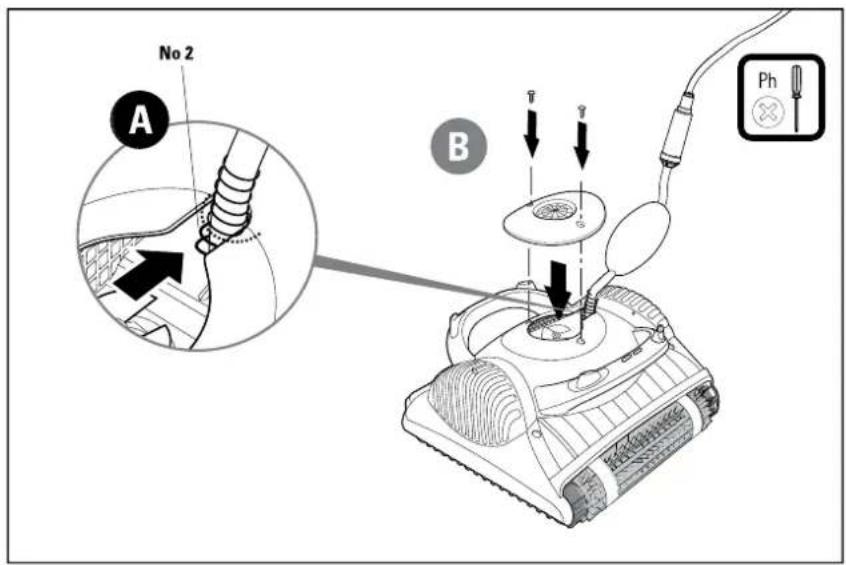
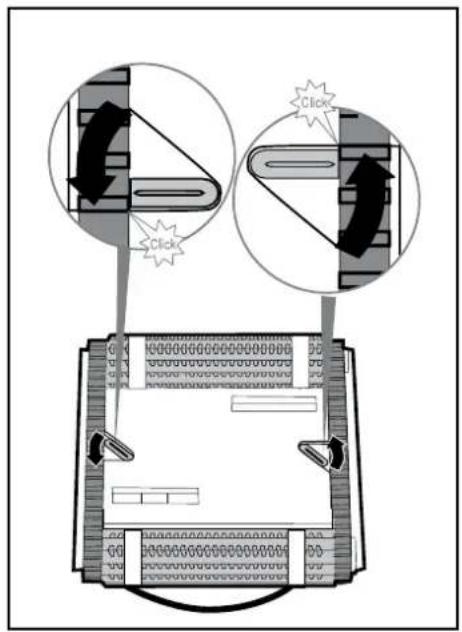
- Place the impeller cover at an angle so that the notch is on the second ring of the spring. Press down on the impeller cover in the direction of the spring, pushing it into place. Replace the screws.
10
Storage
Off season storage:
If the Pool Cleaner will not be in use for an extended period, perform the following storage steps:
• Make sure that no water is left in the Pool Cleaner
• Thoroughly clean the filter bag and insert in place
• Roll up the cable so that it has no kinks
• Store the Pool Cleaner in a protected area upside down (not on its brushes)
Aquatight Pool Equipment
Website: www.aquatight.com.au
Email: info@autopool.com.au
Perth (Head Office)
4/115 Belmont Ave, Belmont, WA, 6104
phone: (08) 9362 4022
fax: (08) 9361 3913
Sydney
35/15 Valediction Road, Kings Park, 2148
phone: (02) 9671 7041
fax: (02) 9671 7963
Melbourne
phone: 1300 656 956
fax: 1300 502 508
Brisbane
2/246 Evans Road, Salisbury, QLD, 4107
phone: (07) 3277 4958
fax: (07) 3272 9091