MP3257B - Mp3 player CURTIS - Free user manual and instructions
Find the device manual for free MP3257B CURTIS in PDF.


| Product Type | MP3 Player |
| Brand | Curtis |
| Model | MP3257B |
| Power Source | 1 x AAA battery (dry battery) |
| Continuous Playback Time | Up to 6 hours (MP3 128Kbps, Vol 20) |
| Supported Audio Formats | MP3 (8Kbps-320Kbps, 8KHz-48KHz), WMA (22Kbps-192Kbps, 8KHz-48KHz), WAV |
| DRM Support | DRM9 for WMA |
| Memory Capacity Display | Instant display of total and free capacity |
| Display | LCD window with lyric sync support |
| Recording | Built-in MIC, records in WAV format |
| Playback Modes | Normal, Repeat One, Repeat All, Shuffle, Preview |
| EQ Modes | 6 preset EQ modes |
| Special Functions | A-B segment replay, programmable playback, batch deletion |
| Connectivity | USB 2.0 (removable disk function) |
| Shell Material | Aluminum and plastic |
| Signal-to-Noise Ratio | 80 dB with 20KHz LPF |
| Earphone Output | 5mW/CH (16Ω) max 10mW |
| Frequency Response | 20Hz - 20KHz |
| Safety Warnings | Do not use earphones while driving or in dangerous areas; avoid high volumes to prevent hearing damage |
| Maintenance | Keep away from heat, moisture, dust; do not drop or spill liquids |
| Included Accessories | MP3 player, USB cable, earphones, driver disc, user manual, AAA battery, warranty card |
Frequently Asked Questions - MP3257B CURTIS
User questions about MP3257B CURTIS
0 question about this device. Answer the ones you know or ask your own.
Ask a new question about this device
Download the instructions for your Mp3 player in PDF format for free! Find your manual MP3257B - CURTIS and take your electronic device back in hand. On this page are published all the documents necessary for the use of your device. MP3257B by CURTIS.
USER MANUAL MP3257B CURTIS
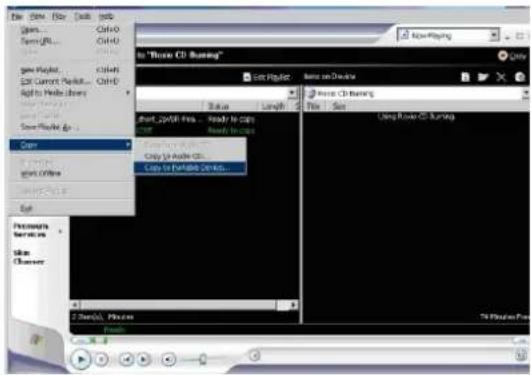
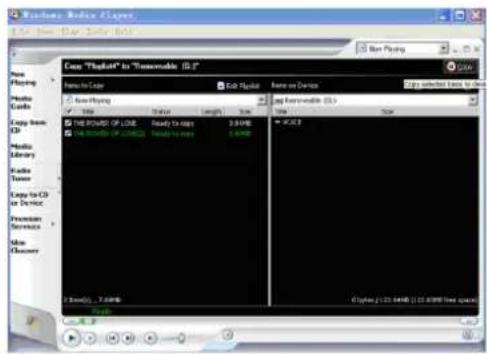
6) Then click Icon Copy to transfer the WMA music with DRM to the player.

7) Safely remove the MP3 player from PC
18
CURTIS
MP3257B
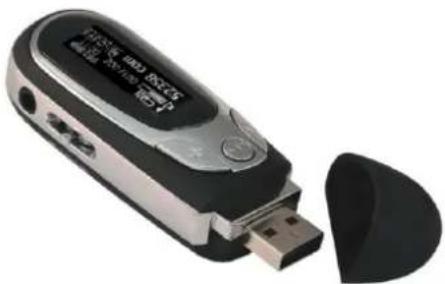
MP3 PLAYER User'S Manual
4) In operation windows, click File "Copy Copy" to Portable Device"
Features
● Support MP3, WMA, WAV format music
- USB removable disk function
●Built-in MIC for recording
●A-B segment replay
● Support five play mode: Normal, repeat one, repeat all, shuffle and Preview.
● Support six EQ modes.
● Humanistic tree content file and menu navigation management
● Support programable playback and playback according to the catalog
● Humanistic batch deletion of music and files
● Instant display of memory capacity and free capacity
● LCD window, lyric sync, lyric sync when fast rewinding and fast forwarding
● Humanistic power-saving design, extremely long playing time
Content
Features4
Specifications-2-
Notice 3 - - - - - - - - - - - - - -
5) In the opening windows, choose the desired WMA music with DRM. And choose "Removable Disk"
17
Specification:
●Voltage: Dry battery
●Continuous playing time: at most 6 hours (Take MP3
128Kbps、VOL 20 as standard.)
●Support file:8Kbps -320Kbps, 8KHz-48KHz WMA
22Kbps-192Kbps, 8KHz-48KHz
●Shell: aluminum, plastic
●SNR: 80db with 20KHz LPF
●Earphone output: 5mW/CH (16ohm) most 10Mw
●Output frequency range: 20Hz—20KHz
Note: Product design and spec may change for improving performance without notice.
Support DRM9 function
Warning : Download operation of WMA music with DRM protection
On Window 98/ Window ME / Windows 2000/ Windows XP , WMA music with DRM should be transferred by Windows Media Player 9.0
Other download operation probably will cause the player can not read the WMA music with DRM file.
Operation Introduction :
On Window 98/ Window ME / Windows 2000/ Windows XP, user should upgrade Windows Media Player to 9.0
On Windows Media Player 9.0 version : (Window 98/ Window ME / Windows 2000/ Windows XP)
1) Connect MP3 player to PC
2) Open Windows Media Player 9.0
3) In Windows Media Player 9.0 , open the desired WMA music with DRM
System maybe request to download the license in case if user does not download the WMA music with DRM properly from the website.
In this case, user need download the license from music publisher as instruction of Microsoft Website showing in the operating window.
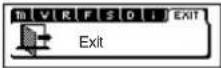
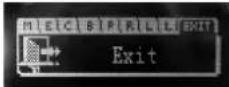
- Exit
Choose Exit in the main menu, press three-direction key to confirm and exit.
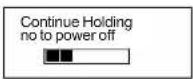
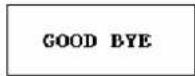
Power off
Long press 🔊 key until the player turns off in power on state.
14
Notice :
●Not allowed to transfer MP3 files to the outside without permission (offend international copyright law)
●The shake produced by walking or movement will not influence the music playing, but the falling down and colliding with the hard objects will cause damage to the player and the playing effect.
●Avoid pouring any liquid into the player or wetting the player.
- Do not make the player close to the heat resources or expose in the sunshine, excessive dust, humidity and rain directly. Do not put the player on the accidented surface or in the sealed car when it is too hot, which will cause damage to the device and shorten the life of the device.
●Notice of using the earphone
Do not use the earphone to listen to the player when driving a car, riding bike or motorbike for preventing any accidents, especially when you use the earphone in extreme high volume when walking or crossing the road. It is very dangerous. Be careful and do not use earphone when you are in one place with potential danger (for example: Beside the building ground.)
●Prevent the hurt of audition
Do not uses the earphone in extreme high volume, the hearing expert suggests that it is not good to listen to the music in extreme high volume.
Please lower the volume or stop using when you have tinnitus.
3
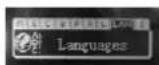
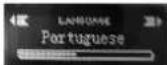
●Languages
- Choose Languages in SET
- Stir three-direction key right or left to choose language, press three-direction key to confirm and exit.
| Exit
Choose "Exit" in SET, press three-direction key to confirm and exit.
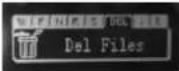
1 Delete Files
Short press three-direction key to choose "Delete files" in menu mode.
12
● Stop playing music (power off)
Short press ▶■ key to pause playing when playing music, short press ▶■ key to play music again in pause mode. Long press ▶■ key until the player turns off.
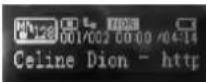
●Volume adjustment
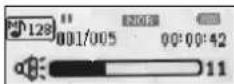
In play/pause /stop mode, press V+V, key to open the Volume adjustment interface.
Notice :
Volume could be adjusted from 0–31.
Short press for adjustment segment by segment, long press for continuous adjustment.
5
Accessories
- One MP3 player
- One USB cable
- One pair of earphone
- One drive disk
- One user manual
- One AAA battery
- One warranty card
● Power on
When in power off state, long press key to turn on the player.
Music
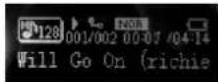
The player is in music mode after power on, short press key to play music.
4
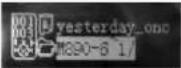
Stir three-direction key to choose the file you want to delete (Music file or Voite file/record file or "exit"), " press three-direction key to confirm, and the delete icon may appear.
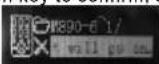

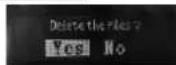
Then press key, it will prompt that whether you want to delete the file or not. Choose Yes or No by stirring three-direction key. If you choose YES, then press three-direction key to confirm, it will prompt Files Deleted,"and then go back to the main menu.

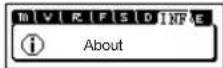
About
When in play or pause mode, long press three-direction key to enter menu mode, short press three-direction key to choose INF, 'It will display player information, stir three-direction key to display total memory capacity and free capacity. Press three-direction key again to exit to the last menu.
13
●Inquire music or voice files
- When in music playback mode, long press three-direction key to enter the main menu, stir MODE key to choose.
If file is selected, short press key to play the selected song.
- If directory is selected, short press key to play the directory.
- Press the three-direction key to enter or exit to the last menu after confirmation.
- In play/pause /stop mode, short press three-direction key to switch songs right or left, long press three-direction key for fast forwarding or fast rewinding songs.
A-B replay/play mode
- When in play mode, long press three-direction key to go to menu mode.
- When in play mode, short press three-direction to be in A-B mode.
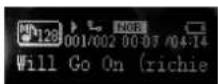
- When playing music and voice, press three-direction key to set the beginning point A of the segment you want to replay, the screen will display A—
6
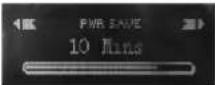
Notice: Auto off indicate that the player may turn off automatically at the time set before for saving power when not playing music or voice file.
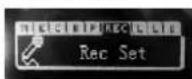
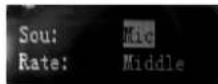
Record Set
- Choose "Rec Set in SET
- Stir three-direction key rightor left to choose option you want to set, choose detailed parameters in the selected option, and stir three-direction key to choose
Lyric
- Choose Lyric in SET
- Stir three-direction key right or left to choose LRC Off or LRC Always, press three-direction key to confirm and exit.
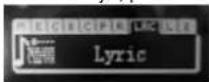
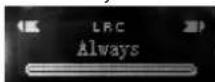
Notice: Lyric on-off indicates that whether you need lyric sync display when playing music or not. The lyric can only display in step when having support of lyric file after choosing LRC Always.
11
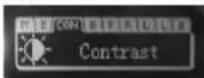
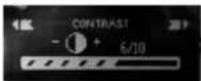
1 Contrast
- Choose "Contrast" in SET
- Stir three-direction key right or left to choose contrast size, press three-direction key to confirm and exit
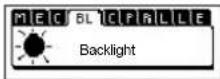
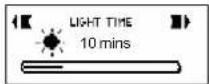
●Backlight
- Choose Backlight in SET
- Stir three-direction key right or left to choose backlight time, press M key to confirm and exit.
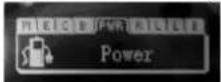
1 Power
- Choose "Power" in SET
- Stir three-direction key right or left to choose off time, press three-direction key to confirm and exit
10
●Ending point of replay
Press three-direction key again to set the ending point B, the screen will show A-B, it begins to replay segment A-B.
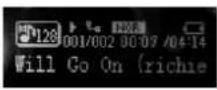
Notice:
Press three-direction key again to cancel replay.
When in play or pause mode, short presses three-direction key to replay.
When in play mode, long press three-direction key to switch to menu mode.
1 Record
-
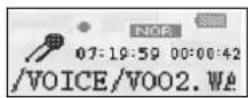
Long press three-direction key, stir three-direction key to choose "REC", press three-direction key to confirm, it begins to record voice.
-
Press three-direction again to stop recording and generate a voice file. The player will play the voice recording automatically after stopping recording.
7
Notice:
- Produced as voice file according to the sequence V001 V002 automatically. The file is WAV format.
- It will stop recording if the storage is full.
- Navigator
- Long press three-direction key to enter the main menu, stir three-direction key to select Navigator."
- Press three-direction key to enter Navigator.
- Stir three-direction key to choose, press three-direction key to confirm, and then press key to play. If you choose music, it will play music; if you choose voice, it will play voice recording.
Note: when in navigator mode, press V+key to enter file folder, press V-key to exit from the file folder. - Long press three-direction key to go to the main menu.
1 Menu settings
Press three-direction key to enter menu mode, stir three-direction key to choose menu, short press three-direction key to enter the sub-menu and option.
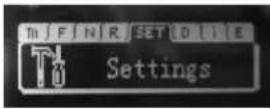
●Settings
1.Choose SET in the menu.
Stir three-direction key to choose the function you want to set, then press three-direction key to enter the corresponding sub-menu or exit to the last menu after confirmation.
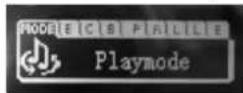
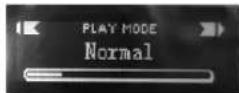
●Play mode
- Choose Play mode in SET
- Stir three-direction key right or left to choose play mode, press three-direction key to confirm and exit.
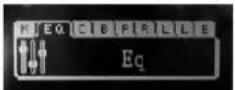
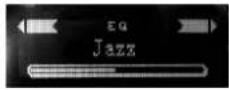
1 EQ
- Choose "EQ" in SET
- Stir three-direction key right or left to choose EQ mode, press three-direction key to confirm and exit.
- FEATURES
- CONTENT
- EXIT
- POWER OFF
- NOTICE
- ●LANGUAGES
- 1 DELETE FILES
- ● STOP PLAYING MUSIC (POWER OFF)
- ●VOLUME ADJUSTMENT
- ACCESSORIES
- ● POWER ON
- MUSIC
- ABOUT
- ●INQUIRE MUSIC OR VOICE FILES
- A-B REPLAY/PLAY MODE
- RECORD SET
- LYRIC
- 1 CONTRAST
- ●BACKLIGHT
- 1 POWER
- ●ENDING POINT OF REPLAY
- 1 RECORD
- NAVIGATOR
- 1 MENU SETTINGS
- ●SETTINGS
- ●PLAY MODE
- 1 EQ
Brand : CURTIS
Model : MP3257B
Category : Mp3 player