MPK8065BUK - Mp3 player CURTIS - Free user manual and instructions
Find the device manual for free MPK8065BUK CURTIS in PDF.


| Product Type | Portable Media Player (MP3 Player) |
| Brand | Curtis |
| Model | MPK8065BUK |
| Display | 1.8 inch Color Display |
| Dimensions | 41 x 85 x 9 mm |
| Weight | 20 g |
| Power Supply | 180 mA, 3.7 V Lithium Battery (internal, rechargeable via USB) |
| Memory Capacity | 128 MB / 256 MB / 512 MB / 1 GB / 2 GB / 4 GB internal flash memory |
| Supported Audio Formats | MP3 (8-320 kbps), WMA (5-384 kbps) at Constant Bit Rate |
| Supported Video Format | .AMV (resolution 160x128) |
| Supported Image Formats | .JPG, .BMP, .GIF |
| Supported Recording Format | .ACT, .WAV |
| Audio Output | Earphone: 9 mW x 32 ohm, S/N ratio: 85 dB |
| Interface | USB 2.0 Full Speed |
| Operating System Compatibility | Windows 98/98SE/ME/2000/XP/Vista, Mac OS 9.0, 10.0 |
| Battery Charging | Charges automatically when connected to PC via USB cable |
| Playback Functions | Music playback with lyrics, A-B repeat, repeat modes, EQ modes; Video playback; Photo slideshow; E-book reader; Voice recording; Games (RusBlock, Puzzle, Sudoku) |
| Repeat Modes | Normal, Repeat One, Folder, Repeat Folder, Repeat All, Random, Intro, A-B Repeat |
| EQ Modes | Natural, Rock, Pop, Classic, Soft, Jazz, DBB |
| Care and Maintenance | Keep dry; clean with soft, dry cloth; do not expose to extreme temperatures or moisture |
| Safety | Do not disassemble; avoid dropping; dispose of properly at WEEE collection points |
| Spare Parts and Repairability | Contact manufacturer or authorized service center for battery replacement or repairs |
| Package Contents | Player, earphones, USB cable, CD-ROM with software, quick start guide |
Frequently Asked Questions - MPK8065BUK CURTIS
User questions about MPK8065BUK CURTIS
0 question about this device. Answer the ones you know or ask your own.
Ask a new question about this device
Download the instructions for your Mp3 player in PDF format for free! Find your manual MPK8065BUK - CURTIS and take your electronic device back in hand. On this page are published all the documents necessary for the use of your device. MPK8065BUK by CURTIS.
USER MANUAL MPK8065BUK CURTIS
Portable Media Player
Your Pocket Guide

1
Install Software
2
Get Connected
3
Transfer Media
4
Plug Your Ears & Enjoy
Content
What's in the blister? 2
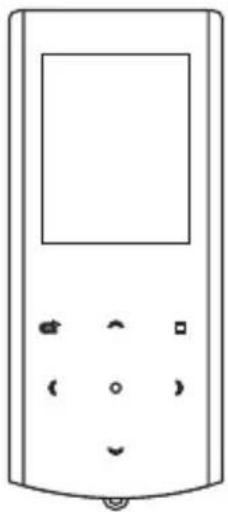
Know Your Player Well 3
System Requirement 4
Software Installation 5
Connect & Charge 6
Transfer 7 - 8
Software Operation 9 - 12
Language Selection 13
Music Playback 14
Edit Lyrics 15
Repeat Mode 16
EQ Mode 17
Video Playback 18
Photo Browse 19
E-Book 20
Records 21
Game 22
Technical Data 23
Trouble Shooting 24
What's in the blister?
What's in the blister?

Portable Media Player

Earphone
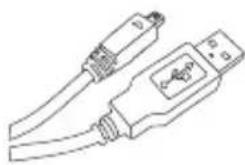
USB Cable
Your Pocket Guide
CD-ROM containing:
• Media player driver for Windows® 98/98SE
- Software for converting .act files into .wav files.
• Software for formatting internal memory.
Plug Your Ears, and Enjoy

| To | Press | |
| General | Power On/Off | Switch the On/Off switch |
| Turn On/Off | Hold ● long | |
| Scroll through lists | ( ) | |
| Select Option | ■ | |
| Return to main menu | Press ⇌ | |
| Hold/ Unhold | Hold ■ | |
| Music | Play/Pause songs | ● |
| Jump to next song | ) | |
| Fast Forward | Hold ) long | |
| Move back to previous song | ( | |
| Fast Backward | Hold ( long | |
| Display lyrics | Hold ≈ long | |
| Stop lyrics display | ⇐ | |
| Volume up | Press ∨ | |
| Movie | Volume down | Press ^ |
| Play/Pause a movie | ● | |
| Jump to next movie | ) | |
| Fast Forward | Hold ) long | |
| Move back to previous movie | ( | |
| Images | Fast Backward | Hold ( long |
| Select image | ● | |
| Jump to next image | ) | |
| Jump to previous image | ( | |
| Quit to main menu | Press ⇌ | |

You'll need a computer with:

Windows® 98/98SE/ME/2000/XP/Vista
Pentium Class or faster Processor
CD-ROM Drive
64MB RAM
30MB free hard disk space
USB Port
Software Installation
Software Utilities Installation
Insert the CD into the CD ROM drive of your PC.
Click State driver installation.
Follow the on-screen-menu to complete the installation.
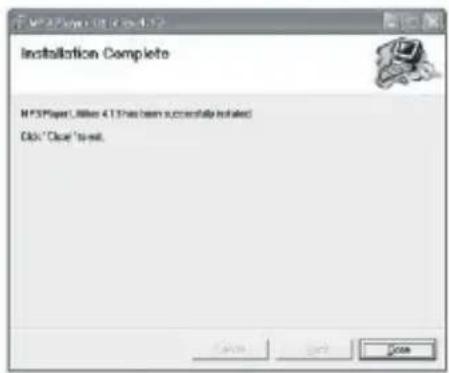
For Windows® 98/98SE users, please install the driver in the CD-ROM before downloading any files to your player.
Connect


Your player will be charged while being connected to PC through the USB cable.
! You will see the charging animation in the bottom right hand corner of the display.
The player is fully charged when the charging animation stops.
Transfer
Get Your Player Connected

Step 1: Set the Online Device of the player as USB Disk (Refer to Page 6), then connect it to your PC by USB cable. Once the connection is successfully made, the above screen display (1) would be shown. Try re-connecting the player if the above screen doesn't appear.

Step 2: The above screen (2a) would appear. (Apply only to Windows® XP) Choose Tand click action OK to close the window.
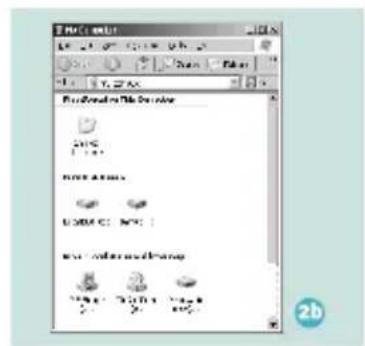
Double click My Computer desktop and the above window (2b) would appear. Look for the Removable Disk icon.
Transfer
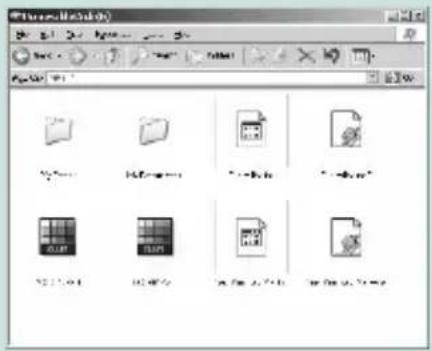
Step 3:
Double click the Rieonovable Disk
Note: Do not disconnect the USB cable once you click into the removable disk window. Such action may cause data loss or problems to the player.
Drag and drop your media files into the removable disk.
You can create any folder or directory in the removable disk.
Close the removable disk window and disconnect the player from your PC after the data transfer.
Transfer Music, Image & Movie
Software Operation
Software Operation
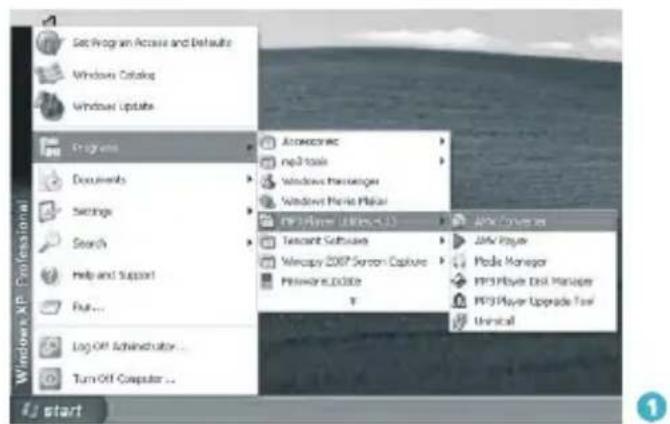
You can convert your favorite video file in any other format into the .AMV format with the help of the AMV converter(Programs\MP3 Player Utilities 4.13\AMV Converter ).
The converting progress is shown as below.

Software Operation
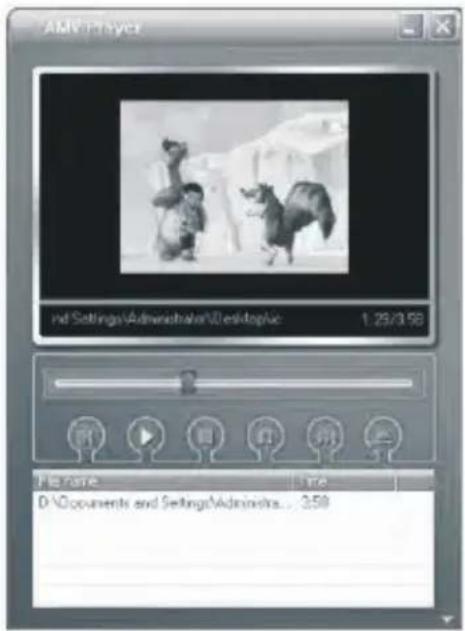
Enjoy Your AMV Movie
To enjoy the converted movie on your PC, you can play it thru the AMV player (Programs\MP3 Player Utilities 4.13\AMV Player).
Software Operation
Software Operation
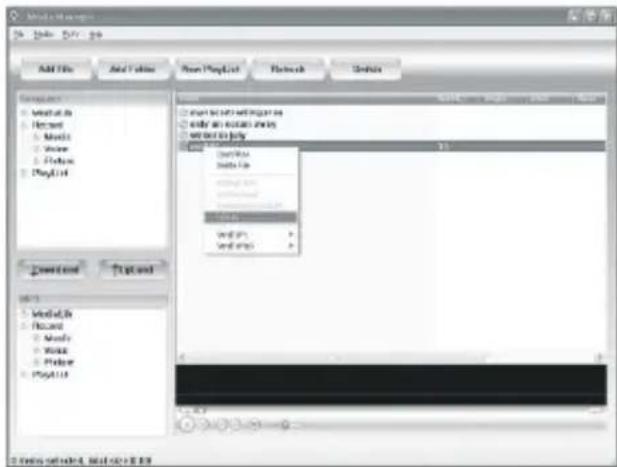
Your can enjoy songs from both PC and your player thru the Media Manager Programs\MP3 Player Utilities 4.13\Media Manager).
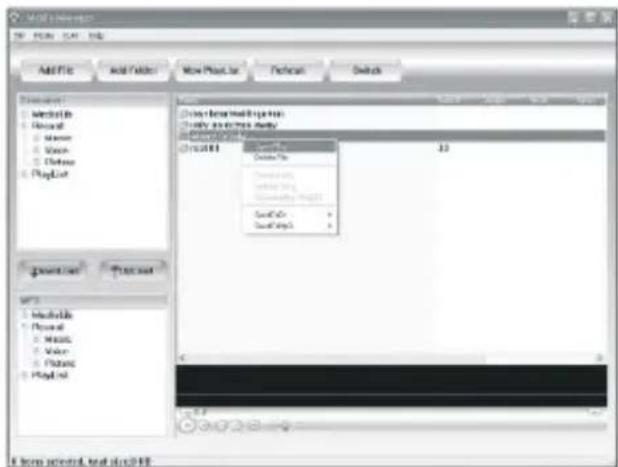
You can also convert your recorded .ACT voice into .WAV format thru the .Media Manager
Software Operation

You are also allowed to format the memory of your player, or divide it into two partitions in Programs\MP3 Player Utilities 4.13\MP3 Player Disk Manager.

If the updated version is available, please use MP3 Player Firmware Upgrade Tool to upgrade it.
Language Selection
Select Your Preferred Language
Step 1:
Press (/) to select System on the main menu, then press ■ to enter its sub-menu.
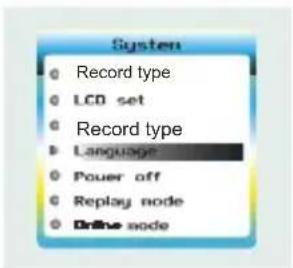

Step 2:
Press ) to select Language, then press ■ to confirm.
Step 3:
You can select your preferred language by pressing ( / ), and then press ■ to confirm your setting.
Music Playback
Music Playback

Select Monthe main menu and press to enter the music mode, then you can select different songs by pressing( / ), and you can easily play the song you've chosen by a simple press of .
While enjoying music, you can press ● to pause or continue the music; press (/) to move back to the previous song or jump to the next song; Hold (/) long to move your song forward or rewind it. If you want to adjust the volume, please press √ to volumn up and press ∧ to volumn down.
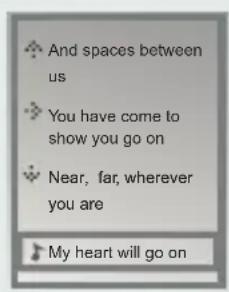
Display Lyrics
A-B repeat
While playing music, you can press ■ to enter sub-menu. Press ( / ) to select Replay Mode and then press ■ again to select Replay. The mark A is flashing on the display and wait for the setting. Press ( / ) to set mark A. Mark A is set if flashing stopped. Press ( / ) to set mark B. Mark B is set if flashing stopped. The music between mark A and mark B will be repeated until you press ■ button to disable the function.
The edited lyrics will be displayed synchronously if you hold ← while playing music. And you can press ← once to quit the lyrics display scene.
Edit Lyrics
![Winters is July. However The C# News: You're here [coincioir - I'm July] [or:Sarah Orishon] [all] [OFCat1500] [00249.18] [00231.87]not at hand, more, my [0026.89]we can like a life, let's never satisfied [0031.87]only hearts traveled mind [0049.20]osting for a way that we can never find [0044.14]man…](/content/2026/06/1211115/images/90d8e8bf70d889088a8ee7aa383b9c00a201a739d099e3f1f6586e2c05f87f73.jpg)
1
Edit Lyrics
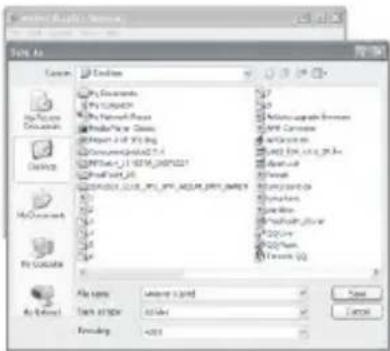
You can copy the synchronous lyrics from internet, and create a new Text Document on your PC, paste them, and then select to save this document in the extension of LRC shown as below.
Then put both .LRC and .MP3 (or .WMA) files of the same song into the same folder in the removable disk. Your lyrics would be shown when you play that song.

2
3

4
Repeat Mode
Repeat Mode
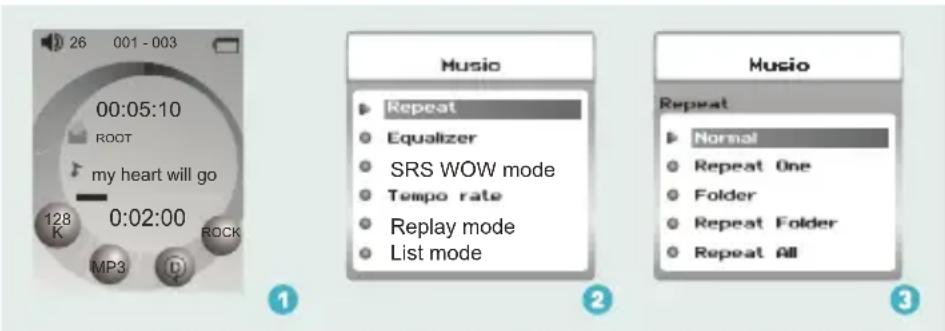
Procedure:
In PLAYING mode (1), press ■ while playing music to enter
the selection menu screen (2). Choose Repress
to enter the menu screen (3).
8 Repeat Modes are available:
Normal, Repeat One, Folder, Repeat Folder, Repeat All, Random, Intro,A-B Repeat.
Normal
All music files will be played one by one and stopped at the last music until you disable this function.
Repeat One
The currently played song will be played repeatedly until this function is disabled.
Folder
All music in the selected folder would be played once until this function is disabled.
Repeat Folder
All music in the selected folder would be played from the beginning to the last one repeatedly until this function is disabled.
Repeat All
All music would be played from the beginning to the last one repeatedly until this function is disabled.
Random
All music would be played randomly until this function is disabled.
Intro
All music would be played for 10 seconds from the beginning until this function is disabled.
A-B Repeat
All music would be played from the desired place to the target place until this function is disabled.
EQ mode
Listen to your music at its best

Procedure:
In PLAYING mode (1), press ■ while playing music to enter the selection menu screen (2). Press > to select E and press to enter the E mealize screen (3).
7 EQ Modes are available: Natural, Rock, Pop, Classic, Soft, Jazz, DBB.
Video Playback
Video Playback
Select Movie on the main menu and press ■ to enter the video playback mode. You can jump to different movies by pressing ( / ) and press ● to start playing.

While enjoying video, you can press • to pause or continue the movie, and press (/) to move back to the previous movie or jump to the next one. You can move your movie forward or rewind it while playing by holding (/) long. If you want to adjust the volume, please press ∼ / ∼
Photo Browse

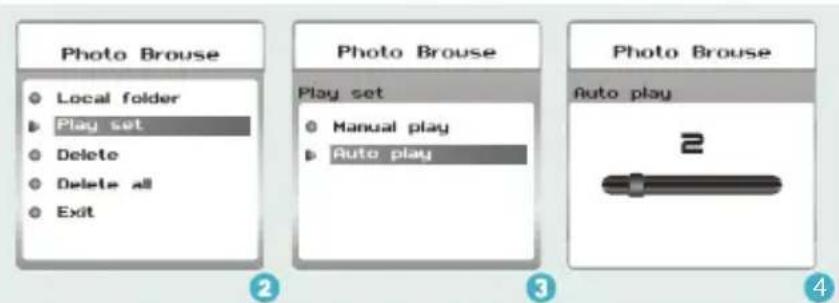
Select Photo on the main menu and press ■ to enter the ROOT folder with listed photos under it.
You can select different photos by pressing ( )/, and press to view.
During photo browse, you can switch to the previous or next photo by pressing ( / ) too.
SlideShow
If you want to create a SlideShow for all photos, you can press ■ when you select a photo on the ROOT folder list, then press > to select Play set, press ■ then > to select Auto play. Press ■ to get access to the Screen of Auto Play Gap Setting.
You can adjust the auto play gap by press ( / ) . Then press ■ to confirm your setting.
Ebook
Ebook
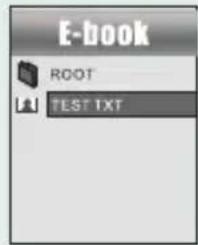

Press (/) to select on the main menu, and press to enter it. Press to select desire text file, and press to enter it. Press again to return to previous page. While reading an article, press to bookmark the text.
Auto Play Setting
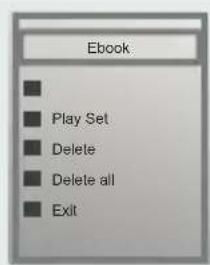
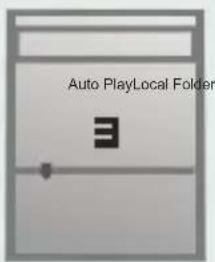
After entering Ebook, press to select Press to choose Manual Play or Auto Play. If you choose, the article will be scrolled automatically according to the Auto Play Gap you preset. Press ( / ) to select AonthePlaySubMenu of Play Set.
Voice Recording
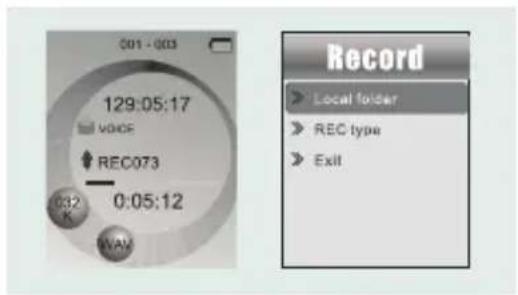
Press (/) to select Record on the main menu, and press ■ to enter it.
Press ● to start it and press ⬇ to save the recorded voice.
To preset the format of the recorded voice file, you could select to
go into Rec Type on the sub-menu of Recorder. Press ■ to enter sub-menu and press ) to select Rec Type.
Voice Playback

If you want to play the recorded file, you can press ( / ) to select Voice on the main menu, and press ■ to enter it.
Press ■ to select Local Folder, and the recorded voice files will be listed after you press ■.
You can press (/) to select one, and press ● to start playing.
Game
Game
Press (/) to select Game and press to confirm and press it again to start the game.
RusBlock
After entering the sub-menu, press (/) to select RusBlock and press ■ to confirm. Press (/) to move the block and press ■ to rotate it. Press ● to play/ pause the game and hold → to return to main menu.
Puzzle
After entering the sub-menu, press ( / ) to select Puzzle and press ■ to confirm. Press ( / ) to move to to left and right. Press ↩ to move downward and press ↙ to go upward.
Sudoku
After entering the sub-menu, press (/) to select Sudoku and press to confirm. Press (/) to move left and right and press ∪ to go upward, and press ↗ to move download. Press ● to choose from 0-9. After filling all the numbers, press ■ to check the final result.
| General Information | Voice Recording | ||
| Power Supply | 180mA, 3.7V Lithium battery | Supported File Types | .ACT and .WAV files |
| Dimensions | 41mm x 85mm x 9mm | Video Playback | |
| Weight | 20g | Supported File Type | .AMV files ( )Resolution 160 x128 |
| Display | 1.8 inch Colour Display | Photo Browse | |
| Capacity | 128MB/256MB/512MB/1GB/2GB/4GB internal flash memory | Supported File Type | .JPG, .BMP and .GIF for photo files |
| Operating System | Windows?98/98SE/Me/2000/XP/Vista MAC OS 9.0, 10.0 | Viewing Mode | Manual Browse, Slideshow |
| Interface | USB 2.0 Full Speed | Game Function | |
| Audio Playback | Game Types | RusBlock, Puzzle, Sudoku | |
| Compression Format | .M P3 (8kbps ~ 320kbps), .WMA (5kbps ~ 384kbps) for music at Constant Bit Rate | ||
| S/N ratio | 85dB | ||
| Earphone Output Power | 9mWx, 32ohm | ||
Trouble Shooting
What should I do if ...
Q: I cannot enter the MUSIC mode after using the player for a period of time.
A: You should format the memory of the player under connection to PC. (Be sure you remember to backup the data in your player before performing the above action.)
Q: I cannot convert my video file into the .AMV format.
A: Please make sure that the media player software for video files has been installed on your PC. Then try to convert again.
Disposal of your old product
Electrical and electronic equipment (EEE) contains materials, parts and substances which can be dangerous to the environment and harmful to human health if wastes of electrical and electronic equipment (WEEE) are not disposed correctly.
Equipments which are marked with the WEEE logo (as shown on the right), should not be thrown away with your household waste. Contact your local Authority Waste Disposal Department as they will be able to provide details of the recycling options available in your area.

Contact Details
We trust you are completely satisfied with this product from Argos Ltd, however please feel free to contact us if you experience any difficulties, or if you would like to express your views regarding our products.
Please write to:
Customer Services
Argos Ltd
489-499 Avebury Boulevard
Saxon Gate West
Central Milton Keynes
MK9 2NW
Telephone: 0870 600 3030
Through the process of continuous improvement, Argos Ltd. reserves the right to change of alert specifications without prior notice. E&OE
- YOUR POCKET GUIDE
- CONTENT
- WHAT'S IN THE BLISTER
- PLUG YOUR EARS, AND ENJOY
- YOU'LL NEED A COMPUTER WITH
- SOFTWARE INSTALLATION
- SOFTWARE UTILITIES INSTALLATION
- CONNECT
- TRANSFER
- GET YOUR PLAYER CONNECTED
- STEP 3
- DOUBLE CLICK THE RIEONOVABLE DISK
- TRANSFER MUSIC, IMAGE & MOVIE
- SOFTWARE OPERATION
- ENJOY YOUR AMV MOVIE
- LANGUAGE SELECTION
- SELECT YOUR PREFERRED LANGUAGE
- STEP 1
- STEP 2
- MUSIC PLAYBACK
- DISPLAY LYRICS
- A-B REPEAT
- EDIT LYRICS
- REPEAT MODE
- NORMAL
- EQ MODE
- LISTEN TO YOUR MUSIC AT ITS BEST
- PROCEDURE
- VIDEO PLAYBACK
- PHOTO BROWSE
- SLIDESHOW
- EBOOK
- AUTO PLAY SETTING
- VOICE RECORDING
- VOICE PLAYBACK
- GAME
- RUSBLOCK
- PUZZLE
- SUDOKU
- TROUBLE SHOOTING
- WHAT SHOULD I DO IF
- DISPOSAL OF YOUR OLD PRODUCT
- CONTACT DETAILS
Brand : CURTIS
Model : MPK8065BUK
Category : Mp3 player