DN-3025 - Network adapter Digitus - Free user manual and instructions
Find the device manual for free DN-3025 Digitus in PDF.


| Product Type | USB 3.0 to Gigabit Ethernet Adapter |
| Model Number | DN-3025 |
| Brand | Digitus |
| Interface | USB 3.0 (backward compatible with USB 2.0/1.1) |
| Network Standard | IEEE 802.3, IEEE 802.3u, IEEE 802.3ab |
| Data Transfer Rate | 10/100/1000 Mbps (auto-negotiation) |
| Connector | 1 x RJ-45 female |
| LED Indicators | Link/Activity (green), Speed (amber) |
| Dimensions (L x W x H) | 60 x 30 x 15 mm |
| Weight | 30 g |
| Power Source | Bus-powered via USB port |
| Operating Temperature | 0°C to 40°C |
| Storage Temperature | -20°C to 70°C |
| Humidity | 10% to 90% non-condensing |
| Supported Operating Systems | Windows 7/8/10/11, macOS 10.6+, Linux, Chrome OS |
| Driver Installation | Plug and play (drivers included for Windows; built-in for others) |
| Wake-on-LAN | Supported |
| IEEE 802.1Q VLAN Tagging | Supported |
| Jumbo Frame Support | Up to 9K bytes |
| Maintenance | Clean with a dry, lint-free cloth. Do not use liquids or solvents. |
| Safety | Avoid exposure to water, moisture, and extreme temperatures. Use only with compatible USB ports. |
| Spare Parts and Repairability | No user-serviceable parts. In case of failure, replace the entire unit. |
Frequently Asked Questions - DN-3025 Digitus
User questions about DN-3025 Digitus
0 question about this device. Answer the ones you know or ask your own.
Ask a new question about this device
Download the instructions for your Network adapter in PDF format for free! Find your manual DN-3025 - Digitus and take your electronic device back in hand. On this page are published all the documents necessary for the use of your device. DN-3025 by Digitus.
USER MANUAL DN-3025 Digitus
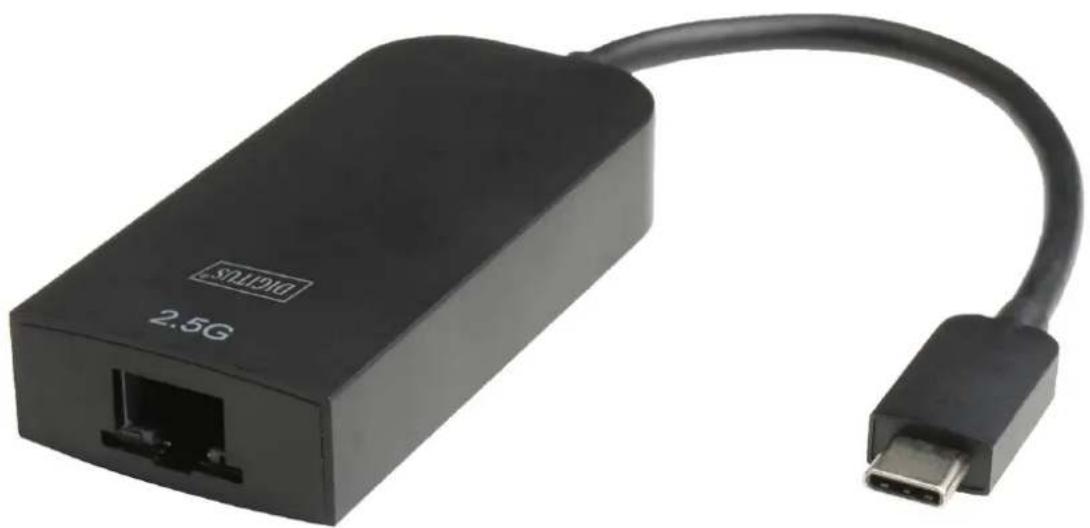
2.5 Gigabit Ethernet Adapter
natural_image
Black 2.5G network device with USB port and cable (no text or symbols on body)User Manual
DN-3025
Introduction
This Type-C™ to 2.5Gbps Ethernet Adapter is a high performance and low expenditure solution. It enables your new Macbook Pro,
Chromebook or other USB-C supported host PC to get access to a fast Ethernet network by connecting the Gigabit Ethernet port.
Package Contents
Before attempting to use this unit, please check the packaging and make sure the following items are contained in the shipping carton:
- Main unit x1
- User Manual x1
Features
• Supports Type-C™ input and 2.5Gbps RJ45 output
• Supports USB-C plug and play, hot swap
• Supports 10M/100M/1G/2.5G bandwidth
• Supports twisted pair crossover detection and auto-correction
• USB bus power (no external power supply)
• Support WOL(Wake-On-LAN), Full Duplex flow (10M/100M/1G/2.5G Rate), Auto-Negotiation
• Supports Operating system for computers –
Windows: Windows 7 / Windows 8/Windows10/ Windows Vista/ Windows XP (32/64bit)
Mac: Mac OS X 10.6 to 10.12.5
Note:
Driver software installation is required, you need to download driver from official website:
https://www.realtek.com/zh-tw/component/zoo/category/network-interface-controllers-10-100-1000m-gigabit-ethernet-usb-3-0-software
Specifications
| Input/ Output Connector | |
| Input | Type-CTM Male ×1 |
| Output | RJ45 ×1 |
| RJ45 Basic Specifications | |
| Supported communication rate | 10Mbps/100Mbps/1Gbps/2.5Gbps |
| Main features supported | WOL(Wake-On-LAN)Full Duplex flow(10M/100M/1G/2.5G Rate)Auto-Negotiation |
| Physical | |
| Weight | 34g |
| Size(L-W-H) | 74.5*35*15.5mm |
| Environmental | |
| Operating Temperature | 0 °C to +45°C |
| Operating Humidity | 10% to 85 % RH(no condensation) |
| Storage Temperature | -10°C to +70°C |
| Storage Humidity | 5% to 90 % RH(no condensation) |
| Power Consumption | |
| Voltage | 4.75V~5.25V |
| Standby Power | <60mA(When Ethernet cable is not connected) |
| Normal Operating Power | <80mA 10Mbps<130mA 100Mbps<300mA 1Gbps<460mA 2.5Gbps |
Operation
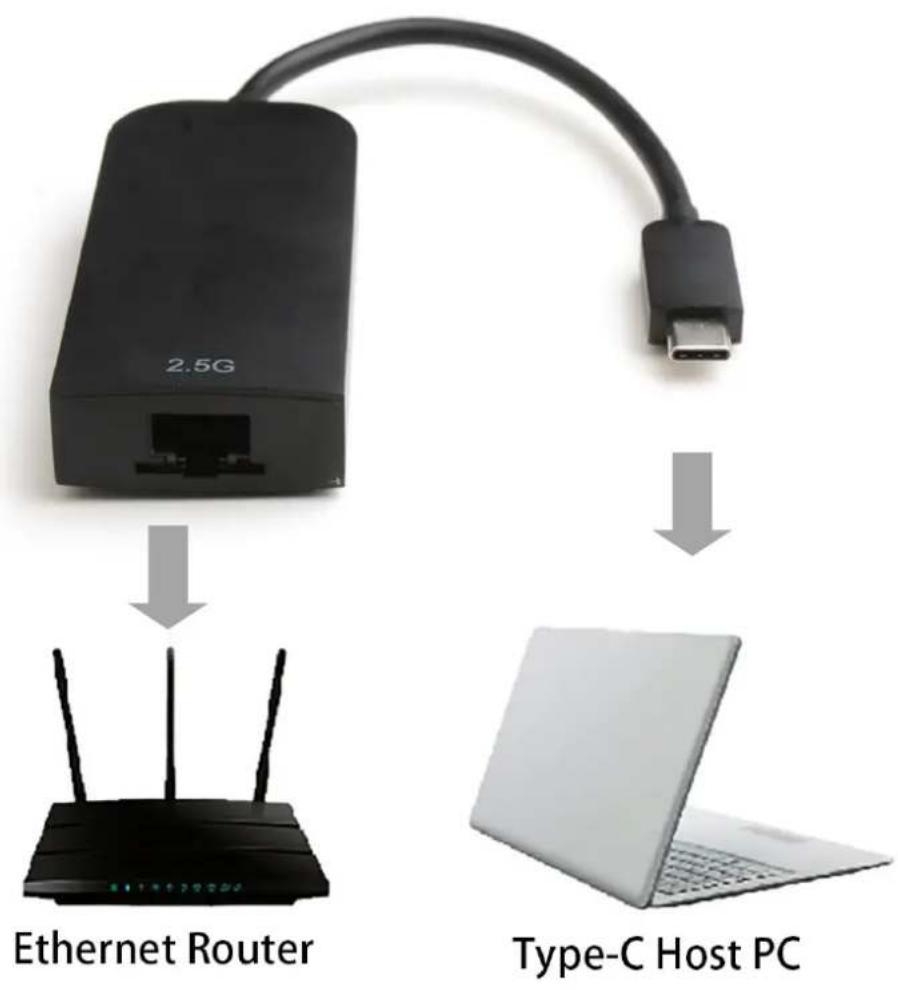
① Connect Type-C™ host PC to USB-C port of this product
② Connect Gigabit Ethernet port of this product to Ethernet
Router with an Ethernet cable
③ Automatically or manually set IP address of computer
Connection
Application Diagram
flowchart
graph TD
    A["2.5G Ethernet Router"] -->|USB cable| B["Type-C Host PC"]
    style A fill:#000,stroke:#fff,color:#fff
    style B fill:#fff,stroke:#000,stroke-width:2px
Hereby Assmann Electronic GmbH, declares that the Declaration of Conformity is part of the shipping content. If the Declaration of Conformity is missing, you can request it by post under the below mentioned manufacturer address.
www.assmann.com
Assmann Electronic GmbH
Auf dem Schüffel 3
58513 Lüdenscheid
Germany