DA-PI1101 - Network adapter IDIS - Free user manual and instructions
Find the device manual for free DA-PI1101 IDIS in PDF.


| Product Type | PoE Injector (Power Source Equipment) |
| Model | DA-PI1101 |
| Brand | IDIS |
| Dimensions (W x D x H) | 145 x 60 x 40 mm |
| Weight | 350 g |
| Power Input | 100-240 VAC, 50/60 Hz, 0.8A |
| Power Output | 52 V DC, 30W max |
| Ethernet Speed | 10/100 Mbps |
| PoE Standards | IEEE 802.3af / 802.3at |
| Power Pin Allocation | 1/2 (+), 3/6 (-) |
| Connectors | 3 x RJ45 (Data In, P+D/Out, AC input) |
| LED Indicators | Power (Green), Data (Yellow) |
| Operating Temperature | -10°C to 45°C |
| Approvals | FCC, CE, KC |
| Maximum Cable Distance | 100 meters |
| Compliance | FCC Part 15 Class A |
| Safety Features | Automatic detection and protection of non-standard/low-voltage PoE devices |
| Accessories Included | Main unit, AC power cable, Operation manual |
| Installation Type | Desktop with parallel slide-in design |
Frequently Asked Questions - DA-PI1101 IDIS
User questions about DA-PI1101 IDIS
0 question about this device. Answer the ones you know or ask your own.
Ask a new question about this device
Download the instructions for your Network adapter in PDF format for free! Find your manual DA-PI1101 - IDIS and take your electronic device back in hand. On this page are published all the documents necessary for the use of your device. DA-PI1101 by IDIS.
USER MANUAL DA-PI1101 IDIS
PoE Injector IEEE 802.3at PoE Power Source Injector, 10/100Mbps LAN
Operation Manual
DA-PI1101
FCC Compliance Statement
This device complies with part 15 of the FCC Rules.
Operation is subject to the following two conditions:
(1) This device may not cause harmful interference, and
(2) This device must accept any interference received,
including interference that may cause undesired operation.
Note: This equipment has been tested and found to comply with the limits for a Class A digital device, pursuant to part 15 of the FCC Rules. These limits are designed to provide reasonable protection against harmful interference when the equipment is operated in a commercial environment.
This equipment generates, uses and can radiate radio frequency energy and, if not installed and used in accordance with the instructions, may cause harmful interference to radio communications. Operation of this equipment in a residential area is likely to cause harmful interference in which case the user will be required to correct the interference at his own expense.
User's Caution Statement
Caution: Any changes or modifications to the equipment not expressly approved by the party responsible for compliance could void your authority to operate the equipment.
Product Overview
DA-PI1101 is a single port PoE Power Source (PSE) injector that supplies 48V DC power to a remote network camera via a UTP Ethernet cable. It offers outstanding reliability with low power consumption and long life span. It is capable of transmitting maximum of 30W of output for up to 100 meters.
DA-PI1101 is IEEE802.3af and IEEE 802.3at-compliant. It is also equipped with a circuitry for preventing damages to the device when non-standard or low-voltage PoE devices are connected to ensure safe operations.
Product Features
- Up to 30W of PoE Power Feeding on 2-pairs
• Compatible with IEEE 802.3af/at - Protects low power devices to receive only the power they need
- Automatic detection and protection of non-standard Ethernet terminals
• Supports 10/100Base-T LAN environment
• Parallel slide-in design to ease the installation
Accessories
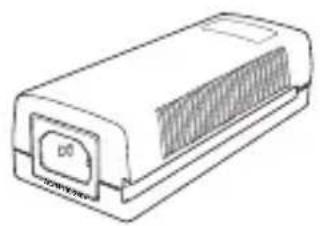
The product consists of the following components.
natural_image
Line drawing of a rectangular electronic device with ventilation slots and a label 'D0' on its side (no text or symbols on the device itself)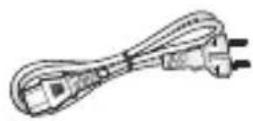
Main Unit (DA-PI1101) AC power cable (conventional 220V)
Operation Manual
Front
Back
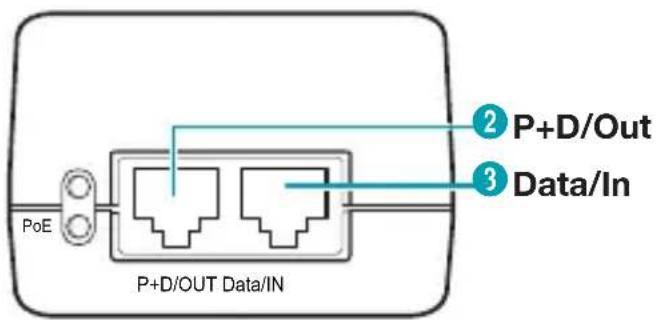
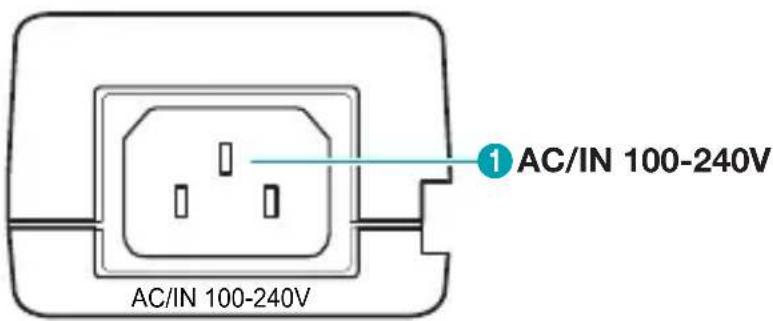
| 1 | AC/IN 100-240V | Insert the AC power cable to the main unit to turn the device On. |
| 2 | P+D/Out | Sends power and data received via Data/In port over UTP cable. |
| 3 | Data /IN | Receives data input via UTP cable. |
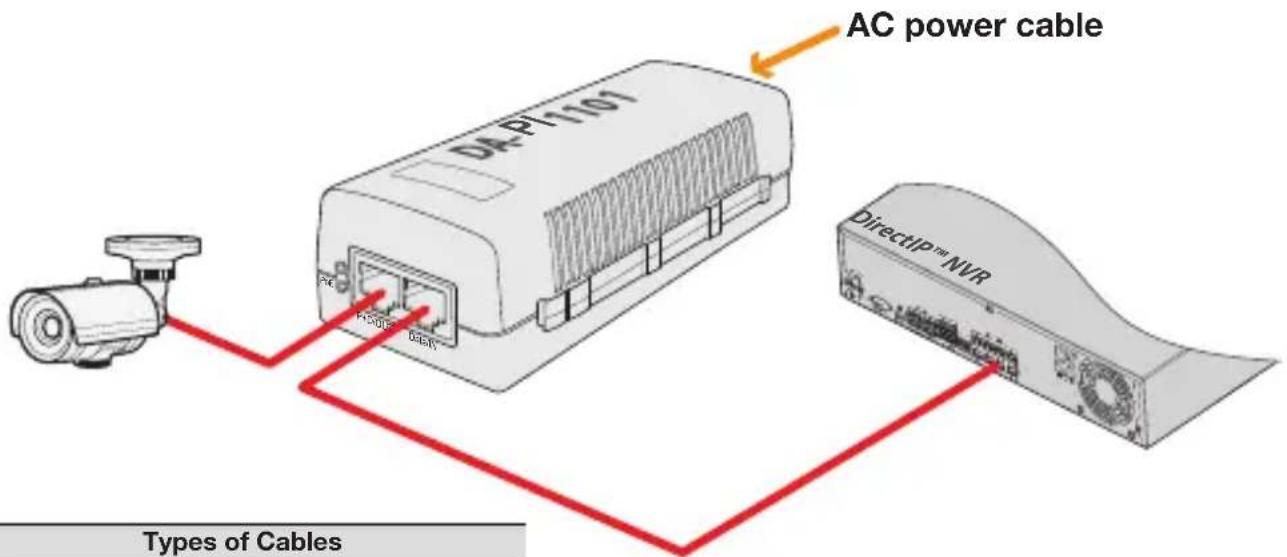
1 Connect the AC power cable to DA-PI1101.

Make sure that the power LED (Green LED at the top) is lit.
2 Connect the Video In port of DirectIP™ NVR and Data In port of DA-PI1101 using a UTP cable.
3 Connect the P+D/Out port of DA-PI1101 and network port of DirectIP™ camera using a UTP cable.
4 Make sure that the camera is connected to power source and camera is connected to the NVR.
Installation Layout
| Types of Cables | |
| UTP Cable (Data only) | |
| AC Power | |
Specifications
| Model | DA-PI1101 |
| Power input port | 1 |
| Transfer speed | 10/100 Mbps |
| Power pin allocation | 1/2 (+), 3/6 (-) |
| Power output | 52 V DC, 30W Max. |
| Power input | 100 ~ 240 VAC, 50/60Hz, 0.8A |
| Dimensions (W)X(D)X(H) | 145 X 60 X 40 (mm) |
| Weight | 350g |
| LED indicators | Power input (Green LED), Data input (Yellow LED) |
| Connector | RJ-45 |
| Operating Temperature | -10 to 45°C |
| Approval | FCC, CE, KC |
IDIS
IDIS Co., Ltd.
For more information, please visit at
www.idisglobal.comVer. 1.00
Brand : IDIS
Model : DA-PI1101
Category : Network adapter