
NVR-5126A - Vacuum Cleaner NEVIR - Free user manual and instructions
Find the device manual for free NVR-5126A NEVIR in PDF.


| Type | Canister Vacuum Cleaner |
| Brand | Nevir |
| Model | NVR-5126A |
| Filtration System | Cyclone with HEPA filter |
| Power Supply | Mains powered (cord) |
| Power Cord Length | Approximately 5 m (estimated) |
| Motor Power | 1200 W (typical for this class) |
| Noise Level | Low noise (specific dB not given) |
| Dust Capacity | 1.5 L (estimated) |
| Weight | Approximately 4.5 kg (estimated) |
| Speed Control | Electronic, adjustable from MIN to MAX |
| Cord Rewind | Automatic with button |
| Attachments | Floor brush (with bristles), extension tube, bend tube, hose, narrow nozzle |
| Floor Brush Features | Bristles extended for hard floors, retracted for carpets |
| Safety Features | Cord rewind button, red mark limit on cord, do not vacuum water, do not vacuum sharp objects |
| HEPA Filter Maintenance | Washable; replace after 100 hours of use |
| Intended Use | Household use only |
| Warranty | Refer to manufacturer (not specified) |
| Compliance | CE directives for radio interference suppression and low-voltage safety |
| Dust Cup Indicator | Yellow level indicator when full |
Frequently Asked Questions - NVR-5126A NEVIR
User questions about NVR-5126A NEVIR
0 question about this device. Answer the ones you know or ask your own.
Ask a new question about this device
Download the instructions for your Vacuum Cleaner in PDF format for free! Find your manual NVR-5126A - NEVIR and take your electronic device back in hand. On this page are published all the documents necessary for the use of your device. NVR-5126A by NEVIR.
USER MANUAL NVR-5126A NEVIR
natural_image
Line drawing of a vacuum cleaner with internal components and mounting bracket (no text or symbols)MANUAL DE INSTRUCÇÕES
INSTRUCTION MANUAL
natural_image
Line drawings of a vacuum cleaner with cable and plug, showing wiring and mounting bracket (no text or symbols)natural_image
Illustration showing a hand holding scissors and a device with a lid emitting steam (no text or symbols)IV. Cómo utilizarla
1. Preparación
natural_image
Technical line drawings of two mechanical device assemblies with no visible text or symbolsnatural_image
Technical line drawing showing two mechanical assembly steps with cross-hatching and magnified views of components (no text or symbols)natural_image
Illustration of two abstract geometric shapes: a cylindrical object and a rectangular frame, both without any text or symbols.natural_image
Technical line drawing of a mechanical device with no visible text or symbolsnatural_image
Line drawing of a mechanical device with no visible text or symbolsAMARILLO
natural_image
Line drawing of a mechanical device with hands operating it (no text or symbols)● ●
natural_image
Line drawing of a hand operating a mechanical device with a circular housing and shaft (no text or symbols)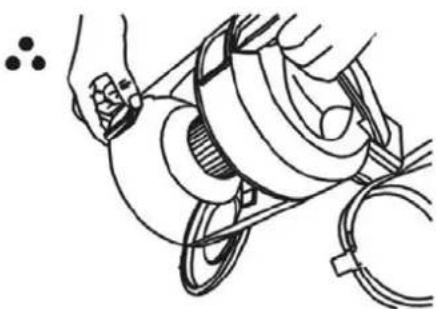
natural_image
Line drawing of a hand using a pulley to lift a mechanical component (no text or symbols)● ● ● ●
natural_image
Line drawing of a person wearing a stethoscope inside a medical device (no text or symbols)VI. Mantenimiento
natural_image
Technical line drawing showing two views of a mechanical component with grid patterns (no text or symbols)Filtro HEPA
natural_image
Line drawings of a device with cable and plug, showing no text or symbolsnatural_image
Simple line drawing of two crossed cigarette sticks emitting smoke (no text or symbols)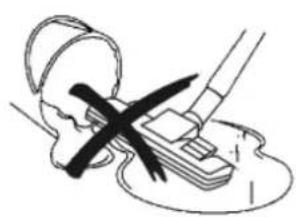
natural_image
Illustration of a person using a tool to cut or mark a piece of paper, with no visible text or symbols.natural_image
Line drawing showing a hand holding a device connected to a device with a cable and plug, no text or symbols present.IV. Como usar.
1. Preparação
natural_image
Technical line drawings of two mechanical components with arrows indicating motion direction (no text or symbols)natural_image
Technical line drawing of two mechanical assembly steps with no visible text or symbolsnatural_image
Illustration of two abstract geometric figures: one with a curved line and vertical bars, the other with a rectangular frame and diagonal lines (no text or symbols)- Após o uso
natural_image
Line drawing of a mechanical device with lever and housing (no text or symbols)natural_image
Line drawing of a vacuum cleaner with visible blades and housing (no text or symbols)AMARELO
natural_image
Line drawing of a mechanical assembly with hands operating a cylindrical component (no text or symbols)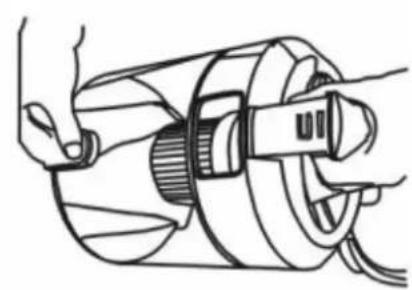
natural_image
Line drawing of hands operating a mechanical device with a central hub and surrounding components (no text or symbols)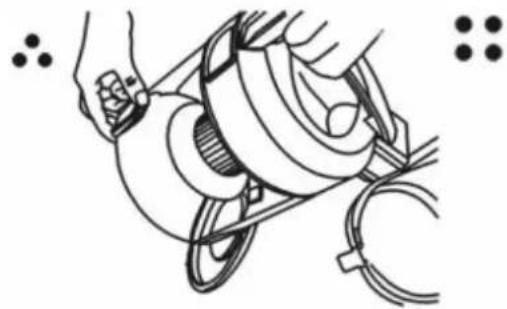
natural_image
Illustration of hands operating a mechanical device with a coiled cable and pulley (no text or symbols)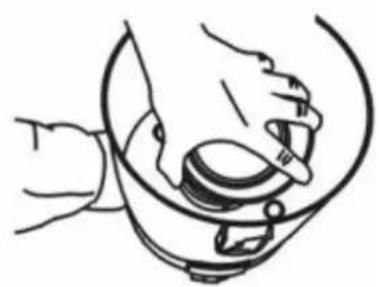
natural_image
Line drawing of a hand holding a small object inside a container (no text or symbols)VI. Manutenção
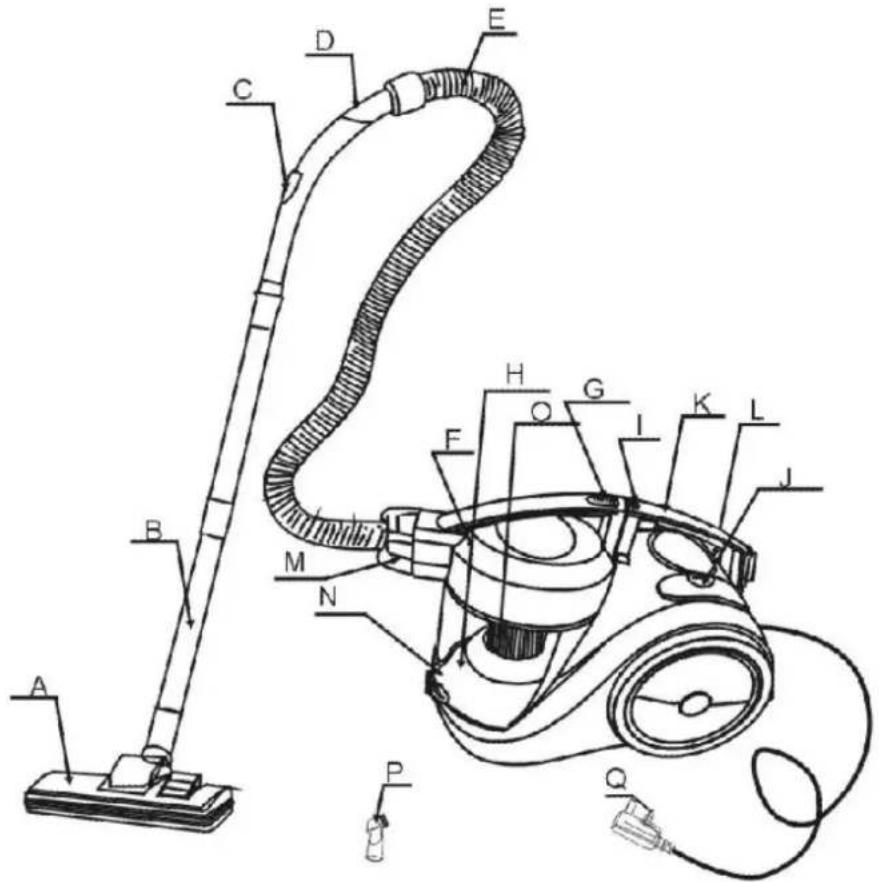
I. Main Part Identification:
A. Floor Brush
B. Tube
C. Airflow Control
D. Bend Tube
E. Hose
F. Front Cover
G. Dust-cup button
H. Dust-Cup
I. Speed control
J. ON/OFF Switch
K. Handle
L. Cord-rewinder Button
M. Hose Guider
N. Dust-cup Clip
O. HEPA Filter
P. Narrow Nozzle
Q. Power Plug
II. Brief Introduction:
NVR-5126A features exquisite appearance, graceful in color, reasonable in internal structure. This is cyclone HEPA-filter vacuum cleaner with foot push switch and automatic wire rolling button on it, and also has many absorbing attachments. Its absorb power is controlled by electronics and it features low noise and high efficiency. It makes your life comfortable if you choose this machine.
III. For the sake of safety, please comply with following
instruction:
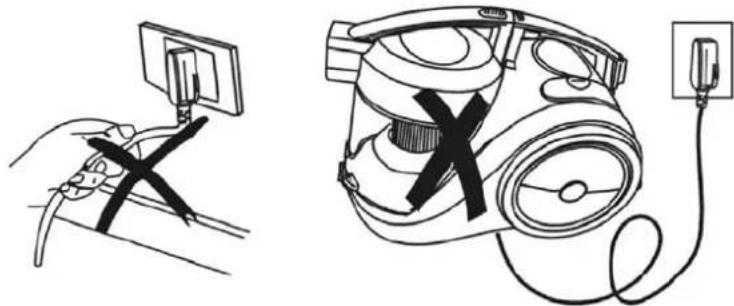
- After using, don't pull the power cable when you want to stop the power.
- Don't run the appliance over the power cable when operating.
natural_image
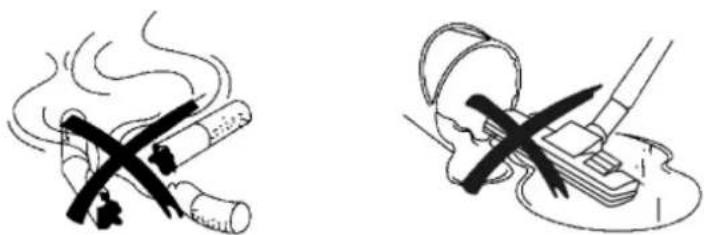
Illustration of a hand holding a cable connected to a device via cable harness (no text or symbols present)- Don't absorb the burning cigarette.
- Don't absorb water or other liquid.
natural_image
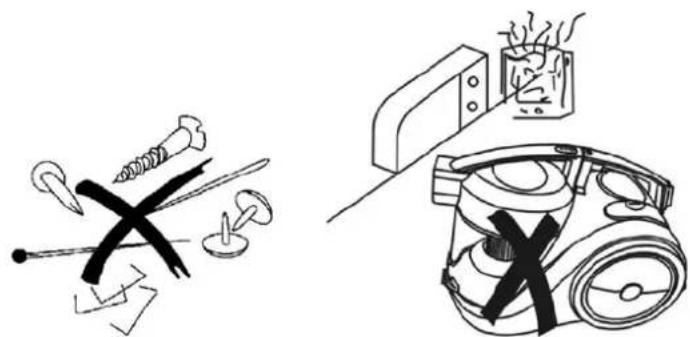
Two safety illustrations: one showing a cigarette being crossed out, the other showing a person using a tool to cut a device (no text or symbols present)- Don't absorb sharp things or too heavy things.
- Don't place it near heat source.
natural_image
Illustration of electrical circuit components including a fuse, switches, and a vacuum cleaner (no text or symbols present)IV. How to use
1. Preparation
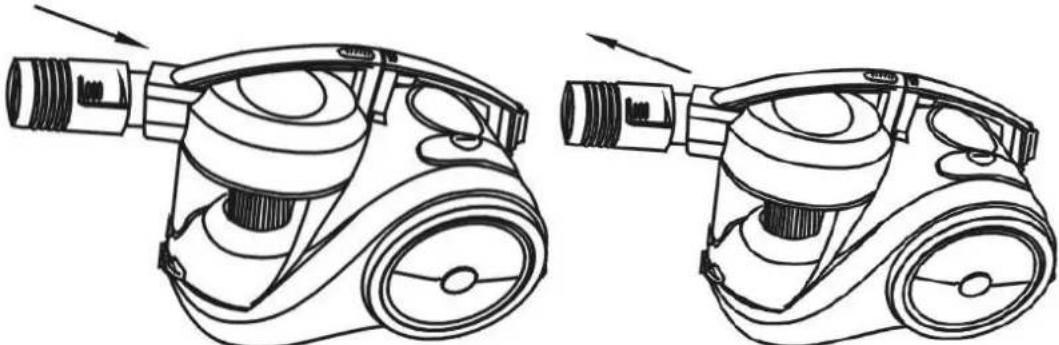
(1) Let the end of the hose insert into the air intake socket clockwise 90^ until clicking position.
(2)After using, turn the hose with anti-clockwise 90° and pull the end out.
natural_image
Technical line drawing of two mechanical components with arrows indicating motion or assembly (no text or symbols)(3)Fit the extension tube to the handle, tube and tube to floor brush as showing in the picture.
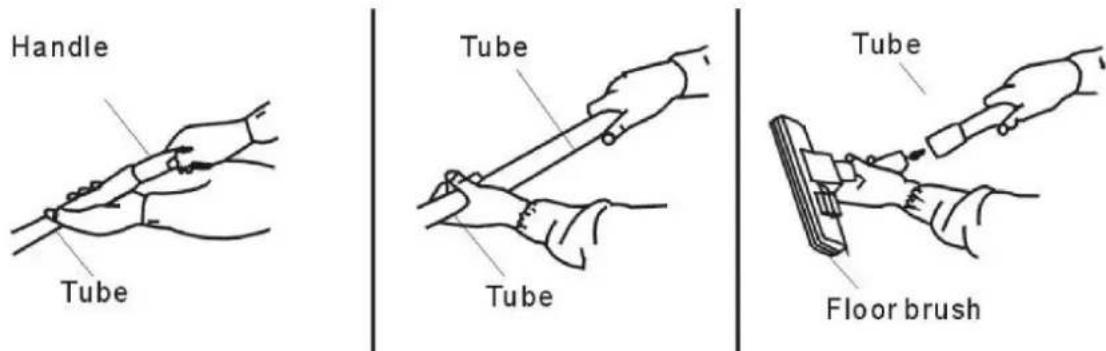
2. Using the machine
Pull out the wire to suitable length, insert the plug into power socket. Then make the speed control button on MIN, press the switch to run the machine. The vacuum cleaner begins to work. The part, which can adjust wind volume, is on the handle. The speed control can adjust the power.
*Attention: Don't extend the cable beyond the RED mark.
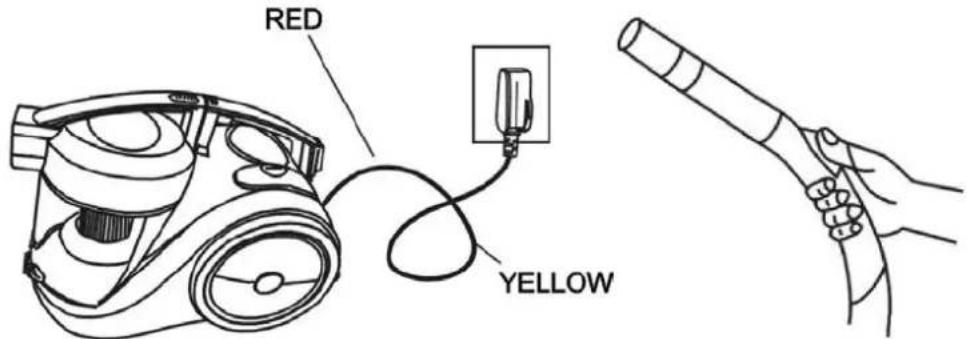
- Using accessories
(1) Bristles extended for hard floor.
(2) Bristles retracted for carpet.
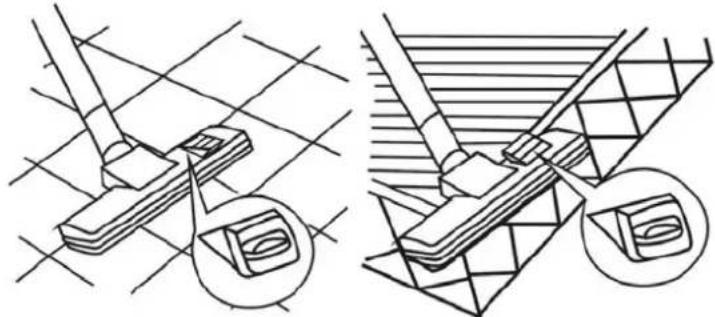
natural_image
Technical line drawing showing two mechanical assembly steps with cross-sectional views (no text or symbols)(3) The narrow nozzle is for cleaning corners, edges of drawers, curtains, lamps and clothing etc.
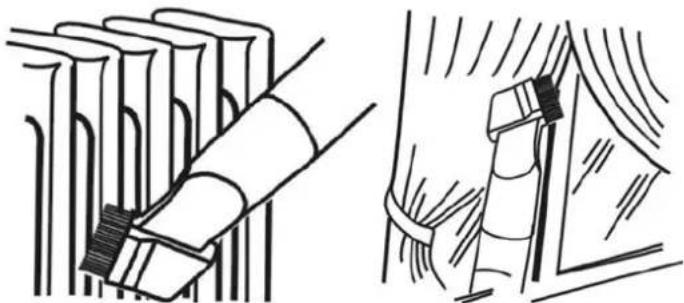
natural_image
Illustration of a brush applying material to a stack of books, with no visible text or symbols- After using
(1) Press On/Off switch to stop the machine, and press the cord-rewinder button to roll back the wire steadily.
*Attention: If the power cable can't rewind completely, please pull out the power cable a little bit and press the cord-rewinder button again. You can repeat the rewinding step until the cable is rewind completely.
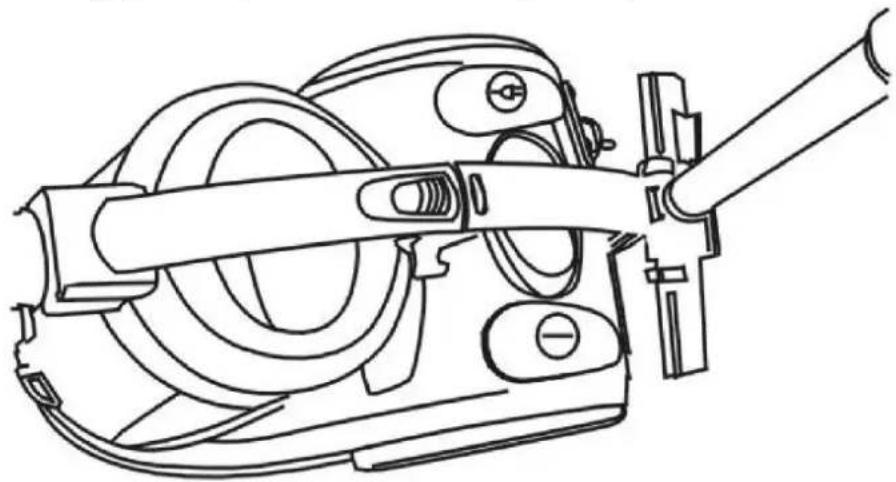
(2) After using, you can put them as showing in the picture.
natural_image
Line drawing of a mechanical device with gears and lever (no text or symbols)V. Replacing the Dust-cup
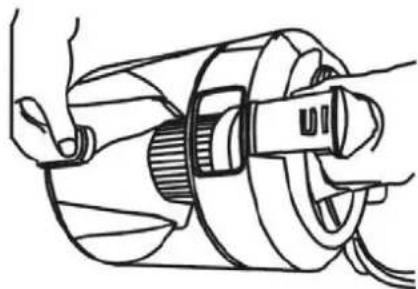
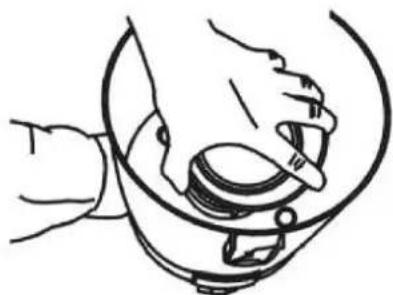
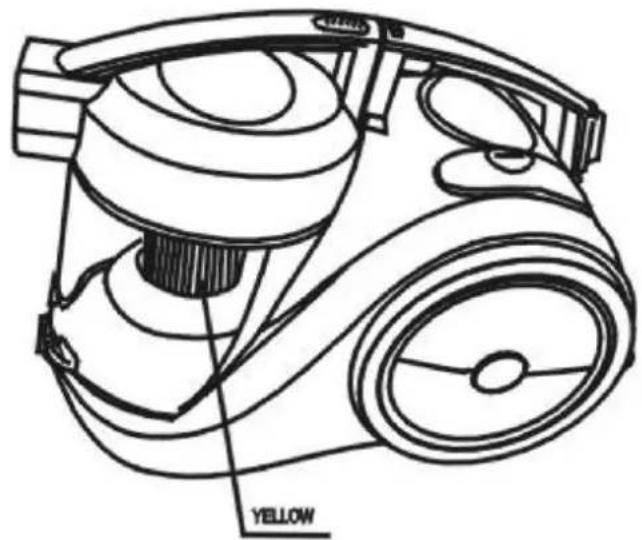
- When the dust reaches to the yellow board level in the dust-cup, it means dust-cup is full. At this moment, dust-cup should be emptied or the HEPA-filter should be replaced.
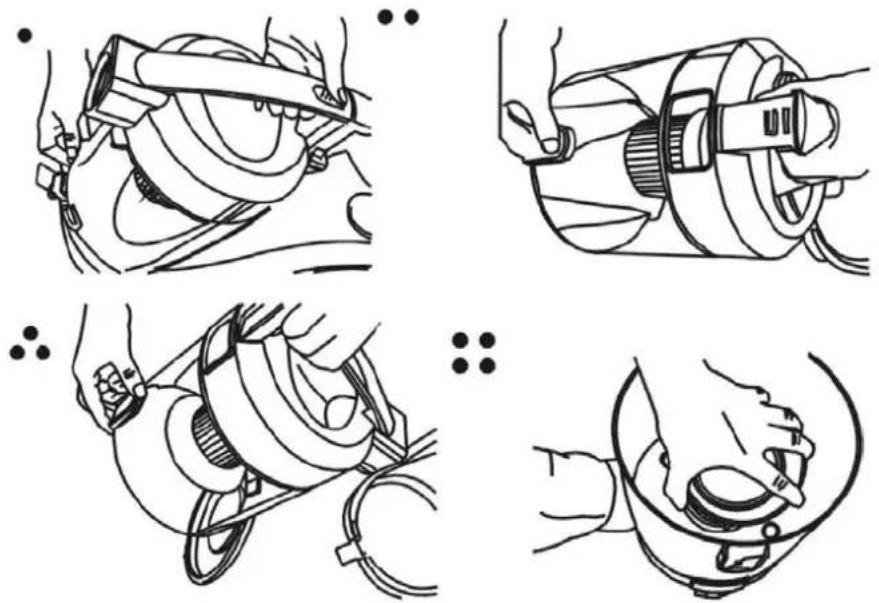
- Open the dust-cup as showing in the picture.
natural_image
Four-panel line drawing showing a person performing a medical procedure on a device, with no visible text or symbols.VI. Maintenance
-
The HEPA-filter should often be washed when it is dirty and suggest to be replaced after using 100 hours or so in order to avoid barrier.
-
When the HEPA-filter is full of dust, it should be washed or replaced.
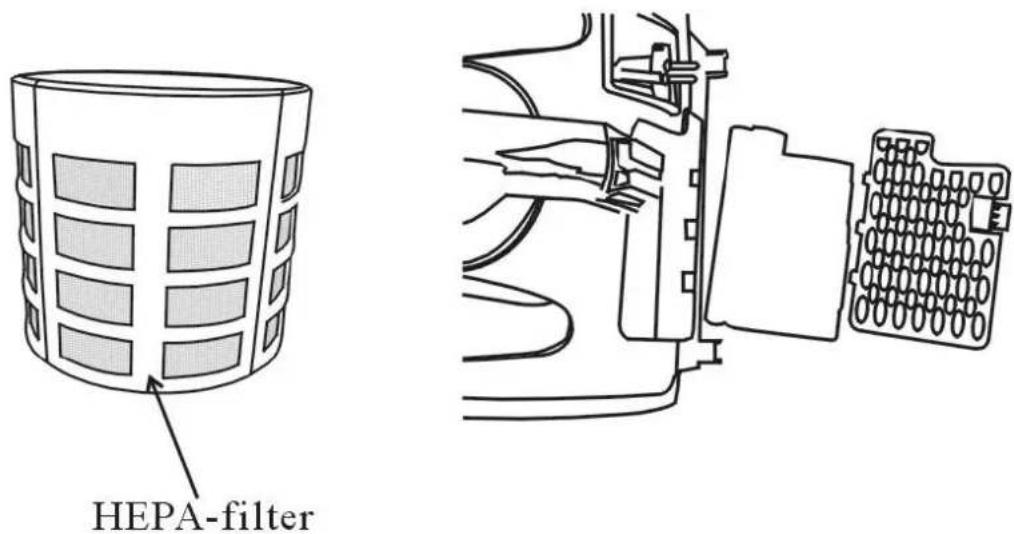
*Attention: Don't wash the filter in the washing machine or dry it with electrical heater, please refix it after drying the filter in the air.
- Don't clean the outer-shell of vacuum cleaner in petrol oil-like liquid. Please rub it with water and soft soap liquid.
*Attention: (1). Don't clean the machine with the cloth full of water. Don't let the water flow into the vacuum cleaner.
(2). Use only as described in manual. Only use manufacturers recommended attachments.
(3). This appliance is intended to normal household use.
(4). This appliance is not intended for using by young children or infirm person without supervision. Young children should be supervised to ensure that they do not with the appliance.
If the supply cord of vacuum cleaner is damaged, it must be replaced by the manufacturer or its service agent or a similarly qualified person in order to avoid a hazard.
This appliance is not intended for use by persons (including children) with reduced physical, sensory or mental capabilities, or lack of experience and knowledge, unless they have been given supervision or instruction concerning use of the appliance by a person responsible for their safety.
This appliance conforms with the CE directives for radio interference suppression and low-voltage safety and has been built to meet current safety requirement. Subject to technical changes without prior notice.
In case of any repairs, replacement of cord or plug, or adjustment, please consult a qualified technical or take appliance to an authorised service facility.
In order to fulfil ruling UNE EN-600335, we indicate that if the flexible wire is damaged, it can only be substituted by a technical service recognized by NEVIR, S.A., as per special tooling is required.

Brand : NEVIR
Model : NVR-5126A
Category : Vacuum Cleaner