PhoneSmart - Educational toy Learning Resources - Free user manual and instructions
Find the device manual for free PhoneSmart Learning Resources in PDF.


User questions about PhoneSmart Learning Resources
0 question about this device. Answer the ones you know or ask your own.
Ask a new question about this device
Download the instructions for your Educational toy in PDF format for free! Find your manual PhoneSmart - Learning Resources and take your electronic device back in hand. On this page are published all the documents necessary for the use of your device. PhoneSmart by Learning Resources.
USER MANUAL PhoneSmart Learning Resources
Use and Care Guide
PhoneSmart™
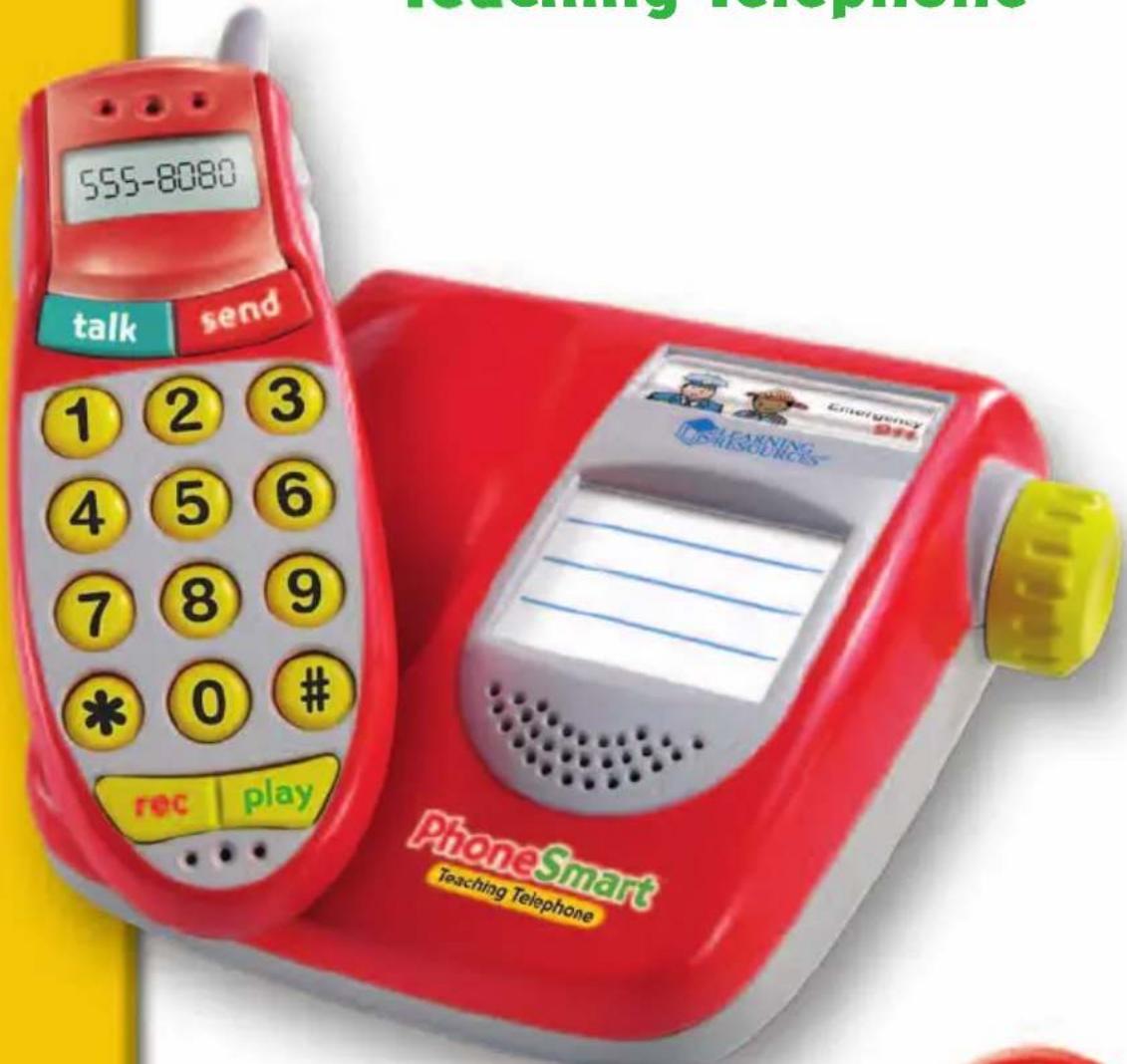
Teaching Telephone

Installing and Replacing the Batteries
Requires: Phillips screwdriver, 3 AAA Batteries
Batteries should be installed or replaced by an adult. PhoneSmart™ requires 3 AAA batteries (not included). The battery compartment is located on the bottom of the phone handset. To install batteries, first undo the screws (using a Phillips screwdriver) and remove the battery-compartment door. Install batteries as indicated inside the compartment. (See back of guide for additional notes on proper battery care.)
Introduction
Thank you for purchasing the PhoneSmart™ Teaching Telephone, the simple way to teach your child important phone numbers. Please use this guide to help get started, and be sure to practice emergency phone skills with your child!
PhoneSmart™ has three main play modes:
- Free Play – In this mode, the parent, teacher or child can record phone numbers and messages. Then, simply dial these numbers to hear the recorded messages. For pretend and play fun, you can also dial any of the preset numbers from people and businesses around the town.
- Quiz Mode – In this interactive number-dialing quiz, the phone will call out basic number sequences. Players need to press the corresponding keys on the phone to repeat the sequence. Keep playing to repeat three, four and even five-number sequences!
- Emergency Mode – This interactive mode teaches children about the importance of correctly dialing their emergency phone numbers. Listen in as the friendly operator voice will guide you through lessons about your emergency phone number.
Additional Features:
PhoneSmart™ features a record-a-message button for message recording. To use this feature, press and hold the record button and speak into the phone. Press the play button anytime to play the message back.
Basic Controls
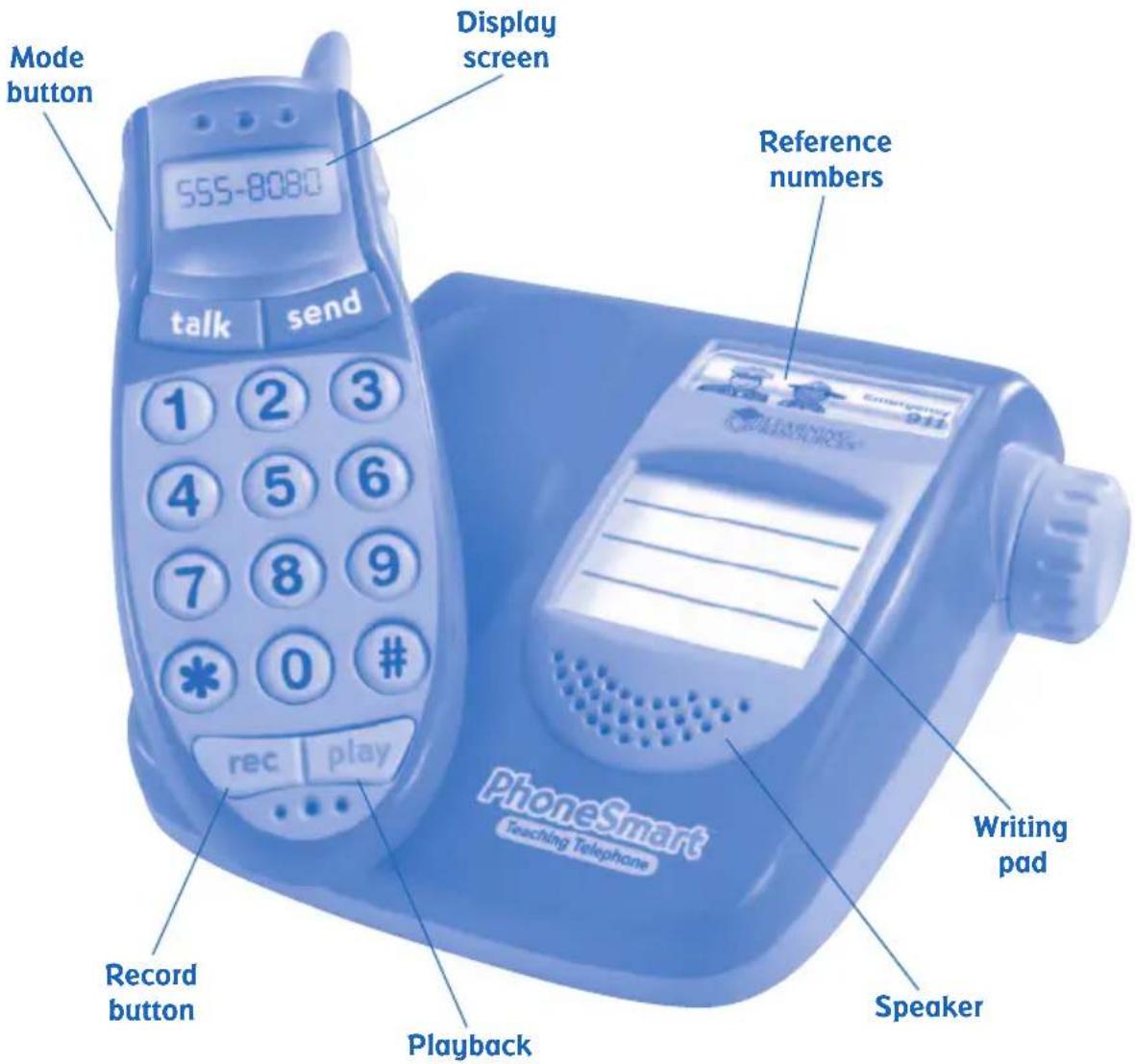
ON/OFF – To turn the unit ON/OFF
VOLUME – A dial for adjusting the volume
MODE – To toggle between the three game modes
TALK – To enter into talk mode/enable the phone, and to send the call
END – To hang up or end the current call
RECORD – To record a message
PLAYBACK – To play back a recorded message
Play Modes
1. Free Play
Turn the phone on by pressing the POWER button on the side of the phone.
The screen will display the word READY.
Press the TALK button to enter the phone into dialing mode.
Press the number buttons on the front face of the phone to dial a number. With each press of a number button, the corresponding number will be displayed on the screen.
When you're done entering the number, press the TALK button again to send the call, just like a real cordless or mobile phone.
SAVING A PHONE NUMBER AND MESSAGE
Anyone can input and save their own phone numbers and messages for use in Free Play mode. Up to three phone numbers and messages can be saved.
Press the desired numbers on the front face of the phone (up to 11 digits), followed by the # button.
You will be prompted to SAVE NUMBER. If yes, press the # button again. Now you can record a message of up to 15 seconds.
When finished, the message will be played back automatically, and the screen will display SAVE MESSAGE.
If YES, press the # button.
If NO, press the * button. A tone will play, and you can re-record your message.
Now, any time that phone number is dialed, you will hear the message associated with that number. The number will be saved in memory on the phone.
PRESET PHONE NUMBERS
Dial these numbers in Free Play mode to hear a message from friends around town!
| Location | Telephone | Number |
| Papa's Pizza 555-1234 | ||
| Library 555-3838 | ||
| Pete's Pet Shop | 555-8080 | |
| Bakery 555-5678 | ||
| Bike Shop 555-2121 | ||
| 911 Operator 911 | ||
| Toy Store 555-8312 | ||
| Movie Theater 555-8765 | ||
| Grocery Store 555-6556 | ||
2. Quiz Mode
When this mode is selected, the screen will display the words QUIZ TIME!
The phone operator will call out and display a three-digit sequence of random numbers. Press the corresponding keys on the phone correctly to repeat the sequence. As the number keys are pressed, the number name will be heard and the number will be displayed on the screen.
Upon successful completion of the sequence, the phone will play positive audio feedback.
If an incorrect sequence is dialed, the phone will play a negative sound and repeat the initial sequence.
The quiz will continue with random three-digit numbers until the user has correctly answered five 3-digit number sequences in a row. It will then move on to four, and then five-digit number sequences.
The quiz will continue until the child correctly answers five 5-digit number sequences.
To exit out of QUIZ MODE, press the MODE SELECT button.
3. Emergency Mode
This is an interactive mode that teaches children about the importance of correctly dialing their emergency phone numbers.
When EMERGENCY MODE is selected, listen as a friendly operator will guide you through lessons about your emergency phone number.
Press the mode button to switch to emergency mode, and hear the voice say, "Let's learn your emergency number!"
The operator will ask you to dial your emergency number. First, the phone will show the first two digits of the emergency number, and then ask you to dial the last digit.
If you dial the wrong number, the phone will play a negative response and sound effect.
If you dial the correct number, the phone will play a positive response and sound effect.
This teaching method continues until you are asked to enter in all three digits (9-1-1) without prompting. This repetition helps reinforce the importance of remembering your emergency phone numbers.
Parents should play this activity along with children to help teach the importance of correctly dialing this number.
Battery Care and Maintenance Tips
- Use 3 AAA batteries only.
- Be sure to insert batteries correctly (with adult supervision) and always follow the toy and battery manufacturer's instructions.
- Do not mix alkaline, standard (carbon-zinc), or rechargeable (nickel-cadmium) batteries.
- Insert batteries with the correct polarity.
- Do not recharge non-rechargeable batteries.
- Remove rechargeable batteries under adult supervision.
- Only use batteries of the same or equivalent type.
- Do not short-circuit the supply terminals.
• Always remove weak or dead batteries from the product. - Remove batteries if product will be stored for an extended period of time.
- Store at room temperature.
- Wipe the surface with a dry cloth.
- Do not mix new and used batteries.
- Please retain these instructions for future reference.
Look for these other fun Learning Resources® products:
LER 6904 Jumpo 'N' Jann Jungle™
LER 6908 ABC Chalk Talk!®
LER 6917 Number Fun Farm