VOH1007 - Motion detector ViewOnHome - Free user manual and instructions
Find the device manual for free VOH1007 ViewOnHome in PDF.


User questions about VOH1007 ViewOnHome
0 question about this device. Answer the ones you know or ask your own.
Ask a new question about this device
Download the instructions for your Motion detector in PDF format for free! Find your manual VOH1007 - ViewOnHome and take your electronic device back in hand. On this page are published all the documents necessary for the use of your device. VOH1007 by ViewOnHome.
USER MANUAL VOH1007 ViewOnHome
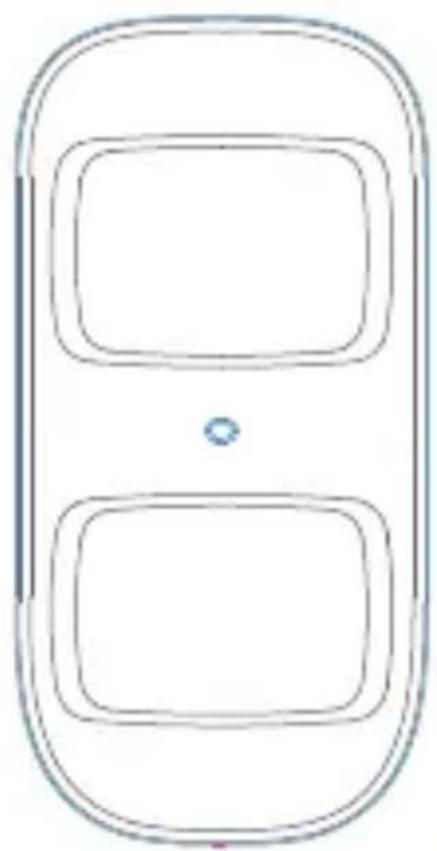
Wireless PIR Motion Detector (Pet Immunity / Indoor Use)
VOH1007
natural_image
Simple line drawing of a mobile phone with two rounded rectangular buttons and a small blue dot on the screen (no text or symbols)Operation Manual
Features
VOH1007 is a high performance wireless pet immunity P.I.R. motion detector. It consists of digital dual-core fuzzy logic infrared control chip and intelligent analysis which effectively identify interference signals from body movement signals and reduce false alarm rate. With automatic temperature compensation and anti-air turbulence technology, it easily adapts to environmental changes. The detector also has the advantages of energy saving, reliability and easy installation.
Box Content
1 x PIR Pet Motion Detector
1 x Bracket
1 x User Manual
flowchart
graph TD
    A["Process Block 1"] --> B["Process Block 2"]
    B --> C["End"]
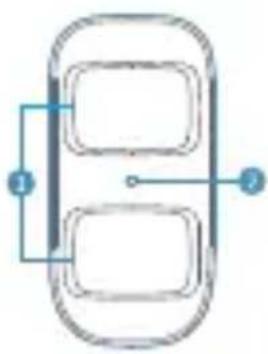
- Detection window
- LED indicator
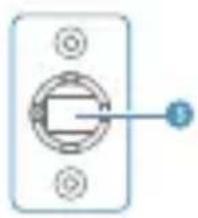
- Bracket
natural_image
Simple diagram of a switch or socket with four pins and a circular connector (no text or symbols)Flash continuously: Under the self-testing state.
Flash once: Intruder is detected.
Flash twice: Self-testing is finished, enters the working mode.
Flash 3 times per 3 seconds: Under voltage indication, please change the batteries immediately. (User will get alert SMS about the low battery if the PIR detector is connected to the GSM alarm system.)
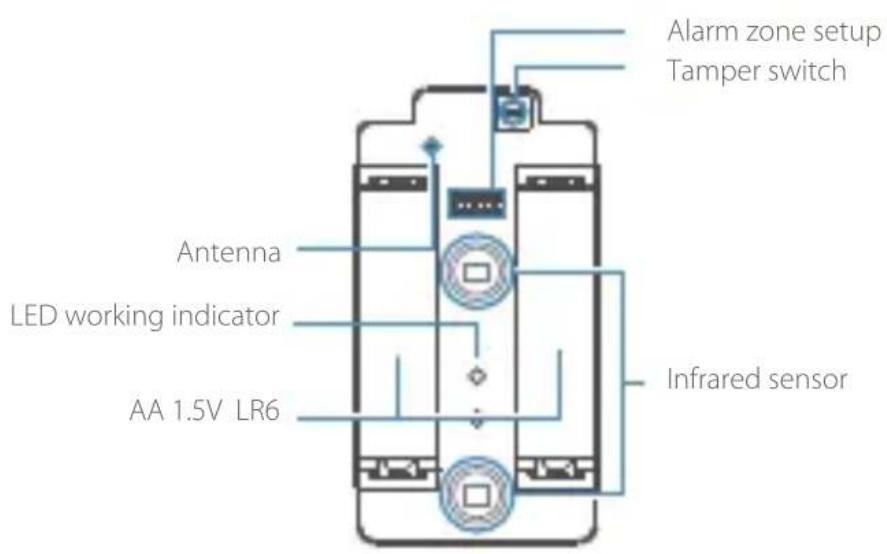
PCB Layout
Flash continuously: Under the self-testing state.
Flash once: Intruder is detected.
Flash twice: Self-testing is finished, enters the working mode.
Flash once per 3 seconds: Under voltage indication, please change the batteries immediately.(User will get alert SMS about the low battery if the PIR detector is connected to the GSM alarm system.)
Usage
Open the case and remove the battery activation strip, power the PIR detector, self-testing would finish in 30s.
Mode Setting
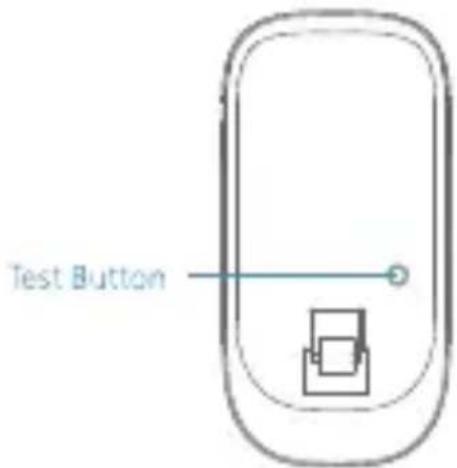
Testing mode: After self-testing, press the test button, the sensor enters testing mode, and detects once every 10 seconds. After 3 minutes, the LED flashes twice, and the sensor enters the working mode.
Working mode: In working state, if the sensor is triggered more than twice within 3 minutes, it will enter sleeping mode to save power. After no movement within next 3 minutes, the sensor goes back to the working mode.
Connect to alarm panel: Press the connect key on the alarm panel, and then press the test button of the sensor twice to send alarm signal. When one beep is heard, they are connected. To check if they are connected successfully, arm the system, and trigger the sensor again, if there is an alarming, the connection is successful.
Installation & Notices
Avoid mounting the detector close to windows, air conditioner, heater, refrigerator, oven, sunshine and place s where the temperature changes fast or the air stream flows frequently. If two detectors are installed in the same detection scope, please adjust the location to avoid interference and false alarm.
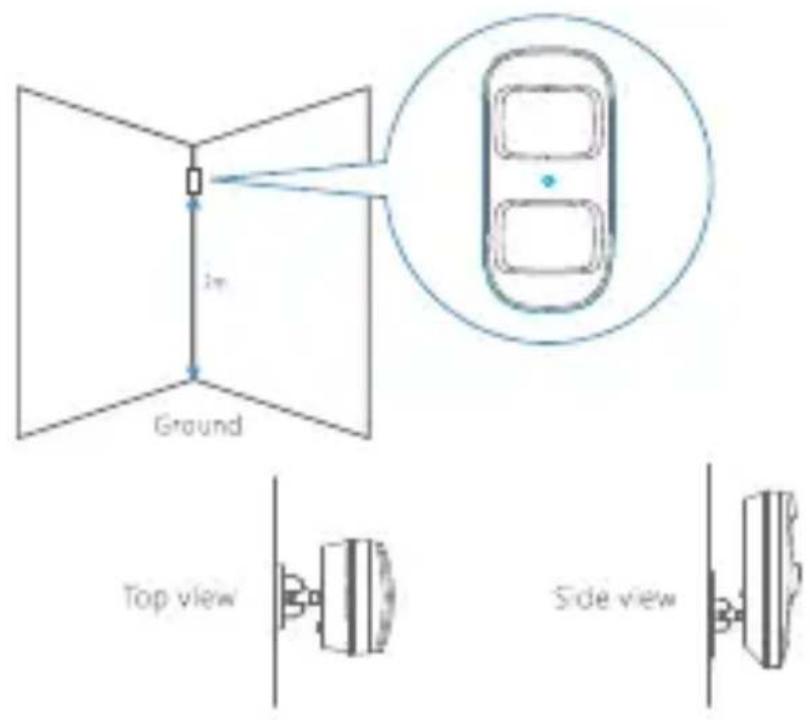
Fix the bracket on the wall with screws and attach the detector to the bracket. Adjust installation height or bracket to change the detection distance and angle. It is recommended to mount it at the height of 2m from the ground.
The detector is more sensitive to the cross movement than to the vertical movement, so the performance of detector is best when the detection direction is vertical to the walking direction of people.
Testing (Walk Test)
A. After installation, power on the detector, after 30s self-testing, press the test button, walk about in the detection scope (from left to right or right to left). Watch the LED indicator to ensure the detector is working.
B. The LED indicator flashes once when body movement is detected.
C. Adjust the detector angle accordingly to achieve the best detection effect.
Detection Scope
natural_image
Simple geometric diagram showing a shaded sector with a curved boundary and a labeled dimension of 110 (no text or symbols beyond the label)Top view
Side view
Specifications
Power supply
DC 3V (AA 1.5V LR6 Battery x 2 pcs)
Static current
≤ 25 uA
Alarm current
≤ 15 mA
Detection scope
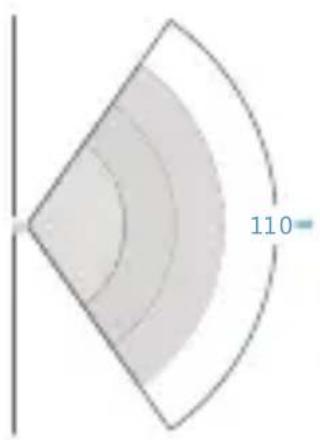
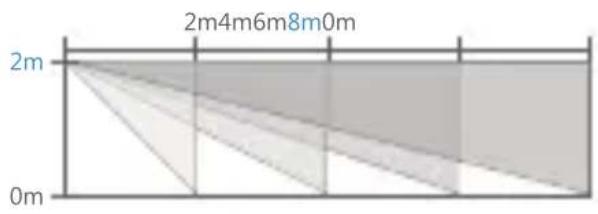
8m/110°
Pet immunity
≤ 25kgs
Transmitting distance
≤ 80m (in open area)
Radio frequency
433MHz (± 75KHz)
Housing material
ABS plastic
Operation Condition
Temperature: -10°C\~55°C
Relative humidity: ≤80% (non-condensing)
Detector dimensions (L x W x H)
54 × 33 × 107 mm
Bracket dimensions (L x W x H)
52×30×26.5mm

This product bears the selective sorting symbol for waste electrical and electronic equipment(WEEE). This means that this product must be handled pursuant to European.
Directive 2002/96/EC in order to be recycled or dismantled to minimize its impact on the environment.
For further information, please contact your local or regional authorities.
Electronic products not included in the selective sorting process are potentially dangerous for the environment and human heath due to the presence of hazardous substances.

In compliance with European law.

This product was designed and manufactured in compliance with Directive 2002/95/EC of the European Parliament and of the Council on the restriction of use of certain hazardous substances in electrical and electronic equipment (RoHS Directive - Rohs) and is deemed to comply with the maximum concentration values set by the European Technical Adaptation Committee(TAC).
Made in CHINA
