
PA100B - Docking Station BOSS - Free user manual and instructions
Find the device manual for free PA100B BOSS in PDF.


| Product Type | Bluetooth Speaker / Docking Station |
| Brand | Boss |
| Model | PA100B |
| Power Output | 1.2W (THD=10%) |
| Frequency Response | 20Hz - 20KHz |
| Driver | 3Ω / 3W |
| Battery Type | 3.7V 400mAh Li-polymer |
| Charging Time | Approximately 2.5 hours |
| Input Power | DC 5V 400mA |
| Dimensions (Diameter x Height) | 66 mm x 70 mm (2.6 in x 2.75 in) |
| Bluetooth Version | Not specified (standard Bluetooth) |
| Bluetooth Range | Approximately 10 meters (typical) |
| Audio Inputs | Bluetooth, 3.5mm Aux-In |
| Charging Port | Mini USB |
| Controls | Power On/Off, Play/Pause, Next/Previous Track, Volume +/-, Pairing |
| LED Indicators | Red (charging), Green (Bluetooth mode), Blue (pairing/connected) |
| Pairing Password | 0000 |
| Package Contents | PA100B, 3.5mm Aux-In Cable, USB Cable, User Manual, Warranty Card |
Frequently Asked Questions - PA100B BOSS
User questions about PA100B BOSS
0 question about this device. Answer the ones you know or ask your own.
Ask a new question about this device
Download the instructions for your Docking Station in PDF format for free! Find your manual PA100B - BOSS and take your electronic device back in hand. On this page are published all the documents necessary for the use of your device. PA100B by BOSS.
USER MANUAL PA100B BOSS
natural_image
Circular logo with a stylized 'e' shape in gray on a yellow background, enclosed in a black ring (no text or symbols)PA100B

WIRELESS
USER MANUAL BLUETOOTH® SPEAKER

Planet Audio
LYNX
Parameter
Power Output: (THD=10%) 1.2W
Frequency Response: 20Hz\~20KHz
Driver: 3Ω/3W
Battery Type: 3.7V 400mAh Li-polymer battery
Input Power: DC 5V 400mA
Dimension: OD 26" X H 27.5" (OD 66mm X H 70mm)
Package Contents
PA100B 1PC
3.5 mm Aux-In Cable 1PC
USB Cable 1PC
User Manual 1PC
Warranty card 1PC
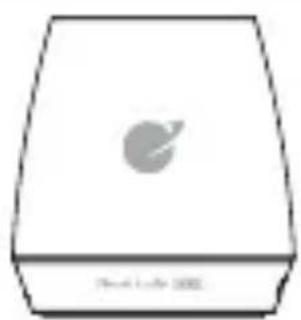
Function Indication Drawing
natural_image
Simple line drawing of a rectangular device with a circular symbol on top and base (no text or symbols)① Short press: previous song/Long press: Volume-

Short press: next song/Long press: Volume+
Power ON/OFF
Play/Pause
⑤ Line-in Port
Mini USB Port
Operation Specification
Operation the PA100B
Powering On
-Slide the On/Off switch to the "On" position, the Blue LED will flash. When the Green LED is on, the unit is in Bluetooth Pairing Mode.
Powering Off
-Slide the On/Off switch to the "Off" position, all the LED status lights will shut off.
Bluetooth Mode
Pairing
-The unit will automatically go into "Pairing Mode" when it is turned on.
- Go into your devices settings menu and look for "Planet Audio"
-If prompted for a password enter: 0000
-After the unit has paired, and connected it will connect automatically when PA100B is turned on and the device is in range.
-If no device is found after 25 sec. the PA100B will automatically enter pairing mode.
Streaming Music
- Press " " to start playing music
- Press "+" to play the next track
- Press “ -” to play previous track
- Press and Hold either "+/-" for volume
Aux-In Mode
Plug in the supplied 3.5 mm cable into the PA100B. The other end is connected to the device.
*Please note that only "Volume +/-" will function on the unit. Track control does not function when in Aux-In mode.
Charging
-Attach the USB cable to the PA100B, and plug in to any USB charger. If the unit is completely discharged, it take approximately 2.5 hours to fully charge the unit.
LED Status
Red LED: On-Charging/Off-Charging complete
Green LED: On-BT Mode
Blue LED: Flashing-Pairing Mode/ Slow Flash-Connected

natural_image
Circular icon with a stylized 'e' shape in gray on a yellow background, no text or symbols present.Planet Audio LYNX
planetaudiousa.com
TELEPHONE
888.990.1236
805.988.0215
FAX
805.988.0275
TECHNICAL SUPPORT
planetaudiousa.com/support
PA100B 0313
All specifications subject to change without notice. ©
2013 Planet Audio


Brand : BOSS
Model : PA100B
Category : Docking Station