USER MANUAL 7POP OPTOMA
Digital Signage Monitor
Sign Show 7POP
natural_image
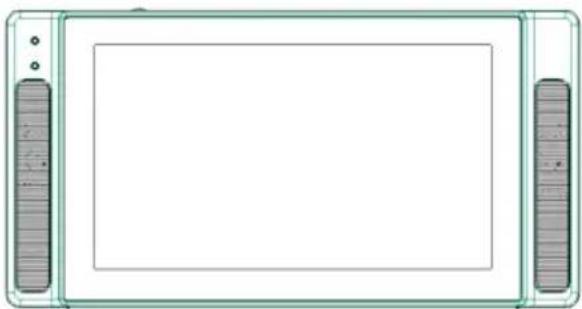
Front view of a rectangular electronic device with two side connectors (no text or symbols visible)
Operation Manual
Thank you for your purchase
Before using this device, please make sure the instructions has been read and understood especially the "Safety" chapter. Please keep this manual in a good condition for future reference.
Device number is very important for quality management. Please check the device number when you buy this device.
Table of contents
Preface....2
Table of contents......2
Caution for Safety......4
Caution for correct usage .....12
Terminology......14
The process of using the device.16
Getting start....17
Step 1: Accessories and tools....17
Step 2: Insert the SD memory car ....18
Step 3: Connect device with AC adapter....19
Step 4: Format the SD memory card....20
Step 5: To update the configure file and content files....23
Set-up....26
Before the set-up......26
Buttons used for set-up .....26
The outlook of selecting item.....26
To make sure the setting content of all content files....27
Setting contents and items .....29
Constitution of setting screen.....31
Step 6: Set up the network and online access....32
To access the device via a web page....35
To upload contents using auto download ....38
Step 7: Set the present time and date....39
Step 8: Select the replaying contents (set to replay contents)41
Step9: Set the replay time .....43
To replay the contents at the same time (timer setting)......43
To replay on the due day of every week....47
To replay on the due day of every month ....51
To replay on the due period .....55
Install....59
Step 10: To install the device onto the site....59
To install the device....59
To paste the sticker of “ replay from start” to the device .....60
Adjustment......61
To adjust the brightness and volume....61
To adjust the brightness......61
To adjust the volume......62
To use the button of "replay from start"....63
To turn on/ off the power by manual....64
To turn on the power by manual 64
To turn off the power by manual 64
To edit the content files......65
To change batteries for clock button....66
Packaging....67
Getting Help......68
Troubleshooting......68
Outlook of the operational manual
■ Outlook of symbols in the manual.
Caution: watch out for the operation.
Memo: limits of function and usage are written as reference.
■ About the contents of this manual.
● This is a copyrighted material. Any use of this copy without proper permission is forbidden.
- The devices from other companies mentioned in the manual are trademark or logo of other companies. The marks such as ^TM , Ⓡ , Ⓒ are omitted in the manual.
● Windows and Windows Media are trademarks registered for Microsoft Corporation and in America.
● Any change on design, condition and other contents may be made without public announcement.
☐ Show the reference page or reference item
Caution for Safety
There are many signs written in the manual or shown in the device. These signs are for the safety of customers, surrounding people and properties. Please pay careful attention to these signs before you read this manual.
Warning:
This signs means: should this sign be ignored or mistaken, the possible death or injury may take place.
Caution:
This signs means: should this sign be ignored or mistaken, the possible injury to people or property damages may take place.
The explanation of the signs:
● The signs for watch-out (including warning):
General watch-out
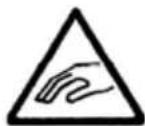
Caution for the hands caught-in
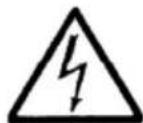
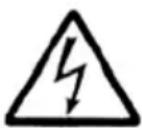
Watch out the electric shock
● The signs for “don’t”(forbiddance)

Watch-out

Do not use it at the wet places
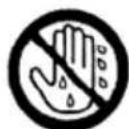
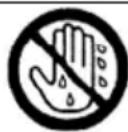
Do not touch it with wet hands
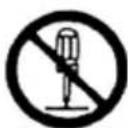
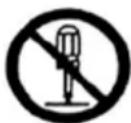
Do not decompose it
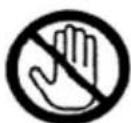
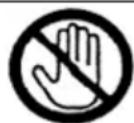
Do not touch it
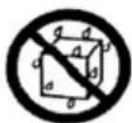
Do not soak it into
water
● The signs for compulsory (forced)
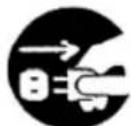
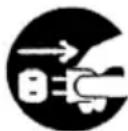
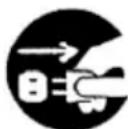
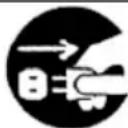
Please plug off the power

General instruction
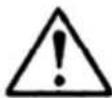
Warning
When abnormality takes place
■ If the following situations occur, please do not use the device because fire or electric shock may take place.
- When smoke or strange smell occurs.
- When videos or the sounds can't be played.
- When water or objects are get inside the device.
- When the cabinet is dropped and damaged.
- When the power cord is damaged, such as cord line exposure or disconnection.
As the above situations take place, please immediately turn off the power and unplug the plug.
If the smoke occurs, please stop all actions and take the device back to the stores.
Please do not repair the device by yourself, as it might be dangerous.

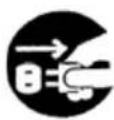
About the power
■ Please do not plug into the DC power on ships or boats because it may cause fire and electric shock.
■ Please do not plug into the DC24V power at truck or bus because it may cause fire and electric shock.
The total voltage can't exceed the capacity that is displayed at AC outlet because it may cause fire and electric shock. The voltage provided by AC outlet of this device is limited.

Caution for Safety (continued)

Warning
About handling
■ Do not remove the rear cover or remodel the device
If the supply voltage inside is high, fire or electric shock may break out.
Please return the device to stores for inner part examination and repair.
■ Do not place this device on an unstable place
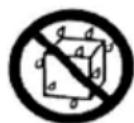
Please do not place this device on an unstable or inclined place because the device may fall on the ground and become damaged.
■ Do not cover the vent
If the vent is covered, the inner part may be filled with heat and fire may take place. Therefore, please pay attention to the following situations.

- Do not place the device in a closet or a bookcase
- Do not place carpet or cloth on the device
- Do not place table cloth on the device
- Do not place the device on the sideway or upside down.
■ Please do not insert any objects into the device
Fire or electric shock may occur if metals or any combustible materials are inserted in the vent or card output. Watch the little kids particularly when they are operating the device.
■ Do not place container with liquid inside near the devices (ex: vase, cup, cosmetic or medicine jar)
If liquid enters the device, fire or electric shock may take place.
■ Do not use the device at wet places such as a restroom
If water enters the device, fire or electric shock may take place.
Moreover, be careful when using the device at a raining or a snowing day or at shore or waterside.

■ Do not touch the power plug when the thunder takes place
It may cause electric shock.
About power cord
■ Do not use the power cord with devices other than Sign Show 7POP
Do not use the power cord with devices other than Sign Show 7POP, because it may cause fire or electric shock.
■ Do not damage the electric cord
Do not damage the power cord, because it may cause fire or electric shock.
- Do not modify the power cord.
- Do not twist, distort or pull the power cord.
- Do not put the device or heavy objects over the power cord.
- Do not put the power cord close to thermal objects.
Fire or electric shock may take place because of heat or short circuit. Please unplug the outlet plug and dry it with cloth every half-year.


Do not allow kids to take out battery from devices (or battery charger) when the devices are used. If kids mistakenly eat the button battery, please see a doctor immediately.

Caution for Safety (continued)
Caution!
About power cord, power plug and AC adapter
■ Please use the exclusive AC adapter, or fire or electric shock may break out.
■ Please disconnect all links with machines and then connect the power plug, or fire or electric shock may break out. Moreover, please connect AC adapter to the device with DC plug, and then plug into outlet of wall.
■ Please do not pull the cord of the power plug
If the power cord is dragged or pulled, the cord may be damaged and cause fire and electric shock. Please hold the plug and pull it.
■ Please do not plug power into outlet which has slack, because heat may take place and then the fire occurs. Go to selling stores or hardware stores to exchange the outlet.
■ When pulling out the power cord, please pull it from the outlet of the wall, or it may cause electric shock. Please pull the power cord from the outlet of the wall. When intended to pull out the power cord, please pull the plug.
■ Please pull the DC plug after pulling out the power plug.
Make sure to pull out the power plug before pulling out the DC plug.


About handling
■ Do not put the device in the following places because it may cause fire or electric shock.
- The place with dust or wetness
- The place with smoke or heated air, such as close to humidifying or cooking place.
- The place close to heat appliances
- Window-closed automobiles or places with direct sunray.
- The place close to windows, which may easily have water drop.


■ Do not put heavy objects onto the device
Putting heavy objects or big objects onto the device may cause unbalance and falling, which results in damage.

■ Do not sit or being hanged over the devices,
because it can cause injury when falling. Be careful for the little kids particularly.

■ Please unplug the power if not using the device for a long time
For safety and energy saving, please unplug the power.
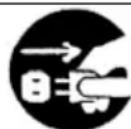
■ Do not plug or unplug the power with wet hands, because it may cause electric shock
■ Please put packaging box at places beyond the reach of the little kids
It may cause asphyxia or hurts if kids play the packaging box

■ Please do not use the device when there is warped sound
Speakers may get heated and cause fire.
Caution for Safety (continued)
Caution!
About moving
■ Do not move this device when there are objects onto it.
If the objects fall down, people may get hurt.

■ When moving the device, please unplug the power or connecting cord.
If moving the device without unplug, fire or electric shock may take place.
About maintenance
■ Please take the device to stores for inner part cleaning once for every 2 to3 years
If the device is used without cleaning the dust, the fire may take place. In particular, great effects can be seen when cleaning out the dust before plum rain period.

■ When maintaining the device, please unplug the power, or it may cause electric shock.
About falling-proofing
■ In order to prevent falling, please take the following measures
People may get hurt because of falling caused by earthquake.
Please make use of the stand hole at back side and fix the device to the wall or pillar firmly. Make sure to choose the firm place.
* Please make good use of marketing devices, such as wire or screws.

About volume
■ Please turn on the power after turn down the volume (a case of mechanized volume)
If the volume keeps high, it may cause sudden sound, which can lead to listening injury.
■ Before turn off the power, please turn down the volume (a case of digital volume)
If the volume keeps high, turning on the power may cause sudden sound, which can lead to listening injury.

■ Please do not dump the used batteries
If the battery is dumped without insulation or dumped together with other metal with electric conductivity, fire or fracture may take place.
When dumping the battery, please paste tape of insulation to two terminals or one terminal, and then dump it as incombustible trash.

Caution for correct usage
Places for safekeeping or use of device
■ Please do not put the device at the following places Because it may cause malfunction
- Place beyond the permission operating temperature (0°C \~ 40°C)
- Place beyond the permission operating humidity (10%\~80%)
- Place with high magnetic force such as transformer or motor
- Place close to transceiver or cell phones with high electromagnetic wave.
- Place with a lot of dust
- Place with violent shaking
- Place close to windows which easily have water drop
- Place with radioactive rays, X rays or lethal gas
About security function
The security function can set up for the purpose of mistake-proof.
For more detailed, please ask the stores or the contact windows which are written on back cover.
This function is based on the standard of class A of VCCI. The function may cause electromagnetic wave when using at home. In this case, It is demanded so that users take appropriate measures
About installing
■ Please install the device close to the outlet
Please install the device close to the outlet so that it is easier to plug or unplug the power. If the power is plugged, the power becomes “on” or “standby.” The power can not be completely turned off only by button.
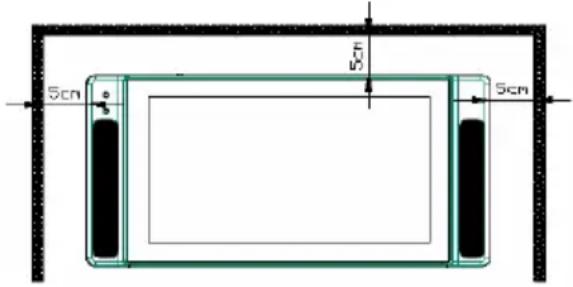
■ Please leave some space from wall or other machinery when installing the device.
The inner part will be filled with heat, which may cause the fire. Please take notice for the following situations.
- Please leave more than 5cm from the wall.
- Please leave some space between the device and other machinery.
- When installing the device in the shelter, please leave 5 cm from upper and rear side respectively.
■ Do not excessively use the device
The reciprocal heat or sounds can cause malfunction or damages, which can lead to fire.
■ Do not put any containers with water, such as vase or cup because it may cause fire or electric shock
■ Do not insert any object inside because it may cause fire or electric shock.
■ Please use the devices at place with proper light in order to protect the eyes.
If looking at the screen for a long time in a place with improper light, it may cause eye tiredness.
■ Do not use the device as the screen shakes due to the surrounding or installment situation because it may cause falling of eyesight.
■ Please turn off the power when inserting the memory card.
Please make sure to turn off the power when inserting SD memory card into the device
- The warranty doesn't cover the malfunction caused by memory card and contents. Moreover, any copyright about contents is not the responsibility of out company.
■ Do not paste any label or sheet onto the memory card because it may cause damage to the devices
About energy saving
■ Please unplug the power for safety and energy saving if not using the device for a while.
About maintenance
■ Please turn off the power and wipe the dirt with soft cloth. When the device gets serious dirt, please use dry cloth with neural and diluted cleanser to wipe it.
About moving
■ Please unplug the electric cord when moving the device
Please make sure to turn off the power and unplug the power from electric out when moving the device. If the cord is damaged, fire or electric shock may occur.
About power cord, AC adapter
■ The accessory's AC adapter can not be used for the device other than SIGN SHOW 7POP.
■ Do not put heavy object over electric cord.
Do not put the cord under the device. If the cord is damaged, it may cause fire and electric shock.
■ Use only the provided AC adapter attachment to the device. If the voltage is abnormal, it may cause fire or electric shock.
About MP3 file
■ The device can not be used for DRM files (with download license). Once using DRM file in the device, un expectation malfunction may take place.
| Preface | Getting start | Set-up | Install Adjustment | Getting Help |
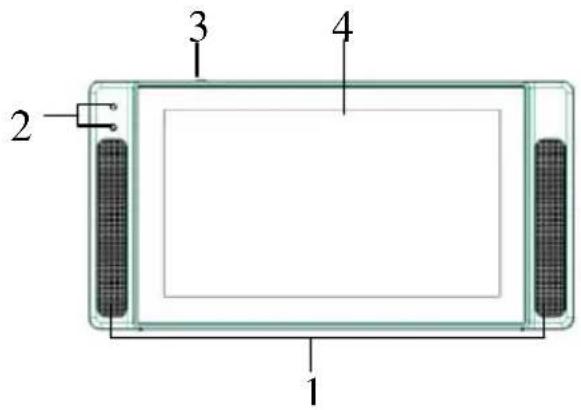
Terminology
text_image
1
2
3
4
text_image
6 7 8 5
text_image
9
text_image
10
11
12
13
14
Remove the base cover for access.
① Speakers
The sound can be played from SD memory card
② Power light/ timer light
The light will be on for the following situation:
| Power on Green light | |
| Timer set on for operation | Orange light |
| Timer set on for stand by | Red light |
■ Press this button to confirm settings.
■ Press this button to replay contents in SD memory card. (☐ to see page 55)
④ 7-type TFT LCD panel
For displaying the menu and image files, which are saved at SD memory card.
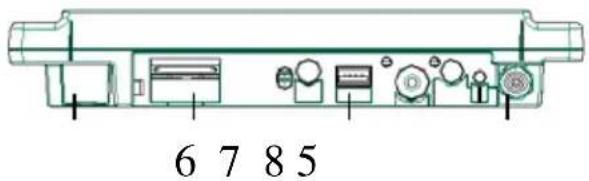
⑤ LAN Port
For connecting to networks.
6 SD card slot
To insert the SD memory card.
(☐ to see page 19)
⑦ USB terminal
To connect with USB.
To connect with attached AC adapter. (☐ to see page 20)
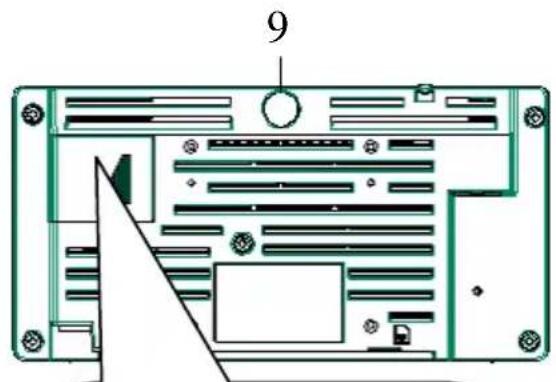
9 Attention light
To light up the rear piece of the device.
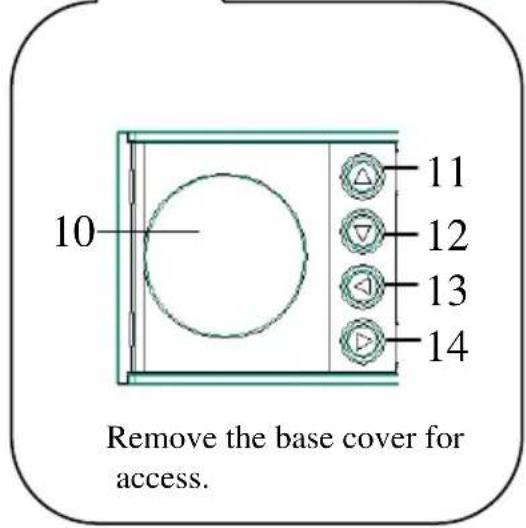
⑩ The battery cover
Remove battery cover at the following situation:
■ To alter the set-up by button
■ To change the batteries
■ To set up the menu, it is used moving the cursor up (☐ to see page 25)
To show the picture again, it is used to make it brighter.
(☐ to see page 60)
■ To set up the menu, it is used for moving the cursor below (☐ to see page 25)
To show the picture again, it is used to make it darker.
(☐ to see page 60)
■ To set up the menu, it is used to moving the cursor right.
(☐ to see page 25)
To show the picture again, it is used to make the volume louder.
(☐ to see page 60)
■ To set up the menu, it is used for moving of the cursor left (☐ to see page 25)
To show the picture again, it is used to make the volume lower.
(☐ to see page 60)
| Preface | Getting start | Set-up | Install | Adjustment | Getting Help |
The process of using the device
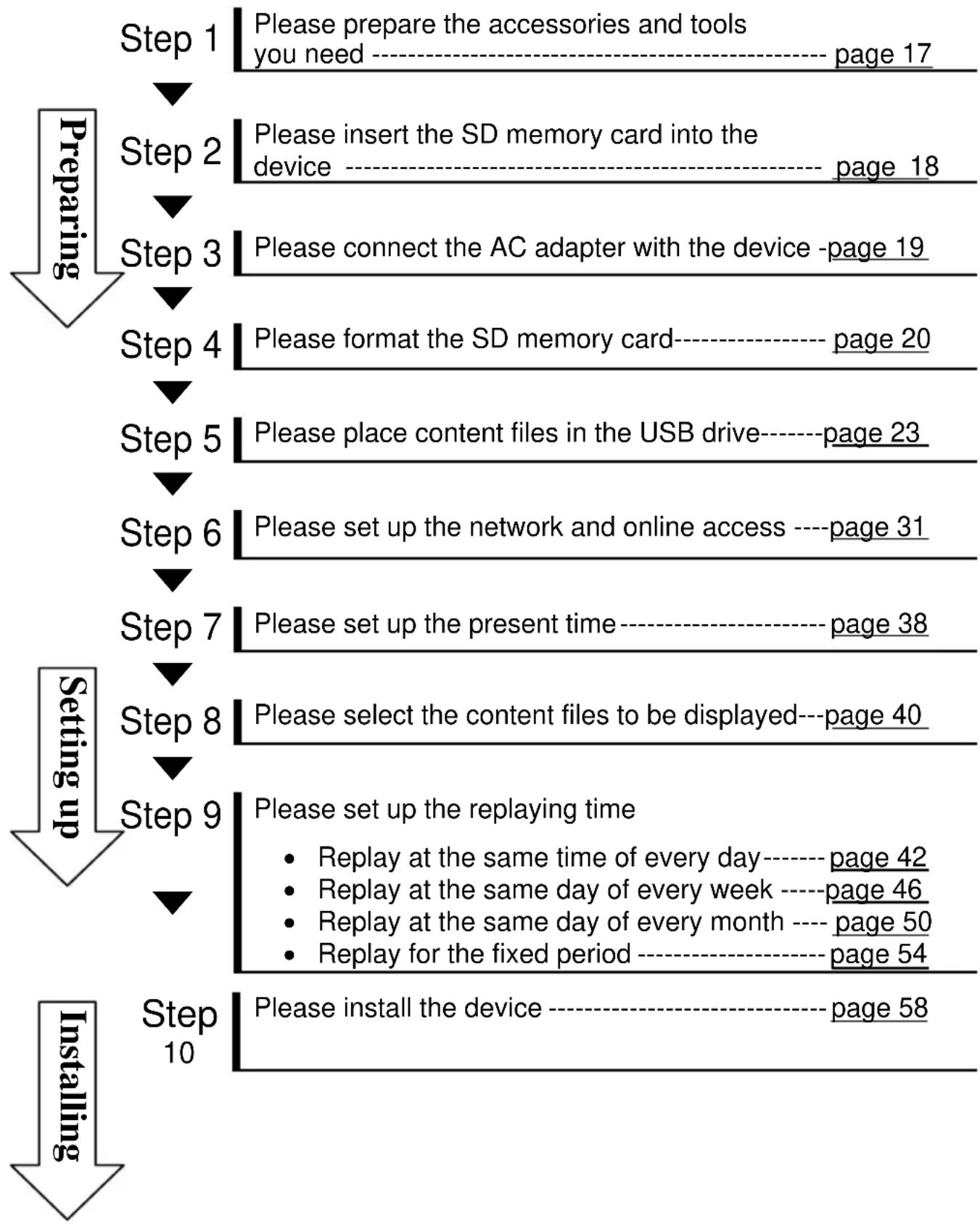
flowchart
graph TD
    A["Step 1"] --> B["Step 2"]
    B --> C["Step 3"]
    C --> D["Step 4"]
    D --> E["Step 5"]
    E --> F["Step 6"]
    F --> G["Step 7"]
    G --> H["Step 8"]
    H --> I["Step 9"]
    I --> J["Step 10"]

    subgraph "Preparing"
        A --> B --> C --> D --> E --> F --> G --> H --> I
    end

    subgraph "Setting up"
        J --> K["Please install the device ---- page 58"]
    end

    style A fill:#f9f,stroke:#333
    style B fill:#f9f,stroke:#333
    style C fill:#f9f,stroke:#333
    style D fill:#f9f,stroke:#333
    style E fill:#f9f,stroke:#333
    style F fill:#f9f,stroke:#333
    style G fill:#f9f,stroke:#333
    style H fill:#f9f,stroke:#333
    style I fill:#f9f,stroke:#333
    style J fill:#ccf,stroke:#333
    style K fill:#ccf,stroke:#333
    style L fill:#ccf,stroke:#333
Completion
■ Accessories included with the device
Must read it
text_image
Quick
Start
Guide
Quick Start Guide * 1
Necessaries for

natural_image
Line drawing of a battery pack connected to two cables (no text or symbols)
AC Adapter and power cord * 1
Necessaries for installing
natural_image
Simple line drawing of a rectangular plate with four circular holes at the top and bottom (no text or symbols)
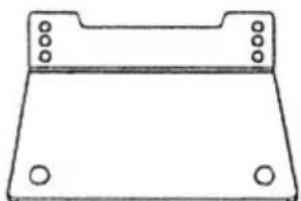
Simple stand*1

screws packaged with stand(M3)*2

sticker of "replay from start"
sticker of "replay from start"*1
■ Things to prepare
Content files
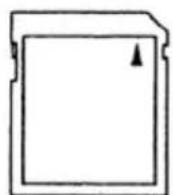
SD memory card
CD-R ( UM, Layout editor )
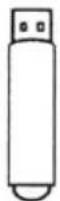
USB memory with content files
Tool

Screwdriver
Memo:
- USB memory has to save the contents which are made by CD-R. If there isn't any file, it can't be transmitted into SD memory card.
- If the accessory is not enough, please ask the selling stores and sorry for the inconvenience.
| Preface | Getting start | Set-up | Install | Adjustment | Getting Help |
Step 2: Insert the SD memory card
- Please insert the SD memory card into the device
- Please make sure to unplug the power before insert the SD memory (☐ 56 page)
1. Take off the rear cover: remove the screws by using the screwdriver
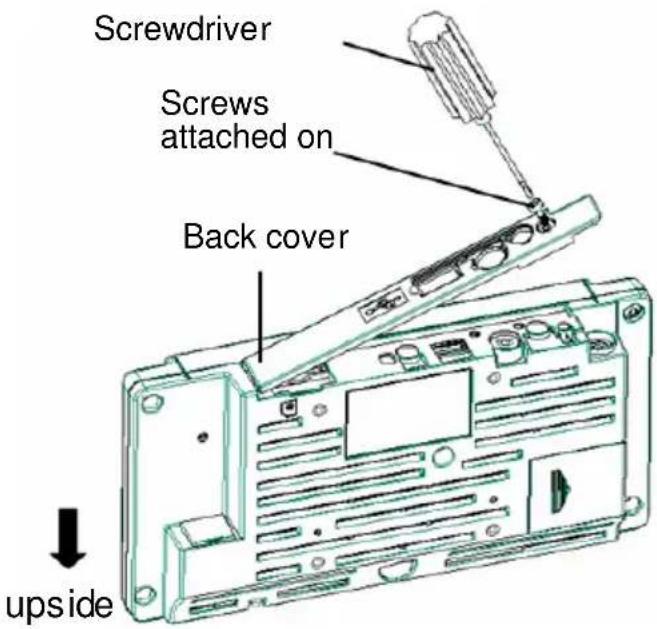
text_image
Screwdriver
Screws attached on
Back cover
upside
Memo:
- The screws have a function of missing-proof, please do not take them off the rear cover
2. Insert the SD memory card into the device
Please put the label side of SD memory card as down side
Please insert into SD card slot
SD card slot
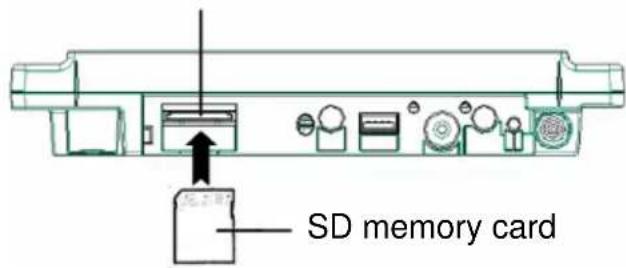
text_image
SD memory card
Memo:
- When taking out the SD memory card, please make sure to unplug the power and push the memory card to the depth.
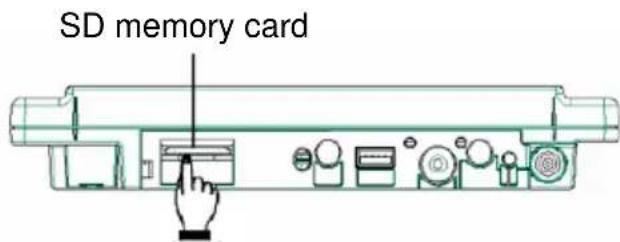
text_image
SD memory card
* When taking out the SD memory card, please must turn off the power
* When the power is off, the power light will become red or off.
Power light
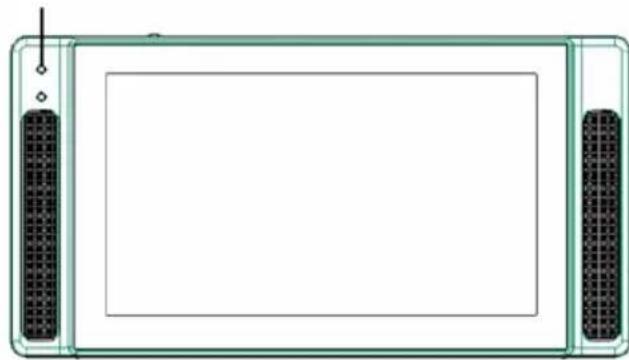
natural_image
Front view of a rectangular electronic device with two side connectors and a central blank screen (no text or symbols)
Step 3: Connect device with AC adapter
- When connecting device with AC adapter, the power will be on
- When plugging the DC plug into the DC terminals, please turn the DC plug sideways as the following picture.
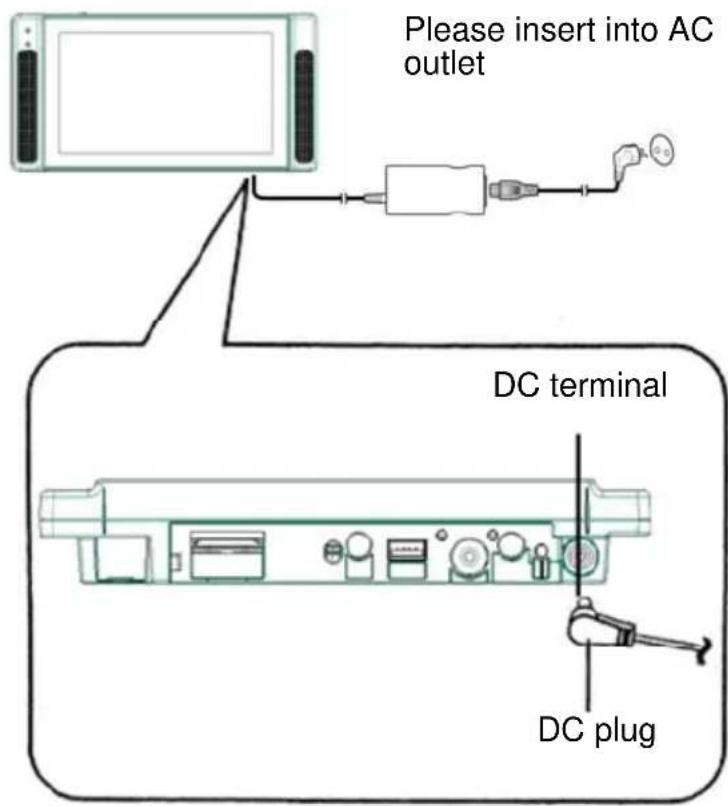
text_image
Please insert into AC outlet
DC terminal
DC plug
| Preface | Getting start | Set-up | Install | Adjustment | Getting Help |
Before using your SD card for the first time, a format may be required.
Notice:
- Formatting an used SD memory card will erase all the saved files.
- The SD memory card will be unusable by computers if formatting is done on this device.
■ Buttons used for formatting
- Up, down, left, right button
- Button for "replay from start"(use "set button" for the following mention)
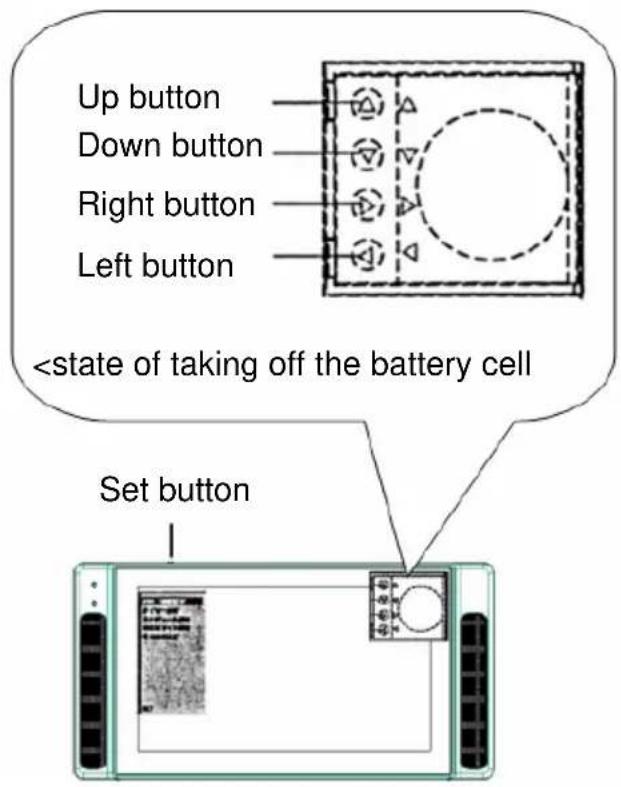
text_image
Up button
Down button
Right button
Left button
(The front of the device >
Turn on the power, and then press the right button and left button simultaneously for 2 seconds.
| SYSTEM | |
| DATE/TIME | |
| NETWORK | |
| AUTO DOWNLOAD | |
| TIMER SETUP | |
| SCHEDULE EDIT | |
| LED ON/OFF | |
| OTHER SETUP | |
| EXIT | |

