Tahoe Hyrbid (2012) - Car CHEVROLET - Free user manual and instructions
Find the device manual for free Tahoe Hyrbid (2012) CHEVROLET in PDF.


User questions about Tahoe Hyrbid (2012) CHEVROLET
0 question about this device. Answer the ones you know or ask your own.
Ask a new question about this device
Download the instructions for your Car in PDF format for free! Find your manual Tahoe Hyrbid (2012) - CHEVROLET and take your electronic device back in hand. On this page are published all the documents necessary for the use of your device. Tahoe Hyrbid (2012) by CHEVROLET.
USER MANUAL Tahoe Hyrbid (2012) CHEVROLET
2012ChevroletTahoe/SuburbanOwnerManual
InBrief....1-1
InstrumentPanel......1-2
InitialDriveInformation......1-4
VehicleFeatures......1-21
Performanceand
Maintenance....1-28
Keys, Doors, and
Windows....2-1
KeysandLocks......2-2
Doors....2-10
VehicleSecurity......2-15
ExteriorMirrors......2-18
InteriorMirrors......2-22
Windows....2-23
Roof....2-25
SeatsandRestraints......3-1
HeadRestraints......3-2
FrontSeats......3-3
RearSeats......3-11
SafetyBelts....3-20
AirbagSystem......3-30
ChildRestraints......3-47
Storage....4-1
StorageCompartments......4-1
AdditionalStorageFeatures...4-2
RoofRackSystem......4-3
InstrumentsandControls....5-1
Controls....5-2
WarningLights,Gauges,and
Indicators......5-11
InformationDisplays......5-28
VehicleMessages......5-37
VehiclePersonalization......5-47
UniversalRemoteSystem....5-56
Lighting....6-1
ExteriorLighting......6-1
InteriorLighting......6-7
LightingFeatures......6-9
InfotainmentSystem......7-1
Introduction......7-1
Radio....7-8
AudioPlayers......7-14
RearSeatInfotainment.....7-35
Phone....7-48
TrademarksandLicense
Agreements......7-55
ClimateControls......8-1
ClimateControlSystems.....8-1
AirVents....8-13
DrivingandOperating......9-1
DrivingInformation......9-2
StartingandOperating......9-22
EngineExhaust......9-30
AutomaticTransmission.....9-32
DriveSystems....9-37
Brakes....9-44
RideControlSystems......9-47
CruiseControl....9-52
ObjectDetectionSystems....9-54
Fuel....9-63
Towing....9-69
ConversionsandAdd-Ons...9-90
2012ChevroletTahoe/SuburbanOwnerManual
VehicleCare....10-1
GeneralInformation......10-2
VehicleChecks......10-4
HeadlampAiming......10-35
BulbReplacement......10-37
ElectricalSystem......10-40
WheelsandTires......10-49
JumpStarting......10-89
Towing....10-93
AppearanceCare......10-99
ServiceandMaintenance...11-1
GeneralInformation......11-1
MaintenanceSchedule......11-3
SpecialApplication Services....11-8
AdditionalMaintenance andCare....11-9
RecommendedFluids, Lubricants,andParts.....11-12
MaintenanceRecords.....11-15
TechnicalData......12-1
VehicleIdentification......12-1
VehicleData....12-2
CustomerInformation.....13-1
CustomerInformation......13-1
ReportingSafetyDefects....13-19
VehicleDataRecordingand Privacy....13-20
OnStar....14-1
OnStarOverview......14-1
OnStarServices......14-2
OnStarAdditional Information....14-5
Index......i-1



Thenames, logos, emblems, slogans, vehiclemodelnames, and vehiclebodydesignsappearingin thismanualincluding, but not limited to, GM, the GM logo, CHEVROLET, the CHEVROLETEblem, TAHOE, SUBURBAN, and Z71 are trademarks and/or service marksof General Motors LLC, its subsidiaries, affiliates, or licensors.
Thismanualdescribesfeaturesthat mayormaynotbeonyourspecific vehicleeitherbecausetheyare optionsthatyoudidnotpurchaseor duetochangessubsequenttothe printingofthisownermanual. Pleaserefertothepurchase documentationrelatingtoyour specificvehicletoc confirmeeach of thefeaturesfoundonyourvehicle. ForvehiclesfirstsoldinCanada, substitutethename"General MotorsofCanadaLimited"for ChevroletMotorDivisionwhereverit appearsinthismanual.
If the vehicle is a hybrid, seethe hybrids supplement form more information.
Keepthismanualinthevehiclefor quickreference.
CanadianVehicleOwners
AFrenchlanguagecopyofthis manualcanbeobtainedfromyour dealerorfrom:
Helm, Incorporated Attention: CustomerService 47911 HalyardDrive Plymouth, MI48170
LithoinU.S.A.
PartNo.20902914BSecondPrinting
©2011GeneralMotorsLLC.AllRightsReserved.
UsingthisManual
Toquicklylocateinformationabout thevehicle,usethelndexinthe backofthemanual.Itisan alphabeticallistofwhatisinthe manualandthepagenumberwhere itcanbefound.
Danger,Warnings, and Cautions
Warning messages found on vehicle labels and this manual describe hazards and what to avoid or reduce them.
Dangerindicatesahazardwitha highlevelofriskwhichwillresultin seriousinjuryordeath.
Warningor Caution indicates a hazard that could result in injury or death.
WARNING
These mean there is something that could hurt you or other people.
Notice: This mean there is something that could result in property or vehicle damage. This would not be recovered by the vehicle's warranty.

Acirclewithaslashthroughitisa safetysymbolwhichmeans“Do Not,”“Donotdothis,”or“Donotlet thishappen.”
Symbols
Thevehiclehascomponentsand labelsthatusesymbolsinsteadof text.Symbolsareshownalongwith thetextdescribingtheoperationor informationrelatingtoaspecific component,control,message, gauge,orindicator.
(i): This symbol is shown when you need to see your own manual for additional instructions or information.
☐: This symbol is shown when you need to see a service manual for additional instructions or information.
VehicleSymbolChart
Herearesomeadditionalsymbols that may be found on the vehicle and what they mean. Form more information on the symbol, refer to the Index.
:AdjustablePedals
AirbagReadinessLight
:AirConditioning
(ABS):AntilockBrakeSystem(ABS)
^1 :AudioSteeringWheelControls orOnStar®
(1):BrakeSystemWarningLight
- + :ChargingSystem
:CruiseControl
EngineCoolantTemperature
-ExteriorLamps
D:FogLamps
:FuelGauge
Fuses
ED:HeadlampHigh/Low-Beam Changer
HeatedSteeringWheel
LATCHSystemChild Restraints
:MalfunctionIndicatorLamp
:OilPressure
OutsidePowerFoldaway Mirrors
Power
Ω:RemoteVehicleStart
SafetyBeltReminders
(!):TirePressureMonitor
-oo:Tow/HaulMode
: TractionControl/StabiliTrak®
:WindshieldWasherFluid
vilntroduction
NOTES
InBrief
InstrumentPanel
InstrumentPanelOverview....1-2
InitialDriveInformation
InitialDriveInformation.....1-4
RemoteKeylessEntry(RKE)
System......1-4
RemoteVehicleStart......1-4
DoorLocks......1-5
Liftgate....1-6
Windows....1-7
SeatAdjustment......1-7
MemoryFeatures......1-10
SecondRowSeats......1-11
ThirdRowSeats......1-11
HeatedandVentilated
Seats......1-11
HeadRestraint
Adjustment......1-12
SafetyBelts....1-12
PassengerSensing
System......1-12
MirrorAdjustment......1-13
SteeringWheel
Adjustment....1-15
Throttle and Brake Pedal
Adjustment....1-15
InteriorLighting......1-16
ExteriorLighting......1-17
WindshieldWiper/Washer....1-17
ClimateControls......1-18
Transmission....1-19
Four-WheelDrive......1-20
VehicleFeatures
Radio(s)....1-21
SatelliteRadio....1-23
PortableAudioDevices.....1-23
Bluetooth ^® ......1-23
SteeringWheelControls.....1-24
CruiseControl....1-24
NavigationSystem......1-25
SideBlindZone
Alert(SBZA)....1-25
RearVision
Camera(RVC)....1-25
UltrasonicParkingAssist....1-26
PowerOutlets......1-26
UniversalRemoteSystem...1-26
Sunroof....1-27
PerformanceandMaintenance
StabiliTrak® System......1-28
TirePressureMonitor......1-28
EngineOilLifeSystem.....1-29
FuelE85(85%Ethanol).....1-29
DrivingforBetterFuel
Economy....1-29
RoadsideAssistance
Program......1-30
OnStar ^® 1-30
InstrumentPanel
InstrumentPanelOverview
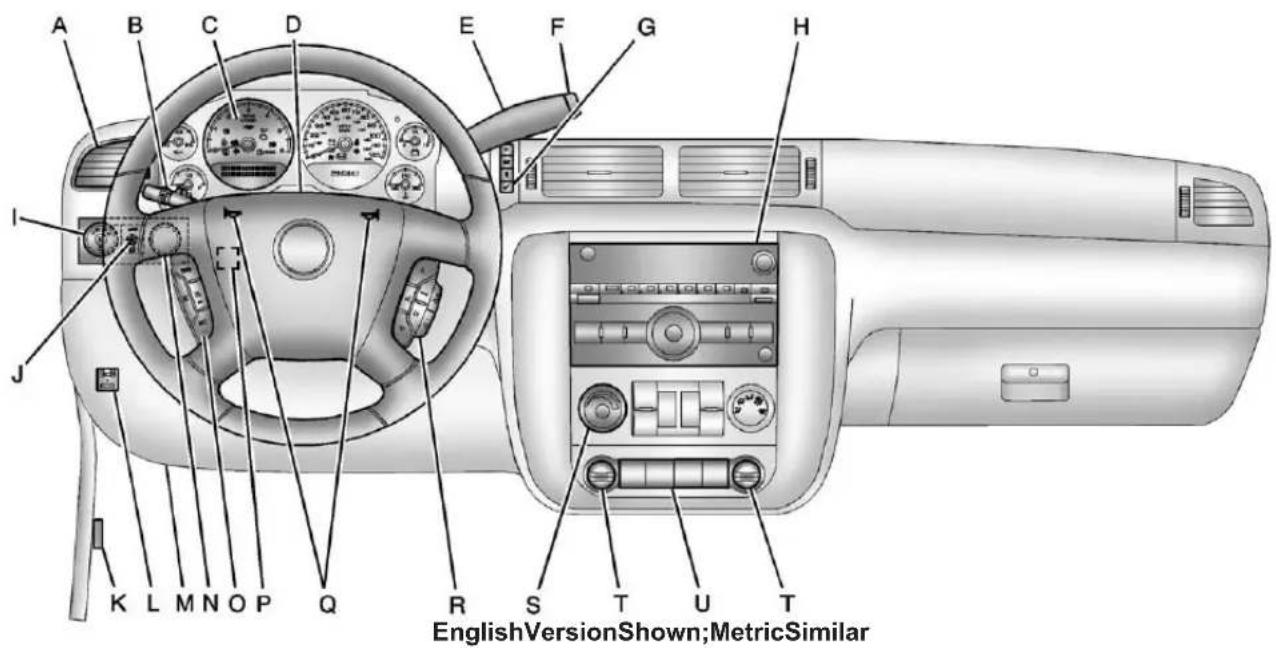
text_image
A B C D E F G H I J K L M N O P Q R S T U T EnglishVersionShown;MetricSimilarA. AirVentsonpage8-13.
B. TurnandLane-ChangeLever. See TurnandLane-Change Signalsonpage6-5. WindshieldWiper/Washeron page5-5. RearWindowWiper/Washeron page5-6.
C. InstrumentClusteron page5-12.
D. HazardWarningFlasherson page6-5(OutofView).
E.ShiftLever.SeeAutomatic Transmissiononpage9-32.
F.ManualModeonpage9-35 (IfEquipped). Tow/HaulModeonpage9-36 (IfEquipped).
G.DriverInformationCenter(DIC) Buttons.SeeDriverInformation Center(DIC)onpage5-28.
H. Infotainmentpage 7-1.
I. Exterior Lamp Controlson page6-1.
J.DomeLampsonpage6-8. InstrumentPanelIllumination Controlonpage6-7. FogLampsonpage6-6 (IfEquipped).
K.HoodRelease.SeeHoodon page10-5.
L.IntegratedTrailerBrake Controller(IfEquipped).See TowingEquipmenton page9-79.
M. DataLinkConnector(DLC) (OutofView). See Malfunction IndicatorLamponpage5-20.
N.AutomaticTransferCase Control(IfEquipped).See Four-WheelDrive(Single SpeedAutomaticTransfer Case)onpage9-42or Four-WheelDrive(TwoSpeed AutomaticTransferCase)on page9-37.
O. CruiseControlonpage9-52.
P. Steering Wheel Adjustment page5-2.
Q.Hornonpage5-5.
R. Steering Wheel Controlson page5-3.
S. ClimateControlSystemson page8-1(IfEquipped). DualAutomaticClimateControl Systemonpage8-4 (IfEquipped).
T.PowerOutletsonpage5-9.
U.StabiliTrak ^® Systemon page9-47(IfEquipped). PedalAdjustButton (IfEquipped).SeeAdjust ThrottleandBrakePedal page9-22.
UltrasonicParkingAssiston page9-54(IfEquipped).
PowerAssistStepson page2-14(IfEquipped).
InitialDrive Information
Thissectionprovidesabrief overviewaboutsomeofthe importantfeaturesthatmayormay notbeonyourspecificvehicle.
Formoredetailedinformation, refer toeachofthefeatureswhichcanbe foundlaterinthisownermanual.
RemoteKeylessEntry (RKE)System
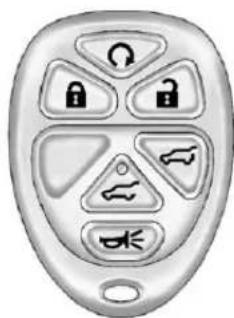
TheRKEtransmitterisusedto remotelylockandunlockthedoors fromupto60m(195ft)awayfrom thevehicle.
natural_image
Close-up of a metallic remote control with six key buttons arranged in a grid (no text or symbols visible)RKETransmitterwithRemote StartandPowerLiftgate/Liftglass
:Presstounlockthedriverdoor. Press againwithinthreeseconds tounlockallremainingdoors.
:Presstolockalldoors. Lockandunlockfeedbackcanbe personalized.See Vehicle Personalization(WithDICButtons) onpage5-47.
:Pressandholdtounlockthe liftglass. :Pressandholdtoopenor closethepowerliftgate.
:Pressandreleasetolocate thevehicle.
Press 🚙 andholdformorethan twosecondstosoundthepanic alarm.
Press ✿️ againtocancelthepanic alarm.
SeeKeysonpage2-2andRemote KeylessEntry(RKE)Systemon page2-3.
RemoteVehicleStart
With this feature the engine can be started from outside of the vehicle.
StartingtheVehicle
1.AimtheRKEtransmitteratthe vehicle.
- Pressandrelease

- Immediately after completing Step2, press and hold Q until the turnsign allamps flash.
Whenthevehiclestarts, the parking lampswillturnonandremainonas longastheengineisrunning. The doorswillbelockedandtheclimate controlsystemmaycomeon.
Theenginewillcontinuetorunfor 10minutes.Repeatthestepsfora 10-minutetimeextension.Remote startcanbeextendedonlyonce.
CancelingaRemoteStart
Tocancelaremotestart:
- AimtheRKEtransmitteratthe vehicleandpressandhold untiltheparkinglampsturnoff.
• Turnonthehazardwarning flashers.
• Turntheignitiononandthen backoff.
See Remote Vehicle Starton page2-6.
DoorLocks
Thereareseveralwaystolockand unlockthevehicle.
Fromoutside, usetheRemote KeylessEntry(RKE)transmitteror thekeyinthedriverdoor.
Frominside, usethepowerdoor locksorthemanualdoorlocks. To lockorunlockthedoorwiththe manuallocks, pushdownorpullup onthemanuallockknob.
PowerDoorLocks
PressforontheRKE transmitter.SeeRemoteKeyless Entry(RKE)SystemOperationon page2-3.
natural_image
Interior view of a car showing the dashboard and air vent (no text or symbols visible)PowerFoldingMirrorsShown, OtherModelsSimilar
:Presstolockthedoors.
:Presstounlockthedoors.
SeeDoorLocksonpage2-8.
Liftgate
text_image
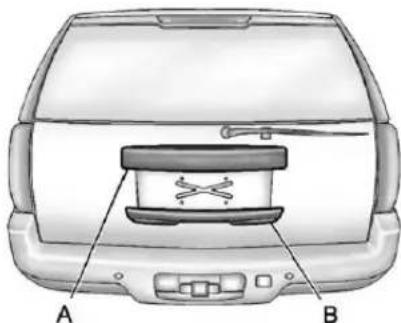
A BTheliftglassorliftgatecannot be openediftherearwiperisinmotion. Attemptingtoopentheliftglassor liftgatewhiletherearwiperisin motionwillcausethereleaseofthe liftglassorliftgatetodelayuntilthe wipersareparkedofftheliftglass.
ManualLiftgateOperation
Tounlocktheliftgate, press on thepowerdoorlockswitchorpress ontheRemoteKeylessEntry (RKE)transmittertwice, see Remote KeylessEntry(RKE)System Operationonpage2-3.
Pressthetouchpadonthe undersideoftheliftgatehandle(B) andliftup.
Usethepullcuptolowerandclose theliftgate.Donotpressthetouch padwhileclosingtheliftgate.This willcausetheliftgatetobe unlatched.
PowerLiftgateOperation
Onvehicleswithapowerliftgate, theswitchisontheoverhead console.
ThevehiclemustbeinP(Park)to usethepowerfeature.Thetaillamps willflashandachimewillsound whenthepowerliftgatemoves.
Thereareseveralwaystoopenand closethepowerliftgate:
- Pressandhold on the RKEtransmitteruntiltheliftgate startsmoving.
- Press ontheoverhead console.
- Press on the bottom of the liftgatenexttothelatchtoclose.
Pressingasecondtimewhilethe liftgateismovingreversesthe direction.
Todisablethepowerliftgate function, pressOFFontheliftgate switch, seeLiftgateonpage2-10.
Liftglass
Ifequipped, there are twowaysto openthelfitglass:
- Pressthebuttononthe undersideofthelicenseplate applique(A).
- Press on the RKEtransmitter.
Windows
natural_image
Interior view of a car showing the dashboard and side-mounted control panel (no text or symbols visible)PowerFoldingMirrorsShown, OtherModelsSimilar
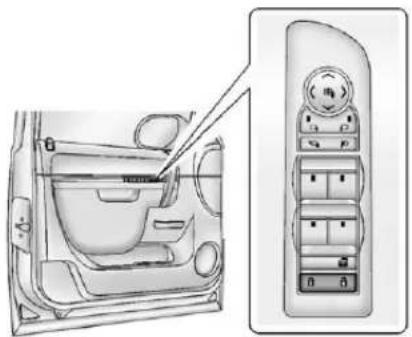
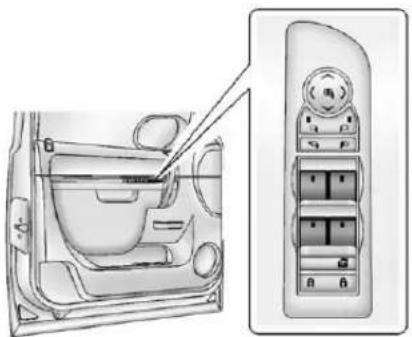
The driver door hasswitchesthat control all windows, the passengers door switch only control that window. The power windows work when the ignition is in ON/RUN or ACC/ACCESSORY, or in Retained Accessory Power (RAP). See Retained Accessory Power (RAP) on page 9-27 form more information.
Presstheswitchtolowerthe window.Pulltheswitchupto raiseit.
Formoreinformation,see:
- Windowsonpage2-23.
• PowerWindowsonpage2-24.
SeatAdjustment
ManualSeats
natural_image
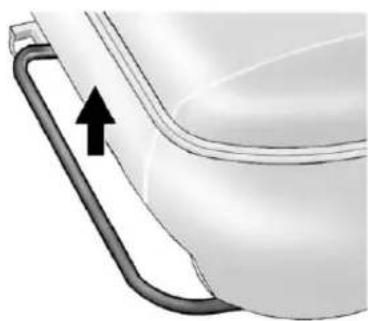
Illustration of a toilet handle with an arrow indicating direction (no text or symbols)Toadjusttheseat:
-
Liftthebartounlocktheseat.
2.Slidetheseattothedesired positionandreleasethebar. -
Trytomovetheseatback and forthobesuretheseatis lockedinplace.
SeeSeatAdjustmentonpage3-3.
PowerSeats
natural_image
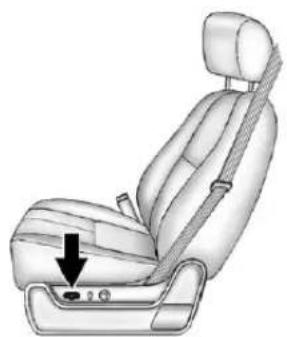
Illustration of a car seatbelt seat with a black arrow pointing to the lower side (no text or symbols present)Toadjustapowerseat, ifequipped:
- Movetheseatforwardor rearwardbyslidingthecontrol forwardorrearward.
1-8InBrief
- Ifavailable, raise or lower the frontor rear part of these seat cushion by moving the frontor rear of the controlupordown.
- Ifavailable, raise or lower the entire seat by moving the entire controlupordown.
SeePowerSeatAdjustmenton page3-4.
LumbarAdjustment
ManualLumbar
natural_image
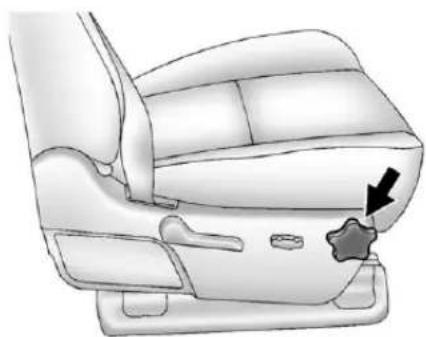
Diagram of a car seat with a star-shaped button and arrow indicating the seat area (no text or symbols present)Ifequipped, increase or decrease manuallumbarsupport by turning the knob forward or rearward.
SeeLumbarAdjustmenton page3-5.
PowerLumbar
natural_image
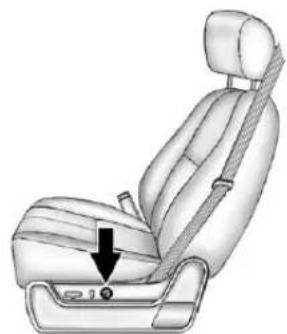
Illustration of a car seatbelt with a black arrow pointing to the seat area (no text or symbols present)Toadjustthepowerlumbarsupport, ifequipped:
- Onvehicleswithtwo-way lumbar,pressandholdthetop orbottomofthecontrolto increaseordecreaselumbar support.
- Onvehicleswithfour-way lumbar,pressandholdthefront orrearofthecontroltoincrease ordecreaselumbarsupport. To raiseorlowertheheightofthe support,pressandholdthetop orbottomofthecontrol.
SeeLumbarAdjustmenton page3-5.
RecliningSeatbacks
ManualRecliningSeatbacks
natural_image
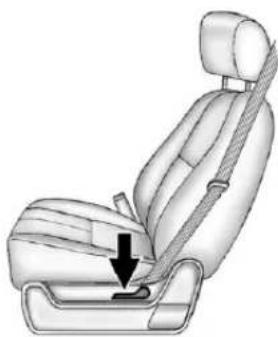
Illustration of a car seatbelt with a black arrow indicating the seatbelt point (no text or symbols present)Toreclineamanualseatback:
- Liftthelever.
- Movetheseatbacktothe desiredposition, and then releasethelevertolockthe seatbackinplace.
- Pushandpullontheseatbackto makesureitislocked.
Toreturntheseatbacktotheupright position:
-
Lifttheleverfullywithout applyingpressuretothe seatback,andtheseatbackwill returntotheprightposition.
-
Pushandpullontheseatbackto makesureitislocked.
SeeRecliningSeatbackson page3-6.
1-10InBrief
PowerRecliningSeatbacks
natural_image
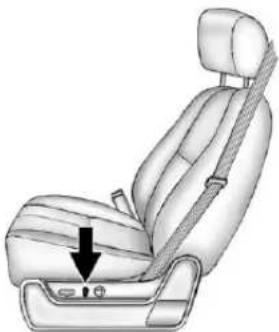
Illustration of a car seatbelt with a black arrow pointing to the seat area (no text or symbols present)Toadjustapowerseatback, ifequipped:
• Tiltthetopofthecontrol rearwardtorecline.
- Tiltthetopofthecontrolforward toraise.
SeeRecliningSeatbackson page3-6.
MemoryFeatures
natural_image
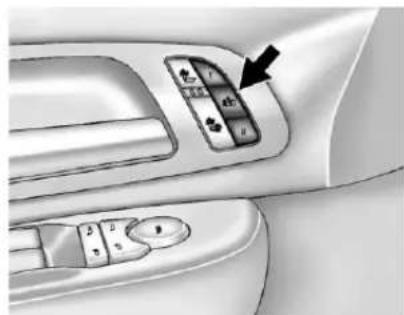
Interior view of a car dashboard with control panel and directional arrow (no text or symbols)Onvehicleswiththememory feature,thecontrolsonthedriver doorareusedtoprogramandrecall memorysettingsforthedriverseat, outsidemirrors,andtheadjustable throttleandbrakepedals, ifequipped.
StoringMemoryPositions
Tosaveintomemory:
- Adjust the driver seat and seat back recliner, both outside mirrors, and the throttle and brake pedals, if equipped.
SeePowerMirrorsonpage2-19 andAdjustable Throttle and BrakePedalonpage9-22.
Notallmirrorsandadjustable throttleandbrakepedalswill havetheabilitytosaveand recalltheirpositions. - Pressandhold "1" until twobeepssound.
- Repeatforaseconddriver positionusing "2."
Torecall, press and release "1" or "2." The vehicle must be in P (Park). As single beep will sound. Theseat, outside mirrors, and adjustable throttle and brake pedals, if equipped, will move the position previously stored for the identified driver.
SeeMemorySeatsonpage3-8and VehiclePersonalization(WithDIC Buttons)onpage5-47.
EasyExitDriverSeat
Thisfeaturecanmovetheseat rearwardtoallowextraroomtoexit thevehicle.
:Presstorecalltheeasyexit seatposition.Thevehiclemustbe inP(Park).
See Memory Seat on page 3-8 and Vehicle Personalization (With DIC Buttons) on page 5-47.
SecondRowSeats
Onvehicleswitha60/40splitbench orbucketsseats, theseatbackscan befoldedforadditionalcargospace, ortheseatscanbefoldedand tumbledforeasyentry/exittothe thirdrowseats, ifequipped. On vehicleswithbucketseats, the seatbacksalsorecline.
See SecondRowSeatson page3-12.
ThirdRowSeats
Onvehicleswiththirdrowseats,the seatbackscanbefolded,andthe entireseatcanbetumbledor removedfromthevehicle.
Fordetailedinstructions, see Third RowSeatsonpage3-16.
HeatedandVentilated Seats
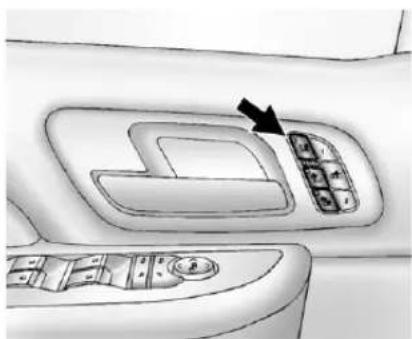
natural_image
Interior view of a car showing the dashboard with a black arrow pointing to a control panel (no text or symbols present)HeatedandCooledSeatButtons Shown, HeatedSeatButtons Similar
Ifavailable, thebuttonsareonthe frontdoors. Tooperate, theignition mustbeinON/RUN.
:lfavailable,presstocool theseat.
:Presstoheatthe seatbackonly.
:Presstoheattheseatand seatback.
Pressthebuttononceforthe highestsetting.Witheachpressof thebutton,theseatwillchangeto thenextlowersetting,andthento theoffsetting. Thelightsindicate threeforthehighestsettingandone forthelowest.
See Heated and Ventilated Front Seatson page 3-10.
HeadRestraint Adjustment
Donotdriveuntiltheheadrestraints forallooccupantsareinstalled and adjusted properly.
Toachieveacomfortableseating position, changetheseatback reclineangleaslittleasnecessary whilekeepingtheseatandthehead restraintheightintheproper position.
SeeHeadRestraintsonpage3-2 and SeatAdjustmentonpage3-3.
SafetyBelts
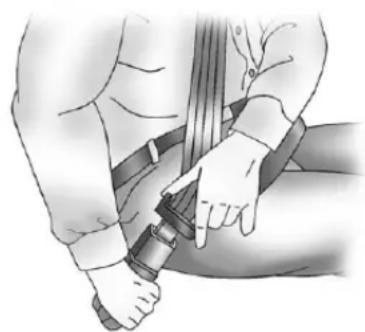
natural_image
Illustration of a person wearing a belt and adjusting a seatbelt (no text or symbols present)Refertothefollowingsectionsfor importantinformationonhowtouse safetybeltsproperly.
• SafetyBeltsonpage3-20.
• HowtoWearSafetyBelts Properlyonpage3-21.
• Lap-ShoulderBeltonpage3-22.
• LowerAnchorsandTethersfor Children(LATCHSystem)on page3-55.
PassengerSensing System
Thepassengersensingsystem, ifequipped, turnsoffthefront outboardpassengerfrontalairbag undercertainconditions. Noother airbagisaffectedbythepassenger sensingsystem.
If the vehicle has one of the indicators pictured in the following illustrations, then the vehicle has a passengersensingsystem for the right front passenger position.
The passenger air bag status indicator, if equipped, will be visible on the overhead console when the vehicle is started.
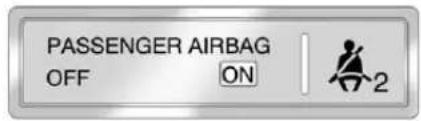
text_image
PASSENGER AIRBAG OFF ON 2UnitedStates
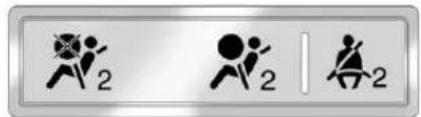
text_image
Three identical icons showing human figures with '2' labels, likely representing action or exercise symbols.CanadaandMexico
See Passenger Sensing System on page 3-39 for important information.
MirrorAdjustment
ExteriorMirrors
text_image
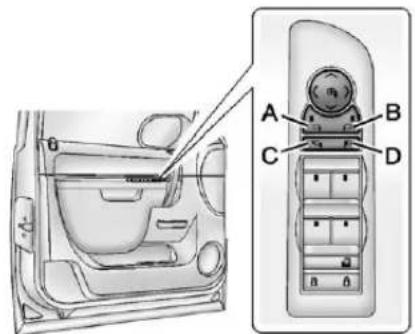
Diagram of car interior and dashboard with labeled parts A, B, C, D and a directional arrow indicating movement or force.WithPowerFoldingMirrors
Toadjustthemirrors:
- Press(A) or (B) to select the driver or passengersidemirror.
-
Pressoneofthefourarrows locatedonthecontrolpadto adjustthemirror.
-
Adjust the outside mirror so that the side of the vehicle and the are abehindare seen.
4.Presseither(A)or(B)again to deselectthemirror.
SeePowerMirrorsonpage2-19for moreinformation.
Topowerfoldthemirrors:
- Press(C) tofold them mirrors out to the driving position.
- Press(D) to fold them mirrors into the folded position.
1-14InBrief
natural_image
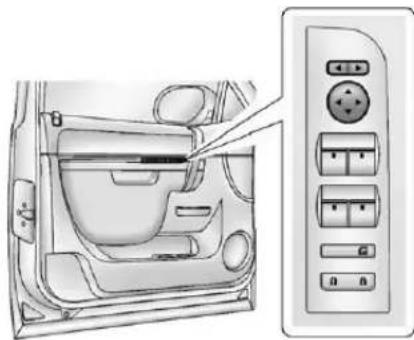
Interior view of a car showing the dashboard and air conditioner panel (no text or symbols visible)WithManualFoldingMirrors
Toadjustthemirrors:
- Movetheselectorswitchlocated abovethefour-waycontrolpad totheleftorrighttochoose eitherthedriversideor passengersidemirror.
- Pressoneofthefourarrows locatedonthecontrolpadto movethemirrorinthedesired direction.
- Adjust the outside mirror so that the side of the vehicle and the are abehindareseen.
SeePowerMirrorsonpage2-19for moreinformation.
Keeptheselectorswitchinthe centerpositionwhennotadjusting eitheroutsidemirror.
Tomanualfoldthemirrors:
Foldthemirrorsinwardtoprevent damagewhengoingthroughan automaticcarwash.Tofold,pullthe mirrortowardthevehicle.Pushthe mirroroutward,toreturntoits originalposition.
HeatedMirrors
Press ☐ toheatthemirrors.
See "RearWindowDefogger" under DualAutomaticClimateControl Systemonpage8-4orClimate ControlSystemonpage8-1for moreinformation.
ParkTiltMirrors
If the vehicle has the memory package, the exterior mirror stilt to a preselected position when the vehicle is in R (Reverse). This feature let the driver view the curb when parallel parking. The mirrors return to the original position when the vehicle is shifted out of R (Reverse), or the ignition is turned off to OFF/LOCK.
Thisfeaturecanbeprogramed throughtheDriverInformation Center(DIC).See Vehicle Personalization(WithDICButtons) onpage5-47formoreinformation.
Trailer-TowMirrors
Forvehiclewithtowingmirrors,they canbeextendedforaclearerview oftheobjectsbehindthevehicle. Manuallypulloutthemirrorheadto extenditforbettervisibilitywhen towingatrailer.
See Trailer-TowMirrorson page2-19formoreinformation.
InteriorMirror
Adjustment
Holdtherearviewmirrorinthe centerandmoveittoviewthearea behindthevehicle.
ManualRearviewMirror
Forvehicleswithamanualrearview mirror, pushthetabforwardfor daytimeuseandpullitfornighttime usetoavoidglarefromthe headlampsfrombehind.See ManualRearviewMirroron page2-22formoreinformation.
AutomaticDimmingRearview Mirror
Forvehicleswithanautomatic dimmingrearviewmirror. Themirror willautomaticallyreducetheglare fromtheheadlampsfrombehind. Thedimmingfeaturecomesonand theindicatorlightilluminateseach timetheignitionisturnedtostart.
SeeAutomaticDimmingRearview Mirroronpage2-22formore information.
SteeringWheel Adjustment
natural_image
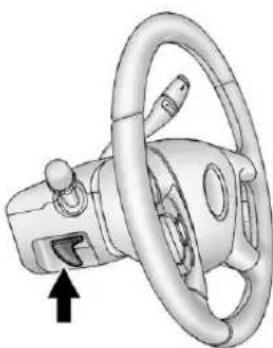
3D rendering of a car steering wheel with a black arrow pointing to the steering wheel (no text or symbols)Thetiltleverislocatedonthelower leftsideofthesteeringcolumn.
Toadjustthesteeringwheel:
- Hold the steering wheel and pull the lever.
- Movethesteeringwheelup ordown.
- Releasethevertolockthe wheelinplace.
Donotadjustthesteeringwheel whiledriving.
ThrottleandBrakePedal Adjustment
Onvehicleswiththisfeature,you canchangethepositionofthe throttleandbrakepedals.
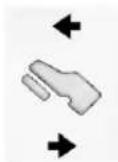
The control used to adjust the pedals is located on the instrument panel below the climate control system.
Pressthebottomofthecontrolto movethepedalsclosertoyour body.Pressthetopofthecontrolto movethepedalsaway.
SeeAdjustable Throttle and Brake Pedalonpage9-22.
1-16InBrief
InteriorLighting
DomeLamps
Thedomelampsarelocatedinthe overheadconsole.
Theycomeonwhenanydooris openedandturnoffafterallthe doorsareclosed.
Turntheinstrumentpanel brightnessknoblocatedbelowthe domelampoverridebutton, clockwisetothefarthestpositionto manuallyturnonthedomelamps. Thedomelampsremainonuntilthe knobisturnedcounterclockwise.
DomeLampOverride
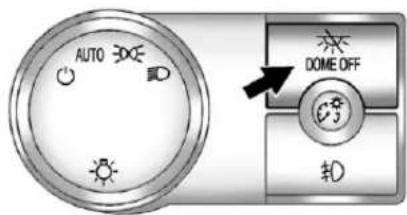
Thedomelampoverridebuttonis locatednexttotheexteriorlamps control.
text_image
AUTO DOME OFF 扣:Pressthebuttoninandthe domelampsremainoffwhenadoor isopened.Pressthebuttonagainto returnittotheextendedpositionso thatthedomelampscomeonwhen adoorisopened.
ReadingLamps
Forvehicleswithreadinglampsin theoverheadconsole, press the buttonlocatednexttothelampto turnitonoroff.
The vehicle may also have an reading lamps in other locations. The lamps cannot be adjusted.
Formoreinformationaboutinterior lamps,see:
• DomeLampsonpage6-8.
- ReadingLampsonpage6-8.
• InstrumentPanelIllumination Controlonpage6-7.
ExteriorLighting
text_image
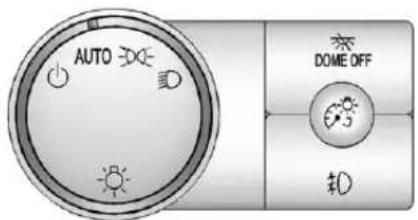
AUTO DOME OFF #0The exterior lamps control is located on the instrument panel to the left of the steering wheel.
Turnsofftheautomatic headlampsandDaytimeRunning Lamps(DRL).Turntheheadlamp controltotheoffpositionagainto turntheautomaticheadlampsor DRLbackon.
ForvehiclesfirstsoldinCanada, theoffpositionwillonlyworkwhen thevehicleisshiftedintoP(Park).
AUTO: Automatically turn on the headlamps, parking lamps, taill lamps, instrument panell lights, and license plate lamps.
200: Turnsontheparkinglamps, taillamps, instrumentpanellights, and licenseplatelamps.
D: Turnsontheheadlamps, parkinglamps, taillamps, instrument panellights, and licenseplate lamps.
Formoreinformation,see:
- ExteriorLampControlson page6-1.
• DaytimeRunningLamps(DRL) onpage6-3.
• FogLampsonpage6-6.
WindshieldWiper/Washer
natural_image
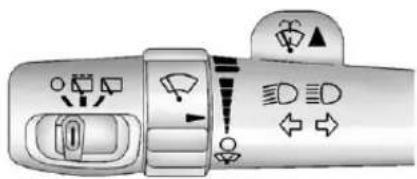
Top-down view of a car dashboard with directional icons and symbols (no readable text or labels)Thefrontwipercontrolislocatedon theturnandlane-changelever. Turn thebandwiththewipersymbolto controlthewindshieldwipers.
: For a single wipe, turn to , thenrelease. For several wipes, hold thebandon longer.
○:Turnsthewindshield wipersoff.
:Turnthebandupformore frequentwipesordownforless frequentwipes.
:Slowwipes.
:Fastwipes.
:Pushthispaddletospray washerfluidonthewindshield.
1-18InBrief
RearWiperWindowWiper/Washer
Toturntherearwiperon, slidethe levertoawiperposition.
○:Turnsthwiperoff.
Turnsontherearwiperdelay.
Turnsontherearwiper.
:Pressthebuttonontheendof thelevertospraywasherfluidon therearwindow.
See Windshield Wiper/Washeron page 5-5 and Rear Window Wiper/Washeron page 5-6.
ClimateControls
Theheating, cooling, and ventilation in the vehicle can be controlled with thesesystems.
If this vehicle is a hybrid, seethe hybrids supplement form more information.
text_image
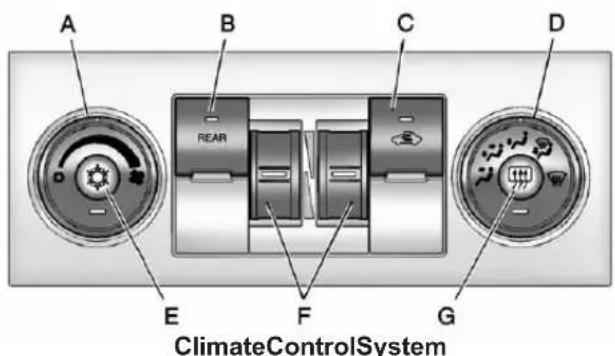
A B C D REAR E F G ClimateControlSystemA.FanControl
B.REAR(RearClimateControl)
C.Recirculation
D.AirDeliveryModeControl
E.AirConditioning
F.DriverandPassenger TemperatureControls
G.RearWindowDefogger
See ClimateControlSystemson page8-1.
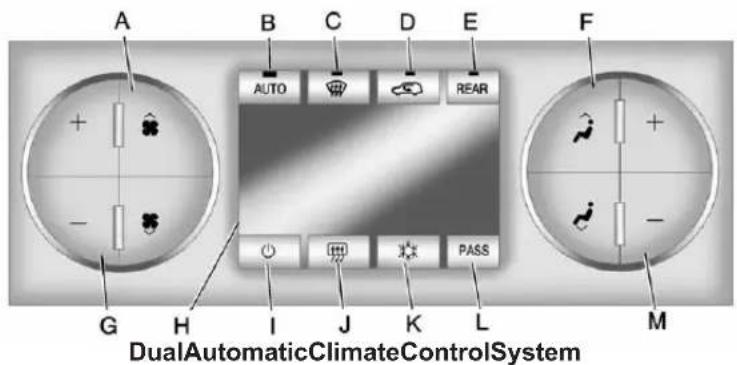
text_image
A B C D E F AUTO REAR G H I J K L M DualAutomaticClimateControlSystemA. FanControl
B. AUTO(AutomaticOperation)
C.Defrost
D. Recirculation
E.REAR(RearClimateControl)
F.AirDeliveryModeControl
G.DriverTemperatureControl
H.Display
I.PowerButton
J.RearWindowDefogger
K.AirConditioning
L.PASS
M.PassengerTemperatureControl
See Dual Automatic Climate Control System on page 8-4 (If Equipped). For vehicles with rear heating and air conditioning controls, see Rear Climate Control System (Rear Climate with Rear Seat Audio) on page 8-11 or Rear Climate Control System (Rear Climate Control Only) on page 8-10.
Transmission
RangeSelectionMode
natural_image
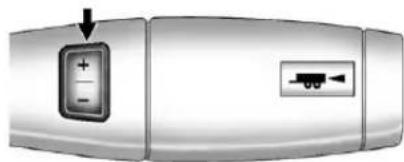
Close-up of a device's front panel with a button and connector (no text or symbols visible)BaseTrimShown(UplevelSimilar)
TheRangeSelectionModeswitch islocatedontheshiftlever.
- To enable the Range Selection feature, mov the column shift leverto the M (Manual) position. The current rangewill appear next to the M. This is the highest attainablerangewith all lower gears accessible. As an example, when 5 (Fifth) gear is selected, 1 (First) through 5 (Fifth) gears are available.
1-20InBrief
- Presstheplus/minusbuttons, locatedonthesteeringcolumn shiftlever, toselectthedesired rangeofgearsforcurrentdriving conditions. See ManualModeon page9-35.
WhileusingRangeSelectionMode, cruisecontrolandtheTow/Haul modecanbeused.
GradeBrakingisnotavailablewhen RangeSelectionModeisactive. See Tow/HaulModeonpage9-36.
Four-WheelDrive
IfthevehiclehasFour-WheelDrive, youcansendtheengine'sdriving powertoallfourwheelsforextra traction.
AutomaticTransferCase
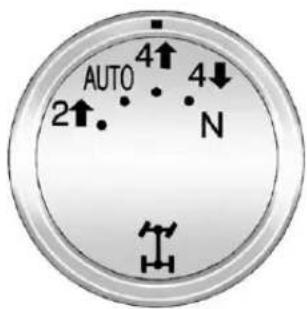
text_image
AUTO 2↑ 4↑ N 4↓TwoSpeedTransferCase
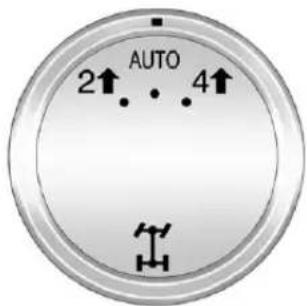
text_image
AUTO 2↑ 4↑SingleSpeedTransferCase
The transfer case knob is located to the left of the instrument panel cluster. Use this knob to shift into and out of the different Four-Wheel Drivemodes.
2 ↑: This setting is used for driving in most street and highway situations.
AUTO: This setting is ideal for use when roads surfacetraction conditions are variable.
4↑:UsetheFour-Wheel-Drive Highpositionwhenextratractionis needed, suchasonsnowyoricy roadsorinmostoff-roadsituations.
4 ↓: Vehicleswitha twospeedtransfercasehavea Four-Wheel-DriveLowposition. This settingsendsmaximumpowertoall fourwheels. Youmightchoose Four-Wheel-DriveLowifyouare drivingoff-roadindeepsand,deep mud, deepsnow, andwhileclimbing ordescendingsteephills.
N(Neutral): Vehicles with a twospeed transfcase have a N(Neutral) position. Shift the transfcaseto N(Neutral) only whentowing the vehicle. See Recreational Vehicle Towing on page 10-93 or Towing the Vehicle on page 10-93.
See Four-WheelDrive (Single Speed Automatic Transfer Case) on page 9-42 or Four-WheelDrive (Two Speed Automatic Transfer Case) on page 9-37.
VehicleFeatures Radio(s)
text_image
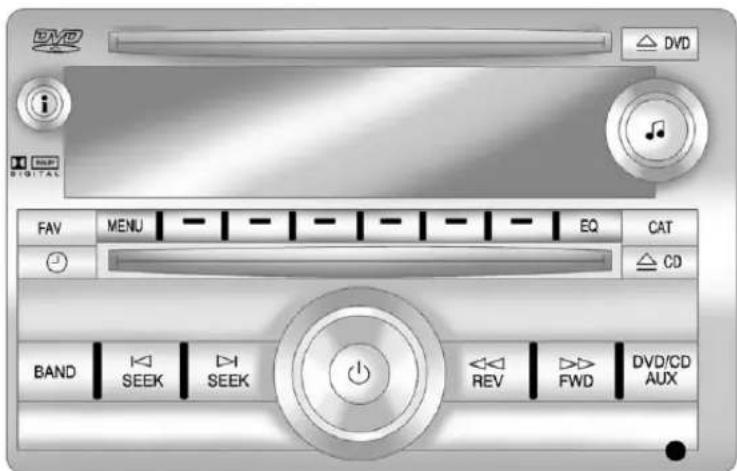
DVD DV i SHP DIGITAL FAV MENU EQ CAT CD BAND SEEK SEEK REV FWD DVD/CD AUXRadiowithUSB,CD,andDVD(MP3)
:Presstoturnthesystemon andoff.Turntoincreaseor decreasethevolume.
BAND: Presstochoosebetween FM, AM, or XM™, ifequipped. ♩: Selectradiostations.
SEEK or SEEK: Seek or scan stations.
i: Presstoswitchthedisplay betweentheradiostationfrequency andthe time. While the ignition is off, pressthisbuttontodisplay the time. Presstodisplayadditionaltext information related to the current FM-RDSorXMstation; or CD, MP3, or WMAsong. If information is available during XM, CD, MP3, or WMA playback, the song title information display on the top line of the display and artist information display on the bottom line. When information is not available, "NO INFO" displays.
Formoreinformationaboutthese andotherradiofeatures,see Operationonpage7-3.
ForvehicleswithaRearSeat EntertainmentSystem(RSE)and RearSeatAudioSystem(RSA),see RearSeatEntertainment(RSE) Systemonpage7-35andRear SeatAudio(RSA)Systemon page7-46formoreinformation.
StoringRadioStations
A maximum of 36 stations can be stored as favorites using the six soft keys located below the radio station frequency tags and by using the radio FAV button. Press FAV to go through uptosix pages of favorites, each having six favorite stations available per page. Each page off favorites can contain any combination of AM, FM, or XM stations.
Formoreinformation,see"Storing RadioStations"inAM-FMRadioon page7-8.
SettingtheClock
Tosetthetimeanddate:
- TurntheignitionkeytoACC/ ACCESSORYorON/RUN, then press ⏻,toturntheradioon.
- Press ⏻todisplayHR,MIN, MM,DD,andYYYY(hour, minute,month,day,andyear).
- Pressthesoftkeylocatedunder anyoneofthelabelstobe changed.
- To increase or decrease the time or date, turn ♪ clockwise or counter-clockwise.
Fordetailedinstructionsonsetting theclockforthevehicle'sspecific audiosystem,seeClockon page5-8.
SatelliteRadio
XMisasatelliteradioservicebased inthe48contiguousUnitedStates and10Canadianprovinces.
XMsatelliteradiohasawide varietyofprogrammingand commercial-freemusic,coastto coast,andindigital-qualitysound.
Afeeisrequiredtoreceivethe XMservice.
Formoreinformation, referto:
• www.xmradio.comorcall 1-800-929-2100(U.S.)
• www.xmradio.caorcall 1-877-438-9677(Canada)
See Satellite Radioonpage 7-9.
PortableAudioDevices
This vehicle has an auxiliary input, located on the audio face plate, and a USB port located on the instrument panel or in the center console. External device such as iPod ^® , laptop computers, MP3 players, CD changers, USB storage device, etc. can be connected to the auxiliary port using a 3.5 mm (1/8 in) input jack for the USB port depending on the audio system.
SeeAuxiliaryDevicesonpage7-31 forfurtherinformation.
Bluetooth®
ForvehicleswithaBluetooth system, itallowsuserswitha Bluetooth-enabledcellphoneto makeandreceivehands-freecalls usingthevehicle'saudiosystem andcontrols.
TheBluetooth-enabledcellphone must be paired with the Bluetooth system before it can be used in the vehicle. Not all phones will support all functions. Form more information, visit www.gm.com/bluetooth.
Formoreinformation,seeBluetooth onpage7-48.
SteeringWheelControls
natural_image
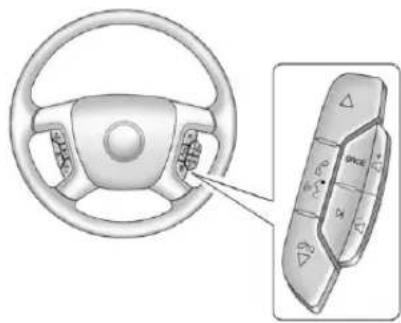
Diagram of a car steering wheel and its control panel (no text or symbols)lfequipped, someaudiocontrols canbeadjustedatthesteering wheel.
△:Presstogotothenextfavorite radiostation,trackonaCD, orfolderonaniPod ^® orUSB device.
/ ▽ : Press to go to the previousfavoriteradiostation,track onaCD,orfolderonaniPod or USBdevice.Presstorejectan incomingcall,ortoendacall.
I ME: Press to silence the vehicle speakersonly. Pressagaintoturn thesoundon. Pressandholdlonger thantwosecondstointeractwith OnStar® orBluetoothsystems, ifequipped.
- :Presstoincreasevolume.
- Presstodecreasevolume.
SRCE: Presstoswitch between theradio and CD, and forequipped vehicles, the DVD, frontauxiliary, andre a auxiliary.
D: Presstoseekthenextradio station, thenextrackorchapter whilesourcedtotheCDorDVD slot, ortoselecttracksandfolders onaniPodorUSBdevice.
Formoreinformation,seeSteering WheelControlsonpage5-3.
CruiseControl
text_image
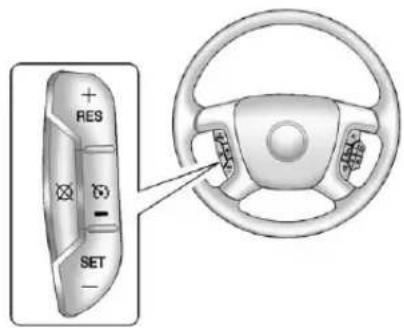
RES SET- Presstoturnthesystemon oroff. The indicator light is on when cruise control is on and turn soff when cruise control is off.
+RES:Pressbrieflytomakethe vehicleresumetoapreviouslyset speed,orpressandholdto accelerate.
SET-:Presstosetthespeedand activatecruisecontrolormakethe vehicledecelerate.
☒: Presstodisengagecruise controlwithouterasingtheset speedfrommemory.
See Cruise Control on page 9-52.
NavigationSystem
If the vehicle has an navigation system, there is a separate navigation system manual that includes information on the radio, audioplayers, and navigation system.
Thenavigationsystemprovides detailedmapsofmostmajor freewaysandroads. Aftera destinationhasbeenset, the systemprovidesturn-by-turn instructionsforreachingthe destination. In addition, the system can help locate a variety of point sof interest (POIs), such as banks, airports, restaurants, and more.
Seethenavigationsystemmanual formoreinformation.
SideBlindZone Alert(SBZA)
Ifavailable, thisfeaturewillalertyou tovehicleslocatedinthevehicle's sideblindzone. Whenthesystem detectsavehicleinthesideblind zone, theSBZAdisplaywilllightup inthecorrespondingoutsideside mirror.
Thesystemisenabledatevery vehiclestartup.Itcanbedisabled throughtheDriverInformation Center(DIC).
IfthemessageSIDEBLINDZONE SYSTEMUNAVAILABLEappears ontheDIC,thesystemhasbeen disabledbecausethesensoris blockedandcannotdetectvehicles intheblindzone. Thesensormay beblockedbymud,dirt,snow,ice, slush,orevenheavyrainstorms. Thismessagemayalsoactivate duringheavyrainorduetoroad spray. Thevehicledoesnotneed service.
SeeSideBlindZoneAlert(SBZA) onpage9-56formoreinformation.
RearVision Camera(RVC)
Ifavailable,theRVCdisplaysa viewoftheareabehindthevehicle whenthevehicleisshiftedinto R(Reverse).Thedisplaywillappear oneithertheinsiderearviewmirror ornavigationscreen,ifequipped.
Tocleanthecameralens, located abovethelicenseplate, rinseitwith waterandwipeitwithasoftcloth.
SeeRearVisionCamera(RVC)on page9-59.
UltrasonicParkingAssist
Ifavailable, the Ultrasonic Rear Parking Assist (URPA) system uses sensor on therear bumperto assist with parking and avoiding objects while in R (Reverse). It operates at speeds less than 8 km/h (5 mph). URPA uses audible beep stop provided distance and system information.
Keepthesensorsonthevehicle's rearbumpercleantoensureproper operation.
See Ultrasonic Parking Assiston page9-54.
PowerOutlets
Theaccessorypoweroutletscanbe usedtopluginelectricalequipment, suchasacellphoneorMP3player.
Therearetwoundertheclimate controls,oneinsidethecenterfloor console,oneontherearofthe centerfloorconsoleandone accessorypoweroutletintherear cargoareaonthepassengerside.
Theaccessorypoweroutletsare powered, evenwiththeignitionoff. Continuingtouseaccessorypower outletswhiletheignitionisinLOCK/OFFmaycausethevehicle's batterytorundown.
SeePowerOutletsonpage5-9.
UniversalRemoteSystem
natural_image
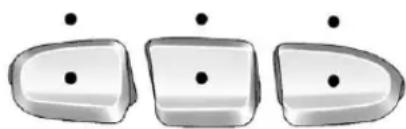
Three identical 3D-rendered objects with black dots above them, no text or symbols presentVehicleswiththeUniversalRemote Systemwillhavethesebuttons locatedintheheadliner.
This system provides a way to replace up three remote control transmitters used to activate devices such as a aged door openers, security systems, and home automation devices.
Readtheinstructionscompletely beforeattemptingtoprogramthe transmitter.Becauseofthesteps involved,itmaybehelpfultohave anotherpersonassistwith programmingthetransmitter.
See Universal Remote System on page 5-56.
Sunroof
text_image
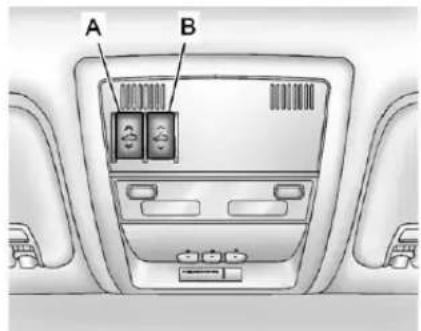
A BA.OpenorClose
B.Vent
Onvehicleswithasunroof,the sunroofonlyoperateswhenthe ignitionisintheACC/ACCESSORY orON/RUN,orwhenRetained AccessoryPower(RAP)isactive. SeeRetainedAccessoryPower (RAP)onpage9-27formore information.
Vent: From the closed position, presstherearofswitch(B) tovent the sunroof.
Open/Close: Toopenthesunroof, pressandholdswitch(A)untilthe sunroofreachesthedesired position. Pressandholdthefront ofswitch(A)tocloseit.
Express-Open/Express-Close: Toexpress-openthesunroof,fully pressandreleasetherearof switch(A)untilthesunroof reachesthedesiredposition.To express-closethesunroof,fully pressandreleasethefrontof switch(A).Presstheswitchagainto stopit.
Whenthesunroofisopened,anair deflectorwillautomaticallyraise. Theairdeflectorwillretractwhen thesunroofisclosed.
Thesunroofalsohasasunshade whichcanbepulledforwardtoblock sunrays. Thesunshademustbe openedandclosedmanually.
Ifanobjectisinthepathofthe sunroofwhileitisclosing,the anti-pinchfeaturewilldetectthe objectandstopthesunroof.
See Sunroofonpage2-25formore information.
Performance and Maintenance
StabiliTrak® System
Ifequipped, the vehicle has a traction control system that limits wheelspin and the Stabili Trak system that assists with directional control of the vehicle difficult driving conditions. Both systems turn on automatically every time the vehicle is started.
- Toturnofftractioncontrol,press andrelease ontheinstrument panel.TheappropriateDIC messagedisplays.SeeRide ControlSystemMessageson page5-43.
- Toturnoffbothtractioncontrol andStabiliTrak, pressandhold 12 until 12 illuminates and the appropriate DIC message displays. See RideControl SystemMessagesonpage5-43.
- Pressandrelease ^R again to turnonbothsystems.
Formoreinformation,see StabiliTrak® Systemonpage9-47.
TirePressureMonitor
ThisvehiclemayhaveaTire PressureMonitorSystem(TPMS).

TheTPMSwarninglightalertsyou toasignificantlossinpressureof oneofthevehicle'stires.Ifthe warninglightcomeson,stopas soonaspossibleandinflatethe tirestotherecommendedpressure
shownontheTireandLoading Informationlabel.SeeVehicleLoad Limitsonpage9-16.Thewarning lightwillremainonuntilthetire pressureiscorrected.
During cooler conditions, the low tire pressure warning light may appear when the vehicle is first started and then turn off. This maybe nearly indicator that the tire pressures are getting low and the tires need to be inflated to the proper pressure.
The TPMS does not replacenormal monthly tire maintenance. It is the driver's responsibility to maintain correct tire pressures.
See TirePressureMonitorSystem onpage 10-59.
EngineOilLifeSystem
Theengineoillifesystemcalculates engineoillifebasedonvehicleuse and, onmostvehicles, displaysa DICmessagewhenitisnecessary tochangetheengineoilandfilter. Theoillifesystemshouldbereset to 100% only following an oil change.
ResettingtheOilLifeSystem
ToresettheEngineOilLifeSystem onmostvehicles:
-
DisplayOILLIFEREMAINING ontheDIC.Ifthevehicledoes nothaveDICbuttons,the vehiclemustbeinP(Park)to accessthisdisplay.
-
PressandholdtheSET/RESET buttonontheDIC, orthetrip odometerresetstemifthe vehicledoesnothaveDIC buttons, formorethan fiveseconds. Theoillifewill changeto 100%.
Onallvehicles,theEngineOilLife Systemcanberesetasfollows:
- TurntheignitiontoON/RUNwith theengineoff.
- Fullypress the accelerator pedal slowly three times within five seconds.
- DisplayOILLIFEREMAINING ontheDIC. If the display shows 100%, the system is reset.
SeeEngineOilLifeSystemon page10-10.
FuelE85(85%Ethanol)
VehiclesthathaveaFlexFuelbadge andayellowfuelcapcanuseeither unleadedgasolineorethanolfuel containingupto85%ethanol(E85). SeeFuelE85(85%Ethanol)on page9-66. Forallothervehicles, useonlytheunleadedgasoline describedunderRecommended Fuelonpage9-63.
DrivingforBetterFuel Economy
Drivinghabitscanaffectfuel mileage. Herearesomedrivingtips togetthebestfueleconomy possible.
- Avoidfaststartsandaccelerate smoothly.
- Brakegraduallyandavoid abruptstops.
- Avoididlingtheengineforlong periodsoftime.
- When road and weather conditions are appropriate, use cruise control.
• Alwaysfollowpostedspeed limitsordrivemoreslowlywhen conditionsrequire. - Keepvehicletiresproperly inflated.
• Combineseveraltripsintoa singletrip.
1-30InBrief
- Replacethevehicle'stireswith thesameTPCSpecnumber moldedintothetire'ssidewall nearthesize.
- Followrecommended scheduled maintenance.
Roadside Assistance Program
U.S.:1-800-243-8872
TTYUsers(U.S.):1-888-889-2438
Canada:1-800-268-6800
Mexico:01-800-466-0800
AstheownerofanewChevrolet, you are automatically enrolled in the Roadside Assistance program.
See Roadside Assistance Program (U.S. and Canada) on page 13-8 or Roadside Assistance Program (Mexico) on page 13-10.
Roadside Assistance and On Star (U.S. and Canada)
If you have an active On Star subscription, press the button and the current GPS location will be sent to an On Star advisor who will assess your problem, contact Roadside Assistance, and relay you exact location to get the help you need.
OnlineOwnerCenter (U.S.andCanada)
TheOnlineOwnerCenterisa complimentaryservicethatincludes onlineservicereminders, vehicle maintenancetips, onlineowner manual, specialprivileges, and more.
Signuptodayat:
U.S.: chevrolet.com (click on "Owners," then "Manage My Chevrolet/OwnersLogin")
Canada:chevroletowner.ca
OnStar®
Ifequipped, this vehicle has a comprehensive, in-vehiclesystem that can connect to all an Advisor for Emergency, Security, Navigation, Connection, and Diagnostic Services. See On Star Overview page 14-1.
Keys, Doors, and Windows
KeysandLocks
Keys....2-2
RemoteKeylessEntry(RKE)
System......2-3
RemoteKeylessEntry(RKE)
SystemOperation......2-3
RemoteVehicleStart......2-6
DoorLocks......2-8
PowerDoorLocks......2-9
DelayedLocking......2-9
AutomaticDoorLocks......2-9
LockoutProtection......2-9
SafetyLocks......2-10
Doors
Liftgate....2-10
PowerAssistSteps......2-14
VehicleSecurity
VehicleSecurity......2-15
Anti-theftAlarmSystem.....2-15
Immobilizer......2-17
ImmobilizerOperation......2-17
ExteriorMirrors
ConvexMirrors......2-18
ManualMirrors......2-19
Trailer-TowMirrors......2-19
PowerMirrors......2-19
FoldingMirrors....2-21
HeatedMirrors....2-21
AutomaticDimmingMirror...2-21
ParkTiltMirrors....2-22
InteriorMirrors
ManualRearviewMirror.....2-22
AutomaticDimmingRearview
Mirror....2-22
Windows
Windows....2-23
PowerWindows......2-24
SunVisors....2-25
Roof
Sunroof....2-25
KeysandLocks
Keys

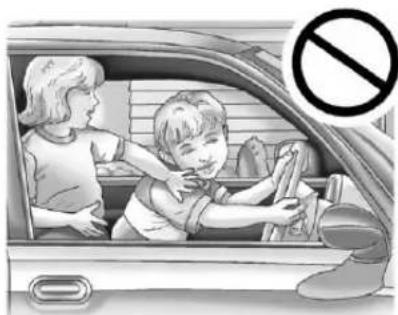
WARNING
Leavingchildreninavehiclewith theignitionkeyisdangerousfor manyreasons. Childrenorothers couldbebadlyinjuredoreven killed. Theycouldoperatethe powerwindowsorothercontrols orevenmakethevehiclemove. Thewindowswillfunctionwiththe keysintheignitionandchildren couldbeseriouslyinjuredorkilled ifcaughtinthepathofaclosing window. Donotleavethekeysin avehiclewithchildren.
natural_image
Illustration of a child and an adult inside a car, with a no-smoking symbol (no text or symbols present)Thekeyisusedfortheignitionand alldoorlocks.
Thekeyhasabar-codedkeytag thatthedealerorqualifiedlocksmith canusetomakenewkeys.Store thisinformationinasafeplace,not inthevehicle.
Seeyourdealerifareplacement keyoradditionalkeyisneeded.
Notice: If the keys get locked in the vehicle, it may have to be damaged to get them out. Always carry as spare key.
If you are locked out of the vehicle, call the Roadside Assistance Center. See Roadside Assistance Program (U.S. and Canada) on page 13-8 or Roadside Assistance Program (Mexico) on page 13-10.
With an active On Stars subscription, an On Star Advisormay remotely unlock the vehicle. See On Star Overview on page 14-1.
RemoteKeylessEntry (RKE)System
SeeRadioFrequencyStatementon page13-22forinformation regardingPart15oftheFederal CommunicationsCommission(FCC) rulesandIndustryCanada StandardsRSS-GEN/210/220/310.
If thereisadecreaseintheRKE operatingrange:
- Checkthedistance. The transmitter may be too far from the vehicle.
- Checkthelocation. Other vehiclesorobjectsmaybe blockingthesignal.
- Checkthetransmitter's battery. See "BatteryReplacement" later in this section.
- Ifthetransmitterisstillnot workingcorrectly,seeyour dealeroraqualifiedtechnician forservice.
RemoteKeylessEntry (RKE)SystemOperation
The Remote Keyless Entry (RKE) transmitter functions workup to 60m (195ft) away from the vehicle.
There are other conditions which can affect the performance of the transmitter. See Remote Keyless Entry(RKE) System on page 2-3.
text_image
Diagram of a remote control panel with labeled buttons and icons for security, navigation, and security functions.WithRemoteStartandLiftglass
natural_image
Close-up of a metallic key with multiple function keys and icons (no readable text or symbols)WithRemoteStartandPower LiftgateandLiftglass
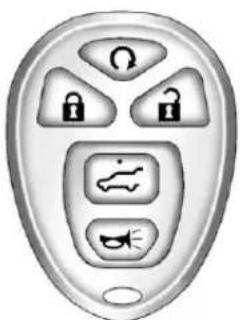
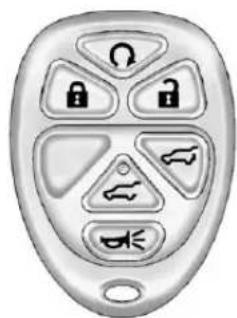
The following functions maybe available if your vehicle has the RKE system:
Q(RemoteVehicleStart):For vehicleswiththisfeature,pressto starttheenginefromoutsidethe vehicleusingtheRKEtransmitter. SeeRemoteVehicleStarton page2-6foradditionalinformation.
(Lock): Presstolockallthe doors.
If enabled through the Driver Information Center (DIC), the turn sign allamps flash on ceto indicate locking has occurred. If enabled through the DIC, the horn chirps when the lock button is pressed again within three seconds. See Vehicle Personalization (With DIC Buttons) on page 5-47 for additional information.
Pressing 🔒armsthecontent theft-deterrentsystem.See Anti-theftAlarmSystemon page2-15.
(Unlock):Pressoncetounlock onlythedriverdoor.If ispressed againwithinthreeseconds,all remainingdoorsunlock.Theinterior lampsmaycomeonandstayonfor 20secondsoruntiltheignitionis turnedon.
IfenabledthroughtheDIC, theturn signallampsflashtwicetoindicate unlockinghasoccurred. See Vehicle Personalization(WithDICButtons) onpage5-47. Ifenabledthrough theDIC, theexteriorlightsturnon brieflyifitisdarkenoughoutside. See "ApproachLighting" under VehiclePersonalization(WithDIC Buttons) onpage5-47.
Pressing ☐ontheRKEtransmitter disarmsthecontenttheft-deterrent system.SeeAnti-theftAlarm Systemonpage2-15.
(Liftglass): Pressandholdto unlocktheliftglass.
(PowerLiftgate):Pressand holdtoopenandclosetheliftgate. Thetaillampsflashandachime soundstoindicatewhentheliftgate isopeningandclosing.
(VehicleLocator/Panic Alarm): Pressandreleaseto locatethevehicle. Theturnsignal lampsflashandthehornsounds threetimes.
Pressandhold → formorethan twosecondstoactivatethepanic alarm. Theturnsignallampsflash andthehornsoundsrepeatedlyfor 30seconds. Thealarmturnsoff whentheignitionismovedtoON/RUNor → ispressedagain. The ignitionmustbeinLOCK/OFF for thepanicalarmtowork.
ProgrammingTransmittersto theVehicle
OnlyRKEtransmittersprogrammed tothisvehiclewillwork.lfa transmitterislostorstolen,a replacementcanbepurchased and programmedthroughyourdealer. Whenthereplacementtransmitteris programmedtothisvehicle,all remainingtransmittersmustalsobe reprogrammed.Anylostorstolen transmitterswillnolongerwork oncethenewtransmitteris programmed.Thevehiclecanhave a maximumofeighttransmitters programmedtoit.Seeyourdealer toprogramtransmitterstothe vehicle.
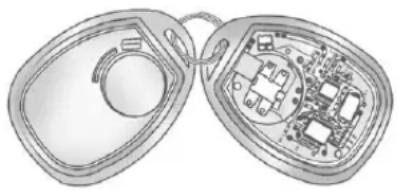
BatteryReplacement
ReplacethebatteryiftheREPLACE BATTERYINREMOTEKEY messagedisplaysintheDIC.See "REPLACEBATTERYINREMOTE KEY"underKeyandLock Messagesonpage5-41for additionalinformation.
Notice: When replacing the battery, donottouchany of the circuitry on the transmitter. Static from your body could damage the transmitter.
natural_image
Illustration of a pair of open electronic devices with internal circuitry (no text or symbols)Toreplacethebattery:
-
Separatethetransmitterwitha flat,thinobject,suchasaflat headscrewdriver.
-
Carefullyinsertthetool intothenotchlocatedalong thepartinglineofthe transmitter.Donotinsert thetooltoofar.Stopas soonasresistanceisfelt.
• Twistthetooluntilthe transmitterisseparated.
2-6Keys, Doors, and Windows
- Removetheoldbattery.Donot useametalobject.
- Insertthenewbattery, positive sidefacingdown. Replace with a CR2032orequivalent battery.
- Snapthetransmitterback together.
RemoteVehicleStart
Ifavailable, thisfeatureallowsyou tostarttheenginefromoutsideof thevehicle. Itmayalsostartupthe vehicle'sheatingorairconditioning systemsandrearwindowdefogger. Normaloperationofthesystemwill returnafterthekeyisturnedtothe ON/RUNposition.
If the vehicle has an automatic climate control system, the climate control system will default to a heating or cooling mode depending on the outside temperature. If the vehicle does not have an automatic climate control system, the system will turn on at the setting the vehicle was set to when the vehicle was last turned off.
During aremotestart, if the vehicle has an automatic climate control system and heated seats, the heated seats will turn on during colder outside temperatures and will shutoff when the key is turned to ON/RUN. If the vehicle does not have an automatic climate control system, during remotestart, manually turn the heated seat on and off. See Heated and Ventilated Front Seat on page 3-10 for additional information.
Lawsinsomecommunitiesmay restricttheuseofremotestarters. Forexample,somelawsmay requireapersonusingtheremote starttohavethevehicleinview whendoingso.Checklocal regulationsforanyrequirementson remotestartingofvehicles.
Donotusetheremotestartfeature ifthevehicleislowonfuel. The vehiclemayrunoutoffuel.
If the vehicle has theremotestart feature, the RKE transmitter functions will have an increased range of operation. However, the rangemaybeless while the vehicle is running.
There are other conditions which can affect the performance of the transmitter. See Remote Keyless Entry (RKE) System on page 2-3 for additional information.
Ω(RemoteStart): Thisbuttonwill beontheRKEtransmitterifthe vehiclehasremotestart.
Tostartthevehicleusingtheremote startfeature:
1.AimtheRKEtransmitteratthe vehicle.
- Pressandrelease

- Immediately press and hold until the turnsign allamps flash if you cannot seethe vehicle's lamps, press and hold for twotofoursecond.

Whenthevehiclestarts, the parkinglampswillturnonand remainonwhilethevehicleis running. Thedoorswillbe lockedandtheclimatecontrol systemmaycomeon.
Theenginewillcontinuetorun for10minutes.Repeatthesteps fora10-minutetimeextension. Remotestartcanbeextended onlyonce.
Afterenteringthevehicleduringa remotestart,insertandturnthekey toON/RUNtodrivethevehicle.
Tocancelaremotestart:
- AimtheRKEtransmitteratthe vehicleandpressandhold untiltheparkinglampsturnoff.
• Turnonthehazardwarning flashers.
• Turntheignitiononandthen backoff.
The vehicle can beremot started two separate times between driving sequences. The engine will run for 10 minutes after each remotestart.
Or, you can extend the engineer run time by another 10 minutes within the first 10 minutes to start time frame, and before the engine stops.
Forexample, if 📄andthen 🔒are pressed again after the vehicle has been running for 5 minutes, 10 minutes are added, allowing the enginetorun for 15 minutes.
The additional 10 minutes are considered a second remote vehicle start.
Oncetworemotestarts, orasingle remotestartwithonetimeextension hasbeendone, the vehicle must be started with the key. After the key is removed from the ignition, the vehicle can beremot started again.
The vehicle cannot be remote started if the key is in the ignition, the hood is not closed, or if there is an emission control system malfunction and the check engine light is on.
Also, the engine will turn off during a remote vehicle start if the coolant temperature get too high or if the oil pressure gets slow.
RemoteStartReady
Ifthevehicledoesnothavethe remotevehiclestartfeature,itmay havetheremotestartreadyfeature. Thisfeatureallowsyourdealerto addthemanufacturer'sremote vehiclestartfeature.
Seeyourdealertoaddthe manufacturer'sremotevehiclestart featuretothevehicle.
DoorLocks

WARNING
Unlockeddoorscan be dangerous.
- Passengers, especially children, caneasily open the doors and fallout of famoving vehicle. When a doctor is locked, the handle will not open it. The chance of being thrown out of the vehicle in a crash is increased if the
(Continued)
WARNING(Continued)
doorsarenotlocked.So,all passengersshouldwear safetybeltsproperlyandthe doorsshouldbelocked wheneverthevehicleis driven.
- Youngchildrenwhogetinto unlockedvehiclesmaybe unabletogetout.Achildcan beovercomebyextremeheat andcansufferpermanent injuriesorevendeathfrom heatstroke.Alwayslockthe vehiclewheneverleavingit.
- Outsiderscaneasilyenter throughanunlockeddoor whenyouslowdownorstop thevehicle. Lockingthedoors canhelppreventthisfrom happening.
Thereareseveralwaystolockand unlockthevehicle.
Fromoutside,usetheRemote KeylessEntry(RKE)transmitteror thekeyinthedriverdoor.
Frominside, usethepowerdoor locksormanualdoorlocks. Tolock orunlockthedoorwiththemanual locks, pushdownorpulluponthe manuallockknob.
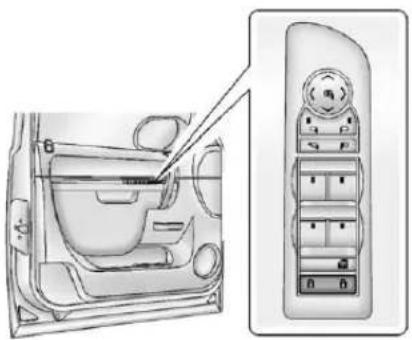
PowerDoorLocks
PressorontheRemote KeylessEntry(RKE)transmitter. SeeRemoteKeylessEntry(RKE) SystemOperationonpage2-3.
natural_image
Interior view of a car showing the side panel and dashboard (no text or symbols visible)PowerFoldingMirrorsShown, OtherModelsSimilar
(Lock):Presstolockthedoors. (Unlock):Presstounlockthe doors.
DelayedLocking
Whenlockingthedoorswiththe powerlockswitchchandadoororthe liftgateisopen, thedoorswilllock fiveseconsafterthelastdooris closed. Youwillhearthreechimes tosignalthatthedelayedlocking featureisinuse.
Pressing the power lock switch twicewilloverridethedelayed locking feature and immediately lock allthedoors.
Thisfeaturewillnotoperateifthe keyisintheignition.
Youcanprogramthisfeatureusing theDriverInformationCenter(DIC). See "DelayDoorLock" under VehiclePersonalization(WithDIC Buttons)onpage5-47.
AutomaticDoorLocks
The vehicle may have an automatic lock/unlock feature. This feature can be programmed using the Driver Information Center (DIC). See Vehicle Personalization (With DIC Buttons) on page 5-47 form more information on DIC programming.
LockoutProtection
Ifthedriversidepowerdoorlock switchispressedwhenthdriver doorisopenandthekeyisinthe ignition,allofthedoorswillockand thenthdriverdoorwillunlock.
If the passengersidepowerdoor lockswitchispressedwhenthe frontpassengerdoorisopenand thekeyisintheignition,allofthe doorswilllockandthenthefront passengerdoorwillunlock.
SafetyLocks
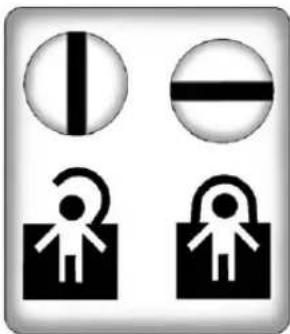
The vehicle has reardoor security lock stop prevent passengers from opening there ardoors from the inside.
natural_image
Four black-and-white icons: vertical line, horizontal bar, person with curved arrow, and lock (no text or symbols)Openthereardoorstoaccessthe securitylocksontheinsideedgeof eachdoor.
Tosetthelocks, insertakey into the slot and turnitto the horizontal position. Thedoor can only be opened from the outside with the door unlocked. Toreturn the doorto normal operation, turn the slot to the vertical position.
Doors
Liftgate

WARNING
Exhaustgasescanenterthe vehicleifitisdrivenwiththe liftgateortrunk/hatchopen, orwithanyobjectsthatpass throughthesealbetweenthe bodyandthetrunk/hatchor liftgate.Engineexhaustcontains carbonmonoxide(CO)which cannotbeseenorsmelled.Itcan causeunconsciousnessandeven death.
Ifthevehiclemustbedrivenwith theliftgateortrunk/hatchopen:
- Closeallofthewindows.
• Fullyopentheairoutletson orundertheinstrument panel.
(Continued)
WARNING(Continued)
- Adjusttheclimatecontrol systemtoasettingthat bringsinonlyoutsideairand setthefanspeedtothe highestsetting.See"Climate ControlSystems"inthe Index.
- If the vehicle is equipped with a power lift gate, disable the power lift gate function.
Formoreinformationabout carbonmonoxide,seeEngine Exhaustonpage9-30.
Notice: If you opentheliftgate without checking for overhead obstruction such as agarage door, you could damage the liftgate ortheliftgateglass. Always check to make sure the area above and behind the liftgate is clear before opening it.
text_image
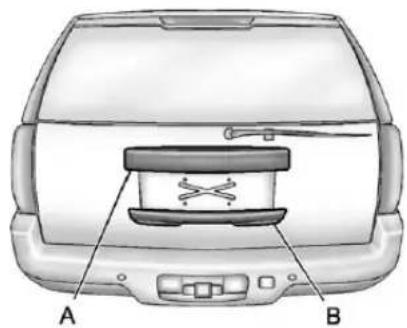
A BTheliftglassorliftgatecannot be opened if therearwiperisin motion. Attempting to open the lift glassor lift gate while therear wiperisin motion will cause therelease of the lift glassor lift gatet o delay until the wipers are parked off the lift glass.
ManualLiftgateOperation
Tounlocktheliftgate, press on thepowerdoorlockswitchorpress ontheRemoteKeylessEntry (RKE)transmittertwice, see Remote KeylessEntry(RKE)System Operationonpage2-3.
Pressthetouchpadonthe undersideoftheliftgatehandle(B) andliftup.
Usethepullcuptolowerandclose theliftgate.Donotpressthetouch padwhileclosingtheliftgate.This willcausetheliftgatetobe unlatched.
PowerLiftgateOperation
Onvehicleswithapowerliftgate, theswitchisontheoverhead console.
The vehicle must be in P (Park) to use the power feature. Thetaillamps will flash and achimewills sound when the power liftgatemoves.

WARNING
Exhaustgasescanenterthe vehicleifitisdrivenwiththe liftgate,trunk/hatchopen,orwith anyobjectsthatpassthroughthe sealbetweenthebodyandthe trunk/hatchorliftgate.Engine exhaustcontainsCarbon Monoxide(CO)whichcannotbe seenorsmelled.Itcancause unconsciousnessandevendeath.
(Continued)
WARNING(Continued)
If the vehicle must be driven with the lift gate, or trunk/hatch open:
- Closeallofthewindows.
- Fullyopentheairoutletson orundertheinstrument panel.
- AdjusttheClimateControl systemtoasettingthat bringsinonlyoutsideairand setthefanspeedtothe highestsetting.SeeClimate ControlSysteminthelndex.
- If the vehicle is equipped with a power lift gate, disable the power lift gate function.
Formoreinformationabout carbonmonoxide,seeEngine Exhaustonpage9-30.
Thereareseveralwaystoopenand closethepowerliftgate:
- Pressandhold on the RKEtransmitteruntiltheliftgate startsmoving.
- Press ontheoverhead console.
- Press onthebottomofthe liftgatenexttothelatchtoclose.
Pressingasecondtimewhilethe liftgateismovingreversesthe direction.
Todisablethepowerliftgate function, pressOFFontheliftgate switch.
The powerliftgate may be temporarily disabled under extreme temperatures, or under low battery conditions. If this occurs, the liftgate can still be operated manually.
Ifthetransmissionisshiftedoutof P(Park)whilethepowerfunctionis inprogress,theliftgatepower functionwillcontinuetocompletion. Ifthetransmissionisshiftedoutof P(Park)andthevehicleaccelerates beforethepowerliftgatelatches closed,theliftgatemayreverseto theopenposition.Cargocouldfall outofthevehicle.Alwaysmake surethepowerliftgateisclosed and latchedbeforedrivingaway.
Iftheliftgateisopenedusingpower operationandtheliftgatesupport strutshavelostpressure, theturn signalsflashandachimewill sound. Theliftgatestaysopen temporarily, andthenslowlycloses. Seeadealerforservicebefore usingtheliftgate.
ObstacleDetectionFeatures
Iftheliftgateencountersanobstacle duringapoweropenorclosecycle, awarningchimewillsoundandthe liftgatewillautomaticallyreverse directiontothefullclosedoropen position. Afterremovingthe obstruction, thepowerliftgate operationcanbeusedagain. Ifthe liftgateencountersmultiple obstaclesonthesamepowercycle, thepowerfunctionwilldeactivate andamessagewilldisplayinthe DriverInformationCenter(DIC), see ObjectDetectionSystemMessages onpage5-41. Afterremovingthe obstructions, theliftgatewillresume normalpoweroperation.
Pinch sensors are located on the side edges of the lift gate. If an object is caught between the lift gate and the vehicle and presses against this sensor, the lift gate will reverse direction and open fully. The lift gate will remain open until it is activated again or closed manually.
ManualOperationofPower Liftgate
Tochangetheliftgatetomanual operation, pressOFFontheliftgate switch.
With the power lift gated disabled and allothedoors unlocked, the lift gate can be manually opened and closed.
Toopentheliftgate, pressthetouch padonthehandle(B) and liftup. Usethepullcuptolowerandclose theliftgate. Donotpressthetouch padwhileclosingtheliftgate. This willcausetheliftgatetobe unlatched. Theliftgatelatchwill powerclose. Alwaysclosethe liftgatebeforedriving.
2-14Keys, Doors, and Windows
If ontheRKEtransmitteror ontheliftgateispressedwhile poweroperationisdisabled,the lampswillflashthreetimes,butthe liftgatewillnotmove.
Itisnotrecommendedtodrivewith theliftgateopen,however,when drivingwiththeliftgateopen;the liftgateshouldbesettomanual operationbypassingOFFonthe liftgateswitchonthecenterconsole.
Theliftgatehasanelectriclatch. Ifthebatteryisdisconnectedorhas lowvoltage,theliftgatewillnot open. Theliftgatewillresume operationwhenthebatteryis reconnectedandcharged.
If the battery is properly connected with adequate voltage, the switch is not disabled, and the lift gate still will not function, see a dealer for service.
Liftglass
Ifequipped, therearetwowaysto opentheliftglass:
- Pressthebuttononthe undersideofthelicenseplate applique(A).
- Press on the RKEtransmitter.
PowerAssistSteps
natural_image
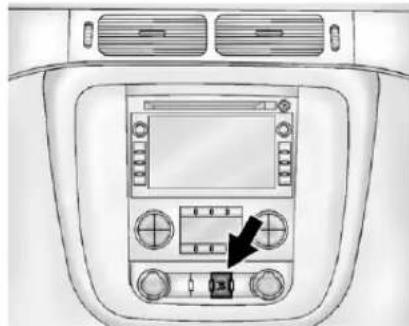
Top-down view of a car dashboard with air conditioner and control panel (no text or symbols visible)The vehicle may have power assist steps. To enable or disable the power assist step push
The power assist steps automatically extend from beneath the vehicle on the side in which the door has been opened. Once the door is closed, the assist steps automatically move back under the vehicle after a brief delay. The vehicle must not be moving for the assist step to extend or retract.
Theassiststepscannotbedisabled intheextendedposition.
VehicleSecurity
This vehicle has the theft-deterrent features; however, they donot make it impossible to steal.
Anti-theftAlarmSystem
Yourvehiclehasacontent theft-deterrentalarmsystem.

Thisisthesecuritylight.
Toarmthetheft-deterrentsystem:
-
Openthedoor.
-
LockthedoorwiththeRemote KeylessEntry(RKE)transmitter orthepowerdoorlockswitch. Thesecuritylightwillcomeonto informthedriverthesystemis arming.Ifadoorisopenwhen thedoorsarelocked,the securitylightwillflash.
If the delayed locking feature is turned on, the theft-deterrent system will not start the arming process until the last door is closed and the delay timer has expired. See Delayed Locking on page 2-9.
- Closealldoors. Thesecurity light should go off after about 30 seconds. The alarm is not armed until these security light goes off.
Ifalockeddriverdoorisopened withoutusingtheRKEtransmitter,a 10-secondpre-alarmwilloccur.The hornwillchirpandthelightswill flash.Ifthekeyisnotplacedinthe ignitionandturnedtoSTARTorthe doorisnotunlockedbypassing theunlockbuttonontheRKE transmitterduringthe10-second pre-alarm,thealarmwillgooff.Your vehicle'sheadlampswillflashand thehornwillsoundforabout 30seconds,thenwillturnofftosave thebatterypower.
Thetheft-deterrentsystemwillnot activateifthedoorsarelockedwith thevehicle'skeyorthemanualdoor lock.Itactivatesonlyifyyouusethe powerdoorlockswitchwiththedoor openortheRKEtransmitter.You shouldalsorememberthatyoucan startyourvehiclewiththecorrect ignitionkeyifthealarmhasbeen setoff.
Toavoidsettingoffthealarmby accident:
- If you donot want to activate the theft-deterrent system, the vehicles should be locked with the door key after the doors are closed.
• Alwaysunlockthedoorswiththe RKEtransmitter.Unlockinga dooranyotherwaywillsetoff thealarmifitisarmed.
Ifyousetoffthealarmbyaccident, pressunlockontheRKEtransmitter orplacethekeyintheignitionand turnittoSTARTtoturnoffthe alarm. Thealarmwillnotstopify you trytounlockadooranyotherway.
TestingtheAlarm
Totestthealarm:
-
Frominsidethevehicle, lower thedriverwindowandopenthe driverdoor.
-
Activatethesystembylocking thedoorswiththepowerdoor lockswitchwhilethedooris open,orwiththeRKE transmitter.
- Getoutofthevehicle, closethe doorandwaitforthesecurity lighttogoout.
- Thenreachthrough the window, unlock the door with the manual door lock and open the door. This should set off the alarm.
While the alarmisset, the power door unlock switch will not work.
If the alarm does not sound when it should but the headlamps flash, check to see if the horn works. The horn fuse may be blown. Toreplace the fuse, see Fuses and Circuit Breakerson page 10-41.
If the alarm does not sound or the headlamps donot flash, the vehicle should be serviced by your dealer.
Immobilizer
SeeRadioFrequencyStatementon page 13-22forinformation regardingPart15oftheFederal CommunicationsCommission(FCC) rulesandIndustryCanada StandardsRSS-GEN/210/220/310.
ImmobilizerOperation
ThisvehiclehasPASS-Key ^® III+ (PersonalizedAutomotiveSecurity System)theft-deterrentsystem. PASS-KeyIII+isapassive theft-deterrentsystem.
Thesystemisautomaticallyarmed whenthekeyisremovedfromthe ignition.
Thesystemisautomatically disarmedwhenthekeyisturnedto ON/RUN,ACC/ACCESSORY, orSTARTfromtheLOCK/OFF position.
Youdonothavetomanuallyarmor disarmthesystem.
Thesecuritylightwillcomeonif thereisaproblemwitharmingor disarmingthetheft-deterrent system.
When the PASS-Key III+ system sense that someone is using the wrong key, it prevents the vehicle from starting. Anyone using a trial-and-errormethod to start the vehicle will be discouraged because of the high number of electrical key codes.
If theenginedoesnotstartandthe securitylightontheinstrument panelclustercomesonwhentrying tostartthevehicle,theremaybea problemwiththetheft-deterrent system.Turntheignitionoffandtry again.
Iftheenginestilldoesnotstart,and thekeyappearstobeundamaged, tryanotherignitionkey.Atthistime, youmayalsowanttocheckthe fuse.SeeFusesandCircuit Breakersonpage10-41.Ifthe enginestilldoesnotstartwiththe otherkey,thevehicleneedsservice.
Ifthevehicledoesstart,thefirstkey maybefaulty.Seeyourdealerwho canservicethePASS-KeyIII+to haveanewkeymade.
ItispossibleforthePASS-KeyIII+decodertolearnthetranspondervalueofaneworreplacementkey.Upto10keysmaybeprogrammedforthevehicle. Thefollowingprocedureisforprogrammingadditionalkeysonly.Ifallthecurrentlyprogrammedkeysarelostordonotoperate,youmustseeyourdealeroralocksmithwhocanservicePASS-KeyIII+tohavekeysmadeandprogrammedtothesystem.
Seeyourdealeroralocksmithwho canservicePASS-Keyll+togetanewkeyblankcutexactlyasthe ignitionkeythatoperatesthe system.
Toprogramthenewadditionalkey:
- Verify that thenewkey has a stampedonit.
- Inserttheoriginal, already programmedkeyintheignition andstarttheengine. If the enginewillnotstart, see your dealerforservice.
- After the engine has started, turn the key to LOCK/OFF, and movethe key.
- Insertthenewkeytobe programmedandturnittothe ON/RUNpositionwithin fivesecondsofturningthe ignitiontotheLOCK/OFF positioninStep3.
Thesecuritylightwillturnoff oncethekeyhasbeen programmed.
- RepeatSteps1 through4 if additionalkeysaretobe programmed.
Ifyouloseordamageyour PASS-Keyll+key,seeyourdealer oralocksmithwhocanservice PASS-Keyll+tohaveanew keymade.
Donotleavethekeyordevicethat disarmsordeactivatesthe theft-deterrentsysteminthevehicle.
ExteriorMirrors
ConvexMirrors

WARNING
Aconvexmirrorcanmakethings, likeothervehicles, lookfarther awaythantheyreallyare. If you cuttoosharplyintotherightlane, youcouldhitavehicleonthe right. Checktheinsidemirroror glanceoveryourshoulderbefore changinglanes.
Thepassengersidemirrorisconvex shaped. Aconvexmirror's surface is curvesomorecanbeseen from thedriverseat.
ManualMirrors
Vehicleswithmanualmirrorscanbe adjustedbymovingthemirrorup anddownorlefttorighttoseea littleofthesideofthevehicle,and haveaclearviewbehindthe vehicle.
Usinghood-mountedairdeflectors andadd-onconvexmirror attachmentscoulddecrease mirrorperformance.
Trailer-TowMirrors
natural_image
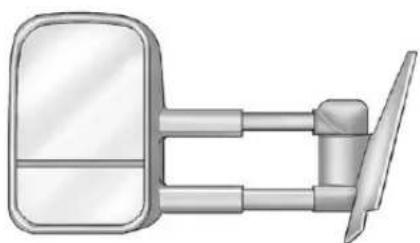
Illustration of a car front-mounted mirror and side-mounted lever (no text or symbols)Ifthevehiclehastowingmirrors, theycanbeadjustedforaclearer viewoftheobjectsbehindyou. Manuallypulloutthemirrorheadto extenditforbettervisibilitywhen towingatrailer.
Thelowerportionofthemirroris convex. Aconvexmirror'ssurface is curved to seem more from the driver seat. The convex mirror can be adjusted manually to the driver preferred position for better vision.
Themirrormayhaveaturnsignal arrowthatflashesinthedirectionof theturnorlanechange.
PowerMirrors
text_image
Diagram of car interior showing dashboard and control panel with labeled parts A and BWithPowerFoldingMirrors
Toadjustthemirrors:
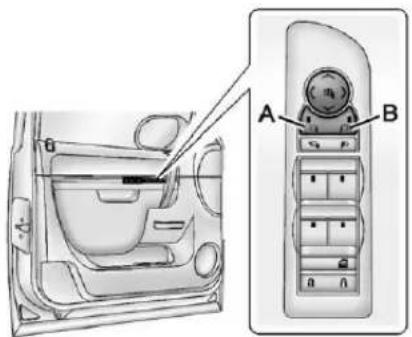
- Press(A) or (B) to select the driver or passengers idemirror.
- Pressthearrowsonthecontrol padtomovethemirrorup, down, right, or left.
- Adjust the outside mirror so that the side of the vehicle and the are abehindareseen.
4.Presseither(A)or(B)again to deselectthemirror.
natural_image
Interior view of a car showing the dashboard and air conditioner panel (no text or symbols visible)WithManualFoldingMirrors
Toadjustthemirrors:
-
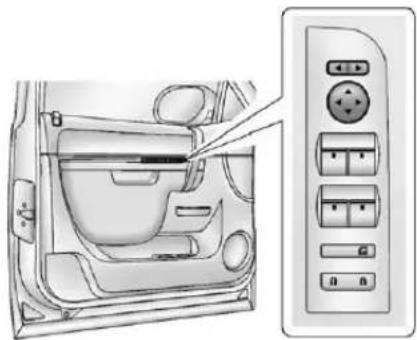
Movetheselectorswitchlocated abovethefour-waycontrolpad totheleftorrighttochoose eitherthedriversideor passengersidemirror.
-
Pressoneofthefourarrows locatedonthecontrolpadto movethemirrorinthedesired direction.
-
Adjust the outside mirror so that the side of the vehicle and the are behind are seen.
Keeptheselectorswitchinthe centerpositionwhennotadjusting eitheroutsidemirror.
ExteriorAutomaticDimming Mirror
If the vehicle has the exterior automatic dimming mirror, the driver outside mirror automatically adjusts for the glare of headlamps behind. This feature is controlled by the on and offsetting on the inside automatic dimming rear view mirror. See Automatic Dimming Rearview Mirror on page 2-22 form more information.
SideBlindZoneAlert(SBZA)
If the vehicle has the Side Blind Zone Alert (SBZA) system. See Side Blind Zone Alert (SBZA) on page 9-56 form more information.
TurnSignalIndicator
The vehicle may also have a turn signal indicator on the mirror. An arrow on the mirror flashes in the direction of the turn or lane change.
FoldingMirrors PowerFolding
text_image
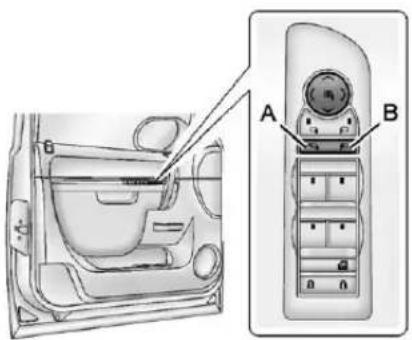
Technical diagram of a car interior showing labeled components A and B, with parts inside and outside the dashboard.- Press(A) tofold them mirrors out to the driving position.
- Press(B) to fold them mirrors into the folded position.
ResettingthePowerFolding Mirrors
Resetthepowerfoldingmirrorsif:
• Themirrorsareaccidentally obstructedwhilefolding.
• They are accidentally manually folded/unfolded.
• Themirrorswillnotstayinthe unfoldedposition.
• Themirrorsvibrateatnormal drivingspeeds.
Foldandunfoldthemirrorsonetime usingthemirrorcontrolstoreset themtotheirnormalposition. Apoppingnoisemaybeheard duringtheresettingofthepower foldingmirrors. Thissoundisnormal afteramanualfoldingoperation.
ManualFolding
Foldthemirrorsinwardtoprevent damagewhengoingthroughan automaticcarwash.Tofold,pullthe mirrortowardthevehicle.Pushthe mirroroutward,toreturntoits originalposition.
HeatedMirrors
Forvehicleswithheatedmirrors:
(RearWindowDefogger): Presstoheatthemirrors.
See "RearWindowDefogger" under DualAutomaticClimateControl Systemonpage8-4orClimate ControlSystemsonpage8-1for moreinformation.
AutomaticDimming Mirror
Ifthevehiclehastheautomatic dimmingmirror, thedriveroutside mirrorautomaticallyadjustsforthe glareoftheheadlampsfrombehind. Thisfeatureiscontrolledbytheon andoffsettingontheinside rearviewmirror.SeeAutomatic DimmingRearviewMirroron page2-22formoreinformation.
ParkTiltMirrors
If the vehicle hasthememory package, the exterior mirror stilt to a preselected position when the vehicle is in R (Reverse). This feature let sthedriverview the curb when parallel parking. Themirrors return to the original position when the vehicle is shifted out of R (Reverse), or the ignition is turned off to OFF/LOCK.
Thisfeaturecanbeprogramed throughtheDriverInformation Center(DIC).See Vehicle Personalization(WithDICButtons) onpage5-47formoreinformation.
InteriorMirrors
ManualRearviewMirror
Toadjusttheinsiderearviewmirror, holdtherearviewmirrorinthe centerandmoveittoviewthearea behindthevehicle.
Forvehicleswithamanualrearview mirror, pushthetabforwardfor daytimeuseandpullitfornighttime usetoavoidglarefromthe headlampsfrombehind.
VehicleswithOnStar ^® havethree controlbuttonsatthebottomofthe mirror.Seeadealerformore informationaboutOnStarandhow tosubscribetoit.SeeOnStar Overviewonpage14-1.
AutomaticDimming RearviewMirror
The vehicle may have an automatic dimming inside rear view mirror.
Toadjusttheinsiderearviewmirror, holdtherearviewmirrorinthe centerandmoveittoviewthearea behindthevehicle.
The automatic dimming rear view mirror will automatically reduce the glare from the headlamps from behind. Thedimming feature comes on when the vehicle is started.
On/Off): Presstoturnthe dimmingfeatureonoroff.
The vehicle may also have a Rear Vision Camera (RVC). See Rear Vision Camera (RVC) on page 9-59 form more information.
IfthevehiclehasaRVC,the buttonforturningthedimming featureonoroffwillnotbe available.
VehicleswithOnStarhavethree additionalcontrolbuttonsforthe OnStarsystem.Seeadealerfor moreinformationaboutOnStarand howtosubscribetoit.SeeOnStar Overviewonpage 14-1.
CleaningtheMirror
Donotsprayglasscleanerdirectly onthemirror. Useasofttowel dampenedwithwater.
Windows
WARNING
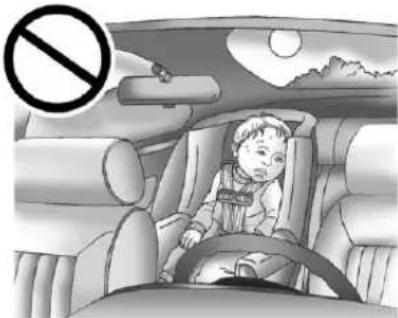
Leavingchildren, helplessadults, orpetsinavehiclewiththe windowsclosedisdangerous. Theycanbeovercomebythe extremeheatandsuffer permanentinjuriesorevendeath fromheatstroke.Neverleavea child,ahelplessadult,orapet aloneinavehicle,especiallywith thewindowsclosedinwarmor hotweather.
natural_image
Interior view of a car with a child sitting in the seat, no visible text or symbolsThe vehicle aerodynamics are designed to improve fueleconomy performance. This may result in a pulsingsound when a window is partially open. Toreducethesound, open another window worths sunroof (ifequipped).
PowerWindows

WARNING
Leavingchildreninavehiclewith thekeysisdangerousformany reasons. Childrenorotherscould bebadlyinjuredorevenkilled. Theycouldoperatethepower windowsorothercontrolsoreven makethevehiclemove. The windowswillfunctionandthey couldbeseriouslyinjuredorkilled ifcaughtinthepathofaclosing window.Donotleavekeysina vehiclewithchildren.
When there are children in the rearseatusethewindowlockout button to prevent unintentional operation of the windows.
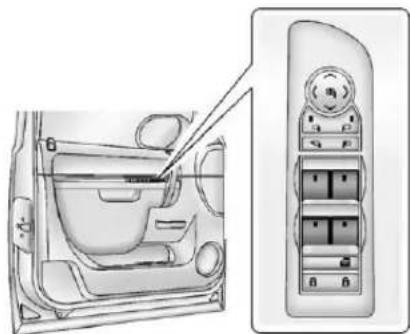
natural_image
Interior view of a car showing the dashboard and control panel (no text or symbols visible)PowerFoldingMirrorsShown, OtherModelsSimilar
The driver door hasswitchesthat control all windows, the passengers door switch only control that window. The power windows work when the ignition is in ON/RUN or ACC/ACCESSORY, or in Retained Accessory Power (RAP). See Retained Accessory Power (RAP) on page 9-27 form more information.
Presstheswitchtolowerthe window.Pulltheswitchupto raiseit.
ExpressDownWindows
Windowsthathavethe express-downfeatureallowthe windowstobeloweredwithout holdingtheswitch.Pressthe windowswitchfullyandreleaseitto activatetheexpress-downfeature. Theexpressmodecanbecanceled atanytimebybrieflypressing, orpullingtheswitch.
WindowLockout
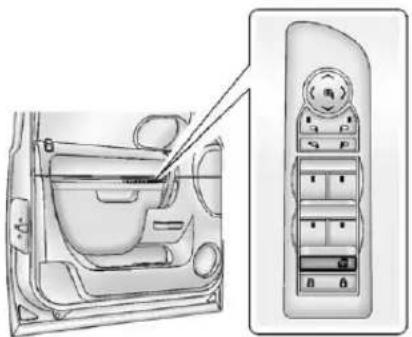
natural_image
Interior view of a car showing the dashboard and side panel (no text or symbols visible)PowerFoldingMirrorsShown, OtherModelsSimilar
Thisfeaturepreventstherear passengerwindowsfromoperating, exceptfromthedriverposition.
- Press to activate therear windowlocks. An indicator light will illuminate when the feature is on.
- Press 📄againtodeactivatethe rearwindowlocks.
SunVisors
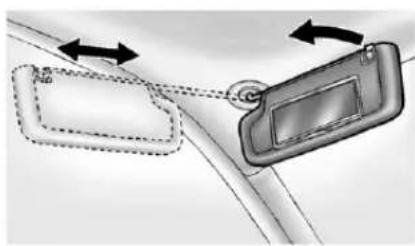
natural_image
Diagram showing two car door lockers with directional arrows indicating movement (no text or symbols)Pullthesunvisordowntoblock glare.Detachthesunvisorfromthe centermounttopivottotheside window,ortoextendalongtherod, ifavailable.
Roof
Sunroof
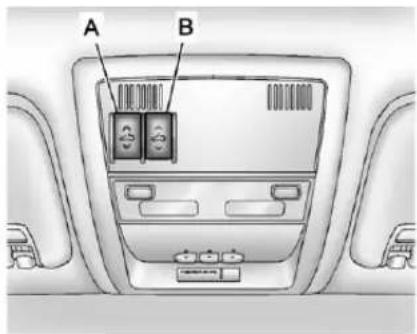
text_image
A BA.OpenorClose
B.Vent
Onvehicleswithasunroof,the sunroofonlyoperateswhenthe ignitionisintheACC/ACCESSORY orON/RUN,orwhenRetained AccessoryPower(RAP)isactive. SeeRetainedAccessoryPower (RAP)onpage9-27
Vent: From the closed position, presstherearofswitch(B) tovent the sunroof.
Open/Close: Toopenthesunroof, pressandholdswitch(A)untilthe sunroofreachesthedesired position. Pressandholdthefrontof switch(A)tocloseit.
Express-Open/Express-Close: Toexpress-openthesunroof, fully pressandreleasetherearof switch(A)untilthesunroof reachesthedesiredposition. To express-closethesunroof, fully pressandreleasethefrontof switch(A).Presstheswitchagainto stopit.
Whenthesunroofisopened,anair deflectorwillautomaticallyraise. Theairdeflectorwillretractwhen thesunroofisclosed.
Thesunroofalsohasasunshade whichcanbepulledforwardtoblock sunrays. Thesunshademustbe openedandclosedmanually.
Ifanobjectisinthepathofthe sunroofwhileitisclosing,the anti-pinchfeaturewilldetectthe objectandstopthesunroof.
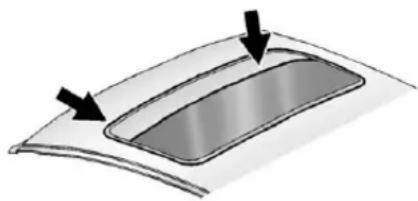
natural_image
Diagram of a curved panel with two arrows pointing to its top surface (no text or symbols)Dirtanddebrismaycollectonthe sunroofsealorinthetrack. This could cause an issue with sunroof operation or noise. It could also plug the water drainages system. Periodically open the sunroof and remove any obstacles or loose debris. Wipethesunroofsealand roof sealing area using a clean cloth, mild soap, and water. Donot remove grease from the sunroof.
Seatsand Restraints
HeadRestraints
HeadRestraints....3-2
FrontSeats
SeatAdjustment......3-3
CenterSeat....3-4
PowerSeatAdjustment......3-4
LumbarAdjustment......3-5
RecliningSeatbacks......3-6
MemorySeats......3-8
HeatedandVentilatedFront Seats....3-10
RearSeats
HeatedRearSeats......3-11
SecondRowSeats......3-12
ThirdRowSeats......3-16
SafetyBelts
SafetyBelts....3-20
HowtoWearSafetyBelts Properly....3-21
Lap-ShoulderBelt......3-22
SafetyBeltUseDuring Pregnancy....3-28
LapBelt....3-28
SafetyBeltExtender......3-29
SafetySystemCheck......3-29
SafetyBeltCare....3-29
ReplacingSafetyBeltSystem
PartsafteraCrash......3-30
AirbagSystem
AirbagSystem......3-30
WhereAretheAirbags?.....3-32
WhenShouldanAirbag
Inflate?......3-35
WhatMakesanAirbag Inflate?......3-36
HowDoesanAirbag Restrain?......3-37
WhatWillYouSeeafteran AirbagInflates?......3-37
PassengerSensing System....3-39
ServicingtheAirbag-Equipped Vehicle....3-44
AddingEquipmenttothe Airbag-EquippedVehicle...3-44
AirbagSystemCheck......3-46
ReplacingAirbagSystem PartsafteraCrash......3-46
ChildRestraints
OlderChildren....3-47
InfantsandYoung Children....3-49
ChildRestraintSystems.....3-51
WheretoPuttheRestraint...3-53
LowerAnchorsandTethers forChildren(LATCH System)....3-55
ReplacingLATCHSystem PartsAfteraCrash......3-62
SecuringChildRestraints (RearSeatPosition)......3-63
SecuringChildRestraints (CenterFrontSeat Position)....3-66
SecuringChildRestraints (RightFrontSeat Position)....3-66
HeadRestraints

WARNING
Withheadrestraintsthatarenot installedandadjustedproperly, thereisagreaterchancethat occupantswillsufferaneck/spinalinjuryinacrash.Donot driveuntiltheheadrestraintsfor allooccupantsareinstalledand adjustedproperly.
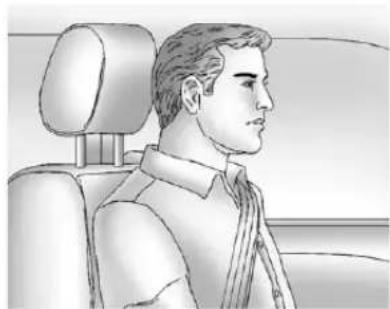
natural_image
Side profile illustration of a man in a car seat, showing head, torso, and seat (no text or symbols)Adjusttheheadrestraintsothatthe topoftherestraintisatthesame heightasthetopoftheoccupant's head. Thispositionreducesthe chanceofaneckinjuryinacrash.
FrontSeats
Thefrontseatshaveadjustable headrestraintsintheoutboard seatingpositions.
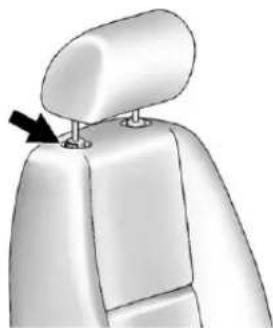
natural_image
3D model of a human torso with a black arrow pointing to a small circular feature on the shoulder (no text or symbols)Theheightoftheheadrestraintcan beadjusted. Pulltheheadrestraint uptoraiseit. Trytomovethehead restrainttomakesurethatitis lockedinplace.
Tolowertheheadrestraint,press thebutton,locatedonthetopofthe seatback,andpushthehead restraintdown.Trytomovethe headrestraintafterthebuttonis releasedtomakesurethatitis lockedinplace.
Thefrontseatoutboardhead restraintsarenotdesignedtobe removed.
RearSeats
The vehicle's second-row seats have head restraints in the outboard seating position that cannot be adjusted.
The vehicle's third-row seats, if equipped, have adjustable headrests in the outboard seating positions.
Theheightoftheheadrestcanbe adjusted. Pulltheheadrestupto raiseit. Tolowertheheadrest, push downontheheadrest.
Rearseatheadrestraintsand headrestsarenotdesignedtobe removed.
FrontSeats
SeatAdjustment

WARNING
Youcanlosecontrolofthe vehicleifyoutrytoadjustadriver seatwhilethevehicleismoving. Thesuddenmovementcould startleandconfuseyou,ormake youpushapedalwhenyoudo notwantto.Adjustthedriverseat onlywhenthevehicleisnot moving.
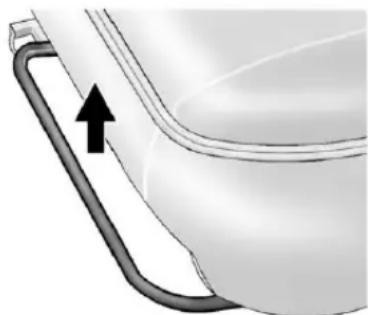
natural_image
Close-up of a toilet handle with a black arrow pointing to the outlet (no text or symbols visible)Toadjusttheseat:
- Liftthebarunderthefrontedge oftheseatcushiontounlock theseat.
2.Slidetheseattothedesired positionandreleasethebar. - Trytomovetheseatback and forthobesuretheseatis lockedinplace.
3-4 Seats and Restraints
CenterSeat
lfequipped, thecenterfront seatbackdoublesasanarmrestand cupholder/storageareaforthedriver andpassengerwhenthecenter frontseatisnotused. Donotuseit asaseatingpositionwhenthe seatbackisfoldeddown.
PowerSeatAdjustment
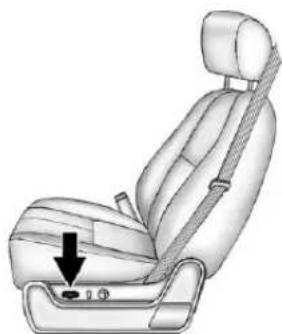
natural_image
Illustration of a car seat with a black arrow pointing to the lower side of the seat (no text or symbols present)Toadjustapowerseat,ifequipped:
- Movetheseatforwardor rearwardbyslidingthecontrol forwardorrearward.
- Ifavailable, raiseorlowerthe frontorrearpartoftheseat cushionbymovingthefrontor rearofthecontrolupordown. - Ifavailable, raiseorlowerthe entireseatbymovingtheentire controlupordown.
Toadjusttheseatback,see"Power RecliningSeatbacks"under RecliningSeatbacksonpage3-6.
LumbarAdjustment ManualLumbar
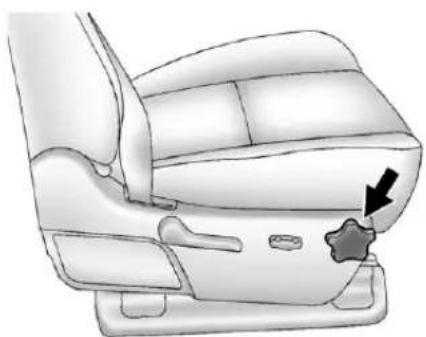
natural_image
Illustration of a car seat with a star marking the seat area (no text or symbols)Ifequipped, increase or decrease manuallumbarsupport by turning the knob forward or rearward.
PowerLumbar
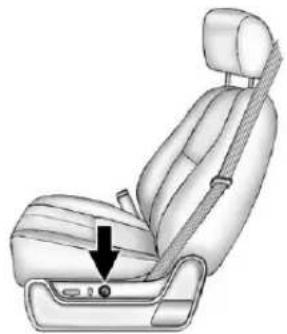
natural_image
Illustration of a car seatbelt seat with a black arrow pointing to the seat (no text or symbols present)Toadjustthepowerlumbarsupport, ifequipped:
- Onvehicleswithtwo-way lumbar,pressandholdthetop orbottomofthecontrolto increaseordecreaselumbar support.
- Onvehicleswithfour-way lumbar,pressandholdthefront orrearofthecontroltoincrease ordecreaselumbarsupport. To raiseorlowertheheightofthe support,pressandholdthetop orbottomofthecontrol.
3-6 Seats and Restraints
RecliningSeatbacks

WARNING
Sittinginareclinedpositionwhen thevehicleisinmotioncanbe dangerous.Evenwhenbuckled up,thesafetybeltscannotdo theirjob.
Theshoulderbeltwillnotbe againstyourbody.Instead,itwill beinfrontofyou.Inacrash,you couldgointoit,receivingneckor otherinjuries.
Thelapbeltcouldgoupover yourabdomen. Thebeltforces wouldbethere, notatyourpelvic bones. This could cause serious internal injuries.
Forproperprotectionwhenthe vehicleisinmotion,havethe seatbackupright.Thensitwell backintheseatandwearthe safetybeltproperly.
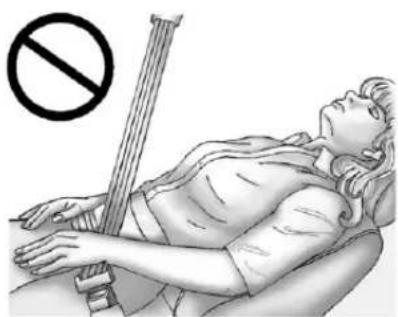
natural_image
Illustration of a person lying in bed with a string and a no-smoking symbol above (no text or labels)Donothaveaseatbackreclinedif thevehicleismoving.
ManualRecliningSeatbacks

WARNING
Ifeitherseatbackisnotlocked, it couldmoveforwardinasudden stoporcrash. That could cause injury to the person sitting there. Always push and pull on the seat back stobesure they are locked.
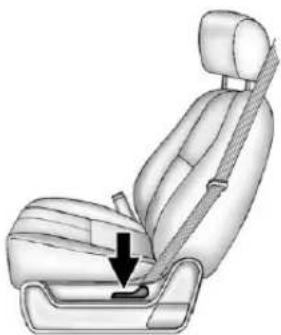
natural_image
Illustration of a car seatbelt with a downward arrow indicating the seatbelt (no text or symbols present)Toadjustamanualseatback:
- Liftthelever.
Theseatbackwillautomatically foldforward.
-
Torecline, movetheseatback rearwardtothedesiredposition, thenreleasethelevertolockthe seatbackinplace.
-
Pushandpullontheseatbackto makesureitislocked.
Toreturntheseatbacktotheupright position:
-
Lifttheleverfullywithout applyingpressuretothe seatback,andtheseatbackwill returntotheprightposition.
-
Pushandpullontheseatbackto makesureitislocked.
PowerRecliningSeatbacks
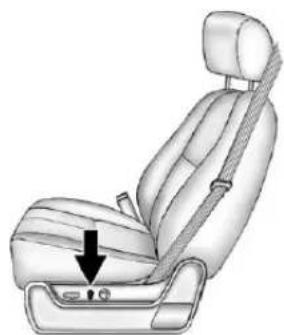
natural_image
Illustration of a car seatbelt seat with a black arrow pointing to the seat area (no text or symbols present)Toreclineapowerseatback, ifequipped:
- Tiltthetopofthecontrol rearwardtorecline.
- Tiltthetopofthecontrolforward toraise.
MemorySeats
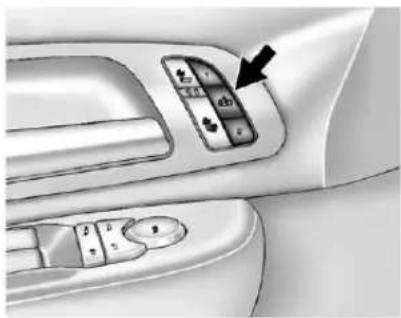
natural_image
Interior view of a car dashboard with control panel and directional buttons (no text or symbols visible)Onvehicleswiththememory feature,thecontrolsonthedriver doorareusedtoprogramandrecall memorysettingsforthedriverseat, outsidemirrors,andtheadjustable throttleandbrakepedals, ifequipped.
StoringMemoryPositions
Tosaveintomemory:
- Adjust the driver seat, seat back recliner, both outsidemirrors, and the throttle and brake pedals, if equipped.
SeePowerMirrorsonpage2-19 and Adjustable Throttle and Brake Pedalonpage9-22.
Notallmirrorsandadjustable throttleandbrakepedalswill havetheabilitytosaveand recalltheirpositions. - Pressandhold "1" until two beepssound.
- Repeatforaseconddriver positionusing "2."
Torecall, press and release "1" or "2." The vehicle must be in P (Park). As single beep will sound. These at, outside mirrors, and adjustable throttle and brake pedals will move to the position previously stored for the identified driver.
MemoryRemoteRecall
Thememoryfeaturecanrecallthe driverseat,outsidemirrors,and pedals,ifequipped,tostored positionswhenenteringthevehicle.
Toactivate, unlockthedriver doorwiththeRemoteKeyless Entry(RKE)transmitter. Thedriver seat, outsidemirrors, and adjustable pedals, ifequipped, willmoveto the memorypositionassociatedwith the transmitterusedtounlockthe vehicle.
Thisfeaturecanbeturnedonoroff usingthevehiclepersonalization menu.See VehiclePersonalization (WithDICButtons)onpage5-47.
Tostoprecallmovement, pressone of the powerseat controls, memory buttons, or power mirror buttons, or head adjustable pedals switch.
If something has blocked the driver seat and/or head adjustable pedals while recalling a memory position, there call may stop. Remove the obstruction; then press and hold the appropriate manual control for the memory item that is not recalling for two seconds. Try recalling the memory position again by pressing the appropriate memory button. If the memory position is still not recalling, see your dealer for service.
EasyExitDriverSeat
Thisfeaturecanmovetheseat rearwardtoallowextraroomtoexit thevehicle.
(EasyExitDriverSeat): Press to recall the easy exit seat position. The vehicle must be in P (Park).
Iftheeasyexitseatfeatureis programmedoninthevehicle personalizationmenu, automatic seatmovementoccurswhenthe ignitionkeyisremoved.
Asinglebeepsounds. Thedriver seatmovesback approximately 8cm(3in). Tomovetheseatback farther, press again until the seatisallthewayback.
If something has blocked the driver seat while recalling the exit position, there call may stop. Remove the obstruction; then press and hold the power seat control rearward for two seconds. Try recalling the exit position again. If the exit position is still not recalling, see your dealer for service.
See Vehicle Personalization(With DICButtons) on page 5-47.
HeatedandVentilated FrontSeats

WARNING
If you cannot feel temperature change or paint to the skin, the seat theater may cause burns even at low temperatures. To reduce risk of burns, people with such a conditions should use care when using these seat theater, especially for long periods of time. Don't place anything on these that insulates against heat, such as a blanket, cushion, cover, or similar item. This may cause these seat theater to overheat. An overheated seat theater may cause a burn or may damage these seat.
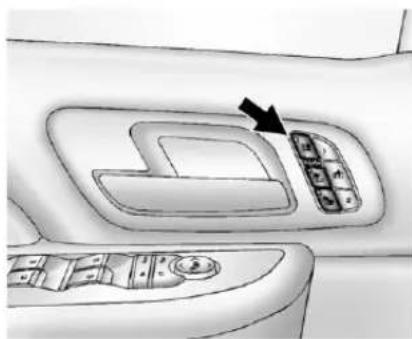
natural_image
Interior view of a car dashboard with control panel and directional arrow (no text or symbols)HeatedandCooledSeatButtons Shown, HeatedSeatButtons Similar
Ifavailable,thebuttonsareonthe frontdoors.Tooperate,theignition mustbeinON/RUN.
(CooledSeat): If available, presstocooltheseat.
(HeatedSeatback):Pressto heattheseatbackonly.
(HeatedSeatandSeatback): Presstoheattheseatand seatback.
Pressthebuttononceforthe highestsetting.Witheachpressof thebutton,theseatwillchangeto thenextlowersetting,andthento theoffsetting.Thelightsindicate threeforthehighestsettingandone forthelowest.
Thepassengerseatmaytake longertoheatup.
Onvehicleswithheatedseats,the heatedseatsarecanceled 10secondsaftertheignitionis turnedoff.
Onvehicleswithheatedandcooled seats,theheatedandcooledseats arecanceledwhentheignitionis turnedoff.
Tousethisfeatureafterrestarting thevehicle,pressthedesiredbutton again.
RemoteStartHeatedSeats
When it is cold outside, the heated seats may turn on automatically during a remote vehicle start. The heated seat will be canceled when the ignition is turned on. Press the desired button to set the heated seats after the vehicle is started.
Thelightsontheheatedseat buttonsdonotturnonduringa remotestart.
Thetemperatureperformanceofan unoccupiedseatmaybereduced. Thisisnormal.
See Remote Vehicle Starton page2-6.
RearSeats
HeatedRearSeats

WARNING
If you cannot feel temperature change or paint to the skin, the seat theater may cause burns even at low temperatures. See the Warning under Heated and Ventilated Front Seatson page 3-10.
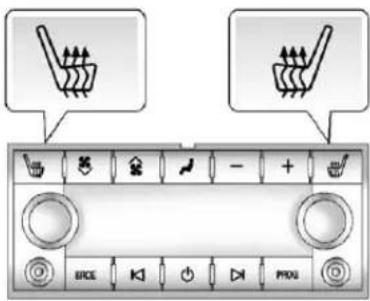
text_image
Control panel interface with icons for washing machine and power button, labeled in English and ChineseIfavailable, the buttons are on the Rear Seat Audio (RSA) panel on the rear of the center console.
Press 📊or@toheattheleft outboardorrightoutboardseat cushion.AnindicatorontheRSA displayappearswhenthisfeature ison.
3-12 Seats and Restraints
Pressthebuttononceforthe highestsetting.Witheachpressof thebutton,theheatedseatchanges tothenextlowersetting,andthen theoffsetting.Indicatorbarsnextto thesymbolshowthesetting:three forhigh,twoformedium,andone forlow.
The heated seats are canceled when the ignition is turned off.
SecondRowSeats
Thesecondrowseatscanbefolded foradditionalcargospaceorfolded andtumbledforeasyentryandexit tothethirdrowseat,ifequipped. Theseathaseitherthemanualfold andtumblefeatureortheautomatic seatreleasefoldandtumble feature.
RecliningSeatbacks (BucketSeatsOnly)
Onvehicleswithsecondrowbucket seats, theseatbackscanbe reclined.
Toreclinetheseatback:
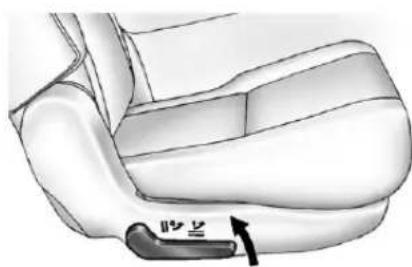
natural_image
Mechanical diagram showing a car seatbelt with a hand valve pointing to the lower side (no text or symbols present)-
Lifttheleverontheoutboard sideoftheseat.
-
Movetheseatbacktothe desiredposition, and then releasethelevertolockthe seatbackinplace.
-
Pushandpullontheseatbackto makesureitislocked.
Toreturntheseatbacktotheupright position:
- Lift the lever fully without applying pressure to the seatback, and these seatback will return to the upright position.

WARNING
Ifeitherseatbackisnotlocked, it couldmoveforwardinasudden stoporcrash. That could cause injury to the person sitting there. Always push and pull on the seat back stobesure they are locked.
- Pushandpullontheseatbackto makesureitislocked.
ManualFoldandTumble Feature
FoldingandTumblingtheSeat
Tofoldandtumbletheseat:
- Makesurethatthereisnothing under,infrontof,orontheseat.
Notice: Folding arearseat with the safety belts still fastened may caused damage to theseator the safety belts. Always sunbuckle the safety belts and return them to their normal stowed position before folding arearseat.
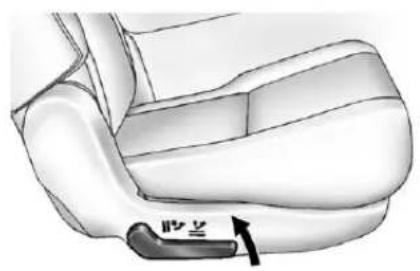
natural_image
Mechanical component diagram showing a curved arm with a labeled arrow pointing to the base (no text or symbols present)- Liftthelever, ontheoutboard sideoftheseat, toreleasethe seatback.
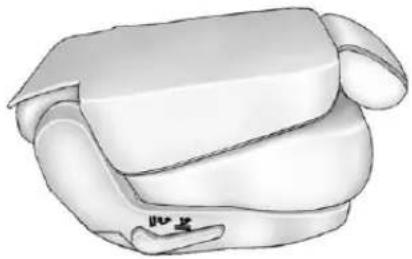
natural_image
Illustration of a white car seat with a flat roof and seatbelt (no text or symbols)Theseatbackwillfoldforwardto createaflatloadfloor.
If theseatback cannotfoldflat, trymoving the frontseatforward and/or put the frontseatback in the upright position.
3-14 Seats and Restraints
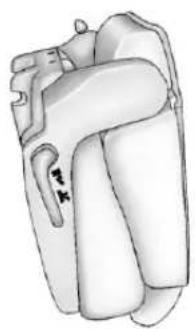
natural_image
Anatomical illustration of a human heart with visible internal structures (no text or labels)- Lifttheleveragaintoreleasethe rearoftheseatfromthefloor. Theseatwilltumbleforward.
FoldingandTumblingtheSeat fromtheThirdRowSeat
WARNING
Usingthethirdrowseating positionwhilethesecondrowis folded, orfoldedandtumbled, couldcauseinjuryinasudden stoporcrash. Besuretoreturn theseattothepassengerseating position. Pushandpullonthe seattomakesureitislockedinto place.
Tofoldandtumbletheseatfromthe thirdrowseat,ifequipped:
- Makesure that there is nothing under, in front of, or on these at.
Notice: Folding arearseat with the safety belts still fastened may caused damage to these at the safety belts. Always unbuckle the safety belts and return them to their normal stowed position before folding arearseat.
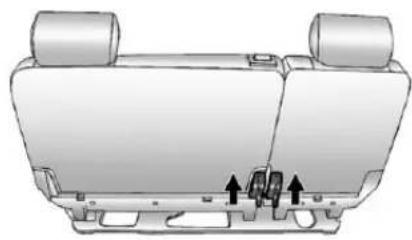
natural_image
Top-down technical illustration of a car rear seat with two rear wheels and a side-mounted lock mechanism (no text or symbols)60/40Split-BenchSeatShown, BucketSeatSimilar
-
Liftthelever, on the bottom rear of these second row seat on the in boardside, to release the seat back. These seat back will fold forward.
-
Liftthesameleveragainto releasetherearoftheseatfrom thefloor. Theseatwilltumble forward.
AutomaticFoldandTumble Feature
Thetransmissionmustbein P(Park)forthisfeaturetowork.
WARNING
Automatically folding and tumbling theseatwhensomeone is sitting in theseat,could cause injury to the person sitting there. Always makes sure there is no one sitting in theseat before expressing the automatic seat release button.
FoldingandTumblingtheSecond RowSeatfromtheThirdRowSeat orOutsidetheVehicle
WARNING
Using the third drowseating position while these second rows folded, or folded and tumbled, could cause injury in sudden stop or crash. Besure to return these at to the passenger seating position. Push and pull on the seattomakesureitis locked into place.
Tofoldandtumbletheseatfromthe thirdbrowseat,ifequipped:
- Makesurethatthereisnothing under,infrontof,orontheseat.
Notice: Folding arearseat with the safety belts still fastened may caused damage to theseator the safety belts. Always unbuckle the safety belts and return them to their normal stowed position before folding arearseat.
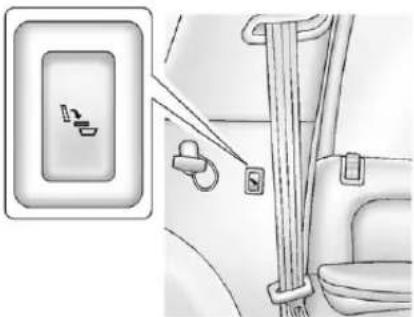
natural_image
Diagram showing a car seatbelt switch and seatbelt buckle assembly (no text or symbols)DriverSideRearPanelButton Shown
- Presstheautomaticseatrelease buttononthepanelbehindthe reardoors.
Theseatbackautomaticallyfolds flatandtheseattumbles forward. Therewillbeaslight delaybetweenthefoldingofthe seatbackandthetumblingof theseat.
3-16SeatsandRestraints
ReturningtheSeattothe SittingPosition
Toreturntheseattothesitting positionfromthetumbledposition:
- Pulltheseatdownuntillatches tothefloor. Theseatbackcannot beraisediftheseatisnot latchedtothefloor.

WARNING
Ifeitherseatbackisnotlocked, it couldmoveforwardinasudden stoporcrash. That could cause injury to the person sitting there. Always push and pull on the seatbackstobesure they are locked.
-
Lifttheseatbackandpushit rearward.Pushandpullonthe seatbacktomakesureitis locked.
-
Forthe60/40split-benchseat, makesurethesafetybeltinthe centerseatingpositionisnot caughtbetweenthetwoseats andisnottwisted.
ThirdRowSeats
If the vehicle has a third drowse at, these at back can be folded, and the entire seat can be tumbled or removed from the vehicle.
FoldingtheSeatback
Tofoldtheseatback:
-
Openthelfitgatetoaccessthe controlsfortheseat.
-
Remove all item son these at cushion.
Notice: Folding arearseat with the safety belts still fastened may caused damage to theseator the safety belts. Always unbuckle the safety belts and return them to their normal stowed position before folding arearseat.
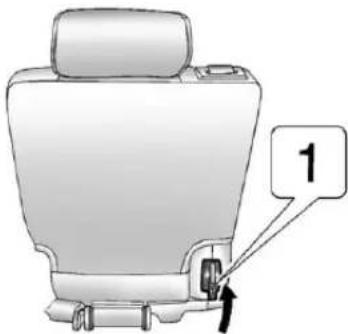
text_image
1- Liftthereleaselever "1," onthe bottomrearoftheseatbackon theoutboardsideoftheseat, andtheseatbackfoldsforward.
ReturningtheSeatbacktothe UprightPosition
Toreturntheseatbacktotheupright position:
- Openthelfitgatetoaccessthe controlsfortheseat.
- Raisetheseatbacktothe uprightposition.
WARNING
Ifeitherseatbackisnotlocked, it couldmoveforwardinasudden stoporcrash. That could cause injury to the person sitting there. Always push and pull on the seat back stobesure they are locked.
- Pushandpullontheseatbackto makesureitislocked.
TumblingtheThirdRowSeat
Totumbletheseat:
- Openthelfitgatetoaccessthe controlsfortheseat.
- Makesuretheheadrestsare completelyloweredandthereis nothingunder,infrontof,oron theseat.
- Foldtheseatbacksforward usinglever "1" and the instructions listed previously under "FoldingtheSeatback." Theseat cannot be unlatched from the floor unless the seatback is folded.
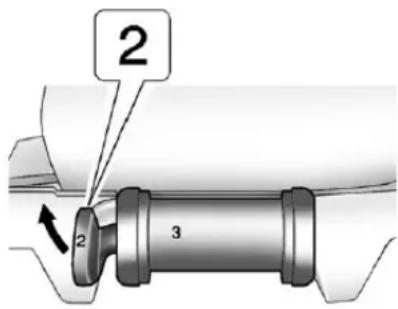
text_image
2 2 3- Unlatch theseat from the floor by lifting lever "2" next to the carrying handle on therear of theseat, near the bottom.
- Lifttherearoftheseatupfrom thefloor.
- Tilttheseatfullyforwardtolock itintoplace.
- Pushandpullontheseatto makesureitislocked.
Puttheseatinthispositiononly whennecessaryforadditionalcargo space.
ReturningtheThirdRowSeat fromaTumbledPosition
Toreturntheseattothenormal seatingposition:
- Openthelfitgatetoaccessthe controlsfortheseat.
- Makesurethereisnothingthat couldbecometrappedunder theseat.
- Releasetheseatfromthe tumbledpositionbyliftinglever "2"nexttothecarryinghandleat thebottomrearoftheseat.
- Pull theseatdownuntillatches tothefloor. Theseatback cannot beraisedtotheuprightposition unlesstheseatislatchedtothe floor.
- Raisetheseatbacktothe uprightposition.
WARNING
Ifeitherseatbackisnotlocked, it couldmoveforwardinasudden stoporcrash. That could cause injury to the person sitting there. Always push and pull on the seat back stobesure they are locked.
- Pushandpullontheseatbackto makesureitislocked.
RemovingtheThirdRowSeat
Toremovetheseat:
- Openthelfitgatetoaccessthe controlsfortheseat.
- Foldtheseatbacksforward usinglever"1" and the instructions listed previously under "FoldingtheSeatback." Theseat cannot be unlatched from the floor unless the seatback is folded.
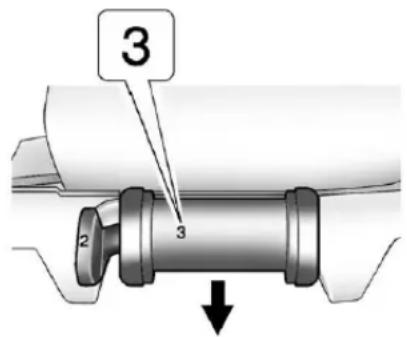
text_image
3 2 3- Unlatch theseat from the floor by pulling the handle at therear of theseat "3Removal Only" toward therear of the vehicle.
- Rolltheseatoutofthevehicle. Thereisatrackinthefloorto guidetheseatwheelsoutofthe vehicle.
InstallingtheThirdRowSeat
Toinstalltheseat:
- Openthelfitgatetoaccessthe rearofthevehicle.
2.Slidethefrontoutboardseat wheelsintothetrackonthefloor androlltheseatforward.The frontlatchesshouldlockinto place.Ifthelatchesdonotlock, trytiltingtherearoftheseat upwardslightly. - Lowertherearoftheseatand pushdownontheseatto engagetherearfloorlatches.
WARNING
Aseatthatisnotlockedinto placeproperlycanmovearound inacollisionorsuddenstop. Peopleinthevehiclecouldbe injured. Besuretolocktheseat intoplaceproperlywhen installingit.
- Pushandpullontheseatto makesureitislockedintoplace. Theseatbackcannotberaised totheuprightpositionunlessthe seatislatchedtothefloor.
- Raisetheseatback to the upright position.
- Pushandpullontheseatbackto makesureitislocked.
- Makesurethesafetybeltsare returned to the original position overtheseatbacks.
3-20SeatsandRestraints
SafetyBelts
Thissectionofthemanual describeshowtousesafetybelts properly.Italsodescribessome thingsnottodowithsafetybelts.

WARNING
Donotletanyoneridewherea safetybeltcannotbeworn properly.Inacrash,ifyouoryour passenger(s)arenotwearing safetybelts,injuriescanbemuch worsethanifyouarewearing safetybelts.Youcanbeseriously injuredorkilledbyhittingthings insidethevehicleharderorby beingejectedfromthevehicle.In addition,anyonewhoisnot buckledupcanstrikeother passengersinthevehicle.
(Continued)
WARNING(Continued)
Itisextremelydangeroustoride inacargoarea,insideoroutside ofavehicle.Inacollision, passengersridingintheseareas aremorelikelytobeseriously injuredorkilled.Donotallow passengerstorideinanyareaof thevehiclethatisnotequipped withseatsandsafetybelts.
Alwayswearasafetybelt, and checkthatallpassenger(s) are restrainedproperlytoo.
Thisvehiclehasindicatorsasa remindertobucklethesafetybelts. See SafetyBeltReminderson page5-17.
WhySafetyBeltsWork
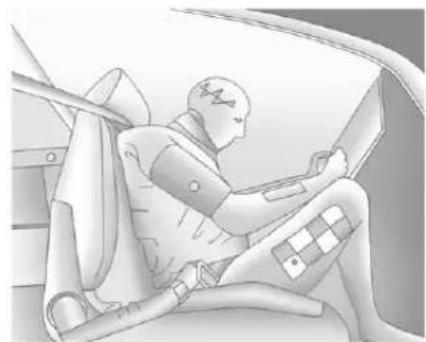
natural_image
Illustration of a person seated in a car seat, wearing a vest and holding a device (no text or symbols visible)Whenridinginavehicle,youtravel asfastasthevehicledoes.Ifthe vehiclestopssuddenly,youkeep goinguntilsomethingstopsyou. Itcouldbethewindshield,the instrumentpanel,orthesafetybelts!
Whenyouwearasafetybelt,you andthevehicleslowdowntogether. Thereismoretimetostopbecause youstopoveralongerdistanceand, whenwornproperly,yourstrongest bonestaketheforcesfromthe safetybelts.Thatiswhywearing safetybeltsmakessuchgood sense.
QuestionsandAnswersAbout SafetyBelts
Q: Willlbetrappedinthevehicle afteracrashiflamwearinga safetybelt?
A: You could be—whether you are wearing as safety belt or not. Your chance of being conscious during and after a crash, so you can unbuckle and get out, is much greater if you are belted.
Q: If my vehicle has air bags, why should have to wear safety belts?
A: Airbagsaresupplemental systemsonly; sotheyworkwith safetybelts—notinsteadof them. Whetherornotanairbag isprovided, allooccupantsstill havetobuckleuptogetthe mostprotection.
Also, innearly all states and in all Canadian provinces, the law requires wearingsafety belts.
HowtoWearSafetyBelts Properly
Thissectionisonlyforpeopleof adultsize.
Therearespecialthingstoknow aboutsafetybeltsandchildren.And therearedifferentrulesforsmaller childrenandinfants.Ifachildwillbe ridinginthevehicle,seeOlder Childrenonpage3-47orInfants andYoungChildrenonpage3-49. Followthoserulesforeveryone's protection.
Itisveryimportantforallooccupants tobuckleup.Statisticsshowthat unbeltedpeoplearehurtmoreoften incrashesthanthosewhoare wearingsafetybelts.
3-22SeatsandRestraints
Thereareimportantthingstoknow aboutwearingasafetybeltproperly.
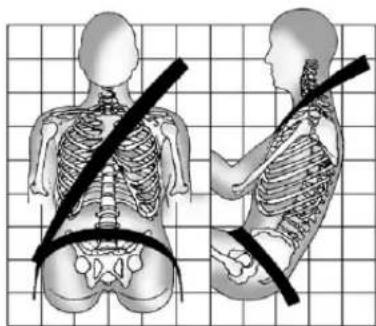
natural_image
Side-by-side anatomical illustrations of human torso and pelvis with black measurement lines on a grid background (no text or labels)- Situpstraightandalwayskeep yourfeetonthefloorinfront ofyou.
• Alwaysusethecorrectbuckle foryourseatingposition. - Wearthelappartofthebeltlow andsnugonthehips, just touchingthethighs. Inacrash, thisappliesforcetothestrong pelvicbonesandyouwouldbe lesslikelytoslideunderthelap belt. Ifyouslidunderit, thebelt
wouldapplyforceonyour abdomen. This could cause seriousorevenfatalinjuries.
- Weartheshoulderbeltoverthe shoulderandacrossthechest. Thesepartsofthebodyarebest abletotakebeltrestraining forces. Theshoulderbeltlocksif thereisasuddenstoporcrash.

WARNING
Youcanbeseriouslyinjured, orevenkilled, bynotwearing yoursafetybeltproperly.
• Neverallowthelapor shoulderbelttobecome looseortwisted.
- Neverweartheshoulderbelt underbotharmsorbehind yourback.
- Neverroutethelapor shoulderbeltoveran armrest.
Lap-ShoulderBelt
Allseatingpositionsinthevehicle havealap-shoulderbeltexceptfor thecenterfrontpassengerposition, ifequipped,whichhasalapbelt. SeeLapBeltonpage3-28formore information.
Thelap-shoulderbeltsforthefirst andsecondrowseatingpositions are equipped with free-fallinglatch plates. If the vehicle has a third row, the lap-shoulderbelt shave either free-falling or cinchinglatch plates.
Usethefollowingpicturesto determinethelatchplatestyle:
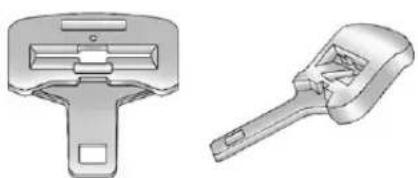
natural_image
Two mechanical tools: a multi-lock switch and a multi-handled wrench (no text or symbols visible)Free-FallingLatchPlate
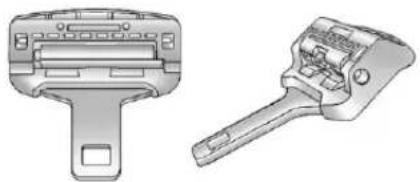
natural_image
Technical line drawings of two mechanical devices, one with a handle and the other a bracket (no text or symbols)CinchingLatchPlate
The following instructionsexplain howtowearalap-shoulderbelt properly.
-
Adjusttheseat, if theseatis adjustable, so you cansit up straight. Toseehow, see "Seats" in the Index.
-
Pickupthelatchplateandpull thebeltacrossyou.Donotletit gettwisted.
Thelap-shoulderbeltmaylockif youpullthebeltacrossyouvery quickly. Ifthishappens,letthe beltgobackslightlytounlockit. Thenpullthebeltacrossyou moreslowly.
Iftheshoulderportionofa passengerbeltwithafree-falling latchplateispulledoutallthe way,thechildrestraintlocking featuremaybeenaged.Ifthis happens,letthebeltgobackall thewayandstartagain.
Engagingthechildrestraint lockingfeatureintherightfront seatingpositionmayaffectthe passengersensingsystem, ifequipped.SeePassenger SensingSystemonpage3-39 formoreinformation.
3-24SeatsandRestraints
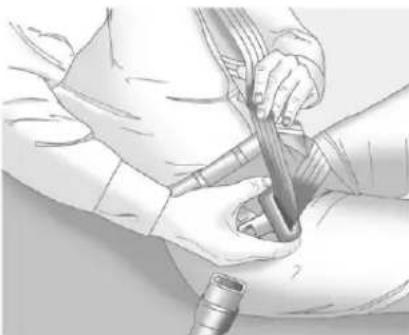
natural_image
Medical illustration showing hands performing a procedure with a tool and tubing (no text or symbols visible)If the belt stops before it reaches the buckle, for lap - shoulder belts with cinching latch plates, tilt the latch plate and keep pulling the safety belt until it can be buckled.
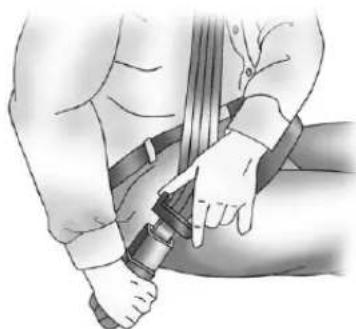
natural_image
Illustration of a person wearing a seatbelt and clapping hands (no text or symbols)3.Pushthelatchplateintothe buckleuntilitclicks.Ifyoufind thatthelatchplatewillnotgo fullyintothebuckle,seeifyou areusingthecorrectbuckle.
Pulluponthelatchplateto makesureitissecure.Ifthebelt isnotlongenough,see Safety BeltExtenderonpage3-29.
Positionthereleasebuttonon thebucklesothatthesafetybelt couldbequicklyunbuckledif necessary.
- If equipped with a shoulder belt height adjuster, move it to the height that is right for you. See "Shoulder Belt Height Adjuster" in this section for instructions on use and important safety information.
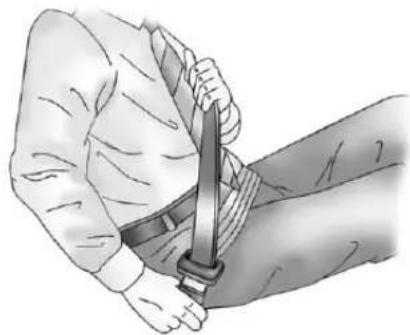
natural_image
Illustration of a person's arm holding a sword, no text or symbols present- Tomakethelapparttight, pull upontheshoulderbelt.
It may be necessary to pull stitching on the safety belt through the latch plate to fully tight enthelap beltons smaller occupants.
Tounlatchthebelt, pushthebutton onthebuckle. Thebelt should return to its stowed position.
Beforeadoorisclosed,besurethe safetybeltisoutoftheway.lfa doorisslammedagainstasafety belt,damagecanoccurtoboththe beltandthevehicle.
ShoulderBeltHeightAdjuster
The vehicle has a shoulder belt height adjuster for the driver and right front passenger positions.
Adjusttheheightsotheshoulder portionofthebeltisontheshoulder andnotfallingoffofit. Thebelt shouldbecloseto, but not contacting, theneck. Improper shoulderbeltheightadjustment could reduce the effectiveness of the safety belt in acrash. See How to Wear Safety Belts Properly on page 3-21.
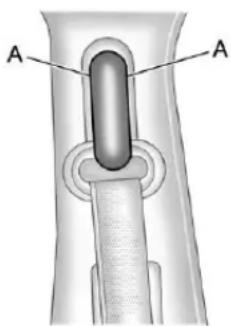
text_image
A ASqueezethebuttons(A)onthe sidesoftheheightadjusterand movetheheightadjustertothe desiredposition.
Theadjustercanbemovedupjust bypushingupontheshoulderbelt guide.
Aftertheadjusterissettothe desiredposition,trytomoveitdown withoutsqueezingthebuttonsto makesureithaslockedinto position.
SafetyBeltPretensioners
This vehiclehassafetybelt pretensionersforfrontoutboard occupants. Although the safety belt pretensioners cannot be seen, they are part of the safety belt assembly. They can help tight the safety belts during the early stages of a moderate to severe frontal, near frontal, or rear crash if the threshold conditions for pretensioner activation are met. And, if the vehiclehasside impact air bags, safety belt pretensioners can help tight the safety belts in aside crashorarollover event.
Pretensionersworkonlyonce.Ifthe pretensionersactivateinacrash, thepretensionersandprobably otherpartsofthevehicle'ssafety beltsystemwillneedtobereplaced. SeeReplacingSafetyBeltSystem PartsafteraCrashonpage3-30.
RearSafetyBeltComfort Guides
This vehicle may have rear shoulder belt comfort guides. If not, they are available through your dealer. The guides may provide added safety belt comfort for older children who have outgrown booster seats and for some adults. When installed and properly adjusted, the comfort guide position the belt away from the neck and head.
Thereisoneguide, ifequipped, for eachoutsidepassengerpositionin thesecondrowseat.
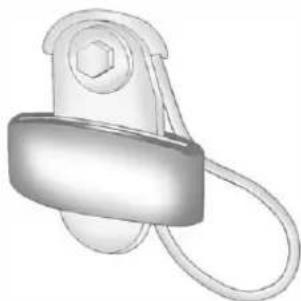
natural_image
3D illustration of a mechanical pulley or clamp device with no visible text or symbolsHereishowtoinstallacomfort guidetothesafetybelt:
- Removetheguidefromits storageclipontheinteriorbody.
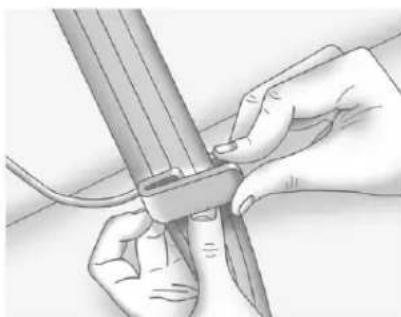
natural_image
Illustration of hands holding a pen and a ruler, no text or symbols present- Placetheguideoverthebelt, andinsertthetwoedgesofthe beltintotheslotsoftheguide.
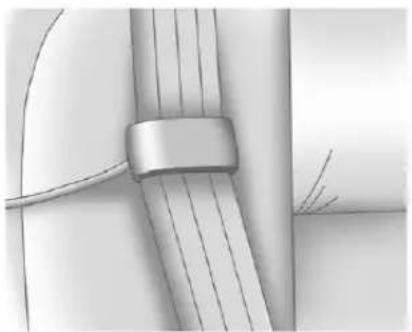
natural_image
Close-up of a metallic cable or wire with a strap, showing internal strands and a small inset view (no text or symbols)- Besurethatthebeltisnot twistedanditiesflat. The elasticcordmustbeunderthe beltandtheguideontop.
WARNING
Asafetybeltthatisnotproperly wornmaynotprovidethe protectionneededinacrash. The personwearingthebeltcouldbe seriouslyinjured. Theshoulder beltshouldgooverthesthoulder andacrossthechest. Theseparts ofthebodyarebestabletotake beltrestrainingforces.
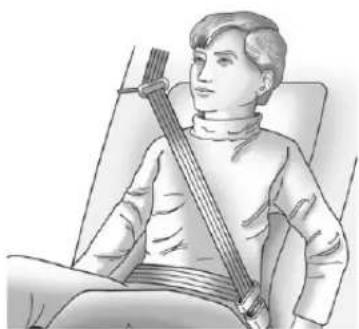
natural_image
Illustration of a person seated in a chair holding a stringed instrument (no text or symbols visible)- Buckle, position, and release the safety belt as described previously in this section. Make sure the shoulder portion of the belt is on the shoulder and not falling off of it. The belt should be closeto, but not contacting, theneck.
Toremoveandstorethecomfort guide,squeezethebeltedges togethersothatthesafetybeltcan beremovedfromtheguide.Slide theguideontoitsstoragecliponthe interiorbody.
3-28SeatsandRestraints
SafetyBeltUseDuring Pregnancy
Safetybeltsworkforeveryone, includingpregnantwomen.Likeall occupants,theyaremorelikelyto beseriouslyinjurediftheydonot wearsafetybelts.
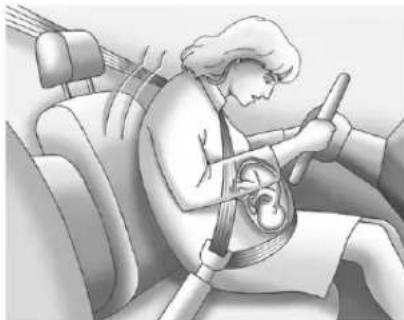
natural_image
Illustration of a person wearing a seatbelt inside a car, with no visible text or symbolsApregnantwomanshouldweara lap-shoulderbelt, and the lap portions should bewornaslowas possible, belowtherounding, throughout the pregnancy.
The best way to protect the fetus is to protect them other. When as safety belt is worn properly, it is more likely that the fetus will not be hurt in a crash. For pregnant women, as for anyone, the key to makings safety belt is effective is wearing them properly.
LapBelt
Thispartisonlyforthelapbelt. To learnhowtowearalap-shoulder belt, see Lap-ShoulderBelton page3-22.
The vehicle may have a center seating position. When you sit in the center front seating position, you have all safety belt, which has no retractor.
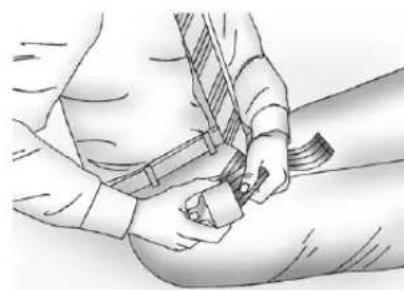
natural_image
Illustration of a person adjusting a belt buckle (no text or symbols present)Tomakethebeltlonger, tiltthelatch plateandpullitalongthebelt.
Buckle, position and release it the same way asthelappartofa lap-shoulderbelt.
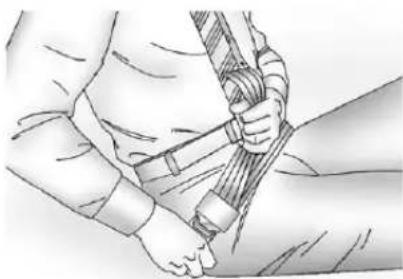
natural_image
Illustration of a person adjusting a rope or cable (no text or symbols visible)Tomakethebeltshorter, pullitsfree endasshownuntilthebeltissnug.
Ifthebeltisnotlongenough,see SafetyBeltExtenderonpage3-29.
Makesurethereleasebuttononthe buckleispositionedsoyouwould beabletounbucklethesafetybelt quicklyifnecessary.
If you find that the latch plate will not go fully into the buckle, see if you are using the correct buckle. Be sure that the latch plate clicks when inserted into the buckle.
SafetyBeltExtender
Ifthevehicle'ssafetybeltwillfasten aroundyou,youshoulduseit.
Butifasafetybeltisnotlong enough,yourdealerwillorderyou anextender.Whenyougointo orderit,taketheheaviestcoatyou willwear,sotheextenderwillbe longenoughforyou.Tohelpavoid personalinjury,donotletsomeone elseuseit,anduseitonlyforthe seatismadetofit.Theextender hasbeendesignedforadults.Never useitforsecuringchildseats.To wearit,attachittotheregularsafety belt.Formoreinformation,seethe instructionsheetthatcomeswith theextender.
SafetySystemCheck
Nowandthen, check that the safety belt reminder light, safety belts, buckles, latch plates, retractors, and anchorages are all working properly. Look for any other loose or damaged safety belts system parts that might keep safety belts system
fromdoingitsjob.Seeyourdealer tohaveitrepaired.Tornorfrayed safetybeltsmaynotprotectyouina crash.Theycanripapartunder impactforces.Ifabeltistornor frayed,getanewonerightaway.
Makesurethesafetybeltreminder lightisworking.SeeSafetyBelt Remindersonpage5-17.
Keepsafetybeltscleananddry. See SafetyBeltCareonpage3-29.
SafetyBeltCare
Keepbeltscleananddry.

WARNING
Donotbleachordyesafetybelts. Itmayseverelyweakenthem. In acrash, they might not be able to provide adequate protection. Cleansafetybeltsonly with mild soap and lukewarmwater.
ReplacingSafetyBelt SystemPartsaftera Crash

WARNING
Acrashcandamagethesafety beltsysteminthevehicle. Adamagedsafetybeltsystem maynotproperlyprotectthe personusingit,resulting in serious injuryorevendeathina crash. To help makesure the safetybeltsystemsareworking properly after acrash, havethem inspected and any necessary replacements made as soon as possible.
Afteraminorcrash, replacement of safetybeltsmaynotbenecessary. Butthesafetybeltasembliesthat were used during any crash may have been stressed or damaged. Seeyourdealertohavethesafety beltassemblies inspected or replaced.
Newpartsandrepairsmaybe necessaryevenifthesafetybelt systemwasnotbeingusedatthe timeofthecrash.
Havethesafetybeltpretensioners checkedifthevehiclehasbeenina crash,oriftheairbagreadinesslight staysonafteryoustartthevehicle orwhileyouaredriving.SeeAirbag ReadinessLightonpage5-18.
AirbagSystem
The vehicle hasthe following airbags:
• Afrontalairbagforthedriver.
- Afrontalairbagfortherightfront passenger.
- Aroof-railairbagforthedriver andpassengerdirectlybehind thedriver.
- Aroof-railairbagfortheright frontpassengerandtheperson seateddirectlybehindthat passenger.
The vehicle may have the following airbags:
- Aseat-mountedsideimpact airbagforthedriver.
- Aseat-mountedsideimpact airbagfortherightfront passenger.
- Ifthevehiclehasathirdrow seat, itwillhaveathirdrow roof-railairbag.
Alloftheairbagsinthevehiclewill havethewordAIRBAGembossed inthetrimoronanattachedlabel nearthedeploymentopening.
Forfrontalairbags, theword AIRBAG will appear on the middle part of the steering wheel for the driver and the instrument panel for the right front passenger.
Withseat-mountedsideimpact airbags, thewordAIRBAGwill appearonthesideoftheseatback closesttothedoor.
Withroof-railairbags, theword AIRBAG will appear along the headlinerortrim.
Airbagsaredesignedtosupplement theprotectionprovidedbysafety belts. Eventhoughtoday'sairbags arealsodesignedtohelpreduce theriskofinjuryfromtheforceofan inflatingbag,allairbagsmustinflate veryquicklytodotheirjob.
Herearethemostimportantthings toknowabouttheairbagsystem:
WARNING
Youcanbeseverelyinjuredor killedinacrashifyouarenot wearingyoursafetybelt—evenif youhaveairbags.Airbagsare designedtoworkwithsafety belts,butdonotreplacethem. Also,airbagsarenotdesignedto deployineverycrash.Insome crashessafetybeltsareyouronly restraint.SeeWhenShouldan AirbagInflate?onpage3-35.
Wearingyoursafetybeltduringa crashhelpsreduceyourchance ofhittingthingsinsidethevehicle orbeingejectedfromit.Airbags are“supplementalrestraints”to thesafetybelts.Everyoneinyour vehicleshouldwearasafetybelt properly—whetherornotthereis anairbagforthatperson.
WARNING
Because airbagsinflatewithgreat forceandfasterthantheblinkof aneye,anyonewhoisup against,orveryclosetoany airbagwhenitinflatescanbe seriouslyinjuredorkilled.Donot situnnecessarilyclosetoany airbag,asyouwouldbeifsitting ontheedgeoftheseatorleaning forward.Safetybeltshelpkeep youinpositionbeforeandduring acrash.Alwayswearasafety belt,evenwithairbags.Thedriver shouldsitasfarbackaspossible whilestillmaintainingcontrol of thevehicle.
Occupantsshouldnotleanonor sleepagainstthedoororside windowsinseatingpositionswith seat-mountedsideimpactairbags and/orroof-railairbags.
3-32SeatsandRestraints

WARNING
Childrenwhoareupagainst, orverycloseto,anyairbag whenitinflatescanbeseriously injuredorkilled.Airbagsplus lap-shoulderbeltsofferprotection foradultsandolderchildren,but notforyoungchildrenandinfants. Neitherthevehiclesafetybelt systemnoritsairbagsystemis designedforthem.Young childrenandinfantsneedthe protectionthatachildrestraint systemcanprovide.Always securechildrenproperlyinthe vehicle.Toreadhow,seeOlder Childrenonpage3-47orInfants andYoungChildrenon page3-49.

Thereisanairbagreadinesslight ontheinstrumentpanelcluster, whichshowstheairbagsymbol.
Thesystemcheckstheairbag electricalsystemformalfunctions. Thelighttellsyouifthereisan electricalproblem.SeeAirbag ReadinessLightonpage5-18for moreinformation.
WhereAretheAirbags?
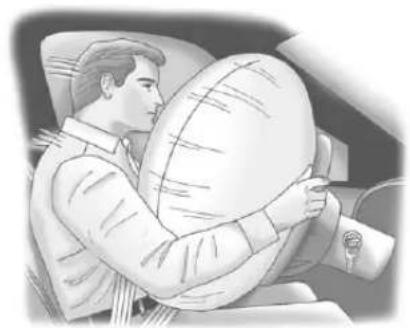
natural_image
Illustration of a person sitting in a car, holding a large circular object (no text or symbols visible)Thedriverfrontalairbagisinthe middleofthesteeringwheel.
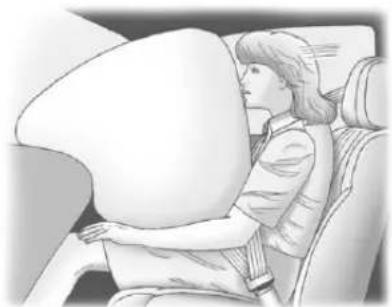
natural_image
Illustration of a person seated in a car, viewed from the side (no text or symbols visible)Therightfrontpassengerfrontal airbagisintheinstrumentpanel on thepassenger'sside.
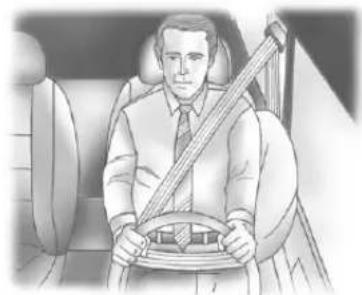
natural_image
Illustration of a man sitting in a car seat, holding a steering wheel (no text or symbols visible)DriverSideShown, Passenger SideSimilar
Ifthevehiclehasseat-mountedside impactairbagsforthedriverand rightfrontpassenger,theyareinthe sideoftheseatbacksclosestto thedoor.
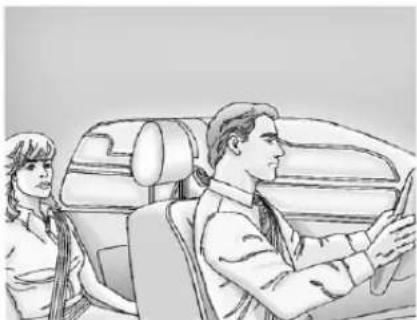
natural_image
Illustration of a car interior with two people, one seated and one standing, showing no text or symbols.DriverSideShown, Passenger SideSimilar
Theroof-railairbagsforthedriver, rightfrontpassenger,andsecond rowoutboardpassengersareinthe ceilingabovethesidewindows.
3-34SeatsandRestraints
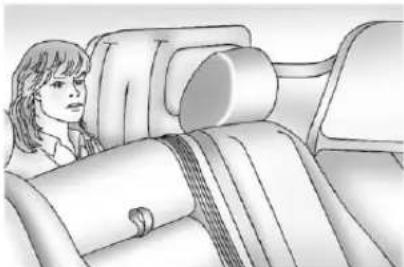
natural_image
Illustration of a person seated in a car seat, viewed from the side (no text or symbols present)DriverSideShown, Passenger SideSimilar
Ifthevehiclehasathirdrow passengerseat,theroof-railairbags arelocatedintheceilingabovethe rearwindowsfortheoutboard passengerpositionsinthethirdrow.
WARNING
If something is between an occupant and an airbag, the airbag might not inflate properly or might for the object into that person causing severe injury over death. The path of an inflating air bag must be kept clear. Donot put anything between an occupant and an airbag, and donot attach or put anything on the steering wheel hub or on near any other air bag covering.
(Continued)
WARNING(Continued)
Donotuseseataccessoriesthat blocktheinflationpathofa seat-mountedsideimpactairbag.
Neversecureanythingtotheroof ofvehiclewithroof-railairbags byroutingaropeortie-down throughanydoororwindow opening. If youdo, the pathofan inflatingroof-railairbagwillbe blocked.
WhenShouldanAirbag Inflate?
Frontalairbagsaredesignedto inflateinmoderatetoseverefrontal ornear-frontalcrashestohelp reducethepotentialforsevere injuriesmainlytothedriver'sorright frontpassenger'sheadandchest. However,theyareonlydesignedto inflateiftheimpactexceedsa predetermineddeployment threshold.Deploymentthresholds areusedtopredicthowseverea crashislikelytobeintimeforthe airbagstoinflateandhelprestrain theoccupants.
Whether the frontal air bags willor should deploy is not based on how fast the vehicle is traveling. It depends largely on what you hit, the direction of the impact, and how quickly the vehicles slows down.
Frontalairbagsmayinflateat differentcrashspeeds. For example:
- Ifthevehiclehitsastationary object, theairbagscouldinflate atadifferentcrashspeedthanif thevehiclehitsamovingobject.
- Ifthevehiclehitsanobjectthat deforms,theairbagscould inflateatadifferentcrashspeed thanifthevehiclehitsanobject doesnotdeform.
- Ifthevehiclehitsanarrowobject (likeapole), theairbags could inflate at different crash speed than if the vehicle hits a wide object (likeawall).
- Ifthevehiclegoesintoanobject atanangle, theairbags could inflate at different crash speed than if the vehiclegoes straight into the object.
Thresholdscanalsovarywith specificvehicledesign.
Frontalairbagsarenotintendedto inflateduringvehiclerollovers, rear impacts, orinmanysideimpacts.
Inaddition, the vehicle has dual-stage frontal airbags. Dual-stage airbags adjust the restraint according to crash severity. The vehicle has electronic frontal sensors, which help the sensing system distinguish between a moderate frontal impact and more severe frontal impact. Form moderate frontal impacts, dual-stage airbags inflate at level less than full deployment. Form more severe frontal impacts, full deployment occurs.
The vehicle has a seat position sensor. Vehicles with dual stage airbags also have a seat position sensors which enable the sensing system to monitor the position of the driver seat and may or may not monitor the position of the front passenger seat.
Theseatpositionsensorprovides informationthatisusedtodetermine iftheairbagsshoulddeployata reducedleveloratfulldeployment.
The vehicle may inform any to have seat-mounted side impact air bags. The vehicle has roof-rail air bags. See Airbag System page 3-30. Seat-mounted side impact air bags and roof-rail air bags are intended to inflate in moderate to severe crashes. In addition, the seroof-rail air bags are intended to inflate during a rollover or inasevere frontal impact. Seat-mounted side impact air bags and roof-rail air bags will inflate if the crash severity is above the system's designed threshold level. The threshold level can vary with specific vehicle design.
Roof-railairbagsarenotintended toinflateinrearimpacts.A seat-mountedsideimpactairbagis intendedtodeployonthesideofthe vehiclethatisstruck.Bothroof-rail airbagswilldeploywheneitherside ofthevehicleisstruckorifthe sensingsystempredictsthatthe vehicleisabouttorollover,orina severefrontalimpact.
Inanyparticularcrash, noonecan say whether an airbag should have inflated simply because of the damage to a vehicle or because of what therepair cost were. For frontal airbags, inflation is determined by what the vehicle hits, the angle of the impact, and how quickly the vehicles slows down. For seat-mounted side impact and roof-rail air bags, deployment is determined by the location and severity of the side impact. In a rollover event, roof-rail air bag deployment is determined by the direction of the roll.
WhatMakesanAirbag Inflate?
Inadeploymentevent,thesensing systemsendsanelectricalsignal triggeringareleaseofgasfromthe inflator.Gasfromtheinflatorfillsthe airbagcausingthebagtobreakout ofthecoveranddeploy.Theinflator, theairbag,andrelatedhardwareare allpartoftheairbagmodule.
Frontalairbagmodulesarelocated insidethesteeringwheel and instrumentpanel. For vehicles with seat-mounted side impact airbags, there are air bags modules in the side of the front seat back closest to the door. For vehicles with roof-rail air bags, there are air bag modules in the ceiling of the vehicle, near the sidewindow sthath have occupant seating positions.
HowDoesanAirbag Restrain?
Inmoderatetoseverefrontalor nearfrontalcollisions, evenbelted occupantscancontactthesteering wheelortheinstrumentpanel. In moderatetoseveresidecollisions, evenbeltedoccupantscancontact theinsideofthevehicle.
Airbagssupplementtheprotection providedbysafetybelts. Frontal airbagsdistributetheforceofthe impactmoreevenlyoverthe occupant'supperbody, stopping theoccupantmoregradually. Seat-mountedsideimpactand roof-railairbagsdistributetheforce oftheimpactmoreevenlyoverthe occupant'supperbody.
Rollovercapableroof-railairbags aredesignedtohelpcontainthe headandchestofoccupantsinthe outboardseatingpositionsinthe first,second,andthirdrows, ifequippedwithathirdrowseat. Therollovercapableroof-rail airbagsaredesignedtohelpreduce theriskoffullorpartialejectionin rolloverevents,althoughnosystem canpreventallsuchejections.
Butairbagswouldnothelpinmany typesofcollisions,primarily becausetheoccupant'smotionis nottowardthoseairbags.SeeWhen ShouldanAirbagInflate?on page3-35formoreinformation.
Airbagsshouldneverberegarded asanythingmorethanasupplement tosafetybelts.
WhatWillYouSeeafter anAirbagInflates?
Afterthefrontalairbagsand seat-mountedsideimpactairbags inflate,theyquicklydeflate,so quicklythatsomepeoplemaynot evenrealizeanairbaginflated. Roof-railairbagsmaystillbeatleast partiallyinflatedforsometimeafter theydeploy.Somecomponentsof theairbagmodulemaybehotfor severalminutes.Forlocationofthe airbagmodules,seeWhatMakes anAirbagInflate?onpage3-36.
Thepartsoftheairbagthatcome intocontactwithyoumaybewarm, butnottoohottotouch. Theremay besomesmokeanddustcoming fromtheventsinthedeflated airbags. Airbaginflationdoesnot preventthedriverfromseeingoutof thewindshieldorbeingabletosteer thevehicle, nordoesitprevent peoplefromleavingthevehicle.
WARNING
Whenanairbaginflates, there maybedustintheair. Thisdust couldcausebreathingproblems forpeoplewithahistory of asthmaorotherbreathingtrouble. Toavoidthis, everyoneinthe vehicles shouldgetoutassoonas itissafetodoso. If you have breathingproblems but cannot getoutofthevehicleafteran airbaginflates, thengetfreshair byopeningawindoworadoor. If you experience breathing problems following anairbag deployment, you should seek medical attention.
The vehicle may have a feature that may automatically unlock the doors, turn on the interior lamps and hazard warning flashers, and shut off the fuel system after the air bags inflate. You can lock the doors, turn
offtheinteriorlampsandhazard warningflashersbyusingthe controlsforthosefeatures.
WARNING
Acrashsevereenoughtoinflate theairbagsmayhavealso damagedimportantfunctionsin thevehicle,suchasthefuel system,brakeandsteering systems,etc.Evenifthevehicle appearstobedrivableaftera moderatecrash,theremaybe concealeddamagethatcould makeitdifficulttosafelyoperate thevehicle.
Usecautionifyoushouldattempt torestarttheengineafteracrash hasoccurred.
Inmanycrashessevereenoughto inflatetheairbag, windshieldsare brokenbyvehicledeformation. Additionalwindshieldbreakagemay alsooccurfromtherightfront passengerairbag.
- Airbagsaredesignedtoinflate onlyonce.Afteranairbag inflates,youwillneedsomenew partsfortheairbagsystem. Ifyoudonotgetthem,the airbagsystemwillnotbethere tohelpprotectyouinanother crash.Anewsystemwillinclude airbagmodulesandpossibly otherparts.Theservicemanual foryourvehiclecoverstheneed toreplaceotherparts.
- The vehicle has acrash sensing and diagnostic module which records information after a crash. See Vehicle Data Recording and Privacy on page 13-20 and Event Data Recorderson page 13-20.
- Letonlyqualifiedtechnicians workontheairbagsystems. Improperservicecanmeanthat anairbagsystemwillnotwork properly.Seeyourdealerfor service.
PassengerSensing System
If the vehicle has the passenger airbag status indicator pictured in the following illustration, then the vehicle has passengers sensing system for the right front passenger position. The passenger airbag status indicator, if equipped, is visible on the overhead console when the vehicle is started.
Inaddition, if the vehicle has a passengersensingsystem for the right front passenger position, the label on the vehicle's sunvisors refer to "ADVANCED AIRBAGS".
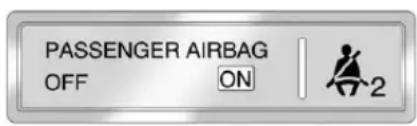
text_image
PASSENGER AIRBAG OFF ON 2UnitedStates
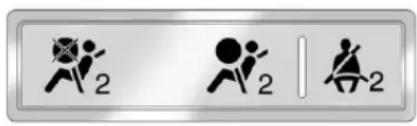
text_image
Three symbolic icons representing running figures with numbers 2, and a vertical line, likely indicating movement or posture.CanadaandMexico
ThewordsONandOFF,orthe symbolsforonandoff,willbe visibleduringthesystemcheck. Ifyouareusingremotestart, ifequipped,tostartthevehiclefrom adistance,youmaynotseethe systemcheck.Whenthesystem checkiscomplete,eithertheword ONorOFF,orthesymbolforonor off,willbevisible.SeePassenger AirbagStatusIndicatoron page5-18.
3-40SeatsandRestraints
Thepassengersensingsystemwill turnofftherightfrontpassenger frontalairbagundercertain conditions. Thedriverairbag, seat-mountedsideimpactairbags (ifequipped)andtheroof-rail airbagsarenotaffectedbythe passengersensingsystem.
Thepassengersensingsystem workswithsensorsthatarepartof therightfrontpassengerseatand safetybelt. Thesensorsare designedtodetectthepresenceof aproperly-seatedoccupantand determineiftherightfront passengerfrontalairbagshouldbe enabled(mayinflate)ornot.
According to accident statistics, children are safer when properly secured in a rearseatin the correct child restraint for their weight and size.
Werecommendthatchildrenbe securedinarearseat,including:an infantorachildridingina rear-facingchildrestraint;achild ridinginaforward-facingchildseat; anolderchildridinginabooster seat;andchildren,whoarelarge enough,usingsafetybelts.
Alabelonthesunvisorsays, "Neverputarear-facingchildseatin thefront." Thisisbecausetheriskto therear-facingchildissogreat, iftheairbagdeploys.

WARNING
Achildinarear-facingchild restraintcanbeseriously injuredorkillediftherightfront passengerairbaginflates. Thisisbecausethebackofthe rear-facingchildrestraintwould beveryclosetotheinflating airbag.Achildinaforward-facing childrestraintcanbeseriously injuredorkillediftherightfront (Continued)
WARNING(Continued)
passengerairbaginflatesandthe passengerseatisinaforward position.
Evenifthepassengersensing systemhasturnedofftheright frontpassengerfrontalairbag,no systemisfail-safe.Noonecan guaranteeethatanairbagwillnot deployundersomeunusual circumstance,eventhoughthe airbagisturnedoff.
Securerear-facingchild restraintsinarearseat,evenif theairbagisoff.Ifyousecurea forward-facingchildrestraintin therightfrontseat,alwaysmove thefrontpassengerseatasfar backasitwillgo.Itisbetterto securethechildrestraintina rearseat.
Thepassengersensingsystemis designedtoturnofftherightfront passengerfrontalairbagif:
• Therightfrontpassengerseatis unoccupied.
- Thesystemdeterminesaninfant ispresentinachildrestraint.
- Arightfrontpassengertakes his/herweightoffoftheseatfor aperiodoftime.
- Thereisacriticalproblemwith theairbagsystemorthe passengersensingsystem.
Whenthepassengersensing systemhasturnedofftherightfront passengerfrontalairbag,theoff indicatorwilllightandstaylitasa reminderthattheairbagisoff.See PassengerAirbagStatusIndicator onpage5-18.
Thepassengersensingsystemis designedtoturnon(mayinflate)the rightfrontpassengerfrontalairbag anytimethesystemsensesthata personofadultsizeissitting properlyintherightfront passengerseat.
Whenthepassengersensing systemhasallowedtheairbagtobe enabled, theonindicatorwilllight andstaylitasareminderthatthe airbagisactive.
Forsomechildren, including childreninchildrestraints, and for very small adults, the passenger sensingsystemmayormaynotturn offtherightfrontpassengerfrontal airbag, depending upon the person's seatingpostureandbody build. Everyone in the vehicle who has outgrown childrestraints should wear as safety belt properly—whether or not there is an airbag forth at person.

WARNING
If the airbagreadiness light ever comes on and stay on, it means that something may be wrong with the air bags system. To help avoid injury to yourself for others, have the vehicles serviced right away. See Airbag Readiness Lighton page 5-18 form more information, including important safety information.
IftheOnIndicatorisLitfora ChildRestraint
Ifachildrestrainthasbeeninstalled andtheonindicatorislit:
- Turnthevehicleoff.
- Removethechildrestraint from the vehicle.
- Remove any additional items from these seats such as blankets, cushions, seat covers, seat heaters, or seat massagers.
3-42SeatsandRestraints
-
Reinstall the child restraint following the directions provided by the child restraint manufacturer and referto Securing Child Restraints (Rear Seat Position) on page 3-63 or Securing Child Restraints (Right Front Seat Position) on page 3-66 or Securing Child Restraints (Center Front Seat Position) on page 3-66.
-
If, after reinstalling the child restraint and restarting the vehicle, the on indicator is still lit, turn the vehicle off. Then slightly reclin the vehicle seat back and adjust these at cushion, if adjustable, to make sure that the vehicle seat back is not pushing the child restraint into these at cushion.
Alsomakesurethechild restraintisnottrappedunderthe vehicleheadrestraint. If this happens, adjust the head restraint. See Head Restraints on page 3-2.
6.Restartthevehicle.
Thepassengersensingsystem mayormaynotturnoffthe airbagforachildinachild restraintdependinguponthe child'sseatingpostureandbody build.Itisbettertosecurethe childrestraintinarearseat.
IftheOffIndicatorisLitforan Adult-SizeOccupant
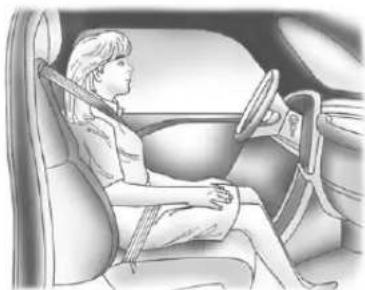
natural_image
Interior view of a car showing a person seated in the driver's seat, steering wheel, and dashboard (no text or symbols visible)Ifapersonofadultsizeissittingin therightfrontpassengerseat,but theoffindicatorislit,itcouldbe becausethatpersonisnotsitting
properlyintheseat.Ifthishappens, usethefollowingstepstoallowthe systemtodetectthatpersonand enabletherightfrontpassenger frontalairbag:
- Turnthevehicleoff.
- Remove any additional material from these seat, such as blankets, cushions, seat covers, seat heaters, or seat massagers.
- Placetheseatbackinthefully uprightposition.
- Havethepersonsituprightin theseat, centeredontheseat cushion, with legscomfortably extended.
- Restart the vehicle and have the person remain in this position for two to three minutes after the indicator is lit.
AdditionalFactorsAffecting SystemOperation
Safetybeltshelpkeep the passengerinpositionontheseat duringvehiclemaneuversand braking,whichhelpsthepassenger sensingsystemmaintainthe passengerairbagstatus.See "SafetyBelts" and "ChildRestraints" intheIndexforadditional informationabouttheimportance ofproperrestraintuse.
Iftheshoulderportionofthebeltis pulledoutalltheway,thechild restraintlockingfeaturewillbe engaged.Thismayunintentionally causethepassengersensing systemtoturntheairbagoffor someadult-sizeoccupants.Ifthis happens,letthebeltgobackallthe wayandstartagain.
Athicklayerofadditionalmaterial, suchasablanketorcushion, oraftermarketequipmentsuchas seatcovers,seatheaters,andseat massagers,canaffecthowwellthe passengersensingsystem operates.Werecommendthatyou notuseseatcoversorother aftermarketequipmentexceptwhen approvedbyGMforyourspecific vehicle.SeeAddingEquipmentto theAirbag-EquippedVehicleon page3-44formoreinformation aboutmodificationsthatcanaffect howthesystemoperates.
Theonindicatormaybelitifan object,suchasabriefcase, handbag,grocerybag,laptop, orother electronic device,isputon anunoccupiedseat.Ifthisisnot desired,removetheobjectfrom theseat.

WARNING
Stowingofarticlesunderthe passengerseatorbetweenthe passengerseatcushionand seatbackmayinterferewiththe properoperationofthepassenger sensingsystem.
Servicingthe Airbag-EquippedVehicle
Airbags affect how the vehicle should be serviced. There are parts of the air bagsystem in several places around the vehicle. Your dealer and the servicemanual have information about servicing the vehicle and the air bags system. To purchase as servicemanual, see Service Publications Ordering Information on page 13-18.

WARNING
Forupto10secondsafterthe vehicleisturnedoffandthe batteryisdisconnected,anairbag canstillinflateduringimproper service.Youcanbeinjuredifyou areclosetoanairbagwhenit inflates.Avoidyellowconnectors. Theyareprobablypartofthe airbagsystem.Besuretofollow (Continued)
WARNING(Continued)
properserviceprocedures, and makesurethepersonperforming workforyouisqualifiedtodoso.
AddingEquipmenttothe Airbag-EquippedVehicle
Q: Isthereanythinglmightadd toorchangeaboutthevehicle thatcouldkeeptheairbags fromworkingproperly?
A: Yes. If you add things that change your vehicle's frame, bumpersystem, height, frontend or sidesheet metal, they may keep the airbags system from working properly. Changing or moving any part of the front seats, safety belts, the airbag sensing and diagnostic module, steering wheel, instrument panel, roof-rail airbag modules, ceiling headliner or pillargarnish trim, overhead console, front
sensors, sideimpact sensors, orairbag wiring can affect the operation of the airbags system. In addition, the vehicle may have passengersensingsystem for the right front passenger's position, which includes sensors that are part of the passenger's seat. The passengersensing system may not operate properly if the original seat trim is replaced with non-GM covers, upholstery ortrim, or with GM covers, upholstery ortrim designed for different vehicle. Any object, such as an aftermarket seat theaterora comfortenhancing pador device, installed under orontop of these at fabric, could also interfere with the operation of the passengersensingsystem. This could either prevent proper deployment of the passenger airbag(s) or prevent the passengersensingsystem from properly turning off the
passengerairbag(s).See PassengerSensingSystemon page3-39.
If you have any questions about this, you should contact Customer Assistance before you modify your vehicle. The phone numbers and addresses for Customer Assistance are in Step Two of the Customer Satisfaction Procedure in this manual. See Customer Satisfaction Procedure (U.S. and Canada) on page 13-1 or Customer Satisfaction Procedure (Mexico) on page 13-3.
If the vehicle has rollover roof-rail air bags, see Different Size Tires and Wheelson page 10-68 for additional important information.
Q: Whatifladdedasnowplow? Willitkeeptheairbagsfrom workingproperly?
A: We have designed our airbag system to work properly under awider range of conditions, including snow plowing with vehicle sthathavethe optional Snow Plow Prep Package (RPOVYU). But donot change or defeat the snow plow's "tripping mechanism." If you do, it can damage your snow plow and your vehicle, and it may cause an air bag inflation.
Q: Because have adisability, I havetogetmy vehicle modified. How can find out whether this will affect my air bagsystem?
A: If you have questions, call Customer Assistance. The phonenumbers and addresses for Customer Assistance are in Step Two of the Customer Satisfaction Procedure in this manual. See Customer Satisfaction Procedure (U.S. and Canada) on page 13-1 or Customer Satisfaction Procedure (Mexico) on page 13-3.
Inaddition, your dealer and the servicemanual have information about the location of the airbag sensors, sensing and diagnostic module and airbag wiring.
AirbagSystemCheck
Theairbagsystemdoesnotneed regularly scheduled maintenance or replacement. Makesuretheairbag readinesslightisworking. See AirbagReadinessLighton page5-18.
Notice:Ifanairbagcoveringis damaged, opened, or broken, the airbag may not work properly. Do not open or break the airbag coverings. If there are any opened or broken airbag covers, havethe airbag covering and/or airbag modulere placed. For the location of the airbags, see Where Are the Airbags? on page 3-32. See your dealer for service.
ReplacingAirbagSystem PartsafteraCrash

WARNING
Acrashcandamagethe airbagsystemsinthevehicle. Adamagedairbagsystem maynotworkproperly and maynotprotectyouandyour passenger(s)inacrash, resulting inseriousinjuryorevendeath. Tohelpmakesuretheairbag systemsareworkingproperly afteracrash,havethem inspectedandanynecessary replacementsmadeassoonas possible.
Ifanairbaginflates, you will need to replace airbagsystemparts. See your dealer for service.
If the airbag readiness slight stay on after the vehicle is started or comes on when you are driving, the airbag system may not work properly. Have the vehicles serviced right away. See Airbag Readiness Lighton page 5-18.
ChildRestraints OlderChildren
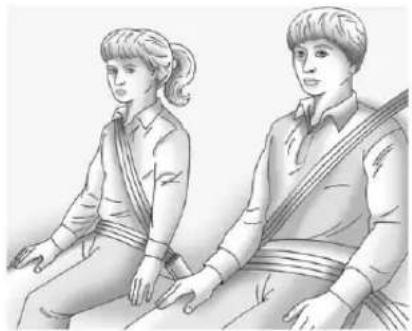
natural_image
Illustration of two individuals seated, one wearing a tassel and the other in a vest (no text or symbols present)Olderchildrenwhohaveoutgrown boosterseatsshouldwearthe vehiclesafetybelts.
Themanufacturer'sinstructionsthat comewiththeboosterseatstatethe weightandheightlimitationsforthat booster.Useaboosterseatwitha lap-shoulderbeltuntilthechild passesthefittestbelow:
- Sitallthewaybackontheseat. Dothekneesbendattheseat edge?Ifyes,continue.Ifno, returntotheboosterseat.
- Bucklethelap-shoulderbelt. Doestheshoulderbeltreston theshoulder?Ifyes,continue. Ifno,tryusingtherearsafety beltcomfortguide.See"Rear SafetyBeltComfortGuides" underLap-ShoulderBelton page3-22formoreinformation. Iftheshoulderbeltstilldoesnot restontheshoulder,thenreturn totheboosterseat.
- Doesthelapbeltfitlowand snugonthehips,touchingthe thighs?Ifyes,continue.Ifno, returntotheboosterseat.
- Canpropersafetybeltfitbe maintainedforthelengthofthe trip?Ifyes,continue.Ifno, returntotheboosterseat.
Q:Whatistheproperwayto wearsafetybelts?
A: Anolderchildshouldwearalap-shoulderbeltandgettheadditionalrestraintashoulderbeltcanprovide. Theshoulderbeltshouldnotcrossthefaceorneck. Thelapbeltshouldfitsnuglybelowthehips, justtouchingthetopofthethighs.Thisappliesbeltforcetothechild'spelvicbonesinacrash.Itshouldneverbewornovertheabdomen,whichcouldcausesevereorevenfatalinternalinjuriesinacrash.
Alsosee"RearSafetyBeltComfort Guides"underLap-ShoulderBelton page3-22.
3-48SeatsandRestraints
According to accident statistics, children and infants are safer when properly restrained in a child restraintsystemor infant restraint system secured in a rearseating position.
Inacrash, children who are not buckled up can strike other people who are buckled up, or can be thrown out of the vehicle. Older children need to use safety belts properly.

WARNING
Neverallowmorethanonechild towearthesamesafetybelt. The safetybelt cannot properly spread the impact forces. Inacrash, they can be crushed together and seriously injured. Asafetybelt must be used by only one person at time.
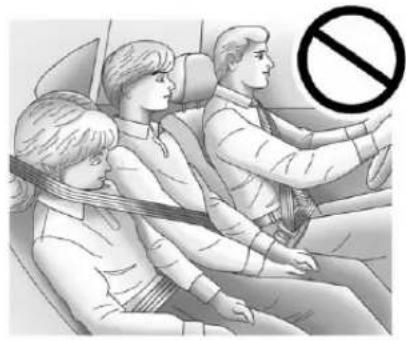
natural_image
Illustration of three people seated in a car, one wearing a seatbelt, with a no-smoking symbol overlaid (no text or symbols present)
WARNING
Neverallowachildtowearthe safetybeltwiththeshoulderbelt behindtheirback.Achildcanbe seriouslyinjuredbynotwearing thelap-shoulderbeltproperly.Ina crash,thechildwouldnotbe restrainedbytheshoulderbelt. Thechildcouldmovetoofar forwardincreasingthechanceof headandneckinjury.Thechild mightalsoslideunderthelap
(Continued)
WARNING(Continued)
belt. The belt force would then be applied right on the abdomen.
That could cause serious or fatal injuries. Theshoulder belt should go over the shoulder and across the chest.
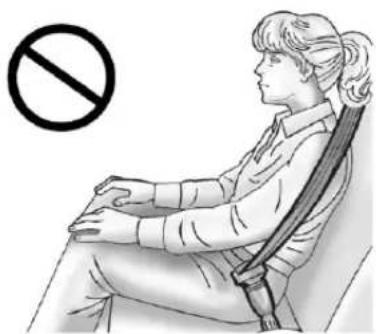
natural_image
Illustration of a person sitting in a chair with a diagonal bar, no text or symbols presentInfantsandYoung Children
Everyoneinavehicleneeds protection! Thisincludesinfantsand allotherchildren. Neitherthe distancetravelednortheage and sizeofthetravelerchangesthe need,foreveryone,tousesafety restraints. Infact,thelawinevery stateintheUnitedStatesandin everyCanadianprovincesays childrenuptosomeagemustbe restrainedwhileinavehicle.

WARNING
Childrencanbeseriouslyinjured orstrangledifashoulderbeltis wrappedaroundtheirneckand thesafetybeltcontinuesto tighten.Neverleavechildren unattendedinavehicleandnever allowchildrentoplaywiththe safetybelts.
Airbagspluslap-shoulderbeltsoffer protectionforadultsandolder children,butnotforyoungchildren andinfants.Neitherthevehicle's safetybeltsystemnoritsairbag systemisdesignedforthem.Every timeinfantsandyoungchildrenride invehicles,theyshouldhavethe protectionprovidedbyappropriate childrestraints.
Childrenwhoarenotrestrained properlycanstrikeotherpeople, orcanbethrownoutofthevehicle.

WARNING
Neverholdaninfantorachild whileridinginavehicle.Dueto crashforces,aninfantorachild willbecomesoheavyitisnot possibletoholditduringacrash. Forexample,inacrashatonly 40km/h(25mph),a5.5kg(12lb) infantwillsuddenlybecomea 110kg(240lb)forceonaperson's (Continued)
WARNING(Continued)
arms.Aninfantshouldbe securedinanappropriate restraint.
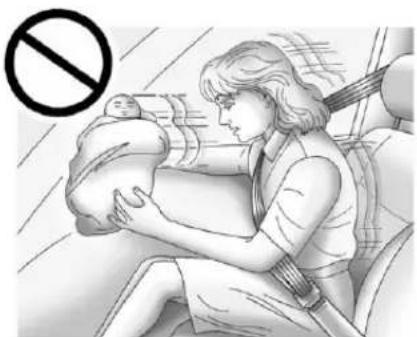
natural_image
Illustration of a woman breastfeeding a baby in a car seat, with no visible text or symbols
WARNING
Childrenwhoareupagainst, orverycloseto,anyairbagwhen itinflatescanbeseriouslyinjured orkilled.Neverputarear-facing childrestraintintherightfront seat.Securearear-facingchild restraintinarearseat.Itisalso bettertosecureaforward-facing childrestraintinarearseat.Ifyou mustsecureaforward-facing childrestraintintherightfront seat,alwaysmovethefront passengerseatasfarbackasit willgo.
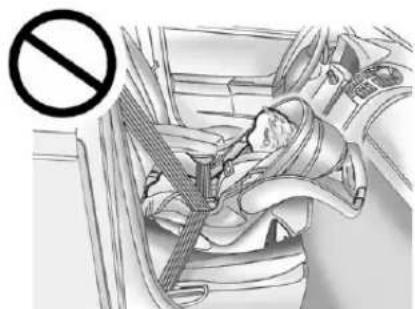
natural_image
Interior view of a car showing a car seatbelt and a person seated, with a no-smoking symbol overlaid (no text or labels present)Q: Whatarethedifferenttypes of add-onchildrestraints?
A: Add-onchildrestraints, which are purchased by the vehicle owner, are available in four basic types. Selection of particular restraint should take into consideration not only the child's weight, height, and age but also whether or not the restraint will be compatible with the motor vehicle in which it will be used. Formost basic types of child restraints, there are many different models available. When purchasing a child restraint, be
sureitisdesignedtobeusedin amotorvehicle. Ifitis, the restraintwillhavealabelsaying thatitmeetsfederalmotor vehiclesafetystandards.
Therestraintmanufacturer's instructionsthatcomewiththe restraintstatetheweightand heightlimitationsforaparticular childrestraint.Inaddition,there aremanykindsofrestraints availableforchildrenwith specialneeds.

WARNING
Toreducetheriskofneck and headinjury during acrash, infants need completes support. In a crash, if an infant's in a rear-facing child restraint, the crash forces can be distributed across the strongest part of an infant's body, the back and shoulders. Infant should always besecured in rear-facing child restraints.
WARNING
Ayoungchild'shipbonesarestill sosmallthatthevehicle'sregular safetybeltmaynotremainlowon thehipbones,asitshould. Instead,itmaysettleuparound thechild'sabdomen.Inacrash, thebeltwouldapplyforceona bodyareathatisunprotectedby anybonystructure.Thisalone couldcauseseriousorfatal injuries.Toreducetheriskof seriousorfatalinjuriesduringa crash,youngchildrenshould alwaysbesecuredinappropriate childrestraints.
ChildRestraintSystems
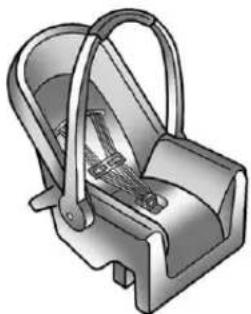
natural_image
3D illustration of a mechanical device with handle and internal components (no text or symbols)Rear-FacingInfantSeat
Arear-facinginfantseatprovides restraintwiththeseatingsurface againstthebackoftheinfant.
The harnesssystemholdstheinfant inplaceand,inacrash,actsto keeptheinfantpositionedinthe restraint.
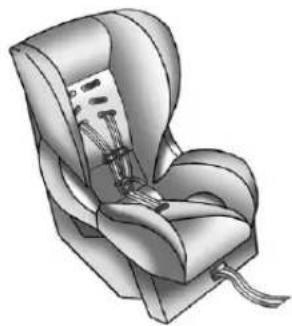
natural_image
Illustration of a car seat with straps and straps (no text or symbols)Forward-FacingChildSeat
Aforward-facingchildseatprovides restraintforthechild'sbodywiththe harness.
3-52SeatsandRestraints
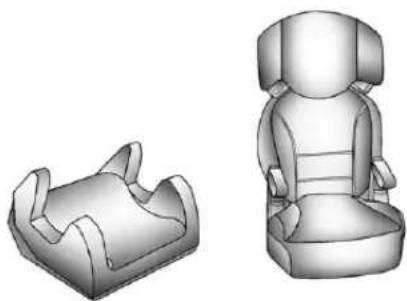
natural_image
3D rendered image of two car seat designs, one cut open and one seated (no text or symbols)BoosterSeats
Aboosterseatisachildrestraint designedtoimprovethefitofthe vehicle'ssafetybeltsystem. Aboosterseatcanalsohelpachild toseeoutthewindow.
SecuringanAdd-OnChild RestraintintheVehicle
WARNING
Achildcanbeseriouslyinjuredor killedinacrashifthechild restraintisnotproperlysecuredin thevehicle.Securethechild restraintproperlyinthevehicle usingthevehiclesafetybeltor LATCHsystem,followingthe instructionsthatcamewiththat childrestraintandtheinstructions inthismanual.
Tohelpreducethechanceofinjury, thechildrestraintmustbesecured inthevehicle.Childrestraint systemsmustbesecuredinvehicle seatsbylapbeltsorthelapbelt portionofalap-shoulderbelt,orby theLATCHsystem.SeeLower AnchorsandTethersforChildren (LATCHSystem)onpage 3-55.
Childrencanbeendangeredina crashifthechildrestraintisnot properlysecuredinthevehicle.
Whensecuringanadd-onchild restraint, refertotheinstructions that comewiththerestraint which maybeontherestraintitselforina booklet, orboth, and to this manual. The child restraint instructions are important, so if they are not available, obtain are replacement copy from the manufacturer.
Keepinmindthatanunsecured childrestraintcanmovearoundina collisionorsuddenstopandinjure peopleinthevehicle.Besureto properlysecureanychildrestraintin thevehicle—evenwhennochildis init.
In some areas of the United States and Canada, Certified Child Passenger Safety Technicians (CPSTs) are available to inspect and demonstrate how to correctly use and install child restraints. In the U.S., referto the National Highway Traffic Safety Administration (NHTSA) website to locate the nearest child's safety seat inspection station. For CPST availability in Canada, check with Transport Canada or the Provincial Ministry of Transportation office.
SecuringtheChildWithinthe ChildRestraint
WARNING
Achildcanbeseriouslyinjuredor killedinacrashifthechildisnot properlysecuredinthechild restraint.Securethechild properlyfollowingtheinstructions thatcamewiththatchildrestraint.
WheretoPutthe Restraint
According to accident statistics, children and infants are safer when properly restrained in a child restraintsystemor infant restraint system secured in a rearseating position.
Werecommendthatchildrenand childrestraintsbesecuredinarear seat,including:aninfantorachild ridinginarear-facingchildrestraint; achildridinginaforward-facing childseat;anolderchildridingina boosterseat;andchildren,whoare largeenough,usingsafetybelts.
3-54SeatsandRestraints
Alabelonyoursunvisorsays, "Neverputarear-facingchildseatin thefront." Thisisbecausetheriskto therear-facingchildissogreat, iftheairbagdeploys.

WARNING
Achildinarear-facingchild restraintcanbeseriouslyinjured orkillediftherightfront passengerairbaginflates. This is because the back of the rear-facing child restraint would be very closetotheinflating airbag. Achildinaforward-facing child restraint can beseriously injured or killed iftherightfront passengerairbaginflates and the passenger seat in a forward position.
The vehicle may have a passengers sensing system which is designed to turn off the right front passenger frontal airbag under certain conditions.
(Continued)
WARNING(Continued)
Evenifthepassengersensing system,ifequipped,hasturned offtherightfrontpassenger frontalairbag,nosystemis fail-safe.Noonecanguarantee thatanairbagwillnotdeploy undersomeunusual circumstance,eventhough itisturnedoff.
Securerear-facingchild restraintsinarearseat,evenif theairbagisoff.Ifyousecurea forward-facingchildrestraintin therightfrontseat,alwaysmove thefrontpassengerseatasfar backasitwillgo.Itisbetterto securethechildrestraintina rearseat.
See Passenger Sensing System on page 3-39 for additional information.

WARNING
Achildinachildrestraintinthe centerfrontseatcanbebadly injuredorkilledbythefrontal airbagsiftheyinflate.Never secureachildrestraintinthe centerfrontseat.Itisalways bettertosecureachildrestraintin arearseat.
Donotusechildrestraintsinthe centerfrontseatposition.
Whensecuringachildrestraintina rearseatingposition,studythe instructionsthatcamewithyour childrestrainttomakesureitis compatiblewiththisvehicle.
Childrestraintsandboosterseats varyconsiderablyinsize, andsome mayfitin certainseatingpositions better than others. Always make sure the child restraint is properly secured.
Dependingonwhereyouplacethe childrestraintandthesizeofthe childrestraint,youmaynotbeable toaccessadjacentsafetybelt assembliesorLATCHanchorsfor additionalpassengersorchild restraints.Adjacentseating positionsshouldnotbeusedifthe childrestraintpreventsaccesstoor interfereswiththeroutingofthe safetybelt.
Whereverachildrestraintis installed, besuretosecurethechild restraintproperly.
Keepinmindthatanunsecured childrestraintcanmovearoundina collisionorsuddenstopandinjure peopleinthevehicle.Besureto properlysecureanychildrestraintin yourvehicle—evenwhennochild isinit.
LowerAnchorsand TethersforChildren (LATCHSystem)
The LATCH system holds a child restraint during driving or in acrash. This system is designed to make installation of child restraint easier. The LATCH system uses anchors in the vehicle and attachment on the child restraint that are made for use with the LATCH system.
MakesurethataLATCH-compatible childrestraintisproperlyinstalled usingtheanchors,orusethe vehicle'ssafetybeltstosecurethe restraint,followingtheinstructions thatcamewiththatrestraint,and alsotheinstructionsinthismanual.
Wheninstallingachildrestraintwith atoptether,youmustalsouse eithertheloweranchorsorthe safetybeltstoproperlysecurethe childrestraint.Achildrestraintmust neverbeattachedusingonlythetop tetherandanchor.
InordertousetheLATCHsystemin yourvehicle,youneedachild restraintthathasLATCH attachments.Thechildrestraint manufacturerwillprovideyouwith instructionsonhowtousethechild restraintanditsattachments.The followingexplainshowtoattacha childrestraintwiththese attachmentsinyourvehicle.
Notallvehicleseatingpositionson or childrestraintshaveloweranchors andattachmentsortoptether anchorsandattachments.
LowerAnchors
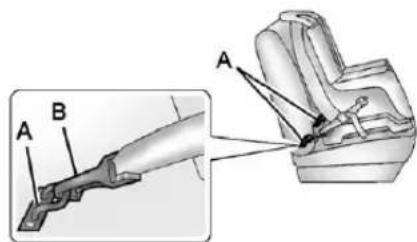
text_image
Technical diagram showing mechanical assembly with labeled parts A and B, including a magnified inset view.Loweranchors(A)aremetalbars builtintothevehicle.Therearetwo loweranchorsforeachLATCH seatingpositionthatwill accommodateachildrestraint withlowerattachments(B).
TopTetherAnchor
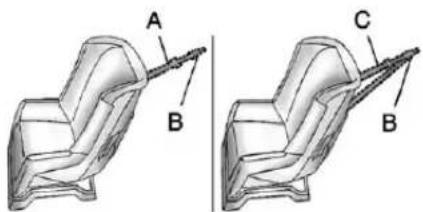
natural_image
Technical illustration of a mechanical component with labeled parts A, B, and C (no text or symbols beyond labels)Atoptether(A,C)anchorsthe topofthechildrestrainttothe vehicle. Atoptetheranchorisbuilt intothevehicle. Thetoptether attachment(B)onthechildrestraint connectstothetoptetheranchorin thevehicleinordertoreducethe forwardmovementandrotationof thechildrestraintduringdrivingorin acrash.
Yourchildrestraintmayhavea singletether(A)oradual tether(C).Eitherwillhaveasingle attachment(B)tosecurethetop tethertotheanchor.
Somechildrestraintswithtop tethersaredesignedforusewithor withoutthetoptetherbeing attached.Othersrequirethetop tetheralwaystobeattached.In Canada,thelawrequiresthat forward-facingchildrestraintshave atoptether,andthatthetetherbe attached.Besuretoreadandfollow theinstructionsforyourchild restraint.
LowerAnchorandTopTether AnchorLocations
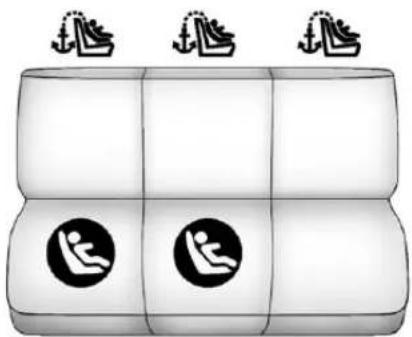
natural_image
Diagram of a three-panel object with two circular icons showing human figures, no text or symbols presentSecondRow—60/40
(LowerAnchor): Seating positions with twoloweranchors.
(TopTetherAnchor): Seating positions with toptetheranchors.
Formodelswith60/40secondrow seating,therearrightside passengerandcenterseating positionshaveexposedmetal anchorsinthecreasebetweenthe seatbackandtheseatcushion.
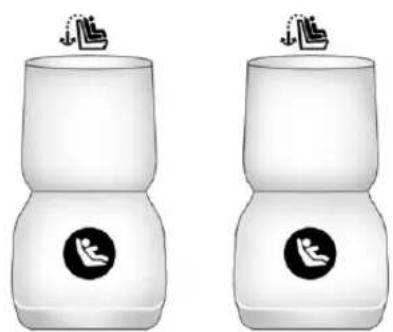
natural_image
Two identical white cylindrical objects with black circular logos on their tops, each with a hand icon above (no text or symbols)SecondRow—Bucket
(LowerAnchor): Seating positions with twolower anchors.
(TopTetherAnchor): Seating positions with toptetheranchors.
Formodelswithsecondrowbucket seats,bothrearseatingpositions haveexposedmetalanchorsinthe creasebetweentheseatback and theseatcushion.
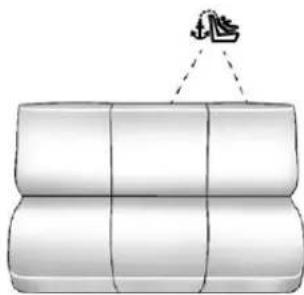
natural_image
Illustration of stacked cylindrical objects with a hanging handle (no text or symbols)ThirdRowSeat
(TopTetherAnchor): Seating positions with toptetheranchors. There is onetoptetheranchorthat can be used for either the third row center or driverside seating position but not both the same time.
Formodelswithathirdrowseat, seetheinformationfollowingfor installingachildrestraintwithatop tetherinthethirdrow.Neverinstall twoptethersusingthesametop tetheranchor.
Toassistinlocatingthetoptether anchors, thetoptetheranchor symbolappearsneartheanchors.
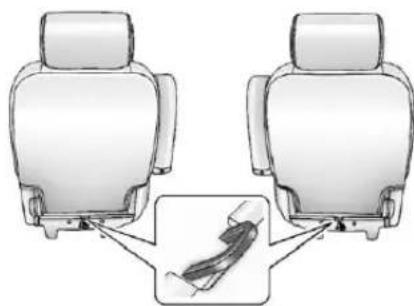
natural_image
Diagram showing two car seats connected to a cable with a magnified inset (no text or symbols)SecondRowSeat—Bucket
Formodelswithbucketsecondrow seating,thetoptetheranchorsare atthebottomrearoftheseat cushionforeachseatingpositionin thesecondrow.Besuretousean anchoronthesamesideofthe vehicleastheseatingposition wherethechildrestraintwillbe placed.
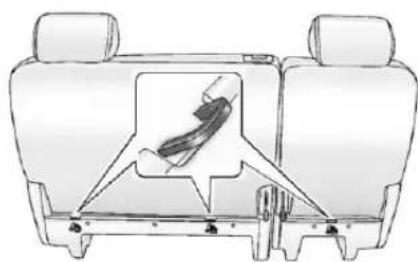
natural_image
Technical line drawing of a car seat assembly with a highlighted seatbelt component (no text or symbols)SecondRowSeat—60/40
Formodelswith60/40secondrow seating,thetoptetheranchorsare atthebottomrearoftheseat cushionforeachseatingpositionin thesecondrow.Besuretousean anchoronthesamesideofthe vehicleastheseatingposition wherethechildrestraintwillbe placed.
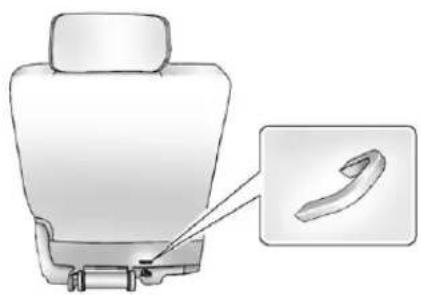
natural_image
Illustration of a car seatbelt with a magnified inset showing the cable (no text or symbols)ThirdRowSeat
Forvehicleswithathirdrowseat, thereisonetoptetheranchoratthe bottomrearoftheseatcushionthat canbeusedforeitherthethirdrow centerordriversideseating position.Neverinstalltwotop tethersusingthesametoptether anchor.
Donotsecureachildrestraintina positionwithoutatoptetheranchor ifanationalorlocallawrequires thatthetoptetherbeattached,orif theinstructionsthatcomewiththe childrestraintsaythatthetoptether mustbeattached.
According to accident statistics, children and infants are safer when properly restrained in a child restraintsystemor infant restraint system secured in a rearseating position. See Where to Put the Restrainton page 3-53 for additional information.
SecuringaChildRestraint DesignedfortheLATCH System
WARNING
IfaLATCH-typechildrestraintis notattachedtoanchors, thechild restraintwillnotbeabletoprotect thechildcorrectly. Inacrash, the
(Continued)
WARNING(Continued)
childcouldbeseriouslyinjuredor killed.InstallaLATCH-typechild restraintproperlyusingthe anchors,orusethevehiclesafety beltstosecuretherestraint, followingtheinstructionsthat camewiththechildrestraintand theinstructionsinthismanual.
WARNING
Donotattachmorethanonechild restrainttoasingleanchor. Attachingmorethanonechild restrainttoasingleanchorcould causetheanchororattachment tocomelooseorevenbreak duringacrash.Achildorothers couldbeinjured.Toreducethe riskofseriousorfatalinjuries duringacrash,attachonlyone childrestraintperanchor.

WARNING
Childrencanbeseriouslyinjured orstrangledifashoulderbeltis wrappedaroundtheirneckand thesafetybeltcontinuesto tighten.Buckleanyunusedsafety beltsbehindthechildrestraintso childrencannotreachthem.Pull theshoulderbeltallthewayout oftheretractortosetthelock, ifthevehiclehasone,afterthe childrestrainthasbeeninstalled.
Notice: DonotlettheLATCH attachmentsrubagainstthe vehicle'ssafetybelts. This may damage these parts. If necessary, move buckledsafetybeltsto avoid rubbing the LATCH attachments.
Donotfoldtheemptyrearseat withasafetybeltbuckled. This coulddamagethesafetybeltor theseat. Unbuckleandreturnthe safetybelttoitsstowedposition, beforefoldingtheseat.
- Attachandtightenthelower attachmentstothelower anchors. If the child restraint does nothavelower attachmentsorthedesired seating positiondoes nothave lower anchors, secure the child restraint with the toptether and the safety belts. Refertoyour child restraint manufacturer instructions and the instructions in this manual.
1.1. Find the lower anchors for the desired seating position.
1.2. Putthechildrestraint on theseat.
1.3. Attachandtightenthelower attachmentsonthechild restrainttothelower anchors.
- If the child restraint manufacturer recommend that the toptether be attached, attach and tighten the toptethertothetoptether anchor, if equipped. Referto the child restraint instructions and the following steps:
2.1.Findthetoptetheranchor.
2.2. Route, attach, and tighten the toptether according to your child restraint instructions and the following instructions:
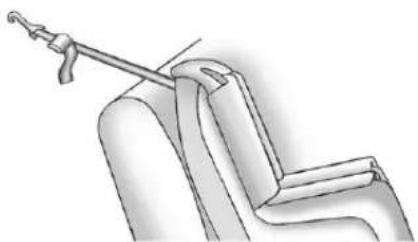
natural_image
Technical line drawing of a mechanical assembly with a hook and lever (no text or symbols)- If the position you are using does not have ahead rest or head restraint and you are using a single tether, routethetether over the seat back.
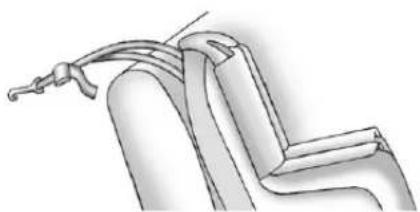
natural_image
Technical line drawing of a mechanical component or assembly (no text or symbols)- If the position you are using does not have ahead rest or head restraint and you are using adualtether, routethetether over the seatback.
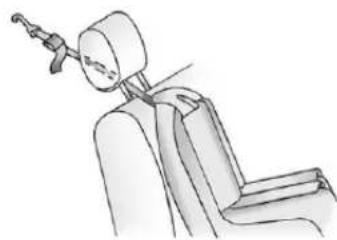
natural_image
Line drawing of a seated car seat with a headpin and armrest (no text or symbols)- If the position you are using has an adjustable headrest or head restraint and you are using a single tether, raise the head restor head restraint and routethe tether under the head restor head restraint and between the head restor head restraint posts.
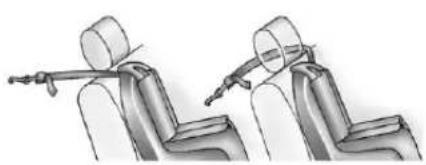
natural_image
Illustration of a seated human figure with arms and legs, no text or symbols present- If the position you are using has a fixed head restor head restraint and you are using a singletether, route the tether around the inboard or out boardside of the head restor head restraint.
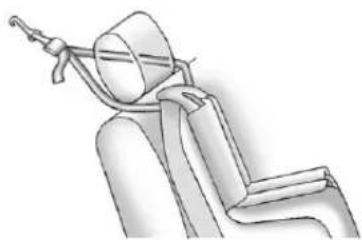
natural_image
Line drawing of a seated car seat with a helmet and rope (no text or symbols)- If the position you are using has a fixed or an adjustable head restor head restraint and you are using adual tether, routethetether around the head restor head restraint.
- Beforeplacingachildinthe childrestraint, makesureitis securelyheldinplace. To check, graspthechildrestraintatthe LATCHpathandattemptto moveitside-to-side and back-and-forth. Thereshould benomorethan2.5cm(1in)of movement, forproper installation.
ReplacingLATCHSystem PartsAfteraCrash

WARNING
AcrashcandamagetheLATCH systeminthevehicle.Adamaged LATCHsystemmaynotproperly securethechildrestraint, resultinginseriousinjuryoreven deathinacrash.Tohelpmake suretheLATCHsystemis workingproperlyafteracrash, seeyourdealertohavethe systeminspectedandany necessaryreplacementsmadeas soonaspossible.
If the vehicle has the LATCH system and it was being used during a crash, new LATCH system parts may be needed.
Newpartsandrepairsmaybe necessaryeveniftheLATCH systemwasnotbeingusedatthe timeofthecrash.
SecuringChildRestraints (RearSeatPosition)
Whensecuringachildrestraintina rearseatingposition,studythe instructionsthatcamewiththechild restrainttomakesureitis compatiblewiththisvehicle.
If the child restraint that the LATCH system, see Lower Anchors and Tethers for Children (LATCH System) on page 3-55 for how and where to install the child restraint using LATCH. If a child restraint is secured in the vehicle using a safety belt and it uses to optether, see Lower Anchors and Tethers for Children (LATCH System) on page 3-55 for optether anchor locations.
Donotsecureachildseatina positionwithoutatoptetheranchor ifanationalorlocallawrequires thatthetoptetherbeanchored,orif theinstructionsthatcomewiththe childrestraintsaythatthetopstrap mustbeanchored.
InCanada, the law requires that forward-facing child restraint have adopted, and that the tether be attached.
If the child restraint does not have the LATCH system, you will be using the safety belt to secure the child restraint in this position. Be sure to follow the instruction that camewith the child restraint. Secure the child in the child restraint when and asthe instruction say.
If more than one child restraint need to be installed in therear seat, besuretoread Where to Put the Restrainton page 3-53.
The vehicle'slap-shoulderbeltsfor thefirstandsecondrowseating positionsareequippedwith free-fallinglatchplates.Ifthe vehiclehasathirdrow,the lap-shoulderbeltshaveeither free-fallingorcinchinglatchplates.
Usethefollowingpicturesto determinethelatchplatestyle:
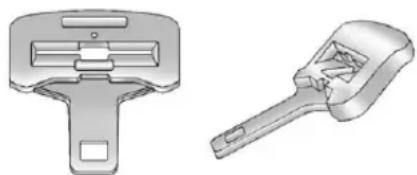
natural_image
Two mechanical tools shown in 3D renderings: a multi-lock switch and a multi-handled wrench (no text or symbols present)Free-FallingLatchPlate
3-64SeatsandRestraints
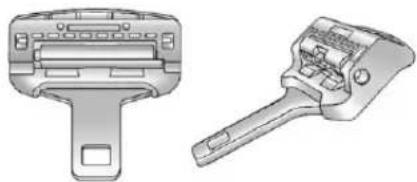
natural_image
Technical line drawings of two mechanical tools: a handle and a tool holder (no text or symbols present)CinchingLatchPlate
- Putthechildrestraint on theseat.
- Pickup the latch plate, and run the lap and shoulder portions of the vehicle's safety belt through or around therestraint. The child restraint instructions will show you how.
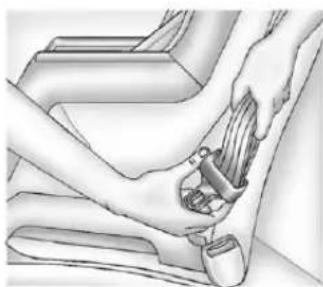
natural_image
Illustration of a person using a seatbelt to lift a car (no text or symbols present)Forthirdrowseatingpositions, withcinchinglatchplates,tiltthe latchplatetoadjustthebeltif needed.
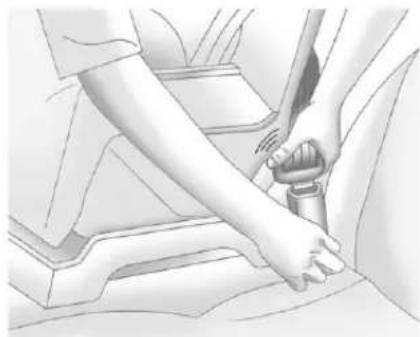
natural_image
Illustration of a person adjusting a car seatbelt, showing hands and seatbelt (no text or symbols)- Pushthelatchplate into the buckle until it clicks.
Positionthereleasebuttonon thebucklesothatthesafetybelt couldbequicklyunbuckledif necessary.
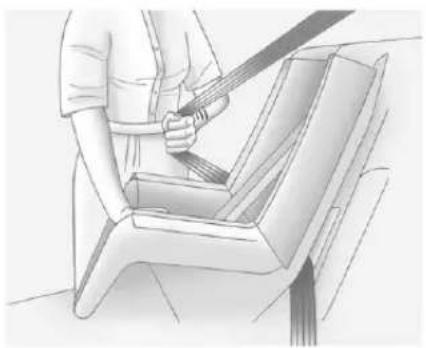
natural_image
Line drawing of a person using a belt to lift a seatbelt (no text or symbols)- For passenger seating positions with alap-shoulderbeltanda free-fallinglatchplate, pull the restoftheshoulderbeltallthe wayoutoftheretractortoset thelock. When installing a child restraint using alap-shoulder belt and acinchinglatchplate, skipStep4 and proceed to Step5.
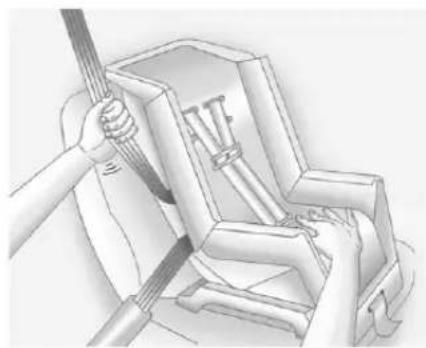
natural_image
Illustration of hands using a tool to lift a mechanical component (no text or symbols visible)-
Totightenthebelt, pushdown onthechildrestraint, pullthe shoulderportionofthebelt to tightenthelapportionofthebelt andfeedtheshoulderbeltback intotheretractor. Wheninstalling aforward-facingchildrestraint, it maybehelpfultouseyourknee topushdownonthechild restraintasyoutightenthebelt.
Trytopullthebeltoutofthe retractortomakesurethe retractorislocked.Ifthe retractorisnotlocked,repeat Steps4and5. -
If the child restraint has a top tether, follow the child restraint manufacturer's instructions regarding the use of the top tether. See Lower Anchors and Tethers for Children (LATCH System) on page 3-55 form more information.
-
Beforeplacingachildinthe childrestraint, makesureitis securelyheldinplace. To check, graspthechildrestraintatthe safetybeltpathandattemptto moveitside-to-sideand back-and-forth. Whenthechild restraintisproperlyinstalled, thereshouldbenomorethan 2.5cm(1in)ofmovement.
Toremovethechildrestraint, unbucklethevehiclesafetybeltand letitreturntothestowedposition. Ifthetoptetherisattachedtoatop tetheranchor, disconnectit.
SecuringChildRestraints (CenterFrontSeat Position)

WARNING
Achildinachildrestraintinthe centerfrontseatcanbebadly injuredorkilledbythefrontal airbagsiftheyinflate.Never secureachildrestraintinthe centerfrontseat.Itisalways bettertosecureachildrestraintin arearseat.
Donotusechildrestraintsinthe centerfrontseatposition.
SecuringChildRestraints (RightFrontSeat Position)
Thisvehiclehasairbags. Arear seatisasaferplacetosecurea forward-facingchildrestraint. See Where to Put the Restrainton page 3-53.
Inaddition, the vehicle may have a passengersensingsystem which is designed to turn off the right front passenger frontal air bag under certain conditions. See Passenger Sensing System on page 3-39 and Passenger Airbag Status Indicator on page 5-18 form more information, including important safety information.
Alabelonthesunvisorsays, "Neverputarear-facingchildseatin thefront." Thisisbecausetheriskto therear-facingchildissogreatifthe airbagdeploys.

WARNING
Achildinarear-facingchild restraintcanbeseriouslyinjured orkillediftherightfront passengerairbaginflates. This is because the back of the rear-facing child restraint would be very closetotheinflating airbag. Achildinaforward-facing child restraint can beseriously injured or killed iftherightfront passengerairbaginflates and the passenger seatisinaforward position.
The vehicle may have a passengers sensing system which is designed to turn off the right front passenger frontal airbag under certain conditions.
Evenifthepassengersensing system, ifequipped, hasturned offtherightfrontpassenger frontalairbag, nosystemis
(Continued)
WARNING(Continued)
fail-safe. Noonecanguarantee thatanairbagwillnotdeploy undersomeunusual circumstance, event though itisturnedoff.
Securerear-facingchild restraintsinarearseat, even if theairbagisoff. If you secure a forward-facing child restraint in therightfrontseat, always move the front passenger seat as far back as it will go. It is better to secure the child restraint in rearseat.
See Passenger Sensing System on page 3-39 for additional information.
If the child restraint that the LATCH system, see Lower Anchors and Tethers for Children (LATCH System) on page 3-55 for how and where to install the child restraint using LATCH. If a child restraint is secured using safety belt and it uses to optether, see Lower Anchors and Tethers for Children (LATCH System) on page 3-55 for to optether anchor locations.
Donotsecureachildseatina positionwithoutatoptetheranchor ifanationalorlocallawrequires thatthetoptetherbeanchored,orif theinstructionsthatcomewiththe childrestraintsaythatthetopstrap mustbeanchored.
InCanada, the law requires that forward-facing child restraint have to optether, and that the tether be attached.
Youwillbeusingthelap-shoulder belttosecurethechildrestraintin thisposition.Followtheinstructions thatcamewiththechildrestraint.
- Movetheseatasfarbackasit willgobeforesecuringthe forward-facingchildrestraint.
- Put the child restraint on theseat.
- Pickup the latch plate, and run the lap and shoulder portions of the vehicle's safety belt through or around therestraint. The child restraint instructions will show you how.
3-68SeatsandRestraints
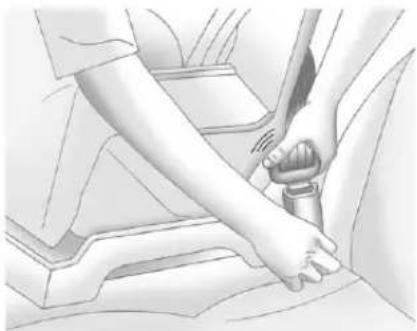
natural_image
Illustration of a person using a belt switch to lift a car's seatbelt (no text or symbols visible)- Pushthelatchplate into the buckle until it clicks.
Positionthereleasebuttonon thebucklesothatthesafetybelt couldbequicklyunbuckledif necessary.
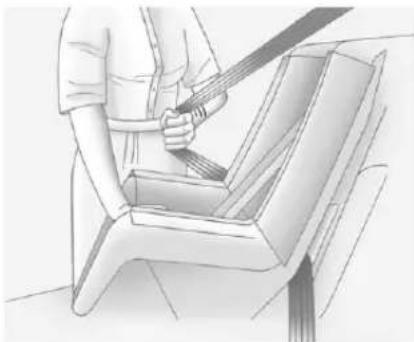
natural_image
Illustration of a person using a seatbelt to lift a car seat (no text or symbols present)- Pulltheshoulderbeltalltheway outoftheretractortosetthe lock. Whentheretractorlockis set, thebeltcanbetightenedbut notpulledoutoftheretractor.

natural_image
Illustration of hands using a tool to lift or install a mechanical component (no text or symbols visible)- Totightenthebelt, pushdown onthechildrestraint, pullthe shoulderportionofthebelt to tightenthelapportionofthebelt, andfeedtheshoulderbeltback intotheretractor. Wheninstalling aforward-facingchildrestraint, it maybehelpfultouseyourknee topushdownonthechild restraintasyoutightenthebelt.
Trytopullthebeltoutofthe retractortomakesurethe retractorislocked.Ifthe retractorisnotlocked,repeat Steps5and6.
- Beforeplacingachildinthe childrestraint, makesureitis securelyheldinplace. To check, graspthechildrestraintatthe safetybeltpathandattemptto moveitside-to-side and back-and-forth. Whenthechild restraintisproperlyinstalled, thereshouldbenomorethan 2.5cm(1in)ofmovement.
Ifthevehicleisequippedwiththe passengersensingsystem,and whenthepassengersensingsystem hasturnedofftherightfront passengerfrontalairbag,theoff indicatorinthepassengerairbag statusindicatorshouldlightandstay litwhenyoustartthevehicle.See PassengerAirbagStatusIndicator onpage5-18.
Ifachildrestrainhasbeeninstalled andtheonindicatorislit,see"Ifthe OnIndicatorisLitforaChild Restraint"underPassengerSensing Systemonpage3-39formore information.
Toremovethechildrestraint, unbucklethevehiclesafetybeltand letitreturntothestowedposition.
3-70SeatsandRestraints
NOTES
Storage
StorageCompartments
GloveBox......4-1
Cupholders......4-1
ArmrestStorage......4-1
RearStorage......4-2
CenterConsoleStorage.....4-2
AdditionalStorageFeatures
CargoCover......4-2
RoofRackSystem
RoofRackSystem......4-3
Storage Compartments
GloveBox
Liftuponthegloveboxleverto openit.
Cupholders
Forvehicleswithcupholderslocated inthefrontandreofthefloor consoleorinthefolddownarmrest, adjustthefrontcupholdersby movingtheinsertforwardor rearward.
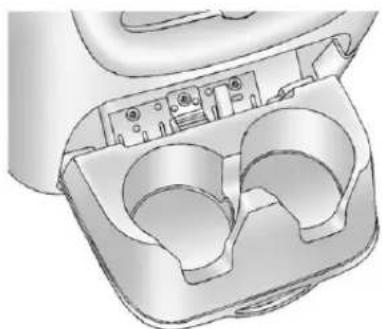
natural_image
3D technical illustration of a mechanical component with two internal cavities (no text or symbols)Pulldownwardonthelidtoaccess therearfloorconsolecupholders.
Therecouldalsobecupholders locatedinthesecondandthirdrow seatarmrestareas.
ArmrestStorage
Forvehicleswitharearseat armrest,pulltheloopatthetopof thearmrestdowntoaccessthe cupholders.
RearStorage
Forvehicleswitharearstorage area,itislocatedintherearcargo areaofthevehicleonthe driverside.
Turntheknobsandpullthestorage doortoaccess. Thedoorcanbe removed.
CenterConsoleStorage
Forvehicleswithaconsole compartment,itislocatedbetween thebucketseats.
Pressthebuttonandliftthelidto accesstheconsolecompartment.
Acupholderlocatedintherearof theconsole, swingsdownforthe rearseatpassengertouse.
AdditionalStorage Features
CargoCover

WARNING
Anunsecuredcargocovercould strikepeopleinasuddenstopor turn, orinacrash. Storethe cargocoversecurelyorremoveit from the vehicle.
Tousethecargocover,ifequipped:
-
Pull the cover handle toward the rear of the vehicle.
-
Latchthecoverpostsintothe retainingsocketsonthecargo areatrimpanels.
Toreturnthecovertotheretracted position:
-
Pullupon the cover handle to releas the cover posts from the retaining sockets.
-
Let the cover move forward to the full retracted position.
Toremovethecoverfromaregular wheelbasemodel:
-
Letthecovergoallthewayinto theholder.
-
Then, grasping the Riverside cover end cap, push the cover end cap toward the passenger side of the vehicle.
-
Swing the cover rearward and take it out of the vehicle.
Toputthecoverinthevehicle:
- Makesurethecoverslotinthe holderfacesrearwardwiththe roundsurfacefacingdown.
- Then, hold the cover at an angle and placethe cover end cap into the slot in the passengerside trim panel.
- Movetheotherendofthecover forwardandholditnexttothe driversidetrimpanelslot.
- Presstheendcapsin, to allow the covertofitintothetrimslot.
- Pulllightly on the recover hold to make sure it is secure.
Onextendedwheelbasemodels therearetwocoverpositions. Theslotsfurthestforwardallow thecovertobeusedifthethird seatisremovedorfoldeddown. Thecovercanbeinstalledand removedfromeitherside.
RoofRackSystem
WARNING
If something is carried on top of the vehicle that is longer or wider than the or off track—like paneling, plywood, or amattress—the wind can catch it while the vehicle is being driven. The item being carried could be violently torn off, and this could cause a collision and damage the vehicle. Never carries something longer or wider than the or off track on top of the vehicle unless using a GM certified accessory carrier.
Forvehicleswitharoofrack,the rackcanbeusedtoloaditems. Forroofracksthatdonothave crossrailsincluded,GMCertified crossrailscanbepurchasedasan accessory.Seeyourdealerfor additionalinformation.
Notice: Loading cargo on the roof rack that weigh more than 91 kg (200 lbs) or hang over the rear or sides of the vehicle may damage the vehicle. Load cargo so that it rest sevenly between the cross rails, makingsure to fast encargose securely.
Topreventdamageorlossofcargo whendriving,checktomakesure crossrailsandcargoaresecurely fastened. Loadingcargoontheroof rackwillmakethevehicle'scenter ofgravityhigher.Avoidhighspeeds, suddenstarts, sharpturns, sudden brakingorabruptmaneuvers, otherwiseitmayresultinlossof control. Ifdrivingforalongdistance, onroughroads, orathighspeeds, occasionallystopthevehiclet to make surethecargoremainsinits place.
4-4Storage
Donotexceedthemaximumvehicle capacitywhenloadingthevehicle. Formoreinformationonvehicle capacityandloading,see Vehicle LoadLimitsonpage9-16.
- If small heavy objects are placed on the roof, cut apiece of 9 mm or 3/8 inch plywood to fit inside the cross rails and siderail stop spread the load. Tietheply wood to the siderail supports.
-
Tietheloadandsecureitto thecrossrailsorthesiderail supports. Usethecrossrailsonly tokeeptheloadfromsliding. To moveacrossrail, lifttherelease leverup, on both sides of the rail. Thenslidethecrossrailto the desired position balancing the forcesidetoside. Press the release lever down both sides of the rail, downtotighten it. Trytoslidethecrossrailback and forth slightly to make sure it istight.
-
Tocarrylongitems,movethe crossrailsasfarapartas possible.Tietheloadtothe crossrailsandthesiderailsor siderailsupports.Alsoethe loadtothebumpers,butdonot tietheloadsotightlythatthe crossrailsorsiderailsare damaged.
• Aftermovingacrossrail, besure itissecurelylocked into the siderail.
ACenterHigh-MountedStoplamp (CHMSL)islocatedabovetherear windowglass.
Makesureitemsloadedontheroof ofthevehicledonotblockor damagetheCHMSL.
Instruments and Controls
Controls
SteeringWheelAdjustment...5-2
SteeringWheelControls.....5-3
Horn....5-5
WindshieldWiper/Washer.....5-5
RearWindowWiper/
Washer....5-6
Compass....5-6
Clock....5-8
PowerOutlets......5-9
WarningLights, Gauges, and Indicators
WarningLights, Gauges, and
Indicators......5-11
InstrumentCluster......5-12
Speedometer....5-13
Odometer....5-13
TripOdometer......5-13
Tachometer....5-13
FuelGauge....5-13
EngineOilPressure
Gauge....5-14
EngineCoolantTemperature Gauge....5-15
VoltmeterGauge......5-16
SafetyBeltReminders......5-17
AirbagReadinessLight.....5-18
PassengerAirbagStatus Indicator....5-18
ChargingSystemLight.....5-20
Malfunction IndicatorLamp......5-20
BrakeSystemWarning Light....5-23
AntilockBrakeSystem(ABS) WarningLight....5-23
Tow/HaulModeLight......5-24
StabiliTrak® OFFLight......5-24
TractionControlSystem (TCS)/StabiliTrak® Light....5-25
TirePressureLight......5-25
EngineOilPressureLight....5-26
LowFuelWarningLight.....5-26
SecurityLight......5-26
High-BeamOnLight.....5-27
FrontFogLampLight......5-27
CruiseControlLight......5-27
InformationDisplays
DriverInformation Center(DIC)......5-28
VehicleMessages
VehicleMessages......5-37
BatteryVoltageandCharging Messages....5-37
BrakeSystemMessages....5-37
DoorAjarMessages......5-38
EngineCoolingSystem Messages......5-39
EngineOilMessages......5-40
EnginePowerMessages....5-40
FuelSystemMessages.....5-41
KeyandLockMessages.....5-41
LampMessages......5-41
ObjectDetectionSystem Messages....5-41
RideControlSystem Messages......5-43
AirbagSystemMessages....5-44
Anti-theftAlarmSystem Messages......5-44
TireMessages......5-44
TransmissionMessages.....5-45
VehicleReminder Messages......5-46
WasherFluidMessages.....5-47
5-2 InstrumentsandControls
VehiclePersonalization
VehiclePersonalization
(WithDICButtons)......5-47
UniversalRemoteSystem
UniversalRemoteSystem...5-56
UniversalRemoteSystem
Programming......5-56
UniversalRemoteSystem
Operation....5-61
Controls
SteeringWheel Adjustment
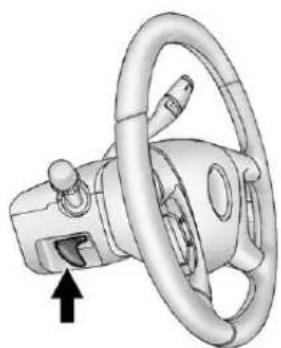
natural_image
3D illustration of a car steering wheel with a directional arrow indicating clockwise motion (no text or symbols)Thetiltleverislocatedonthelower leftsideofthesteeringcolumn.
Toadjustthesteeringwheel:
-
Hold the steering wheel and pull the lever.
-
Movethesteeringwheelup ordown.
-
Releasethevertolockthe wheelinplace.
Donotadjustthesteeringwheel whiledriving.
SteeringWheelControls
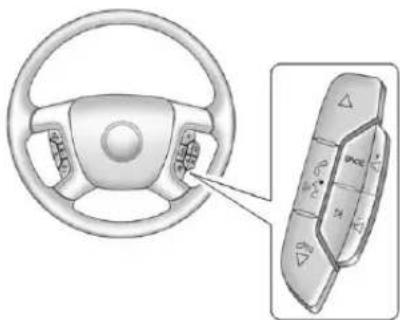
natural_image
Diagram of a car steering wheel and its dashboard with control panel (no text or symbols)Ifequipped, someaudiocontrols canbeadjustedatthesteering wheel.
△(Next):Presstogotothenext favoriteradiostation,trackonaCD, orfolderonaniPod ^® orUSB device.
/ ▽ (Previous/End): Press to gotothepreviousfavoriteradio station,trackonaCD,orfolderon aniPod ^® orUSBdevice.Pressto rejectanincomingcall,orenda currentcall.
Radio
Toselectpresetorfavoriteradio stations:
Pressandrelease △ or 📋 / ∇ to gotothenextorpreviousradio stationstoredasapresetor favorite.
CD/DVD
ToselecttracksonaCD/DVD:
Pressandrelease △ or 📞 / ▽ to gotothenextorprevioustrack.
SelectingTracksonaniPodor USBDevice(Vehicleswithouta NavigationSystem)
-
Pressandhold △or▽/▽ whilelisteningtoasonguntilthe contentsofthecurrentfolder displayontheradiodisplay.
-
Pressandrelease △or▽/▽ toscrollupordownthelist, then pressandhold △, orpress ▷ to playthehighlightedtrack.
NavigatingFoldersonaniPodor USBDevice(Vehicleswithouta NavigationSystem):
-
Pressandhold △or▽/▽ whilelisteningtoasonguntilthe contentsofthecurrentfolder displayontheradiodisplay.
-
Pressandhold 📞/▽togo backtothepreviousfolderlist.
-
Pressandrelease △or▽/▽ toscrollupordownthelist.
- Toselectafolder, press andhold △, orpress whenthefolder is highlighted.
• Togobackfurtherinthe folderlist,pressandhold
NavigatinganiPodorUSBDevice ontheMainAudioScreen (VehicleswithaNavigation System)
- Pressandrelease
toselectthenextorprevious trackwithintheselected category. - Pressandhold △ or ⚡ / ∇ to movequicklythroughthetracks.
- Pressandrelease ▷tomoveup onetrackwithintheselected category.

NavigatinganiPodorUSBDevice ontheMusicNavigatorScreen (VehicleswithaNavigation System)
- Pressandrelease
toselectthenextorprevious trackwithintheselected category. - Pressandhold △ or ⚡ / ∇ to movequicklythroughthetracks withintheselectedcategory.

- Pressandrelease ▷tomoveup onetrackwithintheselected category.
/ _^2 (Mute/Push to Talk): Press tosilencethevehiclespeakersonly. Pressagaintoturnthesoundon.
ForvehicleswithBluetoothor OnStarsystems,pressandholdfor longerthantwosecondstointeract withthosesystems.SeeBluetooth onpage 7-48andOnStarOverview onpage 14-1formoreinformation.
SRCE(Source/Voice
Recognition): Presstoswitch betweentheradioandCD, and for equipped vehicles, the DVD, front auxiliary, andrearauxiliary.
Forvehicleswiththenavigation system, pressandholdthisbutton forlongerthanonesecondto initiatevoicerecognition. See "Voice Recognition" in the Navigation Systemmanualformore information.
(Seek): Presstogotothenext radiostationwhileinAM, FM, orXM^TM.
Forvehicleswithorwithouta navigationsystem:
Press ⚠togotothenexttrackor chapterwhilesourcedtotheCDor DVDslot.
Press ☑toselectatrackorafolder when navigatingfoldersonaniPod orUSBdevice.
Forvehicleswithanavigation system:
-
Pressandhold ▷ untilabeepis heard, toplacetheradiointo SCANmode. Astationwillplay forfivesecondsbeforemoving tothenextstation.
-
TostoptheSCANfunction, press ▷again.
WhilelisteningtoaCD/DVD, press andhold ▷toquicklymoveforward throughthetracks. Releasetostop onthedesiredtrack.
- 📄:Presstoincreasevolume.
- Presstodecreasevolume.
Horn
Tosoundthehorn, pressthecenter padonthesteeringwheel.
WindshieldWiper/Washer
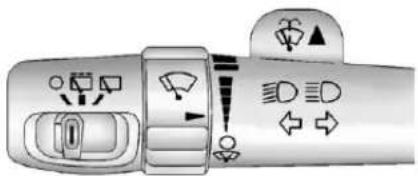
text_image
Diagram showing car interior and directional traffic indicators with icons for parking, parking, and traffic flow.Thefrontwipercontrolislocatedon theturnandlane-changelever. Turn thebandwiththewipersymbolto controlthewindshieldwipers.
(Mist): Forasinglewipe, turn to , thenrelease. For several wipes, hold thebandon longer. (Off): Turnsthe windshield wipersoff.
!(AdjustableIntervalWipes): Turnthebandupformorefrequent wipesordownforlessfrequent wipes.
(LowSpeed): Slowwipes. (HighSpeed): Fastwipes.
Cleariceandsnowfromthewiper bladesbeforeusingthem.Iffrozen tothewindshield,carefullyloosenor thawthem.Damagedwiperblades shouldbereplaced.SeeWiper BladeReplacementonpage 10-34.
Heavysnoworicecanoverloadthe wipermotor.Acircuitbreakerwill stopthemotoruntilcoolsdown.
WindshieldWasher
WARNING
Infreezingweather, donotuse the washer until the windshield is warmed. Otherwise the washer fluid can form mice on the windshield, blocking your vision.
(WasherFluid):Pushthis paddletospraywasherfluidonthe windshield. Thewipersclearthe windowandtheneitherstopor returntothepresetspeed.
RearWindow Wiper/Washer
Therearwipercontrolislocatedon theturnandlane-changelever.
Toturntherearwiperon, slidethe levertoawiperposition.
○(Off):Turnsthwiperoff.
(RearWiperDelay): Turnson therearwiperdelay.
(RearWiper):Turnsontherear wiper.
(RearWiperWash):Pressthis buttonontheendoftheleverto spraywasherfluidontherear window. Thewiperswillclearthe rearwindowandeitherstopor returntoyourpresetspeed. For morewashercycles, pressandhold thebutton.
Therearwindowwiper/washerwill notoperateiftheliftgateorliftglass isopenorajar.lftheliftgateor liftglassisopenedwhiletherear wiperison,thewiperreturnstothe parkedpositionandstops.
Compass
The vehicle may have a compass in the Driver Information Center(DIC).
CompassZone
Thezoneissettozoneeightupon leavingthefactory. Yourdealerwill setthecorrectzoneforyour location.
Undercertaincircumstances, suchasduringalong-distance, cross-countrytripormovingtoa newstateorprovince,itwillbe necessarytocompensatefor compassvariancebyresettingthe zonethroughtheDlCifthezoneis notsetcorrectly.
Compassvarianceisthedifference betweentheearth'smagneticnorth andtruegeographicnorth.Ifthe compassisnotsettothezone whereyoulive,thecompassmay givefalsereadings.Thecompass mustbesettothevariancezonein whichthevehicleistraveling.
Toadjustforcompassvariance, use the following procedure:
CompassVariance(Zone) Procedure
- Donotsetthecompasszone whenthevehicleismoving. Only setitwhenthevehicleisin P(Park).
Pressthevehicleinformation buttonuntilPRESS √TO CHANGECOMPASSZONE displays.Or,ifthevehicledoes nothaveDICbuttons,pressthe tripodometerresetstemuntil CHANGECOMPASSZONE displays.
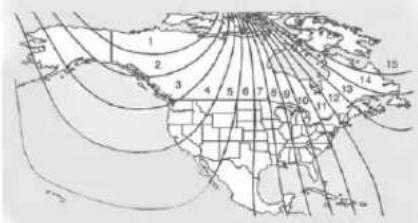
text_image
1 2 3 4 5 6 7 8 9 10 11 12 13 14 15- Find the vehicle's current location and variance zone numberonthemap.
Zones1 through 15 are available.
- Presstheset/resetbutton to scrollthroughandselectthe appropriatevariancezone.
4.Pressthetrip/fuelbuttonuntil thevehicleheading,for example,NforNorth,is displayedintheDIC.Or,ifthe vehicledoesnothaveDIC buttons,pressandholdthetrip odometerresetstemfor twosecondstoselectthenext availablevariancezone.Repeat thisstepuntiltheappropriate variancezoneisdisplayed.
- If calibration is necessary, calibratethecompass. See "Compass Calibration Procedure" following.
CompassCalibration
The compasscanbemanually calibrated. Only calibratethe compassinamagnetically clean and safelocation, such as an open parking lot, wheredriving the vehicle in circles is not adanger. It is suggested to calibrate away from all buildings, utility wires, manhole covers, or other industrial structures, if possible.
IfCALshouldeverappearinthe DICdisplay, thecompassshouldbe calibrated.
IftheDICdisplaydoesnotshowa heading,forexample,NforNorth, ortheheadingdoesnotchange aftermakingturns,theremaybea strongmagneticfieldinterferingwith thecompass.Suchinterference maybecausedbyamagneticCBor cellphoneantennamount,a magneticemergencylight,magnetic notepadholder,oranyother magneticitem.Turnoffthevehicle, movethemagneticitem,thenturn onthevehicleandcalibratethe compass.
5-8 InstrumentsandControls
Tocalibratethecompass, usethe following procedure:
CompassCalibrationProcedure
- Before calibrating the compass, makes sure the compass zone is set to the variance zone in which the vehicle is located. See "Compass Variance (Zone) Procedure" earlier in this section.
Donotoperateanyswitches suchaswindow,sunroof, climatecontrols,orseatsduring thecalibrationprocedure.
-
Pressthevehicleinformation buttonuntilPRESS √TO CALIBRATECOMPASS displays.Or,ifthevehicledoes nothaveDICbuttons,pressthe tripodometerresetstemuntil CALIBRATECOMPASS displays.
-
Presstheset/resetbutton to start the compass calibration. Or, if the vehicle does not have DIC buttons, press and hold the trip odometer reset stem for two second start the compass calibration.
-
The DIC will display CALIBRATING: DRIVEIN CIRCLES. Drivethe vehicle in tight circles at less than 8 km/h (5 mph) to complete the calibration. The DIC will display CALIBRATION COMPLETE for a few seconds when the calibration is complete. The DIC display will then return to the previous menu.
Clock
Tosetthetimeanddate:
-
TurntheignitionkeytoACC/ACCESSORYorON/RUN, then pressthe ⏻buttontoturnthe radioon.
-
Pressthe ⏻ buttonodisplay HR, MIN, MM, DD, YYYY(hour, minute, month, day, and year).
-
Pressthesoftkeylocatedunder anyoneofthetabstochange thatsetting.
-
Toincreasethetimeordate, do oneofthefollowing:
• Pressthesoftkeybelowthe selectedtab.
• Pressthe☒SEEKbutton.
- PresstheFWDbutton.
• Turnthe knobclockwise.
- Todecreasethetimeordate, do oneofthefollowing:
• PresstheKSEEKbutton.
• Pressthe◀REVbutton.
• Turnthe♪knob counterclockwise.
Tochangethetimedefaultsetting from 12hourto24hourortochange thedatedefaultsettingfrommonth/day/yeartoday/month/year:
- Pressthe ⏻ buttonandthenthe softkeylocatedbelowthe forwardarrowtab. 12H, 24H, the dateMM/DD(monthandday), andDD/MM/(dayandmonth) displays.
- Pressthesoftkeylocatedbelow thedesiredoption.
- Pressthe ⏻ buttonagain to apply the desired option, or let the screentime out.
PowerOutlets
Theaccessorypoweroutletscanbe usedtopluginelectricalequipment, suchasacellphoneorMP3player.
There are twounder the climate controls, one insidethe center floor console, one on there ar of the center floor console and one accessory power outlet in therear cargo area on the passengers side.
Removethecovertoaccessand replacewhennotinuse.
Theaccessorypoweroutletsare powered, even with the ignition off. Continuing touseaccessorypower outlets while the ignition is in LOCK/OFF may cause the vehicle's battery torundown.
WARNING
Powerisalwayssuppliedtothe outlets. Donotleaveelectrical equipmentpluggedinwhenthe vehicleisnotinusebecausethe vehiclecouldcatchfireandcause injuryordeath.
Notice:Leavingelectrical equipmentpluggedinforan extendedperiodoftimewhile thevehicleisoffwilldrainthe battery.Alwaysunplugelectrical equipmentwhennotinuseand donotpluginequipmentthat exceedsthemaximum20ampere rating.
Certainaccessoryplugsmaynotbe compatiblewiththeaccessory poweroutlandcouldoverload adapterorvehiclefuses.lfa problemisexperienced,seeyour dealer.
5-10 InstrumentsandControls
Whenaddingelectricalequipment, besuretofollowtheproper installationinstructionsincluded withtheequipment.Donotuse equipmentexceedingthe maximumamperageratingof 20amperes.SeeAdd-OnElectrical Equipmentonpage9-90.
Notice: Hangingheavy equipment from the power outlet can caused damage not covered by the vehicle warranty. The power outlets are designed for accessory power plug only, such as cell phone charge cords.
PowerOutlet110Volt AlternativeCurrent
The vehicle may have a power outlet that can be used to plugin electric equipment that uses a maximum limit of 150 watts.
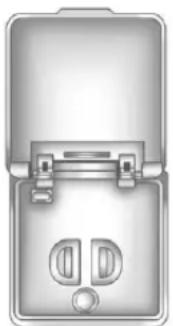
natural_image
Illustration of a mechanical device with two ports and a central knob (no text or symbols)The power outlet is located on the rear of the center console.
Anindicatorlightontheoutletturns ontoshowitisinuse. Thelight comesonwhentheignitionisin ON/RUNandequipmentrequiring lessthan150wattsispluggedinto theoutlet, andnosystemfaultis detected.
Ifequipmentisconnectedusing morethan150wattsorasystem faultisdetected,aprotectioncircuit shutsoffthepowersupplyandthe indicatorlightturnsoff.Toresetthe circuit,unplugtheitemandplugit backinorturntheRemote AccessoryPower(RAP)offand thenbackon.SeeRetained AccessoryPower(RAP)on page9-27.
The power outlet is not designed for and may not work properly, if the following are plugged in:
• Equipmentwithhighinitialpeak wattagesuchas: compressor-drivenrefrigerators andelectricpowertools.
- Otherequipmentrequiringan extremelystablepowersupply suchas: microcomputer-controlled electricblankets,touchsensor lamps,etc.
WarningLights, Gauges,and Indicators
Warninglightsandgaugescan signalthatsomethingiswrong beforeitbecomesseriouslyenough tocauseanexpensiverepairor replacement.Payingattentiontothe warninglightsandgaugescould preventinjury.
Warninglightscomeonwhenthere couldbeaproblemwithvehicle function. Somewarninglightscome onbrieflywhentheengineisstarted toindicatetheyareworking.
Gaugescanindicatewhenthere couldbeaproblemwithvehicle function.Oftengaugesandwarning lightsworktogethertoindicatea problemwiththevehicle.
Whenoneofthewarninglights comesonandstaysonwhile driving,orwhenoneofthegauges showstheremaybeaproblem, checkthesectionthatexplainswhat todo.Followthismanual'sadvice. Waitingtodorepairscanbecostly andevendangerous.
InstrumentCluster
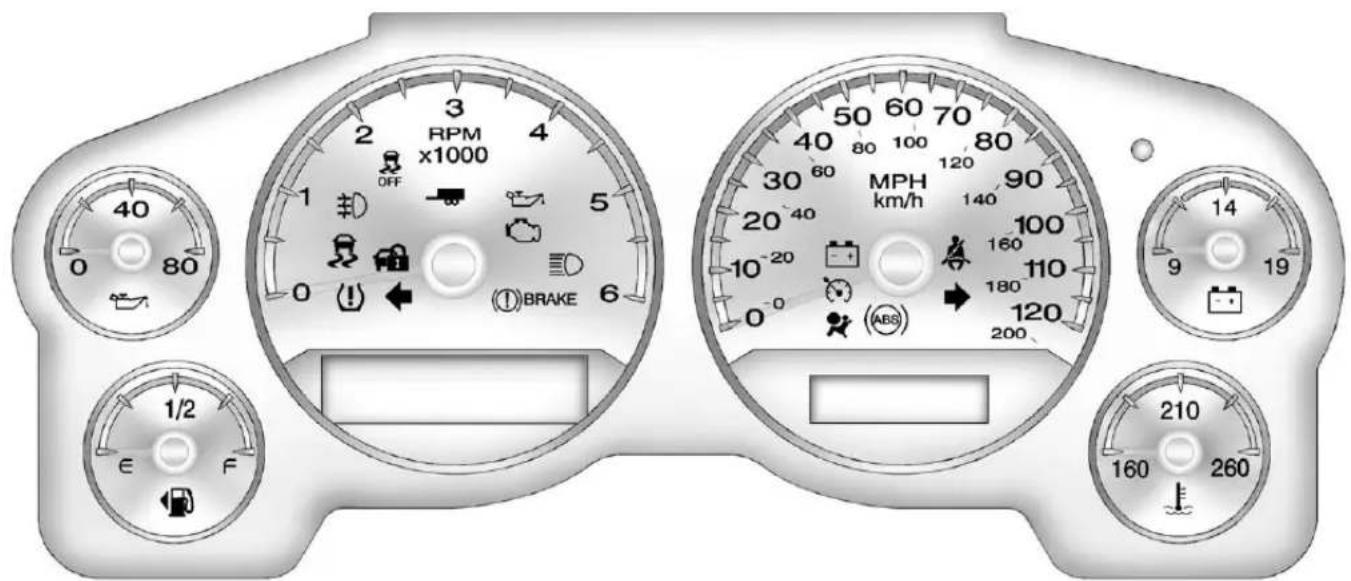
text_image
3 2 RPM x1000 4 OFF 1 5 0 ① BRAKE 6 1/2 E F 50 60 70 40 80 100 80 30 60 MPH 90 20 40 km/h 140 10-20 100 10-20 160 180 110 0 ABS 120 200 14 9 19 210 160 260English6-SpeedShown, Metricand2500SeriesSimilar
If the vehicle is a hybrid, se the hybrids supplement form more information.
Speedometer
Thespeedometershowsthe vehicle'sspeedineitherkilometers perhour(km/h)ormilesper hour(mph).
Odometer
Theodometershowshowfarthe vehiclehasbeendriven,ineither kilometersormiles.
TripOdometer
Thetripodometercanshowhowfar thevehiclehasbeendrivensince thetripodometerwaslastset tozero.
Presstheresetbutton, located on the instrument panel clusternext to the tripodometer display, to toggle between the tripodometer and the regular odometer. Holding thereset button for approximately one second while the tripodometer is displayed resets it.
Todisplaytheodometerreading withtheignitionoff, pressthereset button.
Tachometer
Thetachometerdisplaystheengine speedinrevolutionsper minute(rpm).
If the vehicle is a hybrid, se the hybrids supplement form more information.
FuelGauge
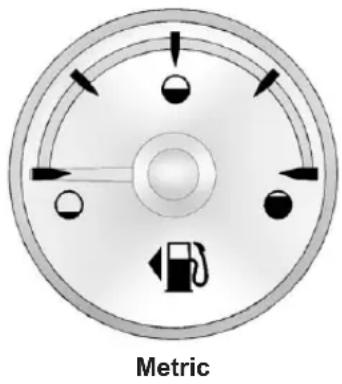
text_image
Metric5-14 InstrumentsandControls
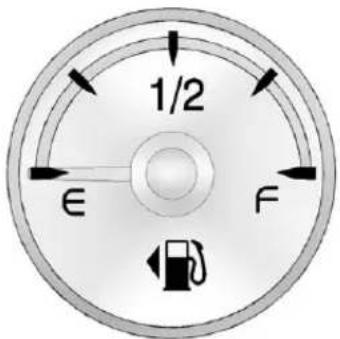
text_image
1/2 € FEnglish
Thefuelgauge,whentheignitionis on,showshowmuchfuelthe vehiclehasleftinthetank.
Anarrowonthefuelgauge indicatesthesideofthevehiclethe fueldoorison.
Thegaugefirstindicatesempty beforethevehicleisoutoffuel,and thevehicle'sfueltankshouldbe filledsoon.
Whenthefueltankislow,theFUEL LEVELLOWmessageappearsin theDriverInformationCenter(DIC). SeeFuelSystemMessageson page5-41formoreinformation.
Herearesomesituationsowners may experience with the fuel gauge. None of these indicate a problem with the fuel gauge.
- Atthegasstation, thefuelpump shutsoffbeforethegauge readsfull.
- Ittakesalittlemoreorlessfuel tofillupthanthefuelgauge indicated. Forexample, the gaugemayhaveindicatedthe tankwashalffull, butitactually tookalittlemoreorlessthan halfthetank'scapacitytofill thetank.
• Thegaugegoesbacktoempty whentheignitionisturnedoff.
If the vehicle is a hybrid, se the hybrids supplement form more information.
EngineOilPressure Gauge
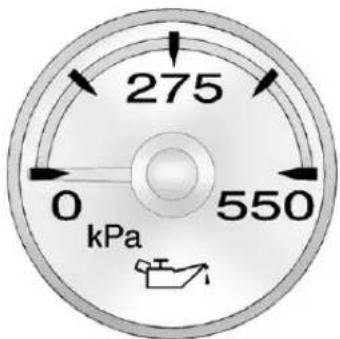
radar
| Current (kPa) | |---| | 275 | | 550 |Metric
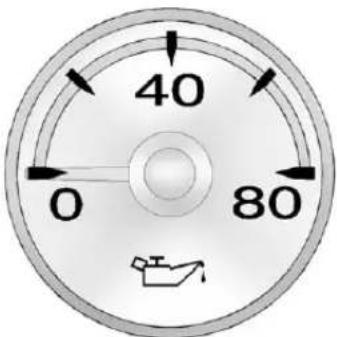
text_image
40 0 80English
The oil pressure gaugeshowsthe engine oil pressure in psi (pounds persquare inch) when the engine is running. Canadian vehicles indicate pressure ink Pa (kilopascals).
Oilpressuremayvarywithengine speed,outsidetemperatureandoil viscosity,butreadingsabovethe lowpressurezoneindicate the normaloperatingrange.Whenthe oilpressurereachesthelow pressurezone,theOILPRESSURE LOWSTOPENGINEmessage appearsintheDriverInformation
Center(DIC).SeeEngineOil Messagesonpage5-40andEngine Oilonpage10-7formore information.
Areadinginthelowpressurezone maybecausedbyadangerously lowoillevelorsomeotherproblem causinglowoilpressure.
Notice:Lackofproperengineoil maintenancecandamagethe engine.Drivingwiththeengine oilowcanalsodamagethe engine.Therepairswouldnotbe coveredbythevehiclewarranty. Checktheoillevelassoonas possible.Addoilifrequired,but iftheoilleveliswithinthe operatingrangeandtheoil pressureisstilllow,havethe vehicleserviced.Alwaysfollow themaintenanceschedulefor changingengineoil.
If the vehicle is a hybrid, seethe hybrids supplement form more information.
EngineCoolant TemperatureGauge
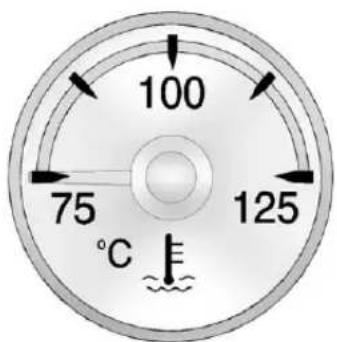
text_image
100 75 125 °CMetric
5-16 InstrumentsandControls
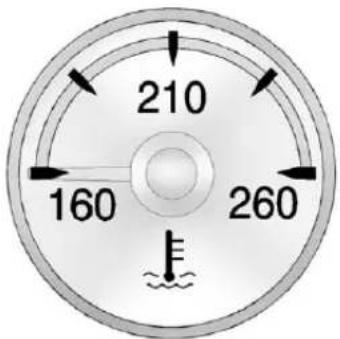
radar
| Angle (°) | Value | |-----------|-------| | 0 | 160 | | 45 | 210 | | 90 | 260 | | 135 | 210 |English
Thisgaugeshowstheengine coolanttemperature.
Italsoprovidesanindicatorofhow hardthevehicleisworking.Duringa majorityoftheoperation,thegauge reads100°C(210°F)orless.Ifyou arepullingaloadorgoinguphills,it isnormalforthetemperatureto fluctuateandapproachthe122°C (250°F)mark.Ifthegaugereaches the125°C(260°F)mark,itindicates thatthecoolingsystemisworking beyonditscapacity.
SeeEngineOverheatingon page10-21.
If the vehicle is a hybrid, se the hybrids supplement form more information.
VoltmeterGauge
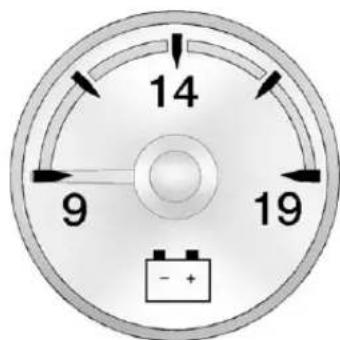
text_image
14 9 19 - +Whentheengineisnotrunning, but theignitionison, thisgaugeshows thebattery'sstateofchargein DCvolts.
Whentheengineisrunning, the gaugeshowstheconditionofthe chargingsystem. Thecharging systemregulatesvoltagebasedon thestateofthebatteryforimproved fueleconomyandbatterylife. The gaugemaytransitionfromahigher toloweroralowertohigher reading, thisisnormal. Readings betweenthelowandhighwarning zonesindicatethenormaloperating range. Thegaugemayalsoread lowduringthefueleconomymode, thisisnormal.
Readingsinthelowwarningzone mayoccurwhenalargenumberof electricalaccessoriesareoperating inthevehicleandtheengineisleft atanidleforanextendedperiod. Thisconditionisnormalsincethe chargingsystemisnotableto providefullpoweratengineidle.As enginespeedsareincreased,this conditionshouldcorrectitselfas higherenginespeedsallowthe chargingsystemtocreatefull power.Ifthereisaproblemwiththe batterychargingsystem,thislight
willcomeonortheSERVICE BATTERYCHARGINGSYSTEM DICmessagewilldisplay.See BatteryVoltageandCharging Messagesonpage5-37and ChargingSystemLighton page5-20formoreinformation.
SafetyBeltReminders
DriverSafetyBeltReminder Light
Thereisadriversafetybelt reminderlightontheinstrument panelcluster.
Whenthevehicleisstarted,this lightflashesandachimemaycome ontoremindthedrivertofasten theirsafetybelt.Thenthelightstays onsoliduntilthebeltisbuckled.
Thiscycle may continue several times if the driver remains or becomes unbuckled while the vehicle is moving.
Ifthedriversafetybeltisbuckled, neitherthelightnorthechime comeson.
PassengerSafetyBelt ReminderLight
Whenthevehicleisstarted,this lightflashesandachimemaycome ontoremindfrontpassengersto fastentheirsafetybelt.Thenthe lightstaysonsoliduntilthebeltis buckled.
See Passenger Airbag Status Indicator on page 5-18.
Thiscyclecontinuesseveraltimesif thefrontpassengerremainsor becomesunbuckledwhilethe vehicleismoving.
If the front passengers safety belt is buckled, neither the chimen or the light comes on.
Thefrontpassengersafetybelt reminderlightandchimemayturn onifanobjectisputontheseat suchasabriefcase,handbag, grocerybag,laptop,orother electronicdevice.Toturnoffthe reminderlightand/orchime,remove theobjectfromtheseatorbuckle thesafetybelt.
AirbagReadinessLight
Thesystemcheckstheairbag's electricalsystemforpossible malfunctions. Ifthelightstaysonit indicatesthereisanelectrical problem. Thesystemcheckincludes theairbagsensor(s), passenger sensing system, thepretensioners, theairbagmodules, thewiring, and thecrashsensinganddiagnostic module. Formoreinformationonthe airbagsystem, seeAirbagSystem onpage3-30.

Theairbagreadinesslightcomeson solidforafewsecondswhenthe engineisstarted.Ifthelightdoes notcomeonthen,haveitfixed immediately.
WARNING
If the airbagreadinesslightstays on after the vehicle is started or comes on while driving, it means the air bagsystem might not be working properly. The airbags in the vehicle might not inflate a crash, or they could even inflate without a crash. To help avoid injury, have the vehicles serviced right away.
If there is a problem with the airbag system, a Driver Information Center (DIC) message can also come on. See Airbag System Messages on page 5-44 form more information.
PassengerAirbagStatus Indicator
Ifthevehiclehastheairbagstatus indicatorpicturedinthefollowing illustration,thenthevehiclehasa passengersensingsystemforthe rightfrontpassengerposition.The passengerairbagstatusindicatoris ontheoverheadconsole.See PassengerSensingSystemon page3-39forimportantsafety information.
Inaddition, if the vehicle has a passengersensingsystem for the right front passenger position, the label on the vehicle's sunvisors refer to "ADVANCED AIRBAGS."
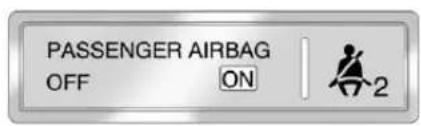
text_image
PASSENGER AIRBAG OFF ON 2UnitedStates
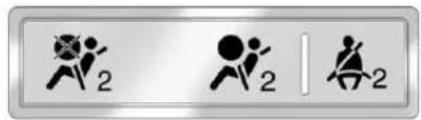
text_image
Three identical icons with stylized human figures and the number '2', likely representing a safety or fitness symbol.CanadaandMexico
Whenthevehicleisstarted,the passengerairbagstatusindicator willlightONandOFF,orthe symbolsforonandoff,for severalsecondsasasystemcheck. Ifyouareusingremotestart, ifequipped,tostartthevehiclefrom adistance,youmaynotseethe systemcheck.
Then, afterseveralmoreseconds, thestatusindicatorwilllighteither ONorOFF, oreithertheonoroff symboltoletyouknowthestatusof therightfrontpassengerfrontal airbag.
IfthewordONortheonsymbolis litonthepassengerairbagstatus indicator, itmeansthattheright frontpassengerfrontalairbagis enabled (mayinflate).
IfthewordOFFFortheoffsymbolis litontheairbagstatusindicator, it meansthatthepassengersensing systemhasturnedofftherightfront passengerfrontalairbag.
If,afterseveralseconds,bothstatus indicatorlightsremainon,orifthere arenolightsatall,theremaybea problemwiththelightsorthe passengersensingsystem.See yourdealerforservice.
WARNING
If the airbagreadiness light ever comes on and stay on, it means that something may be wrong with the air bags system. To help avoid injury to your self for others, have the vehicles serviced right away. See Airbag Readiness Lighton page 5-18 form more information, including important safety information.
ChargingSystemLight
Thislightcomesonbrieflywhenthe ignitionkeyisturnedtoSTART,but theengineisnotrunning,asa checktoshowitisworking.
Ifitdoesnot,havethevehicle servicedbyyourdealer.
Thelightshouldgooutoncethe enginestarts.lfitstayson, orcomesonwhiledriving,there couldbeaproblemwiththe chargingsystem.Achargingsystem messageintheDriverInformation Center(DIC)canalsoappear.See BatteryVoltageandCharging Messagesonpage5-37formore information.Thislightcouldindicate thatthereareproblemswitha generatordrivebelt,orthatthereis anelectricalproblem.Haveit
checkedrightaway. If the vehicle must bed driven short distance with the lighton, turn off accessories, such as ther radio and air conditioner.
If the vehicle is a hybrid, se the hybrids supplement form more information.
Malfunction IndicatorLamp
AcomputersystemcalledOBDII (On-BoardDiagnostics-Second Generation)monitortheoperation ofthevehicletoensureemissions areatacceptablelevels,toproduce acleanerenvironment.Thislight comesonwhenthevehicleis placedinON/RUN,asacheckto showitisworking.lfitdoesnot, havethevehicleservicedbyyour dealer.SeeIgnitionPositionson page9-23.
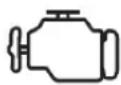
Ifthemalfunctionindicatorlamp comesonandstaysonwhilethe engineisrunning,thisindicatesthat thereisanOBDIIproblemand serviceisrequired.
Malfunctionsoftenareindicated by thesystembeforeanyproblemis apparent. Beingawareofthelight canpreventmoreseriousdamage tothevehicle. Thissystemassists theservicetechnicianincorrectly diagnosinganymalfunction.
Notice: If the vehicle is continually driven with this light on, the emission control might not work as well, the vehicle fuel economy might not be as good, and the engine might not run as smoothly. This could lead to costly repair that might not be covered by the vehicle warranty.
Notice: Modificationsmadetothe engine, transmission, exhaust, intake, orfuelsystemofthe vehicleorthereplacementofthe originaltireswithotherthan thoseofthesameTire PerformanceCriteria(TPC)can affectthevehicle'semission controlsandcancausethislight tocomeon.Modificationsto thesesystemscouldleadto costlyrepairsnotcoveredbythe vehiclewarranty.Thiscouldalso resultinafailuretopassa requiredEmissionInspection/ Maintenancetest.See AccessoriesandModificationson page10-3.
Thislightcomesonduringa malfunctioninoneoftwoways:
LightFlashing: Amisfirecondition has been detected. Amisfire increases vehicle emissions and could damage the emission control system on the vehicle. Diagnosis and servicemight berequired.
Topreventmoreseriousdamageto thevehicle:
- Reducevehiclespeed.
- Avoidhardaccelerations.
- Avoidsteepuphillgrades.
- Iftowingatraler, reduce the amount of cargobeing hauled as soon as it is possible.
Ifthelightcontinuestoflash,stop andparkthevehicle.Turnthe vehicleoff,waitatleast10seconds, andrestarttheengine.Ifthelightis stillflashing,followtheprevious stepsandseeyourdealerfor serviceassoonaspossible.
LightOnSteady: Anemission controlsystemmalfunctionhas beendetectedonthevehicle. Diagnosisandservicemightbe required.
The following maycorrectan emissionsystemmalfunction:
- Check that the fuel cap is fully installed. See Filling the Tank on page 9-67. The diagnostic system can determine if the fuel cap has been left for improperly installed. A loose or missing fuel cap allows fuel to evaporate into the atmosphere. Afew driving trip with the cap properly installed should turn the light off.
- Checkthatgoodqualityfuelis used. Poorfuelqualitycauses theenginenottorunas efficientlyasdesignedandmay causestallingafterstart-up, stallingwhenthevehicleis changedintogear,misfiring, hesitationonacceleration, orstumblingonacceleration. Theseconditionsmightgoaway oncetheengineiswarmedup.
Ifoneormoreoftheseconditions occurs, changethefuelbrandused. It will require at least one full tank of the proper fuel to turn the lightoff.
SeeRecommendedFuelon page9-63.
If none of the above havemad the light turn off, your dealer can check the vehicle. The dealer has the propert equipment and diagnostictool to fix any mechanical electrical problems that might have developed.
EmissionsInspection and MaintenancePrograms
Somelocalgovernmentsmayhave programstoinspecttheon-vehicle emissioncontrolequipment.Forthe inspection,theemissionsystemtest equipmentisconnectedtothe vehicle'sDataLink Connector(DLC).
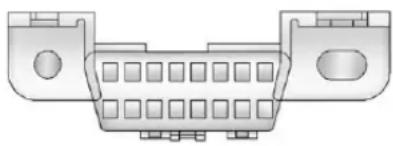
natural_image
Technical line drawing of a connector housing with slots and mounting points (no text or symbols)The DLC is under the instrument panel to the left of the steering wheel. See your dealer if assistance is needed.
The vehicle may not pass inspection if:
- Themalfunctionindicatorlampis onwiththeengine running, orif the light does not come on when the ignition is turned to ON/RUN while the engine is off. See your dealer for assistance in verifying proper operation of the malfunction indicator lamp.
- TheOBDII(On-Board Diagnostics)systemdetermines that critical emission control systemshavenotbeen completely diagnosed. The vehicle would be considered not ready for inspection. This can happen if the 12-volt battery has recently been replaced or run down. The diagnostics system is designed to evaluate critical emission control systems during normal driving. This can take several day so fronted driving. If this has been done and the vehicle still does not pass the inspection for lack of OBDII system readiness, your dealer can prepare the vehicle for inspection.
BrakeSystemWarning Light
Withtheignitionon,thebrake systemwarninglightcomeson whentheparkingbrakeisset. If the vehicle is driven with the parking brake engaged, achimesounds whenthe vehiclespeedis greater than 8km/h (5mph).
The vehicle brakes system consists of two hydraulic circuits. If one circuit is not working, theremaining circuit can still work to stop the vehicle. Fornormal braking performance, both circuits need to be working.
If the warning light comes on a chimesound there could be a brake problem. Havethe brake system inspected right away.
Thislightcanalsocomeondueto lowbrakefluid.SeeBrakeFluidon page 10-27formoreinformation.


BRAKE
MetricEnglish
Thislightcomesonbrieflywhenthe ignitionkeyisturnedtoON/RUN. Ifitdoesnotcomeonthen,haveit fixedsoitisreadytowarnifthereis aproblem.

WARNING
Thebrakesystemmightnotbe workingproperlyifthebrake systemwarninglightison. Drivingwiththebrakesystem warninglightoncanleadtoa crash.Ifthelightisstillonafter thevehiclehasbeenpulledoff theroadandcarefullystopped, havethevehicletowedfor service.
Ifthelightcomesonwhiledriving, pullofftheroadandstopcarefully. Thepedalmightbehardtopush ormightgoclosertothefloor.Itcan takelongertostop.Ifthelightisstill on,havethevehicletowed for service.See Towingthe Vehicleon page 10-93.
If the vehicle is a hybrid, se the hybrids supplement form more information.
AntilockBrakeSystem (ABS)WarningLight

ForvehicleswiththeAntilockBrake System(ABS), thislightcomeson brieflywhentheengineisstarted.
5-24InstrumentsandControls
If it does not, havethe vehicle serviced by your dealer. If the system is working normally the indicator light thengoes off.
IftheABSlightstayson,turnthe ignitionoff.Ifthelightcomeson whiledriving,stopassoonasitis safelypossibleandturntheignition off.Thenstarttheengineagainto resetthesystem.IftheABSlight stayson,orcomesonagainwhile driving,thevehicleneedsservice. Iftheregularbrakesystemwarning lightisnoton,thevehiclestillhas brakes,butnotantilockbrakes. Iftheregularbrakesystemwarning lightisalsoon,thevehicledoesnot haveantilockbrakesandthereisa problemwiththeregularbrakes. SeeBrakeSystemWarningLighton page5-23.
ForvehicleswithaDriver InformationCenter(DIC), see Brake SystemMessagesonpage5-37 for allbrake-related DIC messages.
If the vehicle is a hybrid, se the hybrids supplement form more information.
Tow/HaulModeLight

ForvehicleswiththeTow/Haul Modefeature,thislightcomeson whentheTow/HaulModehasbeen activated.
Formoreinformation, see Tow/Haul Modeonpage9-36.
StabiliTrak® OFFLight
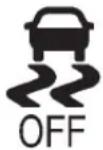
Thislightcomesonbrieflywhile startingtheengine.
Ifitdoesnot,havethevehicle servicedbyyourdealer.Ifthe systemisworkingnormally,the indicatorlightthengoesoff.
PressandreleasetheTraction ControlSystem(TCS)/StabiliTrak buttontoturnoffTCS,anda messagedisplaysintheDIC.
PressandbrieflyholdtheTCS/StabiliTrakbuttontoturnofftheStabiliTraksystem;theStabiliTrakOfflightcomesonandamessageappearsintheDriverInformationCenter(DIC).
IftheStabiliTrak/TCSsystemisoff, thesystemdoesnotassistin controllingthevehicle.Turnonthe StabiliTrak/TCSsystemandthe indicatorlightturnsoff.
See StabiliTrak ^® Systemon page 9-47, and RideControlSystem Messagesonpage 5-43 formore information.
TractionControlSystem (TCS)/StabiliTrak® Light
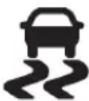
The TCS/StabiliTraklightcomeson brieflywhentheengineisstarted.
Ifthelightdoesnotcomeonor stayson,havethevehicleserviced bythedealer.Ifthesystemis workingnormally,theindicatorlight turnsoff.
Ifthelightcomesonandstayson whiledriving, andamessage displaysintheDriverInformation Center(DIC), havethevehicle servicedbythedealer. See Ride ControlSystemMessageson page5-43formoreinformation.
Ifthelightflasheswhiledriving, this meansthatStabiliTrakorTCSis assistingincontrollingthevehicle. See StabiliTrak® Systemon page9-47formoreinformation.
TirePressureLight

ForvehicleswiththeTirePressure MonitorSystem(TPMS), thislight comesonbrieflywhentheengineis started. Itprovidesinformation abouttirepressuresandtheTPMS.
WhentheLightIsOnSteady
This indicates that one or more of the tires are significantly underinflated.
ADriverInformationCenter(DIC) tirepressuremessagemayalso display.See TireMessageson page5-44.Stopassoonas possible, andinflatethetirestothe pressurevalueshownontheTire andLoadingInformationlabel.See TirePressureonpage10-57.
WhentheLightFlashesFirstand ThenIsOnSteady
If the light flashes for about a minute and then stay on, ther may be a problem with the TPMS. If the problem is not corrected, the light will come on at every ignition cycle. See Tire Pressure Monitor Operation on page 10-60.
EngineOilPressureLight
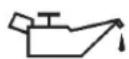
Notice:Lackofproperengineoil maintenancecandamagethe engine.Drivingwiththeengine oilowcanalsodamagethe engine.Therepairswouldnotbe coveredbythevehiclewarranty. Checktheoillevelassoonas possible.Addoilifrequired,but iftheoilleveliswithinthe operatingrangeandtheoil pressureisstilllow,havethe vehicleserviced.Alwaysfollow themaintenanceschedulefor changingengineoil.
Thislightcomesonbrieflywhile startingtheengine.lfitdoesnot, havethevehicleservicedbyyour dealer.lfthesystemisworking normallytheindicatorlightthen goesoff.
Ifthelightcomesonandstayson, it meansthatoilisnotflowingthrough theengineproperly. Thevehicle couldbelowonoilanditmight havesomeothersystemproblem.
If the vehicle is a hybrid, se the hybrids supplement form more information.
LowFuelWarningLight
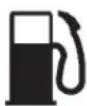
Thislight, underthefuelgauge, comesonbrieflywhiletheengineis beingstarted.
Thislightandachimecomeon whenthefueltankislowonfuel. TheDriverInformationCenteralso displaysaFUELLEVELLOW message.SeeFuelSystem Messagesonpage5-41formore information.Whenfuelisaddedthis
lightandmessageshouldgooff. Iftheydonot,havethevehicle servicedbyyourdealer.
SecurityLight

Thesecuritylightshouldcomeon brieflyastheengineisstarted.Ifthe systemisworkingnormally,the indicatorlightturnsoff.Ifitdoesnot comeon,havethevehicleserviced byyourdealer.
Ifthelightstaysonandtheengine doesnotstart,therecouldbea problemwiththetheft-deterrent system.
Thislightisalsousedtoindicate the statusoftheanti-theftalarmsystem whentheignitionisturnedoff. The lightwillflashrapidlyifthealarm systemisarmingandoneormore ofthemonitoredentrypointsisnot closed. Thelightwillstayonifthe alarmisarmingandallentrypoints areclosed.
Forinformationregardingthislight andthevehicle'ssecuritysystem, seeAnti-theftAlarmSystemon page2-15.
High-BeamOnLight

Thislightcomesonwhenthe high-beamheadlampsareinuse.
SeeHeadlampHigh/Low-Beam Changeronpage6-2.
FrontFogLampLight
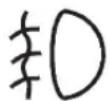
Thefoglamplightcomesonwhen thefoglampsareinuse.
Thelightgoesoutwhenthefog lampsareturnedoff.SeeFog Lampsonpage6-6formore information.
CruiseControlLight
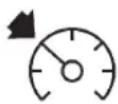
Thecruisecontrollightcomeson whenever the cruise control lisset.
Thelightgoesoutwhenthecruise controlisturnedoff.SeeCruise Controlonpage9-52formore information.
InformationDisplays
DriverInformation Center(DIC)
YourvehiclehasaDriver InformationCenter(DIC).
TheDICdisplaysinformationabout yourvehicle.Italsodisplays warningmessagesifasystem problemisdetected.
Allmessageswillappearinthe DICdisplaylocatedbelowthe tachometerintheinstrumentpanel cluster.
The DIC comes on when the ignition is on. After a short delay, the DIC will display the information that was last displayed before the engine wasturned off.
The DIChasdifferentdisplays whichcanbeaccessedbypassing the DICbuttonslocatedonthe instrumentpanel,nexttothe steeringwheel.Ifthevehicledoes nothaveDICbuttons,thetrip odometerresetstemcanbeusedto accesssomeofthemenuitems.
The DIC display strip, fuel, and vehicle system information, and warning messages if a system problem is detected.
The DIC also allow some features to be customized. See Vehicle Personalization (With DIC Buttons) on page 5-47 form more information.
DICButtons
Thebuttonsarethetrip/fuel,vehicle information,customization,andset/resetbuttons.Thebuttonfunctions aredetailedinthefollowingpages.
(Trip/Fuel): Presstodisplay theodometer, tripodometer, fuel range, average economy, fuel used, timer, instantaneous economy and Active Fuel Management ^™ indicator, and transmission temperature. The compass and
outsideairtemperaturewillalsobe showninthedisplay. The temperaturewillbeshownin°C or°Fdependingontheunits selected.
i(VehicleInformation):Press todisplaytheoillife, units, side blindzonesystemon/off, tire pressurereadingsforvehicleswith the TirePressureMonitorSystem (TPMS), trailerbrakegain and outputinformationforvehicleswith the Integrated TrailerBrakeControl (ITBC) system, enginehours, compasszonesetting, and compass recalibration.
E=(Customization):Pressto customizethefeaturesettings on your vehicle. See Vehicle Personalization(With DICButtons) on page 5-47 form more information.
√(Set/Reset): Presstosetor resetcertainfunctionsandtoturn fororacknowledgemessageson theDIC.
Trip/FuelMenultems (WithDICButtons)
(Trip/Fuel): Presstoscroll through the following menu items:
Odometer
Pressthetrip/fuelbuttonuntil ODOMETERdisplays. Thisdisplay showsthedistancethevehiclehas beendrivenineitherkilometers(km) ormiles(mi).Pressingthetrip odometerresetstemwillalso displaytheodometer.
ToswitchbetweenEnglishand metricmeasurements,see "Units" laterinthissection.
TripOdometer
Pressthetrip/fuelbuttonuntilTRIP displays. This display shows the current distance traveled neither kilometers (km) or miles (mi) since the last reset for the tripod odometer. Pressing the tripod odometer reset stem will also display the tripod odometer.
Thetripodometercanberesetto zerobypressingtheset/reset buttonwhilethetripodometeris displayed. Youcanalsoresetthe tripodometerwhileitisdisplayed by pressingandholdingthetrip odometerresetstem.
Thetripodometerhasafeature calledtheretroactivereset. This can be used to set the tripodometerto then number of kilometers (miles) drivens in the ignition was last turned on. This can be used if the tripodometer is not reset at the beginning of the trip.
Tousetheretroactiveresetfeature, pressandholdtheset/resetbutton foratleastfourseconds. Thetrip odometerwilldisplaythenumberof kilometers(km)ormiles(mi)driven sincetheignitionwaslastturnedon andthevehiclewasmoving.Once thevehiclebeginsmoving,thetrip odometerwillaccumulatemileage.
Forexample, if the vehicle was driven 8 km (5 mi) before it is started again, and then thereto activereset feature is activated, the display will show 8 km (5 mi). Asthe vehicle begins moving, the display will then increaseto 8.2 km (5.1 mi), 8.4 km (5.2 mi), etc.
FuelRange
Pressthetrip/fuelbuttonuntilFUEL RANGEdisplays. Thisdisplay shows the approximate number of remaining kilometers (km) or miles (mi) the vehicle can be driven without refueling. The display will show LOWifthefuellevelislow.
Thefuelrangeestimateisbasedon anaverageofthevehicle'sfuel economyoverrecentdrivinghistory andtheamountoffuelremainingin thefueltank. Thisestimatewill changeifdrivingconditionschange. Forexample,ifdrivingintrafficand makingfrequentstops,thisdisplay mayreadonenumber,butifthe vehicleisdrivenonafreeway,the numbermaychangeeeventough
thesameamountoffuelisinthe fueltank. Thisisbecausedifferent drivingconditionsproducedifferent fueleconomies.Generally,freeway drivingproducesbetterfuel economythancitydriving.Fuel rangecannotbereset.
AverageEconomy
Pressthetrip/fuelbuttonuntilAVG ECONOMYdisplays.Thisdisplay showstheapproximateaverage litersper100kilometers(L/100km) ormilespergallon(mpg).This numberiscalculatedbasedonthe numberofL/100km(mpg)recorded sincethelasttimethismenuitem wasreset.ToresetAVG ECONOMY,pressandholdtheset/resetbutton.
FuelUsed
Pressthetrip/fuelbuttonuntilFUEL USEDdisplays.Thisdisplayshows thenumberofliters(L)or gallons(gal)offuelusedsincethe lastresetofthismenuitem.Toreset
thefuelusedinformation,pressand holdtheset/resetbuttonwhileFUEL USEDisdisplayed.
Speedometer
Thespeedometershowshowfast thevehicleismovingineither kilometersperhour(km/h)ormiles perhour(mph). Thespeedometer cannotbereset.
Timer
Pressthetrip/fuelbuttonuntil TIMERdisplays. Thisdisplaycanbe usedasatimer.
Tostartthetimer, presstheset/ resetbuttonwhileTIMERis displayed. Thedisplaywillshowthe amountoftimethathaspassed sincethetimerwaslastreset, not includingtimetheignitionisoff. Timewillcontinuetobecountedas longastheignitionison, even if anotherdisplayisbeingshownon theDIC. Thetimerwillrecordupto 99hours, 59minutesand 59seconds(99:59:59)afterwhich thedisplaywillreturntozero.
Tostopthetimer, presstheset/reset buttonbrieflywhile TIMERis displayed.
Toresetthetimertozero, pressand holdtheset/resetbuttonwhile TIMERisdisplayed.
TransmissionTemperature
Pressthetrip/fuelbuttonuntil TRANSTEMPdisplays. This displayshowsthetemperatureof theautomatictransmissionfluidin eitherdegreesCelsius(°C)or degreesFahrenheit(°F).
InstantaneousEconomy and ActiveFuelManagement™ Indicator
If your vehicle has this display, pressthetrip/fuelbutton until INST ECONV8 displays. This display shows the current fueleconomy data particular moment and will change frequently as driving conditions change. This display shows the
instantaneousfueleconomyinliters per100kilometers(L/100km)or milespergallon(mpg). Unlike averageeconomy, this screen cannot bereset.
AnActiveFuelManagement indicatorwilldisplayontheright sideoftheDIC,whileINSTECON displaysontheleftside.ActiveFuel Managementallowstheengineto operateoneitherfouroreight cylinders,dependingonyourdriving demands.WhenActiveFuel Managementisactive,V4will displayontheDIC.WhenActive FuelManagementisinactive,V8 willdisplay.SeeActiveFuel Management® onpage9-30for moreinformation.
BlankDisplay
Thisdisplayshowsnoinformation.
Vehicle Information Menu Items(With DIC Buttons)
i(VehicleInformation): Press to scroll through the following menu items:
OilLife
Pressthevehicleinformation buttonuntilOILLIFEREMAINING displays. Thisdisplayshowsan estimateoftheoil'sremaininguseful life. Ifyousee99%OILLIFE REMAININGonthedisplay, that means99%ofthecurrentoillife remains. Theengineoillifesystem willalertyoutochangetheoilona scheduleconsistentwithyour drivingconditions.
Whentheremainingoillifeislow, theCHANGEENGINEOILSOON messagewillappearonthedisplay. See "CHANGEENGINEOILSOON" underEngineOilMessageson page5-40. You should change the oil as soon as you can. See Engine Oil on page 10-7. In addition to the engine oil ifesystem monitoring the oil life, additional maintenance is recommended in the Maintenance Schedule in this manual. See Maintenance Schedule on page 11-3 form more information.
Remember,youmustresettheOIL LIFEdisplayyourselfafterechoil change.Itwillnotresetitself.Also, be careful not to reset the OILLIFE display accidentally at any time other than when the oil has just been changed. It cannot be reset accurately until then next oil change. To reset the engine oil lifesystem, see Engine Oil Life System on page 10-10.
SideBlindZoneAlert
IfyourvehiclehastheSideBlind ZoneAlert(SBZA)system,this displayallowsthesystemtobe turnedonoroff.Onceinthis display,presstheset/resetbutton to selectbetweenONorOFF.Ifyou chooseON,thesystemwillbe turnedon.IfyouchooseOFF,the systemwillbeturnedoff.Whenthe SBZAsystemisturnedoff,theDIC willdisplaytheSIDEBLINDZONE ALERTSYSTEMOFFmessageas areminderthatthesystemhas beenturnedoff.SeeObject DetectionSystemMessageson page5-41andSideBlindZoneAlert (SBZA)onpage9-56formore information.
Units
Pressthevehicleinformationbutton untilUNITSdisplays.Thisdisplay allowsyoutoselectbetweenmetric orEnglishunitsofmeasurement.Onceinthisdisplay,presstheset/resetbuttontoselectbetween METRICorunitsENGLISH.Allof
thevehicleinformationwillthenbe displayedintheunitof measurementselected.
TirePressure
OnvehicleswiththeTirePressure MonitorSystem(TPMS), the pressureforeachtirecanbeviewed intheDIC. Thetirepressurewill be shownineitherkilopascals(kPa)or poundspersquareinch(psi).Press thevehicleinformationbuttonuntil theDICdisplaysFRONT TIRESkPa(PSI)LEFT## RIGHT##.Pressthevehicle informationbuttonagainuntilthe DICdisplaysREARTIRESkPa (PSI)LEFT##RIGHT##.
Ifalowtirepressureconditionis detectedbythesystemwhile driving, amessageadvisingyouto addpressureinaspecifictirewill appearinthedisplay. See Tire Pressureonpage 10-57 and Tire Messagesonpage 5-44 formore information.
If the tire pressured display shows dashes instead of a value, there may be a problem with your vehicle. If this consistently occurs, see your dealer for service.
TrailerGainandOutput
OnvehicleswiththeIntegrated TrailerBrakeControl(ITBC)system, thetrailerbrakedisplayappearsin theDIC.Pressthevehicle informationbuttonuntilTRAILER GAINandOUTPUTdisplay.
TRAILERGAINshowsthetrailer gainsetting. This setting can be adjusted from 0.0 to 10.0 with either a trailer connected or disconnected. To adjust this setting, see "Integrated Trailer Brake Control System" under Towing Equipment on page 9-79 form more information.
OUTPUTshowsthepoweroutputto thetraileranytimeatrailerwith electricbrakesisconnected.Output isdisplayedin0to10bars.Dashes mayappearintheOUTPUTdisplay.
See "Integrated Trailer Brake Control System" under Towing Equipment on page 9-79 form more information.
EngineHours
Pressthevehicleinformationbutton until ENGINEHOURSdisplays. This displayshowsthetotalnumberof hourstheenginehasrun.
CompassZoneSetting
Thisdisplayallowsforsettingthe compasszone.SeeCompasson page5-6
CompassRecalibration
This display allows for calibrating the compass. See Compassion page 5-6
BlankDisplay
Thisdisplayshowsnoinformation.
TripOdometerResetStem Menultems(WithDICButtons)
Usethetripodometerresetstemto viewtheodometerandtrip odometer.TheLanguageselection andEngineHoursdisplaycanalso beaccessedwiththetripodometer resetstem.
Odometer
Pressthetripodometerresetstem untilODOMETERdisplays. This displayshowsthedistancethe vehiclehasbeendrivenineither kilometers(km)ormiles(mi).
TripOdometer
Pressthetripodometerresetstem untilTRIPdisplays. Thisdisplay shows the current distance traveled in either kilometers (km) or miles (mi) sincethelastreset for the tripodometer.
Thetripodometercanberesetto zerobypressingandholdingthetrip odometerresetstemwhilethetrip odometerisdisplayed.
5-34 InstrumentsandControls
Thetripodometerhasafeature calledtheretroactivereset. This can be used to set the tripodometerto then number of kilometers (miles) drivens in the ignition was last turned on. This can be used if the tripodometer is not reset at the beginning of the trip.
Tousetheretroactiveresetfeature, pressandholdthetripodometer resetstemforatleastfourseconds. Thetripodometerwilldisplaythe numberofkilometers(km)or miles(mi)drivensincetheignition waslastturnedonandthevehicle wasmoving.Oncethevehicle beginsmoving,thetripodometer willaccumulatemileage.For example,ifthevehiclewasdriven 8km(5mi)beforeitisstartedagain, andthentheretroactivereset featureisactivated,thedisplaywill show8km(5mi).Asthevehicle beginsmoving,thedisplaywillthen increaseto8.2km(5.1mi),8.4km (5.2mi),etc.
Language
Thisdisplayallowsyoutoselect thelanguageinwhichtheDIC messageswillappear.Toselecta language:
- Pressthetripodometerreset stemuntilODOMETERdisplays.
- While in the ODOMETER display, press and hold the trip odometer reset stem for three seconds until the currently set languaged displays.
- Continuetopressandholdthe tripodometerresetstemtoscroll throughalloftheavailable languages.
The available selections are ENGLISH(default), FRANCAIS (French), ESPANOL(Spanish), and NOCHANGE. - Oncethedesiredlanguageis displayed, releasethetrip odometerresetstemtosetyour choice.
EngineHours
TodisplaytheENGINEHOURS, placetheignitioninLOCK/OFFor ACC/ACCESSORY, thenpressand holdthetripodometerresetstemfor foursecondswhileviewingthe ODOMETER. Thisdisplayshows the total number of hours the engine has run.
TripOdometerResetStem Menultems(WithoutDIC Buttons)
Language
Thisdisplayallowsyoutoselect thelanguageinwhichtheDIC messageswillappear.Toselecta language:
- Pressthetripodometerreset stemuntilODOMETERdisplays.
-
While in the ODOMETER display, press and hold the trip odometer reset stem for three seconds until the currently set languaged displays.
-
Continuetopressandholdthe tripodometerresetstemtoscroll throughalloftheavailable languages.
The available languages are ENGLISH(default), FRANCAIS (French), ESPANOL(Spanish), and NOCHANGE.
- Oncethedesiredlanguageis displayed, releasethetrip odometerresetstemtosetyour choice.
TripOdometer
Pressthetripodometerresetstem untilTRIPdisplays. Thisdisplay shows the current distance traveled in either kilometers (km) or miles (mi) sincethelastreset for the tripodometer.
Thetripodometercanberesetto zerobypressingandholdingthetrip odometerresetstemwhilethetrip odometerisdisplayed.
Thetripodometerhasafeature calledtheretroactivereset. This can be used to set the tripodometerto then number of kilometers (miles) drivens in the ignition was last turned on. This can be used if the tripodometer is not reset at the beginning of the trip.
Tousetheretroactiveresetfeature, pressandholdthetripodometer resetstemforatleastfourseconds. Thetripodometerwilldisplay the numberofkilometers(km)or miles(mi)drivensincetheignition waslastturnedonandthevehicle wasmoving.Oncethevehicle beginsmoving,thetripodometer willaccumulatemileage. For example,ifthevehiclewasdriven 8km(5mi)beforeitisstartedagain, andthentheretroactivereset featureisactivated,thedisplaywill show8km(5mi).Asthevehicle beginsmoving,thedisplaywillthen increaseto8.2km(5.1mi),8.4km (5.2mi),etc.
Transmission Temperature
Pressthetripodometerresetstem untilTRANSTEMPdisplays. This displayshowsthetemperatureof theautomatictransmissionfluidin eitherdegreesCelsius(°C)or degreesFahrenheit(°F).
TrailerGainandOutput
OnvehicleswiththeIntegrated TrailerBrakeControl(ITBC)system, thetrailerbrakedisplayappearsin theDIC.Pressthetripodometer resetstemuntilTRAILERGAINand OUTPUTdisplay.
TRAILERGAINshowsthetrailer gainsetting. This setting can be adjusted from 0.0 to 10.0 with either a trailer connected or disconnected. To adjust this setting, see "Integrated Trailer Brake Control System" under Towing Equipment on page 9-79 form more information.
OUTPUTshowsthepoweroutputto thetraileranytimeatrailerwith electricbrakesisconnected.Output isdisplayedin0to10bars.Dashes mayappearintheOUTPUTdisplay. See "IntegratedTrailerBrake ControlSystem" under Towing Equipmentonpage9-79formore information.
Speedometer
Thespeedometershowshowfast thevehicleismovingineither kilometersperhour(km/h)ormiles perhour(mph). Thespeedometer cannotbereset.
CompassZoneSetting
This display allows for setting the compasszone. See Compasson page 5-6 form more information.
CompassRecalibration
This display allows for calibrating the compass. See Compass on page 5-6 form more information.
OilLife
Toaccessthisdisplay,thevehicle mustbeinP(Park).Pressthetrip odometerresetstemuntilOILLIFE REMAININGdisplays.Thisdisplay showsanestimateoftheoil's remainingusefullife.Ifyousee 99%OILLIFEREMAININGonthe display,thatmeans99%ofthe currentoilliferemains.Theengine oillifesystemwillalertyouto changetheoilonaschedule consistentwithyourdriving conditions.
Whentheremainingoillifeislow, theCHANGEENGINEOILSOON messagewillappearonthedisplay. See"CHANGEENGINEOILSOON" underEngineOilMessageson page5-40.Youshouldchangethe oilassoonasyoucan.SeeEngine Oilonpage10-7.Inadditiontothe engineoillifesystemmonitoringthe oillife,additionalmaintenanceis recommendedintheMaintenance Scheduleinthismanual.See MaintenanceScheduleon page11-3formoreinformation.
Remember, you must reset the OIL LIFE display yourself after each oil change. It will not reset itself. Also, be careful not to reset the OILLIFE display accidentally at any time other than when the oil has just been changed. It cannot be reset accurately until then next oil change. To reset the engine oil lifesystem, see Engine Oil Life System on page 10-10.
RelearnTirePositions
Yourvehiclemayhavethisdisplay. Toaccessthisdisplay,thevehicle mustbeinP(Park).Ifyourvehicle hastheTirePressureMonitor System(TPMS),afterrotatingthe tiresorafterreplacingatireor sensor,thesystemmustre-learnthe tirepositions.Tore-learnthetire positions,seeTirePressureMonitor Systemonpage 10-59.SeeTire Inspectiononpage 10-63,Tire Rotationonpage 10-64andTire Messagesonpage 5-44formore information.
VehicleMessages
MessagesdisplayedontheDIC indicatethestatusofthevehicleor someactionmaybeneededto correctacondition.Multiple messagesmayappearoneafter another.
Themessagesthatdonotrequire immediateactioncanbe acknowledgedandclearedby pressing √(Set/Reset)orthetrip odometerresetstem.
Themessagesthatrequire immediateactioncannotbecleared untilthatactionisperformed.
Allmessagesshouldbetaken seriouslyandclearingthemessage doesnotcorrecttheproblem.
The following are the possible messages and some information about them.
BatteryVoltage and ChargingMessages
BATTERYLOWSTART VEHICLE
Whenthevehicle's battery is severely discharged, this message will display and four chimes will sound. Start the vehicle immediately. If the vehicle is not started and the battery continues to discharge, the climate controls, heated seats, and audiosystems will shutoff and the vehicle may require a jump start. Theses systems will function again after the vehicle is started.
SERVICEBATTERY CHARGINGSYSTEM
Onsomevehicles, this message displays if there is a problem with the battery charging system. Under certain conditions, the charging system light may also turn on in the
instrumentpanelcluster.See ChargingSystemLighton page5-20.Drivingwiththisproblem coulddrainthebattery.Turnoffall unnecessaryaccessories.Havethe electricalsystemcheckedassoon aspossible.Seeyourdealer.
BrakeSystemMessages
SERVICEBRAKESYSTEM
Thismessagedisplaysalongwith thebrakesystemwarninglightif thereisaproblemwiththebrake system.SeeBrakeSystemWarning Lightonpage5-23.Ifthismessage appears,stopassoonaspossible andturnoffthevehicle.Restartthe vehicleandcheckforthemessage ontheDICdisplay.Ifthemessage isstilldisplayedorappearsagain whenyoubegindriving,thebrake systemneedsserviceassoonas possible.Seeyourdealer.
SERVICEBRAKESSOON
Thismessagedisplaysifthereisa problemwiththebrakesystem. Ifthismessageappears,stopas soonaspossibleandturnoffthe vehicle.Restartthevehicleand checkforthemessageontheDIC display.Ifthemessageisstill displayedorappearsagainwhen youbegindriving,thebrakesystem needsservice.Seeyourdealer.
SERVICETRAILERBRAKE SYSTEM
OnvehicleswiththeIntegrated TrailerBrakeControl(ITBC)system, thismessagedisplaysandachime soundswhenthereisaproblem withtheITBCsystem.
Whenthismessagedisplays, power isnolongeravailabletothetrailer brakes.
Assoonasitissafetodoso, carefullypullyourvehicleoverto thesideoftheroadandturnthe ignitionoff.Checkthewiring connectiontothetrailerandturnthe ignitionbackon.Ifthismessagestill displays,eitheryourvehicleorthe trailerneedsservice.Seeyour dealer.
See "Integrated Trailer Brake Control System" under Towing Equipment on page 9-79 form more information.
DoorAjarMessages DRIVERDOOROPEN
Thismessagedisplaysandachime soundsifthedriverdoorisnotfully closedandthevehicleisshiftedout ofP(Park).Stopandturnoffthe vehicle,checkthedorfor obstructions,andclosethedoor again.Checktoseeifthemessage stillappearsontheDIC.
HOODOPEN
Thismessagedisplaysandachime soundsifthehoodisnotfully closed.Stopandturnoffthe vehicle,checkthehoodfor obstructions,andclosethehood again.Checktoseeifthemessage stillappearsontheDIC.
LEFTREARDOOROPEN
Thismessagedisplaysandachime soundsifthedriversidereardooris notfullyclosedandthevehicleis shiftedoutofP(Park).Stopandturn offthevehicle,checkthedoorfor obstructions,andclosethedoor again.Checktoseeifthemessage stillappearsontheDIC.
PASSENGERDOOROPEN
Thismessagedisplaysandachime soundsifthefrontpassengerdoor isnotfullyclosedandthevehicleis shiftedoutofP(Park).Stopandturn offthevehicle,checkthedoorfor obstructions,andclosethedoor again.Checktoseeifthemessage stillappearsontheDIC.
REARACCESSOPEN
Thismessagedisplaysandachime soundsiftheliftgateorliftglassis openwhiletheignitionisinON/RUN.Turnoffthevehicleandcheck theliftgateandliftglass.Restartthe vehicleandcheckforthemessage ontheDICdisplay.
RIGHTREARDOOROPEN
Thismessagedisplaysandachime soundsifthepassengersiderear doorisnotfullyclosedandthe vehicleisshiftedoutofP(Park). Stopandturnoffthevehicle,check thedoorforobstructions,andclose thedooragain.Checktoseeifthe messagestillappearsontheDIC.
EngineCoolingSystem Messages
Notice: If you drivethe vehicle while the engine is overheating, severe engined damagemay occur. If an overheat warning appears on the instrument panel cluster and/or DIC, stop the vehicle as soon as possible. See Engine Overheating on page 10-21 form more information.
ENGINEHOTA/C(Air Conditioning)TURNEDOFF
Thismessagedisplayswhenthe enginecoolantbecomeshotterthan thenormaloperatingtemperature. SeeEngineCoolantTemperature Gaugeonpage5-15.Toavoid addedstrainonahotengine, theairconditioningcompressor automaticallyturnsoff.Whenthe
coolanttemperaturereturnsto normal, theairconditioning compressorturnsbackon. You can continuetodriveyourvehicle.
If this message continues to appear, havethesystem repaired by your dealer as soon as possible to avoid damage to the engine.
ENGINEOVERHEATEDIDLE ENGINE
Thismessagedisplayswhenthe enginecoolanttemperatureistoo hot.Stopandallowthevehicleto idleuntilcoolsdown.SeeEngine CoolantTemperatureGaugeon page5-15.
See Overheated Engine Protection Operating Mode on page 10-23 for information on driving to asafe place in an emergency.
ENGINEOVERHEATEDSTOP ENGINE
Thismessagedisplaysandachime soundsiftheenginecoolingsystem reachesunsafetemperaturesfor operation.Stopandturnoffthe vehicleassoonasitissafetodoso toavoidseveredamage.This messageclearswhentheengine hascooledtoasafeoperating temperature.
EngineOilMessages
CHANGEENGINEOILSOON
Thismessagedisplayswhenthe engineoilneedstobechanged. Whenyouchangetheengineoil,be suretoresettheCHANGEENGINE OILSOONmessage.SeeEngine OilLifeSystemonpage10-10for informationonhowtoresetthe message.SeeEngineOilon page10-7andMaintenance Scheduleonpage11-3formore information.
ENGINEOILHOTIDLE ENGINE
Thismessagedisplayswhenthe engineoilbecomeshotterthanthe normaloperatingtemperature.Stop andallowthevehicletoidleuntil coolsdown.SeeEngineCoolant TemperatureGaugeonpage5-15.
OILPRESSURELOWSTOP ENGINE
Notice: If you drivethe vehicle while the engine oil pressure is low, severe engaged damagem may occur. If a low oil pressure warning appears on the Driver Information Center (DIC), stop the vehicle as soon as possible. Do not drivethe vehicle until the cause of the low oil pressure is corrected. See Engine Oilon page 10-7 form more information.
Thismessagedisplaysiflowoil pressurelevelsoccur.Stopthe vehicleassoonassafelypossible anddonotoperateituntilthecause ofthelowoilpressurehasbeen corrected.Checktheoilassoonas possibleandhavethevehicle servicedbyyourdealer.SeeEngine Oilonpage10-7.
EnginePowerMessages ENGINEPOWERISREDUCED
Thismessagedisplaysandachime soundswhenthecoolingsystem temperaturegetstoohotandthe enginefurtherenterstheengine coolantprotectionmode.See EngineOverheatingonpage10-21 forfurtherinformation.
Thismessagealsodisplayswhen theenginepowerisreduced. Reducedenginepowercanaffect thevehicle'sabilitytoaccelerate. Ifthismessageison,butthere isnoreductioninperformance, proceedtoyourdestination.The performancemaybereducedthe nexttimethevehicleisdriven.The vehiclemaybedrivenatareduced speedwhilethismessageison,but accelerationandspeedmaybe reduced.Anytimethismessage stayson,thevehicleshouldbe takentoyourdealerforserviceas soonaspossible.
FuelSystemMessages FUELLEVELLOW
Thismessagedisplaysandachime soundsifthefuellevelislow.Refuel as soonaspossible.SeeFuel Gaugeonpage5-13andFuelon page9-63formoreinformation.
TIGHTENGASCAP
Thismessagemaydisplayalong withthecheckenginelightonthe instrumentpanelclusterifthefuel capisnottightenedproperly.See MalfunctionIndicatorLampon page5-20.Reinstallthefuelcap fully.SeeFillingtheTankon page9-67.Thediagnosticsystem candetermineifthefuelcaphas beenleftofforimproperlyinstalled. Alooseormissingfuelcapallows fueltoevaporateintothe atmosphere.Afewdrivingtripswith thecapproperlyinstalledshould turnthislightandmessageoff.
KeyandLockMessages REPLACEBATTERYIN REMOTEKEY
ThismessagedisplaysifaRemote KeylessEntry(RKE)transmitter batteryislow.Thebatteryneedsto bereplacedinthetransmitter.See "BatteryReplacement" under RemoteKeylessEntry(RKE) SystemOperationonpage2-3.
LampMessages
TURNSIGNALON
Thismessagedisplaysandachime soundsifaturnsignalisleftonfor 1.2km(0.75mi).Movetheturn signal/multifunctionlevertotheoff position.
ObjectDetectionSystem Messages
PARKASSTBLOCKEDSEE OWNERSMANUAL
Thismessagedisplaysifthereis somethinginterferingwiththepark assistsystem.SeeUltrasonic ParkingAssistonpage9-54for moreinformation.
PARKASSISTOFF
Afterthevehiclehasbeenstarted, thismessagedisplaystoremindthe driverthattheURPAsystemhas beenturnedoff.Presstheset/reset buttonorthetripodometerreset stemtoacknowledgethismessage andclearitfromtheDICdisplay.To turntheURPAsystembackon,see UltrasonicParkingAssiston page9-54.
SERVICEPARKASSIST
Thismessagedisplaysifthereisa problemwiththeUltrasonicRear ParkingAssist(URPA)system.Do notusethissystemtohelpyou park.SeeUltrasonicParkingAssist onpage9-54formoreinformation. Seeyourdealerforservice.
SERVICESIDEBLINDZONE ALERTSYSTEM
If your vehicle has the Side Blind Zone Alert (SBZA) system and this messaged displays, both SBZA displays will remain on indicating there is a problem with the SBZA system. If these displays remain on after continued driving, the system need service. See your dealer. See Side Blind Zone Alert (SBZA) on page 9-56 form more information.
SIDEBLINDZONEALERT SYSTEMOFF
If your vehicle has the Side Blind Zone Alert (SBZA) system, this messaged displays when the SBZA system has been turned off. See Side Blind Zone Alert (SBZA) on page 9-56 and Driver Information Center (DIC) on page 5-28 form more information.
If your vehicle has the Side Blind Zone Alert (SBZA) system, this messaged displays when the SBZA system is disabled because the sensor is blocked and cannot detect vehicles in your blind zone. The sensorm maybe blocked by mud, dirt, snow, ice, or slush. This message may also display during heavy rain or duetoroadspray. It may also come on which driving in isolated areas with no guardrails, trees, or road signs and light traffic. Your vehicle does not need service. For cleaning instructions, see "Washing Your Vehicle" in Exterior Care on page 10-99. See Side Blind Zone Alert (SBZA) on page 9-56 form more information.
RideControlSystem Messages
SERVICESTABILITRAK
IfyourvehiclehasStabiliTrak ^® and thismessagedisplays,itmeans theremaybeaproblemwiththe StabiliTraksystem.Ifyouseethis message,trytoresetthesystem. Stop;turnofftheengineforatleast 15seconds;thenstarttheengine again.Ifthismessagestillcomes on,itmeansthereisaproblem.You shouldseeyourdealerforservice. Thevehicleissafetodrive, however,youdonothavethe benefitofStabiliTrak,soreduce yourspeedanddriveaccordingly.
SERVICESUSPENSION SYSTEM
If your vehicle has the Autoride ^® suspensionsystem, this message displays when the Autoride suspensionsystem is not operating properly. Have your vehicles serviced by your dealer.
SERVICETRACTION CONTROL
If your vehicle has Stabili Trak, this messaged displays when there is a problem with the Traction Control System (TCS). Whenthism message displays, the system will not limit wheelspin. Adjust your driving accordingly. See your dealer for service. See Stabili Trak ^® System on page 9-47 form more information.
STABILITRAKINITIALIZING
IfthevehiclehasStabiliTrak, this messagemaycomeonifthe StabiliTraksystemhasnotfully initializedbecauseofroad conditionsortheincorrecttiresize. WhentheStabiliTraksystemisfully initialized,themessagewillturnoff. SeeStabiliTrak® Systemon page9-47formoreinformation. Ifthismessagecontinuestobe displayedformultipleignitioncycles andondifferentroadsurfaces,see yourdealerforservice.
TRACTIONXX STABILITRAKXX
Thismessagedisplayswhenthe tractioncontroland/orStabiliTrak systemshavebeenturnedonoroff. Adjustyourdrivingaccordingly. Tolimitwheelspinandrealize thefullbenefitsofthestability enhancementsystem,youshould normallyleaveStabiliTrakon. However,youshouldturn StabiliTrakoffifthevehiclegets stuckinsand,mud,ice,orsnow andyouwanttorockthevehicleto attempttofreeit,orifyouare drivinginextremeoff-road conditionsandrequiremorewheel spin.SeelftheVehicleIsStuckon page9-15.ToturntheStabiliTrak systemonoroff,seeStabiliTrak Systempage9-47.
STABILITRAKOFFmay also display when the stability control has been automatically disabled. There are several conditions that can cause this message to appear.
- Oneconditionisoverheating, whichcouldoccurifStabiliTrak activatescontinuouslyforan extendedperiodoftime.
- Themessagealsodisplaysifthe brakesystemwarninglightison. SeeBrakeSystemWarning Lightonpage5-23.
- Themessagecoulddisplayifthe stabilitysystemtakeslonger thanusualtocompleteits diagnosticchecksduetodriving conditions.
- Themessagedisplaysifan engineorvehiclerelated problemhasbeendetectedand thevehicleneedsservice.See yourdealer.
Themessageturnsoffassoonas theconditionsthatcausedthe messagetobedisplayedareno longerpresent.
AirbagSystemMessages SERVICEAIRBAG
Thismessagedisplaysifthereisa problemwiththeairbagsystem. Haveyourdealerinspectthe systemforproblems.SeeAirbag ReadinessLightonpage5-18and AirbagSystemonpage3-30for moreinformation.
Anti-theftAlarmSystem Messages
SERVICETHEFTDETERRENT SYSTEM
Thismessagedisplayswhenthere isaproblemwiththetheft-deterrent system. The vehicle mayormaynot restartsoyoumaywanttotakethe vehicle to your dealer before returning
offtheengine.SeeImmobilizer Operationonpage2-17formore information.
TireMessages
SERVICETIREMONITOR SYSTEM
OnvehicleswiththeTirePressure MonitorSystem(TPMS),this messagedisplaysifapartonthe TPMSisnotworkingproperly.The tirepressurelightalsoflashesand thenremainsonduringthesame ignitioncycle.SeeTirePressure Lightonpage5-25.Several conditionsmaycausethismessage toappear.SeeTirePressure MonitorOperationonpage10-60for moreinformation.Ifthewarning comesonandstayson,theremay beaproblemwiththeTPMS.See yourdealer.
TIRELEARNINGACTIVE
OnvehicleswiththeTirePressure MonitorSystem(TPMS), this messagedisplayswhentheTPMS isre-learningthetirepositionson yourvehicle. Thetirepositionsmust bere-learnedafterrotatingthetires orafterreplacingatireorsensor. See TireInspectiononpage 10-63, TireRotationonpage 10-64, Tire PressureMonitorSystem on page 10-59, and TirePressureon page 10-57formoreinformation.
TIRELOWADDAIRTOTIRE
OnvehicleswiththeTirePressure MonitorSystem(TPMS),this messagedisplayswhenthe pressureinoneormoreofthe vehicle'stiresneedstobechecked. Thismessagealsodisplays LEFTFRT(leftfront),RIGHTFRT (rightfront),LEFTRR(leftrear), orRIGHTRR(rightrear)toindicate thelocationofthelowtire.Thelow tirepressurewarninglightwillalso comeon.SeeTirePressureLight onpage5-25.Youcanreceivemore thanonetirepressuremessageata time. Toreadtheothermessages that may have been sent at the sametime, presstheset/reset button orthetripodometer reset stem. If atirepressuremessage appear on the DIC, stop as soon as you can. Havethetirepressures checked and set to those shown on the Tire Loading Information label. See Tiresonpage 10-49, Vehicle Load Limit on page 9-16, and Tire Pressure on page 10-57. The DIC also show sthetirepressure values. See "DIC Operation and Displays (With DIC Buttons)" earlier in this section.
TransmissionMessages
SERVICE4WHEELDRIVE
Thismessagedisplaysifaproblem occurswiththefour-wheel-drive system. If thismessageappears, stopassoonaspossibleandturn offthevehicle. Makesurethekeyis intheLOCK/OFFpositionforat leastoneminuteandthenrestart thevehicleandcheckforthe messageontheDICdisplay.Ifthe messageisstilldisplayedor appearsagainwhenyoubegin driving,thefour-wheel-drivesystem needsservice.Seeyourdealer.
TRANSMISSIONHOTIDLE ENGINE
Notice: Donotdrivethevehicle while the transmission fluid is overheating and the transmission temperature warning is displayed on the instrument panel cluster and/or DIC, orthetransmission can be damaged. This could lead to costly repair that would not be covered by the warranty.
Thismessagedisplaysalongwitha soundifthetransmissionfluidinthe vehiclegetshot. Drivingwiththe transmissionfluidtemperaturehigh cancausedamagetothevehicle. Stopthevehicleandletitidleto allowthetransmissiontocool. This messageclearsandthechime stopswhenthefluidtemperature reachesasafelevel.
VehicleReminder Messages
CHECKTRAILERWIRING
OnvehicleswiththeIntegrated TrailerBrakeControl(ITBC)system, thismessagemaydisplayanda chimemaysoundwhenoneofthe followingconditionsexists:
- Atrailerwithelectricbrakes becomes disconnected from the vehicle.
-Ifthedisconnectoccurswhile thevehicleisstopped, this messageclearsitselfaftera shorttime.
-If the disconnect occurs while the vehicle is moving, this message stays on until the ignition is turned off.
• Thereisashortinthewiringto theelectrictrailerbrakes.
Whenthismessagedisplays, power isnolongeravailabletothetrailer brakes.
Assoonasitissafetodoso, carefullypullthevehicleovertothe sideoftheroadandturntheignition off.Checkthewiringconnectionto thetrailerandturntheignitionback on.Thismessageclearsifthetrailer isreconnected.Thismessagealso clearsifyouacknowledgeit.Ifthis messagestilldisplays,eitherthe vehicleorthetrailerneedsservice. Seeyourdealer.
See "Integrated Trailer Brake Control System" under Towing Equipment on page 9-79 form more information.
ICEPOSSIBLEDRIVE WITHCARE
Thismessagedisplayswhenice conditionsarepossible.
TRAILERCONNECTED
OnvehicleswiththeIntegrated TrailerBrakeControl(ITBC)system, thismessagedisplaysbrieflywhen atrailerwithelectricbrakesisfirst connectedtothevehicle.
Thismessageclearsitselfafter severalseconds. Thismessagealso clearsifyouacknowledgeit. After thismessageclears, theTRAILER GAIN/OUTPUTdisplayappearsin theDIC.
See "TRAILERGAIN/OUTPUT" underDriverInformationCenter (DIC)onpage5-28and "Integrated TrailerBrakeControlSystem" under TowingEquipmentonpage9-79for moreinformation.
WasherFluidMessages WASHERFLUIDLOWADD FLUID
Thismessagedisplayswhenthe windshieldwasherfluidislow.Fill the windshieldwasherfluidreservoir as soonaspossible.SeeEngine CompartmentOverviewon page 10-6forthelocationofthe windshieldwasherfluidreservoir. Also,see WasherFluidon page 10-25formoreinformation.
Vehicle Personalization
VehiclePersonalization (WithDICButtons)
Yourvehiclemayhave customizationcapabilitiesthataIallow youtoprogramcertainfeaturesto onepreferredsetting.Customization featurescanonlybeprogrammedto onesettingonthevehicleand cannotbeprogrammedtoa preferredsettingfortwodifferent drivers.
Allofthecustomizationoptionsmay notbeavailableonyourvehicle. Onlytheoptionsavailablewillbe displayedontheDIC.
Thedefaultsettingsforthe customizationfeatureswereset whenyourvehicleleftthefactory, butmayhavebeenchangedfrom theirdefaultstatesincethen.
Thecustomizationpreferencesare automaticallyrecalled.
Tochangecustomization preferences, usethefollowing procedure.
EnteringtheFeature SettingsMenu
- Turntheignitiononandplace thevehicleinP(Park).
To avoid excessive rain on the battery, it is recommended that the headlamps are turned off. - Pressthecustomizationbutton toscrollthroughtheavailable customizableoptions.
FeatureSettingsMenultems
The following are customization feature that allow you to program setting the vehicle:
DISPLAYINENGLISH
Thisfeaturewillonlydisplayifa languageotherthanEnglishhas beenset. Thisfeatureallowsyouto changethelanguageinwhichthe DICmessagesappeartoEnglish.
Pressthecustomizationbuttonuntil thePRESS √TODISPLAYIN ENGLISHscreenappearsonthe DICdisplay.Presstheset/reset buttononcetodisplayalIDIC messagesinEnglish.
DISPLAYLANGUAGE
Thisfeatureallowsyoutoselectthe languageinwhichtheDIC messageswillappear.
Pressthecustomizationbuttonuntil theDISPLAYLANGUAGEscreen appearontheDICdisplay.Press theset/resetbuttononcetoaccess thesettingsforthisfeature.Then pressthecustomizationbuttonto scrollthroughthefollowingsettings:
ENGLISH(default):Allmessages willappearinEnglish.
FRANCAIS: All messages will appear in French.
ESPANOL: All messages will appear in Spanish.
NOCHANGE: Nochangewillbe madetothisfeature. Thecurrent settingwillremain.
Toselectasetting, presstheset/resetbuttonwhilethedesired settingisdisplayedontheDIC.
Youcanalsochangethelanguage bypassingthetripodometerreset stem. See "Language" under DIC OperationandDisplays(Without DICButtons) earlier in this section formoreinformation.
AUTODOORLOCK
Thisfeatureallowsyoutoselect whenthevehicle'sdoorswill automaticallylock.SeeAutomatic DoorLocksonpage2-9formore information.
Pressthecustomizationbuttonuntil AUTODOORLOCKappearsonthe DICdisplay.Presstheset/reset buttononcetoaccessthesettings forthisfeature.Thenpressthe customizationbuttontoscroll throughthefollowingsettings:
SHIFTOUTOFPARK(default): Thedoorswillautomaticallylock whenthevehicleisshiftedoutof P(Park).
ATVEHICLESPEED: Thedoors will automatically lock when the vehiclespeed is above 8 mph (13 km/h) for 3 seconds.
NOCHANGE: Nochangewillbe madetothisfeature. The current setting will remain.
Toselectasetting, presstheset/resetbuttonwhilethedesired settingisdisplayedontheDIC.
AUTODOORUNLOCK
Thisfeatureallowsyoutoselect whetherornottoturnoffthe automaticdoorunlockingfeature. Italsoallowsyoutoselectwhich doorsandwhenthedoorswill automaticallyunlock.SeeAutomatic DoorLocksonpage2-9formore information.
Pressthecustomizationbuttonuntil AUTODOORUNLOCKappearson theDICdisplay.Presstheset/reset buttononcetoaccessthesettings forthisfeature.Thenpressthe customizationbuttontoscroll throughthefollowingsettings:
OFF: Noneofthedoorswill automaticallyunlock.
DRIVERATKEYOUT: Only the driverdoorwillunlockwhenthekey istakenoutoftheignition.
DRIVERINPARK: Only the driver door will unlock when the vehicle is shifted into P(Park).
ALLATKEYOUT: Allofthedoors will unlockwhenthekeyistaken outoftheignition.
ALLINPARK(default):Allofthe doorswillunlockwhenthevehicleis shiftedintoP(Park).
NOCHANGE: Nochangewillbe madetothisfeature. Thecurrent settingwillremain.
Toselectasetting, presstheset/resetbuttonwhilethedesired settingisdisplayedontheDIC.
REMOTEDOORLOCK
Thisfeatureallowsyoutoselectthe typeoffeedbackyouwillreceive whenlockingthevehiclewiththe RemoteKeylessEntry(RKE) transmitter.Youwillnotreceive feedbackwhenlockingthevehicle withtheRKEtransmitterifthedoors areopen.SeeRemoteKeyless Entry(RKE)SystemOperationon page2-3formoreinformation.
Pressthecustomizationbuttonuntil REMOTEDOORLOCKappearson theDICdisplay.Presstheset/reset buttononcetoaccessthesettings forthisfeature.Thenpressthe customizationbuttontoscroll throughthefollowingsettings:
OFF: Therewillbenofeedback whenyoupressthelockbuttonon theRKEtransmitter.
LIGHTSONLY:Theexteriorlamps willflashwhenyoupressthelock buttonontheRKEtransmitter.
HORNONLY: The horn will sound on these second press of the lock button on the RKE transmitter.
HORN&LIGHTS(default): The exteriorlampswillflashwhenyou pressthelockbuttonontheRKE transmitter, and the hornwill sound whenthelockbutton ispressed again within five seconds of the previous command.
5-50InstrumentsandControls
NOCHANGE: Nochangewillbe madetothisfeature. Thecurrent settingwillremain.
Toselectasetting, presstheset/resetbuttonwhilethedesired settingisdisplayedontheDIC.
REMOTEDOORUNLOCK
Thisfeatureallowsyoutoselectthe typeoffeedbackyouwillreceive whenunlockingthevehiclewiththe RemoteKeylessEntry(RKE) transmitter.Youwillnotreceive feedbackwhenunlockingthe vehiclewiththeRKEtransmitterif thedoorsareopen.SeeRemote KeylessEntry(RKE)System Operationonpage2-3formore information.
Pressthecustomizationbuttonuntil REMOTEDOORUNLOCKappears ontheDICdisplay.Presstheset/resetbuttononcetoaccessthe settingsforthisfeature.Thenpress thecustomizationbuttontoscroll throughthefollowingsettings:
LIGHTSOFF: The exterior lamps will not flash when you press the unlock button on the RKE transmitter.
LIGHTSON(default): The exterior lampswillflashwhenyoupress the unlockbuttonontheRKE transmitter.
NOCHANGE: Nochangewillbe madetothisfeature. Thecurrent settingwillremain.
Toselectasetting, presstheset/resetbuttonwhilethedesired settingisdisplayedontheDIC.
DELAYDOORLOCK
Thisfeatureallowsyoutoselect whetherornothelockingofthe vehicle'sdoorsandliftgatewillbe delayed.Whenlockingthedoors andliftgatewiththepowerdoorlock switchandadoororthelifgateis open,thisfeaturewilldelaylocking thedoorsandliftgateuntil fivesecondsafterthelastdooris closed.Youwillhearthreechimes tosignalthatthedelayedlocking featureisinuse.Thekeymustbe outoftheignitionforthisfeatureto work.Youcantemporarilyoverride delayedlockingbypassingthe powerdoorlockswitchtwice.See DelayedLockingonpage2-9for moreinformation.
Pressthecustomizationbuttonuntil DELAYDOORLOCKappearson theDICdisplay.Presstheset/reset buttononcetoaccessthesettings forthisfeature.Thenpressthe customizationbuttontoscroll throughthefollowingsettings:
OFF: Therewillbenodelayed lockingofthevehicle'sdoors.
ON(default): Thedoorswillnot lockuntil5secondsafterthelast doorortheliftgateisclosed.
NOCHANGE: Nochangewillbe madetothisfeature. The current setting will remain.
Toselectasetting, presstheset/resetbuttonwhilethedesired settingisdisplayedontheDIC.
EXITLIGHTING
Thisfeatureallowsyoutoselectthe amountoftimeyouwantthe exteriorlampstoremainonwhenit isdarkenoughoutside. This happensafterthekeyisturnedfrom ON/RUNtoLOCK/OFF.
Pressthecustomizationbuttonuntil EXITLIGHTINGappearsontheDIC display.Presstheset/resetbutton oncetoaccessthesettingsforthis feature.Thenpressthe customizationbuttontoscroll throughthefollowingsettings:
OFF: The exterior lampswill not turnon.
30SECONDS(default): The exteriorlampswillstayonfor 30seconds.
1MINUTE: The exterior lampswill stay on for 1 minute.
2MINUTES: The exterior lampswill stay on for 2 minutes.
NOCHANGE: Nochangewillbe madetothisfeature. Thecurrent settingwillremain.
Toselectasetting, presstheset/ resetbuttonwhilethedesired settingisdisplayedontheDIC.
APPROACHLIGHTING
Thisfeatureallowsyoutoselect whetherornottohavetheexterior lightsturnonbrieflyduringlowlight periodsafterunlockingthevehicle usingtheRemoteKeylessEntry (RKE)transmitter.
Pressthecustomizationbuttonuntil APPROACHLIGHTINGappearson theDICdisplay.Presstheset/reset buttononcetoaccessthesettings forthisfeature.Thenpressthe customizationbuttontoscroll throughthefollowingsettings:
OFF: The exterior light will not turn on when you unlock the vehicle with the RKE transmitter.
ON(default):Ifitisdarkenough outside,theexteriorlightswillturn onbrieflywhenyouunlockthe vehiclewiththeRKEtransmitter.
5-52 InstrumentsandControls
Thelightswillremainonfor 20secondsoruntilthelockbutton ontheRKEtransmitterispressed, orthevehicleisnolongeroff.See RemoteKeylessEntry(RKE) SystemOperationonpage2-3for moreinformation.
NOCHANGE: Nochangewillbe madetothisfeature. Thecurrent settingwillremain.
Toselectasetting, presstheset/resetbuttonwhilethedesired settingisdisplayedontheDIC.
CHIMEVOLUME
Thisfeatureallowsyoutoselectthe volumelevelofthechime.
Pressthecustomizationbuttonuntil CHIMEVOLUMEappearsonthe DICdisplay.Presstheset/reset buttononcetoaccessthesettings forthisfeature.Thenpressthe customizationbuttontoscroll throughthefollowingsettings:
NORMAL: Thechimevolumewill besettoanormallevel.
LOUD: Thechimevolumewillbe settoaloudlevel.
NOCHANGE: Nochangewillbe madetothisfeature. Thecurrent settingwillremain.
Thereisnodedefaultforchime volume. The volumewillstayatthe lastknownsetting.
Toselectasetting, presstheset/resetbuttonwhilethedesired settingisdisplayedontheDIC.
PARKTILTMIRRORS
If your vehicle has this feature, it allows you to select whether or not the outside mirror(s) will automatically tiltdown when the vehicle is shifted into R (Reverse). See Park Tilt Mirror on page 2-22 form more information.
Pressthecustomizationbuttonuntil PARKTILTMIRRORSappearson theDICdisplay.Presstheset/reset buttononcetoaccessthesettings forthisfeature.Thenpressthe customizationbuttontoscroll throughthefollowingsettings:
OFF(default): Neither outside mirror will be tilted down when the vehicle is shifted into R (Reverse).
DRIVERMIRROR: Thedriver outsidemirrorwillbetilteddown whenthevehicleisshiftedinto R(Reverse).
PASSENGERMIRROR: The passengeroutsidemirrorwillbe tiltedownwhenthevehicleis shiftedintoR(Reverse).
BOTHMIRRORS: Thedriverand passengeroutsidemirrorswillbe tiltedownwhenthevehicleis shiftedintoR(Reverse).
NOCHANGE: Nochangewillbe madetothisfeature. Thecurrent settingwillremain.
Toselectasetting, presstheset/resetbuttonwhilethedesired settingisdisplayedontheDIC.
EASYEXITRECALL
If your vehicle has this feature, it allows you to select your preference for the automatic easy exit seat feature. See Memory Seatson page 3-8 form more information.
PressthecustomizationbuttonuntilEASYEXITRECALLappearsontheDICdisplay.Presstheset/resetbuttononcetoaccessthesettingsforthisfeature.Thenpressthecustomizationbuttontoscrollthroughthefollowingsettings:
DOORBUTTONONLY: No automaticseatexitrecallwilloccur. Therecallwillonlyoccurafter pressingtheeasyexitseatbutton.
BUTTON&KEYOUT(default):If thefeaturesareenabledthroughthe EASYEXITSETUPmenu,the driverseatwillmovebackwhenthe keyisremovedfromtheignitionor afterpressingtheeasyexitseat button.
The automatic ease exit seat movement will only occur on time after the key is removed from the ignition. If the automatic movement has already occurred, and you put
thekeybackintheignitionand removeitagain,theseatwillstayin theoriginalexitposition,unlessa memoryrecalltookplacepriorto removingthekeyagain.
NOCHANGE: Nochangewillbe madetothisfeature. Thecurrent settingwillremain.
Toselectasetting, presstheset/resetbuttonwhilethedesired settingisdisplayedontheDIC.
EASYEXITSETUP
If your vehicle has this feature, it allows youtoselect which areas will recall with the automatic ease exit seat feature. It also allows youto turnoff the automatic ease exit feature. See Memory Seatson page 3-8 and EASY EXIT RECALL earlier form more information.
5-54 InstrumentsandControls
Pressthecustomizationbuttonuntil EASYEXITSETUPappearsonthe DICdisplay.Presstheset/reset buttononcetoaccessthesettings forthisfeature.Thenpressthe menuup/downbuttontoscroll throughthefollowingsettings:
OFF: No automaticseatexitwill recall.
SEATONLY(Default): Thedriver seatwillrecall.
NOCHANGE: Nochangewillbe madetothisfeature. Thecurrent settingwillremain.
Toselectasetting, presstheset/resetbuttonwhilethedesired settingisdisplayedontheDIC.
MEMORYSEATRECALL
If your vehicle has this feature, it allows you to select your preference for heremotememory seat recall feature. See Memory Seatson page 3-8 form more information.
Pressthecustomizationbuttonuntil MEMORYSEATRECALLappears ontheDICdisplay.Presstheset/resetbuttononcetoaccessthe settingsforthisfeature.Thenpress thecustomizationbuttontoscroll throughthefollowingsettings:
OFF(default):Noremotememory seatrecallwilloccur.
ON: Thedriverseatand, onsome vehicles, the outsidemirrorswill automaticallymovetothestored drivingpositionwhentheunlock buttonontheRemoteKeylessEntry (RKE)transmitterispressed. On somevehicleswiththeadjustable throttleandbrakepedalfeature, the pedalswillalsoautomaticallymove.
NOCHANGE: Nochangewillbe madetothisfeature. Thecurrent settingwillremain.
Toselectasetting, presstheset/resetbuttonwhilethedesired settingisdisplayedontheDIC.
REMOTESTART
If your vehicle has this feature, it allows out to turn theremot start for on. Theremot start feature allows out start the engine from outside of the vehicle using the Remote Keyless Entry (RKE) transmitter. See Remote Vehicle Start on page 2-6 form more information.
Pressthecustomizationbuttonuntil REMOTESTARTappearsonthe DICdisplay.Presstheset/reset buttononcetoaccessthesettings forthisfeature.Thenpressthe customizationbuttontoscroll throughthefollowingsettings:
OFF: Theremotestartfeaturewill bedisabled.
ON(default): Theremotestart featurewillbeenabled.
NOCHANGE: Nochangewillbe madetothisfeature. Thecurrent settingwillremain.
Toselectasetting, presstheset/resetbuttonwhilethedesired settingisdisplayedontheDIC.
FACTORYSETTINGS
Thisfeatureallowsyoutosetallof thecustomizationfeaturesbackto theirfactorydefaultsettings.
Pressthecustomizationbuttonuntil FACTORYSETTINGSappearson theDICdisplay.Presstheset/reset buttononcetoaccessthesettings forthisfeature.Thenpressthe customizationbuttontoscroll throughthefollowingsettings:
RESTOREALL(default): The customizationfeatureswillbesetto theirfactorydefaultsettings.
DONOTRESTORE:The customizationfeatureswillnotbe settotheirfactorydefaultsettings.
Toselectasetting, presstheset/resetbuttonwhilethedesired settingisdisplayedontheDIC.
EXITFEATURESETTINGS
Thisfeatureallowsyoutoexitthe featuresettingsmenu.
Pressthecustomizationbuttonuntil
PRESS √TOEXITFEATURE SETTINGSappearsintheDIC display.Presstheset/resetbutton oncetoexitthemenu.
If you donotexit, pressing the customization button again will return out the beginning of the feature settings menu.
ExitingtheFeature SettingsMenu
Thefeaturesettingsmenuwillbe exitedwhenanyofthefollowing occurs:
• Thevehicleisnolongerin ON/RUN.
- Thetrip/fuelorvehicle information DIC buttons are pressed.
• Theendofthefeaturesettings menuisreachedandexited.
• A40secondtimeperiodhas elapsedwithnoselectionmade.
UniversalRemote System
SeeRadioFrequencyStatementon page13-22forinformation regardingPart15oftheFederal CommunicationsCommission(FCC) rulesandIndustryCanada StandardsRSS-GEN/210/220/310.
UniversalRemoteSystem Programming
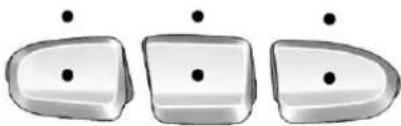
natural_image
Three identical 3D-rendered objects with black dots, arranged horizontally (no text or symbols)VehicleswiththeUniversalRemote Systemwillhavethesebuttons locatedintheheadliner.
This system provides a way to replace up three remote control transmitters used to activate devices such as a aged door openers, security systems, and home automation devices.
Donotusethissystemwithany garagedooropenerthatdoesnot havethestopandreversefeature. Thisincludesanygaragedoor openermodelmanufacturedbefore April1,1982.
Readtheinstructionscompletely beforeattemptingtoprogramthe transmitter.Becauseofthesteps involved,itmaybehelpfultohave anotherpersonassistwith programmingthetransmitter.
Besuretokeeptheoriginalremote controltransmitterforuseinother vehicles,aswellasforfuture programming.Onlytheoriginal remotecontroltransmitterisneeded forFixedCodeprogramming.The programmedbuttonsshouldbe erasedwhenthevehicleissoldor
theleaseends.See"Erasing UniversalHomeRemoteButtons"in thissection.
Parkthevehicleoutsideofthegaragewhenprogrammingagaragedoor.Besurethatpeopleandobjectsareclearofthegaragedoororgatethatisbeingprogrammed.
ProgrammingUniversalHome Remote—RollingCode
Forquestionsorhelpprogramming theUniversalHomeRemote System, call 1-866-572-2728orgo towww.learcar2u.com.
Mostgaragedooropenerssold after1996areRollingCodeunits.
Programmingagaragedooropener involvestime-sensitive actions, so readtheentireprocedurebefore starting. Otherwise, the device will timeout and the procedure will have to be repeated.
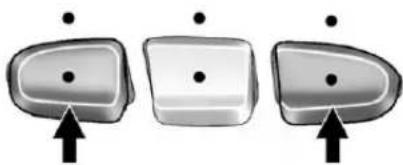
natural_image
Three identical 3D-rendered objects with black dots and an upward arrow, no text or symbols present.Toprogramuptothreedevices:
- Frominsidethevehicle, press thetwooutsidebuttonsatthe sametimeforoneto twoseconds, andimmediately releasethem.
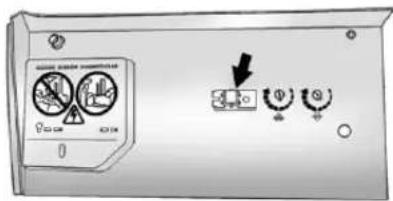
text_image
Control panel with warning icons and a downward arrow indicating action or change-
Inthegarage, locatethegarage dooropenerreceiver (motor-headunit). Find the "Learn" or "Smart" button. It can usually be found where the hangingantennawire is attached to the motor-head unit and maybe acolored button. Pressthisbutton. After pressing this button, complete the following steps in less than 30 seconds.
-
Immediately return to the vehicle. Press and hold the Universal Home Remote button that will be used to control the garagedoor until the garage doormoves. The indicator light, abovethes elected button, should slowly blink. This button may need to beheld for up to 20 seconds.
-
Immediately, withinonesecond, releasethebuttonwhenthe garagedoormoves. The indicatorlightwillblinkrapidly untilprogrammingiscomplete.
-
Pressandreleasethesame buttonagain. Thegaragedoor shouldmove, confirming that programming is successful and complete.
ToprogramanotherRollingCode devicesuchasanadditionalgarage dooropener,asecuritydevice, orhomeautomationdevice,repeat Steps1through5,choosinga differentfunctionbuttoninStep3 thanwhatwasusedforthegarage dooropener.
If these instructions donotwork, the garagedooropeneris probably a FixedCodeunit. Follow the programming instruction that follow foraFixedCodegaragedoor opener.
ProgrammingUniversalHome Remote—FixedCode
Forquestionsorhelpprogramming theUniversalHomeRemote System, call1-866-572-2728orgo towww.learcar2u.com.
Mostgaragedooropenerssold before 1996 are FixedCode units.
Programmingagaragedooropener involvestime-sensitive actions, so readtheentireprocedurebefore starting. Otherwise, the device will timeout and the procedure will have to be repeated.
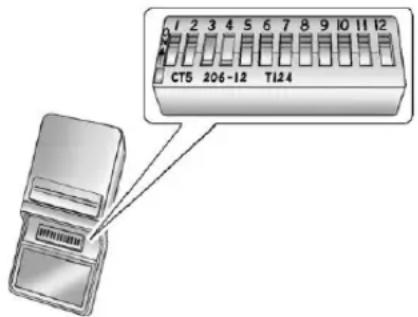
text_image
CT5 206-12 T124Toprogramuptothreedevices:
- Toverify that the garagedoor opener is a Fixed Code unit, removethe battery cover on the hand-held transmitters supplied by the manufacturer of the garagedoor opener motor. If there is a row of dip switches similar to the graphic above, the
garagedooropenerisaFixed Codeunit.Ifyoudonotseea rowofdipswitches,return totheprevioussectionfor ProgrammingUniversalHome Remote—RollingCode.
Yourhand-heldtransmittercan havebetween8to12dip switchesdependingonthe brandoftransmitter.
Thegaragedooropenerreceiver (motorheadunit) could also havearowofdipswitchesthat canbeusedwhenprogramming theUniversalHomeRemote. Ifthetotalnumberofswitches onthemotorheadand hand-heldtransmitterare different, orifthedipswitch settingsaredifferent, usethedip switchsettingsonthemotor headunittoprogramthe UniversalHomeRemote. The motorheaddipswitchsettings canalsobeusedwhenthe originalhand-heldtransmitteris notavailable.
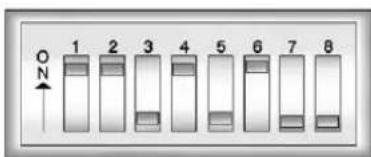
text_image
1 2 3 4 5 6 7 8ExampleofEightDipSwitches withTwoPositions
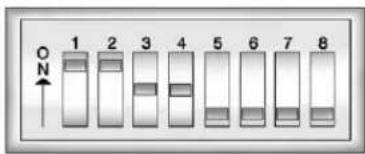
text_image
1 2 3 4 5 6 7 8ExampleofEightDipSwitches withThreePositions
Thepanelofswitchesmightnot appearexactlyastheydointhe examplesabove,butthey shouldbesimilar.
Theswitchpositionsonthe hand-heldtransmittercouldbe labeledasfollows:
- Aswitchintheupposition couldbelabeledasUp, +,orOn.
- Aswitchinthedown positioncouldbelabeledas Down, -, orOff.
-
Aswitchinthemiddle positioncouldbelabeledas Middle,0,orNeutral.
-
Writedownthe8to12switch settingsfromlefttorightas follows:
-
Whenaswitchisintheup position, write "Left."
-
Whenaswitchisinthe downposition,write"Right."
-
Ifaswitchissetbetween theupanddownposition, write "Middle."
Theswitchsettingswritten downinStep2now becomethebuttonstrokes tobeenteredintothe UniversalHomeRemote in Step4.Besuretoenterthe switchsettingswrittendown in Step2,inorderfromleft toright,intotheUniversal HomeRemote,when completingStep4. -
From inside your vehicle, first firmly press all three buttons at the same time for about three seconds. Releasethe button stop the Universal Home Remote into programming mode.
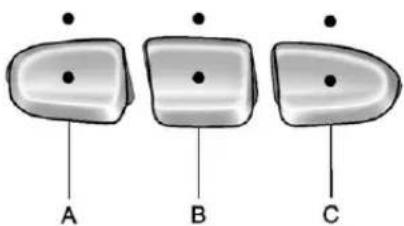
natural_image
Three identical grayscale objects labeled A, B, and C with circular features, no text or symbols present.A.LeftButton(Up,+,orOn)
B.MiddleButton (Middle,0,orNeutral)
C.RightButton
(Down, -, orOff)
-
The indicator lights will blink slowly. Entereach switch setting from Step2 into your vehicle's Universal Home Remote. You will have two and one-half minutes to complete Step4. Now press one button on the Universal Home Remote for each switch setting as follows:
-
Ifyouwrote"Left,"press theleftbutton(A)inthe vehicle.
- Ifyouwrote "Right," press therightbutton(C)inthe vehicle.
-
Ifyouwrote"Middle,"press themiddlebutton(B)inthe vehicle.
-
Afterenteringalloftheswitch positions, once again firmly press and release all three buttons at the same time. The indicator light will turn on.
-
Pressandholdthebuttonthat willbeusedtocontrolthe garagedooruntilthegarage doormoves. Theindicatorlight abovetheselectedbutton shouldslowlyblink. Thisbutton mayneedtobeheldforupto 55seconds.
- Immediately releasethebutton whenthegaragedoormoves. The indicatorlightwillblink rapidlyuntilprogrammingis complete.
- Pressandreleasethesame buttonagain. Thegaragedoor shouldmove, confirming that programming is successful and complete.
ToprogramanotherFixedCode devicesuchasanadditionalgarage dooropener,asecuritydevice, orhomeautomationdevice,repeat Steps1-8,choosingadifferent buttoninStep6thanwhatwasused forthegaragedooropener.
UniversalRemoteSystem Operation
Pressandholdtheappropriate buttonforatleasthalfofasecond. Theindicatorlightwillcomeon whilethesignalisbeingtransmitted.
ReprogrammingUniversal HomeRemoteButtons
Anyofthethreebuttonscanbe reprogrammedbyrepeatingthe instructions.
ErasingUniversalHome RemoteButtons
Theprogrammedbuttonsshouldbe erasedwhenthevehicleissoldor theleaseends.
ToeraseeitherRollingCodeor FixedCodesettingsonthe UniversalHomeRemotedevice:
-
Pressandholdthetwooutside buttonsatthesametimefor approximately20seconds, until theindicatorlights, located directlyabovethebuttons, begin toblinkrapidly.
-
Oncetheindicatorlightsbeginto blink, releasebothbuttons. The codesfromallbuttonswillbe erased.
Forhelporinformationonthe UniversalHomeRemoteSystem, callthecustomerassistancephone numberunderCustomerAssistance Offices(U.S.andCanada)on page 13-5orCustomerAssistance Offices(Mexico)onpage 13-6.
5-62 InstrumentsandControls
NOTES
Lighting
ExteriorLighting
ExteriorLampControls......6-1
ExteriorLampsOff
Reminder......6-2
HeadlampHigh/Low-Beam
Changer......6-2
Flash-to-Pass......6-3
DaytimeRunning
Lamps(DRL)......6-3
AutomaticHeadlamp
System......6-4
HazardWarningFlashers.....6-5
TurnandLane-Change
Signals......6-5
FogLamps....6-6
Auxiliary
Roof-MountedLamp......6-7
InteriorLighting
InstrumentPanelIllumination
Control......6-7
DomeLamps......6-8
ReadingLamps......6-8
LightingFeatures
EntryLighting......6-9
ExitLighting......6-9
BatteryLoadManagement....6-9
BatteryPowerProtection....6-10
ExteriorLighting
ExteriorLampControls
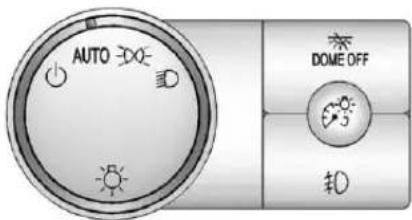
text_image
AUTO DOME OFF #0The exterior lamps control is located on the instrument panel to the left of the steering wheel.
Itcontrolsthefollowingsystems:
- Headlamps
- Taillamps
- ParkingLamps
- LicensePlateLamps
- InstrumentPanelLights
6-2Lighting
The exterior lamps control has four positions:
(Off):Turnsofftheautomatic headlampsandDaytimeRunning Lamps(DRL).Turntheheadlamp controltotheoffpositionagainto turntheautomaticheadlampsor DRLbackon.
ForvehiclesfirstsoldinCanada, theoffpositionwillonlyworkwhen thevehicleisshiftedintoP(Park).
AUTO(Automatic): Automatically turnsontheheadlampsatnormal brightness, togetherwiththe following:
- ParkingLamps
- InstrumentPanelLights
- Taillamps
- LicensePlateLamps
≥ 00 (ParkingLamps):Turnsonthe parkinglampstogetherwiththe following:
- InstrumentPanelLights
- Taillamps
- LicensePlateLamps
(DHeadlamps): Turnsonthe headlampstogetherwiththe followinglampslistedbelow.
- ParkingLamps
- InstrumentPanelLights
- Taillamps
- LicensePlateLamps
Whentheheadlampsare turnedon while the vehicle is on, the headlampswill turn off automatically 10 minutes after the ignition is turned off. Whentheheadlamps are turned on while the vehicle is off, the headlampswill stay on for 10 minutes before automatically
turningofftopreventthebattery frombeingdrained. Turnthe headlampcontroltooffandthen backtotheheadlamponpositionto maketheheadlampsstayonforan additional10minutes.
ExteriorLampsOff Reminder
Areminderchimewillsoundwhen theheadlampsorparkinglampsare manuallyturnedonandtheignition isoffandadoorisopen.Todisable thechime,turnthelightoff.
HeadlampHigh/Low-BeamChanger
ID ID (HeadlampHigh/LowBeam Changer): Tochangethe headlampsfromlowtohighbeam, pushthelevertowardtheinstrument panel.Toreturntolow-beam headlamps,pullthemultifunction levertowardyou.Thenreleaseit.

Whenthehighbeamsareon, this indicatorlightontheinstrument panelclusterwillalsobeon.
Flash-to-Pass
Thisfeatureletsyouusethe high-beamheadlampstosignala driverinfrontofyouthatyouwant topass.Itworksevenifthe headlampsareintheautomatic position.
Iftheheadlampsareinthe automaticpositionoronlowbeam, thehigh-beamheadlampswillturn on. Theywillstayonaslongasyou holdthelevertowardyou. The high-beamindicatoronthe instrumentpanelclusterwillcome on. Releasethelevertoreturnto normaloperation.
DaytimeRunning Lamps(DRL)
DaytimeRunningLamps(DRL)can makeiteasierforotherstoseethe frontofyourvehicleduringtheday. Fullyfunctionaldaytimerunning lampsarerequiredonallvehicles firstsoldinCanada.
The DRL system comes on when the following conditions are met:
- Theignitionison.
• The exterior lamps controlis in AUTO.
• ThetransmissionisnotinPark.
• Thelightsensordeterminesitis daytime.
When the DRL system is on, only the DRL lamps are on. The taillamps, sidemarker, instrument panellights, and other lampswill not be on.
Whenitbeginstogetdark, the automaticheadlampsystem switchesfromDRLtothe headlamps.
ToturnofftheDRLamps,turnthe exteriorlampscontroltotheOFF positionandthenrelease.For vehiclesfirstsoldinCanada,the transmissionmustbeintheP(Park) positionbeforetheDRLampscan beturnedoff.
AutomaticHeadlamp System
Whenitisdarkenoughoutside,the automaticheadlampsystemturns ontheheadlampsatthenormal brightness,alongwiththetaillamps, sidemarker,parkinglamps,andthe instrumentpanellights.Theradio lightswillalsobedim.
Toturnofftheautomaticheadlamp system,turntheexteriorlamps switchtotheoffpositionandthen releaseit.Forvehiclesfirstsoldin Canada,thetransmissionmustbe intheP(Park)positionbeforethe automaticheadlampsystemcanbe turnedoff.
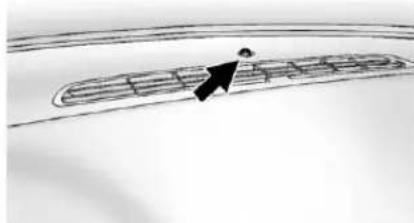
natural_image
Simple line drawing of a curved path with an arrow pointing to a small figure (no text or symbols)Thevehiclehasalightsensor locatedonthetopoftheinstrument panelwhichregulateswhenthe automaticheadlampsturnon.Do notcoverthesensor,otherwisethe headlampswillcomeonwhenever theignitionison.
Thesystemmayalsoturnonthe headlampswhendrivingthrougha parkinggarageorheavyovercast weather. Thisisnormal.
Thereisadelayinthetransition between the daytime and nighttime operation of the Daytime Running Lamps (DRL) and the automatic headlampsystem so that driving under bridges or bright overhead streetlights does not affect the system. The DRL and automatic headlampsystem are only affected when the lights sensor detects a change in lighting lasting longer than the delay.
Ifthevehicleisstartedinadark garage,theautomaticheadlamp systemcomesonimmediately. Oncethevehicleleavesthegarage, ittakesapproximatelyoneminute fortheautomaticheadlampsystem tochangetoDRLifitisbright enoughoutside.Duringthatdelay, theinstrumentpanelclustermaynot beasbrightasusual.Makesurethe instrumentpanelbrightnesscontrol isinthefullbrightposition.See InstrumentPanelIllumination Controlonpage6-7.
Toidlethevehiclewiththe automaticheadlampsystemoff,turn thecontroltotheoffposition.
Theheadlampswillalsostayon afteryouexitthevehicle. This featurecanbeprogrammedusing theDriverInformationCenter(DIC). See VehiclePersonalization(With DICButtons)onpage5-47.
If the vehicle is not equipped with DIC buttons, exit lighting is automatic. When it is dark enough outside, the exterior lamps remain on for 30 seconds after the ignition is moved from ON/RUN to LOCK/OFF.
Forvehicleswithoutaradio, the instrumentpanellightremainsonfor 30secondswiththedriverdoor closed. Forvehicleswitharadio, the instrumentpanellightremains onfor10minuteswiththedriver doorclosed. SeeRetained AccessoryPower(RAP)on page9-27.
Theregularheadlampsystemcan beturnedonwhenneeded.
HazardWarningFlashers
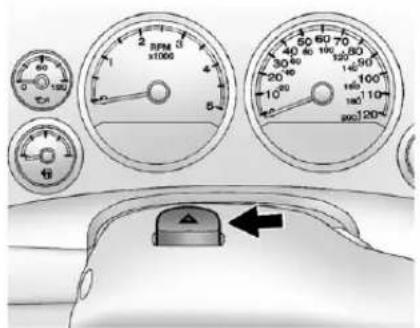
text_image
RPM x100s 40 30 20 10 50 40 30 20 100 80 60 40 20 100 80 60 40 20 100 80 60 40 20 100 80 60 40 20 100 80 60 40 20 100 80 60 40 20 100 80 60 40 2△(HazardWarningFlashers): Pressthisbuttonlocatedontopof thesteeringcolumn,tomakethe frontandreturnsignallamps flashonandoff.Thiswarnsothers thatyouarehavingtrouble.Press againtoturntheflashersoff.
Whenthehazardwarningflashers areon, the vehicle'sturnsignalswill notwork.
TurnandLane-Change Signals
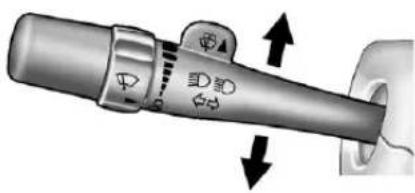
text_image
Diagram of a car head switch with directional arrows indicating rotation and adjustment pointsAnarrowontheinstrumentpanel clusterflashesinthedirectionofthe turnorlanechange.
Movetheleverallthewayupor downtosignalaturn.
Raiseorlowertheleverforless thanoneseconduntilthearrow startstoflashtosignalalane change. This causestheturn signalstoautomaticallyflash threetimes.Itwillflashsixtimesif tow-haulmodeisactive.Holdingthe turnsignalleverformorethan onesecondwillcausetheturn signalstoflashuntilyoureleasethe lever.
Theleverreturnstoitsstarting positionwheneveritisreleased.
Ifaftersignalingaturnoralane changethearrowsflashrapidlyor donotcomeon,asignalbulbcould beburnedout.
Havethebulbsreplaced.Ifthebulb isnotburnedout,checkthefuse. SeeFusesandCircuitBreakerson page10-41.
TurnSignalOnChime
If the turn signal is left on form more than 1.2 km (0.75 mi), achimewill soundate each flash of the turn signal and the message TURN SIGNAL will also appear in the Driver Information Control (DIC). To turn the chime and message off, mov the turn signal is a vertical to the off position.
FogLamps
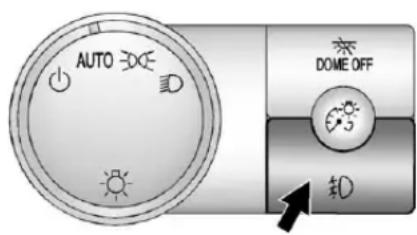
text_image
AUTO DOCE DOME OFF 10Forvehicleswithfoglamps,the controlislocatednexttotheexterior lampscontrolontheinstrument panel,totheleftofthesteering column.
TheignitionmustbeintheON/RUN positionforthefoglampsto comeon.
D(FogLamps):Presstoturnthe foglampsonoroff.Alightwillcome onintheinstrumentpanelcluster.
Whenthefoglampsareturnedon, theparkinglampsautomatically turnon.
Whentheheadlampsarechanged tohighbeam, thefoglampsalsogo off. Whenthehigh-beamheadlamps areturnedoff, thefoglampswill comeonagain.
Somelocalitieshavelawsthat requiretheheadlampstobeonwith thefoglamps.
Auxiliary Roof-MountedLamp
If the vehicle has this feature, this button includes wiring provisions for adealerora qualified service center to install an auxiliary roof lamp.
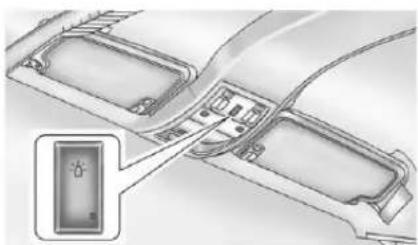
natural_image
Diagram of a car interior layout with directional arrows and a highlighted component (no text or symbols)Thisbuttonislocatedonthe overheadconsole.
Whenthewiringisconnectedtoan auxiliaryroof-mountedlamp, pressingthebottomofthebutton willactivatethelampandilluminate anindicatorlightatthebottomof thisbutton.Pressingthetopofthe buttonwillturnofftheroof-mounted lampandindicator.
The emergencyrooflamp circuitis fused at 30 amps, so the total current draw of the attached lamps should be less than this value. The attachment points for the roof lamp circuits are twoblunt cut wires located above the overhead console, dark greens switched power wire and a blackground wire.
Formoreinformationonroofmount emergencylampinstallation,please visittheGMUpfitterwebsiteat www.gmupfitter.comorcontactyour dealer.
Ifthevehiclehasthisbutton,the vehiclemayhavethesnowplow preppackage.Forfurther information,seeAddingaSnow PloworSimilarEquipmenton page9-90.
InteriorLighting
InstrumentPanel IlluminationControl
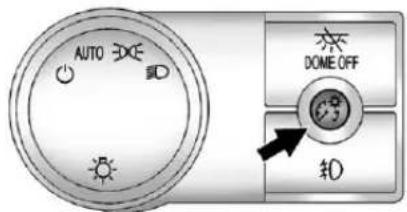
text_image
AUTO DONE OFF $0(InstrumentPanel Brightness): Thisfeaturecontrols the brightness of the instrument panellights and is located next to the exterior lamps control.
Pushtheknobtoextendoutand thenitcanbeturned.
Turntheknobclockwiseor counterclockwisetobrightenordim theinstrumentpanellights.Turning theknobtothefarthestclockwise positionturnsonthedomelamps.
DomeLamps
Thedomelampsarelocatedinthe overheadconsole.
Theycomeonwhenanydooris openedandturnoffafterallthe doorsareclosed.
Turntheinstrumentpanel brightnessknoblocatedbelowthe domelampoverridebutton, clockwisetothefarthestpositionto manuallyturnonthedomelamps. Thedomelampsremainonuntilthe knobisturnedcounterclockwise.
DomeLampOverride
Thedomelampoverridebuttonis locatednexttotheexteriorlamps control.
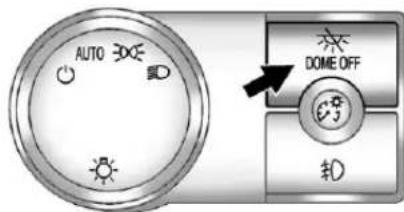
text_image
AUTO DOME OFF $0(DomeOff): Pressthebutton inandthedomelampsremainoff whenadoorisopened. Pressthe buttonagaintoreturnittothe extendedpositionsothatthedome lampscomeonwhenadooris opened.
ReadingLamps
Forvehicleswithreadinglamps theyarelocatedontheoverhead console.
Toturnonthereadinglamps,press thebuttonlocatednexttoeach lamp.Toturnthemoff,pressthe buttonagain.
The vehicle may also have an reading lamps in other locations. To turn the lampson or off, press the button located next to the lamp.
Thelampsarefixedandcannotbe adjusted.
LightingFeatures
EntryLighting
The vehicle has an illuminated entry feature.
Whentedoorsareopened, the domelampswillcomeonifthe domeoverridebuttonisinthe extendedposition. Ifthedome overridebuttonispressedin, the lampswillnotcomeon.
ExitLighting
Theinteriorlampscomeonwhen thekeyisremovedfromtheignition. Theyturnoffautomaticallyin 20seconds. Thelightsdonotcome onifthedomeoverridebuttonis pressedin.
BatteryLoad Management
The vehicle has Electric Power Management (EPM) that estimates the battery's temperature and state of charge. It then adjusts the voltage for best performance and extended life of the battery.
Whenthebattery'sstateofcharge islow,thevoltageisraisedslightly toquicklybringthechargebackup. Whenthestateofchargeishigh, thevoltageisloweredslightlyto preventovercharging.Ifthevehicle hasavoltmetergaugeoravoltage displayontheDriverInformation Center(DIC),youmayseethe voltagemoveupordown.This is normal.Ifthereisaproblem,an alertwillbedisplayed.
The battery can be discharged at idle if the electrical loads are very high. This is true for all vehicles. This because the generator (alternator) may not be spinning fast enough that lidetoproduce all the power that is needed for very high electrical loads.
Ahighelectricalloadoccurswhen severalofthefollowingareon,such as:headlamps,highbeams,fog lamps,rearwindowdefogger, climatecontrolfanathighspeed, heatedseats,enginecoolingfans, trailerloads,andloadspluggedinto accessorypoweroutlets.
6-10Lighting
EPMworkstoppreventexcessive dischargeofthebattery.ltdoesthis bybalancingthegenerator'soutput andthevehicle'selectricalneeds. Itcanincreaseengineidlespeedto generatemorepower,whenever needed.Itcantemporarilyreduce thepowerdemandsofsome accessories.
Normally, these actions occur in steps or levels, without being noticeable. In rare cases at the highest level of corrective action, this action may be noticeable to the driver. If so, a Driver Information Center (DIC) message might be displayed, such as BATTERY LOW START VEHICLE. If this message displays, it is recommended that the driver reduce the electrical loads as much as possible and restart the vehicle. See Battery Voltage and Charging Messages on page 5-37.
BatteryPowerProtection
Thisfeatureshutsoffthedome, and readinglampsiftheyareleftonfor morethan10minuteswhenthe ignitionisoff. Thiswillkeepthe batteryfromrunningdown.
Infotainment System
Introduction
Infotainment......7-1
Theft-DeterrentFeature.....7-2
Operation....7-3
Radio
AM-FMRadio....7-8
SatelliteRadio....7-9
RadioReception......7-13
RearSideWindow
Antenna....7-14
SatelliteRadioAntenna.....7-14
AudioPlayers
CDPlayer....7-14
CD/DVDPlayer......7-20
Auxiliary Devices......7-31
RearSeatInfotainment
RearSeatEntertainment
(RSE)System......7-35
RearSeatAudio(RSA)
System......7-46
Phone
Bluetooth....7-48
TrademarksandLicense
Agreements
TrademarksandLicense
Agreements....7-55
Introduction
Infotainment
Readthefollowingpagesto becomefamiliarwiththeaudio system'sfeatures.

WARNING
Takingyoureyesofftheroadfor extendedperiodscouldcausea crashresultingininjuryordeath toyouorothers.Donotgive extendedattentiontoinfotainment taskswhiledriving.
This system provides access to many audio and nonaudiolistings.
7-2InfotainmentSystem
Tominimizetakingyoureyesoffthe roadwhiledriving,dothefollowing whilethevehicleisparked:
- Becomefamiliarwiththe operationandcontrolsofthe audiosystem.
- Setupthetone, speaker adjustments, and presetradio stations.
Formoreinformation,seeDefensive Drivingonpage9-3.
This vehicle's audiosystem maybe equipped with anoisereduction system which can work improperly if the audio amplifier, engine calibrations, exhaust system, microphones, radio, or speakers are modified or replaced. This could result in more noticeable engine noise at certain speeds.
Notice: Contact your dealer before adding any equipment.
Addingaudioorcommunication equipmentcouldinterferewith theoperationoftheengine,radio, orothersystems,andcould damagethem.Followfederal rulescoveringmobileradioand telephoneequipment.
The vehicle has retained Accessory Power (RAP). With RAP, the audiosystem can be played even after the ignitionisturned off. See Retained Accessory Power (RAP) on page 9-27 form more information.
Navigation/RadioSystem
Forvehicleswithanavigationradio system,seetheseparateNavigation Systemmanual.
Theft-DeterrentFeature
TheftLock ^® is designed to discourage the theft of the vehicle's radiobylearning portion of the Vehicle Identification Number (VIN). Theradiodes not operate if itis stolenormoved to different vehicle.
Operation
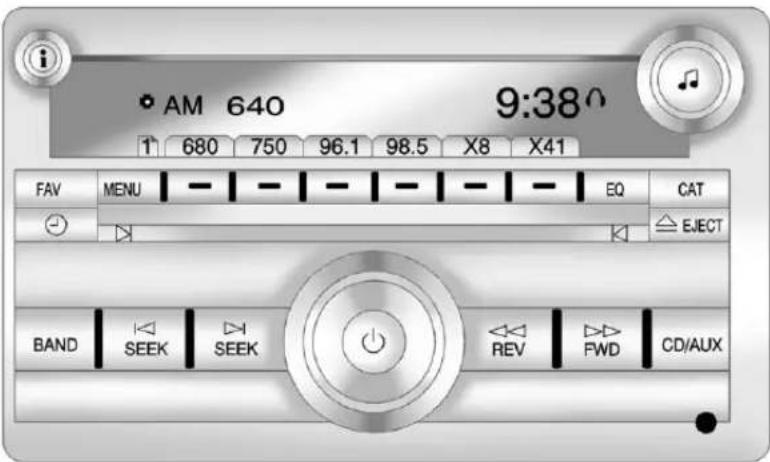
text_image
i • AM 640 9:38^ 1 680 750 96.1 98.5 X8 X41 FAV MENU - - - - - - - - EQ CAT EJECT BAND SEEK SEEK REV FWD CD/AUXRadiowithCD(MP3)Shown, RadiowithUSBandCD(MP3)Similar
7-4InfotainmentSystem
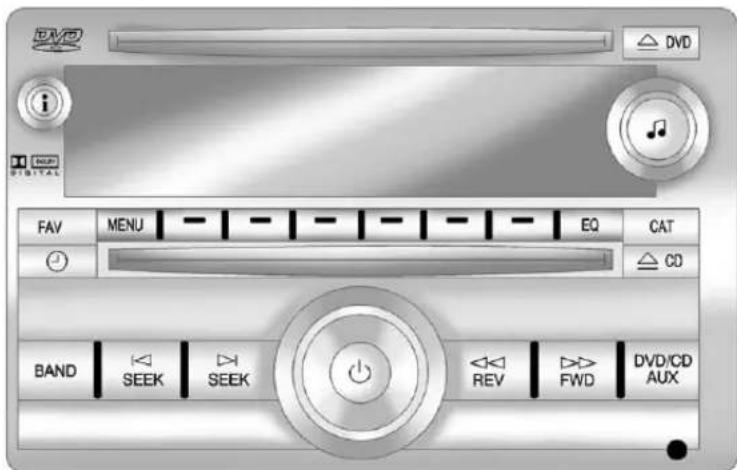
text_image
DVD i Digital FAV MENU EQ CAT CD BAND SEEK SEEK REV FWD DVD/CD AUXRadiowithUSB,CD,andDVD(MP3)
The vehicle has one of the seradios as its audiosystem.
RadioswithCDandDVD
VehicleswithaUSB,CD,andDVD radiohaveaBose ^® Surround SoundSystem.Someofitsfeatures
areexplainedlaterinthissection under, "AdjustingtheSpeakers (Balance/Fade)."
VehicleswithaUSB,CD,andDVD radiomayhaveaRearSeat Entertainment(RSE)system.See RearSeatEntertainment(RSE)
Systemonpage7-35formore informationonthevehicle'sRSE system.
TheDVDplayeristhetopsloton theradiofaceplate. Theplayeris capableofreadingtheDTS programmedDVDAudioorDVD Videomedia, (DTSandDTSDigital Surroundareregisteredtrademarks ofDigitalTheaterSystems, Inc.).
Manufacturedunderlicensefrom DolbyLaboratories.Dolbyandthe double-Dsymbolaretrademarksof DolbyLaboratories.
UsingtheRadio
(Power/Volume):Presstoturn thesystemonandoff.
Turnclockwiseorcounterclockwise toincreaseordecreasethevolume.
i(Information)(IfAvailable):
Presstoswitchthedisplaybetween theradiostationfrequencyandthe time. Whiletheignitionisoff, press thisbuttontodisplaythetime. Press todisplayadditionaltextinformation relatedtothecurrentFM-RDSor XMstation; orCD, MP3, orWMA song. Ifinformationisavailable duringXM, CD, MP3, orWMA playback, thesongtitleinformation displaysonthetoplineofthe displayandartistinformation displaysonthebottomline. When informationisnotavailable, "NO INFO" displays.
SpeedCompensatedVolume
(SCV):RadioswithSpeed CompensatedVolume(SCV) automaticallyadjuststheradio volumetocompensateforroadand windnoiseasthevehicle'sspeed changeswhiledriving,sothatthe volumelevelstaysconsistent.
ToactivateSCV:
- Settheradiovolumetothe desiredlevel.
- PresstheMENUbutton to displaytheradiosetupmenu.
- Pressthesoftkeyunderthe AUTOVOLUM(automatic volume)tabontheradiodisplay.
- Pressthesoftkeyunderthe desiredSpeedCompensated Volumesetting(OFF, Low, Med, or High)toselectthelevelof radiovolumecompensation. Thedislaytimesoutafter approximately 10 seconds. Each highersettingallowsformore radiovolumecompensation at fastervehiclespeeds.
NoiseCompensation
Technology: VehicleswiththeLTZ packageandaBoseAudioSystem includetheBoseAudioPilot ^® noise compensationtechnology. When turnedon, AudioPilotcontinuously adjuststheaudiosystem equalization, tocompensatefor backgroundnoise, sothatmusic alwayssoundsthesameattheset volumelevel.
Thisfeatureismosteffectiveat lowerradiovolumesettingswhere backgroundnoisecanaffecthow wellthemusicisheard.Athigher volumesettings,wherethemusicis muchlouderthanthebackground noise,theremightbelittleorno adjustmentsbyAudioPilot.
7-6InfotainmentSystem
Toactivate:
- Settheradiovolumetothe desiredlevel.
- PresstheMENUbutton to displaytheradiosetupmenu.
- Pressthesoftkeyunderthe AUTOVOLUM(automatic volume)tabontheradiodisplay.
- PressthesoftkeyundertheON tab. Thedisplaytimesoutafter approximately 10 seconds.
Foradditionalinformationon AudioPilot,pleasevisit www.bose.com/audiopilot.
SettingtheTone(Bass/Midrange/Treble)
BASS/MID/TREB(Bass, Midrange, orTreble): Toadjustthebass, midrange, ortreble:
- Pressthe ♪knobuntilthetone controltabsdisplay.
- Highlightthedesiredtone
controltabbydoingoneofthe following:
-
Pressingthe♪knob.
• Pressthesoftkeyunderthe desiredtab. -
Adjust the setting by doing one of the following:
• Turnthe knobclockwise orcounterclockwise.
- PresstheSEEK,or
SEEKbutton.
- PresstheFWD,or
◀REVbutton.
Ifastation'sfrequencyisweakorif thereisstatic,decreasethetreble.
Toquicklyadjustbass, midrange, ortrebletothemiddleposition, pressthesoftkeypositionedunder theBASS,MID,orTREBtabfor morethantwoseconds.Abeep soundsandtheleveladjuststothe middleposition.
Toquicklyadjustalltoneand speakercontrolstothemiddle position, press the ♪knobformore thantwosecondsuntilabeep sounds.
EQ(Equalization):Pressthis buttontochoosebassandtreble equalizationsettingsdesignedfor differenttypesofmusic.Selecting MANUALorchangingbassor treble,returnstheEQtothemanual bassandtreblesettings.
UniqueEQsettingscanbesaved foreachsource.
IftheradiohasaBoseaudio system,theEQsettingsareeither MANUALorTALK.
DigitalSignalProcessing(DSP): PresstheEQbuttontochangethe DSPsettings(onlyavailableon BosesystemswiththeLTZoption package).DSPsettingsprovide a choiceofdifferentlistening experiences.
The following DSP settings are available:
- Normal—Selectthissettingto adjusttheaudiofornormal mode. Thisprovidesthebest soundqualityforallseating positions.
- Driver—Selectthissettingto adjusttheaudioforthedriverto receivethebestpossiblesound quality.
- Rear—Selectthissettingto adjusttheaudiofortherearseat passengerstoreceivethebest possiblesoundquality.
- Surround (Centerpoint®)—Select this settingtoenableBose Centerpoint.Centerpointsignal processingproducesasurround soundlisteningexperiencefrom aCDorXMstereodigitalaudio source.Centerpointdeliversfive independentaudiochannels fromconventionaltwochannel stereorecordings.(Notavailable forAMorFM.)
AdjustingtheSpeakers (Balance/Fade)
BAL/FADE(Balance/Fade): To adjustthebalanceorfade:
- Pressthe
knobuntilthe ontroltabsdisplay.
-
Highlight the desired speaker control tab by doing one of the following:
-
Pressingthe♪knob.
• Pressthesoftkeyunderthe desiredtab. -
Adjust the setting by doing one of the following:
• Turnthe♪knobclockwise orcounterclockwise.
- PresstheSEEK,or
- SEEKbutton.
- PresstheFWD,or
◀REVbutton.
Toquicklyadjustallspeakerand tonecontrolstothemiddleposition, pressthe ♪knobformorethan 2seconds.
If the Rear Seat Audio (RSA) is turned on, theradiodisables FADE and mutestherearspeakers.
RadioMessages
CalibrationError:Theaudio systemhasbeencalibrated forthevehiclefromthefactory. IfCalibrationErrordisplays, it meansthattheradiohasnotbeen configuredproperlyforthevehicle anditmustbereturnedtoyour dealerforservice.
LockedorLoc:Oneofthese messageswilldisplaywhenthe TheftLock® systemhaslockedup theradio.Takethevehicletoyour dealerforservice.
Ifanyerroroccursrepeatedlyorif anerrorcannotbecorrected, contactyourdealer.
Radio
AM-FMRadio
RadioDataSystem(RDS)
ForradioswiththeRadioData System(RDS)feature,itonlyworks withFMstationsthatbroadcast RDSinformation. Thissystemrelies uponreceivingspecificinformation fromthesestationsandonlyworks whentheinformationisavailable. Whiletheradioistunedtoan FM-RDSstation,thestationname orcalllettersdisplays.Inrare cases,aradiostationcould broadcastincorrectinformationthat causestheradiofeaturestowork improperly.Ifthishappens,contact theradiostation.
i(Information)(RDSFeatures): ForvehicleswithRDSfeatures, press itodisplayadditionaltext informationrelatedtothecurrent FM-RDSstation.lfinformationis available,thesongtitleinformation displaysonthetoplineofthe displayandartistinformation displaysonthebottomline.When informationisnotavailable, "NOINFO" displays.
FindingaStation
BAND: Presstoswitchbetween AM, FM, or XM™, ifequipped.
♪(Tune):Turntomanuallyselect radiostations.
KSEEK:Presstoseekthe previousradiostation.Pressand holdforafewsecondsuntila beepsoundstoscanforradio stationsindescendingorder,press the KSEEKbuttonagaintostop scanningradiostations.Theradio onlyseeksandscansstationswith astrongsignalthatareinthe selectedband.
SEEK:Presstoseekthenext radiostation.Pressandholdfora fewsecondsuntilabeepsoundsto scanforradiostationsinascending order,pressthe SEEKbutton againtostopscanningradio stations.Theradioonlyseeksand scansstationswithastrongsignal thatareintheselectedband.
REV: Presstomanuallytuneto aradiostationindescendingorder.
DDFWD: Presstomanuallytuneto aradiostationinascendingorder.
FAV(Favorites):Presstoselect differentfavoritepagesforstored radiostations.
StoringRadioStations
Driversareencouragedtostore radiostationwhilethevehicleis parked,seeDefensiveDrivingon page9-3.Tunetostoredradio stationsusingthepresets,favorites button,andsteeringwheelcontrols, ifthevehiclehasthisfeature.
Upto36stationscanbe programmedasfavoritesusingthe sixbutton.PresstheFAVbuttonto gothroughuptosixpagesof favorites,eachhavingsixfavorite stationsavailableperpage.Each pageoffavoritescancontainany combinationofAM,FM,orXM, ifequipped,stations.
StoringaRadioStationasa Favorite
Tostoreastationasafavorite:
- Tunetoaradiostation.
- PresstheFAVbuttontodisplay thepagewherthestationwill bestored.
- Pressandholdoneofthe sixsoftkeysuntilabeepsounds.
- RepeatSteps1 through 3 to store additional radiostations.
Thenumberoffavoritespagescan besetupusingtheMENUbutton.To setupthenumberoffavorites pages:
- PresstheMENUbutton.
- Pressthesoftkeylocatedbelow theFAV1-6tab.
- Selectthenumberoffavorites pagesbypassingthesoftkey locatedbelowthedisplayed pagenumbers.
- PresstheFAVbutton, orletthe menutimeout, toreturntothe originalmainradioscreen showingtheradiostation frequencytabsandtobeginthe processofprogramming favorites.
SatelliteRadio
XM™SatelliteRadioService
XMisasatelliteradioservicebased inthe48contiguousUnitedStates and 10Canadianprovinces.XM SatelliteRadiohasawidevariety of programmingandcommercial-free music,coasttocoast,andin digital-qualitysound.Aservicefee isrequiredtoreceivetheXM service.Iftheserviceneedstobe reactivated,theradiowilldisplay "NoSubscriptionPleaseRenewon channelXM1."Formore information,contactXMat www.xmradio.comor 1-800-929-2100intheU.S., andwww.xmradio.caor 1-877-438-9677inCanada.
i(Information)(XMSatelliteRadio
Service): For vehicles with XM,
press itodisplayadditionaltext informationrelatedtothecurrent XMchannel.lfinformationis available,thesongtitleinformation displaysonthetoplineofthe displayandartistinformation displaysonthebottomline.When informationisnotavailable, "NOINFO"displays.
FindingaChannel
BAND: Presstoswitchbetween AM, FM, or XM ^TM , ifequipped.
♪(Tune):Turntomanuallyselect anXMchannel.
KSEEK:Presstogotothe previousXMchannel.
DEEKE:Presstogotothenext XMchannel.
REV:Presstogotothe previousXMcategory.
FWD:Presstogotothenext XMcategory.
FAV(Favorites):Presstoselect differentfavoritespagesforstored radiostations.
CAT(Category): The CAT button is used to find XM channels when the radio is in the XM mode.
FindingaCategory(CAT) Station
TofindXMchannelsinacategory:
- PresstheCATbuttontodisplay thecategorytabs.Continue pressingtheCATbuttonuntilthe desiredcategorynamedisplays.
- RadioswithCDandDVD canalsonavigatethe categorylistbypassingthe ▶FWDorthe◀REV buttons.
2.Presseitherofthetwosoftkeys belowthedesiredcategorytab toimmediatelytunetothefirst XMstationinthatcategory.
TogotothepreviousornextXM stationintheselectedcategory, dooneofthefollowing:
- Turnthe♪knob.
- Pressthesoftkeybelowthe rightorleftarrowsinthe categorytab.
- Press|SEEKor|SEEK.
- Toexitthecategorysearch mode, presstheFAVbuttonor BANDbuttontodisplaythe favoritesagain.
AddingandRemovingCategories
Categories cannot be added or removed while the vehicle is moving faster than 8 km/h (5 mph).
Toaddorremoveacategory:
-
PresstheMENUbutton.
-
Pressthesoftkeylocatedbelow theXMCATtab.
-
Turnthe ♪knobtodisplaythe categorytoaddorremove.
-
Pressthesoftkeylocatedunder theAddorRemovetab.
Torestoreallremoved categories, pressthesoftkey undertheRestoreAlltab.
- Repeatthestepstoremove morecategories.
StoringXMChannels
DriversareencouragedtostoreXM channelswhilethevehicleis parked;seeDefensiveDrivingon page9-3.Tunetostoredradio stationsusingthepresets,favorites button,andsteeringwheelcontrols, ifthevehiclehasthisfeature.
Upto36stationscanbe programmedasfavoritesusingthe sixsoftkeysbelowtheradiostation frequencytabsandbyusingthe FAVbutton.PresstheFAVbuttonto gothroughuptosixpagesof favorites,eachhavingsixfavorite stationsavailableperpage.Each pageoffavoritescancontainany combinationofAM,FM,orXM, ifequipped,stations.
StoringanXMChannelasa Favorite
Tostoreastationasafavorite:
-
TunetoanXMchannel.
-
PresstheFAVbuttontodisplay thepagewherthestationwill bestored.
-
Pressandholdoneofthesix softkeysuntilabeepsounds.
-
RepeatSteps1 through 3 to store additional radiostations.
Thenumberoffavoritespagescan besetupusingtheMENUbutton. Tosetupthenumberoffavorites pages:
-
PresstheMENUbutton.
-
Pressthesoftkeylocatedbelow theFAV1-6tab.
-
Selectthenumberoffavorites pagesbypassingthesoftkey locatedbelowthedisplayed pagenumbers.
-
PresstheFAVbutton, orletthe menutimeout, toreturntothe originalmainradioscreen showingtheradiostation frequencytabsandtobeginthe processofprogramming favorites.
XMRadioMessages
XL(ExplicitLanguage
Channels): These channels, or any others, can be blocked data customer's request, by calling 1-800-929-2100 in the U.S. and 1-877-438-9677 in Canada.
XMUpdating:Theencryptioncode inthereceiverisbeingupdated,and noactionisrequired.Thisprocess shouldtakenolongerthan 30seconds.
NoXMSignal: Thesystemis functioning correctly, but the vehicle is in alocation that is blocking the XM signal. Whenthe vehicle is moved into an open area, the signal should return.
7-12InfotainmentSystem
LoadingXM: The audiosystemis acquiring and processing audio and textdata. No action is needed. This messages should disappear shortly.
ChannelOffAir: Thischannelis notcurrentlyinservice. Tuneinto anotherchannel.
ChannelUnauth: Thischannelis blockedorcannotbereceivedwith yourXMsubscriptionpackage.
ChannelUnavail: Thispreviously assignedchannelisnolonger assigned.Tunetoanotherstation. Ifthisstationwasoneofthe presets,chooseanotherstationfor thatpresetbutton.
NoArtistInfo: Noartist information is available at thistime on this channel. Thesystemis working properly.
NoTitleInfo:Nosongtitle informationisavailableatthistime onthischannel.Thesystemis workingproperly.
NoCATInfo:Nocategory informationisavailableatthistime onthischannel.Thesystemis workingproperly.
Nolnformation: Notextor informational messages are available at thistime on this channel. Thesystemis working properly.
NoSubscriptionPleaseRenew:
TheXMsubscriptionneedstobe reactivated.ContactXMat www.xmradio.comorcall 1-800-929-2100intheU.S.and www.xmradio.caorcall 1-877-438-9677inCanada.
CATNotFound: There are no channels available for these selected category. Thesystemisworking properly.
XMTheftlocked:TheXMreceiver inthevehiclecouldhavepreviously beeninanothervehicle.Forsecurity purposes,XMreceiverscannotbe swappedbetweenvehicles.Ifthis messageisreceivedafterhaving thevehicleserviced,checkwith yourdealer.
XMRadioID: lftunedtochannel0, thismessagealternateswiththeXM Radioeight-digitradioIDlabel. This labelisneededtoactivatethe service.
Unknown: If this message is received when tuned to channel 0, there could be a receiver fault. Consult with your dealer.
CheckAntenna: If this message does not clear within a short period of time, thereceiver or antenna could have a fault. Consult with your dealer.
CheckXMReceivr: If this messagedoesnotclearwithina shortperiodoftime, thereceiver could have a fault. Consult with your dealer.
XMNotAvailable: If this message does not clear within a short period of time, there are ever could have a fault. Consult with your dealer.
RadioReception
Frequencyinterferenceandstatic canoccurduringnormalradio receptionifitemssuchascellphone chargers,vehicleconvenience accessories,andexternalelectronic devicesarepluggedintothe accessorypoweroutlet.Ifthereis interferenceorstatic,unplugthe itemfromtheaccessorypower outlet.
AM
TherangeformostAMstationsis greaterthanforFM,especiallyat night. Thelongerrangecancause stationfrequenciestointerfere witheachother. Forbetterradio reception, mostAMradiostations boost the power levels during the day, and then reduce these levels during thenight. Staticcan also occur when things like storms and powerlines interferewith radio reception. Whentish happens, try reducing the trebleontheradio.
FMStereo
FMsignalsonlyreachabout 16to65km(10to40mi).Although theradiohasabuilt-inelectronic circuitthatautomaticallyworksto reduceinterference, somestatic canoccur,especiallyaroundtall buildingsorhills, causingthesound tofadeinandout.
XM™ SatelliteRadioService
XMSatelliteRadioServicegives digitalradioreceptionfromcoastto coastinthe48contiguousUnited States,andinCanada.Justaswith FM,tallbuildingsorhillscan interferewithsatelliteradiosignals, causingthesoundtofadeinand out.Inaddition,travelingorstanding underheavyfoliage,bridges, garages,ortunnelsmaycauseloss oftheXMsignalforaperiodoftime.
CellularPhoneUsage
Cellularphoneusagemaycause interferencewiththevehicle'sradio. Thisinterferencemayoccurwhen makingorreceivingphonecalls, chargingthephone'sbattery, orsimplyhavingthephoneon. This interferencecausesanincreased levelofstaticwhilelisteningtotheradio. Ifstaticisreceivedwhile listeningtotheradio, unplugthe cellularphoneandturnitoff.
RearSideWindow Antenna
TheAM-FMantennaislocated in the passengerrearsidewindows. Makesuretheinsidesurfacesofthe rearsidewindowsarenotscratched and thatthelinesontheglassare notdamaged. Iftheinsidesurfaces aredamaged, theycouldinterfere withradioreception.
Ifacellulartelephoneantenna needstobeattachedtotheglass, makesurethatthegridlinesforthe AM-FMantennaarenotdamaged. Thereisenoughspacebetweenthe gridlinestoattachacellular telephoneantennawwithout interferingwithradioreception.
Notice: Usingarazorbladeor sharpobjecttocleartheinsideof therearsidewindowsmayaffect radioreceptionordamagethe rearsidewindowantenna. Repairswouldnotbecoveredby thewarranty.Donotclearthe insideoftherearsidewindows withsharpobjects.
Notice: Donotapplyaftermarket glasstintingwithmetallicfilm. Themetallicfilminsometinting materialswillinterferewithor distorttheincomingradio reception. Anydamagecaused to theantennaduetometallictinting materialswillnotbecovered by thewarranty.
SatelliteRadioAntenna
The XMSatelliteRadioantennais locatedontheroofofthevehicle. Keeptheantennaclearof obstructionsforclearradio reception.
If the vehicle has as unroof, the performance of the XMsystem (ifequipped) maybe affected if the sunroof is open.
AudioPlayers
CDPlayer
CareoftheCDPlayer
DonotaddanylabeltoaCD. ItcouldgetcaughtintheCD.Ifa CDisrecordedonapersonal computerandadescriptionlabelis needed,trylabelingthetopofthe recordedCDwithamarkingpen.
TheuseofCDlenscleanersfor CDsisnotadvised,duetotherisk ofcontaminatingthelensoftheCD opticswithlubricantsinternaltothe CDplayermechanism.
Notice:Ifalabelisaddedtoa CD, morethanoneCDisinserted intotheslotatatime, oran attemptismadetoplayscratched ordamaged CDs, the CDplayer could bedamaged. While using the CDplayer, use only CDs in good condition without anylabel, load one CDatatime, and keep the CDplayer and the loadingslot free offoreignmaterials, liquids, and debris.
Ifanerrordisplays,see"CDPlayer Messages"laterinthissection.
CareofCDs
IfplayingaCD-R,thesoundquality canbereducedduetoCD-Ror CD-RWquality,themethodof recording,thequalityofthemusic thathasbeenrecorded,andthe waytheCD-RorCD-RWhasbeen handled.Handlethemcarefully.
StoreCD-R(s)orCD-RW(s)intheir originalcasesorotherprotective casesandawayfromdirectsunlight anddust.TheCDplayerscansthe bottomsurfaceofthedisc.Ifthe surfaceofaCDisdamaged,such ascracked,broken,orscratched, theCDdoesnotplayproperlyornot atall.Donottouchthebottomside ofaCDwhilehandlingit;thiscould damagethesurface.PickupCDs bygraspingtheouteredgesorthe edgeoftheholeandtheouteredge.
If the surface of a CD is soiled, clean with as soft, lint free cloth or dampen a clean, soft cloth in amild, neutral detergent solution mixed with water. Makes sure the wiping process starts from the center to the edge.
InsertingaCD
InsertaCDpartwayintotheslot, labelsideup. Theplayerpullsitin andtheCDshouldbeginplaying.
EjectingaCD
△EJECT:Pressandreleaseto ejectthedisc.RemovetheCD whenRemoveDiscdisplays. Ifthediscisnotremoved,after severalseconds,thediscis automaticallypulledbackintothe player.
PlayingaCD
Iftheignitionorradioisturnedoff, withaCDintheplayer,itstaysin theplayer.Whentheignitionor radioisturnedon,theCDstarts playingwhereitstopped,ifitwas thelastselectedaudiosource.The CDiscontrolledbythebuttonson theradiofaceplateorbytheRSA unit.SeeRearSeatAudio(RSA) Systemonpage7-46formore information.
WhenaCDisinserted, the CD symboldisplay on the left side of theradiodisplay. Aseachnewtrack startstoplay, the track number displays.
7-16InfotainmentSystem
TheCDplayercanplaythesmaller 8cm(3inch)singleCDswithan adapterring.Full-sizeCDsandthe smallerCDsareloadedinthesame manner.
CD/AUX(CD/Auxiliary):Pressto cyclethroughCDorAuxiliarywhen listeningtotheradio.TheCDicon andamessageshowingthedisc and/ortracknumberdisplayswhen aCDisintheplayer.Pressagain andthesystemautomatically searchesforanauxiliaryinput device,see,AuxiliaryDeviceson page7-31formoreinformation.lfa portableaudioplayerisnot connected,"NoInputDeviceFound" displays.
i(Information):Presstodisplay additionaltextinformationrelatedto thecurrentsong.lfinformationis available,thesongtitleinformation displaysonthetoplineofthe displayandartistinformation displaysonthebottomline.When informationisnotavailable, "NOINFO"displays.
Tune: Turntoselecttrackson theCDthatiscurrentlyplaying.
KSEEK:Presstogotothestartof thecurrenttrack,ifmorethan tensecondsontheCDhaveplayed.
Presstogototheprevioustrackif lessthantensecondsontheCD haveplayed.
Pressandhold, or press multiple timestocontinuemovingbackward through the tracksontheCD.
DEEKE:Presstogotothenext track.
Pressandhold, or press multiple timestocontinuemovingforward through the tracksontheCD.
◀REV(FastReverse):Press andholdtoreverseplaybackquickly withinatrack.
FWD(FastForward):Press andholdtoadvance playback quickly within at track.
RDM(Random):Presstolistento tracksinrandom, rather than sequentialorder. Touserandom:
-
Pressthesoftkeypositioned undertheRDMtabuntilRandom CurrentDiscdisplays.
-
Pressthesoftkeyagaintoturn offrandomplay.
MP3SupportedFiles
TheRadiowithCD(MP3)andthe RadiowithUSBandCD(MP3), havethecapabilityofplayingan MP3CD-RorCD-RWdisc.
Format
Radiosthathavethecapability of playingMP3scanplay.mp3or.wma filesthatwererecordedontoa CD-RorCD-RWdisc. Thefilescan berecordedwiththefollowingfixed bitrates:32kbps,40kbps,56kbps, 64kbps,80kbps,96kbps,112kbps, 128kbps,160kbps,192kbps, 224kbps,256kbps,and320kbpsor avariablebitrate.
CompressedAudioorMixedMode Discs
Theradiocanplaydiscsthat containbothuncompressedCD audioandMP3files.Ifboth formatsareonthedisc,theradio readsallMP3filesfirst,thenthe uncompressedCDaudiofiles.
CD-RorCD-RWSupportedFile andFolderStructure
Theradiosupports:
- Upto50folders.
• Uptoeightfoldersindepth. - Upto50playlists.
- Upto255files.
- Playlistswithan.m3uor.wpl extension.
- Fileswithan.mp3,.wma,or.cda fileextension.
RootDirectory
Therootdirectoryistreatedasa folder.Filesarestoredintheroot directorywhenthediscorstorage devicedoesnotcontainfolders. Filesaccessedfromtheroot directoryofaCDdisplayas F1ROOT.
EmptyFolder
Foldersthatdonotcontainfilesare skipped, and the player advance to thenext folder that contains files.
OrderofPlay
Compressedaudiofilesare accessedinthefollowingorder:
- Playlists(Px).
- Filesstoredintherootdirectory.
- Filesstoredinfoldersintheroot directory.
Tracksareplayedinthefollowing order:
- Playbeginsfromthefirsttrackin thefirstplaylistandcontinues sequentiallythroughhalltracksin eachplaylist.Whenthelast trackofthelastplaylisthas played,playcontinuesfromthe firsttrackofthefirstplaylist.
- Playbeginsfromthefirsttrackin thefirstfolderandcontinues sequentiallythroughalltracksin eachfolder.Whenthelasttrack ofthelastfolderhasplayed, playcontinuesfromthefirst trackofthefirstfolder.
FileSystemandNaming
Thesongnamethatdisplayisthe songnamethatiscontainedinthe ID3tag.Ifthesongnameisnot presentintheID3tag,thenthe radiodisplaysthefilenamewithout theextension(suchas.mp3)asthe trackname.
7-18InfotainmentSystem
Tracknameslongerthan 32charactersorfourpagesare shortened. Thedisplaydoesnot showpartsofwordsonthelast pageoftextandtheextensionof thefilenameisnotdisplayed.
PreprogrammedPlaylists
CDsthathavepreprogrammed playliststhatwerecreatedusing WinAmp™, MusicMatch™, or RealJukebox™ softwarecanbe accessed, however, thereisno playlisteditingcapabilityusingthe radio. Theseplaylistsaretreated asspecialfolderscontaining compressedaudiosongfiles.
Playliststhathavean.m3uor.pls fileextensionandarestoredona USBdevicemaybesupportedby theradiowithaUSBport.
Playlistscanbechangedbyusing thesoftkeysbelowthe
usingfilefolderscanbeplayed. IfaCD-RorCD-RWcontainsmore thanthemaximumof50folders, 15playlists,and512foldersand files,theplayerallowsaccessand navigatesuptothemaximum,but allitemsoverthemaximumarenot accessible.
PlayinganMP3
i(Information): Presstodisplay additionaltextinformationrelatedto thecurrentsong.lfinformationis available,thesongtitleinformation displaysonthetoplineofthe displayandartistinformation displaysonthebottomline.When informationisnotavailable, "NOINFO" displays.
♪(Tune):TurntoselectMP3files ontheCDcurrentlyplaying.
KSEEK: Presstogotothestartof thetrack, if morethantenseconds have played. Pressandholdor pressmultipletimestocontinue movingbackwardthroughtracks.
SEEK: Presstogotothenext track. Pressandholdorpress multipletimestocontinuemoving forwardthroughtracks.
◀REV(Reverse):Pressandhold toreverseplaybackquickly.Sound isheardatareducedvolumeand theelapsedtimeofthefiledisplays. Release ◀REVtoresumeplaying.
FWD(FastForward):Press andholdtoadvance playback quickly.Soundisheardatareduced volumeandtheelapsedtimeofthe filedisplays.Release FWDto resumeplaying.Theelapsedtimeof thefiledisplays.
(NextFolder):Pressthe softkeybelowthe tabtogoto thefirsttrackinthenextfolder.
RDM(Random): Presstolistento tracksinrandom, rather than sequentialorder. Touserandom:
- Pressthesoftkeypositioned undertheRDMtabuntilRandom CurrentDiscdisplays.
- Pressthesoftkeyagaintoturn offrandomplay.
(MusicNavigator): Press the soft key below the tab to have the files played in order by artist or album. The players can sthediscto sort the files by artist and album ID3 tag information. It can take several minutestoscanthedisc depending on then number of files on the disc. Theradiomay begin playing while it is scanning in the background.
Whenthescanisfinished,thedisc beginsplayingfilesinorderby artist.Thecurrentartistplayingis shownonthesecondlineofthe display.Onceallsongsbythatartist areplayed,theplayermovestothe nextartistinalphabeticalorderand beginsplayingfilesbythatartist.
Tolistentofilesbyanotherartist, pressthesoftkeylocatedbelow eitherarrowtab. Thediscgoesto thenextorpreviousartistin alphabeticalorder. Continue pressingeithersoftkeybelowthe arrowtabuntilthedesiredartist displays.
Tochangefrom playbackbyartistto playbackbyalbum:
- Pressthesoftkeylocatedbelow theSortBytab.
- Pressoneofthesoftkeysbelow thealbumtabfromthesort screen.
- Pressthesoftkeybelowthe backtabtoreturntothemain musicnavigatorscreen.
Thealbumnamedisplaysonthe secondlinebetweenhearrowsand songsfromthecurrentalbum beginstoplay.Onceallsongsfrom thatalbumhaveplayed,theplayer movestothenextalbumin
alphabeticalorderontheCDand beginsplayingMP3filesfromthat album.
Toexitmusicnavigatormode, press thesoftkeybelowtheBacktabto returntonormalMP3 playback.
CDPlayerMessages
CHECKDISC: If this message displays and/or the CDejects, it could be before one of the following reasons:
- Itisveryhot. Whenthe temperaturereturnstonormal, theCDshouldplay.
- Theroadisveryrough. When theroadbecomessmoother, the CDshouldplay.
• TheCDisdirty, scratched, wet, or upsidedown.
• Theairisveryhumid.Ifso,wait aboutanhourandtryagain.
7-20InfotainmentSystem
• Therecouldhavebeen a problemwhileburningtheCD.
- Thelabelcouldbecaughtinthe CDplayer.
If the CD is not playing correctly, for any other reason, try known good CD.
Ifanyerroroccursrepeatedlyorif anerrorcannotbecorrected, contactyourdealer.Iftheradio displaysanerrormessage,writeit downandprovideittoyourdealer whenreportingtheproblem.
CD/DVDPlayer
CareoftheCDandDVDPlayer
Donotaddanylabeltoadisc. ItcouldgetcaughtintheCDor DVDplayer.Ifadiscisrecorded onapersonalcomputeranda descriptionlabelisneeded,try labelingthetopoftherecordeddisc withamarkingpen.
TheuseofCD/DVDlenscleanersis notadvised, duetotheriskof contaminatingthelensoftheoptics withlubricantsinternaltotheCD andDVDplayermechanism.
Notice:Ifalabelisaddedtoa CD, morethanoneCDisinserted intotheslotatatime, oran attemptismadetoplayscratched ordamaged CDs, the CD player could bedamaged. While using the CD player, use only CDs in good condition without anylabel, load one CD at time, and keep the CD player and the loadingslot free offoreign materials, liquids, and debris.
Ifanerrordisplays,see"CD Messages"laterinthissection.
CareofCDsandDVDs
IfplayingaCD-RorCD-RW,the soundqualitycanbereduceddueto CD-RorCD-RWquality,themethod ofrecording,thequalityofthemusic thathasbeenrecorded,andthe waytheCD-RorCD-RWhasbeen handled.Handlethemcarefully.
StoreCD-RsorCD-RWsintheir originalcasesorotherprotective casesandawayfromdirectsunlight anddust.TheCDorDVDplayer scansthebottomsurfaceofthe disc.Ifthesurfaceofadiscis damaged,suchascracked,broken, orscratched,thediscdoesnotplay properlyornotatall.Donottouch thebottomsideofadiscwhile handlingit;thiscoulddamagethe surface.Pickupdiscsbygrasping theouteredgesortheedgeofthe holeandtheouteredge.
If the surface of ad disc is soiled, clean it with as soft, lint-free cloth or dampen a clean, soft cloth in amild, neutral detergent solution mixed with water. Makes sure the wiping process starts from the center to the edge.
AudioOutput
Onlyoneaudiosourcecanbeheard throughthespeakersatonetime. AnaudiosourceisdefinedasDVD slot,CDslot,XM,FM-AM,front auxiliaryjack,USBport,orrear auxiliaryjack.
Pressthe ⬇buttontoturntheradio on. Theradiocanbeheardthrough allofthevehiclespeakers.
Frontseatpassengerscanlisten totheradio(AM,FM,orXMif equipped)bypassingtheBAND buttonortheDVD/CDAUXbuttonto selectCDslot,DVDslot,front auxiliaryinput,USBport,orrear auxiliaryinput(ifavailable).
Ifaplaybackdeviceispluggedinto theradio'sfrontauxiliaryinputjack, USBport,ortherearauxiliaryjack, thefrontseatpassengersareable tolistentoplaybackfromthis sourcethroughthevehicle speakers.See"UsingtheAuxiliary
InputJack"inAuxiliaryDeviceson page7-31,or"Audio/Video(A/V) Jacks"underRearSeat Entertainment(RSE)Systemon page7-35formoreinformation.
Insomevehicles, depending on audiooptions, therearspeakers can bemuted when the RSA power is turned on. See Rear Seat Audio (RSA) Systempage 7-46 for more information.
InsertingaDisc
Insertadiscpartwayintoeitherslot, labelsideup. Theplayerpullsitin andthediscshouldbeginplaying. (Loadingadiscintothesystem, dependingonmediatype and format, rangesfrom5to20seconds foraCD, andupto30secondsfora DVDtobeginplaying.)
EjectingaDisc
△CD(Eject):Pressandrelease toejectthediscthatiscurrently playing.TheCDejectsfromthe bottomslot.Abeepsoundsand EjectingDiscdisplays.Oncethe discisejected,RemoveDisc displays.Thedisccanberemoved. Ifthediscisnotremoved,after severalsecondsthedisc automaticallypullsbackintothe player.
△DVD(Eject):Pressand releasetoejectthediscthatis currentlyplayinginthetopslot. AbeepsoundsandEjectingDisc displays.
Ifloadingandreadingofadisc cannotbecompleted,dueto unknownformat,etc.,andthedisc failstoeject,pressandholdfor morethanfivesecondstoforcethe disctoeject.
PlayingaCD(inEitherthe DVDorCDSlot)
Iftheignitionorradioisturnedoff withaCDintheplayer,itstaysin theplayer.Whentheignitionor radioisturnedon,theCDstarts playingwhereitstopped,ifitwas thelastselectedaudiosource.The CDiscontrolledbythebuttonson theradiofaceplateorbytheRSA unit.SeeRearSeatAudio(RSA) Systemonpage7-46formore information.TheDVD/CDdecks (theupperslotistheDVDdeckand thelowerslotistheCDdeck)ofthe radioarecompatiblewithmost audioCDs,CD-Rs,CD-RWs, andMP3s.
WhenaCDisinserted,thetexttab DVDorCDsymboldisplaysonthe leftsideoftheradiodisplay.As eachnewtrackstartstoplay,the tracknumberdisplays.
TheCDplayercanplaythesmaller 8cm(3in)singleCDswithan adapterring.Full-sizeCDsandthe smallerCDsareloadedinthesame manner.
DVD/CDAUX(Auxiliary):Pressto cyclethroughDVD,CD,orAuxiliary whenlisteningtotheradio.The DVD/CDtexttabandamessage showingthetrackorchapter numberwilldisplaywhenadiscisin eitherslot.PresstheDVD/CDAUX buttonagainandthesystem automaticallysearchesforan auxiliaryinputdevice;seeAuxiliary Devicesonpage7-31formore information.Ifaportableaudio playerisnotconnected,"NoAux InputDevice"displays.Ifadiscisin boththeDVDslotandtheCDslot, theDVD/CDAUXbuttoncycles betweenethtwosourcesanddoes notindicate"NoAuxInputDevice." Ifafrontauxiliarydeviceis connected,theDVD/CDAUXbutton cyclesthroughallavailableoptions, suchas:DVDslot,CDslot,Front Auxiliary,andRearAuxiliary
(ifavailable). See "Using the Auxiliary Input Jack" in Auxiliary Devices on page 7-31 or "Audio/Video(A/V)Jacks" under Rear Seat Entertainment (RSE) System on page 7-35 form more information.
IfadiscisinsertedintothetopDVD slot,therearseatoperatorcanturn onthevideoscreenandusethe remotecontroltonavigatetheCD (tracksonly)throughtheremote control.
i(Information): Presstodisplay additionaltextinformationrelatedto thecurrentsong.lfinformationis available,thesongtitleinformation displaysonthetoplineofthe displayandartistinformation displaysonthebottomline.When informationisnotavailable,"NO INFO"displays.
Tune: Turntoselecttrackson thediscthatiscurrentlyplaying.
KSEEK: Presstogotothestartof thecurrenttrack, if more than five seconds on the CD have played.
Presstogototheprevioustrackif lessthanfivesecondsontheCD haveplayed.
Pressandhold, or press multiple times, to continue moving backward through the trackson the CD.
DEEKE:Presstogotothenext track.
Pressandhold, or press multiple times, to continue moving forward through the trackson the CD.
◀REV(FastReverse):Press andholdtoreverseplaybackquickly withinatrack.
FWD(FastForward):Press andholdtoadvance playback quickly within at track.
RDM(Random): Presstolistento tracksinrandom, rather than sequential order. Touserandom:
-
Pressthesoftkeyunderthe RDMtabuntilRandomCurrent Discdisplays.
-
Pressthesoftkeyagaintoturn offrandomplay.
MP3andWMASupportedFiles
Format
Theradiocanplay.mp3or.wma filesthatwererecordedontoa CD-RorCD-RWdisc.
CompressedAudioorMixedMode Discs
Theradioplaysdiscsthatcontain bothuncompressedCDaudioand MP3/WMAfilesdependingonwhich slotthediscisloadedinto.
TheDVDplayeronlyreads uncompressedaudioandignores MP3/WMAfilesonamixed modedisc.
TheCDplayerreadsboth uncompressedaudioandMP3/WMAfilesonamixedmodedisc. Uncompressdaudioisplayed beforeMP3/WMAfiles.Pressthe CAT(category)buttontotoggle betweenuncompressedaudioand MP3/WMAfiles.
CD-RorCD-RWSupportedFile andFolderStructure
TheDVDplayersupports:
- Upto255folders.
• Uptoeightfoldersindepth. - Upto15playlists.
- Upto40sessions.
- Playlistswithan.m3uor.wpl extension.
- Fileswithan.mp3,.wma,or.cda fileextension.
7-24InfotainmentSystem
TheCDplayersupports:
• Upto512filesandfolders.
• Upto8foldersindepth.
- Playlistswithan.m3uor.wpl extension.
- Fileswithan.mp3,.wma,or.cda fileextension.
RootDirectory
Therootdirectoryofthediscis treatedasafolder.lftheroot directoryhascompressedaudio files,thedirectorydisplaysas F1ROOTontheradio.
Ifadisccontainsboth uncompressedCDaudioandMP3/WMAfiles,afolderundertheroot directorycalledCDaccessesallof theCDaudiotracksonthedisc.
EmptyFolder
Folder that donot contain files are skipped, and the player advance to then next folder that contains files.
NoFolder
Whenthediscontainsonly compressedfiles, thefilesare locatedundertherootfolder. The nextandpreviousfolderfunction does not function onadiscthat was recorded without foldersorplaylists. Whendisplayingthenameofthe folder, theradiodisplaysROOT.
Whenthediscontainsonly playlistsandcompressedaudio files,butnofolders,allfilesare locatedundertherootfolder.The folderdownandthefolderup buttonssearchplaylistsfirstand thengototherootfolder.Whenthe radiodisplaysthenameofthe folder,theradiodisplaysROOT.
OrderofPlay
Compressedaudiofilesare accessedinthefollowingorder:
- Playlists(Px).
- Filesstoredintherootdirectory.
- Filesstoredinfoldersintheroot directory.
Tracksareplayedinthefollowing order:
- Playbeginsfromthefirsttrackin thefirstplaylistandcontinues sequentiallythroughalltracksin eachplaylist.Whenthelast trackofthelastplaylisthas played,playcontinuesfromthe firsttrackofthefirstplaylist.
- Playbeginsfromthefirsttrackin thefirstfolderandcontinues sequentiallythroughalltracksin eachfolder.Whenthelasttrack ofthelastfolderhasplayed, playcontinuesfromthefirst trackofthefirstfolder.
Whenplayentersanewfolder,the displaydoesnotautomaticallyshow thenewfoldernameunlessthe foldermodehasbeenchosenas thedefaultdisplay.Thenewtrack namedisplays.
FileSystemandNaming
Thesongnamethatdisplaysisthe songnamethatiscontainedinthe ID3tag.Ifthesongnameisnot presentinthelID3tag,thenthe radiodisplaysthefilenamewithout theextension(suchas.mp3)asthe trackname.
Tracknameslongerthan 32charactersor4pagesare shortened.Partsofwordsonthe lastpageoftextandtheextension ofthefilenamedonotdisplay.
PreprogrammedPlaylists
Preprogrammedplayliststhatwere createdusingWinAmp™, MusicMatch™, or RealJukebox™ softwarecanbeaccessed; however, they cannot be edited using the radio. These playlists are treated as special folders containing compressed audiosongfiles.
Playliststhathavean.m3uor.pls fileextensionandarestoredona USBdevicemaybesupportedby theradiowithaUSBport.
PlayinganMP3orWMA (inEithertheDVDorCDSlot)
IfadiscisinsertedintothetopDVD slot, therearseatoperatorcanturn onthevideoscreenandusethe remotecontroltonavigatetheCD (tracksonly).
♪(Tune):TurntoselectMP3/WMA files.
KSEEK: Presstogotothestartof thetrack, if more than five seconds have played. Press and holder press multipletimes, if less than five seconds have played, to continuemoving backward through tracks.
DEEKE:Presstogotothenext track.
Pressandhold, or press multiple times, to continue moving forward through tracks.
◀REV(Reverse):Pressandhold toreverseplaybackquickly.
FWD(FastForward):Press andholdtoadvance playback quickly.
(NextFolder):Pressthe softkeybelowthe tabtogoto thefirsttrackinthenextfolder.
RDM(Random):Presstolistento tracksinrandom, rather than sequential order.
Touserandom:
-
Pressthesoftkeyunderthe RDMtabuntilRandomCurrent Discdisplays
-
Pressthesamesoftkeyagain to turnoffrandomplay.
(MusicNavigator):Pressthe softkeybelowthe tabtoplay filesinorderbyartistoralbum.
Theplayerscansthedisctosortthe filesbyartistandalbumID3tag information.Itcantakeseveral minutestoscanthediscdepending onthenumberofffilesonthedisc. Theradiomaybeginplayingwhileit isscanninginthebackground.
Whenthescanisfinished,thedisc beginsplayingfilesinorderby artist.Thecurrentartistplayingis shownonthesecondlineofthe display.Onceallsongsbythatartist areplayed,theplayermovestothe nextartistinalphabeticalorderand beginsplayingfilesbythatartist.
Tolistentofilesbyanotherartist, pressthesoftkeylocatedbelow eitherarrowtab. Thediscgoesto thenextorpreviousartistin alphabeticalorder. Continue pressingeithersoftkeybelowthe arrowtabuntiltheartistdisplays.
Tochangefrom playbackbyartistto playbackbyalbum:
- PressthesoftkeybelowtheSort Bytab.
- Pressoneofthesoftkeysbelow theAlbumtabfromthesort screen.
- Pressthesoftkeybelowthe Backtabtoreturntothemain musicnavigatorscreen.
Thealbumnamedisplaysonthe secondlinebetweenhearrows, and songsfromthecurrentalbum begintoplay.Onceallsongsfrom thatalbumhaveplayed,theplayer movestothenextalbumin alphabeticalorderontheCDand beginsplayingMP3filesfromthat album.
Toexitmusicnavigatormode, press thesoftkeybelowtheBacktabto returntonormalMP3 playback.
UsingtheDVDPlayer
TheDVDplayercanbecontrolled bythebuttonsontheremote control,theRSAsystem,orbythe buttonsontheradiofaceplate.See "RemoteControl"underRearSeat Entertainment(RSE)Systemon page 7-35andRearSeatAudio (RSA)Systemonpage 7-46for moreinformation.
TheDVDplayerisonlycompatible withDVDsoftheappropriateregion codeprintedonthejacketof mostDVDs.
TheDVDslotoftheradiois compatiblewithmostaudioCDs andCD-R/RW,DVD-Video, DVD-Audio,DVD-R/RW,andDVD +R/RWmedia,alongwithMP3and WMAformats.
Ifanerrormessagedisplaysonthe videoscreenotheradio,see“DVD DisplayErrorMessages”under RearSeatEntertainment(RSE) Systemonpage7-35,and“CD/DVD PlayerMessages”laterinthis sectionformoreinformation.
InsertingaDisc
Insertadiscpartwayintothetop slot, labelsideup. The player pulls it in and the disc should begin playing. "LoadingDisc" shows on theradiodisplay. At the sametime, theradiodisplays asoftkeymenu of option(s). Somediscs automatically play themoviewhile others default to the soft keymenudisplay, which require the Play, Enter, or Navigation soft keystobe pressed, either by soft keyor by the rearseat passenger using the remote control.
Loadingadiscintothesystem, dependingonmediatype and format, ranges from 5 to 20 seconds for a CD, and upto 30 seconds for a DVD.
EjectingaDisc
△DVD(Eject):Pressand releasetoejectthedisccurrently playinginthetopslot.Abeep soundsandEjectingDiscdisplays.
Ifloadingandreadingofadisc cannotbecompleted,dueto unknownformat,etc.,andthedisc failstoeject,pressandholdfor morethanfivesecondstoforcethe disctoeject.
PlayingaDVD
DVD/CDAUX(Auxiliary):Pressto cyclethroughDVD,CD,orAuxiliary whenlisteningtotheradio.The DVD/CDtexttabandamessage showingthetrackorchapter numberwilldisplaywhenadiscisin eitherslot.PresstheDVD/CDAUX buttonagainandthesystem automaticallysearchesforan auxiliaryinputdevice;seeAuxiliary Devicesonpage7-31formore information.Ifaportableaudio playerisnotconnected,"NoAux InputDevice"displays.Ifadiscisin boththeDVDslotandtheCDslot, theDVD/CDAUXbuttoncycles betweenthetwosourcesanddoes notindicate"NoAuxInputDevice." Ifafrontauxiliarydeviceis connected,theDVD/CDAUXbutton
cyclesthroughallavailableoptions, suchas: DVDslot, CDslot, front auxiliary, andrearauxiliary (ifavailable). See "Usingthe AuxiliaryInputJack" in Auxiliary Devicesonpage7-31 or "Audio/Video(A/V)Jacks" under RearSeat Entertainment(RSE) System on page 7-35 form more information.
IfadiscisinsertedintothetopDVD slot, therearseatoperatorcanturn onthevideoscreenandusethe remotecontroltonavigatetheCD (tracksonly)throughtheremote control.
(Power): Presstoturnthe radioonoroff. Turnclockwiseor counterclockwisetoincreaseor decreasethevolume. Pressand holdformorethantwosecondsto turnofftheentireradioandRear SeatEntertainment(RSE)system andtostarttheParentalControl feature. ParentalControlprevents therearseatoccupantfrom operatingtheRearSeatAudio (RSA)systemorremotecontrol.
7-28InfotainmentSystem
Alocksymboldisplaysnexttothe clockdisplay.TheParentalControl featureremainsonuntiltheknobis pressedandheldformorethan twosecondsagain,oruntilthe driveturnstheignitionoffandexits thevehicle.
♪(Tune):Turntoselecttrackson aCDorDVD.
KSEEK:Presstoreturntothestart of the current trackor chapter. Pressagaintogototheprevious trackor chapter. This button might not work when the DVD displaying the copyright information or the previews.
SEEK:Presstogotothenext trackorchapter.Thisbuttonmight notworkwhentheDVDDisplaying thecopyrightinformationorthe previews.
◀REV(FastReverse):Pressto quicklyreversetheCDorDVDat fivetimesthenormalspeed.Tostop fastreversing,pressagain.This buttonmightnotworkwhenthe DVDdisplayingthecopyright informationorthepreviews.
FWD(FastForward):Pressto fastforwardtheCDorDVDat fivetimesthenormalspeed.Tostop fastforwarding,pressagain.This buttonmightnotworkwhenthe DVDdisplayingthecopyright informationorthepreviews.
UsingSoftkeystoPlayaDVD-V (Video)
OnceaDVD-Visinserted,theradio displaymenushowsseveraltab optionsfor playback.Pressthe softkeylocatedunderanytaboption duringDVD-V playback.
▶ / II (Play/Pause): Press either thePlayerPausetabdisplayedon theradio,totogglebetweenpausing orrestartingplaybackofaDVD. Iftheforwardarrowisshowingon thedisplay,thesystemisinpause mode.IfthePausetabisshowing onthedisplay,thesystemisin playbackmode.IftheDVDscreen isoff,presstheplaybuttontoturn thescreenon.
SomeDVDsbeginplayingafterthe previewshavefinished,although therecouldbeadelayofupto 30seconds.IftheDVDdoes notbeginplayingthemovie automatically,pressthesoftkey locatedundertheplay/pause symboltagdisplayedontheradio. IftheDVDstilldoesnotplay,refer totheon-screeninstructions, ifavailable.
■(Stop):Presstostopplaying, rewinding, orfastforwardingaDVD.
◀(Enter):Presstoselectthe choicesthatarehighlightedin anymenu.
Menu):Presstoaccessthe DVDmenu.TheDVDmenuis differentoneveryDVD.Usethe softkeyslocatedunderthe navigationarrowstonavigatethe cursorthroughtheDVDmenu.After makingaselectionpressthis button.Thisbuttononlyoperates whenusingaDVD.
Nav(Navigate):Presstodisplay directionalarrowsfornavigating throughthemenus.
(Return):Presstoexitthe currentactivemenuandreturnto thepreviousmenu. Thisbutton operatesonlywhenaDVDis playingandamenuisactive.
Therearseatpassengercan navigatetheDVD-VandDVD-A menusandcontrolsthroughthe remotecontrol.See"Remote Control"underRearSeat Entertainment(RSE)Systemon page7-35formoreinformation.
The videoscreenautomatically turnsonwhentheDVD-Vis inserted into the DVD slot, and does not automatically power on when the DVD-Ais inserted into the DVD slot. It must be manually turned on by therearse at occupant through theremote control power button.
UsingSoftkeystoPlayaDVD-A (Audio)
OnceaDVD-Aisinserted,theradio displaymenushowsseveraltab optionsfor playback.Pressthe softkeylocatedunderanytaboption duringDVD-A playback.
▶ / II (Play/Pause): Press either theplayorpauseicondisplayedon theradio,totogglebetweenpausing orrestartingplaybackofaDVD. Iftheforwardarrowisshowingon thedisplay,thesystemisinpause mode.Ifthepausetabisshowing onthedisplay,thesystemisin playbackmode.
◀Group▶:Presstocycle throughmusicalgroupingsonthe DVD-Adisc.
Nav(Navigate):Presstodisplay directionalarrowsfornavigating throughthemenus.
(AudioStream): Presstocycle throughaudiostream formats located on the DVD-Adisc. The videoscreenshowstheaudio stream changing.
Therearseatpassengercan navigatetheDVD-VandDVD-A menusandcontrolsthrough the remotecontrol.See"Remote Control"underRearSeat Entertainment(RSE)Systemon page7-35formoreinformation.The videoscreenautomaticallyturnson whentheDVD-Visinserted intotheDVDslot,anddoesnot automaticallypoweronwhenthe DVD-AisinsertedintotheDVDslot. Itmustbemanuallyturnedon by therearseatoccupantthrough the remotecontrolpowerbutton.
StoppingandResuming Playback
TostopplayingaDVDwithout
turningoffthesystem,pressthe
■buttonontheremotecontrol,
orpressthesoftkeylocatedunder
the ■ or the ▶ / Ⅱ tabs displayed ontheradio.Iftheradioissoured tosomethingotherthanDVD-V, presstheDVD/CDAUXbuttonto makeDVD-Vtheactivesource.
ToresumeDVD playback, pressthe
▶ / II button on the remote control, orpressthesoftkeylocatedunder the ▶ / II tab on the radio. The DVD shouldresumeplayfromwhereit laststoppedifthedischasnotbeen ejectedandthestopbuttonhasnot beenpressedtwiceontheremote control.Ifthedischasbeenejected orthestopbuttonhasbeenpressed twiceontheremotecontrol,thedisc resumesplayingatthebeginningof thedisc.
CD/DVDPlayerMessages
DiscFormatError: Thismessage displaysifthediscisinserted with thedisclabelwrongsideup, or if thediscisdamaged.
DiscRegionError: Thismessage displaysifthediscisnotfroma correctregion.
NoDisclInserted: Thismessage displaysifnodiscispresentwhen the △orDVD/CDAUXbuttonis pressedontheradio.
OpticalError: Thismessage displaysifthediscwasinserted upsidedown.
DiskReadError: Thismessage displaysifadiscwasinserted with aninvalidorunknownformat.
PlayerError: Thismessage displaysiftherearediscloador discejectproblems.
- Itisveryhot. Whenthe temperaturereturnstonormal, thediscshouldplay.
- Theroadisveryrough. When theroadbecomessmoother, the discshouldplay.
- Thediscisdirty, scratched, wet, or upsidedown.
• Theairisveryhumid.Ifso,wait aboutanhourandtryagain.
• Therewasaproblemwhile burningthedisc. - ThelabeliscaughtintheCD/DVDplayer.
Ifthediscisnotplayingcorrectly,for anyotherreason,tryaknown gooddisc.
Ifanyerroroccursrepeatedlyorif anerrorcannotbecorrected, contactyourdealer.Iftheradio displaysanerrormessage,writeit downandprovideittoyourdealer whenreportingtheproblem.
AuxiliaryDevices
UsingtheAuxiliaryInputJack
Radioswithanauxiliaryinputjack locatedonthelowerrightsideofthe faceplatecanconnecttoanexternal audiodevicesuchasaniPod ^® , MP3player,CDplayer,foruseas anothersourceforaudiolistening. Thisinputjackisnotanaudio output;donotplugheadphonesinto thefrontauxiliaryinputjack.
Driversareencouragedtosetup anyauxiliarydevicewhilethe vehicleisinP(Park).See DefensiveDrivingonpage9-3for moreinformationondriver distraction.
Touseaportableaudioplayer, connecta3.5mm(1/8in)cableto theradio'sfrontauxiliaryinputjack. Whenadeviceisconnected, press theradioCD/AUXbuttontobegin playingaudiofromthedeviceover thevehiclespeakers.
Foroptimalsoundquality, increase theportableaudiodevice'svolume totheloudestlevel.
Itisalwaysbesttopowerthe portableaudiodevicethroughits ownbatterywhileplaying.
(Power/Volume):Turnclockwise orcounterclockwisetoincreaseor decrease the volume of the portable player. Additional volume adjustments might have to be made from the portable device if the volume is not loud or soften enough.
BAND: Presstolistentotheradio whenaportableaudiodeviceis playing. Theportableaudiodevice continuesplaying.
CD/AUX(CD/Auxiliary):Pressto playaCDwhenaportableaudio deviceisplaying.Pressagainand thesystembeginsplayingaudio fromtheconnectedportableaudio player.Ifaportableaudioplayeris notconnected,"NoInputDevice Found"displays.
DVD/CDAUX(CD/Auxiliary): PresstocyclethroughDVD,CD, orAuxiliarywhenlisteningtothe radio.TheDVD/CDtexttabanda messageshowingtrackorchapter numberdisplayswhenadiscisin either slot.Pressagainandthe systemautomaticallysearchesfor anauxiliaryinputdevice,suchasa portableaudioplayer.Ifaportable audioplayerisnotconnected,"No AuxInputDevice" displays.Ifadisc isinboththeDVDslotandtheCD slottheDVD/CDAUXbuttoncycles betweenethtwosourcesandnot indicate"NoAuxInputDevice".Ifa frontauxiliarydeviceisconnected, theDVD/CDAUXbuttoncycles throughallavailableoptions,such as:DVDslot,CDslot,Front Auxiliary,andRearAuxiliary (ifavailable).See"Usingthe AuxiliaryInputJack(s)"inthis section,or"Audio/Video(A/V) Jacks"under,RearSeat Entertainment(RSE)Systemon page7-35formoreinformation.
UsingtheUSBPort
RadioswithaUSBportcancontrol aUSBstoragedeviceoraniPod usingtheradiobuttonsandknobs.
USBSupport
TheUSBconnectorislocatedon theinstrumentpanelorinthecenter console, and uses the USB2.0 standard.
USBSupportedDevices
- USBFlashDrives
- PortableUSBHardDrives
• FifthgenerationorlateriPod - iPodnanos
- iPodtouch
- iPodclassic
NotalliPodsandUSBDrivesare compatiblewiththeUSBport.
MakesuretheiPodhasthelatest firmwarefromApple ^® forproper operation.iPodfirmwarecan beupdatedusingthelatest iTunes ^® application.See www.apple.com/itunes.
ForhelpwithidentifyingyouriPod, gotowww.apple.com/support.
RadiosthathaveaUSBportcan play.mp3and.wmafilesthatare storedonaUSBstoragedeviceas wellasAACfilesthatarestoredon aniPod.
USBSupportedFileandFolder Structure
Theradiosupports:
- Upto700folders.
• Upto8foldersindepth. - Upto65,535files.
- Folderandfilenamesupto 64bytes.
-
Fileswithan.mp3or.wmafile extension.
• AACfilesstoredonaniPod. -
FAT16
- FAT32
ConnectingaUSBStorage DeviceoriPod
TheUSBPortcanbeusedto controlaniPodoraUSBstorage device.
ToconnectaUSBstoragedevice, connectthedevicetotheUSBport locatedinthecenterconsoleoron theinstrumentpanel.
ToconnectaniPod, connectone endoftheUSBcablethatcame withtheiPodtotheiPod'sdock connectorandconnecttheother endtotheUSBportlocatedinthe centerconsoleorontheinstrument panel. If thevehicleisonandthe USBconnectionworks, "OKto disconnect" andaGMlogomay appearontheiPodandiPod appearsontheradiodisplay. The iPodmusicappearsontheradio's displayandbeginsplaying.
TheiPodchargeswhileitis connectedtothevehicleifthe vehicleisintheACC/ACCESSORY orON/RUNposition.Whenthe vehicleisturnedoff,theiPod automaticallypowersoffandwillnot chargeordrawpowerfromthe vehicle'sbattery.
If you have an older Pod model that is not supported, it can still be used by connecting it to the Auxiliary Input Jack using a standard 3.5mm (1/8in) stereocable. See "Using the Auxiliary Input Jack" earlier form more information.
UsingtheRadiotoControla USBStorageDeviceoriPod
TheradiocancontrolaUSB storagedeviceoraniPodusingthe radiobuttonsandknobsanddisplay songinformationontheradio's display.
Tune: Turntoselectfiles.
KISEEK: Presstogotothestartof thetrack, if morethantenseconds have played. Pressandholder pressmultipletimestocontinue movingbackwardthroughtracks.
SEEK: Presstogotothenext track. Pressandholdorpress multipletimestocontinuemoving forwardthroughtracks.
◀REV(Reverse):Pressandhold toreverseplaybackquickly.Sound isheardatareducedvolume. Release ◀REVtoresumeplaying. Theelapsedtimeofthefile displays.
FWD(FastForward):Press andholdtoadvance playback quickly. Soundisheardatareduced volume. Release FWDto resume playing. Theelapsed time of thefiledisplays.
i(Information): Presstodisplay additionalinformationaboutthe selectedtrack.
UsingSoftkeystoControla USBStorageDeviceoriPod
Thefivesoftkeysbelowtheradio displayareusedtocontrolthe functionslistedbelow.
Tousethesoftkeys:
-
Pressthefirstorfifthsoftkey belowtheradiodisplayto displaythefunctionslisted below, orpressthesoftkey belowthefunctionifitis currentlydisplayed.
-
Pressthesoftkeybelowthetab withthefunctiononittousethat function.
||(Pause):Pressthesoftkeybelow Itopausethetrack.Thetab appearsraisedwhenpauseisbeing used.Pressthesoftkeybelow || againtoresume playback.
Back: Pressthesoftkeybelowthe backtabtogobacktothemain displayscreenonaniPod, orthe rootdirectoryonaUSBstorage device.
7-34InfotainmentSystem
(FolderView): Press the soft key below to view the content of the current folder on the USB drive. Tobrowse and select files:

- Pressthesoftkeybelow
- Turn ♪toscrollthroughthelist offolders.
- Press ⬆toselectthedesired folder.Ifthereismorethenone folder,repeatSteps1and2until thedesiredfolderisreached.
- Turn ♪toscrollthroughthefiles intheselectedfolder.
- Press ♪toselectthedesiredfile tobeplayed.
Toskipthroughlargelists, thefive softkeyscanbeusedtonavigate in the following order:
- Firstsoftkey,firstiteminthelist.
- Secondsoftkey, 1% through the listeachtimethesoftkey is pressed.
• Thirdsoftkey,5%throughthelist eachtimethesoftkeyispressed.
- Fourthsoftkey, 10% through the listeachtimethesoftkey is pressed.
• Fifthsoftkey, endofthelist.
(MusicNavigator): Press the soft key below to view and select a file on an iPod, using the iPod's menusystem. Files are sorted by:
- Playlists
- Artists
- Albums
- Genres
- Songs
- Composers
Toselectfiles:
- Pressthesoftkeybelow

-
Turn ♪toscrollthroughthelist ofmenus.
-
Press ♪ to select the desired menu.
- Turn 🔊 to scroll through the folders or files in the selected menu.
- Press ♪toselectthedesiredfile tobeplayed.
Toskipthroughlargelists, thefive softkeyscanbeusedtonavigate in thefollowingorder:
- Firstsoftkey,firstiteminthelist.
- Secondsoftkey, 1% through the listeachtimethesoftkey is pressed.
• Thirdsoftkey,5%throughthelist eachtimethesoftkeyispressed. - Fourthsoftkey, 10% through the listeachtimethesoftkey is pressed.
• Fifthsoftkey, endofthelist.
RepeatFunctionality
TouseRepeat:
Pressthesoftkeybelow ↩or↔1 toselectbetweenRepeatAlland RepeatTrack.
(RepeatAll):Pressthesoftkey below torepeatalltracks. The tabappearsloweredwhenRepeat Allisbeingused. Thisisthedefault modewhenaUSBstoragedevice oriPodisfirstconnected.
^1 (RepeatTrack):Pressthe softkeybelow ^1 torepeatone track. Thetabappearsraisedwhen RepeatTrackisbeingused.
ShuffleFunctionality
TouseShuffle:
Pressthesoftkeybelow →, ✗S, ☒Aor☒Ftoselectbetween ShuffleOff, ShuffleAllSongs/ ShuffleSongs, ShuffleAlbum, orShuffleFolder.
→(ShuffleOff):Pressthe softkeybelow ✕Stoturnshuffle off. Thisisthedefaultmodewhena USBstoragedeviceoriPodisfirst connected.
S(ShuffleAllSongs/Shuffle Songs):Pressthesoftkeybelow F or A to shuffle all songs on theUSBstoragedeviceoriPod.
A(ShuffleAlbum):Pressthe softkeybelow →toshuffleall songsinthecurrentalbumon aniPod.
XF(ShuffleFolder):Pressthe softkeybelow →toshuffleall songsinthecurrentfolderonaUSB storagedevice.
RearSeat Infotainment
RearSeatEntertainment (RSE)System
The vehicle may have an Overhead DVD Rear Seat Entertainment (RSE) system. The RSE system works with the vehicle's audiosystem. The DVD player is part of the frontradio. The RSE system includes a radiowitha DVD player, avideodisplayscreen, and the vehicle has a third row seat, it could have a second video displayscreen, audio/video jacks, twowireless headphones, and a remote control. See CD/DVD Player on page 7-20 form more information on the vehicle's DVD system.
7-36InfotainmentSystem
BeforeDriving
TheRSEisdesignedforrearseat passengersonly. Thedrivercannot safelyviewthevideoscreenwhile drivingandshouldnottrytodoso.
Insevereorextremeweather conditions,theRSEsystemmight notworkuntilthetemperatureis withintheoperatingrange.The operatingrangefortheRSEsystem isabove-20°C(-4°F)orbelow 60°C(140°F).Ifthetemperatureof thevehicleisoutsidethisrange, heatercoolthevehicleuntilthe temperatureiswithintheoperating rangeoftheRSEsystem.
ParentalControl
TheRSEsystemmayhavea ParentalControlfeature,depending onwhichradiothevehiclehas.To startParentalControl,pressand holdtheradiopowerbuttonformore thantwosecondstostopallsystem
featuressuchas:radio,video screen,RearSeatAudio(RSA), DVD,and/orCD.WhileParental Controlison,apadlockicon displays.
Theradiocanbeturnedbackon withasinglepressofthepower button, buttheRSEsystemwill remainunderParentalControl.
ToturnParentalControloff, press and holdtheradiopowerbutton for morethantwoseconds. The RSE returns from where it was previously left and the padlockicon disappears from other adiodisplay.
ParentalControlcanalsobeturned offbyinsertingorejectinganydisc, pressingtheplayiconontheradio DVDdisplaymenu,orchangingan ignitionposition.
Headphones
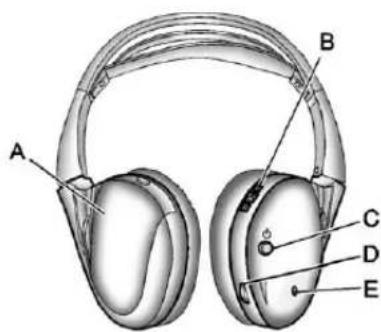
text_image
A B C D EA. Batterycover
B.Channel1or2switch
C.Powerbutton
D. Volumecontrol
E. Powerindicatorlight
TheRSEincludestwo2-channel wirelessheadphonesthatare dedicatedtothissystem.Channel1 isdedicatedtothevideoscreen, whileChannel2isdedicatedto RearSeatAudio(RSA)selections.
Theseheadphonescanbeusedto listentotheradio,CDs,DVDs, MP3s,DVD-As,oranyauxiliary sourceconnectedtoA/Vjacksor theauxiliaryinputjack,ifthevehicle hasthisfeature. Thewireless headphoneshaveapowerbutton, channel1or2switch,andavolume control.
If the vehicle has a third row video screendisplay, ithastwo additional headphones.
Pushthepowerbuttontoturnon theheadphones.Anindicatorlight locatedontheheadphonescomes on.Ifthelightcomeson,butthere isintermittentsoundand/orstaticon theheadphones,oriftheindicator lightdoesnotcomeon,thebatteries mightneedtobereplaced.See "BatteryReplacement"laterinthis sectionformoreinformation.Switch theheadphonestoOffwhennot inuse.
Infraredtransmittersarelocatedat therearoftheoverheadconsole. Theheadphonesshutoff automaticallytosavethebattery poweriftheRSEsystemandRSA areshutoff,oriftheheadphones areoutofrangeofthetransmitters formorethanthreeminutes.Ifyou movetoofarforwardorstepoutof thevehicle,theheadphoneslose theaudiosignal.
Toadjustthevolumeonthe headphones,usethevolumecontrol locatedontherightside.
Foroptimalaudioperformance, the headphonesmustbeworncorrectly. Headphonesshouldbewornwith theheadbandoverthetopofthe headforbestaudioreception. The symbolL(Left)appearsonthe outsidebottomedgeoftheearcup andshouldbepositionedontheleft ear. ThesymbolR(Right)appears ontheoutsidebottomedgeofthe earcupandshouldbepositionedon therightear.
Notice: Donotstorethe headphonesinheatordirect sunlight. This could damage the headphones and repairs will not be covered by the warranty. Storage in extreme cold can weaken the batteries. Keep the headphones stored in a cool, dry place.
If the foam ear pads attached to the headphones become worn nor damaged, the pad scan bereplaced separately from the headphones set. Top purchases are replacement ear pads, call 1-888-293-3332, then prompt zero (0), or contact your dealer.
7-38InfotainmentSystem
BatteryReplacement
Tochangethebatteriesonthe headphones:
- Turnthescrewtoloosenthe batterydoorlocatedontheleft sideoftheheadphones.Slide thebatterydooropen.
-
Replacethetwobatteries in the compartment. Makesure that they are installed correctly, using the diagram on the inside of the battery compartment.
-
Replacethebatterydoor and tightenthedoorscrew.
If the headphones are to be stored for a long period of time, remove the batteries and keep them in a cool, dry place.
Audio/Video(A/V)Jacks
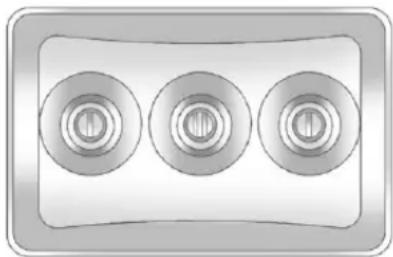
natural_image
Three circular mechanical components arranged horizontally within a rectangular frame (no text or symbols)Yellow: VideoInput
White: LeftAudioInput
Red:RightAudioInput
TheA/Vjacksarecolorcodedto matchtypicalhomeentertainment systemequipment.
TheA/Vjacks, located on therear of the floor console, allow a doctor videosignalstobe connected from an auxiliary devices such as camcorderoravideogame unit to the RSE system.
Adapterconnectorsorcables (notincluded) may berequired to connect the auxiliary device to the A/Vjacks. Referto the manufacturer's instructions for proper usage.
Powerforauxiliarydevicesisnot suppliedbytheradiosystem.
Tousetheauxiliaryinputsofthe RSEsystem,connectanexternal auxiliarydevicetothecolor-coded A/Vjacksandturnboththeauxiliary deviceandthevideoscreenpower on.IfthevideoscreenisintheDVD playermode,pressingtheAUX (auxiliary)buttonontheremote controlswitchesthevideoscreen fromtheDVDplayermodetothe auxiliarydevice.Theaudioofthe connectedsourcecanbelistenedto overthespeakersbysourcingthe radiototheauxiliarydeviceorby sourcingtheRSAtotheRearAux andlisteningwiththewireless headphonesonChannel2orwith thewiredheadphones.See"Using theAuxiliaryInputJack"under AuxiliaryDevicesonpage7-31for moreinformationaboutchanging thesource.
HowtoChangetheRSEVideo ScreenSettings
Thescreendisplaymode(normal, full, and zoom), screenbrightness, and setup menu language can be changed from the onscreen setup menu. To change any feature:
-
Pressthe □(displaymenu) buttonontheremotecontrol.
-
Usetheremotecontrol ▲, ▼, ◀, ▶ (navigation) arrowsandthe ←(enter) buttontousethesetupmenu.
-
Press the □ buttonagainto removethesetupmenufromthe screen.
AudioOutput
AudiofromtheDVDplayeror auxiliaryinputscanbeheard throughthefollowingpossible sources:
- Wirelessheadphones
- Vehiclespeakers
- Vehicle-wiredheadphonejacks ontheRSAsystem,ifthe vehiclehasthisfeature.
The RSEsystemalwaystransmits the audiosignaltothewireless headphones, if there is audio available. See "Headphones" earlier in this section form more information.
TheDVDplayeriscapableof outputtingaudiotothewired headphonejacksontheRSA system,ifthevehiclehasthis feature.TheDVDplayercanbe selectedasanaudiosourceonthe RSAsystem.SeeRearSeatAudio (RSA)Systemonpage7-46for moreinformation.
Whenadeviceisconnectedtothe A/Vjacks,ortheradio'sauxiliary inputjackifthevehiclehasthis feature,therearseatpassengers areabletohearaudiofromthe auxiliarydevicethroughthewireless orwiredheadphones.Thefrontseat passengersareabletolistento playbackfromthisdevicethrough thevehiclespeakersbyselecting AUXasthesourceontheradio.
VideoScreen(s)
The videoscreen(s) are located in the overhead console.
Tousethevideoscreen(s):
-
Pushthereleasebuttonlocated ontheoverheadconsole.
-
Movethescreentothedesired position.
Whenthevideoscreenisnotin use, pushitupintoitslocked position.
IfaDVDDisplayingandthescreen israisedtoitslockedposition,the screenremainson.Thisisnormal, andtheDVDcontinuestoplay throughthepreviousaudiosource. Usetheremotecontrolpowerbutton orejectthedisctoturnoffthe screen.
The overhead console contains the infrared transmitters forthewireless headphones and the infrared receivers for theremote control. They are located at therearofthe console.
Notice: Avoid directly touching the videoscreen, as damagemay occur. See "CleaningtheVideo Screens" later in this section for more information.
RemoteControl
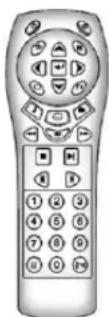
Tousetheremotecontrol,aimitat thetransmitterwindowattherearof theRSEoverheadconsole and pressthedesiredbutton.Direct sunlightorverybrightlightcould affecttheabilityoftheRSE transmittertoreceivesignalsfrom theremotecontrol.Iftheremote controldoesnotseemtobe working,thebatteriesmightneedto bereplaced.See“Battery Replacement”laterinthissection.
Objectsblockingthelineofsight could also affect the function of the remote control.
IfaCDorDVDisintheRadioDVD slot,theremotecontrol ⬤(power) buttoncanbeusedtoturnonthe videoscreendisplayandstartthe disc. Theradiocanalsoturnonthe videoscreendisplay.SeeCD/DVD Playeronpage7-20formore information.
Notice: Storingtheremote controlinahotareaorindirect sunlightcandamageit, and the repairs will not be recovered by the warranty. Storage in extreme cold can weaken the batteries. Keep theremote control stored in cool, dry place.
Iftheremotecontrolbecomeslost ordamaged, anewuniversal remotecontrolcanbepurchased. Ifthishappens,makesurethe universalremotecontrolusesa codesetofToshiba ^® .
RemoteControlButtons
(Power):Pressthisbutton to turnthevideoscreenonandoff.
(Illumination): Pressthisbutton toturntheremotecontrolbacklight on. The backlight automatically timesoutafter7to10secondsifno otherbuttonispressedwhilethe backlightison.
(Title): Pressthisbutton to return the DVD to the main menu of the DVD. This function could vary foreach disc.
(MainMenu):Pressthisbutton toaccesstheDVDmenu.TheDVD menuisdifferentoneveryDVD. Usethenavigationarrowstomove thecursoraroundtheDVDmenu. Aftermakingaselectionpressthe enterbutton.Thisbuttononly operateswhenusingaDVD.
▲, ▼, ◀, ▶ (Menu Navigation Arrows): Usethearowbuttonsto navigateethroughamenu.
◀(Enter):Pressthisbutton to selectthechoicethatishhighlighted inanymenu.
□(DisplayMenu):Pressthis buttontoadjustthebrightness, screendisplaymode(normal,full, orzoom),anddisplaythe languagemenu.
(Return): Pressthisbutton to exit the current activemenu and return the previous menu. This button operates only when the display menu or a DVD menu is active.
7-42InfotainmentSystem
■(Stop):Pressthisbuttontostop playing,fastreversing,orfast forwardingaDVD.Pressthisbutton twicetoreturntothebeginningof theDVD.
▶ ||(Play/Pause):Presstthis buttonostartplayingaDVD.Press thisbuttonwhileaDVDisplayingto pauseit.Pressitagaintocontinue playingtheDVD.
While the DVD displaying, the DVD can be played slowly by bypassing the play/pause button then pressing the fast forward button. The DVD continues playing in as low play mode. Also, reverse can be played slowly by bypassing the play/pause button and then pressing the fast reverse button. Tocancelslow play mode, pressthe play/pause button.
◀(PreviousTrack/Chapter): Pressthisbuttontoreturntothe startofthecurrenttrackorchapter. Pressthisbuttonagaintogotothe previoustrackorchapter.This buttonmightnotworkwhenthe DVDisplayingthecopyright informationorthepreviews.
▶(NextTrack/Chapter):Press thisbuttontogotothebeginningof thenextchapterortrack.This buttonmightnotworkwhilethe DVDisplayingthecopyright informationorthepreviews.
(FastReverse):Pressthis buttontoquicklyreversetheDVDor CD.TostopfastreversingaDVD video,presstheplay/pausebutton. TostopfastreversingaDVDaudio orCD,releasethefastreverse button.Thisbuttonmightnotwork whentheDVDdisplayingthe copyrightinformationorthe previews.
(FastForward):Pressthis buttontofastforwardtheDVDor CD.TostopfastforwardingaDVD video,presstheplay/pausebutton. TostopfastforwardingaDVDaudio orCD,releasethefastforward button.Thisbuttonmightnotwork whiletheDVDdisplayingthe copyrightinformationorthe previews.
(Audio):Pressthisbutton to change audiotrackson DVD sthat havethisfeature when the DVD is playing. The format and content of this function vary fore each disc.
☐(Subtitles):Pressthisbuttonto turnonoroffsubtitlesandtomove throughsubtitleoptionswhena DVDisplaying. Theformatand contentofthisfunctionvaryfor eachdisc.
AUX(Auxiliary):Pressthisbutton toswitchthesystembetweenthe DVDplayerandanauxiliarysource.
If the vehicle has a third row video screen, the AUX button controls the sourced display on these second row videoscreen, and the third row videoscreen as described in the table below:
| Aux Button Press | Second Row Screen | ThirdRow Screen |
| Default State(No Press) | DVD Media | DVD Media |
| First Press | AuxVideo Source | AuxVideo Source |
| Second Press | DVD Media | AuxVideo Source |
| Third Press | AuxVideo Source | DVD Media |
| Fourth Press | Returnto Default State | Returnto Default State |
(Camera): Pressthisbutton to changecameraanglesonDVDs that havethisfeaturewhileaDVD is playing. The format and content of this function vary foreach disc.
1through0(NumericKeypad): Thenumerickeypadprovidesthe capabilityofdirectchapterortrack numberselection.
☒(Clear): Pressthisbuttonwithin threesecondsafterenteringa numericselection, toclearall numericalinputs.
≥10(DoubleDigitEntries):Press thisbuttontoselectchapterortrack numbersgreaterthannine.Press thisbuttonbeforeenteringthe number.
BatteryReplacement
Tochangetheremotecontrol batteries:
- Slidetherearcoverbackonthe remotecontrol.
- Replace the two batteries in the compartment. Makes sure they are installed correctly using the diagram on the inside of the remote control.
- Replace the battery cover. If theremote controlist of bestored for along period of time, remove the batteries and keep them in a cool, dry place.
7-44InfotainmentSystem
TipsandTroubleshootingChart
| ProblemRecommendedAction | |
| Thereisnopower.TheignitionmightnotbeturnedtoON/RUNor | ACC/ACCESSORY. |
| Thepicturedoesnotfillthescreen.Thereareblackbordersonthetopandbottomoronbothsides,orthepicturelooksstretchedout. | Checkthedisplaymodesettingsinthesetupmenubypressingthedisplaymenubuttonontheremotecontrol. |
| Inauxiliarymode,thepicturemovesorscrolls.Checktheauxiliaryinputconnectionsatbothdevices. | |
| Theremotecontroldoesnotwork.Checktomakesurethereisno | obstructionbetweenheremotecontrolandthetransmitterwindow.Checkthebatteriestomakesuretheyarenotdeadorinstalledincorrectly. |
| Afterstoppingtheplayer,andpushingPlay,sometimestheDVDstartswhereitletoffandsometimesatthebeginning. | Ifthestopbuttonwaspressedonetime,theDVDplayerresumesplayingwheretheDVDwasstopped.Ifthestopbuttonwaspressedtwotimes,theDVDplayerbeginstoplayfromthebeginningoftheDVD. |
| Theauxiliarysourceisrunning,butthereisnopictureorsound. | CheckthattheRSEvideoscreenisintheauxiliarysourcemode.Checktheauxiliaryinputconnectionsatbothdevices. |
TipsandTroubleshootingChart(cont'd)
| ProblemRecommendedAction | |
| Sometimesthewirelessheadphoneaudiocutsoutor buzzes. | Checkforobstructions,lowbatteries,receptionrange,andinterferencefromcellulartelephonetowers,oruseacellulartelephoneinthevehicle.CheckthattheheadphonesareoncorrectlyusingtheL(left)andR(right)ontheheadphones. |
| Theremoteand/ortheheadphonesarelost.Seeyourdealerforassistance. | |
| TheDVDdisplaying,butthereisnopictureorsound.CheckthattheRSEvideoscreenissourcedtotheDVD player. | |
DVDDisplayErrorMessages
TheDVDdisplayerrormessage dependsontheradiothatisinthe vehicle. Thevideoscreencan displayoneofthefollowing:
DiscLoad/EjectError: This messagedisplayswhenthereare discloadorejectproblems.
DiscFormatError: Thismessage displaysifthediscisinsertedwith thedisclabelwrongsideup,orif thediscisdamaged.
DiscRegionError: Thismessage displaysifthediscisnotfroma correctregion.
NoDisclnseted: Thismessage displaysifnodiscispresentwhen △orDVDAUXispressedonthe radio.
DVDDistortion
Videodistortioncanoccurwhen operatingcellularphones, scanners, CBradios, GlobalPositionSystems (GPS)*, two-wayradios, mobilefax machines, orwalkietalkies.
Itmightbenecessarytoturnoffthe DVDplayerwhenoperatingoneof thesedevicesinornearthevehicle.
*ExcludestheOnStar ^® System.
CleaningtheRSEOverhead Console
WhencleaningtheRSEoverhead consolesurface, useonlyaclean clothdampenedwithcleanwater.
CleaningtheVideoScreen
Whencleaningthevideoscreen, useonlyacleanclothdampened withcleanwater. Usecarewhen directlytouchingorcleaningthe screen, asdamagecouldresult.
RearSeatAudio(RSA) System
Vehicleswiththisfeatureallowthe rearseatpassengerstolistento andcontrolanyofthemusic sources:radio,CDs,DVDs,orother auxiliarysources.However,therear seatpassengerscanonlycontrol themusicsourcesthefrontseat passengersarenotlisteningto (exceptonsomeradioswheredual controlisallowed).Forexample, rearseatpassengerscancontrol andlistentoaCDthroughthe headphones,whilethedriverlistens totheradiothroughthefront speakers.Therearseatpassengers havecontrolofthevolumeforeach setofheadphones.
Theradiofunctionalityiscontrolled by both the RSA and the frontradio. Only one band can be tuned to at onetime. Changing the band on the RSA or the frontradiow will change the band on the othersystem, if they are both sourced to their radio.
The RSA functions operate even when themainradioisoff. The front audiosystem will display the headphone icon when the RSA is on, and will disappear from the display when it is off.
Audiocanbeheardthroughwired headphones(notincluded)plugged intothejacksontheRSA.Ifthe vehiclehasthisfeature,audiocan alsobeheardonChannel2ofthe wirelessheadphones.
The audiosystemmutestherear speakerswhentheRSAaudiois activethroughtheheadphones.
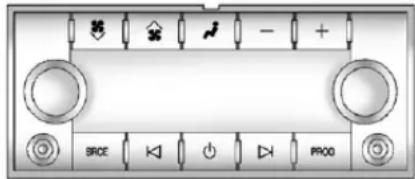
text_image
BRCE + - + + PRCD(Power): Press the button to turntheRSAonoroff.
Volume: Toincrease or decrease headphone volume, turn the knobs located next to the SRCE or PROG buttons. The left knob control the left headphones and the right knob control the right headphones.
SRCE(Source): Pressthisbutton toswitchbetweentheradio (AM/FM), XM™ (ifequipped), CD, andifthevehiclehasthese features, DVD, frontauxiliary, and rearauxiliary.
K(DSeek):WhenlisteningtoFM, AM,orXM™(ifequipped),press theleft KorrightSeekarrowtogo tothepreviousortothenextstation orchannelandstaythere.This functionisinactive,withsome radios,ifthefrontseatpassengers arelisteningtotheradio.
Pressandholdtheleft Korright seekarrowuntilthedisplayflashes, totunetoanindividualstation. The displaystopsflashingafterthe buttonshavenotbeenpushedfor morethantwoseconds. This functionisinactive,withsome radios,ifthefrontseatpassengers arelisteningtotheradio.
Whilelisteningtoadisc, press the left seekarrowtogobacktothe startofthecurrenttrackorchapter (ifmorethantensecondshave played). Presstheright seek arrowtogotothenexttrackor chapteronthedisc. Thisfunctionis inactive, withsomeradios, ifthe frontseatpassengersarelistening tothedisc.
WhenaDVDvideomenuisbeing displayed, presstheleft Korright seekarrowtoperformacursorup ordownonthemenu. Holdthe left Korright Harrowtoperforma cursorleftorrightonthemenu.
PROG(Program):Pressthis buttontogotothenextpresetradio stationorchannelsetonthemain radio. Thisfunctionisinactive,with someradios,ifthefrontseat passengersarelisteningtothe radio.
WhenaCDorDVDaudiodiscis playing, pressthisbuttontogoto thebeginningoftheCDorDVD audio. Thisfunctionisinactive, with someradios, ifthefrontseat passengersarelisteningtothedisc.
WhenadiscisplayingintheCDor DVDchanger,pressthisbutton to selectthenextdisc,ifmultiplediscs areloaded. Thisfunctionisinactive, withsomeradios,ifthefrontseat passengersarelisteningtothedisc.
WhenaDVDvideomenuisbeing displayed, pressthePROGbutton toperformthemenufunction, enter.
Phone
Bluetooth
Forvehiclesequipped with Bluetoothcapability, the system can interact with many cell phones, allowing:
- Placementandreceiptofcallsin ahands-freemode.
- Sharingofthecellphone's addressbookorcontactlistwith thevehicle.
Tominimizedriverdistraction, beforedriving, and with the vehicle parked:
- Becomefamiliarwiththe featuresofthecellphone. Organizethephonebook and contactlistsclearlyanddelete duplicateorrarelyusedentries. Ifpossible,programspeeddial orothershortcuts.
-
Reviewthecontrolsand operationoftheinfotainment system.
-
Paircellphone(s)tothevehicle. Thesystemmaynotworkwith allcellphones.See"Pairing"in thissectionformoreinformation.
- If the cell phone has voice dialing capability, learntouse that feature to access the address book or contact list. See "Voice Pass-Thru" in this section form more information.
- See "StoringandDeletingPhone Numbers" in this section for more information.

WARNING
When using acellphone, it can be distracting to look to long or too often at the screen of the phone or the infotainment (navigation) system. Taking your eyes off the road to long or too oftencould cause a crash resulting in injury or death. Focus your attention on driving.
ABluetoothsystemcanusea Bluetooth-capablecellphonewitha Hands-FreeProfiletomake and receivephonecalls. Thesystem canbeusedwhilethekeyisinthe ON/RUNorACC/ACCESSORY position. TherangeoftheBluetooth systemcanbeupto9.1m(30ft). Notallphonessupportallfunctions, andnotallphonesworkwiththe in-vehicleBluetoothsystem.See www.gm.com/bluetoothformore informationoncompatiblephones.
VoiceRecognition
TheBluetoothsystemusesvoice recognitionointerpretvoice commandstodialphonenumbers andnametags.
Foradditionalinformation,say "Help"whileyouareinavoice recognitionmenu.
Noise: Keepinteriornoiselevelsto a minimum. Thesystemmaynot recognizevoicecommandsifthere istoomuchbackgroundnoise.
WhentoSpeak: Ashorttone soundsafterthesystemresponds indicatingwhenitiswaitingfora voicecommand.Waituntilthetone andthenspeak.
HowtoSpeak: Speak clearly in a calmandnatural voice.
AudioSystem
When using the in-vehicle Bluetooth system, sound comesthrough the vehicle's front audiosystem speakers and overridest the audio system. Usethea audiosystem volumeknob, during acall, to changethe volume level. The adjusted volume level remains in memory for later calls. Toprevent missed calls, a minimum volume level is used if the volume is turned downtoolow.
BluetoothControls
Use the buttons located on the steering wheel to operate the in-vehicle Bluetooth system. See Steering Wheel Controlson page 5-3 form more information.
/ _^2 (Push To Talk): Press to answerincomingcalls, confirm systeminformation, and start speechrecognition.
/ ▽ (End): Press to end a call, rejectacall, orcancelanoperation.
Pairing
ABluetooth-enabled cellphone must be repaired to the Bluetooth system and then connected to the vehicle before it can be used. See the cell phonemanufacturer's user guide for Bluetooth functions before pairing the cellphone. If a Bluetooth phone is not connected, call will be made using OnStar Hands-Free Calling, if equipped. See OnStar Overview on page 14-1 form more information.
PairingInformation
- ABluetoothphonewithMP3 capabilitycannotbepairedto thevehicleasaphoneandan MP3playeratthesametime.
- Uptofivecellphonescanbe pairedtotheBluetoothsystem.
• Thepairingprocessisdisabled whenthevehicleismoving. - Pairingonlyneedstobe completedonce, unless the pairinginformationonthecell phonechangesorthecellphone isdeletedfromthesystem.
- Onlyonepairedcellphonecan beconnectedtotheBluetooth systematatime.
- If multiplepairedcellphones are within range of the system, the system connects to the first available paired cell phone in the order that they were first paired to the system. To connect to a different paired phone, see "Connecting to a Different Phone" later in this section.
PairingaPhone
- Pressandhold twoseconds.
/for - Say "Bluetooth." This command can beskipped.
- Say "Pair." Thesystemresponds withinstructionsandafour-digit PersonalIdentificationNumber (PIN). The PINisusedinStep5.
- Start the pairing process on the cellphonethatyouwanttopair. For help with this process, see the cellphonemanufacturer's userguide.
- Locatethedevicenamed "Your Vehicle"inthelistonthecell phone.Followtheinstructions onthecellphonetoenterthe PINprovidedinStep3.Afterthe PINissuccessfullyentered,the systempromptsyoutoprovidea nameforthepairedcellphone.
Thisnamewillbeusedto indicatewhichphonesare pairedandconnectedtothe vehicle. Thesystemresponds with“
- RepeatSteps1 through 5 topair additional phones.
ListingAllPairedandConnected Phones
Thesystemcanlistallcellphones pairedtoit. Ifapairedcellphone is alsoconnectedtothevehicle, the systemrespondswith "isconnected" afterthatphonename.
- Pressandhold
twoseconds.
/lefor - Say "Bluetooth."
- Say "List."
DeletingaPairedPhone
If the phonename you want to delete is unknown, see "Listing All Paired and Connected Phones."
- Pressandhold
twoseconds.
/for
2.Say"Bluetooth." - Say "Delete." Thesystemasks whichphonetodelete.
- Saythenameofthephoneyou wanttodelete.
ConnectingtoaDifferentPhone
Toconnecttoadifferentcellphone, theBluetoothsystemlooksforthe nextavailablecellphoneinthe orderinwhichalltheavailablecell phoneswerepaired.Dependingon whichcellphoneyouwantto connectto,youmayhavetouse thiscommandseveraltimes.
- Pressandhold twoseconds.
/for
2.Say"Bluetooth."
-
Say "Changephone."
-
Ifanothercellphoneis found,theresponsewillbe "
isnow connected."
• Ifanothercellphoneisnot found, theoriginalphone remainsconnected.
StoringandDeletingPhone Numbers
Thesystemcanstoreupto 30phonenumbersasnametagsin theHands-FreeDirectorythatis sharedbetweentheBluetoothand OnStarsystems,ifequipped.
The following commands are used to delete and store phonenumbers.
Store: This command will store a phonenumber, oragroup of numbers as anametag.
DigitStore: This command allows a phonenumbertobestoredasa nametagbyenteringthedigitsone atatime.
Delete: This command is used to delete individual nametags.
DeleteAllNameTags: This commanddeletesallstoredname tagsintheHands-FreeCalling DirectoryandtheOnStar Turn-by-TurnDestinationsDirectory, ifequipped.
Usingthe"Store"Command
- Pressandhold twoseconds.
for
2.Say"Store."
3. Say the phonenumber group of numbers you want to store all at once with no pauses, then follow the directions given by the system to save an ametag for this number.
Usingthe“DigitStore”Command
Ifanunwantednumberis recognizedbythesystem, say "Clear"atanytimetoclearthelast number.
Tohearallofthenumbers recognizedbythesystem, say "Verify"atanytime.
- Pressandhold
twoseconds.
/for
2.Say"DigitStore." - Sayeachdigit, oneatatime, thatyouwanttostore. After each digitisentered, the system repeats backthedigititheard followed by atone. After the last digithasbeenentered, say "Store," and then follow the directionsgivenbythesystemto save anametagforth this number.
Usingthe"Delete"Command
- Pressandhold twoseconds.
for
2.Say"Delete." - Saythenametagyouwantto delete.
Usingthe"DeleteAllNameTags" Command
Thiscommanddeletesallstored nametagsintheHands-Free CallingDirectoryandtheOnStar Turn-by-TurnDestinationsDirectory, ifequipped.
Todeleteallnametags:
- Pressandhold twoseconds.

2.Say"Deleteallnametags."
ListingStoredNumbers
Thelistcommandwilllistallstored numbersandnametags.
Usingthe"List"Command
- Pressandhold twoseconds.

2.Say"Directory."
3.Say"Hands-FreeCalling."
4.Say"List."
MakingaCall
Callscanbemadeusingthe followingcommands.
DialorCall: Thedialorcall commandcanbeused interchangeablytodialaphone numberorastorednametag.
DigitDial: This command allows a phonenumbertobedialed by entering the digits one at time.
Re-dial: This command is used to dial the last number used on the cell phone.
Using the "Dial" or "Call" Command
- Pressandhold twoseconds.

-
Say "Dial" or "Call."
-
Saytheentirenumberwithout pausing, or say thenametag.
Onceconnected, thepersoncalled willbeheardthroughtheaudio speakers.
Usingthe“DigitDial”Command
Thedigitdialcommandallowsa phonenumbertobedialedby enteringthedigitsoneatatime. Aftereachdigitisentered, the systemrepeatsbackthedigitit heardfollowedbyatone.
Ifanunwantednumberis recognizedbythesystem, say "Clear"atanytimetoclearthelast number.
Tohearallofthenumbers recognizedbythesystem, say "Verify"atanytime.
- Pressandhold twoseconds.

-
Say "DigitDial."
-
Sayeachdigit, oneatatime, thatyouwanttodial. After each digitisentered, the system repeats back the digitit heard followed by atone. After the last digit has been entered, say "Dial."
Onceconnected, thepersoncalled willbeheardthroughtheaudio speakers.
Usingthe"Re-dial"Command
- Pressandhold for twoseconds.
- Afterthetone, say "Re-dial."
Onceconnected, thepersoncalled willbeheardthroughtheaudio speakers.
ReceivingaCall
When an incoming call is received, the audiosystemmutes and aring tone is heardin the vehicle.
- Press/Infoanswerthecall.
- Press/▽toignoreacall.
CallWaiting
Callwaitingmustbesupported on thecellphoneandenabledbythe wirelessservicecarrier.
- Press ^P /w ^t toansweran incomingcallwhenanothercall isactive.Theoriginalcallis placedonhold.
- Press/«eagaintoreturnto theoriginalcall.
• Toignoretheincomingcall, no actionisrequired. - Press/▼todisconnectthe currentcallandswitchtothecall onhold.
Three-WayCalling
Three-way calling must be supported on the cell phone and enabled by the wireless service carrier.
-
Whileonacall, press
2.Say"Three-waycall." -
Usethedialorcallcommandto dialthenumberofthethirdparty tobecalled.
- Oncethecallisconnected, press Ⓞ/¶tolinkallcallers together.
EndingaCall
Press/▽toendacall.
MutingaCall
During acall, all sounds from inside the vehicle can be muted so that the person on the other end of the call can not hear them.
- Tomuteacall, press 📂/µ€, and thensay "Mutecall."
- Tocancelmute, press 📂/µ€, andthensay "Un-mutecall."
TransferringaCall
Audiocanbetransferredbetween theBluetoothsystemandthecell phone.
The cell phonemustbepaired and connected with the Bluetooth system before acall can be transferred. The connection process cantakeuptotwominutes after the ignitionisturned to ON/RUN.
TransferringAudiofromthe BluetoothSystemtoaCellPhone
During acallwiththeaudiointhe vehicle:
-
Press
-
Say "TransferCall."
TransferringAudiotothe BluetoothSystemfromaCell Phone
During acallwiththeaudioonthe cellphone, press / w^2 . Theaudio transferstothevehicle. If theaudio does not transfertothevehicle, use the audiotransferfeature on thecell phone. Seeyourcellphone manufacturer'suserguideformore information.
VoicePass-Thru
Voicepass-thruallowsaccesstothe voicerecognitioncommandsonthe cellphone.Seeyourcellphone manufacturer'suserguidetoseeif thecellphonesupportsthisfeature.
Toaccesscontactsstoredinthecell phone:
-
Pressandhold for twoseconds.
-
Say "Bluetooth." This command can beskipped.
-
Say "Voice." Thesystem responds "OK, accessing
"
Thecellphone'snormalprompt messageswillgothroughtheircycle accordingtothephone'soperating instructions.
DualToneMulti-Frequency (DTMF)Tones
TheBluetoothsystemcansend numbersandthenumbersstoredas nametagsduringacall. Youcan usethisfeaturewhencallinga menu-drivenphonesystem. Accountnumberscanalsobe storedforuse.
SendingaNumberorNameTag DuringaCall
- Press /w_^2 . Thesystem responds "Ready," followed by atone.
2.Say"Dial."
- Saythenumberornametag tosend.
ClearingtheSystem
Unlessinformationisdeletedoutof their-vehicleBluetoothsystem,it willberetainedindefinitely.This includesallsavednametagsinthe phonebookandphonepairing information.Forinformationonhow todeletethisinformation,seethe previoussection"DeletingaPaired Phone"andtheprevioussections ondeletingnametags.
OtherInformation
TheBluetooth ^® wordmark and logosareowned by the Bluetooth SIG, Inc. and any use of such marks by General Motors is under license. Other trademarks and tradenames are those of their respective owners.
See Radio Frequency Statement on page 13-22 for information regarding Part 15 of the Federal Communications Commission (FCC) rules and Industry Canada Standards RSS-GEN/210/220/310.
Trademarksand LicenseAgreements

Manufacturedunderlicenseunder U.S.Patent#'s:5,451,942; 5,956,674;5,974,380;5,978,762; 6,487,535&otherU.S.and worldwidepatentsissued& pending.DTSandtheSymbolare registeredtrademarksandDTS DigitalSurroundandtheDTSlogos aretrademarksofDTSInc.All RightsReserved.

DIGITAL
Manufacturedunderlicensefrom DolbyLaboratories.Dolbyandthe double-Dsymbolaretrademarksof DolbyLaboratories.
7-56InfotainmentSystem
NOTES
ClimateControls
ClimateControlSystems
ClimateControlSystems.....8-1
DualAutomaticClimateControl System....8-4
RearClimateControlSystem (RearClimate ControlOnly)....8-10
RearClimateControlSystem (RearClimatewithRearSeat Audio)....8-11
AirVents
AirVents....8-13
ClimateControlSystems
Theheating, cooling, and ventilation in the vehicle can be controlled with this system.
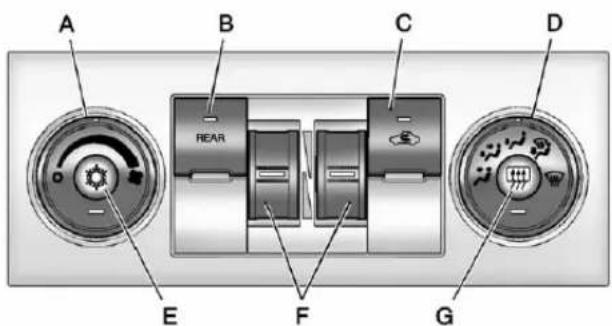
text_image
A B C D REAR E F GA. FanControl
B.REAR(RearClimateControl)
C. Recirculation
D. AirDeliveryModeControl
E. AirConditioning
F.DriverandPassenger TemperatureControls
G.RearWindowDefogger
TemperatureControl: Movethe thumbwheelsupordownto increaseordecreasethe temperatureonthedriversideor thepassengersideofthevehiclefor thedualzonesystem.
(FanControl): Turntheleft knobclockwiseorcounterclockwise toincreaseordecreasethefan speed. Turntheknoballtheway counterclockwisetoturnthefront systemoff.
AirDeliveryModeControl: Turn clockwise or counterclockwiseto changethe airflow direction inside the vehicle. By positioning the knob between womodes, a combination of those modes is selected.
Selectfromthefollowingmodes:
(Vent):Airisdirectedtothe instrumentpaneloutlets.
(i)(Bi-Level):Airisdivided betweentheinstrumentpanel and flooroutlets. Someairisdirected towardsthewindshieldandside windowoutlets. Coolerairis directedtotheupperoutletsand warmerairtotheflooroutlets.
(Floor):Airisdirectedtothe flooroutlets,withsomeoftheair directedtothewindshield,side window,andsecondrowfloor
outlets. In this mode, the system automatically selects outside air. Recirculation cannot be selected when in Floor Mode.
(Defog): Thedefogmodeis usedtoclearthewindowsoffogor moisture. Airisdirectedtothe windshield, flooroutlets, andside windowvents. Inthismode, the systemturnsoffrecirculation and runstheairconditioningcompressor unlesstheoutsidetemperature is closetofreezing. There circulation mode cannot be selected while in the defogmode.
(Defrost): Thedefrostmodeis usedtoremovefogorfrostfromthe windshieldmorequickly. Airis directedtothewindshieldandside windowvents,withsomedirectedto thefloorvents.Inthismode,the systemautomaticallyforcesoutside airintothevehicle.Therecirculation modecannotbeselectedwhilein thedefrostmode.Theair conditioningcompressorruns
automatically in this setting, unless the outside temperature is closeto freezing.
Donotdrivethevehicleuntilallthe windowsareclear.
(AirConditioning):Pressthis buttontoturntheairconditioning systemonoroff.Anindicatorlight comesontoshowthattheair conditioningison.Theair conditioningcanbeselectedinany modeaslongasthefanswitch ison.
Onhotdays, openthewindowsto lethotinsideairescape; then close them. This help storeducethetime it takes for the vehicle to cooldown. It also help the system to operate more efficiently.
The air conditioningsystem removes moisture from the air, soa small amount of water might drip under the vehicle while idlingor after turning off the engine. This is normal.
(Recirculation): Pressthis buttontoturntherecirculationmode onoroff. Anindicatorlightcomes ontoshowthatrecirculationison.
Thismoderecirculatesandhelpsto quicklycooltheairinsidethe vehicle.Itcanbeusedtohelp preventoutsideairandodorsfrom enteringthevehicle.
There circulationmode cannot be used with floor, defrost, or defogging modes. If recirculation is selected while in one of those modes, the indicator flashest hreetimes and turn soff. The air conditioning compressor will also come on when this mode is activated. While in recirculation modethewindows may fog whenthe weather is cold and damp. Toclearthefog, select either the defogordefrost mode and increasethefanspeed. The recirculation mode can also be turned off by turning off the engine.
REAR: Presstoturntherear heatingandairconditioningon. See RearClimateControlSystem(Rear ClimatewithRearSeatAudio) on page8-11 or RearClimateControl System(RearClimateControlOnly) on page8-10 formoreinformation.
RearWindowDefogger
Therearwindowdefoggerusesa warminggridtoremovefogfromthe rearwindow.
(RearWindowDefogger): Pressthisbuttontoturntherear windowdefoggeronoroff. The systemautomaticallyturnsoff severalminutesafterithasbeen activated. Thedefoggercanalsobe turnedoffbyturningofftheengine. Donotdrivethevehicleuntilallthe windowsareclear.
Forvehicleswithheatedoutside rearviewmirrors,themirrorswill heattohelpclearfogorfrostfrom thesurfaceofthemirrorwhenthe rearwindowdefogbuttonis pressed.
Notice: Donotuseanything sharpontheinsideoftherear window. If you do, you could cut ordamagethewarminggrid, and therepairswould not be recovered by the vehicle warranty. Donot attach atemporary vehicle license, tape, adecal, or anything similar to the defogger grid.
DualAutomaticClimateControlSystem
Theheating, cooling, and ventilation in the vehicle can be controlled with this system. The vehicle also has a flow-through ventilation system described later in this section.
Ifthevehicleisahybrid,seethehybridsupplementformoreinformation.
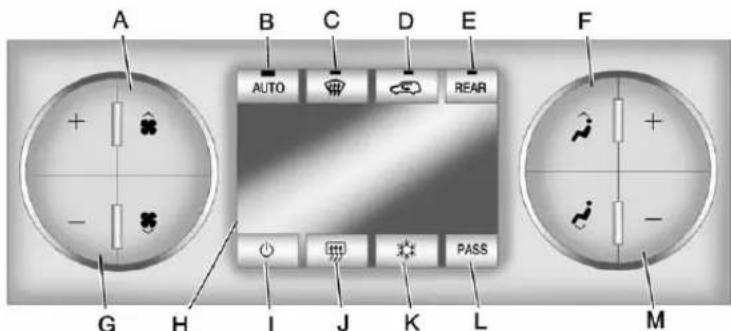
text_image
A B C D E F AUTO REAR G H I J K L MA.FanControl
B.AUTO(AutomaticOperation)
C.Defrost
D.Recirculation
E.REAR(RearClimateControl)
F.AirDeliveryModeControl
G.DriverTemperatureControl
H.Display
I.PowerButton
J.RearWindowDefogger
K.AirConditioning
L.PASS
M.PassengerTemperatureControl
(On/Off):Presstoturnthe climatecontrolsystemonoroff.
Outsideairstillentersthevehicle, andisdirectedtothefloor. This directioncanbechangedby pressingthemodebutton.
Recirculationcanbeselectedonce youhaveselectedventorbi-level mode. Thetemperaturecanalsobe adjustedusingeithertemperature button. If theairdeliverymode or temperaturesettingsareadjusted withthesystemoff, the display illuminatesbrieflytoshowthe settingsandthenreturnstooff. The systemcanbe turnedbackon by pressingeither ⏻, ⏻, ⏻, ⏻, the defrostortheAUTObutton.
DriverandPassengerSide TemperatureControl
The driver and passengers side temperature buttons are used to adjust the temperature of their coming through the system on the driver or passengers side of the vehicle. The temperature can be adjusted even if the system is turned off. This is possible since outside air always flow through the system, the vehicle is moving forward unless it is set to recirculation mode. See "Recirculation" later in this section.
Pressthe+or-buttonstoincrease ordecreasethecabintemperature. Thedriversideorpassengerside temperaturedisplayshowsthe temperaturesettingdecreasingor increasing.
Thepassengertemperaturesetting canbesettomatchthedriver temperaturesettingbypassingthe PASSbuttonandturningoffthe PASSindicator.
Whenindefrostmodethe passengertemperaturesetting cannotbechanged.
AutomaticOperation
AUTO(Automatic):When automaticoperationisactivethe systemwillcontroltheinside temperature,theairdelivery,and thefanspeed.
Usethestepsbelowtoplacethe entiresysteminautomaticmode:
- PresstheAUTObutton.
When AUTOisselected, the displaywillchangetoshowthe currenttemperature(s)and AUTOwillbelitonthedisplay. Thecurrentdeliverymode and fanspeedwillalsobedisplayed forapproximately5seconds.
When AUTOisselected, the air conditioning operation and air inlet will be automatically controlled. The air conditioning compressor will run when the outside temperature is over about 4^ C ( 40^ F).
Theairinletwillnormallybeset tooutsideair.Ifitishotoutside, theairinletmayautomatically switchtorecirculateinsideairto helpquicklycooldownthe vehicle. Thelightonthebutton comesoninrecirculation.
- Setthedriverandpassenger temperature.
To find your comfort setting, start with a 23°C (74°F) temperature setting and allow about 20 minutes for the system to regulate. Use the driver or passenger temperature buttons to adjust the temperatures setting as necessary. If at temperature setting of 15°C (60°F) is chosen, the system remains at the maximum cooling setting. If at temperatures setting of 32°C (90°F) is chosen, the system remains at the maximum heat setting. Choosing either maximum setting will not cause the vehicle to be a cooler than faster.
Donotcoverthesolarsensor locatedonthetopoftheinstrument panelnearthewindshield. This sensorregulatesairtemperature basedonsunloadandalsoturns ontheheadlamps. Formore informationonthesolarsensor, see "Sensors" laterinthissection.
Toavoidblowingcoldairincold weather,thesystemwilldelay turningonthefanuntilwarmairis available. Thelengthofdelay dependsontheenginecoolant temperature.Pressingthefan switchwilloverridethisdelayand changethefantoaselectedspeed.
ManualOperation
(FanControl):Pressthesestuttonstoincreaseordecreasethefanspeed.
Pressingeitherfanbuttonwhilein automaticcontrolplacesthefan undermanualcontrol. Thefan settingremainsdisplayedandthe AUTOlightturnsoff. Theair deliverymoderemainsunder automaticcontrol.
(AirDeliveryModeControl): Pressthesebuttonstochangethe directionoftheairflowinthevehicle. Repeatedlypresseitherbuttonuntil thedesiredmodeappearsonthe display.Pressingeithermodebutton whilethesystemisoffchangesthe airdeliverymodewithoutturningthe systemon.Pressingeithermode buttonwhileinautomaticcontrol placesthemodeundermanual control.
Theairdeliverymodesettingis displayedandtheAUTOlightturns off. Thefanremainsunder automaticcontrol.
(Vent):Airisdirectedtothe instrumentpaneloutlets.
(Bi-Level):Airisdivided betweentheinstrumentpanel and flooroutlets. Someairisdirected towardsthewindshieldandside windowoutlets.
(Floor):Airisdirectedtothe flooroutlets,withsometothe windshield,sidewindowoutlets,and secondrowflooroutlets.Inthis mode,thesystemautomatically selectsoutsideair.
(Defog): Thismodeclearsthe windowsoffogormoisture.Airis directedtothewindshield,floor outlets,andsidewindowvents.In thismode,thesystemturnsoff recirculationandrunstheair conditioningcompressorunlessthe outsidetemperatureiscloseto freezing.Therecirculationmode cannotbeselectedwhileinthe defogmode.
(Defrost): Thismoderemoves fogorfrostfromthewindshield morequickly. Airisdirectedtothe windshieldandsidewindowvents, withsomedirectedtothefloor vents. Inthismode, thesystem automaticallyforcesoutsideairinto thevehicleandrunstheair conditioningcompressorunlessthe outsidetemperatureiscloseto freezing. Therecirculationmode cannotbeselectedwhileinthe defrostmode.
Thepassengertemperaturecontrol cannotbeactivatedwhileindefrost mode.IfthePASSbuttonis pressed,thebuttonindicatorflashes threetimesandwillnotwork.Ifthe passengertemperaturebuttonsare adjusted,thedrivertemperature indicatorchanges.Thepassenger temperaturewillnotbedisplayed.
Ifvent, bi-level, or floormode is selected again, the climate control system display the previous temperatures settings.
Donotdrivethevehicleuntilallthe windowsareclear.
(AirConditioning): Pressto turntheairconditioning(A/C) compressoronandoff. An indicator lightcomesontoshowthattheair conditioningison.
If this button is pressed when the air conditioning compressor is unavailable, the indicator flashes threetimes and then turn soff. If the air conditioning is on and the outsidetemperature drops below a temperature which is too cool for air conditioning to be effective, the air conditioning light turn soft to show that the air conditioning mode has been canceled.
Onhotdays, openthewindowslong enoughtolethotinsideairescape. This help storeducethetimeit takes for the vehicle to cooldown. It also helps the system to operate more efficiently.
The air conditioningsystem removes moisture from the air, soa small amount of water might drip under the vehicle while idlingor after turning off the engine. This is normal.
(Recirculation): Presstoturn therecirculationmodeonoroff. An indicatorlightcomesontoshow thattherecirculationison.
Thismoderecirculatesandhelpsto quicklycooltheairinsidethe vehicle.Itcanbeusedtohelp preventoutsideairandodorsfrom enteringthevehicle.
Therecirculationmodecannot be used with floor, defog, or defrost modes. If recirculation is selected with one of those modes, the indicator light flashest hreetimes and then turn soff. The air conditioning compressorals ocomes on whenthismodeisactivated. While in recirculation modethe windows may fog when the weather is cold and damp. Toclearthefog, select either the defog or defrost mode and increase the fanspeed.
There circulation mode can also be turned off by turning off the ignition.
PASS: Presstosetthepassenger temperaturesettingtomatchthe drivertemperaturesetting. The PASSindicatorwillturnoff. When thepassengertemperaturesetting issetdifferentthanthedriver setting, theindicatoronthePASS buttonilluminatesandboththe driversideandpassengerside temperaturedisplaysareshown.
REAR: For vehicles with therear heat and air conditioning controls. Presstoturn therear climate control systemonoroff. See Rear Climate Control System (Rear Climate with Rear Seat Audio) on page 8-11 or Rear Climate Control System (Rear Climate Control Only) on page 8-10.
RearWindowDefogger
Therearwindowdefoggerusesa warminggridtoremovefogfromthe rearwindow.
(RearWindowDefogger): Presstoturntherearwindow defoggeronoroff.Itautomatically turnsoffseveralminutesafterithas beenactivated. Thedefoggercan alsoeturnedoffbyturningoffthe engine.Donotdrivethevehicleuntil allthewindowsareclear.
Notice: Donotusearazorblade orsharpobjecttocleartheinside rearwindow. Donotadhere anythingtothedefoggergrid linesintherearglass. These actionsmaydamagetherear defogger. Repairswouldnotbe coveredbyyourwarranty.
HeatedMirrors:Press 📋 tohelp clearfogorfrostfromthesurfaceof theoutsidemirror.SeePower Mirrorsonpage2-19.
Sensors
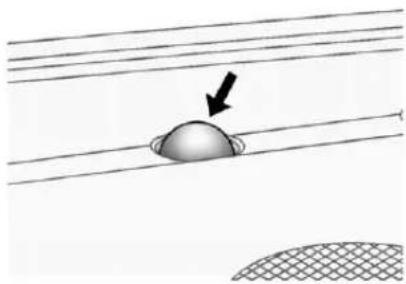
natural_image
Diagram showing a dome-shaped object on a grid-patterned surface with a black arrow pointing to it (no text or symbols)Thesolarsensor, located in the defrost grille in them middle of the instrument panel, monitor the solar heat. Donot cover the solar sensor or the system will not work properly.

natural_image
Circular icon with horizontal lines and a small semicircular mark, no text or symbols present.Theinteriortemperaturesensors locatedintheheadlinerabovethe driversideseatandifequipped,in theheadlinerabovethesecondrow seatsmeasurethetemperatureof theairinsidethevehicle.
Thereisalsoanexterior temperaturesensorlocatedbehind thefrontgrille. This sensorreads the outside air temperature and helps maintain the temperature inside the vehicle. Any cover on the front of the vehicle could cause a falsereading in the displayed temperature.
Theclimatecontrolsystemusesthe informationfromthesesensorsto maintainyourcomfortsettingby adjustingtheoutlettemperature,fan speed,andtheairdeliverymode. Thesystemmayalsosupplycooler airtothesideofthevehiclefacing thesun. Therecirculationmodewill alsobeusedasneededtomaintain cooloutlettemperatures.
RearClimateControlSystem(RearClimate ControlOnly)
Forvehicleswiththissystem,therearcontrolsarethreeknobslocatedin theheadliner. Thesystemcanalsobecontrolledwiththefrontcontrols.
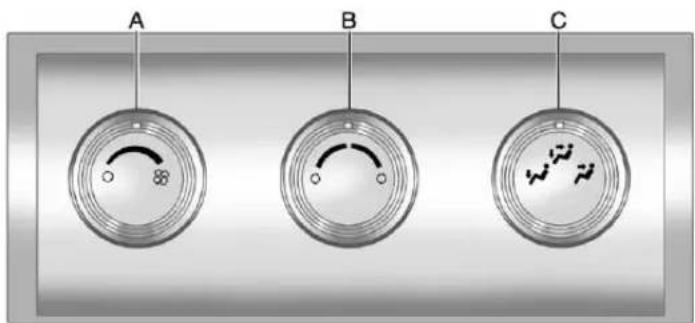
text_image
A B CA.FanControl
B. TemperatureControl
C.AirDeliveryModeControl
REAR:PresstheREARbuttonon thefrontclimatecontrolsystemto turntherearclimatecontrolsystem onoroff.Anindicatorcomeson whentherearsystemison.See
ClimateControlSystemson page8-4orDualAutomaticClimate ControlSystemonpage8-4. The rearsystemcanalsobeturnedoff byturningtherearfanknobto the ○position.
MimicMode: Thismodematches therearclimatecontroltothefront climatecontrolairflowsettings. It comesonwhenREARispressed thefirsttime.
IndependentMode: Thismode directsrearseatingairflow accordingtothesettingsoftherear controls.Itcomesonwhenanyrear controlisadjusted.
TemperatureControl: Turn clockwise or counterclockwiseto increase or decrease the airflow temperature into the passenger area.
FanControl: Turnclockwiseor counterclockwisetoincreaseor decreasethefanspeed.
AirDeliveryModeControl: Turn clockwiseorcounterclockwiseto changethedirectionoftheairflow.
(Vent):Airisdirectedthrough theheadlineroutlets.
(Bi-Level):Airisdirected throughthefloorandheadliner outlets. Therearsystemfloor outletsarelocateddirectlybehind thesecondrowseats. Theflowcan bedividedbetweenventandfloor outletsdependinguponwherethe knobisplacedbetweenthesettings.
(Floor):Airisdirectedtothe flooroutlets. Therearsystemfloor outletsarelocateddirectlybehind thesecondrowseats.
RearClimateControlSystem(RearClimatewithRearSeatAudio)
For vehicles with therear heat and air conditioning controls, they are integrated with therearse audio controls located in the center console. The system can be controlled from the front controls as well as therear controls.
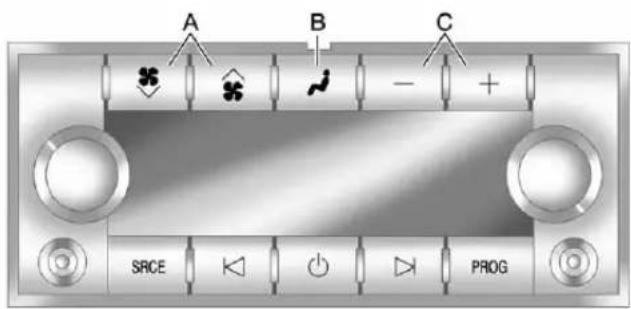
text_image
A B C SRCE PROGRearClimateControlwithRearSeatAudioControls
A.FanControl B.AirDeliveryModeControl C.TemperatureControl
REAR:PresstheREARbuttonon thefrontclimatecontrolsystemto turntherearclimatecontrolsystem onoroff.Anindicatorcomeson whentherearsystemison.
Therearclimatecontrolsystemcan also be turned off by pressing and holding the button. Toturn the system on from there are seats, press any rear climate control button, except the button.
MimicMode: Thismodematches therearclimatecontroltothefront climatecontrolairflowsettings. It comesonwhenREARispressed thefirsttime.
IndependentMode: Thismode directsrearseating airflow according to the setting of the rear controls.
Toturnthesystemonfromtherear, pressanyrearclimatecontrol button, except the ✧ button.
AutomaticOperation,If Equipped
AUTO: Presstheairdeliverymode buttonuntilthissettingisselectedto controltheinsidetemperature, air delivery, and fanspeed. AUTO appears in the display when automatic operation is active.
+or-(Increase/Decrease Temperature):Pressthe+ or-buttonstoincreaseordecrease thecabintemperature. Therear controltemperaturedisplaywill showthetemperaturesetting increasingordecreasing.
Thedisplayonlyindicatesclimate controlfunctionswhenthesystemis inrearindependentmode.
ManualOperation
(FanControl): Presstheses buttonsontherearseataudio controlpaneltoincreaseor decrease the airflow. Pressing the fanupbuttonwhenthesystemisoff willturnthesystemon. Theair deliverymodewillremainunder automaticcontrol.
+or-(TemperatureControl): Pressthesebuttonstoadjustthe temperatureoftheairflowinginto thepassengerarea.Pressthe+ buttonforwarmerairandpress the-buttonforcoolerair.
(AirDeliveryModeControl): Pressthemodebuttontochange thedirectionoftheairflowinthe vehicle.Repeatedlypressthe buttonuntilthedesiredmode appearsonthedisplay.Multiple presseswillcyclethroughthe deliveryselections.
AirVents
Usetheairoutletslocatedinthe centerandonthesideofthe instrumentpaneltodirectthe airflow.
OperationTips
- Keepthehoodandfrontair inletsfreeoffice,snow,orany otherobstruction(suchas leaves).Theheaterand defrosterwillworkfarbetter, reducingthechanceoffogging theinsideofthewindows.
-
Whenyouenteravehicleincold weather, pressthefanupbutton tothemaximumfanlevelbefore driving. Thishelpsclearthe intakeductsofsnowand moisture, andreduce the chanceoffoggingtheinsideof thewindow.
-
Keeptheairpathunderthefront seatsclearofobjects. Thishelps airtocirculatethroughoutthe vehicle.
- Addingoutsideequipmenttothe frontofthevehicle, such as hood-airdeflectors, may affect theperformanceoftheheating andairconditioningsystem. Checkwithyourdealerbefore addingequipmenttotheoutside ofthevehicle.
8-14ClimateControls
NOTES
Driving and Operating
DrivingInformation
DistractedDriving......9-2
DefensiveDriving......9-3
DrunkDriving....9-3
ControlofaVehicle......9-3
Braking....9-4
Steering....9-4
Off-RoadRecovery......9-5
LossofControl....9-5
Off-RoadDriving....9-6
DrivingonWetRoads......9-11
HighwayHypnosis......9-12
HillandMountainRoads.....9-12
WinterDriving......9-13
IftheVehicleIsStuck......9-15
VehicleLoadLimits......9-16
StartingandOperating
NewVehicleBreak-In.....9-22
Adjustable Throttle and Brake
Pedal....9-22
IgnitionPositions......9-23
StartingtheEngine......9-25
EngineHeater....9-26
RetainedAccessory
Power(RAP)......9-27
ShiftingIntoPark......9-27
ShiftingoutofPark......9-29
ParkingoverThings
ThatBurn....9-29
ActiveFuelManagement ^® ...9-30
EngineExhaust
EngineExhaust......9-30
RunningtheVehicleWhile
Parked....9-31
AutomaticTransmission
AutomaticTransmission.....9-32
ManualMode....9-35
Tow/HaulMode......9-36
DriveSystems
Four-WheelDrive(TwoSpeed
Automatic
TransferCase)......9-37
Four-WheelDrive(Single
SpeedAutomatic
TransferCase)......9-42
Brakes
AntilockBrake
System(ABS)......9-44
ParkingBrake......9-46
BrakeAssist......9-46
HillStartAssist(HSA)......9-47
RideControlSystems
StabiliTrak® System......9-47
LockingRearAxle......9-51
ContinuousDamping
Control(CDC)....9-51
AutomaticLevelControl.....9-51
CruiseControl
CruiseControl....9-52
ObjectDetectionSystems
UltrasonicParkingAssist....9-54
SideBlindZone
Alert(SBZA)....9-56
RearVision
Camera(RVC)....9-59
9-2DrivingandOperating
Fuel
Fuel....9-63
RecommendedFuel......9-63
GasolineSpecifications (U.S.andCanadaOnly)....9-64
CaliforniaFuel Requirements......9-64
FuelsinForeignCountries...9-64
FuelAdditives......9-65
FuelE85(85%Ethanol).....9-66
FillingtheTank......9-67
FillingaPortableFuel Container......9-69
Towing
GeneralTowing Information....9-69
DrivingCharacteristics and TowingTips....9-70
TrailerTowing......9-74
TowingEquipment......9-79
TrailerSway Control(TSC)....9-90
ConversionsandAdd-Ons
Add-OnElectrical Equipment....9-90
AddingaSnowPlowor SimilarEquipment......9-90
DrivingInformation
DistractedDriving
Distractioncomesinmanyforms andcantakeyourfocusfromthe taskofdriving.Exercisegood judgmentandonotletother activitiesdivertyourattention awayfromtheroad.Manylocal governmentshaveenactedlaws regardingdriverdistraction.Become familiarwiththelocallawsin yourarea.
Toavoiddistracteddriving,always keepyoureyesontheroad,hands onthewheel,andmindonthedrive.
- Donotuseaphonein demandingdrivingsituations. Useahands-freemethodto placeorreceivenecessary phonecalls.
-
Watchtheroad.Donotread, takenotes,orlookup informationonphonesorother electronicdevices.
-
Designateafrontseat passengertohandlepotential distractions.
- Becomefamiliarwithvehicle featuresbeforedriving,suchas programmingfavoriteradio stationsandadjustingclimate controlandseatsettings. Programalltripinformationinto anynavigationdevicepriorto driving.
- Waituntilthevehicleisparked toretrieveitemsthathavefallen tothefloor.
- Stoporparkthevehicletotend tochildren.
- Keeppetsinanappropriate carrierorrestraint.
- Avoidstressfulconversations whiledriving,whetherwitha passengeroronacellphone.
WARNING
Takingyoureyesofftheroadtoo longortoooftencouldcausea crashresultingininjuryordeath. Focusyourattentionondriving.
Refertotheinfotainmentsectionfor moreinformationonusingthat system,includingpairingandusing acellphone.
Ifequipped, refertothenavigation manualforinformationonthat system, includingpairingandusing acellphone.
DefensiveDriving
Defensivedrivingmeans"always expecttheunexpected."Thefirst stepindrivingdefensivelyistowear thesafetybelt.See SafetyBeltson page3-20.
- Assumethatotherroadusers (pedestrians, bicyclists, and otherdrivers) are going to be careless and make mistakes. Anticipate what they might do and beready.
- Allowenoughfollowingdistance betweenyouandthedriverin frontofyou.
• Focusonthetaskofdriving.
DrunkDriving
Deathandinjuryassociatedwith drinkinganddrivingisaglobal tragedy.
WARNING
Drinkingandthendrivingisvery dangerous.Yourreflexes, perceptions, attentiveness,and judgmentcanbeaffectedbyevenasmallamountofalcohol.You canhaveaserious—oreven fatal—collisionifyoudriveafter drinking.
Donotdrinkanddriveorridewith adriverwhohasbeendrinking. Ridehomeinacab;orifyouare withagroup,designateadriver whowillnotdrink.
ControlofaVehicle
Braking, steering, and accelerating are important factors in helping to control vehicle while driving.
Braking
Brakingactioninvolvesperception timeandreactiontime.Decidingto pushthebrakepedalisperception time.Actuallydoingitis reactiontime.
Averagedriverreactiontimeis about three-quarters of a second. In that time, a vehicle moving at 100 km/h (60 mph) travels 20 m (66 ft), which could be a lot of distance in an emergency.
Helpfulbrakingtipstokeepinmind include:
- Keepenoughdistancebetween youandthevehicleinfront ofyou.
- Avoidneedlessheavybraking.
- Keeppacewithtraffic.
Iftheengineeverstopswhilethe vehicleisbeingdriven,brake normallybutdonotpumpthe brakes.Doingsocouldmakethe pedalhardertopushdown.Ifthe enginestops,therewillbesome
powerbrakeassistbutitwillbe usedwhenthebrakeisapplied. Oncethepowerassistisusedup, it cantakelongertostopandthe brakepedalwillbehardertopush.
Steering
HydraulicPowerSteering
Yourvehiclehashydraulic powersteering.Itmayrequire maintenance.SeePowerSteering Fluid Power Steering Fluid on page 10-24.
Ifpowersteeringassistislost because the engine stops or the power steering system is not functioning, the vehicle can be steered but may require increased effort. See your dealer if there is a problem.
If the vehicle is a hybrid, se the hybrids supplement form more information.
CurveTips
• Takecurvesatareasonable speed.
- Reducespeedbeforeenteringa curve.
- Maintainareasonablesteady speedthroughthecurve
- Waituntilthevehicleisoutof thecurvebeforeaccelerating gentlyintothestraightaway.
SteeringinEmergencies
- Therearesomesituationswhen steeringaroundaproblemmay bemoreeffectivethanbraking.
- Holdingbothsidesofthe steeringwheelallowsyoutoturn 180degreeswithoutremoving ahand.
• AntilockBrakeSystem(ABS) allowssteeringwhilebraking.
Off-RoadRecovery
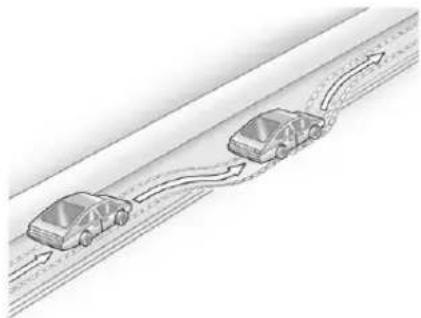
natural_image
Diagram of two cars driving on a road with directional arrows indicating flow (no text or symbols)Thevehicle'srightwheelscandrop offtheedgeofaroadontothe shoulderwhiledriving.Follow thesetips:
-
Easeofftheacceleratorand then, if there is nothing in the way, steer the vehicles that it straddlesthe edge of the pavement.
-
Turnthesteeringwheelabout one-eighthofaturn, until the rightfronttirecontactsthe pavementedge.
- Thenturnthesteeringwheelto gostraightdowntheroadway.
LossofControl
Skidding
Therearethreetypesofskidsthat correspondtothevehicle'sthree controlsystems:
- BrakingSkid—wheelsarenot rolling.
• SteeringorCornering Skid—toomuchspeedor steeringinacurvecausestires toslipandlosecorneringforce. - AccelerationSkid—toomuch throttlecausesthedriving wheelstospin.
Defensivedriversavoidmostskids bytakingreasonablecaresuitedto existingconditions,andbynot overdrivingthoseconditions.But skidsarealwayspossible.
If the vehicle start to slide, follow these suggestions:
- Easeyourfootoffthe acceleratorpedalandquickly steerthewayyouwantthe vehicletogo.Thevehiclemay straightenout.Bereadyfora secondskidifitoccurs.
- Slowdownandadjustyour drivingaccordingtoweather conditions. Stoppingdistance canbelongerandvehicle controlcanbeaffectedwhen tractionisreducedbywater, snow,ice,gravel,orother materialontheroad. Learnto recognizewarningclues—such asenoughwater,ice,orpacked snowontheroadtomakea mirroredsurface—andslow downwhenyouhaveanydoubt.
9-6DrivingandOperating
- Trytoavoidsuddensteering, acceleration, or braking, including reducing vehiclespeed by shifting to lower gear. Any sudden changes could cause the rest of the vehicle.
Remember: Antilockbrakeshelp avoidonlythebrakingskid.
Off-RoadDriving
Four-wheel-drive vehicles can be used for off-road driving. Vehicles without four-wheeler drive and vehicles not equipped with All Terrain (AT) or On-Off Road (OOR) tires must not be driven off-road exception level, solids surface. To contact the tire manufacturer for more information about the original equipment tires, seethe Limited Warranty and Owner Assistance Information manual.
Controllingthevehicleisthekeyto successfuloff-roaddriving. One of thebestwaystocontrolthevehicle istocontrolthespeed.
WARNING
Whendrivingoff-road, bouncing and quickchangesindirection caneasilythrowyououtof position. Thiscouldcauseyouto losecontrolandcrash. Youand yourpassengersshouldalways wearsafetybelts.
BeforeDrivingOff-Road
• Have all necessary maintenance and servicework completed.
- Fuelthevehicle,fillfluidlevels, andcheckinflationpressurein alltires,includingthespare, ifequipped.
- Readalltheinformationabout four-wheel-drivevehiclesinthis manual.
- Makesureallunderbody shields, ifequipped, areproperly attached.
- Knowthelocallawsthatapplyto off-roaddriving.
Togainmoregroundclearanceif needed, it may be necessary to remove the front fascialower airdam.
Notice: Operating the vehicle for extended periods without the front fascialowerairdam installed can cause improper air flow to the engine. Re-attach the front fasciaairdama after off-road driving.
LoadingtheVehiclefor Off-RoadDriving
WARNING
- Unsecuredcargoontheload floorcanbetossedabout whendrivingoverrough terrain.Youoryour passengerscanbestruckby flyingobjects.Securethe cargoproperly.
- Keepcargointhecargoarea asfarforwardandaslowas possible. Theheaviestthings shouldbeonthefloor, forwardoftherearaxle.
- Heavyloadsontheroofraise thevehicle'scenterofgravity, makingitmorelikelytoroll over. Youcanbeseriouslyor fatallyinjuredifthevehicle rollsover. Putheavyloads insidethecargoarea, noton thereof.
Formoreinformationaboutloading thevehicle,seeVehicleLoadLimits andTires.
EnvironmentalConcerns
- Alwaysuseestablishedtrails, roads,andareasthathavebeen setasideforpublicoff-road recreationaldrivingandobeyall postedregulations.
- Donotdamageshrubs, flowers, trees, or grassesordisturb wildlife.
- Donotparkoverthingsthat burn.SeeParkingOverThings thatBurn.
DrivingonHills
Drivingsafelyonhillsrequiresgood judgmentandunderstandingof whatthevehiclecanandcannotdo.
WARNING
Manyhillsaresimplytoosteep foranyvehicle.Drivinguphills cancausethevehicletostall. Drivingdownhillscancauseloss ofcontrol.Drivingacrosshillscan causearollover.Youcouldbe injuredorkilled.Donotdriveon steephills.
Beforedrivingonahill, assess thesteepness, traction, and obstructions. If the terrainahead cannot be seen, get out of the vehicle and walk the hill before driving further.
9-8DrivingandOperating
Whendrivingonhills:
• Usealowgearandkeepafirm griponthesteeringwheel.
- Maintainaslowspeed.
- Whenpossible,drivestraightup ordownthehill.
- Slowdownwhenapproaching thetopofthehill.
- Useheadlampsevenduringthe daytomakethevehiclemore visible.

WARNING
Drivingtothetopofahillathigh speedcancauseanaccident. Therecouldbeadrop-off, embankment, cliff, oreven another vehicle. You could be seriously injuredorkilled. As you nearthetopofahill, slowdown and stayalert.
- Nevergodownhillforwardor backwardwitheitherthe transmissionortransfercasein N(Neutral). Thebrakescould overheatandyoucouldlose control.

WARNING
If the vehicle has the two-speed automatic transference, shifting the transfer case to N(Neutral) can cause your vehicle rotor even if the transmission is in P(Park). This because the N(Neutral) position on the transfer case overridest the transmission. You are someone else could be injured. If leaving the vehicle, set the parking brake and shift the transmission to P(Park). Shift the transfer case to any position but N(Neutral).
- Whendrivingdownahill, keep thevehicleheadedstraight down. Usealowgearbecause theenginewillworkwiththe brakestoslowthevehicleand helpkeepthevehicleunder control.

WARNING
Heavybrakingwhengoingdown ahillcancauseyourbrakesto overheatandfade. This could cause lossof control and you or others could be injuredorkilled. Apply the brakes slightly when descending ahilland use alow gearto keep vehicles speed under control.
Ifthevehiclestallsonahill:
- Apply the brake stop the vehicle, and then apply the parking brake.
-
ShiftintoP(Park)andthen restarttheengine.
-
Ifdrivinguphillwhenthe vehiclestalls, shiftto R(Reverse), releasethe parkingbrake, and back straightdown.
- Nevertrytoturnthevehicle around. If the hill is steep enough to stall the vehicle, it is steepenought cause it or rollover.
• If you cannot make it up the hill, back straightdown the hill.
• Neverbackdownahillin N(Neutral)usingonlythe brake.
• Thevehiclecanroll backwardquicklyandyou couldlosecontrol. -
Ifdrivingdownhillwhenthe vehiclestalls, shifttoa lowergear, releasethe parkingbrake, anddrive straightdownthehill.
-
If the vehicle cannot be started after stalling, set the parking brake, shift an automatic transmission into P (Park), and turn the vehicle off.
3.1.Leavethevehicle and seekhelp.
3.2. Stayclearofthepaththe vehiclewouldtakeifit rolleddownhill.
- Avoidturnsthattakethevehicle acrosstheinclineofthehill. Ahillthatcanbedrivenstraight upordownmightbetoosteepto driveacross.Drivingacrossan inclineputsmoreweightonthe downhillwheelswhichcould causeadownhillslideora rollover.
- Surfaceconditionscanbea problem. Loosegravel, muddy spots, orevenwetgrasscan causethetirestoslipsideways, downhill. If the vehicles lips sideways, it can hits something that will tripit-arock, arut, etc.-and rollover.
- Hiddenobstaclescanmakethe steepnessoftheinclinemore severe.lfarockisdrivenacross withtheuphillwheels,orifthe downhillwheelsdropintoarut ordepression,thevehiclecantilt evenmore.
- Ifaninclinemustbedriven across, and the vehicle start to slide, turdownhill. This should help straighten out the vehicle and prevent the sides of the vehicle.

WARNING
Gettingoutofthevehicleonthe downhillsidewhenstopped acrossaninclineisdangerous. Ifthevehiclerollsover,youcould becrushedorkilled.Alwaysget outontheuphillsideofthe vehicleandstaywellclearofthe rolloverpath.
DrivinginMud, Sand, Snow, orlce
Usealowgearwhendrivingin mud-thedeeperthemud,the lowerthegear.Keepthevehicle movingtoavoidgettingstuck.
Tractionchangeswhendrivingon sand. Onloosesand, suchason beachesorsanddunes, thetires tendtosinkintothesand. This affectssteering, accelerating, and braking. Driveatareducedspeed and avoidsharpturnsorabrupt maneuvers.
Tractionisreducedonhardpacked snowandiceanditiseasytolose control.Reducevehiclespeedwhen drivingonhardpackedsnow andice.
WARNING
Drivingonfrozenlakes, ponds, orriverscanbedangerous. Ice conditions vary greatly and the vehicle could fall through the ice; you and your passengers could drown. Drive your vehicle on safe surfaces only.
DrivinginWater
WARNING
Drivingthroughrushingwatercan bedangerous.Deepwatercan sweepyourvehicledownstream andyouandyourpassengers coulddrown.Ifitisonlyshallow water,itcanstillwashawaythe groundfromunderyourtires. Tractioncouldbelost,andthe vehiclecouldrollover.Donot drivethroughrushingwater.
Notice: Donotdrivethrough standingwaterifitisdeep enoughtocoverthewheelhubs, axlesorexhaustpipe. Deepwater candamagetheaxleandother vehicleparts.
Ifthestandingwaterisnottoodeep, driveslowlythroughit.Atfaster speeds,watersplashesonthe ignitionsystemandthevehiclecan stall.Stallingcanalsooccurifyou getthetailpipeunderwater.While thetailpipeisunderwater,youwill notbeabletostarttheengine. Whengoingthroughwater,the brakesgetwet,anditmighttake longertostop.SeeDrivingonWet Roads.
AfterOff-RoadDriving
Removeanybrushordebristhat hascollectedontheunderbody, orchassis,orunderthehood. Theseaccumulationscanbeafire hazard.
Afteroperationinmudorsand, havethebrakeliningscleaned and checked. Thesesubstancescan causeglazingandunevenbraking. Checkthebodystructure,steering, suspension,wheels,tires,and exhaustsystemfordamageand checkthefuellinesandcooling systemforanyleakage.
Morefrequentmaintenance serviceisrequired. Refertothe MaintenanceScheduleformore information.
DrivingonWetRoads
Rainandwetroadscanreduce vehicletraction and affect your ability to stop and accelerate. Always drives slower in the set types of driving conditions and avoid driving through large puddles and deep-standing or flowing water.

WARNING
Wetbrakescancausecrashes. Theymightnotworkaswellina quickstopandcouldcause pullingtooneside.Youcould losecontrolofthevehicle.
Afterdrivingthroughalarge puddleofwateroracar/vehicle wash, lightlyapplythebrake pedaluntilthebrakeswork normally.
(Continued)
WARNING(Continued)
Flowingorrushingwatercreates strongforces.Drivingthrough flowingwatercouldcausethe vehicletobecarriedaway.Ifthis happens,youandothervehicle occupantscoulddrown.Donot ignorepolicewarningsandbe verycautiousabouttryingtodrive throughflowingwater.
Hydroplaning
Hydroplaningisdangerous.Water canbuildupunderthevehicle's tiressotheyactuallyrideonthe water.Thiscanhappeniftheroadis wetenoughandyouaregoingfast enough.Whenthevehicleis hydroplaning,ithaslittleorno contactwiththeroad.
Thereisnohardandfastruleabout hydroplaning. Thebestadviceisto slowdownwhentheroadiswet.
OtherRainyWeatherTips
Besidesslowingdown,otherwet weatherdrivingtipsinclude:
- Allowextrafollowingdistance.
• Passwithcaution. - Keepwindshieldwiping equipmentingoodshape.
- Keepthewindshieldwasherfluid reservoirfilled.
- Havegoodtireswithproper treaddepth.See Tireson page 10-49.
• Turnoffcruisecontrol.
HighwayHypnosis
Alwaysbealertandpayattentionto yoursurroundingswhiledriving. Ifyoubecometiredorsleepy,finda safeplacetoparkthevehicle andrest.
Otherdrivingtipsinclude:
- Keepthevehiclewellventilated.
- Keeptheinterior temperaturecool.
- Keepyoureyesmoving—scan theroadaheadandtothesides.
- Checktherearviewmirrorand vehicleinstrumentsoften.
HillandMountainRoads
Drivingonsteephillsorthrough mountainsisdifferentthandriving onflatorrollingterrain. Tipsfor drivingintheseconditionsinclude:
- Keepthevehicleservicedandin goodshape.
- Checkallfluidlevelsandbrakes, tires,coolingsystem,and transmission.
- Shifttoalowergearwhengoing downsteeporlonghills.

WARNING
If you donot shift down, the brakes could get so hot that they would not work well. You would then have poor braking over no going down a hill. You could crash. Shift downtolet the engine assist the brakes on a steep downhill slope.
WARNING
CoastingdownhillinN(Neutral) orwiththeignitionoffis dangerous. Thebrakeswillhave todoalltheworkofslowingdown andtheycouldgetsohotthat theywouldnotworkwell.You wouldthenhavepoorbrakingor evennonegoingdownahill.You couldcrash.Alwayshavethe engineerunningandthevehiclein gearwhengoingdownhill.
- Stayinyourownlane.Donot swingwideorcutacrossthe centeroftheroad.Driveat speedsthatletyoustayinyour ownlane.
- Bealertontopofhills; somethingcouldbeinyour lane(stalledcar,accident).
- Payattentiontospecialroad signs(fallingrocksarea,winding roads,longgrades,passingor no-passingzones)andtake appropriateaction.
WinterDriving
DrivingonSnoworIce
Drivecarefullywhenthereissnow oricebetweenthetiresandthe road,creatinglesstractionorgrip. Weticecanoccuratabout0°C (32°F)whenfreezingrainbeginsto fall,resultinginevenlesstraction. Avoiddrivingonweticeorin freezingrainuntilroadscanbe treatedwithsaltorsand.
Drivewith caution, whatever the condition. Accelerategently so tractionisnotlost. Accelerating too quickly cause the wheelstospin and make the surface under the tresslick, so there is even less traction.
Trynottobreakthefragiletraction. If you accelerate atetoofast, the drive wheels will spin and polish the surface under the tire seven more.
TheAntilockBrake System(ABS) onpage9-44improvesvehicle stabilityduringhardstopson slipperyroads,butapplythebrakes soonerthanwhenondrypavement.
Allowgreaterfollowingdistanceon anyslipperyroadandwatchfor slipperyspots.lcypatchescan occuronotherwiseclearroadsin shadedareas.Thesurfaceofa curveoranoverpasscanremainicy whenthesurroundingroadsare clear.Avoidsuddensteering maneuversandbrakingwhile onice.
Turnoffcruise control on slippery surfaces.
BlizzardConditions
Beingstuckinsnowcanbea serioussituation.Staywiththe vehicleunlesssthereishelpnearby. Ifpossible,usetheRoadside AssistanceProgram(U.S.and Canada)onpage13-8orRoadside AssistanceProgram(Mexico)on page13-10.Togethelpandkeep everyoneinthevehiclesafe:
• Turnonthehazardwarning flashers.
- Tiearedclothtoanoutside mirror.

WARNING
Snowcantrapengineexhaust underthevehicle. This may cause exhaust gas to get inside. Engine exhaust contains carbon monoxide (CO) which cannot be seen or smelled. It can cause unconsciousness and even death.
(Continued)
WARNING(Continued)
Ifthevehicleisstuckinthesnow:
- Clearawaysnowfromaround thebaseofyourvehicle, especiallyanythatisblocking theexhaustpipe.
- Checkagainfromtimeto timetobesuresnowdoes notcollectthere.
- Openawindowabout5cm (2in)onthesideofthe vehiclethatisawayfromthe windtobringinfreshair.
- Fullyopentheairoutletson orundertheinstrument panel.
- Adjusttheclimatecontrol systemtoasettingthat circulatestheairinsidethe vehicleandsetthefanspeed tothehighestsetting.See "ClimateControlSystems"in theIndex.
(Continued)
WARNING(Continued)
Formoreinformationabout carbonmonoxide,seeEngine Exhaustonpage9-30.
Runtheengineforshortperiods onlyasneededtokeepwarm,but becareful.
Tosavefuel, runtheengineforonly shortperiodsasneededtowarm thevehicleandthenshuttheengine offandclosethewindowmostof thewaytosaveheat.Repeatthis untilhelparrivesbutonlywhenyou feelreallyuncomfortablefromthe cold.Movingabouttokeepwarm alsohelps.
Ifittakessometimeforhelpto arrive,nowandthenwhenyourun theengine,pushtheaccelerator pedalslightlysotheengineurus fasterthantheidlespeed.This keepsthebatterychargedtorestart thevehicleandtosignalforhelp withtheheadlamps.Dothisaslittle aspossibletosavefuel.
IftheVehiclesStuck
Slowlyandcautiouslyspinthe wheelstofreethevehiclewhen stuckinsand,mud,ice,orsnow.
Ifthevehiclehasatractionsystem, itcanoftenhelptofreeastuck vehicle. Refertothevehicle's tractionsysteminthelIndex. Ifstuck tooseverelyforthetractionsystem tofreethevehicle, turnthetraction systemoffandusetherocking method.
WARNING
If the vehicle's tiresspinathigh speed, they can explode, and you or others could be injured. The vehicle can overheat, causing an engine compartment fire or other damage. Spin the wheels as little as possible and avoid going above 56 km/h (35 mph).
Forinformationaboutusingtire chainsonthevehicle,see Tire Chainsonpage10-72.
RockingtheVehicletoGet itOut
Turnthesteeringwheelleftand righttocleartheareaaroundthe frontwheels. Forfour-wheel-drive vehicles, shifttintoFour-WheelHigh or, ifthevehiclehasatwo-speed automatictransfercase, Four-Wheel Low. ForvehicleswithStabiliTrak ^® , turnthetractioncontrolpartofthe systemoff.Shiftbackandforth betweenR(Reverse)andaforward gear, spinningthewheelsaslittleas possible. Topreventtransmission wear, waituntilthewheelsstop spinningbeforeshiftinggears.
Releasetheacceleratorpedalwhile shifting,andpresslightlyonthe acceleratorpedalwhenthe transmissionisingear.Slowly spinningthewheelsintheforward andreversedirectionscausesa rockingmotionthatcouldfreethe vehicle.Ifthatdoesnotgetthe vehicleoutafterafewtries,itmight needtobetowedout.Recovery hookscanbeused,ifthevehicle hasthem.Ifthevehicledoesneed tobetowedout,see Towingthe Vehicleonpage 10-93.
RecoveryHooks

WARNING
Neverpullonrecoveryhooks fromtheside.Thehookscould breakandyouandotherscould beinjured.Whenusingrecovery hooks,alwayspullthevehicle straightout.
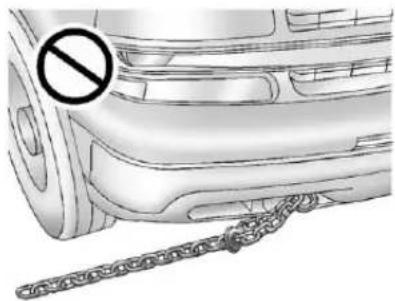
natural_image
Illustration of a car's side profile with a diagonal chain and a prohibition symbol (no text or labels)Notice: Never user recovery hookstotowthe vehicle. Your vehicle could bed damaged and it would not be recovered by warranty.
Forvehicleswithrecoveryhooksat thefrontofthevehicle,youcanuse themifyouarestuckoff-roadand needtobepulledtosomeplace whereyoucancontinuedriving.
VehicleLoadLimits
Itisveryimportanttoknowhow muchweightyourvehiclecan carry. Thisweightiscalledthe vehiclecapacityweightand includestheweightofall occupants, cargo, and all nonfactory-installedoptions. Twolabelsonyourvehicleshow howmuchweightitwas designedtocarry, the Tireand LoadingInformationlabeland theCertification/Tirelabel.
WARNING
Donotloadthevehicleany heavierthantheGross VehicleWeightRating (GVWR), oreitherthe maximumfrontorrearGross AxleWeightRating(GAWR). Thiscancausesystemsto breakandchangethewaythe vehiclehandles. Thiscould causelossofcontrolanda crash. Overloadingcanalso shortenthelifeofthevehicle.
TireandLoadingInformation Label
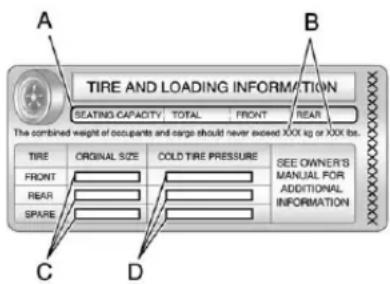
text_image
A TIRE AND LOADING INFORMATION SEATING CAPACITY TOTAL FRONT REAR The combined weight of occupants and cargo should never exceed XXX kg or XXX lbs. TIRE ORIGINAL SIZE COLD TIRE PRESSURE SEE OWNER'S MANUAL FOR ADDITIONAL INFORMATION FRONT REAR SPARE C DLabelExample
AvehiclespecificTireand LoadingInformationlabelis attachedtothecenterpillar (B-pillar).Withthedriverdoor open,youwillfindthelabel attachedbelowthedoorlock post(striker).Thetireand loadinginformationlabelshows thenumberofoccupantseating
positions(A), and the maximum vehicle capacity weight(B) in kilograms and pounds.
The Tire and Loading Information label also shows the sizeofthe originalequipment tires (C) and there recommended coldtireinflation pressures (D). Formoreinformationontires and inflation see Tireson page 10-49 and TirePressure on page 10-57.
Thereisalsoimportantloading informationonthevehicle Certification/Tirelabel.Ittells youtheGrossVehicleWeight Rating(GVWR)andtheGross AxleWeightRating(GAWR)for thefrontandrearaxles.See "Certification/TireLabel"laterin thissection.
StepsforDeterminingCorrect LoadLimit
- Locatethestatement "The combinedweight of occupants and cargoshould never exceed XXXkgor XXXlbs" on your vehicle's placard.
- Determinethecombined weightofthedriverand passengersthatwillberiding inyourvehicle.
-
Subtract the combined weight of the driver and passengers from XXXkgor XXXlbs.
-
Theresultingfigureequals theavailableamountofcargo andluggageloadcapacity. Forexample, ifthe "XXX" amountequals1400lbs and therewillbefive150lb passengersinyourvehicle, theamountofavailablecargo andluggageloadcapacityis 650lbs(1400-750 (5x150)=650lbs).
-
Determinethecombined weightofluggageandcargo beingloadedonthevehicle. Thatweightmaynotsafely exceedtheavailablecargo andluggageloadcapacity calculatedinStep4.
-
If your vehicle will betowing a trailer, the load from your trailer will be transferred to your vehicle. Consult this manual to determine how this reduces the available cargo and luggage load capacity of your vehicle. See Trailer Towing on page 9-74 for important information on towing a trailer, towingsafety rules and trailering tips.
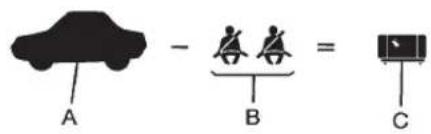
text_image
A - B = CExample1
A. Vehicle Capacity Weight for Example 1=453kg(1,000lbs)
B. SubtractOccupantWeight@
68kg(150lbs)×2=136kg
(300lbs)
C. Available Occupant and Cargo Weight=317kg(700lbs)
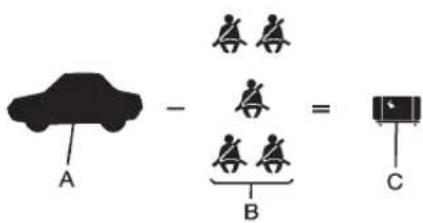
text_image
A - B = CExample2
A. Vehicle Capacity Weight for Example2=453kg(1,000lbs)
B. SubtractOccupantWeight@
68kg(150lbs)×5=136kg
(750lbs)
C. Available Cargo Weight=113kg(250lbs)
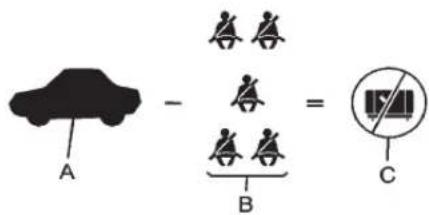
text_image
A - B = CExample3
A. Vehicle Capacity Weight for Example3=453kg(1,000lbs)
B. SubtractOccupantWeight@91kg(200lbs)×5=453kg (1,000lbs)
C. Available Cargo Weight = 0kg(0lbs)
Refertoyourvehicle'stireand loadinginformationlabelfor specificinformationaboutyour vehicle'scapacityweight and seatingpositions. Thecombined weightofthedriver,passengers, andcargoshouldneverexceed yourvehicle'scapacityweight.
Certification/TireLabel
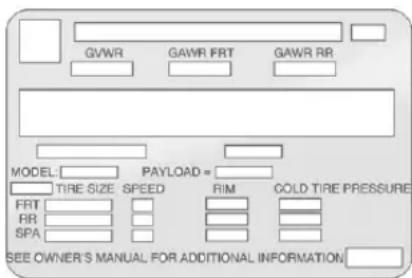
text_image
GVWR GAWR FRT GAWR RR MODEL: PAYLOAD= TIRE SIZE SPEED RIM GOLD TIRE PRESSURE FRT RR SPA SEE OWNER'S MANUAL FOR ADDITIONAL INFORMATIONAvehiclespecificCertification/Tirelabelisfoundonthereare edgeofthedriverdoor.The labelshowsthesizeofyour
vehicle'soriginaltiresandthe inflationpressuresneededto obtainthegrossweightcapacity ofyourvehicle. Thisiscalled GrossVehicleWeightRating (GVWR). TheGVWRincludes theweightofthevehicle, all occupants, fuel, and cargo.
The Certification/Tirelabel also tells you the maximum weights for the front and rear axles, called Gross Axle Weight Rating (GAWR). To find the actual load on your front and rear axles, you need to go to a weigh station and weigh your vehicle. Your dealer can help you with this. Besuret spread out your load equally on both sides of the centerline.
NeverexceedtheGVWRfor yourvehicle,ortheGAWRfor eitherthefrontorrearaxle.
The Certification/Tirelabel also contains information about your FrontAxleReserveCapacity.
And, if youdohaveaheavy load, youshouldspreaditout.

WARNING
Donotloadthevehicleany heavierthantheGross VehicleWeightRating (GVWR), oreitherthe maximumfrontorrearGross AxleWeightRating(GAWR). Thiscancausesystemsto breakandchangethewaythe vehiclehandles. Thiscould causelossofcontrolanda crash. Overloadingcanalso shortenthelifeofthevehicle.
Notice: Overloading the vehicle may caused damage. Repairs would not be recovered by the vehicle warranty. Do not overload the vehicle.
Thelabelwillhelpyoudecide howmuchcargoandinstalled equipmentyourtruckcancarry.
Usingheaviersuspension componentstogetadded durabilitymightnotchangeyour weightratings.Askyourdealer tohelpyouloadyourvehiclethe rightway.
If you put things inside your vehicle—likesuit cases, tools, packages, or anything else—they go as fast as the vehicle goes. If you havet to stop or turn quickly, or if there is a crash, they will keep going.
WARNING
Thingsyouputinsidethe vehiclecanstrikeandinjure peopleinasuddenstopor turn, orinacrash.
- Putthingsinthecargo areaofthevehicle.Tryto spreadtheweightevenly.
- Neverstackheavier things,likesuitcases, insidethevehiclesothat someofthemareabove thetopsoftheseats.
(Continued)
WARNING(Continued)
- Donotleavean unsecuredchildrestraint inthevehicle.
- Whenyoucarrysomething insidethevehicle,secure itwheneveryoucan.
- Donotleaveaseatfolded downunlessyouneedto.
Thereisalsoimportantloading informationforoff-roaddrivingin thismanual.See"LoadingYour VehicleforOff-RoadDriving" underOff-RoadDrivingon page9-6.
Starting and Operating
NewVehicleBreak-In
Notice: The vehicle does not need an elaborate break-in. But it will perform better in the long run if you follow these guidelines:
- Keepthevehiclespeedat 88km/h(55mph)orlessfor thefirst805km(500miles).
-
Donotdriveatanyone constantspeed, fastorslow, forthefirst805km (500miles).Donotmake full-throttlestarts.Avoid downshiftingtobrakeor slowthevehicle.
-
Avoidmakinghardstopsfor thefirst322km(200miles)or so.Duringthistimethenew brakeliningsarenotyet brokenin.Hardstopswith newliningscanmean prematurewearandearlier replacement.Followthis breaking-inguidelineevery timeyougetnewbrake linings.
- Donottowatrailerduring break-in. See Trailer Towing on page 9-74 forthetrailer towing capabilities of the vehicle and more information.
Followingbreak-in, enginespeed and load can be gradually increased.
Adjustable Throttle and Brake Pedal
Onvehicleswiththisfeature,you canchangethepositionofthe throttleandbrakepedals.
Noadjustmenttothepedalscanbe madewhenthevehicleisin R(Reverse)orwhileusingcruise control.
The control used to adjust the pedals is located on the instrument panel below the climate control system.
Pressthebottomofthecontrolto movethepedalscloser.Pressthe topofthecontroltomovethe pedalsaway.
Before you start driving, fully press the brake pedal to confirm the adjustment is right for you. While driving, make only small adjustments.
The vehicle may have an memory function which let pedal settings be saved and recalled. See Memory Seatson page 3-8.
IgnitionPositions
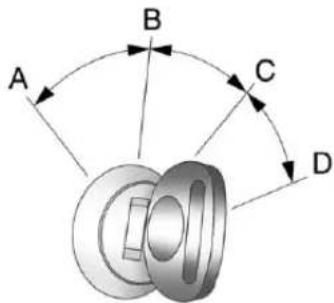
text_image
A B C DTheignitionswitchhasfourdifferent positions.
ToshiftoutofP(Park), theignition mustbeinON/RUNorACC/ACCESSORYandtheregularbrake pedalmustbeapplied.
A(STOPPINGTHEENGINE/LOCK/OFF):Whenthevehicleis stopped,turntheignitionswitchto LOCK/OFFtoturntheengineoff. RetainedAccessoryPower(RAP) willremainactive.SeeRetained AccessoryPower(RAP)on page9-27.
Thispositionlockstheignition. Italsolocksthetransmissionon automatictransmissionvehicles. Thekeycanberemovedin LOCK/OFF.
Donotturntheengineoffwhenthe vehicleismoving. This will cause a loss of power assist in the brake and steerings systems and disable the airbags.
If the vehicle must be shutoff in an emergency:
- Brakeusingafirmandsteady pressure.Donotpumpthe brakesrepeatedly.Thismay depletepowerassist,requiring increasedbrakepedalforce.
2.ShiftthevehicletoN(Neutral). Thiscanbedonewhilethe vehicleismoving.Aftershifting toN(Neutral),firmlyapplythe brakesandsteerthevehicletoa safelocation.
9-24DrivingandOperating
- Cometoacompletestop, shift toP(Park), and turntheignition toLOCK/OFF. On vehicles with an automatic transmission, the shiftlevermustbeinP(Park) to turntheignitionswitchtothe LOCK/OFF position.
- Settheparkingbrake. See ParkingBrakeonpage9-46.

WARNING
Turningoffthevehiclewhile movingmaycauselossofpower assistinthebrakeandsteering systemsanddisabletheairbags. Whiledriving,onlyshutthe vehicleoffinanemergency.
If the vehicle cannot be pulled over, and must be hutoff while driving, turn the ignition to ACC/ACCESSORY.
Thesteeringcanbindwiththe wheelsturnedoffcenter.Ifthis happens,movethesteeringwheel fromrighttoleftwhileturningthe
keytoACC/ACCESSORY.Ifthis doesnotwork,thenthevehicle needsservice.
Notice: Usingatooltoforcethe keytoturnintheignitioncould causedamagetotheswitchor breakthekey. Usethecorrect key, makesureitisallthewayin, andturnitonlywithyourhand. Ifthekeycannotbeturnedby hand, seeyourdealer.
B(ACC/ACCESSORY): This positionletsthingsliketheradio andthewindshieldwipersoperate whiletheengineisoff. Use this positionifthevehiclemustbe pushedortowed.
C(ON/RUN): This position can be used to operate the electrical accessories and to display some instrument panel cluster warning and indicator lights. This position can also be used for service and diagnostics, and to verify the proper operation of them malfunction indicator lampasm may be required for remission inspection purposes.
Theswitchstaysinthisposition whentheengineisrunning. The transmissionisalsounlockedinthis positiononautomatictransmission vehicles.
IfyouleavethekeyintheACC/ ACCESSORYorON/RUNposition withtheengineoff,thebatterycould bedrained.Youmaynotbeableto startthevehicleifthebatteryis allowedtodrainforanextended periodoftime.
D(START): This isthe position that startstheengine. Whentheengine starts, releasethekey. The ignition switchreturnstoON/RUNfor driving.
A warningtonewillsoundwhenthe driverdoorisopenedandthe ignitionisinACC/ACCESSORYor LOCK/OFF,andthekeyisinthe ignition.
StartingtheEngine
If the vehicle is a hybrid, se the hybrids supplement form more information.
MovetheshiftlevertoP(Park)or N(Neutral). Theenginewillnotstart inanyotherposition. Torestartthe enginewhenthevehicleisalready moving, useN(Neutral)only.
Notice: Donottrytoshiftto P(Park)ifthevehicleismoving. If youdo, you could damage the transmission. ShifttoP(Park) only when the vehicle is stopped.
StartingProcedure
- With your footoff the accelerator pedal, turn the ignition to START. Whenthe engine starts, let go of the key. The edges speed will go down the engine warms. Do not racethe engine immediately after starting it. Operat the engine and transmission gently to allow the oil to warm up and lubricate all moving parts.
Thevehiclehasa Computer-ControlledCranking System. Thisfeatureassistsin startingtheengineandprotects components. Iftheignitionkeyis turnedtotheSTARTposition, andthenreleasedwhenthe enginebeginscranking, the enginewillcontinuecrankingfor afewsecondsoruntilthe vehiclestarts. Iftheenginedoes notstartandthekeyisheldin START, crankingwillbestopped after15secondstopprevent crankingmotordamage. To preventgeardamage, this systemalsopreventscrankingif theengineisalreadyrunning. Enginecrankingcanbestopped byturningtheignitionswitchto theACC/ACCESSORYor LOCK/OFFposition.
WhentheLowFuelwarning lampisonandtheFUELLEVEL LOWmessageisdisplayedin theDriverInformationCenter (DIC),theComputer-Controlled CrankingSystemidisabledto preventpossiblevehicle componentdamage.Whenthis happens,holdtheignitionswitch intheSTARTpositionto continueenginecranking.
Notice:Crankingtheenginefor longperiodsoftime,byreturning thekeytotheSTARTposition immediatelyaftercrankinghas ended,canoverheatanddamage thecrankingmotor,anddrainthe battery.Waitatleast15seconds betweeneachtry,toletthe crankingmotorcooldown.
- If theenginedoesnotstartafter 5-10 seconds, especially in very cold weather (below - 18°C or 0°F), it could be flooded with too much gasoline. Try pushing the accelerator pedal all the way to the floor and holding it there as you hold the key in START for up to a maximum of 15 seconds. Wait at least 15 seconds between each try, to allow the cranking motortoco down. When the engine starts, let go of the key and accelerator. If the vehicle starts briefly but then stops again, repeat these steps. This clear the extragasoline from the engine. Donotracethe engine immediately after starting it. Operat the engine and transmissionently until the oil warmsup and lubricates all moving parts.
Notice: If you add electrical parts or accessories, you could change the way the engine operates. Any resulting damage would not be covered by the vehicle warranty. See Add-On Electrical Equipment on page 9-90.
EngineHeater
Theenginecoolantheatercan provideeasierstartingandbetter fueleconomyduringengine warm-upincoldweatherconditions atorbelow-18°C(0°F).Vehicles withanengineheatershouldbe pluggedinatleastfourhoursbefore starting.Aninternalthermostatin theplug-endofthecordmayexist whichwillpreventenginecoolant heateroperationattemperatures above-18°C(0°F).
ToUsetheEngineCoolant Heater
- Turnofftheengine.
- Openthehood and unwrap the electrical cord. The cord is secured to the engine compartment fuse block with a clip. Carefully removethewire tiewhich secure the electrical cord. Donotcut the electrical cord.
- Plugthecordintoanormal, grounded110-voltACoutlet.

WARNING
Pluggingthecordintoan ungroundedoutletcouldcausean electricalshock.Also,thewrong kindofextensioncordcould overheatandcauseafire.You couldbeseriouslyinjured.Plug thecordintoaproperlygrounded three-prong110-voltACoutlet.
(Continued)
WARNING(Continued)
Ifthecordwillnotreach,usea heavy-dutythree-prongextension cordratedforatleast15amps.
- Before starting the engine, be suretounplugandstorethe cordasitwasbeforetokeepit awayfrommovingengineparts. If you donot, it could be damaged.
Thelengthoftimetheheatershould remainpluggedindependson severalfactors.Askadealerinthe areawhereyouwillbeparkingthe vehicleforthebestadviceonthis.
RetainedAccessory Power(RAP)
The following vehicle accessories can be used for up to 10 minutes after the engine is turned off:
- AudioSystem
- PowerWindows
• OnStarSystem(ifequipped)
- Sunroof(ifequipped)
Thesefeaturesworkwhen thekeyisinON/RUNorACC/ ACCESSORY.Oncethekeyis turnedfromON/RUNtoLOCK/OFF, thewindowsandsunroofcontinue toworkupto10minutesuntilany doorisopened.Theradiocontinues toworkforupto10minutesoruntil thedriverdoorisopened.
ShiftingIntoPark

WARNING
Itcanbedangeroustogetoutof thevehicleiftheshiftleverisnot fullyinP(Park)withtheparking brakefirmlyset.Thevehiclecan roll.Ifyouhavelefttheengine running,thevehiclecanmove suddenly.Youorotherscouldbe injured.Tobesurethevehiclewill notmove,evenwhenyouareon (Continued)
WARNING(Continued)
fairlylevelground, usethesteps that follow. If you have a four-wheeldrivetransfercase with a N(Neutral) position, and the transfercase is in N(Neutral), the vehicle will be frontoroll, even if the shift leverisin P(Park). So, besure the transfer case is in a drive gear—not in N(Neutral). If you are pulling a trailer, see Driving Characteristics and Towing Tipson page 9-70. Always set the parking brake.
- Holdthebrakepedaldown, then settheparkingbrake.
SeeParkingBrakeonpage9-46 formoreinformation. - Movetheshiftleverintothe P(Park)positionbypullingthe shiftlevertowardyouand movingitupasfarasitwillgo.
- Besurethetransfercaseisina drivegear—notinN(Neutral).
9-28DrivingandOperating
- Turntheignitionkeyto LOCK/OFF.
- Removethekeyandtakeitwith you. If you can leavethe vehicle with the ignition key in your hand, the vehicle is in P (Park).
LeavingtheVehicleWiththe EngineRunning

WARNING
Itcanbedangeroustoleavethe vehiclewiththeengineerunning. Thevehiclecouldmovesuddenly iftheshiftleverisnotfully in P(Park)withtheparkingbrake firmlyset.
If you have four-wheeldrive and the transfer case is in N(Neutral), the vehicle will be frontoroll, even if the shift leverisin P(Park). Sobesure the transfer case is in a drive gear—not in N(Neutral).
(Continued)
WARNING(Continued)
And, if you leav the vehicle with the engineer running, it could overheat and be v encatch fire. You or others could be injured. Donot leav the vehicle with the engine running unless you haveto.
If you havetoleavethe vehicle with the engineer running, besure your vehicle is in P (Park) and the parking brake is firmly set before you leave it. After you movetheshift lever into P (Park), hold theregular brake pedaldown. Then, see if you can movetheshift lever away from P (Park) without first pulling it toward you. If you can, it mean that the shift lever was not fully locked into P (Park).
TorqueLock
If you are parking on a hill and you donot shift your transmission into P (Park) properly, the weight of the vehicle may put to much force on the parking paw in the transmission. You may find it difficult to pull the shift lever out of P (Park). This is called torque lock. To prevent torque lock, set the parking brake and thenshift into P (Park) properly before you leave the driver seat. To find out how, see Shifting Into Park on page 9-27.
Whenyouarereadytodrive,move theshiftleveroutofP(Park)before youreleasetheparkingbrake.
Iftorquelockdoesoccur,youmay needtohaveanothervehiclepush yoursalittleuphilltotakesomeof thepressurefromtheparkingpawl inthetransmission,thenyouwillbe abletopulltheshiftleveroutof P(Park).
ShiftingoutofPark
This vehicle is equipped with an electronic shift lock releases system. Theshift lock release is designed to:
- Preventignitionkeyremoval unlesstheshiftleverisin P(Park)withtheshiftlever buttonfullyreleased.
- Preventmovementoftheshift leveroutofP(Park),unlessthe ignitionisinON/RUNorACC/ACCESSORYandtheregular brakepedalisapplied.
Theshiftlockreleaseisalways functionalexceptinthecase ofanunchargedorlowvoltage (lessthan9volt)battery.
If the vehicle has an uncharged battery or a battery with low voltage, trcharging or jump starting the battery. See Jump Starting on page 10-89 for more information.
ToshiftoutofP(Park)usethe following:
- Applythebrakepedal.
- Movetheshiftlevertothe desiredposition.
If you still are unable to shift out of P(Park):
- Easethepressureontheshift lever.
- While holding down the brake pedal, presstheshift leverall the way into P(Park).
- Movetheshiftlevertothe desiredposition.
If you are still having a problem shifting, then have the vehicle serviced soon.
ParkingoverThings ThatBurn

WARNING
Thingsthatcanburncouldtouch hotexhaustpartsunderthe vehicleandignite.Donotpark overpapers,leaves,drygrass, orotherthingsthatcanburn.
ActiveFuelManagement®
VehicleswithV8enginesmayhave ActiveFuelManagement™. This systemallowstheenginetooperate oneitherallorhalfofitscylinders, dependingonthedrivingconditions.
Whenlesspowerisrequired, such ascruisingataconstantvehicle speed, thesystemwilloperate in thehalfcylindermode, allowing the vehicletoachievebetterfuel economy. Whengreaterpower demandsarerequired, such as acceleratingfromastop, passing, ormergingontoafreeway, the systemwillmaintainfull-cylinder operation.
If the vehicle has an Active Fuel Management™ indicator, see Driver Information Center (DIC) on page 5-28 form more information on using this display.
EngineExhaust
WARNING
Engineexhaustcontainscarbon monoxide(CO)whichcannot be seenorsmelled.ExposuretoCO cancauseunconsciousness and evendeath.
Exhaustmayenterthevehicleif:
- The vehicleidlesinareas with poor ventilation (parking garages, tunnels, deep snow that may block under body airflowortail pipes).
• Theexhaustsmellsor soundsstrangeordifferent.
• Theexhaustsystemleaks duetocorrosionordamage. - Thevehicleexhaustsystem has been modified, damaged or improperly repaired.
(Continued)
WARNING(Continued)
- Thereareholesoropenings inthevehiclebodyfrom damageoraftermarket modificationsthatarenot completelysealed.
Ifunusualfumesaredetectedor ifitissuspectedthatexhaustis comingintothevehicle:
- Driveitonlywiththewindows completelydown.
- Havethevehiclerepaired immediately.
Neverparkthevehiclewiththe engineerunninginanenclosed areasuchasagarageora buildingthathasnofreshair ventilation.
RunningtheVehicle WhileParked
Itisbetternottoparkwiththe engine running. Butifyoueverhave to, herearesomethingstoknow.
WARNING
Idlingvehicleinanenclosed areawithpoorventilationis dangerous.Engineexhaustmay enterthevehicle.Engineexhaust containscarbonmonoxide(CO) whichcannotbeseenorsmelled. Itcancauseunconsciousness andevendeath.Neverrunthe engineinanenclosedareathat hasnofreshairventilation.For moreinformation,seeEngine Exhaustonpage9-30.
WARNING
Itcanbedangeroustogetoutof thevehicleiftheautomatic transmissionshiftleverisnotfully inP(Park)withtheparkingbrake firmlyset.Thevehiclecanroll.Do notleavethevehiclewhenthe engineisrunningunlessyou haveto.Ifyouhaveleftthe enginerunning,thevehiclecan movesuddenly.Youorothers couldbeinjured.Tobesurethe vehiclewillnotmove,evenwhen youareonfairlylevelground, alwayssettheparkingbrakeand movetheshiftlevertoP(Park).
WARNING
If the vehicle has a four-wheel drivetransfer casewith a N(Neutral) position, and the transfercase is in N(Neutral), the vehicle may roll, even if the automatic transmissions hift lever is in P(Park). So, besure the transfercase is in a drive gear—not in N(Neutral). Always set the parking brake.
Followtheproperstepstobesure thevehiclewillnotmove.See ShiftingIntoParkonpage9-27.
Ifparkingonahillandpullinga trailer, see DrivingCharacteristics and TowingTipsonpage9-70.
Automatic Transmission
If the vehicle is a hybrid, se the hybrids supplement form more information.
If the vehicle is has an automatic transmission, it has an electronic shift position indicator within the instrument panel cluster. This display comes on when the ignition key is turned to the ON/RUN position.
Thereareseveraldifferentpositions fortheshiftlever.
PRNDM 1
HeavyDuty6-SpeedAutomatic TransmissionShown(LightDuty Similar)
See "RangeSelectionMode" under ManualModeonpage9-35.
P(Park): This position lock the rearwheels. It is the best position to use when starting the engine because the vehicle cannot move easily. When parked on a hill, especially when the vehicle has a heavy load, you might notice an increase in the effort to shift out of P(Park). See "Torque Lock" under Shifting Into Park on page 9-27 for more information.
WARNING
It is dangerous to get out of the vehicle if the shift lever is not fully in P (Park) with the parking brake firmly set. The vehicle can roll.
Donotleavethevehiclewhenthe engineisrunningunlessyou haveto.Ifyouhaveleftthe engineerunning,thevehiclecan movesuddenly.Youorothers couldbeinjured.Tobesurethe vehiclewillnotmove,evenwhen youareonfairlylevelground, alwayssettheparkingbrakeand movetheshiftlevertoP(Park). SeeShiftingIntoParkon page9-27.Ifyouarepullinga trailer,seeDrivingCharacteristics and TowingTipsonpage9-70.
WARNING
If the vehicle has a four-wheel drivetransfer casewith a N(Neutral) position, and the transfercase is in N(Neutral), the vehicle will be frontoroll—even if the shift lever is in P(Park). Be sure the transfercase is in drive gear, Two-Wheel Drive High or Four-Wheel Drive High or Four-Wheel Drive Low—not in N(Neutral). See Shifting Into Park on page 9-27. Always set the parking brake.
R(Reverse):Usethisgearto backup.
Notice: ShiftingtoR(Reverse) while the vehicle is moving forward could damage the transmission. There pairs would not be recovered by the vehicle warranty. Shift to R(Reverse) only after the vehicle is stopped.
Torockthevehiclebackandfortho getoutofsnow,ice,orsandwithout damagingthetransmission,seelf the VehicleIsStuckonpage9-15.
N(Neutral):Inthisposition,the enginedoesnotconnectwiththe wheels.Torestarttheenginewhen thevehicleisalreadymoving,use N(Neutral)only.Also,use N(Neutral)whenthevehicleis beingtowed.
WARNING
Shifting into a drive gear while the engine is running at high speed is dangerous. Unless your foot is firmly on the brake pedal, the vehicle could move very rapidly. You could close control and hit people or objects. Donot shift into a drive gear while the engine is running at high speed.
Notice: ShiftingoutofP(Park) or N(Neutral) with the engine running at high speed may damage the transmission. The repairs would not be covered by the vehicle warranty. Besure the engine is not running at high speed when shifting the vehicle.
D(Drive): This position is for normal driving. It provides the best fueleconomy. If you need more power for passing, and you are:
- Goinglessthanabout55km/h (35mph), pushtheaccelerator pedalabouthalfwaydown.
- Goingabout55km/h(35mph)or more,pushtheacceleratorall thewaydown.
Bydoingthis,thevehicleshifts downtothenextgearandhas morepower.
9-34DrivingandOperating
D(Drive)canbeusedwhentowing atrailer,carryingaheavyload, drivingonsteephills,orforoff-road driving.Youmightwanttoshiftthe transmissiontoalowergear selectionifthetransmissionshifts toooften.
Downshiftingthetransmissionin slipperyroadconditionscouldresult inskidding.See"Skidding"under LossofControlonpage9-5.
The vehicle has a shift stabilization feature that adjusts the transmission shifting to the current driving conditions in order to reduce rapid upshifts and downshifts. This shift stabilization feature is designed to determine, before making an upshift, if the engine is able to maintain vehicles speed by analyzing things such as vehicles speed, throttle position, and vehicle load.
If the shift stabilization feature determines that a current vehicle speed cannot be maintained, the transmission does not up shift and instead hold the current gear. In some cases, this could appear to be delayed shift, however the transmission is operating normally.
The vehicle's transmission uses adaptiveshift controls. Adaptive shift controls continually compares key shift parameter to pre-programmed ideal shifts stored in the transmissions computer. The transmission constantly makes adjustment to improve vehicle performance according to how the vehicle is being used, such as with a heavy load or when the temperature changes. During this adaptive shift control process, shifting might feel different as the transmission determine the best settings.
Whentemperaturesareverycold, shiftingcouldbedelayedproviding morestableshiftsuntiltheengine warmsup.Shiftscouldbemore noticeablewithacoldtransmission. Thisdifferenceinshiftingisnormal.
M(ManualMode): This position lets drivers select the range of gears appropriate for current driving conditions. If the vehicle has this feature, see "Range Selection Mode" under Manual Mode on page 9-35.
3(Third): This position is alsoused for normal driving. It reduces vehicle speed more than D(Drive) without using the brakes. You might choose 3(Third) instead of D(Drive) when driving on hilly, winding roads, when towing at a trailer, so there is less shifting between gears and when going down a steephill.
2(Second): Thispositionreduces vehiclespeedevenmorethan 3(Third)withoutusingthebrakes. Youcanuse2(Second)onhills. Itcanhelpcontrolvehiclespeedas yougodownsteepmountainroads, butthenyouwouldalsowanttouse thebrakesoffandon.
If you manually select 2 (Second) in an automatic transmission, the transmission will start in second gear. You can us this feature for reducing the speed of the rear wheels when you are trying to start the vehicle from mastop on slippery roads surfaces.
1(First): Thispositionreduces vehiclespeedwithoutusingthe brakes. Youcanuseitformajor/severedowngradesandoff-road drivingwherethevehiclewould otherwiseacceleratedueto steepnessofgrade. Whenyoushift
to1(First)itprovidesthelowest gearappropriatetothevehicle's currentroadspeedandcontinuesto downshiftasthevehicleslows, eventuallydownshiftingto 1(First)gear.
Notice: Spinningthetiresor holdingthevehicleinone placeonahillusingonlythe acceleratorpedalmaydamage thetransmission. Therepairwill notbecoveredbythevehicle warranty. If you are stuck, donot spinthetires. When stopping on ahill, usethebrakestohold the vehicleinplace.
ManualMode
RangeSelectionMode (Hydra-Matic® 6-Speed Transmission)
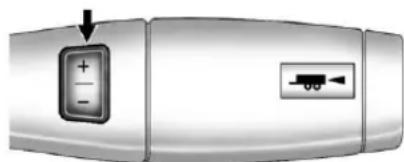
natural_image
Close-up of a metallic device with a button labeled '+' and a small icon showing a battery (no text or symbols beyond basic labels)BaseTrimShown(UplevelSimilar)
The vehicle may have a Range Selection Mode. The Range Selection Mode helps control the vehicle's transmission and vehicle speed while driving downhill or towing a trailer by letting you select adesired range of gears.
Tousethisfeature,dothefollowing:
- Movetheshiftleverto M(ManualMode).
- Presstheplus/minusbuttons, locatedonthesteeringcolumn shiftlever, toselectthedesired rangeofgearsforthecurrent drivingconditions.
WhenM(ManualMode)isselected anumberdisplaysnexttotheM, indicating the current gear.
Thisnumberisthehighestgearthat canbeused. However, the vehicle can automatically shift to lower gears as it adjust to driving conditions. This mean that all gears below that number are available. When 5 (Fifth) is selected, 1 (First) through 5 (Fifth) gears are automatically shifted by the vehicle, but 6 (Sixth) cannot be used until the plus/minus button located on the steering column lever is used to changeto the gear.
GradeBrakingisnotavailablewhen RangeSelectionModeisactive. See Tow/HaulModeonpage9-36.
WhileusingRangeSelectionMode, CruiseControlandtheTow/Haul Modecanbeused.
Notice: Spinningthetiresor holdingthevehicleinone placeonahillusingonlythe acceleratorpedalmaydamage thetransmission. Therepairwill notbecoveredbythevehicle warranty. If you are stuck, donot spinthetires. When stopping on ahill, usethebrakestohold the vehicleinplace.
LowTractionMode
IfthevehiclehastheHydra-Matic 6-SpeedAutomaticTransmission,it hasaLowTractionModethat assistsinvehicleaccelerationwhen roadconditionsareslippery,such aswithiceorsnow.Whilethe vehicleisatastop,selectthe secondgearangeusingRange SelectionMode.Thiswilllimit
torquetothewheelsafteritdetects wheelslip, preventingthetiresfrom spinning.
Tow/HaulMode
natural_image
Simple 3D diagram of a rectangular object with a small arrow and label (no text or symbols)Thevehiclehasa Tow/HaulMode. Theselectorbuttonislocatedonthe endofthecolumnshiftlever.You canusethisfeaturetoassistwhen drivingdownsteephillsormountain grades,towing,orhaulingaheavy load,orifthereisaneedtocharge abatteryinstalledinatrailer.See TowingEquipmentonpage9-79 andHillandMountainRoadson page9-12formoreinformation.

When Tow/HaulModeisselected thetow/haulindicatorlightwillcome on.See Tow/HaulModeLighton page5-24.
The Tow/Haul Modework with the Autoride® feature, if the vehicle has this, toenhancetheridewhen traileringor with loaded vehicle. See Continuous Damping Control (CDC) on page 9-51.
GradeBraking(Hydra-Matic 6-SpeedAutomatic Transmission)
TheGradeBrakingshiftmodescan beactivatedbypressingthebutton ontheendoftheshiftcontroller. WhileinRangeSelectionMode, GradeBrakingisdeactivated allowingthedrivertoselecta desiredrangeofgears.
GradeBrakingisonlyactivwhile theTow/HaulModeisselectedand youarenotintheRangeSelection Mode.See“Tow/HaulMode”listed previouslyandManualModeon page9-35formoreinformationon theRangeSelectionMode.Grade Brakingassistsinmaintaining desiredvehiclespeedswhendriving ondownhillgradesbyautomatically implementingashiftschedulethat utilizestheengineandtransmission toslowthevehicle.Thisreduces wearonthebrakingsystemand increasescontrolofthevehicle. GradeBrakingmonitorsvehicle speed,acceleration,enginetorque andbrakepedalusage.Usingthis information,itdetectswhenthe truckisonadownhillgradeandthe driverdesirestoslowthevehicleby pressingthebrake.
Alsosee Towing Equipment on page9-79 form more information.
DriveSystems
Four-WheelDrive (TwoSpeedAutomatic TransferCase)
If the vehicle has four-wheeldrive, you can send the engine's driving power to all four wheels foreextra traction. Read the following before using four-wheeldrive.
Notice:Driving onclean,dry pavementin Four-WheelDrive Highor Four-WheelDrive Low for an extended period of timemay cause premature wear on the vehicle's power train. Donot drive on clean, dry pavement in Four-WheelDrive High or Four-WheelDrive Low for extended period so ftime.
While driving on cleandry pavement and during tight turns, you may experience avibration in the steering system.
9-38DrivingandOperating
ThevehiclehasStabiliTrak ^® . ShiftingintoFour-WheelDriveLow willturnTractionControland StabiliTrakoff.SeeStabiliTrak ^® Systemonpage9-47.
FrontAxle
Thefrontaxleengagesand disengagesautomaticallywhenyou shiftthetransfercase.Somedelay fortheaxletoengageordisengage isnormal.
AutomaticTransferCase
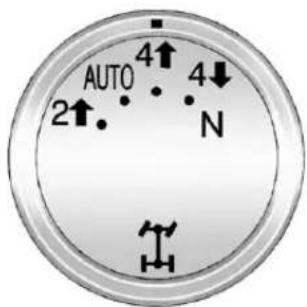
text_image
AUTO 2↑ 4↑ N 4↓Thetransfercaseknobislocated to the left of the instrument panel cluster.
Usethisdialtoshiftintoandoutof four-wheeldrive.
Youcanchooseamongfivedriving settings:
Indicatorlightsintheswitchesshow youwhichsettingyouarein. The indicatorlightswillcomeonbriefly whenyouturnontheignitionand thelastchosensettingwillstayon. Ifthelightsdonotcomeon,you shouldtakethevehicletoyour dealerforservice.Anindicatorlight willflashwhileshifting.Itwillstayon whentheshiftiscompleted.Iffor somereasonthetransfercase cannotmakearequestedshift,itwill returntothelastchosensetting.
2 ↑(Two-WheelDriveHigh): This settingisusedfordrivinginmost streetandhighwaysituations. The frontaxleisnotengagedin two-wheeldrive. Thissettingalso providesthebestfueleconomy.
AUTO(AutomaticFour-Wheel Drive): Thissettingisidealfor usewhenroadsurfacetraction conditionsarevariable. When drivingthevehicleinAUTO, the frontaxleisengaged, and the vehicle's powerissenttothefront and rearwheels automatically based on driving conditions. Driving in this moderesultsinslightly lower fueleconomythan Two-Wheel Drive High.
4 ↑(Four-WheelDriveHigh): Use the Four-WheelDrive High position when you need extratraction, such as on snowy or icy roads or in most off-roads situations. This setting also engages your frontaxle to help drivethe vehicle. This is the best setting to use when plowingsnow.
4 ↓(Four-WheelDriveLow): This setting also engages the frontaxle and deliver sextratorque. You may never need this setting. Its sends maximum power to all four wheels.
YoumightchooseFour-WheelDrive Lowifyouaredrivingoff-roadin deepsand,deepmud,deepsnow, andwhileclimbingordescending steephills.
ThevehiclehasStabiliTrak.Shifting intoFour-WheelDriveLowwillturn TractionControlandStabiliTrakoff. SeeStabiliTrak® Systemon page9-47.
WARNING
Shiftingthetransfercaseto N(Neutral)cancausethevehicle torollevenifthetransmissionis inP(Park).Youorsomeoneelse couldbeseriouslyinjured. Be suretosettheparkingbrake beforeplacingthetransfercasein N(Neutral).SeeParkingBrakeon page9-46.
N(Neutral): Shiftthevehicle's transfercasetoN(Neutral)only whentowingthevehicle. See RecreationalVehicleTowingon page 10-93 or TowingtheVehicle onpage 10-93 form more information.
If the SERVICE4WHEELDRIVE messagestayson, you should take the vehicle to your dealer for service. See "SERVICE4WHEEL DRIVE" message under TransmissionMessages on page 5-45.
ShiftingIntoFour-WheelDrive HighorAUTO(Automatic Four-WheelDrive)
TurntheknobtotheFour-Wheel DriveHighorAUTOposition. This can bedoneatanyspeed, except whenshifting from Four-Wheel DriveLow. The indicator light will flash while shifting. It will remain on whent heshift is completed.
ShiftingIntoTwo-Wheel DriveHigh
TurntheknobtotheTwo-Wheel DriveHighposition. This can be done at anyspeed, except when shifting from Four-WheelDriveLow.
See "ShiftingOutofFour-Wheel DriveLow" in this section form more information.
ShiftingIntoFour-Wheel DriveLow
When Four-WheelDriveLowis engaged, vehiclespeedshouldbe kept below 72 km/h (45 mph). Extended high-speed operation in 4 L may damage or short enthelife of the drivetrain.
ToshifttotheFour-WheelDrive Lowposition, the ignition must be in ON/RUN and the vehicle must be stopped during less than 5 km/h (3 mph) with the transmission in N(Neutral). The preferred method
forshiftingintoFour-WheelDrive Lowistohavethevehiclemoving 1.6to3.2km/h(1to2mph).Turnthe knobtotheFour-WheelDriveLow position.Youmustwaitforthe Four-WheelDriveLowindicatorlight tostopflashingandremainon beforeshiftingthetransmission intogear.
Notice: Shifting the transmission into gear before there requested mode indicator lighthas stopped flashing could damage the transfercase. To help avoid damaging the vehicle, always wait forthemode indicator light to stop flashing before shifting the transmission into gear.
The vehicle may have significant engagement noise and bump when shifting between Four-WheelDrive LowandFour-WheelDrive High ranges from N(Neutral) while the engine is running.
Iftheknobisturnedtothe Four-WheelDriveLowposition whenthevehicleisingearand/or movingmorethan5km/h(3mph), theFour-WheelDriveLowindicator lightwillflashfor30seconds andnotcompletetheshift. After 30secondsthetransfercase willshifttoFour-WheelDrive Highmode. Withthevehiclemoving lessthan5km/h(3mph)andthe transmissioninN(Neutral),attempt theshiftagain.
ShiftingOutofFour-Wheel DriveLow
ToshiftfromFour-WheelDriveLow toFour-WheelDriveHigh,AUTO, orTwo-WheelDriveHigh,the vehiclemustbestoppedormoving lessthan5km/h(3mph)withthe transmissioninN(Neutral)andthe ignitioninON/RUN.Thepreferred methodforshiftingoutof Four-WheelDriveLowistohave yourvehiclemoving1.6to3.2km/h (1to2mph).Turntheknobtothe Four-WheelDriveHigh,AUTO, orTwo-WheelDriveHighposition.
YoumustwaitfortheFour-Wheel DriveHigh,AUTO,orTwo-Wheel DriveHighindicatorlighttostop flashingandremainonbefore shiftingthetransmissionintogear.
Notice: Shifting the transmission into gear before there requested mode indicator lighthas stopped flashing could damage the transfercase. To help avoid damaging the vehicle, always wait forthemode indicator light to stop flashing before shifting the transmission into gear.
The vehicle may have significant engagement noise and bump when shifting between Four-WheelDrive Low and Four-WheelDrive High ranges from N(Neutral) while the engine is running.
Iftheknobisturnedtothe Four-WheelDriveHigh,AUTO, orTwo-WheelDriveHighswitch positionwhenthevehicleisingear and/ormovingmorethan5km/h (3mph),theFour-WheelDriveHigh, AUTO,orTwo-WheelDriveHigh indicatorlightwillflashfor 30secondsbutwillnotcompletethe shift.Withthevehiclemovingless than5km/h(3mph)andthe transmissionisinN(Neutral), attempttheshiftagain.
ShiftingintoNeutral
Toshiftthetransfercaseto N(Neutral)dothefollowing:
- Makesurethevehicleisparked sothatitwillnotroll.
- Settheparkingbrakeandapply theregularbrakepedal. See ParkingBrakeonpage9-46for moreinformation.
-
Startthevehicleorturnthe ignitiontoON/RUN.
-
Putthetransmission in N(Neutral).
5.Shiftthetransfercaseto Two-WheelDriveHigh. - Turnthetransfercasedial clockwisetoN(Neutral)until stopsandholditthereuntilthe N(Neutral)lightstartsblinking. Thiswilltakeatleast 10seconds. Thenslowlyrelease thedialtotheFour-WheelDrive Lowposition. TheN(Neutral) lightwillcomeonwhenthe transfercaseshifttoN(Neutral) iscomplete.
- If the engine is running, verify that the transference is in N(Neutral) by shifting the transmission to R(Reverse) for one second, then shift the transmission to D(Drive) for one second.
-
TurntheignitiontoACC/ ACCESSORY, which will turn the engineoff.
-
Placethetransmissionshift leverinP(Park).
-
Releasetheparkingbrakeprior tomovingthevehicle.
-
TurntheignitiontoLOCK/OFF.
ShiftingOutofNeutral
ToshiftoutofNNeutraldothe following:
-
Settheparkingbrakeandapply theregularbrakepedal.
-
TurntheignitiontoON/RUNwith theengineoff, and shift the transmissiontoN(Neutral).
-
Turnthetransfercasedialto thedesiredtransfercaseshift position(Two-WheelDriveHigh, Four-WheelDriveHigh, orAUTO).
Afterthetransfercasehas shiftedoutofN(Neutral),the N(Neutral)lightwillgoout.
- Releasetheparkingbrakeprior tomovingthevehicle.
Notice: Shifting the transmission into gear before the Four-Wheel Drive Low indicator lighthas stopped flashing could damage the transfer case. To help avoid damaging the vehicle, always wait for the Four-Wheel Drive Low indicator light to stop flashing before shifting the transmission into gear.
- Starttheengineandshiftthe transmissiontothedesired position.
Excessivelyshiftingthetransfer caseintooroutofthedifferent modesmaycausethetransfercase toentertheshiftprotectionmode. Thiswillprotectthetransfercase frompossibledamageandwillonly allowthetransfercasetorespondto oneshiftper10seconds. The transfercasemaystayinthismode foruptothreeminutes.
Four-WheelDrive (SingleSpeedAutomatic TransferCase)
If the vehicle has four-wheeldrive, you can send the engine's driving power to all four wheels foreextra traction. Read the following before using four-wheeldrive.
Notice:Drivingonclean,dry pavementinFour-WheelDrive Highforanextendedperiodof timemaycauseprematurewear onthevehicle'spowertrain.Do notdriveonclean,drypavement inFour-WheelDriveHighfor extendedperiodsoftime.
Whiledrivingoncleandrypavement andduringtightturns,youmay experienceavibrationinthe steeringsystem.
FrontAxle
Thefrontaxleengagesand disengagesautomaticallywhenyou shiftthetransfercase.Somedelay fortheaxletoengageordisengage isnormal.
AutomaticTransferCase
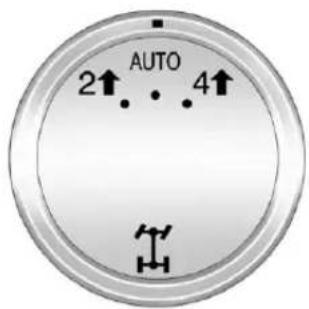
text_image
AUTO 2↑ 4↑Thetransfercaseknobislocated to theleftoftheinstrumentpanel cluster.
Usethisdialtoshiftintoandoutof four-wheeldrive.
ThevehiclehasFour-WheelDrive withStabiliTrak®.Forinformationon StabiliTrak,seeStabiliTrak® System onpage9-47.
You can choose among three driving settings:
Indicatorlightsintheswitchshow youwhichsettingyouarein. The indicatorlightswillcomeonbriefly whenyouturnontheignitionand thelastchosensettingwillstayon. Ifthelightsdonotcomeon,you shouldtakethevehicletoyour dealerforservice.Anindicatorlight willflashwhileshifting.Itwillstayon whentheshiftiscompleted.Iffor somereasonthetransfercase cannotmakearequestedshift,itwill returntothelastchosensetting.
2↑(Two-WheelDriveHigh): This settingisusedfordrivinginmost streetandhighwaysituations. The frontaxleisnotengagedin two-wheeldrive. Thissettingalso providesthebestfueleconomy.
AUTO(AutomaticFour-Wheel Drive): This setting is ideal for use when roads surfacetraction conditions are variable. When driving the vehicle in AUTO, the frontaxleis engaged, and the vehicle's power is sent to the front and rear wheels automatically based on driving conditions. Driving in this moderesults insight lower fueleconomy than Two-Wheel Drive High.
4 ↑(Four-WheelDriveHigh): Use the Four-WheelDrive High position when you need extratraction, such as on snowy or icy roads or in most off-roads situations. This setting also engages the frontaxle to help drive the vehicle. This is the best setting to use when plowingsnow.
ServiceFour-WheelDrive
If the SERVICE4WHEELDRIVE messagestayson, you should take the vehicle to your dealer for service. See "SERVICE4WHEEL DRIVE" message under Transmission Messages on page 5-45.
ShiftingIntoFour-WheelDrive HighorAUTO(Automatic Four-WheelDrive)
TurntheknobtotheFour-Wheel DriveHighorAUTOposition.This can bedoneatanyspeed.The indicatorlightwillflashwhile shifting.Itwillremainonwhenthe shiftiscompleted.
ShiftingIntoTwo-Wheel DriveHigh
Turntheknobtothe Two-Wheel DriveHighposition. This can be done at anyspeed. The indicator lightwillflashwhileshifting. It will remain on whent heshiftis completed.
Excessivelyshiftingthetransfer caseintooroutofthedifferent modesmaycausethetransfercase toentertheshiftprotectionmode. Thiswillprotectthetransfercase frompossibledamageandwillonly allowthetransfercasetorespondto oneshiftper10seconds. The transfercasemaystayinthismode foruptothreeminutes.
Brakes
AntilockBrake System(ABS)
This vehicle has the Antilock Brake System (ABS), an advanced electronic braking system that helps prevent abrakingskid.
Whentheengineisstartedandthe vehiclebeginstodriveaway,ABS checksitself.Amomentarymotoror clickingnoisemightbeheardwhile thistestisgoingon,anditmight evenbenoticedthatthebrake pedalmovesalittle.Thisisnormal.

If there is a problem with ABS, this warning light stays on. See Antilock Brake System (ABS) Warning Light on page 5-23.
Ifdrivingsafelyonawetroadandit becomesnecessarytoslamonthe brakesandcontinuebrakingto avoidasuddenobstacle,a computersensesthatthewheels areslowingdown.Ifoneofthe wheelsisabouttostoprolling,the computerwillseparatelyworkthe brakesateachwheel.
ABScanchangethebrakepressure toeachwheel, asrequired, faster thananydrivercould. Thiscanhelp thedriversteeraroundtheobstacle whilebrakinghard.
Asthebrakesareapplied, the computerkeepsreceivingupdates onwheelspeedandcontrols brakingpressureaccordingly.
Remember:ABSdoesnotchange thetimeneededtogetafootupto thebrakepedaloralwaysdecrease stoppingdistance.Ifyougettoo closetothevehicleinfrontofyou, therewillnotbeenoughtimeto applythebrakesifthatvehicle suddenlyslowsorstops.Always leaveenoughroomupaheadto stop,evenwithABS.
UsingABS
Donotpumpthebrakes.Justhold thebrakepedaldownfirmlyandlet ABSwork.YoumightheartheABS pumpormotoroperatingandfeel thebrakepedalpulsate,butthisis normal.
BrakinginEmergencies
ABSallowsthedrivertosteerand brakeatthesametime.Inmany emergencies,steeringcanhelp morethaneventheverybest braking.
ParkingBrake
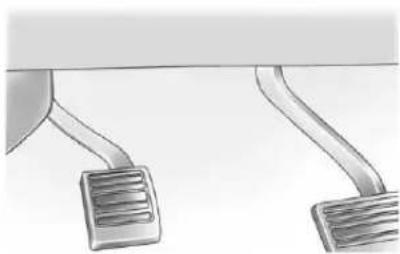
natural_image
Illustration of a car pedal mechanism with two curved guide rails (no text or symbols)Settheparkingbrakebyholdingthe regularbrakepedaldown,then pushingdowntheparkingbrake pedal.
Iftheignitionison,thebrake systemwarninglightwillcomeon. SeeBrakeSystemWarningLighton page5-23.
Notice: Driving with the parking brake on can over heat the brake system and cause premature wear ordamagetobrakesystem parts. Makes sure that the parking brake is fully released and the brakewarning light is off before driving.
Toreleasetheparkingbrake, hold theregularbrakepedaldown, then pushdownmomentarily on the parkingbrakepedal until you feel the pedal release. Slowly pully our footupoff the parkingbrakepedal. If the parkingbrake is not released when you begint drive, the brake system warning light will flash a chimewills sound warning you that the parkingbrake is still on.
If you are towing a trailer and are parking on a hill, see Driving Characteristics and Towing Tips on page 9-70.
BrakeAssist
Thisvehiclehasabrakeassist featured designed to assist the driver instopping or decreasing vehicle speed in emergency driving conditions. This feature uses the stability system hydraulic brake control module to supplement the power brakesystem under conditions where the driver has quickly and forcefully applied the brake pedalin an attempt to quickly stoporslowdown the vehicle. The stability system hydraulic brake control module increases brake pressure at each corner of the vehicle until the ABS activates. Minor brake pedal pulsation or pedalmovement during this time is normal and the drivers should continueto apply the brake pedal as the drivingsituation dictates. The brake assist feature will automatically disengagewhen the brake pedal is released or brake pedal pressure is quickly decreased.
HillStartAssist(HSA)
Non-hybridvehicleswithStabiliTrak haveaHillStartAssist(HSA) feature,whichmaybeusefulwhen thevehicleisstoppedonagrade. Thisfeatureisdesignedtoprevent thevehiclefromrolling,either forwardorrearward,duringvehicle driveoff.Afterthedrivercompletely stopsandholdsthevehicleina completestandstillonagrade,HSA willbeautomaticallyactivated. Duringthetransitionperiodbetween whenthedriverreleasesthebrake pedalandstartstoaccelerateto driveoffonagrade,HSAholdsthe brakingpressureforamaximumof twosecondstoensurethatthereis norolling.Thebrakeswill automaticallyreleasewhenthe
acceleratorpedalisappliedwithin thetwo-secondwindow.Ifthe vehicleisequippedwiththe IntegratedTrailerBrakeControl (ITBC)system,HSAmayalsoapply thetrailerbrakes.Itwillnotactivate ifthevehicleisinadrivegearand facingdownhillorifthevehicleis facinguphillandinR(Reverse). Theremaybesituationsonminor hills(lessthan5%grade)witha loadedvehicleorwhilepullinga trailerwhereHSAwillnotactivate.
RideControlSystems
StabiliTrak® System
The vehicle has a vehicle stability enhancements system called Stabili Trak. It is an advanced computer-controlled system that assists the driver with directional control of the vehicle difficult driving conditions.
StabiliTrakactivateswhenthe computersensesadiscrepancy betweentheintendedpathandthe directionthevehicleisactually traveling.StabiliTrakselectively appliesbrakingpressureatanyone ofthevehicle'sbrakestoassistthe driverwithkeepingthevehicleon theintendedpath.
StabiliTrakisonautomatically wheneverthevehicleisstarted.To assistwithdirectionalcontrolofthe vehicle,thesystemshouldalways belefton.TrailerSwayControl (TSC)isalsoonautomaticallywhen thevehicleisstarted.See Trailer SwayControl(TSC)onpage9-90 formoreinformation.
Whenthevehicleisstartedand beginstomove,thesystem performsseveraldiagnosticchecks toinsuretherearenoproblems. Thesystemmaybeheardorfelt whileitisworking.Thisisnormal anddoesnotmeanthereisa problemwiththevehicle.The systemshouldinitializebeforethe vehiclereaches32km/h(20mph). Insomecases,itmaytake approximately3.2km(2mi)of drivingbeforethesysteminitializes.
Ifcruisecontrolisbeingusedwhen StabiliTrakactivates, the cruise controlautomatically disengages. The cruise control can be re-engaged when road conditions allow. See Cruise Control on page 9-52.
If the system fail to turnover nor activate, the Stabili Trak light along with message will be displayed on the Driver Information Center (DIC). If a DIC message appears, make sure the Stabili Trak system has not been turned off using the Traction Control System (TCS)/Stabili Trak button. Thenturn the vehicle off, wait 15 seconds, and then turn it back on again to reset the system. If any of them messages still appear on the DIC, the vehicles should be taken in for service. For more information on the DIC messages, see Ride Control System Messages on page 5-43.
TheStabiliTraklightwillflashonthe instrumentpanelclusterwhenthe systemortheTSCfeatureisboth onandactivated.
Thesystemmaybeheardorfelt whileitisworking;thisisnormal.
The TCS/StabiliTrakbuttonis located on the instrument panel.
Thetractioncontrolpartof StabiliTrakcanbeturnedoffby pressingandreleasingtheTCS/StabiliTrakbuttonifbothsystems (tractioncontrolandStabiliTrak) werepreviouslyon.
TodisablebothTCSand StabiliTrak,pressandholdthe TCS/StabiliTrakbuttonuntilthe StabiliTrakOFFlightilluminatesand theappropriateDICmessage displays.Thiswillalsodisablethe TSCfeature.
Tractioncontrol and Stabili Trak can be turned on by pressing and releasing the TCS/Stabili Trak button if they are not automatically shutoff for any other reason. This will also enable the TSC feature.
WhentheTCSorStabiliTraksystem isturnedoff,theStabiliTraklight andtheappropriatemessagewillbe displayedontheDICTowarnthe driver.Thevehiclewillstillhave brake-tractioncontrolwhentraction controlisoff,butwillnotbeableto usetheenginespeedmanagement system.See“TractionControl Operation”nextformore information.
Whenthe TCShasbeenturnedoff, systemnoisesmaystillbeheardas aresultofthebrake-tractioncontrol comingon.
Itisrecommendedtoleavethe systemonfornormaldriving conditions,butitmaybenecessary toturnthesystemoffifthevehicle isstuckinsand,mud,iceorsnow, andyouwantto"rock"thevehicleto attempttofreeit.Itmayalsobe necessarytoturnoffthesystem whendrivinginextremeoff-road conditionswherehighwheelspinis required.Seelfthe VehicleIs Stuck onpage9-15.
Whenthetransfercaseisin4LO, thestabilitysystemisautomatically disabled,theStabiliTraklightcomes on,andtheappropriatemessage willappearontheDIC.Bothtraction controlandStabiliTrakare automaticallydisabledinthis condition.
TractionControlOperation
The TCSispartoftheStabiliTrak system. Tractioncontrolllimitswheel spinbyreducingenginepowerto thewheels(enginespeed management)andbyapplying brakestoeachindividualwheel (brake-tractioncontrol)as necessary.
The TCSisenabledautomatically whenthevehicleisstarted.Itwill activateandtheStabiliTraklightwill flashifitsensesthatanyofthe wheelsarespinningorbeginningto losetractionwhiledriving.Iftraction controlisturnedoff,onlythe brake-tractioncontrolportionof tractioncontrolwillwork.The enginespeedmanagementwillbe disabled.Inthismode,engine powerisnotreducedautomatically andthedrivenwheelscanspin morefreely.Thiscancausethe brake-tractioncontroltoactivate constantly.
Notice: If the wheel(s) of one axle is allowed to spin excessively while the Stabili Trak ^ , ABS, brake warning lights, and any relevant DIC messages are displayed, the transfer case could be damaged. There pairs would not be recovered by the vehicle warranty. Reduce engine power and donot spin the wheel(s) excessively while these lights and messages are displayed.
The TCS may activate on dry or rough roads or under conditions such as heavy acceleration while turning or abrupt up shifts/down shifts of the transmission. When this happens, areduction in acceleration may be noticed, oranoise or vibration maybe heard. This is normal.
Ifcruisecontrolisbeingusedwhen thesystemactivates,theStabiliTrak lightwillflashandcruisecontrolwill automaticallydisengage.Cruise controlmaybereengagedwhen roadconditionsallow.SeeCruise Controlonpage9-52.
StabiliTrakmayalsoturnoff automaticallyifitdeterminesthata problemexistswiththesystem. Iftheproblemdoesnotclearitself afterrestartingthevehicle,seeyour dealerforservice.
Non-hybridvehicleswithStabiliTrak haveaTrailerSwayControl(TSC) feature.See TrailerSwayControl (TSC)onpage9-90.
Non-hybridvehicleswithStabiliTrak haveaHillStartAssist(HSA) feature.SeeHillStartAssist(HSA) onpage9-47.
Adding non-dealer accessories can affect the vehicle's performance. See Accessories and Modifications on page 10-3.
LockingRearAxle
Vehicleswithalockingrearaxlecan givemoretractiononsnow,mud, ice,sand,orgravel.Itworkslikea standardaxlemostofthetime,but whentractionislow,thisfeaturewill allowtherearwheelwiththemost tractiontomovethevehicle.
ContinuousDamping Control(CDC)
This vehicle may have a continuous damping control system called Autoride ^® . With this feature, improved vehicleride and handling is provided under a variety of passenger and loading conditions.
Autorideisfullyautomaticand usesacomputercontrollerto continuouslymonitorvehiclespeed, wheeltobodyposition,lift/dive,and steeringpositionofthevehicle. The controllerthensendssignals toeachshockabsorberto
independentlyadjustthedamping leveltoprovidetheoptimum vehicleride.
Autoridealsointeractwiththetow/haulmodethat,whenactivated,will provideadditionalcontrolofthe shockabsorbers.Thisadditional controlresultsinbetterride and handlingcharacteristicswhenthe vehicleisloadedortowingatrailer. See“Tow/HaulMode”under Trailer Towingonpage9-74formore information.
AutomaticLevelControl
The automatic level control rear suspension is available on light-duty vehicles and comes as a part of the Continuous Damping Control (CDC) suspension, if equipped.
This type of level control is fully automatic and will provide better leveled riding position as well as better handling under a variety of passenger and loading conditions. An air compressor connected to the rear shock will raise or lower the rear of the vehicle to maintain proper vehicle height. Thesystem is activated when the ignition key is turned to ON/RUN and will automatically adjust vehicle height thereafter. Thesystem may exhaust (lower vehicle height) for up to ten minutes after the ignition key has been turned off. You may hear the air compressor operating when the height is being adjusted.
If a weight-distributing hitch is being used, it is recommended to allow the shock to inflate, thereby leveling the vehicle prior to adjusting the hitch.
CruiseControl

WARNING
Cruisecontrolcanbedangerous whereyoucannotdrivesafelyat asteadyspeed.So,donotuse thecruisecontrolonwinding roadsorinheavytraffic.
Cruisecontrolcanbedangerous onslipperyroads.Onsuchroads, fastchangesintiretractioncan causeexcessivewheelslip,and youcouldlosecontrol.Donotuse cruisecontrolonslipperyroads.
Withcruisecontrol, aspeed of about 40km/h (25mph)ormorecan bemaintained without keeping your foot on the accelerator. Cruise controdoes not work at speeds below about 40km/h (25mph).
Whenthebrakesareapplied, cruise controlisturnedoff.
IfthevehiclehasStabiliTrakandthe systembeginstolimitwheelspin, cruisecontrolwillautomatically disengage.SeeStabiliTrak® System onpage9-47.Whenroadconditions allowthecruisecontroltobesafely usedagain,itcanbeturned backon.
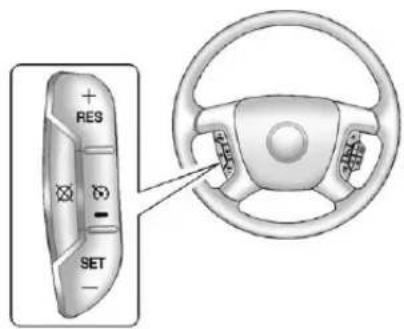
text_image
RES SET(On/Off): Presstoturnthe systemonoroff. The indicator light is onwhencruisecontrolison and turnsoffwhencruisecontrolisoff.
+RES(Resume/Accelerate): Pressbrieflytomakethevehicle resumetoapreviouslysetspeed, orpressandholdtoaccelerate.
SET-(Set/Coast): Presstosetthe speed and activate cruise control or make the vehicle decelerate.
☒(Cancel):Presstodisengage cruisecontrolwithouterasingthe setspeedfrommemory.
SettingCruiseControl
If the cruise button is on when not in use, it could get bumped and go into cruise when not desired. Keep the cruise control switch off when cruise is not being used.
Thecruisecontrollightonthe instrumentpanelclustercomeson afterthecruisecontrolhasbeenset tothedesiredspeed.
- Pressthe
button. - Getuptothedesiredspeed.
- PresstheSET-buttonlocated onthesteeringwheeland releaseit.
- Takeyourfootoffthe accelerator.
ResumingaSetSpeed
If the cruise control lissetata desired speed and then the brakes are applied, the cruise control is disengaged without erasing the set speed from memory.
Oncethevehiclespeedreaches about40km/h(25mph)ormore, pressthe+RESbuttononthe steeringwheel. The vehiclereturns totheprevioussetspeedandstays there.
IncreasingSpeedWhileUsing CruiseControl
If the cruise control system is already activated,
- Pressandholdthe+RESbutton onthesteeringwheeluntilthe desiredspeedisreached,then releaseit.
- Toincreasevehiclespeedin smallamounts, pressthe+RES button. Each timethisis done, the vehiclegoes about 1.6 km/h (1 mph) faster.
ReducingSpeedWhileUsing CruiseControl
If the cruise control system is already activated,
- PressandholdtheSET-button onthesteeringwheeluntilthe desiredlowerspeedisreached, thenreleaseit.
- Toslowdowninsmallamounts, presstheSET-buttononthe steeringwheelbriefly.Eachtime thisisdone,thevehiclegoes about1.6km/h(1mph)slower.
PassingAnotherVehicleWhile UsingCruiseControl
Usetheacceleratorpedalto increasethevehiclespeed.When youtakeyourfootoffthepedal,the vehiclewillslowdowntothe previoussetcruisespeed.
UsingCruiseControlonHills
Howwellthecruise control works on hills depend on the vehicle speed, the load, and the steepness of the hills. Whenging up steep hills, pressing the accelerator pedal may be necessary to maintain vehicles speed.
Whilegoingdownhill,theCruise GradeBrakingfeaturemay automaticallyshifttoalowergearto keepthevehicle'sspeeddown. Itmaybenecessarytoapplythe brakeormanuallyshiftthe transmissiontoalowergear.The vehiclemayshifttoahighergear whengradebrakingassistanceis nolongerrequired.CruiseGrade Brakingisnotavailablewhilein RangeSelectionMode.See"Range SelectionMode"underManual Modeonpage9-35.
Whenthebrakesaremanually appliedthecruisecontrolis disengaged.
EndingCruiseControl
Therearethreewaystoendcruise control:
- Todisengagecruisecontrol, steplightlyonthebrakepedal.
- Pressthe⊗onthesteering wheel.
- Toturnoffthecruise control, press 📋 onthesteeringwheel.
ErasingSpeedMemory
Thecruisecontrolsetspeedis erasedfrommemorybypassing the 📷buttonoriftheignitionis turnedoff.
ObjectDetection Systems
UltrasonicParkingAssist
Ifavailable, the Ultrasonic Rear Parking Assist (URPA) system uses sensor on therear bumperto assist with parking and avoiding objects while in R (Reverse).

WARNING
TheURPAsystemdoesnot detectpedestrians, bicyclists, animals, orobjectsbelowthe bumperorthataretoocloseor toofarfromthevehicle. To preventinjury, death, orvehicle damage, evenwithURPA, always checktheareaaroundthevehicle andcheckallmirrorsbefore backing.
HowtheSystemWorks
URPA comeson automatically whentheshiftleverismoved into R(Reverse). Asingletonesounds to indicate the system is working.
URPAoperatesonlyatspeedsless than8km/h(5mph).
Anobstacleisindicatedbyaudible beeps. Thetimebetweenthe beepsgetsshorterasthevehicle approachestheobstacle. Acontinuoustoneisheardwhen thedistanceislessthan 30cm(12in).
Tobedetected, objectsmustbeat least25cm(10in)offtheground andbelowliftgatelevel. Objects mustalsobewithin2.5m(8ft)from therearbumper. Thisdistancemay belessduringwarmerorhumid weather.
TurningtheSystemOnandOff

Pressthisbutton, locatednextto theradio, todisableURPA.
The indicator light comes on and PARKASSISTOFF display on the Driver Information Center (DIC). See Object Detection System Messages on page 5-41.
WhentheSystemDoesNot SeemtoWorkProperly
The following messages maybe displayed on the DIC:
SERVICEPARKASSIST: this message occurs, takethe vehicle to your dealer for repair.
PARKASSISTOFF: This message occurs if the driver disable the system or if the vehicle is driven above 8 km/h (5 mph) in R(Reverse).
PARKASSTBLOCKEDSEE OWNERSMANUAL:This
messagecanoccurunderthe followingconditions:
- Theultrasonicsensorsarenot clean.Keeptherearbumper freeofmud,dirt,snow,ice, slush,andfrost.Themessage maynotclearuntilfrostorice hasmeltedallaroundandinside thesensor.
- Atrailerisattachedtothe vehicle,orabicycleoranobject hangingoutoftheliftgateduring thecurrentorlastdrivecycle. URPAwillreturntonormal operationafteritisdetermined theobjectisremoved.This couldtakeafewdrivecycles.
- Atowbarisattachedtothe vehicle.
Otherconditionsmayaffectsystem performance,suchasvibrations fromajackhammerorthe compressionofairbrakeson averylargetruck.
SideBlindZone Alert(SBZA)
Ifavailable, theSideBlindZone Alertsystemisalanechangingaid thatassistsdriverswithavoiding crashesthatoccurwithvehiclesin thesideblindzones.
WARNING
SBZAdoesnotdetectvehicles rapidlyapproachingoutsideofthe sideblindzones,pedestrians, bicyclists,oranimals.Failureto usepropercarewhenchanging lanesmayresultinjury,death, orvehicledamage.Alwayscheck forothervehiclesandusethe turnsignalswhenchanginglanes.
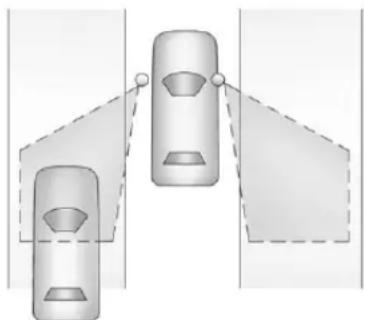
natural_image
Diagram showing two car heads with dashed lines indicating perspective or perspective views (no text or symbols)SBZADetectionZones
TheSBZAsensorcoversazoneof approximatelyonelaneoverfrom bothsidesofthevehicle,3.5m (11ft).Thiszonestartsateachside mirrorandgoesbackapproximately 5.0m(16ft).Theheightofthe zoneisapproximatelybetween 0.5m(1.5ft)and2.0m(6ft)offthe ground.
Usecautionwhilechanginglanes whentowingatrailer,astheSBZA detectionzonesdonotchange whenatraileristowed.
HowtheSystemWorks
TheSBZAsymbollightsupinthe sidemirrorswhenthesystem detectsavehicleinthesideblind zone, indicatingitmaybeunsafeto changelanes. Beforemakingalane change, checktheSBZAdisplay, checkallmirrors, glanceoveryour shoulder, andusetheturnsignals.
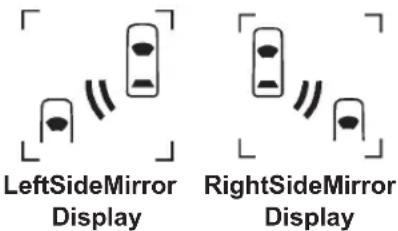
text_image
LeftSideMirror Display RightSideMirror DisplayWhenthevehicleisstarted,both outsidemirrorSBZAdisplayswill brieflycomeontoindicate the systemisoperating. Whenthe vehicleismovingforward,theleftor rightsidemirrordisplaywilllightup ifavehicleisdetectedinthatblind zone.Iftheturnsignalisactivated andavehicleisalsodetectedon
thesameside, thedisplaywillflash togiveyouextrawarningnotto changelanes.
Atspeedsgreaterthen32km/h (20mph), SBZAdisplaysmaycome onwhenapproachingorpassing othervehicles.SBZAdisplaysmay comeonwhenapassedvehicle remainsinordropsbackintothe detectionzone.SBZAcanbe disabledthroughtheDriver InformationCenter(DIC).SeeDriver InformationCenter(DIC)on page5-28.IfSBZAisdisabledby thedriver,theSBZAmirrordisplays willnotlightup.
WhentheSystemDoesNotSeem ToWorkProperly
MissedAlertscanoccurunder normalcircumstancesandwill increaseinwetconditions. The systemdoesnotneedtobe serviced.SBZAisdesignedto ignorestationaryobjects;however, thesystemmayoccasionallylight upduetoguardrails,signs,trees,
shrubs, and other stationary objects. This is normally system operation, the vehicle does not need service.
IftheSBZAdisplaysdonotlightup whenthesystemisonandvehicles areintheblindzone,thesystem mayneedservice.Takethevehicle toyourdealer.
SBZAdoesnotoperatewhenthe SBZAsensorsintheleftorright cornersoftherearbumperare coveredwithmud,dirt,snow,ice, slush,orinheavyrainstorms.For cleaninginstructions,see"Washing theVehicle"underExteriorCareon page10-99.IftheDICstilldisplays theSIDEBLINDZONESYSTEM UNAVAILABLEmessageafter cleaningthebumper,seeyour dealer.
TheSBZAdisplaysmayremainon ifatrailerisattachedtothevehicle, orabicycleobjectisextending outtoeithersideofthevehicle.
When SBZA is disabled for any reason other than the driver turning it off, it cannot be turned back on. The SIDEBLINDZONE ALERTON option will not be selectable if the conditions for normal system operation are not met.
SBZAErrorMessages
The following messages may appear in the DIC:
SIDEBLINDZONEALERT
SYSTEMOFF: This message indicates that the driver has turned the system off.
SIDEBLINDZONESYSTEM
UNAVAILABLE: This message indicates that the SBZAsystemis disable either because the sensor is blocked and cannot detect vehicles in your blind zone, or the vehicle is passing through an open field of view area, such as the desert, where there is insufficient data for operation. This message may also activate during heavy rain or duetoroadspray. The vehicle does not need service. For cleaning, see "Washing the Vehicle" under Exterior Care on page 10-99.
SERVICESIDEBLINDZONE
ALERTSYSTEM: If this message appears, both SBZAdisplayswill remain on indicating there is a problem with the SBZAsystem. If these displays remain on after continued driving, the system needs service. Takethe vehicle to your dealer.
FCCInformation
SeeRadioFrequencyStatementon page 13-22forinformation regardingPart15oftheFederal CommunicationsCommission(FCC) rulesandIndustryCanada StandardsRSS-GEN/210/220/310.
Frequencyofoperation: 24.05GHz–24.25GHz
FieldStrength: Notgreaterthan 2.5V/mpeak(0.25V/maverage)ata distanceof3m
Themanufacturerisnotresponsible foranyradioorTVinterference causedbyunauthorized modificationstothisequipment. Suchmodificationscouldvoidthe user'sauthoritytooperatethe equipment.
RearVision Camera(RVC)
Ifavailable, theRearVisionCamera (RVC)systemdisplayspartofthe scenebehindthevehicle.
WARNING
TheRVCsystemdoesnotdisplay pedestrians, bicyclists, animals, oranyotherobjectlocated outsidethecamera'sfieldofview, belowthebumper, orunderthe vehicle. Donotbackthevehicle usingonlytheRVCscreen, such asduringlonger, higherspeed backingmaneuvers, orwhere therecouldbecross-traffic. Perceiveddistancesmaybe differentfromactualdistances. Failuretousepropercarebefore backingmayresultinjury, death, orvehicledamage. Always checkbehindandaroundthe vehiclebeforebacking.
VehicleswithoutNavigation System
TheRVCsystemdisplaysaviewof theareabehindthevehicle.When thevehicleisonandshiftedinto R(Reverse)thevideoimage appearsontheinsiderearview mirror.Thevideoimagedisappears afterthevehicleisshiftedoutof R(Reverse).
TurningtheRVCSystemOnorOff
ToturnofftheRVCsystem,press andhold ⏻,locatedontheinside rearviewmirror,untiltheleft indicatorlightturnsoff.TheRVC displayisnowdisabled.
ToturntheRVCsystemon,press andhold ⏻untiltheleftindicator lightcomeson.TheRVCsystem displaywillappearinthemirror.
VehicleswithNavigation System
TheRVCsystemisdesignedto helpthedriverwhenbackingupby displayingaviewoftheareabehind thevehicle. Whenthevehicleis shiftedintoR(Reverse), thevideo imageappearsonthenavigation screen. Afteradelay, thenavigation screendisplaysthelastscreenafter thevehicleisshiftedoutof R(Reverse).
TurningtheRVCSystemOnorOff
ToturntheRVCsystemonoroff:
-
ShiftintoP(Park).
-
PressMENU to enter the configure menu options. Turn the Multifunction knob until the Display feature is highlighted and press the Multifunction knob. Or press the Display screen button
-
Select the Rear Camera Options screen button. The Rear Camera Option screen displays.
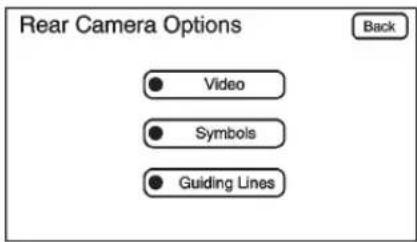
text_image
Rear Camera Options Back Video Symbols Guiding Lines- SelecttheVideoscreenbutton. WhentheVideoscreenbuttonis highlightedtheRVC systemison.
The delay that is received after shifting out of R (Reverse) is approximately 10 seconds. The delay can be canceled by performing one of the following:
- Pressingahardkeyonthe navigationsystem.
- ShiftingintoP(Park).
- Reachavehiclespeedof 8km/h(5mph).
AdjustingtheBrightnessand ContrastoftheScreen
Toadjustthebrightness and contrastofthescreen, pressthe MENUbuttonwhiletheRVCimage isonthedisplay. Any adjustments madewillonlyaffecttheRVC screen.
(Brightness): Touchthe+(plus) or-(minus)screenbuttonsto increaseordecreasethebrightness of the screen.
●(Contrast): Touchthe+(plus) or-(minus)screenbuttonsto increaseordecreasethecontrastof thescreen.
Symbols
Thenavigationsystemmayhavea featurethatallowsforviewing parkingassistsymbolsonthe navigationscreenwhileusingthe RVC.TheUltrasonicRearPark Assist(URPA)systemmustnotbe disabledtousethecautionsymbols. IfURPAhasbeendisabledandthe symbolshavebeenturnedon,the
RearParkingAssistSymbols Unavailableerrormessagemay display.SeeUltrasonicParking Assistonpage9-54.
Thesymbolsappearnearobjects detectedbytheURPAsystem.The symbolmaycovertheobjectwhen viewingthenavigationscreen.
Toturnthesymbolsonoroff:
- MakesurethatURPAhasnot beendisabled.
2.ShiftintoP(Park). - PressMENU to enter the configure menu options. Turn the Multifunction knob until the Display feature is highlighted and press the Multifunction knob. Or press the Display screen button
- Select the Rear Camera Options screen button. The Rear Camera Option screen displays.
- Touch the Symbol screen button. Thescreen button will be highlighted when on.
Guidelines
TheRVCsystemhasaguideline overlaythatcanhelpthedriveralign thevehiclewhenbackingintoa parkingspot.
Toturntheguidelinesonoroff:
- MakesurethatURPAhasnot beendisabled.
2.ShiftintoP(Park). - PressMENU to enter the configure menu options. Turn the Multifunction knob until the Display feature is highlighted and press the Multifunction knob. Or press the Display screen button
- Select the Rear Camera Options screen button. The Rear Camera Option screen displays.
- Touch the Guideliness screen button. Thescreenbutton will be highlighted when on.
RVCLocation
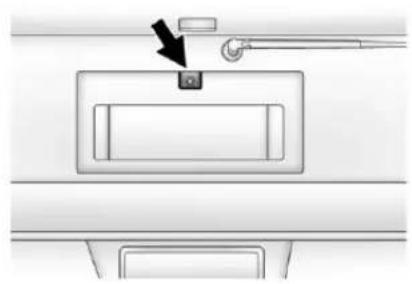
natural_image
Diagram of a door latch with a black arrow pointing to the handle (no text or symbols present)Thecameraislocatedabovethe licenseplate.
Thisshowsthefieldofviewthatthe cameraprovides.
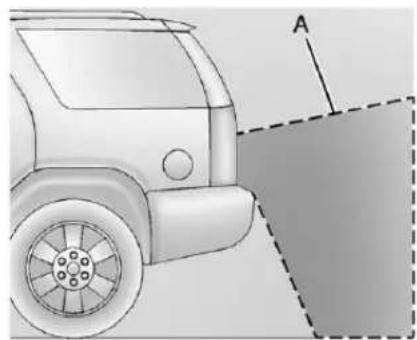
natural_image
Side view of a car with a dashed rectangular area and labeled point A (no text or symbols beyond label)A.Viewdisplayedbythecamera
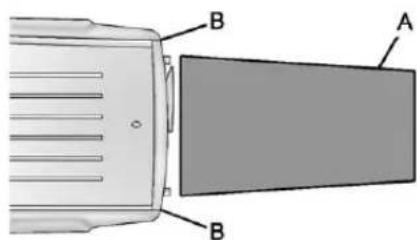
text_image
A B BA.Viewdisplayedbythecamera B.Cornersoftherearbumper
Displayedimagesmaybefurtheror closerthantheyappear. The area displayedislimitedandobjects whichareclosetoeithercornerof thebumperorunderthebumperdo notdisplay.
WhentheSystemDoesNot SeemToWorkProperly
TheRVCsystemmightnotwork properlyordisplayaclearimageif:
- TheRVCisturnedoff.See "TurningtheRVCSystemOnor Off"earlierinthissection.
- Itisdark.
- Thesunorthebeamof headlampsisshiningdirectly intothecameralens.
- Ice, snow, mud, or anything else builds upon the cameralens. Cleanthelens, rinseit with water, and wipe it with as soft cloth.
- Thebackofthevehicleisinan accident, theposition and mountingangleofthecamera canchangeorthecameracan beaffected. Besuretohavethe cameraanditsposition and mountinganglecheckedatyour dealer.
TheRVCsystemdisplayinthe rearviewmirrormayturnoffornot appearasexpectedduetoone of the following conditions. If this occurs the left indicator light on the mirror will flash.
- Aslowflashmayindicatealoss ofvideosignal,ornovideo signalpresentduringthereverse cycle.
- Afastflashmayindicatethatthe displayhasbeenonforthe maximumallowabletimeduring areversecycle,orthedisplay hasreachedanOver Temperaturelimit.
Thefastflashconditionsare usedtoprotectthevideodevice fromhightemperature conditions.Onceconditions returntonormalthedevicewill resetandthegreenindicatorwill stopflashing.
During any of these fault conditions, the display will be blank and the indicator will flash while the vehicle is in R (Reverse) or until the conditions return on normal.
Pressandhold ⏻whentheleft indicatorlightisflashingtoturnoff thevideodisplayalongwiththeleft indicatorlight.
Fuel
Useoftherecommendedfuel isanimportantpartoftheproper maintenanceofthisvehicle.Tohelp keeptheenginecleanandmaintain optimumvehicleperformance,we recommendtheuseofgasoline advertisedasTOPTIERDetergent Gasoline.
LookfortheTOPTIERlabelonthe fuelpumptoensuregasolinemeets enhanceddetergencystandards developedbyautocompanies.Alist ofmarketersprovidingTOPTIER DetergentGasolinecanbefoundat www.toptiergas.com.

Detergent Gasoline

VehiclesthathaveaFlexFuelbadge and yellowfuelcapcanuse either unleaded gasolineorethanol fuel containing upto 85% ethanol (E85). See Fuel E85 (85% Ethanol) on page 9-66. For all other vehicles, use only the unleaded gasoline described under Recommended Fuel on page 9-63.
RecommendedFuel
Useregularunleadedgasolinewith apostedoctaneratingof87or higher. Iftheoctaneratingisless than87,anaudibleknockingnoise, commonlyreferredtoasspark knock,mightbeheardwhendriving. Ifthisoccurs,useagasolinerated at87octaneorhigherassoonas possible.Ifheavyknockingisheard whenusinggasolineratedat 87octaneorhigher,theengine needsservice.
GasolineSpecifications (U.S.andCanadaOnly)
Ataminimum, gasolines should meet ASTM specification D4814 in the United States or CAN/CGSB-3.5 or 3.511 in Canada. Some gasolines contain an octane-enhancing additive called methylcyclopentadienylmanganese tricarbonyl (MMT). Were recommend against the use of gasolines containing MMT. See Fuel Additives on page 9-65 for additional information.
CaliforniaFuel Requirements
Ifthevehicleiscertifiedtomeet CaliforniaEmissionsStandards,itis designedtooperateonfuelsthat meetCaliforniaspecifications.See theunderhoodemissioncontrol label.Ifthisfuelisnotavailablein statesadoptingCaliforniaEmissions Standards,thevehiclewilloperate satisfactorilyonfuelsmeeting federalspecifications,butemission controlsystemperformancemight beaffected.Themalfunction indicatorlampcouldturnonandthe vehiclemightfailasmog-checktest. SeeMalfunctionIndicatorLampon page5-20.Ifthisoccurs,returnto yourauthorizeddealerfordiagnosis. Ifitisdeterminedthatthecondition iscausedbythetypeoffuelused, repairsmightnotbecoveredbythe vehiclewarranty.
FuelsinForeign Countries
Neveruseleadedgasolineorany otherfuelnotrecommendedinthe previousstextonfuel.Costlyrepairs causedbyuseofimproperfuel wouldnotbecoveredbythevehicle warranty.
Tocheckthefuelavailability, askan autoclub, or contact a major oil company that does business in the country where you will be driving.
FuelAdditives
Toprovidecleanerair,allgasolines intheUnitedStatesarenow requiredtocontainadditivesthat helppreventengineandfuelsystem depositsfromforming,allowingthe emissioncontrolsystemtowork properly.Inmostcases,nothing shouldhavetobeaddedtothefuel. However,somegasolinescontain onlytheminimumamountof additiverequiredtomeetU.S.EnvironmentalProtectionAgency regulations.Tohelpkeepfuel injectorsandintakevalvesclean andavoidproblemsduetodirty injectorsorvalves,lookforgasoline thatisadvertisedasTOPTIER DetergentGasoline.Lookforthe TOPTIERlabelonthefuelpumpto ensuregasolinemeetsenhanced detergencystandardsdevelopedby theautocompanies.Alistof marketersprovidingTOPTIER DetergentGasolinecanbefoundat www.toptiergas.com.
ForcustomerswhodonotuseTOP TIERDetergentGasolineregularly, onebottleofGMFuelSystem TreatmentPLUS,addedtothefuel tankateveryengineoilchange,can helpcleandepositsfromfuel injectorsandintakevalves.GMFuel SystemTreatmentPLUSistheonly gasolineadditiverecommendedby GeneralMotors.Itisavailableat yourdealer.
Gasolinescontainingoxygenates, suchasethersandethanol, and reformulatedgasolinesmightbe availableinyourarea. We recommendthatyouusethese gasolines,iftheycomplywiththe specificationsdescribedearlier. However,E85(85%ethanol)and otherfuelscontainingmorethan 15%ethanolmustnotbeusedin vehiclesthatwerenotdesignedfor thosefuels.
Notice: This vehicle was not designed for fuel that contains methanol. Donotuse fuel containing methanol. It can corrodemetal parts in the fuel system and also damage plastic and rubber parts. That damage would not be covered under the vehicle warranty.
Somegasolinesthatare notreformulatedforlow emissionscancontainan octane-enhancingadditivecalled methylcyclopentadienylmanganese tricarbonyl(MMT);asktheattendant whereyoubuygasolinewhetherthe fuelcontainsMMT.Werecommend againsttheuseofsuchgasolines. FuelscontainingMMTcanreduce sparkpluglifeandaffectemission controlsystemperformance.The malfunctionindicatorlampmight turnon.Ifthisoccurs,returntoyour dealerforservice.
FuelE85(85%Ethanol)
VehiclesthathaveaFlexFuelbadge andayellowfuelcapcanuseeither unleadedgasolineorethanolfuel containingupto85%ethanol(E85). Forallothervehicles,useonlythe unleadedgasolinedescribedunder RecommendedFuelonpage9-63.
WeencouragetheuseofE85in vehiclesthataredesignedtouseit. TheethanolinE85isa“renewable” fuel, meaningitismadefrom renewablesourcessuchascorn andothercrops.
Manyservicestationswillnohave an85%ethanolfuel(E85)pump available.TheU.S.Departmentof Energyhasanalternativefuels website(www.afdc.energy.gov/afdc/locator/stations/)thatcanhelpyou findE85fuel.Thosestationsthatdo haveE85shouldhavealabel indicatingethanolcontent.Donot usethefueliftheethanolcontentis greaterthan85%.
Ataminimum,E85shouldmeet ASTMSpecificationD5798or CGSBSpecification3.512.Filling thetankwithfuelmixtures that donotmeetASTMorCGSB specificationscanaffectdriveability andcouldcausethemalfunction indicatorlamptocomeon.Asthe outside temperature approaches freezing,ethanolfueldistributors shouldsupplywintergradeethanol, thesameaswithunleaded gasoline.
Itisbestnottoalternaterepeatedly between gasoline and E85. If you doswitchfuels, it is recommended that you addasmuch fuelas possible—donotaddlessthan 11L(3gal) when refueling. You should drivethe vehicle immediately after refueling for at least 11km (7mi) to allow the vehicle to adapt to the change in ethanol concentration.
E85haslessenergyperliter (gallon)thangasoline,soyouwill needtorefillthefueltankmore oftenwhenusingE85thanwhen youareusinggasoline.SeeFilling theTankonpage9-67.
Notice: Someadditives are not compatible with E85 fuel and can harm the vehicle's fuel system. Donot add anything to E85. Damage caused by additives would not be recovered by the vehicle warranty.
Notice: This vehicle was not designed for fuel that contains methanol. Donotuse fuel containing methanol. It can corrode metal parts in the fuel system and also damage plastic and rubber parts. That damage would not be recovered under the vehicle warranty.
FillingtheTank
WARNING
Fuelvaporburnsviolentlyanda fuelfirecancausebadinjuries. Tohelpavoidinjuriestoyouand others,readandfollowallthe instructionsonthefuelpump island.Turnofftheenginewhen refueling.Donotsmokenearfuel orwhenrefuelingthevehicle.Do notusecellularphones.Keep sparks,flames,andsmoking materialsawayfromfuel.Donot leavethefueelpumpunattended whenrefuelingthevehicle.Thisis againstthelawinsomeplaces. Donotre-enterthevehiclewhile pumpingfuel.Keepchildrenaway fromthefuelpump;neverlet childrenpumpfuel.
Thetetheredfuelcapislocated behindahingedfueldooronthe driversideofthevehicle.Ifthe vehiclehasE85fuelcapability,the fuelcapwillbeyellowandstatethat E85orgasolinecanbeused.See FuelE85(85%Ethanol)on page9-66.
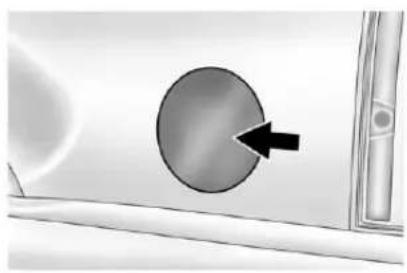
natural_image
Close-up of a car's side panel with a black arrow pointing to the circular component (no text or symbols visible)Toopenthefueldoor, pushthe rearwardcenteredgeinandrelease anditwillopen.
Toremovethefuelcap,turnit slowlycounterclockwise.Thefuel caphasaspringinit;ifthecapis releasedtoosoon,itwillspringback totheright.
Whilerefueling,hangthetethered fuelcapfromthehookonthe fueldoor.

WARNING
Fuelcansprayoutonyouifyou openthefuelcaptooquickly. Ifyouspillfuelandthen somethingignitesit,youcouldbe badlyburned.Thisspraycan happenifthetankisnearlyfull, andismorelikelyinhotweather. Openthefuelcapslowlyandwait foranyhissnoisetostop.Then unscrewthecapalltheway.
Becarefulnottospillfuel.Donot topofforoverfillthetankandwaita fewsecondsafteryouhavefinished pumpingbeforeremovingthe nozzle.Cleanfuelfrompainted surfacesassoonaspossible.See ExteriorCareonpage 10-99.
Whenreplacingthefuelcap,insert theetherinitsholebefore tighteningthecap.Turnthefuelcap clockwiseuntilitclicks.Itwillrequire moreefforttoturnthefuelcapon thelastturnasyoutightenit.Make surethecapisfullyinstalled.The diagnosticsystemcandetermineif thefuelcaphasbeenleftoffor improperlyinstalled.Thiswould allowfueltoevaporateintothe atmosphere.SeeMalfunction IndicatorLamponpage5-20.
If the vehicle has a Driver Information Center (DIC), the TIGHTENGASCAP message displays if the fuel cap is not properly installed.

WARNING
Ifafirestartswhileyouare refueling, donotremovethe nozzle. Shutofftheflowoffuelby shuttingoffthepumporby notifyingthestationattendant. Leavetheareaimmediately.
Notice:Ifanewfuelcapis needed,besuretogetheright typeofcapfromyourdealer.The wrongtypeoffuelcapmightnot fitproperly,mightcausethe malfunctionindicatorlampto light,andcoulddamagethefuel tankandemissionssystem.See MalfunctionIndicatorLampon page5-20.
FillingaPortableFuel Container

WARNING
Neverfillaportablefuelcontainer whileitisinthevehicle.Static electricitydischargefromthe containercanignitethefuel vapor.Youcanbebadlyburned andthevehicledamagedifthis occurs.Tohelpavoidinjurytoyou andothers:
- Dispensefuelonlyinto approvedcontainers.
- Donotfillacontainerwhileit isinsideavehicle,ina vehicle'strunk,pickupbed, oronanysurfaceotherthan theground.
(Continued)
WARNING(Continued)
- Bringthefillnozzleincontact withtheinsideofthefill openingbeforeoperatingthe nozzle.Contactshouldbe maintaineduntilthefillingis complete.
- Donotsmokewhile pumpingfuel.
- Donotuseacellularphone whilepumpingfuel.
Towing
GeneralTowing Information
Onlyusetowingequipmentthathas beendesignedforthevehicle.
Contact your dealer or trailering dealer for assistance with preparing the vehicle for towing a trailer.
Seethefollowingtrailertowing informationinthissection:
- Forinformationondrivingwhile towingatrailer,see"Driving Characteristicsand TowingTips."
- Formaximumvehicleandtrailer weights,see"TrailerTowing."
- Forinformationonequipmentto towatrailer,see“Towing Equipment.”
9-70DrivingandOperating
Forinformationontowingadisabled vehicle, see TowingtheVehicleon page 10-93. Forinformationon towingthevehiclebehindanother vehiclesuchasamotorhome, see RecreationalVehicleTowingon page 10-93.
DrivingCharacteristics and TowingTips
PullingaTrailer
Herearesomeimportantpoints:
- Therearemanydifferentlaws, includingspeedlimitrestrictions, havingtodowithtrailering. Makesuretherigwillbelegal, notonlywhereyoulivebutalso whereyouwillbedriving. Agoodsourceforth this informationcanbestateor provincialpolice.
- Considerusingaswaycontrol. See "Hitches" in Towing Equipmentonpage9-79.
- Donottowatraileratallduring thefirst800km(500mi)thenew vehicleisdriven. Theengine, axleorotherpartscouldbe damaged.
- Then, during the first 800 km (500 mi) that at traileristowed, donot drive over 80 km/h (50 mph) and donot make starts at full throttle. This helps the engine and other part of the vehicle wear in the heavier loads.
- VehiclescantowinD(Drive). Shiftthetransmissiontoalower gearifthetransmissionshifts toooftenunderheavyloads and/orhillyconditions.
- IfthevehiclehastheSideBlind ZoneAlert(SBZA)systemandit doesn'tseemtobeworking properlywhilepullingatrailer, turnthesystemoff.See Side BlindZoneAlert(SBZA)on page9-56formoreinformation.
Importantconsiderationsthathave todowithweight:
• Theweightofthetrailer
• Theweightofthetrailertongue
• Theweightonthevehicle'stires
• Andtheweightofthetrailering combination
DrivingwithaTrailer

WARNING
Whentowingatrailer, exhaust gasesmaycollectattherearof thevehicleandenterifthe liftgate,trunk/hatch,orrear-most windowisopen.
EngineexhaustcontainsCarbon Monoxide(CO)whichcannotbe seenorsmelled.Itcancause unconsciousnessandevendeath.
Tomaximizesafetywhentowing atrailer:
- Havetheexhaustsystem inspectedforleaksandmake necessaryrepairsbefore startingatrip.
- Neverdrivewiththeliftgate, trunk/hatch,orrear-most windowopen.
(Continued)
WARNING(Continued)
- Fullyopentheairoutletson orundertheinstrument panel.
- AdjusttheClimateControl systemtoasettingthat bringsinonlyoutsideairand setthefanspeedtothe highestsetting.SeeClimate ControlSysteminthelndex.
Formoreinformationabout CarbonMonoxide,seeEngine Exhaustonpage9-30.
Towingatralerrequiresacertain amountofexperience.The combinationyouaredrivingis longerandnotasresponsiveasthe vehicleitself.Getacquaintedwith thehandlingandbrakingoftherig beforesettingoutfortheopenroad.
Beforestarting, checkalltrailerhitch partsandattachments, safety chains, electricalconnectors, lamps, tiresandmirrors. If the trailer has electric brakes, start the combinationmoving and then apply the trailer brake controller by hand to besurethebrakeswork.
Duringthetrip, checkoccasionally tobesurethattheloadissecure andthelampsandanytrailer brakesstillwork.
FollowingDistance
Stayatleasttwiceasfarbehindthe vehicleaheadasyouwouldwhen drivingthevehiclewithoutatrailer. Thiscanhelptoavoidheavy brakingandsuddenturns.
Passing
Morepassingdistanceisneeded whentowingatrailer.The combinationwillnotaccelerateas quicklyandislongersoitis necessarytogomuchfarther beyondthepassedvehiclebefore returningtothelane.
BackingUp
Holdthebottomofthesteering wheelwithonehand. Then, tomove thetrailertotheleft, movethathand totheleft. Tomovethetralertotheright, moveyourhandtotheright. Alwaysbackupslowlyand, ifpossible,havesomeone guideyou.
MakingTurns
Notice: Making very sharp turns while trailering could cause the trailertocome in contact with the vehicle. The vehicle could be damaged. Avoid making very sharp turns while trailering.
Whenturningwithatrailer,make widerturnsthannormal.Dothisso thetrailerwillnotstrikesoft shoulders,curbs,roadsigns,trees orotherobjects.Avoidjerkyor suddenmaneuvers.Signalwellin advance.
If the trailer turns signal bulbs burn out, the arrows on the instrument panel will still flash for turns. It is important to check occasionally to be sure the trailer bulbs are still working.
DrivingonGrades
Reducespeedandshifttoa lowergearbeforestartingdowna longorsteepdowngrade.Ifthe transmissionisnotshifteddown,the brakesmightgethotandnolonger workwell.
VehiclescantowinD(Drive).Shift thetransmissiontoalowergearif thetransmissionshiftstoooften underheavyloadsand/orhilly conditions.
Thetow/haulmodemaybeusedif thetransmissionshiftstoooften. See Tow/HaulModeLighton page5-24.
Whentowingathighaltitudeon steepuphillgrades,considerthe following:Enginecoolantwillboilat alowertemperaturethanatnormal altitudes.Iftheengineisturnedoff immediatelyaftertowingathigh altitudeonsteepuphillgrades,the vehiclemayshowsignssimilarto engineoverheating.Toavoidthis, lettheengineerunwhileparked, preferablyonlevelground,withthe automatictransmissioninP(Park) forafewminutesbeforeturningthe engineoff.Iftheoverheatwarning comeson,seeEngineOverheating onpage 10-21.
ParkingonHills

WARNING
Parkingthevehicleonahillwith thetrailerattachedcanbe dangerous. If something goes wrong, therigcouldstarttomove. People can be injured, and both the vehicle and the trailer can be damaged. When possible, always parktherigonaflatsurface.
Ifparkingtherigonahill:
- Pressthebrakepedal, but do not shift into P(Park) yet. Turn the wheels into the curbing down tillor into traffic facing uphill.
- Havesomeoneplacechocks underthetrailerwheels.
-
Whenthewheelchocksarein place, releasetheregularbrakes untilthechocksabsorbtheload.
-
Reapplythebrakepedal. Then apply the parking brake and shift into P(Park).
- If the vehicle is four-wheel-drive and has at two-speed transfer case, besurethetransfercase is inadrive gear and not in N(Neutral).
- Releasethebrakepedal.

WARNING
Itcanbedangeroustogetoutof thevehicleiftheshiftleverisnot fullyinP(Park)withtheparking brakefirmlyset.Thevehicle canroll.
If the engine has been left running, the vehicle can move suddenly. You or others could be injured. Tobesure the vehicle will not move, even when on fairly level ground, use the step that follow.
(Continued)
WARNING(Continued)
Alwaysputtheshiftleverfullyin P(Park)withtheparkingbrake firmlyset.
Ifthetransfercaseona four-wheel-drivevehicleisin N(Neutral),thevehiclewillbe freetoroll,eveniftheshiftlever isinP(Park).Besurethetransfer caseisinadrivegear—notin N(Neutral).
LeavingAfterParkingonaHill
- Apply and hold the brake pedal.
2.Starttheengine. - Shiftintoagear.
- Releasetheparkingbrake.
- Letuponthebrakepedal.
- Driveslowlyuntilthetraileris clearofthechocks.
- Stopandhavesomeonepickup andstorethechocks.
MaintenanceWhenTrailer Towing
Thevehicleneedsservicemore oftenwhenpullingatrailer.See MaintenanceScheduleon page 11-3. Thingsthatare especiallyimportantintrailer operationareautomatic transmissionfluid,engineoil, axlelubricant,belts,coolingsystem andbrakesystem.Itisagoodidea toinspectthesebeforeandduring thetrip.
Checkperiodicallytoseethatall hitchnutsandboltsaretight.
TrailerTowing
If the vehicle has a hybrid engine, seethe Hybrids supplement form more information.
Donottowatrailerduringbreak-in. SeeNewVehicleBreak-Inon page9-22formoreinformation.

WARNING
Thedrivercanlosecontrolwhen pullingatrailerifthecorrect equipmentisnotusedorthe vehicleisnotdrivenproperly. For example, ifthetraileristoo heavy, thebrakesmaynotwork well—orevenatall. Thedriver andpassengerscouldbe seriouslyinjured. Thevehiclemay alsobedamaged; theresulting repairswouldnotbecovered by thevehiclewarranty. Pullatrailer onlyifallthestepsinthissection havebeenfollowed. Ask your dealerforadviceandinformation abouttowingatrailerwiththe vehicle.
Notice: Pullingatailer improperly candamagethe vehicle and result incostly repairs not covered by the vehicle warranty. Topullatailer correctly, followtheadvice in this section and see your dealer for important information about towingatailer with the vehicle.
To identify the trailering capacity of the vehicle, read the information in "Weight of the Trailer" that appears later in this section.
Traileringisdifferentthanjust drivingthevehiclebyitself. Traileringmeanschangesin handling,acceleration,braking, durabilityandfueleconomy. Successful,safetraileringtakes correctequipment,andithastobe usedproperly.
The following information has many time-tested, important trailering tips and safety rules. Many of these are important for yoursafety and that of your passengers. Sopleaseread this section carefully before pulling a trailer.
WeightoftheTrailer
Howheavycanatrailersafelybe? Itdependsonhowtherigisused. Speed, altitude, roadgrades, outsidetemperature, and how much the vehicle is used to pull a trailer are all important. It can depend on any speciale equipment on the vehicle, and the amount of tongue weight the vehicle can carry. See "Weight of the Trailer Tongue" later in this section form more information.
Trailerweightrating(TWR)is calculatedassumingthetowvehicle hasonlythedriverbutallrequired traileringequipment.Weightof additionaloptionalequipment, passengers,andcargointhetow vehiclemustbesubtractedfromthe trailerweightrating.
Usethefollowingcharttodetermine howmuchthevehiclecanweigh, baseduponthevehiclemodeland options.
9-76DrivingandOperating
| VehicleAxleRatioMaximumTrailerWeightGCWR* | |||
| 1500Series2WDShortWheelBase | |||
| 5.3LV83.082495kg(5,500lbs)4990kg | 11,000lbs) | ||
| 5.3LV83.422722kg(6,000lbs)5216kg | 11,500lbs) | ||
| 5.3LV8K5LHDCoolingPkg3.423856kg | (8,500lbs)6350kg(14,000lbs) | ||
| 1500Series2WDLongWheelBase | |||
| 5.3LV83.082313kg(5,100lbs)4990kg | 11,000lbs) | ||
| 5.3LV83.422540kg(5,600lbs)5216kg | 11,500lbs) | ||
| 5.3LV8K5LHDCoolingPkg3.423674kg | (8,100lbs)6350kg(14,000lbs) | ||
| 1500Series4WDShortWheelBase | |||
| 5.3LV83.082359kg(5,200lbs)4990kg | 11,000lbs) | ||
| 5.3LV83.422586kg(5,700lbs)5216kg | 11,500lbs) | ||
| 5.3LV8K5LHDCoolingPkg3.423720kg | (8,200lbs)6350kg(14,000lbs) | ||
| 1500Series4WDLongWheelBase | |||
| 5.3LV83.082268kg(5,000lbs)4990kg | 11,000lbs) | ||
| 5.3LV83.422495kg(5,500lbs)5216kg | 11,500lbs) | ||
| 5.3LV8K5LHDCoolingPkg3.423629kg | (8,000lbs)6350kg(14,000lbs) | ||
| 2500Series2WDLongWheelBase | |||
| 6.0LV83.734355kg(9,600lbs)7257kg(16,000lbs) | |||
| 2500Series4WDLongWheelBase | |||
| 6.0LV83.734264kg(9,400lbs)7257kg(16,000lbs) | |||
| *TheGrossCombinationWeightRating(GCWR)isthetotalallowableweightofthecompletelyloadedvehicleand trailerincludinganypassengers,cargo,equipmentandconversions.TheGCWRforthevehicleshouldnotbe exceeded. | |||
Askyourdealerfortrailering informationoradvice,orwriteusat ourCustomerAssistanceOffices, See CustomerAssistanceOffices (U.S.andCanada)onpage 13-5or CustomerAssistanceOffices (Mexico)onpage 13-6.
WeightoftheTrailerTongue
Thetongueload(A)ofanytraileris veryimportantbecauseitisalso partofthevehicleweight.The GrossVehicleWeight(GVW) includesthecurbweightofthe vehicle,anycargocarriedinit,and thepeoplewhowillberidinginthe vehicleaswellastrailertongue weight.Vehicleoptions,equipment,
passengersandcargointhevehicle reducetheamountoftongueweight thevehiclecancarry,whichwillalso reducethetrailerweightthevehicle cantow.See VehicleLoadLimitson page9-16formoreinformation aboutthevehicle'smaximumload capacity.
9-78DrivingandOperating
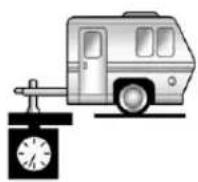
A
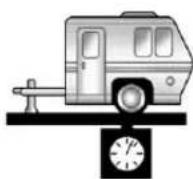
B
Trailertongueweight(A)shouldbe 10percentto15percentofthe loadedtrailerweight(B)uptothe maximumsforvehicleseriesand hitchtype.
| VehicleSeriesHitchType | MaximumTongue Weight |
| 1500WeightCarrying272kg(600lbs) | |
| 2500WeightCarrying453kg(1,000lbs) | |
| 1500WeightDistributing499kg(1,100lbs) | |
| 2500WeightDistributing680kg(1,500lbs) |
Donotexceedthemaximum allowabletongueweightforthe vehicle.Choosetheshortesthitch extensionthatwillpositionthehitch ballclosesttothevehicle.Thiswill helpreducetheeffectoftrailer tongueweightontherearaxle.
Traileringmaybelimitedbythe vehicle'sabilitytocarrytongue weight.Tongueweightcannotcause thevehicletoexceedtheGVWR (GrossVehicleWeightRating)or
theRGAWR(RearGrossAxle WeightRating).See "TotalWeight ontheVehicle'sTires" laterinthis sectionformoreinformation.
Afterloadingthetrailer, weigh thetrailerandthenthetongue, separately, toseeiftheweightsare proper. If they are not, adjustments might be made by moving some items around in the trailer.
TotalWeightontheVehicle's Tires
Besurethevehicle'stiresare inflatedtotheinflationpressures foundontheCertificationlabelon thedriversdoororseeVehicleLoad Limitsonpage9-16formore information.Makesurenotto exceedtheGVWRlimitforthe vehicle,ortheRGAWR,withthetow vehicleandtrailerfullyloadedfor thetripincludingtheweightofthe trailertongue.Ifusingaweight distributinghitch,makesurenotto exceedtheRGAWRbeforeapplying theweightdistributionspringbars.
WeightoftheTrailering Combination
It is important that the combination of the tow vehicle and trailer does not exceed any of its weight ratings—GCWR, GVWR, RGWR, Trailer Weight Rating or Tongue Weight. The only way to be sure it is not exceeding any of these ratings of the weight the tow vehicle and trailer combination, fully loaded for the trip, getting individual weights for each of these items.
TowingEquipment Hitches
The correcthitchequipment helps maintain combination control. Most small-to-medium trailers can be towed with a weight carrying hitch which simply features a coupler latched to the hitch ball. Larger trailers may require a weight distributing hitch that uses spring barstodistributethetrailer tongue weight among the two vehicle and trailer axles. See "Weight of the Trailer Tongue" in Trailer Towing on page 9-74 for rating limits with various hitch types.
Considerusingswaycontrols withanytrailer.Askatrailing professionalaboutswaycontrolsor refertothetrailermanufacturer's recommendationsandinstructions.
Weight-DistributingHitch Adjustment
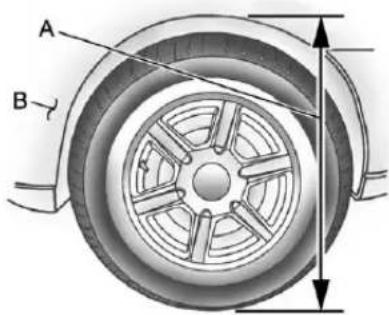
text_image
A BA. BodytoGroundDistance
B.FrontofVehicle
When using a weight-distributing hitch, the spring bar should be adjusted so the distance (A) is the same after coupling the trail to the tow vehicle and adjusting the hitch.
SafetyChains
Alwaysattachchainsbetweenthe vehicleandthetrailer.Crossthe safetychainsunderthetongueof thetrailertohelppreventthetongue fromcontactingtheroadifit becomesseparatedfromthehitch. Instructionsaboutsafetychains maybeprovidedbythehitch manufacturerorbythetrailer manufacturer.Ifthetrailerbeing towedweighsupto2271kg (5,000lbs)withafactory-installed stepbumper,safetychainsmaybe attachedtotheattachingpointson thebumper,otherwise,safety chainsshouldbeattachedtoholes onthetrailerhitchplatform.Always leavejustenoughslacksothe combinationcanturn.Neverallow safetychainstodragontheground.
TrailerBrakes
Aloaded trailer that weighs more than 900 kg (2,000 lbs) need to have its own brakes system that is adequate forth the weight of the trailer. Besuretoread and follow the instructions forth the trailer brakes so they are installed, adjusted and maintained properly.
Sincethevehicleisequippedwith StabiliTrak ^® , the trailer brakes cannot tap into the vehicle's hydraulic system.
TrailerWiringHarness
The vehicle is equipped with the following wiring harnesses for towingatraler.
BasicTrailerWiring
The trailerwiringharness, with a seven-pin connector, is located at therearofthevehicleandistied to the vehicle's frame. The harness connector can be plugged into a seven-pin universal heavy-duty trailerconnector available through your dealer.
Theseven-wireharnesscontains the followingtrailercircuits:
• Yellow:LeftStop/TurnSignal
- DarkGreen:RightStop/Turn Signal
- Brown:Taillamps
- White:Ground
• LightGreen:Back-upLamps
- Red:BatteryFeed*
• DarkBlue:TrailerBrake*
*Thefusesforthesetwocircuitsare installedintheunderhoodelectrical center,butthewiresarenot connected. Theyshouldbe connectedbyyourdealerora qualifiedservicecenter.
Heavy-DutyTrailerWiringHarness Package
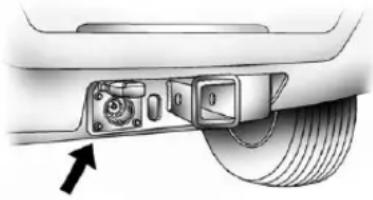
natural_image
Close-up of a car's rear suspension system showing valve, belt, and tire (no text or symbols visible)The vehicle is equipped with the seven-wire trailertowing harness. This harness with a seven-pin universal trailer connector is attached to a bracket on the hitch platform.
Theseven-wireharnesscontains the followingtrailercircuits:
• Yellow:LeftStop/TurnSignal
- DarkGreen:RightStop/Turn Signal
- Brown: Taillamps
- White:Ground
• LightGreen:Back-upLamps
- Red:BatteryFeed*
• DarkBlue:TrailerBrake*
*Thefusesforthesetwocircuitsare installedintheunderhoodelectrical center,butthewiresarenot connected. Theyshouldbe connectedbyyourdealerora qualifiedservicecenter.
Ifchargingaremote(non-vehicle) battery,pressthetow/haulmode buttonlocatedattheendoftheshift lever.Thiswillboostthevehicle systemvoltageandproperlycharge thebattery.Ifthetraileristoolight fortow/haulmode,turnonthe headlampsasasecondwayto boostthevehiclesystemand chargethebattery.
ElectricBrakeControlWiring Provisions
These wiring provisions are included with the vehicle as part of the trailer wiring package. These provisions are for an electric brake controller. The instrument panel contains blunt cut wires near the datalink connector for the trailer brake controller. The harness contains the following wires:
• DarkBlue:BrakeSignalto TrailerConnector
• Red/Black:Battery
• LightBlue/White:BrakeSwitch
- White:Ground
It should be installed by your dealer or a qualified service center.
If the vehicle is equipped with an ITBC, the blunt cut sexist, but are not connected further in the harness. If a aftermarket trailer brake controller is installed, the ITBC must be disconnected. Donot power both ITBC and aftermarket controller to control the trailer brakes at the same time.
Tow/HaulMode
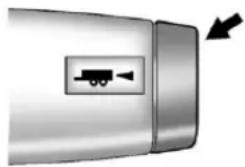
natural_image
Close-up of a metallic vehicle door with a small directional arrow and a truck icon on the side (no text or symbols)Pressingthisbuttonattheendof theshiftleverturnsonandoffthe tow/haulmode.

This indicator light on the instrument panel cluster comes on when the tow/haul mode is on.
Tow/Haulisafeaturethatassists whenpullingaheavytrailerora largeorheavyload.See Tow/Haul Modeonpage9-36formore information.
Tow/Haulisdesignedtobemost effectivewhenthevehicleand trailercombinedweightisatleast 75percentofthevehicle'sGross CombinedWeightRating(GCWR). See "WeightoftheTrailer" earlier in thesection.Tow/Haulismostuseful underthefollowingdriving conditions:
- Whenpullingaheavytrailerorla largeorheavyloadthrough rollingterrain.
- Whenpullingaheavytraileroralargeorheavyloadinstopandgottraffic.
- Whenpullingaheavytrailerorla largeorheavyloadinbusy parkinglotswhereimprovedlow speedcontrolofthevehicleis desired.
OperatingthevehicleinTow/Haul whenlightlyloadedorwithnotrailer atallwillnotcausedamage. However, thereisnobenefitto the selectionofTow/Haulwhenthe vehicleisunloaded.Sucha selectionwhenunloadedmay resultinunpleasantengine and transmissiondrivingcharacteristics andreducedfueleconomy.Tow/Haulisrecommendedonlywhen pullingaheavytraileroralargeor heavyload.
IntegratedTrailerBrake ControlSystem

The vehicle may have an Integrated Trailer Brake Control (ITBC) system for electric trailer brakes.
This symbol is located on the Trailer Brake Control Panel on vehicles with an Integrated Trailer Brake Control System. The power output to the trailer brakes is based on the amount of brake pressure being applied by the vehicle's brake system. This available power output to the trailer brakes can be adjusted to a wider range of trailering situations.
TheITBCsystemisintegratedwith thevehicle'sbrake,anti-lockbrake andStabiliTraksystems.Intrailering conditionsthatcausethevehicle's anti-lockbrakeorStabiliTrak systemstoactivate,powersent tothetrailer'sbrakeswillbe automaticallyadjustedtominimize trailerwheellock-up.Thisdoesnot implythatthetrailerhasthe StabiliTraksystem.
Non-hybridvehicleswithStabiliTrak haveaTrailerSwayControl(TSC) feature. See TrailerSwayControl (TSC) on page 9-90.
Non-hybridvehicleswithStabiliTrak haveaHillStartAssist(HSA) feature.SeeHillStartAssist(HSA) onpage9-47.
Ifthevehicle'sbrake,anti-lock brakeorStabiliTraksystemsarenot functioningproperly,theITBC systemmaynotbefullyfunctional ormaynotfunctionatall.Makesure allothesesystemsarefully operationaltoensurefull functionalityoftheITBCsystem.
TheITBCsystemispowered throughthevehicle'selectrical system. Turningtheignitionoffwill alsoturnofftheITBCsystem.The ITBCsystemisfullyfunctionalonly whentheignitionisinONor inRUN.
TheITBCsystemcanonlybeused withtrailerswithelectricbrakes.
WARNING
Connectingatrailerthatisnot compatiblewiththeITBCsystem mayresultinreducedorcomplete lossoftrailerbraking.Theremay beanincreaseinstopping distanceotrailerinstabilitywhich couldresultinpersonalinjuryor damagetothevehicle,trailer, orotherproperty.Anaftermarket controllermaybeavailablefor usewithtrailerswithsurge,air, orelectric-over-hydraulictrailer brakesystems.Todeterminethe typeofbrakesonthetrailerand theavailabilityofcontrollers, checkwithyourtrailer manufacturerordealer.
Whentrailering, makesureofthe following:
- TheITBCsystemisusedonly withtrailersthatareequipped withelectricbrakes.
- Allapplicablelocalandfederal lawsandregulationsare followed.
- Allelectrical and mechanical connection stothetrailer are madecorrectly.
- Thetrailer's brakes are in proper working condition.
- Thetrailerandvehicleare properlyloadedforthetowing condition.
TheITBCsystemisafactory installeditem. Out-of-factory installationofthissystemshouldnot beattempted.GMisnotresponsible forwarrantyorperformanceofthe systemresultingfromout-of-factory installation.
TrailerBrakeControlPanel
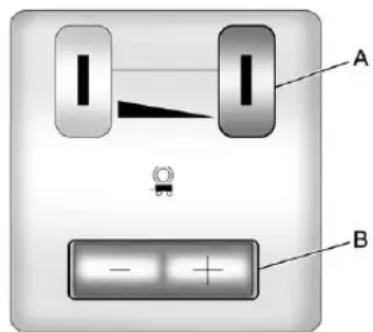
text_image
A BA. Manual Trailer Brake Apply Lever
B. TrailerGainAdjustmentButtons
TheITBCsystemhasacontrol panellocatedontheinstrument paneltotheleftofthesteering column. Thecontrolpanelallows adjustmenttotheamountofoutput, referredtoastrailergain, available totheelectrictrailerbrakes and allowsmanualapplicationthetrailer brakes. TheTrailerBrakeControl PanelisusedalongwiththeTrailer BrakeDisplayPageontheDICto adjustanddisplaypoweroutputto thetrailerbrakes.
TrailerBrakeDICDisplayPage
TheITBCsystemdisplays messagesintothevehicle'sDriver InformationCenter(DIC).See DriverInformationCenter(DIC)on page5-28formoreinformation.
Thedisplaypageindicates Trailer Gainsetting, poweroutputtothe electrictrailerbrakes, trailer connectionandsystemoperational status.
The Trailer Brake Display Page can be displayed by performing any of the following actions:
- ScrollingthroughtheDICmenu pagesusingtheodometertrip stemortheDICVehicle Informationbutton(ifequipped).
- PressingaTrailerGain button—IftheTrailerBrake DisplayPageisnotcurrently displayed,pressingaTrailer Gainbuttonwillfirstrecallthe currentTrailerGainsetting.After theTrailerBrakeDisplayPageis displayed,eachpressand releaseofthegainbuttonswill thencausetheTrailerGain settingtochange.
- ActivatingtheManualTrailer BrakeApplylever
- Connectingatrailerequipped withelectrictrailerbrakes
AIDICwarningandservice messagesmustfirstbe acknowledgedbythedriverby pressingtheodometertripstemor theDICVehicleInformationbutton (ifequipped)beforetheTrailer BrakeDisplayPagecanbe displayedandTrailerGaincanbe adjusted.
TRAILERGAIN–Thissettingis displayedanytimetheTrailerBrake DisplayPageisactive. Thissetting canbeadjustedfrom0.0to10.0 witheitheratrailerconnectedor disconnected. ToadjusttheTrailer Gain, pressoneoftheTrailerGain adjustmentbuttonslocatedonthe TrailerBrakeControlPanel. Press andholdagainbuttontocausethe TrailerGaintocontinuouslyadjust. Toturntheoutputtothetraileroff, adjusttheTrailerGainsettingto 0.0(zero).
0.0(zero)gainisthefactorydefault setting.Toproperlyadjusttrailer gain,seetheTrailerGain AdjustmentProcedurelater inthissection.
TRAILER OUTPUT-This is displayed any time at trailer with electric brakes connected. Output to the electric brakes is based on the amount of vehicle braking present and relativeto the Trailer Gain setting. Output is displayed from 0 to 10 bars foreach gain setting.
Non-hybridvehicleswith Trailer SwayControl(TSC)orHillStart Assist(HSA), outputtothelectric trailerbrakesmaybedisplayed whenthesystemsareactive. See TrailerSwayControl(TSC)on page9-90andHillStartAssist (HSA)onpage9-47.
TheTrailerOutputwillindicate "----"ontheTrailerBrake DisplayPagewheneverthe followingoccur:
- Notrailerisconnected.
- Atrailerwithoutelectricbrakes isconnected(noDICmessage isdisplayed).
- Atrailerwithelectricbrakes hasbecomedisconnected (aCHECKTRAILERWIRING messagewillalsobedisplayed ontheDIC).
- Thereisafaultpresentinthe wiringtotheelectrictrailer brakes(aCHECKTRAILER WIRINGmessagewillalsobe displayedontheDIC).
- ThereisafaultintheITBC system(aSERVICETRAILER BRAKESYSTEMmessage will also be displayed in the DIC).
ManualTrailerBrakeApply
TheManualTrailerBrakeApply LeverislocatedontheTrailerBrake ControlPanelandisusedto applythetrailer'selectricbrakes independentofthevehicle'sbrakes. ThisleverisusedintheTrailerGain AdjustmentProceduretoproperly adjustthepoweroutputtothetrailer brakes.Slidingthelevertotheleft willapplyonlythetrailerbrakes. Thepoweroutputtothetraileris indicatedintheTrailerBrake DisplayPageintheDIC.Ifthe vehicle'sservicebrakesareapplied whileusingtheManualTrailerBrake ApplyLever,thetraileroutputpower willbethegreaterofthetwo.
Thetrailerandthevehicle'sbrake lampswillcomeonwheneither vehiclebrakingormanualtrailer brakesareapplied.
TrailerGainAdjustmentProcedure
TrailerGainshouldbesetfora specifictraileringconditionand mustbeadjustedanytimevehicle loading, trailerloadingorroad surfaceconditionschange.
SettingtheTrailerGainproperlyis neededforthebesttrailerstopping performance.Atrailerthatis over-gainedmayresultinlocked trailerbrakes.Atrailerthatis under-gainedmayresultinnot enoughtrailerbraking.Bothofthese conditionsmayresultinpoorer stoppingandstabilityofthevehicle andtrailer.
Use the following procedure to correctly adjust Trailer Gainforeach towing condition:
- Makesurethetrailerbrakesare improperworkingcondition.
-
Connectaproperlyloadedtrailer tothevehicleandmakeall necessarymechanicaland electricalconnections.See VehicleLoadLimitson page9-16formoreinformation.
-
After the electrical connection is madetoatralerequipped with electric brakes:
-
ATRAILERCONNECTED message will be briefly displayed on the DIC display.
• TheTrailerBrakeDisplay Pagewillappearonthe DICshowingTRAILER GAINandTRAILER OUTPUT.
- IntheTrailerOutputdisplay ontheDIC, “----” will disappearifthereisno errorpresent. Connectinga trailerwithoutelectric brakeswillnotclearthesix dashedlines.
-
Adjust the Trailer Gain by using the gain adjustment (+/-) button on the Trailer Brake Control Panel.
-
Drivethevehiclewiththetrailer attachedonalevelroadsurface representativeofthetowing conditionandfreeoftrafficat about32to40km/h(20to 25mph)andfullyapplythe ManualTrailerBrakeApply lever.
Adjustingtrailergainatspeeds lowerthan32to40km/h(20to 25mph)mayresultinan incorrectgainsetting.
- Adjust the Trailer Gainto just below the point of trailer wheel lock-up, indicated by trailer wheels equal to tires mok when a trailer wheel locks.
Trailerwheellock-upmaynot occuriftowingaheavilyloaded trailer. In this case, adjust the TrailerGaintothe highest allowable setting forthetowing condition.
- Re-adjust Trailer Gain any time vehicle loading, trailer loading or roads surface conditions change or if trailer wheellock-up is noticed at any time while towing
OtherITBCRelatedDICMessages
InadditiontodisplayingTRAILER GAINandTRAILEROUTPUT throughtheDIC, trailerconnection andITBCsystemstatusisdisplayed intheDIC.
TRAILERCONNECTED—This message will be briefly displayed when at trailer with the electric brakes is first connected to the vehicle. This
messagewillautomaticallyturnoff inabouttoseconds. Thedriver can also acknowledge this message before it automatically turnoff.
CHECKTRAILERWIRING—This messagewillbedisplayedif:
- The TBC system first determines connection to a trailer with the electric brakes and thenthe trailer harness becomes disconnected from the vehicle.
Ifthedisconnectoccurswhile thevehicleisstationary,this messagewillautomaticallyturn offinaboutthirtyseconds.This messagewillalsoturnoffifthe driveracknowledgesthis messageofforifthetrailer harnessire-connected.
Ifthedisconnectoccurswhile thevehicleismoving, this messagewillcontinueuntilthe ignitionisturnedoff. This messagewillalsoturnoffifthe driveracknowledgesthis messageofforifthetrailer harnessire-connected.
- Thereisanelectricalfaultinthe wiringtotheelectrictrailer brakes. Thismessagewill continueaslongasthereisan electricalfaultinthetrailer wiring. Thismessagewill alsoturnoffifthedriver acknowledgedsthismessageoff.
Todetermineiftheelectricalfaultis onthevehiclesideortrailersideof thetrailerwiringharness connection,dothefollowing:
- Disconnect the trailer wiring harness from the vehicle.
- TurntheignitionOFF.
-
Waittenseconds, thenturn the ignitionbacktoRUN.
-
If the CHECKTRAILERWIRING messagere-appears, the electrical fault is on the vehicle side.
IftheCHECKTRAILERWIRING messageonlyre-appearswhen connectingthetrailerwiring harnessstothevehicle,the electricalfaultisonthe trailerside.
SERVICETRAILERBRAKE SYSTEM–Thismessagewill be displayedwhenthereisaproblem withtheITBCsystem.Ifthis messagepersistsovermultiple ignitioncyclethereisproblemwith theITBCsystem.Takethevehicle toanauthorizedGMdealertohave theITBCsystemdiagnosed and repaired.
IfeithertheCHECKTRAILER WIRINGorSERVICETRAILER BRAKESYSTEMmessageis displayedwhiledrivingthevehicle, powerisnolongeravailabletothe trailerbrakes.Whentraffic conditionsallow,carefullypullthe vehicleovertothesideoftheroad andturntheignitionoff.Checkthe wiringconnectiontothetrailerand turntheignitionbackon.Ifeitherof thesemessagescontinues,either thevehicleortrailerneedsservice.
AnauthorizedGMdealermaybe abletodiagnoseandrepair problemswiththetrailer.However, anydiagnosisandrepairofthe trailerisnotcoveredunderthe vehiclewarranty.Pleasecontact yourtrailerdealerforassistance withtrailerrepairsandtrailer warrantyinformation.
TrailerSway Control(TSC)
Non-hybridvehicleswithStabiliTrak haveaTrailerSwayControl(TSC) feature. If the vehicle is istowing a trailer and the system detect that the trailer is swaying, the vehicle brakes are applied without the driver pressing the brake pedal. If the vehicle is equipped with the Integrated Trailer Brake Control (ITBC) system, Stabili Trak may also apply the trailer brakes. The TCS/ Stabili Trak warning light will flash on the instrument panel clusterton to notify the drivertoreducespeed. If the trailer continues on way, Stabili Trak will reduce engine torquet help slow the vehicle. See Stabili Trak ^® System page 9-47 form more information.
Addingnon-dealeraccessoriescan affectthevehicleperformance.See AccessoriesandModificationson page10-3formoreinformation.
Conversionsand Add-Ons
Add-On Electrical Equipment
Notice: Donotaddanything electrical to the vehicle unless you check with your dealer first. Some electricalequipment can damage the vehicle and the damage would not be recovered by the vehicle's warranty. Some add-onelectricalequipment can keep other components from working asthey should.
Add-onequipmentcandrainthe vehicle's 12-voltbattery, even if the vehicle is not operating.
Thevehiclehasanairbagsystem. Beforeattemptingtoaddanything electricaltothevehicle,see ServicingtheAirbag-Equipped Vehicleonpage3-44andAdding EquipmenttotheAirbag-Equipped Vehicleonpage3-44.
AddingaSnowPlowor SimilarEquipment
Beforeinstallingasnowplowonthe vehicle,herearesomethingsyou needtoknow:
Notice: If the vehicle does not have the snow plow prep package, adding a plow can damage the vehicle, and the repairs would not be covered by warranty. Unless the vehicle was built to carry as now plow, donot add oneto the vehicle. If the vehicle has the snow plow prep package, called RPOVYU, then the payload the vehicle can carry will be reduced when as now plow is installed. The vehicle can be damaged if either the frontor rear axleratings or the Gross Vehicle Weight Rating (GVWR) are exceeded.
Somevehiclesarebuiltwitha specialsnowplowpreppackage, calledRPOVYU.Ifthevehiclehas thisoption,youcanaddaplowtoit, providedcertainweights,suchas theweightsonthevehicle'saxles andtheGrossVehicleWeight Rating(GVWR),arenotexceeded.
Theplowthevehiclecancarry dependsonmanythings,suchas:
• Theoptionsthevehiclecame with, and the weight of those options.
- Theweightandnumberof passengersintendedtobe carried.
- Theweightofitemsaddedtothe vehicle.
- Thetotalweightofany additionalcargointendedtobe carried.
Say,forexample,youhavea318kg (700lb)snowplow. Thetotalweight ofallooccupantsandcargoinside thecabshouldnotexceed135kg (300lb). Thismeansthatyoumay onlybeabletocarryonepassenger. But,eventhismaybetoomuchif thereisotherequipmentalready addingtotheweightofthevehicle.
Herearesomeguidelinesforsafely carryingasnowplowonthevehicle:
- Makesuretheweightonthe frontandrearaxlesdoesnot exceedtheaxleratingforeach.
-
Forthefrontaxle, if more cargo or passengers must be carried, appropriate counterballast must be installed rear of therearaxle. Counterballast must be properly secured so it will not move during driving.
-
Followthesnowplow manufacturer's recommendationsregarding rearballast.Rearballastmaybe requiredtoensureaproperfront andrearweightdistributionratio, eventhoughtheactualweightat thefrontaxlemaybelessthan thefrontaxlerating.
- Thesnowplowmanufacturer orinstallercanassistin determiningtheamountofrear ballastrequired,tohelpmake surethesnowplow/vehicle combinationdoesnotexceed theGVWrating,thefrontand rearaxleratings,andthefront andrearweightdistributionratio.
- Thetotalvehiclemustnot exceedtheGVWrating.
9-92DrivingandOperating
Frontaxlereservecapacityisthe differencebetweenthefrontGross AxleWeightRating(GAWR)andthe frontaxleweightofthevehiclewith fullfuelandpassengers. Basically, it istheamountofweightthatcanbe addedtothefrontaxlebefore reachingthefrontGAWR.
Thefrontaxlereservecapacityfor thevehiclecanbefoundinthe lowerrightcornerofthe Certification/Tirelabel,asshown.
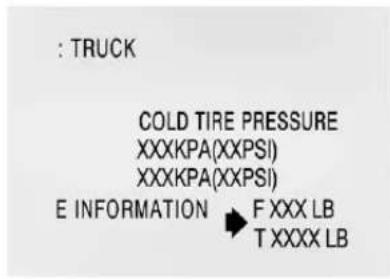
text_image
: TRUCK COLD TIRE PRESSURE XXXKPA(XXPSI) XXXKPA(XXPSI) E INFORMATION → F XXX LB T XXXX LBUnitedStates
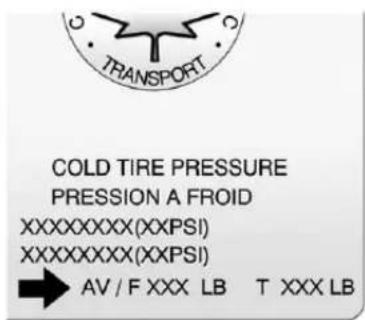
text_image
COLD TIRE PRESSURE PRESSION A FROID XXXXXXXXXX(XXPSI) XXXXXXXXXX(XXPSI) AV / F XXX LB T XXX LBCanada
Inordertocalculeatetheamountof weightanyfrontaccessory,suchas asnowplow,isaddingtothefront axle,usethefollowingformula:
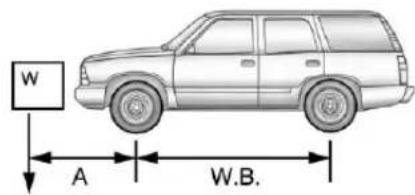
text_image
W A W.B.(Wx(A+W.B.))/W.B.=Weightthe accessoryisaddingtothe frontaxle.
Where:
W=Weightofaddedaccessory A=Distancethattheaccessory isinfrontofthefrontaxle W.B.=VehicleWheelbase
Forexample, addinga318kg (700lb) snowplowactuallyadds morethan318kg(700lb) to the frontaxle. Using the formula, if the snowplowis 122cm(4ft) in front of the frontaxle and the wheelbase is 305cm(10ft), then:
W=318kg(700lb)
A=122cm(4ft)
W.B.=305cm(10ft)
(Wx(A+W.B.))/W.B.=
(318x(122+305))/305=
445kg(980lb)
So, if the vehicle's frontaxlereserve capacity is more than 980 lbs (445 kg), the snow plow could be added without exceeding the front GAWR.
Heavierequipmentcanbeaddedon thefrontofthevehicleifitis compensatedforbycarryingfewer passengers,lesscargo,orby positioningcargotowardtherear. Thishastheeffectofreducingthe loadonthefront.However,thefront
GAWR, rear GAWR, and the Gross Vehicle Weight Rating (GVWR) must never be exceeded.

WARNING
Onsomevehiclesthathave certainfrontmountedequipment, suchasasnowplow, itmaybe possibletoloadthefrontaxleto thefrontgrossaxleweightrating (GAWR) but nothaveenough weightontherearaxleto have proper braking performance. If the brakes cannot work properly, you could have acrash. To help the brakes work properly when a snowplow is installed, always follow the snow plow manufacturerorinstaller's recommendation for rear ballast to ensure a proper front and rear weight distribution ratio, even though the actual front weight maybe less than the front GAWR, and the total vehicle
(Continued)
WARNING(Continued)
weightislessthanthegross vehicleweightrating(GVWR). Maintainingaproperfrontand rearweightdistributionratiois necessarytoprovideproper brakingperformance.
Totalvehiclereservecapacityisthe differencebetweentheGVWRand theweightofthevehiclewithfull fuelandpassengers.Itisthe amountofweightthatcanbeadded tothevehiclebeforereaching theGVWR.Keepinmindthat reservecapacitynumbersare intendedasaguidewhenselecting theamountofequipmentorcargo thevehiclecancarry.Ifyouare unsureofthevehicle'sfront,rear, ortotalweight,gotoaweighstation andweighthevehicle.Yourdealer canalsohelpyouwiththis.
9-94DrivingandOperating
Thetotalvehiclereservecapacity forthevehiclecanbefound inthelowerrightcornerofthe Certification/Tirelabelasshown previously.
Seeyourdealerforadditional adviceandinformationaboutusing asnowplowonthevehicle.Also, seeVehicleLoadLimitson page9-16.
EmergencyRoofLamp Provisions
VehicleswiththeRPOVYUsnow plowpreppackagealsohavean emergencyrooflamprovision package,RPOTRW.Wiringforthe emergencyrooflampisprovided abovetheoverheadconsole.See AuxiliaryRoof-MountedLampon page6-7forswitchlocation.
VehicleCare
GeneralInformation
GeneralInformation......10-2
CaliforniaProposition 65Warning......10-3
CaliforniaPerchlorate MaterialsRequirements....10-3
Accessories and Modifications....10-3
VehicleChecks
DoingYourOwn ServiceWork......10-4
Hood....10-5
EngineCompartment Overview......10-6
EngineOil....10-7
EngineOilLifeSystem.....10-10
AutomaticTransmission Fluid....10-11
EngineAirCleaner/Filter....10-14
CoolingSystem......10-16
EngineCoolant......10-17
EngineOverheating......10-21
OverheatedEngine Protection OperatingMode......10-23
EngineFan......10-23
PowerSteeringFluid......10-24
WasherFluid......10-25
Brakes....10-26
BrakeFluid......10-27
Battery....10-28
Four-WheelDrive......10-29
FrontAxle......10-30
RearAxle....10-31
StarterSwitchCheck......10-32
AutomaticTransmissionShift
LockControlFunction
Check....10-32
IgnitionTransmissionLock
Check......10-33
ParkBrakeandP(Park)
MechanismCheck......10-33
WiperBlade
Replacement.....10-34
GlassReplacement......10-35
HeadlampAiming
HeadlampAiming......10-35
BulbReplacement
BulbReplacement....10-37 HalogenBulbs....10-37
Taillamps, TurnSignal, Stoplamps, and Back-Up Lamps.....10-38
LicensePlateLamp......10-39 ReplacementBulbs......10-39
ElectricalSystem
ElectricalSystem Overload.....10-40
FusesandCircuit Breakers....10-41
EngineCompartmentFuse Block....10-41
InstrumentPanelFuse Block......10-45
WheelsandTires
Tires....10-49
TireSidewallLabeling.....10-50
TireDesignations......10-53
TireTerminology and Definitions....10-54
TirePressure......10-57
TirePressureMonitor System....10-59
TirePressureMonitor
Operation......10-60
TireInspection......10-63
TireRotation......10-64
10-2 Vehicle Care
WhenItIsTimeforNew
Tires....10-65
BuyingNewTires......10-66
DifferentSizeTiresand
Wheels......10-68
UniformTireQuality
Grading....10-69
WheelAlignmentandTire
Balance....10-70
WheelReplacement......10-71
TireChains......10-72
IfaTireGoesFlat......10-73
TireChanging......10-75
SecondaryLatchSystem...10-85
Full-SizeSpareTire.....10-88
JumpStarting
JumpStarting......10-89
Towing
TowingtheVehicle......10-93
Recreational Vehicle
Towing....10-93
AppearanceCare
ExteriorCare......10-99
InteriorCare....10-102
FloorMats......10-105
GeneralInformation
Forserviceandpartsneeds,visit yourdealer.Youwillreceive genuineGMpartsandGM-trained andsupportedservicepeople.
GenuineGMpartshaveoneof thesemarks:

Genuine GM | Parts

Accessories
CaliforniaProposition 65Warning
Mostmotorvehicles, including this one, contain and oremit chemicals known to the State of California cause cancer and birth defect or other reproductive harm. Engine exhaust, many parts and systems, many fluids, and some component wear by-products contain and/or emit these chemicals.
CaliforniaPerchlorate MaterialsRequirements
Certain types of automotive applications, such as airbag initiators, safety belt pretensioners, and lithium batteries contained in Remote Keyless Entry transmitters, may contain perchloratematerials. Special handling may be necessary. For additional information, see www.dtsc.ca.gov/hazardous waste/perchlorate.
Accessories and Modifications
Adding non-dealer accessories or making modification to the vehicle can affect vehicle performance and safety, including such things as airbags, braking, stability, ride and handling, emission systems, aerodynamics, durability, and electronics systems like antilock brakes, traction control, and stability control. These accessories or modifications could deven cause malfunctionordamagenotcovered by the vehicle warranty.
Damagetovehiclecomponents resultingfrommodificationsorthe installationoruseofnon-GM certifiedparts,includingcontrol moduleorsoftwaremodifications,is notcoveredunderthetermsofthe vehiclewarrantyandmayaffect remainingwarrantycoveragefor affectedparts.
GMAccessoriesaredesignedto complementandfunctionwithother systemsonthevehicle.Seeyour dealertoaccessorizethevehicle usinggenuineGMAccessories installedbyadealertechnician.
Also, see Adding Equipment to the Airbag-Equipped Vehicle on page 3-44.
VehicleChecks
DoingYourOwn ServiceWork
If the vehicle is a hybrid, se the hybrids supplement form more information.

WARNING
It can be dangerous to work on your vehicle if you don't have the proper knowledge, service manual, tools, or parts. Always follow owner manual procedures and consult the servicemanual for your vehicle before doing any servicework.
If doing some of your own service work, use the proper service manual. It tells you much more about how to servicethe vehicle than this manual can. To order the proper service manual, see Service Publications Ordering Information on page 13-18.
Thisvehiclehasanairbagsystem. Beforeattemptingtodayyourown servicework,seeAirbagSystem Checkonpage3-46.
Keeparecordwithallpartsreceipts andlistthemileageandthedateof anyserviceworkperformed.See MaintenanceRecordson page11-15.
Hood
Toopenthehood:
- Pull the handle with this symbol on it. It is located inside the vehicle to the lower left of the steering wheel.
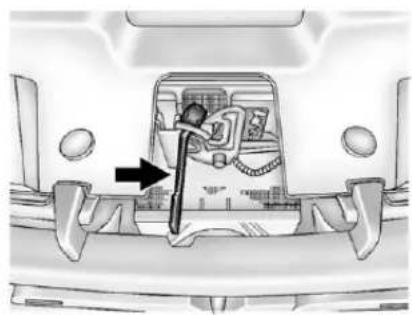
natural_image
Interior view of a vehicle showing a car interior with a directional arrow indicating movement or force (no text or symbols present)-
Thengotothefrontofthe vehicleandlocatethesecondary hoodrelease,nearthecenterof thegrille.
-
Pushthesecondaryhood releasetotheright.
-
Liftthehood.
Beforeclosingthehood, besure allthefillercapsareonproperly. Thenbringthehoodfromfull opentowithin152mm(6in) fromtheclosedposition, pause, thenpushthefrontcenterofthe hoodwithaswift,firmmotionto fullyclosethehood.
EngineCompartmentOverview
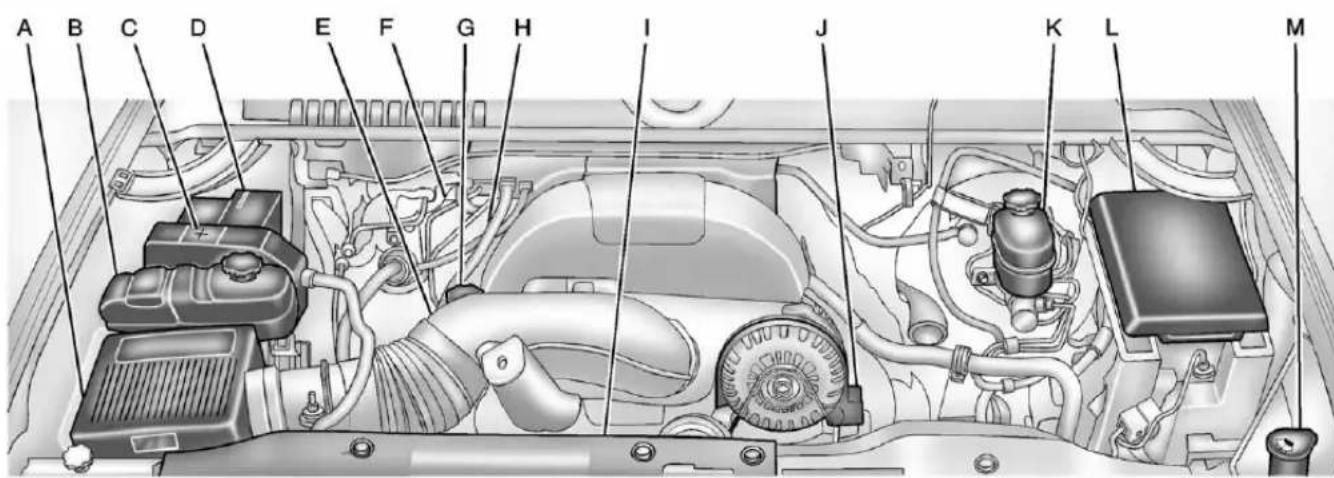
text_image
A B C D E F G H I J K L M5.3LV8EngineShown,6.0LV8EngineSimilar
A. EngineAirCleaner/Filteron page 10-14.
B. Coolant Surge Tank and Pressure Cap. See Cooling System on page 10-16.
C.RemotePositive(+)Terminal. See Jump Starting on page 10-89.
D. Batteryonpage 10-28.
E.RemoteNegative(−)Terminal (OutofView).See Jump Startingonpage 10-89.
F. Automatic Transmission
Dipstick(OutofView). See "CheckingtheFluidLevel" underAutomaticTransmission Fluidonpage10-11.
G. EngineOilFillCap. See "When toAddEngineOil" under EngineOilonpage 10-7.
H. EngineOilDipstick(Outof View). See "CheckingEngine Oil" under EngineOilon page 10-7.
I. EngineCoolingFan(Outof View). SeeCoolingSystemon page10-16.
J.PowerSteeringFluidReservoir. See Power Steering Fluidon page 10-24.
K.BrakeMasterCylinder Reservoir.See"BrakeFluid" underBrakeFluidon page10-27.
L.EngineCompartmentFuse Blockonpage10-41.
M. Windshield Washer Fluid Reservoir. See "Adding Washer Fluid" under Washer Fluid on page 10-25.
If the vehicle is a hybrid, se the hybrids supplement form more information.
EngineOil
Toensureproperengine performanceandlonglife,careful attentionmustbepaidtoengineoil. Followingthesesimple,but importantstepswillhelpprotect yourinvestment:
- Alwaysuseengineoilapproved totheproperspecificationandof theproperviscositygrade.See "SelectingtheRightEngineOil" inthissection.
- Checktheengineoillevel regularlyandmaintainthe properoillevel.See"Checking EngineOil"and"WhentoAdd EngineOil"inthissection.
- Changetheengineoilatthe appropriatetime.SeeEngineOil LifeSystemonpage10-10.
- Always dispose of engine oil properly. See "What to Dow with Used Oil" in this section.
CheckingEngineOil
Itisagoodideatochecktheengine oillevelateachfuelfill. Inorderto getanaccuratereading, the vehicle must be on level ground. The engine oildipstick handle is yellow loop. See Engine Compartment Overview page 10-6 for the location of the engine oildipstick.
Obtaininganaccurateoillevel readingisessential:
-
If the engine has been running recently, turn off the engine and allow several minutes for the oil to drain back into the oil pan. Checking the oil level too soon after engines hutoff will not provide an accurate oil level reading.
-
Pulloutthedipstickandcleanit withapapertowelorcloth, then pushitbackinalltheway. Removeitagain, keepingthetip down, and checkthelevel.
WhentoAddEngineOil
◇◇◇◇◇◇◇◇
If the oil is below the cross-hatched area at the tip of the dipstick, add 1L(1qt) of there recommended oil and then recheck the level. See "Selecting the Right Engine Oil" in this section for an explanation of what kind of oil to use Forengine oil crank case capacity, see Capacities and Specifications on page 12-2.
Notice: Donotaddtoomuchoil. Oil levels above or below the acceptable operating range shown on the dipstick are harmful to the engine. If you find that you have an oil level above the operating range, i.e., the engine has some oil that the oil level gets above the cross-hatched area that shows the proper operating range, the engine could be damaged. You should drain out the excess oil limit driving of the vehicle and seek as service professional to remove the excess amount of oil.
SeeEngineCompartmentOverview onpage10-6forthelocationofthe engineoilfillcap.
Addenoughoiltoputthelevel somewhereintheproperoperating range.Pushthedipstickalltheway backinwhenthrough.
SelectingtheRightEngineOil
Selectingtherightengineoil dependsonboththeperoil specificationandviscositygrade. SeeRecommendedFluidsand Lubricantsonpage11-12.
Specification
Use and ask for licensed engine oils with the dexos1 ^™ approved certification mark. Engine oils meeting therequirements for the vehicles should have the dexos1 approved certification mark. This certification mark indicates that the oil has been approved to the dexos1 specification.

text_image
dexos™Notice: Failuretousethe recommendedengineoilor equivalentcanresultinengine damagenotcoveredbythe vehiclewarranty.Checkwithyour dealerorserviceprovideron whethertheoilisapprovedtothe dexos1specification.
ViscosityGrade
SAE5W-30 isthebestviscosity grade for the vehicle. Donot use otherviscosity grade oil such as SAE10W-30, 10W-40, or 20W-50.
Ifinanareaofextremecold, where the temperaturefallsbelow-20°F (-29°C), anSAE0W-30oilshould beused. Anoilofthisviscosity gradewillprovideeasiercold startingfortheengineatextremely lowtemperatures. Whenselecting anoiloftheappropriateviscosity grade, alwaysselectanoilthat meetsthedexos1specificationor equivalent. See "Specification" for moreinformation.
EngineOilAdditives/Engine OilFlushes
Donotaddanythingtotheoil. The recommended oil with the dexos specification and displaying the dexos certification mark are all that is needed for good performance and engine protection.
Engineoilsystemflushesarenot recommendedandcouldcause enginedamagenotcoveredbythe vehiclewarranty.
WhattoDowithUsedOil
Usedengineoilcontainscertain elementsthatcanbeunhealthyfor yourskinandcouldevencause cancer.Donotletusedoilstayon yourskinforverylong.Cleanyour skinandnailswithsoapandwater, oragoodhandcleaner.Washor properlydisposeofclothingorrags containingusedengineoil.Seethe manufacturer'swarningsaboutthe useanddisposalofoilproducts.
Usedoilcanbeathreattothe environment.Ifyouchangeyour ownoil,besuretodrainalltheoil fromthefilterbeforedisposal.Never disposeofoilbyputtingitinthe trashorpouringitontheground, intosewers,orintostreamsor bodiesofwater.Recycleitbytaking ittoaplacethatcollectsusedoil.
EngineOilLifeSystem
WhentoChangeEngineOil
This vehicle has a computer system that indicates when to change the engine oil and filter. This is based on a combination of factors which include engine revolutions, engine temperature, and miles driven. Based on driving conditions, the mileage at which an oil change is indicated can vary considerably. For the oil if system to work properly, the system must be set every time the oil is changed.
Onsomevehicles,whenthesystem hascalculatedthatollifehasbeen diminished,aCHANGEENGINE OILSOONmessagecomesonto indicate thatanoilchangeis necessary.SeeEngineOil Messagesonpage5-40.Change theoilassoonaspossiblewithin thenext1000km(600mi).Itis possible that,ifdrivingunderthe
bestconditions,theoillifesystem mightindicatethatanoilchangeis notnecessaryforuptoayear.The engineoilandfiltermustbe changedatleastonceayearand, atthistime,thesystemmustbe reset.Forvehicleswithoutthe CHANGEENGINEOILSOON message,anoilchangeis neededwhentheOILLIFE REMAININGpercentageisnear 0%.Yourdealerhastrainedservice peoplewhowillperformthiswork andresetthesystem.Itisalso importanttochecktheoilregularly overthecourseofanoildrain intervalandkeepitattheproper level.
Ifthesystemiseverreset accidentally,theoilmustbe changedat5000km(3,000mi) sincethelastoilchange. Remembertoresettheoillife systemwhenevertheoilischanged.
HowtoResettheEngineOil LifeSystem
Resetthesystemwheneverthe engineoilischangedsothatthe systemcancalculatethenext engineoilchange.Alwaysresetthe engineoilifeto100%aftereveryoil change.Itwillnotresetitself.To resetthesystemonmostvehicles:
-
Display the OILLIFE REMAINING on the DIC. If the vehicle does not have DIC buttons, the vehicle must be in P (Park) to access this display. See Driver Information Center (DIC) on page 5-28.
-
PressandholdtheSET/RESET buttonontheDIC, orthetrip odometerresetstemifthe vehicledoesnothaveDIC buttons, formorethan fiveseconds. Theoillifewill changeto 100%.
Onallvehicles,theEngineOilLife Systemcanberesetasfollows:
-
TurntheignitiontoON/RUNwith theengineoff.
-
Fullypress the accelerator pedal slowly three times within five seconds.
-
DisplaytheOILLIFE REMAININGontheDIC.Ifthe displayshows 100%, thesystem isreset.SeeDriverInformation Center(DIC)onpage 5-28.
IfthevehiclehasaCHANGE ENGINEOILSOONmessageandit comesbackonwhenthevehicleis startedand/ortheOILLIFE REMAININGisnear0%,theengine oillifesystemhasnotbeenreset. Repeattheprocedure.
AutomaticTransmission Fluid
WhentoCheckandChange AutomaticTransmissionFluid
Itisusuallynotnecessary to check the transmission fluid level. The only reason for fluid loss is a transmission leak or overheated transmission. Ifasmal leak is suspected, then usethefollowing checking procedure to check the fluid level. However, if there is a large leak, then it may be necessary to have the vehicle towed to a dealer and have it repaired before driving the vehicle further.
Notice: Use of the incorrect automatic transmission fluid may damage the vehicle, and the damages may not be recovered by the vehicle warranty. Always use the automatic transmission fluid listed in Recommended Fluids and Lubricantson page 11-12.
Changethefluidandfilteratthe scheduledmaintenanceintervals listedinMaintenanceScheduleon page11-3.Besuretousethe transmissionfluidlistedin RecommendedFluidsand Lubricantsonpage11-12.
HowtoCheckAutomatic TransmissionFluid
Notice: Toomuchortoo littlefluidcandamagethe transmission. Toomuchcan meanthatsomeofthefluidcould comeoutandfallonhotengine partsorexhaustsystemparts, startingafire. Toolittlefluid couldcausethetransmissionto overheat. Besuretogetan accuratereadingifchecking the transmissionfluid.
Beforecheckingthefluidlevel, preparethevehicleasfollows:
-
Start the engine and park the vehicle on levels surface. Keep the engineer running.
-
Apply the parking brake and placetheshift lever in P(Park).
-
With your foot on the brake pedal, movetheshift lever through each gear range, pausing for about three seconds in each range. Then, moveth shiftleverback to P (Park).
-
Allow the engineetoidle (500–800rpm) for at least 1 minute. Slowly releasethe brakepedal.
-
Keep the engineer running and pressthe Trip/Fuel button or trip odometer reset stem until TRANSTEMP (Transmission Temperature) display on the Driver Information Center (DIC).
-
Using the TRANSTEMP reading, determine and perform the appropriate check procedure. If the TRANSTEMP reading is not within there required temperature ranges, allow the vehicle to cool, or operate the vehicle until the appropriate transmission fluid temperature is reached.
ColdCheckProcedure
Use this procedure only as a reference to determine if the transmission has enough fluid to be operated safely until a hot check procedure can be made. The hot check procedure is the most accurate method to check the fluid level. Perform the hot check procedure at the first opportunity. Use this cold check procedure to check fluid level when the transmission temperature is between 27°C and 32°C (80°F and 90°F).

- Locatethetransmissiondipstick attherearoftheengine compartment, onthepassenger sideofthevehicle.
SeeEngineCompartment Overviewonpage10-6formore information. - Flip the handleup, then pull out the dipstick and wipe it with a clean ragor papertowel.
- Installthedipstickbypushingit backinalltheway;wait threeseconds,andthenpullit backoutagain.
- Check both sides of the dipstick and read the lower level. Repeat the check procedure to verify the reading.

- If the fluid level is below the COLD check band, add only enough fluid as necessary to bring the level into the COLD band. It does not take much fluid, generally less than 0.5L (1 pt). Donotoverfill.
- Performahotcheckat thefirstopportunityafterthe transmissionreachesanormal operatingtemperaturebetween 71°C to 93°C (160°F to 200°F).
- If the fluid level is in the acceptablerange, push the dipstick back in all the way, then flip the handled downtolock the dipstick in place.
HotCheckProcedure
Use this procedure to check the transmission fluid level when the transmission fluid temperature is between 71°C and 93°C (160°F and 200°F).
The hotcheck is the most accurate method to check the fluid level. The hotcheck should be performed at the first opportunity in order to verify the cold check. The fluid level rises as fluid temperature increases, so it is important to ensure the transmission temperature is within range.

- Locatethetransmissiondipstick attherearoftheengine compartment, onthepassenger sideofthevehicle.
SeeEngineCompartment Overviewonpage10-6formore information. - Flip the handleup, then pull out the dipstick and wipe it with a clean ragor papertowel.
- Installthedipstickbypushingit backinalltheway;wait threeseconds,andthenpullit backoutagain.
- Check both sides of the dipstick and read the lower level. Repeat the check procedure to verify the reading.

-
Safeoperatingleveliswithinthe HOTcrosshatchbandonthe dipstick. If the fluid level is not within the HOT band, and the transmission temperature is between 71°C and 93°C (160°F and 200°F), add or drain fluid as necessary to bring the level into the HOT band. If the fluid level is slow, add only enough fluid to bring the level into the HOT band. It does not takemuch fluid, generally less than 0.5L (1pt). Donotoverfill.
-
If the fluid level is in the acceptablerange, push the dipstick back in all the way, then flip the handled downtolock the dipstick in place.
ConsistencyofReadings
Alwayscheckthefluidlevelatleast twiceusingtheproceduredescribed previously.Consistency(repeatable readings)isimportanttomaintaining properfluidlevel.Ifreadingsarestill inconsistent,contactthedealer.
EngineAirCleaner/Filter
SeeEngineCompartmentOverview onpage 10-6forthelocationofthe engineaircleaner/filter.
Inspecttheaircleaner/filteratthe scheduledmaintenanceintervals andreplaceitatthefirstoilchange aftereach80000km(50,000mi) interval.SeeMaintenanceSchedule onpage 11-3formoreinformation. Ifdrivingondusty/dirtyconditions, inspectthefilterateachengineoil change.
HowtoInspecttheEngineAir Cleaner/Filter
Toinspecttheaircleaner/filter, removetheengineaircleaner/filter fromthevehiclebyfollowing Steps1through6.Whentheengine aircleaner/filterisremoved, lightly shakeittoreleaseloosedustand dirt.Iftheengineaircleaner/filter remainscoveredwithdirt, anew filterisrequired.Neveruse compressedairtocleanthefilter.
ReplacingtheEngineAirCleaner/Filter
- Locatetheaircleaner/filter assembly.SeeEngine CompartmentOverview on page 10-6.
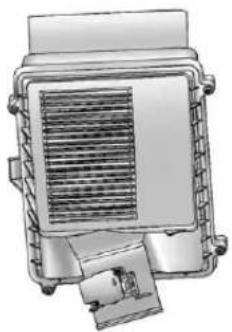
natural_image
Technical illustration of a mechanical or electrical component with no visible text or symbols- Loosenthefourscrewsonthe coverofthehousingandliftup thecover.
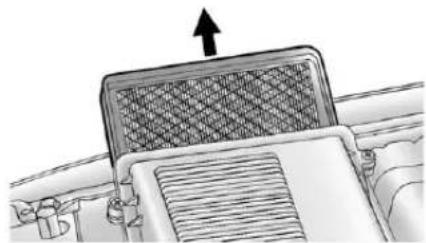
natural_image
Diagram of a car air vent with airflow direction arrow (no text or symbols)-
Removetheengineaircleaner/ filterfromthehousing. Care shouldbetakentodislodgeas littledirtaspossible.
-
Cleantheengineaircleaner/filtersealingsurfacesandthe housing.
10-16VehicleCare
- Inspectorreplacetheengineair cleaner/filter.
- Reinstall the cover and tighten the screws.

WARNING
Operatingtheenginewiththeair cleaner/filteroffcancauseyouor otherstobeburned.Theair cleanernotonlycleanstheair;it helpstostopflamesiftheengine backfires.Usecautionwhen workingontheengineanddonot drivewiththeaircleaner/filteroff.
CoolingSystem
If the vehicle is a hybrid, se the hybrids supplement form more information.
Thecoolingsystemallowsthe enginetomaintainthecorrect workingtemperature.
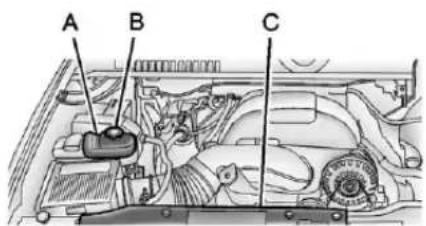
text_image
A B C5.3LV8EngineShown, 6.0LV8EngineSimilar
A. CoolantSurgeTank
B. CoolantSurgeTank PressureCap
C. EngineCoolingFan(s) (OutofView)

WARNING
Anelectricenginecoolingfan underthehoodcanstartupeven whentheengineisnotrunning andcancauseinjury.Keep hands,clothing,andtoolsaway fromanyunderhoodelectricfan.

WARNING
Heaterandradiatorhoses, and otherengineparts, can bevery hot. Donottouchthem. If you do, you can be burned.
Donotruntheengineifthereisa leak. If your untheengine, it could lose all coolant. That could cause an engine fire, and you could be burned. Get anyleak fixed before you drivethe vehicle.
Notice: Using coolantother than DEX-COOL® can cause premature engine, heater core, or radiator corrosion. In addition, the engine coolant could require changing sooner, at 50000 km (30,000 mi) or 24 months, whichever occurs first. Any repairs would not be covered by the vehicle warranty. Always use DEX-COOL (silicate-free) coolant in the vehicle.
EngineCoolant
Thecoolingsysteminthevehicle is filled with DEX-COOLengine coolant. This coolant is designed to remain in the vehicle for 5 years or 240000 km (150,000 mi), whichever occurs first.
The following explainsthecooling systemandhowtocheckandadd coolantwhenitislow. If thereisa problemwithengineoverheating, seeEngineOverheatingon page 10-21.
WhattoUse

WARNING
Addingonlyplainwaterorsome otherliquidtothecoolingsystem canbedangerous. Plainwater andotherliquids, canboilbefore thepropercoolantmixturewill. Thecoolantwarningsystemisset forthepropercoolantmixture. Withplainwaterorthewrong mixture, theenginecouldgettoo hotbutyouwouldnotgetthe overheatwarning. Theengine couldcatchfireandyouor otherscouldbeburned. Usea 50/50mixtureofclean,drinkable waterandDEX-COOLcoolant.
Usea50/50mixtureofclean, drinkablewaterandDEX-COOL coolant. If using this mixture, nothingelseneedstobeaded. This mixture:
• Givesfreezingprotectiondown to -37^(-34^) , outside temperature.
• Givesboilingprotectionupto 129°C(265°F), engine temperature.
- Protectsagainstrustand corrosion.
• Willnotdamagealuminumparts.
• Helpskeep the proper engine temperature.
Notice: If an improper coolant mixture is used, the engine could overheat and be badly damaged. Therepair cost would not be covered by the vehicle warranty. To much water in them mixture can freeze and crack the engine, radiator, heater core, and other parts.
Notice: If extrainhibitors and/or additives are used in the vehicle cooling system, the vehicle could be damaged. Use only the proper mixture of the engine coolant listed in this manual for the cooling system. See Recommended Fluids and Lubricantson page 11-12 for more information.
Neverdisposeofenginecoolantby puttingitinthetrash,pourington theground,orintosewers,streams, orbodiesofwater.Havethecoolant changedbyanauthorizedservice center,familiarwithlegal requirementsregardingused coolantdisposal.Thiswillhelp protecttheenvironmentandyour health.
CheckingCoolant
The vehicle must be on a level surface when checking the coolant level.
Checktoseeifcoolantisvisiblein thecoolantsurgetank.Ifthecoolant insidethecoolantsurgetankis boiling,donotdoanythingelseuntil itcoolsdown.Ifcoolantisvisible butthecoolantlevelisnotator abovetheFULLCOLDmark,adda 50/50mixtureofclean,drinkable waterandDEX-COOLcoolantatthe coolantsurgetank,butbesurethe coolingsystemmiscoolbeforethis isdone.
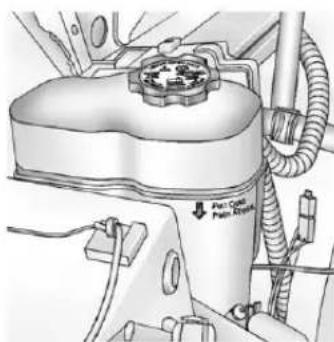
text_image
Port Control Pull BracketThecoolantsurgetankislocatedin theenginecompartmentonthe passengersideofthevehicle.See EngineCompartmentOverview on page 10-6formoreinformationon location.
Thecoolantlevelshouldbeator abovetheFULLCOLDmark.Ifitis not,thevehiclemayhavealeakin thecoolingsystem.
HowtoAddCoolanttothe SurgeTank
WARNING
Youcanbeburnedifyouspill coolantonhotengineparts. Coolantcontainsethyleneglycol anditwillburniftheengineparts arehotenough.Donotspill coolantonahotengine.
Notice: This vehicle has a specific coolantfill procedure. Failure to follow this procedure could cause the engine to overheat and be severely damaged.
WARNING
Anelectricenginecoolingfan underthehoodcanstartupeven whentheengineisnotrunning andcancauseinjury.Keep hands,clothing,andtoolsaway fromanyunderhoodelectricfan.
WARNING
Steamandscaldingliquidsfroma hotcoolingsystemcanblowout andburnyoubadly. They are underpressure, andify outurn thesurgetank pressure cap—even alittle—they can come outathighspeed. Never turnthecap whenthecooling system, including the surgetank pressure cap, ishot. Wait for the coolingsystem and surgetank pressure capt o cool if you ever havetoturn the pressure cap.
Ifnocoolantisvisibleinthesurge tank, addcoolantasfollows:
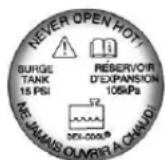
- Removethecoolantsurgetank pressurecapwhenthecooling system, including the coolant surgetank pressurecap and upperradiator hose, is no longerhot.
Turnthepressurecapslowly counterclockwiseaboutonefull turn.Ifahissisheard,waitfor thatstop.Ahissmeansthere isstillsomepressureleft.
- Keep turning the pressure cap slowly and remove it.
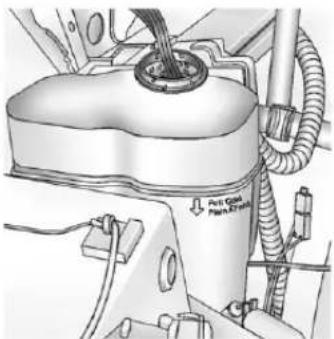
natural_image
Technical diagram of a vehicle engine component with hoses and a valve (no text or symbols visible)- Fill the coolantsurgetank with the proper mixture to the FULL COLDmark.
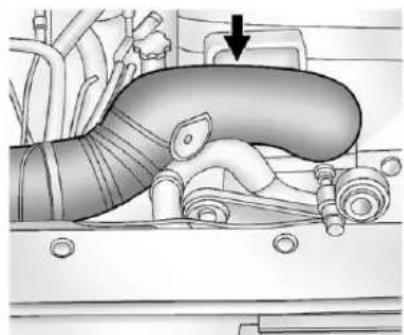
natural_image
Mechanical diagram showing a pipe system with hoses and a valve, no visible text or symbols- With the coolantsurgetank pressure capoff, start the engine and let it run until the upper radiator hose can be felt getting hot. Watch out for the engine cooling fan.
Bythistime, thecoolantlevel insidethecoolantsurgetank maybelower. Ifthelevelis lower, addmoreoftheproper mixturetothecoolantsurgetank untilthelevelreachestheFULL COLDmark.
- Replacethepressurecap. Be surethepressurecapsis hand-tightandfullyseated.
- Verifycoolantlevelafterengine isshutoffandthecoolantis cold. If necessary, repeatcoolant fillprocedureSteps1 through 6.
Notice: If the pressure cap is not tightly installed, coolant loss and possible engine damage may occur. Besure the cap is properly and tightly secured.
EngineOverheating
The vehicle has several indicators to warn of engine overheating.
Thereisacoolanttemperature gaugeonyourvehicle'sinstrument panel.SeeEngineCoolant TemperatureGaugeonpage5-15.
Inaddition, ENGINEOVERHEATED STOPENGINE, ENGINE OVERHEATEDIDLEENGINE, and an ENGINEPOWERISREDUCED message comes on the Driver Information Center (DIC) on the instrument panel. See Engine Cooling System Messages on page 5-39 and Engine Power Messages on page 5-40.
If the decision is madenottolift the hood when this warning appears, but instead gets service help right away. See Roadside Assistance Program (U.S. and Canada) on page 13-8 or Roadside Assistance Program (Mexico) on page 13-10.
If the decisionismadetoliftthe hood, makesurethevehicleis parkedonalevelsurface.
Thenchecktoseeiftheengine coolingfansarerunning. If the engineisoverheating, bothfans shouldberunning. If they are not, donotcontinuetoruntheengine and havethevehicleserviced.
Notice: Enginedamage from running the engine without coolant is not covered by the vehicle warranty. See Overheated Engine Protection Operating Mode on page 10-23 for information on driving to as safe place in an emergency.
Notice: If the engine catches fire while driving with no coolant, the vehicle can be badly damaged. The costly repairs would not be covered by the vehicle warranty. See Overheated Engine Protection Operating Mode on page 10-23 for information on driving to asafeplace in an emergency.
IfSteamIsComingfromthe EngineCompartment

WARNING
Steamfromanoverheatedengine canburnyoubadly,evenifyou justopenthehood.Stayaway fromtheengineifyouseeorhear steamcomingfromit.Turnitoff andgeteveryoneawayfromthe vehicleuntilcoolsdown.Wait untilthereisnosignofsteamor coolantbeforeyouopen thehood.
If you keep driving when the vehicles engine is over heated, the liquids in it can catch fire. You or others could be badly burned. Stop the engine if to overheats, and get out of the vehicle until the engine is cool.
(Continued)
WARNING(Continued)
See Overheated Engine Protection Operating Mode on page 10-23 for information on driving to as a safe place in an emergency.
IfNoSteamIsComingfrom theEngineCompartment
The ENGINEOVERHEATEDSTOP ENGINEortheENGINE OVERHEATEDIDLEENGINE message, alongwithalowcoolant condition, canindicateaserious problem.
Ifanengineoverheatwarningis displayedbutnosteamcanbeseen orheard,theproblemmaynotbe tooserious.Sometimestheengine cangetalittletoohotwhenthe vehicle:
• Climbsalonghillonahotday.
- Stopsafterhigh-speeddriving.
• Idlesforlongperiodsintraffic.
• Towsatrailer. See Trailer Towingonpage9-74.
If the overheat warning is displayed with nosignofsteam:
- Turntheairconditioningoff.
- Turntheheaterontothehighest temperatureandtothehighest fanspeed.Openthewindowsas necessary.
- In heavy traffic, let the engine idle in N (Neutral) while stopped. If it is a fast to do so, pulloff the road, shift to P (Park) or N (Neutral) and let the engine idle.
If the temperature overheat gauge isnolonger in the overheat zone or an overheat warning nolonger displays, the vehicle can be driven. Continuetodrivethe vehicles slowly for about 10 minutes. Keep as safe vehicle distance from the vehicle in front. If the warning does not come back on, continued or driven normally.
If the warning continues, pullover, stop, and park the vehicle right away.
Ifthereisnosignofsteam,idlethe engineforthreeminuteswhile parked.Ifthewarningisstill displayed,turnofftheengineuntil coolsdown.Also,see"Overheated EngineProtectionOperatingMode" laterinthissection.
OverheatedEngine Protection OperatingMode
Ifanoverheatedenginecondition existsandtheENGINEPOWERIS REDUCEDmessageisdisplayed, anoverheatprotectionmodewhich alternatesfiringgroupsofcylinders helpspreventenginedamage.In thismode, alossinpower and engineperformancewillbenoticed. Thisoperatingmodeallowsthe vehicletobedriventoasafeplace inanemergency.Drivingextended distancesand/ortowingatralerin theoverheatprotectionmode shouldbeavoided.
Notice: Afterdriving in the overheated engine protection operating mode, to avoid engine damage, allow the engine to cool before attempting any repair. The engine oil will be severely degraded. Repair the cause of coolant loss, changethe oil and reset the oil lifesystem. See Engine Oilon page 10-7.
EngineFan
Ifthevehiclehasaclutchedengine coolingfan,whentheclutchis engaged,thefanspinsfasterto providemoreairtocooltheengine. Inmosteverydaydrivingconditions, thefanisspinningslowerandthe clutchisnotfullyengaged.This improvesfueleconomyandreduces fannoise.Underheavyvehicle loading,trailertowing,and/orhigh outsidetemperatures,thefanspeed increasesastheclutchmorefully engages,soanincreaseinfan noisemaybeheard.Thisisnormal andshouldnotbemistakenasthe transmissionslippingormaking extrashifts.Itismerelythecooling systemfunctioningproperly.Thefan willslowdownwhenadditional coolingisnotrequiredandthe clutchdisengages.
Thisfannosemayalsobeheard whenstartingtheengine.Itwillgo awayasthefanclutchpartially disengages.
If the vehicle has electric cooling fans, the fans may be heard spinning at lowspeed during most everyday driving. The fans may turn off in no cooling is required. Under heavy vehicle loading, trailertowing, highoutsidetemperatures, or operation of the air conditioning system, the fans may change to high speed and an increase in fan noise may be heard. This is normal and indicate that the cooling system is functioning properly. The fans will change to low speed when additional cooling is no longer required.
PowerSteeringFluid
If the vehicle is a hybrid, se the hybrids supplement form more information.
SeeEngineCompartmentOverview onpage10-6forreservoirlocation.
WhentoCheckPowerSteering Fluid
Itisnotnecessarytoregularly checkpowersteeringfluidunless thereisaleaksuspectedinthe systemoranunusualnoiseis heard.Afluidlossinthissystem couldindicateaproblem.Havethe systeminspectedandrepaired.
HowtoCheckPowerSteering Fluid
Notice:Extremely small amounts of contamination can cause steering system damage and cause it tonot work properly. Do not allow contaminant to contact the fluid side of the reservoir cap/ dipstickortoenterthereservoir.
Tocheckthepowersteeringfluid:
- Turnthekeyoffandletthe enginecompartmentcooldown.
- Wipethecapandthetopofthe reservoirclean.
- Unscrewthecapandwipethe dipstickwithacleanrag.
- Replacethecapandcompletely tightenit.
- Removethecapagainandlook atthefluidlevelonthedipstick.
ThelevelshouldbeattheFULL COLDmark.Ifnecessary,addonly enoughfluidtobringthelevelupto themark.
WhattoUse
Todeterminewhatkindoffluidto use,seeRecommendedFluidsand Lubricantsonpage11-12.Always usetheproperfluid.
Notice: Use of the incorrect fluid may damage the vehicle and the damages may not be recovered by the vehicle's warranty. Always use the correct fluid listed in Recommended Fluids and Lubricantson page 11-12.
WasherFluid
WhattoUse
When windshieldwasherfluidneeds tobeadded, besuretoreadthe manufacturer's instructions before use. Useafluidthathassufficient protectionagainstfreezinginan areawherethetemperaturemayfall belowfreezing.
AddingWasherFluid
The vehicle has alowwasher fluidmessage on the DIC that comes on whent hewasher fluid is low. Them message is displayed for 15 seconds at the start of each ignition cycle. When the WASHER FLUIDLOWADDFLUID message displays, washer fluid will need to be added to the windshield washer fluid reservoir.

Openthecapwiththewasher symbolonit.Addwasherfluiduntil thetankisfull.SeeEngine CompartmentOverviewon page 10-6forreservoirlocation.
Notice
- When using concentrated washer fluid, follow the manufacturer's instructions for adding water.
- Donotmixwaterwith ready-to-usewasherfluid. Watercancausethesolution tofreezeanddamagethe washerfluidtankandother partsofthewashersystem.
- Fillthewasherfluidtankonly three-quartersfullwhenitis verycold. This allows for fluidexpansioniffreezing occurs, which could damagethetankifitis completelyfull.
- Donotuseenginecoolant (antifreeze)inthewindshield washer.Itcandamagethe windshieldwashersystem andpaint.
Brakes
Thisvehiclehasdiscbrakes.Disc brakepadshavebuilt-inwear indicatorsthatmakeahigh-pitched warningsoundwhenthebrakepads arewornandnewpadsareneeded. Thesoundcancomeandgoorbe heardallthetimethevehicleis moving,exceptwhenapplyingthe brakepedalfirmly.

WARNING
Thebrakewearwarningsound meansthatsoonthebrakeswill notworkwell.Thatcouldleadto acrash.Whenthebrakewear warningsoundisheard,havethe vehicleserviced.
Notice:Continuingtodrivewith worn-outbrakepadscouldresult incostlybrakerepair.
Somedrivingconditionsorclimates cancauseabrakesquealwhenthe brakesarefirstappliedorlightly applied. Thisdoesnotmean somethingiswrongwiththebrakes.
Properlytorquedwheelnutsare necessarytohelpppreventbrake pulsation.Whentiresarerotated, inspectbrakepadsforwear and evenlytightenwheelnutsinthe propersequencetotorque specificationsinCapacitiesand Specificationsonpage12-2.
Brakeliningsshouldalwaysbe replacedascompleteaxlesets.
BrakePedalTravel
Seeyourdealerifthebrakepedal doesnotreturntonormalheight, orifthereisarapidincreasein pedaltravel. Thiscouldbeasign thatbrakeservicemightbe required.
BrakeAdjustment
Everytimethebrakesareapplied, withorwithoutthevehiclemoving, thebrakesadjustforwear.
ReplacingBrakeSystemParts
Thebrakingsystemonavehicleis complex. Itsmanypartshavetobe oftopqualityandworkwelltogether ifthevehicleistohavereallygood braking. Thevehiclewasdesigned andtestedwithtop-qualitybrake parts. Whenpartsofthebraking systemarereplaced, besuretoget new, approvedreplacementparts. Ifthisisnotdone, thebrakesmight notworkproperly. Forexample, installingdiscbrakepadsthatare wrongforthevehicle, canchange thebalancebetweenthefrontand rearbrakes—fortheworse. The brakingperformanceexpectedcan changeinmanyotherwaysifthe wrongreplacementbrakepartsare installed.
BrakeFluid
Thebrakemastercylinderreservoir isfilledwithDOT3brakefluid.See EngineCompartmentOverviewon page 10-6forthelocationofthe reservoir.
Thereareonlytworeasonswhythe brakefluidlevelinthereservoir mightgodown:
- Thebrakefluidlevelgoesdown becauseofnormalbrakelining wear.Whennewliningsare installed,thefluidlevelgoes backup.
- Afluidleakinthebrake hydraulicsystemcanalsocause alowfluidlevel.Havethebrake hydraulicsystemfixed,sincea leakmeansthatsoonerolater thebrakeswillnotworkwell.
Donottopoffthebrakefluid. Addingfluiddoesnotcorrectaleak. Iffluidisaddedwhentheliningsare worn,therewillbetoomuchfluid whennewbrakeliningsare installed.Addorremovebrakefluid, asnecessary,onlywhenworkis doneonthebrakehydraulicsystem.
WARNING
Iftoomuchbrakefluidisadded, it canspillontheengineandburn, iftheengineishotenough. You orotherscouldbeburned, and thevehiclecouldbedamaged. Addbrakefluidonlywhenworkis doneonthebrakehydraulic system. See "CheckingBrake Fluid" in this section.
Whenthebrakefluidfallstoalow level, thebrakewarninglightcomes on. See Brake System Warning Lightonpage 5-23.
RefertotheMaintenanceSchedule todeterminewhentocheckthe brakefluid.SeeMaintenance Scheduleonpage11-3.
CheckingBrakeFluid
Checkbrakefluidbylookingatthe brakefluidreservoir.SeeEngine CompartmentOverviewon page10-6.
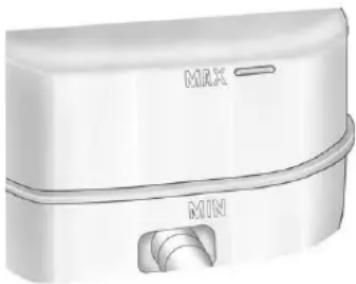
natural_image
Exterior view of a modern office building (no signage)Thefluidlevelshouldbeabove MIN.Ifitisnot,havethebrake hydraulicsystemcheckedtoseeif thereisaleak.
Afterworkisdoneonthebrake hydraulicsystem,makesurethe levelisabovetheMINbutnotover theMAXmark.
WhattoAdd
UseonlynewDOT3brakefluid fromasealedcontainer.See RecommendedFluidsand Lubricantsonpage11-12.
Alwayscleanthebrakefluid reservoircapandtheareaaround thecapbeforeremovingit. This helpskeepdirtfromenteringthe reservoir.

WARNING
Withthewrongkindoffluidinthe brakehydraulicsystem,the brakesmightnotworkwell.This couldcauseacrash.Alwaysuse theproperbrakefluid.
Notice
- Usingthewrongfluidcan badlydamagebrake hydraulicsystemparts. For example, justafewdropsof mineral-basedoil, such as engineoil, inthebrake hydraulicsystemcan damagebrakehydraulic systempartssobadlythat theywillhavetobereplaced. Donotletsomeoneputin thewrongkindoffluid.
- Ifbrakefluidisspilledonthe vehicle'spaintedsurfaces, thepaintfinishcanbe damaged.Becarefulnotto spillbrakefluidonthe vehicle.Ifyoudo,washitoff immediately.
Battery
If the vehicle is a hybrid, se the hybrids supplement form more information.
Refertothereplacementnumberon theoriginalbatterylabelwhena newbatteryisneeded.SeeEngine CompartmentOverviewon page10-6forbatterylocation.

WARNING
Batteryposts,terminals,and relatedaccessoriescontainlead andleadcompounds,chemicals knowntotheStateofCaliforniato causecancerandreproductive harm.Washhandsafterhandling.
VehicleStorage

WARNING
Batterieshaveacidthatcanburn youandgasthatcanexplode. Youcanbebadlyhurtifyouare notcareful.See Jump Startingon page 10-89fortipsonworking aroundabatterywithout gettinghurt.
InfrequentUsage:Removethe black,negative(-)cablefromthe batterytokeepthebatteryfrom runningdown.
ExtendedStorage:Removethe black,negative(−)cablefromthe batteryoruseabatterytrickle charger.
Four-WheelDrive
TransferCase
WhentoCheckLubricant
RefertoMaintenanceScheduleon page 11-3 todeterminewhento checkthelubricant.
HowtoCheckLubricant
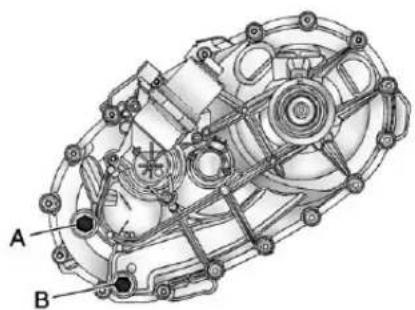
natural_image
Technical diagram of a mechanical assembly with labeled components A and B (no text or symbols beyond labels)ActiveTransferCase
A. FillPlug
B.DrainPlug
Togetanaccuratereading, the vehicles should be on a level surface.
If the level is below the bottom of the fill plug hole, some lubricant will need to be added. Addenough lubricant torais the level to the bottom of the fill plug hole. Use care not too overtight the plug.
WhentoChangeLubricant
RefertoMaintenanceScheduleon page 11-3 todetermine how oftento changethelubricant.
WhattoUse
RefertoRecommendedFluidsand Lubricantsonpage11-12to determinewhatkindoflubricant touse.
FrontAxle
WhentoCheckandChange Lubricant
Itisnotnecessarytoregularly checkfrontaxlefluidunlesssaleak issuspected,oranunusualnoiseis heard.Afluidlosscouldindicatea problem.Haveitinspectedand repaired.
HowtoCheckLubricant
Togetanaccuratereading, the vehicles should be on a level surface.
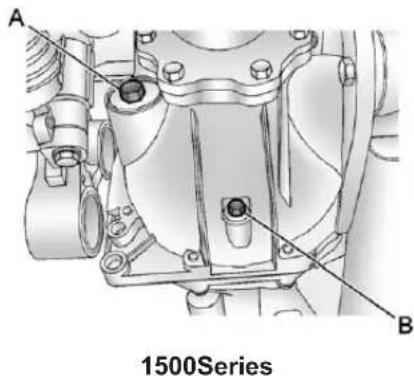
text_image
A B 1500SeriesA. FillPlug
B.DrainPlug
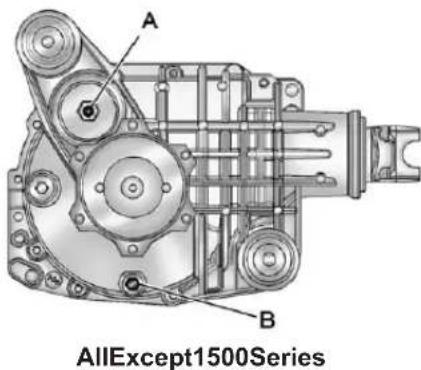
text_image
A B AllExcept1500SeriesA.FillPlug
B.DrainPlug
- Whenthedifferentialiscold, add enoughlubricanttoraisethe levelfrom0mm(0in)to3.2mm (1/8in)belowthefillplughole.
- Whenthedifferentialisat operatingtemperature(warm), addenoughlubricanttoraisethe leveltothebottomofthefill plughole.
WhattoUse
RefertoRecommendedFluidsand Lubricantsonpage11-12to determinewhatkindoflubricant touse.
RearAxle
WhentoCheckLubricant
Itisnotnecessarytoregularly checkrearaxlefluidunlesssthereis aleaksuspected,oranunusual noiseisheard.Afluidlosscould indicateaproblem.Haveit inspectedandrepaired.
Allaxleassembliesarefilledby volumeoffluidduringproduction. Theyarenotfilledtoreachacertain level.Whencheckingthefluidlevel onanyaxle, variationsinthe readingscanbecausedbyfactory filldifferencesbetweenthemminimum andthemaximumfluidvolume. Also,ifvehiclehasjustbeen drivenbeforecheckingthefluid level,itmayappearlowerthan normalbecausefluidhastraveled
outalongtheaxletubesandhas notdrainedbacktothesumparea. Therefore, areadingtaken fiveminutesafterthevehiclehas beendrivenwillappeartohavea lowerfluidlevelthanavehiclethat hasbeenstationaryforanhouror two. Remember that therearaxle assemblymustbesupportedtoget atruereading.
HowtoCheckLubricant
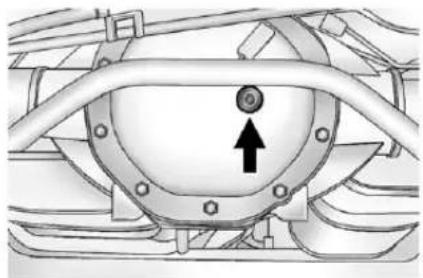
natural_image
Technical diagram of a mechanical component with a circular feature and an arrow indicating direction (no text or symbols present)1500Series
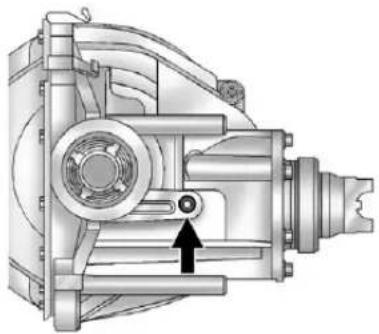
natural_image
Technical illustration of a mechanical assembly with no visible text or symbols2500Series
Togetanaccuratereading, the vehicleshouldbeonalevel surface.
- Forthe1500series, the proper level is from 1.0 mm to 19.0 mm (0.04 into 0.75 in) below the bottom of the fill plug hole, located on therearaxle. Add only enough fluid to reach the proper level.
10-32VehicleCare
- Forthe2500series,theproper levelisfrom0mmto13mm (0into1/2in)belowthebottom ofthefillplughole,locatedat thefrontoftheaxle.Addonly enoughfluidtoreachtheproper level.
StarterSwitchCheck

WARNING
Whenyouaredoingthis inspection,thevehiclecould movesuddenly.Ifthevehicle moves,youorotherscouldbe injured.
-
Before starting this check, be sure there is enoughroom around the vehicle.
-
Firmlyapplyboththeparking brakeandtheregularbrake. SeeParkingBrakeon page9-46.
Donotusetheaccelerator pedal, and bereadytoturnoff theengineimmediatelyifit starts. - Trytostarttheengineineach gear. The vehicles should start only in P(Park) or N(Neutral). If the vehicle starts in any other position, contact your dealer for service.
AutomaticTransmission ShiftLockControl FunctionCheck

WARNING
When you are doing this inspection, the vehicle could moves suddenly. If the vehicle moves, you or others could be injured.
- Before starting this check, be sure there is one enough room around the vehicle. It should be parked on a level surface.
- Firmly apply the parking brake. See Parking Brake on page 9-46.
Bereadytoapplytheregular brakeimmediatelyifthevehicle beginstomove.
- With the engine off, turn the ignition on, but donot start the engine. Without applying the regular brake, try to mov the shift lever out of Park with normaleffort. If the shift lever moves out of Park, contact your dealer for service.
IgnitionTransmission LockCheck
Whileparked, and with the parking brakeset, try to turn the ignition to LOCK/OFFineachshift lever position.
- Theignitionshouldturnto LOCK/OFFonlywhentheshift leverisinP(Park).
• Theignitionkeyshouldcome outonlyinLOCK/OFF.
Contactyourdealerifserviceis required.
ParkBrakeandP(Park) MechanismCheck
WARNING
Whenyouaredoingthischeck, thevehiclecouldbegintomove. Youorotherscouldbeinjured andpropertycouldbedamaged. Makesurethereisroominfront ofthevehicleincaseitbeginsto roll.Bereadytoapplytheregular brakeatonceshouldthevehicle begintomove.
Parkonafairlysteephill, with the vehicle facingdownhill. Keeping yourfootontheregularbrake, set theparkingbrake.
- Tochecktheparkingbrake's holdingability:Withtheengine runningandthetransmissionin N(Neutral),slowlyremovefoot pressurefromtheregularbrake pedal.Dothisuntilthevehicleis heldbytheparkingbrakeonly.
- TochecktheP(Park) mechanism'sholdingability: Withtheengine running, shift to P(Park). Then releasethe parkingbrake followed by the regularbrake.
Contactyourdealerifserviceis required.
WiperBladeReplacement
Windshieldwiperbladesshouldbe inspectedforwearorcracking.See Maintenance Scheduleon page 11-3.
Replacementbladescomein differenttypesandareremovedin differentways.
FrontWiperBlade Replacement
- Pullthewindshieldwiperarm connectorawayfromthe windshield.
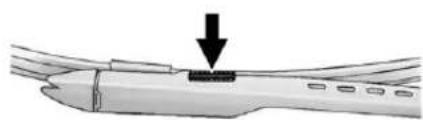
natural_image
Diagram of a mechanical component with an arrow indicating force or movement (no text or symbols present)- Squeezethegroovedareason eachsideoftheblade, andturn thebladeassemblyawayfrom thearmconnector.
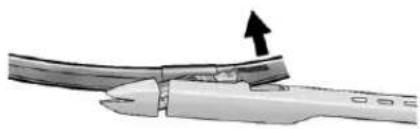
natural_image
Close-up of a cable being cut with an arrow indicating the cable's direction (no text or symbols present)- Installthenewbladeontothe armconnectorandmakesure thegroovedareasarefullysetin thelockedposition.
Forthepropertyandsize,see MaintenanceReplacementPartson page11-14.
RearWiperBladeReplacement
- Liftthewiperbladeassemblyup andoutoftheparkrestposition.
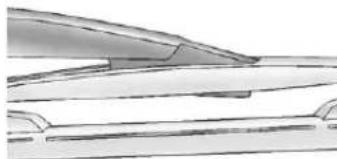
natural_image
Pure technical line drawing of a mechanical component or bracket (no text or symbols)-
Pullthewiperbladeassembly awayfromthebackglass. The backglasswiperbladewillnot lockinaverticalposition, so careshouldbeusedwhen pullingitawayfromthevehicle.
-
Turnthewiperbladeassembly, andpullitoffofthewiperarm. Holdthewiperarminposition andpushthebladeawayfrom thewiperarm.
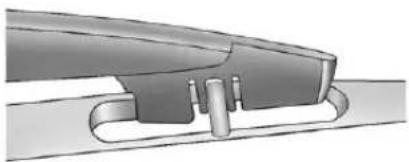
natural_image
Mechanical component diagram showing a curved assembly with no visible text or symbols- Replacethewiperblade.
- Returnthewiperbladeassembly totheparkrestposition.
GlassReplacement
Ifthewindshieldorfrontsideglass mustbereplaced,seeyourdealer todeterminethecorrect replacementglass.
HeadlampAiming
The vehicle has a visual optical headlampaimingsystem. The aim of the headlampshas been preset at the factory and should need no further adjustment.
However, if the vehicle is damaged inacrash, the aim of the headlamps may be affected and adjustment may be necessary.
Ifoncomingvehiclesflashtheirhigh beamsatyou, this may mean the vertical aim of the headlamps needs to be adjusted.
It is recommended that the vehicle betakentoyourdealerforservice if the headlampsneedtobeadjusted. It is possible, however, tore-aim the headlampsas described.
The vehicles should:
- Beplacedsotheheadlamps are7.6m(25ft)from a light-coloredwall.
• Haveallfourtiresonalevel surfacewhichislevelalltheway tothewall. - Beplacedsoitisperpendicular tothewall.
- Nothaveanysnow, ice, ormud onit.
- Befullyassembledandallother workstoppedwhileheadlamp aimingisbeingperformed.
- Beloadedwithafulltankoffuel andonepersonor75kg (160lbs)sittingonthe driverseat.
• Havethetiresproperlyinflated.
• Havethesparetireinitsproper locationinthevehicle.
10-36VehicleCare
Headlampaimingisdonewiththe vehicle'slow-beamheadlamps.The high-beamheadlampswillbe correctlyaimedifthelow-beam headlampsareaimedproperly.
Toadjusttheverticalaim:
- Openthehood. See Hoodon page 10-5
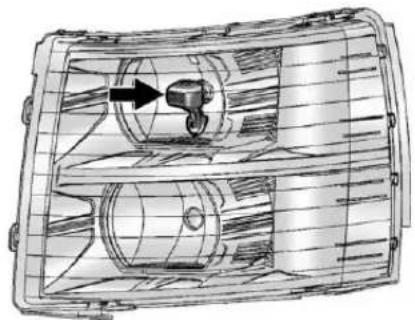
natural_image
Technical line drawing of a mechanical component with internal cavities and a central hub (no text or symbols)-
Locatetheaimdotonthelensof thelow-beamheadlamp.
-
Recordthedistancefromthe groundtotheaimdotonthe low-beamheadlamp.
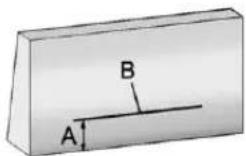
-
Atawall, measure from the ground upward (A) to the recorded distance from Step3 and markit.
-
Drawortapeahorizontalline(B) onthewallthewidthofthe vehicleattheheightofthemark inStep4.
Notice: Donotcoveraheadlamp toimprovebeamcut-offwhen aiming. Coveringaheadlampmay causeexcessiveheatbuild-up whichmaycausedamagetothe headlamp.
- Turnonthelow-beam headlampsandplaceapieceof cardboardorequivalentinfront oftheheadlampnotbeing adjusted. Thisallowsonlythe beamoflightfromtheheadlamp beingadjustedtobeseenonthe flatsurface.
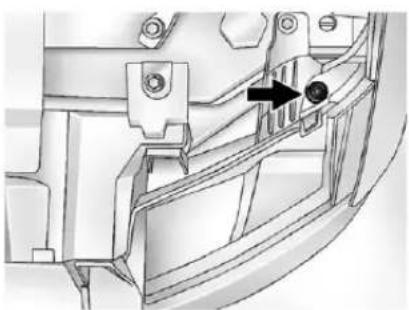
natural_image
Technical diagram of a mechanical component with an arrow indicating a specific feature (no text or symbols present)- Locatetheverticalheadlamp aimingscrews, which are under the hoodneareachheadlamp assembly.
Theadjustmentscrewcanbe turnedwithanE8Torx ^® socket.
- Turntheverticalaimingscrew untiltheheadlampbeamis aimedtothehorizontal tapeline. Turnitclockwiseor counterclockwisetoraiseor lowertheangleofthebeam.
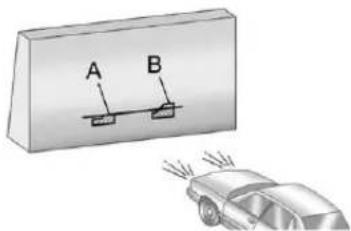
text_image
A B- Makesurethatthelightfromthe headlampispositionedatthe bottomedgeofthehorizontal tapeline. Thelamponthe left(A)showsthecorrect headlampaim. Thelamponthe right(B)showstheincorrect headlampaim.
10.RepeatSteps7through9for theoppositeheadlamp.
BulbReplacement
Forthepropertyofreplacement bulbs,seeReplacementBulbson page 10-39.
Foranybulb-changingprocedure notlisted in this section, contact your dealer.
HalogenBulbs
WARNING
Halogenbulbshavepressurized gasinsideandcanburstifyou droporscratchthebulb. Youor otherscouldbeinjured. Besure toreadandfollowtheinstructions onthebulbpackage.
Taillamps, TurnSignal, Stoplamps, and Back-Up Lamps
If the vehicle is a hybrid, se the hybrids supplement for the bulb changing procedure.
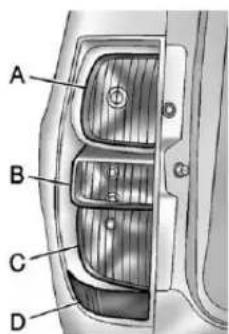
text_image
A B C DA. Stoplamp/Taillamp
B.Back-upLamp
C.Taillamp/TurnSignalLamp
D.SideMarkerLamp
Toreplaceoneofthesebulbs:
- Openthelfitgate.SeeLiftgate onpage2-10.
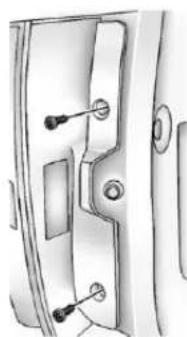
natural_image
Technical line drawing of a door handle with key points (no text or symbols)- Removethetwoscrewsfromthe taillampassembly.
-
Pullthetaillampassembly rearwarddisengagingthetwo outerpinsonthetaillamp assemblyfromthevehicle.
-
Turnthebulbsocket counterclockwisetoremoveit fromthetaillampassembly.
- Pulltheoldbulbstraightout fromthebulbsocket.
- Pressanewbulbintothebulb socketandinstallthesocketinto thetaillampassemblybyturning itclockwise.
- Reinstallthetaillampassembly. Whenreinstalling, makesureto lineupthepinsonthetaillamp assemblywiththevehicle. If thisisnotdone, thetaillamp assemblywillnotbeabletobe installed correctly.
LicensePlateLamp
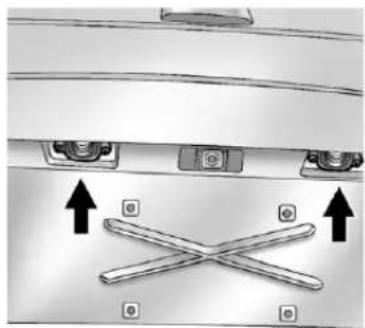
natural_image
Diagram of a car rearrest with two doors and a cross-shaped object, no text or symbols present-
Removethetwoscrewsholding eachofthelicenseplatelamps tothemoldingthatispartofthe liftgate.
-
Twistandpullthelicenseplate lampassemblyforwardthrough themoldingopening.
- Removethebulbsocketfrom thelampassemblybyturningit counterclockwise.
- Pullthebulbstraightoutofthe socketandinstallthenewbulb.
- ReverseSteps1 through 3 to reinstall the license plate lamp.
ReplacementBulbs
If the vehicle is a hybrid, se the hybrids supplement form more information.
| ExteriorLamp | Bulb Number |
| Back-upLamp7441 | |
| LicensePlateLampW5 | WLL |
| RearTurnSignal Lamp,Taillamp,and Stoplamp | 3057K |
| SideMarkerLamp194 |
Forreplacementbulbsnotlisted here,contactyourdealer.
ElectricalSystem
ElectricalSystem Overload
The vehicle has fuses and circuit breaker stop protect against electrical system overload.
Whenthecurrentelectricalloadis tooheavy, the circuitbreakeropens and closes, protecting the circuit until the current load return to normal or the problem is fixed. This greatly reduces the chance of circuit overload and fire caused by electrical problems.
Fusesandcircuitbreakersprotect powerdevicesinthevehicle.
Replaceabadfusewithanewone oftheidenticalsizeandrating.
If thereisaproblemontheroad and afuseneedstobereplaced, the sameamperagefusecan be borrowed. Choosesomefeature of the vehicle that is not needed to use and replace it as soon as possible.
HeadlampWiring
Anelectricaloverloadmaycause thelampstogoonandoff,orin somecasestoremainoff.Havethe headlampwiringcheckedrightaway ifthelampsgoonandoffor remainoff.
WindshieldWipers
Ifthewipermotoroverheatsdueto heavysnoworice, the windshield wiperswillstopuntilthemotorcools and will then restart.
Although the circuit is protected from electrical overload, overload dueto heavysnow oricemay cause wiper linkaged damage. Always clear rice and heavysnow from the windshield before using the windshield wipers.
If the overload is caused by an electrical problem and not snow or ice, besure to get it fixed.
FusesandCircuit Breakers
If the vehicle is a hybrid, se the hybrids supplement form more information.
Thewiringcircuitsinthevehicleare protectedfromshortcircuitsbya combinationoffuses,circuit breakersandfusiblethermallinks. Thisgreatlyreducesthechanceof firescausedbyelectricalproblems.
Lookatthesilver-coloredband insidethefuse. Ifthebandisbroken ormelted, replacethefuse. Besure youreplaceabadfusewithanew oneoftheidenticalsizeandrating.
If you ever have a problemon the road and don't have as spare fuse, you can borrow onethathasthe same amperage. Just picks some feature of your vehicle that you can get along without - likether radioor accessory power outlet - and use its fuse, if it is correct amperage. Replace it as soon as you can.
EngineCompartment FuseBlock
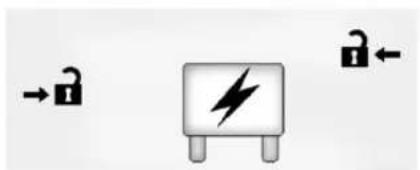
natural_image
Pure electrical circuit symbols without any text or labelsTheEngineCompartmentFuse Blockislocatedintheengine compartment,onthedriversideof thevehicle.Liftthecoverforaccess tothefuse/relayblock.
If the vehicle is a hybrid, se the hybrids supplement form more information.
Notice: Spilling liquidon any electrical component on the vehicle may damage it. Always keep the cover on any electrical component.
Toremovefuses, holdtheendof thefusebetweenyourthumbband indexfingerandpullstraightout.
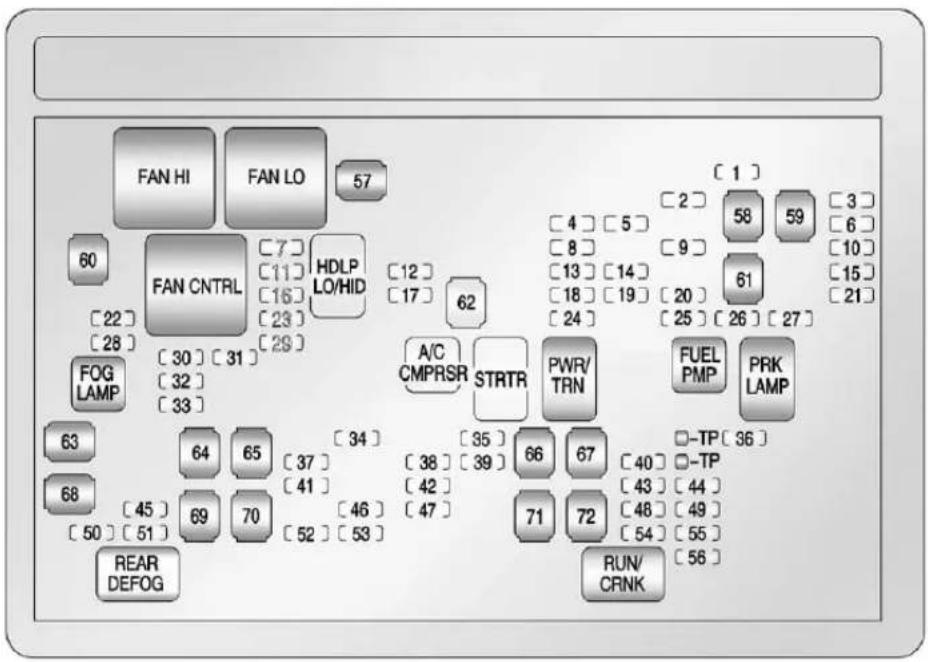
flowchart
graph TD
    A["FAN HI"] --> B["FAN LO"]
    B --> C["57"]
    D["FAN CNTRL"] --> E["HDLP LO/HID"]
    E --> F["29"]
    G["FOG LAMP"] --> H["30"]
    H --> I["31"]
    J["REAR DEFOG"] --> K["69"]
    K --> L["70"]
    M["A/C CMPRSR"] --> N["STRTR"]
    O["PWR/TRN"] --> P["62"]
    Q["FUEL PMP"] --> R["58"]
    S["PRK LAMP"] --> T["59"]
    U["REUN/CRNK"] --> V["61"]
    W["HDLP LO/HID"] --> X["12"]
    X --> Y["17"]
    Z["STRTR"] --> AA["35"]
    AB["PROFESSIONAL"] --> AC["40"]
    AD["PROFESSIONAL"] --> AE["43"]
    AF["PROFESSIONAL"] --> AG["48"]
    AH["PROFESSIONAL"] --> AI["54"]
    AJ["PROFESSIONAL"] --> AK["56"]
    AL["PROFESSIONAL"] --> AM["59"]
    AN["PROFESSIONAL"] --> AO["61"]
    AP["PROFESSIONAL"] --> AQ["20"]
    AR["PROFESSIONAL"] --> AS["25"]
    AT["PROFESSIONAL"] --> AU["26"]
    AV["PROFESSIONAL"] --> AW["27"]
    AX["PROFESSIONAL"] --> AY["1"]
    AZ["PROFESSIONAL"] --> BA["2"]
    BB["PROFESSIONAL"] --> BC["3"]
    BD["PROFESSIONAL"] --> BE["6"]
    BF["PROFESSIONAL"] --> BG["10"]
    BH["PROFESSIONAL"] --> BI["15"]
    BJ["PROFESSIONAL"] --> BK["21"]
The vehicle may not be equipped with allothefuses, relays, and feature shown.
| FusesUsage | |
| 1 | RightTrailerStop/TurnLamp |
| 2 | ElectronicStability SuspensionControl, AutomaticLevel ControlExhaust |
| 3 | LeftTrailerStop/TurnLamp |
| 4 | EngineControls |
| 5 | EngineControl Module,Throttle Control |
| 6 | TrailerBrake Controller |
| 7 | FrontWasher |
| 8 | OxygenSensors |
| 9 | AntilockBrakes System2 |
| FusesUsage | |
| 10 | TrailerBack-upLamps |
| 11 | DriverSideLow-BeamHeadlamp |
| 12 | EngineControlModule(Battery) |
| 13 | FuelInjectors,IgnitionCoils(RightSide) |
| 14 | TransmissionControlModule(Battery) |
| 15 | VehicleBack-upLamps |
| 16 | PassengerSideLow-BeamHeadlamp |
| 17 | AirConditioningCompressor |
| 18OxygenSensors | |
| 19 | TransmissionControls(Ignition) |
| 20FuelPump | |
| FusesUsage | |
| 21 | FuelSystemControl Module |
| 22HeadlampWasher | |
| 23 | RearWindshield Washer |
| 24 | FuellInjectors,Ignition Coils(LeftSide) |
| 25TrailerParkingLamps | |
| 26 | DriverSideParking Lamps |
| 27 | PassengerSide ParkingLamps |
| 28Foglamps | |
| 29Horn | |
| 30 | PassengerSide High-BeamHeadlamp |
| 31 | DaytimeRunning Lamps(DRL)(IfEquipped) |
| 32 | DriverSide High-BeamHeadlamp |
10-44VehicleCare
| FusesUsage | |
| 33 | DaytimeRunningLamps2(IfEquipped) |
| 34Sunroof | |
| 35 | KeyIgnitionSystem,TheftDeterrentSystem |
| 36WindshieldWiper | |
| 37 | SEOB2UpfitterUsage(Battery) |
| 38 | ElectricAdjustablePedals |
| 39 | ClimateControls(Battery) |
| 40 | AirbagSystem(Ignition) |
| 41Amplifier | |
| 42AudioSystem | |
| 43 | Miscellaneous(Ignition),CruiseControl |
| FusesUsage | |
| 44LiftgateRelease | |
| 45 | AirbagSystem(Battery) |
| 46 | InstrumentPanelCluster |
| 47NotUsed | |
| 48 | AuxiliaryClimateControl(Ignition) |
| 49 | CenterHigh-MountedStoplamp(CHMSL) |
| 50RearDefogger | |
| 51HeatedMirrors | |
| 52 | SEOB1UpfitterUsage(Battery) |
| 53 | AccessoryPowerOutlet,CigaretteLighter(IfEquipped) |
| 54 | AutomaticLevelControlCompressorRelay |
| FusesUsage | |
| 55 | ClimateControls(Ignition) |
| 56 | EngineControlModule,SecondaryFuelPump(Ignition) |
| J-Case Fuses | Usage |
| 57CoolingFan1 | |
| 58 | AutomaticLevel ControlCompressor |
| 59 | HeavyDutyAntilock BrakingSystem |
| 60CoolingFan2 | |
| 61 | AntilockBrake System1 |
| 62Starter | |
| 63 | Stud2(Trailer Brakes) |
| 64 | LeftBussedElectrical Center1 |
| 65 | ElectricRunning Boards |
| 66NotUsed | |
| 67TransferCase | |
| 68 | Stud1(Trailer ConnectorBattery Power) |
| 69 | Mid-BussedElectrical Center1 |
| 70 | ClimateControl Blower |
| 71 | PowerLiftgate Module |
| 72 | LeftBussedElectrical Center2 |
| RelaysUsage | |
| FANHI | CoolingFanHighSpeed |
| FANLO | CoolingFanLowSpeed |
| RelaysUsage | |
| FANCNTRL | CoolingFanControl |
| HDLPLO/HID | Low-BeamHeadlamp |
| FOGLAMP | FrontFogLamps |
| A/CCMPRSR | AirConditioningCompressor |
| STRTRStarter | |
| PWR/TRNP | Powertrain |
| FUEL PMP | FuelPump |
| PRKLAMP | ParkingLamps |
| REARDEFOG | RearDefogger |
| RUN/CRNK | SwitchedPower |
InstrumentPanelFuse Block
natural_image
Close-up of a mechanical component with curved surfaces and layered edges (no visible text or symbols)Theinstrumentpanelfuseblock accessdoorislocatedonthedriver sideedgeoftheinstrumentpanel.
Pulloffthecovertoaccessthefuse block.
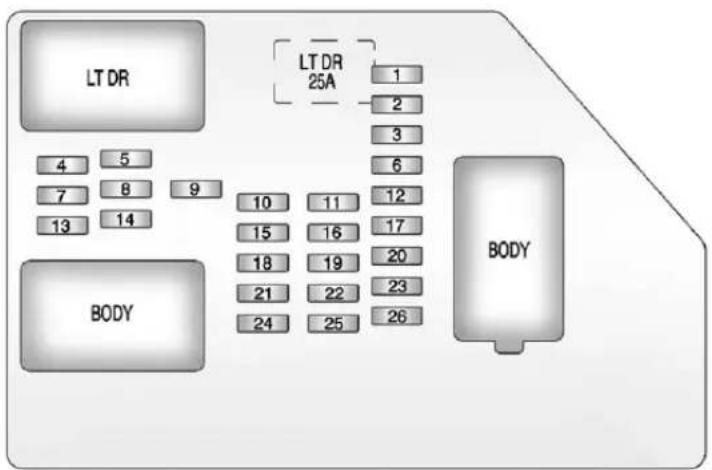
flowchart
graph TD
    A["LT DR"] --> B["4"]
    A --> C["5"]
    A --> D["7"]
    A --> E["8"]
    A --> F["13"]
    A --> G["14"]
    H["BODY"] --> I["10"]
    H --> J["11"]
    H --> K["15"]
    H --> L["16"]
    H --> M["18"]
    H --> N["19"]
    H --> O["21"]
    H --> P["22"]
    H --> Q["24"]
    H --> R["25"]
    H --> S["26"]
    T["LT DR 25A"] --> U["1"]
    T --> V["2"]
    T --> W["3"]
    T --> X["6"]
    T --> Y["12"]
    T --> Z["17"]
    T --> AA["20"]
    T --> AB["23"]
    T --> AC["26"]
The vehicle may not be equipped with allothefuses, relays, and feature shown.
| FusesUsage | |
| 1RearSeats | |
| 2 | RearAccessoryPowerOutlet |
| FusesUsage | |
| 3 | SteeringWheelControlsBacklight |
| 4Driver | DoorModule |
| 5 | DomeLamps,DriverSideTurnSignal |
| FusesUsage | |
| 6 | DriverSideTurn Signal,Stoplamp |
| 7 | InstrumentPanel BackLighting |
| 8 | PassengerSideTurn Signal,Stoplamp |
| 9 | PassengerDoor Module,DriverUnlock |
| 10 | PowerDoorLock2 (UnlockFeature) |
| 11 | PowerDoorLock2 (LockFeature) |
| 12 | Stoplamps,Center High-Mounted Stoplamp |
| 13Rear | ClimateControls |
| 14PowerMirror | |
| 15 | BodyControl Module(BCM) |
| 16 | AccessoryPower Outlets |
| 17 | InteriorLamps |
| 18 | PowerDoorLock1 (UnlockFeature) |
| 19 | RearSeat Entertainment |
| 20 | UltrasonicRear ParkingAssist,Power Liftgate |
| 21 | PowerDoorLock1 (LockFeature) |
| 22 | DriverInformation Center(DIC) |
| FusesUsage | |
| 23Rear | Wiper |
| 24Cooled | Seats |
| 25 | DriverSeatModule, RemoteKeylessEntry System |
| 26 | DriverPowerDoor Lock(UnlockFeature) |
| Circuit Breaker | Usage |
| LTDR | DriverSidePowerWindowCircuitBreaker |
| Harness ConnectorUsage | |
| LTDR | DriverDoor Harness Connection |
| BODYHarnessConnector | |
| BODYHarnessConnector | |
CenterInstrumentPanelFuse Block
Thecenterinstrumentpanelfuse blockislocatedunderneaththe instrumentpanel,totheleftofthe steeringcolumn.
TopView
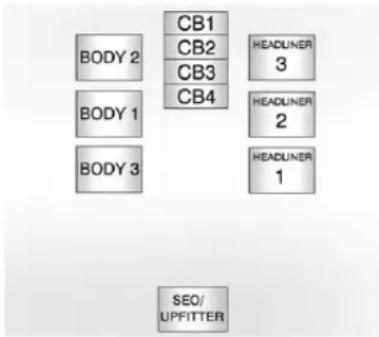
text_image
BODY 2 BODY 1 BODY 3 CB1 CB2 CB3 CB4 HEADLNER 3 HEADLNER 2 HEADLNER 1 SEO/ UPFITTER| Harness ConnectorUsage | |
| BODY2 | BodyHarness Connector2 |
| BODY1 | BodyHarness Connector1 |
| BODY3 | BodyHarness Connector3 |
| HEADLINER 3 | HeadlinerHarness Connector3 |
| Harness ConnectorUsage | |
| HEADLINER 2 | HeadlinerHarness Connector2 |
| HEADLINER 1 | HeadlinerHarness Connector1 |
| SEO/UPFITTER | SpecialEquipment OptionUpfitter HarnessConnector |
| Circuit BreakerUsage | |
| CB1 | PassengerSidePowerWindowCircuitBreaker |
| CB2 | PassengerSeatCircuitBreaker |
| CB3 | DriverSeatCircuitBreaker |
| CB4Rear | SlidingWindow |
WheelsandTires
Tires
EverynewGMvehiclehas high-qualitytiresmadebya leadingtiremanufacturer.See thewarrantymanualfor informationregardingthetire warrantyandwheretoget service.Foradditional informationrefertothetire manufacturer.

WARNING
- Poorlymaintained and improperly used tires are dangerous.
• Overloadingthetirescan causeoverheatingasaresult oftoomuchflexing.There couldbeablowoutanda seriouscrash.See Vehicle LoadLimitsonpage9-16.
(Continued)
WARNING(Continued)
- Underinflatedtiresposethe samedangerasoverloaded tires. Theresultingcrash couldcauseseriousinjury. Checkalltiresfrequently to maintaintherecommended pressure. Tirepressure shouldbecheckedwhenthe tiresarecold.
• Overinflatedtiresaremore likelytobecut, punctured, orbrokenbyasudden impact—suchaswhen hittingapothole. Keeptiresat therecommended pressure. - Wornoroldtirescancausea crash. If the treadis badly worn, replacethem.
(Continued)
WARNING(Continued)
- Replaceanytiresthathave beendamagedbyimpacts withpotholes,curbs,etc.
- Improperlyrepairedtirescan causeacrash. Only the dealeroranauthorized tire servicecenters should repair, replace, dismount, and mount the tires.
- Donotspinthetiresin excessof56km/h(35mph) onslippery surface such as snow, mud, ice, etc. Excessivespinning may causethetirestoexplode.
20-InchTires
If the vehicle has 20-inch P275/55R20sizetires, they are classified as touring tires and are designed for on road use. Thelow-profile, widetread design is not recommended for off-road driving. See Off-Road Driving on page 9-6, for additional information.
Notice: Low-profiletires are moresusceptibletodamage from roadhazardsorcurb impactthanstandardprofile tires. Tire and/orwheel assembly damage can occur when coming into contact with roadhazards like, potholes, or sharpened objects, or when sliding into a curb. The warranty does not cover this type of damage.
Keeptiressettothecorrect inflationpressureand,when possible,avoidcontactwith curbs,potholes,andother roadhazards.
TireSidewallLabeling
Usefulinformationaboutatireis moldedintothesidewall.The exampleshowatypical passengerandlighttrucktire sidewall.
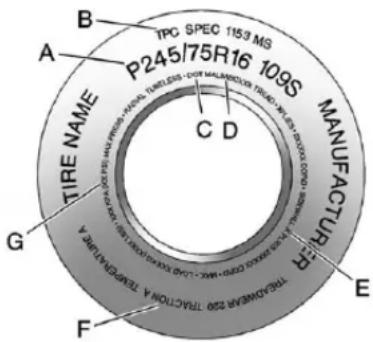
text_image
TIRE NAME P245/75R16 109S MANUFACTURER B A C D G F THE TINOMAR 250 TRACTION TA KONCHING TA E B TPC SPEC 1153 MSPassenger(P-Metric)Tire
(A)TireSize: Thetiresize codeisacombinationofletters andnumbersusedtodefinea particulartire'swidth,height,aspectratio,constructiontype,andservicedescription.Seethe "TireSize"illustrationalterinthis sectionformoredetail.
(B)TPCSpec(Tire PerformanceCriteria Specification):Original equipmenttiresdesignedto GM'sspecificireperformance criteriahaveaTPCspecification codemoldedontothesidewall. GM'sTPCspecificationsmeetor exceedallfederalsafety guidelines.
(C)DOT(Departmentof Transportation): The DepartmentofTransportation (DOT)codeindicatesthatthe tireisincompliancewith theU.S.Departmentof TransportationMotorVehicle SafetyStandards.
(D) TireIdentificationNumber (TIN): The letters and numbers following the DOTcode are the TireIdentificationNumber (TIN). The TIN shows the manufacturer and plant code, tiresize, and datethetirewas
manufactured. The TINis moldedontobothsidesofthe tire, althoughonlyonesidemay havethedateofmanufacture.
(E)TirePlyMaterial :Thetype ofcordandnumberofpliesin thesidewallandunderthetread.
(F)UniformTireQuality Grading(UTQG): Tire manufacturersarerequired to gradetiresbasedonthree performancefactors:treadwear, traction,andtemperature resistance. Formore information,seeUniformTire QualityGradingonpage 10-69.
(G)MaximumColdInflation LoadLimit :Maximumload thatcanbecarriedandthe maximumpressureneededto supportthatload.For informationonrecommended tirepressuresee TirePressure onpage 10-57and VehicleLoad Limitsonpage9-16.
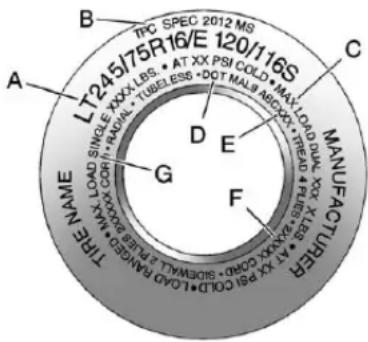
text_image
B TPC SPEC 2012 MS 120/116S A LT245/75R16/E C MANUFACTURER G F THE NAME WWW.X-LOAD SINGLE XXXX-CORI D E E 11 XX PSI COL#D-L CLAD RANGED MAX 10000000000000000000000000000000000000000000000000000000000000000000000000000000000000000000000000 AT XX PSI COLD MAX LOAD QUNX KX TREAD FLU PUL 1835 PUL 1835 PUL 1835 PUL 1835 PUL 1835 PUL 1835 PUL 1835 PUL 1835 PUL 1835 PUL 1835 PUL 1835 PUL 1835 PUL 1835 PULLightTruck(LT-Metric)Tire
(A)TireSize: Thetiresize codeisacombinationofletters andnumbersusedtodefinea particulartire'swidth,height,aspectratio,constructiontype,andservicedescription.Seethe "TireSize"illustrationalterinthis sectionformoredetail.
(B)TPCSpec(Tire PerformanceCriteria Specification):Original equipmenttiresdesignedto GM'sspecificireperformance criteriahaveaTPCspecification codemoldedontothesidewall. GM'sTPCspecificationsmeetor exceedallfederalsafety guidelines.
(C) Dual Tire Maximum Load : Maximum load that can be carried and the maximum pressure needed to support that load when used in adual configuration. For information on recommended tire pressure see Tire Pressure on page 10-57 and Vehicle Load Limit on page 9-16.
(D)DOT(Departmentof Transportation): The DepartmentofTransportation (DOT)codeindicatesthatthe tireisincompliancewith theU.S.Departmentof TransportationMotorVehicle SafetyStandards.
(E) TireIdentificationNumber (TIN): The letters and numbers following the DOTcode are the TireIdentificationNumber (TIN). The TIN shows the manufacturer and plant code, tiresize, and datethetire was manufactured. The TIN is molded on both sides of the tire, although only ones idemay havethedate of manufacture.
(F)TirePlyMaterial :Thetype ofcordandnumberofpliesin thesidewallandunderthetread.
(G) Single Tire Maximum Load: Maximum load that can be carried and the maximum pressure needed to support that load when used as a single. For information on recommended tire pressure see Tire Pressure on page 10-57 and Vehicle Load Limit on page 9-16.
TireDesignations
TireSize
The example show atypical passenger vehicle and light truck tiresize.
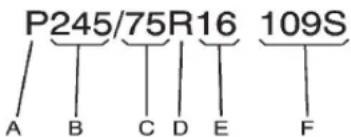
text_image
P245/75R16 109S A B C D E FPassenger(P-Metric)Tire
(A) Passenger(P-Metric) Tire: TheUnitedStatesversionofa metriciresizingsystem. The letterPasthefirstcharacterin thetiresizemeansapassenger vehicletireengineeredto standardssetbytheU.S.Tire andRimAssociation.
(B)TireWidth : Thethree-digit numberindicatesthetiresection widthinmillimetersfrom sidewalltosidewall.
(C)AspectRatio :Atwo-digit numberthatindicatesthetire height-to-widthmeasurements. Forexample,ifthetiresize aspectratiois75,asshownin itemCofthetireillustration,it wouldmeanthatthetire's sidewallis75percentashighas itiswide.
(D)ConstructionCode :A lettercodeisusedtoindicate thetypeofplyconstructionin thetire.TheletterRmeans radialplyconstruction;the letterDmeansdiagonalorbias plyconstruction;andtheletterB meansbelted-biasply construction.
(E)RimDiameter :Diameterof thewheelininches.
(F)ServiceDescription :These charactersrepresenttheload indexandspeedratingofthe tire. Theloadindexrepresents theloadcarryingcapacityatire iscertifiedtocarry. Thespeed ratingisthemaximumspeeda tireiscertifiedtocarryaload.
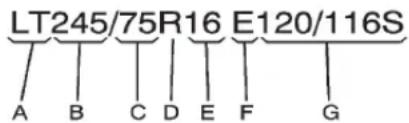
text_image
LT245/75R16 E120/116S A B C D E F GLightTruck(LT-Metric)Tire
(A)LightTruck(LT-Metric)
Tire: TheUnitedStatesversion ofametrictiresizingsystem. ThelettersLTasthefirsttwo charactersinthetiresizemean alighttrucktireengineeredto standardssetbytheU.S.Tire andRimAssociation.
(B)TireWidth: Thethree-digit numberindicatesthetiresection widthinmillimetersfrom sidewalltosidewall.
(C)AspectRatio :Atwo-digit numberthatindicatesthetire height-to-widthmeasurements. Forexample,ifthetiresize aspectratiois75,asshown initemCofthelighttruck (LT-Metric)tireillustration,it wouldmeanthatthetire's sidewallis75percentashighas itiswide.
(D)ConstructionCode :A lettercodeisusedtoindicate thetypeofplyconstructionin thetire.TheletterRmeans radialplyconstruction;the letterDmeansdiagonalorbias plyconstruction;andtheletterB meansbelted-biasply construction.
(E)RimDiameter :Diameter of thewheelin inches.
(F)LoadRange :LoadRange.
(G)ServiceDescription :The servicedescriptionindicate the loadindexandspeedratingofa tire.lftwonumbersaregivenas intheexample,120/116,then thisrepresentstheloadindexfor singleversusdualwheelusage (single/dual).Thespeedratingis themaximumspeedatireis certifiedtocarryaload.
TireTerminology and Definitions
AirPressure:Theamountof airinsidethetirepressing outwardoneachsquareinch of thetire.Airpressureis expressedinkPa(kilopascal) orpsi(poundspersquareinch).
AccessoryWeight : The combinedweightofoptional accessories. Some examples of optional accessories are automatic transmission, power steering, power brakes, power windows, power seats, and air conditioning.
AspectRatio : Therelationship of atire'sheighttoitswidth.
Belt: Arubbercoatedlayerof cordsthatislocatedbetween thepliesandthetread. Cords maybemadefromsteelorother reinforcingmaterials.
Bead: Thetirebead contains steelwireswrapped by steel cordsthathold the tire onto therim.
BiasPlyTire :Apneumatictire inwhichthepliesarelaidat alternateangleslessthan 90degreestothecenterlineof thetread.
ColdTirePressure: The amountofairpressureinatire, measuredinkPa(kilopascal) orpsi(poundspersquareinch) beforeatirehasbuiltupheat fromdriving. See TirePressure onpage 10-57.
CurbWeight : The weight of a motor vehicle with standard and optionalequipment including the maximum capacity off fuel, oil, and coolant, but without passengers and cargo.
DOTMarkings :Acodemolded intothesidewallofative signifyingthatthetireisin compliancewiththeU.S. DepartmentofTransportation (DOT)MotorVehicleSafety Standards.TheDOTcode includestheTireIdentification Number(TIN),analphanumeric designatorwhichcanalso
identify the tire manufacturer, production plant, brand, and date of production.
GVWR: Gross Vehicle Weight Rating. See Vehicle Load Limits on page 9-16.
GAWRFRT: Gross Axle Weight Rating for the front axle. See Vehicle Load Limit on page 9-16.
GAWRRR : Gross Axle Weight Rating for therearaxle. See Vehicle Load Limit on page 9-16.
IntendedOutboardSidewall : Thesideofanasymmetricaltire, thatmustalwaysfaceoutward whenmountedonavehicle.
Kilopascal(kPa) : Thematic unitforairpressure.
LightTruck(LT-Metric)Tire :A tireusedonlightdutytrucksand somemultipurposepassenger vehicles.
LoadIndex : Anassigned numberranging from 1 to 279 that correspond to the load carrying capacity of fatire.
Maximum Inflation Pressure : Themaximum air pressure to which acoldt tire can be inflated. Themaximum air pressure is molded onto the sidewall.
MaximumLoadRating :The loadratingforatireatthe maximumpermissibleinflation pressureforthattire.
MaximumLoadedVehicle Weight: Thesumofcurb weight, accessoryweight, vehiclecapacityweight, and productionoptionsweight.
NormalOccupantWeight:The numberofoccupantsavehicle isdesignedtoseatmultipliedby 68kg(150lbs).See Vehicle LoadLimitsonpage9-16.
OccupantDistribution : Designatedseatingpositions.
OutwardFacingSidewall :The sideofanasymmetricaltirethat hasaparticularsidethatfaces outwardwhenmountedona vehicle. Thesideofthetirethat containsawhitewall,bears whitelettering,orbears manufacturer,brand,and/or modelnamemoldingthatis higherordeeperthanthesame moldingsontheothersidewall ofthetire.
Passenger(P-Metric)Tire :A tireusedonpassengercarsand somelightdutytrucksand multipurposevehicles.
Recommended Inflation Pressure: Vehicle manufacturer's recommended tireinflation pressure as shown on the tire placard. See Tire Pressure on page 10-57 and Vehicle Load Limit on page 9-16.
RadialPlyTire :Apneumatic tireinwhichtheplycordsthat extendtothebeadsarelaidat 90degreestothecenterlineof thetread.
Rim: Ametalsupportforatire anduponwhichthetirebeads areseated.
Sidewall: The portion of atire between the read and the bead.
SpeedRating :An alphanumericcodeassigned toatireindicatingthemaximum speedatwhichatirecan operate.
Traction: Thefrictionbetween the tire and theroad surface. The amount of gripprovided.
Tread: The portion of atire that comes into contact with theroad.
TreadwearIndicators :Narrow bands,sometimescalledwear bars,thatshowacrossthetread ofatirewhenonly1.6mm (1/16in)oftreadremains.See WhenItIs TimeforNew Tires onpage 10-65.
UTQGS(UniformTireQuality GradingStandards) :Atire informationsystemthat providesconsumerswith ratingsforatire'straction, temperature,andtreadwear. Ratingsaredeterminedby tiremanufacturersusing governmenttestingprocedures. Theratingsaremoldedintothe sidewallofthetire.SeeUniform TireQualityGradingon page10-69.
VehicleCapacityWeight : The number of designated seating positions multiplied by 68kg(150lbs) plustherated cargoload. See VehicleLoad Limitsonpage9-16.
VehicleMaximumLoadonthe Tire:Loadonanindividualtire duetocurbweight,accessory weight,occupantweight,and cargoweight.
VehiclePlacard :Alabel permanentlyattachedtoa vehicleshowingthevehicle capacityweightandtheoriginal equipmenttiresizeand recommendedinflationpressure. See "TireandLoading InformationLabel" under Vehicle LoadLimitsonpage9-16.
TirePressure
If the vehicle is a hybrid, se the hybrids supplement form more information.
Tiresneedthecorrectamountof airpressuretooperate effectively.
Notice: Neithertire underinflation nor overinflation is good. Underinflated tires, ortires that donothaveenoughair, can result in:
- Tireoverloading and overheating which could lead to ablowout.
• Prematureor irregularwear. - Poorhandling.
- Reducedfueleconomy.
Overinflatedtires,ortiresthat havetoomuchair,can resultin:
- Unusualwear.
- Poorhandling.
- Roughride.
- Needlessdamagefrom roadhazards.
The Tire and Loading Information label on the vehicle indicates the originalequipment tires and the correct cold tire inflation pressures. The recommended pressure is the minimum air pressure needed to support the vehicle's maximum loadcarrying capacity.
For additional information regarding how much weight the vehicle can carry, and an example of the Tire and Loading Information label, see Vehicle Load Limit on page 9-16. How the vehicle is loaded affects vehicle handling and ride comfort. Never load the vehicle with more weight than it was designed to carry.
WhentoCheck
Checkthetiresonceamonth ormore.
Donotforgetthesparetire. See Full-Size Spare Tireon page 10-88 for additional information.
HowtoCheck
Useagoodqualitypocket-type gaugetochecktirepressure. Propertireinflationcannotbe determinedbylookingatthetire. Checkthetireinflationpressure whenthetiresarecoldmeaning thevehiclehasnotbeendriven foratleastthreehoursorno morethan1.6km(1mi).
Removethevalvecapfromthe tirevalvestem.Pressthetire gaugefirmlyontothevalveto getapressuremeasurement. Ifthecoldtireinflationpressure matchestherecommended pressureontheTireand LoadingInformationlabel,no furtheradjustmentisnecessary. Iftheinflationpressureislow, addairuntiltherecommended pressureisreached.Ifthe inflationpressureishigh,press onthemetalsteminthecenter ofthetirevalvetoreleaseair.
Recheckthetirepressurewith thetiregauge
Return the valve capson the valvestem stop prevent leaks and keep out dirt and moisture.
TirePressureMonitor System
The TirePressureMonitorSystem (TPMS) uses radio and sensor technology to check tire pressure levels. The TPMS sensors monitor the air pressure in your tires and transmit tire pressurereading stoa receiver located in the vehicle.
Eachtire, including the spare (if provided), should be checked monthly when cold and inflated to the inflation pressurerecommended by the vehicle manufacturer on the vehicle placardortire inflation pressure label. (If your vehicle has tires of different sizing thanthesize indicated on the vehicle placardor tire inflation pressure label, you should determinethe propertire inflation pressure forthosetires.)
Asanadded safety feature, your vehicle has been equipped with a tire pressure monitoringsystem (TPMS) that illuminates alow tire pressure telltale when none or more of your tires is significantly under-inflated.
Accordingly, whenthelowtire pressuretelltaleilluminates, you shouldstopandcheckyourtiresas soonaspossible, andinflatethem totheproperpressure. Drivingona significantlyunder-inflatedtire causesthetiretooverheatandcan leadtotirefailure. Under-inflation alsoreducesfuelefficiencyandtire treadlife, andmayaffectthe vehicle'shandlingandstopping ability.
PleasenotethattheTPMSis notasubstituteforpropertire maintenance, anditisthedriver's responsibility to maintain incorrect tire pressure, even if under-inflation has not reached the level to trigger illumination of the TPMSlow tire pressure telltale.
Yourvehiclehasalsobeen equippedwithaTPMSmalfunction indicatortoindicatewhenthe systemisnotoperatingproperly. TheTPMSmalfunctionindicatoris combinedwiththelowtirepressure telltale.Whenthesystemdetectsa malfunction,thetelltalewillflashfor approximatelyoneminuteandthen remaincontinuouslyilluminated. Thissequencewillcontinueupon subsequentvehiclestart-upsas longasthemalfunctionexists.
Whenthemalfunctionindicatoris illuminated, thesystemmaynotbe abletodetectorsignallowtire pressureasintended. TPMS malfunctionsmayoccurforavariety ofreasons, includingtheinstallation ofreplacementoralternatetiresor wheelsonthevehiclethatprevent theTPMSfromfunctioningproperly.
AlwayschecktheTPMSmalfunction telltaleafterreplacingoneormore tiresorwheelsonyourvehicleto ensurethatthereplacementor alternatetiresandwheelsallowthe TPMStocontinuetofunction properly.
See TirePressureMonitor Operationonpage 10-60 for additional information.
FederalCommunications Commission(FCC)Rulesand withIndustryCanada Standards
SeeRadioFrequencyStatementon page 13-22forinformation regardingPart15oftheFederal CommunicationsCommission(FCC) RulesandwithIndustryCanada StandardsRSS-GEN/210/220/310.
TirePressureMonitor Operation
If the vehicle is a hybrid, se the hybrids supplement form more information.
This vehicle may have a Tire Pressure Monitor System (TPMS). The TPMS is designed to warn the driver when alow tire pressure condition exists. TPMS sensors are mounted on to each tire and wheel assembly, excluding the spare tire and wheel assembly. The TPMS sensors monitor the air pressure in the tires and transmit the tire pressurereading to are receiver located in the vehicle.
Whenalowtirepressurecondition isdetected,theTPMSilluminates thelowtirepressurewarninglight locatedontheinstrumentcluster. Ifthewarninglightcomeson,stop as soonaspossibleandinflatethe tirestotherecommendedpressure shownonthetireloading informationlabel.SeeVehicleLoad Limitsonpage9-16.
Amessagetocheckthepressurein aspecificitiredisplaysintheDriver InformationCenter(DIC).Thelow tirepressurewarninglightandthe DICwarningmessagecomeonateachignitioncycleuntilthetiresare inflatedtothecorrectinflation pressure.UsingtheDIC,tire pressurelevelscanbeviewed.For additionalinformationanddetails abouttheDICoperationand displaysseeDriverInformation Center(DIC)onpage5-28and Tire Messagesonpage5-44.
Thelowtirepressurewarninglight maycomeonincoolweatherwhen thevehicleisfirststarted,andthen turnoffasthevehicleisdriven.This couldbeanearlyindicatorthatthe airpressureisgettinglowand needstobeinflatedtotheproper pressure.
ATireandLoadingInformationlabel showsthesizeoftheoriginal equipmenttiresandthecorrect inflationpressureforthetireswhen theyarecold.SeeVehicleLoad Limitsonpage9-16,foranexample oftheTireandLoadingInformation labelanditslocation.AlsoseeTire Pressureonpage10-57.
The TPMScanwarnabouta lowtirepressureconditionbutil doesnotreplacenormaltire maintenance.See TireInspection onpage 10-63,TireRotationon page 10-64and Tireson page 10-49.
Notice:Tiresealantmaterialsare notallthesame.Anon-approved tiresealantcoulddamagethe TPMSsensors.TPMSsensor damagecausedbyusingan incorrecttiresealantisnot coveredbythevehiclewarranty. Alwaysuseonlythe GM-approvedtiresealant availablethroughyourdealeror includedinthevehicle.
TPMSMalfunctionLightand Message
The TPMS will not function properly if one or more of the TPMS sensors are missing in operable. When the system detects a malfunction, the low-tire warning light flashes for about on minute and then stay on for her remainder of the ignition cycle. ADIC warning message also displays. Themalfunction light and DIC warning message come on at each ignition cycle until the problem is corrected. Some of the conditions that can cause the set to come on are:
- Oneoftheroadtireshasbeen replacedwiththesparetire. The spare tiredoesnothavea TPMSsensor. Themalfunction lightandDICmessageshould gooffaftertheroadtireis replacedandthesensor matchingprocessisperformed successfully. See"TPMSSensor MatchingProcess"laterinthis section.
10-62VehicleCare
- TheTPMSsensormatching processwasnotdoneornot completedsuccessfullyafter rotatingthetires. The malfunctionlightandtheDIC messageshouldgooffafter successfullycompleting the sensormatchingprocess.See "TPMSSensorMatching Process"laterinthissection.
- OneormoreTPMSsensorsare missingordamaged. The malfunctionlightandtheDIC messageshouldgooffwhenthe TPMSsensorsareinstalledand thesensormatchingprocessis performedsuccessfully.See yourdealerforservice.
- Replacementtiresorwheelsdo notmatchtheoriginalequipment tiresorwheels. Tiresandwheels otherthanthoserecommended couldpreventtheTPMSfrom functioningproperly.SeeBuying NewTiresonpage 10-66.
- Operatingelectronicdevicesor beingnearfacilitiesusingradio wavefrequenciessimilartothe TPMScouldcausetheTPMS sensorstomalfunction.
If the TPMS is not functioning properly, it cannot detectorsignala lowtirecondition. Seeyourdealer for service if the TPMS malfunction light and DIC message comes on and stay on.
TPMSSensorMatching Process
EachTPMSsensorhasaunique identificationcode. The identification codeneedstobematchedtoanew tire/wheelpositionafterrotatingthe vehicle'stiresorreplacingoneor moreoftheTPMSsensors. The TPMSsensormatchingprocess shouldalsobeperformedafter replacingasparetirewitharoad tirecontainingtheTPMSsensor.
ThemalfunctionlightandtheDIC messageshouldgooffatthenext ignitioncycle. Thesensorsare matchedtothetire/wheelpositions, usingaTPMSrelearntool, inthe followingorder: driversidefronttire, passengersidefronttire, passenger sidereartire, anddriversiderear. Seeyourdealerforserviceorto purchasearelearntool.
Therearetwominutestomatch thefirsttire/wheelposition,and fiveminutesoveralltomatchallfour tire/wheelpositions.Ifittakes longer,thematchingprocessstops andmustberestarted.
The TPMSsensormatching process is outlined below:
- Settheparkingbrake.
- TurntheignitiontoON/RUNwith theengineoff.
- Press 📋 and 📋 on the Remote KeylessEntry(RKE) transmitter atthesametime for approximately five seconds. The hornsoundstwicetosignal the receiverisinrelearnmode and TIRELEARNINGACTIVE messagedisplaysontheDIC screen.
- Startwiththedriverside fronttire.
-
Placetherelearntoolagainst thetiresidewall, nearthevalve stem. Thenpressthebuttonto activatetheTPMSsensor. Ahornchirpconfirmsthatthe sensoridentificationcodehas beenmatchedtothistireand wheelposition.
-
Proceed to the passengers side front tire, and repeat the procedure in Step 5.
- Proceed to the passengerside reartire, and repeat the procedure in Step 5.
- Proceedtothedriversiderear tire, andrepeattheprocedure in Step5. The hornsounds twotimestoindicatethesensor identificationcodehasbeen matchedtothedriversiderear tire, andtheTPMSsensor matchingprocessisnolonger active. TheTIRELEARNING ACTIVEmessageontheDIC displayscreengoesoff.
- TurntheignitiontoLOCK/OFF.
- Set all four tiresto the recommended air pressure level as indicated on the Tire and Loading Information label.
TireInspection
Werecommendthatthetires, includingthesparetire,ifthe vehiclehasone,beinspected forsignsofwearordamageat leastonceamonth.
Replacethetireif:
• Theindicatorsatthreeor moreplacesaroundthetire canbeseen.
- Thereiscordorfabric showingthroughthetire's rubber.
- Thetreadorsidewallis cracked, cut, or snagged deepen oughtoshowcordor fabric.
- Thetirehasabump,bulge,orsplit.
- Thetirehasapuncture, cut, orotherdamagethat cannot berepairedwellbecause of the sizeorlocationofthe damage.
TireRotation
Tiresshouldberotatedevery 12000km(7,500mi).See Maintenance Scheduleon page 11-3.
Tiresarerotatedtoachievea uniformwearforalltires. The firstrotationisthemost important.
Anytimeunusualwearis noticed, rotatethetiresassoon aspossibleandcheckthewheel alignment. Also check for damaged tiresorwheels. See When It Is Time for New Tires on page 10-65 and Wheel Replacement on page 10-71.
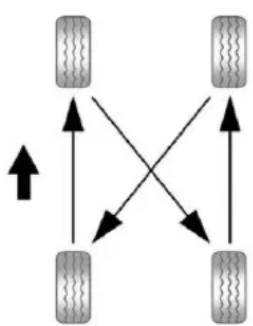
flowchart
graph TD
    A["Terr 1"] --> B["Terr 2"]
    B --> C["Terr 3"]
    C --> D["Terr 4"]
    D --> A
    A --> E["Upward Arrow"]
    B --> F["Downward Arrow"]
    C --> G["Upward Arrow"]
    D --> H["Downward Arrow"]
Use this rotation pattern when rotating the tires.
Donotincludethesparetirein thetirerotation.
Adjustthefrontandreartiresto therecommendedinflation pressureontheTireand LoadingInformationlabelafter thetireshavebeenrotated.See TirePressureonpage10-57 and VehicleLoadLimitson page9-16.
ResettheTirePressureMonitor System.See TirePressure MonitorOperation on page10-60.
Check that all wheel nuts are properly tightened. See "Wheel Nut Torque" under Capacities and Specifications on page 12-2.
WARNING
Rustordirtonawheel, oronthe partstowhichitisfastened, can makewheelnutsbecomeloose aftertime. Thewheelcouldcome offandcauseanaccident. When changingawheel, removeany rustordirtfromplaceswherethe wheelattachestothevehicle. In anemergency, aclothorapaper towelcanbeused; however, use ascaperorwirebrushlaterto removeallrustordirt.
Lightlycoatthecenterofthe wheelhubwithwheelbearing greaseafterawheelchangeor tirerotationtopreventcorrosion orrustbuild-up.Donotget greaseontheflatwheel mountingsurfaceoronthe wheelnutsorbolts.
WhenItIsTimeforNew Tires
Factors, such as maintenance, temperatures, drivingspeeds, vehicleloading, and road conditions affect the wear rate of the tires.
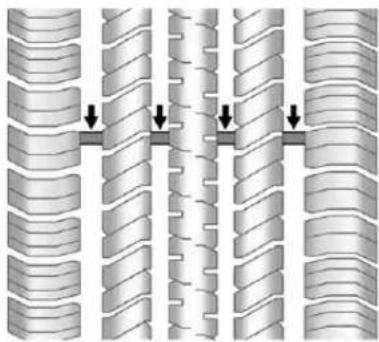
natural_image
Diagram of interlocking cylindrical structures with directional arrows indicating movement or force (no text or symbols)Treadwearindicatorsareonewayto tellwhenitistimefornewtires. Treadwearindicatorsappearwhen thetireshaveonly1.6mm(1/16in) orlessoftreadremaining. Some commercialtrucktiresmaynothave treadwearindicators.See Tire
Inspectiononpage10-64and Tire Rotationonpage10-64for additionalinformation.
Therubberintiresagesovertime. Thisalsoappliestothesparetire, ifthevehiclehasone, evenifitis neverused. Multipleconditions includingtemperatures, loading conditions, andinflationpressure maintenanceaffecthowfastaging takesplace. Tireswilltypicallyneed tobereplacedduetowearbefore theymayneedtobereplaced duetoage. Consultthetire manufacturerformoreinformation onwhentiresshouldbereplaced.
VehicleStorage
Tiresagewhenstorednormally mountedonaparkedvehicle.Park avehiclethatwillbestoredforat leastamonthinacool,dry,clean areaawayfromdirectsunlightto slowaging.Thisareashouldbefree ofgrease,gasolineorother substanceesthatcandeteriorate rubber.
Parkingforanextendedperiodcan causeflatspotsonthetiresthat mayresultinvibrationswhile driving.Whenstoringavehiclefor atleastamonth,removethetiresor raisethevehicletoreducethe weightfromthetires.
BuyingNewTires
GMhasdevelopedandmatched specifictiesforthevehicle. The originalequipmenttiresinstalled werdesignedtomeetGeneral MotorsTirePerformanceCriteria Specification(TPCSpec)system rating.Whenreplacementtiresare needed,GMstronglyrecommends buyingtireswiththesameTPC Specrating.
GM's exclusive TPCSpecsystem considers overadozencritical specification that impact the overall performance of the vehicle, including brakesystem performance, ride and handling, traction control, and tire pressure monitoring performance. GM's TPC Specnumberismolded onto the tire's sidewallnear the tiresize.
Ifthetireshaveanall-seasontread design,theTPCSpecnumberwill befollowedbyMSformudand snow.SeeTireSidewallLabelingon page10-50foradditional information.
GMrecommendsreplacingallthe tiresatthesametime.Uniformtread depthonalltireswillhelpto maintaintheperformanceofthe vehicle.Brakingandhandling performancemaybeadversely affectedifallthetiresarenot replacedatthesametime.See Tire Inspectiononpage 10-63and Tire Rotationonpage 10-64for informationonpropertirerotation.
WARNING
Tirescouldexplodeduring improperservice.Attempting tomountordismountatire couldcauseinjuryordeath. Onlyyourdealerorauthorized tireservicecentershould mountordismountthetires.
WARNING
Mixingtiresofdifferentsizes, brands,ortypesmaycauseloss ofcontrolofthevehicle,resulting inacrashorothervehicle damage. Usethecorrectsize, brand, and typeoftiresonall wheels.
This vehicle may have different sizesparethantheroadtires originally installed on the vehicle. When new, the vehicle included a spare tire and wheel assembly with similar overall diameter as theroadtires and wheels, so it is all right to drive on it. Thespare tire was developed for use on this vehicle and will not affect vehicle handling.
WARNING
Usingbias-plytiresonthe vehiclemaycausethewheel rimflangestodevelopcracks aftermanymilesofdriving. Atireand/orwheelcouldfail suddenlyandcauseacrash. Useonlyradial-plytireswith thewheelsonthevehicle.
If the vehicle tires must bere placed with atire that does not have a TPC Spec number, makes sure they are the namesize, load range, speed rating, and construction (radial) as the original tires.
Vehiclesthathaveatirepressure monitoringsystemcouldgivean inaccuratelow-pressurewarningif non-TPCSpecratedtiresare installed.SeeTirePressureMonitor Systemonpage10-59.
The Tire and Loading Information label indicates the original equipment tires on the vehicle. See Vehicle Load Limit on page 9-16 forthelabellocation and more information about the Tire and Loading Information label.
DifferentSizeTiresand Wheels
If wheels sortires are installed that are different sizethan the original equipment wheels and tires, vehicle performance, including its braking, ride and handling characteristics, stability, and resistancetorollover maybe affected. If the vehicle has electronics system such as antilock brakes, rollover airbags, traction control, and electronic stability control, the performance of these system scan also be affected.

WARNING
If differentsized wheels are used, theremay not bean acceptable level of performance and safety if tires not recommended forth those wheels are selected. This increases the chance of a crash and serious injury. Only use GM specific wheel and tires systems developed for the vehicle, and havethem properly installed by a GM certified technician.
SeeBuyingNewTireson page10-66andAccessoriesandModificationsonpage10-3.
UniformTireQuality Grading
Qualitygradescanbefound whereapplicableonthetire sidewallbetweentreadshoulder andmaximumsectionwidth. For example:
Treadwear200TractionAA TemperatureA
The following information relates to the system developed by the United States National Highway Traffic Safety Administration (NHTSA), which gradestires by treadwear, traction, and temperature performance. This applies only to vehicle less sold in the United States. The grades are molded on the sidewall of most passengers cartires. The Uniform Tire Quality Grading
(UTQG)systemdoesnotapply todeeptread,wintertires, compactsparetires,tireswith nominalrimdiameters of 10to12inches(25to30cm), ortosomelimited-production tires.
While the tires available on General Motors passengers cars and light trucks may vary with respect to these grades, they must also conform to federal safety requirements and additional General Motors Tire Performance Criteria (TPC) standards.
All Passenger Car Tires Must Conform to Federal Safety Requirements In Addition To These Grades.
Treadwear
Thetreadweargradeisa comparativeratingbasedonthe wearrateofthetirewhentested undercontrolledconditionsona specifiedgovernmenttest course. Forexample, atire graded150wouldwearoneand ahalf(1½)timesaswellonthe governmentcourseasatire graded100. Therelative performanceoftiresdepends upontheactualconditionsof theiruse, however, and may departsignificantlyfromthe normduetovariationsindriving habits, servicepractices anddifferencesinroad characteristicsandclimate.
Traction-AA,A,B,C
Thetractiongrades, from highest to lowest, are AA, A, B, and C. Those grades represent the tire's ability to stop on wet pavement as measured under controlled condition on specified government test surfaces of asphalt and concrete. At remarked C may have poor traction performance. Warning: Thetraction grade assigned to histire is based on straight-ahead braking traction tests, and does not include acceleration, cornering, hydroplaning, or peak traction characteristics.
Temperature-A,B,C
ThetemperaturegradesareA (thehighest), B, and C, representing the tire's resistance to the generation of heat and its ability to dissipate heat when tested under controlled
conditionsonaspecifiedindoor laboratorytestwheel.Sustained hightemperaturecancausethe materialofthetiretodegenerate andreducetirelife,and excessive temperaturecanlead tosuddentirefailure.Thegrade Ccorrespondstoalevelof performancewhichall passengercartiresmustmeet undertheFederalMotorSafety StandardNo.109.GradesBand Arepresenthigherlevelsof performanceonthelaboratory testwheelthanthemminimum requiredbylaw.Warning:The temperaturegradeforthistireis establishedforatirethatis properlyinflatedandnot overloaded.Excessivespeed, underinflation,orexcessive loading,eitherseparatelyorin combination,cancauseheat buildupandpossibletirefailure.
WheelAlignmentandTire Balance
Thetiresandwheelswerealigned andbalancedatthefactoryto providethelongesttirelifeandbest overallperformance.Adjustmentsto wheelalignmentandtirebalancing willnotbenecessaryonaregular basis.However,checkthe alignmentifthereisunusualtire wearorifthevehicleispullingto onesideortheother.Ifthevehicle vibrateswhendrivingonasmooth road,thetiresandwheelsmight needtoberebalanced.Seeyour dealerforproperdiagnosis.
WheelReplacement
Replaceanywheelthatisbent, cracked,orbadlyrustedor corroded.Ifwheelnutskeepcoming loose,thewheel,wheelbolts,and wheelnutsshouldbereplaced. Ifthewheelleaksair,replaceit. Somealuminumwheelscanbe repaired.Seeyourdealerifanyof theseconditionsexist.
Yourdealerwillknowthekindof wheelthatisneeded.
Eachnewwheelshouldhavethe sameload-carryingcapacity, diameter,width, offset, and be mountedthesamewayasthe oneitreplaces.
Replacewheels, wheelbolts, wheel nuts, or Tire Pressure Monitor System (TPMS) sensors with new GM originalequipment parts.
WARNING
Using the wrong replacement wheels, wheel bolts, or wheel nutscan be dangerous. It could affect the braking and handling of the vehicle. Tirescan lose air, and causel loss of control, causing a crash. Always use the correct wheel, wheel bolts, and wheel nuts for replacement.
Notice: The wrong wheel can also cause problems with bearing life, brake cooling, speedometer orodometeralibration, headlampaim, bumper height, vehicleground clearance, and tire ortirechain clearance to the body and chassis.
UsedReplacementWheels
WARNING
Replacingawheelwithaused oneisdangerous.Howithas beenusedorhowfarithasbeen drivenmaybeunknown.Itcould failsuddenlyandcauseacrash. Whenreplacingwheels,usea newGMoriginalequipment wheel.
TireChains
If your vehicle is a Hybrid, se the Hybrid Supplement form more information.

WARNING
IfthevehiclehasP265/65R18or P275/55R20sizetires,donotuse tirechains.Thereisnotenough clearance.Tirechainsusedona vehiclewithouttheproperamount ofclearancecancausedamage tothebrakes,suspension, orothervehicleparts.Thearea damagedbythetirechainscould causelossofcontrolandacrash. (Continued)
WARNING(Continued)
Useanothertypeofraction deviceonlyifitsmanufacturer recommendsitforthevehicle's tiresizecombinationand roadconditions.Followthat manufacturer'sinstructions.To avoidvehicledamage,driveslow andreadjustorremovethe tractiondeviceifitiscontacting thevehicle.Donotspinthe wheels.
Iftractiondevicesareused, install themonthereartires.
Notice: If the vehicle has P265/70R17sizetires, usetire chainsonlywherelegalandonly when necessary. Use chain that are the propersize for the tires. Install them on there are it only.
Donotusechainsonthefront tires.
Tightenthemastightlyas possiblewiththeendssecurely fastened.Driveslowlyandfollow thechainmanufacturer's instructions.Ifthechainscontact thevehicle,stopandretighten them.Ifthecontactcontinues, slowdownuntilitstops.Driving toofastorspinningthewheels withchainsonwilldamagethe vehicle.
IfaTireGoesFlat
Itisunusualforatiretoblowout whiledriving,especiallyifthetires aremaintainedproperly.Ifairgoes outofatire,itismuchmorelikelyto leakoutslowly.Butifthereeverisa blowout,hereareafewtipsabout whattoexpectandwhattodo:
Ifafronttirefails, theflattire createsadragthatpullsthevehicle towardthatside. Takeyourfootoff theacceleratorpedalandgripthe steeringwheelfirmly. Steerto maintainlaneposition, and then gentlybraketoastop, welloffthe road, if possible.
Arearblowout,particularlyona curve,actsmuchlikeaskidand mayrequirethesamecorrectionas usedinaskid. Stoppressingthe acceleratorpedalandsteerto straightenthevehicle. Itmaybe verybumpyandnoisy. Gentlybrake toastop, wellofftheroad, ifpossible.
WARNING
Drivingonaflattirewillcause permanentdamagetothetire. Re-inflatingatireafterithas beendrivenonwhileseverely underinflatedorflatmaycausea blowoutandaseriouscrash. Neverattempttore-inflateatire thathasbeendrivenonwhile severelyunderinflatedorflat. Haveyourdealeroranauthorized tireservicecenterrepairor replacetheflattireassoonas possible.
WARNING
Liftingvehicleandgetting underittodomainaintenanceor repairsidangerouswithoutthe appropriatesafetyequipmentand training.Ifajackisprovidedwith thevehicle,itisdesignedonlyfor changingaflattire.Ifitisusedfor anythingelse,youorotherscould bebadlyinjuredorkilledifthe vehicleslipsoffthejack.Ifajack isprovidedwiththevehicle,only useitforchangingaflattire.
If the vehicle is a hybrid, se the hybrids supplement form more information.
Ifatiregoesflat, avoidfurthertire andwheeldamagebydrivingslowly toalevelplace, wellofftheroad, ifpossible. Turnonthehazard warningflashers.SeeHazard WarningFlashersonpage6-5.

WARNING
Changingatirecanbe dangerous. The vehiclecanslip off the jack and rollover or fall causing injury or death. Find a level placeto changethire. To help prevent the vehicle from moving:
- Settheparkingbrakefirmly.
- Puttheshiftleverin P(Park).
(Continued)
WARNING(Continued)
- For vehicles with four-wheel-drivewith a N(Neutral) transfer case position, besure the transfer case is inadrive gear—not in N(Neutral).
- Turnofftheengineanddo notrestartwhilethevehicle israised.
- Donotallowpassengersto remaininthevehicle.
- Placewheelblockson both sidesofthetireatthe oppositecornerofthetire beingchanged.
Whenthevehiclehasaflattire(B), usethefollowingexampleasa guidetoassistintheplacementof thewheelblocks(A).
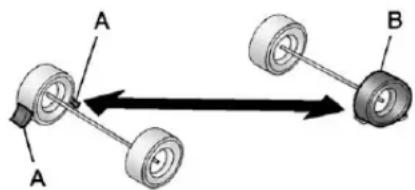
text_image
A A BA.WheelBlock
B.FlatTire
The following information explains howtousethejackandchange atire.
TireChanging
RemovingtheSpareTireand Tools
The equipment needed to change a flattire is stored under the storage tray, located on the driversidetrim panel, over therear wheelhouse.
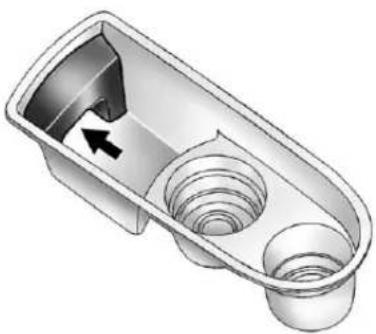
natural_image
3D illustration of a mechanical component with internal cavities and a directional arrow (no text or symbols)RegularWheelbaseShown, ExtendedWheelbaseSimilar
- Removethetraytoaccessthe toolsbypullinguponthefinger depressionunderthejack symbol.
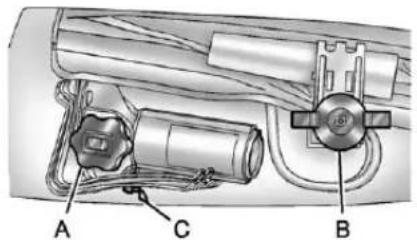
text_image
A C BA.JackKnob
B. WingNutRetainingthe ToolBag
C. WingNutRetainingthe WheelBlocks
-
Turnthewingnutretainingthe toolbag(B)counterclockwiseto removeit.
-
Turnthejackknob(A) counterclockwisetoreleasethe jackandwheelblocksfromthe bracket.
-
Turnthewingnutretaining the wheelblocks(C) counterclockwisetoremovethe wheelblocksandthewheel blockretainer.
Usethefollowingtools:
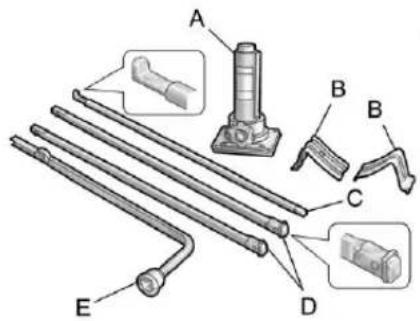
text_image
Technical diagram showing labeled mechanical parts with annotations A, B, C, D, E and a tool holderA.Jack
B.WheelBlocks
C.JackHandle
D. JackHandleExtensions
E.WheelWrench
10-76VehicleCare
Toaccessthesparetire, refertothe followinggraphicsandinstructions:
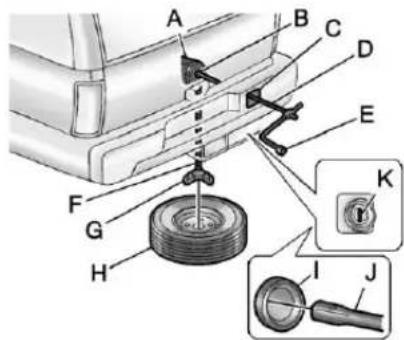
text_image
Technical diagram showing car tire assembly with labeled parts A through K and a close-up inset of the wheel.A.HoistAssembly
B.HoistShaft
C.HoistShaftAccessCover/Hole
D.JackHandleExtensions
E.WheelWrench
F.HoistCable
G. Tire/WheelRetainer
H. Spare Tire (Valve Stem Pointed Down)
I.HoistShaftAccessHole
J.HoistEndofExtensionTool
K.SpareTireLock
-
Openthehoistshaftaccess door(C)onthebumperto accessthesparetirelock(K).
-
Toremovethesparetire lock(K), inserttheignitionkey, turnitclockwise and thenpullit straightout.
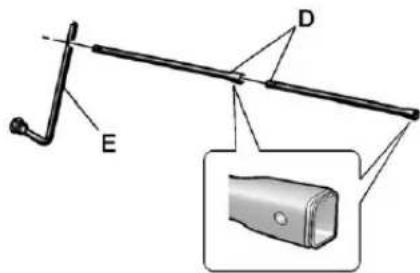
text_image
Technical diagram of a mechanical tool with labeled parts E and D, including an inset close-up of a cylindrical component.- Assemble the two jack handle extensions (D) and wheel wrench (E), as shown.
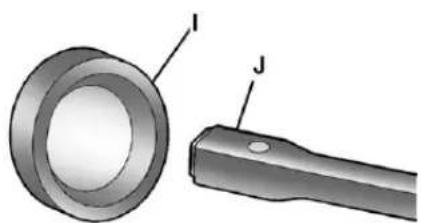
natural_image
Technical illustration of a mechanical component with labeled parts I and J (no text or symbols beyond labels)- Insert the open end of the extension (J) through the hole in therear bumper (I) (hoist shaft access hole).
Besurethehoistend(J)ofthe extensionconnectstothehoist shaft. Theribbedsquareendof theextensionisusedtolower thesparetire.
- Turnthewheelwrench counterclockwisetolowerthe sparetiretotheground. Continuetoturnthewheel wrenchuntilthesparetirecan bepulledoutfromunderthe vehicle.
Ifthesparetiredoesnotlowerto theground,thesecondarylatch isengagedcausingthetirenot tolower.SeeSecondaryLatch Systemonpage10-85formore information.
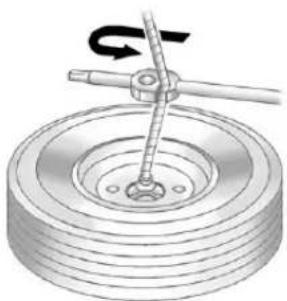
natural_image
Mechanical diagram showing a pulley and lever mechanism (no text or symbols)- Usethewheelwrenchhookto pullthehoistcablecloserto assistinreachingthesparetire.
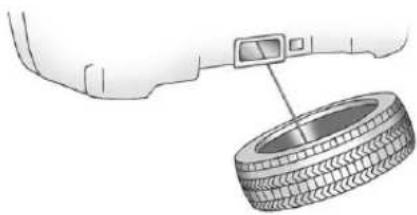
natural_image
Diagram of a tire mounted on a car wheel, with a digital camera attached to the tire (no text or symbols present)- Tiltthetiretowardthevehicle withsomeslackinthecableto accessthetire/wheelretainer. Separatetheretainerfromthe guidepinbyslidingtheretainer upthepinwhilepressingdown onthelatch.
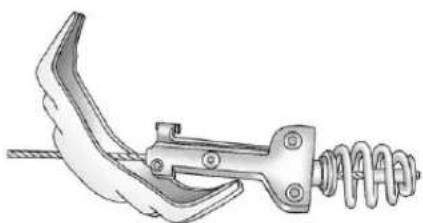
natural_image
Mechanical clamp or spring assembly with no visible text or symbolsOncetheretainerisseparated from the guide pin, tilt the retainer and pull through the center of the wheel along with the cable and latch.
- Putthesparetirenearthe flattire.
RemovingtheFlatTireand InstallingtheSpareTire
- Doasafetycheckbefore proceeding. Seelfa Tire Goes Flatonpage 10-73 formore information.
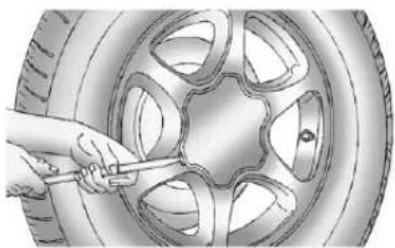
natural_image
Illustration of a hand using a tool to trim a car wheel (no text or symbols visible)- If the vehicle has a centercap that cover the wheelfasteners, placethechisel end of the wheel wrench in the slot on the wheel and gently pry the cap out.
Ifthewheelhasabolt-onhub cap,loosentheplasticnutcaps byturningthewheelwrench counterclockwise.Theplastic nutcapswillberetainedinthe hubcapafteritisremovedfrom thewheel.
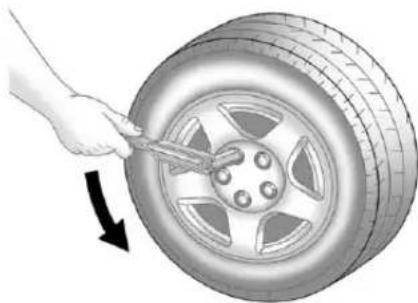
natural_image
Illustration of a hand using a tool to lift a car tire, with an arrow indicating clockwise motion (no text or symbols)- Usethewheelwrenchtoloosen allthewheelnuts. Turnthe wheelwrenchcounterclockwise toloosenthewheelnuts. Donot removethewheelnutsyet.
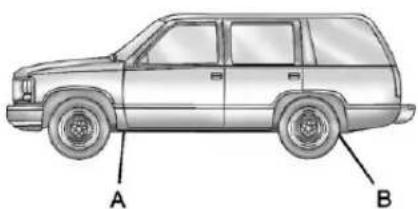
natural_image
Side view line drawing of a SUV with labeled points A and B (no text or symbols beyond labels)JackingLocations(OverallView)
A. FrontPosition
B.RearPosition
- Position the jack under the vehicle, asshown.
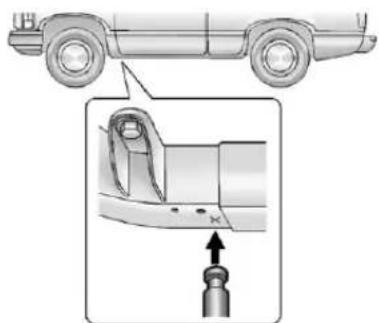
natural_image
Diagram showing a car's side profile and a close-up of the engine component (no text or symbols)FrontPosition-2500Models
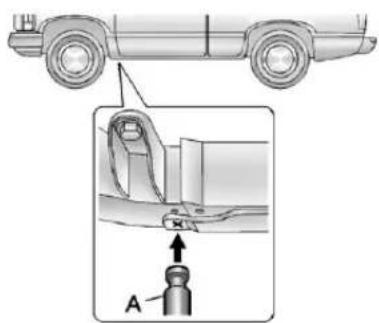
text_image
Technical diagram showing a car's top view and a close-up of a mechanical component with labeled assembly point AFrontPosition-1500Models
FrontTireFlat: If the flattire is on a front tire of the vehicle, use the jack handle and only one jack handle extension. Attach the wheel wrench to the jack handle extension. Attach the jack handle to the jack (A). Position the jack on the frame behind the flattire where the frames section over lap. Turn the wheel wrench clock wiset or raise the vehicle. Raise the vehicle far enough off the ground so there is enough room forthespare tire to clear the ground.
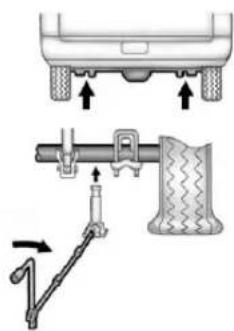
text_image
Diagram illustrating vehicle suspension system with labeled components and directional arrows indicating movementRearPosition-AllOtherModels
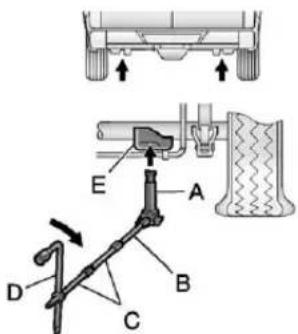
text_image
Technical diagram showing mechanical assembly with labeled parts A, B, C, D, and E, including a structural detail view.RearPosition-1500Models
RearTireFlat: If the flattire is on areartire of the vehicle, use the jack handle (B) and both jack handle extensions (C). Attach the wheelwrench (D) to the jack handle extensions (C). Attach the jack handle (B) to the jack (A). Use the jacking pad provided on therear axle. Turn the wheelwrench (D) clockwise torais the vehicle. Raise the vehicle farenough off the ground so there is enough room for the spare tretoclear the ground.
WARNING
Gettingunderavehiclewhenitis liftedonajackisdangerous. Ifthevehicleslipsoffthejack, youcouldbebadlyinjuredor killed.Nevergetunderavehicle whenitissupportedonlyby ajack.
WARNING
Raisingthevehiclewiththejack improperlypositionedcan damagethevehicleandeven makethevehiclefall. To help avoidpersonalinjuryandvehicle damage, besuretofitthejacklift headintotheproperlocation beforeraisingthevehicle.
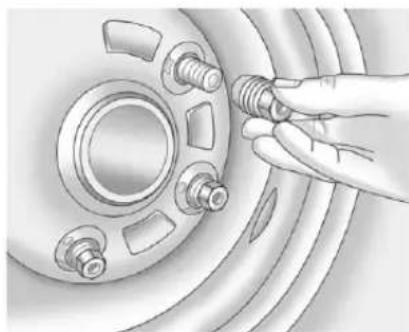
natural_image
Illustration of a hand adjusting a car wheel component with bolts (no text or symbols)-
Remove all of the wheel nuts.
-
Takeofftheflattire.
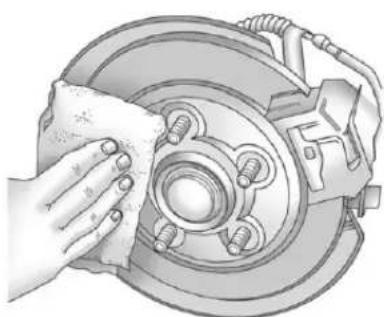
natural_image
Illustration of a hand cleaning a car brake disc with a cloth (no text or symbols)- Remove any rustordirt from the wheel bolts, mountingsurfaces, and spare wheel.
WARNING
Rustordirtonawheel,oronthepartstowhichitisfastened,canmakewheelnutsbecomelooseaftertime.Thewheelcouldcomeoffandcauseanaccident.Whenchangingawheel,removeanyrustordirtfromplaceswherethewheelattachestothevehicle.Inanemergency,aclothorapapertowelcanbeused;however,useascraperorwirebrushlatertoremoveallrustordirt.
- Putthewheelnutsbackonwith theroundedendothenuts towardthewheelaftermounting thesparetire.
WARNING
Neveruseoilorgreaseonbolts ornutsbecausethenutsmight comeloose. Thevehicle'swheel couldfalloff,causingacrash.
-
Tighteneachwheelnutbyhand. Thenusethewheelwrenchto tightenthenutsuntilthewheelis heldagainstthehub.
-
Turnthewheelwrench counterclockwisetolowerthe vehicle. Lowerthejack completely.
-
Tightenthenutsfirmlyina crisscrosssequenceasshown byturningthewheelwrench clockwise.
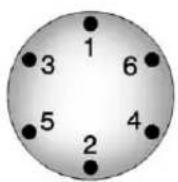
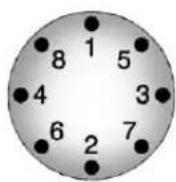
WARNING
Wheelnutsthatareimproperlyor incorrectlytightenedcancause thewheelstobecomelooseor comeoff. Thewheelnutsshould beightenedwithatorquewrench tothepropertorquespecification afterreplacing. Followthetorque specificationsuppliedbythe aftermarketmanufacturerwhen usingaccessorylockingwheel nuts. See Capacities and Specificationsonpage 12-2for originalequipmentwheelnut torquespecifications.
Notice: Improperlytightened wheelnutscanleadtobrake pulsationandrotordamage. To avoidexpensivebrakerepairs, evenlytightenthewheelnutsin thepropersequenceandtothe propertorquespecification. See CapacitiesandSpecificationson page12-2forthewheelnut torquespecification.
Whenreinstallingtheregularwheel andtire,alsoreinstalleitherthe centercaporthebolt-onhubcap, dependingonwhichonethe vehiclehas.
- Forcentercaps,lineupthetab onthecentercapwiththeslotin thewheel.Thecaponlygoesin oneway.Placethecaponthe wheelandpressuntilitsnaps intoplace.
- Forbolt-onhubcaps, lineup the plastic nut caps with the wheel nuts and tighten clockwise by hand to get them started. Then tighten with the wheel wrench until snug.
StoringaFlatorSpareTire andTools
WARNING
Storingajack, atire, or other equipment in the passenger compartment of the vehicle could cause injury. In sudden stop or collision, loose equipment could strike someone. Store all these in the proper place.
Notice: Storinganaluminum wheelwithaflattireunderyour vehicleforanextendedperiodof timeorwiththevalvestem pointingupcandamagethe wheel. Alwaysstowthewheel withthevalvestempointing downandhavethewheel/tire repairedassoonaspossible.
Storethetireundertherearofthe vehicleinthesparetirecarrier. Refertothefollowinggraphicsand instructionstohelpyou:
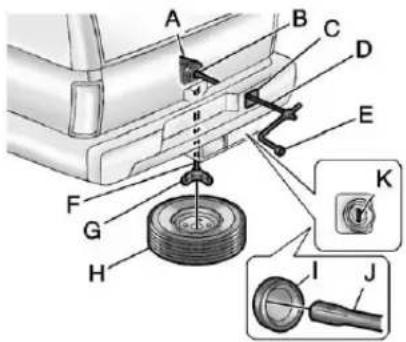
text_image
Technical diagram of a mechanical assembly with labeled parts A through K, showing a tire and adjustment mechanism.A. HoistAssembly
B.HoistShaft
C. HoistShaftAccessCover/Hole
D. JackHandleExtensions
E.WheelWrench
F.HoistCable
G. Tire/WheelRetainer
H. Spare Tire/Flat Tire(Valve Stem Pointed Down)
I. HoistShaftAccessHole
J.HoistEndofExtensionTool
K.SpareTireLock
- Putthetire(H) on the ground at therearofthe vehicle with the valvestemp pointed down, and to therear.
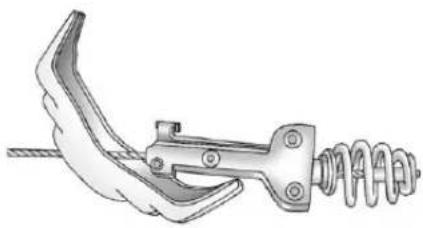
natural_image
Technical illustration of a mechanical clamp or spring assembly (no text or symbols)- Tiltthetiretowardthevehicle. Separatethetire/wheelretainer fromtheguidepin.Pullthepin through thecenterofthewheel. Tilttheretainerdownthrough thecenterwheelopening.
Makesuretheretainerisfully seatedacrosstheundersideof thewheel.
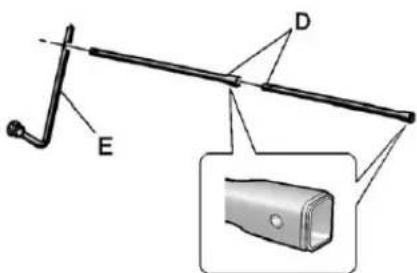
text_image
Technical diagram of a mechanical lever with labeled parts E and D, including an inset close-up of a cylindrical component.- Assemble the two jack handle extensions (D) and wheel wrench (E) as shown.
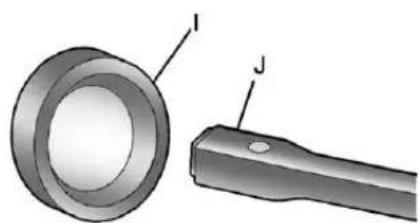
natural_image
Technical illustration of a mechanical component with labeled parts I and J (no text or symbols beyond labels)- Insert the open end of the extension (J) through the hole in therear bumper (I) (hoist shaft access hole).
- Raisethetirepartwayupward. Makesuretheretainerisseated inthewheelopening.
- Raisethetirefullyagainstthe undersideofthevehicleby turningthewheelwrench clockwiseuntilyouheartwo click sorfeelitskiptwice.The cablecannotbeovertightened.
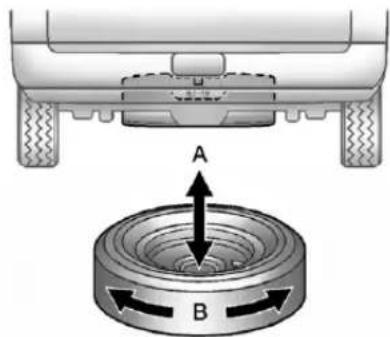
text_image
A B- Makesurethetireisstored securely.Push, pull(A), and then trytoturn(B) the tire. If the tire moves, usethewheelwrench to tightenthecable.
- Reinstallthesparetirelock.
- Reinstallthehoistshaftaccess cover.
Tostorethetools,dothefollowing:
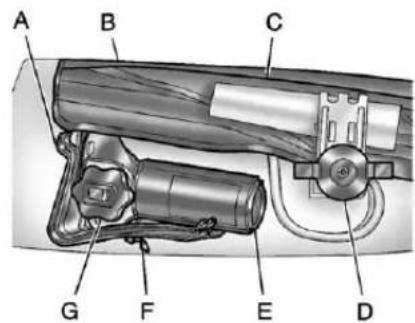
text_image
A B C G F E DA.WheelBlocks
B. ToolBagwithJackTools
C.RetainingBracket
D.WingNutRetainingToolBag
E.Jack
F.WingNutRetainingWheel Blocks
G.JackKnob
1. Returnthetools(wheelwrench, jackhandle, andjackhandle extensions) to the toolbag(B).
- Assemblewheelblocks(A) and jack(E) together with the wingnut(F).
- Position the jack (E) and wheel blocks (A) in the driversidetrim panel over the wheel house.
- Turnthejackknob(G)clockwise untilthejack(E)issecuredtight inthemountingbracket.Besure topositiontheholesinthebase ofthejack(E)ontothepininthe mountingbracket.
- Usetheretainingbracket(C) to fastenthetoolbag(B) on the studandturnthewingnut(D) clockwise secure.
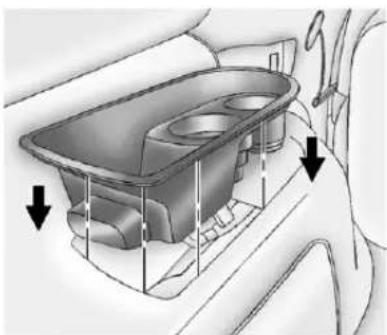
natural_image
Diagram of a car interior showing a dashboard and seat with directional arrows indicating movement (no text or labels)- Returnthestoragetraytoits originalstoredposition.
SecondaryLatchSystem
Thisvehiclehasan underbody-mountedtirehoist assemblyequippedwitha secondarylatchsystem.Itis designedtostopthesparetirefrom suddenlyfallingoffyourvehicle.For thesecondarylatchtowork,the sparemustbeinstalledwiththe valvestempointingdown.See "StoringaFlatorSpareTireand Tools"underTireChangingon page 10-75.

WARNING
Beforebeginningthisprocedure readalltheinstructions.Failureto readandfollowtheinstructions coulddamagethehoistassembly andyouandotherscouldget hurt.Readandfollowthe instructionslistednext.
Toreleasethesparetirefromthe secondarylatch:
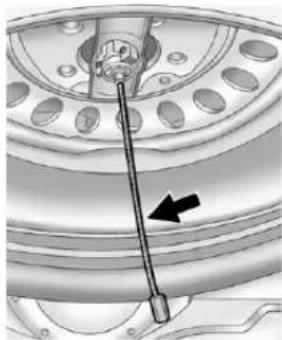
natural_image
Mechanical component diagram showing a shaft and wheel assembly with an arrow indicating direction (no text or symbols present)-
Checkunderthevehicletoseeif thecableendisvisible.Ifthe cableisnotvisibleproceedto Step6.
-
Ifitisvisible, firsttrytotighten thecablebyturningthewheel wrenchclockwiseuntilyouhear twoclicksorfeelitskiptwice. Youcannotovertightenthe cable.
-
Loosenthecablebyturningthe wrenchcounterclockwisethree orfourturns.
-
Repeat this procedure at least twotimes. If these spare tire lower to the ground, continue with Step 5 under "Removing the Spare Tire and Tools" under Tire Changing on page 10-75.
-
If the spare does not lower, turn the wrench counterclockwise until approximately 15cm(6in) of cable is exposed.
-
Standthewheelblocksontheir shortestends, withthebacks facingeachother.
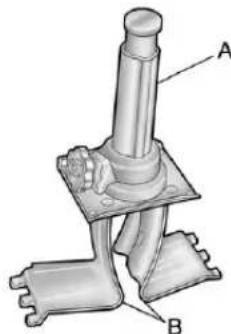
natural_image
Mechanical assembly diagram showing a shaft and base components labeled A and B (no text or symbols beyond labels)A.Jack
B.WheelBlocks
- Placethebottomedgeofthe jack(A)onthewheelblocks(B), separatingthemsothatthejack isbalancedsecurely.
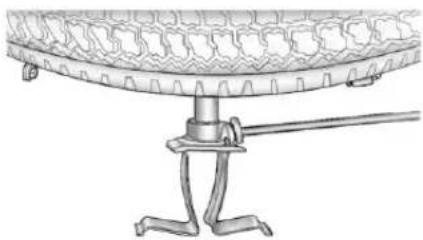
natural_image
Technical line drawing of a mechanical component with a base and mounting bracket (no text or symbols)- Attachthejackhandle, extension, and wheelwrench to the jack and place it (with the wheel blocks) under the vehicle toward the front of therear bumper.
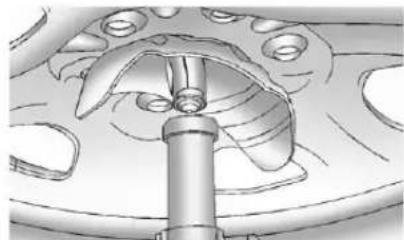
natural_image
Technical illustration of a mechanical component with curved surfaces and a central shaft (no text or symbols)- Position the center lift point of the jack under the center of the spare tire.
- Turnthewrenchclockwiseto raisethejackuntilliftsthe endfitting.
- Continueraisingthejackuntil thesparetirestopsmoving upwardandisheldfirmlyin place. Thesecondarylatchhas releasedandthesparetireis balancingonthejack.
- Lowerthejackbyturning thewheelwrench counterclockwise. Keep loweringthejackuntilthe spareireslidesoffthejackor ishangingbythecable.
WARNING
Someonestandingtooclose duringtheprocedurecouldbe injuredbythejack.Ifthespare tiredoesnotslideoffthejack completely,makesurenooneis behindyouoroneithersideof youasyoupullthejackoutfrom underthespare.
- Disconnect the jack handle from the jack and carefully remove the jack. Use one hand to push against the spare while firmly pulling the jack out from under the spare tire with the other hand.
Ifthesparetireishangingfrom thecable,insertthehoistend ofextension,andwheel wrenchintothehoistshafthole inthebumperandturnthe wheelwrenchcounterclockwise tolowerthesparetherestof theway.
- Turnthewheelwrenchinthe hoistshaftholeinthebumper clockwisetoraisethecable backupifthecableishanging underthevehicle.
Havethehoistassemblyinspected assoonasyoucan.Youwillnotbe abletostoreaspareorflattire usingthehoistassemblyuntilithas beeninspectedand/orreplaced.
To continue changing the flattire, see "Removing the Flat Tire and Installing the Spare Tire" under Tire Changing on page 10-75.
Full-SizeSpareTire
Yourvehicle,whennew,hada fully-inflatedsparetire.Asparetire mayloseairovertime,socheckits inflationpressureregularly.See Tire Pressureonpage10-57and VehicleLoadLimitsonpage9-16 forinformationregardingpropertire inflationandloadingyourvehicle. Forinstructiononhowtoremove, installorstoreasparetire,see "RemovingtheFlatTireand InstallingtheSpare"and"Storinga FlatorSpareTireandTools"under TireChangingonpage 10-75.
Notice: If the vehicle has four-wheeldrive and adifferent sizesparetire is installed, donot drive infour-wheeldrive until the flattire is repaired and/or replaced. The vehicle could be damaged and therepair would not be recovered by the warranty. Never use four-wheeldrive when adifferentsizesparetire is installed on the vehicle.
Yourvehiclemayhaveadifferent sizesparetirethantheroadtires originallyinstalledonyourvehicle. Thissparetirewasdevelopedfor useonyourvehicle,soitisallright todriveonit.Ifyourvehiclehas four-wheeldriveandthedifferent sizesparetireisinstalled,keepthe vehicleintwo-wheeldrive.
Afterinstallingthesparetireonyour vehicle,youshouldstopassoonas possibleandmakesurethespare tireiscorrectlyinflated.Havethe damagedorflatroadtirerepairedor replacedassoonasyoucanand installedbackontoyourvehicle. Thisway,thesparetirewillbe availableincaseyouneeditagain.
Donotmixtiresandwheelsof differencesizes, because they will not fit. Keep your spare tire and its wheel together. If your vehicle has a sparetire that does not match your vehicle's original road tires and wheels in size and type, donot includethespare in the tirerotation.
JumpStarting
Formoreinformationaboutthe vehiclebattery,seeBatteryon page10-28.
If the vehicle is a Hybrid, se the Hybrid manual form more information.
Ifthevehicle'sbattery(orbatteries) hasrundown,youmaywanttouse anothervehicleandsomejumper cablestostartyourvehicle.Besure tousethefollowingstepstodoit safely.

WARNING
Batteriescanhurtyou. They can be dangerous because:
• Theycontainacidthatcan burnyou.
• Theycontaingasthatcan explodeorignite.
• They contain enough electricity to burn you.
(Continued)
WARNING(Continued)
If you donot follow these steps exactly, some or all of these things can hurt you.
Notice: Ignoring the seven steps could result in costly damage to the vehicle that would not be covered by the warranty.
Trying to start the vehicle by pushing or pulling it will not work, and it could damage the vehicle.
- Check the other vehicle. It must have a 12-volt battery with a negative ground system.
Notice: Only use vehicle that has a 12-voltsystem with a negative ground for jump starting. If the other vehicle does not have a 12-voltsystem with a negative ground, both vehicles can be damaged.
- Getthevehiclescloseenough sothejumpercablescanreach, butbesurethevehiclesarenot touchingeachother. If they are, it could causeaground connectionyoudonotwant. You would not be able to start your vehicle, and the backgrounding could damage the electrical systems.
To avoid the possibility of the vehicles rolling, set the parking brake firmly on both vehicles involved in the jump start procedure. Put the automatic transmission in P (Park) or a manual transmission in N (Neutral) before setting the parking brake. If the vehicle has a four-wheel-drivetransfercase with a N (Neutral) position, be sure that transfercase is in a drive gear, not in N (Neutral).
Notice:Ifanyaccessoriesareleft onorpluggedinduringthejump startingprocedure,theycouldbe damaged.Therepairswouldnot recoveredbythevehicle warranty.Wheneverpossible, turnofforunplugallaccessories oneithervehiclewhenjump startingthevehicle.
-
Turnofftheignitiononboth vehicles. Unplugunnecessary accessoriespluggedintothe accessorypoweroutlets. Turn offtheradioandallthelamps thatarenotneeded. Thisavoids sparksandhelpssaveboth batteries. Anditcouldsavethe radio!
-
Openthehoodontheother vehicleandlocatethe positive(+)andnegative(-) terminallocationsonthat vehicle.
Yourvehiclehasaremote positive(+)jumpstarting terminalandaremote negative(-)jumpstarting
terminal. You should always use the seremoteterminals instead of the terminal son the battery.
If the vehicle has a remote positive(+) terminal, it is located under a plastic cover at the positive battery post. Touncover theremote positive(+) terminal, open the plastic cover.
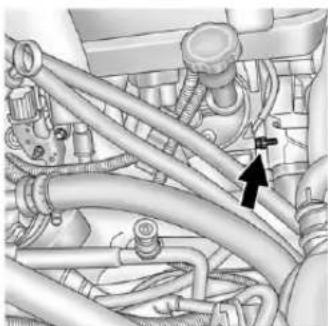
natural_image
Mechanical assembly diagram showing hoses and components (no text or labels)Theremotenegative(-)terminal isastudlocatedontheright frontoftheengine,wherethe negativebatterycableattaches.
SeeEngineCompartment Overviewonpage10-6formore informationonthelocationofthe remotepositive(+)andremote negative(-)terminals.

WARNING
Anelectricfancanstartupeven whentheengineisnotrunning andcaninjureyou.Keephands, clothingandtoolsawayfromany underhoodelectricfan.

WARNING
Usinganopenflameneara batterycancausebatterygasto explode.Peoplehavebeenhurt doingthis,andsomehavebeen blinded.Useaflashlightifyou needmorelight.
(Continued)
WARNING(Continued)
Besurethebatteryhasenough water.Youdonotneedtoadd watertothebatteryinstalledin yournewvehicle.Butifabattery hasfillercaps,besuretheright amountoffluidisthere.Ifitislow, addwatertotakecareofthat first.Ifyoudonot,explosivegas couldbepresent.
Batteryfluidcontainsacidthat canburnyou.Donotgetiton you.Ifyouaccidentallygetitin youreyesoronyourskin,flush theplacewithwaterandget medicalhelpimmediately.

WARNING
Fansorothermovingengine partscaninjureyoubadly.Keep yourhandsawayfrommoving partsoncetheengineisrunning.
- Check that the jumpercables do nothavelooseormissing insulation. If they do, you could get ashock. The vehicles could bedamaged too.
Beforeyouconnectthecables, herearesomebasicthingsyou shouldknow.Positive(+)willgo topositive(+)ortoaremote positive(+)terminalifthevehicle hasone.Negative(-)willgotoa heavy, unpaintedmetalengine partortoaremotenegative(-) terminalifthevehiclehasone.
Donotconnectpositive(+)to negative(-)oryouwillgeta shortthatwoulddamagethe batteryandmaybeotherparts too.Anddonotconnectthe negative(-)cabletothe negative(-)terminalonthedead batterybecausethiscancause sparks.
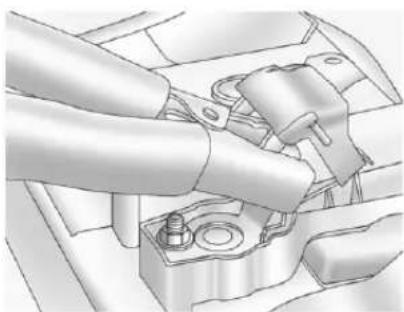
natural_image
Mechanical assembly diagram showing a hand connecting a component to a housing (no text or symbols visible)-
Connecttheredpositive(+) cabletothepositive(+)terminal ofthevehiclewiththedead battery. Usearemote positive(+)terminalifthe vehiclehasone.
-
Donotlettheotherendtouch metal. Connectittothe positive(+)terminalofthe goodbattery. Usearemote positive(+)terminalifthevehicle hasone.
-
Now connect the black negative (-) cable to the negative (-) terminal of the good battery. Use a remote negative (-) terminal if the vehicle has one.
Donotlettheotherendtouch anythinguntilthenextstep.The otherendofthenegative(-) cabledoesnotgotothedead battery.Itgoestoaheavy, unpaintedmetalenginepartor totheremotenegative(-) terminalonthevehiclewiththe deadbattery. -
Connect the other end of the negative (-) cable to theremote negative (-) terminal, on the vehicle with the dead battery.
-
Now start the vehicle with the good battery and run the engine for awhile.
- Trytostartthevehiclethathad thedeadbattery.lfitwillnot startafterafewtries, it probablyneedsservice.
Notice: If the jumpercables are connected or removed in the wrong order, electrical shorting may occur and damage the vehicle. There pairs would not be covered by the vehicle warranty. Always connect and remove the jumpercables in the correct order, makingsure that the cables donottouche achother or other metal.
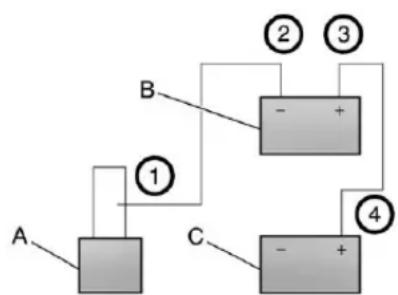
flowchart
graph TD
    A["Component A"] -->|①| B["Component B"]
    B -->|②| C["Component C"]
    B -->|③| D["Component D"]
    C -->|④| E["Component E"]
    D -->|④| E
JumperCableRemoval
A. Heavy, Unpainted Metal Engine Partor Remote Negative (-) Terminal
B. GoodBatteryorRemote Positive(+)andRemote Negative(-)Terminals
C. DeadBatteryorRemote Positive(+)Terminal
Todisconnectthejumpercables from both vehicles do the following:
- Disconnecttheblack negative(-)cablefromthe vehiclethathadthebadbattery.
- Disconnect the black negative (-) cable from the vehicle with the good battery.
- Disconnectthered positive(+) cablefromthevehiclewiththe goodbattery.
- Disconnecttheredpositive(+) cablefromtheothervehicle.
- Returntheremotepositive(+) terminalcover, if the vehicle has one, to its original position.
Towing
TowingtheVehicle
Notice: To avoid damage, the disabled vehicles should be towed with all four wheel soff the ground. Care must be taken with vehicle sthathavelow ground clearance and /orspecial equipment. Always flatbed on acarcarrier.
Consultyourdealerora professionaltowingserviceifthe disabledvehiclemustbetowed. SeeRoadsideAssistanceProgram (U.S.andCanada)onpage13-8or RoadsideAssistanceProgram (Mexico)onpage13-10.
Totowthevehiclebehindanother vehicleforrecreationalpurposes, suchasbehindamotorhome,see "RecreationalVehicleTowing"inthis section.
Recreational Vehicle Towing
If the vehicle has a hybrid engine, seethe hybrid manual form more information.
Recreationalvehicletowingmeans towingthevehiclebehindanother vehicle—suchasbehindamotor home. Thetwomostcommontypes ofrecreationalvehicletowingare knownasdinghytowinganddolly towing. Dinghytowingistowingthe vehiclewithallfourwheelsonthe ground. Dollytowingistowingthe vehiclewithtwowwheelsonthe groundandtwowheelsupona deviceknownasadolly.
Herearesomeimportantthingsto considerbeforerecreationalvehicle towing:
- Whatisthetowingcapacity of thetowingvehicle? Besureto readthetowvehicle manufacturer's recommendations.
- Whatisthedistancethatwillbe travelled?Somevehicleshave restrictionsonhowfarandhow longtheycantow.
- Isthepropertowingequipment goingtobeused? Seeyour dealerortraileringprofessional foradditionaladviceand equipmentrecommendations.
- Isthevehiclereadytobe towed?Justaspreparingthe vehicleforalongtrip,makesure thevehicleispreparedtobe towed.
DinghyTowing
Two-Wheel-DriveVehiclesand Four-WheelDriveVehicleswitha SingleSpeedAutomatic TransferCase
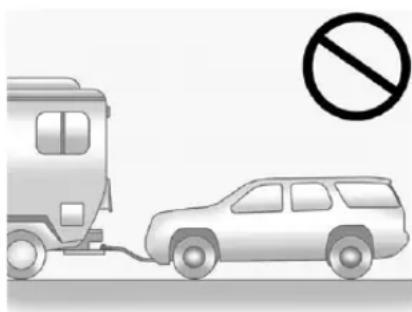
natural_image
Illustration of a van connected to a car with a no-smoking symbol (no text or labels)Notice: If the vehicle is bestowed with all four wheels on the ground, the drivetrain components could be damaged. There pairs would not be recovered by the vehicle warranty. Donot tow the vehicle with all four wheels on the ground.
Two-wheel-drive vehicles and four-wheeldrive vehicles with a single speed automatic transfer cases should not be towed with all four wheels on the ground. Two-wheel-drivetransmissions have no provisions for internal lubrication while being towed. Four-wheeldrive vehicles with as single speed automatic transfer case haveno neutral position and will spin the transmission when therear wheelsturn.
Four-WheelDriveVehicleswitha
TwoSpeedAutomatic
TransferCase
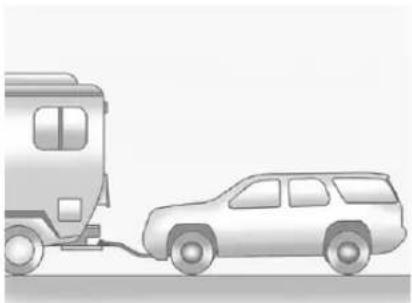
natural_image
Illustration of a car being connected to a bus, no text or symbols presentUsethefollowingprocedureto dinghytowafour-wheeldrive vehiclewithatwospeedautomatic transfercase:
- Position the vehicle being towed behind the tow vehicle and shift the transmission to P (Park).
-
Turntheengineoffandfirmlyset theparkingbrake.
-
Securely attach the vehicle being towed to the tow vehicle.
WARNING
Shiftingafour-wheel-drive vehicle'stransfercaseinto N(Neutral)cancausethevehicle torollevenifthetransmissionis inP(Park). Thedriverorothers couldbeinjured. Makesurethe parkingbrakeisfirmlysetbefore thetransfercaseisshiftedto N(Neutral).
4.Shiftthetransfercaseto N(Neutral).See See Four-WheelDrive(SingleSpeed AutomaticTransferCase)on page9-42orFour-WheelDrive (TwoSpeedAutomaticTransfer Case)onpage9-37.
- Releasetheparkingbrakeonly afterthevehiclebeingtowedis firmlyattachedtothetowing vehicle.
- TurntheignitiontoLOCK/OFF andremovethekey—the steeringwheelwillstillturn.
Aftertowing, see "Shifting Outof Neutral" under Four-Wheel Drive (Single Speed Automatic Transfer Case) on page 9-42 or Four-Wheel Drive (Two Speed Automatic Transfer Case) on page 9-37 for the proper procedure totakethe vehicle out of the Neutral position.
DollyTowing-FrontTowing (FrontWheelsOfftheGround)
Two-Wheel-DriveVehiclesand Four-WheelDriveVehicleswitha SingleSpeedAutomatic TransferCase
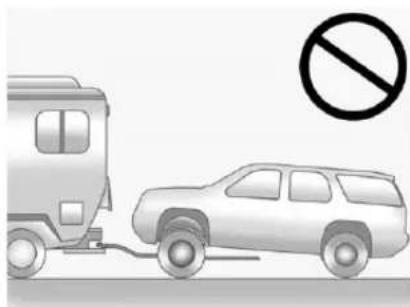
natural_image
Illustration of a train and a car with a no-smoking symbol (no text or labels)Notice: If at two-wheeldrive vehicle or four-wheeldrive vehicle with asinglespeed automatic transfcaseistowed with therear wheels on the ground, the transmission could be damaged. Therepairs would not be recovered by the vehicle
warranty.Nevertowthevehicle withtherearwheelsonthe ground.
Two-wheel-drive vehicles and four-wheeldrive vehicles with a single speed automatic transfer cases should not be towed with the rear wheels on the ground.
Two-wheel-drivetransmissionshave noprovisionsforinternallubrication whilebeingtowed.Four-wheeldrive vehicleswithasinglespeed automatictransfercasehaveno neutralpositionandwillspinthe transmissionwhentherear wheelsturn.
Todollytowatwo-wheel-drive vehicleorafour-wheeldrivevehicle withasinglespeedautomatic transfercase,thevehiclemustbe towedwiththerearwheelsonthe dolly.See"RearTowing(Rear WheelsOfftheGround)"laterinthis sectionformoreinformation.
Four-WheelDriveVehicleswitha TwoSpeedAutomatic TransferCase
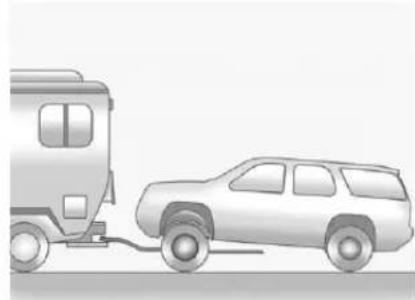
natural_image
Illustration of a car being connected to a bus, no text or symbols presentUsethefollowingproceduredodolly towafour-wheeldrivevehiclefrom thefront:
- Attachthedollytothetow vehiclefollowingthedolly manufacturer'sinstructions.
- Drivethefrontwheelsontothe dolly.
- Shiftthetransmission to P(Park).
- Firmlysettheparkingbrake.

WARNING
Shiftingafour-wheel-drive vehicle'stransfercaseinto N(Neutral)cancausethevehicle torollevenifthetransmissionis inP(Park). Thedriverorothers couldbeinjured. Makesurethe parkingbrakeisfirmlysetbefore thetransfercaseisshiftedto N(Neutral).
-
Use an adequate clamping device designed for towing to ensure that the front wheels are locked into the straight position.
6.Shiftthetransfercaseto N(Neutral).SeeFour-Wheel Drive(SingleSpeedAutomatic TransferCase)onpage9-42or Four-WheelDrive(TwoSpeed Automatic TransferCase)on page9-37. -
Secure the vehicle to the wholly following the manufacturer's instructions.
- Releasetheparkingbrakeonly afterthevehiclebeingtowedis firmlyattachedtothetowing vehicle.
- TurntheignitiontoLOCK/OFF.
Aftertowing, see "ShiftingOutof N(Neutral)" under Four-Wheel Drive (Single Speed Automatic Transfer Case) on page 9-42 or Four-Wheel Drive (Two Speed Automatic Transfer Case) on page 9-37.
RearTowing(RearWheelsOff theGround)
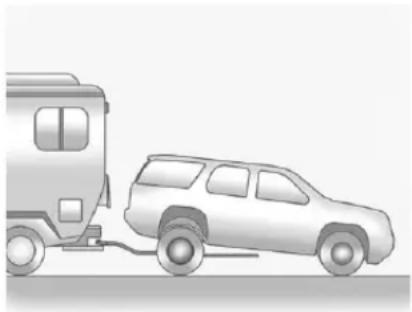
natural_image
Illustration of a car being pulled by a vehicle (no text or symbols)Two-Wheel-DriveVehiclesand Four-WheelDriveVehicleswitha SingleSpeedAutomatic TransferCase
Usethefollowingproceduretodolly towthevehiclefromtherear:
- Attachthedollytothetow vehiclefollowingthedolly manufacturer'sinstructions.
-
Drivetherearwheelsontothe dolly.
-
Firmlysettheparkingbrake. See ParkingBrakeon page9-46.
- PutthetransmissioninP(Park).
- Secure the vehicle to the Holly following the manufacturer's instructions.
- Use an adequate clamping device designed for towing to ensure that the front wheels are locked into the straight position.
- For four-wheeldrive vehicles with as single speed automatic transfcase, shift the transfer case into Two-Wheel Drive High. See Four-Wheel Drive (Single Speed Automatic Transfer Case) on page 9-42 or Four-Wheel Drive (Two Speed Automatic Transfer Case) on page 9-37.
- TurntheignitiontoLOCK/OFF.
Four-WheelDriveVehicleswitha TwoSpeedAutomatic TransferCase
Usethefollowingproceduretodolly towafour-wheeldrivevehiclefrom therear:
- Attachthedollytothetow vehiclefollowingthedolly manufacturer'sinstructions.
- Drivetherearwheelsontothe dolly.
- Firmlysettheparkingbrake. See ParkingBrakeon page9-46.
- PutthetransmissioninP(Park).
- Secure the vehicle to the Holly following the manufacturer's instructions.
- Use an adequate clamping device designed for towing to ensure that the front wheels are locked into the straight position.
WARNING
Shiftingafour-wheel-drive vehicle'stransfercaseinto N(Neutral)cancausethevehicle torollevenifthetransmissionis inP(Park). Thedriverorothers couldbeinjured. Makesurethe parkingbrakeisfirmlysetbefore thetransfercaseisshiftedto N(Neutral).
7.Shiftthetransfercaseto N(Neutral).SeeFour-Wheel Drive(SingleSpeedAutomatic TransferCase)onpage9-42or Four-WheelDrive(TwoSpeed Automatic TransferCase)on page9-37.
8. TurntheignitiontoLOCK/OFF.
Aftertowing, see "ShiftingOutof N(Neutral)" under Four-WheelDrive (SingleSpeedAutomaticTransfer Case) on page 9-42 or Four-Wheel Drive (TwoSpeedAutomatic TransferCase) on page 9-37.
AppearanceCare
ExteriorCare
WashingtheVehicle
Topreservethevehicle'sfinish, washitoftenandoutofdirect sunlight.
Notice: Donotusepetroleum based, acidic, or abrasive cleaning agents asthey can damage the vehicle's paint, metal, or plastic parts. If damage occurs, it would not be recovered by the vehicle's warranty. Approved cleaning product scan be obtained from your dealer. Follow all manufacturer directions regarding correct product usage, necessary safety precautions, and appropriate disposal of any vehicle care product.
Notice: Avoid using high pressure washes closer than 30cm(12in) to the surface of the vehicle. Use of power washers exceeding 8,274kPa (1,200 psi) can result in damage or removal of paint and decals.
Rinsethevehiclewell, before washing and after, to remove all cleaning agents completely. If they are allowed today on the surface, they could stain.
Drythefinishwithasoft, clean chamoisoranall-cottontowel to avoidsurfacescratchesandwater spotting.
FinishCare
Applicationofaftermarketclearcoat sealant/waxmaterialsisnot recommended. Ifpaintedsurfaces aredamaged, seeyourdealerto havethedamageassessed and repaired. Foreignmaterialssuchas calciumchlorideandothersalts, ice meltingagents, roadoilandtar, tree sap, birddroppings, chemicalsfrom
industrialchimneys,etc.,can damagethevehicle'sfinishifthey remainonpaintedsurfaces.Wash thevehicleassoonaspossible. Ifnecessary,usenon-abrasive cleanersthataremarkedsafefor paintedsurfacestoremoveforeign matter.
Occasionalhandwaxingormild polishingshouldbedonetoremove residuefromthepaintfinish.See yourdealerforapprovedcleaning products.
Notice: Machine compounding or aggressive polishing on a basecoat/clearcoat paint finish may damage it. Use only non-abrasivewaxes and polishes that are made for abasecoat/clearcoat paint finish on the vehicle.
Tokeep the paint finish looking new, keep the vehicle Garagedor covered whenever possible.
Protecting Exterior Bright Metal Parts
Regularlycleanbrightmetalparts withwaterorchromepolishon chromeorstainlesssteeltrim, ifnecessary.
Foraluminum, never use autoor chromepolish, steam, or caustic soaptoclean. A coating of wax, rubbed to high polish, is recommended for all bright metal parts.
CleaningExteriorLamps/LensesandEmblems
Useonlylukewarmorcoldwater, a softcloth, and acar washing soap to clean exterior lamps and lenses. Follow instructions under "Washing the Vehicle" later in this section.
WindshieldandWiperBlades
Cleantheoutsideofthewindshield withglasscleaner.
Cleanrubberbladesusinglint-free clothorpapertowelsoakedwith windshieldwasherfluidoramild detergent.Washthewindshield thoroughlywhencleaningthe blades.Bugs,roadgrime,sap,and abuildupofvehiclewash/wax treatmentsmaycausewiper streaking.
Replacethewiperbladesifthey arewornordamaged. Damagecan becausedbyextremedusty conditions,sand,salt,heat,sun, snowandice.
Weatherstrips
Applysiliconegreaseon weatherstripstomakethemlast longer,sealbetter,andnotstickor squeak.SeeRecommendedFluids andLubricantsonpage 11-12.
Tires
Useastiffbrushwithtirecleanerto cleanthetires.
Notice: Using petroleum-based tiredressing product on the vehicle may damage the paint finish and/or tires. When applying atiredressing, always wipe off any overspray from all painted surfaces on the vehicle.
WheelsandTrim—Aluminum orChrome
Useasoft, cleancloth with mild soap and watertocleanthewheels. After rinsing thoroughly with clean water, dry with asoft, cleantowel. Awax may then be applied.
Keepthewheelscleanusingasoft, cleanclothwithmildsoapand water.Rinsewithcleanwater.After rinsingthoroughly,drywithasoft, cleantowel.Awaxmaythenbe applied.
Notice: Chromewheels and other chrometrimmay bedamaged if the vehicle is not washed after driving on road sthath have been sprayed with magnesium, calcium, or sodium chloride. These chlorides are used on roads for condition such as ice and dust. Always wash the chromewith soap and water after exposure.
Notice: To avoid surface damage, do not use strong soaps, chemicals, abrasive polishes, cleaners, brushes, or cleaners that contain acidental aluminum chrome-plated wheels. Use only approved cleaners. Also, never drive vehicle with aluminum chrome-plated wheel through an automatic car wash that uses silicone car bidetire cleaning brushes. Damage could occur and therepair would not be covered by the vehicle warranty.
Steering, Suspension, and ChassisComponents
Visuallyinspectfrontandrear suspensionandsteeringsystemfor damaged,loose,ormissingpartsor signsofwear.Inspectthepower steeringforproperhook-up,binding, leaks,cracks,chafing,etc.Visually checkconstantvelocityjoints, rubberboots,andaxlesealsfor leaks.
BodyComponentLubrication
Lubricateallkeylockcylinders, hoodhinges, liftgatehinges, and steelfueldoorhingeunless the componentsareplastic. Applying siliconegreaseonweatherstrips withacleanclothwillmakethem lastlonger, sealbetter, andnotstick orsqueak.
UnderbodyMaintenance
Useplainwatertoflushdirtand debrisfromthevehicle'sunderbody. Yourdealeroranunderbodycar washingsystemcandothis.Ifnot removed,rustandcorrosioncan develop.
SheetMetalDamage
If the vehicle is damaged and requires sheet metal repair or replacement, makes sure the body repair shop applies anti-corrosion material to parts repaired or replaced to restore corrosion protection.
Original manufacturer replacement partswillprovidethe corrosion protectionwhilemaintainingthe vehiclewarranty.
FinishDamage
Quicklyrepairminorchipsand scratcheswithtouch-upmaterials availablefromyourdealertoavoid corrosion.Largerareasoffinish damagecanbecorrectedinyour dealer'sbodyandpaintshop.
ChemicalPaintSpotting
Airbornepollutantscanfallupon andattackpaintedvehiclesurfaces causingblotchy, ring-shaped discolorations, and small, irregular darkspotsetched into the paint surface.
InteriorCare
Topreventdirtparticleabrasions, regularlycleanthevehicle'sinterior. Immediatelyremoveanysoils. Note thatnewspapersordarkgarments thatcantransfercolortohome furnishingscanalsopermanently transfercolortothevehicle's interior.
Useasoftbristlebrushtoremove dustfromknobsandcrevicesonthe instrumentcluster. Usingamild soapsolution,immediatelyremove handlotions,sunscreen,andinsect repellantfromallinteriorsurfacesor permanentdamagemayresult.
Yourdealermayhaveproductsfor cleaningtheinterior.Usecleaners specificallydesignedforthe surfacesbeingcleanedtoprevent permanentdamage.Toprevent overspray,applyallcleanersdirectly tothecleaningcloth.Cleaners shouldberemovedquickly.Never allowcleanerstoremainonthe surfacebeingcleanedforextended periodsoftime.
Cleanersmaycontainsolventsthat canbecomeconcentratedinthe interior.Beforeusingcleaners,read andadheretoallsafetyinstructions onthelabel.Whilecleaningthe interior,maintainadequate ventilationbyopeningthedoors andwindows.
Topreventdamage, donotclean the interior using the following cleanersortechniques:
- Neverusearazororanyother sharpobjecttoremoveasoil fromanyinteriorsurface.
- Neveruseabrushwithstiff bristles.
- Neverrubanysurface aggressivelyorwithexcessive pressure.
- Donotuselaundrydetergentsor dishwashingsoapswith degreasers. For liquid cleaners, use approximately 20 drops per 3.78L (1gal) of water. A concentrated soapsolution will leave a residuethat creates streaks and attracts dirt. Donot uses solution that contain strong or caustic soap.
- Donotheavilysaturatethe upholsterywhencleaning.
- Donotusesolventsorcleaners containingsolvents.
InteriorGlass
Toclean, useaterryclothfabric dampenedwithwater. Wipedroplets leftbehindwithacleandrycloth. Commercialglasscleanersmaybe used, if necessary, aftercleaning theinteriorglasswithplainwater.
Notice: Topreventscratching, neveruseabrasivecleanerson automotiveglass. Abrasive cleanersoraggressivecleaning maydamagetherearwindow defogger.
Fabric/Carpet
Startbyvacuumingthesurface usingasoftbrushattachment.lfa rotatingbrushattachmentisbeing usedduringvacuuming,onlyuseit onthefloorcarpet.Beforecleaning, gentlyremoveasmuchofthesoil aspossibleusingoneofthe followingtechniques:
• Gentlyblotliquidswithapaper towel. Continueblottinguntilno moresoilcanberemoved.
- Forsolidsoils, removeasmuch aspossibleprioritovacuuming.
Toclean:
-
Saturateacleanlint-free colorfastclothwithwaterorclub soda. Microfiberclothis recommendedtopreventlint transfertothefabricorcarpet.
-
Remove excess moisture by gently wringing until water does not drip from the cleaning cloth.
3.Startontheoutsideedgeofthe soilandgentlyrubtowardthe center. Rotatethecleaningcloth toacleanareafrequentlyto preventforcingthesoilintothe fabric.
4. Continue gently rubbing the soiled area until there is no longer any color transfer from the soil to the cleaning cloth.
5. If the soil is not completely removed, use a mild soap solution followed only by club soda or plain water.
If the soil is not completely removed, it may be necessary to use a commercial upholstery cleaner or spot lifter. Test small hidden area for color fastness before using a commercial upholstery cleaner or spot lifter. If ring formation occurs, clean the entire fabric or carpet.
Following the cleaning process, a papertowel can be used to blot excess moisture.
InstrumentPanel, Leather, Vinyl, & Other Plastic Surfaces
Useasoftmicrofibercloth dampenedwithwatertoremove dustandloosedirt.Foramore thoroughcleaning,useasoft microfiberclothdampenedwitha mildsoapsolution.
Notice: Soakingorsaturating leather, especially perforated leather, as well as other interior surfaces, may cause permanent damage. Wipe excess moisture from these surfaces after cleaning and allow them today naturally. Never use heat, steam, spotlifters or spotremovers. Do not use cleaner that contain silicone or wax-based products. Cleaners containing these solvent scan permanently change the appearance and feel of leather or soft trim and are not recommended.
Donotusecleanersthatincrease gloss,especiallyontheinstrument panel. Reflectedglarecandecrease visibilitythroughthewindshield undercertainconditions.
Notice: Useofairfreshenersmay cause permanent damageto plastics and painted surfaces. Ifanairfreshener comes in contact with any plastic or painted surface in the vehicle, blot immediately and clean with a soft cloth dampened with a mild soapsolution. Damage caused by airfresheners would not be covered by the vehicle warranty.
WoodPanels
Useacleanclothmoistenedin warm,soapywater(usemilddish washingsoap).Drythewood immediatelywithacleancloth.
SpeakerCovers
Vacuumaroundaspeakercover gently, so that the speaker will not be damaged. Cleanspot with just water and mild soap.
CareofSafetyBelts
Keepbeltscleananddry.
WARNING
Donotbleachordyesafetybelts. Itmayseverelyweakenthem. In acrash, they might not be able to provide adequate protection. Cleansafetybeltsonly with mild soap and lukewarmwater.
FloorMats
WARNING
Ifafloormatisthewrongsizeor isnotproperlyinstalled,itcan interferewiththepedals. Interferencewiththepedalscan causeunintendedacceleration and/orincreasedstopping distancewhichcancauseacrash andinjury.Makesurethefloor matdoesnotinterferewiththe pedals.
Usethefollowingguidelinesfor properfloormatusage.
- Theoriginalequipmentfloor matsweredesignedforthe vehicle.Ifthefloormatsneed replacing,itisrecommended thatGMcertifiedfloormatsbe purchased.Non-GMfloormats maynotfitproperlyandmay interferewiththepedals.Always checkthatthefloormatsdonot interferewiththepedals.
- Usethefloormatwiththe correctsideup.Donotturn itover.
- Donotplaceanythingontopof theriversidefloormat.
• Useonlyasinglefloormaton theriverside. - Donotplaceonefloormaton topofanother.
10-106VehicleCare
NOTES
Service and Maintenance
GeneralInformation
GeneralInformation......11-1
MaintenanceSchedule
MaintenanceSchedule......11-3
SpecialApplicationServices
SpecialApplication
Services....11-8
Additional Maintenance and Care
AdditionalMaintenance
andCare....11-9
RecommendedFluids, Lubricants,andParts
RecommendedFluidsand
Lubricants......11-12
MaintenanceReplacement
Parts......11-14
MaintenanceRecords
MaintenanceRecords.....11-15
GeneralInformation
Yourvehicleisanimportant investment. Thissectiondescribes therequiredmaintenanceforthe vehicle. Followthischeduletohelp protectagainstmajorrepair expensesresultingfromneglector inadequatemaintenance. It may also help maintain the value of the vehicle if it is sold. It is the responsibility of the owner to have all required maintenance performed.
Yourdealerhastrainedtechnicians whocanperformrequired maintenanceusinggenuine replacementparts.Theyhave up-to-datetoolsandequipmentfor fastandaccuratediagnostics. Manydealershaveextended eveningandSaturdayhours, courtesytransportation,andonline schedulingtoassistwithservice needs.
Yourdealerrecognizesthe importanceofproviding competitivelypricedmaintenance andrepairservices.Withtrained technicians,thedealeristheplace forroutinemaintenancesuchasoil changesandtirerotationsand additionalmaintenanceitemslike tires,brakes,batteries,andwiper blades.
Notice: Damagecaused by improper maintenance can lead to costly repairs and may not be covered by the vehicle warranty. Maintenance intervals, checks, inspections, recommended fluids, and lubricants are important to keep the vehicle in good working condition.
The Tire Rotation and Required Services are theresponsibility of the vehicle owner. It is recommended to have your dealer perform these services every 12000 km/7,500 mi. Proper vehicle maintenance help to keep the vehicle in good working condition, improves fueleconomy, and reduces vehicle emissions.
11-2ServiceandMaintenance
Becauseofthewaypeopleuse vehicles,maintenanceneedsvary. Theremayneetobemore frequentchecksandservices. TheAdditionalRequired Services-Normalarefor vehiclesthat:
- Carrypassengersandcargo withinrecommendedlimitson the TireandLoadingInformation label.SeeVehicleLoadLimits onpage9-16.
- Aredrivenonreasonableroad surfaceswithinlegaldriving limits.
- Usetherecommendedfuel.See RecommendedFuelon page9-63.
Refertotheinformationinthe MaintenanceScheduleAdditional RequiredServices-Normalchart.
TheAdditionalRequired Services-Severeareforvehicles thatare:
• Mainlydriveninheavycitytraffic inhotweather.
• Mainlydriveninhillyor mountainousterrain.
• Frequentlytowingatraler.
• Usedforhighspeedor competitivedriving.
• Usedfortaxi, police, ordelivery service.
Refertotheinformationinthe MaintenanceScheduleAdditional RequiredServices-Severechart.

WARNING
Performingmaintenanceworkcan bedangerousandcancause seriousinjury.Perform maintenanceworkonlyifthe requiredinformation,propertools, andequipmentareavailable. Iftheyarenot,seeyourdealerto haveatrainedtechniciandothe work.SeeDoingYourOwn ServiceWorkonpage 10-4.
Maintenance Schedule
OwnerChecksandServices
AtEachFuelStop
- Checktheengineoillevel.See EngineOilonpage10-7.
OnceaMonth
- Checkthetireinflation pressures. See TirePressureon page 10-57.
• Inspectthetiresforwear. See TireInspectiononpage10-63. - Checkthewindshieldwasher fluidlevel.See WasherFluidon page 10-25.
EngineOilChange
WhentheCHANGEENGINEOIL SOONmessagedisplays,havethe engineoilandfilterchangedwithin thenext1000km/600mi.lfdriven underthebestconditions,the engineoillifesystemmightnot indicateetheneedforvehicleservice formorethanayear.Theengineoil andfiltermustbechangedatleast onceayearandtheoillifesystem mustbereset.Yourtraineddealer techniciancanperformthiswork. Iftheengineoillifesystemisreset accidentally,servicethevehicle within5000km/3,000misincethe lastservice.Resettheoillife systemwhentheoilischanged. SeeEngineOilLifeSystemon page 10-10.
TireRotationandRequired ServicesEvery12000km/7,500mi
Rotatethetires, if recommended for the vehicle, and perform the followingservices. See Tire Rotationonpage 10-64.
- Checkengineoillevelandoil lifepercentage.Ifneeded, changeengineoilandfilter,and resetoillifesystem.SeeEngine Oilonpage10-7andEngineOil LifeSystempage10-10.
- Checkenginecoolantlevel.See EngineCoolantonpage10-17.
- Checkwindshieldwasherfluid level. See WasherFluidon page 10-25.
- Visuallyinspectwindshieldwiper bladesforwear,cracking, orcontamination.SeeExterior Careonpage10-99.Replace wornordamagedwiperblades. SeeWiperBladeReplacement onpage10-34.
11-4ServiceandMaintenance
- Checktireinflationpressures. See TirePressureon page10-57.
• Inspecttirewear. See Tire Inspectiononpage10-63.
• Visuallycheckforfluidleaks. - Inspectengineaircleanerfilter. SeeEngineAirCleaner/Filteron page 10-14.
- Inspectbrakesystem.
- Visuallyinspectsteering, suspension, and chassis components for damaged, loose, or missing parts or sign of wear. See Exterior Care on page 10-99.
-
Checkrestraintsystem components.SeeSafetySystem Checkonpage3-29.
-
Visuallyinspectfuelsystemfor damageorleaks.
- Visuallyinspectexhaustsystem andnearbyheatshieldsfor looseordamagedparts.
• Lubricatebodycomponents.See ExteriorCareonpage10-99. - Checkstarterswitch.SeeStarter SwitchCheckonpage10-32.
- Checkautomatictransmission shiftlockcontrolfunction.See AutomaticTransmissionShift LockControlFunctionCheckon page10-32.
-
Checkignitiontransmissionlock. SeeIgnitionTransmissionLock Checkonpage10-33.
-
Checkparkingbrakeand automatictransmissionpark mechanism.SeeParkBrakeand P(Park)MechanismCheckon page10-33.
- Checkacceleratorpedalfor damage, higheffort, orbinding. Replace if needed.
- Visually inspect gas strut for signsofwear, cracks, or other damage. Check the hold open ability of the strut. See your dealer if service is required.
- Inspectsunrooftrackandseal, ifequipped. See Sunroofon page2-25.
- Checkhybridlowpressure coolantlevel,ifequipped.
| Maintenance ScheduleAdditional RequiredServices – Normal | 12 000 km/7,500 mi | 24 000 km/15,000 mi | 36 000 km/22,500 mi | 48 000 km/30,000 mi | 60 000 km/37,500 mi | 72 000 km/45,000 mi | 84 000 km/52,500 mi | 96 000 km/60,000 mi | 108 000 km/67,500 mi | 120 000 km/75,000 mi | 132 000 km/82,500 mi | 144 000 km/90,000 mi | 156 000 km/97,500 mi | 168 000 km/105,000 mi | 180 000 km/112,500 mi | 192 000 km/120,000 mi | 204 000 km/127,500 mi | 216 000 km/135,000 mi | 228 000 km/142,500 mi | 240 000 km/150,000 mi |
| Rotate tires and perform RequiredServices. Check engine oil level andoil life percentage. Change engine oiland filter, if needed. | √ | √ | √ | √ | √ | √ | √ | √ | √ | √ | √ | √ | √ | √ | √ | √ | √ | √ | √ | √ |
| Inspect evaporative control system. (a) | √ | √ | √ | |||||||||||||||||
| Replace engine air cleaner filter. (b) | √ | √ | √ | |||||||||||||||||
| Replace spark plugs. Inspect sparkplug wires. | √ | |||||||||||||||||||
| Change automatic transmission fluid, Ifequipped. If filter is serviceable,change filter. | √ | |||||||||||||||||||
| Change transfer case fluid, if equippedwith 4WD. (c) | √ | |||||||||||||||||||
| Drain, flush, and fill engine coolingsystem. (d) | √ | |||||||||||||||||||
| Drain, flush, and fill hybrid low pressurecooling system, if equipped. (d) | √ | |||||||||||||||||||
| Visually inspect accessory drive belts. (e) | √ |
11-6ServiceandMaintenance
Footnotes—Maintenance ScheduleAdditionalRequired Services—Normal
a) Checkallfuelandvaporlines andhosesforproperhook-up, routing, and condition. Check that the purgevalve, if the vehicle has one, works properly. Replace as needed.
b) Oreveryfouryears, whichever comesfirst.
c) Donotdirectlypowerwash the transfercaseoutputseals. High pressurewatercanovercomethe sealsandcontaminatethetransfer casefluid. Contaminatedfluidwill decreasethelifeofthetransfer caseandshouldbereplaced.
d) Oreveryfiveyears, whichever comesfirst. See Cooling System on page 10-16.
e)Orevery10years,whichever comesfirst.Inspectforfraying, excessivecracking,ordamage; replace,ifneeded.
| Maintenance ScheduleAdditional RequiredServices – Severe | 12 000 km/7,500 mi | 24 000 km/15,000 mi | 36 000 km/22,500 mi | 48 000 km/30,000 mi | 60 000 km/37,500 mi | 72 000 km/45,000 mi | 84 000 km/52,500 mi | 96 000 km/60,000 mi | 108 000 km/67,500 mi | 120 000 km/75,000 mi | 132 000 km/82,500 mi | 144 000 km/90,000 mi | 156 000 km/97,500 mi | 168 000 km/105,000 mi | 180 000 km/112,500 mi | 192 000 km/120,000 mi | 204 000 km/127,500 mi | 216 000 km/135,000 mi | 228 000 km/142,500 mi | 240 000 km/150,000 mi |
| Rotate tires and perform RequiredServices. Check engine oil level andoil life percentage. Change engine oiland filter, if needed. | √ | √ | √ | √ | √ | √ | √ | √ | √ | √ | √ | √ | √ | √ | √ | √ | √ | √ | √ | √ |
| Inspect evaporative control system. (a) | √ | √ | √ | |||||||||||||||||
| Replace engine air cleaner filter. (b) | √ | √ | √ | |||||||||||||||||
| Change automatic transmission fluid, ifequipped. If filter is serviceable,change filter. | √ | √ | √ | |||||||||||||||||
| Change transfer case fluid, if equippedwith 4WD. (c) | √ | √ | √ | |||||||||||||||||
| Replace spark plugs. Inspect sparkplug wires. | √ | |||||||||||||||||||
| Drain, flush, and fill engine coolingsystem. (d) | √ | |||||||||||||||||||
| Drain, flush, and fill hybrid low pressurecooling system, if equipped. (d) | √ | |||||||||||||||||||
| Visually inspect accessory drive belts. (e) | √ |
11-8ServiceandMaintenance
Footnotes—Maintenance ScheduleAdditionalRequired Services—Severe
a) Checkallfuelandvaporlines andhosesforproperhook-up, routing, and condition. Check that the purgevalve, if the vehicle has one, works properly. Replace as needed.
b) Oreveryfouryears, whichever comesfirst.
c) Donotdirectlypowerwash the transfercaseoutputseals. High pressurewatercanovercomethe sealsandcontaminatethetransfer casefluid. Contaminatedfluidwill decreasethelifeofthetransfer caseandshouldbereplaced.
d) Oreveryfiveyears, whichever comesfirst. See Cooling System on page 10-16.
e)Orevery10years,whichever comesfirst.Inspectforfraying, excessivecracking,ordamage; replace,ifneeded.
SpecialApplication Services
- SevereCommercialUse VehiclesOnly:Lubricatechassis componentsevery5000km/3,000mi.
• Haveunderbodyflushingservice performedonceayear.
Additional Maintenance and Care
Yourvehicleisanimportant investmentandcaringforitproperly mayhelptoavoidfuturecostly repairs.Tomaintainvehicle performance,additional maintenanceservicesmaybe required.Itisrecommendedthat yourdealerperformthese services—theirtraineddealer techniciansknowyourvehiclebest. Yourdealercanalsoperforma thoroughassessmentwitha multi-pointinspectiontorecommend whenyourvehiclemayneed attention.Thefollowinglistis intendedtoexplaintheservicesand conditionstolookforthatmay indicatesservicesarerequired.
Battery
The battery-supplies power to start the engine and operate any additionalelectrical accessories.
• To avoid break-downor failure to start the vehicle, maintain a battery with full cranking power.
- Traineddealertechnicianshave thediagnosticequipmenttotest thebatteryandensurethatthe connectionsandcablesare corrosion-free.
Belts
- Beltsmayneedreplacingifthey squeakorshowsignsof crackingorsplitting.
- Traineddealertechnicianscan inspectthebeltsand recommendreplacementwhen necessary.
Brakes
Brakesstopthevehicleandare crucialtosafedriving.
- Signsofbrakewearmayinclude chirping,grinding,orsquealing noises,ordifficultystopping.
- Traineddealertechnicianshave accesstotoolsandequipment toinspectthebrakesand recommendqualityparts engineeredforthevehicle.
Fluids
Properfluid levels and approved fluids protect the vehicle's systems and components. See Recommended Fluids and Lubricantson page 11-12 for GM approved fluids.
• Engineoilandwindshield washerfluidlevelsshouldbe checkedateveryfuelfill.
- Instrumentclusterlightsmay comeontoindicatethatfluids maybelowandneedtobe filled.
Hoses
Hosestransportfluidsandshould beregularlyinspectedtoensure thattherearenocracksorleaks. Withamulti-pointinspection,your dealercaninspectthehosesand adviseifreplacementisneeded.
Lamps
Properlyworkingheadlamps, taillamps, and brakelamps are important to see and beseen on theroad.
- Signsthattheheadlampsneed attentionincludedimming,failure tolight,cracking,ordamage. Thebrakelampsneedtobe checkedperiodicallytoensure thattheylightwhenbraking.
- Withamulti-pointinspection, yourdealercancheckthelamps andnoteanyconcerns.
ShocksandStruts
Shocksandstrutshelpaidincontrol forasmootherride.
- Signsofwearmayinclude steeringwheelvibration,bounce/swaywhilebraking,longer stoppingdistance,oruneven tirewear.
- Aspartofthemulti-point inspection, traineddealer technicianscanvisuallyinspect theshocksandstrutsforsigns ofleaking, blownseals, ordamage, and can advise whenserviceisneeded.
Tires
Tiresneedtobeproperlyinflated, rotated, and balanced. Maintaining the tirescansavemoney, fuel, and can reduce other risk of tirefailure.
- Signsthatthetiresneedtobe replacedincludethreeormore visibletreadwearindicators;cord orfabricshowingthroughthe rubber;cracksorcutsinthe treadorsidewall;orabulgeor splitinthetire.
- Traineddealertechnicianscan inspectandrecommendtheright tires. Yourdealercanalso providetire/wheelbalancing servicestoensuresmooth vehicleoperationatallspeeds. Yourdealersellsandservices namebrandtires.
VehicleCare
To help keep the vehicle looking like new, vehicle care products are available from your dealer. For information on how to clean and protect the vehicle's interior and exterior, see Interior Care on page 10-102 and Exterior Care on page 10-99.
WheelAlignment
Wheelalignmentiscriticalfor ensuringthatthetiresdeliver optimalwearandperformance.
- Signsthatthealignmentmay needtobeadjustedinclude pulling,impropervehicle handling,orunusualtirewear.
- Yourdealerhastherequired equipmenttoensureproper wheelalignment.
Windshield
Forsafety, appearance, and the bestviewing, keep the windshield clean and clear.
- Signsofdamageinclude scratches,cracks,andchips.
- Traineddealertechnicianscan inspectthewindshield and recommendproperreplacement ifneeded.
WiperBlades
Wiperbladesneedtobecleaned andkeptingoodconditionto provideaclearview.
- Signsofwearincludestreaking, skippingacrossthewindshield, andwornorsplitrubber.
- Traineddealertechnicianscan checkthewiperbladesand replacethemwhenneeded.
RecommendedFluids,Lubricants,andParts
RecommendedFluidsandLubricants
Fluidsandlubricantsidentifiedbelowbyname, partnumber, orspecification can be obtained from your dealer.
| UsageFluid/Lubricant | |
| EngineOil | Useonlyengineoillicensedtothedexos1specification,orequivalent,of theproperSAEviscositygrade.ACDelcodexos1SyntheticBlendis recommended.SeeEngineOilonpage10-7. |
| EngineCoolant | 50/50mixtureofclean,drinkablewateranduseonlyDEX-COOLCoolant.SeeEngineCoolantonpage10-17. |
| HydraulicBrakeSystem | DOT3HydraulicBrakeFluid(GMPartNo.12377967,in Canada89021320). |
| WindshieldWasher | Automotivewindshieldwasherfluidthatmeetsregionalfreezeprotection requirements. |
| PowerSteeringSystemGMPower | rSteeringFluid(GMPartNo.89021184,inCanada89021186). |
| AutomaticTransmissionDEXRON®-VIAutomaticTransmissionFluid. | |
| KeyLockCylinders | Multi-PurposeLubricant,Superlube(GMPartNo.12346241,in Canada10953474). |
| ChassisLubrication | ChassisLubricant(GMPartNo.12377985,inCanada88901242)or lubricantmeetingrequirementsofNLGI#2,CategoryLBorGC-LB. |
| FrontAxle(1500SeriesVehicleswith Four-WheelDrive) | SAE80W-90AxleLubricant(GMPartNo.89021671,in Canada89021672). |
| FrontAxle(2500SeriesVehicleswith Four-WheelDrive) | SAE75W-90SyntheticAxleLubricant(GMPartNo.89021677,in Canada89021678). |
| RearAxle | SAE75W-90SyntheticAxleLubricant(GMPartNo.89021677,in Canada89021678). |
| TransferCase(Four-WheelDrive)DEX | RON®-VIAutomaticTransmissionFluid. |
| FrontAxlePropshaftSplineor One-PiecePropshaftSpline (Two-WheelDrivewithAuto.Trans.) | SplineLubricant,SpecialLubricant(GMPartNo.12345879,in Canada10953511). |
| HoodHinges | Multi-PurposeLubricant,Superlube(GMPartNo.12346241,in Canada10953474). |
| OuterTailgateHandlePivotPoints | Multi-PurposeLubricant,Superlube(GMPartNo.12346241,in Canada10953474). |
| WeatherstripConditioning | WeatherstripLubricant(GMPartNo.3634770,inCanada10953518)or DielectricSiliconeGrease(GMPartNo.12345579,inCanada992887). |
| WeatherstripSqueaks | SyntheticGreasewithTeflon,Superlube(GMPartNo.12371287,in Canada10953437). |
MaintenanceReplacementParts
Replacementpartsidentifiedbelowbyname, partnumber, orspecification can be obtained from your dealer.
MaintenanceReplacementParts
| PartGMPartNumberACDelcoPartNumber | ||
| EngineAirCleaner/Filter | ||
| StandardFilter15908916*A3086C* | ||
| HighCapacityFilter15908915A3085C | ||
| OilFilter89017524PF48 | ||
| SparkPlugs12621258 41-110 | ||
| WiperBlades | ||
| Front – 55.0 cm (21.6 in) | 25877402 | — |
| Rear – 30.0 cm (11.8 in) | 25820122 | — |
| *15908915(A3085C)high-capacityaircleanerfiltermaybesubstituted. | ||
MaintenanceRecords
After the scheduled services are performed, record the date, odometer reading, who performed the service, and the type of services performed in the boxes provided. Retain all maintain an uncereceipts.
| Date | Odometer Reading | ServicedByServices | Performed |
11-16ServiceandMaintenance
| Date | Odometer Reading | ServicedByServices | Performed |
11-18ServiceandMaintenance
| Date | Odometer Reading | ServicedByServices | Performed |
TechnicalData
VehicleIdentification
VehicleIdentification
Number(VIN)......12-1
ServicePartsIdentification
Label.....12-1
VehicleData
Capacitiesand
Specifications......12-2
EngineDriveBeltRouting...12-4
VehicleIdentification
VehicleIdentification Number(VIN)


Thislegalidentifierisinthefront corneroftheinstrumentpanel, on theleftsideofthevehicle.Itcanbe seenthroughthewindshieldfrom outside. TheVINalsoappearson theVehicleCertificationandService Partslabelsandcertificatesoftitle andregistration.
Engineldentification
TheeighthcharacterintheVINis theenginecode. Thiscode identifiesthevehicle'sengine, specifications, and replacement parts. See "EngineSpecifications" under Capacities and Specifications on page 12-2 for the vehicle's enginecode.
ServiceParts IdentificationLabel
Thislabel, ontheinsideoftheglove box, hasthefollowinginformation:
• VehicleIdentification Number(VIN).
- Modeldesignation.
- Paintinformation.
• Productionoptionsandspecial equipment.
Donotremovethislabelfromthe vehicle.
VehicleData
CapacitiesandSpecifications
If your vehicle is a Hybrid, se the Hybrid manual form more information.
The following approximate capacities are given in metric and English conversions. See Recommended Fluids and Lubricantsonpage11-12formoreinformation.
| Application | Capacities | |
| MetricEnglish | ||
| AirConditioningRefrigerantR134a | Fortheairconditioningsystemrefrigerantcharge amount,seetherefrigerantlabellocatedunderthe hood.Seeyourdealerformoreinformation. | |
| CoolingSystem | ||
| 5.3LV817.3L18.3qt | ||
| 6.0LV816.5L17.4qt | ||
| EngineOilwithFilter5.7L6.0qt | ||
| FuelTank | ||
| Regular98.4L 26.0gal | ||
| Extended1500Series | 119.2L | 31.5gal |
| Extended2500Series | 147.6L | 39.0gal |
| TransmissionFluid(PanRemovalandFilterReplacement) | ||
| 6L80-ETransmission5.7L6.0qt | ||
| 6L90-ETransmission6.0L6.3qt | ||
| TransferCaseFluid1.5L1.6qt | ||
| WheelNutTorque190N•m140lbft | ||
| Allcapacitiesareapproximate.Whenadding,besuretofilltotheapproximatelevel,asrecommendedinthis manual.Recheckfluidlevelafterfilling. | ||
EngineSpecifications
| EngineVINCodeSparkPlugGap | ||
| 5.3LV8FlexFuelwithActiveFuelManagementTM(IronBlock)(LMG) | 0 | 1.02mm(0.040in) |
| 5.3LV8FlexFuelwithActiveFuelManagementTM(AluminumBlock)(LC9) | 7 | 1.02mm(0.040in) |
| 6.0LV8(IronBlock)(L96)G 1.02mm(0.040in) |
12-4 TechnicalData
EngineDriveBeltRouting
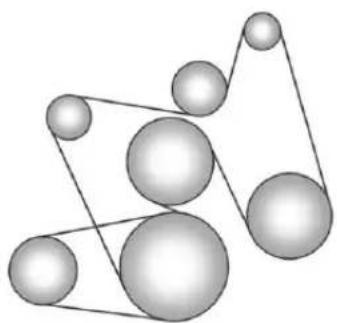
natural_image
Abstract geometric diagram of interconnected spheres with connecting lines (no text or symbols)Ifthevehicleisahybrid,seethe hybridsupplementformore information.
Customer Information
CustomerInformation
CustomerSatisfaction
Procedure(U.S.and
Canada)....13-1
CustomerSatisfaction
Procedure(Mexico)......13-3
CustomerAssistanceOffices
(U.S.andCanada)......13-5
CustomerAssistanceOffices
(Mexico)....13-6
CustomerAssistanceforText
Telephone(TTY)Users(U.S.
andCanada)....13-6
OnlineOwnerCenter......13-7
GMMobilityReimbursement
Program(U.S.and
Canada)....13-8
Roadside Assistance Program
(U.S.andCanada)......13-8
Roadside Assistance
Program(Mexico)......13-10
SchedulingService
Appointments(U.S.and
Canada)....13-13
CourtesyTransportation
Program(U.S.and
Canada)....13-14
CollisionDamageRepair
(U.S.andCanada)......13-15
ServicePublications
Ordering Information.....13-18
ReportingSafetyDefects
ReportingSafetyDefectsto
theUnitedStates
Government......13-19
ReportingSafetyDefectsto
theCanadian
Government......13-19
Reporting Safety Defectsto
GeneralMotors......13-20
VehicleDataRecordingand Privacy
VehicleDataRecordingand
Privacy....13-20
EventDataRecorders.....13-20
OnStar ^® 13-21
NavigationSystem......13-21
RadioFrequency
Identification(RFID)......13-22
RadioFrequency
Statement......13-22
CustomerInformation
CustomerSatisfaction Procedure(U.S.and Canada)
Yoursatisfactionandgoodwillare importanttoyourdealerando Chevrolet.Normally,anyconcerns withthesaletransactionorthe operationofthevehiclewillbe resolvedbyyourdealer'ssalesor servicedepartments.Sometimes, however,despitethebestintentions ofallconcerned,misunderstandings canoccur.Ifyourconcernhasnot beenresolvedoyoursatisfaction, thefollowingstepsshouldbetaken:
STEPONE: Discuss your concern with a member of dealership management. Normally, concerns can be quickly resolved at that level. If them matter has already been reviewed with the sales, service, or parts manager, contact the owner of your dealership or the general manager.
13-2 Customer Information
STEPTWO: If after contacting a member of dealership management, it appears your concern cannot be resolved by your dealership without further help, in the U.S., call the Chevrolet Customer Assistance Center at 1-800-222-1020. In Canada, call General Motors of Canada Customer Care Centre at 1-800-263-3777 (English), or 1-800-263-7854 (French).
Weencourageyoutocallthe toll-freenumberinordertogiveyour inquirypromptattention.Havethe followinginformationavailableto givetheCustomerAssistance representative:
- VehicleIdentification Number(VIN). This is available from the vehicleregistration or title, or the plate at the top of the instrument panel and visible through the windshield.
• Dealershipnameandlocation.
• Vehicledeliverydate and presentmileage.
When contacting Chevrolet, remember that your concern will likely be resolved at a dealer's facility. That is why we suggest following Step One first.
STEPTHREE—U.S.Owners: BothGeneralMotorsandyour dealerarecommittedtomaking sureyouarecompletely satisfied withyournewvehicle. However, ifyoucontinuetoremainunsatisfied afterfollowingtheprocedure outlinedinStepsOneandTwo,you canfilewiththeBetterBusiness Bureau(BBB)AutoLine ^® Program toenforceyourrights.
TheBBBAutoLineProgramisan out-of-courtprogramadministered bytheCouncilofBetterBusiness Bureaustosettleautomotive disputesregardingvehiclerepairsor theinterpretationoftheNewVehicle LimitedWarranty.Althoughyoumay berequiredtoresorttothisinformal disputeresolutionprogrampriorto filingacourtaction,useofthe programisfreeofchargeandyour casewillgenerallybeheardwithin
40days.Ifyoudonotagreewiththe decisiongiveninyourcase,you mayrejectitandproceedwithany othervenueforreliefavailable toyou.
YoumaycontacttheBBBAutoLine Programusingthetoll-free telephonenumberorwritethemat thefollowingaddress:
BBBAutoLineProgram CouncilofBetterBusiness Bureaus,Inc. 4200WilsonBoulevard Suite800 Arlington,VA22203-1838
Telephone:1-800-955-5100 www.dr.bbb.org/goauto
Thisprogramisavailableinall 50statesandtheDistrictof Columbia. Eligibilityislimitedby vehicleage, mileage, and other factors. General Motorsreserves therighttochangeeligibility limitationsand/ordiscontinueits participationinthisprogram.
STEPTHREE—Canadian
Owners: Intheeventthatyoudo notfeelyourconcernshavebeen addressedafterfollowingthe procedureoutlinedinStepsOne andTwo, General Motors of Canada Limitedwantsyoutobeaware ofitsparticipationinano-charge Mediation/ArbitrationProgram. General Motors of Canada Limited hascommittedtobindingarbitration ofownerdisputesinvolving factory-related vehicleservice claims. The program provides for thereviewofthefactsinvolved by animpartialthirdpartyarbiter, and may include an informal hearing before thearbiter. The program is designed so that the entire dispute settlement process, from the time you file your complaint to the final decision, should be completed in about 70 days. We believe our impartial program offers advantages overcourts in most jurisdictions because it is informal, quick, and free of charge.
For further information concerning eligibility in the Canadian Motor Vehicle Arbitration Plan (CAMVAP), call toll-free 1-800-207-0685, or call the General Motors Customer Care Centre, 1-800-263-3777 (English), 1-800-263-7854 (French), or writeto:
TheMediation/ArbitrationProgram c/oCustomerCareCentre GeneralMotorsofCanadaLimited MailCode:CA1-163-005 1908ColonelSamDrive Oshawa,OntarioL1H8P7
Yourinquiryshouldbeaccompanied bytheVehicleIdentification Number(VIN).
CustomerSatisfaction Procedure(Mexico)

text_image
GM Garantía PLUSDidyougettheWarrantyExtension Plan?Thisplanisrecommendedby GeneralMotorstosupplementthe warrantyincludedwiththenew vehiclepurchase.
Seeyourdealerfordetails.
CustomerAssistance Procedure
Ownersatisfactionandgoodwillare veryimportanttoyourdealerand GeneralMotors.
Normally, any problem with the transaction, sale, or usage of the vehicle must be handled by your dealersalesorservicedepartments. However, were cognizethat despite the good intention so fall parties involved, sometimes a misunderstanding may occur.
If you have a problem that has not been satisfactorily handled through then normal means, we suggest the following steps:
STEPONE
Explainyourcasetoyourdealer serviceagent,servicemanager, dealersalesagent,orsales manager,dependingonyourcase.
Makesurethattheyhaveall necessaryinformation.Theyare interestedinyourcontinual satisfaction.
STEPTWO
If you are not satisfied, please contact the general manager your dealership owner to ask for their help. If they are not able to resolve your case, ask them to contact the right people at General Motors for support, if needed.
STEPTHREE
If your case is not resolved in reasonable amount to time by your dealer, please call the General Motors Customer Assistance Center (CAC) and provide the following information:
- Name
- Address
- Phonenumber
- Modelyear
- Brand
• VehicleIdentification Number(VIN) - Mileage
- Deliverydate
• Descriptionoftheproblem - Dealershipname
- Dealershipaddress
See Customer Assistance Offices (U.S. and Canada) on page 13-5 or Customer Assistance Offices (Mexico) on page 13-6.
CustomerAssistance Offices(U.S.andCanada)
Chevroletencouragescustomers tocallthetoll-freenumberfor assistance. However, if customer wishestowriteore-mail Chevrolet, the letters should be addressed to:
UnitedStates
ChevroletMotorDivision
ChevroletCustomerAssistance
Center
P.O.Box33170
Detroit, MI48232-5170
www.Chevrolet.com
1-800-222-1020
1-800-833-2438(ForText
TelephoneDevices(TTYs))
Roadside Assistance:
1-800-243-8872
FromPuertoRico:
1-800-496-9992(English)
1-800-496-9993(Spanish)
From U.S. Virgin Islands:
1-800-496-9994
Canada
General Motors of Canada Limited
CustomerCareCentre, MailCode:
CA1-163-005
1908ColonelSamDrive
Oshawa,OntarioL1H8P7
www.gm.ca
1-800-263-3777(English)
Roadside Assistance:
1-800-268-6800
Overseas
PleasecontactthelocalGeneral MotorsBusinessUnit.
Mexico, Central America, and Caribbean Islands/Countries (Except Puerto Rico and U.S. Virgin Islands)
General Motors de Mexico, S. de
R.L.deC.V.
CustomerAssistanceCenter
13-6 Customer Information
CustomerAssistance Offices(Mexico)
TocontacttheCustomerAssistance Center(CAC), usethephone numberslistedinthissection. Customerassistanceisavailable MondaythroughFriday, 08:00 to 20:00 hours, and Saturdays from 08:00 to 15:00 hours.
Alle-mailinquiriestotheCustomer AssistanceCenter(CAC)shouldbe sentto:cac.chevrolet@gm.com.
Mexico
FromMexicoCity
5329-0811
FromOtherMexicoLocations
01-800-466-0811
UnitedStatesandCanada
1-866-466-8190
CostaRica
00-800-052-1005
Guatemala
1-800-999-5252
Panama
00-800-052-0001
DominicanRepublic
1-888-751-5301
EISalvador
800-6273
Honduras
800-0122-6101
CustomerAssistancefor TextTelephone(TTY) Users(U.S.andCanada)
Toassistcustomerswhoaredeaf, hardofhearing,orspeech-impaired andwhouseTextTelephones (TTYs),ChevroletthasTTY equipmentavailableatitsCustomer AssistanceCenter.AnyTTYuserin theU.S.cancommunicatewith Chevroletbydialing: 1-800-833-2438.TTYusersin Canadacandial1-800-263-3830.
OnlineOwnerCenter
Manageyourvehicle(U.S.)at chevrolet.com.Clickon "Owners," then "ManageMy Chevrolet/OwnersLogin."
Information and services customized for your specific vehicle—all in one convenient place.
• Digitalownermanual, warranty information, and more.
• Storageforonlineservice and maintenancerecords.
• Chevroletdealerlocator for servicenationwide.
• Exclusiveprivilegesandoffers.
- Recallnoticesforyourspecific vehicle.
• OnStarandGMCardmember ServicesEarningssummaries.
OtherHelpfulLinks
Chevrolet—www.chevrolet.com
ChevroletMerchandise—www.chevymall.com
HelpCenter—www.chevrolet.com/pages/mds/helpcenter/faq.do
- FAQ
- ContactUs
ChevroletOwnerCentre (Canada)chevroletowner.ca
TakeatriptotheChevroletOwner Centre:
- Chatlivewithonlinehelp representatives.
-
UsetheVehicleToolssection.
• Accessthirdpartyenthusiast sitesandsocialmedianetworks. -
Locateownerresourcessuchas lease-end,financing,and warrantyinformation.
- Retrieve your favorite articles, quizzes, tips and multimedia galleries organized into the Features and Auto Care Sections.
- Downloadtheownermanualfor yourvehicle,quicklyandeasily.
• Findthe Chevrolet-recommended maintenanceservicesforyour vehicle.
GMMobility ReimbursementProgram (U.S.andCanada)
GM MOBILITY
Thisprogramisavailableto qualifiedapplicantsforcost reimbursementofeligible aftermarketadaptiveequipment requiredforthevehicle,suchas handcontrolsorawheelchair/ scooterliftforthevehicle.
Formoreinformationonthelimited offer,visitwww.gmmobility.comor calltheGMMobilityAssistance Centerat1-800-323-9935.Text Telephone(TTY)users,call 1-800-833-9935.
General Motors of Canada also has a Mobility Program. Call 1-800-GM-DRIVE (463-7483) for details. TTY users call 1-800-263-3830.
Roadside Assistance Program(U.S.and Canada)
For U.S.-purchased vehicles, call 1-800-243-8872; (TextTelephone (TTY): 1-888-889-2438).
For Canadian-purchased vehicles, call 1-800-268-6800.
Serviceisavailable24hoursaday, 365daysayear.
CallingforAssistance
WhencallingRoadsideAssistance, havethefollowinginformation ready:
-
Yourname,homeaddress,and hometelephonenumber.
• Telephonenumberofyour location. -
Locationofthevehicle.
• Model, year, color, and license platenumberofthevehicle. - Odometerreading, Vehicle IdentificationNumber(VIN), and deliverydateofthevehicle.
• Descriptionoftheproblem.
Coverage
Servicesareprovidedupto5years/160000km(100,000mi),whichever comesfirst.
IntheU.S.,anyonedrivingthe vehicleiscovered.InCanada,a persondrivingthevehiclewithout permissionfromtheownerisnot covered.
Roadside Assistance is not part of the New Vehicle Limited Warranty. Chevrolet and General Motors of Canada Limited reservation right to make any changes disorder continue the Roadside Assistance program at any time without notification.
Chevrolet and General Motors of Canada Limited reserved to its services or payment to owner or driver if they decide the claims are made too often, or the sam type of claim is made many times.
ServicesProvided
• EmergencyFuelDelivery: Deliveryofenoughfuelforthe vehicletogettothenearest servicestation.
- Lock-OutService:Serviceto unlockthevehicleifyouare lockedout.Aremoteunlockmay beavailableifyyouhaveOnStar. Forsecurityreasons,thedriver mustpresentidentification beforethisserviceisgiven.
- EmergencyTowfromaPublic RoadorHighway:Towtothe nearestChevroletdealerfor warrantyservice,orifthevehicle wasinacrashandcannotbe driven.Assistanceisalsogiven whenthevehicleisstuckinthe sand,mud,orsnow.
- FlatTireChange:Serviceto changeaflattirewiththespare tire. Thesparetire, ifequipped, mustbeingoodconditionand properlyinflated. Itistheowner's responsibilityfortherepairor replacementofthetireifitisnot coveredbythewarranty.
- BatteryJumpStart:Serviceto jumpstartadeadbattery.
ServicesNotIncludedin RoadsideAssistance
- Impoundtowingcausedby violationofanylaws.
- Legalfines.
- Mounting, dismounting, or changing of snowtires, chains, or other traction devices.
- Towingorservicesforvehicles drivenonanon-publicroador highway.
ServicesSpecifictoCanadian PurchasedVehicles
- FuelDelivery:Reimbursement is approximately \$5Canadian. Dieselfueldeliverymaybe restricted. Propaneandother fuelsarenotprovidedthrough thisservice.
- Lock-OutService: Vehicle registration is required.
-
TripRoutingService:Detailed mapsofNorthAmericaare providedwhenrequestedeither withthemostdirectrouteorthe mostscenicroute.Thereisa limitofsixrequestsperyear. Additionaltravelinformationis alsoavailable.Allowthree weeksfordelivery.
-
TriplInterruptionBenefitsand Assistance:Mustbeover 250kilometersfromwhere yourtripwasstartedto qualify.GeneralMotorsof CanadaLimitedrequires pre-authorization,original detailedreceipts,andacopy oftherepairorders.Once authorizationhasbeenreceived,theRoadsideAssistanceadvisor willhelptomakearrangements andexplainhowtoreceive payment.
- AlternativeService:If assistancecannotbeprovided rightaway,theRoadside Assistanceadvisormaygive permissiontogetlocal emergencyroadservice.You willreceivepayment,upto\$100, aftersendingtheoriginalreceipt toRoadsideAssistance. Mechanicalfailuresmaybe covered,howeveranycostfor partsandlaborforrepairsnot coveredbythewarrantyarethe ownerresponsibility.
Roadside Assistance Program(Mexico)
Asanewowner,yourvehicleis automaticallyenrolledinthe RoadsideAssistanceprogram.The servicesareavailableatnocost underthetermsandconditionsof theprogram.TheRoadside Assistanceprogramisnotpartof, orincluded,inthecoverage providedbytheNewVehicleLimited Warranty.
Roadside Assistance provides assistance to the driver and passengers while driving the vehicle within your city of residence or on any passableroad in Mexico, the United States, and Canada. Services are subject to the limitations described in the following pages. Program coverage varies by country.
Roadside Assistance is available 24 hours, day, 365 days of the year.
This program expires two years from the date of the invoice for the vehicle, regardless of vehicle mileage and changes in vehicle ownership.
Formoreinformationaboutthe renewalofthisprogramattheend ofitsterm,contacttheChevrolet CustomerAssistanceCenterat 01-800-466-0800.
ServicesProvided
-
FlatTireChange:Ifunableto changeaflattire,Roadside Assistancewillprovidetowing servicetothenearestauthorized Chevroletdealership.Itisthe owner'sresponsibilityforthe repairorreplacementofthetire. Thisserviceislimitedtothe transferofthevehicletotherpairfacility.
• EmergencyFuelDelivery: Deliveryofenoughfuelforthe vehicletogettothenearest servicestation. -
Lock-OutService:Serviceto unlockthevehicleifyouare lockedout.
- BatteryJumpStart:Serviceto jumpstartadeadbattery.
• *EmergencyMessages: Transmissionofurgentphone messages.
• *EmergencyCalls:Callfor emergencyservices. - *DealershipLocation Assistance:Information regardingaddressesand telephonenumbersforChevrolet dealers.
- EmergencyTowing: Towtothe nearestdealerforwarranty serviceifthevehiclecannotbe driven.
If the vehicle is involved in an accident during the commission of acrime, administrative violation, or breach of traffic regulations, Roadside Assistance will not provide service.
Whenthevehicleisnot accessibletobetowed, all maneuversrequiredtoaccessit willbeattheowner'sexpense.
Ifthevehicleisinanothercity outsideofyourresidence, RoadsideAssistanceislimited to movingthevehicletoth nearestdealer.Ifyouwouldlike thevehiclemovedtoadifferent dealer,youwillbeaskedto coverthedifferenceincostat thetimeofthemove.
If the vehicle cannot be received by the nearest Chevrolet dealer duetoscheduling conflicts, the vehicle will be taken to as safe place where it will remain for up to 48 hours until it can be taken to the dealer. If the storage costs exceed the amount authorized, the owner is responsible to pay the difference at the time of service. Contact Roadside Assistance form more information on authorized amounts.
*TriplInterruption: This service is provided if you are prevented from further usage of your vehicle while traveling and it is not possible for the nearest Chevrolet dealership to repair the vehicle thesameday, requiring the vehicle to stay at the dealership for an eightor more. If this happens, in addition to the previously listed services and prior to confirmation by the dealership, you are entitled to choose one of the following alternatives, within the limit of existing Roadside Assistance program guidelines. If the costs exceed the amount authorized for these services, you must pay the difference at the time of service.
Roadside Assistance will coordinate hotel accommodations for all vehicle travelers foruptotwonights.
13-12 Customer Information
Arentalcarwillbeprovidedfor uptotwodaysandthevehicle mustbereturnedtoitsoriginal destination,excludingvehicles withacarryingcapacitygreater than3.5tons.
Complimentary Transportation: If you prefer to continue your tripto the intended destination or return to your place of residence, and the trip requires more than eight hours driving on theroad, transportation for the driver and passengers by first class bus or coach commercial airlinewill be provided to a location chosen by Roadside Assistance, depending on availability at the chosen destination. Restrictions apply based on vehicle specifications.
If you are on the road, taxi servicetothenearest bus station or airport will be provided.
- *Complimentary TransportationforVehiclePick Up:Transportationtopickup yourvehicleafterrepairsare complete.Oncethedealerhas reportedthatthevehiclehas beenrepaired,Roadside Assistancewillprovidebusor commercialairlineone-way service(subjecttoavailability) forthepersondesignatedbyyou tocollectyourvehicleatthe dealership'slocationifyouorthe designatedpersonarenotinthe sametownorcityasthe dealership.
*Theseservicesarenotprovided for U.S. or Canadaresidents. All services provided in the U.S. and Canada are at the owner's expense and will bereimbursed by Roadside Assistance.
ServicesNotIncludedinRoadside Assistance
RoadsideAssistancedoesnot coverorreimburseservicesforthe following:
• Eventscausedbyfraudorbad faithbythedriver.
- Vehicleimmobilizationsituations duetoamajorforceor unforeseencircumstances, such as naturalphenomena of anextraordinary nature, earthquakes, volcaniceruptions, andothercyclonicstorms.
- Vehicleimmobilizationsituations arising from car accidents caused by the driver of the vehicle or third parties. This means any occurrence that causes physical injury to the occupants and/or the vehicle caused by external forces.
- Actsofterrorism, riotoruproar, armedforcesorpoliceactions which preventtimelydelivery of assistance services.
- Foodservice,beverages, telephonecalls,orotherextra costs.Accommodationcosts applyonlytoMexicoperthe termsandconditionsofthe RoadsideAssistanceprogram.
- Anydamagetothevehicle withoutintent,derivedfromthe servicesprovided.
- Costoftowingatrailerwhen choosingaChevroletdealerthat isnearesttothetemporary storagefacilityforthedisabled vehicle.
- Costofallmaneuversrequired toaccessthevehiclewhenitis notavailabletobetowed.
- Costoffuelprovided.
Routinevehiclerepaircostsare notcoveredbytheRoadside Assistanceprogram.Formore information,seeyournewvehicle warranty.
ContactingRoadsideAssistance
RoadsideAssistanceservicesareof nocosttoyouandavailable 24hoursaday,365daysayear. Costsareonlyincurredinsituations thatexceedthelimitsofthe program,someofwhicharelisted previouslyinthissection.
TocontactRoadsideAssistanceby phone, usethefollowingnumbers:
Mexico
01-800-466-0800
UnitedStates
1-866-466-8901
Canada
1-800-268-6800
SchedulingService Appointments (U.S.andCanada)
Whenthevehiclerequireswarranty service,contactyourdealerand requestanappointment.By schedulingaserviceappointment andadvisingtheserviceconsultant ofyourtransportationneeds,your dealercanhelpminimizeyour inconvenience.
If the vehicle cannot be scheduled into the serviced department immediately, keep driving it until it can be scheduled for service, unless, of course, the problem is safety related. If it is, please call your dealership, let them know this, and ask for instructions.
13-14 Customer Information
If your dealer requests you to bring the vehicle for service, you are urged todos to easily in the work day as possible to allow for same-day repair.
Courtesy Transportation Program(U.S.and Canada)
Toenhanceyourownership experience,weandourparticipating dealersareproudtoofferCourtesy Transportation,acustomersupport programforvehicleswiththe Bumper-to-Bumper(BaseWarranty CoverageperiodinCanada), extendedpowertrain,and/or hybrid-specificwarrantiesinboth theU.S.andCanada.
SeveralCourtesyTransportation optionsareavailabletoassistin reducinginconveniencewhen warrantyrepairsarerequired.
Courtesy Transportation is not a part of the New Vehicle Limited Warranty. A separate booklet
entitled "LimitedWarranty and Owner Assistance Information" furnished with each new vehicle provides detailed warranty coverage information.
TransportationOptions
Warrantyservicecangenerallybe completedwhileyouwait.However, ifyouareunabletowait,GMhelps tominimizeinconvenienceby providingseveraltransportation options.Dependingonthe circumstances,yourdealercanoffer oneofthefollowing:
ShuttleService
Shuttleserviceisthepreferred meansofofferingCourtesy Transportation.Dealersmayprovide shuttleservicetogetyoutoyour destinationwithminimalinterruption ofyourdailyschedule.Thisincludes one-wayorround-tripshuttleservice withinreasonabletimeanddistance parametersofyourdealer'sarea.
PublicTransportationorFuel Reimbursement
If the vehiclerequires overnight warranty repairs, and public transportation is used instead of your dealer's shuttleservice, the expense must be supported by original receipts and can only be up to them maximum amount allowed by GM for shuttleservice. In addition, for U.S. customers, should you arrange transportation through a friend or relative, limited reimbursement for reasonable fuel expenses may be available. Claim amount should reflect actual costs and be supported by original receipts. See your dealer for information regarding the allowance amounts for reimbursement off fuel or other transportation costs.
CourtesyRentalVehicle
Yourdealermayarrangetoprovide youwithacourtesyrentalvehicleor reimburseyouforarentalvehicle thatyouobtainifthevehicleiskept foranovernightwarrantyrepair.
Rentalreimbursementwillbelimited andmustbesupportedbyoriginal receipts. Thisrequiresthatyousign andcompletearentalagreement andmeetstate/provincial,local,and rentalvehicleproviderrequirements. Requirementsvaryandmayinclude minimumagerequirements, insurancecoverage,creditcard, etc.Youareresponsibleforfuel usagechargesandmayalsobe responsiblefortaxes,levies,usage fees,excessiveemileage,orrental usagebeyondthecompletionofthe repair.
Itmaynotbepossibletoprovide a likevehicleasacourtesyrental.
AdditionalProgram Information
Allprogramoptions,suchasshuttle service,maynotbeavailableat everydealer.Pleasecontactyour dealerforspecificinformation aboutavailability.AllCourtesy Transportationarrangementswillbe administeredbyappropriatedealer personnel.
General Motors reserve theright to unilaterally modify, change, or discontinue Courtesy Transportation at any time and to resolve all question so claim eligibility pursuant to the terms and conditions described herein at its solediscretion.
CollisionDamageRepair (U.S.andCanada)
If the vehicle is involved in collision and it is damaged, have the damage repaired by a qualified technician using the proper equipment and quality replacement parts. Poorly performed collision repairs diminish the vehicular resale value, and safety performance can be compromised in subsequent collisions.
CollisionParts
GenuineGMCollisionpartsarenew partsmadewiththesamematerials andconstructionmethodsasthe partswithwhichthevehiclewas originallybuilt.GenuineGM
Collisionpartsarethebestchoiceto ensure that the vehicle's designed appearance, durability, and safety are preserved. The use of Genuine GM partscan help maintain the GM New Vehicle Limited Warranty.
Recycledoriginalequipmentparts mayalsobeusedforrepair. These partsaretypicallyremovedfrom vehiclesthatweretotallossesin priorcrashes.Inmostcases,the partsbeingrecycledarefrom undamagedsectionsofthevehicle. ArecycledoriginalequipmentGM partmaybeanacceptablechoiceto maintainthevehicle'soriginally designedappearanceandsafety performance;however,thehistoryof thesepartsisnotknown.Suchparts arenotcoveredbytheGMNew VehicleLimitedWarranty,andany relatedfailuresarenotcoveredby thatwarranty.
Aftermarketcollisionpartsarealso available. Thesearemadeby companiesotherthanGMandmay nothavebeentestedforthevehicle. Asaresult, thesepartsmayfit poorly, exhibitprematuredurability/corrosionproblems, and may not performproperlyin subsequent collisions. Aftermarketpartsarenot covered by the GMNewVehicle Limited Warranty, and any vehicle failurerelatedtosuchpartsisnot covered by that warranty.
RepairFacility
GMalsorecommendsthatyou chooseacollisionrepairfacilitythat meetsyourneedsbeforeyouever needcollisionrepairs. Yourdealer mayhaveacollisionrepaircenter withGM-trainedtechniciansand state-of-the-artequipment,orbe abletorecommendacollisionrepair centerthathasGM-trained techniciansandcomparable equipment.
InsuringtheVehicle
Protect your investment in the GM vehicle with comprehensive and collision insurance coverage. There are significant differences in the quality of coverage afforded by various insurance policy terms. Many insurance policies provide reduced protection to the GM vehicle by limiting compensation for damage repair through the use of aftermarket collision parts. Some insurance companies will not specify aftermarket collision parts. When purchasing insurance, we recommend that you ensure that the vehicle will berepaired with GM original equipment collision parts. If such insurance coverage is not available from your current insurance carrier, considers switching to another insurance carrier.
Ifthevehicleisleased,theleasing companymayrequireyoutohave insurancethatensuresrepairswith GenuineGMOriginalEquipment Manufacturer(OEM)partsor GenuineManufacturerreplacement parts.Readtheleasecarefully,as youmaybechargedattheendof theleaseforpoorqualityrepairs.
IfaCrashOccurs
Iftherehasbeenaninjury,call emergencyservicesforhelp.Donot leavethesceneofacrashuntilall mattershavebeentakencareof. Movethevehicleonlyifitsposition putsyouindanger,oryouare instructedtomoveitbyapolice officer.
Giveonlythenecessaryinformation topoliceandotherpartiesinvolved inthecrash.
Foremergencytowingsee RoadsideAssistanceProgram(U.S. andCanada)onpage 13-8 or RoadsideAssistanceProgram (Mexico)onpage 13-10.
Gatherthefollowinginformation:
- Drivername, address, and telephonenumber.
• Driverlicensenumber. - Ownername, address, and telephonenumber.
• Vehiclelicenseplatenumber.
• Vehiclemake, model, and modelyear.
• VehicleIdentification Number(VIN).
• Insurancecompanyandpolicy number. - Generaldescriptionofthe damagetotheothervehicle.
Choose areputablerepairfacility that uses quality replacement parts. See "CollisionParts" earlier in this section.
If the airbag has inflated, see What Will You See after an Airbag Inflates? on page 3-37.
ManagingtheVehicleDamage RepairProcess
Intheeventthatthevehiclerequires damagerepairs, GMrecommends thatyoutakeanactiveroleinits repair. If you have apre-determined repair facility of choice, takethe vehicle there, or have it towed there. Specify to the facility that any required replacement collision parts be originalequipment parts, either new Genuine GM parts or recycled original GM parts. Remember, recycled part will not be covered by the GM vehicle warranty.
Insurancepaysthebillfortherepair, butyoumustlivewiththerepair. Dependingonyourpolicylimits, yourinsurancecompanymay initiallyvaluetherepairusing aftermarketparts.Discussthiswith therepairprofessional,andinsiston
GenuineGMparts.Remember, ifthevehicleisleased,youmaybe obligatedtohavethevehicle repairedwithGenuineGMparts, evenifyourinsurancecoverage doesnotpaythefullcost.
Ifanotherparty'sinsurance companyispayingfortherepairs, youarenotobligatedtoaccepta repairvaluationbasedonthat insurancecompany'scollisionpolicy repairlimits,asyouhaveno contractuallimitswiththatcompany. Insuchcases,youcanhavecontrol oftherepairandpartschoicesas longasthecoststayswithin reasonablelimits.
ServicePublications OrderingInformation
ServiceManuals
ServiceManualshavethediagnosis andrepairinformationonthe engines,transmission,axle, suspension,brakes,electrical, steering,body,etc.
ServiceBulletins
ServiceBulletinsgiveadditional technicalserviceinformation neededtoknowledgeablyservice GeneralMotorscarsandtrucks. Eachbulletincontainsinstructions toassistinthediagnosisand serviceofthevehicle.
OwnerInformation
Ownerpublicationsarewritten specificallyforownersandintended toprovidebasicoperational informationaboutthevehicle.The OwnerManualincludesthe MaintenanceScheduleforall models.
In-Portfolio: IncludesaPortfolio, OwnerManual,and Warranty Booklet.
RETAILSELLPRICE: \$35.00(U.S.) plushandlingand shippingfees.
WithoutPortfolio:Owner Manualonly.
RETAILSELLPRICE: \$25.00(U.S.) plushandlingand shippingfees.
CurrentandPastModels
TechnicalServiceBulletinsand Manualsareavailableforcurrent andpastmodelGMvehicles.
ORDERTOLLFREE: 1-800-551-4123Monday–Friday 8:00AM–6:00PMEasternTime
ForCreditCardOrdersOnly (VISA-MasterCard-Discover), visit Helm, Inc. at: www.helminc.com.
Orwriteto:
Helm, Incorporated Attention: CustomerService 47911 HalyardDrive Plymouth, MI48170
Pricesaresubjecttochangewithout noticeandwithoutincurring obligation.Allowampletimefor delivery.
All listed prices are quoted in U.S. funds. Make checks payable in U.S. funds.
ReportingSafety Defects
ReportingSafetyDefects totheUnitedStates Government
If you believethat your vehicle has a defect which could cause acrashor could cause injury or death, you should immediately inform the National Highway Traffic Safety Administration (NHTSA) in addition to notifying General Motors.
IfNHTSAreceivessimilar complaints, itmayopenan investigation, and if it find that as safety defect exists in a group of vehicles, it may order are recall and remedycampaign.
However, NHTSA cannot become involved in individual problems between you, your dealer, or General Motors.
TocontactNHTSA,youmaycall theVehicleSafetyHotline toll-freeat1-888-327-4236 (TTY:1-800-424-9153);goto http://www.safercar.gov;or writeto:
Administrator, NHTSA 1200 New Jersey Avenue, S.E. Washington, D.C. 20590
Youcanalsoobtainother informationaboutmotor vehiclesafetyfrom http://www.safercar.gov.
ReportingSafetyDefects totheCanadian Government
IfyouliveinCanada, and you believethatthevehiclehasasafety defect, notifyTransportCanada immediately, and notifyGeneral MotorsofCanadaLimited. Call TransportCanadaat 1-800-333-0510orwriteto:
TransportCanada RoadSafetyBranch 80rueNoel
Gatineau, QCJ8Z0A1
ReportingSafetyDefects toGeneralMotors
InadditiontonotifyingNHTSA (orTransportCanada)inasituation likethis,notifyGeneralMotors.
Call1-800-222-1020, orwrite:
ChevroletMotorDivision ChevroletCustomerAssistance Center P.O.Box33170 Detroit,MI48232-5170
InCanada, call 1-800-263-3777 (English) or 1-800-263-7854 (French), or write:
General Motors of Canada Limited Customer Care Centre, Mail Code: CA1-163-005 1908 Colonel Sam Drive Oshawa, Ontario L1H8P7
VehicleData Recordingand Privacy
ThisGMvehiclehasanumberof sophisticatedcomputersthatrecord informationaboutthevehicle's performanceandhowitisdriven. Forexample,thevehicleuses computermodulestomonitorand controlengineandtransmission performance,tomonitorthe conditionsforairbagdeployment anddeployairbagsinacrash,and, ifsoequipped,topprovideantilock brakingtohelpthedrivercontrolthe vehicle. Thesemodulesmaystore datatohelpyourdealertechnician servicethevehicle.Somemodules mayalsostoredataabouthowyou operatethevehicle,suchasrateof fuelconsumptionoraveragespeed. Thesemodulesmayalsoretainthe owner'spersonalpreferences,such asradiopresets,seatpositions,and temperaturesettings.
EventDataRecorders
ThisvehiclehasanEventData Recorder(EDR). Themainpurpose of an EDRistorecord, incertain crashnearcrash-likesituations, such as an airbag deploymentor hitting a road obstacle, data that will assist in understanding how a vehicle's systems performed. The EDR is designed to record data related to vehicledynamics and safety systems for a short period of time, typically 30 seconds or less. The EDR in this vehicle is designed to record such data as:
• Howvarious systems in the vehicle were operating.
- Whetherornotthedriverand passengersafetybeltswere buckled/fastened.
- Howfar, ifatall, the driver was pressing the accelerator and/or brake pedal.
• Howfastthevehiclewas traveling.
This data can help provide better understanding of the circumstances in which crashes and injuries occur.
Important:EDRdataisrecorded bythevehicleonlyifanon-trivial crashesituationoccurs;nodatais recordedbytheEDRundernormal drivingconditionsandnopersonal data(e.g.,name,gender,age,and crashlocation)isrecorded. However,otherparties,suchas lawenforcement,couldcombine theEDRdatawiththetypeof personallyidentifyingdataroutinely acquiredduringacrash investigation.
ToreaddatarecordedbyanEDR, specialequipmentisrequired,and accesstothevehicleortheEDRis needed.Inadditiontothevehicle manufacturer,otherparties,suchas lawenforcement,thathavethe specialequipment,canreadthe informationiftheyhaveaccessto thevehicleortheEDR.
GMwillnotaccessthisdataor shareitwithothersexcept:withthe consentofthevehicleowner, ifthevehicleisleased, withthe consentofthelessee;inresponse toanofficialrequestbypoliceor similargovernmentoffice;aspartof GM'sdefenseoflitigationthrough thediscoveryprocess;or, as requiredbylaw.DatathatGM collectsorreceivesmayalsobe usedforGMresearchneedsormay bemadeavailabletoothersfor researchpurposes,whereaneedis shownandthedataisnottiedtoa specificvehicleorvehicleowner.
OnStar®
If the vehicle is equipped with an active On Starsystem, that system may also record data in crash or near crash - likes situations. The On Star Terms and Conditions provides information on data collection and use and is available at www.onstar.com (U.S.) or www.onstar.ca (Canada), or by pressing the button and speaking to an advisor. See On Star Overview page 14-1.
NavigationSystem
If the vehicle has an navigation system, use of the system may result in the storage of destinations, addresses, telephonenumber, and other trip information. Referto the navigation manual for information on stored data and for deletion instructions.
RadioFrequency Identification(RFID)
RFIDtechnologyisusedinsome vehiclesforfunctionssuchastire pressuremonitoringandignition systemsecurity,aswellasin connectionwithconveniencessuch askeyfobsforremotedoorlocking/unlockingandstarting,and in-vehicletransmittersforgarage dooropeners.RFIDtechnologyin GMvehiclesdoesnotuseorrecord personalinformationorlinkwithany otherGMsystemcontaining personalinformation.
RadioFrequency Statement
This vehiclehassystemsthat operateonaradiofrequencythat complywithPart15oftheFederal CommunicationsCommission(FCC) rulesandwithIndustryCanada StandardsRSS-GEN/210/220/310.
Operationissubjecttothefollowing twoconditions:
-
Thedevicemaynotcause harmfulinterference.
-
The device must accept any interference received, including interference that may cause undesired operation of the device.
Changesormodificationstoanyof thesesystemsbyotherthanan authorizedservicefacilitycouldvoid authorizationtousethisequipment.
OnStar
OnStarOverview
OnStarOverview......14-1
OnStarServices
Emergency......14-2
Security......14-2
Navigation......14-2
Connections......14-4
Diagnostics....14-5
OnStarAdditionallInformation
OnStarAdditional
Information......14-5
OnStarOverview
Ifequipped, this vehicle has a comprehensive, in-vehiclesystem that can connect to alive Advisor for Emergency, Security, Navigation, Connection, and Diagnostic Services.
TheOnStarsystemstatuslightis nexttotheOnStarbuttons.Ifthe statuslightis:
• SolidGreen:Systemisready.
- FlashingGreen:Onacall.
• Red:Indicatesaproblem.
Push 📄 or call 1-888-4-ONSTAR (1-888-466-7827)tospeaktoan Advisor.
Push to:
• Makeacall, endacall, oransweranincomingcall.
- GiveOnStarHands-FreeCalling voicecommands.
- GiveOnStarTurn-by-Turn Navigationvoicecommands. RequirestheavailableDirections andConnectionsserviceplan.
Push@toconnecttoalive Advisorto:
- Verifyaccountinformationor updatecontactinformation.
• Getdrivingdirections.Requires theavailableDirectionsand Connectionsserviceplan. - ReceiveOn-Demand Diagnosticsforacheckonthe vehicle'skeyoperatingsystems.
- ReceiveRoadsideAssistance.
Push ⚙togetapriorityconnection toanEmergencyAdvisoravailable 24/7to:
• Gethelpforanemergency.
- BeaGoodSamaritanor respondtoanAMBERAlert.
• Getcrisisassistance and evacuation routes.
OnStarServices
Emergency
WithAutomaticCrashResponse, thebuilt-insystemcanautomatically connecttohelpinacrashevenif youcannotaskforit.
Push ✉toconnecttoan EmergencyAdvisor.GPS technologyisusedtoidentifythe vehiclelocationandcanprovide criticalinformationtoemergency personnel.TheAdvisorisalso trainedtooffercriticalassistancein emergencysituations.
Security
OnStarprovidesserviceslikeStolen VehicleAssistance, RemoteIgnition Block, and Roadside Assistance, if the vehicle is equipped with these services. On Starcan unlock the vehicle doors remotely, if it is equipped with automatic door locks, and can help police colocates vehicle if it is stolen.
Navigation
OnStarnavigationrequiresthe DirectionsandConnections serviceplan.
Push Ⓞtoreceiveddirectionsor havethemsenttothevehicle navigationscreen.Destinationscan alsobeforwardedtothevehicle fromGoogleMaps™ or MapQuest.com.TheOnStar mappingdatabaseiscontinuously updated.Visitwww.onstar.comfor coveragemaps.
Turn-by-TurnNavigation
- Push Ⓞ toconnecttoalive Advisor.
2.Requestdirections. - Directions are downloaded to the vehicle.
- Follow the voice-guided commands.
UsingVoiceCommands DuringaPlannedRoute
CancelRoute
1.Push 📄. Systemresponds: "OnStarready," thenatone.Say "Cancelroute." System responds: "Wouldyouliketo cancelroutedirectionstoyour destination?"
2. Say "Yes." Systemresponds: "OK, route canceled."
3. Say "Goodbye." Exitsvoice commands.
RoutePreview
1.Push 📋. Systemresponds: "OnStarready," thenatone.
2. Say "RoutePreview." System respondswiththenextthree maneuvers.
3. Say "Goodbye." Exits voice commands.
Repeat
1.Push 📞. Systemresponds: "OnStarready," thenatone.
2. Say "Repeat." System responds with the last direction given, then respond with "OnStarready," then at one.
3. Say "Goodbye." Exitsvoice commands.
GetMyDestination
1.Push 📄. Systemresponds: "OnStarready," thenatone.
2. Say "Getmydestination." Systemrespondswithmilesto thedestination, thenresponds with "OnStarready," thenatone.
3. Say "Goodbye." Exitsvoice commands.
OtherNavigationServices AvailablefromOnStar
OnStareNav: Allowssubscribers tosenddestinationsfromGoogle MapsandMapQuest.comtotheir Turn-by-TurnNavigationor screen-basednavigationsystem. Whenready,thedirectionswillbe downloadedtothevehicle.
DestinationDownload:Push
thenrequesttheAdvisorto downloaddirectionstothe navigationsysteminthevehicle. Afterthecallends, pushthe "Go" buttononthenavigationscreento begindrivingdirections.
Destinationscanalsobe downloadedonthego. For informationabouteNav, Destination Download, andcoveragemapsvisit www.onstar.com.
Connections
OnStarHands-FreeCallingallows callstobemadeandreceivedfrom thevehicle.Thevehiclecanalsobe controlledfromacellphonethrough theOnStarRemoteLinkmobileapp. Seewww.onstar.comfor coveragemaps.
Hands-FreeCalling
1.Push Systemresponds: "OnStarready."
2. Say "Dial." Systemresponds: "Pleasesaythenameornumber tocall."
3. Saytheentirenumberwithout pausing,includinga"1"andthe areacode.Systemresponds: "OKcalling."
RetrieveMyNumber
- Push 📄. Systemresponds: "OnStarready."
- Say "MyNumber." System responds: "YourOnStar Hands-FreeCallingnumberis."
EndaCall
Push Systemresponds: "Callended."
StoreaNameTagforSpeed Dialing
1.Push Systemresponds: "OnStarready."
2. Say "Store." Systemresponds: "Please say thenumber you would like to store."
3. Saytheentirenumberwithout pausing.Systemresponds: "Pleasesaythenametag."
- Pickanametag. "System responds:" Abouttostore
. Doesthat soundOK?" - Say "Yes" or "No" to try again. Systemresponds: "OK, storing
."
PlaceaCallUsingaStored Number
1.Push Systemresponds: "OnStarready."
2. Say "Call
VerifyMinutesandExpiration
Push☐andsay"minutes"then "verify"tocheckhowmanyminutes remainandtheirexpirationdate.
OnStarMobileApp
WithaniPhone®or Android™-basedmobiledevice,an OnStarRemoteLinkmobileappcan bedownloaded.Thevehiclecanbe remotestarted,ifequipped,orthe doorscanbeunlockedfrom anywherethereiscellphone service.Itcanalsocheckthefuel level,tirepressure,andoillife. ItcanconnecttoanOnStarAdvisor anytime.ForOnStarmobileapp compatibilityorfurtherinformation, seewww.onstar.com.
Diagnostics
OnStarVehicleDiagnosticswill performvehiclecheckevery month.Itwillchecktheengine, transmission,antilockbrakes,and majorvehiclesystems.Italso checksthetirepressures,ifthe vehicleisequippedwiththeTire PressureMonitoringSystem.Ifa diagnosticscheckisneeded betweene-mails,push ,andan Advisorcanrunacheck.
OnStarAdditional Information
TransferringService
Push@torequestaccounttransfer eligibilityinformation.TheAdvisor canassistincancelingorremoving accountinformation.IfOnStar receivesinformationthatvehicle ownershiphaschanged,OnStar maysendavoicemessagetothe vehicle,requestingupdatedaccount information.
ReactivationforSubsequent Owners
Push@andfollowthepromptsto speaktoanAdvisorassoonas possibleafteracquiringthevehicle. TheAdvisorwillupdatevehicle recordsandwillexplaintheOnStar serviceoffersandoptionsavailable.
HowOnStarServiceWorks
AutomaticCrashResponse, EmergencyServices,CrisisAssist, StolenVehicleAssistance,Vehicle Diagnostics,RemoteDoorUnlock, RoadsideAssistance,Turn-by-Turn Navigation,andHands-FreeCalling areavailableonmostvehicles.Not allOnStarservicesareavailable everywhereoronallvehicles. For moreinformation,afulldescription ofOnStarservices,system limitations,andOnStartermsand conditions,seewww.onstar.com (U.S.)orwww.onstar.ca(Canada); contactOnStarat1-888-4-ONSTAR (1-888-466-7827)orTTY 1-877-248-2080;orpush to speakwithanAdvisor.OnStar servicesrequireavehicleelectrical system,wirelessservice,andGPS satellitetechnologiestobeavailable andoperatingforfeaturesto functionproperly.Thesesystems maynotoperateifthebatteryis dischargedordisconnected.
OnStarservicecannotworkunless yourvehicleisinaplacewhere OnStarhasanagreementwitha wirelessserviceproviderforservice inthatarea,andthewireless serviceproviderhascoverage, networkcapacity,reception,and technologycompatiblewithOnStar's service.Serviceinvolvinglocation informationaboutthevehiclecannot workunlessGPSsignalsare available,unobstructed,and compatiblewiththeOnStar hardware.OnStarservicemaynot workiftheOnStarequipmentisnot properlyinstalledorithasnotbeen properlymaintained.Ifequipmentor softwareisadded,connected, ormodified,OnStarservicemaynot work.Otherproblemsbeyond OnStar'scontrolmayprevent servicesuchashills,tallbuildings, tunnels,weather,electricalsystem designandarchitectureofthe vehicle,damagetothevehicleina crash,orwirelessphonenetwork congestionorjamming.
SeeRadioFrequencyStatementon page 13-22forinformation regardingPart15oftheFederal CommunicationsCommission(FCC) rulesandIndustryCanada StandardsRSS-GEN/210/220/310.
ServicesforPeoplewith Disabilities
Advisorsprovideservicestohelp subscriberswithphysicaldisabilities andmedicalconditions.
Push 📊 forhelpwith:
- Locatingagasstationwithan attendanttopumpgas.
• Findingahotel,restaurant,etc., thatmeetsaccessibilityneeds.
• Providingdirectionstothe closesthospitalorpharmacyin urgentsituations.
TTYUsers
OnStarhastheabilityto communicatetothedeaf, hard-of-hearing,orspeech-impaired customerswhileinthevehicle.The availabledealer-installedTTY systemcanprovidein-vehicle accesstoalloftheOnStarservices, exceptVirtualAdvisorandOnStar Turn-by-TurnNavigation.
Onstar.com
The website provides access to account information, manages the OnStarsubscription, and allows viewing of videos of each service. Get subscription plan pricing and signup for OnStar Vehicle Diagnostics. Click on the "My Account" tab on the homepage.
OnStarPersonalIdentification Number(PIN)
APINisneededtoaccesssomeof theOnStarservices,likeRemote DoorUnlockandStolenVehicle Assistance.Youwillbepromptedto changethePINthefirsttimewhen speakingwithanAdvisor.To changetheOnStarPIN,callOnStar andprovidetheAdvisorwiththe currentnumber.
Warranty
OnStarequipmentmaybe warrantedaspartofthenew-vehicle limitedwarranty. Themanufacturer ofthevehiclefurnishesdetailed warrantyinformation.
Languages
The vehicle can be programmed to respond in Frenchor Spanish. Push and ask an Advisor. Advisors can speak Frenchor Spanish.
PotentialIssues
Some OnStarservices are disabled after fivedays. On Star cannot perform Remote Door Unlock or Stolen Vehicle Assistance after the vehicle has been off continuously for fivedays. After fivedays, On Star can contact Roadside Assistance and alocksmith to help gain access to the vehicle.
GlobalPositioning System(GPS)
- ObstructionoftheGPScan occurinlargecitywithtall buildings;inparkinggarages;aroundairports;intunnels, underpasses,orparking garages;orinanareawithvery densetrees.IfGPSsignalsare notavailable,theOnStarsystem shouldstilloperatetocall OnStar.However,OnStarcould havedifficultyidentifyingthe exactlocation.
- Inemergency situations, OnStar canusethelaststoredGPS locationtosendtoemergency responders.
- A temporary lossof GPScan causelossof the ability to send a Turn-by-Turn Navigation route. The Advisormay give averbal route or may ask for a callback after the vehicle is driven into an open area.
CellularandGPSAntennas
Avoidplacingitemsoverornearthe antennatopreventblockingcellular andGPSsignalreception.Cellular receptionisrequiredforOnStarto sendremotesignalstothevehicle.
UnabletoConnecttoOnStar Message
Ifthereislimitedcellularcoverage orthecellularnetworkhasreached maximumcapacity, thismessage maycomeon.Push totrythe callagainortryagainafterdrivinga fewmilesintoanothercellulararea.
VehicleandPowerIssues
OnStarservicesrequireavehicle electricalsystem,wirelessservice, andGPSsatellitetechnologiestobe availableandoperatingforfeatures tofunctionproperly.Thesesystems maynotoperateifthebatteryis dischargedordisconnected.
Add-onElectricalEquipment
TheOnStarsystemisintegrated intotheelectricalarchitectureofthe vehicle.Donotaddanyelectrical equipment.SeeAdd-OnElectrical Equipmentonpage9-90.Added electricalequipmentmayinterfere withtheoperationoftheOnStar systemandcauseittonotoperate.
Privacy
ThecompleteOnStarPrivacy Statementmaybefoundat www.onstar.com.Privacy-sensitive usersofwirelesscommunications arecautionedthattheprivacyofany informationsentviawirelesscellular communicationscannotbeassured. Thirdpartiesmayunlawfully interceptoraccesstransmissions andprivatecommunicationswithout consent.
A
Accessoriesand
Modifications......10-3
AccessoryPower......9-27
ActiveFuelManagement ^® .....9-30
Add-OnElectrical
Equipment....9-90
AddingaSnowPlowor
SimilarEquipment......9-90
Additional Information,
OnStar ^® 14-5
Adjustable Throttle and
BrakePedal....9-22
Adjustments
Lumbar, FrontSeats......3-5
AirCleaner/Filter,Engine.....10-14
AirVents....8-13
AirbagSystem
Check....3-46
HowDoesanAirbag
Restrain?......3-37
PassengerSensing
System......3-39
AirbagSystem(cont'd)
WhatMakesanAirbag Inflate?......3-36
WhatWillYouSeeafteran AirbagInflates?......3-37
WhenShouldanAirbag Inflate?......3-35
WhereAretheAirbags?.....3-32
Airbags
AddingEquipmenttothe Vehicle....3-44
PassengerStatusIndicator...5-18
ReadinessLight......5-18
ServicingAirbag-Equipped Vehicles....3-44
SystemCheck....3-30
AlarmSystem
Anti-theft....2-15
AM-FMRadio....7-8
Antenna
RearSideWindow......7-14
SatelliteRadio....7-14
Anti-theft
AlarmSystem 2-15
AlarmSystemMessages.....5-44
AntilockBrake
System(ABS)....9-44
WarningLight....5-23
AppearanceCare
Exterior......10-99
Roadside......13-8,13-10
AudioPlayers......7-14
CD 7-14
CD/DVD....7-20
AudioSystem
RadioReception......7-13
RearSeat(RSA) 7-46
Theft-DeterrentFeature......7-2
i-2INDEX
Automatic
DimmingMirrors......2-21
DoorLocks......2-9
HeadlampSystem......6-4
LevelControl....9-51
Transmission....9-32
TransmissionFluid......10-11
AutomaticTransmission
ManualMode....9-35
ShiftLockControl
FunctionCheck......10-32
Auxiliary
Devices....7-31
RoofMountedLamp......6-7
Axle, Front......10-30
Axle,Rear....10-31
B
Battery....10-28
JumpStarting......10-89
LoadManagement......6-9
PowerProtection......6-10
Battery(cont'd)
VoltageandCharging
Messages......5-37
BladeReplacement,Wiper...10-34
Bluetooth....7-48
Brake
PedalandAdjustable
Throttle....9-22
SystemWarningLight......5-23
Brakes....10-26
Antilock....9-44
Assist....9-46
Fluid....10-27
Parking....9-46
SystemMessages......5-37
Braking....9-4
Break-In, New Vehicle......9-22
BulbReplacement......10-39
FogLamps....6-6
HalogenBulbs......10-37
HeadlampAiming......10-35
BulbReplacement(cont'd)
Headlamps....10-37
LicensePlateLamps......10-39
Taillamps, TurnSignal,
Stoplamps,and
Back-upLamps......10-38
BuyingNewTires......10-66
C
Calibration....5-6
California
FuelRequirements......9-64
PerchlorateMaterials
Requirements......10-3
Warning......10-3
Camera,RearVision .....9-59
CanadianVehicleOwners......iii
Capacitiesand
Specifications......12-2
CarbonMonoxide
EngineExhaust......9-30
Liftgate....2-10
WinterDriving....9-13
INDEXi-3
Cargo
Cover......4-2
Cautions, Danger, and
Warnings......iv
CDPlayer....7-14
CD/DVDPlayer....7-20
CenterConsoleStorage......4-2
CenterSeat....3-4
Chains,Tire....10-72
ChargingSystemLight......5-20
Check
EngineLight......5-20
Ignition
TransmissionLock......10-33
ChildRestraints
InfantsandYoung
Children....3-49
LowerAnchorsand
TethersforChildren......3-55
OlderChildren......3-47
Securing....3-63,3-66
Systems....3-51
CircuitBreakers...... 10-41
Cleaning
ExteriorCare......10-99
InteriorCare. 10-102
ClimateControlSystems......8-1
AirConditioning......8-1
DualAutomatic....8-4
Heating....8-1
Rear....8-10,8-11
Clock....5-8
Cluster,Instrument......5-12
CollisionDamageRepair.....13-15
Compass....5-6
Connections,OnStar ^® .....14-4
ContinuousDamping
Control(CDC)....9-51
ControlofaVehicle......9-3
ConvexMirrors....2-18
Coolant
Engine....10-17
Engine Temperature
Gauge....5-15
CoolingSystem......10-16
EngineMessages......5-39
CourtesyTransportation
Program....13-14
Cover
Cargo....4-2
CruiseControl....9-52
Light....5-27
Cupholders......4-1
CustomerAssistance .....13-6
Offices.... 13-5,13-6
TextTelephone(TTY)
Users......13-6
CustomerInformation
ServicePublications
OrderingInformation.....13-18
CustomerSatisfaction
Procedure......13-1, 13-3
D
DamageRepair, Collision.....13-15
Danger,Warnings, and
Cautions......iv
DataRecorders, Event.....13-20
DaytimeRunning
Lamps(DRL)......6-3
DefensiveDriving....9-3
i-4INDEX
DelayedLocking....2-9
Devices,Auxiliary......7-31
Diagnostics, OnStar ^® .....14-5
DistractedDriving....9-2
DomeLamps....6-8
Door
AjarMessages....5-38
DelayedLocking......2-9
Locks....2-8
PowerLocks......2-9
DriveBeltRouting,Engine.....12-4
DriverInformation
Center(DIC)......5-28
Driving
Characteristicsand
TowingTips....9-70
Defensive....9-3
Drunk....9-3
ForBetterFuelEconomy.....1-29
HighwayHypnosis......9-12
HillandMountainRoads.....9-12
IftheVehicleisStuck......9-15
LossofControl....9-5
Off-Road....9-6
Off-RoadRecovery......9-5
Driving(cont'd)
VehicleLoadLimits......9-16
WetRoads....9-11
Winter....9-13
DualAutomaticClimate
ControlSystem......8-4
DVD
RearSeatEntertainment
System......7-35
DVD/CDPlayer....7-20
E
E85Fuel....9-66
Electrical Equipment,
Add-On....9-90
ElectricalSystem
EngineCompartment
FuseBlock......10-41
FusesandCircuit
Breakers.....10-41
InstrumentPanelFuse
Block....10-45
Overload.....10-40
Emergency, OnStar ^® .....14-2
Engine
AirCleaner/Filter......10-14
CheckandServiceEngine
SoonLight....5-20
CompartmentOverview......10-6
Coolant....10-17
CoolantTemperature
Gauge....5-15
CoolingSystem......10-16
CoolingSystemMessages...5-39
DriveBeltRouting......12-4
Exhaust....9-30
Fan....10-23
Heater....9-26
OilLifeSystem......10-10
OilMessages......5-40
OilPressureGauge......5-14
OverheatedProtection
OperatingMode......10-23
Overheating....10-21
PowerMessages......5-40
INDEXi-5
Engine(cont'd)
PressureLight......5-26
RunningWhileParked......9-31
Starting....9-25
EntryLighting......6-9
Equipment, Towing......9-79
EventDataRecorders......13-20
ExitLighting....6-9
Extender, SafetyBelt......3-29
ExteriorLampControls......6-1
ExteriorLampsOffReminder...6-2
F
Fan
Engine....10-23
Features
Memory....1-10
Filter,
EngineAirCleaner......10-14
Flash-to-Pass......6-3
Flashers,HazardWarning......6-5
FlatTire....10-73
Changing....10-75
FloorMats....10-105
Fluid
AutomaticTransmission.....10-11
Brakes....10-27
Four-WheelDrive
TransferCase......9-37,9-42
PowerSteering......10-24
Washer....10-25
FogLamps
BulbReplacement......6-6
FoldingMirrors......2-21
Four-Wheel
Drive.....10-29,9-37,9-42
FrontAxle....10-30
FrontFogLamp
Light....5-27
FrontSeats
Adjustment....3-3
HeatedandVentilated......3-10
Fuel....9-63
Additives....9-65
E85(85%Ethanol)......9-66
EconomyDriving......1-29
FillingaPortableFuel
Container....9-69
FillingtheTank....9-67
ForeignCountries......9-64
GasolineSpecifications.....9-64
Gauge....5-13
LowFuelWarningLight......5-26
Management,Active......9-30
Recommended......9-63
Requirements, California.....9-64
SystemMessages......5-41
Full-SizeSpareTire......10-88
Fuses
EngineCompartment
FuseBlock......10-41
FusesandCircuit
Breakers......10-41
InstrumentPanelFuse
Block....10-45
i-6INDEX
G
GarageDoorOpener......5-56
Programming......5-56
Gasoline
Specifications....9-64
Gauges
EngineCoolant Temperature......5-15
EngineOilPressure......5-14
Fuel....5-13
Odometer....5-13
Speedometer....5-13
Tachometer....5-13
TripOdometer....5-13
Voltmeter....5-16
WarningLightsand Indicators......5-11
GeneralInformation
ServiceandMaintenance.....11-1
Towing....9-69
VehicleCare....10-2
GlassReplacement .....10-35
GloveBox....4-1
GMMobilityReimbursement
Program......13-8
H
HalogenBulbs....10-37
HazardWarningFlashers .....6-5
HeadRestraints....3-2
Headlamps
Aiming....10-35
Automatic.... 6-4
BulbReplacement .....10-37
DaytimeRunning Lamps(DRL)....6-3
Flash-to-Pass......6-3
High-BeamOnLight .....5-27
High/LowBeamChanger..... 6-2
Heated
RearSeats......3-11
HeatedandVentilated Front Seats....3-10
HeatedMirrors....2-21
Heater
Engine....9-26
HeatingandAirConditioning...8-1
High-BeamOnLight .....5-27
HighwayHypnosis......9-12
HillandMountainRoads......9-12
HillStartAssist (HSA)......9-47
Hood....10-5
Horn....5-5
HowtoWearSafetyBelts Properly....3-21
|
IgnitionPositions......9-23
IgnitionTransmissionLock Check....10-33
Immobilizer......2-17
InfantsandYoungChildren, Restraints ....3-49
Infotainment....7-1
InstrumentCluster .....5-12
InstrumentPanelOverview.....1-2
Introduction......iii
J
JumpStarting.....10-89
K
KeyandLockMessages.....5-41
KeylessEntry Remote(RKE)System......2-3
Keys......2-2
L
Labeling, TireSidewall.....10-50
Lamps AuxiliaryRoof MountedLamp....6-7 DaytimeRunning(DRL)....6-3 Dome....6-8 ExteriorControls....6-1 ExteriorLampsOff Reminder....6-2 LicensePlate....10-39
Lamps(cont'd) MalfunctionIndicator.....5-20 Messages.....5-41 Reading.....6-8 LapBelt.....3-28 Lap-ShoulderBelt.....3-22 LATCHSystem ReplacingPartsaftera Crash.....3-62 LATCH,LowerAnchorsand TethersforChildren.....3-55 LevelControl Automatic.....9-51 Liftgate CarbonMonoxide.....2-10 Lighting Entry.....6-9 Exit.....6-9 IlluminationControl.....6-7 Lights AirbagReadiness.....5-18 AntilockBrakeSystem (ABS)Warning.....5-23
Lights(cont'd) BrakeSystemWarning.....5-23 ChargingSystem.....5-20 CruiseControl.....5-27 EngineOilPressure.....5-26 Flash-to-Pass.....6-3 FrontFogLamp.....5-27 High-BeamOn.....5-27 High/LowBeamChanger.....6-2 LowFuelWarning.....5-26 SafetyBeltReminders.....5-17 Security.....5-26 StabiliTrak® OFF.....5-24 TirePressure.....5-25 Tow/HaulMode.....5-24 TractionControlSystem (TCS)/StabiliTrak® .....5-25 LockingRearAxle.....9-51 Locks AutomaticDoor.....2-9 DelayedLocking.....2-9 Door.....2-8
i-8INDEX
Locks(cont'd)
LockoutProtection......2-9
PowerDoor....2-9
Safety....2-10
LossofControl....9-5
LowFuelWarningLight......5-26
LowerAnchorsandTethers forChildren(LATCH
System)....3-55
LumbarAdjustment......3-5
FrontSeats......3-5
M
Maintenance
Records......11-15
MaintenanceSchedule
RecommendedFluids and Lubricants.....11-12
TransferCase......9-37,9-42
MalfunctionIndicatorLamp....5-20
ManualMirrors....2-19
ManualMode....9-35
MemoryFeatures......1-10
MemorySeats......3-8
Messages
AirbagSystem......5-44
Anti-theftAlarmSystem......5-44
BatteryVoltageand
Charging....5-37
BrakeSystem......5-37
DoorAjar....5-38
EngineCoolingSystem......5-39
EngineOil....5-40
EnginePower......5-40
FuelSystem......5-41
KeyandLock....5-41
Lamp....5-41
ObjectDetectionSystem.....5-41
RideControlSystem......5-43
Tire....5-44
Transmission......5-45
Vehicle....5-37
VehicleReminder .....5-46
WasherFluid......5-47
Mirrors
AutomaticDimming......2-21
AutomaticDimming
Rearview 2-22
Mirrors(cont'd)
Convex....2-18
Folding......2-21
Heated....2-21
Manual....2-19
ManualRearview......2-22
ParkTilt 2-22
Power......2-19
TrailerTow....2-19
MonitorSystem, Tire
Pressure....10-59
N
Navigation
OnStar ^® 14-2
VehicleDataRecording
andPrivacy......13-21
NewVehicleBreak-In...... 9-22
0
ObjectDetectionSystem
Messages......5-41
ObjectDetection, SideBlind
ZoneAlert(SBZA)......9-56
Odometer....5-13
Trip....5-13
Off-Road....9-6
Driving....9-6
Recovery....9-5
Oil
Engine....10-7
EngineOilLifeSystem.....10-10
EngineOilPressure
Gauge....5-14
Messages......5-40
PressureLight......5-26
OlderChildren, Restraints.....3-47
OnlineOwnerCenter......13-7
OnStar®
AdditionalInformation......14-5
Connections......14-4
Diagnostics....14-5
OnStar ^® (cont'd)
Emergency......14-2
Navigation......14-2
Overview......14-1
Security......14-2
System, InBrief......1-30
Operation, Infotainment
System......7-3
Ordering
ServicePublications......13-18
Outlets
Power....5-9
OverheatedEngine
Protection
OperatingMode......10-23
Overheating,Engine......10-21
Overview, OnStar ^® .....14-1
P
Park
ShiftingInto......9-27
ShiftingOutof......9-29
TiltMirrors....2-22
Parking
Assist,Ultrasonic....9-54
Brake....9-46
BrakeandP(Park)
MechanismCheck......10-33
OverThingsThatBurn......9-29
PassengerAirbagStatus
Indicator....5-18
PassengerSensingSystem...3-39
PerchlorateMaterials
Requirements, California.....10-3
Personalization
Vehicle....5-47
Phone
Bluetooth....7-48
Power
DoorLocks....2-9
Mirrors....2-19
Outlets......5-9
Protection, Battery......6-10
RetainedAccessory(RAP)...9-27
SeatAdjustment....3-4
SteeringFluid....10-24
Windows....2-24
i-10INDEX
PowerAssistSteps......2-14
Pregnancy, Using Safety
Belts....3-28
Privacy
RadioFrequency
Identification(RFID)......13-22
Program
Courtesy Transportation....13-14
Proposition65Warning,
California....10-3
R
RadioFrequency
Identification(RFID)......13-22
Statement......13-22
Radios
AM-FMRadio....7-8
CD/DVDPlayer....7-20
Reception......7-13
Satellite....7-9
ReadingLamps......6-8
RearAxle....10-31
Locking....9-51
RearClimateControl
System......8-10,8-11
RearSeatAudio(RSA)
System......7-46
RearSeatEntertainment
System......7-35
RearSeatAudio(RSA)......7-46
RearSeats
Heated....3-11
RearSideWindowAntenna...7-14
RearStorage....4-2
RearVisionCamera(RVC)....9-59
RearWindowWasher/Wiper....5-6
RearviewMirrors......2-22
AutomaticDimming......2-22
RecliningSeatbacks......3-6
Recommended
Fuel....9-63
RecommendedFluidsand
Lubricants....11-12
Records
Maintenance....11-15
Recreational Vehicle
Towing....10-93
ReimbursementProgram,
GMMobility......13-8
RemoteKeylessEntry(RKE)
System......2-3
RemoteVehicleStart......2-6
Replacement
Glass....10-35
ReplacementBulbs.....10-39
ReplacementParts
Airbags....3-46
Maintenance....11-14
ReplacingAirbagSystem.....3-46
ReplacingLATCHSystem
PartsafteraCrash......3-62
ReplacingSafetyBelt
SystemPartsafteraCrash...3-30
ReportingSafetyDefects
CanadianGovernment.....13-19
GeneralMotors......13-20
U.S.Government......13-19
Restraints
WheretoPut......3-53
RetainedAccessory
Power(RAP)....9-27
RideControlSystems
Messages......5-43
Roads
Driving, Wet....9-11
Roadside Assistance
Program......13-8,13-10
Roof
Sunroof....2-25
RoofRackSystem......4-3
Rotation, Tires.....10-64
Routing,EngineDriveBelt.....12-4
RunningtheVehicleWhile
Parked....9-31
S
SafetyBelts....3-20
Care....3-29
Extender....3-29
HowtoWearSafetyBelts
Properly....3-21
LapBelt....3-28
Lap-ShoulderBelt......3-22
Reminders....5-17
ReplacingafteraCrash.....3-30
UseDuringPregnancy......3-28
SafetyDefectsReporting
CanadianGovernment.....13-19
GeneralMotors......13-20
U.S.Government......13-19
SafetyLocks......2-10
SafetySystemCheck......3-29
SatelliteRadio....7-9
SchedulingAppointments.....13-13
Seats
Adjustment, Front......3-3
CenterSeat....3-4
HeadRestraints....3-2
HeatedandVentilated
Front......3-10
Heated, Rear....3-11
LumbarAdjustment, Front.....3-5
Memory....3-8
PowerAdjustment, Front.....3-4
RecliningSeatbacks......3-6
SecondRow....3-12
ThirdRowSeat....3-16
SecondRowSeats......3-12
SecondaryLatchSystem.....10-85
SecuringChild
Restraints....3-63,3-66
Security
Light....5-26
OnStar ^® .....14-2
Vehicle....2-15
Service
Accessoriesand
Modifications......10-3
DoingYourOwnWork......10-4
EngineSoonLight......5-20
MaintenanceRecords.....11-15
Maintenance, General
Information......11-1
PartsIdentificationLabel.....12-1
PublicationsOrdering
Information......13-18
SchedulingAppointments...13-13
ServicingtheAirbag......3-44
ShiftLockControlFunction
Check, Automatic
Transmission.....10-32
Shifting
IntoPark....9-27
OutofPark....9-29
SideBlindZoneAlert.....9-56
i-12INDEX
Signals, Turnand
Lane-Change......6-5
SnowPlow....9-90
Specificationsand
Capacities....12-2
Speedometer....5-13
StabiliTrak
OFFLight....5-24
System......9-47
StartAssist,Hills......9-47
StartVehicle, Remote......2-6
StarterSwitchCheck......10-32
StartingtheEngine......9-25
Steering....9-4
Fluid,Power......10-24
WheelAdjustment......5-2
WheelControls....5-3
Steps
PowerAssist......2-14
StoplampsandBack-upLamps
BulbReplacement......10-38
Storage
Rear....4-2
StorageAreas
Armrest....4-1
CargoCover......4-2
CenterConsole......4-2
GloveBox....4-1
RoofRackSystem......4-3
StuckVehicle....9-15
SunVisors....2-25
Sunroof....2-25
Symbols......iv
System
Infotainment....7-1
RoofRack......4-3
T
Tachometer....5-13
Taillamps
BulbReplacement......10-38
TextTelephone(TTY)Users...13-6
Theft-DeterrentSystems.....2-17
Immobilizer....2-17
Third-RowSeats......3-16
Throttle,Adjustable......9-22
Time....5-8
Tires
BuyingNewTires......10-66
Chains....10-72
Changing....10-75
Designations......10-53
DifferentSize......10-68
Full-SizeSpare......10-88
IfaTireGoesFlat .....10-73
InflationMonitorSystem....10-60
Inspection......10-63
Messages 5-44
PressureLight......5-25
PressureMonitorSystem...10-59
Rotation....10-64
SecondaryLatchSystem...10-85
SidewallLabeling......10-50
Terminologyand
Definitions......10-54
UniformTireQuality
Grading....10-69
WheelAlignmentandTire
Balance....10-70
WheelReplacement......10-71
WhenItIsTimeforNew
Tires 10-65
Tow/HaulMode....9-36
Tow/HaulModeLight......5-24
Towing
DrivingCharacteristics......9-70
Equipment....9-79
GeneralInformation......9-69
RecreationalVehicle......10-93
Trailer....9-74
TrailerSwayControl(TSC)...9-90
Vehicle....10-93
Traction
ControlSystem(TCS)/
StabiliTrak® Light......5-25
Trailer
SwayControl(TSC)......9-90
TowMirrors....2-19
Towing....9-74
TransferCase......9-37,9-42
Transmission
Automatic....9-32
Fluid, Automatic.....10-11
Messages......5-45
TransportationProgram,
Courtesy......13-14
TripOdometer......5-13
TurnandLane-Change
Signals......6-5
TurnSignal
BulbReplacement......10-38
U
UltrasonicParkingAssist.....9-54
UniformTireQuality
Grading....10-69
UniversalRemoteSystem.....5-56
Operation......5-61
Programming......5-56
UsingThisManual......iv
V
Vehicle
CanadianOwners......iii
Control....9-3
Identification
Number(VIN)......12-1
LoadLimits....9-16
Messages......5-37
Personalization......5-47
ReminderMessages......5-46
RemoteStart......2-6
Security......2-15
Towing....10-93
VehicleCare
TirePressure......10-57
Ventilation,Air...... 8-13
Visors.... 2-25
VoltmeterGauge 5-16
i-14INDEX
W
Warning
BrakeSystemLight......5-23
WarningLights, Gauges,
andIndicators......5-11
Warnings......iv
CautionsandDanger......iv
HazardFlashers......6-5
WasherFluid......10-25
Messages......5-47
Wheels
AlignmentandTire
Balance....10-70
DifferentSize......10-68
Replacement......10-71
When It Is Time for New
Tires....10-65
WheretoPuttheRestraint....3-53
Windows....2-23
Power......2-24
Windshield
Wiper/Washer....5-5
Winter
Driving....9-13
WiperBladeReplacement....10-34
Wipers
RearWasher....5-6