Studio Cross Over Pulley Combo A - Fitness Equipment TAURUS - Free user manual and instructions
Find the device manual for free Studio Cross Over Pulley Combo A TAURUS in PDF.


User questions about Studio Cross Over Pulley Combo A TAURUS
0 question about this device. Answer the ones you know or ask your own.
Ask a new question about this device
Download the instructions for your Fitness Equipment in PDF format for free! Find your manual Studio Cross Over Pulley Combo A - TAURUS and take your electronic device back in hand. On this page are published all the documents necessary for the use of your device. Studio Cross Over Pulley Combo A by TAURUS.
USER MANUAL Studio Cross Over Pulley Combo A TAURUS
Assembly Instructions
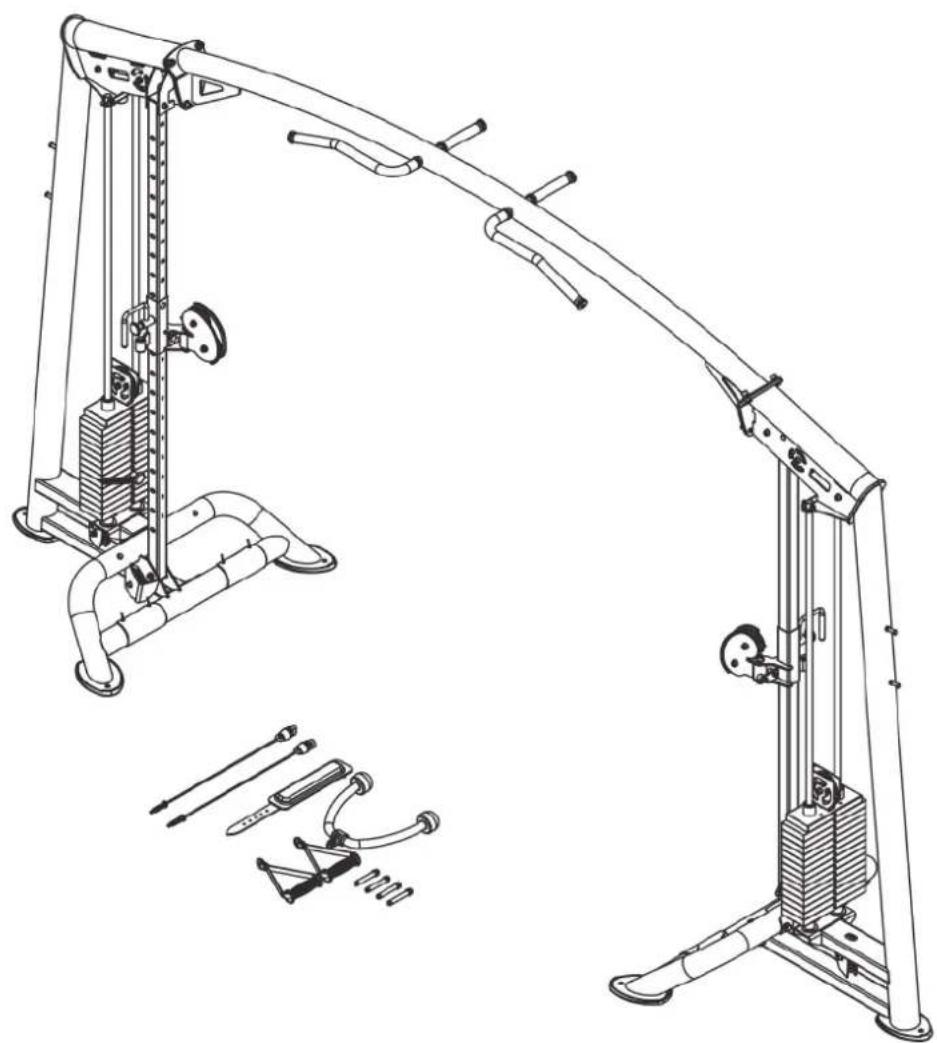
natural_image
Technical line drawing of a mechanical exercise machine with supporting legs and levers (no text or labels)
max. 180 kg

\~ 180 Min.


293 kg
L 409 | W 107 | H 234
FSTFPTT0212.01.01
Art. No. TF-PTT0212
Taurus Elite Cross Over Pulley Combo A
Content
1 GENERAL INFORMATION 7
1.1 Technical Data 7
1.2 Personal Safety 8
1.3 Set-Up Place 9
2 ASSEMBLY 10
2.1 General Instructions 10
2.2 Scope of Delivery 10
2.3 Assembly 12
3 STORAGE AND TRANSPORT 22
3.1 General Instructions 22
4 TROUBLESHOOTING, CARE AND MAINTENANCE 23
4.1 General Instructions 23
4.2 Faults and Fault Diagnosis 23
4.3 Maintenance and Inspection Calendar 24
5 DISPOSAL 24
6 RECOMMENDED ACCESSORIES 25
7 ORDERING SPARE PARTS 26
7.1 Serial Number and Model Name 26
7.2 Parts List 27
7.3 Exploded Drawing 30
8 WARRANTY 31
9 CONTACT 33
Dear customer,
Thank you for choosing quality training equipment from the TAURUS® brand. Taurus offers sports and fitness equipment for home users with high demands on quality, functionality and longevity. Also, Taurus is a well-known and experienced brand for equipping professional rooms for fitness studios and business customers. The focus of Taurus fitness equipment is on what matters most in sports: maximum performance! Therefore, the devices are developed in close consultation with athletes and sports scientists. Because athletes know best what makes perfect fitness equipment.
Further information can be found at www.fi tshop.com.
Intended Use
The equipment may only be used for its intended purpose.
This fi tness equipment is suitable for home use, semi-professional use and commercial or professional use. The semi-professional sector includes, for example, institutional facilities such as hospitals, schools, hotels and associations. Professional use refers to commercial use, e.g. in a fi tness studio.
Legal Notice
Fitshop GmbH
Europe's No. 1 for home fitness
International Headquarters
Flensburger Straße 55
24837 Schleswig
Germany
Management:
Christian Grau
Sebastian Campmann
Dr. Bernhard Schenkel
No. HRB 1000 SL
Local Court Flensburg
European VAT Number: DE813211547
Disclaimer
© TAURUS is a registered brand of the company Fitshop GmbH. All rights reserved. Any use of this trademark without the explicit written permission of Fitshop is prohibited.
Product and manual are subject to change. Technical data can be changed without advance notice.
FITSHOP
Europe's No.1 for Home Fitness
ABOUT THIS MANUAL
Please carefully read the entire manual before installation and first use. The manual will help you to quickly set up the system and explains how to safely use it. Make sure that all persons exercising with the equipment (especially children and persons with physical, sensory, mental or motor disabilities) are informed about this manual and its contents in advance. In case of doubt, responsible persons must supervise the use of the equipment.

Due to ongoing changes and software optimisations, the manual may have to be updated. If you notice any discrepancies during assembly or use, please refer to the manual uploaded to the webshop. The latest manual is always available there.
This equipment has been manufactured according to the latest safety knowledge.
As far as possible, potential safety hazards which could cause injury have been eliminated. Make sure to carefully follow the instructions and that all parts are securely in place. If required, read through the instructions again to correct any mistakes.
Training devices must be classified according to accuracy and use. Accuracy classes are only applicable to devices that display training data.
Accuracy classes
Class A: high accuracy.
Class B: medium accuracy.
Class C: low accuracy.
The use classes explain the intended use of the training device.
Use classes
Class S (studio): professional and/or commercial use.
These training devices are intended for the use in training rooms of facilities such as sports clubs, school facilities, hotels, clubs and studios whose access and supervision is specifically regulated by the owner (person with legal responsibility).
Class H (home use): use at home.
These stationary training devices are intended for the use in private homes where access to the training device is regulated by the owner (person with legal responsibility).
Please pay close attention to the safety and maintenance instructions given here. The contract partner cannot be held liable for damage to health, accidents or damage to the equipment when it is not used in accordance with these instructions.
The following safety instructions may appear in this manual:
ATTENTION
This notice indicates potentially hazardous situations which, if not avoided, may result in property damage.
CAUTION
This notice indicates potentially hazardous situations which, if not avoided, may result in slight or minor injuries!
WARNING
This notice indicates potentially hazardous situations which, if not avoided, may result in death or serious injuries!
DANGER
This notice indicates potentially hazardous situations which, if not avoided, will result in death or serious injuries!
i NOTICE
This notice indicates further useful information.
Retain these instructions in a safe place for future reference, maintenance or when ordering replacement parts.
1.1 Technical Data
Weight and Dimensions:
Packaging dimensions (L x W x H) and weight approx.:
Box 1: 230 cm x 56.5 cm x 83 cm 340 kg
Box 2: 268 cm x 47 cm x 40.5 cm 30 kg
Article weight (net, excl. packaging): 293 kg
Set-up dimensions (L x W x H) approx.: 409.1 cm x 106.5 cm x 234.4 cm
Maximum user weight (chin-up bar): 180 kg
Cables and Pulleys:
| Cable | material: | Steel | |
| Cover | material: | Nylon | |
| Cable | quantity: | 2 | |
| Cable | length: | 724 | cm |
| Pulley | diameter: | 11.4 | cm |
| Transmission | ratio: | 1:2 | |
Weight Block:
| Quantity: | 2 |
| Weight in total: 126 kg / 63 kg per weight stack | |
| Quantity of weight plates: 28 / 14 per weight stack | |
| Weight per weight plate: 4.5 kg |
| Use | class: | S |
1.2 Personal Safety
DANGER
- Before you start using the equipment, you should consult your physician that this type of exercise is suitable for you from a health perspective. Particularly affected are persons who: have a hereditary disposition to high blood pressure or heart disease, are over the age of 45, smoke, have high cholesterol values, are overweight and/or have not exercised regularly in the past year. If you are under medical treatment that affects your heart rate, medical advice is absolutely essential.
- Note that excessive training can seriously endanger your health. Please also note that heart rate monitoring systems can be inaccurate. If you notice any signs of weakness, nausea, dizziness, pain, shortness of breath, or other abnormal symptoms, stop exercising immediately and seek advice from your doctor if necessary.
- The owner must communicate all warnings and instructions to the user.
WARNING
- This equipment may not be used by children under the age of 14.
-
Children should not be allowed unsupervised access to the equipment.
-
Persons with disabilities must have a medical license and must be under strict observation when using the equipment.
- The equipment is strictly for use by one person at a time.
- Keep your hands, feet and other body parts, hair, clothing, jewellery and other objects well clear of moving parts.
- During use, wear suitable sports clothing rather than loose or baggy clothing. When wearing sports shoes, make sure they have suitable soles, preferably made of rubber or other non-slip materials. Shoes with heels, leather soles, studs or spikes are unsuitable. Never exercise barefoot.
- Always start each workout with a light warm-up and end with a cool-down phase.
- Using the machine as a support during stretching exercises or attaching resistance bands, ropes or other accessories to it, may cause injuries.
CAUTION
- If your equipment needs to be connected to the power supply with a mains cable, make sure that the cable is not a potential tripping hazard.
- Make sure that nobody is within the range of motion of the equipment during training so as not to endanger you or other persons.
- Be aware that if adjustment devices are left protruding, they may impede the user's movement.
- The weights should remain in the user's field of vision during the entire exercise to prevent danger to third parties.
ATTENTION
+ Do not insert any objects of any kind into the openings of the device.
1.3 Set-UpPlace
WARNING
+ Do not place the equipment in main corridors or escape routes.
CAUTION
- Choose a location in which to place the equipment such that there is enough free space/clearance to the front, the rear and to the sides of the equipment.
- The training room should be well ventilated during training and not be exposed to any draughts.
- Choose the place in which to set up the equipment such that there is enough free space/clearance to the front, the rear and to the sides of the equipment.
- The free area in the direction from which the exercise equipment is accessed must be at least 0.6 m larger than the exercise area.
- The set-up and mounting surface of the equipment should be flat, loadable and solid.
- If your device is to be mounted on the wall/ceiling, make sure that you use the appropriate assembly material to avoid possible damages or personal injuries. The contractual partner accepts no liability for this.
ATTENTION
- The device may only be used in one building, in sufficiently tempered and dry rooms (ambient temperatures between 10°C and 35°C). The equipment should not be used outdoors or in rooms with high humidity (over 70%) like swimming pools.
- A floor protective mat/equipment underlay can help to protect high-quality floor coverings (parquet, laminate, cork, carpets) from dents and sweat and can help to level out slight unevenness.
- For Class S equipment, the exercise equipment may only be used in areas where access, supervision and control are specifically regulated by the owner.
2.1 GeneralInstructions
DANGER
+ Do not leave any tools, packaging materials such as foils or small parts lying around, as otherwise there is a danger of suffocation for children. Keep children away from the equipment during assembly.
WARNING
+ Pay attention to the instructions attached to the equipment in order to reduce the risk of injuries.
CAUTION
- Ensure to have sufficient room for movement in each direction during assembly.
- The assembly of the equipment must be carried out by at least two adults. If in doubt, seek the help of a third technically skilled person.
ATTENTION
+ To prevent damage to the equipment and the floor, assemble the equipment on a mat or packaging board.
NOTICE
- In order to make the assembly as simple as possible, some screws and nuts to be used can already be pre-assembled.
- Ideally, assemble the equipment at its later set-up place.
2.2 Scope of Delivery
The scope of delivery consist of the following parts. At the beginning, check whether all parts and tools belonging to the device are included in the scope of delivery and whether damage has occurred. In the event of complaints, the contractual partner must be contacted directly.
CAUTION
If parts of the scope of delivery are missing or damaged, the assembly must not be carried out.
| ITEM NO. | NAME. | QTY. | |
| 8 | Cable |  | 2 |
| 6 | Top weight plate | 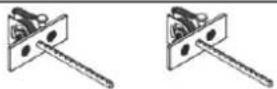 | 2 |
| 2 | Ground Connection Frame |  | 2 |
| 26 | Guide rod |  | 4 |
| 9 | Adjustment plate | 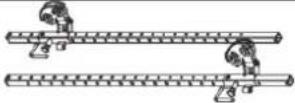 | 2 |
| 1 | Main frame |  | 2 |
| 21 | 10LBS weight plate | 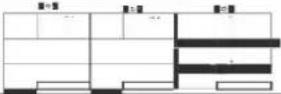 | 28 |
| 65 | Supporting bracket | 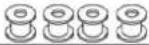 | 4 |
| 16 | Bumper | 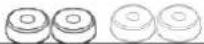 | 4 |
| 33 | Pulley cover |  | 2 |
| 14 | Pulley |  | 6 |
| 13 | Pulley | 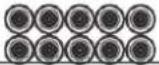 | 10 |
| 23 | Strap | 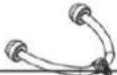 | 1 |
| 22 | Knee strap | 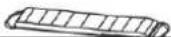 | 1 |
| 3 | Frame Tube | 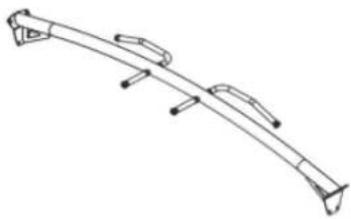 | 1 |
| ASSEMBLY INSTRUCTIONS |  | 1 | |
| HARDWARE PACK |  | 2 |
2.3 Assembly
Before assembly, take a close look at the individual assembly steps shown and carry out the assembly in the order given.
i NOTICE
- First loosely screw all parts together and check that they fit properly. Tighten the screws using the tool only when you are instructed to do so.
- If you have difficulty recognising the graphics, we recommend that you open and/or download the PDF instructions stored in the webshop on your end device (e.g. smartphone, tablet or PC). There you have the option of zooming in closer. Please note that the Adobe Acrobat Reader programme must be installed on your end device in order to open the file.
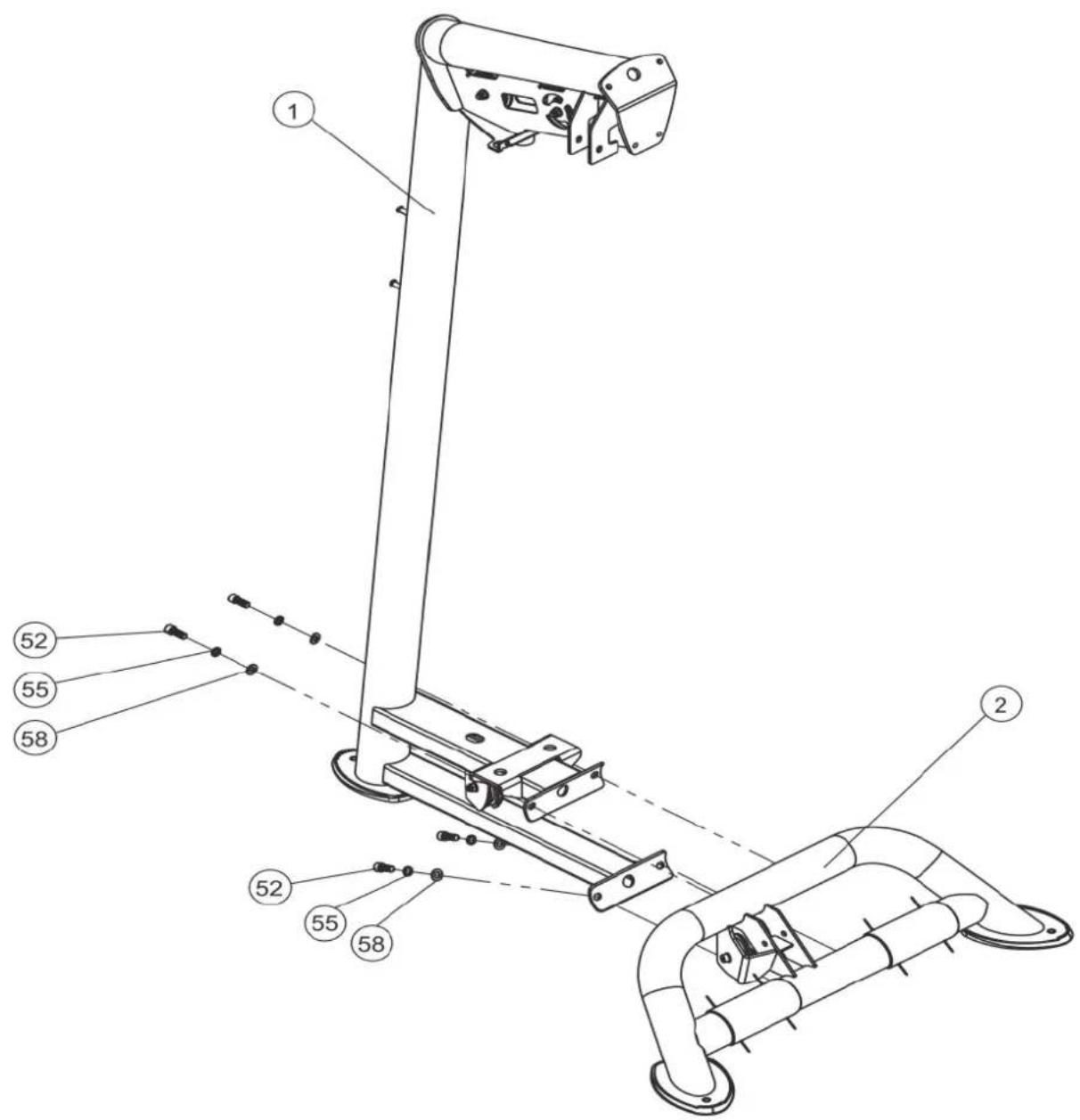
Step 1: Assembly of the Main Frame and Ground Connection Frame
- Mount one main frame (1) to one ground connection frame (2) with four bolts (52), four snap rings (55) and four fl at washers (58).
- Repeat step 1 on the other side.
| No. | Name | Specification | Qty. |
| 1 | Main frame 2 | ||
| 2 | Ground connection frame 2 | ||
| 52 | Hexagon bolt | M12*30 | 8 |
| 55 | Snap ring | M12 | 8 |
| 58 | Flat washer | 24* 13*2.5 | 8 |
text_image
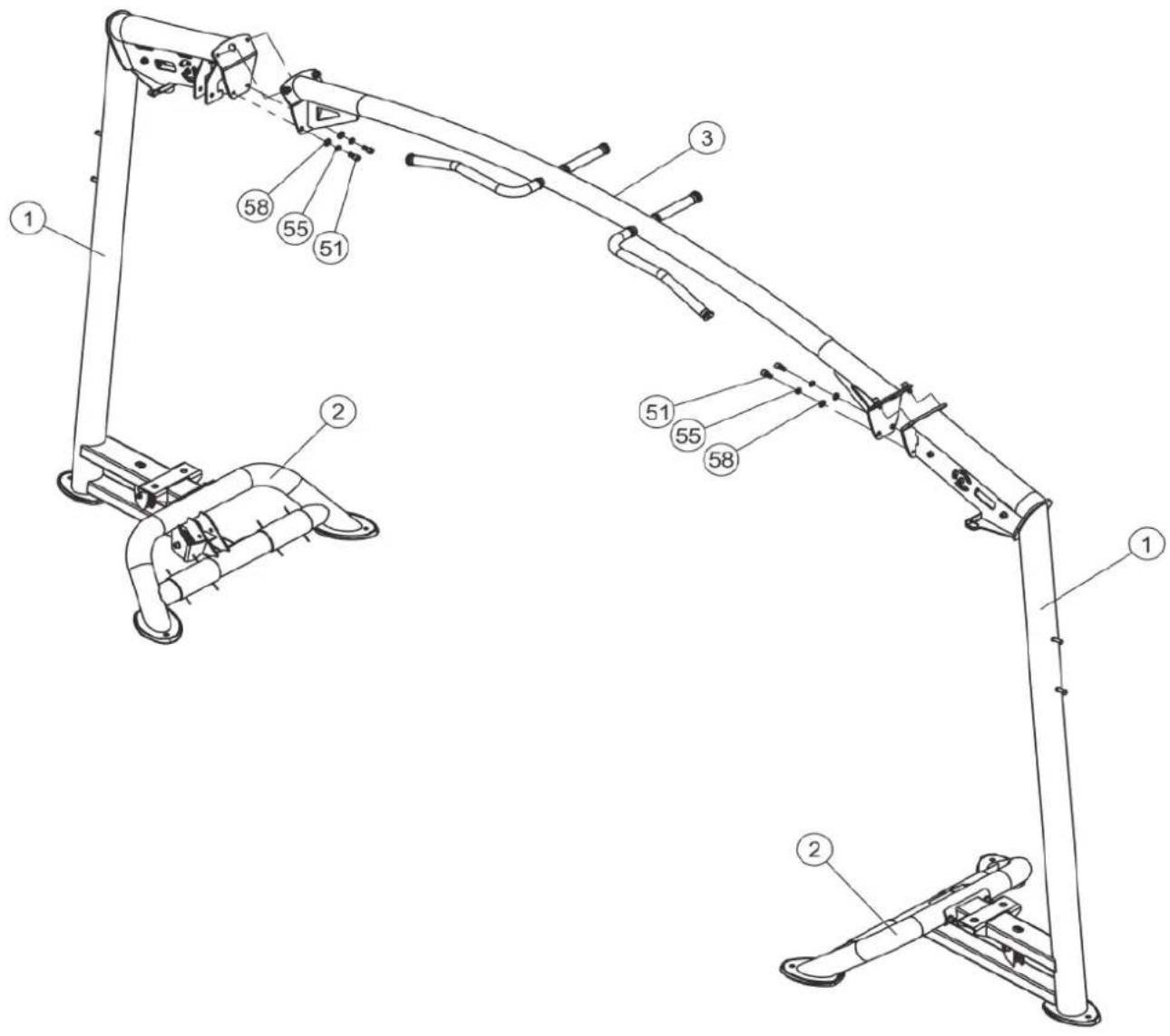
Technical diagram of a robotic device with numbered components and labeled partsStep 2: Assembly of the Frame Tube
Mount the frame tube (3) to the main frames (1) with four bolts (51), four snap rings (55) and four flat washers (58) on each of the main frames (1).
| No. Name Specification Qty. | |||
| 1 Main frame 2 | |||
| 2 Ground connection frame 2 | |||
| 3 Frame tube 1 | |||
| 51 Socket head inner hexagon bolt M12*25 8 | |||
| 55 Snap ring M12 8 | |||
| 58 Flat washer | 24* 13*2.5 | 8 | |
text_image
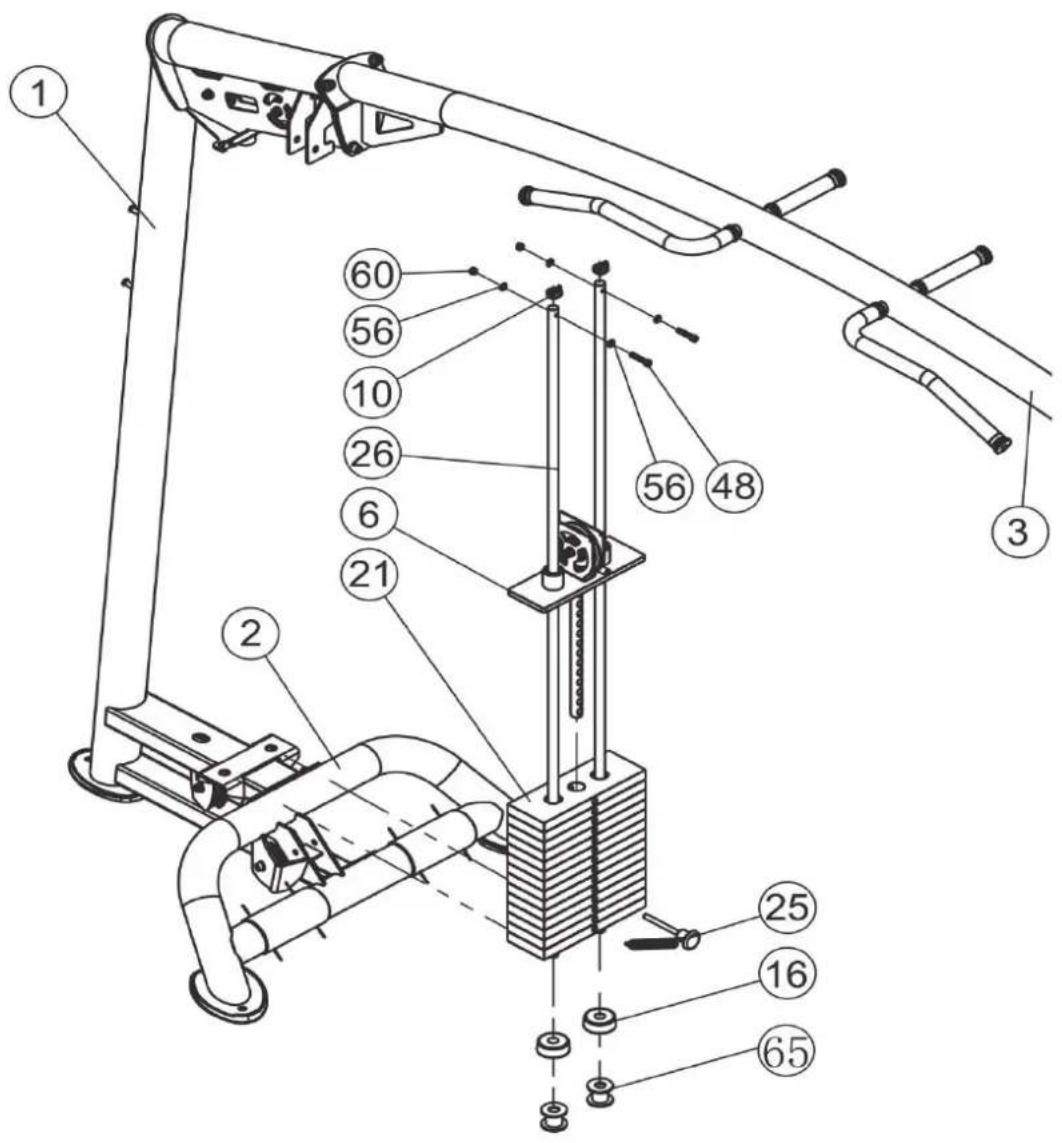
Technical diagram of a robotic arm with numbered components for identificationStep 3: Assembly of the Guide Rods and Weight Plates
- Place two supporting brackets (65) and two bumpers (16) on the two sockets of the bottom of the main frame (1).
- Insert two guide rods (26) into the sockets of the main frame (1).
- Carefully slide each of the 14 weight plates (21) onto the guide rods (26) one by one.
- Slide one top weight plate bracket (6) onto the guide rods (26).
- Insert the selector pin (25) in one of the weight plates (21).
- Place one guide rod bushing (10) on each of the guide rods (26).
- Mount the guide rods (26) onto the upper part of the main frame (1) with two screws (48), four flat washers (56) and two nuts (60).
- Repeat the steps 1-7 on the other side.
| No. | Name | Specification | Qty. |
| 1 | Main frame 2 | ||
| 2 | Ground connection frame 2 | ||
| 3 | Frame tube 1 | ||
| 6 | Top weight plate bracket 2 | ||
| 10 | Guide rod bushing 4 | ||
| 16 | Bumper 4 | ||
| 21 | 10lbs weight plate 28 | ||
| 25 | Selector pin 2 | ||
| 26 | Guide rod 4 | ||
| 48 | Socket Head Inner Hexagon Bolt | M8*40 | 4 |
| 56 | Flat washer | 16* 8.4*1.6 | 8 |
| 60 | Nut | M8 | 4 |
| 65 | Supporting bracket 4 |
text_image
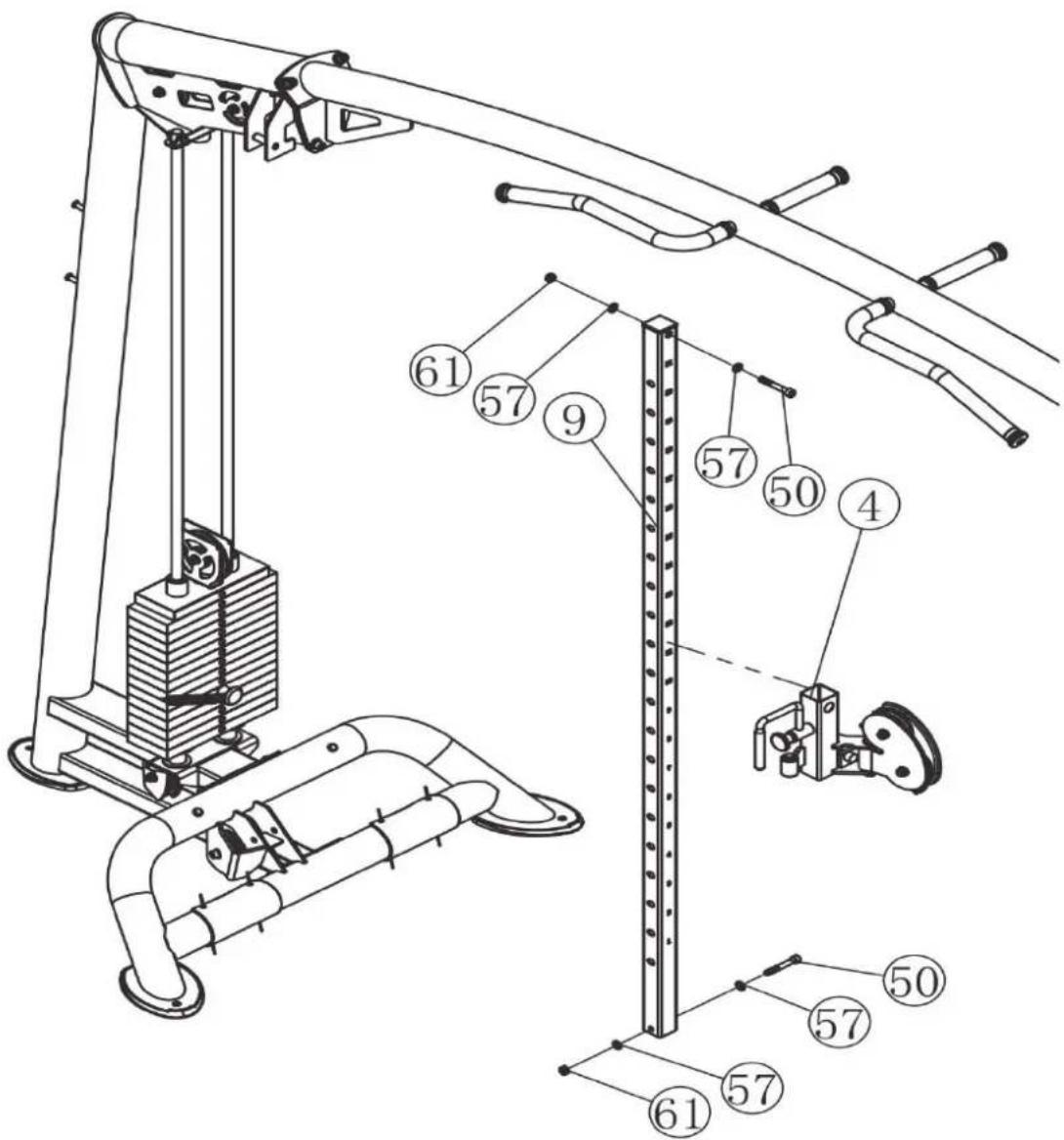
Technical diagram of a mechanical device with numbered components for identificationStep 4: Assembly of the Sliding Frame and Adjustment Plate
- Slide the sliding frame (4) onto the adjustment plate (9).
- Mount the lower part of the adjustment plate (9) onto the ground connection frame (2) with one bolt (50), two fl at washers (57) and one nut (61).
- Mount the upper part of the adjustment plate (9) onto the upper part of the main frame (1) with one bolt (50), two fl at washers (57) and one nut (61).
- Repeat the steps 1-3 on the other side.
- Tighten all screw joints.
- Fix the equipment to the floor with expansion bolts.
| No. Name Specification Qty. | |||
| 4 Sliding frame 2 | |||
| 9 Adjustment plate 2 | |||
| 50 Socket head inner hexagon bolt | M10*70 | 4 | |
| 57 Flat washer | 20* 10.5*2 | 8 | |
| 61 Nut | M10 | 4 | |
text_image
Technical diagram of a mechanical lifting device with numbered components and structural details
text_image
Technical diagram of a mechanical lifting device with numbered components and red-labeled partsATTENTION
Always place the cables over or under the pulleys first and only then mount the pulleys. It can not be guaranteed that the cables can be passed through afterwards!
- Insert the end of the cable (8) into the opening of the sliding frame (4).
- Mount the pulley 1 (13) to the ground connection frame (2) with one bolt (49), two fl at washers (57), one pulley cover (33) and one nut (61).
- Mount the pulley 2 (13) to the main frame (1) with one bolt (49), two fl at washers (57) and one nut (61).
- Mount the pulley 3 (13) to the main frame (1) with one bolt (49), two fl at washers (57) and one nut (61).
- Mount the pulley 4 (14) to the top weight plate bracket (6) with one bolt (49), two fl at washers (57) and one nut (61).
- Mount the pulleys 5&6 (14) to the main frame (1) with one bolt (49), two fl at washers (57) and one nut (61) each.
- Mount the pulleys 7 (14) and 8 (13) to the sliding frame (4) with one bolt (49), two fl at washers (57) and one nut (61) each.
- Repeat the steps 1-7 on the other side.

text_image
Technical diagram of a mechanical assembly with numbered components and exploded views, likely for assembly or maintenance instructions.Step 6: Arrangement of the Handles
This equipment is delivered with a variety of workout accessories in order to enable a variable training. The multi gym provides storage solutions for the accessories on the outer side of the main frame.
- To attach an accessory onto the cable pull, open the snap hook on the cable pull and attach the accessory to it.

WARNING
Make sure that the accessory is correctly attached and the snap hook is closed.
Never use more than one accessory at a time.
- To detach the accessories, open the snap hook and remove the accessory from the cable pull.
3 STORAGE AND TRANSPORT
3.1 General Instructions

WARNING
- The storage location should be chosen so that improper use by third parties or children can be prevented.
- If your equipment does not have transportation wheels, the equipment must be disassembled before transportation.

ATTENTION
+ Make sure that the equipment is protected from moisture, dust and dirt in the selected storage location. The storage location should be dry and well ventilated and have a constant ambient temperature between 10^ C and 35^ C.
4.1 General Instructions
WARNING
+ Do not make any improper changes to the equipment.
CAUTION
+ Damaged or worn components may affect your safety and the life of the equipment. Therefore, immediately replace damaged or worn components. In such a case, contact the contract partner. The equipment must not be used until it has been repaired. If necessary, use only original spare parts.
ATTENTION
+ In addition to the instructions and recommendations for maintenance and care given here, additional service and/or repair work may be necessary; this must only be carried out by authorised service technicians.
4.2 Faults and Fault Diagnosis
The equipment undergoes regular quality controls during production. Nevertheless, faults or malfunctions may occur. Frequently, individual parts are responsible for these disturbances, an exchange is usually sufficient. Please refer to the following overview for the most common errors and how to correct them. If the equipment still does not function properly, contact your contract partner.
| Fault | Cause | Solution |
| Grinding noises | Cables or pulleys do not run smoothly or are damaged | + Visual inspection of the cable routing or the pulley guide+ If damaged, replace the defective part |
| Weight hanging in the air | Cable tensioned too tight | Readjust cable tension |
| Cable without tension | Cable too loose | Readjust cable tension |
| Squeaking & cracking noises | Screw connections loosened or too tight | Check screw connections |
4.3 Maintenance and Inspection Calendar
To avoid damage from body sweat, the equipment must be cleaned with a damp towel (no solvents!) after each training session.
The following routine tasks must be performed at the specified intervals:
| Part Weekly Monthly Quarterly | |||
| Cables C I | |||
| Screw connections I | |||
| Pulleys and cable routing I | |||
| Slide rails/Guide rods I | |||
| Weights I | |||
| Legend: C = clean; I = inspect | |||
5 DISPOSAL
At the end of its operational life, this equipment cannot be disposed of in normal household waste. Instead, it must be disposed of via an recycling centre. Further information can be obtained from your local authority's recycling service.
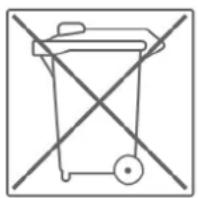
The materials can be recycled as per their symbols. Through the reuse, recycling of materials or other forms of recovery of old equipment, you make an important contribution to the protection of the environment.
6 RECOMMENDEDACCESSORIES
To make your training experience even more efficient and pleasant, we recommend that you add suiting accessories to your fitness equipment. This could be a floor mat, for example, which makes your fitness equipment stand more securely and also protects the floor from falling sweat, but it could also be additional handrails on some treadmills or silicone spray to keep moving parts in good shape.
If you have purchased a fi tness machine with pulse training and want to train your heart rate, we strongly recommend that you use a compatible chest strap, as this ensures optimum transmission of the heart rate. You may want to buy additional grips or weights for multi gyms.

text_image
QR code image containing encoded data, no visible human-readable textOur range of accessories offers the highest quality and makes training even better. If you would like to find out more about compatible accessories, please go to the
detail page of the product in our webshop (the easiest way is to enter the article number in the search field above) and go to the recommended accessories on this page. Of course, you can also contact our customer service: by telephone, e-mail, in one of our branches or via our social media channels. We will be happy to advise you!

text_image
Fitchop - Sport-Tinje - T.Fiboss fl oor mat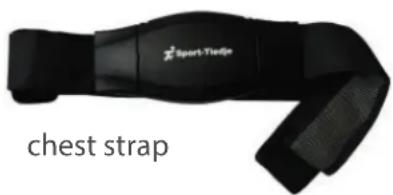
natural_image
Black sport-trieste athletic strap device with label 'chest strap' (no other text or symbols visible)
chest strap contact gel
natural_image
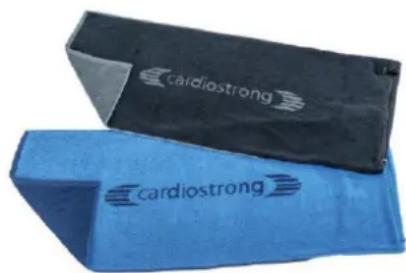
Two blue and black fitness equipment covers, one with 'cardiostrong' branding (no additional text or symbols visible)towels

silicone spray
7.1 Serial Number and Model Name
In order to provide you with the best possible service, please have the model name, article number, serial number, exploded drawing and parts list ready. The corresponding contact options can be found in chapter 9 of this operating manual.
i NOTICE
The serial number of your equipment is unique. It's located on a white sticker. The exact position of this sticker is shown in the following illustration.

text_image
stration. I.Enter the serial number in the appropriate fi eld.
Serial number:
Brand / Category:
Taurus / multi-gym
Model Name:
Elite Cross Over Pulley Combo A
Article Number:
TF-PTT0212
7.2 Parts List
| No. | Name | Specification | Qty. |
| 1 | Main frame 2 | ||
| 2 | Ground Connection Frame 2 | ||
| 3 | Frame Tube 1 | ||
| 4 | Sliding frame 2 | ||
| 5 | Swing frame 2 | ||
| 6 | Top weight plate bracket 2 | ||
| 8 | Cable 2 | ||
| 9 | Adjustment plate 2 | ||
| 10 | Guide rod bushing 4 | ||
| 13 | Pulley 10 | ||
| 14 | Pulley 6 | ||
| 15 | Foot pad 2 | ||
| 16 | Bumper | 4 | |
| 17 | Pedal | 4 | |
| 18 | Guide sleeve | 4 | |
| 19 | Handle grip | 2 | |
| 20 | Handle grip | 2 | |
| 21 | 10LBS weight plate | 28 | |
| 22 | Knee strap | 1 | |
| 23 | Strap | 1 | |
| 24 | Handle | 2 | |
| 25 | Selector pin | 2 | |
| 26 | Guide rod | 4 | |
| 27 | Plug | 2 | |
| 28 | Knob | 2 | |
| 29 | Adjustment pin | 2 | |
| 30 | Spring | 2 | |
| 31 | M20 nut | 2 | |
| 33 | Pulley cover | 2 | |
| 34 | Eye bolt assembly | 2 | |
| 35 | Hook cover 2 |
| 36 Snap clip 2 | ||
| 37 Bumper 2 | ||
| 38 Stopper 4 | ||
| 39 Aluminium end cap 4 | ||
| 40 Aluminium collar 4 | ||
| 41 Aluminium collar 4 | ||
| 42 Plastic collar 4 | ||
| 43 Button head blind rivet 4*12 16 | ||
| 44 Button head Inner Hexagon Bolt M8*20 2 | ||
| 45 Socket Head Inner Hexagon Bolt M6*25 4 | ||
| 46 Socket Head Inner Hexagon Bolt M8*16 4 | ||
| 48 Socket Head Inner Hexagon Bolt M8*40 4 | ||
| 49 Socket Head Inner Hexagon Bolt M10*50 16 | ||
| 50 Socket Head Inner Hexagon Bolt M10*70 4 | ||
| 51 Socket Head Inner Hexagon Bolt M12*25 8 | ||
| 52 Hexagon Bolt M12*30 8 | ||
| 53 Snap ring M6 4 | ||
| 54 Snap ring M8 4 | ||
| 55 Snap ring M12 16 | ||
| 56 Flat washer Φ16*Φ8.4*1.6 12 | ||
| 57 Flat washer Φ20*Φ10.5*2 40 | ||
| 58 Flat washer Φ24*Φ13*2.5 20 | ||
| 60 Nut M8 4 | ||
| 61 Nut M10 20 | ||
| 62 Hexagon Socket Set S with Cone M5*5 8 | ||
| 63 Tube plug R-C-1244 2 | ||
| 64 Accessory hook PC0921-13-00 4 | ||
| 65 Supporting bracket PTT0212-11-00 4 | ||
| 66 Countersunk head rivet nut M8*16.5 4 | ||
| 67 Rubber mat 4 | ||
| 68 Expansion bolt M10*100 4 | ||
| 69 Small Handle grip 2 | ||
| 70 Plug QR33302 4 | ||
| 71 Plug R-C-3301 4 | ||
| 72 Socket Head Inner Hexagon Bolt M12*90 2 | ||
| 73 Roller-bearing 6201 2Z 4 | ||
| 74 collar Φ16*Φ12*7 4 | ||
| 75 Nut M12 2 |
7.3 Exploded Drawing
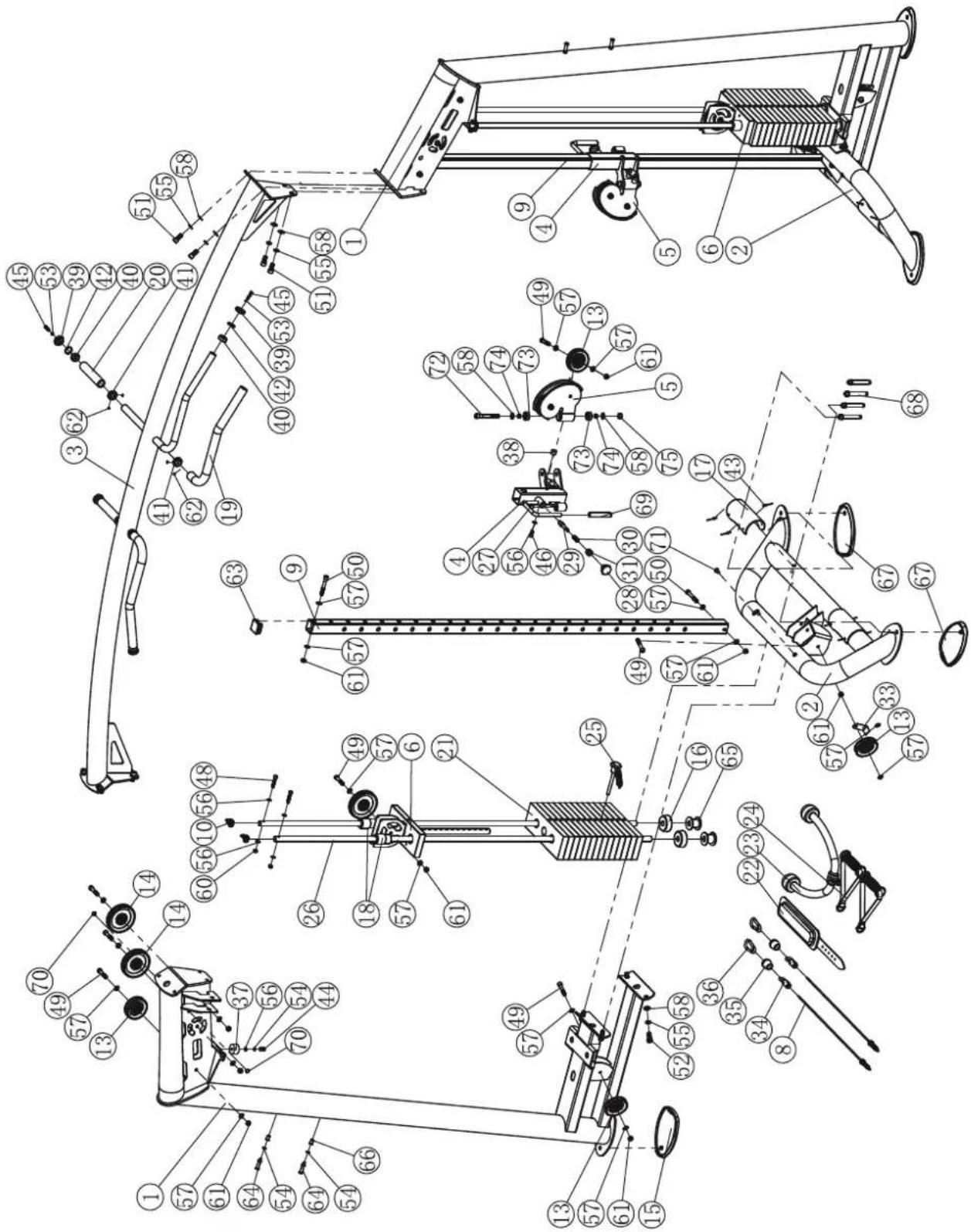
text_image
Technical diagram of a mechanical assembly with numbered components and labeled parts in ChineseProducts from TAURUS ^® are subject to strict quality control. However, if a fitness equipment purchased from us does not work perfectly, we take it very seriously and ask you to contact our customer service as indicated. We are happy to help you by phone via our service hotline.
Error Descriptions
Your fitness equipment is developed for long-term, high-quality training. However, should a problem arise, please first read the operating instructions. For further assistance, please contact your contract partner or call our service hotline. To ensure your problem is solved as quickly as possible, please describe the defect as exactly as possible.
In addition to the statutory warranty, we provide a warranty for every fitness equipment purchased from us according to the following provisions.
Your statutory rights are not aff ected.
Warrantee
The warrantee is the first/original buyer and/or any person who received a newly purchased product as a gift from the original buyer.
Warranty period
The warranty periods, shown on our web shop, begin on delivery of the fitness equipment. The respective warranty periods for your equipment can be found on its product website.
Repair Costs
According to our choice, there will either be a repair, a replacement of individual damaged parts or a complete replacement. Spare parts, that have to be mounted while assembling the equipment, have to be replaced by the warrantee personally and are not a part of repair. After the expiration of the warranty period, the responsibility for parts costs, repair costs, installation costs and delivery costs lies with the warranty holder.
The terms of use are defined as follows:
- Home use: solely for private use in private households up to 3 hours per day
- Semi-professional use: up to 6 hours per day (e. g. rehabilitation centres, hotels, clubs, company gyms)
- Professional use: more than 6 hours per day (e.g. commercial gyms)
Warranty Service
Within the warranty period, equipment which develops faults as a result of material or manufacturing defects, will be repaired or replaced at our discretion. Ownership of equipment or parts of equipment which have been replaced is transferred to us. The warranty period is not extended nor does a new warranty period begin following repair or replacement under the warranty.
Warranty Conditions
For the warranty to be valid, the following steps must be taken:
Please contact our customer service by email or phone. If the product under warranty has to be sent in for repair, the seller bears costs. After expiry of the warranty, the buyer bears the costs of transport and insurance. If the fault is covered by our warranty, you will receive a new or repaired equipment in return.
Warranty claims are invalid in case of damage resulting from:
- misuse or improper handling
- environmental influences (moisture, heat, electrical surge, dust, etc.)
- failure to follow the current safety measures for the equipment
- failure to follow the operating instructions
- use of force (e. g. hitting, kicking, falling)
- interventions which were not carried out by one of our authorized service centres
- unauthorised repair attempts
Proof of Purchase and Serial Number
Please make sure that you are able to provide the appropriate receipt when claiming on your warranty. So that we can clearly identify the model of your equipment, and for the purposes of our quality control, you will need to give the serial number of your equipment, when contacting the service team. Where possible please have your serial number and your customer number ready when you call our service hotline. It will help us to deal with your request swiftly.
If you cannot find the serial number on your fitness equipment, our service team is at your disposal to offer further information.
Service outside of the Warranty Period
We are also happy to issue an individual cost estimate if there is a problem with your fitness equipment after the warranty has expired, or in cases which do not fall under the terms of the warranty, e. g. normal wear and tear. Please contact our customer service team to find a quick and cost-effective solution to your problem. In such a case you will be responsible for the delivery costs.
Communication
Many problems can be solved just by speaking to us as your specialist supplier. We know how important it is to you as a user of the fitness equipment to have problems solved quickly and simply, so you can enjoy working out with minimal interruption. For that reason, we also want to resolve your queries quickly and in a straightforward manner. Thus, please always keep your customer number and the serial number of the faulty equipment handy.
DE DK UK
| TECHNIK TEKNIK OG SERVICE CUSTOMER SUPPORT | ||
| 80 90 16 50+49 4621 4210-945info@fi tshop.dk | 00800 2020 2772+494621 4210 944info@fi tshop.co.ukYou can fi nd the opening hours on our homepage:https://stg.fi t/statitc | |
| SERVICE | FR | BE |
| TECHNIQUE & SERVICE | TECHNIQUE & SERVICE | |
| +33 (0) 189 530984+49 4621 42 10 933info@fi tshop.frVous trouverez les heures d'ouverture sur notre site Internet:https://stg.fi t/statit4 | 02 732 46 77+49 4621 4210 933info@fi tshop.beVous trouverez les heures d'ouverture sur notre site Internet:https://stg.fi t/statit8 | |
| ES | NL | INT |
| TECNOLOGÍA Y SERVICIOS911 238 029info@fi tshop.esConsulta nuestro horario de apertura en la página web:https://stg.fi t/statit5 | TECHNISCHE DIENST & SERVICE+31 172 619961service@fitshop.nlDe openingstijden vindt onze homepage:https://stg.fi t/statit3 | TECHNICAL SUPPORT & SERVICE+49 4621 4210-944service-int@fitshop.deYou can find the opening hours on our homepage:https://stg.fi t/statita |
Please find a detailed overview including address and opening hours for all stores of the Fitshop Group in Germany and abroad on the following website:
www.fi tshop.com/en/stores
WE LIVE FITNESS
WEBSHOP AND SOCIAL MEDIA
Fitshop is Europe's largest specialist store for home fitness equipment with currently over 70 stores and one of the world's most renowned online mail order companies for fitness equipment. Private customers order via the 25 web shops in the respective national language or have their desired equipment assembled on site. In addition, the company supplies fitness studios, hotels, sports clubs, companies and physio practices with professional equipment for endurance and strength training.
Fitshop offers a wide range of fi tness equipment from renowned manufacturers, high-quality in-house developments and comprehensive services, such as a build-up service and sports scientific advice before and after the purchase. The company employs numerous sports scientists, fi tness trainers and competitive athletes.
Visit us also on our social media platforms or our blog!
flowchart
graph TD
    A["FIT SHOP"] --> B["www.fi tshop.co.uk"]
    A --> C["www.fi tshop.de/blog"]
    D["f"] --> E["www.facebook.com/fi tshop.co.uk"]
    F["Instagram"] --> G["www.instagram.com/fi tshop_uk"]
    H["YouTube"] --> I["www.youtube.com/@fi tshop_uk"]
    J["TAURUS"] --> K["cardiostrong"]
    L["BODYCRAFT"] --> M["cardiojump"]
    N["DUKEFITNESS"] --> O["DARWIN"]
Notes
Notes
Notes