M5N-111HDRC12 - Tractor KUBOTA - Free user manual and instructions
Find the device manual for free M5N-111HDRC12 KUBOTA in PDF.


User questions about M5N-111HDRC12 KUBOTA
0 question about this device. Answer the ones you know or ask your own.
Ask a new question about this device
Download the instructions for your Tractor in PDF format for free! Find your manual M5N-111HDRC12 - KUBOTA and take your electronic device back in hand. On this page are published all the documents necessary for the use of your device. M5N-111HDRC12 by KUBOTA.
USER MANUAL M5N-111HDRC12 KUBOTA
U.S.A. - KUBOTA TRACTOR CORPORATION
1000 Kubota Drive, Grapexine TX 76051
Telephone: 000-4KUBOTA
Canada KUBOTA CANADA LTD.
5900 14th Avenue, Markhem, Ontario, L3S 4K4, Canada
Telephone (905)294-7477
France : KUBOTA EUROPE S.A.S
18-25, Rue Jules Vercnysse, Z.I. DP60: 95101 Argenteuil Cedex, France
Telephone 13511-3426-3434
Italy : KUBOTA EUROPE S.A.S Italy Branch
Via Grandi, 29 20068 Peschiera Borrome (MI) Italy
Telephone 1390251650177
Dormar Food, Tharpe, Oxylophshire, DXP 34 IN, UK
Telephone: 1491814-214500
Spain : KUBOTA ESPAÑA S.A.
Avenida Recamba No.5, Paligno Industrial la Laguna, Leganes, 28914 (Madrid) Spain
Telephone: (34)91-508-8442
Australia KUBOTA TRACTOR AUSTRALIA PTY LTD.
25-29 Perme Way, Truercice VIC 3229 Australia
Telephone (011-3-8364-4400)
Molwino : SIME KUBOTA SDN. BHD.
No.1 Jalan Sepadu 25/123 Tarran Perindustan Axis,
Sekyen 25. 40:00 Shah Alam, Selangor Darul Elsam Malaysia
Telephone (60)3-736 1388
Philippines: KUBOTA PHILIPPINES, INC
202 Quirino Highway, Beesa, Quezon City 1103, Philippines
Telephone: (63)2-422-3500
WIN TAIWAN AGRICULTURN, MACHINESY CO., LTD.
- Energringe 20th Rd, Taliao Sionan Kongsivno 83107, Taiwu B.O.C.
Telephone: 18887-702-2333
Indonesia : PT KUBOTA MACHINERY INDONESIA
Tower A at EightlyEight@Kasaplanka Lantai 16
Jasian Raya Casablanka Kev. 88, Jakarta 12870 Indonesia
Telephone: (62)-21-29566-720
Thailand : SIAM KUBOTA CORPORATION CO., LTD.
101/19-24 Moo 20, Nananakom Industrial Estate, Tamton Khongguang, Amohu Khongguang
Pathumithani 12120. THAILAND
Telephone: (6612-900-0300)
Korea : KUBOTA KOREA CO., LTD
41-27. Jayumvecknil, Bankari-guero, Tirjin-si, Jeolishak-slo, Korea
Telephone: (82) 63-544-5322
India : KUBOTA AGRICULTURAL MACHINERY INDIA PVT. LTD
No 15. Metapakkar Road, Shaliqansitur, Chercai-600119 T.N. India
Telephone: (811465104-150)
Viktore: KUBOTA VETHNAM CO., LTD.
Lot B-342CN, My Phuoc 1 Industrial Park, Ben Cac District, Binh Duona Province, Vietnam.
Telephone: 184-650-3577-507
KUBOTA Corporation
English (U.S.A.)
Code No. 3B481-9971-1
OPERATOR'S MANUAL
KUBOTA
TRACTOR
M4N-071 MODELS
M5N-091
M5N-111
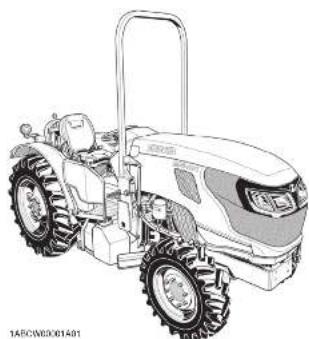
natural_image
Line drawing of a tractor with large tires and a flat roof (no text or symbols)
natural_image
Line drawing of a tractor with large tires and front tractors (no text or symbols)ABBREVIATION LIST
Abbreviations Definitions
2WD 2 Wheel Drive
4WD 4 Wheel Drive
API American Petroleum Institute
ASABE American Society of Agricultural and Biological Engineers, USA
ASTM American Society for Testing and Materials, USA
DT Dual Traction [4WD]
fpm Feet Per Minute
GST Glide Shift Transmission
Hi-Lo High Speed-Low Speed
HST Hydrostatic Transmission
m/s Meters Per Second
PTO Power Take Off
RH/LH Right-hand and left-hand sides are determined by facing in the direction of forward travel
ROPS Roll-Over Protective Structures
rpm Revolutions Per Minute
r/s Revolutions Per Second
SAE Society of Automotive Engineers, USA
SCR Selective Catalytic Reduction
SMV Slow Moving Vehicle
California Proposition 65
WARNING
Engine exhaust, some of its constituents.
certain vehicle components and fluids,
contain or emit chemicals known to the State of California to save energy and birth
State of California to cause cancer and birth defects or other reproductive harm.
Canadian Electromagnetic Compatibility (EMC): This machine complies with Industry Canada ICES-002.
KUBOTA Corporation is ...
Since its inception in 1890, KUBOTA Corporation has grown to rank as one of the major firms in Japan.
To achieve this status, the company has through the years diversified the range of its products and services to a remarkable extent. 30 plants and 35,000 employees produce over 1,000 different items, large and small.
All these products and all the services which accompany them, however, are unified by one central commitment. KUBOTA makes products which, taken on a national scale, are basic necessities. Products which are indispensable. Products which are intended to help individuals and nations fulfill the potential inherent in their environment. KUBOTA is the Basic Necessities Giant.
This potential includes water supply, food from the soil and from the sea, industrial development, architecture and construction, and transportation.
Thousands of people depend on KUBOTA's know-how, technology, experience and customer service. You too can depend on KUBOTA.
UNIVERSAL SYMBOLS
As a guide to the operation of your tractor, various universal symbols have been utilized on the instruments and controls. The symbols are shown below with an indication of their meaning.
General

Safety alert symbol

Master system warning

Fast

Slow

Creep

Lock

ON (engaged)

OFF (disengaged)
■Engine-related

Diesel fuel

Fuel level

Hourmeter/elapsed operating hours

Engine coolant-temperature

Low temperature regulation

Engine intake/combustion air-filter

Engine oil-pressure

Water separator

Engine-warning

Engine-rev limiter

Engine-constant RPM management

Engine-over speed

Engine-RPM increase

Engine-run

Engine-start

Engine-stop

Electrical power-accessories

Diesel preheat/glow plugs (low temperature start aid)

Emission control

Regeneration

Regeneration inhibit

Regeneration (switch)

Parked regeneration

DEF/AdBlue®-level

DEF/AdBlue®-low level

DEF/AdBlue®-poor quality

DEF/AdBlue®-trouble

DEF/AdBlue®-thawing
■ Vehicle body-related

4-wheel drive-on

Bi-speed turn

Clutch

Brake

Parking brake

Differential lock

Steering wheel-tilt

PTO-off (disengaged)

PTO-on (engaged)

PTO-540 rpm
PTO-540E rpm
Hydraulic-related

Draft control-shallow position
Draft control-deep position
Position control-raised position
Position control-lowered position
3-Point lowering speed control
Remote cylinder-retract
Remote cylinder-extend
Electric-related

Battery charging condition
Headlight-low beam
Headlight-high beam

Turn signal
Hazard warning lights
FOREWORD
You are now the proud owner of a KUBOTA Tractor. This tractor is a product of KUBOTA quality engineering and manufacturing. It is made of fine materials and under a rigid quality control system. It will give you long, satisfactory service. To obtain the best use of your tractor, please read this manual carefully. It will help you become familiar with the operation of the tractor and contains many helpful hints about tractor maintenance. It is KUBOTA's policy to utilize as quickly as possible every advance in our research. The immediate use of new techniques in the manufacture of products may cause some small parts of this manual to be outdated. KUBOTA distributors and dealers will have the most up-to-date information. Please do not hesitate to consult with them.

SAFETY FIRST
This symbol, the industry's "Safety Alert Symbol", is used throughout this manual and on labels on the machine itself to warn of the possibility of personal injury. Read these instructions carefully. It is essential that you read the instructions and safety regulations before you attempt to assemble or use this unit.

DANGER : Indicates an imminently hazardous situation which, if not avoided, will result in death or serious injury.

WARNING : Indicates a potentially hazardous situation which, if not avoided, could result in death or serious injury.

CAUTION : Indicates a potentially hazardous situation which, if not avoided, could result in minor or moderate injury.
IMPORTANT :
Indicates that equipment or property damage could result if instructions are not followed.
NOTE :
Gives helpful information.
CONTENTS
SAFE OPERATION....7
SERVICING OF TRACTOR....19
WARRANTY....20
SCRAPPING THE TRACTOR AND ITS PROCEDURE 20
SPECIFICATIONS....21
SPECIFICATION TABLE....21
TRAVELING SPEEDS 23
IMPLEMENT LIMITATIONS....25
IMPLEMENT SPECIFICATION TABLE....26
INSTRUMENT PANEL AND CONTROLS....27
SWITCHES AND HAND CONTROLS 27
INSTRUMENT PANEL 28
FOOT AND HAND CONTROLS 29
PRE-OPERATION CHECK....30
DAILY CHECK 30
- Dual exhaust aftertreatment devices 31
DIESEL PARTICULATE FILTER (DPF) MUFFLER 31
-
Handling points....32
-
DPF regeneration process....32
-
Operating procedure for auto regeneration mode 33
3.1 PM warning level and required procedures....34
- Operating procedure for regeneration inhibit mode....35
4.1 PM warning level and required procedures....36
-
Operating procedure for parked regeneration 37
-
Tips on diesel particulate filter (DPF) regeneration 38
SELECTIVE CATALYTIC REDUCTION (SCR) MUFFLER 38
-
Outline of the SCR....38
-
DEF/AdBlue ^® 38
-
Warning indication and countermeasures 39
3.1 SCR system inducement display on the LCD 39
3.2 SCR system icon on inducement display 39
3.2.1 Diagnostic trouble code (DTC) 39
3.3 SCR system inducement display and measures....40
- Storing and handling DEF/AdBlue ^ 42
STARTING THE ENGINE 42
- Checking Easy Checker ^™ indicators 44
OPERATING THE ENGINE IN FREEZING CONDITIONS 44
-
Block heater (if equipped)....44
-
Engine low temperature regulation....44
-
DEF/AdBlue® freeze warning (M5N-091, M5N-111).... 45
STOPPING THE ENGINE....45
WARMING UP THE ENGINE 45
- Warm-up and transmission fluid at low temperature range 45
JUMP STARTING 46
-
Do not operate the tractor at full speed for the first 50 hours 47
-
Changing lubricating oil for new tractors 47
BOARDING AND LEAVING THE TRACTOR 47
OPERATING FOLDABLE ROPS 47
- Folding the ROPS....47
- Raising the ROPS to upright position 48
STARTING THE TRACTOR....49
- Operator's seat 49
- Glove box 50
- Seat belt 50
- Muffler (M5N-091, M5N-111) 50
- Tilt steering adjustment....50
- Light switch....51
- Turn signal switch and hazard light switch 51
- Rear turn signal light and hazard light 51
- Front work light switch 52
- Brake pedals (right and left) 52
10.1 4WD braking system (4WD model)....52
- Parking brake lever 53
- Clutch pedal....53
- Travel speed control 54
- Travel speed limiter 55
- Main gear shift lever 55
- Range gear shift lever 55
16.1 Creep speed (if equipped) 55
- Shuttle shift lever 55
- Dual speed shift switch (dual speed model)....56
- 4WD and Bi-speed turn switch 56
19.1 Front-wheel drive and Bi-speed turn usage 57
- Hand throttle lever 57
- Foot throttle 57
STOPPING THE TRACTOR 57
CHECK DURING DRIVING 58
- Engine over-speed limiting indicator....58
- Easy Checker ^TM 58
- Fuel gauge....59
- DEF/AdBlue® gauge (M5N-091, M5N-111) 60
- Coolant temperature gauge....60
- Tachometer 60
LCD MONITOR....60
- Various setting mode 61
1.1 Clock setting....62
1.2 Setting the clock display ON/OFF 62
1.3 Setting the tire circumference 62
1.4 Setting the unit 63
1.5 Setting the PTO speed display....63
- Performance monitor 64
ELECTRONIC ENGINE CONTROL....65
- RPM dual memory setting 65
- Constant RPM Management control 66
PARKING THE TRACTOR....67
OPERATING TECHNIQUES....67
- Differential lock....67
- Operating the tractor on a road 68
- Operating on slopes and rough terrain 68
- Transporting the tractor safely 68
- Directions for use of power steering 69
- Trailer electrical outlet....69
- Electrical outlet 69
PTO 70
PTO OPERATION....70
- PTO clutch control switch 70
- PTO clutch indicator 70
- PTO gear shift lever....71
- PTO speed limiter 71
- PTO rpm display 71
- PTO shaft cover and shaft cap 72
3-POINT HITCH AND DRAWBAR....73
THE 3-POINT HITCH SETUP....74
- Selecting the holes of lower links ....74
- Selecting the top link mounting holes 74
- Drawbar 74
- Lifting rod (left)....74
- Lifting rod (right) 75
- Top link 75
- Stabilizer 75
7.1 Turnbuckle unlocked position....76
7.2 Rotating the turnbuckle 76
DRAWBAR 76
- Adjusting drawbar length 76
HYDRAULIC UNIT 78
3-POINT HITCH CONTROL SYSTEM....78
- Position control 78
- Draft control 78
- Mixed control 78
- Float control....79
- 3-point hitch lowering speed....79
REMOTE HYDRAULIC CONTROL SYSTEM....79
- Remote control valve....79
- Remote control valve lever 80
- Remote control valve coupler 81
- Controlling and adjusting the flow rate ....81
- Hydraulic control unit use-reference chart....83
TIRES, WHEELS AND BALLAST....84
TIRES....84
- Inflation pressure 84
- Dual tires 84
WHEEL ADJUSTMENT 84
- Safe replacement of the wheel 84
- Front wheels-4WD 85
2.1 Front jack point....86 - Rear wheels....87
3.1 Rear jacking point 89
BALLAST 89
- Front ballast....89
1.1 Front end weights (option) 89 - Rear ballast 89
2.1 Rear wheel weights (option) 89
2.2 Liquid ballast in rear tires 90
MAINTENANCE....91
SERVICE INTERVALS....91
MAINTENANCE ITEMS CHART....92
LUBRICANTS, FUEL AND COOLANT 94
BIODIESEL FUEL (BDF) B0-B5 96
PERIODIC SERVICE 97
HOW TO OPEN THE HOOD 97
- Hood 97
- Side cover....98
DAILY CHECK 98
- Walk around inspection 98
- Checking and refueling....98
- Checking DEF/AdBlue® level and adding fluid (M5N-091, M5N-111) 99
- Checking water separator....100
- Checking engine oil level 100
- Checking transmission fluid level 101
- Checking coolant level....101
- Cleaning evacuator valve 102
-
Checking dust indicator 102
-
Cleaning grill, radiator screen, oil cooler, fuel cooler, and battery mount 102
10.1 Detaching the panel 102
10.2 Cleaning 103
- Checking DPF/SCR muffler 103
- Checking brake pedal 103
- Checking parking brake 104
- Checking gauges, meter and Easy Checker™ 104
- Checking headlight, turn signal light, hazard light, and so on 104
- Checking seat belt and ROPS.... 104
- Checking movable parts 104
INITIAL 50 HOURS....104
- Changing engine oil 104
- Replacing engine oil filter 104
EVERY 50 HOURS....104
- Checking engine start system 104
1.1 Preparation before testing.... 104
1.2 Testing switch for the shuttle shift lever.... 104
1.3 Testing switch for PTO clutch control switch 105
1.4 Checking operator presence control (OPC) system.... 105
- Checking wheel bolt torque 105
- Checking tie-rod dust cover 106
EVERY 100 HOURS....106
- Lubricating grease fittings.... 106
- Cleaning air cleaner primary element....107
- Adjusting fan belt tension 107
- Adjusting brake pedal 108
4.1 Checking brake pedal free travel 108
4.2 Checking brake pedal stroke....109
4.3 Checking equalizer working level (anti-imbalance device).... 109
-
Checking gear locked parking brake 109
-
Checking battery condition 109
6.1 How to read indicator 110
6.2 Charging the battery.... 110
6.3 Directions for battery storage 111
EVERY 200 HOURS....111
- Adjusting toe-in....111
1.1 Adjusting toe-in procedure ....111 - Draining fuel tank water....111
EVERY 400 HOURS....112
- Cleaning water separator 112
- Cleaning fuel solenoid pump element (M5N-091, M5N-111) 112
EVERY 500 HOURS....113
-
Changing engine oil.... 113
-
Replacing engine oil filter 114
-
Replacing fuel filter 115
-
Replacing hydraulic oil filter 115
-
Checking power steering line 116
-
Checking radiator hose and clamp 117
6.1 Overheating countermeasures.... 118
-
Checking fuel line 118
-
Checking intake air line 119
-
Checking lift cylinder hose 120
EVERY 600 HOURS....120
- Adjusting front axle pivot 120
EVERY 1000 HOURS....121
-
Changing transmission fluid 121
-
Changing front axle gear case oil and front differential case oil 121
-
Adjusting engine valve clearance 122
EVERY 1000 HOURS OR 1 YEAR....122
-
Replacing air cleaner primary element and secondary element.... 122
-
Checking exhaust manifold 122
EVERY 1500 HOURS....122
-
Cleaning fuel injector nozzle tip 122
-
Checking DEF/AdBlue® injector tip (M5N-091, M5N-111).... 122
-
Checking DEF/AdBlue® line (M5N-091, M5N-111).... 122
-
Replacing oil separator element 122
-
Checking positive crankcase ventilation (PCV) valve.... 123
-
Checking and cleaning EGR cooler....123
EVERY 2000 HOURS OR 2 YEARS 123
-
Flushing cooling system and changing coolant 123
-
Antifreeze 124
EVERY 3000 HOURS....125
-
Checking turbocharger 125
-
Checking supply pump 125
-
Checking intake air heater 125
-
Checking and cleaning EGR system 125
-
Cleaning DPF muffler 125
-
Checking DEF/AdBlue® injector (M5N-091, M5N-111).... 125
-
Replacing DEF/AdBlue® pump filter (M5N-091, M5N-111) 126
EVERY 1 YEAR....126
-
Checking antifrost heater for oil separator (if equipped).... 126
-
Checking DPF differential pressure sensor pipe 126
-
Checking EGR pipe 126
EVERY 2 YEARS....126
-
Replacing oil separator hose 126
-
Replacing boost sensor hose 126
-
Replacing DPF differential pressure sensor hose 126
-
Replacing EGR cooler hose 126
-
Cleaning master cylinder filter 126
EVERY 3 YEARS....126
- Replacing parking brake cable 126
EVERY 4 YEARS....126
-
Replacing radiator hose (water pipes) 126
-
Replacing fuel lines 126
-
Replacing intake air line 126
-
Replacing power steering line 126
-
Replacing lift cylinder hose 127
-
Replacing brake hose....127
-
Replacing master cylinder kit....127
-
Replacing equalizer kit .... 127
-
Replacing brake seal 1 and 2 .... 127
SERVICE AS REQUIRED....127
-
Bleeding fuel system 127
-
Bleeding brake system 128
-
Draining clutch housing water 128
-
Replacing fuses 128
-
Replacing slow-blow fuses 129
5.1 Replacement procedure.... 130
-
Replacing light bulb 130
-
Replacing head lamp 130
STORAGE....132
TRACTOR STORAGE 132
REMOVING THE TRACTOR FROM STORAGE 132
TROUBLESHOOTING....133
ENGINE TROUBLESHOOTING 133
POWER TRAIN TROUBLE SHOOTING....135
OPTIONS ......136
LIST OF OPTIONS 136
INDEX....137
SAFE OPERATION
Careful operation is your best insurance against an accident.
Read and understand this manual carefully before operating the tractor.
All operators, no matter how much experience they may have, should read this and other related manuals before operating the tractor or any implement attached to it. It is the owner's obligation to instruct all operators in safe operation.
Know your equipment and its limitations. Read this entire manual before attempting to start and operate the tractor.
1. General
- Pay special attention to the safety labels on the tractor.
- Do not operate the tractor or any implement attached to it while under the influence of alcohol, medication, controlled substances or while fatigued.
- Before allowing other people to use your tractor, explain how to operate and have them read this manual before operation.
- Never wear loose, torn, or bulky clothing around tractor. It may catch on moving parts or controls, leading to the risk of an accident.
Use additional safety items, such as a hard hat, safety boots or shoes, eye and hearing protection, gloves and so on, as appropriate or required. - Do not allow passengers to ride on any part of the tractor at any time. The operator must remain in the tractor seat during operation.
- Check brakes, clutch, linkage pins and other mechanical parts for improper adjustment and wear. Replace worn or damaged parts promptly. Check the tightness of all nuts and bolts regularly. (See MAINTENANCE on page 91.)
- Keep your tractor clean. Dirt, grease, and trash build up may contribute to fires and lead to personal injury.
- Use only implements meeting the specifications listed in this manual or implements approved by KUBOTA.
(See IMPLEMENT LIMITATIONS on page 25.) - Use proper weights on the front or rear of the tractor to reduce the risk of upsets. Follow the safe operating procedures specified in the implement or attachment manual.
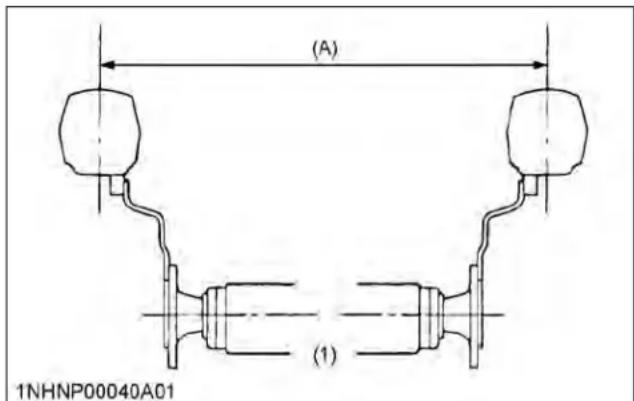
- The narrower the tread, the greater the risk of a tractor upset. For maximum stability, adjust the wheels to the widest practical tread width for your application.
(See TIRES, WHEELS AND BALLAST on page 84.)
text_image
(A) (1) 1NHNP00040A01(1) Rear wheels
(A) Tread width
- Do not modify the tractor. Unauthorized modification may affect the function of the tractor, which may result in personal injury.
2. CAB and ROPS
- KUBOTA recommends the use of a CAB or roll over protective structures (ROPS) and seat belt in almost all applications. This combination will reduce the risk of serious injury or death, should the tractor be upset. Check for overhead clearance which may interfere with a CAB or ROPS.
- Set the parking brake and stop the engine. Remove any obstructions that may prevent the ROPS from rising or folding. Do not allow any bystanders near the tractor. Always perform the adjustment from a stable position at the rear of the tractor. Hold the top of the ROPS securely when raising or folding. Make sure that all pins are installed and locked.
- If the CAB or ROPS is loosened or removed for any reason, make sure that all parts are reinstalled correctly before operating the tractor.
- Never modify or repair any structural member of a CAB or ROPS because welding, bending, drilling, grinding, or cutting may weaken the structure.
- A damaged CAB or ROPS structure must be replaced, not repaired or revised.
- If any structural member of the CAB or ROPS is damaged, replace the entire structure at your local KUBOTA Dealer.

SAFE OPERATION
- If the tractor is equipped with a foldable ROPS, it may be temporarily lowered only when absolutely necessary for areas with height constraints.
There is no operator protection provided by the ROPS in the lowered position. For operator safety, the ROPS should be placed in the upright and locked position and the seat belt fastened for all other operations. - Always use the seat belt if the tractor has a CAB or ROPS. Do not use the seat belt if the foldable ROPS is down or if there is no ROPS. Check the seat belt regularly and replace if frayed or damaged.

text_image
(1) (2) 1ABCW00002A01(1) ROPS (2) Seat belt
Operator safety is a priority. Safe operation, specifically with respect to overturning hazards, entails understanding the equipment and environmental conditions at the time of use.
Some prohibited uses which can affect overturning hazards include traveling and turning with implements, loads carried too high and so on. This manual sets forth some of the obvious risks, but the list is not, and cannot be, exhaustive. It is the operator's responsibility to be alert for any equipment or environmental condition that could compromise safe operation.
1. Starting to operate the tractor
- Always sit in the operator's seat when starting engine or operating levers or controls. Adjust seat per instructions in the operating the tractor section. Never start engine while standing on the ground.
- Before starting the engine, make sure that all levers (including auxiliary control levers) are in their neutral positions, that the parking brake is engaged, and that both the clutch and the power take-off (PTO) are disengaged or "OFF". Fasten the seat belt if the tractor has a CAB, a fixed ROPS or a foldable ROPS in the upright and locked position.
- Do not start engine by shorting across starter terminals or bypassing the safety start switch. The
machine may start in gear and move if the normal starting circuitry is bypassed.
- Do not operate or idle the engine in a non-ventilated area. Carbon monoxide gas is colorless, odorless, and deadly.
- Check that the operator presence control (OPC) system is functioning correctly before each time you use the tractor.
Test the safety systems.
(See 1.4 Checking operator presence control (OPC) system on page 105.)
Do not operate unless they are functioning correctly.
2. Working the tractor
- Pull only from the drawbar. Never hitch to axle housing or any other point except the drawbar; such arrangements will increase the risk of serious personal injury or death due to a tractor upset.

natural_image
Technical line drawing of a mechanical assembly with gears and a bracket (no text or symbols)(1) Drawbar
- For trailing PTO-driven implements, set the drawbar to the towing position.
- Attach pulled or towed loads to the drawbar only.
- Keep all shields and guards in place. Replace any that are missing or damaged.
- Avoid sudden starts. To avoid upsets, slow down when turning, on uneven ground, and before stopping.
- The tractor cannot turn with the differential locked and attempting to do so could be dangerous.
- Do not operate near ditches, holes, embankments, or other ground surface features which may collapse under the tractor's weight. The risk of tractor upset is even higher when the ground is loose or wet. Tall grass can hide obstacles; walk the area first to be sure.
- Watch where you are going at all times. Watch for and avoid obstacles. Be alert at row ends, near trees, and other obstructions.
- When working in groups, always let the others know what you are going to do before you do it.
- Never try to get on or off a moving tractor.
SAFE OPERATION
• Always sit in the operator's seat when operating levers or controls.
- Do not use Bi-speed turn at high speed.
- Bi-speed turn enables short and fast turns, therefore, become familiar with its performance before operating in close or confined areas.
- Do not stand between tractor and implement or trailed vehicle unless the parking brake is applied.
3. Safety for children
Tragedy can occur if the operator is not alert to the presence of children. Children generally are attracted to machines and the work they do.
- Never assume that children will remain where you last saw them.
- Keep children out of the work area and under the watchful eye of another responsible adult.
- Be alert and shut your machine down if children enter the work area.
- Never carry children on your machine. There is no safe place for them to ride. They may fall off and be run over or interfere with your control of the machine.
- Never allow children to operate the machine even under adult supervision.
- Never allow children to play on the machine or on the implement.
- Use extra caution when backing up. Look behind and down to make sure area is clear before moving.
4. Operating on slopes
Slopes are a major factor related to loss-of-control and tip-over accidents, which can result in severe injury or death. All slopes require extra caution.
- To avoid upsets, always back up steep slopes. If you cannot back up the slope or if you feel uneasy on it, do not operate on it. Stay off slopes too steep for safe operation.
- Driving forward out of a ditch, mired condition or up a steep slope increases the risk of rear rollovers. Always back out of these situations. Extra caution is required with 4-wheel drive models because their increased traction can give the operator false confidence in the tractor's ability to climb slopes.
- Keep all movement on slopes slow and gradual. Do not make sudden changes in speed, direction or braking, nor make sudden motions with the steering wheel.
- Avoid disengaging the clutch or changing gears when climbing or going down a slope. If on a slope, disengaging the clutch or changing gears to neutral could cause the loss of control.
-
Special attention should be paid to the weight and location of implements and loads as such will affect the stability of the tractor.
-
To improve stability on slopes, set the widest possible wheel tread.
(See TIRES, WHEELS AND BALLAST on page 84.)
Follow the recommendations for proper ballasting.
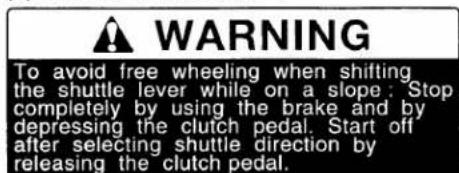
• To avoid free wheeling:
- Do not shift the shuttle lever while on a slope.
- Stop completely by using the brakes and by depressing the clutch pedal, then shift the shuttle lever.
- Start off after selecting shuttle direction, by releasing the clutch pedal.
- When driving down a slope, ensure that 4-wheel drive is engaged to increase traction.
5. Driving the tractor on the road
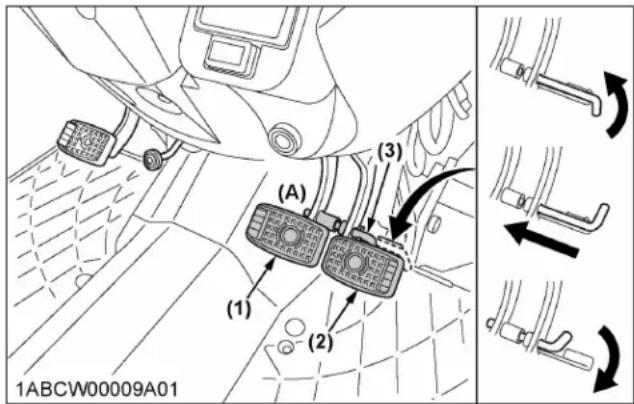
- Lock the 2 brake pedals together to help assure straight-line stops. Uneven braking at road speeds could cause the tractor to tip over.
text_image
(A) (1) (2) (3) 1ABCW00009A01(1) Brake pedal (LH)
(2) Brake pedal (RH)
(3) Brake pedal lock
(A) Whenever traveling on the road
- Check the front-wheel engagement. The braking characteristics are different between 2 and 4-wheel drive. Be aware of the difference and use carefully.
- Always slow down the tractor before turning. Turning at high speed may tip over the tractor.
- Make sure that the slow moving vehicle (SMV) sign is clean and visible. Use hazard lights and turn signals as required.

text_image
(1) (2) 1ABCW00006A01(1) SMV emblem (2) Bracket
- On public roads use the SMV emblem and hazard lights, if required by local traffic and safety regulations.
- Observe all local traffic and safety regulations.
- Turn the headlights on. Dim them when meeting another vehicle.
- Drive at speeds that allow you to maintain control at all times.
- Do not apply the differential lock while traveling at road speeds. The tractor may run out of control.
- Avoid sudden motions of the steering wheel as they can lead to a dangerous loss of stability. The risk is especially great when the tractor is traveling at road speeds.
- Keep the ROPS in the upright position and wear the seat belt when driving the tractor on the road. Otherwise, you will not be protected in the event of a tractor roll-over.
- Do not operate an implement while the tractor is on the road. Lock the 3-point hitch in the raised position.
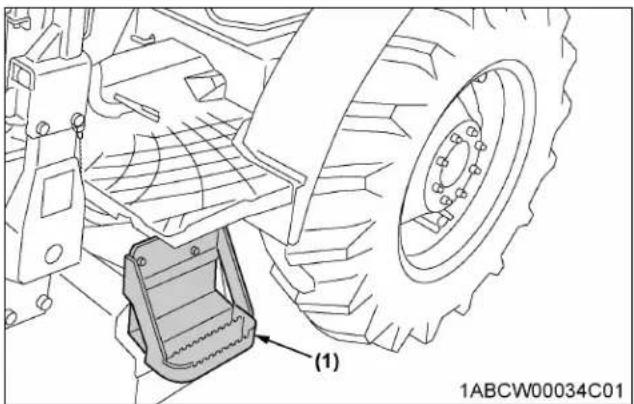
- Do not ride or stand on the step during operation. Riding or standing there could result in being crushed under the rear tire due to slippage or the step fracturing or being displaced by the unintended load.
natural_image
Technical line drawing of a vehicle wheel assembly with a component labeled (1), no readable text or symbols present.(1) Step
- When towing other equipment, use a safety chain and place an SMV emblem on it as well.
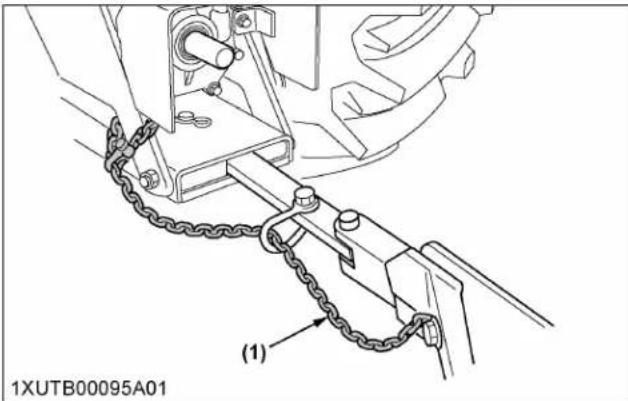
text_image
1XUTB00095A01 (1)(1) Safety chain
- Set the implement lowering speed lever in the "LOCK" position to hold the implement in the raised position.

text_image
(1) (C) (B) (A) 1ABCW00042A01(1) 3-point hitch lowering speed lever
(B) "SLOW" (C) "LOCK"
(A) "FAST"
PARKING THE TRACTOR
- Disengage the PTO, lower all implements to the ground, place all control levers in their neutral positions, set the parking brake, stop the engine, remove the key from the ignition and lock the CAB door (if equipped).
Leaving transmission in gear with the engine stopped will not prevent tractor from rolling.
- Make sure that the tractor has come to a complete stop before dismounting.
- Avoid parking on steep slopes. If at all possible, park on a firm and level surface; if not, park across a slope and chock the wheels.
Failure to comply with this warning may allow the tractor to move and could cause injury or death.
OPERATING THE PTO
- Wait until all moving components have completely stopped before getting off the tractor, connecting,
disconnecting, adjusting, cleaning, or servicing any PTO driven equipment.
- Keep the PTO shaft cover in place at all times. Replace the PTO shaft cap when the shaft is not in use.

text_image
1XUTB00049A02 (1) (2)(1) PTO shaft cover (2) PTO shaft cap
- Before installing or using PTO driven equipment, read the manufacturer's manual and review the safety labels attached to the equipment. To prevent PTO driven equipment from improper or unsafe use, select the lower speed (540 rpm) unless the higher one is specifically recommended as safe by the equipment manufacturer.
- When operating stationary PTO driven equipment, always apply the tractor parking brake and place chocks behind and in front of the rear wheels. Stay clear of all rotating parts. Never step over rotating parts.
USING 3-POINT HITCH
- Use the 3-point hitch only with equipment designed for 3-point hitch usage.
- When using a 3-point hitch mounted implement, be sure to install the proper counterbalance weight on the front of the tractor.
- To avoid injury from separation: Do not extend the lift rod beyond the groove on the threaded rod.
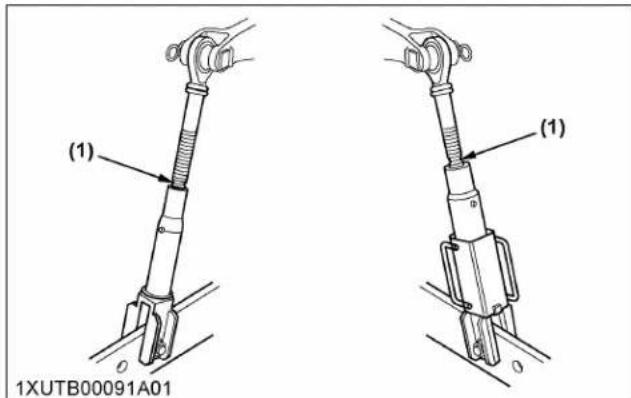
text_image
(1) (1) 1XUTB00091A01(1) Groove
SERVICING THE TRACTOR
Before servicing the tractor, park it on a firm, flat and level surface, set the parking brake, lower all implements to the ground, place the gear shift lever in neutral, stop the engine and remove the key.
- Allow the tractor time to cool off before working on or near the engine, muffler, radiator and so on.
- Do not remove radiator cap while coolant is hot. When cool, slowly rotate cap to the first stop and allow sufficient time for excess pressure to escape before removing the cap completely. If the tractor has a coolant recovery tank, add coolant or water to the tank, not the radiator. (See 7. Checking coolant level on page 101.)
• Always stop the engine before refueling. Avoid spills and overfilling. Use only approved fuels.
• Always use grounded refueling facilities.
- Do not smoke when working around battery or when refueling. Keep all sparks and flames away from battery and fuel tank. The battery presents an explosive hazard, because it gives off hydrogen and oxygen especially when recharging.
- Before "jump starting" a dead battery, read and follow all of the instructions. (See JUMP STARTING on page 46.)
- Keep first aid kit and fire extinguisher handy at all times.
- Disconnect the battery's ground cable before working on or near electric components.
- To avoid the possibility of battery explosion, do not use or charge the refillable type battery if the fluid level is below the "LOWER" (lower limit level) mark. Check the fluid level regularly and add distilled water as required so that the fluid level is between the "UPPER" and "LOWER" levels.
- To avoid sparks from an accidental short circuit, always disconnect the battery's ground cable (-) first and reconnect it last.
M4N-071

text_image
(1) 1ABCW00024A01(1) Battery
M5N-091, M5N-111
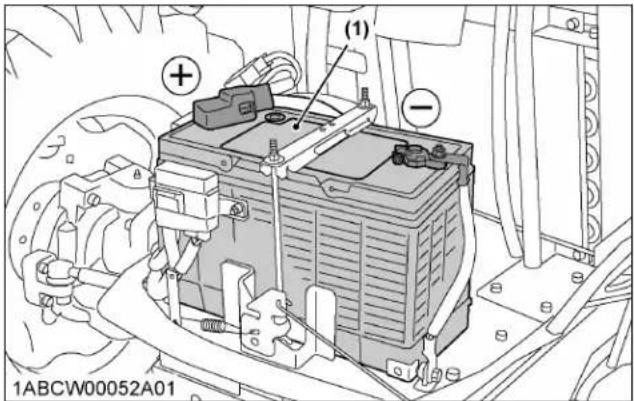
text_image
(1) 1ABCW00052A01(1) Battery
- Do not attempt to mount a tire on a rim. This should be done by a qualified person with the proper equipment.
• Always maintain the correct tire pressure. Do not inflate tires above the recommended pressure shown in the operator's manual.
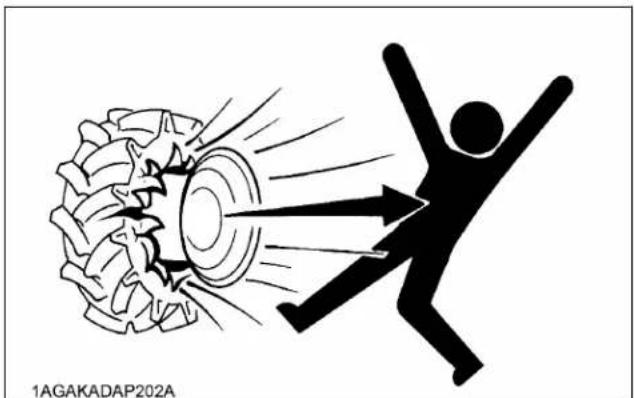
natural_image
Illustration of a person falling into a tire with radiating lines, symbolizing speed or impact (no text or symbols)- Securely support the tractor when either changing wheels or adjusting the wheel tread width.
- Make sure that wheel bolts have been tightened to the specified torque.
- Disconnect the battery's ground cable and stop the engine to avoid the possibility of the machine
runaway due to 4WD braking system during testing, service or repair with only rear wheels off the ground.
- Do not work under any hydraulically supported devices. They can settle, suddenly leak down, or be accidentally lowered. If it is necessary to work under tractor or any machine elements for servicing or adjustment, securely support them with stands or suitable blocking beforehand.
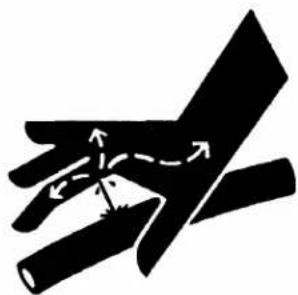
- Escaping hydraulic fluid under pressure has sufficient force to penetrate skin, causing serious personal injury. Before disconnecting hydraulic lines, be sure to release all residual pressure. Before applying pressure to the hydraulic system, make sure that all connections are tight and that all lines, pipes, and hoses are free of damage.
natural_image
Abstract black-and-white diagram of a hand holding two elongated bars with directional arrows indicating movement or force (no text or symbols)1BAACAAAP010B
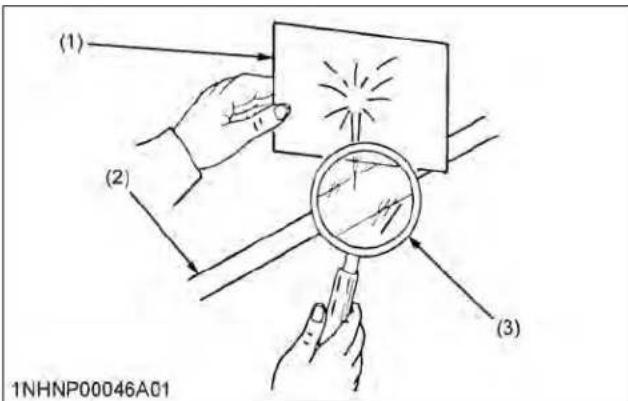
- Fluid escaping from pinholes may be invisible. Do not use hands to search for suspected leaks; use a piece of cardboard or wood. Use of safety goggles or other eye protection is also highly recommended. If injured by escaping fluid, see a medical doctor at once. This fluid will produce gangrene or severe allergic reactions.
text_image
(1) (2) (3) 1NHNP00046A01(1) Cardboard
(3) Magnifying glass
(2) Hydraulic line
- Do not open the high-pressure fuel system. High-pressure fluid remaining in fuel lines can cause serious injury. Do not disconnect or attempt to repair fuel lines, sensors, or any other components between the high-pressure fuel pump
SAFE OPERATION
and injectors on engines with high pressure common rail fuel system.
- To avoid hazardous high voltage, turn the key switch to the "OFF" position if it is necessary to check or repair the computer, harness or connectors.
- During diesel particulate filter (hereinafter called DPF) regenerating operations, exhaust gases and exhaust filter components reach temperatures hot enough to burn people, or ignite or melt common materials.
-
Keep the tractor away from people, animals or structures which may be susceptible to harm or damage from hot exhaust gases.
-
To prevent fires, keep the DPF/SCR muffler and its surroundings clear of anything flammable and keep clean at all times (selective catalytic reduction-hereinafter called SCR).
- During regeneration, white exhaust gas may be visible. Do not allow regeneration in a non-ventilated space.
- During regeneration, do not leave the tractor.
- Waste products such as used oil, fuel, hydraulic fluid, urea aqueous solution (DEF/AdBlue®) and batteries, can harm the environment, people, pets and wildlife. Please dispose properly. See your local recycling center or KUBOTA Dealer to learn how to recycle or get rid of waste products.
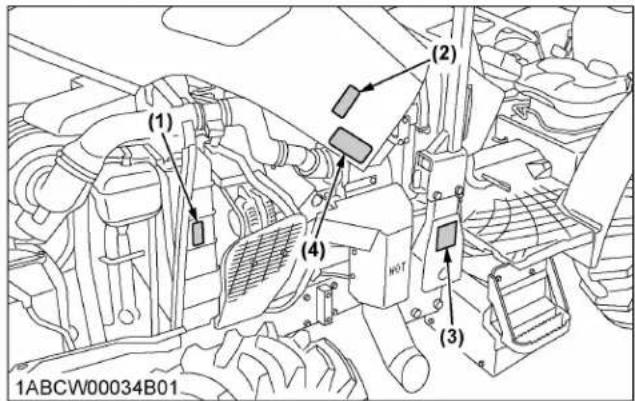
SAFETY LABELS
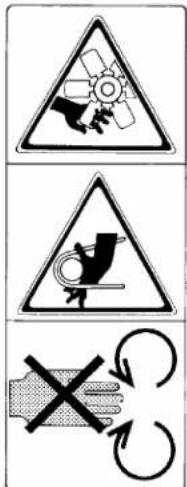
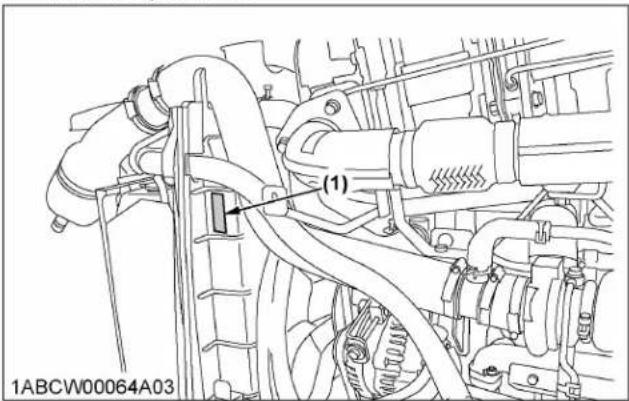
(1) Part No. 6C090-4958-2 Do not get your hands close to engine fan and fan belt.
text_image
Warning symbols for industrial equipment including a turbine, gear, and mechanical device with Chinese labels1AGAIAZAP110E
(2) Part No. TA040-4958-1 Do not touch hot surface like muffler, etc.

text_image
Warning sign with triangular warning triangle and pictogram of falling objects, plus two crossed-out hand icons indicating hazard or safety.1AGAEENAP007B
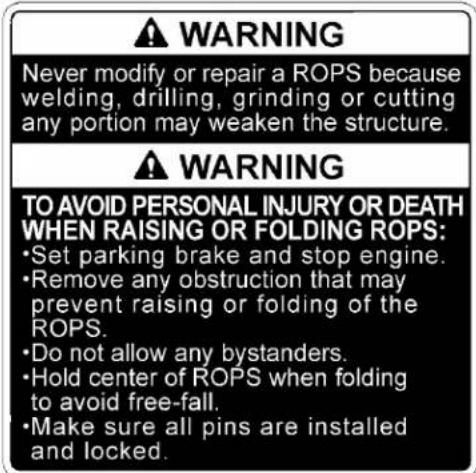
(3) Part No. 3B481-9849-1
text_image
WARNING Never modify or repair a ROPS because welding, drilling, grinding or cutting any portion may weaken the structure. WARNING TO AVOID PERSONAL INJURY OR DEATH WHEN RAISING OR FOLDING ROPS: • Set parking brake and stop engine. • Remove any obstruction that may prevent raising or folding of the ROPS. • Do not allow any bystanders. • Hold center of ROPS when folding to avoid free-fall. • Make sure all pins are installed and locked.1AGBDAAAP091A
(4) Part No. TC660-9861-1
WARNING
TO AVOID PERSONAL INJURY OR DEATH:
When the Diesel Particulate Filter (DPF) is in the regenerating mode, the exhaust gas and the DPF muffler become hot. During regeneration, take into account that the muffler will be very hot and keep the machine away from other people, animals, plants, and flammable material. Also keep the area near the DPF muffler clean and away from flammable material.
1AGAHAKAP051A
M5N-091, M5N-111
text_image
(1) 1ABCW00064A03M4N-071
text_image
(1) (2) (3) (4) 1ABCW00034B01M5N-091, M5N-111

text_image
(4) (3) 1ABCW00053B011ABCW00045A01
(1) Part No. 3Y205-9892-1

text_image
DANGER/POISON SHIELD EYES. EXPLOSIVE GASES CAN CAUSE BLINDNESS OR INJURY. NO •SPARKS •FLAMES •SMOKING SULFURIC ACID CAN CAUSE BLINDNESS OR SEVERE BURNS. KEEP OUT OF REACH OF CHILDREN. DO NOT TIP. DO NOT OPEN BATTERY. FLUSH EYES IMMEDIATELY WITH WATER. GET MEDICAL HELP FAST. PROPOSITION 65 WARNING BATTERY POSTS, TERMINALS, AND RELATED ACCESSORIES CONTAIN LEAD AND LEAD COMPOUNDS, CHEMICALS KNOWN TO THE STATE OF CALIFORNIA TO CAUSE CANCER AND REPRODUCTIVE HARM. WASH HANDS AFTER HANDLING. 105E41R 12V AMP. HR (5HR) 80 AMP. HR (20HR) 100 RESERVE CAPACITY (MIN) 160 BCI CCA 900 EN CCA 800 S.O.C INDICATOR ON CHARGE REPLACE BATTERY BATTERY Pb LEAD WIRECH RECYCLE1AGAIJHAP083A
(2) Part No. 6C090-4958-2 Do not get your hands close to engine fan and fan belt.
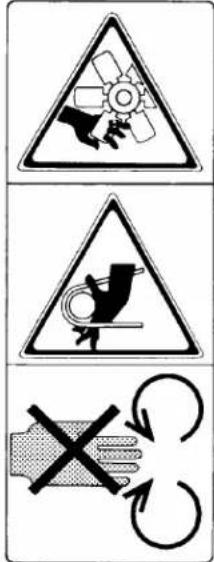
text_image
Warning sign with three symbols: a gear, a bird, and a hand holding a cross indicating no protection or disconnection.1AGAIAZAP110E
(3) Part No. K3512-4719-1 Do not touch hot surface like muffler, etc.

1BDABANAP080B
M5N-091, M5N-111

text_image
(3) 1ABCW00060E03M4N-071

text_image
(1) (2) (3) 1ABCW00014A01M5N-091, M5N-111
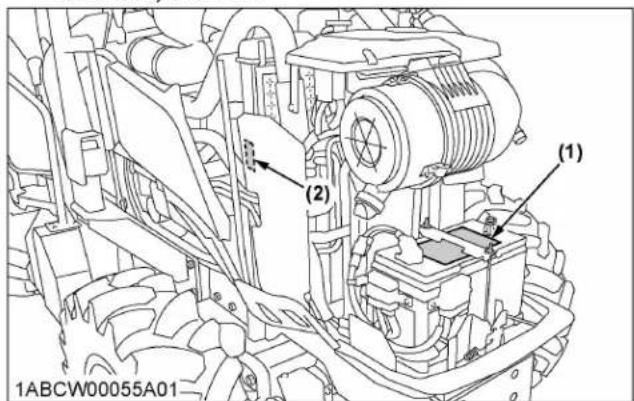
text_image
(1) (2) 1ABCW00055A011ABCW00046A01
(1) Part No. TC660-4997-1
WARNING
TO AVOID PERSONAL INJURY OR DEATH:
- Read and understand the operator's manual before operation.
- Before starting the engine, make sure that everyone is at a safe distance from the tractor and that the PTO is OFF.
- Do not allow passengers on the tractor at any time.
- Before allowing other people to use the tractor, have them read the operator's manual.
- Check the tightness of all nuts and bolts regularly.
- Keep all shields in place and stay away from all moving parts.
- Lock the two brake pedals together before driving on the road.
- Slow down for turns, or rough roads, or when applying individual brakes.
- On public roads use SMV emblem and hazard lights, if required by local traffic and safety regulations.
- Pull only from the drawbar.
- Before dismounting, lower the implement to the ground, set the parking brake, stop the engine and remove the key.
- Securely support tractor and implements before working underneath.
1AGAHAKAP046A
(2) Part No. 3A431-9848-1

text_image
WARNING TO AVOID INJURY OR DEATH FROM ROLL-OVER: •Keep Roll-Over Protective Structures (ROPS) in upright position. •Check operating environment for vertical clearance for ROPS. •Fasten SEAT BELT before operation. IN FOLDED POSITION, ROPS PROTECTION IS ELIMINATED: •Do not fasten SEAT BELT when ROPS is folded. •Raise ROPS as soon as vertical clearance allows, and read related instructions and warnings.1AGAIEJAP079A
(3) Part No. 3F240-4905-2
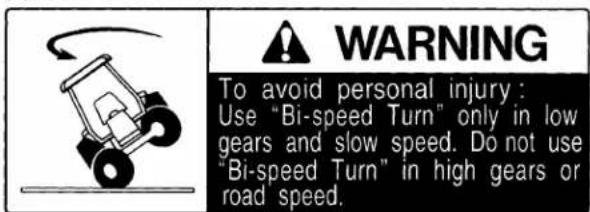
text_image
WARNING To avoid personal injury : Use "Bi-speed Turn" only in low gears and slow speed. Do not use "Bi-speed Turn" in high gears or road speed.1AGAOAJAP063A
(4) Part No. 3F240-9821-1
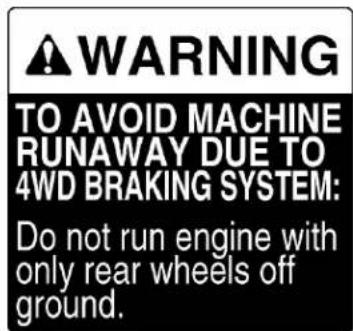
text_image
WARNING TO AVOID MACHINE RUNAWAY DUE TO 4WD BRAKING SYSTEM: Do not run engine with only rear wheels off ground.1AGAIBIAP1820

text_image
(1) (2) 1ABCW00044A01
text_image
(3) (4) 1ABCW00009C011ABCW00047A01
(1) Part No. 6C090-4965-1

text_image
DANGER TO AVOID POSSIBLE INJURY OR DEATH FROM A MACHINE RUNAWAY. 1. Do not start engine by shorting across starter terminals or bypassing the safety start switch. Machine may start in gear and move if normal starting circuitry is bypassed. 2. Start engine only from operator's seat with transmission and PTO OFF. Never start engine while standing on the ground.1AGAEBMAP074E
(2) Part No. 6C150-4743-1
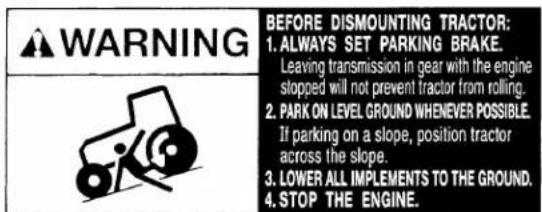
text_image
WARNING BEFORE DISMOUNTING TRACTOR: 1.ALWAYS SET PARKING BRAKE. Leaving transmission in gear with the engine slopped will not prevent tractor from rolling. 2.PARK ON LEVEL GROUND WHENEVER POSSIBLE. If parking on a slope, position tractor across the slope. 3.Lower ALL IMPLEMENTS TO THE GROUND. 4.STOP THE ENGINE.1AGAIBDAP040E
(3) Part No. 3A111-9801-1
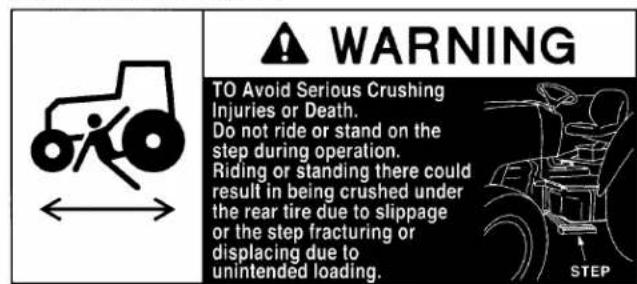
text_image
WARNING TO Avoid Serious Crushing Injuries or Death. Do not ride or stand on the step during operation. Riding or standing there could result in being crushed under the rear tire due to slippage or the step fracturing or displacing due to unintended loading.1AGAIDHAP099A
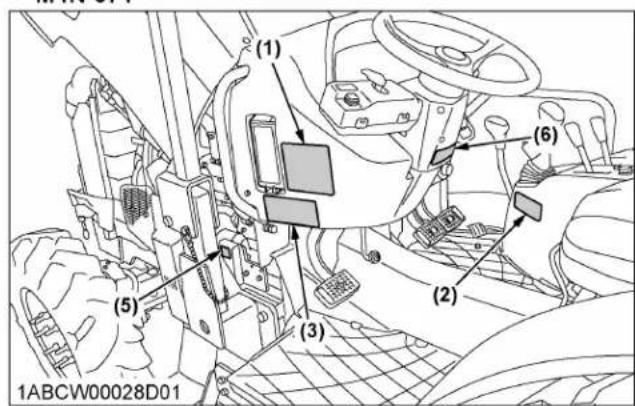
M4N-071
text_image
(1) (2) (3) (5) (6) 1ABCW00028D01(4) Part No. TA040-4958-1 Do not touch hot surface like muffler, etc.

text_image
Warning symbols for occupational hazard, including a triangle warning against falling objects and a hand holding a cross symbol.1AGAEENAP007B
(5) Part No. K3512-4719-1 Do not touch hot surface like muffler, etc.

1BDABANAP080B
(6) Part No. 3F240-9857-1
text_image
WARNING To avoid free wheeling when shifting the shuttle lever while on a slope: Stop completely by using the brake and by depressing the clutch pedal. Start off after selecting shuttle direction by releasing the clutch pedal.1AGAIBDAP039A
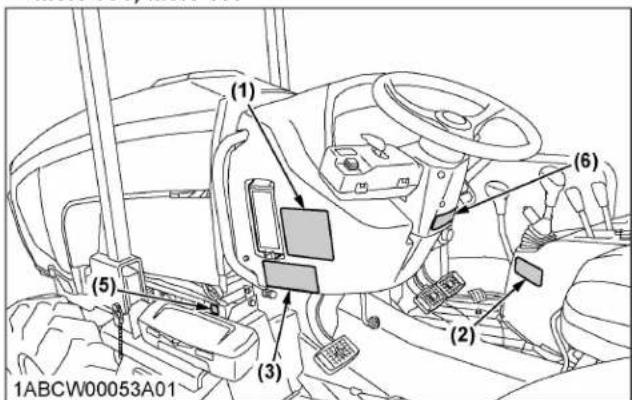
M5N-091, M5N-111

text_image
(4) 1ABCW00060B02M5N-091, M5N-111
text_image
(1) (2) (3) (4) (5) (6) 1ABCW00053A011ABCW00048A01
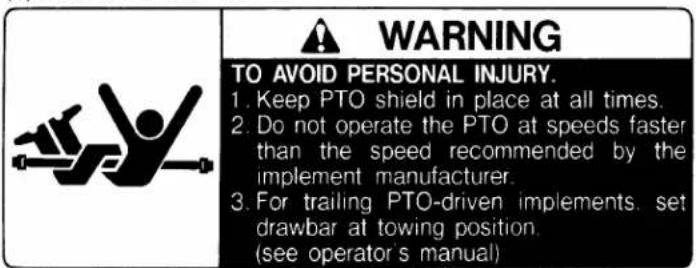
(1) Part No. TA040-4959-3
text_image
WARNING TO AVOID PERSONAL INJURY. 1. Keep PTO shield in place at all times. 2. Do not operate the PTO at speeds faster than the speed recommended by the implement manufacturer. 3. For trailing PTO-driven implements. set drawbar at towing position. (see operator's manual)1AGAIAZAP116A
(2) Part No. TA040-4935-1
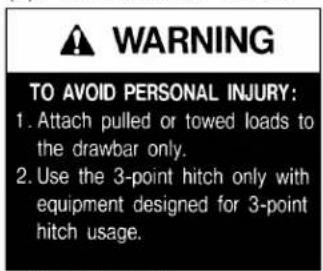
text_image
WARNING TO AVOID PERSONAL INJURY: 1. Attach pulled or towed loads to the drawbar only. 2. Use the 3-point hitch only with equipment designed for 3-point hitch usage.1AGAIAZAP056A
(3) Part No. 3B291-9856-1
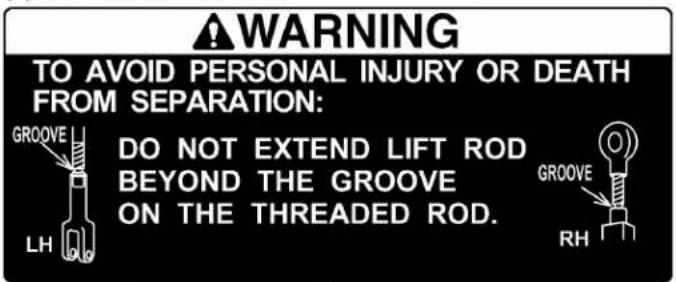
text_image
WARNING TO AVOID PERSONAL INJURY OR DEATH FROM SEPARATION: DO NOT EXTEND LIFT ROD BEYOND THE GROOVE ON THE THREADED ROD.1AGBDAAAP053A
(4) Part No. TC420-4956-1

text_image
Diesel fuel only No fire ULTRA LOW SULFUR DIESEL FUEL ONLY1AGAIDHAP154E

text_image
(1) (2) (3) (4) 1ABCW00006B011ABCW00049A01
CARE OF THE SAFETY LABELS
- Keep the safety labels clean and free from obstructing material.
- Clean the safety labels with soap and water, dry with a soft cloth.
- Replace damaged or missing safety labels with new labels from your local KUBOTA Dealer.
- If a component with safety label(s) affixed is replaced with new part, make sure new label(s) is (are) attached in the same location(s) as the replaced component.
- Mount new safety labels by applying on a clean dry surface and pressing any bubbles to outside edge.
SERVICING OF TRACTOR
Your dealer has knowledge of your new tractor and has the desire to help you get the most value from it.
After reading this manual thoroughly, you will find that you can do some of the regular maintenance yourself. However, when in need of parts or major service, be sure to see your KUBOTA Dealer.
For service, contact the KUBOTA Dealership from which you purchased your tractor or your local KUBOTA Dealer.
When in need of parts, be prepared to give your dealer the tractor, CAB/ROPS and engine serial numbers. Locate the serial numbers now and record them in the space provided.
| Type Serial No. | ||
| Tractor | ||
| CAB/ROPS | ||
| Engine | ||
| Date of purchase | ||
| Name of dealer | ||
To be filled in by purchaser

text_image
(1) 1ABCW00020A01(1) Tractor identification plate

text_image
(1) 1ABCW00021A01(1) Tractor serial number
M4N-071
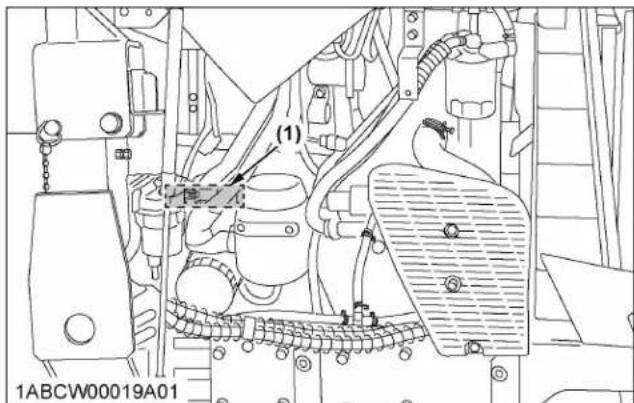
text_image
(1) 1ABCW00019A01(1) Engine serial number
M5N-091, M5N-111
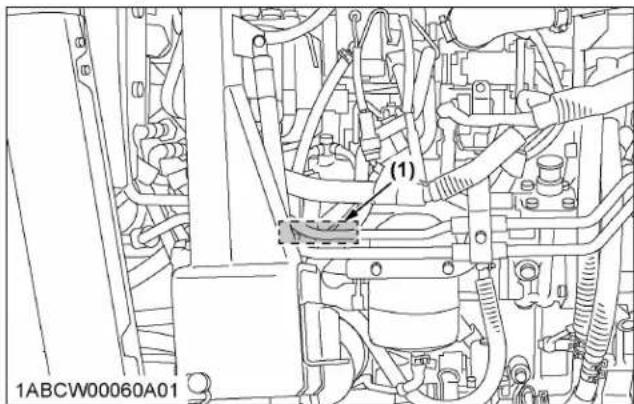
text_image
(1) 1ABCW00060A01(1) Engine serial number
natural_image
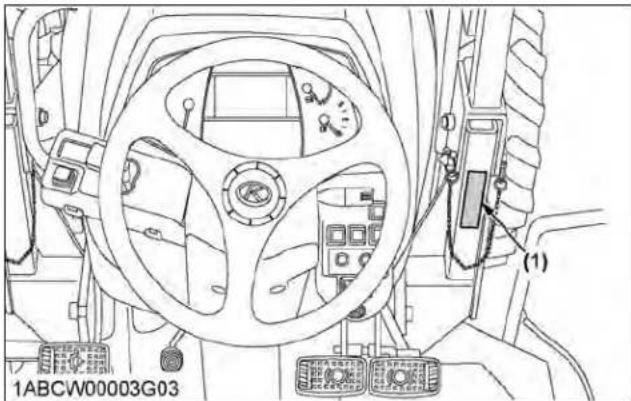
Interior view of a vehicle's steering wheel and dashboard (no text or symbols visible)(1) ROPS identification plate (ROPS serial no.)
M4N-071
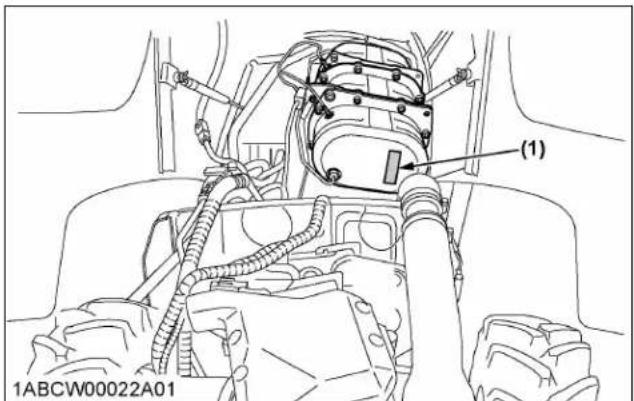
text_image
(1) 1ABCW00022A01(1) Diesel particulate filter (DPF) serial number
M5N-091, M5N-111

text_image
(1) (2) 1ABCW00065A01(1) Diesel particulate filter (DPF) serial number (2) Selective catalytic reduction (SCR) muffler serial number
WARRANTY
This tractor is warranted under the KUBOA Limited Express Warranty, a copy of which may be obtained from your selling dealer.
No warranty shall, however, apply if the tractor has not been handled according to the instruction given in the
operator's manual, even if it is within the warranty period.
SCRAPPING THE TRACTOR AND ITS PROCEDURE
To put the tractor out of service, correctly follow the local rules and regulations of the country or territory where you scrap it.
If you have questions, consult your local KUBOTA Dealer.
SPECIFICATIONS
SPECIFICATION TABLE
| Model | M4N-071 M5N-09 | M5N-111 | ||||
| 4WD | ||||||
| Engine | Model V3800-TE4 V3800-TIEF4 | |||||
| Type | Direct injection, water-cooled 4 cycle diesel, common rail system, turbocharger | Direct injection, water-cooled 4 cycle diesel, common rail system, turbocharger, intercooler | ||||
| Number of cylinders 4 | ||||||
| Total displacement cm | ^3 (cu.in.) | 3769 (230) | ||||
| Bore and stroke mm (in.) 100 x 120 (3.9 x 4.7) | ||||||
| Rated revolution rpm 2400 | ||||||
| Low idling revolution rpm | 800 to 850 | |||||
| Rated engine HP (97/68/EC) | kW (HP) | 54.1 (72.6) | 69.1 (92.6) | 78.8 (105.7) | ||
| Net power *1 | kW (HP) | 52.5 (70.4) | 64.7 (86.7) | 74.4 (99.8) | ||
| PTO power (factory observed) *1 | kW (HP) | 45.5 (61) | [without DS] 58.1 (78) [with DS] 55.9 (75) | [without DS] 67.9 (91) [with DS] 65.6 (88) | ||
| Maximum torque | N·m/rpm (ft·lbs/rpm) | 270/1500 (199/1500) | 307/1500 (226/1500) | 345/1500 (254/1500) | ||
| Battery capacity | 12V, RC: 160 min, CCA 900A | |||||
| Fuel tank capacity | L (U.S.gals.) | 76 (20.1) | ||||
| Engine oil capacity L (U.S.qts.) | 10.7 (11.3) | |||||
| Coolant capacity | L (U.S.qts.) | 10.0 (11) | ||||
| DEF/AdBlue®capacity | L (U.S.gals.) | --- | 12.3 (3.2) | |||
| Dimensions | Overall length | mm (in.) | 3750 (147.6) | 3950 (155.5) | ||
| Overall width (minimum tread) | mm (in.) | 1310 (51.6) | 1360 (53.5) | |||
| Overall height | mm (in.) | 2504 (98.6) | 2529 (99.6) | |||
| Wheel base | mm (in.) | 2130 (83.9) | ||||
| Tread | Front | mm (in.) | 1050 (41.3) | 1100 (43.3) | ||
| Rear | mm (in.) | 945 to 1385 (37.2 to 54.5) | ||||
| Minimum ground clearance | mm (in.) | 290 (11.4) (drawbar bracket) | ||||
| Weight | kg (lbs.) | 2290 (5049) | 2430 (5357) | |||
| Traveling sys-tem | Standard tire size | Front tires | 8-16 | |||
| Rear tires *2 | 12.4-24 | |||||
| Clutch | Multiple wet disc, electronic hydraulically operated | |||||
| Steering | Hydraulic power steering | |||||
(Continued)
| Model | M4N-071M5N-091 | M5N-111 | ||||
| 4WD | ||||||
| Traveling sys-tem | Braking system Hydraulically operated wet disc | |||||
| Differential Bevel gears with differential lock (rear) | ||||||
| Hydraulic unit | Hydraulic control system Position, draft (top link sensing) and mix control | |||||
| Pump capacity | L/min(U.S.gals./min) | 63.3 (16.7) | ||||
| 3-point hitch Category 2 | ||||||
| Max. lifting force | At lifting points *3 | kg (lbs.) | 2300 (5071) | |||
| 24 in. behind lifting point *3 | kg (lbs.) | 1500 (3307) | ||||
| Remote hydraulic control 2 standard valves | ||||||
| System pressure | MPa (kgf/cm2) | 19.1 (195) | ||||
| Traction system Rigid drawbar | ||||||
| PTO | Live PTO (in-dependent) | Direction of turning Clockwise, viewed from tractor rear | ||||
| PTO/engine speed | rpm | 6 spline: 540/23856 spline: 540E/1764 | ||||
The company reserves the right to change the specifications without notice.
*1 Manufacturer's estimate
*2 Cast iron disks available for wheels.
*3 At lower link end with links horizontal.
TRAVELING SPEEDS
M4N-071
| Model | M4N-071 | |||
| F12/R12 model | ||||
| Rear tire size 12.4-24 | ||||
| Shuttle shift lever | Range gear shift lever | Main gear shift lever | km/h mph | |
Forward | Creep (option) | 1 0.28 0.17 | ||
| 2 0.38 0.24 | ||||
| 3 0.46 0.29 | ||||
| 4 0.63 0.39 | ||||
| 5 0.78 0.49 | ||||
| 6 1.11 0.70 | ||||
 | 1 1.9 1.2 | |||
| 2 2.6 1.6 | ||||
| 3 3.1 2.0 | ||||
| 4 4.3 2.7 | ||||
| 5 5.3 3.3 | ||||
| 6 7.6 4.7 | ||||
 | 1 9.6 6.0 | |||
| 2 13.1 8.2 | ||||
| 3 16.0 10.0 | ||||
| 4 21.9 13.7 | ||||
| 5 27.0 16.9 | ||||
| 6 35.5 22.2 | ||||
Reverse | Creep (option) | 1 0.27 0.17 | ||
| 2 0.38 0.23 | ||||
| 3 0.46 0.29 | ||||
| 4 0.63 0.39 | ||||
| 5 0.77 0.48 | ||||
| 6 1.11 0.69 | ||||
 | 1 1.9 1.2 | |||
| 2 2.6 1.6 | ||||
| 3 3.1 1.9 | ||||
| 4 4.3 2.7 | ||||
| 5 5.3 3.3 | ||||
| 6 7.5 4.7 | ||||
 | 1 9.6 6.0 | |||
| 2 13.1 8.2 | ||||
| 3 15.9 9.9 | ||||
| 4 21.8 13.6 | ||||
| 5 26.9 16.8 | ||||
| 6 35.2 22.0 | ||||
At rated engine rpm
The company reserves the right to change the specifications without notice
M5N-091, M5N-111
| Model | M5N-091, M5N-111 | |||||||
| F12/R12 model Dual speed model | ||||||||
| Rear tire size 12.4-24 | ||||||||
| Shuttle shift lever | Range gear shift lever | Main gear shift lever | --- Dual speed: H | Dual speed: L | ||||
| km/h mph | km/h mph km/h | mph | ||||||
Forward | Creep (option) | 1 0.28 0. | 17 0.27 0.17 0.23 | 0.14 | ||||
| 2 0.38 0. | 24 0.37 0.23 0.31 | 0.20 | ||||||
| 3 0.46 0. | 29 0.45 0.28 0.38 | 0.24 | ||||||
| 4 0.63 0. | 39 0.62 0.39 0.52 | 0.33 | ||||||
| 5 0.78 0. | 49 0.77 0.48 0.65 | 0.40 | ||||||
| 6 1.11 0. | 70 1.10 0.69 0.93 | 0.58 | ||||||
 | 1 1.9 1.2 | 1.9 1.2 1.6 1.0 | ||||||
| 2 2.6 1.6 | 2.5 1.6 2.1 1.3 | |||||||
| 3 3.1 2.0 | 3.1 1.9 2.6 1.6 | |||||||
| 4 4.3 2.7 | 4.2 2.6 3.6 2.2 | |||||||
| 5 5.3 3.3 | 5.2 3.3 4.4 2.8 | |||||||
| 6 7.6 4.7 | 7.5 4.7 6.3 3.9 | |||||||
 | 1 9.6 6.0 | 9.5 5.9 8.0 5.0 | ||||||
| 2 13.1 8.2 | 13.0 8.1 11.0 | 6.8 | ||||||
| 3 16.0 10.0 | 15.8 9.9 13.3 | 8.3 | ||||||
| 4 21.9 13.7 | 21.7 13.5 18.2 | 11.4 | ||||||
| 5 27.0 16.9 | 26.8 16.7 22.5 | 14.1 | ||||||
| 6 35.5 22.2 | 35.1 21.9 29.5 | 18.5 | ||||||
Reverse | Creep (option) | 1 0.27 0. | 17 0.28 0.17 0.23 | 0.15 | ||||
| 2 0.38 0. | 23 0.38 0.24 0.32 | 0.20 | ||||||
| 3 0.46 0. | 29 0.46 029 0.39 | 0.24 | ||||||
| 4 0.63 0. | 39 0.63 0.39 0.53 | 0.33 | ||||||
| 5 0.77 0. | 48 0.78 0.49 0.66 | 0.41 | ||||||
| 6 1.11 0. | 69 1.12 0.70 0.94 | 0.59 | ||||||
 | 1 1.9 1.2 | 1.9 1.2 1.6 1.0 | ||||||
| 2 2.6 1.6 | 2.6 1.6 2.2 1.4 | |||||||
| 3 3.1 1.9 | 3.1 2.0 2.6 1.6 | |||||||
| 4 4.3 2.7 | 4.3 2.7 3.6 2.3 | |||||||
| 5 5.3 3.3 | 5.3 3.3 4.5 2.8 | |||||||
| 6 7.5 4.7 | 7.6 4.7 6.4 4.0 | |||||||
 | 1 9.6 6.0 | 9.6 6.0 8.1 5.1 | ||||||
| 2 13.1 8.2 | 13.2 8.2 11.1 | 6.9 | ||||||
| 3 15.9 9.9 | 16.0 10.0 13.5 | 8.4 | ||||||
| 4 21.8 13.6 | 21.9 13.7 18.5 | 11.5 | ||||||
| 5 26.9 16.8 | 27.1 16.9 22.8 | 14.2 | ||||||
| 6 35.2 22.0 | 35.6 22.2 29.9 | 18.7 | ||||||
At rated engine rpm
The company reserves the right to change the specifications without notice
IMPLEMENT LIMITATIONS
The tractor has been thoroughly tested for proper performance with implements sold or approved by KUBOTA.
Use with implements which are not sold or approved by KUBOTA and which exceed the maximum specifications listed in the following table, or which are otherwise unfit for use with the tractor may result in malfunctions or failures of the tractor, damage to other property and injury to the operator or others.
Any malfunctions or failures of the tractor resulting from use with improper implements are not covered by the warranty.
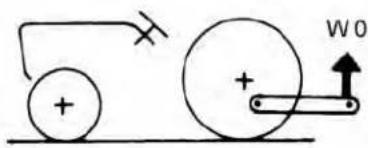
| Tread (max. width) with farm tire | Lower link end max. lifting capacity: W0 | ||
| Front Rear | |||
| M4N-071 | 1050 mm(41.3 in.) | 1385 mm(54.5 in.) | 2300 kg(5071 lbs.) |
| M5N-091M5N-111 | 1100 mm(43.3 in.) | ||
| Implement weight: W1 Max. drawbar load: W2 Trailer loading weight: W3 | ||
| As in the following list(See IMPLEMENT SPECIFICATION TABLE on page 26.) | 1000 kg(2200 lbs.) | 5000 kg(11000 lbs.) |
text_image
Diagram showing two rollers connected by a pulley and a weight, with an arrow indicating upward motion at the weight.
natural_image
Simple line drawing of a mechanical device with wheels and a load, no text or symbols present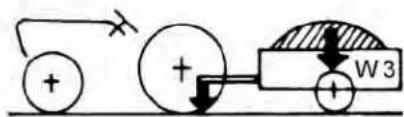
text_image
Diagram showing electrical circuit components including a battery, switch, and motor labeled W31AGAIAZAP121B
W0 Lower link end max, hydraulic lifting capacity
W1 Implement weight-the implement's weight which can be put on the lower link
W2 Max. drawbar load
W3 Trailer loading weight-the max. loading weight for trailer
NOTE :
- Implement size may vary depending on soil operating conditions.
- Strictly follow the instructions outlined in the operator's manual of the mounted or trailed machinery or trailer, and do not operate the combination tractor-machine or tractor-trailer unless all instructions have been followed
- Forestry application
Following hazards exist:
- toppling trees, primarily in case a rear-mounted tree grab-crane is mounted at the rear of the tractor. - penetrating objects in the operator's enclosure, primarily in case a winch is mounted at the rear of the tractor.
Optional equipments such as operator protective structure (OPS), falling object protective structure (FOPS), etc. to deal with these hazards and other related hazards are not available for this tractor. Without such optional equipment use is limited to tractor specific applications like transport and stationary work.
IMPLEMENT SPECIFICATION TABLE
| No. Implement Remarks | M4N-071 M5N | -091 M5N-111 | ||||||
| 4WD 4WD | 4WD | |||||||
| 1 Trailer | Max. load capacity kg (lbs.) 5000 (11000) | |||||||
| Max. drawbar load kg (lbs.) 1000 (2200) | ||||||||
| 2 Mower | Rotary-cutter | Max. cutting width mm (in.) 2130 (84) | ||||||
| Max. weight kg (lbs.) 540 (1200) | ||||||||
| Flail mower (heavy) | Max. cutting width mm (in.) 3050 (120) | |||||||
| Max. weight kg (lbs.) 800 (1760) | ||||||||
| Sickle bar | Max. cutting width mm (in.) 2130 (84) | |||||||
| 3 Sprayer | Max.tank ca-pacity | Mid | L (gals.) | 680 (180) | ||||
| Rear 3P | L (gals.) | 680 (180) | ||||||
| Drawbar | L (gals.) | 4000 (1030) | ||||||
| 4 Rotary tiller | Max. tilling width | mm (in.) | 2130 (84) | |||||
| Max. weight kg (lbs.) 800 (1760) | ||||||||
| 5 Bottom plow | Max. size | 14 in. x 316 in. x 218 in. x 1 | ||||||
| Max. weight | kg (lbs.) 3P type | 450 (1000) | ||||||
| 6 Disk harrow | 3P type | Max. size | 18 in. x 24 | |||||
| Max. harrowing width | mm (in.) | 2130 (84) | ||||||
| Max. weight kg (lbs.) 450 (1000) | ||||||||
| Drawbar type | Max. harrowing width | mm (in.) | 2750 (108) | |||||
| 7 Disc plow | Max. size | 24 in. x 326 in. x 2 | ||||||
| Max. weight kg (lbs.) 450 (1000) | ||||||||
| 8 Subsoiler | Numbers of cultivating tines | 2 | ||||||
| Cultivating depth | mm (in.) | 400 (16) | ||||||
| 9 Cultivator | Max. width | mm (in.) | 3660 (144) | |||||
| Number of rows | 4 | 6 | ||||||
| Max. weight kg (lbs.) 450 (1000) | ||||||||
NOTE :
- Implement size may vary depending on soil operating conditions.
INSTRUMENT PANEL AND CONTROLS
SWITCHES AND HAND CONTROLS
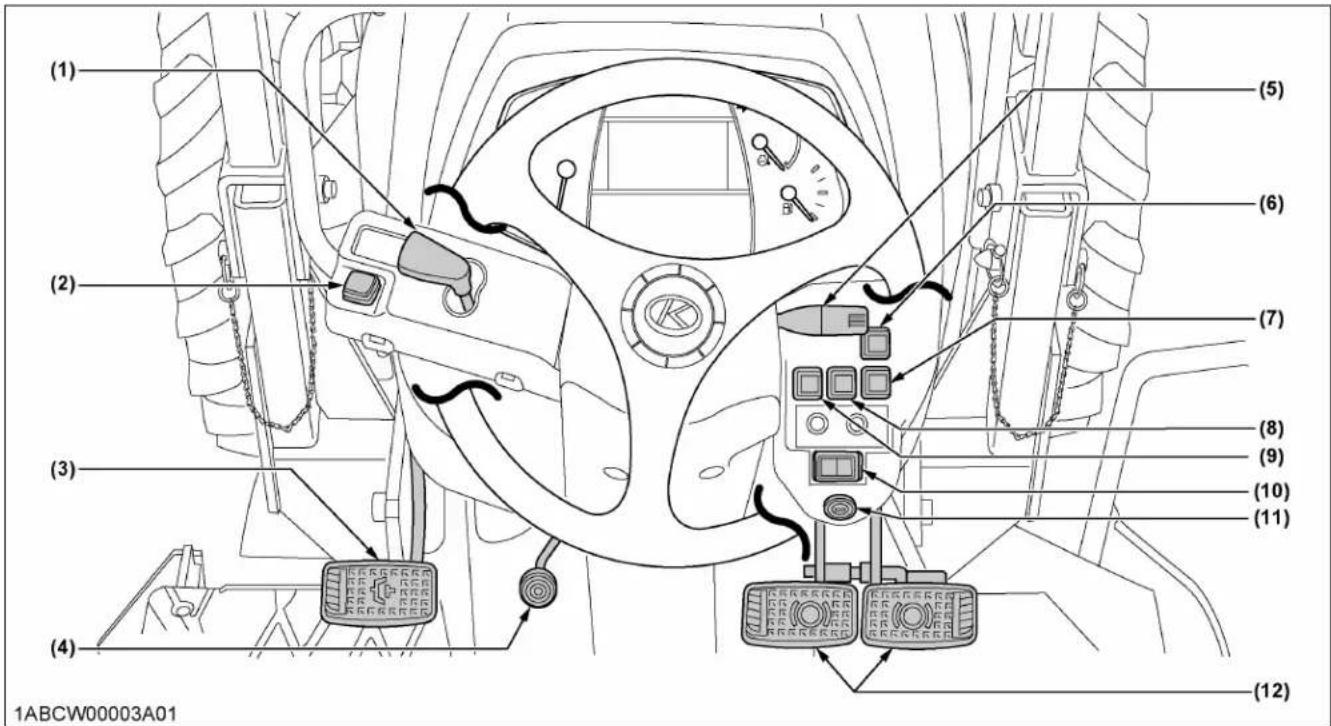
Illustrated contents
(1) Shuttle shift lever...55
(2) Hazard light switch...51
(3) Clutch pedal...53
(4) Steering wheel tilt pedal...50
(5) Turn signal and headlight switch...51
(6) Front work light switch...52
(7) Constant RPM Management switch...66
(8) DPF inhibit switch...35
(9) Parked regeneration switch...37
(10) 4WD and Bi-speed turn switch...56
(11) Key switch... -
(12) Brake pedals...52
INSTRUMENT PANEL

text_image
(1) (2) (3) (4) (5) (6) (7) (8) (9) (3) (10) (11) (12) (13) (15) (16) (17) (18) (19) (20) (21) (22) (23) (24) (25) (26) (27) (28) (29) (30) (31) (32) (33) (34) (35) (36) (37) (38) (39) (40) (41) (42) (43) (44) (45) (46) (47) (48) (49) (50) (51) (52) (53) (54) (55) 15:55 4.0 mph 543 n/min 94.3 h X1000 n/min DEF H C F E EM E PM 1ABCW00032A01Illustrated contents
(1) Tachometer...60
(2) DEF/AdBlue ^® gauge (M5N-091, M5N-111)...60
(3) Hazard and turn signal indicator...51
(4) Electrical charge warning indicator...58
(5) Engine oil pressure warning indicator...58
(6) Engine warning indicator...58
(7) Master system warning indicator...58
(8) PTO clutch indicator...70
(9) High beam indicator...51
(10) Liquid crystal display (LCD)...60
(11) Coolant temperature gauge...60
(12) Fuel gauge...59
(13) Rev-limiter indicator...55
(14) Fuel level indicator...58
(15) Emission indicator...58
(16) DEF/AdBlue® system warning indicator (M5N-091, M5N-111)...58
(17) DEF/AdBlue ^® warning indicator (M5N-091, M5N-111)...58
(18) Regeneration indicator...33
(19) Parked regeneration indicator...35
(20) Engine rpm increase indicator...33
(21) 4WD indicator...56
(22) Bi-speed turn indicator...56
(23) Water separator indicator...58
(24) Heater indicator...44
(25) Dual speed shift indicator (dual speed model for M5N-091, M5N-111)...56
(26) Parking brake warning indicator...42
(27) Mode selector switch...61
(28) Select switch...61
FOOT AND HAND CONTROLS
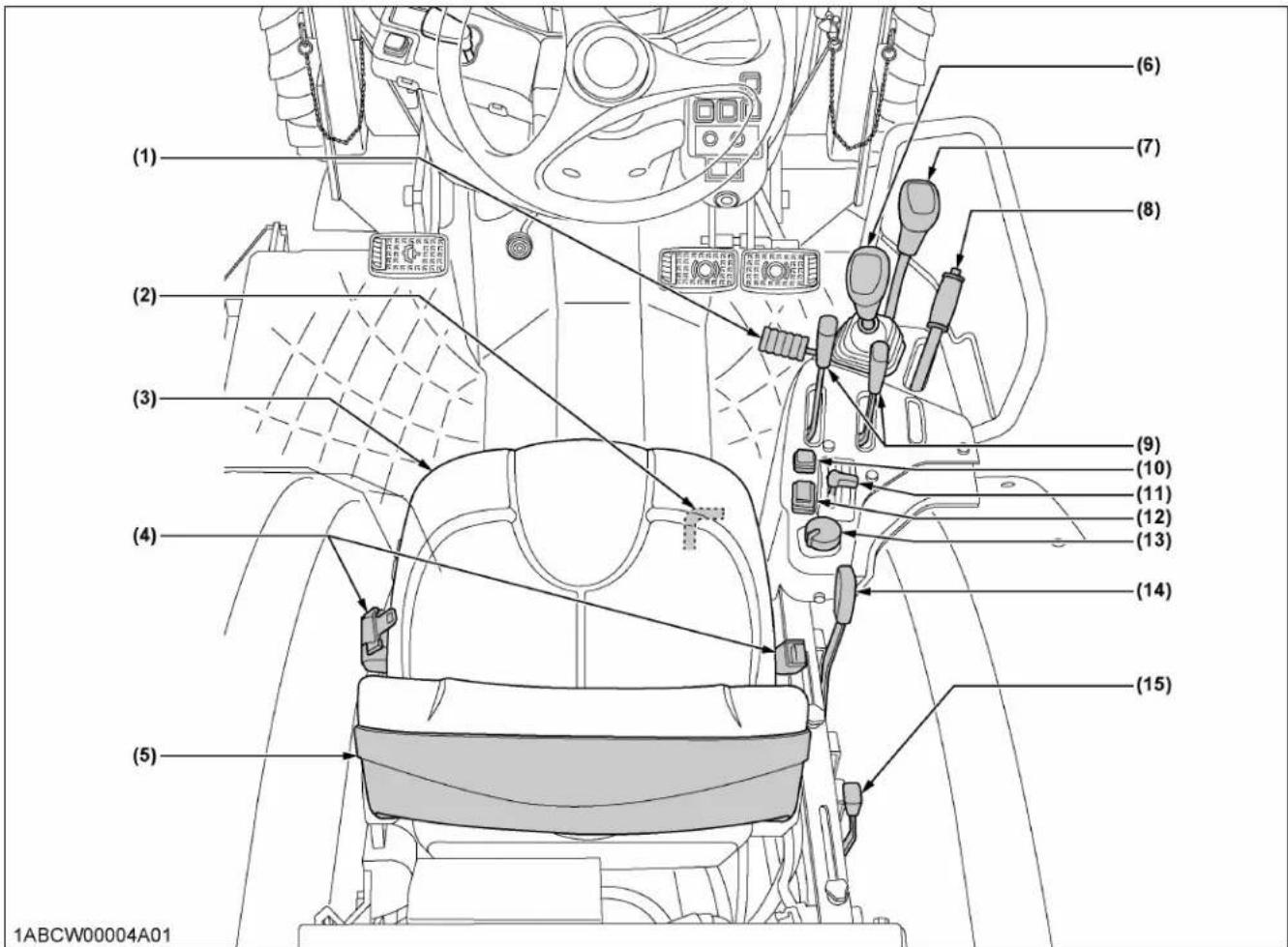
Illustrated contents
(1) Foot throttle...57
(2) Differential lock pedal...67
(3) Operator's seat...49
(4) Seat belt...50
(5) Glove box...50
(6) Main gear shift lever...55
(7) Range gear shift lever...55
(8) Parking brake lever...53
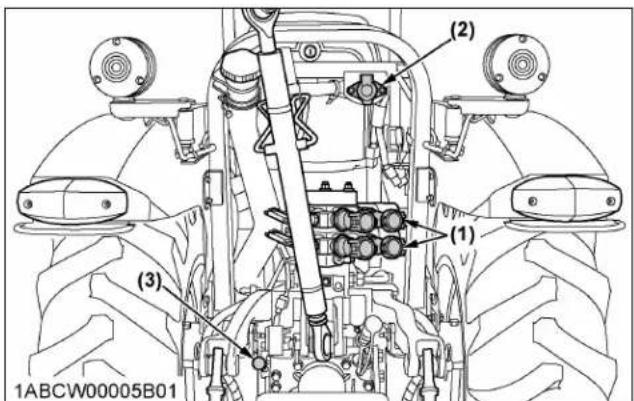
text_image
(2) (1) (3) 1ABCW00005B01(9) Remote control valve lever...80
(10) Dual speed shift switch (dual speed model for M5N-091, M5N-111) ...56
(11) Hand throttle lever...57
(12) RPM dual memory switch...65
(13) PTO clutch control switch...70
(14) Position control lever...78
(15) Draft control lever...78
Illustrated contents
(1) Remote control valve...79
(2) Trailer electrical outlet...69
(3) PTO gear shift lever...71
PRE-OPERATION CHECK
DAILY CHECK
To prevent trouble from occurring, it is important to know the condition of the tractor. Check it before starting.

WARNING
To avoid personal injury or death:
- Be sure to check and service the tractor on a level surface with the engine shut off, the parking brake "ON" and the implement lowered to the ground.
Check item
• Walk around inspection
- Check engine oil level
- Check transmission oil level
- Check coolant level
- Check water separator
- Clean grill and radiator screen
- Clean intercooler
- Clean fuel cooler
- Clean oil cooler
- Check DPF muffler (M4N-091)
- Check DPF/SCR muffler (M5N-091, M5N-111)
- Check air cleaner evacuator valve (when used in a dusty place)
- Check air cleaner dust indicator (When used in a dusty place)
- Check brake pedal
- Check parking brake lever
- Check indicators, gauges and meter
- Check lights
- Check seat belt and ROPS
- Check movable parts
• Supply DEF/AdBlue ^ (M5N-091, M5N-111)
- Refuel
(See DAILY CHECK on page 98.)
- Care of the safety labels
(See SAFETY LABELS on page 14.)
To avoid personal injury or death:
- Read and understand the safe operation section.
- Understand the safety labels located on the tractor.
- To avoid the danger of exhaust fume poisoning, do not operate the engine in a closed building without proper ventilation.
- Never start engine while standing on ground. Start engine only from operator's seat.
- Make it a rule to set all shift levers to the "NEUTRAL" positions and to place PTO clutch control switch in "OFF" position before starting the engine.
Details regarding safe operation can be found in a different section.
(See SAFE OPERATION on page 7.)
IMPORTANT :
- Do not use starting fluid or ether.
- To protect the battery and the starter, make sure that the starter is not continuously turned for more than 10 seconds.
EXHAUST AFTERTREATMENT DEVICES

WARNING
To avoid personal injury or death:
- During diesel particulate filter (DPF) regenerating operations, exhaust gases and exhaust filter components reach temperatures hot enough to burn people, or ignite or melt common materials.
- Keep tractor away from people, animals or structures which may be susceptible to harm or damage from hot exhaust gases.
- During regeneration, white exhaust gases may be visible. Do not allow regeneration in a non ventilated garage or confined area.
- During regeneration, do not leave the tractor.
NOTE :
- Exhaust aftertreatment devices vary depending on the model. In accordance with the following table, refer to the appropriate item.
| Model | Exhaust aftertreatment device |
| M4N-071 | DPF muffler only |
| M5N-091M5N-111 | DPF and SCR muffler |
1. Dual exhaust aftertreatment devices
Particulate matter (PM) and black smoke contained in exhaust gases are trapped and removed by the diesel particulate filter (DPF) muffler.
The SCR system then decomposes residual nitrogen oxides (NOx) into harmless nitrogen (N2) and water (H2O) for purification.
This dual exhaust gas purifying device provides for clean exhaust gas at low fuel consumption.
DIESEL PARTICULATE FILTER (DPF) MUFFLER
This tractor is equipped with an engine with a diesel particulate filter (DPF) muffler which serves to reduce hydrocarbons, carbon monoxide and other toxic gases, all of which are contained in diesel engine emissions, to harmless carbon dioxide and water. The DPF also traps particulate matter (PM).
Please handle exhaust aftertreatment devices correctly and in an environmentally responsible manner.
M4N-071
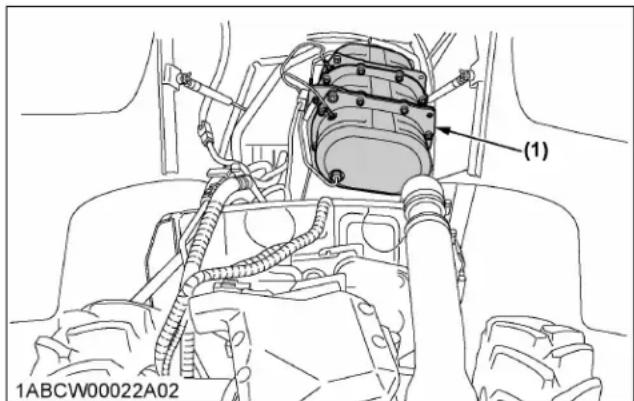
text_image
(1) 1ABCW00022A02(1) Diesel Particulate Filter (DPF)
M5N-091, M5N-111

text_image
(1) 1ABCW00065A03(1) Diesel particulate filter (DPF)
1. Handling points
When a specific amount of particulate matter (PM) has accumulated in the DPF muffler, it is necessary to refresh the DPF muffler by burning the PM inside it. This burning off work is called "Regeneration".
To extend operating time to reach this regeneration, and to avoid DPF muffler trouble, make sure to observe the following handling matters.
Fuel
Be sure to use ultra low sulfur fuel (S15).
IMPORTANT :
- Use of diesel fuel other than ultra low sulfur fuel may adversely affect the engine and DPF performance.
Use of fuels other than ultra low sulfur fuel (S15) may not meet regulations for your region.
Engine oil
Use DPF-compatible oil (CJ-4) for the engine.
IMPORTANT :
- If any engine oil other than CJ-4 is used, the DPF may become clogged earlier than expected and the fuel economy may drop.
Prohibition of unnecessary idling operation
Generally, the lower the engine speed, the lower the exhaust gas temperature is, so the PM contained in exhaust gas will not be burnt, and begins to accumulate. Therefore, do not idle unnecessarily.
Regeneration
When there is “Regeneration” instruction sign by lamp or buzzer, immediately perform the required procedure for regeneration.
IMPORTANT :
- Interrupting the regeneration cycle or continuing operation while ignoring the warning signs may cause DPF and engine damage.
2. DPF regeneration process
DPF regeneration process can be performed by choosing "Auto regeneration" or "Regeneration inhibit" mode according to your job conditions.
For jobs not affected by hot gases emitted during regeneration, "Auto regeneration" is advisable.
Auto regeneration mode
When starting the engine (switch operation is unnecessary), the "Auto regeneration" mode is automatically activated.
With the auto regeneration mode on, when a specific amount of PM has accumulated, and the regeneration conditions are satisfied, the DPF will be automatically regenerated whether the tractor is in motion or parked.
(See 6. Tips on diesel particulate filter (DPF) regeneration on page 38.)
In this way, work efficiency is improved. For more details, read the "Auto regeneration" section of this manual.
(See 3. Operating procedure for auto regeneration mode on page 33.)
Regeneration inhibit mode
After starting the engine, if the "DPF inhibit switch" is pressed to turn on the switch lamp, the "Regeneration inhibit" mode will be activated.
With "Regeneration inhibit" mode on, the PM which has accumulated inside the DPF will not be burnt, unless the operator performs the regeneration work manually.
The "Regeneration inhibit" mode is effective for work in poorly ventilated work spaces.
For more details, read the regeneration prohibition section of this manual.
(See 4. Operating procedure for regeneration inhibit mode on page 35.)
NOTE :
- If the engine is stopped once, the "Auto regeneration" mode will be activated.
3. Operating procedure for auto regeneration mode
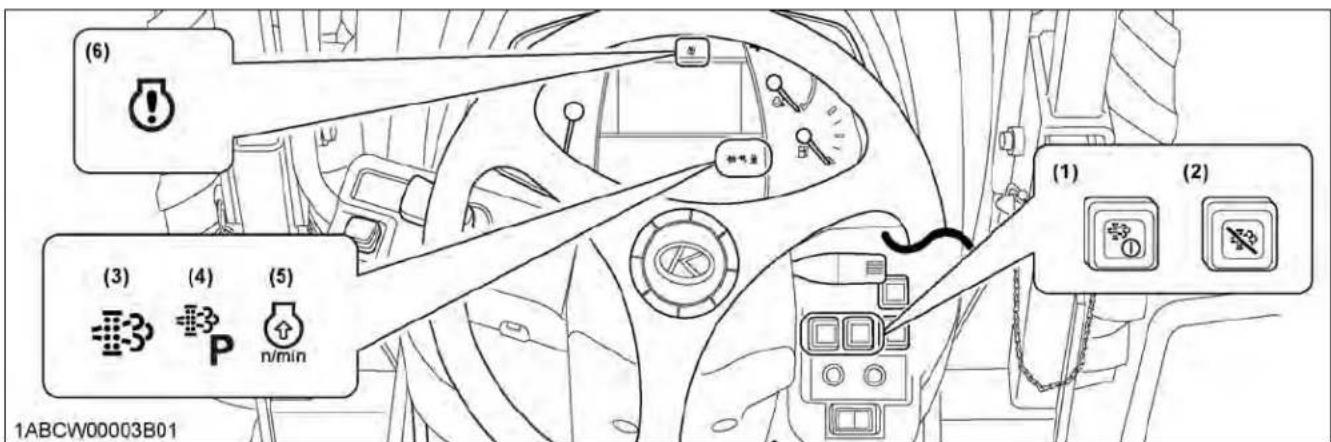
text_image
(6) (3) (4) (5) 1ABCW00003B01 (1) (2)(1) Parked regeneration switch
(2) DPF inhibit switch
(3) Regeneration indicator
(4) Parked regeneration indicator
(5) Engine rpm increase indicator
(6) Engine warning indicator
Regeneration operating procedure
1. Start the engine.
Make sure that the DPF inhibit switch lamp

Switch lamp "OFF": Auto regeneration mode activated.
Switch lamp "ON": Regeneration inhibit mode activated.
NOTE :
- When the engine is started, the "Auto regeneration" mode is automatically activated.
- "Regeneration inhibit" mode is activated when the DPF inhibit switch is pushed after the engine is started.
2. When the regeneration indicator

A specific amount of PM has built up in the DPF.
Continue to operate the tractor, and the regeneration process will begin automatically; make sure the working place is in a safe area as DPF and exhaust temperature will rise.
3. When the engine rpm increase indicator

Keep on working and increase the engine rpm until the indicator turns "OFF".
NOTE :
- Even if the auto regeneration mode is selected, DPF regeneration may not begin because system requirements have not been satisfied.
- The engine rpm increase indicator is used as a guide to satisfy the regeneration conditions. If the engine load is too heavy, the engine rpm increase indicator may continue to flash, even though regeneration system conditions are satisfied and regeneration may begin automatically.
(See 6. Tips on diesel particulate filter (DPF) regeneration on page 38.)
3.1 PM warning level and required procedures
During auto regeneration mode when the PM level has built up in the DPF, the regeneration cycle will begin automatically.
If the regeneration cycle is interrupted or the regeneration conditions are not satisfied, the buzzer starts sounding and the indicator display changes in response to the PM level in order to prompt the operator to perform the required procedure listed in the following table.
IMPORTANT :
- Once the regeneration level has been reached, immediately perform the required procedure for regeneration. Interrupting the regeneration cycle or continuing operation while ignoring the warning signs may cause DPF and engine damage.
| Auto mode | ||
| DPF system status Required procedure | ||
| PM warning level: 1Buzzer: Not sounding |  The regeneration indicator starts flashing. A specific amount of PM has accumulated in the DPF muffler.Continue to work the tractor to raise the DPF temperature. The regeneration indicator starts flashing. A specific amount of PM has accumulated in the DPF muffler.Continue to work the tractor to raise the DPF temperature. The rpm increase indicator starts flashing. Continue the work and increase the engine rpm until the indicator turns “OFF”. The rpm increase indicator starts flashing. Continue the work and increase the engine rpm until the indicator turns “OFF”. The regeneration indicator will stop flashing and remain “ON” constantly. The regeneration indicator will stop flashing and remain “ON” constantly. | The regeneration cycle begins and continues until cycle is complete then the indicator will turn “OFF”. |
| PM warning level: 2-1Buzzer: Sounding every 5 seconds | If the regeneration cycle was interrupted or conditions are not satisfied for regeneration then DPF system is now in Level 2. | |
 The regeneration indicator starts flashing. Start the regeneration, referring to PM warning level: 1 above.Now the parked regeneration indicator starts flashing, and the parked regeneration can also be started. The regeneration indicator starts flashing. Start the regeneration, referring to PM warning level: 1 above.Now the parked regeneration indicator starts flashing, and the parked regeneration can also be started. | The regeneration, referring to PM warning level: 1 above.Now the parked regeneration indicator starts flashing, and the parked regeneration can also be started. | |
| PM warning level: 2-2Buzzer: Sounding every 3 seconds |  The rpm increase indicator starts flashing. The rpm increase indicator starts flashing. | If the regeneration conditions are not met, perform the parked regeneration procedure.(See 5. Operating procedure for parked regeneration on page 37.) |
 The parked regeneration indicator starts flashing. The parked regeneration indicator starts flashing. | ||
| PM warning level: 3Buzzer: Sounding every 1 secondEngine output: 50% | If the regeneration fails in the warning level 2: | |
 The engine warning indicator starts flashing. Immediately discontinue working the tractor and begin the parked regeneration cycle process.(See 5. Operating procedure for parked regeneration on page 37.) The engine warning indicator starts flashing. Immediately discontinue working the tractor and begin the parked regeneration cycle process.(See 5. Operating procedure for parked regeneration on page 37.) | The engine warning indicator starts flashing. Immediately discontinue working the tractor and begin the parked regeneration cycle process.(See 5. Operating procedure for parked regeneration on page 37.) | |
 The parked regeneration indicator starts flashing. The parked regeneration indicator starts flashing. | At this PM warning level, the auto regeneration mode does not function.If the tractor is operated further, the regeneration cycle will be disabled. | |
| PM warning level: 4Buzzer: Sounding every 1 secondEngine output: 50% | If the parked regeneration is interrupted or the tractor is continuously operated in the warning level 3: | |
 The engine warning indicator remains constantly “ON”. The engine warning indicator remains constantly “ON”. | Immediately move the tractor to a safe place, park it there and turn the engine “OFF”. Contact your local KUBOTA Dealer.• At this level, do not continue to operate the tractor; otherwise, damage will result to the DPF and engine. | |
4. Operating procedure for regeneration inhibit mode

text_image
(6) (3) (4) (5) 1ABCW00003B01 (1) (2)(1) Parked regeneration switch
(2) DPF inhibit switch
(3) Regeneration indicator
(4) Parked regeneration indicator
(5) Engine rpm increase indicator
(6) Engine warning indicator
Regeneration operating procedure
-
Start the engine.
-
Press the DPF inhibit switch, and the switch lamp illuminates.
Switch lamp "ON": Regeneration inhibit mode selected.
Switch lamp "OFF": Auto regeneration mode selected.
- When the parked regeneration indicator starts flashing:
A specific amount of PM has accumulated in the DPF muffler.
Move the tractor to a safe place and activate the DPF muffler.
(See 5. Operating procedure for parked regeneration on page 37.)
4.1 PM warning level and required procedures
In the regeneration inhibit mode, the buzzer starts sounding and the indicator display changes in response to the PM level in order to prompt the operator to perform the required procedure listed in the following table.
IMPORTANT :
- Once the regeneration level has been reached, immediately perform the required procedure for regeneration. Interrupting the regeneration cycle or continuing operation while ignoring the warning signs may cause DPF and engine damage.
| Regeneration inhibit mode | ||
| DPF system status Required procedure | ||
| PM warning level: 1Buzzer: Not sounding | The regeneration indicator starts flashing. A spec | cific level of PM has built up in the DPF muffler.Continue with the operation as it is. |
| At PM warning levels range from 1 to 2-2, it is also possible to change DPF inhibit switch to auto regeneration mode, then perform the regeneration. | ||
| PM warning level: 2-1Buzzer: Sounding every 5 seconds | The regeneration indicator starts flashing. Move | the tractor to a safe area, then begin the parked regeneration cycle process.(See 5. Operating procedure for parked regeneration on page 37.) |
| PM warning level: 2-2Buzzer: Sounding every 3 seconds | The parked regeneration indicator starts flashing. | |
| PM warning level: 3Buzzer: Sounding every 1 secondEngine output: 50% | If the parked regeneration cycle is interrupted or the tractor is continuously operated in the PM warning level 2: | |
| The engine warning indicator starts flashing. Im[W45] | mediately stop working the tractor, move the tractor to a safe area, then begin the parked regeneration cycle process.(See 5. Operating procedure for parked regeneration on page 37.)If the tractor is operated further and the operator ignores the warning signs, then regeneration will be disabled. | |
The parked regeneration indicator starts flashing. | ||
| PM warning level: 4Buzzer: Sounding every 1 secondEngine output: 50% | If the regeneration cycle is interrupted or the tractor is continuously operated ignoring the warning signs, in the PM warning level 3: | |
| The engine warning indicator remains constantly “ON”. | Immediately move the tractor to a safe place, park it there and turn the engine “OFF”.Contact your local KUBOTA Dealer.• At this level, do not continue to operate the tractor; otherwise, damage may result to the DPF and engine. | |
5. Operating procedure for parked regeneration
- Park the tractor in a safe area away from buildings, people, and animals.
- Apply the parking brake.
- Set the shuttle shift lever to the neutral position.
- Turn "OFF" the PTO clutch control switch.
- Return the engine rpm to the idle speed.
-
Lower the implement to the ground.
-
Press the DPF inhibit switch ☐, and the switch lamp turns "OFF".
- When the regeneration conditions are satisfied (2 to 5 and 7 mentioned previously), the parked regeneration switch lamp starts flashing.
- Press the parked regeneration switch ① to start the regeneration cycle.
The switch lamp will stop flashing and remain "ON" constantly during the cycle.
- The engine rpm will automatically rise, and the regeneration process will begin.
- Both indicators ① stay "ON" while regenerating the DPF.
They turn "OFF" when the cycle is complete.
- After the lamp turns "OFF", normal tractor work may resume.
When driving in "Regeneration inhibit" mode, press the DPF inhibit switch to turn on the switch lamp.
NOTE :
- During the regeneration cycle, do not touch the above levers and switches (in steps 2, 3, 4), nor change the engine rpm other than for an emergency stop. Otherwise, the regeneration will be interrupted.
- Never leave the tractor when the parked regeneration process is activated.
- If the parked regeneration cycle is interrupted, the engine rpm is fixed at the idling level for about 30 seconds. For this period, keep the hand throttle lever and foot throttle pedal at the idle position. Do not move them. They will function again in 30 seconds.
NOTE :
M5N-091, M5N-111
- If one of the following conditions applies to the tractor, the parked regeneration will not function. (See 3. Warning indication and countermeasures on page 39.)

text_image
DEF/AdBlue® warning indicator = 3 lights up and "Lv.1" or "Lv.2" is being displayed on the LCD (limited engine output). DEF/AdBlue® system warning indicator = 1-3 lights up and the DTC is being displayed on the LCD. Freeze icon of DEF/AdBlue® or limited engine output is displayed on the LCD.• Diagnostic trouble code (DTC)
DTC can be used to diagnose the problem in the engine and SCR muffler.
For example, "ENG P-208B": The code beginning with the letter "P" or "U" is the DTC.
6. Tips on diesel particulate filter (DPF) regeneration
- Operation
The higher in speed or load the engine operates, the higher the exhaust temperature rises. As a result, particulate matter (PM) inside the DPF is consumed and the regeneration process is required less frequently over time.
The lower in speed or load the engine operates, the lower the exhaust temperature. Accordingly, less particulate matter (PM) inside the DPF is consumed and more accumulation of PM will occur, which requires frequent regeneration. Therefore, avoid prolonged idling if possible.
- Necessary conditions for "Regeneration"
When the conditions below are all satisfied, regeneration will start. However, if even one condition is deviated from during the process, the regeneration will be interrupted.
- The engine coolant temperature.
- The DPF temperature.
- The engine speed is 1200 rpm or higher.
• Usually it takes 15-20 minutes to complete the regeneration cycle.
Actual regeneration time may depend on ambient temperature, exhaust temperature and engine speed.
- It is recommended to do the regenerating while the engine is warm.
- Do not unnecessarily start and interrupt the regeneration process. Otherwise, a small amount of fuel becomes mixed with the engine oil, which degrades the oil quality.
- While the DPF is being regenerated, the engine air flow rate is automatically limited to keep up the exhaust temperature. Because of this, the engine may sound differently, but this is normal for this engine.
- Just after the regeneration has ended, the DPF muffler remains hot. It is advisable to keep the engine running for about 5 minutes to allow cooling of the exhaust components.
SELECTIVE CATALYTIC REDUCTION (SCR) MUFFLER
1. Outline of the SCR
The injector jets urea aqueous solution (DEF/AdBlue ^ ) into the muffler, and the solution is hydrolyzed with the heat of exhaust gas to generate ammonia (NH _3 ).
The ammonia generated thus is mixed with exhaust gas by the SCR muffler. In this way, nitrogen oxides (NOx) contained in exhaust gases are reduced by ammonia and decomposed into nitrogen and water vapor.
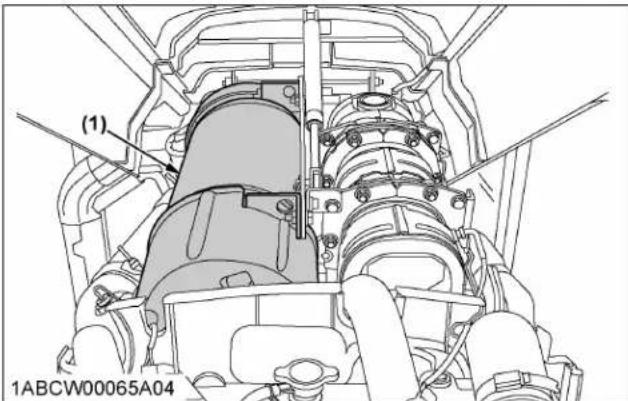
text_image
(1) 1ABCW00065A04(1) SCR muffler
2. DEF/AdBlue®

CAUTION
To avoid personal injury:
- The urea aqueous solution (DEF/AdBlue ^ ) is colorless, odorless and harmless. If the solution gets on your skin, immediately wash it away with water.
The DEF/AdBlue ^® , used as reducing agent of SCR, is a 32.5% urea aqueous solution.
No qualification for handling the urea aqueous solution is needed. As well, the solution is not designated as a hazardous material.
The product is available at gas stations, truck stops and specialty shops. Be sure to use the genuine product only.
Do not use any poor-quality products, or the engine may have trouble and be damaged.
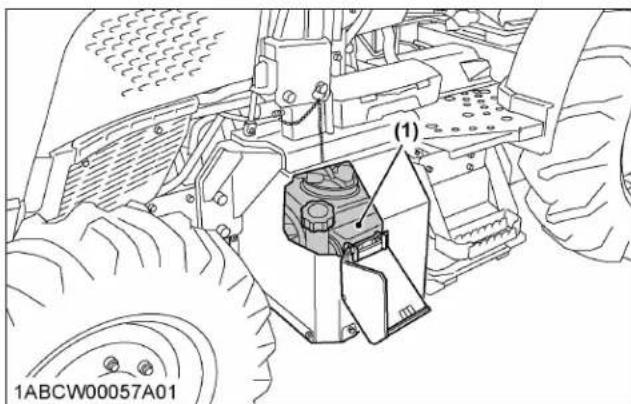
text_image
(1) 1ABCW00057A01(1) DEF/AdBlue ^® tank (blue cap)
NOTE :
- On the North American market, the high-grade NOx reducing agent called urea aqueous solution is sold in the name of diesel exhaust fluid (DEF). On the European and Japanese
markets, it is on sale under the trade name of AdBlue ^® .
3. Warning indication and countermeasures
Before starting the day's job, check the fluid level with the DEF/AdBlue® gauge on the instrument panel.
If the fluid runs short during operation, the warning indicator lights up. If you continue running the machine as it is, the engine output will be limited by 50% or so. If running is continued, the engine will be limited to idling. (See 3.3 SCR system inducement display and measures on page 40.)
These limitations are stipulated in conformity with the emission controls of each country and territory.

text_image
1000 min min 1XUTB00028B02 4. 54 DEF E F (3) (2) (1)(1) DEF/AdBlue ^® gauge
(2) DEF/AdBlue ^® warning indicator
(3) DEF/AdBlue ^® system warning indicator
3.1 SCR system inducement display on the LCD

text_image
(1) → =! -3> 80% ↓ 120min (2) (3) (4) F ERROR-888 15:55 =! 80% ↓ 4.0 mph 120min 543 n/min DEF F 94.3 h 1NHNP00049A01(1) SCR system icon
(2) Engine output level
(3) Time limit to next level or remaining DEF/AdBlue ^®
(4) Performance monitor (error code and DTC)
3.2 SCR system icon on inducement display
 | Low-level icon of DEF/AdBlue® |  | Trouble icon of SCR system | |
 | Poor-quality icon of DEF/AdBlue® |  | Freeze icon of DEF/AdBlue® |
3.2.1 Diagnostic trouble code (DTC)
DTC can be used to diagnose the problem in engine and SCR muffler.
For example "ENG P-208B": The code beginning with the letter "P" or "U" is the DTC.
If a DTC appears, immediately contact your local KUBOTA Dealer.
NOTE :
- When operating in cold weather, the DEF/AdBlue® is automatically thawed while the engine is running. However, in weather conditions of under -30 °C (- 22 ℉), the DEF/AdBlue® cannot be completely thawed and thus, a DTC (“ENG P-208B”) appears on the instrument panel's LCD screen. If the DTC (“ENG P-208B”) appears on the screen, stop the engine and restart it after 10 seconds. After restarting the engine, the DTC (“ENG P-208B”) will disappear and the thawing of the DEF/AdBlue® will resume. In case the DTC (“ENG P-208B”) remains on the screen even after restarting the engine several times, contact your local KUBOTA Dealer.
3.3 SCR system inducement display and measures
On the SCR system, the remaining amount and quality of DEF/AdBlue ^® as well as machine troubles are monitored. If anything goes wrong during operation, the following warnings are issued. Follow the warning contents to take proper measures.
| Displays | Warning Indicator | Status Measures | DPF parked regeneration |
 |  | 1 | The amount of remaining DEF/AdBlue® has decreased up to 15% of the maximum capacity.Refuel the DEF/AdBlue® tank to reset the warning system. If operation is continued without refueling, the engine output will be limited. |
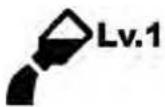 |  | 2 | The amount of remaining DEF/AdBlue® has decreased up to 5% of the maximum capacity.Refuel the DEF/AdBlue® tank.*1The engine output is limited to 50% ("Lv.1").If operation is continued without refueling, the engine output will be limited to idle status ("Lv.2"). |
 |  | 2 | The amount of remaining DEF/AdBlue® has decreased up to 5% of the maximum capacity.Refuel the DEF/AdBlue® tank.*1The engine output is limited to 50% ("Lv.1").If operation is continued without refueling, after 30 minutes, the engine output will be limited to idle status ("Lv.2"). |
 |  | 3 | The amount of remaining DEF/AdBlue® has decreased up to 5% of the maximum capacity.The engine output will remain limited.Refuel the DEF/AdBlue® tank.*1The engine output is limited to idle status ("Lv.2"). |
 |  | 1 | Contains poor quality DEF/AdBlue® or other non-regulated solutions. After draining the tank, refuel with DEF/AdBlue® to reset the warning system.If operation is continued without refueling the DEF/AdBlue® tank, after 60 minutes, the engine output will be limited to 50% ("Lv.1"). |
 |  | 2 | Contains poor quality DEF/AdBlue® or other non-regulated solutions. After draining the tank, refuel with DEF/AdBlue®.*1The engine output is limited to 50% ("Lv.1").If operation is continued without refueling the DEF/AdBlue® tank, after 25 minutes, the engine output will be limited to idle status ("Lv.2"). |
 |  | 3 | Contains poor quality DEF/AdBlue® or other non-regulated solutions. After draining the tank, refuel with DEF/AdBlue®.*1The engine output is limited to idle status ("Lv.2"). |
*1 When DEF/AdBlue® has been added or a poor-quality solution replaced by a genuine product, the low-level warning indicator and icons turn off. The engine output limitation will also be cleared.
| Displays | Warning indicator | Status Measures | DPF parked re-generation |
 |  | 1 | The SCR system has experienced an abnormality.Verify the DTC displayed on the performance monitor and contact your local KUBOTA Dealer.The engine output is unrestricted.After 120 minutes, the engine output will be limited to 50% ("Lv.1"). |
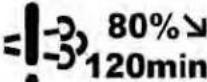 |  | 1 | The SCR system has experienced an abnormality.Verify the DTC displayed on the performance monitor and contact your local KUBOTA Dealer.The engine output is limited to 80%.After 120 minutes, the engine output will be limited to 50% ("Lv.1"). |
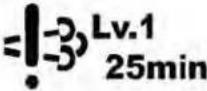 |  | 2 | The SCR system has experienced an abnormality.Verify the DTC displayed on the performance monitor and contact your local KUBOTA Dealer.The engine output is limited to 50% ("Lv.1").After 25 minutes, the engine output will be limited to idle status ("Lv.2"). |
 |  | 3 | The SCR system has experienced an abnormality.Verify the DTC displayed on the performance monitor and contact your local KUBOTA Dealer.The engine output is limited to idle status ("Lv.2"). |
 | --- --- | Due to low temperatures, the DEF/AdBlue® has frozen.Continue the warm-up operation and the DEF/AdBlue® will thaw. | |
 | --- --- | Due to low temperatures, the DEF/AdBlue® has frozen. The engine output is limited to 80%.Continue the warm-up operation and the DEF/AdBlue® will thaw. |
NOTE :
• The limited engine output level:
"Lv.1" (Level 1): Within 50% of max torque and 60% of engine speed.
"Lv.2" (Level 2): Within engine near idling speed.
- After an error has occurred, it may be necessary for the engine output to become limited to "Lv.2".
Depending on trouble spots and contents, the indicator-prompted warnings and the engine output limits and timings may vary accordingly.
The SCR warning status (from 1 to 3) represents the severity order of the engine output limitation. If the SCR system experiences abnormalities, an error code will be displayed, and it may be necessary to limit the engine output to idle status ("Lv.2").
For example, when a “ENG P-204F” error code is displayed, the engine output changes from unrestricted to “Lv.2” limited.
- Points after taking measures.
After the engine has stopped and the DEF/AdBlue ^® has drained, if the amount that was refueled is less than the pre-drain amount, the SCR system may experience a malfunction (“P20F5” error code is displayed).
When the error occurs, turn the key switch to "OFF", wait for the SCR system to complete the purge process (this may take several minutes) and then turn the key switch to "ON" again in order to clear the SCR system malfunction.
- The time displayed on the lower right of the icon represents the minimum time until the limitation begins.
• The 40 hours warning record.
-
Basically, warning and/or inducement reduction cancel when the fault location is repaired.
-
However, if it detects any fault within 40 hours of the restoration, it soon returns to the previous failure and the timer restarts counting down.
-
The 40 hours warning record will be reset if any fault has not been detected over 40 hours from the repair.
If a fault is detected after the 40 hours warning record reset, then the new countdown will be stated.
4. Storing and handling DEF/AdBlue®
- Because DEF/AdBlue® is an urea aqueous solution, it begins to freeze at ambient temperatures below -11^ (12°F). In winter, handle it with sufficient care.
- DEF/AdBlue ^ may be stored in the tractor's tank for up to 4 months. If the storage area's ambient temperature rises above 30 ^ C (86 ^ F), however, its storage life will be markedly reduced.
Storage method
- Store the solution in a well-sealed container.
- Place the container in a location not exposed to direct sunlight.
- Place the container in a well-ventilated spot.
- Keep the container in a spot without violent temperature changes.
- Keep the container away from any containers of gasoline and diesel fuel.
STARTING THE ENGINE
- Make sure the parking brake is set.
Pull the parking brake lever to parking position.
The parking brake warning indicator on the Easy Checker ^™ will come on while the parking brake is set.

text_image
(B) (A) (2) (1) 1ABCW00010A01(1) Parking brake lever
(2) Release button
(A) "PARKING POSITION"
(B) "TRANSPORT POSITION"

text_image
X1000 n/min C (1) (P) 1ABCW00032B01(1) Parking brake warning indicator
IMPORTANT :
- If the tractor is operated with the parking brake set, the parking brake will be damaged.
- If the parking brake lever is moved while the shuttle shift lever is placed in forward or reverse position, an alarm buzzer will sound.
NOTE :
• In moving the parking brake lever, you may feel it heavy some time or light other time. This is not a trouble, however.
- Make sure the fuel shutoff-valve is in the "OPEN" position.

text_image
(A) (1) (B) [ABCW00023A01 [A] [B](1) Fuel shutoff-valve
(A) "CLOSE"
(B) "OPEN"
[A] M4N-071
[B] M5N-091, M5N-111
- Place the shift levers in "NEUTRAL" position.
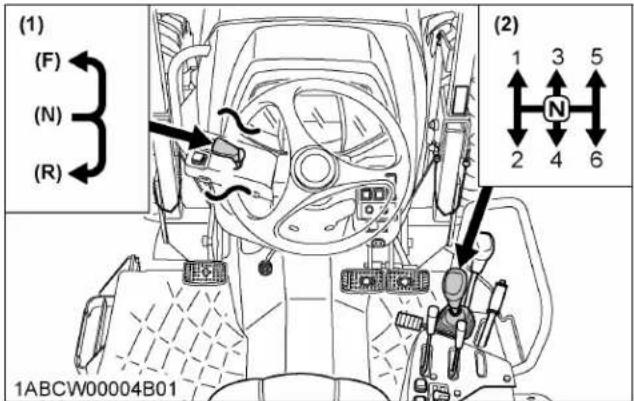
text_image
(1) (F) (N) (R) (2) 1 3 5 N 2 4 6 1ABCW00004B01(1) Hydraulic-shuttle shift lever
(N) "NEUTRAL POSITION"
(2) Main gear shift lever
(R) "REVERSE"
(F) "FORWARD"
- Place the PTO clutch control switch in the "OFF" position and hydraulic control levers in the "LOWEST" position.
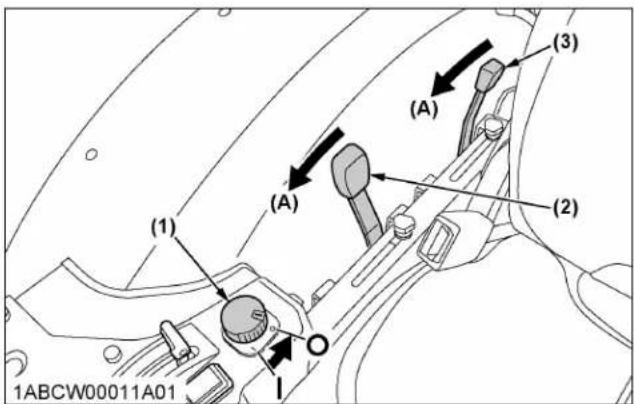
text_image
(1) (2) (3) (4) (5) 1ABCW00011A01(1) PTO clutch control switch
“OFF”
(2) Position control lever
(A) "DOWN"
(3) Draft control lever
"ON"
- Set the throttle lever at the minimum speed position.

text_image
(2) (1) 1ABCW00010A06(1) Hand throttle lever
"DECREASE"
(2) Foot throttle
"INCREASE"
- Insert the key into the key switch and turn it "ON". If the ambient temperature is below 0 °C (32 F) and the engine is very cold, turn the key to "ON" position and hold it until the heater indicator turns off.

text_image
1ABCW00003C01 STOP"OFF" (Engine-stop)
"START" (Engine-start)
“ON” (Engine-run)
"ACC" (Electrical power-accessories)
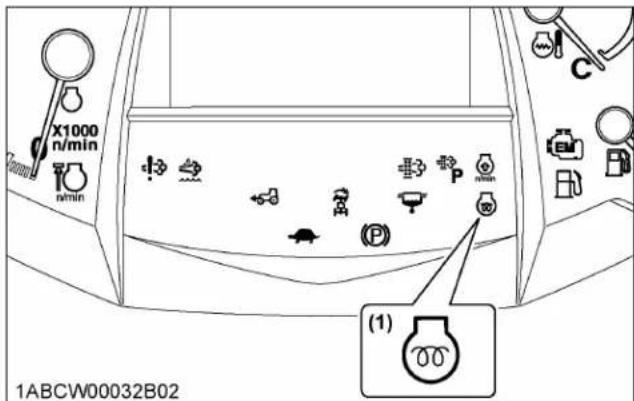
text_image
X1000 n/min n/min (1) 1ABCW00032B02(1) Heater indicator
NOTE :
• The accessories can be used while the engine is stopped.
- Do not leave the key at "ACC" position. The battery will be quickly discharged. Turn it back to "OFF" after use.
- Check the Easy Checker ^TM indicators.
(See 1. Checking Easy Checker ^™ indicators on page 44.)
-
Fully depress the clutch pedal.
-
Turn the key to "START" position and release when the engine starts.
IMPORTANT :
- Because of the safety devices, the engine will not start except when the PTO clutch control switch is placed in the "OFF" position and the shuttle shift lever is placed in the "NEUTRAL" position.
- If the engine fails to start after 10 seconds, turn off the key for 30 seconds. Then repeat steps 6 through 9. To protect the battery and the starter, make sure that the starter is not continuously turned for more than 10 seconds.
NOTE :
M5N-091, M5N-111
- DEF/AdBlue ^ freezes at temperatures below -11 °C (12 °F). Even if it is frozen, the engine is not affected at its start-up and running.
- Check to see that all the indicators on the Easy Checker ^™ are “OFF”.
If an indicator is still on, immediately stop the engine and determine the cause.
- Release the clutch pedal.
1. Checking Easy Checker™ indicators
IMPORTANT :
- Daily checks with the Easy Checker™ only, are not sufficient. Never fail to conduct daily checks carefully by referring to the daily check. (See DAILY CHECK on page 98.)
NOTE :
- Some of the Easy Checker ^TM indicators may illuminate or start flashing depending on the positions of the levers and switches.
-
The DEF/AdBlue ^ warning indicator corresponds only to the M5N-091 and M5N-111 tractor models.
-
When the key is turned "ON", indicators (1) (2) should come on. If trouble should occur at any location while the engine is running, the indicator corresponding to problem will turn "ON".
-
Suppose that the engine coolant temperature is not high enough yet. The heater indicator (7) also turns "ON" when the key is turned "ON" to preheat the engine and goes off automatically when preheat is completed.
Illumination time of indicator varies according to the temperature of coolant.
- The PTO clutch indicator (3) comes on while PTO clutch control switch is engaged "ON" and goes off when disengaged.
- If the fuel level indicator (8) lights up, the fuel level is very low. Add fuel and the indicator will turn "OFF".
- If the DEF/AdBlue ^® warning indicator (4) lights up, check to see icon on LCD (M5N-091, M5N-111).
(See 3. Warning indication and countermeasures on page 39.) - If the water separator indicator (6) lights up, the water in the water separator is very high. Drain the water and the indicator will turn "OFF".
- If the parking brake warning indicator (5) does not illuminate, set the parking brake.
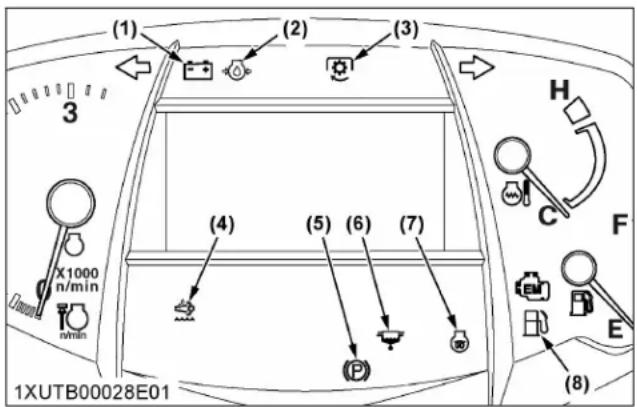
text_image
(1) (2) (3) H C F X1000 n/min min (4) (5) (6) (7) (8) 1XUTB00028E01(1) Electrical charge warning indicator
(5) Parking brake warning indicator
(2) Engine oil pressure warning indicator
(6) Water separator indicator
(3) PTO clutch indicator
(7) Heater indicator
(4) DEF/AdBlue ^® warning indicator (M5N-091, M5N-111)
(8) Fuel level indicator
OPERATING THE ENGINE IN FREEZING CONDITIONS
1. Block heater (if equipped)
A block heater is available as an option from your dealer. It will assist you in starting your tractor when the ambient temperature is below -20 °C (-4 ℉).
2. Engine low temperature regulation
In order to prevent engine damage due to rapid acceleration, if starting the engine when coolant temperature is approximately 0 ^ ( 32 ^ ) or below, the engine rpm will be kept at approximately 1400 for up to 3 minutes, and the operator will be informed by indicator and intermittent buzzer. The regulation time varies in response to the coolant temperature.
During regulation, perform warm-up operation without using the accelerator. After regulation, the engine rpm can be gradually increased. When regulation has been
completely released, the indicator will go off and the buzzer will stop.
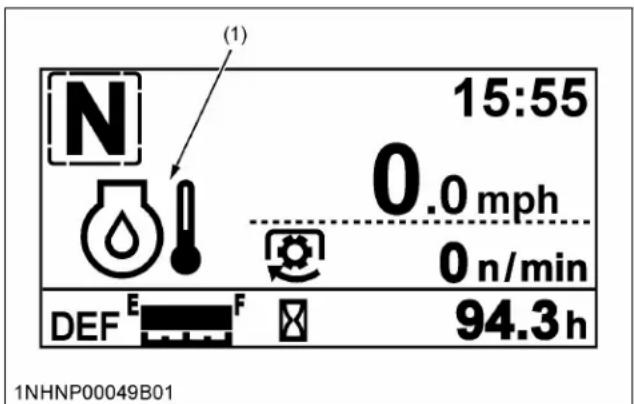
text_image
(1) 15:55 0.0 mph 0 n/min DEF E F 94.3 h 1NHNP00049B01(1) Low temperature regulation indicator
3. DEF/AdBlue® freeze warning (M5N-091, M5N-111)
When operating in cold weather, the DEF/AdBlue® is automatically thawed while the engine is running. However, in weather conditions of under -30 °C(-22 °F), the DEF/AdBlue® cannot be completely thawed and thus, an error/warning code "ENG P-208B" appears on the instrument panel's LCD screen.
If the error/warning code "ENG P-208B" appears on the screen, stop the engine and restart it after 10 seconds. After restarting the engine, the error/warning code "ENG P-208B" will disappear and the thawing of the DEF/AdBlue® will resume.
In case the error/warning code “ENG P-208B” remains on the screen even after restarting the engine several times, contact your local KUBOTA Dealer.
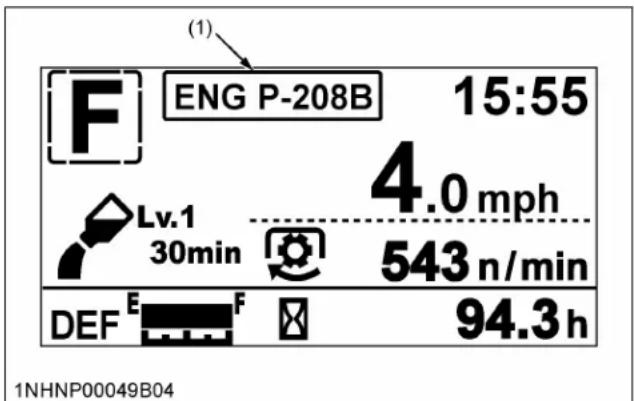
text_image
(1) ENG P-208B 15:55 4.0 mph Lv.1 30min 543 n/min DEF E F 94.3 h 1NHNP00049B04(1) Error/warning code
STOPPING THE ENGINE
IMPORTANT :
M5N-091, M5N-111
- When the engine is stopped-shutdown, DEF/AdBlue® flow is reversed in the DEF/AdBlue®
lines and related piping and returned back into the DEF/AdBlue ^® tank after cooling the DEF/AdBlue ^® injector.
The SCR system continues working several minutes after engine shutdown to complete this purge process.
- Do not turn the machine main battery power off to the engine until the DEF/AdBlue ^® return cycle purge process is completed. Turning off the main battery power to the engine and aftertreatment system prior to completion may damage the system or cause it to malfunction.
NOTE :
- If removing the key does not stop the engine, consult your local KUBOTA Dealer.
-
Some noise heard for a couple of minutes after the engine has been stopped. This is because DEF/AdBlue® is still flowing through the circuit to cool down the DEF/AdBlue® injector.
-
After slowing the engine to idle, wait 3 to 5 minutes for turbo to slow down and then turn the key to "OFF".
-
Remove the key.
WARMING UP THE ENGINE
WARNING
To avoid personal injury or death:
- Be sure to set the parking brake during warm-up.
- Be sure to set all shift levers to the "NEUTRAL" positions and to place PTO switch in "OFF" position during warm-up.
For 5 minutes after engine start-up, allow the engine to warm up without applying any load; this is to allow oil to reach every engine part. If load should be applied to the engine without this warm-up period, trouble such as seizure, breakage or premature wear may develop.
1. Warm-up and transmission fluid at low temperature range
Hydraulic oil serves as transmission fluid. In cold weather, the oil may be cold with increased viscosity. This can cause delayed oil circulation or abnormally low hydraulic pressure for some time after engine start-up. This in turn can result in trouble in the hydraulic system.
To prevent the above, observe the following instructions:
Warm up the engine at about 50% of rated rpm according to the following table:
| Ambient temperature Warm-up time requirement | |
| Higher than 0 °C (32 °F) Approx. 5 minutes | |
| 0 to -10 °C (32 to 14 °F) 10 to | 20 minutes |
| -10 to -20 °C (14 to -4 °F) 20 to | 30 minutes |
| Below -20 °C (-4 °F) More than 30 minutes | |
IMPORTANT :
- Do not operate the tractor under full load condition until it is sufficiently warmed up.
JUMP STARTING

WARNING
To avoid personal injury or death:
- Battery gases can explode. Keep cigarettes, sparks, and flames away from battery.
- If the tractor battery is frozen, do not jump start engine.
- Do not connect the other end of the negative (-) jumper cable to the negative (-) terminal of the tractor battery.
- When taking out the dead battery, putting in the battery or fixing the battery, do not allow the positive (+) terminal of the battery to touch other parts.
When jump starting the engine, follow the instructions below to safely start the engine.
- Bring the helper vehicle with a battery of the same voltage as the disabled tractor within easy cable reach.
IMPORTANT :
• The vehicles must not touch.
- Engage the parking brakes of both vehicles and put the shift levers in neutral. Shut both engines off.
- Wear eye protection and rubber gloves.
- Attach the red clamp to the positive (red, (+) or positive) terminal of the dead battery and clamp the other end of the same cable to the positive (red, (+) or positive) terminal of the helper battery.
- Clamp the other cable to the negative (black, (-) or negative) terminal of the helper battery.
- Clamp the other end to the engine block or frame of the disabled tractor as far from the dead battery as possible.
- Start the helper vehicle and let its engine run for a few moments. Start the disabled tractor.
- Disconnect the jumper cables in the exact reverse order of attachment (steps 6, 5 and 4).
Connect cables in numerical order.
Disconnect in reverse order after use.
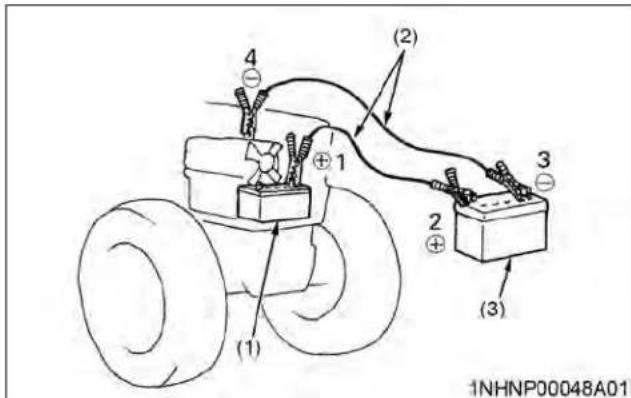
text_image
(1) (2) (3) (4) 1 2 3 1NHNP00048A01(1) Dead battery
(2) Jumper cables
(3) Helper battery
IMPORTANT :
- This machine has a 12 volt negative (-) ground starting system.
- Use only the same voltage for jump starting.
- Use of a higher voltage source on tractor's electrical system could result in severe damage to tractor's electrical system.
Use only matching voltage source when "Jump starting" a low or dead battery condition.
- Do not operate the tractor with the battery cable disconnected from the battery.
- Do not operate the tractor without the battery mounted.
- Do not operate the tractor with the battery dead. Charge the battery fully before operating the tractor.
Otherwise, the tractor might malfunction.
How a new tractor is handled and maintained determines the life of the tractor.
A new tractor just off the factory production line has been, of course, tested, but the various parts are not accustomed to each other, so care should be taken to operate the tractor for the first 50 hours at a slower speed and avoid excessive work or operation until the various parts become “broken-in”. The manner in which the tractor is handled during the “breaking-in” period greatly affects the life of your tractor.
Therefore, to obtain the maximum performance and the longest life of the tractor, it is very important to properly break-in your tractor. In handling a new tractor, the following precautions should be observed.
1. Do not operate the tractor at full speed for the first 50 hours
- Do not start quickly nor apply the brakes suddenly.
- In winter, operate the tractor after fully warming up the engine.
- Do not run the engine at speeds faster than necessary.
- On rough roads, slow down to suitable speeds. Do not operate the tractor at high speed.
The above precautions are not limited only to new tractors, but to all tractors. However, they should be especially observed in the case of new tractors.
2. Changing lubricating oil for new tractors
The lubricating oil is especially important in the case of a new tractor. The various parts are not “broken-in” and are not accustomed to each other; small metal grit may develop during the operation of the tractor; and this may wear out or damage the parts. Therefore, care should be taken to change the lubricating oil a little earlier than would ordinarily be required.
For more details, read the maintenance section of this manual.
(See MAINTENANCE on page 91.)
BOARDING AND LEAVING THE TRACTOR
- Never try to get on or off a moving tractor or jump off the tractor to exit.
- Face the tractor when getting into or out of the tractor. Do not use the controls as hand holds to prevent inadvertent machine movements.
- Always keep steps and floor clean to avoid slippery conditions.
OPERATING FOLDABLE ROPS

WARNING
To avoid personal injury or death:
- When raising or folding the ROPS, apply the parking brake, stop the engine, and remove the key. Always perform the adjustment from the operator's seat.
- Fold the ROPS down only when absolutely necessary and raise it up and lock it again as soon as possible.
- Before proceeding to fold the ROPS, check for any possible interference with installed implements and attachments. If interference occurs, contact your KUBOTA dealer.
1. Folding the ROPS
- Remove both lock pins.
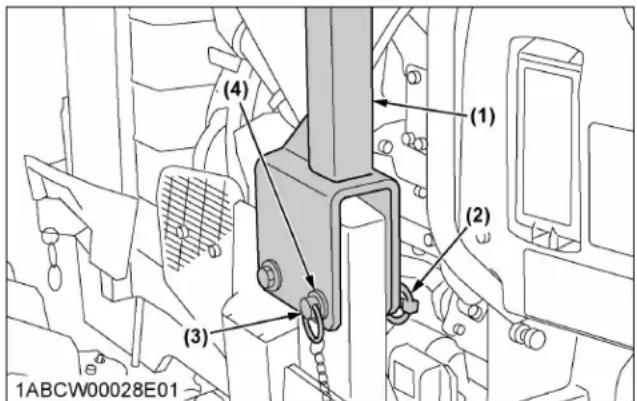
text_image
(1) (2) (3) (4) 1ABCW00028E01(1) ROPS
(2) Lynch pin
(3) Lock pin
(4) Cushion
- Fold the ROPS.

CAUTION
To avoid personal injury:
- Hold the ROPS tightly with both hands and fold the ROPS slowly and carefully.

text_image
1ABCW00025A01 (1)(1) ROPS
- Reinstall the lock pins with cushions and lynch pins into the holes of the ROPS frame.

CAUTION
To avoid personal injury:
- Make sure that both lock pins are properly installed and secured with the lynch pins.

text_image
(1) (3) (4) (2) 1ABCW00026A01(1) ROPS
(2) Lynch pin
(3) Lock pin
2. Raising the ROPS to upright position
- Remove both lynch pins and lock pins.
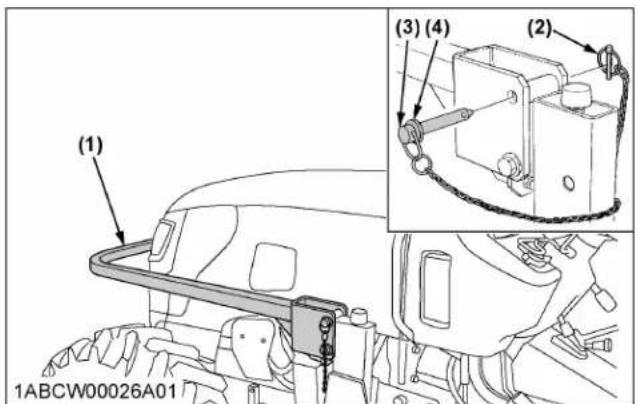
text_image
(1) (3) (4) (2) 1ABCW00026A01(1) ROPS
(2) Lynch pin
(3) Lock pin
- Raise the ROPS to the upright position.

CAUTION
To avoid personal injury:
- Raise the ROPS slowly and carefully.
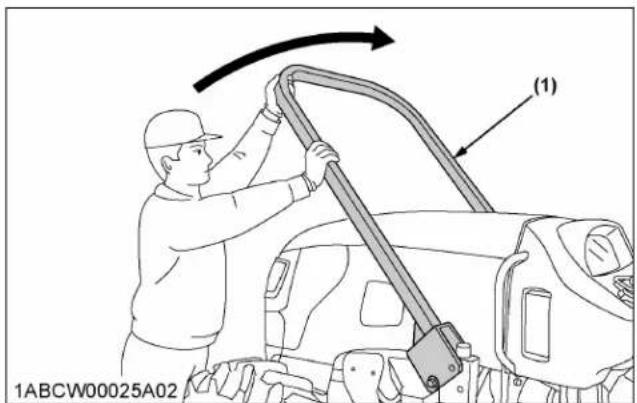
text_image
1ABCW00025A02 (1)(1) ROPS
- Align the lock pin holes, insert both lock pins with cushions and secure them with the lynch pins.

CAUTION
To avoid personal injury:
- Make sure that both lock pins are properly installed as soon as the ROPS is in the upright position and secured with the lynch pins.

text_image
(1) (2) (3) (4) 1ABCW00028E01(1) ROPS
(2) Lynch pin
(3) Lock pin
(4) Cushion
STARTING THE TRACTOR
- Adjusting the operator's position.
NOTE :
- The seat and suspension should be adjusted to ensure that the controls are comfortably at hand for the operator, ensuring that the operator maintains a good posture and minimizes risks from whole body vibration.
• 1. Operator's seat on page 49
• 2. Glove box on page 50
• 3. Seat belt on page 50
• 4. Muffler (M5N-091, M5N-111) on page 50
• 5. Tilt steering adjustment on page 50
- Selecting light switch position.
• 6. Light switch on page 51
• 7. Turn signal switch and hazard light switch on page 51
• 8. Rear turn signal light and hazard light on page 51
• 9. Front work light switch on page 52
- Checking the brake pedal.
• 10. Brake pedals (right and left) on page 52
- Raise the implement.
a. Pull the position control lever.

text_image
(1) (A) 1ABCW00011A02(1) Position control lever
(A) "UP"
(See HYDRAULIC UNIT on page 78.)
- Depress the brake pedals and release the parking brake lever.
• 11. Parking brake lever on page 53
- Depress the clutch pedal.
• 12. Clutch pedal on page 53
- Selecting the travel speed.
• 13. Travel speed control on page 54
• 14. Travel speed limiter on page 55
• 15. Main gear shift lever on page 55
• 16. Range gear shift lever on page 55
• 16.1 Creep speed (if equipped) on page 55
• 17. Shuttle shift lever on page 55
• 18. Dual speed shift switch (dual speed model) on page 56
• 19. 4WD and Bi-speed turn switch on page 56
- Accelerate the engine.
• 20. Hand throttle lever on page 57
• 21. Foot throttle on page 57
- Unlock the brake pedals and slowly release the clutch.
1. Operator's seat

WARNING
To avoid personal injury or death:
- Make adjustments to the seat only while the tractor is stopped.
- Make sure that the seat is completely secured after each adjustment.
- Do not allow any person other than the operator to ride on the tractor.
IMPORTANT :
• After adjusting the operator's seat, be sure to check to see that the seat is properly locked.
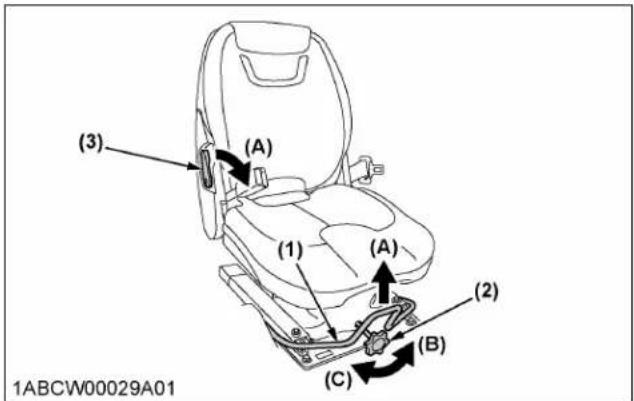
text_image
(3) (1) (1) (A) (A) (2) (B) (C) 1ABCW00029A01(1) Travel adjust lever
(2) Suspension adjust lever
(3) Backrest tilt adjust lever
(A) "UNLOCK"
(B) "TO INCREASE TENSION"
(C) "TO DECREASE TENSION"
Travel adjustment
Pull the travel adjust lever and slide the seat backward or forward, as required. The seat will lock in position when the lever is released.
Suspension adjustment
Turn the suspension adjust knob to achieve the optimum suspension setting.
Tilt adjustment
Pull the backrest tilt adjust lever and move the backrest to the desired angle.
2. Glove box
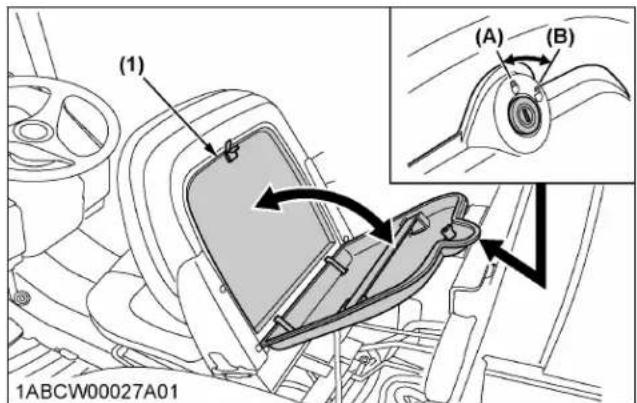
text_image
(1) (A) (B) 1ABCW00027A01(1) Glove box
(A) "LOCK"
(B) "UNLOCK"
3. Seat belt
WARNING
To avoid personal injury or death:
• Always use the seat belt when a ROPS or CAB is installed.
- Do not use the seat belt if the foldable ROPS is down or if there is no ROPS.
Adjust the seat belt for proper fit and connect the buckle. This seat belt is auto-locking retractable type.
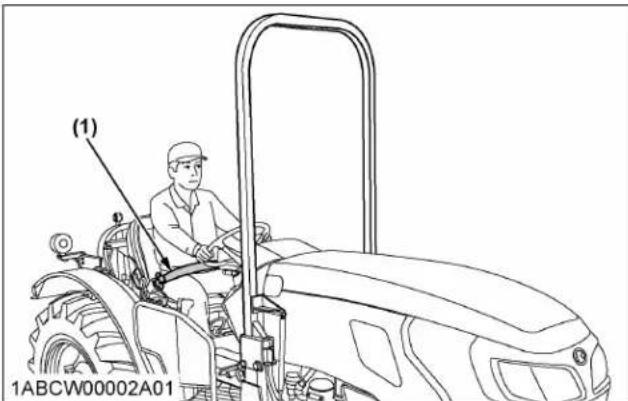
text_image
(1) 1ABCW00002A01(1) Seat belt
4. Muffler (M5N-091, M5N-111)
WARNING
To avoid personal injury or death:
- Do not touch the muffler pipe or muffler while the engine is running or while muffler pipes are hot.
The high temperature will cause burning.
- Remove all weeds, straw, and combustible material from the muffler pipe, muffler and exhaust manifold to prevent fires.
If necessary, loosen the bolt and adjust the muffler pipe to the proper direction for the work.
Muffler pipe is not directed toward of the front tire or fuel tank.

text_image
(1) (2) (2) 1ABCW00058A01(1) Muffler pipe (2) Bolt (M6)
5. Tilt steering adjustment
CAUTION
To avoid personal injury:
- Do not adjust the steering wheel while the tractor is in motion.
Press down the steering wheel tilt pedal, to release the lock so the steering wheel can be adjusted to the desired position.

text_image
1ABCW00028A01 (A) (1)(1) Steering wheel tilt pedal (A) "PRESS DOWN"
6. Light switch
Turn the light switch clockwise, and the following lights are activated on the switch position.
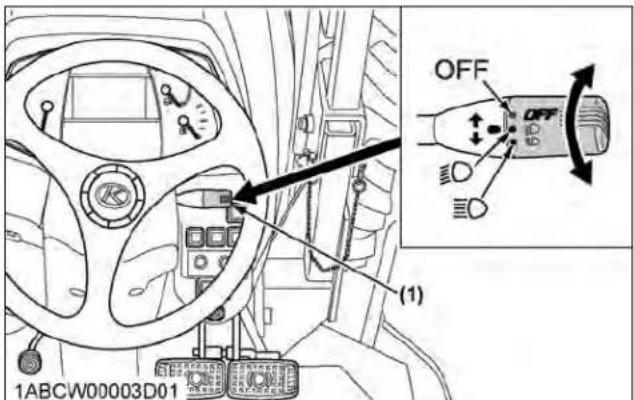
text_image
1ABCW00003D01 OFF OFF (1)(1) Head light switch
OFFHead lights OFF.
Head lights dimmed, low beam. Tail lights ON.
ED Head lights ON, high beam.
Tail light ON.
7. Turn signal switch and hazard light switch
Hazard light
-
When the hazard light switch is pushed, the hazard lights flash, along with the LH and RH indicators on the instrument panel.
-
Push the hazard light switch again to turn off the hazard lights.
Turn signal light
To indicate a right turn, turn the turn signal light switch clockwise. To indicate a left turn, turn the turn signal light switch counter-clockwise. The corresponding right and left turn signal lights and indicator on the instrument panel will flash.
NOTE :
- The hazard light switch is operative when the key switch is in the "ON", "ACC" or "OFF" position.
- The turn signal light switch is only operative when the key switch is in the "ON" position.
- Be sure to return the turn signal switch to center position after turning.
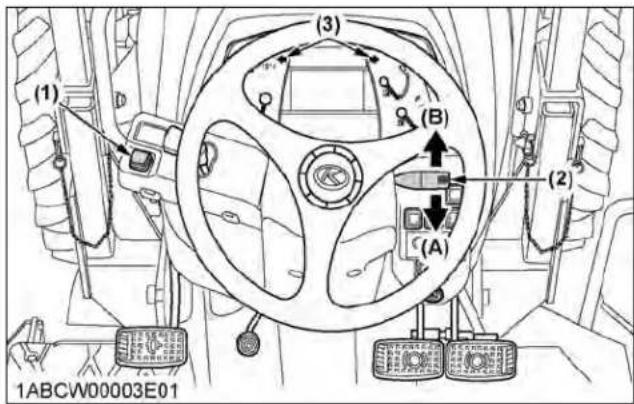
text_image
(1) (3) (B) (A) (2) 1ABCW00003E01(1) Hazard light switch
(2) Turn signal light switch
(A) "RIGHT TURN"
(B) "LEFT TURN"
(3) Hazard and turn signal indicator
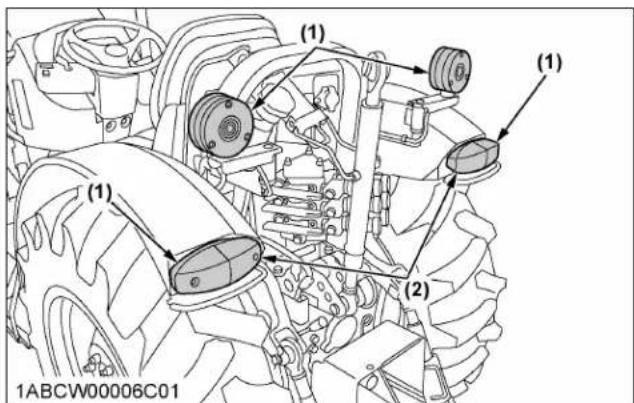
text_image
(1) (1) (1) (2) 1ABCW00006C01(1) Hazard and turn signal light
(2) Tail and turn signal light
8. Rear turn signal light and hazard light
If necessary, raise and turn the light stay to the rearward for the work.
Return the light stay to the original position when traveling on a road.

text_image
(A) (B) 1ABCW00006D01(A) "ORIGINAL POSITION" (B) "WORK POSITION"
9. Front work light switch

WARNING
To avoid personal injury or death:
- Do not operate on roads with work lights on. Work lights may blind or confuse the drivers of oncoming vehicles.
Turn on the key switch and press the front work light switch. The work lights and the switch's indicator light up.
Press the switch again to turn off the lights and indicator.
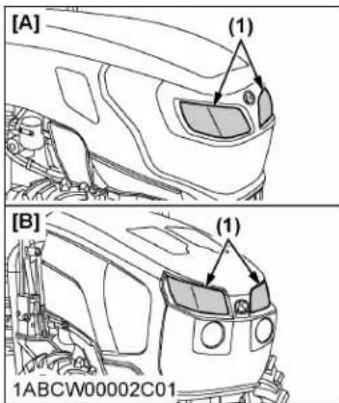
text_image
[A] (1) [ B ] (1) 1ABCW00002C01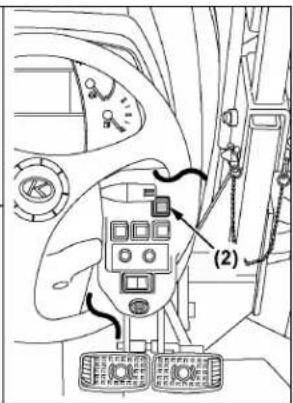
text_image
Technical diagram showing a control panel with labeled components and directional arrows, likely from an industrial or automotive system.(1) Front work light
(2) Front work light switch with indicator
[A] M4N-071
[B] M5N-091, M5N-111
10. Brake pedals (right and left)

WARNING
To avoid personal injury or death:
- Be sure to interlock the right and left pedals. Applying only one rear wheel brake at high speeds could cause the tractor to swerve or roll-over.
- Be sure brake pedals have equal adjustment when using locked together. Incorrect or
unequal brake pedal adjustment can cause the tractor to swerve or roll-over.
- Be aware of the enhanced braking characteristics of 4-wheel braking system. Appropriate care should be taken during hard braking and/or when pulling towed loads.
- Do not brake suddenly. An accident may occur as a result of a heavy towed load shifting forward or loss of control.
- To avoid skidding and loss of steering control when driving on icy, wet, or loose surfaces, make sure the tractor is correctly ballasted, operated at reduced speed and operated with the front-wheel drive engaged (if equipped).
- The braking characteristics are different between 2 and 4-wheel drive. Be aware of the difference and use carefully.
-
When driving down a slope, ensure that the 4-wheel drive is engaged to increase traction (if equipped).
-
Before operating the tractor on the road, be sure to interlock the right and left pedals as in the following illustration.
- Use individual brakes to assist in making sharp turns at low speeds (field operation only). Disengage the brake pedal lock and depress only one brake pedal.
- Be sure brake pedals have equal adjustment when being used locked together.
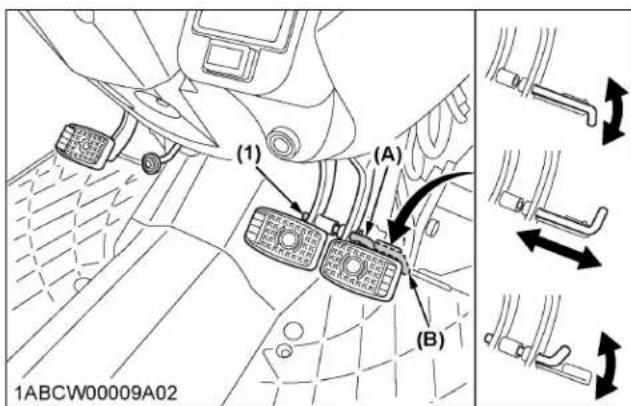
text_image
(1) (A) (B) 1ABCW00009A02(1) Brake pedal lock
(A) "LOCK"
(B) "RELEASE"
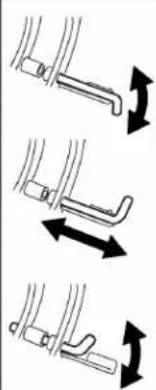
natural_image
Three-step diagram showing mechanical assembly with arrows indicating motion direction (no text or symbols)10.1 4WD braking system (4WD model)
The 4WD model tractor is equipped with 4WD braking system. When both brake pedals are applied together, the front axle is engaged for 4-wheel braking regardless of the mode selected at the 4WD switch.

WARNING
To avoid the possibility of personal injury, death or property damage from machine runaway during
testing, service or repair with the rear wheels off the ground, make sure:
- Battery is disconnected and engine is not started.
If it is necessary to run the engine, make sure:
- Both front and rear wheels are off the ground and secured with stands before starting engine.
When you step on the brake pedal while driving in 2WD mode, the "4WD braking system" gets activated and the 4WD indicator lights up.
NOTE :
• The 4WD braking system is active even when the hydraulic system is damaged or the engine is stopped.
11. Parking brake lever
To release the parking brake, depress the brake pedal, push the release button and move the lever to transport position.

text_image
(1) (2) (A) 1ABCW00010A03(1) Parking brake lever
(2) Release button
(A) "TRANSPORT POSITION"
NOTE :
- The parking brake warning indicator on the Easy Checker™ will turn off when the parking brake is unlocked.
- If the shuttle shift lever is moved when the parking brake is applied, a warning buzzer will sound.
12. Clutch pedal

WARNING
To avoid personal injury or death:
- Sudden release of the clutch may cause the tractor to lunge in an unexpected manner.
The clutch is disengaged when the clutch pedal is fully pressed down.
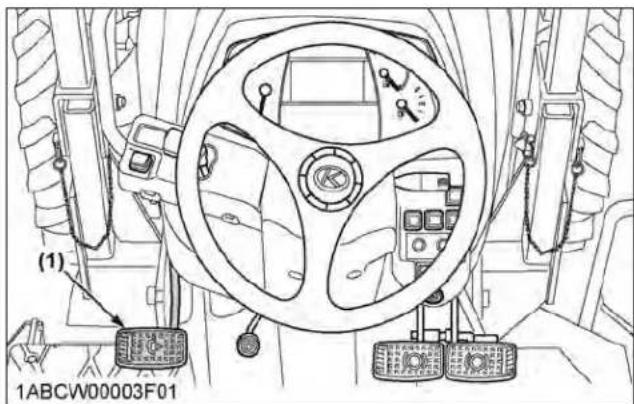
text_image
(1) 1ABCW00003F01(1) Clutch pedal
IMPORTANT :
To help prevent premature clutch wear:
• The clutch pedal must be quickly disengaged and be slowly engaged.
- Avoid operating the tractor with your foot resting on the clutch pedal.
- Select proper gear and engine speed depending on the type of job.
13. Travel speed control
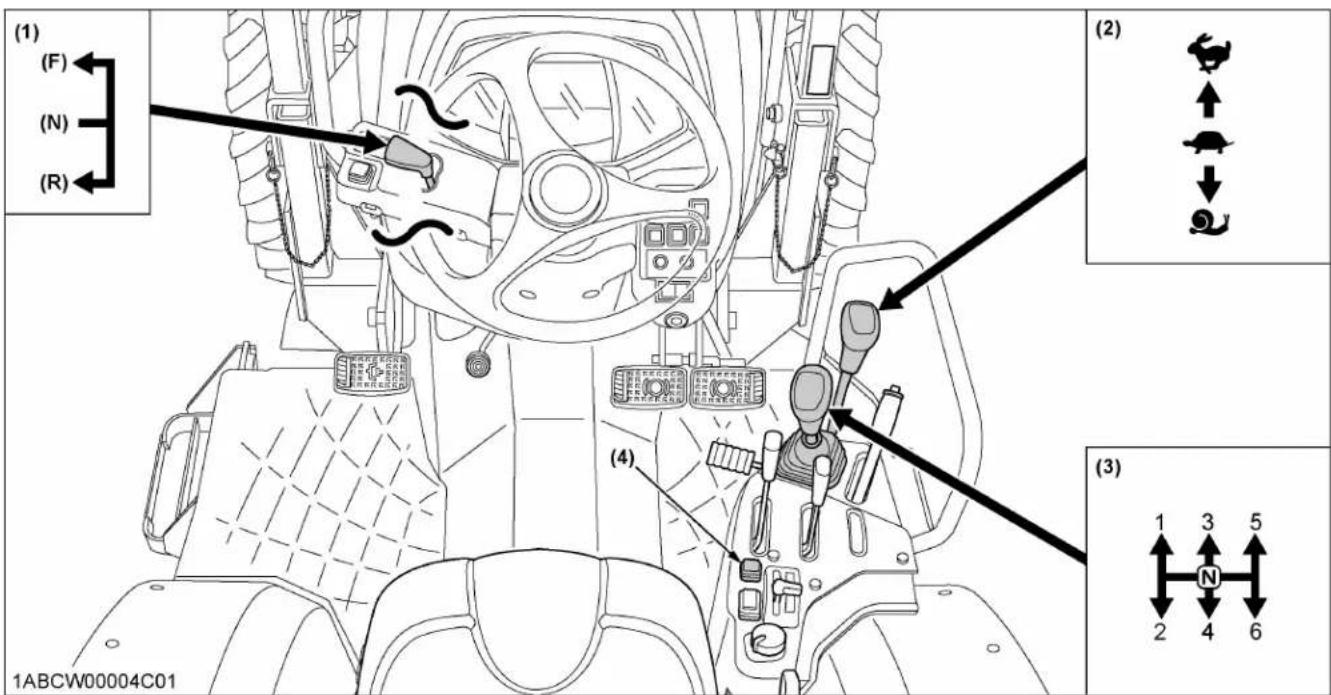
text_image
(1) (F) (N) (R) (2) (3) 1ABCW00004C01 (4) 1 3 5 2 4 6(1) Shuttle shift lever
(2) Range gear shift lever
(3) Main gear shift lever
(4) Dual speed shift switch (dual speed model for M5N-091, M5N-111)
(F) "FORWARD"
(N) "NEUTRAL POSITION"
(R) "REVERSE"
"HIGH"
"LOW"
"CREEP" (if equipped)
By using the main gear shift lever, dual speed shift switch (if equipped), range gear shift lever and shuttle shift lever combination, the forward speeds and reverse speeds shown in the following table are obtained.
| Standard model (F12/R12) | without creep | 12 forward speeds12 reverse speeds |
| with creep | 18 forward speeds18 reverse speeds | |
| Dual speed model (F24/R24) | without creep | 24 forward speeds24 reverse speeds |
| with creep | 36 forward speeds36 reverse speeds |
14. Travel speed limiter
The highest travel speed is reachable when the engine rpm is at around the middle level with the maximum travel speed range.
This provides for a fuel-efficient run while traveling along roads, pulling a trailer, etc. Step on the foot throttle, and the engine rpm rises proportionally and the travel speed goes up accordingly.
But the engine speed is limited to 2080 rpm or so, and it does not increase even if the foot throttle is increased.
When the main gear shift lever is set to the "H-6" position, the rev-limiter indicator illuminates.

text_image
1ABCW00032C01 (1) n/min(1) Rev-limiter indicator
15. Main gear shift lever
The main gear shift is fully synchronized to shift without stopping.
IMPORTANT :
• The main gear shift may be shifted between speeds on-the-go, but the clutch must be depressed.
16. Range gear shift lever
The range gear shift can only be shifted when the tractor is completely stopped and the clutch is depressed.
IMPORTANT :
- To avoid transmission damage, depress clutch pedal and stop the tractor before shifting between ranges.
16.1 Creep speed (if equipped)

WARNING
To avoid personal injury or death:
-
When you leave the tractor, be sure to apply the parking brake and stop the engine.
• In applying the brakes: -
The torque of the wheel axle is extremely high while creep speed is being used. Be sure to step down on the clutch pedal completely before applying the brakes, or they will not work.
- When starting to operate the tractor, be sure to release the parking brakes.
Misuse of the brakes may cause damage to the transmission and is therefore not acceptable to KUBOTA for coverage under the warranty.
IMPORTANT :
- Press the clutch pedal completely down and stop the tractor's motion before shifting the range gear shift lever.
Shift the range gear shift lever to 📄 to obtain low speeds.
This shifting requires clutch operation.

text_image
(1) 1ABCW00010B01(1) Range gear shift lever
Creep on
Creep speed should be used only when doing one of the following jobs:
• Deep rotary-tilling and harrowing
- Planting
- Turf application
Creep speed cannot be used for any of the following jobs:
- Pulling a trailer
- Front-loader operation
- Front-blade operation
- Earth-moving
- Entering and leaving a field
- Loading onto and unloading from a truck
17. Shuttle shift lever

WARNING
To avoid personal injury or death:
- If the shuttle shift lever is moved in forward or reverse position while the parking brake is applied, an alarm buzzer will sound.
If the buzzer sounds, return the shuttle shift lever to neutral position.
- If the parking brake lever is released while the buzzer is sounding, the tractor will lunge unexpectedly.
Raise up and shift the shuttle shift lever forward to obtain forward speeds and shift back to obtain reverse speeds. This shifting does not require clutch operation.
IMPORTANT :
- The shuttle shift lever may be shifted while the tractor is moving slowly.
NOTE :
- While the shuttle shift lever is at the "NEUTRAL" position, the "N" character appears on the LCD monitor.
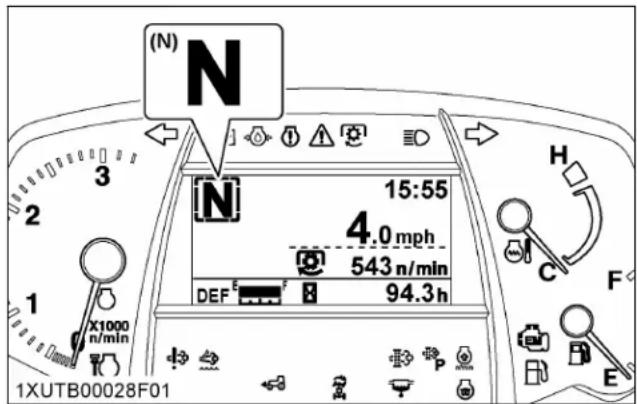
text_image
(N) N 15:55 4.0 mph 543 n/min DEF 94.3 h 1XUTB00028F01(N) "NEUTRAL"
18. Dual speed shift switch (dual speed model)
The dual speed shift switch can be operated when the tractor is traveling without using the clutch.
This switch affects tractor travel speed change by about 19%. "LO" speed and "HI" speed switch back and forth each time this switch is pushed.
Dual speed indicator
The indicator comes on when the dual speed switch is set to "LO".
The indicator goes off when the dual speed switch is set to "HI".
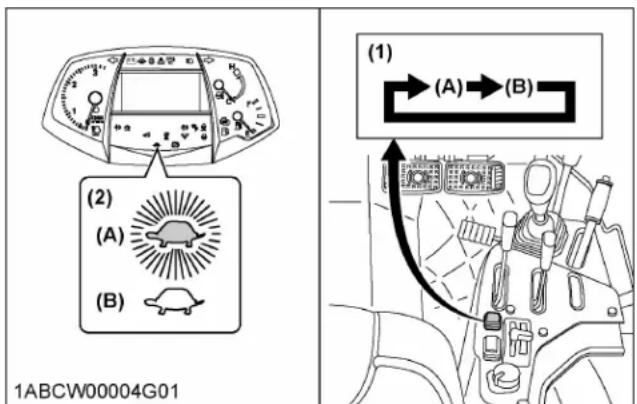
text_image
(1) →(A)→(B) (2) (A) (B) 1ABCW00004G01(1) Dual speed shift switch
(2) Dual speed indicator
(A) "LO"
(B) "HI"
19. 4WD and Bi-speed turn switch

WARNING
To avoid personal injury or death:
- Do not engage the front-wheel drive when traveling at road speed.
- When driving on icy, wet, or loose surfaces, make sure the tractor is correctly ballasted to avoid skidding and loss of steering control. Operate at reduced speed and engage front-wheel drive.
- 4WD model tractor is equipped with 4-wheel braking and appropriate care should be taken during hard braking.
- Do not brake suddenly. An accident may occur as a result of a heavy towed load shifting forward or loss of control.
- The braking characteristics are different between 2 and 4-wheel drive tractor models. Be aware of the difference and use carefully.
- Do not use Bi-speed turn at high speed.
- Bi-speed turn enables short and fast turns, therefore, become familiar with its performance before operating in close or confined areas.
Press the right half of this switch;
- The front wheel drive (4WD) is engaged.
- The 4WD indicator comes on when the system is in 4WD mode.
Press the left half;
• The Bi-speed turn system activates.
- The 4WD indicator and Bi-speed turn indicator come on when the system is in Bi-speed turn mode.
It returns to a central position;
• The drive system returns to 2WD mode
- The all indicators goes off when the system is in 2WD mode.

text_image
(1) (B) (C) (A) 1ABCW00003J01(1) 4WD switch and Bi-speed turn switch
(B) Bi-speed turn "ON"
(C) 2WD "ON"
(A) 4WD "ON"
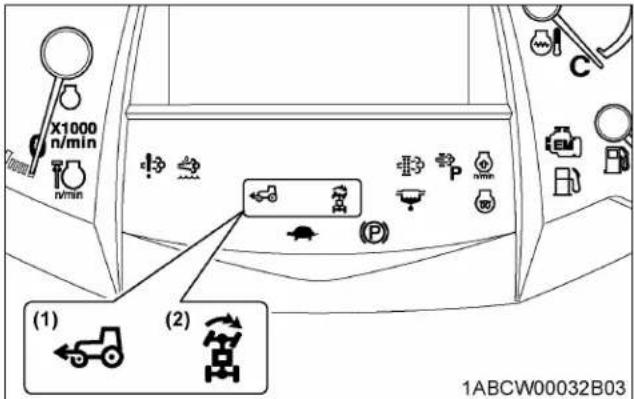
text_image
X1000 n/min (1) (2) 1ABCW00032B03(1) 4WD indicator (2) Bi-speed turn indicator
NOTE :
- This switch can be operated when the tractor is on the go or at rest without depressing the clutch.
- Bi-speed turn system works when you press the 4WD and Bi-speed turn switch and the front tire (inside of the turn) exceeds 35 degrees.
Bi-speed turn makes the front tire speed 1.6 times faster than the standard 4WD front tire speed.
- Bi-speed turn operates only when the tractor travel speed is 10 km/h (6.2 mph) or less at the start of the turn.
19.1 Front-wheel drive and Bi-speed turn usage
Front-wheel drive is effective for the following jobs:
- When greater pulling force is needed, such as working in a wet field, when pulling a trailer, disking or harrowing.
- When working in sandy soil.
- When working on a hard soil where a rotary tiller might push the tractor forward.
- For increased braking at reduced speed.
Bi-speed turn use is effective for the following jobs:
- Turning at the end of rows. (planting, cultivating, harrowing.)
- Increasing maneuverability when working in tight spaces.
IMPORTANT :
- Tires will wear quickly if the front-wheel drive is engaged on paved roads.
20. Hand throttle lever
Pulling the throttle lever back decreases engine speed, and pushing it forward increases engine speed.
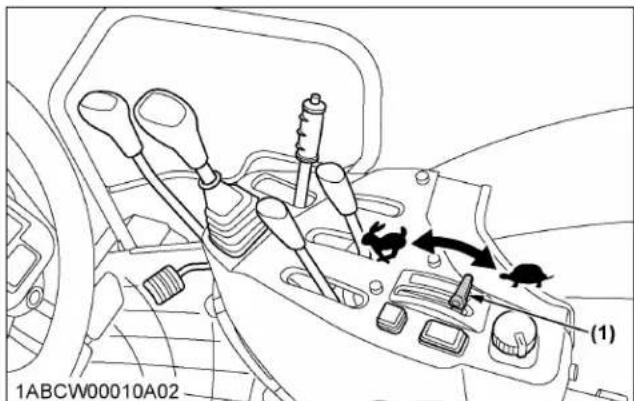
text_image
1ABCW00010A02 (1)(1) Hand throttle lever "INCREASE"
"DECREASE"
21. Foot throttle
Use the foot throttle when traveling on the road. Press down on it for higher speed. The foot throttle is interlocked with the hand throttle lever; when using the foot throttle, keep the hand throttle lever in low idling position.
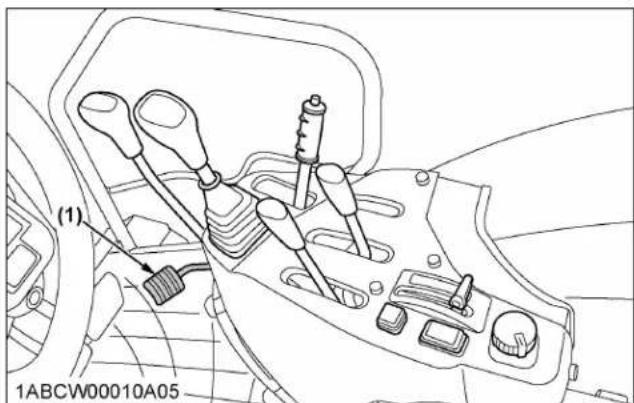
text_image
(1) 1ABCW00010A05(1) Foot throttle
STOPPING THE TRACTOR
- Slow down the engine.
- Step on the clutch and brake pedal.
-
Wait for the tractor to stop.
-
Disengage the PTO.
- Lower the implement to the ground.
- Shift the transmission to neutral.
- Release the clutch pedal.
- Set the parking brake.
CHECK DURING DRIVING
IMPORTANT :
Immediately stop the engine if:
• The engine suddenly slows down or accelerates.
- Unusual noises are suddenly heard.
- Exhaust fumes suddenly become very dark.
While driving, check the following items to see that the all parts are functioning normally:
• 1. Engine over-speed limiting indicator on page 58
• 2. Easy Checker ^TM on page 58
• 3. Fuel gauge on page 59
• 4. DEF/AdBlue ^® gauge (M5N-091, M5N-111) on page 60
• 5. Coolant temperature gauge on page 60
• 6. Tachometer on page 60
1. Engine over-speed limiting indicator
The engine over-speed limiting indicator informs the operator of engine over-speed by indicator and warning buzzer.
If the warning sounds, immediately lower engine rpm with brakes, etc. When the engine rpm decreases, the warning will stop.

text_image
(1) F n/min 15:55 4.0 mph 543 n/min DEF E F 94.3 h 1NHNP00049B05(1) Engine over-speed limiting indicator
NOTE :
- Normal operation will not lead to over-speed, but, for instance, if suddenly shifting down when running with a trailer at full speed, the tractor will be pushed by the trailer and may go into over-speed.
2. Easy Checker ^TM
If the warning indicators on the Easy Checker ^™ come on during operation, immediately stop the engine and find the cause as follows.
Never operate the tractor while an Easy Checker ^TM indicator is on.
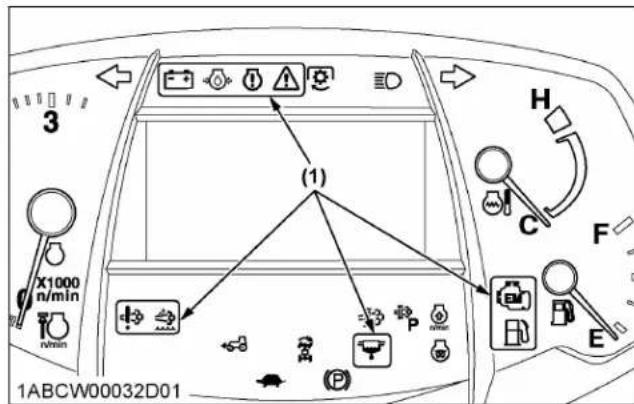
text_image
3 X1000 n/min n/min (1) H C F E 1ABCW00032D01(1) Easy Checker ^TM
Engine warning
This indicator serves the following 2 functions. If the warning indicator lights up, pinpoint the cause and take proper measures.
- Error with the engine control system
If during operation the water temperature gauge reads an acceptable level but the warning indicator on the Easy Checker ^™ comes on, stop the engine and then restart it. If the error happens again, consult your local KUBOTA Dealer.
IMPORTANT :
- If the warning indicator lights up, the following phenomena may appear depending on the engine's trouble spot.
- The engine stops unexpectedly.
- The engine fails to start or gets interrupted just after starting.
- The engine output is not enough.
- The engine output is enough, but the warning indicator stays on.
If the engine output is not enough, immediately interrupt the operation and move the tractor to a safe place and stop the engine.
2. Engine overheat
If the water temperature gauge reads an unusual level and the warning indicator on the Easy Checker™ comes on, the engine may have overheated. Check the tractor by reading the troubleshooting section of this manual. (See TROUBLESHOOTING on page 133.)

Engine oil pressure
If the oil pressure in the engine drops below the prescribed level, the warning indicator on the Easy Checker ^™ will come on. If this should happen during operation, and it does not go off when the engine is accelerated to more than 1000 rpm, check the engine oil level. (See 5. Checking engine oil level on page 100.)

DEF/AdBlue® system warning (M5N-091, N-111)
If trouble should occur in the DEF/AdBlue ^® system, the warning indicator on the Easy Checker ^™ will light up. If this should happen during operation, check the DEF/AdBlue ^® system or consult your local KUBOTA Dealer.

Fuel level
If the fuel in the tank drops below the prescribed level (less than 17 L (4.9 gals.)), the indicator on the Easy Checker ^™ will come on. If this should happen during operation, refuel as soon as possible. (See 2. Checking and refueling on page 98.)
IMPORTANT :
- When the fuel indicator lights up, refuel the tank as soon as possible. If the tractor runs out of fuel and stalls, the engine and its components may be damaged.

Water separator
If water or impurities collect in the water separator, the indicator on the Easy Checker ^™ will light up. If this should happen during operation, drain the water from the water separator as soon as possible. (See 4. Checking water separator on page 100.)

DEF/AdBlue® level (M5N-091, M5N-111)
If the DEF/AdBlue ^® in the tank drops below the prescribed level, or if a poor-quality product is added, the indicator on the Easy Checker ^™ will light up. If this should happen during operation, refill or replace with DEF/AdBlue ^® as soon as possible. (See SELECTIVE CATALYTIC REDUCTION (SCR) MUFFLER on page 38.)

Emission indicator
If this indicator lights up, take the steps to lower the water temperature. This helps keep the emission clean.

Electrical charge
If the alternator is not charging the battery, the indicator on the Easy Checker ^TM will come on.
If this should happen during operation, check the electrical charging system or consult your local KUBOTA Dealer.

Master system warning
If trouble should occur at the engine, transmission or other control parts, the warning indicator flashes as a warning. If the trouble is not corrected by restarting the tractor, consult your local KUBOTA Dealer.
NOTE :
- For checking and servicing of your tractor, consult your local KUBOTA Dealer for instructions.
- The DEF/AdBlue ^ system warning indicator and the DEF/AdBlue ^ level indicator correspond only to the M5N-091 and M5N-111 tractor models.
3. Fuel gauge
When the key switch is on, the fuel gauge indicates the fuel level. Be careful not to empty the fuel tank. Otherwise air may enter the fuel system. Should this happen, the system should be bled. (See 1. Bleeding fuel system on page 127.) If the engine runs out of fuel and stalls, the master system warning indicator lights up. When the indicator appears, turn the key switch to "OFF" and then to "ON" again in order to turn off the indicator. If the indicator does not turn off by restarting the tractor, consult your local KUBOTA Dealer.
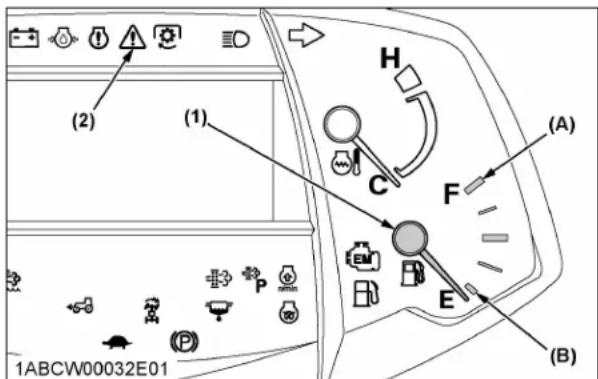
text_image
(2) (1) H (A) C F E (B) 1ABCW00032E01(1) Fuel gauge
(2) Master system warning indicator
(A) "FULL"
(B) "EMPTY"
4. DEF/AdBlue ^® gauge (M5N-091, M5N-111)
The DEF/AdBlue ^® level in the DEF/AdBlue ^® tank is indicated with LCD blocks.
If DEF/AdBlue® level drops too low, the engine output is restricted. With this in mind, be careful not to empty the tank.
When the fluid level in the tank has dropped below 15%, the DEF/AdBlue ^® warning indicator on the instrument panel lights up and stays on.
Immediately add DEF/AdBlue ^® to the specified level.

text_image
X1000 n/min 1XUTB00028B03 (1) DEF E F (2) (B) (A)(1) DEF/AdBlue ^® gauge
(A) "FULL"
(2) DEF/AdBlue ^® warning indicator
(B) "EMPTY"
5. Coolant temperature gauge

WARNING
To avoid personal injury or death:
- Do not remove radiator cap until coolant temperature is well below its boiling point. Then, loosen the cap slightly to the first stop to relieve any pressure before removing the cap completely.
- With the key switch at "ON", this gauge indicates the temperature of the coolant. "C" is for cold and "H" is for hot.
- If the indicator reaches the red zone position, the engine coolant is overheated. Check the tractor by reading the troubleshooting section of this manual. (See TROUBLESHOOTING on page 133.)

text_image
(A) (1) C F E 1ABCW00032F01(1) Coolant temperature gauge (A) "RED ZONE"
6. Tachometer
The tachometer indicates the engine speed on the dial.
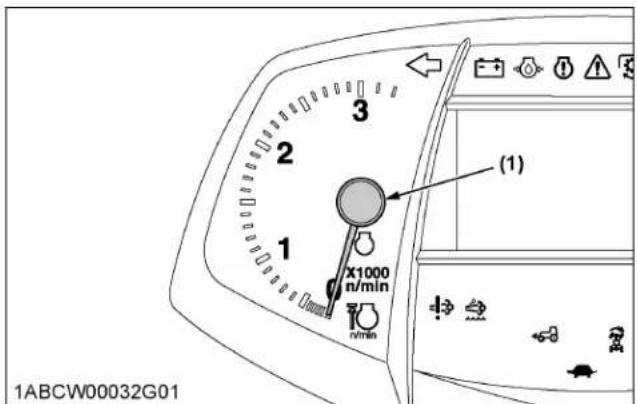
text_image
1ABCW00032G01 (1) X1000 n/min(1) Engine revolution
LCD MONITOR
This display provides the operator with a variety of information necessary to operate the tractor. Further, part of the display can be modified by the operator as required.

text_image
(1) F ERROR-888 15:55 (2) Lv.1 30min 4.0 mph 543 n/min (3) DEF E F 94.3 h (4) (5) (6) (7) (8) 1NHNP00049C01| No. | Description | Reference page | |
| (1) | Forward operation is selected with the shuttle lever. | --- | |
| Reverse operation is selected with the shuttle lever. | --- | ||
| The shuttle lever is at neutral position. | --- | ||
| The parking brake lever is at parking position. | --- | ||
| Travel when the parking brake lever is locked. | --- | ||
| No display Shuttle lever system trouble. --- | |||
| (2) | DEF/AdBlue® low level icon indicator (M5N-091, M5N-111) | 39 | |
| DEF/AdBlue® poor quality icon indicator (M5N-091, M5N-111) | |||
| DEF/AdBlue® freeze icon indicator (M5N-091, M5N-111) | |||
| SCR system trouble (M5N-091, M5N-111) | |||
| Low temperature regulation indicator | 44 | ||
| Engine over-speed limiting indicator | 58 | ||
| (3) | DEF/AdBlue® gauge (M5N-091, M5N-111) Displays the fluid level in the DEF/AdBlue® tank. | 60 | |
| (4) | Trouble display A trouble-spot-pinpointing error code and the related control unit are displayed. | 135 | |
| (5) | Clock 61 | ||
| (6) | Travel speed 61 | ||
| (7) | PTO speed 61 | ||
| (8) | Performance monitor Various information can be selected by the operator. | 64 | |
NOTE :
- Errors may occur in the fuel consumption display depending on the conditions of use. Use the displayed data only as an approximate guide. In particular, do not use the total fuel
consumption display mode in place of the fuel gauge.
- The travel speed displayed when the wheels slip under traction is different from the actual one.
- In cold weather, the LCD monitor response will normally be slower and the visibility be less than in warmer weather.
1. Various setting mode
While pressing the mode selector switch, turn the key switch to "ON" position.
The various setting mode screen appears on the LCD monitor. The various setting mode can set 5 items.
Turn the key switch to "OFF" position to finish setting.
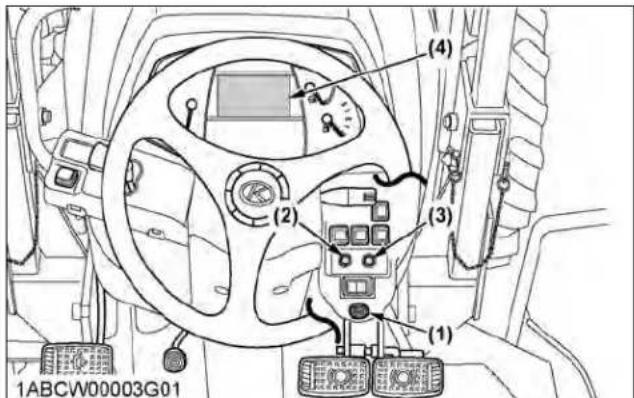
text_image
(1) (2) (3) (4) 1ABCW00003G01(1) Key switch
(2) Mode selector switch
(3) Select switch
(4) LCD monitor
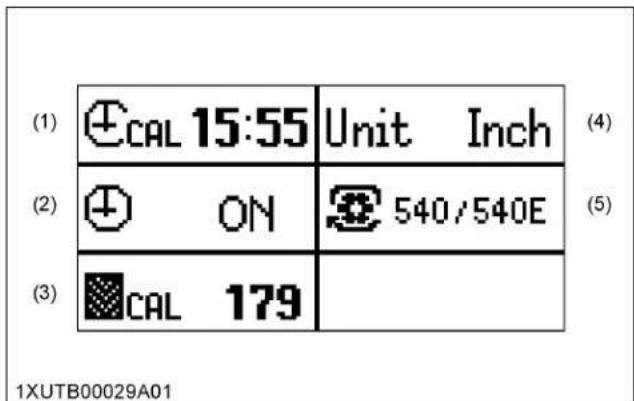
text_image
(1) ⏻CAL 15:55 Unit Inch (2) ⏻ ON 540/540E (3) CAL 179 1XUTB00029A01(1) Clock setting
(2) Clock ON/OFF setting
(3) Tire circumference setting
(4) Unit setting
(5) PTO speed display setting
1.1 Clock setting
- Press the mode selector switch to choose "Clock setting".
Then press the "Select" switch, and the clock setting screen appears.
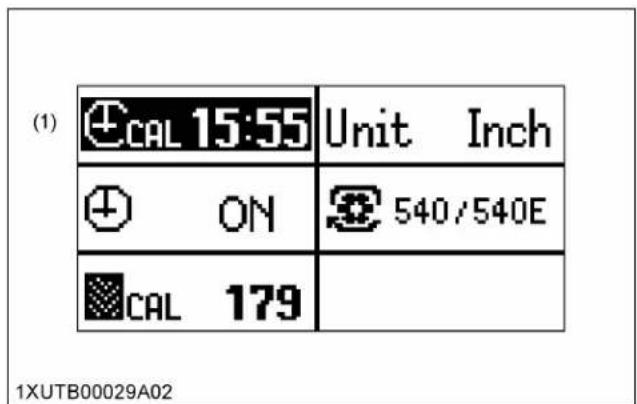
text_image
(1) CAL 15:55 Unit Inch ON 540/540E CAL 179 1XUTB00029A02(1) Clock setting
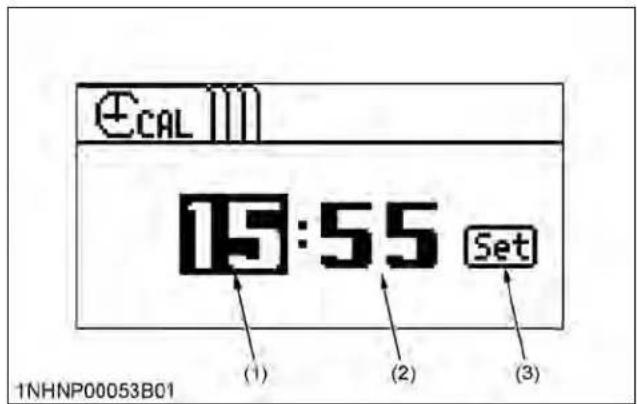
text_image
CAL 15:55 Set (1) (2) (3) 1NHNP00053B01(1) Hour
(3) Set switch
(2) Minute
- Setting the "Hour" of the clock:
a. Press the mode selector switch to choose the "Hour" (highlighted).
b. To put the clock forward, press the "Select" switch.
- Setting the "Minute" of the clock:
a. Press the mode selector switch to choose the "Minute" (highlighted).
b. Carry out the "Minute" setting in the same way as the "Hour" setting.
-
Press the mode selector switch.
-
To complete the setting, select "Set" with the "Select" switch.
The various setting mode screen appears again.
1.2 Setting the clock display ON/OFF
- Press the mode selector switch to choose "Clock ON/OFF setting".
Then press the "Select" switch, and the clock ON/OFF setting screen appears.

text_image
(1) CAL 15:55 Unit Inch ON 540/540E CAL 179 1XUTB00029A03(1) Clock ON/OFF setting

text_image
(1) ON OFF Set 1NHNP00053B02(1) Clock ON/OFF setting screen
-
Press the "Select" switch and select "ON" or "OFF".
-
Press the mode selector switch.
-
To complete the setting, select "Set" with the "Select" switch.
The various setting mode screen appears again.
1.3 Setting the tire circumference
When optional different-diameter tires are fitted on the machine, the travel speed display mode must be changed. Otherwise, the travel speed will not be correctly displayed. Such mode switching is also needed when the original tires are back on the machine.
- Press the mode selector switch to choose "Tire circumference".
Then press the "Select" switch, and the tire circumference setting screen appears.

text_image
CAL 15:55 Unit Inch ON 540/540E CAL 179 (1) 1XUTB00029A04(1) Tire circumference

text_image
(1) CAL 079 Inch Set 1NHNP00053B03(1) Tire circumference screen
- According to the following table, enter the tire circumference value.
a. Press the mode selector switch to select a digit.
b. To put the number forward, press the "Select" switch.
The numeral changes from 0 to 9 at each push of the switch.
Tire circumference table (reference)
| Rear tire size Entry (in.) Entry (cm) | |
| 12.4-24 R1 136 345 | |
| 380/85 R24 146 71 | |
| 18.4-16.1 R1 133 338 | |
| 320/85 R20 12312 | |
| 480/65 R24 148 $76 |
- Press the mode selector switch.
- To complete the setting, select "Set" with the "Select" switch.
The various setting mode screen appears again.
1.4 Setting the unit
- Press the mode selector switch to choose "Unit setting". Then press the "Select" switch, and the unit setting screen appears.
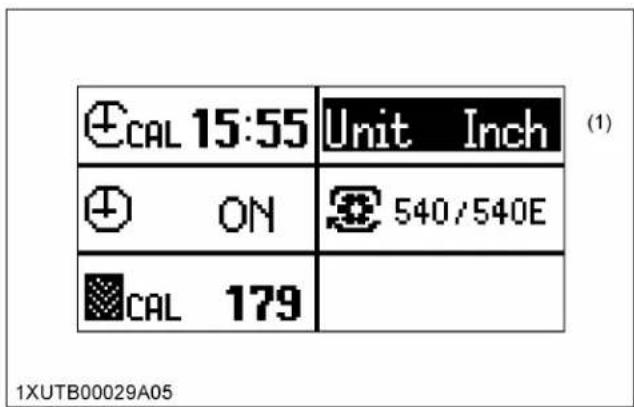
text_image
CAL 15:55 Unit Inch ON 540/540E CAL 179 (1) 1XUTB00029A05(1) Unit setting
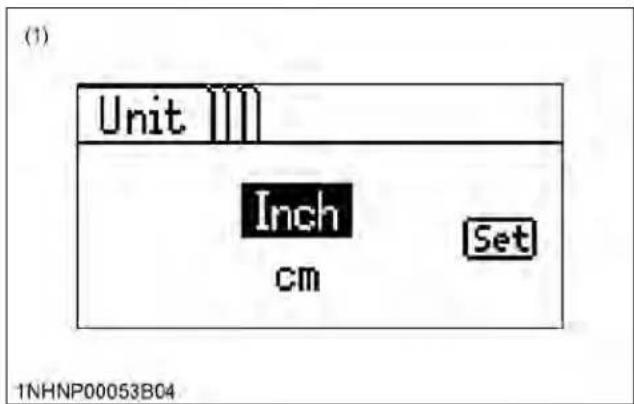
text_image
(1) Unit Inch cm Set 1NHNP00053B04(1) Unit setting screen
- Press the "Select" switch to select "Inch" or "cm".
- Press the mode selector switch.
- To complete the setting, select "Set" with the "Select" switch.
The various setting mode screen appears again.
1.5 Setting the PTO speed display
The PTO rpm is set automatically and does not require adjusting.
2. Performance monitor
Display change
Use the mode selector switch and "Select" switch to choose one of the items shown in the following table to be displayed on screen.
Priority display
- When the RPM dual memory setting is "ON", the engine rpm A or B is displayed on the screen.
When selecting any other information such as "Hour meter" or "PM buildup", the item will displayed for approximately 5 seconds before resuming the engine rpm A or B display.
- Turn "OFF" the RPM dual memory setting to display any other information continuously.
(See 1. RPM dual memory setting on page 65.)
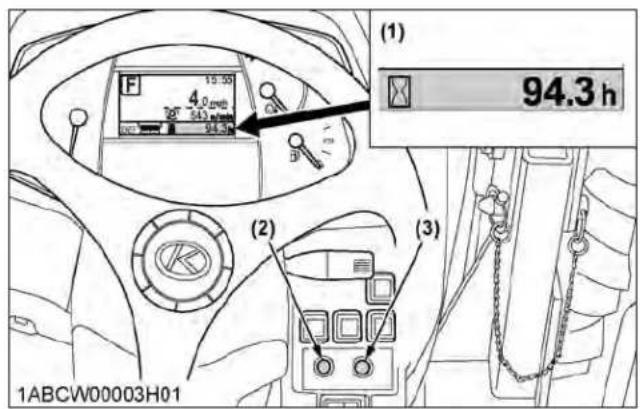
text_image
(1) 94.3 h (2) (3) 1ABCW00003H01(1) Performance monitor
(2) Mode selector switch
(3) Select switch
List of types of information displayed on the performance monitor
| Selected screen (mode) | Display Remarks | Reference page | ||
| 1/4 | [47H] | Elapsed time (hour meter) | The hour meter indicates in 6 digits the hours the tractor has been used; the last digit indicates 1/10 of an hour. | --- |
| [T403] | Trip meter | The total operating hours, counted from the previous re-setting, is displayed. | --- | |
| 2/4 | [S86K] | Instantaneous fuel consumption | The “Instantaneous fuel consumption” is measured per hour. | --- |
| [Y620] | Average fuel consumption | The “A verage fuel consumption” is measured per hour from the previous resetting. | --- | |
 | Total fuel consumption | The total fuel consumption, measured from the previous resetting, is displayed. | --- | |
| 3/4 | [36WxT] | PM buildup (percentage) • PM buildup (graph) | The PM buildup inside the DPF muffler is displayed. Regeneration is needed when the 100% level has been reached. The more the bar is extended to the right, the more PM has built up. | --- |
| 4/4 | [OHAX] | Memory A rpm | Engine RPM dual memory A rpm is displayed. | 65 |
| [CHYC] | Memory B rpm | Engine RPM dual memory B rpm is displayed. | 65 | |
NOTE :
- Hold down the mode selector switch for 2 seconds or longer to reset the "Trip meter", "Average fuel consumption" and "Total fuel consumption" displays to "0.0".
ELECTRONIC ENGINE CONTROL
The electronically controlled engine which is installed in this tractor performs the following 2 types of control.
-
RPM dual memory setting
-
Constant RPM Management control
1. RPM dual memory setting
Two different engine speeds can each be set with a single touch by pressing the RPM dual memory switch to the (A) or (B) side. This can be used to eliminate troublesome acceleration operations.
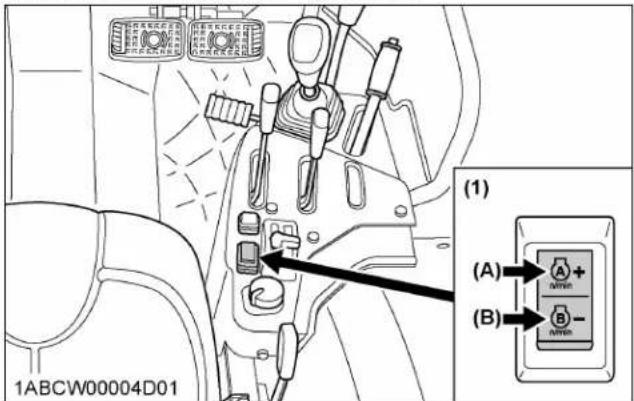
text_image
1ABCW00004D01 (1) (A) + (B)(1) RPM dual memory switch
(B) Switch B
(A) Switch A
Example of use
Consider an example in which an engine speed of 2000 rpm is set for the switch (A) side and a speed of 1000 rpm is set for the switch (B) side.
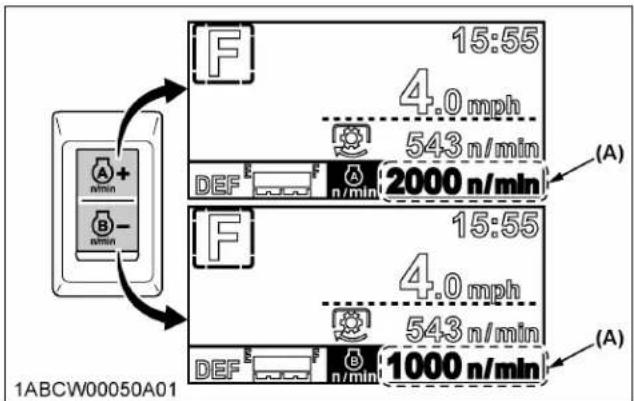
text_image
1ABCW00050A01 A + B - 15:55 4.0 mph 543 n/min (A) DEF 2000 n/min 15:55 4.0 mph 543 n/min (A) DEF 1000 n/min(A) Light up
Engine revolution is operating in the rpm memory setting value. Flashing
Engine revolution is less than the rpm memory setting value.
| Work↓ | 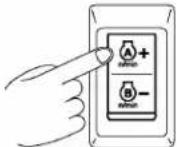 1NFGR00004B01 1NFGR00004B01 | During work, simply press the switch to the (A) side to automatically set an engine speed of 2000 rpm. |
 1NFGR00004C01 1NFGR00004C01 | When turning, press the switch to the (B) side to lower the speed to 1000 rpm, allowing turning at low speed. | |
| Work | 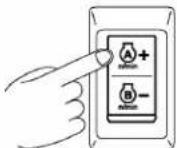 1NFGR00004B01 1NFGR00004B01 | After turning, press the switch again to the (A) side to resume a speed of 2000 rpm. |
- Keep the hand throttle lever above the minimum speed. At the minimum speed, a memory setup cannot be performed.
- You can also depress the foot throttle to increase the engine speed above the set speed.
Setting the speeds or changing the speed settings Setting RPM dual memory switch (A).

1NFGR00004B01
- Turn the key switch to "ON".
The speed setting can be made both when the engine is running and when it is stopped.
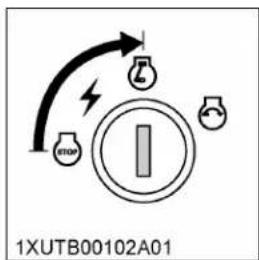
text_image
1XUTB00102A01- Set the hand throttle lever slightly toward the higher-speed side.

natural_image
Diagram of a mechanical or electrical component with no visible text or symbols, featuring a black arrow indicating rotation or movement (no readable labels or symbols)- Press the switch (A) side and then release the switch.

text_image
1NFGR00004B02- Press again and hold down the switch (A) side (2.5 seconds) until the buzzer sounds and then release the switch.

text_image
1NFGR00004B03
text_image
N 15:55 0.0 mph 0 n/min DEF E F 2000 n/min (A) 1NHNP00049B02(A) Flashes
- Press the switch to the (A) or (B) side and set the speed.
Pressing and holding down the switch will cause the speed to change continuously. Pressing and releasing the switch changes the speed by 10 rpm each time. Set the desired engine speed while watching the speed display.

text_image
(A) (B) 15:55 0.0 mph 0 n/min DEF E F n/min 2000 n/min 1ABCW00050B01(A) Increase speed (B) Decrease speed
-
If the switch is released and not operated for 4 seconds, a continuous buzzer sounds and the setting is completed.
-
Follow the same procedure as for the (A) side to set the speed for the switch (B) side.
NOTE :
- The set speeds will be stored even after the engine is stopped.
Canceling the setting
Any of the actions below will cancel the RPM dual memory settings.
-
For the switch (A) side, when the memory speed is engaged, press the switch (A) again to cancel. For the switch (B) side, when the memory speed is engaged, press the switch (B) again to cancel.
-
When the memory speed is canceled, the speed will return to the speed that is determined by the hand throttle lever (foot throttle). When the switch is pressed, the LCD will display the engine speed that is in effect after memory speed is canceled.
-
Return the hand throttle lever to the lowest speed position.
-
Turn the key switch to "OFF".
2. Constant RPM Management control
Constant RPM Management can be turned "ON" or "OFF" by operating the switch.
Pressing the switch turns the control "ON" and pressing the switch again turns it "OFF".
When Constant RPM Management is "ON"
Fluctuations in the engine speed due to load fluctuations are reduced and the travel speed and PTO speed are kept nearly constant, allowing stable work. When Constant RPM Management is "ON", the switch's indicator lights up.
When Constant RPM Management is "OFF"
As in a conventional engine, the engine speed increases or decreases according to changes in the load. The operator judges the size of the load from the engine speed and engine sound, and can adjust the travel speed or plowing depth to prevent overload on the tractor.

text_image
(1) 1ABCW00003G02(1) Constant RPM Management switch with indicator
NOTE :
- In a mechanically-controlled engine, the engine speed changes according to increases and decreases in the load.
For example, when working in a hilly area, the load increases and engine speed drops while ascending a slope, and conversely the engine speed increase and the load drops when descending. These changes in engine speed affect the travel speed and PTO-driven implements. In order to minimize these effects, the operator must make fine adjustments to the travel speed and hand throttle lever.
When the Constant RPM Management switch in this tractor with its electronically controlled engine is turned "ON", the engine speed will be kept nearly constant in response to a certain level of load fluctuations. This improves the accuracy of work without the need for troublesome manipulation of the travel speed and hand throttle lever.
- There is a limit to the range within which a constant speed can be maintained. If a load exceeding the engine performance is applied, the engine speed will drop.
- The purpose of Constant RPM Management is not to increase the engine power.
PARKING THE TRACTOR
WARNING
To avoid personal injury or death:
Before dismounting tractor
- Always set parking brake and lower all implements to the ground. Leaving the transmission in gear with the engine stopped will not prevent the tractor from accidental rolling.
- Stop the engine and remove the key.
- Before getting off the tractor, disengage the PTO, lower all implements, place all control levers in their neutral positions, pull the parking brake lever to parking position, stop the engine and remove the key.
- If it is necessary to park on an incline, be sure to chock the wheels to prevent accidental rolling of the tractor.
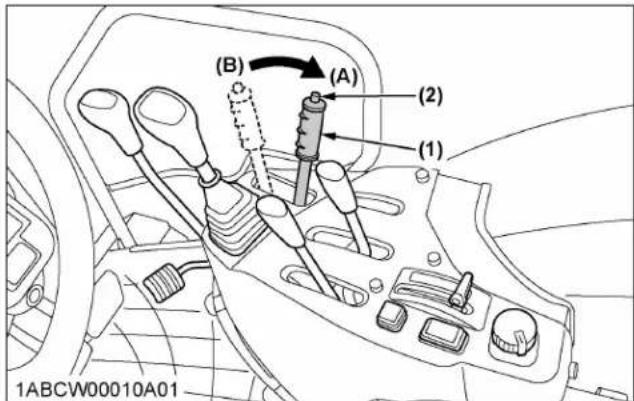
text_image
(B) (A) (2) (1) 1ABCW00010A01(1) Parking brake lever
(2) Release button
(A) "PARKING POSITION"
(B) "TRANSPORT POSITION"
OPERATING TECHNIQUES
1. Differential lock
WARNING
To avoid personal injury or death due to loss of steering control:
- Do not operate the tractor at high speed with differential lock engaged.
- Do not attempt to turn with the differential lock engaged.
- Be sure to release the differential lock before making a turn in field conditions.
If one of the rear wheels should slip, step on the differential lock pedal. Both wheels will turn together, then reduce slippage.
Differential lock is maintained only while the pedal is depressed.

text_image
(A) (B) (1) 1ABCW00030A01(1) Differential lock pedal
(A) Press to "ENGAGE"
(B) Release to "DISENGAGE"
IMPORTANT :
- When using the differential lock, always slow the engine down.
- To prevent damage to the power train, do not engage the differential lock when one wheel is spinning and the other is completely stopped.
- If the differential lock cannot be released, step lightly on the brake pedals alternately.
2. Operating the tractor on a road

WARNING
To avoid personal injury or death:
- To help assure straight line stops when driving at transport speeds, lock the brake pedals together. Uneven braking at road speeds could cause the tractor to roll-over.
- When traveling on road with 3-point hitch mounted implement attached, be sure to have sufficient front weight on the tractor to maintain steering ability.
- When traveling on road with or without trailer, you must comply with local regulations at all time.
The maximum traveling speed with trailer is determined by each country, and regulated speeds may vary according to the size of trailer and type of trailer brake system.
Be sure the SMV emblem and warning lamps are clean and visible. If towed or rear-mounted equipment obstructs these safety devices, install the SMV emblem and warning lamps on the equipment.
Consult your local KUBOTA Dealer for further details.
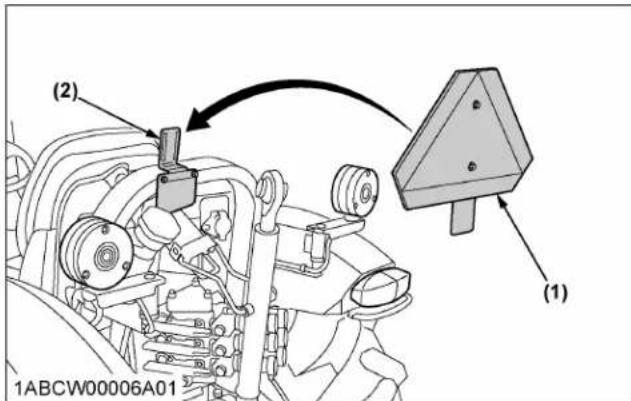
text_image
(1) (2) 1ABCW00006A01 (1)(1) SMV emblem (2) Bracket
3. Operating on slopes and rough terrain

WARNING
To avoid personal injury or death:
- Always back up when going up a steep slope. Driving forward could cause the tractor to tip over backward. Stay off hills and slopes too steep for safe operation.
- Avoid changing gears when climbing or descending a slope.
- If operating on a slope, never disengage the clutch or shift levers to neutral. Doing so could cause loss of control.
-
Do not drive the tractor close to the edges of ditches or banks which may collapse under the weight of the tractor, especially when the ground is loose or wet.
-
Be sure wheel tread is adjusted to provide maximum stability.
(See WHEEL ADJUSTMENT on page 84.)
- Slow down for slopes, rough ground, and sharp turns, especially when transporting heavy, rear mounted equipment.
- Before descending a slope, shift to a gear low enough to control the speed without using brakes.
4. Transporting the tractor safely
- The tractor, if damaged, must be carried on a truck. Secure the tractor tightly with ropes.
- Follow the instructions below when towing the tractor. Otherwise, the tractor's powertrain may be damaged.
- Set all the shift levers to "NEUTRAL" position.
- If possible, start the engine and select 2WD; if creep speed is fitted ensure that it is disengaged.
- Tow the tractor using its front hitch or drawbar.
- Never tow faster than 10 ~km / h (6.2 mph).
5. Directions for use of power steering
- Power steering is activated only while the engine is running. Slow engine speeds make the steering a little heavier. While the engine is stopped, the tractor functions in the same manner as tractors without power steering.
- When the steering wheel is turned all the way to the stop, the relief valve is activated. Do not hold the steering wheel in this position for a long period of time.
- Avoid turning the steering wheel while the tractor is stopped, or tires may wear out sooner.
- The power steering mechanism makes the steering easier. Be careful when driving on a road at high speeds.
6. Trailer electrical outlet
A trailer electrical outlet is supplied for use with trailer or implement.
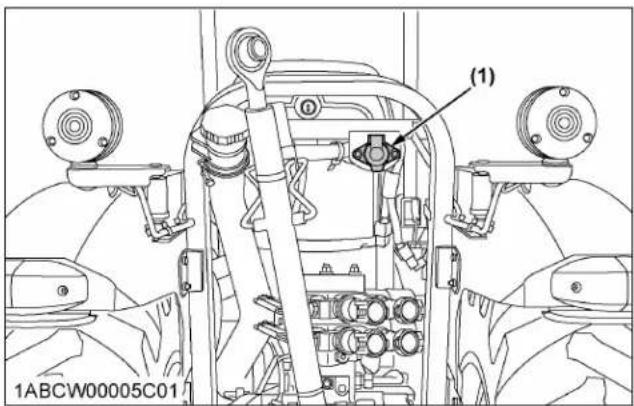
text_image
(1) 1ABCW00005C01(1) Trailer electrical outlet
Function of each terminal in trailer electrical outlet

text_image
(7) (6) (1) (2) (3) (4) (5) 1NHNP00055B01| Terminal Function | |
| (1) Ground | |
| (2) | Tail lightSide marker lightParking light |
| (3) Turn signal light (LH) | |
| (4) Brake stop light | |
| (5) Turn signal light (RH) | |
| (6) Registration plate light | |
| (7) --- | |
7. Electrical outlet
The tractor is equipped with electrical outlets which serve the following functions.
For use with accessory
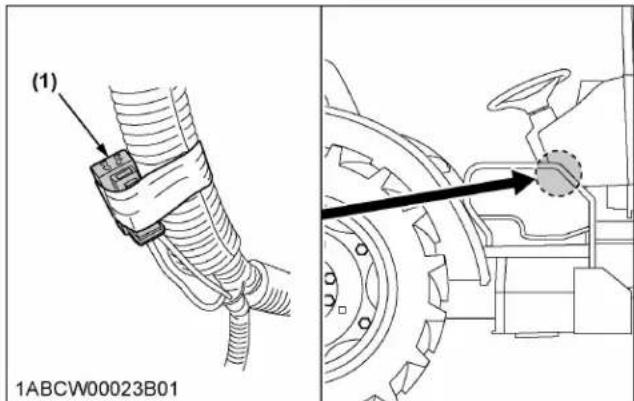
text_image
(1) 1ABCW00023B01(1) Accessory electrical outlet (max 15 A)

text_image
(1) 1ABCW00042A02(1) Accessory electrical outlet (max 15 A)
PTO
PTO OPERATION

WARNING
To avoid personal injury or death:
- Disengage the PTO, stop the engine, and allow all rotating components to come to a complete stop before connecting, disconnecting, adjusting, or cleaning any PTO driven equipment.
1. PTO clutch control switch
The PTO clutch control switch engages or disengages the PTO clutch which gives the PTO independent control.
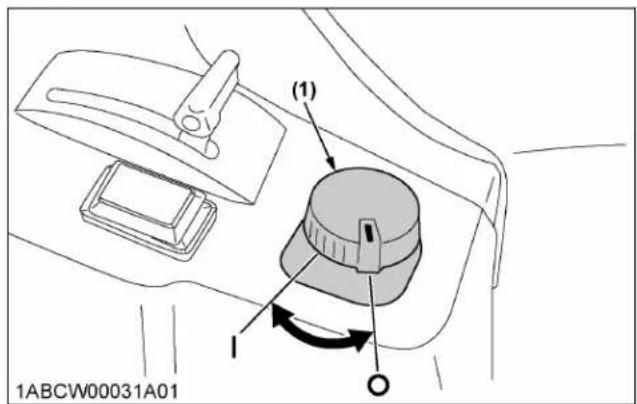
text_image
(1) 1ABCW00031A01(1) PTO clutch control switch
| "ON"
“OFF”
Turn the switch to "ON" to engage the PTO clutch. Turn the switch to "OFF" to disengage the PTO clutch.
IMPORTANT :
- To avoid shock loads to the PTO, reduce engine speed when engaging the PTO, then open the throttle to the recommended speed.
NOTE :
- Tractor engine will not start if PTO clutch control switch is in the engaged "ON" position.
- If the PTO system is engaged and you stand up from the seat, the warning buzzer will whistle for about 10 seconds after standing up. This is because the tractor is equipped with "Operator Presence Control System".
To turn "ON"
- While pushing the switch, turn clockwise to the position and release your hand. (In the ON position, switch slightly rises itself.)

text_image
1ABCW00031B01To turn "OFF"
- Tap on top of the switch, and the switch will return to the OFF position.

text_image
1ABCW00031C01 (A)(A) "PUSH"
2. PTO clutch indicator
The PTO clutch indicator turns on while PTO clutch control switch is in "ON" (engage) position.
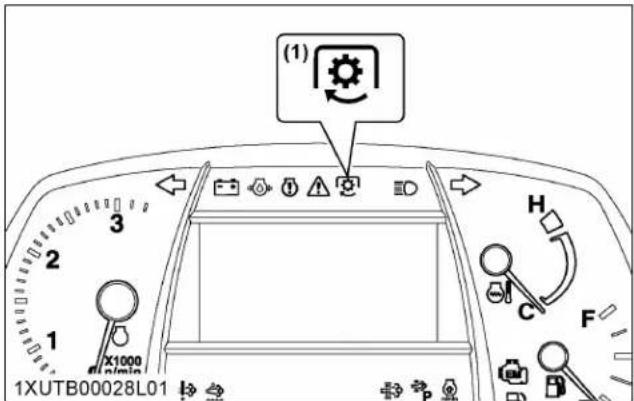
text_image
(1) 1XUTB00028L01 H C F 1 2 3 1 X1000 n/min(1) PTO clutch indicator
3. PTO gear shift lever

WARNING
To avoid personal injury or death:
- Be sure to observe the PTO shaft speed prescribed for the individual implements. It is extremely dangerous to run an implement at high speed that is meant to be operated at low speed. Use only when this higher rpm is specifically recommended by the implement manufacturer.
The PTO gear shift lever can be set to either 540 rpm or 540E rpm positions.
Move this lever to either position with the PTO clutch control switch set to "OFF".

text_image
(1) (A) (B) 1XUTB00049C01(1) PTO gear shift lever
(B) 540E rpm
(A) 540 rpm
NOTE :
- When light load, select the "540E" position for economical operation.
| PTO gear shift lev-er | Engine speed rpm | PTO speed rpm |
| 540 2385 540 | ||
| 540E 1764 540 |
4. PTO speed limiter
NOTE :
- Move the PTO gear shift lever to "540E" and then turn on the PTO clutch control switch, and the rev-limiter indicator lights up on the meter panel.
- If the PTO clutch control switch is turned on with the engine rpm higher than the PTO 540E limit level, the PTO clutch indicator on the meter panel starts blinking and the PTO is disabled. After a while, the engine rpm automatically drops below the PTO 540E limit level and the PTO starts functioning.
At the same time, the flashing PTO clutch indicator stays "ON".
- If the PTO clutch control switch is turned "OFF" but the engine rpm fails to rise with the throttle, return the engine rpm to a lower level. This enables acceleration again.
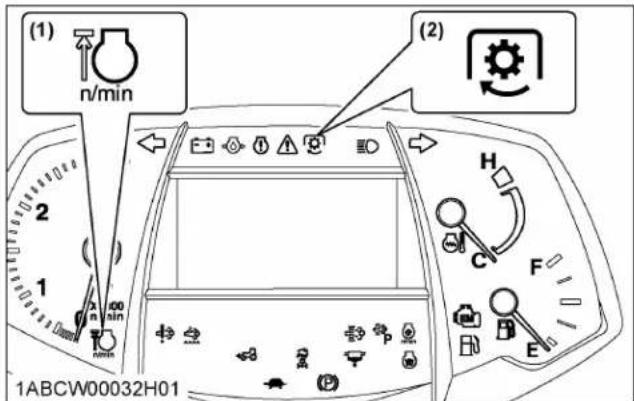
text_image
(1) n/min 2 1 00 min (2) H C F E 1ABCW00032H01(1) Rev-limiter indicator
(2) PTO clutch indicator
| PTO | Limitation PTO/Engine speed (rpm) |
| 540E | 630/2057 |
5. PTO rpm display
The PTO rpm can be checked on the LCD monitor. When the PTO system gets engaged (ON), the indicator lights up.

text_image
(2) 15:55 4.0 mph 543 n/min DEF 94.3 h (1) X1000 1XUTB00028L02(1) PTO rpm (2) PTO clutch indicator
6. PTO shaft cover and shaft cap
Keep the PTO shaft cover in place at all times.
Put back the PTO shaft cap when the PTO is not in use.
Before connecting or disconnecting a drive shaft to PTO shaft, be sure engine is "OFF".
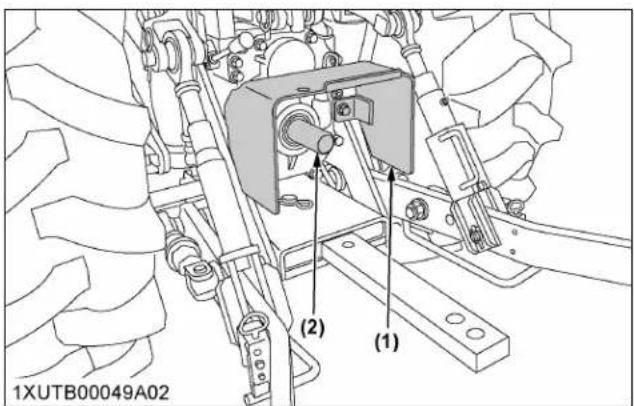
text_image
1XUTB00049A02 (1) (2)(1) PTO shaft cover (2) PTO shaft cap
IMPORTANT :
- The universal joint of the PTO drive shaft is technically limited in its moving angle. Refer to the PTO Drive Shaft Instructions for proper use.
3-POINT HITCH AND DRAWBAR

text_image
(1) (2) (4) (6) (5) (3) (4) 1ABCW00005A01(1) Top link
(2) Lifting rod (left)
(3) Stabilizer
(4) Lower link
(5) Lifting rod (right)
(6) Drawbar
THE 3-POINT HITCH SETUP
- Make preparations for attaching implement.
• 1. Selecting the holes of lower links on page 74
• 2. Selecting the top link mounting holes on page 74
• 3. Drawbar on page 74
- Attaching and detaching implements

WARNING
To avoid personal injury or death:
- Be sure to stop the engine.
- Do not stand between tractor and implement unless the parking brake is applied.
- Before attaching or detaching the implement, locate the tractor and implement on a firm level surface.
- Whenever an implement or other attachment is connected to the tractor 3-point hitch, check full range of operation for interference, binding or PTO separation.
- Do not exceed the maximum allowable length of either lifting rod, or the lifting rod will come apart and the 3-point equipment may fall.
• 4. Lifting rod (left) on page 74
• 5. Lifting rod (right) on page 75
• 6. Top link on page 75
• 7. Stabilizer on page 75
1. Selecting the holes of lower links
There are 2 holes in the lower links. For most operations, the lifting rods should be attached to the (B) hole.

• The lifting rods may be attached to (A) for greater lifting force.
• Install the thrust collar in the outside of the lower link.
- Tighten the nut by hand and fix the nut with the cotter pin.
2. Selecting the top link mounting holes
Select the proper set of holes.
(See 5. Hydraulic control unit use-reference chart on page 83.)
If the hydraulic unit is set for draft control, draft response is more sensitive when an implement is connected to the lower set of top link mounting holes. If draft control is not required, it is recommended to use the top set (1).
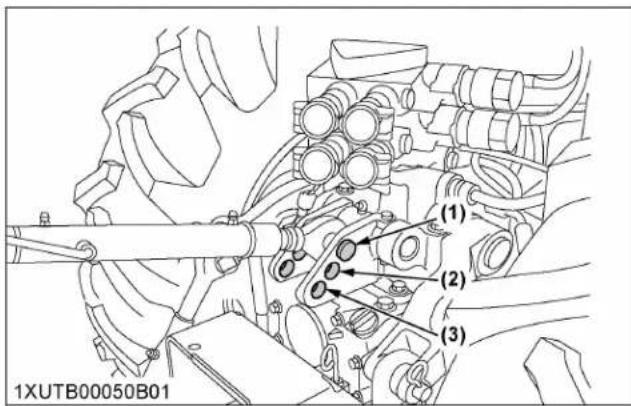
text_image
(1) (2) (3) 1XUTB00050B013. Drawbar
Remove the drawbar if a close mounted implement is attached.
4. Lifting rod (left)
By turning the rod itself, the lifting rod varies its length. When extending the rod, do not exceed the groove on the rod thread.
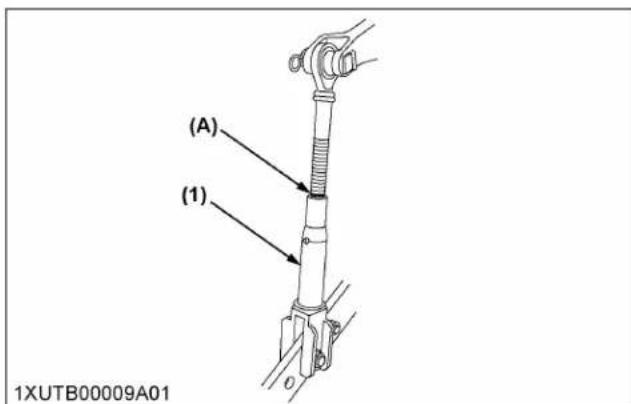
text_image
(A) (1) 1XUTB00009A01(1) Lifting rod (A) "GROOVE"
5. Lifting rod (right)

WARNING
To avoid personal injury or death:
- Do not extend lifting rod beyond the groove on the thread rod.
- To adjust the length of the lifting rod, lift the adjusting handle and turn to desired length.
- After adjusting, the lifting rod adjusting handle must be returned and stored in the fore and aft position.
- When extending the rod using the adjusting handle, do not exceed the groove on the rod thread.
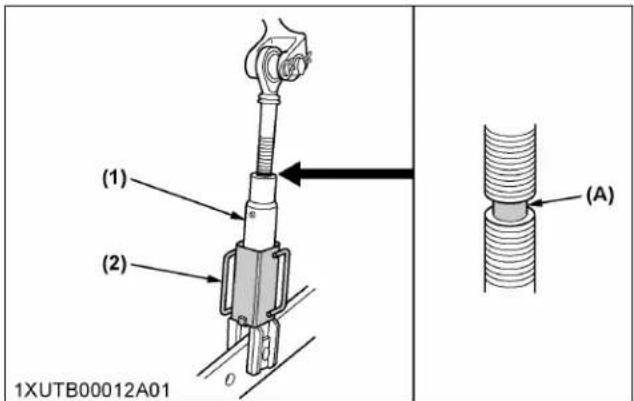
text_image
(1) (2) 1XUTB00012A01 (A)(1) Lifting rod
(A) "GROOVE"
(2) Adjusting handle

text_image
(B) (1) (2) 1XUTB00066A01
text_image
(1) (A) (2)(1) Adjusting handle
(B) "UNLOCK POSITION"
(2) Lock pin
(A) "LOCK POSITION"
6. Top link
- Adjust the angle of the implement to the desired position by shortening or lengthening the top link.
- The proper length of the top link varies according to the type of implement being used.
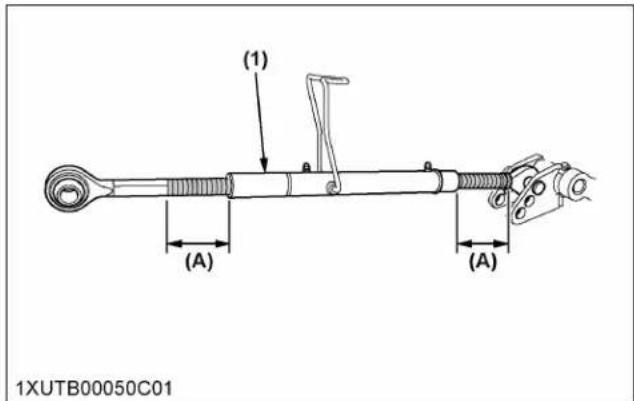
text_image
(1) (A) (A) 1XUTB00050C01(1) Top link (A) "Length of the screw"
NOTE :
- The length of the screw at both ends of the top link must be the same always.
7. Stabilizer
The stabilizer is used to adjust the lower link width. Rotate the turnbuckle to adjust the stabilizer length. When adjusting, make sure both the stabilizers are equal in overall length.
Turnbuckle locked position
After adjusting the stabilizer length, the turnbuckle must remain in the locked position.

text_image
(2) (1) (4) (3) 1XUTB00088A01(1) Turnbuckle
(3) Hex wrench handle
(2) Set-pin
(4) Stabilizer
7.1 Turnbuckle unlocked position
- Lift the set-pin and slide the hex wrench handle forward.

text_image
(1) (A) (2) (B) 1XUTB00088A02(1) Set-pin
(B) "Slide forward"
(2) Hex wrench handle
(A) "Lift"
- Lower the set-pin and make sure the hex wrench handle cannot move past the set-pin tip.
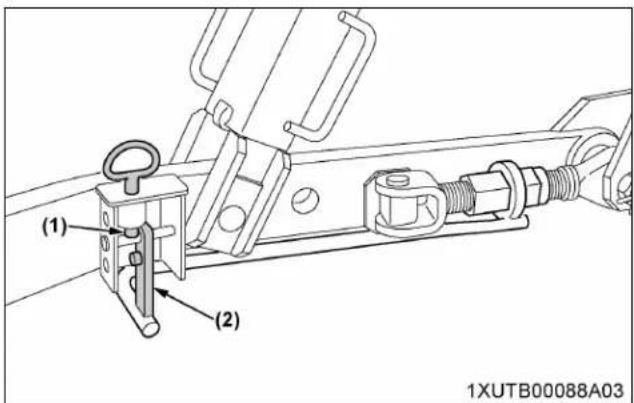
text_image
(1) (2) 1XUTB00088A03(1) Set-pin (2) Hex wrench handle
7.2 Rotating the turnbuckle
- Use the hexagonal part of the wrench and the hex wrench handle to rotate the turnbuckle once.
- Slide the hex wrench handle forward to release it from the turnbuckle.
- Rotate the hex wrench handle and slide it backward until the hexagonal part is locked on the turnbuckle.
- Repeat steps 1 to 3 until the desired stabilizer length is achieved.
| Rotating Stabilizer length Lower link width | ||
| clockwise Shorten Widen | ||
| Counterclockwise Lengthen Narrow | ||
Example: turnbuckle (RH) counterclockwise
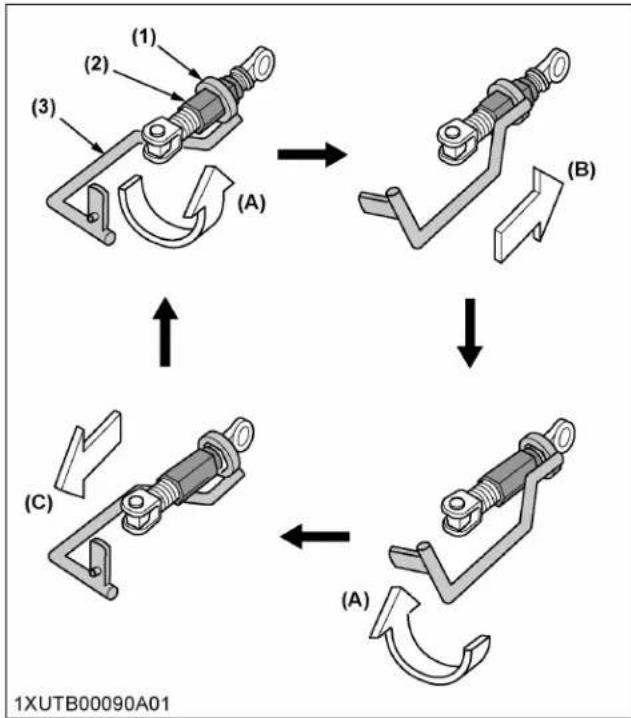
flowchart
graph TD
    A["Step (1)"] --> B["Step (2)"]
    B --> C["Step (3)"]
    C --> D["Step (A)"]
    D --> E["Step (B)"]
    E --> F["Step (C)"]
    F --> G["Step (A)"]
    G --> H["Step (C)"]
    H --> I["Step (A)"]
    I --> J["Step (C)"]
    J --> K["Step (A)"]
    K --> L["Step (C)"]
    L --> M["Step (A)"]
    M --> N["Step (C)"]
    N --> O["Step (A)"]
    O --> P["Step (C)"]
    P --> Q["Step (A)"]
    Q --> R["Step (C)"]
    R --> S["Step (A)"]
    S --> T["Step (C)"]
    T --> U["Step (A)"]
    U --> V["Step (C)"]
    V --> W["Step (A)"]
    W --> X["Step (C)"]
    X --> Y["Step (A)"]
    Y --> Z["Step (C)"]
    Z --> AA["Step (A)"]
    AA --> AB["Step (C)"]
    AB --> AC["Step (A)"]
    AC --> AD["Step (C)"]
    AD --> AE["Step (A)"]
    AE --> AF["Step (C)"]
    AF --> AG["Step (A)"]
    AG --> AH["Step (C)"]
    AH --> AI["Step (A)"]
    AI --> AJ["Step (C)"]
    AJ --> AK["Step (A)"]
    AK --> AL["Step (C)"]
    AL --> AM["Step (A)"]
    AM --> AN["Step (C)"]
    AN --> AO["Step (A)"]
    AO --> AP["Step (C)"]
    AP --> AQ["Step (A)"]
    AQ --> AR["Step (C)"]
    AR --> AS["Step (A)"]
    AS --> AT["Step (C)"]
    AT --> AU["Step (A)"]
    AU --> AV["Step (C)"]
    AV --> AW["Step (A)"]
    AW --> AX["Step (C)"]
    AX --> AY["Step (A)"]
    AY --> AZ["Step (C)"]
    AZ --> BA["Step (A)"]
    BA --> BB["Step (C)"]
    BB --> BC["Step (A)"]
    BC --> BD["Step (C)"]
    BD --> BE["Step (A)"]
    BE --> BF["Step (C)"]
    BF --> BG["Step (A)"]
    BG --> BH["Step (C)"]
    BH --> BI["Step (A)"]
    BI --> BJ["Step (C)"]
    BJ --> BK["Step (A)"]
    BK --> BL["Step (C)"]
    BL --> BM["Step (A)"]
    BM --> BN["Step (C)"]
    BN --> BO["Step (A)"]
    BO --> BP["Step (C)"]
    BP --> BQ["Step (A)"]
    BQ --> BR["Step (C)"]
    BR --> BS["Step (A)"]
    BS --> BT["Step (C)"]
    BT --> BU["Step (A)"]
    BU --> BV["Step (C)"]
    BV --> BW["Step (A)"]
    BW --> BX["Step (C)"]
    BX --> BY["Step (A)"]
    BY --> BZ["Step (C)"]
    BZ --> CA["Step (A)"]
    CA --> CB["Step (C)"]
    CB --> CC["Step (A)"]
    CC --> CD["Step (C)"]
    CD --> CE["Step (A)"]
    CE --> CF["Step (C)"]
    CF --> CG["Step (A)"]
    CG --> CH["Step (C)"]
    CH --> CI["Step (A)"]
    CI --> CJ["Step (C)"]
    CJ --> CK["Step (A)"]
    CK --> CR["Step (C)"]
    CR --> CS["Step (A)"]
    CS --> CT["Step (C)"]
    CT --> CU["Step (A)"]
    CU --> CV["Step (C)"]
    CV --> CW["Step (A)"]
(1) Hexagonal part
(B) "Slide forward"
(2) Turnbuckle
(C) "Slide backward"
(3) Hex wrench handle
(A) "Rotate"
NOTE :
- Adjusting the left hand side stabilizer is done the same way as for the right hand side stabilizer.
DRAWBAR

WARNING
To avoid personal injury or death:
- Never pull from the top link, the rear axle or any point above the drawbar. Doing so could cause the tractor to tip over rearward.
1. Adjusting drawbar length
-
When towing an implement, it is recommended that the (A) hole in drawbar be utilized.
-
For information about the drawbar load, read the implement limitations section of this manual. (See IMPLEMENT LIMITATIONS on page 25.)
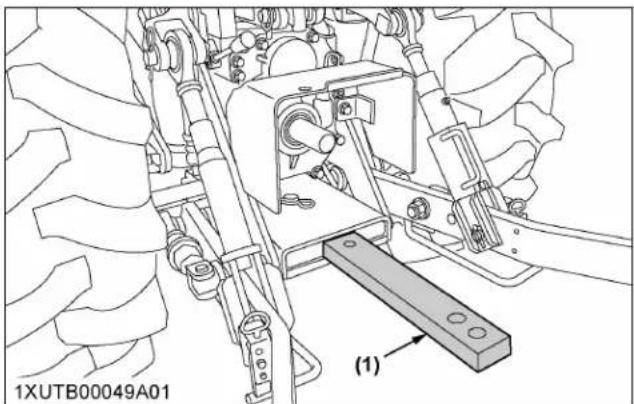
natural_image
Technical line drawing of a tractor's internal components and a mechanical bracket (no text or symbols)(1) Drawbar

text_image
1XUTB00065A01 (1) (2) (A) (B) (1)(1) Drawbar
(2) Pivot pin
(A) Hole
HYDRAULIC UNIT
IMPORTANT :
- Do not operate until the engine is warmed up. If operation is attempted when the engine is still cold, the hydraulic system may be damaged.
- If noises are heard when implement is lifting after the hydraulic control lever has been activated, the hydraulic mechanism is not adjusted properly. Unless corrected, the unit will be damaged. Contact your KUBOTA Dealer for adjustments.
A standard tractor has the following hydraulic control systems. Choose the most appropriate system for the implement you are using.
3-point hitch control system
- Position control
- Draft control
- Mixed control
- Float control
Remote hydraulic control system
3-POINT HITCH CONTROL SYSTEM

WARNING
To avoid personal injury or death:
- Before using the 3-point hitch controls, ensure that no person or object is in the area surrounding the implement or 3-point hitch. Do not stand on or near the implement or between the implement and tractor when operating the 3-point hitch controls.
1. Position control
This will control the working depth of the 3-point hitch mounted implement regardless of the amount of pull required.
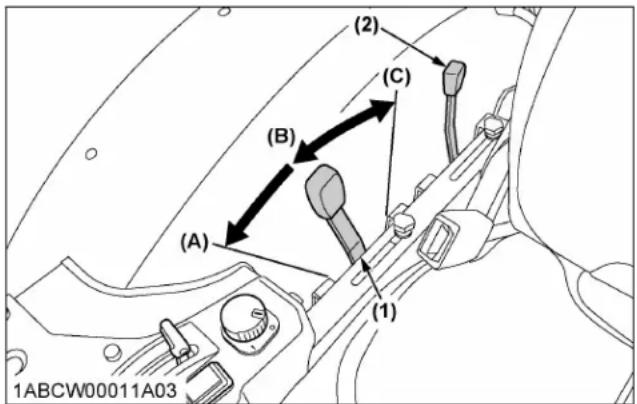
text_image
(1) (2) (C) (B) (A) (1) 1ABCW00011A03(1) Position control lever
(2) Draft control lever
(A) "FLOAT"
(B) "DOWN"
(C) "UP"
2. Draft control
This will control the pull of the 3-point implement.
As the load on the 3-point hitch changes due to various soil conditions, the draft control system automatically responds to these changes by either raising or lowering the implement slightly to maintain a constant pull.
Place the position control lever in the lowest position and set the implement pull with the draft control lever.
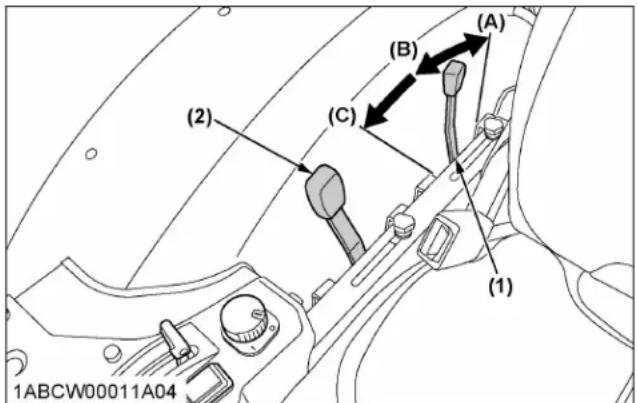
text_image
(1) (2) (3) (4) (5) (6) 1ABCW00011A04(1) Draft control lever
(2) Position control lever
(A) "SENSITIVE"
(B) "INSENSITIVE"
(C) "FLOAT"
3. Mixed control
In draft control, when draft decreases, the implement automatically lowers to increase draft.
However, the implement sometimes lowers too much. To limit the degree to which the implement can be lowered, set the position control lever at the lowest working depth desired for the implement. Lower the
draft control lever to the point where the implement is at the desired depth.
This stops the implement from going too deep and causing loss of traction and ground speed.
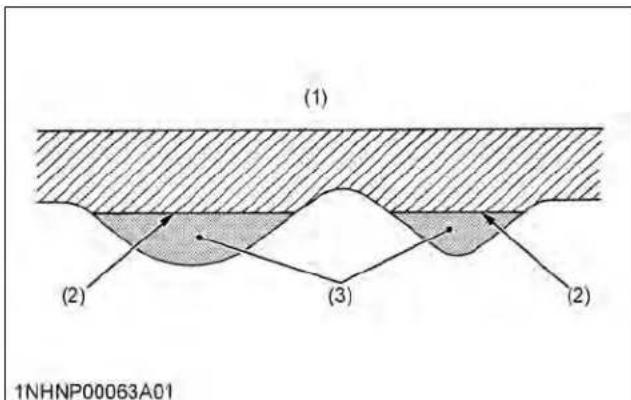
text_image
(1) (2) (3) (2) 1NHNP00063A01(1) Ground surface
(2) Implement penetration limit
(3) Light soil
4. Float control
Place both the draft control lever and the position control lever in the float position to make the lower links move freely along with the ground conditions.
5. 3-point hitch lowering speed

WARNING
To avoid personal injury or death:
- A fast lowering speed may cause damage or injury. Lowering speed of implement should be adjusted to 2 or more seconds.
The lowering speed of the 3-point hitch can be controlled by adjusting the 3-point hitch lowering speed knob.

text_image
(1) (2) (3) (4) 1ABCW00042A01(1) 3-point hitch lowering speed knob
(B) "SLOW"
(C) "LOCK"
(A) "FAST"
REMOTE HYDRAULIC CONTROL SYSTEM
The hydraulic auxiliary control valves can be installed with up to 5 segments.
1. Remote control valve
There are 3 types of remote valves available for these models.
- Double acting valve with detents and self canceling: This valve may be placed in the detent mode. The lever will stay in this position until the pressure reaches a predetermined level or a cylinder reaches the end of its stroke. Then it will automatically return to neutral.
- Double acting valve with float position:
This valve may be placed in the float mode with the control lever all the way forward. The cylinder is free to extend or retract, letting an implement such as a loader bucket follow the ground.
- Single or double acting valve:
This valve can be utilized as single or double acting valve by adjusting the auxiliary control valve selector knob located on the valve.
- Turn the auxiliary control valve selector knob clockwise all the way to utilize as single acting valve.
- Turn the auxiliary control valve selector knob anticlockwise all the way to utilize as double acting valve.
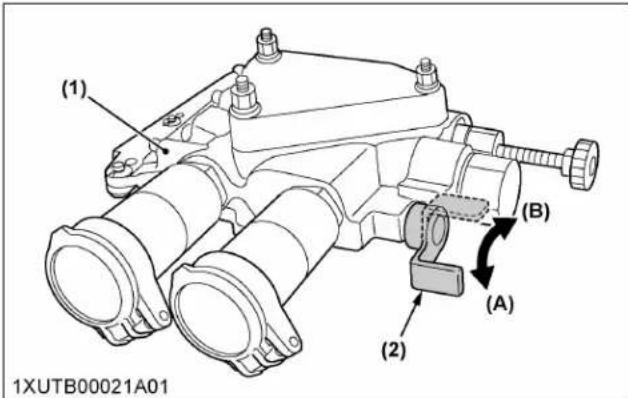
text_image
(1) (2) (A) (B) 1XUTB00021A01(1) Single or double acting valve
(2) Auxiliary control valve selector knob
(A) Double acting
(B) Single acting
2. Remote control valve lever
The remote control valve lever directs pressurized oil flow to the implement hydraulic system.
Example: Installing fifth segment valves
| Standard valves | 1st | Double acting valve with detents and self canceling |
| 2nd | Double acting valve with detents and self canceling | |
| Optional valves(selectable configuration) | 3rd | Double acting valve with float position |
| 4th | Double acting valve with float position | |
| 5th | Single or double acting valve |
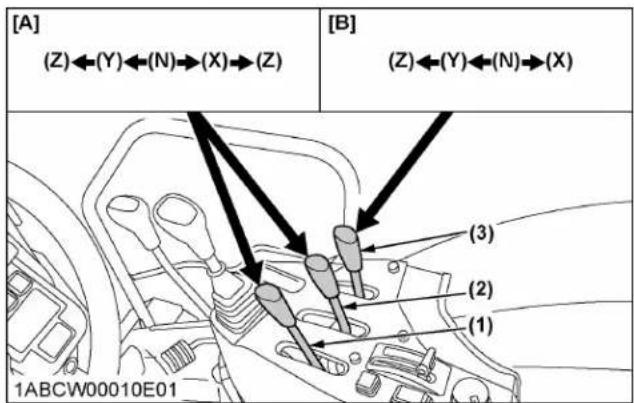
text_image
[A] (Z)←(Y)←(N)→(X)→(Z) [B] (Z)←(Y)←(N)→(X) (3) (2) (1) 1ABCW00010E01
text_image
[B] (Z)←(Y)←(N)→(X) [C] (Y)←(N)→(X) (5) (4) 1ABCW00044B00(1) Remote control valve lever 1 (standard)
(2) Remote control valve lever 2 (standard)
(3) Remote control valve lever 3 (option)
(4) Remote control valve lever 4 (option)
(5) Remote control valve lever 5 (option)
[A] Double acting valve with detents and self canceling
[B] Double acting valve with float position
[C] Single or double acting valve

text_image
(J) (H) (F) (D) (B) (I) (G) (E) (C) (A) 1ABCW00033A01
Double acting valve with detents and self canceling
| Lever 1 | Lever position | ||||
| Z (detent) | Y X Z (detent) | ||||
| Port | (A) out → | in ← | |||
| (B) in out ← | → | ||||
Double acting valve with detents and self canceling
| Lever 2 | Lever position | ||||
| Z (detent) | Y X Z (detent) | ||||
| Port | (C) out in → | ← | |||
| (D) in out ← | → | ||||
Double acting valve with float position
| Lever 3 | Lever position | ||||
| Z (detent) Y X | |||||
| Port | (E) in | Float | out in→ | ||
| (F) out in out | |||||
Double acting valve with float position
| Lever 4 | Lever position | ||||
| Z (detent) Y X | |||||
| Port | (G) in | Float | out -in→ | ||
| (H) out in out | |||||
Single or double acting valve
| Lever 5 | Double-acting | Single-acting | |||
| Lever position | |||||
| Y X Y X | |||||
| Port | (I) | out→ | in← | - | - |
| (J) | in←out-in, out→ | ←→ | → | ||
IMPORTANT :
- Do not hold the lever in the "Pull" or "Push" position once the remote cylinder has reached
the end of the stroke, as this will cause oil to flow through the relief valve. Forcing oil through the relief valve for extended periods will overheat the oil.
NOTE :
- Connect the pressure of load side of implement cylinders to ports (B), (D), (F), (H) or (J) which have built-in load check valves to prevent leakage.
- To use the single-acting cylinder with the float valve, connect this cylinder to the (B), (D), (F), (H) or (J) port.
To extend a single-acting cylinder, pull the remote control valve lever rearward. To retract a cylinder, push it fully forward to the "FLOAT" position. Do not hold it in the down position or the transmission fluid may overheat.
3. Remote control valve coupler

WARNING
To avoid personal injury or death:
- Stop the engine and relieve pressure before connecting or disconnecting lines.
- Do not use your hands to check for leaks.
Connecting
- Clean both couplers.
- Remove dust plugs.
- Insert the implement coupler into the tractor hydraulic coupler.
- Pull the implement coupler slightly to make sure couplers are firmly connected.
Disconnecting
- Lower the implement to the ground to release hydraulic pressure from the hoses.
- Clean the couplers.
- Relieve pressure by moving hydraulic control levers with engine shut off. Pull the hose straight from the hydraulic coupler to release it.
- Clean oil and dust from the coupler, then replace the dust plugs.
NOTE :
- Your local KUBOTA Dealer can supply parts for adapting couplers to hydraulic hoses.
4. Controlling and adjusting the flow rate

WARNING
To avoid the possibility of personal injury or death be aware of the following when making adjustments:
- The 3-point hitch operation is influenced by the combination of the adjustment of the flow control valve and the engine speed.
- The 3-point hitch may rise slowly or not at all at low engine rpm.
- The 3-point hitch may rise suddenly if engine rpm is increased, or, flow control adjustment is changed.
Flow control
The remote control valve with flow control may be added for the following purposes.
- The attachments that are connected with the auxiliary control valve can be independently adjusted for flow rate.
- To operate within limits, the remote control valves (1) and/or (2) and the 3-point hitch at the same time without one affecting the other.
- To maintain within limits, the constant speed of an attachment (hydraulic motor RPM, for example) when connected to the remote control valves (1) and/or (2).
NOTE :
- At slower engine speeds the total hydraulic flow rate may be inadequate for simultaneous operation of the remote control valves (1) and/or (2) and the 3-point hitch, or operation of an attachment connected to the remote control valves (1) (2). Under these conditions, the engine speed must be increased to provide additional hydraulic flow.
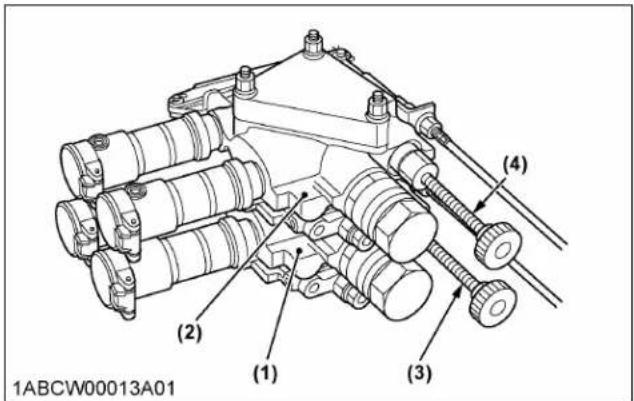
text_image
(1) (2) (3) (4) 1ABCW00013A01(1) Remote control valve (1) with flow control
(2) Remote control valve (2) with flow control
(3) Flow control knob for valve (1)
(4) Flow control knob for valve (2)
Adjusting the flow rate
- The flow rate for the remote control valves (1) and (2) can be adjusted.
- Turn the flow control knobs (3) and/or (4) counterclockwise (A), and the flow rate for the remote control valves (1) and/or (2) increases. A clockwise turn (B) of the knob causes the flow to decrease. If the knob is turned all the way (C), there will be no flow.
- To adjust the flow rate, set the engine speed to the operating RPM, turn the flow control knob once all the way clockwise (C), and then turn it gradually counterclockwise until a required flow rate is reached.
NOTE :
- Oil from the pump flows by priority to the auxiliary control valve. Surplus oil is fed to the 3-point hitch. With the auxiliary control valve at neutral, the total flow from the pump is fed to the 3-point hitch.
IMPORTANT :
- When there is no need to adjust the flow rate, turn the flow control knob all the way counterclockwise and keep it in this position.
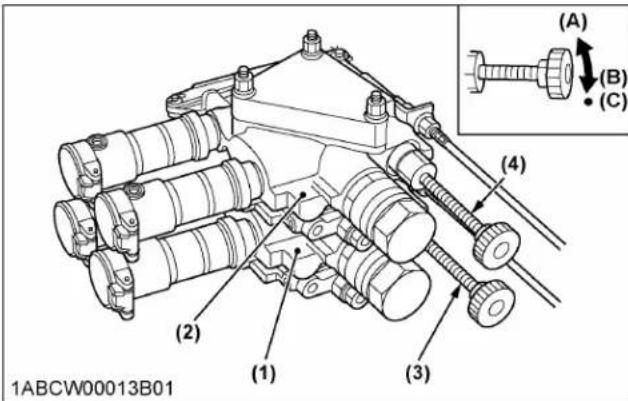
text_image
(A) (B) (C) (4) (2) (1) (3) 1ABCW00013B01(1) Remote control valve (1) with flow control
(2) Remote control valve (2) with flow control
(3) Flow control knob for valve (1)
(4) Flow control knob for valve (2)
(A) "INCREASE"
(B) "DECREASE"
(C) "STOP"
5. Hydraulic control unit use-reference chart
In order to handle the hydraulics properly, the operator must be familiar with the following.
Although this information may not be applicable to all types of implements and soil conditions, it is useful for general conditions.
| Implement |  1AGAIAZAP122ASoil condition 1AGAIAZAP122ASoil condition | 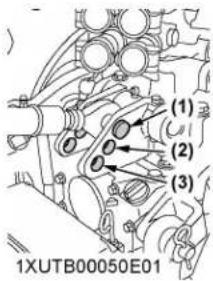 Top link mounting holes Top link mounting holes |  1ABCW00011B01(1) Position control lever(2) Draft control lever 1ABCW00011B01(1) Position control lever(2) Draft control lever |  1AGAIAZAP070AGauge wheel 1AGAIAZAP070AGauge wheel |
| Moldboard plow | Light soilMedium soilHeavy soil | 32 or 32 | Draft and mixed control(place the draft control lever to the suitable position and set the implement pull with the position control lever). | Yes/No |
| Disc plow --- 2 or 3 | ||||
| Harrow (spike, spring-tooth, disc type) | --- 2 | |||
| Subsoiler, etc. | ||||
| Weeder, ridger, etc. | --- 1 | Position control(hold the draft control lever at the frontmost position during operation). | Yes | |
| Earth mover, digger, scraper, manure fork, rear carrier, etc. | Yes/No | |||
| Mower (mid-and rear-mount type) Hay rake, tedder, etc. | No |
TIRES, WHEELS AND BALLAST
TIRES

WARNING
To avoid personal injury or death:
- Do not attempt to mount a tire on a rim. This should be done by a qualified person with the proper equipment.
- Always maintain the correct tire pressure. Do not inflate tires above the recommended pressure shown in the operator's manual.
IMPORTANT :
- Do not use tires other than those approved by KUBOTA.
NOTE :
- When optional different-diameter tires are fitted on the machine, the travel speed display mode must be changed. Otherwise, the travel speed will not be correctly displayed. Such mode switching is also needed when the original tires are back on the machine.
(See 1.3 Setting the tire circumference on page 62.)
1. Inflation pressure
Although the tire pressure is factory-set to the prescribed level, it naturally drops slowly in the course of time. Thus, check it every day and inflate as necessary.
| Tire sizes Inflation pressure | ||
| Front | 8.0-16, 6PR 240 kPa (2.4 kgf/cm ^2 , 34 psi.) | |
| 9.5-16, 6PR 196 kPa (2.0 kgf/cm ^2 , 29 psi.) | ||
| 27x8.5-15, 4PR 151 kPa (1.5 kgf/cm ^2 , 22 psi.) | ||
| 280/70R18 241 kPa (2.5 kgf/cm ^2 , 35 psi.) | ||
| Rear | 12.4-24, 6PR 160 kPa (1.6 kgf/cm ^2 , 23 psi.) | |
| 380/85R24, 6PR 138 kPa (1.4 kgf/cm ^2 , 20 psi.) | ||
| 380/85R24 165 kPa (1.7 kgf/cm ^2 , 24 psi.) | ||
| 320/85R20 160 kPa (1.6 kgf/cm ^2 , 23 psi.) | ||
| 480/65R24 160 kPa (1.6 kgf/cm ^2 , 23 psi.) | ||
2. Dual tires
Dual tires are not approved.
WHEEL ADJUSTMENT

WARNING
To avoid personal injury or death:
- When working on slopes or when working with a trailer, set the wheel tread as wide as practical for maximum stability.
- Support the tractor securely on stands before removing a wheel.
- Do not work under any hydraulically supported devices. They can settle, suddenly leak, or be accidentally lowered. If necessary to work under the tractor or any machine elements for servicing or adjustments, securely support them with stands or suitable blocking beforehand.
- Never operate the tractor with a loose rim, wheel or axle.
1. Safe replacement of the wheel
The wheel is heavy. Take the following precautions when removing the wheel.
- Park the tractor on a solid, level place.
- Apply the parking brake and use chocks.
- In detaching the rear wheels, apply a wedge in place to keep the front axle from oscillating.
- Use a jack or the like that withstands the relevant weight.
- Use an appropriate tire remover.
- Tighten the bolts and nuts to their specified torques.

natural_image
Technical line drawing of a vehicle chassis with a tire and mechanical support frame (no text or symbols)(1) Tire remover
2. Front wheels-4WD
Front tread width can be adjusted as shown with the standard equipped tires.
To change the tread width:
- Remove the wheel rim and disk mounting bolts.
- Change the position of the rim and tire to the desired position, and tighten the bolts.
- Adjust the toe-in as 2 to 8 mm.
(See 1. Adjusting toe-in on page 111.)
IMPORTANT :
• Always attach wheels as shown in the drawing.
- If not attached as illustrated, transmission parts may be damaged.
- When re-fitting or adjusting a wheel, tighten the bolts to the following torques then recheck after driving the tractor 200 m and 10 times of shuttle movement by 5 m, and thereafter according to service interval.
(See MAINTENANCE on page 91.)
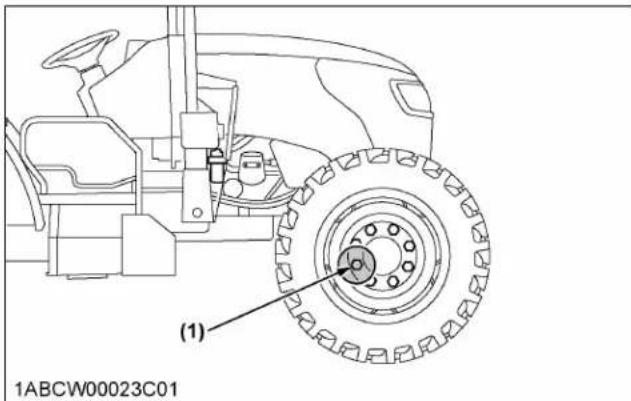
text_image
(1) 1ABCW00023C01(1) 260 to 304 N m / 26.5 to 31 kgf m / 192 to 224 ft lbs
NOTE :
- Wheels with beveled or tapered holes: Use the tapered side of lug nut.
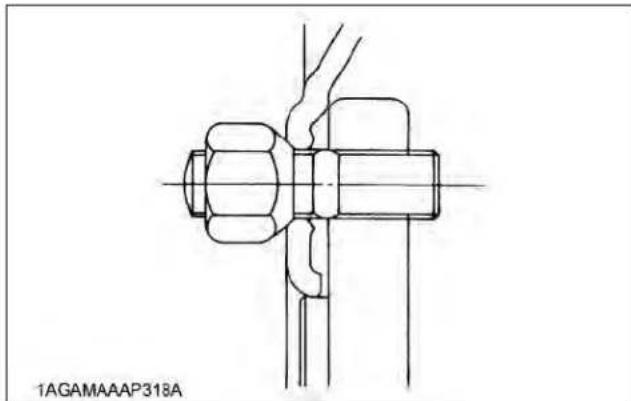
natural_image
Technical line drawing of a mechanical assembly with no visible text or symbols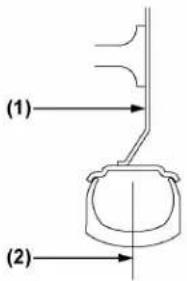 1ABCW00008A08 1ABCW00008A08 |  1ABCW00008A09 1ABCW00008A09 | ||
| M4N-071 | 8.0-16 105 | 0 mm (41.3 in.) 1255 mm (49.4 in.) | |
| 27x8.5-15 11 | 00 mm (43.3 in.) 1205 mm (47.4 in.) | ||
| 9.5-16 110 | 0 mm (43.3 in.) 1200 mm (47.2 in.) | ||
| 280/70R18 — | 1185 mm (46.7 in.) | ||
| M5N-091M5N-111 | 8.0-16 110 | 0 mm (43.3 in.) 1305 mm (51.4 in.) | |
| 27x8.5-15 11 | 50 mm (45.3 in.) 1255 mm (49.4 in.) | ||
| 9.5-16 115 | 0 mm (45.3 in.) 1250 mm (49.2 in.) | ||
| 280/70R18 — | 1235 mm (48.6 in.) | ||
(1) Rear wheel disc
(2) Tread
2.1 Front jack point

WARNING
To avoid personal injury or death:
- Before jacking up the tractor, park it on a firm and level ground and chock the rear wheels.
• Fix the front axle to keep it from pivoting. - Select jacks that withstand the machine weight and set them up as follows.
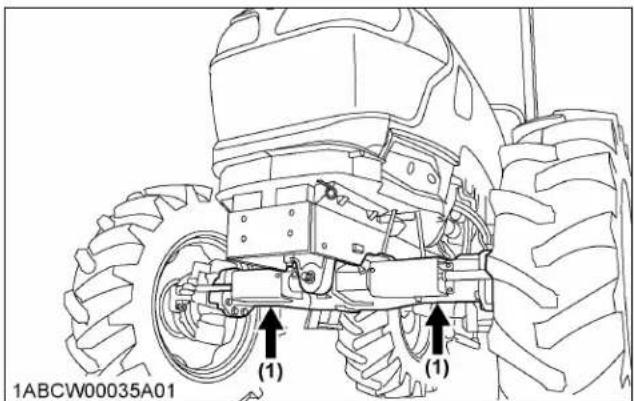
text_image
1ABCW00035A01 (1) (1)(1) Jack point
3. Rear wheels
Rear tread width can be adjusted, as shown, with the standard equipped tires.
To change the tread width:
- Remove the wheel rim and/or disc mounting bolts.
- Change the position of the rim and/or disc (right and left) to the desired position, and tighten the bolts.
IMPORTANT :
• Always attach wheels as shown in the drawing.
- If not attached as illustrated, transmission parts may be damaged.
- When re-fitting or adjusting a wheel, tighten the bolts to the following torques then recheck after driving the tractor 200 m (200 yards) and 10 times of shuttle movement by 5 m (5 yards), and thereafter according to service interval. (See MAINTENANCE on page 91.)
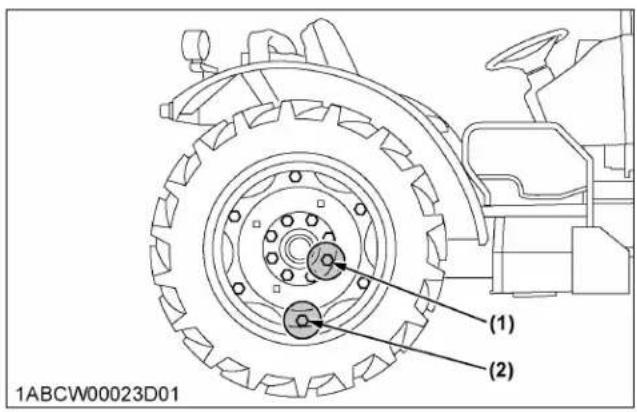
text_image
1ABCW00023D01 (1) (2)| (1) | (2) | |
| Steel disk Cast iron disk | ||
| 260 to 304 N·m26.5 to 31.0 kgf·m191.8 to 224.2 ft·lbs | 244 N·m24.9 kgf·m180 ft·lbs | 260 to 304 N·m26.5 to 31.0 kgf·m191.8 to 224.2 ft·lbs |
| (1)→(2)1ABCW00008A01 | (3)→1ABCW00008A02 | (3)→1ABCW00008A03 | (3)→1ABCW00008A04 | (3)→1ABCW00008A05 | (3)→1ABCW00008A06 | |
| 12.4-24 | 945 mm(37.2 in.) | 1000 mm(39.4 in.) | 1230 mm(48.4 in.) | 1335 mm(52.6 in.) | 1280 mm(50.4 in.) | 1385 mm(54.5 in.) |
| 380/85R24 --- | 1090 mm(42.9 in.) | 1135 mm(44.7 in.) | 1240 mm(48.8 in.) | 1375 mm(54.1 in.) | --- | |
| 380/85R24 Cast --- | 1130 mm(44.5 in.) | 1110 mm(43.7 in.) | 1185 mm(46.7 in.) | 1355 mm(53.3 in.) | --- | |
| 480/65R24 --- | 1125 mm(44.3 in.) | 1115 mm(43.9 in.) | 1195 mm(47.0 in.) | 1345 mm(53.0 in.) | --- | |
(1) Rear wheel disc
(2) Rear wheel rim
(3) Tread
TIRES, WHEELS AND BALLAST WHEEL ADJUSTMENT
 | 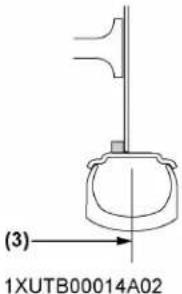 |  | |
| 320/85R20 | 1055 mm(41.5 in.) | 1160 mm(45.7 in.) | 1270 mm(50.0 in.) |
(1) Rear wheel disc
(2) Rear wheel rim
(3) Tread

text_image
(1) (2) 1ABCW00008A07 18.4-16.1 1170 mm (46.1 in.)(1) Rear wheel disc
(2) Tread
3.1 Rear jacking point

WARNING
To avoid personal injury or death:
- Before jacking up the tractor, park it on a firm and level ground and chock the front wheels.
• Fix the front axle to keep it from pivoting. - Select a jack that withstands the machine weight and set it up as follows.
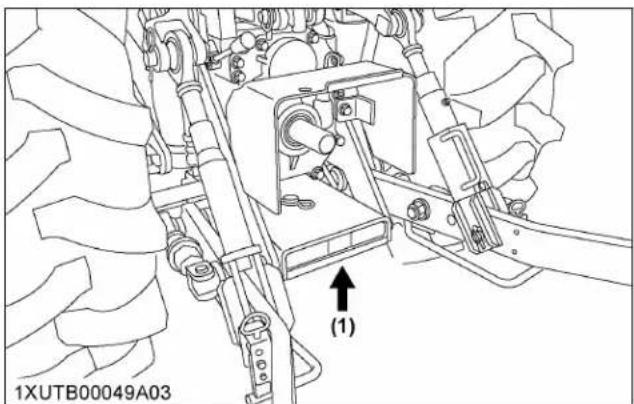
text_image
1XUTB00049A03 (1)(1) Jack point
BALLAST

WARNING
To avoid personal injury or death:
• Additional ballast will be needed for transporting heavy implements. When the implement is raised, drive slowly over rough ground, regardless of how much ballast is used.
- Do not fill the front wheels with liquid to maintain steering control.
1. Front ballast
Add weights if needed for stability and improve traction. Heavy pulling and heavy rear mounted implements tend to lift front wheels.
Add enough ballast to maintain steering control and to prevent tipping over. Remove the weight when it is no longer needed.
1.1 Front end weights (option)
Front end weights can be attached to the bumper. See your implement operator's manual for required number of weights or consult your local KUBOTA Dealer about their usage.

text_image
1ABCW00036A01 (1) (2)(1) Front end weights (2) Bumper
IMPORTANT :
• Do not overload tires.
- Add no more weight than indicated in chart.
| Maximum weight | 45 kg x 10 pieces(1036 lbs.) |
2. Rear ballast
Add weight to rear wheels if needed to improve traction or for stability.
The amount of rear ballast should be matched to job and the ballast should be removed when it is not needed.
The weight should be added to the tractor in the form of liquid ballast, rear wheel weights or a combination of both.
2.1 Rear wheel weights (option)
Rear wheel weights can be attached to the rear wheel. See your implement operator's manual for required number of weights or consult your local KUBOTA Dealer about their usage.
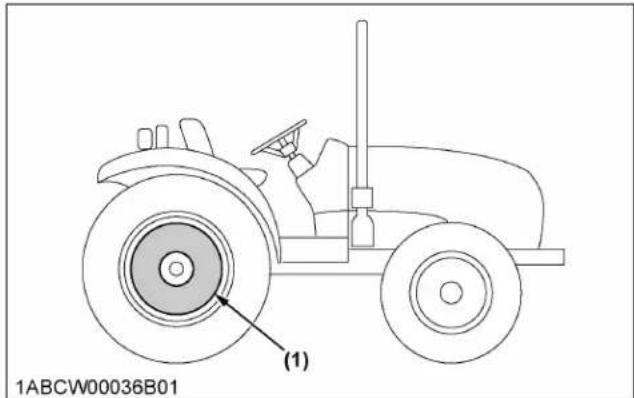
text_image
1ABCW00036B01 (1)(1) Rear wheel weights
IMPORTANT :
- Do not overload the tires.
- Add no more weight than indicated in the chart.
| Rear wheel weight | 47 kg x 2 pieces(206 lbs.) |
2.2 Liquid ballast in rear tires
A water and calcium chloride solution provides safe and economical ballast. Used properly, it will not damage tires, tubes or rims. The addition of calcium chloride is recommended to prevent the water from freezing.
Use of this method of weighting the wheels has the full approval of the tire companies.
See your tire dealer for this service.
Liquid weight per tire (75% filled)
| Tire sizes 12.4-24 380/85R24 | ||
| Slush free at -24 °C (-11 °F) Solid at -47 °C (-53 °F) [Approx.1.5 kg (3.5 lbs.) CaCl2 per 4 L (1 gal.) of water] | 139.7 kg (308 lbs.) | 215.0 kg (474 lbs.) |
| Slush free at -47 °C (-53 °F) Solid at -52 °C (-62 °F) [Approx.2.25 kg (5 lbs.) CaCl2 per 4 L (1 gal.) of water] | 151.0 kg (333 lbs.) | 230.0 kg (507 lbs.) |
IMPORTANT :
- Do not fill tires with water or solution to more than 75% of full capacity (to the valve stem level).

text_image
(A) (1) (2) (B) 1NHNP00073A01(1) Air
(2) Water
(A) Correct - 75% full, air compresses like a cushion
(B) Incorrect - 100% full, water cannot be compressed
MAINTENANCE
SERVICE INTERVALS
| Interval Items | Ref. page | |||||
| A | initial 50 Hr | Engine oil Change 104 | ||||
| Engine oil filter Replace 104 | ||||||
| B | every 50 Hr | Engine start system Check 104 | ||||
| Wheel bolt torque Check 105 | ||||||
| Tie-rod dust cover Check 106 | *1 | |||||
| C | every 100 Hr | Greasing --- 106 | ||||
| Air cleaner primary element | Clean 107 | *2 | ||||
| Fan belt Adjust 107 | ||||||
| Brake pedal Adjust 108 | ||||||
| Parking brake Check 109 | *1 | |||||
| Battery condition | Check 109 | *3 | ||||
| D | every 200 Hr | Toe-in | Adjust | 111 | ||
| Fuel tank water | Drain | 111 | ||||
| E | every 400 Hr | Water separator | Clean | 112 | ||
| Fuel solenoid pump | Clean | 112 | ||||
| F | every 500 Hr | Engine oil Change | 113 | *4 | ||
| Engine oil filter Replace 114 | *4 | |||||
| Fuel filter | Replace 115 | |||||
| Hydraulic oil filter Replace 115 | ||||||
| Power steering oil line | Check | 116 | *5 | |||
| Radiator hose and clamp | Check | 117 | *5 | |||
| Fuel line | Check | 118 | *5 | |||
| Intake air line | Check | 119 | *5 | |||
| Lift cylinder hose Check 120 | *5 | |||||
| G | every 600 Hr | Front axle pivot | Adjust 120 | |||
| H | every 1000 Hr | Transmission fluid | Change 121 | |||
| Front differential case oil | Change 121 | |||||
| Front axle gear case oil | Change 121 | |||||
| Engine valve clearance | Adjust 122 | *1 | ||||
(Continued)
| Interval Items | Ref. page | |||||
| I | every 1000 Hr or 1 year *6 | Air cleaner primary element | Replace 122 | |||
| Air cleaner secondary element | Replace 122 | |||||
| Exhaust manifold | Check 122 | *1 | ||||
| J | every 1500 Hr | Fuel injector nozzle tip | Clean 122 | *1 | @ | |
| DEF/AdBlue® injec-tor tip | Clean 122 | *1 | ||||
| DEF/AdBlue® line | Check 122 | *1 | ||||
| Oil separator ele-ment | Replace 122 | *1 | @ | |||
| Positive crankcase ventilation (PCV) valve (oil separator) | Check 123 | *1 | @ | |||
| EGR cooler | Check Clean | 123 | *1 | @ | ||
| K | every 2000 Hr or 2 years *7 | Cooling system | Flush | 123 | ||
| Coolant | Change 124 | |||||
| L | every 3000 Hr | Turbocharger | Check 125 | *1 | @ | |
| Supply pump | Check 125 | *1 | ||||
| Intake air heater | Check 125 | *1 | ||||
| EGR system | Check Clean | 125 | *1 | @ | ||
| DPF muffler | Clean 125 | *1 | @ | |||
| DEF/AdBlue® injec-tor | Check 125 | *1 | ||||
| DEF/AdBlue® pump filter | Replace 126 | |||||
| M | every 1 year | Anti-frost heater for oil separator (if equipped) | Check 126 | *1 | ||
| DPF differential pressure sensor pipe | Check 126 | *1 | ||||
| EGR pipe | Check 126 | *1 | ||||
| N | every 2 years | Oil separator hose | Replace 126 | *1 | ||
| Boost sensor hose | Replace 126 | *1 | ||||
| DPF differential pressure sensor rubber hose | Replace 126 | *1 | ||||
(Continued)
| Interval Items | Ref. page | |||||
| N | every 2 years | EGR cooler hose Replace 126 | *1 | |||
| Master cylinder filter Clean 126 | *1 | @ | ||||
| O | every 3 years | Parking brake cable Replace 126 | *1 | |||
| P | every 4 years | Radiator hose and clamp | Replace 126 | |||
| Fuel line Replace 126 | *1 | |||||
| Intake air line Replace 126 | *1 | |||||
| Power steering oil line | Replace 126 | *1 | ||||
| Lift cylinder hose Replace 127 | *1 | |||||
| Master cylinder kit Replace 127 | *1 | |||||
| Brake seal 1 and 2 Replace 127 | *1 | |||||
| Brake hose Replace 127 | *1 | |||||
| Equalizer kit Replace 127 | *1 | |||||
| Q | Service as required | Fuel system Bleed 127 | ||||
| Brake system Bleed 128 | ||||||
| Clutch housing water | Drain 128 | |||||
| Fuse | Replace 128 | |||||
| Light bulb | Replace 130 | |||||
*1 Consult your local KUBOTA Dealer for this service.
*2 Air cleaner should be cleaned more often in dusty conditions than in normal conditions.
*3 When the battery is used for less than 100 hours per year, check the battery condition by reading the indicator annually.
*4 The initial 50 hours should not be a replacement cycle.
*5 Replace if any deterioration (crack, hardening, scar, or deformation) or damage occurred.
*6 Every 1000 hours or every 1 year, whichever comes first.
*7 Every 2000 hours or every 2 years, whichever comes first.
IMPORTANT :
- The items marked with @ are registered as emission related critical parts by KUBOTA in the U.S.EPA nonroad emission regulation. As the engine owner, you are responsible for the performance of the required maintenance on the engine according to the above instructions. See the Warranty Statement for details.
MAINTENANCE ITEMS CHART
How to use the chart
-
The circles in this at-a-glance chart indicate the relevant points between the tractor's hour meter readings and the service intervals. Following these circles and the maintenance item group (A thru P), keep up your tractor.
-
Details regarding maintenance items can be found in a different section.
(See SERVICE INTERVALS on page 91.)
Chart at a glance
| No. | Locations | Capacities | Lubricants | |||
| M4N-071 M5 | N-091 M5N-111 | |||||
| 1 Fuel | 76 L(20.1 U.S.gals.) | No.2-D S15 diesel fuelNo.1-D S15 diesel fuel if temperature is below -10 °C (14 °F) | ||||
| 2 DEF/AdBlue ® | --- | 12.3 L(3.2 U.S.gals.) | ||||
| 3 Coolant | 10 L (11 U.S.qts.)(Recovery tank: 1.0 L (1.1 U.S.qts.)) | Fresh clean soft water with antifreeze | ||||
| 4 | Engine crankcase(with filter) | 10.7 L(11.3 U.S.qts.) | • Engine oil:API service classification | CJ-4(DPF type engine) | ||
| Above 25 °C (77 °F) | SAE30,SAE10W-30 or 15W-40 | |||||
| -10 °C to 25 °C (14 to 77 °F) | SAE10W-30 or 15W-40 | |||||
| Below -10 °C (14 °F) SAE10W-30 | ||||||
| 5 Transmission case | 52 L(54.9 U.S.qts.) | • KUBOTA SUPER UDT2 fluid* | ||||
| 6 | Front differential case oil | 5 L(5.3 U.S.qts.) | • KUBOTA SUPER UDT2 fluid* or SAE 80 - SAE 90 gear oil | |||
| 7 Front axle gear case oil | 3 L(3.2 U.S.qts.) | |||||
| 8 | Greasing No. of greasing | points Capacity Type of grease | ||||
| Top link 2 | Until grease overflows. | Multipurpose greaseNLGI-2 orNLGI-1 (GC-LB) | ||||
| Top link bracket 2 | ||||||
| Lift rod | 2 | |||||
| Hydraulic lift cylinder pin | 4 | |||||
| Front axle gear case support | 2 | |||||
| Front axle support | 2 | |||||
| Steering joint shaft | 1 | |||||
| Battery terminal | 2 | A small amount | ||||
NOTE :
- The product name of KUBOTA genuine UDT fluid may be different from that in the operator's manual depending on countries or territories. Consult your local KUBOTA Dealer for further details.
Engine oil
- The oil used in the engine should have an American Petroleum Institute (API) service classification and proper SAE engine oil according to the ambient temperatures shown in the previous table.
- Refer to the following table for the suitable API classification engine oil according to the diesel particulate filter (DPF) type engines and the fuel.
| Fuel used | Engine oil classification(API classification) |
| Oil class for engines with DPF | |
| Ultra low sulfur fuel<0.0015% (15 ppm) | CJ-4 |
Fuel
- Use the ultra low sulfur diesel fuel only (below 0.0015% or 15 ppm) for these engines.
- Cetane number of 45 minimum. Cetane number greater than 50 is preferred, especially for temperatures below -20 °C (-4 °F) or elevations above 1500 m (5000 ft).
• Diesel fuels specified to EN 590 or ASTM D975 are recommended. - No.2-D is a distillate fuel of lower volatility for engines in industrial and heavy mobile service (SAE J313 JUN87).
DEF/AdBlue®:
The DEF/AdBlue ^® , used as reducing agent of SCR, is a 32.5% urea aqueous solution.
The product is available at gas stations, truck stops and specialty shops. Be sure to use the genuine product only.
- Use exclusively DEF/AdBlue ^ that complies with the requirements of ISO 22241-1.
Transmission oil
*KUBOTA Super UDT-2: For an enhanced ownership experience, we highly recommend Super UDT-2 to be used instead of standard hydraulic and transmission fluid.
Super UDT-2 is a proprietary KUBOTA formulation that delivers superior performance and protection in all operating conditions.
Regular UDT is also permitted for use in this machine.
Indicated capacities of water and oil are manufacturer's estimate.
BIODIESEL FUEL (BDF) B0-B5
B0-B5 Biodiesel fuels (BDF): mixed diesel fuels containing 5% or less biodiesel can be utilized under the following conditions.
IMPORTANT :
- Concentrations greater than B5 (5%) are not approved for common rail engines. Such fuel use can cause damage and reduce engine life.
- Refueling and handling fuel should be done with caution in order to avoid contact with the fuel and spillage that could create a potential environmental or fire hazard. Wear appropriate protective equipment when refueling.
Applicable BDF:
- BDF concentration must not exceed 5% by volume (B5 blend). Greater concentrations increase the likelihood of corrosion and failure of the aluminum, zinc, rubber, and plastic parts of the fuel system.
- Any mineral oil diesel fuel, if used, must conform to ASTM D975 (or the European EN590) Standard, as revised. B100 fuel used to make biodiesel blended fuels must meet ASTM D6751 (or EN14214) Standard, as revised. Straight vegetable oil is not allowed in any blended fuel.
- KUBOTA strongly recommends that B5 blend be purchased from a BQ-9000 accredited producer or certified marketer. KUBOTA discourages local blending of BDF, because it is difficult to meet the quality requirements explained above.
Product warranty, emission and other precautions:
- The engine emission control system was certified according to current regulations based on the use of non-BDF. When using BDF, the owner is advised to check applicable local and federal emission regulations and comply with all of them.
- BDF may cause restricted or clogged fuel filters during cold weather conditions, resulting in the engine not operating properly.
- BDF encourages the growth of microorganisms which may cause degradation of the fuel.
This in turn may cause fuel line corrosion or reduce fuel filter flow earlier than expected. - BDF inherently absorbs moisture which may cause degradation of the fuel earlier than expected.
To avoid this, drain the water separator and fuel filter port often. - Do not use biodiesel concentrations higher than 5% (meaning greater than B5). Engine performance and fuel consumption will be affected, and degradation of the fuel system components may occur.
- Do not readjust the engine fuel control system as this will violate emission control levels for which the equipment was approved.
- Compared with soybean-based and rapeseed-based feedstock, palm oil-based feedstock has a thicker consistency (meaning higher viscosity) at lower temperatures. Consequently, fuel filter performance may be reduced, particularly during cold weather conditions.
- The KUBOTA warranty, as specified in the owner's warranty information guide, only covers defects in product materials and workmanship. Accordingly, any problems that may arise due to the use of poor quality fuels that fail to meet the above requirements, whether biodiesel or mineral oil based, are not covered by the KUBOTA warranty.
Routine handling:
- Avoid spilling BDF onto painted surfaces as this may damage the finish.
If fuel is spilled immediately wipe clean and flush with soapy water to avoid permanent damage. - When using BDF, you are advised to maintain a full tank of fuel, especially overnight and during short term storage, to reduce condensation within the tank. Be sure to tighten the fuel cap after refueling to prevent moisture build up within the tank. Water in the biodiesel mixture will damage fuel filters and may damage engine components.
- Follow the oil change intervals recommended by referring to the SERVICE INTERVALS on page 91 section. Extended oil change intervals may result in premature wear or engine damage.
Long term storage:
- BDF easily deteriorates due to oxygen, water, heat and foreign substances. Do not store longer than 3 months.
- When using B5 fuel and storing machine longer than 3 months, drain the fuel from the tanks and replace with light mineral oil diesel fuel. Subsequently, run the engine at least 30 minutes to remove all of the biodiesel from the fuel lines.
PERIODIC SERVICE

WARNING
To avoid personal injury or death:
- Do not work under any hydraulically supported devices. They can settle, suddenly leak, or be accidentally lowered. If necessary to work under the tractor or any machine elements for servicing or adjustments, securely support them with stands or suitable blocking beforehand.
HOW TO OPEN THE HOOD

WARNING
To avoid personal injury or death from contact with moving parts:
- Never open the hood while the engine is running.
- Do not touch the muffler or exhaust pipes while they are hot; severe burns could result.
- Hold the hood with the other hand while unlocking the release lever.
1. Hood
- To open the hood, hold the hood, pull the release lever and then open the hood.
M4N-071
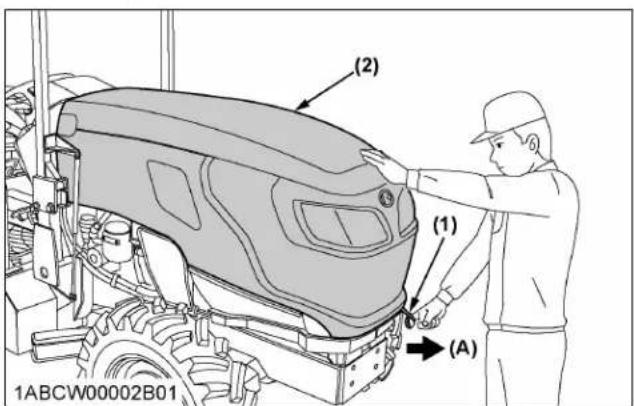
text_image
(2) (1) (A) 1ABCW00002B01(1) Release lever
(2) Hood
(A) "PULL"
M5N-091, M5N-111
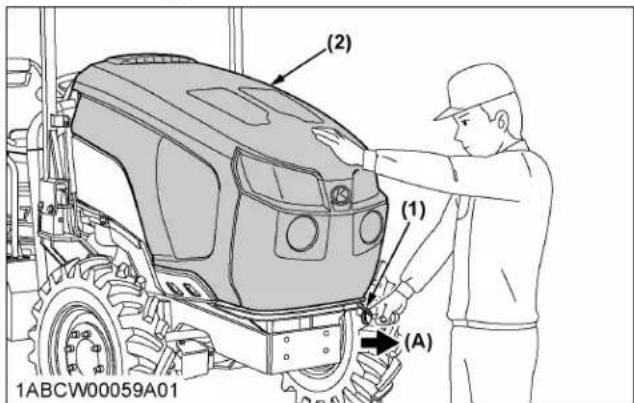
text_image
(2) (1) (A) 1ABCW00059A01(1) Release lever
(2) Hood
(A) "PULL"
NOTE :
- To close the hood, push the hood into position using both hands.
M4N-071
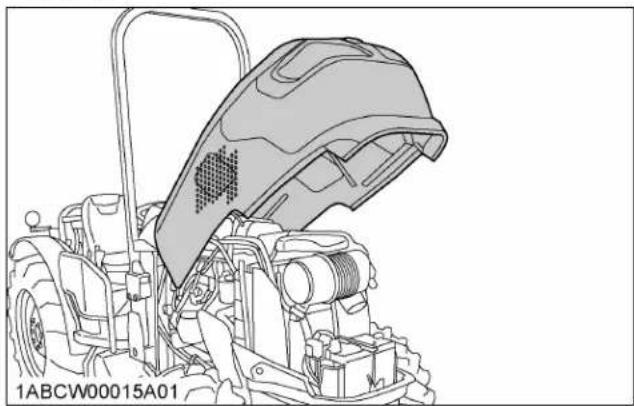
natural_image
Technical line drawing of a tractor's head cover and engine components (no text or symbols)M5N-091, M5N-111
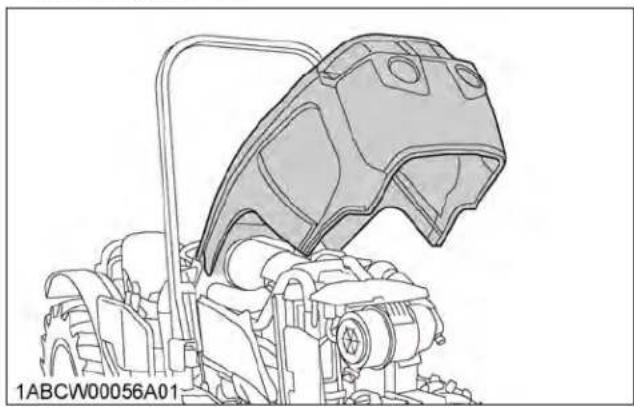
natural_image
Technical line drawing of a mechanical component with no visible text or symbols2. Side cover
M5N-091, M5N-111
- Remove the bolt (2) and nut (3). Move the side cover 1 forward, and pull out the cover from pins.
- Loosen the bolts (6), and remove the side cover 2.
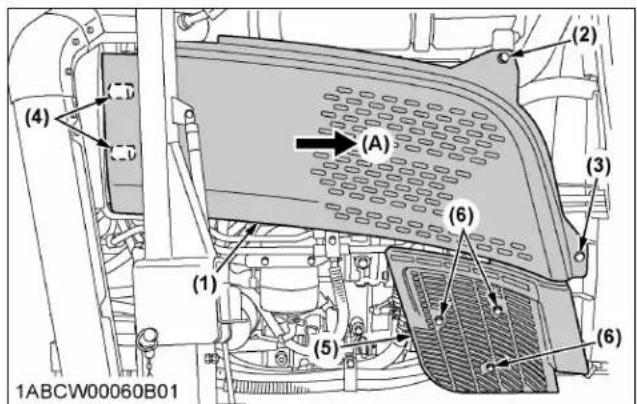
text_image
(1) (2) (3) (4) (5) (6) (6) 1ABCW00060B01(1) Side cover 1
(5) Side cover 2
(2) Bolt
(6) Bolt
(3) Nut
(A) "MOVE"
(4) Pin
M4N-071
Remove the bolts as shown below.

text_image
(1) (2) 1ABCW00019B01(1) Side cover (2) Bolt
DAILY CHECK
For your own safety and maximum service life of the machine, make a thorough daily inspection before operating the machine to start the engine.

WARNING
To avoid personal injury or death:
Take the following precautions when checking the tractor.
- Park the machine on firm and level ground.
- Set the parking brake.
- Lower the implement to the ground.
- Release all residual pressure of the hydraulic system.
- Stop the engine and remove the key.
1. Walk around inspection
Look around and under the tractor for items such as loose bolts, trash build-up, oil or coolant leaks, broken or worn parts.
2. Checking and refueling

WARNING
To avoid personal injury or death:
- Do not smoke while refueling.
- Be sure to stop the engine before refueling.
To avoid allergic skin reaction:
- Wash hands immediately after contact with diesel fuel.
- Check the amount of fuel by looking at the fuel gauge.
- When the fuel warning indicator lights up, it is time to add fuel.
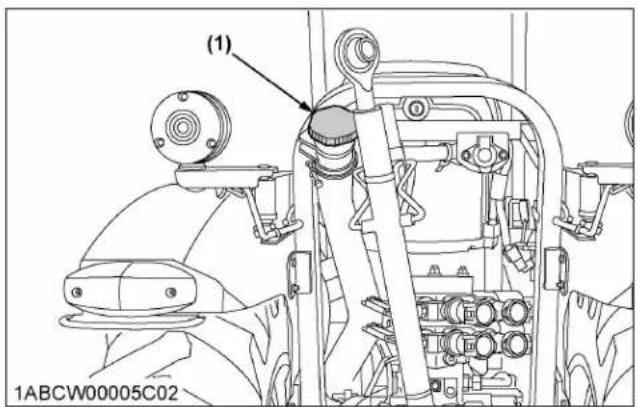
text_image
(1) 1ABCW00005C02(1) Fuel tank cap
| Fuel tank capacity | 76 L (20.1 U.S.gals.) |
IMPORTANT :
- Be sure to use ultra low sulfur fuel (S15).
- Do not permit dirt or trash to get into the fuel system.
- Be careful not to let the fuel tank become empty. Otherwise, air will enter the fuel system, necessitating bleeding before the next engine start.
- If the engine runs out of fuel and stalls, engine components may become damaged.
- Be careful not to spill during refueling. If a spill occurs wipe it off at once or it may cause a fire.
• To prevent condensation (water) accumulation in the fuel tank, fill the tank before parking overnight.
- Prevent any static discharge by always using grounded refueling facilities.
3. Checking DEF/AdBlue® level and adding fluid (M5N-091, M5N-111)

WARNING
To avoid personal injury or death:
- Before adding DEF/AdBlue ^® , stop the engine. When adding the fluid, preferably wear protective goggles and rubber gloves.
IMPORTANT :
- The DEF/AdBlue ^® tank cap is blue. Be careful not to confuse it with the fuel tank cap.
Look at the DEF/AdBlue ^® gauge on the instrument panel to see how much fluid remains. If the level is too low, add DEF/AdBlue ^® as required.
Before removing the DEF/AdBlue ^® cap, clean dirt away from the cap and the tank opening.
If the fluid runs short or poor-quality fluid is added, a warning indicator appears on the instrument panel. If this warning is ignored and the operation is continued, the engine output will be limited.
(See 3. Warning indication and countermeasures on page 39.)

text_image
(1) (2) 1ABCW00057A02(1) DEF/AdBlue ^® tank (2) Tank cap (blue)

text_image
1000 min min 1XUTB00028B01 (3) (2) (1) DEF E F 4. 54(1) DEF/AdBlue ^® gauge
(2) DEF/AdBlue® warning indicator
(3) DEF/AdBlue ^® system warning indicator

text_image
(1) 1XUTB00055A01(1) Drain plug
Tank capacity 12.3 L (3.2 U.S.gals.)
IMPORTANT :
- Use exclusively DEF/AdBlue® that complies with the requirements of ISO 22241-1.
- Do not allow fuel, oil or the like to enter the DEF/AdBlue® tank. If any other substance (gasoline/diesel/oil) is mistakenly introduced into the DEF/AdBlue® tank, do not attempt to start the engine and contact your local KUBOTA Dealer as soon as possible.
- Check the DEF/AdBlue ^® gauge regularly to avoid emptying its tank.
- If the DEF/AdBlue ^® spills, wipe it with water. If spills are not wiped, metal areas will rust and the aluminum areas will corrode.
- Be careful not to overfill the DEF/AdBlue ^ tank because otherwise a small amount of DEF/AdBlue ^ might flow out of the breather. Pour DEF/AdBlue ^ until its level rises up to the filler port. The air will be let out of the tank and the liquid level will drop below the filler port. However, do not attempt to pour any more.
4. Checking water separator
- When the water has collected up to the upper limit in the water separator, the water separator indicator on the instrument panel lights up and a warning buzzer sounds.
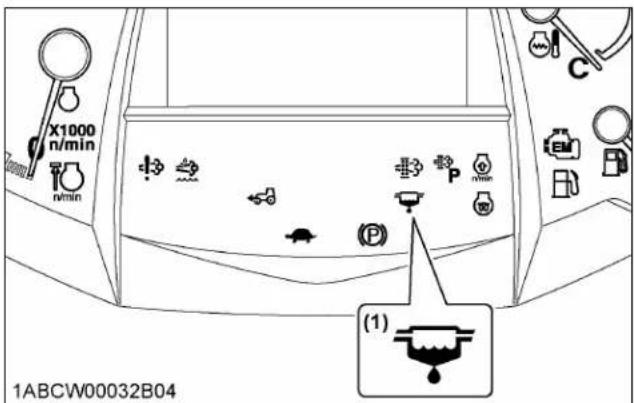
text_image
X1000 n/min n/min (1) 1ABCW00032B04(1) Water separator indicator
- In this case, close the fuel shutoff-valve and loosen the air plug and drain plug by several turns.
- Allow the water to drain. When no more water comes out and fuel starts to flow out, retighten the air plug and drain plug.
- Bleed the fuel system. (See SERVICE AS REQUIRED on page 127.)

text_image
[A]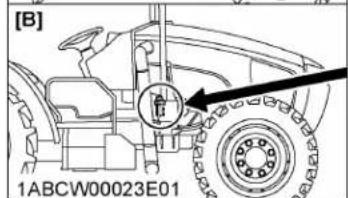
text_image
[B] 1ABCW00023E01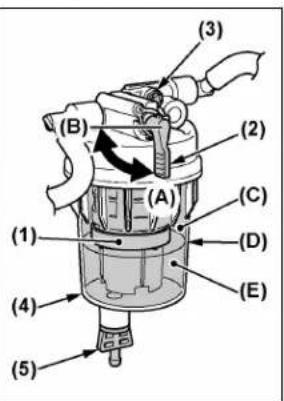
(1) Red float
(2) Fuel shutoff-valve
(3) Air plug
(4) Cup
(5) Drain plug
(A) "ON"
(B) "OFF"
(C) "FUEL"
(D) "UPPER LIMIT"
(E) "WATER"
[A] M4N-071
[B] M5N-091, M5N-111
IMPORTANT :
- If water is drawn through to the fuel pump, extensive damage will occur.
NOTE :
- When the red float reaches near the upper limit level, start from step 2 in the above procedure to drain water from the water separator.
5. Checking engine oil level

WARNING
To avoid personal injury or death:
- Be sure to stop the engine before checking the oil level.
- Park the machine on a flat surface.
-
Check engine oil before starting the engine or 5 minutes or more after the engine has stopped.
-
To check the oil level, draw out the dipstick, wipe it clean, replace it, and draw it out again. Check to see that the oil level lies between the 2 notches. If the level is too low, add new oil to the prescribed level at the oil inlet.
(See LUBRICANTS, FUEL AND COOLANT on page 94.)
M4N-071
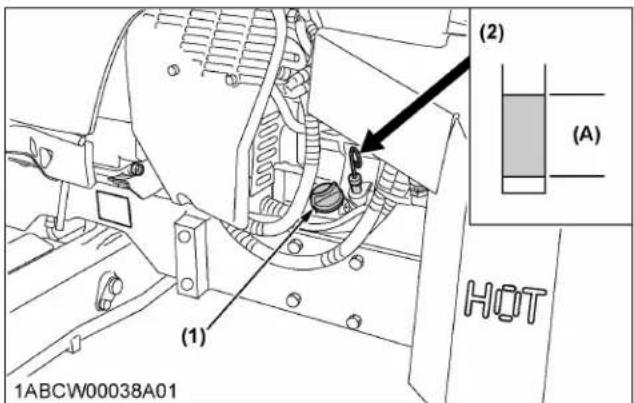
text_image
(1) (2) (A) HOT 1ABCW00038A01(1) Oil inlet
(A) Oil level is acceptable within this range.
(2) Dipstick
M5N-091, M5N-111

text_image
(1) (2) (A) 1ABCW00061A01(1) Oil inlet
(A) Oil level is acceptable within this range.
(2) Dipstick
IMPORTANT :
- When using an oil of different manufacturer or viscosity from the previous one, remove all of the old oil.
Never mix two different types of oil.
- If the oil level is low, do not run the engine.
NOTE :
- At times, a small amount of fuel, which is used to regenerate the DPF, may get mixed with the engine oil and the engine oil may increase in volume.
6. Checking transmission fluid level
-
Park the machine on a flat surface, lower the implement and shut off the engine.
-
To check the oil level, draw out the dipstick, wipe it clean, replace it, and draw it out again. Check to see that the oil level lies between the 2 notches. If the level is too low, add new oil to the prescribed level at the oil inlet.
(See LUBRICANTS, FUEL AND COOLANT on page 94.)
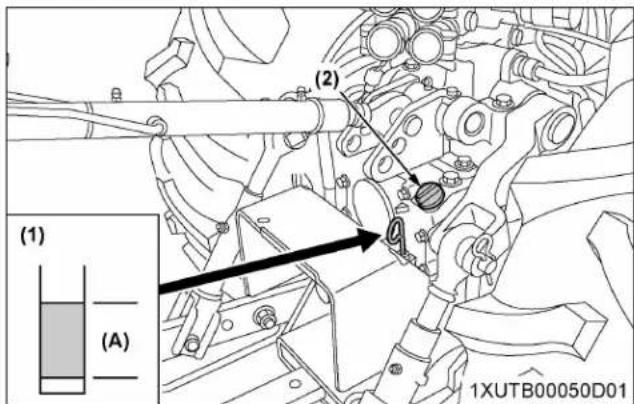
text_image
(1) (A) (2) 1XUTB00050D01(1) Dipstick
(2) Oil inlet
(A) Oil level is acceptable within this range.
IMPORTANT :
• If the oil level is low, do not run the engine.
7. Checking coolant level
WARNING
To avoid personal injury or death:
- Do not remove the radiator cap while the coolant is hot. When cool, slowly rotate the cap to the first stop and allow sufficient time for excess pressure to escape before removing the cap completely.
-
Check to see that the coolant level is between the "FULL" and "LOW" marks of the recovery tank.
-
When the coolant level drops due to evaporation, add soft water only up to the full level. In case of leakage, add antifreeze and soft water in the specified mixing ratio up to the full level.
(See 1. Flushing cooling system and changing coolant on page 123.)
- When the coolant level is lower than the "LOW" mark of the recovery tank, remove the radiator cap and check to see that the coolant level is just below the port.
If the level is low, add coolant.

text_image
(A) (B) (1) 1ABCW00016A01(1) Recovery tank
(B) "LOW"
(A) "FULL"
IMPORTANT :
- If the radiator cap has to be removed, follow the caution above and securely retighten the cap.
- Use clean, fresh soft water and antifreeze to fill the radiator.
- If coolant should leak, consult your local KUBOTA Dealer.
8. Cleaning evacuator valve
Open the evacuator valve to get rid of large particles of dust and dirt.
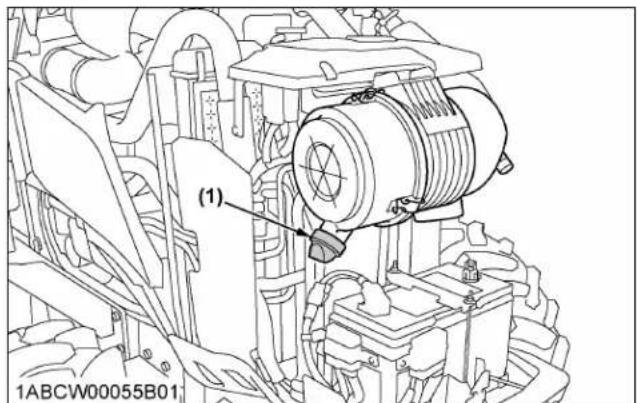
text_image
(1) 1ABCW00055B01(1) Evacuator valve
9. Checking dust indicator
There is a dust indicator on the air cleaner body. If the red signal on the dust indicator is visible, clean the element immediately.
(See 2. Cleaning air cleaner primary element on page 107.)
Reset the red signal by pushing a "RESET" button after cleaning.
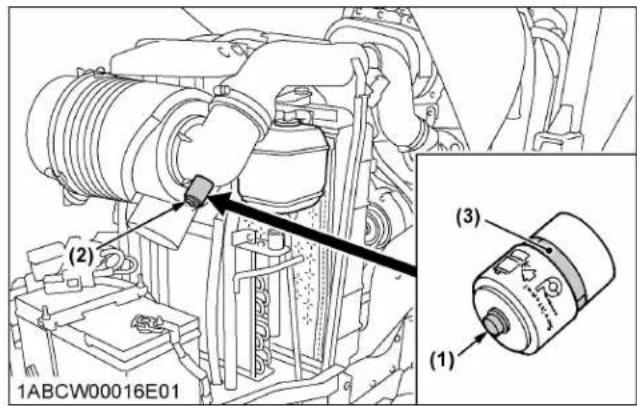
text_image
(1) (2) (3) 1ABCW00016E01(1) "RESET" button
(3) Red signal
(2) Dust indicator
10. Cleaning grill, radiator screen, oil cooler, fuel cooler, and battery mount

WARNING
To avoid personal injury or death:
- Be sure to stop the engine before removing the screen.
- Before checking or cleaning the radiator screen, stop the engine and wait long enough until it has cooled down.
10.1 Detaching the panel
- Pull the upper part of the panel outward.
- Raise the panel until pin (A) clears the hole, and take out the panel.

text_image
(1) (2) (3) 1ABCW00016B01(1) Panel
(3) Hole
(2) Pin (A)
- Attaching the panel is performed vice versa.
10.2 Cleaning
- Check the front grill to make sure it is clean from debris.
- Detach the radiator screen and remove all foreign materials.
- Check radiator, intercooler, oil cooler, fuel cooler and battery mount to be sure they are clean from debris.
M4N-071

text_image
(1) (2) (3) (4) 1ABCW00017A01(1) Radiator screen
(4) Battery mount
(2) Fuel cooler
(3) Oil cooler
M5N-091, M5N-111
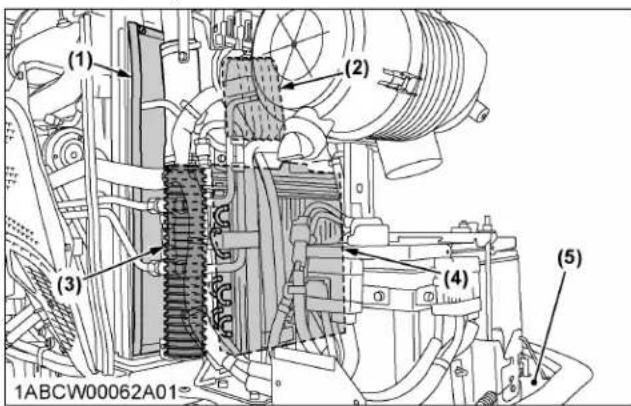
text_image
(1) (2) (3) (4) (5) 1ABCW00062A01(1) Radiator screen
(4) Oil cooler
(2) Fuel cooler
(5) Battery mount
(3) Intercooler
IMPORTANT :
• The grill and screen must be clean from debris to prevent the engine from overheating and to allow good air intake for the air cleaner.
11. Checking DPF/SCR muffler

WARNING
To avoid personal injury or death:
- Before checking or cleaning the DPF/SCR muffler, stop the engine and wait long enough until it is cooled down.
Check the DPF/SCR muffler and its surroundings for accumulation of anything flammable. Otherwise a fire may result.
M4N-071
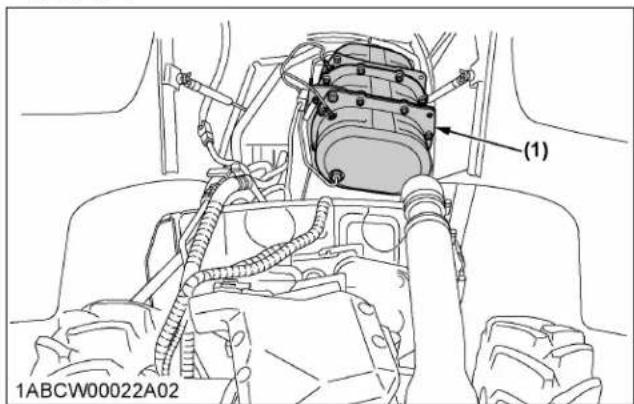
text_image
(1) 1ABCW00022A02(1) DPF muffler
M5N-091, M5N-111
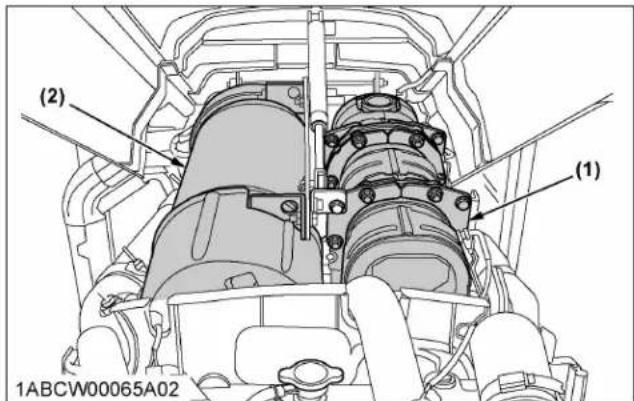
text_image
(2) (1) 1ABCW00065A02(1) DPF muffler (2) SCR muffler
12. Checking brake pedal

WARNING
To avoid personal injury or death:
- Make sure that the brake pedals have equal adjustments when being locked together. Incorrect or unequal brake pedal adjustments can cause the tractor to swerve or roll-over.
- Inspect the brake pedals for free travel and smooth operation.
- Adjust if incorrect measurement is found. (See 4. Adjusting brake pedal on page 108.)
13. Checking parking brake
Pull the parking brake lever to apply the brakes. With the key switch at "ON" position, the parking brake indicator on the instrument panel lights up.
To release the brakes, push in the button at the tip of the parking brake lever and push it forward.
NOTE :
- Make sure the (P) lamp on the instrument panel goes off when parking brake lever is unlocked.
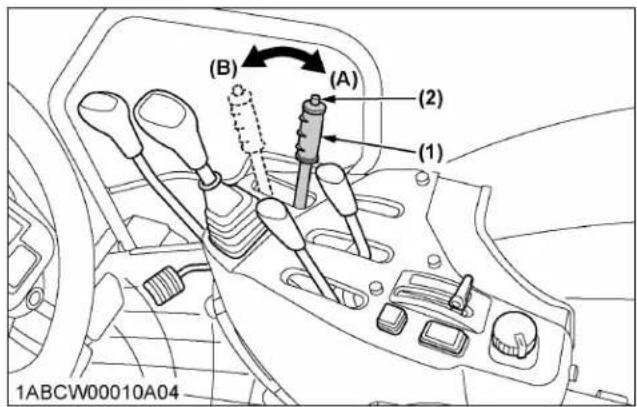
text_image
(B) (A) (2) (1) 1ABCW00010A04(1) Parking brake lever
(2) Release button
(A) "PARKING POSITION"
(B) "TRANSPORT POSITION"
14. Checking gauges, meter and Easy Checker™
-
Inspect the instrument panel for broken gauge(s), meter(s) and Easy Checker™ indicators.
-
Replace if broken.
15. Checking headlight, turn signal light, hazard light, and so on
-
Inspect the lights for broken bulbs and lenses.
-
Replace if broken.
16. Checking seat belt and ROPS
-
Always check the condition of the seat belt attaching hardware and ROPS before operating the tractor.
-
Replace if damaged.
17. Checking movable parts
If any of the movable parts, such as levers and pedals, are not moving smoothly because of rust or sticky material, do not attempt to force them into motion.
In the above case, remove the rust or the sticky material and apply oil or grease to the relevant spot.
Otherwise, the machine may be damaged.
INITIAL 50 HOURS
With a new machine, be sure to do the following servicing after the first 50 operating hours.
1. Changing engine oil
(See 1. Changing engine oil on page 113.)
2. Replacing engine oil filter
(See 2. Replacing engine oil filter on page 114.)
EVERY 50 HOURS
1. Checking engine start system

To avoid personal injury or death:
- Do not allow anyone near the tractor while testing.
- If the tractor does not pass the test, do not operate the tractor.

text_image
(1) (2) (3) (4) 1ABCW00004E01(1) Shuttle shift lever
(2) Clutch pedal
(3) PTO clutch control switch
(4) PTO gear shift lever
1.1 Preparation before testing
- Place all control levers in the "NEUTRAL" position.
- Set the parking brake and stop the engine and lower all implements.
1.2 Testing switch for the shuttle shift lever
- Follow the "P ARKING THE TRACTOR" instructions. (See PARKING THE TRACTOR on page 10.)
- Sit on the operator's seat.
- Shift the shuttle shift lever to the forward or reverse position.
- Depress the clutch pedal fully.
- Disengage the PTO clutch control switch.
-
Turn the key to "START" position.
-
The engine must not crank.
- If it cranks, consult your local KUBOTA Dealer for this service.
1.3 Testing switch for PTO clutch control switch
- Follow the "P ARKING THE TRACTOR" instructions. (See PARKING THE TRACTOR on page 10.)
- Sit on the operator's seat.
- Engage the PTO clutch control switch.
- Depress the clutch pedal fully.
- Shift the shuttle shift lever to the "NEUTRAL" position.
- Turn the key to "START" position.
- The engine must not crank.
- If it cranks, consult your local KUBOTA Dealer for this service.
1.4 Checking operator presence control (OPC) system

WARNING
To avoid personal injury or death:
- Before checking the PTO OPC, make sure that the PTO drive shaft is disconnected from the tractor.
- If the buzzer does not sound during the PTO OPC check procedure, shut off the engine and consult your local KUBOTA dealer for immediate servicing of the PTO OPC.
-
The unit should not be operated until servicing is completed.
-
Follow the "P ARKING THE TRACTOR" instructions. (See PARKING THE TRACTOR on page 10.)
- Make sure the PTO drive shaft is disconnected from the tractor.
- Sit on the operator's seat.
- Start the engine.
- Engage the PTO clutch control switch or lever. The PTO should begin to rotate. Disengage the PTO clutch control switch or lever.
- While getting up from the operator's seat, engage the PTO clutch control switch or lever.
a. The PTO should begin to rotate and a buzzer should sound.
b. Disengage the PTO clutch control switch or lever.
c. If the buzzer does not sound, shut off the engine and consult your local KUBOTA Dealer for immediate servicing of the PTO OPC.
- If the PTO OPC is operating properly, shut off the engine and reconnect the implement drive shaft to
the PTO. Restart the engine per the available instructions.
2. Checking wheel bolt torque

WARNING
To avoid personal injury or death:
- Never operate the tractor with a loose rim, wheel or axle.
- Any time bolts and nuts are loosened, retighten to the specified torque.
- Check all bolts and nuts frequently and keep them tight.
Check wheel bolts and nuts regularly, especially when new. If they are loose, tighten them as follows.
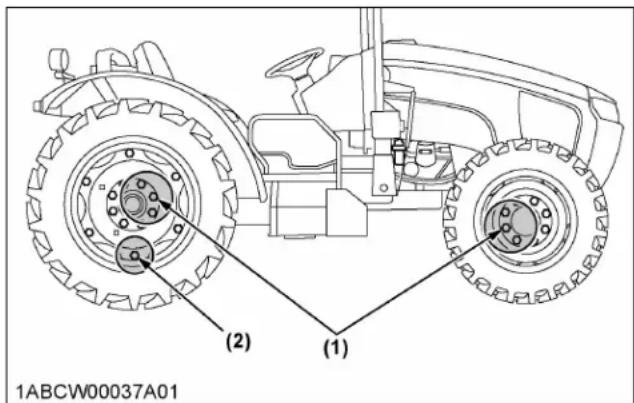
text_image
(2) (1) 1ABCW00037A01| (1) | (2) | |
| Steel disk | Cast iron disk | |
| 260 to 304 N·m | 244 N·m | 260 to 304 N·m |
| 26.5 to 31.0 kgf·m | 24.9 kgf·m | 26.5 to 31.0 kgf·m |
| 191.8 to 224.2 ft·lbs | 180 ft·lbs | 191.8 to 224.2 ft·lbs |
3. Checking tie-rod dust cover
Check to see that dust covers are not damaged. If dust covers are damaged, consult your local KUBOTA Dealer for this service.
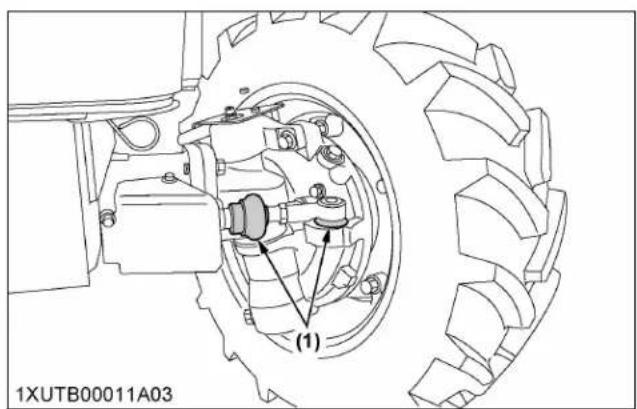
text_image
(1) 1XUTB00011A03(1) Dust cover (both sides, RH not shown in illustration)
IMPORTANT :
- If dust covers are cracked, water and dust can cause premature wear of the tie-rod.
EVERY 100 HOURS
1. Lubricating grease fittings
Apply a small amount of multipurpose grease to the following points every 100 hours.
If you have been operating the machine in extremely wet and muddy conditions, lubricate the grease fittings more often.

text_image
(1) 1XUTB00057A01(1) Grease fitting (front axle support)

text_image
(1) 1XUTB00058A01(1) Grease fitting (front axle support)
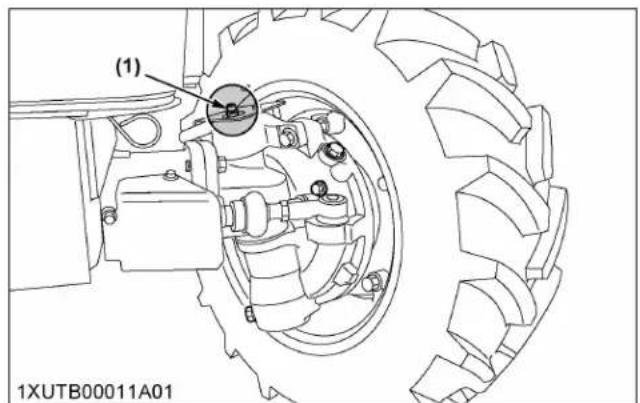
text_image
(1) 1XUTB00011A01(1) Grease fitting (front axle gear case support) - RH, LH

text_image
(1) (2) (3) (3) 1XUTB00050A01(1) Grease fitting (top link)
(2) Grease fitting (top link bracket)
(3) Grease fitting (lifting rod)

text_image
(1) (1) (1) (1) 1XUTB00052A01(1) Grease fitting (hydraulic lift cylinders pin)
M4N-071
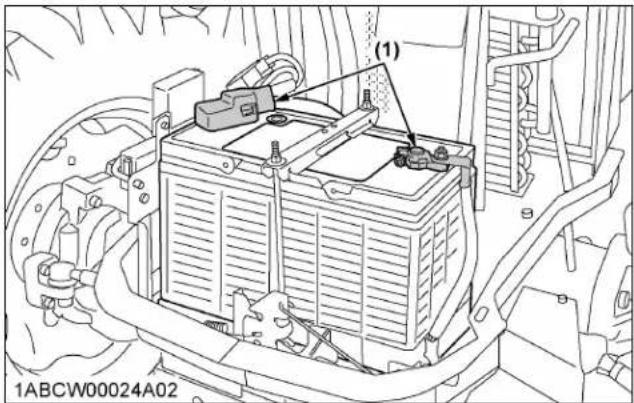
text_image
(1) 1ABCW00024A02(1) Battery terminals
M5N-091, M5N-111

text_image
(1) 1ABCW00052A02(1) Battery terminals
2. Cleaning air cleaner primary element
- Remove the air cleaner cover and primary element.
-
Clean the primary element:
-
When dry dust adheres to the element, blow compressed air from the inside, turning the element. Pressure of compressed air must be under 205 kPa (2.1 kgf/cm ^2 , 30 psi).
- When carbon or oil adheres to the element, soak the element in detergent for 15 minutes,
then wash it several times in water, rinse with clean water and dry it naturally. After the element has fully dried, inspect inside the element with a light and check for damage.
- Replace the air cleaner primary element:
Once every 1000 hours or yearly, whichever comes first.
NOTE :
- Check to see if the evacuator valve is blocked with dust.

text_image
TOP (1) (2) (3) (4) 1ABCW00014C01(1) Secondary (safety) element
(2) Primary element
(3) Evacuator valve
(4) Cover
IMPORTANT :
• The air cleaner uses a dry element; never apply oil.
- Do not run the engine with the filter element removed.
- Be sure to refit the cover with the arrow (on the rear of the cover) upright. If the cover is improperly fitted, the evacuator valve will not function and dust will adhere to the element.
- Do not touch the secondary element except in cases where replacing is required.
(See 1. Replacing air cleaner primary element and secondary element on page 122.)
Evacuator valve
Open the evacuator valve once a week under ordinary conditions-or daily when used in a dusty place-to get rid of large particles of dust and dirt.
3. Adjusting fan belt tension

WARNING
To avoid personal injury or death:
- Be sure to stop the engine before checking the belt tension.
M5N-091, M5N-111
| Proper fan belt tension | A deflection of between 13 to 15 mm (0.51 to 0.59 in.)when the belt is pressed in the middle of the span. |
- Stop the engine and remove the key.
- Apply moderate thumb pressure to the belt between pulleys.
- If the tension is incorrect, loosen the alternator mounting bolts and turn the adjusting bolt to adjust the belt tension within acceptable limits.
- Replace the fan belt if it is damaged.

text_image
(1) (2) (2) (2) (1) (2) (1)ABCW00063A01 (A) (B)(1) Adjusting bolt
(2) Alternator mounting bolt
(A) Check the belt tension
(B) To tighten
M4N-071
| Proper fan belt tension | A deflection of between 10 to 12 mm (0.39 to 0.47 in.) when the belt is pressed in the middle of the span. |
- Stop the engine and remove the key.
- Apply moderate thumb pressure to belt between pulleys.
- If tension is incorrect, loosen the tension pulley mounting nut and turn the adjusting bolt to adjust the belt tension within acceptable limits.
- Replace fan belt if it is damaged.
IMPORTANT :
• Make sure that the V-belt tension is as specified as shown in the table above after tightening the tension pulley mounting nut.

text_image
1ABCW00018A01 (A) (2) (B) (1)(1) Adjusting bolt
(2) Alternator mounting bolt
(A) Check the belt tension
(B) To tighten
4. Adjusting brake pedal

WARNING
To avoid personal injury or death:
- Park on flat ground, stop the engine and chock the wheels before checking the brake pedal.
- To prevent uneven braking, the specification must be within the recommended limit. If found to be beyond the specification range, contact your local KUBOTA dealer for adjusting the brakes.
4.1 Checking brake pedal free travel
| Proper brake pedal free travel | 7 to 14 mm (0.3 to 0.6 in.) on the pedal |
| Keep the free travel in the right and left brake pedals equal. |
- Set the parking brake.
- Slightly depress the brake pedals and measure free travel at the top of pedal stroke.
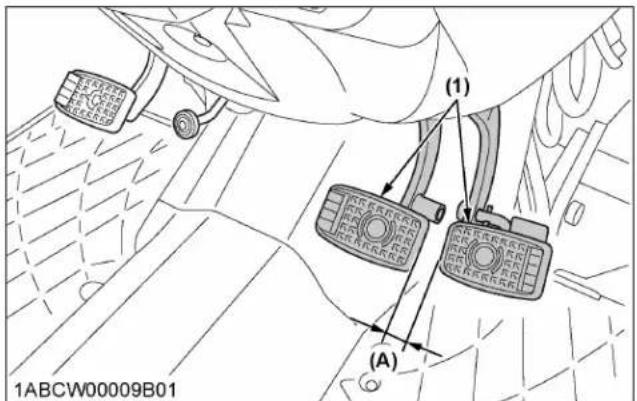
text_image
(1) (A) 1ABCW00009B01(1) Brake pedals
(A) "FREE TRAVEL"
NOTE :
- Brake pedals should be equal when depressed.
4.2 Checking brake pedal stroke
Pedal stroke Less than 100 mm (3.9 in.) at each pedal
- Disengage the brake pedal lock.
- Depress the brake pedal several times.
- Step on the right-hand pedal and measure the level difference (pedal stroke) between this pedal and the left-hand pedal.
- Do the same for the left-hand pedal.
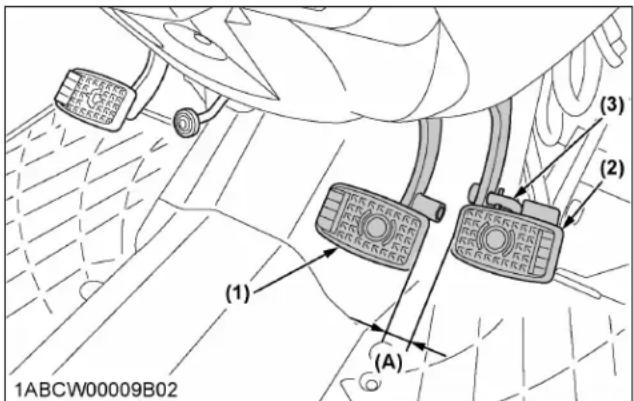
text_image
(1) (2) (3) (A) 1ABCW00009B02(1) Brake pedal (LH)
(2) Brake pedal (RH)
(3) Brake pedal lock
(A) "PEDAL STROKE"
4.3 Checking equalizer working level (anti-imbalance device)
| Equalizer working level | Minimum level difference of 5 mm (0.2 in.) between both pedals |
- Gently step on both brake pedals at once.
- Further step on the right-hand pedal (the left-hand pedal slightly raises itself) and measure the level difference between the pedals.
- Do the same for the left-hand pedal.
5. Checking gear locked parking brake

WARNING
To avoid personal injury or death:
- Do not dismount the tractor while checking the parking brake.
Confirm the tractor (tractor unit only) can surely be parked on the slope of about 15 degrees (slope that rises by 2.7 meters every 10 meters).
If the tractor moves, consult your local KUBOTA Dealer. Always engage the parking brake before dismounting the tractor.
6. Checking battery condition

DANGER
To avoid the possibility of battery explosion: For the refillable type battery, follow the instructions below.
- Do not use or charge the refillable type battery if the fluid level is below the “LOWER” (lower limit level) mark. Otherwise, battery component parts may prematurely deteriorate, which may shorten the battery's service life or cause an explosion. Check the fluid level regularly and add distilled water as required so that the fluid level is between the “UPPER” and “LOWER” levels.

WARNING
To avoid personal injury or death:
- Never remove the battery cap while the engine is running.
- Keep electrolyte away from eyes, hands and clothes. If you are spattered with it, wash it away completely with water immediately and get medical attention.
- Keep open sparks and flames away from the battery at all times. Hydrogen gas mixed with oxygen becomes very explosive.
- Wear eye protection and rubber gloves when working around the battery.
NOTE :
- The factory-installed battery is a non-refillable type. If the indicator turns white, do not charge the battery but replace it with a new one.
Mishandling the battery shortens the service life and adds to maintenance costs.
The original battery is maintenance free, but needs some servicing.
If the battery is weak, the engine will be difficult to start and the lights will be dim. It is important to check the battery periodically.
M4N-071

text_image
(1) (2) 1ABCW00024A03(1) Battery (2) Indicator
M5N-091, M5N-111
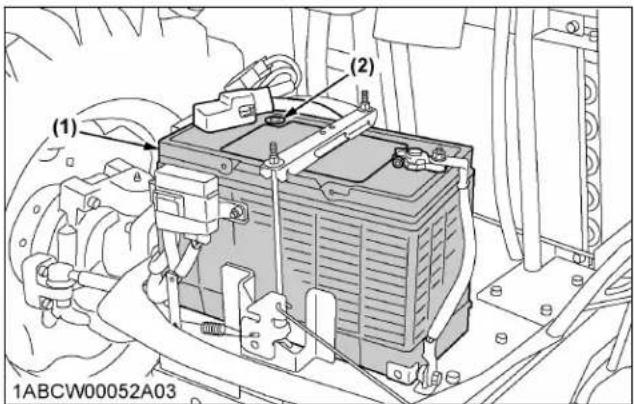
text_image
(1) (2) 1ABCW00052A03(1) Battery (2) Indicator
6.1 How to read indicator
Check the battery condition by reading the indicator.
| Green | Specific gravity of electrolyte and quality of electrolyte are both in good condition. |
| Black Battery needs charging. | |
| White Battery needs replacing. | |
NOTE :
- When viewing the indicator, check from directly above by removing the air cleaner cover or using a mirror.
6.2 Charging the battery
WARNING
To avoid personal injury or death:
- When the battery is being activated, hydrogen and oxygen gases in the battery are extremely explosive. Keep open sparks and flames away from the battery at all times, especially when charging the battery.
- When charging the battery, ensure the vent caps are securely in place (if equipped).
- When disconnecting the cable from the battery, start with the negative terminal first. When connecting the cable to the battery, start with the positive terminal first.
- Never check battery charge by placing a metal object across the posts. Use a voltmeter or hydrometer.
M4N-071

text_image
(1) 1ABCW00024A01(1) Battery
M5N-091, M5N-111
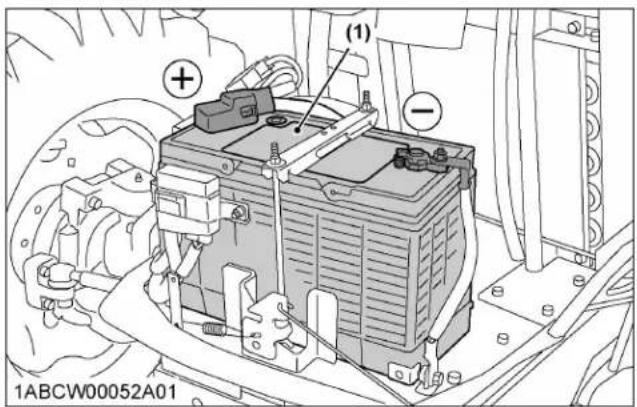
text_image
(1) 1ABCW00052A01(1) Battery
- To slow charge the battery, connect the battery positive terminal to the charger positive terminal and the negative to the negative, then recharge in the standard fashion.
- A boost charge is only for emergencies. It will partially charge the battery at a high rate and in a short time. When using a boost-charged battery, it is necessary to recharge the battery as early as possible.
Failure to do this will shorten the battery's service life.
-
The battery is charged when the indicator display turns from black to green.
-
When exchanging an old battery for a new one, use a battery of equivalent specification to those shown in table 1.
Table 1
| Battery type Volts (V) | Capacity at 5H.R (A.H) |
| GP31(105E41R) 12 80 |
| Reserve capacity (mln) | Cold cranking amps | Normal charging rate (A) |
| 160 900 11 |
6.3 Directions for battery storage
- When storing the tractor for long periods of time, remove the battery from the tractor, adjust the electrolyte to the proper level and store in a dry place out of direct sunlight.
- The battery self-discharges while it is stored. Recharge it once every 3 months in hot seasons and once every 6 months in cold seasons.
EVERY 200 HOURS
1. Adjusting toe-in

text_image
(A) (C) (B) 1NHNP00088A01(A) Wheel-to-wheel distance at the rear
(B) Wheel-to-wheel distance at the front
(C) "FRONT"
Proper toe-in 2 to 8 mm (0.08 to 0.31 in.)
- Park the tractor on a flat surface.
- Turn the steering wheel so that the front wheels are in the straight ahead position.
- Lower the implement, lock the park brake and stop the engine.
- Measure the distance between the tire beads at the front of the tire, at hub height.
- Measure the distance between the tire beads at the rear of the tire, at hub height.
- The front distance should be shorter than the rear distance. If not, adjust the tie rod length.
1.1 Adjusting toe-in procedure
- Detach the snap ring.
- Loosen the tie-rod nut.
- Turn the tie-rod joint to adjust the rod length until the proper toe-in measurement is obtained.
- Retighten the tie-rod nut.
- Attach the snap ring of the tie-rod joint.
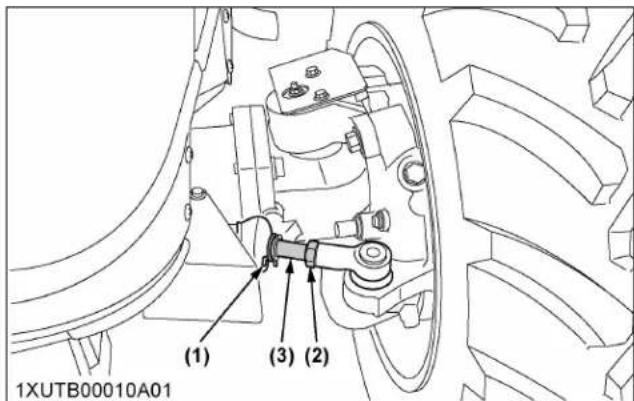
text_image
(1) (3) (2) 1XUTB00010A01(1) Snap ring (both sides, RH not shown in illustration)
(2) Tie-rod nut (both sides, RH not shown in illustration) 167 to 196 N·m 17 to 20 kgf·m 123.2 to 144.6 ft·lbs
(3) Tie-rod joint (both sides, RH not shown in illustration)
2. Draining fuel tank water
Loosen the drain plug at the bottom of the fuel tank to let sediments, impurities and water out of the tank. Finally, tighten up the plug.
M4N-071
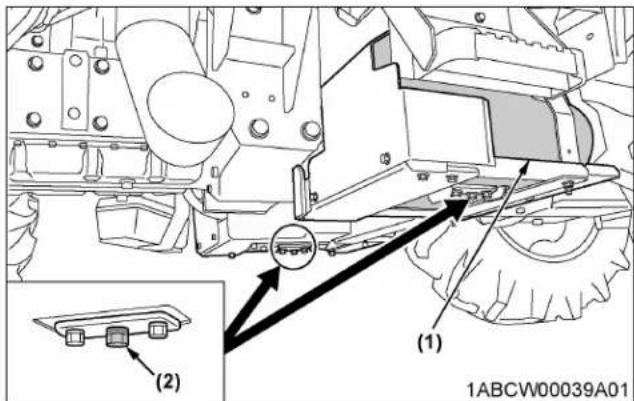
text_image
(1) (2) 1ABCW00039A01(1) Fuel Tank
(2) Drain plug
M5N-091, M5N-111
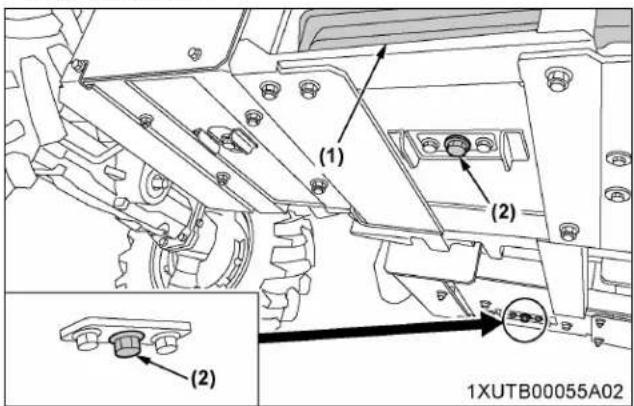
text_image
(1) (2) (2) 1XUTB00055A02(1) Fuel Tank (2) Drain plug
IMPORTANT :
- If the fuel contains impurities, such as water, drain the fuel tank at shorter intervals.
- Drain the fuel tank before operating the tractor after a long period of storage.
• The fuel tank is made of plastic. Be careful not to overtighten the bolts.
EVERY 400 HOURS
1. Cleaning water separator
This job should not be done in the field, but in a clean environment.
- Disconnect the water sensor connector.
- Close the fuel shutoff-valve.
- Unscrew the cup and remove it, then rinse the inside with kerosene.
- Take out the element and dip it in the kerosene to rinse.
- After cleaning, reassemble the water separator, keeping out dust and dirt.
- Connect the water sensor connector.
- Bleed the fuel system.
(See 1. Bleeding fuel system on page 127.)

text_image
[A]
text_image
[B] 1ABCW00023E02(1) Water sensor connector
(2) Fuel shutoff-valve
(3) Cup
(A) "CLOSE"
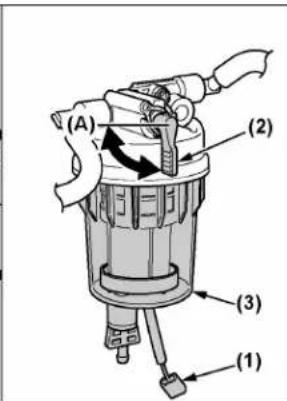
text_image
(A) (2) (3) (1)[A] M4N-071
[B] M5N-091, M5N-111
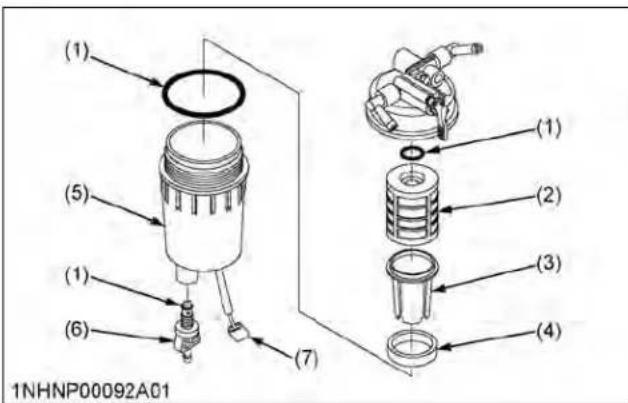
text_image
(1) (5) (1) (6) (7) (1) (2) (3) (4) 1NHNP00092A01(1) O ring
(2) Element
(3) Element cup
(4) Red float
(5) Cup
(6) Drain plug
(7) Water sensor connector
IMPORTANT :
- If the water separator and/or fuel filter is not well maintained, the supply pump and injector may be damaged earlier than expected.
2. Cleaning fuel solenoid pump element (M5N-091, M5N-111)
- Close the fuel shutoff-valve.
- Remove the cover's nut and remove the cover from the fuel solenoid pump.
- Remove the cover, magnet, and element and clean with kerosene.
-
Refer to the diagram below and reassemble the parts as they were before.
-
Open the fuel shutoff-valve.
IMPORTANT :
- When assembling the parts, be careful that no dirt or dust contacts them.
- Be sure to install the cover securely.
• After assembly, be sure to bleed the air from the fuel system. (See 1. Bleeding fuel system on page 127.)

text_image
(1) 1ABCW00060C01(1) Fuel solenoid pump
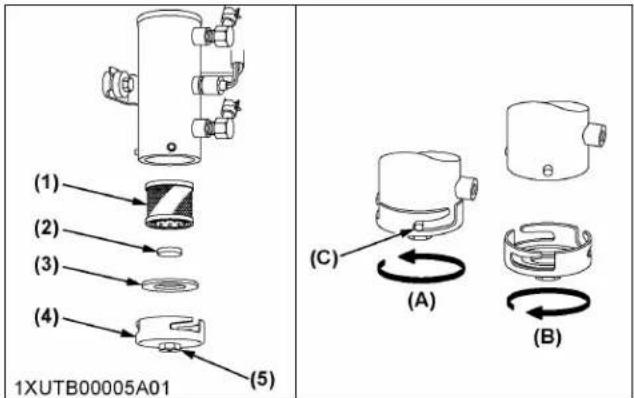
text_image
(1) (2) (3) (4) (5) 1XUTB00005A01 (C) (A) (B)(1) Element
(2) Magnet
(3) Gasket
(4) Cover
(5) Nut
(A) "TIGHTEN"
(B) "LOOSEN"
(C) Pin
"Tighten the cover until the end of the slot contacts the pin."
EVERY 500 HOURS
1. Changing engine oil

WARNING
To avoid personal injury or death:
- Be sure to stop the engine before changing the oil.
-
Allow the engine to cool down sufficiently; oil can be hot and can burn.
-
To drain the used oil, remove the drain plug at the bottom of the engine and drain the oil completely into the oil pan.
- After draining, reinstall the drain plug.
- To drain the used oil, remove the drain plug at the bottom of the engine and drain the oil completely into the oil pan.
-
After draining, reinstall the drain plug.
-
Fill with new oil up to the upper notch on the dipstick.
(See LUBRICANTS, FUEL AND COOLANT on page 94.)
Oil capacity with filter 10.7 L (11.3 U.S.qts.)
IMPORTANT :
- Use DPF-compatible oil (CJ-4) for the engine.
M4N-071
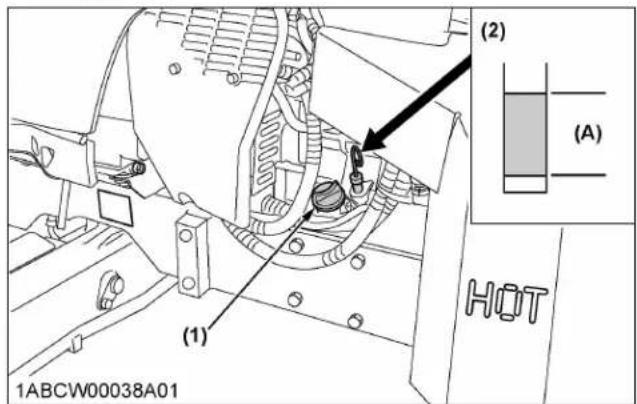
text_image
(1) (2) (A) HOT 1ABCW00038A01(1) Oil inlet
(2) Dipstick
(A) Oil level is acceptable within this range
M4N-071

text_image
(1) 1ABCW00040A01(1) Drain plug
M5N-091, M5N-111
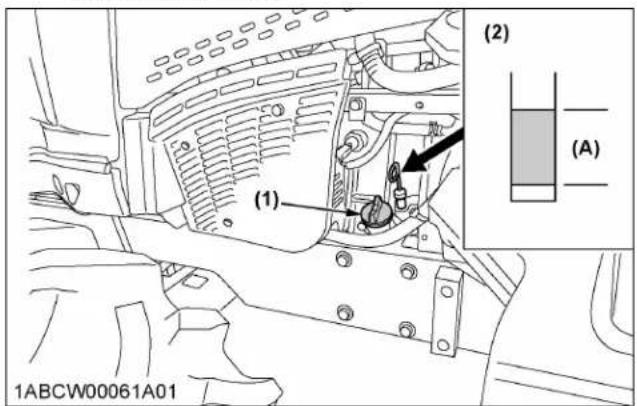
text_image
(1) (2) (A) 1ABCW00061A01(1) Oil inlet
(2) Dipstick
(A) Oil level is acceptable within this range
M5N-091, M5N-111

text_image
(1) 1XUTB00056A01(1) Drain plug
2. Replacing engine oil filter

WARNING
To avoid personal injury or death:
- Be sure to stop the engine before changing the oil filter cartridge.
-
Allow the engine to cool down sufficiently; oil can be hot and can burn.
-
Remove the oil filter.
- Put a film of clean engine oil on the rubber seal of the new filter.
- Tighten the filter quickly until it contacts the mounting surface.
Tighten the filter by hand an additional 1/2 turn only.
- After the new filter has been replaced, the engine oil normally decreases by a small amount. Make sure that the engine oil does not leak through the seal and be sure to check the oil level on the dipstick. Then replenish the engine oil up to the prescribed level.
M4N-071
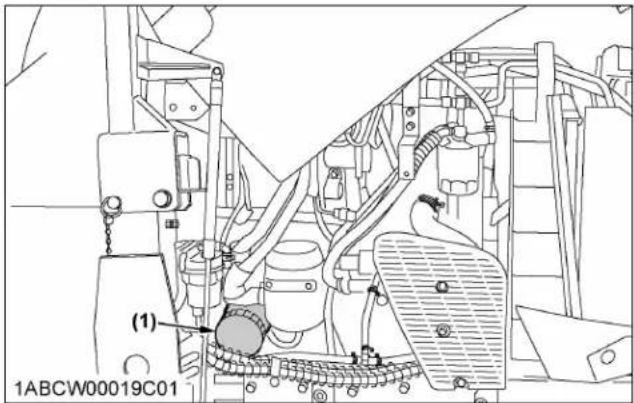
text_image
(1) 1ABCW00019C01(1) Engine oil filter
M5N-091, M5N-111
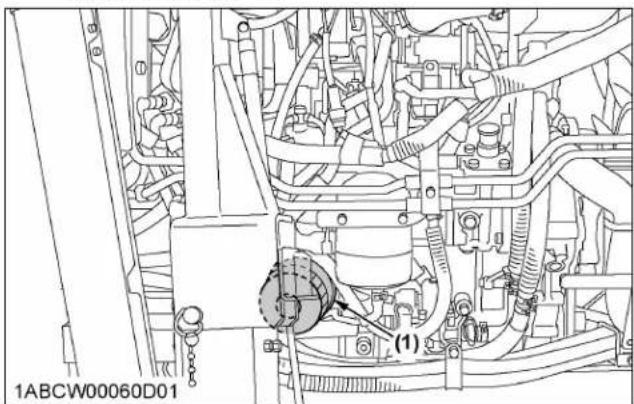
natural_image
Technical line drawing of an automotive engine assembly (no text or symbols visible)(1) Engine oil filter
IMPORTANT :
• To prevent serious damage to the engine, use only a KUBOTA genuine filter.
3. Replacing fuel filter
- Remove the fuel filter.
- Put a film of clean fuel on the rubber seal of the new filter.
- Tighten the filter quickly until it contacts the mounting surface.
Tighten the filter by hand an additional 1/2 turn only. - Bleed the fuel system.
(See 1. Bleeding fuel system on page 127.)
M4N-071

text_image
1ABCW00019C02 (1)(1) Fuel filter
M5N-091, M5N-111

text_image
1ABCW00060E01(1) Fuel filter
4. Replacing hydraulic oil filter

WARNING
To avoid personal injury or death:
- Be sure to stop the engine before changing the oil filter cartridge.
-
Allow the engine to cool down sufficiently; oil can be hot and can burn.
-
Remove the drain plug at the bottom of the transmission case and drain the oil completely into an oil pan.
-
After draining reinstall the drain plug.
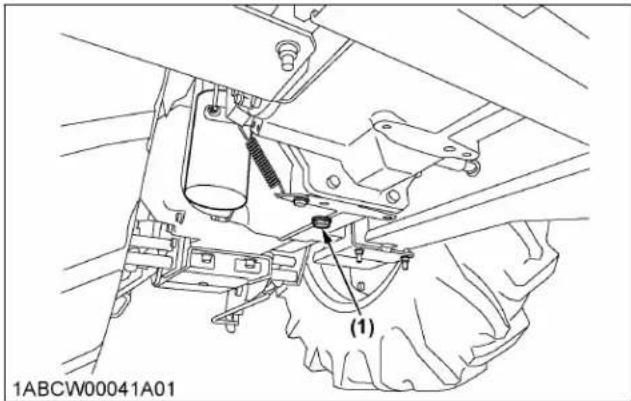
text_image
1ABCW00041A01 (1)(1) Drain plug
-
Remove the oil filter.
-
Wipe off metal filings from the magnetic filter with a clean rag.
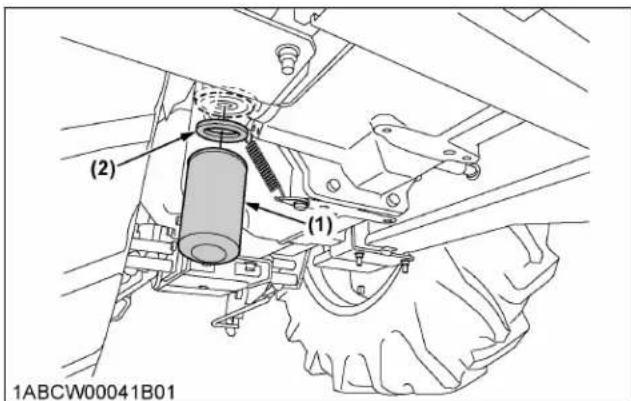
text_image
(2) (1) 1ABCW00041B01(1) Hydraulic oil filter
(2) Magnetic filter (wipe off metal filings)
-
Put a film of clean transmission oil on the rubber seal of the new filter.
-
Tighten the filter quickly until it contacts the mounting surface.
Tighten filter by hand an additional 1/2 turn only.
- After the new filter has been replaced, fill the transmission oil up to the upper notch on the dipstick.
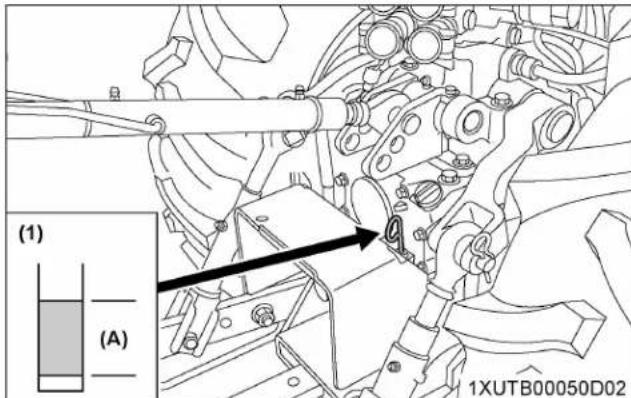
text_image
(1) (A) 1XUTB00050D02(1) Gauge (A) Oil level is acceptable within
this range.
-
After running the engine for a few minutes, stop the engine and check the oil level again, add oil to the prescribed level.
-
Make sure that the transmission fluid does not leak pass the seal on the filter.
IMPORTANT :
• To prevent serious damage to the hydraulic system, use only a KUBOTA genuine filter.
5. Checking power steering line
-
Check to see that all lines and hose clamps are tight and not damaged.
-
If the hoses and clamps are found to be worn or damaged, replace or repair them at once.
M4N-071

natural_image
Technical line drawing of a mechanical assembly with no visible text or symbols(1) Power steering pressure hoses
M5N-091, M5N-111

text_image
(1) 1ABCW00060D02(1) Power steering pressure hoses
6. Checking radiator hose and clamp
Check to see if the radiator hoses are properly fixed every 500 hours of operation.
- If the hose clamps are loose or water leaks, tighten the bands securely.
- Replace the hoses and tighten the hose clamps securely, if the radiator hoses are swollen, hardened or cracked.
Replace the hoses and hose clamps every 4 years or earlier if they are found to be swollen, hardened or cracked.
M5N-091, M5N-111

text_image
(1) (2) 1ABCW00064A01(1) Radiator hoses (2) Hose clamps
M5N-091, M5N-111
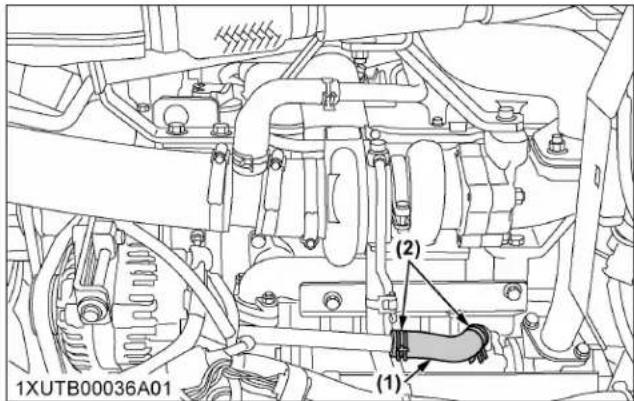
text_image
1XUTB00036A01 (1) (2)(1) Radiator hoses (2) Hose clamps
M5N-091, M5N-111
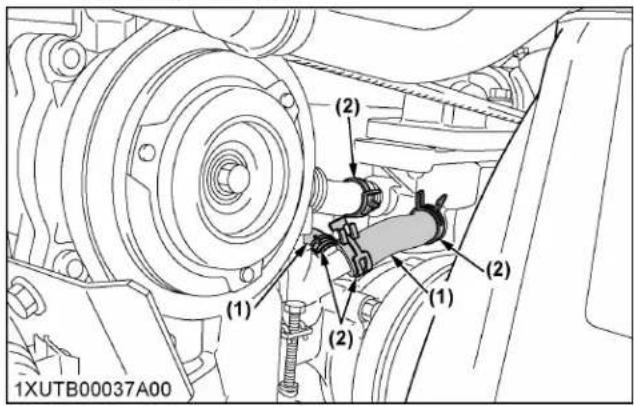
text_image
(1) (2) (1) (2) (1) (2) 1XUTB00037A00M4N-071
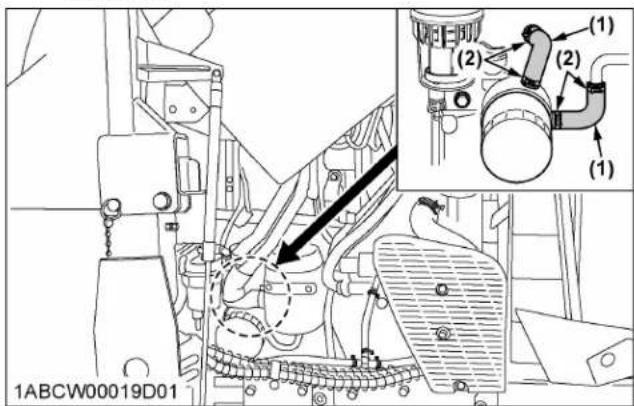
text_image
1ABCW00019D01 (1) (2) (1) (2) (2)(1) Radiator hoses (2) Hose clamps

text_image
(1) (2) (1) (2) (1) (2) (2) 1ABCW00060F02(1) Radiator hoses (2) Hose clamps
M4N-071

text_image
(1) (2) (2) (2) (1) (2) 1ABCW00019C04(1) Radiator hoses (2) Hose clamps
M4N-071
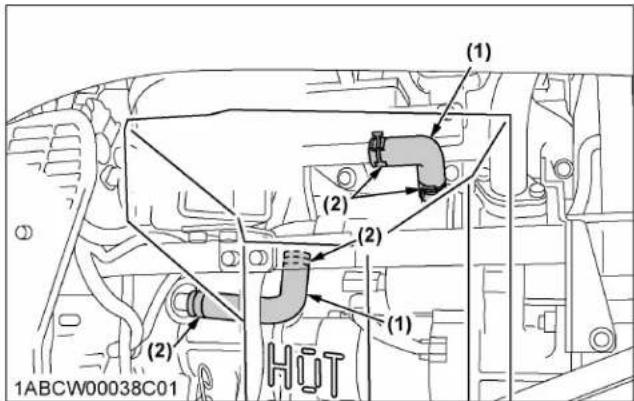
text_image
(1) (2) (2) (1) (2) HUT 1ABCW00038C01(1) Radiator hoses (2) Hose clamps
6.1 Overheating countermeasures
Take the following actions in the event the coolant temperature is nearly at or over the boiling point, also called "overheating".
- Park the tractor in a safe place and keep the engine idling unloaded.
- Allow the engine to idle unloaded for about 5 minutes before stopping it, rather than stopping it suddenly.
- Keep away from the machine for another 10 minutes or while the steam blows out.
- Check that there are no dangers such as burns. Get rid of the causes of overheating according to the troubleshooting section of this manual.
(See TROUBLESHOOTING on page 133.)
Afterward, restart the engine.
7. Checking fuel line
-
Check to see that all lines and hose clamps are tight and not damaged.
-
If the hoses and clamps are found to be worn or damaged, replace or repair them at once.
M4N-071
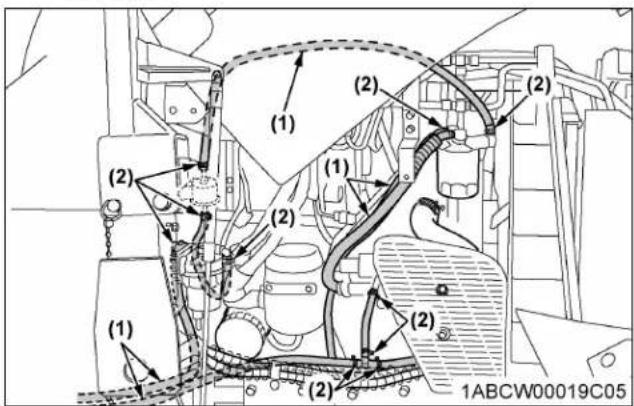
text_image
(1) (2) (1) (2) (1) (2) (2) (1) (2) 1ABCW00019C05(1) Fuel lines (2) Clamp bands
M4N-071
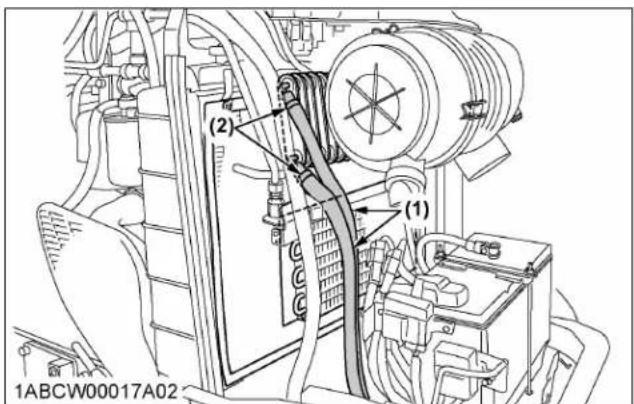
text_image
(2) (1) 1ABCW00017A02(1) Fuel lines (2) Clamp bands
M5N-091, M5N-111
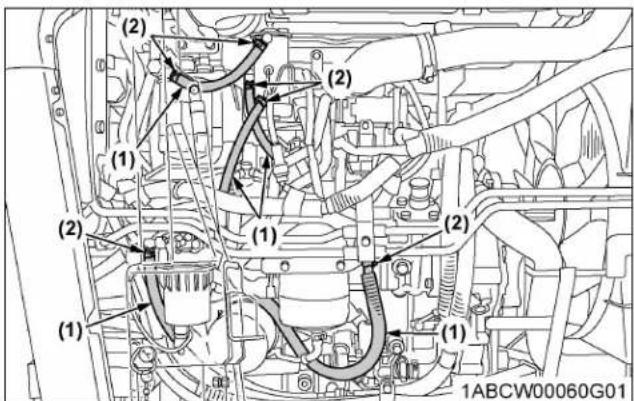
text_image
(2) (1) (2) (1) (2) (1) (2) (1) 1ABCW00060G01(1) Fuel lines (2) Clamp bands
M5N-091, M5N-111
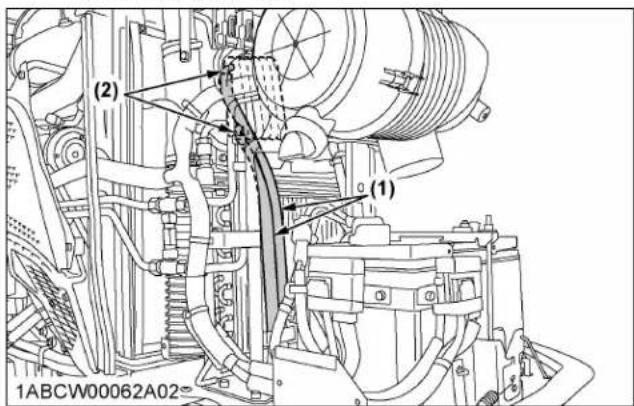
text_image
(2) (1) 1ABCW00062A02-(1) Fuel lines (2) Clamp bands
NOTE :
- If the fuel line has been replaced, be sure to properly bleed the fuel system. (See 1. Bleeding fuel system on page 127.)
8. Checking intake air line
-
Check to see that hoses and hose clamps are tight and not damaged.
-
If the hoses and clamps are found to be worn or damaged, replace or repair them at once.
M4N-071

text_image
(2) (2) (2) (1) 1ABCW00016D01(1) Hose (2) Hose clamps
M5N-091, M5N-111
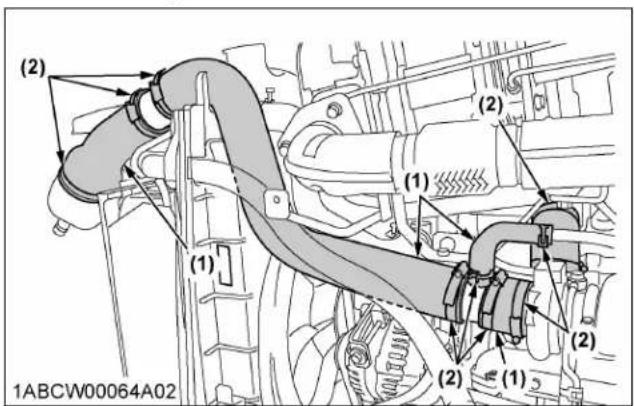
text_image
(2) (1) (1) (2) (2) (1) (2) 1ABCW00064A02(1) Hose (2) Hose clamps
M5N-091, M5N-111

text_image
(2) (1) (2) 1ABCW00060E02(1) Hose (2) Hose clamps
M5N-091, M5N-111
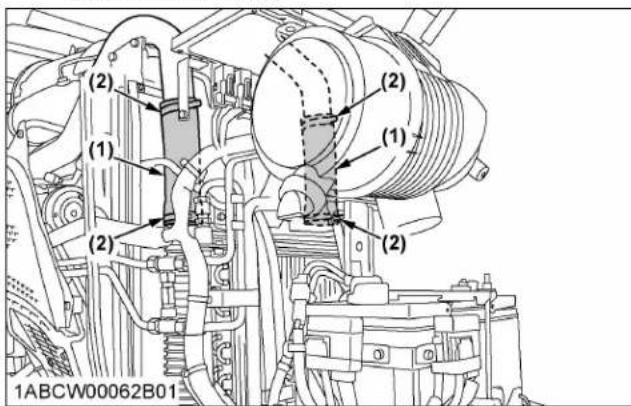
text_image
(2) (1) (2) (1) (2) (2) 1ABCW00062B01(1) Hose (2) Hose clamps
9. Checking lift cylinder hose
- Check to see that hoses and hose clamps are tight and not damaged.
- If hoses and clamps are found worn or damaged, replace or repair them at once.

text_image
(1) 1ABCW00005D01,(1) Lift cylinder hoses
EVERY 600 HOURS
1. Adjusting front axle pivot
If the front axle pivot pin adjustment is incorrect, front wheel vibration can occur, causing vibration in the steering wheel.
Adjusting procedure
- Loosen the lock nut and screw-in the adjusting screw until seated.
-
Tighten the screw by an additional 1/6 turn.
-
Re-tighten the lock nut.
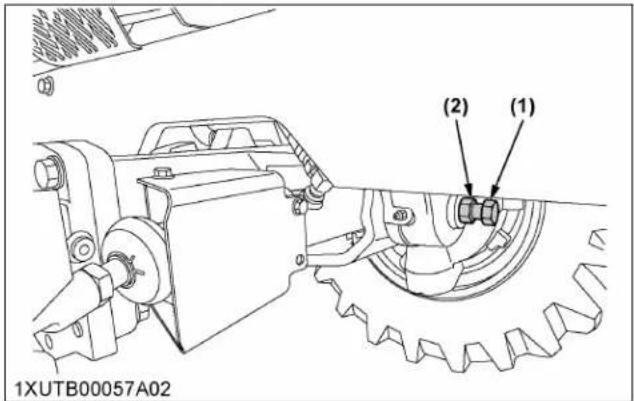
text_image
(2) (1) 1XUTB00057A02(1) Adjusting screw (2) Lock nut
EVERY 1000 HOURS
1. Changing transmission fluid

WARNING
To avoid personal injury or death:
- Allow the engine to cool down sufficiently; oil can be hot and can burn.
- To drain the used oil, remove the drain plug at the bottom of the transmission case and drain the oil completely into the oil pan.
- After draining, reinstall the drain plug.
- Fill with new KUBOTA SUPER UDT fluid up to the upper notch on the dipstick. (See LUBRICANTS, FUEL AND COOLANT on page 94.)
- After running the engine for a few minutes, stop it and check the oil level again; add oil to the prescribed level.
Oil capacity 52 L (54.9 U.S.qts)

text_image
1ABCW00041A01 (1)(1) Drain plug
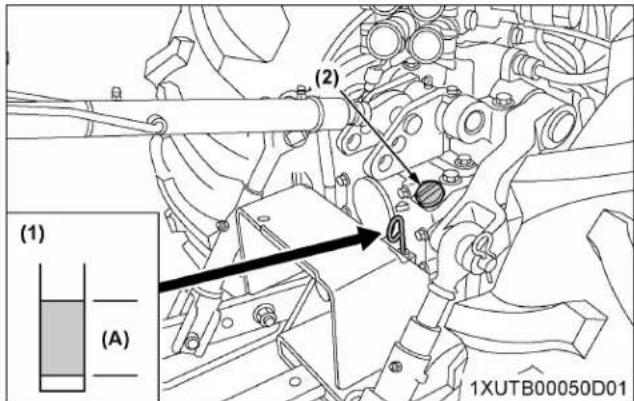
text_image
(1) (A) (2) 1XUTB00050D01(1) Dipstick
(2) Oil inlet
(A) Oil level is acceptable within this range.
IMPORTANT :
- Do not operate the tractor immediately after changing the transmission fluid. Run the engine at medium speed for a few minutes to prevent damage to the transmission.
2. Changing front axle gear case oil and front differential case oil
- To drain the used oil, remove the drain plugs at the both front axle gear cases and filling plugs, and drain the oil completely into the oil pan.
- After draining reinstall the drain plugs.
- Remove the oil level check plug at the front differential case.
- Fill with the new oil of the specified amount from both filling ports on the front axle gear case.
-
Finally fill with the new oil up to the lower rim of check plug port on the front differential case. (See LUBRICANTS, FUEL AND COOLANT on page 94.)
-
After checking oil is visible through the opening of check plug, reinstall filling plugs and check plug.
| Oil capacity | |
| Front axle gear case | 3.0 L (3.2 U.S.qts.) for each side |
| Front differential case 5.0 L | (5.3 U.S.qts.) |
Front axle gear case (both sides, RH not shown in illustration)

text_image
(1) (2) (3) 1XUTB00011C02(1) Drain plug
(3) Check plug
(2) Filling plug
Front differential case (LH only)

text_image
1XUTB00020A02 (1) (2)(1) Filling plug (2) Check plug
3. Adjusting engine valve clearance
Consult your local KUBOTA Dealer for this service.
EVERY 1000 HOURS OR 1 YEAR
Be sure to do the following servicing once every 1000 hours or yearly, whichever comes first.
1. Replacing air cleaner primary element and secondary element
(See 2. Cleaning air cleaner primary element on page 107.)
2. Checking exhaust manifold
Consult your local KUBOTA Dealer for this service.
EVERY 1500 HOURS
1. Cleaning fuel injector nozzle tip
Consult your local KUBOTA Dealer for this service.
2. Checking DEF/AdBlue® injector tip (M5N-091, M5N-111)
Consult your local KUBOTA Dealer for this service.
3. Checking DEF/AdBlue ^® line (M5N-091, M5N-111)
-
Check to see that all lines from the DEF/AdBlue injector to the tank are securely connected and not damaged.
-
If hoses and clamps are found worn or damaged, replace or repair them at once.
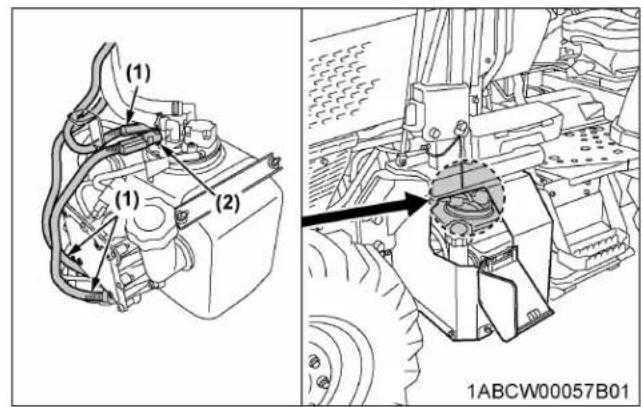
text_image
(1) (1) (2) 1ABCW00057B01(1) DEF/AdBlue ^® lines (2) Clamp bands
4. Replacing oil separator element

WARNING
To avoid personal injury or death:
- Be sure to stop the engine before replacing the oil separator element.
-
Remove the cover and take out the element. Wipe off the oil and the carbon from inside the case with a clean rag.
-
Fit in a new oil separator element.
-
Tighten the cover.
M4N-071

text_image
(1) 1ABCW00019C07(1) Oil separator
M5N-091, M5N-111
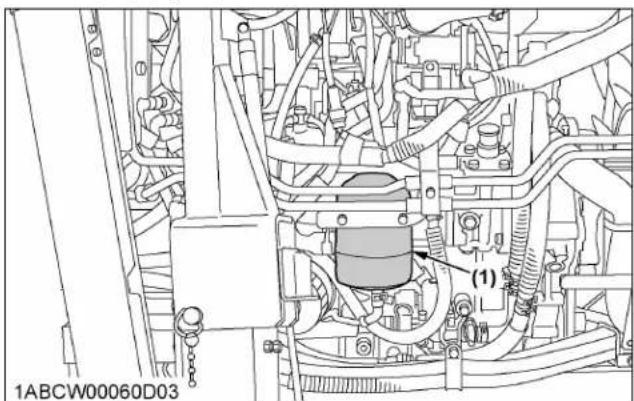
text_image
1ABCW00060D03 (1)(1) Oil separator
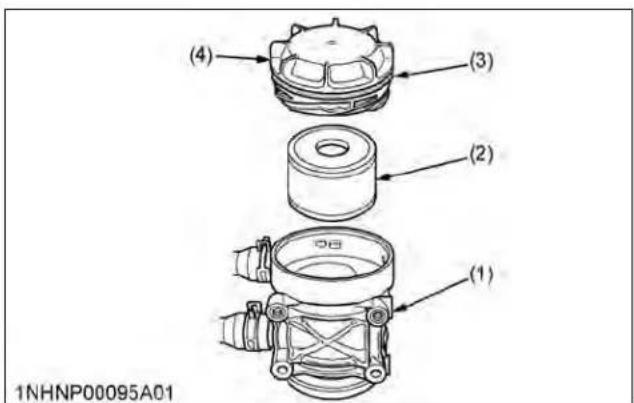
text_image
(4) (3) (2) (1) 1NHNP00095A01(1) Body
(2) Oil separator element
(3) Gasket
(4) Cover
5. Checking positive crankcase ventilation (PCV) valve
Consult your local KUBOTA Dealer for this service.
6. Checking and cleaning EGR cooler
Consult your local KUBOTA Dealer for this service.
EVERY 2000 HOURS OR 2 YEARS
Be sure to do the following servicing once every 2000 hours or biennially, whichever comes first.
1. Flushing cooling system and changing coolant

WARNING
To avoid personal injury or death:
- Do not remove the radiator cap while the coolant is hot. When cool, slowly rotate the cap to the first stop and allow sufficient time for excess pressure to escape before removing the cap completely.
- Stop the engine, remove the key and let it cool down.
- To drain the coolant, open the radiator drain plug, remove the drain plug and remove the radiator cap. The radiator cap must be removed to completely drain the coolant.
- After the coolant has drained, reinstall the drain plug.
- Fill with clean soft water and cooling system cleaner.
- Follow the cleaner instructions.
- After flushing, fill with clean soft water and anti-freeze until the coolant level is just below the radiator cap. Install the radiator cap securely.
- Fill with coolant up to the "FULL" mark of the recovery tank.
- Start up and operate the engine for a few minutes.
- Stop the engine, remove the key and let it cool down.
- Check the coolant level of the recovery tank and add coolant if necessary.
11. Properly dispose of the used coolant.
Coolant capacity 10 L (11 U.S.qts.)
M4N-071

text_image
1ABCW00019D02 (1)(1) Drain plug
M4N-071
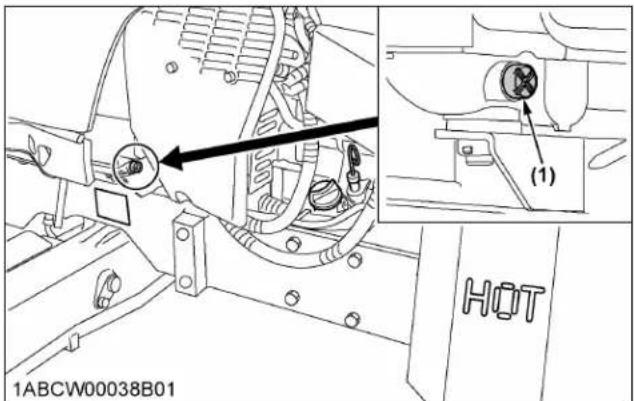
text_image
1ABCW00038B01 (1) HOT(1) Drain plug (+) plus screwdriver
M5N-091, M5N-111

text_image
Technical diagram of a vehicle engine assembly with labeled parts and an inset showing a valve mechanism.(1) Drain plug
M5N-091, M5N-111

text_image
1ABCW00061B01 (1)(1) Drain plug
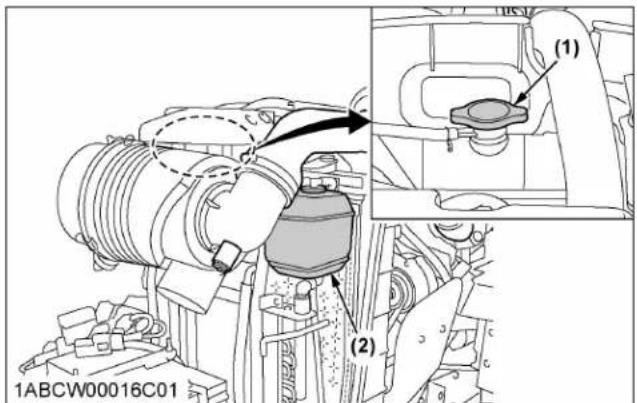
text_image
1ABCW00016C01 (1) (2)(1) Radiator cap
(2) Recovery tank
IMPORTANT :
- Do not start the engine without any coolant.
- Use clean, fresh soft water and antifreeze to fill the radiator and recovery tank.
- When mixing the antifreeze with water, the antifreeze mixing ratio is 50%.
- Securely tighten the radiator cap. If the cap is loose or improperly fitted, water may leak out and the engine could overheat.
2. Antifreeze

WARNING
To avoid personal injury or death:
- When using antifreeze, put on some protection such as rubber gloves (antifreeze contains poison).
-
If you swallow the antifreeze, seek immediate medical help. Do not make a person throw up unless told to do so by a poison control or a health care professional. Use standard first aid and CPR for signs of shock or cardiac arrest. Call your local poison control center or your local emergency number for further assistance.
-
When antifreeze comes in contact with the skin or clothing, wash it off immediately.
- Do not mix different types of antifreeze. The mixture can produce chemical reactions resulting in harmful substances.
- Antifreeze is extremely flammable and explosive under certain conditions. Keep fire and children away from antifreeze.
- When draining fluids from the engine, place a container underneath the engine body.
- Do not pour waste onto the ground, down a drain, or into any water source.
- Also, observe the relevant environmental protection regulations when disposing of antifreeze.
Always use a 50/50 mix of long-life coolant and clean soft water in KUBOTA engines.
Consult your local KUBOTA Dealer concerning coolant for extreme conditions.
- Long-life coolant (hereafter LLC) comes in several types. Use ethylene glycol (EG) type for this engine.
- Before employing LLC-mixed cooling water, fill the radiator with fresh water and empty it again. Repeat this procedure 2 or 3 times to clean up the inside.
- Mixing the LLC
Premix 50% LLC with 50% clean soft water. When mixing, stir it up well, and then pour it into the radiator. - The procedure for the mixing of water and antifreeze differs according to the make of the antifreeze and the ambient temperature. Refer to SAE J1034 standard, more specifically also to SAE J814c.
| Vol % antifreeze | Freezing point | Boiling point* | ||
| °C | T | °C | T | |
| 50 | -37 | -34 | 108 | 226 |
* At 1.013 x 10 ^5 Pa (760 mmHg) pressure (atmospheric). A higher boiling point is obtained by using a radiator pressure cap which permits the development of pressure within the cooling system.
- Adding the LLC
a. Add only water if the mixture level is reduced by evaporation.
b. If there is a mixture leak, add LLC of the same manufacturer and type in the same mixture percentage.
IMPORTANT :
- Never add any long-life coolant from a different manufacturer. Different brands may have different additive components, and the engine may fail to perform as specified.
- When the LLC is mixed, do not employ any radiator cleaning agent. The LLC contains anticorrosive agent. If mixed with the cleaning agent, sludge may build up, adversely affecting the engine parts.
- KUBOTA's genuine long-life coolant has a service life of 2 years. Be sure to change the coolant every 2000 hours or every 2 years, whichever comes first.
NOTE :
- The above data represents industry standards that necessitate a minimum glycol content in the concentrated antifreeze.
EVERY 3000 HOURS
1. Checking turbocharger
Consult your local KUBOTA Dealer for this service.
2. Checking supply pump
Consult your local KUBOTA Dealer for this service.
3. Checking intake air heater
Consult your local KUBOTA Dealer for this service.
4. Checking and cleaning EGR system
Consult your local KUBOTA Dealer for this service.
5. Cleaning DPF muffler
Removal of ash
- The longer the DPF operates, the more ash (burnt residue) is collected in the filter.
- Too much ash build-up adversely affects the DPF performance.
- Consult your local KUBOTA Dealer to clean the filter.
IMPORTANT :
- The DPF needs to be cleaned with a specific cleaning device. Do not disassemble the DPF for cleaning or attempt to clean it yourself. Consult your local KUBOTA Dealer.
6. Checking DEF/AdBlue® injector (M5N-091, M5N-111)
Consult your local KUBOTA Dealer for this service.
7. Replacing DEF/AdBlue® pump filter (M5N-091, M5N-111)
- Remove the 8 bolts and then remove the tank cover.

text_image
(2) (2) (1) (2) 1ABCW00057A03(1) Tank cover (2) Bolt
- Clean around the plug and remove the plug.
- Loosen the top of the filter assembly and remove it from the pump.
- Replace the filter assembly with a new one.

text_image
(2) (1) (3) (4) 1XUTB00061A01(1) Filter assembly
(4) DEF/AdBlue ^® pump
(2) Plug
(3) O-ring
NOTE :
- Even after stopping the engine, the injector cooling DEF/AdBlue® fluid continues to circulate through the circuit for a couple of minutes.
When this circulation has ended, do the replacement job. During cooling, the fluid's circulating noise is heard.
- Do not apply oil to the o-ring of the filter.
EVERY 1 YEAR
1. Checking antifrost heater for oil separator (if equipped)
Consult your local KUBOTA Dealer for this service.
2. Checking DPF differential pressure sensor pipe
Consult your local KUBOTA Dealer for this service.
3. Checking EGR pipe
Consult your local KUBOTA Dealer for this service.
EVERY 2 YEARS
1. Replacing oil separator hose
Consult your local KUBOTA Dealer for this service.
2. Replacing boost sensor hose
Consult your local KUBOTA Dealer for this service.
3. Replacing DPF differential pressure sensor hose
Consult your local KUBOTA Dealer for this service.
4. Replacing EGR cooler hose
Consult your local KUBOTA Dealer for this service.
5. Cleaning master cylinder filter
Consult your local KUBOTA Dealer for this service.
EVERY 3 YEARS
1. Replacing parking brake cable
Consult your local KUBOTA Dealer for this service.
EVERY 4 YEARS
1. Replacing radiator hose (water pipes)
Replace the hoses and clamps.
(See 6. Checking radiator hose and clamp on page 117.)
2. Replacing fuel lines
Consult your local KUBOTA Dealer for this service.
3. Replacing intake air line
Consult your local KUBOTA Dealer for this service.
4. Replacing power steering line
Consult your local KUBOTA Dealer for this service.
5. Replacing lift cylinder hose
Consult your local KUBOTA Dealer for this service.
6. Replacing brake hose
Consult your local KUBOTA Dealer for this service.
7. Replacing master cylinder kit
Consult your local KUBOTA Dealer for this service.
8. Replacing equalizer kit
Consult your local KUBOTA Dealer for this service.
9. Replacing brake seal 1 and 2
Consult your local KUBOTA Dealer for this service.
SERVICE AS REQUIRED
1. Bleeding fuel system
Air must be removed:
- When the fuel filter or lines are removed.
- When the water is drained from the water separator.
- When the tank is completely empty.
• After the tractor has not been used for a long period of time.
Bleeding procedure is as follows:
- Fill the fuel tank with fuel, and open the fuel shutoff-valve.
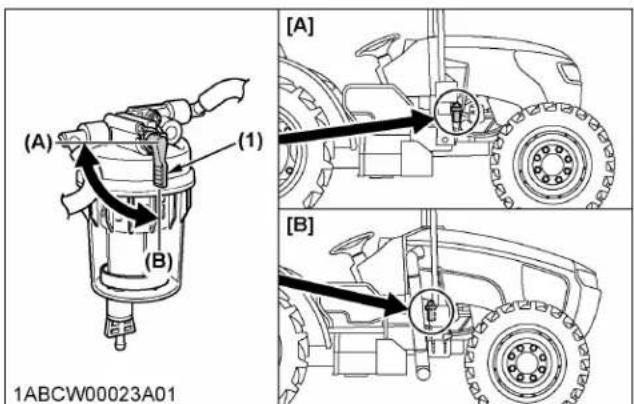
text_image
(A) (1) (B) [ A ] [ B ] 1ABCW00023A01(1) Fuel shutoff-valve
(A) "CLOSE"
(B) "OPEN"
- Disconnect the heater connector.
M4N-071

text_image
1ABCW00019E01 (1)(1) Connector
M5N-091, M5N-111
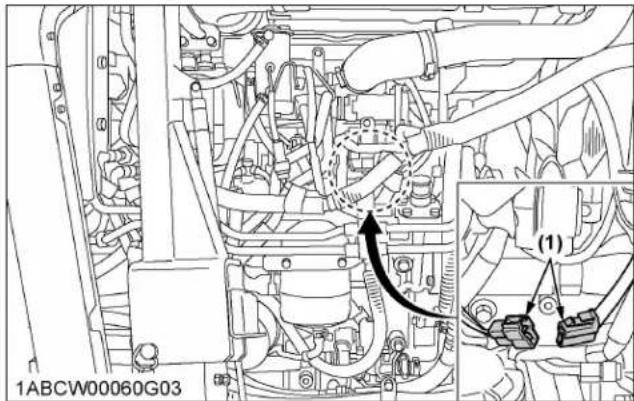
text_image
1ABCW00060G03 (1)(1) Connector
IMPORTANT :
- Do not try air-bleeding with the heater in operation. Otherwise the battery may be damaged.
- Turn "ON" and "OFF" the key switch repeatedly 10 times or so at the following intervals. This lets the air out of the fuel line.
a. Key switch "ON" time: 30 seconds
b. Key switch "OFF" time: 15 seconds

flowchart
graph TD
    A["STOP"] --> B["(A)"]
    B --> C["Directional Arrow"]
    C --> D["Central Unit"]
    D --> E["(1)"]
    E --> F["Return to Control Unit"]
    style A fill:#f9f,stroke:#333
    style B fill:#ccf,stroke:#333
    style C fill:#cfc,stroke:#333
    style D fill:#fcc,stroke:#333
    style E fill:#cff,stroke:#333
    style F fill:#ffc,stroke:#333
(1) Key switch
(A) "ON"
(B) "OFF"
-
Connect the heater connector.
-
Set the hand throttle lever at the maximum speed position, turn the key switch to start the engine and then reset the throttle lever at the mid speed (around 1500 rpm) position.
If the engine does not start, try it several times at 30 second intervals.
IMPORTANT :
- Do not hold the key switch at the engine start position for more than 10 seconds continuously. If more engine cranking is needed, try again after 30 seconds.
-
Accelerate the engine to remove the small portion of air left in the fuel system.
-
If air still remains and the engine stops, repeat the previous steps.
2. Bleeding brake system
Consult your local KUBOTA Dealer for this service.
3. Draining clutch housing water
The tractor is equipped with a drain plug under the clutch housing.
After operating in the rain or snow, or if the tractor has been washed, water may get into the clutch housing.
Remove the drain plug, drain the water and then reinstall the plug.
M4N-071
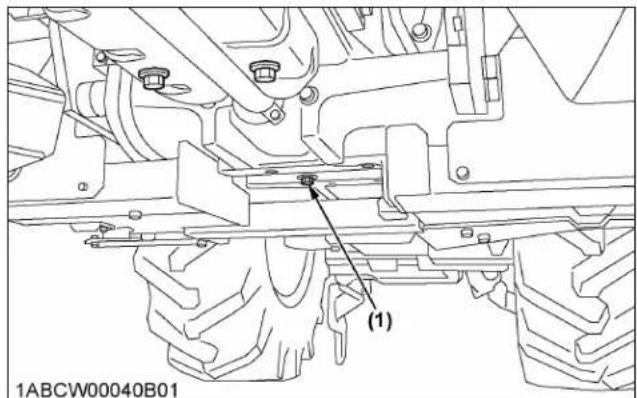
text_image
1ABCW00040B01 (1)(1) Water drain plug
M5N-091, M5N-111
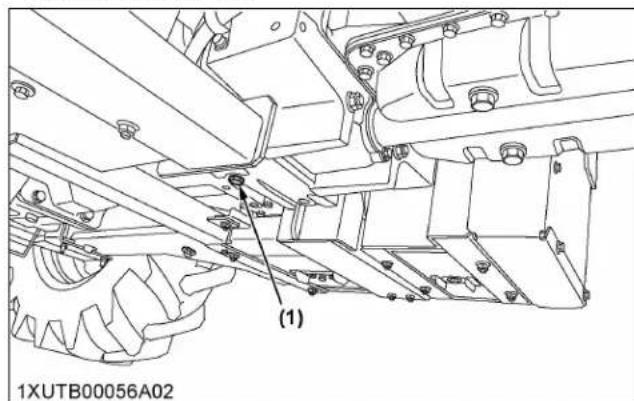
text_image
1XUTB00056A02 (1)(1) Water drain plug
4. Replacing fuses
The tractor electrical system is protected from potential damage by fuses.
A blown fuse indicates that there is an overload or short somewhere in the electrical system.
If any of the fuses should blow, replace with a new one of the same capacity.
IMPORTANT :
- Before replacing a blown fuse, determine why the fuse blew and make any necessary repairs. Failure to follow this procedure may result in serious damage to the tractor electrical system. For specific information dealing with electrical problems, read the troubleshooting section of this manual or contact your local KUBOTA Dealer.
(See TROUBLESHOOTING on page 133.)
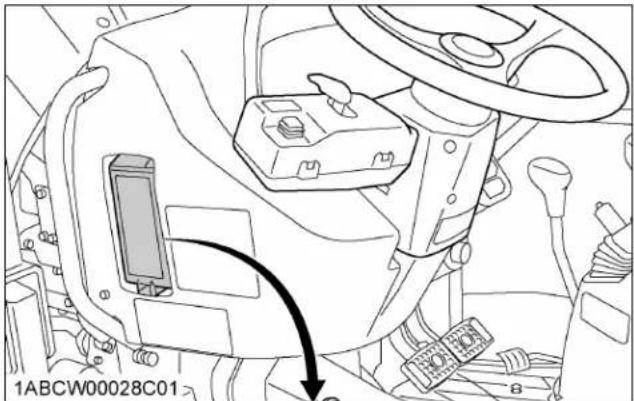
natural_image
Technical line drawing of a vehicle interior showing dashboard and steering wheel (no text or symbols)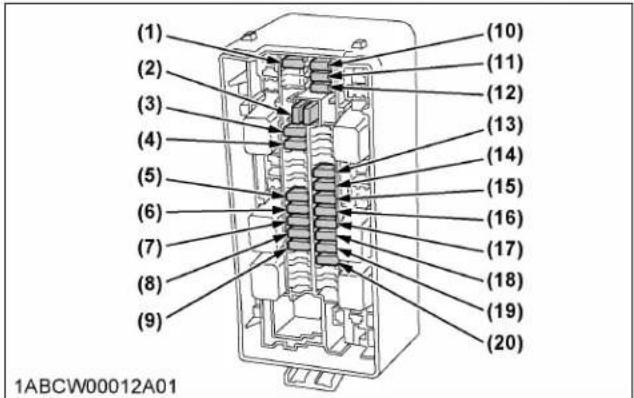
| Fuse No. | Capacity (A) | Protected circuit |
| (1) 20 Spare fuse | ||
| (2) Fuse puller | ||
| (3) 15 Work light (rear) | ||
| (4) 15 Work light (front) | ||
| (5) 20 Work light (front side) | ||
| (6) 5 T/M control | ||
| (7) 15 Loader plug | ||
| (8) 15 ECU | ||
| (9) 5 Starter relay | ||
| (10) 5 Spare fuse | ||
| (11) 10 Spare fuse | ||
| (12) 15 Spare fuse | ||
| (13) 10 Alternator, PTO, engine | ||
| (14) 5 Meter | ||
| (15) 10 Turn signal | ||
| (16) 10 Backup (meter) | ||
| (17) 20 Headlight | ||
| (18) 20 Flasher (hazard) | ||
| (19) 5 Backup (ECU) | ||
| (20) 15 Stop lamp | ||
M5N-091, M5N-111
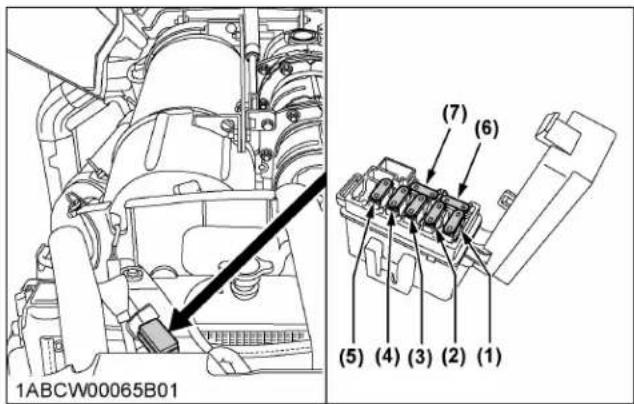
text_image
1ABCW00065B01 (7) (6) (5) (4) (3) (2) (1)| Fuse No. | Capacity | Protected circuit |
| (1) 30 A | CRS system | fuel pump |
| (2) 20 A | SCR system | |
| (3) 30 A | SCR heater system | |
| (4) 10 A | NOx sensor, | SCR tank sensor |
| (5) 10 A | EGR valve air flow sensor | |
| (6) 10 A | Spare fuse | |
| (7) 30 A | Spare fuse |
Oil separator fuse (if equipped)
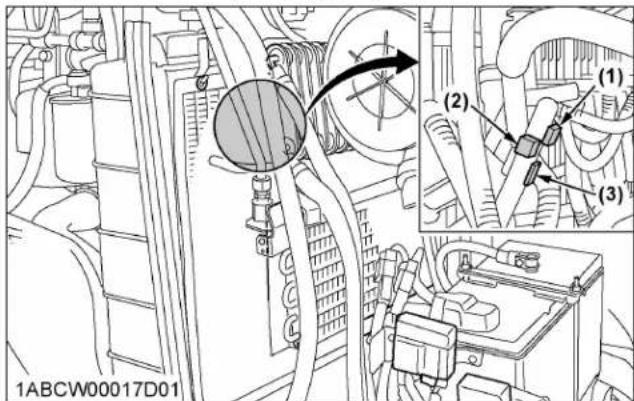
text_image
1ABCW00017D01 (1) (2) (3)Oil separator fuse (if equipped)
| Fuse No. | Capacity | Protected circuit |
| (1) 15 A | Heater (oil separator, out 1) | |
| (2) 15 A | Heater (oil separator, in) | |
| (3) 15 A | Heater (oil separator, out 2) | |
5. Replacing slow-blow fuses
The slow-blow fuses are intended to protect the electrical cabling. If any of them has blown out, be sure to pinpoint the cause. Never use any substitute, use only a KUBOTA genuine part.
M5N-091, M5N-111
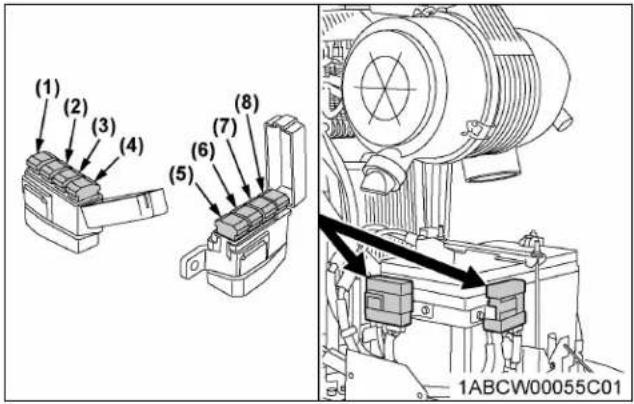
text_image
(1) (2) (3) (4) (5) (6) (7) (8) 1ABCW00055C01| No. Capacity Protected circuit Type | |||
| (1) 30 A | Main key switch | Bolt fixed | |
| (2) 100 A | Charge | ||
| (3) 50 A | SCR system | Non bolt fixed | |
| (4) 60 A | Hazard | ||
| (5) 120 A | Engine preheat | Bolt fixed | |
| (6) 30 A | Work light | ||
| (7) 30 A | Electrical outlet | Non bolt fixed | |
| (8) 60 A | Starter | ||
M4N-071

text_image
(1) (2) (3) (4) (5) (6) 1ABCW00017C01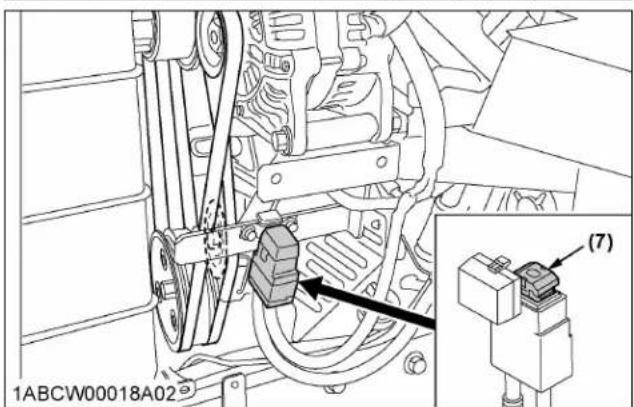
text_image
1ABCW00018A02 (7)| No. Capacity Protected circuit Type | |||
| (1) 120 A Engine preheat | Bolt fixed | ||
| (2) 30 A Work light | |||
| (3) 30 A Electrical outlet | Non bolt fixed | ||
| (4) 50 A Starter | |||
| (5) 50 A Head lamp, hazard | Bolt fixed(6) | ||
| (7) 140 A Charge | |||
30 A Main key sw
5.1 Replacement procedure
Non bolt fixed slow-blow fuse:
- Disconnect the negative cord of the battery.
- Pull out the fuse from the fuse box.
- Replace with a new one of the same capacity.
Bolt fixed slow-blow fuse:
Consult your local KUBOTA Dealer for this service.
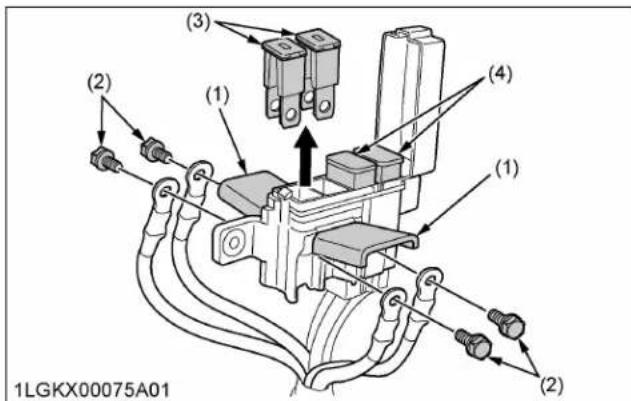
text_image
(1) (2) (3) (4) (1) (2) 1LGKX00075A01(1) Fuse box
(4) Non bolt fixed slow-blow
(2) Bolt
fuse
(3) Bolt fixed slow-blow fuse
6. Replacing light bulb
| Light Capacity | |
| Headlight 112 V, 55 / 60 W (H4) | |
| Hazard light 12 V, 21 W | |
| Turn signal 12 V, 21 W | |
| Tail light | 12 V, 5 W |
| Front work light | 12 V, 35 W |
7. Replacing head lamp

CAUTION
To avoid personal injury:
- Be careful not to drop the bulb, hit anything against the lamp, apply excess force, or get the
lamp scratched. If broken, glass may cause injury. Pay more attention to halogen lamps in particular, which have high pressure inside.
- Before replacing the lamp, be sure to turn off the light and wait until the bulb cools down; otherwise, you may get burned.
- While pushing the right and left lock buttons, pull and remove the electrical connector.
- Turn the cover counterclockwise to remove it.
- Turn the bulb base counterclockwise to take out the bulb.
- Replace it with a new bulb and reinstall the head lamp assembly in the reverse order.
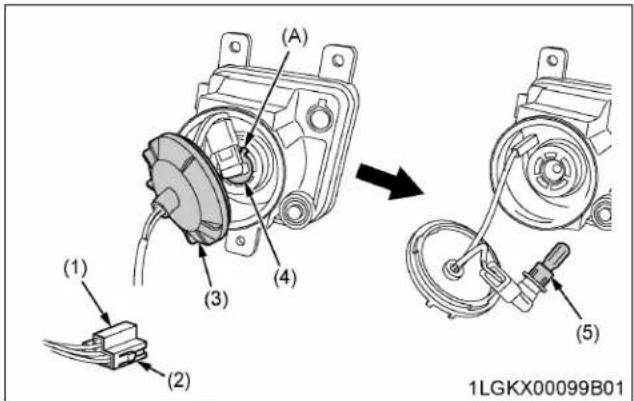
text_image
(A) (3) (4) (1) (2) (5) 1LGKX00099B01(1) Electrical connector
(2) Lock buttons
(3) Cover
(4) Bulb base
(5) Bulb
(A) "Base's wider projection to face upward"
IMPORTANT :
- Be sure to use a new bulb of the specified wattage.
- Never touch the bulb surface (glass) with bare hands. Fingerprints, for example, may break the bulb.
STORAGE

WARNING
To avoid personal injury or death:
- Do not clean the machine while the engine is running.
- To avoid the danger of exhaust fume poisoning, do not operate the engine indoors without proper ventilation.
- When storing, remove the key from the key switch to prevent unauthorized persons from operating the tractor and getting injured.
TRACTOR STORAGE
If you intend to store your tractor for an extended period of time, follow the procedures outlined below.
These procedures will ensure that the tractor is ready to operate with minimum preparation when it is removed from storage.
- Check the bolts and nuts for looseness and tighten if necessary.
- Apply grease to tractor areas where bare metal will rust, and also to pivot areas.
- Detach the weights from the tractor body.
- Inflate the tires to a pressure a little higher than usual.
- Change the engine oil and run the engine to circulate oil throughout the engine block and internal moving parts for about 5 minutes.
- Keep the PTO clutch control switch or lever at "DISENGAGE" position while tractor is stored for a long period of time.
- With all implements lowered to the ground, coat any exposed hydraulic cylinder piston rods with grease.
- Remove the battery from the tractor. Store the battery following the battery storage procedures. (See 6. Checking battery condition on page 109.)
- If possible, let the DEF/AdBlue ^® out of its tank and store the fluid in another specific tank. Read the SCR muffler section of this manual for information about the long-term storage of DEF/AdBlue ^® . (See SELECTIVE CATALYTIC REDUCTION (SCR) MUFFLER on page 38.)
- Keep the tractor in a dry place where the tractor is sheltered from the elements. Cover the tractor.
- Store the tractor indoors in a dry area that is protected from sunlight and excessive heat.
If the tractor must be stored outdoors, cover it with a waterproof tarpaulin.
Jack the tractor up and place blocks under the front and rear axles so that all 4 tires are off the ground. Keep the tires out of direct sunlight and extreme heat.
IMPORTANT :
- When washing the tractor, be sure to stop the engine. Allow sufficient time for the engine to cool down before washing.
- Cover the tractor after the muffler and the engine have cooled down.
REMOVING THE TRACTOR FROM STORAGE
- Check the tire air pressure and inflate the tires if needed.
- Jack the tractor up and remove the support blocks from under the front and rear axles.
- Install the battery. Before installing the battery, be sure it is fully charged.
- Check the fan belt tension.
- Check all fluid levels (engine oil, transmission and hydraulic oil, engine coolant, DEF/AdBlue ^® and any attached implements).
- Start the engine. Observe all gauges. If all the gauges are functioning properly and have normal readings, move the tractor outside. Once outside, park the tractor and let the engine idle for at least 5 minutes. Shut the engine off and walk around tractor and make a visual inspection looking for evidence of oil or water leaks.
- With the engine fully warmed up, release the parking brake and test the brakes for proper adjustment as you move forward. Adjust the brakes as necessary.
NOTE :
- The information regarding DEF/AdBlue® corresponds only to the M5N-091 and M5N-111 tractor models.
TROUBLESHOOTING
ENGINE TROUBLESHOOTING
If something is wrong with the engine, refer to the following table for the cause and its corrective measure.
| Trouble Cause | Countermeasure | ||
| Engine is difficult to start or will not start. | No fuel flow. Check the fuel tank and the fuel filter. Replace filter if necessary. | ||
| Air or water is in the fuel system. Check to see if the fuel line coupler bolt and nut are tight. Bleed the fuel system (See 1. Bleeding fuel system on page 127.) | |||
| In winter, oil viscosity increases, and engine revolution is slow. | Use oils of different viscosities, depending on ambient temperatures. Use engine block heater (optional). | ||
| Battery becomes weak and the engine does not turn over quick enough. | Clean battery cables and terminals. Charge the battery. In cold weather, always remove the battery from the engine, charge and store it indoors. Install it on the tractor only when the tractor is going to be used. | ||
| M4N-071 Preheat (glow plug) system trouble. | Check to see if the slow blow fuse of the preheat (glow plug) blows. Check to see if the preheat (glow plug) functions in cold weather. | ||
| M5N-091, M5N-111 Intake air heater system trouble. | Check to see if the slow blow fuse of the intake air heater blows. Check to see if the intake air heater functions in cold weather. | ||
| Insufficient engine power. | Insufficient or dirty fuel. The air cleaner is clogged. | Check the fuel system. Clean or replace the element. | |
| M5N-091, M5N-111 DEF/AdBlue ^® runs short | Add DEF/AdBlue ^® . | ||
| Engine stops suddenly. | Insufficient fuel. Refuel. | Bleed the fuel system if necessary. | |
| Exhaust fumes are colored. | Black | Fuel quality is poor. Too much oil. The air cleaner is clogged. | Change the fuel and fuel filter. Check the proper amount of oil. Clean or replace the element. |
| Blue white | The inside of the exhaust muffler is damp with fuel. Injection nozzle trouble. Fuel quality is poor. | Check to see if the intake air heater functions in cold weather. Heat the muffler by applying load to the engine. Check the injection nozzle. Change the fuel and fuel filter. | |
| Engine overheats. | Engine overloaded. Shift to lower gear or reduce load. | ||
| Low coolant level. Fill cooling system to the correct level; check radiator and hoses for loose connections or leaks. | |||
| Loose or defective fan belt. | Adjust or replace fan belt. | ||
| Dirty radiator core or grille screens. | Remove all trash. | ||
| Coolant flow route corroded. | Flush cooling system. | ||
If you have any questions, contact your local KUBOTA Dealer.
TROUBLESHOOTING
| Trouble Operator's action | |
| Engine not overheated, but engine warning indicator on. | Stop the engine and get it restarted. If the engine fails to restart or the indicator stays on, immediately contact your local KUBOTA Dealer. If the warning indicator lights up, the following phenomena may appear depending on the engine's trouble spot.The engine stops unexpected.The engine fails to start or gets interrupted just after start.The engine output is not enough.The engine output is enough, but the warning indicator stays on. |
If you have any questions, contact your local KUBOTA Dealer.
If something is wrong with the power train, the master system warning indicator starts blinking and the error code shown in the following table is displayed on the LCD. The error code indicates the location of the trouble. If an error code appears, immediately contact your local KUBOTA Dealer for repairs.

text_image
(1) (2) ERROR-888 15:55 0.0 mph 0 n/min DEF E F 94.3 h 1XUTB00028C01(1) Master system warning indicator
(2) Error code
| Displayed error code (DBM) Trouble | |
| "ERROR-1" Acceleration sensor (main) trouble | |
| "ERROR-2" Acceleration sensor (sub) trouble | |
| "ERROR-3" Acceleration sensor main/sub phase shifting trouble | |
| "ERROR-4" Shuttle sensor (main) trouble | |
| "ERROR-5" Shuttle sensor (sub) trouble | |
| "ERROR-6" Shuttle sensor main/sub phase shifting trouble | |
| "ERROR-7" Shuttle sensor signal trouble | |
| "ERROR-8" Gear lock signal trouble | |
| "ERROR-11" PTO relay trouble | |
| "ERROR-12" 4-wheel-drive solenoid trouble | |
| "ERROR-13" Bi-speed turn solenoid trouble | |
| "ERROR-14" Shuttle forward solenoid trouble | |
| "ERROR-15" Shuttle reverse solenoid trouble | |
| "ERROR-21" Range gear shift (Hi) switch trouble | |
| "ERROR-22" Main gear shift (6th) switch trouble | |
| "ERROR-23" Shuttle rotating sensor trouble | |
| "ERROR-24" Machine speed sensor trouble | |
| "ERROR-ENG"(ERROR-41)" | Engine communication trouble |
| "ERROR-ACU"(ERROR-42)" | ACU communication trouble |
| "ERROR-ECU"(ERROR-43)" | ECU communication trouble or meter communication trouble |
| "ERROR-60" Analog reference supply voltage +5 V trouble | |
| "ERROR-63" Acceleration & engine adjustment trouble | |
| "ERROR-NET" Communication trouble | |
OPTIONS
LIST OF OPTIONS
Consult your local KUBOTA Dealer for further details.
• Engine block heater
for extremely cold weather starting
- Front end weights for front ballast
- Front end weights and bracket for front ballast
- Rear wheel weights for rear ballast
- Rear cast iron disk
- Creep speed kit
- Double acting remote hydraulic control valve with detents and self-canceling and flow control functions
- Double acting remote hydraulic control valve with float position and flow control functions
- Single or double acting remote hydraulic control valve with flow control functions
- Remote valve lever kit
- Front hydraulic coupler kit
- Rear case drain coupler kit
- Clevis for drawbar
INDEX
Symbols
3-point hitch....73
lowering speed....79
starting....74
using....11
3-point hitch control system....78
4WD braking system.... 52
4WD switch....56
4WD wheels tread (front) adjusting.....85
A
aftertreatment devices....31
air cleaner primary element
cleaning....107
replacing....122
air cleaner secondary element replacing....122
anti-freeze using....124
antifrost heater for oil separator (if equipped) checking....126
B
ballast....89
ballast (front)...... 89
ballast (rear).... 89
battery charging....110 checking condition....109 checking condition by reading indicator....110
battery mount cleaning....102,103
battery storage directions.... 111
before operating the tractor....7
biodiesel fuel (BDF) B0-B5....96
block heater (if equipped)....44
boost sensor hose replacing....126
brake hose replacing....127
brake pedal adjusting....108 checking....103 checking equalizer working level (anti-imbalance device)....109
checking free travel....108
checking stroke.... 109
brake pedals (right and left).... 52
brake seal 1 and 2 replacing....127
brake system bleeding....128
braking system (4WD)....52
C
clock setting....62
clock display setting ON/OFF....62
clutch housing water draining .... 128
clutch pedal.... 53
constant RPM Management control....66
coolant....94 changing....123 checking level....101
coolant temperature gauge.... 60
cooling system changing coolant....123 flushing....123
countermeasure.... 39
creep speed.... 55
D
daily check.... 30,98
adding DEF/AdBlue®....99
attaching and detaching panel.... 102
checking brake pedal.... 103
checking coolant level....101
checking DEF/AdBlue® level.... 99
checking DPF/SCR muffler.... 103
checking Easy Checker™ 104
checking engine oil level.... 100
checking fuel gauge.... 98
checking gauges.... 104
checking hazard light.... 104
checking headlight.... 104
checking meter....104
checking movable parts.... 104
checking parking brake.... 104
checking ROPS....104
checking seat belt.... 104
checking transmission fluid level....101
checking turn signal light....104
checking water separator....100
cleaning air conditioner condenser.... 103
cleaning battery mount....102,103
cleaning evacuator valve....102
cleaning fuel cooler.... 102,103
cleaning grill.... 102,103
cleaning oil cooler.... 102,103
cleaning radiator screen....102,103
refueling....98
walking around inspection....98
warning....98
DEF/AdBlue®....38
adding....99
checking level....99
handling....42
storing.... 42
DEF/AdBlue® freeze warning.... 45
DEF/AdBlue® gauge....60
DEF/AdBlue® injector checking....125
DEF/AdBlue® injector tip checking....122
DEF/AdBlue® line checking....122
DEF/AdBlue® pump filter replacing....126
diagnostic trouble code (DTC).... 39
diesel particulate filter (DPF) muffler....31
differential lock.... 67
DPF auto regeneration mode....34 operating procedure....33
DPF differential pressure sensor hose replacing....126
DPF differential pressure sensor pipe checking....126
DPF muffler....31 cleaning....125 handling points....32
DPF parked regeneration mode operating procedure....37
DPF regeneration tips....38
DPF regeneration inhibit mode.... 36 operating procedure.... 35
DPF regeneration process.... 32
DPF/SCR muffler checking....103
draft control....78
drawbar....73,76 adjusting length....76 removing....74
dual speed shift switch.... 56
dual tires....84
dust indicator checking....102
E
Easy Checker™ checking....104
Easy Checker ^™ indicator checking....44
Easy Checker™ indicators....58
EGR cooler checking....123
EGR cooler hose replacing....126
EGR pipe checking....126
EGR system checking....125 cleaning....125
electrical outlet.... 69
electrical outlet for trailer.... 69
electronic engine control.... 65
engine jump starting....46 low temperature regulation....44 operating in freezing conditions....44 overheating....118 starting....42 stopping....45 stopping immediately....58 troubleshooting....133 warming up....45 warming up at low temperature range....45
engine oil changing....104,113 checking level....100
engine oil filter replacing....104,114
engine over-speed limiting indicator....58
engine start system checking....104 checking operator presence control (OPC) system.. ....105 preparation before testing....104 testing switch for PTO clutch control switch....105 testing switch for shuttle shift lever....104
engine valve clearance adjusting....122
equalizer kit replacing....127
evacuator valve cleaning....102
exhaust aftertreatment devices.... 31
exhaust manifold checking....122
F
fan belt tension adjusting....107
float control....79
flow rate adjusting....81 controlling....81
foot controls....29
foot throttle....57
front axle gear case oil changing....121
front axle pivot adjusting....120
front ballast....89
front differential case oil changing....121
front end weights (option)......89
front jacking point.... 86
front wheels tread (4WD) adjusting.....85
front work light switch....52
front-wheel drive....57
fuel....94
fuel cooler cleaning....102,103
fuel filter replacing....115
fuel gauge....59
fuel injector nozzle tip cleaning....122
fuel lines checking....118 replacing....126
fuel solenoid pump element cleaning.... 112
fuel system bleeding....127
fuel tank water draining....111
fuse replacing....128
G
gauge checking....104
glove box....50
grease fittings lubricating....106
grill cleaning....102,103
H
hand controls....27,29
hand throttle lever.... 57
hazard and turn signal indicator.... 51
hazard light checking....104
hazard light switch....51
head lamp replacing....130
headlight checking....104
hood....97
hydraulic control unit reference chart....83
hydraulic oil filter replacing....115
|
implement limitations....25
inducement display (SCR system).... 39
instrument panel....28
intake air heater checking....125
intake air line checking....119 replacing....126
J
jacking point (front)......86
jacking point (rear).... 89
L
LCD monitor....60
lift cylinder hose checking....120 replacing....127
lifting rod (left).... 74
lifting rod (right).... 75
light bulb replacing....130
light switch....51
liquid ballast in rear tires.... 90
low temperature regulation for engine....44
lower link selecting holes....74
lubricants....94
lubricating oil changing....47
M
main gear shift lever....55
maintenance intervals.... 91
maintenance items chart.... 92
master cylinder filter cleaning ....126
master cylinder kit replacing....127
meter checking....104
mixed control....78
movable parts checking....104
muffler....50
0
oil cooler cleaning....102,103
oil separator element replacing....122
oil separator hose replacing....126
operator presence control (OPC) system checking....105
operator's seat....49
options list....136
overheating countermeasures....118
P
panel attaching and detaching....102
parking brake checking....104
parking brake (gear locked) checking....109
parking brake cable replacing....126
parking brake lever....53
performance monitor.... 64
PM warning level (DPF auto regeneration mode)...... 34
PM warning level (DPF regeneration inhibit mode).....36
position control....78
positive crankcase ventilation (PCV) valve checking....123
power steering directions for use....69
power steering line checking....116 replacing....126
power train troubleshooting....135
PTO operating.... 10,70
PTO clutch control switch....70
PTO clutch control switch lever testing....105
PTO clutch indicator....70
PTO gear shift lever....71
PTO rpm display....71
PTO shaft cap....72
PTO shaft cover 72
PTO speed display setting....63
PTO speed limiter....71
R
radiator clamp checking.... 117
radiator hose checking.... 117
radiator hose (water pipes) replacing....126
radiator screen cleaning....102,103
range gear shift lever.... 55
rear ballast....89
rear jacking point....89
rear turn signal light switch....51
rear wheel weights (option)...... 89
rear wheels tread adjusting....87
remote control valve....79
remote control valve coupler connecting....81 disconnecting....81
remote control valve lever....80
remote hydraulic control system.... 79
ROPS checking....104
ROPS (foldable) folding....47 raising to upright position....48 warning information....47
RPM dual memory setting....65
S
safety CAB and ROPS....7
driving tractor on the road....9
general information....7
operating PTO....10
operating tractor....8
operating tractor on slopes....9
parking tractor.... 10
safety labels.... 14
servicing tractor.... 11
starting to operate tractor....8
taking care of the safety labels....18
transporting tractor....68
using 3-point hitch.... 11
working tractor....8
safety for children....9
safety labels.... 14
taking care....18
SCR outline......38
SCR muffler....38
SCR system troubleshooting....40
SCR system icon....39
SCR system inducement display.... 39
seat belt....50 checking....104
selective catalytic reduction (SCR) muffler....38
service intervals....91
shift lever (main gear).... 55
shift lever (PTO gear)....71
shift lever (range gear).... 55
shift lever (shuttle)....55
shuttle shift lever.... 55
shuttle shift lever switch testing....104
side cover....98
slow-blow fuse replacement procedure.... 130 replacing.... 129
specification table (implement)....26
specification table (tractor).... 21
stabilizer....75
supply pump checking....125
switches....27
T
tachometer....60
tie-rod dust cover checking....106
tilt steering adjusting....50
tire circumference setting....62
tire size and inflation pressure.... 84
tires....84
toe-in adjusting....111 adjusting procedure....111
top link....75 selecting mounting holes....74
tractor before operating....7
boarding.... 47
driving on the road....9
leaving....47
operating....8
operating on a road....68
operating on slopes....9
operating on slopes and rough terrain.... 68
operating techniques......67
parking.... 10,67
removing from storage.... 132
scrapping procedure.... 20
servicing.... 11
starting.... 49
starting to operate....8
stopping....57
storing procedure.... 132
transporting safely....68
working....8
tractor (new) changing lubricating oil....47
operating.... 47
operating caution....47
transmission fluid changing....121
checking level....101
transmission fluid at low temperature range.... 45
travel speed control....54
travel speed limiter 55
travel speeds....23
turbocharger checking....125
turn signal light checking....104
turn signal light switch.... 51
turnbuckle rotating....76 unlocked position....76
U
unit setting....63
V
various setting mode.... 61
W
warning indication.... 39
warranty.... 20
water separator checking....100 cleaning....112
wheel adjusting....84 safe replacement....84
wheel bolt torque checking....105
wheels tread (4WD, front) adjusting.....85
wheels tread (rear) adjusting....87