
AECS5000 - Loudspeaker PHILIPS - Free user manual and instructions
Find the device manual for free AECS5000 PHILIPS in PDF.


| Brand | Philips |
| Model | AECS5000 |
| Product Type | Speaker for PC/Laptop |
| Dimensions (approx) | 10 x 10 x 5 cm |
| Weight (approx) | 500 g |
| Power Source | USB-C (5V) or built-in rechargeable battery |
| Battery Life (approx) | Up to 8 hours |
| Connectivity | USB-C |
| Audio Modes | Music mode and Call mode |
| Volume Control | Buttons for increase and decrease |
| Microphone Mute | Mute switch |
| LED Indicators | Green LED: solid in music mode, blinking in call mode |
| Compatibility | Windows, macOS, and other USB-C devices |
| Driver Unit | Full-range 40 mm |
| Frequency Response | 100 Hz – 20 kHz |
| Impedance | 4 Ω |
| Included Accessories | USB-C cable, user manual |
| Safety Precautions | Do not use at high volume for prolonged periods to protect hearing |
| Cleaning | Wipe with a soft, dry cloth. Do not use liquids. |
| Warranty | 1 year (refer to warranty card) |
Frequently Asked Questions - AECS5000 PHILIPS
User questions about AECS5000 PHILIPS
0 question about this device. Answer the ones you know or ask your own.
Ask a new question about this device
Download the instructions for your Loudspeaker in PDF format for free! Find your manual AECS5000 - PHILIPS and take your electronic device back in hand. On this page are published all the documents necessary for the use of your device. AECS5000 by PHILIPS.
USER MANUAL AECS5000 PHILIPS
Philips and the Philips Shield Emblem are registered trademarks of Koninklijke Philips N.V. and are used under license.
This product has been manufactured by and is sold under theresponsibility of MMD Hong Kong Holding Limited or one of its affiliates, and MMD Hong Kong Holding Limited is the warrantor in relation to this product.
AECS5000_93_UM_VI.0


注意事项
安全
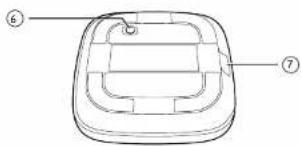
1.
减小音量
2.
增加音量
3.
麦克风静音开关
- 功能指示灯
通话模式:绿色LED闪烁
音乐模式:绿色LED长亮
5.
通话、音乐模式切换
- OFF ON
产品关机/开机开关
- USB TYPE C接口
用于和电脑或其它终端设备连接
连接使用
连接
开机
natural_image
Line drawing of a laptop connected to a device via cable (no text or symbols)natural_image
Line drawing showing a person emitting sound waves next to a computer with a logo (no text or symbols)注:
