MPK1040 - Mp3 player CURTIS - Free user manual and instructions
Find the device manual for free MPK1040 CURTIS in PDF.


| Brand | Curtis |
| Model | MPK1040 |
| Product Type | MP3 Player |
| Audio Formats | MP3, WMA, WAV |
| Video Formats | SMV (converted from AVI, WMV, MPG) |
| Display | CSTN, 1.5-inch, resolution 128x128 |
| Storage | Built-in flash memory (capacity not specified) |
| Battery Type | Built-in rechargeable lithium battery |
| Battery Life | Up to 9 hours (MP3 128kbps, volume 20) |
| Charging | Via included charger or USB (recommended charger) |
| Recording | Built-in microphone, records in WAV format |
| Play Modes | Normal, Repeat One, Repeat All, Shuffle Repeat, Preview |
| Equalizer | 6 EQ modes |
| Connectivity | USB 2.0 (removable disk), 3.5mm headphone jack |
| Signal-to-Noise Ratio | 85-95 dB |
| Headphone Output | 5mW per channel (32Ω) |
| Speaker Output | 250mW per channel (8Ω), max 500mW |
| Frequency Range | 20Hz – 20kHz |
| Shell Material | Aluminum and plastic |
| Accessories | MP3 player, USB cable, earphones, driver disk, user manual, charger, warranty card |
| Safety Notes | Do not use earphones at high volume; avoid liquid, heat, and dust |
Frequently Asked Questions - MPK1040 CURTIS
User questions about MPK1040 CURTIS
0 question about this device. Answer the ones you know or ask your own.
Ask a new question about this device
Download the instructions for your Mp3 player in PDF format for free! Find your manual MPK1040 - CURTIS and take your electronic device back in hand. On this page are published all the documents necessary for the use of your device. MPK1040 by CURTIS.
USER MANUAL MPK1040 CURTIS
MP3 PLAYER
User'S Manual
Downloading of music files from your computer (PC) to the MP3 player
- If the operating system of your PC is of version Windows 98 or below, then you need to install additional software. If your PC has an operating system of version Windows 2000 or above (or MAC OSX10.3 or above, or LINUX 2.4.2 or above), no additional software is needed.
-
Connect the USB cable to the MP3 player (in off state) first. Then, connect it to the PC USB port.
-
Open My Computer from the desk top of the PC. Click and open the Removable Drive icon. List of the songs in the MP3 player will display. Minimize this window at this stage.
-
Open the file containing the songs that you have already downloaded from the Internet. Select the song that you want to download into the player. Right click the mouse and then select copy.
-
Open the window of the Removable Drive. Right click and then select Paste. The selected song will be copied into the MP3 player.
Note: Do not turn off your computer or MP3 player during this procedure
Reset function
when there is no function please long press the key “and VOL key simultaneously to reset the MP3 player, and then turn on the MP3 player again.
Features
●Support MP3, WMA, WAV format music
●Support SMV movie format
●USB removable disk function
●Built-in MIC for recording
● Support five play modes: Normal, repeat one, repeat all, shuffle repeat and preview.
●Support six EQ modes.
● Humanistic tree content file and menu navigation.
●Support programmable playback and playback according to the catalog
● Humanistic batch deletion of music and files
● Instant display of memory capacity and free capacity CSTN display screen, lyric sync, lyric sync when fast rewinding and fast forwarding
●Humanistic power-saving design, exceeding long period playing
●Intellectual charging management of Lithium battery, extending the life of the Lithium battery to the maximum extent.
Content
| Features 1 | |
| Specification 2 | |
| Notice 3 | |
| Charging 4 | |
| Appearance 5 | |
| Power on-6 | |
| Music playing-6 | |
| Volume adjustment-7 | |
| Movie 8 | |
| Pictures browsing-10 | |
| Mic Record-11 | |
| E-book-11 | |
| Navigation-13 | |
| Setup-14 | |
| Deleit File-22 | |
| Power off-24 | |
| Converting video file to SMV format file-25 | |
| Support DRM9 function | |
| Downloading music files |
Specifications:
● Voltage: built-in lithium battery
●Continuous playing time: at most 9 hours (Take MP3 128Kbps, VOL
20 for reference.)
● Support file: 8Kbps -320Kbps, 8KHz -48KHz WMA
22Kbps-192Kbps, 8KHz-48KHz
●Shell: aluminum, plastic
●SNR: 85-95Db
● Earphone output: 5mW / CH (32Ohm)
●Loudspeaker output: 250mW / CH (8ohm) most 500mW
● Output frequency range: 20Hz – 20KHz
Note: Product design and spec may change for improving performance without notice.
Accessories
- One MP3 player
- One USB cable
- One pair of earphone
- One drive disk
- One user manual
6.One charger - One warranty card
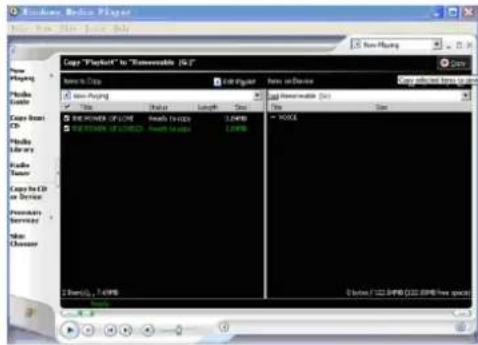
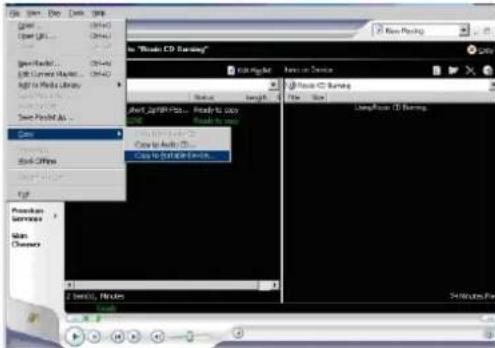
6) Then clickIcon "Copy" to transfer the WMA music with DRM to the player.
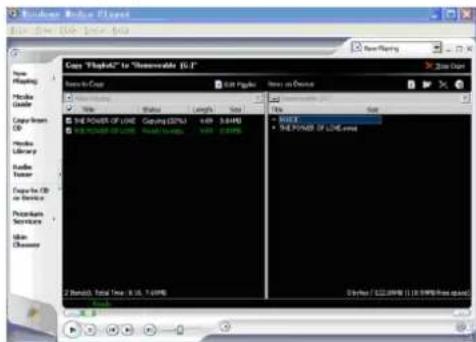
7) Safely remove the MP3 player from PC
5) In the opening windows, choose the desired WMA music with DRM. And choose "Removable Disk"
34
Notice:
● Not allowed to transfer MP3 files to the outside without permission (offend international copyright law)
● Shake produced by walking or movement will not influence the music playing, but the falling down and colliding with the hard objects will cause damage to the player and the playing effect.
● Avoid pouring any liquid into the player or wetting the player.
- Do not make the player close to the heat resources or expose in the sunshine, excessive dust, humidity and rain directly. Do not put the player on the accidented surface or in the sealed car when it is too hot, which will cause damage to the device and shorten the life of the device.
●Notice of using the earphone
Do not use the carphone to listen to the player when driving a car, riding bike or motorbike for preventing any accidents, especially when you use the carphone in extreme high volume when walking or crossing the road. It is very dangerous. Be careful and do not use earphone when you are in one place with potential danger (for example: Beside the building ground.)
● Prevent the hurt of audition
Do not uses the earphone in extreme high volume, the hearing expert suggests that it is not good to listen to the music in extreme high volume. Please lower the volume or stop using when you have tinnitus.
3
Support DRM9 function
Warning : Download operation of WMA music with DRM protection
On Window 98/ Window ME / Windows 2000/ Windows XP, WMA music with DRM should be transferred by Windows Media Player 9.0
Other download operation probably will cause the player can not read the WMA music with DRM file.
Operation introduction :
On Window 98/ Window ME / Windows 2000/ Windows XP, user should upgrade Windows Media Player to 9.0
On Windows Media Player 9.0 version : (Window 98/
Window ME / Windows 2000/ Windows XP)
1) Connect MP3 player to PC
2) Open Windows Media Player 9.0
3) In Windows Media Player 9.0, open the desired WMA music with DRM
System maybe request to download the license in case if user does not download the WMA music with DRM properly from the website.
In this case, user need download the license from music publisher as instruction of Microsoft Website showing in the operating window.
- The player may display Battery is full after the battery is full.

- Unplug the charger, the MP3 player is ready to use.
Note: the power ON/OFF switch must be at the ON position during the charging process.
Appearance & Keys
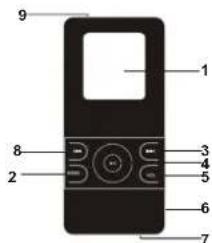
- LCD display
- MENU button
- Next track/Forward (▶▶)
4.Play / Stop / turn on/off button
5.volume control button(VOL) - Headphone jack
7.USB port - Previous track/ Rewind (◀◀)
9.Power switch
Charging procedures
● The device should be charged when the device turning off automatically without power, please charge with the accessory charger. Although the device could be charged by the USB port of the PC, the voltage outputted is not steady thus the device can not make sure whether the battery is fully charged. So we suggest you use the accessory charger.
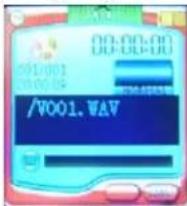
- When using the accessory charger to charge, the device will turn on automatically and display the charging state (the battery sign is continuously changing), the screen will display The battery is full after full charging. There is a circuit for intellectual charging management built in the device, so the internal circuit may cut off the charging circuit automatically after full charging. Floating charge with small current will not cause damage to the battery, extending the life of the battery exceedingly. 1.Slide the power ON/OFF switch to its ON position first, and then connect the player with the charger by USB cable. 2.Connect the charger to AC power supply, the red light will turn on. 3.The MP3 player can be in charging station after a short moment after connecting, the player enters the corresponding sub-interface, the icon of the battery begins to flicker, and the green light will turn on indicating the charger can work normally.
4
4) In operation windows, click File "Copy Copy" to Portable Device"
33
1Power on
Slide the Power ON/OFF switch to its ON position. Press▶ key to turn on the MP3 player.

1Music
Select Music icon after power on, press MENU key to enter Music interface, it begins to play music or voice.
1Stop playing music(power off)
When in play mode, short press▶| key to pause playing, long press ▶| key to stop playing.
●Dimension: Choose resolution 128*128, best suited for your screen size of 1.5"
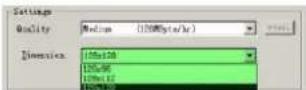
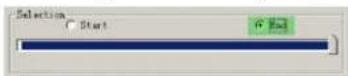
- Choose start point of the video you want to convert.
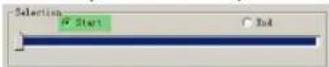
- Choose ending point of the video you want to convert.
-
After setting, click [convert] at last to start converting.
-
After converting, connect the MP3 player to your PC by USB cable.
6.Enter C:\Output

Ski_Trip.smv
- Copy Ski_trip.smv to the catalog of your MP3 player.
- Disconnect the MP3 player from PC, turn on the player and enter Video menu to watch the converted video.
Notice:
You'd better use the window default of the software if you are not so familiar with video converting.
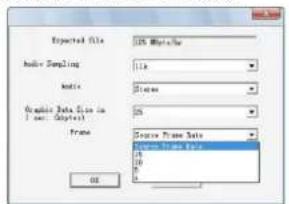
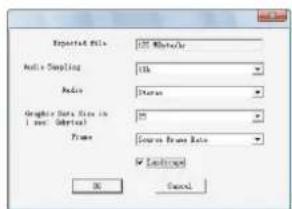
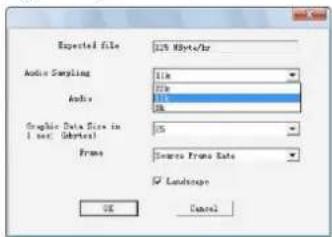
Frame
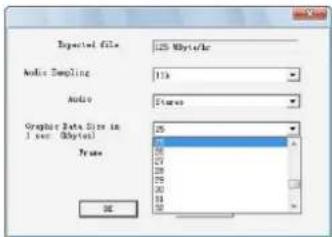
Source Frame Rate: 15, 10, 5, 4
Landscape
30
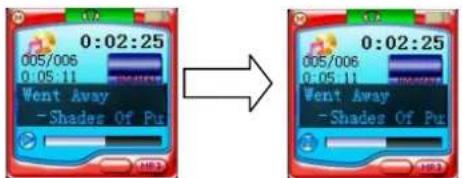
When in pause or stop mode, short press▶▶ key to play music. When in power on mode, long press▶▶ key will turn the MP3 player off, and the power off icon will appear. See as follows:

Volume adjustment
-
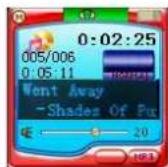
When in play mode, short press VOL key, and then press key to increase volume.
-
When in play mode, short press VOL key, and then press key to decrease volume.
7
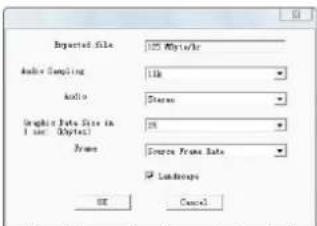
● Audio Sampling: Bigger the figure, better is the quality; bigger the figure, larger the space it takes.
-
Short press MENU key or ▶ key to play movie.
-
When in play/pause mode, short press << >> key to change movies forward and backward, long press << >> key to fast forward or fast rewind the movie.
-
Short press MENU key to display movie list interface, press navigation key to choose movies, and then short press M key or key to play movie, long press MENU key to go back to the main interface.
28
9
Note:
Volume adjustment range: 0-31
Short press for section by section adjustment, long press for continuous adjustment
1 Inquire music voice files
When in play/pause/stop mode, shortpress ◀◆◆◆ navigation key to change songs forward and backward, long press ◀◆◆◆ navigation key for fast forwarding or fast rewinding.
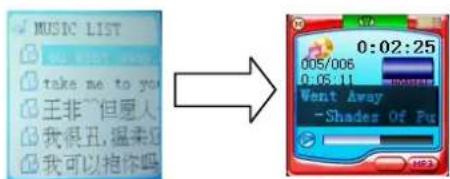
2. When in play/pause/stop mode, short press M key to display music list interface, press navigation key to choose songs, and then press MENU key to play.
3. When in play mode, short press ▶ key to pause; When in play/pause/stop mode, short press MENU key to enter music list, and long press MENU key to the main interface.
8
●Audio: Select stereo or mono
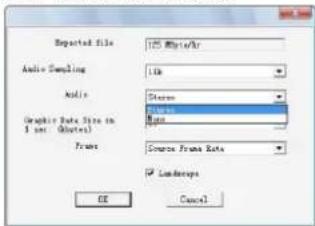
●Graphic Data Size in 1 sec Kbytes :)3 40-
29

|Photo
Enter the main menu, select Photo . "
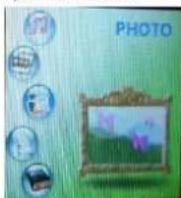
- Press MENU key or ▶ key to browse photos.
- Press ◀◀ ▶▶ key to browse photos forward and backward.
- Press VOL key to browse photos automatically.
- Press MENU key to go back to the main interface.
Generally, they are 3 levels of video quality:
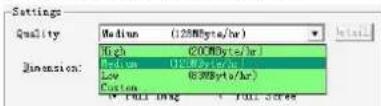
High: video playback length is one hour; it takes up about 200MByte space.
Medium: video playback length is one hour; it takes up about 128Mbyte
Low: video playback length is one hour; it takes up about 83MByte space.
CustomUser-defined video quality
Ski Trip.mpg

The Race avi

Germ. engineering Arab technology.wmv
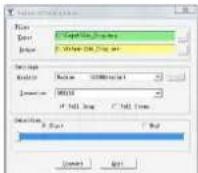
- Running video2smv program under folder of SMV Transcoding in accessory CD.
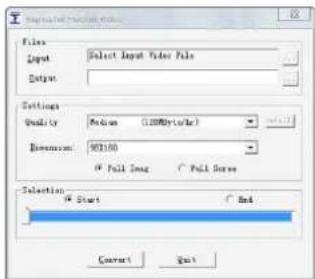
3. Settings:
- Click “...” to select the video source file you want to convert in input .
- Click “...” to select the position you want to preserve and file name after converting in 'Output."
- Select the level of video quality you would like the output to be converted to:
26

|Mic Record
Enter the main menu, select Mic Record."

-
Press MENU key or ▶ key to start recording.
-
Short press ▶ key to pause recording and then short press VOL key to stop recording. Voice file is produced and will be preserved in the VOICE of Navigation.
-
Long press MENU key to go back to the main menu.
11
Power off
Long press ▶ key to turn the MP3 player off.



The following interface may appear and the player may turn off automatically if the player is in low power.
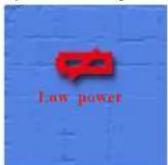
Note:
It is convenient to delete files and you can choose several files to delete at the same time.
If the player doesn't work completely, press VOL key + key to restore, it will turn on again.
-
Press MENU key or ▶ key to browse EBook.
-
Press ◀◀▶ key to browse EBook forward and backward.
-
Short press MENU key to enter EBook list, and long press MENU key to go back to the main menu.
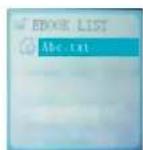

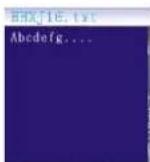
|Navigator
Enter the main menu, select Navigator."
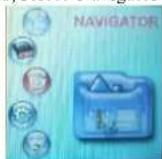
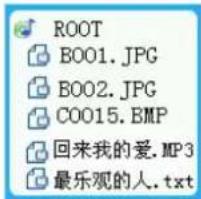
- Press MENU kcy or ▶▼ kcy to enter Navigator
- Short press MENU key or ▶▼ key, if you choose music, it will play music; if you choose video, it will play movie; if you choose photo, you can browse photo; if you choose EBook, you can read the EBook. Short press MENU key to go back to the last step menu.
- Long press MENU key to go to the main menu.
24
13
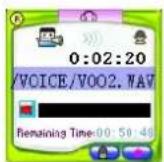
Note:
- Produced as voice file according to the sequence V001 V002
... automatically. The file is WAV format.
- It will stop recording if the storage is full.
Note:
-
Recording audio quality can select high middle and low.
-
Use earphone to monitor when recording audio frequency.
-
Please adjust the volume of external audio device properly before recording. The tone will be not good if the volume is exceedingly high.
|EBook
Enter the main menu, select "Ebook."

12
How to convert video format
1 Video format
AVI.WMV MPC
The player can only play movies after converting other video formats to SMV format.
Support the following video formats to be converted to SMV format:
AVI,WMV MPG
| Converting video format
Accessory disk has provided video converting tool. It is unnecessary to install, you can use it by coping it to your PC directly. For example: copy the whole folder of "SMV
Transcoding "to the folder c:"program files\ of your PC. Then enter this folder, click Video2smv.exe to open video converting tool:
Converting video file to SMV format file
Notice: Before playing video file, please use SIGMATEL MOTION, the VIDEO software to convert other format to SMV format. Operating steps are as follows:
- Please make sure that the target video source (the video that needs to be converted) is /has been saved in your PC and save it under C:\converting objects/. The format of the video should be AVI, MPG, or WMA.
25
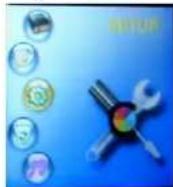
Enter the main menu, select Setup.
-
Press MENU key or ▶ key to enter Setup, press◀◀▶▶key to select the option you want to set, then press MENU key to enter the selected option, press ◀◀▶▶key to choose parameter, press MENU key to confirm and exit to the last step menu, pres▶▶▶key to give up and exit to the last step menu.
-
Long press MENU key to go back to the main menu.
14
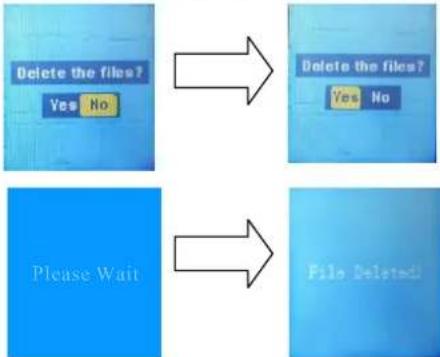
- Long press MENU key, it will prompt that whether you want to
delete the file or not. Choose Yes or No by pressing◀◀▶ key. If you choose YES, then press MENU key to delete these files, and then go back to the main interface.
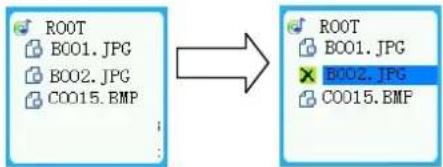
- Long press MENU key to go back to the main interface directly if there is no delete icon. If there is delete icon, it will prompt you whether you want to delete the file or not. If you choose YES, these selected files will be deleted, then go back to the main interface.
flowchart
graph TD
    A["Delete the files?"] --> B["Delete the files?"]
    B --> C["Please Wait"]
    C --> D["File Deleted!"]
23
Delete File
Enter the main menu, select Delete.

-
Press MENU key or ▶ key to enter Delete interface, press MENU key to enter the next step catalogue, press ▶ key to go back to the main interface.
-
If you choose the file, press MENU key to have delete icon, and press MENU key again to cancel delete icon. You can select several files at the same time. If you choose the folder, press M key to enter sub-file of this folder.
22
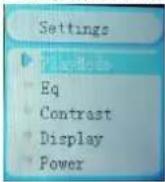
lPlay Mode
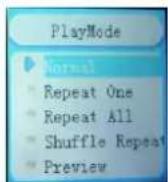
- After entering this menu, press MENU key to enter Play Mode interface.
- Press << >> key to choose play mode, press MENU key to confirm and exit to the last step menu, press key to give up and exit to the last step menu.
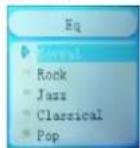
IEQ
After entering this menu, press MENU key to enter EQ interface.
15
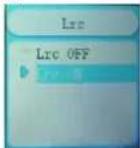
Notice: Lyric on-off indicates that whether you need lyricsync when playing music or not. The lyric can only display when having support of lyric file after choosing Lyric ON.
1 Languages
After entering this menu, press MENU key to enter language interface.
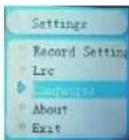
Press◀◀▶▶ key to choose language, press MENU key to confirm and exit to the last step menu, pres▶▶ key to give up and exit to the last step menu.

|About
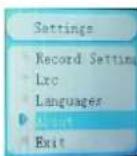
After entering this menu, press MENU key to enter About interface.
Press ◀◀▶▶ key to choose contrast size, press MENU key to confirm and exit to the last step menu, press ▶▶▶ key to give up and exit to the last step menu.
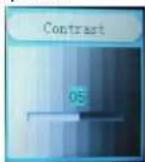
|Display
After entering this menu, press MENU key to enter Display interface.
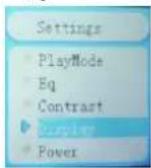
Press ◀◀▶ key to choose display time, press MENU key to confirm and exit to the last step menu, press▶ key to give up and exit to the last step menu.
20
17
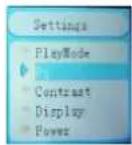
Press <<▶ key to choose EQ mode, press MENU key to confirm and exit to the last step menu, press▶ key to give up and exit to the last step menu.
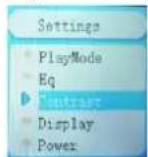
|Contrast After entering this menu, press MENU key to enter Contrast interface.
16
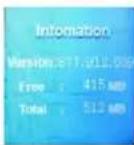
Player information could be found after entering this interface, see as follows:
lExit After entering this menu, press MENU key to confirm and exit this menu.
21
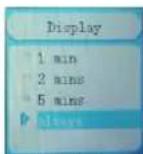
Note: Display time is specially designed for saving power, the system will turn off the screen for saving power if there is no any key operation within the display time you set. The screen will light automatically if you press any key.
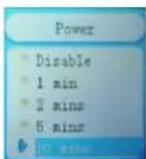
lPower After entering this menu, press MENU key to enter Power interface.
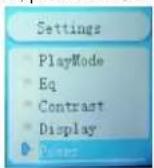
Press◀◀▶▶ key to choose off time, press MENU key to confirm and exit to the last step menu, press▶▶ key to give up and exit to the last step menu.
Record Settings After entering this menu, press MENU key to enter Record Settings interface.
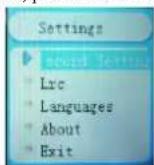
Press ◀◀▶▶ key to choose record setting, press MENU key to confirm and exit to the last step menu, press▶▶ ey to give up and exit to the last step menu.
19
- MP3 PLAYER
- User'S Manual
- Downloading of music files from your computer (PC) to the MP3 player
- Reset function
- Features
- Content
- Specifications:
- Accessories
- Notice:
- Charging procedures
- 1Power on
- 1Music
- 1Stop playing music(power off)
- Volume adjustment
- Note:
- |Photo
- Settings:
- |Mic Record
- Power off
- |Navigator
- |EBook
- How to convert video format
- Video format
- | Converting video format
- Converting video file to SMV format file
- Delete File
- lPlay Mode
- IEQ
- Languages
- |About
- |Display
Brand : CURTIS
Model : MPK1040
Category : Mp3 player