POE101 - Carte réseau/Adaptateur NETGEAR - Free user manual and instructions
Find the device manual for free POE101 NETGEAR in PDF.


User questions about POE101 NETGEAR
0 question about this device. Answer the ones you know or ask your own.
Ask a new question about this device
Download the instructions for your Carte réseau/Adaptateur in PDF format for free! Find your manual POE101 - NETGEAR and take your electronic device back in hand. On this page are published all the documents necessary for the use of your device. POE101 by NETGEAR.
USER MANUAL POE101 NETGEAR
Power Over Ethernet Adapters
POE101
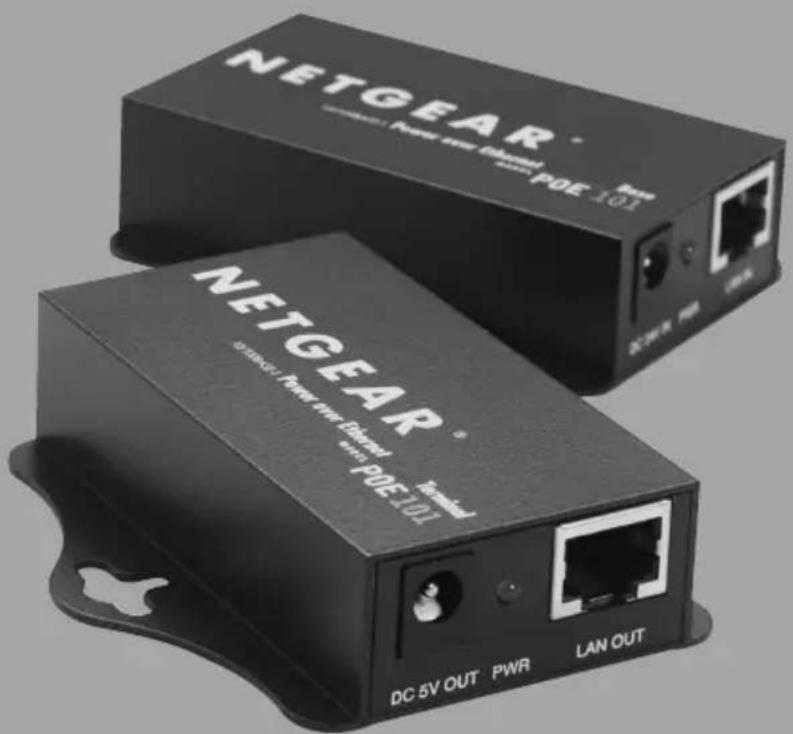
Installation Guide
Introduction
NETGEAR POE101 Power over Ethernet adapters are designed to supply operational power to devices through an Ethernet cable. These adapters make it easy to extend reach of your wireless local network. The POE101 provides an ideal solution for locating an access point in a building ceiling or attic, for example, where it has optimal radio coverage without requiring an AC power outlet. The POE101 can extend the placement of a wireless access point up to 328 feet (100 meters) ^1 by using standard category 5 Ethernet cable.
natural_image
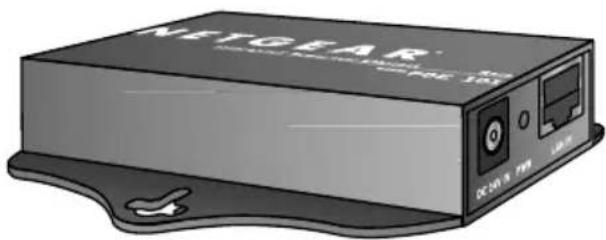
Illustration of a NEYGEAR wireless device with ports and a logo (no text or symbols on the device body)POE101 Base unit
natural_image
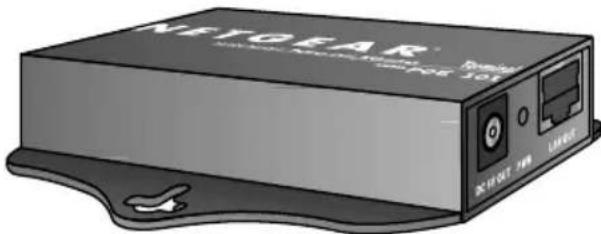
Illustration of a NEYGEAR wireless device with ports and a switch (no text or symbols on body)POE101 Terminal unit
Important
You should never connect a POE101 base unit LAN OUT to any network devices, such as hubs, switches, and network interface cards (NIC). Doing so may damage the hub, switch, NIC device, or even your computer. NETGEAR holds no responsibility for any loss from using this product. PLEASE READ THE FOLLOWING INSTRUCTIONS BEFORE USING THE NETGEAR POE101 PRODUCT. Using this product means that you agree with this disclaimer. Damage to the product due to disregarding instructions in this guide will void the warranty.
1 Package contents
POE101Base unit
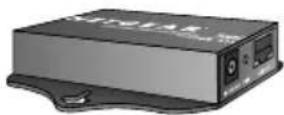
POE101 Terminal unit
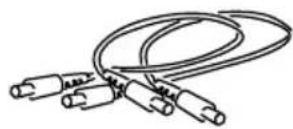
DC Power cables
natural_image
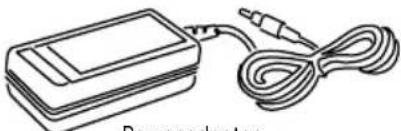
Line drawing of a power adapter with a cable and plug (no text or symbols)Power adapter
natural_image
Stack of three overlapping sheets with no visible text or symbolsPOE101 installation guide, support information card & warranty/registration card
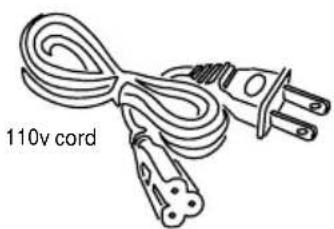
natural_image
Line drawing of a 110V cord with two terminal plugs (no text or symbols on the cord itself)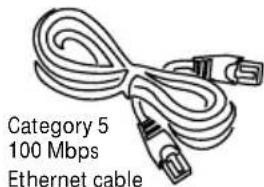

Wall mount kit
• Power over Ethernet base unit
• Power over Ethernet terminal unit
- Localized AC power cable
• 100\~240 V AC to 24V DC 30W power adapter
- Two 2-foot DC power cables
• 2-foot Ethernet cable
- Wall mount kit
- Installation Guide
• Warranty and support information cards
Setup Requirements
- Two straight through Category 5 Ethernet cables:
- a short cable from an Ethernet hub or switch to the POE101 base unit and
- a second cable (up to 328 feet) for connecting from base unit to a terminal unit. These cables are not included in the NETGEAR POE101 packaging.
• A 5V DC powered NETGEAR access point ^2 .
2 Connect a Matched Pair of POE101 Adapters
Note: Use only in pairs of one base and one terminal unit only. Do NOT use two POE101 base units or two POE101 terminal units together.
- Connect a straight-through category 5 Ethernet cable (not included in the package) from the Ethernet switch or hub to the POE101 base unit's "LAN IN" port.
- Plug in the power to the POE base unit. Verify the POE101 base unit's LED lights are lit.
- Connect the a long straight-through category 5 AWG24 ^3 Ethernet cable (not included in the package) from the POE101 base unit's "LAN OUT" port to the terminal unit's "LAN IN"
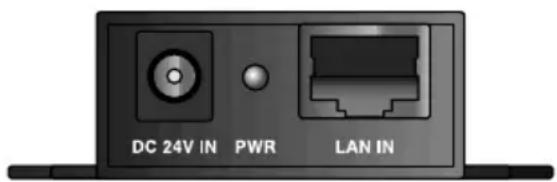
POE101Base unit: LAN in, Power in
port. Verify that the POE101 terminal unit has power by checking to see that the LED is lit.
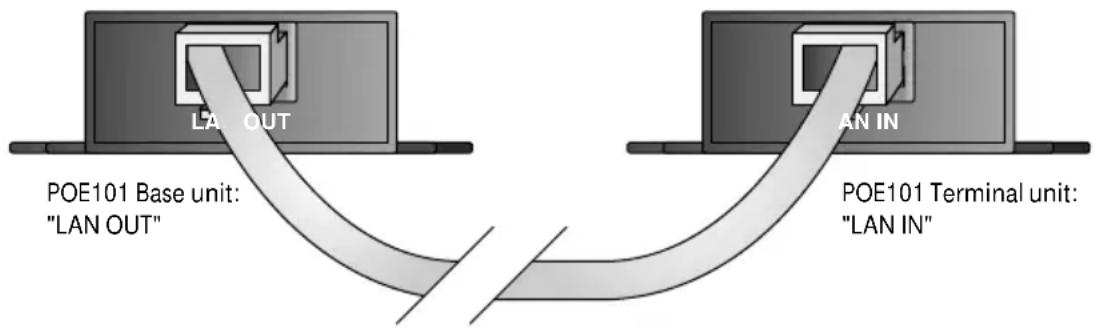
Warning: Do not connect the base unit LAN OUT direct to any Ethernet device. The power output may damage the device.
- Connect the provided Ethernet cable from the POE101 terminal unit's "LAN OUT" port to the wireless access point's LAN port.
- Connect the DC power cable from the POE101 terminal unit's "PWR" port to the wireless access point's power socket.
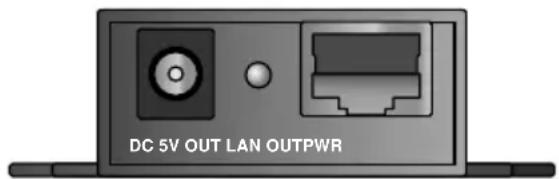
POE101 Terminal unit: LAN out, Power Out
Note: if you cannot plug in the DC power cable to the access point, use the other DC power cable. There are two DC power cables provided in the POE101 box. They both have a common plug head for the POE101 terminal unit's "PWR" port. However, the other end of one has a smaller plug head for North American use while the other cable has a bigger head for European use.
3 By using a lower AWG numbered cable, you will get a better power transfer efficiency. However, the cable may be thicker.
Now you should see that power is provided to the NETGEAR wireless access point. If there is no power, please refer to the Troubleshooting section in this guide.
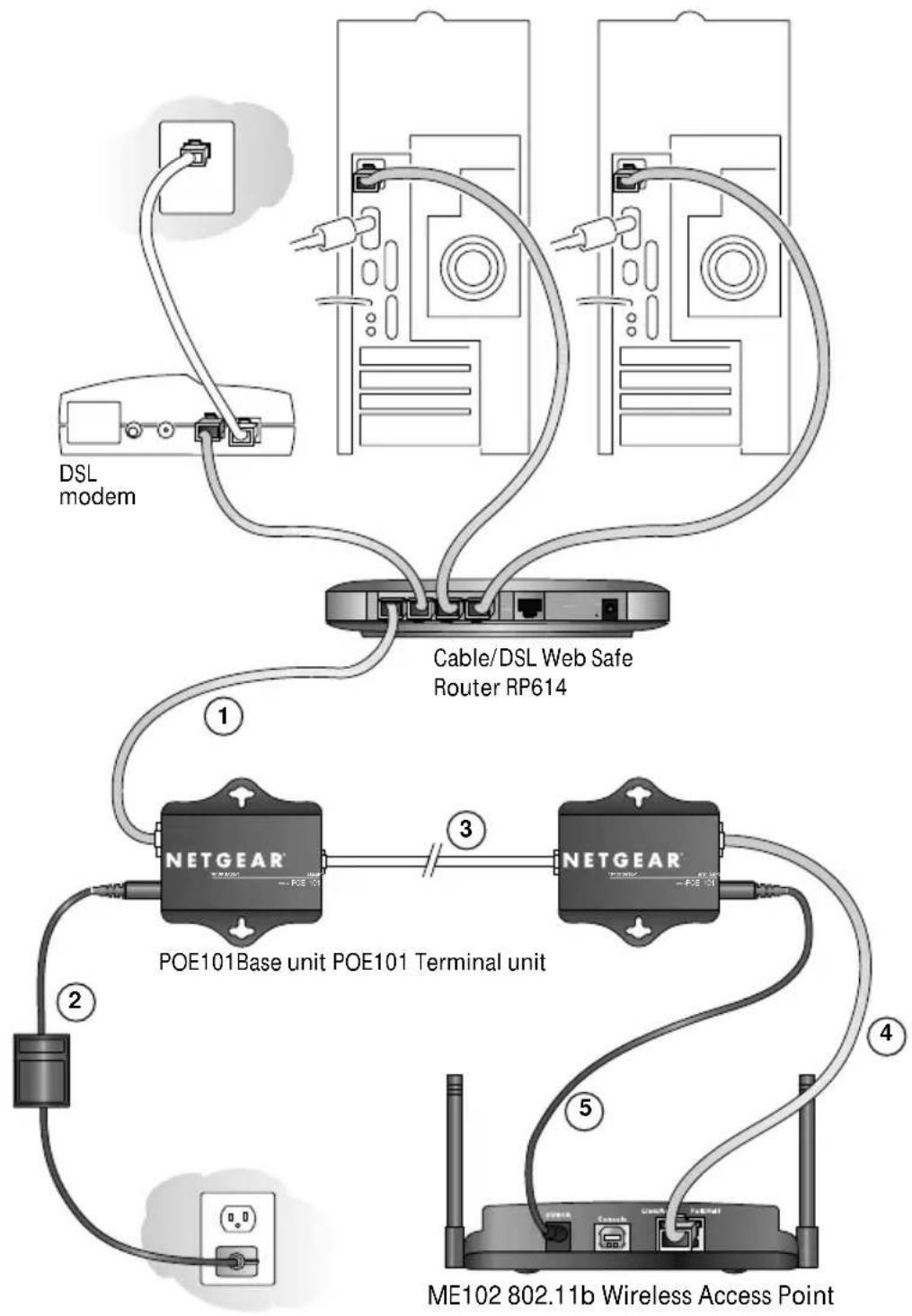
Please see the illustration below. Your final connection should be similar.
flowchart
graph TD
    A["DSL modem"] --> B["Cable/DSL Web Safe Router RP614"]
    B --> C["POE101 Base unit POE101 Terminal unit"]
    C --> D["ME102 802.11b Wireless Access Point"]
    D --> E["NetGEAR"]
    E --> F["NetGEAR Base Unit"]
    style A fill:#f9f,stroke:#333
    style B fill:#ccf,stroke:#333
    style C fill:#cfc,stroke:#333
    style D fill:#fcc,stroke:#333
    style E fill:#cff,stroke:#333
    style F fill:#ffc,stroke:#333
The total allowable distance should be less than 328 feet (100 meters)
Calculate it from ① + ③ < -428 feet
Troubleshooting
Q: The base LED does not light up.
A: Verify that the power supply connectors are properly connected.
Q: The terminal LED does not light up.
A: There are a couple of possibilities. Please check the following items in the sequence listed until everything works.
- Verify you are using a terminal unit.
- Verify that the POE101 base LED is lit.
- Verify that the long Ethernet cable is a straight-through category 5, AWG24 or less cable ^4 .
- Verify that the long Ethernet cable is inserted into the POE terminal "LAN IN" port.
- Unplug the DC power cable from the terminal unit. If the terminal LED lights up after being unplugged, then the problem is the access point. Please see the following question.
Q: Both base and terminal LEDs light up. The access point still does not get power.
A: Check these two conditions:
- Verify that you are using the correct DC power cable.
- Verify that the access point is a working unit. Plug in the power plug, which was provided in the access point's original packaging. Verify that there is power to the access point.
Q: What if I connect the wrong cable and connectors?
A: If using a Category 5 Ethernet cable in a pure 10/100 Base-T environment, there will be no harm.
Note: Do not use this product in a Gigabit or 10-Gigabit Ethernet network environment. See the following question.
Q: The POE101 does work with my Gigabit Ethernet network.
A: This product is designed specifically for the Netgear access point. It may not work with other vendor's products. Using it with a Gigabit Ethernet device may damage the device and void the product warranty.
Note: With a correct configuration, POE101 works for 10/100 in a 10/100/1000 switch. The speed is only in 10 or 100 megabit per second.
Statement of Conditions
In the interest of improving internal design, operational function, and/or reliability, NETGEAR reserves the right to make changes to the product described in this document without notice.
NETGEAR does not assume any liability that may occur due to the use or application of the product(s) or circuit layout(s) described herein.
Certificate of the Manufacturer/Importer
It is hereby certified that the NETGEAR Model POE101 Power over Ethernet adapters have been suppressed in accordance with the conditions set out in the BMPT-AmtsblVfg 243/1991 and Vfg 46/1992. The operation of some equipment (for example, test transmitters) in accordance with the regulations may, however, be subject to certain restrictions. Please refer to the notes in the operating instructions.
Federal Office for Telecommunications Approvals has been notified of the placing of this equipment on the market and has been granted the right to test the series for compliance with the regulations.
Federal Communications Commission (FCC) Compliance Notice: Radio Frequency Notice
This device complies with part 15 of the FCC Rules. Operation is subject to the following two conditions:
- This device may not cause harmful interference.
- This device must accept any interference received, including interference that may cause undesired operation.
Note: This equipment has been tested and found to comply with the limits for a Class A digital device, pursuant to part 15 of the FCC Rules. These limits are designed to provide reasonable protection against harmful interference in a residential installation. This equipment generates, uses, and can radiate radio frequency energy and, if not installed and used in accordance with the instructions, may cause harmful interference to radio communications. However, there is no guarantee that interference will not occur in a particular installation. If this equipment does cause harmful interference to radio or television reception, which can be determined by turning the equipment off and on, the user is encouraged to try to correct the interference by one or more of the following measures:
- Reorient or relocate the receiving antenna.
- Increase the separation between the equipment and receiver.
- Connect the equipment into an outlet on a circuit different from that to which the receiver is connected.
- Consult the dealer or an experienced radio/TV technician for help.
EN 55 022 Declaration of Conformance
This is to certify that the NETGEAR Model POE101 Power over Ethernet adapters are shielded against the generation of radio interference in accordance with the application of Council Directive 89/336/EEC, Article 4a. Conformity is declared by the application of EN 55 022 Class A (CISPR 22).
Canadian Department of Communications Radio Interference Regulations
This digital apparatus (NETGEAR Model POE101 Power over Ethernet adapters) does not exceed the Class A limits for radio-noise emissions from digital apparatus as set out in the Radio Interference Regulations of the Canadian Department of Communications.
Product Specification
AC power adapter Input: 100\~240V AC 0.85A 50\~60Hz
Output: 24V DC 1.5A
POE Base unit Power input: 24V DC
10/100 Mb LAN IN
10/100 Mb LAN OUT with 24V DC power
POE Terminal unit 10/100Mb LAN IN with 24V DC power
10/100Mb LAN OUT
Power output: 5V DC 2.5A max.
Cables Category 5 with RJ-45 connectors for terminal to access point
DC power cable for terminal unit to NETGEAR ME102 (North American version)
DC power cable for terminal unit to all other NETGEAR 5V DC powered devices
Localized AC power cable for wall to power adapter
Technical Support
Please refer to the Support Information Card that shipped with your product.
Support Information
Phone: 1-888-NETGEAR US and Canada only. For other support phone numbers in other countries please refer to your Support Card.
E-mail: support@NETGEAR.com
www.NETGEAR.com
© 2002 by NETGEAR, Inc. All rights reserved.
NETGEAR is a registered trademark of NETGEAR, Inc. in the United States and/or other countries. Other brand and product names are trademarks or registered trademarks of their respective holders. Information is subject to change without notice.

M - POE101NA - 0
August 2002