
ASNW1863RH0 - Uncategorized LG - Free user manual and instructions
Find the device manual for free ASNW1863RH0 LG in PDF.


| Product Type | Window Air Conditioner |
| Model | ASNW1863RH0 |
| Brand | LG |
| Cooling Capacity | 18,000 BTU/h (approx.) |
| Efficiency Rating | EER 10.0 (approx.) |
| Dimensions (W x H x D) | 26 x 18 x 24 inches |
| Weight | 75 lbs (34 kg) |
| Power Supply | 115V, 60Hz, 12A |
| Refrigerant | R-410A |
| Air Flow | Up to 600 CFM (approx.) |
| Noise Level | 52 dBA (low) / 56 dBA (high) |
| Control Type | Remote control + touch panel |
| Filter Type | Washable mesh filter |
| Fan Speeds | 3 speeds (Low/Medium/High) |
| Operation Modes | Cool, Fan, Dry (dehumidify), Auto |
| Timer | 24-hour on/off timer |
| Energy Saver Mode | Yes |
| Auto Restart | Yes |
| Installation Type | Window mount (required sash) |
| Window Opening Min | Width 26 inches, height 18 inches |
| Certifications | Energy Star (typical) |
| Warranty | 1 year parts and labor (typical) |
Frequently Asked Questions - ASNW1863RH0 LG
User questions about ASNW1863RH0 LG
0 question about this device. Answer the ones you know or ask your own.
Ask a new question about this device
Download the instructions for your Uncategorized in PDF format for free! Find your manual ASNW1863RH0 - LG and take your electronic device back in hand. On this page are published all the documents necessary for the use of your device. ASNW1863RH0 by LG.
USER MANUAL ASNW1863RH0 LG
Write the model and serial numbers here:
Model #
Serial #
You can find them on a label on the side of each unit.
Dealer's Name
Date Purchased
■ Staple your receipt to this page in the event you need it to prove date of purchase or for warranty issues.

READ THIS MANUAL
Inside you will find many helpful hints on how to use and maintain your air conditioner properly. Just a little preventive care on your part can save you a great deal of time and money over the life of your air conditioner.
You'll find many answers to common problems in the chart of troubleshooting tips. If you review our chart of
Troubleshooting Tips first, you may not need to call for service at all.

PRECAUTION
- Contact the authorized service technician for repair or maintenance of this unit.
- Contact the installer for installation of this unit.
• The appliance is not intended for use by young children or infirm persons without supervision. - Young Children should be supervised to ensure that they do not play with appliance.
- When the power cord is to be replaced, replacement work shall be performed by authorized personnel only using only genuine replacement parts.
• Installation work must be performed in accordance with the National Electric Code by qualified and authorized personnel only. - If the appliance is supplied from a cord extension set or an electrical portable outlet device, the cord extension set on electrical portable outlet device must be positioned so that it is not subject to splashing Ä or ingress of moisture.
natural_image
Illustration of people enjoying a picnic at a table with food and drinks, surrounded by palm trees (no text or symbols)To prevent the injury of the user or other people and property damage, the following instructions must be followed.
■ Incorrect operation due to ignoring instruction will cause harm or damage. The seriousness is classified by the following indications.
This symbol indicates the possibility of death or serious injury.
This symbol indicates the possibility of injury or damage to properties only.
■ The meanings of the symbols used in this manual are as shown below.
| [WSYY] | Be sure not to do. |
| Be sure to follow the instruction. |
WARNING
Installation
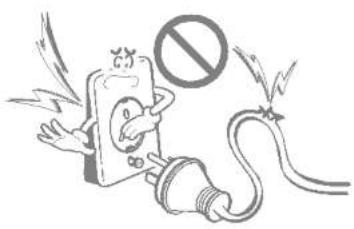
Do not use damaged power cords, plugs, or a loose socket.
• There is risk of fire or electric shock.
natural_image
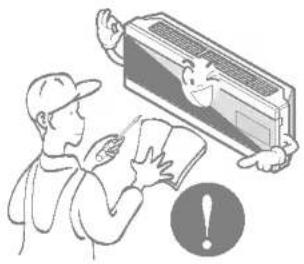
Cartoon illustration of an electric shock plug with a 'no' symbol, no text or labels presentFor electrical work, contact the dealer, seller, a qualified electrician, or an Authorized Service Center.
• There is risk of fire or electric shock.
natural_image
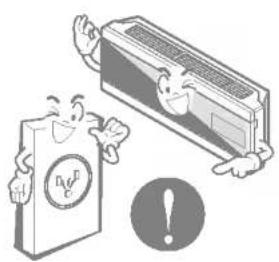
Illustration of a person holding a document with a car inside, no text or symbols presentAlways use the power plug and socket with the ground terminal.
• There is risk of electric shock.
natural_image
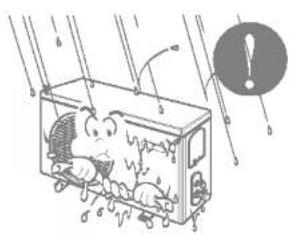
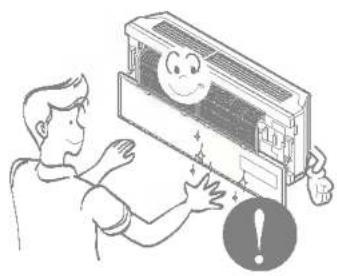
Illustration of a smiling card and a rectangular air conditioner with an exclamation mark (no text or symbols present)Install the panel and the cover of control box securely.
• There is risk of fire or electric shock.
natural_image
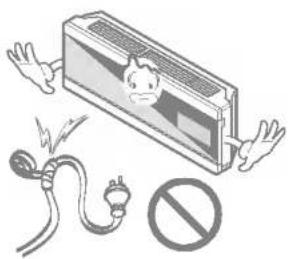
Cartoon illustration of a train with passengers inside, showing motion lines and a warning symbol (no text or labels)Do not modify or extend the power cord.
• There is risk of fire or electric shock.
natural_image
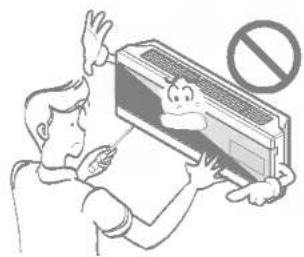
Illustration of an electric shock absorber with a warning symbol (no text or labels)Do not install, remove, or re-install the unit by yourself (customer).
• There is risk of fire, electric shock, explosion, or injury.
natural_image
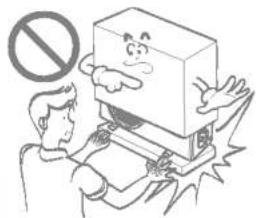
Illustration of a person holding a document with a cartoon character inside, no text or symbols presentBe cautious when unpacking and installing the product.
- Sharp edges could cause injury. Be especially careful of the case edges and the fins on the condenser and evaporator.
natural_image
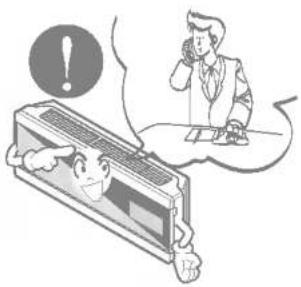
Illustration of a person using a device with a no-smoking symbol above, no text or labels present.For installation, always contact the dealer or an Authorized Service Center.
• There is risk of fire, electric shock, explosion, or injury.
natural_image
Illustration of a person reacting to a phone call, with a warning circle and computer monitor in the background (no text or symbols)Do not install the product on a defective installation stand.
- It may cause injury, accident, or damage to the product.
natural_image
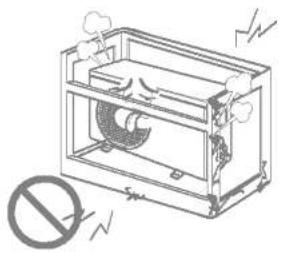
Technical line drawing of a mechanical device with no visible text or symbolsBe sure the installation area does not deteriorate with age.
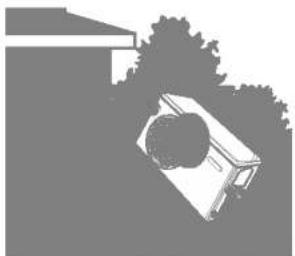
- If the base collapses, the air conditioner could fall with it, causing property damage, product failure, and personal injury.
Do not let the air conditioner run for a long time when the humidity is very high and a door or a window is left open.
- Moisture may condense and wet or damage furnishings.
natural_image
Silhouette of a vehicle with a circular head, partially obscured by trees (no text or symbols)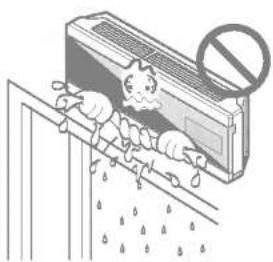
natural_image
Illustration of a person using a shower next to a large box with a prohibition symbol (no text or labels)Operation
Take care to ensure that power cords could not be pulled out or damaged during operation.
• There is risk of fire or electrical shock.
Do not place anything on the power cord.
• There is risk of fire or electric shock.
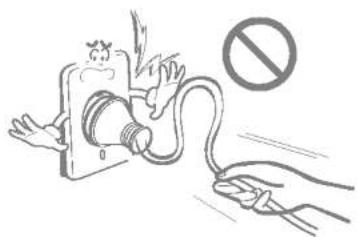
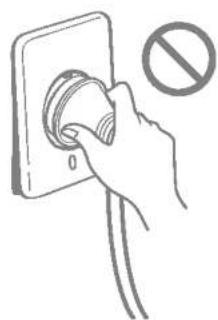
Do not turn the air-conditioner ON or OFF by plugging or unplugging the power plug.
• There is risk of fire or electrical shock.
natural_image
Illustration of a hand holding a device with a no-smoking symbol nearby (no text or labels)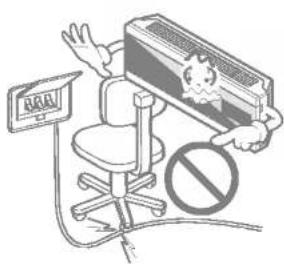
natural_image
Hand inserting a plug into an electrical outlet with a prohibition symbol (no text or labels)Use a dedicated outlet for this appliance.
• There is risk of fire or electrical shock.
Grasp the plug to remove the cord from the outlet. Do not touch it with wet hands.
• There is risk of fire or electrical shock.
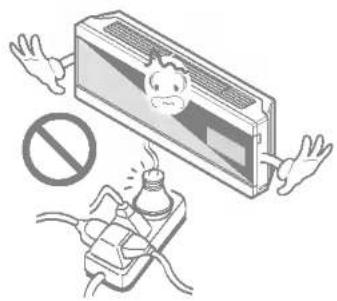
Do not place a heater or other appliances near the power cable.
• There is risk of fire and electric shock.
natural_image
Illustration of a person falling from a computer monitor with a warning symbol (no text or labels present)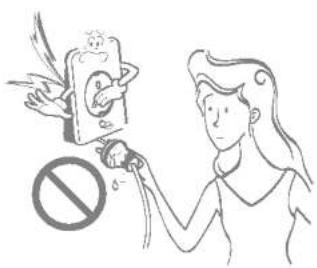
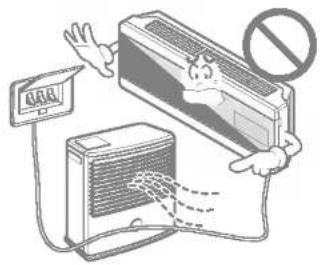
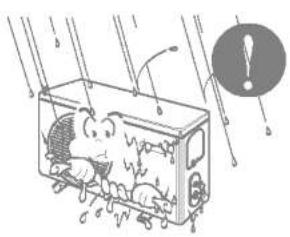
Do not allow water to run into electric part.
• There is risk of fire or failure of the product or electric shock.
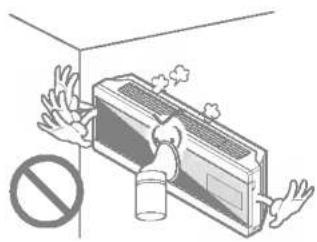
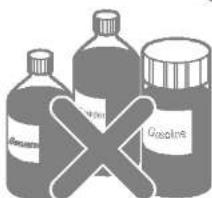
Do not store or use flammable gas or combustibles near the air conditioner.
• There is risk of fire or failure of product.
Do not use the product in a tightly closed space for a long time.
• Oxygen deficiency could occur.
natural_image
Illustration of a cartoon train with passengers inside, showing exhaust lines and a warning symbol (no text or labels)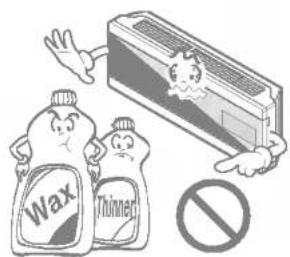
natural_image
Illustration of a person inside a wall with a large air conditioner unit and a 'no sign' symbol (no text or labels present)When flammable gas leaks, turn off the gas and open a window for ventilation before turn the product on. DO NOT use the telephone or turn switches on or off.
• There is risk of explosion or fire.
Unplug the unit if strange sounds, odors, or smoke comes from it.
• There is risk of electrical shock or fire
Stop operation and close the window in storm or hurricane. If possible, remove the air conditioner from the window before the hurricane arrives.
• There is risk of property damage, failure of product, or electric shock.
natural_image
Illustration of a person inside an air conditioner emitting exhaust smoke, with a speaker nearby and a prohibition symbol (no text or labels)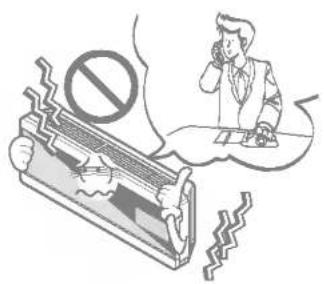
natural_image
Illustration of a person sitting at a desk with a broken phone and a large 'no' symbol, surrounded by falling glass panels (no text or symbols present)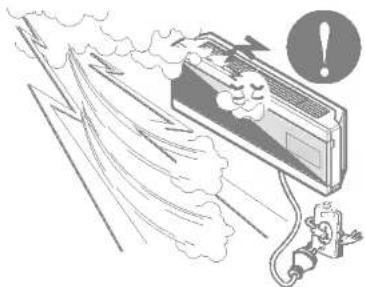
natural_image
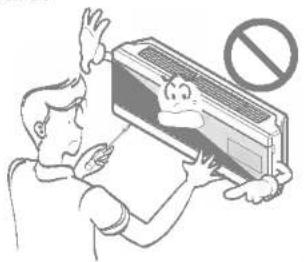
Illustration of a person reacting to a large air conditioner with smoke and exhaust, accompanied by a warning symbol (no text or labels present)Do not open the inlet grill of the product during operation. (Do not touch the electrostatic filter, if the unit is so equipped.)
• There is risk of physical injury, electric shock, or product failure.
natural_image
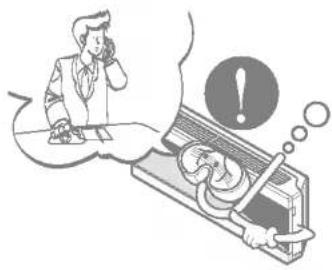
Illustration of a person using a refrigerant device with a 'no' symbol above, no text or labels present.When the product is soaked (flooded or submerged), contact an Authorized Service Center.
• There is risk of fire or eletric shock.
natural_image
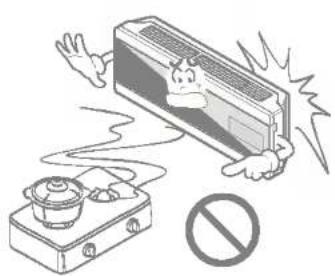
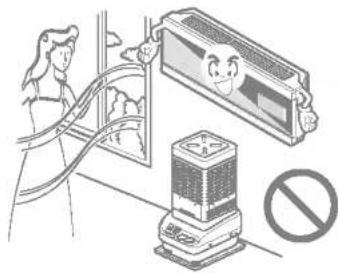
Illustration of a person using a computer with an exclamation mark, no text or symbols presentVentilate the product from time to time when operating it together with a stove, etc.
• There is risk of fire or electrical shock.
natural_image
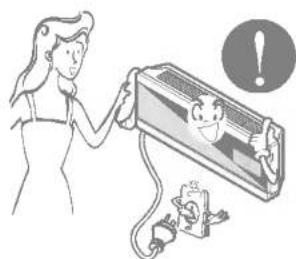
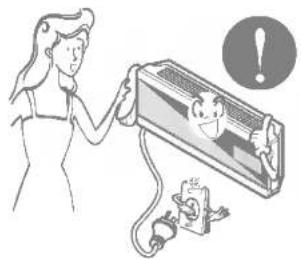
Illustration of a person using a device to clean air from a window, with a no-smoking symbol nearby (no text or labels)Unplug the appliance before performing cleaning or maintenance.
• There is risk of electrical shock.
natural_image
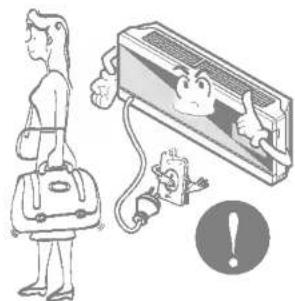
Illustration of a woman holding a wall-mounted air conditioner with a child inside, accompanied by an alarm icon (no text or symbols)When the product is not be used for a long time, disconnect the power supply plug or turn off the breaker.
• There is risk of product damage or failure, or unintended operation.
natural_image
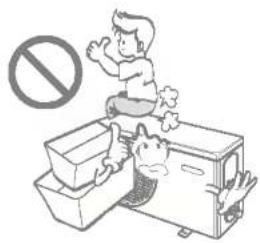
Illustration of a person standing next to a computer monitor with a warning symbol (no text or labels)Take care to ensure that nobody could step on or fall onto the outdoor unit.
• This could result in personal injury and product damage.
natural_image
Illustration of a child sitting on a toilet next to a washing machine with a no-smoking symbol above (no text or labels)CAUTION
Installation
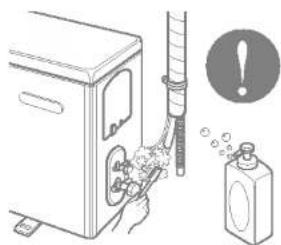
Always check for gas (refrigerant) leakage after installation or repair of product.
- Low refrigerant levels may cause failure of product.
natural_image
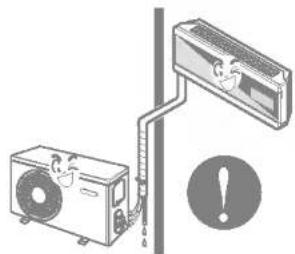
Illustration of a washing machine with a hand holding a bottle, next to a spray bottle and an alert icon (no text or symbols)Install the drain hose to ensure that water is drained away properly.
• A bad connection may cause water leakage.
natural_image
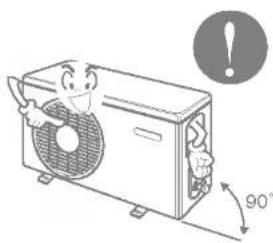
Illustration of a car air conditioner connected to a wall-mounted air conditioner unit, with an exclamation mark (no text or symbols present)Keep level even when installing the product.
• To avoid vibration or water leakage.
natural_image
Illustration of a cartoon character inside a steam fan with an 90° angle indicator (no text or symbols on the fan or background)Do not install the product where the noise or hot air from the outdoor unit could damage the neighborhoods.
• It may cause a problem for your neighbors.
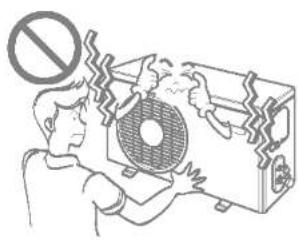
Use two or more people to lift and transport the air conditioner.
- Avoid personal injury.
Do not install the product where it will be exposed to sea wind (salt spray) directly.
- It may cause corrosion on the product. Corrosion, particularly on the condenser and evaporator fins, could cause product malfunction or inefficient operation.
natural_image
Illustration of a person assembling or cleaning a large fan device with a prohibition symbol above (no text or labels)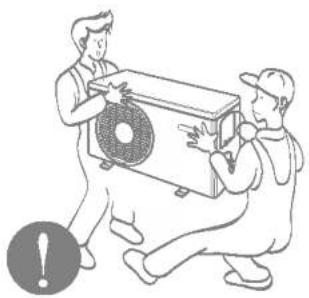
natural_image
Illustration of two workers assembling a large air conditioner unit (no text or symbols present)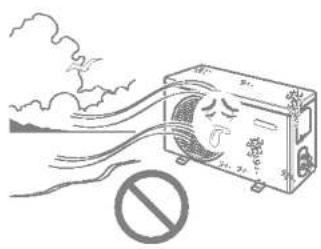
natural_image
Illustration of an air conditioner emitting exhaust smoke with a prohibition sign (no text or symbols on the diagram itself)Operation
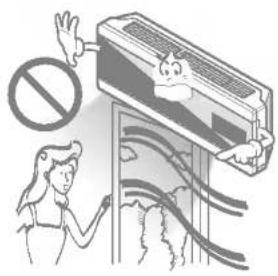
Do not direct airflow at room occupants. (Don't sit in the draft.)
• This could damage your health.
natural_image
Illustration of a person cleaning a large air conditioner with a 'no sign' symbol above (no text or symbols on the main image)Do not use the product for special purposes, such as preserving foods, works of art, etc. It is a consumer air conditioner, not a precision refrigeration system.
• There is risk of damage or loss of property.
natural_image
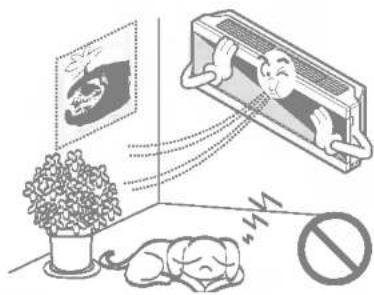
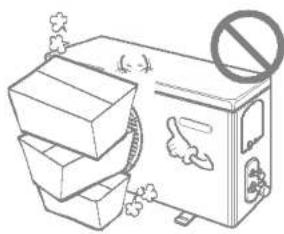
Illustration showing a sleeping dog, a potted plant, and a wall-mounted device with a smiling face (no text or symbols)Do not block the inlet or outlet of air flow.
• It may cause product failure.
natural_image
Illustration of a trash bin with a no-smoking symbol above it, surrounded by stacked bins and debris (no text or symbols present)Use a soft cloth to clean. Do not use harsh detergents, solvents, etc.
• There is risk of fire, electric shock, or damage to the plastic parts of the product.
natural_image
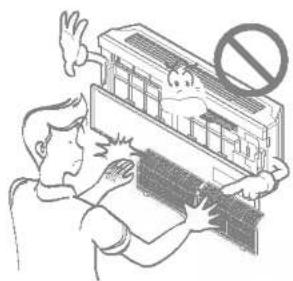
Illustration of a person using an electric shock absorber with warning symbols (no text or labels)Do not touch the metal parts of the product when removing the air filter. They are very sharp!
• There is risk of personal injury.
natural_image
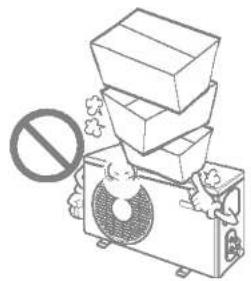
Illustration of a person using a computer with a 'no' symbol above, no text or symbols presentDo not step on or put anything on the product. (outdoor units)
• There is risk of personal injury and failure of product.
natural_image
Illustration of a person standing beside stacked boxes with a prohibition symbol (no text or labels)Always insert the filter securely. Clean the filter every two weeks or more often if necessary.
- A dirty filter reduces the efficiency of the air conditioner and could cause product malfunction or damage.
Do not insert hands or other objects through the air inlet or outlet while the air conditioner is plugged in.
• There are sharp and moving parts that could cause personal injury.
Do not drink the water drained from the unit.
• It is not sanitary and could cause serious health issues.
natural_image
Illustration of a person assembling a wall-mounted air conditioner unit with a smiling face and warning symbol (no text or labels)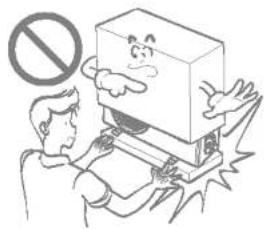
natural_image
Illustration of a person using a device with a prohibition symbol above (no text or labels)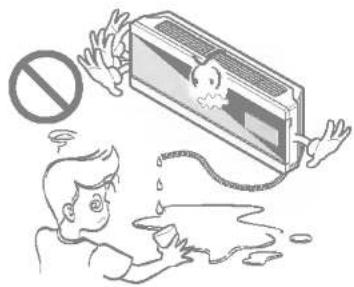
natural_image
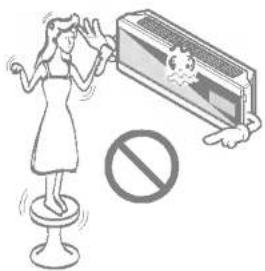
Illustration of a person reacting to a damaged air conditioner with a no-smoking symbol above (no text or labels)Use a firm stool or ladder when cleaning or maintaining the air conditioner.
- Be careful and avoid personal injury.
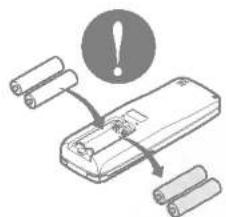
Replace the all batteries in the remote control with new ones of the same type. Do not mix old and new batteries or different types of batteries.
• There is risk of fire or explosion
Disuse
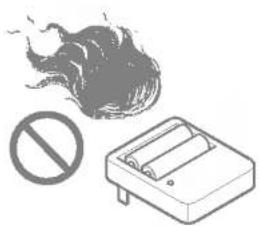
Do not recharge or disassemble the batteries. Do not dispose of batteries in a fire.
• They may burn or explode.
natural_image
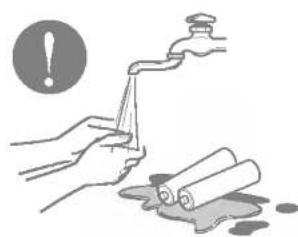
Illustration of a fire with smoke and a prohibition sign (no text or symbols present)If the liquid from the batteries gets onto your skin or clothes, wash it well with clean water. Do not use the remote if the batteries have leaked.
• The chemicals in batteries could cause burns or other health hazards.
natural_image
Illustration of hands washing a faucet with a warning symbol (no text or labels)- Contact an installation specialist for installation.
- Plug in the power plug properly.
- Use a dedicated circuit.
- Do not use an extension cord.
- Do not start/stop operation by plugging/unplugging the power cord.
- If the cord/plug is damaged, replace it with only an authorized replacement part.

natural_image
Simple gray horizontal bar with three vertical stripes (no text or symbols)- Being exposed to direct airflow for a long time may be hazardous to your health. Do not expose occupants, pets, or plants to direct airflow for a long time.
- Due to the possibility of oxygen deficiency, ventilate the room when using the appliance together with stoves or other heating devices.
- Do not use this air conditioner for non-specified special purpose (e.g. preserving precision devices, food, pets, plants, or art objects). Such use may damage your properties.

natural_image
Simple gray horizontal bar with three vertical stripes (no text or symbols)- Do not touch the metal parts of the unit when removing the filter. Injury can occur.
- Do not use water to clean inside the air conditioner. Exposure to water can destroy the insulation, leading to electric shock.
- When cleaning the unit, first make sure that the power and breaker are turned off. The fan rotates at a very high speed during operation. There is a possibility of injury if the unit's power is triggered while cleaning inner parts of the unit.

natural_image
Simple gray horizontal bar with three vertical stripes (no text or symbols)For repair and maintenance, contact your authorized service dealer.
| Cooling | Maximum Indoor dry bulb Temperature | 32°C |
| Minimum Indoor dry bulb Temperature | 18°C | |
| Maximum Outdoor dry bulb Temperature | 43°C | |
| Minimum Outdoor dry bulb Temperature | 10°C | |
| Heating | Maximum Indoor dry bulb Temperature | 30°C |
| Minimum Indoor dry bulb Temperature | 18°C | |
| Maximum Outdoor dry bulb Temperature | 24°C | |
| Minimum Outdoor dry bulb Temperature | -10°C |

This symbol alerts you to the risk of electric shock.

This symbol alerts you to hazards that may cause harm to the air conditioner.
This symbol indicates special notes.

WARNING: This appliance should be installed in accordance with national wiring regulations. This guide acts as a guide to help to explain product features.
Indoor
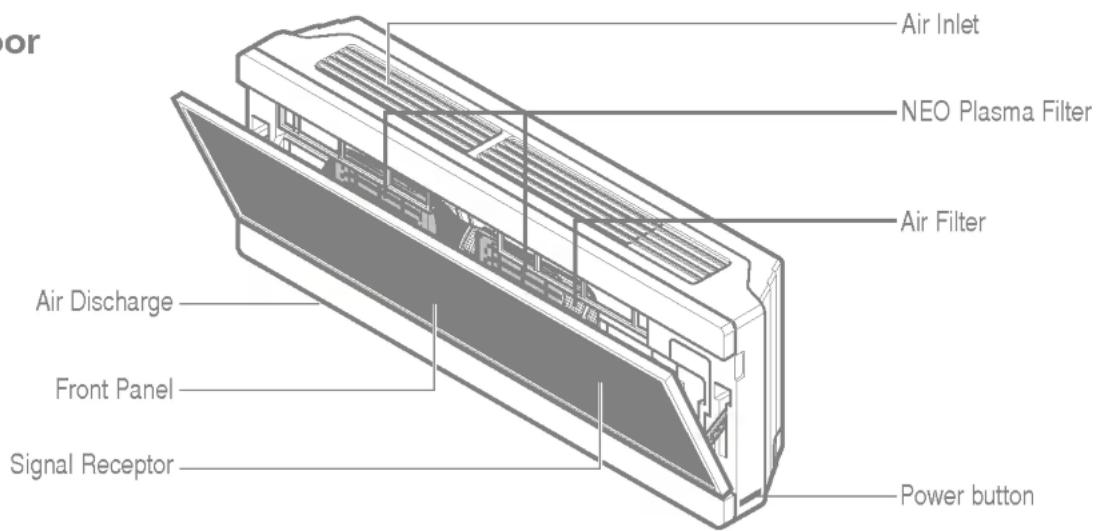
Outdoor
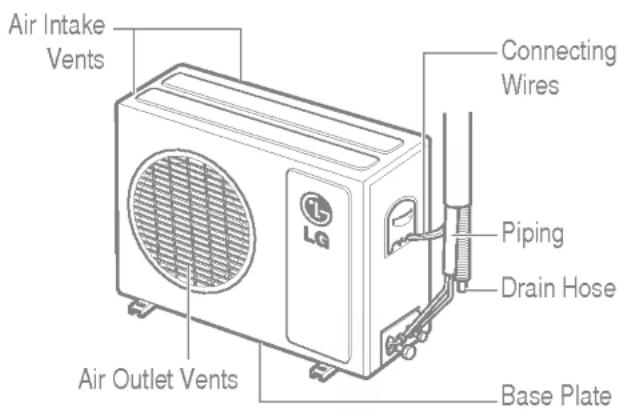
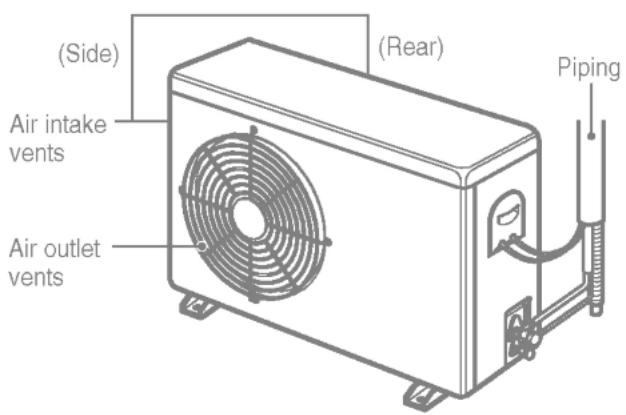
WARNING
• This appliance must be properly grounded.
To minimize the risk of electric shock, you must alway plug into a grounded oulet
- Do not cut or remove the grounding prong from the power plug.
- Attaching the adapter ground terminal to the wall receptacle cover screw does not ground the appliance unless the cover screw is metal and not insulated, and the wall receptacle is grounded through the house wiring.
- If you have any doubt whether the air conditioner is properly grounded, have the wall receptacle and circuit checked by a qualified electrician.
We strongly discourage the use of an adapter due to potential safety hazards. For temporary connections, use only a UL-listed adapter, available from most local hardware stores. Ensure that the large slot in the adapter is aligned with the large slot in the receptacle for a proper polarity connection. To disconnect the power cord from the adapter, use one hand on each to avoid damaging the ground terminal. Avoid frequently unplugging the power cord as this can lead to eventual ground terminal damage.
WARNING
- Never use the appliance with a broken adapter.
We strongly discourage the use of an extension cord due to potential safety hazards. For temporary situations, use only CSA certified and UL listed 3-wire grounded extension cords, rated 15 A, 125 V.
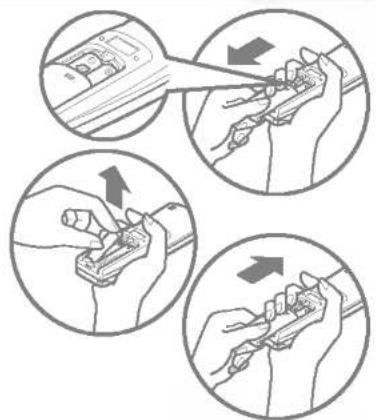
- Remove the battery cover by pulling it according to the arrow direction.
- Insert new batteries making sure that the (+) and (-) of battery are installed correctly.
- Reattach the cover by sliding it back into position.
Use 2 AAA(1.5volt) batteries.
Do not use rechargeable batteries.
natural_image
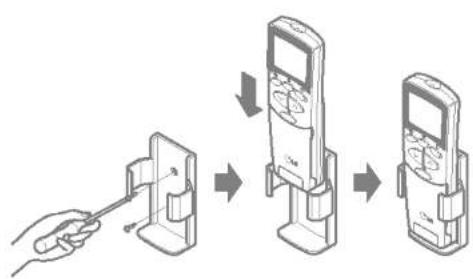
Four circular diagrams showing hands using a tool to adjust or install a component, with arrows indicating direction (no text or symbols present)- The remote controller may be stored by mounting it on a wall.
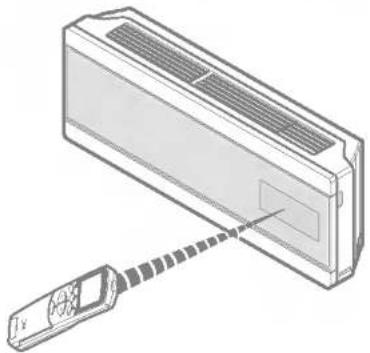
• To operate the room air conditioner, aim the remote controller at the signal receptor.
flowchart
graph TD
    A["Hand holding phone"] --> B["Inserted device"]
    B --> C["Add device"]
    C --> D["Remove device"]
natural_image
Diagram of a car air conditioner unit with a screwdriver inserted, showing airflow direction (no text or symbols)Signal receptor
Receives the signals from the remote controller.(Signal receiving sound: two short beeps or one long beep.)
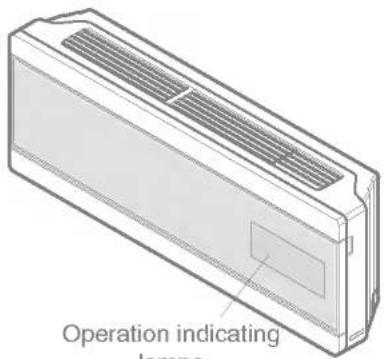
Operation indicating lamps

On/Off : Lights up during the system operation.

Sleep Mode : Lights up during Sleep Mode Auto operation.

Timer : Lights up during Timer operation.

Defrost Mode : Lights up during Defrost Mode or Hot Start operation (Heat pump model only)

Outdoor Unit : Lights up during outdoor unit operation. Operation (Cooling model only)
PLASMA Plasma Mode : Light up during NEO PLASMA purification operation (optional)
88
Display : Indicates the setting temperature.
| Operation indicator | Cooling heating dehumidifi-cation | A.I operation mode | Jet (Cool, Heat) | Energy-saving cooling mode | Test operation | Auto Clean operation | |||||
| Standard | Too hot | Hot | Comfortable | Cold | Too cold | ||||||
| Shape of display | Setting temp. | R1 | -2 | -1 | 0 | 1 | 2 | Po | Eo | Lo | Co |
The controls will look like the following.
Operation Mode
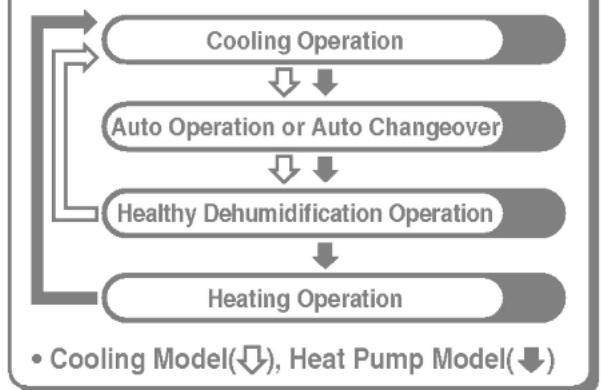
flowchart
graph TD
    A["Cooling Operation"] --> B["Auto Operation or Auto Changeover"]
    B --> C["Healthy Dehumidification Operation"]
    C --> D["Heating Operation"]
    D --> A
    style A fill:#f9f,stroke:#333
    style B fill:#f9f,stroke:#333
    style C fill:#f9f,stroke:#333
    style D fill:#f9f,stroke:#333
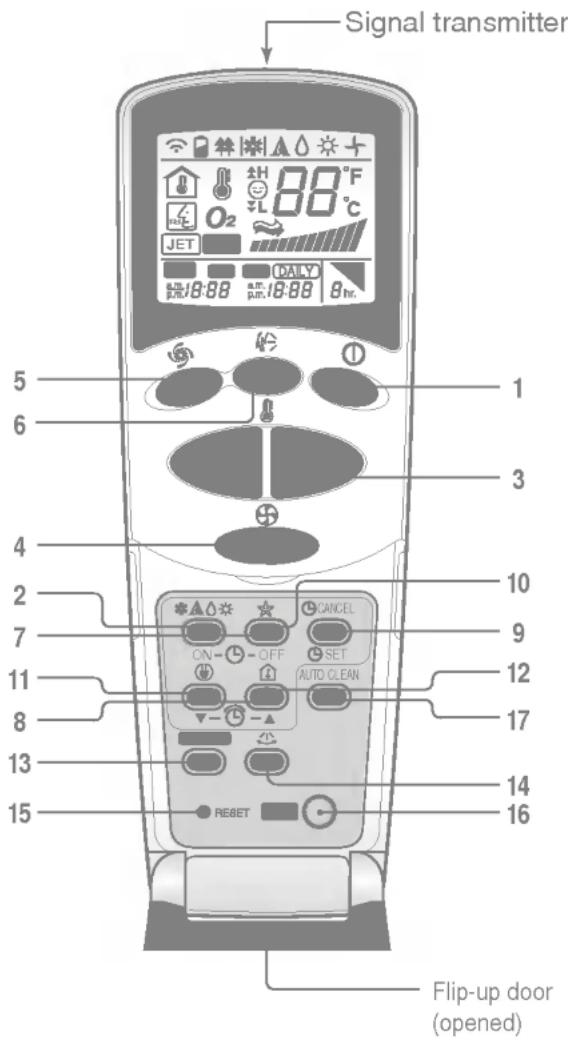
1. START/STOP BUTTON
Operation starts when this button is pressed and stops when the button is pressed again.
2. OPERATION MODE SELECTION BUTTON
Used to select the operation mode.
3. ROOM TEMPERATURE SETTING BUTTONS
Used to select the room temperature.
4. INDOOR FAN SPEED SELECTOR
Used to select fan speed in four steps low, medium, high and CHAOS.
5. JET COOL / HEAT
Used to start or stop the speed cooling or heating. (Speed cooling or heating operates super high fan speed in cooling or heating mode.)
6. CHAOS SWING BUTTON
Used to stop or start louver movement and set the desired up/down airflow direction.
7. ON/OFF TIMER BUTTONS
Used to set the time of starting and stopping operation. (See page 23)
8. TIME SETTING BUTTONS
Used to adjust the time. (See page 23)
9. TIMER SET/CANCEL BUTTON
Used to set the timer when the desired time is obtained and to cancel the Timer operation. (See page 23)
10. SLEEP MODE AUTO BUTTON
Used to set Sleep Mode Auto operation. (See page 23)
11. ENERGY-SAVING COOLING MODE BUTTON (OPTIONAL)
Used to set Energy-Save in cooling mode.
12. ROOM TEMPERATURE CHECKING BUTTON
Used to check the room temperature.
13. PLASMA(OPTIONAL)
Used to start or stop the plasma-purification function. (See page 21)
14. HORIZONTAL AIRFLOW DIRECTION CONTROL BUTTON (NOT ON ALL MODELS)
Used to set the desired horizontal airflow direction. (See page 24)
15. RESET BUTTON
Used prior to resetting time or after replacing batteries.
16. 2nd F BUTTON
Used prior to using modes printed in blue at the bottom of buttons. (See page 22)
17. AUTO CLEAN(OPTIONAL)
Used to set Auto Clean mode.




Cooling operation
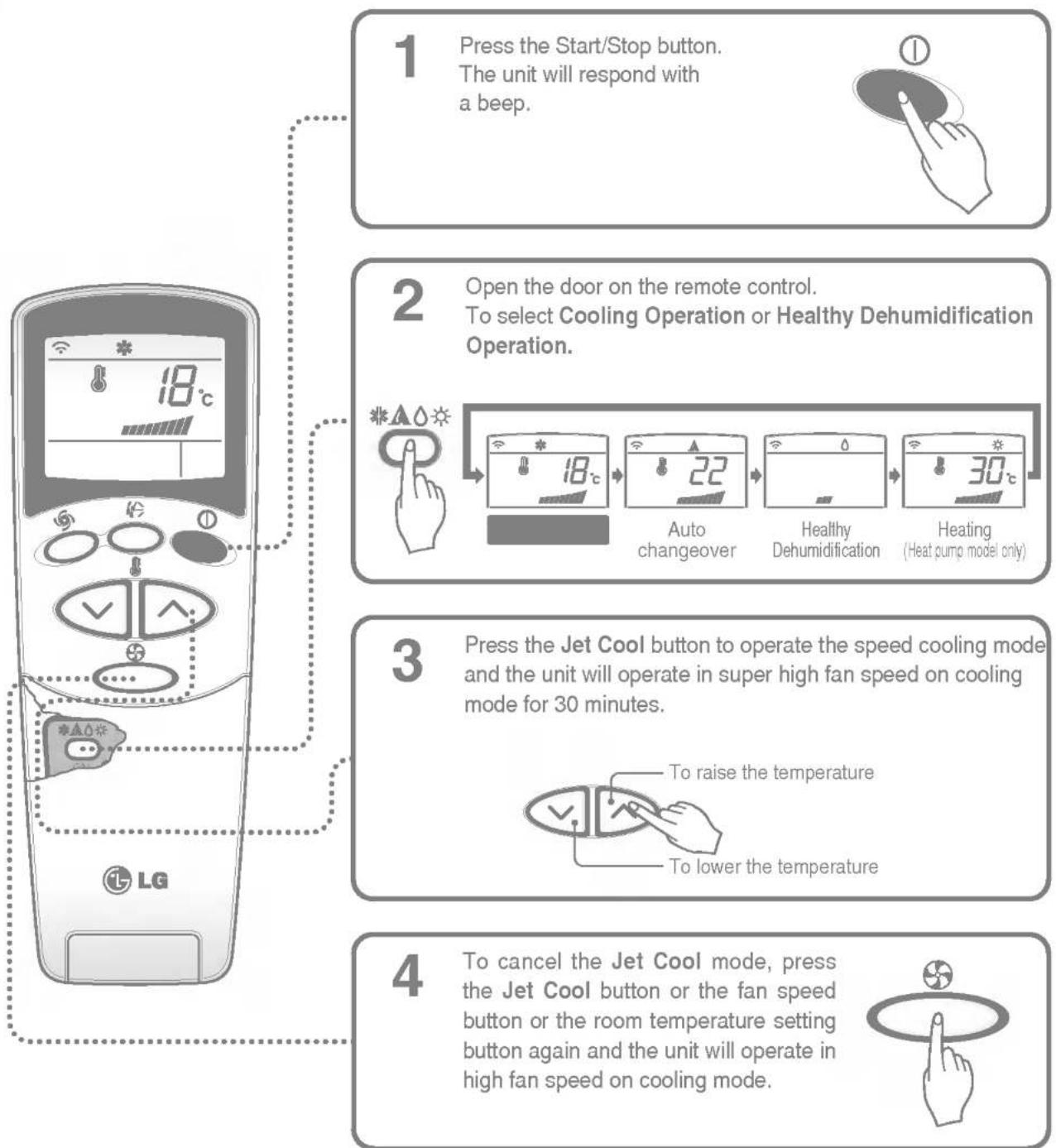
flowchart
graph TD
    A["1 Press the Start/Stop button.<br>The unit will respond with a beep."] --> B["2 Open the door on the remote control.<br>To select Cooling Operation or Healthy Dehumidification Operation."]
    B --> C["3 Press the Jet Cool button to operate the speed cooling mode and the unit will operate in super high fan speed on cooling mode for 30 minutes.<br>To raise the temperature<br>To lower the temperature"]
    C --> D["4 To cancel the Jet Cool mode, press the Jet Cool button or the fan speed button or the room temperature setting button again and the unit will operate in high fan speed on cooling mode."]
Natural wind by the CHAOS logic
☐ For fresher feeling, press the Indoor fan speed selector and set to CHAOS mode. In this mode, the wind blows like a natural breeze by automatically changing fan speed according to the CHAOS logic.

Auto changeover operation
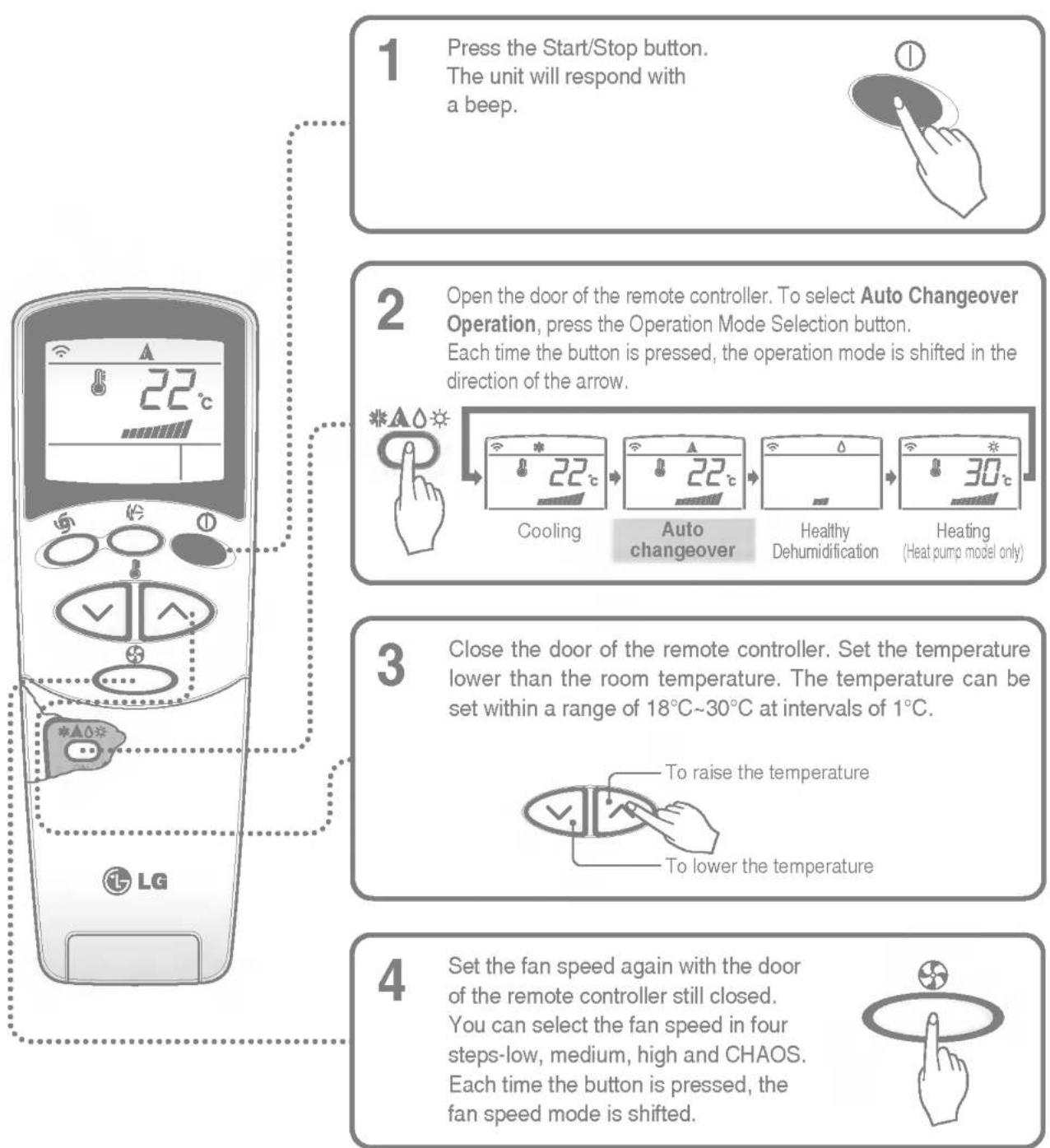
flowchart
graph TD
    A["1 Press the Start/Stop button.<br>The unit will respond with a beep."] --> B["2 Open the door of the remote controller. To select Auto Changeover Operation, press the Operation Mode Selection button.<br>Each time the button is pressed, the operation mode is shifted in the direction of the arrow."]
    B --> C["3 Close the door of the remote controller. Set the temperature lower than the room temperature. The temperature can be set within a range of 18°C~30°C at intervals of 1°C."]
    C --> D["4 Set the fan speed again with the door of the remote controller still closed.<br>You can select the fan speed in four steps-low, medium, high and CHAOS.<br>Each time the button is pressed, the fan speed mode is shifted."]
During Auto changeover Operation
☐ The air conditioner changes the operation mode automatically to keep indoor temperature. When room temperature vary over ±2^ with respect to setting temperature, air conditioner keeps the room temperature within ±2^ with respect to setting temperature by auto changeover mode.
Auto operation (Optional)
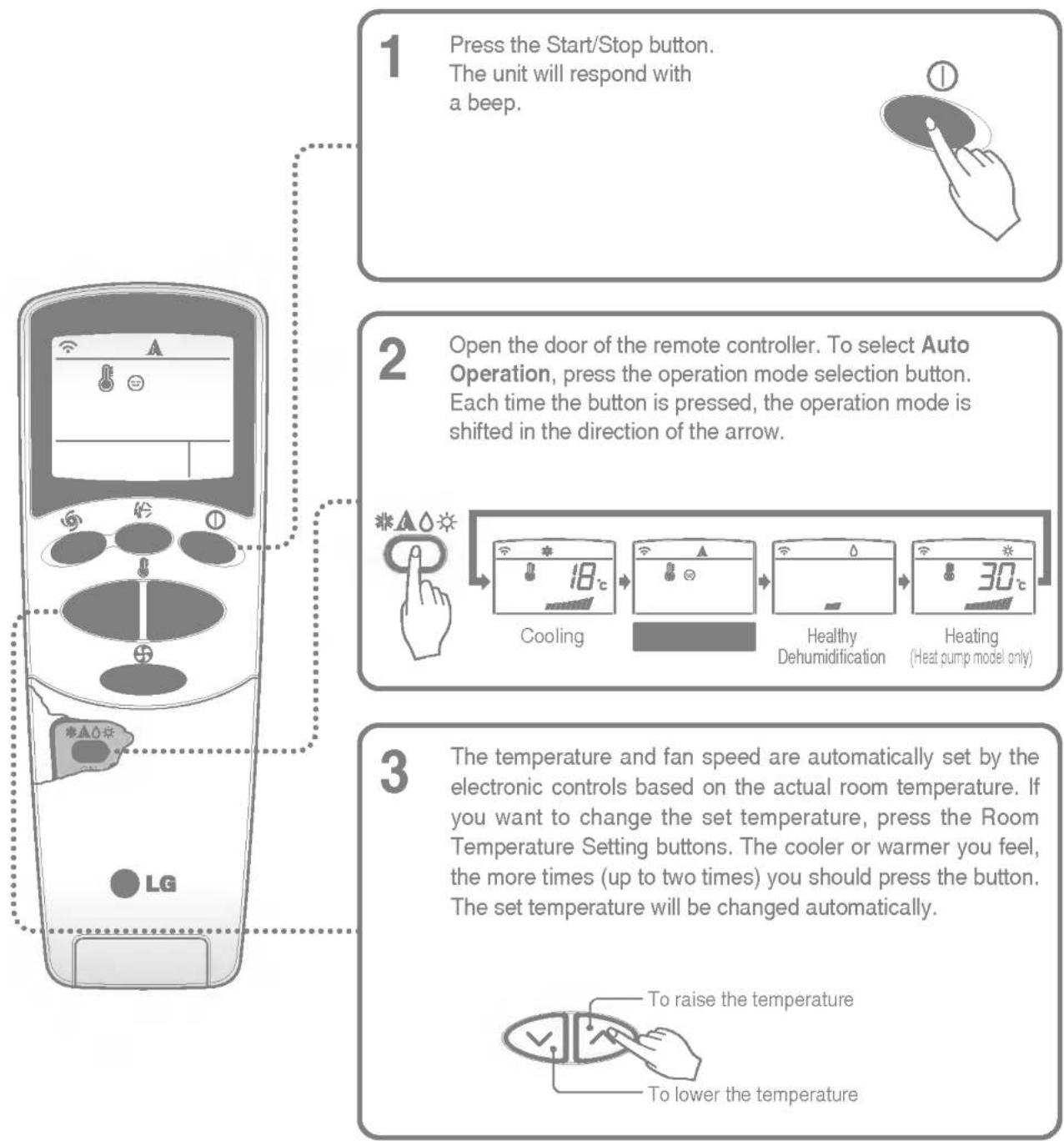
flowchart
graph TD
    A["1 Press the Start/Stop button.<br>The unit will respond with a beep."] --> B["2 Open the door of the remote controller. To select Auto Operation, press the operation mode selection button.<br>Each time the button is pressed, the operation mode is shifted in the direction of the arrow."]
    B --> C["3 The temperature and fan speed are automatically set by the electronic controls based on the actual room temperature. If you want to change the set temperature, press the Room Temperature Setting buttons. The cooler or warmer you feel, the more times (up to two times) you should press the button. The set temperature will be changed automatically."]
    C --> D["4 Cooling (18°C)"]
    C --> E["5 Healthy Dehumidification (30°C)"]
    C --> F["6 Heating (Heat pump model only)."]
    D --> G["To raise the temperature"]
    E --> H["To lower the temperature"]
During Auto Operation
☐ You cannot control the indoor fan speed. It has already been set by the Fuzzy rule.
☐ If the system is not operating as desired, manually switch to another mode. The system will not automatically switch from the cooling mode to the heating mode, or from heating mode to cooling mode, it must be done by manually resetting.
☐ During Auto Operation, pressing the chaos swing button makes the horizontal louvers swing up and down automatically. If you want to stop auto-swing, press the chaos swing button again.
Healthy dehumidification operation
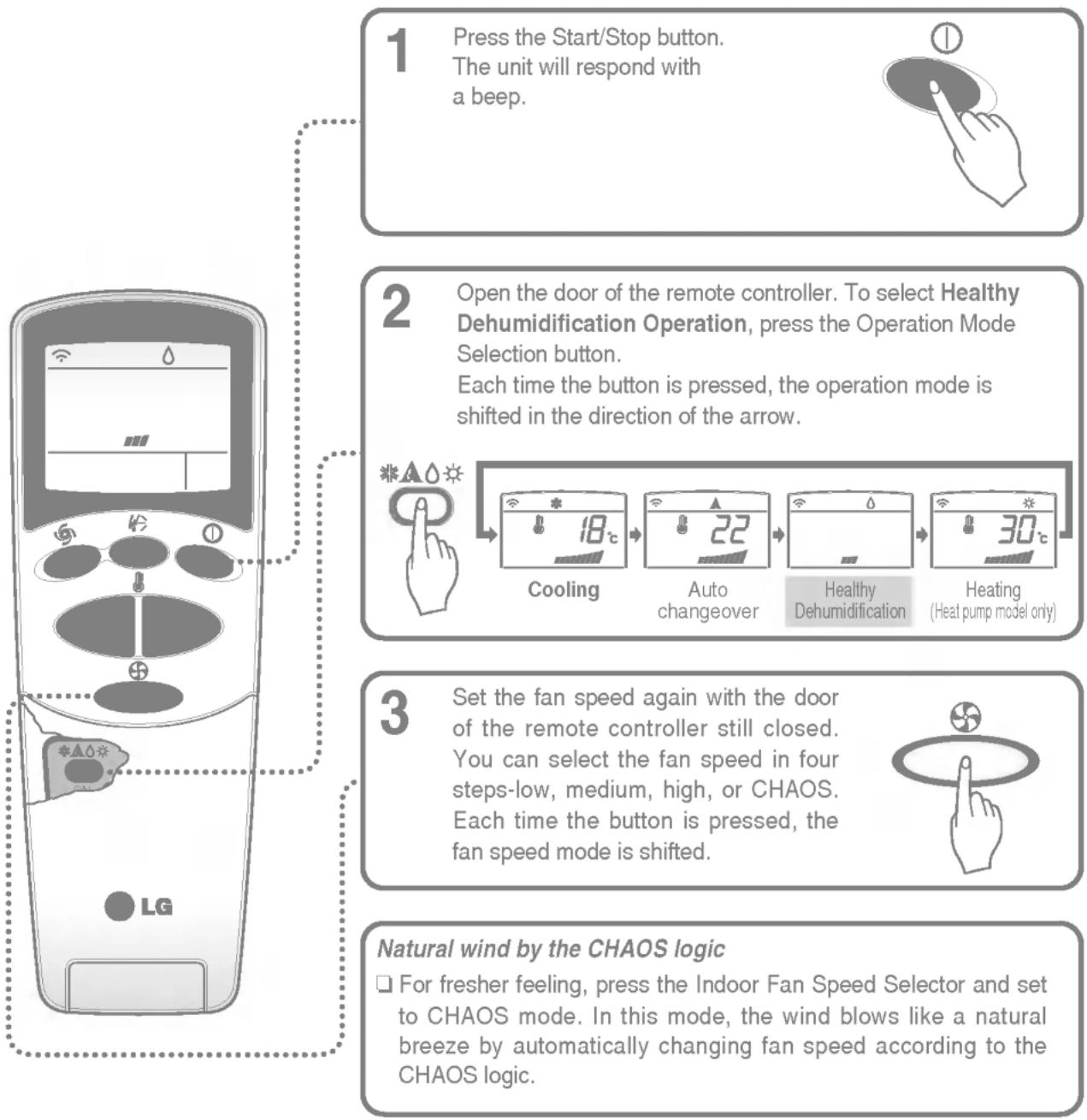
flowchart
graph TD
    A["1 Press the Start/Stop button.<br>The unit will respond with a beep."] --> B["2 Open the door of the remote controller. To select Healthy Dehumidification Operation,<br>press the Operation Mode Selection button.<br>Each time the button is pressed, the operation mode is shifted in the direction of the arrow."]
    B --> C["3 Set the fan speed again with the door of the remote controller still closed.<br>You can select the fan speed in four steps-low, medium, high, or CHAOS.<br>Each time the button is pressed, the fan speed mode is shifted."]
    C --> D["Natural wind by the CHAOS logic<br>□ For fresher feeling, press the Indoor Fan Speed Selector and set to CHAOS mode. In this mode, the wind blows like a natural breeze by automatically changing fan speed according to the CHAOS logic."]
During Healthy Dehumidification Operation
☐ If you select the dehumidification mode on the operation selection button, the A/C starts to run the dehumidification function. It automatically sets the room temp. and airflow volume to the best condition for dehumidification, based on the sensed current room temp.
In this case, however, the setting temp. is not displayed on the remote controller and you are not able to control the room temp. either.
☐ During the healthy dehumidification function, the airflow volume is automatically set according to the optimization algorithm responding to the current room temp. status, so that the room condition is kept healthy and comfortable even in the very humid season.

Heating operation (Heat pump model only)
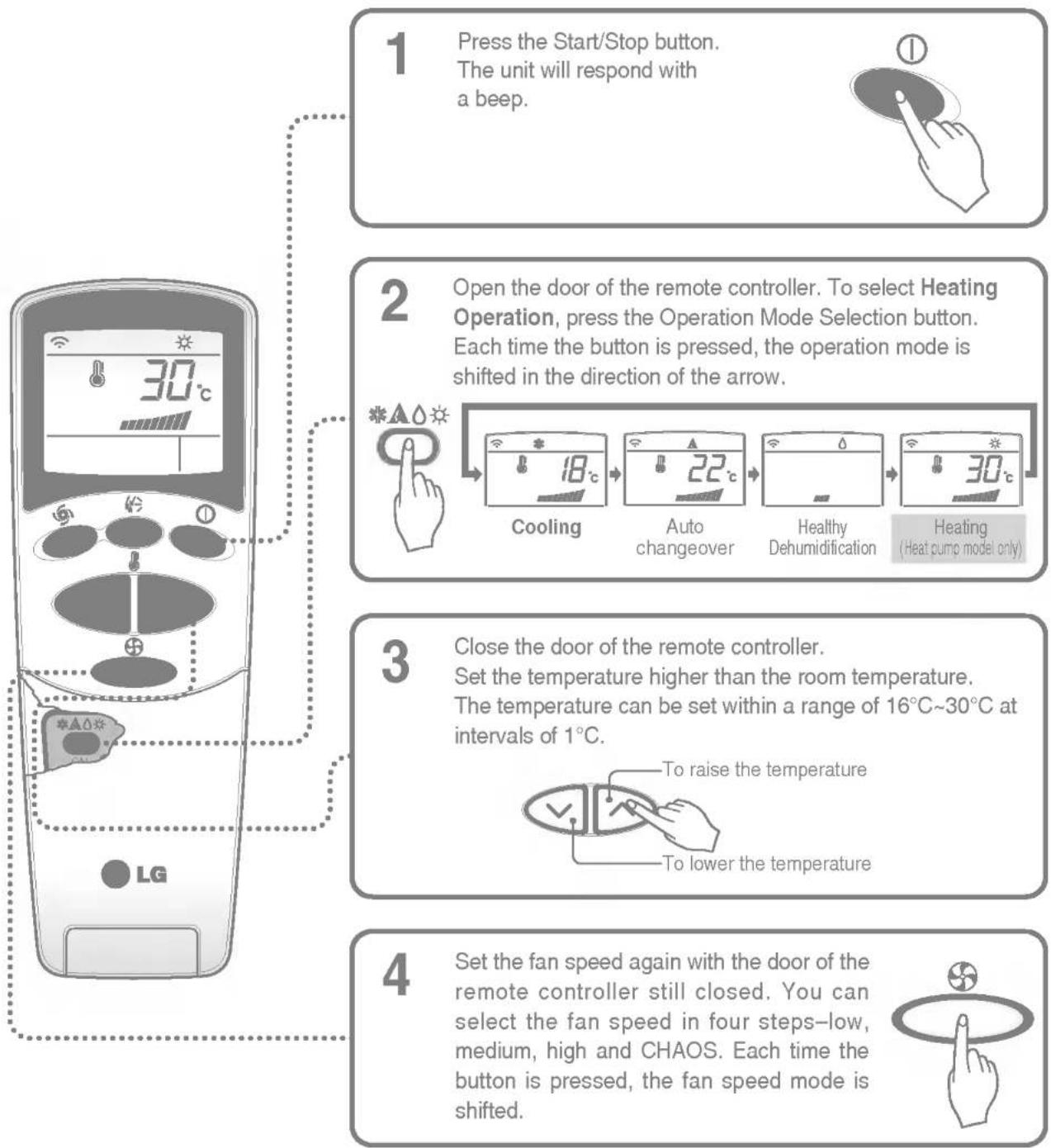
flowchart
graph TD
    A["1 Press the Start/Stop button.<br>The unit will respond with a beep."] --> B["2 Open the door of the remote controller. To select Heating Operation, press the Operation Mode Selection button.<br>Each time the button is pressed, the operation mode is shifted in the direction of the arrow."]
    B --> C["3 Close the door of the remote controller.<br>Set the temperature higher than the room temperature.<br>The temperature can be set within a range of 16°C~30°C at intervals of 1°C."]
    C --> D["4 Set the fan speed again with the door of the remote controller still closed. You can select the fan speed in four steps-low, medium, high and CHAOS. Each time the button is pressed, the fan speed mode is shifted."]
Natural wind by the CHAOS logic
☐ For fresher feeling, press the Indoor Fan Speed Selector and set to CHAOS mode. In this mode, the wind blows like a natural breeze by automatically changing fan speed according to the CHAOS logic.

Jet cool operation
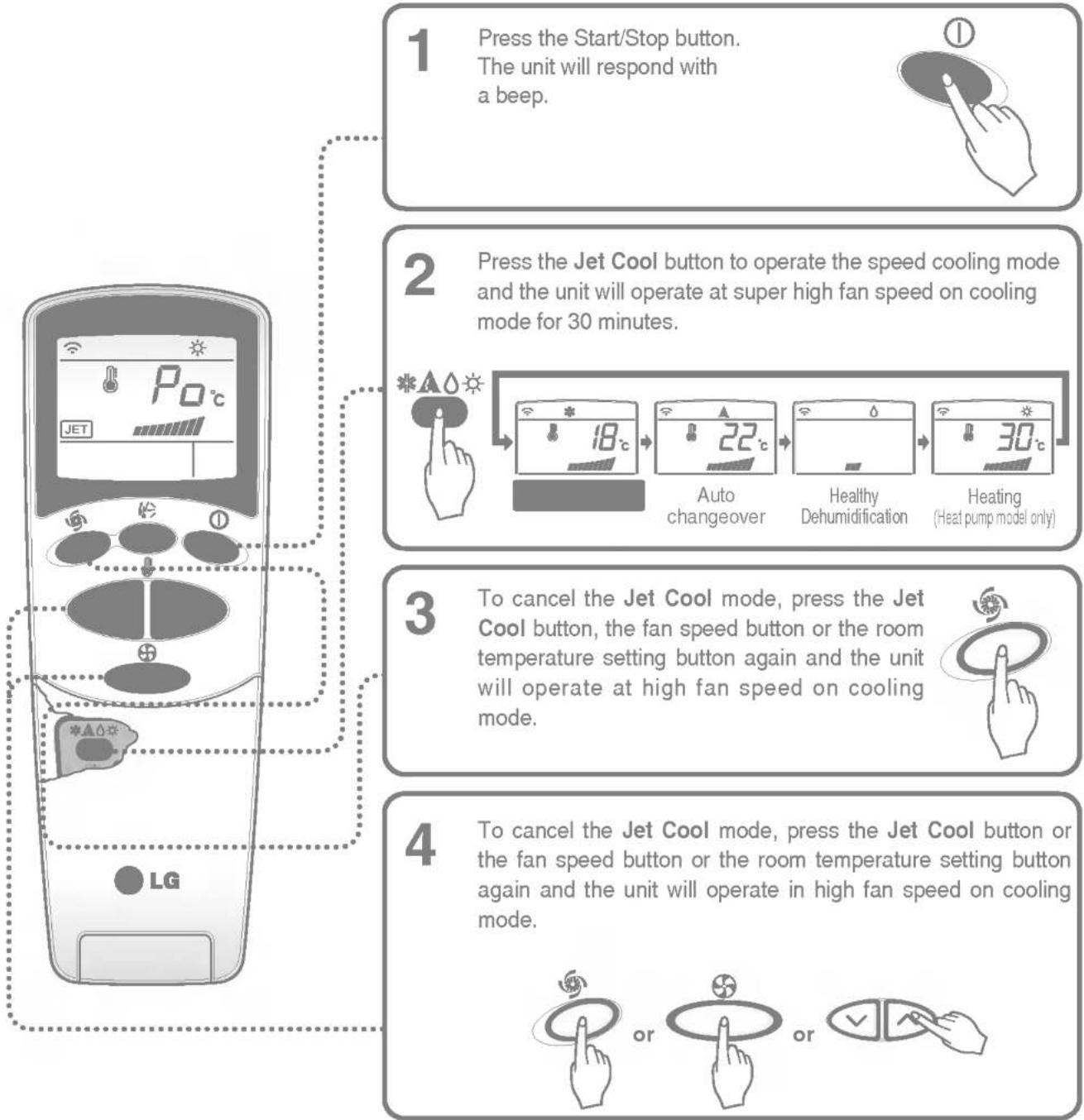
flowchart
graph TD
    A["1 Press the Start/Stop button.<br>The unit will respond with a beep."] --> B["2 Press the Jet Cool button to operate the speed cooling mode<br>and the unit will operate at super high fan speed on cooling mode for 30 minutes."]
    B --> C["3 To cancel the Jet Cool mode, press the Jet Cool button, the fan speed button or the room temperature setting button again and the unit will operate at high fan speed on cooling mode."]
    C --> D["4 To cancel the Jet Cool mode, press the Jet Cool button or the fan speed button or the room temperature setting button again and the unit will operate in high fan speed on cooling mode."]
☐ During the JET COOL function at any moment, the A/C starts to blow the cool air at extremely high speed for 30 minutes setting the room temp. automatically to 18°C. It is especially used to cool the room temp. quickly in a hot summer.
In heat pump mode, neuro fuzzy mode, or auto changeover mode however, the JET COOL function is not available.
☐ In order to return to the normal cooling mode from the JET COOL mode, just press the operation mode selection button, airflow volume selection, temp. setting button or the JET COOL button again.

Jet heat operation (Optional)
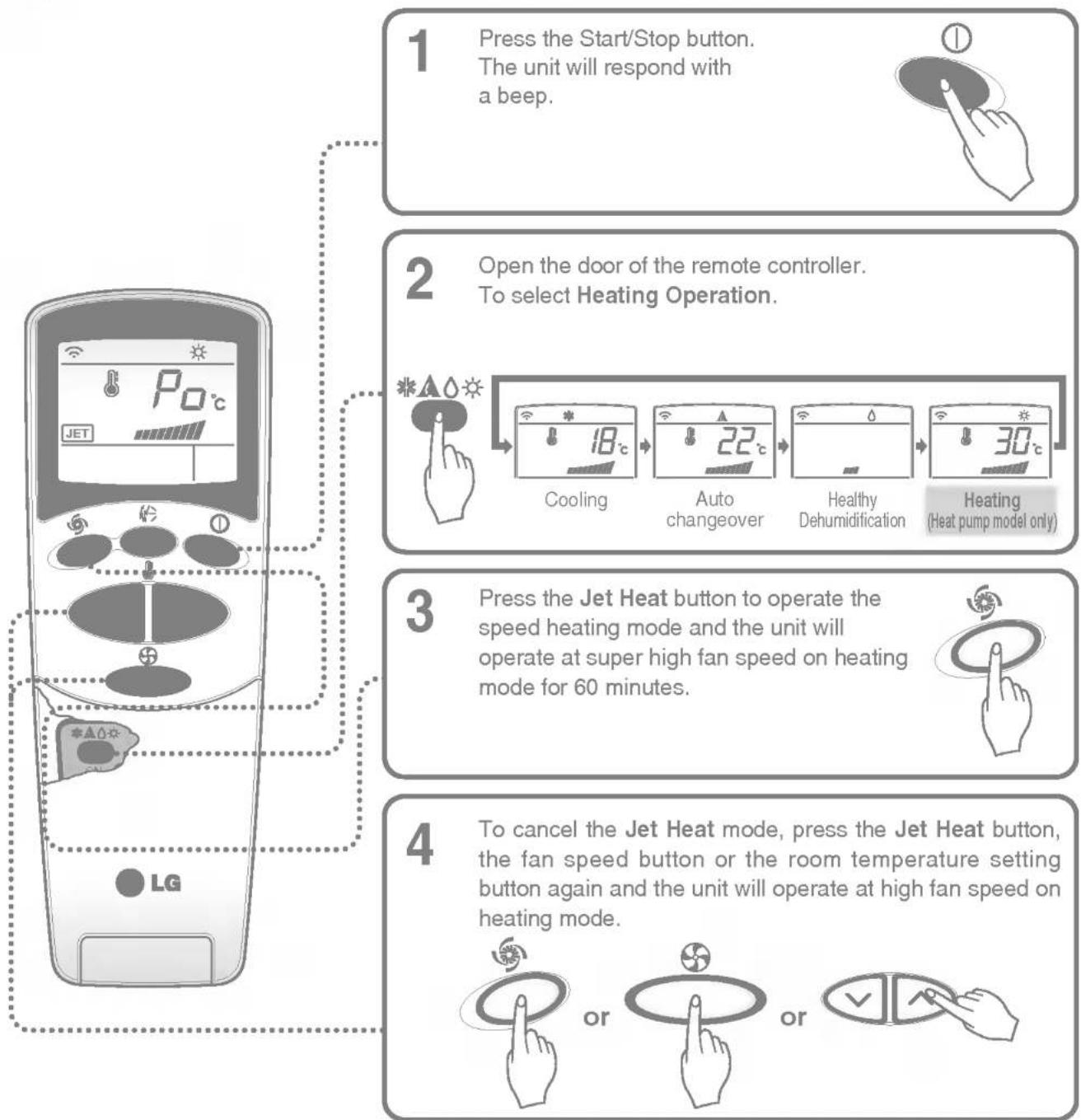
flowchart
graph TD
    A["1 Press the Start/Stop button.<br>The unit will respond with a beep."] --> B["2 Open the door of the remote controller.<br>To select Heating Operation."]
    B --> C["3 Press the Jet Heat button to operate the speed heating mode and the unit will operate at super high fan speed on heating mode for 60 minutes."]
    C --> D["4 To cancel the Jet Heat mode, press the Jet Heat button, the fan speed button or the room temperature setting button again and the unit will operate at high fan speed on heating mode."]
☐ During the JET HEAT function at any moment, the A/C starts to blow the heat air at extremely high speed for 60 minutes setting the room temp. automatically to 30°C. It is especially used to heat the room temp. quickly in a cool winter.
On cooling, healthy dehumidification mode or auto changeover mode, however, the JET HEAT function is not available.
☐ In order to return to the normal heating mode from the JET HEAT mode, just press the operation mode selection button, airflow volume selection, temp. setting button or the JET HEAT button again.

PLASMA purification operation(Optional)
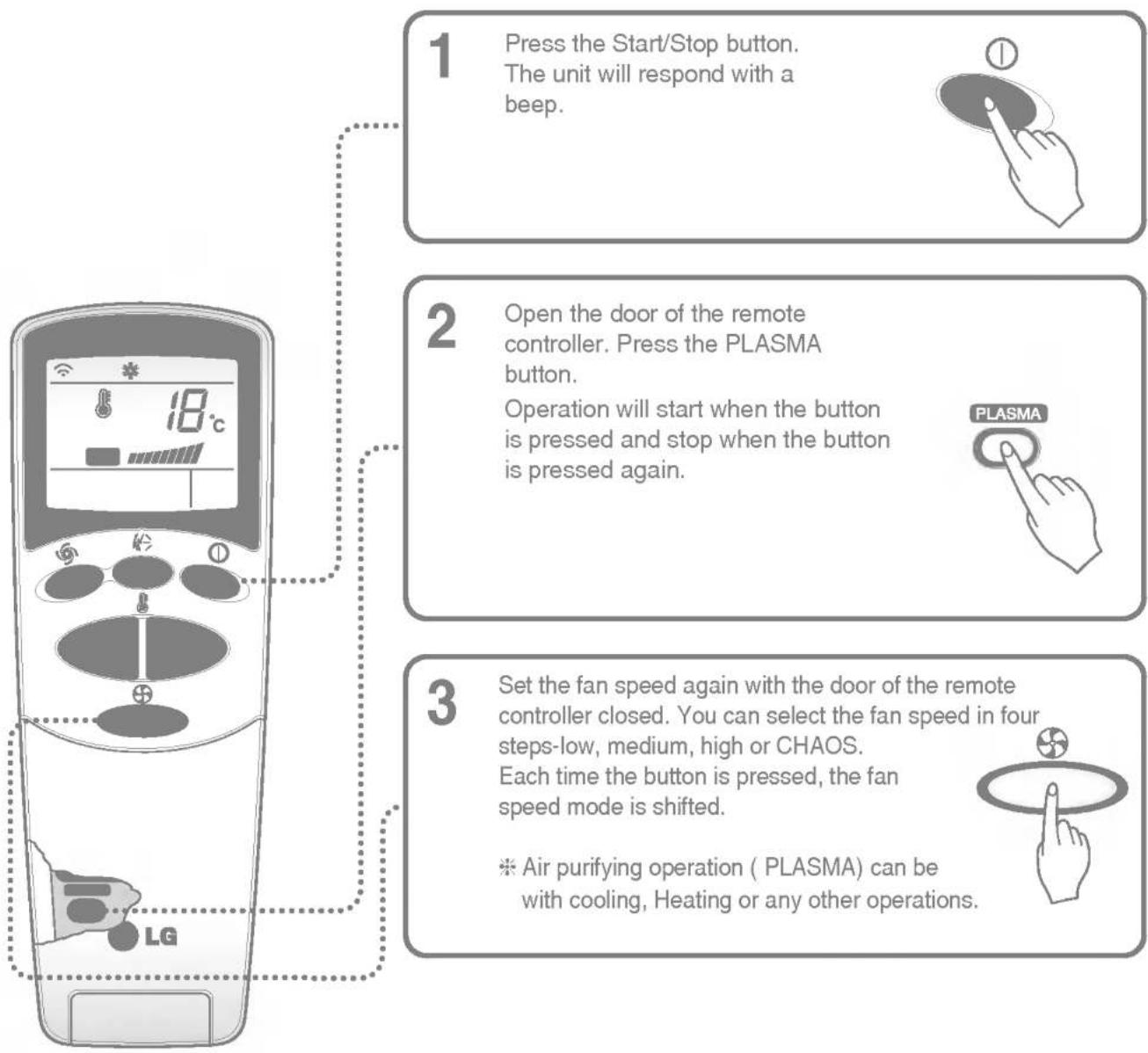
flowchart
graph TD
    A["1 Press the Start/Stop button. The unit will respond with a beep."] --> B["2 Open the door of the remote controller. Press the PLASMA button. Operation will start when the button is pressed and stop when the button is pressed again."]
    B --> C["3 Set the fan speed again with the door of the remote controller closed. You can select the fan speed in four steps-low, medium, high or CHAOS. Each time the button is pressed, the fan speed mode is shifted. * Air purifying operation (PLASMA) can be with cooling, Heating or any other operations."]
NEO PLASMA Air Purifying Operation only
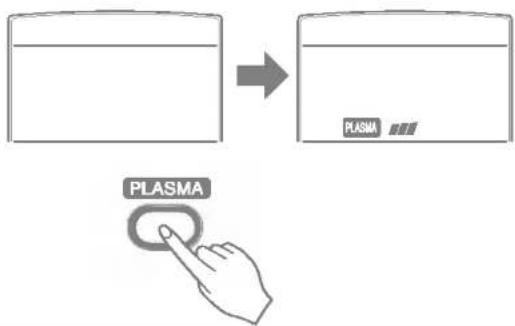
If you press the only PLASMA button, only PLASMA purification function operates. Then, fan speed is low. You can select the fan speed in four steps-low, medium, high or CHAOS. Each time the button ( ) is pressed, the fan speed mode is shifted.

2nd F operation
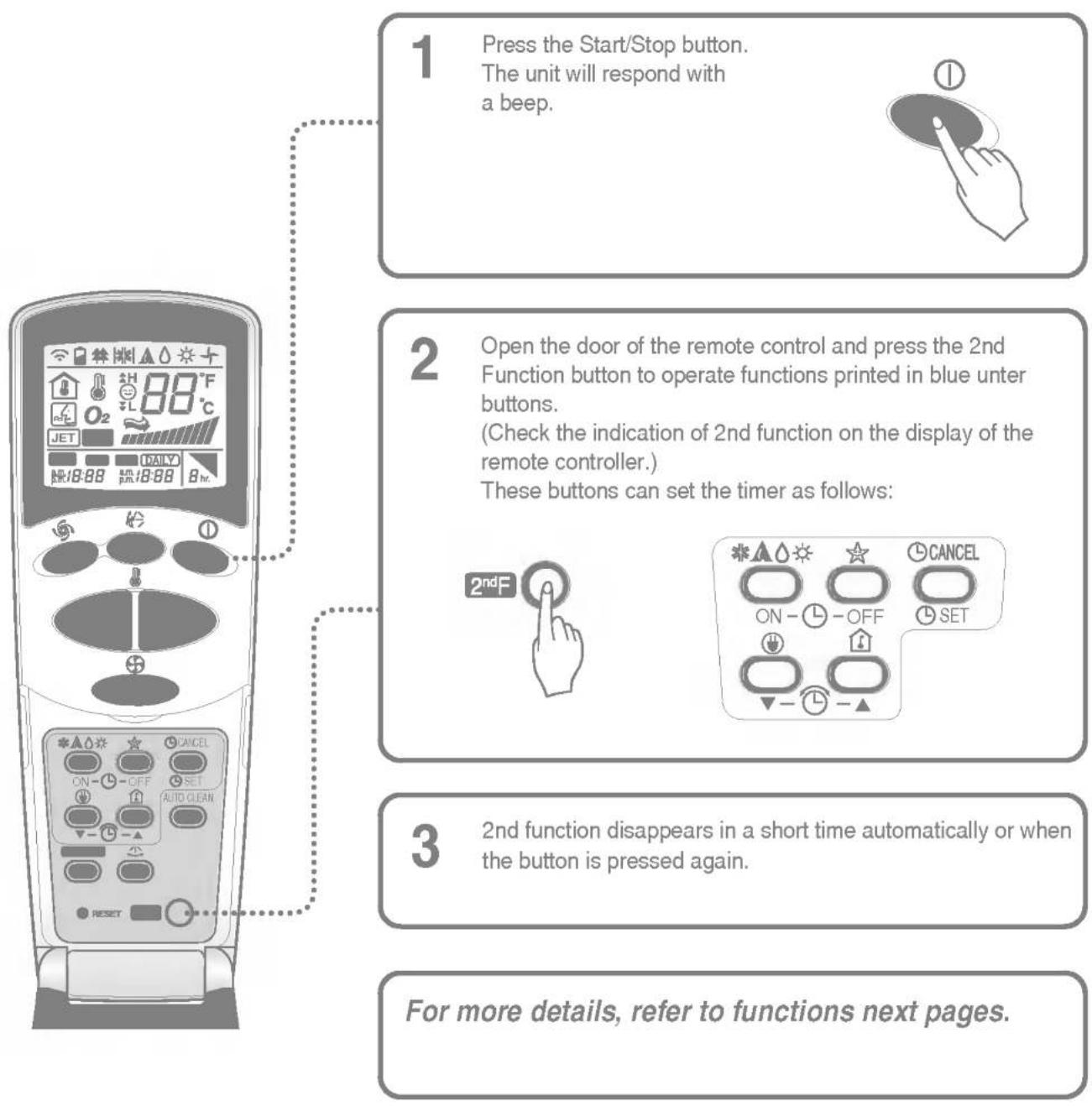
flowchart
graph TD
    A["1 Press the Start/Stop button.<br>The unit will respond with a beep."] --> B["2 Open the door of the remote control and press the 2nd Function button to operate functions printed in blue unter buttons.<br>(Check the indication of 2nd function on the display of the remote controller.)<br>These buttons can set the timer as follows:"]
    B --> C["3 2nd function disappears in a short time automatically or when the button is pressed again."]
    C --> D["For more details, refer to functions next pages."]

Sleep mode
- Press the Sleep Mode Auto button to set the time you want the unit to stop automatically.
- The Timer is programmed in one-hour increments by pressing the Sleep Mode Auto button 1 to 7 times. The sleep mode is available for 1 to 7 times. To alter the time period in steps of 1 hour, press the Sleep Mode Button while aiming at air conditioner.
- Make sure the Sleep Mode Auto LED lights up. To cancel the Sleep Mode, press the sleep Mode Auto button several times until the star (☆) disappears from the operation display.
The Sleep Mode will be operated at slow fan speed (cooling) or medium fan speed (heat pump only) for a comfortable sleep.
In sleep mode: Chaos Swing function does not operate.
In cooling mode or healthydehumidification mode:
The temperature will automatically rise by 1^ C over the next 30 minutes and by 2^ C in 1 hour for a comfortable sleep.

Setting the time
- Time can be set only when you press the Reset button. Having replacing the batteries, you should press the reset buttons to reset the time. Press the Start/Stop button.
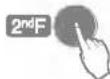
- Press 2nd F button and check if 2nd F icon is on.
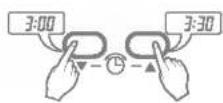
- Press the Time Setting buttons until the desired time is set.
- Press the Timer SET button.

Check the indicator for A.M. and P.M.

Delay start/Pre-set stop
-
Make sure the time is set correctly on the display of the remote controller.
-
Press 2nd F button.
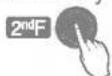
- Press the ON/OFF Timer buttons to turn Timer on or off.
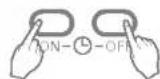
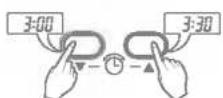
-
Press the Time Setting buttons until the desired time is set.
-
To set the selected time, press the Timer setting button aiming the remote controller at the signal receptor.
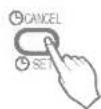
To cancel the timer setting
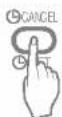
Check if 2nd F icon is off.
Press the Timer Cancel button aiming the remote controller at the signal receptor.
(The timer lamp on the air conditioner and the display will go out.)
Select one of the following four types of operation.
with the unit running
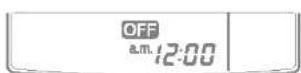
Delay OFF Timer
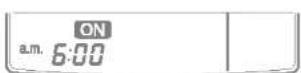
Delay ON Timer
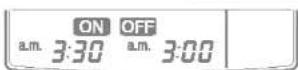
Delay OFF and ON Timer
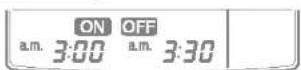
Delay ON and OFF Timer

Vertical Airflow Direction Control
The up/down airflow (Vertical Airflow) can be adjusted by using the remote control.
-
Press the Start/Stop button to start the unit.
-
Press Chaos Swing button and the louvers will swing up and down.
Press the Chaos Swing button again to set the vertical louver at the desired airflow direction.
☐ If you press the CHAOS swing button, the horizontal airflow direction is changed automatically based on the CHAOS algorithm to distribute the air in the room evenly and at the same time to make the human body feel most comfortable, as if enjoying a natural breeze.
□ Always use the remote control to adjust the up/down airflow direction. Manually moving the vertical airflow direction louver by hand, could damage the air conditioner.
☐ When the unit is shut off, the up/down airflow direction louver will close the air outlet vent of the system.

Horizontal Airflow Direction Control (Optional)
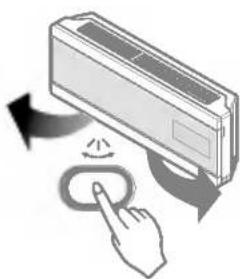
The left/right(Horizontal Airflow) can be adjusted by using the remote control. Press the Start/Stop button to start the unit.
Open the door on the remote control. Press the Airflow Direction Start/Stop button and the louvers will swing left and right. Press the Horizontal Airflow Direction Control Button again to set the horizontal louver at the desired airflow direction.
natural_image
Illustration of a hand interacting with a wall-mounted air conditioner unit, showing airflow and control buttons (no text or symbols)
Energy-Saving Cooling Mode (Optional)
Energy-Saving Cooling Mode Can save energy in Cooling and Healthy Dehumidification Operation, because it can operate efficiently by setting body-adaptation time according to the change of time and temperature and adjusting automatically desired temperature.
- Press the Start/Stop button to start the unit.
- Open the door on the remote control. Select Cooling Operation or Healthy Dehumidification Operation.
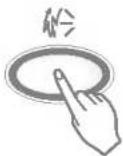
- Press the Energy-Saving Cooling Mode button.
- To cancel the Energy-Saving Cooling Mode, press the Energy-Saving Cooling Model button and unit will operate in previous Mode(Cooling or Healty Dehumidification Mode).

Auto clean(Optional)
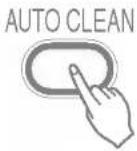
- Whenever you press the Auto Clean button, Auto Clean Function will be reserved and cancelled.
- Auto Clean function works before and after cooling or dehumidification mode. For details, refer to the below points.
- When the unit is started after the reservation of Auto Clean, the Cool Start function operates and indoor Fan is started after 20 seconds.
- When you press Start/Stop button to turn off the unit after the you have reserved Auto Clean function, the air-conditioner circulates the indoor air in the Auto Clean mode with no more Cooling or Dehumidification operation. For Cooling only model, it lasts for 30 minutes for Heat pump model, for 16 minutes.
- If you press the auto clean button again during the product operation, Auto Clean function will be cancelled.
This function is to remove unpleasant smells from mold and other bacteria in the air-conditioner, and to remove humidity automatically during humidly summer, which supplies the indoor with purified air.

Forced operation
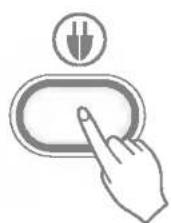
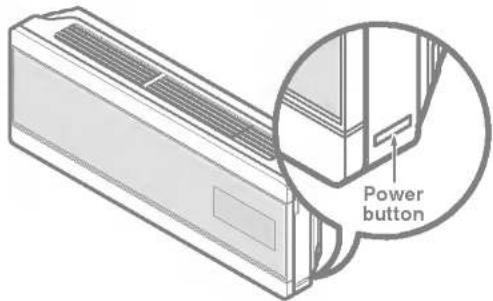
Operation procedures when the remote control can't be used. The operation will be started if the power button is pressed. If you want to stop operation, re-press the button.
| Cooling Model | Heat pump Model | |||
| Room Temp. ≥ 24°C | 21°C ≤ Room Temp. < 24°C | Room Temp. < 21°C | ||
| Operating mode | Cooling | Cooling | Healthy Dehumidification | Heating |
| Indoor FAN Speed | High | High | High | High |
| Setting Temperature | 22°C | 22°C | 23°C | 24°C |
Test operation
During the TEST OPERATION, the unit operates in cooling mode at high speed fan, regardless of room temperature and resets in 18 minutes.
During test operation, if remote controller signal is received, the unit operates as remote controller sets.
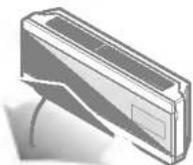
If you want to use this operation, open the front panel upward and Press the power button let it be pressed for about 3 seconds.
If you want to stop the operation, re-press the button.

Auto restart
In case the power comes on again after a power failure, Auto Restarting Operation is the function to operate procedures automatically to the previous operating conditions.
So there is no need of activating this function by pressing any key or button.
In the initial mode, the fan operates at a low speed and the compressor starts 2.5\~3 minutes later.
As the compressor starts, the fan speed also resumes its previous setting mode.
Helpful information
Fan speed and cooling capacity.
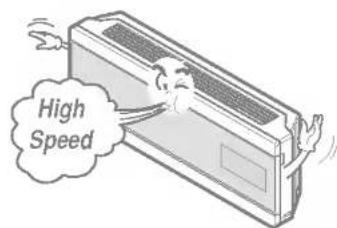
The cooling capacity indicated in the specification is the value when the fan speed is set to high, and the capacity will be lower at low or medium fan speed.
High fan speed is recommended when you wish to cool the room quickly.

WARNING: Turn the system off before cleaning.
To clean, wipe with a soft, dry cloth. Do not use bleach or abrasives.
Supply power must be disconnected before cleaning the indoor unit.
-
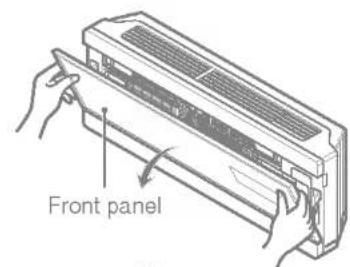
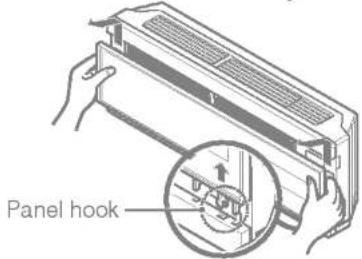
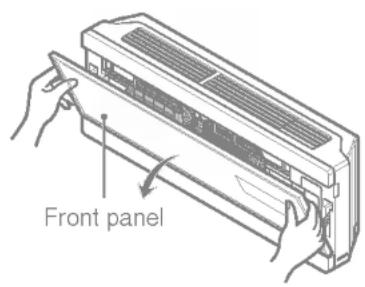
Open the upside of Front Panel
-
Put up the Front panel. The hook of panel comes off.
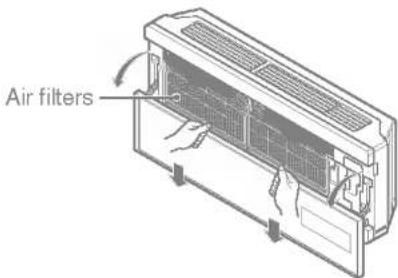
-
Come down the panel and then remove the air filter.

WARNING: Don't touch the PLASMA Filter within 10 seconds after opening the inlet grille, it may cause electric shock.
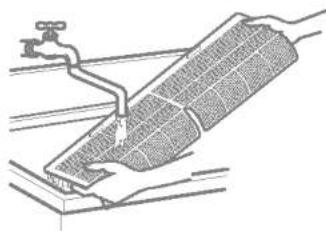
-
Clean it wi a soft brush and the vacuum cleaner. If it is very dirty, wash it with water.
-
Reinstall the air filter dried at the shade and then close the panel.
□ Never use any of the followings:
• Water hotter than 40°C
Could cause deformation and/or discoloration.
• Volatile substances
Could damage the surfaces of the air conditioner.
natural_image
Technical line drawing of a mechanical assembly with a pipe and base plate (no text or symbols)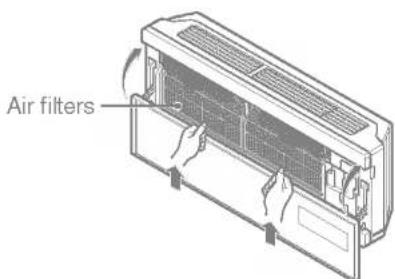
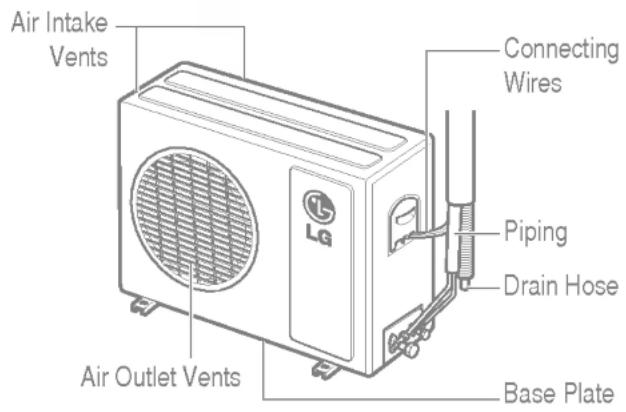
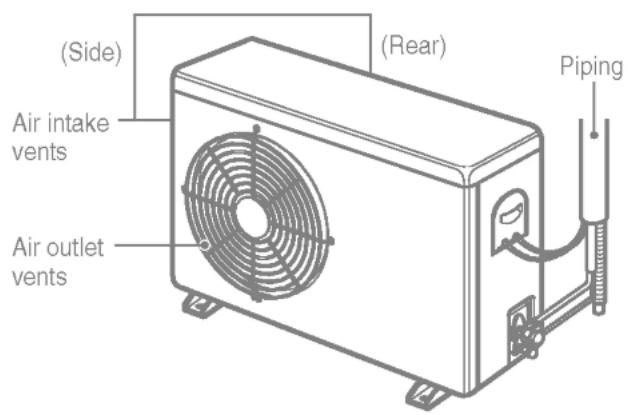
The heat exchanger coils and panel vents of the outdoor unit should be checked regularly. If clogged with dirt or soot, the heat exchanger and panel vents may be professionally steam cleaned.
Dirty or clogged coils will reduce the operating efficiency of the system and cause higher operating costs.
- Recommended use period: About 3 months
-
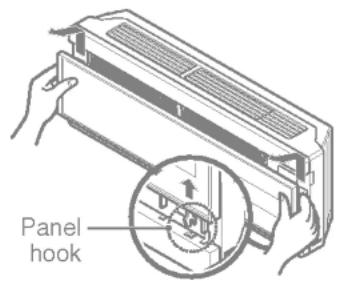
Open the upside of Front panel.
-
Put up the front panel. The hook of panel comes off.
-
Remove air filter and then pull out the NEO plasma filter.
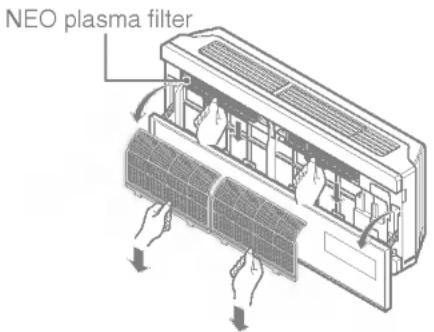
-
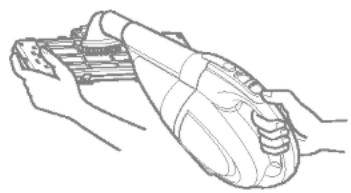
Clean NEO plasma filter with the vacuum cleaner.
-
Relocate dried NEO plasma filter at the shade and then put in air filter.
natural_image
Line drawing of a hand holding a mechanical device (no text or symbols)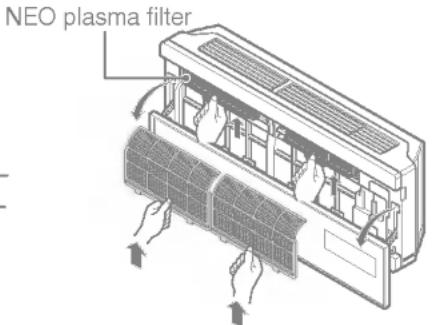
Before calling for service
If you have problems with your air conditioner, read the following information and try to solve the problem. If you cannot find a solution, turn off the air conditioner and contact your dealer.
Air conditioner does not operate
- Ensure that the air conditioner is plugged into a proper outlet.
- Check the fuse or circuit breaker.
- Check whether the voltage is unusually high or low.
Air does not feel cold enough on the cooling setting
- Ensure that the temperature settings are correct.
- Check to see if the air filter is clogged with dust. If so, replace the filter.
- Ensure that the air flow from the outside is not obstructed and that there is a clearance of over 20" between the back of the air conditioner and the wall or fence behind it.
- Close all doors and windows and check for any source of heat in the room.

Before calling for service, please review the following list of common problems and solutions.
The air conditioner is operating normally when:
- You hear a pinging noise. This is caused by water being picked up by the fan on rainy days or in highly humid conditions. This feature is designed to help remove moisture in the air and improve cooling efficiency.
- You see water dripping from the rear of the unit. Water may be collected in the base pan in highly humid conditions or on rainy days. This water overflows and drips from the rear of the unit.
- You hear the fan running while the compressor is silent. This is a normal operational feature.
The air conditioner may be operating abnormally when:
| Air conditioner does not start | ■ The air conditioner is unplugged. | · Make sure the air conditioner plug is pushed completely into the outlet. |
| ■ The fuse is blown/circuit breaker is tripped. | · Check the house fuse/circuit breaker box and replace the fuse or reset the breaker. | |
| ■ Power failure. | · If power failure occurs, turn the mode control to Off. When power is restored, wait 3 minutes to restart the air conditioner to prevent tripping of the compressor overload. | |
| Air conditioner does not cool as it should | ■ Airflow is restricted. | · Make sure there are no curtains, blinds, or furniture blocking the front of the air conditioner. |
| ■ The air filter is dirty. | · Clean the filter at least every 2 weeks. See the care and Maintenance section. | |
| ■ The room may have been hot. | · When the air conditioner is first turned on, you need to allow time for the room to cool down. | |
| ■ Cold air is escaping. | · Check for open furnace floor registers and cold air returns. | |
| ■ Cooling coils have iced up. | · See Air Conditioner Freezing Up below. |
* You can refer to the Energy Star program in detail at www.energyrating.gov.au
LG
- READ THIS MANUAL
- PRECAUTION
- WARNING
- Installation
- Be cautious when unpacking and installing the product.
- For installation, always contact the dealer or an Authorized Service Center.
- Do not install the product on a defective installation stand.
- Be sure the installation area does not deteriorate with age.
- Do not let the air conditioner run for a long time when the humidity is very high and a door or a window is left open.
- Operation
- Take care to ensure that power cords could not be pulled out or damaged during operation.
- Do not place anything on the power cord.
- Do not turn the air-conditioner ON or OFF by plugging or unplugging the power plug.
- Use a dedicated outlet for this appliance.
- Grasp the plug to remove the cord from the outlet. Do not touch it with wet hands.
- Do not place a heater or other appliances near the power cable.
- Do not allow water to run into electric part.
- Do not store or use flammable gas or combustibles near the air conditioner.
- Do not use the product in a tightly closed space for a long time.
- When flammable gas leaks, turn off the gas and open a window for ventilation before turn the product on. DO NOT use the telephone or turn switches on or off.
- Unplug the unit if strange sounds, odors, or smoke comes from it.
- Stop operation and close the window in storm or hurricane. If possible, remove the air conditioner from the window before the hurricane arrives.
- CAUTION
- Disuse
- Signal receptor
- Operation indicating lamps
- START/STOP BUTTON
- OPERATION MODE SELECTION BUTTON
- ROOM TEMPERATURE SETTING BUTTONS
- INDOOR FAN SPEED SELECTOR
- JET COOL / HEAT
- CHAOS SWING BUTTON
- ON/OFF TIMER BUTTONS
- TIME SETTING BUTTONS
- TIMER SET/CANCEL BUTTON
- SLEEP MODE AUTO BUTTON
- ENERGY-SAVING COOLING MODE BUTTON (OPTIONAL)
- ROOM TEMPERATURE CHECKING BUTTON
- PLASMA(OPTIONAL)
- HORIZONTAL AIRFLOW DIRECTION CONTROL BUTTON (NOT ON ALL MODELS)
- RESET BUTTON
- 2nd F BUTTON
- AUTO CLEAN(OPTIONAL)
- Cooling operation
- Natural wind by the CHAOS logic
- Auto changeover operation
- During Auto changeover Operation
- Auto operation (Optional)
- During Auto Operation
- Healthy dehumidification operation
- During Healthy Dehumidification Operation
- Heating operation (Heat pump model only)
- Jet cool operation
- Jet heat operation (Optional)
- PLASMA purification operation(Optional)
- NEO PLASMA Air Purifying Operation only
- 2nd F operation
- Sleep mode
- Setting the time
- Delay start/Pre-set stop
- To cancel the timer setting
- Vertical Airflow Direction Control
- Horizontal Airflow Direction Control (Optional)
- Energy-Saving Cooling Mode (Optional)
- Auto clean(Optional)
- Forced operation
- Test operation
- Auto restart
- Helpful information
- Before calling for service
- Air conditioner does not operate
- Air does not feel cold enough on the cooling setting
- The air conditioner is operating normally when:
- LG
Brand : LG
Model : ASNW1863RH0
Category : Uncategorized