
LM555LD - Laser pointer Uni-T - Free user manual and instructions
Find the device manual for free LM555LD Uni-T in PDF.


| Product Type | Laser Pointer |
| Brand | Uni-T |
| Model | LM555LD |
| Laser Class | Class 2 (FDA) / Class 2M (IEC) |
| Power Output | < 1 mW |
| Wavelength | 650 nm (Red) |
| Operating Range | Up to 200 meters (low light) |
| Power Source | 2 x AAA batteries (not included) |
| Battery Life | Approximately 8 hours continuous use |
| Body Material | Aluminum alloy with black anodized finish |
| Dimensions | 140 mm x 15 mm (length x diameter) |
| Weight | 36 g (without batteries) |
| Switch Type | Push-button on/off |
| Safety Features | Key lock switch, caution label |
| Certifications | CE, RoHS |
| Warranty | 1 year |
Frequently Asked Questions - LM555LD Uni-T
User questions about LM555LD Uni-T
0 question about this device. Answer the ones you know or ask your own.
Ask a new question about this device
Download the instructions for your Laser pointer in PDF format for free! Find your manual LM555LD - Uni-T and take your electronic device back in hand. On this page are published all the documents necessary for the use of your device. LM555LD by Uni-T.
USER MANUAL LM555LD Uni-T
natural_image
Abstract geometric pattern composed of gray squares forming a cross shape (no text or symbols)P/N:110401109525X
UNI-T®


natural_image
3D rendered image of a UNP-3 drone with green targeting pad and black tripod base (no text or symbols)LM555LD Laser Level English Manual
Preface
Thank you for purchasing this brand new product. In order to use this product safely and correctly, please read this manual thoroughly, especially the safety notes.
After reading this manual, it is recommended to keep the manual at an easily accessible place, preferably close to the device, for future reference.
Limited Warranty and Liability
Uni-Trend guarantees that the product is free from any defect in material and workmanship within one year from the purchase date. This warranty does not apply to damages caused by accident, negligence, misuse, modification, contamination or improper handling. The dealer shall not be entitled to give any other warranty on behalf of Uni-Trend. If you need warranty service within the warranty period, please contact your seller directly.
Uni-Trend will not be responsible for any special, indirect, incidental or subsequent damage or loss caused by using this device.
1.Description

2. Safety Instruction
Please carefully read and obey the following safety instructions before use, otherwise may void the warranty:
Warning!
• Class II laser product
• Maximum output power: 1mW
• Wavelength: 510nm-515nm
Laser radiation:
- Never stare into the laser beam directly
- Do not expose eyes to the laser beam directly
- Avoid using optical instrument

IEC /EN 60825-1
3. Cautions
Please read all the instructions carefully before operation. Do not remove any label of device.
- Do not expose eyes to the laser beam (green/red laser) during operation. Prolonged exposure to the laser beam may cause eye damage.
- Never stare into at the laser beam directly or observing it by any optical instrument. Do not set the meter at a visual height (to avoid injury caused by exposing eyes to laser beam).
- Do not disassemble or modify the laser meter in any way. No inner parts can be repaired by users. Unauthorized modifications may emit harmful laser radiation.
- Keep the laser meter away from children or serious injury may occur.
• Class II laser should not be observed for more than 2s. - For safety and convenience, the following print (or label) should be placed on product to inform the laser type. Some product sets provide with accessory glasses. Please note that this kind of glasses is not safety glasses. It only away helps user to easily identify the laser beam in strong ambient light or far from the laser meter source.
4. Battery Charging and Safety Instructions
2 build-in 18650 Li-ion batteries of this product are not allowed to be removed by users. Otherwise we will not responsible for this kind of repair.
Safety of Li-ion Battery:
- Please charge the device with the equipped data cable and adapter.
It takes at least 4 hours but no more than 24 hours to charge each time. - Please charge in 24 hours when the battery is low or the laser is shut down by low power.
- Keep the device away from children and pets.
- Do not charge the device in unattended condition.
- Avoid charging or storing the batteries in cars. Do not place the batteries near the source of heat to prevent ignition caused by extremely high or low temperature.
5. Operation Guideline
Turn on the laser:
• Self-leveling Mode
Switch the movement lock to the right, the unlocked status, to turn on the laser and self-leveling mode by default. At this point, the horizontal laser will be enabled. Press the vertical laser button to open V1, V3 laser window and the lower reference point. The buzzer alarm will be triggered if the leveling angle of 3.5^ is exceeded.
- Press vertical laser button to enable V3 and V4 laser window.
- Press it again to enable V1 and V2 laser window, at this point, 5 laser window of laser level are working simultaneously.
- Press it again to turn all the lasers off.

natural_image
Abstract black-and-white graphic with a green oval shape and red X marks, no text or symbols present.- Modulation button, short press it to enter receiver mode. The laser darkens, which can be used with laser receiver.
- The horizontal laser button can be separately controlled.
Diagonal Mode
Keep the movement lock in locked status, long press the vertical/horizontal laser button to turn on laser, and the device enters manual mode.

natural_image
Abstract graphic with red vertical stripes inside a gray rounded rectangle (no text or symbols)- Battery Indicator

natural_image
3D rendered green vertical cylinder on a gray base (no text or symbols)Green indicates high battery
natural_image
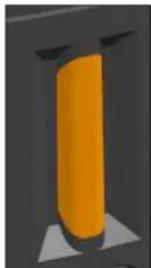
3D rendering of a vertical orange cylindrical object mounted on a dark gray base (no text or symbols)Yellow indicates medium battery

natural_image
3D rendering of a red vertical cylinder mounted on a gray base with triangular supports (no text or symbols)Red indicates low battery
- Specification
| Product size | 126mm x 120mm x 204.5mm | |
| Self-leveling | √ | |
| Laser level | Class II IEC/EN.60825-1 2014 | |
| USB charging | √ | |
| Accuracy | ±2mm/10m | |
| Straightness accuracy | ±2mm/10m | |
| Lower reference point accuracy | 1mm/70cm | |
| Self-leveling angle | 3.5° | |
| Operating distance (200Lux) | 20m (line) 25m (point) | |
| Operating time | 5h | |
| IP rating | IP54 | |
| Operating temperature | -5°C~+40°C | |
| Line width (10m) | 3mm±1mm | |
8. Maintenance
- The laser device has been carefully calibrated and packaged according to various precise specifications before leaving the factory.
- It is recommended to perform accuracy test before the first-time use and perform test regularly, especially during high precision requirements.
- Turn the device off when it is not in use.
- Do not short-circuit the battery contacts, charge the alkaline battery, or throw the battery into fire, these actions may cause dangerous accidents.
- Do not use old and new batteries simultaneously. Be sure to replace all of them with the same type of batteries in same brand.
- Keep the battery out of the reach of children.
- Do not expose the meter to sunlight or high temperatures. The meter shell and some parts are made of plastic, which may be damaged in high temperature environments.
- Clean the outer plastic parts with a damp cloth. It is not recommended to clean it with dissolvent. Wipe away moisture with a dry soft cloth before putting the meter into the box.
- Store the meter properly in its pouch or package. Remove the batteries during long-time storage to avoid battery leakage.
- Do not dispose the meter into household trash.
- Dispose the battery or related electronic waste according to local laws and WEEE (Waste Electrical and Electronic Equipment) rules.
9. Accessories
LM555LD Laser Level
USB data cable
5V1A adapter
- Green laser glasses
Fiducial mark
- Aluminum case
- English Manual
- Toolbox strap
10. Operating Demonstration Video

UNI-T®
UNI-TREND TECHNOLOGY (CHINA) CO., LTD.
No.6, Gong Ye Bei 1st Road,
Songshan Lake National High-Tech Industrial
Development Zone, Dongguan City,
Guangdong Province, China
Made in China


Brand : Uni-T
Model : LM555LD
Category : Laser pointer