
KX-T2886E - Phone Accessories PANASONIC - Free user manual and instructions
Find the device manual for free KX-T2886E PANASONIC in PDF.


| Product Type | Cordless Telephone Handset |
| Brand | Panasonic |
| Model | KX-T2886E |
| Dimensions (approx.) | 160 x 50 x 25 mm |
| Weight (approx.) | 130 g |
| Power Supply | 2 x AAA Ni-MH rechargeable batteries (1.2 V, 550 mAh) |
| Talk Time | Up to 10 hours |
| Standby Time | Up to 150 hours |
| Operating Frequency | DECT (1880-1900 MHz) |
| Range (indoor) | Up to 50 meters |
| Range (outdoor) | Up to 300 meters |
| Display | Backlit LCD, 1.4 inches |
| Ringtones | Polyphonic, 10 melodies |
| Phonebook Capacity | Up to 100 contacts |
| Additional Features | Caller ID, call waiting, redial, mute, intercom |
| Belt Clip Included | Yes |
| Maintenance | Clean with dry, soft cloth; avoid liquids |
| Safety | Use only approved batteries; do not expose to moisture |
| Spare Parts | Batteries, chargers, ear cushions (generic compatible) |
| Reparability | Battery replacement user-serviceable; other repairs authorized |
| General Information | Compact design, compatible with KX-TG series bases |
Frequently Asked Questions - KX-T2886E PANASONIC
User questions about KX-T2886E PANASONIC
0 question about this device. Answer the ones you know or ask your own.
Ask a new question about this device
Download the instructions for your Phone Accessories in PDF format for free! Find your manual KX-T2886E - PANASONIC and take your electronic device back in hand. On this page are published all the documents necessary for the use of your device. KX-T2886E by PANASONIC.
USER MANUAL KX-T2886E PANASONIC
Quick Reference Guide
Please read the Operating Instructions for full details.
- Keep this leaflet for your next use.
Check the accessories:
☐ Telephone Line Cord ..... one ☐ AA size batteries ..... four
☐ AC Adaptor ..... one ☐ Wall Mounting Adaptor ..... one
☐ Handset ..... one ☐ Screws ..... two
□ Handset Cord ....... one □ Washers ....... two
How to Set Up the Unit
1 Install the batteries checking the polarity (+, -) is correct.

natural_image
Technical line drawing of a battery pack with an inset showing its internal structure (no text or symbols)2 Connect the unit as shown.
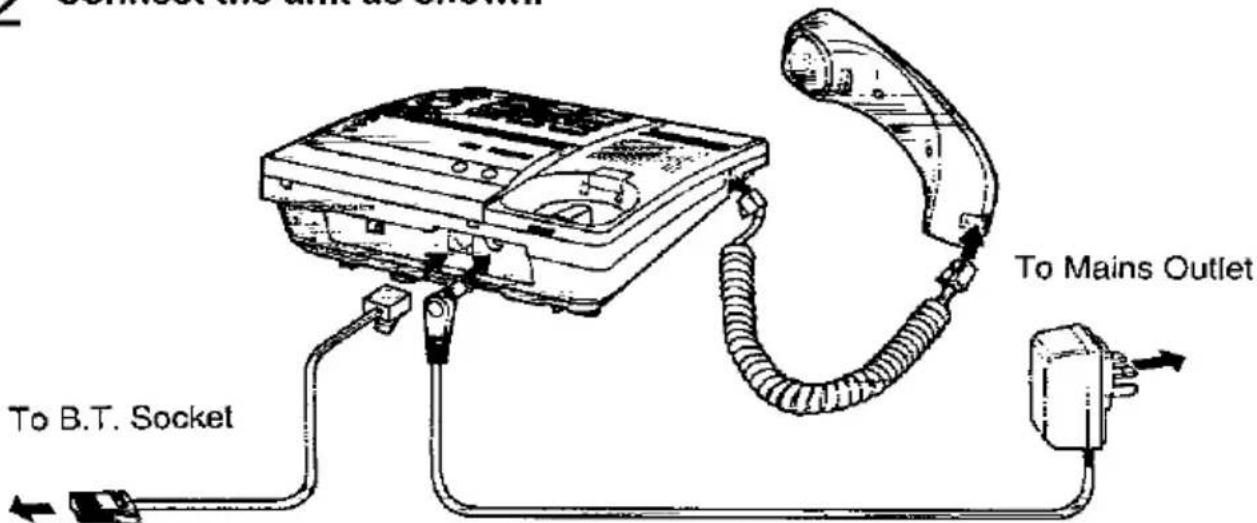
The AC adaptor should remain connected at all times.
How to Operate the Unit

■ Setting time and day
Press the buttons as follows (Ex: Current time is 6:30pm).

flowchart
graph LR
    A["TIME"] --> B["ex: 0630"]
    B --> C["*"]
    C --> D["#"]
    D --> E["TIME"]
    F["Enter current time"] --> C
    G["*" to change AM/PM\n"#" to adjust the day"] --> E
Mailbox feature (For privacy)
The unit has three memory locations—Common memory and two personal mailboxes. This feature is useful when you use the unit jointly with other people. Your caller can leave a message in a specific mailbox, and only the person who knows the password can retrieve it from the mailbox.
To use mailbox
- Record common greeting message(s) in the common memory.
- Record personal greeting message(s) in the mailbox(es).
- Program each mailbox password.
- In order for callers to leave messages in a mailbox they must be informed of the mailbox number.
To record (a) common greeting message(s)
Common greeting messages are limited to 2 minutes 45 seconds. If the greeting message is kept short more time will be available for incoming messages. The total recording time is approximately 30 minutes.

Open the lid, and press GREETING SELECT to select 1st or 2nd greeting message.
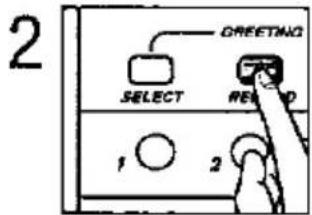
Press GREETING RECORD, then release it.

Speak into MIC (microphone) after the long beep.
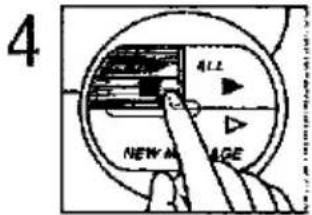
Press STOP or GREETING RECORD to finish recording.
To record a personal greeting message for each mailbox

Open the lid, then press the mailbox button. The indicator lights green.
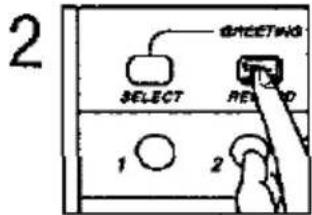
Press GREETING RECORD, then release it.

Speak into MIC (microphone) after the long beep.
Press STOP or GREETING RECORD to finish recording.
Making calls
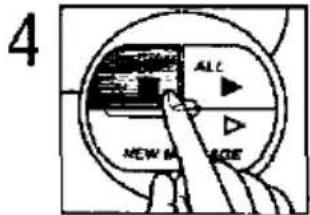
Press SP-PHONE or lift the handset.
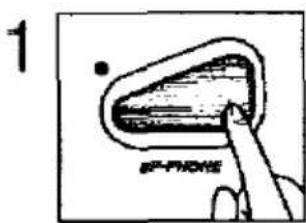
Dial a phone number.
natural_image
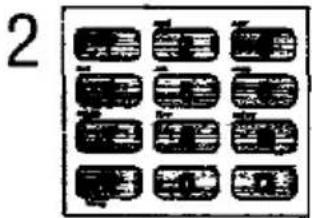
Simple line drawing of a mechanical component with a circular base and a rod, no text or symbols present.Speak into MIC (microphone) or lift the handset and talk.

When the conversation is over, press SP-PHONE or replace the handset.
—To answer a call, lift the handset or press SP-PHONE.
Storing phone numbers in memory
The unit has 4 station buttons. Each button consists of upper and lower memory locations. You can store 8 phone numbers (up to 16 digits each).
Storing into the upper memory location:
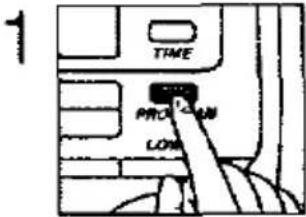
Press PROGRAM.

Enter a phone number.

Press one of the station buttons.
Storing into the lower memory location:
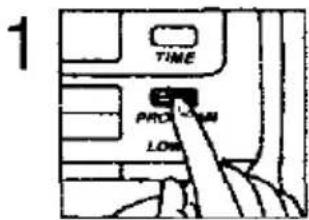
Press PROGRAM.
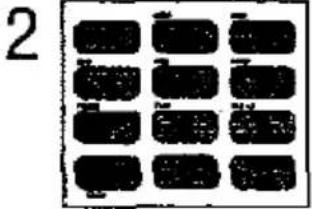
Enter a phone number.

Press LOWER.

Press one of the station buttons.
Dialling a stored number from memory
- Lift the handset or press SP-PHONE.
- When you use the upper memory location; press the station button where the phone number is stored. When you use the lower memory location; press LOWER, then press the station button where the phone number is stored.
To program the mailbox password

Open the lid, then press the mailbox button.
The indicator lights green.

Press REMOTE CODE.
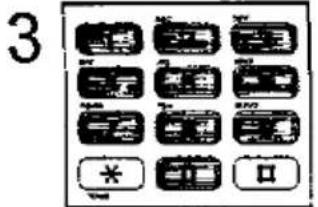
Enter the desired 3-digit number (000–999).

Press REMOTE CODE.
How incoming messages are recorded in each mailbox
- A caller calls your unit.
—Common greeting message is played.
- A caller presses “#”, then presses “1 or 2 (desired mailbox no.)”.
—Personal greeting message is played, followed by a long beep.
- After the long beep, an incoming message is recorded in a specified mailbox.

flowchart
graph TD
    A["When an incoming message comes in"] --> B["If not specified"]
    A --> C["# 1"]
    A --> D["# 2"]
    B --> E["Common Memory"]
    C --> F["Mailbox 1"]
    D --> G["Mailbox 2"]
Automatic answering operation

Open the lid, and press REMAIN TIME to show the time left for incoming messages.

Press ANSWER ON to turn the answering system on.

Press GREETING SELECT to select which greeting message (1st, 2nd or pre-recorded) is played back.
■ If there is no room left in the memory to record a message, erase some or all messages. See page 5.
Listening to messages
In the common memory

OR
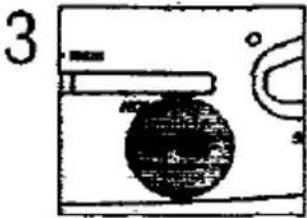
Press NEW MESSAGE to play back unheard messages.

Press ALL to play back all the messages.

To increase the volume, press ∧. To decrease, press ∨.
In the mailbox
1
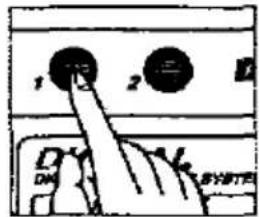
Press the mailbox button.
The indicator lights green.
2

Press mailbox password if it is programmed.
3

Press NEW MESSAGE to play back unheard messages.
OR

Press ALL to play back all the messages.
Erasing the recorded messages
In the common memory

To erase a specific message, press INDIVIDUAL ERASE while the message you want to erase is being played.
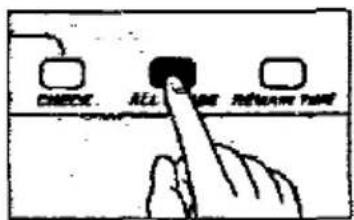
To erase all the stored messages, press ALL ERASE.
In the mailbox
1
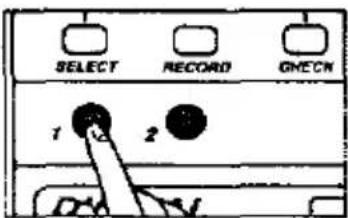
Press the mailbox button. The indicator lights green.
2
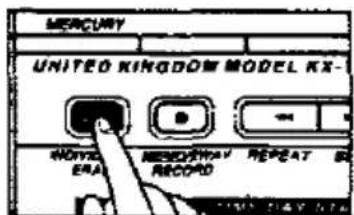
OR
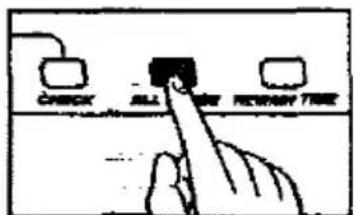
To erase a specific message, press INDIVIDUAL ERASE while the message you want to erase is being played.
To erase all the stored messages, press ALL ERASE.

- Quick Reference Guide
- Please read the Operating Instructions for full details.
- Check the accessories:
- How to Set Up the Unit
- How to Operate the Unit
- ■ Setting time and day
- Mailbox feature (For privacy)
- To use mailbox
- To record (a) common greeting message(s)
- To record a personal greeting message for each mailbox
- Making calls
- Storing phone numbers in memory
- Storing into the upper memory location:
- Storing into the lower memory location:
- Dialling a stored number from memory
- To program the mailbox password
- How incoming messages are recorded in each mailbox
- Automatic answering operation
- Listening to messages
- In the common memory
- In the mailbox
- Erasing the recorded messages
Brand : PANASONIC
Model : KX-T2886E
Category : Phone Accessories