
SC7884 - Vacuum Cleaner SAMSUNG - Free user manual and instructions
Find the device manual for free SC7884 SAMSUNG in PDF.


| Product Type | Vacuum Cleaner (Bag or Cassette Filter type) |
| Brand | Samsung |
| Model | SC7884 |
| Power Control | Body-control type (MIN/MAX) or Remote-control type (STOP/MIN/MID/MAX) |
| Remote Control | Optional infrared remote control (requires 2 AA batteries) |
| Air Control | Manual suction reduction via tap air hole |
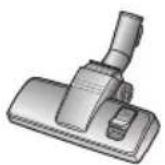
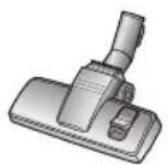
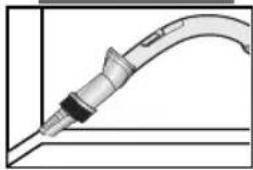
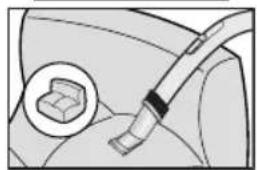
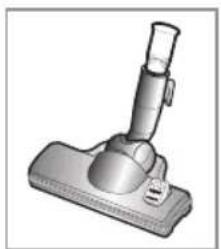
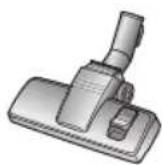
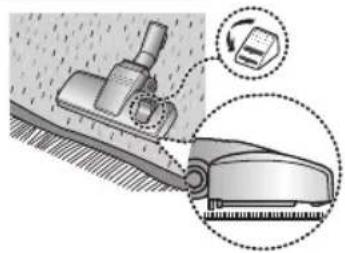
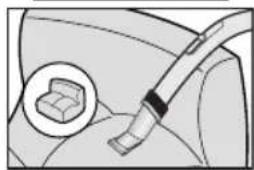
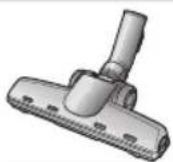
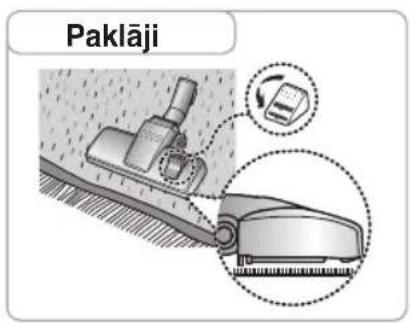
| Floor Tools | Carpet and bare floor nozzle, crevice tool, upholstery tool |
| Filtration | Cyclone filter, cassette filter (washable), inlet filter, outlet filter (carbon or HEPA optional) |
| Indicator Light | Dust bag full or cassette filter full indicator |
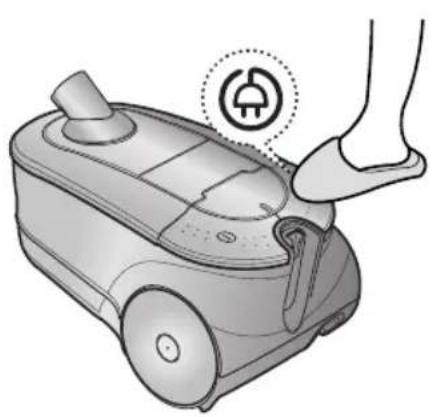
| Cord Rewind | Yes, with foot pedal |
| Power Supply Voltage | 220-240 V AC (as per rating plate) |
| Safety Features | Thermal cut-out; do not use on wet surfaces; do not pick up hot ashes |
| Battery Type (Remote) | AA size batteries |
| Dust Bag | Replaceable dust bag (sealable with adhesive strip) |
| Cassette Filter Cleaning | Empty and rinse with water; ensure completely dry before reuse |
| Cyclone Filter Cleaning | Clean when indicator light comes on |
| Inlet Filter Cleaning | Clean when full (do not discard filter) |
| Outlet Filter Replacement | Replace blocked outlet filter; use carbon or HEPA filter (optional) |
| Optional Accessories | Transparent drum cover, pet hair removal scissors, transparent tube |
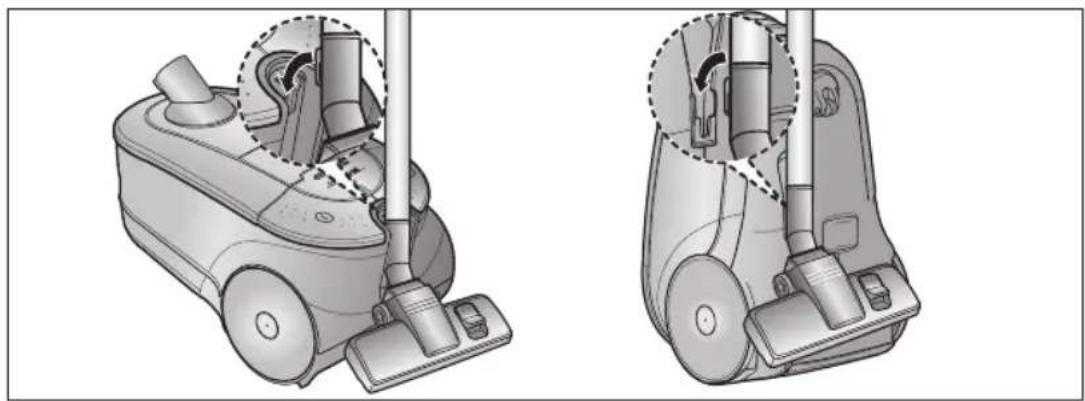
| Storage | Park floor nozzle for compact storage |
Frequently Asked Questions - SC7884 SAMSUNG
User questions about SC7884 SAMSUNG
0 question about this device. Answer the ones you know or ask your own.
Ask a new question about this device
Download the instructions for your Vacuum Cleaner in PDF format for free! Find your manual SC7884 - SAMSUNG and take your electronic device back in hand. On this page are published all the documents necessary for the use of your device. SC7884 by SAMSUNG.
USER MANUAL SC7884 SAMSUNG
natural_image
Line drawing of a vacuum cleaner device (no text or symbols)
natural_image
Technical illustration of a mechanical assembly with two views of a tool or component (no text or symbols present)НЕ ВО ВСЕХ МОДЕЛЯХ

natural_image
Medical catheter illustration showing a needle inserted into a tube with an arrow indicating insertion (no text or symbols present)НЕ ВО ВСЕХ МОДЕЛЯХ
НЕ ВО ВСЕХ МОДЕЛЯХ

natural_image
3D rendered image of a mechanical clamp or lever component (no text or symbols visible)
natural_image
Illustration of a mechanical clamp or holder device (no text or symbols visible)
natural_image
Illustration of a mechanical clamp or bracket component (no text or symbols)
natural_image
Simple line drawing of a rectangular device with two internal components (no text or symbols)natural_image
Technical illustration of a vacuum cleaner with two views (top and side), showing internal components and mounting brackets (no text or symbols)natural_image
Illustration of a robotic vacuum cleaner with a foot and a close-up of its seat, no text or symbols present.
natural_image
Illustration of a hand pressing down on a small robotic device with a circular indicator (no text or symbols)natural_image
Diagram of a curved pipe with directional arrows indicating flow or movement (no text or symbols)

flowchart
graph LR
    A["Kowry"] --> B["Adjustment"]
    B --> C["Chistka Oibvki"]
    C --> D["Chistka в щелях"]
    D --> E["Удаление пыли"]
    E --> F["Chistka Обивки"]

natural_image
Illustration of a hand inserting a component into a device (no text or symbols visible)2

natural_image
Illustration of a hand pouring liquid into a trash can (no text or symbols)4

natural_image
Hand inserting a device into a machine (no visible text or symbols)ПРИМЕЧАНИЕ
natural_image
Pure mechanical diagram showing a lever and triangular component without any text or symbols
НЕ ВО ВСЕХ МОДЕЛЯХ
natural_image
Illustration of three different methods for cleaning a wall: a tool, a syringe with water spray, and a cylindrical container (no text or symbols present)
ПРИМЕЧАНИЕ
natural_image
Illustration showing a hand washing a water tap and a wall-mounted pipe with a bucket (no text or symbols)natural_image
Illustration of a hand holding a mechanical component with a circular knob (no text or symbols)21 3 4
natural_image
Illustration of a mechanical component being held, showing a pin and a magnified view (no text or symbols)
natural_image
Illustration of a hand holding a cylindrical object with a downward arrow indicating motion (no text or symbols)
natural_image
Illustration of two hands spraying water from a showerhead and a spray can (no text or symbols)5678

natural_image
Illustration of a brick wall with a cylindrical component and a cylindrical base, no text or symbols present.
natural_image
Illustration of two hands holding a cylindrical object, one with a striped top and the other with an arrow indicating rotation (no text or symbols)
natural_image
Diagram of a hand holding a device with an arrow pointing to a component, showing internal structure and a magnified inset (no text or symbols)
natural_image
Hand inserting a button into a mechanical component with an arrow indicating rotation (no text or symbols)natural_image
Illustration of a hand inserting a component into a car's air vent (no text or symbols visible)2

natural_image
Illustration of a hand inserting into a device into a plastic housing (no text or symbols visible)3
natural_image
Hand holding a grid-patterned panel next to an electronic device (no text or symbols visible)4

natural_image
Illustration of a hand placing a blank sheet into a trash can (no text or symbols)5
natural_image
Illustration of a hand inserting a component into a device housing (no text or symbols visible)6

natural_image
Illustration of a hand inserting a component into a car's air vent (no text or symbols visible)natural_image
Illustration of a hand inserting a grid into a device (no text or symbols visible)2
natural_image
Illustration of a hand inserting a component into a device housing (no text or symbols visible)3

natural_image
Illustration of a hand placing a blank sheet into a trash can (no text or symbols)4
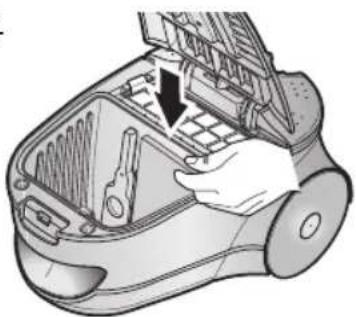
natural_image
Illustration of a hand inserting a component into a device housing (no text or symbols visible)5

natural_image
Diagram of a robotic vacuum cleaner with hand operating the chamber (no text or symbols)ПРИМЕЧАНИЕ
natural_image
Illustration of a vacuum cleaner with open lid and internal components (no text or symbols)- МИКРОФИЛЬТР

natural_image
Illustration of hands holding a rectangular object with directional arrows indicating movement (no text or symbols)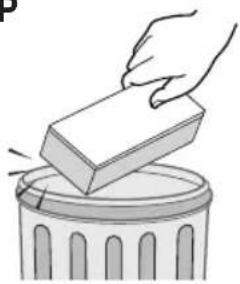
natural_image
Illustration of a hand placing a rectangular block into a trash bin (no text or symbols)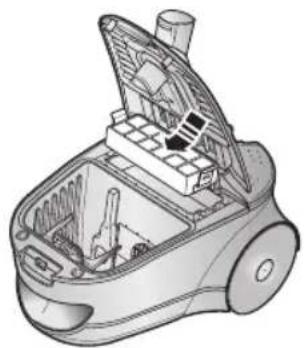
natural_image
Technical illustration of a vacuum cleaner internal structure (no text or symbols)natural_image
Illustration of hands installing or adjusting a mechanical component on a device (no text or symbols visible)
natural_image
Illustration of hands using a tool to interact with a rectangular block (no text or symbols present)
natural_image
Illustration of a hand placing a rectangular block into a trash bin (no text or symbols)
natural_image
Technical illustration of a vacuum cleaner's internal structure (no text or symbols)natural_image
Illustration of a hand assembling or cleaning a vacuum cleaner's air gap (no text or symbols visible)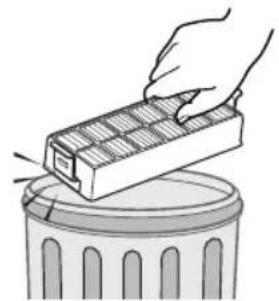
natural_image
Illustration of a hand using a rectangular tool to remove or store waste from a trash bin (no text or symbols)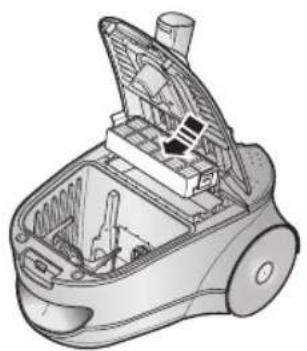
natural_image
Technical illustration of a vacuum cleaner's internal structure (no text or symbols)natural_image
Illustration of a handheld device with exploded view showing internal components (no text or symbols)natural_image
Line drawing of a vacuum cleaner device (no text or symbols)* Before operating this unit, please read the instructions carefully.
* Indoor use only.
Register your product at www.samsung.com/global/register
IMPORTANT SAFEGUARDS
- Read all instructions carefully. Before switching on, make sure that the voltage of your electricity supply is the same as that indicated on the rating plate on the bottom of the cleaner.
- WARNING: Do not use the vacuum cleaner when rug or floor is wet. Do not use to suck up water.
- Close supervision is necessary when any appliance is used by or near children. Do not allow the vacuum cleaner to be used as a toy. Do not allow the vacuum cleaner to run unattended at any time. Use the vacuum cleaner only for its intended use as described in these instructions.
- Do not use the vacuum cleaner without a dust bag (dust bin). Empty the dust bin before it is full in order to maintain the best efficiency.
- Do not use the vacuum cleaner to pick up matches, live ashes or cigarette butts. Keep the vacuum cleaner away from stoves and other heat sources. Heat can deform and discolour the plastic parts of the unit.
- Avoid picking up hard, sharp objects with the vacuum cleaner as they may damage the cleaner parts. Do not stand on the hose assembly. Do not put a weight on the hose. Do not block the suction or the exhaust port.
- Switch the vacuum cleaner off on the body of the machine before unplugging from the electrical outlet. Disconnect plug from the electrical outlet before changing the dust bag or dust container. To avoid damage, please remove the plug by grasping the plug itself, not by pulling on the cord.
- This appliance is not intended for use by young persons or infirm persons without supervision unless they have been adequately supervised by a responsible person to ensure that they can use the appliance safely. Young children should be supervised to ensure that they do not play with the appliance.
- The plug must be removed from the socket outlet before cleaning or maintaining the appliance.
- The use of an extension cord is not recommended.
- If your vacuum cleaner is not operating correctly, switch off the power supply and consult an authorized service agent.
- If the supply cord is damaged, it must be replaced by the manufacturer or its service agent or a similarly qualified person in order to avoid a hazard.
- Don't carry the vacuum cleaner by holding the hose. Use the handle on the vacuum cleaner set.
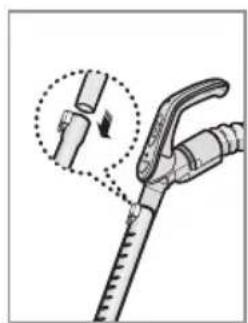
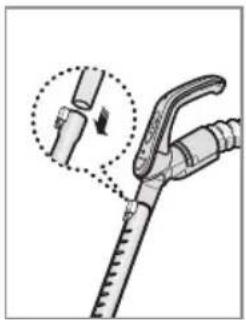
1 ASSEMBLING THE CLEANER


natural_image
Technical illustration of a mechanical assembly with two views of a tool or component (no text or symbols present)OPTION
natural_image
Medical procedure diagram showing a surgical tool with a magnified inset of a mechanical component (no text or symbols)OPTION
OPTION

natural_image
3D rendered image of a vacuum cleaner with handle and mounting base (no text or symbols)
natural_image
Illustration of a mechanical component with a cylindrical roller and handle (no text or symbols)
natural_image
Illustration of a mechanical clamp or bracket component (no text or symbols)
natural_image
Simple line drawing of a rectangular tray with two internal compartments (no text or symbols)▶ Features may vary according to model.

natural_image
Technical illustration of a vacuum cleaner with two views (top and side), showing internal components and mounting features without any text or symbols.For storage, park the floor nozzle.
natural_image
Illustration of a robotic vacuum cleaner with a foot and a small plug icon, no text or symbols present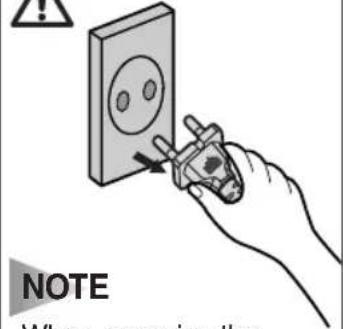
NOTE
When removing the plug from the electrical outlet, grasp the plug, not the cord.
natural_image
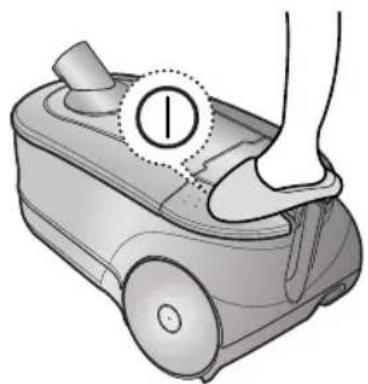
Illustration of a robotic vacuum cleaner with a foot and index finger, no text or symbols present2-3 POWER CONTROL
1) BODY-CONTROL TYPE
MIN = For delicate surface e.g. net curtains.
MAX = For hard floors and heavily soiled carpets.

natural_image
Technical diagram of a mechanical device with no visible text or symbols2) REMOTE-CONTROL TYPE

INFRARED-CONTROL

Press The Power-control button repeatedly to select correct mode.
(STOP → MIN → MID → MAX)
NOTE : If the cleaner is not working by handle-control you can operate the vacuum cleaner with the CONTROL-BUTTON on the body.
2-4 AIR CONTROL
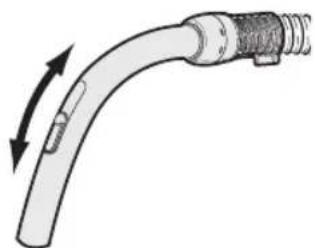
To reduce suction for cleaning draperies, small rugs, and other light fabrics, pull the tap air until the hole is open.
natural_image
Diagram of a curved pipe with directional arrows indicating flow or movement (no text or symbols)2-5 USING FLOOR TOOLS


natural_image
Illustration of a curved pipe with a separate cylindrical component and a downward arrow indicating direction (no text or symbols)Carpets

natural_image
Diagram showing a mechanical device interacting with a cleaning tool, with an inset close-up of the tool (no text or symbols present)


natural_image
Diagram of a medical device labeled 'CREVICE' with no other text or symbols


Bare floors

natural_image
Diagram showing a microscope mounted on a brick wall with an inset image of a device (no text or symbols present)


OPTION
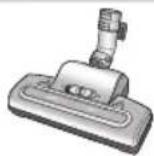

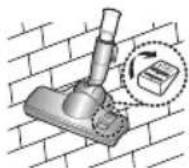
- Detach transparent drum cover for easy cleaning.


OPTION

- Detach transparent drum cover for easy cleaning.



OPTION


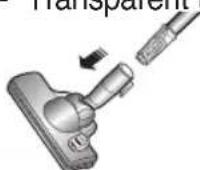
- Transparent tube

OPTION

natural_image
Illustration of a handheld device with a close-up inset showing the internal components (no text or symbols visible)
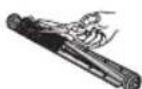
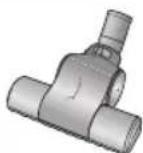
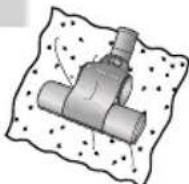
- Cut off pet hairs or threads surrounding brush by using scissors.
3 INDICATOR LIGHTS (BAG TYPE)
1) BODY-CONTROL TYPE
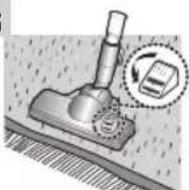
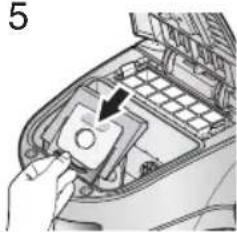
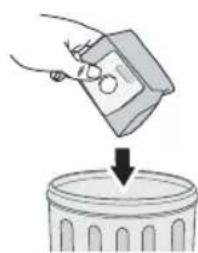
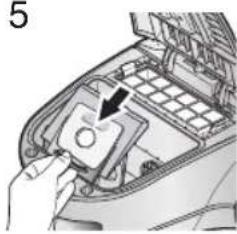
When the indicator light comes on, please change the DUST BAG(3-1) as shown in the following illustrations.

2) REMOTE-CONTROL TYPE
When the indicator light comes on, please change the DUST BAG(3-1) as shown in the following illustrations.

NOTE POWER LAMP ON: The power is applied to the vacuum cleaner
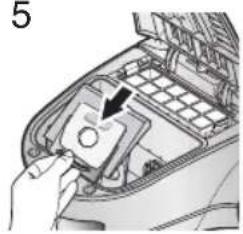
3-1 CHANGING THE DUST BAG
1

natural_image
Illustration of a hand inserting a component into a device (no text or symbols visible)2

4

natural_image
Hand holding a small electronic device with wires and indicator lights, no visible text or symbols5
natural_image
Hand inserting a small electronic component into a device (no text or symbols visible)NOTE
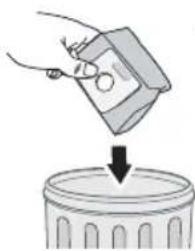
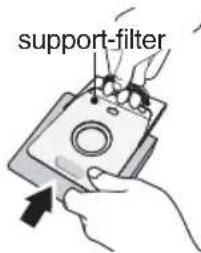
A used dust bag can be sealed by removing the paper from the adhesive strip and sealing the strip over the hole.

natural_image
Pure mechanical diagram showing a lock mechanism and triangular base structure without any text or symbols
OPTIONAL
• FOR CLOTH BAG
After using, if the cloth bag is full of dust, clean the cloth bag and use it again.
NOTE Please make sure to retain the support-filter when you dispose of the dust bag.
4 INDICATOR LIGHTS (CASSETTE FILTER TYPE)

OPTIONAL DIGITAL SIGNAL
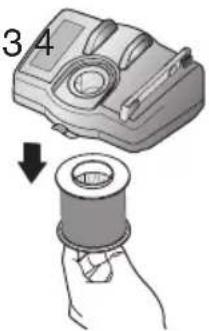
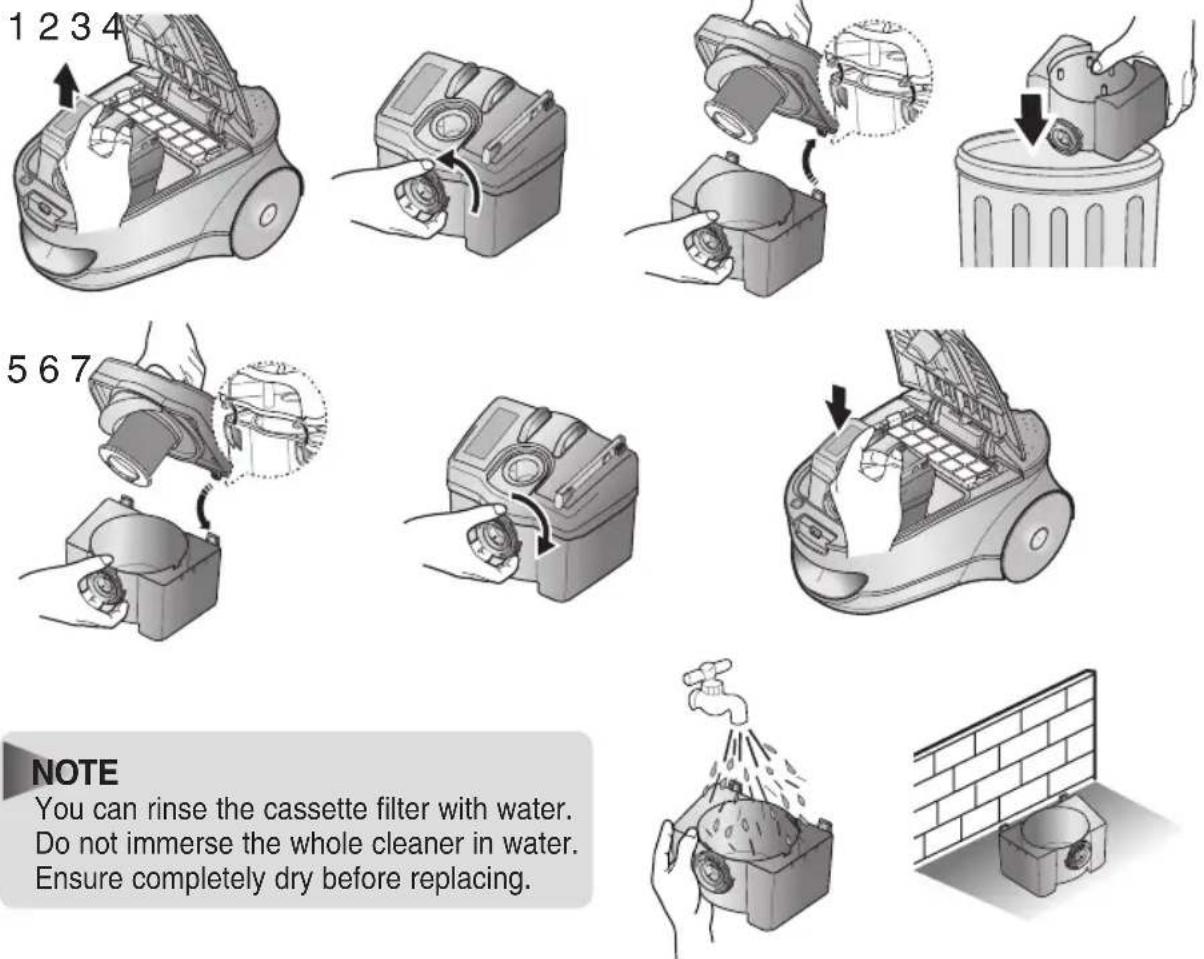
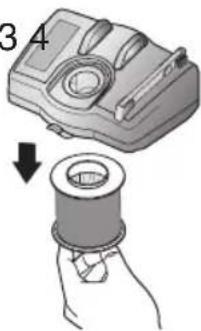
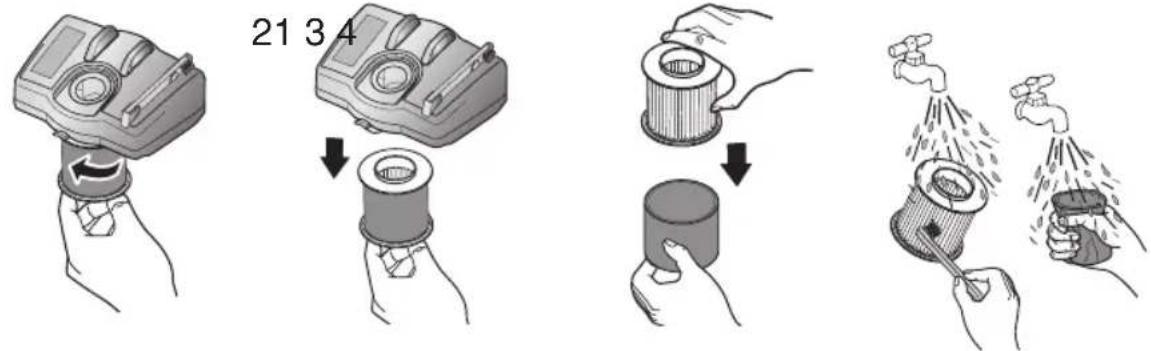
When the indicator light comes on, please empty and clean the Cyclone Filter (4-1) and the cassette filter (4-2) as shown in the following illustrations.
4-1 CLEANING THE CYCLONE FILTER


natural_image
Illustration of three different methods for using a tool, showing a probe, a tube with water droplets, and a brick wall (no text or symbols)
NOTE
The Cyclone Filter must be used at all times to retain optimum efficiency.
4-2 CLEANING THE CASSETTE FILTER
4-2-1 EMPTYING THE CASSETTE FILTER
NOTE
You can rinse the cassette filter with water. Do not immerse the whole cleaner in water. Ensure completely dry before replacing.
4-2-2 CLEANING THE GRILL

natural_image
Hand holding a mechanical component with a circular arrow indicating rotation (no text or symbols)21 3 4

natural_image
Illustration of a mechanical component being inserted into a wire (no text or symbols present)
natural_image
Illustration of a hand holding a cylindrical object with a downward arrow indicating motion (no text or symbols)
natural_image
Illustration of two hands spraying water from a faucet and a spray bottle (no text or symbols)5678

natural_image
Illustration of a brick wall with a cylindrical component and a cylindrical base, no text or symbols present.
natural_image
Illustration of two hands holding a cylindrical object, one with a magnified inset showing an upward arrow (no text or symbols)
natural_image
Diagram of a hand inserting a component into a device, showing internal structure and a magnified view (no text or symbols)
natural_image
Illustration of a hand inserting a button into a mechanical component with an arrow indicating direction (no text or symbols present)5 CLEANING THE INLET FILTER
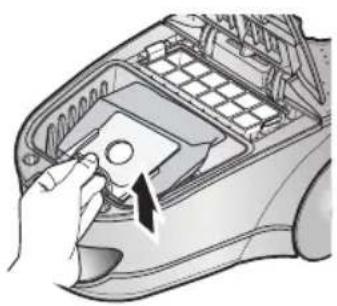
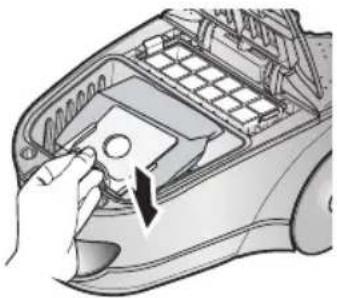
5-1 BAG TYPE
1

natural_image
Illustration of a hand inserting a component into a device (no text or symbols visible)2

natural_image
Illustration of a hand inserting into a device into a housing (no text or symbols visible)3

natural_image
Hand holding a grid-patterned device with a rectangular panel on top (no text or symbols visible)4

natural_image
Illustration of a hand placing a blank sheet into a trash can (no text or symbols)5

natural_image
Illustration of a hand inserting a component into a device housing (no text or symbols visible)6

natural_image
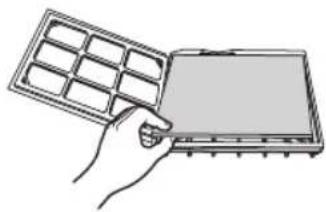
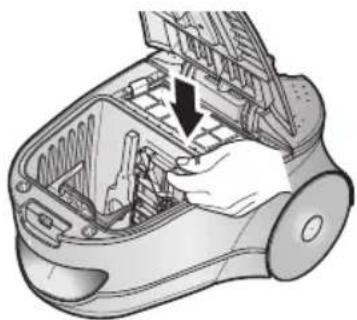
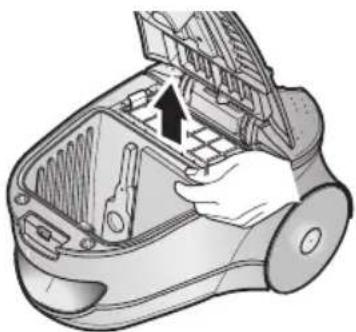
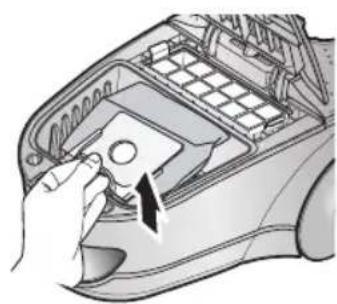
Illustration of a hand inserting a component into a car air vent (no text or symbols visible)NOTE : Please do not throw away the filter. It must be retained to maintain cleaning efficiency.
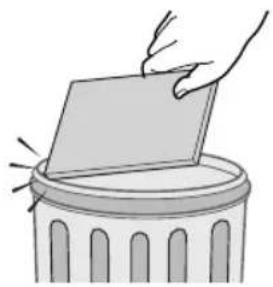
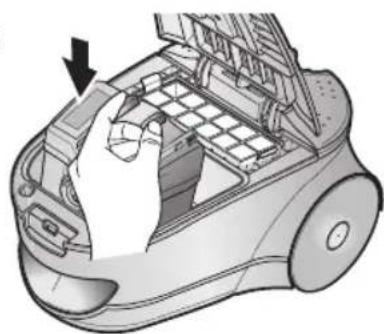
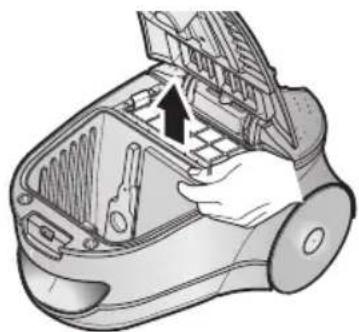
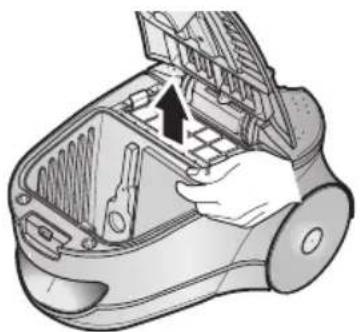
5-2 CASSETTE FILTER TYPE
1

natural_image
Illustration of a robotic vacuum cleaner with a hand inserting a grid into the air gap (no text or symbols)2

natural_image
Illustration of a hand inserting a component into a device housing (no text or symbols visible)3
natural_image
Illustration of a hand placing a blank sheet into a trash can (no text or symbols)4

natural_image
Illustration of a hand inserting or removing a device into a device casing (no text or symbols visible)5
natural_image
Diagram of a hand inserting a component into a vacuum cleaner's air vent (no text or symbols visible)NOTE
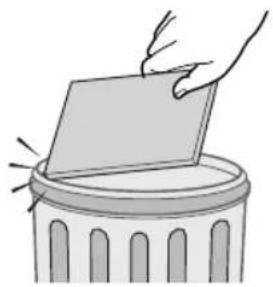
Please do not throw away the filter. It must be retained to maintain cleaning efficiency.
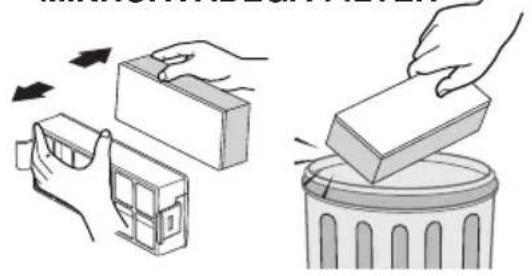
6 OUTLET FILTER

Remove and replace the blocked outlet-filter.
OPTION - CARBON FILTER

OPTION - HEPA-FILTER

NOTE : Replacement filters or bags can be bought from your local Samsung distributor.
7 CHANGE THE BATTERY(OPTIONAL)

natural_image
Illustration of a handheld device with exploded view showing internal components (no text or symbols)1) BATTERY TYPE : AA Size

NOTE
- When the vacuum cleaner does not operate, replace the batteries. If the problem persists, please contact our authorized dealer.
- 2 of Battery type

WARNING
- Never disassemble or recharge the batteries.
-
Never heat up the batteries or throw them into fire.
-
Do not reverse (+),(-) terminals.
-
Dispose the batteries properly.
-
IF YOU HAVE A PROBLEM
| PROBLEM CAUSE REMEDY | ||
| Motor does not start. | No power supply. Thermal cut-out. | Check cable, plug and socket. Leave to cool. |
| Suction force is gradually decreasing. | Nozzle, suction hose or tube is blocked. | Check for blockage and remove. |
| Cord does not rewind fully. Check that the cord is not twisted or wound unevenly. | Pull the cord out 2-3m and push down the cord rewind button. | |
| Vacuum cleaner does not pick up dirt. | Crack or hole in hose. | Check hose and replace if required. |
| Low or decreasing suction | Filter is full with dust. | Please check filter and, if required, clean as illustrated in the instructions. |
This Vacuum cleaner is approved the following. EMC Directive : 89/336/EEC , 92/31/EEC and 93/68/EEC Low Voltage Safety Directive : 73/23/EEC and 93/68/EEC

Tolmuimeja

natural_image
Line drawing of a vacuum cleaner device (no text or symbols)
natural_image
Technical illustration of a mechanical device with two circular insets showing internal components (no text or symbols)VALIKULINE

natural_image
Medical procedure diagram showing a surgical tool with a magnified inset of the needle (no text or labels)VALIKULINE
VALIKULINE

natural_image
3D rendered image of a mechanical clamp or fixture component (no text or symbols visible)
natural_image
Illustration of a mechanical clamp or holder device (no text or symbols visible)
natural_image
Illustration of a mechanical clamp or bracket component (no text or symbols)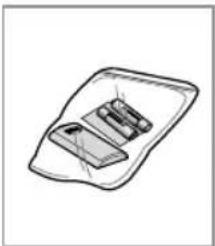
natural_image
Simple line drawing of a device with two rectangular components, no text or symbols presentnatural_image
Technical illustration of a vacuum cleaner with two views (top and side), showing internal components and mounting brackets (no text or symbols)natural_image
Illustration of a robotic vacuum cleaner with a foot and a power button icon (no text or symbols)
natural_image
Illustration of a robotic vacuum cleaner with a foot and index finger, no text or symbols presentnatural_image
Illustration of a curved pipe with directional arrows indicating flow or movement (no text or symbols)2-5 PINDADE PUHASTAMINE


natural_image
Illustration of a medical or laboratory device with a curved tube and a separate rod-like structure, showing a downward arrow (no text or symbols)Katted

natural_image
Diagram showing a mechanical device interacting with a motor, with an inset close-up of the motor (no text or symbols present)

PRAO PUHASTAMINE
natural_image
Pure diagram of a medical or laboratory procedure line without any text, numbers, or symbols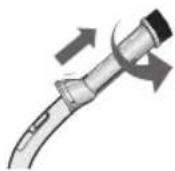

TOLMU PÜHKIMINE

natural_image
Pure diagram of a mechanical component inside a rectangular frame (no text or symbols)Paljad pôrandad

natural_image
Diagram showing a mounted device on a brick wall with an inset close-up of its component (no text or symbols present)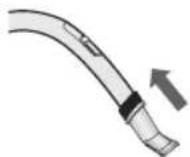

POLSTRI PUHASTAMINE
natural_image
Diagram of a car interior showing a plug inserted into a vehicle, with an inset magnified view of the plug (no text or symbols present)VARIANT


natural_image
Illustration of a robotic arm with a close-up inset showing the handle (no text or symbols)
natural_image
Illustration of a hand inserting a component into a device (no text or symbols visible)2


natural_image
Illustration of a hand using a tool to lift a trash can into a bin (no text or symbols)4

natural_image
Hand holding a small electronic device with wires and a magnified inset showing internal components (no text or symbols visible)5

natural_image
Close-up of a hand inserting a component into a device housing (no visible text or symbols)MÄRKUS:
natural_image
Simple line drawing of a mechanical component with a knob and triangular base (no text or symbols)VALIKULINE
• RIIDEST KOTI PUHUL
VALIKULINE
DIGITAALNE SIGNAAL
natural_image
Illustration of three different methods for cleaning a wall, showing a tool, a valve, and a concrete block (no text or symbols present)7

natural_image
Two identical mechanical components with arrows indicating assembly or transformation (no text or symbols)8

MÄRKUS:
natural_image
Illustration of a hand holding a mechanical device with a circular component and a curved arrow indicating rotation (no text or symbols)21 3 4
natural_image
Illustration of a mechanical component being held by a hand, showing a magnified view of the shaft (no text or symbols present)
natural_image
Illustration of a hand holding a cylindrical object with a downward arrow indicating motion (no text or symbols)
natural_image
Illustration of two hands spraying water from a pipe, one using a tool and the other holding a spray can (no text or symbols)5678

natural_image
Illustration of a brick wall with a cylindrical component and a numbered label '678' (no text or symbols on the diagram itself)
natural_image
Illustration of two hands holding a cylindrical object, one with a hollow center and the other with a filled bottom (no text or symbols)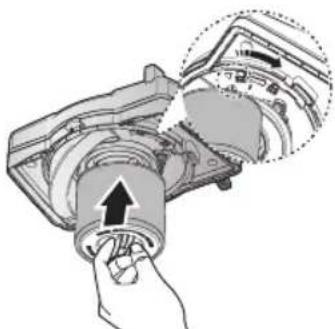
natural_image
Diagram of a mechanical device with an arrow indicating rotation or force application (no text or symbols present)
natural_image
Illustration of a hand inserting a button into a mechanical component with an arrow indicating direction (no text or symbols present)5 SISSELASKE FILTRI PUHASTAMINE
5-1 KOTIGA TÜÜP
1
natural_image
Illustration of a hand inserting a component into a car's air vent (no text or symbols visible)2

natural_image
Illustration of a hand inserting into a device into a plastic housing (no text or symbols visible)3

natural_image
Hand holding a grid-patterned device with a blank screen (no text or symbols visible)4

natural_image
Illustration of a hand placing a blank sheet into a trash can (no text or symbols)5

natural_image
Illustration of a hand inserting or removing electronic components into a device casing (no text or symbols visible)6

natural_image
Illustration of a hand inserting a component into a car's air vent (no text or symbols visible)natural_image
Illustration of a hand inserting a grid into a device (no text or symbols visible)2
natural_image
Illustration of a hand inserting or adjusting a component into a device housing (no text or symbols visible)3
natural_image
Illustration of a hand placing a blank card into a trash bin (no text or symbols)4

natural_image
Illustration of a hand inserting or removing a component into a device housing (no text or symbols visible)5

natural_image
Illustration of a hand inserting a grid into a device (no text or symbols visible)MÄRKUS:
natural_image
Illustration of a robotic vacuum cleaner with open lid and internal components (no text or symbols)- MIKROAVADEGA FILTER
natural_image
Illustration showing two steps: one hand removing a block into a trash bin, the other handling a rectangular block over it (no text or symbols present)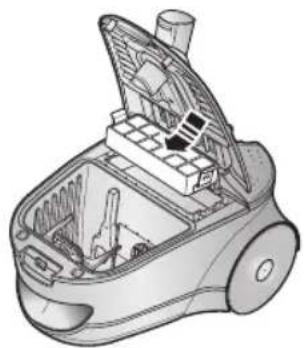
natural_image
Technical illustration of a vacuum cleaner internal structure (no text or symbols)natural_image
Illustration of a robotic vacuum cleaner's open lid and internal components, showing step-by-step assembly (no text or symbols)VALIKULINE - HEPA-FILTER

natural_image
Three-step illustration of a robotic vacuum cleaner's open lid, showing hand positioning and cleaning process (no text or symbols)natural_image
Illustration of a mechanical tool with exploded view and component details (no text or symbols)natural_image
Line drawing of a vacuum cleaner device (no text or symbols)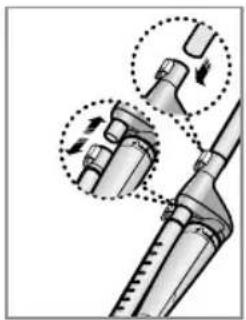
natural_image
Technical illustration of a mechanical device with two circular insets showing internal components (no text or symbols)PASIRENKAMAS VARIANTAS
natural_image
Medical procedure diagram showing a surgical tool with a magnified inset of a mechanical component (no text or labels)PASIRENKAMAS VARIANTAS
PASIRENKAMAS VARIANTAS
natural_image
3D rendered image of a mechanical clamp or lever component (no text or symbols visible)
natural_image
Illustration of a mechanical clamp or holder device (no text or symbols visible)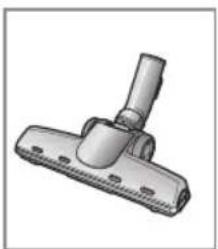
natural_image
Illustration of a mechanical clamp or bracket component (no text or symbols)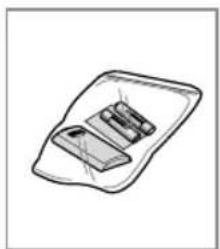
natural_image
Simple line drawing of a rectangular device with internal components (no text or symbols)▶ Charakteristikos gali keistis priklausomai nuo modelio.
natural_image
Technical illustration of a vacuum cleaner with two views (top and side), showing internal components and mounting features without any text or symbols.Padèdami saugojimui, idèkite siurblio vamzdi i laikikli.
2 SIURBLIO EKSPLOATAVIMAS
2-1 ELEKTROS KIŠTUKAS
natural_image
Illustration of a hand pressing down on a small vacuum cleaner's side panel, with no text or symbols present.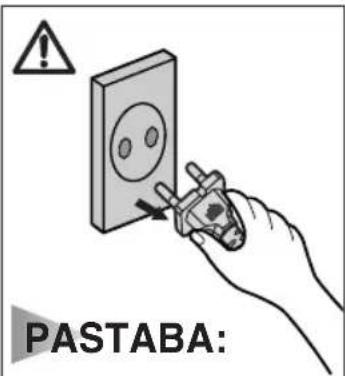
natural_image
Illustration of a hand pressing down on a small robotic device with a numbered circle highlighting the foot (no text or symbols present)2-3 GALIOS LYGIO REGULIAVIMAS
1) Korpusinis galios lygio reguliatorius
MIN = Jautriems paviršiams, pvz.užuolaidoms.
MAX = Kietoms grindims ir stipriai užterštoms dangoms.

natural_image
Illustration of a hand holding a tool inside a mechanical device (no text or symbols visible)natural_image
Diagram of a curved pipe with a valve and directional arrow indicating motion (no text or symbols)2-5 GRINDU VALYMO PRIEMONIU NAUDOJIMAS


natural_image
Illustration of a curved pipe with a separate cylindrical component and a downward arrow indicating direction (no text or symbols)Kilimai
natural_image
Diagram showing a mechanical device interacting with a robotic arm, with a magnified inset illustrating the mechanism (no text or symbols present)

Plikos grindys

natural_image
Pure diagram of a mechanical component with no text or symbolsDULKIŲ VALYMUI


natural_image
Illustration of a mechanical component inserted into a rectangular frame (no text or symbols)APMUŠALAMS


natural_image
Diagram of a car interior showing a plug inserted into a vehicle, with a magnified inset highlighting a component (no text or symbols present)SIAURIEMS PLYŠIAMS

natural_image
Diagram showing a mounted device on a brick wall with an inset close-up of its component (no text or symbols present)PASIRENKAMAS VARIANTAS


- Lengvam valymui nuimkite permatoma bügnelio dangteji.


PASIRENKAMAS VARIANTAS
- Lengvam valymui nuimkite permatoma būgnelio dangteļi.


PASIRENKAMAS VARIANTAS


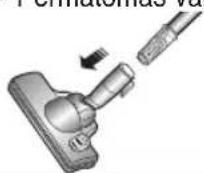
- Permatomas vamzdelis

PASIRENKAMAS VARIANTAS


natural_image
Illustration of a hand holding a device with a magnified inset showing internal components (no text or symbols)
natural_image
Illustration of a hand inserting a component into a device (no text or symbols visible)2

3
natural_image
Illustration of a hand pouring liquid into a trash bin (no text or symbols)4
5
natural_image
Hand inserting a device into a car interior (no visible text or symbols)natural_image
Pure mechanical component diagram without any text, numbers, or symbols
PASIRENKAMAS VARIANTAS
• MEDŽIAGINIAMS MAIŠELIAMS
PASIRENKAMAS VARIANTAS SKAITMENINIS SIGNALAS
natural_image
Two 3D illustrations of a mechanical component with a bolt and arrow indicating rotation (no text or symbols)8

PASTABA:
natural_image
Illustration showing a hand washing a water bottle with a faucet, and a brick wall with a container (no text or symbols)4-2-2 GROTELIŲ VALYMAS

5 ILEIDŽIAMŲ FILTRŲ VALYMAS
5-1 MAIŠELIŲ TIPO
1
natural_image
Illustration of a hand inserting a button into a device casing (no text or symbols visible)2

natural_image
Illustration of a hand inserting into a device into a container with tools (no text or symbols visible)3

natural_image
Hand holding a grid-patterned device with a blank screen (no text or symbols visible)4

natural_image
Illustration of a hand placing a blank sheet into a trash can (no text or symbols)5

natural_image
Illustration of a hand inserting a component into a device housing (no text or symbols visible)6
natural_image
Illustration of a hand inserting a component into a car's air vent (no text or symbols visible)natural_image
Illustration of a hand inserting a grid into a device (no text or symbols visible)2
natural_image
Illustration of a hand inserting a component into a device housing (no text or symbols visible)3

natural_image
Illustration of a hand placing a blank sheet into a trash can (no text or symbols)4

natural_image
Illustration of a hand inserting or adjusting a component into a device housing (no text or symbols visible)5

natural_image
Diagram of a car interior showing a hand inserting a component into the air gap (no text or symbols present)PASTABA:
natural_image
Illustration of a handheld device with exploded view showing internal components (no text or symbols)natural_image
Line drawing of a vacuum cleaner device (no text or symbols)
natural_image
Technical illustration of a mechanical device with two circular insets showing internal components (no text or symbols)VARIANTS
natural_image
Medical procedure image showing a surgical tool with a magnified inset of a mechanical component (no text or symbols visible)VARIANTS
VARIANTS

natural_image
3D rendered image of a mechanical clamp or bracket component (no text or symbols visible)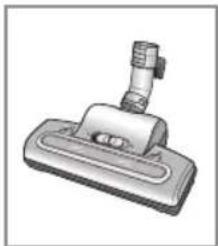
natural_image
Illustration of a mechanical clamp or holder device (no text or symbols visible)
natural_image
Illustration of a mechanical clamp or bracket component (no text or symbols)
natural_image
Simple line drawing of a device with a handle and internal components (no text or symbols)natural_image
Technical illustration of a vacuum cleaner with two views (top and side), showing internal components and mounting brackets (no text or symbols)2-1 STRĀVAS VADS 2-2 ON/OFF SLEDZIS

natural_image
Illustration of a robotic vacuum cleaner with a foot and a close-up of its electrical plug (no text or symbols)

natural_image
Illustration of a robotic vacuum cleaner with a foot and index finger, no text or symbols present2-3 Jaudas kontroles regulators
natural_image
Diagram of a curved pipe with a connector and directional arrows indicating motion (no text or symbols)

natural_image
Illustration of a hand holding a device with an inset close-up showing a circular component (no text or symbols)
2) Distances vadiba regulators
natural_image
Illustration of a hand inserting a component into a device (no text or symbols visible)2

3
natural_image
Illustration of a hand pouring liquid into a trash bin (no text or symbols)4

5
natural_image
Hand inserting a device into a container with a circular button (no text or symbols visible)PIEZIME:
natural_image
Pure mechanical diagram showing a device with a circular component and triangular base, without any text or symbols
Variants
• AUDUMA MAISINIEM
! Variants
DIGITĀLAIS SIGNĀLS
natural_image
Illustration of three different methods for plumbing or plumbing installation, showing a tool, valve, and pipe assembly (no text or symbols present)7

natural_image
Two identical mechanical components with arrows indicating assembly or transformation (no text or symbols)8

PIEZIME:
natural_image
Illustration of a hand holding a mechanical device with a circular component and directional arrow (no text or symbols)21 3 4

natural_image
Illustration of a mechanical component being held by a hand, showing a magnified view of the shaft (no text or symbols present)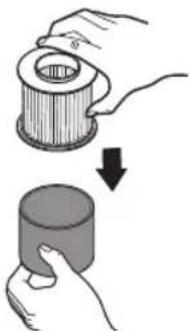
natural_image
Illustration of a hand holding a cylindrical object with a downward arrow indicating motion (no text or symbols)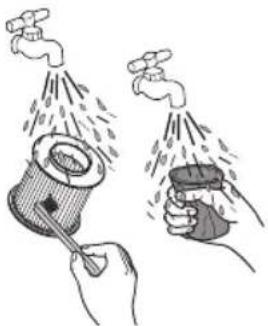
natural_image
Illustration of two hands spraying water from a spray can into a container (no text or symbols)5678

natural_image
Illustration of a brick wall with a cylindrical component and a numbered label '678' (no text or symbols on the diagram itself)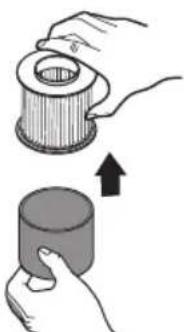
natural_image
Illustration of two hands holding a cylindrical object, one with a hollow center and the other with a filled bottom (no text or symbols)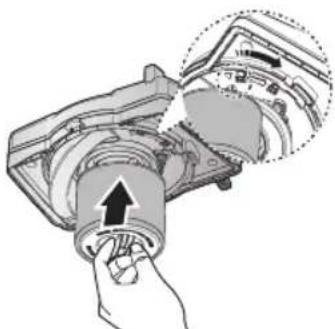
natural_image
Diagram of a mechanical device with an arrow indicating rotation or force application (no text or symbols present)
natural_image
Illustration of a hand inserting a button into a mechanical component with an arrow indicating direction (no text or symbols present)5 IEEJAS FILTRA TİRİŞANA
5-1 MAISINA TIPS
1

natural_image
Illustration of a hand inserting a component into a car's air vent (no text or symbols visible)2

natural_image
Illustration of a hand inserting into a device into a plastic housing (no text or symbols visible)3

natural_image
Hand holding a grid-patterned device with a blank screen (no text or symbols visible)4
natural_image
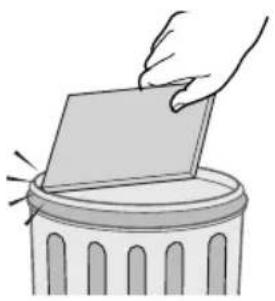
Illustration of a hand placing a blank sheet into a trash can (no text or symbols)5
natural_image
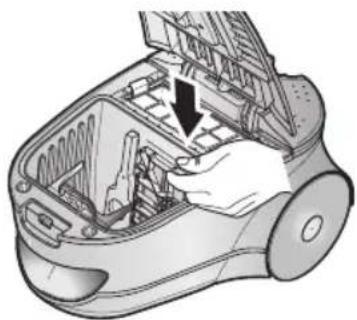
Illustration of a hand inserting a device into a device housing (no text or symbols visible)6

natural_image
Illustration of a hand inserting a component into a device (no text or symbols visible)natural_image
Illustration of a hand inserting a grid into a device (no text or symbols visible)2

natural_image
Illustration of a hand inserting or adjusting a component into a device housing (no text or symbols visible)3

natural_image
Illustration of a hand placing a blank card into a trash bin (no text or symbols)4

natural_image
Illustration of a hand inserting or removing a component into a device housing (no text or symbols visible)5

natural_image
Illustration of a hand inserting a grid into a device (no text or symbols visible)PIEZIME:
natural_image
Illustration of four steps of a robotic vacuum cleaner's internal components, showing hand positioning and cleaning process (no text or symbols)VARIANTS - HEPA-FILTRS

natural_image
Three-step illustration of a vacuum cleaner's open lid, showing hand positioning and cleaning process (no text or symbols)natural_image
Exploded view diagram of a hairbrush tool with exploded view (no text or labels)- ПРИМЕЧАНИЕ
- НЕ ВО ВСЕХ МОДЕЛЯХ
- IMPORTANT SAFEGUARDS
- ASSEMBLING THE CLEANER
- NOTE
- 2-3 POWER CONTROL
- 2-4 AIR CONTROL
- INDICATOR LIGHTS (BAG TYPE)
- 1) BODY-CONTROL TYPE
- 2) REMOTE-CONTROL TYPE
- 3-1 CHANGING THE DUST BAG
- OPTIONAL
- INDICATOR LIGHTS (CASSETTE FILTER TYPE)
- OPTIONAL DIGITAL SIGNAL
- 4-1 CLEANING THE CYCLONE FILTER
- 4-2 CLEANING THE CASSETTE FILTER
- 4-2-1 EMPTYING THE CASSETTE FILTER
- 4-2-2 CLEANING THE GRILL
- CLEANING THE INLET FILTER
- 5-1 BAG TYPE
- 5-2 CASSETTE FILTER TYPE
- OUTLET FILTER
- CHANGE THE BATTERY(OPTIONAL)
- 1) BATTERY TYPE : AA Size
- WARNING
- Tolmuimeja
- MÄRKUS:
- VALIKULINE
- DIGITAALNE SIGNAAL
- SISSELASKE FILTRI PUHASTAMINE
- 5-1 KOTIGA TÜÜP
- SIURBLIO EKSPLOATAVIMAS
- 2-3 GALIOS LYGIO REGULIAVIMAS
- PASIRENKAMAS VARIANTAS
- PASIRENKAMAS VARIANTAS SKAITMENINIS SIGNALAS
- PASTABA:
- 4-2-2 GROTELIŲ VALYMAS
- ILEIDŽIAMŲ FILTRŲ VALYMAS
- 5-1 MAIŠELIŲ TIPO
- 2-1 STRĀVAS VADS 2-2 ON/OFF SLEDZIS
- 2-3 Jaudas kontroles regulators
- 2) Distances vadiba regulators
- PIEZIME:
- Variants
- ! Variants
- DIGITĀLAIS SIGNĀLS
- IEEJAS FILTRA TİRİŞANA
- 5-1 MAISINA TIPS
Brand : SAMSUNG
Model : SC7884
Category : Vacuum Cleaner