CUBE Cart Mini - Office Furniture Bretford - Free user manual and instructions
Find the device manual for free CUBE Cart Mini Bretford in PDF.


User questions about CUBE Cart Mini Bretford
0 question about this device. Answer the ones you know or ask your own.
Ask a new question about this device
Download the instructions for your Office Furniture in PDF format for free! Find your manual CUBE Cart Mini - Bretford and take your electronic device back in hand. On this page are published all the documents necessary for the use of your device. CUBE Cart Mini by Bretford.
USER MANUAL CUBE Cart Mini Bretford
natural_image
Exterior view of a gray industrial machine with open doors and wheels (no visible text or symbols)No-Frills.
Budget-Friendly.
So small, it's called mini.
Thank you for choosing Bretford
Thank you for choosing Bretford for your store and charge needs. We hope you enjoy your new product! As original product owner, Bretford stands behind you and your investment. Take a moment to register your warranty for enhanced support and product information, at Bretford.com/start.
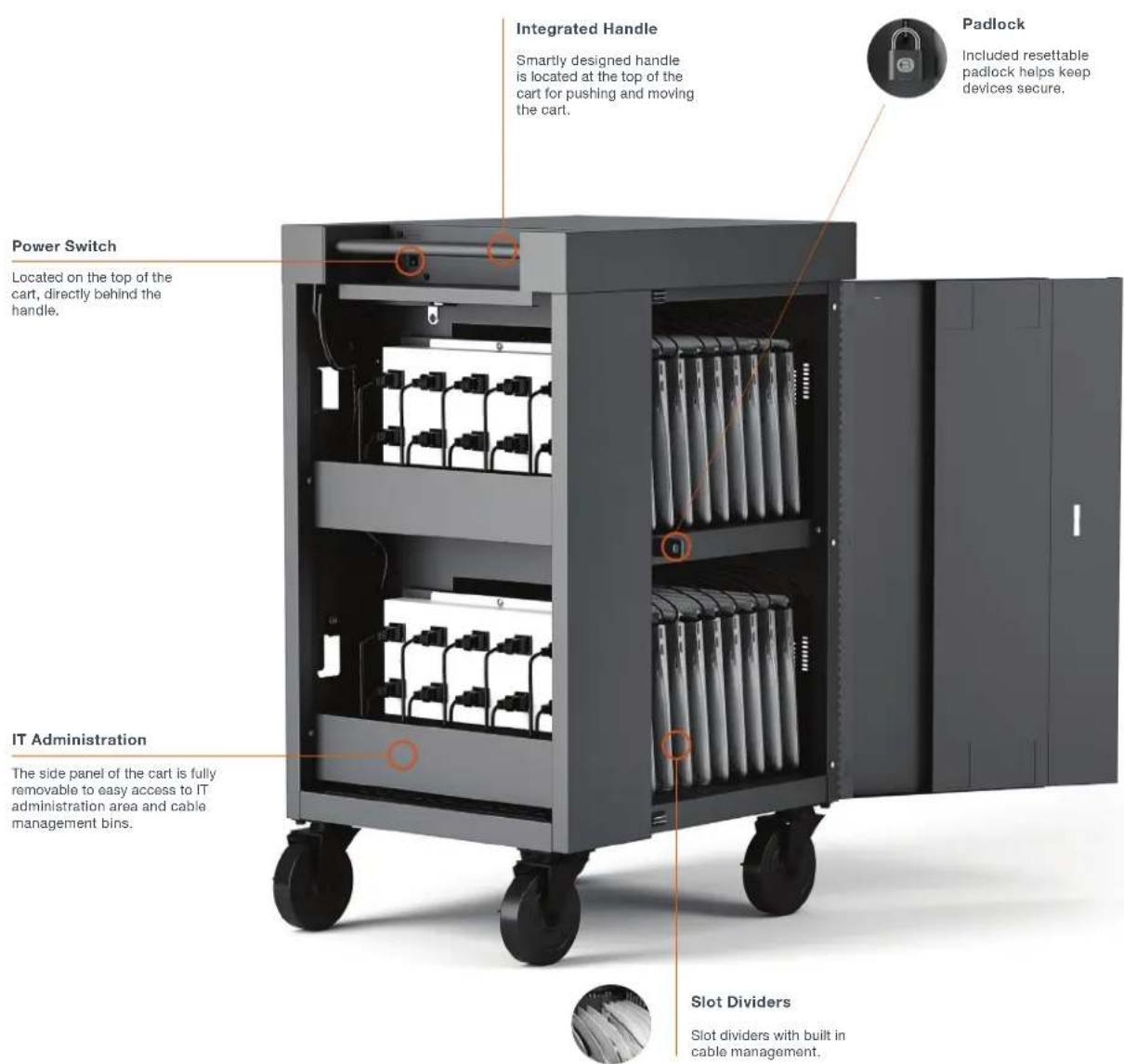
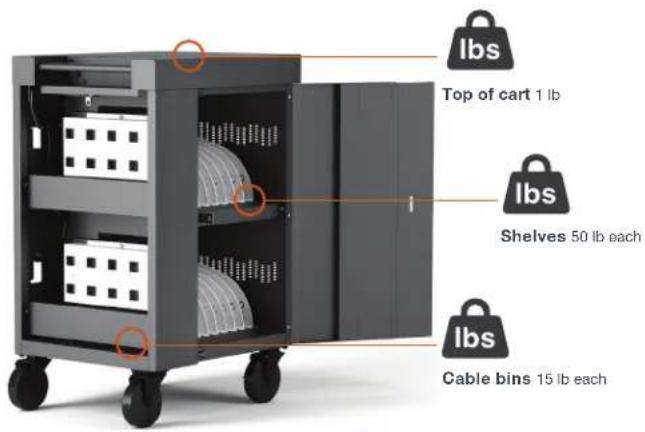
Features and Specifications
| PART # | TVCM20PAC TVCM20PAC-90D | |
| Capacity | 20 20 | |
| Description | A no-frills, budget-friendly solution for charging up to 20 devices in a compact footprint so small we call it mini. | A no-frills, budget-friendly solution for charging up to 20 devices in a compact footprint so small we call it mini. Featuring 90° outlets. |
| Slot Dimensions | 1.4" x 17" x 12.5" 1.4" x 17" x 12.5" | |
| Weight | 94 lb 94 lb | |
| Power Requirements | 120V 50-60Hz, 12A 120V 50-60Hz, 12A | |
| Cart Dimensions | 24" x 21" x 37.5" 24" x 21" x 37.5" | |
| Shelves | 2 | 2 |
| Charge | AC AC | |
| Power Manager | × | × |
| Warranty Standard/Electrical | 12 / 3 12 / 3 | |
| Certification | ### | ### |

What's in the Box
CUBE Cart Mini
Combination Padlock
Power Cord
Hardware Pack

Certifications
CUBE Cart Mini has been listed to
UL 60950-1 Safety of Information
Technology Equipment. Please
contact Bretford Customer Care for a
copy of our Certificate of Compliance.
natural_image
Interior view of a room with black cables and connectors attached to a white appliance (no visible text or symbols)Fig. 1
natural_image
Close-up of white plastic fan compartments arranged in a row, with no visible text or symbols.Fig. 2
Device Storage & Cable Management
- Using the provided key, unlock the IT access panel.
- Remove the side access panel and set aside.
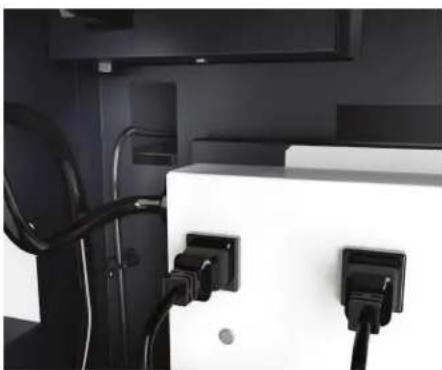
- Place the power adapter in the adapter bin, in the IT access panel.
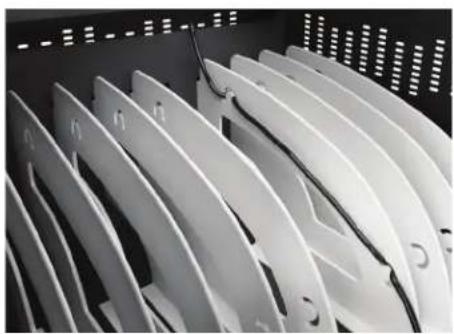
- Measure the amount of cable necessary to reach from each power adapter through the circular hole into the cable channel to the front of the cart, and feed cable in cable management slots.
- Leave sufficient slack for the power connector to plug into the device.
- Plug the device AC adapter plug into one of the outlets nearest to where the power adapter is located in the bin.
- Repeat the above process for the total number of devices' power adapters & cable sets.
- In the front of the cart, insert a device into each of the slots, and plug in the power connector to each device.
- Replace the Rear Access Panel and lock the panel using the key from the Hardware Pack.
- Place the cart near a wall outlet and plug the cart in.
- Turn on the power switch - located in front of the push handle

Programming your Lock
To program the user programmable combination padlock included
- Open the padlock using combination "0000."
- Insert the programming key and turn 90 degrees.
- Set the combination you would like to use.
- Remove the programming key.
Product Warranty
Bretford Manufacturing, Inc. (hereinafter “Bretford”) designs and manufactures its products to provide dependable operation. Bretford therefore guarantees that all products it manufactures are free from defects in materials or workmanship on the date of shipment. Any product that under normal use fails to function within the time periods specified below and is found defective in materials or workmanship upon inspection by Bretford, will at Bretford’s discretion be either be repaired or replaced with the same or a functionally equivalent product, at no charge to you, the end customer.
This warranty is inapplicable where, in the judgment of Bretford, the defect is attributable to abnormal wear, incorrect application, abuse, accident, misuse, modification or damage after shipment from Bretford's facility, including damage caused by your failure to maintain the item properly.
TO THE EXTENT PERMITTED BY APPLICABLE LAW: (A) BRETFORD IS NOT LIABLE FOR ANY DIRECT, INDIRECT, INCIDENTAL OR CONSEQUENTIAL DAMAGES ARISING OUT OF THE USE OF THE PRODUCT OR THE SERVICE IT PROVIDES; (B) THE WARRANTY AND REMEDIES DESCRIBED ABOVE ARE EXCLUSIVE AND IN LIEU OF ALL OTHER WARRANTIES, EXPRESS OR IMPLIED. TO THE EXTENT PERMITTED BY LAW, BRETFORD REJECTS ALL IMPLIED AND STATUTORY WARRANTIES, INCLUDING THE IMPLIED WARRANTIES OF MERCHANTABILITY AND FITNESS FOR A PARTICULAR PURPOSE. IF IMPLIED WARRANTIES CANNOT BE REJECTED UNDER APPLICABLE LAW, THEN SUCH WARRANTIES ARE LIMITED IN DURATION TO THE APPLICABLE DURATION OF THIS WARRANTY. NOTE THAT YOU MAY HAVE OTHER RIGHTS PROVIDED BY LAW.
Help & Support
Warranty claims should be processed by the end customer contacting the Bretford Customer Support Team. Prior to contacting Bretford, please have ready the model number, serial number and date of manufacture of the unit you are making the claim for.
Model number, serial number and date of manufacture can all be found on the Bretford label inside the product.
Bretford's Customer Support Team can be contacted in one of the following ways:
Hours of operation: Mon-Fri, 8 a.m. to 4:30 p.m. CST
Telephone: +1-866-866-4758
Important Safety Notices
WARNING Relocating audio and/or video devices to a cart not specifically designed to support audio and/or video devices may result in death or serious injury due to the cart collapsing or over turning onto a child.
WARNING Death or serious injury may occur when children climb on a cart. A remote control or toys placed on the cart may encourage a child to climb on the cart and as a result, the cart may tip over on to the child.
- The socket outlet shall be installed near the cart and shall be easily accessible.
- Make sure all devices do not exceed the maximum load rating of 12 amps.
- Power strips inside cart are intended only for charging compatible devices. Any other use may cause overload.
- Do not move cart by pulling the power cord. Before moving cart from one room to the next, wrap power cord around the cord winder located on the rear of the cart.
- Do not plug the cart in if the switch, receptacle(s), or power cord has been damaged. Contact Bretford or a qualified electrician before attempting to make any type of electrical repair or parts replacement.
- Engage locking casters when cart is not in transit. Ensure casters are locked before opening the cart doors.
- Do not block ventilation holes on cart. Proper air flow is required for safe operation.
- Cart is not designed to be operated by a child or student. Adult operation and supervision is recommended at all times.
- Liquids should not be stored in, set on or placed inside the unit.
- Only clean the surfaces of cart with soft dry cloth. Do not use liquid or spray or abrasive cleansers. Use only disinfecting wipes containing no bleach.
• Product is for indoor use only. - User can plug in up to 20 devices at one time.
- Turn power switch off before plugging in devices
- Turn power switch off before unplugging the cart.
- Do not pull the cart. Always push cart using the handles. Use extra caution on ramps and thresholds.
- Do not plug the power cord into another extension cord or re-locatable power tap.
- Be sure to turn power switch off and unplug cart before moving to a different location.
- Be sure to lock up cart in a secure environment after every use.