XFP-10GE - Network card Juniper - Free user manual and instructions
Find the device manual for free XFP-10GE Juniper in PDF.


User questions about XFP-10GE Juniper
0 question about this device. Answer the ones you know or ask your own.
Ask a new question about this device
Download the instructions for your Network card in PDF format for free! Find your manual XFP-10GE - Juniper and take your electronic device back in hand. On this page are published all the documents necessary for the use of your device. XFP-10GE by Juniper.
USER MANUAL XFP-10GE Juniper
MX Series 3D Universal Edge Router Line Card Guide
April 2012
Contents
MX Series DPCs 4
MX Series DPC Overview . . . . . . . . . . . . . . . . . . . . . . . . . . . . . . . . . .
DPCs Supported on MX240, MX480, and MX960 Routers . . . . . . . . . . . . . . . . €
Gigabit Ethernet DPC with SFP
Gigabit Ethernet Enhanced DPC with SFP . . . . . . . . . . . . . . . . . . . . . . . . .
Gigabit Ethernet Enhanced Ethernet Services DPC with SFP ..... 14
Gigabit Ethernet Enhanced Queuing Ethernet Services DPC with SFP ..... 17
Gigabit Ethernet Enhanced Queuing IP Services DPCs with SFP ..... 20
10-Gigabit Ethernet DPC with XFP . . . . . . . . . . . . . . . . . . . . . . . . . . . . . .
10-Gigabit Ethernet Enhanced DPCs with XFP . . . . . . . . . . . . . . . . . . . . . .
10-Gigabit Ethernet Enhanced Ethernet Services DPC with XFP ..... 28
10-Gigabit Ethernet Enhanced Queuing Ethernet Services DPC with XFP . . 30
10-Gigabit Ethernet Enhanced Queuing IP Services DPC with XFP ..... 32
Multi-Rate Ethernet Enhanced DPC with SFP and XFP . . . . . . . . . . . . . . . . . . . . . . . . . . . . . . . . . . . . . . .
Multi-Rate Ethernet Enhanced Ethernet Services DPC with SFP and XFP . . . 37
Multi-Rate Ethernet Enhanced Queuing IP Services DPC with SFP and XFP
Multiservices DPC
Tri-Rate Enhanced DPC..... Tri-Rate Enhanced Ethernet Services DPC....
MX240, MX480, and MX960 DPC Protocol and Application Support ..... 49
Protocols and Applications Supported by DPCs and Enhanced DPCs (DPC and DPCE-R)
Protocols and Applications Supported by Enhanced Ethernet Services DPCs (DPCE-X)
Protocols and Applications Supported by Enhanced Queuing IP Services DPCs (DPCE-R-Q)
Protocols and Applications Supported by Enhanced Queuing Ethernet Services DPCs (DPCE-X-Q)
Protocols and Applications Supported by the Multiservices DPC (MS-DPC) 71
MX Series MPCs 73
MX Series MPC Overview
MPCs Supported by MX240, MX480, and MX960 Routers ..... 74
16x10GE MPC
MPC1 77
MPC1E
MPC1 Q
MPCIE Q
MPC2 81
MPC2E
MPC2 Q
MPC2E Q
MPC2 EQ
MPC2E EQ
MPC3E
MX240, MX480, and MX960 MPC Protocol and Application Support . . . . . 88
Protocols and Applications Supported by MX240, MX480, MX960 MPCs
Protocols and Applications Supported by MX240, MX480, MX960 Enhanced MPCs (MPCE)
Protocols and Applications Supported by the MX240, MX480, MX960 MPC3E
MX Series MICs 112
MX Series MIC Overview
MICs Supported by MX Series Routers . . . . . . . . . . . . . . . . . . . . . . . . . .
MIC/MPC Compatibility
ATM MIC with SFP . . . . . . . . . . . . . . . . . . . . . . . . . . . . . . .
DS3/E3 MIC
Gigabit Ethernet MIC with SFP . . . . . . . . . . . . . . . . . . . . . . . . . . . . .
10-Gigabit Ethernet MICs with XFP . . . . . . . . . . . . . . . . . . . . . . . . . .
100-Gigabit Ethernet MIC with CFP
SONET/SDH OC3/STM1 (Multi-Rate) MICs with SFP 12
Channelized SONET/SDH OC3/STM1 (Multi-Rate) MICs with SFP ..... 132
Tri-Rate MIC
MX Series PICs 138
MX Series PIC Overview . . . . . . . . . . . . . . . . . . . . . . . . . . . . . . .
High Availability Features . . . . . . . . . . . . . . . . . . . . . . . . . . . . . . . . .
FPCs Supported by MX240, MX480, and MX960 Routers ..... 139
PICs Supported by MX240, MX480, and MX960 Routers 13
Channelized OC12/STM4 Enhanced IQ (IQE) PIC with SFP 141
Channelized OC48/STM16 Enhanced IQ (IQE) PIC with SFP ..... 146
SONET/SDH OC3/STM1 (Multi-Rate) PIC with SFP . . . . . . . . . . . . . . . . . . .
SONET/SDH OC12/STM4 (Multi-Rate) PIC with SFP 15
SONET/SDH OC48/STM16 Enhanced IQ (IQE) PIC with SFP . . . . . . . . . . 159
SONET/SDH OC48/STM16 (Multi-Rate) PIC with SFP 163
SONET/SDH OC48/STM16 PIC with SFP . . . . . . . . . . . . . . . . . . . . . . . . . . .
SONET/SDH OC192c/STM64 PIC
SONET/SDH OC192c/STM64 PIC with XFP
Junos Documentation and Release Notes
Requesting Technical Support
Self-Help Online Tools and Resources
Opening a Case with JTAC
Revision History 180
MX Series DPCs
• MX Series DPC Overview on page 4
- DPCs Supported on MX240, MX480, and MX960 Routers on page 6
• Gigabit Ethernet DPC with SFP on page 8
• Gigabit Ethernet Enhanced DPC with SFP on page 11
• Gigabit Ethernet Enhanced Ethernet Services DPC with SFP on page 14
• Gigabit Ethernet Enhanced Queuing Ethernet Services DPC with SFP on page 17
• Gigabit Ethernet Enhanced Queuing IP Services DPCs with SFP on page 20
• 10-Gigabit Ethernet DPC with XFP on page 24
• 10-Gigabit Ethernet Enhanced DPCs with XFP on page 26
• 10-Gigabit Ethernet Enhanced Ethernet Services DPC with XFP on page 28
• 10-Gigabit Ethernet Enhanced Queuing Ethernet Services DPC with XFP on page 30
• 10-Gigabit Ethernet Enhanced Queuing IP Services DPC with XFP on page 32
- Multi-Rate Ethernet Enhanced DPC with SFP and XFP on page 34
- Multi-Rate Ethernet Enhanced Ethernet Services DPC with SFP and XFP on page 37
- Multi-Rate Ethernet Enhanced Queuing IP Services DPC with SFP and XFP on page 40
• Multiservices DPC on page 43
• Tri-Rate Enhanced DPC on page 45
• Tri-Rate Enhanced Ethernet Services DPC on page 47
- MX240, MX480, and MX960 DPC Protocol and Application Support on page 49
MX Series DPC Overview
A DPC provides multiple physical interfaces and Packet Forwarding Engines on a single board that installs into a slot within the MX240, MX480, and MX960 3D Universal Edge Routers. A DPC receives incoming packets from the network and sends outgoing packets to the network. The Packet Forwarding Engines on a DPC are equipped with purpose-built ASICs that perform packet processing and forwarding.
When a slot is not occupied by a DPC, you must insert a blank DPC to fill the empty slo and ensure proper cooling of the system. For complete information about installing and handling DPCs, see the hardware guide for your router.
Related Documentation
DPCs Supported on MX240, MX480, and MX960 Routers on page 6.
- Protocols and Applications Supported by DPCs and Enhanced DPCs (DPC and DPCE-R) on page 49
- Protocols and Applications Supported by Enhanced Ethernet Services DPCs (DPCE-X) on page 56
- Protocols and Applications Supported by Enhanced Queuing IP Services DPCs (DPCE-R-Q) on page 61
- Protocols and Applications Supported by Enhanced Queuing Ethernet Services DPCs (DPCE-X-Q) on page 66
- Protocols and Applications Supported by the Multiservices DPC (MS-DPC) on page 71
DPCs Supported on MX240, MX480, and MX960 Routers
Table 1 on page 6 lists the DPCs supported by the MX240, MX480, and MX960 routers.
Table 1: DPCs Supported in MX240, MX480, and MX960 Routers
| DPC Model NumberDPC Name | Maximum Throughput per DPCPortOS Release | First Junos | ||
| Gigabit Ethernet | ||||
| "Gigabit Ethernet DPC with SFP" on page 8 | EOL (see PSN-2009-06-400) | 8.240 Gbps40DPC-R-40GE-SF | ||
| 8.440 Gbps40DPCE-R-40GE-SI | ||||
| SFP" on page 14 | 8.440 Gbps40DPCE-X-40GE-SI | |||
| "Gigabit Ethernet Enhanced Queuing Ethernet Services DPC with SFP" on page 17 | DPCE-X-Q-40GE-SFP | 40 | 40 Gbps | 8.5 |
| "Gigabit Ethernet Enhanced Queuing IP Services DPCs with SFP" on page 20 | DPCE-R-Q-20GE-SFP | 20 | 20 Gbps | 9.1 |
| "Gigabit Ethernet Enhanced Queuing IP Services DPCs with SFP" on page 20 | DPCE-R-Q-40GE-SFP | 40 | 40 Gbps | 8.5 |
| "10-Gigabit Ethernet DPC with XFP" on page 24 | EOL (see PSN-2009-06-400) | DPC-R-4XGE-XFP | Gbps4 | |
| 10-Gigabit Ethernet | ||||
| "10-Gigabit Ethernet Enhanced DPCs with XFP" on page 26 | DPCE-R-2XGE-XFP | 2 | 20 Gbps | 9.1 |
| "10-Gigabit Ethernet Enhanced DPCs with XFP" on page 26 | DPCE-R-4XGE-XFP | 4 | 40 Gbps | 8.4 |
| "10-Gigabit Ethernet Enhanced Ethernet Services DPC with XFP" on page 28 | DPCE-X-4XGE-XFP | 4 | 40 Gbps | 8.4 |
| "10-Gigabit Ethernet Enhanced Queuing Ethernet Services DPC with XFP" on page 30 | DPCE-X-Q-4XGE-XFP | 4 | 40 Gbps | 8.5 |
| "10-Gigabit Ethernet Enhanced Queuing IP Services DPC with XFP" on page 32 | DPCE-R-Q-4XGE-XFP | 4 | 40 Gbps | 8.5 |
| Multit-Rate Ethernet | ||||
Table 1: DPCs Supported in MX240, MX480, and MX960 Routers (continued)
| DPC Model NumberDPC Name | Maximum Throughput per DPCPortOS | First Junos Release | ||
| “Multi-Rate Ethernet Enhanced DPC with SFP and XFP” on page 34 | DPCE-R-20GE-2XGE | 22 | 40 Gbps | 9.2 |
| “Multi-Rate Ethernet Enhanced Ethernet Services DPC with SFP and XFP” on page 37 | DPCE-X-20GE-2XGE | 22 | 40 Gbps | 9.2 |
| “Multi-Rate Ethernet Enhanced Queuing IP Services DPC with SFP and XFP” on page 40 | DPCE-R-Q-20GE-2XGE | 22 | 40 Gbps | 9.3 |
Tri-Rate Ethernet
| 9.140 Gbps40DPCE-R-40GE-TX | ||||
| "Tri-Rate Enhanced Ethernet Services DPC" on page 47 | DPCE-X-40GE-TX | 40 | 40 Gbps | 9.1 |
| Services | ||||
| "Multiservices DPC" on page 43 | MS-DPC | supported) | 2 (Not supported) | 9.3- |
Related Documentation
• MX Series DPC Overview on page 4
- Protocols and Applications Supported by DPCs and Enhanced DPCs (DPC and DPCE-R) on page 49
- Protocols and Applications Supported by Enhanced Ethernet Services DPCs (DPCE-X) on page 56
- Protocols and Applications Supported by Enhanced Queuing IP Services DPCs (DPCE-R-Q) on page 61
- Protocols and Applications Supported by Enhanced Queuing Ethernet Services DPCs (DPCE-X-Q) on page 66
- Protocols and Applications Supported by the Multiservices DPC (MS-DPC) on page 71
Gigabit Ethernet DPC with SFP
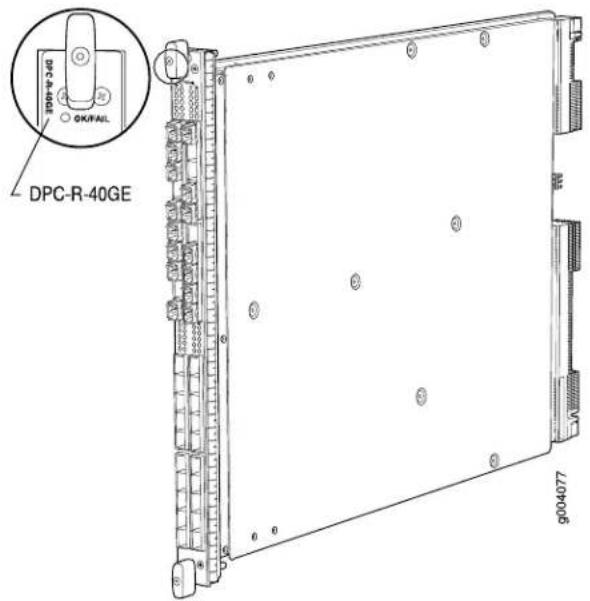
| Software release | Junos OS Release 8.2 and laterEnd-of-life (see notification PSN-2009-06-400) |
| Description | 40 Gigabit Ethernet portsPower requirement: 6.98 A @ 48 V (335 W)Weight: 13.1 lb (5.9 kg)Supports large Ethernet frame sizes for more efficient throughput across the intra-POP networkModel number: DPC-R-40GE-SFP |
| Hardware features | High-performance throughput on each port at speeds up to 1 GbpsAutonegotiation between Gigabit Ethernet circuit partnersFull-duplex modeMaximum transmission units (MTUs) of up to 9192 bytes |
| Software features | Optical diagnostics and related alarmsSee "Protocols and Applications Supported by DPCs and Enhanced DPCs (DPC and DPCE-R)" on page 49 for information about the protocols and applications that this DPC supports. |
Cables and connectors You can install any transceiver supported by the DPC. For information about installing and removing transceivers, see the hardware guide for your router.
- Fiber-optic small form-factor pluggable (SFP) transceivers:
- Connector: Duplex LC/PC (Rx and Tx)
• 1000BASE-EX (model number: SFP-GE40KM)
• 1000BASE-LH (model number: SFP-1GE-LH)
• 1000BASE-LX (model number: SFP-1GE-LX)
• 1000BASE-SX (model number: SFP-1GE-SX)
Optical interface specifications—see Gigabit Ethernet 1000BASE Optical Interface Specifications
• Copper SFP transceivers:
- Connector: Four-pair, Category 5 shielded twisted-pair connectivity through an RJ-45 connector
• 1000BASE-T (model number: SFP-1GE-T) - Pinout: MDI crossover
• Length: 328 ft/100 m
Copper interface specifications—see Gigabit Ethernet 1000BASE-T Copper Interface Specifications
• Bidirectional SFP transceivers:
- Connector: Duplex LC/PC (Rx and Tx)
- 1000BASE-BX (model number pairs: SFP-GE10KT13R14 with SFP-GE10KT14R13, SFP-GE10KT13R15 with SFP-GE10KT15R13, SFP-GE40KT13R15 with SFP-GE40KT15R13)
Optical interface specifications—see Fast Ethernet and Gigabit Ethernet Bidirectional SFP Optical Interface Specifications
NOTE: Do not install Gigabit Ethernet SFPs in the SONET/SDH port. The port will not recognize the SFP.
LEDs
OK/FAIL LED, one bicolor:
- Steady green—DPC is functioning normally.
- Blinking green—DPC is transitioning online or offline.
• Red—DPC has failed.
Link LED, one green per port:
- Off-No link.
- On steadily—Link is active.
The Link LEDs are labeled in groups of five:
• 0/0 for 0/0 through 0/4
• 0/5 for 0/5 through 0/9
• 1/0 for 1/0 through 1/4
• 1/5 for 1/5 through 1/9
• 2/0 for 2/0 through 2/4
• 2/5 for 2/5 through 2/9
• 3/0 for 3/0 through 3/4
• 3/5 for 3/5 through 3/9
Related Documentation
MX Series DPC Overview on page 4.
•DPCs Supported on MX240, MX480, and MX960 Routers on page 6
•Gigabit Ethernet 1000BASE Optical Interface Specifications
•Fast Ethernet and Gigabit Ethernet Bidirectional SFP Optical Interface Specifications
Gigabit Ethernet Enhanced DPC with SFP
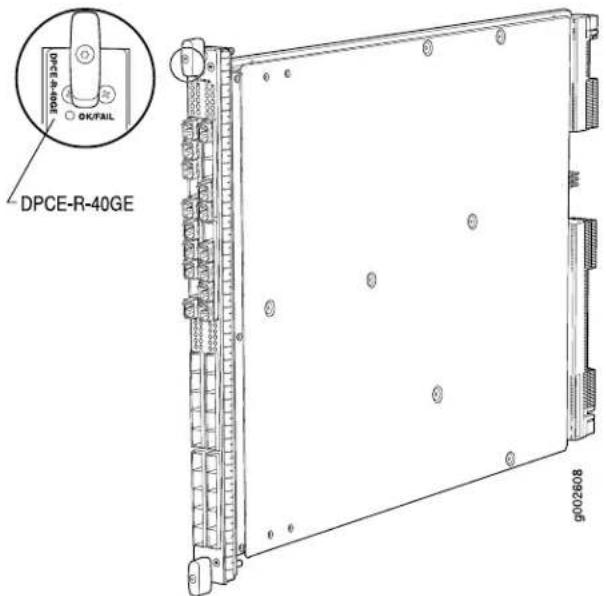
| Junos OS Release 8.4 and laterSoftware release | |
| Description | 40 Gigabit Ethernet portsPower requirement: 6.98 A @ 48 V (335 W)Weight: 13.1 lb (5.9 kg)Supports large Ethernet frame sizes for more efficient throughput across the intra-POP networkModel number: DPCE-R-40GE-SFP |
| Hardware features | High-performance throughput on each port at speeds up to 1 GbpsAutonegotiation between Gigabit Ethernet circuit partnersFull-duplex modeMaximum transmission units (MTUs) of up to 9192 bytesEnhanced ASICs for increased performance and scalability of Layer 2 features |
| Software features | Optical diagnostics and related alarmsSee “Protocols and Applications Supported by DPCs and Enhanced DPCs (DPC and DPCE-R)” on page 49 for information about the protocols and applications that this DPC supports. |
Cables and connectors You can install any transceiver supported by the DPC. For information about installing and removing transceivers, see the hardware guide for your router.
- Fiber-optic small form-factor pluggable (SFP) transceivers:
- Connector: Duplex LC/PC (Rx and Tx)
• 1000BASE-EX (model number: SFP-GE40KM)
• 1000BASE-LH (model number: SFP-1GE-LH)
• 1000BASE-LX (model number: SFP-1GE-LX)
• 1000BASE-SX (model number: SFP-1GE-SX)
Optical Interface specifications—see Gigabit Ethernet 1000BASE Optical Interface Specifications
• Copper SFP transceivers: - Connector: Four-pair, Category 5 shielded twisted-pair connectivity through an RJ-45 connector
• 1000BASE-T (model number: SFP-1GE-T) - Pinout: MDI
• Length: 328 ft/100 m
Copper interface specifications—see Gigabit Ethernet 1000BASE-T Copper Interface Specifications
• Bidirectional SFP transceivers: - Connector: Duplex LC/PC (Rx and Tx)
- 1000BASE-BX (model number pairs: SFP-GE10KT13R14 with SFP-GE10KT14R13, SFP-GE10KT13R15 with SFP-GE10KT15R13, SFP-GE40KT13R15 with SFP-GE40KT15R13)
Optical interface specifications—see Fast Ethernet and Gigabit Ethernet Bidirectional SFP Optical Interface Specifications
NOTE: Do not install Gigabit Ethernet SFPs in the SONET/SDH port. The port will not recognize the SFP.
LEDs
OK/FAIL LED, one bicolor:
- Steady green—DPC is functioning normally.
- Blinking green—DPC is transitioning online or offline.
• Red—DPC has failed.
Link LED, one green per port:
- Off-No link.
- On steadily—Link is active.
The Link LEDs are labeled in groups of five:
• 0/0 for 0/0 through 0/4
• 0/5 for 0/5 through 0/9
• 1/0 for 1/0 through 1/4
• 1/5 for 1/5 through 1/9
• 2/0 for 2/0 through 2/4
• 2/5 for 2/5 through 2/9
• 3/0 for 3/0 through 3/4
• 3/5 for 3/5 through 3/9
Related Documentation
MX Series DPC Overview on page 4.
•DPCs Supported on MX240, MX480, and MX960 Routers on page 6
•Gigabit Ethernet 1000BASE Optical Interface Specifications
•Fast Ethernet and Gigabit Ethernet Bidirectional SFP Optical Interface Specifications
Gigabit Ethernet Enhanced Ethernet Services DPC with SFP
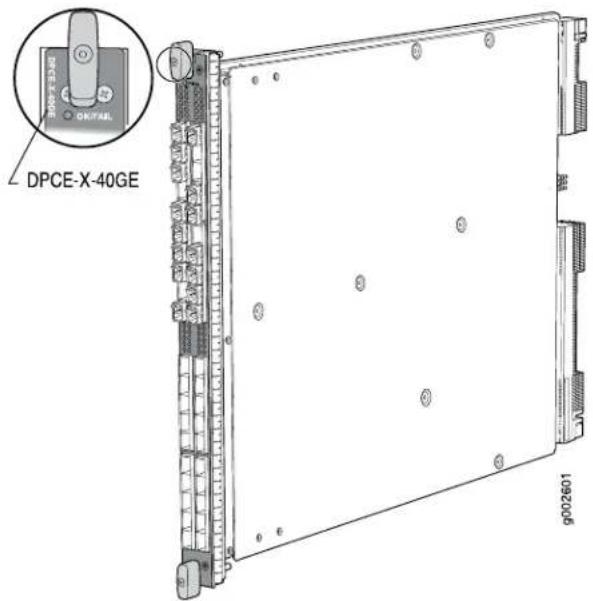
| • Junos OS Release 8.4 and laterSoftware release | |
| Description | • 40 Gigabit Ethernet ports• Power requirement: 6.98 A @ 48 V (335 W)• Weight: 13.1 lb (5.9 kg)• Supports large Ethernet frame sizes for more efficient throughput across the intra-POP network• Model number: DPCE-X-40GE-SFP |
| Hardware features | • High-performance throughput on each port at speeds up to 1 Gbps• Autonegotiation between Gigabit Ethernet circuit partners• Full-duplex mode• Maximum transmission units (MTUs) of up to 9192 bytes• Enhanced ASICs for Increased performance and scalability of Layer 2 features |
| Software features | • Optical diagnostics and related alarms• See “Protocols and Applications Supported by Enhanced Ethernet Services DPCs (DPCE-X)” on page 56 for information about the protocols and applications that this DPC supports.NOTE: The routing table is limited to 32,000 IP routes. This limitation applies to any manner in which the routes are learned, such as OSPF, RIP, and so on. The DPC supports BGP for L2 VPNs only. |
Cables and connectors You can install any transceiver supported by the DPC. For information about installing and removing transceivers, see the hardware guide for your router.
- Fiber-optic small form-factor pluggable (SFP) transceivers:
- Connector: Duplex LC/PC (Rx and Tx)
• 1000BASE-EX (model number: SFP-GE40KM)
• 1000BASE-LH (model number: SFP-1GE-LH)
• 1000BASE-LX (model number: SFP-1GE-LX)
• 1000BASE-SX (model number: SFP-1GE-SX)
Optical interface specifications—see Gigabit Ethernet 1000BASE Optical Interface Specifications
• Copper SFP transceivers: - Connector: Four-pair, Category 5 shielded twisted-pair connectivity through an RJ-45 connector
• 1000BASE-T (model number: SFP-1GE-T) - Pinout: MDI crossover
• Length: 328 ft/100 m
Copper interface specifications—see Gigabit Ethernet 1000BASE-T Copper Interface Specifications
• Bidirectional SFP transceivers: - Connector: Duplex LC/PC (Rx and Tx)
- 1000BASE-BX (model number pairs: SFP-GE10KT13R14 with SFP-GE10KT14R13, SFP-GE10KT13R15 with SFP-GE10KT15R13, SFP-GE40KT13R15 with SFP-GE40KT15R13)
Optical interface specifications—see Fast Ethernet and Gigabit Ethernet Bidirectional SFP Optical Interface Specifications
NOTE: Do not install Gigabit Ethernet SFPs in the SONET/SDH port. The port will not recognize the SFP.
LEDs
OK/FAIL LED, one bicolor:
- Steady green—DPC is functioning normally.
- Blinking green—DPC is transitioning online or offline.
• Red—DPC has failed.
Link LED, one green per port:
- Off-No link.
- On steadily—Link is active.
The Link LEDs are labeled in groups of five:
• 0/0 for 0/0 through 0/4
• 0/5 for 0/5 through 0/9
• 1/0 for 1/0 through 1/4
• 1/5 for 1/5 through 1/9
• 2/0 for 2/0 through 2/4
• 2/5 for 2/5 through 2/9
• 3/0 for 3/0 through 3/4
• 3/5 for 3/5 through 3/9
Related Documentation
MX Series DPC Overview on page 4.
•DPCs Supported on MX240, MX480, and MX960 Routers on page 6
•Gigabit Ethernet 1000BASE Optical Interface Specifications
•Fast Ethernet and Gigabit Ethernet Bidirectional SFP Optical Interface Specifications
Gigabit Ethernet Enhanced Queuing Ethernet Services DPC with SFP
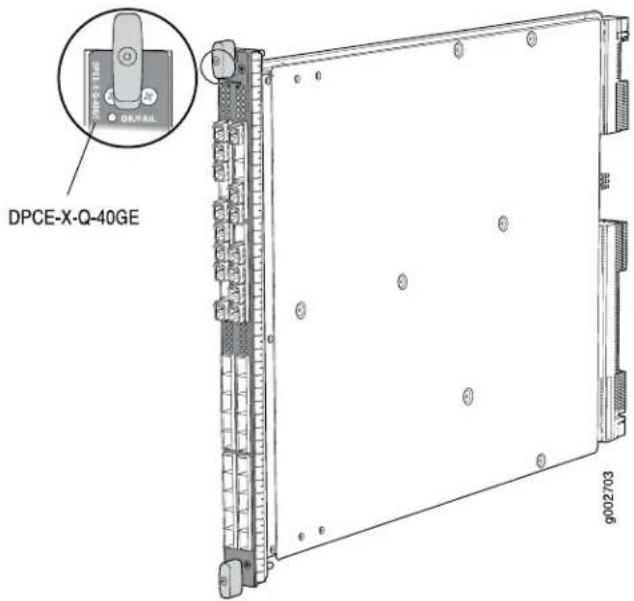
| Junos OS Release 8.5 and laterSoftware release | |
| Description | 40 Gigabit Ethernet portsPower requirement: 7.6 A @ 48 V (365 W)Weight: 13.1 lb (5.9 kg)Supports large Ethernet frame sizes for more efficient throughput across the intra-POP networkModel number: DPCE-X-Q-40GE-SFP |
| Hardware features | High-performance throughput on each port at speeds up to 1 GbpsAutonegotiation between Gigabit Ethernet circuit partnersFull-duplex modeMaximum transmission units (MTUs) of up to 9192 bytesEnhanced ASICs for Increased performance and scalability of Layer 2 features |
| Software features | Optical diagnostics and related alarmsSee “Protocols and Applications Supported by Enhanced Queuing Ethernet Services DPCs (DPCE-X-Q)” on page 66 for information about the protocols and applications that this DPC supports.NOTE: The routing table is limited to 32,000 IP routes. This limitation applies to any manner in which the routes are learned, such as OSPF, RIP, and so on. The DPC supports BGP for L2 VPNs only. |
Cables and connectors You can install any transceiver supported by the DPC. For information about installing and removing transceivers, see the hardware guide for your router.
- Fiber-optic small form-factor pluggable (SFP) transceivers:
- Connector: Duplex LC/PC (Rx and Tx)
• 1000BASE-EX (model number: SFP-GE40KM)
• 1000BASE-LH (model number: SFP-1GE-LH)
• 1000BASE-LX (model number: SFP-1GE-LX)
• 1000BASE-SX (model number: SFP-1GE-SX)
Optical Interface specifications—see Gigabit Ethernet 1000BASE Optical Interface Specifications
• Copper SFP transceivers: - Connector: Four-pair, Category 5 shielded twisted-pair connectivity through an RJ-45 connector
• 1000BASE-T (model number: SFP-1GE-T) - Pinout: MDI crossover
• Length: 328 ft/100 m
Copper interface specifications—see Gigabit Ethernet 1000BASE-T Copper Interface Specifications
• Bidirectional SFP transceivers: - Connector: Duplex LC/PC (Rx and Tx)
- 1000BASE-BX (model number pairs: SFP-GE10KT13R14 with SFP-GE10KT14R13, SFP-GE10KT13R15 with SFP-GE10KT15R13, SFP-GE40KT13R15 with SFP-GE40KT15R13)
Optical interface specifications—see Fast Ethernet and Gigabit Ethernet Bidirectional SFP Optical Interface Specifications
NOTE: Do not install Gigabit Ethernet SFPs in the SONET/SDH port. The port will not recognize the SFP.
LEDs
OK/FAIL LED, one bicolor:
- Steady green—DPC is functioning normally.
- Blinking green—DPC is transitioning online or offline.
• Red—DPC has failed.
Link LED, one green per port:
- Off-No link.
- On steadily—Link is active.
The Link LEDs are labeled in groups of five:
• 0/0 for 0/0 through 0/4
• 0/5 for 0/5 through 0/9
• 1/0 for 1/0 through 1/4
• 1/5 for 1/5 through 1/9
• 2/0 for 2/0 through 2/4
• 2/5 for 2/5 through 2/9
• 3/0 for 3/0 through 3/4
• 3/5 for 3/5 through 3/9
Related Documentation
MX Series DPC Overview on page 4.
•DPCs Supported on MX240, MX480, and MX960 Routers on page 6
•Gigabit Ethernet 1000BASE Optical Interface Specifications
•Fast Ethernet and Gigabit Ethernet Bidirectional SFP Optical Interface Specifications
Gigabit Ethernet Enhanced Queuing IP Services DPCs with SFP
Figure 1: 20-Port Gigabit Ethernet Enhance Figure 2: 40-Port Gigabit Ethernet Enhanced Queuing IP Services DPC with SFP Queuing IP Services DPC with SFP
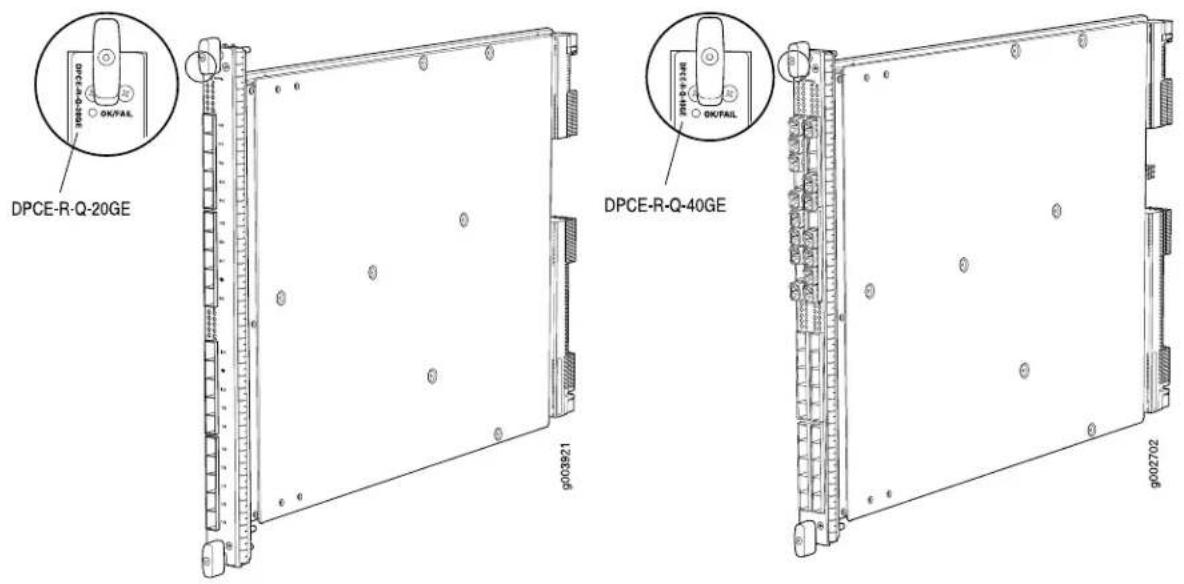
| Software release | 20-port: Junos OS Release 9.1 and later40-port: Junos OS Release 8.5 and later |
| Description | 20 or 40 Gigabit Ethernet portsPower requirement:20-port: 4.2 A @ 48 V (200 W)40-port: 7.6 A @ 48 V (365 W)Weight:20-port: 13 lb (5.9 kg)40-port: 13.1 lb (5.9 kg)Supports large Ethernet frame sizes for more efficient throughput across the intra-POP networkModel numbers:20-port: DPCE-R-Q-20GE-SFP40-port: DPCE-R-Q-40GE-SFP |
| Hardware features | High-performance throughput on each port at speeds up to 1 GbpsAutonegotiation between Gigabit Ethernet circuit partnersFull-duplex modeMaximum transmission units (MTUs) of up to 9192 bytesEnhanced ASICs for increased performance and scalability of Layer 2 features |
| Software features | Optical diagnostics and related alarmsSee “Protocols and Applications Supported by Enhanced Queuing IP Services DPCs (DPCE-R-Q)”on page 61 for information about the protocols and applications that this DPC supports. |
Cables and connectors You can install any transceiver supported by the DPC. For information about installing and removing transceivers, see the hardware guide for your router.
- Fiber-optic small form-factor pluggable (SFP) transceivers:
- Connector: Duplex LC/PC (Rx and Tx)
• 1000BASE-EX (model number: SFP-GE40KM)
• 1000BASE-LH (model number: SFP-1GE-LH)
• 1000BASE-LX (model number: SFP-1GE-LX)
• 1000BASE-SX (model number: SFP-1GE-SX)
Optical interface specifications—see Gigabit Ethernet 1000BASE Optical Interface Specifications
• Copper SFP transceivers:
- Connector: Four-pair, Category 5 shielded twisted-pair connectivity through an RJ-45 connector
• 1000BASE-T (model number: SFP-1GE-T)
• Pinout: MDI crossover
• Length: 328 ft/100 m
Copper interface specifications—see Gigabit Ethernet 1000BASE-T Copper Interface Specifications
• Bidirectional SFP transceivers:
- Connector: Duplex LC/PC (Rx and Tx)
- 1000BASE-BX (model number pairs: SFP-GE10KT13R14 with SFP-GE10KT14R13, SFP-GE10KT13R15 with SFP-GE10KT15R13, SFP-GE40KT13R15 with SFP-GE40KT15R13)
Optical interface specifications—see Fast Ethernet and Gigabit Ethernet Bidirectional SFP Optical Interface Specifications
NOTE: Do not install Gigabit Ethernet SFPs in the SONET/SDH port. The port will not recognize the SFP.
LEDs
OK/FAIL LED, one bicolor:
- Steady green—DPC is functioning normally.
- Blinking green—DPC is transitioning online or offline.
- Red-DPC has failed.
Link LED, one green per port:
- Off-No link.
- On steadily—Link is active.
The Link LEDs are labeled in groups of five:
- 20-port:
- 0/0 for 0/0 through 0/4
• 0/5 for 0/5 through 0/9
• 1/0 for 1/0 through 1/4
• 1/5 for 1/5 through 1/9
• 40-port:
• 0/0 for 0/0 through 0/4
• 0/5 for 0/5 through 0/9
• 1/0 for 1/0 through 1/4
• 1/5 for 1/5 through 1/9
• 2/0 for 2/0 through 2/4
• 2/5 for 2/5 through 2/9
- 3/0 for 3/0 through 3/4
• 3/5 for 3/5 through 3/9
Related Documentation
MX Series DPC Overview on page 4.
•DPCs Supported on MX240, MX480, and MX960 Routers on page 6
•Gigabit Ethernet 1000BASE Optical Interface Specifications
•Fast Ethernet and Gigabit Ethernet Bidirectional SFP Optical Interface Specifications
10-Gigabit Ethernet DPC with XFP
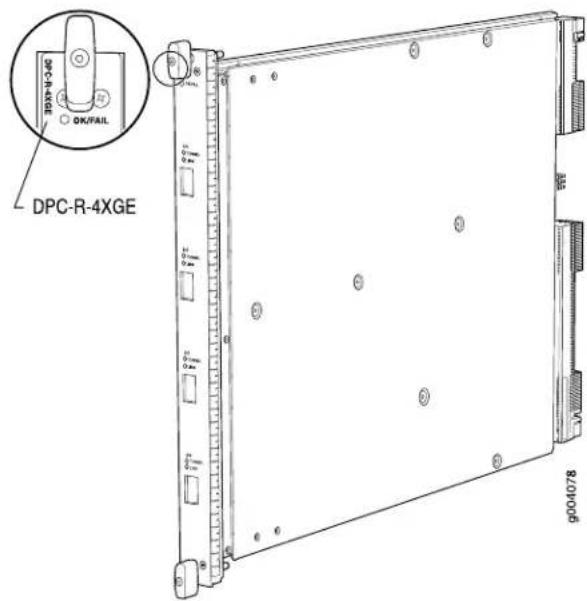
| Software release | Junos OS Release 8.2 and laterEnd-of-life (see notification PSN-2009-06-400) |
| Description | Four 10-Gigabit Ethernet portsPower requirement: 6.46 A @ 48 V (310 W)Weight: 13.1 lb (5.9 kg)Model number: DPC-R-4XGE-XFP |
| Hardware features | High-performance throughput on each port at speeds up to 10 GbpsWAN-PHY mode at 9.953 GbpsLAN-PHY mode at 10.3125 GbpsFull-duplex modeMaximum transmission units (MTUs) of up to 9192 bytes |
| Software features | Configurable WAN-PHY mode optionsSee “Protocols and Applications Supported by DPCs and Enhanced DPCs (DPC and DPCE-R)”on page 49 for information about the protocols and applications that this DPC supports. |
| Cables and connectors | You can install any transceiver supported by the DPC. For information about installing and removing transceivers, see the hardware guide for your router.Fiber-optic 10-gigabit small form-factor pluggable (XFP) transceivers:Connector: Duplex LC/PC (Rx and Tx)10GBASE-E (model number: XFP-10G-E-OC192-IR2)10GBASE-L (model number: XFP-10G-L-OC192-SR1)10GBASE-S (model number: XFP-10G-S)10GBASE-Z (model number: XFP-10G-Z-OC192-LR2)Optical interface specifications—see 10-Gigabit Ethernet 10GBASE Optical Interface Specifications |
LEDs
OK/FAIL LED, one bicolor:
- Steady green—DPC is functioning normally.
- Blinking green—DPC is transitioning online or offline.
- Red-DPC has failed.
TUNNEL LED, one green per port:
- Off-Normal operating mode.
- On steadily—Port configured in tunnel mode.
LINK LED, one green per port:
- Off-No link.
- On steadily—Link is active.
The TUNNEL and LINK LEDs are labeled top to bottom 0/0 through 3/0.
Related Documentation
MX Series DPC Overview on page 4.
•DPCs Supported on MX240, MX480, and MX960 Routers on page 6
•10-Gigabit Ethernet 10GBASE Optical Interface Specifications
10-Gigabit Ethernet Enhanced DPCs with XFP
Figure 3: 2-Port 10-Gigabit Ethernet Enhanced 4: 4-Port 10-Gigabit Ethernet Enhanced DPC with XFP DPC with XFP
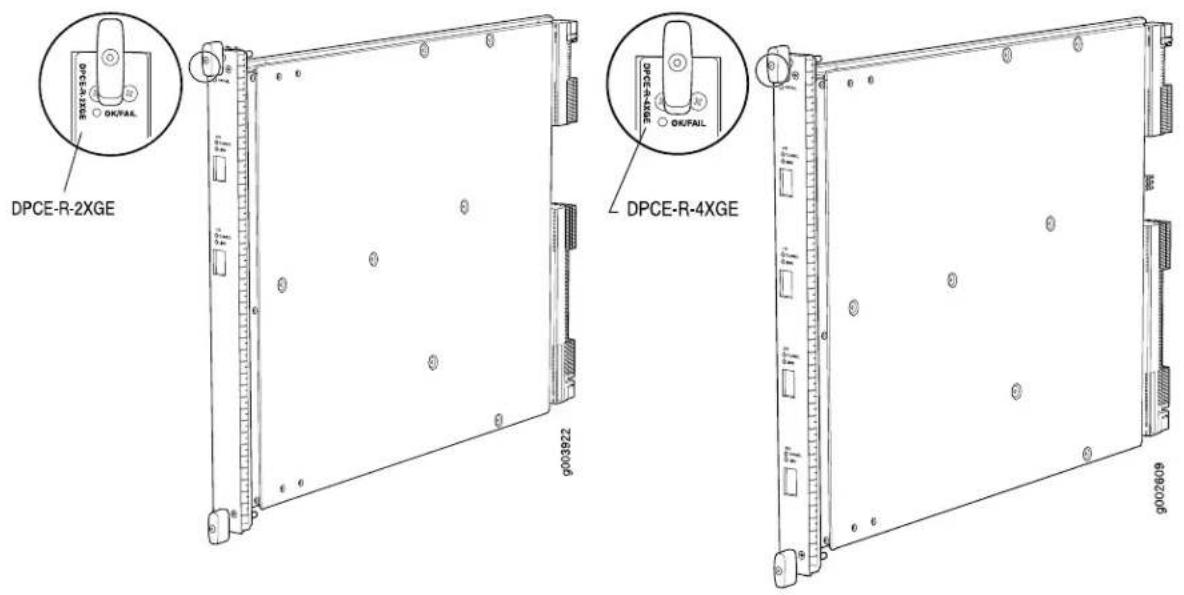
| Software release | 2-port: Junos OS Release 9.1 and later4-port: Junos OS Release 8.4 and later |
| Description | Two or four 10-Gigabit Ethernet portsPower requirement:2-port: 3.65 A @ 48 V (175 W)4-port: 6.46 A @ 48 V (310 W)Weight:2-port: 12 lb (5.4 kg)4-port: 13.1 lb (5.9 kg)Model number:2-port: DPCE-R-2XGE-XFP4-port: DPCE-R-4XGE-XFP |
| Hardware features | High-performance throughput on each port at speeds up to 10 GbpsWAN-PHY mode at 9.953 GbpsLAN-PHY mode at 10.3125 GbpsFull-duplex modeMaximum transmission units (MTUs) of up to 9192 bytesEnhanced ASICs for increased performance and scalability of Layer 2 features |
| Software features | Configurable WAN-PHY mode optionsSee “Protocols and Applications Supported by DPCs and Enhanced DPCs (DPC and DPCE-R)”on page 49 for information about the protocols and applications that this DPC supports. |
Cables and connectors You can install any transceiver supported by the DPC. For information about installing and removing transceivers, see the hardware guide for your router.
- Fiber-optic 10-gigabit small form-factor pluggable (XFP) transceivers:
- Connector: Duplex LC/PC (Rx and Tx)
• 10GBASE-E (model number: XFP-10G-E-OC192-IR2)
• 10GBASE-L (model number: XFP-10G-L-OC192-SR1)
• 10GBASE-S (model number: XFP-10G-S)
• 10GBASE-Z (model number: XFP-10G-Z-OC192-LR2)
Optical interface specifications—see 10-Gigabit Ethernet 10GBASE Optical Interface Specifications - DWDM Tunable XFP transceivers:
- Connector: Duplex LC/PC (Rx and Tx)
• 10GBASE-ZR (model number: XFP-10G-CBAND-T50-ZR)
DWDM supported wavelengths—see 10-Gigabit Ethernet DWDM Transceiver Wavelengths
NOTE: XFP-10G-CBAND-T50-ZR is supported in Junos OS Release 10.2 and later
Optical interface specifications—see 10-Gigabit Ethernet 10GBASE Optical Interface Specifications
LEDs
OK/FAIL LED, one bicolor:
- Steady green—DPC is functioning normally.
- Blinking green—DPC is transitioning online or offline.
• Red—DPC has failed.
TUNNEL LED, one green per port:
- Off-Normal operating mode.
- On steadily—Port configured in tunnel mode.
LINK LED, one green per port:
- Off-No link.
- On steadily—Link is active.
The TUNNEL and LINK LEDs are labeled top to bottom:
• 2-port: 0/0 through 1/0
• 4-port: 0/0 through 3/0
Related Documentation
MX Series DPC Overview on page 4.
•DPCs Supported on MX240, MX480, and MX960 Routers on page 6
•10-Gigabit Ethernet 10GBASE Optical Interface Specifications
10-Gigabit Ethernet Enhanced Ethernet Services DPC with XFP
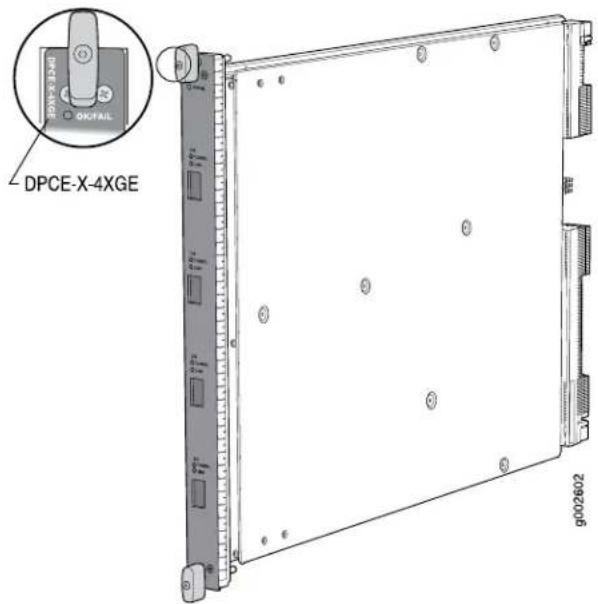
- Junos OS Release 8.4 and laterSoftware release
Description
• Four 10-Gigabit Ethernet ports
• Power requirement: 6.46 A @ 48 V (310 W)
• Weight: 13.1 lb (5.9 kg)
• Model number: DPCE-X-4XGE-XFP
Hardware features
• High-performance throughput on each port at speeds up to 10 Gbps
• WAN-PHY mode at 9.953 Gbps
• LAN-PHY mode at 10.3125 Gbps
• Full-duplex mode
• Maximum transmission units (MTUs) of up to 9192 bytes
• Enhanced ASICs for increased performance and scalability of Layer 2 features
Software features
- Configurable WAN-PHY mode options
- See "Protocols and Applications Supported by Enhanced Ethernet Services DPCs (DPCE-X)" on page 56 for information about the protocols and applications that this DPC supports.
NOTE: The routing table is limited to 32,000 IP routes. This limitation applies to any manner in which the routes are learned, such as OSPF, RIP, and so on. The DPC supports BGP for L2 VPNs only.
Cables and connectors You can install any transceiver supported by the DPC. For information about installing and removing transceivers, see the hardware guide for your router.
- Fiber-optic 10-gigabit small form-factor pluggable (XFP) transceivers:
- Connector: Duplex LC/PC (Rx and Tx)
• 10GBASE-E (model number: XFP-10G-E-OC192-IR2)
• 10GBASE-L (model number: XFP-10G-L-OC192-SR1)
• 10GBASE-S (model number: XFP-10G-S)
• 10GBASE-Z (model number: XFP-10G-Z-OC192-LR2)
Optical interface specifications—see 10-Gigabit Ethernet 10GBASE Optical Interface Specifications - DWDM Tunable XFP transceivers:
- Connector: Duplex LC/PC (Rx and Tx)
• 10GBASE-ZR (model number: XFP-10G-CBAND-T50-ZR)
DWDM supported wavelengths—see 10-Gigabit Ethernet DWDM Transceiver Wavelengths
NOTE: XFP-10G-CBAND-T50-ZR is supported in Junos OS Release 10.2 and later
Optical interface specifications—see 10-Gigabit Ethernet 10GBASE Optical Interface Specifications
LEDs
OK/FAIL LED, one bicolor:
- Steady green—DPC is functioning normally.
- Blinking green—DPC is transitioning online or offline.
• Red—DPC has failed.
TUNNEL LED, one green per port:
- Off-Normal operating mode.
- On steadily—Port configured in tunnel mode.
LINK LED, one green per port:
- Off-No link.
- On steadily—Link is active.
The TUNNEL and LINK LEDs are labeled top to bottom 0/0 through 3/0.
Related
MX Series DPC Overview on page 4.
Documentation
•DPCs Supported on MX240, MX480, and MX960 Routers on page 6
•10-Gigabit Ethernet 10GBASE Optical Interface Specifications
10-Gigabit Ethernet Enhanced Queuing Ethernet Services DPC with XFP
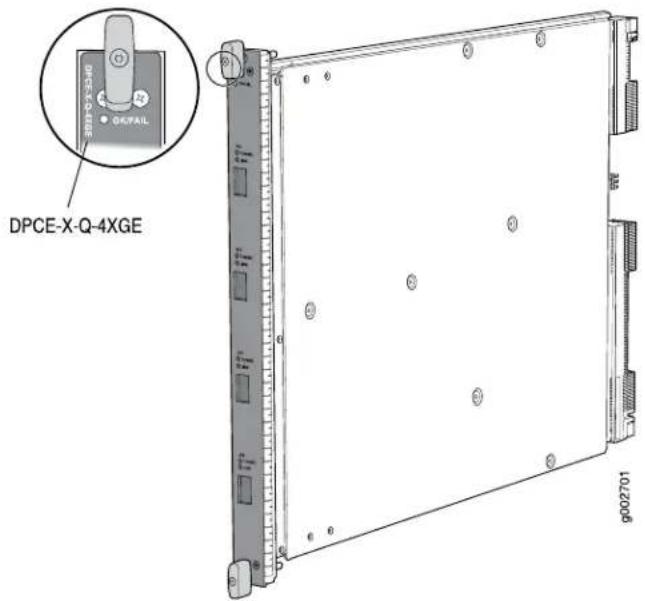
- Junos OS Release 8.5 and laterSoftware release
Description
• Four 10-Gigabit Ethernet ports
• Power requirement: 6.87 A @ 48 V (330 W)
• Weight: 13.1 lb (5.9 kg)
• Model number: DPCE-X-Q-4XGE-XFP
Hardware features
• High-performance throughput on each port at speeds up to 10 Gbps
• WAN-PHY mode at 9.953 Gbps
• LAN-PHY mode at 10.3125 Gbps
• Full-duplex mode
• Maximum transmission units (MTUs) of up to 9192 bytes
• Enhanced ASICs for increased performance and scalability of Layer 2 features
Software features
- Configurable WAN-PHY mode options
- See "Protocols and Applications Supported by Enhanced Queuing Ethernet Services DPCs (DPCE-X-Q)" on page 66 for information about the protocols and applications that this DPC supports.
NOTE: The routing table is limited to 32,000 IP routes. This limitation applies to any manner in which the routes are learned, such as OSPF, RIP, and so on. The DPC supports BGP for L2 VPNs only.
Cables and connectors You can install any transceiver supported by the DPC. For information about installing and removing transceivers, see the hardware guide for your router.
- Fiber-optic 10-gigabit small form-factor pluggable (XFP) transceivers:
- Connector: Duplex LC/PC (Rx and Tx)
• 10GBASE-E (model number: XFP-10G-E-OC192-IR2)
• 10GBASE-L (model number: XFP-10G-L-OC192-SR1)
• 10GBASE-S (model number: XFP-10G-S)
• 10GBASE-Z (model number: XFP-10G-Z-OC192-LR2)
Optical interface specifications—see 10-Gigabit Ethernet 10GBASE Optical Interface Specifications - DWDM Tunable XFP transceivers:
- Connector: Duplex LC/PC (Rx and Tx)
• 10GBASE-ZR (model number: XFP-10G-CBAND-T50-ZR)
DWDM supported wavelengths—see 10-Gigabit Ethernet DWDM Transceiver Wavelengths
NOTE: XFP-10G-CBAND-T50-ZR is supported in Junos OS Release 10.2 and later
Optical interface specifications—see 10-Gigabit Ethernet 10GBASE Optical Interface Specifications
LEDs
OK/FAIL LED, one bicolor:
- Steady green—DPC is functioning normally.
- Blinking green—DPC is transitioning online or offline.
• Red—DPC has failed.
TUNNEL LED, one green per port:
- Off-Normal operating mode.
- On steadily—Port configured in tunnel mode.
LINK LED, one green per port:
- Off-No link.
- On steadily—Link is active.
The TUNNEL and LINK LEDs are labeled top to bottom 0/0 through 3/0.
Related
MX Series DPC Overview on page 4.
Documentation
•DPCs Supported on MX240, MX480, and MX960 Routers on page 6
•10-Gigabit Ethernet 10GBASE Optical Interface Specifications
10-Gigabit Ethernet Enhanced Queuing IP Services DPC with XFP
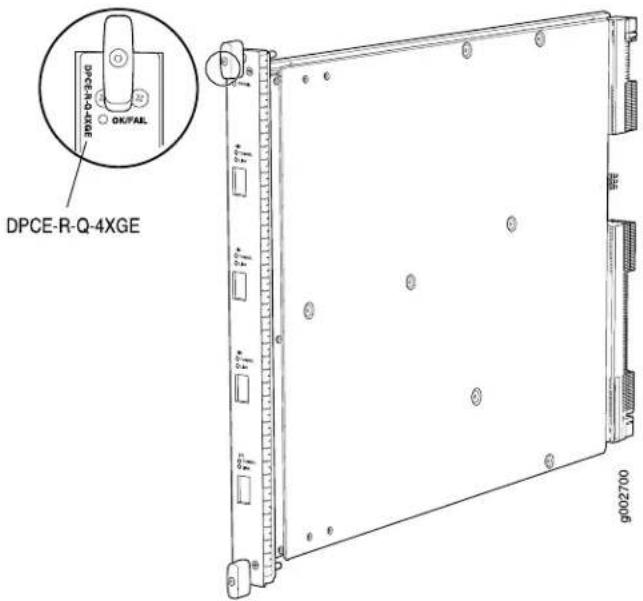
- Junos OS Release 8.5 and laterSoftware release
Description
• Four 10-Gigabit Ethernet ports
• Power requirement: 6.87 A @ 48 V (330 W)
• Weight: 13.1 lb (5.9 kg)
• Model number: DPCE-R-Q-4XGE-XFP
Hardware features
• High-performance throughput on each port at speeds up to 10 Gbps
• WAN-PHY mode at 9.953 Gbps
• LAN-PHY mode at 10.3125 Gbps
• Full-duplex mode
• Maximum transmission units (MTUs) of up to 9192 bytes
• Enhanced ASICs for increased performance and scalability of Layer 2 features
Software features
- Configurable WAN-PHY mode options
- See "Protocols and Applications Supported by Enhanced Queuing IP Services DPCs (DPCE-R-Q)" on page 61 for information about the protocols and applications that this DPC supports.
Cables and connectors You can install any transceiver supported by the DPC. For information about installing and removing transceivers, see the hardware guide for your router.
- Fiber-optic 10-gigabit small form-factor pluggable (XFP) transceivers:
- Connector: Duplex LC/PC (Rx and Tx)
• 10GBASE-E (model number: XFP-10G-E-OC192-IR2)
• 10GBASE-L (model number: XFP-10G-L-OC192-SR1)
• 10GBASE-S (model number: XFP-10G-S)
• 10GBASE-Z (model number: XFP-10G-Z-OC192-LR2)
Optical interface specifications—see 10-Gigabit Ethernet 10GBASE Optical Interface Specifications - DWDM Tunable XFP transceivers:
- Connector: Duplex LC/PC (Rx and Tx)
• 10GBASE-ZR (model number: XFP-10G-CBAND-T50-ZR)
DWDM supported wavelengths—see 10-Gigabit Ethernet DWDM Transceiver Wavelengths
NOTE: XFP-10G-CBAND-T50-ZR is supported in Junos OS Release 10.2 and later
Optical interface specifications—see 10-Gigabit Ethernet 10GBASE Optical Interface Specifications
LEDs
OK/FAIL LED, one bicolor:
- Steady green—DPC is functioning normally.
- Blinking green—DPC is transitioning online or offline.
- Red—DPC has failed.
TUNNEL LED, one green per port:
- Off-Normal operating mode.
- On steadily—Port configured in tunnel mode.
LINK LED, one green per port:
- Off-No link.
- On steadily—Link is active.
The TUNNEL and LINK LEDs are labeled top to bottom 0/0 through 3/0.
Related
MX Series DPC Overview on page 4.
Documentation
•DPCs Supported on MX240, MX480, and MX960 Routers on page 6
•10-Gigabit Ethernet 10GBASE Optical Interface Specifications
Multi-Rate Ethernet Enhanced DPC with SFP and XFP
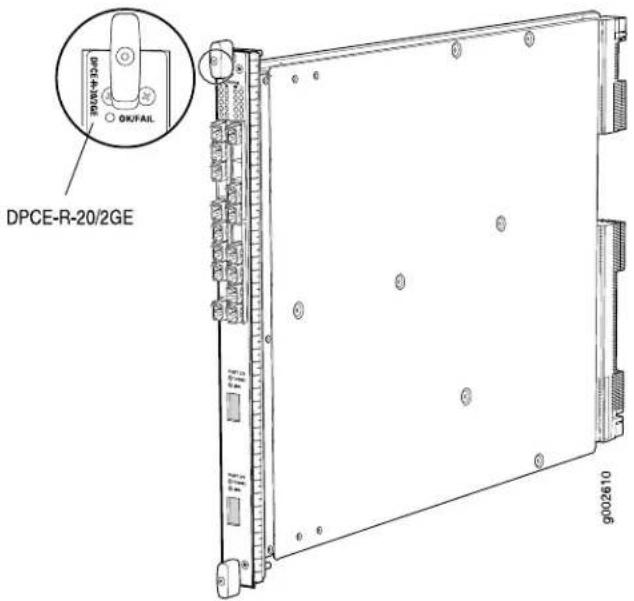
- Junos OS Release 9.2 and laterSoftware release
Description
• 20 Gigabit Ethernet ports
• 2 10-Gigabit Ethernet ports
• Power requirement: 6.94 A @ 48 V (333 W)
• Weight: 13.1 lb (5.9 kg)
• Supports large Ethernet frame sizes for more efficient throughput across the intra-POP network
• Model number: DPCE-R-20GE-2XGE
Hardware features
- SFP ports:
• High-performance throughput on each port at speeds up to 1 Gbps - XFP ports:
• High-performance throughput on each port at speeds up to 10 Gbps
• WAN-PHY mode at 9.953 Gbps
• LAN-PHY mode at 10.3125 Gbps
• Autonegotiation between Gigabit Ethernet circuit partners
• Full-duplex mode
• Maximum transmission units (MTUs) of up to 9192 bytes
• Enhanced ASICs for increased performance and scalability of Layer 2 features
Software features
- Configurable WAN-PHY mode options
• Optical diagnostics and related alarms - See "Protocols and Applications Supported by DPCs and Enhanced DPCs (DPC and DPCE-R)" on page 49 for information about the protocols and applications that this DPC supports.
Cables and connectors You can install any transceiver supported by the DPC. For information about installing and removing transceivers, see the hardware guide for your router.
- Fiber-optic small form-factor pluggable (SFP) transceivers:
- Connector: Duplex LC/PC (Rx and Tx)
• 100BASE-FX (model number: SFP-1FE-FX) supported in Junos OS Release 9.3 and later
• 1000BASE-EX (model number: SFP-GE40KM)
• 1000BASE-LH (model number: SFP-1GE-LH)
• 1000BASE-LX (model number: SFP-1GE-LX)
• 1000BASE-SX (model number: SFP-1GE-SX)
Optical interface specifications—see Gigabit Ethernet 1000BASE Optical Interface Specifications
• Copper SFP transceivers:
- Connector: Four-pair, Category 5 shielded twisted-pair connectivity through an RJ-45 connector
• 1000BASE-T (model number: SFP-1GE-T)
• 10/100/1000BASE-T (model number: SFP-1GE-FE-E-T)
NOTE: SFP-1GE-FE-E-T supports tri-rate 10/100/1000 mode in Junos OS Release 9.4 and later
• Pinout: MDI, MDI crossover
• Length: 328 ft/100 m
Copper interface specifications—see Ethernet 10BASE-T Copper Interface Specifications, Fast Ethernet 100BASE-T Copper Interface Specifications, and Gigabit Ethernet 1000BASE-T Copper Interface Specifications
• Bidirectional SFP transceivers:
- Connector: Duplex LC/PC (Rx and Tx)
• 100BASE-BX (model number pairs: EX-SFP-FE20KT13R15 with EX-SFP-FE20KT15R13) - 1000BASE-BX (model number pairs: SFP-GE10KT13R14 with SFP-GE10KT14R13, SFP-GE10KT13R15 with SFP-GE10KT15R13, SFP-GE40KT13R15 with SFP-GE40KT15R13)
Optical interface specifications—see Fast Ethernet and Gigabit Ethernet Bidirectional SFP Optical Interface Specifications
- Fiber-optic 10-gigabit small form-factor pluggable (XFP) transceivers:
- Connector: Duplex LC/PC (Rx and Tx)
• 10GBASE-E (model number: XFP-10G-E-OC192-IR2)
• 10GBASE-L (model number: XFP-10G-L-OC192-SR1)
• 10GBASE-S (model number: XFP-10G-S)
• 10GBASE-Z (model number: XFP-10G-Z-OC192-LR2)
Optical interface specifications—see 10-Gigabit Ethernet 10GBASE Optical Interface Specifications
- DWDM Tunable XFP transceivers:
- Connector: Duplex LC/PC (Rx and Tx)
• 10GBASE-ZR (model number: XFP-10G-CBAND-T50-ZR)
DWDM supported wavelengths—see 10-Gigabit Ethernet DWDM Transceiver Wavelengths
NOTE: XFP-10G-CBAND-T50-ZR is supported in Junos OS Release 10.2 and later
Optical interface specifications—see 10-Gigabit Ethernet 10GBASE Optical Interface Specifications
LEDs
OK/FAIL LED, one bicolor:
- Steady green—DPC is functioning normally.
- Blinking green—DPC is transitioning online or offline.
- Red-DPC has failed.
LINK LED, one green per port:
- Off-No link.
- On steadily—Link is active.
TUNNEL LED, one green per XFP port:
- Off-Normal operating mode.
- On steadily—Port configured in tunnel mode.
The SFP Link LEDs are labeled in groups of five:
• 0/0 for 0/0 through 0/4
• 0/5 for 0/5 through 0/9
• 1/0 for 1/0 through 1/4
• 1/5 for 1/5 through 1/9
The XFP ports are labeled top to bottom 2/0 and 3/0.
Related Documentation
MX Series DPC Overview on page 4.
•DPCs Supported on MX240, MX480, and MX960 Routers on page 6
•Gigabit Ethernet 1000BASE Optical Interface Specifications
•Fast Ethernet and Gigabit Ethernet Bidirectional SFP Optical Interface Specifications
•10-Gigabit Ethernet 10GBASE Optical Interface Specifications
Multi-Rate Ethernet Enhanced Ethernet Services DPC with SFP and XFP
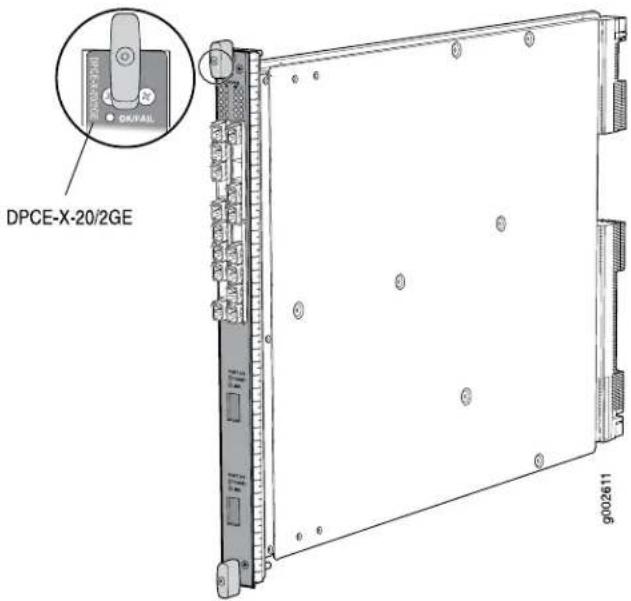
- Junos OS Release 9.2 and laterSoftware release
Description
• 20 Gigabit Ethernet ports
• 2 10-Gigabit Ethernet ports
• Power requirement: 6.94 A @ 48 V (333 W)
• Weight: 13.1 lb (5.9 kg)
• Supports large Ethernet frame sizes for more efficient throughput across the intra-POP network
• Model number: DPCE-X-20GE-2XGE
Hardware features
- SFP ports:
• High-performance throughput on each port at speeds up to 1 Gbps - XFP ports:
• High-performance throughput on each port at speeds up to 10 Gbps
• WAN-PHY mode at 9.953 Gbps
• LAN-PHY mode at 10.3125 Gbps
• Full-duplex mode
• Maximum transmission units (MTUs) of up to 9192 bytes
• Enhanced ASICs for increased performance and scalability of Layer 2 features
Software features
- Configurable WAN-PHY mode options
• Optical diagnostics and related alarms - See "Protocols and Applications Supported by Enhanced Ethernet Services DPCs (DPCE-X)" on page 56 for information about the protocols and applications that this DPC supports.
Cables and connectors You can install any transceiver supported by the DPC. For information about installing and removing transceivers, see the hardware guide for your router.
- Fiber-optic small form-factor pluggable (SFP) transceivers:
- Connector: Duplex LC/PC (Rx and Tx)
• 100BASE-FX (model number: SFP-1FE-FX) supported in Junos OS Release 9.3 and later
• 1000BASE-EX (model number: SFP-GE40KM)
• 1000BASE-LH (model number: SFP-1GE-LH)
• 1000BASE-LX (model number: SFP-1GE-LX)
• 1000BASE-SX (model number: SFP-1GE-SX)
Optical interface specifications—see Gigabit Ethernet 1000BASE Optical Interface Specifications
• Copper SFP transceivers:
- Connector: Four-pair, Category 5 shielded twisted-pair connectivity through an RJ-45 connector
• 1000BASE-T (model number: SFP-1GE-T)
• 10/100/1000BASE-T (model number: SFP-1GE-FE-E-T)
NOTE: SFP-1GE-FE-E-T supports tri-rate 10/100/1000 mode in Junos OS Release 9.4 and later
• Pinout: MDI, MDI crossover
• Length: 328 ft/100 m
Copper interface specifications—see Ethernet 10BASE-T Copper Interface Specifications, Fast Ethernet 100BASE-T Copper Interface Specifications, and Gigabit Ethernet 1000BASE-T Copper Interface Specifications
• Bidirectional SFP transceivers:
- Connector: Duplex LC/PC (Rx and Tx)
• 100BASE-BX (model number pairs: EX-SFP-FE20KT13R15 with EX-SFP-FE20KT15R13) - 1000BASE-BX (model number pairs: SFP-GE10KT13R14 with SFP-GE10KT14R13, SFP-GE10KT13R15 with SFP-GE10KT15R13, SFP-GE40KT13R15 with SFP-GE40KT15R13)
Optical interface specifications—see Fast Ethernet and Gigabit Ethernet Bidirectional SFP Optical Interface Specifications
- Fiber-optic 10-gigabit small form-factor pluggable (XFP) transceivers:
- Connector: Duplex LC/PC (Rx and Tx)
• 10GBASE-E (model number: XFP-10G-E-OC192-IR2)
• 10GBASE-L (model number: XFP-10G-L-OC192-SR1)
• 10GBASE-S (model number: XFP-10G-S)
• 10GBASE-Z (model number: XFP-10G-Z-OC192-LR2)
Optical interface specifications—see 10-Gigabit Ethernet 10GBASE Optical Interface Specifications
- DWDM Tunable XFP transceivers:
- Connector: Duplex LC/PC (Rx and Tx)
• 10GBASE-ZR (model number: XFP-10G-CBAND-T50-ZR)
DWDM supported wavelengths—see 10-Gigabit Ethernet DWDM Transceiver Wavelengths
NOTE: XFP-10G-CBAND-T50-ZR is supported in Junos OS Release 10.2 and later
Optical interface specifications—see 10-Gigabit Ethernet 10GBASE Optical Interface Specifications
LEDs
OK/FAIL LED, one bicolor:
- Steady green—DPC is functioning normally.
- Blinking green—DPC is transitioning online or offline.
- Red-DPC has failed.
LINK LED, one green per port:
- Off-No link.
- On steadily—Link is active.
TUNNEL LED, one green per XFP port:
- Off-Normal operating mode.
- On steadily—Port configured in tunnel mode.
The SFP Link LEDs are labeled in groups of five:
• 0/0 for 0/0 through 0/4
• 0/5 for 0/5 through 0/9
• 1/0 for 1/0 through 1/4
• 1/5 for 1/5 through 1/9
The XFP ports are labeled top to bottom 2/0 and 3/0.
Related
Documentation
MX Series DPC Overview on page 4.
•DPCs Supported on MX240, MX480, and MX960 Routers on page 6
•Gigabit Ethernet 1000BASE Optical Interface Specifications
•Fast Ethernet and Gigabit Ethernet Bidirectional SFP Optical Interface Specifications
•10-Gigabit Ethernet 10GBASE Optical Interface Specifications
Multi-Rate Ethernet Enhanced Queuing IP Services DPC with SFP and XFP
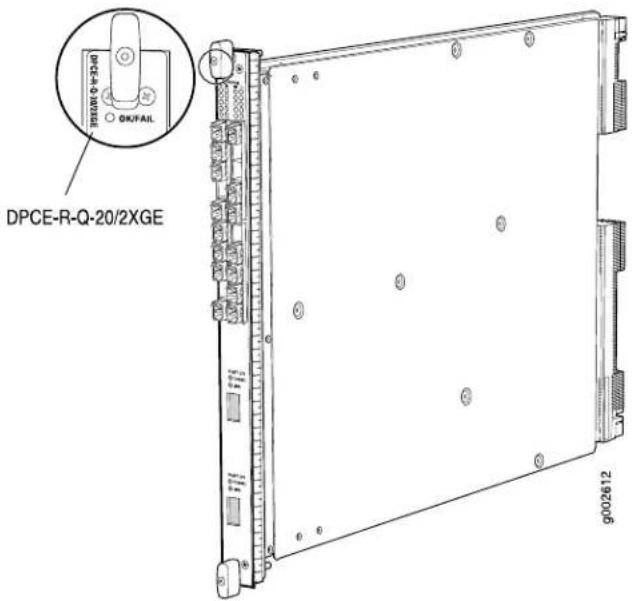
- Junos OS Release 9.3 and laterSoftware release
Description
• 20 Gigabit Ethernet ports
• 2 10-Gigabit Ethernet ports
• Power requirement: 6.98 A @ 48 V (335 W)
• Weight: 13.1 lb (5.9 kg)
• Supports large Ethernet frame sizes for more efficient throughput across the intra-POP network
• Model number: DPCE-R-Q-20GE-2XGE
Hardware features
- SFP ports:
• High-performance throughput on each port at speeds up to 1 Gbps - XFP ports:
• High-performance throughput on each port at speeds up to 10 Gbps
• WAN-PHY mode at 9.953 Gbps
• LAN-PHY mode at 10.3125 Gbps
• Full-duplex mode
• Maximum transmission units (MTUs) of up to 9192 bytes
• Enhanced ASICs for increased performance and scalability of Layer 2 features
Software features
- Configurable WAN-PHY mode options
• Optical diagnostics and related alarms - See "Protocols and Applications Supported by Enhanced Queuing IP Services DPCs (DPCE-R-Q)" on page 61 for information about the protocols and applications that this DPC supports.
Cables and connectors You can install any transceiver supported by the DPC. For information about installing and removing transceivers, see the hardware guide for your router.
- Fiber-optic small form-factor pluggable (SFP) transceivers:
- Connector: Duplex LC/PC (Rx and Tx)
• 100BASE-FX (model number: SFP-1FE-FX) supported in Junos OS Release 9.3 and later
• 1000BASE-EX (model number: SFP-GE40KM)
• 1000BASE-LH (model number: SFP-1GE-LH)
• 1000BASE-LX (model number: SFP-1GE-LX)
• 1000BASE-SX (model number: SFP-1GE-SX)
Optical interface specifications—see Gigabit Ethernet 1000BASE Optical Interface Specifications
• Copper SFP transceivers:
- Connector: Four-pair, Category 5 shielded twisted-pair connectivity through an RJ-45 connector
• 1000BASE-T (model number: SFP-1GE-T)
• 10/100/1000BASE-T (model number: SFP-1GE-FE-E-T)
NOTE: SFP-1GE-FE-E-T supports tri-rate 10/100/1000 mode in Junos OS Release 9.4 and later
• Pinout: MDI, MDI crossover
• Length: 328 ft/100 m
Copper interface specifications—see Ethernet 10BASE-T Copper Interface Specifications, Fast Ethernet 100BASE-T Copper Interface Specifications, and Gigabit Ethernet 1000BASE-T Copper Interface Specifications
• Bidirectional SFP transceivers:
- Connector: Duplex LC/PC (Rx and Tx)
• 100BASE-BX (model number pairs: EX-SFP-FE20KT13R15 with EX-SFP-FE20KT15R13) - 1000BASE-BX (model number pairs: SFP-GE10KT13R14 with SFP-GE10KT14R13, SFP-GE10KT13R15 with SFP-GE10KT15R13, SFP-GE40KT13R15 with SFP-GE40KT15R13)
Optical interface specifications—see Fast Ethernet and Gigabit Ethernet Bidirectional SFP Optical Interface Specifications
- Fiber-optic 10-gigabit small form-factor pluggable (XFP) transceivers:
- Connector: Duplex LC/PC (Rx and Tx)
• 10GBASE-E (model number: XFP-10G-E-OC192-IR2)
• 10GBASE-L (model number: XFP-10G-L-OC192-SR1)
• 10GBASE-S (model number: XFP-10G-S)
• 10GBASE-Z (model number: XFP-10G-Z-OC192-LR2)
Optical interface specifications—see 10-Gigabit Ethernet 10GBASE Optical Interface Specifications
- DWDM Tunable XFP transceivers:
- Connector: Duplex LC/PC (Rx and Tx)
• 10GBASE-ZR (model number: XFP-10G-CBAND-T50-ZR)
DWDM supported wavelengths—see 10-Gigabit Ethernet DWDM Transceiver Wavelengths
NOTE: XFP-10G-CBAND-T50-ZR is supported in Junos OS Release 10.2 and later
Optical interface specifications—see 10-Gigabit Ethernet 10GBASE Optical Interface Specifications
LEDs
OK/FAIL LED, one bicolor:
- Steady green—DPC is functioning normally.
- Blinking green—DPC is transitioning online or offline.
- Red—DPC has failed.
LINK LED, one green per port:
- Off-No link.
- On steadily—Link is active.
TUNNEL LED, one green per XFP port:
- Off-Normal operating mode.
- On steadily—Port configured in tunnel mode.
The SFP Link LEDs are labeled in groups of five:
• 0/0 for 0/0 through 0/4
• 0/5 for 0/5 through 0/9
• 1/0 for 1/0 through 1/4
• 1/5 for 1/5 through 1/9
The XFP ports are labeled top to bottom 2/0 and 3/0.
Related Documentation
MX Series DPC Overview on page 4.
•DPCs Supported on MX240, MX480, and MX960 Routers on page 6
•Gigabit Ethernet 1000BASE Optical Interface Specifications
•Fast Ethernet and Gigabit Ethernet Bidirectional SFP Optical Interface Specifications
•10-Gigabit Ethernet 10GBASE Optical Interface Specifications
Multiservices DPC
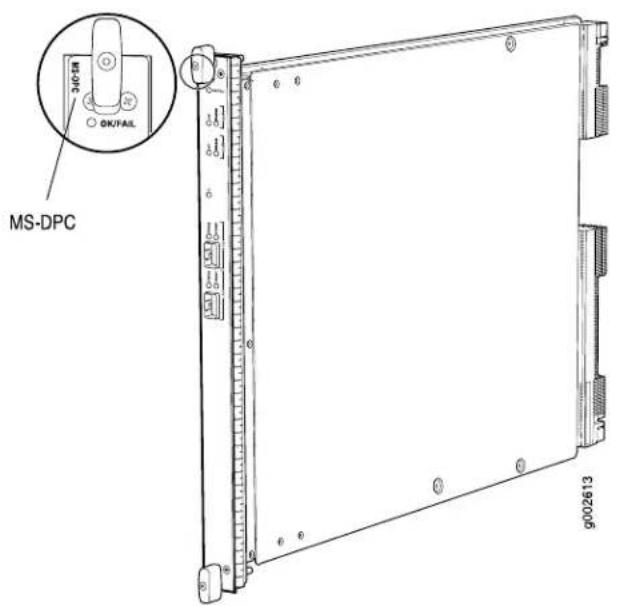
| • Junos OS Release 9.3 and laterSoftware release | |
| Description | • Power requirement: 5.52 A @ 48 V (265 W)• Weight: 14.7 lb (6.7 kg)• Supports tunnel services. This feature is included with the DPC and does not require an individual license.• Individual licenses must be purchased for additional services.• Supports large Ethernet frame sizes for more efficient throughput across the intra-POP network• Maximum number of supported DPCs:• MX240 router: 2• MX480 router: 4• MX960 router: 4• Model number: MS-DPC |
| Hardware features | • Active monitoring on up to 10 million flows• Maximum transmission units (MTUs) of up to 9192 bytes• Two Multiservices Processing Units (MSPUs) per DPC, which include two 1.1Ghz multicore CPUs, each with 4GB of memory for processing integrated services |
| Software features | • Support for up to 12,000 service sets• See "Protocols and Applications Supported by the Multiservices DPC (MS-DPC)" on page 71 for information about the protocols and applications that this DPC supports.• SFPs are not supported.Cables and connectors |
LEDs
OK/FAIL LED, one bicolor:
- Steady green—DPC is functioning normally.
- Blinking green—DPC is transitioning online or offline.
- Red-DPC has failed.
STATUS LED, one tricolor per MSPU:
- Off—MSPU is offline. If both MSPUs are offline it is safe to remove the DPC from the chassis.
- Green—MSPU is operating normally.
- Yellow—MSPU is initializing.
- Red—MSPU has an error or failure.
Application (APP) LED, one tricolor per MSPU: - Off—Service is not running on the MSPU.
- Green—Service is running on the MSPU under acceptable load.
- Yellow—Service on the MSPU is overloaded.
Related Documentation
MX Series DPC Overview on page 4.
•DPCs Supported on MX240, MX480, and MX960 Routers on page 6
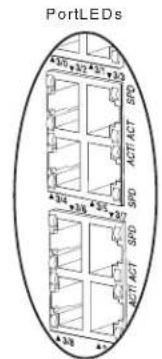
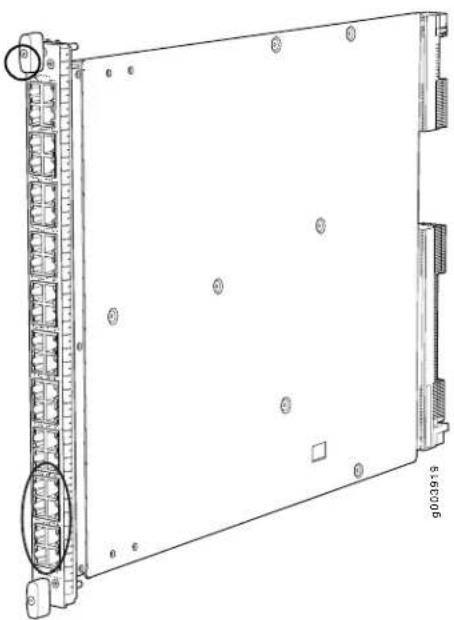
Tri-Rate Enhanced DPC
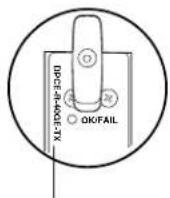
DPCE-R-40GE-TX
natural_image
Technical line drawing of a server rack unit with mounting holes and internal components (no text or symbols)| Software release | Junos OS Release 9.1 and later |
| Description | 40 autonegotiating 10BASE-T, 100BASE-TX, or 1000BASE-T Megabit Ethernet portsPower requirement: 6.67 A @ 48 V (320 W)Weight: 14.5 lb (6.6 kg)Supports large Ethernet frame sizes for more efficient throughput across the intra-POP networkModel number: DPCE-R-40GE-TX |
| Hardware features | High-performance throughput on each port at speeds of 10 Mbps, 100 Mbps, or 1000 MbpsAutonegotiation between Gigabit Ethernet circuit partnersFull-duplex modeMaximum transmission units (MTUs) of up to 9192 bytesEnhanced ASICs for increased performance and scalability of Layer 2 featuresThe ports are grouped in sets of four and labeled:0/0 through 0/91/0 through 1/92/0 through 2/93/0 through 3/9 |
| Software features | See “Protocols and Applications Supported by DPCs and Enhanced DPCs (DPC and DPCE-R)” on page 49 for information about the protocols and applications that this DPC supports. |
Cables and connectors Connector: Four-pair, Category 5 shielded twisted-pair connectivity through an RJ-45 connector
- Pinout:
• Junos OS Release 9.1: MDI - Junos OS Release 9.2 and later: MDI, MDI crossover
• Maximum distance: 328 ft/100 m
CAUTION: Do not use RJ-45 cables with strain-relief boots exceeding 1.5 mm from the bottom of the connector. Cable boots that exceed this measurement can damage the port.
LEDs
OK/FAIL LED, one bicolor:
- Steady green—DPC is functioning normally.
- Blinking green—DPC is transitioning online or offline.
- Red—DPC has failed.
ACT LED, one green per port:
- Off—No active traffic.
- Blinking—Link is active.
SPD LED, one bicolor:
- Green-DPC is functioning in 1000BASE-T mode.
- Yellow-DPC is functioning in 10BASE-T or 100BASE-TX mode.
- Off-No link.
The ACT and SPD LEDs are located on either side of the ports labeled horizontally and top to bottom 0/0 through 3/9.
Related Documentation
MX Series DPC Overview on page 4.
•DPCs Supported on MX240, MX480, and MX960 Routers on page 6
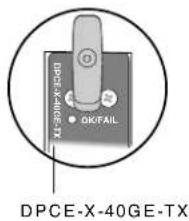
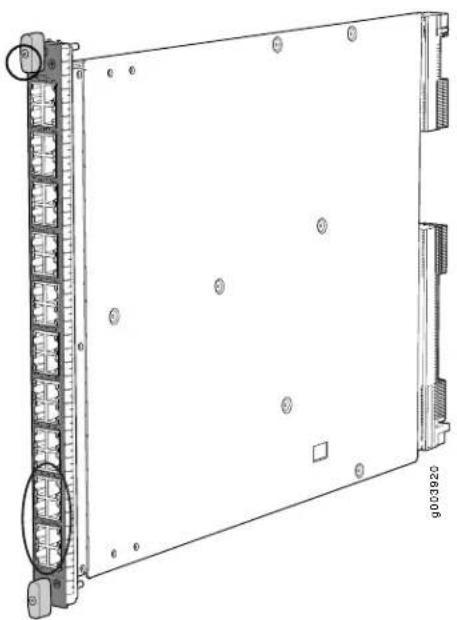
Tri-Rate Enhanced Ethernet Services DPC
natural_image
Technical line drawing of a server rack unit with mounting holes and indicator lights (no text or symbols)| Software release | Junos OS Release 9.1 and later |
| Description | 40 autonegotiating 10BASE-T, 100.BASE-TX, or 1000BASE-T Megabit Ethernet portsPower requirement: 6.67 A @ 48 V (320 W)Weight: 14.5 lb (6.6 kg)Supports large Ethernet frame sizes for more efficient throughput across the intra-POP networkModel number: DPCE-X-40GE-TX |
| Hardware features | High-performance throughput on each port at speeds of 10 Mbps, 100 Mbps, or 1000 MbpsAutonegotiation between Gigabit Ethernet circuit partnersFull-duplex modeMaximum transmission units (MTUs) of up to 9192 bytesEnhanced ASICs for increased performance and scalability of Layer 2 features |
| Software features | See “Protocols and Applications Supported by Enhanced Ethernet Services DPCs (DPCE-X)” on page 56 for information about the protocols and applications that this DPC supports. |
| Cables and connectors | Connector: Four-pair, Category 5 shielded twisted-pair connectivity through an RJ-45 connectorPinout:Junos OS Release 9.1: MDIJunos OS Release 9.2 and later: MDI, MDI crossoverMaximum distance: 328 ft/100 mCAUTION: Do not use RJ-45 cables with strain-relief boots exceeding 1.5 mm from the bottom of the connector. Cable boots that exceed this measurement can damage the port. |
LEDs
OK/FAIL LED, one bicolor:
- Steady green—DPC is functioning normally.
- Blinking green—DPC is transitioning online or offline.
- Red-DPC has failed.
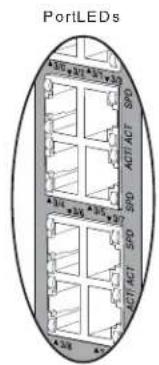
ACT LED, one green per port:
- Off—No active traffic.
- Blinking—Link is active.
SPD LED, one bicolor:
- Green-DPC is functioning in 1000BASE-T mode.
- Yellow-DPC is functioning in 10BASE-T or 100BASE-TX mode.
- Off-No link.
The ACT and SPD LEDs are located on either side of the ports labeled horizontally and top to bottom 0/0 through 3/9.
Related Documentation
MX Series DPC Overview on page 4.
•DPCs Supported on MX240, MX480, and MX960 Routers on page 6
MX240, MX480, and MX960 DPC Protocol and Application Support
- Protocols and Applications Supported by DPCs and Enhanced DPCs (DPC and DPCE-R) on page 49
- Protocols and Applications Supported by Enhanced Ethernet Services DPCs (DPCE-X) on page 56
- Protocols and Applications Supported by Enhanced Queuing IP Services DPCs (DPCE-R-Q) on page 61
- Protocols and Applications Supported by Enhanced Queuing Ethernet Services DPCs (DPCE-X-Q) on page 66
- Protocols and Applications Supported by the Multiservices DPC (MS-DPC) on page 71
Protocols and Applications Supported by DPCs and Enhanced DPCs (DPC and DPCE-R)
Table 2 on page 49 contains the first Junos OS Release support for protocols and applications on the MX240, MX480, and MX960 DPCs and Enhanced DPCs. A dash indicates that the protocol or application is not supported.
Table 2: Protocols and Applications Supported by the DPCs and Enhanced DPCs (DPC a DPCE-R)
| Protocol or Application (DPC) | First Junos OS Release Supported by DPC Model Number (DPC Name) | ||||
| DPC-R-4XGE-XFP | DPCE-R-2XGE-XFP(Enhanced DPC) | DPCE-R-4XGE-XFP | DPCE-R-40GE-SFP(Enhanced DPC) | DPCE-R-40GE-TX(Tri-Rate EnhancedDPC) | |
Protocol (ANCP)
9.49.49.49.49.4Access Node Contr
GRE tunnels or DVMRP (IP-in-IP) tunnels
9.29.18.49.18.2 Accepts traffic destir
Detection protocol (BFD)
9.29.18.49.18.2 Bidirectional Forwardi
(BGP)
9.29.18.49.18.2 Border Gateway Prot
Switching (MPLS) virtual private networks (VPNs)
9.29.18.49.18.2BGP/Multiprotocol La
Table 2: Protocols and Applications Supported by the DPCs and Enhanced DPCs (DPC a DPCE-R) (continued)
| Protocol or Application | First Junos OS Release Supported by DPC Model Number (DPC Name) | ||||
| DPC-R-4XGE-XFPDPC-R-40GE-SFP(DPC) | DPCE-R-2XGE-XFP(Enhanced DPC) | DPCE-R-4XGE-XFPDPCE-R-40GE-SFP(Enhanced DPC) | DPCE-R-40GE-TX(Trl-Rate EnhancedDPC) | DPCE-R-20GE-2XGE(Multi-Rate EnhancedDPC) | |
| Routing Protocol (DVMRP)and generic routing encapsulation (GRE)support-access side and server side | 9.29.18.49.18.2Distance Vector Mult | ||||
| Continuity Check protocol | 9.29.18.49.18.4IEEE 802.lag Etherne | ||||
| Linktrace protocol | 9.29.19.09.19.0IEEE 802.lag Etherne | ||||
| IEEE 802.lag Ethernet OAMLoopback protocol | 9.29.19.19.1 | ||||
| 9.29.18.49.18.2Firewall filters | |||||
| encapsulation | 9.29.18.49.18.2Flexible Ethernet | ||||
| Switchover (GRES) | 9.29.18.49.18.3Graceful Routing Eng | ||||
| upgrade (ISSU)(excludes IEEE 802.lag OAM, IEEE 802.3ah, and LACP protocols) | 9.39.39.39.39.3In-service software | ||||
| of service (HQoS) shaping and hierarchical-scheduler:Group of virtual LANs (VLANs) levelVirtual LAN (VLAN) levelPort level | ----Ingress hierarchical quality | ||||
| 9.29.18.49.18.2IPv4 | |||||
| 9.29.18.49.18.2IP multicast | |||||
| 9.29.18.49.18.2IPv6 | |||||
| 9.29.18.49.18.2IPv6 multicast | |||||
| 9.29.18.49.18.2IPv6 Neighbor Discov | |||||
| System-to-Intermediate System (IS-IS) | 9.29.18.49.18.2Intermediate | ||||
| 9.29.18.49.18.2Layer 2 frame filterir | |||||
| aggregation | 9.29.18.49.18.2IEEE 802.3ad link | ||||
| Protocol (LACP) | 9.29.18.49.18.2Link Aggregation Cor | ||||
| 9.29.18.49.18.2Local loopback | |||||
| accounting, and filtering | 9.29.18.49.18.2MAC learning, policin | ||||
| 9.39.39.39.39.3Mobile IP | |||||
| Spanning Tree Protocol (MSTP) (part of IEEE 802.1Q VLANs) | 9.29.18.49.18.4IEEE 802.1s Multiple | ||||
| aggregation (MC-AE) | 10.010.010.010.010.0Multi-chassis lir | ||||
| identifiers (TPIDs) | 9.29.18.49.18.2Multiple tag protocol | ||||
| Switching (MPLS) | 9.29.18.49.18.2Multiprotocol Label | ||||
| Protocol or Application (DPC) | First Junos OS Release Supported by DPC Model Number (DPC Name) | ||||
| DPC-R-4XGE-XFPDPC-R-40GE-SFP | DPCE-R-2XGE-XFP(Enhanced DPC) | DPCE-R-4XGE-XFPDPCE-R-40GE-SFP(Enhanced DPC) | DPCE-R-40GE-TX(Tri-Rate EnhancedDPC) | DPCE-R-20GE-2XGE(Multi-Rate EnhancedDPC) | |
| VLAN Registration Protocol(MVRP) | 10.110.110.110.1IEEE 802.1ak-2007 | ||||
| • Discovery and link monitoring• Fault signaling and detection• Remote loopback | 9.29.18.49.18.2IEEE 802.3ah OAM | ||||
| (MTR) | 9.29.19.09.19.0Multitopology Routing | ||||
| (OSPF) | 9.29.18.49.18.2Open Shortest Path | ||||
| 9.29.18.49.18.2Packet mirroring | |||||
| backbone bridges (PBB) | IEEE 802.1a10.pro/der.010.010.0 | ||||
| per port: | 9.29.18.49.18.2Quality of service (C | ||||
| • 8 queues per port• Shaping at queue level• Scheduling of queues based on weighted round-robin (WRR) per priority class• Random early detection (RED)• Weighted random early detection (WRED) | |||||
| • Shaping at port level | - | - | - | - | - |
Table 2: Protocols and Applications Supported by the DPCs and Enhanced DPCs (DPC a DPCE-R) (continued)
| Protocol or Application | First Junos OS Release Supported by DPC Model Number (DPC Name) | ||||
| DPC-R-4XGE-XFP | DPCE-R-2XGE-XFP(Enhanced DPC) | DPCE-R-4XGE-XFP | DPCE-R-40GE-SFP(Enhanced DPC) | DPCE-R-40GE-TX(Tri-Rate EnhancedDPC) | |
9.29.18.49.18.2Quality of service (C
per virtual LAN (VLAN):
• Accounting, filtering, and policing
• IEEE 802.1p rewrite
- Classification
- Tricolor marking
queuing per virtual LAN (VLAN)
----Quality of service (QoS)
Spanning Tree Protocol (RSTP)
9.29.18.49.18.4IEEE 802.1w Rapid
(PVST)+
9.29.19.09.19.0 Per-VLAN Spanning
9.29.18.49.18.2RSVP
Protocol (RIP)
9.29.18.49.18.2 Routing Information
9.29.18.49.18.2SNMP
Protocol (STP)
9.29.18.49.18.4IEEE 802.1D Spannin
9.49.49.49.49.4 Subscriber Manager
- Access Node Control Protocol (ANCP)
9.49.49.49.49.4
- Dynamic profiles
9.29.29.29.29.2
- Dynamic VLANs
9.59.59.59.5-
Table 2: Protocols and Applications Supported by the DPCs and Enhanced DPCs (DPC a DPCE-R) (continued)
| Protocol or Application | First Junos OS Release Supported by DPC Model Number (DPC Name) | ||||
| DPC-R-4XGE-XFPDPC-R-40GE-SFP(DPC) | DPCE-R-2XGE-XFP(Enhanced DPC) | DPCE-R-4XGE-XFPDPCE-R-40GE-SFP(Enhanced DPC) | DPCE-R-40GE-TX(Trl-Rate EnhancedDPC) | DPCE-R-20GE-2XGE(Multi-Rate EnhancedDPC) | |
| Enhanced Dynamic Host Configuration Protocol (DHCP) local server | 9.39.39.39.39.3 | ||||
| Enhanced DCHP relay | 9.39.39.39.39.3 | ||||
| Firewall filters | 9.29.29.29.29.2 | ||||
| Internet Group Management Protocol (IGMP) | 9.29.29.29.29.2 | ||||
| Mobile IP | 9.39.39.39.39.3 | ||||
| QoS | 9.29.29.29.29.2 | ||||
| Subscriber Secure Policy | 9.49.49.49.49.4 | ||||
| Measurement Protocol (TWAMP) | 9.59.59.59.59.5Two-Way Active | ||||
| 9.29.18.49.18.2IEEE 802.1Q VLANs: | |||||
| VLAN stacking and rewritingChannels defined by two stacked VLAN tagsFlexible VLAN taggingIP service for nonstandard TPID and stacked VLAN tags | |||||
| (VPLS) | 9.29.18.49.18.2Virtual private LAN s | ||||
| (VPN) | 9.29.18.49.18.2Virtual private netwo | ||||
| Protocol (VRRP) for IPv4 | 9.29.18.49.18.2Virtual Router Redun | ||||
Related Documentation
DPCs Supported on MX240, MX480, and MX960 Routers on page 6.
- Protocols and Applications Supported by Enhanced Ethernet Services DPCs (DPCE-X) on page 56
- Protocols and Applications Supported by Enhanced Queuing IP Services DPCs (DPCE-R-Q) on page 61
- Protocols and Applications Supported by Enhanced Queuing Ethernet Services DPCs (DPCE-X-Q) on page 66
•Protocols and Applications Supported by the Multiservices DPC (MS-DPC) on page 71
Protocols and Applications Supported by Enhanced Ethernet Services DPCs (DPCE-X)
Table 3 on page 56 contains the first Junos OS Release support for protocols and applications on the MX240, MX480, and MX960 Enhanced Ethernet Services DPCs. A dash indicates that the protocol or application is not supported.
Table 3: Protocols and Applications Supported by the Enhanced Ethernet Services DPCs (D
| Protocol or Application | First Junos OS Release Supported by DPC Model Number (DPC N | ||
| DPCE-X-4XGE-XFPDPCE-X-40GE-SFP(Enhanced Ethernet Services DPC) | DPCE-X-40GE-TX(Tri-Rate Enhanced Ethernet Services DPC) | DPCE-X-20GE-2XGE(Multi-Rate Enhanced Ethernet Services DPC) | |
| 9.49.49.4Access Node Control Protocol ( | |||
| or DVMRP (IP-in-IP) tunnels | 9.29.18.4Accepts traffic destined for GRE | ||
| protocol (BFD) | 9.29.18.4Bidirectional Forwarding Detection | ||
| 9.29.18.4Border Gateway Protocol (BGP) | |||
| (MPLS) virtual private networks (VPNs) | 9.29.18.4BGP/Multiprotocol Label Switchir | ||
| Protocol (DVMRP) and generic routing encapsulation (GRE) support-access side and server side | 9.29.18.4Distance Vector Multicast Routin | ||
| Check protocol | 9.29.18.4IEEE 802.lag Ethernet OAM Con | ||
| protocol | 9.29.19.0IEEE 802.lag Ethernet OAM Link | ||
| protocol | 9.29.19.1IEEE 802.lag Ethernet OAM Loop | ||
| Firewall filters | 8.4(Limited filter terms) | 9.1(Limited filter terms) | 9.2(Limited filter terms) |
| 9.29.18.4Flexible Ethernet encapsulation | |||
| (GRES) | 9.29.18.4Graceful Routing Engine Switcho | ||
| (excludes IEEE 802.1ag OAM, IEEE 802.3ah, and LACP protocols) | 9.29.19.1In-service software upgrade (ISSU | ||
| (HQoS) shaping and scheduling:Group of virtual LANs (VLANs) levelVirtual LAN (VLAN) levelPort level | ---Ingress hierarchical quality of service | ||
| System (IS-IS) | 9.29.18.4Intermediate System-to-Intermediate | ||
| 9.2)9.18.4IPv4 (No BGP) | |||
| 9.29.18.4IP multicast (No BGP) | |||
| 9.2)9.18.4IPv6 (No BGP) | |||
| 9.2)9.18.4IPv6 multicast (No BGP) | |||
| 9.2)9.1)8.4IPv6 Neighbor Discovery (No E | |||
| 9.29.18.4Layer 2 frame filtering | |||
| 9.29.18.4IEEE 802.3ad link aggregation | |||
| 9.29.18.4Link Aggregation Control Protocol | |||
| 9.29.18.4Local loopback | |||
| filtering | 9.29.18.4MAC learning, policing, accountin | ||
| 9.39.39.3Mobile IP | |||
| Protocol (MSTP) (part of IEEE 802.1Q VLANs) | 9.29.18.4IEEE 802.1s Multiple Spanning T | ||
| Protocol or Application | First Junos OS Release Supported by DPC Model Number (DPC N) | ||
| DPCE-X-4XGE-XFPDPCE-X-40GE-SFP(Enhanced Ethernet Services DPC) | DPCE-X-40GE-TX(Tri-Rate Enhanced Ethernet Services DPC) | DPCE-X-20GE-2XGE(Multi-Rate Enhanced Ethernet Services DPC) | |
| 9.29.18.4Multiple tag protocol identifiers | |||
| 9.29.18.4Multiprotocol Label Switching (M | |||
| 9.29.18.4IEEE 802.3ah OAM | |||
| • Discovery and link monitoring• Fault signaling and detection• Remote loopback | |||
| 9.29.19.0Multitopology Routing (MTR) | |||
| 9.29.18.4Open Shortest Path First (OSPF | |||
| 9.29.18.4Packet mirroring | |||
| 9.29.18.4Quality of service (QoS) per point | |||
| • 8 queues per port• Shaping at queue level• Scheduling of queues based on weighted round-robin (WRR) per priority class• Random early detection (RED)• Weighted random early detection (WRED) | |||
| 9.29.18.4Quality of service (QoS) per virt | |||
| (VLAN):• Accounting, filtering, and policing• IEEE 802.1p rewrite• Classification• Tricolor marking | |||
| LAN (VLAN) | ---Quality of service (QoS) queuing per | ||
| (RSTP) | 9.29.18.4IEEE 802.1w Rapid Spanning Tre | ||
| 9.29.19.0Per-VLAN Spanning Tree (PVST) | |||
| 9.29.18.4RSVP | |||
| 9.29.18.4Routing Information Protocol (RII | |||
| 9.29.18.4SNMP | |||
| 9.29.18.4IEEE 802.1D Spanning Tree Protc | |||
| 9.49.49.4Subscriber Management: | |||
| • Access Node Control Protocol (ANCP) | 9.49.49.4 | ||
| • Dynamic profiles | 9.29.29.2 | ||
| • Dynamic VLANs | 9.59.59.5 | ||
| • Enhanced Dynamic Host Configuration Protocol (DHCP) local server | 9.39.39.3 | ||
| • Enhanced DCHP relay | 9.39.39.3 | ||
| • Firewall filters | 9.29.29.2 | ||
| • Internet Group Management Protocol (IGMP) | 9.29.29.2 | ||
| • Mobile IP | 9.39.39.3 | ||
| • QoS | 9.29.29.2 | ||
| • Subscriber Secure Policy | 9.49.49.4 | ||
| (TWAMP) | 9.59.59.5Two-Way Active Measurement F | ||
Table 3: Protocols and Applications Supported by the Enhanced Ethernet Services DPCs (DPCE-X) (continued)
| Protocol or Application | First Junos OS Release Supported by DPC Model Number (DPC N | ||
| DPCE-X-4XGE-XFPDPCE-X-40GE-SFP(Enhanced Ethernet Services DPC) | DPCE-X-40GE-TX(Tri-Rate Enhanced Ethernet Services DPC) | DPCE-X-20GE-2XGE(Multi-Rate Enhanced Ethernet Services DPC) | |
9.29.18.4 IEEE 802.1Q VLANs:
• VLAN stacking and rewriting
- Channels defined by two stacked VLAN tags
- Flexible VLAN tagging
- IP service for nonstandard TPID and stacked VLAN tags
| 9.29.18.4Virtual private LAN service (VPL) | |
| only) | 9.29.18.4Virtual private network (VPN) (L |
| (VRRP) for IPv4 | 9.29.18.4Virtual Router Redundancy Proto |
Related Documentation
DPCs Supported on MX240, MX480, and MX960 Routers on page 6.
- Protocols and Applications Supported by DPCs and Enhanced DPCs (DPC and DPCE-R) on page 49
- Protocols and Applications Supported by Enhanced Queuing IP Services DPCs (DPCE-R-Q) on page 61
- Protocols and Applications Supported by Enhanced Queuing Ethernet Services DPCs (DPCE-X-Q) on page 66
•Protocols and Applications Supported by the Multiservices DPC (MS-DPC) on page 71
Protocols and Applications Supported by Enhanced Queuing IP Services DPCs (DPCE-R-Q)
Table 4 on page 61 contains the first Junos OS Release support for protocols and applications on the MX240, MX480, and MX960 Enhanced Queuing IP Services DPCs. A dash indicates that the protocol or application is not supported.
Table 4: Protocols and Applications Supported by the Enhanced Queuing IP Services DI (DPCE-R-Q)
| Protocol or Application | First Junos OS Release Supported by DPC Model Num Name) | ||
| DPCE-R-Q-4XGE-XFPDPCE-R-Q-40GE-SFPEnhanced QueuingIP Services DPC | DPCE-R-Q-20GE-SFPEnhanced QueuingIP Services DPC | DPCE-R-Q-20GE-2XGEEnhanced QueuingIP ServicesMulti-Rate DPC | |
| 9.49.49.4Access Node Control Protocol ( | |||
| DVMRP (IP-in-IP) tunnels | 9.39.18.5Accepts traffic destined for GRE | ||
| (BFD) | 9.39.18.5Bidirectional Forwarding Detection | ||
| 9.39.18.5Border Gateway Protocol (BGP) | |||
| virtual private networks (VPNs) | 9.39.18.5BGP/Multiprotocol Label Switchir | ||
| (DVMRP) and generic routing encapsulation(GRE) support-access side and server side | 9.39.18.5Distance Vector Multicast Routin | ||
| protocol | 9.39.18.5IEEE 802.1ag Ethernet OAM Con | ||
| 9.39.19.0IEEE 802.1ag Ethernet OAM Link | |||
| 9.39.19.1IEEE 802.1ag Ethernet OAM Loop | |||
| 9.39.18.5Firewall filters | |||
| 9.39.18.5Flexible Ethernet encapsulation | |||
| 9.39.18.5Graceful Routing Engine Switcho | |||
| IEEE 802.1ag OAM, IEEE 802.3ah, and LACP protocols) | 9.39.39.3In-service software upgrade (ISS | ||
| shaping and scheduling:Group of virtual LANs (VLANs) levelVirtual LAN (VLAN) levelPort level | 9.39.19.0Ingress hierarchical quality of se | ||
| (IS-IS) | 9.39.18.5Intermediate System-to-Intermedi- | ||
| 9.39.18.5IPv4 | |||
| 9.39.18.5IP multicast | |||
| 9.39.18.5IPv6 | |||
| 9.39.18.5IPv6 multicast | |||
| 9.39.18.5IPv6 Neighbor Discovery | |||
| 9.39.18.5Layer 2 frame filtering | |||
| 9.39.18.5IEEE 802.3ad link aggregation | |||
| 9.39.18.5Link Aggregation Control Protocol | |||
| 9.39.18.5Local loopback | |||
| 9.39.18.5MAC learning, policing, accountin | |||
| 9.39.39.3Mobile IP | |||
| (MSTP) (part of IEEE 802.1Q VLANs) | 9.39.18.5IEEE 802.1s Multiple Spanning T | ||
| 9.39.18.5Multiple tag protocol identifiers | |||
| 9.39.18.5Multiprotocol Label Switching (M | |||
| 9.39.18.5IEEE 802.3ah OAM | |||
| • Discovery and link monitoring• Fault signaling and detection• Remote loopback | |||
| 9.39.19.0Multitopology Routing (MTR) | |||
| 9.39.18.5Open Shortest Path First (OSPF | |||
| 9.39.18.5Packet mirroring | |||
| 9.39.18.5Quality of service (QoS) per point | |||
| • 8 queues per port• Shaping at port level• Scheduling of queues based on weighted round-robin (WRR) per priority class• Random early detection (RED)• Weighted random early detection (WRED) | |||
| 9.39.18.5Quality of service (QoS) per virtual | |||
| • Accounting, filtering, and policing• IEEE 802.1p rewrite• Classification• Tricolor marking• Shaping at queue and port level• Scheduling of queues based on weighted round-robin (WRR) per priority class• Random early detection (RED)• Weighted random early detection (WRED) | |||
| (VLAN) | 9.39.18.5Quality of service (QoS) queuing | ||
| (RSTP) | 9.39.18.5IEEE 802.1w Rapid Spanning Tree | ||
| 9.39.19.0Per-VLAN Spanning Tree (PVST) | |||
| 9.39.18.5RSVP | |||
| 9.39.18.5Routing Information Protocol (RII | |||
| 9.39.18.5SNMP | |||
| 9.39.18.5IEEE 802.1D Spanning Tree Prot | |||
| 9.49.49.4Subscriber Management: | |||
| • Access Node Control Protocol (ANCP) | 9.49.49.4 | ||
| • Dynamic profiles | 9.29.29.2 | ||
| • Dynamic VLANs | 9.59.59.5 | ||
| • Enhanced Dynamic Host Configuration Protocol (DHCP) local server | 9.39.39.3 | ||
| • Enhanced DCHP relay | 9.39.39.3 | ||
| • Firewall filters | 9.29.29.2 | ||
| • Internet Group Management Protocol (IGMP) | 9.29.29.2 | ||
| • Mobile IP | 9.39.39.3 | ||
| • QoS | 9.29.29.2 | ||
| • Subscriber Secure Policy | 9.49.49.4 | ||
| (TWAMP) | 9.59.59.5Two-Way Active Measurement F | ||
Table 4: Protocols and Applications Supported by the Enhanced Queuing IP Services DI (DPCE-R-Q) (continued)
| Protocol or Application | First Junos OS Release Supported by DPC Model Num Name) | ||
| DPCE-R-Q-4XGE-XFP | DPCE-R-Q-20GE-SFP | DPCE-R-Q-20GE-2XGE | |
| Enhanced Queuing IP Services DPC | Enhanced Queuing IP Services DPC | Enhanced Queuing IP Services Multi-Rate DPC | |
9.39.18.5IEEE 802.1Q VLANs:
• VLAN stacking and rewriting
- Channels defined by two stacked VLAN tags
- Flexible VLAN tagging
- IP service for nonstandard TPID and stacked VLAN tags
9.39.18.5 Virtual private LAN service (VPL)
9.39.18.5 Virtual private network (VPN)
for IPv4
9.39.18.5 Virtual Router Redundancy Proto
Related Documentation
DPCs Supported on MX240, MX480, and MX960 Routers on page 6.
- Protocols and Applications Supported by DPCs and Enhanced DPCs (DPC and DPCE-R) on page 49
- Protocols and Applications Supported by Enhanced Ethernet Services DPCs (DPCE-X) on page 56
- Protocols and Applications Supported by Enhanced Queuing Ethernet Services DPCs (DPCE-X-Q) on page 66
•Protocols and Applications Supported by the Multiservices DPC (MS-DPC) on page 71
Protocols and Applications Supported by Enhanced Queuing Ethernet Services DPCs (DPCE-X-Q)
Table 5 on page 66 contains the first Junos OS Release support for protocols and applications on the MX240, MX480, and MX960 Enhanced Queuing Ethernet Services DPCs. A dash indicates that the protocol or application is not supported.
Table 5: Protocols and Applications Supported by the Enhanced Queuin Ethernet Services DPCs (DPCE-X-Q)
| DPCE-X-Q-4XGE-XFPDPCE-X-Q-40GE-SFP(Enhanced Queuing Ethernet Services DPC) | |
| 9.4Access Node Control Protocol (ANCP) | |
| (IP-in-IP) tunnels | 8.5Accepts traffic destined for GRE tunnels or DVM |
| 8.5Bidirectional Forwarding Detection protocol (BFD) | |
| 8.5Border Gateway Protocol (BGP) | |
| networks (VPNs) | 8.5BGP/Multiprotocol Label Switching (MPLS) virtual |
| generic routing encapsulation (GRE) support-access side and server side | 8.5Distance Vector Multicast Routing Protocol (DVM |
| 8.5IEEE 802.lag Ethernet OAM Continuity Check prc | |
| 9.0IEEE 802.lag Ethernet OAM Linktrace protocol | |
| 9.1IEEE 802.lag Ethernet OAM Loopback protocol | |
| Firewall filters | 8.5(Limited filter terms) |
| 8.5Flexible Ethernet encapsulation | |
| 8.5Graceful Routing Engine Switchover (GRES) | |
| 802.lag OAM, IEEE 802.3ah, and LACP protocols) | 9.3In-service software upgrade (ISSU) (excludes IEE |
| scheduling:Group of virtual LANs (VLANs) levelVirtual LAN (VLAN) levelPort level | 9.0Ingress hierarchical quality of service (HQoS) sha |
| 8.5Intermediate System-to-Intermediate System (IS-I | |
| 8.5IPv4 (No BGP) | |
| 8.5IP multicast (No BGP) | |
| 8.5IPv6 (No BGP) | |
| 8.5IPv6 multicast (No BGP) | |
| 8.5IPv6 Neighbor Discovery (No BGP) | |
| 8.5Layer 2 frame filtering | |
| 8.5IEEE 802.3ad link aggregation | |
| 8.5Link Aggregation Control Protocol (LACP) | |
| 8.5Local loopback | |
| 8.5MAC learning, policing, accounting, and filtering | |
| 9.3Mobile IP | |
| of IEEE 802.1Q VLANs) | 8.5IEEE 802.1s Multiple Spanning Tree Protocol (MS |
| 8.5Multiple tag protocol identifiers (TPIDs) | |
| 8.5Multiprotocol Label Switching (MPLS) | |
| 8.5IEEE 802.3ah OAM | |
| Discovery and link monitoringFault signaling and detectionRemote loopback | 9.0Multitopology Routing (MTR) |
| 8.5Open Shortest Path First (OSPF) | |
| 8.5Packet mirroring | |
| 8.5Quality of service (QoS) per port:8 queues per portShaping at port levelScheduling of queues based on weighted round-robin(WRR) per priority classRandom early detection (RED)Weighted random early detection (WRED) | |
| -Shaping at queue level | |
| 8.5Quality of service (QoS) per virtual LAN (VLAN)Accounting, filtering, and policingIEEE 802.1p rewriteClassificationTricolor markingShaping at port levelScheduling of queues based on weighted round-robin(WRR) per priority classRandom early detection (RED)Weighted random early detection (WRED) | |
| -Shaping at queue level | |
| 8.5Quality of service (QoS) queuing per virtual LAN | |
| 8.5IEEE 802.1w Rapid Spanning Tree Protocol (RST | |
| 9.0Per-VLAN Spanning Tree (PVST)+ | |
| 8.5Remote loopback | |
| 8.5RSVP | |
| 8.5Routing Information Protocol (RIP) |
Table 5: Protocols and Applications Supported by the Enhanced Queuin Ethernet Services DPCs (DPCE-X-Q) (continued)
| DPCE-X-Q-4XGE-XFPDPCE-X-Q-40GE-SFP(Enhanced Queuing Ethernet Services DPC | |
| 8.5SNMP | |
| 8.5IEEE 802.1D Spanning | |
| 9.4Subscriber Management | |
| • Access Node Control Protocol (ANCP) | 9.4 |
| • Dynamic profiles | 9.2 |
| • Dynamic VLANs | 9.5 |
| • Enhanced Dynamic Host Configuration Protocol (DHCP) local server | 9.3 |
| • Enhanced DCHP relay | 9.3 |
| • Firewall filters | 9.2 |
| • Internet Group Management Protocol (IGMP) | 9.2 |
| • Mobile IP | 9.3 |
| • QoS | 9.2 |
| • Subscriber Secure Policy | 9.4 |
8.5IEEE 802.1D Spanning Tree Protocol (STP)
9.5 Two-Way Active Measurement Protocol (TWAMP
8.5IEEE 802.1Q VLANs:
• VLAN stacking and rewriting
- Channels defined by two stacked VLAN tags
- Flexible VLAN tagging
- IP service for nonstandard TPID and stacked VLAN tags
8.5 Virtual private LAN service (VPLS)
Virtual private network (VPN) 8.5
(L2 VPN only)
8.5 Virtual Router Redundancy Protocol (VRRP) for
Related Documentation
DPCs Supported on MX240, MX480, and MX960 Routers on page 6.
- Protocols and Applications Supported by DPCs and Enhanced DPCs (DPC and DPCE-R) on page 49
- Protocols and Applications Supported by Enhanced Ethernet Services DPCs (DPCE-X) on page 56
- Protocols and Applications Supported by Enhanced Queuing IP Services DPCs (DPCE-R-Q) on page 61
•Protocols and Applications Supported by the Multiservices DPC (MS-DPC) on page 71
Protocols and Applications Supported by the Multiservices DPC (MS-DPC)
Table 6 on page 71 contains the first Junos OS Release support for protocols and applications on the MX240, MX480, and MX960 Multiservices DPCs. A dash indicates that the protocol or application is not supported.
Table 6: Protocols and Applications Supported by the Multiservices DPC (MS-DPC)
| MS-DPCProtocol or Ap | |
| 9.3Accepts traffic destined for GRE tunnels | |
| version 8 records | 9.3Active flow monitoring exports cflowd version 5 |
| records, based on RFC 3954 | 9.3Active flow monitoring exports flow monitoring v |
| 9.4Graceful Routing Engine Switchover (GRES) | |
| 9.3GRE dont fragment | |
| 9.3GRE Key | |
| 9.3GRE reassembly | |
| 9.3IP Security (IPSec) encryption | |
| 9.3Network Address Translation (NAT) for IP addre | |
| (PTSP) | 10.2Packet-triggered dynamic subscribers and policy |
| 9.3Port Address Translation (PAT) for port numbers | |
| 9.3Real-time Performance Monitoring (RPM) | |
| 9.3Stateful firewall with packet inspection: detects |
Tunnel services:
• GRE unicast tunneling-Supports GRE fragmentation 9.3
• IP-IP unicast tunneling 9.4
• Multicast tunneling 9.4
- Protocol Independent Multicast (PIM) sparse mode9.4 unicast tunneling
Table 6: Protocols and Applications Supported by the Multiservices DPC (MS-DPC) (continued)
| MS-DPCProtocol or Ap |
• Virtual loopback tunneling (VT) 9.4
10.2 Voice over IP (VoIP) services:
- Border Gateway Function (BGF) using external H.248/la control
- Integrated Multi-Service Gateway (IMSG)-Session Border Controller
Related Documentation
DPCs Supported on MX240, MX480, and MX960 Routers on page 6.
- Protocols and Applications Supported by DPCs and Enhanced DPCs (DPC and DPCE-R) on page 49
- Protocols and Applications Supported by Enhanced Ethernet Services DPCs (DPCE-X) on page 56
- Protocols and Applications Supported by Enhanced Queuing IP Services DPCs (DPCE-R-Q) on page 61
- Protocols and Applications Supported by Enhanced Queuing Ethernet Services DPCs (DPCE-X-Q) on page 66
MX Series MPCs
• MX Series MPC Overview on page 73
- MPCs Supported by MX240, MX480, and MX960 Routers on page 74
• 16x10GE MPC on page 75
- MPC1 on page 77
- MPC1E on page 78
- MPC1 Q on page 79
- MPC1E Q on page 80
- MPC2 on page 81
- MPC2E on page 82
- MPC2 Q on page 83
- MPC2E Q on page 84
- MPC2 EQ on page 85
- MPC2E EQ on page 86
- MPC3E on page 87
• MX240, MX480, and MX960 MPC Protocol and Application Support on page 88
MX Series MPC Overview
Modular Port Concentrators (MPCs) provide packet forwarding services. The MPCs are inserted into a slot in an MX240, MX480, or MX960 router. Modular Interface Cards (MICs) provide the physical interfaces and install into the MPCs. You can install up to two MICs of different media types in the same MPC as long as the MPC supports those MICs.
A specialized fixed configuration MPC provides higher port density over MLCs and combines packet forwarding and Ethernet interfaces onto a single line card. The fixed configuration MPC is inserted into a slot in a router and contains no slots for MLCs.
MICs receive incoming packets from the network and transmit outgoing packets to the network. During this process, each MIC performs framing and high-speed signaling for its media type. Before transmitting outgoing data packets through the MIC interfaces, the MPCs encapsulate the packets received. Each MPC is equipped with up to four Junos Trio chipsets, which perform control functions tailored to the MPC's media type.
You must install a high-capacity fan tray to use an MPC. The maximum number of supported MPCs varies per router and hardware configuration:
- MX960 router—Up to 12 MPCs (For power requirements, see Calculating Power Requirements for MX960 Routers.
- MX480 router—Up to 6 MPCs (For power requirements, seeCalculating Power Requirements for MX480 Routers.
- MX240 router—Up to 3 MPCs (For power requirements, see Calculating Power Requirements for MX240 Routers.
When a slot is not occupied by an MPC, you must insert a blank DPC to fill the empty sl and ensure proper cooling of the system. For complete information about installing and handling MPCs, see the hardware guide for your router.
MPCs Supported by MX240, MX480, and MX960 Routers
Table 7 on page 74 lists the MPCs supported by MX240, MX480, and MX960 routers.
Table 7: MPCs Supported by MX240, MX480, and MX960 Routers
| First Junos OS ReleasePortsMP | ||
| Fixed Configuration MPCs | ||
| 10.0R216MPC-3D-16XGE-SFPP"16x10 | ||
| MPCs | ||
| "MPC1" on page 77 | 10.2-MX-MPC1-3D | |
| "MPC1E" on page 78 | -MX-MPC1E-BD2R4 | |
| "MPC1 Q" on page 79 | 10.2-MX-MPC1-3D-Q | |
| -MX-MPC1E-BD2R4"MPC1E Q" on page 80 | ||
| "MPC2" on page 81 | -MX-MPC2-3D.1 | |
| "MPC2E" on page 82 | -MX-MPC2E-BD2R4 | |
| "MPC2 Q" on page 83 | -MX-MPC2-3D-Q | |
| "MPC2E Q" on page 84 | -MX-MPC2E-BD2R4 | |
| "MPC2 EQ" on page 85 | -MX-MPC2-3D-EQ | |
| "MPC2E EQ" on page 86 | MX-MPC2E-3D-EQ | - 11.2R4 |
| "MPC3E" on page 87 | -MX-MPC3E-B2.1 | |
16x10GE MPC
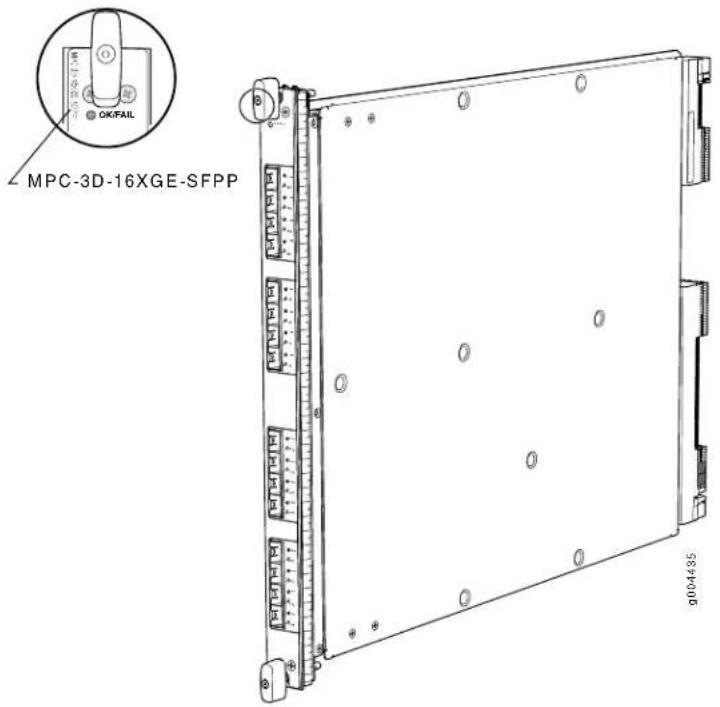
| Software release | Junos OS Release 10.0R2 and later |
| Description | Fixed configuration MPC with sixteen 10-Gigabit Ethernet portsPower requirement: 9.17 A @ 48 V (440 W)Weight: 18.35 lb (8.3 kg)Model numbers:MPC-3D-16XGE-SFPPMPC-3D-16XGE-SFPP-R-B |
| Hardware features | High-performance throughput on each port at speeds up to 10 GbpsFour fully programmable Junos Trio chipsets for increased scaling for bandwidth, subscribers, and servicesOne Junos Trio chipset per set of four portsLAN-PHY mode at 10.3125 Gbps |
| Software features | Optical diagnostics and related alarmsSee “Protocols and Applications Supported by MX240, MX480, MX960 MPCs” on page 88 for information about the protocols and applications that this MPC supports. |
Cables and connectors 10-Gigabit SFP+ transceivers:
| Connector: Duplex LC/PC (Rx and Tx) |
| 10GBASE-ER (model number: SFPP-10GE-ER) |
| 10GBASE-LR (model number: SFPP-10GE-LR) |
| 10GBASE-LRM (model number: SFPP-10GE-LRM) |
| 10GBASE-SR (model number: SFPP-10GE-SR) |
| Optical interface specifications—see 10-Gigabit Ethernet 10GBASE Optical Interface Specifications |
LEDs
| OK/FAIL LED, one bicolor: |
| Steady green-MPC is functioning normally. |
| Blinking green-MPC is transitioning online or offline. |
| Red-MPC has failed. |
| Enable/disable LED, one bicolor per port: |
| Green-Port is enabled. |
| Yellow-Port is not functioning normally. |
| Off-Port is disabled. |
| The enable/disable LEDs are labeled in groups of four: |
| 0/0 through 0/3 |
| 1/0 through 1/3 |
| 2/0 through 2/3 |
| 3/0 through 3/3 |
MPC1
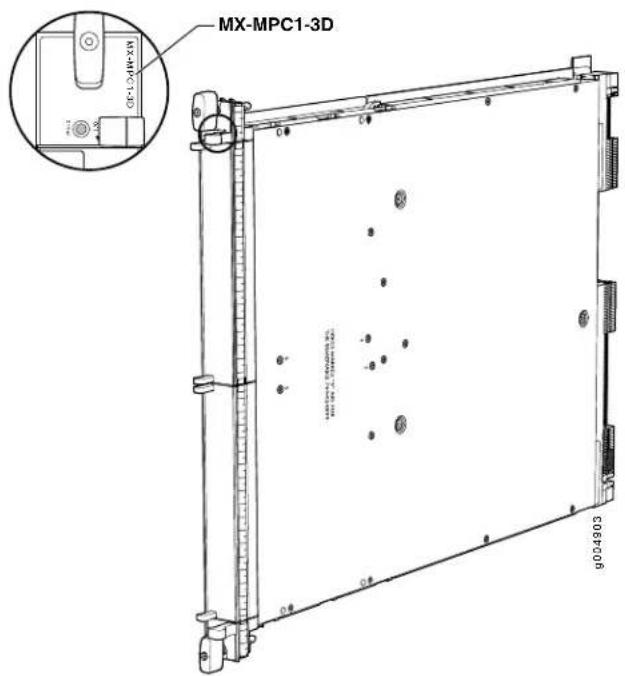
| • Junos OS Release 10.2 and laterSoftware release | |
| Description | • Power requirement: 3.4 A @ 48 V (165 W)• Weight: 13.8 lb (6.3 kg)• Model number: MX-MPC1-3D |
| Hardware features | • Two slots for MICs labeled PIC 0/1 and PIC 2/3• One Junos Trio chipset for increased scaling for bandwidth, subscribers, and services• LAN-PHY mode at 10.3125 Gbps• WAN-PHY mode at 9.953 Gbps |
| Software features | • See “Protocols and Applications Supported by MX240, MX480, MX960 MPCs” on page 88 for information about the protocols and applications that this MPC supports. |
| LEDs | OK/FAIL LED, one bicolor:• Steady green—MPC is functioning normally.• Blinking green—MPC is transitioning online or offline.• Red—MPC has failed. |
MPC1E
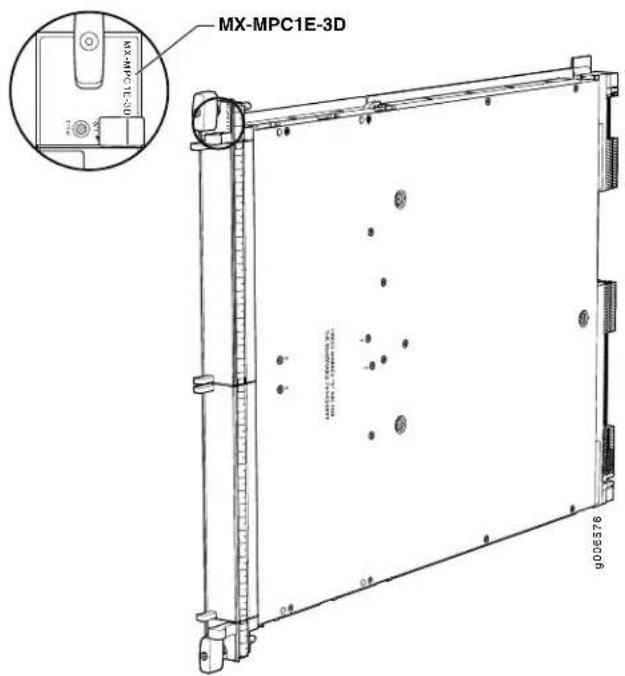
| • Junos OS Release 11.2R4 and laterSoftware release | |
| Description | • Power requirement: 3.4 A @ 48 V (165 W)• Weight: 13.8 lb (6.3 kg)• Model number: MX-MPC1E-3D |
| Hardware features | • Two slots for MICs labeled PIC 0/1 and PIC 2/3• One Junos Trio chipset for increased scaling for bandwidth, subscribers, and services• LAN-PHY mode at 10.3125 Gbps• WAN-PHY mode at 9.953 Gbps |
| Software features | • See “Protocols and Applications Supported by MX240, MX480, MX960 Enhanced MPCs (MPCE)” on page 96 for information about the protocols and applications that this MPC supports. |
| LEDs | OK/FAIL LED, one bicolor:• Steady green—MPC is functioning normally.• Blinking green—MPC is transitioning online or offline.• Red—MPC has failed. |
MPC1 Q
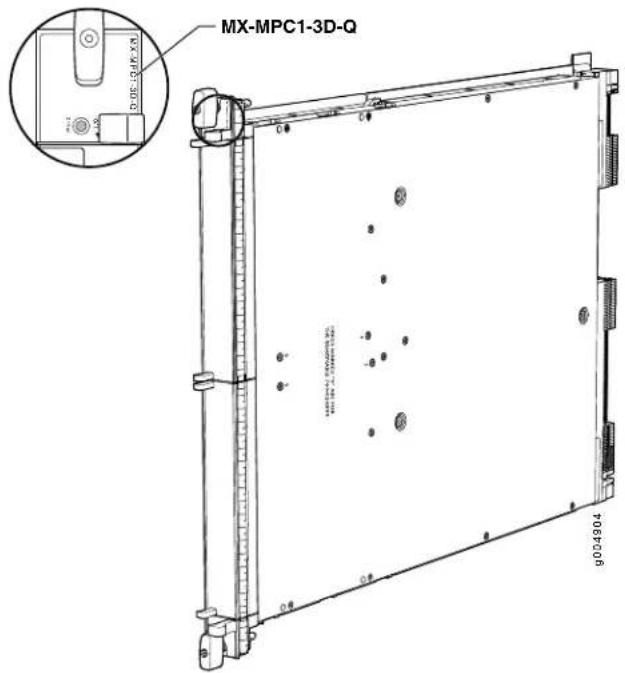
| • Junos OS Release 10.2 and laterSoftware release | |
| Description | • Power requirement: 3.65 A @ 48 V (175 W)• Weight: 13.8 lb (6.3 kg)• Model number: MX-MPC1-3D-Q |
| Hardware features | • Two slots for MICs labeled PIC 0/1 and PIC 2/3• One Junos Trio chipset for increased scaling for bandwidth, subscribers, and services• LAN-PHY mode at 10.3125 Gbps• WAN-PHY mode at 9.953 Gbps |
| Software features | • See “Protocols and Applications Supported by MX240, MX480, MX960 MPCs” on page 88 for information about the protocols and applications that this MPC supports. |
| LEDs | OK/FAIL LED, one bicolor:• Steady green—MPC is functioning normally.• Blinking green—MPC is transitioning online or offline.• Red—MPC has failed. |
MPC1E Q
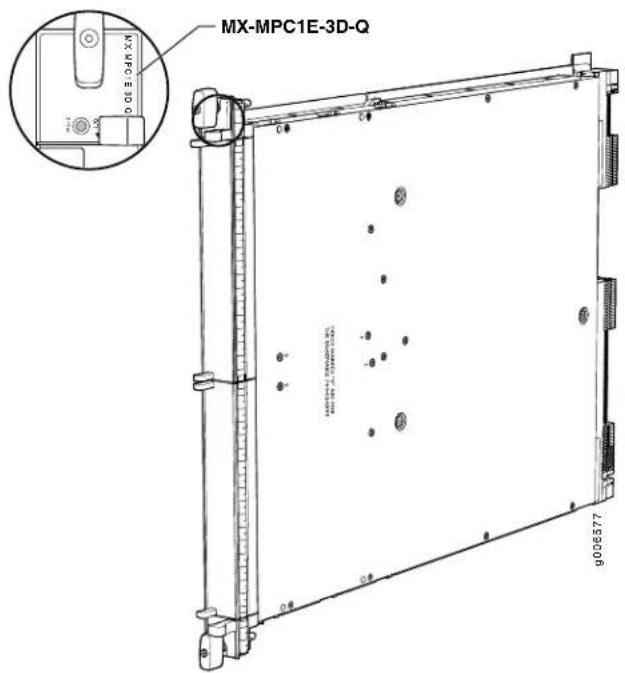
| • Junos OS Release 11.2R4 and laterSoftware release | |
| Description | • Power requirement: 3.65 A @ 48 V (175 W)• Weight: 13.8 lb (6.3 kg)• Model number: MX-MPC1E-3D-Q |
| Hardware features | • Two slots for MICs labeled PIC 0/1 and PIC 2/3• One Junos Trio chipset for increased scaling for bandwidth, subscribers, and services• LAN-PHY mode at 10.3125 Gbps• WAN-PHY mode at 9.953 Gbps |
| Software features | • See “Protocols and Applications Supported by MX240, MX480, MX960 Enhanced MPCs (MPCE)” on page 96 for information about the protocols and applications that this MPC supports. |
| LEDs | OK/FAIL LED, one bicolor:• Steady green—MPC is functioning normally.• Blinking green—MPC is transitioning online or offline.• Red—MPC has failed. |
MPC2
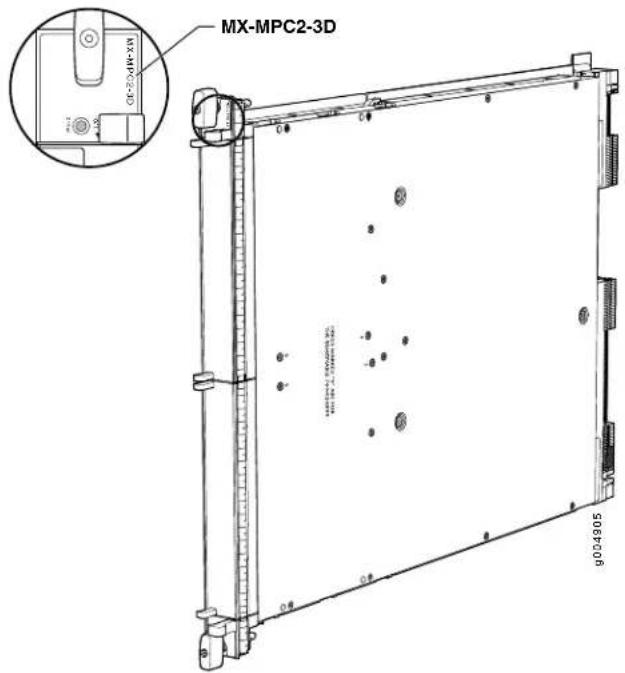
| • Junos OS Release 10.1 and laterSoftware release | |
| Description | • Power requirement: 5.7 A @ 48 V (274 W)• Weight: 14 lb (6.4 kg)• Model number: MX-MPC2-3D |
| Hardware features | • Two slots for MICs labeled PIC 0/1 and PIC 2/3• Two Junos Trio chipsets for increased scaling for bandwidth, subscribers, and services• LAN-PHY mode at 10.3125 Gbps• WAN-PHY mode at 9.953 Gbps |
| Software features | • See “Protocols and Applications Supported by MX240, MX480, MX960 MPCs” on page 88 for information about the protocols and applications that this MPC supports. |
| LEDs | OK/FAIL LED, one bicolor:• Steady green—MPC is functioning normally.• Blinking green—MPC is transitioning online or offline.• Red—MPC has failed. |
MPC2E
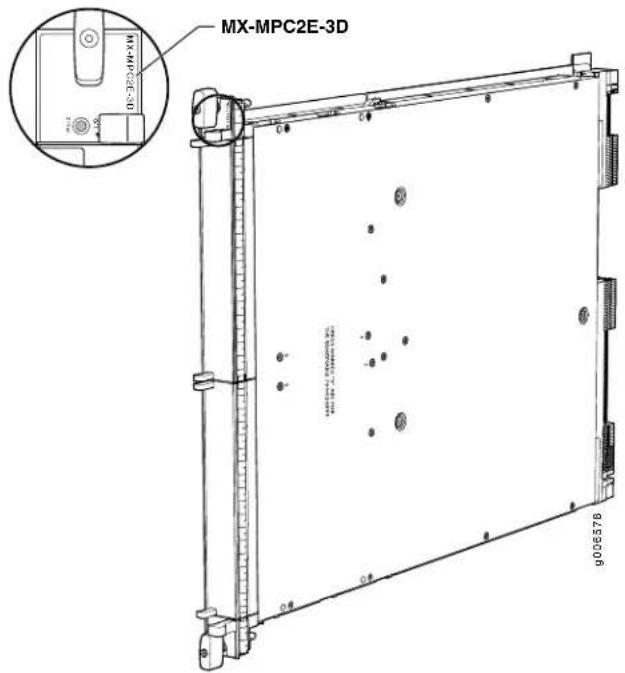
| • Junos OS Release 11.2R4 and laterSoftware release | |
| Description | • Power requirement: 5.7 A @ 48 V (274 W)• Weight: 14 lb (6.4 kg)• Model number: MX-MPC2E-3D |
| Hardware features | • Two slots for MICs labeled PIC 0/1 and PIC 2/3• Two Junos Trio chipsets for increased scaling for bandwidth, subscribers, and services• LAN-PHY mode at 10.3125 Gbps• WAN-PHY mode at 9.953 Gbps |
| Software features | • See “Protocols and Applications Supported by MX240, MX480, MX960 Enhanced MPCs (MPCE)” on page 96 for information about the protocols and applications that this MPC supports. |
| LEDs | OK/FAIL LED, one bicolor:• Steady green—MPC is functioning normally.• Blinking green—MPC is transitioning online or offline.• Red—MPC has failed. |
MPC2 Q
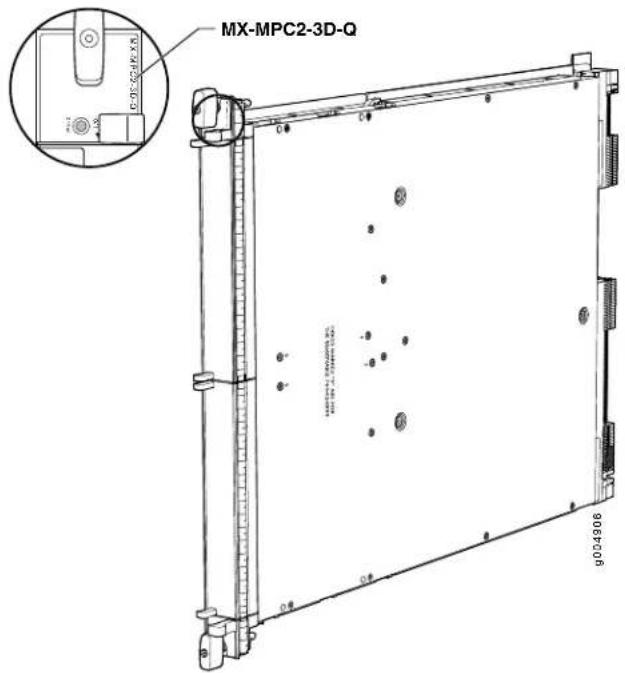
| • Junos OS Release 10.1 and laterSoftware release | |
| Description | • Power requirement: 6.13 A @ 48 V (294 W)• Weight: 14 lb (6.4 kg)• Model number: MX-MPC2-3D-Q |
| Hardware features | • Two slots for MICs labeled PIC 0/1 and PIC 2/3• Two Junos Trio chipsets for increased scaling for bandwidth, subscribers, and services• LAN-PHY mode at 10.3125 Gbps• WAN-PHY mode at 9.953 Gbps |
| Software features | • See “Protocols and Applications Supported by MX240, MX480, MX960 MPCs” on page 88 for information about the protocols and applications that this MPC supports. |
| LEDs | OK/FAIL LED, one bicolor:• Steady green—MPC is functioning normally.• Blinking green—MPC is transitioning online or offline.• Red—MPC has failed. |
MPC2E Q
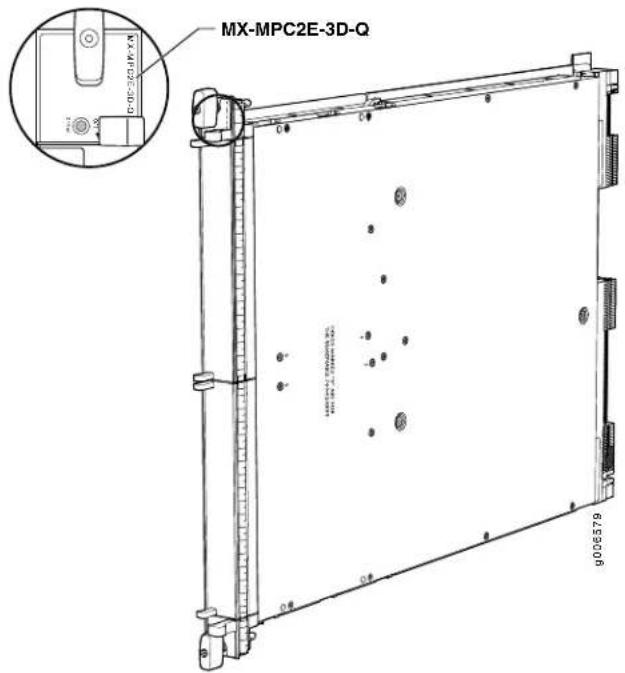
| • Junos OS Release 11.2R4 and laterSoftware release | |
| Description | • Power requirement: 6.13 A @ 48 V (294 W)• Weight: 14 lb (6.4 kg)• Model number: MX-MPC2E-3D-Q |
| Hardware features | • Two slots for MICs labeled PIC 0/1 and PIC 2/3• Two Junos Trio chipsets for increased scaling for bandwidth, subscribers, and services• LAN-PHY mode at 10.3125 Gbps• WAN-PHY mode at 9.953 Gbps |
| Software features | • See “Protocols and Applications Supported by MX240, MX480, MX960 Enhanced MPCs (MPCE)” on page 96 for information about the protocols and applications that this MPC supports. |
| LEDs | OK/FAIL LED, one bicolor:• Steady green—MPC is functioning normally.• Blinking green—MPC is transitioning online or offline.• Red—MPC has failed. |
MPC2 EQ
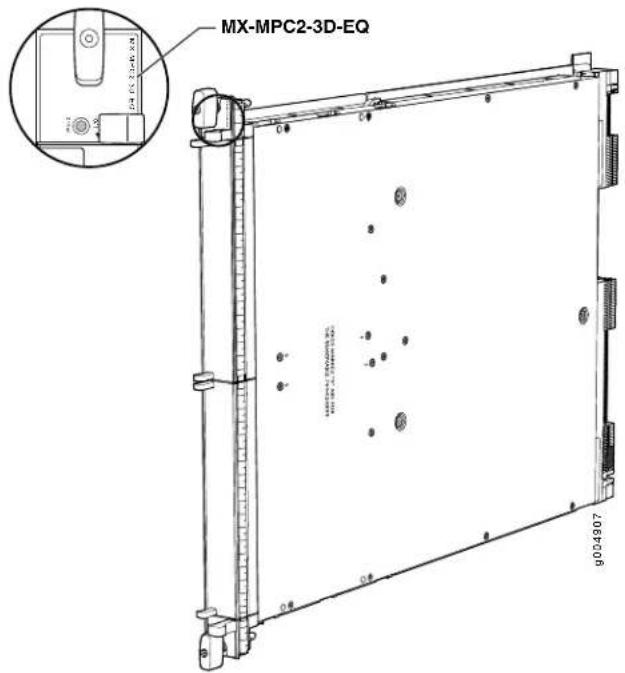
| • Junos OS Release 10.1 and laterSoftware release | |
| Description | • Power requirement: 6.13 A @ 48 V (294 W)• Weight: 14 lb (6.4 kg)• Model number: MX-MPC2-3D-EQ |
| Hardware features | • Two slots for MICs labeled PIC 0/1 and PIC 2/3• Two Junos Trio chipsets for increased scaling for bandwidth, subscribers, and services• LAN-PHY mode at 10.3125 Gbps• WAN-PHY mode at 9.953 Gbps |
| Software features | • See “Protocols and Applications Supported by MX240, MX480, MX960 MPCs” on page 88 for information about the protocols and applications that this MPC supports. |
| LEDs | OK/FAIL LED, one bicolor:• Steady green—MPC is functioning normally.• Blinking green—MPC is transitioning online or offline.• Red—MPC has failed. |
MPC2E EQ
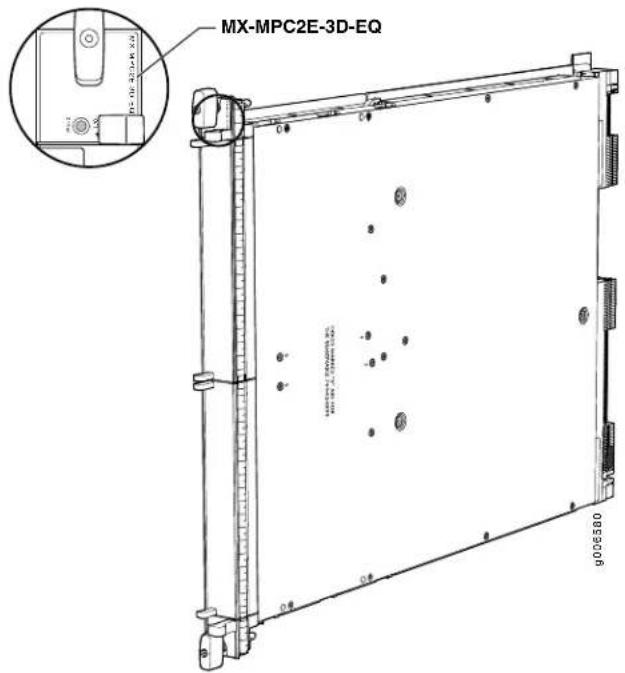
| • Junos OS Release 11.2R4 and laterSoftware release | |
| Description | • Power requirement: 6.13 A @ 48 V (294 W)• Weight: 14 lb (6.4 kg)• Model number: MX-MPC2E-3D-EQ |
| Hardware features | • Two slots for MICs labeled PIC 0/1 and PIC 2/3• Two Junos Trio chipsets for increased scaling for bandwidth, subscribers, and services• LAN-PHY mode at 10.3125 Gbps• WAN-PHY mode at 9.953 Gbps |
| Software features | • See “Protocols and Applications Supported by MX240, MX480, MX960 Enhanced MPCs (MPCE)” on page 96 for information about the protocols and applications that this MPC supports. |
| LEDs | OK/FAIL LED, one bicolor:• Steady green—MPC is functioning normally.• Blinking green—MPC is transitioning online or offline.• Red—MPC has failed. |
MPC3E
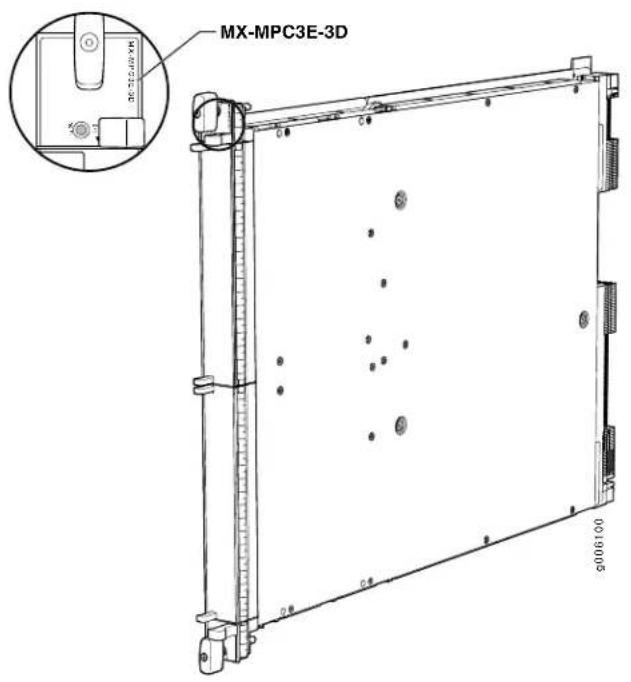
| • Junos OS Release 12.1 and laterSoftware release | |
| Description | • Power requirement: 10.83 A @ 48 V (440 W; plus 40 W for each of the two MICs)• Requires high-capacity fan trays• Weight: 14.94 lb (6.78 kg)• Model number: MX-MPC3E-3D |
| Hardware features | • Two slots for MICs labeled MIC 0/1 and MIC 2/3• Chipset for increased scaling for bandwidth, subscribers, and services |
| Software features | • See “Protocols and Applications Supported by MX240, MX480, MX960 MPCs” on page 88 for information about the protocols and applications that this MPC supports. |
| LEDs | OK/FAIL LED, one bicolor:• Steady green—MPC is functioning normally.• Blinking green—MPC is transitioning online or offline.• Red—MPC has failed. |
MX240, MX480, and MX960 MPC Protocol and Application Support
- Protocols and Applications Supported by MX240, MX480, MX960 MPCs on page 88
- Protocols and Applications Supported by MX240, MX480, MX960 Enhanced MPCs (MPCE) on page 96
- Protocols and Applications Supported by the MX240, MX480, MX960 MPC3E on page 103
Protocols and Applications Supported by MX240, MX480, MX960 MPCs
Table 8 on page 88 contains the first Junos OS Release support for protocols and applications on the MX240, MX480, MX960 MPCs (MPCs).
A dash indicates that the protocol or application is not supported.
Table 8: Protocols and Applications Supported by the MX240, MX480, MX960 MPCs
| Protocol or Application | First Junos OS Release Supported by MPC Model Number (MPC Name) | |||||
| MPC-3D-16XGE-SFPP(16x10GEMPC) | MX-MPC1-3D(MPC1) | MX-MPC2-3D(MPC2) | MX-MPC1-3D-Q(MPC1 Q) | MX-MPC2-3D-Q(MPC2 Q) | MX-MPC2-3D-EQ(MPC2 EQ) | |
| Protocol (ANCP) | 10.210.210.210.210.2-Access Node | |||||
| GRE tunnels or DVMRP(IP-in-IP) tunnels | 10.110.110.210.110.210.0R2Accepts | |||||
| Detection protocol (BFD) | 10.110.110.210.110.210.0R2Bidirectic | |||||
| (BGP) | 10.110.110.210.110.210.0R2Border C | |||||
| Switching (MPLS) virtualprivate networks (VPNs) | 10.110.110.210.110.210.0R2BGP/Mul | |||||
| Routing Protocol (DVMRP)and generic routingencapsulation (GRE)support-access side andserver side | 10.110.110.210.110.210.0R2Distance | |||||
| IEEE 802.lag Ethernet OAM10.2Continuity Check protocol | (bridge familysupported in10.4) | 10.2(bridge familysupported in10.4) | 10.2(bridge familysupported in10.4) | 10.2(bridge familysupported in10.4) | 10.2(bridge familysupported in10.4) | 10.2(bridge familysupported in10.4) |
Table 8: Protocols and Applications Supported by the MX240, MX480, MX960 MPCs (cont
| Protocol or Application | First Junos OS Release Supported by MPC Model Number (MPC Name) | |||||
| MPC-3D-16XGE-SFPP(16x10GEMPC) | MX-MPC1-3D(MPC1) | MX-MPC2-3D(MPC2) | MX-MPC1-3D-Q(MPC1 Q) | MX-MPC2-3D-Q(MPC2 Q) | MX-MPC2-3D-EQ(MPC2 EQ) | |
| IEEE 802.lag Ethernet OAM10.2Linktrace protocol | (bridge family supported in 10.4) | 10.2(bridge family supported in 10.4) | 10.2(bridge family supported in 10.4) | 10.2(bridge family supported in 10.4) | 10.2(bridge family supported in 10.4) | 10.2(bridge family supported in 10.4) |
| IEEE 802.lag Ethernet OAM10.2Loopback protocol | (bridge family supported in 10.4) | 10.2(bridge family supported in 10.4) | 10.2(bridge family supported in 10.4) | 10.2(bridge family supported in 10.4) | 10.2(bridge family supported in 10.4) | 10.2(bridge family supported in 10.4) |
| 10.110.110.210.110.210.0R2Firewall | ||||||
| encapsulation | 10.110.110.210.110.210.0R2Flexible | |||||
| Switchover (GRES) | 10.110.110.210.110.210.0R2Graceful | |||||
| upgrade (ISSU) | ----Unified in-service softw | |||||
| Services code point(DSCP) rewrite | 10.110.110.210.110.210.0R2Ingress I | |||||
| quality-of-service (HQoS)shaping and scheduling:Group of virtual LANs(VLANs) levelVirtual LAN (VLAN) levelPort level | ----Ingress hierarchical | |||||
| 10.110.110.210.110.210.0R2Intelligen | ||||||
| bridging (IRB) | 10.110.110.210.110.210.1Integrated r | |||||
| System-to-IntermediateSystem (IS-IS) | 10.110.110.210.110.210.0R2Intermed | |||||
Table 8: Protocols and Applications Supported by the MX240, MX480, MX960 MPCs (cont
| Protocol or Application | First Junos OS Release Supported by MPC Model Number (MPC Name) | |||||
| MPC-3D-16XGE-SFPP(16x10GEMPC) | MX-MPC1-3D(MPC1) | MX-MPC2-3D(MPC2) | MX-MPC1-3D-Q(MPC1 Q) | MX-MPC2-3D-Q(MPC2 Q) | MX-MPC2-3D-EQ(MPC2 EQ) | |
| Management Protocol(IGMP) (excluding snooping) | 10.110.110.210.110.210.0R2Internet | |||||
| Management Protocol(IGMP) snooping | 11.411.411.411.411.4Internet Grou | |||||
| 10.110.110.210.110.210.0R2IPv4 | ||||||
| 10.110.110.210.110.210.0R2IP multic | ||||||
| 10.210.210.210.210.210.2IPv6 | ||||||
| 10.210.210.210.210.210.2IPv6 MLD | ||||||
| 10.210.210.210.210.210.2IPv6 mult | ||||||
| 10.210.210.210.210.210.2IPv6 Neig | ||||||
| (LDP) | 10.110.110.210.110.210.0R2Label DI | |||||
| (LSPs) including accounting, policers, and filtering | 10.110.110.210.110.210.0R2Labeled | |||||
| 10.110.110.210.110.210.0R2LAN-PH | ||||||
| 10.110.110.210.110.210.0R2Layer 2 | ||||||
| aggregation | 10.110.110.210.110.210.0R2IEEE 80 | |||||
| Protocol (LACP) | 10.110.110.210.110.210.0R2Link Agg | |||||
| 10.110.110.210.110.210.0R2Local lo | ||||||
| accounting, and filtering | 10.110.110.210.110.210.0R2MAC lea | |||||
Table 8: Protocols and Applications Supported by the MX240, MX480, MX960 MPCs (cont
| Protocol or Application | First Junos OS Release Supported by MPC Model Number (MPC Name) | |||||
| MPC-3D-16XGE-SFPP(16x10GEMPC) | MX-MPC1-3D(MPC1) | MX-MPC2-3D(MPC2) | MX-MPC1-3D-Q(MPC1 Q) | MX-MPC2-3D-Q(MPC2 Q) | MX-MPC2-3D-EQ(MPC2 EQ) | |
| ----Mobile IP | ||||||
| aggregation | 11.111.111.111.1-Multi-chassis link | |||||
| Identifiers (TPIDs) | 10.110.110.210.110.210.0R2Multiple | |||||
| Switching (MPLS) | 10.110.110.210.110.210.0R2Multiprot | |||||
| (NSR) | 10.110.110.210.110.210.0R2Nonstop | |||||
| • Discovery and link monitoring• Fault signaling and detection• Remote loopback | 10.410.410.410.410.4IEEE 802 | |||||
| 10.110.110.210.110.210.0R2Multitopx | ||||||
| 10.110.110.210.110.210.0R2OSPF | ||||||
| 10.110.110.210.110.210.0R2Packet r | ||||||
| backbone bridges (PBB) | ----IEEE 802.1ah provider | |||||
Table 8: Protocols and Applications Supported by the MX240, MX480, MX960 MPCs (cont
| Protocol or Application | First Junos OS Release Supported by MPC Model Number (MPC Name) | |||||
| MPC-3D-16XGE-SFPP(16x10GEMPC) | MX-MPC1-3D(MPC1) | MX-MPC2-3D(MPC2) | MX-MPC1-3D-Q(MPC1 Q) | MX-MPC2-3D-Q(MPC2 Q) | MX-MPC2-3D-EQ(MPC2 EQ) | |
10.110.110.210.110.210.0R2Quality
per port:
• Eight queues per port
- Excess-rate configuration at the traffic-control-profile level
- Excess-rate and excess-priority configuration at the queue level
- Shaping at port level
- Shaping at queue level
- Scheduling of queues based on weighted round-robin (WRR) per priority class
- Tricolor marking
• Weighted random early detection (WRED)
Quality of service (QoS) per virtual LAN (VLAN):
• Accounting, filtering, and policing
10.110.110.210.110.210.0R2
- IEEE 802.1p rewrite 10.110.110.210.110.210.0R2
• Classification 10.110.110.210.110.210.0R2
- Excess-rate configuration at the traffic-control-profile level 10.110.110.2---
- Excess-rate and excess-priority configuration at the queue level 10.110.110.2---
• Tricolor marking 10.110.110.210.110.210.0R2
- Shaping at the queue level 10.110.110.2---
Table 8: Protocols and Applications Supported by the MX240, MX480, MX960 MPCs (cont
| Protocol or Application | First Junos OS Release Supported by MPC Model Number (MPC Name) | |||||
| MPC-3D-16XGE-SFPP(16x10GEMPC) | MX-MPC1-3D(MPC1) | MX-MPC2-3D(MPC2) | MX-MPC1-3D-Q(MPC1 Q) | MX-MPC2-3D-Q(MPC2 Q) | MX-MPC2-3D-EQ(MPC2 EQ) | |
| · Scheduling of queues based on weighted round-robin (WRR) per priority class | 10.110.110.2--- | |||||
| · Weighted random early detection (WRED) | 10.110.110.2--- | |||||
| Quality of service (QoS) per Point-to-Point Protocol over Ethernet (PPPoE) or Dynamic Host Configuration Protocol (DHCP) subscriber interfaces: | ||||||
| · Accounting, filtering, and policing | 10.110.110.210.110.2- | |||||
| · IEEE 802.1p rewrite | 10.110.110.210.110.2- | |||||
| · Classification | 10.110.110.210.110.2- | |||||
| · Excess-rate configuration at the traffic-control-profile level | 10.110.110.2--- | |||||
| · Excess-rate and excess-priority configuration at the queue level | 10.110.110.2--- | |||||
| · Tricolor marking | 10.110.110.210.110.2- | |||||
| · Shaping at the queue level | 10.110.110.2--- | |||||
| · Scheduling of queues based on weighted round-robin (WRR) per priority class | 10.110.110.2--- | |||||
| · Weighted random early detection (WRED) | 10.110.110.2--- | |||||
| 10.110.110.210.110.210.0R2RSVP | ||||||
Table 8: Protocols and Applications Supported by the MX240, MX480, MX960 MPCs (cont
| Protocol or Application | First Junos OS Release Supported by MPC Model Number (MPC Name) | |||||
| MPC-3D-16XGE-SFPP(16x10GEMPC) | MX-MPC1-3D(MPC1) | MX-MPC2-3D(MPC2) | MX-MPC1-3D-Q(MPC1 Q) | MX-MPC2-3D-Q(MPC2 Q) | MX-MPC2-3D-EQ(MPC2 EQ) | |
| 10.110.110.210.110.210.0R2RIP | ||||||
| 10.110.110.210.110.210.0R2SNMP | ||||||
| 10.210.210.210.210.2Spanning | ||||||
| IEEE 802.1D Spanning Tree Protocol (STP)IEEE 802.1s Multiple Spanning Tree ProtocolPer-VLAN Spanning Tree (PVST)+IEEE 802.1w Rapid Spanning Tree Protocol (RSTP) | ||||||
| Subscriber Management: | ||||||
| Aggregated Ethernet over static VLANs | 10.110.110.210.110.2- | |||||
| Aggregated Ethernet over dynamic VLANs | 10.210.210.210.210.2- | |||||
| DHCP access model | 10.110.110.210.110.2- | |||||
| Dynamic adjustment of shapers | 10.110.110.210.110.2- | |||||
| Dynamic PPPoE subscriber interface creation based on PPPoE service name table configuration | 10.110.110.210.110.2- | |||||
| Dynamic profiles | 10.110.110.210.110.2- | |||||
| Dynamic shaping, scheduling, and queuing | 10.110.110.210.110.2- | |||||
| Dynamic VLANs | 10.210.210.210.210.2- | |||||
| Static and dynamic PPPoE subscriber interfaces | 10.110.110.210.110.2- | |||||
Table 8: Protocols and Applications Supported by the MX240, MX480, MX960 MPCs (cont
| Protocol or Application | First Junos OS Release Supported by MPC Model Number (MPC Name) | |||||
| MPC-3D-16XGE-SFPP(16x10GEMPC) | MX-MPC1-3D(MPC1) | MX-MPC2-3D(MPC2) | MX-MPC1-3D-Q(MPC1 Q) | MX-MPC2-3D-Q(MPC2 Q) | MX-MPC2-3D-EQ(MPC2 EQ) | |
| (SyncE) | ----11.2R4Synchronous Ethern | |||||
| 10.110.110.210.110.210.0R2Tunnel s | ||||||
| • GRE unicast tunneling-Supports GRE fragmentation• IP-IP unicast tunneling• Multicast tunneling• Protocol Independent Multicast (PIM) sparse mode unicast tunneling• Virtual loopback tunneling (VT) | ||||||
| Measurement Protocol(TWAMP) | 10.110.110.210.110.210.0R2Two-Wa | |||||
| 10.110.110.210.110.210.0R2IEEE 80. | ||||||
| • VLAN stacking and rewriting• Channels defined by two stacked VLAN tags• Flexible VLAN tagging• IP service for nonstandard TPID and stacked VLAN tags | ||||||
| 11.211.211.211.211.2Virtual Chassis | ||||||
| (VPLS) | 10.110.110.210.110.210.0R2Virtual p | |||||
| (VPN) | 10.110.110.210.110.210.0R2Virtual p | |||||
| Protocol (VRRP) for IPv4 | 10.110.110.210.110.210.0R2Virtual F | |||||
| 10.210.210.210.210.2-WAN-PHY n | ||||||
Protocols and Applications Supported by MX240, MX480, MX960 Enhanced MPCs (MPCE)
Table 9 on page 96 contains the first Junos OS Release support for protocols and applications on the MX240, MX480, MX960 Enhanced MPCs (MPCEs).
A dash indicates that the protocol or application is not supported.
Table9: Protocols and Applications Supported by the MX240, MX480, MX960 EnhancedMF (MPCEs)
| Protocol or Application | First Junos OS Release Supported by MPCE Model Number (MPCE Name) | ||||
| MX-MPC1E-3D(MPC1E) | MX-MPC2E-3D(MPC2E) | MX-MPC1E-3D-Q(MPC1E Q) | MX-MPC2E-3D-Q(MPC2E Q) | MX-MPC2E-3D-EQ(MPC2E EQ) | |
| Protocol (ANCP) | 11.2R411.2R411.2R411.2R411.2R4Access | ||||
| GRE tunnels or DVMRP(IP-in-IP) tunnels | 11.2R411.2R411.2R411.2R411.2R4Accept | ||||
| Detection protocol (BFD) | 11.2R411.2R411.2R411.2R411.2R4Bidirect | ||||
| (BGP) | 11.2R411.2R411.2R411.2R411.2R4Border | ||||
| Switching (MPLS) virtual private networks (VPNs) | 11.2R411.2R411.2R411.2R411.2R4BGP/M | ||||
| Routing Protocol (DVMRP) and generic routing encapsulation (GRE) support-access side and server side | 11.2R411.2R411.2R411.2R411.2R4Distanc | ||||
| Continuity Check protocol | 11.2R411.2R411.2R411.2R411.2R4IEEE 8 | ||||
| Linktrace protocol | 11.2R411.2R411.2R411.2R411.2R4IEEE 8 | ||||
| Loopback protocol | 11.2R411.2R411.2R411.2R411.2R4IEEE 8 | ||||
| 11.2R411.2R411.2R411.2R411.2R4Firewal | |||||
| encapsulation | 11.2R411.2R411.2R411.2R411.2R4Flexible | ||||
| Switchover (GRES) | 11.2R411.2R411.2R411.2R411.2R4Gracefu | ||||
| upgrade (ISSU) | ----Unified in-service software | ||||
| Services code point(DSCP) rewrite | 11.2R411.2R411.2R411.2R411.2R4Ingress | ||||
| quality-of-service (HQoS)shaping and scheduling:Group of virtual LANs(VLANs) levelVirtual LAN (VLAN) levelPort level | ----Ingress hierarchical | ||||
| 11.2R411.2R411.2R411.2R411.2R4Intellige | |||||
| bridging (IRB) | 11.2R411.2R411.2R411.2R411.2R4Integra | ||||
| System-to-IntermediateSystem (IS-IS) | 11.2R411.2R411.2R411.2R411.2R4Interme | ||||
| Management Protocol(IGMP) (excludingsnooping) | 11.2R411.2R411.2R411.2R411.2R4Interne | ||||
| Management Protocol(IGMP) snooping | 11.2R411.2R411.2R411.2R411.2R4Interne | ||||
| 11.2R411.2R411.2R411.2R411.2R4IPv4 | |||||
| 11.2R411.2R411.2R411.2R411.2R4IP mul | |||||
| 11.2R411.2R411.2R411.2R411.2R4IPv6 | |||||
| 11.2R411.2R411.2R411.2R411.2R4IPv6 N | |||||
| 11.2R411.2R411.2R411.2R411.2R4IPv6 m | |||||
| 11.2R411.2R411.2R411.2R411.2R4IPv6 N | |||||
| (LDP) | 11.2R411.2R411.2R411.2R411.2R4Label I | ||||
| (LSPs) including accounting, policers, and filtering | 11.2R411.2R411.2R411.2R411.2R4Labeled | ||||
| 11.2R411.2R411.2R411.2R411.2R4LAN-PH | |||||
| 11.2R411.2R411.2R411.2R411.2R4Layer 3 | |||||
| aggregation | 11.2R411.2R411.2R411.2R411.2R4IEEE 8 | ||||
| Protocol (LACP) | 11.2R411.2R411.2R411.2R411.2R4Link Ag | ||||
| 11.2R411.2R411.2R411.2R411.2R4Local I | |||||
| accounting, and filtering | 11.2R411.2R411.2R411.2R411.2R4MAC Is | ||||
| ----Mobile IP | |||||
| aggregation | 11.2R411.2R411.2R411.2R411.2R4Multi-c | ||||
| Identifiers (TPIDs) | 11.2R411.2R411.2R411.2R411.2R4Multiple | ||||
| Switching (MPLS) | 11.2R411.2R411.2R411.2R411.2R4Multipn | ||||
| (NSR) | 11.2R411.2R411.2R411.2R411.2R4Nonsto | ||||
| 11.2R411.2R411.2R411.2R411.2R4IEEE 8 | |||||
| • Discovery and link monitoring• Fault signaling and detection• Remote loopback | |||||
| 11.2R411.2R411.2R411.2R411.2R4Multito | |||||
| 11.2R411.2R411.2R411.2R411.2R4OSPF | |||||
| 11.2R411.2R411.2R411.2R411.2R4Packet | |||||
| backbone bridges (PBB) | 11.2R411.2R411.2R411.2R411.2R4IEEE 8 | ||||
| 11.2R411.2R411.2R411.2R411.2R4Quality | |||||
| per port:• Eight queues per port• Excess-rate configuration at the traffic-control-profile level• Excess-rate and excess-priority configuration at the queue level• Shaping at port level• Shaping at queue level• Scheduling of queues based on weighted round-robin (WRR) per priority class• Tricolor marking• Weighted random early detection (WRED) | |||||
| Quality of service (QoS) per virtual LAN (VLAN):• Accounting, filtering, and policing | 11.2R411.2R411.2R411.2R411.2R4 | ||||
| IEEE 802.1p rewrite | 11.2R411.2R411.2R411.2R411.2R4 | ||||
| Classification | 11.2R411.2R411.2R411.2R411.2R4 | ||||
| Excess-rate configuration at the traffic-control-profile level | 11.2R411.2R411.2R4-- | ||||
| Excess-rate and excess-priority configuration at the queue level | 11.2R411.2R411.2R4-- | ||||
| Tricolor marking | 11.2R411.2R411.2R411.2R411.2R4 | ||||
| Shaping at the queue level | 11.2R411.2R411.2R4-- | ||||
| Scheduling of queues based on weighted round-robin (WRR) per priority class | 11.2R411.2R411.2R4-- | ||||
| Weighted random early detection (WRED) | 11.2R411.2R411.2R4-- | ||||
| Quality of service (QoS) per Point-to-Point Protocol over Ethernet (PPPoE) or Dynamic Host Configuration Protocol (DHCP) subscriber interfaces: | |||||
| Accounting, filtering, and policing | 11.2R411.2R411.2R411.2R411.2R4 | ||||
| IEEE 802.1p rewrite | 11.2R411.2R411.2R411.2R411.2R4 | ||||
| Classification | 11.2R411.2R411.2R411.2R411.2R4 | ||||
| Excess-rate configuration at the traffic-control-profile level (MPC1E) | 11.2R411.2R411.2R4-- | ||||
| Excess-rate and excess-priority configuration at the queue level | 11.2R411.2R411.2R4-- | ||||
| Tricolor marking | 11.2R411.2R411.2R411.2R411.2R4 | ||||
| Shaping at the queue level | 11.2R411.2R411.2R4-- | ||||
| Scheduling of queues based on weighted round-robin (WRR) per priority class | 11.2R411.2R411.2R4-- | ||||
| Weighted random early detection (WRED) | 11.2R411.2R411.2R4-- | ||||
| 11.2R411.2R411.2R411.2R4RSVP | |||||
| 11.2R411.2R411.2R411.2R4RIP | |||||
| 11.2R411.2R411.2R411.2R4SNMP | |||||
| 11.2R411.2R411.2R411.2R4Spannii | |||||
| IEEE 802.1D Spanning Tree Protocol (STP) | |||||
| IEEE 802.1s Multiple Spanning Tree Protocol | |||||
| Per-VLAN Spanning Tree (PVST)+ | |||||
| IEEE 802.1w Rapid Spanning Tree Protocol (RSTP) | |||||
| Subscriber Management: | |||||
| Aggregated Ethernet over static VLANs | 11.2R411.2R411.2R411.2R411.2R4 | ||||
| Aggregated Ethernet over dynamic VLANs | 11.2R411.2R411.2R411.2R411.2R4 | ||||
| DHCP access model | 11.2R411.2R411.2R411.2R411.2R4 | ||||
| Dynamic adjustment of shapers | 11.2R411.2R411.2R411.2R411.2R4 | ||||
| Dynamic PPPoE subscriber interface creation based on PPPoE service name table configuration | 11.2R411.2R411.2R411.2R411.2R4 | ||||
| Dynamic profiles | 11.2R411.2R411.2R411.2R411.2R4 | ||||
| Dynamic shaping, scheduling, and queuing | 11.2R411.2R411.2R411.2R411.2R4 | ||||
| Dynamic VLANs | 11.2R411.2R411.2R411.2R411.2R4 | ||||
| Static and dynamic PPPoE subscriber interfaces | 11.2R411.2R411.2R411.2R411.2R4 | ||||
| (SyncE) | 11.2R411.2R411.2R411.2R411.2R4Synchr | ||||
| 11.2R411.2R411.2R411.2R411.2R4Tunnel | |||||
| GRE unicast tunneling-Supports GRE fragmentationIP-IP unicast tunnelingMulticast tunnelingProtocol Independent Multicast (PIM) sparse mode unicast tunnelingVirtual loopback tunneling (VT) | |||||
| Measurement Protocol(TWAMP) | 11.2R411.2R411.2R411.2R411.2R4Two-W | ||||
Table 9: Protocols and Applications Supported by the MX240, MX480, MX960 Enhanced MF (MPCEs) (continued)
| Protocol or Application | First Junos OS Release Supported by MPCE Model Number (MPCE Name) | ||||
| MX-MPC1E-3D(MPC1E) | MX-MPC2E-3D(MPC2E) | MX-MPC1E-3D-Q(MPC1E Q) | MX-MPC2E-3D-Q(MPC2E Q) | MX-MPC2E-3D-EQ(MPC2E EQ) | |
• VLAN stacking and rewriting
- Channels defined by two stacked VLAN tags
- Flexible VLAN tagging
• IP service for nonstandard TPID and stacked VLAN tags
| 11.2R411.2R411.2R411.2R411.2R4Virtual | |
| (VPLS) | 11.2R411.2R411.2R411.2R411.2R4Virtual |
| (VPN) | 11.2R411.2R411.2R411.2R411.2R4Virtual |
| Protocol (VRRP) for IPv4 | 11.2R411.2R411.2R411.2R411.2R4Virtual |
| 11.2R411.2R411.2R411.2R411.2R4WAN-P |
Protocols and Applications Supported by the MX240, MX480, MX960 MPC3E
Table 10 on page 103 contains the first Junos OS Release support for protocols and applications on the MX Series MPC3E. The protocols and applications support feature parity with Junos OS Release 10.4. A dash indicates that the protocol or application is not supported.
Table 10: Protocols and Applications Supported by the MX Series MPC3E
| First Supported Junos OS ReleasePro | |
| 12.1Access Node Control Protocol (ANCP) | |
| Distance Vector Multicast Routing Protocol (DVMRP) (IP-in-IP) tunnels | 12.1Accepts traffic destined for generic routing encapsulation |
| • Dynamic | |
| • Manual | |
| 12.1Bidirectional Forwarding Detection protocol (BFD) |
Table 10: Protocols and Applications Supported by the MX Series MPC3E (continued)
| First Supported Junos OS ReleasePro | |
| 12.1Border Gateway Protocol (BGP) | |
| -Bridge Protocol Data Units (BPDUs) | |
| 12.1BGP/MPLS virtual private networks (VPNs) |
12.1 Class of service (CoS):
- Maintain CoS across internal tunnel interfaces
- Behavior aggregate (BA) classification based on 802.1p of "payload" for core-facing VPLS interfaces
- BA DSCP classification of MPLS packets for L3VPN/VPLS LSI and MPLS interfaces
• Rate limit option for per-port queues
• BA DSCP classification for VPLS/CCC family - Configurable .1p inheritance: push and swap from the hidden tag
- Maintain class/priority through logical tunnels
- Configurable shaping overhead for scheduling
- Configurable shaping overhead for scheduling
Class of service (CoS) per port:
12.1
• Eight queues per port
- Excess-rate configuration at the traffic-control-profile level
- Excess-rate and excess-priority configuration at the queue level
- Shaping at the port level
- Shaping at the queue level
- Scheduling of queues based on weighted round-robin (WRR) per priority class
• Random early detection (RED)
- Tricolor marking
• Weighted random early detection (WRED)
NOTE: Fine-grained queuing and input queuing is not supported.
12.1 Class of service (CoS) per virtual LAN (VLAN):
• Accounting, filtering, and policing
- IEEE 802.1p rewrite
- Classification
- Excess-rate configuration at the traffic-control-profile level
- Excess-rate and excess-priority configuration at the queue level
- Tricolor marking
- Shaping at the queue level
- Scheduling of queues based on weighted round-robin (WRR) per priority class
• Weighted random early detection (WRED)
Table 10: Protocols and Applications Supported by the MX Series MPC3E (continued)
| First Supported Junos OS ReleasePro | |
| Dynamic Host Configuration Protocol (DHCP) subscriber interfaces: | 12.1Class of service (CoS) per Point-to-Point Protocol over |
| Accounting, filtering, and policingIEEE 802.1p rewriteClassificationExcess-rate configuration at the traffic-control-profile levelExcess-rate and excess-priority configuration at the queue levelTricolor markingShaping at the queue levelScheduling of queues based on weighted round-robin (WRR) per priority classWeighted random early detection (WRED) | |
| 12.1DVMRP and GRE support—access side and server side | |
| -Ethernet Ring Protection Switching Overview with multiple | |
| -IEEE 802.1ag Ethernet OAM Continuity Check protocol | |
| -IEEE 802.1ag Ethernet OAM Linktrace protocol | |
| -IEEE 802.1ag Ethernet OAM Loopback protocol | |
| stacked VLAN tagging, trunk ports, support for VPLS/VPWS, VLAN circuit cross-connect (CCC) encapsulation and transition cross-connect (TCC) encapsulation | -IEEE 802.1ag Mapped IP (MIP) support, continuity check n |
| Port Status TLV and Interface Status TLV | -IEEE 802.1ag Optional Type, Length, and Value (TLVs) sup |
| indication signal (AIS) and remote defect indication (RDI) support | -IEEE 802.3ah Distributed periodic packet management proc |
| Firewall filters and policers: | 12.1 |
| Policer support for aggregated EthernetAggregate firewall-based policer for all families of a logical interfaceSet forwarding class, loss priority for Routing Engine-generated packets by using a firewallPhysical interface policers, applying policer to the entire portLower policer limit from 32K to 8KEgress .1p MF and BA classification for VPLS | NOTE: Packet length used for the policer included in the Layer 2 header is not supported in 12.1.NOTE: Intelligent hierarchical policers are not supported in 12.1. |
| 12.1Flexible Ethernet encapsulation | |
| —Graceful routing engine switchover (GRES) | |
| 12.1IGMPv3 support with snooping disabled | |
| 12.1Ingress Differentiated Services Code Point (DSCP) rewrite | |
| hierarchical-scheduler: | -Ingress and egress hierarchical class of service (CoS) sha |
| • Group of virtual LANs (VLANs) level | |
| • VLAN level | |
| • Port level | |
| 12.1Inline flow monitoring | |
| 12.1Intelligent oversubscription | |
| -Integrated routing bridging (IRB) | |
| -Unified In-service software upgrade (ISSU) | |
| 12.1Interoperability with MPCs and existing DPCs | |
| -Interoperability with Multiservices (MS) DPC | |
| -Interoperability with MX Flexible PIC Concentrator (MX-FPC | |
| 12.1IPv4 | |
| 12.1IPv4 multicast | |
| 12.1IPv6 | |
| 12.1IPv6 MLD | |
| 12.1IPv6 multicast | |
| 12.1IPv6 Neighbor Discovery | |
| 12.1IS-IS | |
| -ITU-T Y.1731 Timestamping support on MX | |
| -Flow monitoring and services: | |
| Active monitoring (multiple simultaneous v8 version j-flow templates)Active monitoring (cflowed version 9 templates)Port mirroring family VPLS, bridge circuit cross-connect (CCC) encapsulation (VPWS)Packet slice for port mirroringFlow monitoring on MS-DPCInline flow monitoring on MPC3E | |
| 12.1Labeled-switched-paths (LSPs) including accounting, policy | |
| 12.1LAN-PHY mode | |
| 12.1LDP | |
| -Layer 2 features: | |
| Frame filteringTrunk portsL2 forwarding support under logical systemsL2 support for MX-VCL2/L2.5, integrated routing and bridging (IRB), and Spanning Tree Protocols (xSTP) support802.1 provider bridgesLayer 2 protocol tunneling (L2PT) supportMulti-chassis link aggregation group (LAG)-active/active and active/standbyMulti-chassis link aggregation group (LAG)-active/active with IGMP snoopingLink aggregation group (LAG)-VLAN-ccc encapsulation supportInternet Group Management Protocol (IGMP) snooping with bridging, IRB, and VPLS | |
12.1 Layer 2 VPN interfaces support vlan-id list
Table 10: Protocols and Applications Supported by the MX Series MPC3E (continued)
| First Supported Junos OS ReleasePro | |
| Layer 3 features: | 12.1 |
| • IPv6 | NOTE: Multicast over IRB is not supported for 12.1 |
| • Directed broadcast | |
| • Interoperability of PIM register message with Cisco IOS | |
| • BFD session failure action for LDP LSPs (including equal-cost multipath [ECMP]) | |
| • ASM group override of SSM ranges | |
| • Data Multicast Distribution Trees (MDTs) and subsequent address family identifier information (SAFI) | |
| • Multicast in BGP and MPLS VPNs (Draft Rosen 7, Interprovider option A) | |
| • Support local-as alias hidden command | |
| • l3vpn-composite-nexthop with eiBGP interop | |
| 12.1Link aggregation (IEEE 802.3ad) | |
| 12.1Link Aggregation Control Protocol (LACP) | |
| -Link Layer Discovery Protocol | |
| 12.1Local loopback | |
| 12.1MAC learning, policing, accounting, and filtering | |
| -Mobile IP | |
| -Multichassis link aggregation | |
| 12.1Multiple Tag Protocol Identifiers (TPIDs) | |
| 12.1MPLS:Switching of pseudowire segments (multisegment pseudowires with BGP-L2VPN)LDP signaling for VPLS (LDP-VPLS) and MAC flush message processing (MAC-FLUSH-TLV)RSVP graceful restart interop with Cisco using Nodal HelloFailure action on BFD session down of RSVP LSPsOSPF and IS-IS loop-free alternates (LFA)4/5 label MPLS operationVirtual circuit connection verification (VCCV) BFDVPLS instance prioritizationPointto multipoint using the enhanced-ip command(support for NG-MVPN and P2MP load balancing over aggregated Ethernet)MPLS-FRR Bypass link protectionLoad sharing across 64 ECMP next hopsMPLS-FRR VPLS instance prioritizationSupports five label stack on ingress | |
| -MPLS node-protection, link-protection, and statistics for sta | |
| -Multiple VLAN Registration Protocol (MVRP) | |
| 12.1Multitopology routing | |
| 12.1Nonstop active routing (NSR) | |
| 12.1OSPF | |
| 12.1Packet mirroring | |
| -Precision time protocol (IEEE 1588) | |
| IEEE 802.1ah provider backbone bridges (PBB) | |
| 12.2Push a tag on Ethernet VPLS and Ethernet CCC tag e | |
| 12.1RSVP | |
| 12.1RIP | |
| 12.1SNMP | |
| -Spanning Tree Protocols: | |
| IEEE 802.1s Multiple Spanning Tree Protocol (MSTP) (part of IEEE 802.1Q VLANs)IEEE 802.1w Rapid Spanning Tree Protocol (RSTP)IEEE 802.1D Spanning Tree Protocol (STP)Per-VLAN Spanning Tree (PVST)Bridge Protocol Data Units (BPDUs) guard and loop guardSTP inter-protocol action profiles and MAC flush (in VPLS multi-homing, flush all MACs when there is a change in the STP interface state due to root protect | |
| 12.1Subscriber management: | |
| Aggregated Ethernet over static VLANsAggregated Ethernet over dynamic VLANsDHCP access modelDynamic adjustment of shapersDynamic PPPoE subscriber interface creation based on PPPoE service name table configurationDynamic profilesDynamic shaping, scheduling, and queuingDynamic VLANsStatic and dynamic PPPoE subscriber interfaces | |
| -Synchronous Ethernet | |
| 12.1Two-Way Active Measurement Protocol (TWAMP) | |
| 12.1Tunnel services | |
| 12.1Unnumbered Ethernet Interface | |
| 12.1VLANs IEEE 802.1Q: | |
| VLAN stacking and rewritingChannels defined by two stacked VLAN tagsFlexible VLAN taggingIP service for nonstandard TPID and stacked VLAN tags | |
| -Virtual Chassis: MPLS IPv4 and IPv6, unicast, multicast fo for Layer 3/MPLS services | |
| 12.1Virtual private LAN service (VPLS): | |
| BGP multihoming for inter-AS VPLSGigabit Ethernet as core-facing interfaceConfigurable label block sizesHashing L3/L4 fields under Ethernet pseudowire for VPLS encapsulation,CCC encapsulation, and MPLS encapsulationVPLS flood forwarding table filter (FTF), input FTFBroadcast, unicast unknown, and multicast (BUM) traffic hashing over LAG | |
| 12.1Virtual private network (VPN) | |
| 12.1Virtual Router Redundancy Protocol (VRRP) for IPv4 | |
| 12.2VPLS packet flooding to the right set of interfaces acr | |
| -WAN-PHY mode | |
MX Series MICs
• MX Series MIC Overview on page 112
- MICs Supported by MX Series Routers on page 112
• MIC/MPC Compatibility on page 115
• ATM MIC with SFP on page 117
• DS3/E3 MIC on page 119
• Gigabit Ethernet MIC with SFP on page 122
• 10-Gigabit Ethernet MICs with XFP on page 124
• 100-Gigabit Ethernet MIC with CFP on page 126
• SONET/SDH OC3/STM1 (Multi-Rate) MICs with SFP on page 128
- Channelized SONET/SDH OC3/STM1 (Multi-Rate) MICs with SFP on page 132
• Tri-Rate MIC on page 136
MX Series MIC Overview
Modular Interface Cards (MICs) install into Modular Port Concentrators (MPCs) and provide the physical connections to various network media types. MICs allow different physical interfaces to be supported on a single line card. You can install MICs of different media types on the same router as long as the router supports those MICs.
MICs receive incoming packets from the network and transmit outgoing packets to the network. During this process, each MIC performs framing and high-speed signaling for its media type. Before transmitting outgoing data packets through the MIC interfaces, the MPCs encapsulate the packets received.
MICs are hot-removable and hot-insertable. You can install up to two MICs in the slots in each MPC.
MICs Supported by MX Series Routers
Table 11 on page 112 lists the MICs supported by the MX240, MX480, and MX960 routers. Table 12 on page 113 lists the MICs supported by the MX5, MX10, MX40, and MX80 routers
Table 11: MICs Supported by MX240, MX480, and MX960 Routers
| First Junos OS ReleasePortsM | ||
| ATM | ||
| 12.18MIC-3D-8OC3-2OC12-ATM“ATM MIC with SFP” | ||
| DS3/E3 | ||
| 11.48MIC-3D-8DS3-E3“DS3/E3 MIC” on page 119 | ||
| Gigabit Ethernet | ||
| page 122 | “Gigabit Ethernet MIC with SFP”120MIC-3D-20GE-SFP | |
Table 11: MICs Supported by MX240, MX480, and MX960 Routers (continued)
| First Junos OS ReleasePortsM | |||
| 10-Gigabit Ethernet | |||
| on page 124 | 10.22MIC-3D-2XGE-XFP"10-Gigabit Ethernet MICs with | ||
| on page 124 | 10.14MIC-3D-4XGE-XFP"10-Gigabit Ethernet MICs with | ||
| 100-Gigabit Ethernet | |||
| "100-Gigabit Ethernet MIC with CFP" on page 126 | MIC3-3D-1X100GE-CFP | 1 | 12.1 |
| Multi-Rate | |||
| "SONET/SDH OC3/STM1 (Multi-Rate) MICs with SFP" on page 128 | MIC-3D-4OC3OC12-1OC48 | 4 | 11.2 |
| "SONET/SDH OC3/STM1 (Multi-Rate) MICs with SFP" on page 128 | MIC-3D-8OC3OC12-4OC48 | 8 | 11.2 |
| "Channelized SONET/SDH OC3/STM1 (Multi-Rate) MICs with SFP" on page 132 | MIC-3D-4CHOC3-2CHOC12 | 4 | 11.4 |
| "Channelized SONET/SDH OC3/STM1 (Multi-Rate) MICs with SFP" on page 132 | MIC-3D-8CHOC3-4CHOC12 | 8 | 11.4 |
| Tri-Rate | |||
| "Tri-Rate MIC" on page 136 | MIC-3D-40GE-TX | 40 | 10.2 |
Table 12: MICs Supported by MX5, MX10, MX40, and MX80 Routers
| First Junos OS Release | ||||||
| MIC Name | MIC Model Number | Ports | MX5 | MX10 | MX40 | MX80 |
| ATM | ||||||
| "ATM MIC with SFP" on page 117 | MIC-3D-8OC3-2OC12-ATM | 8 | 12.1 | 12.1 | 12.1 | 12.1 |
| DS3/E3 | ||||||
| "DS3/E3 MIC" on page 119 | MIC-3D-8DS3-E3 | 8 | 11.4 | 11.4 | 11.4 | 11.4 |
| Gigabit Ethernet | ||||||
| "Gigabit Ethernet MIC with SFP" on page 122 | MIC-3D-20GE-SFP | 20 | 11.2R4 | 11.2R4 | 11.2R4 | 10.2MX80M) |
10-Gigabit Ethernet
| on page 124 | 10.211.2R411.2R411.2R42MIC-3 |
Multi-Rate
| “SONET/SDH OC3/STM1 (Multi-Rate) MICs with SFP” on page 128 | MIC-3D-4OC3OC12-1OC48 | 4 | 11.2R4 | 11.2R4 | 11.2R4 | 11.2 |
| “SONET/SDH OC3/STM1 (Multi-Rate) MICs with SFP” on page 128 | MIC-3D-8OC3OC12-4OC48 | 8 | 11.2R4 | 11.2R4 | 11.2R4 | 11.2 |
| “Channelized SONET/SDH OC3/STM1 (Multi-Rate) MICs with SFP” on page 132 | MIC-3D-4CHOC3-2CHOC12 | 4 | 11.4 | 11.4 | 11.4 | 11.4 |
| “Channelized SONET/SDH OC3/STM1 (Multi-Rate) MICs with SFP” on page 132 | MIC-3D-8CHOC3-4CHOC12 | 8 | 11.4 | 11.4 | 11.4 | 11.4 |
Tri-Rate
| “Tri-Rate MIC” on page 136 | MIC-3D-40GE-TX | 40 | 11.2R4 | 11.2R4 | 11.2R4 | 10.2 |
MIC/MPC Compatibility
Table 13 on page 115 and Table 14 on page 115, and Table 15 on page 116 provide a compatibility matrix for the current MICs supported by MPC1s, MPC2s, and MPC3s on MX240, MX480, and MX960 routers. The table lists the first Junos OS Release in which the MPC supports the MIC. For example, Junos OS Release 10.2 is the first release in which the MX-MPC1-3D supports the Gigabit Ethernet MIC with SFP. A dash indicates that the MIC is not supported.
Table 13: MIC/MPC1 Compatibility
| MPC1E QMPC1 | ||||
| 12.112.1--“ATM MIC with SFP” on | ||||
| page 122 | 11.2R410.211.2R410.2“Gigabit Etherne | |||
| “10-Gigabit Ethernet MICs with XFP (MIC-3D-2XGE-XFP)” on page 124 | 10.2 | 11.2R4 | 10.2 | 11.2R4 |
| “10-Gigabit Ethernet MICs with XFP (MIC-3D-4XGE-XFP)” on page 124 | — | — | — | — |
| 11.2R410.211.2R410.2“Tri-Rate MIC” ( | ||||
| “SONET/SDH OC3/STM1 (Multi-Rate) MICs with SFP” on page 128 | 11.2 | 11.2R4 | 11.2 | 11.2R4 |
| “Channelized SONET/SDH OC3/STM1 (Multi-Rate) MICs with SFP” on page 132 | — | — | 11.4 | 11.4 |
| “DS3/E3 MIC” on page 119 | 11.4 | 11.4 | 11.4 | 11.4 |
Table 14: MIC/MPC2 Compatibility
| MIC Name | MPC2 | MPC2E | MPC2 Q | MPC2E Q | MPC2 EQ | MPC2E EQ |
| “ATM MIC with SFP” on page 117 | - | - | 12.1 | 12.1 | 12.1 | 12.1 |
| “Gigabit Ethernet MIC with SFP (MIC-3D-20GE-SFP)” on page 122 | 10.1 | 11.2R4 | 10.1 | 11.2R4 | 10.1 | 11.2R4 |
| “10-Gigabit Ethernet MICs with XFP (MIC-3D-2XGE-XFP)” on page 124 | 10.2 | 11.2R4 | 10.2 | 11.2R4 | 10.2 | 11.2R4 |
| “10-Gigabit Ethernet MICs with XFP (MIC-3D-4XGE-XFP)” on page 124 | 10.1 | 11.2R4 | 10.1 | 11.2R4 | 10.1 | 11.2R4 |
| “Tri-Rate MIC” on page 136 | 10.2 | 11.2R4 | 10.2 | 11.2R4 | 10.2 | 11.2R4 |
Table 14: MIC/MPC2 Compatibility (continued)
| MPC2E EQ | ||||||
| MICs with SFP" on page 128 | 11.2R411.211.2R411.211.2R411.2"SON | |||||
| "Channelized SONET/SDH OC3/STM1 (Multi-Rate) MICs with SFP" on page 132 | - | - | 11.4 | 11.4 | 11.4 | 11.4 |
| "DS3/E3 MIC" on page 119 | 11.4 | 11.4 | 11.4 | 11.4 | 11.4 | 11.4 |
Table 15: MIC/MPC3 Compatibility
| MIC Name | MPC3E |
| "Gigabit Ethernet MIC with SFP (MIC-3D-20GE-SFP)" on page 122 | 12.1 |
| "100 Gigabit Ethernet MIC with CFP (MIC3-3D-1X100GE-CFP)" on page 126 | 12.1 |
ATM MIC with SFP
Figure 5: 8-Port ATM MIC with SFP
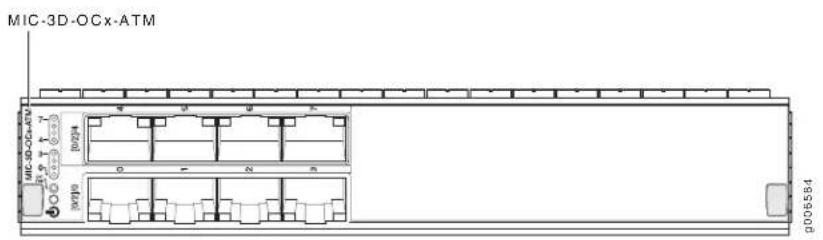
| • Junos 12.1 and laterSoftware release | |
| Description | • Rate-selectable using one of the following rates:8-port OC32-port OC12Power requirement: 0.73 A @ 48 V (35 W)Weight: 1.2 lb (0.54 kg)Model number: MIC-3D-8OC3-2OC12-ATM |
| Hardware features | • High-performance parsing of SONET/SDH framesPacket segmentation and reassembly (SAR) management and output port queuingPacket buffering, Layer 2 parsingLine rate throughput for each port |
| Software features | • Circuit cross-connect (CCC) for leveraging ATM access networksUser-configurable virtual circuit (VC) and virtual path (VP) supportSupport for idle cell or unassigned cell transmissionOAM fault management processes alarm indication signal (AIS), remote defect indication (RDI) cells, and loop cellsPoint-to-point and point-to-multipoint mode Layer 2 counters per VC and per VPLocal and remote loopbackSimple Network Management Protocol (SNMP):Management Information Base (MIB) 2 (RFC 1213)ATM MIB (RFC 1695)SONET MIBPWE3 MIB (RFC 5603)PW-ATM-MIB (RFC 5605)PW-FRAME-MIB (RFC 5601)MIB for CoSUnspecified bit rate (UBR), non-real-time variable bit rate (VBR), and constant bit rate (CBR) traffic shapingPer-VC or per-VP traffic shapingSupport for F4 OAM cellsSupport for 16 bit VCI range |
Cables and connectors Duplex LC/PC connector (Rx and Tx)
- SONET/SDH OC3/STM1 small form-factor pluggable (SFP) transceivers:
• Multimode (model number: SFP-OC3-SR)
• Intermediate reach (IR-1) (model number: SFP-OC3-IR)
• Long reach (LR-1) (model number: SFP-OC3-LR)
Optical interface specifications—see SONET/SDH OC3/STM1 Optical Interface Specifications - SONET/SDH OC12/STM4 small form-factor pluggable (SFP) transceivers:
- Short reach (model number: SFP-OC12-SR)
• Intermediate reach (IR-1) (model number: SFP-OC12-IR) - Long reach (LR-1) (model number: SFP-OC12-LR)
Optical interface specifications—see SONET/SDH OC12/STM4 Optical Interface Specifications
LEDs
OK/FAIL LED, one bicolor:
- Green—MIC is functioning normally.
- Yellow—MIC has failed.
Link LED, one green per port: - Off—No link.
- On steadily—Link is up with no activity.
- Blinking—Online with alarms for remote failures
- Blinking rapidly—Active with a local alarm; router has detected a failure
Alarms, errors, and events
• Alarm indication signal—line (AIS-L)
- Alarm indication signal—path (AIS-P)
- Bit error rate—signal degrade (BERR-SD)
- Bit error rate—signal fail (BERR-SF)
- Loss of cell delineation (LOC)
- Loss of frame (LOF)
- Loss of pointer (LOP-P)
- Loss of signal (LOS)
- Payload mismatch (PLM-P)
- Payload unequipped (unequipped STS at path level) (UNEQ-P)
- Remote defect indication—line (RDI-L)
- Remote defect indication—path (RDI-P)
- Error detection:
- Bit interleaved parity errors B1, B2, B3
• Errored seconds (ES-S, ES-L, ES-P) - Far-end bit errors, remote error indication—line (REI-L), far-end line coding violations (CV-LFE)
- Far-end bit errors, remote error indication—path (REI-P), far-end path coding violations (CV-PFE)
• Far-end errored seconds (ES-LFE, ES-PFE)
• Far-end severely errored seconds (SES-LFE, SES-PFE)
• Far-end unavailable seconds (UAS-LFE, UAS-PFE)
• Severely errored framing (SEF)
• Severely errored framing seconds (SEFS-S)
• Severely errored seconds (SES-S, SES-L, SES-P)
• Unavailable seconds (UAS-L, UAS-P)
DS3/E3 MIC
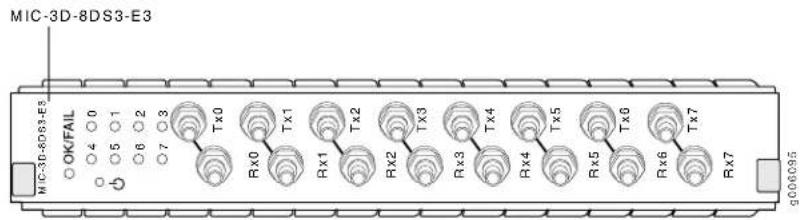
- Junos OS Release 11.4 and laterSoftware release
Description
• Eight E3 or DS3 ports
• DS3/E3 MIC is available with two options:
- 8-port DS3/E3 MIC: 8 clear-channel DS3 or 8 clear-channel E3 ports.
- 8-port Channelized DS3/E3 MIC: 8 channelized DS3 or 8 clear-channel E3 ports.
You can upgrade the DS3/E3 MIC with the S-MIC-3D-8CHDS3 software license to support DS3 channelization. On the MX80 router, you also need an S-MX80-Q software license.
• DS3 or E3 is configurable on a per-port granularity
• DS3 channelization for the 8-port Channelized DS3/E3 MIC:
• Power requirement: 4.0 A @ 9 V (36W)
• Weight: 4.4 lb (2 kg)
- Model numbers:
- Ports are numbered 0 through 7, Tx0 through Tx7 and Rx0 through Rx7Hardware features
| Software features | Maximum transmission units (MTUs) of up to 9192 bytesFraming: M13, C-bit parity, framed clear channelSubrate and scrambling:NOTE: Only DS3 interfaces support subrate and scrambling.Digital Link/Quick EagleKentroxLarscomADTRANVerillinkInternal and look clockingDS3 far-end alarm and control (FEAC) channelFull bit error rate test (BERT) for DS0, DS1, and DS3Encapsulations:MPLS fast rerouteMPLS CCC (circuit cross-connection)MPLS TCC (translational cross-connection)Cisco High-Level Data Link Control (cHDLC)Cisco HDLC CCCCisco HDLC TCCPoint-to-Point Protocol (PPP)PPP for CCCPPP for TCCFlexible Frame RelayFrame RelayFrame Relay for CCCFrame Relay for TCCPPP over Frame RelayNOTE: Ethernet over Frame Relay is not supported. |
| Cables and connectors | Coaxial:Custom 10-ft (3-m) mini-SMB to BNC cable (provided, model number: CBL-DS3-E3-M-S), set of 8 cables (bundled RX and TX) |
| LEDs | OK/FAIL LED, one bicolor:Green—MIC is functioning normallyYellow—MIC has failedLink LED, one green per port:Off—Not enabledGreen—Online with no alarms or failuresYellow—Online with alarms for remote failuresRed—Active with a local alarm; router has detected a failure |
Alarms, errors, and DS3 alarms: events
• Alarm indication signal (AIS)
- Loss of frame (LOF)
- Loss of signal seconds (LOS)
- Phase lock loop (PLL)
• C-bit code violations (CCV)
• C-bit errored seconds (CES)
• C-bit severely errored seconds (CSES)
- CRC errors
• Excessive zeros (EXZ)
• Far-end block error (FEBE)
• Far-end receive failure (FERF)
• Line errored seconds (LES)
- Parity bit (P-bit) code violations (PCV)
- Parity bit (P-bit) errored seconds (PES)
- Parity bit (P-bit) severely errored framing seconds (PSES)
• Severely errored framing seconds (SEFS)
• Unavailable seconds (UAS)
Gigabit Ethernet MIC with SFP
Figure 6: 20-Port Gigabit Ethernet MIC with SFP
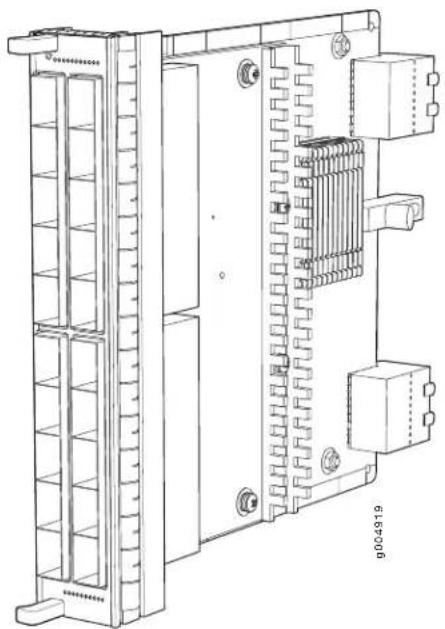
natural_image
Technical line drawing of an electrical enclosure with cooling fins and internal components (no text or symbols)- Junos 10.1 and laterSoftware release
Description
• 20 Gigabit Ethernet ports
• Power requirement: 0.77 A @ 48 V (37 W)
• Weight: 1.2 lb (0.54 kg)
• Model number: MIC-3D-20GE-SFP
Hardware features
• High-performance throughput on each port at speeds up to 1 Gbps
• Autonegotiation between Gigabit Ethernet circuit partners
- Up to 20-Gbps of full-duplex traffic
• Maximum transmission units (MTUs) of up to 9192 bytes
Software features
• Optical diagnostics and related alarms
• Virtual Router Redundancy Protocol (VRRP) support
- IEEE 802.1Q virtual LANs (VLANs) support
- Remote monitoring (RMON) EtherStats
- Source MAC learning
• MAC accounting and policing—Dynamic local address learning of source MAC addresses
- Flexible Ethernet encapsulation
- Multiple tag protocol identifiers (TPID)
• In-service software upgrade (ISSU) is supported in Junos 11.2 and later
Cables and connectors Fiber-optic small form-factor pluggable (SFP) transceivers:
- Connector: Duplex LC/PC (Rx and Tx)
• 100BASE-FX (model number: SFP-1FE-FX)
• 1000BASE-LH (model number: SFP-1GE-LH)
• 1000BASE-LX (model number: SFP-1GE-LX)
• 1000BASE-SX (model number: SFP-1GE-SX)
Optical interface specifications—see Gigabit Ethernet 1000BASE Optical Interface Specifications
• Copper SFP transceivers:
- Connector: Four-pair, Category 5 shielded twisted-pair connectivity through an RJ-45 connector
• 1000BASE-T (model number: SFP-1GE-T)
• 10/100/1000BASE-T (model number: SFP-1GE-FE-E-T)
NOTE: SFP-1GE-FE-E-T supports tri-rate 10/100/1000 mode in Junos OS Release 9.4 and later
• Pinout: MDI, MDI crossover
• Length: 328 ft/100 m
Copper interface specifications—see Ethernet 10BASE-T Copper Interface Specifications, Fast Ethernet 100BASE-T Copper Interface Specifications, and Gigabit Ethernet 1000BASE-T Copper Interface Specifications
• Bidirectional SFP transceivers:
- Connector: Duplex LC/PC (Rx and Tx)
- 1000BASE-BX (model number pairs: SFP-GE10KT13R14 with SFP-GE10KT14R13, SFP-GE10KT13R15 with SFP-GE10KT15R13, SFP-GE40KT13R15 with SFP-GE40KT15R13)
Optical interface specifications—see Fast Ethernet and Gigabit Ethernet Bidirectional SFP Optical Interface Specifications
LEDs
OK/FAIL LED, one bicolor:
- Green—MIC is functioning normally.
-
Yellow—MIC has failed.
Link LED, one green per port: -
Off-No link.
- On steadily—Link is up with no activity.
- Blinking—Link is up and is active.
10-Gigabit Ethernet MICs with XFP
Figure 7: 2-Port 10-Gigabit Ethernet MIC with 8: 4-Port 10-Gigabit Ethernet MIC with XFP
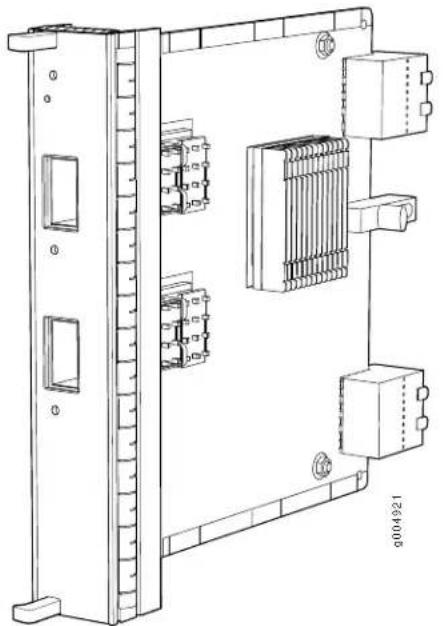
natural_image
Technical line drawing of an electrical enclosure with internal components and mounting brackets (no text or symbols)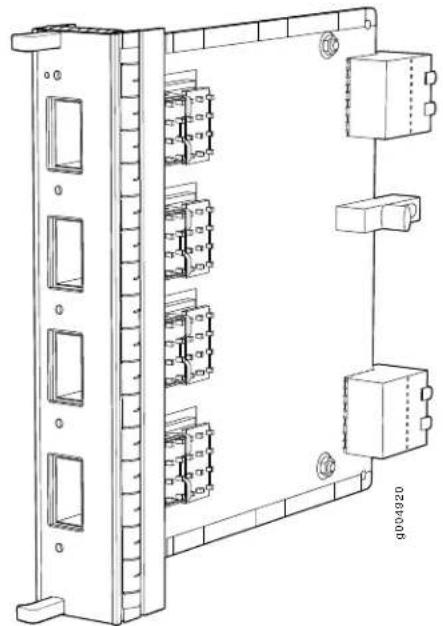
natural_image
Technical line drawing of an electrical control panel with multiple modules and connectors (no text or symbols)Software release
• 2-port: Junos 10.2 and later
• 4-port: Junos 10.1 and later
Description
- Two or four 10-Gigabit Ethernet ports
• Power requirement:
• 2-port: 0.6 A @ 48 V (29 W)
• 4-port: 0.56 A @ 48 V (27 W)
- Weight:
• 2-port: 1 lb (0.45 kg)
• 4-port: 1.1 lb (0.5 kg)
- Model number:
• 2-port: MIC-3D-2XGE-XFP
• 4-port: MIC-3D-4XGE-XFP
Hardware features
• High-performance throughput on each port at speeds up to 10 Gbps
- Up to 30-Gbps of full-duplex traffic
• LAN-PHY mode at 10.3125 Gbps
• WAN-PHY mode at 9.953 Gbps
• Maximum transmission units (MTUs) of up to 9192 bytes
Software features
- Configurable LAN-PHY and WAN-PHY mode options
• Synchronous Ethernet support
• Optical diagnostics and related alarms
• Virtual Router Redundancy Protocol (VRRP) support
• IEEE 802.1Q virtual LANs (VLANs) support
• Remote monitoring (RMON) EtherStats - Source MAC learning
• MAC accounting and policing—Dynamic local address learning of source MAC addresses
• Flexible Ethernet encapsulation
• Multiple tag protocol identifiers (TPID)
Cables and connectors
Fiber-optic 10-gigabit small form-factor pluggable (XFP) transceivers:
- Connector: Duplex LC/PC (Rx and Tx)
- 10GBASE-E (model number: XFP-10G-E-OC192-IR2)
• 10GBASE-L (model number: XFP-10G-L-OC192-SR1)
• 10GBASE-S (model number: XFP-10G-S) - 10GBASE-Z (model number: XFP-10G-Z-OC192-LR2)
Optical interface specifications—see 10-Gigabit Ethernet 10GBASE Optical Interface Specifications - DWDM Tunable XFP transceivers:
- Connector: Duplex LC/PC (Rx and Tx)
- 10GBASE-ZR (model number: XFP-10G-CBAND-T50-ZR)
DWDM supported wavelengths—see 10-Gigabit Ethernet DWDM Transceiver Wavelengths
NOTE: XFP-10G-CBAND-T50-ZR is supported in Junos 10.2 and later
Optical interface specifications—see 10-Gigabit Ethernet 10GBASE Optical Interface Specifications
LEDs
OK/FAIL LED, one bicolor:
- Green—MIC is functioning normally.
- Yellow—MIC has failed.
LINK LED, one green per port:
- Off-No link.
- On steadily—Link is up with no activity.
- Blinking—Link is up and is active.
The ports are labeled:
• 2-port: [0/2]0, [0/2]1
• 4-port: [0/2]0, [0/2]1, [1/3]0, and [1/3]1
100-Gigabit Ethernet MIC with CFP
Figure 9: 1-Port 100 Gigabit Ethernet MIC with CFP
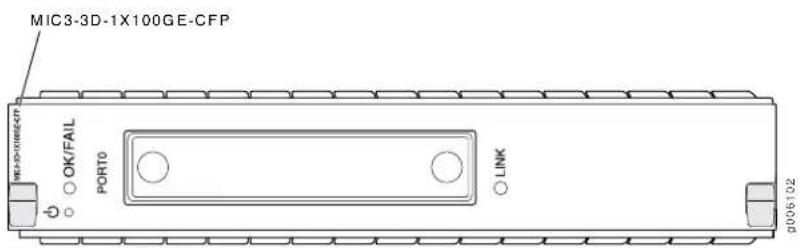
• 12.1 and laterSoftware release
Description
• One 100-Gigabit Ethernet port
• Power requirement:
.83 A @ 48 V (40 W)
- Weight:
1.94 lb (0.88 kg)
- Model number:
MIC3-3D-1X100GE-CFP
Hardware features
• High-performance throughput on each port at speeds up to 100 Gbps
- Up to 100-Gbps of full-duplex traffic
• Maximum transmission units (MTUs) of up to 9192 bytes
Software features
• Synchronous Ethernet support
• Optical diagnostics and related alarms
• Virtual Router Redundancy Protocol (VRRP) support
- IEEE 802.1Q virtual LANs (VLANs) support
• Remote monitoring (RMON) EtherStats
- Source MAC learning
• MAC accounting and policing—Dynamic local address learning of source MAC addresses
• Flexible Ethernet encapsulation
- Multiple tag protocol identifiers (TPID)
Cables and connectors
9 Fiber-optic 100-Gigabit C Form-Factor Plugabble
- Connector: Duplex SC/PC (Rx and Tx)
• 100GBASE-LR4 (model number: CFP-100GBASE-LR4)
Optical interface specifications—see 100-Gigabit Ethernet 100GBASE Optical Interface Specifications
LEDs
OK/FAIL LED, one bicolor:
- Green—MIC is functioning normally.
- Yellow—MIC has failed.
LINK LED, one green per port:
- Off-No link.
- On steadily—Link is up with no activity.
- Blinking—Link is up and is active.
The port is labeled:
• [0]
SONET/SDH OC3/STM1 (Multi-Rate) MICs with SFP
Figure 10: 4-Port SONET/SDH OC3/STM1 (Multi-Rate) MIC with SFP
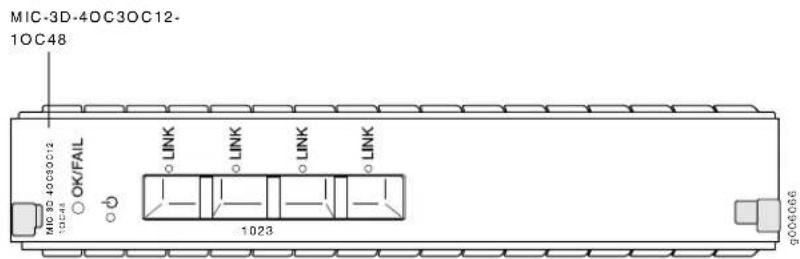
Figure 11: 8-Port SONET/SDH OC3/STM1 (Multi-Rate) MIC with SFP
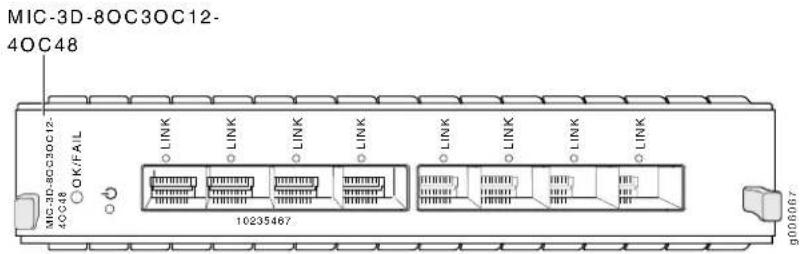
Software release
• 4-port: Junos OS Release 11.2 and later
• 8-port: Junos OS Release 11.2 and later
Description
• 4-port: 4 OC3/STM1 or OC12/STM4 ports
• 8-port: 8 OC3/STM1 or OC12/STM4 ports
• 4-port: Rate-selectable using one of the following rates:
- 4-port OC3
4-port OC12
- 1-port OC48
• 8-port: Rate-selectable using one of the following rates:
8-port OC3
- 8-port OC12
4-port OC48
• Power requirement:
• 4-port: 2.6 A @ 9 V (23.4 W)
• 8-port: 3.1 A @ 9 V (27.9 W)
- Weight:
• 4-port: 1.27 lb (0.58 kg)
• 8-port: 1.47 lb (0.67 kg)
- Model number:
• 4-port: MIC-3D-4OC3OC12-1OC48
8-port: MIC-3D-80C30C12-40C48
Hardware features
• The ports are labeled:
4-port: 0-3
- 8-port: 0-7
• Maximum transmission units (MTUs) of up to 9192 bytes
Software features
• Per-port SONET/SDH framing
- Local and remote loopback on each port
• Optical diagnostics and monitoring
- Clocking options: internal or external/loop mode.
• Encapsulations:
• Multi-Protocol Label Switching (MPLS) fast reroute
- MPLS CCC (Circuit Cross-Connection)
- MPLS TCC (Translational Cross-Connection)
• Cisco High-Level Data Link Control (cHDLC)
- cHDLC CCC
- cHDLC TCC
- Point-to-Point Protocol (PPP)
- PPP for CCC
- PPP for TCC
- Flexible Frame Relay
- Frame Relay
• Frame Relay for CCC
• Frame Relay for TCC
- PPP over Frame Relay
NOTE: Ethernet over Frame Relay is not supported.
Cables and connectors
• Duplex LC/PC connector (Rx and Tx)
• SONET/SDH OC3/STM1 small form-factor pluggable (SFP) transceivers:
• Multimode (model number: SFP-OC3-SR)
• Intermediate reach (IR-1) (model number: SFP-OC3-IR)
- Long reach (LR-1) (model number: SFP-OC3-LR)
Optical interface specifications—see SONET/SDH OC3/STM1 Optical Interface Specifications
• SONET/SDH OC12/STM4 small form-factor pluggable (SFP) transceivers:
- Short reach (model number: SFP-OC12-SR)
• Intermediate reach (IR-1) (model number: SFP-OC12-IR)
- Long reach (LR-1) (model number: SFP-OC12-LR)
Optical interface specifications—see SONET/SDH OC12/STM4 Optical Interface Specifications
- SONET/SDH OC48/STM16 small form-factor pluggable (SFP) transceivers:
- Multimode (model number: SFP-10C48-SR)
• Intermediate reach (IR-1) (model number: SFP-10C48-IR)
- Long reach (LR-1) (model number: SFP-10C48-LR)
Optical interface specifications—see SONET/SDH OC48/STM16 Optical Interface Specifications
LEDs
OK/FAIL LED, one bicolor:
- Green—MIC is functioning normally
- Yellow—MIC has failed
LINK LED, one green per port:
- Off—Not enabled
- Green—Online with no alarms or failures
- Yellow—Online with alarms for remote failures
- Red—Active with a local alarm; router has detected a failure
Alarms, errors, and events
SONET alarms:
- Loss of light (LOL)
- Loss of signal (LOS)
- Loss of frame (LOF)
• Phase lock loop (PLL)
• Severely errored frame (SEF) - Alarm indicator signal-line (AIS-L)
- Alarm indicator signal-path (AIS-P)
- Remote defect indicator-line (RDI-L)
- Remote defect indicator-path (RDI-P)
- Loss of pointer-path (LOP-P)
- Bit error rate–signal degrade (BERR-SD)
- Bit error rate–signal fail (BERR-SF)
- Payload label mismatch–Path (PLM-P)
- Unequipped-path (UNEQ-P)
- Remote error indicator-path (REI-P)
- Alarm indicator signal–virtual container (V-AIS)
- Loss of pointer–virtual container (V-LOP)
- Remote defect indicator–virtual container (V-RDI)
- Unequipped-virtual container (V-UNEQ)
- Mismatch-virtual container (V-MIS)
SDH alarms:
- Loss of light (LOL)
• Phase lock loop (PLL) - Loss of frame (LOF)
- Loss of signal (LOS)
• Severely errored frame (SEF) - Multiplex-section alarm indicator signal (MS-AIS)
• H Path alarm indicator signal (HP-AIS) - Loss of pointer (LOP)
- Bit error rate–signal degrade (BER-SD)
- Bit error rate–signal fail (BER-SF)
- Multiplex section-far end receive failure (MS-FERF)
• High order path-far end receive failure (HP-FERF)
• High order path–payload label mismatch (HP-PLM) - Remote error indicator (REI)
- Unequipped (UNEQ)
- Tributary unit–alarm indicator signal (TU-AIS)
- Tributary unit-loss of pointer (TU-LOP)
- Tributary unit–remote defect indicator (TU-RDI)
- Tributary unit—unequipped (TU-UNEQ)
• Tributary unit-mismatch (TU-MIS)
Channelized SONET/SDH OC3/STM1 (Multi-Rate) MICs with SFP
Figure 12: 4-Port Channelized SONET/SDH OC3/STM1 (Multi-Rate) MIC with SFP
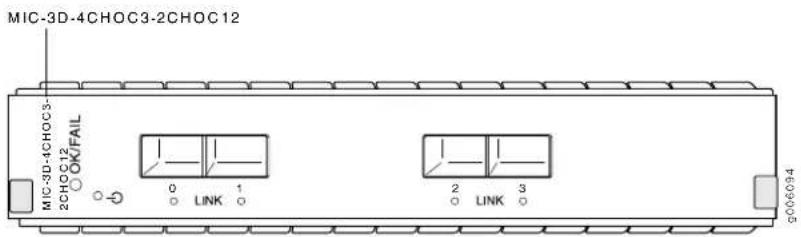
Figure 13: 8-Port Channelized SONET/SDH OC3/STM1 (Multi-Rate) MIC with SFP
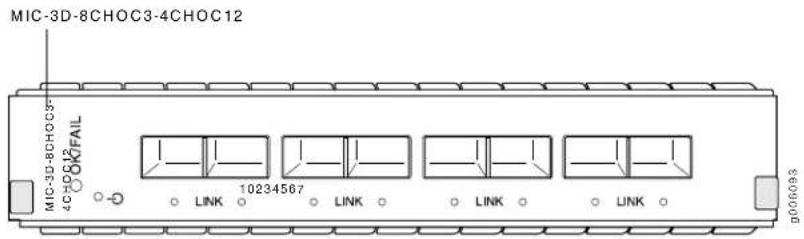
- Junos OS Release 11.4 and laterSoftware release
Description
• 4-port: Rate-selectable using one of the following rates:
4-port OC3/STM1
• 2-port OC12/STM4
- 8-port: Rate-selectable using one of the following rates:
- 8-port OC3/STM1
• 4-port OC12/STM4
• Power requirement:
• 4-port: 4.56 A @ 9 V (41 W)
• 8-port: 5.78 A @ 9 V (52 W)
- Weight:
• 4-port: 4.4 lb (2 kg)
• 8-port: 4.4 lb (2 kg)
- Model number:
• 4-port: MIC-3D-4CHOC3-2CHOC12
• 8-port: MIC-3D-8CHOC3-4CHOC12
Hardware features
• The ports are labeled:
4-port: 0-3
- 8-port: 0-7
Software features
• Maximum transmission units (MTUs) of up to 9192 bytes
• Per-port SONET/SDH framing
- Local and remote loopback on each port
• Optical diagnostics and monitoring
- Clocking options: internal or external/loop mode
- Encapsulations:
- MPLS fast reroute
- MPLS CCC (circuit cross-connection)
- MPLS TCC (translational cross-connection)
• Cisco High-Level Data Link Control (cHDLC) - Cisco HDLC CCC
- Cisco HDLC TCC
- Point-to-Point Protocol (PPP)
- PPP for CCC
- PPP for TCC
- Flexible Frame Relay
- Frame Relay
• Frame Relay for CCC
• Frame Relay for TCC - PPP over Frame Relay
NOTE: Ethernet over Frame Relay is not supported.
Cables and connectors
• Duplex LC/PC connector (Rx and Tx)
- SONET/SDH OC3/STM1 small form-factor pluggable (SFP) transceivers:
• Multimode (model number: SFP-OC3-SR)
• Intermediate reach (IR-1) (model number: SFP-OC3-IR)
- Long reach (LR-1) (model number: SFP-OC3-LR)
Optical interface specifications—see SONET/SDH OC3/STM1 Optical Interface Specifications
- SONET/SDH OC12/STM4 small form-factor pluggable (SFP) transceivers:
- Short reach (model number: SFP-OC12-SR)
• Intermediate reach (IR-1) (model number: SFP-OC12-IR) - Long reach (LR-1) (model number: SFP-OC12-LR)
- Long reach (LR-2) (model number: SFP-OC12-LR2)
Optical Interface specifications—see SONET/SDH OC12/STM4 Optical Interface Specifications
LEDs
OK/FAIL LED, one bicolor:
- Green—MIC is functioning normally
- Yellow—MIC has failed
LINK LED, one green per port:
- Off—Not enabled
- Green—Online with no alarms or failures
- Yellow—Online with alarms for remote failures
- Red—Active with a local alarm; router has detected a failure
events
SONET alarms:Alarms, errors, and
- Loss of light (LOL)
- Loss of signal (LOS)
- Loss of frame (LOF)
- Phase lock loop (PLL)
• Severely errored frame (SEF) - Alarm indicator signal-line (AIS-L)
- Alarm indicator signal-path (AIS-P)
- Remote defect indicator-line (RDI-L)
- Remote defect indicator-path (RDI-P)
- Loss of pointer-path (LOP-P)
- Bit error rate–signal degrade (BERR-SD)
- Bit error rate–signal fail (BERR-SF)
- Payload label mismatch–Path (PLM-P)
- Unequipped-path (UNEQ-P)
- Remote error indicator-path (REI-P)
- Alarm indicator signal–virtual container (V-AIS)
- Loss of pointer–virtual container (V-LOP)
- Remote defect indicator–virtual container (V-RDI)
- Unequipped-virtual container (V-UNEQ)
- Mismatch-virtual container (V-MIS)
SDH alarms:
- Loss of light (LOL)
• Phase lock loop (PLL) - Loss of frame (LOF)
- Loss of signal (LOS)
• Severely errored frame (SEF) - Multiplex-section alarm indicator signal (MS-AIS)
- Higher order path-alarm indication signal (HP-AIS)
- Loss of pointer (LOP)
- Bit error rate–signal degrade (BER-SD)
- Bit error rate–signal fail (BER-SF)
- Multiplex section-far end receive failure (MS-FERF)
- Higher order path—far-end receive failure (HP-FERF)
- Higher order path—payload label mismatch (HP-PLM)
- Remote error indicator (REI)
- Unequipped (UNEQ)
- Tributary unit–alarm indicator signal (TU-AIS)
- Tributary unit-loss of pointer (TU-LOP)
- Tributary unit–remote defect indicator (TU-RDI)
- Tributary unit—unequipped (TU-UNEQ)
• Tributary unit-mismatch (TU-MIS)
DS3 alarms:
• Alarm indication signal (AIS)
- Loss of frame (LOF)
- Loss of signal seconds (LOS)
- Phase lock loop (PLL)
DS3 error detection:
• C-bit code violations (CCV)
• C-bit errored seconds (CES)
• C-bit severely errored seconds (CSES) - CRC errors
- Excessive zeros (EXZ)
• Far-end block error (FEBE)
• Far-end receive failure (FERF)
• Line errored seconds (LES) - Parity bit (P-bit) code violations (PCV)
- Parity bit (P-bit) errored seconds (PES)
- Parity bit (P-bit) severely errored framing seconds (PSES)
• Severely errored framing seconds (SEFS)
• Unavailable seconds (UAS)
Tri-Rate MIC
Figure 14: 40-Port Tri-Rate MIC
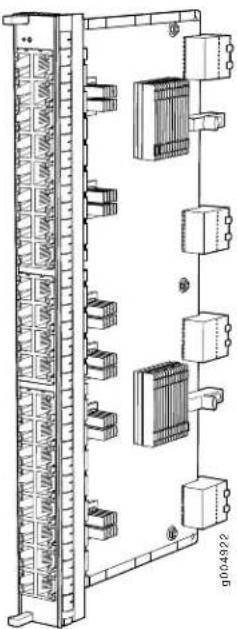
natural_image
Technical line drawing of a multi-chamber industrial control unit with multiple modules and connectors (no text or symbols)| Junos 10.2 and laterSoftware release | |
| Description | 40 autonegotiating 10BASE-T, 100BASE-TX, or 1000BASE-T Megabit Ethernet portsPower requirement: 0.85 A @ 48 V (41 W)Weight: 1.9 lb (0.9 kg)Model number: MIC-3D-40GE-TX |
| Hardware features | Dual-wide MIC that installs into 2 MIC slotsHigh-performance throughput on each port at speeds of 10 Mbps, 100 Mbps, or 1000 MbpsUp to 40-Gbps of full-duplex trafficAutonegotiation between Gigabit Ethernet circuit partnersMaximum transmission units (MTUs) of up to 9192 bytesThe ports are numbered 0/0 through 3/9 bottom to top and left to right when installed horizontally |
| Software features | Synchronous Ethernet supportVirtual Router Redundancy Protocol (VRRP) supportIEEE 802.1Q virtual LANs (VLANs) supportRemote monitoring (RMON) EtherStatsSource MAC learningMAC accounting and policing-Dynamic local address learning of source MAC addressesFlexible Ethernet encapsulationMultiple tag protocol identifiers (TPID) |
Cables and connectors Connector: Four-pair, Category 5 shielded twisted-pair connectivity through an RJ-45 connector
• Pinout: MDI, MDI crossover
• Maximum distance: 328 ft (100 m)
CAUTION: Do not use RJ-45 cables with strain-relief boots exceeding 1.5 mm from the bottom of the connector. Cable boots that exceed this measurement can damage the port.
LEDs
OK/fail LED, one bicolor:
- Green-MIC is functioning normally.
- Yellow—MIC has failed.
Link LED, one green per port: - Off-No link.
- On steadily—Link is up with no activity.
- Blinking—Link is up and is active.
MX Series PICs
• MX Series PIC Overview on page 138
• High Availability Features on page 139
• FPCs Supported by MX240, MX480, and MX960 Routers on page 139
• PICs Supported by MX240, MX480, and MX960 Routers on page 139
- Channelized OC12/STM4 Enhanced IQ (IQE) PIC with SFP on page 141
- Channelized OC48/STM16 Enhanced IQ (IQE) PIC with SFP on page 146
• SONET/SDH OC3/STM1 (Multi-Rate) PIC with SFP on page 151
• SONET/SDH OC12/STM4 (Multi-Rate) PIC with SFP on page 155
• SONET/SDH OC48/STM16 Enhanced IQ (IQE) PIC with SFP on page 159
• SONET/SDH OC48/STM16 (Multi-Rate) PIC with SFP on page 163
• SONET/SDH OC48/STM16 PIC with SFP on page 167
• SONET/SDH OC192c/STM64 PIC on page 171
• SONET/SDH OC192c/STM64 PIC with XFP on page 175
MX Series PIC Overview
PICs provide the physical connection to various network media types. The PICs are inserted into a slot in a router. You can install PICs of different media types on the same router as long as the router supports those PICs.
PICs receive incoming packets from the network and transmit outgoing packets to the network. During this process, each PIC performs framing and high-speed signaling for its media type. Before transmitting outgoing data packets, the PICs encapsulate the packets received. Each PIC is equipped with a media-specific ASIC that performs control functions tailored to the PIC's media type.
Blank PICs resemble other PICs but do not provide any physical connection or activity. When a slot is not occupied by a PIC, you must insert a blank PIC to fill the empty slot and ensure proper cooling of the system.
MX240, MX480, and MX960 3D Universal Edge Routers support 2 PICs per Flexible PIC Concentrator (FPC). The maximum number of supported PICs varies per router:
- MX960 router—12 PICs
- MX480 router—6 PICs
- MX240 router—2 PICs
Related Documentation
High Availability Features on page 139.
•FPCs Supported by MX240, MX480, and MX960 Routers on page 139
•PICs Supported by MX240, MX480, and MX960 Routers on page 139
High Availability Features
High availability features include Routing Engine redundancy, graceful Routing Engine switchover (GRES), nonstop bridging, nonstop active routing, graceful restart for routing protocols, Virtual Router Redundancy Protocol (VRRP), and unified in-service software upgrade (ISSU). Some high availability features are not supported by all platforms and all PICs. For more information, see the Junos OS High Availability Configuration Guide.
Related Documentation
MX Series PIC Overview on page 138.
•FPCs Supported by MX240, MX480, and MX960 Routers on page 139
• PICs Supported by MX240, MX480, and MX960 Routers on page 139
FPCs Supported by MX240, MX480, and MX960 Routers
An FPC occupies two slots when installed in an MX240, MX480, or MX960 router. The maximum number of supported FPCs varies per router:
- MX960 router—6 FPCs
- MX480 router—3 FPCs
- MX240 router—1 FPC
Table 16 on page 139 lists FPCs supported by MX Series routers.
Table 16: FPCs Supported by MX Series Routers
| Maximum Number of PICs Throughput per FPC SupportedFPC Modell-NumberFPC NRateType | Maximum Number of PICs Throughput per FPC SupportedFPC Modell-NumberFPC NRateType |
9.420 Gbps2MX-FPC3FPC33
2 2MX-FPC2FPC2 9.510 Gbps
Related Documentation
MX Series PIC Overview on page 138.
•PICs Supported by MX240, MX480, and MX960 Routers on page 139
•High Availability Features on page 139
PICs Supported by MX240, MX480, and MX960 Routers
Table 17 on page 139 lists the PICs supported by MX240, MX480, and MX960 routers.
Table 17: PICs Supported by MX240, MX480, and MX960 Routers
| PIC Name | PIC Model Number | Ports | Type | First Junos OS Release |
Channelized IQ PICs
Table 17: PICs Supported by MX240, MX480, and MX960 Routers (continued)
| PIC Name | PIC Model Number | Ports | Type | First Junos OS Release |
| IQ (IQE) PIC with SFP" on page 141 | 9.524PB-4CHOC12-STM4-IQE-SFP"Channelized | |||
| Enhanced IQ (IQE) PIC with SFP" onpage 146 | 9.521PB-1CHOC48-STM16-IQE"Channelized OC4 | |||
| SONET/SDH PICs | ||||
| (Multi-Rate) PIC with SFP" onpage 151 | "SONET/SDH OC3/STM1 | 9.524PB-4OC3-1OC12-SON2-SFP | ||
| (Multi-Rate) PIC with SFP" onpage 155 | "SONET/SDH OC12/STM4 | 9.524PB-4OC3-4OC12-SON-SFP | ||
| "SONET/SDH OC48/STM16Enhanced IQ (IQE) PIC with SFP" onpage 159 | PC-4OC48-STM16-IQE-SFP | 4 | 3 | 10.4R2 |
| (Multi-Rate) PIC with SFP" onpage 163 | "SONET/SDH OC48/STM16 | 9.521PB-1OC48-SON-B-SFP | ||
| "SONET/SDH OC48/STM16 PIC withSFP" on page 167 | PC-4OC48-SON-SFP | 4 | 3 | 9.4 |
| "SONET/SDH OC192c/STM64 PIC"on page 171 | PC-1OC192-SON-VSR | 1 | 3 | 9.4 |
| "SONET/SDH OC192c/STM64 PICwith XFP" on page 175 | PC-1OC192-SON-XFP | 1 | 3 | 9.4 |
Related Documentation
MX•Series PIC Overview on page 138
• FPCs Supported by MX240, MX480, and MX960 Routers on page 139
• High Availability Features on page 139
Channelized OC12/STM4 Enhanced IQ (IQE) PIC with SFP
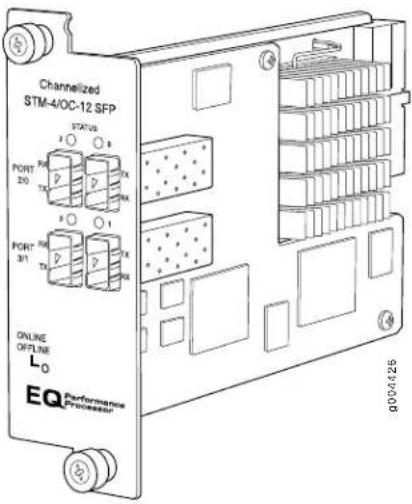
- Junos 9.5 and laterSoftware release
Description
• Four OC12/STM4 ports
- SONET or SDH is configurable on a per-port granularity
• SONET channelization:
• 4 STM4 channel
• 16 STM1 channels
• 48 E3 channels
• 504 E1 channels
• 975 D50 channels
• Power requirement: 1.08 A @ 48V (52 W)
Hardware features
- Ports are numbered:
• Top row: 2 and 0 from left to right
- Bottom row: 3 and 1 from left to right
Software features
- Quality of service (QoS) per channel: weighted round-robin (WRR), random early detection (RED), weighted random early detection (WRED)
- Enhanced fine-grained queuing per logical interface. See the Junos OS Class of Service Configuration Guide for more information about class of service features.
- Subrate and scrambling:
• Digital Link/Quick Eagle
- Kentrox
• Larscom
• ADTRAN
- Verilink
- Packet buffering, Layer 2 parsing
• M13/C-bit parity encoding
• DS3 far-end alarm and control (FEAC) channel support - Local line, remote line, and remote payload loopback testing
- Simple Network Management Protocol (SNMP): OC3 MIB, DS3 MIB, T1 MIB
• Dynamic, arbitrary channel configuration
• Full bit error rate test (BERT) - Encapsulations:
• Circuit cross-connect (CCC)
• Translational cross-connect (TCC)
• Extended Frame Relay for CCC and TCC
- Flexible Frame Relay
- Frame Relay
• Frame Relay for CCC
• Frame Relay for TCC
• Frame Relay port CCC
• High-Level Data Link Control (HDLC)
• HDLC framing for CCC
• HDLC framing for TCC
- MPLS CCC
- MPLS TCC
• Multilink Frame Relay (MLFR) UNI NNI (MFR FRF.16)
• Point-to-Point Protocol (PPP)
- PPP for CCC
- PPP for TCC
| Cables and connectors You can install any transceiver supported by the PIC. For information about installing and removing transceivers, see the hardware guide for your router. |
| • SONET/SDH OC12/STM4 small form-factor pluggable (SFP) transceivers: |
| • Connector: Duplex LC/PC (Rx and Tx); single-mode fiber |
| • Short reach (SR-1) (model number: SFP-OC12-SR) |
| • Intermediate reach (IR-1) (model number: SFP-OC12-IR) |
| • Long reach (LR-1) (model number: SFP-OC12-LR) |
| Optical interface specifications—see SONET/SDH OC12/STM4 Optical Interface Specifications |
LEDs
One tricolor per port:
- Off—Not enabled
- Green—Online with no alarms or failures
- Yellow—Online with alarms for remote failures
- Red—Active with a local alarm; router has detected a failure
Alarms, errors, and events
SONET alarms:
- Alarm indication signal—line (AIS-L)
- Alarm indication signal—path (AIS-P)
- Bit error rate—signal degrade (BERR-SD)
- Bit error rate—signal fail (BERR-SF)
- Loss of frame (LOF)
- Loss of light (LOL)
- Loss of pointer (LOP)
- Loss of signal (LOS)
- Payload label mismatch (PLM-P)
- Remote defect indication—line (RDI-L)
- Remote defect indication—path (RDI-P)
- Remote error indication (REI)
- Payload unequipped (unequipped STS at path level) (UNEQ-P)
• Virtual container—alarm indication signal (VAIS)
• Virtual container-loss of pointer (VLOP)
• Virtual container—mismatch (VMIS)
• Virtual container—remote defect indication (VRD1)
• Virtual container—unequipped (VUNEQ)
SDH alarms:
• Administrative unit alarm indication signal (AU-AIS)
- Bit error rate—signal degrade (BERR-SD)
- Bit error rate—signal fail (BERR-SF)
- Bit interleaved parity (BIP) error B1, B2, B3
- Higher order path—alarm indication signal (HP-AIS)
- Higher order path—far-end receive failure (HP-FERF)
- Higher order path—payload label mismatch (HP-PLM)
- Higher order path—loss of pointer (HP-LOP)
- Higher order path—remote defect indication (HP-RDI)
• Higher order path—unequipped (HP-UNEQ)
- Loss of frame (LOF)
- Loss of light (LOL)
- Loss of signal (LOS)
- Multiplex section—alarm indication signal (MS-AIS)
- Multiplex section—far-end receive failure (MS-FERF)
- Multiplex section—remote defect indication (MS-RDI)
- Multiplex section—remote error indication (MS-REI)
• Phase lock loop (PLL)
- Remote error indication (REI)
• Severely errored frame (SEF)
- Tributary unit—alarm indication signal (TU-AIS)
• Tributary unit—loss of pointer (TU-LOP)
• Tributary unit—mismatch (TU-MIS)
- Tributary unit—remote defect indication (TU-RD1)
• Tributary unit—unequipped (TU-UNEQ)
- DS1 alarms:
• Alarm indication signal (AIS)
- Loss of frame (LOF)
- Remote alarm indication signal (RAIS)
- Errored seconds (ES)
• Line errored seconds (LES)
- Loss of framing seconds (LOFS)
• Severely errored seconds (SES)
• Severely errored framing seconds (SEFS)
• Unavailable seconds (UAS)
- DS3 alarms:
• Alarm Indication signal (AIS)
- Loss of frame (LOF)
- Yellow alarm
• C-bit code violations (CCV)
• C-bit errored seconds (CES)
• C-bit severely errored framing seconds (CEFS)
- CRC errors
• Excessive zeros (EXZ)
• Far-end block error (FEBE)
• Far-end receive failure (FERF)
• Line errored seconds (LES)
- Parity bit (P-bit) code violations (PCV)
- Parity bit (P-bit) errored seconds (PES)
- Parity bit (P-bit) severely errored framing seconds (PSES)
• Severely errored framing seconds (SEFS)
• Unavailable seconds (UAS)
- Layer 2 per-queue and per-channel packet and byte countersInstrumentation
(counters)
Related
Documentation
MX Series PIC Overview on page 138.
•FPCs Supported by MX240, MX480, and MX960 Routers on page 139
•PICs Supported by MX240, MX480, and MX960 Routers on page 139
•High Availability Features on page 139
- SONET/SDH OC12/STM4 Optical Interface Specifications
Channelized OC48/STM16 Enhanced IQ (IQE) PIC with SFP
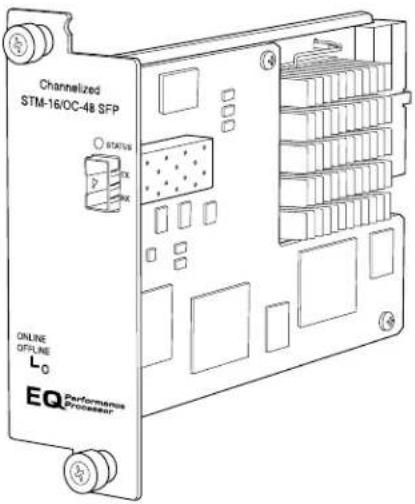
- Junos 9.5 and laterSoftware release
Description
• One OC48/STM16 port
- SONET or SDH is configurable on a per-port granularity
• SONET channelization:
• 4 OC12 channel
• 16 OC3 channels
• 48 DS3 channels
• 672 DS1 channels
• 975 DSO channels
• SDH channelization:
• 4 STM4 channel
• 16 STMI channels
• 48 E3 channels
• 504 E1 channels
. 975 D50 channels
• Power requirement: 1.10 A @ 48V (53 W)
- Port is numbered 0.Hardware features
Software features
- Quality of service (QoS) per channel: weighted round-robin (WRR), random early detection (RED), weighted random early detection (WRED)
- Enhanced fine-grained queuing per logical interface. See the Junos OS Class of Service Configuration Guide for more information about class of service features.
- Subrate and scrambling:
• Digital Link/Quick Eagle
- Kentrox
• Larscom
ADTRAN
- Verilink
- Packet buffering, Layer 2 parsing
• M13/C-bit parity encoding
• DS3 far-end alarm and control (FEAC) channel support - Local line, remote line, and remote payload loopback testing
- Simple Network Management Protocol (SNMP): OC12, OC3 MIB, DS3 MIB, T1 MIB
• Dynamic, arbitrary channel configuration
• Full bit error rate test (BERT) - Encapsulations:
• Circuit cross-connect (CCC)
• Translational cross-connect (TCC)
• Extended Frame Relay for CCC and TCC
- Flexible Frame Relay
Frame Relay
• Frame Relay for CCC
• Frame Relay for TCC
• Frame Relay port CCC
• High-Level Data Link Control (HDLC)
- HDLC framing for CCC
• HDLC framing for TCC
- MPLS CCC
- MPLS TCC
- Multilink Frame Relay (MLFR) UNI NNI (MFR FRF.16)
- Point-to-Point Protocol (PPP)
- PPP for CCC
- PPP for TCC
| Cables and connectors | SONET/SDH OC48/STM12 SFP small form-factor pluggable (SFP) transceivers: |
| Connector: Duplex LC/PC (Rx and Tx); single-mode fiber | |
| Short reach (SR-1) (model number: SFP-1OC48-SR) | |
| Intermediate reach (IR-1) (model number: SFP-1OC48-IR) | |
| Long reach (LR-2) (model number: SFP-1OC48-LR) | |
| Optical interface specifications—see SONET/SDH OC48/STM16 Optical Interface Specifications |
LEDs
One tricolor per port:
- Off—Not enabled
- Green—Online with no alarms or failures
- Yellow—Online with alarms for remote failures
- Red—Active with a local alarm; router has detected a failure
Alarms, errors, and events
SONET alarms:
- Alarm Indication signal—line (AIS-L)
- Alarm indication signal—path (AIS-P)
- Bit error rate—signal degrade (BERR-SD)
- Bit error rate—signal fail (BERR-SF)
- Loss of frame (LOF)
- Loss of light (LOL)
- Loss of pointer (LOP)
- Loss of signal (LOS)
- Payload label mismatch (PLM-P)
- Remote defect indication—line (RDI-L)
- Remote defect indication—path (RDI-P)
- Remote error indication (REI)
- Payload unequipped (unequipped STS at path level) (UNEQ-P)
• Virtual container—alarm indication signal (VAIS)
• Virtual container-loss of pointer (VLOP)
• Virtual container—mismatch (VMIS)
• Virtual container—remote defect indication (VRD1)
• Virtual container—unequipped (VUNEQ)
SDH alarms:
- Administrative unit alarm indication signal (AU-AIS)
- Bit error rate—signal degrade (BERR-SD)
- Bit error rate—signal fail (BERR-SF)
- Bit interleaved parity (BIP) error B1, B2, B3
- Higher order path—alarm indication signal (HP-AIS)
- Higher order path—far-end receive failure (HP-FERF)
- Higher order path—payload label mismatch (HP-PLM)
- Higher order path—loss of pointer (HP-LOP)
- Higher order path—remote defect indication (HP-RDI)
• Higher order path—unequipped (HP-UNEQ) - Loss of frame (LOF)
- Loss of light (LOL)
- Loss of signal (LOS)
- Multiplex section—alarm indication signal (MS-AIS)
- Multiplex section—far-end receive failure (MS-FERF)
- Multiplex section—remote defect indication (MS-RDI)
- Multiplex section—remote error indication (MS-REI)
• Phase lock loop (PLL) - Remote error indication (REI)
• Severely errored frame (SEF)
• Tributary unit—alarm indication signal (TU-AIS)
• Tributary unit—loss of pointer (TU-LOP)
• Tributary unit—mismatch (TU-MIS) - Tributary unit—remote defect indication (TU-RD1)
• Tributary unit—unequipped (TU-UNEQ)
- DS1 alarms:
• Alarm indication signal (AIS)
- Loss of frame (LOF)
• Remote alarm indication signal (RAIS)
- Errored seconds (ES)
• Line errored seconds (LES)
- Loss of framing seconds (LOFS)
• Severely errored seconds (SES)
• Severely errored framing seconds (SEFS)
• Unavailable seconds (UAS)
- DS3 alarms:
• Alarm Indication signal (AIS)
- Loss of frame (LOF)
- Yellow alarm
• C-bit code violations (CCV)
• C-bit errored seconds (CES)
• C-bit severely errored framing seconds (CEFS)
- CRC errors
• Excessive zeros (EXZ)
• Far-end block error (FEBE)
• Far-end receive failure (FERF)
• Line errored seconds (LES)
- Parity bit (P-bit) code violations (PCV)
- Parity bit (P-bit) errored seconds (PES)
- Parity bit (P-bit) severely errored framing seconds (PSES)
• Severely errored framing seconds (SEFS)
• Unavailable seconds (UAS)
• Layer 2 per-queue and per-channel packet and byte countersInstrumentation
(counters)
Related
Documentation
MX Series PIC Overview on page 138.
•FPCs Supported by MX240, MX480, and MX960 Routers on page 139
•PICs Supported by MX240, MX480, and MX960 Routers on page 139
•High Availability Features on page 139
- SONET/SDH OC48/STM16 Optical Interface Specifications
SONET/SDH OC3/STM1 (Multi-Rate) PIC with SFP
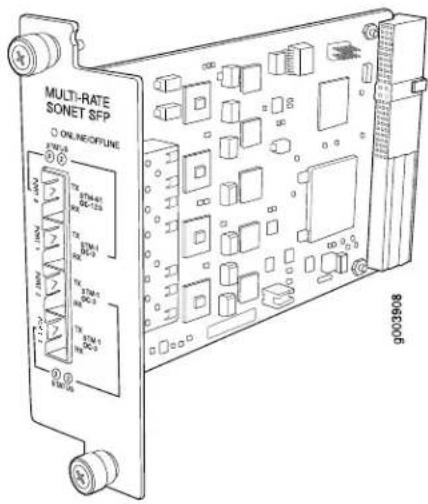
- Junos 9.5 and laterSoftware release
Description
- Rate-selectable using one of the following rates:
• 1-port OC12/STM4
• 1-port OC12c/STM4c
• 4-port OC3c/STM1c
• Power requirement: 0.40 A @ 48 V (19 W)
Hardware features
- Multiplexing and demultiplexing
• Rate policing on input
• Rate shaping on output
- Packet buffering. Layer 2 parsing
Software features
• Optical diagnostics and related alarms
• Per-port SONET/SDH framing
- Link aggregation
• Alarm and event counting and detection
• Dual-router automatic protection switching (APS)
- Multiprotocol Label Switching (MPLS) fast reroute
- Encapsulations:
• Circuit cross-connect (CCC)
• Translational cross-connect (TCC)
- Frame Relay
• High-Level Data Link Control (HDLC)
- Point-to-Point Protocol (PPP)
Cables and connectors you can install any transceiver supported by the PIC. For information about installing and removing transceivers, see the hardware guide for your router.
- Fiber-optic small form-factor pluggable (SFP) transceivers:
- Connector: Duplex LC/PC (Rx and Tx)
• SONET/SDH OC3/STM1 SFPs:
• Multimode (model number: SFP-OC3-SR) - Intermediate reach (IR-1) (model number: SFP-OC3-IR)
- Long reach (LR-1) (model number: SFP-OC3-LR)
Optical interface specifications—see SONET/SDH OC3/STM1 Optical Interface Specifications
• SONET/SDH OC12/STM4 SFPs: - Short reach (SR-1) (model number: SFP-OC12-SR)
• Intermediate reach (IR-1) (model number: SFP-OC12-IR) - Long reach (LR-1) (model number: SFP-OC12-LR)
Optical Interface specifications—see SONET/SDH OC12/STM4 Optical Interface Specifications
NOTE: To extend the life of the laser, when a PIC is not being actively used with any valid links, take the PIC offline until you are ready to establish a link to another device. For information about taking a PIC offline, see the request chassis pic offline command in the Junos OS System Basics and Services Command Reference.
LEDs
One tricolor per port:
- Off—Not enabled
- Green—Online with no alarms or failures
- Yellow—Online with alarms for remote failures
- Red—Active with a local alarm; router has detected a failure
Alarms, errors, and events
- SONET alarms:
• Alarm indication signal—line (AIS-L)
• Alarm indication signal—path (AIS-P)
- Bit error rate—signal degrade (BERR-SD)
- Bit error rate—signal fail (BERR-SF)
- Bit interleaved parity (BIP) error B1, B2, B3
- Far-end bit error: remote error indication—line (REI-L), far-end line coding violations (CV-LFE)
- Far-end bit error: remote error indication—path (REI-P), far-end path coding violations (CV-PFE)
- Loss of frame (LOF)
• Loss of pointer (LOP-P)
- Loss of signal (LOS)
- Payload label mismatch (PLM-P)
- Payload unequipped (unequipped STS at path level) (UNEQ-P)
- Remote defect indication—line (RDI-L)
- Remote defect indication—path (RDI-P)
- SDH alarms:
• Administrative unit alarm indication signal (AU-AIS)
- Bit error rate signal degrade (BERR-SD)
- Bit error rate signal fail (BERR-SF)
- Bit interleaved parity (BIP) error B1, B2, B3
- Higher order path—payload label mismatch (HP-PLM)
• Higher order path—loss of pointer (HP-LOP)
• Higher order path—remote defect indication (HP-RDI)
• Higher order path—unequipped (HP-UNEQ)
- Loss of frame (LOF)
- Loss of signal (LOS)
- Multiplex section—alarm indication signal (MS-AIS)
- Multiplex section—remote defect indication (MS-RDI)
- Multiplex section—remote error indication (MS-REI)
- Error detection:
• Errored seconds (ES-S, ES-L, ES-P)
• Far-end errored seconds (ES-LFE, ES-PFE)
• Far-end severely errored seconds (SES-LFE, SES-PFE)
• Far-end unavailable seconds (UAS-LFE, UAS-PFE)
• Severely errored frames (SEF)
• Severely errored framing seconds (SEFS-S)
• Severely errored seconds (SES-S, SES-L, SES-P)
• Unavailable seconds (UAS-L, UAS-P)
Related
Documentation
MX Series PIC Overview on page 138.
•FPCs Supported by MX240, MX480, and MX960 Routers on page 139
•PICs Supported by MX240, MX480, and MX960 Routers on page 139
•High Availability Features on page 139
- SONET/SDH OC3/STM1 Optical Interface Specifications - SONET/SDH OC12/STM4 Optical Interface Specifications
SONET/SDH OC12/STM4 (Multi-Rate) PIC with SFP
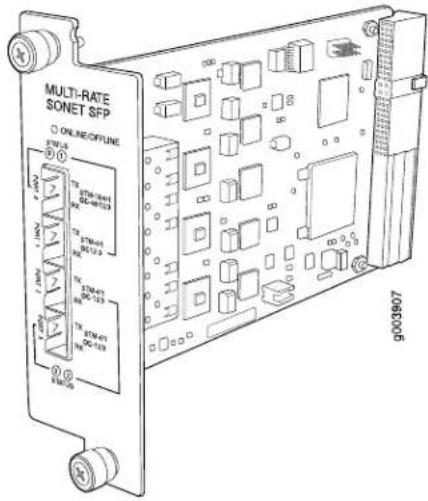
- Junos 9.5 and laterSoftware release
Description
- Rate-selectable using one of the following rates:
- 1-port OC12
- 1-port OC48
- 1-port OC48c
4-port OC3c
- 4-port OC12c
• Power requirement: 0.40 A @ 48 V (19 W)
Hardware features
- Multiplexing and demultiplexing
• Rate policing on input
- Rate shaping on output
- Packet buffering, Layer 2 parsing
Software features
• Optical diagnostics and related alarms
• Per-port SONET/SDH framing
- Link aggregation
• Alarm and event counting and detection
- Dual-router automatic protection switching (APS)
- Multiprotocol Label Switching (MPLS) fast reroute
- Encapsulations:
• Circuit cross-connect (CCC)
• Translational cross-connect (TCC)
Frame Relay
• High-Level Data Link Control (HDLC)
- Point-to-Point Protocol (PPP)
Cables and connectors you can install any transceiver supported by the PIC. For information about installing and removing transceivers, see the hardware guide for your router.
- Fiber-optic small form-factor pluggable (SFP) transceivers:
- Connector: Duplex LC/PC (Rx and Tx)
• SONET/SDH OC3/STM1 SFPs:
• Multimode (model number: SFP-OC3-SR) - Intermediate reach (IR-1) (model number: SFP-OC3-IR)
- Long reach (LR-1) (model number: SFP-OC3-LR)
Optical interface specifications—see SONET/SDH OC3/STM1 Optical Interface Specifications
• SONET/SDH OC12/STM4 SFPs:
- Short reach (SR-1) (model number: SFP-OC12-SR)
• Intermediate reach (IR-1) (model number: SFP-OC12-IR)
- Long reach (LR-1) (model number: SFP-OC12-LR)
Optical Interface specifications—see SONET/SDH OC12/STM4 Optical Interface Specifications
• SONET/SDH OC48/STM12 SFPs:
- Short reach (SR-1) (model number: SFP-10C48-SR)
• Intermediate reach (IR-1) (model number: SFP-10C48-IR)
- Long reach (LR-2) (model number: SFP-10C48-LR)
Optical Interface specifications—see SONET/SDH OC48/STM16 Optical Interface Specifications
NOTE: To extend the life of the laser, when a PIC is not being actively used with any valid links, take the PIC offline until you are ready to establish a link to another device. For information about taking a PIC offline, see the request chassis pic offline command in the Junos OS System Basics and Services Command Reference.
LEDs
One tricolor per port:
- Off—Not enabled
- Green—Online with no alarms or failures
- Yellow—Online with alarms for remote failures
- Red—Active with a local alarm; router has detected a failure
Alarms, errors, and events
- SONET alarms:
• Alarm indication signal—line (AIS-L)
• Alarm indication signal—path (AIS-P)
- Bit error rate—signal degrade (BERR-SD)
- Bit error rate—signal fail (BERR-SF)
- Bit interleaved parity (BIP) error B1, B2, B3
- Far-end bit error: remote error indication—line (REI-L), far-end line coding violations (CV-LFE)
- Far-end bit error: remote error indication—path (REI-P), far-end path coding violations (CV-PFE)
- Loss of frame (LOF)
• Loss of pointer (LOP-P)
- Loss of signal (LOS)
- Payload label mismatch (PLM-P)
- Payload unequipped (unequipped STS at path level) (UNEQ-P)
- Remote defect indication—line (RDI-L)
- Remote defect indication—path (RDI-P)
- SDH alarms:
• Administrative unit alarm indication signal (AU-AIS)
- Bit error rate signal degrade (BERR-SD)
- Bit error rate signal fail (BERR-SF)
- Bit interleaved parity (BIP) error B1, B2, B3
• Higher order path—payload label mismatch (HP-PLM)
• Higher order path—loss of pointer (HP-LOP)
• Higher order path—remote defect indication (HP-RDI)
• Higher order path—unequipped (HP-UNEQ)
- Loss of frame (LOF)
- Loss of signal (LOS)
- Multiplex section—alarm indication signal (MS-AIS)
- Multiplex section—remote defect indication (MS-RDI)
- Multiplex section—remote error indication (MS-REI)
- Error detection:
• Errored seconds (ES-S, ES-L, ES-P)
• Far-end errored seconds (ES-LFE, ES-PFE)
• Far-end severely errored seconds (SES-LFE, SES-PFE)
• Far-end unavailable seconds (UAS-LFE, UAS-PFE)
• Severely errored frames (SEF)
• Severely errored framing seconds (SEFS-S)
• Severely errored seconds (SES-S, SES-L, SES-P)
• Unavailable seconds (UAS-L, UAS-P)
Related Documentation
MX Series PIC Overview on page 138.
•FPCs Supported by MX240, MX480, and MX960 Routers on page 139
•PICs Supported by MX240, MX480, and MX960 Routers on page 139
•High Availability Features on page 139
•SONET/SDH OC3/STM1 Optical Interface Specifications
•SONET/SDH OC12/STM4 Optical Interface Specifications
•SONET/SDH OC48/STM16 Optical Interface Specifications
SONET/SDH OC48/STM16 Enhanced IQ (IQE) PIC with SFP
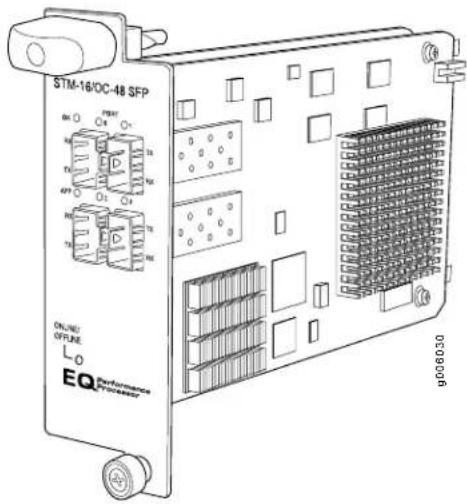
- Junos OS Release 10.4R2 and later (Type 3)Software release
Description
• Four OC48/STM16 ports
• Clear channel functionality
• SONET and SDH is configured on a per-port granularity
• Power requirement: 1.06 A @ 48 V (51 W)
• Weight: 1.6 lb (0.725 kg)
• Model number: PC-4OC48-STM16-IQE-SFP
Hardware features
- Ports are numbered:
• Top row: 0 and 1 from left to right - Bottom row: 2 and 3 from left to right
• Maximum transmission units (MTUs) of up to 9192 bytes
Software features
• Quality of service (QoS) per channel: weighted round-robin (WRR), random early detection (RED), weighted random early detection (WRED)
- Fine-grained egress queuing per logical interface. See the Junos OS Class of Service Configuration Guide for more information about class-of-service features
- Packet buffering
- Local line and remote payload loopback testing
• Optical diagnostics and monitoring
- Clocking options: internal or external/loop mode. Each OC48 transmitter port is configured either in internal or external mode. The default clocking option is internal mode.
- Encapsulations:
- Extended Frame Relay for circuit cross-connect (CCC) and translational cross-connect (TCC)
- Flexible Frame Relay
- Frame Relay
• Frame Relay for CCC
• Frame Relay for TCC
• Frame Relay port CCC
• High-Level Data Link Control (HDLC)
• HDLC framing for CCC
- HDLC framing for TCC
- MPLS CCC
- MPLS TCC
- Point-to-Point Protocol (PPP)
- PPP for CCC
- PPP for TCC
Cables and connectors You can install any transceiver supported by the PIC.
• Duplex LC/PC connector (Rx and Tx)
• SONET/SDH OC48/STM16 small form-factor pluggable (SFP) transceivers:
- Short reach (SR-1) (model number: SFP-10C48-SR)
• Intermediate reach (IR-1) (model number: SFP-10C48-IR)
- Long reach (LR-1) (model number: SFP-1OC48-LR)
Optical interface specifications—see SONET/SDH OC48/STM16 Optical Interface Specifications
NOTE: To extend the life of the laser, when a PIC is not being actively used with any valid links, take the PIC offline until you are ready to establish a link to another device. For information about taking a PIC offline, see the request chassis pic offline command in the Junos OS System Basics and Services Command Reference.
LEDs
OK LED, one tricolor:
- Off-PIC is offline and safe to remove from the router
- Green—PIC is operating normally
- Yellow—PIC is initializing
- Red—PIC has an error or failure
APP LED, one green per port:
- Off—Service is not running
- Green—Service is running under acceptable load
Port LEDs, one tricolor per port:
- Off—Not enabled
- Green—Online with no alarms or failures
- Yellow—Online with alarms for remote failures
- Red—Active with a local alarm; router has detected a failure
Alarms, errors, and events
SONET alarms:
- Loss of light (LOL)
• Phase lock loop (PLL) - Loss of frame (LOF)
- Loss of signal (LOS)
• Severely errored frame (SEF)
• Alarm indicator signal—line (AIS-L) - Alarm indicator signal—path (AIS-P)
- Loss of pointer (LOP)
- Bit error rate—signal degrade (BERR-SD)
- Bit error rate—signal fail (BERR-SF)
- Remote defect indicator—line (RDI-L)
- Remote defect indicator—path (RDI-P)
- Remote error indicator (REI)
- Unequipped (UNEQ)
- Payload label mismatch—path (PLM-P)
SDH alarms:
- Loss of light (LOL)
• Phase lock loop (PLL) - Loss of frame (LOF)
- Loss of signal (LOS)
• Severely errored frame (SEF) - Multiplex-section alarm indicator signal (MS-AIS)
• H Path alarm indicator signal (HP-AIS) - Loss of pointer (LOP)
- Bit error rate—signal degrade (BERR-SD)
- Bit error rate—signal fail (BERR-SF)
- Multiplex section—far end receive failure (MS-FERF)
• High order path—far end receive failure (HP-FERF) - Remote error indicator (REI)
- Unequipped (UNEQ)
- High order path—payload label mismatch - Path (HP-PLM)
Optical diagnostics related alarms:
NOTE: Transceivers from some vendors do not support these fields.
• Temperature high/low alarms and warnings
• Supply voltage high/low alarms and warnings
• Tx bias current high/low alarms and warnings
• Tx output power high/low alarms and warnings
- Rx received power high/low alarms and warnings
Related
Documentation
MX Series PIC Overview on page 138.
•FPCs Supported by MX240, MX480, and MX960 Routers on page 139
•PICs Supported by MX240, MX480, and MX960 Routers on page 139
•High Availability Features on page 139
•SONET/SDH OC48/STM16 Optical Interface Specifications
SONET/SDH OC48/STM16 (Multi-Rate) PIC with SFP
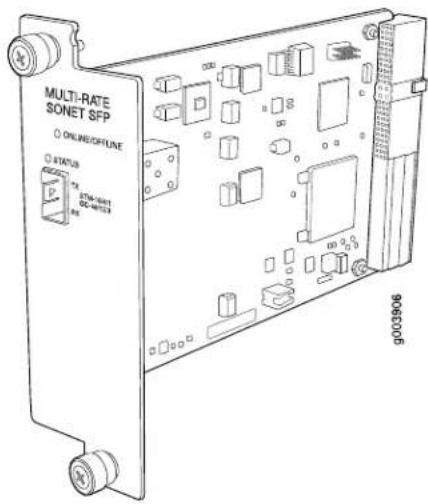
• Junos 9.5 and laterSoftware release
Description
- Rate-selectable using one of the following rates:
- 1-port OC3c/STM1c
- 1-port OC12/STM4
- 1-port OC12c/STM4c
• 1-port OC48/STM16
- 1-port OC48c/STM16c
• Power requirement: 0.20 A @ 48 V (9.5 W)
Hardware features
- Multiplexing and demultiplexing
• Rate policing on input
• Rate shaping on output
- Packet buffering, Layer 2 parsing
Software features
• Optical diagnostics and related alarms
• Per-port SONET/SDH framing
- Link aggregation
• Alarm and event counting and detection
• Dual-router automatic protection switching (APS)
- Multiprotocol Label Switching (MPLS) fast reroute
- Encapsulations:
• Circuit cross-connect (CCC)
• Translational cross-connect (TCC)
- Frame Relay
• High-Level Data Link Control (HDLC)
- Point-to-Point Protocol (PPP)
Cables and connectors you can install any transceiver supported by the PIC. For information about installing and removing transceivers, see the hardware guide for your router.
- Fiber-optic small form-factor pluggable (SFP) transceivers:
- Connector: Duplex LC/PC (Rx and Tx)
• SONET/SDH OC3/STM1 SFPs:
• Multimode (model number: SFP-OC3-SR)
• Intermediate reach (IR-1) (model number: SFP-OC3-IR) - Long reach (LR-1) (model number: SFP-OC3-LR)
Optical interface specifications—see SONET/SDH OC3/STM1 Optical Interface Specifications
• SONET/SDH OC12/STM4 SFPs:
- Short reach (SR-1) (model number: SFP-OC12-SR)
• Intermediate reach (IR-1) (model number: SFP-OC12-IR)
- Long reach (LR-1) (model number: SFP-OC12-LR)
Optical interface specifications—see SONET/SDH OC12/STM4 Optical Interface Specifications
• SONET/SDH OC48/STM12 SFPs:
- Short reach (SR-1) (model number: SFP-10C48-SR)
• Intermediate reach (IR-1) (model number: SFP-10C48-IR)
- Long reach (LR-2) (model number: SFP-10C48-LR)
Optical Interface specifications—see SONET/SDH OC48/STM16 Optical Interface Specifications
NOTE: To extend the life of the laser, when a PIC is not being actively used with any valid links, take the PIC offline until you are ready to establish a link to another device. For information about taking a PIC offline, see the request chassis pic offline command in the Junos OS System Basics and Services Command Reference.
LEDs
One tricolor per port:
- Off—Not enabled
- Green—Online with no alarms or failures
- Yellow—Online with alarms for remote failures
- Red—Active with a local alarm; router has detected a failure
Alarms, errors, and events
- SONET alarms:
• Alarm indication signal—line (AIS-L)
• Alarm indication signal—path (AIS-P)
- Bit error rate—signal degrade (BERR-SD)
- Bit error rate—signal fail (BERR-SF)
- Bit interleaved parity (BIP) error B1, B2, B3
- Far-end bit error: remote error indication—line (REI-L), far-end line coding violations (CV-LFE)
- Far-end bit error: remote error indication—path (REI-P), far-end path coding violations (CV-PFE)
- Loss of frame (LOF)
• Loss of pointer (LOP-P)
- Loss of signal (LOS)
- Payload label mismatch (PLM-P)
- Payload unequipped (unequipped STS at path level) (UNEQ-P)
- Remote defect indication—line (RDI-L)
- Remote defect indication—path (RDI-P)
- SDH alarms:
• Administrative unit alarm indication signal (AU-AIS)
- Bit error rate signal degrade (BERR-SD)
- Bit error rate signal fail (BERR-SF)
- Bit interleaved parity (BIP) error B1, B2, B3
- Higher order path—payload label mismatch (HP-PLM)
• Higher order path—loss of pointer (HP-LOP)
• Higher order path—remote defect indication (HP-RDI)
• Higher order path—unequipped (HP-UNEQ)
- Loss of frame (LOF)
- Loss of signal (LOS)
- Multiplex section—alarm indication signal (MS-AIS)
- Multiplex section—remote defect indication (MS-RDI)
- Multiplex section—remote error indication (MS-REI)
- Error detection:
• Errored seconds (ES-S, ES-L, ES-P)
• Far-end errored seconds (ES-LFE, ES-PFE)
• Far-end severely errored seconds (SES-LFE, SES-PFE)
• Far-end unavailable seconds (UAS-LFE, UAS-PFE)
• Severely errored frames (SEF)
• Severely errored framing seconds (SEFS-S)
• Severely errored seconds (SES-S, SES-L, SES-P)
• Unavailable seconds (UAS-L, UAS-P)
Related Documentation
MX Series PIC Overview on page 138.
•FPCs Supported by MX240, MX480, and MX960 Routers on page 139
•PICs Supported by MX240, MX480, and MX960 Routers on page 139
•High Availability Features on page 139
•SONET/SDH OC3/STM1 Optical Interface Specifications
•SONET/SDH OC12/STM4 Optical Interface Specifications
•SONET/SDH OC48/STM16 Optical Interface Specifications
SONET/SDH OC48/STM16 PIC with SFP
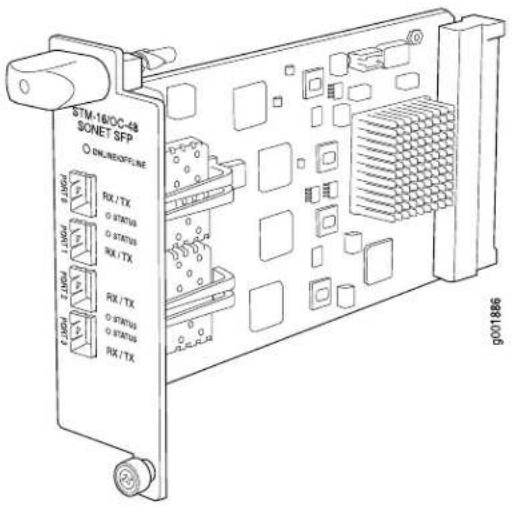
| • Junos 9.4 and laterSoftware release | |
| Description | • Four OC48 ports• Power requirement: 0.86 A @ 48 V (41.4 W) |
| Hardware features | • Rate policing on input• Rate shaping on output• Packet buffering, Layer 2 parsing |
| Software features | • Optical diagnostics and related alarms• Configuration of SONET or SDH framing on a per-port basis• SONET/SDH framing• Link aggregation• Alarm and event counting and detection• Dual-router automatic protection switching (APS)• Multiprotocol Label Switching (MPLS) fast reroute• Encapsulations:• High-Level Data Link Control (HDLC)• Frame Relay• Circuit cross-connect (CCC)• Translational cross-connect (TCC)• Point-to-Point Protocol (PPP) |
Cables and connectors you can install any transceiver supported by the PIC. For information about installing and removing transceivers, see the hardware guide for your router.
• SONET/SDH OC48/STM12 small form-factor pluggable (SFP) transceivers:
- Connector: Duplex LC/PC (Rx and Tx)
- Short reach (SR-1) (model number: SFP-1OC48-SR)
• Intermediate reach (IR-1) (model number: SFP-10C48-IR) - Long reach (LR-2) (model number: SFP-10C48-LR)
Optical interface specifications—see SONET/SDH OC12/STM4 Optical Interface Specifications
NOTE: To extend the life of the laser, when a PIC is not being actively used with any valid links, take the PIC offline until you are ready to establish a link to another device. For information about taking a PIC offline, see the request chassis pic offline command in the Junos OS System Basics and Services Command Reference.
LEDs
One tricolor per port:
- Off—Not enabled
- Green—Online with no alarms or failures
- Yellow—Online with alarms for remote failures
- Red—Active with a local alarm; router has detected a failure
Alarms, errors, and events
- SONET alarms:
• Alarm indication signal—line (AIS-L)
• Alarm indication signal—path (AIS-P)
- Bit error rate—signal degrade (BERR-SD)
- Bit error rate—signal fail (BERR-SF)
- Bit interleaved parity (BIP) error B1, B2, B3
- Far-end bit error: remote error indication—line (REI-L), far-end line coding violations (CV-LFE)
- Far-end bit error: remote error indication—path (REI-P), far-end path coding violations (CV-PFE)
- Loss of frame (LOF)
- Loss of pointer (LOP-P)
- Loss of signal (LOS)
- Payload label mismatch (PLM-P)
- Payload unequipped (unequipped STS at path level) (UNEQ-P)
- Remote defect indication—line (RDI-L)
- Remote defect indication—path (RDI-P)
- SDH alarms:
• Administrative unit alarm indication signal (AU-AIS)
- Bit error rate signal degrade (BERR-SD)
- Bit error rate signal fail (BERR-SF)
- Bit interleaved parity (BIP) error B1, B2, B3
• Higher order path—payload label mismatch (HP-PLM)
• Higher order path—loss of pointer (HP-LOP)
• Higher order path—remote defect indication (HP-RDI)
• Higher order path—unequipped (HP-UNEQ)
- Loss of frame (LOF)
- Loss of signal (LOS)
- Multiplex section—alarm indication signal (MS-AIS)
- Multiplex section—remote defect indication (MS-RDI)
- Multiplex section—remote error indication (MS-REI)
- Error detection:
• Errored seconds (ES-S, ES-L, ES-P)
• Far-end errored seconds (ES-LFE, ES-PFE)
• Far-end severely errored seconds (SES-LFE, SES-PFE)
• Far-end unavailable seconds (UAS-LFE, UAS-PFE)
• Severely errored framing (SEF)
• Severely errored framing seconds (SEFS-S)
• Severely errored seconds (SES-S, SES-L, SES-P)
• Unavailable seconds (UAS-L, UAS-P)
Related Documentation
MX Series PIC Overview on page 138.
•FPCs Supported by MX240, MX480, and MX960 Routers on page 139
•PICs Supported by MX240, MX480, and MX960 Routers on page 139
•High Availability Features on page 139
•SONET/SDH OC48/STM16 Optical Interface Specifications
SONET/SDH OC192c/STM64 PIC
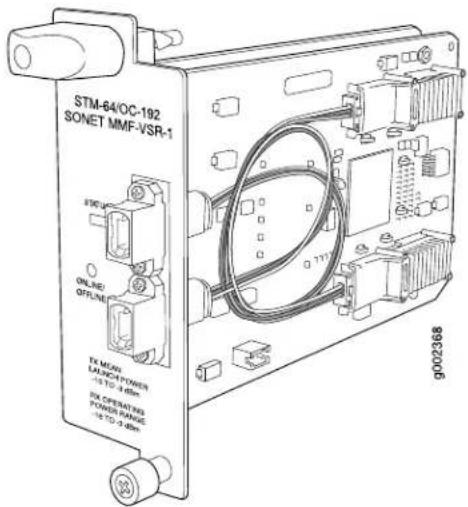
- Junos 9.4 and laterSoftware release
Description
- One OC192 port
• Power requirement: 0.45 A @ 48 V (21.6 W)
Hardware features
- Multiplexing and demultiplexing
- Rate policing on input
• Rate shaping on output
- Packet buffering, Layer 2 parsing
Software features
- SONET/SDH framing
- Link aggregation
• Alarm and event counting and detection
• Dual-router automatic protection switching (APS) - Multiprotocol Label Switching (MPLS) fast reroute
- Encapsulations:
• High-Level Data Link Control (HDLC)
- Frame Relay
• Circuit cross-connect (CCC)
• Translational cross-connect (TCC)
- Point-to-Point Protocol (PPP)
Cables and connectors Very short reach (VSR 1): 12-ribbon multimode fiber with MTP connector (Rx and Tx)
- Fiber-optic 10-gigabit small form-factor pluggable (XFP) transceivers: 10GBASE-S very short reach (VSR-1) (model number: XFP-10G-S)
- Optical interface specifications—see 10-Gigabit Ethernet 10GBASE Optical Interface Specifications
NOTE: To extend the life of the laser, when a PIC is not being actively used with any valid links, take the PIC offline until you are ready to establish a link to another device. For information about taking a PIC offline, see the request chassis pic offline command in the Junos OS System Basics and Services Command Reference.
LEDs
One tricolor LED per port:
- Off—Not enabled
- Green—Online with no alarms or failures
- Yellow—Online with alarms for remote failures
- Red—Active with a local alarm; router has detected a failure
Alarms, errors, and events
- SONET alarms:
• Alarm indication signal—line (AIS-L)
• Alarm indication signal—path (AIS-P)
- Bit error rate—signal degrade (BERR-SD)
- Bit error rate—signal fail (BERR-SF)
- Bit interleaved parity (BIP) error B1, B2, B3
- Far-end bit error: remote error indication—line (REI-L), far-end line coding violations (CV-LFE)
- Far-end bit error: remote error indication—path (REI-P), far-end path coding violations (CV-PFE)
- Loss of frame (LOF)
- Loss of pointer (LOP-P)
- Loss of signal (LOS)
- Payload label mismatch (PLM-P)
- Payload unequipped (unequipped STS at path level) (UNEQ-P)
- Remote defect indication—line (RDI-L)
- Remote defect indication—path (RDI-P)
- SDH alarms:
• Administrative unit alarm indication signal (AU-AIS)
- Bit error rate signal degrade (BERR-SD)
- Bit error rate signal fail (BERR-SF)
- Bit interleaved parity (BIP) error B1, B2, B3
• Higher order path—payload label mismatch (HP-PLM)
• Higher order path—loss of pointer (HP-LOP)
• Higher order path—remote defect indication (HP-RDI)
• Higher order path—unequipped (HP-UNEQ)
- Loss of frame (LOF)
- Loss of signal (LOS)
- Multiplex section—alarm indication signal (MS-AIS)
- Multiplex section—remote defect indication (MS-RDI)
- Multiplex section—remote error indication (MS-REI)
- Error detection:
• Errored seconds (ES-S, ES-L, ES-P)
• Far-end errored seconds (ES-LFE, ES-PFE)
• Far-end severely errored seconds (SES-LFE, SES-PFE)
• Far-end unavailable seconds (UAS-LFE, UAS-PFE)
• Severely errored framing (SEF)
• Severely errored framing seconds (SEFS-S)
• Severely errored seconds (SES-S, SES-L, SES-P)
• Unavailable seconds (UAS-L, UAS-P)
Related Documentation
MX Series PIC Overview on page 138.
•FPCs Supported by MX240, MX480, and MX960 Routers on page 139
•PICs Supported by MX240, MX480, and MX960 Routers on page 139
•High Availability Features on page 139
•10-Gigabit Ethernet 10GBASE Optical Interface Specifications
SONET/SDH OC192c/STM64 PIC with XFP
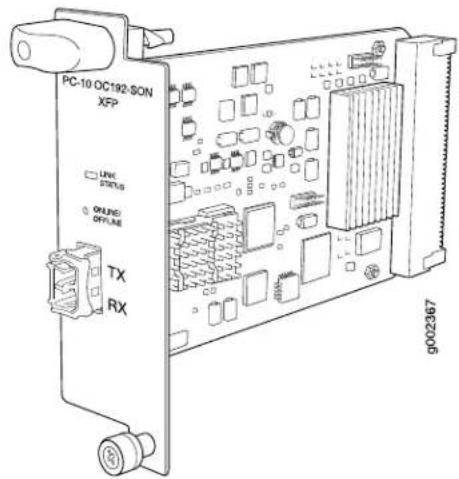
- Junos 9.4 and laterSoftware release
Description
- One OC192 port
• Power requirement: 0.52A @ 48 V (25 W)
Hardware features
• Multiplexing and demultiplexing
• Rate policing on input
• Rate shaping on output
- Packet buffering, Layer 2 parsing
Software features
• SONET/SDH framing
- Link aggregation
• Alarm and event counting and detection
- Dual-router automatic protection switching (APS)
- Multiprotocol Label Switching (MPLS) fast reroute
• Encapsulations:
• Circuit cross-connect (CCC)
• Translational cross-connect (TCC)
- Frame Relay
• High-Level Data Link Control (HDLC)
- Point-to-Point Protocol (PPP)
| Cables and connectors | Fiber-optic 10-gigabit small form-factor pluggable (XFP) transceivers:Connector: Duplex LC/PC (Rx and Tx)Short reach (SR-1) (model number: XFP-10G-L-OC192-SR1)Intermediate reach (IR-2) (model number: XFP-10G-E-OC192-IR2)Long reach (LR-2) (model number: XFP-10G-Z-OC192-LR2)Optical interface specifications—see SONET/SDH OC192/STM64 Optical Interface SpecificationsNOTE: To extend the life of the laser, when a PIC is not being actively used with any valid links, take the PIC offline until you are ready to establish a link to another device. For information about taking a PIC offline, see therequest chassis pic offlinecommand in the Junos OS System Basics and Services Command Reference. |
| LEDs | One tricolor LED per port:Off—Not enabledGreen—Online with no alarms or failuresYellow—Online with alarms for remote failuresRed—Active with a local alarm; router has detected a failure |
Alarms, errors, and events
- SONET alarms:
• Alarm indication signal—line (AIS-L)
• Alarm indication signal—path (AIS-P)
- Bit error rate—signal degrade (BERR-SD)
- Bit error rate—signal fail (BERR-SF)
- Bit interleaved parity (BIP) error B1, B2, B3
- Far-end bit error: remote error indication—line (REI-L), far-end line coding violations (CV-LFE)
- Far-end bit error: remote error indication—path (REI-P), far-end path coding violations (CV-PFE)
- Loss of frame (LOF)
- Loss of pointer (LOP-P)
- Loss of signal (LOS)
- Payload label mismatch (PLM-P)
- Payload unequipped (unequipped STS at path level) (UNEQ-P)
- Remote defect indication—line (RDI-L)
- Remote defect indication—path (RDI-P)
- SDH alarms:
• Administrative unit alarm indication signal (AU-AIS)
- Bit error rate signal degrade (BERR-SD)
- Bit error rate signal fail (BERR-SF)
- Bit interleaved parity (BIP) error B1, B2, B3
- Higher order path—payload label mismatch (HP-PLM)
• Higher order path—loss of pointer (HP-LOP)
- Higher order path—remote defect indication (HP-RDI)
- Higher order path—unequipped (HP-UNEQ)
- Loss of frame (LOF)
- Loss of signal (LOS)
- Multiplex section—alarm indication signal (MS-AIS)
- Multiplex section—remote defect indication (MS-RDI)
- Multiplex section—remote error indication (MS-REI)
- Error detection:
• Errored seconds (ES-S, ES-L, ES-P)
• Far-end errored seconds (ES-LFE, ES-PFE)
- Far-end severely errored seconds (SES-LFE, SES-PFE)
• Far-end unavailable seconds (UAS-LFE, UAS-PFE)
• Severely errored framing (SEF)
• Severely errored framing seconds (SEFS-S)
- Severely errored seconds (SES-S, SES-L, SES-P)
• Unavailable seconds (UAS-L, UAS-P)
Related
Documentation
MX Series PIC Overview on page 138.
•FPCs Supported by MX240, MX480, and MX960 Routers on page 139
•PICs Supported by MX240, MX480, and MX960 Routers on page 139
•High Availability Features on page 139
•10-Gigabit Ethernet 10GBASE Optical Interface Specifications
Junos Documentation and Release Notes
For a list of related Junos documentation, see http://www.juniper.net/techpubs/software/junos/.
If the information in the latest release notes differs from the information in the documentation, follow the Junos Release Notes.
To obtain the most current version of all Juniper Networksal documentation, see the product documentation page on the Juniper Networks website at http://www.juniper.net/techpubs/.
Requesting Technical Support
Technical product support is available through the Juniper Networks Technical Assistance Center (JTAC). If you are a customer with an active J-Care or JNASC support contract, or are covered under warranty, and need post-sales technical support, you can access our tools and resources online or open a case with JTAC.
- JTAC policies—For a complete understanding of our JTAC procedures and policies, review the JTAC User Guide located at http://www.juniper.net/us/en/local/pdf/resource-guides/7100059-en.pdf.
- Product warranties—For product warranty information, visit http://www.juniper.net/support/warranty/.
- JTAC hours of operation—The JTAC centers have resources available 24 hours a day, 7 days a week, 365 days a year.
Self-Help Online Tools and Resources
For quick and easy problem resolution, Juniper Networks has designed an online self-service portal called the Customer Support Center (CSC) that provides you with the following features:
• Find CSC offerings: http://www.juniper.net/customers/support/
- Search for known bugs: http://www2.juniper.net/kb/
• Find product documentation: http://www.juniper.net/techpubs/
• Find solutions and answer questions using our Knowledge Base: http://kb.juniper.net/
- Download the latest versions of software and review release notes: http://www.juniper.net/customers/csc/software/
- Search technical bulletins for relevant hardware and software notifications: https://www.juniper.net/alerts/
- Join and participate in the Juniper Networks Community Forum: http://www.juniper.net/company/communities/
- Open a case online in the CSC Case Management tool: http://www.juniper.net/cm/
To verify service entitlement by product serial number, use our Serial Number Entitlement (SNE) Tool: https://tools.juniper.net/SerialNumberEntitlementSearch/
Opening a Case with JTAC
You can open a case with JTAC on the Web or by telephone.
- Use the Case Management tool in the CSC at http://www.juniper.net/cm/.
- Call 1-888-314-JTAC (1-888-314-5822 toll-free in the USA, Canada, and Mexico).
For international or direct-dial options in countries without toll-free numbers, see http://www.juniper.net/support/requesting-support.html.
Revision History
April 2012—Corrected MIC support on the MPC3E.
March 2012—Added new MPC3E. Added new ATM MIC. Added new 100-Gigabit Ethernet MIC with CFP. Corrected SFP-1GE-T support.
December 2011—Added new DS3/E3 MIC. Added new SONET/SDH OC3/STM1 (Multi-Rate) MIC.
December 2011—Added new MX5, MX10, and MX40 routers. Added new enhanced MPCs (MPCE).
September 2011—Added new 4-port and 8-port Channelized SONET/SDH OC3/STM1 (Multi-Rate) MICs.
March 2011—Updated optical specifications links.
November 2010—Updated feature tables. Corrected pinouts for copper SFPs.
August 2010—Updated information for EOL DPCs (DPC-R-4XGE-XFP and DPC-R-40GE-SFP).
June 2010—Minor updates.
May 2010—Added new 30-Gigabit Ethernet MPCs. Added new 2-port 10-Gigabit Ethernet MIC with XFP and 40-port Tri-Rate MIC. Added tunable DWDM XFP.
January 2010—Initial release.
Copyright © 2012, Juniper Networks, Inc. All rights reserved.
Juniper Networks, Junos, Steel-Belted Radius, NetScreen, and ScreenOS are registered trademarks of Juniper Networks, Inc. in the United States and other countries. The Juniper Networks Logo, the Junos logo, and JunosE are trademarks of Juniper Networks, Inc. All other trademarks, service marks, registered trademarks, or registered service marks are the property of their respective owners.
Juniper Networks assumes no responsibility for any inaccuracies in this document. Juniper Networks reserves the right to change, modify, transfer, or otherwise revise this publication without notice.
Products made or sold by Juniper Networks or components thereof might be covered by one or more of the following patents that are owned by or licensed to Juniper Networks: U.S. Patent Nos. 5,473,599, 5,905,725, 5,909,440, 6,192,051, 6,333,650, 6,359,479, 6,406,312, 6,429,706, 6,459,579, 6,493,347, 6,538,518, 6,538,899, 6,552,918, 6,567,902, 6,578,186, and 6,590,785.