CHCMS115 - Projector Accessory ITB - Free user manual and instructions
Find the device manual for free CHCMS115 ITB in PDF.


| Product Type | Projector Ceiling Mount |
| Brand | ITB |
| Model | CHCMS115 |
| Compatibility | Most standard projectors up to 15 kg (33 lbs) |
| Material | Heavy-duty steel with corrosion-resistant coating |
| Maximum Load Capacity | 15 kg (33 lbs) |
| VESA Compatibility | Up to 400x400 mm |
| Distance from Ceiling | Adjustable from 50 to 100 cm (19.7 to 39.4 in) |
| Tilt Angle | ±15 degrees |
| Rotation | 360 degrees |
| Installation Type | Fixed to ceiling with included hardware |
| Color | Black or white (depending on variant) |
| Dimensions (folded) | 30 x 20 x 10 cm (11.8 x 7.9 x 3.9 in) |
| Weight | 2.5 kg (5.5 lbs) |
| Power Supply | None (passive mount) |
| Cleaning | Wipe with dry cloth; do not use solvents |
| Safety Features | Safety wire loop for secondary attachment |
| Warranty | 2 years |
Frequently Asked Questions - CHCMS115 ITB
User questions about CHCMS115 ITB
0 question about this device. Answer the ones you know or ask your own.
Ask a new question about this device
Download the instructions for your Projector Accessory in PDF format for free! Find your manual CHCMS115 - ITB and take your electronic device back in hand. On this page are published all the documents necessary for the use of your device. CHCMS115 by ITB.
USER MANUAL CHCMS115 ITB
INSTALLATION INSTRUCTIONS
natural_image
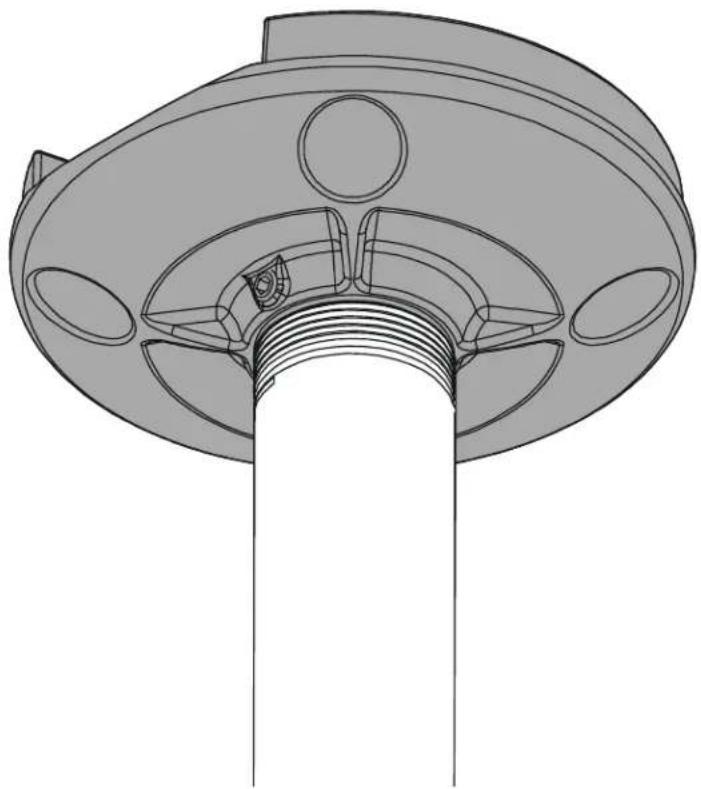
Technical line drawing of a mechanical component with no visible text or symbolsCeiling Plate
DISCLAIMER
Milestone AV Technologies and its affiliated corporations and subsidiaries (collectively "Milestone"), intend to make this manual accurate and complete. However, Milestone makes no claim that the information contained herein covers all details, conditions or variations, nor does it provide for every possible contingency in connection with the installation or use of this product. The information contained in this document is subject to change without notice or obligation of any kind. Milestone makes no representation of warranty, expressed or implied, regarding the information contained herein. Milestone assumes no responsibility for accuracy, completeness or sufficiency of the information contained in this document.
Chief® is a registered trademark of Milestone AV Technologies. All rights reserved.

IMPORTANT SAFETY INSTRUCTIONS

WARNING: A WARNING alerts you to the possibility of serious injury or death if you do not follow the instructions.

CAUTION: A CAUTION alerts you to the possibility of damage or destruction of equipment if you do not follow the corresponding instructions.

WARNING: Failure to read, thoroughly understand, and follow all instructions can result in serious personal injury, damage to equipment, or voiding of factory warranty! It is the installer's responsibility to make sure all components are properly assembled and installed using the instructions provided.

WARNING: Failure to provide adequate structural strength for this component can result in serious personal injury or damage to equipment! It is the installer's responsibility to make sure the structure to which this component is attached can support five times the combined weight of all equipment. Reinforce the structure as required before installing the component.

WARNING: Exceeding the weight capacity can result in serious personal injury or damage to equipment! It is the installer's responsibility to make sure the combined weight of all components attached to the CMS115 does not exceed 500 lbs (227 kg).

WARNING: Use this mounting system only for its intended use as described in these instructions. Do not use attachments not recommended by the manufacturer.

WARNING: Never operate this mounting system if it is damaged. Return the mounting system to a service center for examination and repair.

WARNING: Do not use this product outdoors.
IMPORTANT ! : The CMS115 is designed to be mounted to 2" x 4" wood stud joists.
--SAVE THESE INSTRUCTIONS--
DIMENSIONS
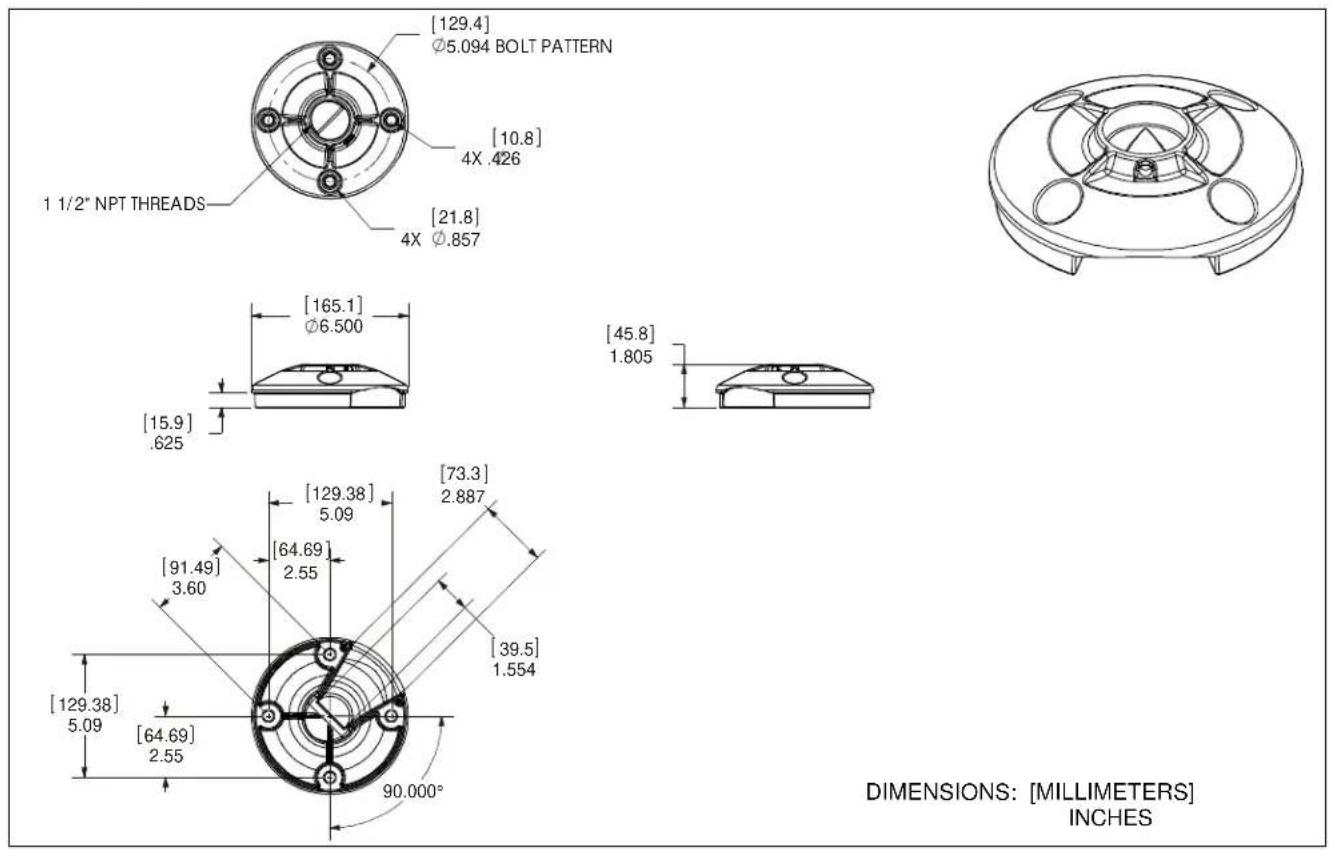
DIMENSIONS: [MILLIMETERS] INCHES
LEGEND
 | Tighten Fastener |
| Apretar elemento de fijación | |
| Befestigungsteil festziehen | |
| Apertar fixador | |
| Serrare il fissaggio | |
| Bevestiging vastdraaien | |
| Serrez les fixations | |
 | Loosen Fastener |
| Aflojar elemento de fijación | |
| Befestigungsteil lösen | |
| Desapertar fixador | |
| Allentare il fissaggio | |
| Bevestiging losdraaien | |
| Desserrez les fixations | |
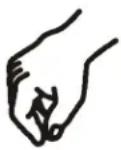 | By Hand |
| A mano | |
| Von Hand | |
| Com a mão | |
| A mano | |
| Met de hand | |
| À la main | |
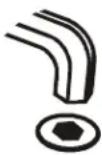 | Hex-Head Wrench |
| Llave de cabeza hexagonal | |
| Sechskantschlüssel | |
| Chave de cabeça sextavada | |
| Chiave esagonale | |
| Zeskantsleutel | |
| Clé à tête hexagonale | |
 | Socket Wrench |
| Llave de cubo | |
| Steckschlüssel | |
| Chave de caixa | |
| Chiave a brugola | |
| Dopsleutel | |
| Clé à douilles |



TOOLS REQUIRED FOR INSTALLATION

PARTS
![A (1) [Ceiling plate] B (1) 5/16" x 1/4" C (1) 5/16" x 1/4" (security) E (4) 3/8" D (1) 5/32" (security)](/content/2026/05/1143028/images/1bedb866c8f76f43e9d509fdbcbf9719664d1a2f2621c5c9180ecf83e0869da9.jpg)
INSTALLATION

WARNING: Failure to provide adequate structural strength for this component can result in serious personal injury or damage to equipment! It is the installer's responsibility to make sure the structure to which this component is attached can support five times the combined weight of all equipment. Reinforce the structure as required before installing the component.
- Using ceiling plate (A) as a template, mark locations of two pilot holes (See Figure 1). Ensure the following:
• Use OPPOSITE holes in plate (A), and
- Marks are in the center of wood joist.
NOTE: Drywall not shown for clarity.
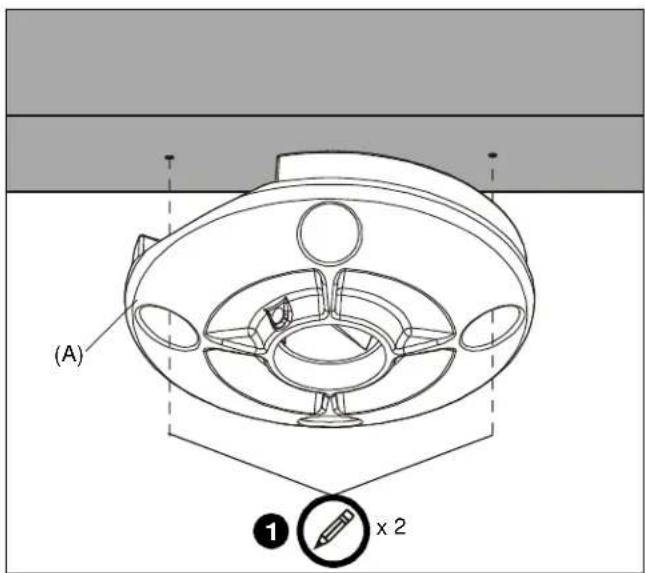
Figure 1
- Drill 1/4" diameter pilot holes into wood joist (See Figure 2). Ensure pilot holes are straight.
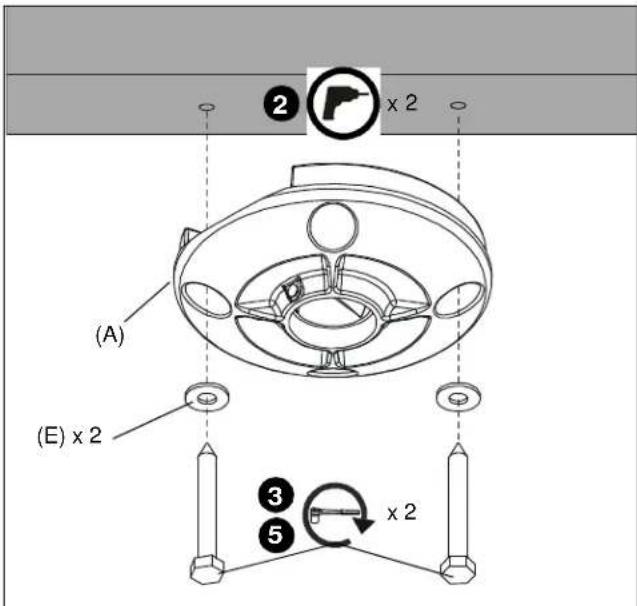
Figure 2
- Using 9/16" socket wrench, loosely install two (minimum) Grade 2 (not included) 3/8" x 2-1/2" lag screws through 3/8" washers (E), ceiling plate (A), into wood joist (See Figure 2). Do not tighten plate (A) against ceiling at this time to accommodate cable installation.
NOTE: Two additional washers are provided.
- Route cables through channel in ceiling plate (A) (See Figure 3).
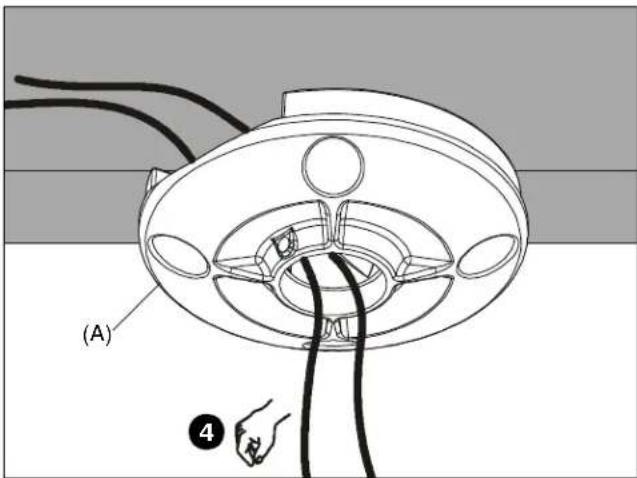
Figure 3
- Tighten lag screws (See Figure 2).

WARNING: Exceeding the weight capacity can result in serious personal injury or damage to equipment! It is the installer's responsibility to make sure the combined weight of all components attached to the CMS115 does not exceed 500 lbs (227 kg).
-
Route cables through extension column (not included).
-
Using pipe wrench, install 1-1/2" NPT or NPSM following ANSI/ASME B1.20.1 (Schedule 40, 0.154" minimum thickness aluminum - ASTM B221) threaded extension column (not included) into threaded collar of ceiling plate (A) until tight, with a minimum of four threads engaged.
-
Using hex key (D), secure extension column by one of the following methods (See Figure 4):
-
Install one 5/16" x 1/4" set screw (B) into threaded hole, tightening firmly against column.
- OPTIONAL: Install one 5/16" x 1/4" security set screw (C) into threaded hole, tightening firmly against column.
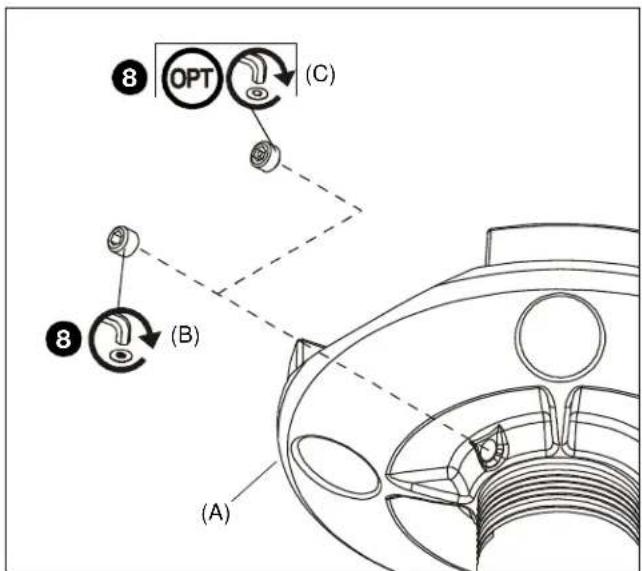
Figure 4
milestone
AV Technologies
MANUFACTURERS DECLARATION OF CONFORMITY
For
Product identification:
Model/type : CMS115
Category (description) : Mounting devices, Stands and other Accessories, to be used with entertainment electronics
Brand : Chief
Manufacturer: Milestone AV Technologies
8401 Eagle Creek Parkway
Savage, MN 55378
EU Representative: Milestone AV Technologies
Fellennoord 130 5611
ZB Einhoven
The Netherlands
31 (0)20 5708923
| Concerning | ||||
| EMC | Safety | |||
| A sample of the product has been tested by: | Not Applicable CSAV Inc. | |||
| Test report reference | ||||
| Applied standards | EN 60065 :2002 | |||
Means of conformity
We declare under our sole responsibility that this product is in conformity with Directive 93/68/EEC (Marking), 98/37/EC (Machinery) 2001/95/EC (Safety) and/or complies to the essential requirements and all other relevant provisions of the based on test results using (non)harmonized standards in accordance with the Directives mentioned
Installation Instructions