Accord Magnetic Recumbent Bike 26470 - Exercise bike Life Gear - Free user manual and instructions
Find the device manual for free Accord Magnetic Recumbent Bike 26470 Life Gear in PDF.


| Product Type | Magnetic Recumbent Bike |
| Brand | Life Gear |
| Model | Accord 26470 |
| Maximum User Weight | 110 kg (242 lbs) |
| Resistance Type | Magnetic with knob adjustment |
| Display Functions | Time, Speed, Distance, Calories, Odometer, Pulse |
| Power Supply | 2 x AAA batteries (not included) |
| Heart Rate Monitoring | Hand pulse sensors on rear handlebar |
| Seat Adjustment | Sliding seat forward/back with round knob |
| Tension Adjustment | Turn knob clockwise to increase, counter-clockwise to decrease |
| Frame Warranty | 1 year |
| Intended Use | Home use only |
| Assembly Required | Yes, with included tools |
| Included Tools | 5mm Allen wrench, Multi Hex Tool, Multi Hex Tool with Phillips screwdriver |
| Pedal Type | Adjustable foot pedals with straps (left/right marked) |
| Stabilizer Adjustment | Rear stabilizer end cap to level bike |
| Computer Modes | SCAN, TIME, SPEED, DIST, CAL, ODO, PULSE |
| Battery Type | AAA (1.5V) |
| Safety Precautions | Read manual, warm up, keep children away, max 1 user |
| Maintenance | Clean with damp cloth, inspect bolts weekly, store in dry place |
Frequently Asked Questions - Accord Magnetic Recumbent Bike 26470 Life Gear
User questions about Accord Magnetic Recumbent Bike 26470 Life Gear
0 question about this device. Answer the ones you know or ask your own.
Ask a new question about this device
Download the instructions for your Exercise bike in PDF format for free! Find your manual Accord Magnetic Recumbent Bike 26470 - Life Gear and take your electronic device back in hand. On this page are published all the documents necessary for the use of your device. Accord Magnetic Recumbent Bike 26470 by Life Gear.
USER MANUAL Accord Magnetic Recumbent Bike 26470 Life Gear
MAGNETIC RECUMBENT BIKE ITEM NO: 26470
LifeGear
Get active for life
natural_image
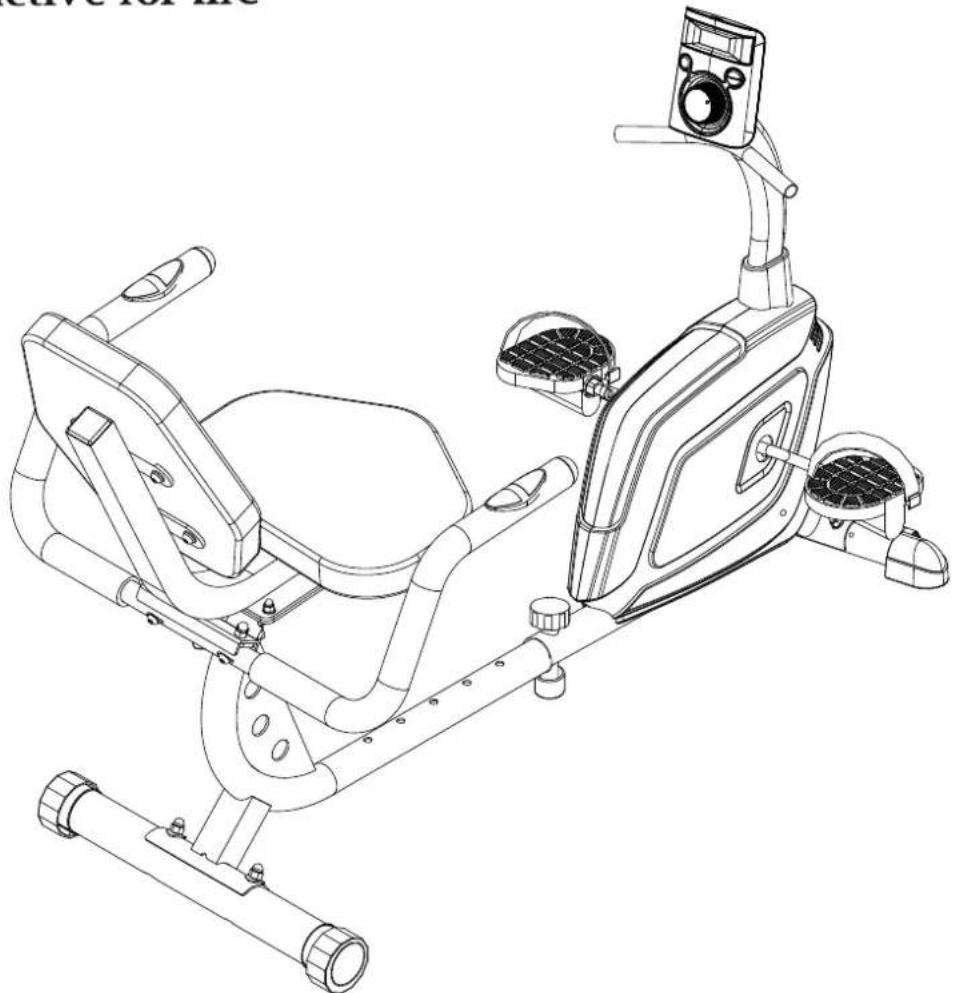
Line drawing of a stationary exercise bike with adjustable arms and legs (no text or symbols)
OWNER'S MANUAL
IMPORTANT: Read all instructions carefully before using this product. Retain this owner's manual for future reference. The specifications of this product may vary from this photo, subject to change without notice.
TABLE OF CONTENTS
WARRANTY 2
IMPORTANT SAFETY INSTRUCTIONS 3
PARTS LIST 4
HARDWARE PACKING LIST 5
TOOLS 5
OVERVIEW DRAWING 6
ASSEMBLY INSTRUCTIONS 7
LifeGear Inc. warrants to the original purchaser that this product is free from defects in material and workmanship when used for the purpose intended, under the conditions that it has been installed and operated in accordance with LifeGear's Owner's Manual. LifeGear's obligation under this warranty is limited to replacing or repairing free of charge, any parts which may prove to be defective under normal home use. This warranty does not include any damage caused by improper operation, misuse or commercial application.
From the date of purchase, the frame is warranted to be free from defects for 1 (one) year.
This warranty is offered only to the original owner and is not transferable. Proof of purchase is required.
When ordering replacement parts please have the following information ready:
- Owner's Manual
- Model Number
- Description of Parts
- Part Number
- Date of Purchase
IMPORTANT SAFETY INSTRUCTIONS
Basic precautions should always be followed, including the following important safety instructions when using this equipment. Read all instructions before using this equipment.
- Read all instructions and follow it carefully before using this equipment. Make sure the equipment is properly assembled and tightened before use.
- Before exercise, in order to avoid injuring the muscle, warm-up exercises are recommended.
- Please make sure all parts are not damaged and fixed well before use. This equipment should be placed on a flat surface when using. Using a mat or other covering material on the ground is recommended.
- Please wear proper clothes and shoes when using this equipment; do not wear clothes that may catch any part of the equipment; remember to tighten the pedaling straps.
- Do not attempt any maintenance or adjustments other than those described in this manual. Should any problems arise, discontinue use and consult your local dealer.
- Do not use the equipment outdoors.
- This equipment is for household use only. It is not a commercial model.
- Only one person at a time should use this equipment.
- If you feel any chest pains, nausea, dizziness, or short of breath, you should stop exercising immediately and consult your physician before continuing.
- Care should be taken in mounting or dismounting the equipment.
- Do not allow children to use or play on the equipment. Keep children and pets away from the equipment while in use. This machine is designed for adults use only. The minimum free space required for safe operation is not less than two meters.
- The maximum weight capacity for this product is 110 kgs.
WARNING: Before beginning any exercise program consult your physician.
This is especially important for the people who are over 35 years old or who have pre-existing health problems. Read all instructions before using any fitness equipment.
CAUTION: Read all instructions carefully before operating this product.
Retain this Owner's Manual for future reference.
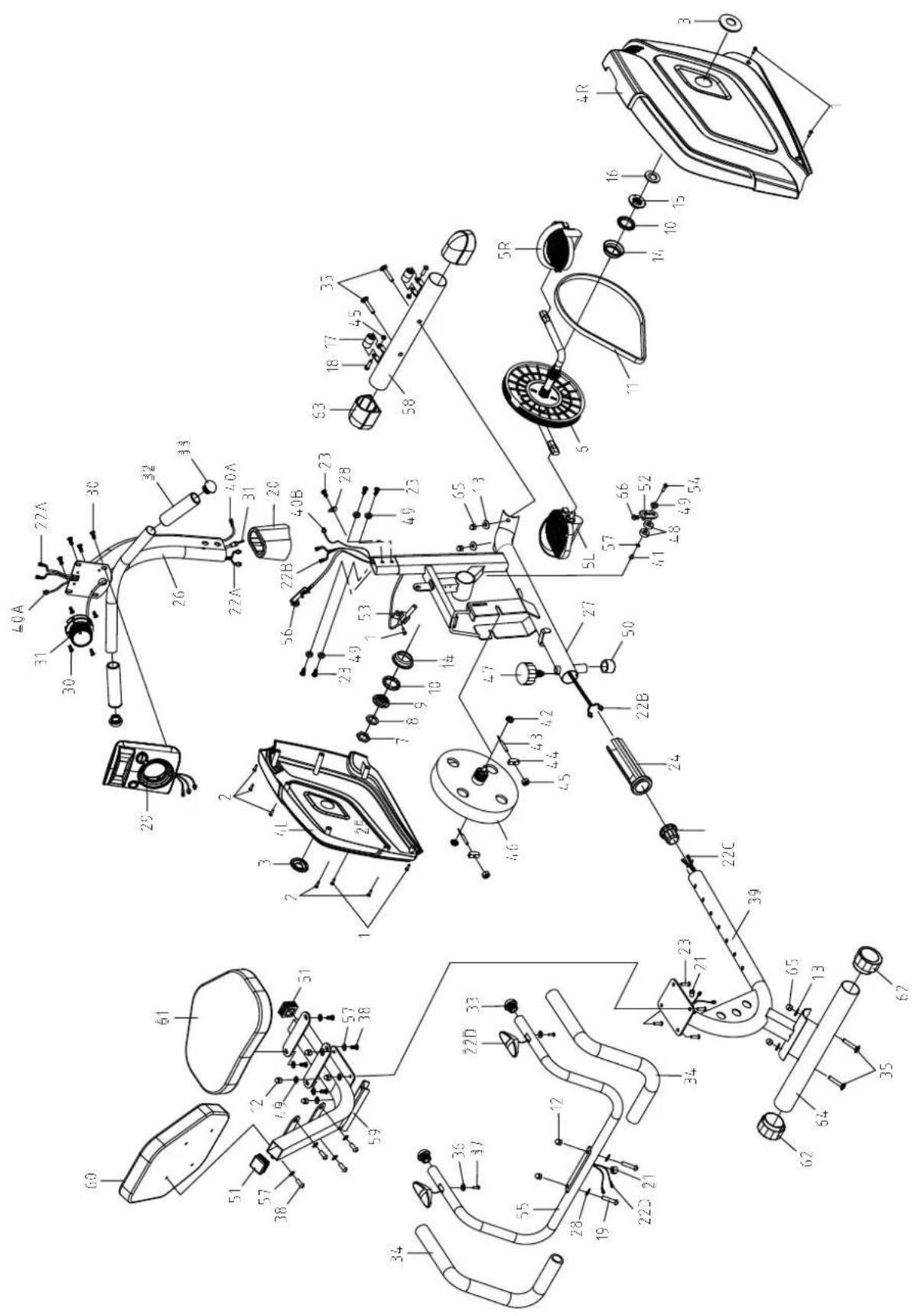
PARTS LIST
| No. | Description | Qty | No. | Description | ||
| 001 | Pan Head Phillips Self Drilling Screw ST4.2x18 | 5 | 023 | Bolt M8x15 | 9 | |
| 002 | Screw ST4.2x18 5 024 Front Main Frame Bushing 1 | |||||
| 003 | Cover Cap 2 025 Rear Main Frame End Cap 1 | |||||
| 004L | Left Cover 1 026 Front Handlebar Post | 1 | ||||
| 004R | Right Cover | 1 | 027 | Front Main Frame | 1 | |
| 005L | Left Foot Pedal | 1 | 028 | Big Curve Washer ∅8x∅20 | 3 | |
| 005R | Right Foot Pedal | 1 | 029 | Computer (HR1588BSP) | 1 | |
| 006 | Belt Pulley with Crank | 1 | 030 Bolt M5x10 | 8 | ||
| 007 | Nut 7/8" | 1 | 031 Tension Control Knob | 1 | ||
| 008 | Washer ∅7/8" | 1 | 032 | Front Handlebar Foam Grip ∅24x∅30x160 | 2 | |
| 009 | Bearing Nut II 7/8" | 1 | 033 | Handlebar End Cap ∅25.4x1.5 | 4 | |
| 010 | Ball Bearing | 2 | 034 | Rear Handlebar Foam Grip ∅24x∅30x510 | 2 | |
| 011 | Belt 320J6 | 1 | 035 | Carriage Bolt M10x60 | 4 | |
| 012 | Cap Nut M8 | 6 | 036 | Washer ∅10x∅5x0.8 | 2 | |
| 013 | Washer ∅22x∅10x1.5t | 4 | 037 | Screw ST3.8x20 | 2 | |
| 014 | Bearing Cup ∅56x22.5x68 | 2 | 038 Bolt M6x15 | 8 | ||
| 015 | Bearing Nut I 15/16" | 1 | 039 Rear Main Frame | 1 | ||
| 016 | Washer ∅15/16" | 1 | 040A | Extension Sensor Wire 550mm | 1 | |
| 017 | Transport Wheel ∅23x∅6x32 | 2 | 040B | Sensor with Wire 450mm | 1 | |
| 018 | Bolt M6x48 | 2 | 041 Bolt M6x10 | 1 | ||
| 019 | Bolt M8x45 | 2 | 042 Nut M10x7t | 2 | ||
| 020 | Front Handlebar Post Cover | 1 | 043 Eyebolt M6x45 | 2 | ||
| 021 | Wire Grommet ∅12 | 2 | 044 Tension Bracket | 2 | ||
| 022A | Extension Hand Pulse Sensor Wire A | 1 | 045 Nylon Nut M6 | 4 | ||
| 022B | Extension Hand Pulse Sensor Wire B | 1 | 046 | Flywheel ∅190 | ||
| 022C | Extension Hand Pulse Sensor Wire C | 1 | 047 Round Knob M16 | 1 | ||
| 022D | Hand Pulse Sensor with Wire | 2 | 048 | Bearing 6000Z | 2 | |
PARTS LIST
| No. | Description | Qty | No. | Description | ||
| 049 | Washer ∅8x∅16 9 058 Front Stabilizer | ∅50x1 | .2tx380 1 | |||
| 050 | Rubber Cover 1 059 Back and Seat Support Bracket 1 | |||||
| 051 | Back and Seat Support Bracket End Cap 38x38x1.5 | 2 | 060 | Back Cushion 1 | ||
| 052 | Idler Arm | 1 | 061 | Seat Cushion | 1 | |
| 053 | Sensor Bracket | 1 062 Rear Stabilizer End Cap ∅50 2 | ||||
| 054 | Bolt M8x10 | 1 063 Front Stabilizer End Cap ∅50 2 | ||||
| 055 | Rear Handlebar | 1 | 064 | Rear Stabilizer ∅50x1.2tx430 | 1 | |
| 056 | Tension Cable | 1 | 065 | Cap Nut M10 | 4 | |
| 057 | Big Washer ∅6x∅16 | 9 066 Bolt M8x30 | 1 | |||
HARDWARE PACKING LIST
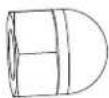
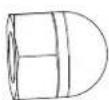
(12) Cap Nut M8 4 PCS
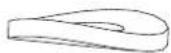
(13) Washer ∅22x∅10x1.5t
4 PCS
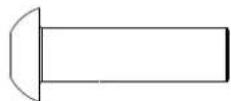
(23) Bolt M8x15
4 PCS
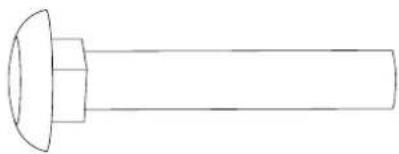
natural_image
Simple line drawing of a bolt with a flanged head and central shaft (no text or symbols)(35) Carriage Bolt M10x60 4 PCS
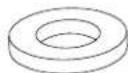
(49) Washer ∅8x∅16
4 PCS
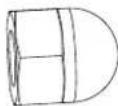
(65) Cap Nut M10
4 PCS
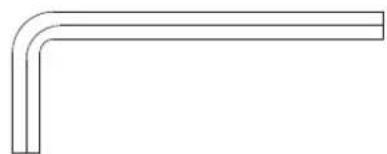
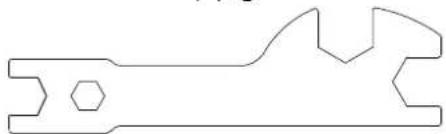
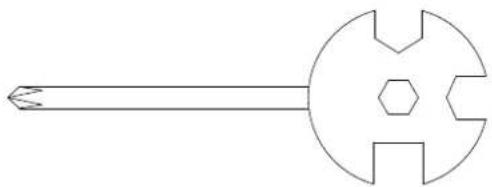
TOOLS
natural_image
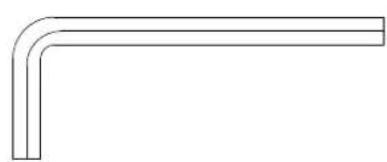
Simple line drawing of a right-angle pipe fitting (no text or symbols)Allen Wrench 5mm
1 PC
natural_image
Pure technical line drawing of a mechanical tool or bracket (no text or symbols)Multi Hex Tool 1 PC
natural_image
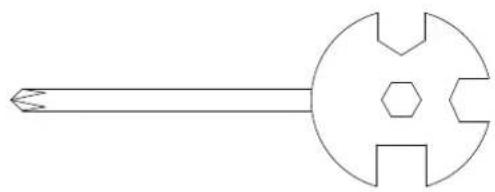
Simple line drawing of a mechanical tool or component with a central circular head and symmetrical cutouts (no text or symbols)Multi Hex Tool with Phillips Screwdriver S8, S13, S14, S15 1 PC
OVERVIEW DRAWING
ASSEMBLY INSTRUCTIONS
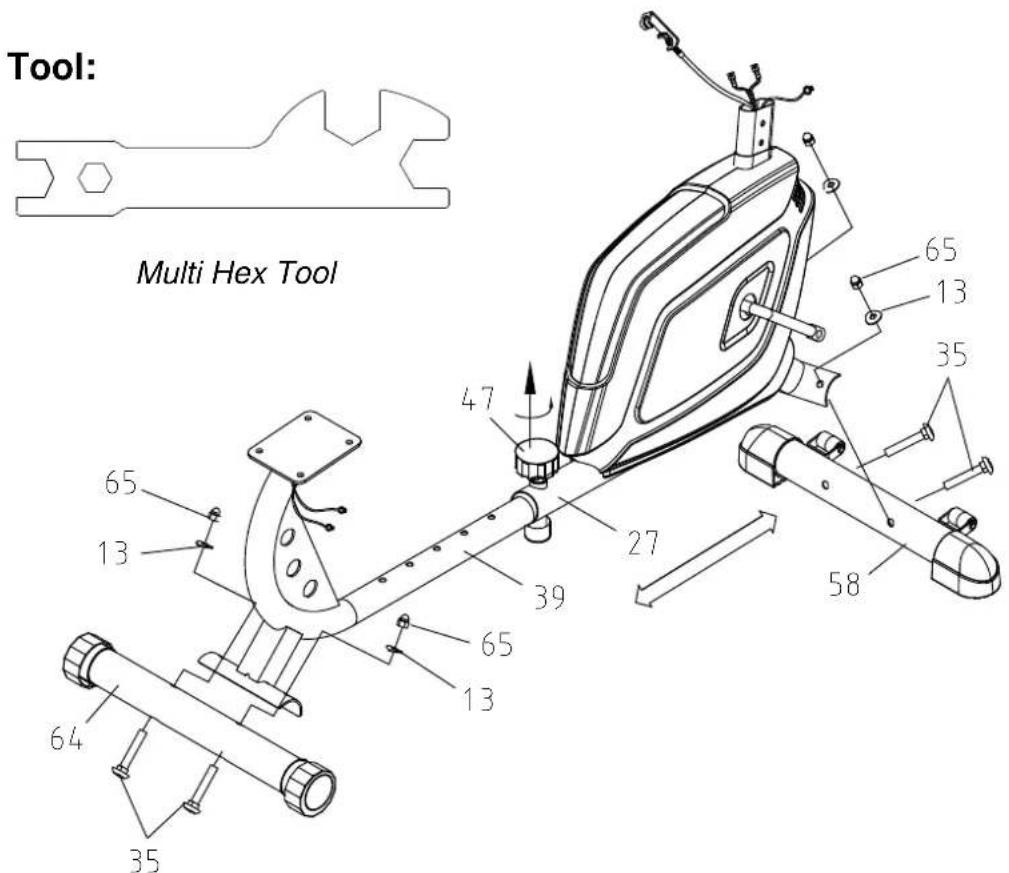
1. Front and Rear Stabilizers Installation
Turn the Round Knob (47) in a counterclockwise direction until it can be pulled out. Pull out the Round Knob (47) and then slide the Rear Main Frame (39) forth or back direction to the suitable position. Lock the Rear Main Frame (39) in place by releasing the Round Knob (47) and sliding the Rear Main Frame (39) forth or back slightly until the Round Knob (47) "pops" down into the locked position. For added safety, tighten the Round Knob (47) in a clockwise direction.
Position the Front Stabilizer (58) in front of the Front Main Frame (27) and align bolt holes. Attach the Front Stabilizer (58) onto the front curve of the Front Main Frame (27) with two M10x60 Carriage Bolts (35), two ∅22x∅10x1.5t Washers (13), and two M10 Cap Nuts (65). Tighten cap nuts with the Multi Hex Tool provided.
Position the Rear Stabilizer (64) behind the Rear Main Frame (39) and align bolt holes. Attach the Rear Stabilizer (64) onto the rear curve of the Rear Main Frame (39) with two M10x60 Carriage Bolts (35), two ∅22x∅10x1.5t Washers (13), and two M10 Cap Nuts (65). Tighten cap nuts with the Multi Hex Tool provided.
Hardware:
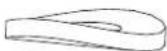
(13) Washer ∅22x∅10x1.5t 4 PCS
natural_image
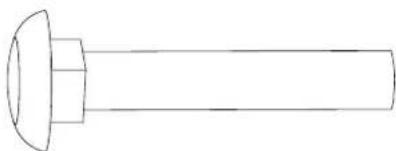
Simple line drawing of a bolt with a flanged head and shaft (no text or symbols)(35) Carriage Bolt M10x60 4 PCS
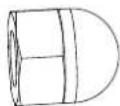
(65) Cap Nut M10 4 PCS
Tool:
natural_image
Simple line drawing of a mechanical tool or knob with a circular head and hexagonal base (no text or symbols)Multi Hex Tool with Phillips Screwdriver
S8, S13, S14, S15
natural_image
Simple L-shaped line drawing with no text, numbers, or symbolsAllen Wrench 5mm
2. Back and Seat Support Bracket Installation
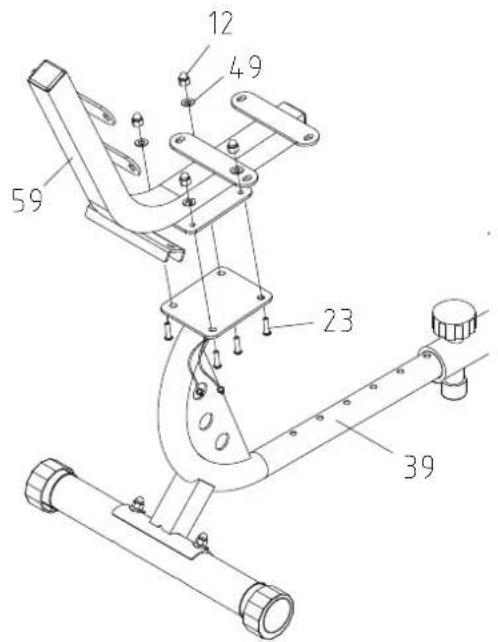
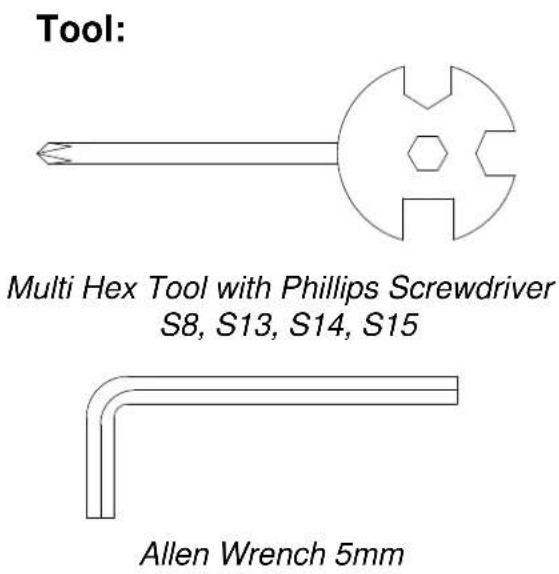
Attach the Back and Seat Support Bracket (59) onto the Rear Main Frame (39) with four M8x15 Bolts (23), four ∅8x∅16 Washers (49), and four M8 Cap Nuts (12). Tighten bolts and cap nuts with the 5mm Allen Wrench and Multi Hex Tool with Phillips Screwdriver provided.
Hardware:
(12) Cap Nut M8
4 PCS
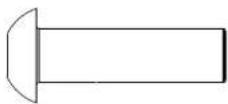
(23) Bolt M8x15
4 PCS
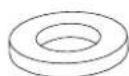
(49) Washer ∅8x∅16
4 PCS
3. Rear Handlebar Installation
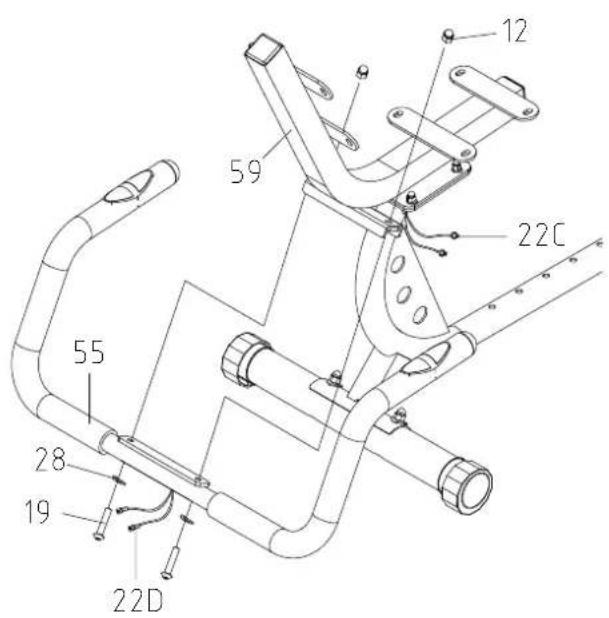
Remove two M8x45 Bolts (19), two ∅8x∅20 Big Curve Washers (28), and two M8 Cap Nuts (12) from the Rear Handlebar (55). Remove bolts and cap nuts with the 5mm Allen Wrench and Multi Hex Tool with Phillips Screwdriver provided.
Attach the Rear Handlebar (55) onto the Back and Seat Support Bracket (59) with two M8x45 Bolts (19), two ∅8x∅20 Big Curve Washers (28), and two M8 Cap Nuts (12) that were removed. Tighten bolts and cap nuts with the 5mm Allen Wrench and Multi Hex Tool with Phillips Screwdriver provided.
Connect the Hand Pulse Sensor Wires (22D) from the Rear Handlebar (55) to the Extension Hand Pulse Sensor Wires C (22C) from the Rear Main Frame (39).
Tool:
natural_image
Pure geometric L-shaped line drawing without any text, numbers, or symbolsAllen Wrench 5mm
4. Seat and Back Cushions Installation
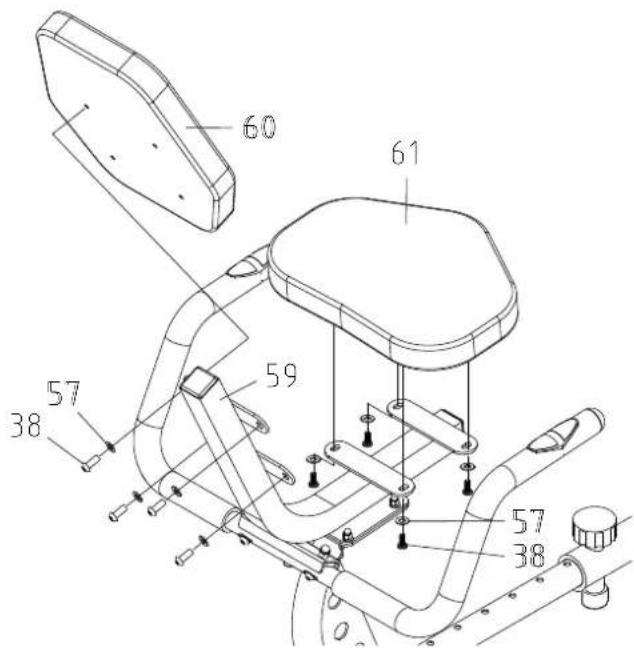
Remove eight M6x15 Bolts (38) and eight ∅6x∅16 Big Washers (57) from the back of the Back and Seat Cushions (60, 61). Remove bolts with the 5mm Allen Wrench provided. Then attach the Back and Seat Cushions (60, 61) onto the Back and Seat Support Bracket (59) with eight M6x15 Bolts (38) and eight ∅6x∅16 Big Washers (57) that were removed. Tighten bolts with the 5mm Allen Wrench provided.
5. Front Handlebar Post, Front Handlebar Post Cover, and Computer Installation
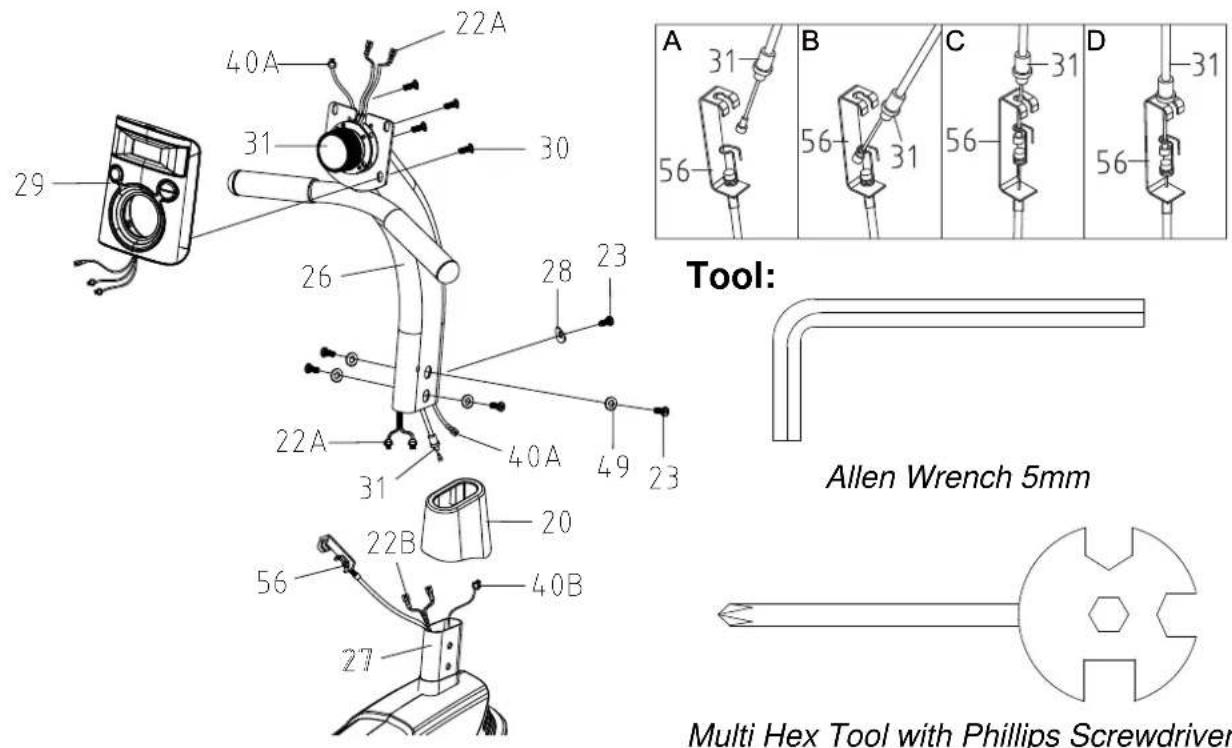
Remove one ∅8x∅20 Big Curve Washer (28), four ∅8x∅16 Washers (49), and five M8x15 Bolts (23) from the tube of the Front Main Frame (27). Remove bolts with the 5mm Allen Wrench provided.
Slide the Front Handlebar Post Cover (20) up to the Front Handlebar Post (26).
Connect the Extension Hand Pulse Sensor Wires B (22B) and Sensor Wire (40B) from the Front Main Frame (27) to the Extension Hand Pulse Sensor Wires A (22A) and Extension Sensor Wire (40A) from the Front Handlebar Post (26).
Turn the Tension Control Knob (31) in a clockwise direction to the highest level. Put the cable end of resistance cable of Tension Control Knob (31) into the cable lock of Tension Cable (56), see Figure A.
Pull the resistance cable of Tension Control Knob (31) up and force it into the slot of metal bracket of Tension Cable (56), see Figure B.
Insert the metal fitting on the resistance cable of Tension Control Knob (31) into the hole at the end of the slot in the metal bracket of Tension Cable (56), see Figure C.
Connect the resistance cable of Tension Control Knob (31) to Tension Cable (56) complete, see Figure D.
Insert the Front Handlebar Post (26) onto the tube of the Front Main Frame (27) and secure with one ∅8x∅20 Big Curve Washer (28), four ∅8x∅16 Washers (49), and five M8x15 Bolts (23) that were removed. Tighten bolts with the 5mm Allen Wrench provided.
Slide the Front Handlebar Post Cover (20) down to the Front Main Frame (27).
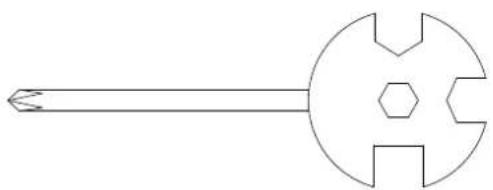
Remove four M5x10 Bolts (30) from the back of the Computer (29). Remove bolts with the Multi Hex Tool with Phillips Screwdriver provided.
Connect the Extension Hand Pulse Sensor Wires A (22A) and Extension Sensor Wire (40A) to the wires that come from the Computer (29). Tuck wires into the Front Handlebar Post (26).
Attach the Computer (29) onto the top end of the Front Handlebar Post (26) with four M5x10 Bolts (30) that were removed. Tighten bolts with the Multi Hex Tool with Phillips Screwdriver provided.
Tool:
natural_image
Pure technical line drawing of a mechanical tool or component without any text, numbers, or symbolsMulti Hex Tool with Phillips Screwdriver S8, S13, S14, S15
6. Foot Pedals Installation
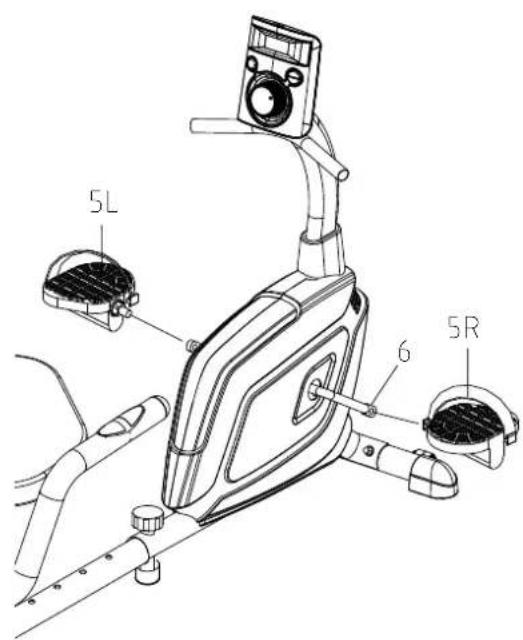
The Cranks, Pedal Shafts, and Foot Pedals are marked "R" for Right and "L" for Left.
Insert the pedal shaft of Left Foot Pedal (5L) into threaded hole in the left Crank (6).
Turn the pedal shaft by hand in the counter-clockwise direction until snug.
Note: DO NOT turn the pedal shaft in the clockwise direction, doing so will strip the threads.
Tighten the pedal shaft of Left Foot Pedal (5L) with the Multi Hex Tool with Phillips Screwdriver provided.
Insert pedal shaft of Right Foot Pedal (5R) into threaded hole in right Crank (6).
Turn the pedal shaft by hand in the clockwise direction until snug.
Tighten pedal shaft of Right Foot Pedal (5R) with the Multi Hex Tool with Phillips Screwdriver provided.
natural_image
Silver life gear device with black control knob and digital display (no visible text or symbols)USING YOUR COMPUTER
The computer can be activated by pressing the buttons or by pedaling. If you leave the equipment idle for approximately 4 minutes, the power will turn off automatically.
BUTTON FUNCTIONS:
MODE: Press the MODE button to select each function of computer.
Press and hold the MODE button for 3 seconds, all data values will clear to zero except the ODO (ODOMETER) data values.
SET: Press the SET button to set data values of TIME, DISTANCE, CALORIES, or PULSE for target pre-setting.
RESET: Press the RESET button to clear data values of TIME, DISTANCE, or CALORIES to zero.
Press the RESET button to clear data values of TIME, DISTANCE, CALORIES, or PULSE to zero for target pre-setting.
Press and hold the RESET button for 3 seconds, all data values will clear to zero except the ODO (ODOMETER) data values.
COMPUTER FUNCTIONS:
SCAN: Press the MODE button until the screen displays SCAN, the computer will automatically scan the function of TIME, SPEED, DIST (DISTANCE), CAL (CALORIES), ODO (ODOMETER), and ♥ (PULSE) every 6 seconds.
TIME: Displays your elapsed workout time in minutes and seconds. You may also pre-set target time in STOP mode before training. To set TIME press the MODE button until you see the TIME displays on the screen. Press the SET button to change the time, each time you press the SET button TIME should change by 1 minute. Press the RESET button to clear the target time to zero. The pre-set target time range is from 0:00 to 99:00 minutes. Once you pre-set target time and then start to exercise, time starts counting down from pre-set target time to 0:00 per 1 second backward. When the pre-set target time counts down to 0:00, time will start to count up and the computer will begin beeping to remind you.
SPEED: Display the current training speed.
DIST (DISTANCE): Displays the accumulative distance traveled during workout. You may also pre-set target distance in STOP mode before training. To set DISTANCE press the MODE button until you see the DIST displays on the screen. Press the SET button to change the distance. Press the RESET button to clear the target distance to zero. The pre-set target distance range is from 0.00 to 9999 km. Once you pre-set target distance and then start to exercise, distance starts counting down from pre-set target distance to 0.00. When the pre-set target distance counts down to 0.00, distance will start to count up and the computer will begin beeping to remind you.
CAL (CALORIES): Displays the total accumulated calories burned during workout. You may also pre-set target calories in STOP mode before training. To set CALORIES press the MODE button until you see the CAL displays on the screen. Press the SET button to change the calories. Press the RESET button to clear the target calories to zero. The pre-set target calories range is from 0.0 to 9999 calories. Once you pre-set target calories and then start to exercise, calories start counting down from pre-set target calories to 0.0. When the pre-set target calories count down to 0.0, calories will start to count up and the computer will begin beeping to remind you. (This data is a rough guide for comparison of different exercise sessions and should not be used in medical treatment).
ODO (ODOMETER): Displays the total accumulative distance traveled. The data values of ODO can not be clear to zero by pressing and holding the MODE or RESET button for 3 seconds. If you take out the batteries from the computer, the ODO data values will clear to zero.
( PULSE): Displays your current heart rate figures after you grip the handlebar sensors with both your hands during exercise. To ensure the pulse readout is more precise, please always hold on to the handlebar grip sensors with two hands instead of just with one hand only when you try to test your heart rate figures. You may also pre-set target heart rate in STOP mode before training. To set PULSE press the MODE button until you see the P♥ displays on the screen. Press the SET button to pre-set target heart rate. Press the RESET button to clear the target heart rate to zero. Once you pre-set target heart rate and then start to exercise, please grip the handlebar sensors with both your hands during exercise. If the heart rate detected greater than the target heart rate, the computer will begin beeping to remind you.
HOW TO INSTALL THE BATTERIES:
- Remove the battery cover on the back of the computer.
- Place two size AAA batteries into the battery housing.
- Insure batteries are correctly positioned and battery springs are in proper contact with batteries.
- Re-install the battery cover.
- If the display is illegible or only partial segment appears, remove batteries and wait 15 seconds before reinstalling.
ADJUSTMENTS
Adjusting the Tension Control Knob
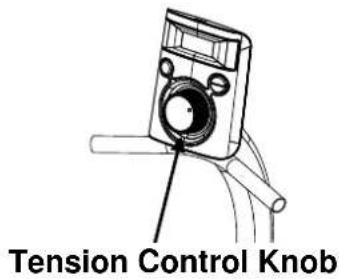
To increase the tension, turn the tension control knob in a clockwise direction. To decrease the tension, turn the tension control knob in a counterclockwise direction.
Adjusting the Rear Stabilizer End Cap
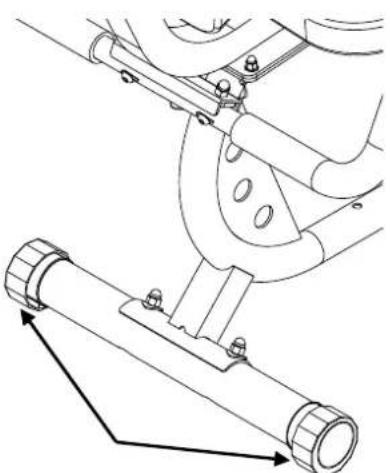
Turn the rear stabilizer end cap on the rear stabilizer as needed to level the recumbent bike.
natural_image
Technical line drawing of a mechanical assembly with two components, one showing a lever and the other a cylindrical component (no text or symbols)Rear Stabilizer End Cap
Adjusting the Seat Forth or Back
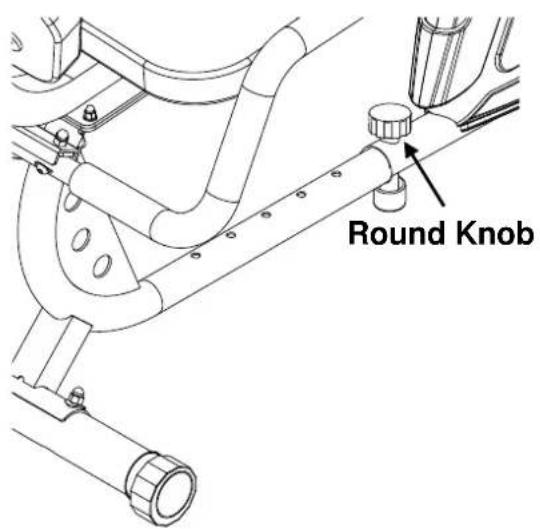
Turn the round knob in a counterclockwise direction until it can be pulled out. Pull out the round knob and then slide the rear main frame forth or back direction to the suitable position. Lock the rear main frame in place by releasing the round knob and sliding the rear main frame forth or back slightly until the round knob "pops" down into the locked position. For added safety, tighten the round knob in a clockwise direction.
NOTE: When adjusting the rear main frame back or forth, make sure the bushing does not exceed the mark line on the rear main frame.
MAINTENANCE
Cleaning
The recumbent bike can be cleaned with a soft clean damp cloth. Do not use abrasives or solvents on plastic parts. Please wipe your perspiration off the recumbent bike after each use. Be careful not to get excessive moisture on the computer display panel as this might cause an electrical hazard or electronics to fail.
Please keep the recumbent bike, especially the computer console out of direct sunlight to prevent screen damage.
Please inspect all assembly bolts, nuts, screws, and pedals on the machine for proper tightness every week.
Storage
Store the recumbent bike in a clean and dry environment away from children.
TROUBLESHOOTING
| PROBLEM | SOLUTION |
| The recumbent bike wobbles when in use. | Turn the rear stabilizer end cap on the rear stabilizer as needed to level the recumbent bike. |
| There is no display on the computer console. | 1. Remove the computer console and verify the wires that come from the computer console are properly connected to the wires that come from the front handlebar post.2. Check if the batteries are correctly positioned and battery springs are in proper contact with batteries.3. The batteries in the computer console may be dead. Replace with new batteries. |
| There is no heart rate reading or heart rate reading is erratic / inconsistent. | 1. Make sure that the wire connections for the hand pulse sensors are secure.2. To ensure the pulse readout is more precise, please always hold on to the handlebar grip sensors with both hands instead of just with one hand when you try to test your heart rate figures.3. Avoid gripping the hand pulse sensors too tight. Try to maintain moderate pressure while holding onto the hand pulse sensors. |
| The recumbent bike makes a squeaking noise when in use. | The bolts may be loose on the recumbent bike. Please inspect all of the bolts and tighten any loose bolts. |
WARM UP AND COOL DOWN ROUTINE
The WARM-UP is an important part of any workout. The purpose of warming up is to prepare your body for exercise and to minimize injuries. Warm up for two to five minutes before aerobic exercising. It should begin every session to prepare your body for more strenuous exercise by heating up and stretching your muscles, increasing your circulation and pulse rate, and delivering more oxygen to your muscles.
COOL DOWN at the end of your workout, repeat these exercises to reduce soreness in tired muscles. The purpose of cooling down is to return the body to its resting state at the end of each exercise session. A proper cool-down slowly lowers your heart rate and allows blood to return to the heart.
HEAD ROLLS
Rotate your head to the right for one count, you should feel a stretching sensation up the left side of your neck. Then rotate your head back for one count, stretching your chin to the ceiling and letting your mouth open. Rotate your head to the left for one count, then drop your head to your chest for one count.
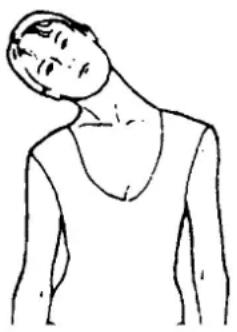
natural_image
Line drawing of a person's neck and shoulder (no text or symbols)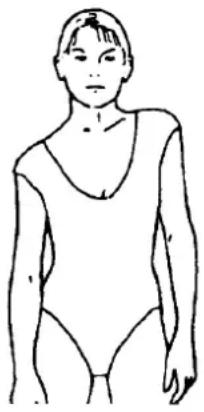
natural_image
Line drawing of a person wearing a leotard (no text or symbols)SHOULDER LIFTS
Lift your right shoulder toward your ear for one count. Then lift your left shoulder up for one count as you lower your right shoulder.
SIDE STRETCHES
Open your arms to the side and lift them until they are over your head. Reach your right arm as far toward the ceiling as you can for one count. Repeat this action with your left arm.
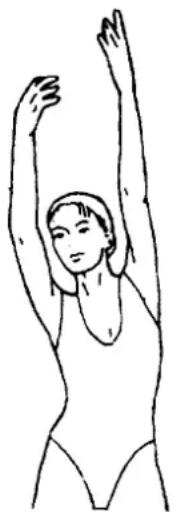
natural_image
Line drawing of a person performing a stretching exercise with arms raised (no text or symbols)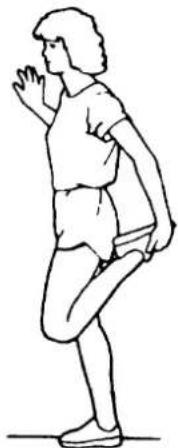
natural_image
Line drawing of a person in a standing or kneeling posture (no text or symbols)QUADRICEPS STRETCH
With one hand against a wall for balance, reach behind you and pull your right foot up. Bring your heel as close to your buttocks as possible. Hold for 15 counts and repeat with left foot.
INNER THIGH STRETCH
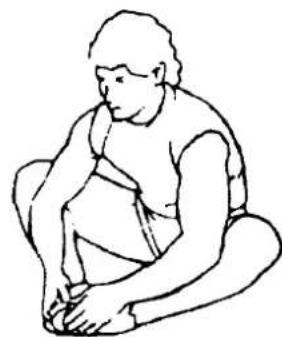
Sit with the soles of your feet together and your knees pointing outward. Pull your feet as close to your groin as possible. Gently push your knees toward the floor. Hold for 15 counts.
natural_image
Line drawing of a seated person in profile, no text or symbols present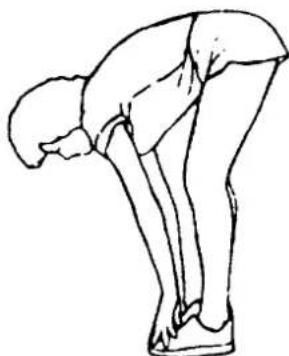
natural_image
Line drawing of a person bending forward with knees and arms extended (no text or symbols)TOE TOUCHES
Slowly bend forward from your waist, letting your back and shoulders relax as you stretch toward your toes. Reach as far as you can and hold for 15 counts.
HAMSTRING STRETCHES
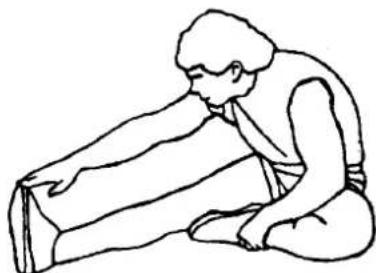
Extend your right leg. Rest the sole of your left foot against your right inner thigh. Stretch toward your toe as far as possible. Hold for 15 counts. Relax and then repeat with left leg.
natural_image
Line drawing of a person kneeling and stretching their back (no text or symbols)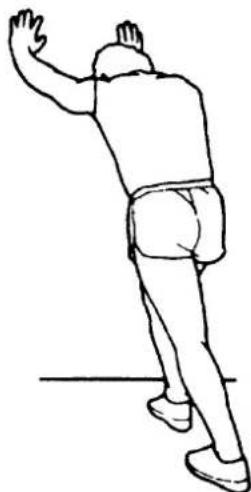
natural_image
Line drawing of a person in motion, possibly dancing or gesturing, with no text or symbols present.CALF/ACHILLES STRETCH
Lean against a wall with your left leg in front of the right and your arms forward. Keep your right leg straight and the left foot on the floor; then bend the left leg and lean forward by moving your hips toward the wall. Hold, then repeat on the other side for 15 counts.
- MAGNETIC RECUMBENT BIKE ITEM NO: 26470
- LifeGear
- OWNER'S MANUAL
- TABLE OF CONTENTS
- IMPORTANT SAFETY INSTRUCTIONS
- PARTS LIST
- HARDWARE PACKING LIST
- TOOLS
- OVERVIEW DRAWING
- ASSEMBLY INSTRUCTIONS
- Front and Rear Stabilizers Installation
- Hardware:
- Back and Seat Support Bracket Installation
- Rear Handlebar Installation
- Seat and Back Cushions Installation
- Front Handlebar Post, Front Handlebar Post Cover, and Computer Installation
- Foot Pedals Installation
- USING YOUR COMPUTER
- BUTTON FUNCTIONS:
- COMPUTER FUNCTIONS:
- HOW TO INSTALL THE BATTERIES:
- ADJUSTMENTS
- Adjusting the Tension Control Knob
- Adjusting the Rear Stabilizer End Cap
- Adjusting the Seat Forth or Back
- MAINTENANCE
- Cleaning
- Storage
- WARM UP AND COOL DOWN ROUTINE
- HEAD ROLLS
- SHOULDER LIFTS
- SIDE STRETCHES
- QUADRICEPS STRETCH
- INNER THIGH STRETCH
- TOE TOUCHES
- HAMSTRING STRETCHES
- CALF/ACHILLES STRETCH
Brand : Life Gear
Model : Accord Magnetic Recumbent Bike 26470
Category : Exercise bike