
NC-DF1WXC - Coffee maker PANASONIC - Free user manual and instructions
Find the device manual for free NC-DF1WXC PANASONIC in PDF.
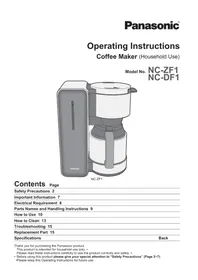


| Product Type | Coffee Maker (Household Use) |
| Model | NC-DF1WXC |
| Power Supply | 230-240 V ~ 50 Hz |
| Power Consumption | 900-980 W |
| Maximum Water Capacity | 1.1 L (8 cups) |
| Cup Capacity (approx.) | 8 cups (1 cup ≈ 120 mL) |
| Dimensions (W × D × H) | 293 × 167 × 346 mm |
| Weight | 2.9 kg |
| Mains Lead Length | 0.9 m |
| Type of Jug | Glass jug with lid |
| Aroma Control | Adjustable aroma setting |
| Keep Warm Function | Yes (leave power switch on) |
| Filter Types | Mesh filter (included) or paper filters (1×4, sold separately) |
| Accessories | Measuring spoon, mesh filter |
| Safety Features | Auto shut-off (NC-ZF1 thermostat); power indicator; anti-drip valve |
| Cleaning Method | Hand wash with mild detergent; descaling with citric acid |
| Dishwasher Safe | No |
| Replacement Parts | Mesh filter (part no. ACA43-153-K0) |
| Warranty (typical) | 1 year (check local dealer) |
Frequently Asked Questions - NC-DF1WXC PANASONIC
User questions about NC-DF1WXC PANASONIC
0 question about this device. Answer the ones you know or ask your own.
Ask a new question about this device
Download the instructions for your Coffee maker in PDF format for free! Find your manual NC-DF1WXC - PANASONIC and take your electronic device back in hand. On this page are published all the documents necessary for the use of your device. NC-DF1WXC by PANASONIC.
USER MANUAL NC-DF1WXC PANASONIC
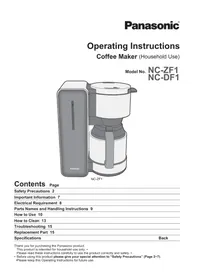
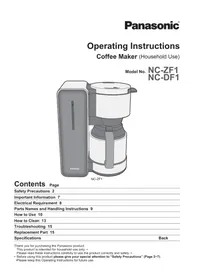
Operating Instructions
Coffee Maker (Household Use)
Model No.
NC-ZF1
NC-DF1
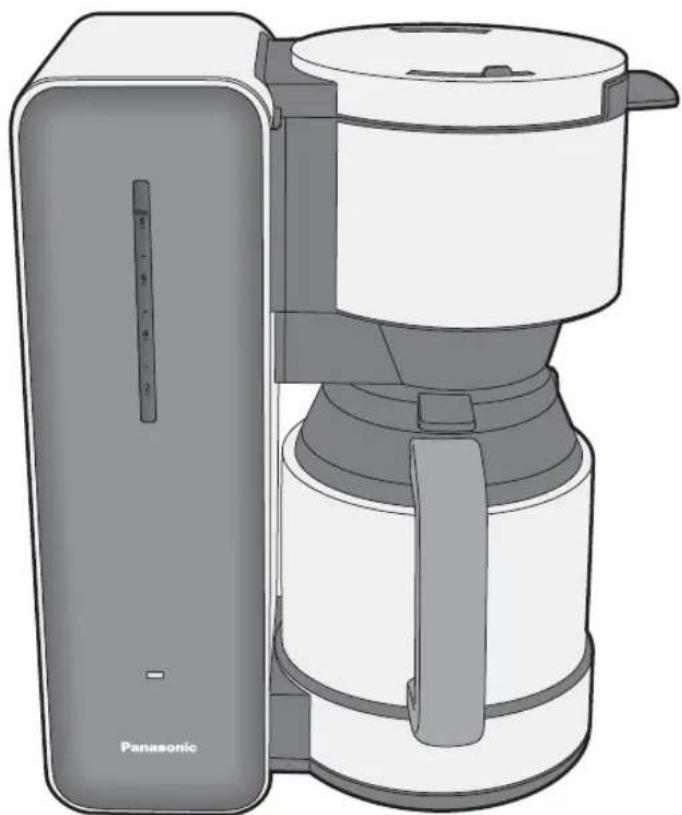
NC-ZF1
Contents
Page
Safety Precautions 2
Important Information 7
Electrical Requirement 8
Parts Names and Handling Instructions 9
How to Use 10
How to Clean 13
Troubleshooting 15
Replacement Part 15
Specifications
Back
Thank you for purchasing the Panasonic product.
This product is intended for household use only.
Please read these instructions carefully to use the product correctly and safely.
- Before using this product, please give your special attention to "Safety Precautions" (Pages 2-7).
Please keep these Operating Instructions for future use.
Safety Precautions
Please make sure to follow these instructions.
In order to prevent accidents or injuries to the user, other people, and damage to property, please follow the instructions below.
■ The following charts indicate the degree of damage caused by wrong operation.

WARNING: Indicates serious injury or death.

CAUTION: Indicates risk of injury or property damage.
■ The symbols are classified and explained as follows.

This symbol indicates prohibition.

This symbol indicates a requirement that must be followed.

WARNING

- Do not damage the mains lead or mains plug.
The following actions are strictly prohibited: modifying, touching, or placing near heating elements, bending,
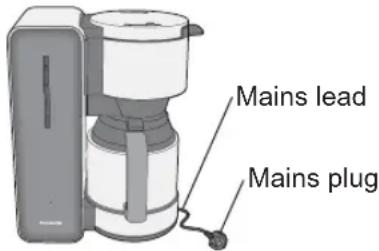
twisting, pulling, pulling over sharp edges, putting heavy objects on top, bundling the mains lead, and carrying the appliance by the mains lead.
(This may cause electric shock or fire due to short circuit.)
- Do not use the appliance if the mains lead or mains plug is damaged or if the mains plug is loosely connected to the household mains socket.
(This may cause electric shock or fire due to short circuit.)
→ If the supply cord is damaged, it must be replaced by the manufacturer, its service agent, or a similarly qualified person in order to avoid a hazard.
- Do not plug or unplug the mains plug with wet hands. (This may cause electric shock.)
• Always ensure that hands are dry before handling the mains plug or switching on the appliance.
WARNING

● Make sure the voltage indicated on the label of the appliance is the same as your local supply.
(This may cause electric shock or fire.)
Also avoid plugging other devices into the same household mains socket to prevent electrical overheating. However, if you are connecting a number of mains plugs, make sure the total wattage does not exceed the rated wattage of the household mains socket.
- Insert the mains plug firmly.
(Otherwise it may cause electric shock and fire due to heat that may be generated around the mains plug.)
● Clean the mains plug regularly.
(Dust and moisture build-up on the mains plug may cause insufficient insulation, which may cause a fire.)
→ Unplug the mains plug, and wipe with a dry cloth.
- Keep the mains lead out of reach of children. Do not let the mains lead hang over the edge of the table or worktop.
(It may cause burns, injury or electric shock.)

- Do not immerse the appliance in water or splash it with water.
(It may cause electric shock, or fire due to short circuit.)
● Do not disassemble, repair or modify this appliance.
(It may cause fire, electric shock or injury.)
→ Consult the place of purchase or a Panasonic service centre.
- Do not touch or get your face close to places where steam is coming out.
(It may cause burns or injury.)
• Especially keep the appliance out of reach of infants and children.
● Do not use the appliance without the jug.
(It may cause burns.)
WARNING

●This appliance is not intended for use by persons (including children) with reduced physical, sensory or mental capabilities, or lack of experience and knowledge, unless they have been given supervision or instruction concerning use of the appliance by a person responsible for their safety. Children should be supervised to ensure that they do not play with the appliance.
(It may cause burns, injury or electric shock.)
●Always keep the children away from the appliance. (It may cause burns or injury.)
- Children do not realise dangers that are likely to occur because of improper use of appliances.
● Discontinue using the appliance immediately and unplug in the unlikely event that this appliance stops working properly.
(It may cause smoking, fire, electric shock or burns.) e.g. for abnormal or breaking down
- The mains plug and the mains lead become abnormally hot.
- The mains lead is damaged or the appliance power fails.
- The main body is deformed, has visible damage or is abnormally hot. • The handle of the jug is loosen. • There is another abnormality or failure.
→ Unplug the appliance immediately and consult the place of purchase or a Panasonic service centre for inspection or repair.

CAUTION

- Do not use the appliance for any purpose other than those described in these instructions.
(It may cause burns or injury.)
- Panasonic will not accept any liability if the appliance is subject to improper use, or failure to comply with these instructions.
- Do not allow the mains lead to come into contact with the plate. (NC-DF1 only)
(It may cause fire or injury)
- Do not touch the hot surface such as the top surface of the main body while appliance is in use or after use.
(It may cause burns.)
• The plate for the NC-DF1 also gets hot.
- Do not move the appliance when the jug is in place.
(It may cause burns.)
- Do not remove the jug while brewing.
(It may cause burns.)
- Do not move the appliance by holding the water tank lid or basket.
(It may cause burns or injury.)
CAUTION

- Do not use the appliance (including the jug) on the following places.
- On uneven surfaces, on non-heat-resistant carpet or tablecloths, etc. (This may cause fire or injury.)
- Places where it may be splashed with water or near a heat source. (This may cause electric shock or electrical leakage.)
- Near any open water such as bathtubs, sinks, or other containers. (This may cause electric shock or electrical leakage.)
- Near a wall or furniture. (This may cause discolouration or deformation.)
- Places that could be damaged even by moderate heat. (This may cause discolouration or deformation.)
- Do not open the water tank lid while the coffee is brewing.
(This may cause burns.)
- Do not leave the appliance unattended when it is in use.
(This may cause fire.)
- When leaving it, turn the power off.
- Do not insert any object in the gaps.
(This may cause electric shock.)
- Especially metal objects such as pins or wires.

● Make sure to hold the mains plug when unplugging the mains plug.
Never pull on the mains lead.
(Otherwise it may cause electric shock, or fire due to short circuit.)

CAUTION

● Always ensure the appliance is switched off and unplug the mains plug when the appliance is not in use, before moving and before cleaning.
(Otherwise it may cause electric shock, or fire due to electrical leakage.)
● Place the appliance on a firm, dry, clean flat heatproof worktop.
(Otherwise it may cause burns or injury.)
● Beware not to be tripped over or get caught in the mains lead while in use.
(Otherwise it may cause burns or injury.)
● Unplug and allow the appliance to cool down fully before cleaning and storing away.
(It may cause burns.)
- When handling the jug with hot coffee in, do not tilt or open the jug lid. Hot liquid may spurt out or drop on your hand.
(It may cause burns.)
• Always hold the jug handle.
● Make sure to clean the appliance after every use.
(Otherwise it may cause burns due to overflow by clogging the filter holder.)
Important Information
Do not fill the tank with milk, hot water, etc. Only use cold water.
(It may cause malfunction.)
Do not place the jug on any heat sources or in a microwave.
(It may cause damage to the jug.)
Do not use other jugs than the one provided.
Do not use the appliance outdoors.
Electrical Requirement
FOR YOUR SAFETY PLEASE READ THE FOLLOWING TEXT CAREFULLY.
This appliance is supplied with a moulded three pin mains plug for your safety and convenience. A 13-amp fuse is fitted in this plug.
Should the fuse need to be replaced please ensure that the replacement fuse has a rating of 13-amp and that it is approved by ASTA or BSI to BS1362.
Check for the ASTA mark or the BSI mark on the body of the fuse.
If the plug contains a removable fuse cover, you must ensure that it is refitted when the fuse is replaced.
If you lose the fuse cover, the plug must not be used until a replacement cover is obtained.
A replacement fuse cover can be purchased from your local Panasonic Dealer.
If the fitted moulded plug is unsuitable for the socket outlet in your home, then the fuse should be removed and the plug cut off and disposed of safely. There is a danger of severe electrical shock if the cut off plug is inserted into any 13-amp socket.
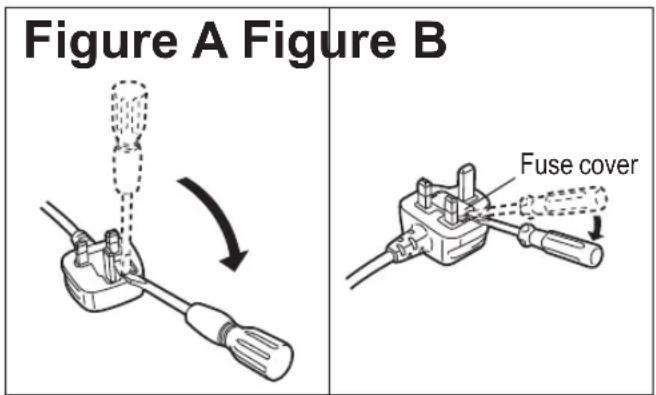
How to replace the fuse
The location of the fuse differs according to the type of AC mains plug (figures A and B). Confirm the AC mains plug fitted and follow the instructions below. Illustrations may differ from actual AC mains plug.
Open the fuse cover with a screwdriver and replace the fuse and close or attach the fuse cover.
Parts Names and Handling Instructions
■ The illustrations inside mainly show model NC-ZF1.
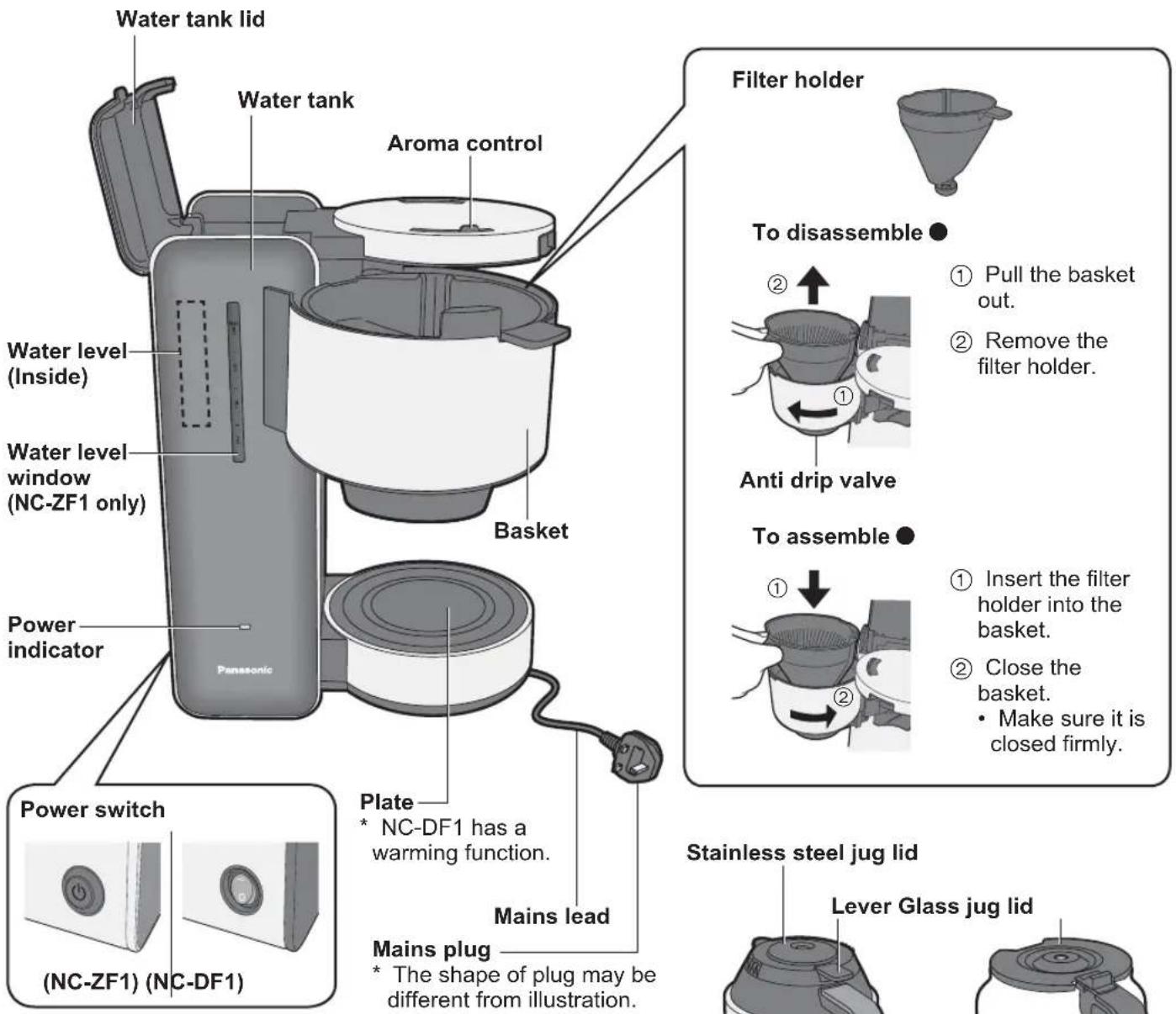
Before use
Clean the appliance by following the steps below for the first time or when you have not used it for a while.
① Wash all detachable parts. (P.13~14) ② Set the filter holder and jug in place. • Do not fill with the ground coffee. ③ Fill water in the water tank up to 8 on the scale and close the watertank lid. ④ Plug in and turn on the power switch. ⑤ When the water tank gets empty, turn off the power switch and throw the hot water in the jug away.
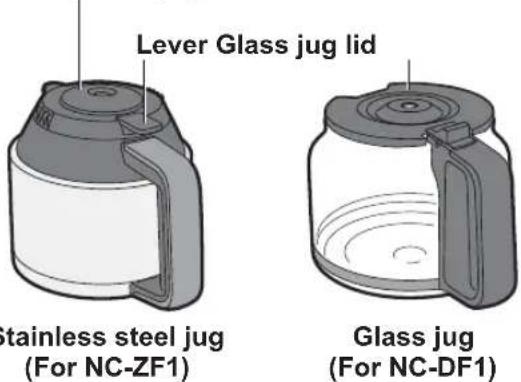
Accessories
Mesh filter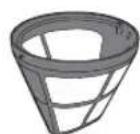
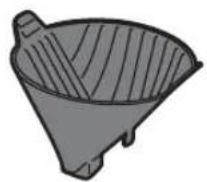
Tea server (NC-ZF1 only)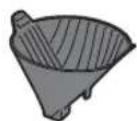
Measuring spoon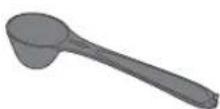
To replace the mesh filter. (P.15) • Also you can use paper filters (1 ×4) sold in stores instead of the mesh filter provided.
How to Use \~Brewing Coffee\~
1. Place the filter holder, mesh filter, and jug, and add ground coffee to taste.
When finely ground coffee is used with the mesh filter, it may become clogged. Please use a paper filter.
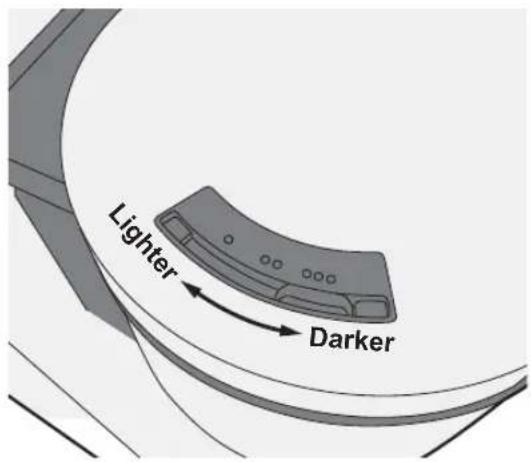
2. Set the aroma control as desired.
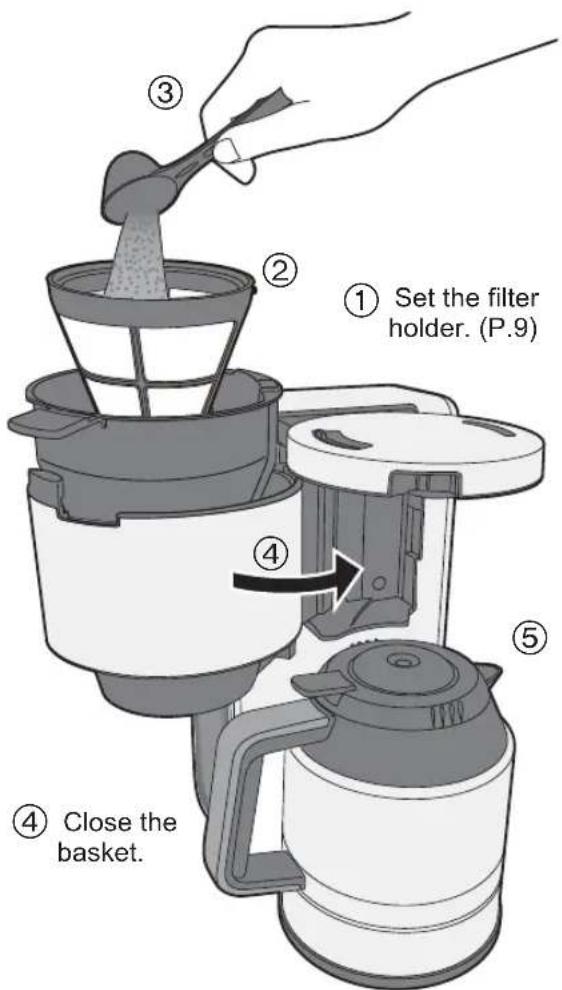
Note: Make sure the basket is closed firmly when closing it.
Preheating the jug (NC-ZF1 only)
When you are brewing a small amount of coffee or when room temperature is low, preheat the jug by pouring hot water to have hot and tasty coffee.
After preheating the jug, throw the hot water away. Do not use any heat source or microwave to preheat the jug.
Reference for amount of coffee
| Brewed Coffee | Fine Ground Coffee* (Approx.) | Medium Ground Coffee (Approx.) |
| 2 cups 4 scoops | 5 scoops | |
| 4 cups 8 scoops | 71/2 scoops | |
| 6 cups 11 scoops | 10 scoops | |
| 8 cups | 14 scoops | 12 scoops |
1 cup = Approx. 120 mL
Measured by the measuring spoon provided.
(Level off the top.)
* Use a paper filter for finely ground coffee.
3. Fill water in the water tank, then plug in and turn on the power switch.
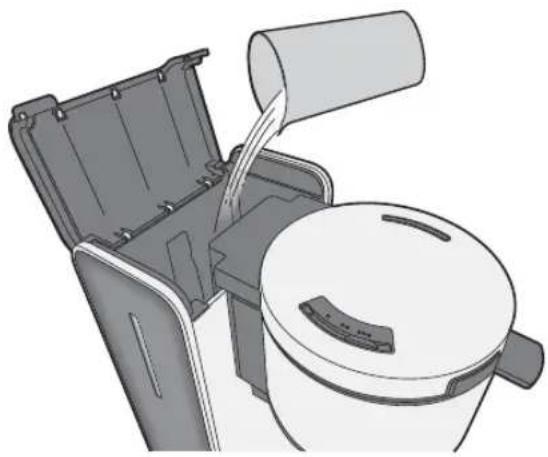
(For NC-ZF1)
The power indicator will light up while brewing coffee and turn off automatically.
(For NC-DF1)
The power indicator will light while the switch is on.
Note
Do not fill the water tank with hot water.
(A lot of steam may spurt out.)
Do not brew coffee when the water is below 2 or more than the maximum 8 on the scale.
Do not add water while brewing.
When water is added more than you desire, please remove it by using another container.
To brew coffee consecutively
Repeat steps 1~3.
Wait for 5 minutes to add water in the water tank.
(If water is added too soon, steam may spurt out.)
4 (For NC-ZF1)
Remove the jug after the light is turned off.
(For NC-DF1)
After brewing is completed, turn off the switch and remove the jug.
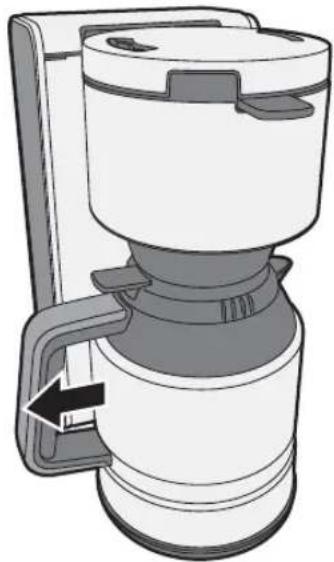
Press down the lever on the jug lid to pour the coffee into cups. (NC-ZF1 only)
Note
Do not pull out the basket when the jug is set on the plate. (Coffee will drip.)
Coffee is hot, remove the jug slowly.
(Hot coffee may spill out.)
When the jug is removed immediately after brewing, coffee may drip. In that case, please wait a while before removing the jug after brewing.
When handling the jug with hot coffee in it, do not open the jug lid. Hot liquid may spurt out or drop on your hand. (It may cause burns.)
When removing the jug, pull it in line with the handle.
To keep the coffee warm, leave the power switch in the on position. (NC-DF1 only)
For a better taste, keeping the coffee warm for a long time is not recommended.
After use
Unplug the coffee maker after use.
When you have remaining water in the water tank
Turn on the coffee maker and extract water completely into the jug, then throw it away.
How to Use \~Brewing Tea (NC-ZF1 only)\~
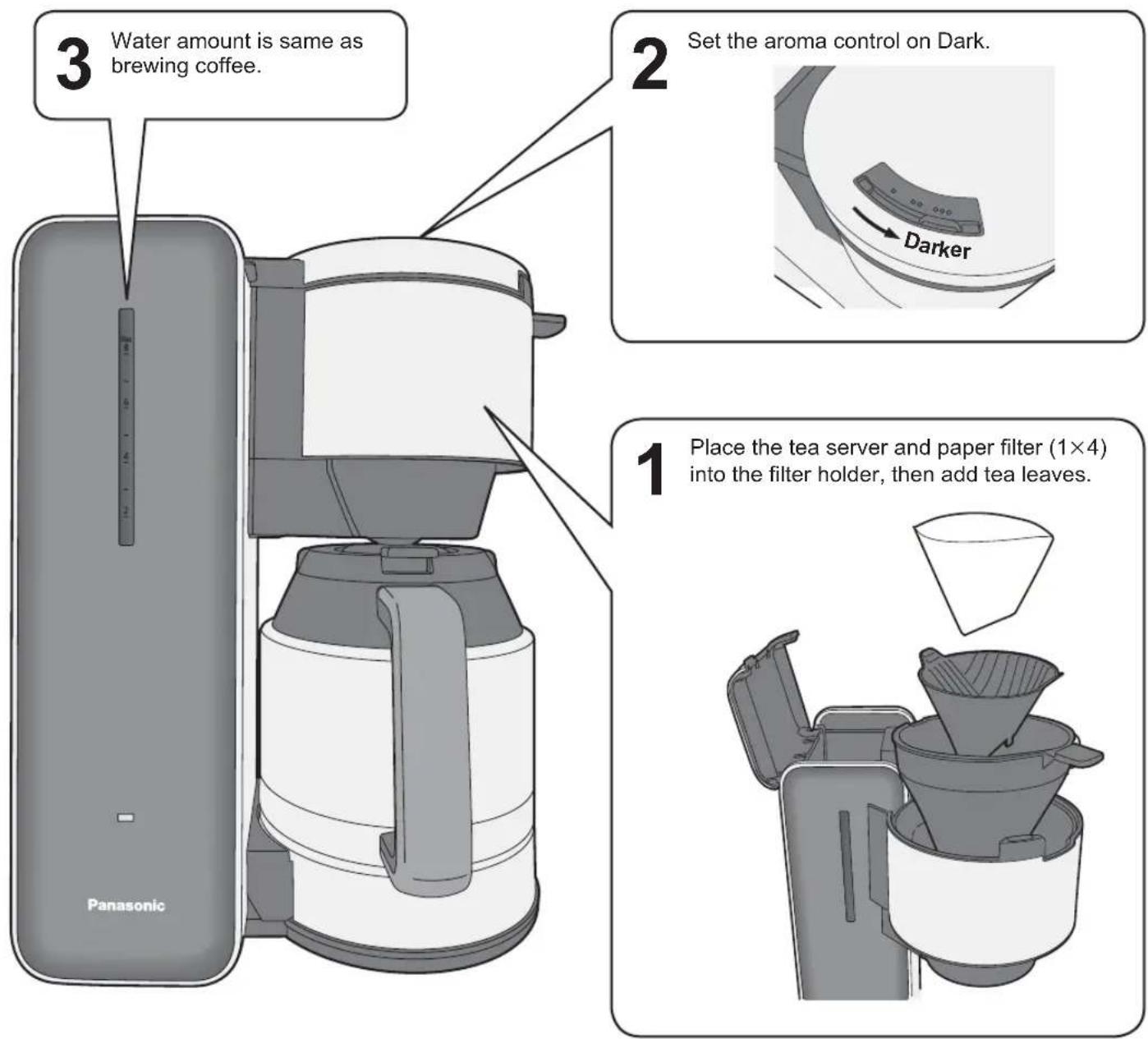
Brewing tea with tea server.
Basic steps are same as brewing coffee on page 10-11.
Please adjust amount of tea leaves as your own taste.
How to Clean
■ Clean the appliance after every use. ■ Unplug and make sure that the appliance has cooled down before cleaning.
Note
Do not use benzine, thinner, alcohol, bleach, polishing powder, metal brush or nylon brush, otherwise the surface will be damaged.
Do not use a dishwasher.
Do not clean the appliance with pointed object such as a toothpick or pin.
Handle the jug with care.
Do not use the jug if it is chipped or cracked.
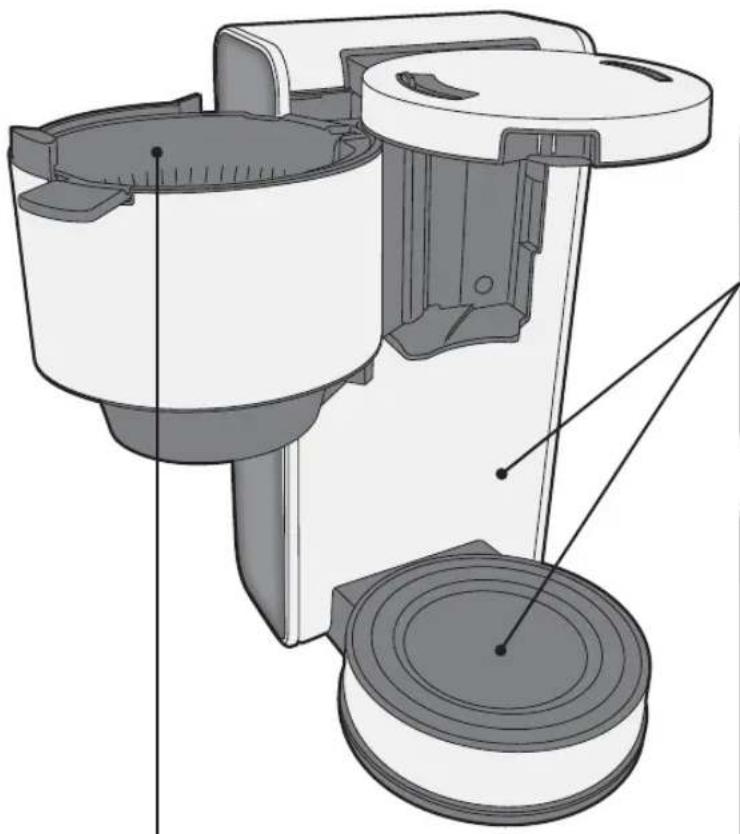
Body / Plate
Wipe with a well-wrung cloth.
To avoid damaging surfaces of the body and the plate.
Do not hit with hard objects or rub them with a scouring pad.
Mesh filter
Wash under running water.
Do not use the brush, dish soap or scouring pad. (It may cause tearing off the filter or leaving the smell of dish soap.)
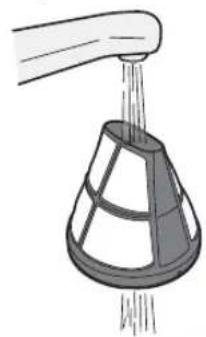
Filter holder
Wash with diluted dish soap (neutral) and a soft sponge.
Anti drip valve
It is to prevent leakage of the remaining drops from the basket.
① Pour water in the filter holder. ② Push the anti drip valve up and shake it for 2~3 times.
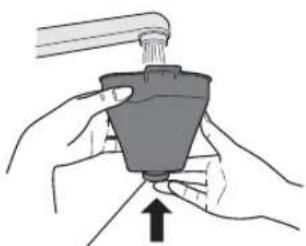
Anti drip valve
Glass jug (For NC-DF1)
Wash with diluted dish soap (neutral) and a soft sponge.
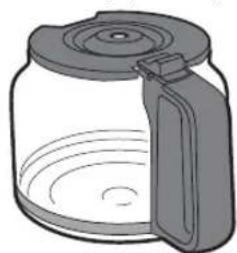
How to Clean
Stainless steel jug (For NC-ZF1)
Wash with diluted dish soap (neutral) and a soft sponge.
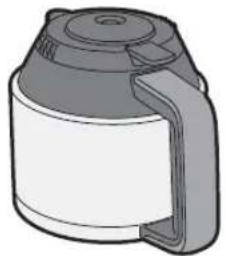
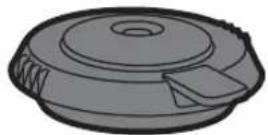
Stainless steel jug lid
Rinse off the lid in water. Discard water inside of it through the hole by lever after rinsing it.
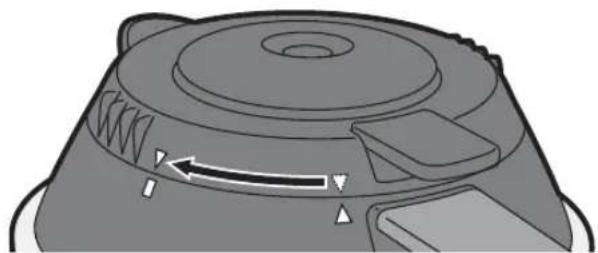
To remove the jug lid
Turn the jug lid in the direction of the arrow to line up the triangles.
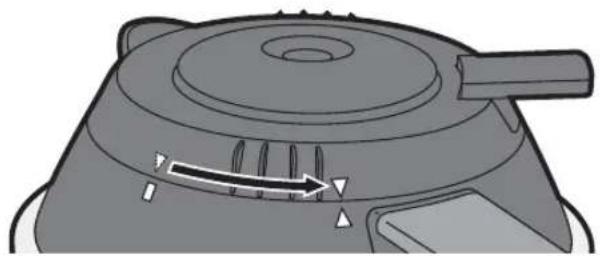
To attach the jug lid
Line up the triangles and turn the jug lid in the direction of the arrow to line up the triangle line up with rectangle.
Clean the water tank with citric acid when brewing is slow
The brewing speed gets slow when the mineral such as the calcium contained in water adheres to the water pipe and the water tank.
* Scale build-up will occur more in areas where the water contains more minerals.
1 Set the basket and jug.
2 Fill the water tank with cold water up to 8 on the scale and add approx. 20 g (2 tbsp) of citric acid. Mix well with a stick and then close the watertank lid.
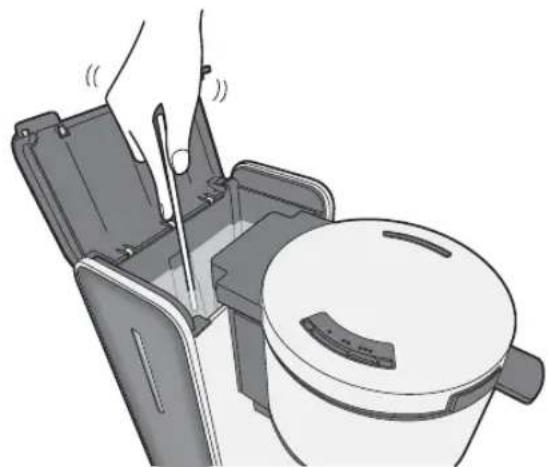
3 Plug in and turn on the power switch. 4 When the water tank gets empty, turn off the power switch and throw hot water in the jug away. 5 Repeat step 1\~4 with only water to remove the smell of the citric acid.
Tea server (NC-ZF1 only) / Measuring spoon
Wash with diluted dish soap (neutral) and a soft sponge.
Troubleshooting
Please check the following points before arranging for service.
Problem Cause
Ground coffee is spilled from the mesh filter.
More than maximum amount of ground coffee was added.
→ Do not add more than maximum amount of ground coffee. (P.10)
The mesh filter is torn off.
→ Replace the mesh filter or use paper filter. Finely ground coffee has been used with the mesh filter.
→ Use a paper filter for finely ground coffee.
Brewing speed is slow or coffee is not coming out.
Scale has built up in the water pipe and in the water tank.
→ Clean the water tank with citric acid. (P.14)
Brewing temperature is low.
Preheat the jug by filling it with hot water, then emptying it before brewing. (P.10)
When coffee grounds appear in a cup.
The mesh filter has been used for finely ground coffee.
→ Try using a paper filter instead of the mesh filter.
Replacement Part
| Part name Part number | |
| Mesh filter ACA43-153-K0 |
Specifications
| NC-ZF1 NC-DF1 | ||
| Power supply | 230 - 240 V ~ 50 Hz | |
| Power consumption 900 - 980 W | ||
| Max. amount of water 1.1 L (8 cups) | ||
| Dimensions (W × D × H) (approx.) | 293 × 172 × 346 mm | 293 × 167 × 346 mm |
| Weight (approx.) 3.8 kg2.9 kg | ||
| Length of the mains lead (approx.) 0.9 m | ||
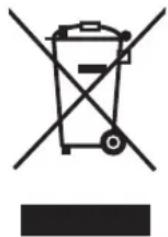
Information on Disposal for Users of Waste Electrical & Electronic Equipment (private households)
This symbol on the products and/or accompanying documents means that used electrical and electronic products should not be mixed with general household waste.
For proper treatment, recovery and recycling, please take these products to designated collection points, where they will be accepted on a free of charge basis. Alternatively, in some countries you may be able to return your products to your local retailer upon the purchase of an equivalent new product.
Disposing of this product correctly will help to save valuable resources and prevent any potential negative effects on human health and the environment which could otherwise arise from inappropriate waste handling.
Please contact your local authority for further details of your nearest designated collection point.
Penalties may be applicable for incorrect disposal of this waste, in accordance with national legislation.
Information on Disposal in other Countries outside the European Union
This symbol is only valid in the European Union.
If you wish to discard this product, please contact your local authorities or dealer and ask for the correct method of disposal.
Panasonic Test and Development Kitchen
Panasonic Consumer Electronics U.K.
A Division of Panasonic U.K. Ltd
Willoughby Road, Bracknell, Berks, RG12 8FP
Representative in EU:
Panasonic Marketing Europe GmbH
Panasonic Testing Centre
Winsbergring 15, 22525 Hamburg, Germany
Panasonic Taiwan Co., Ltd.
Web Site: www.panasonic.co.uk
© Panasonic Taiwan Co., Ltd. 2012
CZ45E153
F0712S0
XC

- OPERATING INSTRUCTIONS
- COFFEE MAKER (HOUSEHOLD USE)
- CONTENTS
- SAFETY PRECAUTIONS
- WARNING
- CAUTION
- IMPORTANT INFORMATION
- ELECTRICAL REQUIREMENT
- FOR YOUR SAFETY PLEASE READ THE FOLLOWING TEXT CAREFULLY
- HOW TO REPLACE THE FUSE
- PARTS NAMES AND HANDLING INSTRUCTIONS
- BEFORE USE
- ACCESSORIES
- HOW TO USE \~BREWING COFFEE
- PLACE THE FILTER HOLDER, MESH FILTER, AND JUG, AND ADD GROUND COFFEE TO TASTE
- SET THE AROMA CONTROL AS DESIRED
- PREHEATING THE JUG (NC-ZF1 ONLY)
- FILL WATER IN THE WATER TANK, THEN PLUG IN AND TURN ON THE POWER SWITCH
- (FOR NC-ZF1)
- (FOR NC-DF1)
- NOTE
- TO BREW COFFEE CONSECUTIVELY
- REPEAT STEPS
- AFTER USE
- WHEN YOU HAVE REMAINING WATER IN THE WATER TANK
- HOW TO USE \~BREWING TEA (NC-ZF1 ONLY)
- HOW TO CLEAN
- BODY / PLATE
- MESH FILTER
- FILTER HOLDER
- ANTI DRIP VALVE
- GLASS JUG (FOR NC-DF1)
- STAINLESS STEEL JUG (FOR NC-ZF1)
- STAINLESS STEEL JUG LID
- TO REMOVE THE JUG LID
- TO ATTACH THE JUG LID
- CLEAN THE WATER TANK WITH CITRIC ACID WHEN BREWING IS SLOW
- TEA SERVER (NC-ZF1 ONLY) / MEASURING SPOON
- TROUBLESHOOTING
- PROBLEM CAUSE
- REPLACEMENT PART
- SPECIFICATIONS
- INFORMATION ON DISPOSAL FOR USERS OF WASTE ELECTRICAL & ELECTRONIC EQUIPMENT (PRIVATE HOUSEHOLDS)
- INFORMATION ON DISPOSAL IN OTHER COUNTRIES OUTSIDE THE EUROPEAN UNION
- PANASONIC TAIWAN CO., LTD
Brand : PANASONIC
Model : NC-DF1WXC
Category : Coffee maker