
PKRSP5B - Docking Station Pyle - Free user manual and instructions
Find the device manual for free PKRSP5B Pyle in PDF.


| Product Type | Docking Station with Bluetooth Speaker |
| Brand | Pyle |
| Model | PKRSP5B |
| Color | Black |
| Dimensions (W x H x D) | 10.2 x 4.3 x 3.9 inches |
| Weight | 2.5 lbs |
| Power Source | AC 100-240V Adapter (included) or USB-C |
| Battery Type | Rechargeable Lithium-Ion |
| Battery Life | Up to 8 hours (50% volume) |
| Charging Time | Approximately 4 hours |
| Bluetooth Version | Bluetooth 5.0 |
| Bluetooth Range | Up to 33 feet (10 meters) |
| Audio Inputs | 3.5mm AUX, USB (for playback) |
| Speaker Output | 20W (RMS) |
| Driver Size | 3.0 inches |
| Frequency Response | 20Hz – 20kHz |
| Impedance | 4 Ohms |
| Water Resistance | Not waterproof; keep away from liquids |
| Compatible Devices | Smartphones, tablets, laptops, MP3 players |
| Included Accessories | AC adapter, AUX cable, user manual |
| Maintenance | Clean with a dry, soft cloth; do not use solvents |
| Repairability | No user-serviceable parts; contact Pyle support |
| Warranty | 1-year limited warranty |
Frequently Asked Questions - PKRSP5B Pyle
User questions about PKRSP5B Pyle
0 question about this device. Answer the ones you know or ask your own.
Ask a new question about this device
Download the instructions for your Docking Station in PDF format for free! Find your manual PKRSP5B - Pyle and take your electronic device back in hand. On this page are published all the documents necessary for the use of your device. PKRSP5B by Pyle.
USER MANUAL PKRSP5B Pyle
Portable & Desktop MP3 Speaker with MP3, USB/SD, FM Radio, Aux In for iPod, Android, HTC, iPad, Alarm Clock, Rechargeable Batteries Included
Features:
• Supports MP3, WMA Music Formats
• Support USB, SD, MMC Cards to Play Back Your Favorite Music
• Built In FM Radio
• Auxiliary Input Jack -- Play Back Virtually Any Audio Source
- Microphone Input Jack For Karaoke (Only Works With Battery-Powered Mics Like PLMC15 And PCMLVC33)
• Built In Rechargeable Lithium Battery (Charges through Included Jack)
• Large LCD Displays Track Information And Lyrics
- Clock, Alarm, and Calendar Functions Keep You Organized
• Recording Function by One Key Playing
• Construction Material: Plastic
• Dimensions: 8.7" X 2.4" X 1.4"
- Speaker Power: 15 W x 2
• Frequency Response: 90 Hz-20 kHz
Instruction for appearance and key:

- Menu
- Play/Pause
- Next song
- Last song
- Recording button
- Power button On/off
- USB slot for charge
- SD card slot
- USB card slot
- Headphone output socket
- Audio input slot
How to play music:
- Turn the power button to "ON", the LCD screen display indicate the time.
- The LCD screen display main interface: "Calendar" "Music", "Recording", "FM Radio" "System Setting"
- Choose "Music" model and press "menu" to confirm. Insert SD /USB Card, audio files begin to play automatically.
- In playing state, short press LAST or NEXT to select songs you like in sequence.
- Long Press LAST or NEXT to adjust the volume up or down.
- Press PLAY/PAUSE to play or pause. Long press will be out of work.
- Turn the Power button to "OFF" to cut off power supply.
How to use FM radio:
- Long press "MENU" button to enter into main interface;
- Choose "FM MODE" and press menu button to enter into FM radio interface, and if put the line cable the signal will be better.
- Press LAST or NEXT button to change the frequency manually.
- Short press "MENU" button to enter into submenu as below, press menu button to confirm each item:
Auto search: This speaker automatically search and store the FM station.
Save : Store the existed FM channels you have chosen
Delete : Delete one FM channel you have stored
Delete all: Delete all the FM channels you have stored
Normal Band: universal radio band standard
Japan Band: Japan radio band standard
Exit: exit this submenu.
- Press PLAY/PAUSE button to switch the FM channels you have stored in sequence.
How to use Calendar:
Turn on the power, without inserting the SD/USB Card condition, click M key to enter the function menu. Click M key again, enter the calendar display. Displays contend includes: Solar-bases, Lunar-based, week. Press "Next" and "Last" up /down to search for another date. If you need to adjust the time and date, you need to click M key into system setting to set the system time.
How to use Recording:
- Put SD/USB card into card slot, press "REC" button to enter recording status( required inserting enough space card in advance). Or click M key to enter the function menu, choose "Recording" model then press "M" button to confirm. To be initialized and then began recording, press "Play/Pause" button to stop recording, long press M key or short press "REC" to store the contend automatically, the content stored in the SD/USB card.
- Press M key for a long time to exit, click M key to enter the function menu, selecting the Music Model, click M key again into the playback interface, click M key again, choose the card directory, click M key to enter the subdirectory, select the VOICE folder, click M key to open and select the file you want to play, press M key to play.
How to use Clock function and time display
- In playing model, long press "MENUE" to return to main menu, choose "setting" and press "Menu" to confirm going to the "system time"
- In "setting "model, choose "tool" and press "menu" to confirm going to the "Alarm Set".
How to use Line-in function:
- Connect to your MP3/MP4/PC, etc by 3.5 to 3.5 mm audio cable. The audio files stored in MP3/MP4/PC plays via the speaker automatically.
- While using the audio input function, all the operation are invalid but only on external devices such as "mp3/mp4/pc".
Other setting:
- EQ: Under playing mode, short press "MENU" button, choose "EQ Setting" and short press "menu" button to confirm. Then Choose the EQ and short press "MENU" button to confirm. 7 kinds of EQ are optional: Natural, Rock, Pop, Classic, Soft, Jazz, DBB.
- Playing mode: in playing state, short press "MENU" button, choose "playing model" and short press "menu" button to confirm. Choose repeat mode you like and short press "MENU" button to confirm again. 7 kinds of mode are optional: Normal, Repeat one, Folder, Repeat folder, Repeat all, Random, Intro.
- Folder display: Under playing mode, press "Play/pause" button to stop the music. Then short press "MENU" button, switch "U-disk DIR" or "SD DIR" to display the folders stored in the USB or SD card. Then choose the song and confirm by short press "MENU".
- Language: Under playing mode, long press "Menu" to return to main menu, Choose "SETTING" and press menu to confirm. Then choose "Language" and short press "MENU" button to enter into submenu. Choose proper language you like.
Remarks :
- Under the "MUSIC" model, Line-in function is prior to SD/USB Card.
- At any submenu, long press "MENU" button to return to main interface.
- The music plays in the order of "last is first", while memory devices are always in their place, last music will resume as the first after a break.
- While using the audio input function, all the operations are invalid except adjusting volume. Other
operations have to be done on external devices such as "Mp3/Mp4/PC".
- Please turn the power button to "OFF" to cut off power supply while without using.
How to charge:
- Connect to PC or other device by USB cable for charging.
- Normal Charging time: 3—8 hours. (First time must be fully charged by 8 hours but please don't exceed 8 hours normally).

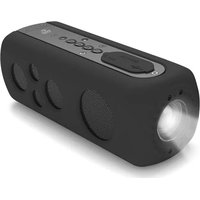

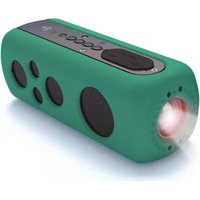

- Portable & Desktop MP3 Speaker with MP3, USB/SD, FM Radio, Aux In for iPod, Android, HTC, iPad, Alarm Clock, Rechargeable Batteries Included
- Features:
- Instruction for appearance and key:
- How to play music:
- How to use FM radio:
- How to use Calendar:
- How to use Recording:
- How to use Clock function and time display
- How to use Line-in function:
- Other setting:
- Remarks :
- How to charge:
Brand : Pyle
Model : PKRSP5B
Category : Docking Station